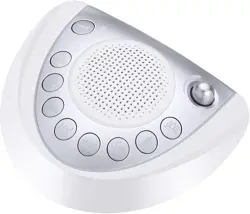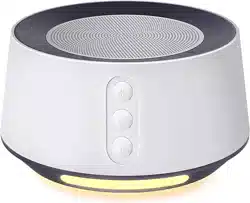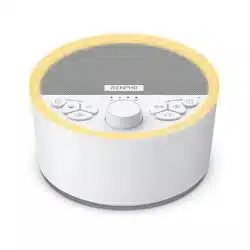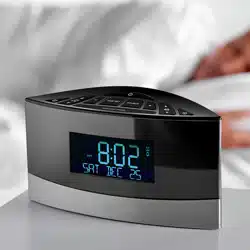
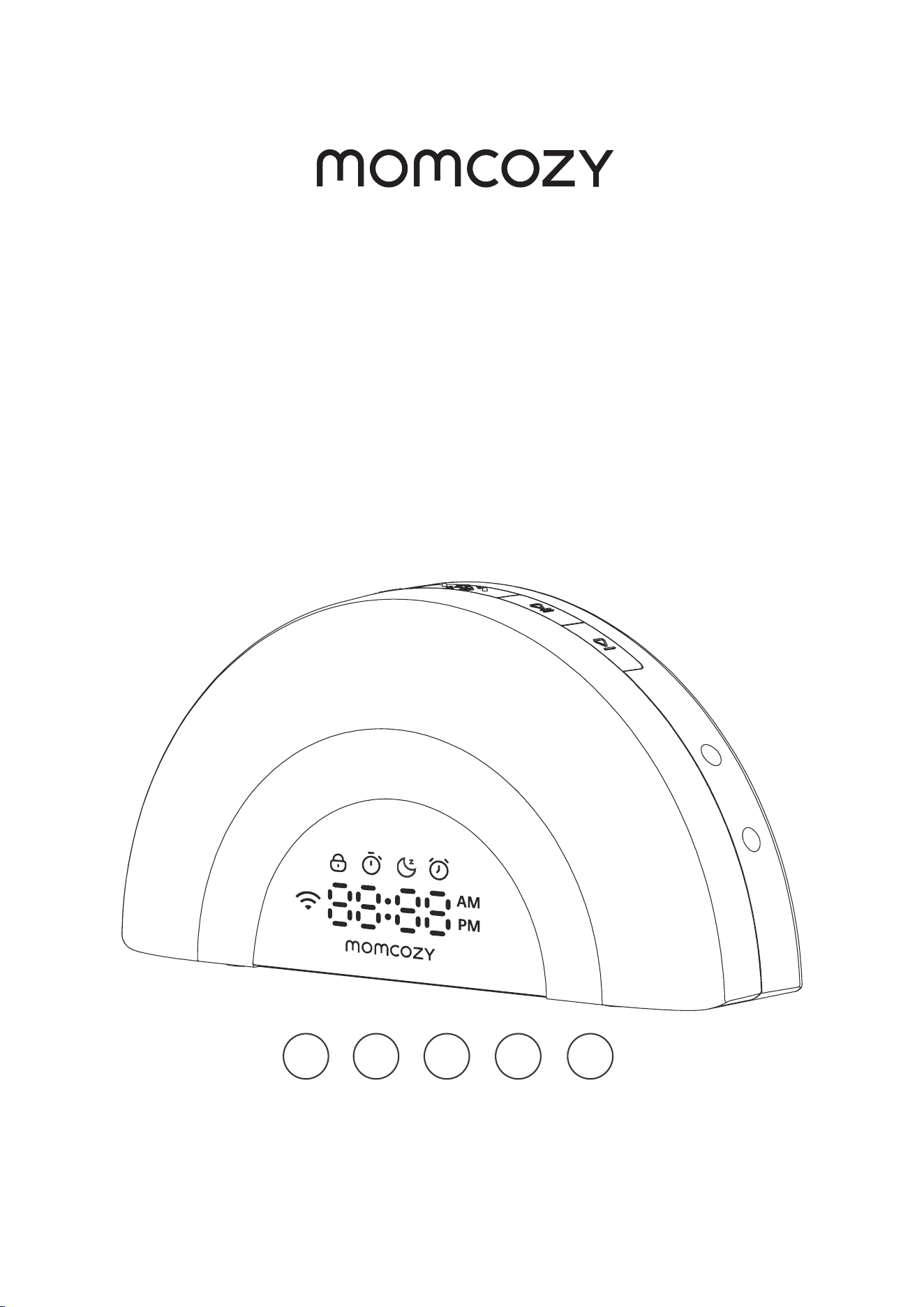
WHITE NOISE
MACHINE
WN05
User Manual
Read this user manual carefully before using this device
and keep this manual for future reference.
EN FR DE IT ES

CONTENTS
EN
FR
DE
IT
ES
02
03
04
05
07

English
EN
02 03
CONTENTS
WHAT’S IN THE BOX
IMPORTANT SAFETY INSTRUCTIONS
WARNING
START THE WHITE NOISE MACHINE
DOWNLOAD THE APP
APP FEATURES
OVERVIEW
LED DISPLAY
AUDIO STREAMING FROM YOUR MOBILE DEVIC
TECHNICAL SPECIFICATIONS
AVAILABLE SOUNDS
02
03
04
05
07
08
09
11
13
14
14
EN
02 03
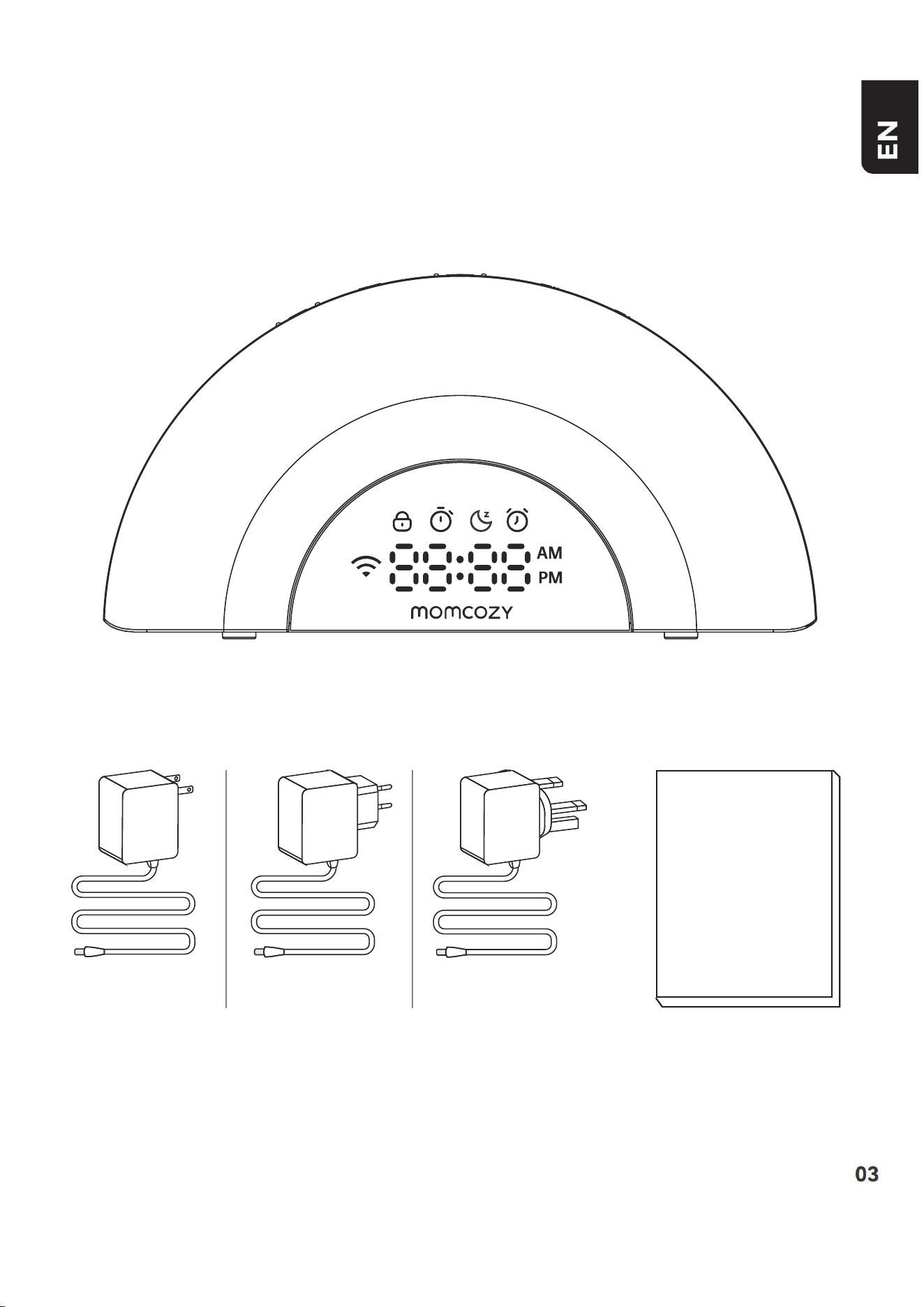
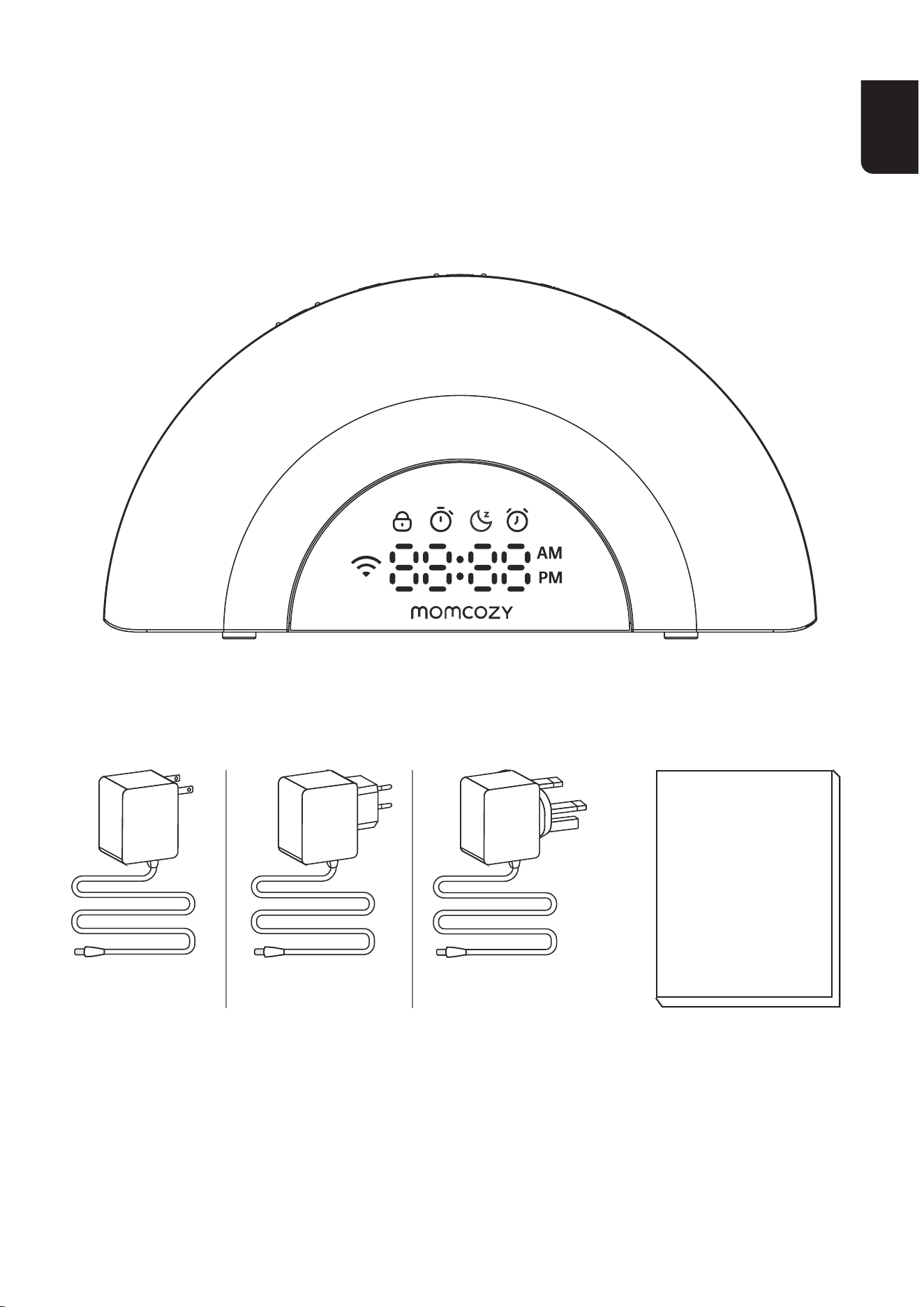
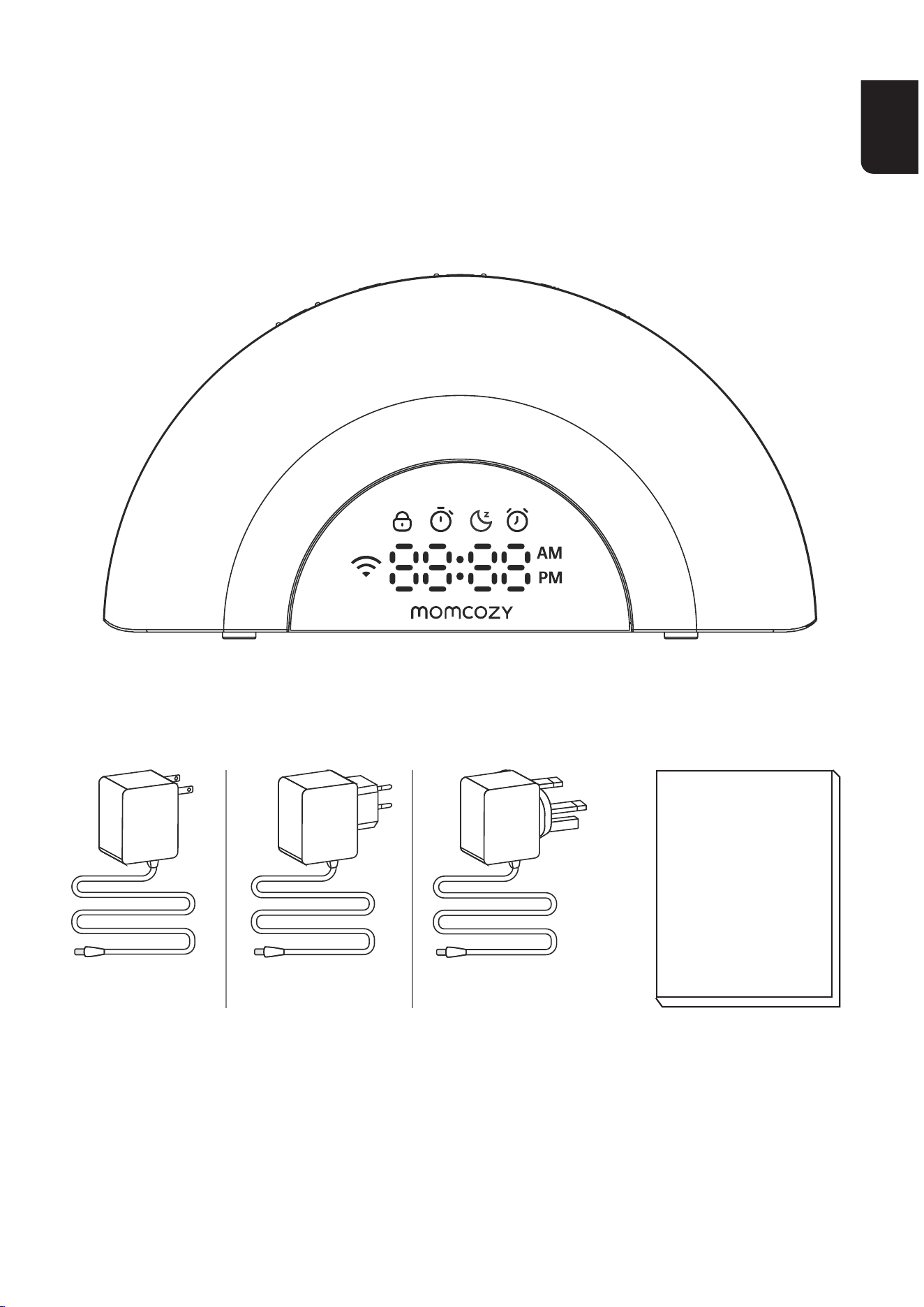
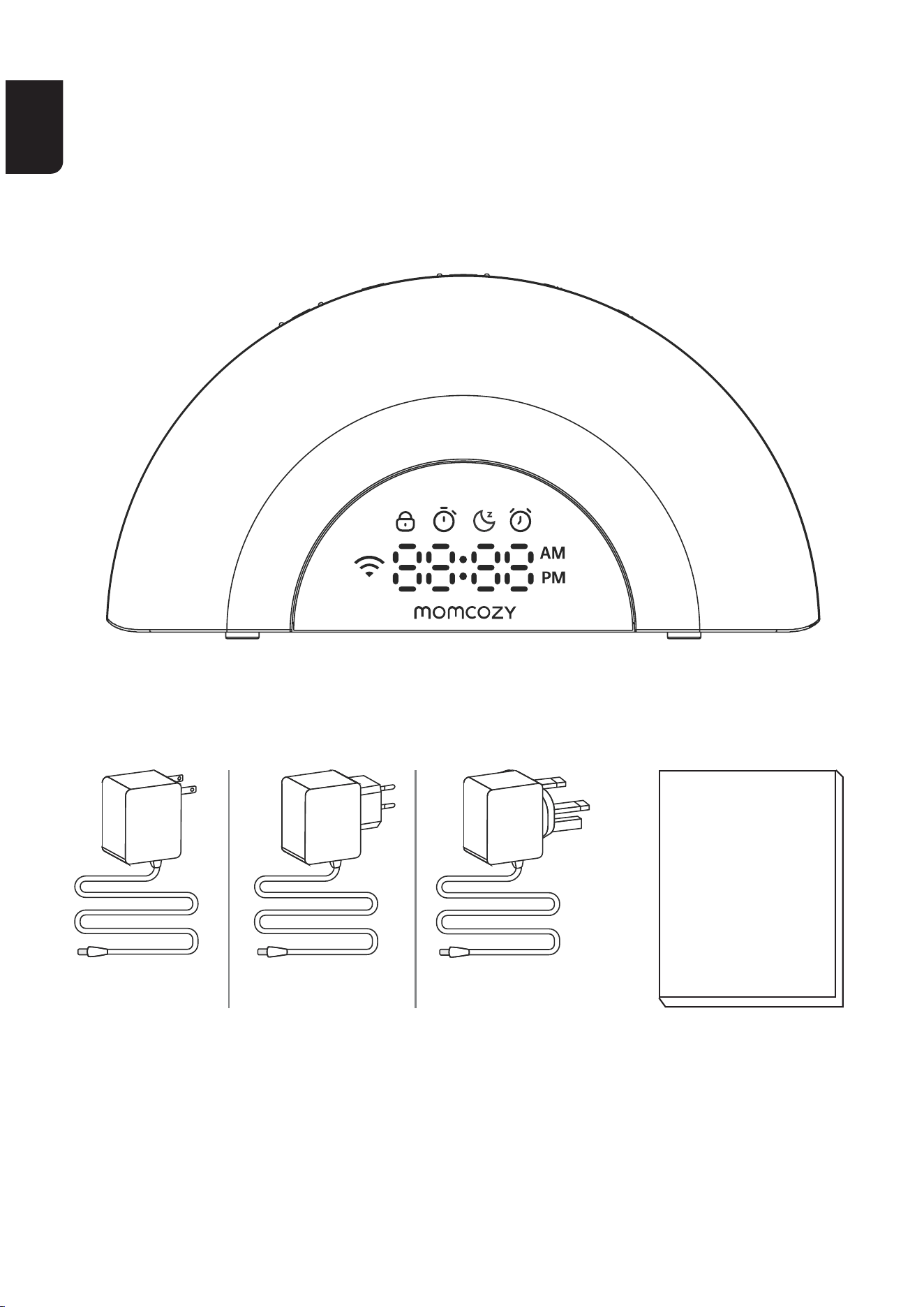
WHAT’S IN THE BOX
White noise machine
Adapter
Instruction
manual
US EN
EU

EN
04 05
IMPORTANT SAFETY
INSTRUCTIONS
1.Beforeusingthisproduct,readandcomplywithallinstructionsand
warningsprovidedinthismanual.
2.Besuretousethechargingcableprovidedwiththedevice.
3.Donotplacethespeakerclosetoyourears,asitmaycausehearing
damage.
4.Donotplaceorstorethisproductinplaceswhereitmayfallorbe
pulled into a bathtub or sink.
5.Donotplaceordropitintowaterorotherliquids.Avoidusingthe
productondampsuaces.
6. This product is not a toy and is not suitable for use by children. Keep
the product out of reach of children. For adult use only.
7. Do not attempt to repair or modify the device. Do not cover the
productduringusetopreventoverheating,whichmayleadtore,
electricshock,orinju.
8.Iftheproductorpowercordaredamaged,stopusingthem.
9.Keepthemachineawayfromheatedsuaces.Donotlift,car,
suspend,orpulltheproductbythepowercord.
10.Thisproductshouldnotbeplacedinanyareawhereproper
ventilation is not provided. Slots and openings in the back or bottom
of this product are provided for ventilation. To protect them from
overheating,theseopeningsmustnotbeblockedbyplacingthe
productonasoftsuacesuchasabed,sofaorrug.Thisproduct
should never be placed near or over a radiator or heat register.
11.Neverpushobjectsofanykindintothisproductthroughtheslots
becausetheymaytouchdangerousvoltagepointsorcreateasho
circuit.Neverspillliquidofanykindontheproduct.
EN
04 05
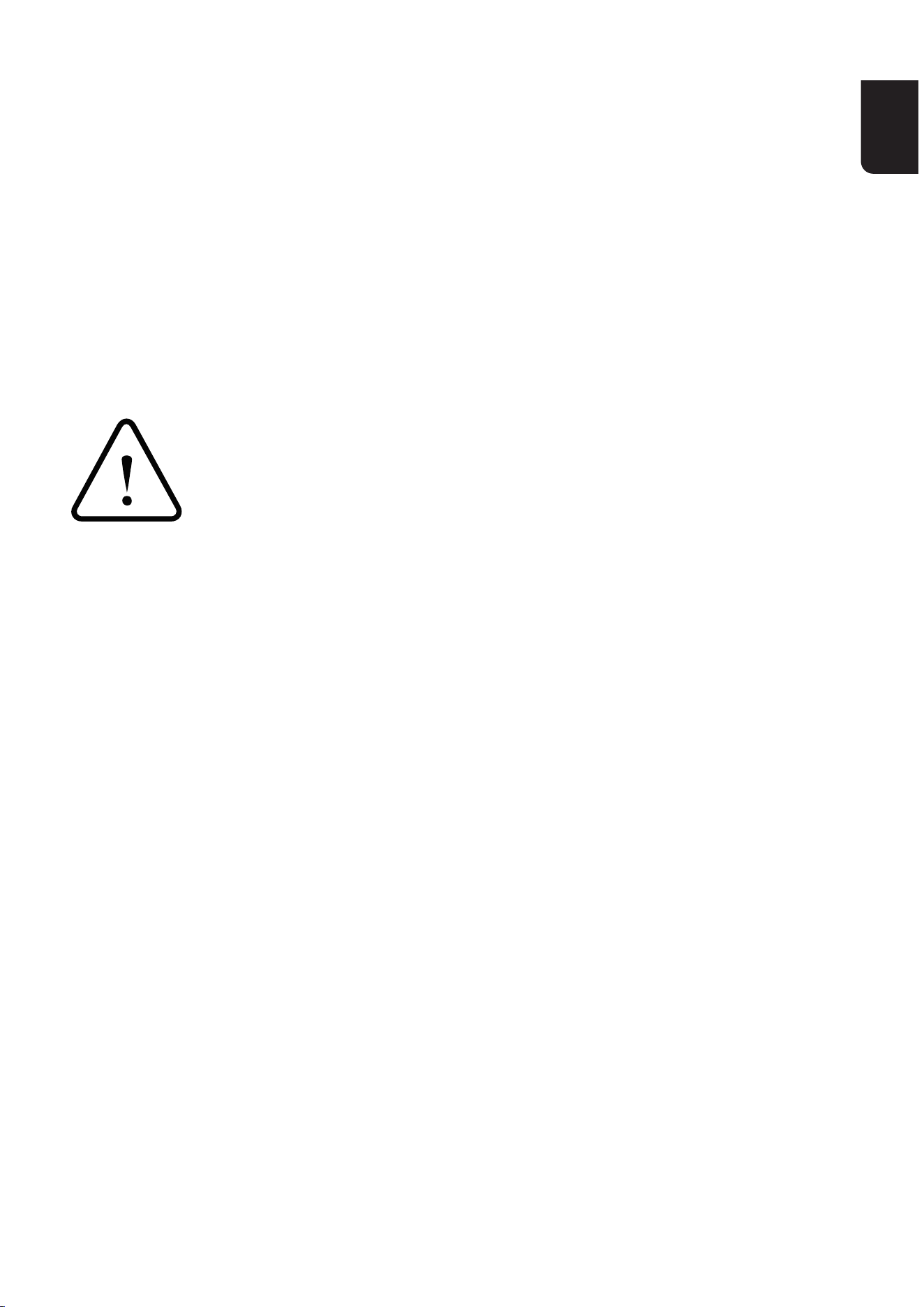
WARNING
Alwaysselectthecorrectsizeandtypeofbattemost
suitable for the intended use.
Replace all batteries of a set at the same time.
Cleanthebattecontactsandalsothoseoftheequipment
priortobatteinstallation.
Ensurethatthebatteriesareinstalledcorrectlywithregard
to polarity (+and–).
Incaseofingestionofacellorbatte,seekmedical
assistance promptly.
Do notsho-circuitbatteries
Do not charge batteries
Do not force discharge batteries
Do not heat batteries
Do not weldorsolderdirectlytobatteries
Do not dismantle batteries
Do not deform batteries
Do not encapsulate and/or modify batteries
Removebatteriesfromequipmentifitisnottobeusedforan
extended period of time unless it is for emergency purposes
donotexposetheapplianceorbattetoexcessive
temperatures
Exhausted batteries should be immediately removed from
equipment.
EN
06 07
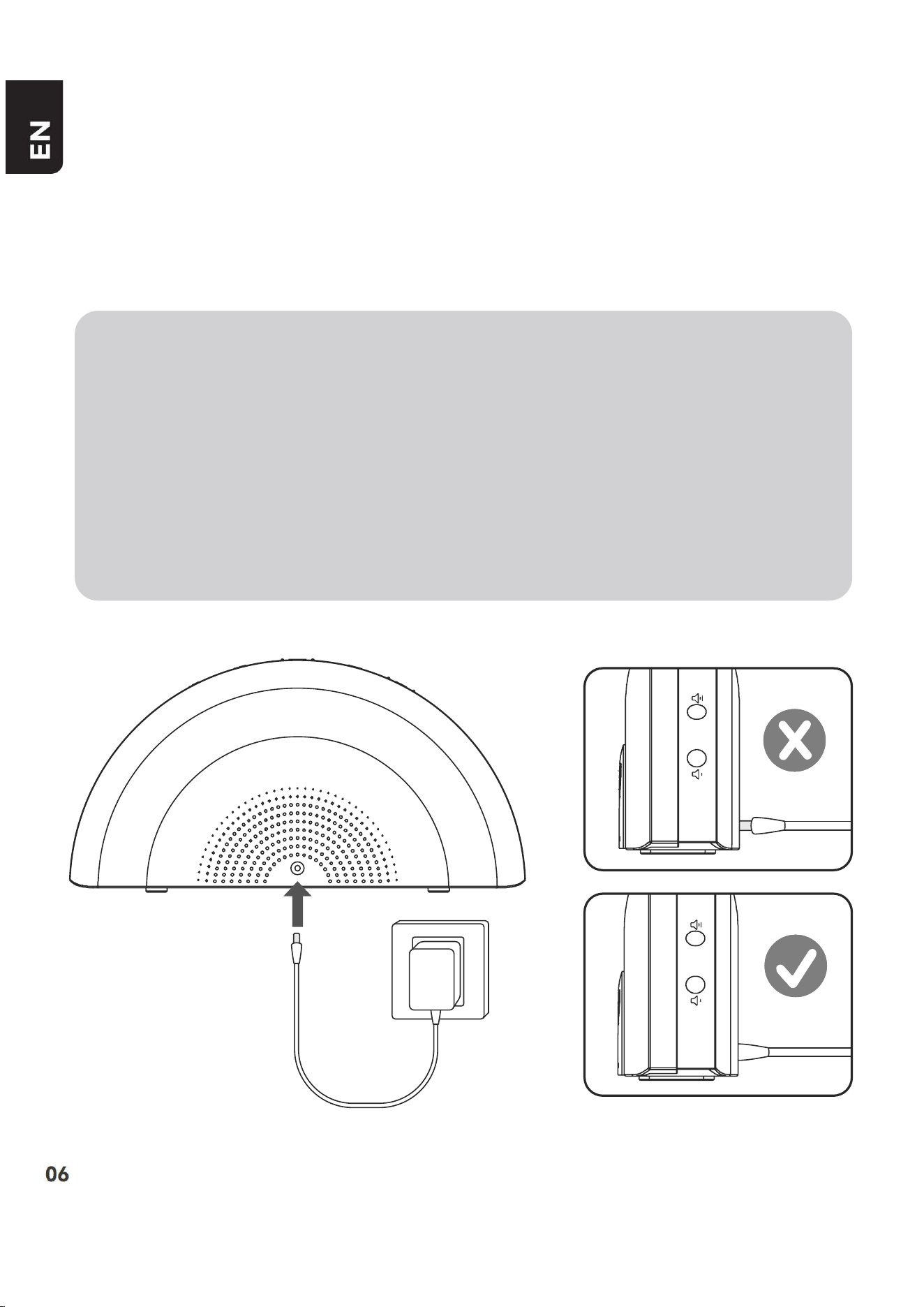
START THE WHITE NOISE
MACHINE
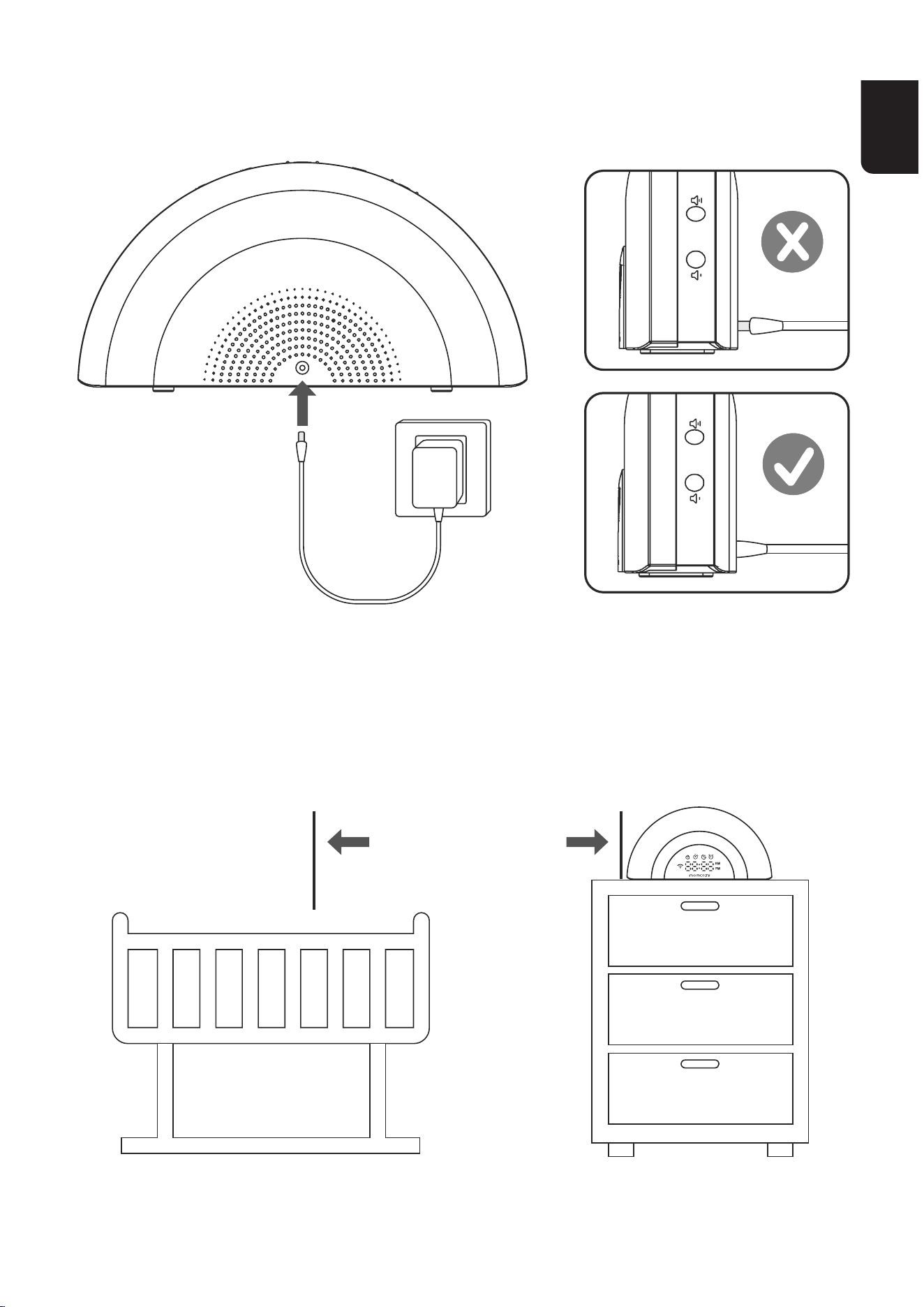
Notes
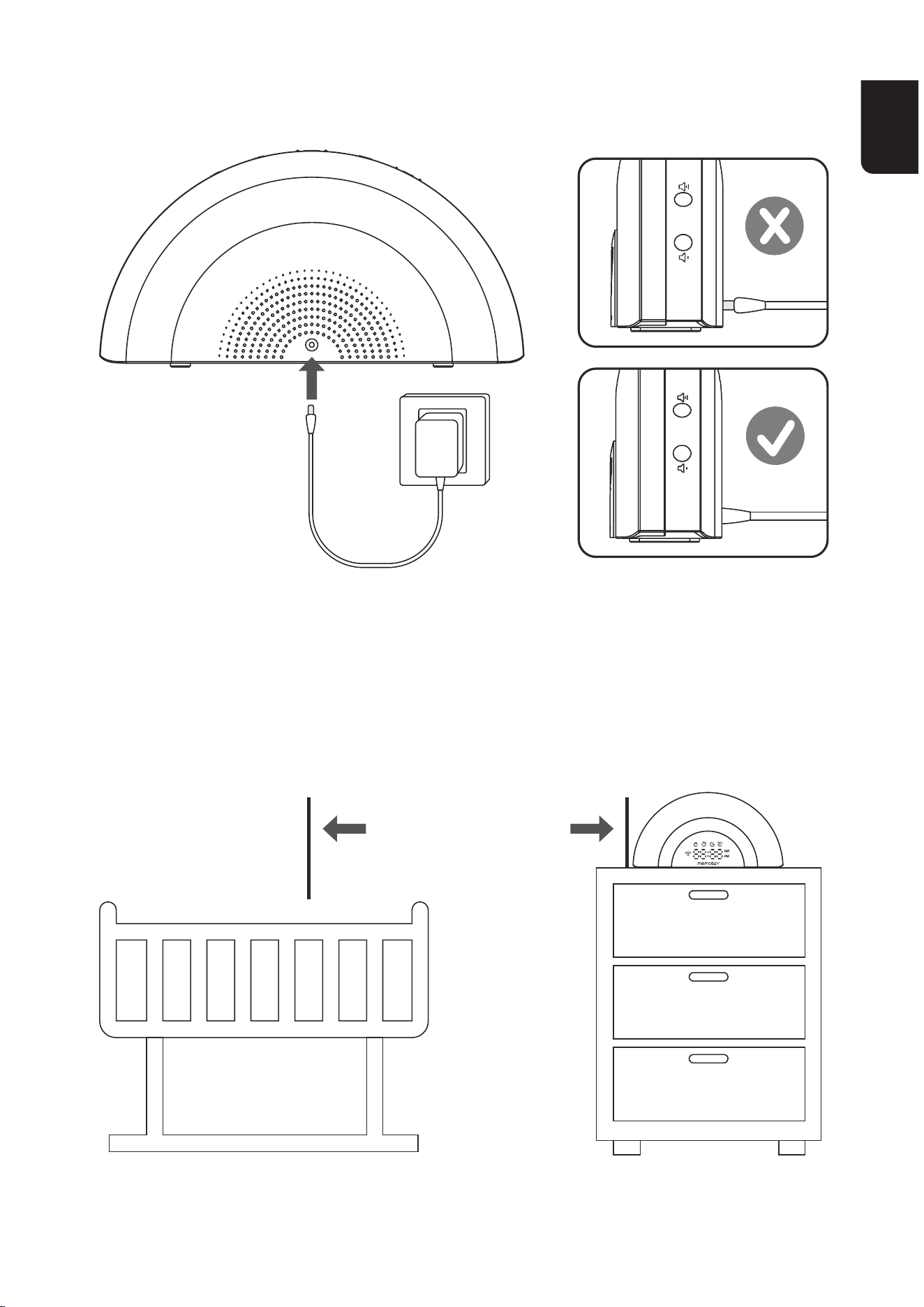
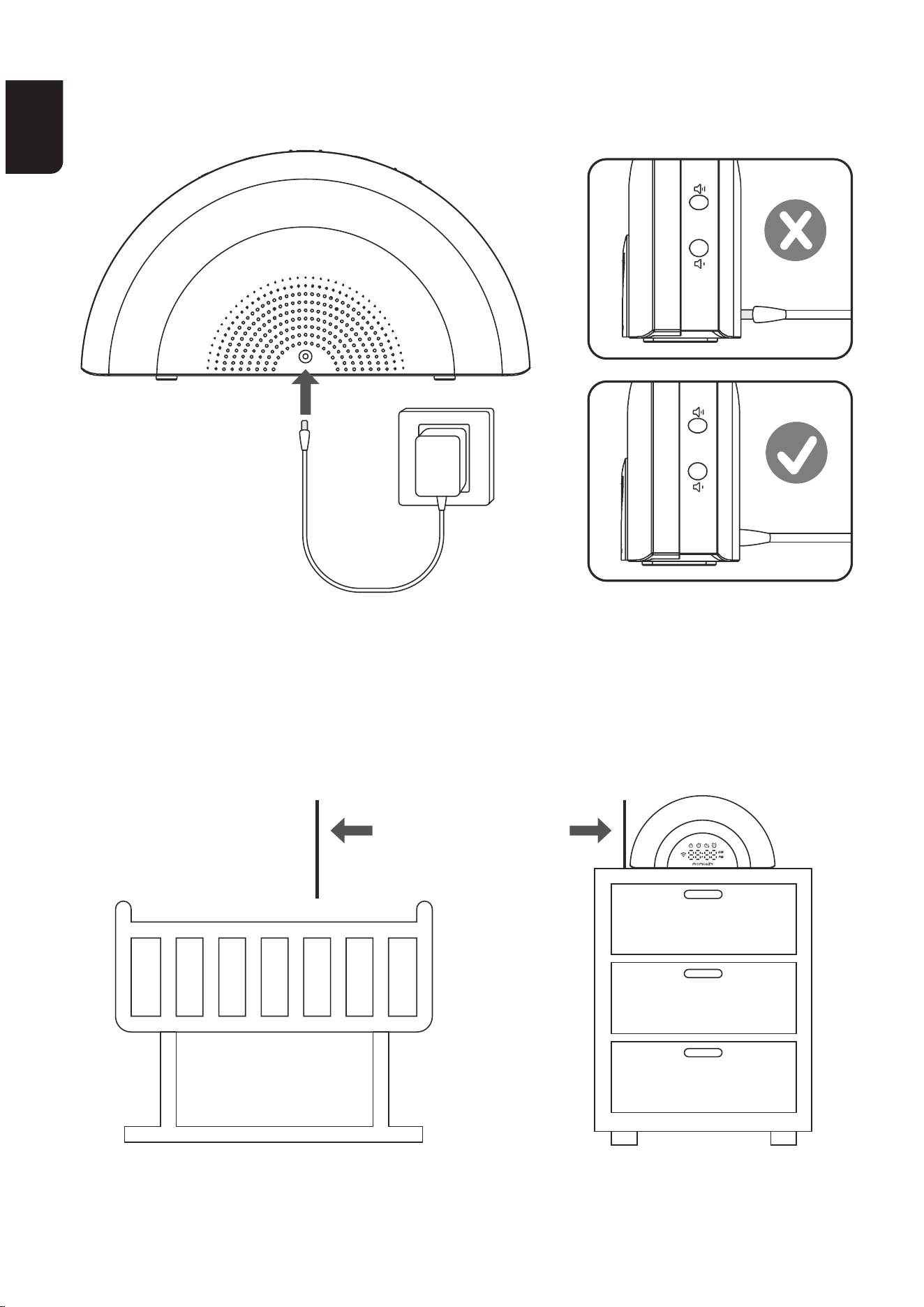
•Onlyusethepoweradaptersuppliedwiththisproduct.
•Connectthepoweradapterinaveicaloroormountposition
only.Theadapterprongsarenotdesignedtoholdtheweight
ofthewhitenoisemachine,sodonotconnectittoanyceiling,
under-the-table,orcabinetoutlets.Otherwise,theadaptermay
not properly connect to the outlet.
EN
06 07
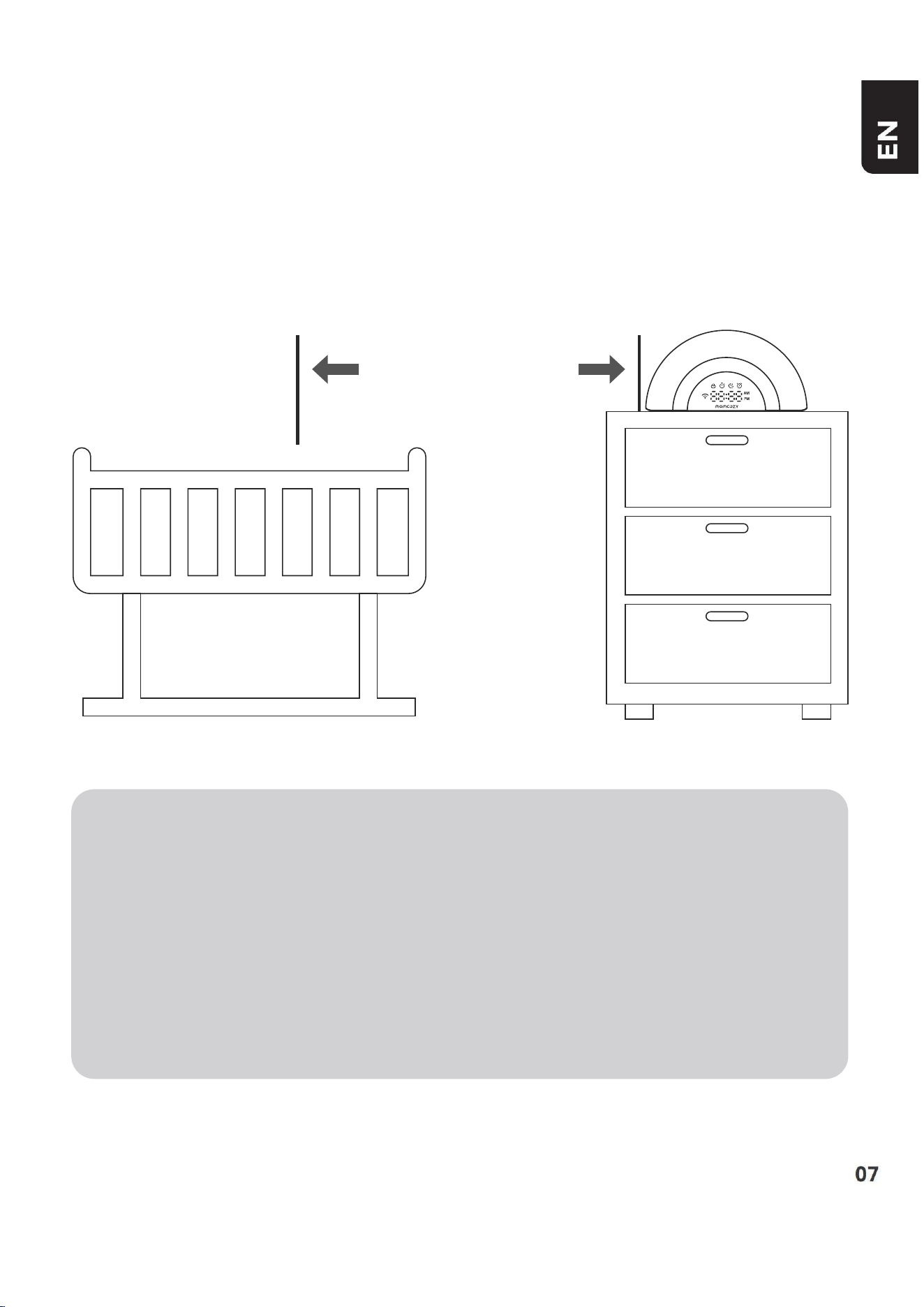
BEFORE USE
Positioningthewhitenoisemachine
•Placethewhitenoisemachinemorethan3feet(1metre)away
from your baby.
3 feet
(1 metre)
Notes
•Keepthewhitenoisemachineoutofthereachofyourbaby.
Neverplacethewhitenoisemachineinsidethebaby’scribor
playpen.
•Toavoidinteerencefromotherelectronicdevices,placeyour
whitenoisemachineatleast3feet(1m)awayfromdevicessuch
aswirelessrouters,microwaves,cellphonesandcomputers.
EN
08 09
DOWNLOAD THE APP
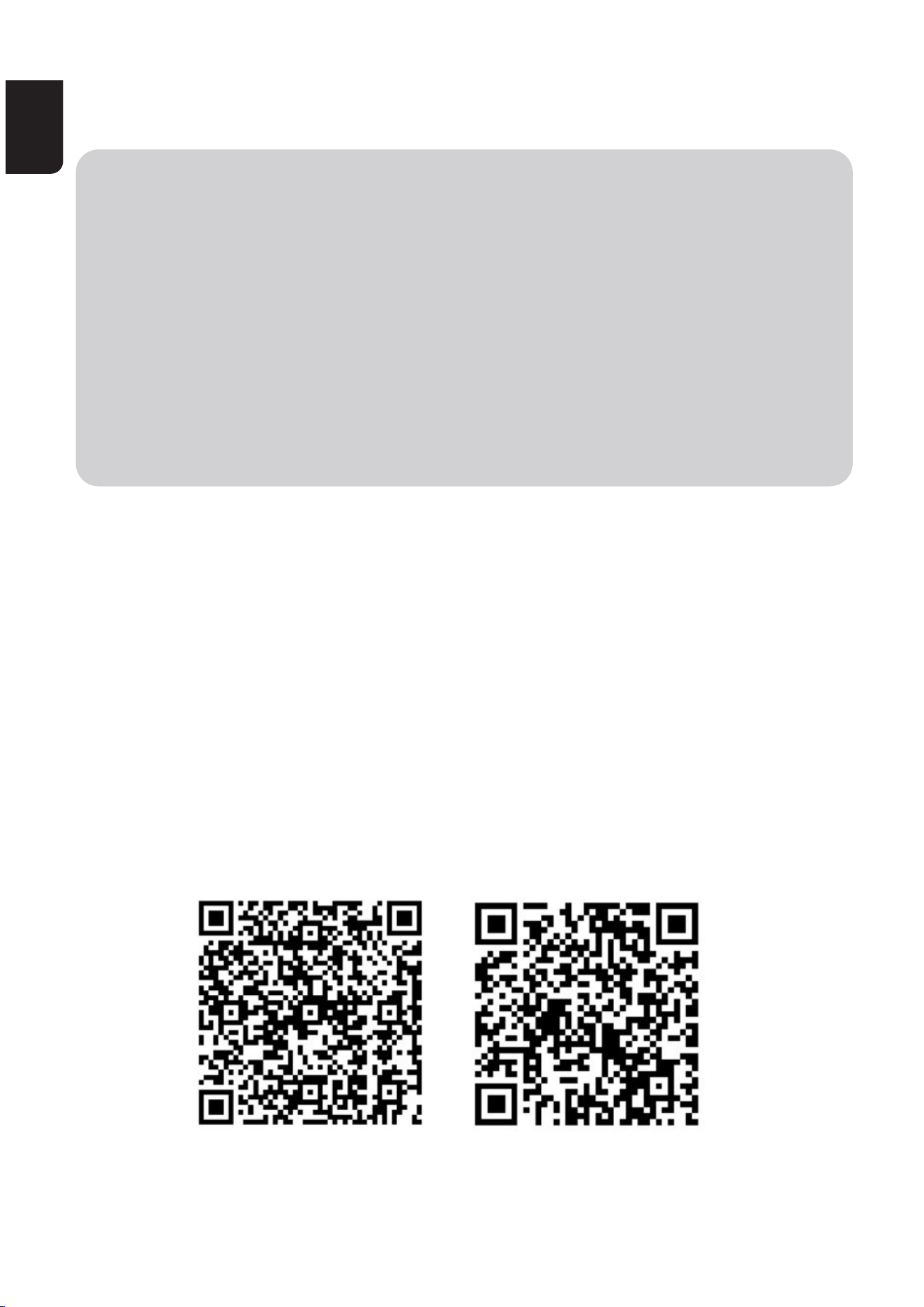
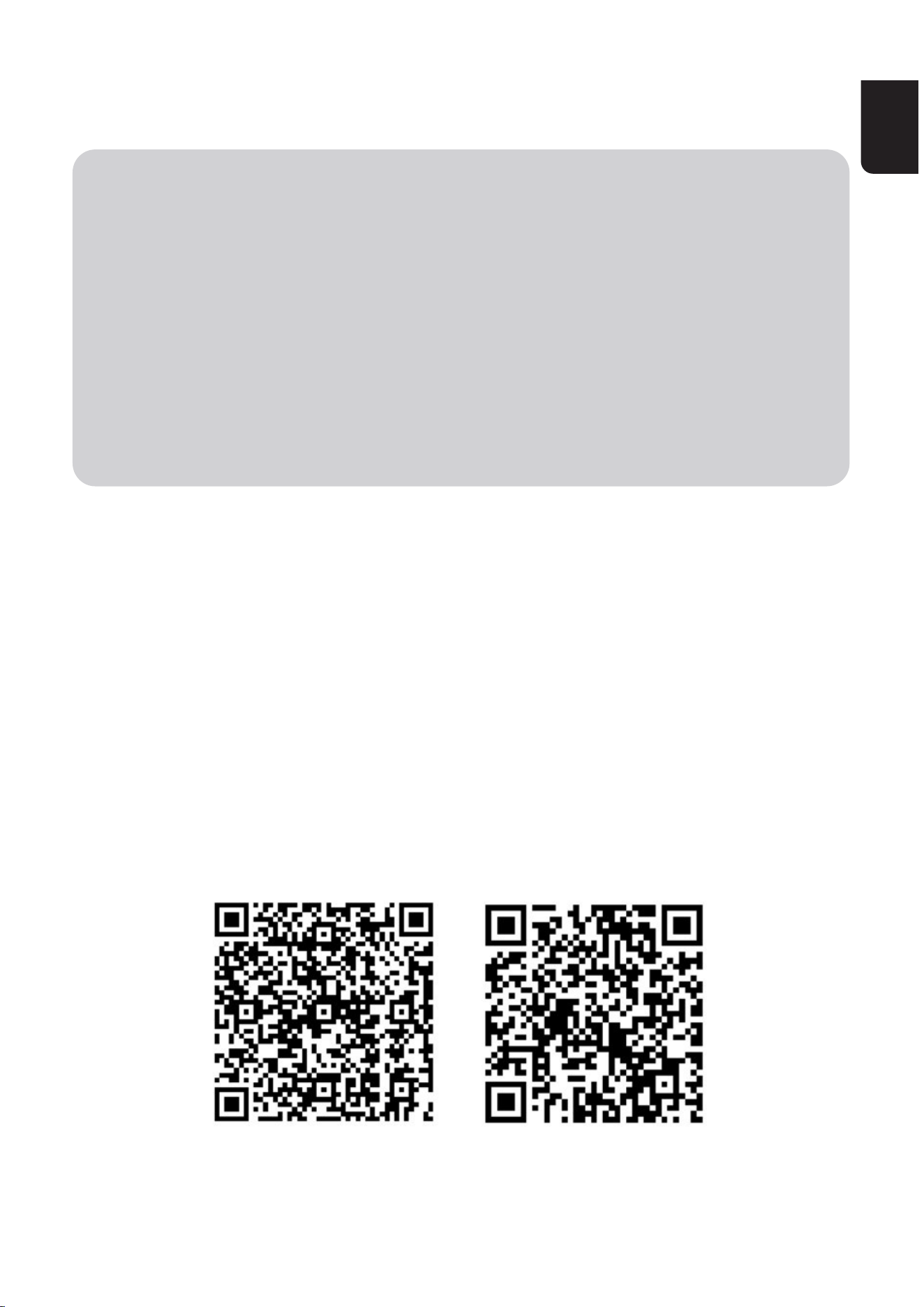
DownloadMomcozyAppformorepremiumfeatures
Step 1:
DownloadMomcozyApptoyourmobiledevicefromAppleStoreor
Google Play store to gain full access of features and conveniently
controlyourwhitenoisemachine.
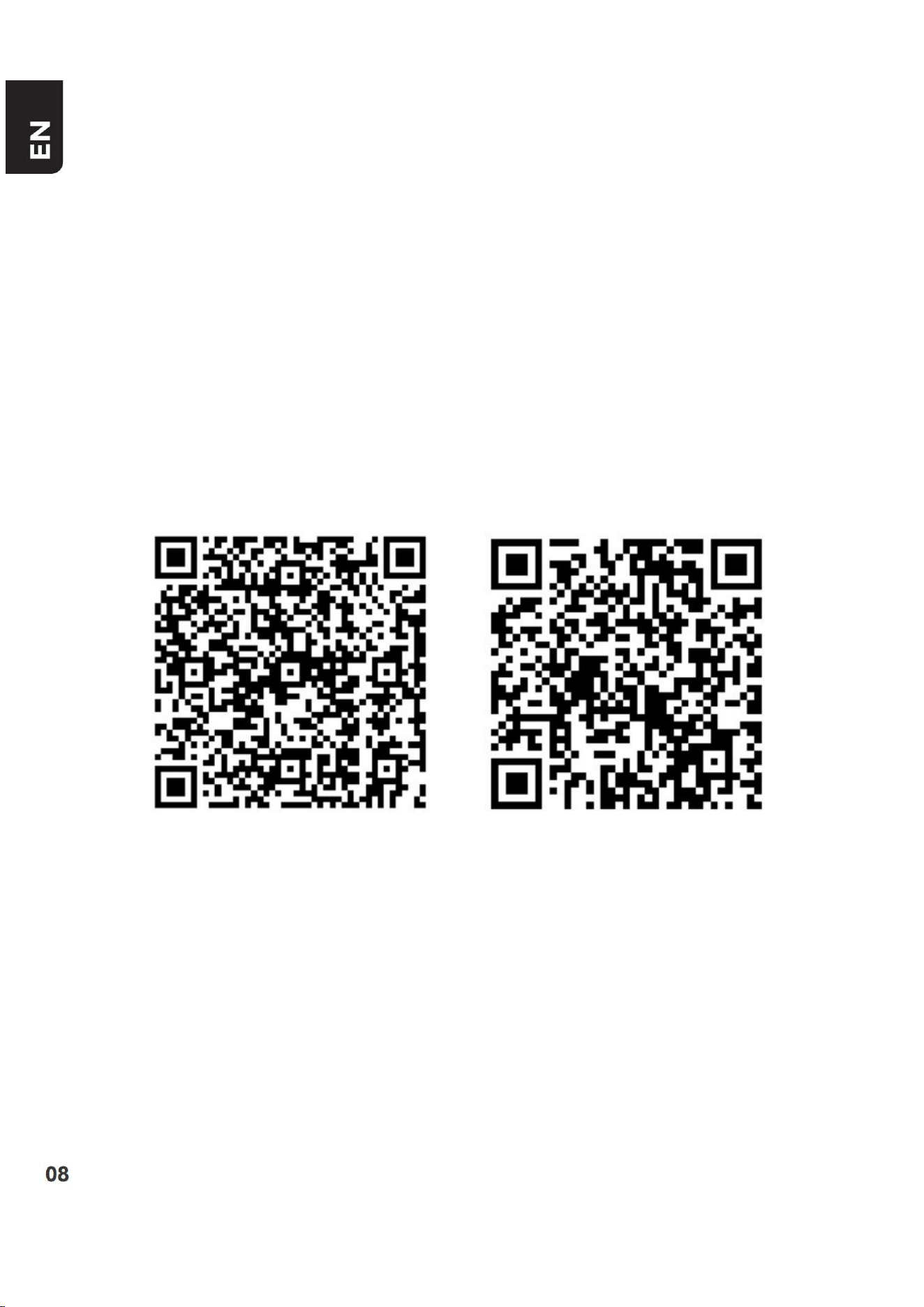
OR
ScantheQRcodebelowtoinstalltheapp.
Putadvancedfunctionstoaction,likecustomizingaroutine,withjust
afewtapsofthenger.
TheappiscompatiblewithiOS13andAndroid8.0orhigherversions.
Please note that the app's Bluetooth connection may depend on the
smaphoneconnectedtothedevice.
Step 2:
Afterinstallation,pleaseregisteryouraccount.IfyouhaveaMomcozy
Android IOS
EN
08 09
account,login.
Step3:
PleaseensureyouhaveturnedonBluetoothandWIFIonyourphone,
andthewhitenoisemachineshouldremainpowered.
Enterthehomepageoftheapp,clickonthethe“+”Device
WN05Whitenoisemachine,thenfollowtheinstructionsintheAPPto
connect to the device.
Afterconnecting,usetheapptocontrolthewhitenoisemachine.
Notes
Onlypairingwith2.4Gnetworksissuppoed.
Placeyourmobilephonenearthewhitenoisemachineforbetter
connection.
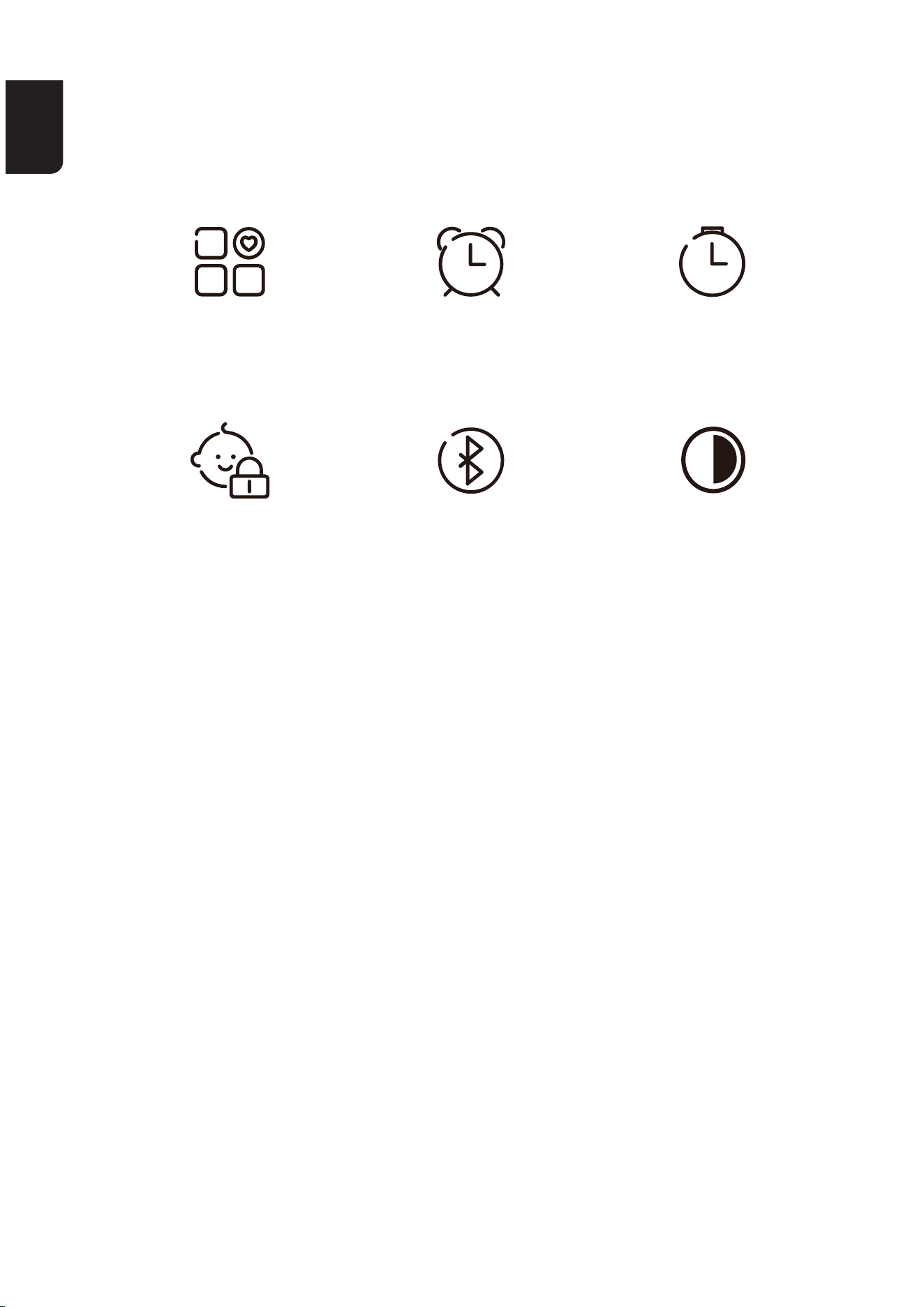
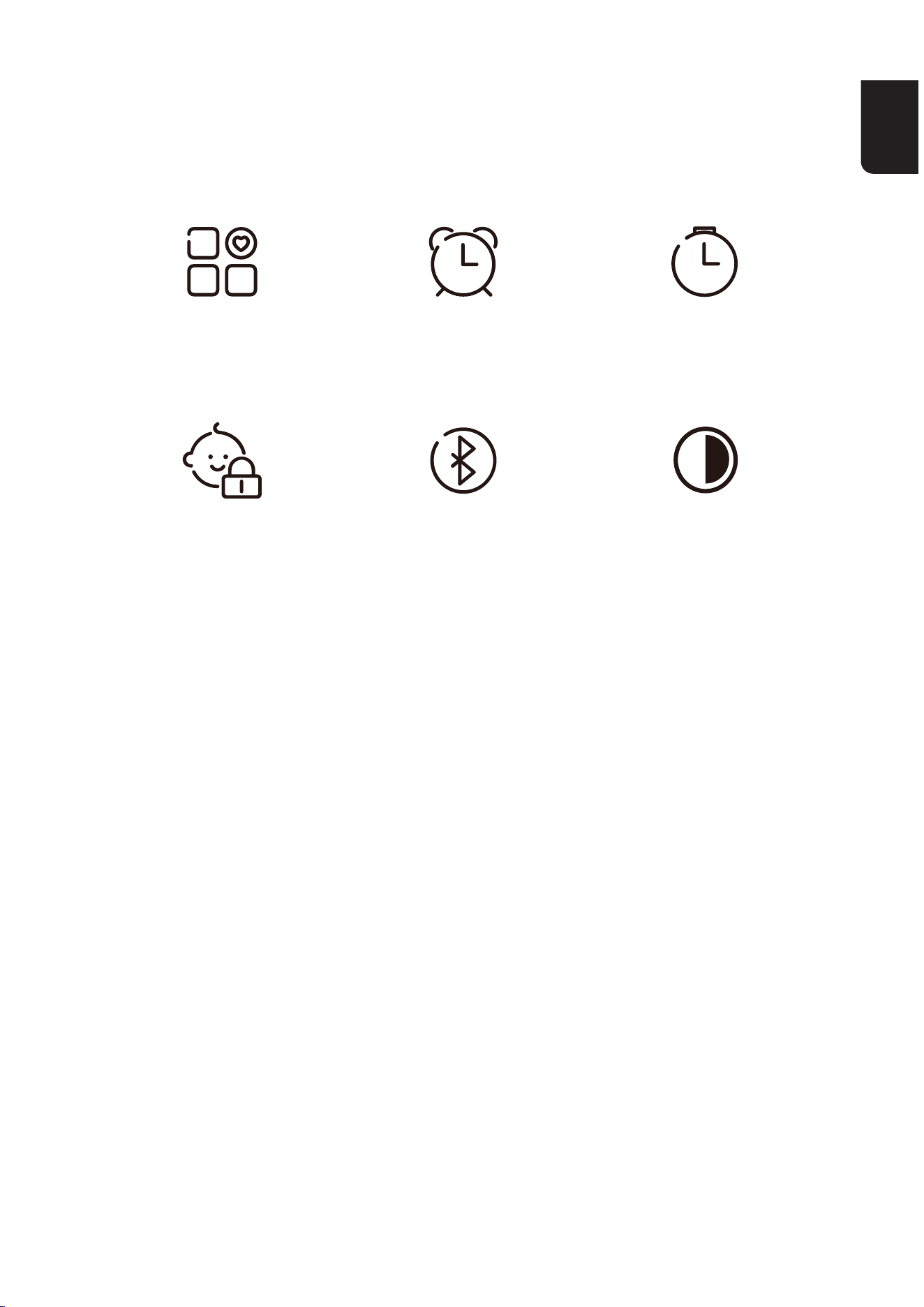
APP FEATURES
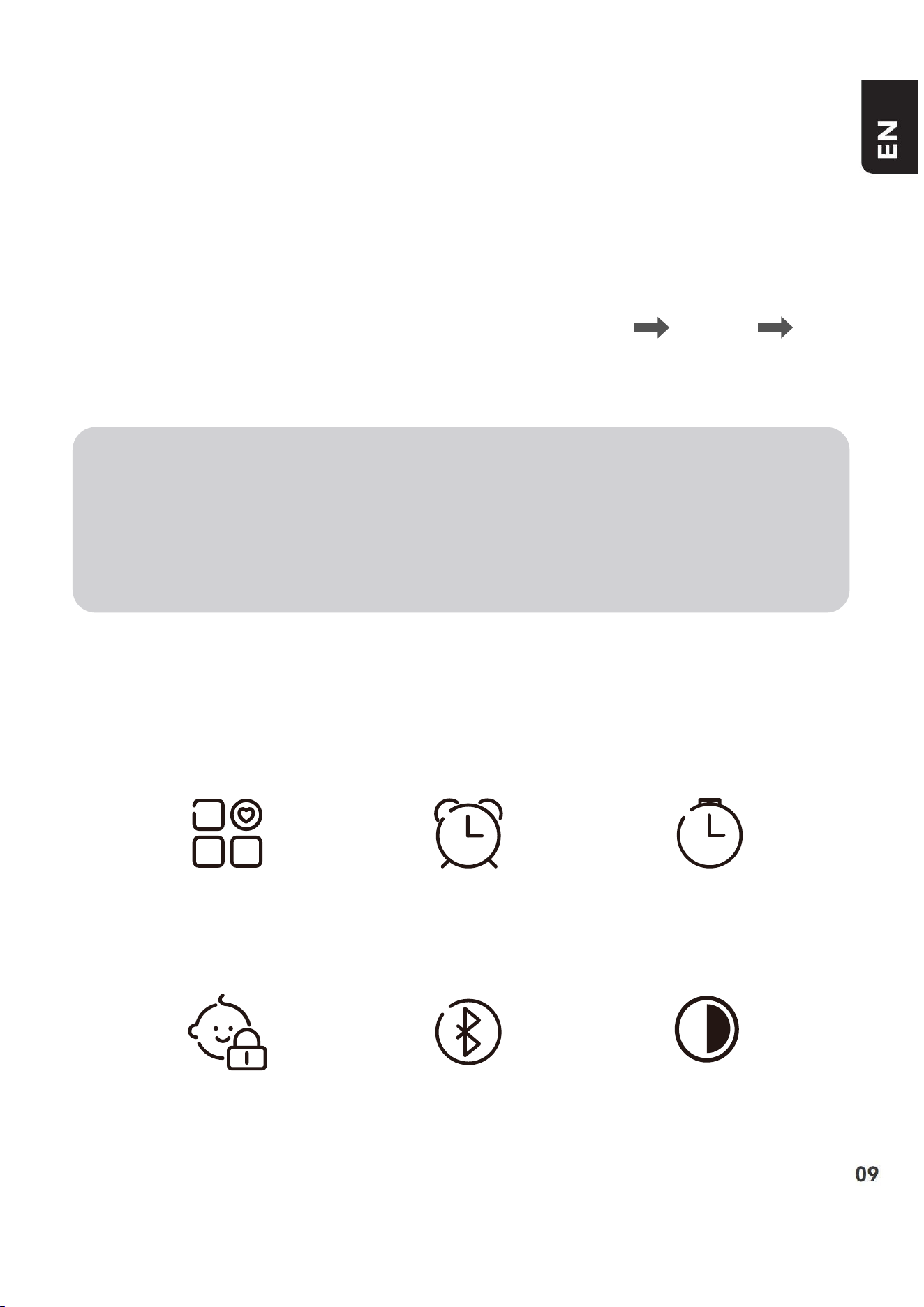
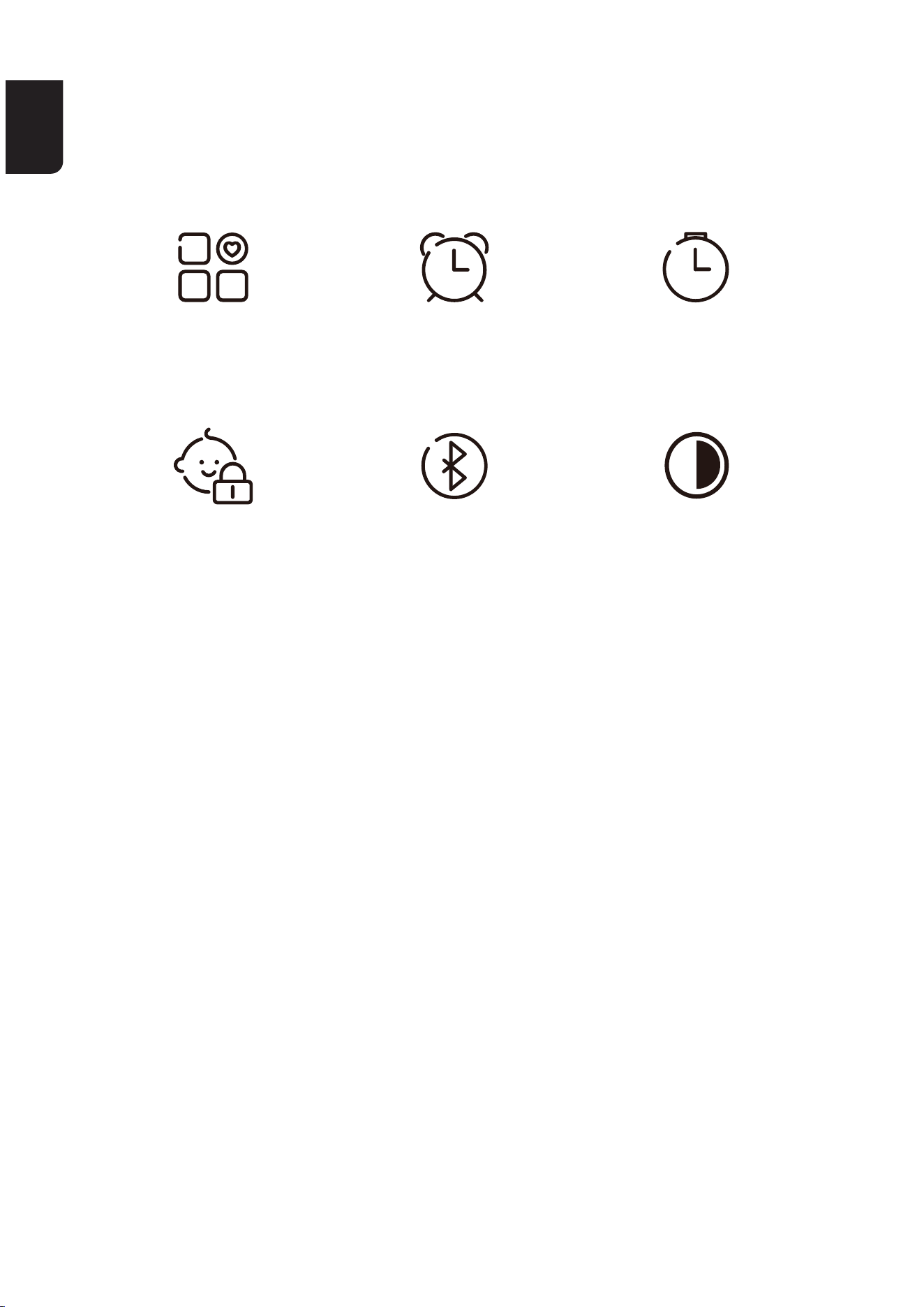
Customized
AmbientMode
Child Lock
Alarm Clock
Bluetooth
Speaker
Timer
Screen Brightness
Adjustment
EN
10 11
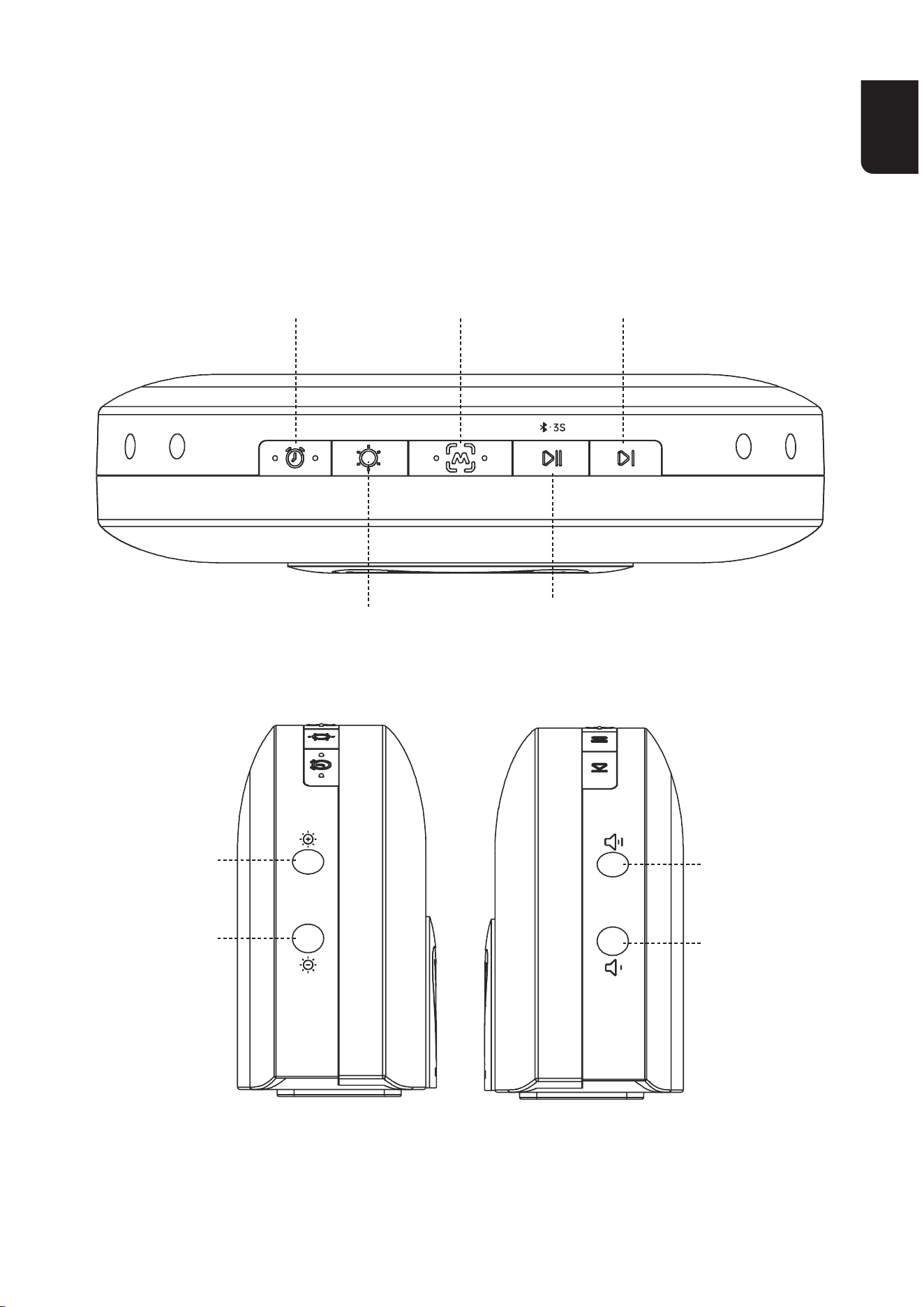
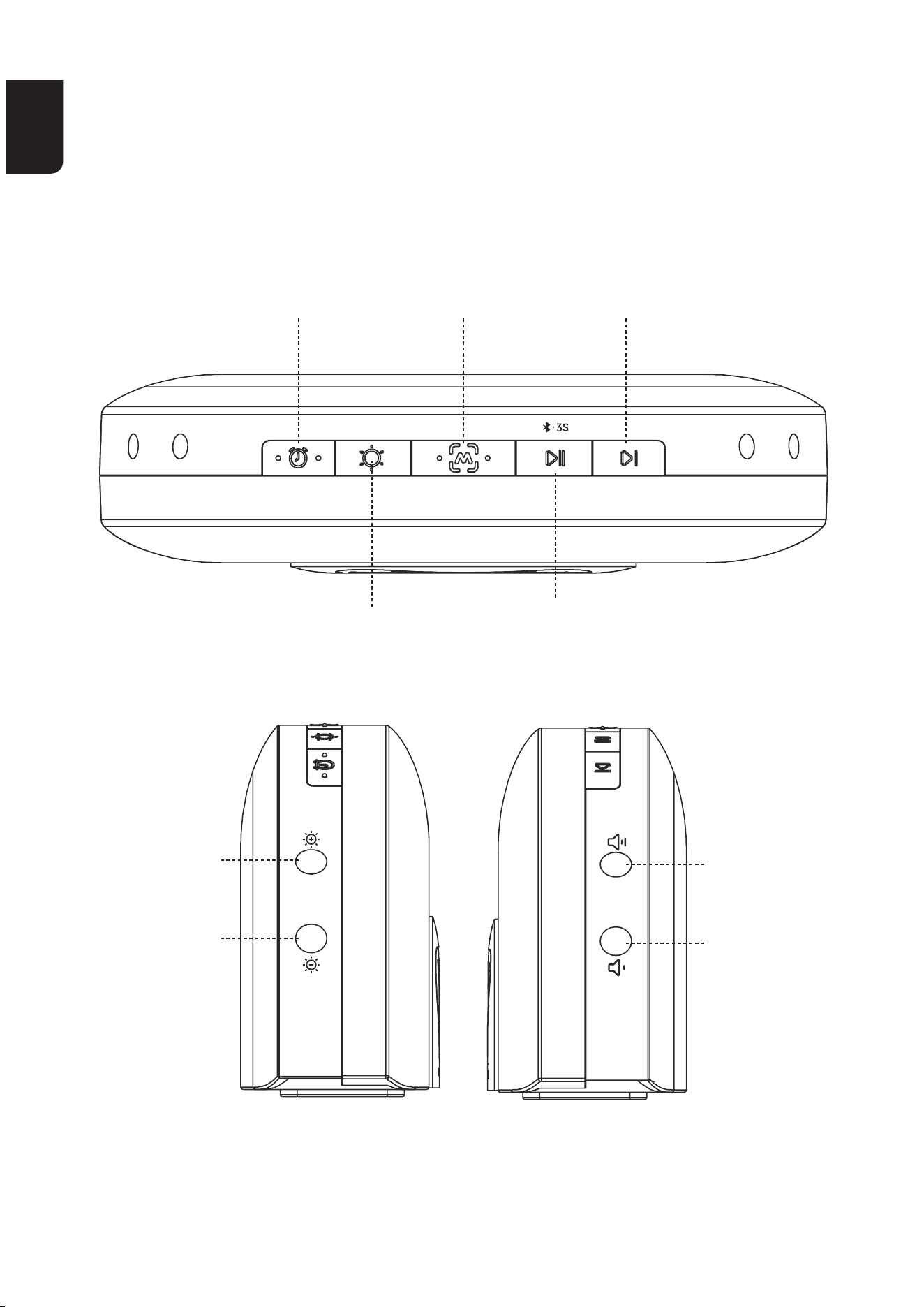
OVERVIEW
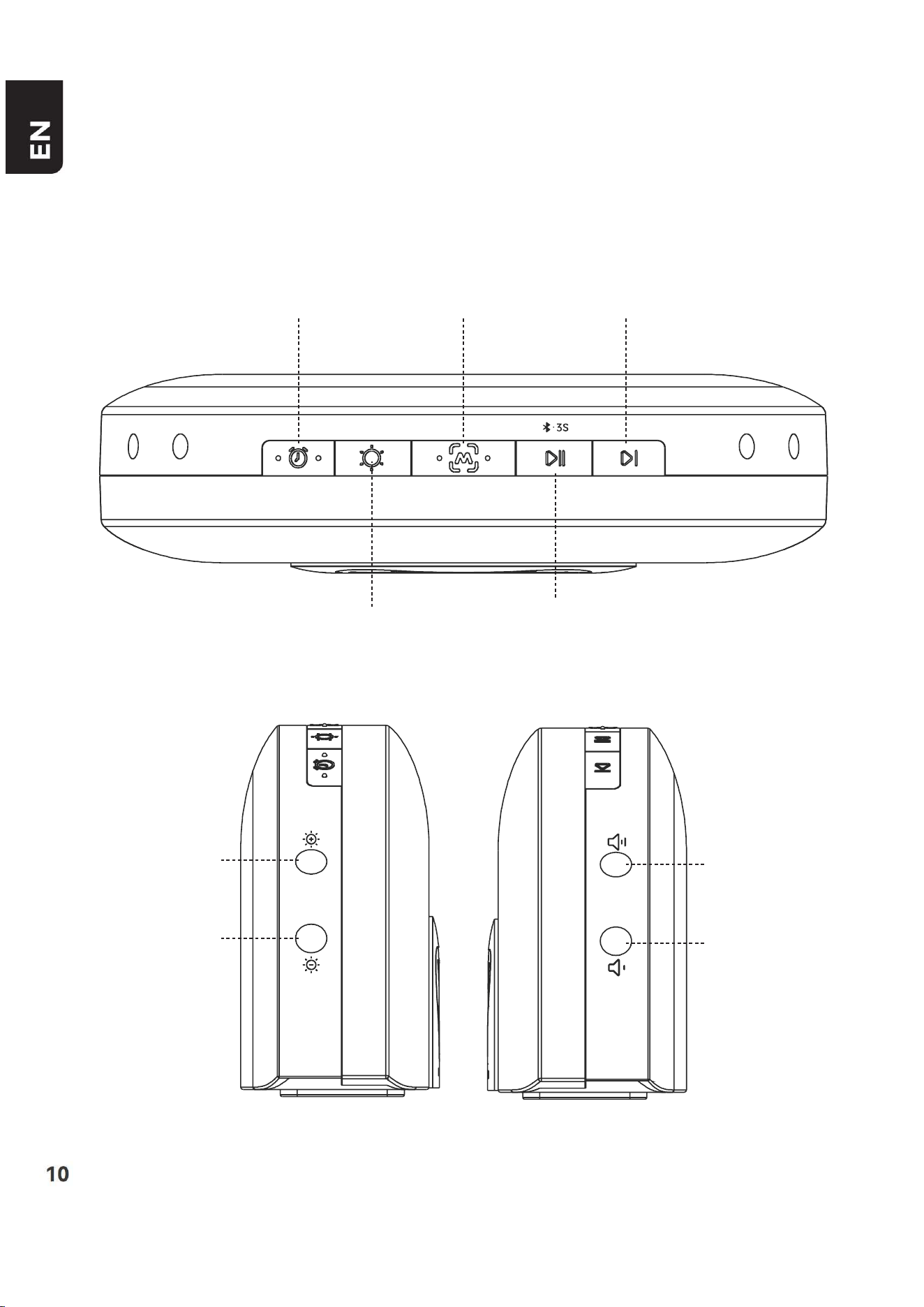
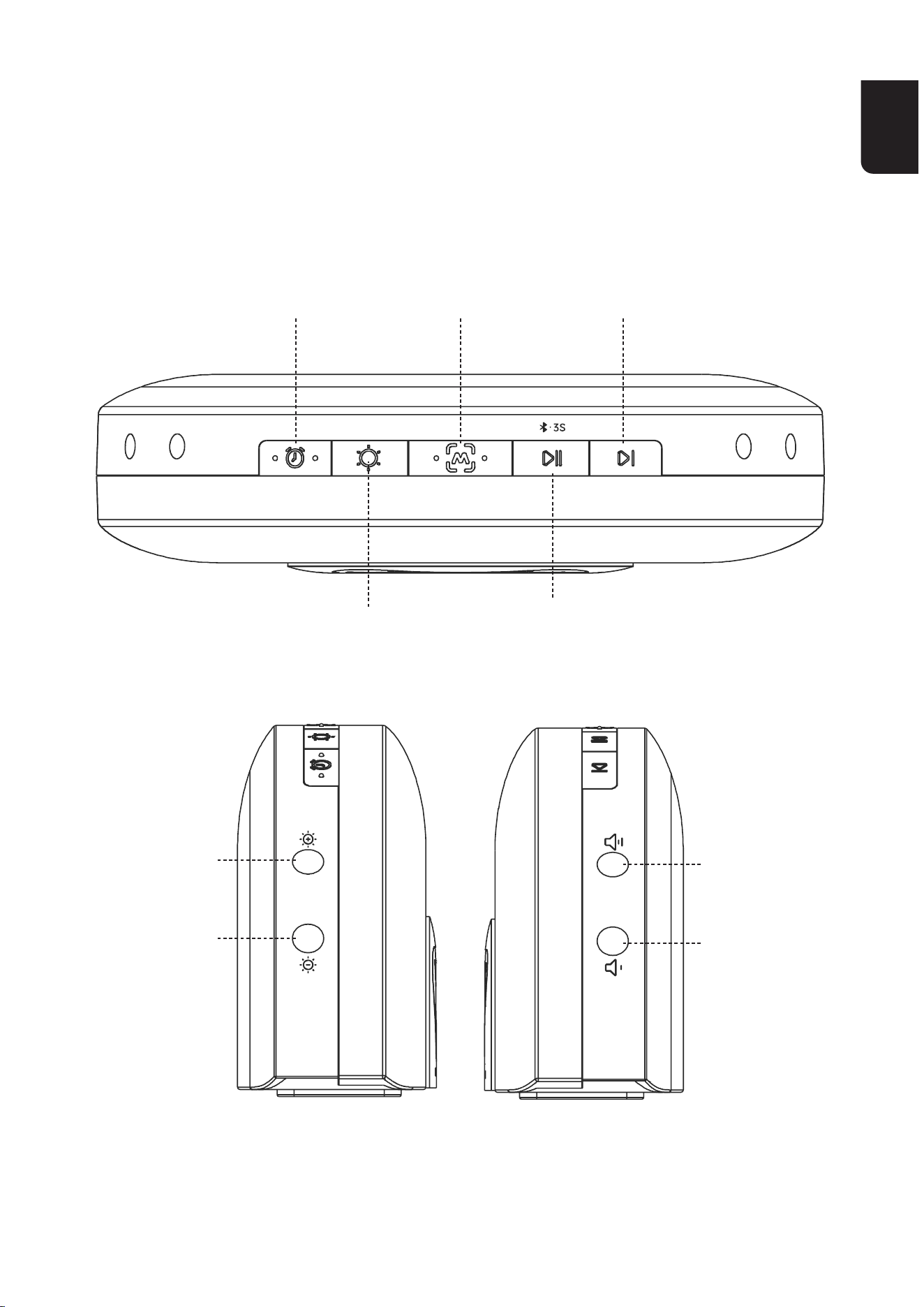
Night Light
Brightness-
Volume−
Night Light
Brightness +
Alarm Key Skip
Favorite
ModeKey&
SnoozeKey
Sound Play/Pause
Key&Bluetooth
speaker
Light Key
Volume +
EN
10 11
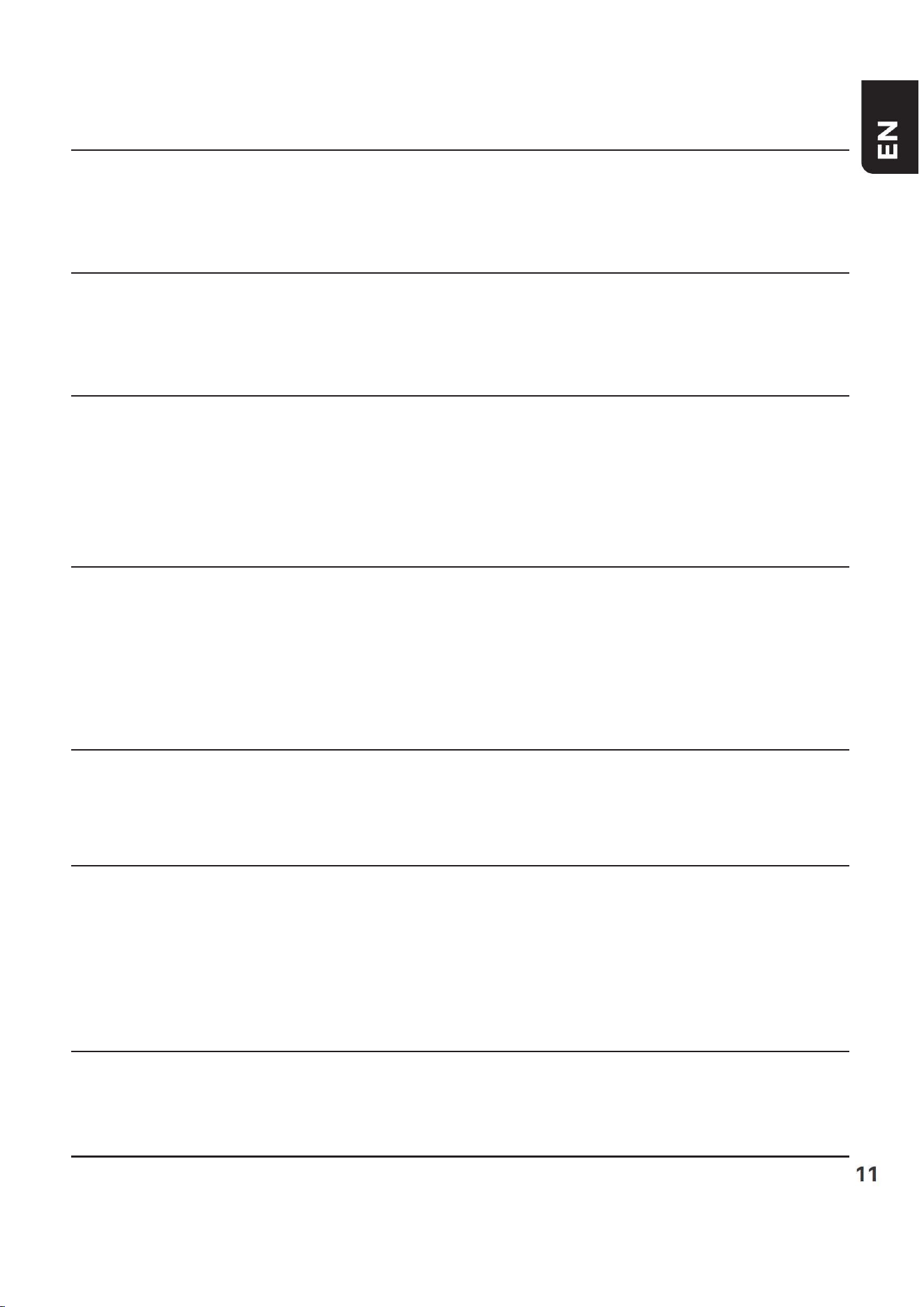
Night Light Brightness -
Night Light Brightness +
Alarm Key
Light KeyLight Key
Favorite Mode Key
Sound Play/Pause Key &
Bluetooth speaker
Skip
Shopresstodecreasethebrightness
of the night light. Long press to
reverse.
Shopresstoincreasethebrightness
of the night light. Long press to fast
forward.
1)Whenthealarmisringing,press
ANY KRY to stop the alarm for the
current day.
2)Shopresstoturnthealarm
functiononoro.
1)Shopresstoturnonthenight
light;Consistentlyshopresstocycle
through night light colors;
2)Andlongpresstoturnothenight
light.
Shopresstoplaythedefaultfavorite
ambiance.DownloadtheMomcozyapp
tocustomizeyourfavoriteambiance.
1)Shopresstoplaysleepaidsounds;
pressagaintoturnothesound.
2) Long press 3S to play Bluetooth
speaker mode; long press 3S again to
turnotheBluetoothspeakermode.
Press to skip to the next sound.
EN
12 13
Volume +
Volume−
Snooze Key
Shopresstoincreasethevolume.
Longpresstofastforward.
Shopresstolowerthevolume.Long
press to reverse.
When the alarm rings, tap the top
ofthewhitenoisemachinetoenter
snoozemode,thesnoozeiconwillbe
displayed,andthealarmwillringagain
after 9 minutes until press ANY KEY to
stop the alarm for the current day.
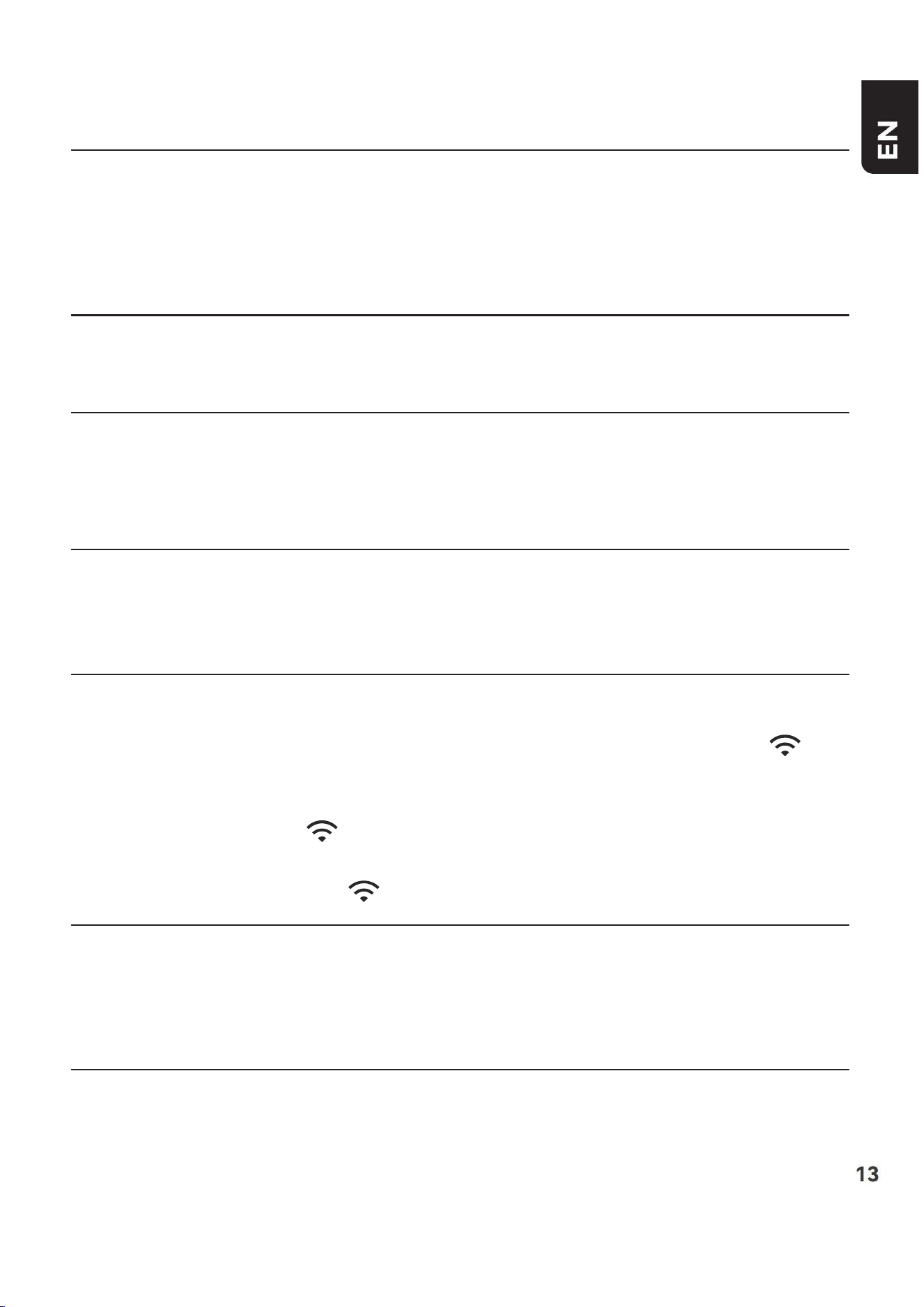
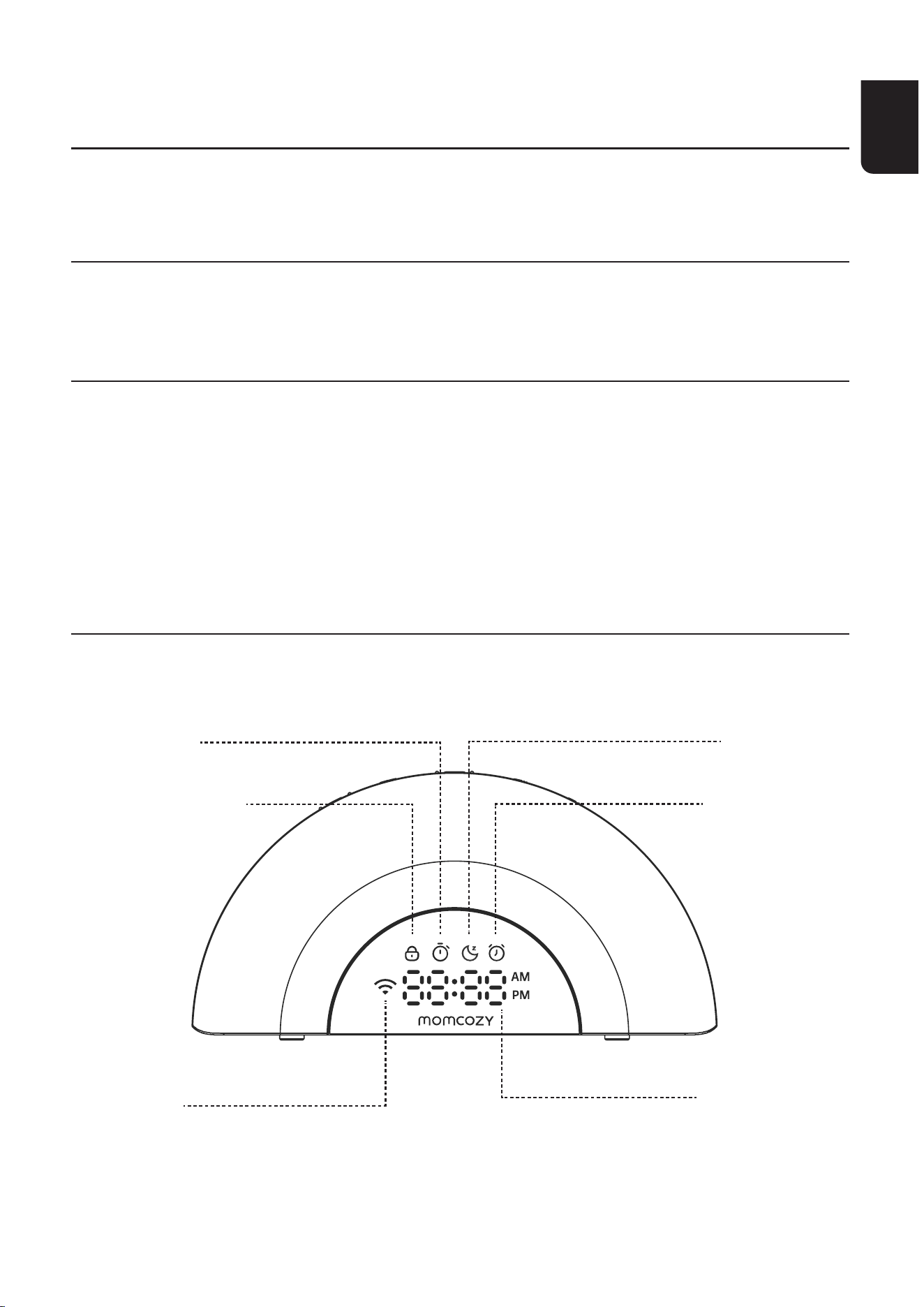
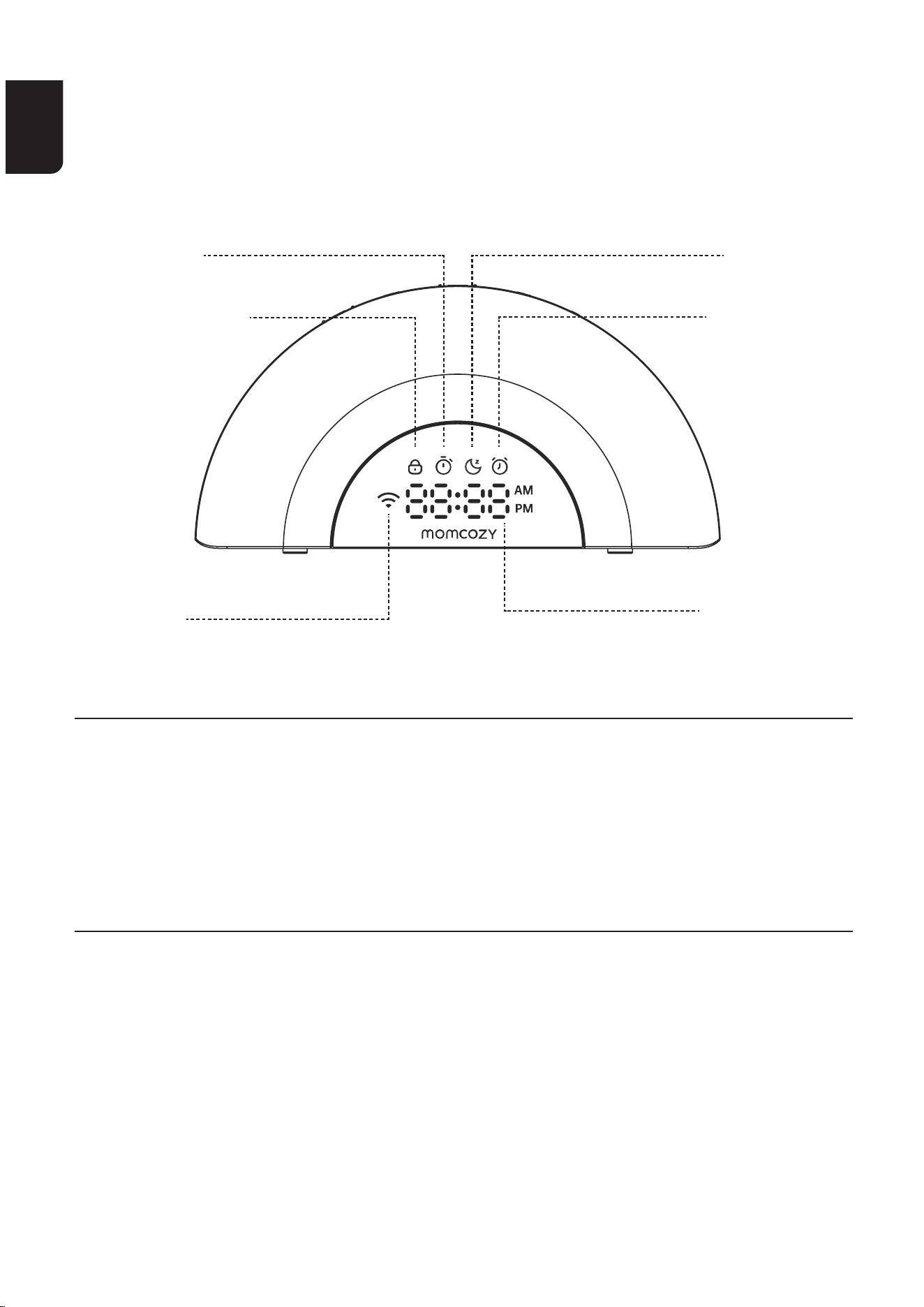
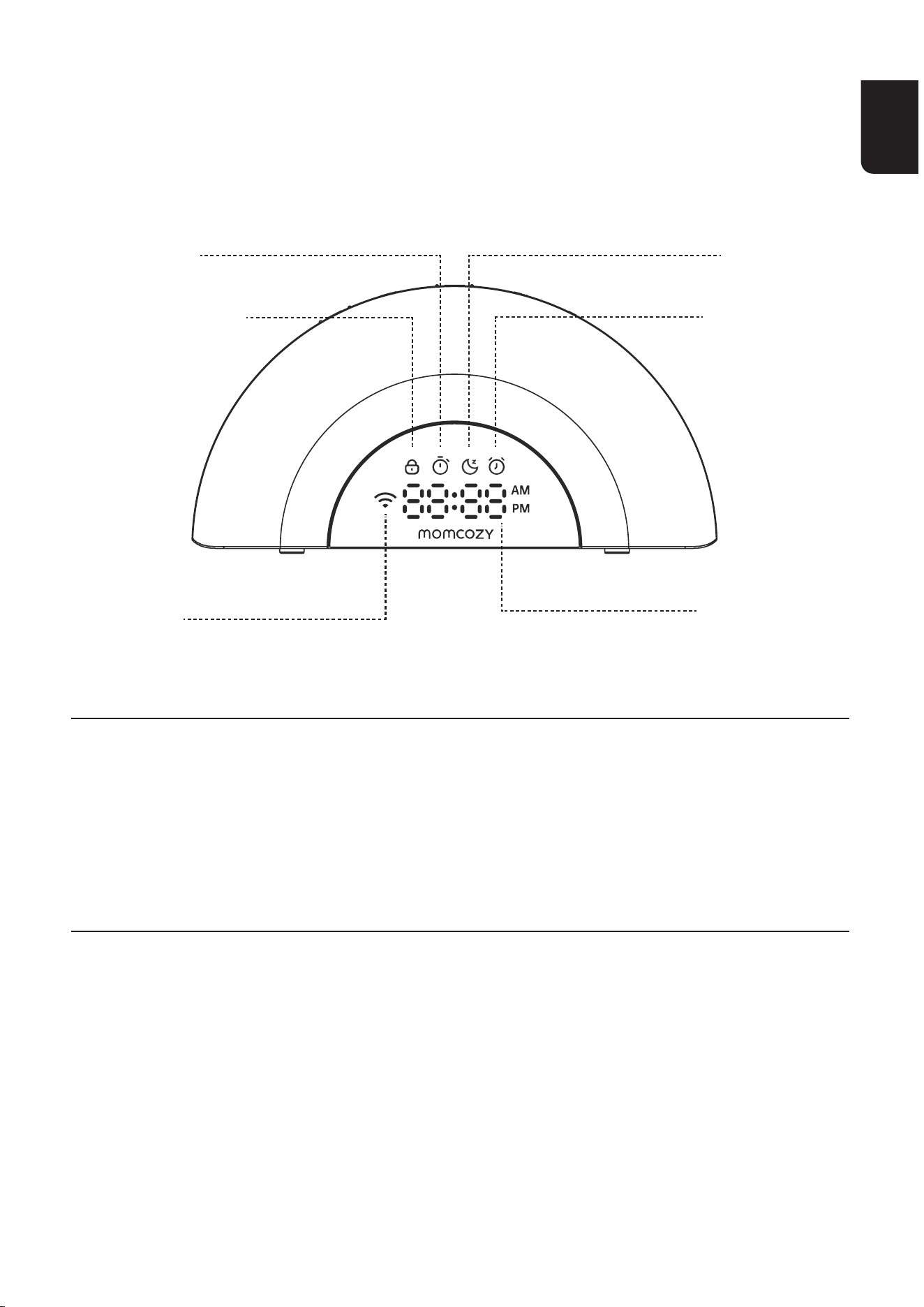
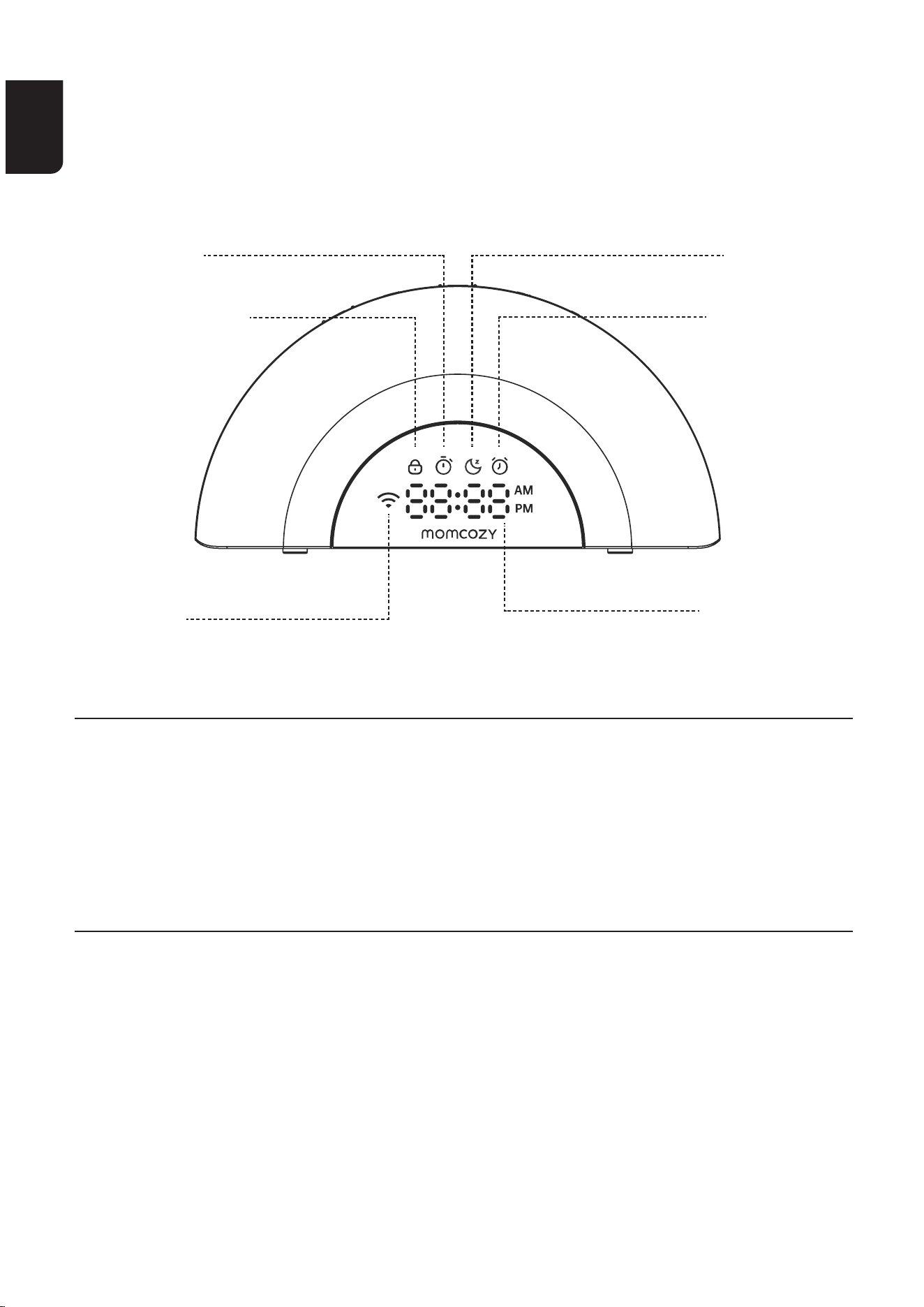
LED DISPLAY
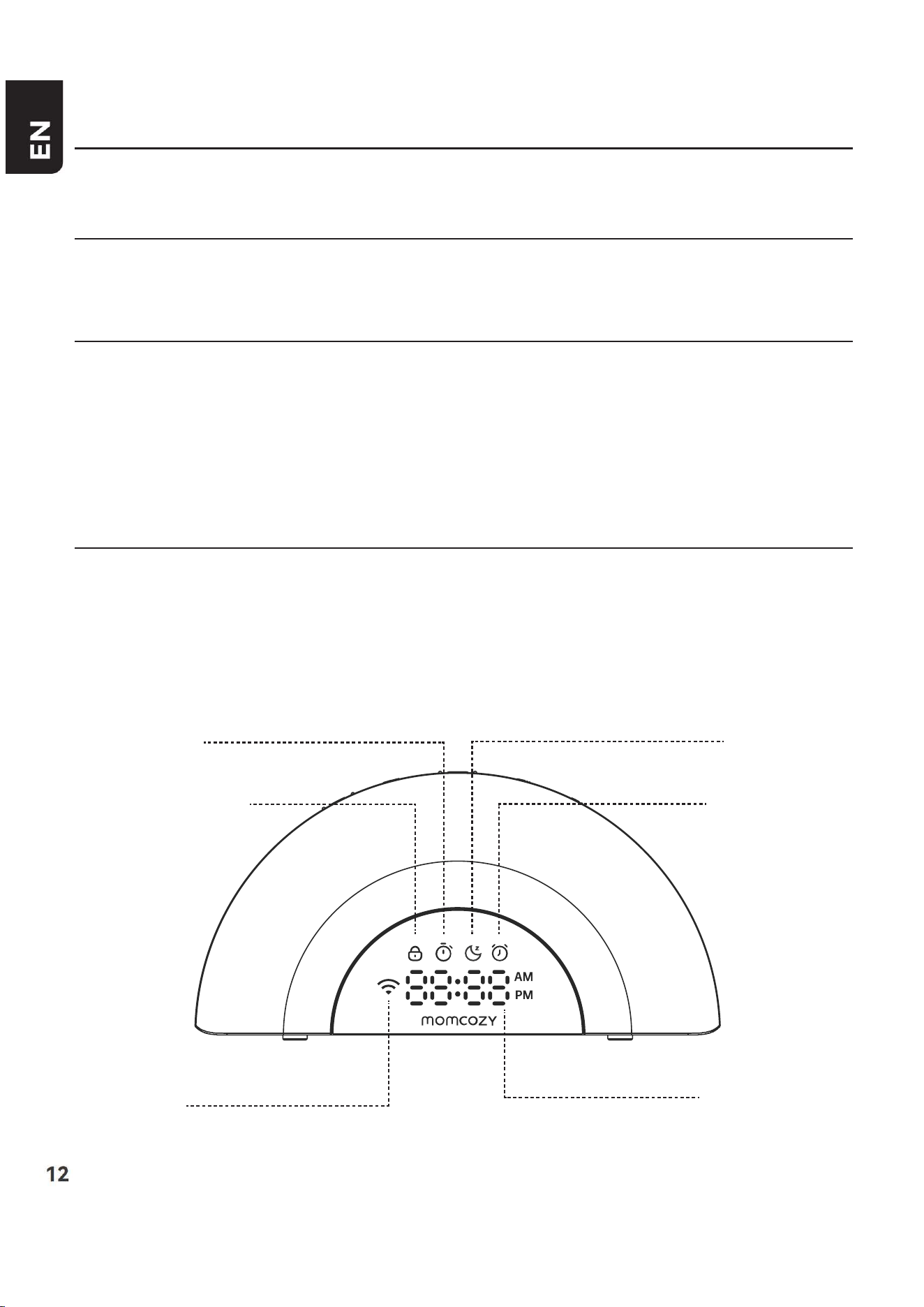
Child Lock Icon SnoozeIcon
Alarm Icon
WIFI Icon Digital Clock
Timer Icon
EN
12 13
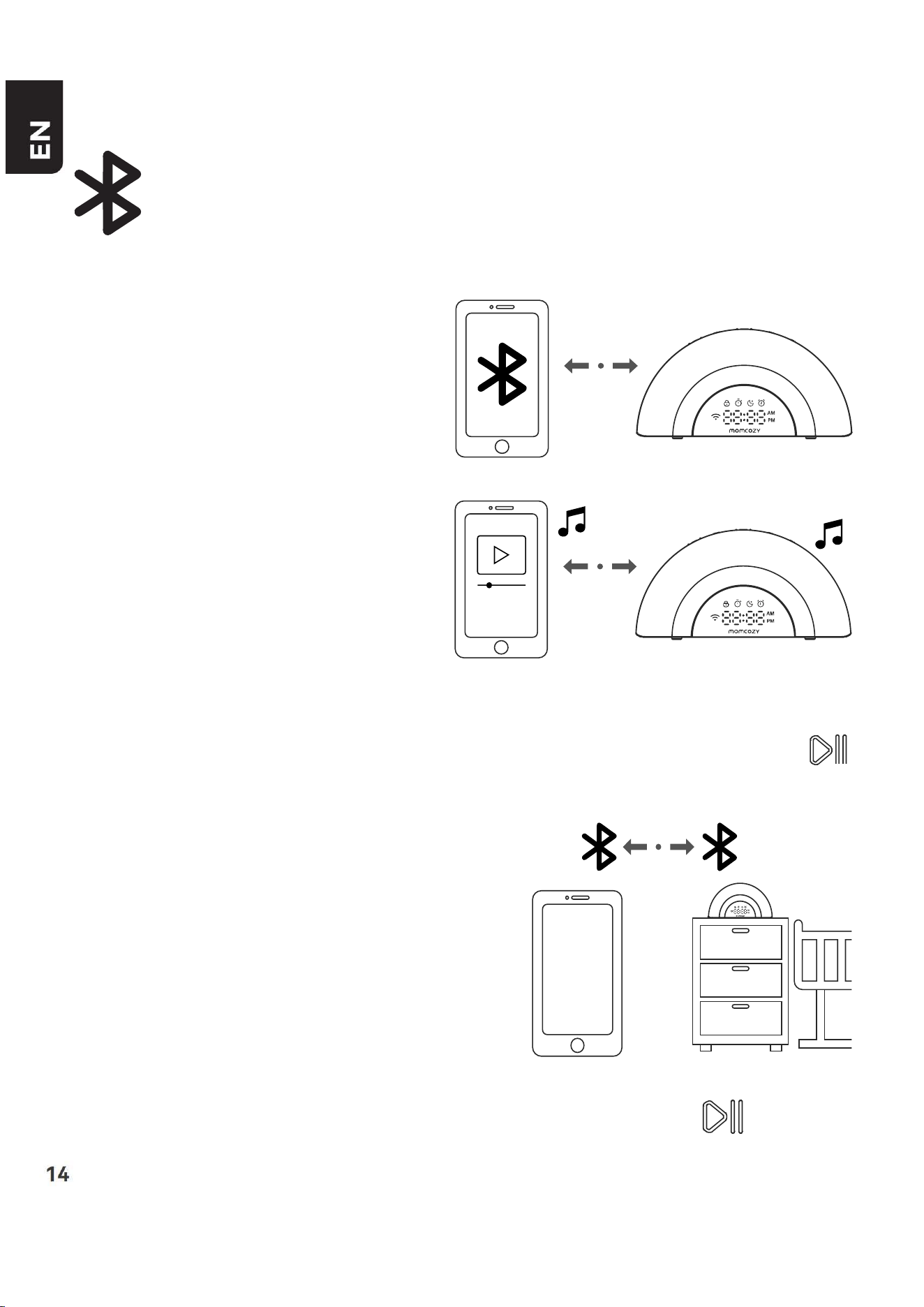
Child Lock Icon
Timer Icon
Snooze Icon
Alarm Icon
Time icon
WIFI Icon
Turn on the Child Lock function on the app, the
ChildLockIconwillbecontinuouslydisplayed.
You can only operate the device on the app
unless you disable the Child Lock function.
Whenthetimerfunctionisset,thetimerIcon
willbecontinuouslydisplayed.
Whenenteringsnoozemode,thesnoozeicon
willbecontinuouslydisplayed,untilpressANY
KEY to stop the alarm for the current day.
Whenthealarmclockisset,theAlarmIconwill
be continuously displayed.
1)Whenadjustingthevolumeorbrightness,the
currentlevelisdisplayedinreal-time.
2)Inotherstates,thecurrenttimeisdisplayed.
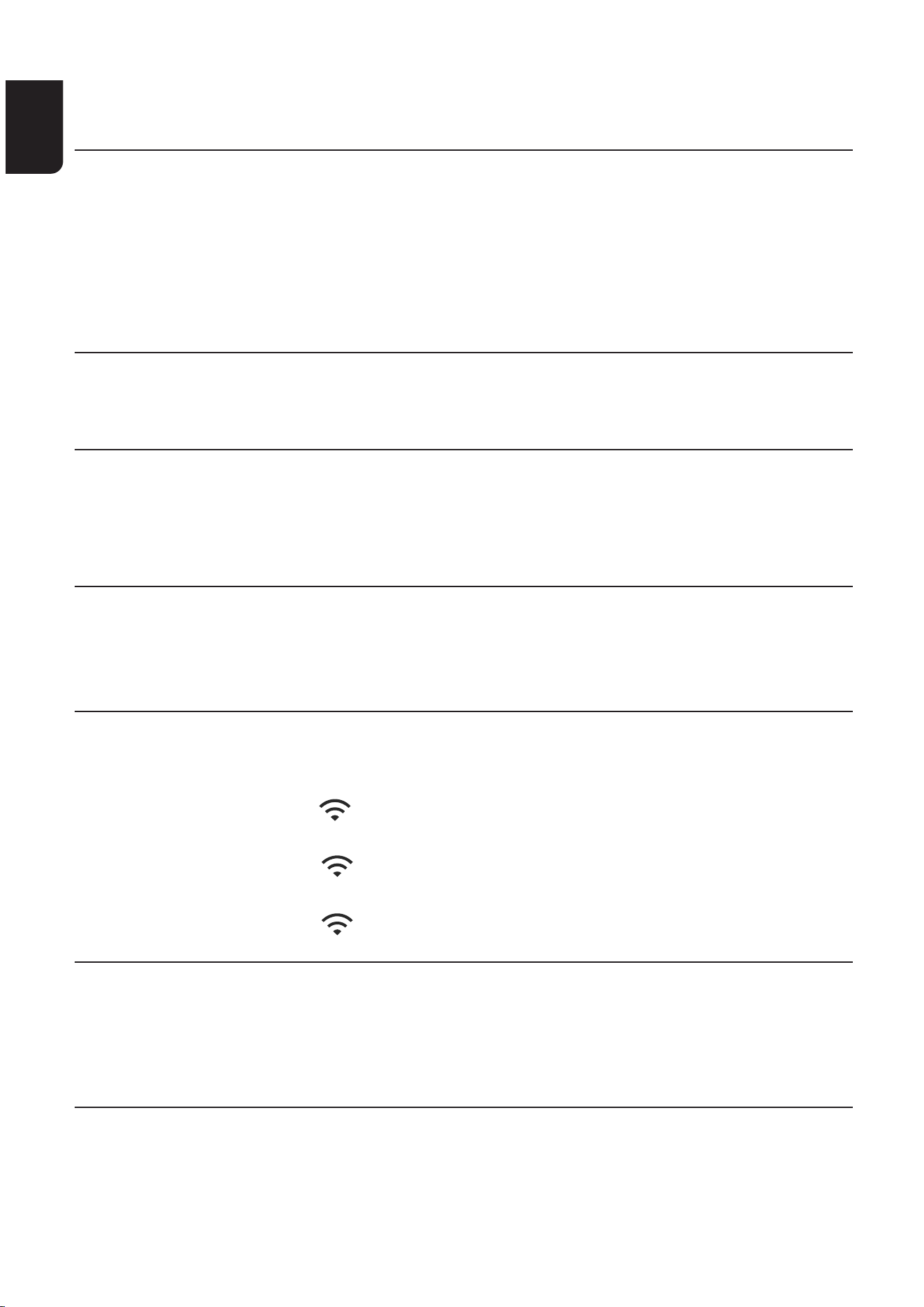
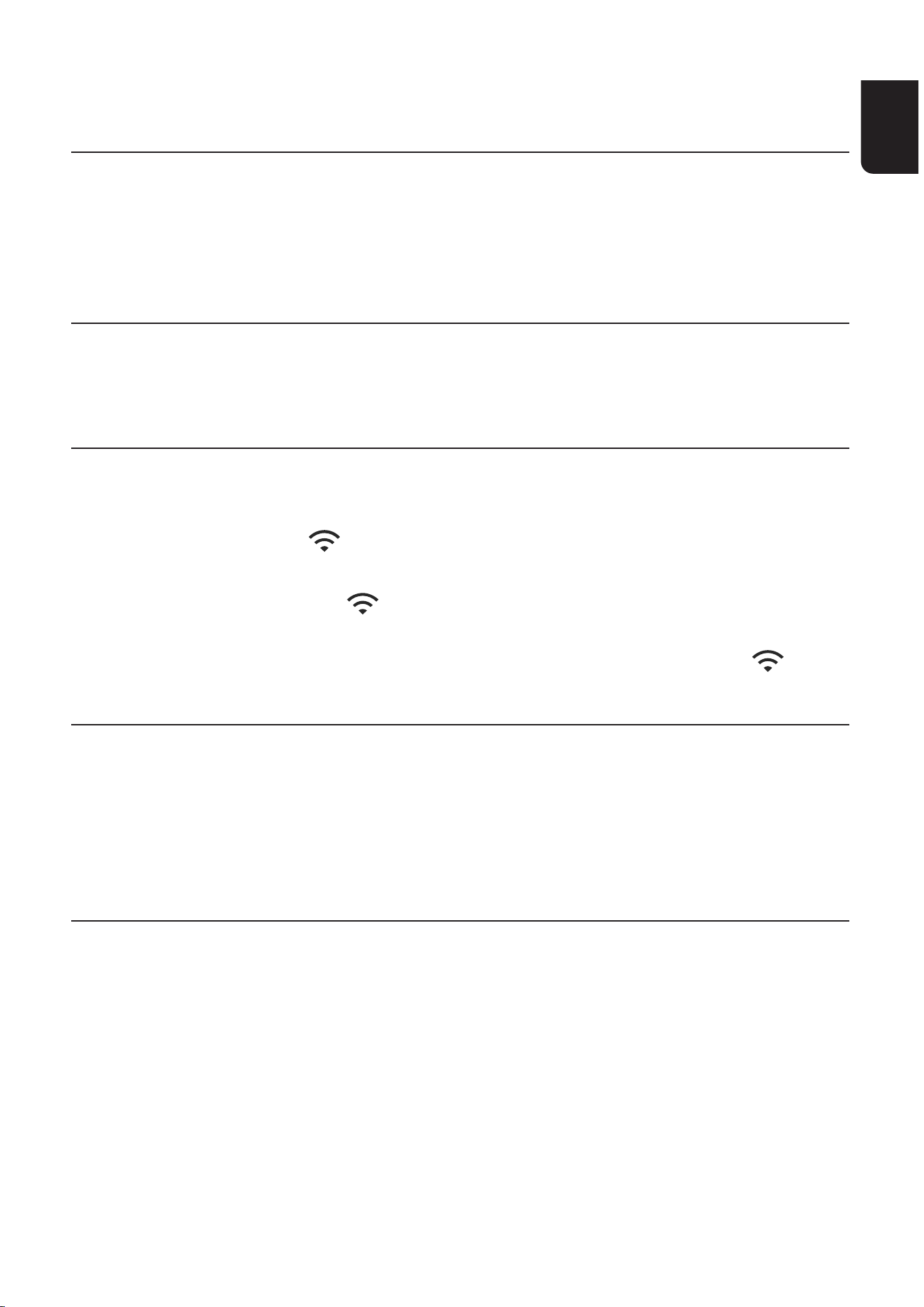
1)Whenthenetworkisnotconnectedorthe
networkconnectionisdisconnected,the
indicatorlightiso.
2)Whenconguringthenetwork,the
indicatorlightasheswhiterapidly.
3)Aftersuccessfullyconnectingtothenetwork,
theindicatorlightstayssolidwhite.
EN
14 15
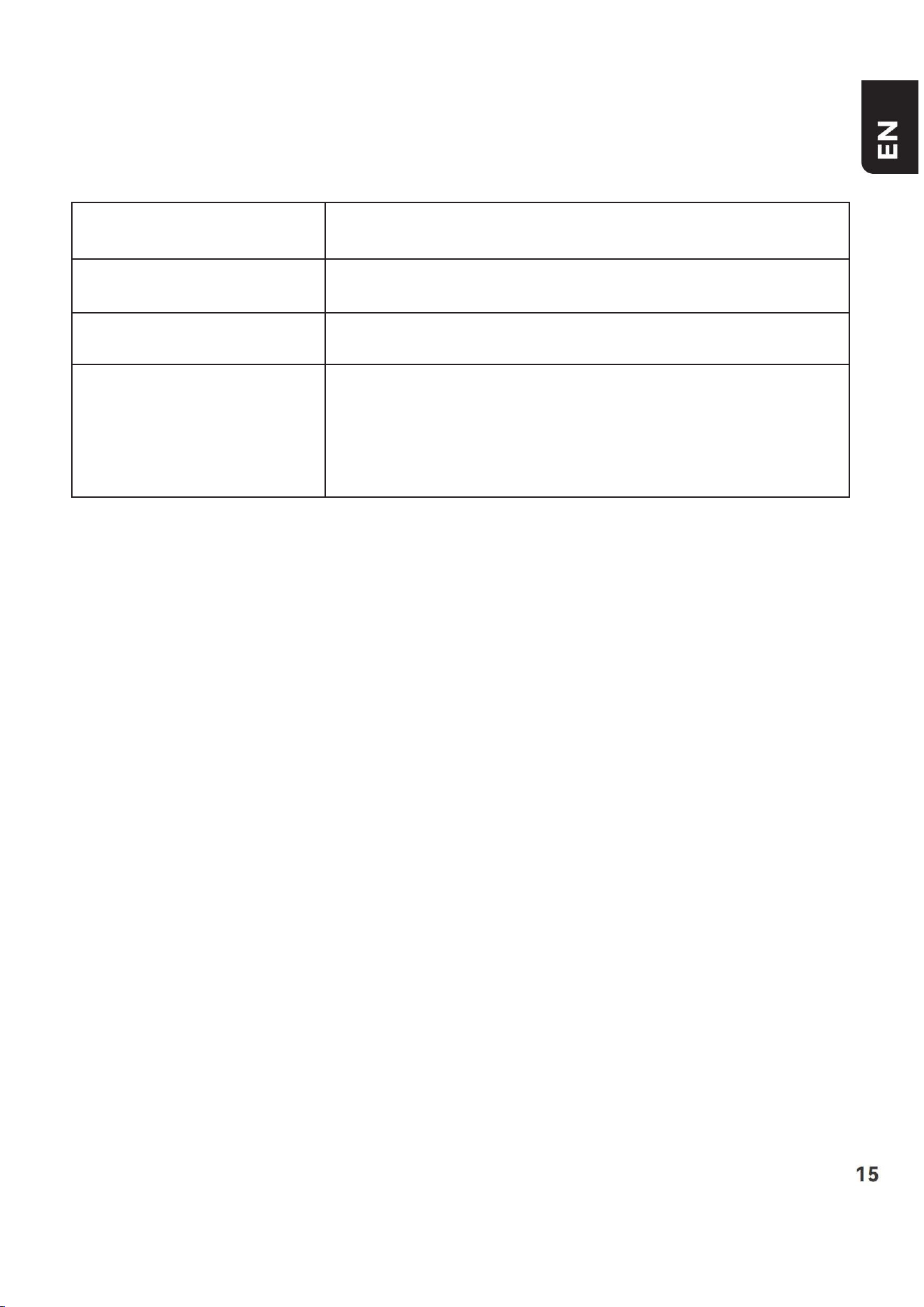
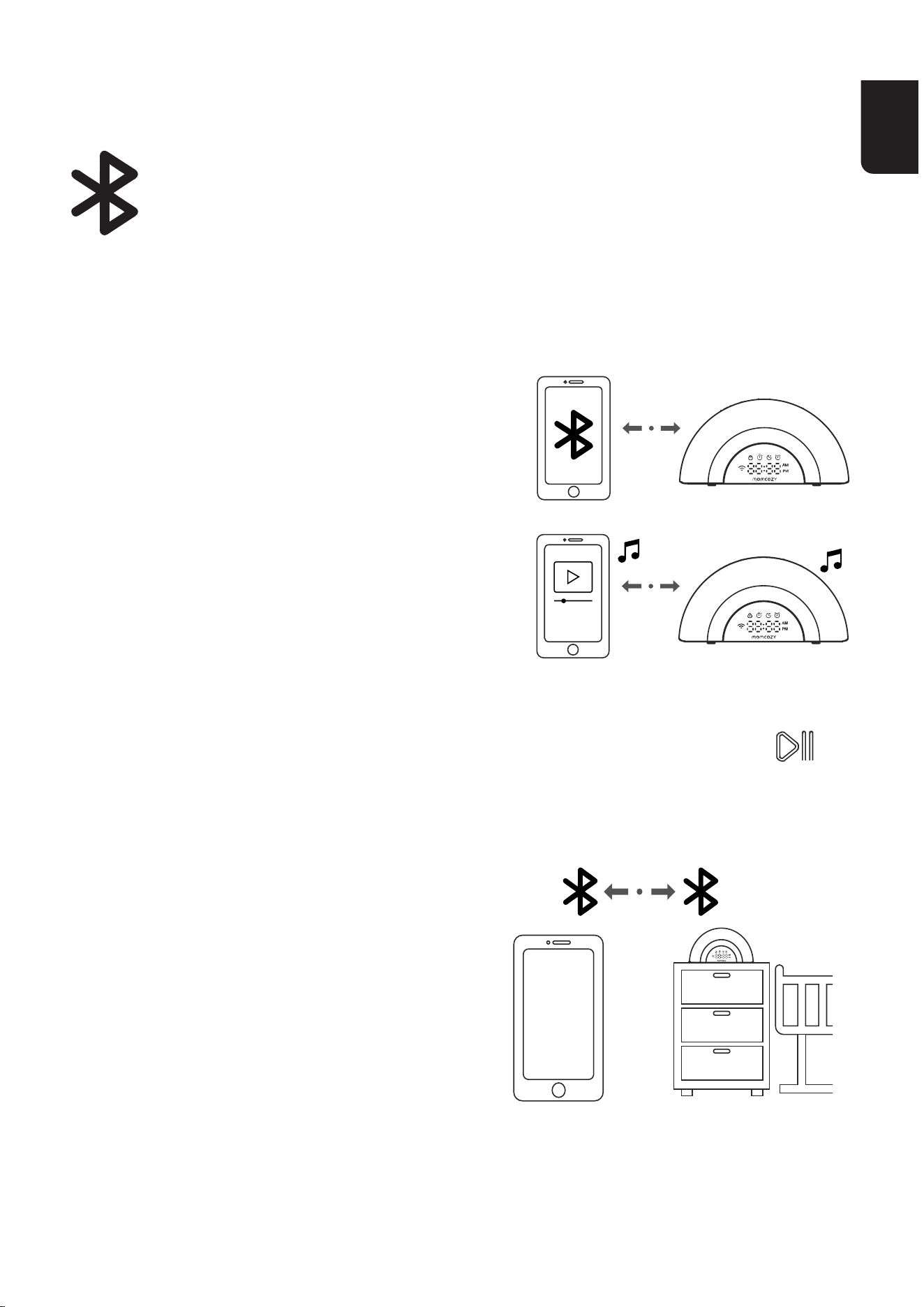
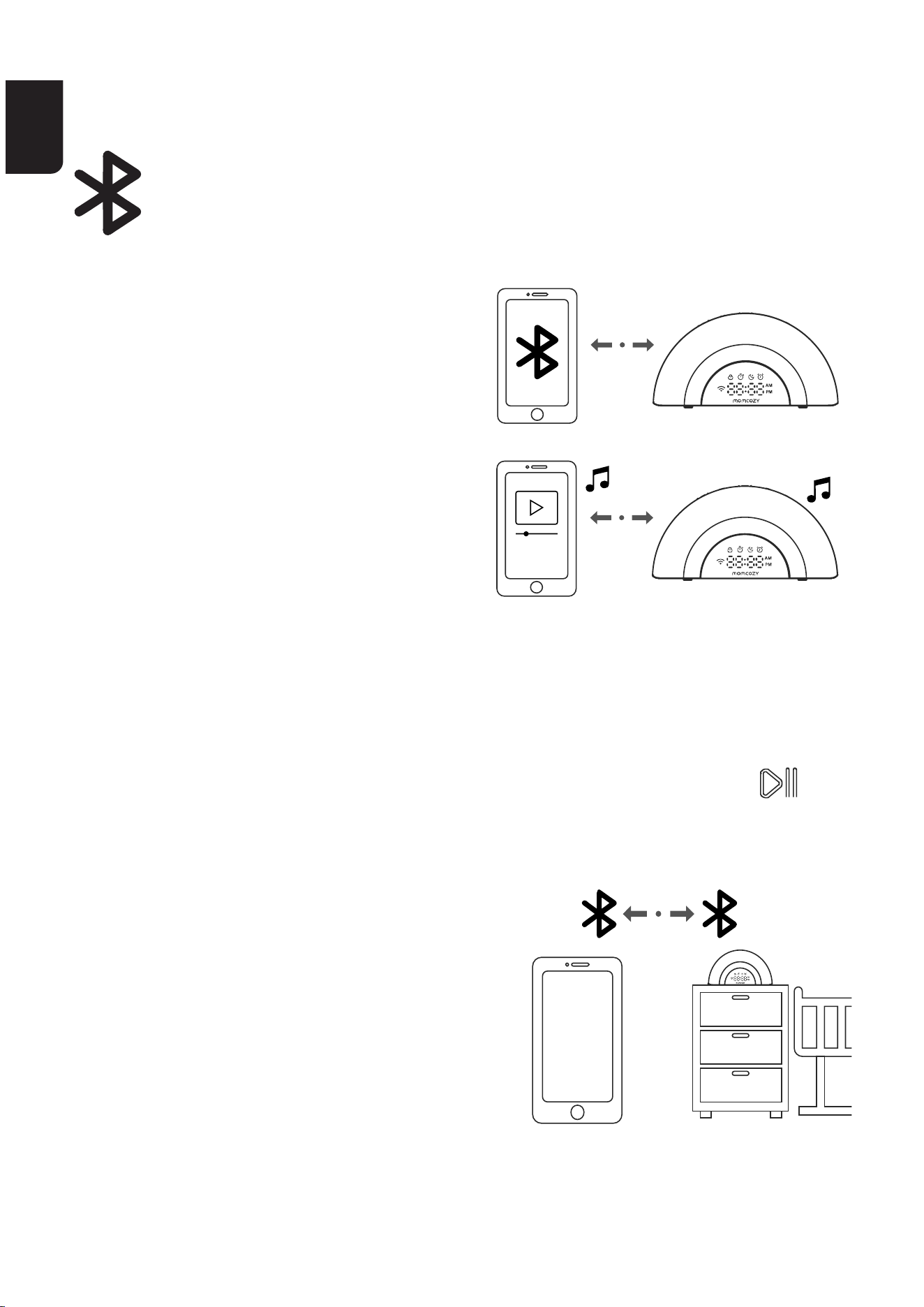
Connect your device with the
white noise machine via
Bluetooth audio
To use a Bluetooth enabled
mobiledevicewithyourwhite
noisemachine,youmust
rstpairandconnectyour
Bluetoothmobiledevicewith
thewhitenoisemachine.Before
youbegin,makesurethat
your Bluetooth enabled mobile
device is not connected to any
other Bluetooth device.
On the white noise machine
•PressandholdtheSoundPlay/PauseKey&Bluetoothspeaker
for 3 seconds to enter Bluetooth pairing mode.
On your device
• Set your mobile device to
discoverable mode before pairing.
• Place you mobile device next
tothewhitenoisemachineduring
thewholepairingprocess.
•Select“WN05”underthe
device list.
AUDIO STREAMING FROM YOUR
MOBILE DEVICE
LongpressSoundPlay/PauseKey&Bluetoothspeaker3S
againtoturnotheBluetoothspeakermode.
EN
14 15
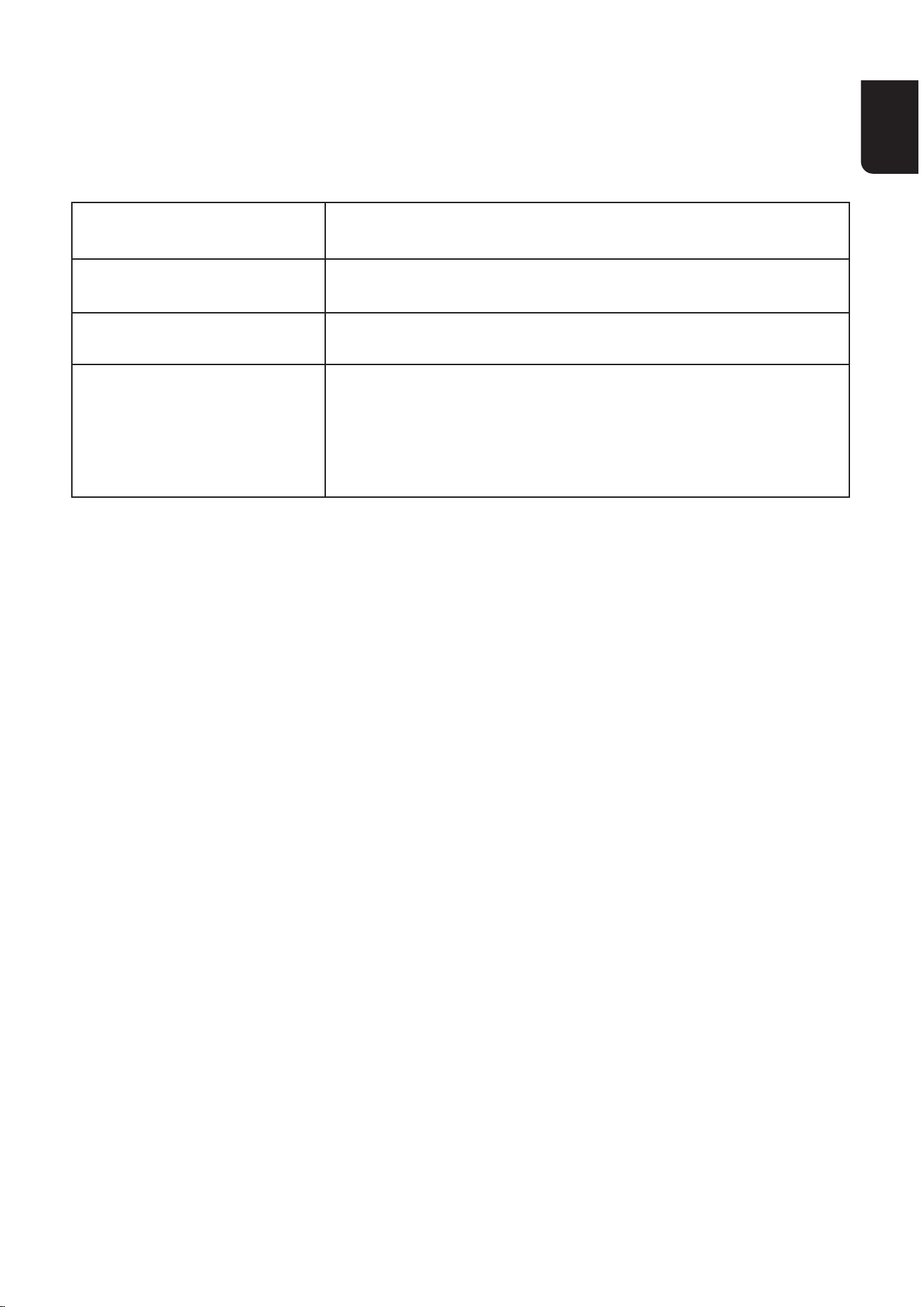
TECHNICAL SPECIFICATIONS
AVAILABLE SOUNDS
Product Name
Product Model
Size
Power requirements
WhiteNoiseMachine
WN05
210*57*105.2mm
Whitenoisemachinepoweradapter:
Input:100-240V~50/60Hz0.5A;
Output:12VDC1.5A
Nature Sounds: Rainforest, Waves, Forest Ambience, Train, Forest
River,NightNatureSounds,WashingMachine,BeachAmbience,
RowingSound,ParkAmbience,Campre,Rainfal,HeavyRainfall
Fans Sounds: Fan Sound 1, Fan Sound 2, Fan Sound 3
White Noise: White Noise 1, White Noise 2, White Noise 3, Pink Noise,
BrownNoise
Baby Favourite: HushLittleBaby,BrahmsLullaby,TwinkleTwinkle
LittleStar,WellTemperedClavierLullaby,AreYouSleeping,Meditation,
SilentNight,MusicBoxFurElise,LondonBridgesFallingDown,
NocturneNo2,FastShush,MagicBreath,BabyHeabeats
EN
16 17
DISPOSAL
FCC Compliance Statement
Attheendoftheproductlifecycle,donotthrowthis
product into the normal household garbage, but bring it to
acollectionpointfortherecyclingofelectronicequipment
andbatte.WasteElectricalandElectronicEquipment
mayhavepotentiallyharmfuleectsontheenvironment.
Improper disposal may lead to the accumulation of harmful
toxinsintheair,water,andsoil,whichisharmfultohuman
health. you have obligation to dispose of the device
correctly. Consult your municipal authority for information
about disposal.
Warning: AnyChangesormodicationsnotexpresslyapprovedby
thepayresponsibleforcompliancecouldvoidtheuser'sauthorityto
operatetheequipment.
Thisdevicecomplieswithpa15oftheFCCRules.Operationis
subjecttothefollowingtwoconditions:(1)Thisdevicemaynotcause
harmfulinteerence,and(2)thisdevicemustacceptanyinteerence
received,includinginteerencethatmaycauseundesiredoperation.
IMPORTANTNOTE:
Note: Thisequipmenthasbeentestedandfoundtocomplywiththe
limitsforaClassBdigitaldevice,pursuanttopa15oftheFCCRules.
These limits
are designed to provide reasonable protection against harmful
inteerenceinaresidentialinstallation.Thisequipmentgenerates,
usesandcanradiateradiofrequencyenergyand,ifnotinstalled
andusedinaccordancewiththeinstructions,maycauseharmful
inteerencetoradiocommunications.
However,thereisnoguaranteethatinteerencewillnotoccur
inapaicularinstallation.Ifthisequipmentdoescauseharmful
inteerencetoradioortelevisionreception,whichcanbedetermined

EN
16 17
byturningtheequipmentoandon,theuserisencouragedtotto
correcttheinteerencebyoneormoreofthefollowingmeasures:
—Reorient or relocate the receiving antenna.
—Increasetheseparationbetweentheequipmentandreceiver.
—Connecttheequipmentintoanoutletonacircuitdierentfromthat
towhichthereceiverisconnected.
—Consult the dealer or an experienced radio/TV technician for help.
ThedevicehasbeenevaluatedtomeetgeneralRFexposure
requirement.
TomaintaincompliancewithFCC'sRFexposureguidelines,the
distancemustbeatleast20cmbetweentheradiatorandyourbody,
andfullysupportedbytheoperatingandinstallation.
ISED Warning
ThisdevicecomplieswithInnovation,Science,andEconomic
DevelopmentCanadalicence-exemptRSSstandard(s).Operationis
subjecttothefollowingtwoconditions:
(1)thisdevicemaynotcauseinteerence,and
(2)thisdevicemustacceptanyinteerence,includinginteerencethat
may cause undesired operation of the device.
TomaintaincompliancewithRFexposureguidelines,thisequipment
shouldbeinstalledandoperatedwithaminimumdistanceof20cm
betweentheradiatorandyourbody.
Le présent appareil est conforme aux CNR d' Innovation, Sciences et
DéveloppementéconomiqueCanadaapplicablesauxappareilsradio
exempts de licence. L'exploitation est autorisée aux deux conditions
suivantes:
(1) l'appareil nedoit pas produire de brouillage, et
(2) l'utilisateur de l'appareil doit accepter tout brouillage
radioélectriquesubi,mêmesilebrouillageestsusceptibled'en
compromettre le fonctionnement.
Pour maintenir la conformité aux directives d'exposition aux
radiofréquencescetéquipementdoitêtreinstalléetutiliséavecune
distance minimale de 20cm entre le radiateur et votre corps.
EN
18
USImpoer:
Company:SHAREINFOINC.
Address:3557158thStFlushing,NY11358USA
ManufacturerInformation:
Manufacturer:HongKongLuteTechnologyCo.,Limited
Address:Room02,21/F,HipKwanCommercialBuilding,38PittStreet,
YauMaTei,Kowloon,Hongkong
E-mail:suppo@momcozy.com
MADEINCHINA
CANICES-003(B)/NMB-003(B)
Prolinx Global LTD
27 Old Gloucester Street London, WC1N 3AX, UK
ProlinxGmbH
Brehmstr.56,40239DuesseldoGermany

FR
19
Français
FR
20 21
CONTENTS
CONTENU DU CARTON
INSTRUCTIONS IMPORTANTES DE SÉCURITÉ
AVERTISSEMENT
DÉMARRAGE DE LA MACHINE À BRUIT BLANC
TÉLÉCHARGEMENT DE L’APPLICATION
FONCTIONNALITÉS DE L'APPLICATION
VUE D’ENSEMBLE
ÉCRAN À LED
DIFFUSION AUDIO DEPUIS VOTRE APPAREIL MOBILE
CARACTÉRISTIQUES TECHNIQUES
SONS DISPONIBLES
21
22
23
24
26
28
29
31
33
34
34
AUDIO STREAMING FROM YOUR MOBILE DEVIC
FR
20 21
CONTENU DU CARTON
White noise machine
Adapter
Instruction
manual
US EN
EU

FR
22 23
INSTRUCTIONS
IMPORTANTES DE SÉCURITÉ
1. Avant toute utilisation de ce produit, lire et respecter toutes les
instructionsetaveissementsgurantdansleprésentmanuel.
2. Utiliser impérativement le câble de chargement fourni avec l'appareil.
3.Nepasplacerlehaut-parleurprèsdevosoreilles,celapourrait
causer des dommages auditifs.
4.Ceproduitnedoitpasêtreplacéoustocképrèsd'unebaignoireou
d'unévieroùilrisquedetomberoud'êtreentraîné.
5. Ne pas le placer ou le laisser tomber dans l'eau ou dans d'autres
liquides.Évitertouteutilisationduproduitsurdessuaceshumides.
6.Ceproduitn'estpasunjouetetn'estpasadaptéàuneutilisation
pardesenfants.Garderleproduithorsdepoéedesenfants.Usage
réseéauxadultes.
7.Nepastenterderépareroudemodierl'appareil.Nepasrecouvrir
leproduitencoursd'utilisationand'évitertoutesurchauepouvant
causer un incendie, une électrocution ou des blessures.
8. En cas d'endommagement de l'appareil ou du cordon d'alimentation,
cesser toute utilisation.
9.Garderl'appareiléloignédessuaceschauées.Nepas
soulever,transpoer,suspendreoutraînerleproduitparlecordon
d'alimentation.
10.Ceproduitnedoitpasêtreplacédansunendroitoùuneventilation
adéquaten'estpasassurée.Lesfentesetouveuresàl'arrièreouen
dessous de ce produit sont prévues pour la ventilation. Pour éviter
toutesurchaue,cesouveuresnedoiventpasêtreobstruéesen
plaçantleproduitsurunesuacemollecommeunlit,uncanapéouun
tapis.Ceproduitnedoitjamaisêtreplacéàproximitéouau-dessusd'un
radiateuroud'unegrilledechauage.
FR
22 23
11.N'introduisezjamaisd'objetsdequelquenaturequecesoitdansce
produit par les fentes, car ils pourraient toucher des points de tension
dangereuxoucréeruncou-circuit.Nerenversezjamaisdeliquidede
quelquenaturequecesoitsurleproduit.
AVERTISSEMENT
Choisisseztoujourslatailleetletypedebatterielesplus
adaptésàl'utilisationprévue.
Remplaceztouteslesbatteriesd'unensembleenmême
temps.
Nettoyezlescontactsdesbatteriesainsiqueceuxde
l'équipementavantl'installationdesbatteries.
Assurez-vousquelesbatteriessontcorrectementinstallées
enrespectantlapolarité(+et-).
Encasd'ingestiond'unepileoud'unebatterie,consultez
immédiatement un médecin.
Nemettezpaslesbatteriesencou-circuit.
Nerechargezpaslesbatteries.
Nedéchargezpaslesbatteriesdeforce.
Nechauezpaslesbatteries.
Nesoudezpasounesoudezpasdirectementsurles
batteries.
Nedémontezpaslesbatteries.

FR
24 25
Nedéformezpaslesbatteries.
Neencapsulezpaset/ounemodiezpaslesbatteries.
Retirezlesbatteriesdel'équipementsicelui-cinedoit
pasêtreutilisépendantunelonguepériode,saufencas
d'urgence.
N'exposezpasl'appareiloulabatterieàdestempératures
excessives.
Lesbatteriesuséesdoiventêtreretiréesimmédiatementde
l'équipement.
DÉMARRAGE DE LA MACHINE À
BRUIT BLANC
Remarques
•Utilisezuniquementl’adaptateursecteurfourniavecceproduit.
•Connectezl’adaptateursecteurenpositiondemontageveical
oudeplancheruniquement.Lesbrochesdel’adaptateur
nesontpasconçuespoursuppoerlepoidsdelamachineàbruit
blanc,doncnelebranchezpasàuneprisedeplafond,
dedessousdetable,oud’armoire.Sinon,l’adaptateurrisquedene
passebranchercorrectementàlaprise.
FR
24 25
AVANT L’UTILISATION
Positionnementdelamachineàbruitblanc
•Lamachineàbruitblancnedoitpasêtreplacéeàmoinsd'un
mètre(3pieds)devotrebébé.
FR
26 27
REMARQUES
•Gardezlamachineàbruitblanchorsdepoéedevotrebébé.
Neplacezjamaislamachineàbruitblancdansleberceauoule
parc du bébé.
•Pourévitertouteinteérenceprovenantd’autresappareils
électroniques,placezvotremachineàbruitblancàaumoinsun
mètre(3pieds)desappareilstelsquelesrouteurssansl,les
foursàmicro-ondes,lestéléphonespoablesetlesordinateurs.
TÉLÉCHARGEMENT DE L’APPLICATION
Téléchargezl’applicationMomcozypourproterdefonctionnalités
supplémentaires
Étape1:
Téléchargezl’applicationMomcozysurvotreappareilmobiledepuis
l’AppleStoreouleGooglePlayStorepourproterdetoutesles
fonctionnalitésetcontrôleraisémentvotremachineàbruitblanc.
OU
ScannezleQRcodeci-dessouspourinstallerl’application.
Android IOS

FR
26 27
Protezdefonctionnalitésavancées,commelesroutines
personnalisées, au bout de votre doigt.
L'application est compatible avec iOS 13 et Android 8.0 ou toute version
ultérieure.Veuilleznoterque
la connexion Bluetooth de l'application peut varier en fonction du
smaphoneconnectéàl'appareil.
Étape2:
Aprèsl’installation,créezvotrecompte.Sivousavezuncompte
Momcozy,identiez-vous.
Étape3:
Assurez-vousd’avoiractivéleBluetoothetleWIFIsurvotretéléphone,
etd’avoirallumélamachineàbruitblanc.
Accédezàlapaged’accueildel’application,cliquezsurle«+»àdroite
delapagepouraccéderàlapage«Ajouterl’appareil».
Suivezlesinstructionssurl’applicationpourvousconnecteràl’appareil.
Note:
L’appariementn’estcompatiblequ’aveclesréseaux2.4G.
Placezvotretéléphonepoableprèsdelamachineàbruitblanc
pour une meilleure connexion.
Unefoislaconnexioneectuée,utilisezl’applicationpour
contrôlerlamachineàbruitblanc.
FR
28 29
FONCTIONNALITÉS DE L'APPLICATION
ModeAmbiant
Personnalisé
Verrouillage Enfant
Réveil
Haut-parleur
Bluetooth
Minuterie
Réglage de la
Luminositédel'Écran
FR
28 29
VUE D’ENSEMBLE
Intensité de
laveilleuse-
Volume−
Intensité de
la veilleuse +
Touche de
l'alarme
Passer
Touche du
mode favori
Touche de lecture/
pausedusonethaut-
parleur Bluetooth
Touche de la
veilleuse
Volume +
FR
30 31
Intensité de la veilleuse -
Intensité de la veilleuse +
Touche de l'alarme
Touche du mode favori
Touche de lecture/pause
du son et haut-parleur
Bluetooth Bluetooth
Passer
Unepressioncouepermetderéduire
l’intensitédelaveilleuse.Unepression
longuepermetderevenirenarrière.
Unepressioncouepermet
d’augmenterl’intensitédelaveilleuse.
Une pression longue permet une
avance rapide.
1)Lorsquel’alarmesonne,appuyez
surN’IMPORTEQUELLETOUCHEpour
arrêterl’alarmepourlajournée.
2)Unepressioncouepermetd'activer
ou de désactiver l'alarme.
Unepressioncouepermetde
jouerl’ambiancefavoritepardéfaut.
Téléchargezl’applicationMomcozy
pour personnaliser votre ambiance
favorite
1)Unepressionbrèvepermetdediuser
des sons favorisant le sommeil ; une
nouvelle pression permet de désactiver
le son.
Une pression longue pendant 3s active
lemodehaut-parleurBluetooth;
appuyezdenouveaulonguement
pendant 3s pour désactiver ce mode.
Appuyezpourpasserausonsuivant.
FR
30 31
Volume +
Volume−
Touche de répétition
Unepressioncouepermet
d'augmenter le volume. Une pression
longue permet une avance rapide.
Unepressioncouepermetderéduire
le volume. Une pression longue permet
derevenirenarrière.
Lorsquel’alarmesonne,appuyezsur
lesommetdelamachineàbruitblanc
pourpasserenmoderépétition,l’icône
derépétitions’ache,etl’alarme
sonnera de nouveau au bout de 9
minutesjusqu’àcequevousappuyiez
surN’IMPORTEQUELLETOUCHEpour
arrêterl’alarmepourlajournée.
ÉCRAN À LED
Child Lock Icon SnoozeIcon
Alarm Icon
WIFI Icon Digital Clock
Timer Icon
FR
32 33
Child Lock Icon
Timer Icon
Snooze Icon
Alarm Icon
Time icon
WIFI Icon
ActivezlafonctionVerrouillageenfantsur
l’application,l’icôneVerrouillageenfants’ache
en continu.
L’appareilnepeutêtrecontrôléquedepuis
l’applicationtantquelafonctionVerrouillage
enfant est activée.
Lorsquelafonctionminuterieestactivée,l’icône
Minuteries’acheencontinu.
Lorsquelemoderépétitionestactivé,l’icônede
répétitions’acheencontinu,jusqu’àceque
vousappuyiezsurN’IMPORTEQUELLETOUCHE
pourarrêterl’alarmepourlajournée.
Lorsquel’alarmeestactivée,l’icôneAlarmes’ache
en continu.
1)Lorsduréglageduvolumeoudel’intensité
lumineuse,leniveauactuelestindiquéentemps
réel.
2)Danslesautresétats,l’heureactuelles’ache.
1)Lorsquelaconnexionréseauestdésactivéeou
l’appareiln’estpasconnectéauréseau,letémoin
est éteint.
2)Pendantlacongurationduréseau,letémoin
clignote rapidement.
3) Une fois la connexion réseau réussie, le témoin
passeaublancxe.
FR
32 33
Lamachineàbruitblancpeutégalementfaireocedehaut-parleur
Bluetoothlorsqu’elleestappariéeàunappareilmobileviaBluetooth,
vouspermettantainsid’écoutervotrepropremusiquesurlamachineà
bruitblancenladiusantdepuisvotreappareilmobile.
Connectezvotreappareilàlamachineà
bruitblancvial’audioBluetooth
Pour utiliser un appareil mobile
compatible Bluetooth avec votre
machineàbruitblanc,vousdevez
d’abordapparieretconnectervotre
appareilmobileBluetoothàlamachineà
bruit blanc. Avant de commencer,
assurez-vousquevotreappareilmobile
Bluetoothn’estpasconnectéàunautre
appareil Bluetooth.
Sur la machine à bruit blanc
•AppuyezsurSoundPlay/PauseKey&Bluetoothspeakeret
maintenezpendant3secondespourpasserenmoded’appariement
Bluetooth.
Sur votre appareil
•Mettezvotreappareilmobile
en mode détection avant
l’appariement.
•Placezvotreappareilmobile
prèsdelamachineàbruitblanc
tout au long du processus
d’appariement.
•Sélectionnez«WN05»dansla
liste des appareils.
DIFFUSION AUDIO DEPUIS VOTRE
APPAREIL MOBILE
FR
34 35
CARACTÉRISTIQUES TECHNIQUES
SONS DISPONIBLES
Nom du produit
Modèle de produit
Taille
Alimentation requise
Machineàbruitblanc
WN05
210*57*105.2mm
adaptateursecteurdelamachineàbruit
blanc:Entrée:100-240V~50/60Hz0,5A;
Soie:12VCC1,5A
Sonsdelanature:Forêttropicale,Vagues,Ambianceforestière,Train,
Rivièreenforêt,Sonsdelanaturedenuit,Machineàlaver,Ambiance
de plage, Son de l'aviron, Ambiance de parc, Feu de camp, Pluie,
Averse
Bruitsdeventilateur:Bruit de ventilateur 1, Bruit de ventilateur 2,
Bruit de ventilateur 3
Bruitblanc: Bruit blanc 1, Bruit blanc 2, Bruit blanc 3, Bruit rose, Bruit
brun
Favorisdebébé: Chut petit bébé, La berceuse de Brahms, Brille brille
petiteétoile,Leclavierbientempéré,FrèreJacques,Méditation,Douce
nuit,LettreàÉliseenversionboîteàmusique,LondonBridgesFalling
Down,NocturneNo2,Chutrapide,Souemagique,Battementsde
cœur de bébé
FR
34 35
DÉCLARATION DE CONFORMITÉ
DéclarationdeconformitéUE:HongKongLuteTechnologyCo.,
Limited.déclareparlaprésentequecetappareilestconformeaux
obligationsessentiellesetauxautresdispositionspeinentesdela
directiveLVD2014/35/EUetdeladirectiveEMC2014/30/EU.
•Cedispositifpeutêtreutilisépardespersonnesdontlescapacités
physiques,sensoriellesoumentalessontlimitéesouquimanquent
d'expérienceetdeconnaissances,pourautantqu'ellesaientbénécié
d'unesueillanceoud'instructionsrelativesàl'utilisationdudispositif
entoutesécuritéetqu'ellesencomprennentlesrisques;
•Nepaslaisserlesenfantsjoueravecledispositif;
•Lenettoyageetl'entretiennedoiventpasêtreeectuéspardes
enfantssanssueillance;
•Jeterunepiledanslefeuoudansunfourchaud,ouécraserou
découpermécaniquementunepile,peutconduireàuneexplosion;
•Laisserunepiledansunenvironnementàtempératureextrêmement
élevéeestsusceptibled'entraîneruneexplosionoulafuited'unliquide
oud'ungazinammable;
•Unepileexposéeàunepressiond'airextrêmementfaiblequi
peutaboutiràuneexplosionouàunefuitedeliquideoudegaz
inammable.
INFORMATIONS DE SÉCURITÉ IMPORTANTES
FR
36
ImpoateurpourlesÉtats-Unis:
Société:PACIFICFORTUNEMANAGEMENTINC
Adresse:145EDuaeRDSuiteAA198ArcadiaCA91006
Autermeducycledevieduproduit,nepaslejeteravecles
orduresménagères,maisl'appoeràunpointdecollecte
pourlerecyclagedeséquipementsélectroniquesetdespiles.
Lesdéchetsd'équipementsélectriquesetélectroniquessont
susceptiblesdenuireàl'environnement.Uneélimination
inadéquatepeutaboutiràl'accumulationdetoxinesnocives
dansl'air,l'eauetlesol,cequiestnéfastepourlasanté
humaine. Il vous incombe de vous débarrasser correctement
dudispositif.vVeuillezconsultervotremunicipalitépour
toute information concernant l'élimination des déchets.
Élimination des déchets
Prolinx Global LTD
27OldGloucesterStreetLondres,WC1N3AX,Royaume-Uni
ProlinxGmbH
Brehmstr.56,40239DuesseldoAllemagne
Coordonnéesdufabricant:
Fabricant:HongKongLuteTechnologyCo.,Limited
Adresse:Room02,21/F,HipKwanCommercialBuilding,38PittStreet,
YauMaTei,Kowloon,Hongkong
E-mail:suppo@momcozy.com
FABRIQUÉENCHINE
CANICES-003(B)/NMB-003(B)

DE
37
Deutsch
DE
38 39
CONTENTS
WAS IN DER BOX IST
WICHTIGE SICHERHEITSHINWEISE
WARNUNG
STARTEN SIE DIE WHITE NOISE MASCHINE
DIE APP HERUNTERLADEN
APP-FUNKTIONEN
ÜBERSICHT
LED-ANZEIGE
AUDIO-STREAMING VON IHREM MOBILGERÄT
TECHNISCHE DATEN
VERFÜGBARE GERÄUSCHE
39
40
41
42
44
46
47
50
52
53
53
DE
38 39
WAS IN DER BOX IST
White noise machine
Adapter
Instruction
manual
US EN
EU

DE
40 41
WICHTIGE
SICHERHEITSHINWEISE
1.BevorSiediesesProduktverwenden,lesenundbeachtenSiebitte
alleAnweisungenundWarnhinweiseindiesemHandbuch.
2.VerwendenSieunbedingtdasmitdemGerätgeliefeeLadekabel.
3.StellenSiedenLautsprechernichtindieNäheIhrerOhren,dadieszu
Gehörschädenführenkann.
4.StellenoderlagernSiediesesProduktnichtanOen,woes
herunteallenoderineineBadewanneodereinWaschbeckengezogen
werdenkönnte.
5.StellenSiedasGerätnichtinWasseroderandereFlüssigkeiten
undlassenSieesnichtfallen.VerwendenSiedasProduktnichtauf
feuchtenObelächen.
6.DiesesProduktistkeinSpielzeugundnichtfürdieVerwendung
durchKindergeeignet.BewahrenSiedasProduktaußerhalbder
ReichweitevonKindernauf.NurfürErwachsenegeeignet.
7.VersuchenSienicht,dasGerätzureparierenoderzumodizieren.
DeckenSiedasGerätwährenddesGebrauchsnichtab,um
eineÜberhitzungzuvermeiden,diezuFeuer,Stromschlagoder
Verletzungenführenkann.
8.WenndasGerätoderdasNetzkabelbeschädigtsind,verwendenSie
es nicht mehr.
9.HaltenSiedasGerätvonerhitztenObelächenfern.Heben,tragen,
hängenoderziehenSiedasGerätnichtamNetzkabel.
10.DiesesProduktsolltenichtinBereichenaufgestelltwerden,in
denenkeineausreichendeBelüftunggewährleistetist.Schlitzeund
ÖnungenaufderRückseiteoderUnterseitediesesProduktsdienen
derBelüftung.UmdasProduktvorÜberhitzungzuschützen,düen
dieseÖnungennichtdurchdasPlatzierendesProduktsaufeiner
DE
40 41
weichenObelächewieeinemBett,SofaoderTeppichblockie
werden.DiesesProduktsollteniemalsinderNäheoderübereinem
HeizkörperodereinerHeizungaufgestelltwerden.
11.SteckenSieniemalsGegenständejeglicherAdurchdieSchlitze
indiesesProdukt,dasiegefährlicheSpannungsstellenberührenoder
einenKurzschlussverursachenkönnten.VerschüttenSieniemals
FlüssigkeitenjeglicherAaufdasProdukt.
WARNUNG
WählenSieimmerdierichtigeGrößeunddenrichtigenTyp
derBatterie,dieambestenfürdenvorgesehenenGebrauch
geeignet ist.
ErsetzenSiealleBatterieneinesSetsgleichzeitig.
ReinigenSiedieBatteriekontaktesowiedieKontaktedes
GerätsvordemEinsetzenderBatterien.
StellenSiesicher,dassdieBatterienkorrektinBezugaufdie
Polarität(+und-)eingesetztwerden.
Im Falle des Verschluckens einer Zelle oder Batterie suchen
SieumgehendärztlicheHilfeauf.
SchließenSieBatteriennichtkurz.
Laden Sie Batterien nicht auf.
EntladenSieBatteriennichtgewaltsam.
ErhitzenSieBatteriennicht.
SchweißenoderlötenSienichtdirektanBatterien.
Zerlegen Sie Batterien nicht.

DE
42 43
VeormenSieBatteriennicht.
Verkapselnund/odermodizierenSieBatteriennicht.
EntfernenSieBatterienausdemGerät,wenneslängere
Zeitnichtverwendetwird,esseidenn,eswirdfürNotfälle
benötigt.
SetzenSiedasGerätoderdieBatteriekeinenextremen
Temperaturen aus.
EntladeneBatteriensolltensofoausdemGerätentfernt
werden.
STARTEN SIE DIE WHITE NOISE
MASCHINE
Hinweise
•NutzenSienurdenmitdiesemProduktmitgeliefeen
Netzadapter.
•VerbindenSiedenNetzadapterausschließlichineiner
veikalenoderbodenmontieenPosition.DieStiftedesAdapters
sindnichtdafürausgelegt,dasGewichtdesGerätszutragen.
SchließenSieesdahernichtaneineDecken-,
Unter-Tisch-oderSchranksteckdosean.Andernfallskann
derAdaptermöglicherweisenichtrichtigandieSteckdose
angeschlossen
werden.
DE
42 43
VOR DER NUTZUNG
PositionierungderWhiteNoise-Maschine
•StellenSiedieWhiteNoise-Maschinemehrals1Meter(3Fuß)
von Ihrem Baby entfernt auf.
DE
44 45
HINWEISE
•HaltenSiedieWhiteNoise-MaschineaußerhalbderReichweite
IhresBabys.PlatzierenSiedieWhiteNoise-Maschinenieim
Kinderbett oder Laufstall Ihres Babys.
•UmInteerenzenmitanderenelektronischenGerätenzu
vermeiden,stellenSieIhreWhiteNoise-Maschinemindestens1m
(3Fuß)vonGerätenwiedrahtlosenRoutern,Mikrowellen,Handys
und Computern entfernt auf.
DIE APP HERUNTERLADEN
DownloadMomcozyAppformorepremiumfeatures
Schritt 1:
DownloadMomcozyApptoyourmobiledevicefromAppleStoreor
Google Play store to gain full access of features and conveniently
controlyourwhitenoisemachine.
OR
ScantheQRcodebelowtoinstalltheapp.
Android IOS

DE
44 45
NutzenSiefogeschritteneFunktionen,wiez.B.dasAnpasseneiner
Routine,mitnurwenigenFingeipps.
Die App ist mit iOS 13 und Android 8.0 oder höheren Versionen
kompatibel. Beachten Sie bitte,
dassdieBluetooth-VerbindungderAppvondemmitdemGerät
verbundenenSmaphoneabhängenkann.
Schritt 2:
Registrieren Sie nach der Installation bitte Ihr Konto. Sollten Sie ein
Momcozy-Kontohaben,meldenSiesichan.
Schritt 3:
Stellen Sie bitte sicher, dass Sie Bluetooth und WLAN auf Ihrem Telefon
eingeschaltethabenunddassdieWhiteNoise-Maschineeingeschaltet
bleibt.
RufenSiedieStaseitederAppauf.DurchKlickenaufdas„+“inder
rechtenEckederSeitegelangenSieaufdieSeite„Geräthinzufügen“.
FolgenSiedenAnweisungeninderAPP,umeineVerbindungmitdem
Gerätherzustellen.
Hinweis:
NurdieKopplungmit2.4G-Netzwerkenwirdunterstützt.
StellenSieIhrMobiltelefonfüreinebessereVerbindungindie
NähederWhiteNoise-Maschine.
VerwendenSienachderVerbindungdieApp,umdieWhite
Noise-Maschinezusteuern.
DE
46 47
APP-FUNKTIONEN
Anpassbarer
Ambient-Modus
Kindersicherung
Wecker
Bluetooth-
Lautsprecher
Timer
Bildschirmhelligkeits
einstellung
DE
46 47
ÜBERSICHT
Helligkeit
des
Nachtlichts-
Volume−
Helligkeit
des
Nachtlichts +
Alarm Key Skip
Favorite
ModeKey&
SnoozeKey
Sound Play/Pause
Key&Bluetooth
speaker
Light Key
Volume +
DE
48 49
Helligkeit des Nachtlichts -
Helligkeit des Nachtlichts +
Alarm-Taste
Licht-Taste
Taste für den
Favoritenmodus
Kurzdrücken,umdieHelligkeitdes
Nachtlichtszureduzieren.Lang
Drücken,umzurückzuspulen.
Kurzdrücken,umdieHelligkeitdes
Nachtlichtszuerhöhen.Langdrücken,
umvorzuspulen.
1)WennderAlarmeönt,drückenSie
die Taste EINE BELIEBIGE TASTE, um
denAlarmfürdenaktuellenTagzu
beenden.
2)Kurzdrücken,umdieAlarmfunktion
ein-oderauszuschalten.
1)Kurzdrücken,umdasNachtlicht
einzuschalten;
immerwiederkurzdrücken,um
zwischendenFarbendesNachtlichts
zuwechseln;
2)undlangdrücken,umdasNachtlicht
auszuschalten.
Kurzdrücken,umdievoreingestellte
Lieblingsatmosphäreabzuspielen.
LadenSiedieMomcozy-Appherunter
und passen Sie Ihr Lieblingsambiente
an
DE
48 49
Lautstärke +
Lautstärke -
Schlummer-Taste
Kurzdrücken,umdieLautstärkezu
erhöhen.Langdrücken,umvorzuspulen.
Kurzdrücken,umdieLautstärke
zuverringern.LangDrücken,um
zurückzuspulen.
Wenn der Alarm klingelt, tippen Sie
aufdieOberseitederWhiteNoise-
Maschine,umdenSchlummermodus
zuaktivieren.DasSchlummer-
SymbolwirdangezeigtundderAlarm
klingeltnach9Minutenerneut,bisSie
eineBELIEBIGETASTEdrücken,um
denAlarmfürdenaktuellenTagzu
beenden.
Tonwiedergabe/Pause-
Taste & Bluetooth-
Lautsprecher
Überspringen
1)Kurzdrücken,umEinschlailfe-Töne
abzuspielen;erneutdrücken,umden
Tonauszuschalten.
HaltenSie3Slangegedrückt,um
denBluetooth-Lautsprechermodus
abzuspielen;haltenSie3Serneut
langegedrückt,umdenBluetooth-
Lautsprechermoduszudeaktivieren.
Betätigen,umzumnächstenGeräusch
zuspringen.
DE
50 51
LED-ANZEIGE
Child Lock Icon SnoozeIcon
Alarm Icon
WIFI Icon Digital Clock
Timer Icon
Child Lock Icon Aktivieren Sie die Kindersicherungsfunktion in der
App.DasKindersicherungssymbolwirdständig
angezeigt.
SiekönnendasGerätnurmitderApp
bedienen, es sei denn, Sie deaktivieren die
Kindersicherungsfunktion.
Timer Icon WenndieTimeunktioneingestelltist,wirddas
Timer-Symbolkontinuierlichangezeigt.
DE
50 51
Snooze Icon
Alarm Icon
Time icon
WIFI Icon
WennSieindenSchlummermoduswechseln,wird
dasSchlummer-Symbolkontinuierlichangezeigt,
bisSieeineBELIEBIGETASTEdrücken,umden
AlarmfürdenaktuellenTagzubeenden.
WennderWeckereingestelltist,wirddas
Weckersymbolkontinuierlichangezeigt.
1)WennSiedieLautstärkeoderHelligkeit
einstellen,wirdderaktuellePegelinEchtzeit
angezeigt.
2)InanderenZuständenwirddieaktuelleZeit
angezeigt.
1)WenndasNetzwerknichtverbundenistoder
dieNetzwerkverbindunggetrenntwurde,istdie
-Kontrollleuchteaus.
2)WennSiedasNetzwerkkongurieren,blinkt
die-Kontrolleuchteschnellweiß.
3)NacheolgreicherVerbindungmitdem
Netzwerkleuchtetdie[WLAN-Symbol]-
Kontrollleuchtedauerhaftweiß.
DE
52 53
DieWhiteNoise-MaschinekannnachdemKoppelnmiteinem
MobilgerätüberBluetoothals
Bluetooth-Lautsprecherfungieren,
sodassSieIhreeigeneMusikvon
IhremMobilgerätüberdieWhite
Noise-Maschineabspielenkönnen.
VerbindungIhresGerätsmitder
WhiteNoise-Maschineüber
Bluetooth Audio Um ein
Bluetooth-fähiges
MobilgerätmitIhrerWhite
Noise-Maschinezunutzen,
müssenSieIhrBluetooth-MobilgerätzunächstmitderWhiteNoise-
Maschinekoppelnundverbinden.StellenSievorBeginnsicher,dass
IhrBluetooth-fähigesMobilgerätnichtmit
einemanderenBluetooth-Gerätverbundenist.
Auf der White Noise-Maschine
•HaltenSiedieSoundPlay/PauseKey&Bluetoothspeaker
3Sekundenlanggedrückt,umden
Bluetooth-Kopplungsmoduszuaktivieren.
Auf Ihrem Gerät
•SchaltenSieIhrMobilgerätvorder
Kopplung in den Erkennungsmodus.
•LegenSieIhrMobilgerätwährend
des gesamten Kopplungsvorgangs
nebendieWhiteNoise-Maschine.
•WählenSie„WN05“unterder
Geräteliste.
AUDIO-STREAMING VON IHREM
MOBILGERÄT
DE
52 53
TECHNISCHE DATEN
VERFÜGBARE GERÄUSCHE
Produktname
Produktmodell
Größe
Strombeda
WhiteNoise-Maschine
WN05
210*57*105.2mm
WhiteNoise-MaschineNetzadapter:
Eingang:100-240V~50/60Hz0,5A;
Ausgang:12VDC1,5A
Naturgeräusche: Regenwald,Wellen,Waldambiente,Zug,Walduss,
Nächtliche Naturgeräusche, Waschmaschine, Strandambiente,
Rudergeräusch,Parkambiente,Lageeuer,Regenfall,StarkerRegenfall
Ventilatoren-Geräusche: Ventilatoren-Geräusch1,Ventilatoren-
Geräusch2,Ventilatoren-Geräusch3
Weißes Rauschen: WeißesRauschen1,WeißesRauschen2,Weißes
Rauschen 3, Rosa Rauschen, Braunes Rauschen
Baby-Favoriten: HushLittleBaby,BrahmsLullaby,TwinkleTwinkle
LittleStar,WellTemperedClavierLullaby,AreYouSleeping,Meditation,
SilentNight,MusicBoxFürElise,LondonBridgisFallingDown,
NocturneNr.2,FastShush,MagicBreath,BabyHerzschläge
DE
54 55
KONFORMITÄTSERKLÄRUNG
WICHTIGE SICHERHEITSINFORMATIONEN
EU-Konformitätserklärung:HongKongLuteTechnologyCo.,Limited.
erklähiermit,dassdiesesGerätdengrundlegendenAnforderungen
und anderen relevanten Bestimmungen der Niederspannungsrichtlinie
2014/35/EUundderEMV-Richtlinie2014/30/EUentspricht.
•DiesesGerätkannvonPersonenmiteingeschränktenkörperlichen,
sensorischenodergeistigenFähigkeitenodermangelnderEahrung
undKenntnisbenutztwerden,wennsiebeaufsichtigtoderindie
sichereBenutzungdesGerätseingewiesenwurdenunddiedamit
verbundenen Gefahren verstehen;
•KinderdüennichtmitdemGerätspielen;
•DieReinigungundBenutzerwaungdanichtvonKindernohne
Aufsichtdurchgefühwerden;
•DieEntsorgungeinerBatterieinsFeueroderineinenheißenOfen
oder das mechanische Zerkleinern oder Zerschneiden einer Batterie
kannzueinerExplosionführen;
•Eine Batterie in einer Umgebung mit extrem hohen Temperaturen
zulassenkannzueinerExplosionoderzumAustretenvonbrennbaren
FlüssigkeitenoderGasenführen;
•EineBatterie,dieeinemextremniedrigenLuftdruckausgesetzt
ist,kannzueinerExplosionoderdemAustrittvonentammbaren
FlüssigkeitenoderGasenführen.
DE
54 55
ENTSORGUNG
WeenSiediesesProduktamEndeseinesLebenszyklus
nichtindennormalenHausmüll,sondernbringenSieeszu
einerSammelstellefürdasRecyclingvonelektronischen
GerätenundBatterien.Elektro-undElektronik-Altgeräte
könnenpotenziellschädlicheAuswirkungenaufdieUmwelt
haben.UnsachgemäßeEntsorgungkannzurAnreicherung
vonSchadstoeninderLuft,imWasserundimBoden
führen,wasfürdiemenschlicheGesundheitschädlich
ist.WendenSiesichanIhreGemeindeverwaltung,um
InformationenzurEntsorgungzuerhalten.
USImpoer:
Company:SHAREINFOINC.
Address:3557158thStFlushing,NY11358USA
ManufacturerInformation:
Manufacturer:HongKongLuteTechnologyCo.,Limited
Address:Room02,21/F,HipKwanCommercialBuilding,38PittStreet,
YauMaTei,Kowloon,Hongkong
E-mail:suppo@momcozy.com
MADEINCHINA
CANICES-003(B)/NMB-003(B)
Prolinx Global LTD
27 Old Gloucester Street London, WC1N 3AX, UK
ProlinxGmbH
Brehmstr.56,40239DuesseldoGermany

IT
56 57
Italia
IT
56 57
CONTENTS
CONTENUTO DELLA CONFEZIONE
INSTRUCTIONS IMPORTANTES DE SÉCURITÉ
AVVERTENZA
AVVIO DELLA MACCHINA DEL RUMORE BIANCO
SCARICAMENTO DELL'APP
CARATTERISTICHE DELL'APP
PANORAMICA
DISPLAY LED
STREAMING AUDIO DAL DISPOSITIVO MOBILE
TECHNISCHE DATEN
AUDIO DISPONIBILI
58
59
60
61
63
65
66
69
71
72
72
IT
58 59
CONTENUTO DELLA CONFEZIONE
White noise machine
Adapter
Instruction
manual
US EN
EU

IT
58 59
INSTRUCTIONS
IMPORTANTES DE SÉCURITÉ
1.Siraccomandadileggereerispettaretutteleistruzioniele
avveenzecontenutenelpresentemanualeprimadiutilizzareil
prodotto.
2.Assicuratevidiutilizzareilcavodiricaricafornitoconildispositivo.
3.Nonposizionarel'altoparlantevicinoalleorecchie,poichépotrebbe
causare danni all'udito.
4.Nonposizionareoconseareilprodottoinluoghiincuipossa
cadere o essere trascinato all'interno di una vasca da bagno o di un
lavandino.
5.Nonposizionarloenonfarlocadereinacquaoaltriliquidi.Evitaredi
utilizzareilprodottosusupeiciumide.
6.Questoprodottononèungiocattoloenonèadattoadessere
utilizzatodaibambini.Tenereilprodottofuoridallapoatadei
bambini.Èdestinatoesclusivamenteall'usodapaedipersoneadulte.
7.Nontentarediriparareomodicareildispositivo.Noncoprireil
prodottodurantel'usoperevitareilsurriscaldamento,inquanto
potrebbe causare incendi, scosse elettriche o lesioni.
8.Seilprodottooilcavodialimentazionesonodanneggiati,
interrompere l'uso.
9.Tenereildispositivolontanodasupeicicalde.Nonsollevare,
traspoare,tenereinsospensioneotirareilprodottodalcavodi
alimentazione.
10.Questoprodottonondeveessereposizionatoinalcunaareaincui
nonsiagarantitaunacorrettaventilazione.Lefessureeleapeure
sulretroonellapaeinferiorediquestoprodottosonoforniteperla
ventilazione.Perproteggereilprodottodalsurriscaldamento,queste
apeurenondevonoesserebloccateposizionandoilprodottosuuna
IT
60 61
supeiciemorbidacomeunletto,undivanoountappeto.Questo
prodottonondevemaiessereposizionatovicinoosopraunradiatoreo
una bocchetta di calore.
11.Noninseriremaioggettidialcuntipoinquestoprodottoattraverso
le fessure, poiché potrebbero toccare punti di tensione pericolosi
ocreareuncoocircuito.Nonversaremaialcuntipodiliquidosul
prodotto.
AVVERTENZA
Scegli sempre la dimensione e il tipo di batteria più adatti
all'uso previsto.
Sostituisci tutte le batterie di un set contemporaneamente.
Pulisciicontattidellebatterieequellidell'apparecchiatura
prima di installare le batterie.
Assicurati che le batterie siano installate correttamente
rispettandolapolarità(+e-).
In caso di ingestione di una cella o di una batteria, consulta
immediatamente un medico.
Noncoocircuitarelebatterie.
Non ricaricare le batterie.
Nonscaricareforzatamentelebatterie.
Non riscaldare le batterie.
Non saldare direttamente sulle batterie.
Non smontare le batterie.

IT
60 61
Non deformare le batterie.
Nonincapsularee/omodicarelebatterie.
Rimuovi le batterie dall'apparecchiatura se non viene
utilizzataperunlungoperiodo,amenochenonsiaperscopi
diemergenza.
Non esporre l'apparecchio o la batteria a temperature
eccessive.
Le batterie esaurite devono essere rimosse immediatamente
dall'apparecchiatura.
AVVIO DELLA MACCHINA DEL
RUMORE BIANCO
Note
•Utilizzareesclusivamentel'adattatoredialimentazionefornito
con il prodotto.
•Collegarel'adattatoredialimentazionesoloinposizione
veicaleomontatoapavimento.Ipolidell'adattatore
non sono stati progettati per sostenere il peso della macchina del
rumorebianco,peantoilprodottonondeveesserecollegatoa
unapresaasotto,
sotto un tavolo o in un armadio. In tal caso, l'adattatore potrebbe
risultare non collegato correttamente alla
presa.
IT
62 63
PRIMA DELL'UTILIZZO
Posizionamentodellamacchinadelrumorebianco
•Sistemarelamacchinadelrumorebiancoaunadistanza
superiore a 3 piedi (1 metro) dal bambino.
IT
62 63
NOTE
•Tenerelamacchinadelrumorebiancolontanodallapoata
del bambino. Non sistemare mai la macchina del rumore bianco
all'interno della culla o del box del bambino.
•Ondeevitareinteerenzeconglialtridispositivielettronici,
sistemarelamacchinadelrumorebiancoaunadistanzadialmeno
3piedi(1m)daglialtridispositiviqualirouterwireless,fornia
microonde, telefoni cellulari e computer.
SCARICAMENTO DELL'APP
Scaricarel'appMomcozypermaggiorifunzionipremium
Passaggio 1:
Scaricarel'appMomcozysulpropriodispositivomobiledaAppleStore
oGooglePlaystoreperottenerel'accessocompletoallefunzionie
gestire comodamente la macchina del rumore bianco.
OPPURE
ScansionareilsottostantecodiceQRperinstallarel’app.
Android IOS

IT
64 65
Utilizzarelefunzioniavanzate,comelapersonalizzazionediuna
routine, con pochi semplici tocchi.
L’applicazioneècompatibileconiOS13eAndroid8.0oversioni
successive. Tenere presente che
laconnessioneBluetoothdell’applicazionepotrebbeessereinuenzata
dallosmaphonecollegatoaldispositivo.
Passaggio 2:
Alterminedell'installazione,registrareilproprioaccount.Sesidispone
diunaccountMomcozyeettuareillogin.
Passaggio 3:
Assicurarsi di aver attivato il Bluetooth e il WIFI sul telefono e la
macchina del rumore bianco deve rimanere accesa.
Accedereallapaginainizialedell'applicazione,fareclicsu"+"nell'angolo
destrodellapaginaperaccedereallapagina"Aggiungidispositivo".
Seguireleistruzionidell'applicazioneperconnettersialdispositivo.
Nota:
Èsuppoatasolol'associazioneallereti2.4G.
Perunamiglioreconnessione,posizionareiltelefonocellulare
vicino alla macchina del rumore bianco.
Dopolaconnessione,utilizzarel'applicazionepercontrollarela
macchina del rumore bianco.
IT
64 65
CARATTERISTICHE DELL'APP
ModalitàAmbiente
Personalizzata
Blocco Bambini
Sveglia
Altoparlante
Bluetooth
Timer
Regolazionedella
Luminositàdello
Schermo
IT
66 67
PANORAMICA
Luminosità
luce notturna
-
Volume−
Luminosità
luce notturna
+
Tasto sveglia Salta
Tasto
modalità
preferita
Tastoriproduzione/
pausa dell'audio e
altoparlante Bluetooth
Tasto luce
Volume +
IT
66 67
Luminosità luce notturna -
Luminosità luce notturna +
Tasto sveglia
Tasto luce
Tasto modalità preferita
Premere brevemente per diminuire la
luminositàdellalucenotturna.Premere
alungoperinveire.
Premere brevemente per aumentare la
luminositàdellalucenotturna.Premere
alungoperavanzarerapidamente.
1) Quando la sveglia suona, premere
un TASTO QUALSIASI per interrompere
la sveglia del giorno corrente.
2) Premere brevemente per attivare o
disattivarelafunzionesveglia.
1) Premere brevemente per accendere
la luce notturna;
premere ripetutamente per scorrere i
colori della luce notturna;
2) Pressione prolungata per spegnere
la luce notturna.
Premere brevemente per riprodurre
l'atmosferapredenitapreferita.
Scaricarel'appMomcozyper
personalizzarel'atmosferapreferita
IT
68 69
Volume +
Volume−
Tasto sospendi
Premere brevemente per aumentare il
volume.Premerealungoperavanzare
rapidamente.
Breve pressione per abbassare il
volume.Premerealungoperinveire.
Quando la sveglia suona, toccare la
paesuperioredellamacchinadel
rumorebiancoperentrareinmodalità
sospensione,verràvisualizzata
l'icona della sospensione e la sveglia
suoneràdinuovodopo9minutinoa
quandononvienepremutounTASTO
QUALSIASI per interrompere la sveglia
del giorno corrente.
Tasto riproduzione/pausa
dell'audio e altoparlante
Bluetooth
Salta
1)Premere leggermente per riprodurre i
suoni che favoriscono il sonno; premere
di nuovo per disattivare il suono.
Premere a lungo 3S per riprodurre
lamodalitàaltoparlanteBluetooth;
premere di nuovo a lungo 3S per
disattivarelamodalitàaltoparlante
Bluetooth.
Premere per passare all'audio
successivo.
IT
68 69
DISPLAY LED
Child Lock Icon SnoozeIcon
Alarm Icon
WIFI Icon Digital Clock
Timer Icon
Child Lock Icon Attivarelafunzionedibloccobambini
sull'applicazione,l'iconadelbloccobambiniviene
visualizzatainmodocostante.
Èpossibileutilizzareildispositivosolodall'app,
amenochenonsidisattivilafunzionediblocco
bambini.
Timer Icon Quandoèimpostatalafunzionetimer,l'iconadel
timervienevisualizzatacontinuamente.
IT
70 71
Snooze Icon
Alarm Icon
Time icon
WIFI Icon
Quandosientrainmodalitàsospensione,
l'iconadellasospensionevienevisualizzata
continuamente,noaquandononvienepremuto
un TASTO QUALSIASI per interrompere la sveglia
del giorno corrente.
Quandolasvegliaèimpostata,l'iconadella
svegliavienevisualizzatacontinuamente.
1)Quandosiregolailvolumeolaluminosità,il
livelloattualeèvisualizzatointemporeale.
2)Inaltristati,vienevisualizzatal'oracorrente.
1)Quandolaretenonèconnessaola
connessionedireteèscollegata,laspiaè
spenta.
2)Quandosiconguralarete,laspia
lampeggia rapidamente di colore bianco.
3) Dopo la connessione alla rete, la spia
rimaneaccesassadicolorebianco.
IT
70 71
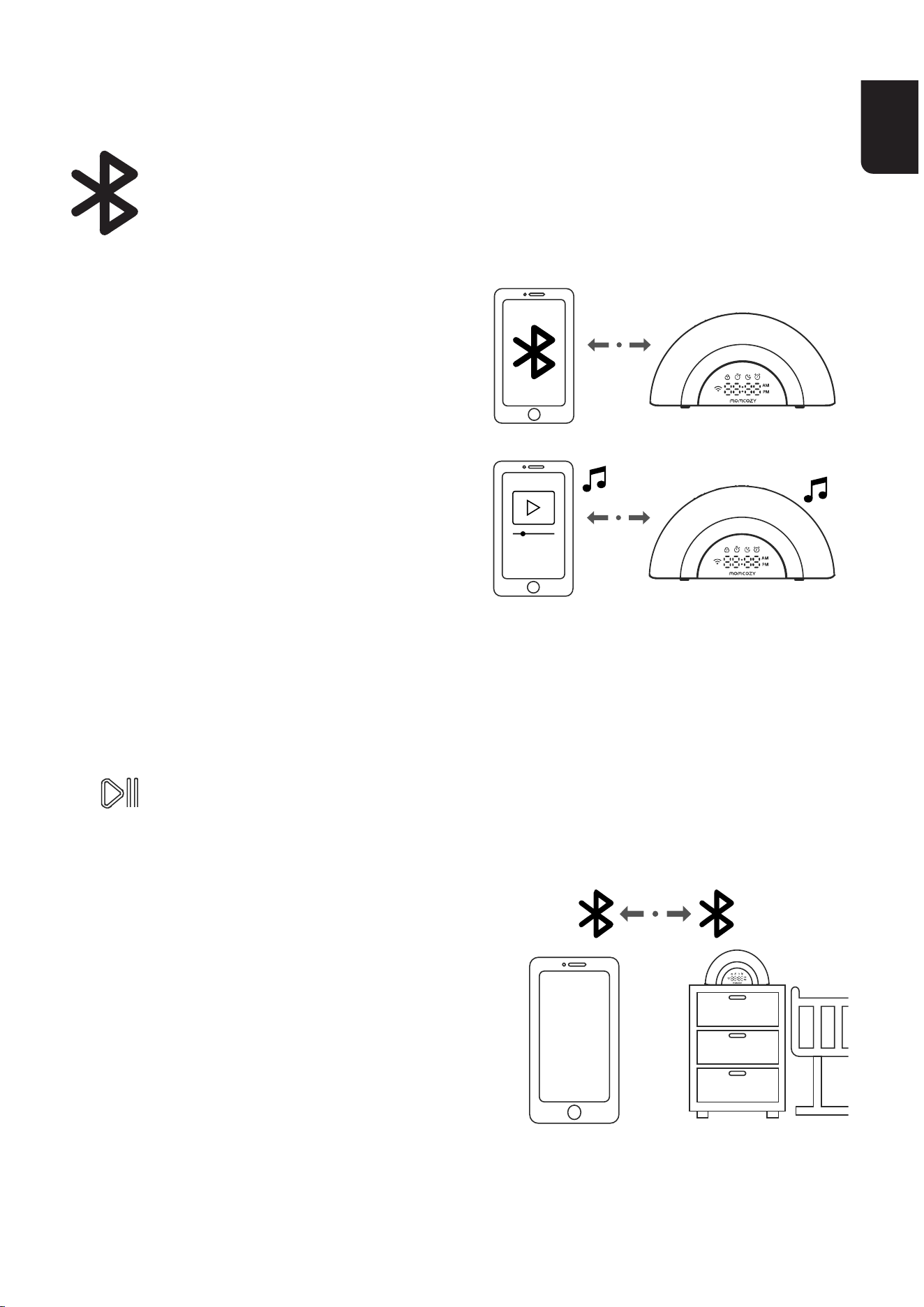
Lamacchinadelrumorebiancoèingradodifunzionarecome
altoparlante Bluetooth dopo
l'associazioneconundispositivo
mobile tramite Bluetooth, in modo da
poter riprodurre la propria musica dal
dispositivo mobile attraverso la
macchina del rumore bianco.
Collegare il dispositivo alla macchina
del rumore bianco tramite l'audio
BluetoothPerutilizzareundispositivo
mobile Bluetooth con la macchina del
rumorebianco,ènecessarioprima
associare e collegare il dispositivo mobile Bluetooth alla macchina del
rumorebianco.Primadiiniziare,assicurarsicheildispositivomobile
Bluetooth non sia collegato ad altri dispositivi Bluetooth.
Sulla macchina del rumore bianco
•TenerepremutoiltastoSoundPlay/PauseKey&Bluetoothspeaker
per 3 secondi per
accedereallamodalitàdiassociazioneBluetooth.
Sul dispositivo
• Impostare il dispositivo mobile
inmodalitàrilevabileprima
dell'associazione.
•Posizionareildispositivomobile
accanto alla macchina del rumore
bianco durante l'intera procedura di
associazione.
•Selezionare"WN05"nell'elencodei
dispositivi.
STREAMING AUDIO DAL
DISPOSITIVO MOBILE
IT
72 73
SPECIFICHE TECNICHE
AUDIO DISPONIBILI
Nome del prodotto
Modello del prodotto
Dimensione
Requisiti di
alimentazione
Macchinadelrumorebianco
WN05
210*57*105.2mm
adattatoredialimentazionedellamacchina
delrumorebianco:Ingresso:100-
240V~50/60Hz0,5A;Uscita:12VCC1,5A
Suoni della natura: foresta pluviale, Onde, atmosfera della foresta,
treno,umedellaforesta,suoninotturnidellanatura,lavatrice,
atmosfera della spiaggia, Suono del remare, atmosfera del parco, falò,
pioggia, pioggia intensa
Suoni dei ventilatori: suono del ventilatore 1, suono del ventilatore 2,
suono del ventilatore 3
Rumore bianco: rumore bianco 1, rumore bianco 2, rumore bianco 3,
rumore rosa, rumore marrone
Preferiti dai bambini: HushLittleBaby,ninnanannadiBrahms,
TwinkleTwinkleLittleStar,ninnanannadelclavicembaloben
temperato,AreYouSleeping,Meditazione,Astrodelciel,carillonPer
Elisa,LondonBridgesFallingDown,Notturnon.2,suonoshhhrapido,
respiro magico, battito del cuore del bambino
IT
72 73
DICHIARAZIONE DI CONFORMITÀ
INFORMAZIONI IMPORTANTI SULLA
SICUREZZA
DichiarazionediconformitàUE:HongKongLuteTechnologyCo.
Limitedconlapresentedichiarachequestodispositivoèconformeai
requisitiessenzialieallealtredisposizionipeinentidelladirettivaLVD
2014/35/UEedellaDirettivaEMC2014/30/UE.
•Questodispositivopuòessereutilizzatodapersoneconridotte
capacitàsiche,sensorialiomentaliochenonhannoesperienzae
conoscenzepaicolari,apattochesianosupeisionatioleggano
attentamenteleistruzionid'usoesianoconsapevolideipericoli
connessi;
•Ibambininondovrebberogiocareconquestodispositivo;
•Ibambininondovrebberoeettuarelapuliziaelamanutenzione
dell'apparecchiosenzasupeisione;
•Disfarsi della batteria in una fonte di calore, nel forno bollente,
mediante compressione o taglio potrebbe causare un'esplosione;
•Lasciarelabatteriainunambientecontemperaturepaicolarmente
elevate potrebbe provocare un'esplosione o la fuoriuscita di gas e
liquidiinammabili;
•Esporreunabatteriaapressioneatmosfericapaicolarmentebassa
ipotrebbeprovocareun'esplosioneolafuoriuscitadigaseliquidi
inammabili.
IT
74
Smaltimento
Al termine del ciclo di vita del prodotto, non buttare il
prodottoneinormaliriutidomesticimapoarloinun
punto di raccolta idoneo al riciclaggio di apparecchiature
elettronicheebatterie.Iriutidaapparecchiatureelettriche
edelettronichepossonoavereeettipotenzialmente
dannosi sull'ambiente. Lo smaltimento improprio può
provocarelaformazioneditossinenocivenell'aria,nell'acqua
e nel terreno con conseguenti danni per la salute umana.
Perinformazionisullosmaltimento,rivolgersialleautorità
comunali.
USImpoer:
Company:SHAREINFOINC.
Address:3557158thStFlushing,NY11358USA
Informazionisulproduttore:
Produttore:HongKongLuteTechnologyCo.,Limited
Indirizzo:Sala02,21/F,ediciocommercialeHipKwan,38PittStreet,
YauMaTei,Kowloon,HongKong
E-mail:suppo@momcozy.com
PRODOTTO IN CINA
Prolinx Global LTD
27 Old Gloucester Street London, WC1N 3AX, UK
ProlinxGmbH
Brehmstr.56,40239DuesseldoGermany

ES
75
España
ES
76 77
CONTENTS
CONTENIDO DE LA CAJA
INSTRUCCIONES IMPORTANTES DE SEGURIDAD
ADVERTENCIA
ENCENDIDO DE LA MÁQUINA DE RUIDO BLANCO
DESCARGA DE LA APLICACIÓN
CARACTERÍSTICAS DE LA APLICACIÓN
RESUMEN
Pantalla LED
TRANSMISIÓN DE AUDIO DESDE SU DISPOSITIVO
MÓVIL
ESPECIFICACIONES TÉCNICAS
SONIDOS DISPONIBLES
77
78
79
80
82
84
85
88
90
91
91
ES
76 77
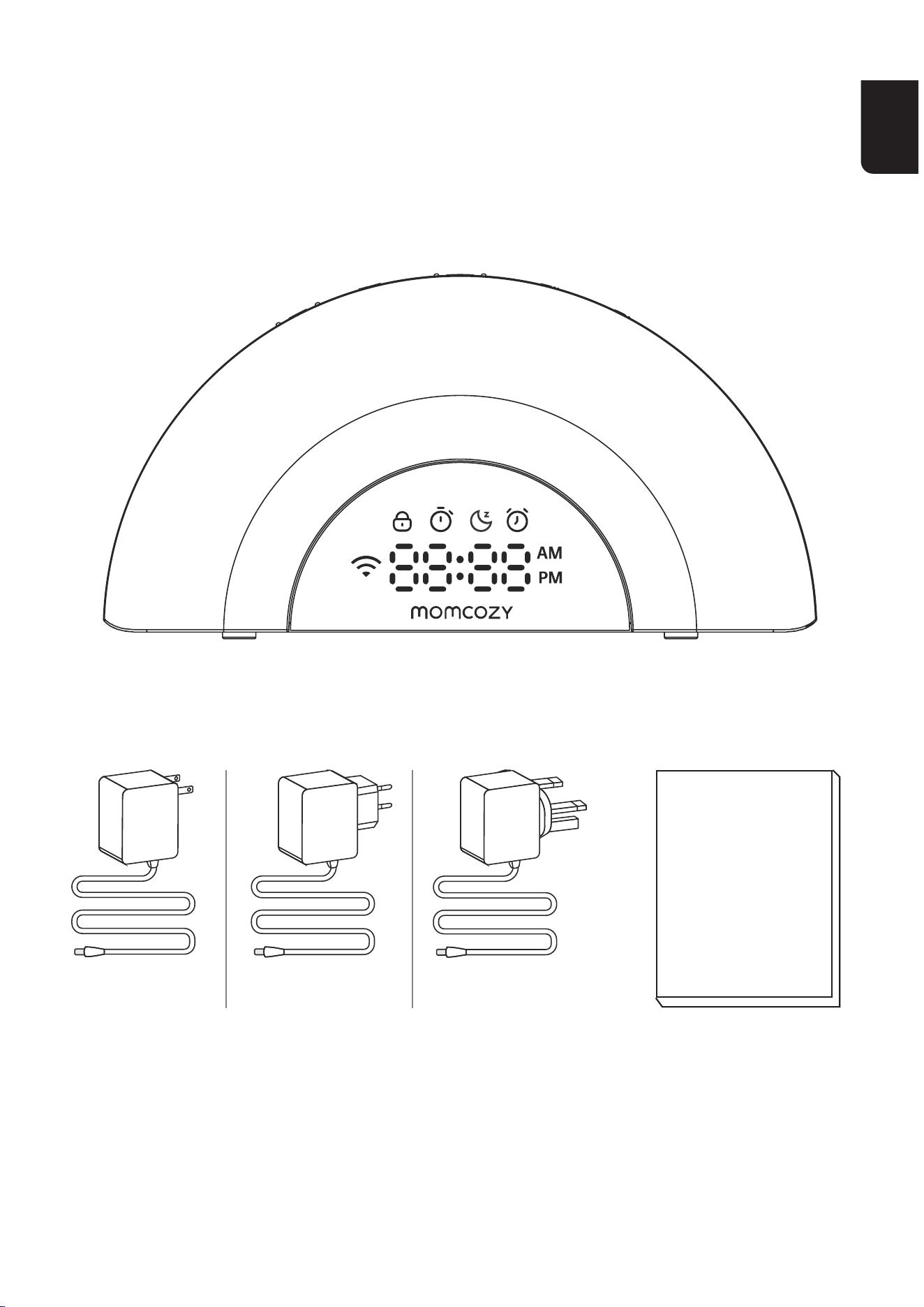
CONTENIDO DE LA CAJA
White noise machine
Adapter
Instruction
manual
US EN
EU

ES
78 79
INSTRUCCIONES
IMPORTANTES DE
SEGURIDAD
1. Antes de usar este producto, lea y siga todas las instrucciones y
adveenciasqueseindicanenestemanual.
2.Asegúresedeutilizarelcabledecargaqueseproporcionaconel
dispositivo.
3.Nocoloqueelaltavozcercadesusoídos,yaquepuedecausarles
daños.
4.Nocoloqueoconseeesteproductoenlugaresdondepuedacaer
oserempujadoaunabañeraolavabo.
5.Nolocoloqueodejecaerenaguauotroslíquidos.Eviteusareste
productoensupeicieshúmedas.
6.Esteproductonoesunjugueteynoesaptoparasuusoporniños.
Mantengaesteproductofueradelalcancedelosniños.Soloaptopara
uso por adultos.
7.Nointenterepararomodicareldispositivo.Nointentecubrirel
productodurantesuusoparaprevenirunsobrecalentamiento,que
podríacausarunincendio,descargaeléctricaolesiones.
8.Sielproductoocabledealimentaciónestándañados,porfavor,deje
deutilizarlos.
9.Mantengalamáquinalejosdesupeiciescalientes.Nolevante,
transpoe,suspendaotiredelproductoporelcabledealimentación.
10. Este producto no debe colocarse en ninguna área donde no se
proporcioneunaventilaciónadecuada.Lasranurasyabeurasenla
paeposterioroinferiordeesteproductoestándiseñadasparala
ventilación.Paraprotegerlodelsobrecalentamiento,estasabeuras
nodebenbloquearsecolocandoelproductosobreunasupeicie
ES
78 79
blanda como una cama, sofá o alfombra. Este producto nunca debe
colocarsecercaosobreunradiadororejilladecalefacción.
11.Nuncaintroduzcaobjetosdeningúntipoenesteproductoatravés
delasranuras,yaquepodríantocarpuntosdevoltajepeligrososo
causaruncoocircuito.Nuncaderrameningúntipodelíquidosobreel
producto.
ADVERTENCIA
Seleccionesiempreeltamañoytipodebateríamásadecuado
para el uso previsto.
Reemplacetodaslasbateríasdeunconjuntoalmismo
tiempo.
Limpieloscontactosdelasbateríasytambiénlosdelequipo
antesdeinstalarlasbaterías.
Asegúresedequelasbateríasesténinstaladascorrectamente
conrespectoalapolaridad(+y-).
Encasodeingestióndeunaceldaobatería,busque
asistencia médica de inmediato.
Nocoocircuitelasbaterías.
Nocarguelasbaterías.
Nodescarguelasbateríasalafuerza.
Nocalientelasbaterías.

ES
80 81
Nosueldedirectamentealasbaterías.
Nodesmontelasbaterías.
Nodeformelasbaterías.
Noencapsuley/omodiquelasbaterías.
Retirelasbateríasdelequiposinosevaautilizarduranteun
períodoprolongado,amenosqueseaparaemergencias.
Noexpongaelaparatoolabateríaatemperaturasexcesivas.
Lasbateríasagotadasdebenretirarseinmediatamentedel
equipo.
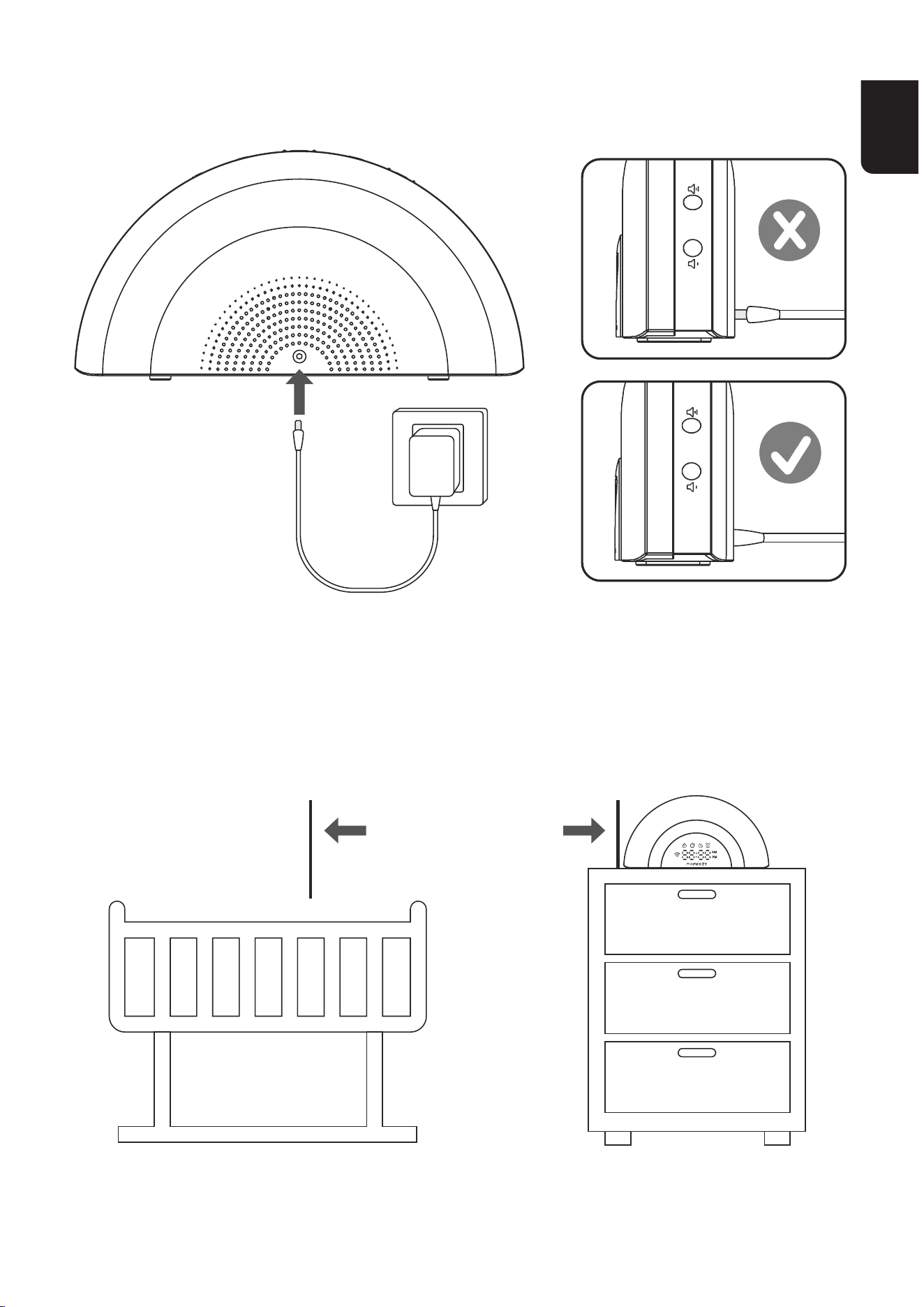
ENCENDIDO DE LA MÁQUINA DE
RUIDO BLANCO
Notas
• Utilice únicamente el adaptador de corriente suministrado con
este producto.
• Conecte el adaptador de corriente únicamente en posición
veicaloenunaposiciónestableenelsuelo.Lasclavijasdel
adaptador
noestándiseñadasparasopoarelpesodelamáquinade
ruido blanco, por lo no se recomienda conectarlo a una toma de
corriente en el techo,
debajodeunamesaniengabinetes.Delocontrario,eladaptador
podríanoconectarsecorrectamentea
la toma de corriente.
ES
80 81
ANTES DE UTILIZARLO
POSICIONAMIENTODELAMÁQUINADERUIDOBLANCO
•Coloquelamáquinaderuidoblancoamásde3pies(1metro)
de distancia de su bebé.
ES
82 83
NOTAS
•Mantengalamáquinaderuidoblancofueradelalcancedesu
bebé.Evitesiemprecolocarlamáquinaderuidoblancodentrode
la cuna o del corralito del bebé.
•Paraevitarinteerenciasconotrosdispositivoselectrónicos,
coloquesumáquinaderuidoblancoalmenosa3pies(1m)
de distancia de los dispositivos cercanos, tales como rúters
inalámbricos, microondas, teléfonos celulares y ordenadores.
DESCARGA DE LA APLICACIÓN
DescarguelaaplicacióndeMomcozyparadisfrutardemásventajas
exclusivas
Paso1:
DescarguelaaplicacióndeMomcozyensudispositivomóvildesdela
Apple Store o desde Google Play Store para obtener acceso completo
alasfunciones,ycontrolardesumáquinaderuidoblancodeforma
sencilla.
O bien,
EscaneeelcódigoQRquelemostramosacontinuaciónparainstalar
la aplicación.
Android IOS

ES
82 83
Disfrutedelasfuncionesavanzadasqueleofrecemostocandola
pantalla,talescomopersonalizarunarutina,etc.
La App es compatible con iOS 13 y Android 8.0 o versiones superiores.
Porfavor,tengaencuentaque
laconexiónBluetoothdeestaaplicaciónpodríadependerdel
smaphonequetengaconectadoaldispositivo.
Paso2:
Unaveznalizadalainstalación,porfavorcreesucuentapara
registrarse.SiyatuvieseunacuentadeMomcozy,iniciesesión.
Paso3:
Por favor, asegúrese de haber activado el Bluetooth y el WIFI en su
teléfono,ydetenerencendidalamáquinaderuidoblanco.
Diríjasealapáginaprincipaldelaaplicación,yacontinuación,haga
clicenel"+"delaesquinaderechadelapáginaparaentrarenlapágina
"Añadirdispositivo".
Desdeallí,sigalasinstruccionesenlaaplicaciónparaconectarel
dispositivo.dispositivo".
Seguireleistruzionidell'applicazioneperconnettersialdispositivo.
Nota:
Sólo es compatible con conexión a redes 2.4G.
Coloquesuteléfonomóvilcercadelamáquinaderuidoblanco
paraunamejorconexión.
Unavezconectado,uselaaplicaciónparacontrolarlamáquinade
ruido blanco.
ES
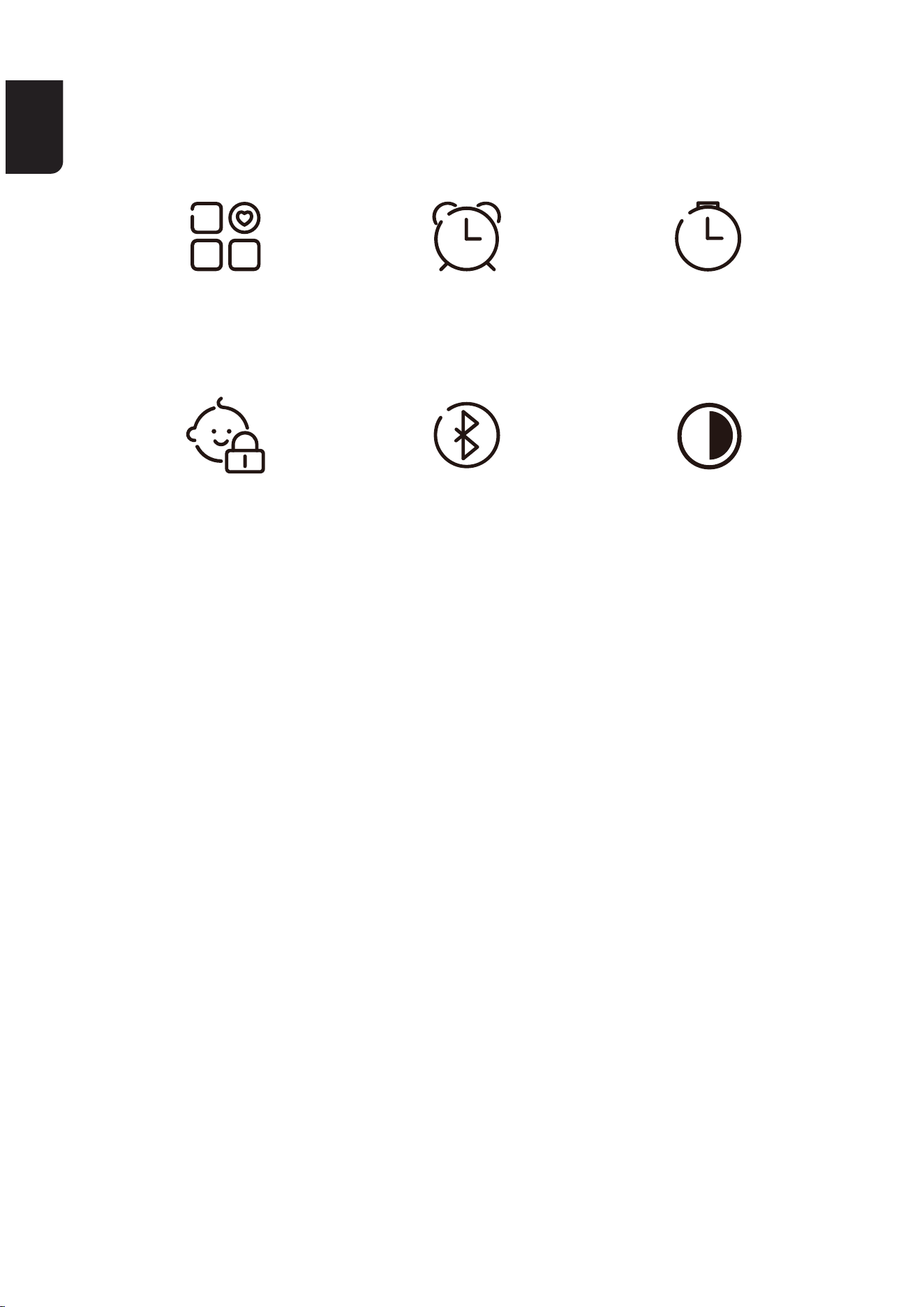
84 85
CARATTERISTICHE DELL'APP
ModoAmbiente
Personalizado
Control Parental
Despeador
AltavozBluetooth
Temporizador
AjustedelBrillodela
Pantalla
ES
84 85
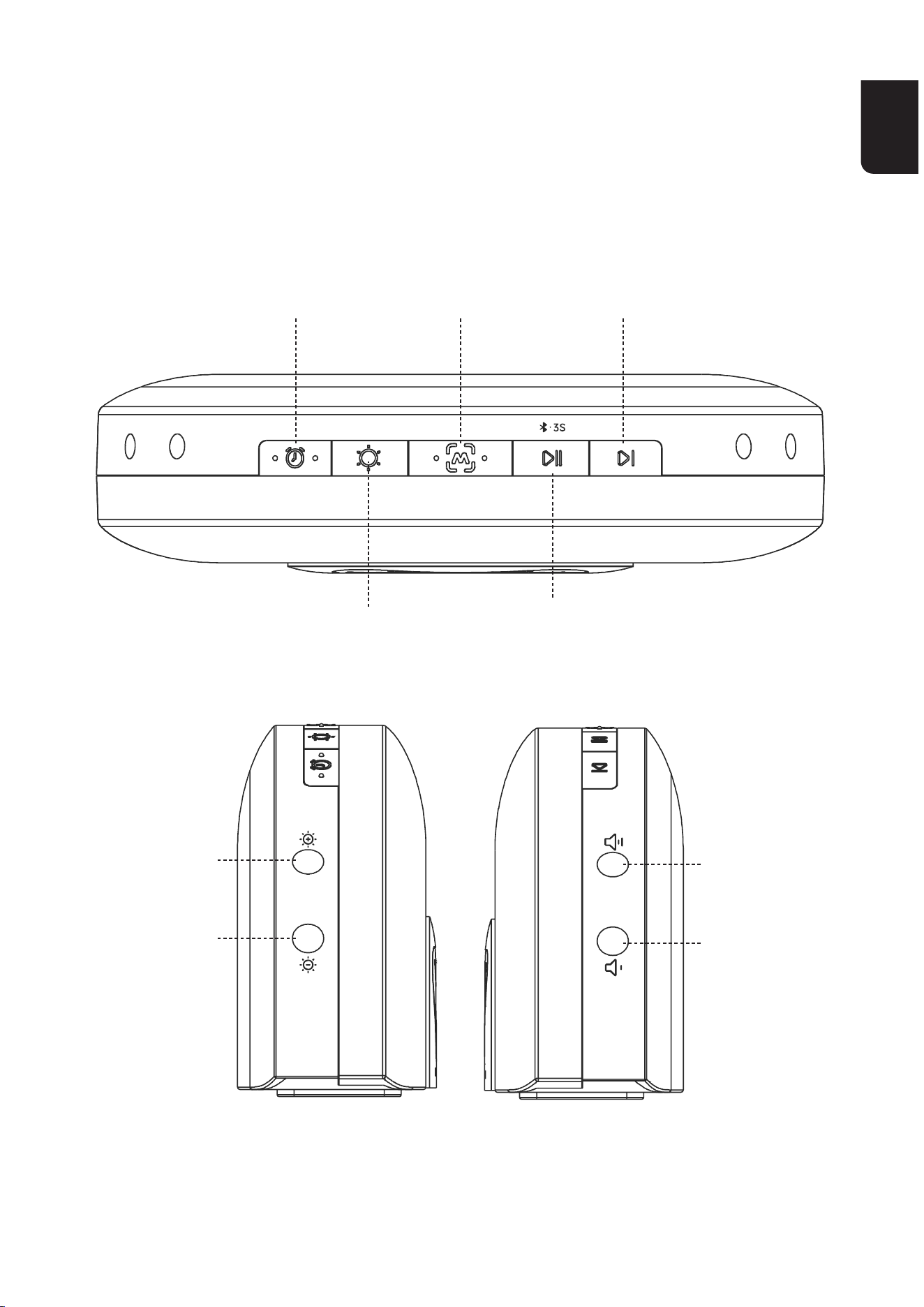
RESUMEN
Control de
brillodeluz
nocturna(-)
Volume−
Control de
brillodeluz
nocturna (+)
Tecla de
alarma
Saltar
siguiente
Tecla de
Modo
Favorito
Tecla de Reproducción/Pausa
desonidoyaltavozBluetooth
Tecla de
control de
luminosidad
Volume +
ES
86 87
Control de brillo de luz
nocturna (-)
Control de brillo de luz
nocturna (+)
Tecla de alarma
Tecla de control de
luminosidad
Tecla de Modo Favorito
Pulse brevemente para disminuir
elbrillodelaluznocturna.Pulse
prolongadamenteparareveir.
Pulse brevemente para aumentar
elbrillodelaluznocturna.Pulse
prolongadamenteparaavanzar
rápidamente sobre la pista.
1) Cuando suene la alarma, pulse
CUALQUIERTECLAyestadejaráde
sonar,hastaeldíasiguiente.
2) Pulse prolongadamente para activar
o desactivar la alarma.
1) Pulse brevemente para aumentar el
brillodelaluznocturna;
pulse brevemente de forma continua
paraircambiandodecolorlaluz
nocturna;
2) y mantenga pulsado para apagarla.
Pulse brevemente para reproducir su
ambientación favorita predeterminada.
DescarguelaaplicaciónMomcozypara
personalizarlaambientaciónquemejor
le convenga
ES
86 87
Volume +
Volume−
Tasto sospendi
Pulse brevemente para aumentar el
volumen. Pulse prolongadamente para
avanzarrápidamentesobrelapista.
Pulse brevemente para disminuir el
volumen. Pulse prolongadamente para
reveir.
Cuandosuenelaalarma,toquelapae
superiordelamáquinaderuidoblanco
para activar el modo de repetición.
Cuando lo haga, se le mostrará el icono
de repetición, y la alarma sonará de
nuevodespuésde9minutoshastaque
vuelva a pulsar CUALQUIER TECLA
paradetenerlaalarma,hastaeldía
siguiente.
Tecla de Reproducción/
Pausa de sonido y altavoz
Bluetooth
Saltar siguiente
1)Pulse brevemente para reproducir
sonidosqueleayudenadormir;
púlselo de nuevo para apagar los
sonidos.
Mantengapulsadodurante3segundos
paraactivarelmodoaltavozBluetooth;
yvuelvaadejarpulsadodurante3
segundos de nuevo para desactivarlo.
Pulse para saltar al siguiente sonido.
ES
88 89
Pantalla LED
Child Lock Icon SnoozeIcon
Alarm Icon
WIFI Icon Digital Clock
Timer Icon
Child Lock Icon Activelafuncióndebloqueoinfantilenla
aplicación;esteiconodebloqueoInfantilse
mostrará continuamente en pantalla.
Solosepodráutilizareldispositivoenla
aplicación cuando desactive la función de
bloqueoinfantil.
Timer Icon Cuandoseactivelafuncióndetemporizador,
eliconodeltemporizadorsemostrará
continuamente en pantalla.
ES
88 89
Snooze Icon
Alarm Icon
Time icon
WIFI Icon
Al entrar en el modo de repetición, el icono de
repetición se mostrará continuamente en pantalla
hastaquepresioneCUALQUIERTECLApara
detenerlaalarma,hastaeldíasiguiente.
Cuando se active la alarma, el icono de la alarma
se mostrará continuamente en pantalla.
1)Cuandoajusteelvolumenoelbrillo,sele
mostrará el nivel actual de ambos en tiempo real.
2) En otros estados, se le mostrará la hora actual.
1) Cuando la red no esté conectada, o no tenga
accesoainternet,laluzindicadoradel
permanecerá apagada.
2)Alcongurarlared,laluzindicadoradel
parpadeará rápidamente en blanco.
3) Después de conectar con éxito el dispositivo a
unared,laluzblancaindicadoradel
permanecerája.
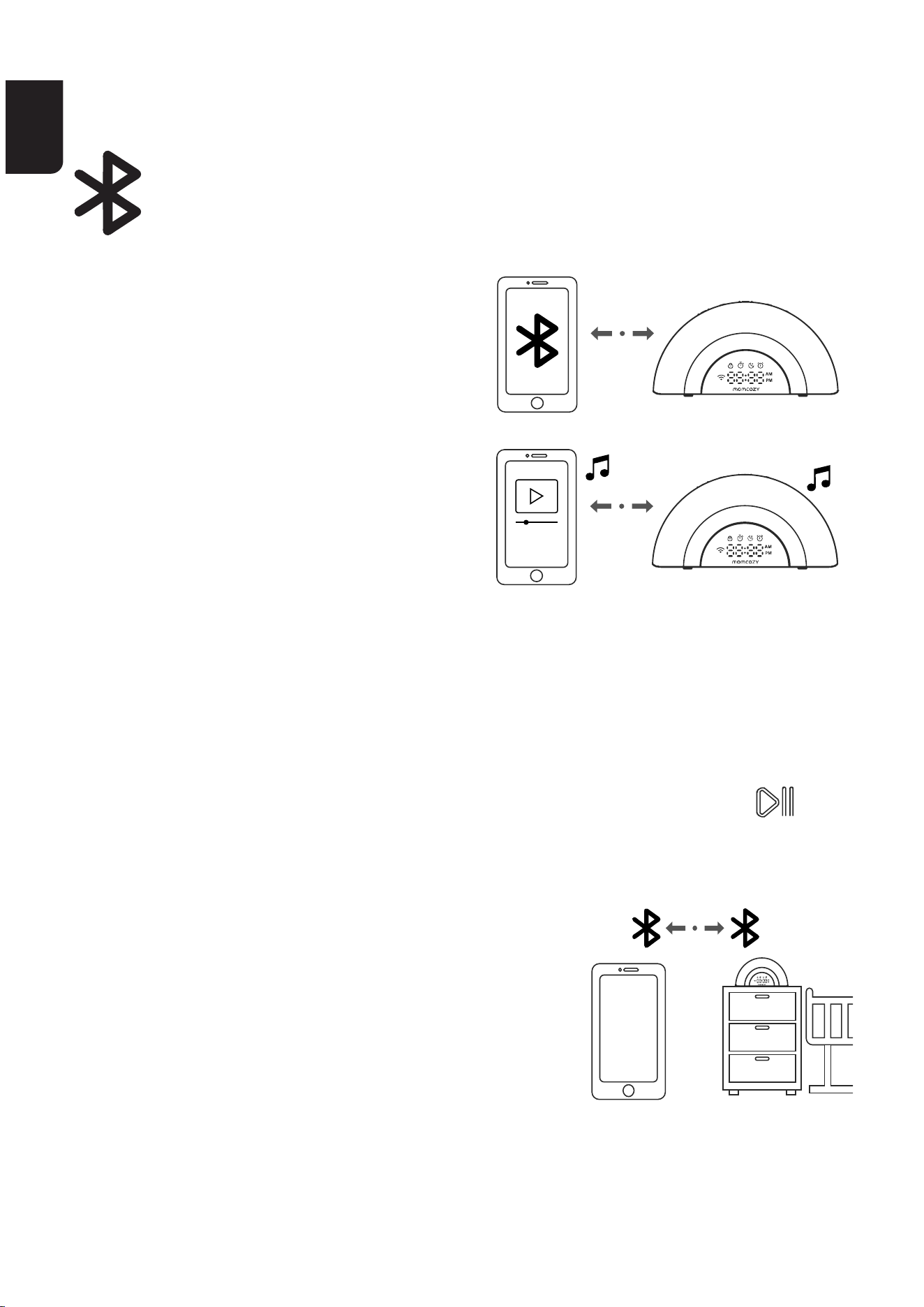
ES
90 91
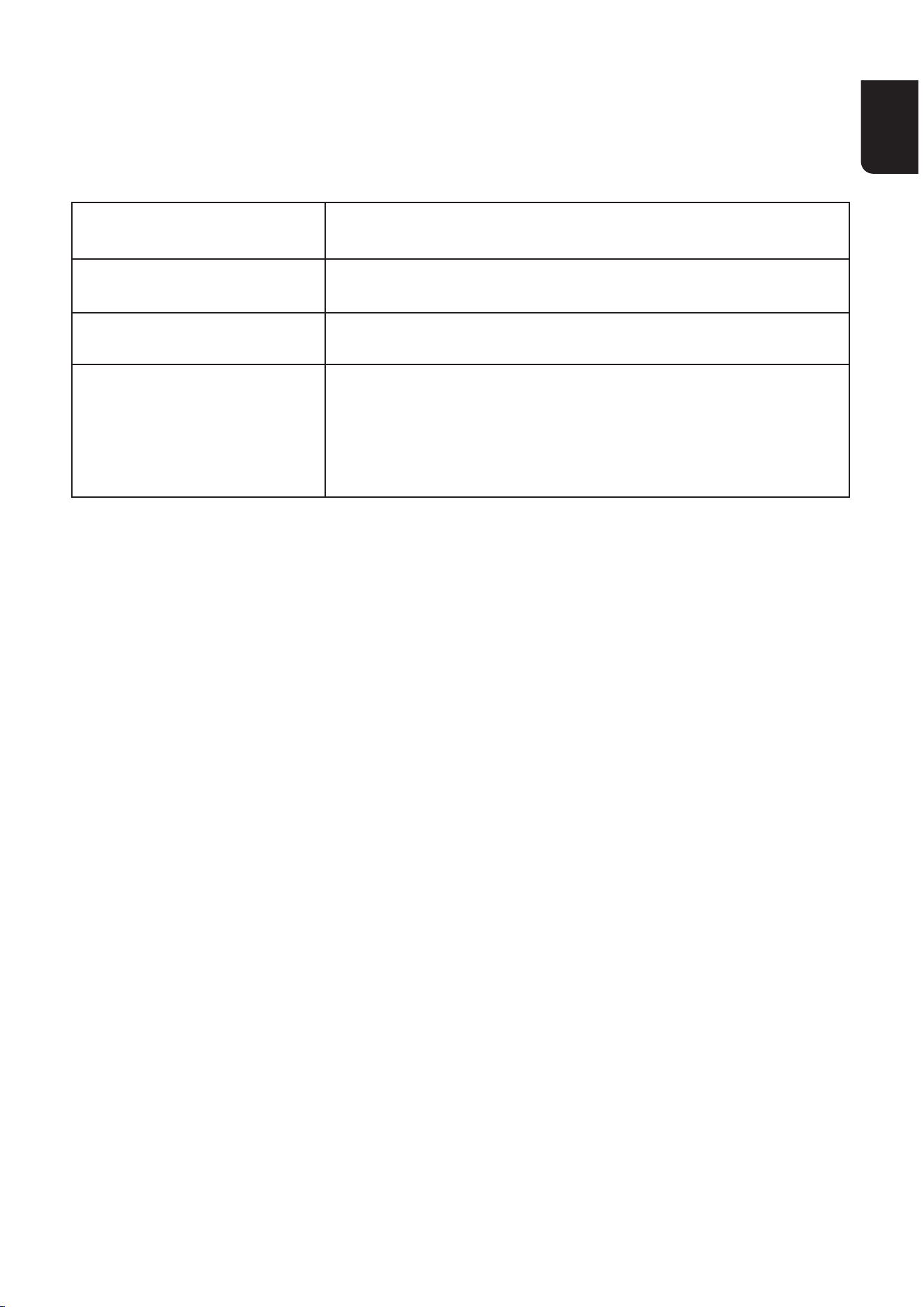
PuedeutilizarlamáquinaderuidoblancocomoaltavozBluetooth
después de conectarlo con un
dispositivo móvil a través de
Bluetooth, de ese modo podrá
reproducir su propia música desde
ese dispositivo móvil a través de la
máquinaderuidoblanco.
Conecte su dispositivo con la
máquinaderuidoblancoatravésde
audio Bluetooth
Para usar un dispositivo móvil
compatible con Bluetooth en su
máquinaderuidoblanco,primerodebevincularyconectarsu
dispositivomóvilconlamáquinaderuidoblancoatravésde
Bluetooth.Antesdecomenzar,asegúresedequesudispositivomóvil
tengaactivadoBluetoothyquenoestéconectado
a ningún otro dispositivo en ese momento.
En la máquina de ruido blanco
•DejepulsadoSoundPlay/PauseKey&Bluetoothspeaker
durante 3 segundos para
vincular el dispositivo a Bluetooth.
En su dispositivo
•Conguresudispositivomóvilenmodo
detectable para otros dispositivos antes de
vincularlo.
•Mantengasudispositivomóvilcercadela
máquinaderuidoblancodurantetodoelp
roceso de vinculación.
•Seleccione“WN05”enlalistadedispositivos.
TRANSMISIÓN DE AUDIO DESDE
SU DISPOSITIVO MÓVIL
ES
90 91
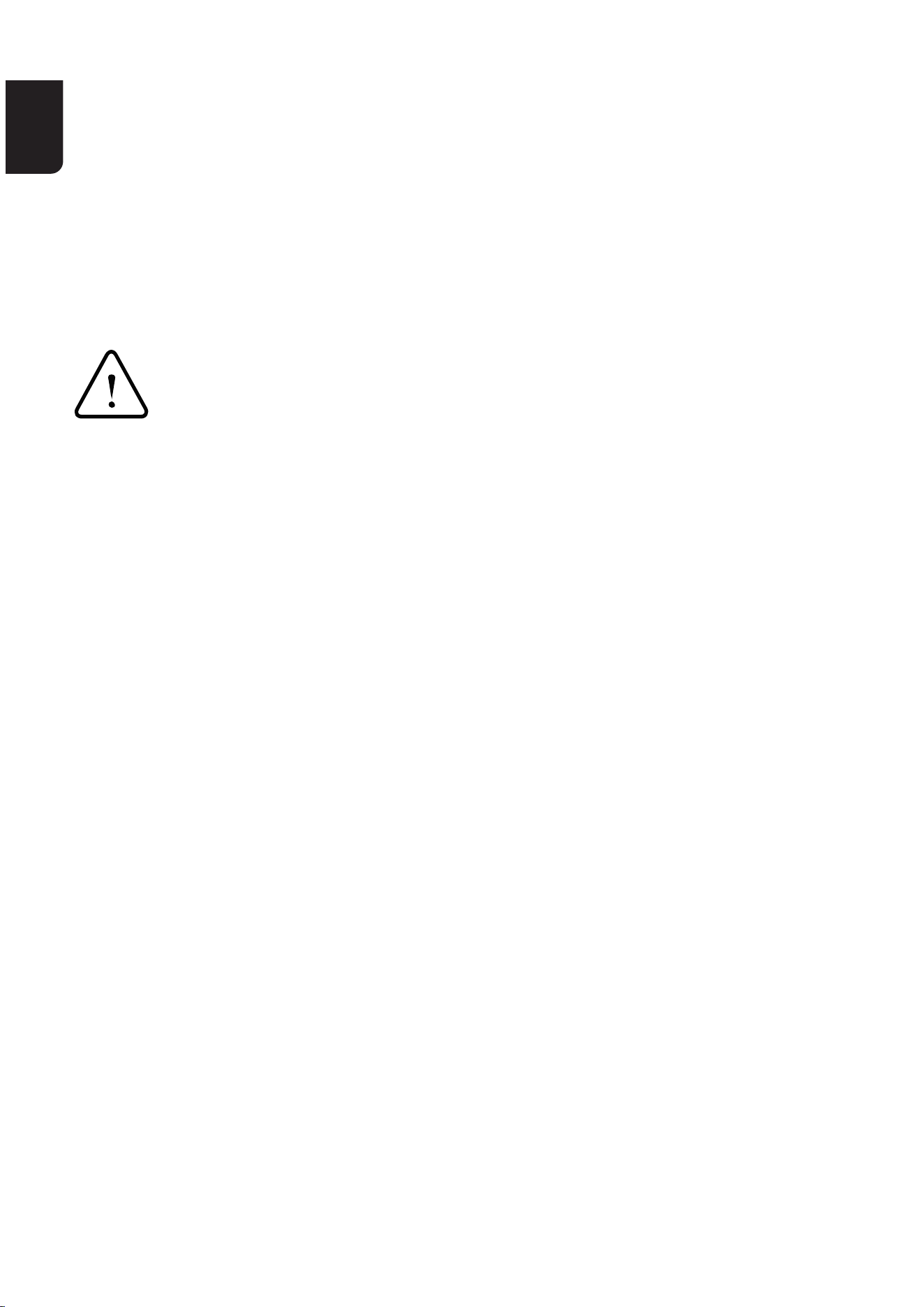
ESPECIFICACIONES TÉCNICAS
SONIDOS DISPONIBLES
Nombre del producto
Modelo del producto
Dimensiones
Requisitos de
alimentación
Máquinaderuidoblanco
WN05
210*57*105.2mm
Adaptadordecorrienteparalamáquinade
ruidoblanco:Entrada:100-240V~50/60Hz
0,5A;Salida:12VDC1,5A
Sonidos de la naturaleza: Selva tropical, Olas, ambiente forestal, tren,
ríoenelbosque,naturalezanocturna,lavadora,ambientedeplaya,
Sonidoderemo,ambientedeparque,hoguera,lluvia,lluviatorrencial
Sonidos de ventiladores: Sonido de ventilador 1, Sonido de ventilador
2, Sonido de ventilador 3
Ruido blanco: Ruido blanco 1, Ruido blanco 2, Ruido blanco 3, Ruido
rosa, Ruido marrón
Recomendados para los bebés:«Duerme,bebé»,«Canciónde
cunadeBrahms»,«Estrellita,¿dóndeestás?»,«Cancióndecunadel
ClavicordioBienTemperado»,«¿Estásdormido?»,«Meditación»,
«Nochedepaz»,«CajademúsicaparaElise»,«ElpuentedeLondres
seestácayendo»,«NocturnoNo2»,«Silenciorápido»,«Aliento
mágico»,«Latidosdebebé»
ES
92 93
DECLARACIÓN DE CONFORMIDAD
INFORMACIÓN IMPORTANTE DE
SEGURIDAD
DeclaracióndeconformidaddelaUE:HongKongLuteTechnology
Co.,Limited.declaraporlapresentequeesteaparatocumplecon
losrequisitosesencialesyotrasdisposicionesrelevantesdela
Directivadebajatensión2014/35/EUylaDirectivadecompatibilidad
electromagnética 2014/30/EU.
•Esteaparatolopuedenutilizarpersonasconcapacidadesfísicas,
sensoriales o mentales reducidas o con falta de experiencia y
conocimientossihanrecibidosupeisiónoinstruccionessobreeluso
delaparatodeformaseguraycomprendenlospeligrosqueconlleva;
•Nopermitaquelosniñosjueguenconelaparato;
•Lalimpiezayelmantenimientoporpaedelusuarionodebenser
realizadosporniñossinsupeisión;
•Arrojarunabateríaalfuegooaunhornocaliente,oaplastaro
coarmecánicamenteunabateríapuedeprovocarunaexplosión;
•Dejarunabateríaenunentornocontemperaturasextremadamente
altaspuedeocasionarunaexplosiónounafugadelíquidoogas
inamable;
•Unabateríasometidaaunapresióndeaireextremadamentebaja
puedeprovocarunaexplosiónounafugadelíquidoogasinamable.
ES
92 93
Eliminación
Alnaldelciclodevidadelproducto,notireesteproducto
a la basura doméstica convencional. Llévelo a un punto de
recogidaparaelreciclajedeaparatoselectrónicosybaterías.
Los residuos de aparatos eléctricos y electrónicos pueden
producir efectos potencialmente nocivos para el medio
ambiente. La eliminación inadecuada puede provocar la
acumulación de toxinas nocivas en el aire, el agua y el suelo,
loqueconstituyeunpeligroparalasaludhumana.Usted
tiene la obligación de eliminar el aparato de forma correcta.
Consulte a las autoridades municipales para obtener
información sobre su forma de eliminación correcta.
USImpoer:
Company:SHAREINFOINC.
Address:3557158thStFlushing,NY11358USA
Informacióndelfabricante:
Fabricante:HongKongLuteTechnologyCo.,Limited
Dirección:Habitación02,21/F,ediciocomercialHipKwan,38Pitt
Street,YauMaTei,Kowloon,HongKong
E-mail:suppo@momcozy.com
PRODOTTO IN CINA
Prolinx Global LTD
27 Old Gloucester Street London, WC1N 3AX, UK
ProlinxGmbH
Brehmstr.56,40239DuesseldoGermany

备注
图档名称
规格尺寸
印刷颜色
材质工艺
版本号 日期
文案编写/审核人项目负责人
平面设计师
出血线为2mm;刀模线仅供参考请勿印刷;图档版权归深圳市路特佳成网络科技有
限公司所有,私自泄露、修改、使用文档所产生的一切责任后果我司将追究到底。
注:此页无需印刷,文件每一页
含有 3mm 出血位,实际印刷时
请裁切!
MomcozyWN05白噪音五国说明书
封面 150g 铜版纸,内页 90g 书纸
80*100(h)mm,公差 ±0.5mm
A1
2024-08-13
单色 夏婷婷 夏婷婷
刘诗琪
蔡美玲(外联)