- 1 -
Item No. 209036
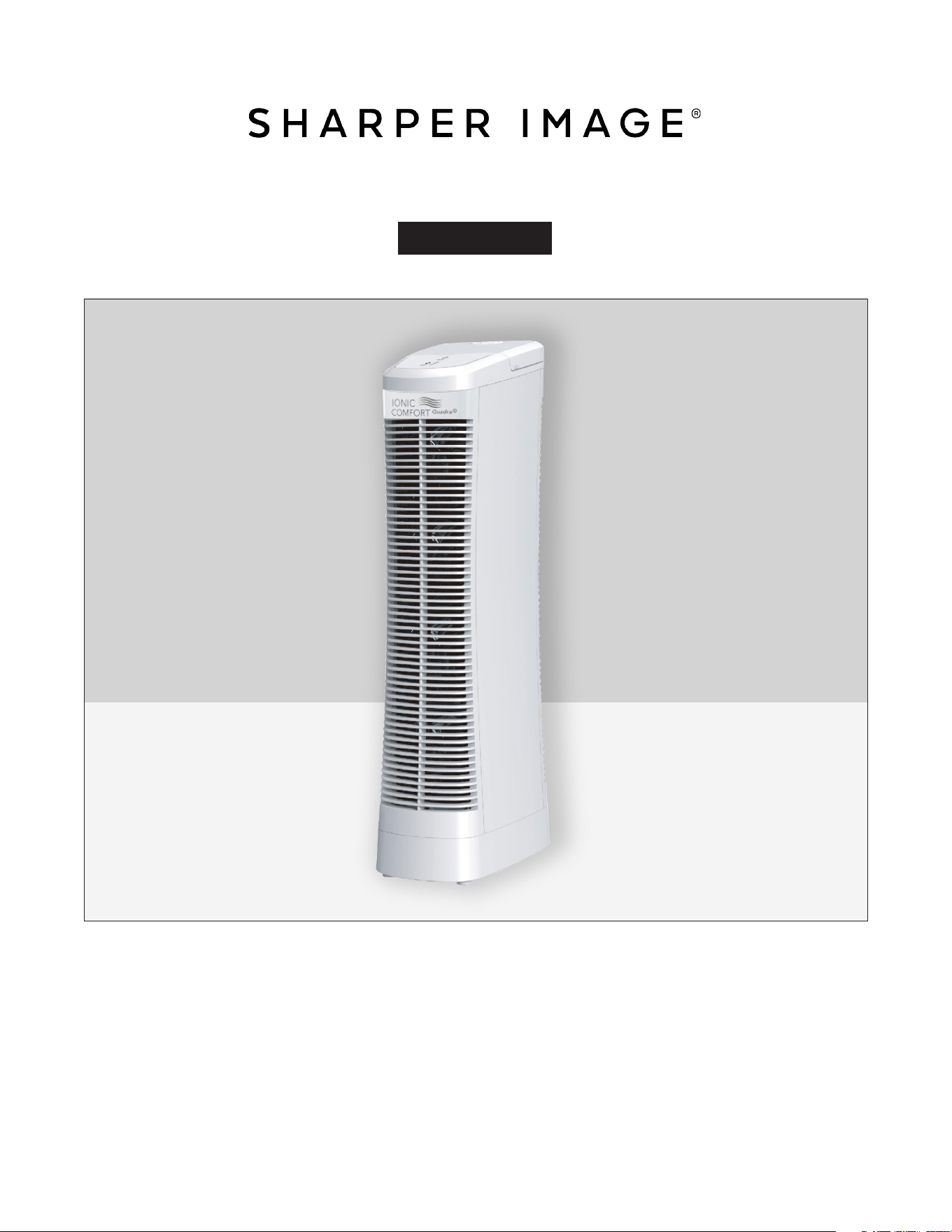
IONIC COMFORT QUADRA® AIR PURIFIER BY SHARPER IMAGE
User Guide
Thank you for purchasing the Ionic Comfort Quadra® Air Purifier by Sharper Image. Please
take a few moments to review this guide and store it for future reference. This Product is
for residential use only. It is not intended to be used in commercial, industrial or agricultural
settings.

- 2 -
TABLE OF CONTENTS
Introduction 3
Safety Information and Warnings 3-4
Important Safeguards 5-6
Ozone Notice 7
FCC Information 7
Features and Controls 7
Permanent Alum Alloy Filter Assembly 8
Set-Up and Operation 9
Control Panel / Operating the Unit 9
Filter Cleaning Reminder 10
Alum Alloy Filter Maintenance 10
Dishwasher Cleaning 11
Sink Cleaning 11
Troubleshooting 12
Questions and Answers 13
Warranty and Customer Service 13

- 3 -
INTRODUCTION
Thank you for purchasing the Ionic Comfort Quadra® Air Purifier by Sharper Image. This air purifier
provides fresher, cleaner air for you to breathe and saves you money at the same time by eliminating
the need for expensive replacement filters.
With a revolutionary quiet fan system, advanced ionic cleaning and patented high-efficiency filter
design, this device helps remove common pollutants such as dust, pollen and tobacco smoke from
your air, along with smaller, more dangerous atomic sized particles that traditional HEPA filters leave
behind. And, because it’s whisper quiet, it can be placed in any room in your home, including the
home office or bedroom.
This device has been thoroughly tested to meet our own exacting quality control standards. Please
take a few moments to review the following important information before using it.
GENERAL SAFETY INFORMATION
When using electrical appliances, basic precautions should always be followed to reduce the risk of
fire, electrical shock and injury to persons, including the following:
Read all instructions before using this product.
The power cord is equipped with a three-prong grounded plug that must be inserted into a matching
receptacle. Under no circumstances must the grounding prong be cut off the plug. Where a two-
prong wall receptacle is encountered, it must be replaced with a properly grounded three-prong
receptacle installed in accordance with the National Electrical Code (NEC) and all applicable local
codes and ordinances. This work must be done only by a qualified electrician, using copper wire only.
This plug is a safety feature. It contains a safety device (fuse) that should not be removed. DO NOT
attempt to defeat this safety feature. Discard product if the attachment plug is damaged. To reduce
the risk of fire, electric shock and personal injury, DO NOT rremove, replace, repair or tamper with the
originally supplied plug. If the Product does not function properly, it may be due to the safety device
incorporated in this plug.
WARNING: Use of a three-prong to two-prong adapter is not recommended. Improper connection
may create the risk of electric shock. Use of such adapters is not permitted in Canada.
1. Make certain the power source conforms to the electrical requirements of the Product.
2. Make certain that the room is equipped with a working smoke detector.
3. Use this Product only as described in this manual. Any other use not recommended by the
manufacturer may result in injury to persons or damage to property.
4. To reduce the risk of personal injury and electric shock, the Product should not be played with or
placed where small children can reach it.

- 4 -
5. Unplug power cord before moving the Product.
DO NOT DEPEND ON THE ON/OFF SWITCH AS THE SOLE MEANS OF DISCONNECTING POWER WHEN
MOVING THE PRODUCT. ALWAYS UNPLUG THE POWER CORD. ALWAYS TURN OFF THE PRODUCT
BEFORE LEAVING THE AREA. NEVER LEAVE CHILDREN UNATTENDED WHEN THE PRODUCT IS ON OR
PLUGGED IN.
6. DO NOT use Product in or near a window. Rain may create an electrical hazard.
7. Completely assemble Product according to instructions before connecting to power
supply.
8. Avoid the use of extension cords because the extension cord may overheat and cause a fire.
Do not plug Product into any other cord connected device, such as a power strip, cord reel, surge
protector, multiple outlet adapters or outlet-type air fresheners.
9. NEVER operate any Product with a damaged cord or plug, or if the Product has been dropped or
damaged in any manner.
10. NEVER insert or allow fingers or foreign objects to enter any ventilation or exhaust opening as it
may cause an electric shock, fire, or damage the Product. To reduce the risk of fire, DO NOT block or
tamper with the Product in any manner while it is in operation.
11. Always place the Product on a stable, at level, surface when operating to avoid the chance of the
Product overturning. It is recommended for floor use only. Locate the Power Cord so the Product or
other objects are not resting on it. Do not run cord under carpeting. Do not cover cord with throw
rugs, runners, or similar coverings. Do not route cord under furniture or appliances. Arrange cord
away from high traffic areas and where it will not be tripped over.
12. This Product is not intended for use in wet or damp locations. NEVER locate a Product where it
may fall into a bathtub or other water container. NEVER use Product where flammable liquids are
used or stored.
13. Care should be taken so that objects do not fall and liquids are not spilled into the enclosures.
14. NEVER use this Product outdoors.
15. RISK OF ELECTRIC SHOCK - These servicing instructions are for use by qualified personnel only.
To reduce the risk of electric shock, do not perform any servicing other than that contained in the
operating instructions unless you are qualified to do so.
To reduce the risk of electric shock, this equipment has a grounding type plug that has a third
(grounding) pin. This plug will only fit into a grounding type power outlet. If the plug does not
Fit into the outlet, contact qualified personnel to install the proper outlet. Do not alter the plug
in any way.
- 5 -
16. This Product is not suitable for use in agricultural facilities including areas where livestock,
poultry or other animals are fonfined. Please refer to the National Electric Code (NEC) Article 547-
7 (2008) or applicable state or local codes or standards relating to electrical requirements for
Agricultural Buildings.
17. This Product is not suitable for use in hazardous locations. Please refer to National Electric Code
(NEC) Article 500 or applicable state or local codes or standards relating to electrical requirements
for Hazardous locations.
THIS PRODUCT DOES NOT MEET THE REQUIREMENTS OF NEC ARTICLE 547-7 (2008).
REDUCE THE RISK OF FIRE OR ELECTRIC SHOCK
–
DO NOT USE THIS PRODUCT WITH ANY SOLID
STATE SPEED CONTROL DEVICES.
SAVE THESE INSTRUCTIONS
DANGER!
Failure to follow these warnings may result in electrical shock, burns fire or injury:
• DO NOT remove the covers or back panel. There are no user-serviceable parts inside. “Dangerous
voltage” within the unit’s enclosure may be of sufficient magnitude to constitute a risk of electric
shock.
• DO NOT disassemble or attempt to repair the unit. Incorrect repair can cause risk of electric shock
or injury to persons when the unit is used.
• DO NOT expose this unit to wet, damp, rain or moist locations.
• This Product must NOT be used in potentially dangerous locations such as flammable, explosive or
chemical-laden or wet atmospheres where gasoline, paint, flammable liquids or vapors are used or
stored.
• DO NOT operate where aerosol units are being used or where oxygen is being administered. Do not
operate this unit in oxygen-rich environments.
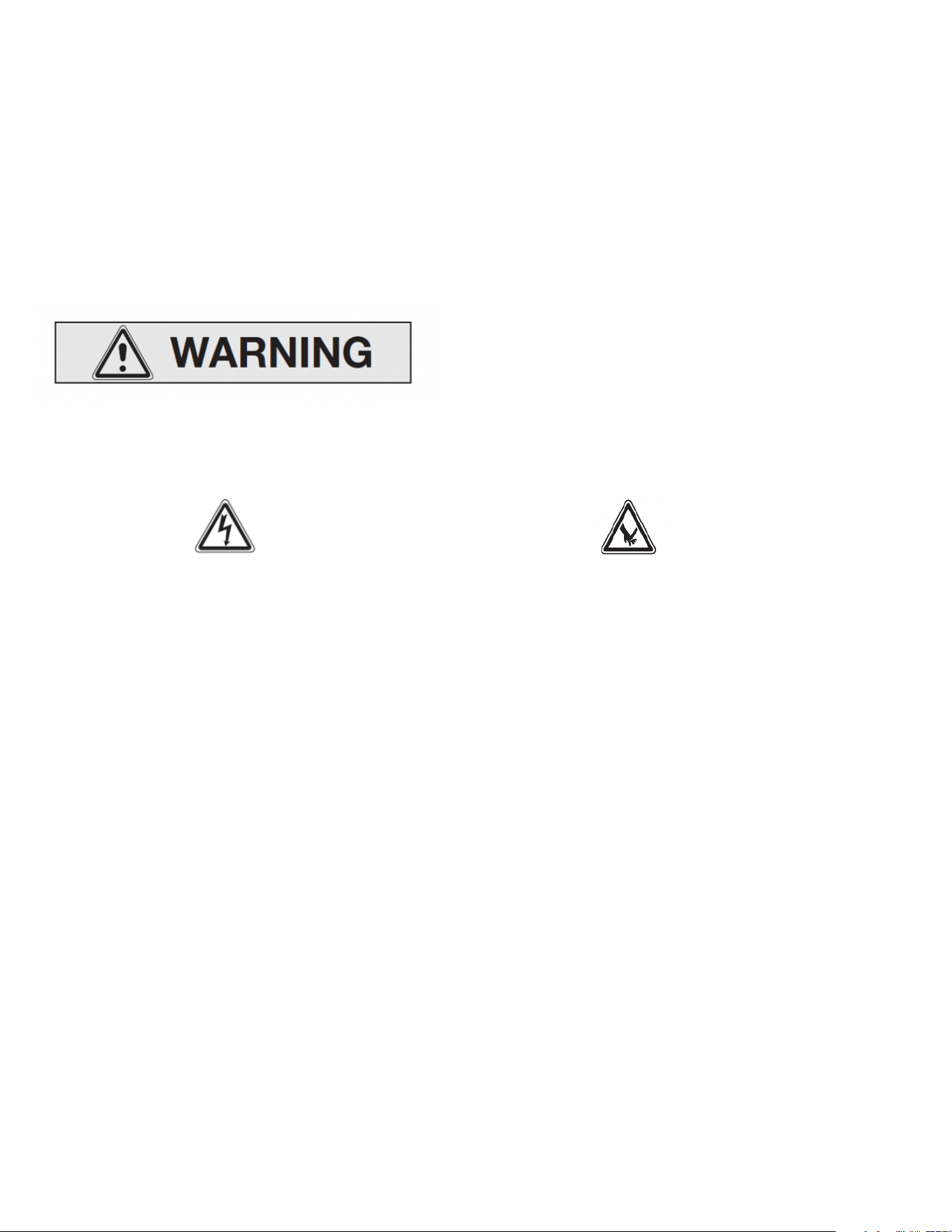
• DO NOT rub your fingers along the alum alloy filter plates. THE EDGES ARE SHARP!

- 6 -
WARNING!
Failure to follow these warnings may result in electrical shock, burns fire or injury:
• Do not immerse the entire air purifier in water or other liquid.
• Do not reach for a air purifier that has falln into water. Unplug the unit immediately.
• The unit should be situated away from heat sources such as direct sunlight, radiators, heat
registers, stoves or other heat-producing appliances.
• Never block the air openings of the unit with materials, such as clothing, plastic bags or papers. Do
not place it on a soft surface, such as a bed or sofa where the air openings may be blocked. Keep
the air openings free of lint and hair.
• Do not carry this unit by its cord or use the cord as a handle.
CAUTION
• Remove all packing materials (bags, cardboard, foam, etc.) prior to operating this unit.
• Do not allow children to play with any plastic bags that accompany this unit. Plastic bags are a
hazard to young children.
• Close supervision is necessary when this unit is operated near children.
• Do not allow children to play with this unit. This unit is not a toy.
• Use this unit only for its intended use as described in this manual.
• Make sure that the filters are completely dry before placing back into the unit after cleaning.
• Unplug this unit during lightning storms or when unused for long periods of time.
• For indoor use or operation only.
• Use correct electrical supply voltage as indicated on the bottom
label of the unit.
• Turn off the unit before unplugging from an electrical outlet.
• Inspect the Alum Alloy filter plates after each cleaning to ensure the that the alum alloy plates are
not bent and touching each other. Performance may suffer if the plates are touching each other.
• The filter assembly contains two parts that are washable. Follow the washing instructions included
in this manual before attempting to clean.
• Plastic or rubber parts, like the feet on this product may stick to hard wood floors. This may leave a
stain or leave permanent blemishes on surfaces or floors.
- 7 -
OZONE NOTICE
A small amount of ozone may be produced during the ionization process. This unit strictly complies
with the U.S. guidelines set for acceptable ozone emission levels. Any person suffering from heart,
lung or respiratory illness should consult his or her physician before using this unit. If you use a
pacemaker, it is important that you turn the unit off before cleaning the filter cartridges.
FCC INFORMATION
This unit complies with Part 15 of the FCC rules. Operation is subject to the following two conditions:
(1) This device may not cause harmful interference.
(2) This device must accept any interference received, including interference that may cause
undesired operation.
FEATURES AND CONTROLS
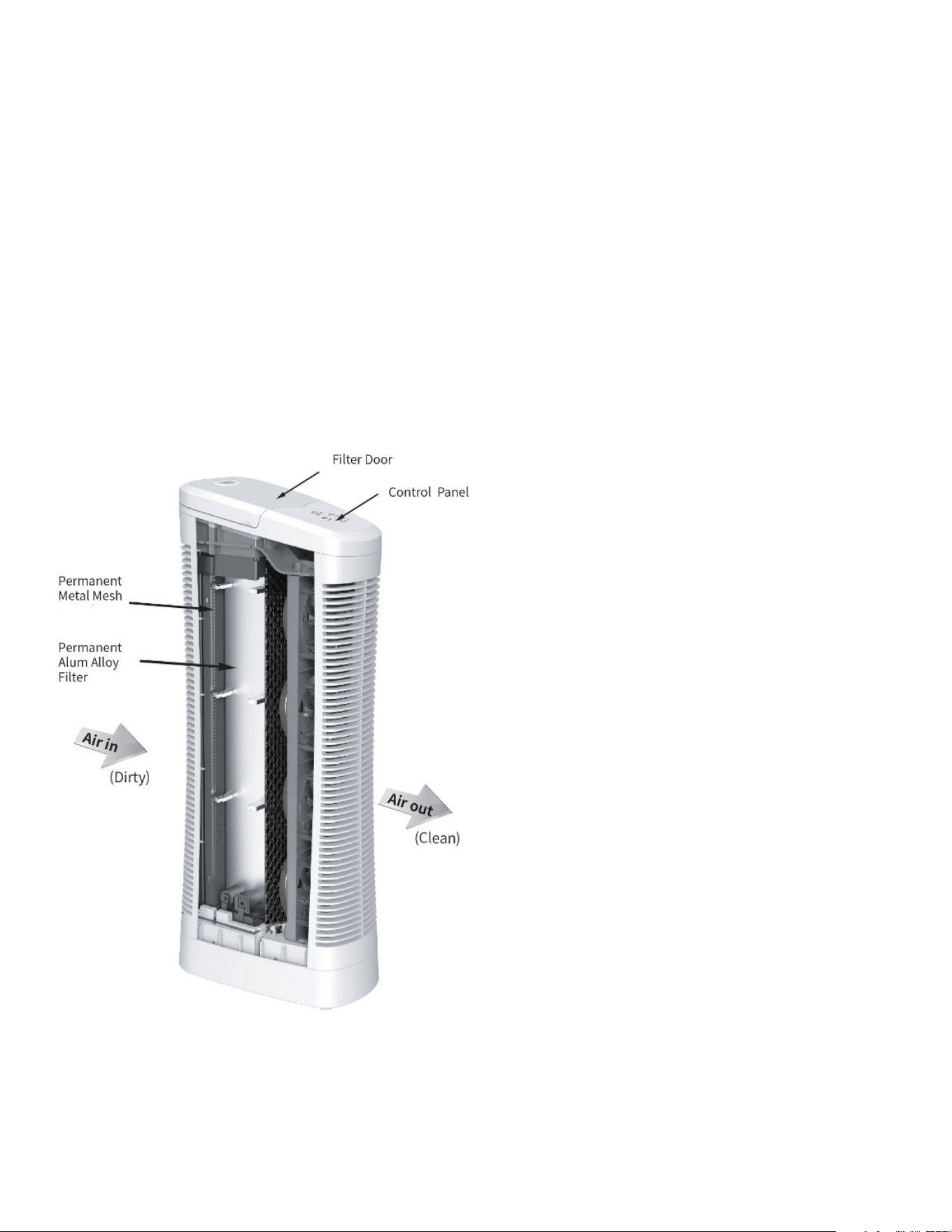
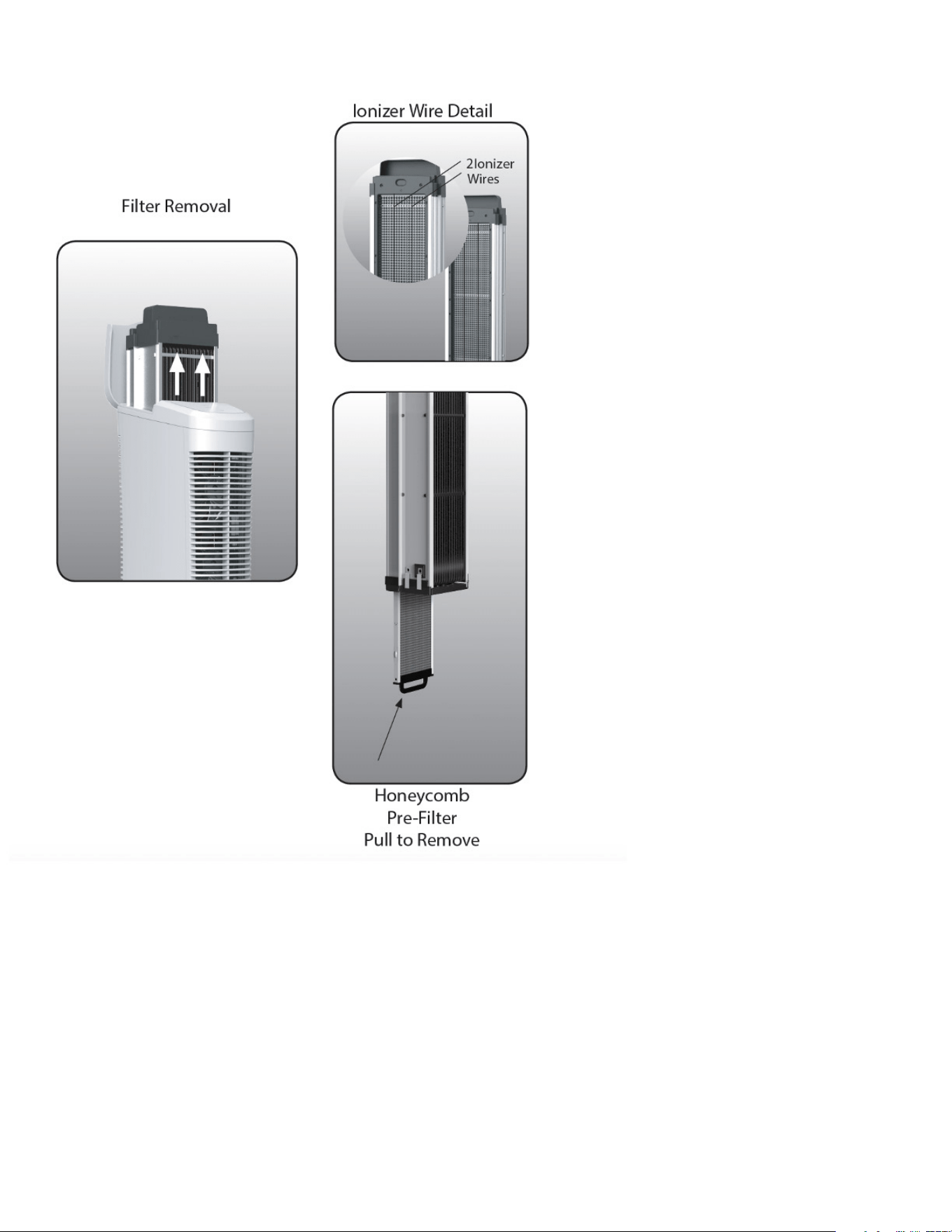
Pre-Filter
- 8 -
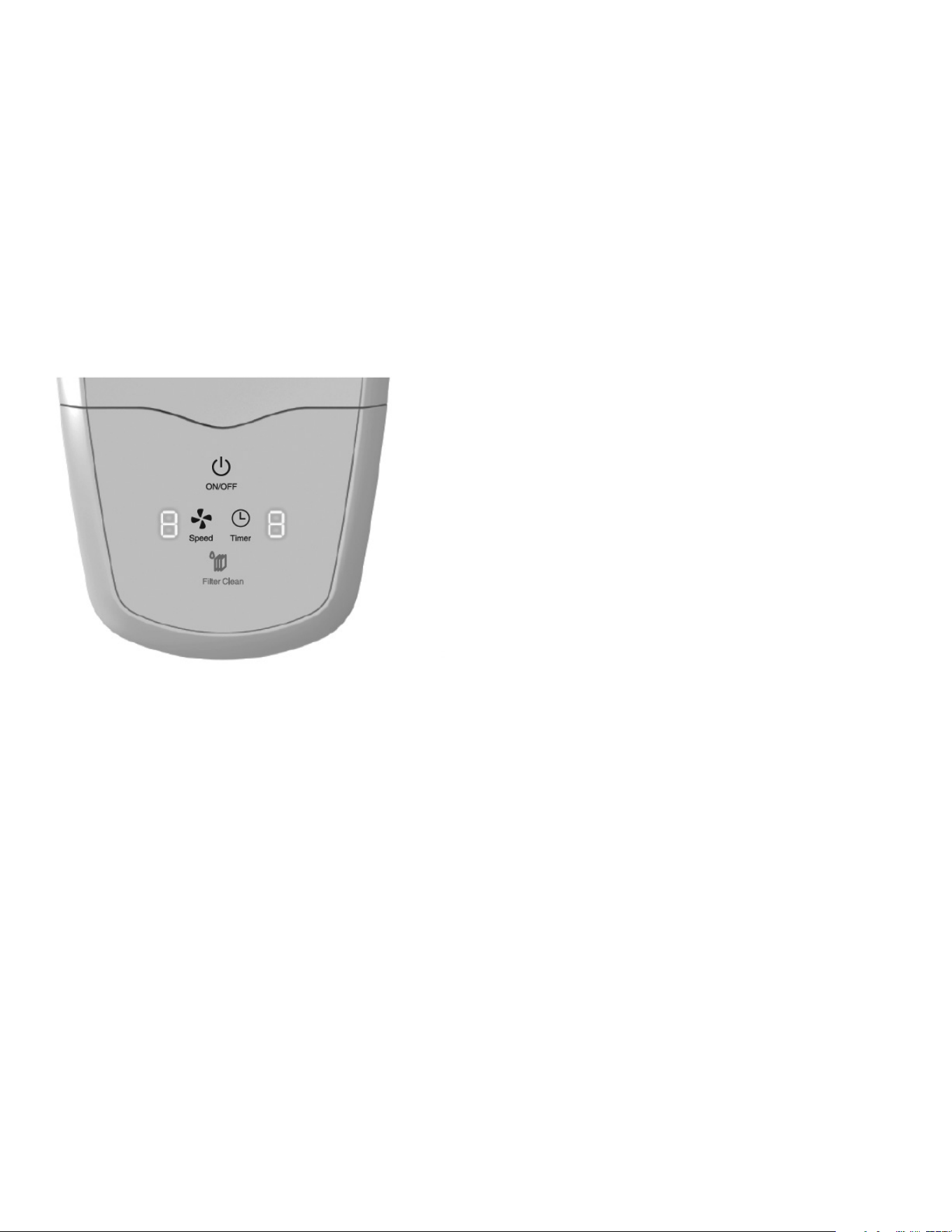
PERMANENT ALUM ALLOY FILTER ASSEMBLY
- 9 -
SET-UP AND OPERATION
Unpack the unit and make sure that any and all tape and protective wrap is removed from the unit.
IMPORTANT:
REMOVE AND DISCARD THE FOAM-PACKING BLOCK FROM UNDER THE FILTER DOOR.
Place the unit on a level floor, keeping it a minimum of 24” (60cm) away from any walls, furniture or
appliances. Position the unit so that your clean air flows toward your desired area.
IMPORTANT:
ENSURE THAT THE AIR INTAKE GRILL AND AIR EXIT GRILL ARE NOT BLOCKED.
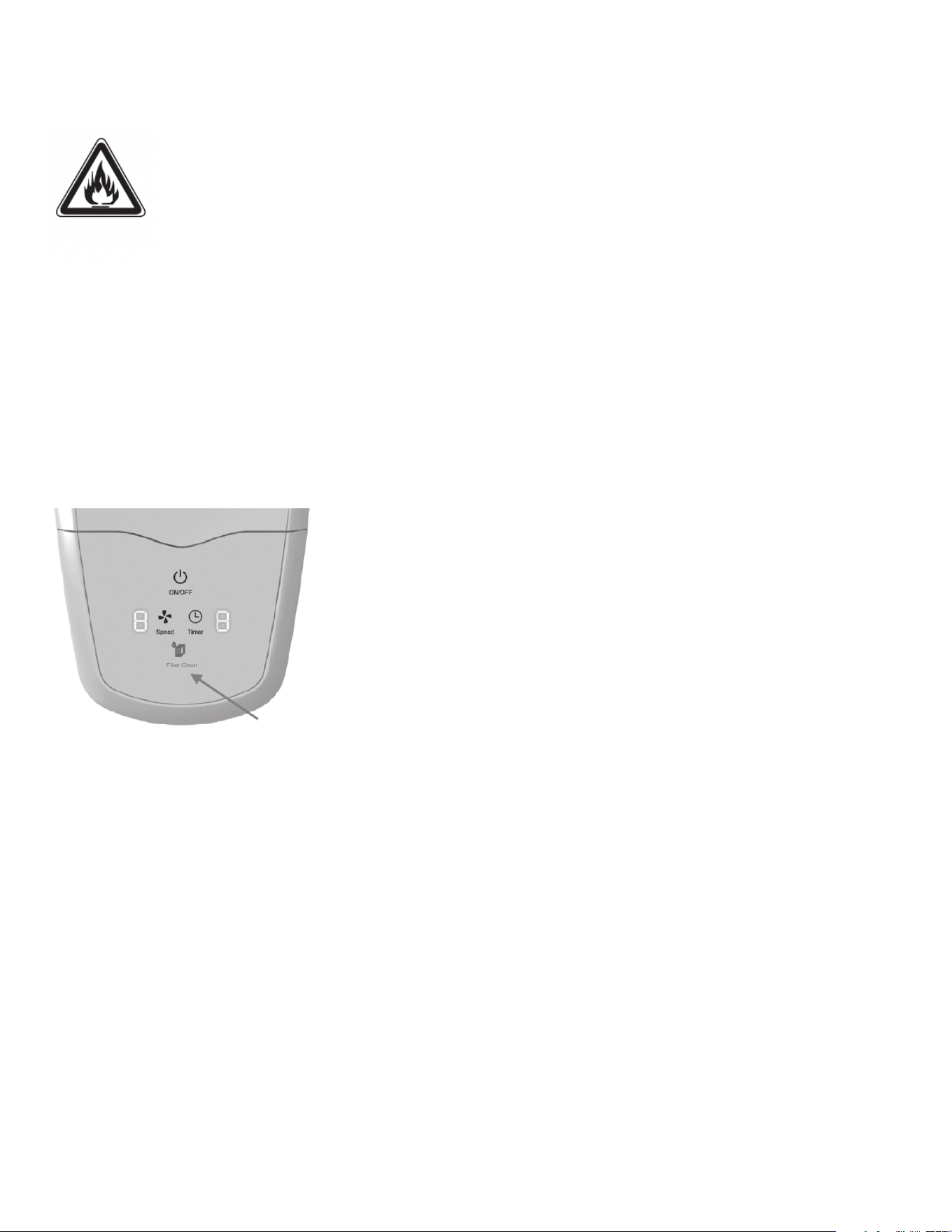
CONTROL PANEL / OPERATING THE UNIT
1. Plug the power cord into an energized electrical wall outlet.
2. Press the Power button to turn the unit on. The Power button will illuminate when on.
3. Select your desired fan speed by pressing the Speed button until you reach the ideal
speed. The Speed levels are 1 to 9.
4. Select your desired time by pressing the Timer button until you reach the ideal time. The setting
options are 1 to 9 hours.
5. Press the Power button again to turn the unit off.
6. The white LED lights on the control panel will turn off automatically after 30 seconds. They will
reappear when any button is pressed again. Note that the power icon will remain lit when the unit is
on.
- 10 -
WARNING
Be sure the plug fits snugly into the electrical outlet.
NOTE: When plugs fit loosely into receptacles, they may slip partially or completely out
of the receptacle with only slight movement of the attached cord. Receptacles in this
condition may overheat and pose a serious fire hazard. If covered by curtains or drapes,
the fire hazard is even greater.
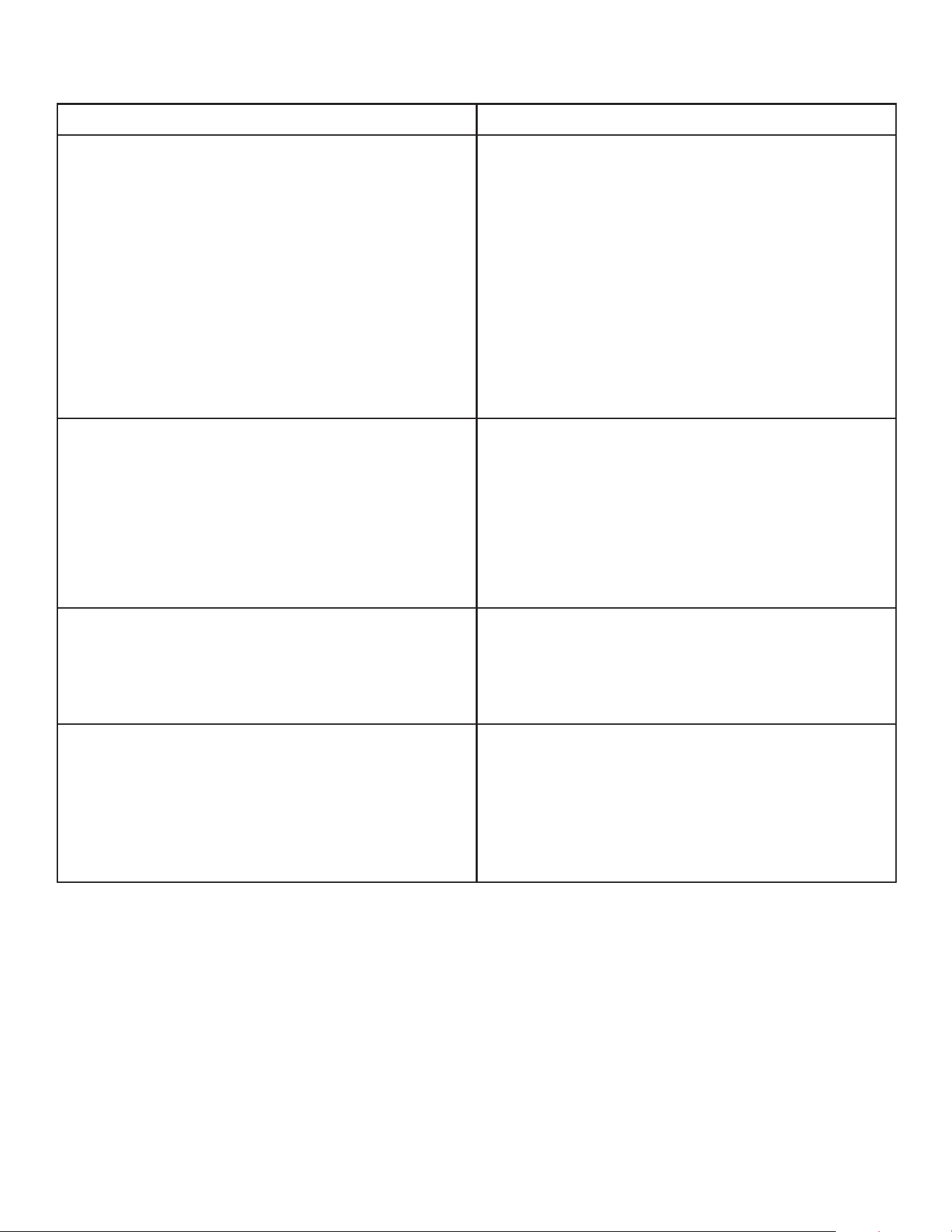
FILTER CLEANING REMINDER
The Check Filter LED Light illuminates to alert you when the Alum Alloy Filter needs to be checked for
cleaning. The light is programmed to illuminate after 90 days of use.
To extinguish the light:
• Press the Power button once to turn the unit off.
• Next, hold down the Filter Clean button for 5 seconds. You will see the Check Filter light flash for 3
seconds. The timer is now reset for 90 days.
ALUM ALLOY FILTER MAINTENANCE
CAUTION!
• The Ionizer Wire may break if pressure is applied to it. Be careful when handling or cleaning.
• NEVER insert a wet Filter into the unit. Doing so may permanently damage the electrical
components.
It may be necessary to clean the Filter more or less frequently depending on the air quality in
your environment. Your Alum Alloy Filter Assembly may be machine washed in your dishwasher or
manually in your sink. Please follow these steps to clean the Alum Alloy Filter Assembly:
1. Press the Power button to turn the unit off.
2. Unplug the unit from the receptacle outlet.
3. Open the Filter Door and remove the Alum Alloy Filter Assembly by firmly gripping the filter handle
and pulling the assembly out of the unit.

- 11 -
DISHWASHER CLEANING
Remove the Honeycomb Pre-Filter from the bottom of the Alum Alloy Filter Assembly and place
both components on the bottom rack of your dishwasher. Wash the filters as you would dishes. If
you find that the filter’s Alum Alloy Filter Plates do not get clean with one wash cycle, increase the
wash cycle time or wash the filters for a second time. Note that some phosphate-free dishwasher
detergents can cause staining to the aluminum filter-frame. Staining will not affect performance. If
in doubt, use water-only cleaning or clean in the sink. The normal dishwasher drying cycle should be
an effective drying time.
NOTE: Do not allow the dishwasher rack to bend the Alum Alloy Filter Plates or break the Ionizer Wire.
Care must be taken when positioning in the dishwasher. Your air purifier will not function properly if
the Alum Alloy Plates touch each other or the Ionizer wire breaks.
SINK CLEANING
Remove the Honeycomb Pre-Filter from the Alum Alloy Filter Assembly and place both components
in your sink. Rinse to remove large debris. Submerge both filters in warm water that contains
standard dish washing soap. Allow the filters to soak for at least 15 minutes, Drain the sink and then
rinse the filters with cold water.
NOTE: You may use a small-headed scrub brush to clean stubborn residue between the Alum Alloy
Plates or Honeycomb Pre-Filter. However, take care not to bend the Alum Alloy Plates or apply
pressure to the Ionizer Wire.
4. Allow the Alum Alloy Filter and Honeycomb Pre-Filter to dry completely before inserting them back
into the unit. They can be dried either in the dishwasher or allowed to air dry. Typically, evaporative air
drying can take 12 to 24 hours, depending on humidity and temperature.
5. Install the Honeycomb Pre-Filter back into the bottom of the Alum Alloy Filter Assembly. Don’t
worry: both ends are the same, so it can be inserted either way. Never operate the unit without the
Honeycomb Pre-Filter.
6. Insert the cleaned and dried Alum Alloy Filter Assembly back into your unit.
If you have reinstalled the Alum Alloy Filter Assembly after cleaning and drying, and hear “crackling”
after turning it on, your filter is still wet. Turn the unit off, remove the Filter Assembly and allow it to
dry longer.
- 12 -
TROUBLESHOOTING
ISSUE SOLUTION
Crackling sound is heard. 1. The Filter Assembly needs to be cleaned. Refer
to the section on Alum Alloy Filter Maintenance.
2. Filters are not completely dry after cleaning.
Remove filters from unit and let them completely
dry until the crackling stops.
3. Foreign material is caught between the Alum
Alloy Filter Plates. Turn off and unplug the unit.
Then carefully remove debris, making sure not to
bend the plates.
A hissing sound is heard. Or, cleaning
performance seems low.
After prolonged use, the unit’s Ionizer Wire
may become dirty. This may result in poor ion
generation and the possibility of a “hissing”
sound coming from the unit’s Ionizer Wire. If this
occurs, wash the Filter Assembly as described in
the section on Alum Alloy Filter Maintenance.
Unit will not turn on. Ensure that the Filter Assembly is properly
inserted and the unit is properly plugged into a
functioning wall outlet.
The ionizer wire is broken. Call SharperImage.com Customer Service for
a replacement. The unit will not operate with a
broken Ionizer Wire. Never replace the ionizer
wire with anything but approved components
supplied by SharperImage.com.

- 13 -
QUESTIONS AND ANSWERS
Q: How often should I clean the filter assembly?
A: The Check Filter LED Indicator illuminates to alert you when the Alum Alloy Filter Assembly
needs to be checked for cleaning. It may be necessary to clean the Filter Assembly more frequently
depending on the air quality in your environment.
Q: Will my air purifier interfere with computers?
A: No. This device meets FCC regulations for harmful interference with radio communications so
you may place your air purifier by your computer, audio players, etc. without causing any unusual
interference problems.
Q: Will the Alum Alloy Filter wear out over time?
A: No. The Alum Alloy Filter Assembly is made of high-quality, corrosion resistant alum alloy. Be
careful not to bend the plates. If the plates touch each other, the electrostatic filtration will be
impaired. Please note: Some phosphate-free dishwasher detergents can react with aluminum and
cause staining. It’s recommended to try water-only cleaning first if washing in the dishwasher.
WARRANTY AND CUSTOMER SERVICE
This item from SharperImage.com includes a 1-year limited replacement warranty. If you have any
questions not covered in this guide, please call our Customer Service department at 1 (877) 210-
3449. Customer Service agents are available Monday through Friday, 9:00 a.m. to 6:00 p.m. ET.
The SHARPER IMAGE® name and logo are registered trademarks.
©Sharper Image. All Rights Reserved.

