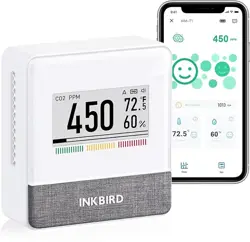
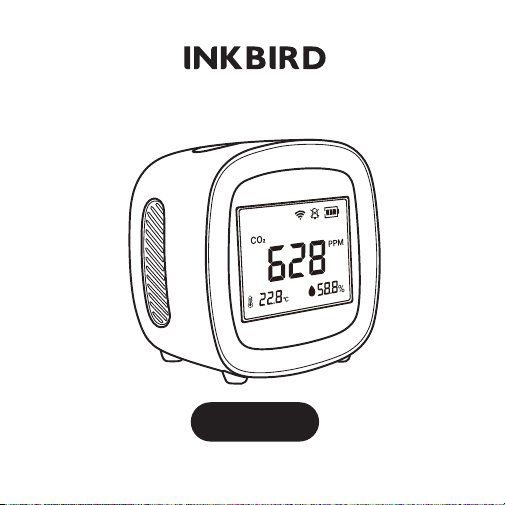
AIR QUALITY DETECTOR
MH - 068
(Basic Version / Wi-Fi Version)
1 / Specifications
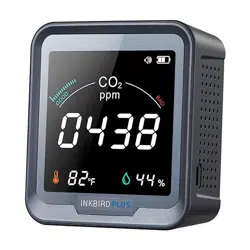
Product Name: Air Quality Detector
Model No: HM-068 Item No: IAQM-068
Detecting Items: CO
2 / Temperature / Humidity
Material: ABS/Acrylic/Electronic Components/Air Sensors
CO
2 Range: 400-5000ppm ± (50ppm + 5%)
Temperature Range: 0℃-55℃ (℃/℉ switchable)
Humidity Range: 0-99%RH
Battery: 2000mAh
Working Time: 10-15 Hours
LCD Size: 60*60mm
Type-C Power Supply: 5V/1A
Wi-Fi Supporting (Wi-Fi version only): 2.4GHz Wi-Fi
networks+Bluetooth CB3S
Size: 80*80*60mm
Weight: 200g
Working Current: 5V/500mA
Rated Power: 5W
Standby Current: < 3mA
Alarm LED Indicator: Red when CO2 ≧1000 ppm; White
when CO
2 <1000 ppm
- 1 -

2 / Precautions For Use
Product Name: Air Quality Detector
Model No: HM-068 Item No: IAQM-068
Detecting Items: CO
2 / Temperature / Humidity
Material: ABS/Acrylic/Electronic Components/Air Sensors
CO
2 Range: 400-5000ppm ± (50ppm + 5%)
Temperature Range: 0℃-55℃ (℃/℉ switchable)
Humidity Range: 0-99%RH
Battery: 2000mAh
Working Time: 10-15 Hours
LCD Size: 60*60mm
Type-C Power Supply: 5V/1A
Wi-Fi Supporting (Wi-Fi version only): 2.4GHz Wi-Fi
networks+Bluetooth CB3S
Size: 80*80*60mm
Weight: 200g
Working Current: 5V/500mA
Rated Power: 5W
Standby Current: < 3mA
Alarm LED Indicator: Red when CO2 ≧1000 ppm; White
when CO
2 <1000 ppm
1) This product should not be dipped in water, nor should
it be placed in a high-temperature environment exceeding
60℃.
2) This product belongs to a precision measuring
instrument and shall not be dismantled without
authorization.
3) It cannot be measured in the environment of organic
gas with too high a concentration for a long time.
4) Built-in lithium battery, when measuring the air quality in
the car, please do not put the carbon dioxide monitor with
a lithium battery in the sun.
- 2 -
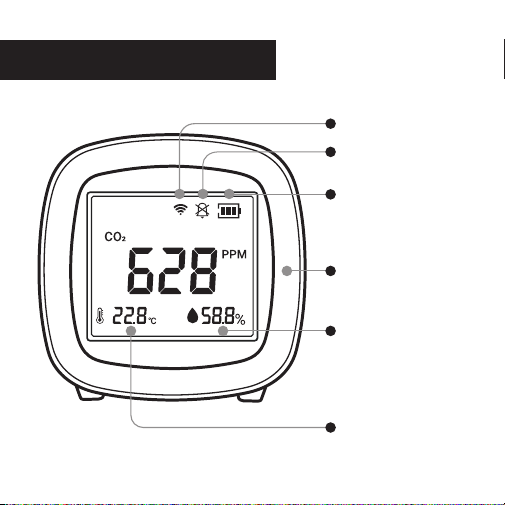
3 / Operation Instruction
Wi-Fi Connect Icon
Mute Icon
Battery Icon
Humidity
Warning LED
Temperature
(Wi-Fi version only)
- 3 -
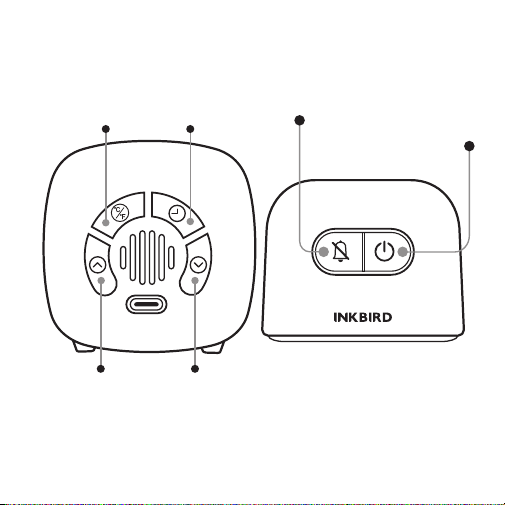
Basic Version
Power ON/OFF
Alarm/LED ON/OFF
℃/℉ Toggle Set Alarm
Value
DOWN
Button
UP
Button
- 4 -
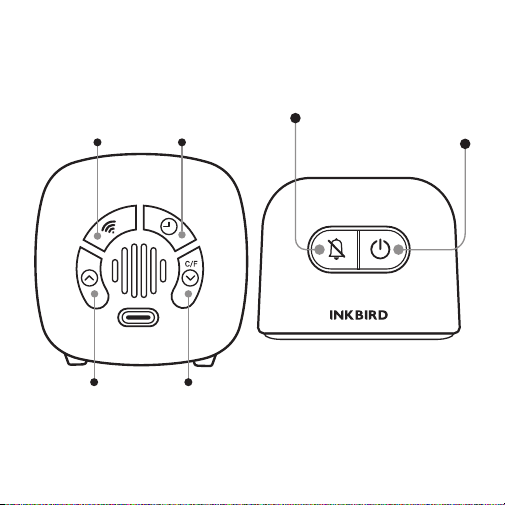
Wi-Fi Version
Power ON/OFF
Alarm/LED ON/OFF
Reset Wi-Fi
Connection
Set Alarm
Value
DOWN/℃/℉
Button
UP
Button
- 5 -
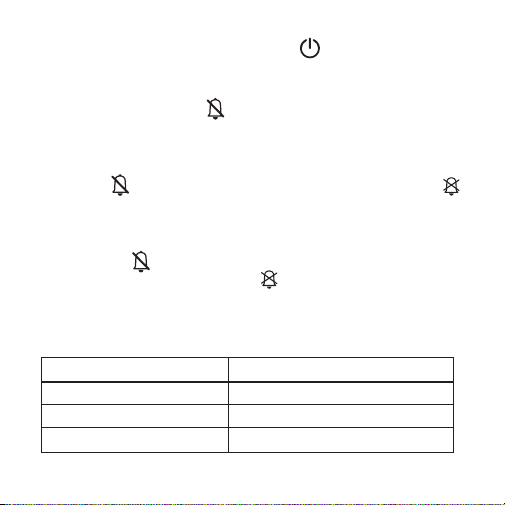
① Power ON/OFF: Press and hold the button for 3
seconds to turn the device on/off.
② Alarm Function:
After startup, press the button once to turn on the LED
light. It remains white light when the detected CO
2 concentra-
tion is below 1000 ppm, and turns red when the detected CO
2
concentration exceeds 1000 ppm.
Press the button again to enable the alarm sound. The
icon will disappear from the screen. When the detected CO
2
concentration exceeds 1000 ppm, it will sound five times
every 15 seconds.
Pressing the button for the third time can turn off the
alarm sound and LED light. The icon will reappear on the
screen.
Whether the CO2 value exceeds the standard is indicated by
the LED light, as shown in the following table:
White Light
Good
400-999ppm
No Alarm
Red Light
Bad
over 1000ppm
Alarm 5 times every 15s
- 6 -
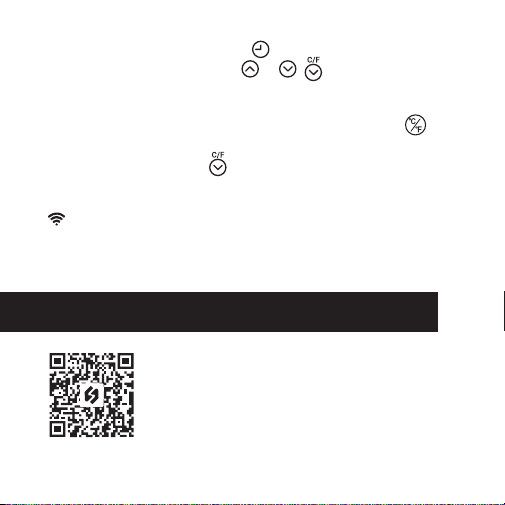
③ Set Alarm Value: Press the button to enter the alarm
value setting, then press the or ( on the Wi-Fi version)
button to adjust the CO
2 value, which can be minimally
1000ppm.
④ ℃/℉ Selection: As to the basic version, press the
button to toggle between Celsius and Fahrenheit. As to the
Wi-Fi version, press the button to select the temperature
unit.
⑤ Reset Wi-Fi Connection (For Wi-Fi Vesion ONLY): Press the
. button to disconnect the device from the APP. If you fail to
connect your device with the app, please press the button
and try again.
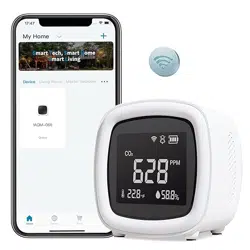
4 / App Connection (for Wi-Fi version only)
Search the keyword “INKBIRD” in App
store or Google Play, or scan the left QR
code to download and install the APP. (If
you have previously installed the app,
please update it to the latest version.)
- 7 -
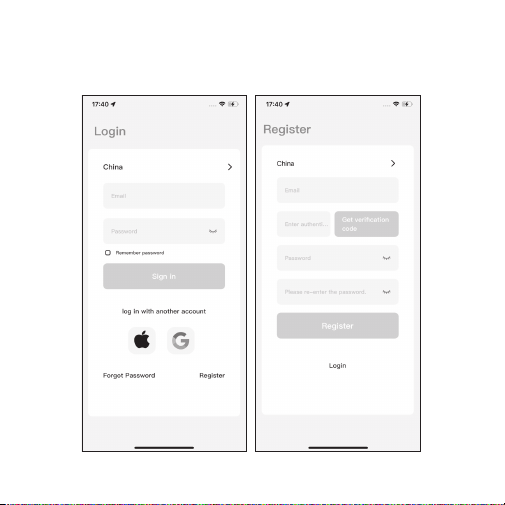
① Open the app and enter the login interface. You can log in
by your Apple ID or Google ID. You can also click Register and
use your email address as prompted to register.
- 8 -
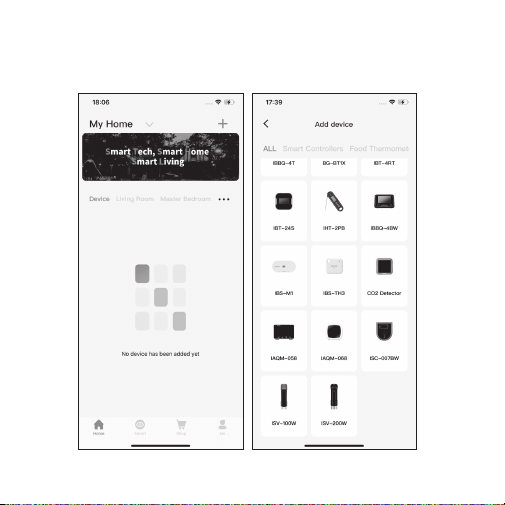
② Click the "+" in the upper right corner to add the device.
Then, click the device icon on the app to start connecting.
- 9 -
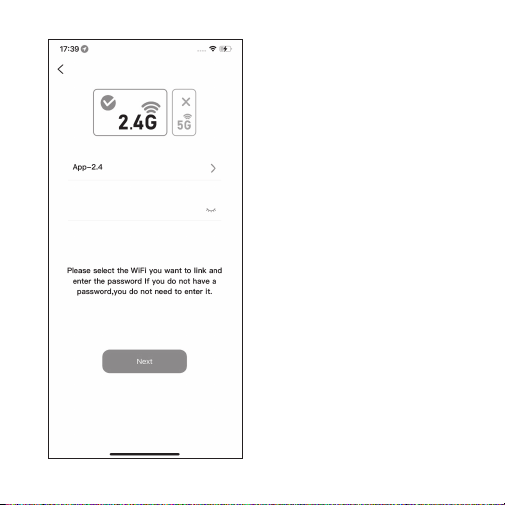
③ Choose a Wi-Fi network
and enter the password.
Then, click “Next” to the
next step. Note: The device
only supports 2.4GHz Wi-Fi
networks.
- 10 -
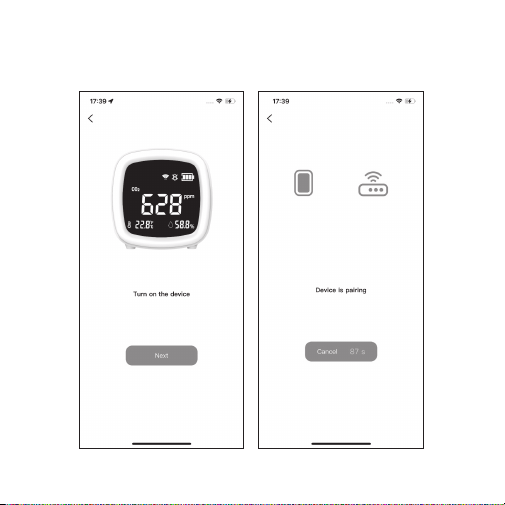
④ Make sure the device is turned on, then click “Next” to
start the connection.
- 11 -
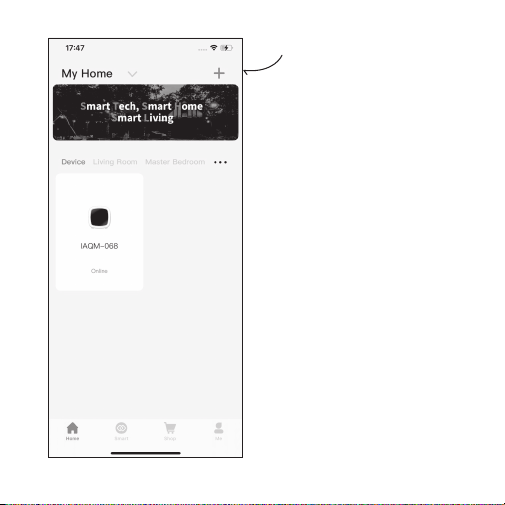
⑤ Connection Succeeded.
Notes:
1. During the connection
process, it is necessary to
ensure that the distance
between the device and the
mobile phone is within 30
meters, as Wi-Fi is a
short-distance connection.
2. During the connection
process, please ensure that
the device and the mobile
phone are in the same Wi-Fi
environment and only
support the 2.4GHz Wi-Fi
signal mode.
3. Please make sure the
Bluetooth of your phone is
turned on before connecting.
- 12 -
5 / Product Warranty
This item carries a 1-year warranty against defects in either
components or workmanship. During this period, products
that prove to be defective will, at the discretion of INKBIRD,
be either repaired or replaced without charge.
INKBIRD TECH.C.L.
Factory address: 6th Floor, Building 713, Pengji Liantang Industrial
Area, NO.2 Pengxing Road, Luohu Disctrict, Shenzhen, China
Office address: Room 1803, Guowei Building, NO.68 Guowei Road,
Xianhu Community, Liantang, Luohu District, Shenzhen, China
V 1.0