Page 1
INSTRUCTION MANUAL
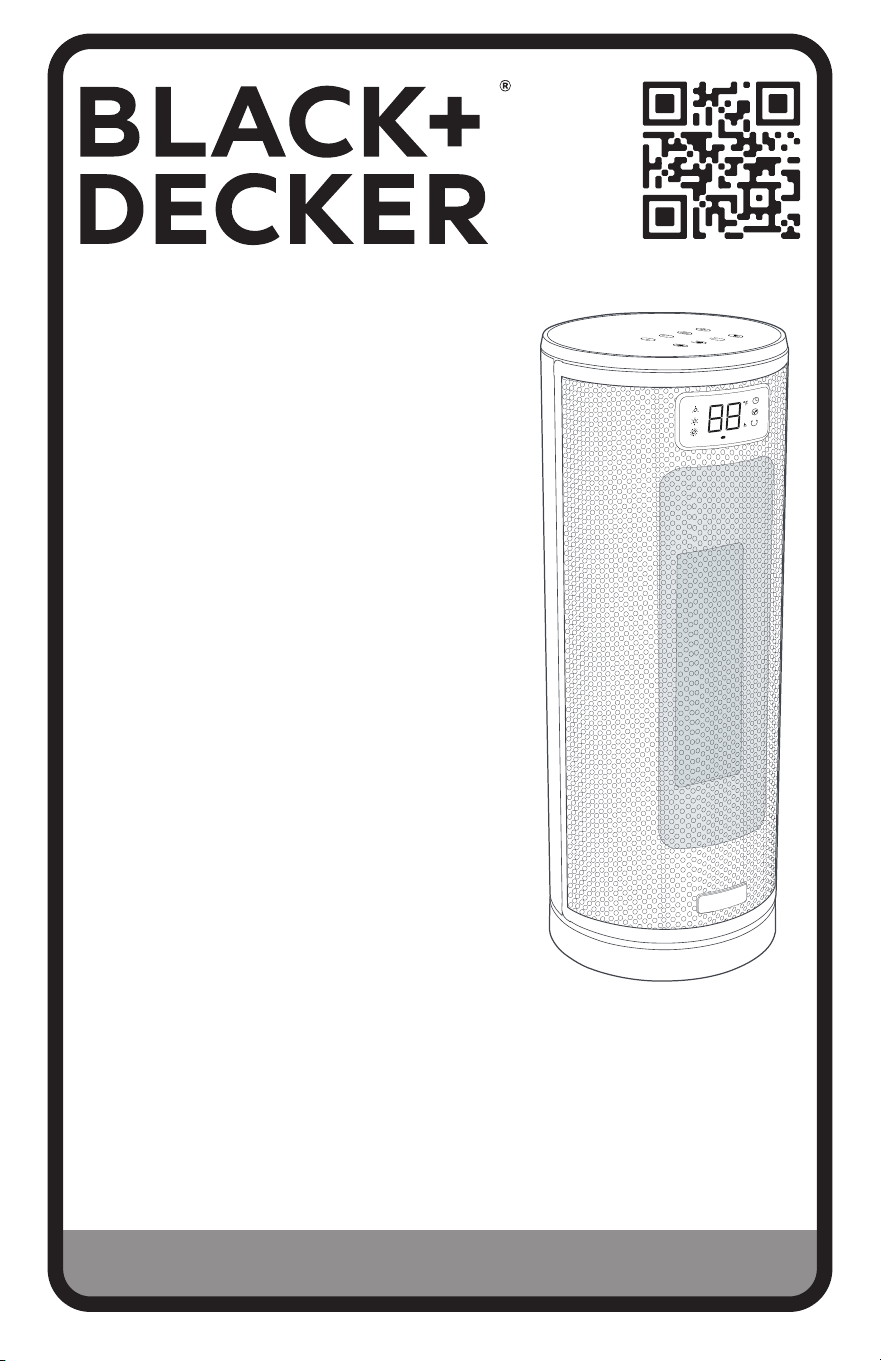
CERAMIC
TOWER HEATER
CATALOG NUMBER
BHTC209
Thank you for choosing BLACK+DECKER!
PLEASE READ BEFORE RETURNING THIS PRODUCT FOR ANY
REASON.
If you have a question or experience a problem with your BLACK+DECKER
purchase, go to www.blackanddecker.com/instantanswers
If you can’t find the answer or do not have access to the Internet, call
844-299-0879 from 10:30 a.m. to 6:30 p.m. EST Mon. - Fri. to speak with an
agent. Please have the catalog number available when you call.
SAVE THIS MANUAL FOR FUTURE REFERENCE.

Page 2Page 2

Page 3
Thank you for purchasing our
BLACK+DECKER product. This
easy-to-use manual will guide you
in getting the best use of your
heater.
Remember to record the model and
serial numbers. They are on a label
on the rear.
Staple your receipt to your manual.
You will need it to obtain warranty service.
Model number
Serial number
Date of purchase
PRODUCT REGISTRATION
CONTENTS
SAFETY INFORMATION
Important Safety Instructions ......................................................................................................................................... 4-6
Electrical Requirements ..........................................................................................................................................................5
Overheat Safety Feature ........................................................................................................................................................ 6
Tip-Over Safety Feature ......................................................................................................................................................... 6
Battery Information .................................................................................................................................................................. 7
SET UP & USE
Parts & Features ......................................................................................................................................................................... 8
Operating Instructions ......................................................................................................................................................9-10
Care & Cleaning ..........................................................................................................................................................................11
TROUBLESHOOTING & WARRANTY
Troubleshooting.........................................................................................................................................................................12
Limited Warranty ......................................................................................................................................................................13
Page 3
Page 4
SAFETY INFORMATION
IMPORTANT SAFETY INSTRUCTIONS
When using electrical appliances, basic precautions should always be
followed to reduce the risk of fire, electric shock, and injury to persons,
including the following:
1. Read all instructions before using this heater.
2. This heater is hot when in use. To avoid burns, do not let bare skin touch
hot surfaces. If provided, use handles when moving this heater. Keep
combustible materials, such as furniture, pillows, bedding, papers, clothes,
and curtains at least 3 feet (0.9m) from the front of the heater and keep
them away from the sides and rear.
3. This appliance is not intended for use by persons (including children) with
reduced physical sensory or mental capabilities or lack of experience
& knowledge, unless they have been given supervision or instruction
concerning use of the appliance by a person responsible for their safety.
4. Always unplug heater when not in use.
5. Do not operate any heater with a damaged cord or plug or after the heater
malfunctions, has been dropped or damaged in any manner. Discard heater
or return heater to authorized service facility for examination, electrical or
mechanical adjustment, or repair.
6. Do not use outdoors.
7. This heater is not intended for use in bathrooms, laundry areas and similar
indoor locations. Never locate heater where it may fall into bathtub or other
water container.
8. Do not run cord under carpeting. Do not cover cord with throw rugs,
runners, or similar coverings. Do not route cord under furniture or
appliances. Arrange cord away from trac area and where it will not be
tripped over.
9. To disconnect heater, first turn controls to o, then remove plug from
outlet.
10. Do not insert or allow foreign objects to enter any ventilation or exhaust
opening as this may cause an electric shock or fire, or damage the heater.
11. To prevent a possible fire, do not block air intakes or exhaust in any manner.
Do not use on soft surfaces, like a bed, where openings may become
blocked.
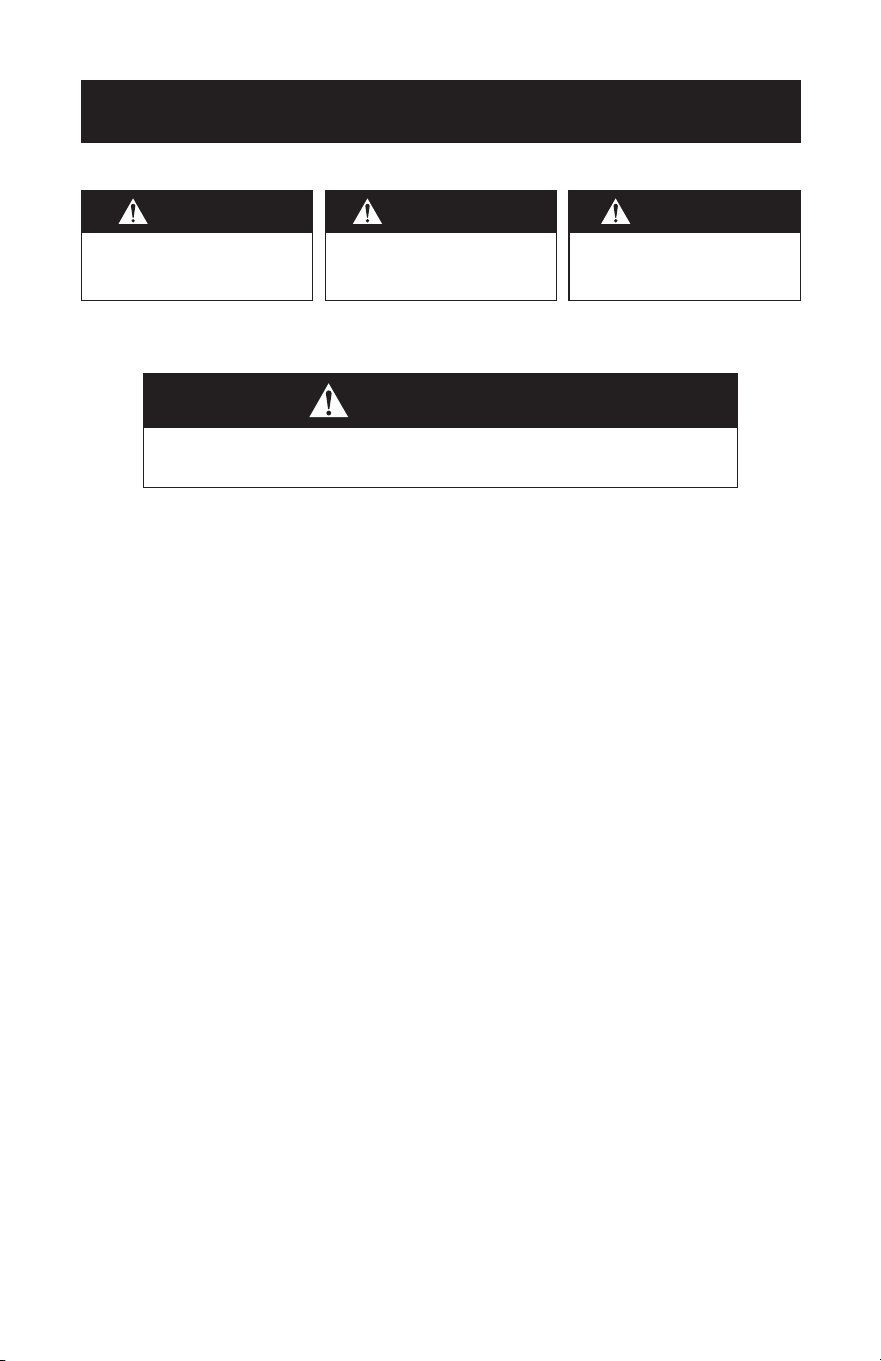
WARNING
When using electrical appliances, basic safety precautions
should be followed, including the following
DANGER
DANGER - Immediate hazards
which WILL result in severe
personal injury or death
WARNING
WARNING - Hazards or unsafe
practices which COULD result in
severe personal injury or death
CAUTION
CAUTION - Hazards or unsafe
practices which COULD result in
minor personal injury

Page 5
12. A heater has hot and arcing or sparking parts inside. Do not use it in the
areas where gasoline, paint, or flammable liquids are used or stored.
13. Use this heater only as described in this manual. Any other use not
recommended by the manufacturer may cause fire, electric shock, or injury
to persons.
14. Never use with an extension cord or relocatable power tap (outlet/power
strip).
15. This heater draws 12.5 amps during operation. To prevent overloading
a circuit, do not plug the heater into a circuit that already has other
appliances working.
16. The output of this heater may vary and its temperature may become
intense enough to burn exposed skin. Use of this heater is not
recommended for persons with reduced sensitivity to heat or an inability
to react to avoid burns.
17. Don’t leave the heater on unattended.
18. To prevent a possible fire. Do not block air intakes or exhaust in any
manner. Do not use on soft surfaces, like a bed, where openings may
become blocked.
19. Hyperthermia can result in death, Symptoms of hyperthermia include
high body temperature, headache, nausea, vomiting, tiredness, dizziness,
fainting, and rapid pulse. If you begin to experience symptoms related to
hyperthermia, turn o the heater and seek medical attention.
20. To avoid excessive room temperatures which can cause hyperthermia:
DO NOT leave product running unattended in a confined space
around infants, or individuals with reduced physical, sensory, or mental
capabilities.
CAUTION: TO PREVENT ELECTRIC SHOCK, MATCH WIDE BLADE OF
PLUG TO WIDE SLOT AND FULLY INSERT.
SAVE THESE INSTRUCTIONS
HOUSEHOLD USE ONLY
SAFETY INFORMATION
ELECTRICAL REQUIREMENTS
This appliance has a polarized plug (one blade is wider than the other). To reduce the
risk of electric shock, this plug is intended to fit into a polarized outlet only one way.
WARNING: If the plug does not fit into the outlet, reverse the plug. If it still does not
fit, contact a qualified electrician. Do not attempt to modify the plug in
any way.
NOTE: Neither BLACK+DECKER nor the dealer can accept any liability for damage to
the product or personal injury resulting from failure to observe the electrical
connection procedures.
WARNING: To reduce the risk of electric shock, do not use with an extension cord.
WARNING – RISK OF FIRE
It is important the plug fits tightly into the wall outlet.
If the plug does not fit securely and appears loose, it should not be used.
Have a licensed electrician replace the receptacle.
Page 6
OVERHEAT SAFETY FEATURE
This heater is equipped with an overheat safety feature. When the heater’s
internal components reach a certain temperature that could cause overheating
and possible fire, the heater will automatically shut o. If this should occur,
please contact our Customer Satisfaction Center at 844-299-0879.
TIP-OVER SAFETY FEATURE
This heater is equipped with a tip-over safety feature. Once the heater is tipped
over, an internal switch will automatically shut the heater o. Once the heater is
restored to an upright position, the heater will reset. To continue operation, turn
heater back on.
WARNING
It is normal for the power cord to feel warm to the touch; however, a
loose fit between the outlet and the plug may cause overheating of
the plug. If this occurs, try inserting the plug into a dierent outlet.
Contact a qualified electrician to inspect the original outlet for
damage.
CAUTION
Always plug heaters directly into a wall outlet/receptacle.
Never use with an extension cord or relocatable power tap
(outlet/power strip).
SAFETY INFORMATION
AUTO SHUT-OFF
After 24 hours of continuous use, the heater will beep continuously, shut o, and
enter standby mode. To continue operation, press ON/OFF.
Page 7
SAFETY INFORMATION
Page 8
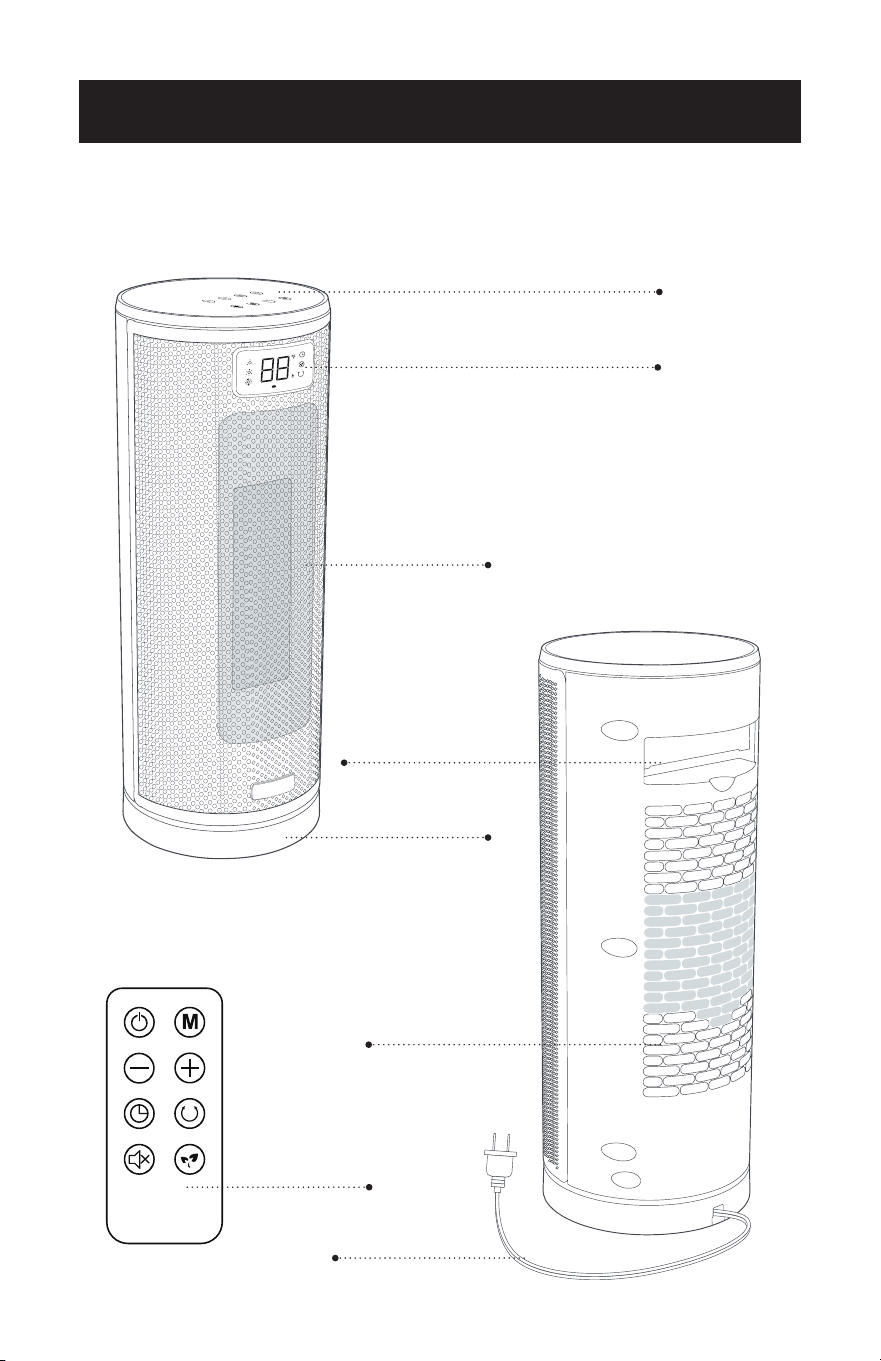
PARTS & FEATURES
Control Panel
LED Display
Air Outlet
Base
Remote Holder/Handle
Air Inlet
Power Cord
Remote Control
SET UP & USE
Page 9
SET UP & USE
OPERATING INSTRUCTIONS
Place the heater on a firm, level surface and plug the unit directly into a 120V AC
electrical outlet.
NOTE: Only operate heater in upright position. When the heater is plugged in, it will
be in standby mode.
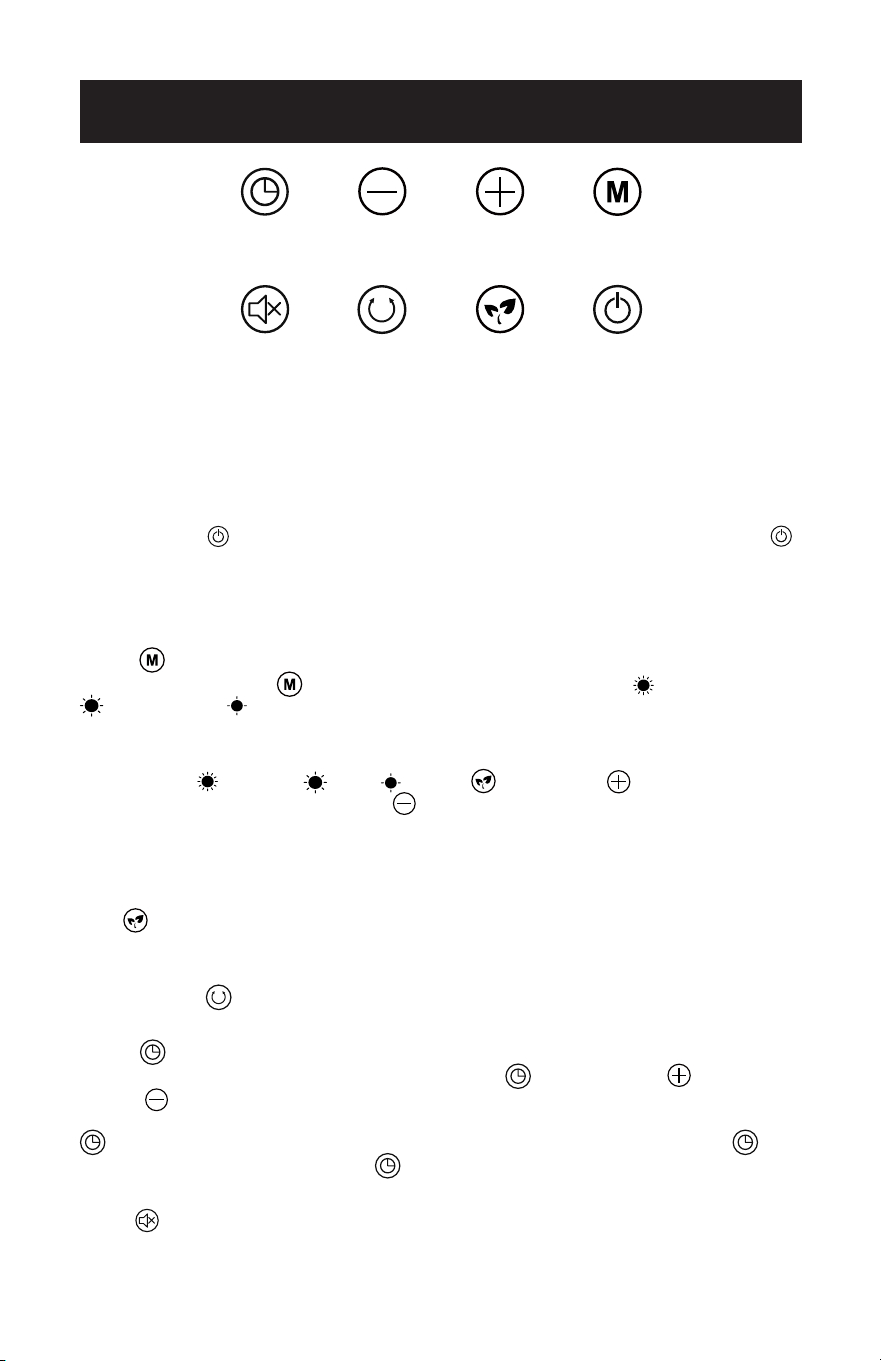
Press ON/OFF to turn on the heater. It will operate in High heat. Press ON/OFF
again to turn o the heater at any time.
NOTE: If the heater has been running on Low Heat, Medium Heat, High Heat or ECO
mode, when powering OFF, the display will count down for 15 seconds while
the heater cools down.
M
ODE
Press the mode button repeatedly to scroll through High Heat , Medium Heat
and Low heat settings. The corresponding symbol will illuminate on the digital
display.
Setting to Temperature Levels 41-95 °F
In either High
, Medium , Low or ECO mode, press to increase
the set temperature by 1°F and press to decrease the set temperature by 1°F
increments each time you press until the selected temperature is reached. The
selected temperature will blink on the digital display. The blinking stops once the set
temperature is reached.
ECO
- ECO mode automatically adjusts power output based on the selected
temperature and room temperature, maximizing comfort while using lower wattage
settings to save energy.
OSCILLATION
- Pressing this button will activate the oscillating air flow. Press
again to shut o this function.
TIMER
Automatically shuts the unit OFF. Press the TIMER and use the UP and
DOWN
buttons to set an amount of time within 12 hours for the unit to shut o.
The selected amount of time in hours, will flash on the digital display. The TIMER
indicator light will be illuminated when it is activated. To cancel the TIMER
settings, press and hold the TIMER button for 2 seconds, change the setting to 0
hours, or shut o the unit.
MUTE
Press to mute the beep sounds when operating the control panel or the remote.
Timer
Mute Oscillation Eco ON/OFF
Temperature and
time decrease (-)
Temperature and
time increase (+)
Mode
Page 10
SET UP & USE
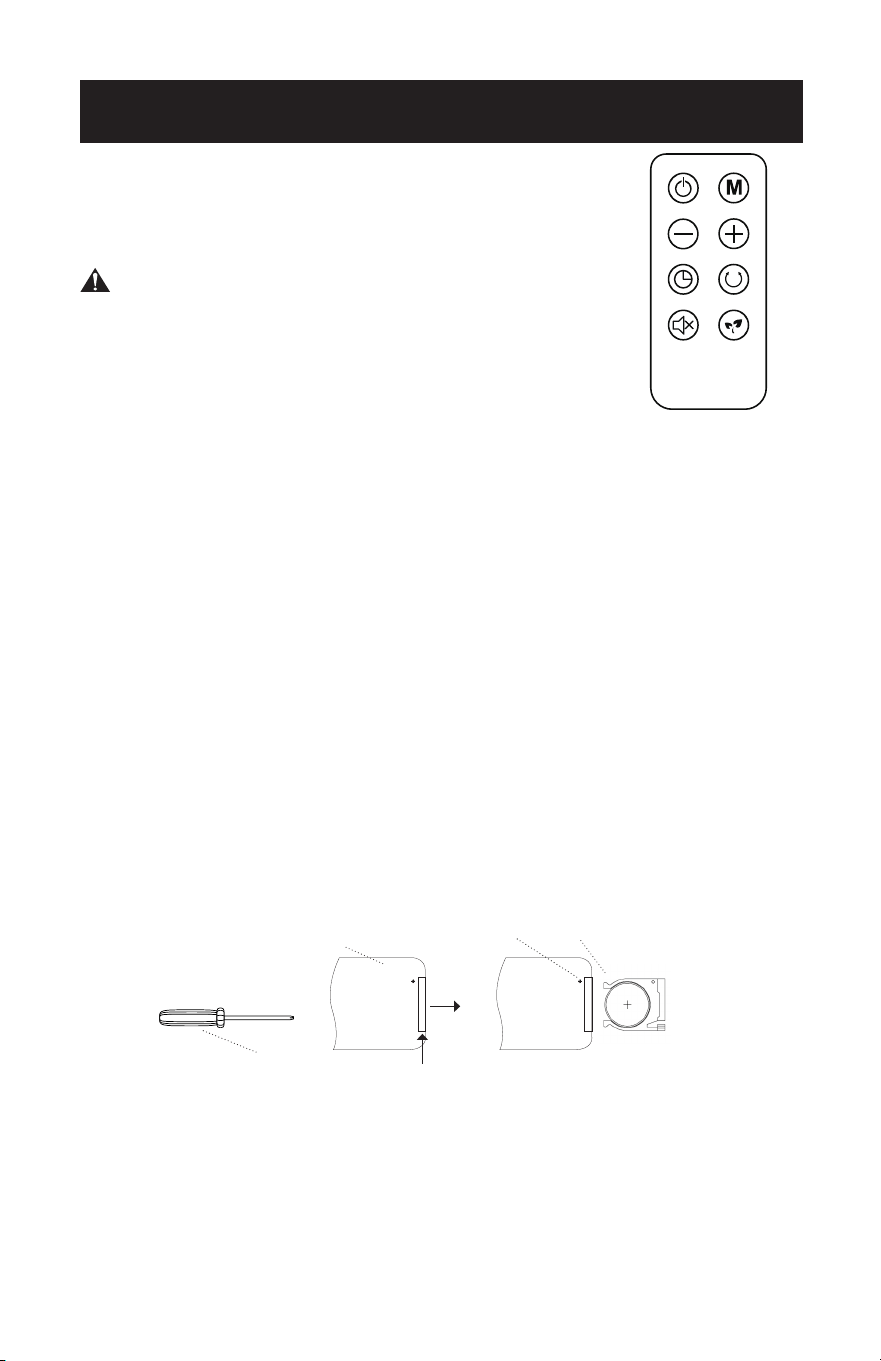
REMOTE CONTROL:
All functions of the heater can be controlled by the remote,
using the same method. One CR 2025 3V battery is needed
(Battery not included).
WARNING:
• Danger of explosion if battery is incorrectly replaced.
• DO NOT INGEST BATTERY; CHEMICAL BURN HAZARD
• This product contains a coin/button cell battery. If the
coin/button cell battery is swallowed, it can cause severe
internal burns in just 2 hours and can lead to death.
National Battery Ingestion Hotline (800)–498-8666.
• Keep new and used batteries away from children. If the battery compartment does
not close securely, stop using the product and keep it away from children.
• If you think batteries might have been swallowed or placed inside any part of the
body seek immediate medical attention.
• If the coin cell battery contents come into contact with the skin, immediately wash
area with mild soap and water. If coin cell battery liquid gets into the eye, rinse
water over the open eye for 15 minutes or until irritation ceases. If medical attention
is needed, the battery electrolyte is composed of an organic solvent and lithium
salts.
• Do not incinerate or dispose of tool together with household waste material! Tool
that has reached the end of its life must be collected separately and returned to an
environmentally compatible recycling facility.
Installing the Battery:
1. Using a small Phillips Head screwdriver, remove the screw by turning counter-clockwise
until it releases from the remote.
2. Push the button at the base of the battery cover to release the cover. Pull out the
battery cover as shown in the diagram.
3. Insert the battery making sure the “+” side is facing up.
4. Once the battery is installed, push the battery cover closed.
5. Again, using the small Phillips Head screwdriver, add the screw back by turning
clockwise until it is locked in place.
PUSH
Battery
Remote Control Battery Cover
PULL
Phillips Head screwdriver
Screw

Page 11
MAINTENANCE
CAUTION: DO NOT let liquid enter the heater. DO NOT use alcohol, gasoline,
abrasive powders, furniture polish, or rough brushes to clean the
heater. This may cause damage or deterioration to the surface of the
heater.
1. Turn power o before cleaning.
2. Unplug the unit and let it cool completely.
3. To keep the heater clean, the outer shell may be cleaned with a soft, damp cloth.
You may use a mild detergent if necessary. After cleaning, dry the unit with a soft
cloth.
4. DO NOT immerse the heater in water.
5. Wait until the unit is completely dry before use.
STORAGE
Store the heater in a cool, dry location when not in use. To prevent dust and dirt
build-up, use the original packaging to repack the unit.
CARE & CLEANING

Page 12
TROUBLESHOOTING & WARRANTY
BEFORE YOU CALL FOR SERVICE
IF THE HEATER FAILS TO OPERATE:
A) Check to make sure that the heater is plugged in securely. If it is not, remove
the plug from the outlet, wait 10 seconds and plug it in again securely.
B) Check for a blown circuit fuse or a tripped main circuit breaker. If these seem
to be operating properly, test the outlet with another appliance.
C) Check if electricity to the main power switch in the back of the unit appears
to be working.
D) Make sure the heater is in the upright position.
NOTE: For the heater to function properly, the desired temperature on the heater
must be set a few degrees higher than the temperature in the room. If the
unit seems to not be heating properly, increase the desired temperature
on the heater to fully engage the heating elements.
IF NONE OF THE ABOVE SOLVES THE PROBLEM, CONTACT A QUALIFIED
TECHNICIAN. DO NOT TRY TO ADJUST OR REPAIR THE HEATER/FAN
YOURSELF.
CUSTOMER SERVICE
IMPORTANT
DO NOT RETURN THIS PRODUCT TO THE STORE
If you have a problem with this product, please contact the
BLACK+DECKER Customer Satisfaction Center at
844-299-0879 or service@appliance.com
DATED PROOF OF PURCHASE, MODEL # AND SERIAL #
REQUIRED FOR WARRANTY SERVICE

Page 13
TROUBLESHOOTING & WARRANTY
LIMITED WARRANTY
Any repair, replacement, or warranty service,
and all questions about this product should be
directed to W Appliance Co. at 844-299-0879
from the USA or Puerto Rico.
W Appliance Co. warrants to the original purchaser
that the product will be free from defects in material,
parts and workmanship for the period designated for
this product. The warranty commences the day the
product is purchased and covers up to a period of 1
year (12 months) for labor/1 year (12 months) for parts
(manufacturing defects only).
W Appliance Co. agrees that it will, at its option,
replace the defective product with either a new
or remanufactured unit equivalent to your original
purchase during the warranty period.
Exclusions: This warranty does not apply if any of the
following conditions exist:
1. The appearance or exterior of the product has been
damaged or defaced, or altered or modified in either
design or construction.
2. The product’s original serial number has been
altered or removed, or cannot be readily
determined.
3. Damage is due to a power line surge, or connection
to an improper voltage source.
4. Damage is due to general misuse, accidents, or acts
of God.
5. Repair attempts were made by unauthorized service
providers; parts other than genuine parts were used;
or parts were obtained from unauthorized service
companies.
6. The product was transferred from the original
owner.
7. The product was purchased as refurbished, like new,
or second-hand, or with “As-Is” or “Final Sale” terms.
8. The product was used in a commercial or rental
setting.
9. The product was used in settings other than
ordinary households, or used other than in
accordance with the provided instructions.
10. Damage is due to improper installation.
The following costs are not covered under this
warranty:
1. Transportation and shipping costs associated with
the replacement of the unit.
2. Service calls to instruct you how to use your
product.
3. Service calls to repair or replace the house fuse,
reset a circuit breaker, or correct the wiring in the
house.
4. Service calls required due to improper installation.
REPAIR OR REPLACEMENT AS PROVIDED UNDER
THIS WARRANTY IS THE EXCLUSIVE REMEDY OF
THE CUSTOMER; W Appliance Co. SHALL NOT BE
LIABLE FOR ANY INCIDENTAL OR CONSEQUENTIAL
DAMAGES FOR BREACH OF ANY EXPRESS OR
IMPLIED WARRANTY ON THIS PRODUCT, EXCEPT
TO THE EXTENT PROHIBITED BY APPLICABLE LAW.
ANY IMPLIED WARRANTY OF MERCHANTABILITY
OF FITNESS FOR A PARTICULAR PURPOSE ON THIS
PRODUCT IS LIMITED TO THE DURATION OF THE
WARRANTY.
Some states do not allow the exclusion or limitations
of incidental or consequential damages, or limitations
on how long the warranty lasts. In these cases the
above exclusions or limitations may not apply to you.
This warranty gives you specific legal rights and you
may also have other rights which vary from state to
state.
Obtaining Service: To obtain service, product
literature, supplies or accessories please call
844-299-0879 to create a ticket for exchange/repair.
Please make sure to provide the date of purchase,
model number and a brief description of the problem.
Our customer service representative will contact you
or send detailed return instructions.
W Appliance Co. does not warrant that the appliance will work
properly in all environmental conditions, and makes no warranty
and representation, either implied or expressed, with respect
to the quality, performance, merchantability, or fitness for a
particular purpose other than the purpose identified within this
user’s manual. W Appliance Co. has made every eort to ensure
that this user’s manual is accurate and disclaims liability for any
inaccuracies or omissions that may have occurred. Information in
this user’s manual is subject to change without notice and does
not represent a commitment on the part of W Appliance Co.. W
Appliance Co. reserves the right to make improvements to this
user’s manual and/or to the products described in this user’s
manual at any time without notice. If you find information in this
manual that is incorrect, misleading, or incomplete, please contact
us at 844-299-0879.
W Appliance Co.
1356 Broadway
New York, NY 10018

BLACK & DECKER, BLACK+DECKER, the BLACK & DECKER and
BLACK+DECKER logos and product names are trademarks of The Black &
Decker Corporation, used under license. All rights reserved.
Product in this box may differ slightly from that pictured. Does not affect
function. Not all accessories shown in photography are included in this
package.
Imported by W Appliance, Inc., 1356 Broadway, New York, NY 10018
BLACK & DECKER, BLACK+DECKER, les logos et noms de produits BLACK &
DECKER et BLACK+DECKER sont des marques commerciales de The Black &
Decker Corporation, utilisées sous licence. Tous droits réservés.
Le produit dans cette boîte peut différer légèrement de celui illustré. N’affecte
pas la fonction. Tous les accessoires montrés sur la photographie ne sont pas
inclus dans ce package.
Importé par W Appliance, Inc., 1356 Broadway, New York, NY 10018
BLACK & DECKER, BLACK+DECKER, los logotipos y nombres de productos de
BLACK & DECKER y BLACK+DECKER son marcas comerciales de The Black &
Decker Corporation, utilizadas bajo licencia. Reservados todos los derechos.
El producto de esta caja puede diferir ligeramente del que se muestra en la
imagen. No afecta la función. No todos los accesorios que se muestran en la
fotografía están incluidos en este paquete.
Importado por W Appliance, Inc., 1356 Broadway, Nueva York, NY 10018
July 2024
Printed in China / Imprimé en chine / Impreso en China