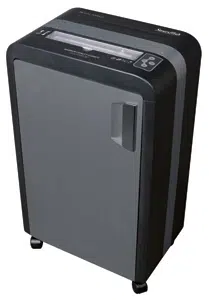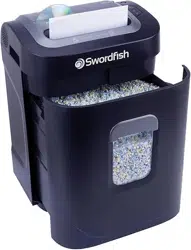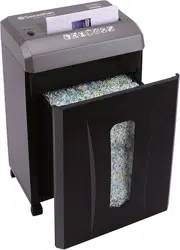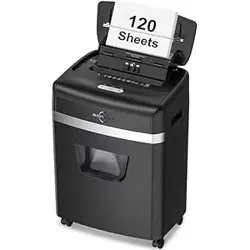
COMMERCIAL
SHREDDER
SERIES


1
GoECOlife.co.uk
Contents
Welcome/Green Features ..................................................2
Innovative Features
..........................................................3
GoECOlife™ Commercial Shredder Series
(Features, Warranty & Technical Specifications)
I. 12-Sheet Micro-Cut (GMC120D) ..............................4
II. 16-Sheet Cross-Cut (GXC160T) ................................5
III. 18-Sheet Cross-Cut (GXC180T) ................................6
IV. 20-Sheet Cross-Cut (GXC200T) ................................7
V. 30-Sheet Strip-Cut (GSC3020T) ................................8
VI. 16-Sheet Cross-Cut (GXC1620T) ..............................9
Shredder Diagram...........................................................
10
VoiceAssist™ & InfoCenter™ Features ........................... 11
Bin Full Indicator & Control Panel Features ................... 11
GoECOlife™ Commercial Shredder Series
Quick View
........................................................... 12 - 13
Warnings ......................................................................... 14
Installation ...................................................................... 15
Safety Instructions .......................................................... 15
Operation................................................................... 16 - 20
Warranty ......................................................................... 21
Return Instructions ......................................................... 21
Registration & Contact Info ............................................. 21
GoECOlife™ Commercial Shredder Accessories
Lubricant Sheets
.................................................. 23
2
GoECOlife.co.uk
Welcome / Green Features
Thank you for choosing the green option in paper shredding. While
meeting the increasing needs in document shredding and security,
our GoECOlife™ Commercial Shredder series were made with
environmental issues in mind.
Carbon
Free
® Certified
This product is carbon neutral. It meets
Carbonfund.org’s Carbon
Free
® Product Certification
protocol which requires third-party life cycle assessment
of the product’s carbon footprint, and carbon reductions
in support of third-party validated renewable energy
and reforestation projects. To learn more, visit www.
carbonfund.org/products.
Energy-Saving Technology
Prevents power drain (phantom load) when your
shredder is not in use. Save energy! Save money!
RoHS Compliant
(Restriction of Hazardous Substances)
Made with materials that meet RoHS standards
that restrict the use of hazardous substances such as
lead, mercury and other heavy metals.
Green Packaging
Recycled (or partially recycled) and biodegradable
materials were used for packaging and printed
materials. No styrofoam, plastic tape or plastic bags
were used to package this product.
RoHS
3
GoECOlife.co.uk
Innovative Features
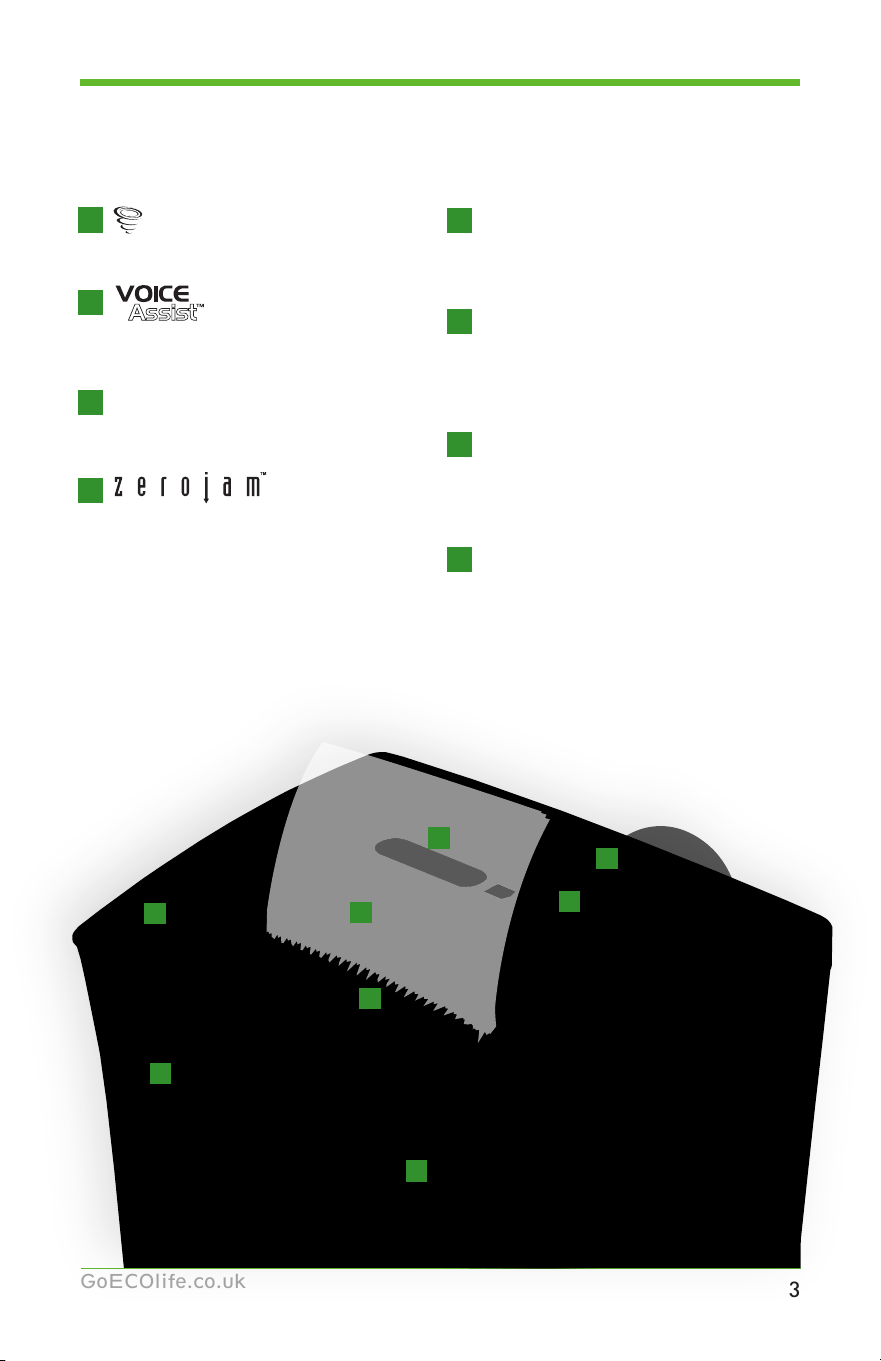
8
Dynamic Bin-Full Indicator
5
T-Door
™
Space-Saving Design
6
7
ParticleSweeper
™
Waste Leveler
Increases bin capacity by evenly
distributing and leveling shred
particles.
Flashing LED meter displays
waste level progressively.
Ergonomically designed doors
for easier basket removal in
tight spaces.
CD/DVD Throat
Separate Waste Bin
Keeps plastic waste out of your
paper waste.
VorteX
™
Cutting System
1
Technology
2
InfoCenter
™
LCD panel
3
Ensures optimal performance.
Passive, audio troubleshooting
feature with volume control.
Overfeed Prevention Technology
.
4
Eliminates paper jams.
Displays visual flashing alerts.
8
5
3
6
7
1
4
2
All-Quiet
™
Operation
So you don’t disturb those
around you.
4
GoECOlife.co.uk
Commercial Shredder Series
12-Sheet Micro-Cut GMC120D
Technical Specifications
Model ...........................................................................................GMC120D
Cutting Style ................................................................................Micro-Cut
Shred Size ...............................................................0.12” x 0.35” (3 x 9mm)
Sheet Capacity ...............................................................................12 sheets
Shred Speed Max Sheet Capacity .......................... 5.74 ft/min (1.75 m/min)
Intake Throat Width .............................................................8.66” (220mm)
Dimensions (L x W x H) .......... 16.14” x 11.7” x 23.62” (410 x 297 x 600mm)
Weight .................................................................................. 33.07 lb (15 kg)
Receptacle Volume .................................................. 6.1 gallons (23.1 liters)
Run Time ........................................................................................10 mins.
Noise Level (Motor) ........................................................................... 55 dB
2
years
7
years
limited
product
warranty
limited
cutter
warranty
VorteX
™
Cutting System
Technology
Overfeed Prevention Technology
InfoCenter
™
LCD panel
All-Quiet
™
Operation
CD/DVD Throat
Separate Waste Bin
Innovative Features
•
•
•
•
•
•
I
Recommended Supplies
•
Prolong your shredder life. (Item #GLS12i)
5
GoECOlife.co.uk
Commercial Shredder Series
16-Sheet Cross-Cut GXC160T
Technical Specifications
Model ............................................................................................GXC160T
Cutting Style .................................................................................Cross-Cut
Shred Size ............................................................... 0.16”x1.57” (4 x 40mm)
Sheet Capacity ...............................................................................16 sheets
Shred Speed Max Sheet Capacity ........................10.01 ft/min (3.05 m/min)
Intake Throat Width .............................................................9.06” (230mm)
Dimensions (L x W x H) .............15.35” x 11” x 24.41” (390 x 280 x 620mm)
Weight ................................................................................38.58 lb (17.5 kg)
Receptacle Volume .....................................................7 gallons (26.5 liters)
Run Time ........................................................................................20 mins.
Noise Level (Motor) ........................................................................... 60 dB
2
years
7
years
limited
product
warranty
limited
cutter
warranty
Innovative Features
II
Recommended Supplies
•
Prolong your shredder life. (Item #GLS12i)
VorteX
™
Cutting System
Technology
Overfeed Prevention Technology
InfoCenter
™
LCD panel
All-Quiet
™
Operation
•
•
•
•
•
•
T-Door
™
Space-Saving Design
7
GoECOlife.co.uk
Commercial Shredder Series
20-Sheet Cross-Cut GXC200T
Technical Specifications
Model ............................................................................................GXC200T
Cutting Style .................................................................................Cross-Cut
Shred Size ............................................................... 0.16”x1.38” (4 x 35mm)
Sheet Capacity ...............................................................................20 sheets
Shred Speed Max Sheet Capacity ......................... 12.14 ft/min (3.7 m/min)
Intake Throat Width .............................................................9.45” (240mm)
Dimensions (L x W x H) ........ 17.52” x 14.45” x 32.01” (445 x 367 x 813mm)
Weight ................................................................................84.22 lb (38.2 kg)
Receptacle Volume ................................................... 15 gallons (56.8 liters)
Run Time ........................................................................................30 mins.
Noise Level (Motor) ........................................................................... 53 dB
3
years
LIFE
TIME
limited
product
warranty
limited
cutter
warranty
VorteX
™
Cutting System
Technology
Overfeed Prevention Technology
InfoCenter
™
LCD panel
All-Quiet
™
Operation
Innovative Features
•
•
•
•
•
•
T-Door
™
Space-Saving Design
ParticleSweeper
™
Waste Leveler
CD/DVD Throat
Separate Waste Bin
Dynamic
Bin-Full Indicator
•
•
•
IV
Recommended Supplies
•
Prolong your shredder life. (Item #GLS12i)

10
GoECOlife.co.uk
Diagram
CD/DVD
Throat
InfoCenter™
LCD Panel
VoiceAssist™
Volume Control
Dynamic
Bin Full
Indicator
Control
Panel
Buttons
Paper Feed
Throat
T-Door
Space Saving
Design
VoiceAssist™
Technology
VoiceAssist™
Toggle Button
GoECO™
“On” switch
STOP
button
Forward
Reverse
Casters
Dynamic
Bin Full
Indicator

11
GoECOlife.co.uk
VoiceAssist™ & InfoCenter™ Features
GoECO™
“On” switch
STOP
Forward
Reverse
Green - 1/4 Full or less
Yellow - 1/2 Full
Orange - 3/4 Full
Red - Full
On/Off
VoiceAssist™
Toggle Button
VoiceAssist™
Volume Control
Button
The VoiceAssist™ feature works in conjunction with the InfoCenter™
display below. To activate, push the “INFO” button and the VoiceAssist™
system will verbally explain the status of the shredder and will help you
troubleshoot the most common problems which may arise during the
operation of the shredder.
Bin Full Indicator & Control Panel Features
• The Bin Full Indicator will light
up in different colors to display
the current amount of shredded
waste in the waste bin.
The illustration below shows
each color and the corresponding
waste level.
Available only on Commercial
Shredders:
• The control panel contains the
main operation functions.
Please see the “Operation”
section starting on page 16 for
instructions on these buttons.
InfoCenter™ LCD Panel for
Commercial Shredders
I II III
InfoCenter™ LCD Panel for
Commercial Shredders
IV V VI
IV VI
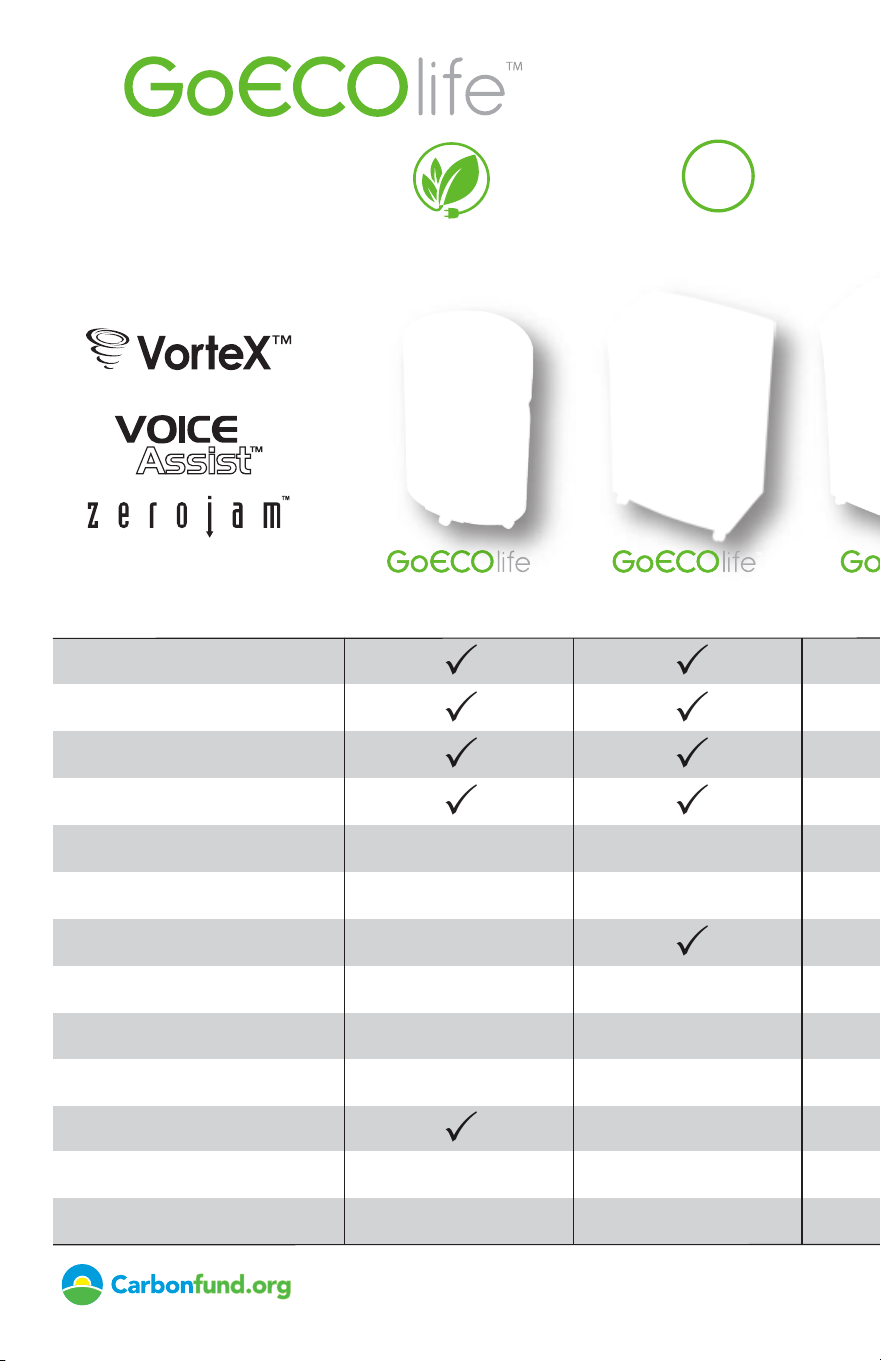
Energy-Saving Technology
prevents phantom power loss
Environmentally
Preferable Packaging
Meets RoHS standards that
restrict the use of
hazardous substances
RoHS
...the green option
12-SheetMicro-cut
GMC120D
16-SheetCross-cut
GXC160T
18-SheetCross-cut
GXC180T
20-SheetCross-cut
GXC200T
30-SheetStrip-cut
GSC3020T
16-SheetCross-cut
GXC1620T
Cutting System
Featuring
ParticleSweeper
™
Waste Leveler
Carbon Neutral
VorteX
™
Cutting System
InfoCenter
™
LCD Panel
T-Door Space-Saving Design
Dynamic Bin Full Indicator
ParticleSweeper
™
Waste Leveler
VoiceAssist
™
Troubleshooting
Limited Product Warranty
Bin Size (Gallons/Liters)
Separate CD/DVD Waste Bin
ZeroJam
™
Overfeed Prevention
3
3
3
3
3
6.1/23.1
3
3
3
3
3
7.0/26.5
3
3
3
3
3
10.0/37.8
3
3
3
3
3
3
3
3
16.0/60.6
3
3
3
3
3
3
27.7/105.0
3
3
3
3
3
3
3
27.7/105.0
Shred Speed (ft/m per min.)
Run Time
5.7/1.8 10/3 12/3.7 12.1/3.7 20.7/6.3 20.7/6.3
10mins. 20mins. 20mins. 30mins. 30mins. 40mins.
2years 2years 2years 3years 3years 3years
Limited Cutter Warranty
7years 7years 7years lifetime lifetime lifetime
COMMERCIAL SHREDDERS
*This product is carbon neutral. It meets Carbonfund.org’s CarbonFree® Product Certification protocol which requires third-party life cycle assessment
of the product’s carbon footprint, and carbon reductions in support of third-party validated renewable energy and reforestation projects. To learn
more, visit www.carbonfund.org/products.
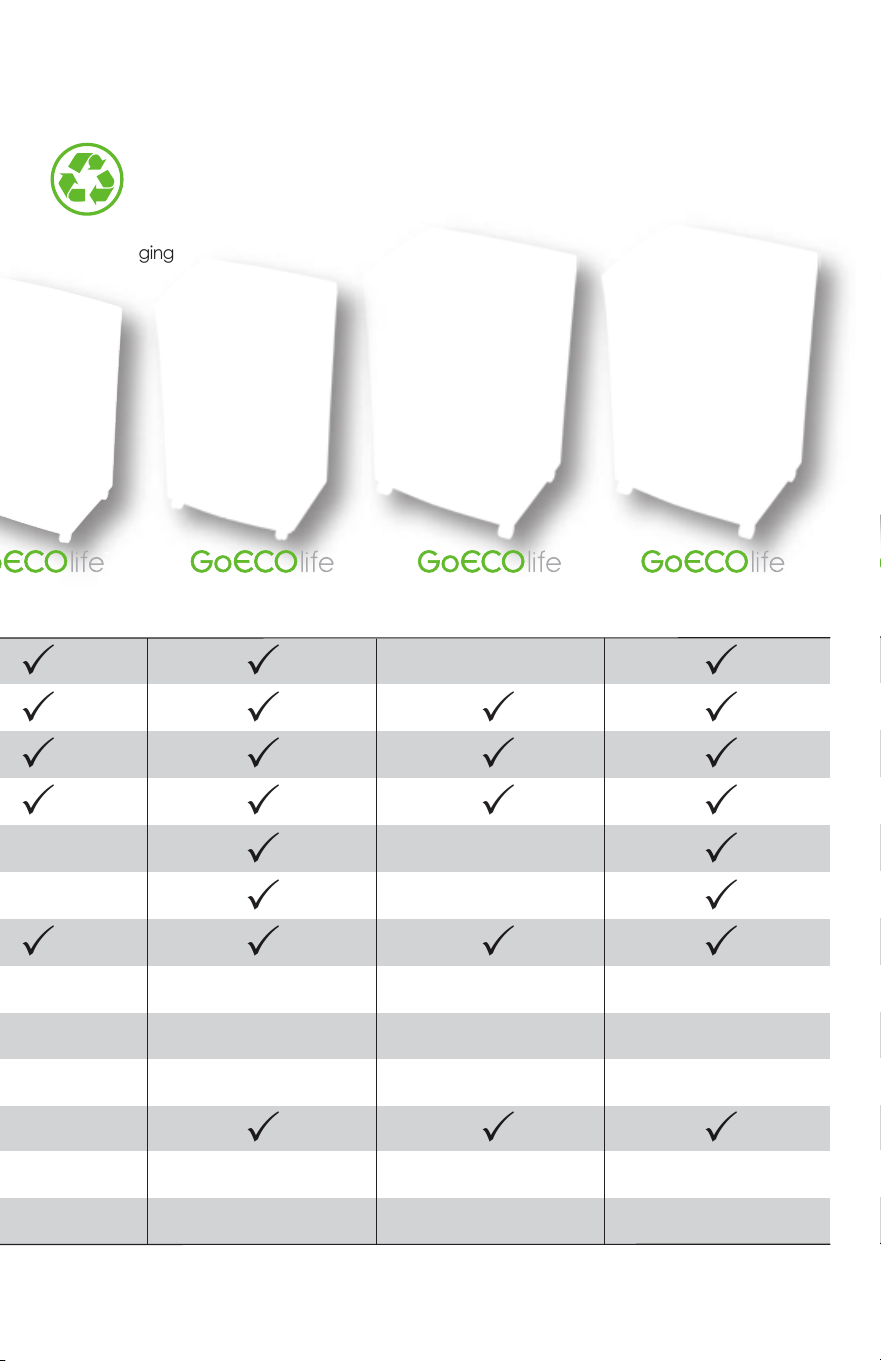
Energy-Saving Technology
prevents phantom power loss
Environmentally
Preferable Packaging
Meets RoHS standards that
restrict the use of
hazardous substances
RoHS
...the green option
12-SheetMicro-cut
GMC120D
16-SheetCross-cut
GXC160T
18-SheetCross-cut
GXC180T
20-SheetCross-cut
GXC200T
30-SheetStrip-cut
GSC3020T
16-SheetCross-cut
GXC1620T
Cutting System
Featuring
ParticleSweeper
™
Waste Leveler
Carbon Neutral
VorteX
™
Cutting System
InfoCenter
™
LCD Panel
T-Door Space-Saving Design
Dynamic Bin Full Indicator
ParticleSweeper
™
Waste Leveler
VoiceAssist
™
Troubleshooting
Limited Product Warranty
Bin Size (Gallons/Liters)
Separate CD/DVD Waste Bin
ZeroJam
™
Overfeed Prevention
3
3
3
3
3
6.1/23.1
3
3
3
3
3
7.0/26.5
3
3
3
3
3
10.0/37.8
3
3
3
3
3
3
3
3
16.0/60.6
3
3
3
3
3
3
27.7/105.0
3
3
3
3
3
3
3
27.7/105.0
Shred Speed (ft/m per min.)
Run Time
5.7/1.8 10/3 12/3.7 12.1/3.7 20.7/6.3 20.7/6.3
10mins. 20mins. 20mins. 30mins. 30mins. 40mins.
2years 2years 2years 3years 3years 3years
Limited Cutter Warranty
7years 7years 7years lifetime lifetime lifetime
COMMERCIAL SHREDDERS
*This product is carbon neutral. It meets Carbonfund.org’s CarbonFree® Product Certification protocol which requires third-party life cycle assessment
of the product’s carbon footprint, and carbon reductions in support of third-party validated renewable energy and reforestation projects. To learn
more, visit www.carbonfund.org/products.
14
GoECOlife.co.uk
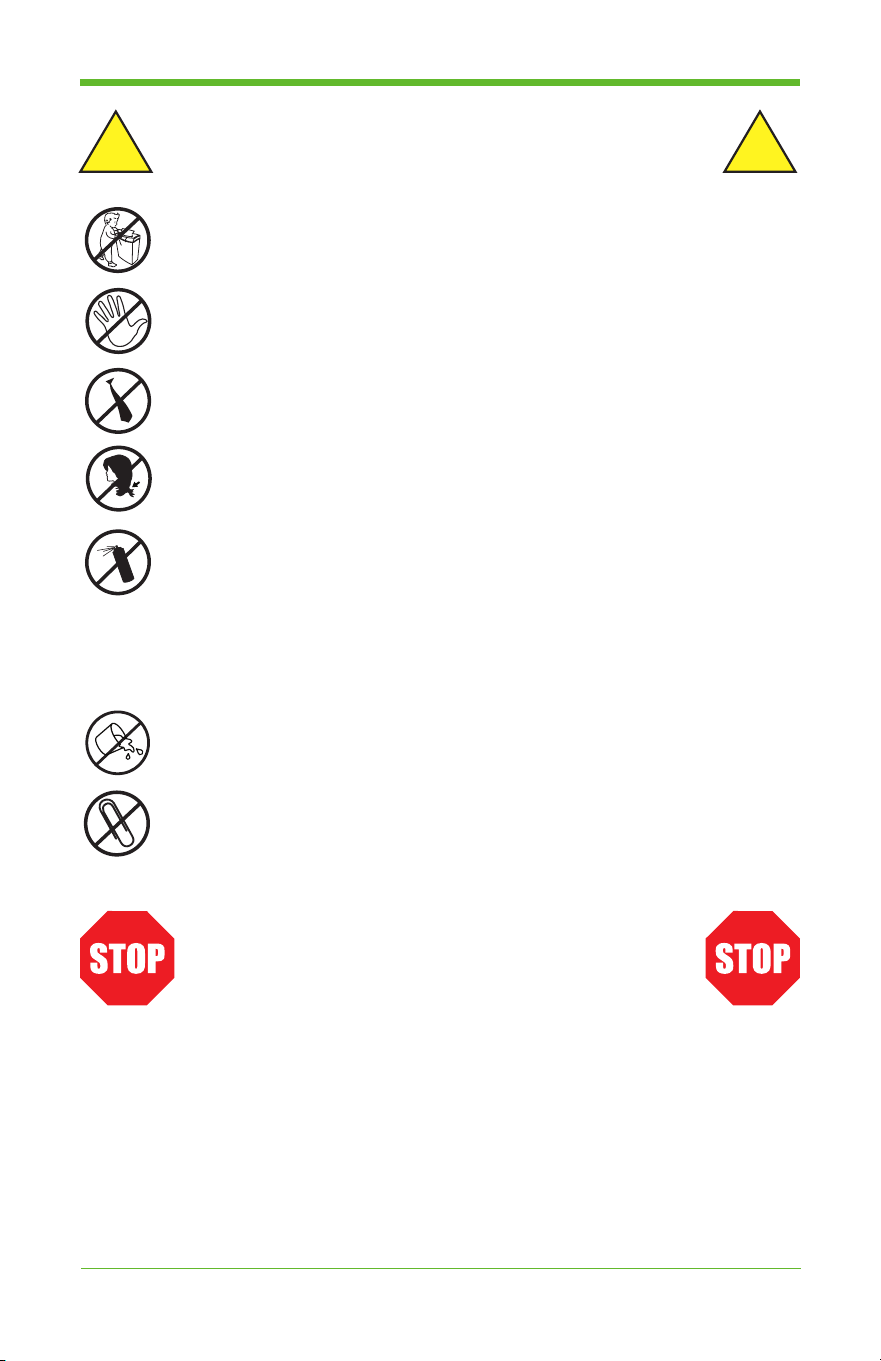
WARNINGS
CAUTION: KEEP THIS DEVICE AWAY FROM CHILDREN AND
PETS! Place the paper shredder in an area less accessible to children.
DO NOT PLACE FINGERS TOO CLOSE TO THE FEED SLOT AS
SERIOUS INJURY MAY OCCUR. Paper shredders can pull children’s
fingers into the shredder mechanism.
AVOID GETTING LOOSE CLOTHING OR JEWELRY NEAR THE
FEED SLOT.
AVOID GETTING HAIR NEAR THE FEED SLOT.
NEVER spray any aerosol-based products in or around the shredder.
NEVER dispose of flammable chemicals, or materials that have
come into contact with flammable chemicals (for example, nail polish,
acetone, gasoline) in the shredder basket. NEVER use any petroleum
based or flammable oils or lubricants in or around the machine, as
some oils can combust causing serious injury. Lubricants specifically
designed for shredders are acceptable.
NEVER place the shredder near water or any heat source.
Avoid direct contact with water.
DO NOT SHRED PAPERS WITH PAPER CLIPS ON THEM.
Please take out any paper clips from paper before shredding.
STOP USE IMMEDIATELY IF:
1. The shredder blades become wadded up with paper.
2. The shredder motor makes loud and/or irregular noises
during operation.
3. The shredder blades or paper guides become bent or
compromised in any way.
Continuing to operate your shredder with any of the above
conditions present could be potentially dangerous.
! !

15
GoECOlife.co.uk
Installation
• Refer to set-up instructions printed on carton box for proper assembly.
• Only operate this product from the type of power source indicated on the
marking label. If you are not sure of the type of power available, consult
an electrician.
• Make sure the electrical outlet is easily accessible from the shredder.
• Shredder must be operated only in upright position.
• To make sure the shredder has proper ventilation, place it a minimum
distance of 5cm from the wall or furniture.
Safety Instructions
1.
Read and follow all instructions before use. Save these instructions for later use.
2. Always turn off and unplug the machine before moving, servicing,
cleaning, or anything other than normal operation. Serious injury may
result. Clean shredder with a damp cloth, using a mild soap and water
solution.
3. Do not use abrasives or petroleum-based cleaners.
4. Place this product as close as possible to power source for quick and easy
unplugging.
5. Turn off the power switch before removing waste bin. It is advisable to
disconnect the power cord before opening the shredder.
6. This product should never be placed near a radiator or other heat source.
7. Do not allow anything to rest on the power cord. Do not place the power
cord where people may walk on the it.
8. If an extension cord is used with this product, make sure the total of the
ampere (amps) ratings on the products plugged into the extension cord do
not exceed the extension cord’s ampere rating.
9. Do not attempt to service this product yourself, as in opening or removing
covers may expose you to risks of getting injured. Also, doing this will
void the warranty of the shredder.
10. Unplug this product and contact technical support when:
• The power cord or plug is damaged or frayed.
• Liquid has been spilled on the product.
• The product has been exposed to rain.
• The product does not operate normally even when the operating
instructions are followed.
• The product has been dropped, or the casing has been damaged.
11. This shredder should be operated only with an operator in attendance.
12. Regularly empty the waste bin so that the waste output is not impeded.
13. This machine can shred normal paper, credit cards, CDs and DVDs.
However, you should shred only one of these items at a time to avoid
causing an overload.
16
GoECOlife.co.uk
Operation
Please read operating instructions before putting shredder into operation.
TO POWER ON:
1. Connect the power cord to a standard outlet.
2. Toggle the power switch to the ON position.
FOR NORMAL OPERATION:
3. Press the green power saving switch to turn ON
the shredder. It will clean the paper/run automatically for
2 seconds. Depending on the model of the shredder,
the LCD will display either “ON” or “AUTO”. The
“GoECOlife” logo will light on and the shredder is
then in AUTO status. (The “GoECOlife” logo does
not light up on the GMC120D model.)
4. Feed up to the maximum allowed sheets of paper for shredding into the
paper feeding throat.
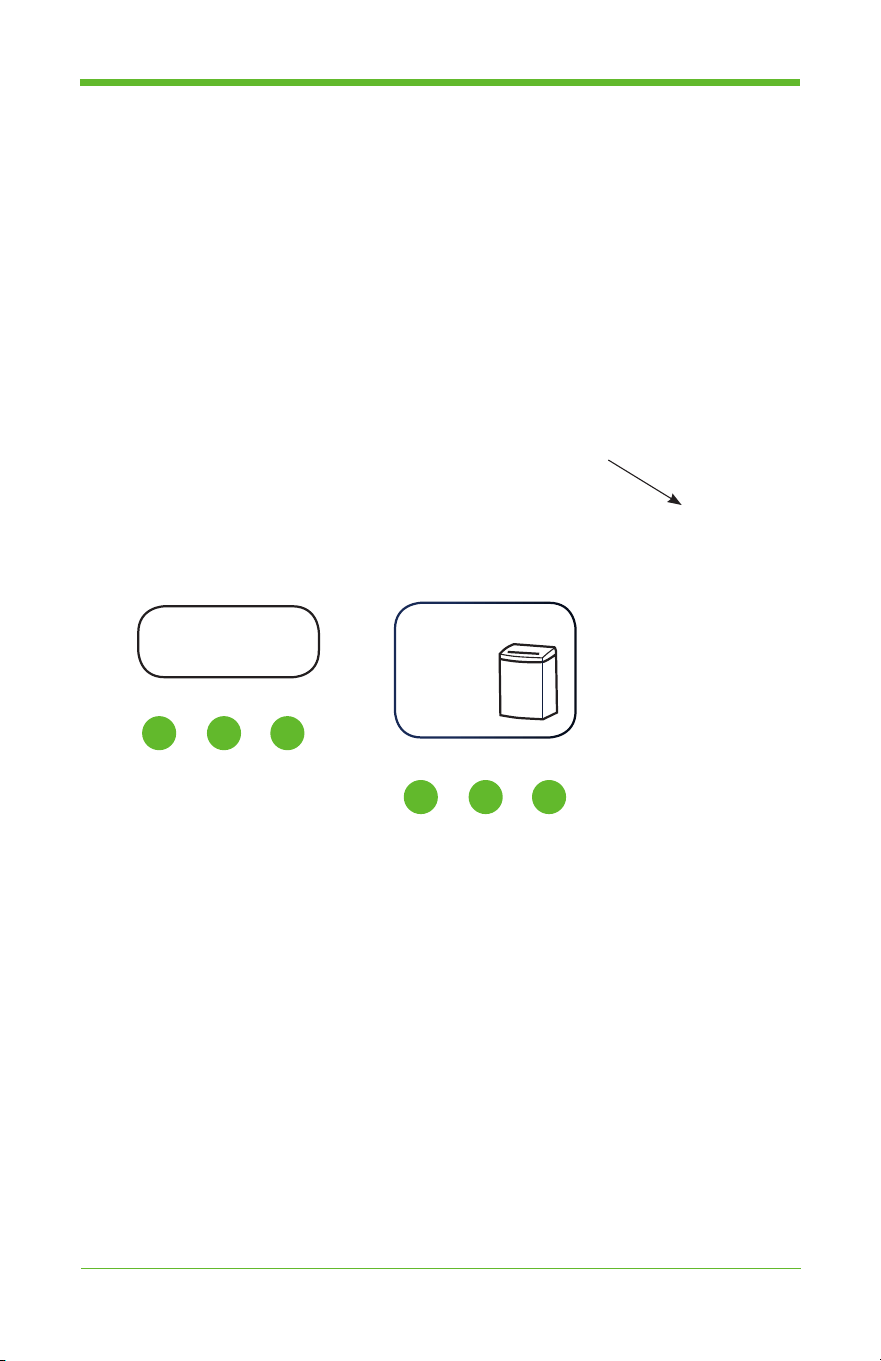
5. When you press the ”INFO” button, it will speak from 1st voice
assistance to the last one (Auto / Reverse / bin full / door open / overload
/ overheat). It will skip to the next message each time you press the
“INFO” a button until the last message. Press the “speaker” shape
button to adjust the volume.
AUTO
ON
or
I II III
IV V VI
For Commercial Shredders:
For Commercial Shredders:
17
GoECOlife.co.uk
Operation (cont’d)
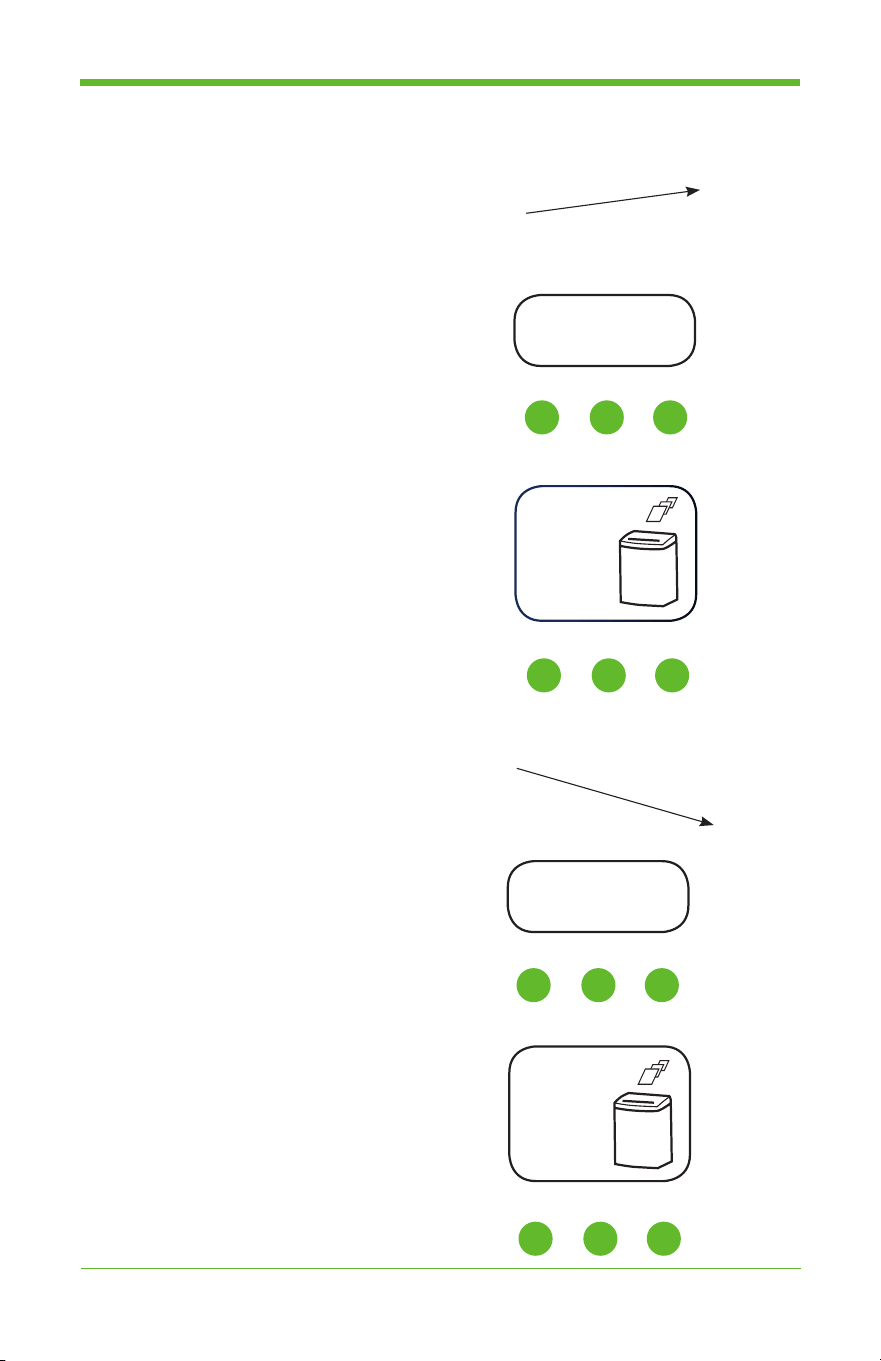
TO PUT INTO REVERSE MODE:
6. Press the “R” button on the control panel.
• The shredder is now in Reverse mode, and the motor
will move in reverse to push out the paper sheets.
• Depending on the model of the
shredder, the LCD display will look
like the diagram shown.
• For assistance in the VoiceAssist™
mode, press the button “INFO” and
the voice assistance will tell you
which mode you are in.
• To deactivate the VoiceAssist™ mode,
press the button “INFO” again.
TO PUT INTO FORWARD MODE:
7. Press the “F” button on the control panel.
• The shredder is now in forward mode,
and the motor will move forward to shred paper.
• Depending on the model of the
shredder, the LCD display will look
like the diagram shown.
Reverse
Reverse
or
FWD
I II III
For Commercial Shredders:
IV V VI
For Commercial Shredders:
or
I II III
For Commercial Shredders:
IV V VI
For Commercial Shredders:
18
GoECOlife.co.uk
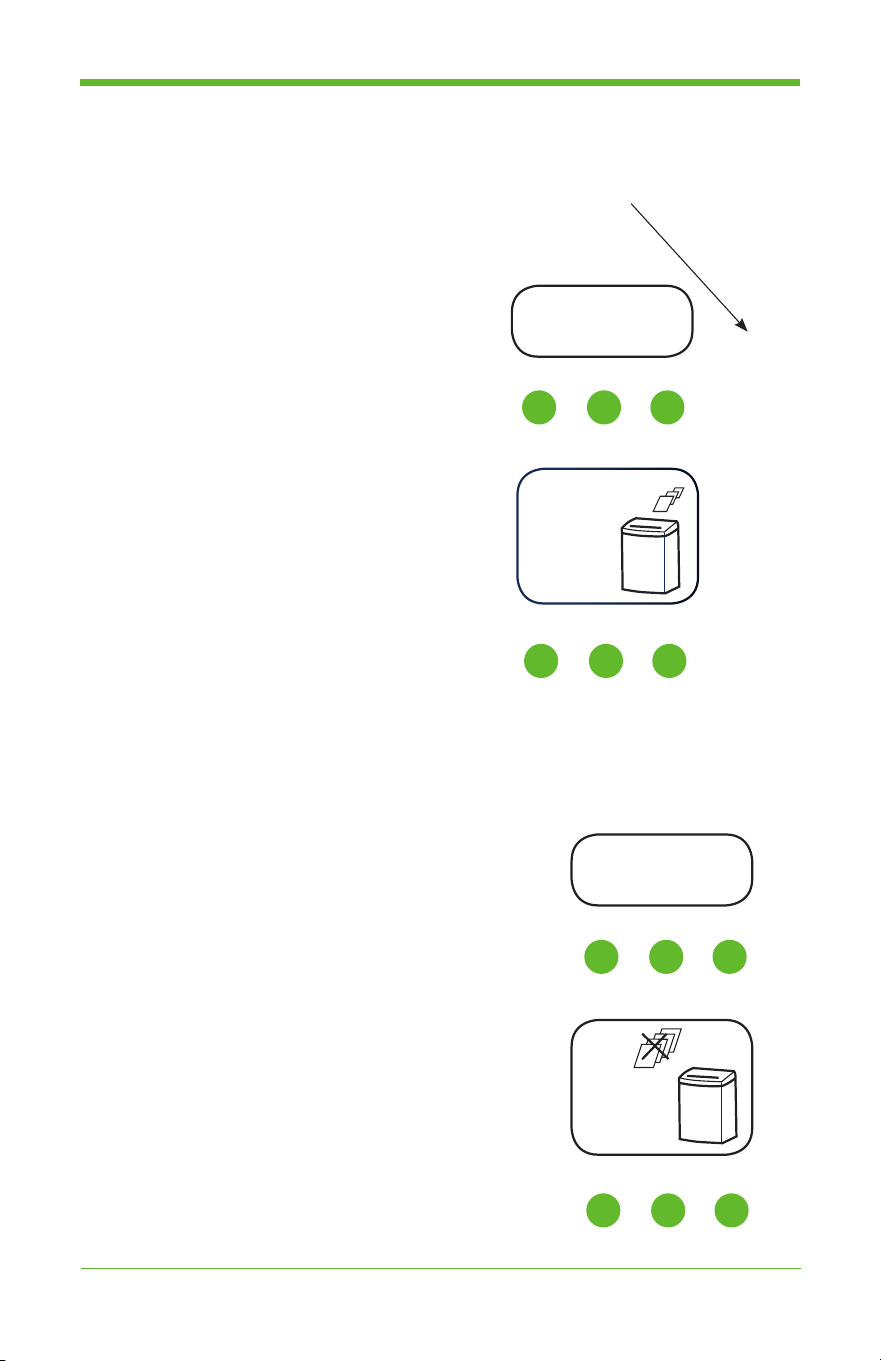
FOR PAPER JAMS:
9. If you insert more than the maximum number of paper sheets allowed
and jamming occurs, the machine will automatically go into reverse to
push out the jammed papers.
• Depending on the model of the
shredder, the LCD display will look
like the diagram shown.
• The Red LED light underneath the button
“INFO” will flash to warn the user.
• Press the button, “INFO”, and the
VoiceAssist™ function will announce the
problem and solution.
• To deactivate the VoiceAssist™ mode,
press the button “INFO” again.
Overload
AUTO
TO PUT BACK INTO AUTO MODE:
8. Press the green GoECO™ button on the control panel.
• The shredder is now in AUTO mode, and when
you insert papers into the paper throat, the shredder
will start automatically.
• Depending on the model of the
shredder, the LCD display will look
like the diagram shown.
• For assistance in the VoiceAssist™
mode, press the button, “INFO”,
and the VoiceAssist™ function will
announce the problem and solution.
• To deactivate the VoiceAssist™ mode,
press the button “INFO” again.
ON FWD
Operation (cont’d)
Overload
or
I II III
For Commercial Shredders:
IV V VI
For Commercial Shredders:
or
I II III
For Commercial Shredders:
IV V VI
For Commercial Shredders:
19
GoECOlife.co.uk
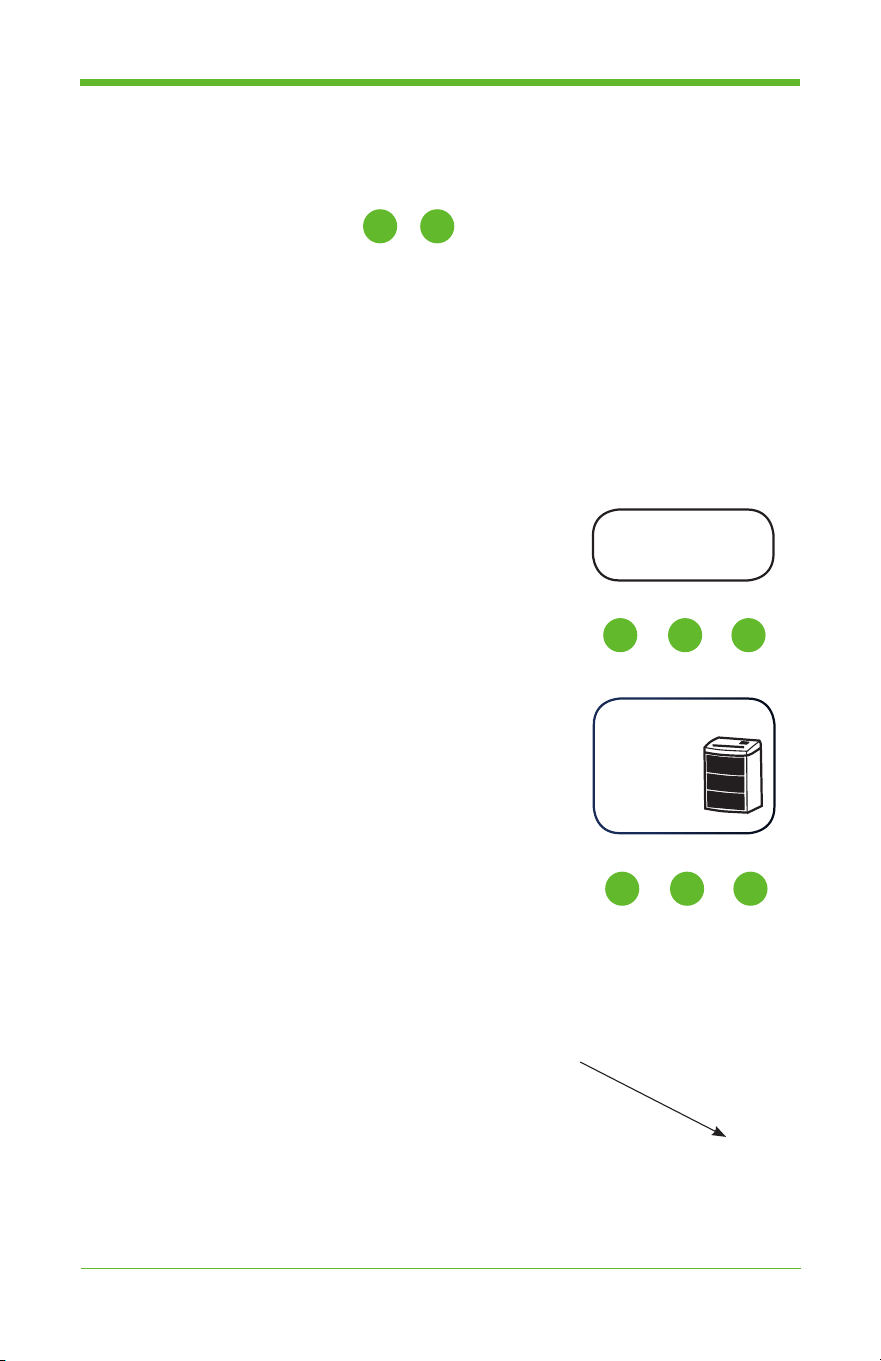
DYNAMIC BIN FULL:
This feature is only available on
Commercial Shredders:
10. As the shredded paper waste accumulates, the Bin-Full
indicator displays the waste level progressively. There
are four levels represented by four colors:
• Green ...................................................up to 1/4 capacity
• Yellow .................................................... 1/2 capacity full
• Orange ................................................... 3/4 capacity full
• Red ..................................................................Bin is full
When the waste bin is full, the shredder will not shred any more paper
until the bin has been emptied.
• Depending on the model of the
shredder, the LCD display will look
like the diagram shown.
• The Red LED light underneath the button,
“INFO”, will flash to warn the user.
• Press the button, “INFO”, and the
VoiceAssist™ function will announce the
problem and solution.
• To deactivate the VoiceAssist™ mode,
press the button “INFO” again.
Bin Full
Operation (cont’d)
Bin Full
or
I II III
For Commercial Shredders:
IV V VI
For Commercial Shredders:
IV VI
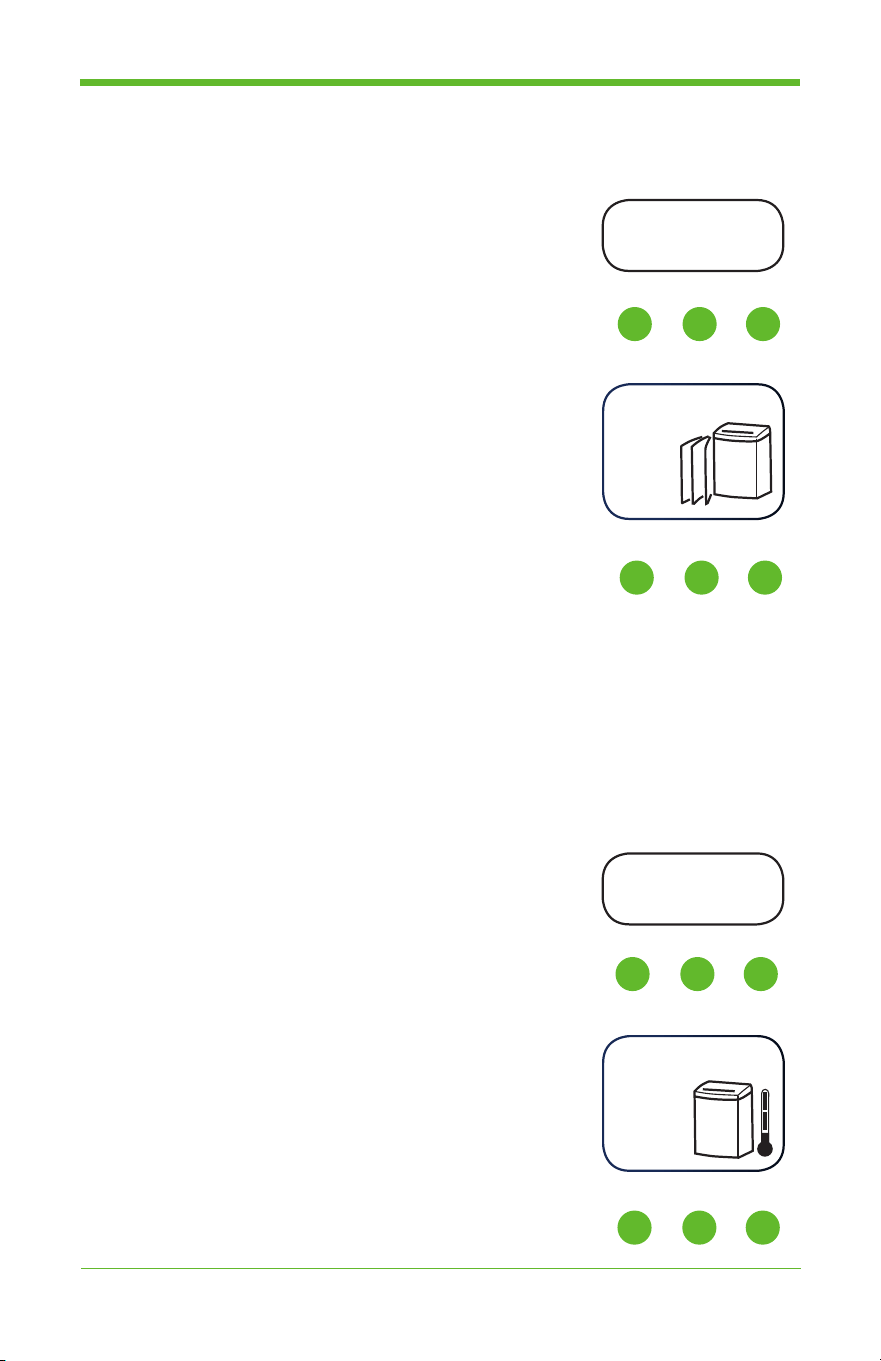
TO TURN OFF:
11. There are 3 ways to stop the shredder where all power to
the shredder will be shut off. This also cuts off any phantom
load power leakage.
a. Press the “STOP” button on the control panel.
b. Toggle the power switch to “OFF” on the right
side of the shredder.
c. Or, do nothing, and the GoECO™ technology
will turn off automatically after 5 minutes of idle time.
20
GoECOlife.co.uk
Operation (cont’d)
DOOR OPEN:
12. When the doors are open or ajar, the shredder will
not start until the doors are completely closed.
• Depending on the model of the
shredder, the LCD display will look
like the diagram shown.
• The Red LED light underneath the button,
“INFO”, will flash to warn the user.
• Press the button, “INFO”, and the
VoiceAssist™ function will announce the
problem and solution.
OVERHEATING:
13. During long periods of continuous shredding, the shredder’s temperature
will rise. When the temperature reaches the maximum allowed level,
the shredder will automatically shut off the shredding motor until it
has cooled to an acceptable temperature. The shredder will be ready to
resume paper shredding when the motor has sufficiently cooled.
• Depending on the model of the
shredder, the LCD display will look
like the diagram shown.
• The Red LED light underneath the button,
“INFO”, will flash to warn the user.
• Press the button, “INFO”, and the
VoiceAssist™ function will announce the
problem and solution.
Door Open
Overheat
Door Open
Overheat
or
I II III
For Commercial Shredders:
IV V VI
For Commercial Shredders:
or
I II III
For Commercial Shredders:
IV V VI
For Commercial Shredders:

21
GoECOlife.co.uk
Limited Product Warranty
The manufacturer warrants the machine for a limited time to be free from
defects in material and workmanship. If any part is found to be defective
during the warranty period, your sole and exclusive remedy will be repair or
replacement, at the manufacturer’s option and expense, of the defective part
except for the postage. It is the responsibility of the consumer to return the
machine to the manufacturer.
This warranty is valid for the original consumer only with original proof of
purchase and is not transferable. This warranty does not apply in cases of
abuse, mishandling or unauthorized repair. ANY IMPLIED WARRANTY,
INCLUDING THAT OF MERCHANTABILITY OR FITNESS FOR A
PARTICULAR PURPOSE, IS HEREBY LIMITED IN DURATION TO THE
APPROPRIATE WARRANTY PERIOD SET FORTH ABOVE. In no event
shall the manufacturer be liable for any consequential or incidental damages
attributable to this product. This warranty gives you specific legal rights. You
may have other legal rights that vary.
Repairs must be performed by the manufacturer’s authorized technician.
For more details, or to obtain service under this warranty, please contact us
at www.swordfishsupport.com.
Please retain original proof of purchase to ensure that your product is
recorded and warranty information received.
Return Instructions
Firstly, try our Troubleshooting Guides at www.swordfishsupport.com which
are designed to resolve many common problems.
If you still wish to return your product then please provide full details by
completing the form at www.swordfishsupport.com/warrantyconsumer
Product Registration:
Please register your new product at www.swordfishsupport.com.
Contact Us:
For more information, please use the ‘Contact Us’ form at
www.goecolife.co.uk

Commercial Shredder
Accessories
23
GoECOlife.co.uk
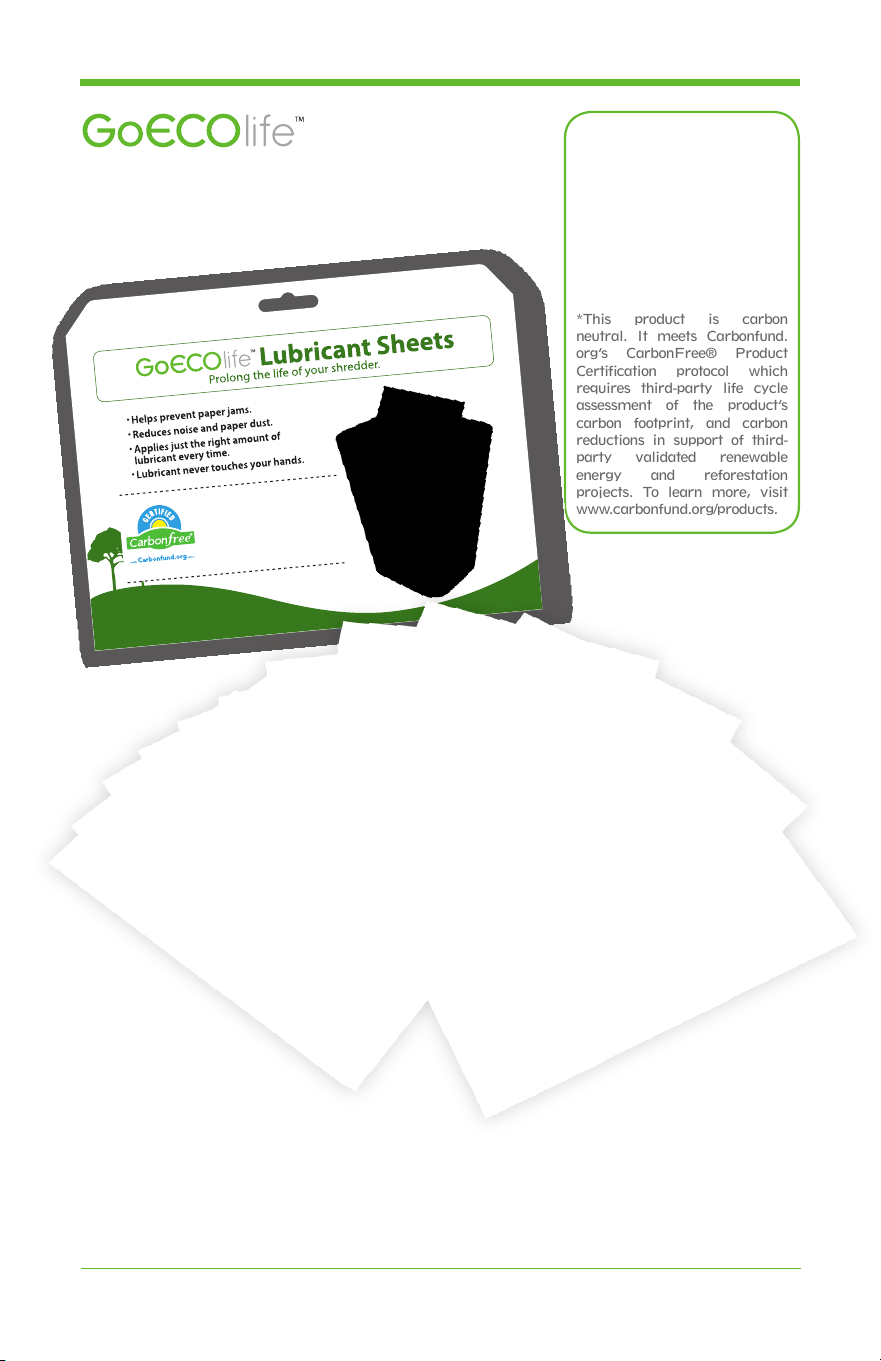
Lubricant Sheets
Prolong the life of your shredder.
*This product is carbon
neutral. It meets Carbonfund.
org’s CarbonFree® Product
Certification protocol which
requires third-party life cycle
assessment of the product’s
carbon footprint, and carbon
reductions in support of third-
party validated renewable
energy and reforestation
projects. To learn more, visit
www.carbonfund.org/products.
This product is carbon neutral. It meets
Carbonfund.org’s CarbonFree® Product
Certication protocol which requires third-party
life cycle assessment of the product’s carbon
footprint, and carbon reductions in support of
third-party validated renewable energy and
reforestation projects. To learn more, visit
www.carbonfund.org/products.
•
Helps prevent paper jams.
•
Reduces noise and paper dust.
•
Applies just the right amount of lubricant
every time.
•
Lubricant never touches your hands.
Item # GLS12i

24
GoECOlife.co.uk