1
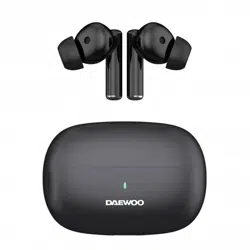
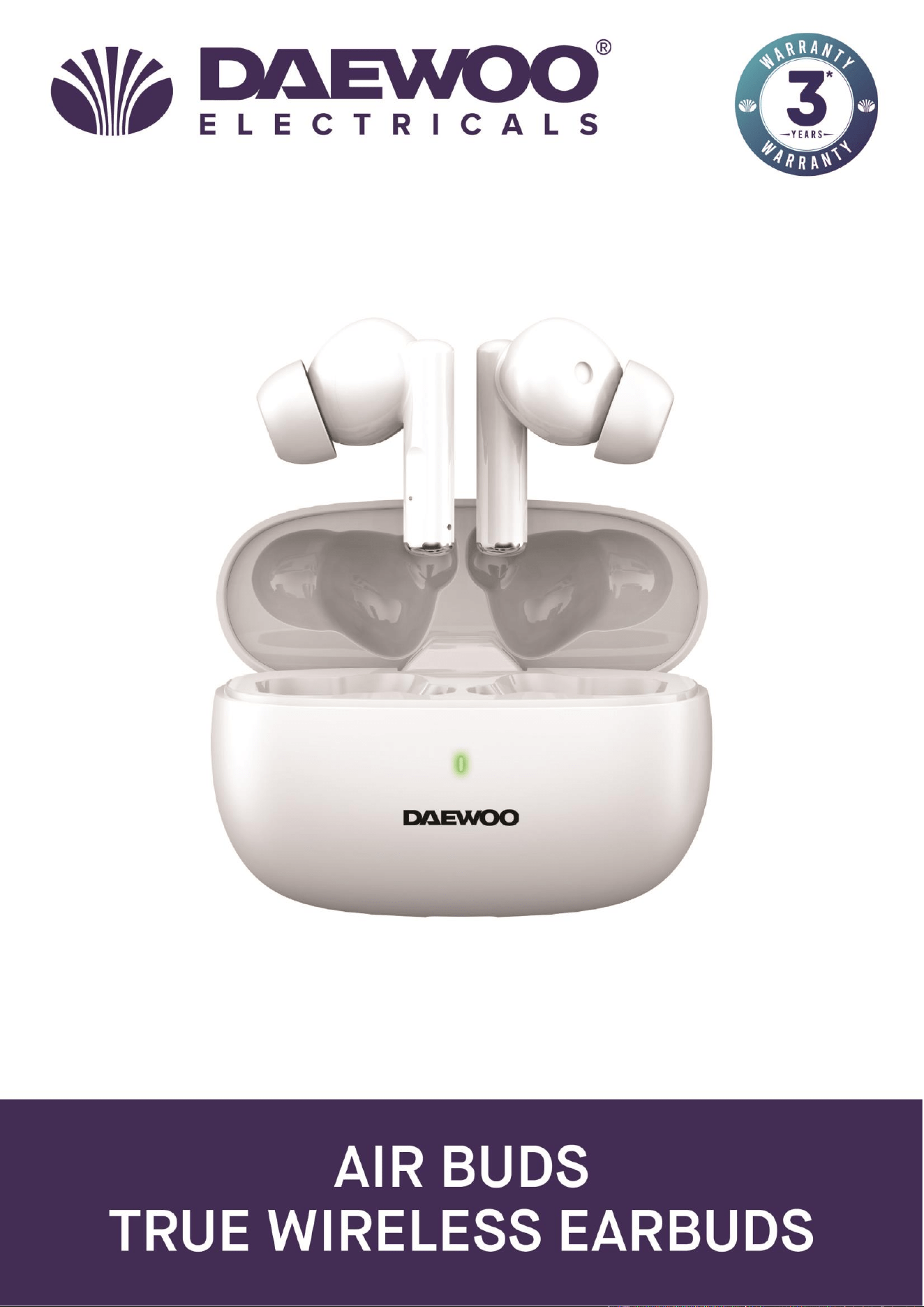
White TWS Airbuds
Model No. AVS1626
User Manual
IMPORTANT – RETAIN THESE INSTRUCTIONS FOR FUTURE REFERENCE
2
IMPORTANT – RETAIN THESE INSTRUCTIONS FOR FUTURE REFERENCE
White TWS Airbuds
Model No. AVS1626
User Manual
READING AND STORING THE USER MANUAL
Before using this product, please read through this manual
carefully paying particular attention to the safety instructions.
Failure to do so may result in personal injury or damage to the
product.
Carefully save this instruction manual for future reference. Ensure the
user manual is included when passing the product on to any third
parties.
IMPORTANT SAFETY INSTRUCTIONS FOR PROPER USE
When using electrical appliances, basic safety precautions should
always be followed.
Only use the product as described in this user manual. Any other use is
considered improper and may result in damage to property or persons.
The manufacturer or vendor cannot be held liable for damages or injury
incurred through improper or incorrect use.
• Read and familiarise yourself with all operating
instructions before using your Airbuds.
• Before using your Airbuds, visually check that the unit is
intact and has not suffered any transit damage.
• Only charge the earbud base unit from a suitable USB
outlet any other power source may cause permanent
damage to the Airbuds.
• The earbuds must be fully charged before use.
• Do not operate these Airbuds after a malfunction or after
being dropped or damaged in any way.
• Never allow children to play with the Airbuds. Small parts
may be a choking hazard.
• Do not allow the USB charging cable to hang over sharp
edges or come in contact with hot surfaces.
• These Airbuds are intended for household use only and
should not be used for industrial purposes.
• Do not use these Airbuds for anything other than the
intended use.
• Do not immerse the Airbuds or the base unit in water or
any other liquids.
• Do not expose the Airbuds or base unit to moisture, rain
or humidity, they are not waterproof.

3
White TWS Airbuds
Model No. AVS1626
User Manual
IMPORTANT – RETAIN THESE INSTRUCTIONS FOR FUTURE REFERENCE
• Before cleaning, ensure the Airbuds are not connected to
the USB supply.
• Never clean the Airbuds with solvents or harsh or
abrasive cleaners.
• Do not attempt to dismantle the Airbuds or the base unit,
they do not contain any user serviceable parts.
• Whilst not in use, store the Airbuds and base unit in a
cool dry place free from extreme temperatures, humidity
or dust.
4
IMPORTANT – RETAIN THESE INSTRUCTIONS FOR FUTURE REFERENCE
White TWS Airbuds
Model No. AVS1626
User Manual
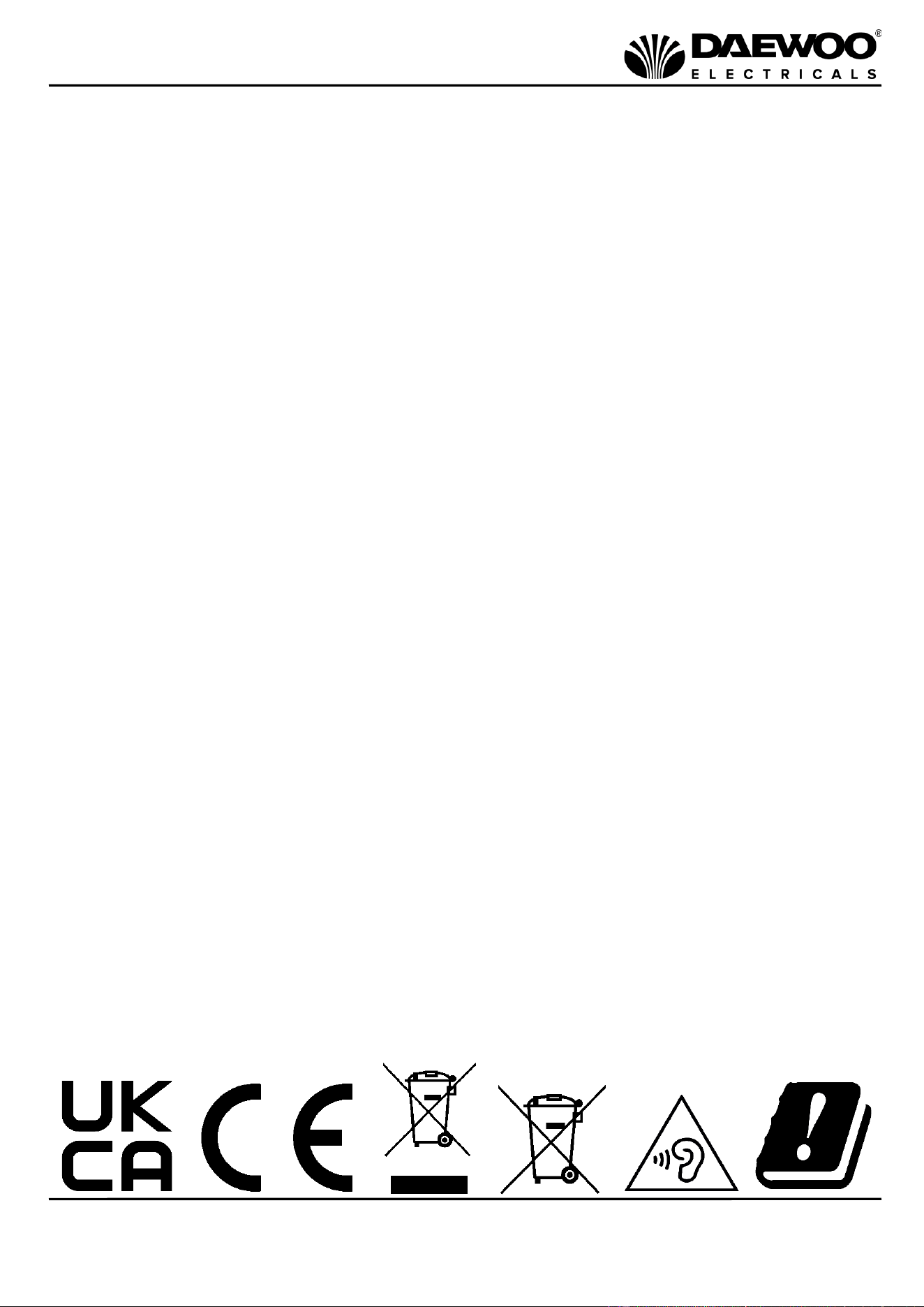
Explanation of Symbols
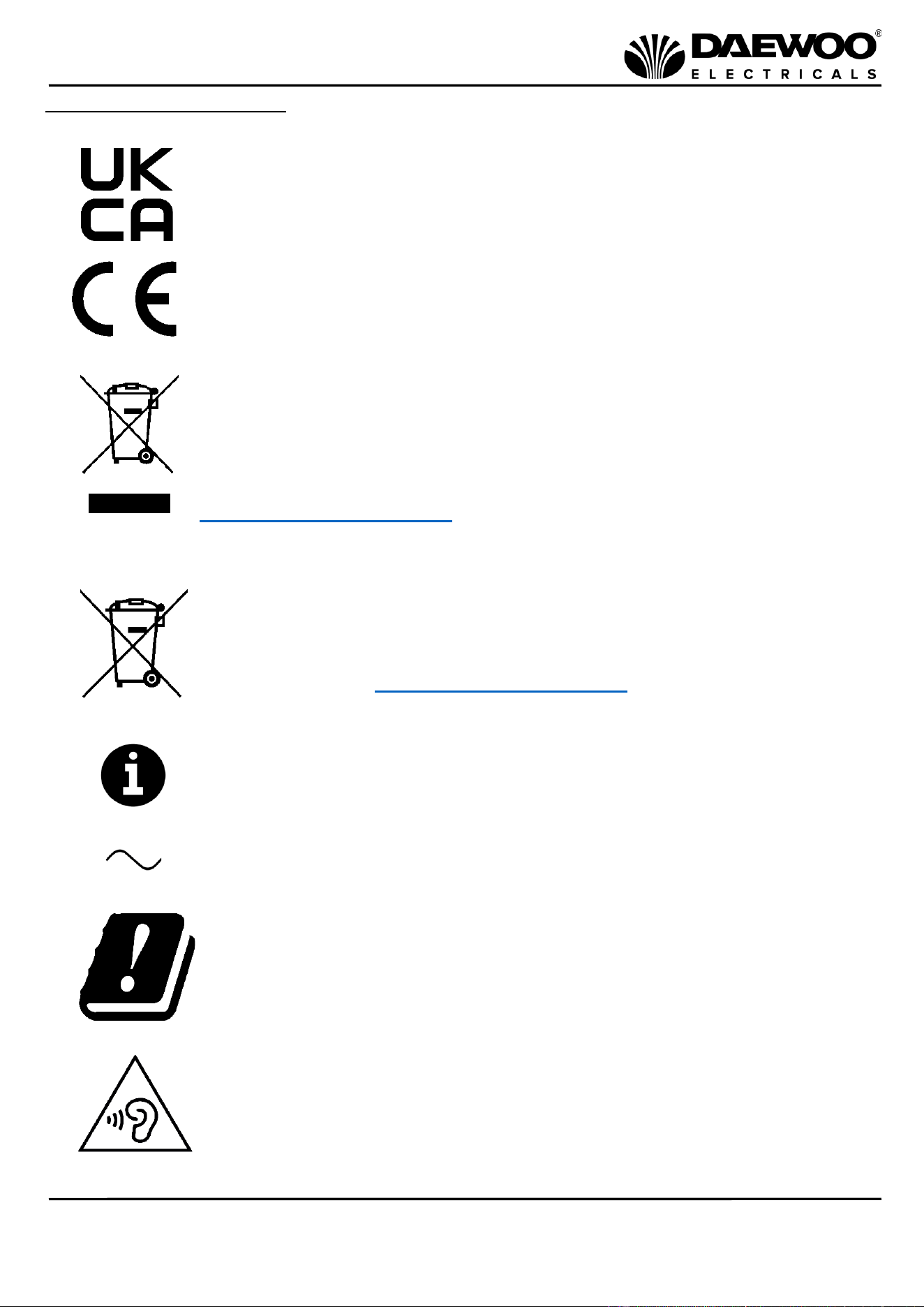
The following warning symbols or words are used in this instruction manual:
Products labelled with UK Conformity Assessment identifies
products conforming to UK statutory requirements.
Products labelled with this symbol conform to applicable
provisions of the European Economic Area.
You should now recycle your waste electrical goods and in doing
so help the environment. This symbol means waste electrical
products at the end of their useful life should not be disposed of
with normal household waste and not sent to landfill. Please
ensure it is taken to a suitable facility for disposal. Check with
your Local Authority or retailer for recycling advice or visit
www.recycle-more.co.uk enter your postcode to find out your
nearest recycling site.
This symbol means batteries and rechargeable batteries may not
be disposed of with household waste!
As the end user you are required by law to bring all batteries and
rechargeable batteries to a collection point run by the Local
Authority or visit www.recycle-more.co.uk, so that they can be
disposed of in an environmentally friendly manner.
This symbol provides useful additional information on the
use of this product.
This symbol indicates that the supply uses an alternating current
mains supply.
This symbol indicates that this product conforms to the Radio
Equipment Directive (RED).
Warning: To prevent possible hearing damage, do not listen at high
volume levels for long periods of time.
5
White TWS Airbuds
Model No. AVS1626
User Manual
IMPORTANT – RETAIN THESE INSTRUCTIONS FOR FUTURE REFERENCE
Description of Parts
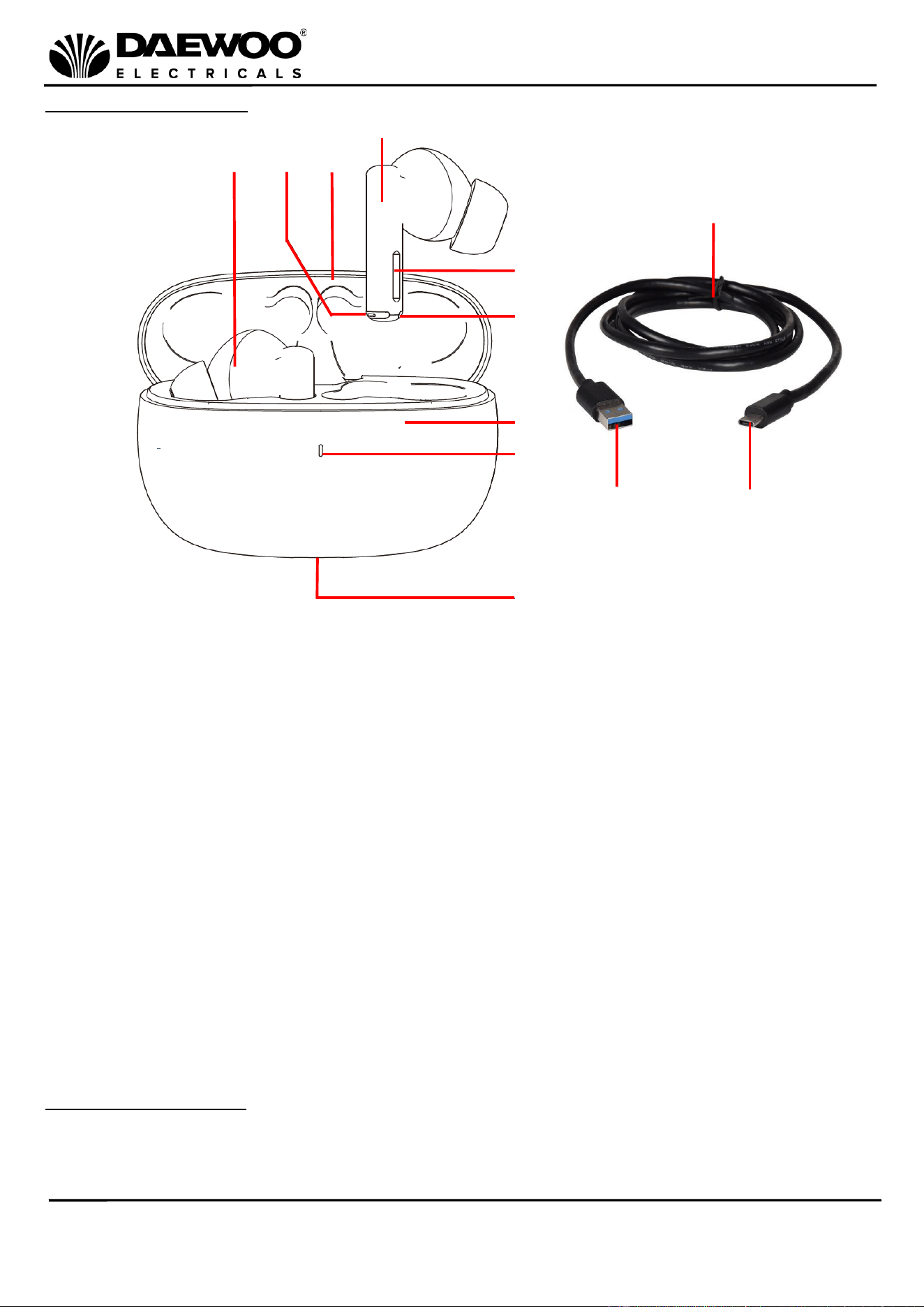
About Your Airbuds
Your Airbuds automatically pair together in stereo and in turn pair with your
Wireless device. They are supplied with a Charging Case which is used to store the
Airbuds and will also charge the Airbuds whilst on the move.
1
3
10
4
11
12
1. Left Airbud
2. Microphone
3. Charging Case Lid
4. Right Airbud
5. Function Button(s)
6. Airbud Charging Contact
7. Charging Case
8. Charging Case LED
9. USB Charging Port
10. USB Cable
11. USB A Type Plug
12. USB C Type Plug
6
8
5
2
9
7
6
IMPORTANT – RETAIN THESE INSTRUCTIONS FOR FUTURE REFERENCE
White TWS Airbuds
Model No. AVS1626
User Manual
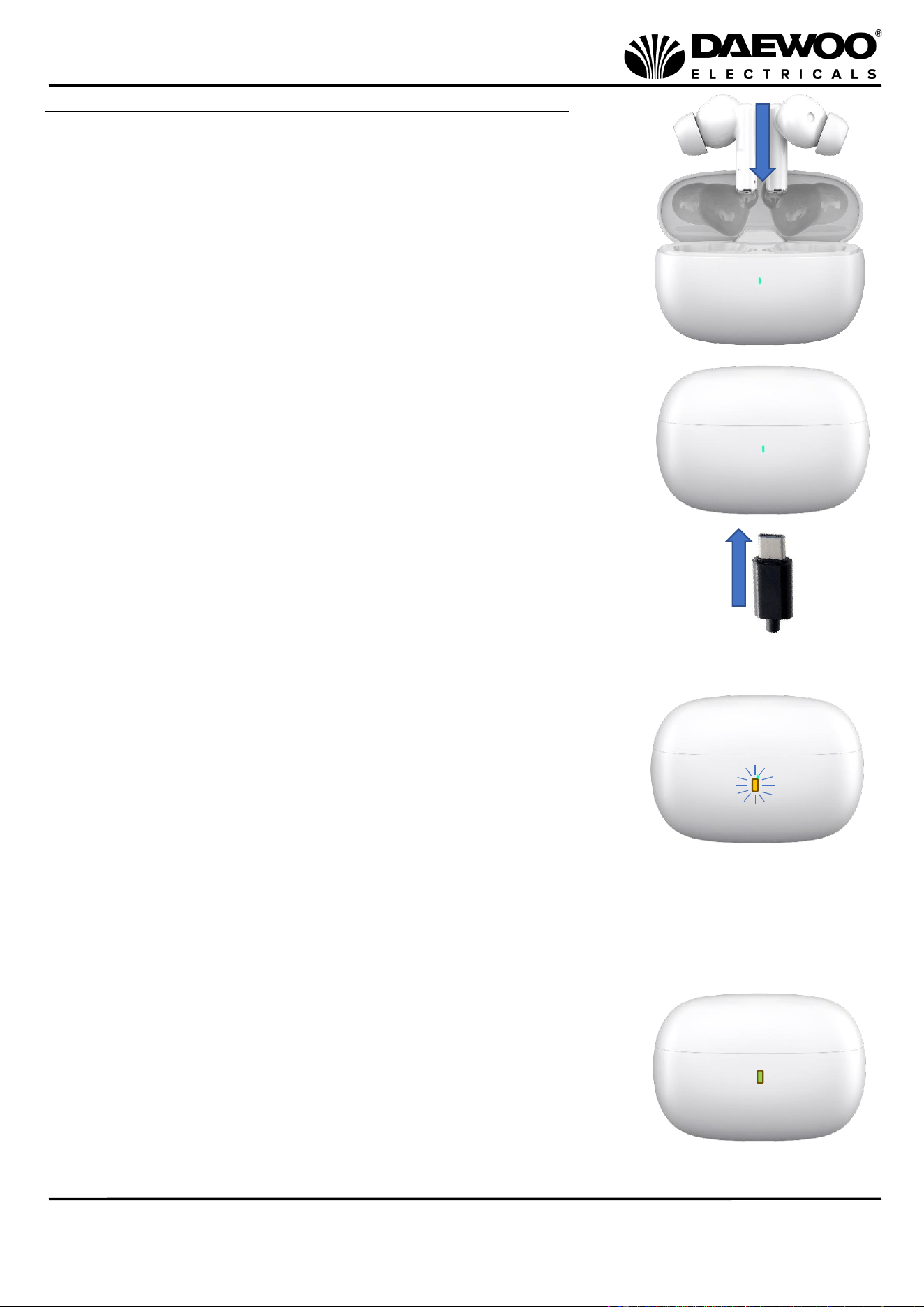
Charging the Charging Case (7) and Airbuds (1 & 4)
1. Lift the Charging Case Lid (3) and place the Airbuds (1
& 4) into the Charging Case (7) as shown right.
NB the Airbuds will automatically shut down once they
are inserted into the Charging Case (7).
2. Insert the C Type USB Plug (12) of the USB Cable (10)
into the USB Charging Port (9) in the base of the
Charging Case (7).
3. Insert the USB A Type Plug (11) into a suitable USB outlet
port such as a laptop or USB wall charger.
4. The Charging Case LED (8) will flash orange to show
that the Charging Case (7) and Airbuds (1 & 4) are
charging.
5. Once fully charged, the Charging Case LED (8) will
illuminate constantly orange and the USB Cable (10)
can then be removed.
6. After removing the USB Cable (10) the Charging Case
LED (8) should go out to show the Charging Case (7)
and the Airbuds (1 & 4) are fully charged.
7. If the Charging Case LED (8) lights green when the
USB Cable (10) is removed the Airbuds (1 & 4) are
not fully charged. Replace the USB Cable (10) to
charge the Airbuds further until the Charging Case
LED (8) goes out when the USB Cable (10) is
removed.
7
White TWS Airbuds
Model No. AVS1626
User Manual
IMPORTANT – RETAIN THESE INSTRUCTIONS FOR FUTURE REFERENCE
8. A double ‘low-high’ tone during use indicates that the Airbuds (1 & 4) batteries
are going flat and need to be recharged. After which the Airbuds (1 & 4) will
power off.
Pairing and Using Your Airbuds (1 & 4)
1. Ensure the Airbuds are fully charged as described above.
2. Remove the Airbuds from the Charging Case (7) and the Airbuds (1 & 4) will
automatically power up, alternatively touch either Function Button (5) for three
seconds to power them up.
3. Enable the wireless mode on your Phone, Tablet or other wireless compatible
device you are using and set it to search.
4. Select ‘AVS1626’ from the search results found by your device which will now
pair automatically with both Airbuds (1 & 4).
5. The Airbuds (1 & 4) will give a ‘low-high’ tone pairing sound to confirm they
have paired with your device.
6. Enable the music player on your wireless connected device.
7. The Airbuds (1 & 4) will automatically power off after being placed into the
Charging Case (7). To manually power off, touch the Function Buttons (5) for
five seconds.
Using the Airbud Function Button(s) (5)
1. To start the music playing, tap either Function Button (5) once.
2. To stop the music playing, tap either Function Button (5) once.
3. To skip to the next track, tap the right Function Button (5) twice.
4. To skip to the previous track, tap the left Function Button (5) twice.
5. To increase the volume level, tap the right Function Button (5) three times.
6. To decrease the volume level, tap the left Function Button (5) three times.
7. To redial the last phone number, tap either Function Button (5) four times.
Unpairing Your Device
1. On your device, unpair with ‘AVS1626’
2. Replacing both the Airbuds (1 & 4) into the Charging Case (7) will also enable
them to unpair with your wireless device*.
*NB The Airbuds will give priority to the last connected wireless device.
Automatic Connection and Reconnection
if the Airbuds move out of range of the wireless range they will automatically
disconnect. The Airbuds will automatically reconnect when they move within 5
metres of the wireless range.
Automatic Shutdown whilst Charging
The Airbuds will automatically shut down once they are placed into the Charging
Case (7) for recharging.
8
IMPORTANT – RETAIN THESE INSTRUCTIONS FOR FUTURE REFERENCE
White TWS Airbuds
Model No. AVS1626
User Manual
Smartsleep
The Airbuds will automatically shut down five minutes after they have been
disconnected (unpaired) from the wireless device
Handling Telephone Calls
Answering a Call
1. A call coming in will mute (cut) the music you are listening to.
2. Briefly touch either Function Button (5) to answer the call.
3. At the end of the telephone call, briefly touch the either Function Button (5)
to end the call and return to the music.
NB The callers voice will be heard through the Airbuds and your voice will be
picked up by the built in Microphones (2).
Rejecting a Call
1. A call coming in will mute (cut) the music you are listening to.
2. Touch the either Function Button (5) twice to reject the call.
3. The Airbuds will then return to the music being played.
Redialling the last number
To redial the last phone number, tap either Function Button (5) four times.
Care and Maintenance of Your Airbuds
1. Always disconnect the Charging Case from the USB charging supply before
cleaning.
2. Clean the Airbuds and Charging Case with a clean damp cloth. Never clean with
harsh or abrasive cleaners.
3. Do not submerge the Airbuds or the Charging Case in water or any other liquids.
Recycling Information
Disposal of the Packaging
Dispose of paper and cardboard in appropriate paper recycling facilities.
Dispose of recyclable plastics in appropriate plastic recycling facilities.
Dispose of non-recyclable plastics in the appropriate plastics collection service.
Disposal of the Product
You should now recycle your waste electrical goods and in doing so
help the environment. This symbol means waste electrical products
at the end of their useful life should not be disposed of with normal
household waste and sent to landfill. Please ensure it is taken to a
suitable facility for disposal. Check with your Local Authority or
retailer for recycling advice or visit www.recycle-more.co.uk, enter
your postcode to find out your nearest recycling site.
9
White TWS Airbuds
Model No. AVS1626
User Manual
IMPORTANT – RETAIN THESE INSTRUCTIONS FOR FUTURE REFERENCE
This symbol means batteries and rechargeable batteries may not be
disposed of with household waste!
As the end user you are required by law to bring all batteries and
rechargeable batteries to a collection point run by the Local Authority
or visit www.recycle-more.co.uk, so that they can be disposed of in
an environmentally friendly manner.
Technical Specification
Model Number
AVS1626
Pairing Name
AVS1626
Base Unit Charge Voltage
DC 5.0V
Weight
40g
Base Unit Dimensions
65mm (l) 28mm (w) x 43mm (h) Approx.
Charging Interface
Type C
Playing Time
Up to 5 hours (70% Volume) 2-3 hours full
volume)
Charging Time
1-2 hours
Wireless Version
5.3
Wireless Transmission Range
Up to 10 metres
Transmission Frequency
2.4Ghz Class 2
This product conforms to Radio Equipment Directive 2014/53/EU
10
IMPORTANT – RETAIN THESE INSTRUCTIONS FOR FUTURE REFERENCE
White TWS Airbuds
Model No. AVS1626
User Manual

11
White TWS Airbuds
Model No. AVS1626
User Manual
IMPORTANT – RETAIN THESE INSTRUCTIONS FOR FUTURE REFERENCE
Notes

12
IMPORTANT – RETAIN THESE INSTRUCTIONS FOR FUTURE REFERENCE
White TWS Airbuds
Model No. AVS1626
User Manual
WARRANTY
Thank you for purchasing your Daewoo product.
As part of our commitment to quality, we are offering you an extra 2 years warranty in
addition to your 1 year guarantee
Your Daewoo product is guaranteed for 1 year from the date of original purchase, with proof
of purchase or receipt. If any defect should occur due to faulty workmanship or material, your
faulty product should be returned to the place of purchase, replacement or refund is at the
discretion of the retailer.
The guarantee is subject to the following provisions:
•
The product must be correctly installed and operated in accordance with the
requirements contained in the instruction manual.
•
The product must be used solely for domestic purposes.
•
It does not cover general wear and tear, damage, misuse or any consumable parts.
•
The guarantee will be rendered invalid if the product is re-sold or has been damaged through
inexpert repair.
•
The guarantee is only valid within the UK and Eire.
Your standard 1 year guarantee will only be extended to the maximum available for your
individual product upon registration. (Note: products must be registered individually and
covers the main body and housing). If you do not register your product within 28 days of the
original purchase date, your product will only be guaranteed for 1 year.
To validate your extended 2 year warranty*please register your purchase online within 28
days of the original purchase date by registering at:
https://help.daewooelectricals.com
or
Contact Us (daewooelectricals.com)
*Your extended warranty is only valid with proof of purchase receipt and subject to the
conditions outlined above.
Daewoo is a registered trademark.
Produced and imported under licence by
Eurosonic Group Limited
Brightgate House
1 Brightgate Way
Manchester M32 0TB UK
EU Rep: EuroSonic Magppie (ESM) Ltd. Ireland D05 X006
www.esgltd.com