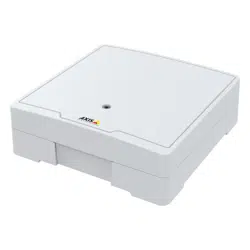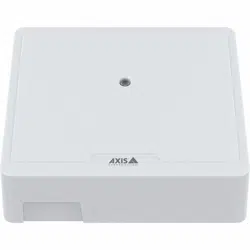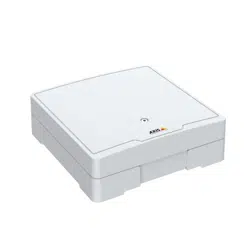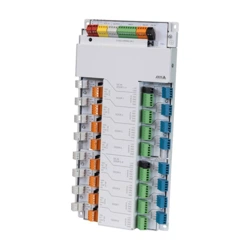


AXISA1214NetworkDoorControllerKit
TableofContents
Solutionoverview...........................................3
Productoverview...........................................4
Productcomponents.........................................5
Installation................................................6
AXISA1210-Busermanual...................................7
Getstarted................................................8
Findthedeviceonthenetwork....................................8
Openthedevice'swebinterface....................................8
Createanadministratoraccount...................................8
Securepasswords...............................................8
Verifythatnoonehastamperedwiththermware....................9
Webinterfaceoverview..........................................9
Installation................................................10
Congureyourdevice........................................11
Thewebinterface...........................................12
Status........................................................12
Accesscontrol..................................................13
System........................................................13
Maintenance...................................................22
Learnmore................................................23
Cybersecurity...................................................
23
Specications..............................................24
Productoverview................................................
24
LEDindicators..................................................
24
Buttons.......................................................
25
Connectors....................................................
25
Troubleshooting............................................31
Resettofactorydefaultsettings...................................31
Firmwareoptions...............................................31
Checkthecurrentrmwareversion.................................
31
Upgradethermware............................................31
Technicalissues,clues,andsolutions................................
32
Contactsupport.................................................33
2
AXISA1214NetworkDoorControllerKit
Solutionoverview
Solutionoverview
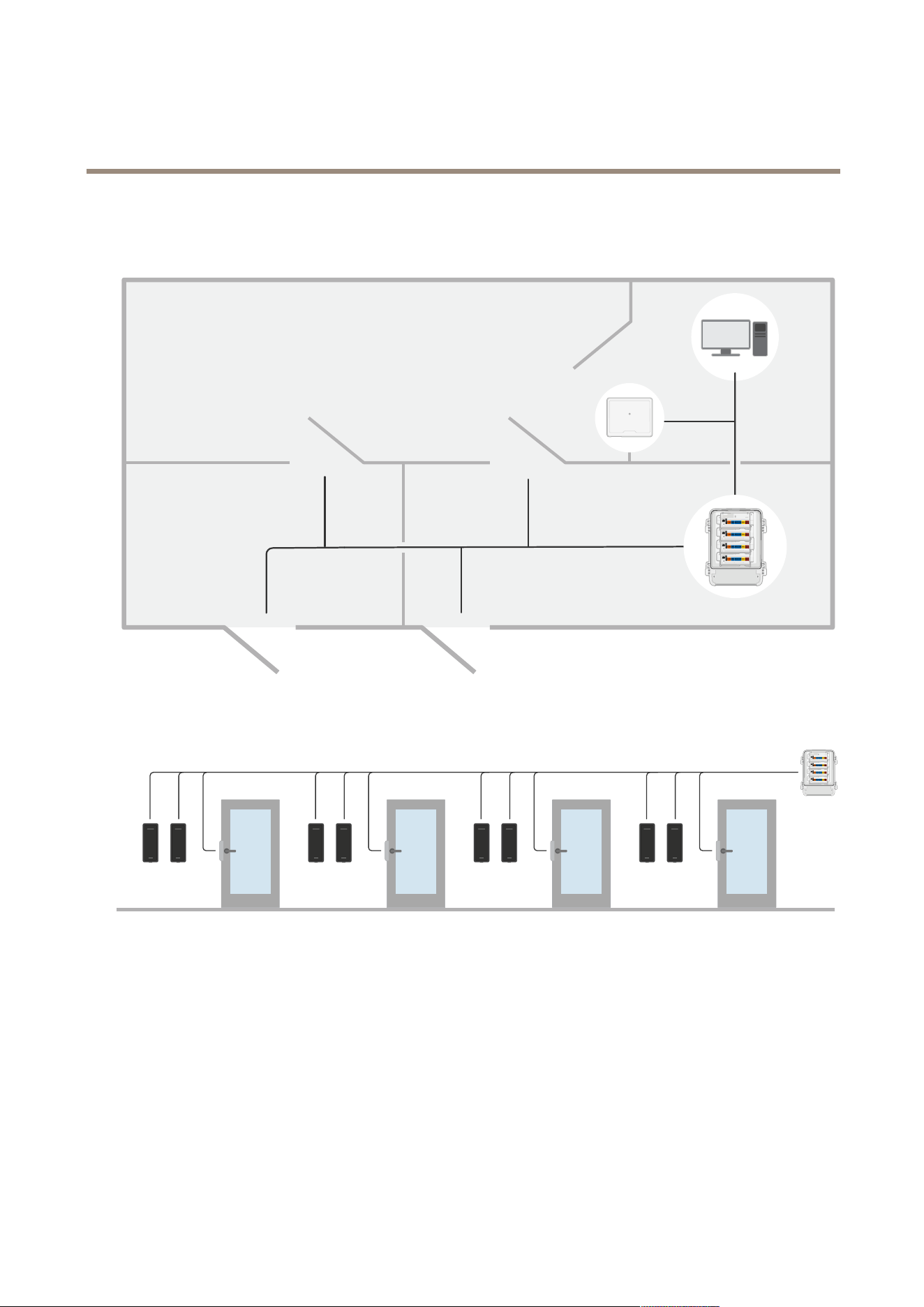
ThenetworkdoorcontrollerkitcaneasilybeconnectedtoandpoweredbyyourexistingIPnetworkwithnoneedforspecialcabling.
Eachnetworkdoorcontrollerkitcanpowerandcontroluptoeightreaders.
3
AXISA1214NetworkDoorControllerKit
Productoverview
Productoverview
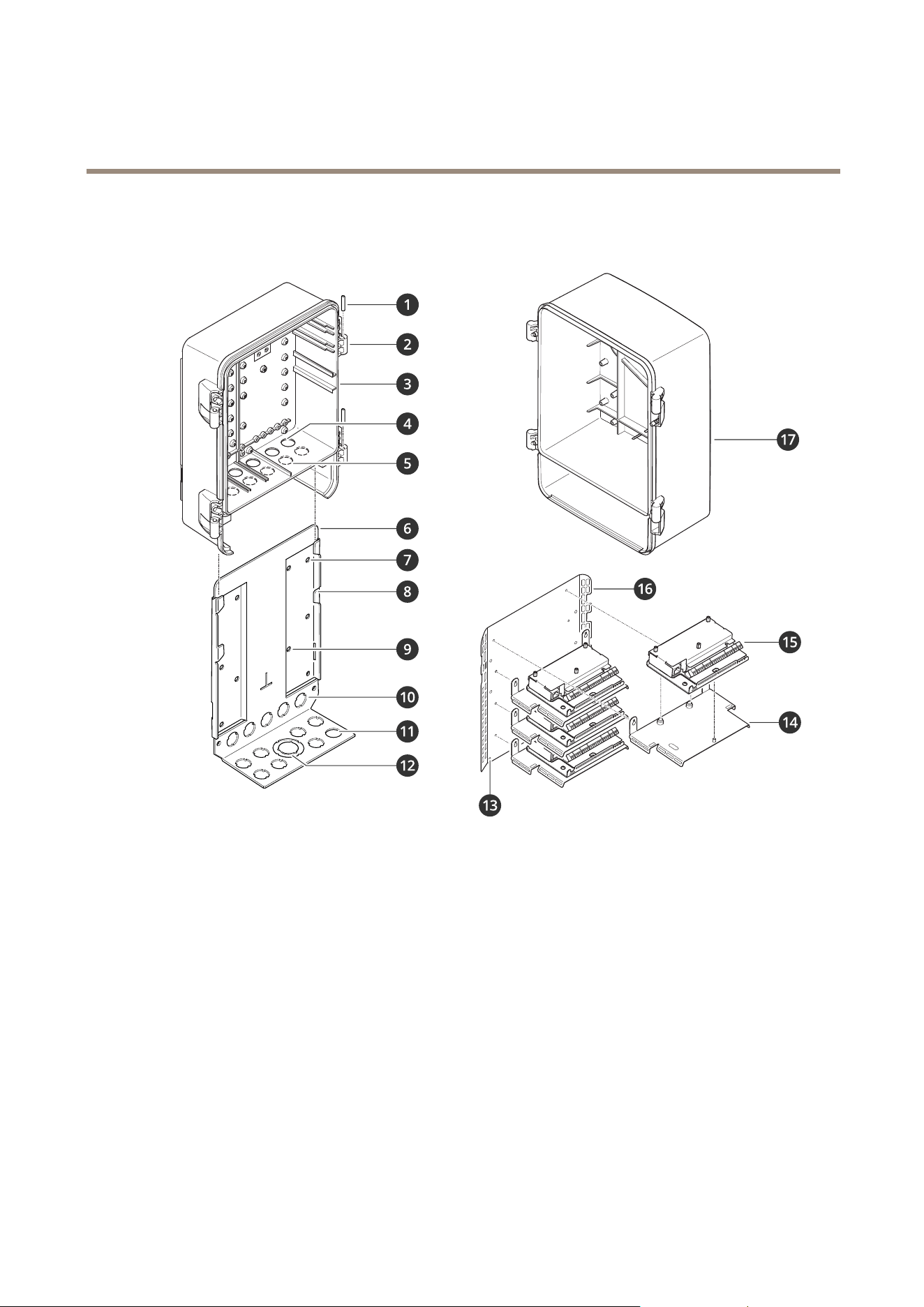
1
Hingepin(2x)
2
Hinge:left(2x),right(2x)
3
Cabinetbase
4
Cableholeandgasket:¾
�
(2x),½
�
(3x)
5
Drill-out(5x)
6
Cabinetmountingplate
7
Screwholeforwallmount(6x)
8
Hook(4x)
9
Screwholeforbracketmount(4x)
10
Knock-out:¾
�
(5x)
11
Knock-out:¾
�
(8x)
12
Knock-out:11/2
�
,¾
�
13
Controllerkitmountingplategroundingpoint
14
Controllermountingplate(4x)
15
Doorcontroller(4x)
16
Controllerkitmountingplate
17
Cabinetdoor
4

AXISA1214NetworkDoorControllerKit
Productcomponents
Productcomponents
Thedoorcontrollerkitconsistsofthefollowingcomponents:
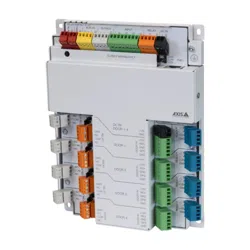
•4xAXISA1210-BNetworkDoorController
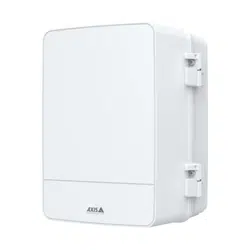
•1xAXISTQ1808-VESurveillanceCabinet
•1xAXISTA1601MountingPlate
5

AXISA1214NetworkDoorControllerKit
Installation
Installation
Towatchthisvideo,gotothewebversionofthisdocument.
help.axis.com/?&piaId=81064§ion=solution-overview
6

AXISA1214NetworkDoorControllerKit
AXISA1210-Busermanual
AXISA1210-Busermanual
Note
ThefollowingisabouthowtocongureanduseAXISA1210-BNetworkDoorController.
7

AXISA1214NetworkDoorControllerKit
Getstarted
Getstarted
Findthedeviceonthenetwork
TondAxisdevicesonthenetworkandassignthemIPaddressesinWindows®,useAXISIPUtilityorAXISDeviceManager.Both
applicationsarefreeandcanbedownloadedfromaxis.com/support.
FormoreinformationabouthowtondandassignIPaddresses,gotoHowtoassignanIPaddressandaccessyourdevice.
Browsersupport
Youcanusethedevicewiththefollowingbrowsers:
Chrome
TM
Firefox
®
Edge
TM
Safari
®
Windows
®
recommended
recommended
macOS
®
recommendedrecommended
Linux
®
recommendedrecommended
Otheroperatingsystems*
*TouseAXISOSwebinterfacewithiOS15oriPadOS15,gotoSettings Settings
Settings
> >
>
Safari Safari
Safari
> >
>
Advanced Advanced
Advanced
> >
>
Experimental Experimental
Experimental
Features Features
Features
anddisable
NSURLSessionWebsocket.
Ifyouneedmoreinformationaboutrecommendedbrowsers,gotoAXISOSPortal.
Openthedevice'swebinterface
1.OpenabrowserandtypetheIPaddressorhostnameoftheAxisdevice.
IfyoudonotknowtheIPaddress,useAXISIPUtilityorAXISDeviceManagertondthedeviceonthenetwork.
2.Typetheusernameandpassword.Ifyouaccessthedeviceforthersttime,youmustcreateanadministratoraccount.See
Createanadministratoraccountonpage8.
Createanadministratoraccount
Thersttimeyoulogintoyourdevice,youmustcreateanadministratoraccount.
1.Enterausername.
2.Enterapassword.SeeSecurepasswordsonpage8.
3.Re-enterthepassword.
4.ClickAdduser.
Important
Thedevicehasnodefaultaccount.Ifyoulosethepasswordforyouradministratoraccount,youmustresetthedevice.See
Resettofactorydefaultsettingsonpage31.
Securepasswords
Important
Axisdevicessendtheinitiallysetpasswordincleartextoverthenetwork.Toprotectyourdeviceaftertherstlogin,set
upasecureandencryptedHTTPSconnectionandthenchangethepassword.
8

AXISA1214NetworkDoorControllerKit
Getstarted
Thedevicepasswordistheprimaryprotectionforyourdataandservices.Axisdevicesdonotimposeapasswordpolicyasthey
maybeusedinvarioustypesofinstallations.
Toprotectyourdatawestronglyrecommendthatyou:
•Useapasswordwithatleast8characters,preferablycreatedbyapasswordgenerator.
•Don’texposethepassword.
•Changethepasswordatarecurringinterval,atleastonceayear.
Verifythatnoonehastamperedwiththermware
TomakesurethatthedevicehasitsoriginalAxisrmware,ortotakefullcontrolofthedeviceafterasecurityattack:
1.Resettofactorydefaultsettings.SeeResettofactorydefaultsettingsonpage31.
Afterthereset,securebootguaranteesthestateofthedevice.
2.Congureandinstallthedevice.
Webinterfaceoverview
Thisvideogivesyouanoverviewofthedevice’swebinterface.
Towatchthisvideo,gotothewebversionofthisdocument.
help.axis.com/?&piaId=81064§ion=web-interface-overview
Axisdevicewebinterface
9

AXISA1214NetworkDoorControllerKit
Installation
Installation
Towatchthisvideo,gotothewebversionofthisdocument.
help.axis.com/?&piaId=81064§ion=solution-overview
10

AXISA1214NetworkDoorControllerKit
Thewebinterface
Thewebinterface
Toreachthedevice’swebinterface,typethedevice’sIPaddressinawebbrowser.
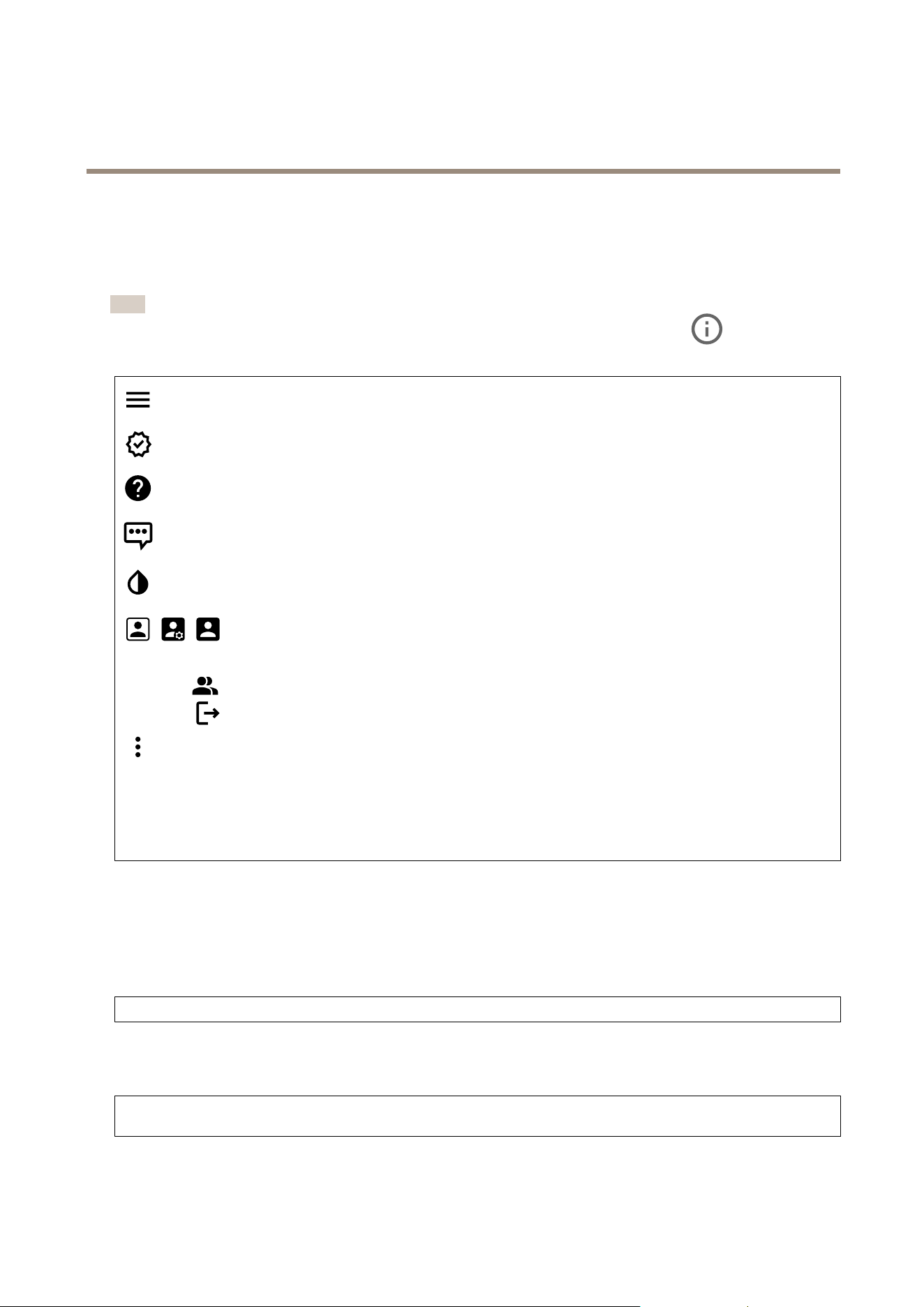
Note
Supportforthefeaturesandsettingsdescribedinthissectionvariesbetweendevices.Thisicon
indicatesthat
thefeatureorsettingisonlyavailableinsomedevices.
Showorhidethemainmenu.
Accessthereleasenotes.
Accesstheproducthelp.
Changethelanguage.
Setlightthemeordarktheme.
Theusermenucontains:
•Informationabouttheuserwhoisloggedin.
•
Changeaccount:Logoutfromthecurrentaccountandlogintoanewaccount.
•
Logout:Logoutfromthecurrentaccount.
Thecontextmenucontains:
•Analyticsdata:Accepttosharenon-personalbrowserdata.
•Feedback:Shareanyfeedbacktohelpusimproveyouruserexperience.
•Legal:Viewinformationaboutcookiesandlicenses.
•About:Viewdeviceinformation,includingrmwareversionandserialnumber.
•Legacydeviceinterface:Changethedevice’swebinterfacetothelegacyversion.
Status
Timesyncstatus
ShowsNTPsynchronizationinformation,includingifthedeviceisinsyncwithanNTPserverandthetimeremaininguntil
thenextsync.
NTPsettings:ViewandupdatetheNTPsettings.TakesyoutotheDateandtimepagewhereyoucanchangetheNTPsettings.
Deviceinfo
Showsthedeviceinformation,includingrmwareversionandserialnumber.
Upgradermware:Upgradethermwareonyourdevice.TakesyoutotheMaintenancepagewhereyoucandoarmware
upgrade.
12

AXISA1214NetworkDoorControllerKit
Thewebinterface
Accesscontrol
Alarms
Devicemotion:Turnontotriggeranalarminyoursystemwhenitdetectsamovementofthedoorcontroller.
Casingopen:Turnontotriggeranalarminyoursystemwhenitdetectsanopendoorcontrollercase.Turnoffthissettingfor
barebonedoorcontrollers..
Externaltamper:Turnontotriggeranalarminyoursystemwhenitdetectsanexternaltamper.Forexample,whensomeone
opensorclosestheexternalcabinet.
•Supervisedinput:Turnontomonitortheinputstateandconguretheend-of-lineresistors.
-Touseparallelrstconnection,selectParallelrstconnectionwitha22KΩparallelresistoranda4.7
KΩserialresistor.
-Touseserialrstconnection,selectSerialrstconnectionandselectaresistorvaluefromtheResistor
valuesdrop-downlist.
Peripherals
Upgradereaders:Clicktoupgradereaderstoanewrmwareversion.Thefeaturecanonlyupgradesupportedreaderswhen
theyareonline.
System
Timeandlocation
Dateandtime
Thetimeformatdependsonthewebbrowser’slanguagesettings.
Note
Werecommendyousynchronizethedevice’sdateandtimewithanNTPserver.
Synchronization:Selectanoptionforthedevice’sdateandtimesynchronization.
•Automaticdateandtime(manualNTSKEservers):SynchronizewiththesecureNTPkeyestablishmentservers
connectedtotheDHCPserver.
-ManualNTSKEservers:EntertheIPaddressofoneortwoNTPservers.WhenyouusetwoNTPservers,
thedevicesynchronizesandadaptsitstimebasedoninputfromboth.
•Automaticdateandtime(NTPserversusingDHCP):SynchronizewiththeNTPserversconnectedtotheDHCPserver.
-FallbackNTPservers:EntertheIPaddressofoneortwofallbackservers.
•Automaticdateandtime(manualNTPservers):SynchronizewithNTPserversofyourchoice.
-ManualNTPservers:EntertheIPaddressofoneortwoNTPservers.WhenyouusetwoNTPservers,the
devicesynchronizesandadaptsitstimebasedoninputfromboth.
•Customdateandtime:Manuallysetthedateandtime.ClickGetfromsystemtofetchthedateandtimesettings
oncefromyourcomputerormobiledevice.
Timezone:Selectwhichtimezonetouse.Timewillautomaticallyadjusttodaylightsavingtimeandstandardtime.
Note
Thesystemusesthedateandtimesettingsinallrecordings,logs,andsystemsettings.
Network
IPv4
13

AXISA1214NetworkDoorControllerKit
Thewebinterface
AssignIPv4automatically:SelecttoletthenetworkrouterassignanIPaddresstothedeviceautomatically.Werecommend
automaticIP(DHCP)formostnetworks.
IPaddress:EnterauniqueIPaddressforthedevice.StaticIPaddressescanbeassignedatrandomwithinisolatednetworks,
providedthateachaddressisunique.Toavoidconicts,werecommendyoucontactyournetworkadministratorbeforeyou
assignastaticIPaddress.
Subnetmask:Enterthesubnetmasktodenewhataddressesareinsidethelocalareanetwork.Anyaddressoutsidethelocal
areanetworkgoesthroughtherouter.
Router:EntertheIPaddressofthedefaultrouter(gateway)usedtoconnectdevicesthatareattachedtodifferentnetworksand
networksegments.
FallbacktostaticIPaddressifDHCPisn’tavailable:SelectifyouwanttoaddastaticIPaddresstouseasfallbackifDHCP
isunavailableandcan’tassignanIPaddressautomatically.
IPv6
AssignIPv6automatically:SelecttoturnonIPv6andtoletthenetworkrouterassignanIPaddresstothedeviceautomatically.
Hostname
Assignhostnameautomatically:Selecttoletthenetworkrouterassignahostnametothedeviceautomatically.
Hostname:Enterthehostnamemanuallytouseasanalternativewayofaccessingthedevice.Theserverreportandsystemlog
usethehostname.AllowedcharactersareA–Z,a–z,0–9and-.
DNSservers
AssignDNSautomatically:SelecttolettheDHCPserverassignsearchdomainsandDNSserveraddressestothedevice
automatically.WerecommendautomaticDNS(DHCP)formostnetworks.
Searchdomains:Whenyouuseahostnamethatisnotfullyqualied,clickAddsearchdomainandenteradomaininwhichto
searchforthehostnamethedeviceuses.
DNSservers:ClickAddDNSserverandentertheIPaddressoftheDNSserver.ThisprovidesthetranslationofhostnamestoIP
addressesonyournetwork.
HTTPandHTTPS
HTTPSisaprotocolthatprovidesencryptionforpagerequestsfromusersandforthepagesreturnedbythewebserver.Theencrypted
exchangeofinformationisgovernedbytheuseofanHTTPScerticate,whichguaranteestheauthenticityoftheserver.
TouseHTTPSonthedevice,youmustinstallanHTTPScerticate.GotoSystem>Securitytocreateandinstallcerticates.
Allowaccessthrough:SelectifauserisallowedtoconnecttothedevicethroughtheHTTP,HTTPS,orbothHTTPandHTTPS
protocols.
Note
IfyouviewencryptedwebpagesthroughHTTPS,youmightexperienceadropinperformance,especiallywhenyou
requestapageforthersttime.
HTTPport:EntertheHTTPporttouse.Thedeviceallowsport80oranyportintherange1024-65535.Ifyouareloggedinasan
administrator,youcanalsoenteranyportintherange1-1023.Ifyouuseaportinthisrange,yougetawarning.
HTTPSport:EntertheHTTPSporttouse.Thedeviceallowsport443oranyportintherange1024-65535.Ifyouareloggedinas
anadministrator,youcanalsoenteranyportintherange1-1023.Ifyouuseaportinthisrange,yougetawarning.
Certicate:SelectacerticatetoenableHTTPSforthedevice.
14

AXISA1214NetworkDoorControllerKit
Thewebinterface
Networkdiscoveryprotocols
Bonjour
®
:Turnontoallowautomaticdiscoveryonthenetwork.
Bonjourname:Enterafriendlynametobevisibleonthenetwork.ThedefaultnameisthedevicenameandMACaddress.
UPnP
®
:Turnontoallowautomaticdiscoveryonthenetwork.
UPnPname:Enterafriendlynametobevisibleonthenetwork.ThedefaultnameisthedevicenameandMACaddress.
WS-Discovery:Turnontoallowautomaticdiscoveryonthenetwork.
One-clickcloudconnection
One-clickcloudconnection(O3C)togetherwithanO3Cserviceprovideseasyandsecureinternetaccesstoliveandrecordedvideo
fromanylocation.Formoreinformation,seeaxis.com/end-to-end-solutions/hosted-services.
AllowO3C:
•One-click:Thisisthedefaultsetting.PressandholdthecontrolbuttononthedevicetoconnecttoanO3Cservice
overtheinternet.YouneedtoregisterthedevicewiththeO3Cservicewithin24hoursafteryoupressthecontrol
button.Otherwise,thedevicedisconnectsfromtheO3Cservice.Onceyouregisterthedevice,Alwaysisenabledand
thedevicestaysconnectedtotheO3Cservice.
•Always:ThedeviceconstantlyattemptstoconnecttoanO3Cserviceovertheinternet.Onceyouregisterthedevice,
itstaysconnectedtotheO3Cservice.Usethisoptionifthecontrolbuttononthedeviceisoutofreach.
•No:DisablestheO3Cservice.
Proxysettings:Ifneeded,entertheproxysettingstoconnecttotheproxyserver.
Host:Entertheproxyserver’saddress.
Port:Entertheportnumberusedforaccess.
LoginandPassword:Ifneeded,enterusernameandpasswordfortheproxyserver.
Authenticationmethod:
•Basic:ThismethodisthemostcompatibleauthenticationschemeforHTTP.It’slesssecurethantheDigestmethod
becauseitsendstheusernameandpasswordunencryptedtotheserver.
•Digest:Thismethodismoresecurebecauseitalwaystransfersthepasswordencryptedacrossthenetwork.
•Auto:Thisoptionletsthedeviceselecttheauthenticationmethoddependingonthesupportedmethods.Itprioritizes
theDigestmethodovertheBasicmethod.
Ownerauthenticationkey(OAK):ClickGetkeytofetchtheownerauthenticationkey.Thisisonlypossibleifthedeviceis
connectedtotheinternetwithoutarewallorproxy.
SNMP
TheSimpleNetworkManagementProtocol(SNMP)allowsremotemanagementofnetworkdevices.
SNMP:SelecttheversionofSNMPtouse.
•v1andv2c:
-Readcommunity:Enterthecommunitynamethathasread-onlyaccesstoallsupportedSNMPobjects.The
defaultvalueispublic.
-Writecommunity:EnterthecommunitynamethathasreadorwriteaccesstoallsupportedSNMPobjects
(exceptread-onlyobjects).Thedefaultvalueiswrite.
-Activatetraps:Turnontoactivatetrapreporting.Thedeviceusestrapstosendmessagesforimportant
eventsorstatuschangestoamanagementsystem.Inthewebinterface,youcansetuptrapsforSNMPv1
andv2c.TrapsareautomaticallyturnedoffifyouchangetoSNMPv3orturnoffSNMP.IfyouuseSNMPv3,
youcansetuptrapsthroughtheSNMPv3managementapplication.
-Trapaddress:EntertheIPaddressorhostnameofthemanagementserver.
-Trapcommunity:Enterthecommunitytousewhenthedevicesendsatrapmessagetothemanagement
system.
15

AXISA1214NetworkDoorControllerKit
Thewebinterface
-Traps:
-Coldstart:Sendsatrapmessagewhenthedevicestarts.
-Warmstart:SendsatrapmessagewhenyouchangeanSNMPsetting.
-Linkup:Sendsatrapmessagewhenalinkchangesfromdowntoup.
-Authenticationfailed:Sendsatrapmessagewhenanauthenticationattemptfails.
Note
AllAxisVideoMIBtrapsareenabledwhenyouturnonSNMPv1andv2ctraps.Formoreinformation,see
AXISOSPortal>SNMP.
•v3:SNMPv3isamoresecureversion,whichprovidesencryptionandsecurepasswords.TouseSNMPv3,we
recommendyoutoactivateHTTPS,asthepasswordisthensentthroughHTTPS.Thisalsopreventsunauthorized
parties’accesstounencryptedSNMPv1andv2ctraps.IfyouuseSNMPv3,youcansetuptrapsthroughtheSNMPv3
managementapplication.
-Passwordfortheaccount“initial”:EntertheSNMPpasswordfortheaccountnamed“initial”.Althoughthe
passwordcanbesentwithoutactivatingHTTPS,wedon’trecommendit.TheSNMPv3passwordcanonly
besetonce,andpreferablyonlywhenHTTPSisenabled.Oncethepasswordisset,thepasswordeldisno
longerdisplayed.Tosetthepasswordagain,youmustresetthedevicetofactorydefaultsettings.
Connectedclients
Showsthenumberofconnectionsandconnectedclients.
Viewdetails:Viewandupdatethelistoftheconnectedclients.ThelistshowsIPaddress,protocol,port,andPID/Process
ofeachclient.
Security
Certicates
Certicatesareusedtoauthenticatedevicesonanetwork.Thedevicesupportstwotypesofcerticates:
•Client/servercerticates
Aclient/servercerticatevalidatesthedevice’sidentity,andcanbeself-signedorissuedbyaCerticateAuthority(CA).
Aself-signedcerticateofferslimitedprotectionandcanbeusedbeforeaCA-issuedcerticatehasbeenobtained.
•CAcerticates
YoucanuseaCAcerticatetoauthenticateapeercerticate,forexampletovalidatetheidentityofanauthentication
serverwhenthedeviceconnectstoanetworkprotectedbyIEEE802.1X.Thedevicehasseveralpre-installedCA
certicates.
Theseformatsaresupported:
•Certicateformats:.PEM,.CER,and.PFX
•Privatekeyformats:PKCS#1andPKCS#12
Important
Ifyouresetthedevicetofactorydefault,allcerticatesaredeleted.Anypre-installedCAcerticatesarereinstalled.
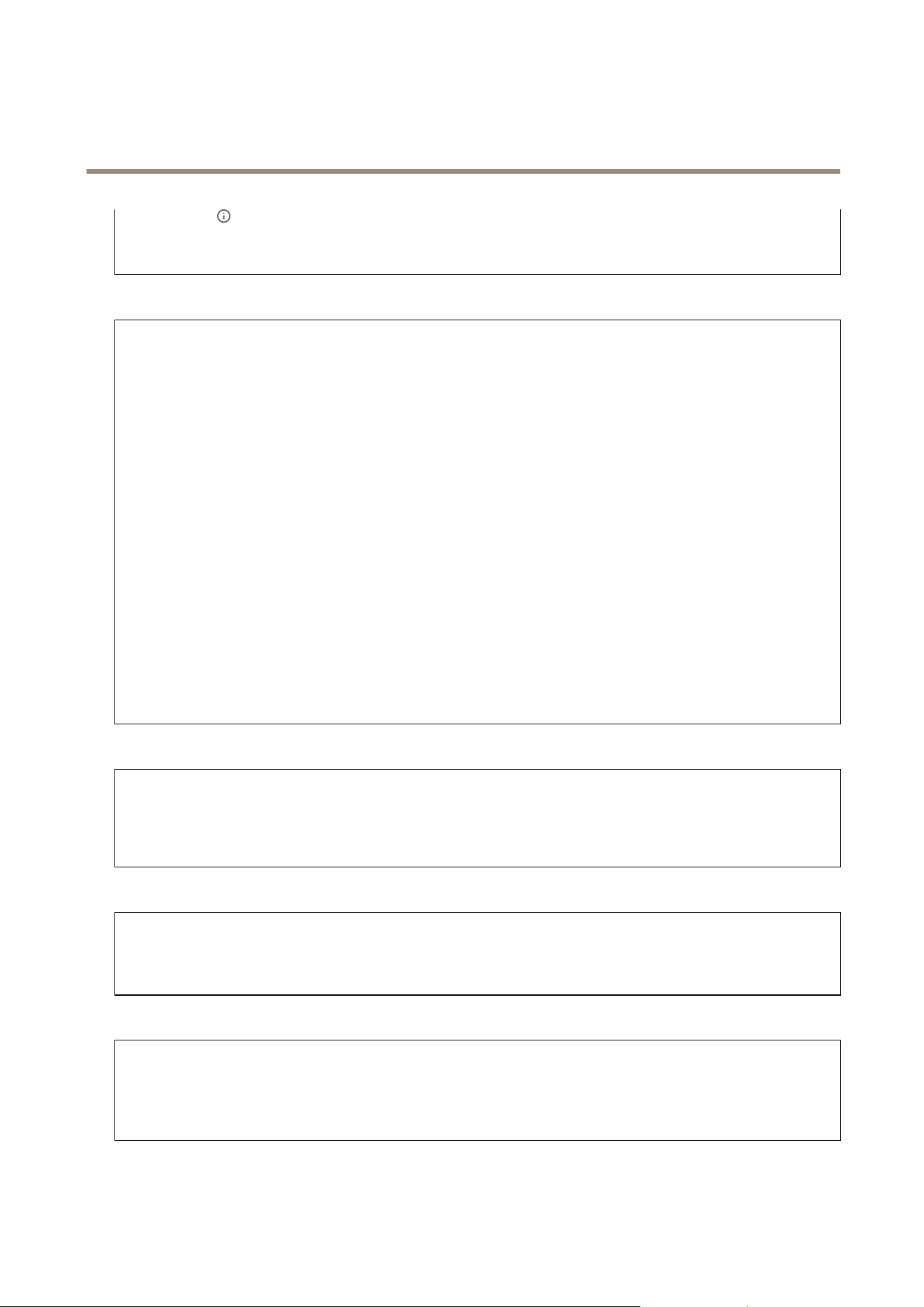
Filterthecerticatesinthelist.
Addcerticate:Clicktoaddacerticate.
Thecontextmenucontains:
•Certicateinformation:Viewaninstalledcerticate’sproperties.
•Deletecerticate:Deletethecerticate.
•Createcerticatesigningrequest:Createacerticatesigningrequesttosendtoaregistrationauthoritytoapply
foradigitalidentitycerticate.
16
AXISA1214NetworkDoorControllerKit
Thewebinterface
Securekeystore:
•Secureelement(CCEAL6+):Selecttousesecureelementforsecurekeystore.
•TrustedPlatformModule2.0(CCEAL4+,FIPS140-2Level2):SelecttouseTPM2.0forsecurekeystore.
IEEE802.1x
IEEE802.1xisanIEEEstandardforport-basednetworkadmissioncontrolprovidingsecureauthenticationofwiredandwireless
networkdevices.IEEE802.1xisbasedonEAP(ExtensibleAuthenticationProtocol).
ToaccessanetworkprotectedbyIEEE802.1x,networkdevicesmustauthenticatethemselves.Theauthenticationisperformedby
anauthenticationserver,typicallyaRADIUSserver(forexample,FreeRADIUSandMicrosoftInternetAuthenticationServer).
Certicates
WhenconguredwithoutaCAcerticate,servercerticatevalidationisdisabledandthedevicetriestoauthenticateitself
regardlessofwhatnetworkitisconnectedto.
Whenusingacerticate,inAxis'implementation,thedeviceandtheauthenticationserverauthenticatethemselveswithdigital
certicatesusingEAP-TLS(ExtensibleAuthenticationProtocol-TransportLayerSecurity).
Toallowthedevicetoaccessanetworkprotectedthroughcerticates,youmustinstallasignedclientcerticateonthedevice.
Clientcerticate:SelectaclientcerticatetouseIEEE802.1x.Theauthenticationserverusesthecerticatetovalidatethe
client’sidentity.
CAcerticate:SelectCAcerticatestovalidatetheauthenticationserver’sidentity.Whennocerticateisselected,thedevice
triestoauthenticateitselfregardlessofwhatnetworkitisconnectedto.
EAPidentity:Entertheuseridentityassociatedwiththeclientcerticate.
EAPOLversion:SelecttheEAPOLversionthatisusedinthenetworkswitch.
UseIEEE802.1x:SelecttousetheIEEE802.1xprotocol.
Preventbrute-forceattacks
Blocking:Turnontoblockbrute-forceattacks.Abrute-forceattackusestrial-and-errortoguesslogininfoorencryptionkeys.
Blockingperiod:Enterthenumberofsecondstoblockabrute-forceattack.
Blockingconditions:Enterthenumberofauthenticationfailuresallowedpersecondbeforetheblockstarts.Youcansetthe
numberoffailuresallowedbothonpagelevelanddevicelevel.
IPaddresslter
Uselter:SelecttolterwhichIPaddressesareallowedtoaccessthedevice.
Policy:ChoosewhethertoAlloworDenyaccessforcertainIPaddresses.
Addresses:EntertheIPnumbersthatareeitherallowedordeniedaccesstothedevice.YoucanalsousetheCIDRformat.
Custom-signedrmwarecerticate
ToinstalltestrmwareorothercustomrmwarefromAxisonthedevice,youneedacustom-signedrmwarecerticate.The
certicateveriesthatthermwareisapprovedbyboththedeviceownerandAxis.Thermwarecanonlyrunonaspecic
devicewhichisidentiedbyitsuniqueserialnumberandchipID.OnlyAxiscancreatecustom-signedrmwarecerticates,
sinceAxisholdsthekeytosignthem.
Install:Clicktoinstallthecerticate.Youneedtoinstallthecerticatebeforeyouinstallthermware.
17
AXISA1214NetworkDoorControllerKit
Thewebinterface
Accounts
Accounts
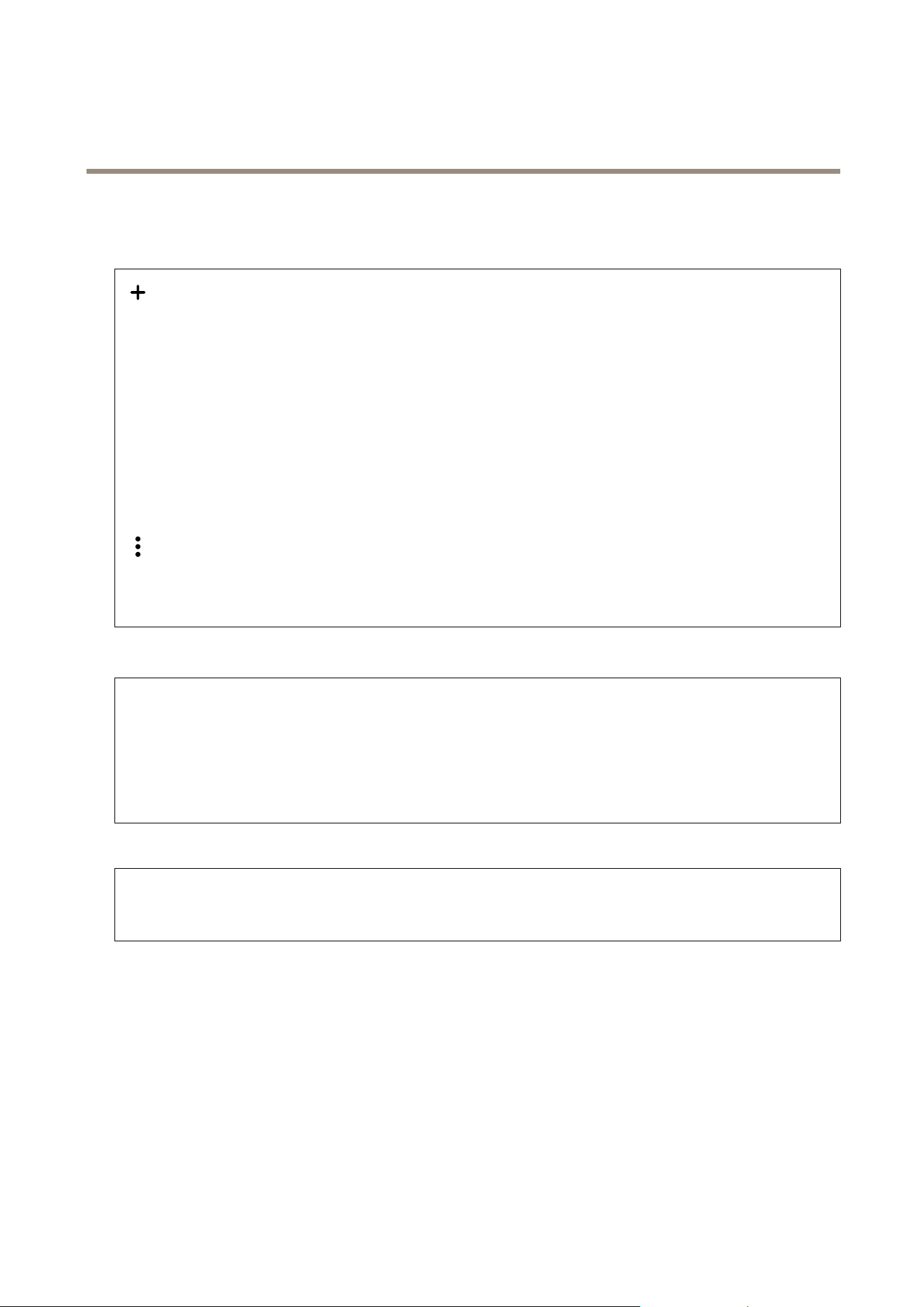
Addaccount:Clicktoaddanewaccount.Youcanaddupto100accounts.
Account:Enterauniqueaccountname.
Newpassword:Enterapasswordfortheaccount.Passwordsmustbe1to64characterslong.OnlyASCIIprintablecharacters
(code32to126)areallowedinthepassword,forexample,letters,numbers,punctuation,andsomesymbols.
Repeatpassword:Enterthesamepasswordagain.
Privileges:
•Administrator:Hasfullaccesstoallsettings.Administratorscanalsoadd,update,andremoveotheraccounts.
•Operator:Hasaccesstoallsettingsexcept:
-AllSystemsettings.
-Addingapps.
•Viewer:Doesn’thaveaccesstochangeanysettings.
Thecontextmenucontains:
Updateaccount:Edittheaccountproperties.
Deleteaccount:Deletetheaccount.Youcan’tdeletetherootaccount.
MQTT
MQTT(MessageQueuingTelemetryTransport)isastandardmessagingprotocolfortheInternetofThings(IoT).Itwasdesignedfor
simpliedIoTintegrationandisusedinawidevarietyofindustriestoconnectremotedeviceswithasmallcodefootprintand
minimalnetworkbandwidth.TheMQTTclientinAxisdevicermwarecansimplifyintegrationofdataandeventsproducedinthe
devicetosystemswhicharenotvideomanagementsoftware(VMS).
SetupthedeviceasanMQTTclient.MQTTcommunicationisbasedontwoentities,theclientsandthebroker.Theclientscan
sendandreceivemessages.Thebrokerisresponsibleforroutingmessagesbetweenclients.
YoucanlearnmoreaboutMQTTinAXISOSPortal.
ALPN
ALPNisaTLS/SSLextensionthatallowsfortheselectionofanapplicationprotocolduringthehandshakephaseoftheconnection
betweentheclientandserver.ThisisusedtoenableMQTTtrafcoverthesameportthatisusedforotherprotocols,suchasHTTP.
Insomecases,theremightnotbeadedicatedportopenforMQTTcommunication.AsolutioninsuchcasesistouseALPNto
negotiatetheuseofMQTTastheapplicationprotocolonastandardport,allowedbytherewalls.
MQTTclient
18

AXISA1214NetworkDoorControllerKit
Thewebinterface
Connect:TurnonorofftheMQTTclient.
Status:ShowsthecurrentstatusoftheMQTTclient.
Broker
Host:EnterthehostnameorIPaddressoftheMQTTserver.
Protocol:Selectwhichprotocoltouse.
Port:Entertheportnumber.
•1883isthedefaultvalueforMQTToverTCP
•8883isthedefaultvalueforMQTToverSSL
•80isthedefaultvalueforMQTToverWebSocket
•443isthedefaultvalueforMQTToverWebSocketSecure
ALPNprotocol:EntertheALPNprotocolnameprovidedbyyourMQTTbrokerprovider.ThisisonlyapplicablewithMQTToverSSL
andMQTToverWebSocketSecure.
Username:Entertheusernamethattheclientwillusetoaccesstheserver.
Password:Enterapasswordfortheusername.
ClientID:EnteraclientID.Theclientidentierissenttotheserverwhentheclientconnectstoit.
Cleansession:Controlsthebehavioratconnectionanddisconnectiontime.Whenselected,thestateinformationisdiscarded
atconnectanddisconnect.
Keepaliveinterval:Enablestheclienttodetectwhentheserverisnolongeravailablewithouthavingtowaitforthelong
TCP/IPtimeout.
Timeout:Thetimeintervalinsecondstoallowaconnecttocomplete.Defaultvalue:60
Devicetopicprex:UsedinthedefaultvaluesforthetopicintheconnectmessageandLWTmessageontheMQTTclienttab,
andinthepublicationconditionsontheMQTTpublicationtab.
Reconnectautomatically:Specieswhethertheclientshouldreconnectautomaticallyafteradisconnect.
Connectmessage
Speciesifamessageshouldbesentoutwhenaconnectionisestablished.
Sendmessage:Turnontosendmessages.
Usedefault:Turnofftoenteryourowndefaultmessage.
Topic:Enterthetopicforthedefaultmessage.
Payload:Enterthecontentforthedefaultmessage.
Retain:SelecttokeepthestateofclientonthisTopic
QoS:ChangetheQoSlayerforthepacketow.
LastWillandTestamentmessage
TheLastWillTestament(LWT)letsaclientprovideatestamentalongwithitscredentialswhenconnectingtothebroker.Ifthe
clientdisconnectsungracefullyatsomepointlater(maybebecausehispowersourcedied),itcanletthebrokerdeliveramessage
tootherclients.ThisLWTmessagehasthesameformasanordinarymessageandgetsroutedviathesamemechanics.
Sendmessage:Turnontosendmessages.
Usedefault:Turnofftoenteryourowndefaultmessage.
Topic:Enterthetopicforthedefaultmessage.
19

AXISA1214NetworkDoorControllerKit
Thewebinterface
Payload:Enterthecontentforthedefaultmessage.
Retain:SelecttokeepthestateofclientonthisTopic
QoS:ChangetheQoSlayerforthepacketow.
MQTTpublication
Usedefaulttopicprex:Selecttousethedefaulttopicprex,thatisdenedinthedevicetopicprexintheMQTTclienttab.
Includetopicname:SelecttoincludethetopicthatdescribestheconditionintheMQTTtopic.
Includetopicnamespaces:SelecttoincludeONVIFtopicnamespacesintheMQTTtopic.
Includeserialnumber:Selecttoincludethedevice’sserialnumberintheMQTTpayload.
Addcondition:Clicktoaddacondition.
Retain:DeneswhichMQTTmessagesaresentasretained.
•None:Sendallmessagesasnon-retained.
•Property:Sendonlystatefulmessagesasretained.
•All:Sendbothstatefulandstatelessmessagesasretained.
QoS:SelectthedesiredlevelfortheMQTTpublication.
MQTTsubscriptions
Addsubscription:ClicktoaddanewMQTTsubscription.
Subscriptionlter:EntertheMQTTtopicthatyouwanttosubscribeto.
Usedevicetopicprex:AddthesubscriptionlterasprextotheMQTTtopic.
Subscriptiontype:
•Stateless:SelecttoconvertMQTTmessagesintoastatelessmessage.
•Stateful:SelecttoconvertMQTTmessagesintoacondition.Thepayloadisusedasthestate.
QoS:SelectthedesiredlevelfortheMQTTsubscription.
Accessories
I/Oports
Usedigitalinputtoconnectexternaldevicesthatcantogglebetweenanopenandclosedcircuit,forexample,PIRsensors,door
orwindowcontacts,andglassbreakdetectors.
UsedigitaloutputtoconnectexternaldevicessuchasrelaysandLEDs.YoucanactivateconnecteddevicesthroughtheVAPIX®
ApplicationProgrammingInterfaceorthewebinterface.
20
AXISA1214NetworkDoorControllerKit
Thewebinterface
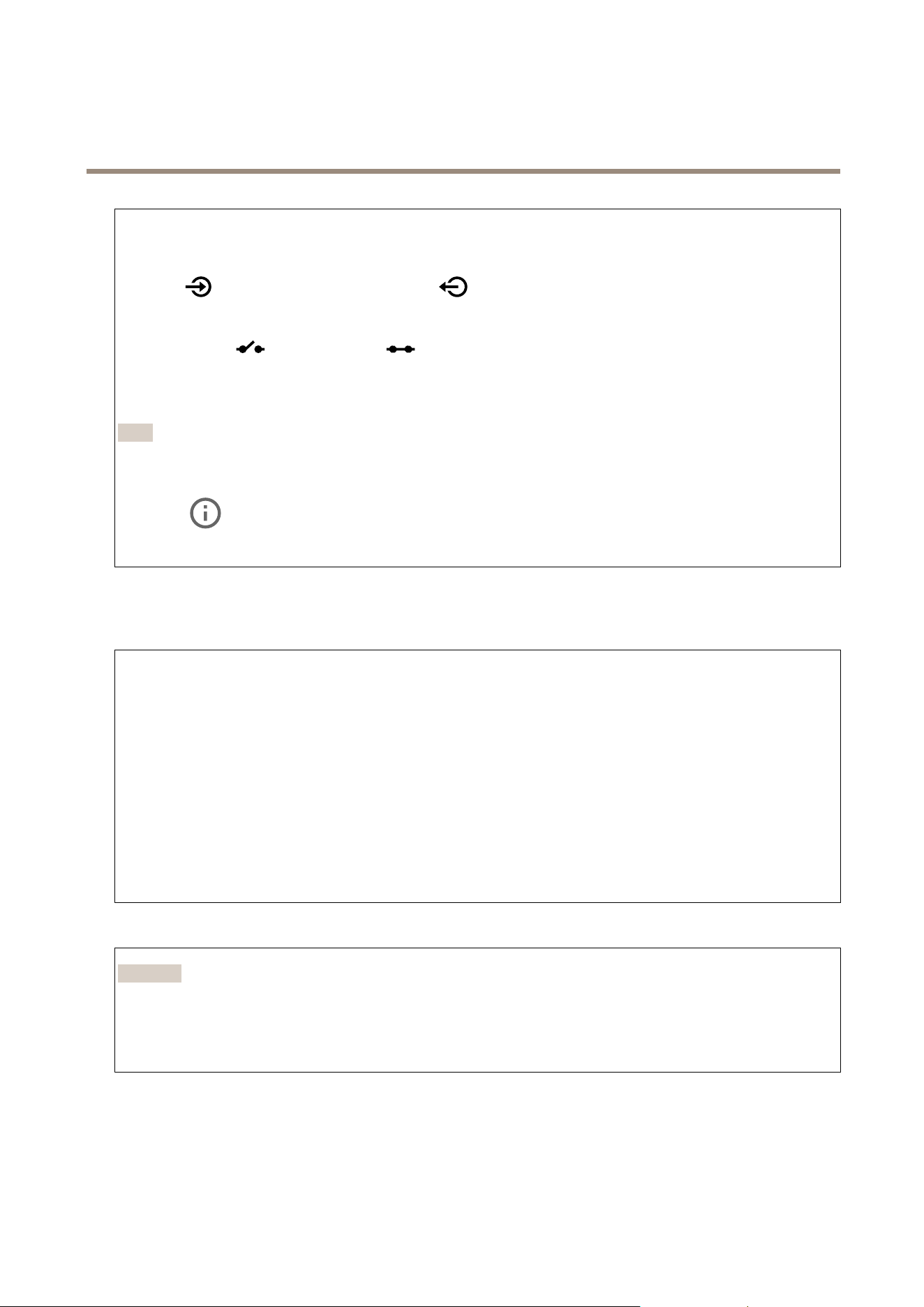
Port
Name:Editthetexttorenametheport.
Direction:
indicatesthattheportisaninputport.indicatesthatit’sanoutputport.Iftheportiscongurable,
youcanclicktheiconstochangebetweeninputandoutput.
Normalstate:Click
foropencircuit,andforclosedcircuit.
Currentstate:Showsthecurrentstateoftheport.Theinputoroutputisactivatedwhenthecurrentstateisdifferentfromthe
normalstate.Aninputonthedevicehasanopencircuitwhenit’sdisconnectedorwhenthereisavoltageabove1VDC.
Note
Duringrestart,theoutputcircuitisopen.Whentherestartiscomplete,thecircuitgoesbacktothenormalposition.Ifyou
changeanysettingsonthispage,theoutputcircuitsgobacktotheirnormalpositionsregardlessofanyactivetriggers.
Supervised
:Turnontomakeitpossibletodetectandtriggeractionsifsomeonetamperswiththeconnectiontodigital
I/Odevices.Inadditiontodetectingifaninputisopenorclosed,youcanalsodetectifsomeonehastamperedwithit(thatis,cut
orshorted).Tosupervisetheconnectionrequiresadditionalhardware(end-of-lineresistors)intheexternalI/Oloop.
Logs
Reportsandlogs
Reports
•Viewthedeviceserverreport:Viewinformationabouttheproductstatusinapop-upwindow.TheAccessLogis
automaticallyincludedintheServerReport.
•Downloadthedeviceserverreport:Itcreatesa.ziplethatcontainsacompleteserverreporttextleinUTF–8
format,aswellasasnapshotofthecurrentliveviewimage.Alwaysincludetheserverreport.ziplewhenyou
contactsupport.
•Downloadthecrashreport:Downloadanarchivewithdetailedinformationabouttheserver'sstatus.Thecrashreport
containsinformationthatisintheserverreportaswellasdetaileddebuginformation.Thisreportmightcontain
sensitiveinformationsuchasnetworktraces.Itcantakeseveralminutestogeneratethereport.
Logs
•Viewthesystemlog:Clicktoshowinformationaboutsystemeventssuchasdevicestartup,warnings,andcritical
messages.
•Viewtheaccesslog:Clicktoshowallfailedattemptstoaccessthedevice,forexample,whenawronglogin
passwordisused.
Networktrace
Important
Anetworktracelemightcontainsensitiveinformation,forexamplecerticatesorpasswords.
Anetworktracelecanhelpyoutroubleshootproblemsbyrecordingactivityonthenetwork.
Tracetime:Selectthedurationofthetraceinsecondsorminutes,andclickDownload.
Remotesystemlog
Syslogisastandardformessagelogging.Itallowsseparationofthesoftwarethatgeneratesmessages,thesystemthatstoresthem,
andthesoftwarethatreportsandanalyzesthem.Eachmessageislabeledwithafacilitycode,whichindicatesthesoftware
typegeneratingthemessage,andassignedaseveritylevel.
21

AXISA1214NetworkDoorControllerKit
Thewebinterface
Server:Clicktoaddanewserver.
Host:EnterthehostnameorIPaddressoftheserver.
Format:Selectwhichsyslogmessageformattouse.
•Axis
•RFC3164
•RFC5424
Protocol:Selecttheprotocolandporttouse:
•UDP(Defaultportis514)
•TCP(Defaultportis601)
•TLS(Defaultportis6514)
Severity:Selectwhichmessagestosendwhentriggered.
CAcerticateset:Seethecurrentsettingsoraddacerticate.
Maintenance
Restart:Restartthedevice.Thisdoesnotaffectanyofthecurrentsettings.Runningapplicationsrestartautomatically.
Restore:Returnmostsettingstothefactorydefaultvalues.Afterwardsyoumustrecongurethedeviceandapps,reinstallany
appsthatdidn’tcomepreinstalled,andrecreateanyeventsandPTZpresets.
Important
Theonlysettingssavedafterrestoreare:
•Bootprotocol(DHCPorstatic)
•StaticIPaddress
•Defaultrouter
•Subnetmask
•802.1Xsettings
•O3Csettings
Factorydefault:Returnallsettingstothefactorydefaultvalues.AfterwardsyoumustresettheIPaddresstomakethedevice
accessible.
Note
AllAxisdevicermwareisdigitallysignedtoensurethatyouonlyinstallveriedrmwareonyourdevice.Thisfurther
increasestheoverallminimumcybersecuritylevelofAxisdevices.Formoreinformation,seethewhitepaper“Signed
rmware,secureboot,andsecurityofprivatekeys”ataxis.com.
Firmwareupgrade:Upgradetoanewrmwareversion.Newrmwarereleasescancontainimprovedfunctionality,bug
xes,andcompletelynewfeatures.Werecommendyoutoalwaysusethelatestrelease.Todownloadthelatestrelease,go
toaxis.com/support.
Whenyouupgrade,youcanchoosebetweenthreeoptions:
•Standardupgrade:Upgradetothenewrmwareversion.
•Factorydefault:Upgradeandreturnallsettingstothefactorydefaultvalues.Whenyouchoosethisoption,youcan’t
reverttothepreviousrmwareversionaftertheupgrade.
•Autorollback:Upgradeandconrmtheupgradewithinthesettime.Ifyoudon’tconrm,thedevicerevertstothe
previousrmwareversion.
Firmwarerollback:Reverttothepreviouslyinstalledrmwareversion.
22

AXISA1214NetworkDoorControllerKit
Learnmore
Learnmore
Cybersecurity
Signedrmware
Signedrmwareisimplementedbythesoftwarevendorsigningthermwareimagewithaprivatekey.Whenarmwarehasthis
signatureattachedtoit,adevicewillvalidatethermwarebeforeacceptingtoinstallit.Ifthedevicedetectsthatthermware
integrityiscompromised,thermwareupgradewillberejected.
Secureboot
Securebootisabootprocessthatconsistsofanunbrokenchainofcryptographicallyvalidatedsoftware,startinginimmutable
memory(bootROM).Beingbasedontheuseofsignedrmware,securebootensuresthatadevicecanbootonlywithauthorized
rmware.
AxisEdgeVault
AxisEdgeVaultprovidesahardware-basedcybersecurityplatformthatsafeguardstheAxisdevice.Itoffersfeaturestoguaranteethe
device’sidentityandintegrityandtoprotectyoursensitiveinformationfromunauthorizedaccess.Itbuildsonastrongfoundationof
cryptographiccomputingmodules(secureelementandTPM)andSoCsecurity(TEEandsecureboot),combinedwithexpertisein
edgedevicesecurity.
AxisdeviceID
Beingabletoverifytheoriginofthedeviceiskeytoestablishingtrustinthedeviceidentity.Duringproduction,deviceswith
AxisEdgeVaultareassignedaunique,factory-provisioned,andIEEE802.1AR-compliantAxisdeviceIDcerticate.Thisworks
likeapassporttoprovetheoriginofthedevice.ThedeviceIDissecurelyandpermanentlystoredinthesecurekeystoreasa
certicatesignedbyAxisrootcerticate.ThedeviceIDcanbeleveragedbythecustomer’sITinfrastructureforautomatedsecure
deviceonboardingandsecuredeviceidentication
TolearnmoreaboutAxisEdgeVaultandcybersecurityfeaturesinAxisdevices,gotoaxis.com/learning/white-papersandsearchfor
cybersecurity.
23
AXISA1214NetworkDoorControllerKit
Specifications
Specifications
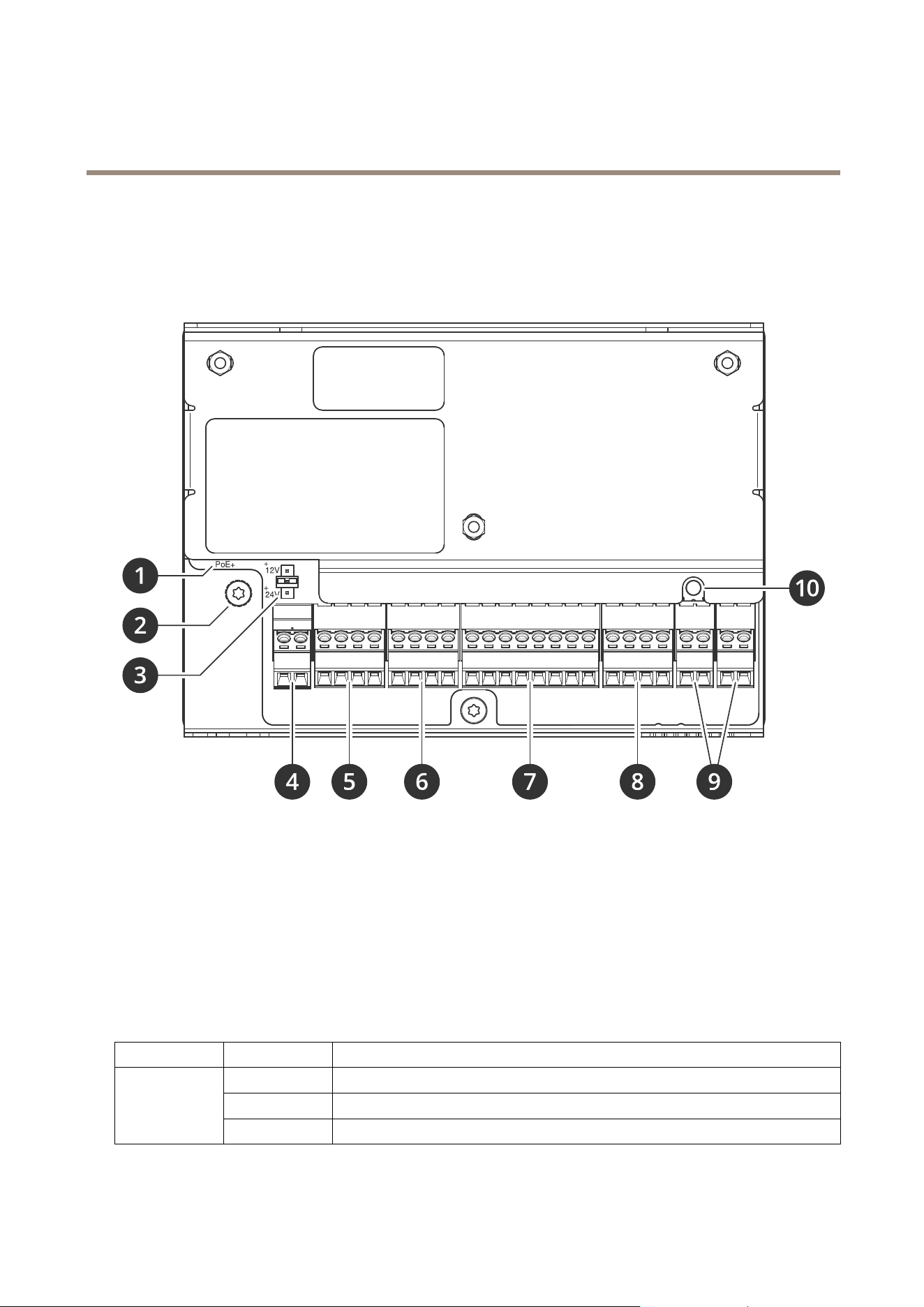
Productoverview
1
Networkconnector
2
Groundingposition
3
Relayjumper
4
Powerconnector
5
Relayconnector
6
Doorconnector
7
Readerconnector
8
Auxiliaryconnector
9
Externalconnectors
10
Controlbutton
LEDindicators
LED
Color
Indication
Green
Steadyforconnectiontoa100MBit/snetwork.Flashesfornetworkactivity.
Amber
Steadyforconnectiontoa10MBit/snetwork.Flashesfornetworkactivity.
Network
UnlitNonetworkconnection.
24

AXISA1214NetworkDoorControllerKit
Specifications
GreenSteadygreenfornormaloperation.
Amber
Steadyduringstartupandwhenrestoringsettings.
Status
Red
Slowashforfailedupgrade.
Green
Normaloperation.
Power
Amber
Flashesgreen/amberduringrmwareupgrade.
Green
Relayactive.
1
Relay
UnlitRelayinactive.
1.RelayisactivewhenCOMisconnectedtoNO.
Buttons
Controlbutton
Thecontrolbuttonisusedfor:
•Resettingtheproducttofactorydefaultsettings.SeeResettofactorydefaultsettingsonpage31.
Connectors
Networkconnector
RJ45EthernetconnectorwithPoweroverEthernetPlus(PoE+).
UL:PoweroverEthernet(PoE)shallbeoverEthernetIEEE802.3af/802.3atType1Class3orPoweroverEthernetPlus(PoE+)
IEEE802.3atType2Class4powerlimitedinjectorthatprovides44–57VDC,15.4W/30W.PoweroverEthernet(PoE)has
beenevaluatedbyULwithAXIST8133Midspan30W1-port.
Readerconnector
One8-pinterminalblocksupportingbothOSDPandWiegandprotocolsforcommunicationwiththereader.
ItcanconnectuptotwoOSDPreaders(multi-drop)oroneWiegandreader.500mAat12VDCisreservedforallreadersconnected
tothedoorcontroller.
ConguredforoneOSDPreader
FunctionPinNote
Specications
DCground(GND)
1
0VDC
DCoutput(+12V)
2
Suppliespowertoreader.12VDC,max500mA
A
3
Halfduplex
B
4
Halfduplex
ConguredfortwoOSDPreaders(multi-drop)
25

AXISA1214NetworkDoorControllerKit
Specifications
FunctionPinNote
Specications
DCground(GND)
1
0VDC
DCoutput(+12V)
2
Suppliespowertoboth
readers.
12VDC,max
500mAcombinedforboth
readers
A
3
Halfduplex
B
4
Halfduplex
Important
•Whenthereaderispoweredbythecontroller,thequaliedcablelengthisupto200m(656ft).VeriedonlyforAxisreaders.
•Whenthereaderisnotpoweredbythecontroller,thequaliedcablelengthforreaderdataisupto1000m(3280,8ft)ifthe
followingcablerequirementsaremet:1twistedpairwithshield,AWG24,120ohmimpedance.VeriedonlyforAxisreaders.
ConguredforoneWiegandreader
FunctionPinNote
Specications
DCground(GND)
1
0VDC
DCoutput(+12V)
2
Suppliespowertoreader.12VDC,max500mA
D0
3
D1
4
LED1
5
RedLED
LED2
6
GreenLED
TAMPER
7
Digitalinput—Connecttopin
1toactivate,orleaveoating
(unconnected)todeactivate.
0tomax30VDC
BUZZER
8
Digitaloutput—Ifusedwith
aninductiveload,e.g.,arelay,
connectadiodeinparallel
withtheload,toprotect
againstvoltagetransients.
0tomax30VDC,opendrain,
100mA
Important
•Whenthereaderispoweredbythecontroller,thequaliedcablelengthisupto150m(500ft).
•Whenthereaderisnotpoweredbythecontroller,thequaliedcablelengthforreaderdataisupto150m(500ft)ifthe
followingcablerequirementismet:AWG22.
Doorconnector
One4-pinterminalblockfordoormonitoringdevices(digitalinput).
Doormonitorsupportssupervisionwithendoflineresistors.Iftheconnectionisinterrupted,analarmistriggered.Tousesupervised
inputs,installendoflineresistors.Usetheconnectiondiagramforsupervisedinputs.Seepage29.
26

AXISA1214NetworkDoorControllerKit
Specifications
FunctionPinNotes
Specications
DCground
1,3
0VDC
Input
2,4
Forcommunicatingwithdoormonitor.
DigitalinputorSupervisedinput—Connectto
pin1or3respectivelytoactivate,orleaveoating
(unconnected)todeactivate.
0tomax30VDC
Important
Thequaliedcablelengthisupto200m(656ft)ifthefollowingcablerequirementismet:AWG24.
Relayconnector
One4-pinterminalblockforformCrelaysthatcanbeused,forexample,tocontrolalockoraninterfacetoagate.
FunctionPinNotes
Specications
DCground(GND)
1
0VDC
NO
2
Normallyopen.
Forconnectingrelaydevices.
Connectafail-securelock
betweenNOandDCground.
Thetworelaypinsare
galvanicallyseparatedfrom
therestofthecircuitryifthe
jumpersarenotused.
COM
3
Common
NC
4
Normallyclosed.
Forconnectingrelaydevices.
Connectafail-safelock
betweenNCandDCground.
Thetworelaypinsare
galvanicallyseparatedfrom
therestofthecircuitryifthe
jumpersarenotused.
Maxcurrent=2A
Maxvoltage=30VDC
Relaypowerjumper
Whentherelaypowerjumperistted,itconnects12VDCor24VDCtotherelayCOMpin.
ItcanbeusedtoconnectalockbetweentheGNDandNO,orGNDandNCpins.
Powersource
Maxpowerat12VDCMaxpowerat24VDC
DCIN
1600mA800mA
PoE900mA450mA
NO NO
NO
TICE TICE
TICE
Ifthelockisnon-polarized,werecommendyoutoaddanexternalybackdiode.
27
AXISA1214NetworkDoorControllerKit
Specifications
Auxiliaryconnector
Usetheauxiliaryconnectorwithexternaldevicesincombinationwith,forexample,motiondetection,eventtriggering,andalarm
notications.Inadditiontothe0VDCreferencepointandpower(DCoutput),theauxiliaryconnectorprovidestheinterfaceto:
Digitalinput-Forconnectingdevicesthatcantogglebetweenanopenandclosedcircuit,forexamplePIRsensors,door/window
contacts,andglassbreakdetectors.
Supervisedinput-Enablespossibilitytodetecttamperingonadigitalinput.
Digitaloutput-ForconnectingexternaldevicessuchasrelaysandLEDs.ConnecteddevicescanbeactivatedbytheVAPIX®
ApplicationProgrammingInterfaceorfromtheproduct’swebpage.
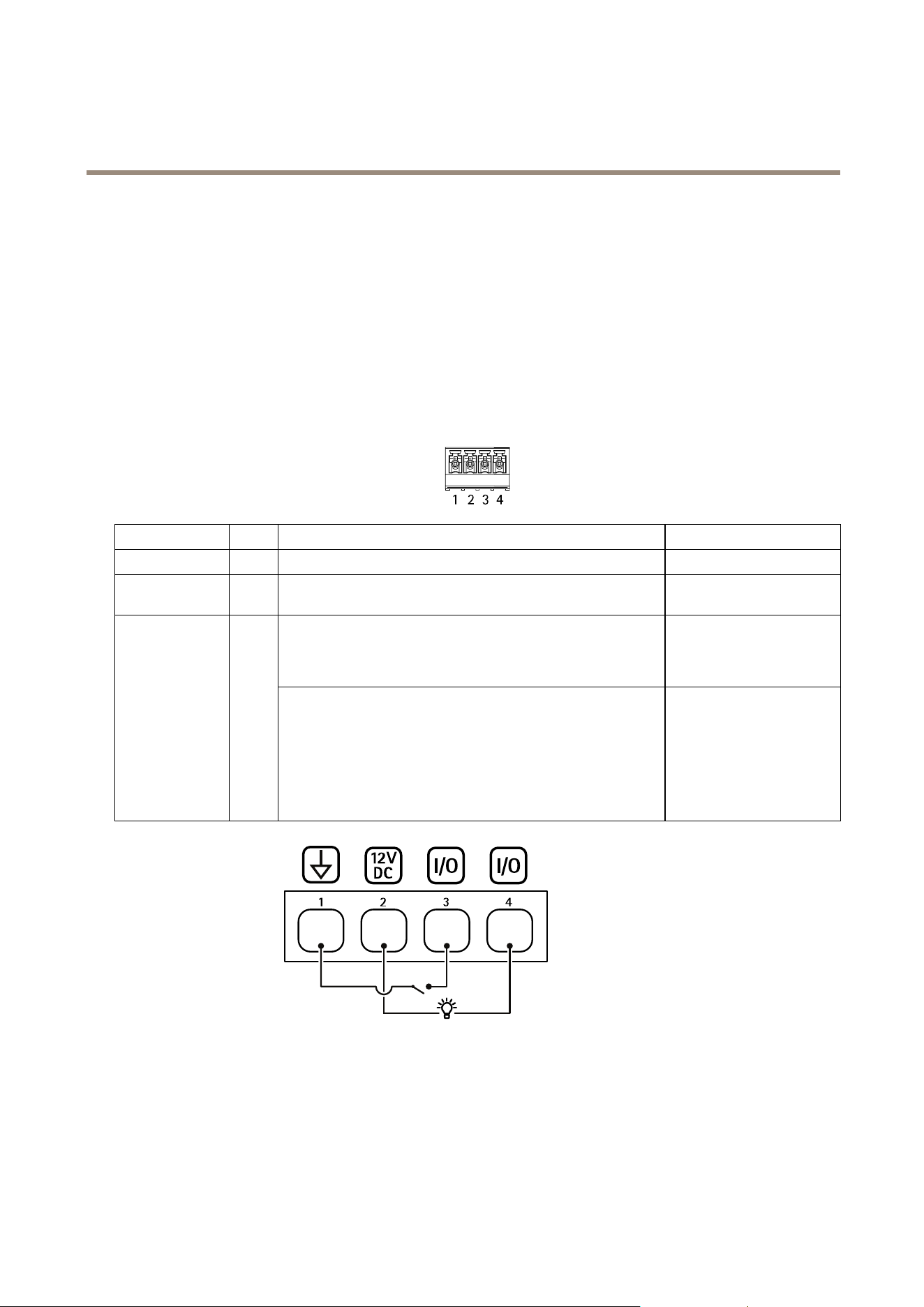
4-pinterminalblock
FunctionPinNotes
Specications
DCground
1
0VDC
DCoutput
2
Canbeusedtopowerauxiliaryequipment.
Note:Thispincanonlybeusedaspowerout.
12VDC
Maxload=50mAintotal
Digitalinputorsupervisedinput–Connecttopin1toactivate,or
leaveoating(unconnected)todeactivate.Tousesupervisedinput,
installend-of-lineresistors.Seeconnectiondiagramforinformation
abouthowtoconnecttheresistors.
0tomax30VDC Congurable
(InputorOutput)
3–4
Digitaloutput–Internallyconnectedtopin1(DCground)when
active,andoating(unconnected)wheninactive.Ifusedwithan
inductiveload,e.g.,arelay,connectadiodeinparallelwiththe
load,toprotectagainstvoltagetransients.EachI/Oiscapableof
driving12VDC,50mA(max)externalload,ifinternal12VDC
output(pin2)isused.Inthecaseofusingopendrainconnections
incombinationwithanexternalpowersupply,thentheI/Oscan
manageDCsupplyof0–30VDC,100mA.
0tomax30VDC,opendrain,
100mA
1
DCground
2
DCoutput12V
3
I/Oconguredasinput
4
I/Oconguredasoutput
Externalconnector
Two2-pinterminalblocksforexternaldevices,forexampleglassbreakorredetectors.
28

AXISA1214NetworkDoorControllerKit
Specifications
UL:TheconnectorhasnotbeenevaluatedbyULforburglarorrealarmuse.
FunctionPinNotes
Specications
DCground
1
0VDC
TAMPER
2
Digitalinput–Connecttopin1toactivate,orleave
oating(unconnected)todeactivate.
0tomax30VDC
FunctionPinNotes
Specications
DCground
1
0VDC
ALARM
2
Digitalinput–Connecttopin1toactivate,orleave
oating(unconnected)todeactivate.
0tomax30VDC
Powerconnector
2-pinterminalblockforDCpowerinput.UseaSafetyExtraLowVoltage(SELV)compliantlimitedpowersource(LPS)witheither
aratedoutputpowerlimitedto≤100Woraratedoutputcurrentlimitedto≤5A.
FunctionPinNotes
Specications
DCground(GND)
1
0VDC
DCinput
2
Forpoweringcontrollerwhen
notusingPoweroverEthernet.
Note:Thispincanonlybe
usedaspowerin.
12VDC,max36W
UL:DCpowertobesuppliedbyaUL603listedpowersupply,dependingonapplication,withappropriateratings.
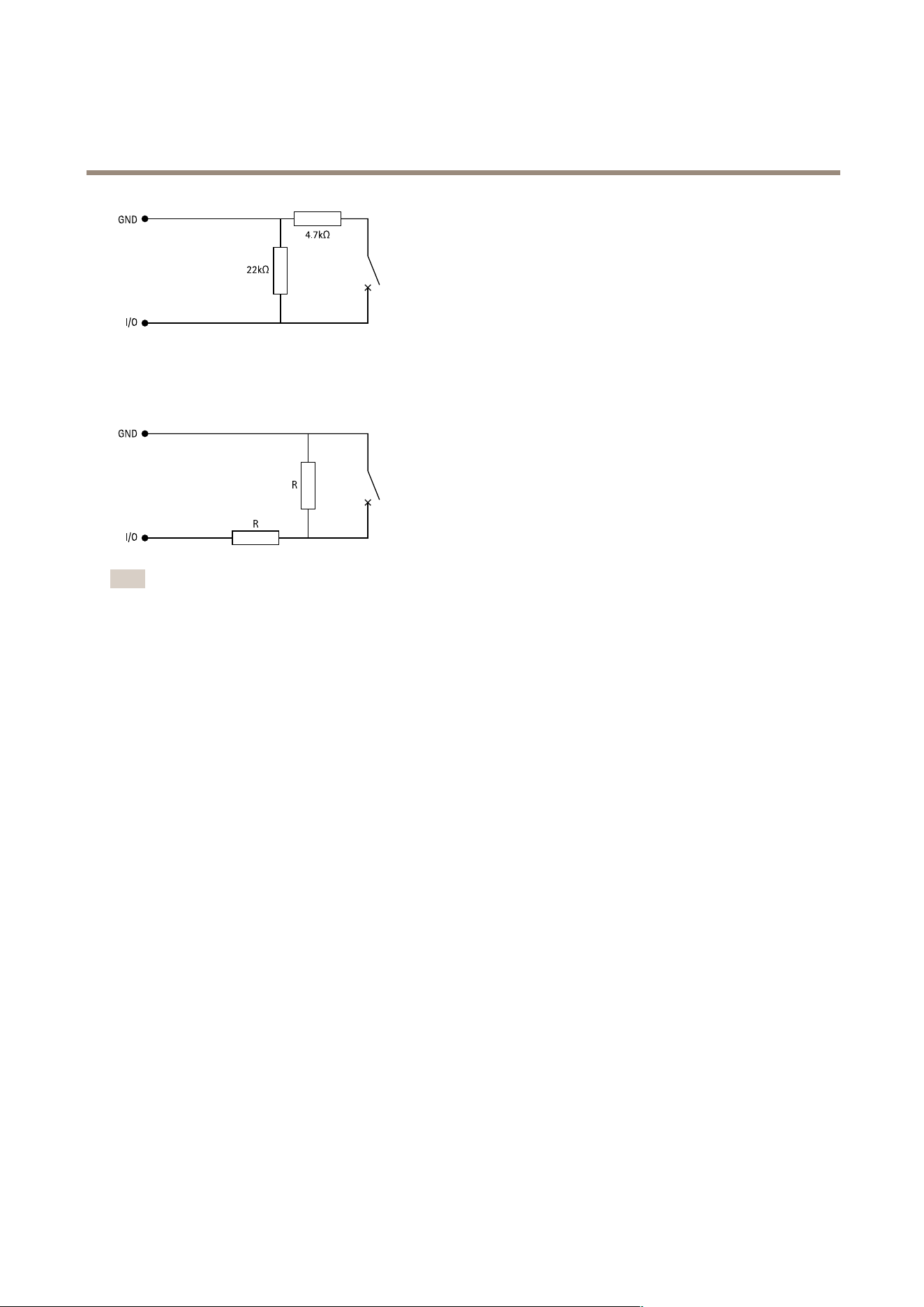
Supervisedinputs
Tousesupervisedinputs,installendoflineresistorsaccordingtothediagrambelow.
Parallelrstconnection
Theresistorvaluesmustbe4.7kΩand22kΩ.
29
AXISA1214NetworkDoorControllerKit
Specifications
Serialrstconnection
Theresistorvaluesmustbethesameandpossiblevaluesare1kΩ,2.2kΩ,4.7kΩand10kΩ.
Note
Itisrecommendedtousetwistedandshieldedcables.Connectshieldingto0VDC.
30

AXISA1214NetworkDoorControllerKit
Troubleshooting
Troubleshooting
Resettofactorydefaultsettings
Important
Resettofactorydefaultshouldbeusedwithcaution.Aresettofactorydefaultresetsallsettings,includingtheIPaddress,to
thefactorydefaultvalues.
Toresettheproducttothefactorydefaultsettings:
1.Disconnectpowerfromtheproduct.
2.Pressandholdthecontrolbuttonwhilereconnectingpower.SeeProductoverviewonpage24.
3.Keepthecontrolbuttonpressedfor25secondsuntilthestatusLEDindicatorturnsamberforthesecondtime.
4.Releasethecontrolbutton.TheprocessiscompletewhenthestatusLEDindicatorturnsgreen.Theproducthasbeenreset
tothefactorydefaultsettings.IfnoDHCPserverisavailableonthenetwork,thedefaultIPaddressis192.168.0.90.
5.Usetheinstallationandmanagementsoftwaretools,assignanIPaddress,setthepassword,andaccesstheproduct.
Youcanalsoresetparameterstofactorydefaultthroughthedevice’swebinterface.GotoMaintenance>Factorydefaultand
clickDefault.
Firmwareoptions
Axisoffersproductrmwaremanagementaccordingtoeithertheactivetrackorthelong-termsupport(LTS)tracks.Beingonthe
activetrackmeanscontinuouslygettingaccesstoallthelatestproductfeatures,whiletheLTStracksprovideaxedplatformwith
periodicreleasesfocusedmainlyonbugxesandsecurityupdates.
Usingrmwarefromtheactivetrackisrecommendedifyouwanttoaccessthenewestfeatures,orifyouuseAxisend-to-endsystem
offerings.TheLTStracksarerecommendedifyouusethird-partyintegrations,whicharenotcontinuouslyvalidatedagainstthelatest
activetrack.WithLTS,theproductscanmaintaincybersecuritywithoutintroducinganysignicantfunctionalchangesoraffecting
anyexistingintegrations.FormoredetailedinformationaboutAxisproductrmwarestrategy,gotoaxis.com/support/rmware.
Checkthecurrentrmwareversion
Firmwareisthesoftwarethatdeterminesthefunctionalityofnetworkdevices.Whenyoutroubleshootaproblem,werecommend
youtostartbycheckingthecurrentrmwareversion.Thelatestrmwareversionmightcontainacorrectionthatxesyour
particularproblem.
Tocheckthecurrentrmware:
1.Gotothedevice’swebinterface>Status.
2.SeethermwareversionunderDeviceinfo.
Upgradethermware
Important
•Preconguredandcustomizedsettingsaresavedwhenyouupgradethermware(providedthatthefeaturesareavailablein
thenewrmware)althoughthisisnotguaranteedbyAxisCommunicationsAB.
•Makesurethedeviceremainsconnectedtothepowersourcethroughouttheupgradeprocess.
31

AXISA1214NetworkDoorControllerKit
Troubleshooting
Note
Whenyouupgradethedevicewiththelatestrmwareintheactivetrack,theproductreceivesthelatestfunctionality
available.Alwaysreadtheupgradeinstructionsandreleasenotesavailablewitheachnewreleasebeforeyouupgradethe
rmware.Tondthelatestrmwareandthereleasenotes,gotoaxis.com/support/rmware.
Note
Becausethedatabaseofusers,groups,credentials,andotherdataareupdatedafterarmwareupgrade,therststart-up
couldtakeafewminutestocomplete.Thetimerequiredisdependentontheamountofdata.
1.Downloadthermwareletoyourcomputer,availablefreeofchargeataxis.com/support/rmware.
2.Logintothedeviceasanadministrator.
3.GotoMaintenance>FirmwareupgradeandclickUpgrade.
Whentheupgradehasnished,theproductrestartsautomatically.
4.Whentheproducthasbeenrestarted,clearthewebbrowser'scache.
Technicalissues,clues,andsolutions
Ifyoucan’tndwhatyou’relookingforhere,trythetroubleshootingsectionataxis.com/support.
Problemsupgradingthermware
FirmwareupgradefailureIfthermwareupgradefails,thedevicereloadsthepreviousrmware.Themostcommonreason
isthatthewrongrmwarelehasbeenuploaded.Checkthatthenameofthermwarele
correspondstoyourdeviceandtryagain.
Problemsafterrmware
upgrade
Ifyouexperienceproblemsafterarmwareupgrade,rollbacktothepreviouslyinstalledversion
fromtheMaintenancepage.
ProblemssettingtheIPaddress
Thedeviceislocatedona
differentsubnet
IftheIPaddressintendedforthedeviceandtheIPaddressofthecomputerusedtoaccessthe
devicearelocatedondifferentsubnets,youcannotsettheIPaddress.Contactyournetwork
administratortoobtainanIPaddress.
TheIPaddressisbeingused
byanotherdevice
DisconnecttheAxisdevicefromthenetwork.Runthepingcommand(inaCommand/DOSwindow,
typepingandtheIPaddressofthedevice):
•Ifyoureceive:Replyfrom<IPaddress>:bytes=32;time=10...
thismeansthattheIPaddressmayalreadybeinusebyanotherdeviceonthenetwork.
ObtainanewIPaddressfromthenetworkadministratorandreinstallthedevice.
•Ifyoureceive:Requesttimedout,thismeansthattheIPaddressisavailable
forusewiththeAxisdevice.Checkallcablingandreinstallthedevice.
PossibleIPaddressconict
withanotherdeviceonthe
samesubnet
ThestaticIPaddressintheAxisdeviceisusedbeforetheDHCPserversetsadynamicaddress.
ThismeansthatifthesamedefaultstaticIPaddressisalsousedbyanotherdevice,theremay
beproblemsaccessingthedevice.
Thedevicecan’tbeaccessedfromabrowser
Can’tlogin
WhenHTTPSisenabled,ensurethatthecorrectprotocol(HTTPorHTTPS)isusedwhenattempting
tologin.Youmayneedtomanuallytypehttporhttpsinthebrowser’saddresseld.
Ifthepasswordfortherootaccountislost,thedevicemustberesettothefactorydefaultsettings.
SeeResettofactorydefaultsettingsonpage31.
32

AXISA1214NetworkDoorControllerKit
Troubleshooting
TheIPaddresshasbeen
changedbyDHCP
IPaddressesobtainedfromaDHCPserveraredynamicandmaychange.IftheIPaddresshasbeen
changed,useAXISIPUtilityorAXISDeviceManagertolocatethedeviceonthenetwork.Identify
thedeviceusingitsmodelorserialnumber,orbytheDNSname(ifthenamehasbeencongured).
Ifrequired,astaticIPaddresscanbeassignedmanually.Forinstructions,gotoaxis.com/support.
Certicateerrorwhenusing
IEEE802.1X
Forauthenticationtoworkproperly,thedateandtimesettingsintheAxisdevicemustbe
synchronizedwithanNTPserver.GotoSystem>Dateandtime.
Thedeviceisaccessiblelocallybutnotexternally
Toaccessthedeviceexternally,werecommendyoutouseoneofthefollowingapplicationsforWindows
®
:
•AXISCompanion:freeofcharge,idealforsmallsystemswithbasicsurveillanceneeds.
•AXISCameraStation:30-daytrialversionfreeofcharge,idealforsmalltomid-sizesystems.
Forinstructionsanddownload,gotoaxis.com/vms.
Can’tconnectoverport8883withMQTToverSSL
Therewallblockstrafc
usingport8883asit’s
deemedinsecure.
Insomecasestheserver/brokermightnotprovideaspecicportforMQTTcommunication.Itmay
stillbepossibletouseMQTToveraportnormallyusedforHTTP/HTTPStrafc.
•Iftheserver/brokersupportsWebSocket/WebSocketSecure(WS/WSS),typicallyon
port443,usethisprotocolinstead.Checkwiththeserver/brokerprovidertoseeif
WS/WSSissupportedandwhichportandbasepathtouse.
•Iftheserver/brokersupportsALPN,theuseofMQTTcanbenegotiatedoveranopen
port,suchas443.Checkwithyourserver/brokerprovidertoseeifALPNissupported
andwhichALPNprotocolandporttouse.
Contactsupport
Contactsupportataxis.com/support.
33

UsermanualVer.M2.7
AXISA1214NetworkDoorControllerKit
Date:April2023
©AxisCommunicationsAB,2023
Partno.T10191506