P3 User Manual
Introduction
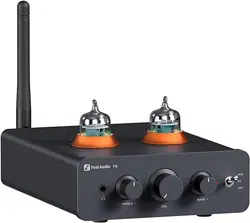
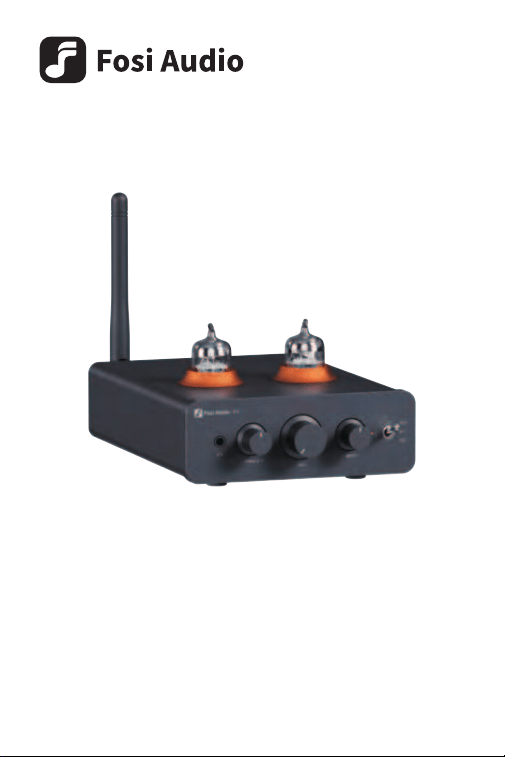
Thank you for purchasing the Fosi Audio P3 Tube Preamplifier!
The Fosi Audio P3 is a genuine tube preamp, with the tube working voltage
reaching up to 54V. It features the QCC3031 Bluetooth chip, supporting
aptX, aptX HD, and aptX LL audio formats, offering enhanced sound quality
and as low as 60ms latency. The P3 comes with RCA out, AUX out, and a
3.5mm headphone jack, perfectly suited for your desktop use, delivering
the ultimate auditory experience. The tubes are replaceable, adding to the
fun of personalizing your setup. Combined with the glacier-colored light, it
feels closer to nature. We believe that technology and nature can coexist
harmoniously, and technological innovation can serve to enrich our lives.
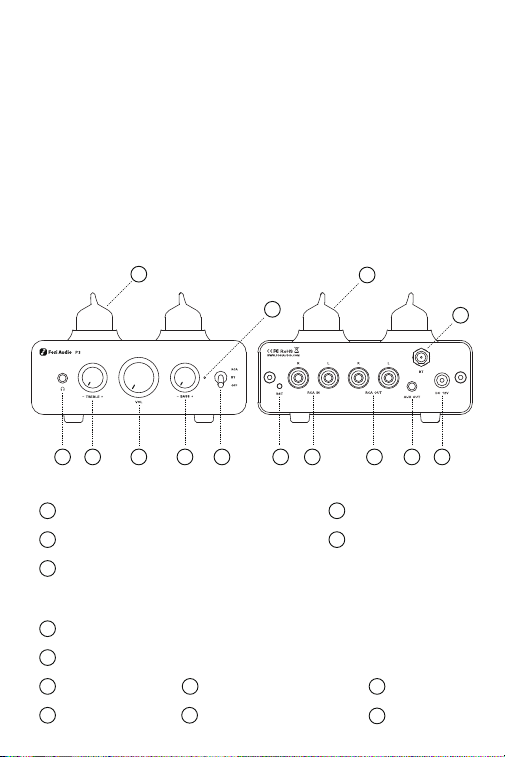
1
2
4
5
6 7 8 9 10 11
12
13
13
3
1 3.5mm headphone jack 2 Volume knob
3 Treble knob (±6dB)
6 Power switch/mode selector
7 Bluetooth reset switch: Hold for 3 seconds to clear Bluetooth pairing
8 RCA input
11 DC 12V power in 12 Bluetooth antenna port
13 5654W tubes
9 RCA output 10 AUX output
4 Bass knob (±12dB)
5 Mode indicator light: RCA mode - steady red light,
Bluetooth pairing mode - blue light flashing,
Bluetooth connection successful - steady blue light

Specifications
Package Contents
Fosi Audio P3 Tube Preamplifier × 1 5654W Vacuum Tube × 2
12V/1.5A Power Supply × 1 User Manual × 1
RMS Power
250mw @16Ω;150mw @32Ω;
32mw @250Ω;20mW @300Ω
Headphone Impedance 16-300Ω
Input
Output
SNR
Dynamic Range
THD
Noise Floor
Crosstalk
Frequency Response
Bluetooth Chip
Bluetooth Version
Bluetooth Range
Bluetooth Codecs
Power Input
Bluetooth,RCA
RCA,3.5mm headphone jack,
AUX Out
≥103dB
104dB
≤ 0.02%
64uV
95dB
20Hz-20kHz(±1dB)
QCC3031
5.1
≥10m
SBC/AAC/aptX/aptX HD/aptX LL
DC 12V/1.5A~3A
Operation Guide
1. Switch to the OFF position, install the Bluetooth antenna, and then plug
the tubes to the sockets. Ensure the pins align with the slots, and then turn
the volume to the lowest setting;
2. Connect the included 12V/1.5A power supply;
3. Depending on your setup, plug your amplifier, powered speakers, or
headphones into the P3's RCA output, AUX output, or headphone jack;
4. If you opt for a wired connection, use an audio cable to connect your
source device to the P3's RCA input terminal;
5. Switch to either the RCA wired or BT Bluetooth wireless position;
6. When using Bluetooth, connect to Fosi Audio P3 on your source device;
7. Adjust the volume and treble/bass to an appropriate level, and you're
ready to enjoy your music.
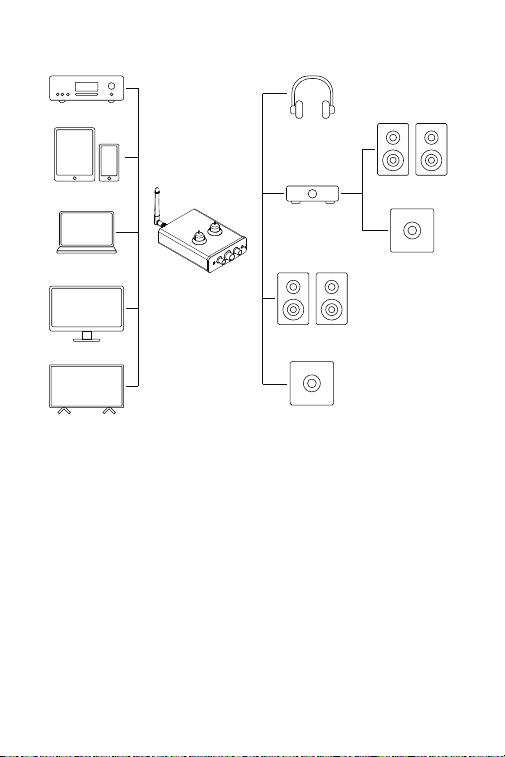
CD, DVD, etc.
Phone & Pad
Fosi Audio P3
Laptop & Macbook
Computer & Mac
TV & Projector
Active Subwoofer
Passive Subwoofer
Active Speakers
Amplifier
Headphone
Passive Speakers

Precautions
1. As a genuine tube preamplifier, please allow me 15 seconds to preheat
the tubes after powering on, and then the sound can be output normally.
2. Avoid plugging and unplugging cables while the device is powered on to
prevent abnormal noises. This can also easily damage the product.
3. If you need to replace the tubes, please do so when the tubes have
cooled down to avoid burns or damage to the product.
Frequently Asked Questions
1. After connecting the product and turning it on, there's no sound during
playback?
Since the P3 is a tube preamp, the tubes require about 15 seconds to
preheat before they can operate properly. If there is still no sound after 15
seconds, please check if the cables are connected correctly, if the tubes
are properly plugged, and if the correct input mode is selected.
2. Why is the power indicator light very dim or constantly flashing after
powering on?
A blinking blue light in Bluetooth mode indicates it's awaiting a connection,
and the light will remain steady blue once connected. A flashing power
indicator light in RCA mode might suggest insufficient power supply.
Please ensure you're using a power supply between 12V/1.5A and 12V/3A.
3. How are the headphone output, RCA output, and AUX output on the
Fosi Audio P3 controlled?
By default, Fosi Audio P3 prioritizes headphone output, with RCA and AUX
outputting simultaneously. This means both RCA and AUX will output
signals at the same time; however, when a headphone is plugged in, the
signal will switch to the headphone output, and there will be no signal on
RCA and AUX outputs.
4. How do I clear the Bluetooth pairing record?
On the rear panel of the Fosi Audio P3, there's an RST button. Press and
hold for 3 seconds to clear Bluetooth pairing. If you're in Bluetooth mode
at this time, the indicator light will flash blue.
If you have any further questions, please contact our support team at

Warranty and Maintenance
Fosi Audio pledges to give a 24-month limited warranty and support from
the date of purchase. If you encounter any problem when using our
product, please contact our support team at [email protected].
About Us
Fosi Audio designs and builds innovative audio products with all your
music in mind. Great sound, simple but elegant designs, high-quality
components, and truly useful features are what Fosi Audio pursues. We
sincerely hope you can get as much enjoyment from our products as we’ve
had to create them!
Our Website: www.fosiaudio.com
Amazon Store: www.amazon.com/fosiaudio
Facebook Page: Fosi Audio
Youtube Channel: Fosi Audio
Whatsapp: +86 13716612254
After-Sales Service and Technical Support Email:
Get online support