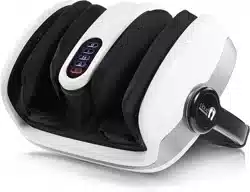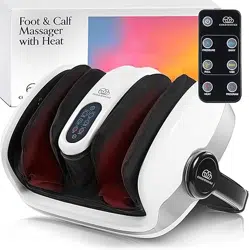
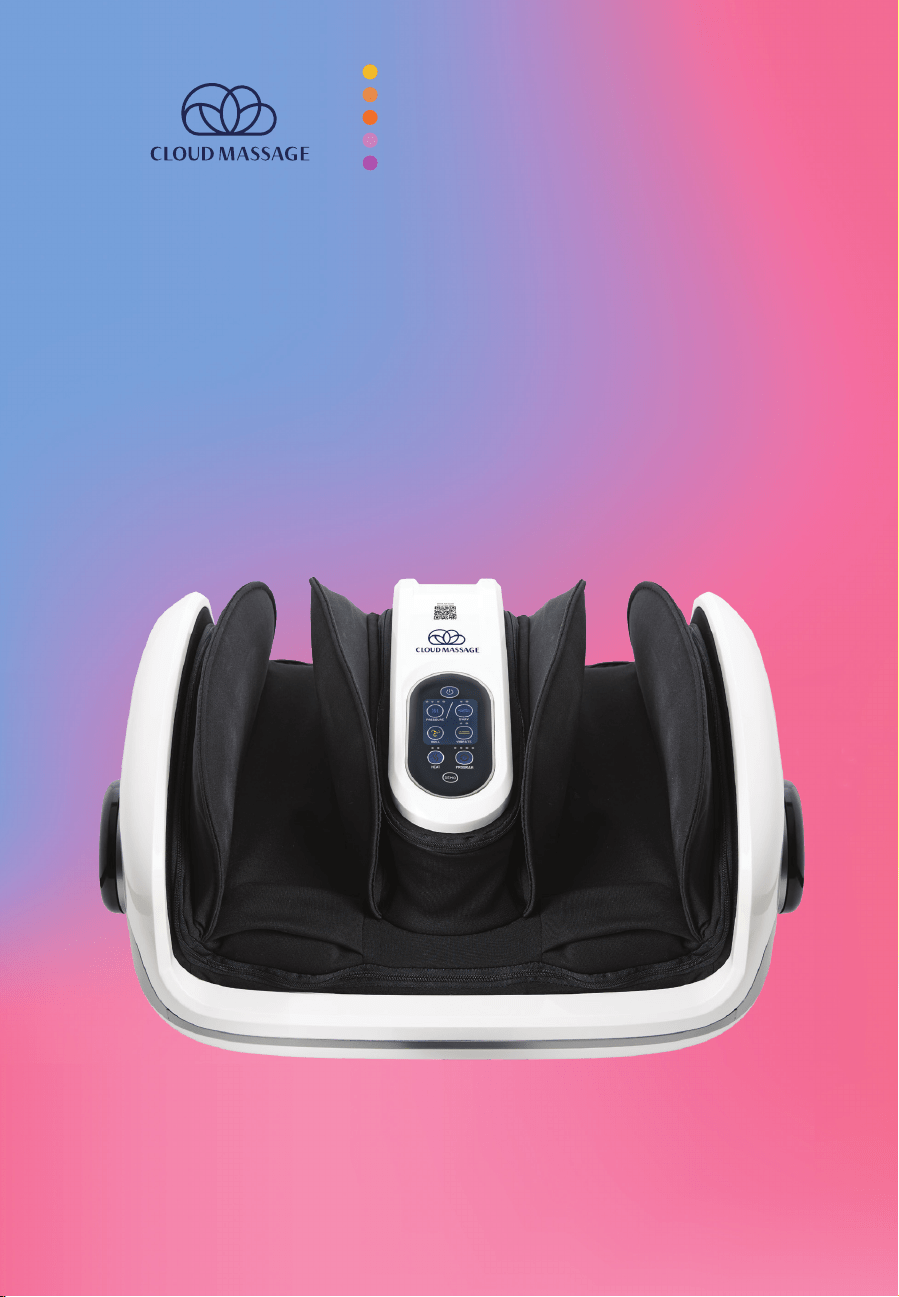
Foot & Calf Massage with Heat
USER MANUAL
PAGE 2 cloudmassage.com
3 Safety Instructions
3 Warnings
4-5 What’s In the Box
5 Operating Instructions
6 Control Panel Buttons
7-8 Program Settings
7 Demo
7 Programs
7 Settings
7 Massage Types
8 Program Settings
8 Remote Control
9 Adjustable Stand & Release Button
10 Massage Tips
10 Cleaning & Storage
11 Technical Specifications
11 Customer Service
Table of Contents
cloudmassage.com
PAGE 3
Safety Instructions
Be sure to read these instructions in order to operate the product safely. Only use the
Cloud Massage for its intended use. Follow these instructions to prevent harm or injury
to yourself and others.
• Keep out of reach of children. This massager is not intended for children, and
children should be under adult supervision when near the massager.
• Never leave the unit unattended when plugged in. Unplug from the outlet when
not in use and before cleaning.
• Do not unplug the unit from the electrical outlet while operating. To avoid
electric shock or injury, first turn the massager o from the control panel, then
hold the plug and disconnect it from the outlet.
• Avoid wrapping the cord around the unit and damaging it. Instead, coil the
power cord separately. Do not place the cord under the massager or any heavy
object and keep away from heated surfaces.
• Keep air openings unobstructed and free of lint, hair, fabric, and other materials.
• Do not carry the unit by the cord or the adjustable stand.
• When setting up for a calf massage, make sure the unit is not at risk of sliding o
the edge of a footrest, ottoman, couch, or bed.
• Do not push your feet or calves into the massager. This forced pressure could
cause bruising. Make sure your feet and legs are extended so that they just rest
in the Cloud Massage.
• If you are heat-sensitive or experience any discomfort while using the massager,
turn the massager o.
Warnings
IF YOU HAVE A MEDICAL CONDITION LIKE DIABETES OR BLOOD CLOTS, RECENTLY
HAD SURGERY, AND/OR ARE PREGNANT, CONSULT YOUR DOCTOR BEFORE USE.
• Do not cover the massager or use it while underneath a blanket or pillow.
Excessive heating can occur and cause fire, electric shock, or other personal
injury.
• Do not block air openings.
• Do not sleep while using the massager.
• Do not use in water, near water, or in a bathroom. Do not place wet legs or feet
inside the massager. Do not handle the unit, cord, or plug with wet hands.
• Do not insert any metal objects in the unit.
• Do not stand inside or apply excessive pressure to the massager. This may slow
or stop the motor and cause the system to overheat.
• Do not operate the massager with a damaged cord. This could result in electric
shock or fire.
• Do not use outdoors.
• Do not use the massager if it is not working properly, has a damaged power
cord, has been dropped in water, or has been damaged in some other way.
• Do not try to fix it yourself. Take it to a service center for repair by a licensed
electrician.
PAGE 4 cloudmassage.com
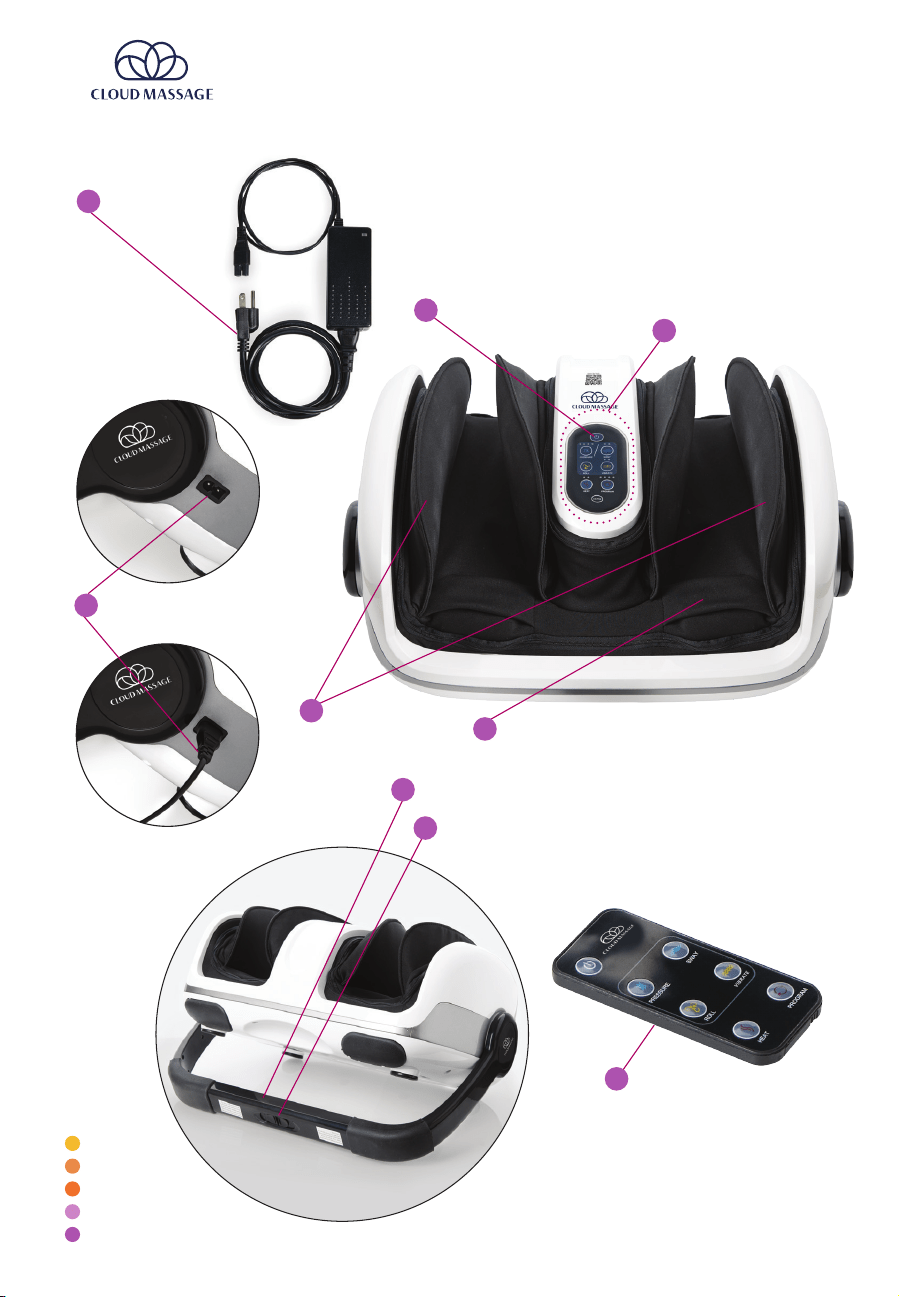
What’s in the Box
H
Release Button
G
Adjustable Stand
I
Remote Control
Power Button
C
Control Panel
D
Pressure Pads
E
Heel Cradle
F
Power Cord
Connection Panel
Power Cord
(separate from unit)
A
B
cloudmassage.com
PAGE 5
Roll
(yellow
light)
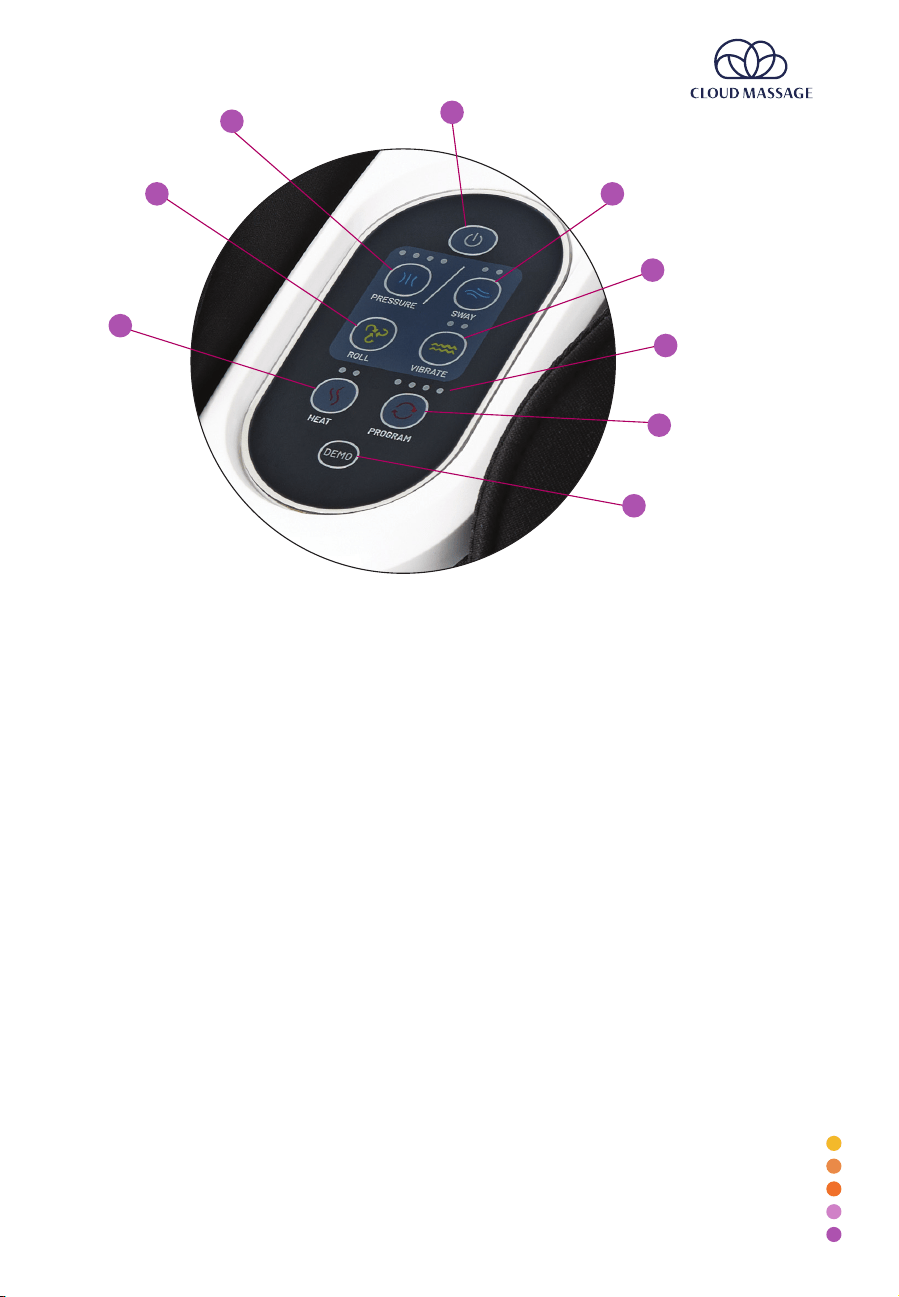
Control Panel
Power Button
Pressure
(blue light)
Sway
(blue light)
Vibrate
(yellow light)
Heat
(red light)
Demo
(doesn’t light up)
Program
(red light)
Operating Instructions
1. Plug power adapter into port and connect to electrical outlet. Power button will
beep once and continue to flash as long as power is connected.
2. Adjust the stand to desired position using the release button.
3. Press the power button. Each button will flash twice until a program is selected.
4. Sit (or lie) in a comfortable position with back supported.
5. Rest feet or calves in the Cloud Massage between the pressure pads.
6. Select a program or individual buttons and intensity levels for a custom massage.
7. When finished with the Cloud Massage, press the power button so that it blinks.
Once the power button is blinking, it is safe to unplug the unit from the
electrical outlet.
Intensity Levels
(small white lights
above each button)
PAGE 6 cloudmassage.com
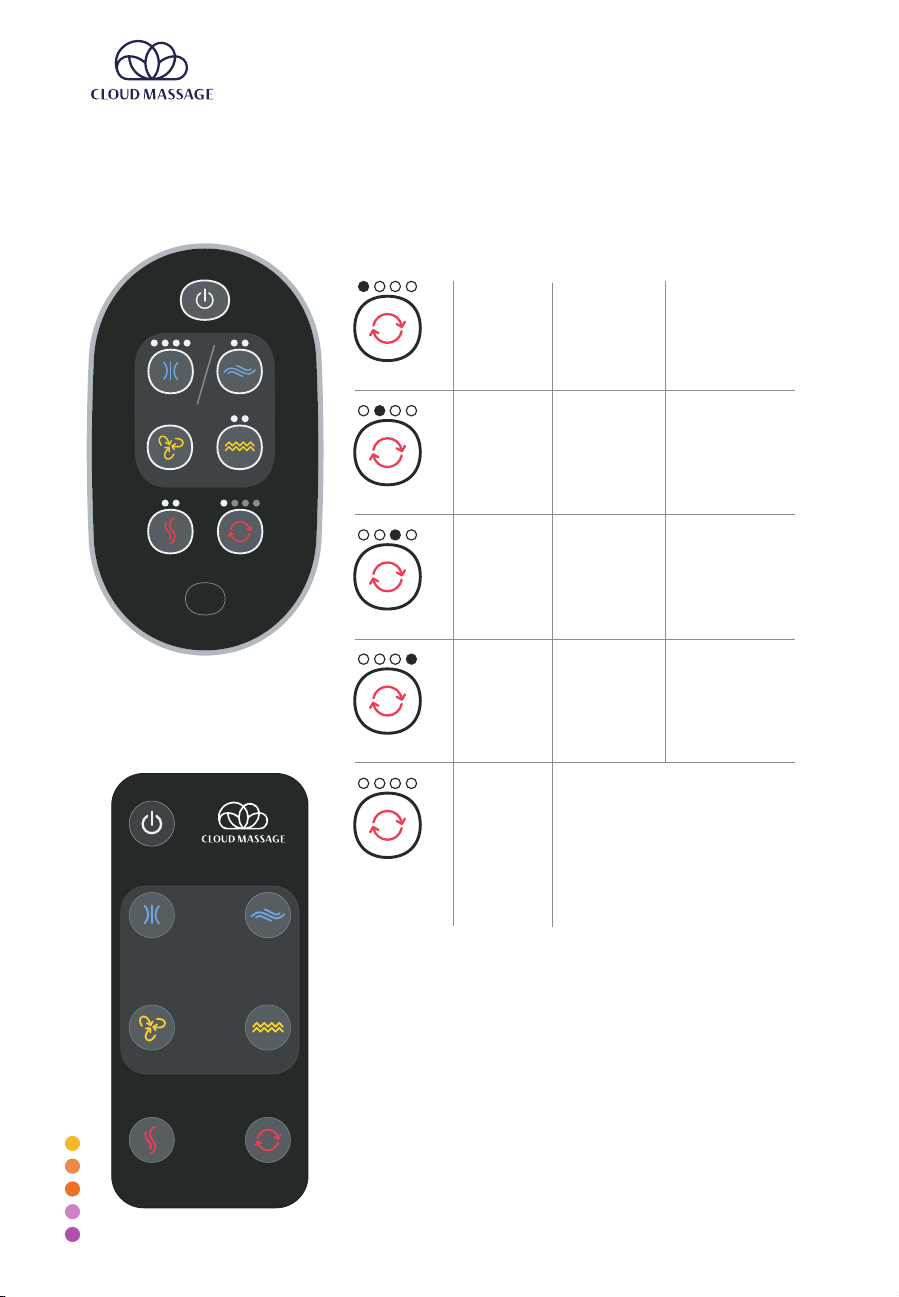
YOUR CLOUD MASSAGE FEATURES THE FOLLOWING
BUTTONS ON ITS CONTROL PANEL:
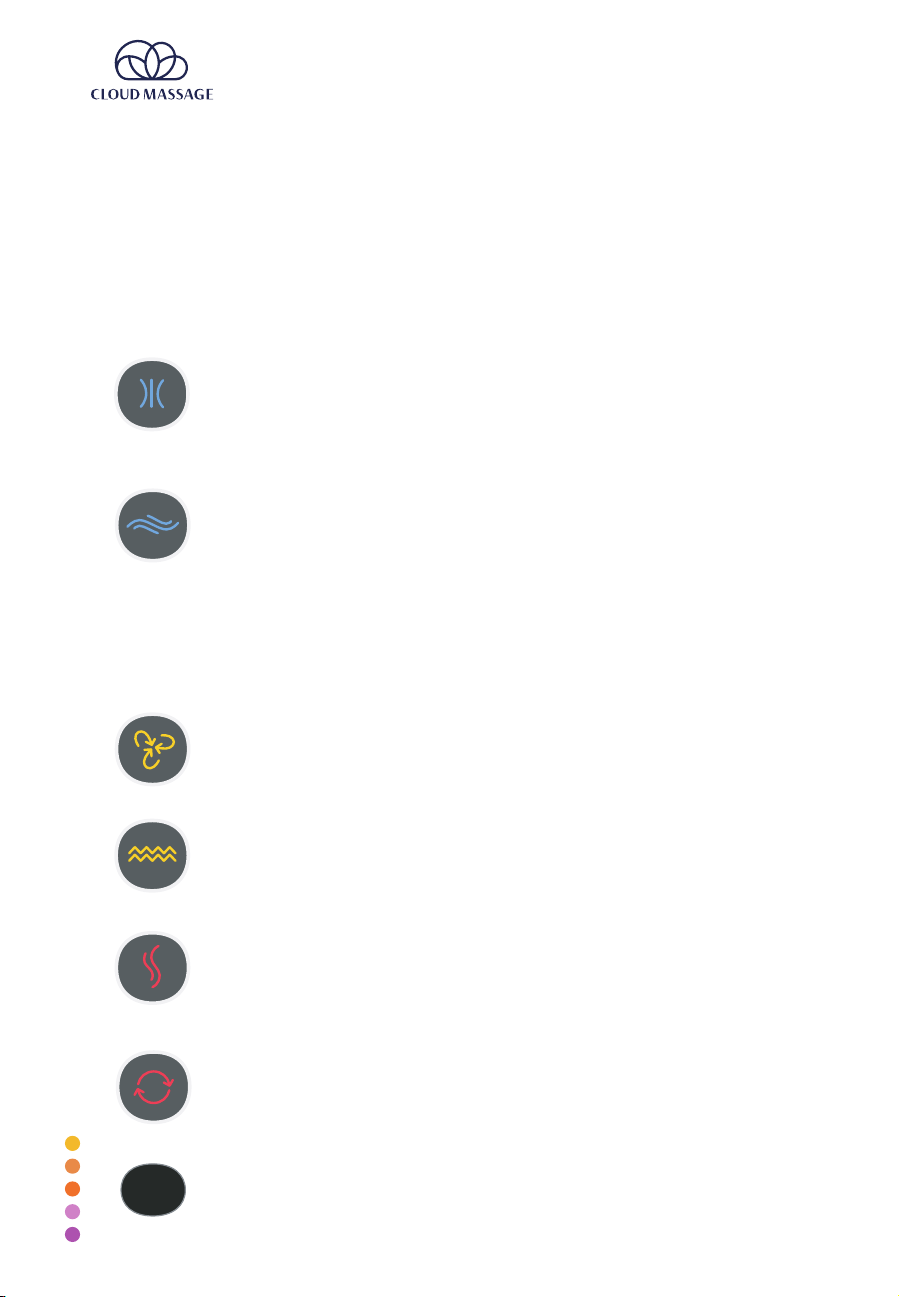
The pressure pads slowly inflate to cushion the top of your feet or
calves and improve circulation during the massage programs. There are
four pressure levels to choose from: low pressure, medium pressure,
high pressure, and extra-high pressure. Start with the lowest pressure
and work up to higher levels for a more intense deep tissue massage.
The swaying feature gently rocks your feet or calves from side to side
along the bottom at slight angles to target dierent muscle groups for a
well-rounded massage. There are two swaying speeds to choose from:
slow and quick.
• Note that when selected individually (not as part of Program 3 or
Program 4), the Pressure and Sway buttons cannot be on at the same time.
The gray dividing line between the two shows that when one is selected, the
massager will automatically switch and turn the other o.
• During Programs 3 & 4, the swaying motion is combined with the pressure
pads and rolling massage to cradle your feet or calves.
The rolling massage moves rollers up and down along the soles of your
feet or back of your calves. The rollers do not have any intensity levels.
The vibrate function is located in the heel cradle. Vibrations target the
densest part of your foot. There are two vibration levels: low intensity
and high intensity.
When selected, the bottom of the foot pads heats up gradually over a
few minutes to slowly warm your feet or calves. Heat therapy can help
blood circulation to lessen stiness. There are two heat levels to select
from: low heat and medium heat.
The Cloud Massage can be used with or without programs. If desired,
there are four programs to choose from, and each preset is adjustable.
See the “Program Settings” section for more details.
Try a quick demonstration of your Cloud Massage with a brief,
30-second trial of each feature at its lowest setting.
CONTROL PANEL BUTTONS
Each button has an intensity level indicator light. Push a control panel button more than once
to cycle through intensity level options.
*Note: The Roll button does not have any levels.
PRESSURE
PADS
DEMO
SWAY
DEMO
ROLL
DEMO
VIBR ATE
DEMO
HEAT
DEMO
PROGRAM
DEMO
DEMO
DEMO
cloudmassage.com
PAGE 7
PROGRAM SETTINGS
DEMO
SWA Y
VIBRATEROLL
HEAT PROGRAM
PRESSURE
DEMO
SWA Y
VIBRATEROLL
HEAT PROGRAM
PRESSURE
DEMO
SWA Y
VIBRATEROLL
HEAT PROGRAM
PRESSURE
DEMO
SWA Y
VIBRATEROLL
HEAT PROGRAM
PRESSURE
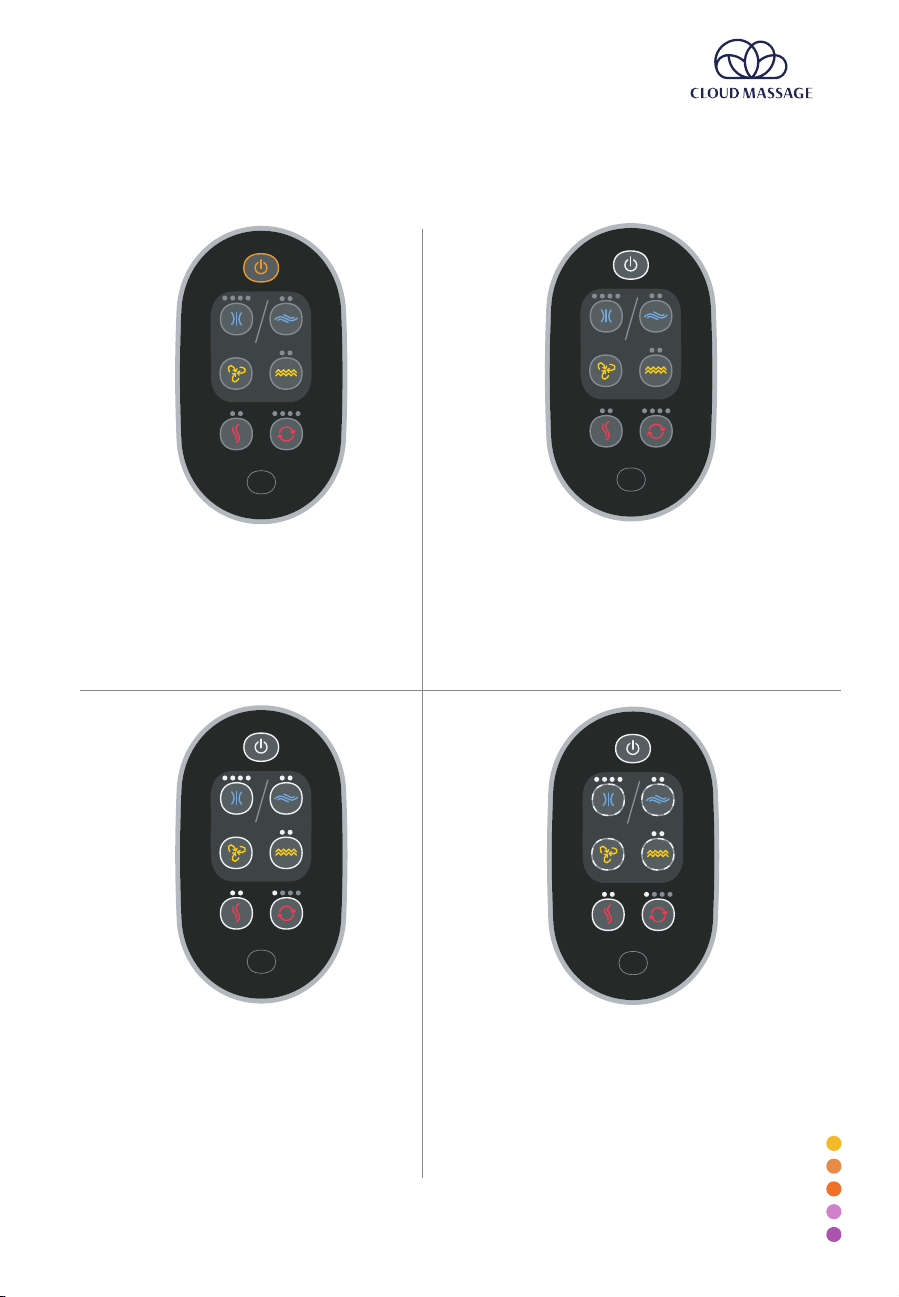
SYSTEM OFF (STANDBY)
System is plugged in but power is o. The power button
flashes Red for visibility
SYSTEM ON + ACTIVE STATE
During the massage, all selected features remain steady backlit
white. Any of the 4 massage features that are currently active will
fade between bright and dim backlight to illustrate what the
massager is doing
When the program button is pressed, the systerm plays
pre-programmed massages. There are 4 dierent massages that
users can cycle through.
Heat and program will remain on as long as they are selected.
SYSTEM ON + SELECTED STATE
When any of the feature buttons are pressed, they go to
the selected state. Massage features turn on and become
active.
Features that are on have a constant white backlight.
If air and sway are both turned on, they alternate in set
time intervals and follow the active state
lighting patterns.
SYSTEM ON + OFF STATE
When the power button is pressed, the system turns on and the
power button has a steady white backlight. All preferences that
were active when the system was last turned o are resumed.
The first time it is turned on, the demo function will start. After the
cycle finishes, it will begin program 1.
When individual features are turned o, backlight and indicator
lights are also o.
DEMO
PROGRAMS
1
SETTINGS
3
MASSAGE TYPES
4
Each program is a preset 15-minute massage. You can stop a program at any time, adjust
the intensity levels when needed, and select/deselect any button to further customize
your massage. A long beep will sound once the program has finished.
2
PAGE 8 cloudmassage.com
PROGRAM SETTINGS
DEMO
SWAY
VIBRATEROLL
HEAT PROGRAM
PRESSURE
The program button controls the pre-programmed massages.
Pressing the button will cycle through the options as follows:
PROGRAM
PROGRAM
PROGRAM
PROGRAM
PROGRAM
No Program
(O)
Program 1
Program 2
Program 3
Program 4
PRESSURE
LEVEL 1 &
VIBRATE
LEVEL 1
ROLL &
VIBRATE 1
PRESSURE 1
SWAY 1
ROLL &
VIBRATE 1
PRESSURE 1
SWAY 1
ROLL &
VIBRATE 1
GREEN SOLID
GREEN FLASHING
BLUE FLASHING
BLUE SOLID
NAME
ACTIVE
FEATURES
CORRESPONDS TO
(existing interface)
Note: When the system is set to no
program, users can still control the
individual functions (pressure,
swaying, rollers, vibration). Selected
functions will remain active
constantly and simultaneously.
Because pressure and sway cannot
be on simultaneously, in this mode
turning on one of these should
automatically turn o the other one.
Remote Control
PRESSURE
SWAY
ROLL
VIBRATE
HEAT PROGRAM
To change the battery in the remote control, put
pressure on the release knob and slide out the battery
compartment.
cloudmassage.com
PAGE 9
<
45°
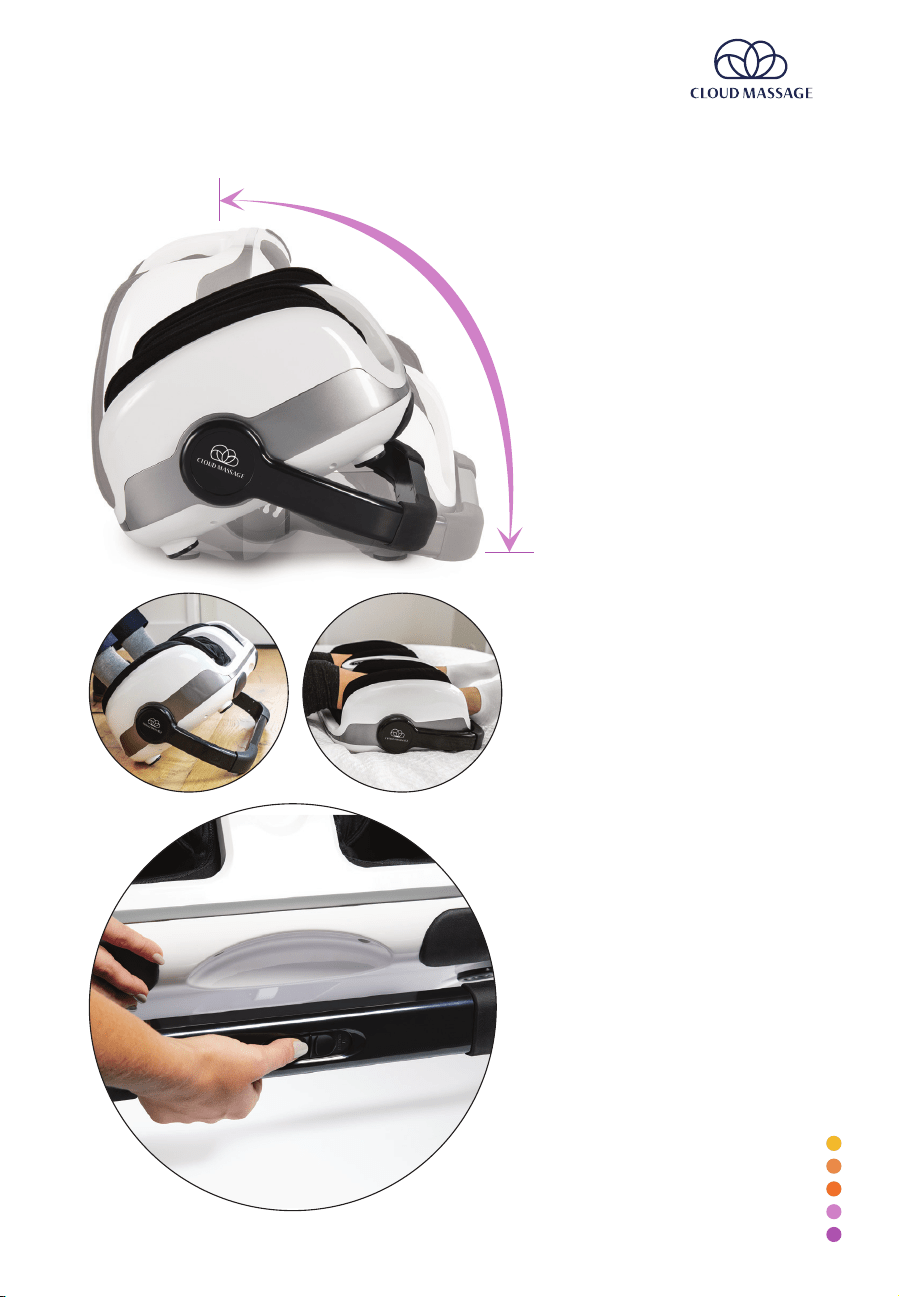
ADJUSTABLE STAND & RELEASE BUTTON
Suggested foot massage
position and calf massage
position.
<
Press the release button and slide
either right or left to move the
stand to your desired position.
The adjustable stand has a built-in
safety mechanism to prevent it
from unlocking during a massage.
If the release button won’t slide,
jiggle the stand a little bit to fully
unlock the safety mechanism.
<
The stand has 16 positions.
Angle the stand so that your feet
rest gently on the heel cradles.
ANGLE
<

PAGE 10 cloudmassage.com
Massage Tips
• Wear socks for a foot massage and pants for a calf massage.
• Start at the lowest intensity levels and gradually work up to higher intensity levels
for a deep tissue massage.
• Take the weight o your feet and sit or lie far enough away from the massager so
that your legs are extended and your feet or calves can rest comfortably in the
massager.
• Rest your feet o the ground at an 80-degree angle for a seated calf massage.
Note that you do not have to secure your feet in the heel cradles for a calf
massage and that you can orient the massager in either direction.
• For the ultimate calf massage, lie flat on a bed, couch, or floor so that your legs
are fully extended. This helps the full weight of your legs settle into the massager
for a deep, penetrating massage. You can also sit on a chair or couch with the
Cloud Massage on an ottoman.
• Use the Cloud Massage as often as you need it.
For daily foot and calf discomfort, try using the Cloud Massage 2–3 times a day
to encourage better circulation. The optimal times for use are first thing in the
morning, 6–8 hours into the day (like after work), and before going to bed.
For intense pain caused by medical conditions like plantar fasciitis and diabetes,
start with a gentle massage at the lowest intensity levels. Wrap your feet or
legs in a dry towel to relieve pressure. Mix and match settings, like turning the
pressure and vibrator o and only using the rollers, until you find a comfortable
combination. Over time, gradually work up from using the Cloud Massage once
a day to 2–3 times a day. Then start adding more settings and increasing intensity
levels as your muscles move and your blood circulation improves.
Care & Storage
1. Before cleaning, always make sure to turn o the unit from the control panel first.
Then unplug from the electrical outlet.
2. Use a clean, dry cloth to clean the control panel and massage unit. Do not use
any abrasive cleaners or damp cloth when cleaning the unit. Do not leave the
unit under direct sunlight for extended periods of time.
CLEANING:
If not in use for long periods of time, store the massage unit in a dust-free and moisture-
free environment with the cord coiled. Do not wrap the cord around the unit. Do not
store the massage unit near heat sources.
Do not try to repair the massager yourself. If it malfunctions or breaks down, consult a
licensed electrician.
STORAGE:

cloudmassage.com
PAGE 11
Technical Specifications
Description: Air Pressure & Foot Massage
Model: RF-660
Voltage: DC 24V
Power Consumption: 60W
Weight: 24 lbs
Program Time: 15 minutes
Customer Service
For questions, comments, or success stories on
how the Cloud Massage is working for you, please
contact us.
Email: info@cloudmassage.com
Phone: 1-877-781-0014
[
[
cloudmassage.com