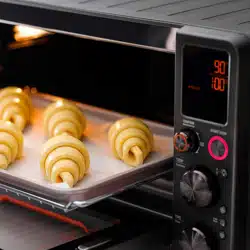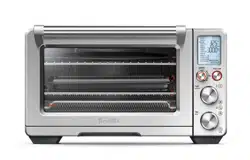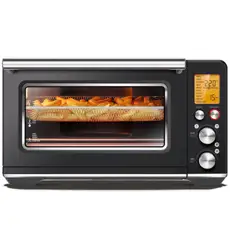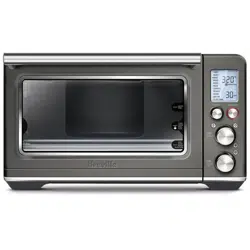
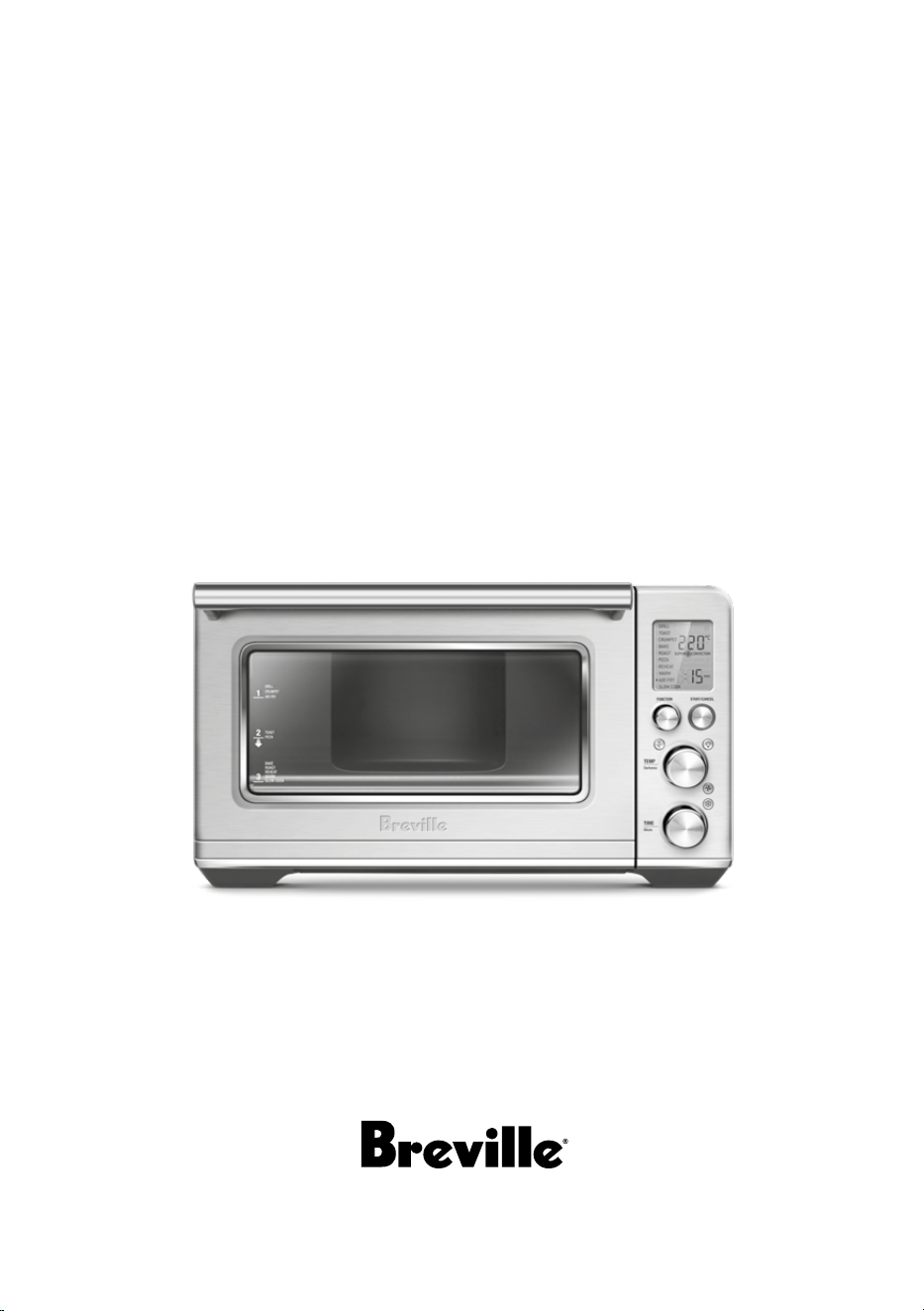
the Smart Oven
™
Air Fryer
Instruction Book – Suits all BOV860 models
the Instraction Book
™
Instruction Book – B#####
2
2 Breville recommends safety first
2 Limited Product Warranty
6 Components
8 Before first use
10 Functions
21 Care & Cleaning
22 Troubleshooting
Contents
BREVILLE
RECOMMENDS
SAFETY FIRST
At Breville we are very safety
conscious. We design and
manufacture consumer
products with the safety of you,
our valued customer, foremost
in mind. In addition we ask
that you exercise a degree of
care when using any electrical
appliance and adhere to the
following precautions.
IMPORTANT
SAFEGUARDS
READ ALL INSTRUCTIONS
BEFORE USE AND SAVE
FOR FUTURE REFERENCE
When using electrical
appliances, basic safety
precautions should always be
followed including:
• Remove and safely discard
any packing materials and
promotional labels before using
the oven for the first time.
• To avoid choking hazard for
young children, remove and
safely dispose the protective
cover fitted on the power plug.
• Do not use the appliance near
the edge of a bench top or table.
Ensure the surface is stable, level,
heat-resistant and clean.
Breville's warranty for this product
covers the repair or replacement if
it’s found to be defective due to faulty
materials, workmanship, or function
within the warranty period. All legal
warranty rights under applicable
national legislation will be respected
and will not be impaired by our
warranty. For details on length of
warranty, to obtain a printed copy or to
read full terms and conditions please
scan the QR code or
visit www.breville.com
Alternatively, call the
Breville Service Centre
(see back cover for
contact details).
QR149
Limited Product
Warranty

3
• Do not use on a cloth-covered
surface, near curtains or other
flammable materials.
• A fire may occur if the oven is
covered or touches flammable
material, including curtains,
draperies, walls, and the like, when
in operation.
• Do not use the appliance on
(or close to) a hot gas or electric
burner, or where it could touch a
heated oven or surface.
• Do not let the power cord hang
over the edge of a table or counter,
or touch hot surfaces.
• To avoid electric shock, do not
immerse the cord or plug in water
(or other liquids).
• The oven is not suitable to be used
in a small appliance enclosure.
Ensure to leave adequate space all
around the oven. Minimum space
of 10cm is recommended.
The surfaces are liable
to get hot during use.
• The temperature of accessible
surfaces may be high when the
appliance is operating. Do not
touch hot surfaces. To avoid burns
and scalds, keep children away.
• To avoid burns, use extreme
caution when removing pans,
dishes and accessories such as the
included grilling rack and baking
pan, that contain hot oil or other
hot liquids.
• Always keep the power cord of
this oven, and those of other
appliances near the oven, clear
from the oven housing.
• Do not lay cooking utensils, baking
pans or dishes on the glass door.
• The oven glass door has been
specially treated to make it
stronger, more durable and safer
than ordinary glass, however it
is not unbreakable. If dropped
or struck extremely hard, it may
break or weaken, and could later
shatter into many small pieces
without apparent cause.
• Do not leave the door standing
open for extended periods of time.
• Do not store any item on top
of the oven when in operation
except those described on page
21 of this book.
• Do not place cardboard, plastic,
paper, or other flammable
materials in the oven.
• Do not cover crumb tray or any
part of the oven with metal foil.
This will cause overheating of
the oven.
• Caution should be exercised
when using pans and dishes
constructed of materials other
than metal. Ensure pans and
dishes are oven safe before using
in the oven.
• Caution should be exercised
when using lids in the oven, as
pressure build up in a covered
pan or dish may cause hot
ingredients to expel or the dish

4
to crack. Do not place sealed or
airtight containers in the oven.
• Oversized foods and metal
utensils must not be inserted in
the oven as they may create fir or
risk of electric shock.
• The use of accessories and
attachments not recommended or
supplied with this oven may cause
injuries.
• This appliance is for household
use only. Do not use in any type
of moving vehicles. Do not use
the appliance outdoors, or for
anything other than its intended
use. Misuse can cause injury.
• If the appliance is to be: left
unattended, cleaned, moved,
assembled or stored, always
switch the unit o and unplug the
cord from the power outlet and
allow to cool completely.
• Do not use a steam cleaner to
clean the oven.
• Do not clean with metal scouring
pads. Pieces can
break o the pad and touch
electrical parts, creating a risk of
electric shock.
• Do not use any rough, abrasive
cleaning tools or sharp metal
chisel or object when cleaning the
oven door glass. Use of such tools
may leave scratches on the surface
of the glass and, ultimately, break
the glass.
• This appliance is not intended
for use by persons (including
children) with reduced physical,
sensory or mental capabilities,
or lack of experience and
knowledge, unless they have been
given supervision or instruction
concerning the use of the
appliance by a person responsible
for their safety.
• Children should be supervised to
ensure that they do not play with
the appliance.
• It is recommended to regularly
inspect the appliance and power
cord. Do not use the appliance
if there is damage to the power
cord or plug, or after the appliance
malfunctions or has been
damaged in any way. Immediately
stop use and call Breville
Customer Service.
• The appliance is not intended to
be operated by means of external
timer or separate remote-control
system.
• The installation of a residual
current device (safety switch)
is recommended to provide
additional safety protection when
using electrical appliances. It is
advisable that a safety switch with
a rated residual operating current
not exceeding 30mA be installed
in the electrical circuit supplying
the appliance. See your electrician
for professional advice.
• The appliance must be used on a
properly grounded outlet. If you
are not sure if the power outlets
are properly grounded, please
consult your electricians.

FOR HOUSEHOLD USE ONLY
SAVE THESE INSTRUCTIONS
5
• Do not, under any circumstances,
modify the power plug or use an
adapter.
SPECIFIC
INSTRUCTIONS
FOR BOV860
• We recommend the oven is
operated on a dedicated circuit
separated from other appliances.
Consult a licensed and qualified
electrician if you are unsure.
• To turn o the oven, press the
START/CANCEL button on
the control panel. The oven is
o when the button back-lights
turn o.Keep the appliance and
the accessories clean. Follow the
cleaning instructions within Care
and Cleaning Section provided
in this book.
• Regularly clean the crumb tray.
To clean the crumb tray:
−Turn OFF the oven,
−Allow the oven to cool
completely and then remove the
power cord from the
power outlet.
−Remove the crumb tray and
clean with warm soapy water.
−Dry the tray completely
before inserting it securely back
in place.
WARNING
To reduce the risk of
FIRE, ELECTRIC SHOCK,
EXPOSURE TO EXCESSIVE UV
RADIATION, OR INJURY TO
PERSONS:
• Always unplug the oven and
let all parts (including the
bulb housing, glass cover and
enclosure) cool completely before
replacing bulb.
• Only use a 25 Watt, 220–240V,
G9 type oven bulb.
• Always use a soft cloth when
handling the bulb and do not
directly touch the surface as oil
from your skin can damage
the bulb.
• Do not look directly at a glowing
bulb.
• Do not remain in the light if skin
feels warm.
• Keep bulb away from materials
that may burn.
• The bulb gets hot quickly. Only
ever use the light button to turn
on the light.
• Do not operate the light if the
bulb housing, glass cover, UV
filter or enclosure is missing or
damaged.
6
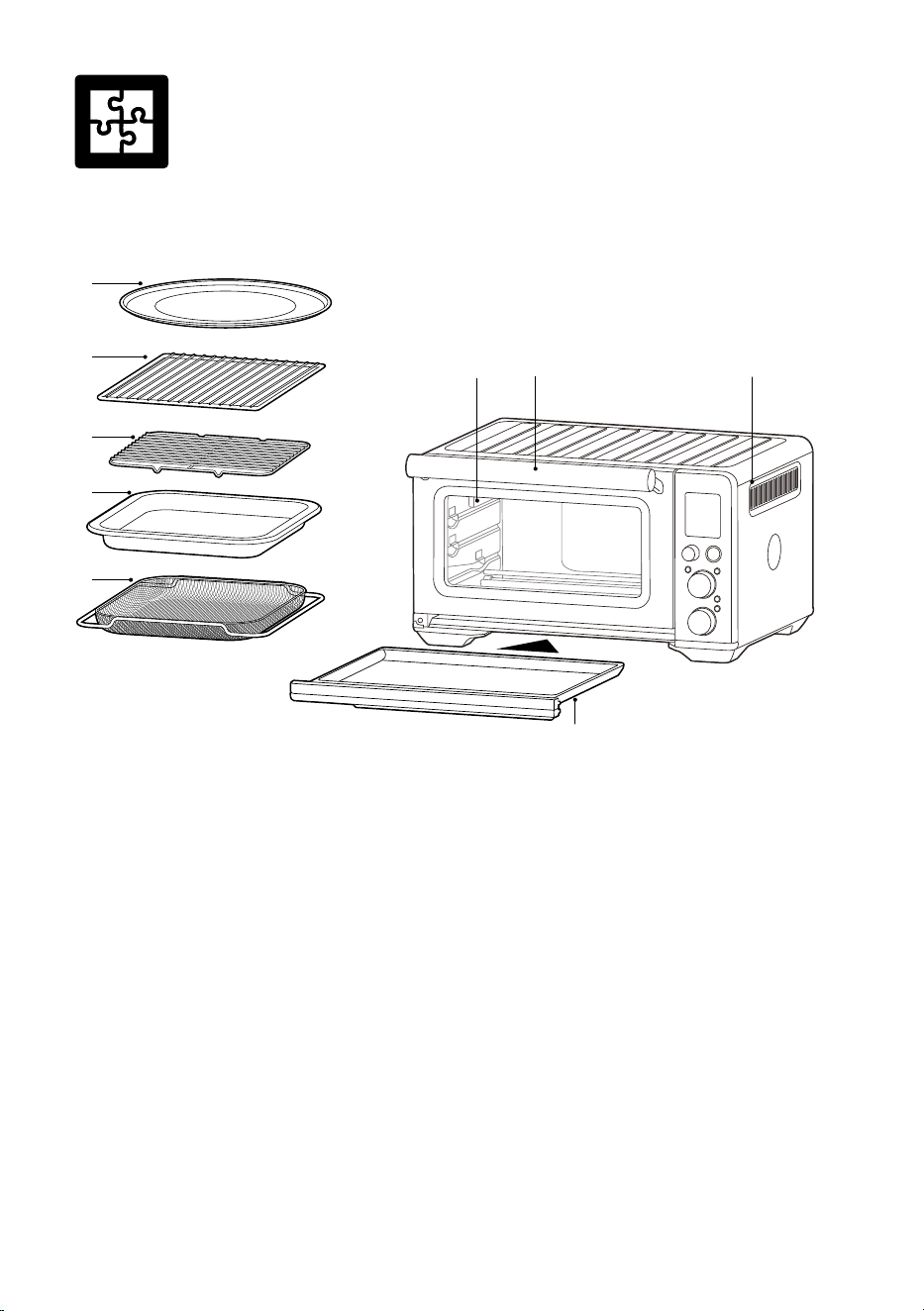
Components
A. 30 cm non-stick pizza pan
B. Wire rack
C. Grilling rack
D. 28 x 33.5 cm enamel roasting pan
E. Air fry basket
F. Oven light
G. Door handle
H. Ventilation slots
I. Crumb tray
TEMP
Darkness
TIME
Slices
FUNCTION
START/CANCEL
F
I
G H
B
A
C
D
E
7
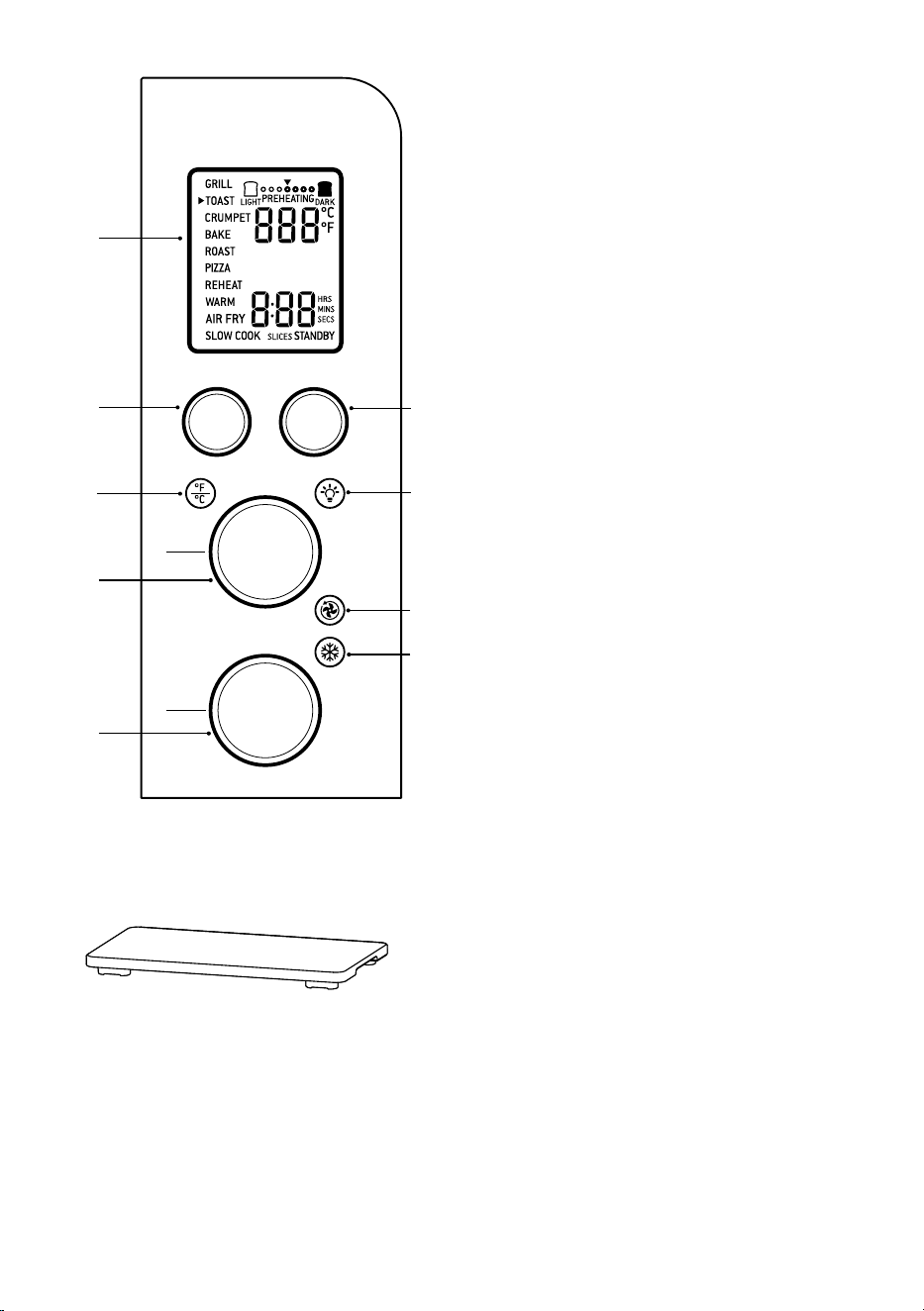
J. LCD screen
K. FUNCTION dial
L. TEMPERATURE dial/toast and crumpet
darkness control
M. TIME dial/toast and crumpet selection
N. START/CANCEL button
O. OVEN LIGHT button
P. CONVECTION button
Q. FROZEN button
R. TEMPERATURE CONVERSION button
Accessories sold separately:
TEMP
Darkness
TIME
Slices
FUNCTION
START/CANCEL
Q
K
R
J
N
O
P
L
M
Bamboo Cutting Board
8
PREPARING THE OVEN
Before first use, please run the oven empty for
20 minutes to remove protective substances
from the heating elements. Ensure the area is
well ventilated as the oven may emit vapours.
These vapours are safe and are not detrimental
to the performance of the oven.
1. Remove and safely discard any packing
material, promotional labels and tape from
the oven.
2. Remove the crumb tray, wire racks, grilling
rack, roasting pan, air fry basket and pizza
pan from the polyfoam packaging. Wash
them with a soft sponge in warm, soapy
water then rinse and dry thoroughly.
3. Wipe the interior of the oven with
a soft, damp sponge. Dry thoroughly.
4. Place the oven on a flat, dry surface. Ensure
there is a minimum distance of 10cm of
space on both sides of the appliance and
15cm above.
5. Insert the crumb tray into the oven.
6. Unwind the power cord completely
and insert the power plug into a
grounded power outlet.
7. The oven alert will sound and the LCD
screen will illuminate. The function
options will appear with an indicator
on the GRILL setting.
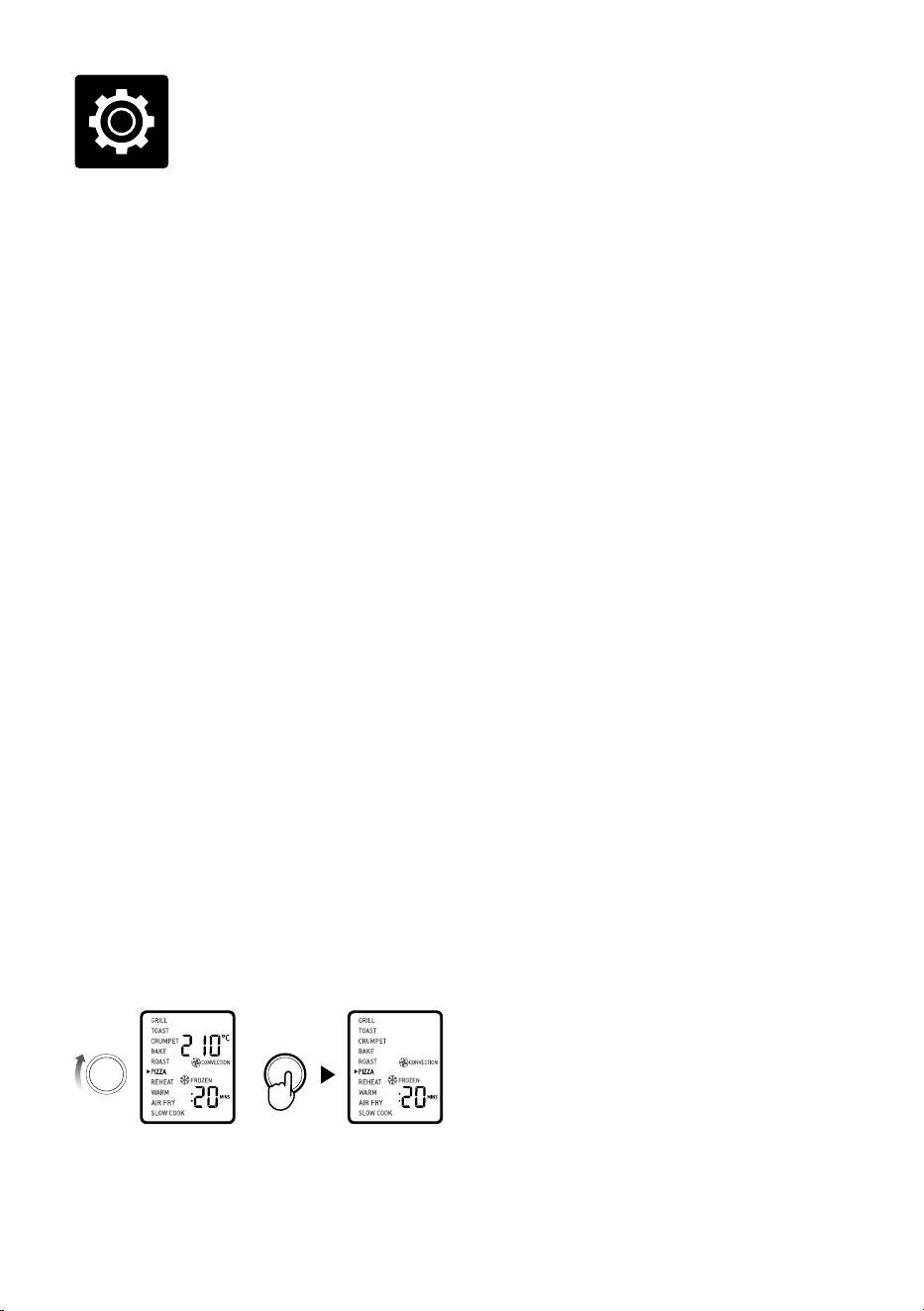
8. Turn the FUNCTION dial to
the right until the indicator reaches
the PIZZA function.
FUNCTION
START/CANCEL
9. Press the START/CANCEL button.
Thebutton backlight will illuminate red,
theLCD screen will illuminate orange and
the oven alert will sound.
10. The LCD screen will indicate a blinking
‘PREHEATING’. Once the oven has
completed the preheating cycle, an alert
will sound.
11. The timer will be displayed and
automatically begin to count down.
12. At the end of the cooking cycle, the oven
alert will sound, the START/CANCEL
button backlight will go out and the LCD
screen will illuminate blue.
13. The oven is now ready to use.
ELEMENT IQ™
The Breville Smart Oven™ Air Fryer features
Element IQ™, a cooking technology that
creates the ideal environment for the food
you're cooking. It steers power where and when
it's needed and creates the right kind of heat,
whether even or intense.
Each of the oven’s functions is preset with our
recommended heating element configurations
and temperatures, that are based on
recipes and testing. However, we suggest
experimenting
with these depending on the recipe, amount
of food and your personal taste.
Your customised setting will remain in the
memory of the oven until changed or the oven
is unplugged from the power outlet.
Functions

9
OVEN FUNCTIONS OVERVIEW
FUNCTION SUGGESTED
RACK
POSITION
OPTIONAL
SETTINGS
PRESETS PREHEAT RANGE
GRILL
Top HI
10 MINS
No HI-MED-LO
Up to 20 MINS
TOAST
Middle FROZEN Darkness 4
Slices 4
No Darkness 1-7
Slices 1-6
CRUMPET
Top FROZEN Darkness 4
Slices 4
No Darkness 1-7
Slices 1-6
BAKE
Bottom CONVECTION
TEMPERATURE
CONVERSION
160°C
CONVECTION
30 MINS
Yes 50°C–230°C
Up to 2:00 HRS
ROAST
Bottom CONVECTION
TEMPERATURE
CONVERSION
175°C
CONVECTION
1:00 HRS
Yes 50°C–230°C
Up to 2:00 HRS
PIZZA
Middle CONVECTION
TEMPERATURE
CONVERSION
FROZEN
210°C
CONVECTION
FROZEN
20 MINS
Yes 50°C–230°C
Up to 2:00 HR
REHEAT
Bottom CONVECTION
TEMPERATURE
CONVERSION
165°C
CONVECTION
15 MINS
No 50°C–230°C
Up to 2:00 HRS
WARM
Bottom CONVECTION
TEMPERATURE
CONVERSION
70°C
KEEP WARM
1:00 HRS
No 50°C–230°C
Up to 2:00 HRS
AIRFRY
Top SUPER
CONVECTION
TEMPERATURE
CONVERSION
FROZEN
220°C
15 MIN
SUPER CONVECTION
Yes 50°C–230°C
Up to 2:00 HRS
SLOW
COOK
Bottom CONVECTION HI
CONVECTION
4:00 HRS
No 70°C–200°C
HI-LO
Up to 10:00 HRS
10
Functions
OPERATING YOUR BREVILLE OVEN
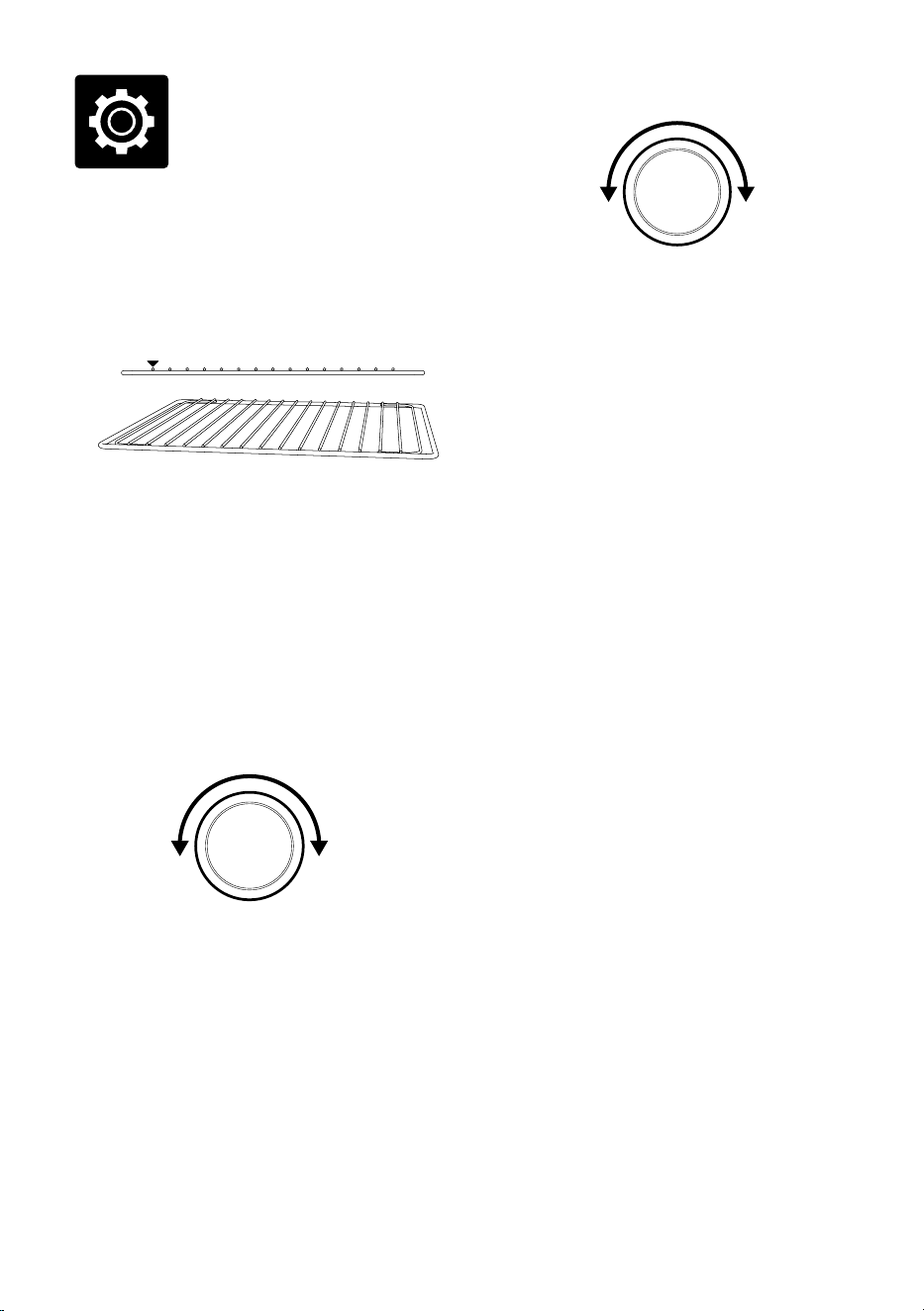
1. Position the wire rack so the spokes face
upward and insert it into the desired
rack position. The rack positions are
conveniently printed on the oven door
window.
2. Turn the FUNCTION dial until the
indicator on the LCD screen reaches the
desired setting. .
3. The top figure on the LCD screen
indicates the preset cooking temperature
for the selected setting. For the TOAST
and CRUMPET settings it indicates the
darkness level. Turn the TEMPERATURE
dial to the left to reduce the temperature or
to the right to increase the temperature.
REDUCE
TEMPERATURE
INCREASE
TEMPERATURE
ROTATE
TEMPERATURE
DIAL
4. The bottom figure on the LCD screen
indicates the preset cooking time for
the selected setting. For the TOAST and
CRUMPET settings it indicates the number
of slices. Turn the TIME dial to the left to
reduce the cooking time or to the right to
increase the cooking time.
REDUCE
TIME
INCREASE
TIME
ROTATE
TIME
DIAL
5. For settings without a preheat cycle
(TOAST, CRUMPET, GRILL, WARM), place
the food directly on the wire rack or on the
included air fry basket, pizza pan, grilling
rack and/or roasting pan. Ensure the food
is centred in the oven for the most even
cooking.
a) Close the oven door.
b) Press the START/CANCEL button. The
button backlight will illuminate red, the
oven alert will sound, and the LCD screen
will illuminate orange.
c) The timer will be displayed and begin to
count down. The cooking temperature and
time can be adjusted during the cooking
cycle.
6. For settings that feature a preheat cycle
(BAKE, ROAST, PIZZA, AIR FRY , SLOW
COOK), press the START/CANCEL button
before placing food in the oven. The button
backlight will illuminate red, the oven alert
will sound and the LCD screen will indicate
a blinking ‘PREHEATING’ while the oven is
heating up.
a) When the oven is ready for use, the blinking
‘PREHEATING’ will go out, the oven alert
will sound and the timer will start counting
down. Place the food directly on the wire
rack, or on the included air fry basket, pizza
pan, grilling rack and/or roasting pan.
Ensure the food is centred in the oven for
the most even cooking.
b) Close the oven door.
c) The timer will continue to count down.
The cooking temperature and time can be
adjusted during the cooking cycle.
7. At the end of the cooking cycle, the oven
alert will sound, the START/CANCEL
button backlight will go out and the LCD
screen will illuminate blue.
11
NOTE
The cooking cycle can be stopped at any time
by pressing the START/CANCEL button. This
will cancel the cycle and the button backlight
will illuminate blue.
NOTE
Press the CONVECTION button to choose
between no convection, convection and super
convection. Convection and super convection
may adjust the temperature to compensate for
the faster air flow. Super convection will deliver
a crispier food result.
MAGNETIC AUTO-EJECT RACK
When the wire rack is inserted into the middle
rack position, it will automatically eject halfway
out of the oven when the door is opened so you
can easily remove your food.
Always open the door slowly when the wire
rack is in this position to prevent the rack from
ejecting too quickly.
GRILL FUNCTION
The GRILL function is ideal for cooking open-
faced sandwiches, thin cuts of meat, poultry
and fish, sausages and vegetables. Grilling can
also be used to brown the tops of casseroles,
gratins and desserts.
1. Insert the wire rack, with the spokes facing
upward, into the top rack height position.
2. Insert the included grilling rack into the
roasting pan. Place food on the assembled
grilling rack or in an oven-proof dish, then
place on the centre of the wire rack so air
flows around the sides of the food.
3. Close the oven door.
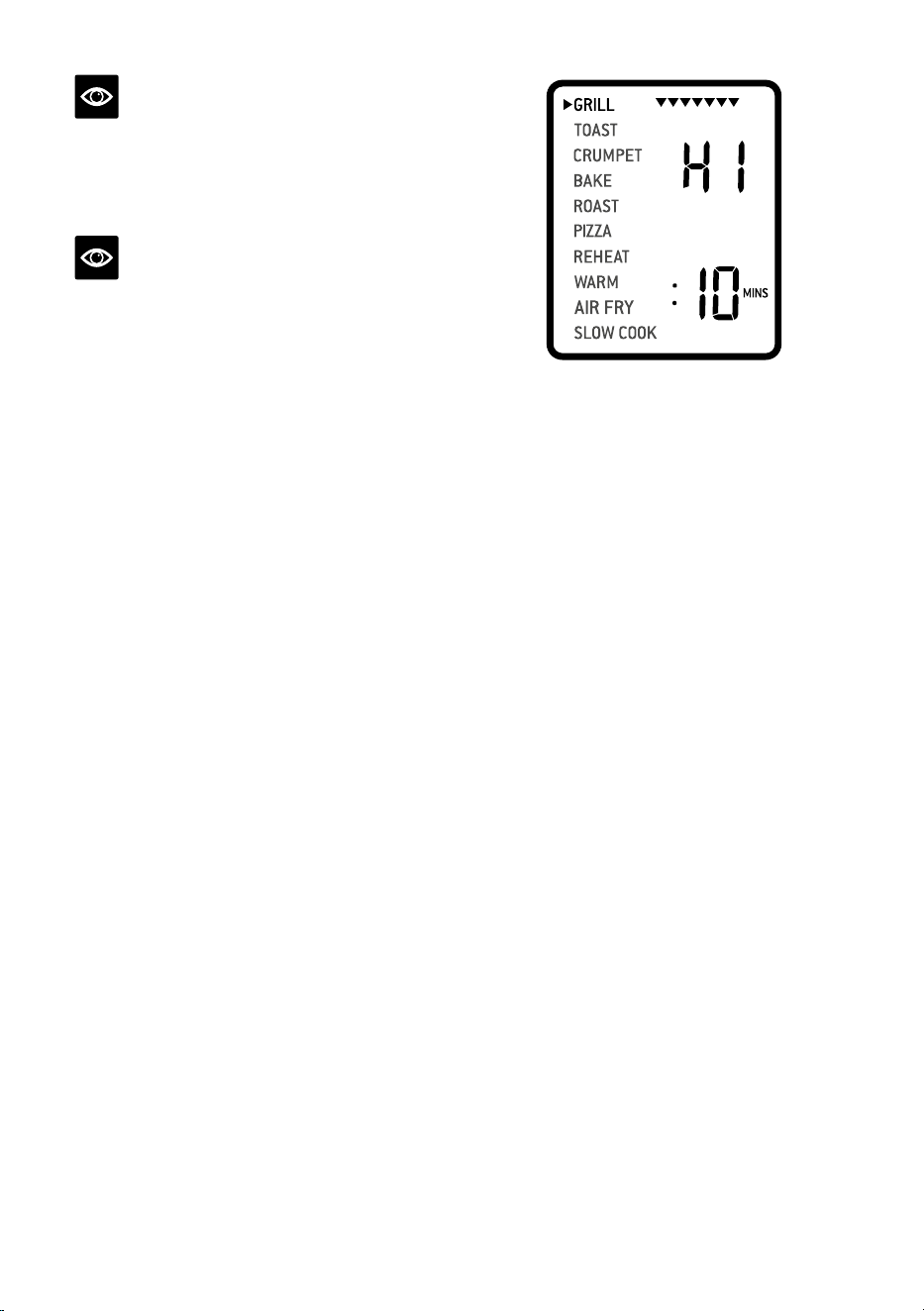
4. Turn the FUNCTION dial until the
indicator on the LCD screen reaches the
GRILL function. The top figure on the LCD
screen indicates the preset power level ‘HI’,
while the bottom figure indicates the preset
time of ‘:10 MINS’.
5. The grilling power level and time can be
adjusted before or during the grilling cycle.
a) The grilling power level is displayed as
the top figure on the LCD screen. Turn the
TEMPERATURE dial to adjust grilling to
one of three power levels: ‘HI’, 'MED' and
‘LO’ .
b) The grilling time is displayed as the bottom
figure on the LCD screen. Turn the TIME
dial to adjust the time up to 20 minutes.
6. Press the START/CANCEL button to
activate the GRILL function. The button
backlight will illuminate red, the oven
alert will sound and the LCD screen will
illuminate orange.
7. The timer will be displayed and
automatically begin to count down. The
power level and time can be adjusted
during the grilling cycle by turning the
corresponding TEMPERATURE and TIME
dial. The cycle can be stopped at any time
by pressing the START/CANCEL button.
8. At the end of the grill cycle, the oven alert
will sound. The START/CANCEL button
backlight will go out and the LCD screen
will illuminate blue.
TOAST FUNCTION
The TOAST function browns and crisps the
outside of your bread while keeping the inside
soft and moist. This function is also ideal for
English muns and frozen waes.
1. Insert the wire rack, with the spokes
facing upward, into the middle rack height
position.
12
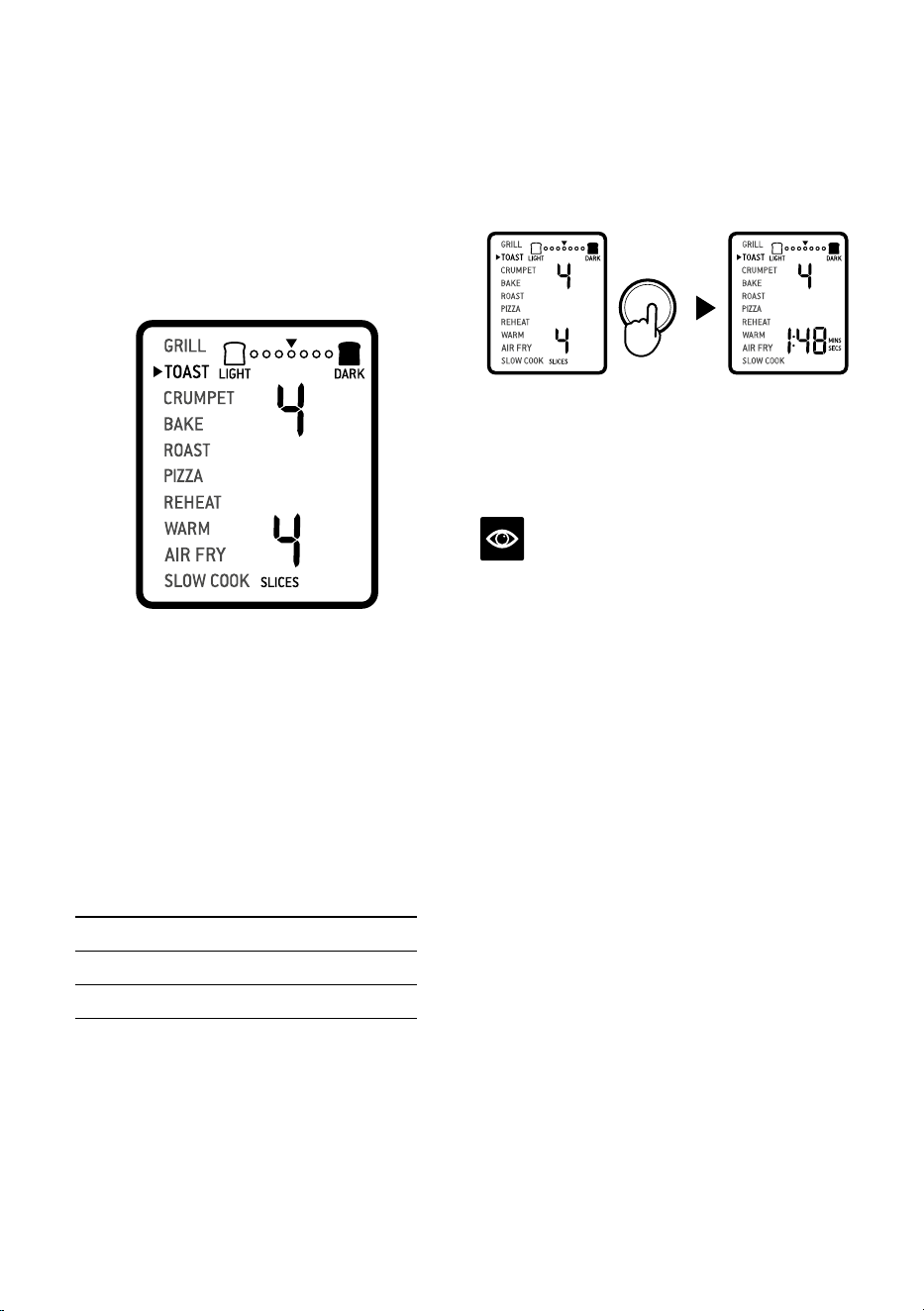
7. The timer will be displayed and
automatically begin to count down.
The time can be adjusted during the toasting
cycle by turning the TIME dial. The cycle
can be stopped at any time by pressing the
START/CANCEL button.
START/CANCEL
8. At the end of the TOAST cycle, the oven
alert will sound. The START/CANCEL
button backlight will go out and the LCD
screen will illuminate blue.
NOTE
The cooking time is dependent on a number of
variables including the temperature in the oven,
so the time may vary, even with the same colour
and slices settings. This is in order to achieve
consistent results.
CRUMPET FUNCTION
The CRUMPET function directs more heat on
the top elements in order to brown and crisp
one side more than the other.
The top of the crumpet can be placed facing up
or down, depending on what side you prefer to
be more crisped.
This function is also ideal for toasting bagels or
thick sliced specialty breads which require one
side to be toasted more than the other.
1. Insert the wire rack, with the spokes facing
upward, into the top rack height position.
2. If toasting 1–3 crumpets, centre on the wire
rack. If toasting 4–6 crumpets, evenly space
them with 2–3 crumpets at the front of the
wire rack and 2–3 crumpets at the back of
the rack.
3. Close the oven door.
2. Position bread slices as close to the centre
of the wire rack as possible for optimum
toasting results.
3. Close the oven door.
4. Turn the FUNCTION dial until the
indicator on the LCD screen reaches the
TOAST function. The top figure on the LCD
screen indicates the preset darkness setting
‘4’, while the bottom figure indicates the
preset number of slices ‘4’.
START/CANCEL
5. The darkness setting and number of
slices can be adjusted before or during the
toasting cycle.
a) The darkness setting is indicated by the
row of circles at the top of the LCD screen.
Turn the TEMPERATURE dial to the left to
reduce the darkness setting, or to the right
to increase it. The triangle above the circles
will move according to the selected setting.
As general guide:
Desired toast colour Setting
Light 1 or 2
Medium 3, 4 or 5
Dark 6 or 7
b) The number of slices is displayed as the
bottom figure on the LCD screen. Turn the
TIME dial to the left to reduce the number
of slices, or to the right to increase it. The
number of slices ranges from ‘1’ to ‘6’.
6. Press the START/CANCEL button to start
the TOAST function. The button backlight
will illuminate red, the oven alert will sound,
and the LCD screen will illuminate orange.
13
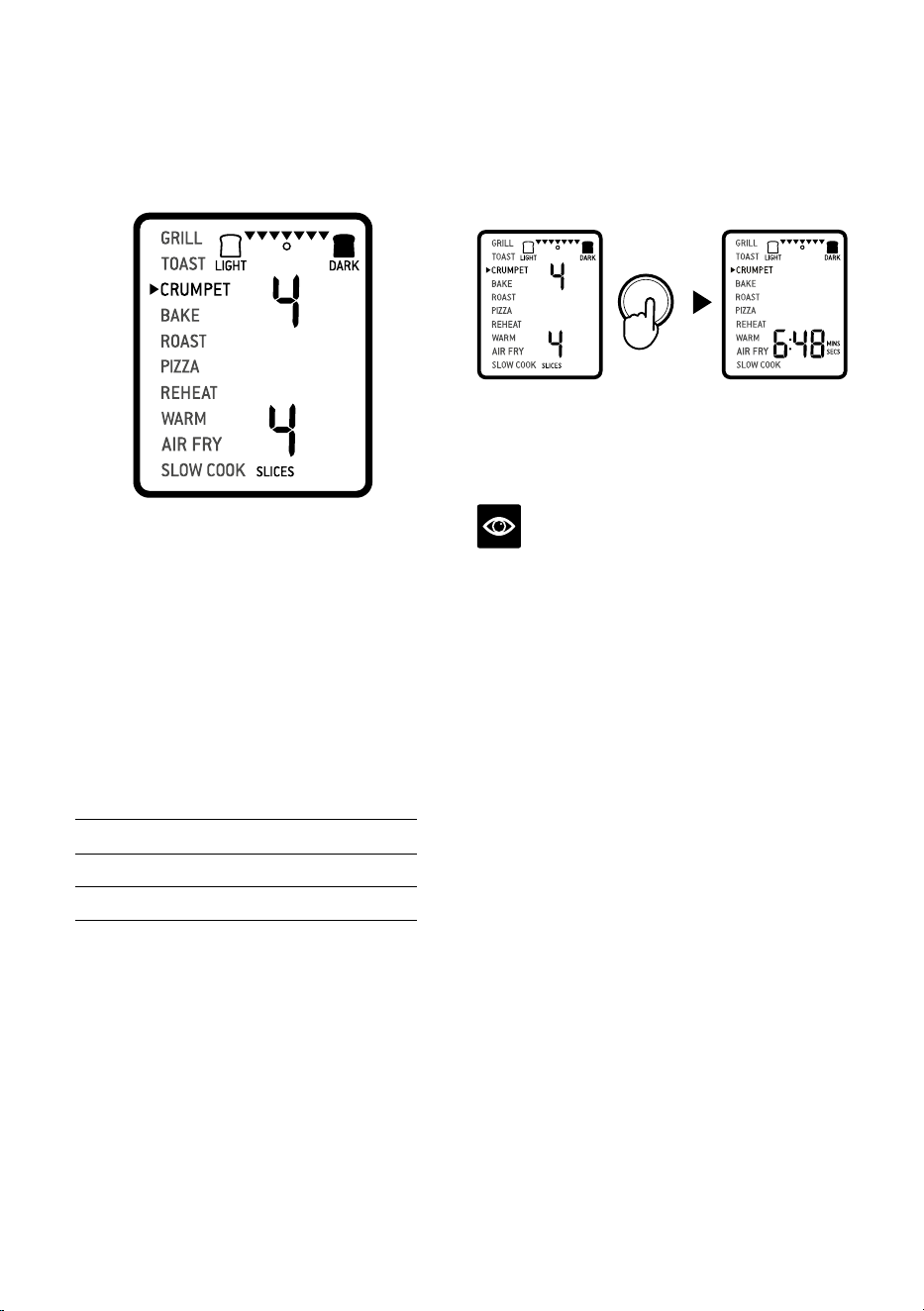
4. Turn the FUNCTION dial until the
indicator on the LCD screen reaches the
CRUMPET function. The top figure on the
LCD screen indicates the preset darkness
setting ‘4’, while the bottom figure indicates
the preset number of crumpets ‘4’.
START/CANCEL
5. The darkness setting and number of
crumpets can be adjusted before or during
the toasting cycle.
a) The darkness setting is indicated by the row
of triangles at the top of the LCD screen.
Turn the TEMPERATURE dial to the left to
reduce the darkness setting, or to the right
to increase it. The circle below the triangles
will move according to the selected setting.
As general guide:
Desired crumpet colour Setting
Light 1 or 2
Medium 3, 4 or 5
Dark 6 or 7
b) The number of crumpets is displayed as
the bottom figure on the LCD screen.
Turn the TIME dial to the left to reduce
the number of crumpets, or to the right to
increase it. The number of crumpets ranges
from ‘1’ to ‘6’.
6. Press the START/CANCEL button to
start the CRUMPET function. The button
backlight will illuminate red, the oven
alert will sound, and the LCD screen will
illuminate orange.
7. The timer will be displayed and automatically
begin to count down. The time can be
adjusted during the crumpet cycle by turning
the TIME dial. The cycle can be stopped at
any time by pressing the START/CANCEL
button.
START/CANCEL
8. At the end of the CRUMPET cycle, the oven
alert will sound. The START/CANCEL
button backlight will go out and the LCD
screen will illuminate blue.
NOTE
If you like your crumpets equally crisp on both
the top and bottom, we recommend using the
TOAST function.
BAKE FUNCTION
The BAKE function uses the Element IQ system
to cook food evenly throughout. This function
is ideal for baking cakes, muns, brownies and
pastries. The BAKE function is also ideal for
cooking pre-packaged frozen meals such as
lasagna and pot pies.
1. Insert the wire rack, with the spokes facing
upward, into the bottom rack height position.
Note that some baked goods, such as
brownies or pastries, may be more suited to
the middle rack height position.
2. Close the oven door.
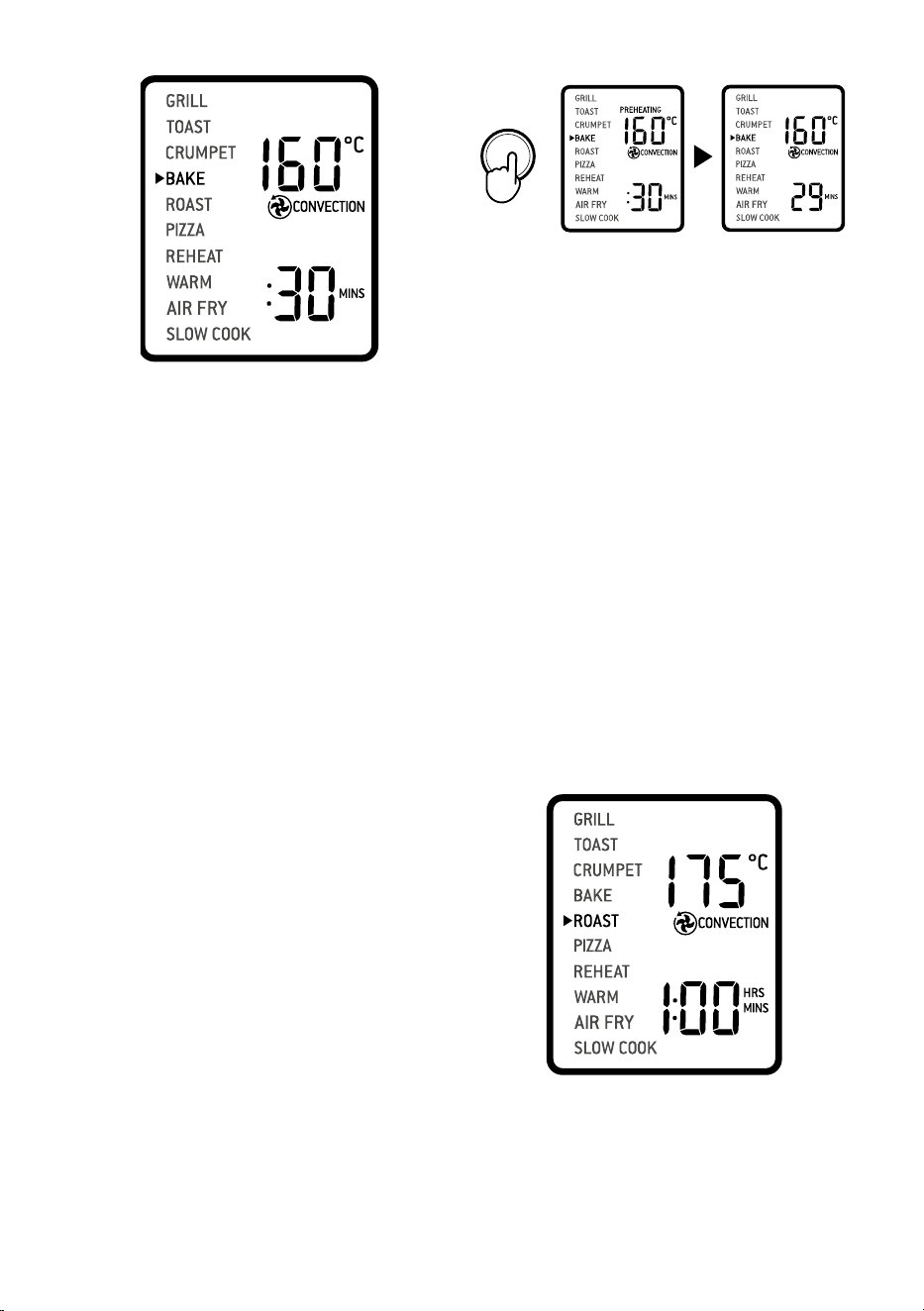
3. Turn the FUNCTION dial until the indicator
on the LCD screen reaches the BAKE
function. The top figure on the LCD screen
indicates the preset BAKE temperature of
‘160°C’, while the bottom figure indicates
the preset time of ‘:30 MINS’. The preset
CONVECTION setting will also be displayed.
14
START/CANCEL
9. At the end of the BAKE cycle, the oven alert
will sound. The START/CANCEL button
backlight will go out and the LCD screen
will illuminate blue.
ROAST FUNCTION
The ROAST function is ideal for cooking
a variety of meats and poultry. Food will be
tender and juicy on the inside and roasted
to perfection on the outside.
1. Insert the wire rack, with the spokes
facing upward, into the bottom rack
height position.
2. Close the oven door.
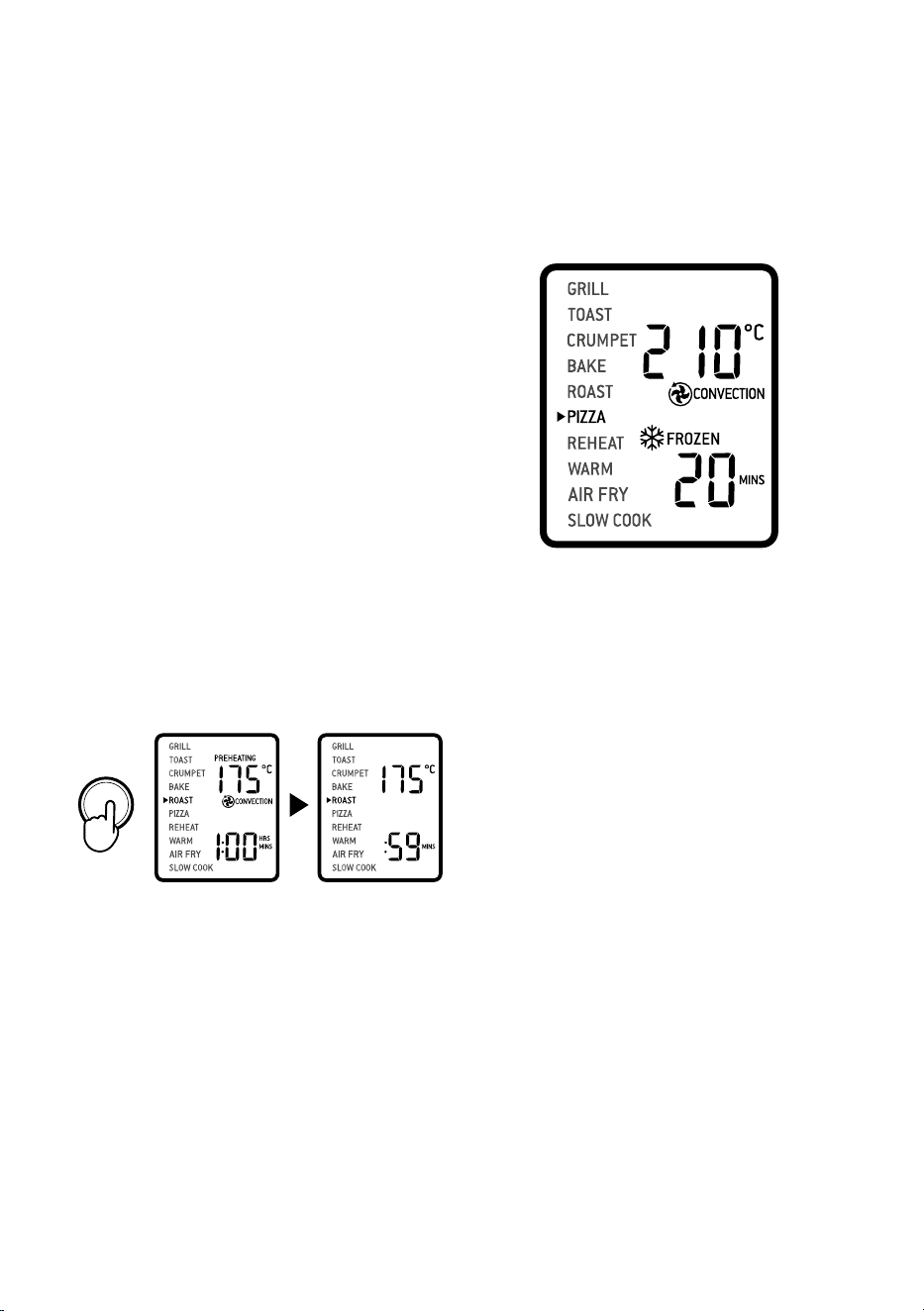
3. Turn the FUNCTION dial until the
indicator on the LCD screen reaches the
ROAST function. The top figure on the
LCD screen indicates the preset ROAST
temperature of 175°C, while the bottom
figure indicates the preset time of ‘1:00HR/
MIN’. The preset CONVECTION setting
will also be displayed.
START/CANCEL
4. The roasting temperature, time and
convection settings can be adjusted
before or during the roasting cycle.
START/CANCEL
4. The baking temperature, time and
convection settings can be adjusted before
or during the baking cycle.
a) The baking temperature is displayed as
the top figure on the LCD screen. Turn the
TEMPERATURE dial to adjust the baking
temperature from 50°C to a maximum
of 230°C.
b) The baking time is displayed as the bottom
figure on the LCD screen. Turn the TIME
dial to adjust the time up to 2 hours.
5. Press the START/CANCEL button to
activate the BAKE function. The button
backlight will illuminate red, the oven
alert will sound and the LCD screen will
illuminate orange. The LCD screen will
indicate a blinking ‘PREHEATING’.
6. Once the oven has finished preheating, an
alert will sound and food can be inserted
into the oven.
7. Place food, positioned on the included
roasting pan or other oven-proof dish, on
the centre of the wire rack so air will flow
around all sides of the food. Close the
oven door.
8. After the PREHEATING alert has sounded,
the timer will automatically begin to count
down. The cycle can be stopped at any time
by pressing the START/CANCEL button.
15
a) The roasting temperature is displayed
as the top figure on the LCD screen. Turn
the TEMPERATURE dial to adjust the
roasting temperature from 50°C
to a maximum of 230°C.
b) The roasting temperature is displayed as
the top figure on the LCD screen. Turn the
TIME dial to adjust the time up to 2 hours.
5. Press the START/CANCEL button to
activate the ROAST function. The button
backlight will illuminate red, the oven
alert will sound and the LCD screen will
illuminate orange. The LCD screen will
indicate a blinking ‘PREHEATING’.
6. Once the oven has finished preheating, an
alert will sound and food can be inserted
into the oven.
7. Place food, positioned on the included
roasting pan or other oven-proof dish, on
the centre of the wire rack so air will flow
around all sides of the food. Close the
oven door.
8. After the PREHEATING alert has sounded,
the timer will automatically begin to count
down. The cycle can be stopped
at any time by pressing the START/
CANCEL button.
START/CANCEL
9. At the end of the ROAST cycle, the oven
alert will sound. The START/CANCEL
button backlight will go out and the LCD
screen will illuminate blue.
PIZZA FUNCTION
The PIZZA function melts and browns cheese
and toppings, while crisping up the pizza crust.
1. Insert the wire rack, with the spokes
facing upward, into the middle rack
height position.
2. Close the oven door.
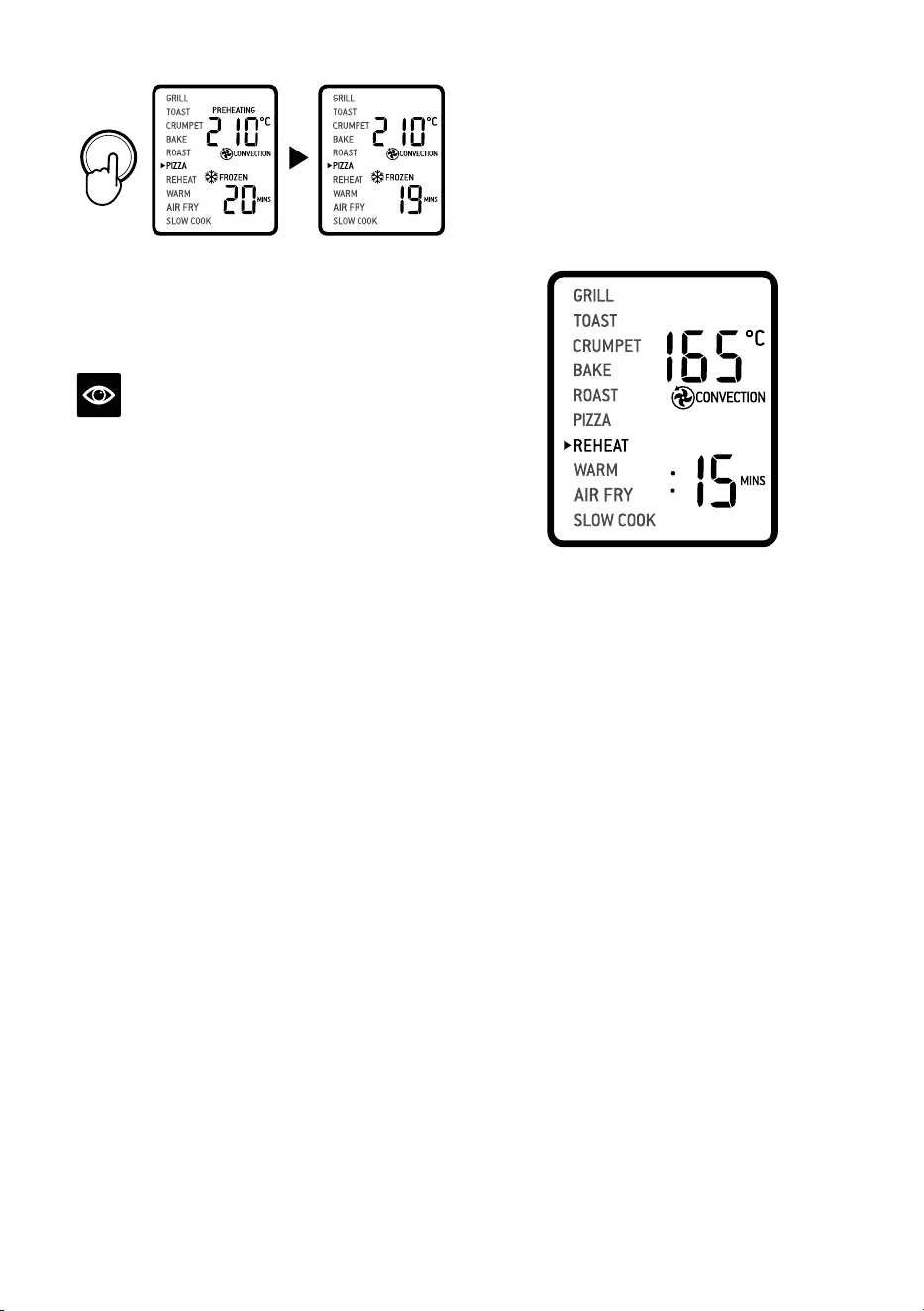
3. Turn the FUNCTION dial until the indicator
on the LCD screen reaches the PIZZA
function. The top figure on the LCD screen
indicates the preset PIZZA temperature of
210°C, while the bottom figure indicates
the preset time of ‘:20 MINS’. The preset
CONVECTION and FROZEN settings will
also be displayed.
START/CANCEL
4. The pizza temperature, time, convection,
and frozen settings can be adjusted before
or during the cycle.
a) The pizza temperature is displayed as
the top figure on the LCD screen. Turn
the TEMPERATURE dial to adjust the
temperature from 50°C to a maximum of
230°C.
b) The cooking time is displayed as the
bottom figure on the LCD screen. Turn the
TIME dial to adjust the time up to 2 hours.
5. Press the START/CANCEL button to
activate the PIZZA function. The button
backlight will illuminate red, the oven
alert will sound and the LCD screen will
illuminate orange. The LCD screen will
indicate a blinking ‘PREHEATING’.
6. Once the oven has reached the set
temperature, the temperature alert
will sound.
7. Place food, positioned on the included pizza
pan if using, on the centre of the wire rack
so air will flow around all sides of the food.
Close the oven door.
8. After the PREHEATING alert has sounded,
the timer will automatically begin to count
down. The cycle can be stopped at any time
by pressing the START/CANCEL button.
16
START/CANCEL
9. At the end of the PIZZA cycle, the oven alert
will sound. The START/CANCEL button
backlight will go out and the LCD screen
will illuminate blue.
NOTE
If using the included pizza pan, place it in
the oven during the preheating cycle for
the best result. Carefully place pizza on the
heated pizza pan.
A note on pizza stones
When using a pizza stone, it is necessary to
preheat the stone, without a pizza, for optimum
results.
1. Insert the wire rack, with the spokes facing
upward, into the middle rack height position.
2. Place pizza stone on the centre of the wire
rack so air will flow around all sides of
the stone.
3. Close the door and proceed according to
PIZZA function instructions.
REHEAT FUNCTION
The REHEAT function is ideal for gently
reheating leftovers without browning or drying
them out.
1. Insert the wire rack into a rack position that
best suits the type of food you are reheating.
2. Place food, positioned on the included
roasting pan, pizza pan or other oven-proof
dish, on the centre of the wire rack so air will
flow around all sides of the food.
3. Close the oven door.
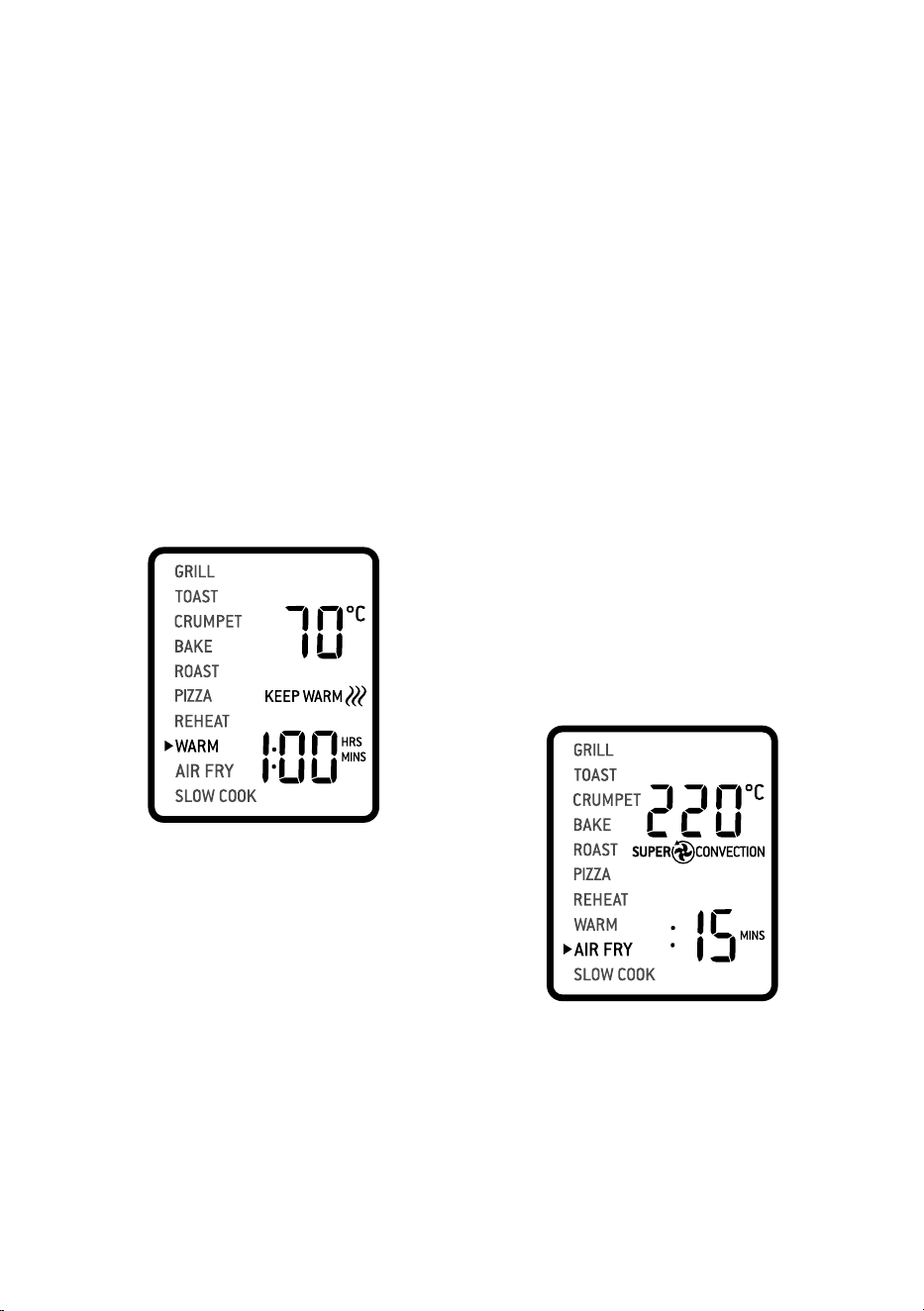
4. Turn the FUNCTION dial until the
indicator on the LCD screen reaches the
REHEAT function. The top figure on the
LCD screen indicates the preset REHEAT
temperature of 165°C while the bottom
figure indicates the preset time of ‘:15
MINS’. The preset CONVECTION setting
will also be displayed.
5. The reheating temperature, time,
convection and frozen settings can be
adjusted before or during the reheating
cycle.
a) The reheating temperature is displayed
as the top figure on the LCD screen. Turn
the TEMPERATURE dial to adjust the
temperature from 50°C to a maximum of
230°C.
b) The reheating time is displayed as the
bottom figure on the LCD screen. Turn the
TIME dial to adjust the time up to 2 hours.
6. Press the START/CANCEL button to
activate the REHEAT function. The button
backlight will illuminate red, the oven
alert will sound and the LCD screen will
illuminate orange.
7. The timer will be displayed and begin to
count down. The temperature and time
can be adjusted during the reheating
cycle by turning the corresponding
TEMPERATURE and TIME dial. The cycle
can be stopped at any time by pressing the
START/CANCEL button.
8. At the end of the REHEAT cycle, the oven
alert will sound. The START/CANCEL
button backlight will go out and the LCD
screen will illuminate blue.
17
WARM FUNCTION
The WARM function maintains hot foods at the
recommended temperature to prevent bacterial
growth, 70°C or above.
1. Insert the wire rack into a rack position
that best suits the type of food you are
keeping warm.
2. Place food, positioned on the included
roasting pan, pizza pan or other oven-proof
dish, on the centre of the wire rack so air will
flow around all sides of the food.
3. Close the oven door.
4. Turn the FUNCTION dial until the indicator
on the LCD screen reaches the WARM
function. The top figure on the LCD screen
indicates the preset temperature of 70°C’,
while the bottom figure indicates the preset
time of ‘:1 HRS’. The preset KEEP WARM
symbol will also be displayed.
5. The temperature, time and convection
settings can be adjusted before or during the
warming cycle.
a) The warming temperature is displayed
as the top figure on the LCD screen. Turn
the TEMPERATURE dial to adjust the
temperature from/50°C to a maximum of
230°C.
b) The time is displayed as the bottom figure
on the LCD screen. Turn the TIME dial to
adjust the time up to 2 hours.
6. Press the START/CANCEL button to
activate the WARM function. The button
backlight will illuminate red, the oven
alert will sound and the LCD screen will
illuminate orange.
7. The timer will be displayed and
automatically begin to count down. The
temperature and time can be adjusted
during the warming cycle by turning the
corresponding TEMPERATURE and TIME
dial. The cycle can be stopped at any time
by pressing the START/CANCEL button.
8. At the end of the WARM cycle, the oven
alert will sound. The START/CANCEL
button backlight will go out and the LCD
screen will illuminate white.
AIR FRY FUNCTION
The AIR FRY function combines intense heat
and maximized airflow to cook foods crispy
and brown.
1. Insert the air frying basket into the top rack
height position.
2. Close the oven door.
3. Turn the FUNCTION dial until the
indicator on the LCD screen reaches the
AIR FRY function. The top figure on the
LCD screen indicates the preset AIR FRY
setting of 220°C, while the bottom figure
indicates the preset time of ':15 MINS’. The
preset SUPER CONVECTION setting will
also be displayed.
4. The AIR FRY temperature, time, convection
and frozen settings can be adjusted before
or during the AIR FRY cycle.
a) The AIR FRY temperature is displayed as
the top figure on the LCD screen. Turn the
TEMPERATURE dial to adjust the AIR FRY
temperature from 50°C to a max of 230°C.
18
b) The AIR FRY time is displayed as the
bottom figure on the LCD screen. Turn
the TIME dial to adjust the time up to a
maximum of 2 hours.
5. Press the START/CANCEL button to
activate the AIR FRY function. The button
backlight will illuminate red, the oven
alert will sound and the LCD screen will
illuminate orange. The LCD screen will
indicate a blinking ‘PREHEATING’.
6. Once the oven has finished preheating, an
alert will sound and food can be inserted
into the oven.
7. Arrange food evenly on the included air
fry basket. For best results, place food in a
single layer and leave space between pieces.
Insert the air fry basket into rack position
Close the oven door.
8. After the PREHEATING alert has sounded,
the timer will automatically begin to count
down. The cycle can be stopped at any time
by pressing the START/CANCEL button.
9. At the end of the AIR FRY cycle, the oven
alert will sound. The START/CANCEL
button backlight will go out and the LCD
screen will illuminate blue.
IMPORTANT
When cooking fatty foods (e.g. bacon) it is
recommended to use the roasting pan to catch
excess drippings of oil and fat.
For air frying: Insert the air fry basket into
theair fry position and place the roasting pan
directly on top of the wire rack on a lower shelf.
Discard excess oil in between batches.
For grilling: Insert the grilling rack directly on
top of the roasting tray Discard excess oil in
between batches.
SLOW COOK FUNCTION
The SLOW COOK function has cooking profiles
designed for long cook times at
low temperatures.
1. Insert the wire rack, with the spokes facing
upward, into the bottom rack height position.
2. Close the oven door.
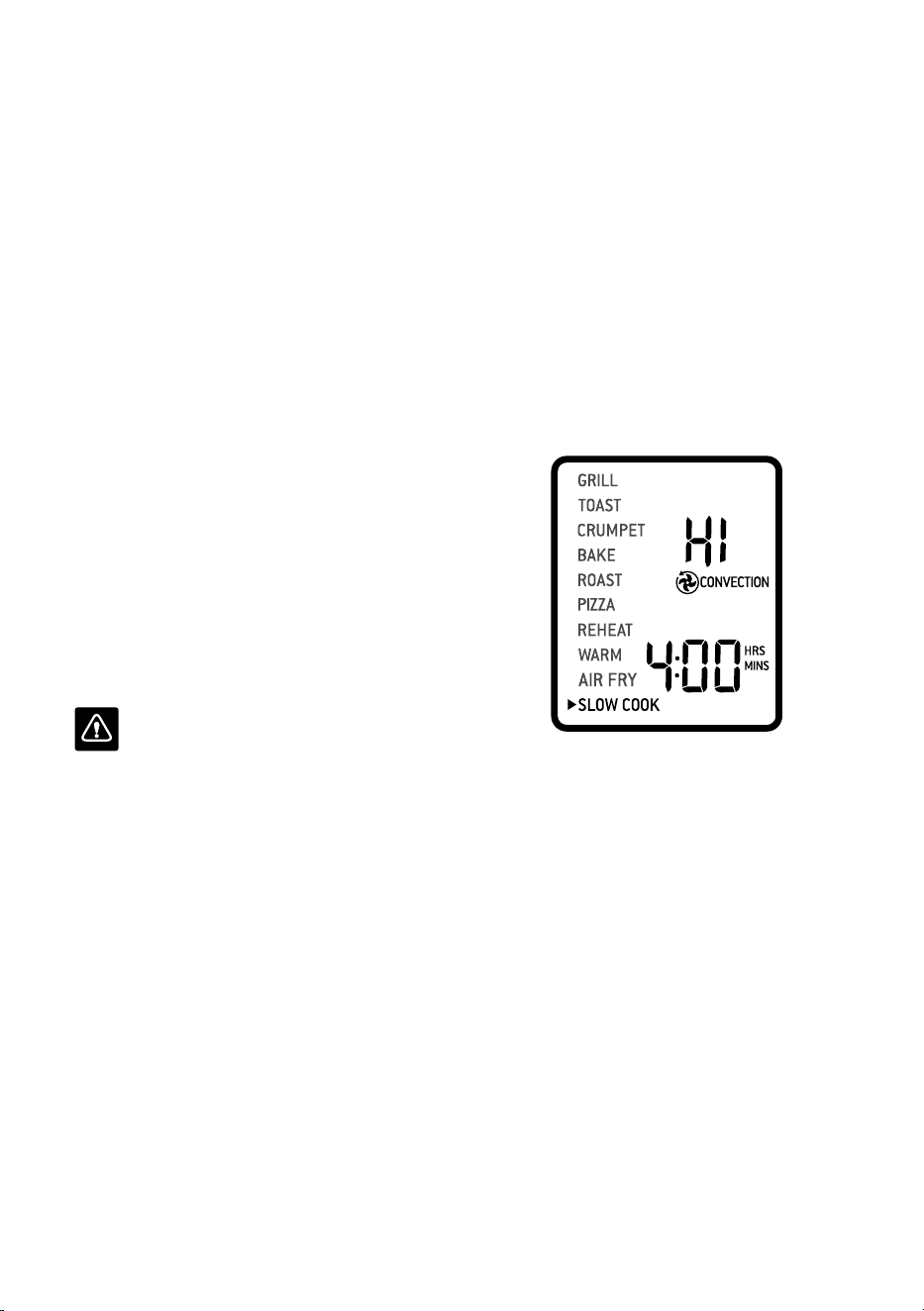
3. Turn the FUNCTION dial until the indicator
on the LCD screen reaches the SLOW
COOK function. The top figure on the LCD
screen indicates the preset SLOW COOK
temperature of ‘HI’, while the bottom figure
indicates the preset time of ‘:4HRS’. The
preset CONVECTION setting will also be
displayed.
4. The slow cook temperature, time and
convection settings can be adjusted before or
during the slow cook cycle.
a) The temperature is displayed as the
top figure on the LCD screen. Turn the
TEMPERATURE dial to adjust slow cooking
to one of two preset temperatures: ‘LO’ or ‘HI’.
b) The time is displayed as the bottom figure on
the LCD screen. Turn the TIME dial to adjust
the up to 10 hours.
5. Place food, inside covered oven-proof
cookware, on the centre of the wire rack so air
will flow around all sides of the food. Close
the oven door.
6. Press the START/CANCEL button to
activate the SLOW COOK function. The
button backlight will illuminate red, the
oven alert will sound and the LCD screen
will illuminate orange. The LCD screen will
indicate a blinking ‘PREHEATING’.

19
7. After the PREHEATING alert has sounded,
the timer will automatically begin to count
down. The cycle can be stopped at any time
by pressing the START/CANCEL button.
8. At the end of the SLOW COOK cycle,
the oven will automatically switch to the
WARM function. The LCD screen will
display ‘KEEP WARM’ and a keep warm
time of ‘2:00 HR/MIN’ will automatically
count down. The keep warm cycle can be
stopped at any time by pressing the
START/CANCEL button.
NOTE
Do not pull the wire rack further than halfway
out when inserting or removing cookware from
the oven.
Do not allow heavy cookware to rest on the
glass when the door is open.
TIPS
TIPS FOR SLOW COOKING
1. Ensure cookware is oven-proof and does not
exceed 6 kgs when empty.
2. Fill cookware to a minimum of ½ and
maximum of ¾ full to avoid over or
under-cooking. To prevent spillover,
do not fill cookware more than ¾ full.
3. Always slow cook with the lid on to prevent
food from drying out. Cover cookware with
a layer of aluminium foil before covering
with lid to keep even more moisture in.
4. Follow cooking temperatures and times
prescribed in traditional slow cooker
recipes. One hour on ‘HI’ is equivalent to
approximately one-and-a-half to two hours
on ‘LO’.
5. Cold food will take longer to cook than food
that has been pre-seared or heated so adjust
cooking times as appropriate. Do not slow
cook frozen foods.
6. Cut large pieces of meat in half to allow heat
to penetrate more evenly.
20
REPLACING THE OVEN LIGHT
WARNING
Always unplug oven and let cool before
replacing bulb. Only use a 25-Watt,
220-240V, G9 type oven bulb.
1. Remove the wire rack from the oven before
replacing the light.
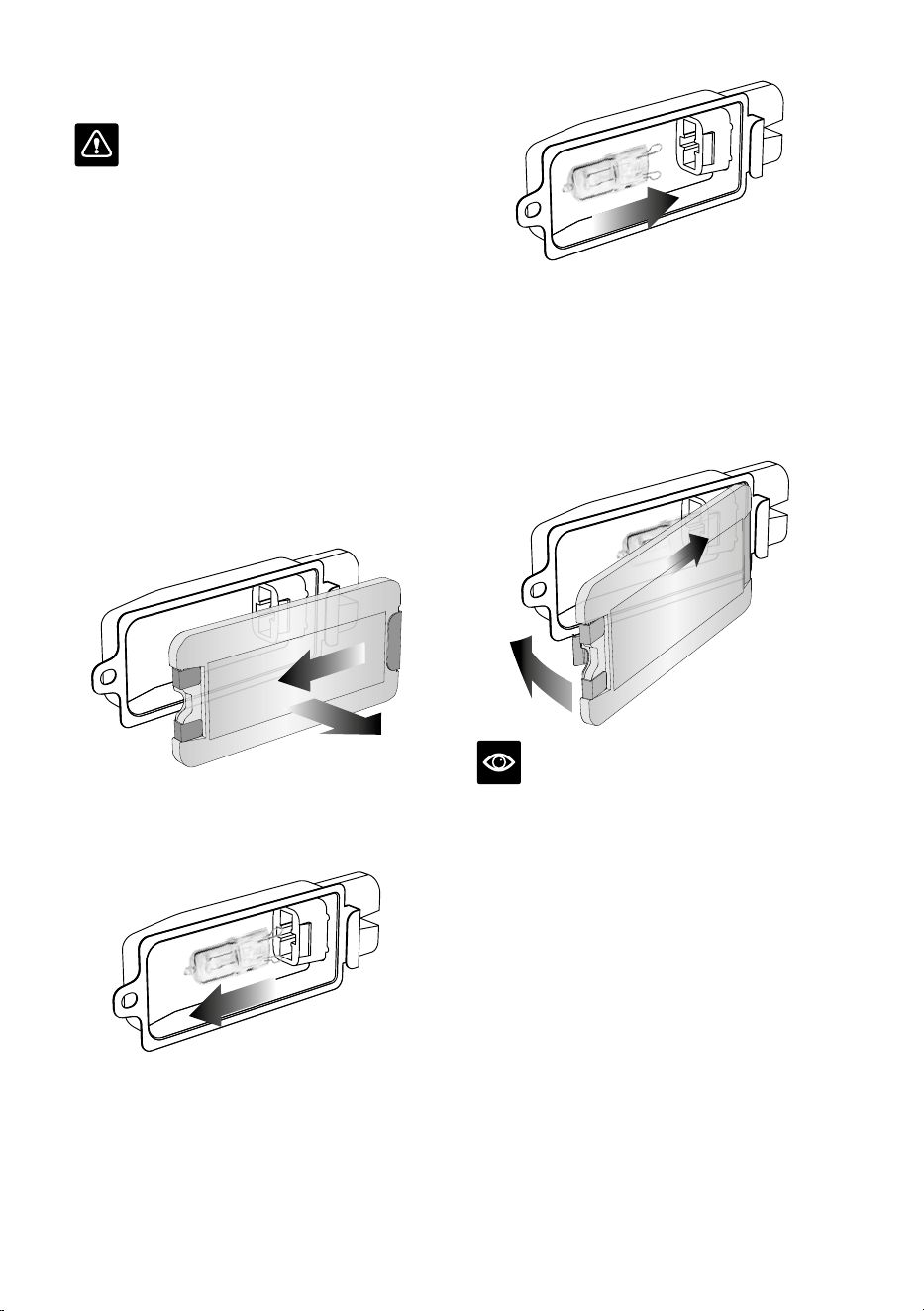
2. The light is positioned on the lefthand side
of the oven cavity. Position your fingers on
the outside of the light housing and gently
pull the glass cover away from the oven wall
to remove it. If you are unable to pull the
cover o, slide a spoon into the left side of
the light housing and gently lever the glass
cover o. Always hold the glass cover with
the other hand to prevent the cover from
falling and breaking.
3. Remove the used bulb by pulling it directly
out of its holder.
4. Use a soft cloth to insert the new bulb. Do
not directly touch the surface of the bulb
with your fingers as oil from your skin can
damage the bulb.
5. To reattach the glass cover, align the metal
hook with the left side of the light housing.
Slide the opposite end of the glass cover
into the metal bracket on the right side of
the housing, then push the metal hook into
the left side of the housing until it snaps
securely into position.
NOTE
The top of the oven is very hot during and after
operation. As a result, storing items on top of
the oven is not recommended.
The only exception is the optional Breville
Bamboo Cutting Board and Serving Tray that
fits in the ribbed section on top of the oven.
Visit www.breville.com for more information.

21
Care & Cleaning
Before cleaning, ensure the oven is turned
o by removing the power plug from the power
outlet. Allow the oven and all accessories to cool
completely before disassembling and cleaning.
Cleaning the outer body and door
1. Wipe the outer body with a soft, damp
sponge. A non-abrasive liquid cleanser or
mild spray solution may be used to avoid
build-up of stains. Apply the cleanser to the
sponge, not the oven surface, before cleaning.
2. To clean the glass door, use a glass cleaner
or mild detergent and a soft, damp sponge
or soft plastic scouring pad. Do not use an
abrasive cleanser or metal scouring pad
asthese will scratch the oven surface.
3. Wipe the LCD screen with a soft damp cloth.
Apply cleanser to the cloth and not the LCD
surface. Cleaning with dry cloth or abrasive
cleaners may scratch the surface.
4. Let all surfaces dry thoroughly prior to
inserting the power plug into a power outlet
and turning the oven on.
WARNING
Do not immerse the body, power cord or power
plug in water or any other liquid as this may
cause electrocution.
Cleaning the interior
The walls on the inside of the oven feature
anon-stick coating for easy cleaning. To clean
any splattering that may occur while cooking,
wipe the walls with a soft, damp sponge. A non-
abrasive liquid cleanser or mild spray solution
may be used to avoid build-up of stains. Apply
the cleanser to the sponge, not the oven surface,
before cleaning. Avoid touching the quartz
heating elements.
WARNING
Use extreme caution when cleaning the quartz
heating elements. Allow the oven to cool
completely, then gently rub a soft, damp sponge
or cloth along the length of the heating element.
Do not use any type of cleanser or cleaning
agents. Do not use any standard oven cleaner
to clean the interior of the oven as this will
deteriorate the metal surface.
Let all surfaces dry thoroughly prior to
inserting the power plug into a power outlet
and turning the oven on.
Cleaning the crumb tray
1. After each use, slide out the crumb tray
and discard crumbs. Wipe the tray with
asoft, damp sponge. A non-abrasive liquid
cleanser may be used to avoid build-up of
stains. Apply the cleanser to the sponge, not
the tray, before cleaning. Dry thoroughly.
2. To remove baked-on grease, soak the tray
in warm soapy water then wash with a soft
sponge or soft plastic scouring pad. Rinse
and dry thoroughly.
3. Always reinsert the crumb tray into the oven
with the oven door closed after cleaning
and prior to inserting the power plug into
apower outlet and turning the oven on.
Cleaning the wire rack, grilling rack,
roasting pan and pizza pan
1. Wash all accessories in warm soapy water
with a soft sponge or soft plastic scouring
pad. Rinse and dry thoroughly. Do not use
abrasive cleansers, metal scouring pads or
metal utensils to clean any of the accessories
as they may damage the surfaces.
2. To extend the life of your accessories,
we do not recommend that these be placed
in the dishwasher.
Storage
1. Ensure the oven is turned o by removing
the power plug from the power outlet.
2. Allow the oven and all accessories to
cool completely before disassembling
and cleaning.
3. Ensure the oven and all accessories are
clean and dry.
4. Ensure the crumb tray is inserted into the
oven; the broiling rack is inserted into the
roasting pan and resting on the wire rack
inthe middle rack height position.
5. Ensure the door is closed.
6. Store the appliance in an upright position
standing level on its support legs. Do not
store anything on top. The only exception is
the optional Breville Bamboo Cutting Board
and Serving Tray.

22
Troubleshooting
POSSIBLE PROBLEM EASY SOLUTION
Oven will not switch “ON”
•
Check that the power plug is securely inserted into the outlet.
•
Insert the power plug into an independent outlet.
•
Insert the power plug into a dierent outlet.
•
Reset the circuit breaker if necessary.
The LCD display
light has gone out
•
The oven goes into standby mode if not used for 10 minutes. When in
standby mode, the LCD screen will cease to illuminate, however all function
options will still be visible.
•
To re-activate the oven out of standby mode, press the START/CANCEL
button on the control panel, or turn any dial. The LCD screen will
re-illuminate.
The pizza does not
cook evenly
•
Some large pizzas may brown unevenly in compact ovens. Open the oven
door half way through the cooking time and turn the pizza 180 degrees for
more even darkness.
The Magnetic Auto-Rack
Eject comes out too far
when I open the door
•
Always open the door slowly and in a controlled manner when the wire rack
is inserted into the middle rack height position to prevent the wire rack
from ejecting too quickly.
I cannot select the
FROZEN FOODS button
•
The FROZEN button is only selectable for the following functions: TOAST,
CRUMPET, BAKE, PIZZA, AIR FRY. When selecting the FROZEN button,
this will automatically adjust the cooking time for an optimised food result.
Steam is coming out
from the oven door
•
This is normal. The door is vented to release steam created from high
moisture content foods such as frozen breads. Be mindful that the steam
can be hot.
The heating elements
appear to be pulsing
•
Element IQ™ accurately controls the heat inside the oven by pulsing the
power and adjusting the power level in the heating elements in short bursts
to give accurate temperature control. This is normal.
Water is dripping onto
counter from under door
•
This is normal. The condensation created from high moisture content foods
such as frozen breads will run down the inside of the door and can drip onto
the counter.
The temperature reading
on the LCD screen doesn't
match the temperature
measured inside the oven
•
To ensure the measurements are standardized, the oven temperatures
have been calibrated in the TOAST position (centre of the middle rack
with no tray in place). Re-check the temperature in this position, ensuring
not to open the oven door for 30 minutes as heat will escape each time
the door is opened. Note that the ‘preheat’ alert sounds at 75% of the target
temperature.

23
POSSIBLE PROBLEM EASY SOLUTION
The ‘preheat’ alert sounds
at a lower temperature
than what is displayed
on the LCD screen
•
The ‘preheat’ alert sounds at 75% of the target temperature. This provides
the fastest, combined preheating and cooking time.
•
This is because when the ‘preheating’ alert sounds, signalling the user to
open the oven door and insert food, there is dramatic temperature loss
inside the oven. If the alert sounded at 100% of the target temperature,
opening the door would mean a lot of this waiting time is “wasted.” We
have calculated that by sounding the alert at 75% of the target temperature,
followed by the oven door being opened to place food inside the oven, that
we still recover to the target temperature up to 2 minutes faster. This is why
the temperature on the LCD screen does not match the target temperature
at the ‘preheat’ alert. Depending on the set temperature, it can take the oven
approximately 8–10 minutes from start-up, including opening the oven
door when the ‘preheat’ alert sounds, to reach the target temperature.
The LCD screen
displays 'E01'
•
The LCD screen will display 'E01' when there is a non-resettable issue with
the appliance. Should this occur, immediately remove the power cord from
the power outlet and call Breville Consumer Support.
The LCD screen
displays 'E02'
•
The LCD screen will display 'E02' when there is a non-resettable issue with
the appliance. Should this occur, immediately remove the power cord from
the power outlet and call Breville Consumer Support.
The LCD screen
displays 'E03'
•
The LCD screen will display 'E03' if the oven temperature is above the set
maximum limit. Remove the plug from the power outlet, allow the oven to
cool for 15 minutes, then plug back in.
•
Call Breville Consumer Support if the 'E03' message continues.
The LCD screen
displays 'E05'
•
The LCD screen will display 'E05' when there is a non-resettable issue with
the appliance. Should this occur, immediately remove the power cord from
the power outlet and call Breville Consumer Support.
Temperature are changing
when convection
button is pressed
•
This is normal. The temperature is calibrated to compensate for the
convection fan increasing cooking rates.

BOV860 ANZ – Q23
Breville, the Breville Logo are trademarks of Breville Pty Ltd (“Breville”) and Breville's products
are distributed in Australia and New Zealand under license.
Copyright Breville Pty. Ltd. 2023.
Due to continued product improvement, the products illustrated/photographed
in this brochure may vary slightly from the actual product.
B##### ANZ – #23
Breville Service Centre
Australian Customers
Phone:
1300 139 798
Web: www.breville.com
New Zealand Customers
Phone:
0800 273 845
Web: www.breville.com