C
O
F
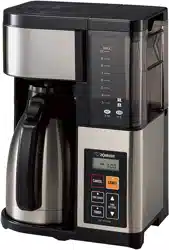
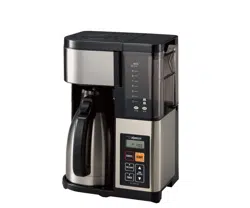
FEE MAKER OPERATING INSTRUCTIONS
EC-ESC120
Always follow basic safety precautions when using electrical appliances.
Read all instructions carefully.
Please keep these Operating Instructions at hand for easy reference.
IM
P
O
RTANT SAFEGUARDS 2.............................................................................................
BEFORE USE 5......................................................................................................................
PARTS NAMES 5...................................................................................................................
HOW TO REMOVE AND ATTACH EACH PART 7...............................................................
HOW TO SET THE CLOCK 8................................................................................................
SOUND SIGNALS AND HOW TO CHANGE THEM
8.........................................................
HOW TO USE 9......................................................................................................................
BREWING ICED COFFEE 14• ..................................................................................................................
HO
W
TO SET THE 24-HOUR BREW TIMER 15.................................................................
CLEANING AND MAINTENANCE 16....................................................................................
How to Perform Citric Acid C leaning 17• .....................................................................................................
TR
O
UBLESHOOTING GUIDE 18.........................................................................................
REPLACEMENT PARTS 19...................................................................................................
SPECIFICATIONS 19.............................................................................................................
QUICK START GUIDE BACK COVER...............................................................................
ZOJIRUSHI CORPORATION

IMPORTANT SAFEGUARDS the instructions.
To reduce the risk of fire, electric shock, a n d /o r injury to persons, when using
electrical appliances, basic safety precautions should always be followed,
including the following:
1. Read all instructions.
2. Do not touch hot surfaces. Use handles or knobs. Do not close or clog the steam vent opening
under any circumstances.
3. To protect against fire, electric shock and other injury to persons, do not immerse cord, plugs or
the appliance in water or other liquids.
4. Close supervision is necessary when any appliance is used by or near children.
5. Unplug from outlet when either the appliance or display clock is not in use, and before cleaning. Allow
to cool before adding or removing parts other than the Glass Carafe, and before cleaning the appliance.
6. Do not operate any appliance with a damaged cord or plug, or after the appliance malfunctions or
has been damaged in any manner. Return appliance to the nearest authorized service facility for
examination, repair or adjustment.
7. The use of accessory attachments not recommended by the appliance manufacturer may result
in fire, electric shock or other injury to persons.
8. Do not use outdoors.
9. Keep the power cord away from hot surfaces and do not let the cord hang over the edge of
tables or counters.
10. Do not place on or near a hot gas or electric burner, or in a heated oven.
11. To disconnect, turn the power off by pressing the BREW/OFF button, then remove plug from wall
outlet.
12. Do not use appliance for other than intended use.
13. To protect against electrical hazards, unplug the cord at all times before cleaning.
14. Scalding may occur if the Lid is opened during the brewing cycles.
15. The Glass Carafe is designed for use with this appliance. It must never be used on a range top.
16. Do not set the hot Glass Carafe on a wet or cold surface.
17. Do not use a cracked Glass Carafe or a Glass Carafe having a loose or weakened handle.
18. Do not clean the Glass Carafe with cleansers, steel wool pads, or other abrasive materials.
NOTE: This appliance has a polarized plug (one blade is wider than the other). To reduce the risk of
electric shock, this plug is intended to fit into a polarized outlet only one way. If the plug does
not fit fully into the outlet, reverse the plug. If it still does not fit, contact a qualified electrician.
Do not attempt to modify the plug in any way.
SAVE THESE INSTRUCTIONS________
THIS APPLIANCE IS FOR HOUSEHOLD USE ONLY.
A. A short power-supply cord is provided to reduce risks resulting from becoming entangled in or
tripping over a longer cord.
B. Extension cords may be used if care is exercised in their use.
C. If an extension cord is used, (1) the marked electrical rating of the extension cord should be at
least as great as the electrical rating of the appliance, (2) if the appliance is of the grounded type,
the extension cord should be a grounding-type 3-wire cord, and (3) the longer cord should be
arranged so that it will not drape over the counter top or table top where it can be pulled on by
children or tripped over.
A
WARNING
RISK OF FIRE OR ELECTRIC SHOCK
DO NOT OPEN
A
WARNING: TO REDUCE THE RISK OF FIRE OR ELECTRIC SHOCK,
DO NOT REMOVE COVER (OR BOTTOM)
NO USER-SERVICEABLE PARTS INSIDE
REPAIRS SHOULD BE DONE BY AUTHORIZED SERVICE PERSONNEL ONLY
A
A
The lightning flash with arrowhead symbol, within
an equilateral triangle, is intended to alert the user
to the presence of uninsulated “dangerous
voltage” within the product’s enclosure that may
be of sufficient magnitude to constitute a risk of
fire or electric shock to persons.
The exclamation point within an equilateral triangle
is intended to alert the user to the presence of
important operating and maintenance (servicing)
instructions in this literature.

IMPORTANT SAFEGUARDS <cont.)
These WARNINGS and CAUTIONS are intended to prevent property damage or personal injury to
you and others.
A WARNINGS
Do not modify the product. Only a repair
technician may disassemble or repair this unit.y J k /
Attempting to do so may cause fire, electric shock or injury.
Make any repair inquiries to Zojirushi Customer Service.
Do not immerse the product in water or
splash it with water.
Doing so may cause short circuit or electric shock.
Do not allow liquid to come in contact with
the Power Plug or Power Cord.
Doing so may cause short circuit or electric shock.
Do not plug or unplug the Power Plug if your
hands are wet.
Doing so may cause electric shock or injury.
Do not touch the Steam Vent and Warming Plate,
or bring your hands or face near the Steam Vent.
Doing so may cause burns or scalding. Take special
precautions with children and infants.
Do not allow children to use the product
unsupervised. Keep it out of the reach of infants.
Children are at risk of burns, electric shock or injury.
Do not use a power source other than 120 V AC.
Use of any other power supply voltage may cause fire
or electric shock.
Do not use this product without the Glass
Carafe. Doing so may cause scalding.
Do not use the product if the Power Plug or
Power Cord is damaged or if the Power Plug is
lOOSely inserted into
the electrical outlet.
Electrical Outlet
power Plug L tajl
Doing so may cause electric
shock, short circuit or fire.
Power Cord
*
Do not damage the Power Cord.
Do not bend, pull, twist, fold, or attempt to modify the
Power Cord. Do not place it on or near high temperature
surfaces or product, under heavy items or between
objects.
A damaged Power Cord can cause fire or electric shock.
\
Insert the Power Plug completely and
securely into the electrical outlet.H
A loosely inserted Power Plug may cause electric
shock, short circuit, smoke or fire.
/ S \
Use only an electrical outlet rated at 15
amperes minimum, and do not plug other
devices into the same outlet.
Plugging other devices into the same outlet may
cause the electrical outlet to overheat, resulting in fire.
If the blades or surface of the Power Plug
become soiled, wipe them clean.
A dirty Power Plug may cause fire.
/SmN
y g y
Stop using immediately if you notice any of
the following symptoms indicating a
malfunction or breakdown.
Continued use of the product may cause smoke, fire,
electric shock or injury.
• The Power Plug or Power Cord has become very hot.
• The Power Cord Is deeply damaged or deformed.
• There is a burning smell.
■ Some part of the product is cracked, unstable or
loose.
• The electricity turns on and off when the Power Cord
is touched or moved.
• The product does not operate even though the
BREW/OFF button is pressed.
• Water leaks from the Main Body.
• The Main Body is deformed or has become very hot.
If any of the above occurs, unplug the product
immediately and return to Zojirushi Customer Service
for check-ups and/or repairs.
V x x /
i T N
( \ |
This product is not intended for use by
persons (including children) with reduced
physical, sensory or mental capabilities, or
lack of experience and knowledge, unless
they have been given supervision or
instruction concerning use of the product
by a person responsible for their safety.
Children should be supervised to ensure
that they do not play with the product.
V
•The illustrations used in these Operating Instructions may vary from the actual product you have purchased.
3

IMPORTANT SAFEGUARDS (com.)
A CAUTIONS
c
K fljN Do not touch hot surfaces such as the Lid,
Shower Head, Filter Basket, or body of the
Glass Carafe while the product is in use or
shortly after.
V v x /
Doing so may cause bums or injury.
Do not use the product on surfaces that are
vulnerable to heat. Doing so may cause fire.
Do not use the product on unstable surfaces.
Doing so may cause scalding or injury.
Do not use the product near walls or furniture.
Steam or heat may damage, discolor or deform walls
or furniture.
Do not use near an open flame.
Doing so may cause fire.
Do not heat the Main Body and Glass Carafe
in a microwave oven or place it on top of
direct flames (such as a gas stove top), or
electric or induction heating (IH) cookers.
Doing so may cause smoke or fire. The Handle of the
Glass Carafe may deform or sparks may emit from
the metal parts.
Do not move the Main Body when the Glass
Carafe is in place.
Doing so may cause scalding or other injury.
A
iT N After filling the Water Tank with water, do
not move the Main Body.^ V
Doing so may cause scalding, malfunction or water leak.
Do not leave the Glass Carafe removed for
long periods of time.
Doing so may cause scalding.
Do not refill the Water Tank while coffee is
brewing.
Coffee may overflow and cause scalding.
0^ . Unplug the Power Plug from the electrical
outlet when the product is not in use.f j | £ *
Leaving the Power Plug in an outlet may cause injury
or burns, or electric shock and fire due to insulation
degradation.
Please allow the product to cool down
before cleaning.A S
Touching hot surfaces may cause burns.
Always unplug the product by holding the
Power Plug, not by pulling the Power Cord.
Pulling the Power Cord to unplug the product may
cause electric shock, short circuit or fire.
If the Power Cord or Power Plug is
damaged, it must be replaced by the
manufacturer, its service agent or similarly
qualified persons to avoid hazards.
J
v
IMPORTANT
r
■Do not use the product outdoors.
Doing so may cause malfunction.
■Do not use or place the product on wet surfaces.
Doing so may cause electric shock.
■Do not use the product where its steam may come
into contact with other electrical appliances.
The steam may cause fire, malfunction, discoloration or
deformation to other electrical appliances.
■When using the product on a kitchen shelf or in a
similar location, exercise care to ensure that steam
does not come into contact with the ceiling.
Doing so may cause discoloration or deformation of the
ceiling.
■D o not use the product on a carpet or fabric
tablecloth.
The carpet or tablecloth may be stained if the coffee splashes out.
■Make sure that the entire product is placed squarely
on a table and does not protrude.
Failure to do so may cause scalding or other injury.
N
■Do not drop the Glass Carafe or hit it against a hard
surface or object.
It may break the glass and cause injury.
■Do not soak the Glass Carafe in water, splash it with
water or place it on a wet surface while it is still hot.
If the Glass Carafe is damaged, it could easily break. If it does,
please be careful not to cut your hands with broken glass.
■Do not fill the Water Tank with anything other than
water, such as milk, alcohol, coffee, or hot water.
Doing so may cause malfunction.
■Do not leave the Water Tank filled with water.
Doing so may cause malfunction, discoloration, odor, or
deterioration in water quality.
■Do not use finely-ground coffee.
Doing so may cause the coffee to overflow and cause scalding.
■Do not use more than 6 leveled Coffee Scoops
(approx. 2.54 oz. / 72g) of ground coffee.
Doing so may cause the coffee to overflow and cause scalding.
V.
V

IMPORTANT (cont.)
iDo not operate the product with an empty Water Tank
(except during KEEP WARM).
It may cause malfunction.
IDo not open the Lid while the product is in use.
Doing so may cause scalding.
IDo not open the Lid if the Main Body is still hot.
Even if the Power Plug is unplugged
from the electric outlet, hot water or
steam may come out from the
Nozzle, resulting in scalds.
IDo not put your hand under the Main Body Gasket
while the product is in use or shortly after.
Hot water may drip and cause scalding.
Nozzle
IDo not touch the Shower Head, paper filter, or Filter
Basket immediately after brewing has finished.
Doing so may cause scalding.
■Wait at least 5 minutes before brewing consecutively.
Otherwise, steam or hot water may come out from the
Steam Vent when water is added or the product is moved, and
may cause scalding.
IDo not discard water by turning the Main Body upside down.
Doing so may cause scalding or other injury.
■This product is intended for household use only.
BEFORE USE
• This product is intended for household use only and not for commercial use.
• This product has been designed for brewing coffee only. Do not use for any other purpose. Do not fill the Water
Tank with anything other than water (such as milk, alcohol, coffee, or hot water), as doing so may cause malfunction.
• This product will initially have a plastic odor, but this will fade with use.
• Do not carry the product by the Lid. Doing so may cause the product to fall.
• Prior to initial use or when
using the product after a
long period of storage:
© Wash the Shower Head, the Filter Basket, and the Glass Carafe. -*• P.16
© Attach each part.
d) Add water until it reaches the “HOT 12” Water Fill Line on the Glass Carafe and
pour the water into the Water Tank.
@ Set the Glass Carafe (with Carafe Lid) in the Main Body. Press the BREW/OFF
button to run the water through the machine without brewing any coffee.
PARTS NAMES
Control Panel
Control Panel
Display
BREW light
-------------------------
BREW/OFF button
---------------
• The raised dot ( • ) in the center of the
button is provided for those with
visual impairment.
• Start brewing. —*■ P.11 and 14
• Set the 24-Hour Brew Timer. -► P.15
• Cancel brewing, KEEP WARM or
Timer setting (hold fo r more than 1
second). -»P .12,13 and 15
The illu
str
ation is for reference only.
Actual display will not show all functions
simultaneously during use.
SB-88
HR
MIN
Ü
1-4 CUPS light
------------------
1-4 CUPS bu tton
---------------
• Select the 1 -4 CUPS course. -*■ P.11
• Change the Sound Signal. (Hold for
more than 3 seconds.) -*■ P.8
1-4 I
CED
C
OFFEE
CLEAN
BREW
TIMER
ICED COFFEE button
Selec
t the
ICED COFFEE course.
— P.14
i—TIME
SETTING button
• Set t
he clock. -*• P.8
• Set the time for the 24-Hour Brew
Timer. — P. 15
r
BREW
TIMER light
r BREW TIMER button
Set t
he
24-Hour Brew Timer. -► P.15
CLEA
N li
ght
-CLEAN button
Selec
t the
citric acid cleaning course.
— P.17
ICED
COF
FEE light

PARTS NAMES «*-.>
6

HOW TO REMOVE AND ATTACH EACH PART
• Please allow the product to cool down before removing or attaching its parts.
Filter Basket
(How to Remove)
© Open the Lid.
© Hold the Grip and
re
How to Attach )
© Hold the Grip and attach
the Filter Basket.
© Close the Lid.
Shower Head
Filter Basket
( How to Remov
Grasp the Shower Head Grip
and remove in the direction
of the arrow.
( How to Attach )
• Align part <A> of the Shower Dome
to part <B> of the Shower Case.
© Align the v marks on the Shower
Head and the Lid.
© Press until it clicks into
place.
Carafe Lid
<^How to Remove)
Lift the Carafe Lid to remove it
from the Glass Carafe.
Lid
( How to Attach )
© Align part <C> of the Carafe
Lid with the Handle of the
Glass Carafe.
© Press until it clicks into
place.
e)
Shower Head Grip
Shower Head
7

HOW TO SET THE CLOCK
e.g.: If the current time is 13:01 but displays 12:58.
1 Insert the Power Plug into an electrical outlet
The time appears on the Display.
• The clock is displayed in 24-hour (military) time.
2 Press the TIME SETTING button (
HR
/
MIN
v.
___
y
v
___
/
/
) to set the c
urrent time
on the Display.
The clock
will
start to blink.
0
: Advances the clock in 1 -hour increments,
[ “i " ]
: Advances the clock in 1 -min
ute increments.
• Press and hold to quickly adjust in 10-minute increments.
The time display will sto
p blinking after 5 seconds,
indicating the time setting is completed.
If the clock still does not show the current time, repeat Step 2
to readjust the time.
• If the display shows a blinking “7:00” when the Power Plug is
inserted, the built-in lithium battery is running out. You may continue
using the product and readjust the time each time the Power Plug is
plugged in. (To replace the battery -*■ P.18)
Time setting completed
Stays on
on
J u
SOUND SIGNALS AND H
OW TO CHANGE THEM
This product is equipped with a Sound Signal function, which will inform you when brewing has completed.
The signal may be switched between Beep and Mute (the default setting is Beep).
How to Change:
(D Insert the Power Plug
into
an
electrical outlet.
(2) Hold the l-jjH button for more
than 3 seconds.
(3) The setting is completed when a
beep is heard.
• The selected Sound Signal is stored and will
remain even if the product is unplugged.
Sound Signal Options:
i
for more than 3 seconds.
J-ong beep'
for more than 3 seconds.
Mute
8
--------

HOW TO USE
Brewing iced coffee
1
Fill the Water Tank with water.
© Fill the Glass Carafe with the desired amount of
water using the Water Fill Lines.
*lf brewing 1-3 cups of coffee, use a measuring cup
(not provided) to measure the water.
© Open the Lid and pour the water from © to the
Water Tank.
• When opening and closing the Lid, make sure that the Main
Body does not tip over.
• Make sure that the Shower Head is attached to the Main Body
before brewing.
Be sure to follow the instructions below to prevent a
malfunction, water leak, or overflowing of coffee.
• Do not add water above “ 12” of the Water Fill Line on the Water
Tank.
• Do not refill the Water Tank while coffee is brewing.
• Do not fill the Water Tank with hot water.
• If too much water is added to the Water Tank, water will overflow
from the Overflow Drain at the back of the Main Body.
Water Fill Line
on the Water Tank
I
Water Amount Guidelines for 1-3 Cups
Cups Brewed
1 2
3
Water
Approx. oz.
4.6 10.5
15.7
Approx. mL
135 310 465
Precautions When Using Hard Water:
• Do not use water with 400ppm or more total dissolved solids.
Minerals may build up inside the pipes of the product and hinder the brewing performance. For example,
brewing may take longer or water may not drip properly.
• We recommend using water with 200ppm or less total dissolved solids.
• If brewing takes longer than usual, please clean the product using citric acid. -►P.17
2 Attach the Filter Basket and place a paper filter
© Attach the Filter Basket to the Main Body.
© Place a paper filter in the Filter Basket.
• Do not use the product without a paper filter.
• Be sure to place the paper filter properly as described below.
Failure to do so could cause coffee grounds to overflow from the filter.
• Fold the filter as shown in the illustration below.
• Adjust the width of the fold so that the filter does not protrude from the
Filter Basket.
• Do not use 2 or more filters at the same time.
■ How to Fold the Paper Filter
Paper Filter
Filter Basket
© Fold the bottom © Fold the side ® Open up the filter
<
---------
“ 77
^ 7 -
Fold to front
► ■
Fold to opposite
side of ©
►
Please
use a No. 4 cone coffee
filter.

HOW TO USE (com.)
Add ground coffee.
© Measure ground coffee using the provided Coffee Scoop,
place in the paper filter and level the grounds.
• Use only ground coffee in the paper
filter. Using anything other than
ground coffee may damage the
product.
(2) Close the Lid.
• Coffee Scoop
1 leveled scoop of coffee grounds
approx. 0.42 oz. /1 2g
Line for 1/2 leveled
approx.
,21oz./6g
Place the ground coffee in the paper
filter and level the grounds.
✓
X
Paper filter
W
W
V
Ground coffee
Paper filte r
Hot Coffee Brewing Guidelines
Cups Brewed 1 2 3 4 5 6 7 8 9 10 11 12
Ground
Coffee
In Leveled Coffee Scoop
0.5 1 1.5 2 2.5 3 3.5 4 4.
5 5 5.5 6
Weig
ht (Approx. oz.)
0.21 0
.42 0.63 0.85 1.06 1.27 1.48 1.69 1.90 2.12 2.33 2.54
Weig
ht (Approx. g)
6 12 18 24 3
0 36 42 48 54 60 66 72
> Do
not u
se finely-ground coffee.
Depending on th e type o f ground coffee being used (such as deca f or lig h t roast), coffee grounds may
ove rflow from the paper filter.
If th is happens, reduce the num ber of cups to be brewed.
' Do not brew more than 6 leveled Coffee Scoops (approx. 2.54 oz. / 72g) of ground coffee.
(Doing so may cause the coffee to overflow and cause scalding.)
' When brewing just a few cups o f coffee, the coffee may turn out weaker than expected. Increase the
amount of ground coffee in accordance w ith your preferred strength.
1 The number of cups brewed may vary depending on the amount, type, and fineness of the ground coffee
that you use.
Set the strength using the Taste Tuner.
Slide the Taste Tuner left or right to select the
desired strength.
• Do not slide the Taste Tuner while
brewing coffee.
(Doing so may cause burns.)
• BOLD is recom mended for brewing
1 -3 cups of coffee.
(The coffee tends to be weaker
when brewed with a small amount
of ground coffee.)
Taste Tuner
The strength of the coffee can be adjusted
in a continuous manner from Classic to Bold.
CLASSIC: light and smooth flavor
BOLD: dynamic and bold flavor
10

HOW TO USE (cont)
5 Set the Glass Carafe in the Main Body.
Place the Glass Carafe on the Warming Plate.
• Do not scrape the Glass Carafe against the Warming Plate when you place it
on the Warming Plate.
• Using the product when the Warming Plate is dirty or when there is moisture
on the Warming Plate may cause the coating to peel off or become
discolored.
• Be sure to place the Carafe Lid on the Glass Carafe. -*• P.7
• When putting the Glass Carafe in place, do not apply excessive force to the
Drip Prevention Valve.
6
I
nsert the Power Plug into an electrical outlet,
and start brewing.
Do
n
ot use or place the product on wet surfaces.
(Doing so may cause electric shock.)
-Ç REGULAR course ) -
•Use to brew 5-12 cups of coffee.
Press the BREW/OFF button.
The BREW light w ill turn on and brewing
w ill begin.
--------
( i
c
e d COFFEE course) -
•Use to brew Iced Coffee.
See P.14for details.
-( 1-4 CUPS coursej-
•Use to brew 1 -4 cups of coffee.
© Press the 1 -4 CUPS button.
The 1-4 CUPS light w ill blink.
'
S
hort beep)
Blinks
i P
r
ess the BREW/OFF button.
The BREW lig h t and 1-4 CUPS light w ill turn on and
brewing w ill begin.
1
T
o change the course before brewing begins, press the selected course button again to un-select it
or press the button o f the desired course.
1 The course cannot be changed after brewing begins.
Never open the Lid while brewing.
11

HOW TO USE (cont.)
The Display will look like the illustration below during brewing.
Stays on
Ill □
BREwl Í1-4
□ □
OFF
ICED
COFFEE
CLEAN
The position of □ moves on the Display.
*When using the 1-4 CUPS course,
the 1 -4 CUPS light and the BREW light will stay on.
■ Estimated Time Until Completion:
(Based on water and room temperature of 68°F / 20°C, BOLD strength setting, and REGULAR course)
Cups Brewed
1* 2 *
3 *
4*
5 6
7
8 9 10
11 12
Estimated Time (Approx. minutes) 4.5 6.5
7
8 8.5 9.5 10.5
11 12
12.5 13.5 14.5
*When brewing 1-4 cups of coffee, use the 1-4 CUPS course.
• The estimated time until completion may vary depending on the am ount of water,
room temperature and the amount of ground coffee.
To Cancel Brewing
® Hold the BREW/OFF button for more than 1 second.
© Make sure the Main Body has cooled down and coffee is no longer dripping from the Filter Basket and then
remove the Glass Carafe and the Filter Basket.
(!) if there is any water left in the Water Tank, place the Glass Carafe (with Carafe Lid) and Filter Basket in the
product and press the BREW/OFF button to run the water through the machine without brewing any coffee.
• Do not discard water by turning the Main Body upside down. (Doing so may cause injury or burns.)
12

HOW TO USE (cont.)
7 Beeps will sound and brewing will be completed.
© When brewing is completed, beeps will sound.
The Display will show the tim e elapsed since brewing com pletion In 1 -m inute Intervals.
Turns on
n n n
u u u
Stays on
□ □ □
BREW
OFF
1-4 ICED
COFFEE
CLEAN
' The product will automatically switch to KEEP WARM
(unless using the ICED COFFEE course).
*When operating the 1-4 CUPS course,
the 1-4 CUPS light will turn off.
© Remove the Glass Carafe and pour coffee into a cup.
• Do not scrape the Glass Carafe against the
Warming Plate when you remove it from the Plate.
Be sure not to tilt
the Glass Carafe
too much as the
Carafe Lid may
come off.
r
m If You Like Your Coffee H o t
-------------------------------------
s
Prehea
t cups with hot water before serving.
Leav
e the Glass Carafe on the Warming Plate after brewing completes.
m When Keeping the Coffee W arm
-----
Keep the Carafe Lid on the Glass Carafe.
The aroma
and flavor of the coffee will
deteriorate if it is left in the Glass Carafe for
a long time.
When the remaining coffee is low, try to limit
the length of Keep Warm to 15 minutes max.
• KEEP WARM will stop automatically after
about 2 hours.
(3 long beeps will sound, switch to current
time display, and the light will turn off.)
• To cancel KEEP WARM, hold the BREW/OFF
button for more than 1 second.
8
Afte
r use
Hold the Power Plug and pull it out of the electrical outlet.
(The product will beep when it is unplugged.)
- ■ After Use
---------------------------------
Allow the Main Body to cool completely,
open the Lid, remove the Filter Basket
from the Main Body, and remove the used
paper filter.
• Exercise care not to burn yourself as the
paper filter, which will be saturated with
hot water, will be hot.
• Wipe any water droplets inside of the Lid
and Main Body.
r ■ When Brewing Coffee Consecutively ~
• To brew your next pot of coffee, allow the
Main Body to cool at least 5 minutes, and
then follow “ HOW TO USE” from step 1.
-*■ P.9
• Do not add water or move the Main Body
while it is still hot.
Steam or scalding water may suddenly emit
from the Steam Vent, causing burns.
13
n

HOW TO USE (com.)
BREWING ICED COFFEE
Required items
♦ Ground coffee
for iced coffee
♦ Ice cubes
6 cups is the minimum amount of iced coffee that can be made.
Iced Coffee Brewing Guidelines and Estimated Time Until Completion
C u p s B re w ed 6 7 8
G ro u n d
C o ffee
In Leveled Coffee Scoop 4.5 5 5.5
Weight (Approx. oz.)
1.90 2.12 2.33
W eight (Approx. g)
54
60 66
E stim ate d T im e (A pp ro x . m inute s )
8 8.5 9
(Based on w ater and room tem perature of
68°F / 20°C, BOLD strength setting)
• The estimated time until completion may vary depending on the am ount of water, room tem perature
and the amount of ground coffee.
How to Brew Iced Coffee
1
Follow the instructions from step 1 to step 5 under
“HOW TO USE” to brew the coffee. — P.9-11
• Add water to the “ ICED” line on the Glass Carafe.
• Do not put ice cubes in the Glass Carafe before brewing coffee.
(Doing so may cause coffee to overflow and cause scalding.)
Press the ICED COFFEE button, then the BREW/OFF
button to start brewing.
3
Beeps will sound when brewing is complete. Carefully
take the Glass Carafe out of the Main Body.
4
Remove the Carafe Lid, put ice cubes in the Glass
Carafe, and stir the coffee to cool it down.
■ Ice Amount Guidelines
C u p s Brew ed 6
7
8
A m o u nt
o f ice
Approx. number of ice cubes*
24
28
32
Weight (Approx. oz.)
12.7 14.8 16.9
Weight (Approx. g)
360 420 480
*Based on ice cubes measuring approx. 1 inch / 2.5 cm on
all sides.
The number of ice cubes to put in the Glass Carafe varies
depending on the size of the cubes. Make adjustments in
accordance with your preferences.
Place the Carafe Lid on the Glass Carafe and pour
the coffee into a glass.
• Place ice cubes in a glass as you like and pour
the coffee over it.
Turns on
ł
Brewing Completes
The current time
is displayed,
14

HOW TO SET THE 24-HOUR BREW TIMER
The Timer allows you to delay the time to begin brewing.
• The Timer can be set from the current time until 24 hours in advance.
• Do not set the Timer too far in advance when the room temperature is high, such as during summer. Doing so may cause
the water quality or the aroma and flavor of the coffee to deteriorate.
• Press the TIME SETTING button ( [™ ] / ^™T|) to check the current time while using the Timer.
• The Timer cannot be set when using the CITRIC ACID CLEANING course.
e.g.: To start brewing at 8:00 using the 1 -4 CUPS course
• To cancel operation, press the BREW TIMER button.
(The lights will turn off, and the display will return to the current time.)
1 Prepare the product for brewing
and press the [t i mer ] button.
The clock* will blink, and the BREW TIMER light
and BREW light w ill blink.
*The display will show the last Timer setting used.
The factory default is “7:00”.
Blinks
I
i
Blinks
'a
o
inn
'o \ □
BREW
OFF
1-4
ICED
COFFEE
CLEAN
2 Press the TIME SETTING button ( Q / @ ) to select the time
to begin brewing.
HR : Advances the clock in 1 -hour increments.
: Advances the clock in 1-minute increments.
Press and hold «in to quickly adjust in 10-minute increments.
Blinks
Blinks
I^m i n J
Blinks
BREW
TIMER
V J
i Select the course.
(If using the 1-4 CUPS or ICED COFFEE course)
The light fo r the selected course w ill blink,
and BREW light w ill turn off.
Blinks
Turns off
0
U
BREW
OFF
1-4
Blinks
L I I
S n n
UU
ICED
COFFEE
CLEAN
HR
J ^MIN
Blinks
BREW
TIMER
Press the
BREW
button.
The BREW TIMER light, BREW light, and light
for the selected course w ill turn on, and the
Timer setting is com plete.
The Display will indicate the time at which brewing
will begin.
• The BREW/OFF button must be pressed to complete
the timer setting
Turns on
0
( s hort bee^ f br ew I
0
1-4
Turns on
8
nn
u u
o o
ICED
COFFEE
CLEAN
HR
MIN
Turns on
BREW
TIMER
To Cancel the Timer Setting
Hold the BREW/OFF button for more than 1 second. (The lights will turn
off, and the product will return to the current time display.)

CLEANING AND MAINTENANCE
Always unplug the product from the electrical
outlet and allow the Main Body and Glass
Carafe to cool completely before cleaning.
• Be sure to clean the product after every use.
• Do not splash the Main Body, Power Cord and Power Plug with water or immerse them in water. Doing so may
cause electric shock or malfunction.
• Do not use a dishwasher or a dish-dryer. Doing so may cause deformation.
• Do not use boiling water to wash the product or parts as they may deform or break.
• Do not use the following:
* Detergents other than mild kitchen detergent, such as thinner and bleach. Doing so may cause discoloration, cracks,
degradation or corrosion.
* Polishing powder, nylon brushes, scrub brushes, anything made with metal, eraser pads, hard nylon sponges and
abrasive cleaners. Doing so may cause corrosion.
• When using chemically treated cloths, do not rub too hard or leave them on the product for a long time as the
surface of the product may become damaged from chemical reactions.
• If you plan not to use the product for an extended period of time, allow it to dry completely to avoid unpleasant
odors and store it in a plastic bag or other suitable container.
______________________________________________
Main Body, Warming Plate
® Wipe the Main Body and Warming Plate clean with a soft
clo
th immersed in diluted mild kitchen detergent and
wrung well.
© Wipe with a well-wrung soft damp cloth.
® Wipe dry with a soft dry cloth.
• Ex
ercis
e care concerning burns when discarding coffee.
• Wipe any coffee droplets or grounds remaining on the
Warming Plate or the Main Body (in the vicinity of the
Warming Plate).
• Wipe any coffee grounds remaining
between the Main Body and the Lid so
they do not fall into the Water Tank.
• The Main Body Gasket is not removable.
Gla
ss Carafe, Shower Head
® Wash with a sponge or soft material with diluted
mild kitchen detergent.
© Rinse with water.
® Wipe dry with a soft dry cloth.
• Be sure to fully drain water from the Shower Head.
Water may remain inside the part.
• Do not disass
emble the Shower Head.
• Do not drop the Glass Carafe or hit it against a
hard surface or object. It may break the glass and
cause injury.
v y
Filter Basket
© Wash the Filter Basket clean with a sponge or s
oft material with diluted mild kitchen detergent.
© Rinse with water.
® Pour water in the Filter Basket, press the Drip Prevention Valve two or three times and wash.
® Wipe dry with a soft dry cloth.
• If coffee groun
ds clog the Drip Prevention Valve, it may not seal properly and coffee may leak.
Be sure to wash it after each use.
• Be sure
to fully drain water from the Filter Basket. Otherwise, this water may drip into your
coffee during brewing.
• Exercise care as pulling or forcibly twisting the Drip Prevention Valve may cause it to come off.
• Do not immerse the Filter Basket in water. Doing so may cause water to collect in spaces inside the part, resulting in
rust or causing its shape to deform.
Do not disassemble the Drip Prevention Valve.
If the Drip Prevention Valve Gasket comes off, insert the Drip Prevention
Valve with Spring into the Filter Basket. Attach the Drip Prevention Valve
Gasket to the Groove while pressing up on the Drip Prevention Valve to hold
in place.
Drip Prevention Valve Gasket
Cr
oss-sectional drawing
r~rT|r~~l—- The flat side should face down.
Groove
Attach the Drip Prevention
Valve Gasket here.
Be sure that the Drip Prevention Valve Gasket
is attached securely.
Water may leak if it is deformed or is loose.
✓
Attached correctly
©
X
Water may leak
from gaps
( ©
Loose
16
Power
Cord and Power Plug
Wipe with a soft dry cloth.

CLEANING AND MAINTENANCE (com.)
r ^
If hot w ater does not dispense smoothly, clean using citric acid.
Minerals contained in water may build up inside the pipes and other parts with use.
If m inerals accum ulate, hot water may not dispense smoothly, the amount of
coffee brewed may be reduced, or hot water may leak from gaps in the Main Body.
• Remove any mineral buildup by cleaning w ith citric acid. (See “ How to Perform C itric Acid
Cleaning” below.)
• Perform c itric acid cleaning about every 4 weeks of usage.
The cleaning interval depends on you r water quality. If yo ur area has w ater th a t's high in mineral
content o r if you use mineral water, the p roduct will be more susceptible to mineral buildup.
How to Perform Citric Acid Cleaning
© Put 1 package of the Citric Acid Cleaner CD-K03E-JU in the Glass Carafe and add a cup of warm
water to dissolve.
© Add water to the “ HOT 12” Water Fill Line on the Glass Carafe, mix thoroughly, and pour the
resulting citric acid solution into the Water Tank.
(D Attach the Filter Basket and Shower Head to the Main Body (without any paper filter) and place the
Glass Carafe (with Carafe Lid) onto the Warming Plate.
© Press the CLEAN button. (The CLEAN light will blink.)
© Press the BREW/OFF button to initiate the citric acid cleaning cycle.
START: Beeps and the cleaning
cycle begins.
Short beep.
Caj
Cleaning time:
Approx. 1 hour -1.5 hours *
(per cycle)
►
END: Beeps and the cleaning
cycle is completed.
Turns on
—3 □ □
Turns on
BREW
OFF
1-4
ICED
COFFEE
CLEAN
•Cleaning time may vary depending
on the amount of water, room
temperature, water temperalure,
and amount of accumulated
minerals.
r i
L J
5 long beeps)
Turns on
□ □ G —
BREW
r "N
1-4
ICED
OFF
m J
COFFEE
V .>
Turns off
CLEAN
© When the cleaning cycle is completed, press the
BREW/OFF button.
(The BREW light will turn off, and the product will return to the
current time display.)
© If the citric acid solution remains in the Water Tank,
allow the Main Body to cool for at least 5 minutes,
then repeat (D and © until the Water Tank is empty.
® Pour the citric acid solution that’s been run through the
product into a different container, cool it, and remove
any white crystals or other matter in the solution.
® Allow the Main Body to cool for at least 5 minutes.
® Pour the citric acid solution from ® back into the
Water Tank and repeat © through ® until the solution
no longer contains white crystals or other matter.
© After allowing the Main Body and Warming Plate to
cool sufficiently, rinse the Glass Carafe and then run
water through the product several times to eliminate
any citric acid odor.
(When brewing more than one pot of water, wait at least 5 minutes after
the BREW light turns off before starting the next brewing cycle.)
® Press the BREW/OFF button and unplug the Power
Plug from the electrical outlet.
• To stop the citric acid cleaning cycle before it
finishes, hold the BREW/OFF button for more
than 1 second.
If cleaning was cancelled before it finished,
restart the cleaning cycle from step © .
• In order to prevent gas bubbles and
bubbling-over, the Citric Acid Cleaner for
Electric Water Boilers (CD-K03E-JU) is
recommended for cleaning. (Available
separately) -► P.19
Citric acid (100%) is used as a food additive
and is harmless from a food sanitation
standpoint, but do not consume it.
• If hot water does not dispense smoothly,
perform citric acid cleaning again.

TROUBLESHOOTING GUIDE SESSSS?
Condition Cause Remedy
The product does not operate
even when the button is pressed.
is the Power Plug inserted correctly?
Insert the Power Plug into the electrical
outlet.
Hot water does not dispense.
Hot water does not dispense
smoothly.
Is the Water Tank filled with water?
Pour water into the Water Tank. -*■ P.9
When minerals accumulate inside the pipes and other parts, hot water may not
disp
ense smoothly. In that case, perform citric acid cleaning. -*■ P.17
The coffee is not hot
(the heating plate is not
keeping coffee hot properly).
Has the coffee been left in the Glass
Carafe for a long time?
KEEP WARM will automatically stop after
about 2 hours.
When the Glass Carafe contains small amounts of coffee or the room temperature is
low, the temperature of the coffee will drop.
Coffee or coffee grounds
overflow from the filter.
Has the paper filter been placed
properly in the Filter Basket?
Place the paper filter properly in the Filter
Basket. -*■ P.9
Did you add more than 6 scoops of
coff
ee grounds?
Do not add more than 6 scoops of coffee
grounds. -*• P. 10
Is the Drip Prevention Valve clogged
wit
h coffee grounds?
Clean the Filter Basket. -► P.16
Has the Filter Basket been placed
p
rop
erly in the Main Body?
Place the Filter Basket properly in the
Ma
in
Body. -*• P.7
Is finely-ground coffee being used? Please do not use finely-ground coffee.
Are you using two or more layers of
pap
er filter?
Use just one paper filter.
Depending on the type of coffee or paper filter being used, coffee or coffee grounds
may o
verflow from the filter. In that case, reduce the amount of coffee (number of cups)
to be brewed.
There is water left in the
Water Tank.
When minerals accumulate inside the pipes and other parts, hot water may not
dispense smoothly and water may be left in the Water Tank. In that case, perform
citric acid cleaning. -► P.17
A noise is heard before or
after brewing is complete.
The hissing sound from steam being forced out may be heard before and after
brewing is complete.
“7:00” is blinking on the
Display when the Power Plug
is inserted.
The built-in lithium battery is running out. Readjust the clock to use the product in a
normal manner. To replace the lithium battery, contact the store where you purchased
the product or Zojirushi Customer Service. (There will be a charge for the service.)
Beeps sound, the lights turn
on, and “HH” appears on the
Display.
Did you try to brew coffee
consecutively without allowing the
Main Body to cool?
Press the BREW/OFF button and wait
until the product cools down. Fill with
water and press the BREW/OFF button.
B
r
ewing may continue during
KEEP WARM.
Minerals have accumulated inside the pipes and other parts. Perform citric acid
cleaning. -*• P.17
is
displayed.
Indicates malfunction.
Please contact Zojirushi Customer Service.
The Power Cord becomes hot. The Power Cord may become hot while the product is turned on. This is not a malfunction.
When performing cleaning
or maintenance.
Unplug the Power Plug from the electrical outlet and allow the Main Body to cool
for at least 5 minutes first.
r
V
\
,
'
l
Í
\
^
V
J
OFF J I m ICOFFEEl
□
CtfAN
£2 Í3 f V or ES
► (
18

REPLACEMENT PARTS
• Replacement parts may be available for an additional charge. Please replace damaged parts only with
new parts.
• When replacing parts, please record the model number and part name beforehand. Parts can be
purchased through Zojirushi.com, by contacting Zojirushi Customer Service, or the store where you
purchased the product.
Zojirushi Customer Service
1-800-733-6270
www.zojirushi.com
Parts Name Parts Number
Glass Carafe JUGECESC
Coffee Scoop BX194029L
Citric Acid Cleaner for Electric Water Boilers
(1 oz.
/ 30g x 4 packets)
CD-K03E-JU
• The Glass Carafe (sold as a replacement part) does not include the Carafe Lid.
SPECIFICATIONS
Model No.
EC-ESC120
Rating
AC 120 V 60 Hz
Electric Consumption
1050 W
Capacity
Max. 61 oz. (1.8 L)
Coffee Brewing System
Automatic Drip
Length of the Power Cord 1' 11" (0.6 m)
External
Dimensions
(approx. inches)
8-1/8 (W) x 8-3/4 (D) x 15-1/4 (H)
(approx. cm)
20.5 (W) x 22 (D) x 38.5 (H)
Weight
Approx. 7 lbs. (3.0 kg)
• External dimensions are measured without the Handle of the Glass Carafe.
• In certain locations (at high elevations, in severely cold climates, etc.), the product may not perform as
specified. Avoid using the product in such areas or in other extreme conditions.
• This product is not suitable for use in countries or regions with different power supply voltages or
frequencies.
19

QUICK START GUIDE
1
2
O
'.
/A.
6
S
ta
rt Brewing
Stays on
rt r> r>|~
(Short beep) cb Q □ □
The position of O
moves on the Display.
1-4
/
-------
\
ICED
COFFEE
CLEAN
(See P.11 for selecting the course.)
( j )
Brewing Completes
8
T
urns
o
n
>on
n-n n C jj l° n9 beeps
U U u
( 2 )
Hot Coffee Brewing Guidelines (See P.9 and 10)
Cups Brewed
1 2
3
5 6
8 9 10
11 12
Water Approx. mL
135 310 465
Measure using the W ater Fill Lines on the Glass Carafe.
Ground Coffee
In Leveled
Cof
fee Scoop
0.5 1 1.5 2 2.5 3 3.5 4 4.5 5 5.5 6
w
w
w
.zojirushi.com
FOR CALIFORNIA USA ONLY
This product contains a CR Coin Lithium Battery which
contains Perchlorate Material - special handling may apply.
Seewww.dtsc.ca.gov/hazardouswaste/perchlorate
EC-ESC ©(D®