Operating Instructions
Included Installation Instructions
Mount Bracket
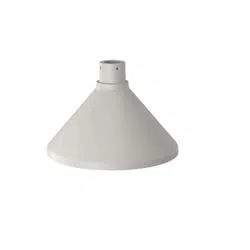
Model No. WV-Q187
Before attempting to connect or install this product,
please read these instructions carefully and save this manual for future use.
The model number is abbreviated in some descriptions in this manual.
Specifications
Ambient operating temperature: –50 °C to +60 °C {–58 °F to 140 °F}
Dimensions: Maximum diameter: ø239 mm {9-13/32 inches}
Height: 165.5 mm {6-17/32 inches}
Mass:
Approx. 740 g {1.63 lbs}
Finish: Aluminum die cast Light gray
Preface
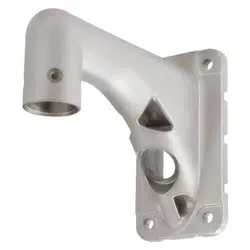
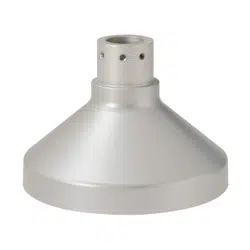
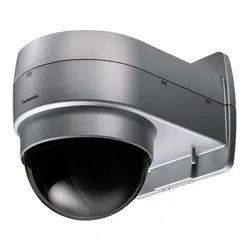
WV-Q187 (mount bracket: Light gray) is designed to be used to install a dome camera in the follow-
ing ways.
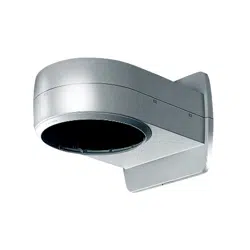
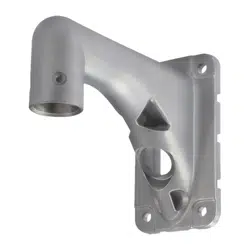
• When installing on a wall using together with WV-Q122A (wall mount bracket: Fine silver) or
WV-Q185 (wall mount bracket: Light gray)
Precautions
Refer installation work to the dealer.
Installation work requires technique and experiences. Failure to observe this may cause fire, electric
shock, injury, or damage to the product.
Be sure to consult the dealer.
Periodic inspections shall be conducted.
Rust on the metal parts or screws may cause a fall of the product resulting in injury or accidents.
Consult the dealer for the inspections.
The exclusively designed mount bracket shall be used.
Failure to observe this may cause a drop resulting in injury or accidents.
Use the exclusively designed mount bracket for installation.
The screws and bolts must be tightened to the specified torque.
Failure to observe this may cause a drop resulting in injury or accidents.
Select an installation area that can support the total weight.
Selecting an inappropriate installation surface may cause this product to fall down or topple over,
resulting in injury or accidents.
Installation work shall be started after sufficient reinforcement.
Do not install this product in locations subject to vibration.
Loosening of mounting screws or bolts may cause a fall of the product resulting in injury or accidents.
Install this product in a location high enough to avoid people and objects from
bumping the product.
Failure to observe this may cause injury.
The measures of protection against a fall of this product shall be taken.
Failure to observe this may cause a drop resulting in injury or accidents.
If there is specified safety wire, please make sure to install it.
The measures of protection against snowfall shall be taken.
Weight of snow may cause a fall of the product resulting in injury or accidents.
Protect the product against snowfall by installing under eaves.
Avoid installing this bracket in the locations where salt damage occurs or corro-
sive gas is produced.
Otherwise, the mounting portions will deteriorate and accidents such as a fall of this product may
occur.
Do not hang down from this product or use this product as a pedestal.
Failure to observe this may cause injury or accidents.
Do not install this product on a place that is greatly influenced by wind.
Installation on a place where the wind speed is 60 m/s {approx. 134 mph} or more may cause a fall
of the product resulting in injury or accidents.
Do not use this bracket except with specified cameras.
Failure to observe this may cause a drop resulting in injury or accidents.
Do not rub the edges of metal parts with your hand.
Strong rubbing may cause injury.
Precautions for installation
i-PRO Co., Ltd. assumes no responsibility for injuries or property damage resul-
ting from failures arising out of improper installation or operation inconsistent
with this documentation.
In order to prevent injury, the product must be securely mounted to a wall accor-
ding to Operating Instructions.
Take notice of humidity.
Install this product when the humidity is low. If installation is performed when it is raining or in very
humid conditions, the inside may be affected by humidity, causing mist-over inside the camera.
Mounting method for this product
This product is designed to be used as a pendant mount camera. If the product is mounted on a
desktop or at a slant, it may not work correctly and its lifetime may be shortened.
Do not place this product in the following places:
• Locations where a chemical agent is used such as a swimming pool
• Locations subject to moisture or oil smoke such as a kitchen
• Locations that have a specific environment that is subject to an inflammable atmosphere or sol-
vents
• Locations where radiation, an x-ray, a strong radio wave, or a strong magnetic field is generated
• Locations near coasts directly subjected to sea breezes, or locations subject to corrosive gases
such as from hot springs, volcanic regions, etc.
• Locations where the temperature is not within the specified range (The ambient operating tem-
perature of the installed camera.)
• Locations subject to vibrations, such as on vehicles, marine vessels, or above product lines
(This product is not designed for on-vehicle use.)
• Locations subject to condensation as the result of severe changes in temperature
(In case of installing the product in such locations, the inside of camera may become foggy or
condensation may be caused in the camera.)
Screw tightening
• Do not use an impact driver. Use of an impact driver may damage the screws or cause tightening
excessively.
• When a screw is tightened, make the screw at a right angle to the surface. After tightening the
screws or bolts, perform checks to ensure that the tightening is sufficient enough so that there is
no movement or looseness.
Protection from lightning
When cables are used outdoors, there is a chance that they may be affected by lightning. In such a
case, install a lightning arrestor close to the camera, and make the length of the network cable
between the camera and lightning arrestor as short as possible to prevent the camera from being
damaged by lightning.
The protection cover attached to the camera unit shall be removed after comple-
tion of the installation. <WV-SFV781L>
Make sure to remove this product if it will no longer be used.
<Mountable models>
WV-Q187 is designed to be used to install following cameras. (As of June, 2018) For the latest
information about the mountable models, refer to our support web site (https://i-pro.com/global/en/
surveillance/training_support/support/technical_information <Control number C0501>).
WV-SFV781L、WV-X8570N、WV-S8530N
This Operating Instructions describe the installation of WV-SFV781L as an example.
Features
For U.S. and Canada:
i-PRO Americas Inc.
For Europe and other countries:
i-PRO EMEA B.V.
https://www.i-pro.com/
sL1017-4042 PGQX2199VA Printed in China© i-PRO Co., Ltd. 2022
Standard accessories
Operating Instructions (this document) ......................................................................................... 1 set
Required parts other than the above
• Accessories provided with the camera to be installed
Attachment plate ...................................................................................................................1 pc.
Fixing screws for attachment plate (M4 × 8 mm {5/16 inches}) ............................................ 5 pcs.
(of them, 1 for spare)
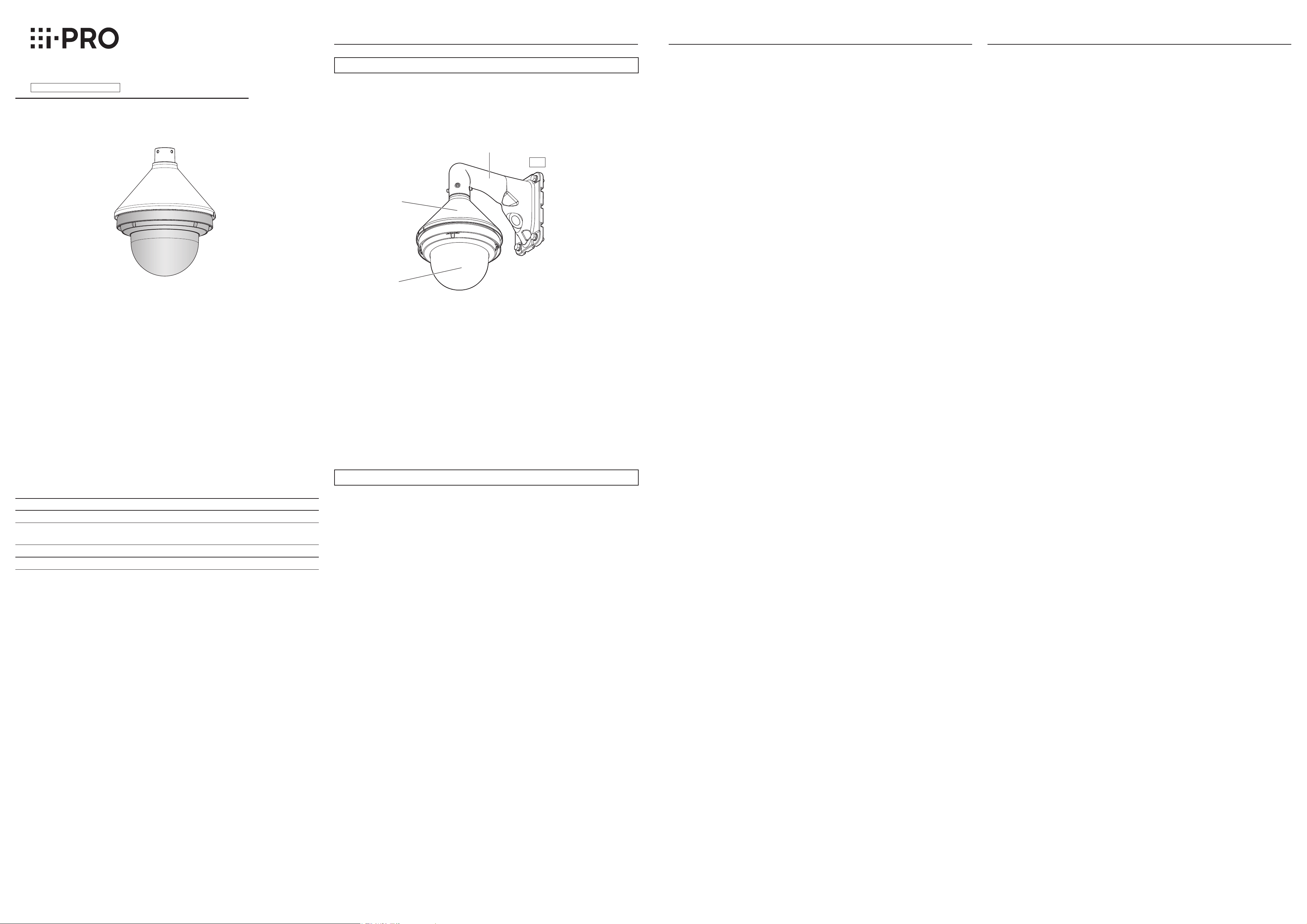
Wall
WV-Q122A or WV-Q185
WV-Q187
(This product)
Camera
Take off the wire lug plate on the snap hook. Then, connect the snap hook to the wire hook section
on WV-Q185.
Note:
• Depending on the model, the wire lug plate is either attached to the safety wire and packaged, or
packaged separately from the safety wire.
• Please properly keep the wire lug plate on the safety wire for later use.
The following are descriptions of how to install WV-SFV781L on a wall using WV-Q187 (mount
bracket) and WV-Q185 (wall mount bracket).
Installations/Connections
[4] Making connections [3] Connect the safety wire to WV-Q185
IMPORTANT:
• Also waterproof the 2P power cable (provided with the camera), 4P alarm cable (provided with
the camera), and external connections in the same way.
• Stretch the tape by approx. twice (see the illustration
at right) and wind it around the cable. Insufficient
tape stretch causes insufficient waterproofing.
•
Waterproof grade
(
IP66 (IEC60529) or equivalent) is
applied to this product only when it is installed correctly
and also an appropriate waterproof treatment is applied.
The inner side of WV-Q187 (mount bracket) is not
waterproofed.
•
When a LAN cable cover is provided with the camera in
the package, attach the LAN cable cover (provided with
the camera) to the cable as shown in the illustration and
fix it by sliding to the direction indicated by the arrow.
The connector of the LAN cable used with this camera
must meet the following restrictions. (Refer to the operat
-
ing instructions of the camera for the procedures to con-
nect the model with the RJ 45 waterproof connector.)
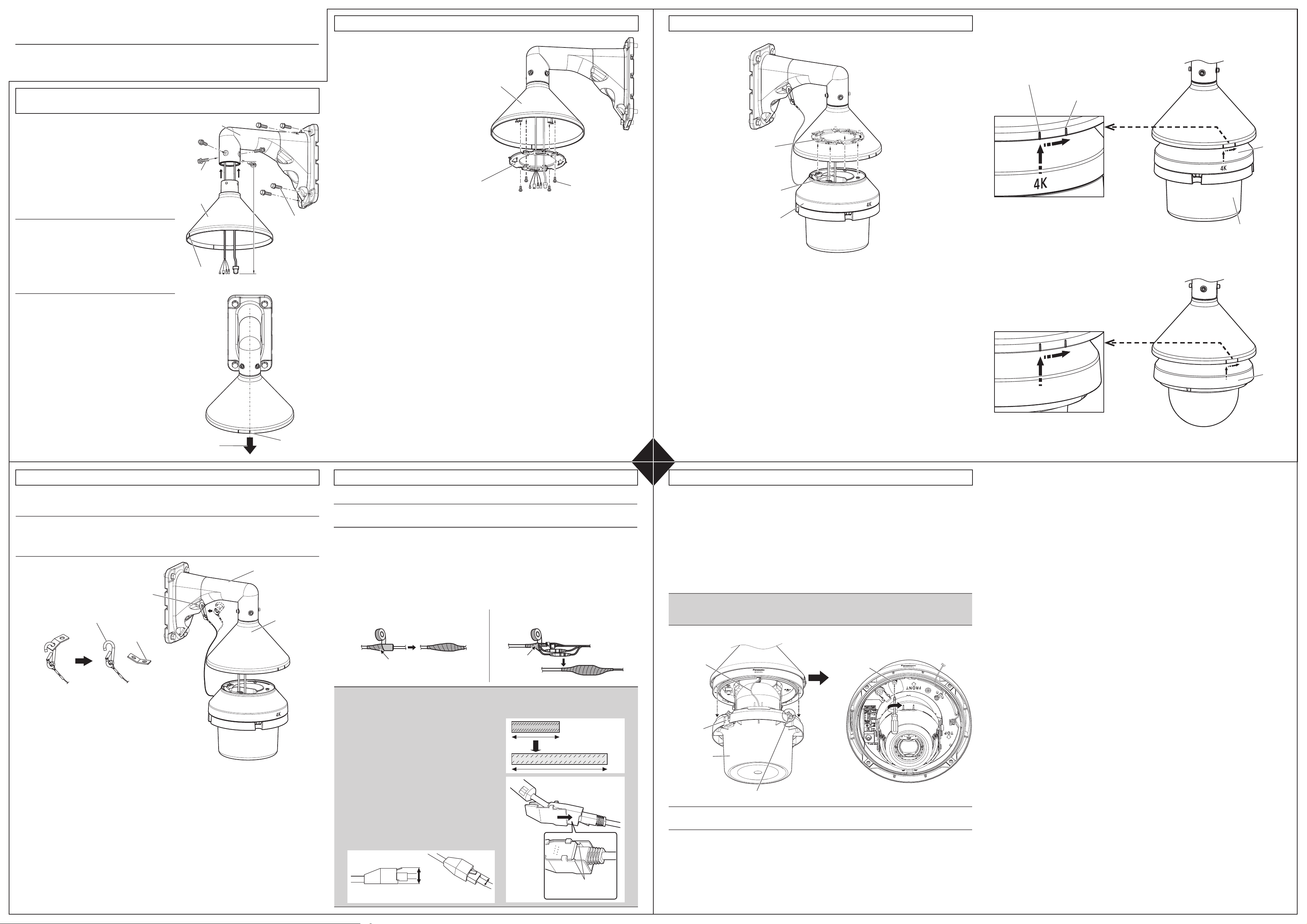
① After connecting the cables to the camera, align the left “|” mark (meaning “OPEN” position) at
the 4K mark of the camera. Then, insert the attachment mounting screws (4 points) at the bottom
of the camera into the holes of the attachment plate (provided with the camera).
After that, align the right “|” mark (meaning “LOCK” position) at the 4K mark of the camera by
rotating the camera body clockwise by approx. 15° to fix temporarily.
① Pass the cables from the wall to the WV-Q185.
Adjust the length of the cables so that the cables
of approx. 200 mm {7-7/8 inches} come out from
the opening of the WV-Q185.
② Fix the WV-Q185 on a wall with four M10 screws
(locally procured) or anchors (locally procured).
Minimum pull-out strength:
823 N {185 lbf}/per 1 pc.
* Refer to the operating instructions of WV-Q185
for further information on how to fix.
Note:
• WV-Q185 can be installed on a round pole by
using WV-Q182 (pole mount bracket), or on a
corner section of an external wall of the building
by using WV-Q183 (corner mount bracket). Refer
to the Operating Instructions of WV-Q182 and
WV-Q183 for more detailed installation instruc-
tions.
③ Attach the WV-Q187 to the WV-Q185, and then
fix it with M6 hex socket screws (provided with
WV-Q185).
(A hex wrench for M6 is required.)
Recommended tightening torque:
2.45 N·m {1.81 lbf·ft}
* Fix the WV-Q187 so that the installation indicator
of the WV-Q187 comes in front of the WV-Q185.
①
②
③
[5] Fix the camera to the attachment plate
[5] Fix the camera to the attachment plate (continued)
Installation
indicator
Installation
indicator
M10 screws
(4 pcs., locally
procured)
WV-Q187
M6 hex socket
screws
(provided with
WV-Q185)
WV-Q185
Approx. 200 mm
{7-7/8 inches} from
the opening of
WV-Q185
Camera
<LAN cable> <Alarm I/O cable, power cable, audio input
cable, audio output cable>
Wind the tape in a half-overlapping manner.
* The waterproof treatment using the waterproof tape is
not required for the model with the RJ45 waterproof
connector provided on the network cable.
Wind the tape in a
half-overlapping
manner.
Stretch the tape to approx.
twice its length.
2x
Max. 16 mm
{5/8 inches}
Max. 14 mm
{9/16 inches}
The hook engages with
the connector terminal
[2] Attach the attachment plate to the WV-Q187
① Prepare the attachment plate (provided
with the camera) and the fixing screws for
attachment plate (provided with the cam-
era: M4 × 8 mm {5/16 inches}).
② Pass the cables through the attachment
plate.
③ Fix the attachment plate to the WV-Q187
with the fixing screws for attachment
plate.
Recommended tightening torque:
0.78 N·m {0.58 lbf·ft}
② Loosen the 2 dome fixing screws and remove the protection cover (accessory attached with the
camera) from the camera with it still attached to the dome cover.
* The dome cover is temporarily fixed to the camera using 2 dome fixing screws at factory ship-
ment. The temporarily fixed dome fixing screws are the screws not attached to the protection
cover auxiliary part (2 positions).
* A dome cover does not have a protection cover in some model. Refer to the Installation Guide
of each camera for the procedures to remove the dome cover.
③ Remove the protective packaging and fixing tape from the camera body.
④ Secure the camera using the camera fixing screw.
Recommended tightening torque: 0.78 N·m {0.58 lbf·ft}
* Refer to the Installation Guide of each camera for further information on the camera fixing screw.
IMPORTANT:
• Securely tighten the camera fixing screws. Failure to observe this may cause the camera to fall
or water to seep in, which may cause a personal injury or damage the camera.
Fixing screw for
attachment plate ×4
(provided with the
camera: M4 × 8 mm
{5/16 inches})
Attachment plate
(provided with the
camera)
Wire hook section
WV-Q185
WV-Q187
Front direction of WV-Q185
(wall mount bracket)
[1] Fix WV-Q185 (wall mount bracket) on a wall and attach the
WV-Q187 (mount bracket) to the WV-Q185
Wire lug plate
Snap hook
② Apply waterproof treatment to the joints of the cables.
Adequate waterproof treatment is required for the cables when installing the camera with cables ex-
posed. The camera body is waterproof, but the cable ends are not waterproof. Be sure to use the wa-
terproof tape provided with the camera at the points where the cables are connected and apply wa-
terproof treatment in the following procedure. Failure to observe this or use of a tape other than the
provided waterproof tape (such as a vinyl tape) may cause water leakage resulting in malfunction.
Separately apply waterproof treatment to the network cable and other cables as shown in the
illustration below.
① Connect the cables passed through the plate in section [2] with the cables from the camera.
Attachment plate
(provided with the
camera)
Camera
Cable
Note:
• Refer to the operating instructions of the camera for further information on how to connect cables.
Camera fixing screw
Auxiliary wire
Protection cover
(accessory mounted
with WV-SFV781L)
Protection cover
auxiliary part
Dome fixing screw (2 pcs.) (The second screw is placed at the opposing side of this screw.)
Note:
• Loosen dome fixing screws using the bit (provided with the camera).
* The camera connection cables, protection cover, dome cover and IR LED cables are omitted in
these illustrations.
⑤ Adjust images from the camera.
* For the adjustment of the camera, please refer to the operating instructions of camera.
approx. 15°
Protection cover (accessory attached
with WV-SFV781L)
Left “|” mark (OPEN)
Right “|” mark (LOCK)
* The direction of the camera when it is installed on the attachment plate vary by camera. For further
information on the installation of a camera, refer to the Installation Guide of the camera to be
installed. (The illustration below shows the example for WV-X8570N and WV-S8530N)
approx. 15°
Camera
③
②
①
1
2 4
3
WV-Q187