Protect
+
Protect +
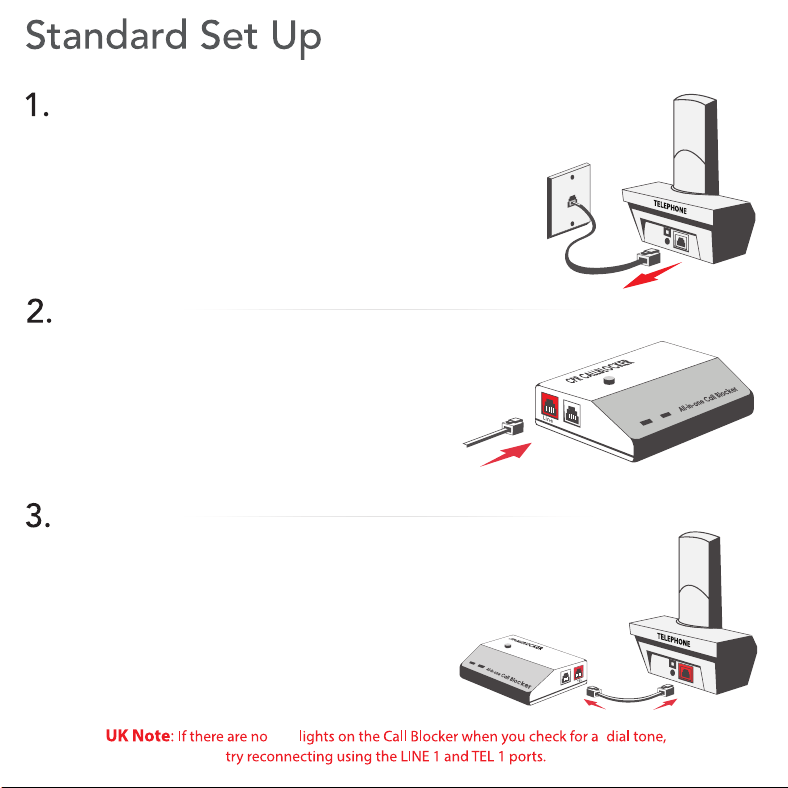
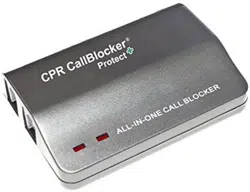
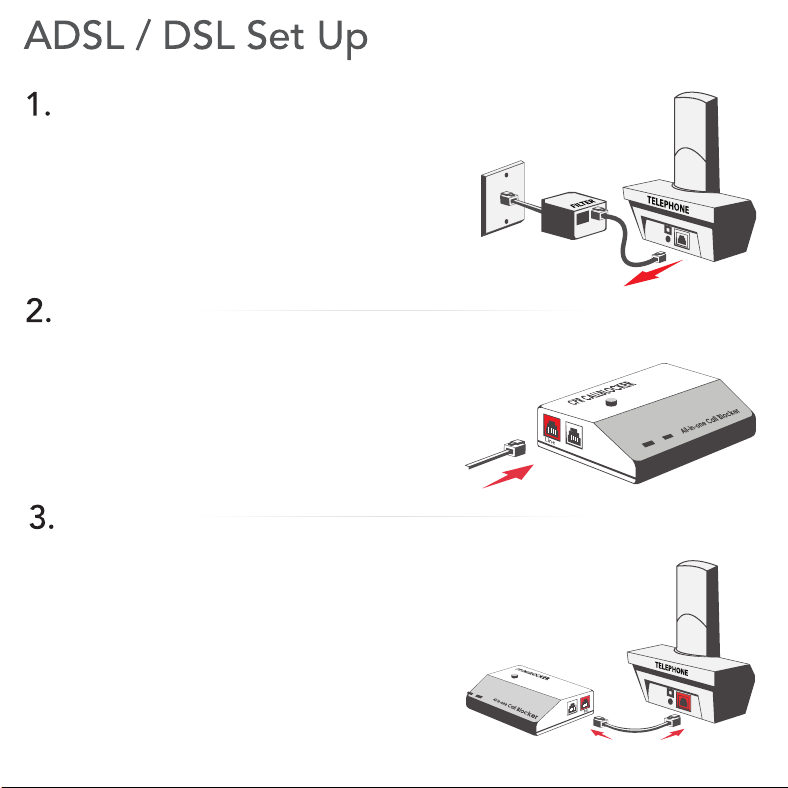
Unplug the Line Cable from the telephone.
Insert the Line Cable into the LINE port
of the Call Blocker.
Insert the short black cable provided into
the TEL port, placing the other end into
your telephone.
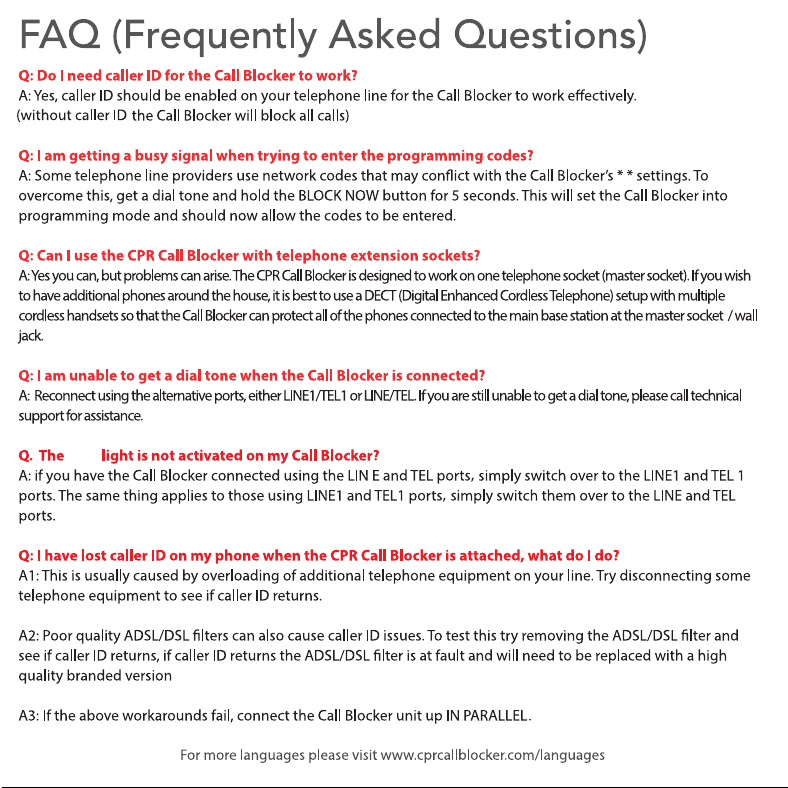
Check for a dial tone. A red light on the Call
Blocker indicates it is set up correctly.
red
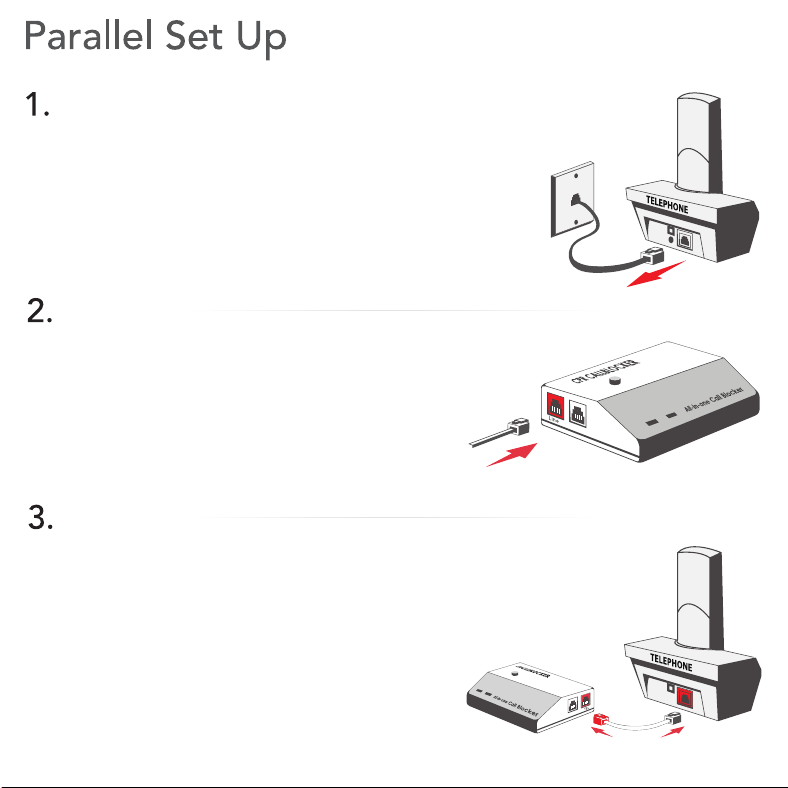
If caller ID or intermittent ringing issues arise,
try the parallel setup method.
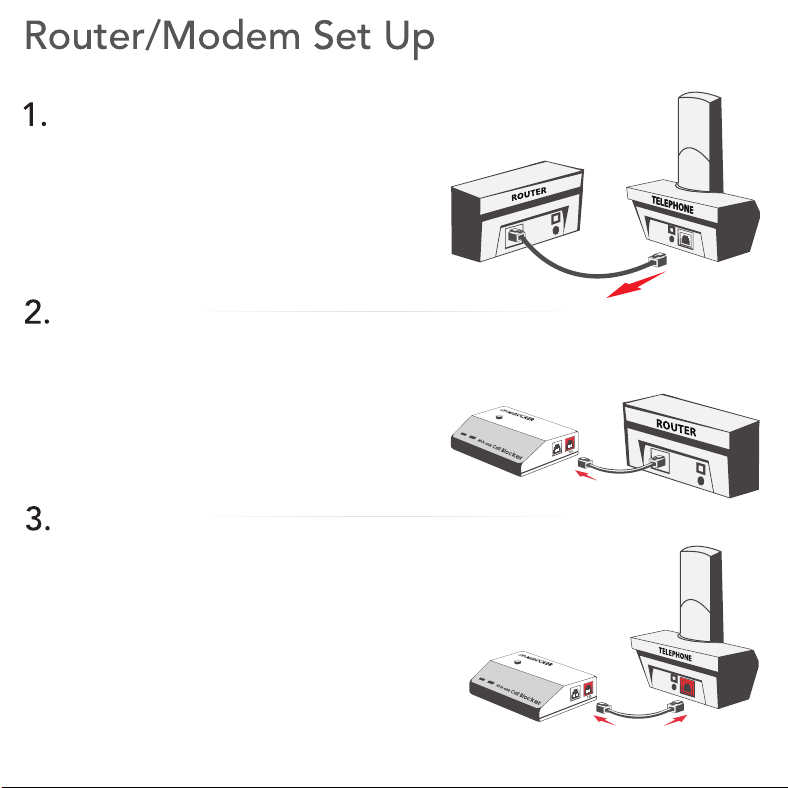
Unplug the Line Cable from the telephone.
Insert the Line Cable into the LINE port
of the Call Blocker.
Insert the short white cable provided via
the red coloured connection into the
LINE1 port, placing the other end into
telephone.
Check for a dial tone. A red light on the Call
Blocker indicates it is set up correctly.
Unplug the Line Cable from the telephone.
Insert the Line Cable into the LINE port
of the Call Blocker.
Insert the short black cable provided into
the TEL port, placing the other end into
your telephone.
Check for a dial tone. A red light on the Call
Blocker indicates it is set up correctly.
Unplug the Line Cable from the telephone.
Insert the Line Cable into the LINE port
of the Call Blocker.
Insert the short black cable provided into
the TEL port, placing the other end into
your telephone.
Check for a dial tone. A red light on the Call
Blocker indicates it is set up correctly.
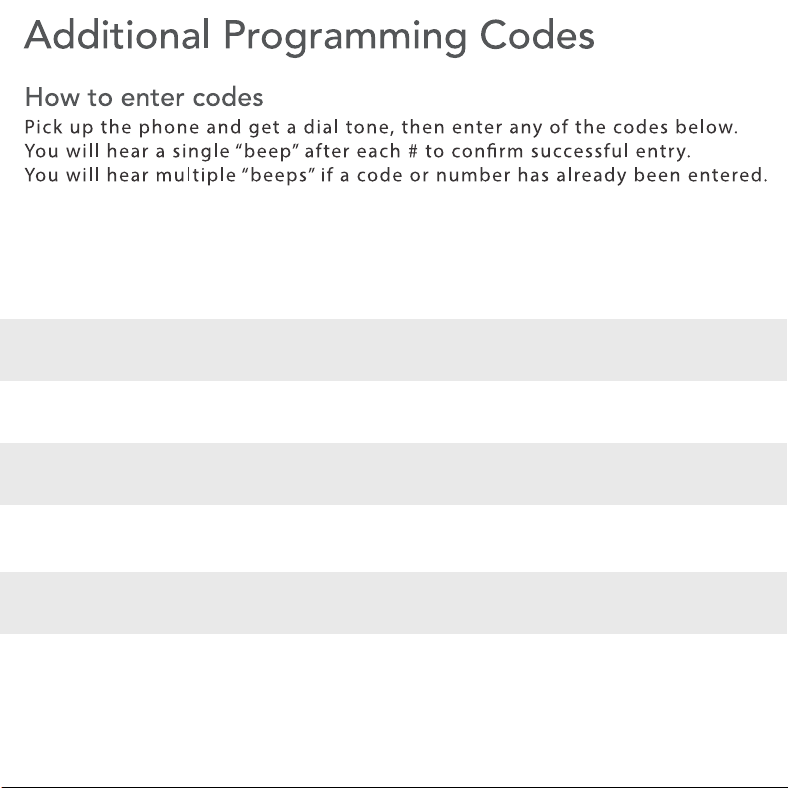
Pick up the phone and input: * * 8 # (the number you wish to add) #
Pick up the phone and input: * * 6 # (the number you wish to remove) #
Pick up the phone and input: * * 1 # * 1 #
Resetting the Call Blocker back to factory settings
Erasing one number or area code from the “Allowed” list
Programming a number into the “Allowed” list
Note: Three “beeps” indicates that an error has occurred or a number has already been
entered. Ignore the operators voice and enter the codes, they will go through.
for convienence the Protect+ can be remotely set up and programmed by CPR Customer
Support they can be contacted on: 0800 652 7780 Monday - Friday 9am - 6pm.
red