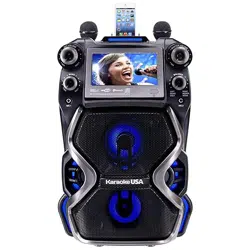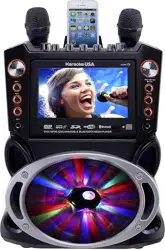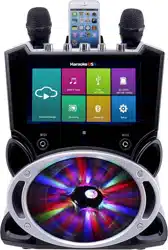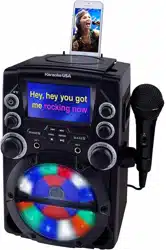
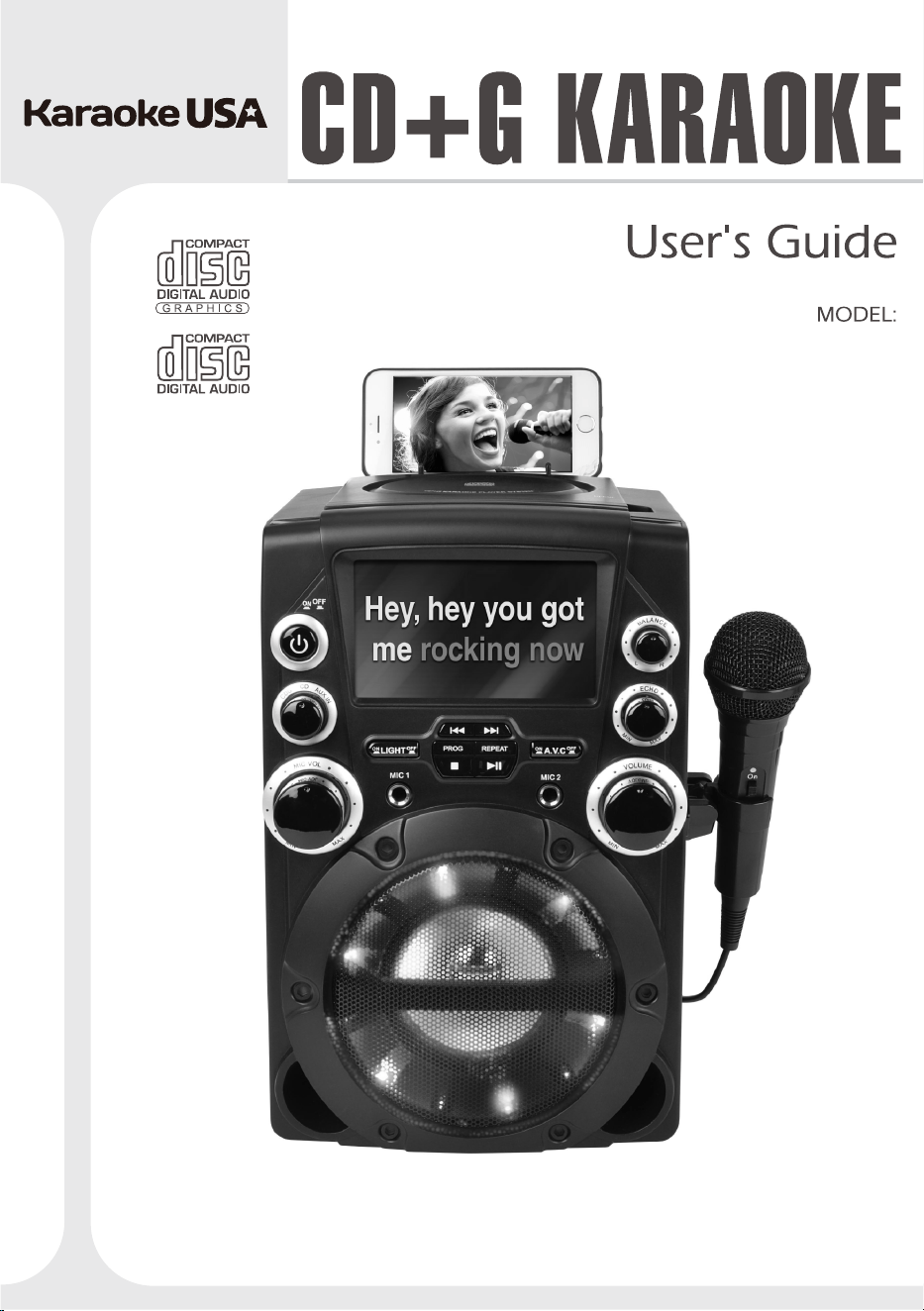
Before operating this product, please read these instructions.
GQ740
Smart Device
Not Included.

1
CAUTION: TO PREVENT ELECTRIC SHOCK,
MATCH WIDE BLADE OF PLUG TO WIDE SLOT,
FULLY INSERT.
WARNING: To reduce the risk of fire or electric
shock,do not expose this apparatus to rain or
moisture.
AVERTISSEMENMTY
: Pour réduire le
risqued’incendieou de choc électrique, ne pas
exposer cetappareil sous la pluie et l’humidité.
CAUTION: Use of controls or adjustments or
performance of procedures other than those
specifed may result in hazardous radiation exposure.
WARNING: Changes or modifications to this unit not
expressly approved by the party responsible for
compliance could void the user’s authority to operate
the equipment.
WARNING: Do not place the unit on top of any soft,
porous, or sensitive surfaces to avoid damaging the
surface. Use a protective barrier between the unit
and surface to protect the surface
WARNING: Changes or modifications to this unit n
ot
expressly approved by the party responsible for
compliance could void the user’s authority to operate
the equipment.
WARNING: Do not place the unit on top of any soft,
porous, or sensitive surfaces to avoid damaging the
surface. Use a protective barrier between the unit
and surface to protect the surface.
WARNING: Use of this unit near florescent lighting
may cause interference regarding use of the remote.
If the unit is displaying erratic behavior move away
from any florescent lighting, as it may be the cause.
CAUTION
: Danger of explosion if battery is
incorrectly replaced. Replace only with the same or
equivalent type.
PRÉCAUTION: Danger d’explosionsi les piles
sontremplacées de façon incorrect. Remplacer les
piles seulement par le même type de pile
oul’équivalent.
WARNING: There is a danger of explosion if
you
attempt to charge standard Alkaline batteries in the
unit. Only use rechargeable NiMH batteries.
WARNING: The remote control’s button cell battery
contains mercury. Do not put in the trash, instead
recycle or dispose of as hazardous waste.
WARNING: Lithium batteries, like all rechargeable
batteries are recyclable and should be recycled or
disposed of in normal household waste. Contact your
local government fo
r disposal or recycling practices
in your area. They should never be incinerated since
they might explode.
WARNING: Shock hazard - Do Not Open.
AVIC: RISQUE DE CHOC ÉLECTRIQUE - NE PAS
OUVRIR
WARNING: TO REDUCE THE RISK OF
ELECTRIC SHOCK, DO NOT REMOVE
COVER (OR BACK). NO USER-
SERVICEABLE PARTS INSIDE. REFER
SERVICING TO QUALIFIEDSERVICE
PERSONNEL.
The lightning fash with arrowhead
symbol, within an equilateral triangle,
is intended to alert the user to the
presence of uninsulated "dangerous
voltage" within the product's enclosure
that may be of suffcient magnitude to
constitute a risk of electric shock to
persons.
The exclamation point within an
equilateral triangle is intended to alert
the user to the presence of important
operating and maintenance (servicing)
instructions in the literature
accompanying the appliance.
Warnings and Precautions
CAUTION
RISK OF ELECTRIC SHOCK
DO NOT OPEN
ATTENTION
RISQUE D’ LECTROCUTION
NE PAS OUVRIR
Mains plug is used as disconnect device and it
should remain readily operable during intended use.
In order to disconnect the apparatus from the mains
completely, the mains plug should be disconnected
form the mains socket outlet completely.
La prise du secteur est utilisé pour déconnecter le
système.
La prise du secteur ne doit pas être obstruée ou doit
être facilement accessible pendant son utilisation.
Pour être complètement déconnecté de
l’alimentation d’entrée, la prise doit être débranchée
du secteur.
This product utilizes a Class 1 laser to
read Compact Discs. This laser
Compact Disc Player is equipped with
safety switches to avoid exposure
when the CD door is open and the
safety interlocks are defeated. Invisible
laser radiation is present when the CD
Player’s lid is open and the system’s
interlock has failed or been defeated. It
is very important that you avoid direct
exposure to the laser beam at all times.
Please do not attempt to defeat or
by pass the safety switches.
13. Unplug this apparatus during lightning storms or
when unused for long periods of time.
14. Refer all servicing to qualifed service personnel.
Servicing is required when the apparatus has been
damaged in any way, such as power-supply cord
or plug is damaged, liquid has been spilled or
objects have fallen into the apparatus, the
apparatus has been exposed to rain or moisture,
does not operate normally, or has been dropped.
NOTE: This equipmenthas beentestedand found to comply or has
been dropped.
with the limits for a Class B digital device, pursuant to Part 15 of the
FCC Rules. These limits are designed to provide reasonable
protection against harmful interference in a residential installation.
This equipment generates, uses, and can radiate radio frequency
energy and, if not installed and used in accordance with the
instructions, may cause harmful interference to radio communications.
However, there is no guarantee that interference will not occur in a
particular installation. If this equipment does cause harmful
interference to radio or television reception, which can be determined
by turning the equipment off and on, the user is encouraged to try to
correct the interference by one or more of the following measures:
•
Reorient or relocate the receiving antenna.
•
Increase the separation between the equipment and receiver.
•
Connect the equipment into an outlet on a circuit different from
that to which the receiver is connected.
•
Consult the dealer or an experienced radio/TV technician for
help .
•
The apparatus shall not be exposed to dripping or splashing and
that no objects flled with liquids, such as vases, shall be placed
on apparatus.
•
Main plug is used as disconnect device and it should remain readily
operable during intended use. In order to disconnect the apparatus
from the mains completely, the mains plug should be disconnected
form the mains socket outlet completely.
•
Battery shall not be exposed to excessive heat such as sunshine,
fire or the like.
•
Caution marking is located at the rear or back of the apparatus.
•
The marking information is located at the rear or back of apparatus.
L’appareil ne doit pas être exposé aux écoulements ou aux
éclaboussures et aucun objet ne contenant de liquide, tel qu’un
vase, ne doit être placé sur l’objet.
La prise du secteur ne doit pas être obstruée ou doit être facilement
accessible pendant son utilisation. Pour être complètement
déconnecté de l’alimentation d’entrée, la prise doit être débranchée
du secteur.
Les piles ne doivent pas être exposées à de forte chaleur, tel qu’à
la lumière du soleil, au feu ou autres choses de semblable.
Attention marquage est situé à l’arrière ou à l’arrière de l’appareil.
Les informations de marquage est situé à l’arrière ou à l’arrière de
l’appareil.
FCC Warnings
Additional Warnings
1 Read these Instructions.
2
Keep these Instructions.
3
Heed all Warnings.
4
Follow all instructions.
5
Do not use this apparatus near water.
6
Clean only with a dry cloth.
7
Do not block any ventilation openings. Install in
accordance with the manufacturer’s instructions.
8
Do not install near any heat sources such as radiators,
heat registers, stoves, or other apparatus (including
amplifers) that produce heat.
9
Do not defeat the safety purpose of the polarized or
grounding - type plug. A polarized plug has two blades
with one wider than the other. A grounding type plug
has two blades and a third grounding prong. The wide
blade or the third prong are provided for your safety.
When the provided plug does not ft into your outlet,
consult an electrician for replacement of the obsolete
outlet.
10
Protect the power cord from being walked on or
pinched particularly at plugs, convenience receptacles,
and the point where they exit from the apparatus.
11
Only use attachments/accessories specifed by the
manufacturer.
12.
Important Safety Instructions
Use only with a cart, stand, tripod,
bracket, or table specifed by the
manufacturer, or sold with the apparatus.
When a cart is used, use caution when
moving the cart/apparatus combination
to avoid injury from tip-over.
2

Warnings and Precautions. . . . . . . . . . . . . . . . . . . . . . . . . . .
Important Safety Instructions. . . . . . . . . . . . . . . . . . . . . . . . . . .
Contents. . . . . . . . . . . . . . . . . . . . . . . . . . . . . . . . . . . . . . . . . . . .
Feature / Included. . . . . . . . . . . . . . . . . . . . . . . . . . . . . . . . . . . .
- Features
- Included
Introduction. . . . . . . . . . . . . . . . . . . . . . . . . . . . . . . . . . . . . . . ..
Location Controls. . . . . . . . . . . . . . . . . . . . . . . . . . . . . . . . . . . . .
Monitor Message . . . . . . . . . . . . . . . . . . . . . . . . . . . . . . . . . . . . . .
Setup Cradle . . . . . . . . . . . . . . . . . . . . . . . . . . . . . . . . . . . . . . . . .
- Install Cradle into the Unit
- Place External Device
SetupPower. . . . . . . . . . . . . . . . . . . . . . . . . . . . . . . . . . . . . . . . . .
- Connect Power Adapter
Connect Ext. Device & Sound From Main Unit Speaker. . . . . . .
- AUX IN (LINE In / AUDIO In)
Using CD+G, CDs. . . . . . . . . . . . . . . . . . . . . . . . . . . . . . . . . . . .
- Loading a CD
- Playing a CD
- Repeat Function
- Programming a Disc
up to 20 tracks
Connecting to a Television/ DVD / Ext. Device . . . . . . . . . . . .
- Composite Video Output
- RCA Audio Output
Using
Microphones .. . . . . . . . . . . . . . . . . . . . . . . . . . . . . . . . . . .
Using AVC and ECHO/ BALANCE . . . . . . . . . . . . . . . . . . . . . . . .
- AVC
- ECHO
- BALANCE
Specification . . . . . . . . . . . . . . . . . . . . . . . . . . . . . . . . . . . . . . . . .
1
2
3
4
5
6
6
7
8
8
9
10
11
11
12
Contents
3
• CD player: CD+G, CD, CD-R/RW
• Mic Volume Controls
• Echo Control
• AVC Control
• Balance Control
• TFT display
• Microphone Jacks, 6.3mm x2
• RCA audio output
• Line in jack 3.5mm (Aux input / Audio input)
• Disco Lights
• Built-in speakers
• AC power: Requires AC power adapter
• Karaoke System
• Microphone
• RCA Audio/Video cable
• AC power adapter
• User Manua & Warranty Cardl
• Audio cable
• CD+G Disc
• Universal cradle & insert
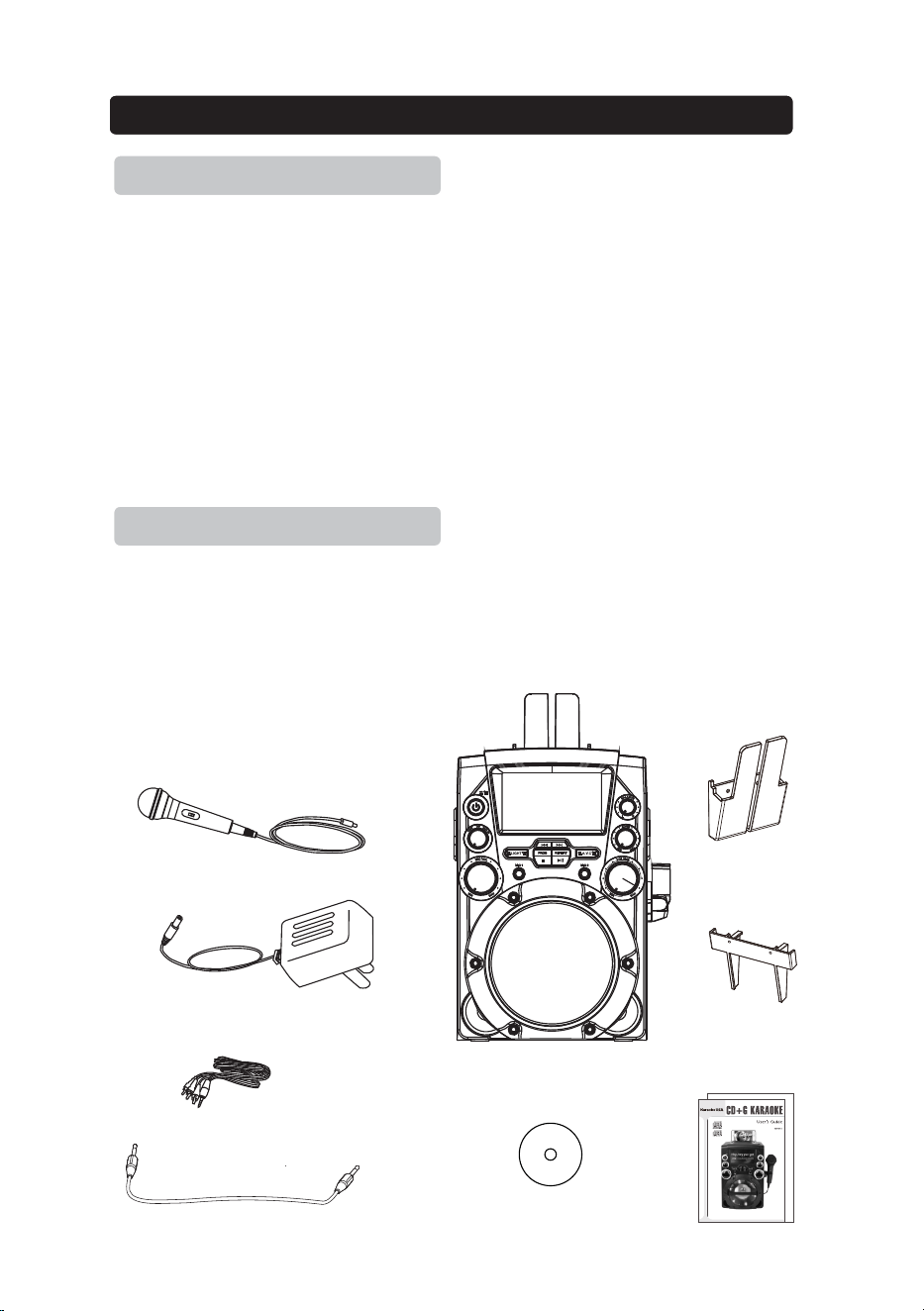
Karaoke Machine
Feature
Included
Feature / Included
Omni-Directional Microphone
AC Adapter
RCA Audio/Video cable
Audio cable
4
.
CD+G Disc
Universal Cradle
Cradle nsertI
Before o perat ing thi s produ ct, ple ase rea d these i nstru ction s.
GQ7 40
Smart De vice
Not Incl uded.
User Manual
& Warranty Card
FRONT VIEW
REAR VIEW
Introduction
5
1
2
3
4
5
6
7
8 9
10
11
12
13
7
14
15
16
17
18
20
21
22
23
24
19
.
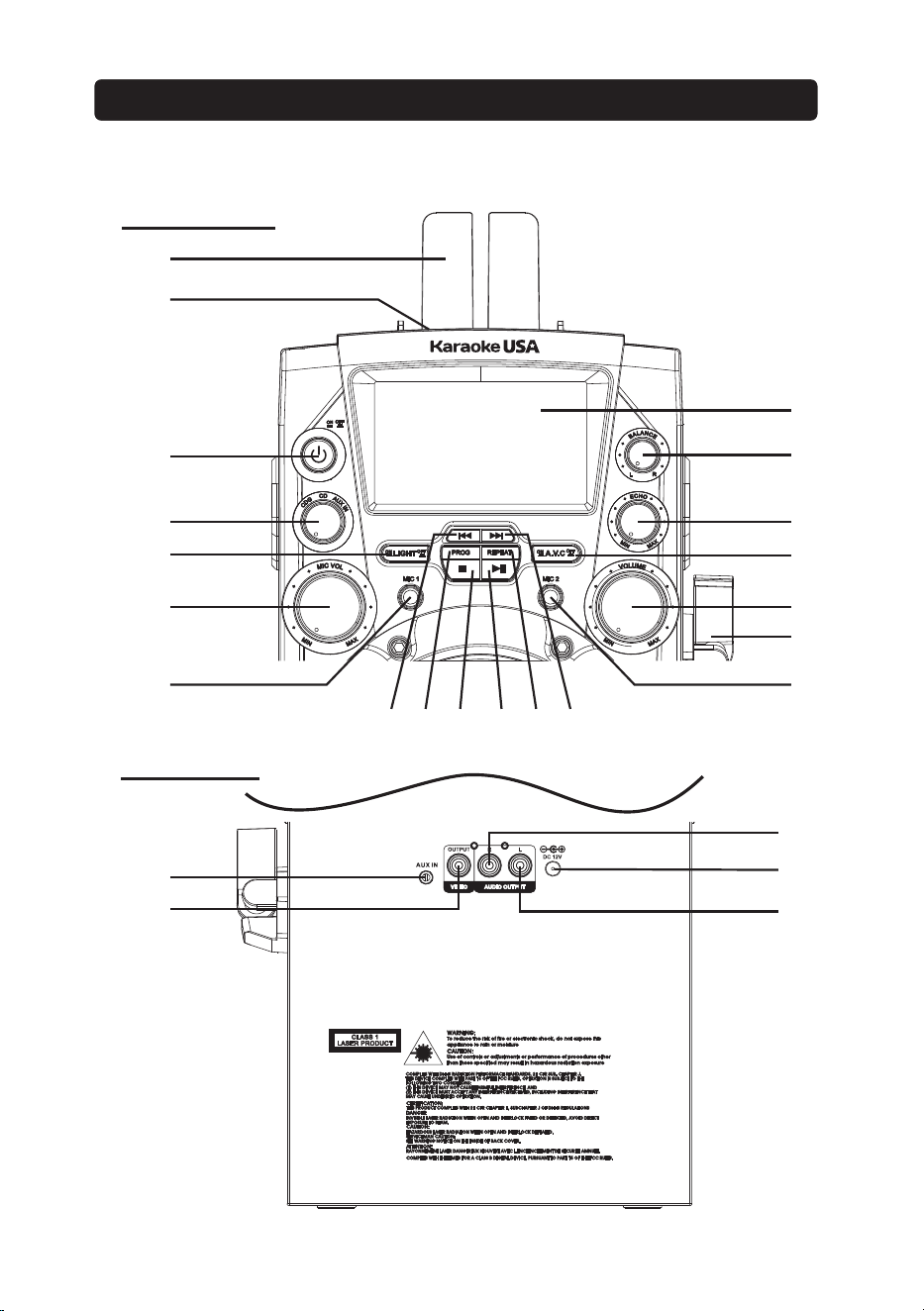
1. DETACHABLE CRADLE: Place your mobile / tablet on the cradle.
2. CD Door : Open the door to install disc.
3. ON/OFF Button: Press this button to turn on / off unit.
4. FUNCTION: Rotate to select CDG (DISC) mode / AUX IN mode.
5. LIGHT Button: Press this button to turn on / off Disco Lights
6. MIC VOLUME Dial: Rotate to adjust the volume from the MIC input.
7. MIC Inputs : Mic 1 and Mic 2 input jack
8. SKIP/SEARCH(Back): Press to skip previous tracks on loader disc. Press
and hold to fast-rewind the current track on a loaded dis
c (not applied for
CD+G disc).
9. PROGRAM Button: Press to program a loaded disc to play tracks in
specified order.
10. STOP Button : Press to stop a disc playing
11. PLAY / PAUSE Button: Press to play or pause a loaded disc.
12. REPEAT Button: Press repeatedly to set the current track or entire disc to
repeat
13. SKIP/SEARCH(Forward): Press to skip next tracks on loaded disc. Press
and hold to fast-forward the current track on a loaded disc (not applied for
CD+G disc).
14. TFT DISPLAY: Show disc tracks numb
er & CDG graphic.
15. BALANCE Dial: Rotate the dial to select vocals or music only or a
standard balance function.
16. ECHO Dial: Rotate to adjust echo sound effect.
17. A.V.C Button: Press to Auto Voice Control on / off.
18. VOLUME Dial: Rotate to adjust the main volume so
und level.
19. MIC Holder: Place the microphone on the holder
20. AUX IN (Line in / Audio in) : Connect to external device audio output.
21. VIDEO OUT Jack: Connect to TV video input.
22. AUDIO OUT R (Line out
/ Aux out) Jack: Connect to external device
audio input R.
23. AUDIO OUT L (Line out / Aux out) Jack: Connect to external device
audio input L.
24. DC INPUT Jack: Connect power adapter for AC power.
L
ocat
i
o
n
Co
n
t
r
o
l
s
Monitor Message
6
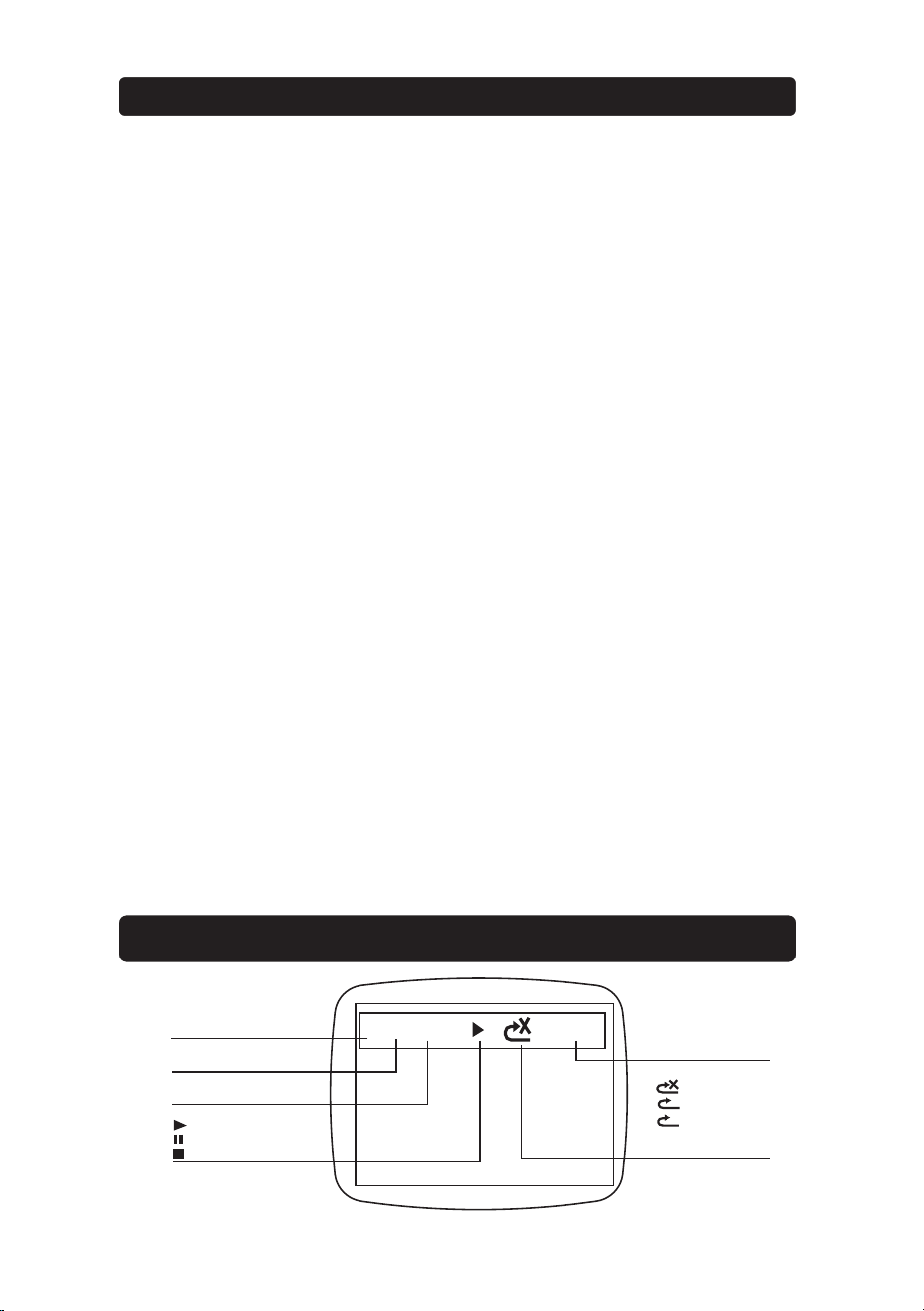
CD
TRK05/50
00:00:01
PLAY TIME OR
PROGRAM LOCATION
REPEAT STATUS
1
A
PROG. SET OR
PLAY FILE PROPERTY
CDG
CD
PLAYING TRACK NUMBER
TOTAL TRACK NUMBER
PLAYING NOW
STOP PLAYING
PAUSE PLAYING
TFT DISPLAY ICON
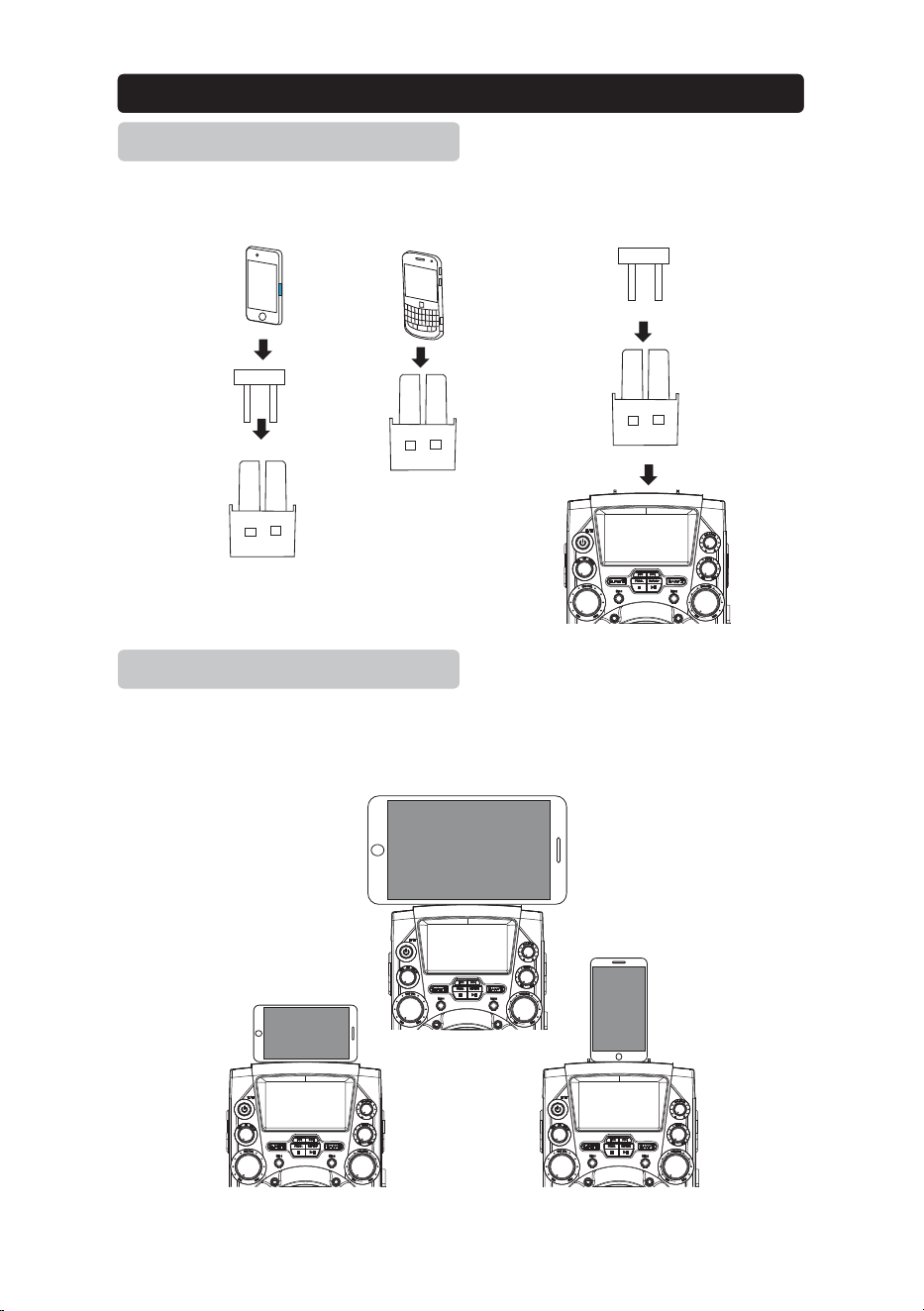
Install the cradle (included) to hold the Mobile & Tablet onto unit.
Insert Personal Player / Mobile Phone / Tablet with cradle onto the unit.
Setu
p
Cradle
Install Cradle into the unit
Place External Device
7
Install Flat bottom phones
Install Round bottom phones
Cradle insert
Universal Cradle
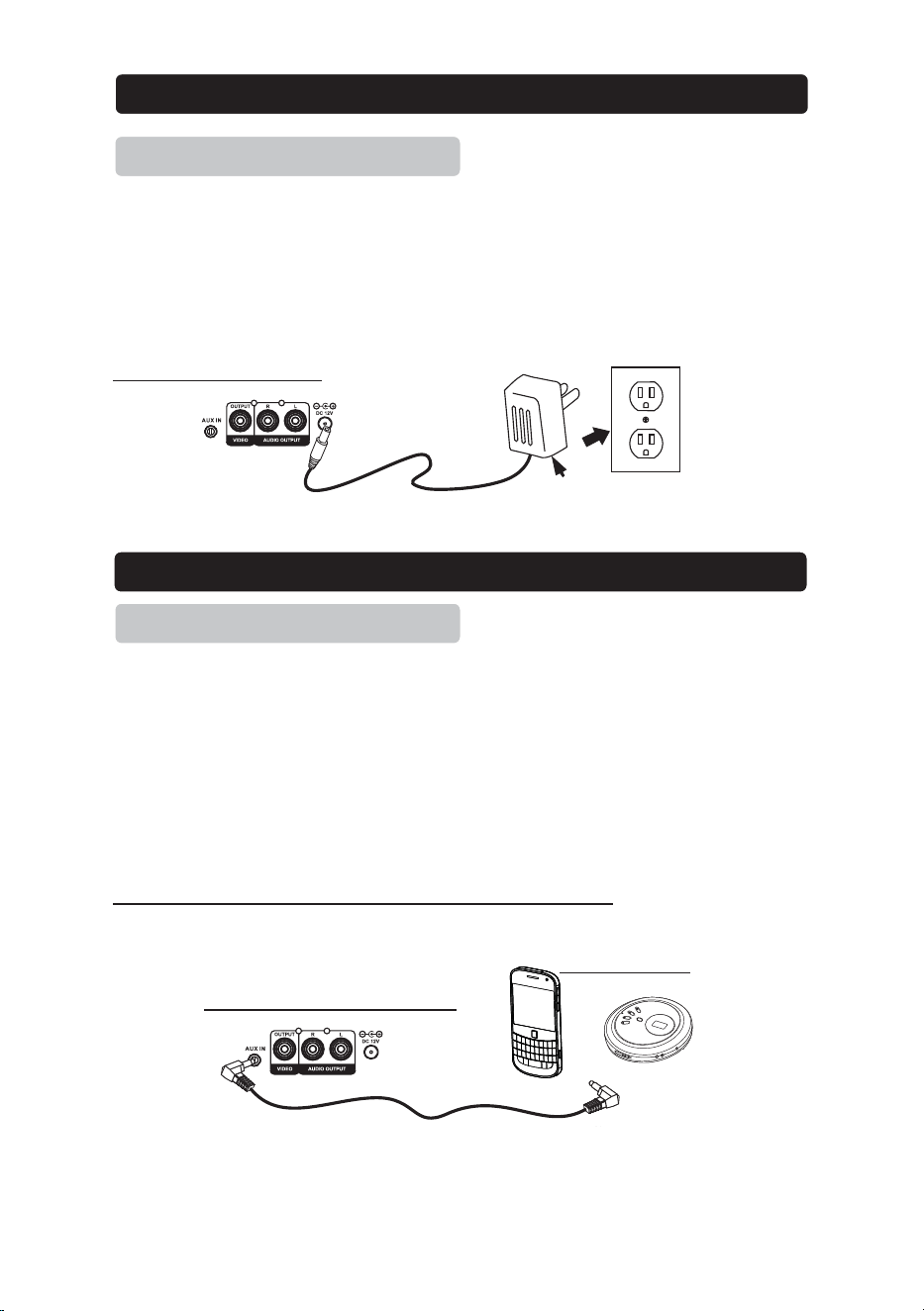
Plug the included AC adapter into the standard AC power outlet to power the
KARAOKE SYSTEM. Connect small end to DC INPUT jack of main unit. After
adapter connection, Press the ON/OFF button to turn on / off the Karaoke
System.
REAR SIDE OF MAIN UNIT
To connect a MP3 Player or other Audio Device you will need a 3.5mm
Auxiliary Cable.
1. Connect a 3.5mm Auxiliary Cable to the AUX IN jack at the rear side of unit
and to the Audio Output or Phones on the audio device you wish to play.
2. Rotate the FUNCTION selector of Karaoke System to AUX IN position.
3. Turn on both units and AUX indicator will light.
4. After the connection, the external device will sound from speakers of your
unit.
Please note:-If not use the this function, please unplug it.
REAR SIDE OF MAIN UNIT
Setu
p
Power
Connect Power Adapter
AUX IN (LINE In / AUDIO In )
Connect Ext. Device & Sound From Main Unit S
p
eaker
8
AC~120V 60Hz
AC adapter
T
O HE
A
DP
H
O
N
E I
N
P
U
T
or
EXTERNAL DEVICE
1. Connect power (follow SETUP POWER
2. Pull the CD DOOR OPEN AREA to open the CD DOOR.
page) .
3. Place a CD+G or CD into the CD compartment.
4. Close the CD DOOR. Press the POWER button to turn on unit.
5. Rotate FUNCTION selector to CDG (DISC) position.
1. Follow the instructions for
Loading a Disc
2. Press the PLAY/PAUSE button to begin playing the loaded disc.
.
3. Rotate the MASTER VOLUME dial to select the sound level.
4. To temporarily stop playing, press the PLAY/PAUSE button once.
To resume play, press the PLAY/PAUSE button one more.
5. Press / buttons to skip between next or previous tracks.
6. Hold the buttons to fast search through the track.
7. Connect the VIDEO OUT jack to TV, the lyrics text will show on TV.
Please note:-
The fast-forward / fast-rewind functions will not work for CDG discs
.
8. Press the STOP button to stop playing.
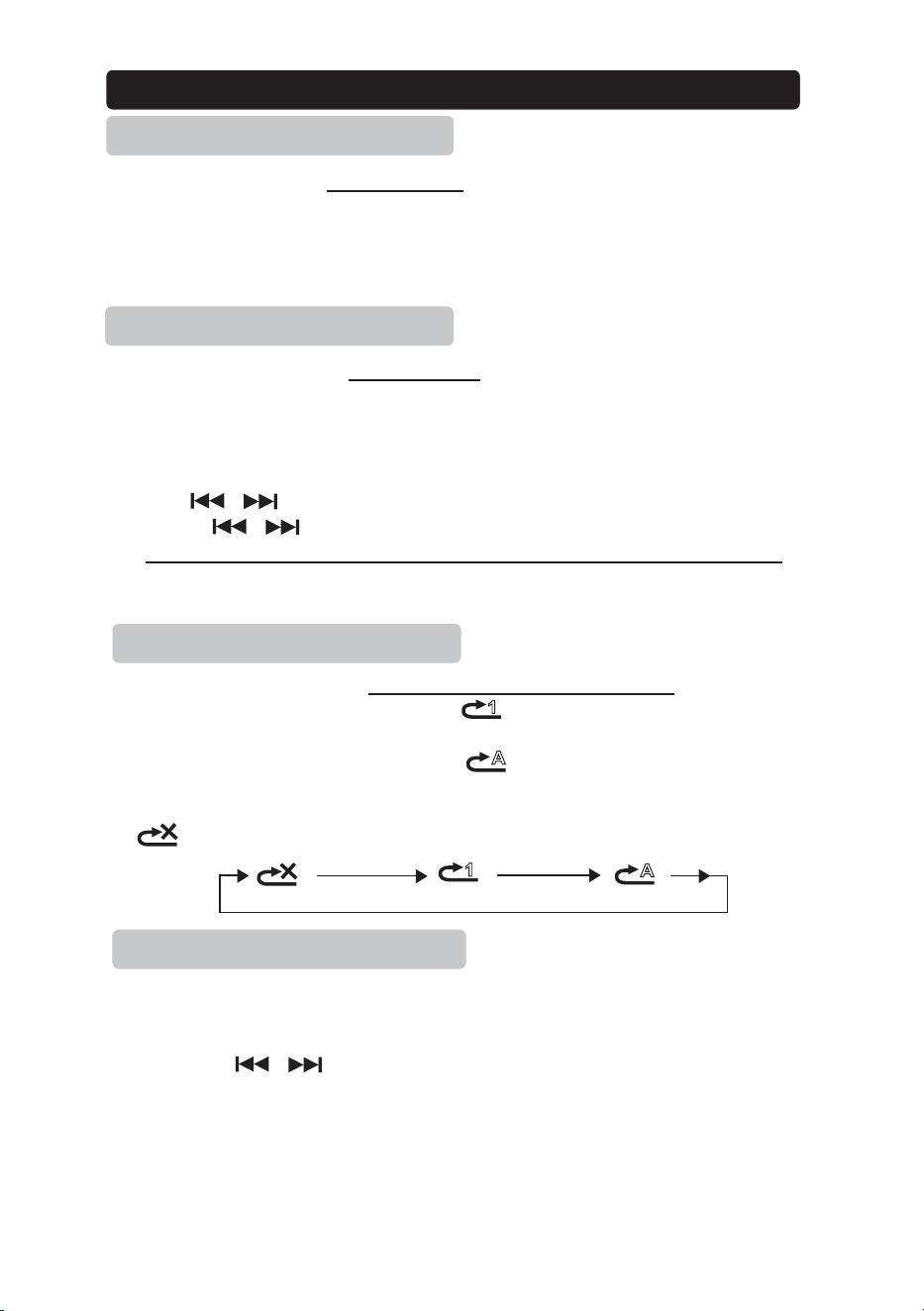
1. Follow the instructions for Loading a Disc and Playing a Disc
2. Press the REPEAT button once and indicator light. The unit will play
the current track repeatedly.
.
3. Press the REPEAT button twice and indicator light. The unit will play
the entire disc repeatedly.
4. To cancel the repeat function: press the REPEAT button repeatedly the
indicator light or press the STOP button twice to stop.
1. When disc playing, press the STOP button to stop mode.
2. Press the PROGRAM button and the program ( PROG. SET )
(see on the top right screen).
3. Press the buttons to select the track from the loaded disc
you wish to play first.
4. Press the PROGRAM button to confirm.
5. Repeat steps 3 and 4 to select more tracks.
6. Pr
ess the PLAY button to start the program playing.
7. Press the STOP button twice to cancel a program.
Usin
g
CD+G
,
CDs
Programming a Disc up to 20
tracks
Playing a Disc
Loading a Disc
Repeat Function
9
1
1
A
A
/
/
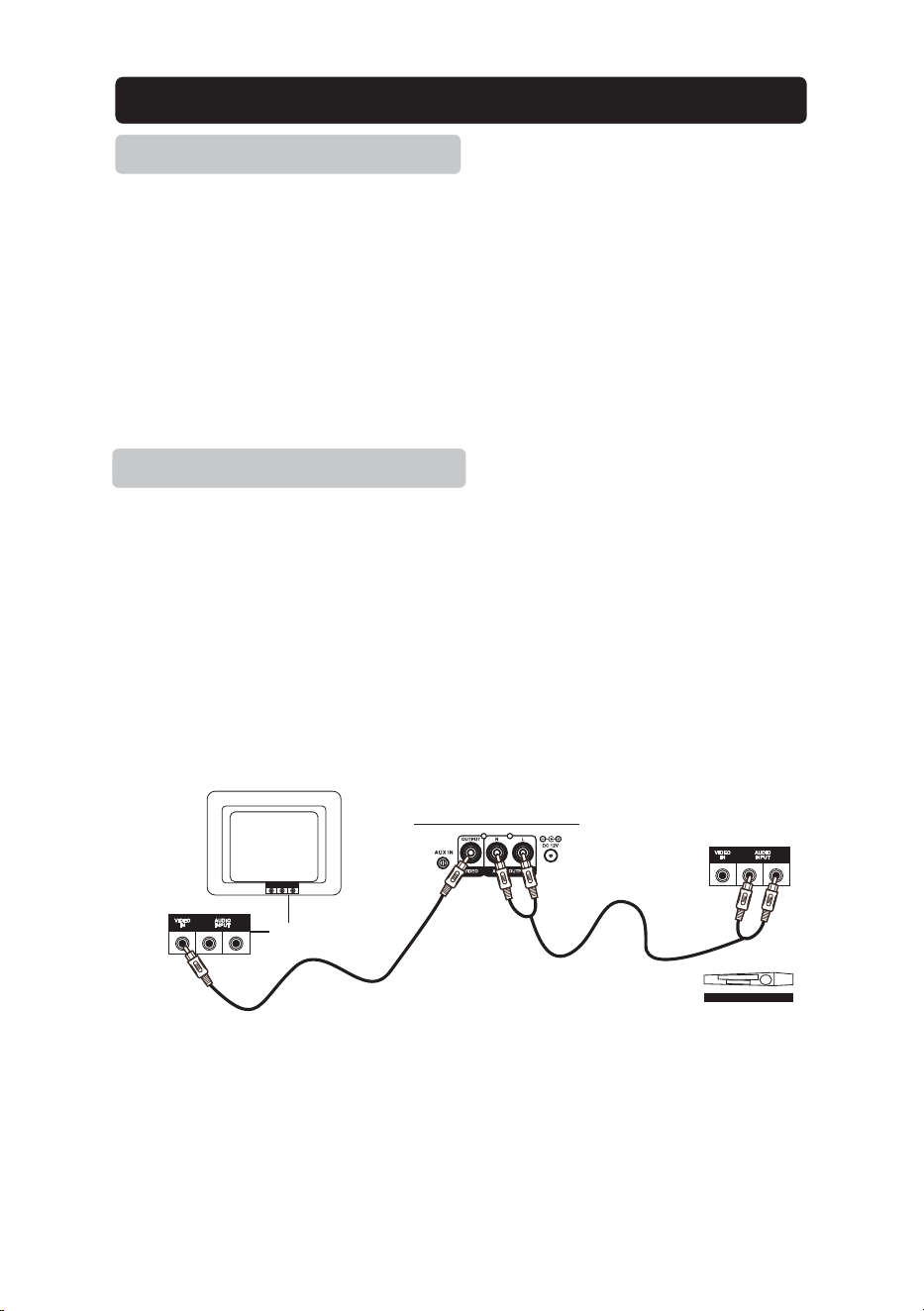
Require an RCA video cable.
1. Plug the included RCA audio/video cable into the VIDEO OUT and a
composite video input on a television.
2. Adjust the television to the correct input setting.
3. When playing CDG discs, the Karaoke System will output written lyrics to
the connected television
Requires an RCA audio cable.
1. Plug the included RCA audio/video cable into the AUDIO OUT and a
RCA audio input on a television or stereo system.
2. Adjust the television or stereo system to the correct input setting.
3. When playing the disc, the Karaoke System will output audio to the
connected television or stereo system.Use the external device to control
the output sound level.
Connecting to a Television / DVD / Ext. Device
Composite Video output
RCA Audio Output
10
TO TV OR HOME
STEREO SYST EM
REAR SIDE OF MAIN UNIT
R L
R L
REAR VIEW OF TV OR VCR
OR HOME STEREO SYSTEM
OR
Home Stereo System
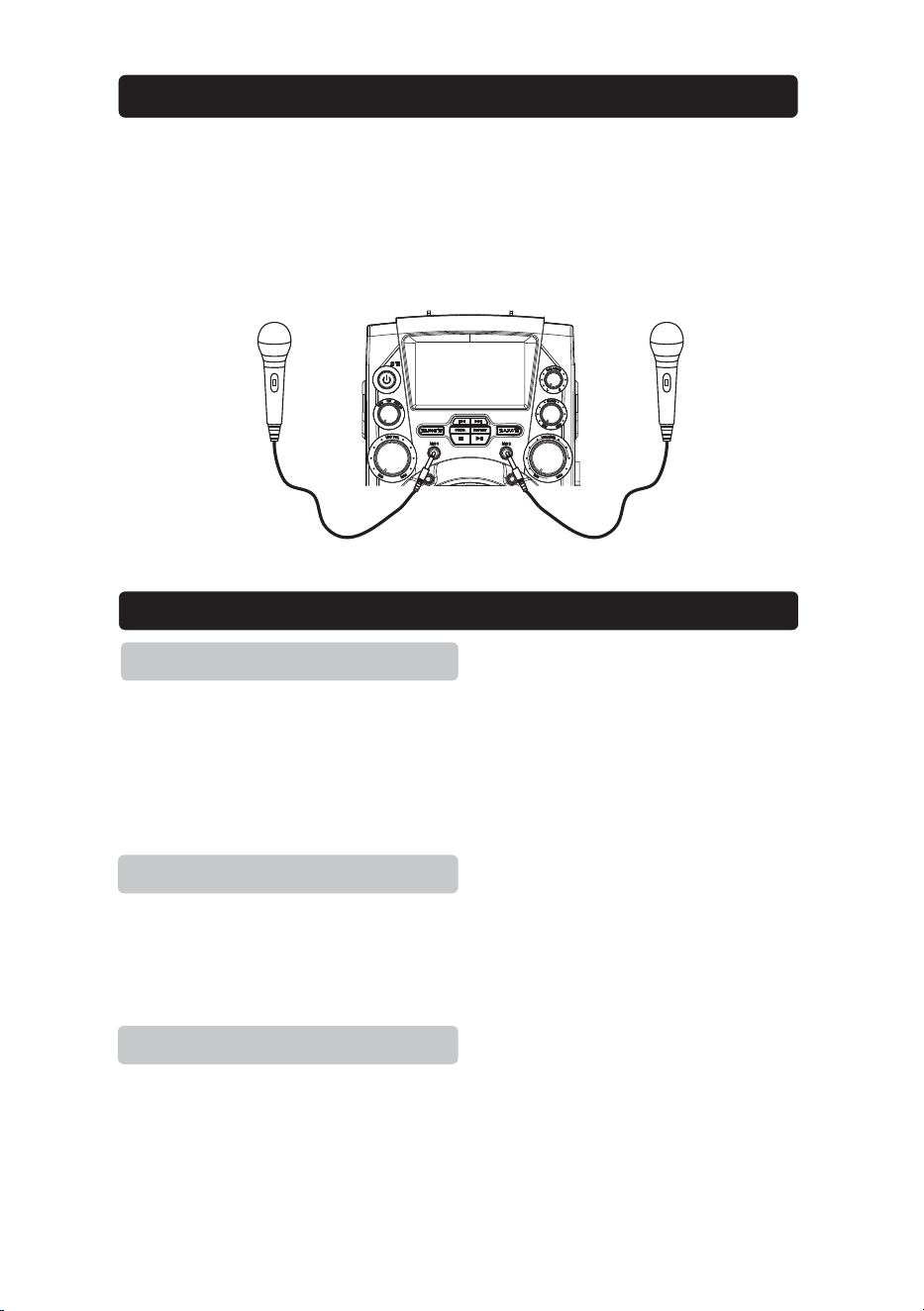
Requires a microphone (included one)
1. Plug the microphone (see below figure) into the MIC 1 INPUT or MIC 2
INPUT.
2. Slide the ON /OFF switch of MICROPHONE,
3. Use the MIC VOLUME dial of Karaoke System to adjust the volume of audio
sound from the microphone.
The AVC (Automatic Voice Control) can be activated by the A.V.C button. The
vocals on the multiplex recording will be muted when the singer starts to sing
through the microphone. When the singer stops singing the vocals will resume
to normal.
Adjust the ECHO dial of Karaoke System to enhance your voice for a concert
hall ef
fect.
Rotate the BALANCE dial of Karaoke System to hear the music and vocals or
to hear the music only.
Notes: To use the BALANCE dial, a CD+G disc must be used. Otherwise it will
operate as a standard BALANCE control.
AVC
ECHO
Using AVC / ECHO / BALANCE
Using Microphone
BALANCE
11
AC Power
Adapter Connect DC Jack
Use included adapter
AC~ Input 120 / 60 Hz , DC Output 5V ,
$
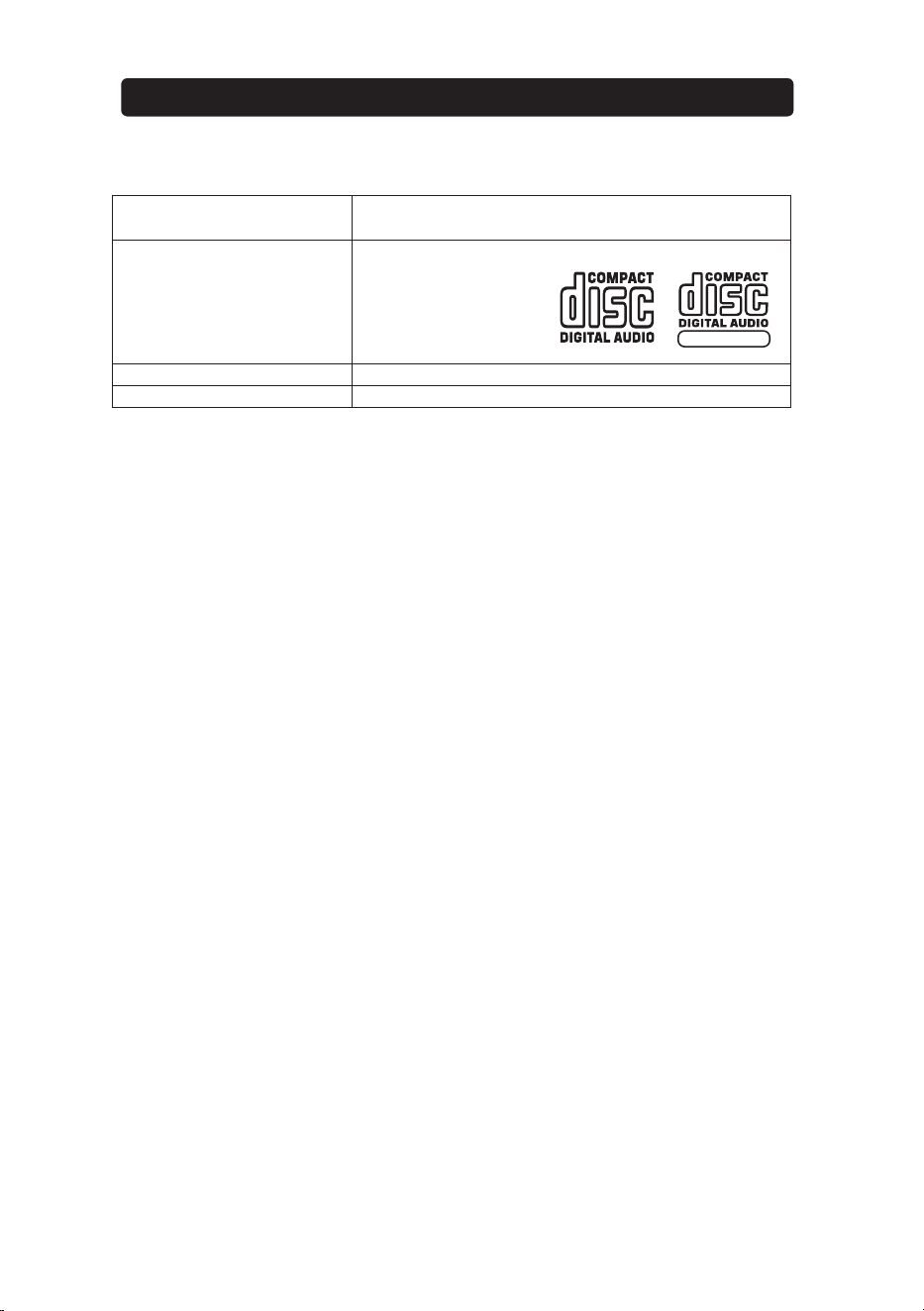
CD Player
Support
CDs and CDG disc
4.75 / 3.25 inch
Master Power Output
4.5W x 1 RMS
Loud Speakers Spec
3.5 Inch,8 Watt , 2 Ohm
Specifications are typical, individual units might vary. They are subject to continuous
improvement without notice and without incurring any obligation.
S
p
ecification
12
GRAPHICS


printed in china