CT23AU13/L
Double DIN Fitting Kit
for Audi (MMI) Vehicles
APPLICATION
FEATURES
• Allows for the installation of a double DIN aftermarket stereo
• Includes mounting brackets and tting accessories
• Finished in matt black to match vehicle dashboard
The information provided in this document is subject to change without notice due to manufacturer changes and/or improvements to the product/s. This
instruction manual is based on documented data and research. The manufacturer of this product cannot be held responsible for any changes made to the
vehicle by the manufacturer or damages that may occur through the installation of this product in accordance with the steps outlined herein.
DISCLAIMER
V2 03/21
A4 (8K) 2008 - 2016
A5 (8TF, 8F7, 8TA) 2008 - 2016
Note: Application data is subject to change at any time
RECOMMENDED TOOLS
• Panel Removal Tool • Screwdriver
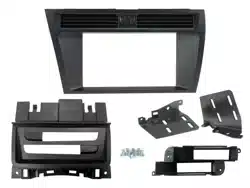
IN THE KIT
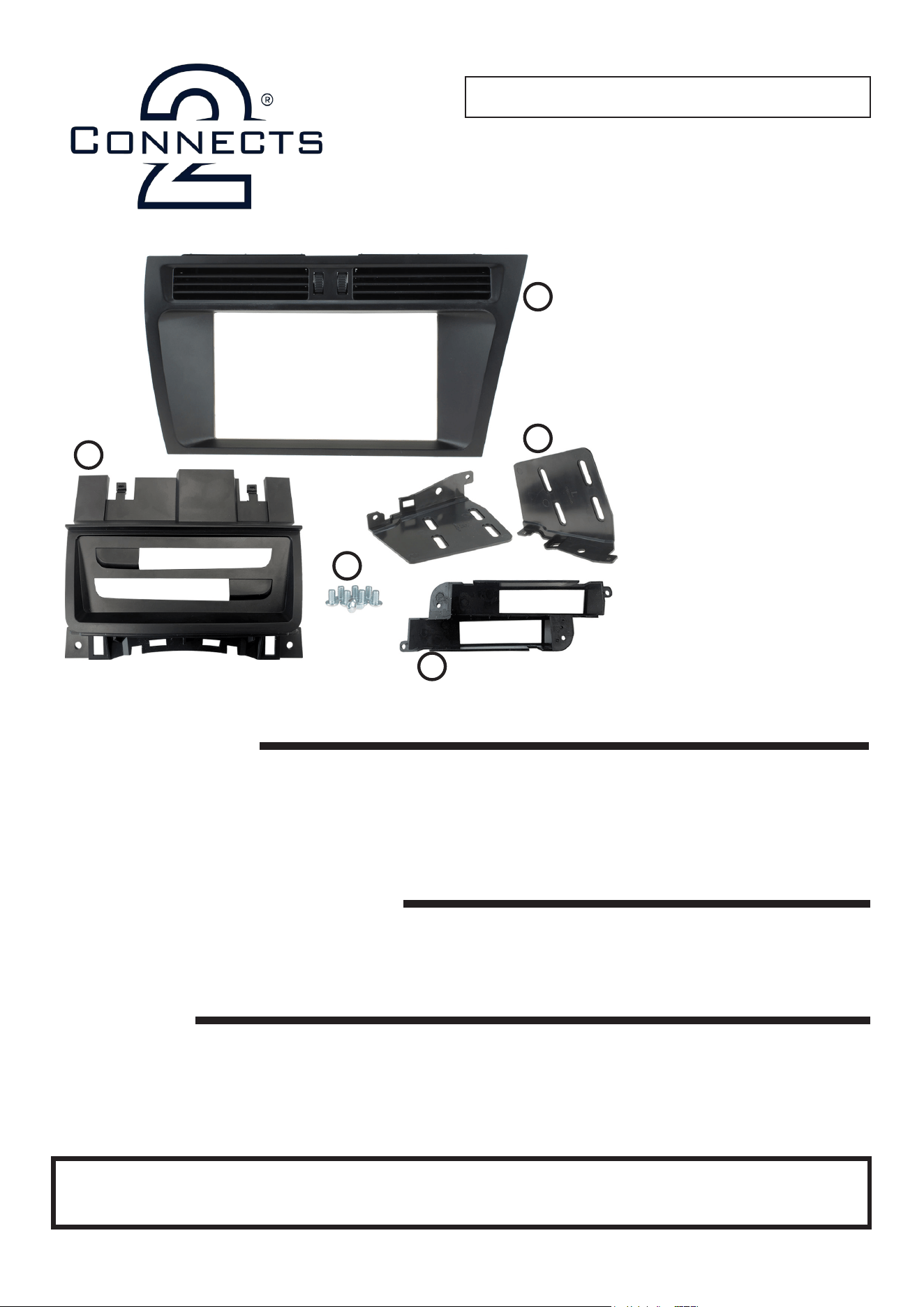
i.
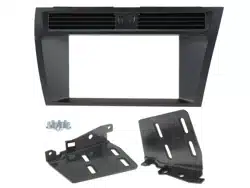
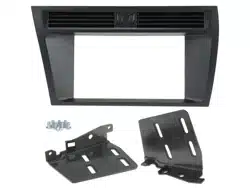
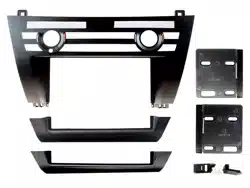
i. Double DIN Fascia Panel*
ii. Brackets
iii. MMI Button Panel
iv. MMI Button Bracket
v. Hex Screws (x8)
*Note the fascia panel showcased
throughout this instruction manual is
for Right hand vehicles.The procedure is
identical for Left hand vehicles, although
you will need to use the CT23AU13L fascia
panel during installation.
iii.
vi.
ii.
v.
• Pick Tool • 8mm Socket Wrench
Need help? Visit support.connects2.com/tickets/technical
Note: vehicle will need modication. Please familiarise yourself with the instructions before undertaking installation.
• Cutting Tool
2
CT23AU13_IG_v2
OVERVIEW DIAGRAM
PRIOR TO INSTALLATION
Read the manual prior to installation. Technical knowledge is necessary for installation. The place of installation must be
free of moisture and away from heat sources. Please ensure that the correct tools are used during the installation to avoid
damage to the vehicle or product. Connects2 can not be held responsible for the installation of this product.
1
2
4
3
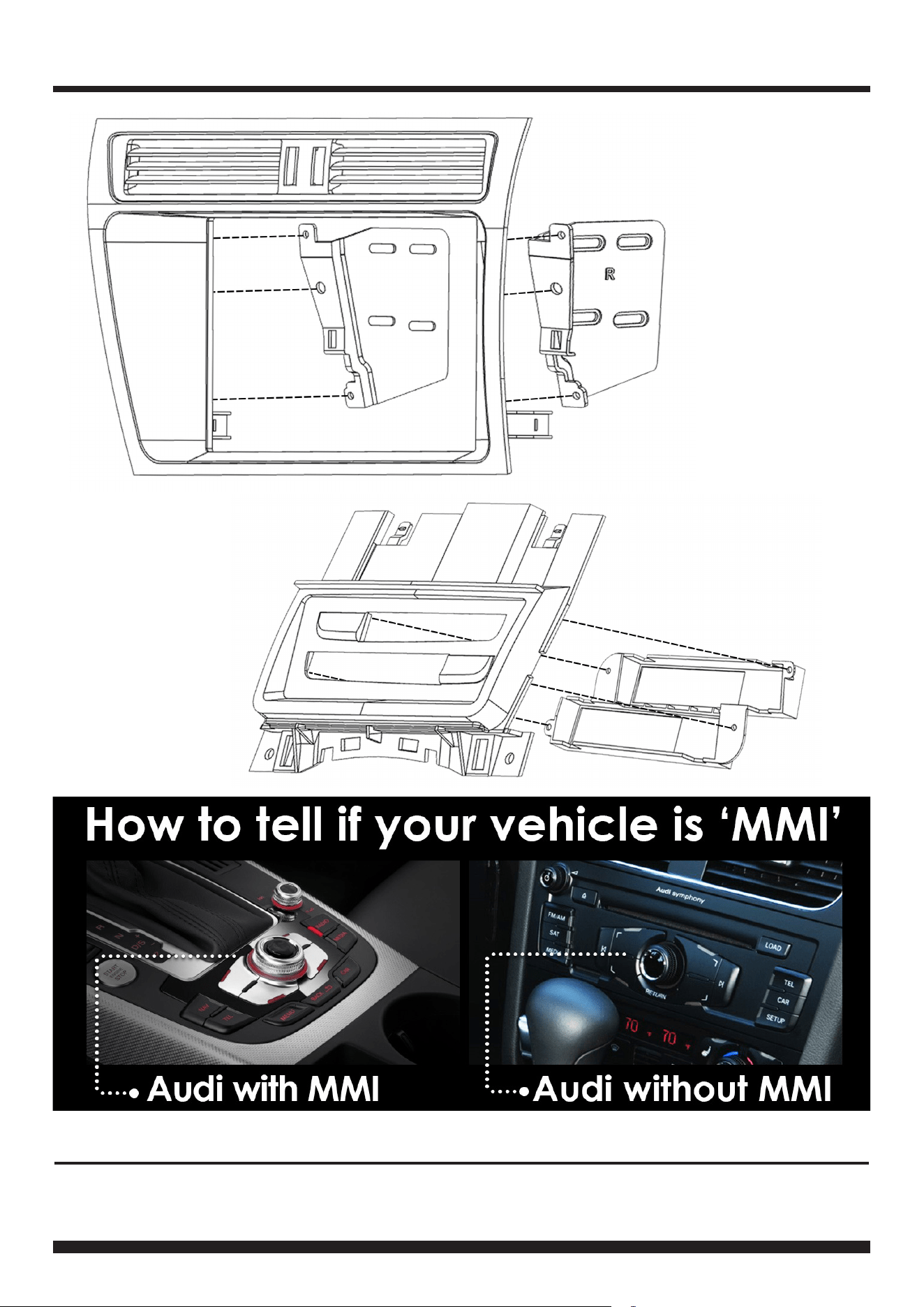
1 Double DIN Fascia Panel
2 Left/Right Brackets
3 Button Relocation Panel
4 Button Relocation Bracket
3
Need help? Visit support.connects2.com/tickets/technical
CT23AU13_IG_v2
INSTALLATION GUIDE
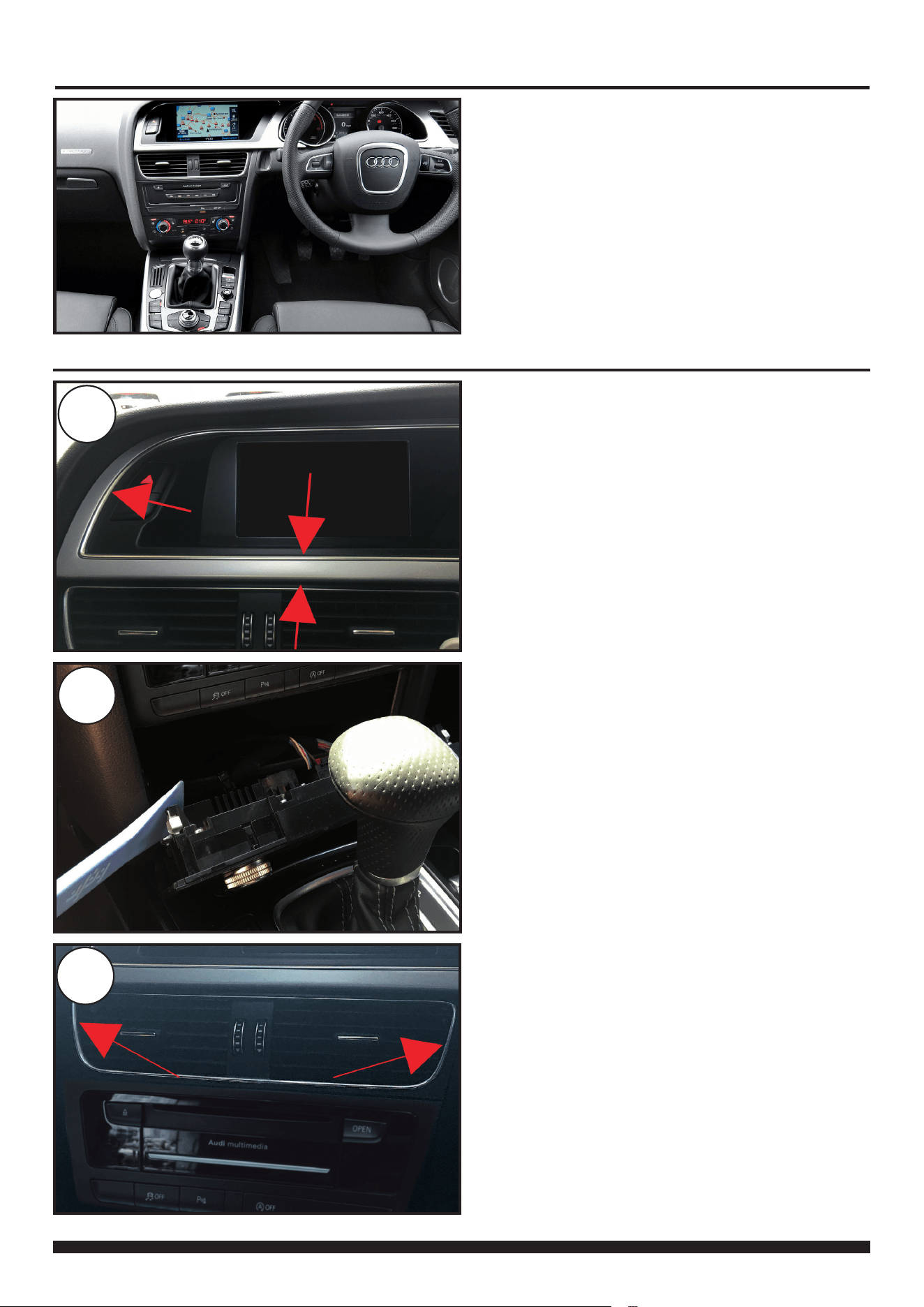
Audi MMI OEM dashboard. Ensure that appropriate areas
of the dashboard are protected by a suitable material to
avoid damage during installation.
Begin by using a Bojo tool (or similar variant) to pry away
and unclip the trim that surrounds the top screen.
Once loose, disconnect the hazard switch connector and
place to one side.
1
DASH DISASSEMBLY
Using the Bojo tool again, pry away and unclip the bottom
HVAC panel.
Once loose, disconnect the panel connectors and place
to one side.
2
Using a pick tool, insert it in between the fan blades and
release the spring clips.
Once free, remove and place into storage.
3
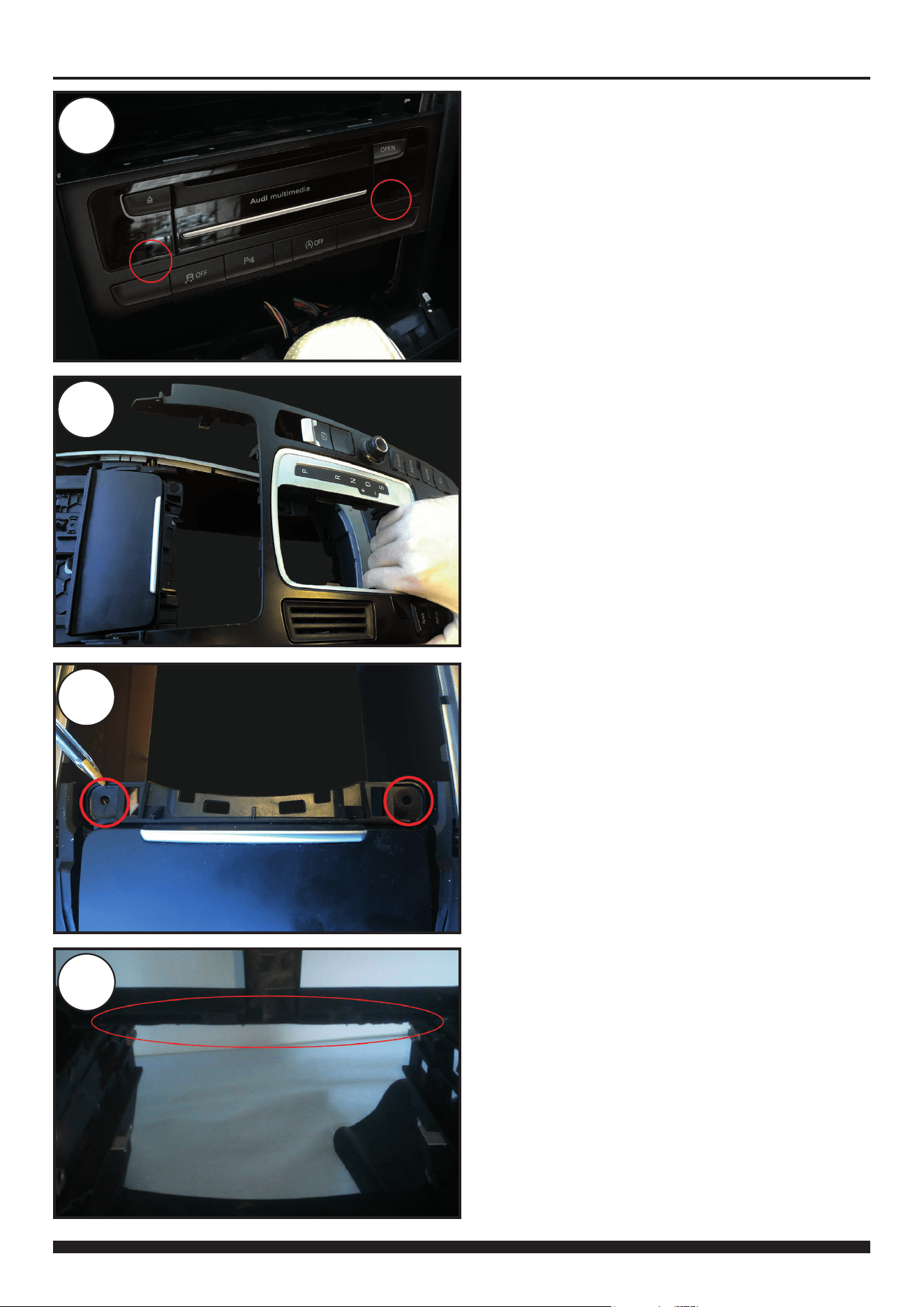
4
CT23AU13_IG_v2
4
5
Using a pair of radio release keys (e.g. CT22AU01)
remove the head unit. When free, disconnect all the
wiring.
You will then need to guide the MMI button connectors
down toward the gear stick opening (see step 5-6).
Pull the gear stick cover up and then rmly pull on the
centre gear panel.
Disconnect both wires and put to one side.
6
Remove 2x 8mm screws located toward the bottom of
the ashtray panel (see image reference).
When free, carefully lift and pull the ashtray pocket up
out of the dashboard.
DASH DISASSEMBLY
7
Using a blade or dremel tool, proceed to cut the portion
of the interior dash highlighted. This allow the new head
unit to sit higher and in align with the fascia plate.
5
Need help? Visit support.connects2.com/tickets/technical
CT23AU13_IG_v2
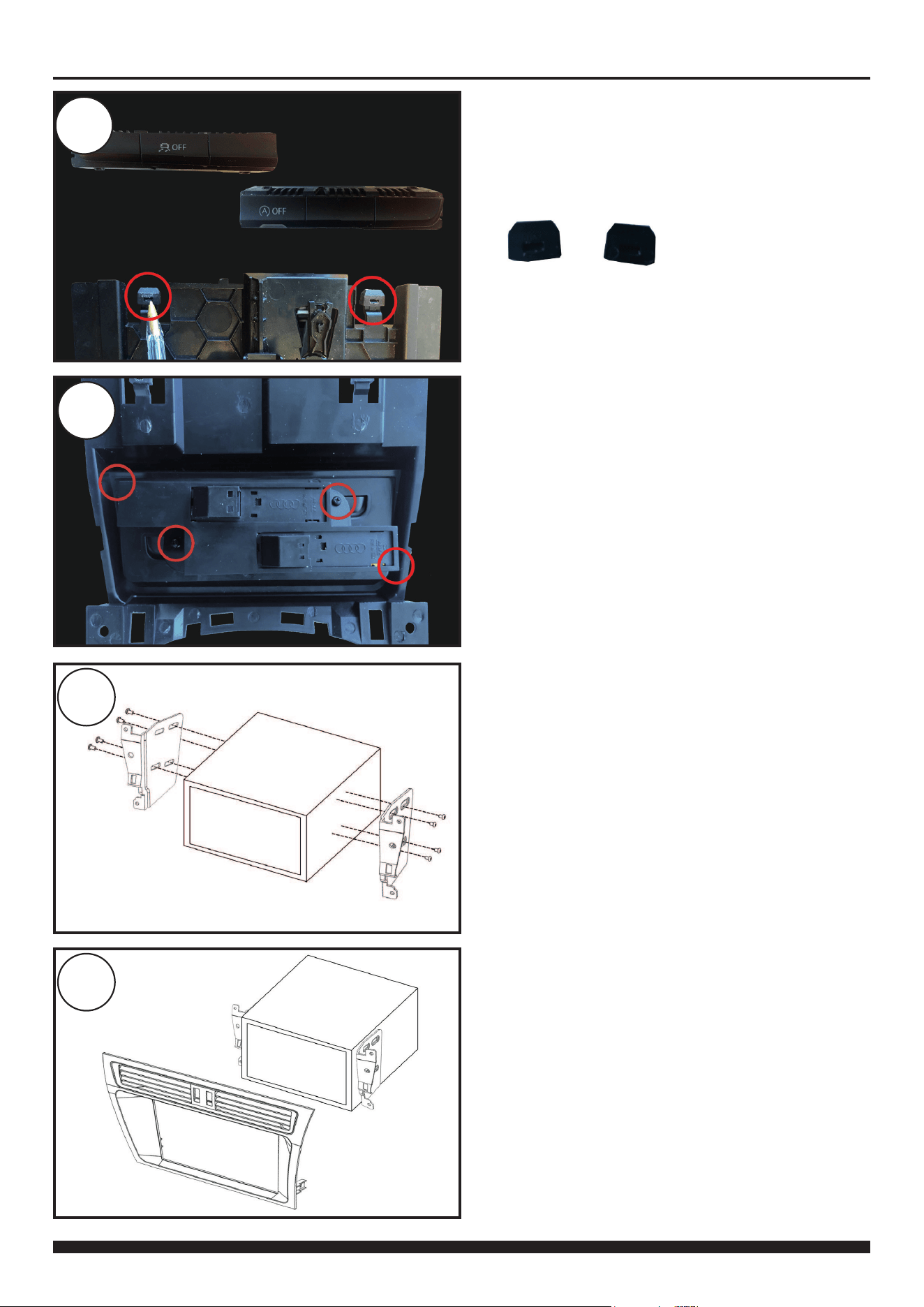
9
Install the OEM head unit buttons into the new Button
Relocation Bracket. Further proceed to install this button
and bracket combination into the back of the new Button
Relocation Panel (see image reference).
KIT ASSEMBLY
10
Attach the new Double DIN Brackets to the aftermarket
head unit utilising the screws within the kit.
11
With the brackets attached to the head unit, offer the
whole unit to the back of the new Double DIN Fascia.
Use the plastic inserts at the bottom of both the
Brackets and the Fascia as a guide.
8
Take the OEM head unit in hand and gently remove the
buttons by means of releasing the surrounding plastic.
In addition, remove the two rubber grommets from the
back of the OEM ashtray (see image reference).
6
CT23AU13_IG_v2
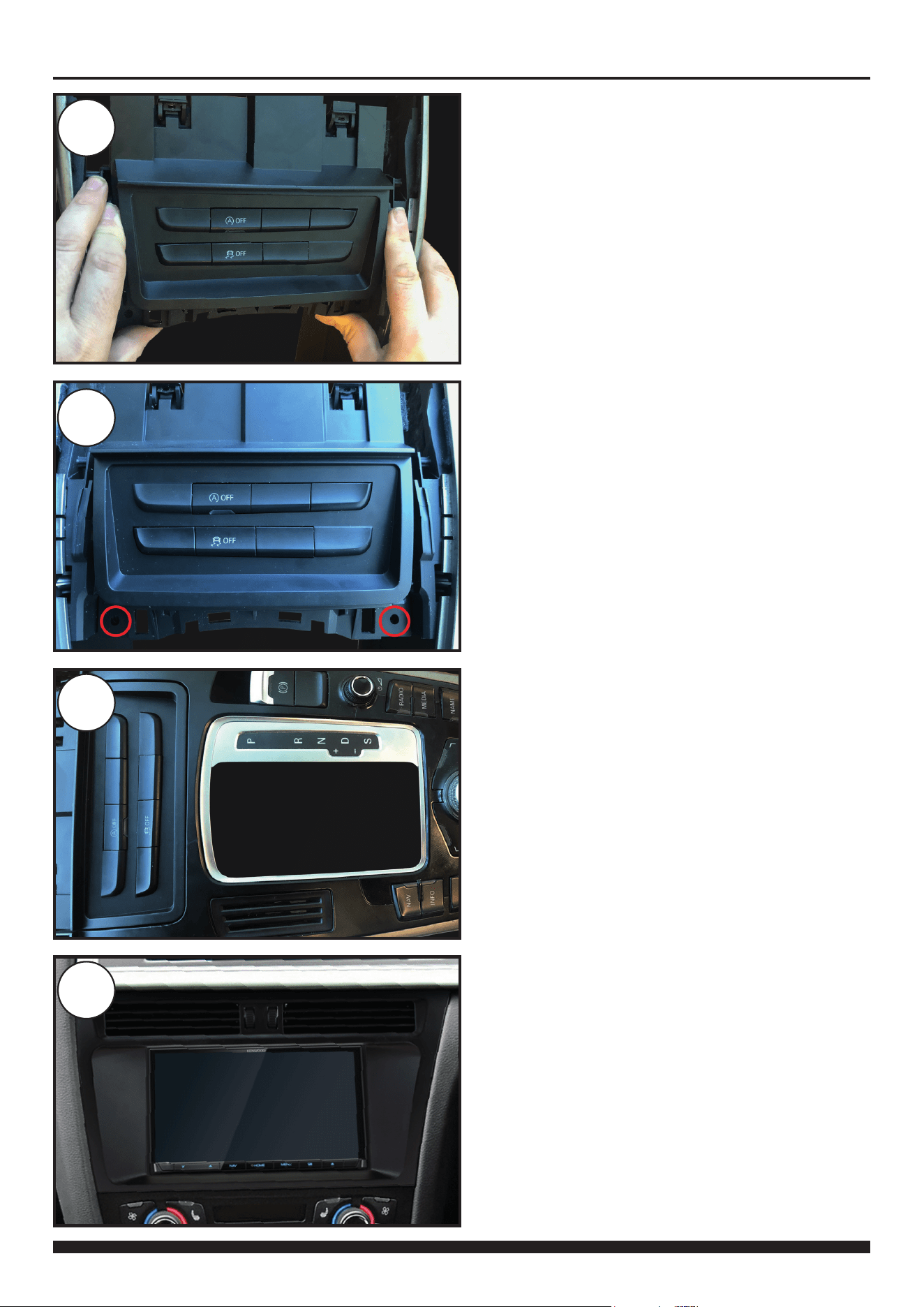
13
Once the Button Relocation Panel is seated properly,
screw the panel down into place using the OEM screws.
14
With the Button Relocation Panel fully connected and in
place, begin to re-introduce the gear panel back into the
dashboard.
Connect the relevant OEM wiring in the process.
15
After connecting all the necessary wiring, begin to install
the new Double DIN Fascia with the aftermarket head
unit into the dashboard.
Firmly press down around the edges to ensure it clips
into place - this will complete the installation.
12
With the new Button Relocation Panel fully assembled,
install it into the opening where the ashtray originally
sat.
Before fully placing, make sure to re-connect both MMI
button connectors.
KIT INSTALLATION