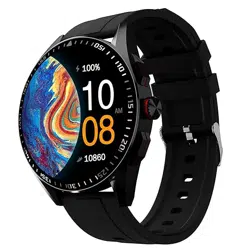
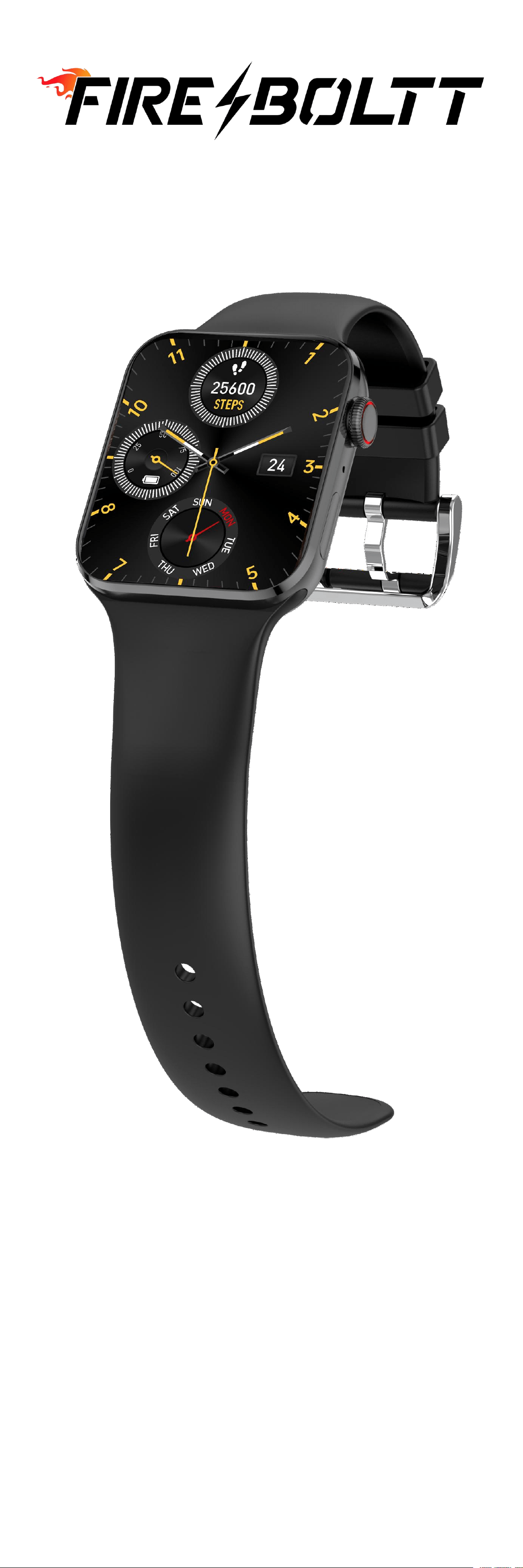
BSW046
Smart Watch
User Manual


Downloading and connecting of smart
watch with Da Fit APP
1.Download and install Da Fit APP.
2.Scan QR code with mobile phone to down-
load APP.
3.For IOS system, select APP Store,search for
Da Fit App.
Da Fit
Android system, select Google Play to
download and install
Da Fit App. Or scan QR code to download
Note: your mobile phone must support
Android 5.or IOS8.0 or above, and Blue-
tooth 4.0 or above.
Download APP Download Da Fit
From Watch QR APP in Smartphone
Code or UM
Open Da Fit APP

Connect smart watch with Da Fit APP
Fulfill your data when first Click “To ADD” to search
use Da Fit App
Click on your device in the Successfully connected
with APP
If watch is connected with APP successfully,
the Bluetooth icon in control center will light up

Bluetooth Calling Function
As BSW046 is a Bluetooth Calling watch,the
user can make phone calls by using the watch.
User does not have to take the phone out to
dial number or receive a call.And user can also
check the calling record and contacts from the
watch.You just need to keep the connection
between the watch and the phone stable when
using the phone call function.
BSW046 Bluetooth calling watch comes with a
in-built micro-phone and a in-built speaker for
the ease of making phone call through the
watch.And you can listen to music and make
voice record by using the watch as well.
Please read the following steps to understand
how to connect the watch with phone to use
bluetooth calling function and other functions.
How to connect
Step 1: After connecting the watch to the Da
Fit APP, you need to go the bluetooth settings
of the phone and pair the watch with your
phone for bluetooth calling function and
phone music function.
Due to different systems of iOS phone and
Android phone,so the bluetooth connection
for iOS and Android is different as well.
Please check the following steps for iOS
and Android based on the system of your
phone.
For iOS

After connecting with APP, it will remind you to
connect phone BT call function by connecting
mobile phone bluetooth in phone setting menu
Please check your iOS After connecting with iOS
bluetooth setting list to bluetooth,it will show
search and connect “Audio-FireBoltt 046” in
“Audio-FireBoltt 046” “MY DEVICE” list
After successfully connecting with phone
bluetooth,the watch Phone Call interface
will display as above
If you can not connect with phone bluetooth,please
check as below:
Checking the setting list to make sure “Phone” is on

Then try to connect with phone bluetooth
as above steps
For Android
If the watch connected with After click to pair,then
APP successfully,APP will you will see the device
display “Pair with Audio- name “Audio-Fire
Fire Boltt046 ?” Please Boltt046” is in phone
pair it bluetooth list
Step 2: Go back to watch and enter Phone
Call interface to make phone calls,check
records andcontacts.
(Please keep the music player is in”Play Pho-
ne Music” Mode to ensure phone bluetooth
is connecting with watch,when you use
bluetooth calling function.)

Phone Call Interface
Dial Pad Make a call
Check phone call records Call Records
Set phone contacts via APP
Phone contacts in watch

BSW046 Featured Functions
BSW046 is a special smart watch with many
featured functions such as 100+ In-built Sports
Mode,10 In-built Watch Faces,Always-on
Screen,Voice Assistant,Split Screen,3 in 1 Music
Player and Add Components.
Please check the following steps to check how
to use the featured functions of BSW046.
Part A - 100+ In-built Sports Mode
Click Sport Mode icon to enter into Sports
Mode by sliding right from main interface to
enter into Hotkey interface,and tap the sports
icon to enter into sports mode details,there
are 117 sports mode for your selection.
General(19 Sport Modes)
Walking,Running,Cycling,Skipping,Badminton,
Basketball,Football,Climbing,Tennis,Rugby,
Golf,Yoga,Fitness,Dancing,Baseball,Elliptical,
Indoor Cycling,Free Training,Rowing Machine.
Note:You can add more sports mode to popul-
ar for quick use.
Water Sports(11 Sport Modes)
Sailing,Water Polo,Water Sports,Paddle Board-
ing,Water Skiing, Kayaking,Rafting,Rowing,
Powerboating,Kite surfing,Open Water Swim.
Outdoor Activities(10 Sport Modes)
Rock Climbing,Skateboarding,Roller Skating,
Parkour,ATV,Paragliding,Triathlon,Outdoor
Running,On Foot,Kabaddi.
Training(26 Sport Modes)
Stair Climber,Stair Climbing,Stepper,Core
Training,Flexibility,Pilates,Gymnastics,
Stretching,Strength,Cross Training,Aerobics,
Physical Training,Wall Ball,Dumbbells,Barbell,
Deadlift,Upper Body,Functional Training,
Burpee,Back,Lower Body,Abs,HIIT,Indoor
Walking,Indoor Running,Weightlifting.

Dance(8 Sport Modes)
Square Dancing,Belly Dance,Ballet,Zumba,
Latin Dance,Street Dance,Folk Dance,Jazz
Dance.
Combat Sports(11 Sport Modes)
Boxing,Wrestling,Martial Arts,Tai Chi,Muay
Thai,Judo,Taekwondo,Karate,Kickboxing,
Fencing,Kendo.
Ball Sports(13 Sport Modes)
Volleyball,Softball,Hockey,Table Tennis,Cricket,
Handball,Squash,Billiards,Shuttlecock,Beach
Soccer,Beach Volleyball,Sepak Takraw,Bowling.
Winter Sports(8 Sport Modes)
Ice Skating,Curling,Other Winter Sports,
Snowmobile,Ice Hockey,Bobsleigh,Sledding,
Skiing.
Recreational Sports(8 Sport Modes)
Archery,Darts,Tug of War,Hula Hoop,Kite
Flying,Horse Riding,Frisbee,Fishing.
Other Sports(3 Sport Modes)
Equestrian Sports,Athletics,Auto Racing.
General Sports Modes

Add Sports Modes icon
Add Sports Modes to Popular
Part B - 10 In-built Sports Mode
Press the screen for 3 seconds at the main
interface or tap watch face function icon at
all functions interface to enter into Watch
Face Mode,there are 10 watch faces in-built
for your selection.You can download the
Watchface to watch and DIY watchface from
APP.

Part C - Always-on Screen
Swipe down from main interface to enter into
“Control Center” and tap “Setting” icon to
enter into setting list.And tap “Always-on
Screen” to enter into “Always-on Screen”
interface to set always-on screen function.
If you turn on “Always-on” screen,there are two
kinds of clock styles for your selection,Analog
Clock and Digital Clock.
Control Center Interface
Always-on Screen Analog Clock Digital Clock
interface
Part D - Voice Assistant
Swipe left from main interface to enter into
AI Voice interface. Then tap “Click” to use
phone Voice Assistant.Please ensure the watch
is connecting with phone bluetooth,before
using Voice Assistant function.
If watch does Watch connect Tap to use
not connect with phone blue-
with phone tooth
bluetooth

Part E - Split Screen Function
Swipe right from main interface to enter into
Split Screen of “Hot Key”.You can check Time,
Date,Weather and enter into Steps function,
Heart Rate Monitoring,Spo2,Sleep Date,Blood
Pressure,Exercises Mode from here.
Part F - 3 in 1 Music Player
BSW046 smart watch supports Mobile music
player,Local music player,TWS earbuds
connection.You can select to play phone
musics,local musics or connect with TWS
earbuds to play local musics.
Enter into Music Player interface.Then you can
play phone music.You can tap the menu icon
to check more and select play mode to play
phone music,local music via watch,or local
music via TWS.
Please note the following information to ensure
the Music Player function can work well:
1.Please ensure phone bluetooth is connect-
ing with watch bluetooth,when you play
phone music from watch.
2.You can download musics from computer
via USB cable.There are 3 test music in the
watch.
3.TWS can be used when you at local music
mode.
Phone Music Mode

Tap menu icon to Watch Music 3 test musics
select music play Mode in watch
Mode playlist
TWS mode Device List Device connected
Searching device
Adjust volume
By tapping volume icon
Part G - Add Components
Swipe left from main interface to “Add
Components” interface and tap “+” icon
to add new functions to main interface.You
can long press the interface to remove
functions.

Button Functions and Charging
Part A - Side Button
BSW046 is with two buttons.
Two Buttons functions are as following:
Up Button:
1.Functions Button-To enter into all functions
interface directly.Long press the up button for
5 seconds to enter into Sports Mode.
2.Rotate Button-Up button with rotate function
To select.
Down Button:
1.Staring Button-Turn on and turn off the watch
and go back to main interface.
2.Light up button-Light up watch display.
Part B - Charging Watch Battery And Heart Rate
Sensor Protector
BSW046 charger is a 4-pin magnetic charger.
If you need to charge smart watch,please the
4-pin charger on the charging port of the
smart watch.
It take about 2.5 hours to 3 hours to fully
charge the battery.
For first using,please charge the battery for
3 hours before using.

The battery life time depends on your usage
of the smart watch.The below life time is only
for your reference.
There is a heart rate sensor protector on the
heart rate sensor lens,you can take if off
for better use.
Functions Navigation
The screen can be navigated by swiping
left/right or swiping up/down.
Control Center
Swipe Down Swipe Up
Swipe
Swipe
Left
Left
Swipe
Swipe
Right
Right
Hot Key Main Interface Basic Function
Swipe Down Swipe Up Interface
Message

Part A - Control Center
Swipe down to view watch control center.
● Bluetooth Reminder
● Vibration Setting
● Flash Light
● Theater Mode
● Brightness Setting
● Weather
● Settings
Bluetooth Reminder: Instruct the bluetooth
connection status.
Do not disturb.If turn on,phone calls
and notifications will silent.
Brightness Setting: Adjust the brightness of
the screen.
Power Save Mode: If turn on,vibration and
quick view will be turned off,and brightness
will be turned down.
Menu Style Setting: Tap to enter into menu
style selections.
Phone Call Mode: Turn to enable watch can
connect with phone bluetooth.
Settings: Tap to enter into setting center.
Part B - Main Watch Interfaces
Swipe left or right to enter into basic functions
interface.

Steps - You can check your activity data
including steps data,calories data.7 days data
will be remained.And swipe up to check more
data.
Sleep Monitoring - You need to wear the watch
while sleeping.It will provide the hours slept
and quality of sleep stats.Swipe up to check
more data.
Heart Rate Monitoring - The watch will record
your heart rate all day. You can also tap on
the page to start measuring.24 hours data
will be remained.Swipe up to check more data.

Blood Pressure Monitoring - The watch can test
your blood-pressure.You can also tap on the
page to start measuring.7 latest values will
be remained.Swipe up to check more data.
Spo2 Monitoring - The watch can test your
Spo2 date.You can also tap on the page to
start measuring.7 latest values will be
remained.Swipe up to check more data.
Bluetooth Phone Call - After watch connecting
with APP and phone Bluetooth.You can make
or receive phone calls,check call records,
check contacts.

Voice Assistant - Tap “Click” to use phone Voice
Assistant.Please ensure the watch is connecting
with phone bluetooth,before using Voice
Assistant function.
Weather Forecast - You can know the current
weather and the forecast for tomorrow, this
information is synced from your APP. Scroll up
to see the forecast weather. It will not be
updated if the phone is disconnected for a
long time.
Add Menu Interface - At this interface,you can
tap “+” icon to add other functions to main
function interface.And long press the main
function interface to remove the menu from
the main function interface.

Part C - Main Functions
You can add other main functions to the main
function interfaces.The main functions includes:
Breathing,Stopclock,Alarm,Shutter,Exercise
Record,Flashlight,Calculator,Period,Timer,
Message,Music Player.
Breathing - Enter into breathing to take breath-
ing and relax.
Stopclock - This helps to track the time frame
for any given activity.

Alarm - Set alarms and let your watch vibrate
to remind you of the alarm.
Shutter - After watch connecting with APP.Tap
the shutter icon to remote control the camera
of your phone to take photos.
Exercise Record - You can check the exercise
records in Exercise Record Mode.
Flashlight - Never be scared in the dark again.
The watch supports a flashlight.

Calculator - This new feature lets you access
the calculator on the watch itself.
Period - If you set Lady Period on Da Fit APP,
watch will remind you to drink water based
on what you set via Da Fit APP.
Timer - This sets a preset timer for the user to
track and given time line.
Message Mode - You can check your message
reminders and notifications in message mode.
You can clear the message record by tapping
“Clear All”.

Music Player - BSW046 smart watch supports
Mobile music player,Local music player,TWS
earbuds connection.You can select to play
phone musics,local musics or connect with
TWS earbuds to play local musics.
Settings - Swipe down from main interface to
enter into Control Center and tap “Setting”
icon to enter into setting list to set the watch
system.
Display Setting
Tap “Display” to enter and set display.Set Auto
Sleep time,Menu View,Brightness,Watch Face.
Call Alert Setting
Tap “Call Alert” to set vibration mode and
intensity.

Low Power Mode Setting
Tap “Low Power Mode” to open or close Low
Power Mode.
Theater Mode
If you tap to turn on the Theater Mode,the
brightness will dim and vibration will shut.
Phone Mode Setting
Tap “Phone” to open or close bluetooth phone
call function.
Call Reset Setting
Tap “Call Reset” to reset phone call bluetooth.
Ai Voice Assistant
Tap “Click” to use phone Voice Assistant.
Please ensure the watch is connecting with
phone bluetooth,before using Voice Assistant
function.
Always-on Screen - You can turn Always-on
screen function to set always-on screen.

System Setting
Tap “System” to restart watch,shut down watch
or reset watch data.
About
Tap “About” to check watch version and QR
Code.
Watch Status Reminders
Sedentary Reminder
If you set Sedentary function on Da Fit APP,
watch will remind you to move if you have
not moved up for a long time.
Drink Water Reminder
If you set Drink Water Reminder function on
Da Fit APP,watch will remind you to drink water
based on what you set via Da Fit APP.
Watchface Loading Reminder
Watch will display “Loading” when you upload
new watchface from APP to watch.

Wearing Reminder
Watch will remind to wear the watch well,
when you do testings.
Gold Achieved Reminder
Watch will remind you the goal you set via Da
Fit APP has been finished.