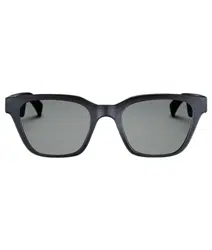

FRAMES
IMPORTANT SAFETY INSTRUCTIONS
2
|
ENG
Indications for Use
Sunglasses (nonprescription) are devices that consist of spectacle frames or clips with absorbing, reflective, tinted,
polarizing, or photosensitized lenses intended to be worn by a person to protect the eyes from bright sunlight but not
to provide refractive corrections. This device is available for over the counter sale.
A
Refer to instructions for use.
Please read and keep all safety, security, and use instructions.
Important Safety Instructions
Bose Corporation hereby declares that this product is in compliance with the essential requirements and
other relevant provisions of Directive 2014/53/EU and all other applicable EU directive requirements. The
complete declaration of conformity can be found at: www.Bose.com/compliance
1. Read these instructions.
2. Keep these instructions.
3. Heed all warnings.
4. Follow all instructions.
5. Do not use this apparatus near water.
6. Clean only with a dry cloth.
7. Only use attachments/accessories specified by the manufacturer.
8. Unplug this apparatus during lightning storms or when unused for long periods of time.
9. Refer all servicing to qualified personnel. Servicing is required when the apparatus has been damaged in any
way, such as power-supply cord or plug is damaged, liquid has been spilled or objects have fallen into the
apparatus, the apparatus has been exposed to rain or moisture, does not operate normally, or has been dropped.
WARNINGS/CAUTIONS
• Do NOT use the frames at a high volume for any extended period.
– To avoid hearing damage, use your frames at a comfortable, moderate volume level.
– Turn the volume down on your device before wearing the frames or placing them near your ears, then turn the
volume up gradually until you reach a comfortable listening level.
• Use caution while driving and follow applicable laws regarding use of a mobile phone.
• Focus on your safety and that of others if you use the frames while engaging in any activity requiring your
attention, e.g., while riding a bicycle or walking in or near trac, a construction site or railroad, etc. Remove the
frames or adjust your volume to ensure you can hear surrounding sounds, including alarms and warning signals.
• Do NOT use the frames if they emit any loud unusual noise. If this happens, turn the frames o and contact Bose
customer service.
• Do NOT submerge or expose the frames for extended period to water, or wear while participating in water sports,
e.g., swimming, waterskiing, surfing, etc.
• Remove frames immediately if you experience a warming sensation or loss of audio.
IMPORTANT SAFETY INSTRUCTIONS
3
|
ENG
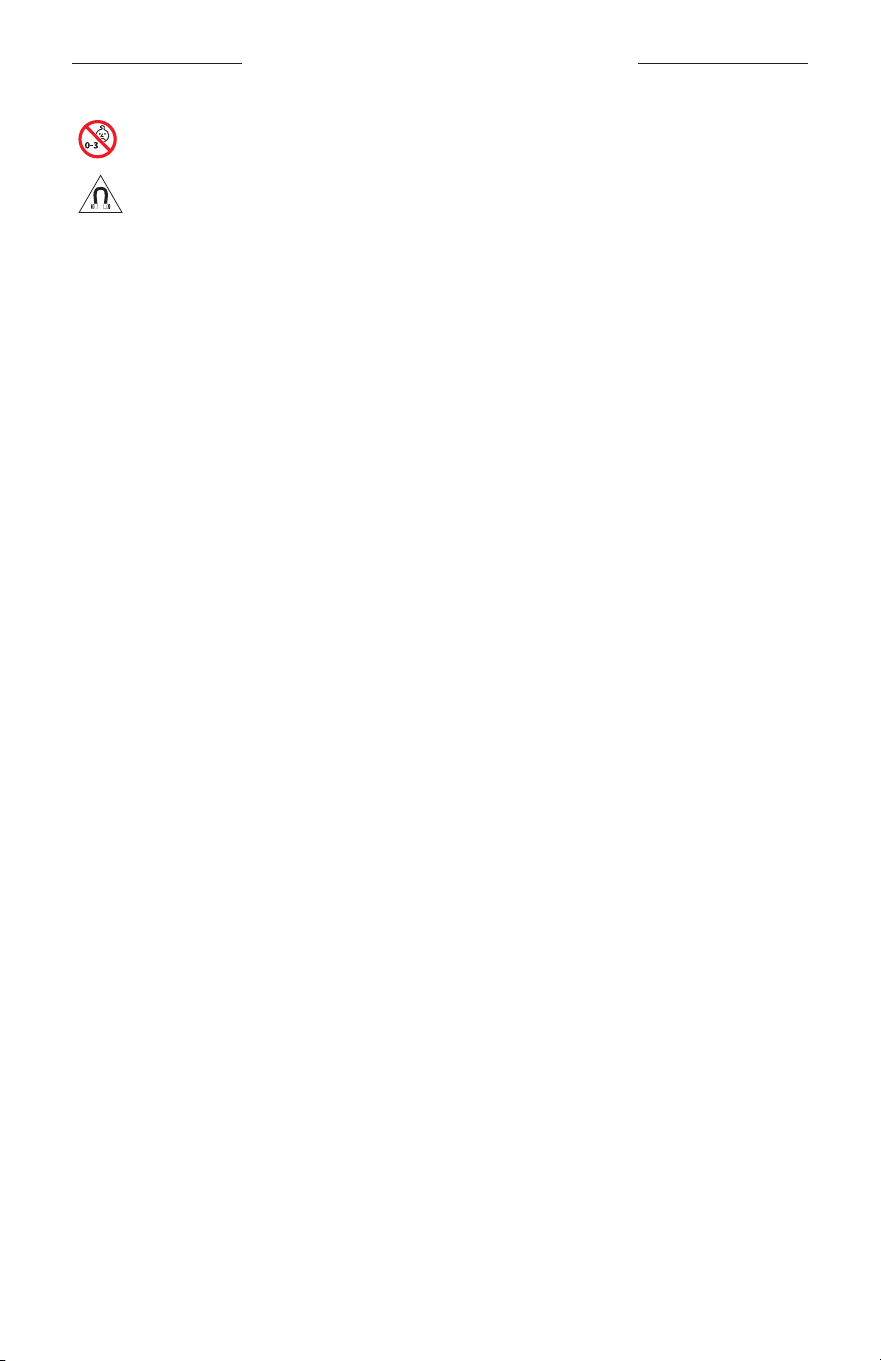
Contains small parts which may be a choking hazard. Not suitable for children under age 3.
This product contains magnetic material. Consult your physician on whether this might aect your
implantable medical device.
• To reduce the risk of fire or electrical shock, do NOT expose this product to rain, liquids or moisture.
• Do NOT expose this product to dripping or splashing, and do not place objects filled with liquids, such as vases, on
or near the product.
• Keep the product away from fire and heat sources. Do NOT place naked flame sources, such as lighted candles, on
or near the product.
• Do NOT make unauthorized alterations to this product.
• Use this product only with an agency- approved power supply that meets local regulatory requirements (e.g., UL,
CSA, VDE, CCC).
• Do not expose products containing batteries to excessive heat (e.g. from storage in direct sunlight, fire or the like).
• Do NOT wear the frames while charging.
• After each use, wipe both sides of the lenses and all parts of the frame with the cloth provided or a dry cloth.
4
|
ENG
REGULATORY AND LEGAL INFORMATION
NOTE: This equipment has been tested and found to comply with the limits for a Class B digital device, pursuant to
Part 15 of the FCC Rules. These limits are designed to provide reasonable protection against harmful interference in a
residential installation. This equipment generates, uses, and can radiate radio frequency energy and, if not installed
and used in accordance with the instructions, may cause harmful interference to radio communications. However,
there is no guarantee that interference will not occur in a particular installation. If this equipment does cause harmful
interference to radio or television reception, which can be determined by turning the equipment o and on, the user
is encouraged to try to correct the interference by one or more of the following measures:
• Reorient or relocate the receiving antenna.
• Increase the separation between the equipment and receiver.
• Connect the equipment into an outlet on a circuit dierent from that to which the receiver is connected.
• Consult the dealer or an experienced radio/TV technician for help.
Changes or modifications not expressly approved by Bose Corporation could void the user’s authority to operate
this equipment.
This device complies with part 15 of the FCC Rules and with ISED Canada license- exempt RSS standard(s).
Operation is subject to the following two conditions: (1) This device may not cause harmful interference, and
(2) this device must accept any interference received, including interference that may cause undesired operation.
This device complies with FCC and ISED Canada radiation exposure limits set forth for general population.
This transmitter must not be co-located or operating in conjunction with any other antenna or transmitter.
CAN ICES-3(B)/NMB-3(B)
PPE Regulation (EU) 2016/425
Management Regulation for Low-power Radio-frequency Devices
Article XII
According to “Management Regulation for Low-power Radio-frequency Devices” without permission granted by
the NCC, any company, enterprise, or user is not allowed to change frequency, enhance transmitting power or alter
original characteristic as well as performance to an approved low power radio-frequency devices.
Article XIV
The low power radio-frequency devices shall not influence aircraft security and interfere legal communications; If
found, the user shall cease operating immediately until no interference is achieved. The said legal communications
means radio communications operated in compliance with the Telecommunications Act.
The low power radio-frequency devices must be susceptible with the interference from legal communications or ISM
radio wave radiated devices.
For Europe:
Frequency band of operation 2400 to 2483.5 MHz.
Maximum transmit power less than 20 dBm EIRP.
Maximum transmit power is below regulatory limits such that SAR testing is not necessary and exempt per
applicable regulations.
This symbol means the product must not be discarded as household waste, and should be delivered to an
appropriate collection facility for recycling. Proper disposal and recycling helps protect natural resources,
human health and the environment. For more information on disposal and recycling of this product, contact
your local municipality, disposal service, or the shop where you bought this product.
DON’T attempt to remove the rechargeable lithium-ion battery from this product. Contact your local Bose retailer or
other qualified professional for removal.
Please dispose of used batteries properly, following local regulations. Do not incinerate.
QTY: 1 EA
5
|
ENG
REGULATORY AND LEGAL INFORMATION
M
Manufactured For: Bose Corporation, 100 The Mountain Road, Framingham, MA 01701
L
Do not use if package is damaged.
C
This product does not contain natural rubber latex.
d
This product is provided non-sterile.
p
l
+45C
0C
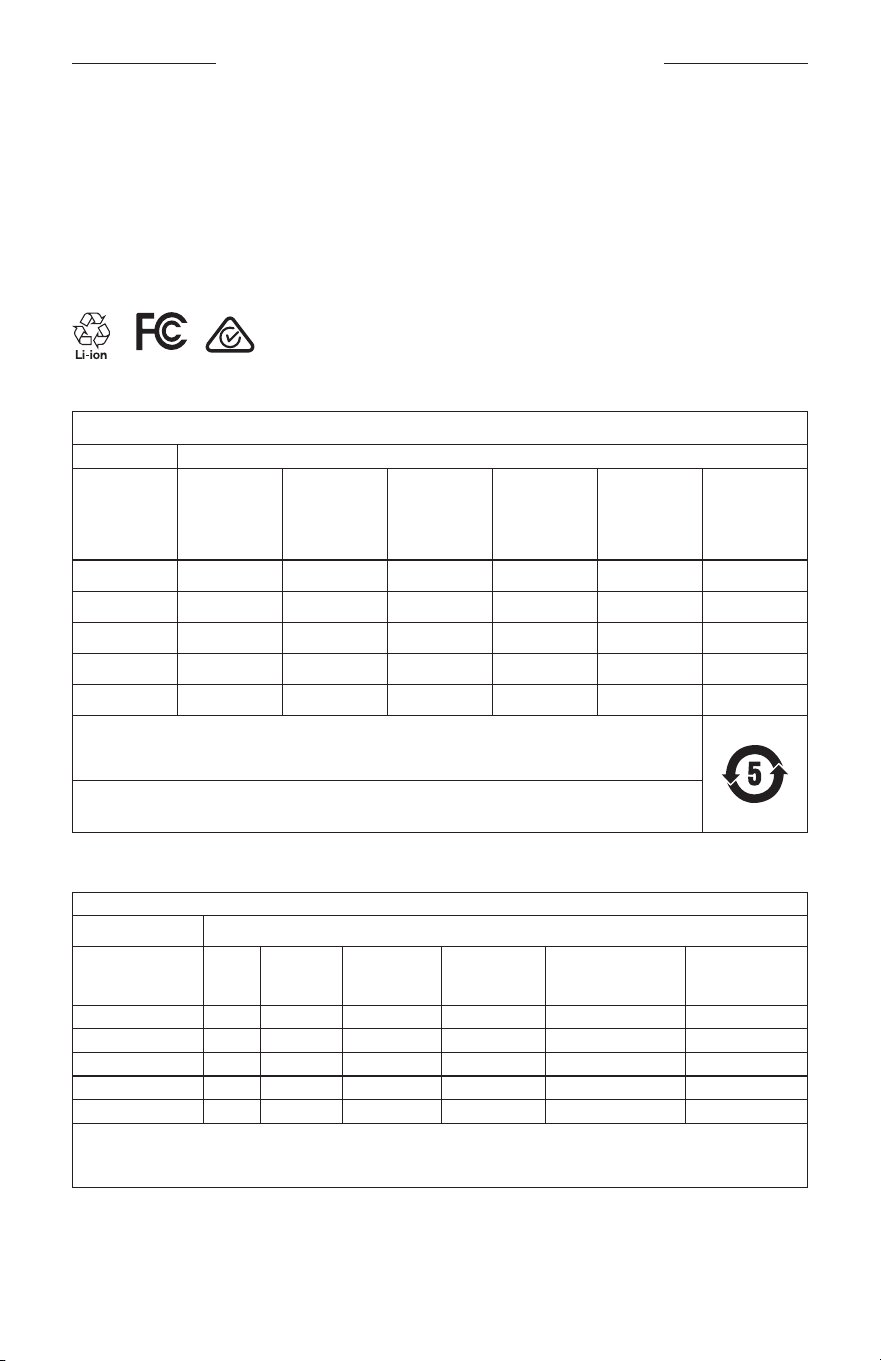
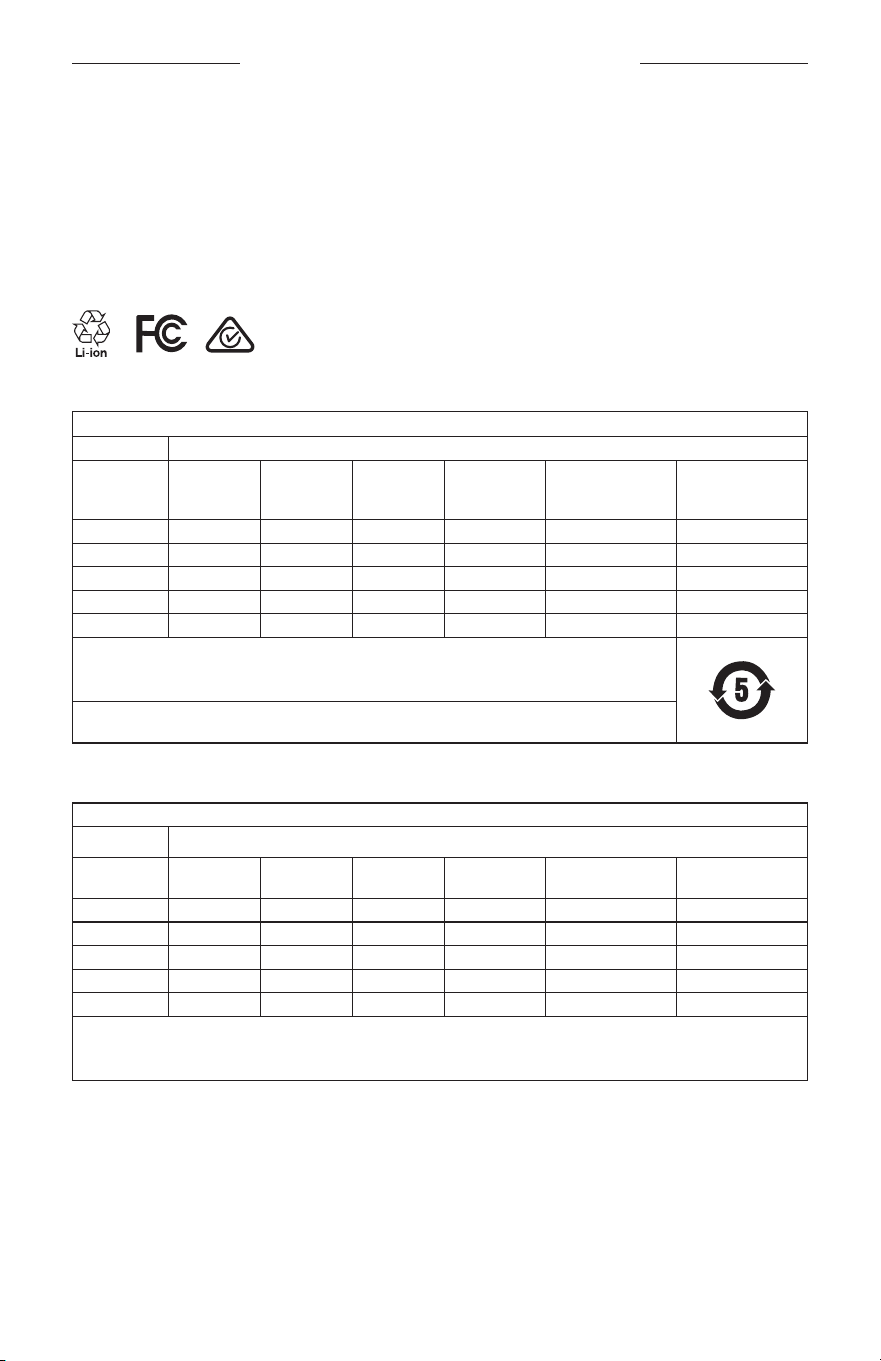
China Restriction of Hazardous Substances Table
Names and Contents of Toxic or Hazardous Substances or Elements
Toxic or Hazardous Substances and Elements
Part Name
Lead
(Pb)
Mercury
(Hg)
Cadmium
(Cd)
Hexavalent
(CR(VI))
Polybromi-
nated
Biphenyl
(PBB)
Polybromi-
nated
diphenylether
(PBDE)
PCBs X O O O O O
Metal Parts X O O O O O
Plastic Parts O O O O O O
Speakers X O O O O O
Cables X O O O O O
This table is prepared in accordance with the provisions of SJ/T 11364.
O: Indicates that this toxic or hazardous substance contained in all of the homogeneous materials for this part is
below the limit requirement of GB/T 26572.
X: Indicates that this toxic or hazardous substance contained in at least one of the homogeneous materials used
for this part is above the limit requirement of GB/T 26572.
Taiwan Restriction of Hazardous Substances Table
Equipment name: Powered Speaker, Type designation: 433948
Restricted substances and its chemical symbols
Unit
Lead
(Pb)
Mercury (Hg) Cadmium (Cd)
Hexavalent
chromium (Cr+6)
Polybrominated
biphenyls (PBB)
Polybrominated
diphenyl ethers
(PBDE)
PCBs
- ○ ○ ○ ○ ○
Metal Parts
- ○ ○ ○ ○ ○
Plastic Parts
○ ○ ○ ○ ○ ○
Speakers
- ○ ○ ○ ○ ○
Cables
- ○ ○ ○ ○ ○
Note 1:
“○” indicates that the percentage content of the restricted substance does not exceed the percentage of reference value
of presence.
Note 2: The “−” indicates that the restricted substance corresponds to the exemption.

6
|
ENG
REGULATORY AND LEGAL INFORMATION
This product complies with ANSI Z80.3, AS/NZS 1067.1, and EN ISO 12312-1.
Tinted eyewear is not recommended to be worn for night driving.
I
NOT SUITABLE FOR DRIVING IN TWILIGHT OR AT NIGHT. NOT SUITABLE FOR DRIVING AT NIGHT OR UNDER
CONDITIONS OF DULL LIGHT.
The product is designed to block greater than 99% UVA and UVB light energy. This product is in compliance
with ANSI Z80.3.
Only lenses approved by Bose should be used with the Frames Soprano or Frames Tenor product.
Not for direct observation of the sun.
Not for protection against artificial light sources, e.g. solaria.
Not for use as eye protection against mechanical impact hazards.
When not in use, store the product in the carry case provided.
EU FILTER CATEGORY: ISO 12312-1 CAT. 3
AUSTRALIAN LENS CATEGORY: 1067.1 CAT. 3
h
These sunglasses provide a high level of sun glare reduction and good UV protection.
UV Rating: UV 380 cut
Please complete and retain for your records
The frames serial number is located on the left temple, and the model/reference number is located on the
right temple.
Serial number: ____________________________________________________________________
Model number: ____________________________________________________________________
Please keep your receipt with your owner’s guide. Now is a good time to register your Bose product. You can easily
do this by going to global.Bose.com/register
N
Date of Manufacture: The eighth digit in the serial number indicates the year of manufacture; “0” is 2010
or 2020.
China Importer
: Bose Electronics (Shanghai) Company Limited, Part C, Plant 9, No. 353 North Riying Road, China
(Shanghai) Pilot Free Trade Zone
EU Importer: Bose Products B.V., Gorslaan 60, 1441 RG Purmerend, The Netherlands
Taiwan Importer: Bose Taiwan Branch, 9F-A1, No. 10, Section 3, Minsheng East Road, Taipei City 104, Taiwan
Phone Number: +886-2-2514 7676
Mexico Importer: Bose de México, S. de R.L. de C.V., Paseo de las Palmas 405-204, Lomas de Chapultepec, 11000
México, D.F. Phone Number: +5255 (5202) 3545
Input Rating: 5V p 500mA
The CMIIT ID is located on the inside front temple.
h
BMD0011
7
|
ENG
Security Information
This product is capable of receiving security updates from Bose automatically when connected to the Bose
Music app. In order to receive security updates via the mobile application, you must complete the product
setup process in the Bose Music app. If you do not complete the setup process, you will be responsible for
installing security updates that Bose makes available via btu.bose.com
Apple, the Apple logo, iPad, iPhone, iPod, and Siri are trademarks of Apple Inc., registered in the U.S. and other coun-
tries. The trademark “iPhone” is used in Japan with a license from Aiphone K.K. App Store is a service mark
of Apple Inc.
Use of the Made for Apple badge means that an accessory has been designed to connect specifically to the Apple
product(s) identified in the badge, and has been certified by the developer to meet Apple performance standards.
Apple is not responsible for the operation of this device or its compliance with safety and regulatory standards.
The Bluetooth® word mark and logos are registered trademarks owned by Bluetooth SIG, Inc. and any use of such
marks by Bose Corporation is under license.
Google and Google Play are trademarks of Google LLC.
Bose, Bose Frames, and Bose Music are trademarks of Bose Corporation.
Bose Corporation Headquarters: 1-877-230-5639
©2020 Bose Corporation. No part of this work may be reproduced, modified, distributed, or otherwise used without
prior written permission.
REGULATORY AND LEGAL INFORMATION

8
|
ENG
The following license disclosures apply to certain third-party software packages used as components in the product.
Package: Nanopb
Copyright © 2011 Petteri Aimonen <jpa at nanopb.mail.kapsi.fi>. The Nanopb package is subject to the license terms
reprinted below.
Zlib license
© 2011 Petteri Aimonen <jpa at nanopb.mail.kapsi.fi>
This software is provided ‘as-is’, without any express or implied warranty. In no event will the authors be held liable
for any damages arising from the use of this software.
Permission is granted to anyone to use this software for any purpose, including commercial applications, and to alter
it and redistribute it freely, subject to the following restrictions:
1. The origin of this software must not be misrepresented; you must not claim that you wrote the original software.
If you use this software in a product, an acknowledgment in the product documentation would be appreciated
but is not required.
2. Altered source versions must be plainly marked as such, and must not be misrepresented as being the
original software.
3. This notice may not be removed or altered from any source distribution.
Package: Mbed TLS 2.16.1
© ARM Limited. All rights reserved. The Mbed TLS package is subject to the license terms reprinted below.
Apache 2.0 License
Apache License
Version 2.0, January 2004
http://www.apache.org/licenses/
TERMS AND CONDITIONS FOR USE, REPRODUCTION, AND DISTRIBUTION
1. Definitions.
“License” shall mean the terms and conditions for use, reproduction, and distribution as defined by Sections 1
through 9 of this document.
“Licensor” shall mean the copyright owner or entity authorized by the copyright owner that is granting
the License.
“Legal Entity” shall mean the union of the acting entity and all other entities that control, are controlled by, or
are under common control with that entity. For the purposes of this definition, “control” means (i) the power,
direct or indirect, to cause the direction or management of such entity, whether by contract or otherwise, or (ii)
ownership of fifty percent (50%) or more of the outstanding shares, or (iii) beneficial ownership of such entity.
“You” (or “Your”) shall mean an individual or Legal Entity exercising permissions granted by this License.
“Source” form shall mean the preferred form for making modifications, including but not limited to software
source code, documentation source, and configuration files.
“Object” form shall mean any form resulting from mechanical transformation or translation of a Source form,
including but not limited to compiled object code, generated documentation, and conversions to other
media types.
“Work” shall mean the work of authorship, whether in Source or Object form, made available under the License,
as indicated by a copyright notice that is included in or attached to the work (an example is provided in the
Appendix below).
“Derivative Works” shall mean any work, whether in Source or Object form, that is based on (or derived from)
the Work and for which the editorial revisions, annotations, elaborations, or other modifications represent, as a
whole, an original work of authorship. For the purposes of this License, Derivative Works shall not include works
that remain separable from, or merely link (or bind by name) to the interfaces of, the Work and Derivative
Works thereof.
LICENSE DISCLOSURES

9
|
ENG
LICENSE DISCLOSURES
“Contribution” shall mean any work of authorship, including the original version of the Work and any
modifications or additions to that Work or Derivative Works thereof, that is intentionally submitted to Licensor
for inclusion in the Work by the copyright owner or by an individual or Legal Entity authorized to submit on
behalf of the copyright owner. For the purposes of this definition, “submitted” means any form of electronic,
verbal, or written communication sent to the Licensor or its representatives, including but not limited to
communication on electronic mailing lists, source code control systems, and issue tracking systems that are
managed by, or on behalf of, the Licensor for the purpose of discussing and improving the Work, but excluding
communication that is conspicuously marked or otherwise designated in writing by the copyright owner as “Not
a Contribution.”
“Contributor” shall mean Licensor and any individual or Legal Entity on behalf of whom a Contribution has been
received by Licensor and subsequently incorporated within the Work.
2. Grant of Copyright License. Subject to the terms and conditions of this License, each Contributor hereby grants
to You a perpetual, worldwide, non-exclusive, no-charge, royalty-free, irrevocable copyright license to reproduce,
prepare Derivative Works of, publicly display, publicly perform, sublicense, and distribute the Work and such
Derivative Works in Source or Object form.
3. Grant of Patent License. Subject to the terms and conditions of this License, each Contributor hereby grants to
You a perpetual, worldwide, non-exclusive, no-charge, royalty-free, irrevocable (except as stated in this section)
patent license to make, have made, use, oer to sell, sell, import, and otherwise transfer the Work, where such
license applies only to those patent claims licensable by such Contributor that are necessarily infringed by their
Contribution(s) alone or by combination of their Contribution(s) with the Work to which such Contribution(s)
was submitted. If You institute patent litigation against any entity (including a cross-claim or counterclaim in a
lawsuit) alleging that the Work or a Contribution incorporated within the Work constitutes direct or contributory
patent infringement, then any patent licenses granted to You under this License for that Work shall terminate as
of the date such litigation is filed.
4. Redistribution. You may reproduce and distribute copies of the Work or Derivative Works thereof in any medium,
with or without modifications, and in Source or Object form, provided that You meet the following conditions:
a. You must give any other recipients of the Work or Derivative Works a copy of this License; and
b. You must cause any modified files to carry prominent notices stating that You changed the files; and
c. You must retain, in the Source form of any Derivative Works that You distribute, all copyright, patent,
trademark, and attribution notices from the Source form of the Work, excluding those notices that do not
pertain to any part of the Derivative Works; and
d. If the Work includes a “NOTICE” text file as part of its distribution, then any Derivative Works that You
distribute must include a readable copy of the attribution notices contained within such NOTICE file, excluding
those notices that do not pertain to any part of the Derivative Works, in at least one of the following places:
within a NOTICE text file distributed as part of the Derivative Works; within the Source form or
documentation, if provided along with the Derivative Works; or, within a display generated by the
Derivative Works, if and wherever such third-party notices normally appear. The contents of the NOTICE file
are for informational purposes only and do not modify the License. You may add Your own attribution notices
within Derivative Works that You distribute, alongside or as an addendum to the NOTICE text from the Work,
provided that such additional attribution notices cannot be construed as modifying the License.
You may add Your own copyright statement to Your modifications and may provide additional or dierent
license terms and conditions for use, reproduction, or distribution of Your modifications, or for any such
Derivative Works as a whole, provided Your use, reproduction, and distribution of the Work otherwise
complies with the conditions stated in this License.
5. Submission of Contributions. Unless You explicitly state otherwise, any Contribution intentionally submitted for
inclusion in the Work by You to the Licensor shall be under the terms and conditions of this License, without any
additional terms or conditions. Notwithstanding the above, nothing herein shall supersede or modify the terms
of any separate license agreement you may have executed with Licensor regarding such Contributions.
6. Trademarks. This License does not grant permission to use the trade names, trademarks, service marks, or
product names of the Licensor, except as required for reasonable and customary use in describing the origin of
the Work and reproducing the content of the NOTICE file.

10
|
ENG
LICENSE DISCLOSURES
7. Disclaimer of Warranty. Unless required by applicable law or agreed to in writing, Licensor provides the Work
(and each Contributor provides its Contributions) on an “AS IS” BASIS, WITHOUT WARRANTIES OR CONDITIONS
OF ANY KIND, either express or implied, including, without limitation, any warranties or conditions of TITLE,
NON-INFRINGEMENT, MERCHANTABILITY, or FITNESS FOR A PARTICULAR PURPOSE. You are solely responsible
for determining the appropriateness of using or redistributing the Work and assume any risks associated with
Your exercise of permissions under this License.
8. Limitation of Liability. In no event and under no legal theory, whether in tort (including negligence), contract,
or otherwise, unless required by applicable law (such as deliberate and grossly negligent acts) or agreed to in
writing, shall any Contributor be liable to You for damages, including any direct, indirect, special, incidental,
or consequential damages of any character arising as a result of this License or out of the use or inability to
use the Work (including but not limited to damages for loss of goodwill, work stoppage, computer failure or
malfunction, or any and all other commercial damages or losses), even if such Contributor has been advised of
the possibility of such damages.
9. Accepting Warranty or Additional Liability. While redistributing the Work or Derivative Works thereof, You may
choose to oer, and charge a fee for, acceptance of support, warranty, indemnity, or other liability obligations
and/or rights consistent with this License. However, in accepting such obligations, You may act only on Your own
behalf and on Your sole responsibility, not on behalf of any other Contributor, and only if You agree to indemnify,
defend, and hold each Contributor harmless for any liability incurred by, or claims asserted against, such
Contributor by reason of your accepting any such warranty or additional liability.
END OF TERMS AND CONDITIONS
©2020 Bose Corporation
Licensed under the Apache License, Version 2.0 (the “License”); you may not use this file except in compliance with
the License.
You may obtain a copy of the License at: http://www.apache.org/licenses/LICENSE-2.0
Unless required by applicable law or agreed to in writing, software distributed under the License is distributed on an
“AS IS” BASIS, WITHOUT WARRANTIES OR CONDITIONS OF ANY KIND, either express or implied.
See the License for the specific language governing permissions and limitations under the License.

CONTENTS
11
|
ENG
WHAT’S IN THE CARTON
Contents ............................................................................................................................. 13
BOSE MUSIC APP SETUP
Download the Bose Music app .................................................................................. 14
Add the frames to an existing account .................................................................. 14
SWEAT AND WEATHER RESISTANCE .............................................................. 15
POWER
Power on ............................................................................................................................ 16
Power o ............................................................................................................................ 17
Flip-to-O .................................................................................................................. 17
Auto-o using motion detection ...................................................................... 17
FRAMES CONTROLS
Media playback ................................................................................................................ 18
Volume ................................................................................................................................ 19
Increase volume ...................................................................................................... 19
Decrease volume .................................................................................................... 19
Phone calls......................................................................................................................... 20
Call notifications ..................................................................................................... 20
Access voice control ...................................................................................................... 20
BATTERY
Charge the frames .......................................................................................................... 21
Check the frames battery level .................................................................................. 21
Hear battery notifications ................................................................................... 21
View the battery level ........................................................................................... 21

CONTENTS
12
|
ENG
FRAMES STATUS
Bluetooth® connection status ..................................................................................... 22
Battery status ................................................................................................................... 23
Error status ........................................................................................................................ 23
BLUETOOTH CONNECTIONS
Connect using the Bluetooth menu on your mobile device .......................... 24
Disconnect a mobile device ........................................................................................ 25
Reconnect a mobile device ......................................................................................... 25
Clear the frames device list ......................................................................................... 25
CARE AND MAINTENANCE
Store the frames .............................................................................................................. 26
Maintain the frames........................................................................................................ 27
Replacement parts and accessories ........................................................................ 28
Limited warranty ............................................................................................................. 28
Serial and model/reference number locations .................................................... 28
TROUBLESHOOTING
Try these solutions first ................................................................................................ 29
Other solutions ................................................................................................................ 29
LABEL SYMBOLS
Symbols and descriptions ........................................................................................... 32
13
|
ENG
WHAT’S IN THE CARTON
CONTENTS
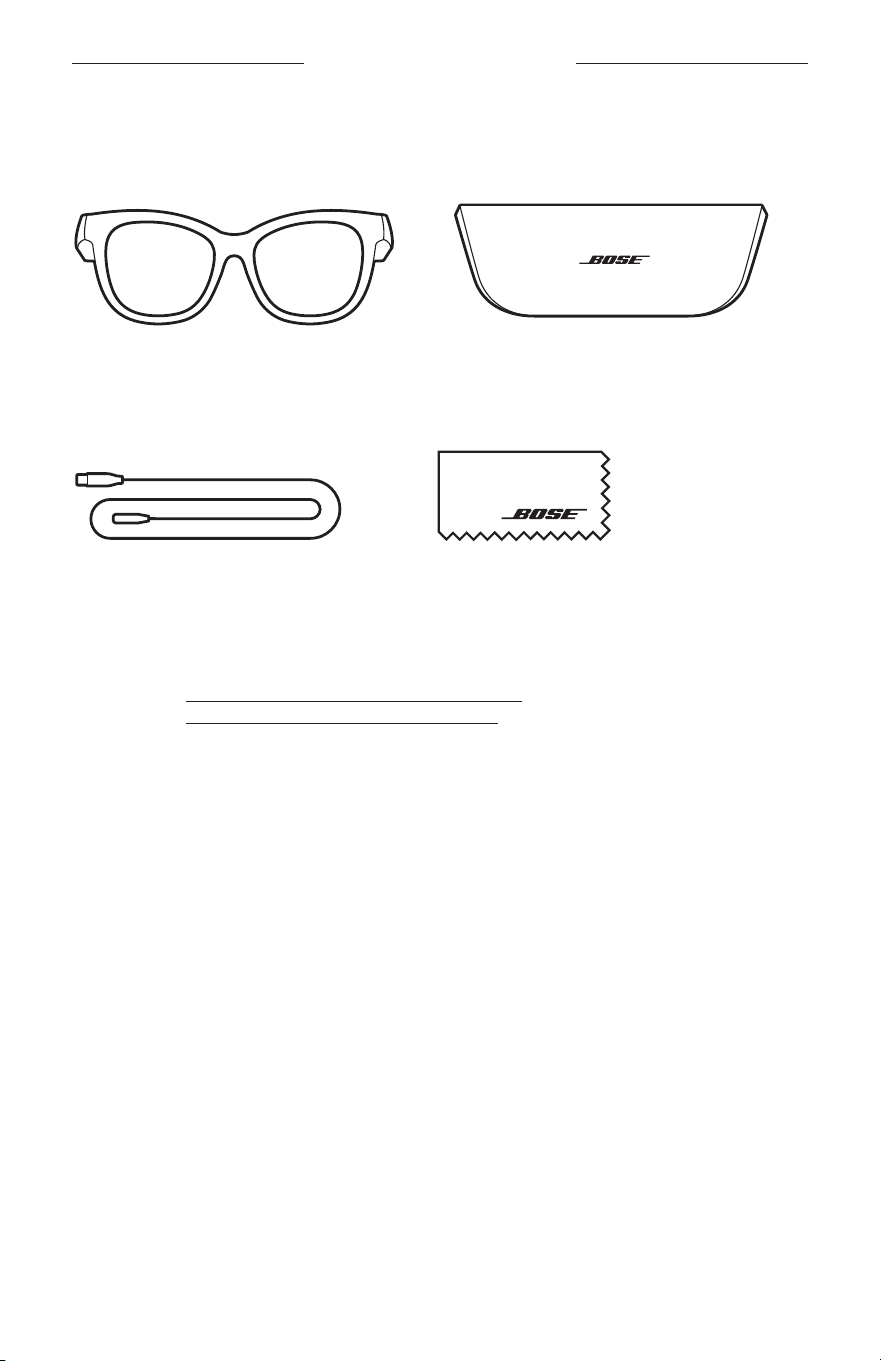
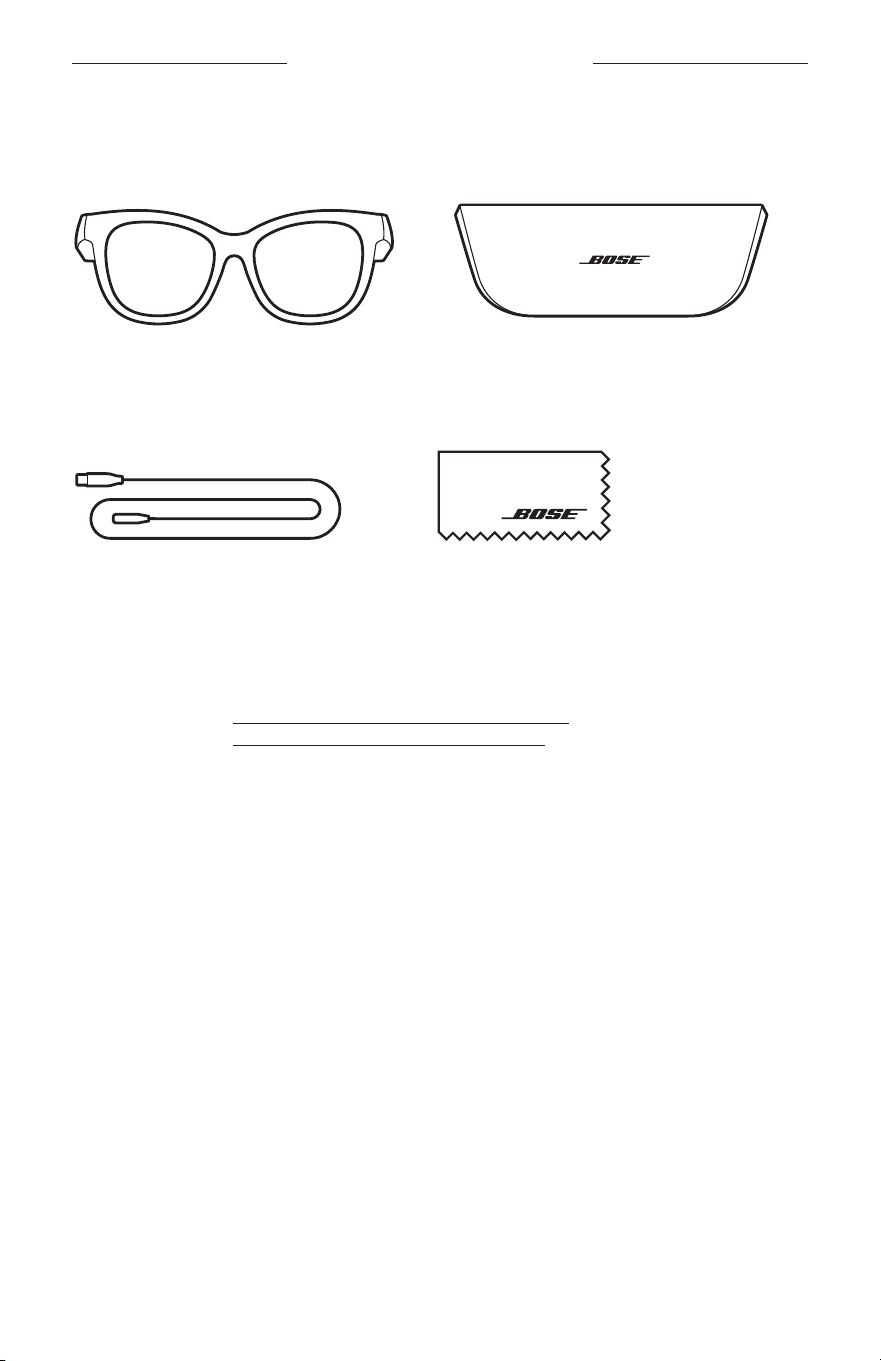
Confirm that the following parts are included:
Bose Frames
Carry case
Charging cable Cleaning cloth
NOTE: If any part of the product is damaged, don’t use it. Contact your authorized
Bose dealer or Bose customer service.
Visit: worldwide.Bose.com/Support/Soprano
worldwide.Bose.com/Support/Tenor
14
|
ENG
BOSE MUSIC APP SETUP
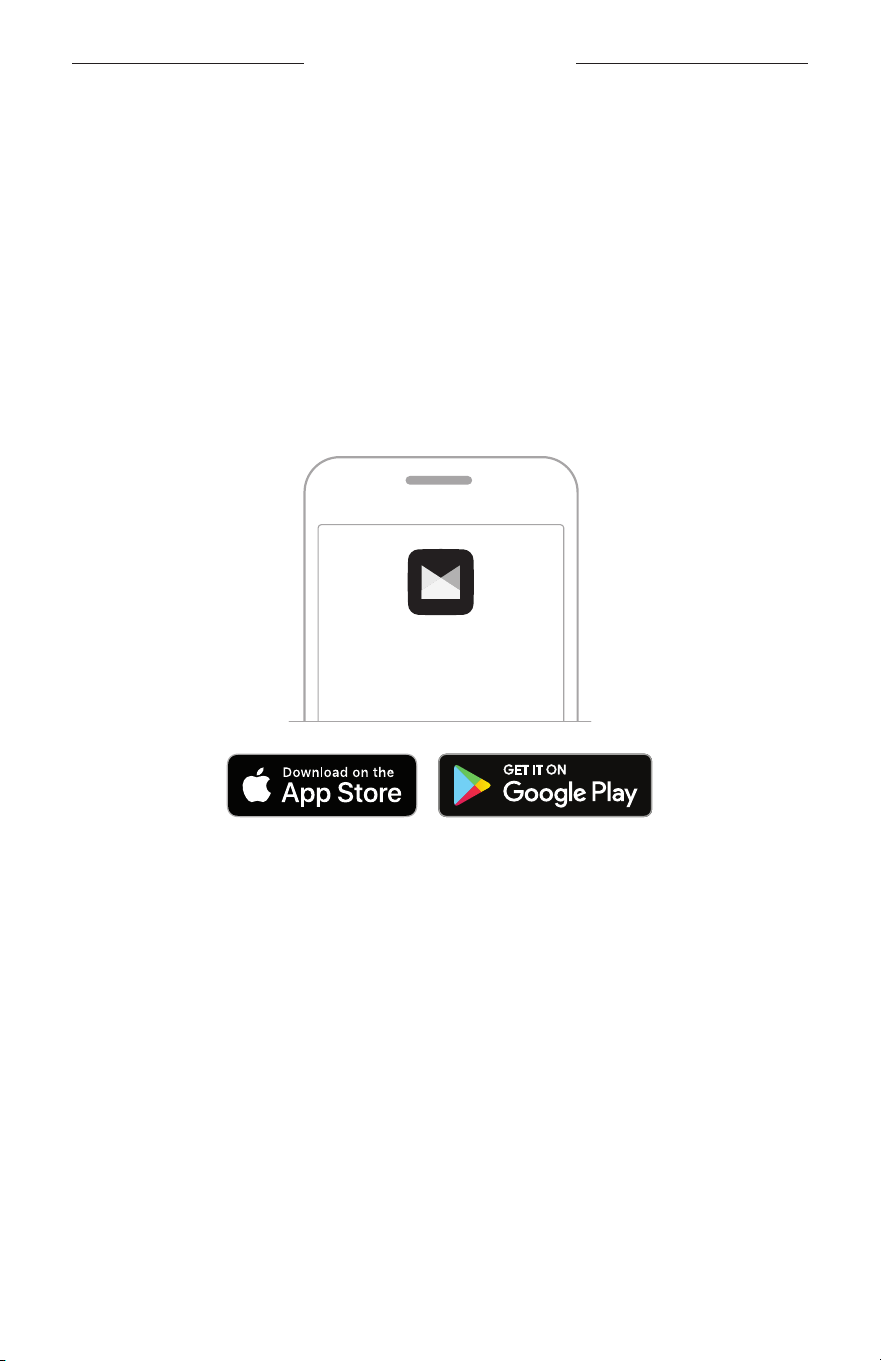
The Bose Music app lets you set up and control the frames from any mobile
device, such as a smartphone or tablet.
Using the app, you can customize power settings, choose your voice prompt
language, and get new features.
NOTE: If you have already created a Bose account in the app for another Bose
product, see “Add the frames to an existing account.”
DOWNLOAD THE BOSE MUSIC APP
1. On your mobile device, download the Bose Music app.
NOTE: If you’re located in mainland China, download the Bose
8 app.
BOSE MUSIC
2. Follow the app instructions.
ADD THE FRAMES TO AN EXISTING ACCOUNT
1. Press and hold the button on the right temple until you hear “Ready to connect,”
or see the status light blink blue.
2. In the Bose Music app, go to the My Products screen and add your frames.
NOTE:
If the app can’t find the frames, see “Bose Music app can’t find frames” on
page 30.
15
|
ENG
SWEAT AND WEATHER RESISTANCE
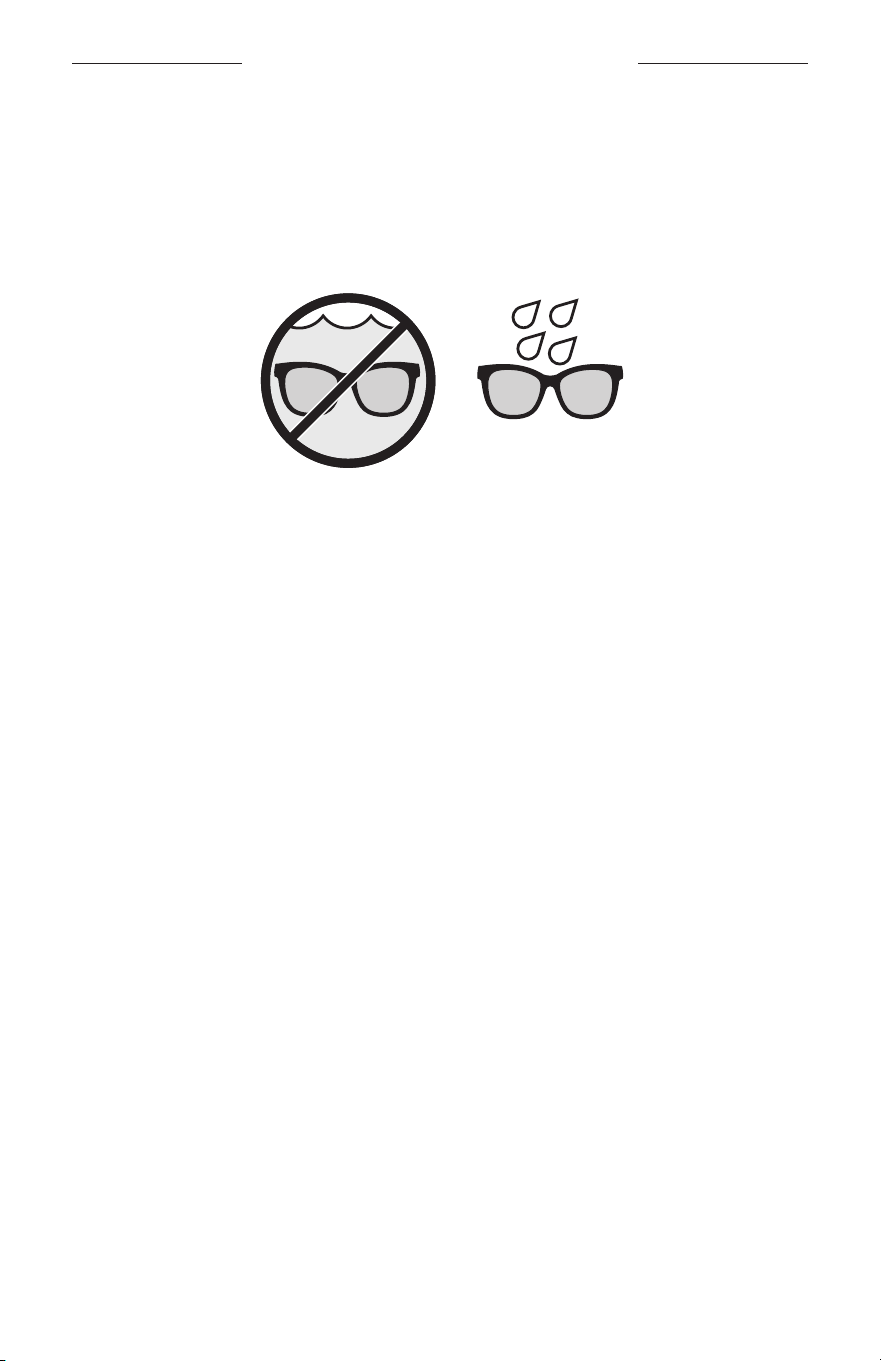
The frames are rated IPX2 water resistant. They are designed to be sweat and weather
resistant against drops of water but aren’t meant to be submerged under water.
CAUTIONS:
• Do NOT swim or shower with the frames.
• Do NOT submerge the frames.
NOTE: IPX2 is not a permanent condition, and resistance might decrease as a result of
normal wear.
16
|
ENG
POWER
POWER ON
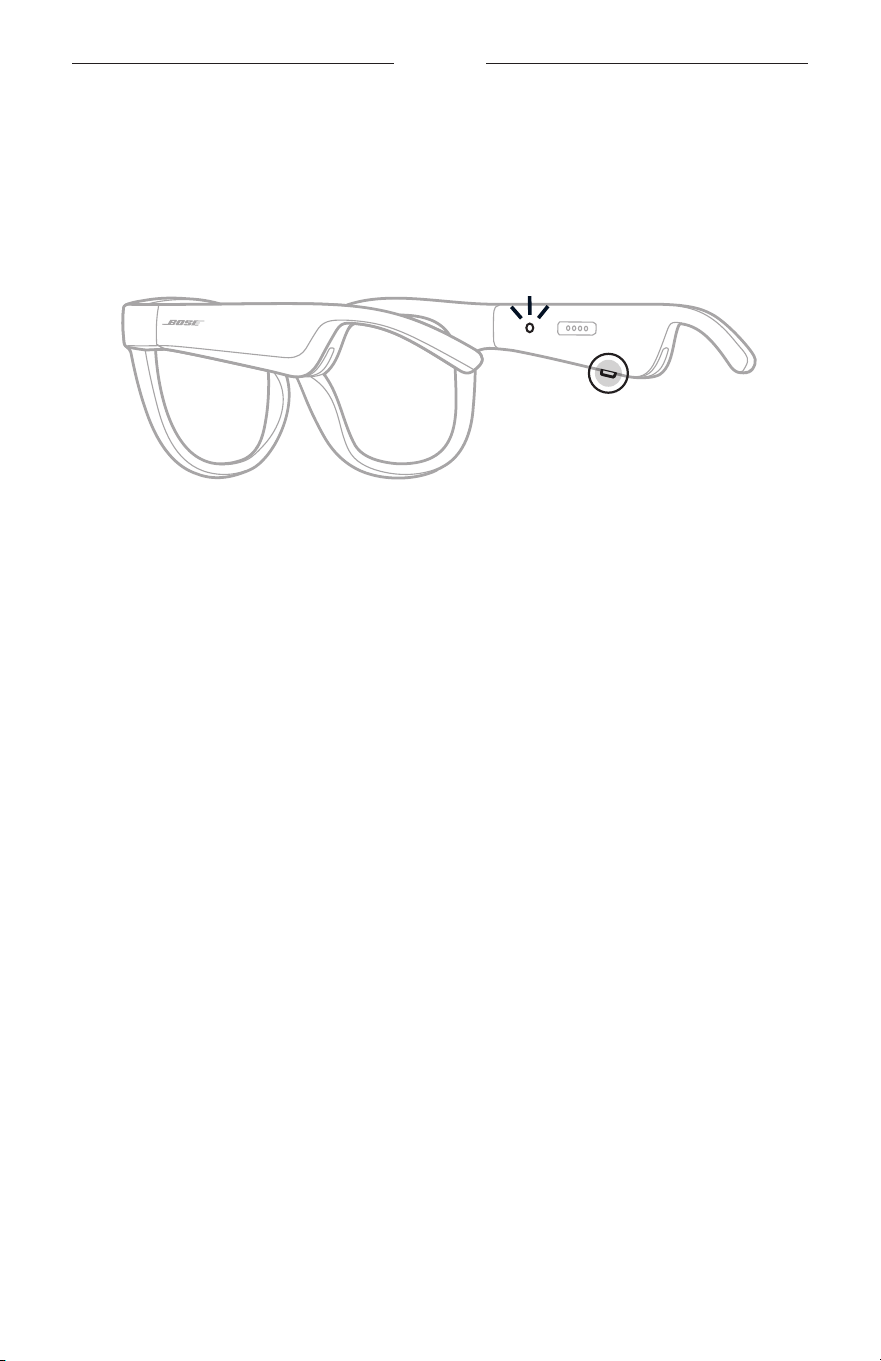
Press the button on the right temple.
The status light blinks white twice then glows according to the Bluetooth connection
status (see page 22). A voice prompt announces the battery level and Bluetooth
connection status.
NOTE: The frames ship with a partial charge and may need to wake up before first
time use. To wake up the frames, connect the frames to power for 2 seconds
and then disconnect (see page 21). After, try powering on again.
17
|
ENG
POWER
POWER OFF
Press and hold the button until you hear a tone.
The status light blinks white twice then fades to black.
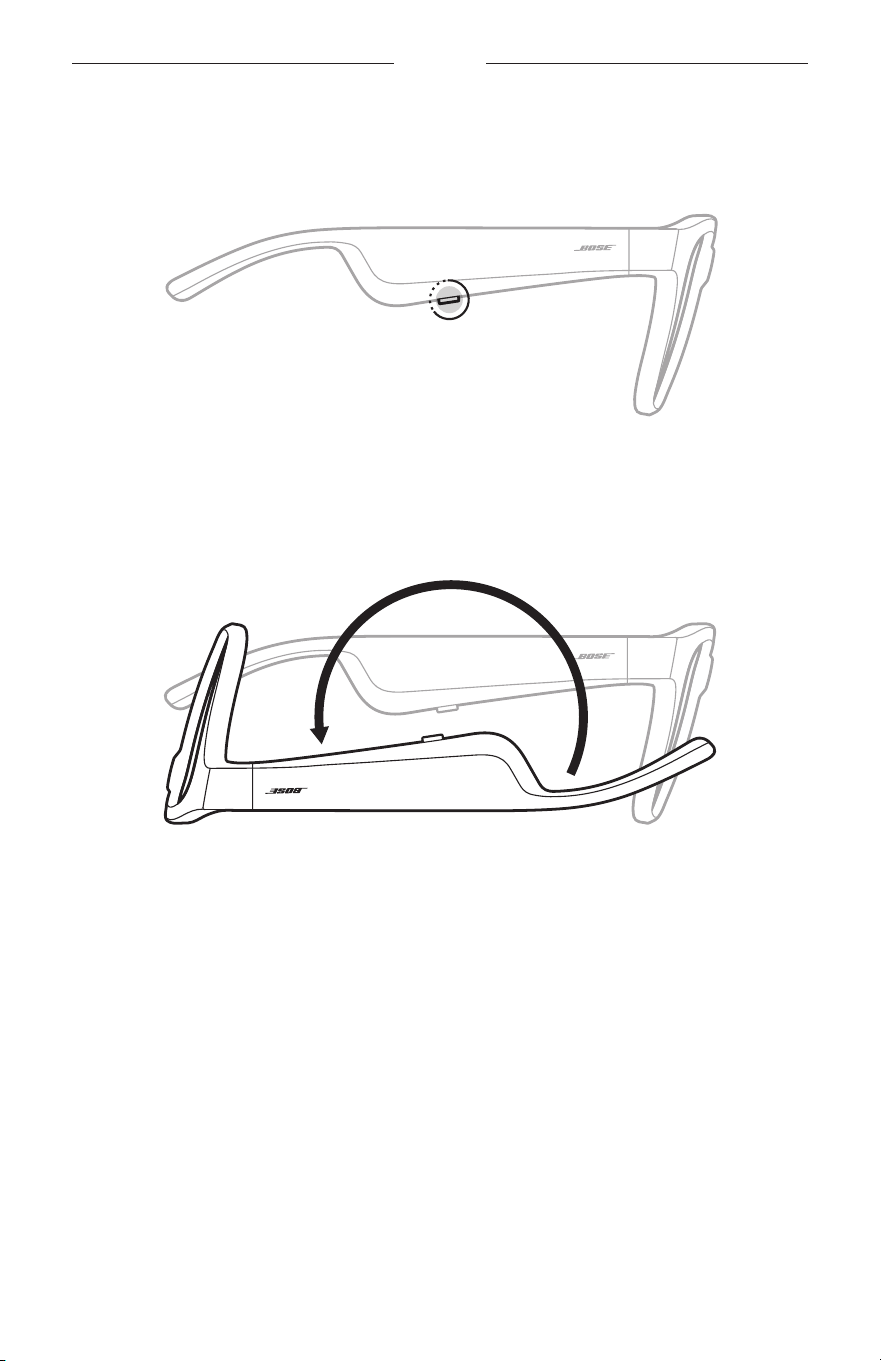
Flip-to-O
Flip the frames upside down for 2 seconds.
The status light blinks white twice then fades to black.
NOTE:
• After the frames power o, you can move them in any orientation.
• You can disable Flip-to-O in the Bose Music app. You can access this option from
the Settings menu.
Auto-o using motion detection
The frames use motion detection to identify when they aren’t being used. When the
frames haven’t moved for 10 minutes, they automatically power o.
NOTE: You can disable Motion Detection in the Bose Music app. You can access this
option from the Settings menu.
18
|
ENG
FRAMES CONTROLS
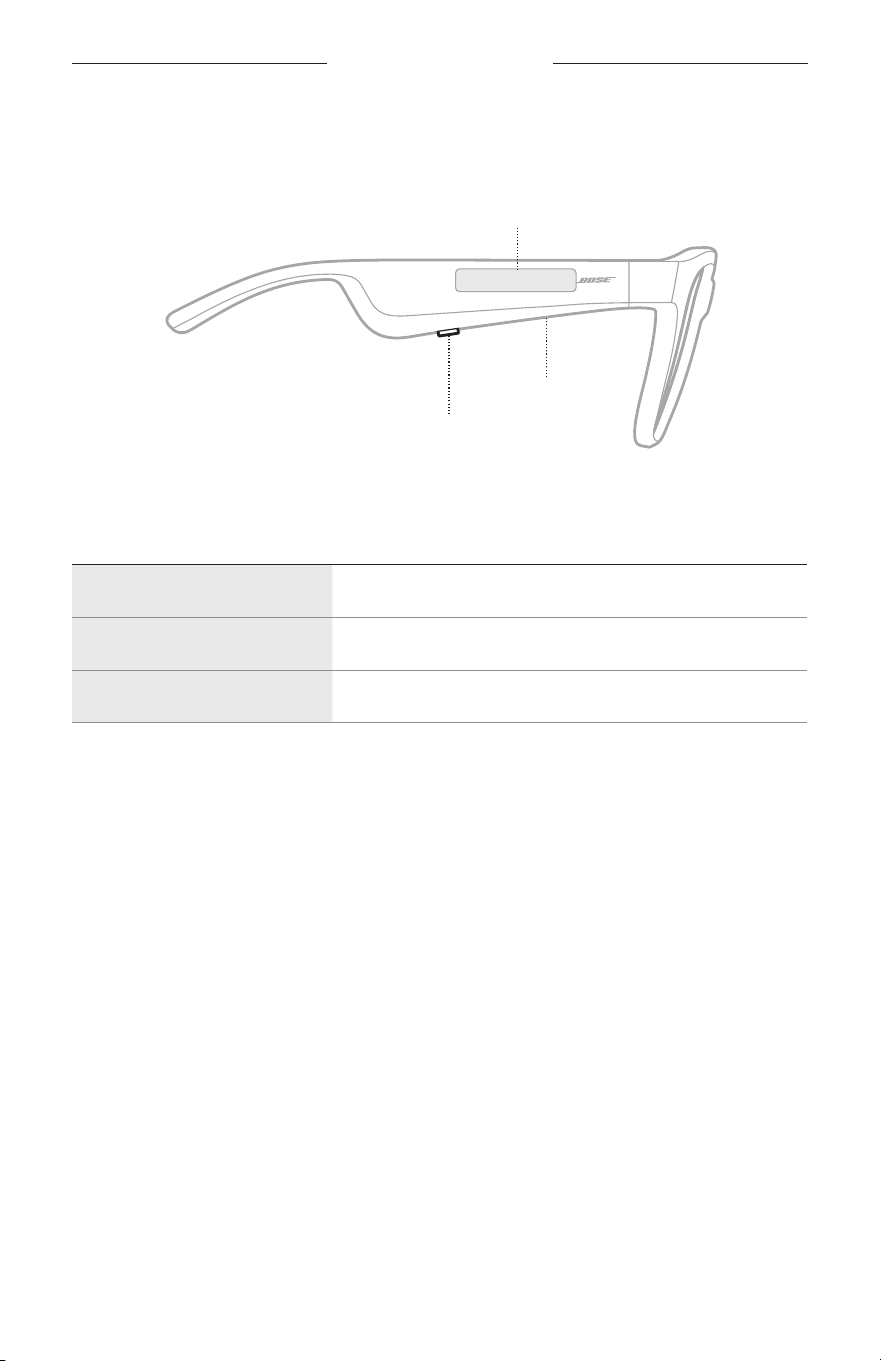
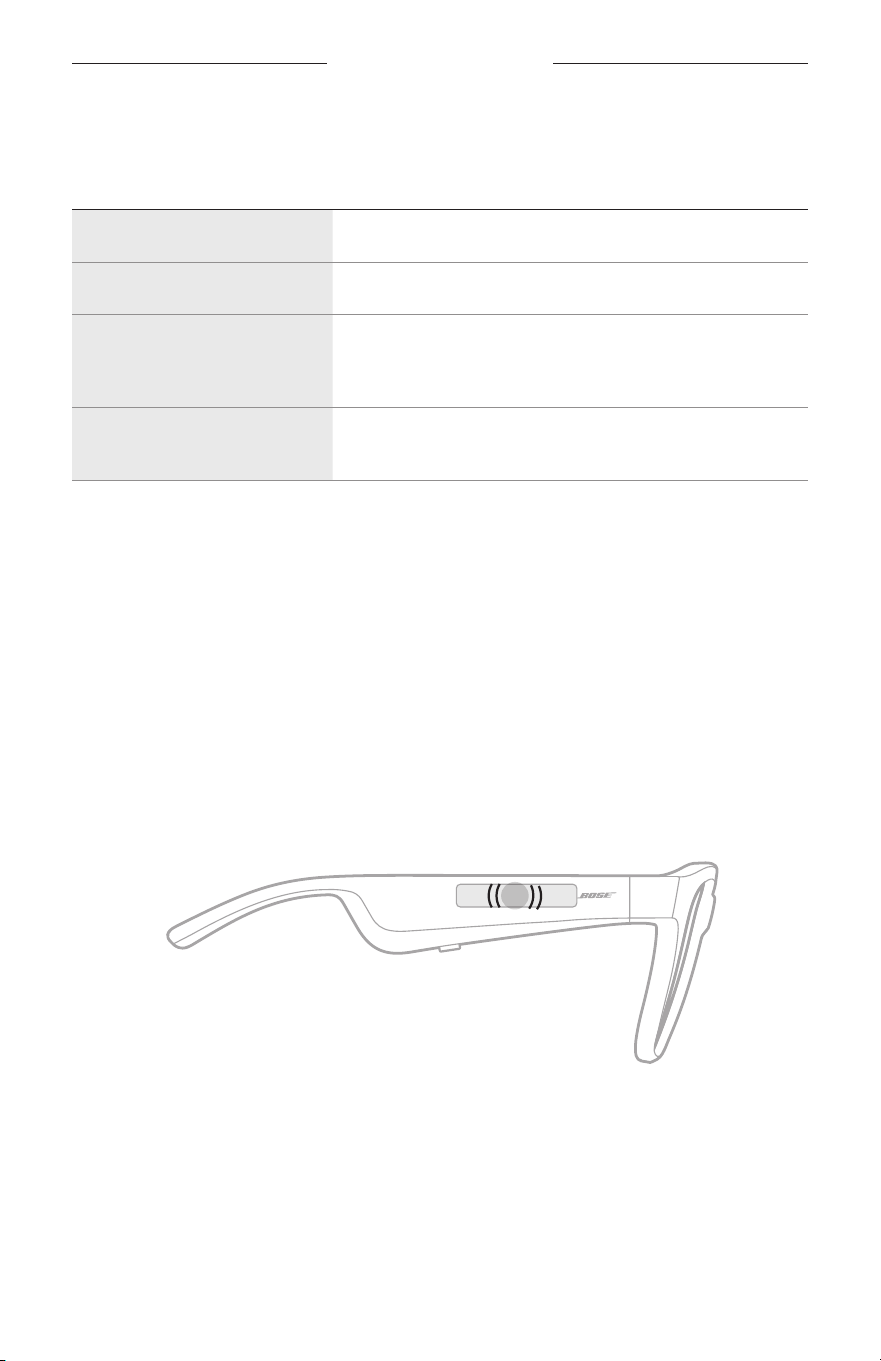
Use the button and touch surface on the right temple to control media playback,
volume, phone calls, and voice control.
Button
Control media playback
Control phone calls
Microphone
Touch surface
Adjust volume
Access voice control
MEDIA PLAYBACK
CONTROL WHAT TO DO
Play/Pause Press the button.
Skip forward Double-press the button.
Skip backward Triple-press the button.
19
|
ENG
FRAMES CONTROL
VOLUME
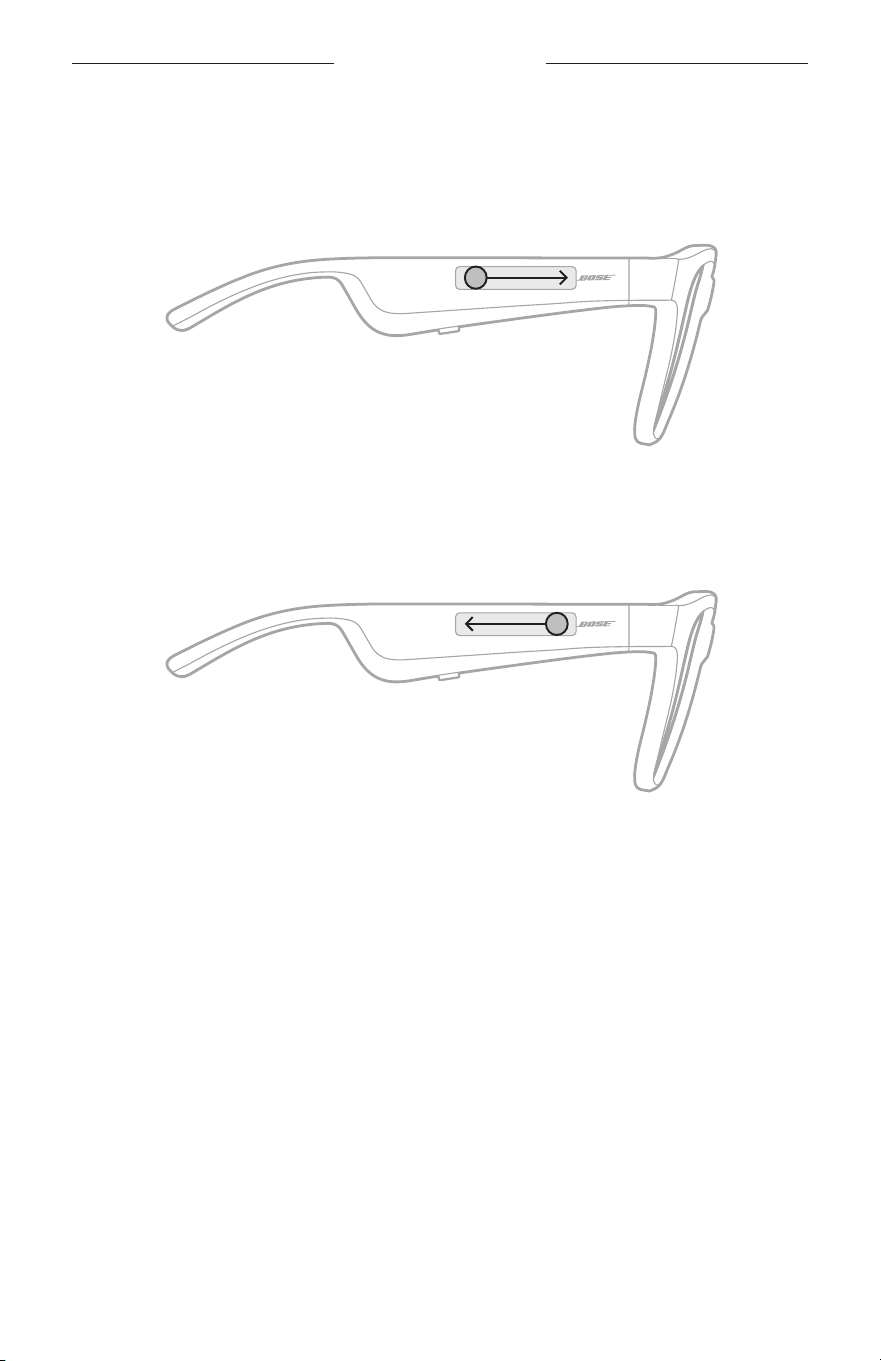
Increase volume
Swipe forward on the touch surface.
NOTE: You hear a tone when the volume reaches the maximum level.
Decrease volume
Swipe backward on the touch surface.
NOTE: You hear a tone when the volume reaches the minimum level.
FRAMES CONTROLS
20
|
ENG
PHONE CALLS
CONTROL WHAT TO DO
Answer/End a call Press the button.
Decline an incoming call Double-press the button.
Answer a second incoming
call and put the current call
on hold
While on a call, press the button.
Decline a second incoming call
and stay on the current call
While on a call, double-press the button.
NOTE: To use all phone call controls, run available software updates in the
Bose Music app.
Call notifications
A voice prompt announces incoming callers and call status.
ACCESS VOICE CONTROL
The frames microphone acts as an extension of the microphone in your mobile device.
Using the touch surface on the right temple, you can access the voice control
capabilities on your device to make/take calls or ask Siri or your Google Assistant to
play music, tell you the weather, give you the score of a game, and more.
Double-tap the touch surface to access voice control on your device.
2x
You hear a tone when voice control is active.
21
|
ENG
BATTERY
CHARGE THE FRAMES
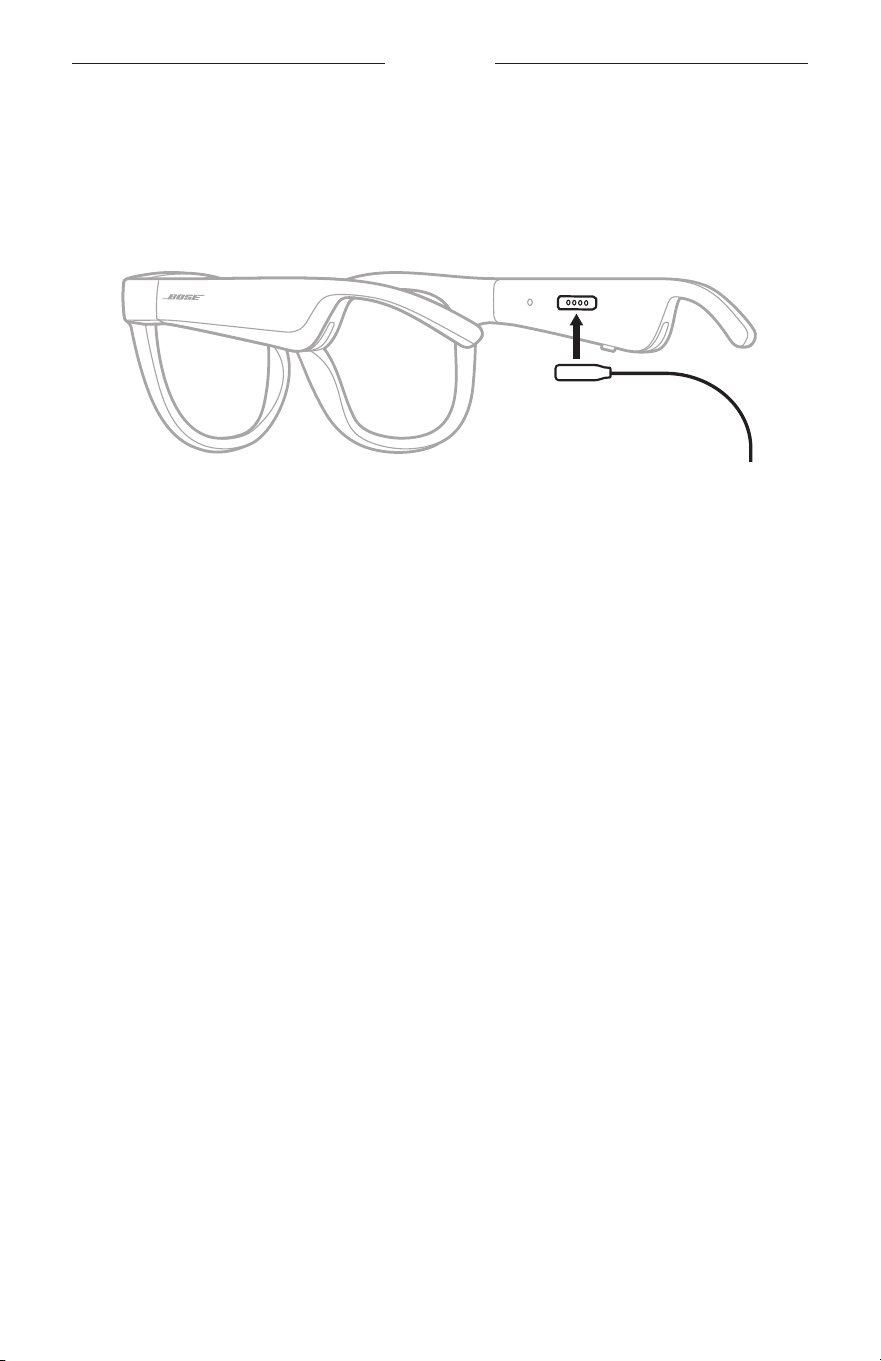
1. Align the pins on the charging cable with the charging port on the right temple.
NOTE: The pins must be correctly oriented with the charging port to successfully
charge the frames.
2. Lightly press the pins against the charging port until they magnetically snap
into place.
3. Connect the other end to a USB-A wall charger (not provided).
CAUTION: Use this product only with an agency-approved power supply that
meets local regulatory requirements (e.g., UL, CSA, VDE, CCC).
While charging, the status light blinks white. When the battery is fully charged, the
status light glows solid white (see page 23).
NOTES:
• The frames don’t play audio while charging.
• Don’t wear the frames while charging.
CHECK THE FRAMES BATTERY LEVEL
Hear battery notifications
Each time you power on the frames, a voice prompt announces the battery level.
While using the frames, a voice prompt announces if the battery needs to be charged.
View the battery level
• Check the home screen in the Bose Music app.
• When the status light blinks red, the frames need to be charged.
22
|
ENG
FRAMES STATUS
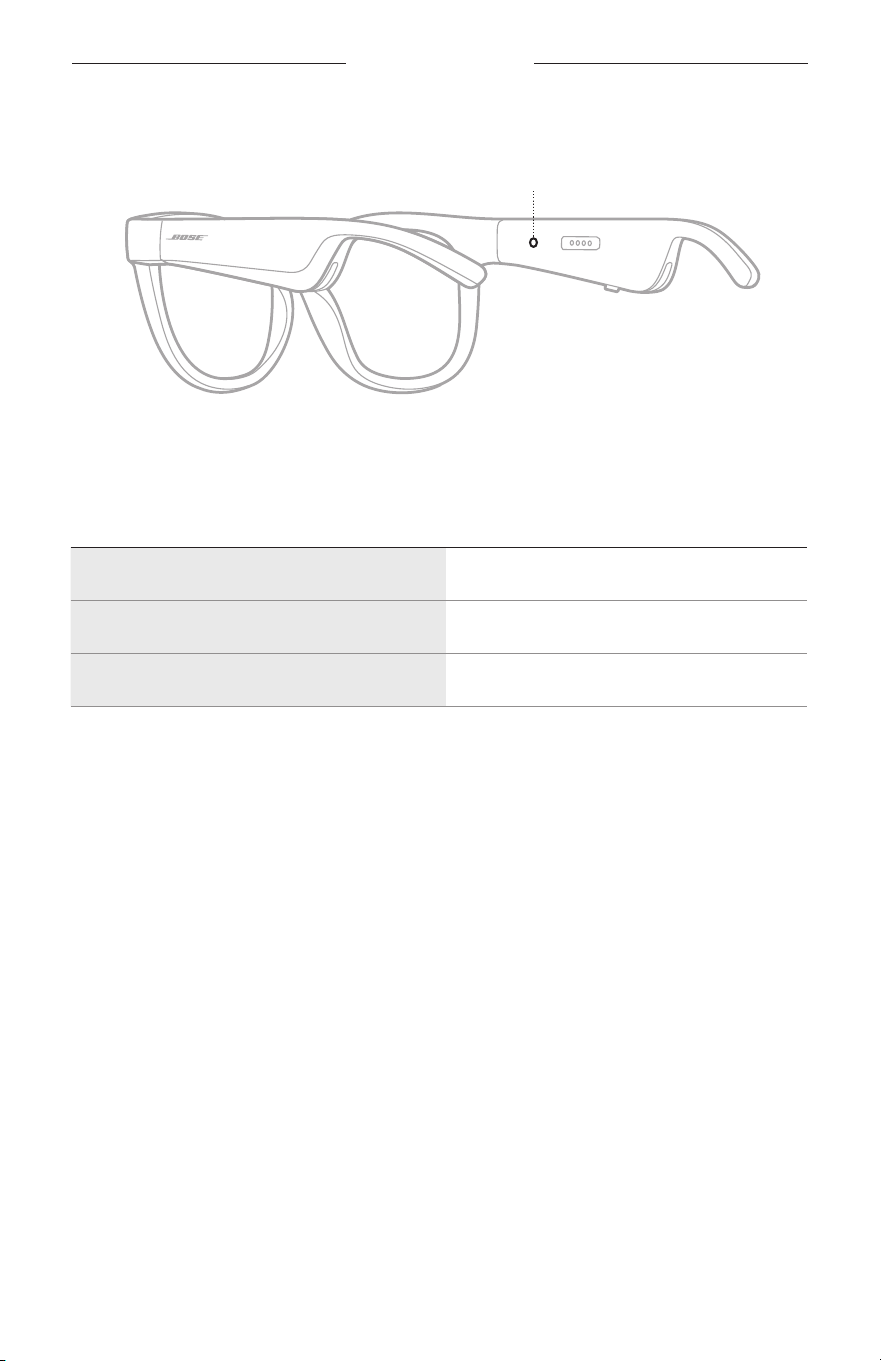
The frames status light is located on the inside of the right temple.
Status light
BLUETOOTH CONNECTION STATUS
Shows the Bluetooth connection status of mobile devices.
LIGHT ACTIVITY SYSTEM STATE
Slowly blinks blue Ready to connect
Quickly blinks blue Connecting
Solid blue (10 seconds) Connected
FRAMES STATUS
23
|
ENG
BATTERY STATUS
Shows the frames battery charge level.
LIGHT ACTIVITY SYSTEM STATE
Blinks red (10 seconds) Need to charge
Blinks white Charging
Solid white Full charge
ERROR STATUS
Shows the error status.
LIGHT ACTIVITY SYSTEM STATE
Blinks red and white (repeated) Error - contact Bose customer service
24
|
ENG
BLUETOOTH CONNECTIONS
CONNECT USING THE BLUETOOTH MENU ON YOUR
MOBILE DEVICE
You can store up to eight devices in the frames device list. You can connect and play
audio from only one device at a time.
NOTE: To get the best experience, set up and connect your mobile device using the
Bose Music app (see page 14).
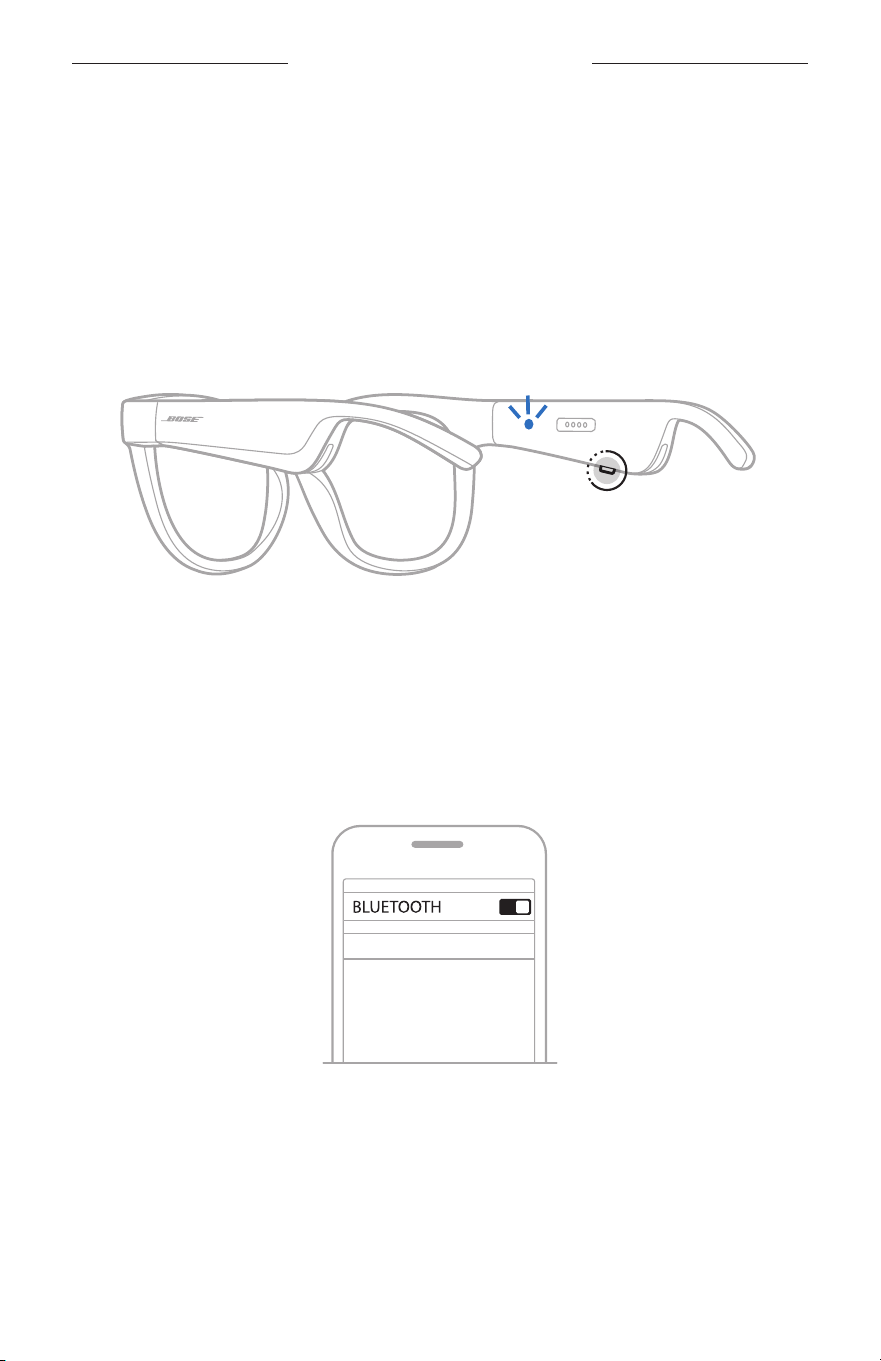
1. With the frames powered on, press and hold the button on the right temple until
you hear “Ready to connect” or see the status light blink blue.
2. On your device, enable the Bluetooth feature.
NOTE: The Bluetooth feature is usually found from the Settings menu.
3. Select your frames from the device list.
NOTE: Look for the name you entered for your frames in the Bose Music app.
If you didn’t name your frames, the default name appears.
BOSE FRAMES
Once connected, you hear “Connected to <mobile device name>” or see the status
light glow solid blue then fade to black.

25
|
ENG
BLUETOOTH CONNECTIONS
DISCONNECT A MOBILE DEVICE
Use the Bose Music app to disconnect your mobile device.
TIP: You can also use Bluetooth settings to disconnect your device. Disabling the
Bluetooth
feature disconnects all other devices.
RECONNECT A MOBILE DEVICE
When powered on, the frames try to connect with the most
recently-connected device.
NOTE: The device must be within range (30 ft or 9 m) and powered on.
CLEAR THE FRAMES DEVICE LIST
1. With the frames powered on, press and hold the button on the right temple for
10 seconds until you hear “Bluetooth device list cleared” or see the status light
blink blue.
2. Delete your frames from the Bluetooth list on your device.
All devices are cleared, and the frames are ready to connect.
26
|
ENG
CARE AND MAINTENANCE
STORE THE FRAMES
The frames collapse for easy, convenient storage.
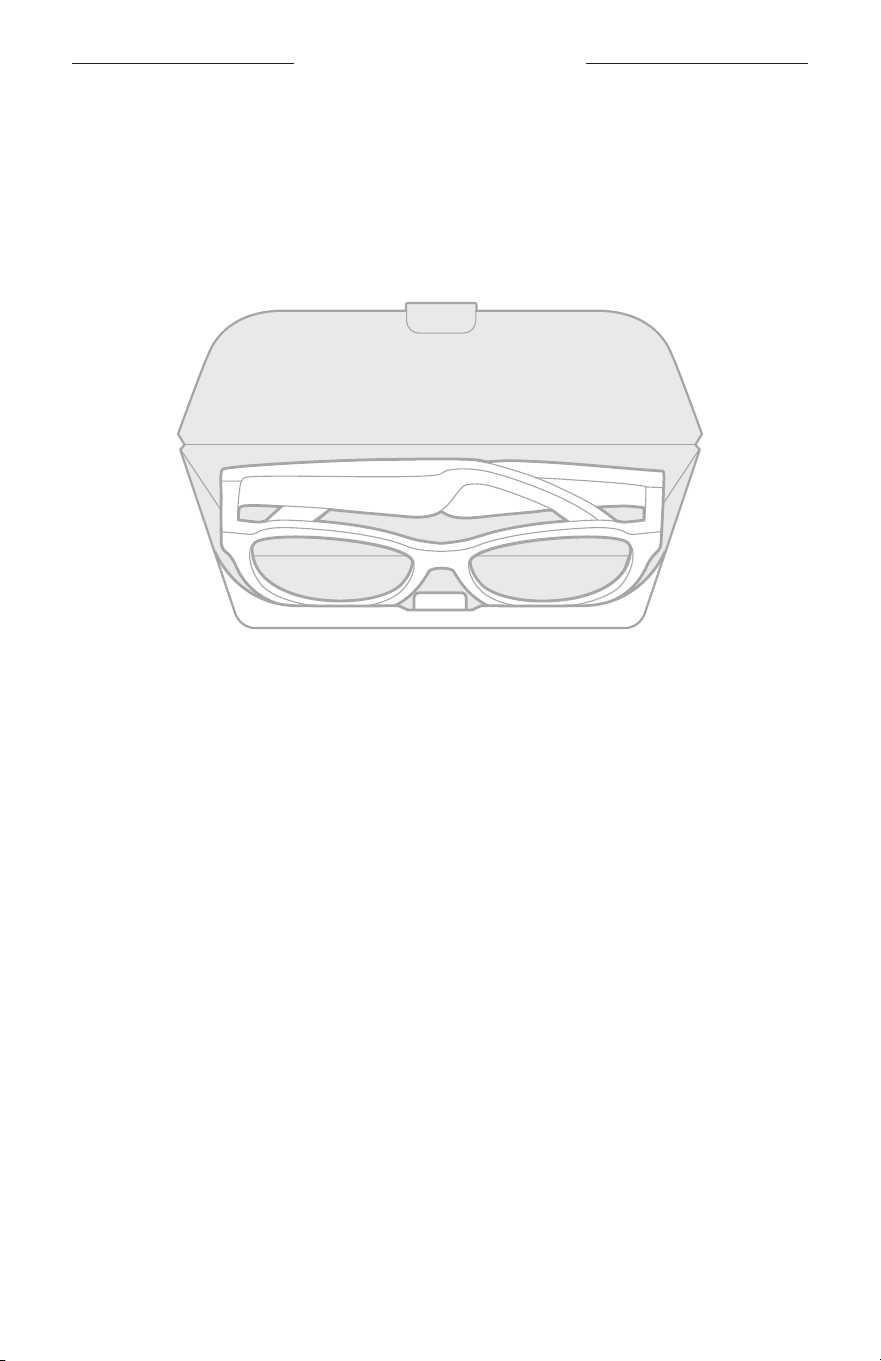
1. Fold the temples inward towards the lenses so the temples lay flat.
2. Place the frames in the case with the lenses facing towards the front of the case.
NOTES:
• Make sure to power o the frames when not in use.
• Before storing the frames for more than a few months, make sure the battery is
fully charged.

27
|
ENG
CARE AND MAINTENANCE
MAINTAIN THE FRAMES
After each use, wipe both sides of the lenses and all parts of the frame with the pro-
vided cleaning cloth or a dry cloth.
CAUTIONS:
• Do NOT use any sprays near the frames.
• Do NOT use any solvents, chemicals, or cleaning solutions containing alcohol,
ammonia, or abrasives.
• Do NOT allow liquids to spill into any openings.
28
|
ENG
CARE AND MAINTENANCE
REPLACEMENT PARTS AND ACCESSORIES
Replacement parts and accessories can be ordered through Bose customer service.
Visit: worldwide.Bose.com/Support/Soprano
worldwide.Bose.com/Support/Tenor
NOTE: For information about how to replace lenses, refer to the instructions
provided with your lens accessories.
LIMITED WARRANTY
The frames are covered by a limited warranty. Visit our website at
global.Bose.com/warranty for details of the limited warranty.
To register your product, visit global.Bose.com/register for instructions.
Failure to register will not aect your limited warranty rights.
SERIAL AND MODEL/REFERENCE NUMBER LOCATIONS
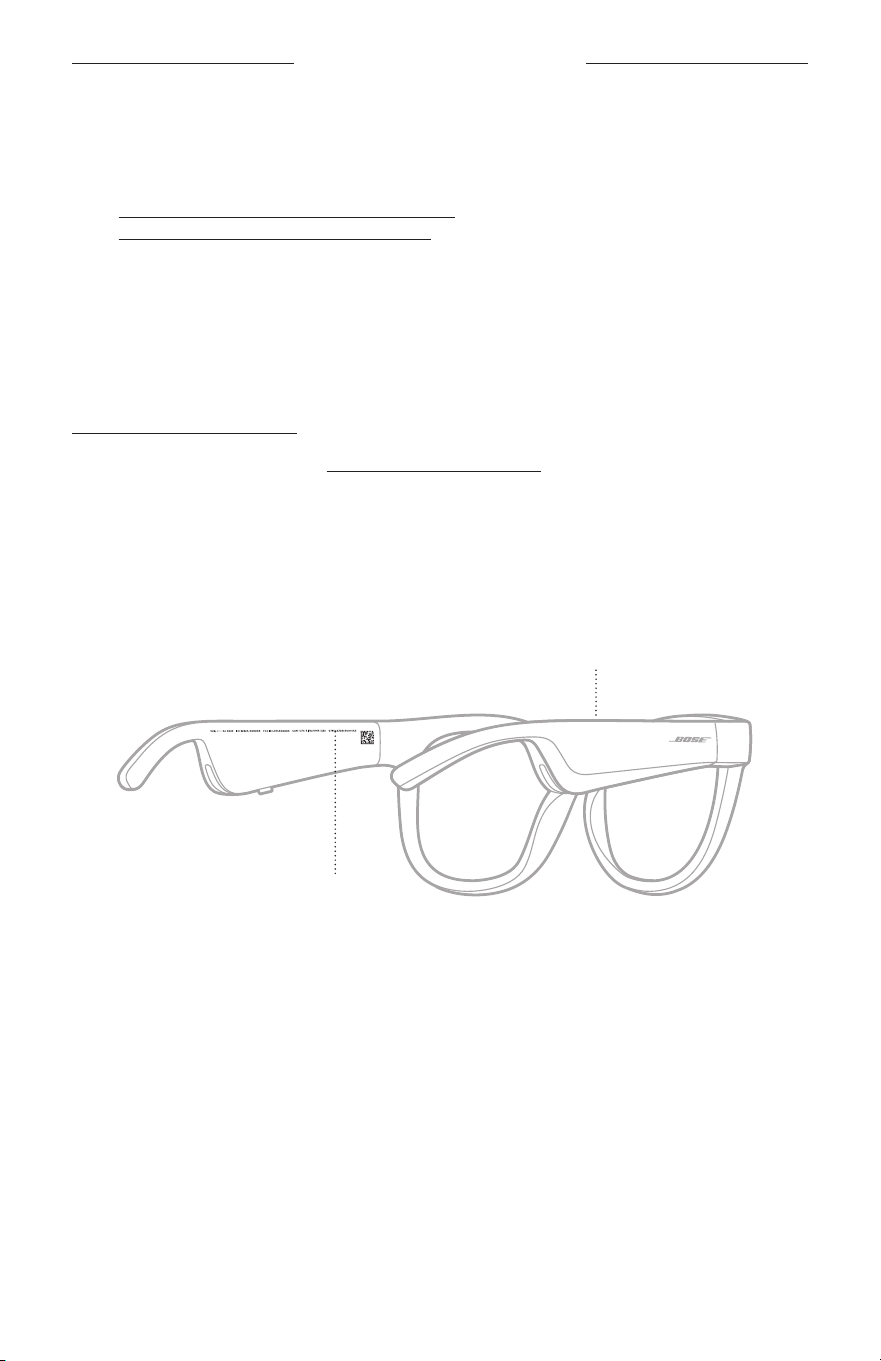
The serial number is located on the inner left temple, and the model/reference number
is located on the inner right temple.
Serial number
Model/reference number

29
|
ENG
TROUBLESHOOTING
TRY THESE SOLUTIONS FIRST
If you experience problems with the frames:
• Power on the frames (see page 16).
• Connect the frames to power for 2 seconds and then disconnect (see page 21).
• Charge the battery (see page 21).
• Check the state of the status lights (see page 22).
• Make sure your mobile device supports Bluetooth connections.
• Download the Bose Music app and run available software updates.
• Increase the volume on the frames, your mobile device, and/or your
audio/streaming app.
• Connect another mobile device (see page 24).
OTHER SOLUTIONS
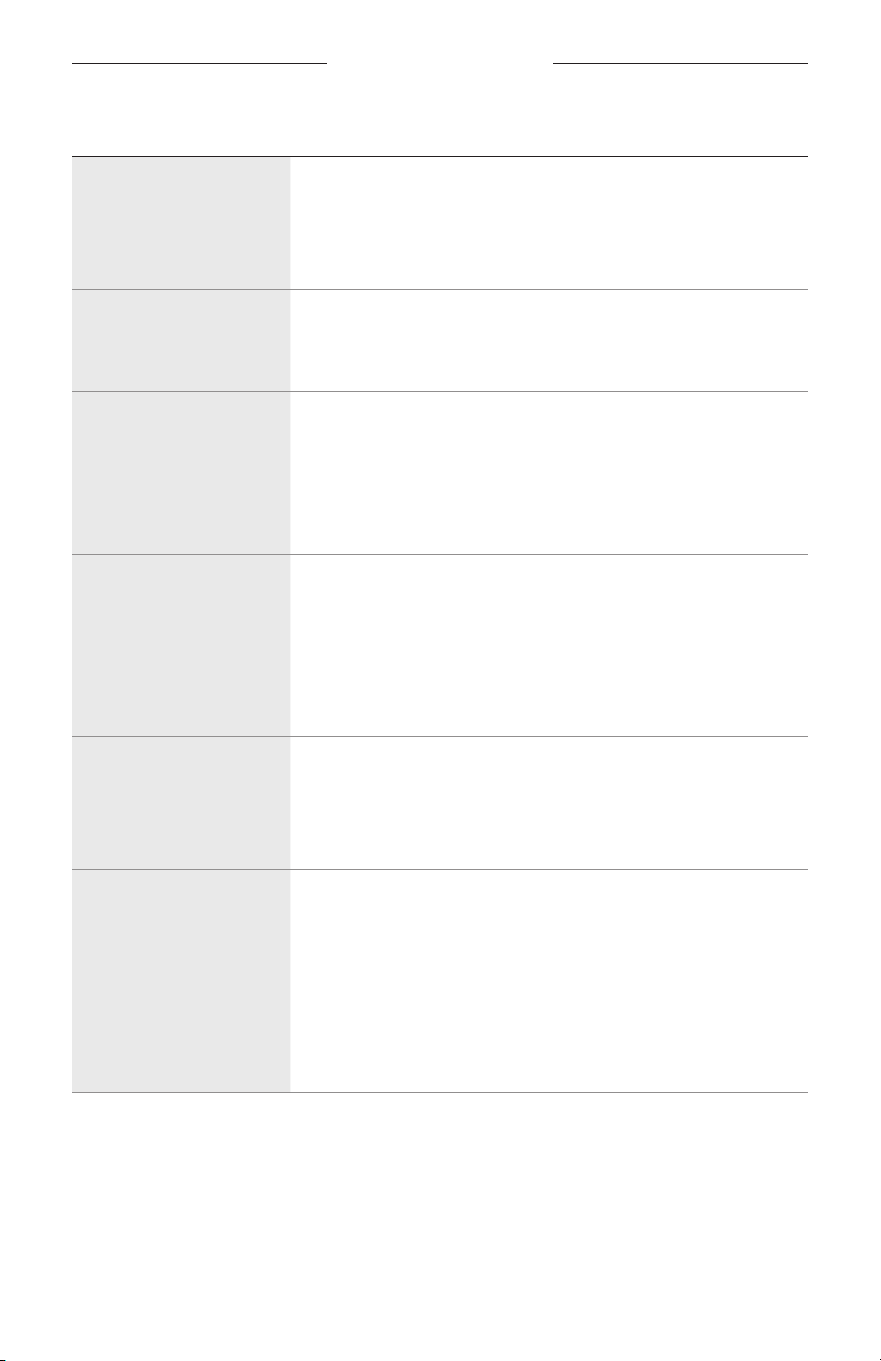
If you could not resolve your issue, see the table below to identify symptoms and
solutions to common problems. If you are unable to resolve your issue, contact
Bose customer service.
Visit: worldwide.Bose.com/Contact
PROBLEM WHAT TO DO
Frames don’t connect
with mobile device
On your device:
• Turn the Bluetooth feature o and then on.
• Delete the frames from the Bluetooth list on your device.
Connect again (see page 24).
Move your device closer to the frames and away from any
interference or obstructions.
Connect a dierent mobile device (see page 24).
To see how-to videos, visit: worldwide.Bose.com/Support/Tenor
or worldwide.Bose.com/Support/Soprano
Clear the frames device list (see page 25). Connect again.
Bose Music app doesn’t
work on device
Make sure the Bose Music app is compatible with your device.
Uninstall the Bose Music app on your device then reinstall
the app (see page 14).
30
|
ENG
TROUBLESHOOTING
PROBLEM WHAT TO DO
Bose Music app can’t
find frames
Power on the frames (see page 16).
Press and hold the button on the right temple until you hear
“Ready to connect” or see the status light blink blue.
In the Bose Music app, run available software updates.
Intermittent Bluetooth
connection
Clear the frames device list (see page 25). Connect again
(see page 24).
Move the mobile device closer to the frames.
No sound
Press play on your mobile device to make sure audio is playing.
Move your device closer to the frames and away from any
interference or obstruction.
Use a dierent music source.
Connect a dierent device (see page 24).
Poor sound quality
Use a dierent music source.
Connect a dierent mobile device.
Move the device closer to the frames and away from any
interference or obstructions.
Turn o any audio enhancement features on your device or your
audio/streaming app.
Microphone isn’t picking
up sound
Make sure the microphone opening on the right temple is
not blocked.
Try another phone call.
Try another compatible device.
Frames don’t charge
Make sure the pins on the charging cable are correctly aligned
with the charging port on the frames and magnetically snapped
into place.
Secure both ends of the charging cable.
If the frames have been exposed to high or low temperatures,
let the frames return to room temperature and then try
charging again.
Try a dierent USB wall charger.
TROUBLESHOOTING
31
|
ENG
PROBLEM WHAT TO DO
Frames don’t respond to
touch control
Make sure you are tapping the correct touch control surface (see
page 18).
Make sure your hands are dry.
If your hair is wet, make sure it isn’t interfering with the
touch surface.
If wearing gloves, remove them before tapping the touch
control surface.
Can’t adjust volume
Make sure you are swiping the correct touch control surface (see
page 18).
Make sure your hands are dry.
If your hair is wet, make sure it isn’t interfering with the
touch surface.
If wearing gloves, remove them before tapping the touch
control surface.
Can’t use phone
call controls
In the Bose Music app, run available software updates.
Device not responding to
button presses
In the Bose Music app, run available software updates.
For multi-press functions: vary speed of presses.
Make sure your music app supports the function.
Power o and then power on your frames.
On your device:
• Turn the Bluetooth feature o and then on.
• Delete the frames from the Bluetooth list on your device.
Connect again (see page 24).
Try another compatible device.
32
|
ENG
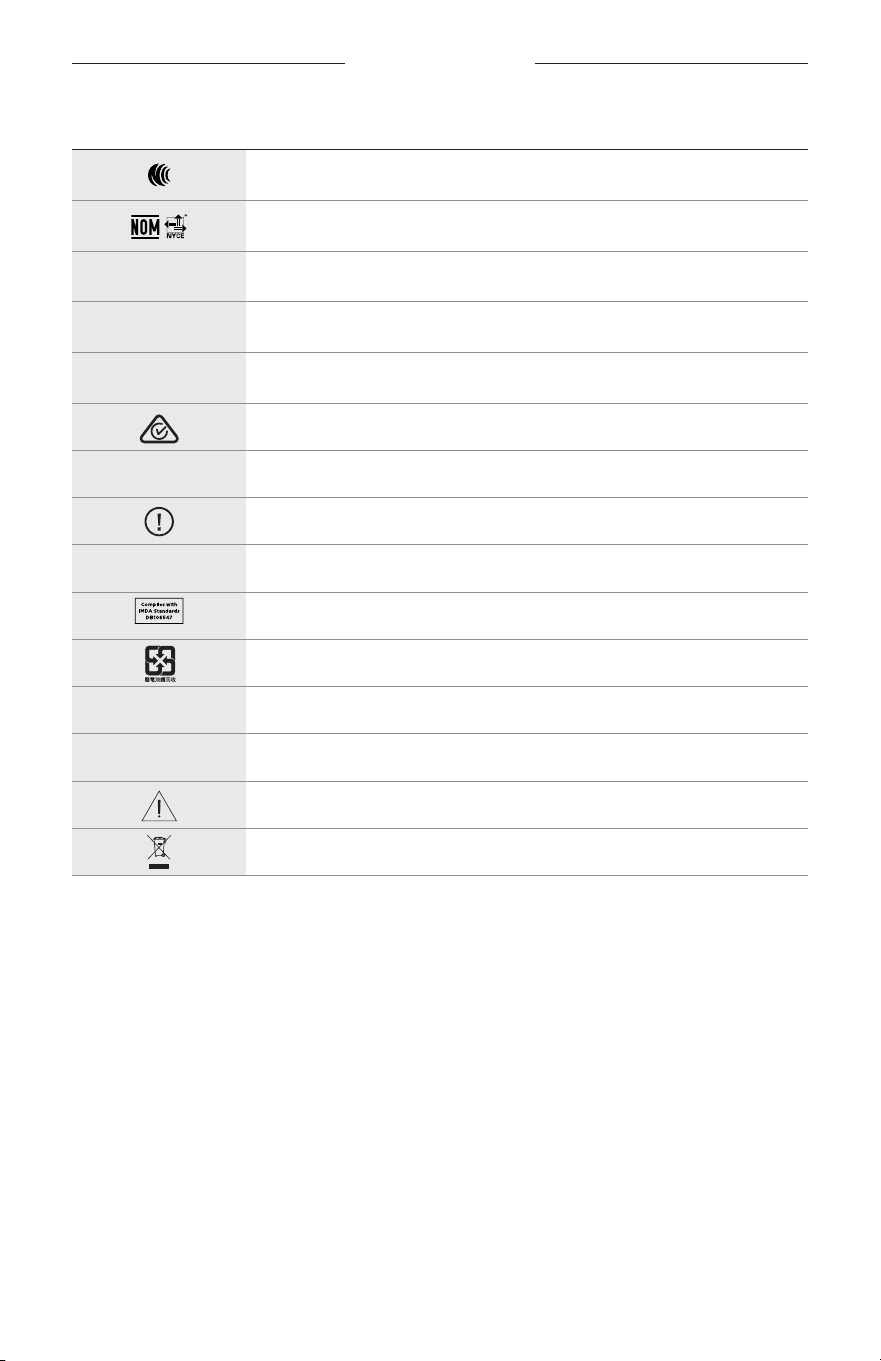
LABEL SYMBOLS
SYMBOLS AND DESCRIPTIONS
SYMBOL DESCRIPTION
Bluetooth
CE certification mark
Choking hazard
h
Catalogue number
China ROHS battery
w
Customer support
N
Date of manufacture
X
Documentation
L
Do not use if package is damaged
C
Does not contain latex
s
Downloads
Energy eciency verification
FCC certification
o
Forum
h
High protection against sunglare
Green Dot trademark symbol
Japan battery recycling
KCC certification
p
Keep dry
Magnetic interference
M
Manufacturer
LABEL SYMBOLS
33
|
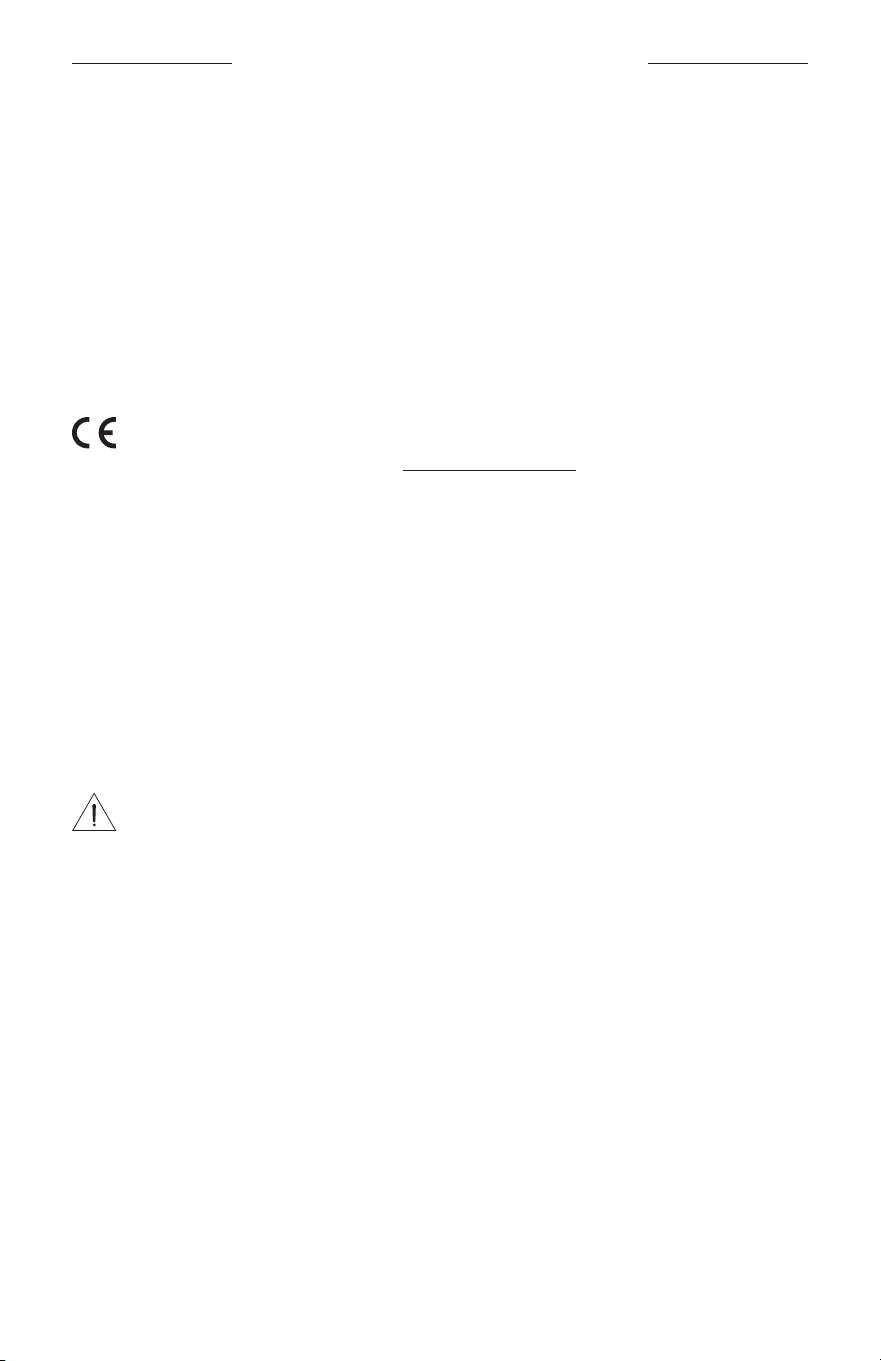
ENG
SYMBOL DESCRIPTION
NCC certification
NOM NYCE certification
d
Non-sterile
I
NOT SUITABLE FOR DRIVING IN TWILIGHT OR AT NIGHT
m
Phone
Regulatory compliance mark
A
Refer to instructions for use
Security information
f
Serial number
Singapore IMDA compliance
Taiwan battery recycling
l
Temperature limit
W
Videos
Warnings/Cautions
Waste of electrical and electronic equipment directive symbol
VIGTIGE SIKKERHEDSINSTRUKTIONER
2
|
DAN
Indikationer for brug
Solbriller (receptfrie) er enheder, der består af brillestel eller clips med absorberende, reflekterende, tonede,
polariserende eller lysfølsomme glas, som er beregnet til at bæres af en person for at beskytte øjnene mod kraftigt
sollys, men ikke til at give nogen brydningskorrektioner. Denne enhed kan købes i håndkøb.
A
Se brugsanvisningen.
Læs og opbevar alle sikkerheds- og brugsinstruktioner.
Vigtige sikkerhedsinstruktioner
Bose Corporation erklærer hermed, at dette produkt stemmer overens med de væsentlige krav og andre
relevante bestemmelser i direktiv 2014/53/EU og alle andre krav i EU-direktiver. Den fulde
overensstemmelseserklæring kan findes på: www.Bose.com/compliance
1. Læs disse instruktioner.
2. Gem disse instruktioner.
3. Ret dig efter alle advarsler.
4. Følg alle instruktioner.
5. Anvend ikke dette apparat i nærheden af vand.
6. Rengør kun med en tør klud.
7. Brug kun tilslutningsudstyr/tilbehør, der er angivet af producenten.
8. Afbryd strømmen til apparatet under tordenvejr, eller når det står ubrugt i lang tid.
9. Overlad al service til kvalificeret servicepersonale. Et serviceeftersyn er påkrævet, når apparatet på nogen måde
er beskadiget, hvis f.eks. netledningen eller stikket er beskadiget, der er blevet spildt væske, eller der er kommet
objekter ind i apparatet, hvis apparatet er blevet udsat for regn eller fugt, ikke virker normalt eller er blevet tabt.
ADVARSLER/FORSIGTIGHEDSFORHOLDSREGLER
• Brug IKKE solbrillerne ved høj lydstyrke igennem længere tid.
– For at undgå høreskader skal du bruge solbrillerne med et behageligt, moderat lydstyrkeniveau.
– Skru ned for lydstyrken på din enhed, før du tager solbrillerne på eller placerer dem tæt på dine ører.
Skruderefter gradvist op, indtil du når et behageligt lydniveau.
• Vær forsigtig, når du kører bil, og overhold de relevante love for brug af mobiltelefoner.
• Fokuser på din og andres sikkerhed, hvis du bruger solbrillerne, mens du er i gang med en aktivitet, der kræver din
opmærksomhed, f.eks. når du kører på cykel eller bevæger dig i nærheden af trafik, en byggeplads eller jernbanen
osv. Fjern solbrillerne, eller skru ned for lydstyrken for at sikre, at du kan høre omgivende lyde, inklusive alarmer og
advarselssignaler.
• Brug IKKE solbrillerne, hvis de udsender høj, unormal støj. Hvis det sker, skal du slukke solbrillerne og kontakte
Boses kundeservice.
• Nedsænk eller udsæt IKKE solbrillerne for vand igennem en længere periode, og brug ikke solbrillerne, når du
deltager i vandsport, f.eks. svømning, vandski, surfing osv.
• Fjern solbrillerne med det samme, hvis du føler varme, eller hvis lyden forsvinder.

VIGTIGE SIKKERHEDSINSTRUKTIONER
3
|
DAN
Indeholder små dele, som kan udgøre en kvælningsfare. Egner sig ikke til børn under 3 år.
Dette produkt indeholder magnetisk materiale. Kontakt din læge for at finde ud af, om dette kan påvirke din
implanterbare medicinske enheds funktion.
• Dette produkt må IKKE udsættes for regn eller fugt af hensyn til risikoen for brand eller elektrisk stød.
• Udsæt IKKE dette produkt for dryp eller stænk, og placer ikke genstande, der er fyldt med væske, på eller nær
ved produktet.
• Hold altid produktet væk fra ild og andre varmekilder. Placer IKKE nogen form for åben ild (f.eks. stearinlys) på eller
tæt ved produktet.
• Foretag IKKE nogen uautoriserede ændringer af produktet.
• Må kun bruges med en godkendt strømforsyning, der overholder de lokale love og regler (f.eks. UL, CSA, VDE, CCC).
• Udsæt ikke produkter, der indeholder batterier, for voldsom varme (f.eks. ved opbevaring i direkte sollys,
brandeller lignende).
• Bær IKKE solbrillerne under opladning.
• Efter hver brug skal du tørre begge sider af glassene og alle dele af solbrillerne af med den medfølgende klud eller
med en tør klud.
OPLYSNINGER OM REGLER OG LOVE
4
|
DAN
BEMÆRK: Dette udstyr er testet og det er blevet konstateret, at det overholder grænseværdierne for en digital
enhed i Klasse B i henhold til afsnit 15 i FCC-reglerne. Disse grænser er udviklet til at yde rimelig beskyttelse mod
skadelig interferens i en privat installation. Dette udstyr genererer, bruger og kan udstråle radiofrekvensenergi,
ogkan – hvis det ikke installeres og bruges i overensstemmelse med instruktionerne – forårsage skadelig interferens i
forbindelse med radiokommunikation. Dette garanterer dog ikke, at der ikke kan forekomme interferens i en bestemt
installation. Hvis dette udstyr forårsager skadelig interferens i forbindelse med radio- og tv-modtagelsen, hvilket kan
kontrolleres ved at slukke og tænde for udstyret, opfordres brugere til at forsøge at eliminere interferensen ved hjælp
af en eller flere af følgende fremgangsmåder:
• Ret modtageantennen i en anden retning, eller flyt antennen.
• Skab større afstand mellem udstyret og modtageren.
• Tilslut udstyret til en stikkontakt på et andet kredsløb end det, som modtageren er tilsluttet.
• Kontakt forhandleren eller en radio/tv-tekniker for at få hjælp.
Ændringer eller modifikationer, der ikke udtrykkeligt er godkendt af Bose Corporation, kan ophæve brugerens ret til
at betjene dette udstyr.
Denne enhed overholder del 15 i FCC-reglerne og ISED Canadas licensfritagede RSS-standard(er). Driften er underlagt
følgende to betingelser: (1) Denne enhed må ikke forårsage skadelig interferens, og (2) denne enhed skal acceptere
enhver modtaget interferens, herunder interferens, der kan forårsage uønsket drift.
Denne enhed overholder FCC’s og ISED Canadas strålingseksponeringsgrænser for befolkningen i almindelighed.
Denne sender må ikke placeres eller anvendes sammen med nogen andre antenner eller sendere.
CAN ICES-3(B)/NMB-3(B)
PPE-forordningen (EU) 2016/425
Management Regulation for Low-power Radio-frequency Devices
Artikel XII
I henhold til ”Management Regulation for Low-power Radio-frequency Devices” må ingen virksomhed, organisation
eller bruger uden tilladelse fra NCC ændre frekvensen, øge transmissionseffekten eller ændre de oprindelige
egenskaber eller ydeevnen for godkendte laveffektradiofrekvensenheder.
Artikel XIV
Laveffektradiofrekvensenhederne må ikke påvirke flysikkerheden eller forstyrre lovlig kommunikation; hvis
dette konstateres, skal brugeren øjeblikkeligt ophøre med at bruge enheden, indtil der opnås en tilstand uden
forstyrrelser. Den omtalte lovlige kommunikation vil sige radiokommunikation, der anvendes i overensstemmelse med
telekommunikationsloven.
Laveffektradiofrekvensenhederne skal kunne modtage forstyrrelser fra lovlig kommunikation eller enheder,
derudsender ISM-radiobølger.
Europa:
Frekvensbåndets driftsområde er 2400 til 2483,5 MHz.
Maksimal sendeeffekt mindre end 20 dBm EIRP.
Den maksimale sendeeffekt er under de grænser, reglerne fastsætter. SAR-test er derfor ikke nødvendigt og er
undtaget i henhold til de gældende regler.
Dette symbol betyder, at produktet ikke må smides ud som husholdningsaffald og bør indleveres til en
passende indsamlingsordning med henblik på genanvendelse. Korrekt bortskaffelse og genanvendelse
bidrager til at beskytte naturressourcer, menneskets sundhed og miljøet. Hvis du ønsker flere oplysninger om
bortskaffelse og genanvendelse af dette produkt, kan du kontakte din kommune, dit renovationsselskab eller
den butik, hvor du har købt dette produkt.
UNDLAD forsøg på at fjerne det genopladelige litium-ion batteri fra dette produkt. Kontakt din lokale Bose-
forhandler eller en anden kvalificeret tekniker vedrørende fjernelse.
Bortskaf brugte batterier i henhold til lokale bestemmelser. Batterier må ikke brændes.
Antal: 1 EA
OPLYSNINGER OM REGLER OG LOVE
5
|
DAN
M
Fremstillet for: Bose Corporation, 100 The Mountain Road, Framingham, MA 01701
L
Må ikke bruges, hvis emballagen er beskadiget.
C
Dette produkt indeholder ikke naturlig gummilatex.
d
Dette produkt leveres ikke-sterilt.
p
l
+45 C
0 C
Tabel med begrænsninger for farlige stoffer (Kina)
Navne på og indhold af giftige eller farlige stoffer eller elementer
Giftige eller farlige stoffer og elementer
Delens navn Bly (Pb)
Kviksølv
(Hg)
Cadmium
(Cd)
Hexavalent
(CR(VI))
Polybromeret
biphenyl (PBB)
Polybromeret
diphenylether
(PBDE)
PCB'er X O O O O O
Metaldele X O O O O O
Plastikdele O O O O O O
Højttalere X O O O O O
Kabler X O O O O O
Denne tabel er oprettet i henhold til bestemmelserne i SJ/T 11364.
O: Angiver, at dette giftige eller farlige stof indeholdt i alle de homogene materialer til denne del er under
grænsekravet i GB/T 26572.
X: Angiver, at dette giftige eller skadelige stof, som findes i mindst ét af de homogene materialer, der
anvendes til denne del, er over grænsekravet i GB/T 26572.
Tabel med begrænsninger for farlige stoffer (Taiwan)
Navn på udstyr: Aktiv højttaler, typebetegnelse: 433948
Begrænsede stoffer og deres kemiske symboler
Enhed Bly (Pb) Kviksølv (Hg) Cadmium (Cd)
Hexavalent krom
(Cr+6)
Polybromerede
biphenyler (PBB)
Polybromeret
diphenylether (PBDE)
PCB'er
- ○ ○ ○ ○ ○
Metaldele
- ○ ○ ○ ○ ○
Plastikdele
○ ○ ○ ○ ○ ○
Højttalere
- ○ ○ ○ ○ ○
Kabler
- ○ ○ ○ ○ ○
Bemærkning 1:
“○” angiver, at indholdet af det begrænsede stofs procentindhold ikke overstiger procentdelen af referenceværdien
for tilstedeværelsen.
Bemærkning 2: “−” angiver, at den begrænsede stof svarer til undtagelsen.

OPLYSNINGER OM REGLER OG LOVE
6
|
DAN
Dette produkt overholder ANSI Z80.3, AS/NZS 1067.1 og EN ISO 12312-1.
Det anbefales ikke at bære tonede briller ved bilkørsel om natten.
I
IKKE EGNET TIL KØRSEL I TUSMØRKE ELLER OM NATTEN. IKKE EGNET TIL KØRSEL OM NATTEN ELLER I
SVAGT LYS.
Produktet er designet til at blokere mere end 99 % UVA- og UVB-lysenergi. Dette produkt stemmer overens med
ANSI Z80.3.
Kun glas, der er godkendt af Bose, bør anvendes sammen med Frames Soprano- eller Frames Tenor-produkterne.
Ikke til direkte observation af solen.
Ikke til beskyttelse mod kunstige lyskilder som f.eks. solarier.
Ikke til anvendelse som øjenbeskyttelse mod farer for mekaniske slag.
Når du ikke bruger produktet, skal du opbevare det i det medfølgende etui.
EU-FILTERKATEGORI: ISO 12312-1 KAT. 3
AUSTRALSK GLASKATEGORI: 1067.1 KAT. 3
h
Disse solbriller giver et højt niveau for reduktion af solskin og god UV-beskyttelse.
UV-klassificering: UV 380
Bedes udfyldt og opbevaret, så du har det til rådighed
Solbrillernes serienummer er placeret på den venstre brillestang, og model-/referencenummeret er placeret på
den højre brillestang.
Serienummer: ____________________________________________________________________
Modelnummer: ____________________________________________________________________
Opbevar kvitteringen sammen med brugervejledningen. Dette er et godt tidspunkt til at registrere dit Bose-
produkt. Du kan nemt gøre det ved at gå til global.Bose.com/register
N
Fremstillingsdato: Det ottende ciffer i serienummeret angiver fremstillingsåret: ‘‘0’’ er 2010 eller 2020.
Importør i Kina: Bose Electronics (Shanghai) Company Limited, Part C, Plant 9, No. 353 North Riying Road,
Kina(Shanghai) Pilot Free Trade Zone
Importør i EU: Bose Products B.V., Gorslaan 60, 1441 RG Purmerend, Holland
Importør i Taiwan: Bose Taiwan Branch, 9F-A1, No.10, Section 3, Minsheng East Road, Taipei City 104, Taiwan
Telefonnummer: +886-2-2514 7676
Importør i Mexico: Bose de México, S. de R.L. de C.V., Paseo de las Palmas 405-204, Lomas de Chapultepec,
11000México, D.F. Telefonnummer: +5255 (5202) 3545
Inputklassifikation: 5 V p 500 mA
CMIIT-id’et er placeret på indersiden af den forreste brillestang.
h
BMD0011
OPLYSNINGER OM REGLER OG LOVE
7
|
DAN
Sikkerhedsoplysninger
Dette produkt er i stand til at modtage sikkerhedsopdateringer fra Bose automatisk, når det er tilsluttet
Bose Music-appen. For at kunne modtage sikkerhedsopdateringer via mobilappen skal du gennemføre
produktopsætningsprocessen i Bose Music-appen. Hvis du ikke gennemfører opsætningsprocessen,
hardu ansvaret for at installere sikkerhedsopdateringer, som Bose stiller til rådighed via btu.bose.com
Apple, Apple-logoet, iPad, iPhone, iPod og Siri er varemærker, der tilhører Apple Inc., og er registreret i USA og andre
lande. Varemærket ”iPhone” bruges i Japan med en licens fra Aiphone K.K. App Store er et servicemærke, der tilhører
Apple Inc.
Anvendelse af mærket Made for Apple betyder, at et tilbehør er designet til at tilsluttes specifikt til de(t)
Apple-produkt(er), som identificeres i mærket, og at det er certificeret af udvikleren til at leve op til Apples
ydelsesstandarder. Apple er ikke ansvarlig for denne enheds virkemåde eller for dens overensstemmelse med
sikkerhedsstandarder og regler.
Bluetooth®-ordmærket og -logoerne er registrerede varemærker, der ejes af Bluetooth SIG, Inc., og enhver brug af
sådanne mærker fra Bose Corporations side finder sted under licens.
Google og Google Play er varemærker, der tilhører Google LLC.
Bose, Bose Frames og Bose Music er varemærker tilhørende Bose Corporation.
Bose Corporations hovedkvarter: 1-877-230-5639
©2020 Bose Corporation. Gengivelse, ændring, distribution eller anden brug af dette dokument eller dele heraf er
forbudt uden forudgående skriftlig tilladelse.

8
|
DAN
The following license disclosures apply to certain third-party software packages used as components in the product.
Package: Nanopb
Copyright © 2011 Petteri Aimonen <jpa at nanopb.mail.kapsi.fi>. The Nanopb package is subject to the license terms
reprinted below.
Zlib license
© 2011 Petteri Aimonen <jpa at nanopb.mail.kapsi.fi>
This software is provided ‘as-is’, without any express or implied warranty. In no event will the authors be held liable
for any damages arising from the use of this software.
Permission is granted to anyone to use this software for any purpose, including commercial applications, and to alter
it and redistribute it freely, subject to the following restrictions:
1. The origin of this software must not be misrepresented; you must not claim that you wrote the original software.
If you use this software in a product, an acknowledgment in the product documentation would be appreciated
but is not required.
2. Altered source versions must be plainly marked as such, and must not be misrepresented as being the
original software.
3. This notice may not be removed or altered from any source distribution.
Package: Mbed TLS 2.16.1
© ARM Limited. All rights reserved. The Mbed TLS package is subject to the license terms reprinted below.
Apache 2.0 License
Apache License
Version 2.0, January 2004
http://www.apache.org/licenses/
TERMS AND CONDITIONS FOR USE, REPRODUCTION, AND DISTRIBUTION
1. Definitions.
“License” shall mean the terms and conditions for use, reproduction, and distribution as defined by Sections 1
through 9 of this document.
“Licensor” shall mean the copyright owner or entity authorized by the copyright owner that is granting
the License.
“Legal Entity” shall mean the union of the acting entity and all other entities that control, are controlled by, or
are under common control with that entity. For the purposes of this definition, “control” means (i) the power,
direct or indirect, to cause the direction or management of such entity, whether by contract or otherwise, or (ii)
ownership of fifty percent (50%) or more of the outstanding shares, or (iii) beneficial ownership of such entity.
“You” (or “Your”) shall mean an individual or Legal Entity exercising permissions granted by this License.
“Source” form shall mean the preferred form for making modifications, including but not limited to software
source code, documentation source, and configuration files.
“Object” form shall mean any form resulting from mechanical transformation or translation of a Source form,
including but not limited to compiled object code, generated documentation, and conversions to other
media types.
“Work” shall mean the work of authorship, whether in Source or Object form, made available under the License,
as indicated by a copyright notice that is included in or attached to the work (an example is provided in the
Appendix below).
“Derivative Works” shall mean any work, whether in Source or Object form, that is based on (or derived from)
the Work and for which the editorial revisions, annotations, elaborations, or other modifications represent, as a
whole, an original work of authorship. For the purposes of this License, Derivative Works shall not include works
that remain separable from, or merely link (or bind by name) to the interfaces of, the Work and Derivative
Works thereof.
LICENSOPLYSNINGER

9
|
DAN
LICENSOPLYSNINGER
“Contribution” shall mean any work of authorship, including the original version of the Work and any
modifications or additions to that Work or Derivative Works thereof, that is intentionally submitted to Licensor
for inclusion in the Work by the copyright owner or by an individual or Legal Entity authorized to submit on
behalf of the copyright owner. For the purposes of this definition, “submitted” means any form of electronic,
verbal, or written communication sent to the Licensor or its representatives, including but not limited to
communication on electronic mailing lists, source code control systems, and issue tracking systems that are
managed by, or on behalf of, the Licensor for the purpose of discussing and improving the Work, but excluding
communication that is conspicuously marked or otherwise designated in writing by the copyright owner as “Not
a Contribution.”
“Contributor” shall mean Licensor and any individual or Legal Entity on behalf of whom a Contribution has been
received by Licensor and subsequently incorporated within the Work.
2. Grant of Copyright License. Subject to the terms and conditions of this License, each Contributor hereby grants
to You a perpetual, worldwide, non-exclusive, no-charge, royalty-free, irrevocable copyright license to reproduce,
prepare Derivative Works of, publicly display, publicly perform, sublicense, and distribute the Work and such
Derivative Works in Source or Object form.
3. Grant of Patent License. Subject to the terms and conditions of this License, each Contributor hereby grants to
You a perpetual, worldwide, non-exclusive, no-charge, royalty-free, irrevocable (except as stated in this section)
patent license to make, have made, use, oer to sell, sell, import, and otherwise transfer the Work, where such
license applies only to those patent claims licensable by such Contributor that are necessarily infringed by their
Contribution(s) alone or by combination of their Contribution(s) with the Work to which such Contribution(s)
was submitted. If You institute patent litigation against any entity (including a cross-claim or counterclaim in a
lawsuit) alleging that the Work or a Contribution incorporated within the Work constitutes direct or contributory
patent infringement, then any patent licenses granted to You under this License for that Work shall terminate as
of the date such litigation is filed.
4. Redistribution. You may reproduce and distribute copies of the Work or Derivative Works thereof in any medium,
with or without modifications, and in Source or Object form, provided that You meet the following conditions:
a. You must give any other recipients of the Work or Derivative Works a copy of this License; and
b. You must cause any modified files to carry prominent notices stating that You changed the files; and
c. You must retain, in the Source form of any Derivative Works that You distribute, all copyright, patent,
trademark, and attribution notices from the Source form of the Work, excluding those notices that do not
pertain to any part of the Derivative Works; and
d. If the Work includes a “NOTICE” text file as part of its distribution, then any Derivative Works that You
distribute must include a readable copy of the attribution notices contained within such NOTICE file, excluding
those notices that do not pertain to any part of the Derivative Works, in at least one of the following places:
within a NOTICE text file distributed as part of the Derivative Works; within the Source form or
documentation, if provided along with the Derivative Works; or, within a display generated by the
Derivative Works, if and wherever such third-party notices normally appear. The contents of the NOTICE file
are for informational purposes only and do not modify the License. You may add Your own attribution notices
within Derivative Works that You distribute, alongside or as an addendum to the NOTICE text from the Work,
provided that such additional attribution notices cannot be construed as modifying the License.
You may add Your own copyright statement to Your modifications and may provide additional or dierent
license terms and conditions for use, reproduction, or distribution of Your modifications, or for any such
Derivative Works as a whole, provided Your use, reproduction, and distribution of the Work otherwise
complies with the conditions stated in this License.
5. Submission of Contributions. Unless You explicitly state otherwise, any Contribution intentionally submitted for
inclusion in the Work by You to the Licensor shall be under the terms and conditions of this License, without any
additional terms or conditions. Notwithstanding the above, nothing herein shall supersede or modify the terms
of any separate license agreement you may have executed with Licensor regarding such Contributions.
6. Trademarks. This License does not grant permission to use the trade names, trademarks, service marks, or
product names of the Licensor, except as required for reasonable and customary use in describing the origin of
the Work and reproducing the content of the NOTICE file.

10
|
DAN
LICENSOPLYSNINGER
7. Disclaimer of Warranty. Unless required by applicable law or agreed to in writing, Licensor provides the Work
(and each Contributor provides its Contributions) on an “AS IS” BASIS, WITHOUT WARRANTIES OR CONDITIONS
OF ANY KIND, either express or implied, including, without limitation, any warranties or conditions of TITLE,
NON-INFRINGEMENT, MERCHANTABILITY, or FITNESS FOR A PARTICULAR PURPOSE. You are solely responsible
for determining the appropriateness of using or redistributing the Work and assume any risks associated with
Your exercise of permissions under this License.
8. Limitation of Liability. In no event and under no legal theory, whether in tort (including negligence), contract,
or otherwise, unless required by applicable law (such as deliberate and grossly negligent acts) or agreed to in
writing, shall any Contributor be liable to You for damages, including any direct, indirect, special, incidental,
or consequential damages of any character arising as a result of this License or out of the use or inability to
use the Work (including but not limited to damages for loss of goodwill, work stoppage, computer failure or
malfunction, or any and all other commercial damages or losses), even if such Contributor has been advised of
the possibility of such damages.
9. Accepting Warranty or Additional Liability. While redistributing the Work or Derivative Works thereof, You may
choose to oer, and charge a fee for, acceptance of support, warranty, indemnity, or other liability obligations
and/or rights consistent with this License. However, in accepting such obligations, You may act only on Your own
behalf and on Your sole responsibility, not on behalf of any other Contributor, and only if You agree to indemnify,
defend, and hold each Contributor harmless for any liability incurred by, or claims asserted against, such
Contributor by reason of your accepting any such warranty or additional liability.
END OF TERMS AND CONDITIONS
©2020 Bose Corporation
Licensed under the Apache License, Version 2.0 (the “License”); you may not use this file except in compliance with
the License.
You may obtain a copy of the License at: http://www.apache.org/licenses/LICENSE-2.0
Unless required by applicable law or agreed to in writing, software distributed under the License is distributed on an
“AS IS” BASIS, WITHOUT WARRANTIES OR CONDITIONS OF ANY KIND, either express or implied.
See the License for the specific language governing permissions and limitations under the License.

INDHOLD
11
|
DAN
HVAD INDEHOLDER ÆSKEN
Indhold ................................................................................................................................ 13
OPSÆTNING AF BOSE MUSIC-APPEN
Download Bose Music-appen..................................................................................... 14
Tilføj solbrillerne til en eksisterende konto ........................................................... 14
SVED- OG VEJRBESTANDIGE........................................................................... 15
TÆND/SLUK
Tænd .................................................................................................................................... 16
Sluk ....................................................................................................................................... 17
Vend for at slukke ................................................................................................... 17
Automatisk slukning ved hjælp af bevægelsesregistrering ................... 17
SOLBRILLERNES BETJENINGSKNAPPER
Medieafspilning ................................................................................................................ 18
Lydstyrke ............................................................................................................................ 19
Øg lydstyrken ........................................................................................................... 19
Reducer lydstyrken ................................................................................................ 19
Telefonopkald ................................................................................................................... 20
Opkaldsunderretninger ........................................................................................ 20
Adgang til stemmekontrol........................................................................................... 20
BATTERI
Oplad solbrillerne............................................................................................................ 21
Tjek solbrillernes batteriniveau .................................................................................. 21
Hør batteriunderretninger ................................................................................... 21
Se batteriniveauet .................................................................................................. 21

INDHOLD
12
|
DAN
SOLBRILLERNES STATUS
Status for Bluetooth®-forbindelse ............................................................................ 22
Batteristatus ...................................................................................................................... 23
Fejlstatus ............................................................................................................................ 23
BLUETOOTH-FORBINDELSER
Opret forbindelse ved hjælp af Bluetooth-menuen på din mobile enhed .. 24
Frakobling af en mobil enhed .................................................................................... 25
Genopret forbindelse til en mobil enhed ............................................................... 25
Ryd solbrillernes enhedsliste ...................................................................................... 25
PLEJE OG VEDLIGEHOLDELSE
Opbevaring af solbrillerne ........................................................................................... 26
Vedligeholdelse af solbrillerne ................................................................................... 27
Reservedele og tilbehør ............................................................................................... 28
Begrænset garanti .......................................................................................................... 28
Serienummerets og model-/referencenummerets placeringer .................... 28
FEJLFINDING
Prøv disse løsninger først ............................................................................................ 29
Andre løsninger ............................................................................................................... 29
MÆRKATSYMBOLER
Symboler og beskrivelser ............................................................................................ 32
13
|
DAN
HVAD INDEHOLDER ÆSKEN
INDHOLD
Bekræft, at følgende dele er i æsken:
Bose Frames
Bæretaske
Opladningskabel Rengøringsklud
BEMÆRK: Hvis en hvilken som helst del af produktet er beskadiget, må du ikke
anvende det. Kontakt din autoriserede Bose-forhandler eller Boses
kundeservice.
Besøg: worldwide.Bose.com/Support/Soprano
worldwide.Bose.com/Support/Tenor
14
|
DAN
OPSÆTNING AF BOSE MUSIC-APPEN
Med Bose Music-appen kan du indstille og kontrollere solbrillerne fra en hvilken som
helst mobil enhed som f.eks. en smartphone eller tablet.
Ved hjælp af appen kan du tilpasse strømindstillingerne, vælge sprog til dine
talemeddelelser og få nye funktioner.
BEMÆRK: Hvis du allerede har oprettet en Bose-konto i appen for et andet Bose-
produkt, kan du finde flere oplysninger under “Tilføj solbrillerne til en
eksisterende konto.”
DOWNLOAD BOSE MUSIC-APPEN
1. Download Bose Music-appen på din mobile enhed.
BEMÆRK: Hvis du befinder dig på det kinesiske fastland, skal du hente
appenBose
8.
BOSE MUSIC
2. Følg app-instruktionerne.
TILFØJ SOLBRILLERNE TIL EN EKSISTERENDE KONTO
1. Tryk og hold knappen nede på højre brillestang, indtil du hører ”Klar til tilslutning"
eller ser statuslampen blinke blåt.
2. I Bose Music-appen skal du gå til skærmen My Products og tilføje dine solbriller.
BEMÆRK: Hvis appen ikke kan finde solbrillerne, kan du finde flere oplysninger
under “Bose Music-appen kan ikke finde solbrillerne” på side 30.
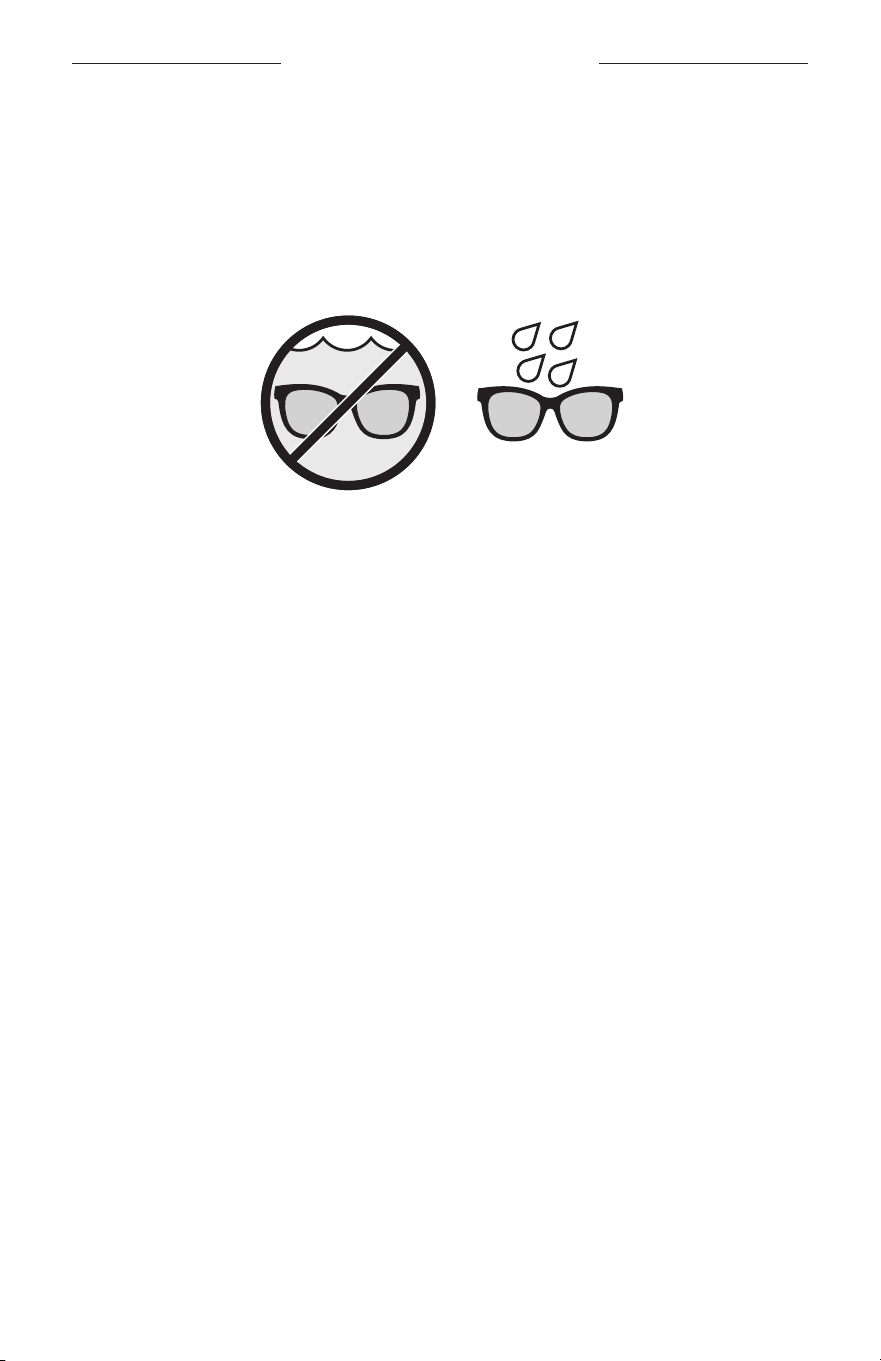
15
|
DAN
SVED- OG VEJRBESTANDIGE
Solbrillerne er klassificeret som vandtætte i IPX2-klassen. De er designet til at være
sved- og vejrbestandige over for vanddråber, men er ikke beregnet til at være
nedsænket i vand.
FORSIGTIG:
• Undgå at svømme eller tage brusebad med solbrillerne.
• Nedsænk IKKE solbrillerne i vand.
BEMÆRK: IPX2 er ikke en permanent tilstand, og vandtætheden kan blive reduceret
på grund af normalt slid.
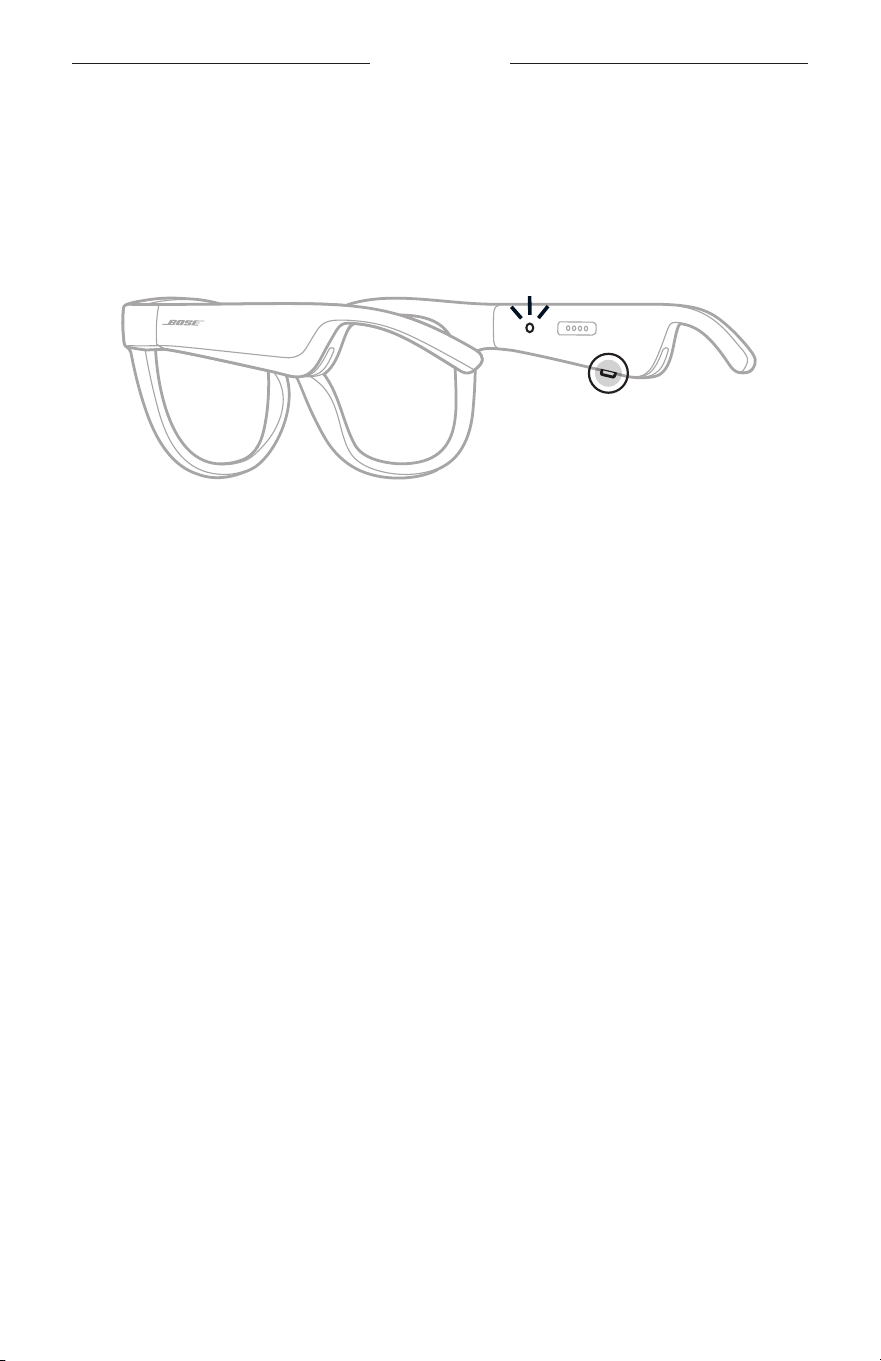
16
|
DAN
TÆND/SLUK
TÆND
Tryk på knappen på den højre brillestang.
Statuslampen blinker hvidt to gange og lyser derefter i overensstemmelse
med Bluetooth-forbindelsesstatus (se side 22). En talemeddelelse angiver
batteriniveauet og Bluetooth-forbindelsesstatus.
BEMÆRK: Solbrillerne leveres delvist opladede og skal muligvis vækkes, inden du
bruger dem for første gang. Hvis du vil vække solbrillerne, skal du tilslutte
solbrillerne til strøm i 2 sekunder og derefter frakoble dem (se side 21).
Prøv derefter at tænde solbrillerne igen.
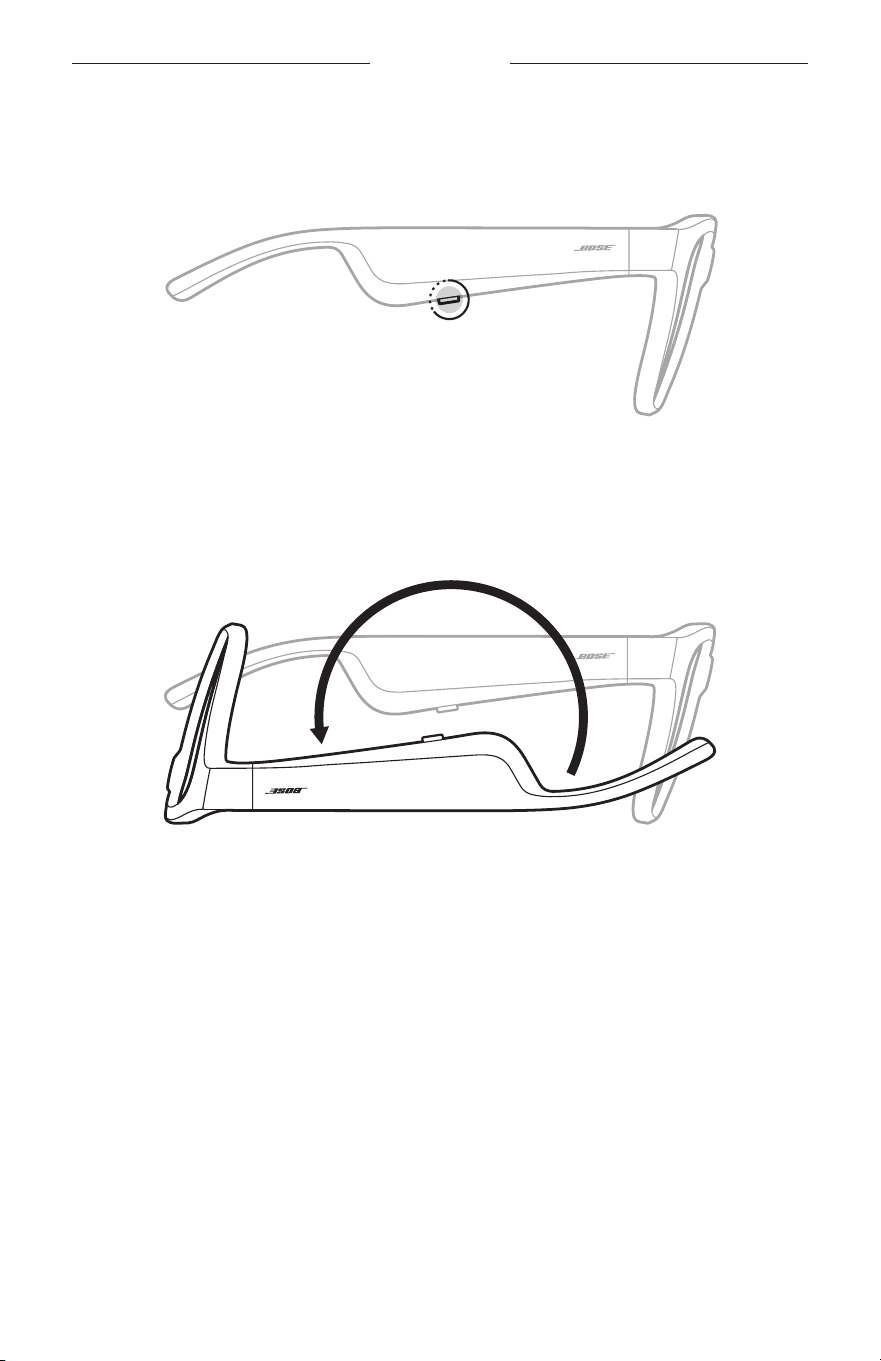
17
|
DAN
TÆND/SLUK
SLUK
Tryk på knappen, og hold den nede, indtil du hører en tone.
Statuslampen blinker hvidt to gange og nedtoner derefter til sort.
Vend for at slukke
Vend bunden i vejret på solbrillerne i 2 sekunder.
Statuslampen blinker hvidt to gange og nedtoner derefter til sort.
BEMÆRK:
• Når solbrillerne er slukket, kan du bevæge dem i enhver retning.
• Du kan deaktivere Vend for at slukke i appen Bose Music. Du kan få adgang til
denne indstilling i menuen Indstillinger.
Automatisk slukning ved hjælp af bevægelsesregistrering
Solbrillerne bruger bevægelsesregistrering til at identificere, når de ikke er i brug.
Nårsolbrillerne ikke har bevæget sig i 10 minutter, slukkes de automatisk.
BEMÆRK: Du kan deaktivere bevægelsesregistrering i appen Bose Music. Du kan få
adgang til denne indstilling i menuen Indstillinger.
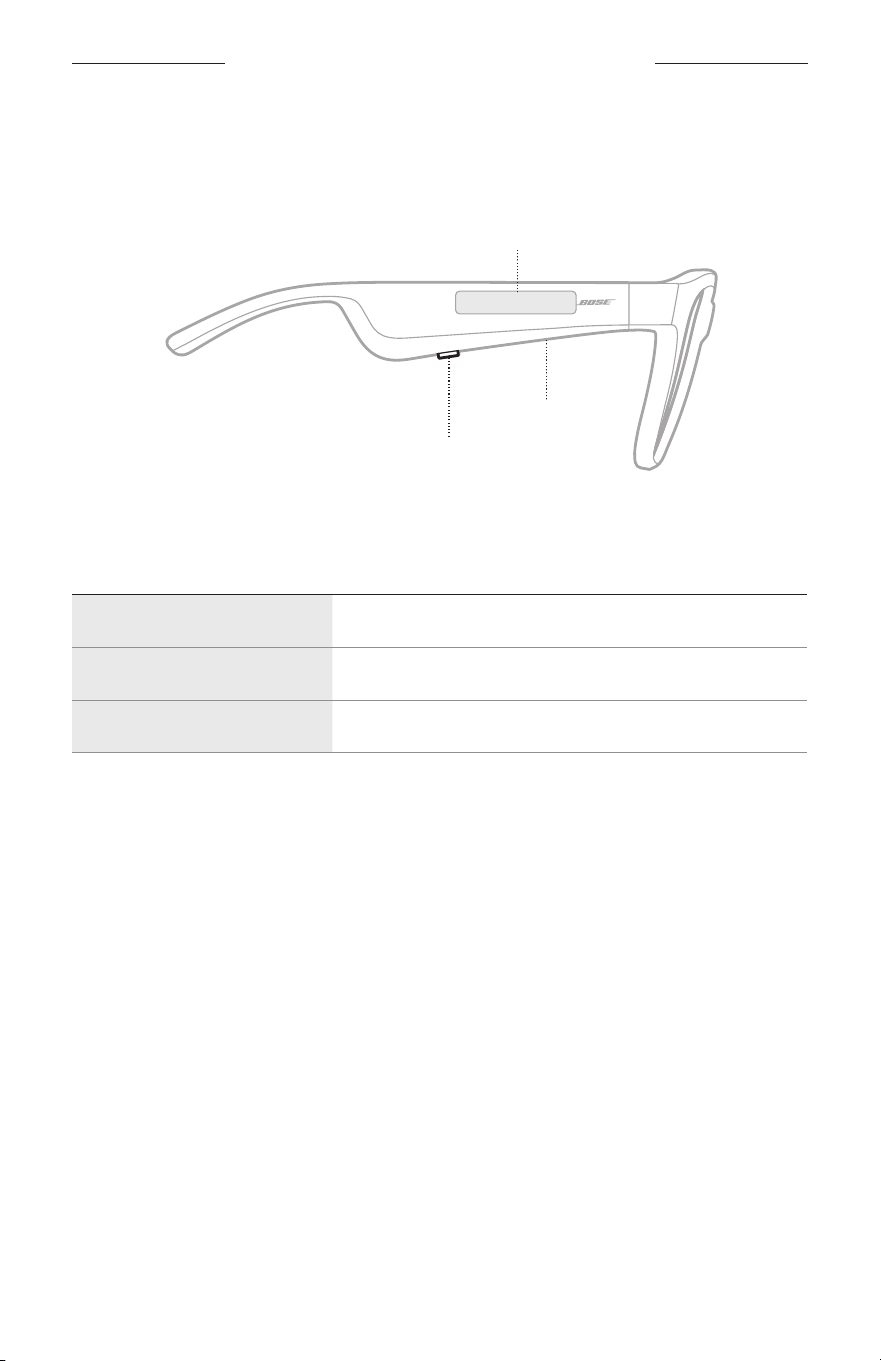
18
|
DAN
SOLBRILLERNES BETJENINGSKNAPPER
Brug knappen og berøringsoverfladen på højre brillestang for at styre
medieafspilning, lydstyrke, telefonopkald og stemmestyring.
Knap
Styr medieafspilning
Styr telefonopkald
Mikrofon
Berøringsoverflade
Juster lydstyrken
Adgang til stemmekontrol
MEDIEAFSPILNING
KONTROL GØR FØLGENDE
Afspil/pause Tryk på knappen.
Gå frem Tryk to gange på knappen.
Gå tilbage Tryk tre gange på knappen.
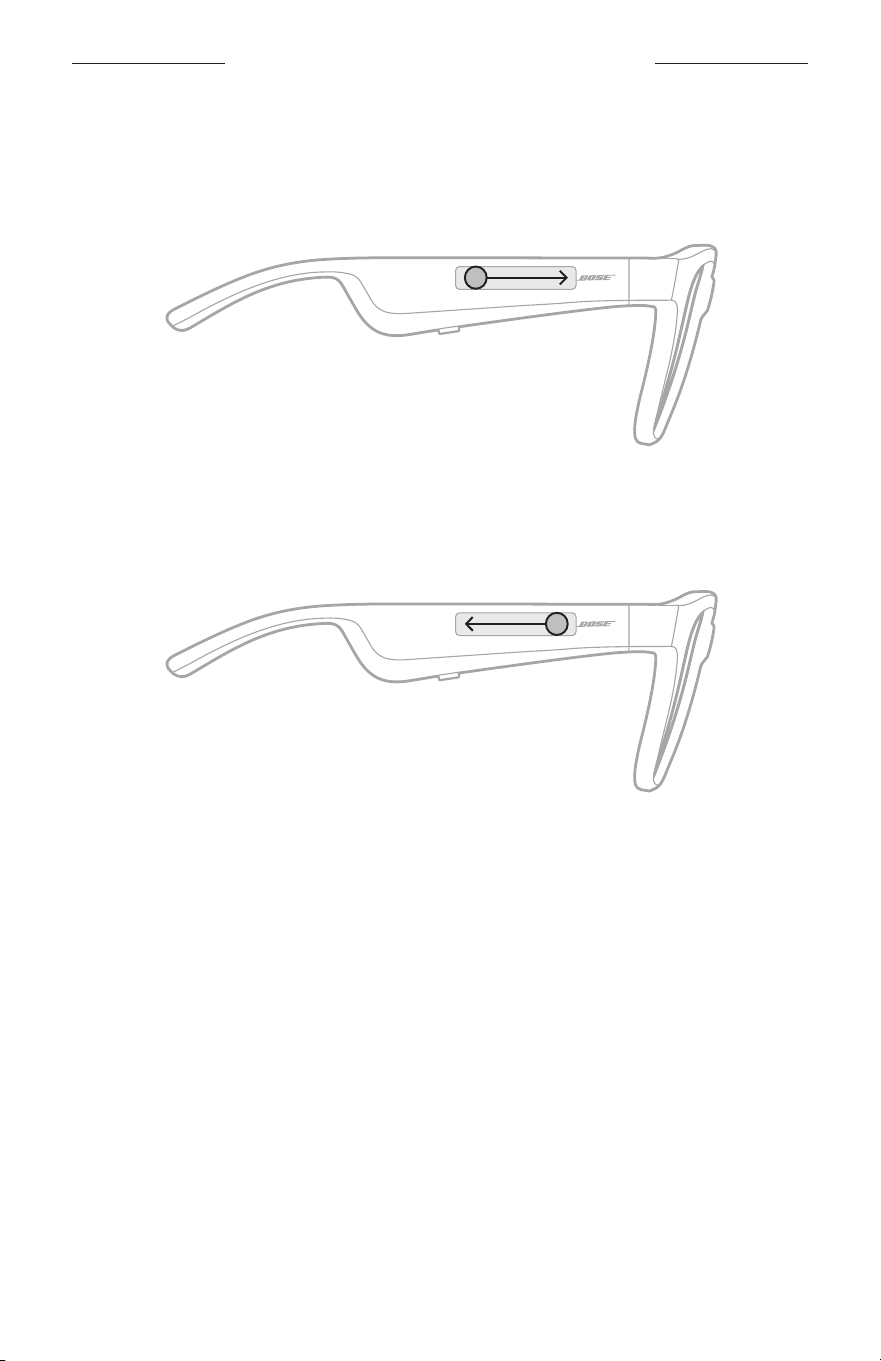
19
|
DAN
SOLBRILLERNES BETJENINGSKNAPPER
LYDSTYRKE
Øg lydstyrken
Stryg fremad på berøringsoverfladen.
BEMÆRK: Du vil høre en tone, når lydstyrken når det maksimale niveau.
Reducer lydstyrken
Stryg tilbage på berøringsoverfladen.
BEMÆRK: Du vil høre en tone, når lydstyrken når det minimale niveau.
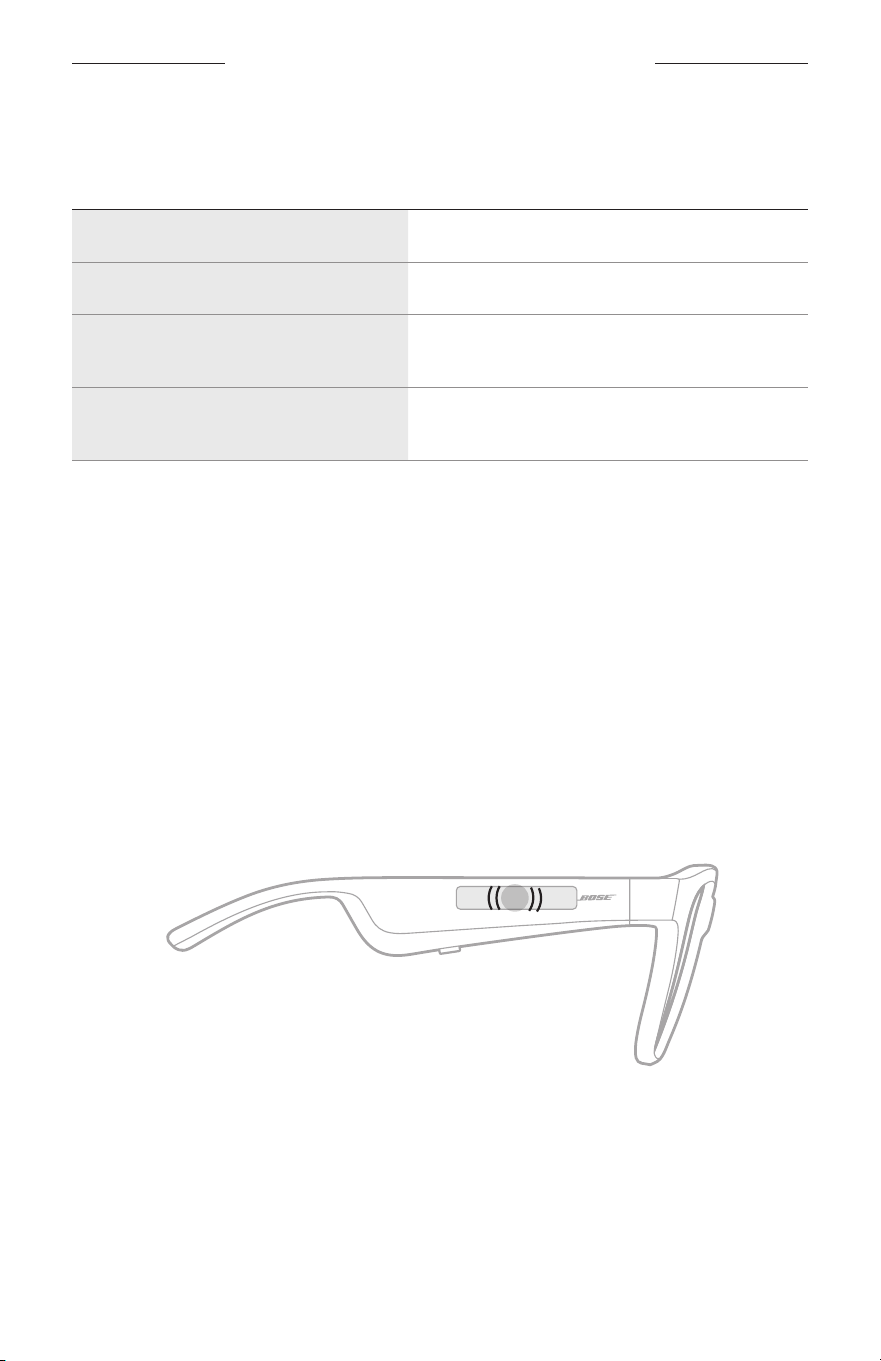
SOLBRILLERNES BETJENINGSKNAPPER
20
|
DAN
TELEFONOPKALD
KONTROL GØR FØLGENDE
Besvar/afslut et opkald Tryk på knappen.
Afvis et indgående opkald Tryk to gange på knappen.
Besvar et andet indgående opkald,
ogparker det aktuelle opkald
Under et opkald skal du trykke på knappen.
Afvis et nyt opkald, og bliv i det
aktuelle opkald
Under et opkald skal du trykke to gange
påknappen.
BEMÆRK: For at kunne bruge alle betjeningselementer for telefonopkald skal du køre
tilgængelige softwareopdateringer i Bose Music-appen.
Opkaldsunderretninger
En talemeddelelse angiver indgående opkald og opkaldsstatus.
ADGANG TIL STEMMEKONTROL
Solbrillernes mikrofon fungerer som en udvidelse af mikrofonen på din mobile
enhed. Ved hjælp af berøringsoverfladen på den højre brillestang har du adgang til
funktionerne til stemmestyring på din enhed for at foretage/modtage opkald, eller du
kan bede Siri eller din Google Assistant om at afspille musik, fortælle dig om vejret,
oplyse dig om et sportsresultat m.m.
Tryk to gange på berøringsoverfladen for at få adgang til stemmestyring på din enhed.
2x
Du hører en tone, når stemmekontrol er aktiv.
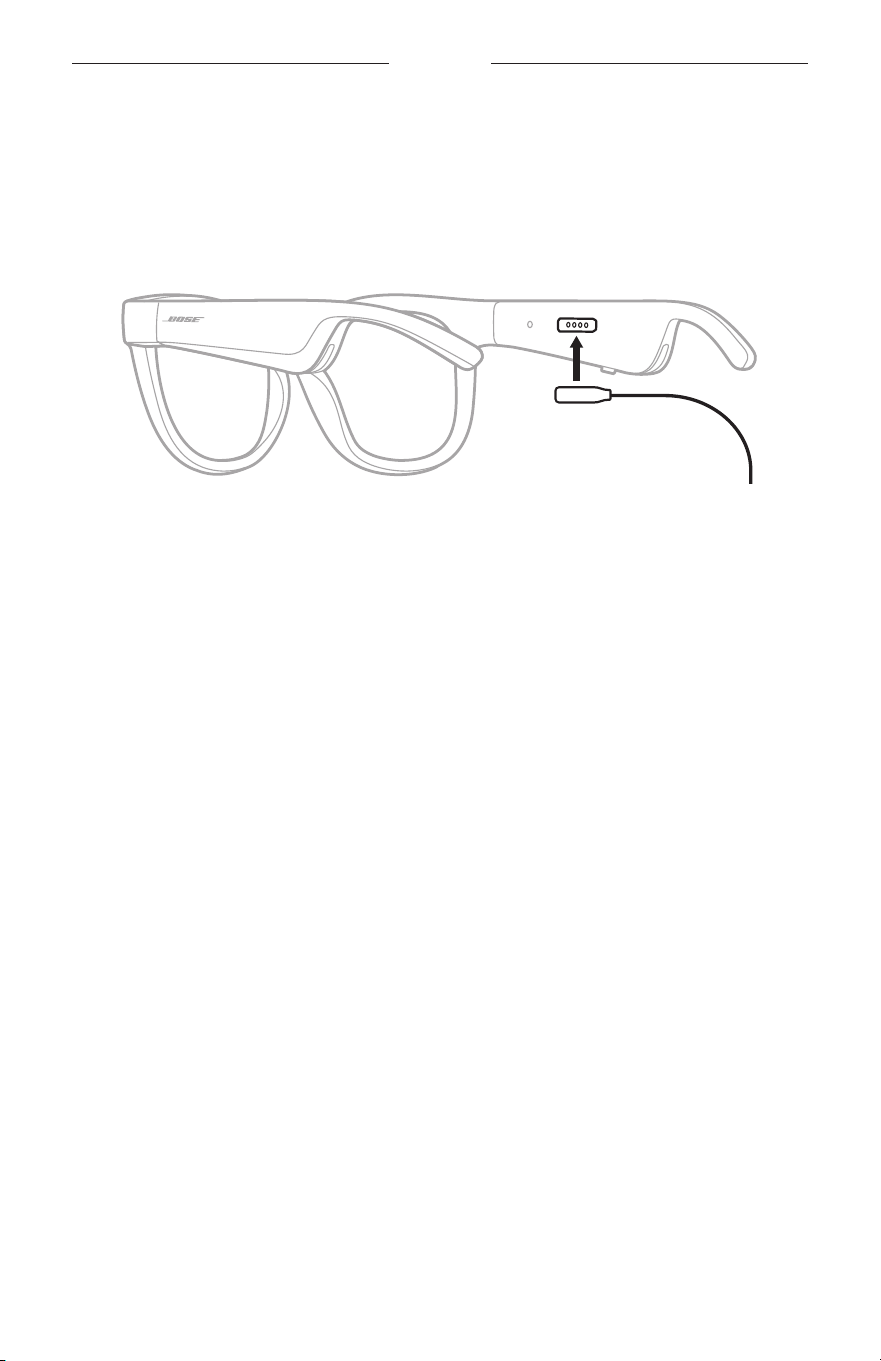
21
|
DAN
BATTERI
OPLAD SOLBRILLERNE
1. Placer benene på opladningskablet ud for opladningsporten på den højre
brillestang.
BEMÆRK: Benene skal vende rigtigt i forhold til opladningsporten, for at
solbrillerne kan oplades.
2. Tryk benene let mod opladningsporten, indtil de klikker magnetisk på plads.
3. Tilslut den anden ende til en USB-A-vægoplader (medfølger ikke).
FORSIGTIG: Må kun bruges med en godkendt strømforsyning, der overholder de
lokale love og regler (f.eks. UL, CSA, VDE, CCC).
Under opladning blinker statuslampen hvidt. Når batteriet er fuldt opladet,
lyserstatuslampen hvidt konstant (se side 23).
NOTER:
• Solbrillerne afspiller ikke lyd under opladning.
• Bær ikke solbrillerne under opladning.
TJEK SOLBRILLERNES BATTERINIVEAU
Hør batteriunderretninger
Hver gang du tænder solbrillerne, høres der en talemeddelelse, som angiver
batteriniveauet.
Når du bruger solbrillerne, fortæller en talemeddelelse dig, om batteriet har brug
for opladning.
Se batteriniveauet
• Se startskærmbilledet i appen Bose Music.
• Når statuslampen blinker rødt, skal solbrillerne oplades.
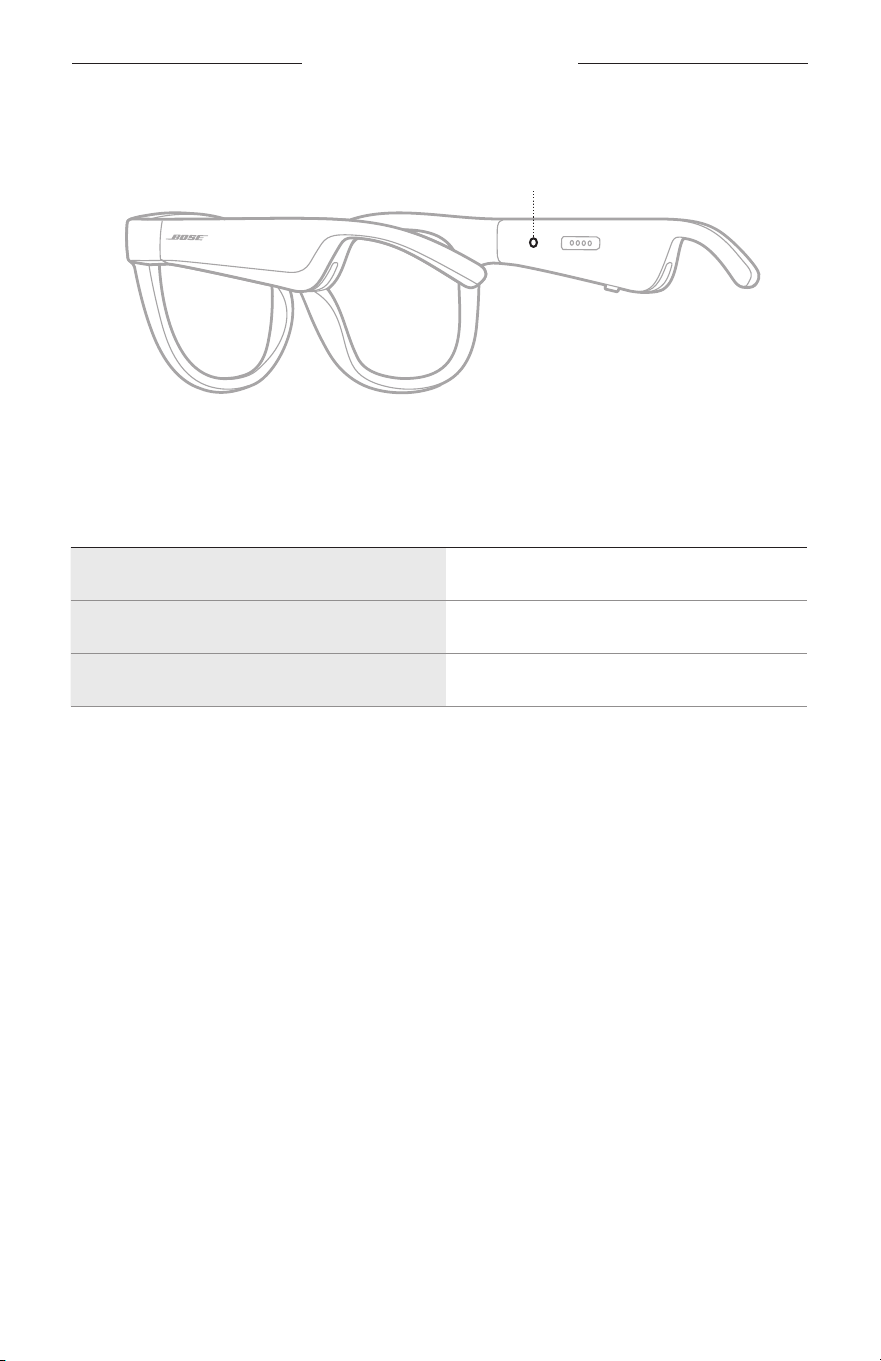
22
|
DAN
SOLBRILLERNES STATUS
Solbrillernes statuslampe er placeret på indersiden af den højre brillestang.
Statuslampe
STATUS FOR BLUETOOTH-FORBINDELSE
Viser status for Bluetooth-forbindelsen for mobile enheder.
LYSAKTIVITET SYSTEMTILSTAND
Blinker langsomt blåt Klar til tilslutning
Blinker hurtigt blåt Opretter forbindelse
Lyser konstant blåt (10 sekunder) Tilsluttet
SOLBRILLERNES STATUS
23
|
DAN
BATTERISTATUS
Viser solbrillernes batteriopladningsniveau.
LYSAKTIVITET SYSTEMTILSTAND
Blinker rødt (10 sekunder) Skal oplades
Blinker hvidt Oplader
Lyser hvidt Fuldt opladet
FEJLSTATUS
Viser fejlstatus.
LYSAKTIVITET SYSTEMTILSTAND
Blinker rødt og hvidt (gentaget) Fejl. Kontakt Bose kundeservice
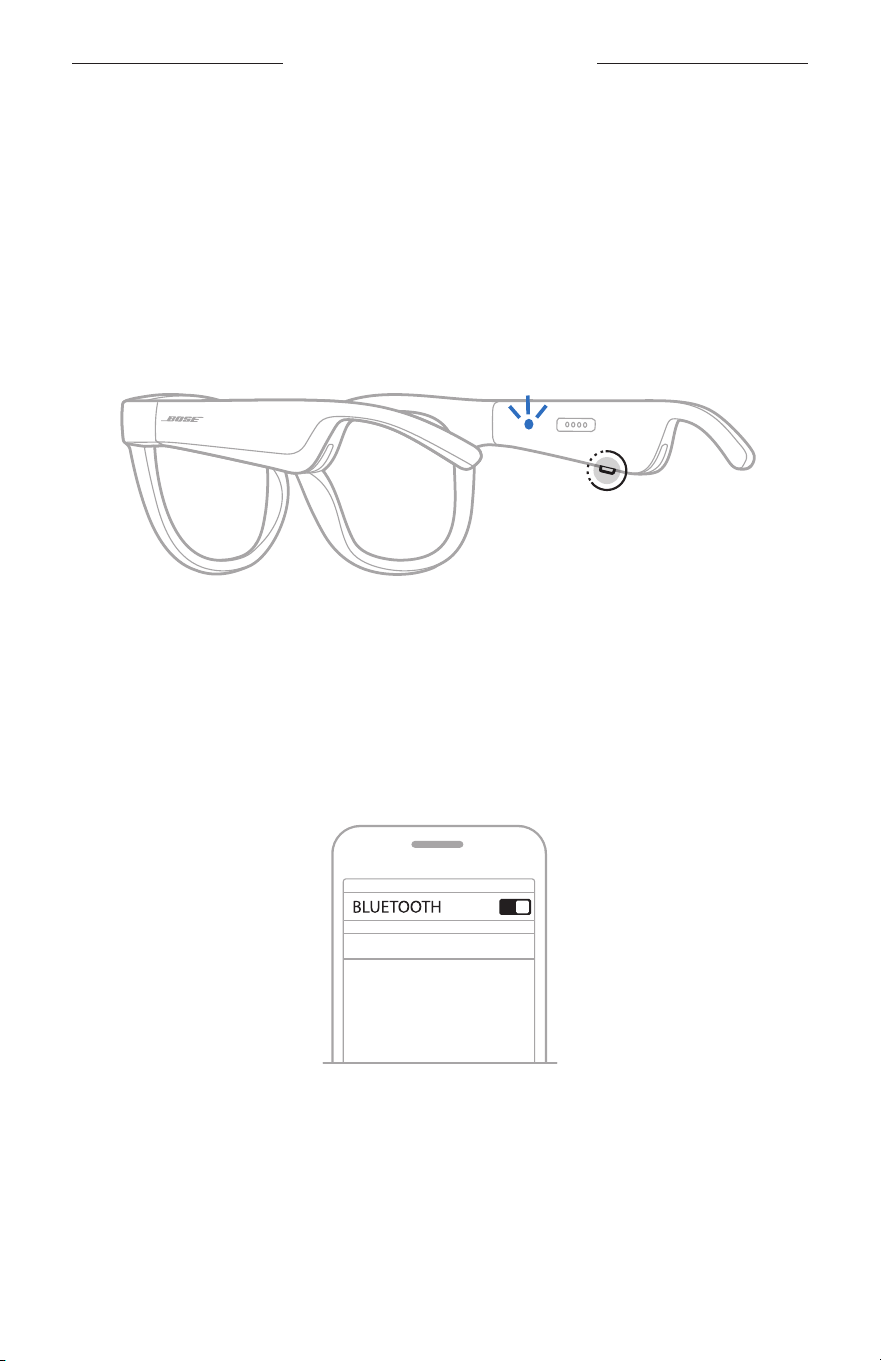
24
|
DAN
BLUETOOTH-FORBINDELSER
OPRET FORBINDELSE VED HJÆLP AF BLUETOOTH-
MENUEN PÅ DIN MOBILE ENHED
Du kan gemme op til otte enheder på solbrillernes enhedsliste. Du kan kun tilslutte og
afspille lyd fra én enhed ad gangen.
BEMÆRK: For at få den bedste oplevelse skal du konfigurere og tilslutte din mobile
enhed vha. Bose Music-appen (se side 14).
1. Mens solbrillerne er tændt, skal du trykke på knappen på højre brillestang og holde
den nede, indtil du hører ”Klar til tilslutning" eller ser statuslampen blinke blåt.
2. Aktivér Bluetooth-funktionen på din enhed.
BEMÆRK: Bluetooth-funktionen findes normalt i menuen Indstillinger.
3. Vælg dine solbriller på enhedslisten.
BEMÆRK: Led efter det navn, du angav for dine solbriller i Bose Music-appen.
Hvis du ikke navngav dine solbriller, vises standardnavnet.
BOSE FRAMES
Når der er oprettet forbindelse, hører du “Sluttet til <navn på mobil enhed>”
ellerser statuslampen lyse blåt konstant og derefter nedtone til sort.

25
|
DAN
BLUETOOTH-FORBINDELSER
FRAKOBLING AF EN MOBIL ENHED
Brug Bose Music-appen til at frakoble din mobile enhed.
SPIDS: Du kan også bruge Bluetooth-indstillinger til at frakoble din enhed. Hvis du
deaktiverer Bluetooth-funktionen, frakobles alle andre enheder.
GENOPRET FORBINDELSE TIL EN MOBIL ENHED
Når solbrillerne er tændt, forsøger de at oprette forbindelse til den senest
forbundne enhed.
BEMÆRK: Enheden skal være inden for rækkevidde (9 meter) og tændt.
RYD SOLBRILLERNES ENHEDSLISTE
1. Når solbrillerne er tændt, skal du trykke og holde knappen nede på højre
brillestang i 10 sekunder, indtil du hører "Bluetooth-enhedsliste ryddet" eller ser
statuslampen blinke blåt.
2. Slet dine solbriller fra Bluetooth-listen på din enhed.
Alle enheder slettes, og solbrillerne er klar til at blive tilsluttet.
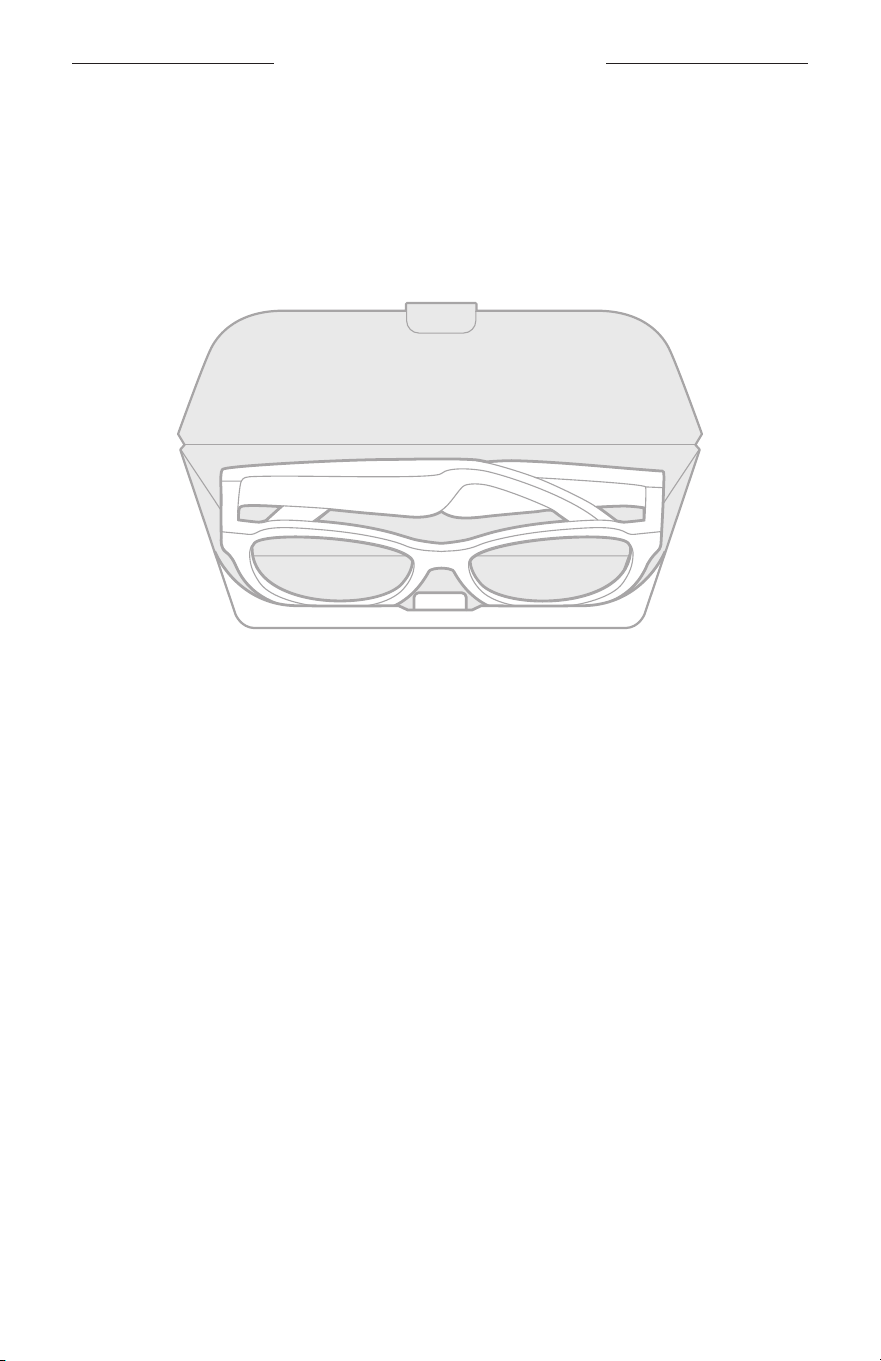
26
|
DAN
PLEJE OG VEDLIGEHOLDELSE
OPBEVARING AF SOLBRILLERNE
Solbrillerne er nemme at klappe sammen, så de nemt kan opbevares.
1. Fold solbrillerne indad mod glassene, så solbrillerne ligger fladt.
2. Placer solbrillerne i etuiet med glassene vendende mod etuiets forside.
NOTER:
• Sørg for at slukke solbrillerne, når de ikke er i brug.
• Inden du opbevarer brillestængerne i mere end et par måneder, skal du sørge for,
atbatteriet er fuldt opladet.

27
|
DAN
PLEJE OG VEDLIGEHOLDELSE
VEDLIGEHOLDELSE AF SOLBRILLERNE
Efter hver brug skal du tørre begge sider af glassene og alle dele af solbrillerne af med
den medfølgende rengøringsklud eller med en tør klud.
FORSIGTIG:
• Brug IKKE spray i nærheden af solbrillerne.
• Brug IKKE opløsningsmidler, kemikalier eller rengøringsmidler, der indeholder sprit,
ammoniak eller slibemiddel.
• Undgå at spilde væske i åbningerne.
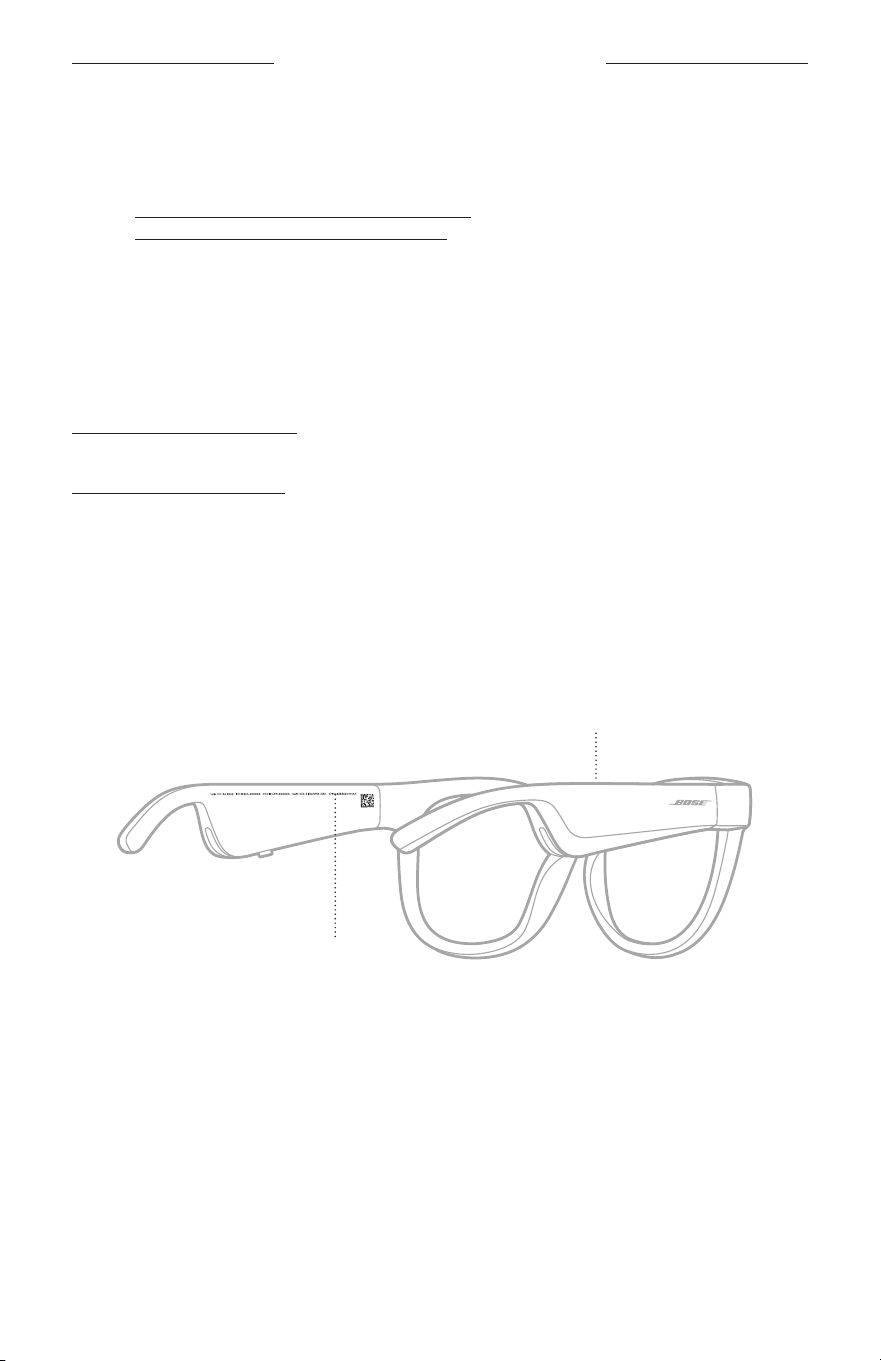
28
|
DAN
PLEJE OG VEDLIGEHOLDELSE
RESERVEDELE OG TILBEHØR
Reservedele og tilbehør kan bestilles via Boses kundeservice.
Besøg: worldwide.Bose.com/Support/Soprano
worldwide.Bose.com/Support/Tenor
BEMÆRK: Du kan finde oplysninger om, hvordan du udskifter glassene, i de
instruktioner, der fulgte med dit glastilbehør.
BEGRÆNSET GARANTI
Disse solbriller er dækket af en begrænset garanti. Se vores websted på
global.Bose.com/warranty for at få flere oplysninger om den begrænsede garanti.
Hvis du vil registrere dit produkt, kan du finde instruktioner på
global.Bose.com/register. Hvis du undlader at registrere produktet, har det ingen
betydning for den begrænsede garanti.
SERIENUMMERETS OG MODEL-/REFERENCENUMMERETS
PLACERINGER
Serienummeret er placeret på indersiden af den venstre brillestang, og model-/
referencenummeret er placeret på indersiden af den højre brillestang.
Serienummer
Model-/referencenummer

29
|
DAN
FEJLFINDING
PRØV DISSE LØSNINGER FØRST
Hvis du oplever problemer med solbrillerne:
• Tænd solbrillerne (se side 16).
• Tilslut solbrillerne til strøm i 2 sekunder, og frakobl dem derefter (se side 21).
• Oplad batteriet (se side 21).
• Tjek tilstand for statuslamperne (se side 22).
• Sørg for, at din mobile enhed understøtter Bluetooth-forbindelser.
• Download Bose Music-appen, og kør tilgængelige softwareopdateringer.
• Øg lydstyrken på solbrillerne, den mobile enhed og/eller lyd-/streamingappen.
• Tilslut en ekstra mobil enhed (se side 24).
ANDRE LØSNINGER
Hvis dette ikke løser problemet, kan du i nedenstående tabel identificere symptomer
og løsninger på almindelige problemer. Kontakt Bose kundeservice, hvis du ikke kan
løse dit problem.
Besøg: worldwide.Bose.com/Contact
PROBLEM GØR FØLGENDE
Solbrillerne kan ikke
tilsluttes en mobil enhed
På din enhed:
• Slå Bluetooth-funktionen fra, og slå den derefter til igen.
• Slet solbrillerne fra Bluetooth-listen på din enhed. Tilslut igen
(se side 24).
Flyt din enhed tættere på solbrillerne og væk fra eventuel
interferens eller forhindringer.
Tilslut en anden mobil enhed (se side 24).
Du kan finde vejledningsvideoer på:
worldwide.Bose.com/Support/Tenor eller
worldwide.Bose.com/Support/Soprano
Ryd solbrillernes enhedsliste (se side 25). Tilslut igen.
Bose Music-appen virker
ikke på min enhed
Kontrollér, at Bose Music-appen er kompatibel med din enhed.
Afinstaller Bose Music-appen på din enhed, og geninstaller
derefter appen (se side 14).
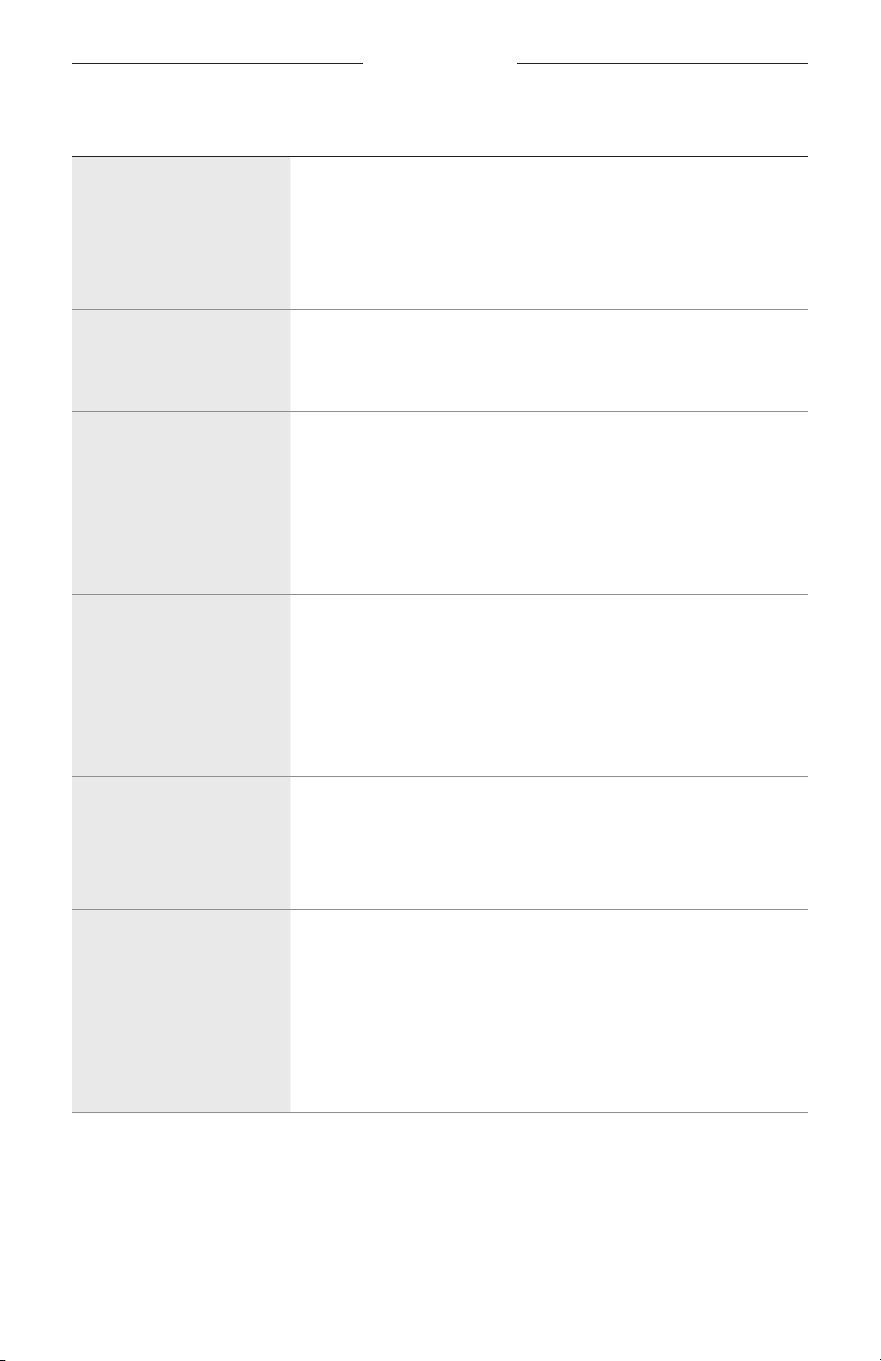
30
|
DAN
FEJLFINDING
PROBLEM GØR FØLGENDE
Bose Music-appen kan
ikke finde solbrillerne
Tænd solbrillerne (se side 16).
Tryk og hold knappen nede på højre brillestang, indtil du hører
”Klar til tilslutning" eller ser statuslampen blinke blåt.
I Bose Music-appen skal du køre tilgængelige
softwareopdateringer.
Uregelmæssig
Bluetooth-forbindelse
Ryd solbrillernes enhedsliste (se side 25). Tilslut igen
(seside 24).
Flyt den mobile enhed tættere på dine solbriller.
Ingen lyd
Tryk på afspil på din mobile enhed for at kontrollere, om lyden
afspilles.
Flyt din enhed tættere på solbrillerne og væk fra eventuel
interferens eller forhindringer.
Prøv en anden musikkilde.
Tilslut en anden enhed (se side 24).
Dårlig lydkvalitet
Prøv en anden musikkilde.
Tilslut en anden mobilenhed.
Flyt enheden tættere på solbrillerne og væk fra eventuel
interferens eller forhindringer.
Sluk eventuelle lydforbedringsfunktioner på enheden eller din
lyd-/streamingapp.
Mikrofonen registrerer
ikke lyden
Kontrollér, at mikrofonåbningen på den højre brillestang ikke
er blokeret.
Prøv et andet telefonopkald.
Prøv en anden kompatibel enhed.
Solbrillerne oplades ikke
Sørg for, at benene på opladningskablet er placeret korrekt ud for
opladningsporten på solbrillerne og sidder fast magnetisk.
Fastgør begge opladningskablets ender.
Hvis solbrillerne har været udsat for høje eller lave temperaturer,
skal du lade solbrillerne vende tilbage til stuetemperatur og
derefter forsøge at oplade igen.
Prøv en anden USB-vægoplader.
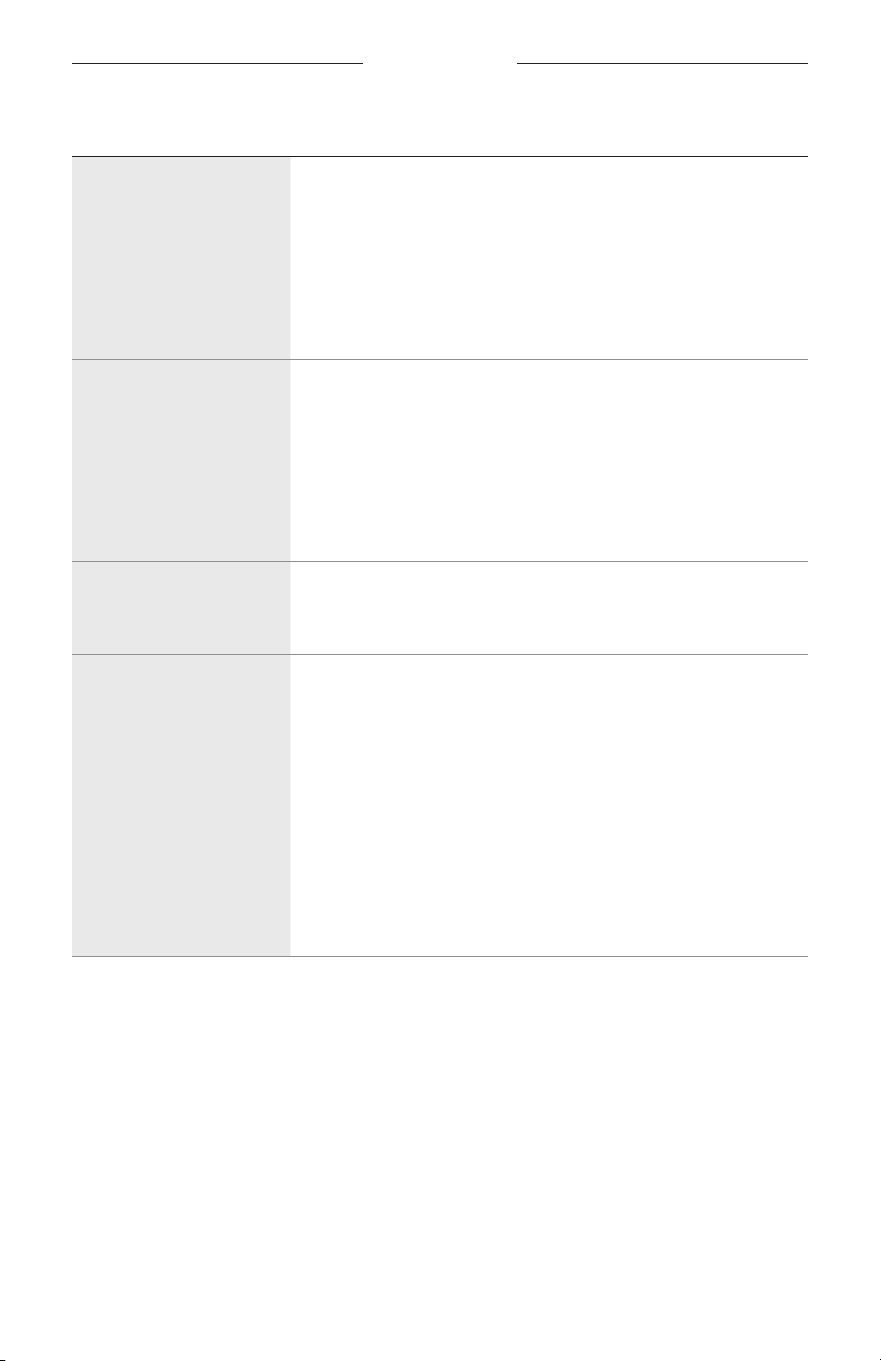
FEJLFINDING
31
|
DAN
PROBLEM GØR FØLGENDE
Solbrillerne reagerer
ikke på trykbetjening
Sørg for, at du trykker på den rigtige trykbetjeningsoverflade
(seside 18).
Sørg for, at dine hænder er rene.
Hvis dit hår er vådt, skal du sørge for, at det ikke påvirker
berøringsoverfladen.
Hvis du har handsker på, så tag dem af, inden du trykker på
trykbetjeningsoverfladen.
Lydstyrken kan
ikkejusteres
Sørg for, at du stryger på den rigtige trykbetjeningsoverflade
(seside 18).
Sørg for, at dine hænder er rene.
Hvis dit hår er vådt, skal du sørge for, at det ikke påvirker
berøringsoverfladen.
Hvis du har handsker på, så tag dem af, inden du trykker på
trykbetjeningsoverfladen.
Jeg kan ikke bruge
betjeningselementer for
telefonopkald
I Bose Music-appen skal du køre tilgængelige
softwareopdateringer.
Enheden reagerer ikke,
når der trykkes på
knapperne
I Bose Music-appen skal du køre tilgængelige
softwareopdateringer.
For funktioner med flere tryk: Varier trykkenes hastighed.
Kontrollér, at din musikapp understøtter funktionen.
Sluk solbrillerne, og tænd dem igen.
På din enhed:
• Slå Bluetooth-funktionen fra, og slå den derefter til igen.
• Slet solbrillerne fra Bluetooth-listen på din enhed. Tilslut igen
(se side 24).
Prøv en anden kompatibel enhed.
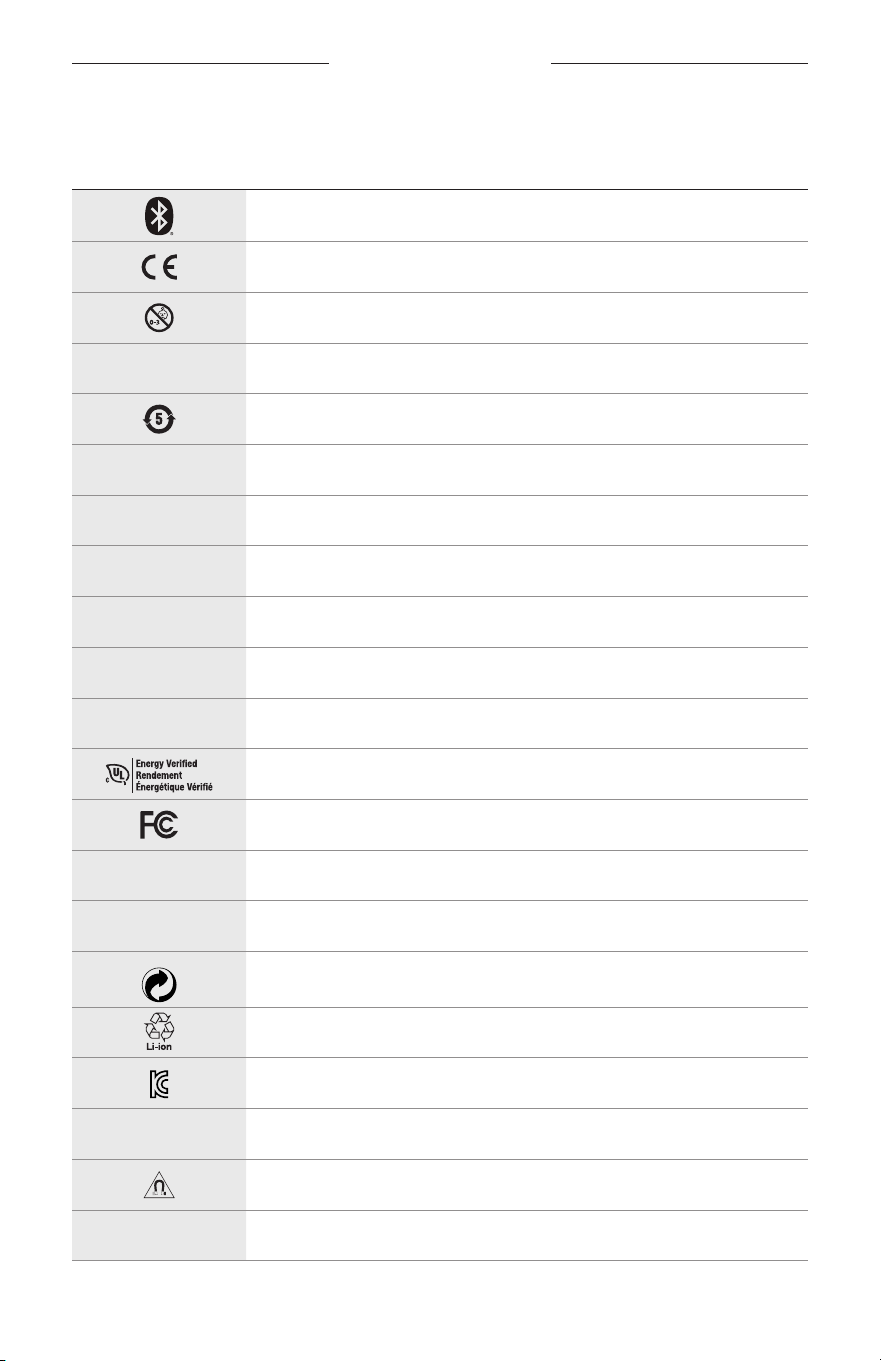
32
|
DAN
MÆRKATSYMBOLER
SYMBOLER OG BESKRIVELSER
SYMBOL BESKRIVELSE
Bluetooth
CE-certificeringsmærke
Kvælningsfare
h
Katalognummer
ROHS batteri, Kina
w
Kundesupport
N
Fremstillingsdato
X
Dokumentation
L
Må ikke bruges, hvis emballagen er beskadiget
C
Indeholder ikke latex
s
Downloads
Verifikation af energieffektivitet
FCC-certificering
o
Forum
h
Høj beskyttelse mod solskin
Green Dot-varemærkesymbol
Genanvendelse af batteri, Japan
KCC-certificering
p
Holdes tørre
Magnetisk interferens
M
Producent
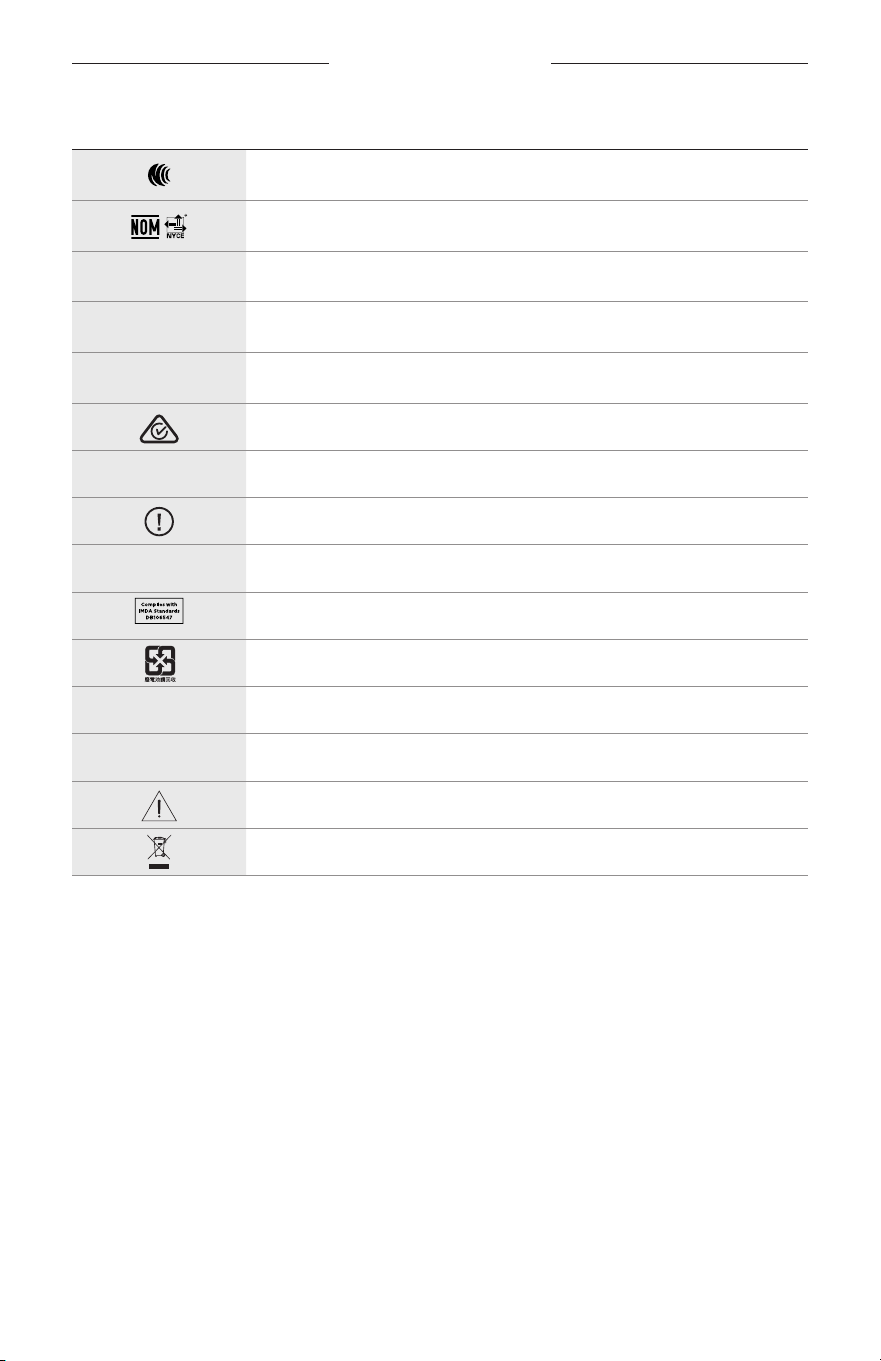
MÆRKATSYMBOLER
33
|
DAN
SYMBOL BESKRIVELSE
NCC-certificering
NOM NYCE-certificering
d
Ikke-sterilt
I
IKKE EGNET TIL KØRSEL I TUSMØRKE ELLER OM NATTEN
m
Telefon
Regeloverholdelsesmærke
A
Se brugsanvisningen
Sikkerhedsoplysninger
f
Serienummer
IMDA-efterlevelse, Singapore
Genanvendelse af batteri, Taiwan
l
Temperaturgrænse
W
Videoer
Advarsler/forsigtighedsforholdsregler
Symbol for direktivet om affald af elektrisk og elektronisk udstyr
WICHTIGE SICHERHEITSHINWEISE
2
|
DEU
Gebrauchsanleitung
Sonnenbrillen (ohne Verschreibung) sind Vorrichtungen, die aus Brillengestellen oder Clips mit absorbierenden,
reflektierenden, getönten, polarisierenden oder lichtempfindlichen Gläsern bestehen, die für das Tragen durch
eine Person gedacht sind, um die Augen vor hellem Sonnenlicht zu schützen, ohne Refraktionskorrektur zu bieten.
DieseVorrichtung ist ohne Verschreibung erhältlich.
A
Sehen Sie in der Gebrauchsanleitung nach.
Bitte lesen Sie alle Sicherheitshinweise und Gebrauchsanleitungen durch
und bewahren Sie sie auf.
Wichtige Sicherheitshinweise
Die Bose Corporation erklärt hiermit, dass dieses Produkt die wesentlichen Anforderungen und andere
relevante Bestimmungen der Richtlinie 2014/53/EU und weitere geltende EU-Richtlinien erfüllt.
Dievollständige Konformitätserklärung ist einsehbar unter www.Bose.com/compliance
1. Lesen Sie die folgenden Anweisungen.
2. Bewahren Sie die Anweisungen auf.
3. Beachten Sie alle Warn- und Sicherheitshinweise.
4. Befolgen Sie alle Anweisungen.
5. Verwenden Sie dieses Gerät nicht in der Nähe von Wasser.
6. Reinigen Sie das Gerät nur mit einem sauberen, trockenen Tuch.
7. Verwenden Sie nur Zubehör-/Anbauteile, die vom Hersteller zugelassen sind.
8. Ziehen Sie das Netzkabel bei Gewitter oder bei längerer Nichtbenutzung des Gerätes aus der Steckdose.
9. Wenden Sie sich bei allen Reparatur- und Wartungsarbeiten nur an qualifiziertes Personal. Wartungsarbeiten
sind in folgenden Fällen nötig: bei jeglichen Beschädigungen wie z.B. des Netzkabels oder Netzsteckers,
wennFlüssigkeiten oder Gegenstände in das Gehäuse gelangt sind, das Gerät Regen oder Feuchtigkeit
ausgesetzt wurde, fallen gelassen wurde oder nicht ordnungsgemäß funktioniert.
WARNUNGEN/VORSICHTSMASSNAHMEN
• Verwenden Sie die Frames NICHT längere Zeit bei hoher Lautstärke.
– Um Gehörschäden zu vermeiden, sollten Sie die Frames bei angenehmer, mittlerer Lautstärke verwenden.
– Schalten Sie die Lautstärke an Ihrem Gerät leiser, bevor Sie die Frames tragen oder in die Nähe Ihrer Ohren
bringen, und erhöhen Sie die Lautstärke dann nach und nach, bis ein angenehmes Niveau erreicht ist.
• Seien Sie beim Fahren vorsichtig und befolgen Sie die geltenden Gesetze zur Verwendung von Mobiltelefonen.
• Konzentrieren Sie sich auf Ihre Sicherheit und die anderer, wenn Sie die Frames verwenden und gleichzeitig
eine Tätigkeit durchführen, die Ihre Aufmerksamkeit erfordert, z. B. beim Fahrradfahren oder Gehen in der Nähe
von Verkehr, einer Baustelle oder Straße usw. Nehmen Sie die Frames ab oder passen Sie die Lautstärke an,
umsicherzustellen, dass Sie Umgebungsgeräusche hören können, z. B. Alarme und Warnsignale.
• Verwenden Sie die Frames NICHT, wenn sie ein lautes ungewöhnliches Geräusch von sich geben. Schalten Sie in
diesem Fall die Frames aus und wenden Sie sich an den Bose-Kundendienst.
• Tauchen Sie die Frames NICHT in Wasser und setzen Sie sie nicht längere Zeit dem Wasser aus und tragen Sie sie
nicht bei Wassersportarten, z. B. Schwimmen, Wasserskifahren, Surfen usw.
• Entfernen Sie die Frames sofort, wenn Sie Wärme spüren oder nichts mehr hören.
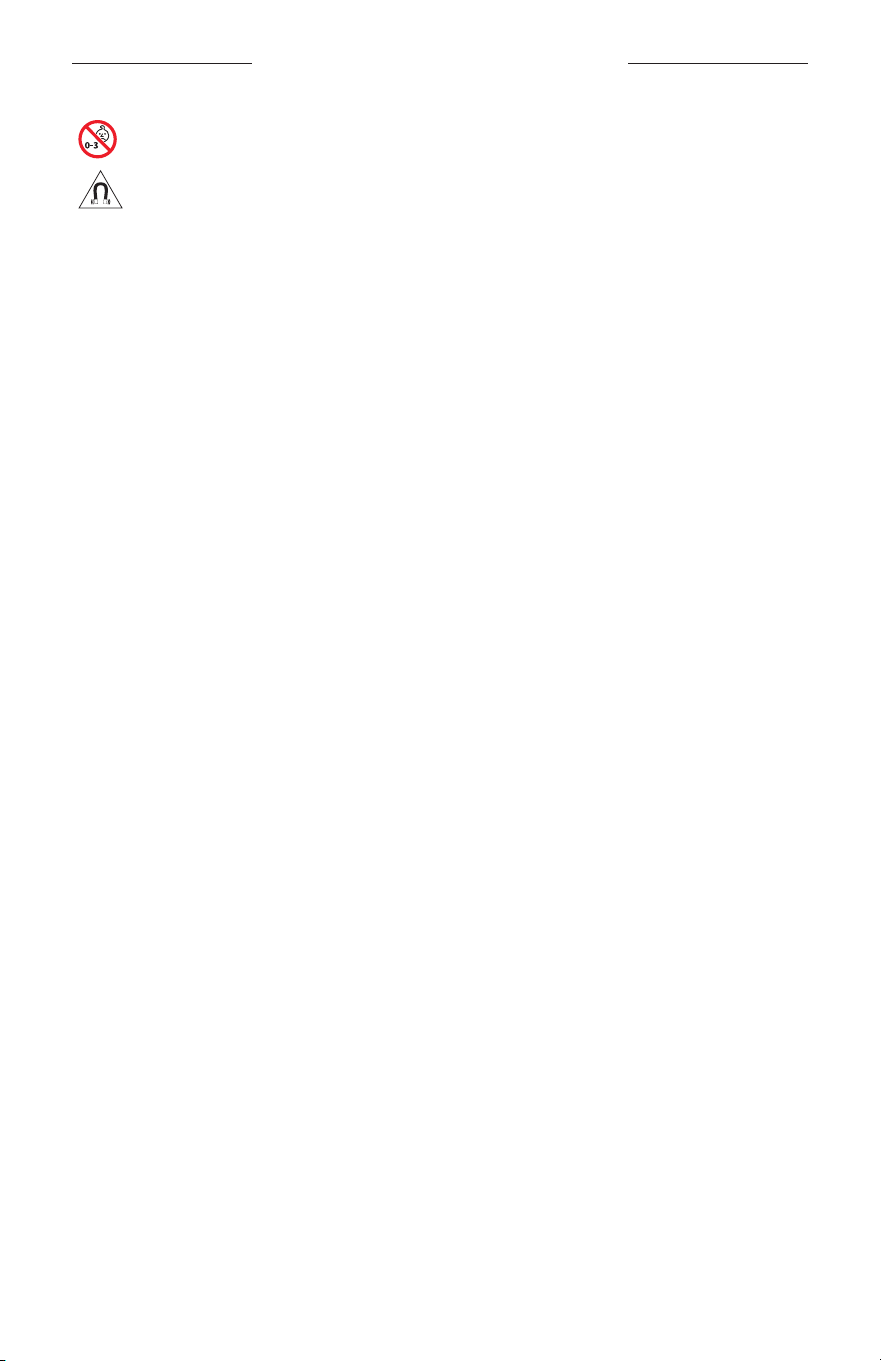
WICHTIGE SICHERHEITSHINWEISE
3
|
DEU
Enthält kleine Teile, die verschluckt werden können und eine Erstickungsgefahr darstellen. Nicht geeignet für
Kinder unter drei Jahren.
Dieses Produkt enthält magnetische Materialien. Wenden Sie sich an Ihren Arzt, wenn Sie wissen möchten,
ob dies den Betrieb Ihres implantierten medizinischen Geräts beeinflussen kann.
• Um Brände und Stromschläge zu vermeiden, darf dieses Gerät keinem Regen, Flüssigkeiten oder Feuchtigkeit
ausgesetzt werden.
• Schützen Sie das Gerät vor tropfenden oder spritzenden Flüssigkeiten, und stellen Sie KEINE mit Flüssigkeiten
gefüllten Gefäße (z.B. Vasen) auf das Gerät oder in die Nähe des Geräts.
• Halten Sie das Produkt von Feuer und Wärmequellen fern. Stellen Sie KEINE brennenden Kerzen oder ähnliches auf
das Gerät oder in die Nähe des Geräts.
• Nehmen Sie KEINE nicht genehmigten Änderungen an diesem Produkt vor.
• Verwenden Sie dieses Produkt nur mit einem zugelassenen Netzteil, das die lokalen gesetzlichen Anforderungen
erfüllt (z. B UL, CSA, VDE, CCC).
• Setzen Sie Produkte mit Batterien keiner großen Hitze aus (z. B. durch Aufbewahrung im direkten Sonnenlicht,
Feuer oder ähnliches).
• Tragen Sie die Frames NICHT, während sie aufgeladen werden.
• Wischen Sie nach jedem Gebrauch beide Seiten der Gläser und alle Teile der Frames mit dem mitgelieferten Tuch
oder einem trockenen Tuch ab.
ZULASSUNGS- UND RECHTLICHE HINWEISE
4
|
DEU
HINWEIS: Dieses Gerät wurde getestet und erfüllt die Grenzwerte für digitale Geräte der Klasse B gemäß
Abschnitt 15 der FCC-Vorschriften. Diese Grenzwerte wurden festgelegt, um einen angemessenen Schutz gegen
elektromagnetische Störungen bei einer Installation in Wohngebieten zu gewährleisten. Dieses Gerät erzeugt
und verwendet Hochfrequenzstrahlung und kann sie auch aussenden. Daher verursacht das Gerät bei nicht
ordnungsgemäßer Installation und Benutzung möglicherweise Störungen des Funkverkehrs. Es wird jedoch keine
Garantie dafür gegeben, dass bei einer bestimmten Installation keine Störstrahlungen auftreten. Sollte dieses Gerät den
Radio- oder Fernsehempfang stören (Sie können dies überprüfen, indem Sie das Gerät aus- und wiedereinschalten),
soist der Benutzer dazu angehalten, die Störungen durch eine der folgenden Maßnahmen zu beheben:
• Richten Sie die Antenne neu aus.
• Vergrößern Sie den Abstand zwischen dem Gerät und einem Radio- oder Fernsehempfänger.
• Schließen Sie das Gerät an eine Steckdose in einem anderen Stromkreis als den Empfänger an.
• Wenden Sie sich an einen Händler oder einen erfahrenen Radio-/Fernsehtechniker.
Veränderungen am Gerät, die nicht durch die Bose Corporation autorisiert wurden, können zur Folge haben, dass die
Betriebserlaubnis für das Gerät erlischt.
Dieses Gerät erfüllt die Bestimmungen in Teil 15 der FCC-Vorschriften und die lizenzfreien RSS-Standards von ISED Canada.
Der Betrieb unterliegt den beiden folgenden Bedingungen: (1) dieses Gerät darf keine Störungen verursachen und
(2)dieses Gerät muss jegliche Störungen dulden, einschließlich Störungen, die zu einem unerwünschten Betrieb führen.
Dieses Gerät erfüllt die Strahlungsexpositionsgrenzwerte der FCC und ISED für die allgemeine Bevölkerung. Der Sender
darf nicht zusammen mit einer anderen Antenne oder einem anderen Sender aufgestellt oder betrieben werden.
CAN ICES-3(B)/NMB-3(B)
PSA-Verordnung (EU) 2016/425
Verwaltungsverordnung für energiearme Funkfrequenzgeräte
Artikel XII
Laut der „Verwaltungsverordnung für energiearme Funkfrequenzgeräte“ dürfen Unternehmen oder Benutzer ohne
Erlaubnis durch die NCC Folgendes nicht: die Frequenz ändern, die Übertragungsleistung verbessern oder die
ursprünglichen Eigenschaften sowie die Leistung für ein zugelassenes energiearmes Funkfrequenzgerät ändern.
Artikel XIV
Energiearme Funkfrequenzgeräte dürfen die Flugsicherheit nicht beeinträchtigen oder gesetzlich zulässige
Kommunikation stören. Andernfalls muss der Benutzer den Betrieb sofort einstellen, bis keine Störung mehr auftritt.
Besagte gesetzlich zulässige Kommunikation bedeutet Funkkommunikation, die in Übereinstimmung mit dem
Telekommunikationsgesetz erfolgt.
Energiearme Funkfrequenzgeräte müssen für Störung durch gesetzlich zulässige Kommunikation oder Geräte mit
ISM-Funkwellenstrahlung empfänglich sein.
Für Europa:
Frequenzband des Betriebs 2.400 bis 2483,5 MHz.
Maximale Sendeleistung weniger als 20 dBm EIRP.
Maximale Sendeleistung liegt unter den vorgeschriebenen Grenzwerten, sodass keine SAR-Tests nötig sind und
gemäß den geltenden Vorschriften eine Befreiung gilt.
Dieses Symbol bedeutet, dass das Produkt nicht mit dem Hausmüll entsorgt werden darf, sondern bei einer
geeigneten Sammelstelle für das Recycling abgegeben werden muss. Die ordnungsgemäße Entsorgung und
das Recycling tragen dazu bei, die natürlichen Ressourcen, die Gesundheit und die Umwelt zu schützen.
Weitere Informationen zur Entsorgung und zum Recycling dieses Produkts erhalten Sie von Ihrer zuständigen
Kommune, Ihrem Entsorgungsdienst oder dem Geschäft, in dem Sie dieses Produkt gekauft haben.
Versuchen Sie NICHT, die aufladbare Lithium-Ionen-Batterie aus diesem Produkt zu nehmen. Wenden Sie sich zum
Herausnehmen an Ihren Bose-Händler oder einen anderen qualifizierten Fachmann.
Leere Batterien müssen getrennt entsorgt werden und gehören nicht in den Hausmüll. Nicht verbrennen.
MENGE: 1 EA
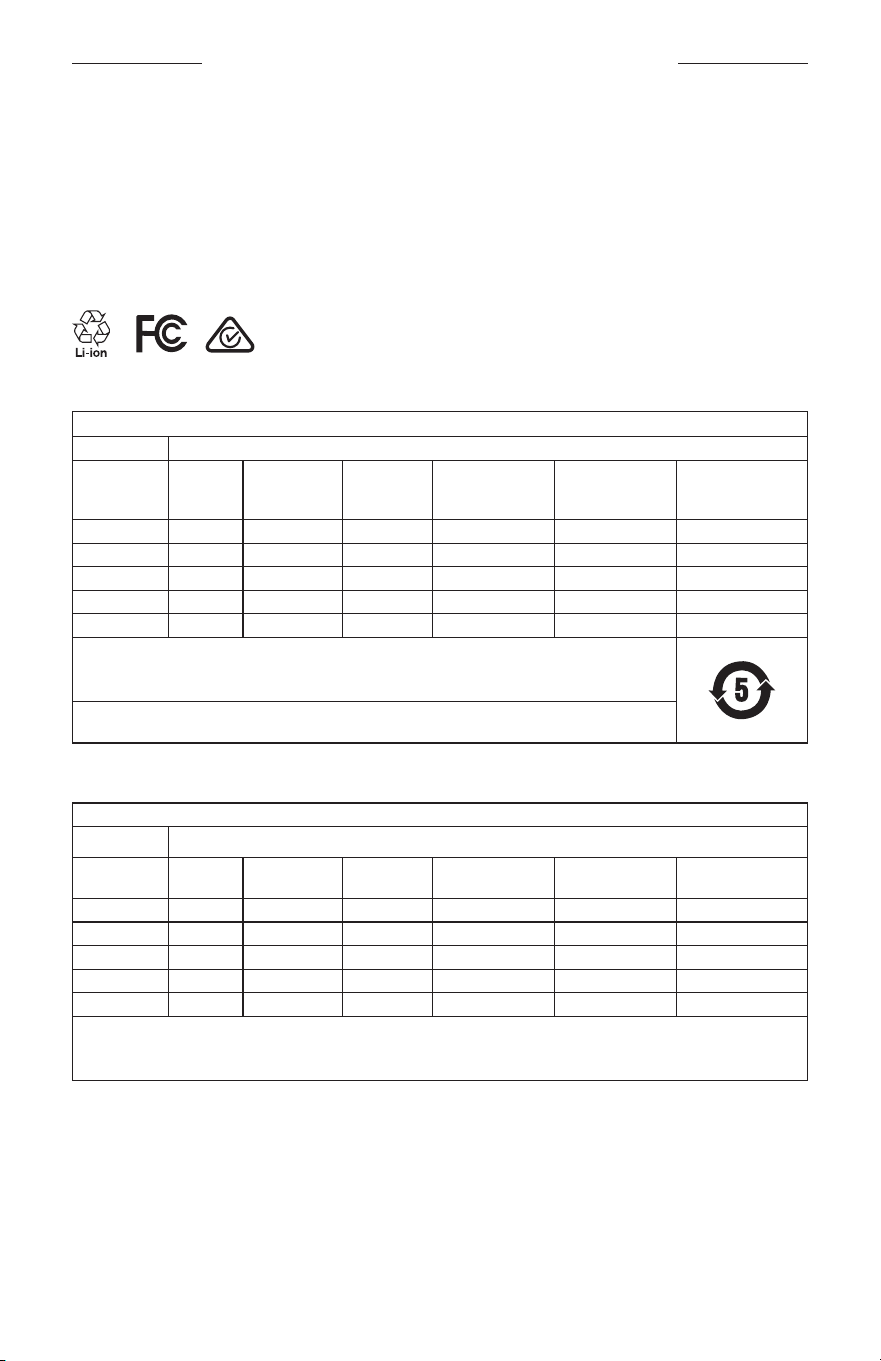
ZULASSUNGS- UND RECHTLICHE HINWEISE
5
|
DEU
M
Hergestellt für: Bose Corporation, 100 The Mountain Road, Framingham, MA 01701
L
Nicht verwenden, wenn die Verpackung beschädigt ist.
C
Dieses Produkt enthält kein Naturlatex.
d
Dieses Produkt wird nicht steril geliefert.
p
l
+45°C
0°C
Tabelle zur Einschränkung gefährlicher Stoffe für China
Namen und Inhalt der giftigen oder gefährlichen Stoffe oder Elemente
Gefährliche Stoffe oder Elemente
Name des Teils Blei (Pb)
Quecksilber
(Hg)
Kadmium
(Cd)
Sechswertiges
Chrom (CR(VI))
Polybromiertes
Biphenyl
(PBB)
Polybromiertes
Diphenylether
(PBDE)
PCBs X O O O O O
Metallteile X O O O O O
Kunststoffteile O O O O O O
Lautsprecher X O O O O O
Kabel X O O O O O
Diese Tabelle wurde in Übereinstimmung mit den Bestimmungen von SJ/T 11364 erstellt.
O: Gibt an, dass dieser giftige oder gefährliche Stoff, der in allen homogenen Materialien für dieses Teil
enthalten ist, unter den Grenzwerten gemäß GB/T 26572 liegt.
X: Gibt an, dass dieser giftige oder gefährliche Stoff, der in mindestens einem der homogenen Materialien
enthalten ist, die für dieses Teil verwendet wurden, über den Grenzwerten gemäß GB/T 26572 liegt.
Tabelle zur Einschränkung gefährlicher Stoffe für Taiwan
Gerätebezeichnung: Powered Speaker, Typbezeichnung: 433948
Stoffe mit eingeschränkter Verwendung und ihre chemischen Symbole
Einheit Blei (Pb)
Quecksilber
(Hg)
Kadmium
(Cd)
Sechswertiges
Chrom (Cr+6)
Polybromierte
Biphenyle (PBB)
Polybromierte
Diphenylether (PBDE)
PCBs
- ○ ○ ○ ○ ○
Metallteile
- ○ ○ ○ ○ ○
Kunststoffteile
○ ○ ○ ○ ○ ○
Lautsprecher
- ○ ○ ○ ○ ○
Kabel
- ○ ○ ○ ○ ○
Hinweis 1:
„○“ gibt an, dass der prozentuale Gehalt des Stoffs mit eingeschränkter Verwendung den Prozentsatz des Referenzwerts
des Vorhandenseins nicht übersteigt.
Hinweis 2: „–“ gibt an, dass der Stoff mit eingeschränkter Verwendung der Ausnahme entspricht.
ZULASSUNGS- UND RECHTLICHE HINWEISE
6
|
DEU
Dieses Produkt entspricht ANSI Z80.3, AS/NZS 1067.1 und EN ISO 12312-1.
Getönte Brillen sollten nicht beim Fahren in der Nacht getragen werden.
I
NICHT GEEIGNET FÜR DAS FAHREN IN DER DÄMMERUNG ODER NACHTS. NICHT GEEIGNET FÜR DAS
FAHREN IN DER NACHT ODER BEI SCHLECHTER BELEUCHTUNG.
Dieses Produkt blockiert mehr als 99% der UVA- und UVB-Lichtenergie. Dieses Produkt entspricht ANSI Z80.3.
Mit dem Frames Soprano- oder Frames Tenor-Produkt dürfen nur von Bose zugelassene Lenses verwendet werden.
Nicht für das direkte Blicken in die Sonne.
Nicht zum Schutz vor künstlichen Lichtquellen, z.B. Solarien.
Nicht für die Verwendung als Augenschutz vor mechanischen Gefahren.
Bei Nichtgebrauch Produkt im mitgelieferten Transport-Etui aufbewahren.
EU-FILTERKATEGORIE: ISO 12312-1 KAT. 3
AUSTRALISCHE GLÄSERKATEGORIE: 1067.1 KAT. 3
h
Diese Sonnenbrille bietet einen hohen Grad an Reduzierung der Blendung durch die Sonne und guten U-Schutz.
UV-Einstufung: UV 380 cut
Bitte füllen Sie Folgendes aus und bewahren Sie es für Ihre Unterlagen auf:
Die Seriennummer der Frames befindet sich am linken Bügel und die Modell-/Referenznummer befindet sich am
rechten Bügel.
Seriennummer: ___________________________________________________________________
Modellnummer: ___________________________________________________________________
Bewahren Sie die Kaufquittung zusammen mit der Bedienungsanleitung auf. Jetzt ist ein guter Zeitpunkt, um Ihr
Bose-Produkt zu registrieren. Sie können dies ganz einfach auf global.Bose.com/register
N
Herstellungsdatum: Die achte Ziffer in der Seriennummer gibt das Herstellungsjahr an: „0“ ist 2010 oder 2020.
China-Import: Bose Electronics (Shanghai) Company Limited, Part C, Plant 9, No. 353 North Riying Road,
China(Shanghai) Pilot Free Trade Zone
EU-Import: Bose Products B.V., Gorslaan 60, 1441 RG Purmerend, Niederlande
Taiwan-Import: Bose Taiwan Branch, 9F-A1, No.10, Section 3, Minsheng East Road, Taipei City 104, Taiwan
Telefonnummer: +886-2-2514 7676
Mexiko-Import: Bose de México, S. de R.L. de C.V., Paseo de las Palmas 405-204, Lomas de Chapultepec,
11000México, D.F. Telefonnummer: +5255 (5202) 3545
Eingangsnennleistung: 5V p 500mA
Die CMITT-ID befindet sich am inneren vorderen Bügel.
h
BMD0011
ZULASSUNGS- UND RECHTLICHE HINWEISE
7
|
DEU
Sicherheitshinweise
Dieses Produkt kann Sicherheitsupdates von Bose über die Bose Music App empfangen.
UmSicherheitsupdates über die mobile Anwendung zu empfangen, müssen Sie den
Produkteinrichtungsvorgang in der Bose Music App abschließen. Wenn Sie den Einrichtungsvorgang nicht
abschließen, sind Sie für das Installieren von Sicherheitsupdates verantwortlich, die Bose über
btu.bose.com zur Verfügung stellt.
Apple, das Apple-Logo, iPad, iPhone, iPod und Siri sind Marken von Apple Inc., die in den USA und anderen Ländern
eingetragen sind. Die Marke „iPhone“ wird in Japan mit einer Lizenz von Aiphone K.K. verwendet. App Store ist eine
Dienstleistungsmarke von Apple Inc.
Die Verwendung des Aufklebers „Made for Apple“ bedeutet, dass ein elektronisches Zubehör speziell für die
Verwendung mit Apple-Produkten entwickelt wurde, die auf dem Aufkleber angegeben sind, und vom Entwickler für
die Erfüllung der Apple-Leistungsstandards zertifiziert wurde. Apple übernimmt keine Verantwortung für den Betrieb
dieses Geräts oder die Einhaltung von Sicherheits- und gesetzlichen Standards.
Die Bluetooth® Wortmarke und Logos sind eingetragene Marken der Bluetooth SIG, Inc. Jegliche Nutzung dieser
Marken durch die Bose Corporation erfolgt unter Lizenz.
Google und Google Play sind Marken von Google, LLC.
Bose, Bose Frames und Bose Music sind Marken der Bose Corporation.
Bose Corporation Unternehmenszentrale: 1-877-230-5639
©2020 Bose Corporation. Dieses Dokument darf ohne vorherige schriftliche Genehmigung weder ganz noch teilweise
reproduziert, verändert, vertrieben oder auf andere Weise verwendet werden.

8
|
DEU
The following license disclosures apply to certain third-party software packages used as components in the product.
Package: Nanopb
Copyright © 2011 Petteri Aimonen <jpa at nanopb.mail.kapsi.fi>. The Nanopb package is subject to the license terms
reprinted below.
Zlib license
© 2011 Petteri Aimonen <jpa at nanopb.mail.kapsi.fi>
This software is provided ‘as-is’, without any express or implied warranty. In no event will the authors be held liable
for any damages arising from the use of this software.
Permission is granted to anyone to use this software for any purpose, including commercial applications, and to alter
it and redistribute it freely, subject to the following restrictions:
1. The origin of this software must not be misrepresented; you must not claim that you wrote the original software.
If you use this software in a product, an acknowledgment in the product documentation would be appreciated
but is not required.
2. Altered source versions must be plainly marked as such, and must not be misrepresented as being the
original software.
3. This notice may not be removed or altered from any source distribution.
Package: Mbed TLS 2.16.1
© ARM Limited. All rights reserved. The Mbed TLS package is subject to the license terms reprinted below.
Apache 2.0 License
Apache License
Version 2.0, January 2004
http://www.apache.org/licenses/
TERMS AND CONDITIONS FOR USE, REPRODUCTION, AND DISTRIBUTION
1. Definitions.
“License” shall mean the terms and conditions for use, reproduction, and distribution as defined by Sections 1
through 9 of this document.
“Licensor” shall mean the copyright owner or entity authorized by the copyright owner that is granting
the License.
“Legal Entity” shall mean the union of the acting entity and all other entities that control, are controlled by, or
are under common control with that entity. For the purposes of this definition, “control” means (i) the power,
direct or indirect, to cause the direction or management of such entity, whether by contract or otherwise, or (ii)
ownership of fifty percent (50%) or more of the outstanding shares, or (iii) beneficial ownership of such entity.
“You” (or “Your”) shall mean an individual or Legal Entity exercising permissions granted by this License.
“Source” form shall mean the preferred form for making modifications, including but not limited to software
source code, documentation source, and configuration files.
“Object” form shall mean any form resulting from mechanical transformation or translation of a Source form,
including but not limited to compiled object code, generated documentation, and conversions to other
media types.
“Work” shall mean the work of authorship, whether in Source or Object form, made available under the License,
as indicated by a copyright notice that is included in or attached to the work (an example is provided in the
Appendix below).
“Derivative Works” shall mean any work, whether in Source or Object form, that is based on (or derived from)
the Work and for which the editorial revisions, annotations, elaborations, or other modifications represent, as a
whole, an original work of authorship. For the purposes of this License, Derivative Works shall not include works
that remain separable from, or merely link (or bind by name) to the interfaces of, the Work and Derivative
Works thereof.
LIZENZVEREINBARUNGEN

9
|
DEU
LIZENZVEREINBARUNGEN
“Contribution” shall mean any work of authorship, including the original version of the Work and any
modifications or additions to that Work or Derivative Works thereof, that is intentionally submitted to Licensor
for inclusion in the Work by the copyright owner or by an individual or Legal Entity authorized to submit on
behalf of the copyright owner. For the purposes of this definition, “submitted” means any form of electronic,
verbal, or written communication sent to the Licensor or its representatives, including but not limited to
communication on electronic mailing lists, source code control systems, and issue tracking systems that are
managed by, or on behalf of, the Licensor for the purpose of discussing and improving the Work, but excluding
communication that is conspicuously marked or otherwise designated in writing by the copyright owner as “Not
a Contribution.”
“Contributor” shall mean Licensor and any individual or Legal Entity on behalf of whom a Contribution has been
received by Licensor and subsequently incorporated within the Work.
2. Grant of Copyright License. Subject to the terms and conditions of this License, each Contributor hereby grants
to You a perpetual, worldwide, non-exclusive, no-charge, royalty-free, irrevocable copyright license to reproduce,
prepare Derivative Works of, publicly display, publicly perform, sublicense, and distribute the Work and such
Derivative Works in Source or Object form.
3. Grant of Patent License. Subject to the terms and conditions of this License, each Contributor hereby grants to
You a perpetual, worldwide, non-exclusive, no-charge, royalty-free, irrevocable (except as stated in this section)
patent license to make, have made, use, oer to sell, sell, import, and otherwise transfer the Work, where such
license applies only to those patent claims licensable by such Contributor that are necessarily infringed by their
Contribution(s) alone or by combination of their Contribution(s) with the Work to which such Contribution(s)
was submitted. If You institute patent litigation against any entity (including a cross-claim or counterclaim in a
lawsuit) alleging that the Work or a Contribution incorporated within the Work constitutes direct or contributory
patent infringement, then any patent licenses granted to You under this License for that Work shall terminate as
of the date such litigation is filed.
4. Redistribution. You may reproduce and distribute copies of the Work or Derivative Works thereof in any medium,
with or without modifications, and in Source or Object form, provided that You meet the following conditions:
a. You must give any other recipients of the Work or Derivative Works a copy of this License; and
b. You must cause any modified files to carry prominent notices stating that You changed the files; and
c. You must retain, in the Source form of any Derivative Works that You distribute, all copyright, patent,
trademark, and attribution notices from the Source form of the Work, excluding those notices that do not
pertain to any part of the Derivative Works; and
d. If the Work includes a “NOTICE” text file as part of its distribution, then any Derivative Works that You
distribute must include a readable copy of the attribution notices contained within such NOTICE file, excluding
those notices that do not pertain to any part of the Derivative Works, in at least one of the following places:
within a NOTICE text file distributed as part of the Derivative Works; within the Source form or
documentation, if provided along with the Derivative Works; or, within a display generated by the
Derivative Works, if and wherever such third-party notices normally appear. The contents of the NOTICE file
are for informational purposes only and do not modify the License. You may add Your own attribution notices
within Derivative Works that You distribute, alongside or as an addendum to the NOTICE text from the Work,
provided that such additional attribution notices cannot be construed as modifying the License.
You may add Your own copyright statement to Your modifications and may provide additional or dierent
license terms and conditions for use, reproduction, or distribution of Your modifications, or for any such
Derivative Works as a whole, provided Your use, reproduction, and distribution of the Work otherwise
complies with the conditions stated in this License.
5. Submission of Contributions. Unless You explicitly state otherwise, any Contribution intentionally submitted for
inclusion in the Work by You to the Licensor shall be under the terms and conditions of this License, without any
additional terms or conditions. Notwithstanding the above, nothing herein shall supersede or modify the terms
of any separate license agreement you may have executed with Licensor regarding such Contributions.
6. Trademarks. This License does not grant permission to use the trade names, trademarks, service marks, or
product names of the Licensor, except as required for reasonable and customary use in describing the origin of
the Work and reproducing the content of the NOTICE file.

10
|
DEU
LIZENZVEREINBARUNGEN
7. Disclaimer of Warranty. Unless required by applicable law or agreed to in writing, Licensor provides the Work
(and each Contributor provides its Contributions) on an “AS IS” BASIS, WITHOUT WARRANTIES OR CONDITIONS
OF ANY KIND, either express or implied, including, without limitation, any warranties or conditions of TITLE,
NON-INFRINGEMENT, MERCHANTABILITY, or FITNESS FOR A PARTICULAR PURPOSE. You are solely responsible
for determining the appropriateness of using or redistributing the Work and assume any risks associated with
Your exercise of permissions under this License.
8. Limitation of Liability. In no event and under no legal theory, whether in tort (including negligence), contract,
or otherwise, unless required by applicable law (such as deliberate and grossly negligent acts) or agreed to in
writing, shall any Contributor be liable to You for damages, including any direct, indirect, special, incidental,
or consequential damages of any character arising as a result of this License or out of the use or inability to
use the Work (including but not limited to damages for loss of goodwill, work stoppage, computer failure or
malfunction, or any and all other commercial damages or losses), even if such Contributor has been advised of
the possibility of such damages.
9. Accepting Warranty or Additional Liability. While redistributing the Work or Derivative Works thereof, You may
choose to oer, and charge a fee for, acceptance of support, warranty, indemnity, or other liability obligations
and/or rights consistent with this License. However, in accepting such obligations, You may act only on Your own
behalf and on Your sole responsibility, not on behalf of any other Contributor, and only if You agree to indemnify,
defend, and hold each Contributor harmless for any liability incurred by, or claims asserted against, such
Contributor by reason of your accepting any such warranty or additional liability.
END OF TERMS AND CONDITIONS
©2020 Bose Corporation
Licensed under the Apache License, Version 2.0 (the “License”); you may not use this file except in compliance with
the License.
You may obtain a copy of the License at: http://www.apache.org/licenses/LICENSE-2.0
Unless required by applicable law or agreed to in writing, software distributed under the License is distributed on an
“AS IS” BASIS, WITHOUT WARRANTIES OR CONDITIONS OF ANY KIND, either express or implied.
See the License for the specific language governing permissions and limitations under the License.

INHALT
11
|
DEU
LIEFERUMFANG
Inhalt .................................................................................................................................... 13
EINRICHTUNG DER BOSE MUSIC APP
Herunterladen der Bose Music App ........................................................................ 14
Hinzufügen der Frames zu einem vorhandenen Konto ................................... 14
SCHWEISS- UND WETTERFEST ...................................................................... 15
POWER
Einschalten ........................................................................................................................ 16
Ausschalten ....................................................................................................................... 17
Zum Ausschalten umdrehen .............................................................................. 17
Automatische Abschaltung durch Bewegungserkennung ..................... 17
FRAMES-BEDIENELEMENTE
Medienwiedergabe ......................................................................................................... 18
Lautstärke .......................................................................................................................... 19
Lautstärke erhöhen ................................................................................................ 19
Lautstärke verringern ............................................................................................ 19
Telefonanrufe .................................................................................................................... 20
Anrufbenachrichtigungen ................................................................................... 20
Aufrufen der Sprachsteuerung .................................................................................. 20
BATTERIE
Aufladen der Frames ..................................................................................................... 21
Prüfen des Batteriestands der Frames ................................................................... 21
Batteriebenachrichtigungen hören .................................................................. 21
Batteriestand anzeigen ........................................................................................ 21

INHALT
12
|
DEU
FRAMES-STATUS
Bluetooth®-Verbindungsstatus................................................................................... 22
Batteriestatus ................................................................................................................... 23
Fehlerstatus ....................................................................................................................... 23
BLUETOOTH-VERBINDUNGEN
Verbinden mithilfe des Bluetooth-Menüs auf dem Mobilgerät ..................... 24
Trennen eines Mobilgeräts .......................................................................................... 25
Erneutes Verbinden eines Mobilgeräts ................................................................... 25
Löschen der Frames-Geräteliste ............................................................................... 25
PFLEGE UND WARTUNG
Aufbewahren der Frames ............................................................................................ 26
Pflegen der Frames ........................................................................................................ 27
Ersatzteile und Zubehör ............................................................................................... 28
Eingeschränkte Garantie .............................................................................................. 28
Position der Serien- und Modell-/Referenznummer ......................................... 28
FEHLERBEHEBUNG
Versuchen Sie zuerst diese Lösungen .................................................................... 29
Andere Lösungen............................................................................................................ 29
AUFKLEBER-SYMBOLE
Symbole und Beschreibungen ................................................................................... 32
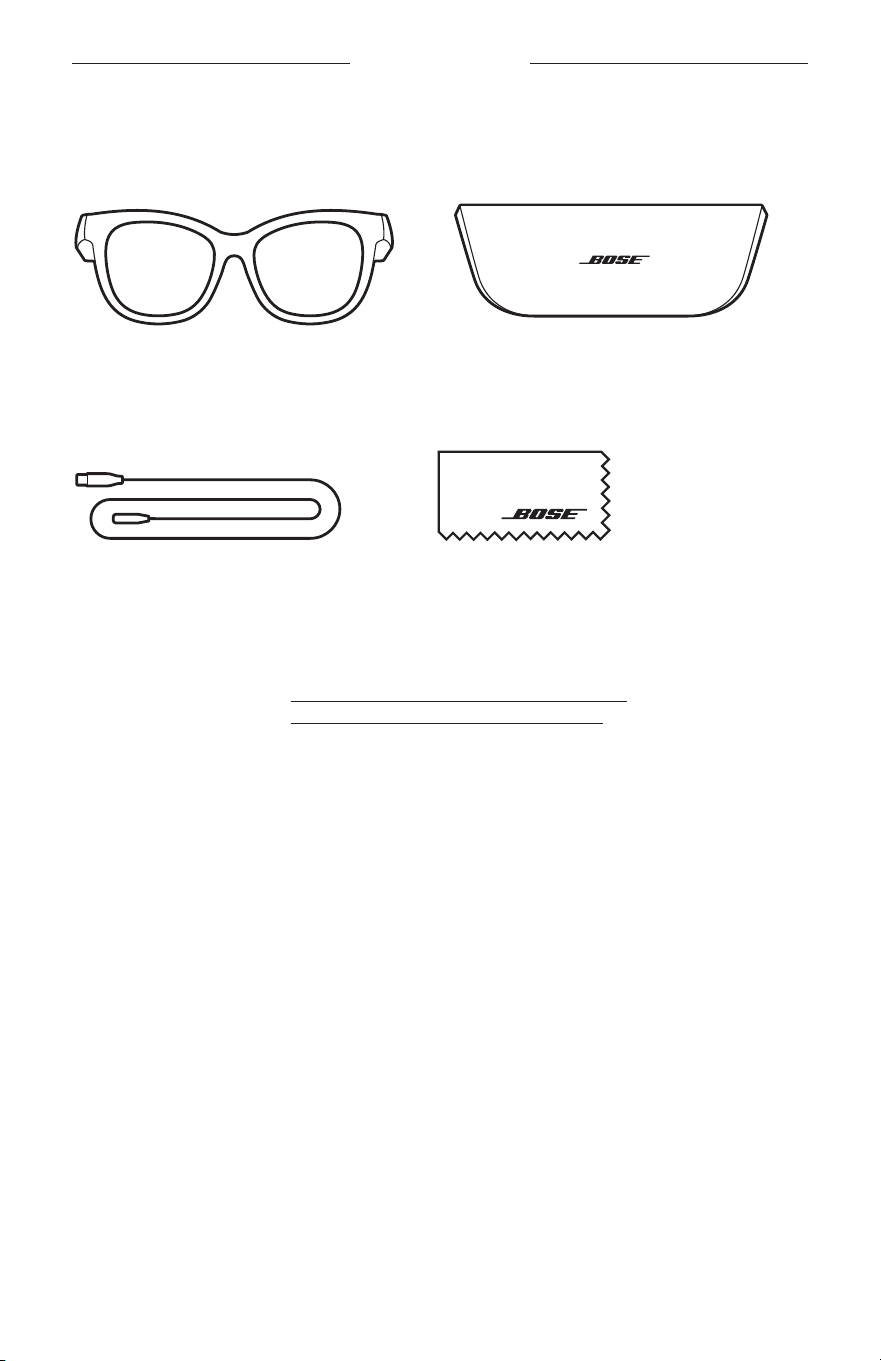
13
|
DEU
LIEFERUMFANG
INHALT
Überprüfen Sie, ob die folgenden Teile enthalten sind:
Bose Frames
Transport-Etui
Ladekabel Reinigungstuch
HINWEIS: Sollten Teile des Produkts beschädigt sein, verwenden Sie sie nicht.
Wenden Sie sich an den Bose-Fachhandel oder den Bose-Kundendienst.
Besuchen Sie: worldwide.Bose.com/Support/Soprano
worldwide.Bose.com/Support/Tenor
14
|
DEU
EINRICHTUNG DER BOSE MUSIC APP
Mit der Bose Music App können Sie die Frames von jedem Mobilgerät, z.B.
einemSmartphone oder Tablet, aus steuern.
Mithilfe der App können Sie die Energieeinstellungen anpassen, Ihre Sprache für
Sprachansagen auswählen und neue Funktionen erhalten.
HINWEIS: Wenn Sie in der App bereits ein Bose-Konto für ein anderes Bose-
Produkt erstellt haben, sehen Sie unter „Hinzufügen der Frames zu einem
vorhandenen Konto“ nach.
HERUNTERLADEN DER BOSE MUSIC APP
1. Laden Sie auf Ihrem Mobilgerät die Bose Music App herunter.
HINWEIS: Wenn Sie sich in Festlandchina befinden, laden Sie die Bose8
Appherunter.
BOSE MUSIC
2. Befolgen Sie die Anweisungen in der App.
HINZUFÜGEN DER FRAMES ZU EINEM
VORHANDENEN KONTO
1. Halten Sie die Taste am rechten Bügel gedrückt, bis Sie „Bereit zum Verbinden“
hören oder das Statuslämpchen blau blinkt.
2. Fügen Sie in der Bose Music App auf dem Bildschirm „Meine Produkte“
IhreFrames hinzu.
HINWEIS: Wenn die App die Frames nicht finden kann, sehen Sie unter
„BoseMusic App kann die Frames nicht finden“ auf Seite30 nach.
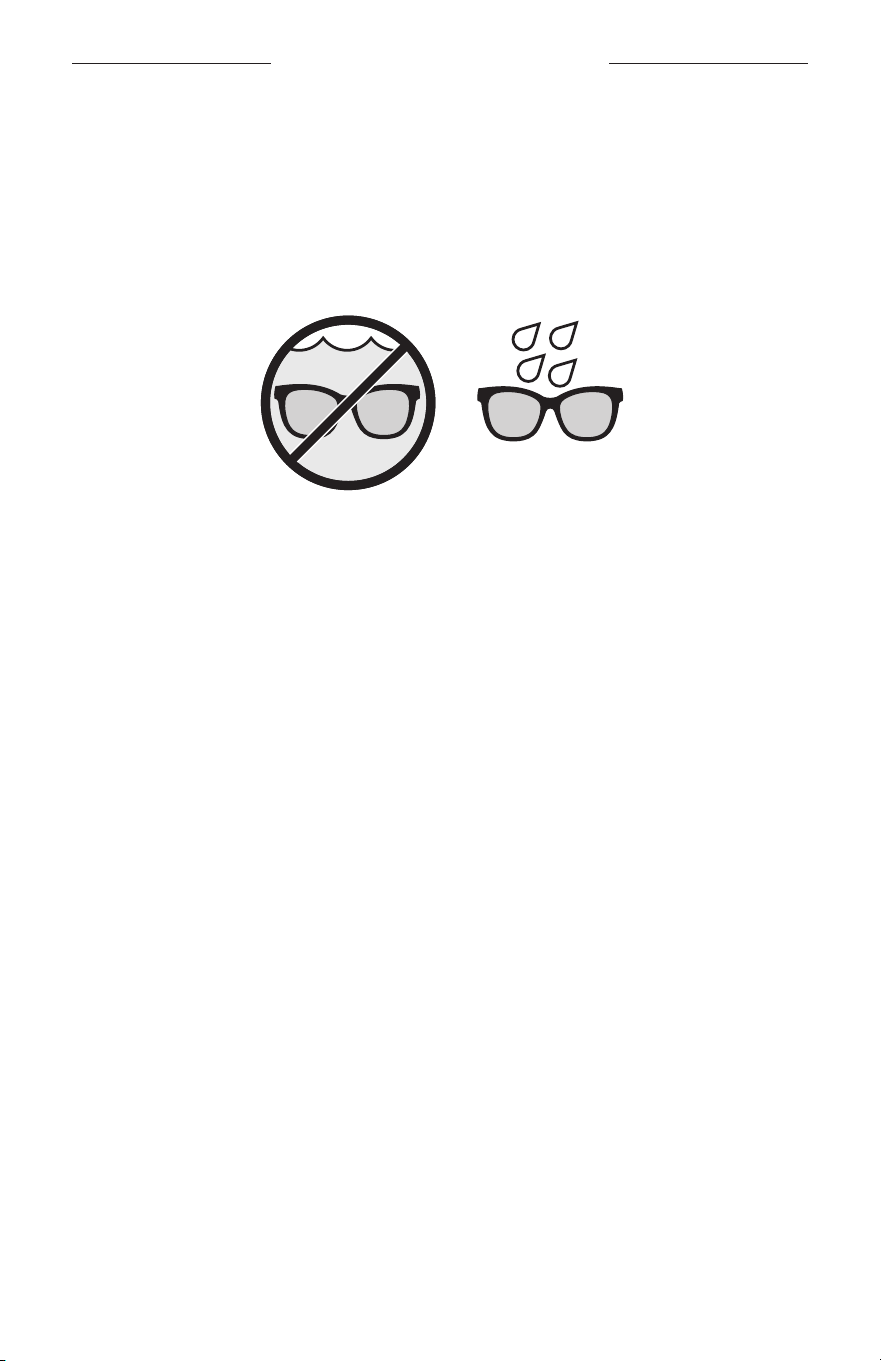
15
|
DEU
SCHWEISS- UND WETTERFEST
Für die Frames gilt Schutzart IPX2/wasserbeständig. Sie sind für Schweiß- und
Wasserbeständigkeit gegenüber Wassertropfen ausgelegt, dürfen aber nicht in
Wasser getaucht werden.
ACHTUNG:
• Sie sollten mit den Frames NICHT schwimmen oder duschen.
• Tauchen Sie die Frames NICHT ein.
HINWEIS: IPX2 ist kein permanenter Zustand und die Beständigkeit kann sich als
Folge des normalen Verschleißes verringern.
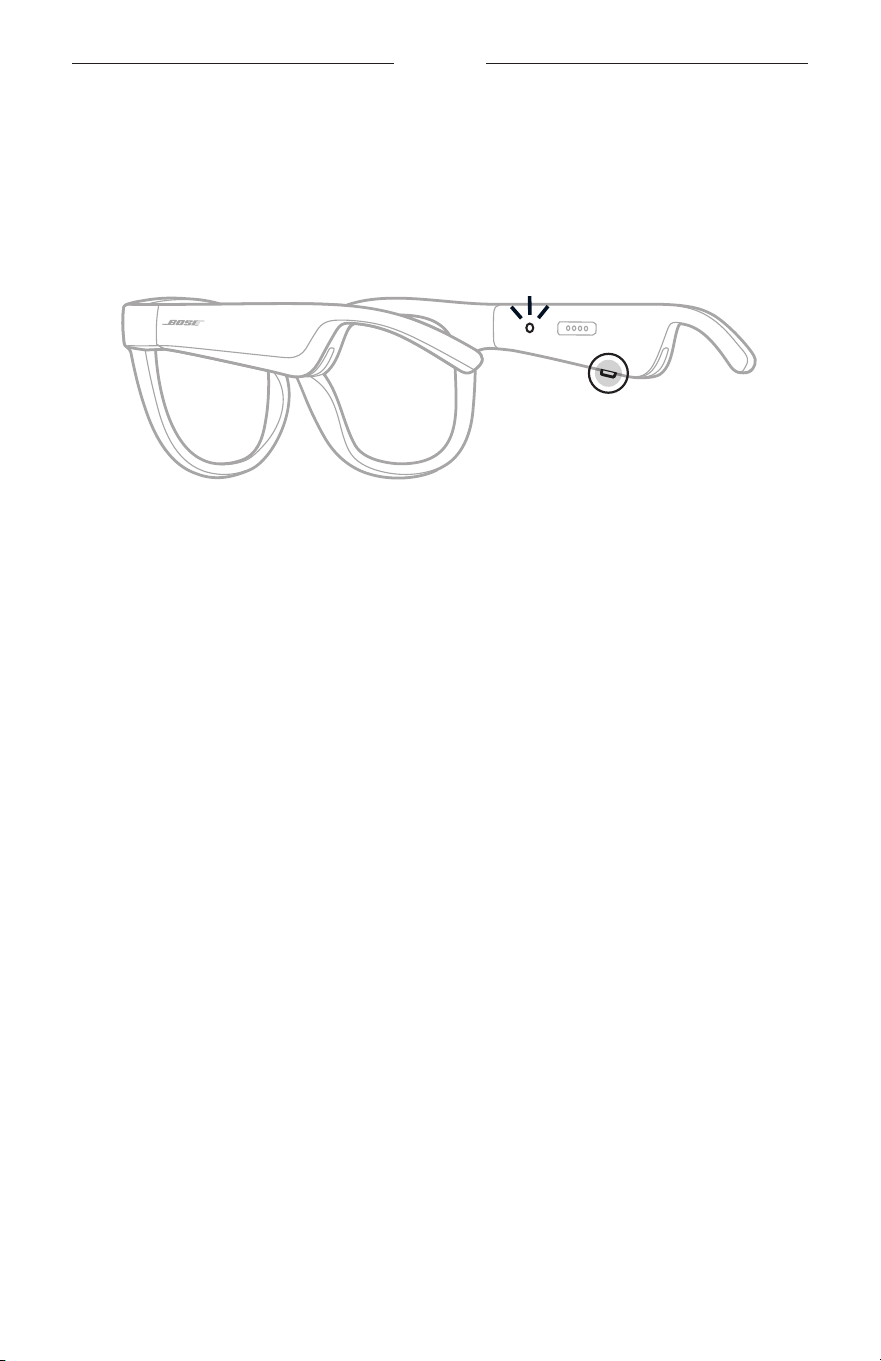
16
|
DEU
POWER
EINSCHALTEN
Drücken Sie die Taste am rechten Bügel.
Das Statuslämpchen blinkt zwei Mal weiß und leuchtet dann entsprechend dem
Bluetooth-Verbindungsstatus (siehe Seite 22). Ein Sprachbefehl informiert über
den Batteriestand und den Bluetooth-Verbindungsstatus.
HINWEIS: Die Frames werden teilweise aufgeladen geliefert und müssen vor der
erstmaligen Verwendung aktiviert werden. Schließen Sie die Frames zum
Aktivieren 2 Sekunden lang an den Strom an und trennen Sie sie dann
(siehe Seite 21). Versuchen Sie danach, sie wieder einzuschalten.
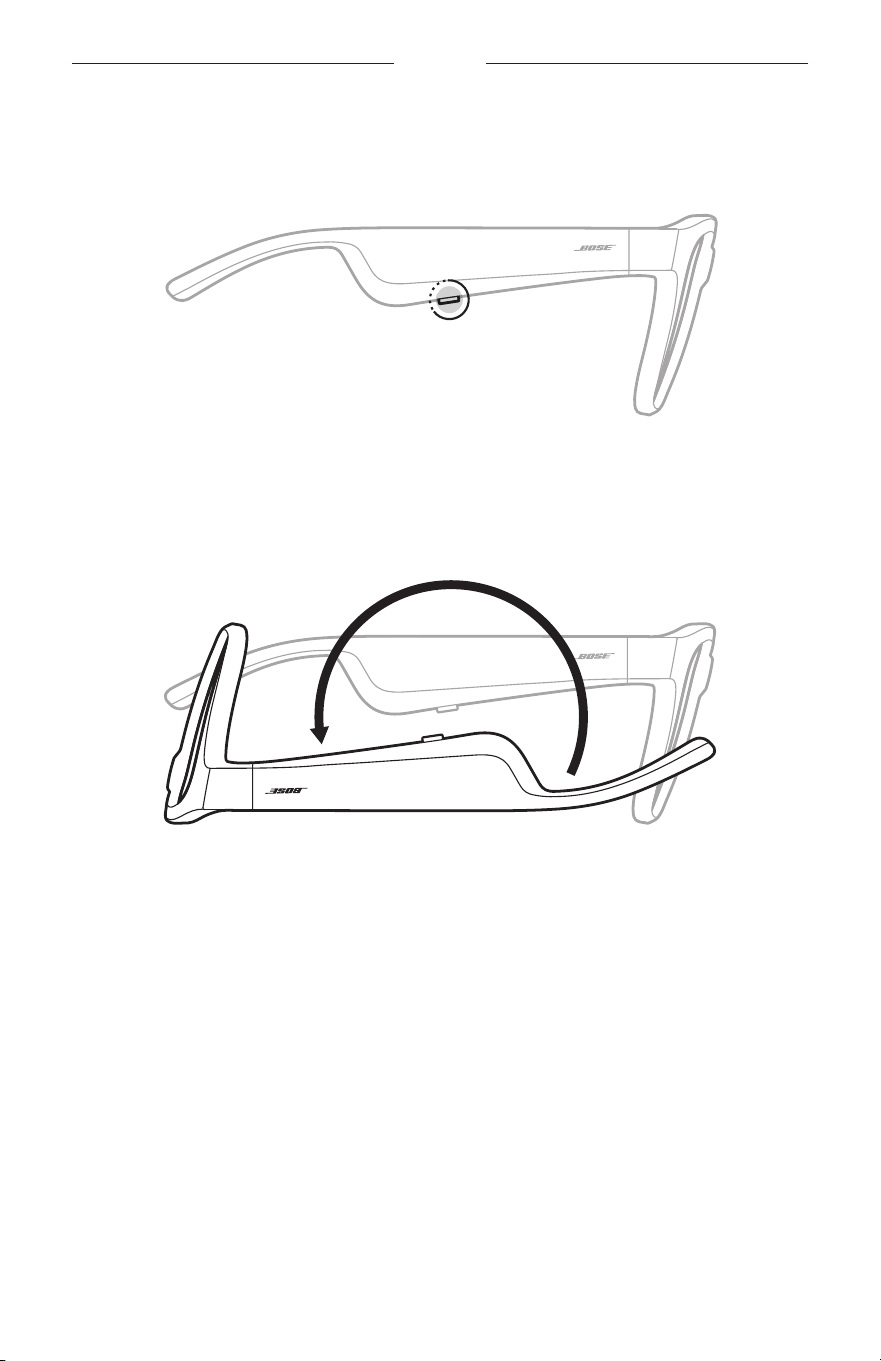
17
|
DEU
POWER
AUSSCHALTEN
Halten Sie die Taste gedrückt, bis Sie einen Ton hören.
Das Statuslämpchen blinkt zwei Mal weiß und geht dann zu schwarz über.
Zum Ausschalten umdrehen
Halten Sie die Frames 2 Sekunden lang verkehrt herum.
Das Statuslämpchen blinkt zwei Mal weiß und geht dann zu schwarz über.
HINWEIS:
• Nach Abschaltung der Frames können Sie sie in jede Richtung bewegen.
• Sie können diese Funktion in der Bose Music App deaktivieren. Auf diese Option
können Sie vom Menü „Einstellungen“ aus zugreifen.
Automatische Abschaltung durch Bewegungserkennung
Die Frames verwenden Bewegungserkennung, um zu erkennen, wann sie nicht
verwendet werden. Wenn die Frames 10 Minuten lang nicht bewegt wurden, schalten
sie sich automatisch aus.
HINWEIS: Sie können diese Funktion in der Bose Music App deaktivieren. Auf diese
Option können Sie vom Menü „Einstellungen“ aus zugreifen.
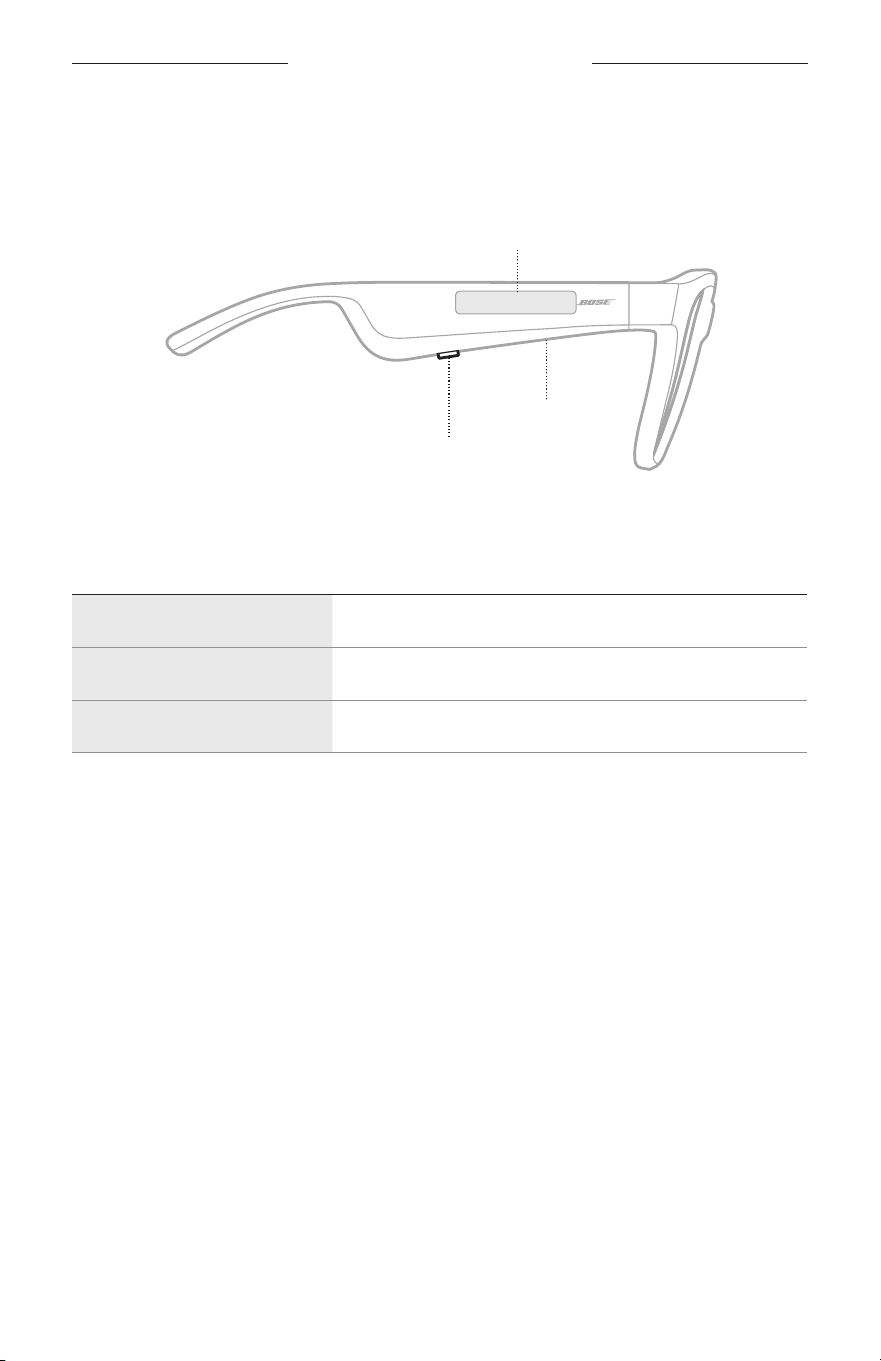
18
|
DEU
FRAMES-BEDIENELEMENTE
Verwenden Sie die Tasten und Touch-Fläche am rechten Bügel,
umMedienwiedergabe, Lautstärke, Telefonanrufe und Sprachsteuerung zu steuern.
Taste
Medienwiedergabe steuern
Telefonanrufe steuern
Mikrofon
Touch-Fläche
Lautstärke einstellen
Aufrufen der Sprachsteuerung
MEDIENWIEDERGABE
STEUERUNG VORGEHENSWEISE
Wiedergabe/Pause Drücken Sie die Taste.
Vorwärts springen Drücken Sie die Taste zwei Mal.
Rückwärts springen Drücken Sie die Taste drei Mal.
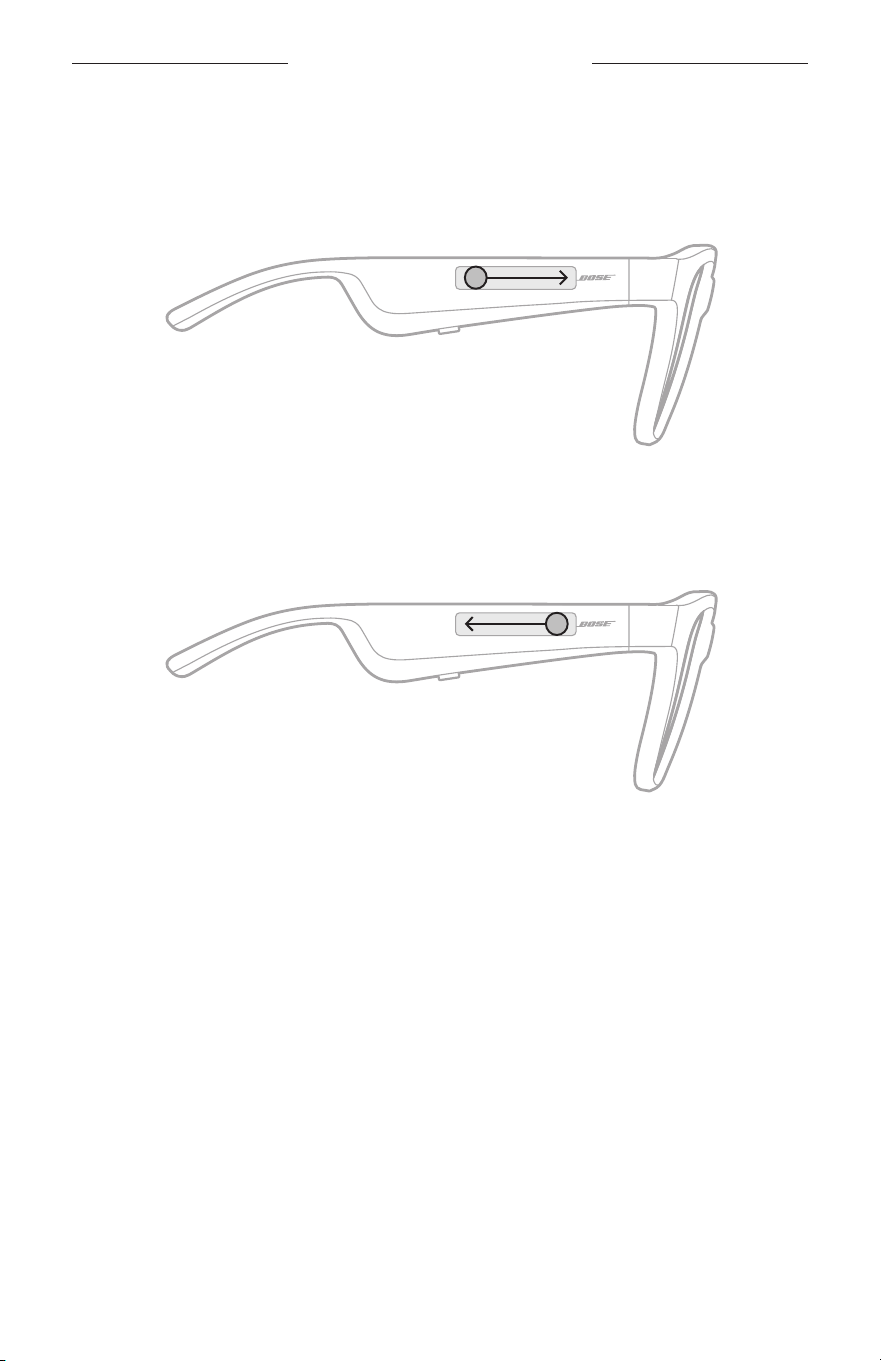
19
|
DEU
FRAMES-BEDIENELEMENTE
LAUTSTÄRKE
Lautstärke erhöhen
Wischen Sie auf der Touch-Fläche vorwärts.
HINWEIS: Sie hören einen Ton und die Lautstärke erreicht das maximale Niveau.
Lautstärke verringern
Wischen Sie auf der Touch-Oberfläche rückwärts.
HINWEIS: Sie hören einen Ton und die Lautstärke erreicht das minimale Niveau.
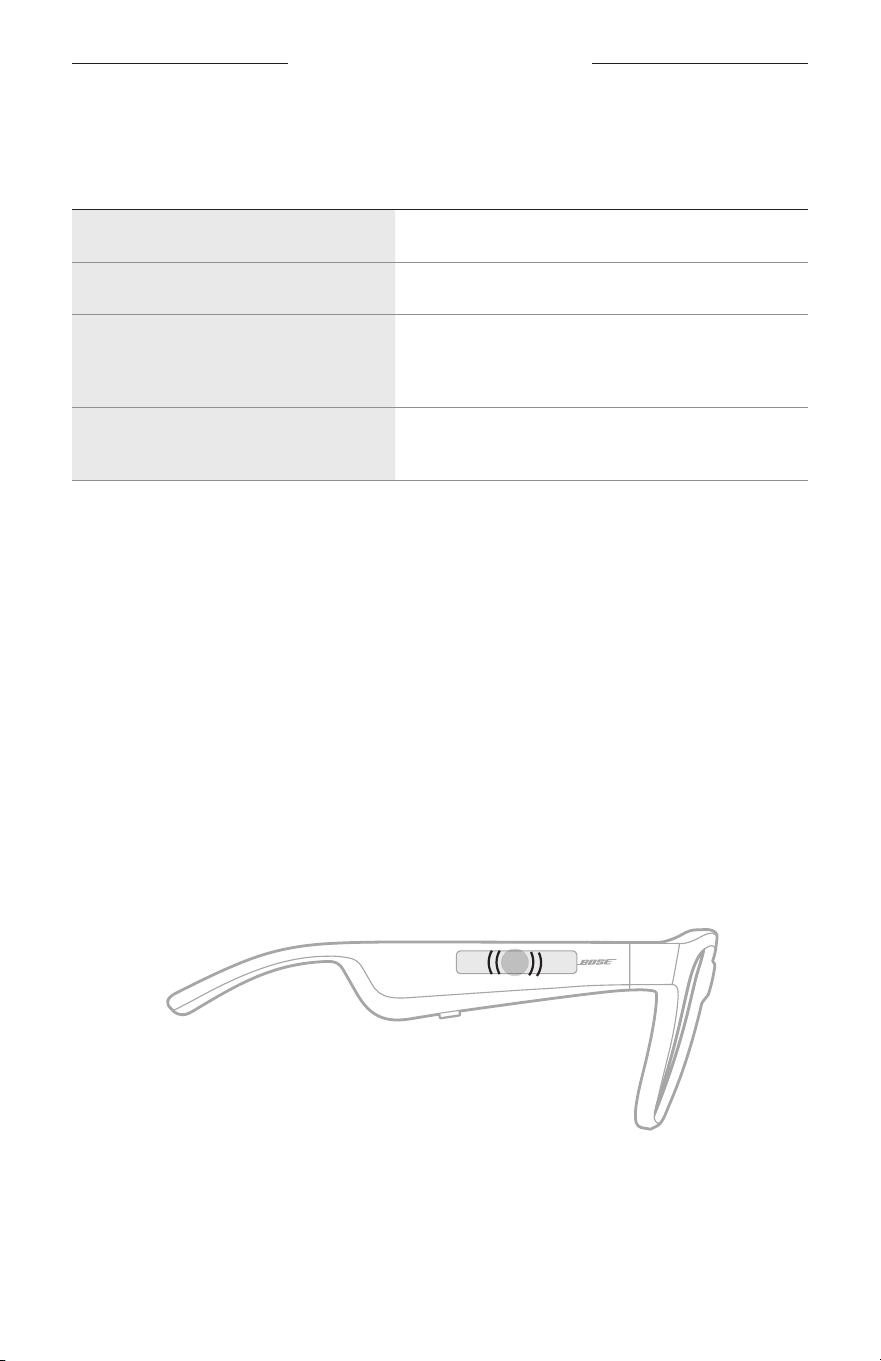
FRAMES-BEDIENELEMENTE
20
|
DEU
TELEFONANRUFE
STEUERUNG VORGEHENSWEISE
Anruf annehmen/beenden Drücken Sie die Taste.
Ankommenden Anruf ablehnen Drücken Sie die Taste zwei Mal.
Zweiten eingehenden Anruf
entgegennehmen und aktuellen Anruf
auf Warten stellen
Drücken Sie die Taste während eines Anrufs.
Zweiten eingehenden Anruf ablehnen
und beim aktuellen Anruf bleiben
Drücken Sie die Taste während eines Anrufs zwei Mal.
HINWEIS: Um alle Telefonanrufsteuerungen zu verwenden, führen Sie die
verfügbaren Updates in der Bose Music App aus.
Anrufbenachrichtigungen
Ein Sprachbefehl informiert über eingehende Anrufe und den Anrufstatus.
AUFRUFEN DER SPRACHSTEUERUNG
Das Frames-Mikrofon fungiert als Erweiterung des Mikrofons in Ihrem
Mobilgerät. Mithilfe der Touch-Fläche am rechten Bügel können Sie auf die
Sprachsteuerungsfunktionen auf Ihrem Gerät zugreifen, um Anrufe zu tätigen/
entgegenzunehmen oder Siri oder Ihren Google Assistant aufzufordern, Musik
wiederzugeben, Ihnen einen Wetterbericht zu liefern, Ihnen den Punktstand eines
Spiels anzugeben und mehr.
Tippen Sie zwei Mal auf die Touch-Fläche, um auf die Sprachsteuerung auf Ihrem
Gerät zuzugreifen.
2x
Sie hören einen Ton, wenn die Sprachsteuerung aktiv ist.
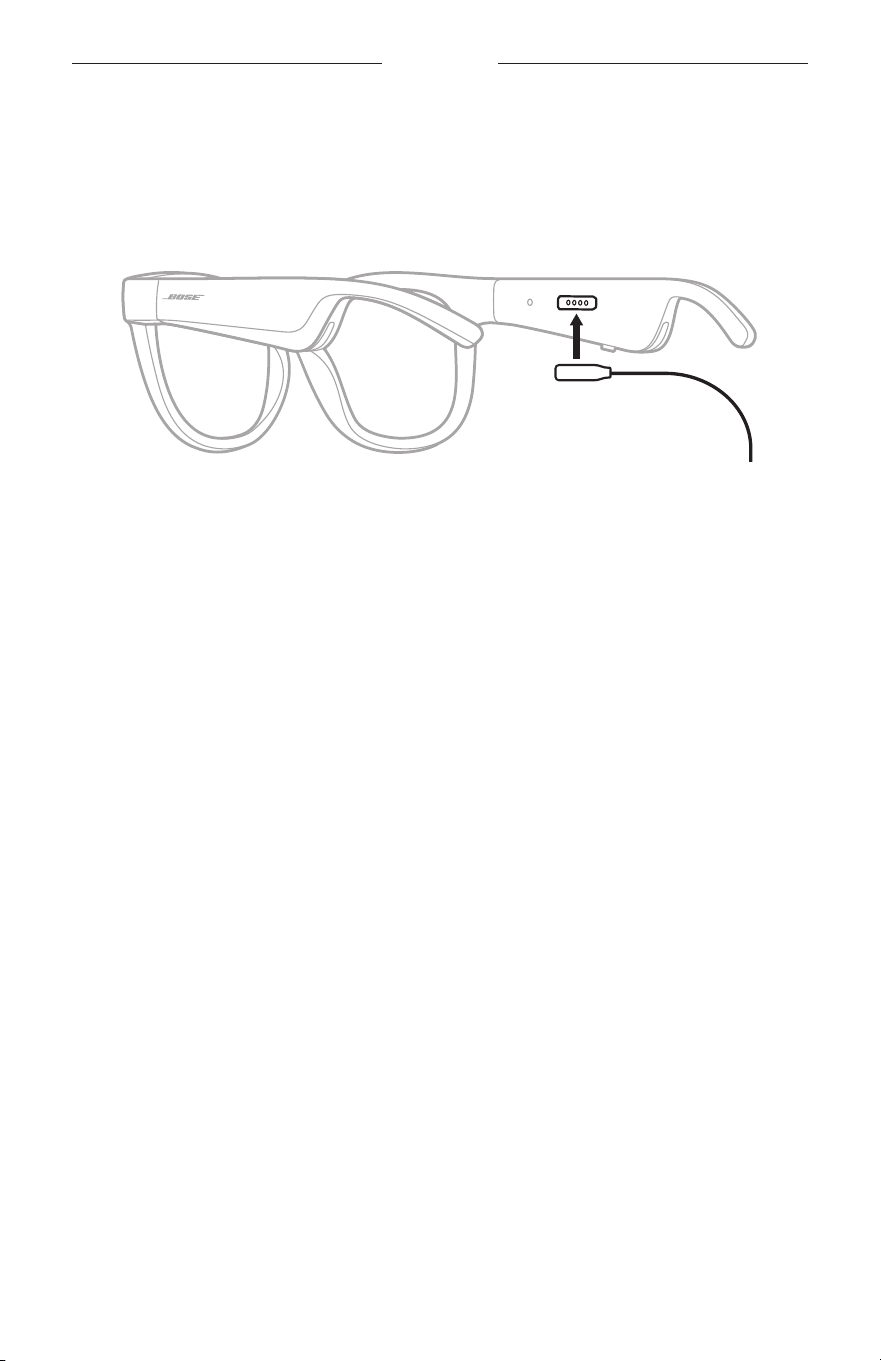
21
|
DEU
BATTERIE
AUFLADEN DER FRAMES
1. Richten Sie die Stifte am Ladekabel mit dem Ladeanschluss am rechten Bügel aus.
HINWEIS: Die Stifte müssen richtig mit dem Ladeanschluss ausgerichtet sein,
damit die Frames erfolgreich geladen werden können.
2. Drücken Sie die Stifte leicht gegen den Ladeanschluss, bis sie magnetisch einrasten.
3. Verbinden Sie das andere Ende mit einem USB-A-Wandladegerät (nicht mitgeliefert).
ACHTUNG: Verwenden Sie dieses Produkt nur mit einem zugelassenen Netzteil, das
die lokalen gesetzlichen Anforderungen erfüllt (z. B UL, CSA, VDE, CCC).
Während des Aufladens blinkt das Statuslämpchen weiß. Wenn die Batterie voll
aufgeladen ist, leuchtet das Statuslämpchen weiß (siehe Seite 23).
HINWEISE:
• Beim Aufladen erfolgt keine Audiowiedergabe über die Frames.
• Tragen Sie die Frames nicht, während sie aufgeladen werden.
PRÜFEN DES BATTERIESTANDS DER FRAMES
Batteriebenachrichtigungen hören
Jedes Mal, wenn Sie die Frames einschalten, gibt ein Sprachbefehl den
Batterieladezustand an.
Während Sie die Frames verwenden, gibt ein Sprachbefehl an, ob die Batterie geladen
werden muss.
Batteriestand anzeigen
• Sehen Sie auf dem Startbildschirm in der Bose Music App nach.
• Wenn das Statuslämpchen rot blinkt, müssen die Frames aufgeladen werden.
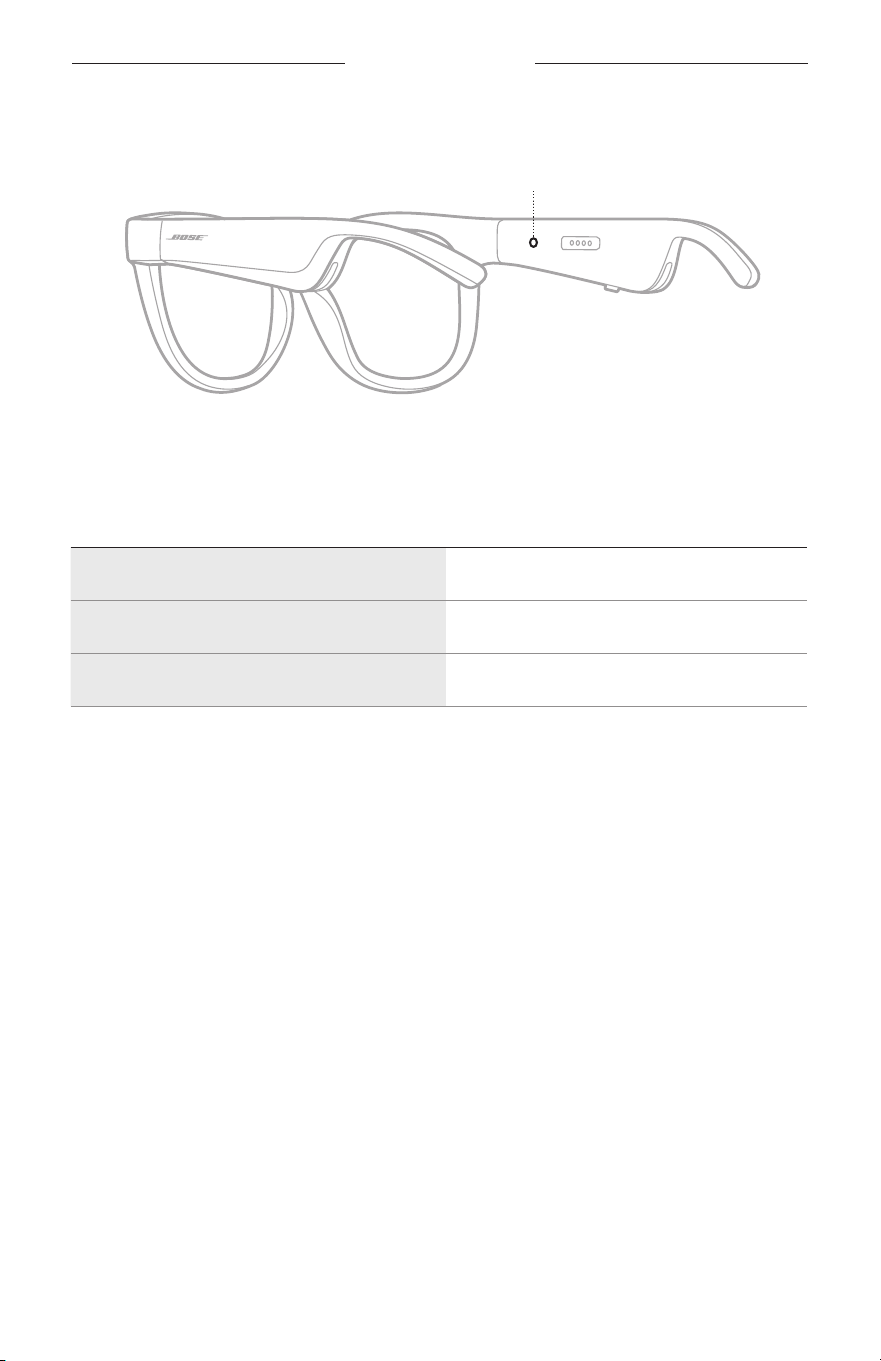
22
|
DEU
FRAMES-STATUS
Das Frames-Statuslämpchen befindet sich innen am rechten Bügel.
Statuslämpchen
BLUETOOTH-VERBINDUNGSSTATUS
Zeigt den Bluetooth Verbindungsstatus der Mobilgeräte an.
AKTIVITÄT DER LÄMPCHEN SYSTEMZUSTAND
Blinkt langsam blau Bereit für die Verbindung
Blinkt schnell blau Verbinden
Leuchtet blau (10 Sekunden) Verbunden
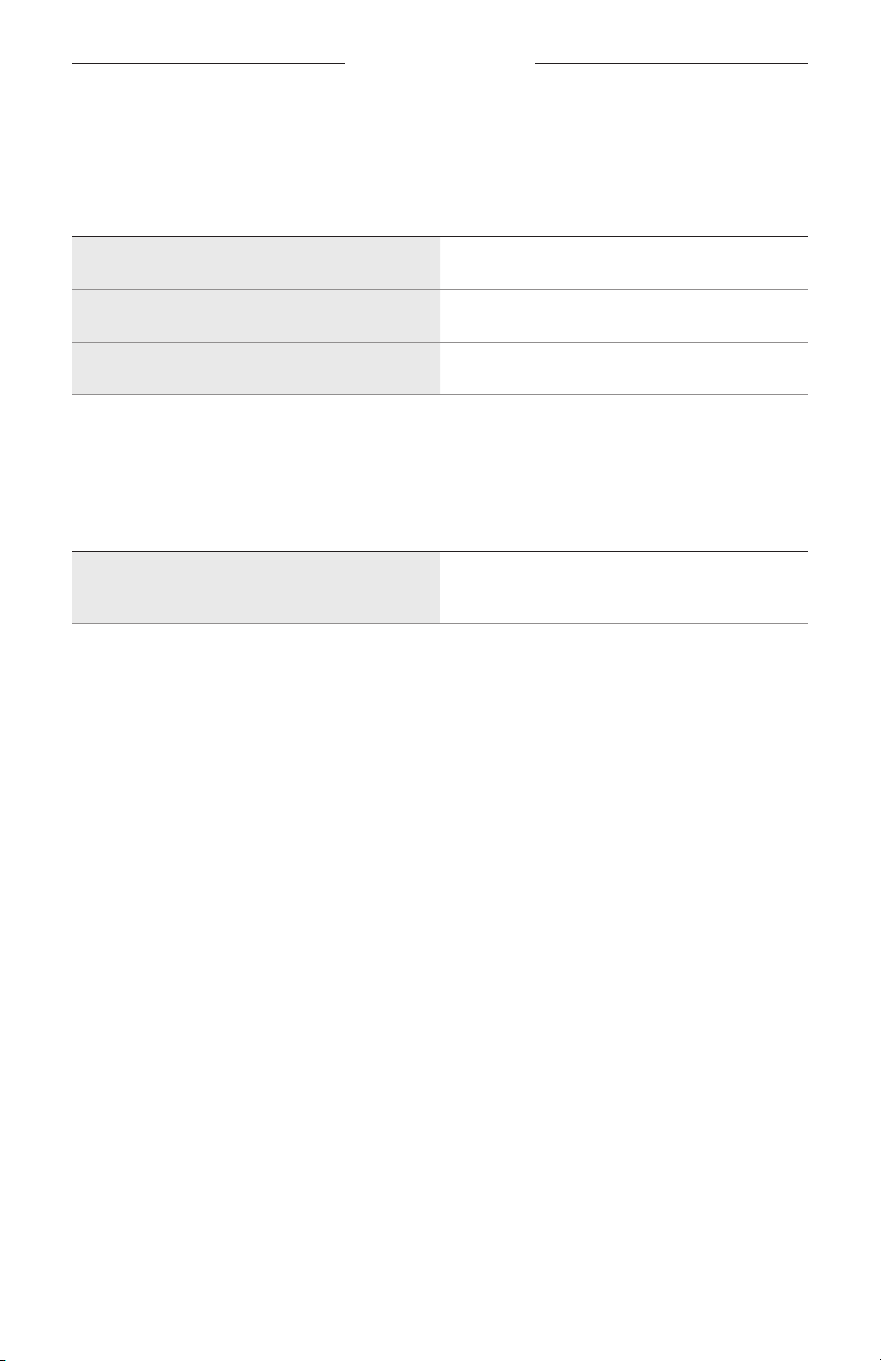
FRAMES-STATUS
23
|
DEU
BATTERIESTATUS
Zeigt den Batterieladezustand der Frames an.
AKTIVITÄT DER LÄMPCHEN SYSTEMZUSTAND
Blinkt rot (10 Sekunden) Aufladen erforderlich
Blinkt weiß Aufladen
Leuchtet weiß Vollständige Aufladung
FEHLERSTATUS
Zeigt den Fehlerstatus.
AKTIVITÄT DER LÄMPCHEN SYSTEMZUSTAND
Blinkt rot und weiß (wiederholt)
Fehler – Wenden Sie sich an den Bose-
Kundendienst
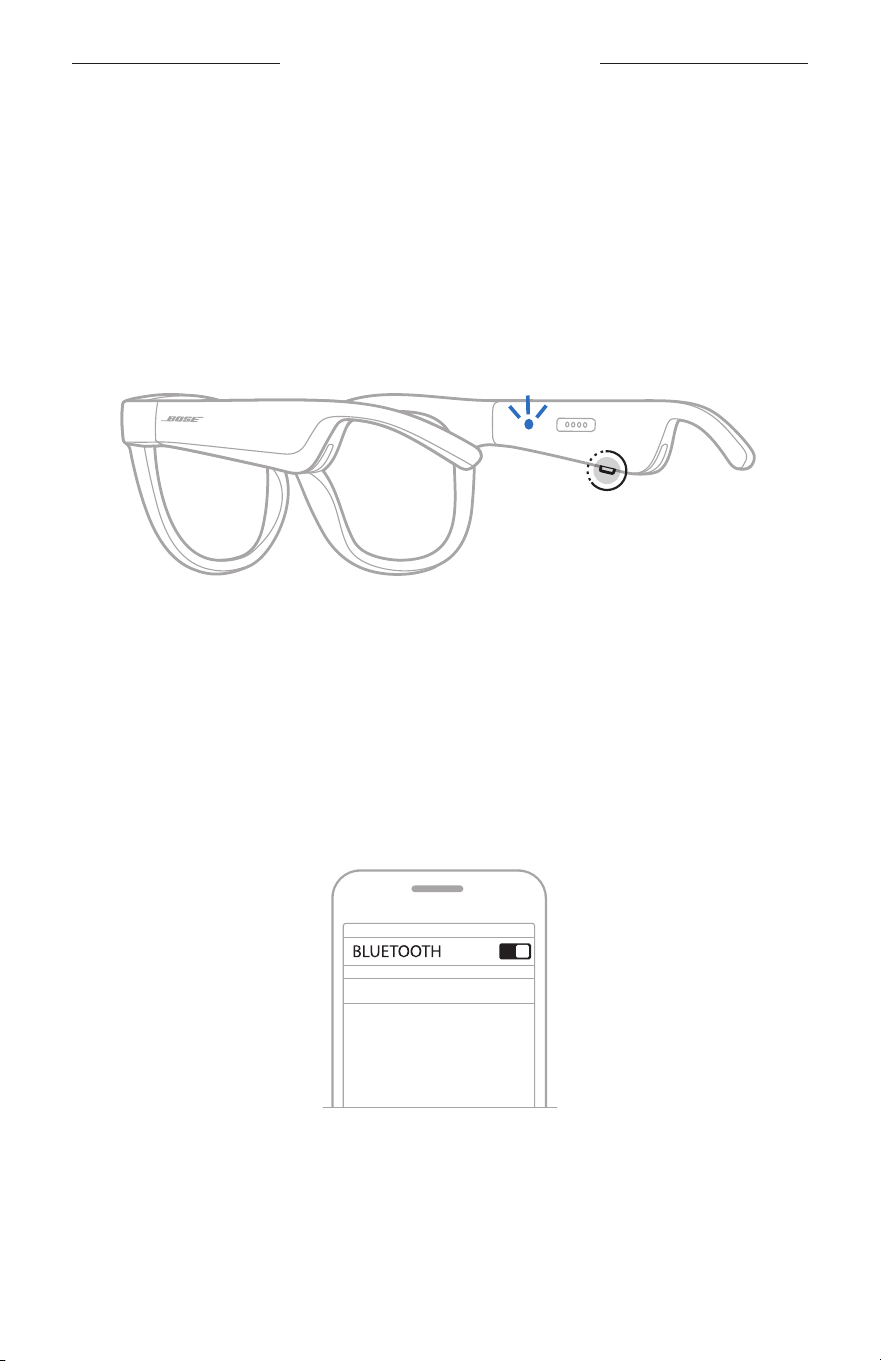
24
|
DEU
BLUETOOTH-VERBINDUNGEN
VERBINDEN MITHILFE DES BLUETOOTH-MENÜS AUF DEM
MOBILGERÄT
Sie können bis zu acht Geräte in der Geräteliste der Frames speichern. Sie können
immer nur ein Gerät gleichzeitig verbinden und Ton von ihm wiedergeben.
HINWEIS: Um das optimale Erlebnis zu erhalten, verwenden Sie die Bose Music App,
um Ihr Mobilgerät einzurichten und zu verbinden (siehe Seite 14).
1. Halten Sie bei eingeschalteten Frames die Taste am rechten Bügel gedrückt, bis Sie
„Bereit zum Verbinden“ hören oder das Statuslämpchen blau blinkt.
2. Aktivieren Sie die Bluetooth-Funktion auf Ihrem Gerät.
HINWEIS: Die Bluetooth-Funktion finden Sie normalerweise im Menü
„Einstellungen“.
3. Wählen Sie Ihre Frames aus der Geräteliste aus.
HINWEIS: Suchen Sie nach dem Namen, den Sie in der Bose Music App für Ihre
Frames eingegeben haben. Wenn Sie Ihren Frames keinen Namen
gegeben haben, wird der voreingestellte Name angezeigt.
BOSE FRAMES
Nach dem Verbinden hören Sie „Verbunden mit <Name des Mobilgeräts>“
undwechselt dann zu schwarz.

25
|
DEU
BLUETOOTH-VERBINDUNGEN
TRENNEN EINES MOBILGERÄTS
Verwenden Sie die Bose Music App, um Ihr Mobilgerät zu trennen.
TIPP: Sie können auch die Bluetooth-Einstellungen verwenden, um Ihr Gerät
zutrennen. Durch Deaktivieren der Bluetooth-Funktion werden alle anderen
Geräte getrennt.
ERNEUTES VERBINDEN EINES MOBILGERÄTS
Wenn die Frames eingeschaltet sind, versuchen sie, sich mit dem zuletzt verbundenen
Gerät zu verbinden.
HINWEIS: Das Gerät muss sich innerhalb der Reichweite (9 m) befinden und
eingeschaltet sein.
LÖSCHEN DER FRAMES-GERÄTELISTE
1. Während die Frames eingeschaltet sind, halten Sie die Taste am rechten
Bügel10Sekunden lang gedrückt, bis Sie „Bluetooth-Geräteliste gelöscht“
hörenund das Statuslämpchen blau blinkt.
2. Löschen Sie Ihre Frames aus der Bluetooth-Liste auf Ihrem Gerät.
Alle Geräte werden gelöscht und die Frames sind für das Verbinden bereit.
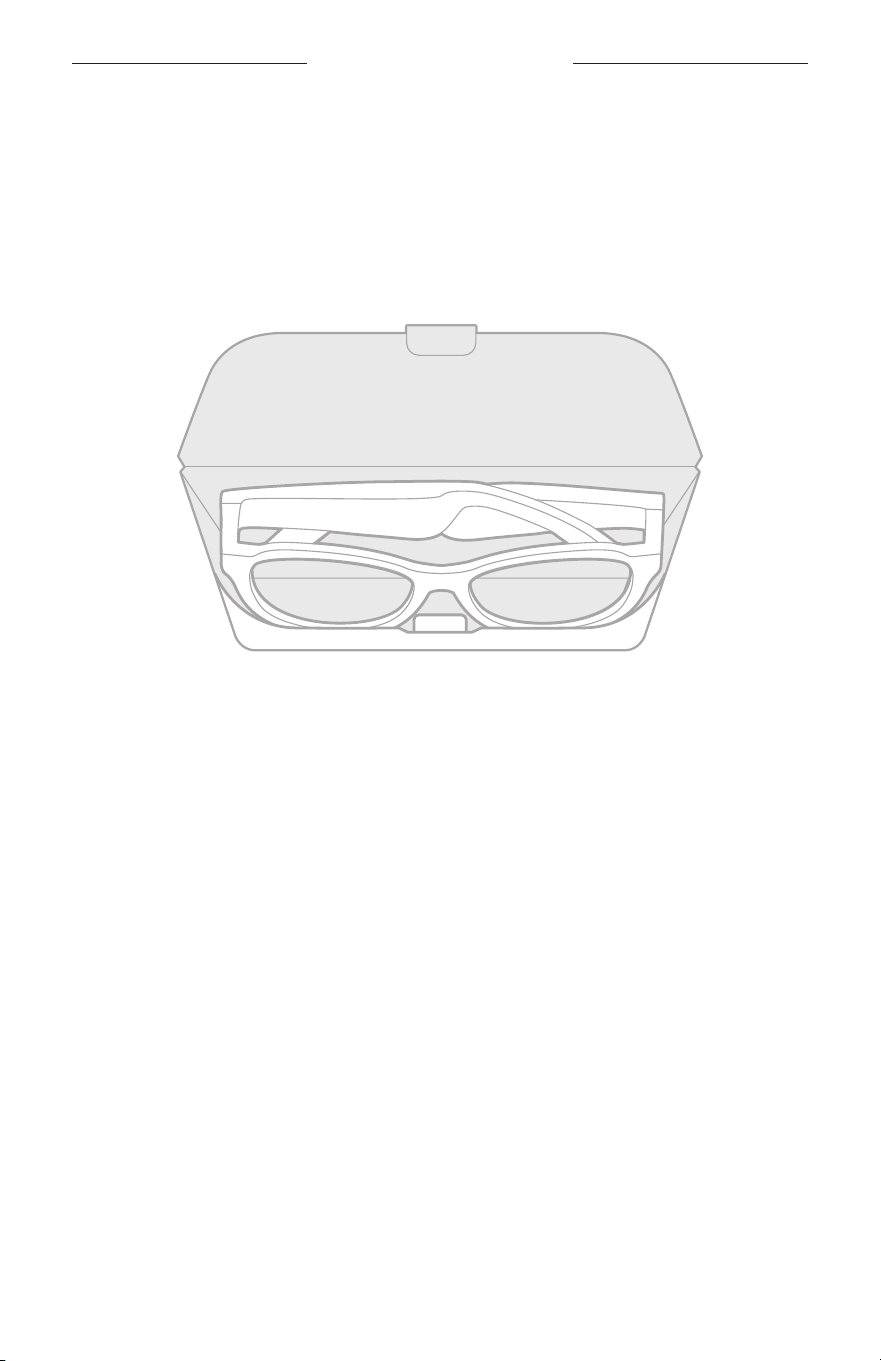
26
|
DEU
PFLEGE UND WARTUNG
AUFBEWAHREN DER FRAMES
Die Frames können zur einfachen, praktischen Aufbewahrung zusammengeklappt
werden.
1. Klappen Sie die Bügel in Richtung Gläser nach innen, sodass die Bügel flach liegen.
2. Legen Sie die Frames mit den Gläsern in Richtung Vorderseite des Etuis in das Etui.
HINWEISE:
• Schalten Sie die Frames bei Nichtgebrauch aus.
• Wenn Sie die Frames länger als einige Monate aufbewahren, sollten Sie darauf
achten, dass die Batterie vollständig geladen ist.

27
|
DEU
PFLEGE UND WARTUNG
PFLEGEN DER FRAMES
Wischen Sie nach jedem Gebrauch beide Seiten der Gläser und alle Teile der Frames
mit dem mitgelieferten Reinigungstuch oder einem trockenen Tuch ab.
ACHTUNG:
• Verwenden Sie KEINE Sprühdosen in der Nähe der Frames.
• Verwenden Sie KEINE Lösungsmittel, Chemikalien und Reinigungsmittel,
dieAlkohol, Ammoniak oder Scheuermittel enthalten.
• Auf KEINEN Fall darf Feuchtigkeit ins Innere gelangen.
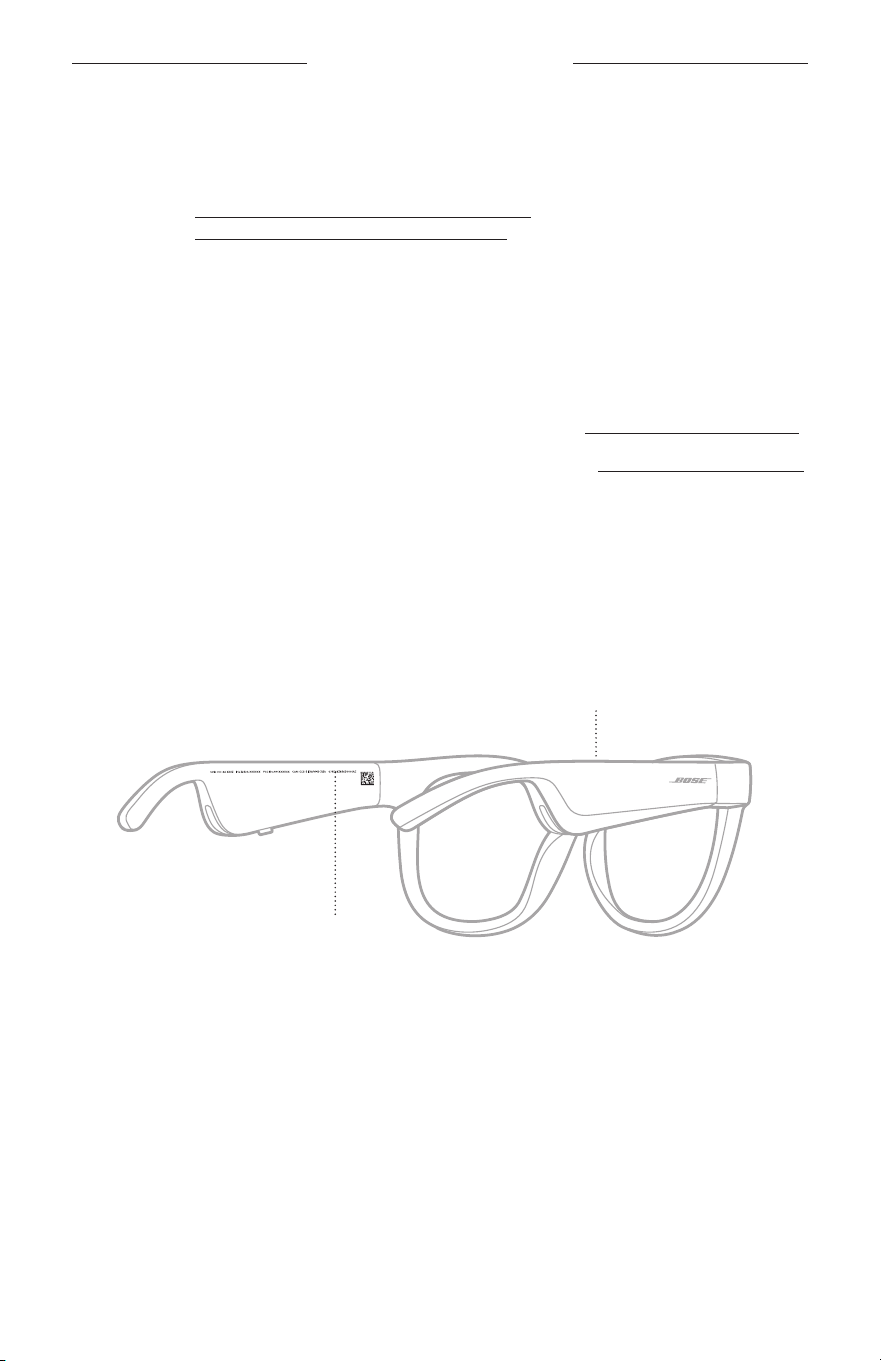
28
|
DEU
PFLEGE UND WARTUNG
ERSATZTEILE UND ZUBEHÖR
Ersatzteile und Zubehör können über den Bose-Kundendienst bestellt werden.
Besuchen Sie: worldwide.Bose.com/Support/Soprano
worldwide.Bose.com/Support/Tenor
HINWEIS: Informationen zum Austauschen der Gläser finden Sie in der mit Ihrem
Gläserzubehör mitgelieferten Anleitung.
EINGESCHRÄNKTE GARANTIE
Für die Frames gilt eine eingeschränkte Garantie. Nähere Informationen zur
eingeschränkten Garantie finden Sie auf unserer Website unter global.Bose.com/warranty.
Eine Anleitung zum Registrieren Ihres Produkts finden Sie unter global.Bose.com/register.
Ihre eingeschränkte Garantie ist jedoch unabhängig von der Registrierung gültig.
POSITION DER SERIEN- UND MODELL-/
REFERENZNUMMER
Die Seriennummer befindet sich am inneren linken Bügel und die Modell-/
Referenznummer befindet sich am inneren rechten Bügel.
Seriennummer
Modell-/Referenznummer

29
|
DEU
FEHLERBEHEBUNG
VERSUCHEN SIE ZUERST DIESE LÖSUNGEN
Bei Problemen mit dem Frames:
• Schalten Sie die Frames ein (siehe Seite 16).
• Schließen Sie die Frames 2 Sekunden lang an den Strom an und trennen Sie sie
dann (siehe Seite 21).
• Laden Sie die Batterie auf (siehe Seite 21).
• Prüfen Sie den Zustand der Statusanzeigen (siehe Seite 22).
• Stellen Sie sicher, dass Ihr Mobilgerät Bluetooth-Verbindungen unterstützt.
• Laden Sie die Bose Music App herunter und führen Sie die verfügbaren Software-
Updates aus.
• Erhöhen Sie die Lautstärke an den Frames, am Mobilgerät und/oder in der Audio-/
Streaming-App.
• Verbinden Sie ein anderes Mobilgerät (siehe Seite 24).
ANDERE LÖSUNGEN
Wenn Sie das Problem nicht beheben konnten, sehen Sie in der folgenden Tabelle
nach, in der Sie Symptome und Lösungen für gängige Probleme finden. Wenn Sie Ihr
Problem nicht beheben können, wenden Sie sich an den Bose-Kundendienst.
Besuchen Sie: worldwide.Bose.com/Contact
PROBLEM VORGEHENSWEISE
Frames verbinden sich
nicht mit dem Mobilgerät
An Ihrem Gerät:
• Schalten Sie die Bluetooth-Funktion aus und wieder ein.
• Löschen Sie die Frames aus der Bluetooth-Liste am Gerät.
Verbinden Sie sie erneut (siehe Seite 24).
Stellen Sie das Gerät näher zu den Frames und von Störquellen
oder Hindernissen weg.
Verbinden Sie ein anderes Mobilgerät (siehe Seite 24).
Anleitungsvideos finden Sie auf:
worldwide.Bose.com/Support/Tenor oder
worldwide.Bose.com/Support/Soprano
Löschen Sie die Geräteliste der Frames (siehe Seite 25).
Stellen Sie die Verbindung erneut her.
Bose Music App
funktioniert auf dem
Gerät nicht
Vergewissern Sie sich, dass die Bose Music-App mit Ihrem Gerät
kompatibel ist.
Deinstallieren Sie die Bose Music App auf Ihrem Gerät und
installieren Sie die App dann erneut (siehe Seite 14).
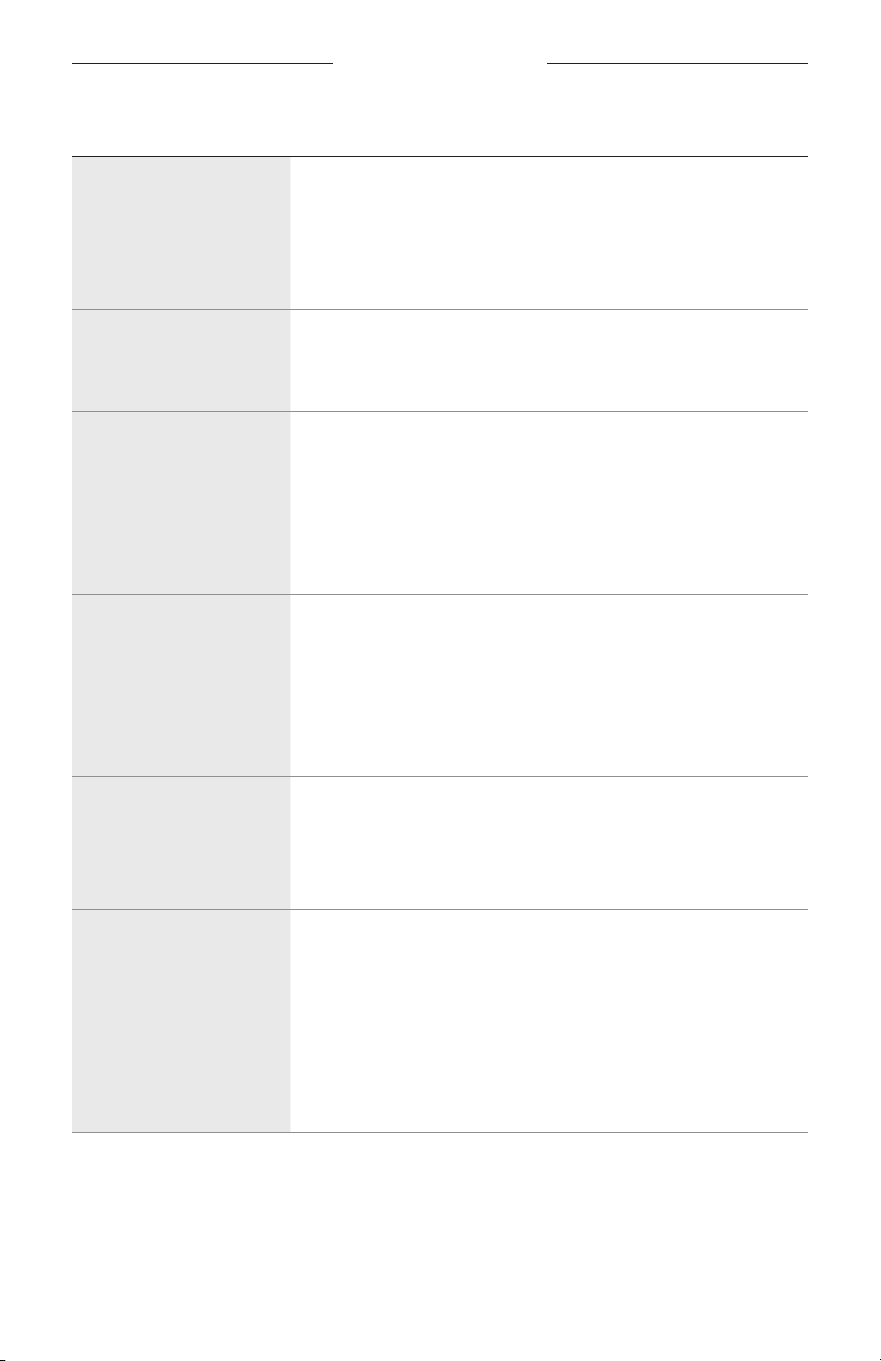
30
|
DEU
FEHLERBEHEBUNG
PROBLEM VORGEHENSWEISE
Bose Music App kann die
Frames nicht finden
Schalten Sie die Frames ein (siehe Seite 16).
Halten Sie die Taste am rechten Bügel gedrückt, bis Sie „Bereit
zum Verbinden“ hören oder das Statuslämpchen blau blinkt.
Führen Sie in der Bose Music App die verfügbaren Software-
Updates aus.
Unterbrochene
Bluetooth-Verbindung
Löschen Sie die Geräteliste der Frames (siehe Seite 25).
Verbinden Sie sie erneut (siehe Seite 24).
Bewegen Sie das Mobilgerät näher zu den Frames.
Kein Ton
Drücken Sie „Wiedergabe“ am Mobilgerät, um sicherzustellen,
dass Ton ausgegeben wird.
Stellen Sie das Gerät näher zu den Frames und von Störquellen
oder Hindernissen weg.
Verwenden Sie eine andere Musikquelle.
Verbinden Sie ein anderes Gerät (siehe Seite 24).
Schlechte Tonqualität
Verwenden Sie eine andere Musikquelle.
Schließen Sie ein anderes Mobilgerät an.
Stellen Sie das Gerät näher zu den Frames und von Störquellen
oder Hindernissen weg.
Schalten Sie alle Klangverbesserungsfunktionen am Gerät oder in
der Audio-/Streaming-App ab.
Das Mikrofon nimmt
keinen Ton an
Vergewissern Sie sich, dass die Mikrofonöffnung am rechten
Bügel nicht blockiert ist.
Versuchen Sie einen anderen Telefonanruf.
Versuchen Sie ein anderes kompatibles Gerät.
Frames werden nicht
aufgeladen
Achten Sie darauf, dass die Stifte am Ladekabel mit dem
Ladeanschluss an den Frames richtig ausgerichtet und
magnetisch eingerastet sind.
Schließen Sie beide Stecker des Ladekabels an.
Wenn die Frames hohen oder niedrigen Temperaturen ausgesetzt
waren, lassen Sie die Frames Raumtemperatur annehmen und
versuchen Sie das Aufladen erneut.
Verwenden Sie ein anderes USB-Wandladegerät.
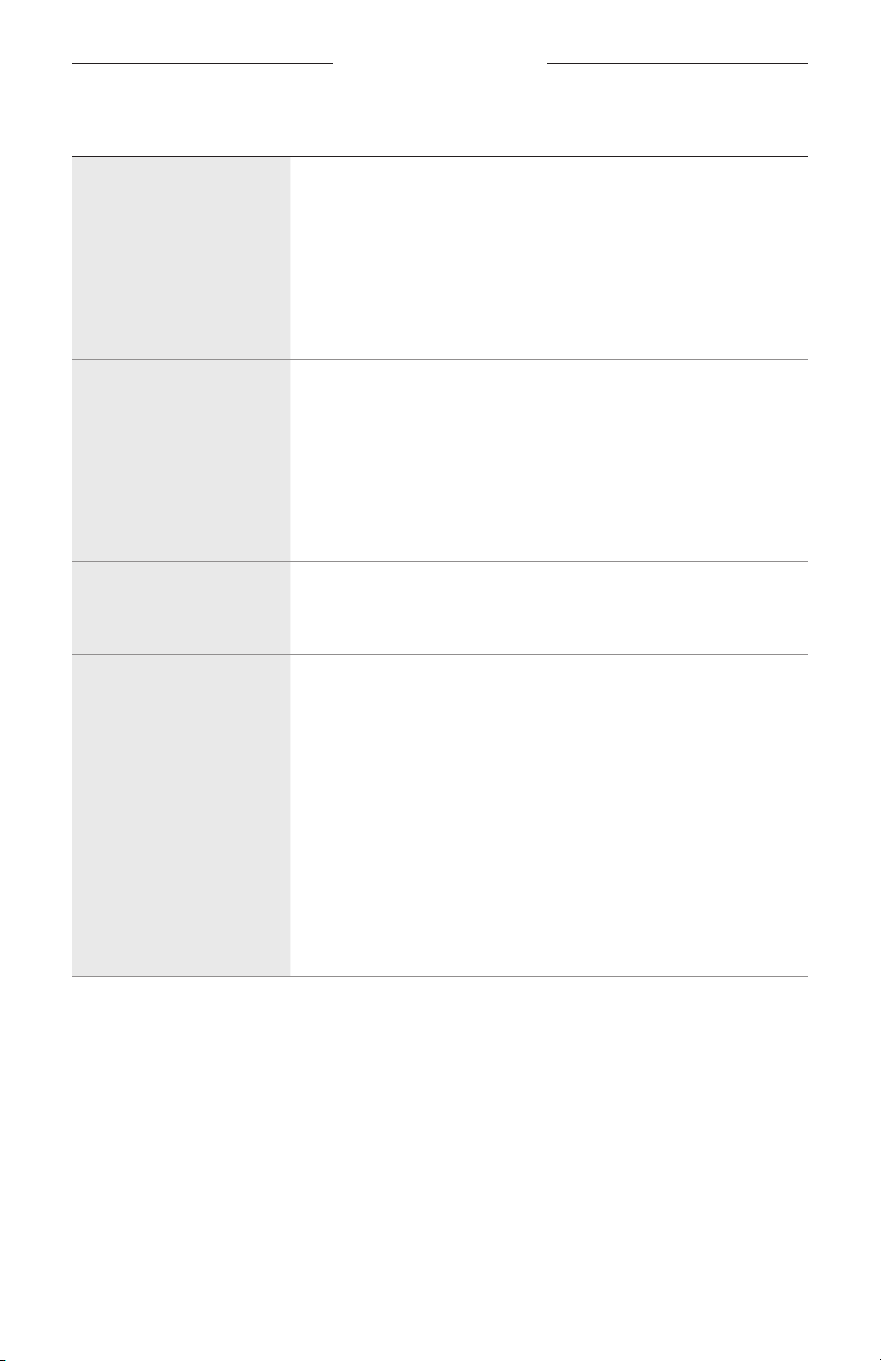
FEHLERBEHEBUNG
31
|
DEU
PROBLEM VORGEHENSWEISE
Frames reagieren nicht
auf die Touch-Bedienung
Stellen Sie sicher, dass Sie auf die korrekte Touch-
Bedienungsfläche tippen (siehe Seite 18).
Stellen Sie sicher, dass Ihre Hände trocken sind.
Wenn Ihr Haar nass ist, achten Sie darauf, dass es die Touch-
Bedienungsfläche nicht stört.
Wenn Sie Handschuhe tragen, ziehen Sie sie aus, bevor Sie die
Touch-Bedienungsfläche berühren.
Lautstärke kann nicht
angepasst werden
Stellen Sie sicher, dass Sie auf der korrekten Touch-
Bedienungsfläche wischen (siehe Seite 18).
Stellen Sie sicher, dass Ihre Hände trocken sind.
Wenn Ihr Haar nass ist, achten Sie darauf, dass es die Touch-
Bedienungsfläche nicht stört.
Wenn Sie Handschuhe tragen, ziehen Sie sie aus, bevor Sie die
Touch-Bedienungsfläche berühren.
Telefonanrufsteuerungen
können nicht verwendet
werden
Führen Sie in der Bose Music App die verfügbaren Software-
Updates aus.
Gerät reagiert nicht auf
Tastendruck
Führen Sie in der Bose Music App die verfügbaren Software-
Updates aus.
Für Funktionen mit mehrmaligem Tastendruck: Variieren Sie die
Geschwindigkeit.
Stellen Sie sicher, dass Ihre Music-App die Funktion unterstützt.
Schalten Sie die Frames aus und wieder ein.
An Ihrem Gerät:
• Schalten Sie die Bluetooth-Funktion aus und wieder ein.
• Löschen Sie die Frames aus der Bluetooth-Liste am Gerät.
Verbinden Sie sie erneut (siehe Seite 24).
Versuchen Sie ein anderes kompatibles Gerät.
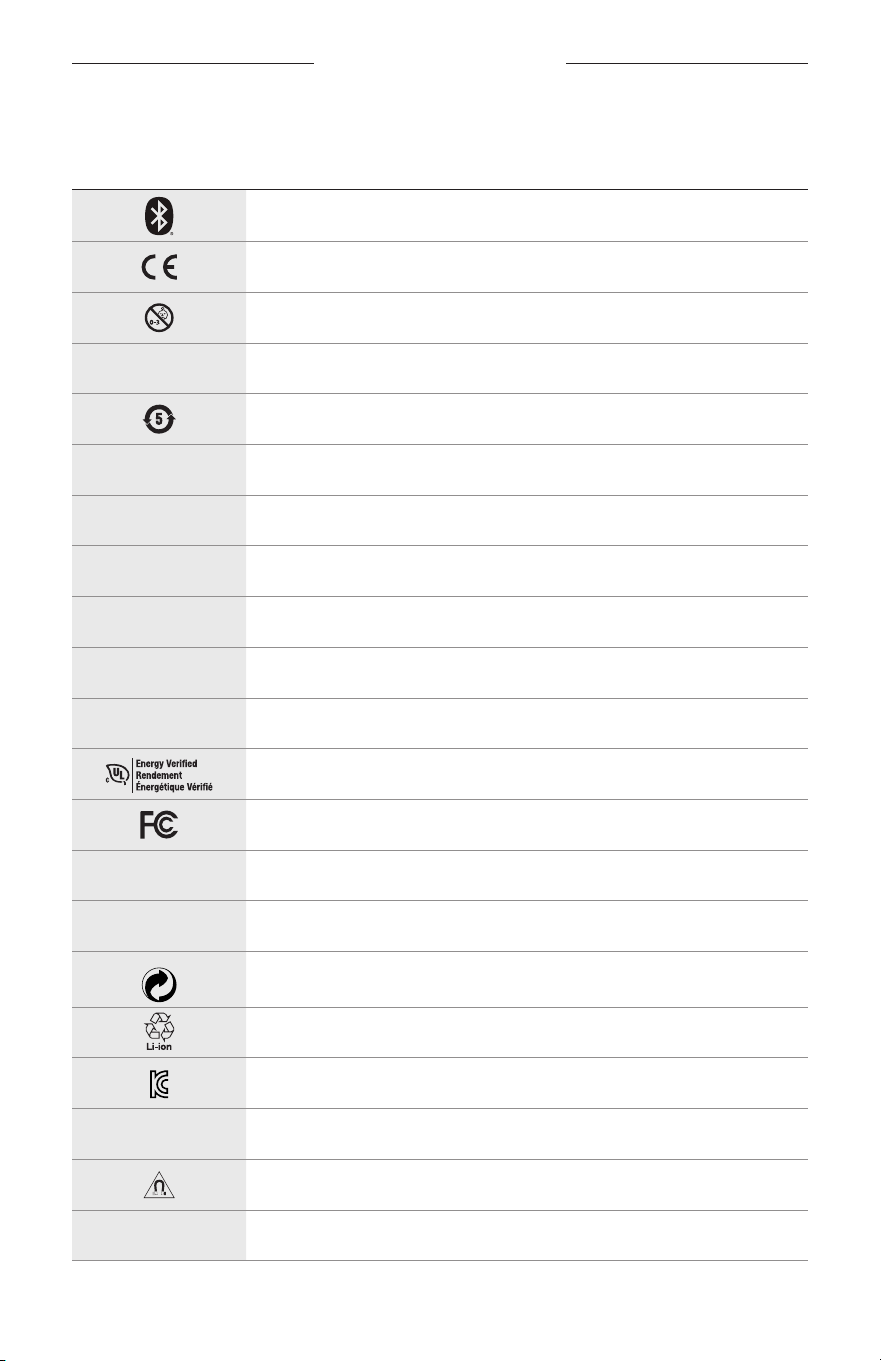
32
|
DEU
AUFKLEBER-SYMBOLE
SYMBOLE UND BESCHREIBUNGEN
SYMBOL BESCHREIBUNG
Bluetooth
CE-Zertifizierungskennzeichen
Erstickungsgefahr
h
Katalognummer
China ROHS-Batterie
w
Kundendienst
N
Herstellungsdatum
X
Dokumentation
L
Nicht verwenden, wenn die Verpackung beschädigt ist
C
Enthält kein Latex.
s
Downloads
Verifizierung der Energieeffizienz
FCC-Zertifizierung
o
Forum
h
Hoher Schutz vor Sonnenstrahlung
Grüner Punkt-Markensymbol
Japan Batterierecycling
KCC-Zertifizierung
p
Trocken halten
Magnetische Störung
M
Hersteller
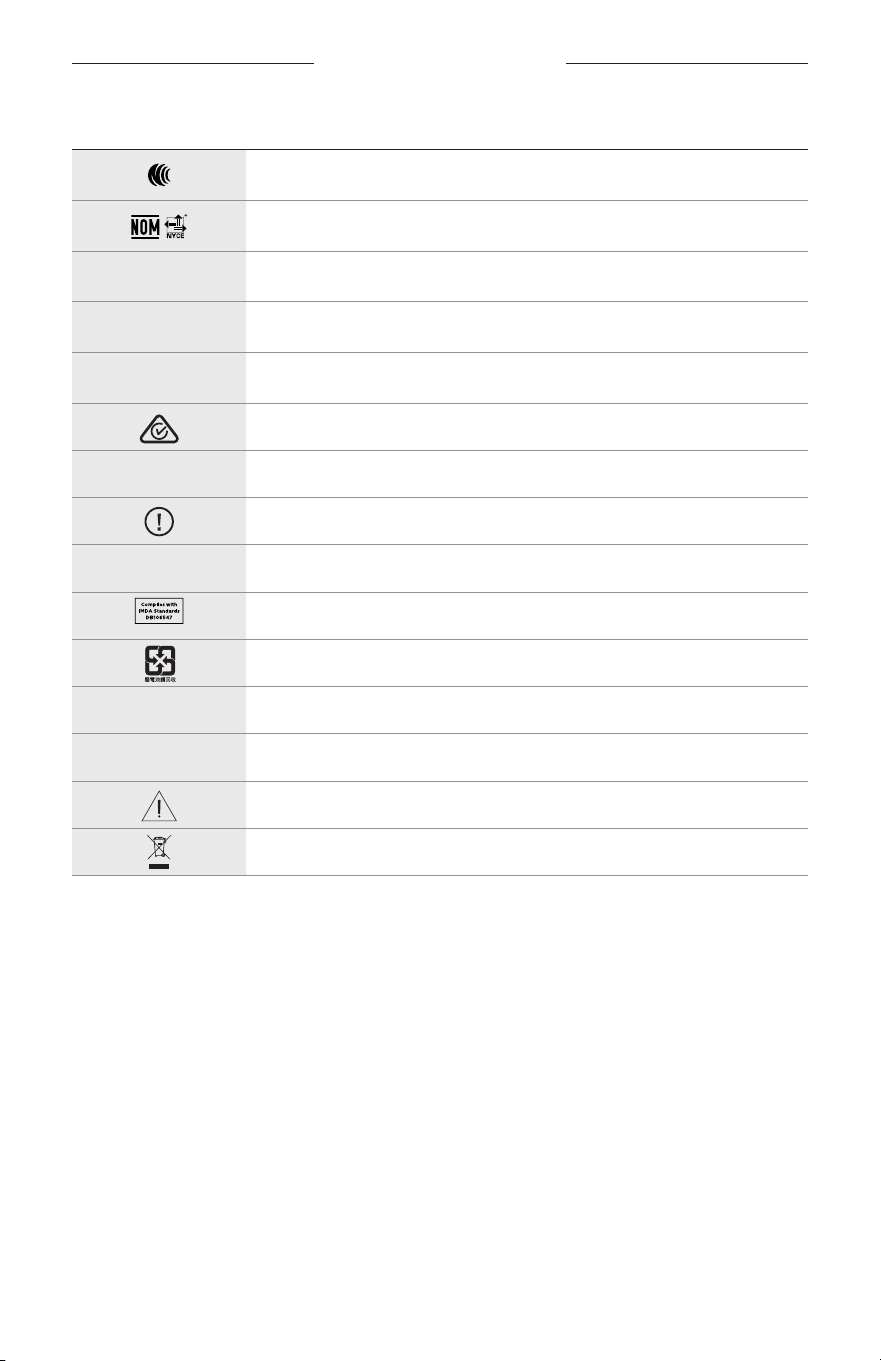
AUFKLEBER-SYMBOLE
33
|
DEU
SYMBOL BESCHREIBUNG
NCC-Zertifizierung
NOM NYCE-Zertifizierung
d
Nicht steril
I
NICHT GEEIGNET FÜR DAS FAHREN IN DER DÄMMERUNG ODER NACHTS
m
Telefon
Kennzeichnung für die Einhaltung gesetzlicher Vorschriften
A
Siehe Gebrauchsanleitung
Sicherheitsinformation
f
Seriennummer
Singapur IMDA-Einhaltung
Taiwan Batterierecycling
l
Temperaturgrenze
W
Videos
Warnungen/Vorsichtsmaßnahmen
Symbol für die Richtlinie über Elektro- und Elektronikaltgeräte
BELANGRIJKE VEILIGHEIDSINSTRUCTIES
2
|
DUT
Gebruiksindicaties
Zonnebrillen (niet op sterkte) zijn hulpmiddelen die bestaan uit een montuur of clip-on met absorberende,
reflecterende, getinte, polariserende of lichtgevoelige lenzen die bedoeld zijn om de ogen te beschermen tegen fel
zonlicht en niet ter correctie van refractiefouten. Dit apparaat kan zonder recept worden verkregen.
A
Raadpleeg de gebruiksaanwijzing.
Lees alle veiligheids- en beveiligingsinstructies en de gebruiksaanwijzing
door en bewaar deze.
Belangrijke veiligheidsinstructies
Bose Corporation verklaart hierbij dat dit product voldoet aan de essentiële vereisten en andere relevante
bepalingen van richtlijn 2014/53/EU en alle andere vereisten van de toepasselijke EU-richtlijnen. De volledige
conformiteitsverklaring kunt u vinden op: www.Bose.com/compliance
1. Lees deze instructies door.
2. Bewaar deze instructies.
3. Neem alle waarschuwingen in acht.
4. Volg alle instructies.
5. Gebruik dit apparaat niet in de buurt van water.
6. Alleen met een droge doek schoonmaken.
7. Gebruik uitsluitend aansluitstukken/accessoires die door de fabrikant worden gespecificeerd.
8. Verwijder de stekker van dit apparaat uit het stopcontact bij onweer of als het langere tijd niet wordt gebruikt.
9. Laat alle onderhoud over aan bevoegde medewerkers. Onderhoud is vereist als het apparaat is beschadigd,
als bijvoorbeeld een elektriciteitssnoer of stekker is beschadigd, als er vloeistof in het apparaat is gemorst of
voorwerpen in het apparaat zijn gevallen, als het apparaat is blootgesteld aan regen of vocht, of als het niet
normaal werkt of is gevallen.
WAARSCHUWINGEN
• Gebruik de bril NIET gedurende lange tijd bij een hoog volume.
– Om gehoorschade te voorkomen, dient u de bril op een comfortabel, matig volume te gebruiken.
– Zet het volume op uw apparaat lager voordat u de bril opzet of in de buurt van uw oren plaatst en zet het volume
vervolgens geleidelijk hoger totdat u een comfortabel luistervolume bereikt.
• Wees voorzichtig als u rijdt en neem de toepasselijke wetgeving met betrekking tot het gebruik van een mobiele
telefoon in acht.
• Concentreer u op uw veiligheid en die van anderen als u de bril gebruikt tijdens activiteiten die uw aandacht
vereisen, zoals fietsen of wandelen in of bij verkeer, een bouwterrein of spoorweg enz. Zet de bril af of pas het
volume aan om te zorgen dat u omgevingsgeluiden, waaronder alarm- en waarschuwingssignalen, kunt horen.
• Gebruik de bril NIET als deze een hard, ongewoon geluid te horen geeft. Als dit gebeurt, zet de bril dan uit en neem
contact op met de Bose-klantenservice.
• De bril NIET langdurig onderdompelen in of blootstellen aan water of dragen tijdens het beoefenen van watersport,
zoals zwemmen, waterskiën, surfen, enz.
• Zet de bril onmiddellijk af als u warmte voelt of als het geluid wegvalt.
BELANGRIJKE VEILIGHEIDSINSTRUCTIES
3
|
DUT
Bevat kleine onderdelen die een verstikkingsgevaar kunnen vormen. Niet geschikt voor kinderen jonger
dan3 jaar.
Dit product bevat magnetisch materiaal. Raadpleeg uw arts om te vragen of dit invloed kan hebben op uw
implanteerbare medische hulpmiddel.
• Om het risico op brand of elektrische schokken te verlagen, mag dit product NIET worden blootgesteld aan regen,
vloeistof of vocht.
• Stel dit product NIET bloot aan druipende of spattende vloeistoffen en plaats geen met vloeistof gevulde
voorwerpen, zoals vazen, op of bij het product.
• Houd het product uit de buurt van vuur en warmtebronnen. Plaats GEEN open vlammen, zoals brandende kaarsen,
op of bij het product.
• Er mogen GEEN wijzigingen aan dit product worden aangebracht door onbevoegden.
• Dit product mag alleen worden gebruikt met een goedgekeurde voeding die voldoet aan de plaatselijke
voorschriften (bv. UL, CSA, VDE, CCC).
• Producten die accu’s of batterijen bevatten niet blootstellen aan overmatige warmte (zoals direct zonlicht, vuur en
dergelijke).
• Draag de bril NIET tijdens het opladen.
• Veeg beide zijden van de lenzen en alle onderdelen van het montuur na elk gebruik schoon met het meegeleverde
doekje of een droge doek.
WETTELIJK VERPLICHTE EN JURIDISCHE INFORMATIE
4
|
DUT
OPMERKING: Dit apparaat is getest en voldoet aan de normen voor een digitaal apparaat van klasse B, volgens
deel 15 van de FCC-voorschriften. Deze normen zijn bedoeld om redelijke bescherming te bieden tegen schadelijke
storing bij installatie in een woonomgeving. Dit apparaat genereert en gebruikt radiofrequente energie en kan
deze uitstralen en het kan, als het niet wordt geïnstalleerd en gebruikt volgens de instructies, schadelijke storing
veroorzaken aan radiocommunicatie. Er is echter geen garantie dat er geen storing zal optreden bij een bepaalde
installatie. Als dit apparaat schadelijke storing veroorzaakt aan de ontvangst van radio of tv, hetgeen kan worden
bepaald door het apparaat aan en uit te zetten, wordt geadviseerd te trachten de storing te verhelpen door een of
meer van de volgende maatregelen:
• Richt de ontvangstantenne opnieuw of verplaats deze.
• Vergroot de afstand tussen de apparatuur en de ontvanger.
• Sluit de apparatuur aan op een stopcontact van een andere groep dan de groep waarop de ontvanger is aangesloten.
• Voor hulp neemt u contact op met de dealer of een ervaren radio- of tv-technicus.
Veranderingen of aanpassingen die niet uitdrukkelijk zijn goedgekeurd door Bose Corporation kunnen leiden tot het
vervallen van de bevoegdheid van de gebruiker om dit apparaat te gebruiken.
Dit apparaat voldoet aan deel 15 van de FCC-voorschriften en aan de RSS-norm(en) van ISED Canada voor
vergunningsvrije apparaten. Op het gebruik zijn de volgende twee voorwaarden van toepassing: (1) Dit apparaat mag
geen schadelijke storing veroorzaken, en (2) dit apparaat moet bestand zijn tegen alle externe storing, waaronder
storing die een ongewenste werking tot gevolg kan hebben.
Dit apparaat voldoet aan de limieten van de FCC en ISED Canada voor blootstelling van de bevolking aan straling.
Deze zender mag niet worden geplaatst bij of samen worden gebruikt met een andere antenne of zender.
CAN ICES-3(B)/NMB-3(B)
Verordening (EU) 2016/425 betreffende persoonlijke beschermingsmiddelen
Management Regulation for Low-power Radio-frequency Devices (Voorschrift voor
het beheer van radiofrequente apparaten met laag vermogen)
Artikel XII
Volgens de ‘Management Regulation for Low-power Radio-frequency Devices’ mogen bedrijven, ondernemingen
of gebruikers zonder toestemming van de NCC de oorspronkelijke eigenschappen en werking van goedgekeurde
radiofrequente apparaten met laag vermogen niet wijzigen en evenmin de frequentie daarvan wijzigen of het
zendvermogen verhogen.
Artikel XIV
Radiofrequente apparaten met laag vermogen mogen de veiligheid van vliegtuigen niet beïnvloeden en wettelijke
communicaties niet verstoren. Als een dergelijke storing wordt vastgesteld, moet de gebruiker onmiddellijk stoppen
met het gebruik van het apparaat tot dit niet langer storing veroorzaakt. Onder de genoemde wettelijke communicaties
wordt verstaan radiocommunicatie die wordt gebruikt in overeenstemming met de telecommunicatiewet.
Radiofrequente apparaten met laag vermogen moeten bestand zijn tegen storing van wettelijke communicaties of
apparaten die ISM-radiogolven uitstralen.
Voor Europa:
Frequentieband 2400 tot 2483,5 MHz.
Maximaal zendvermogen minder dan 20 dBm EIRP.
Het maximaal zendvermogen blijft dusdanig onder de wettelijk vastgestelde limieten dat het product volgens de
toepasselijke regelgeving geen SAR-toetsing behoeft en hiervan is vrijgesteld.
Dit symbool betekent dat het product niet mag worden weggegooid als huishoudelijk afval en naar een
geschikt inzamelpunt voor recycling moet worden gebracht. Het op de juiste wijze afvoeren en recyclen helpt
natuurlijke hulpbronnen, de menselijke gezondheid en het milieu te beschermen. Voor meer informatie over
het afvoeren en recyclen van dit product neemt u contact op met de gemeente waar u woont,
deafvalverwerkingsinstantie of de winkel waar u dit product hebt gekocht.
Probeer NIET om de oplaadbare lithium-ion-accu uit dit product te verwijderen. Neem contact op met uw plaatselijke
Bose-dealer of ander bevoegd vakman om de accu te verwijderen.
Gooi gebruikte accu’s en batterijen op de juiste wijze weg, volgens de plaatselijke voorschriften.
Nietverbranden.
Aantal: 1
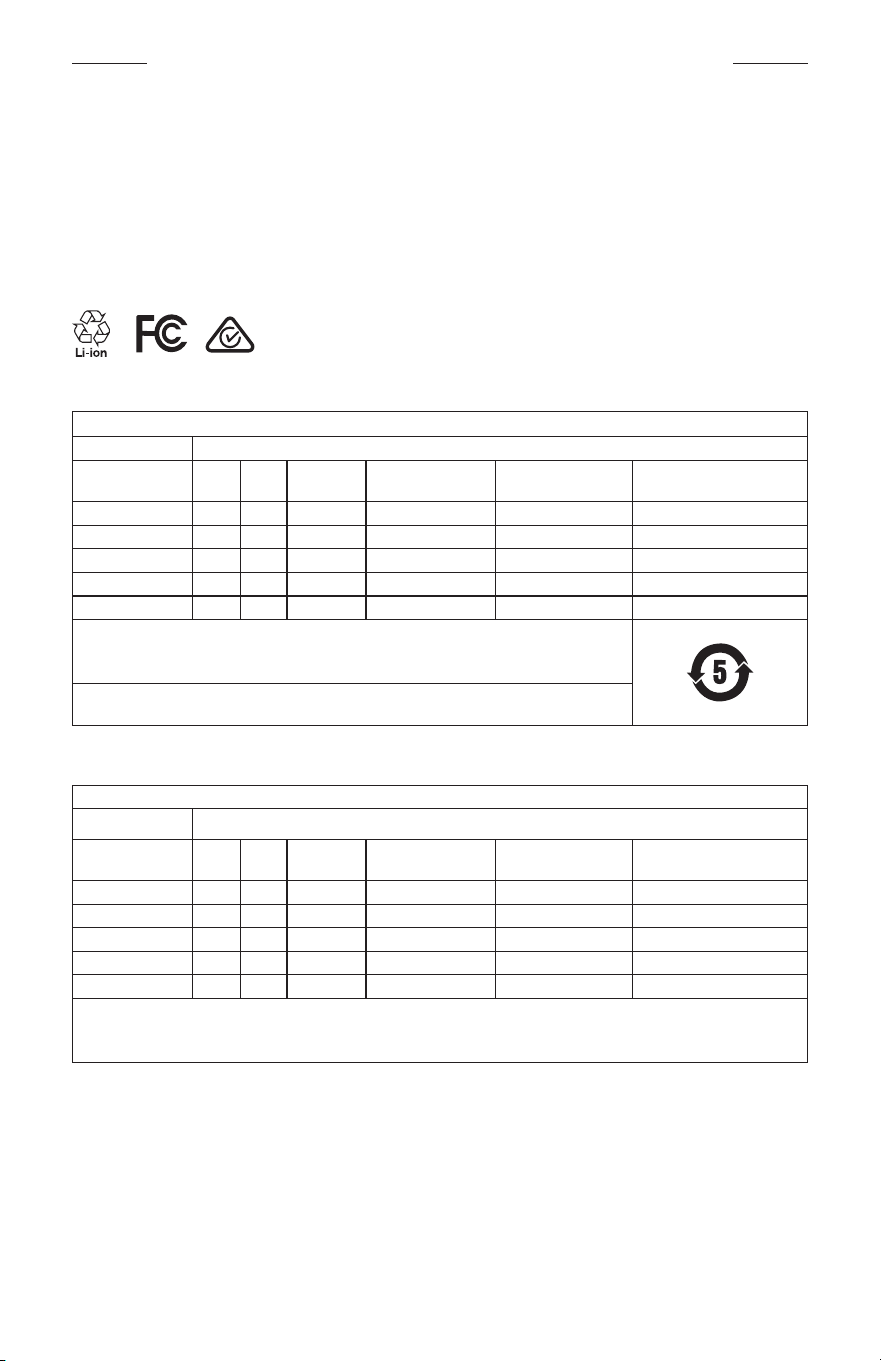
WETTELIJK VERPLICHTE EN JURIDISCHE INFORMATIE
5
|
DUT
M
Vervaardigd voor: Bose Corporation, 100 The Mountain Road, Framingham, MA 01701
L
Niet gebruiken indien verpakking is beschadigd.
C
Dit product bevat geen natuurrubberlatex.
d
Dit product wordt niet-steriel geleverd.
p
l
+45C
0C
Tabel m.b.t. de beperking van gevaarlijke stoffen in China
Namen van en gehalte aan giftige of gevaarlijke stoffen of elementen
Giftige of gevaarlijke stoffen en elementen
Naam onderdeel
Lood
(Pb)
Kwik
(Hg)
Cadmium
(Cd)
Zeswaardig
chroom (Cr(VI))
Polybroombifenyl
(PBB)
Polybroomdifenylether
(PBDE)
PCB's X O O O O O
Metalen onderdelen X O O O O O
Plastic onderdelen O O O O O O
Luidsprekers X O O O O O
Kabels X O O O O O
Deze tabel is opgesteld in overeenstemming met de bepalingen van SJ/T 11364.
O: Geeft aan dat het gehalte aan deze giftige of gevaarlijke stof in alle homogene materialen van dit
onderdeel onder de maximaal toegelaten waarden in GB/T 26572 ligt.
X: Geeft aan dat de giftige of gevaarlijke stof in minstens één van de voor dit onderdeel gebruikte
homogene materialen boven de maximaal toegelaten waarden in GB/T 26572 ligt.
Tabel m.b.t. de beperking van gevaarlijke stoffen in Taiwan
Naam van de apparatuur: Versterkte luidspreker, typeaanduiding: 433948
Stoffen waarvoor beperkingen gelden, met de bijbehorende chemische symbolen
Onderdeel
Lood
(Pb)
Kwik
(Hg)
Cadmium
(Cd)
Zeswaardig chroom
(Cr+6)
Polybroombifenylen
(PBB)
Polybroomdifenylethers
(PBDE)
PCB's
- ○ ○ ○ ○ ○
Metalen onderdelen
- ○ ○ ○ ○ ○
Plastic onderdelen
○ ○ ○ ○ ○ ○
Luidsprekers
- ○ ○ ○ ○ ○
Kabels
- ○ ○ ○ ○ ○
Opmerking 1:
“○” geeft aan dat de procentuele inhoud van de stof waarvoor beperkingen gelden het percentage van de
referentiewaarde voor aanwezigheid niet overschrijdt.
Opmerking 2: “−” geeft aan dat de stof waarvoor beperkingen gelden overeenkomt met de uitzondering.
WETTELIJK VERPLICHTE EN JURIDISCHE INFORMATIE
6
|
DUT
Dit product voldoet aan ANSI Z80.3, AS/NZS 1067.1 en EN ISO 12312-1.
Gebruik van een bril met getinte glazen tijdens rijden in het donker wordt afgeraden.
I
NIET GESCHIKT VOOR AUTORIJDEN BIJ INVALLENDE DUISTERNIS OF IN HET DONKER. NIET GESCHIKT
VOOR AUTORIJDEN IN HET DONKER OF BIJ VERMINDERDE LICHTOMSTANDIGHEDEN.
Het product blokkeert meer dan 99% van de UVA- en UVB-lichtstraling. Dit product voldoet aan ANSI Z80.3.
Het Frames Soprano- of Frames Tenor-product mag uitsluitend worden gebruikt met door Bose goedgekeurde lenzen.
Niet geschikt voor recht in de zon kijken.
Niet geschikt voor bescherming tegen kunstmatige lichtbronnen, zoals solariums.
Niet geschikt voor oogbescherming tegen mechanische impact.
Wanneer niet in gebruik, het product bewaren in het meegeleverde draagetui.
EU-FILTERCATEGORIE: ISO 12312-1 CAT. 3
AUSTRALISCHE LENSCATEGORIE: 1067.1 CAT. 3
h
Deze zonnebril biedt een hoge mate van schitteringsreductie en goede UV-bescherming.
UV-classificatie: UV 380
Vul het volgende in en bewaar deze informatie voor uw administratie
Het serienummer van de bril staat op de linkerpoot en het model-/artikelnummer op de rechterpoot.
Serienummer: ____________________________________________________________________
Modelnummer: ____________________________________________________________________
Bewaar uw betalingsbewijs samen met de gebruikershandleiding. Dit is een goed moment om uw Bose-product te
registreren. Dat kan eenvoudig door naar global.Bose.com/register te gaan.
N
Fabricagedatum: Het achtste cijfer in het serienummer geeft het fabricagejaar aan. “0” is 2010 of 2020.
Importeur in China: Bose Electronics (Shanghai) Company Limited, Part C, Plant 9, No. 353 North Riying Road,
China(Shanghai) Pilot Free Trade Zone
Importeur in de EU: Bose Products B.V., Gorslaan 60, 1441 RG Purmerend, Nederland
Importeur in Taiwan: Bose Taiwan Branch, 9F-A1, No.10, Section 3, Minsheng East Road, Taipei City 104, Taiwan
Telefoonnummer: +886-2-2514 7676
Importeur in Mexico: Bose de México, S. de R.L. de C.V., Paseo de las Palmas 405-204, Lomas de Chapultepec,
11000México, D.F. Telefoonnummer: +5255 (5202) 3545
Ingangsspecificaties: 5 V p 500 mA
De CMIIT-ID staat vooraan op de binnenkant van de poot.
h
BMD0011
WETTELIJK VERPLICHTE EN JURIDISCHE INFORMATIE
7
|
DUT
Beveiligingsinformatie
Dit product kan automatische beveiligingsupdates van Bose ontvangen wanneer het is verbonden met de
Bose Music-app. Om via de mobiele applicatie beveiligingsupdates te ontvangen, dient u de
productinstallatieprocedure in de Bose Music-app te voltooien. Als u de installatieprocedure niet voltooit,
bent u zelf verantwoordelijk voor het installeren van de beveiligingsupdates die Bose ter beschikking
stelt via btu.bose.com
Apple, het Apple-logo, iPad, iPhone, iPod en Siri zijn handelsmerken van Apple Inc., gedeponeerd in de VS en
andere landen. Het handelsmerk “iPhone” wordt in Japan gebruikt onder licentie van Aiphone K.K. App Store is een
servicemerk van Apple Inc.
Gebruik van de Made for Apple-badge betekent dat een accessoire speciaal ontworpen is voor verbinding met
de in de badge vermelde Apple-producten en is gecertificeerd door de ontwikkelaar om te voldoen aan de
prestatiestandaarden van Apple. Apple is niet verantwoordelijk voor de werking van dit apparaat of de mate waarin
het apparaat voldoet aan veiligheidsnormen en wettelijke voorschriften.
Het Bluetooth®-woordmerk en de bijbehorende logo’s zijn gedeponeerde handelsmerken die het eigendom zijn van
Bluetooth SIG, Inc. en het gebruik van dergelijke merken door Bose Corporation gebeurt onder licentie.
Google en Google Play zijn handelsmerken van Google LLC.
Bose, Bose Frames en Bose Music zijn handelsmerken van Bose Corporation.
Hoofdkantoor Bose Corporation: 1-877-230-5639
©2020 Bose Corporation. Niets in deze uitgave mag worden gereproduceerd, gewijzigd, gedistribueerd of op andere
wijze gebruikt zonder voorafgaande schriftelijke toestemming.

8
|
DUT
The following license disclosures apply to certain third-party software packages used as components in the product.
Package: Nanopb
Copyright © 2011 Petteri Aimonen <jpa at nanopb.mail.kapsi.fi>. The Nanopb package is subject to the license terms
reprinted below.
Zlib license
© 2011 Petteri Aimonen <jpa at nanopb.mail.kapsi.fi>
This software is provided ‘as-is’, without any express or implied warranty. In no event will the authors be held liable
for any damages arising from the use of this software.
Permission is granted to anyone to use this software for any purpose, including commercial applications, and to alter
it and redistribute it freely, subject to the following restrictions:
1. The origin of this software must not be misrepresented; you must not claim that you wrote the original software.
If you use this software in a product, an acknowledgment in the product documentation would be appreciated
but is not required.
2. Altered source versions must be plainly marked as such, and must not be misrepresented as being the
original software.
3. This notice may not be removed or altered from any source distribution.
Package: Mbed TLS 2.16.1
© ARM Limited. All rights reserved. The Mbed TLS package is subject to the license terms reprinted below.
Apache 2.0 License
Apache License
Version 2.0, January 2004
http://www.apache.org/licenses/
TERMS AND CONDITIONS FOR USE, REPRODUCTION, AND DISTRIBUTION
1. Definitions.
“License” shall mean the terms and conditions for use, reproduction, and distribution as defined by Sections 1
through 9 of this document.
“Licensor” shall mean the copyright owner or entity authorized by the copyright owner that is granting
the License.
“Legal Entity” shall mean the union of the acting entity and all other entities that control, are controlled by, or
are under common control with that entity. For the purposes of this definition, “control” means (i) the power,
direct or indirect, to cause the direction or management of such entity, whether by contract or otherwise, or (ii)
ownership of fifty percent (50%) or more of the outstanding shares, or (iii) beneficial ownership of such entity.
“You” (or “Your”) shall mean an individual or Legal Entity exercising permissions granted by this License.
“Source” form shall mean the preferred form for making modifications, including but not limited to software
source code, documentation source, and configuration files.
“Object” form shall mean any form resulting from mechanical transformation or translation of a Source form,
including but not limited to compiled object code, generated documentation, and conversions to other
media types.
“Work” shall mean the work of authorship, whether in Source or Object form, made available under the License,
as indicated by a copyright notice that is included in or attached to the work (an example is provided in the
Appendix below).
“Derivative Works” shall mean any work, whether in Source or Object form, that is based on (or derived from)
the Work and for which the editorial revisions, annotations, elaborations, or other modifications represent, as a
whole, an original work of authorship. For the purposes of this License, Derivative Works shall not include works
that remain separable from, or merely link (or bind by name) to the interfaces of, the Work and Derivative
Works thereof.
BEKENDMAKINGEN MET BETREKKING TOT LICENTIES

9
|
DUT
BEKENDMAKINGEN MET BETREKKING TOT LICENTIES
“Contribution” shall mean any work of authorship, including the original version of the Work and any
modifications or additions to that Work or Derivative Works thereof, that is intentionally submitted to Licensor
for inclusion in the Work by the copyright owner or by an individual or Legal Entity authorized to submit on
behalf of the copyright owner. For the purposes of this definition, “submitted” means any form of electronic,
verbal, or written communication sent to the Licensor or its representatives, including but not limited to
communication on electronic mailing lists, source code control systems, and issue tracking systems that are
managed by, or on behalf of, the Licensor for the purpose of discussing and improving the Work, but excluding
communication that is conspicuously marked or otherwise designated in writing by the copyright owner as “Not
a Contribution.”
“Contributor” shall mean Licensor and any individual or Legal Entity on behalf of whom a Contribution has been
received by Licensor and subsequently incorporated within the Work.
2. Grant of Copyright License. Subject to the terms and conditions of this License, each Contributor hereby grants
to You a perpetual, worldwide, non-exclusive, no-charge, royalty-free, irrevocable copyright license to reproduce,
prepare Derivative Works of, publicly display, publicly perform, sublicense, and distribute the Work and such
Derivative Works in Source or Object form.
3. Grant of Patent License. Subject to the terms and conditions of this License, each Contributor hereby grants to
You a perpetual, worldwide, non-exclusive, no-charge, royalty-free, irrevocable (except as stated in this section)
patent license to make, have made, use, oer to sell, sell, import, and otherwise transfer the Work, where such
license applies only to those patent claims licensable by such Contributor that are necessarily infringed by their
Contribution(s) alone or by combination of their Contribution(s) with the Work to which such Contribution(s)
was submitted. If You institute patent litigation against any entity (including a cross-claim or counterclaim in a
lawsuit) alleging that the Work or a Contribution incorporated within the Work constitutes direct or contributory
patent infringement, then any patent licenses granted to You under this License for that Work shall terminate as
of the date such litigation is filed.
4. Redistribution. You may reproduce and distribute copies of the Work or Derivative Works thereof in any medium,
with or without modifications, and in Source or Object form, provided that You meet the following conditions:
a. You must give any other recipients of the Work or Derivative Works a copy of this License; and
b. You must cause any modified files to carry prominent notices stating that You changed the files; and
c. You must retain, in the Source form of any Derivative Works that You distribute, all copyright, patent,
trademark, and attribution notices from the Source form of the Work, excluding those notices that do not
pertain to any part of the Derivative Works; and
d. If the Work includes a “NOTICE” text file as part of its distribution, then any Derivative Works that You
distribute must include a readable copy of the attribution notices contained within such NOTICE file, excluding
those notices that do not pertain to any part of the Derivative Works, in at least one of the following places:
within a NOTICE text file distributed as part of the Derivative Works; within the Source form or
documentation, if provided along with the Derivative Works; or, within a display generated by the
Derivative Works, if and wherever such third-party notices normally appear. The contents of the NOTICE file
are for informational purposes only and do not modify the License. You may add Your own attribution notices
within Derivative Works that You distribute, alongside or as an addendum to the NOTICE text from the Work,
provided that such additional attribution notices cannot be construed as modifying the License.
You may add Your own copyright statement to Your modifications and may provide additional or dierent
license terms and conditions for use, reproduction, or distribution of Your modifications, or for any such
Derivative Works as a whole, provided Your use, reproduction, and distribution of the Work otherwise
complies with the conditions stated in this License.
5. Submission of Contributions. Unless You explicitly state otherwise, any Contribution intentionally submitted for
inclusion in the Work by You to the Licensor shall be under the terms and conditions of this License, without any
additional terms or conditions. Notwithstanding the above, nothing herein shall supersede or modify the terms
of any separate license agreement you may have executed with Licensor regarding such Contributions.
6. Trademarks. This License does not grant permission to use the trade names, trademarks, service marks, or
product names of the Licensor, except as required for reasonable and customary use in describing the origin of
the Work and reproducing the content of the NOTICE file.

10
|
DUT
BEKENDMAKINGEN MET BETREKKING TOT LICENTIES
7. Disclaimer of Warranty. Unless required by applicable law or agreed to in writing, Licensor provides the Work
(and each Contributor provides its Contributions) on an “AS IS” BASIS, WITHOUT WARRANTIES OR CONDITIONS
OF ANY KIND, either express or implied, including, without limitation, any warranties or conditions of TITLE,
NON-INFRINGEMENT, MERCHANTABILITY, or FITNESS FOR A PARTICULAR PURPOSE. You are solely responsible
for determining the appropriateness of using or redistributing the Work and assume any risks associated with
Your exercise of permissions under this License.
8. Limitation of Liability. In no event and under no legal theory, whether in tort (including negligence), contract,
or otherwise, unless required by applicable law (such as deliberate and grossly negligent acts) or agreed to in
writing, shall any Contributor be liable to You for damages, including any direct, indirect, special, incidental,
or consequential damages of any character arising as a result of this License or out of the use or inability to
use the Work (including but not limited to damages for loss of goodwill, work stoppage, computer failure or
malfunction, or any and all other commercial damages or losses), even if such Contributor has been advised of
the possibility of such damages.
9. Accepting Warranty or Additional Liability. While redistributing the Work or Derivative Works thereof, You may
choose to oer, and charge a fee for, acceptance of support, warranty, indemnity, or other liability obligations
and/or rights consistent with this License. However, in accepting such obligations, You may act only on Your own
behalf and on Your sole responsibility, not on behalf of any other Contributor, and only if You agree to indemnify,
defend, and hold each Contributor harmless for any liability incurred by, or claims asserted against, such
Contributor by reason of your accepting any such warranty or additional liability.
END OF TERMS AND CONDITIONS
©2020 Bose Corporation
Licensed under the Apache License, Version 2.0 (the “License”); you may not use this file except in compliance with
the License.
You may obtain a copy of the License at: http://www.apache.org/licenses/LICENSE-2.0
Unless required by applicable law or agreed to in writing, software distributed under the License is distributed on an
“AS IS” BASIS, WITHOUT WARRANTIES OR CONDITIONS OF ANY KIND, either express or implied.
See the License for the specific language governing permissions and limitations under the License.

INHOUD
11
|
DUT
WAT ZIT ER IN DE DOOS
Inhoud ................................................................................................................................. 13
INSTALLEREN MET DE BOSE MUSIC-APP
De Bose Music-app downloaden .............................................................................. 14
De bril toevoegen aan een bestaand account ..................................................... 14
ZWEET- EN WEERBESTENDIGHEID .............................................................. 15
AAN/UIT
Inschakelen ........................................................................................................................ 16
Uitschakelen ...................................................................................................................... 17
Uitschakelen door omdraaien ............................................................................ 17
Automatisch uit door middel van bewegingsdetectie ............................. 17
BEDIENING VAN DE BRIL
Afspeelfuncties ................................................................................................................ 18
Volume ................................................................................................................................ 19
Volume hoger ........................................................................................................... 19
Volume lager............................................................................................................. 19
Telefonische oproepen.................................................................................................. 20
Oproepmeldingen .................................................................................................. 20
Spraakbediening activeren ......................................................................................... 20
ACCU
De bril opladen ................................................................................................................ 21
Het accuniveau van de bril controleren ................................................................. 21
Accumeldingen horen ........................................................................................... 21
Het accuniveau weergeven ................................................................................. 21

INHOUD
12
|
DUT
STATUS VAN DE BRIL
Bluetooth®-verbindingsstatus .................................................................................... 22
Accustatus ......................................................................................................................... 23
Foutstatus .......................................................................................................................... 23
BLUETOOTH-VERBINDINGEN
Verbinden via het Bluetooth-menu op uw mobiele apparaat ....................... 24
De verbinding met een mobiel apparaat verbreken ......................................... 25
Een mobiel apparaat opnieuw verbinden ............................................................. 25
De lijst met apparaten van de bril wissen ............................................................. 25
VERZORGING EN ONDERHOUD
De bril bewaren................................................................................................................ 26
De bril onderhouden ...................................................................................................... 27
Reserveonderdelen en accessoires .......................................................................... 28
Beperkte garantie ........................................................................................................... 28
Locatie van serie- en model-/artikelnummer....................................................... 28
PROBLEMEN OPLOSSEN
Probeer deze oplossingen eerst ............................................................................... 29
Andere oplossingen ....................................................................................................... 29
LABELSYMBOLEN
Symbolen en omschrijvingen ..................................................................................... 32
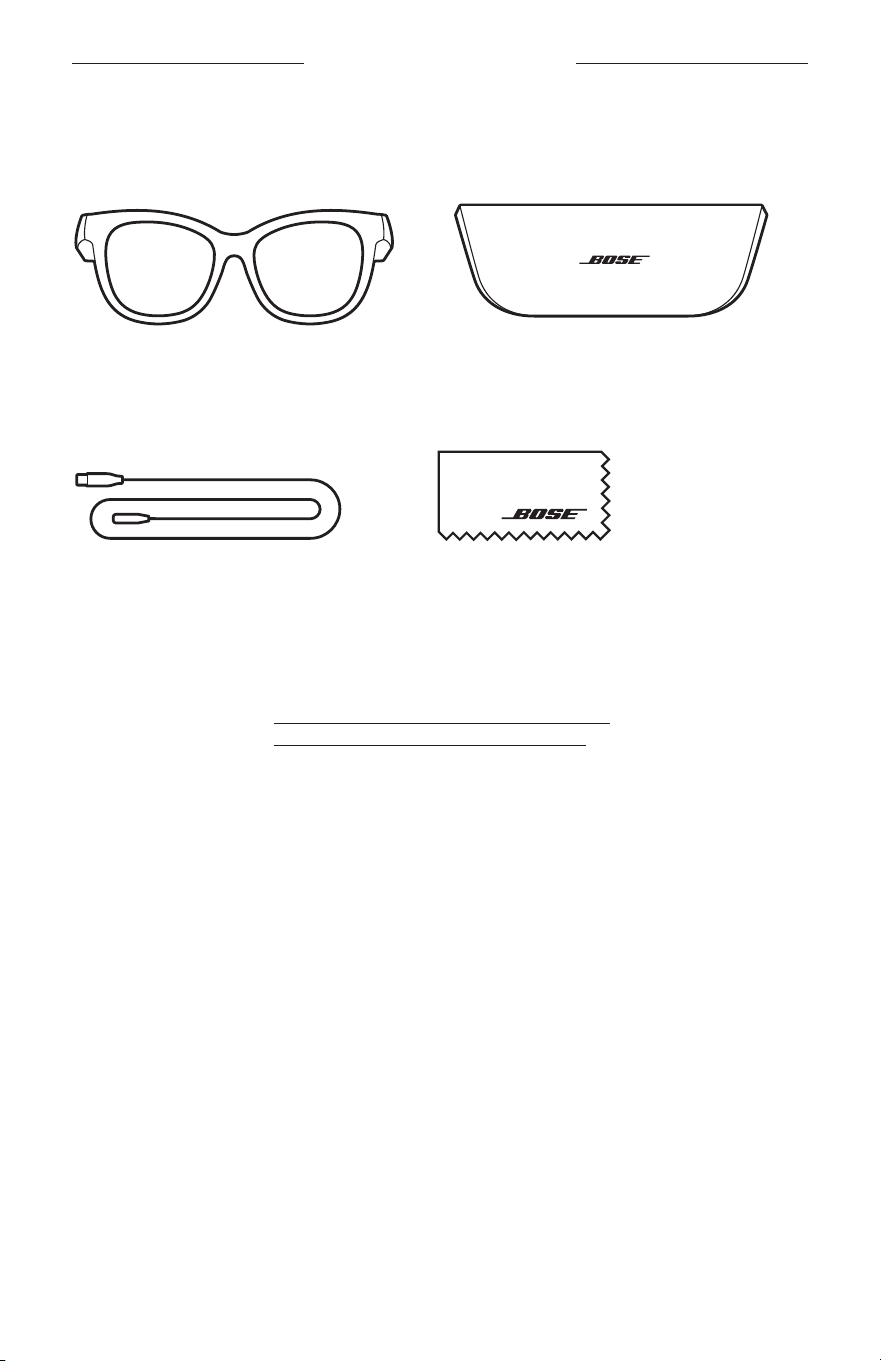
13
|
DUT
WAT ZIT ER IN DE DOOS
INHOUD
Controleer of de volgende onderdelen aanwezig zijn:
Bose Frames
Draagetui
Oplaadkabel Schoonmaakdoekje
OPMERKING: Als een deel van het product beschadigd is, mag u het product niet
gebruiken. Neem contact op met een erkende Bose-dealer of de
Bose-klantenservice.
Ga naar: worldwide.Bose.com/Support/Soprano
worldwide.Bose.com/Support/Tenor
14
|
DUT
INSTALLEREN MET DE BOSE MUSIC-APP
Met de Bose Music-app kunt u de bril configureren en bedienen via een mobiel
apparaat, zoals een smartphone of tablet.
U kunt via de app de instellingen voor in- en uitschakelen aanpassen, de taal voor de
gesproken mededelingen kiezen en nieuwe functies downloaden.
OPMERKING: Als u voor een ander Bose-product al een Bose-account hebt aangemaakt
in de app, zie dan “De bril toevoegen aan een bestaand account.”
DE BOSE MUSIC-APP DOWNLOADEN
1. Download de Bose Music-app op uw mobiele apparaat.
OPMERKING: Als u zich op het Chinese vasteland bevindt, downloadt u de
appBose
8.
BOSE MUSIC
2. Volg de instructies van de app.
DE BRIL TOEVOEGEN AAN EEN BESTAAND ACCOUNT
1. Houd de knop op de rechterpoot ingedrukt totdat u “Klaar om te verbinden”
hoortof het statuslampje blauw ziet knipperen.
2. Ga naar het scherm Mijn producten in de Bose Music-app en voeg uw bril toe.
OPMERKING: Als de app de bril niet kan vinden, zie dan “Bose Music-app kan bril
niet vinden” op pagina 30.
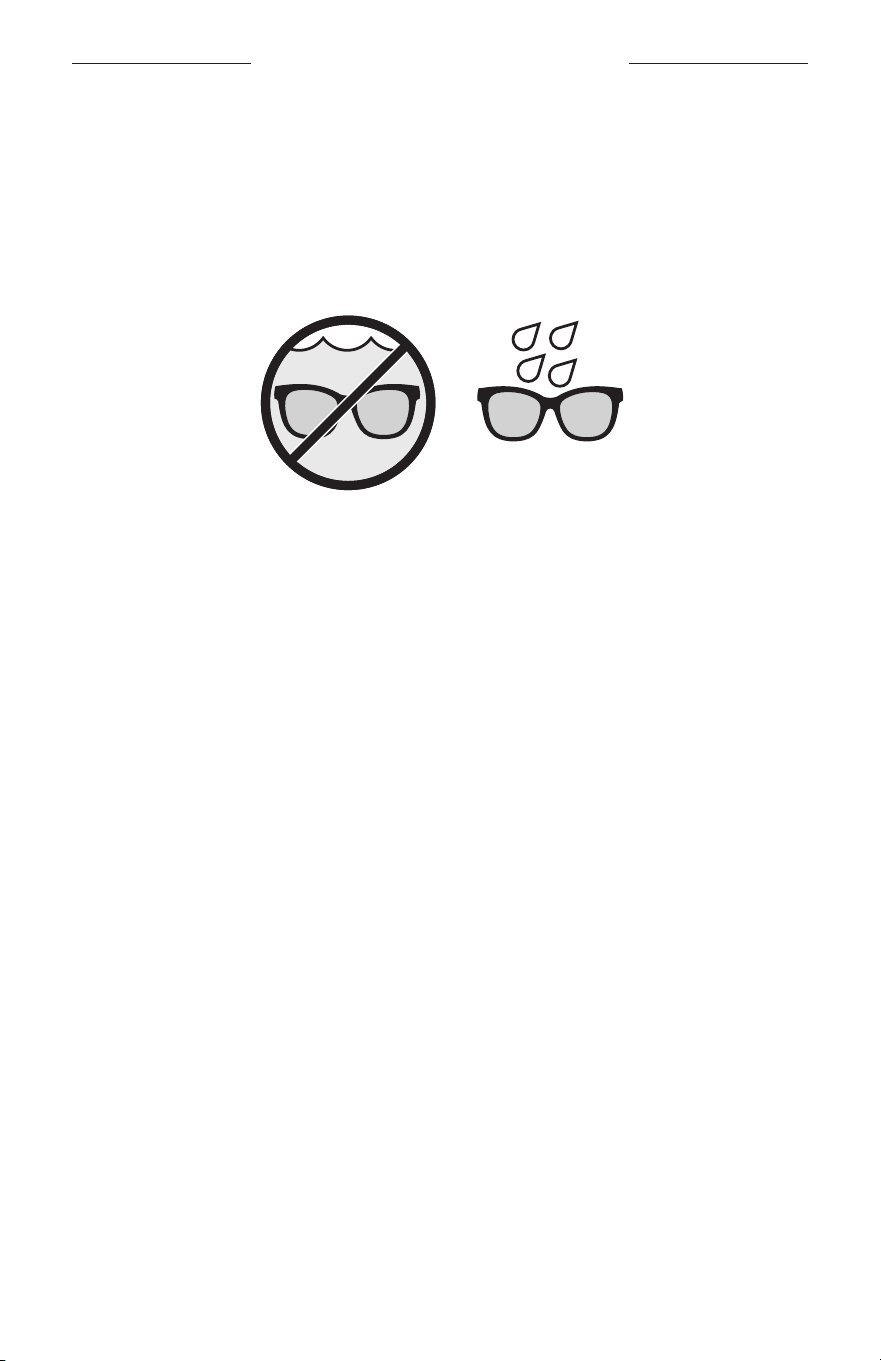
15
|
DUT
ZWEET- EN WEERBESTENDIGHEID
De bril heeft een waterbestendigheidsclassificatie van IPX2. Dat wil zeggen
dat hij bestand is tegen zweet- en regendruppels, maar niet onder water mag
wordengehouden.
LET OP:
• Ga NIET met de bril op zwemmen of douchen.
• Houd de bril NIET onder water.
OPMERKING: IPX2 is geen permanente toestand, en de waterbestendigheid kan
afnemen als gevolg van normale slijtage.
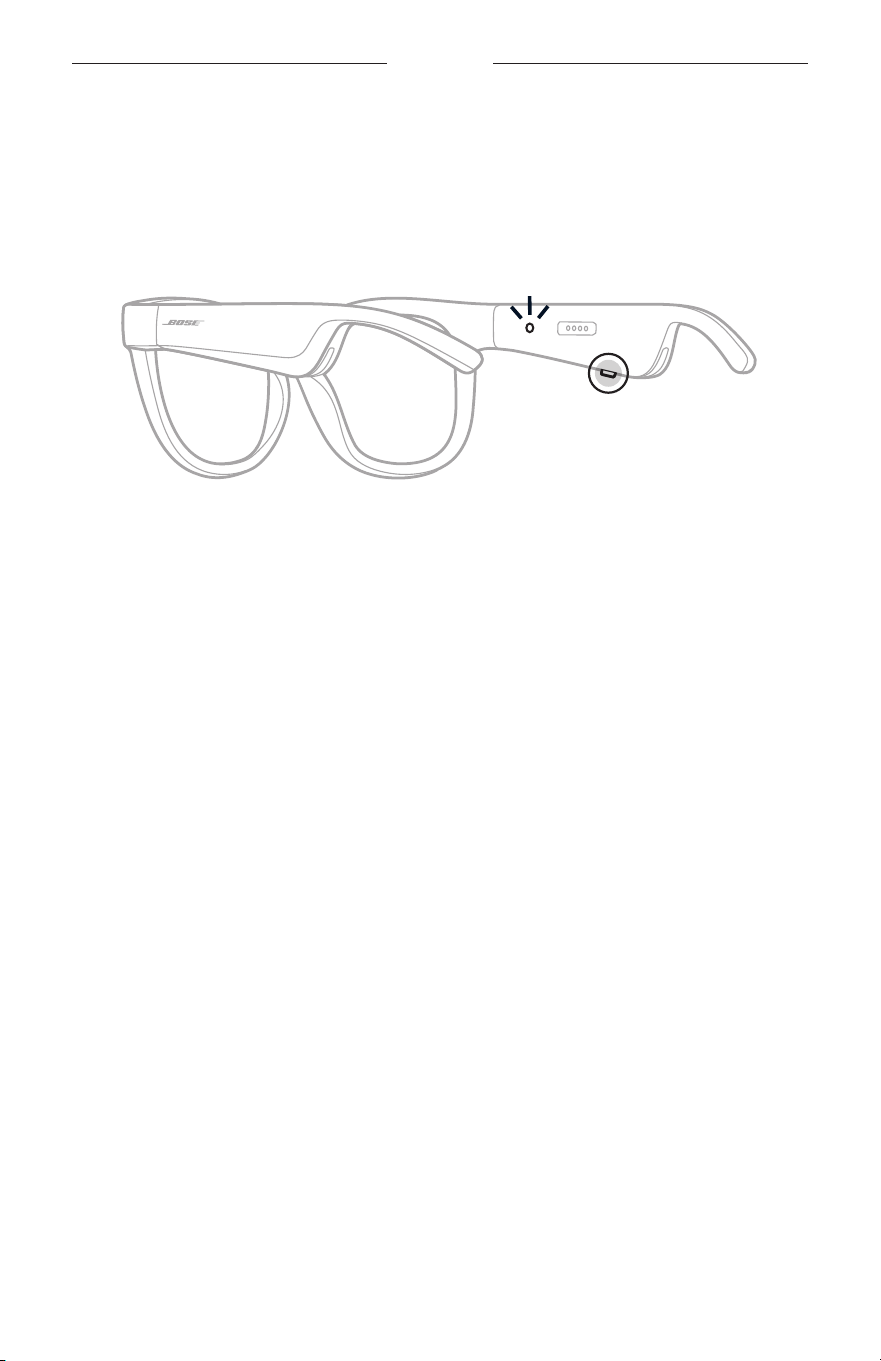
16
|
DUT
AAN/UIT
INSCHAKELEN
Druk op de knop op de rechterpoot.
Het statuslampje knippert twee keer wit en brandt dan naar gelang de Bluetooth-
verbindingsstatus (zie pagina 22). U hoort een gesproken mededeling met het
accuniveau en de Bluetooth-verbindingsstatus.
OPMERKING: De bril wordt gedeeltelijk opgeladen geleverd en moet voor het
eerste gebruik mogelijk worden geactiveerd. Om de bril te activeren,
sluit u hem 2 seconden aan op een voedingsbron en koppelt u hem
vervolgens weer los (zie pagina 21). Daarna probeert u opnieuw in
te schakelen.
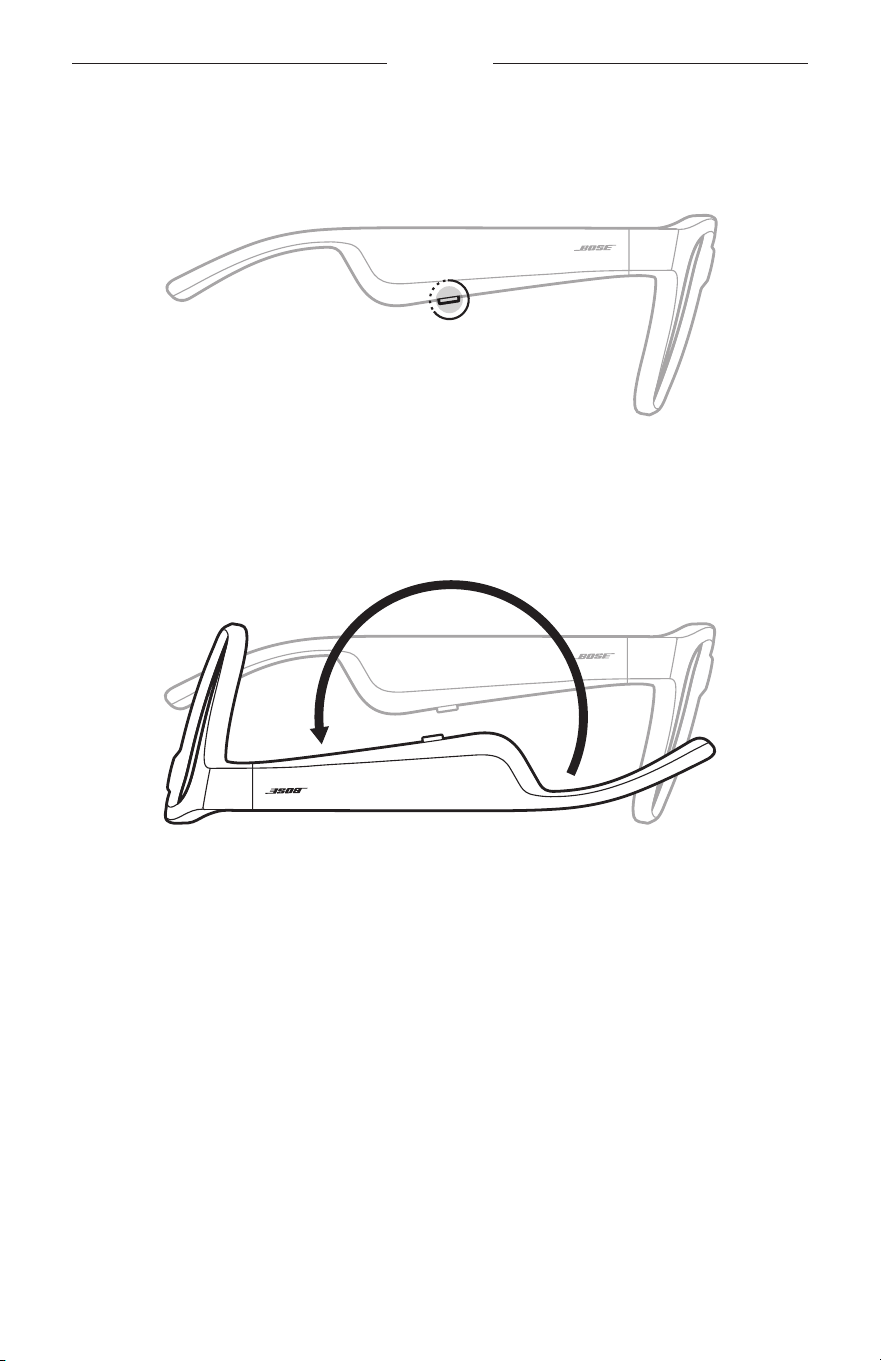
17
|
DUT
AAN/UIT
UITSCHAKELEN
Houd de knop ingedrukt totdat u een toon hoort.
Het statuslampje knippert twee keer wit en wordt dan geleidelijk zwart.
Uitschakelen door omdraaien
Houd de bril 2 seconden ondersteboven.
Het statuslampje knippert twee keer wit en wordt dan geleidelijk zwart.
OPMERKING:
• Als de bril is uitgeschakeld, kunt u hem in alle richtingen bewegen.
• U kunt Uitschakelen door omdraaien uitschakelen in de Bose Music-app.
Dezeoptiebevindt zich in het menu Instellingen.
Automatisch uit door middel van bewegingsdetectie
Aan de hand van bewegingsdetectie wordt vastgesteld of de bril in gebruik is.
Na10minuten zonder beweging wordt de bril automatisch uitgeschakeld.
OPMERKING: U kunt Bewegingsdetectie uitschakelen in de Bose Music-app.
Dezeoptie bevindt zich in het menu Instellingen.
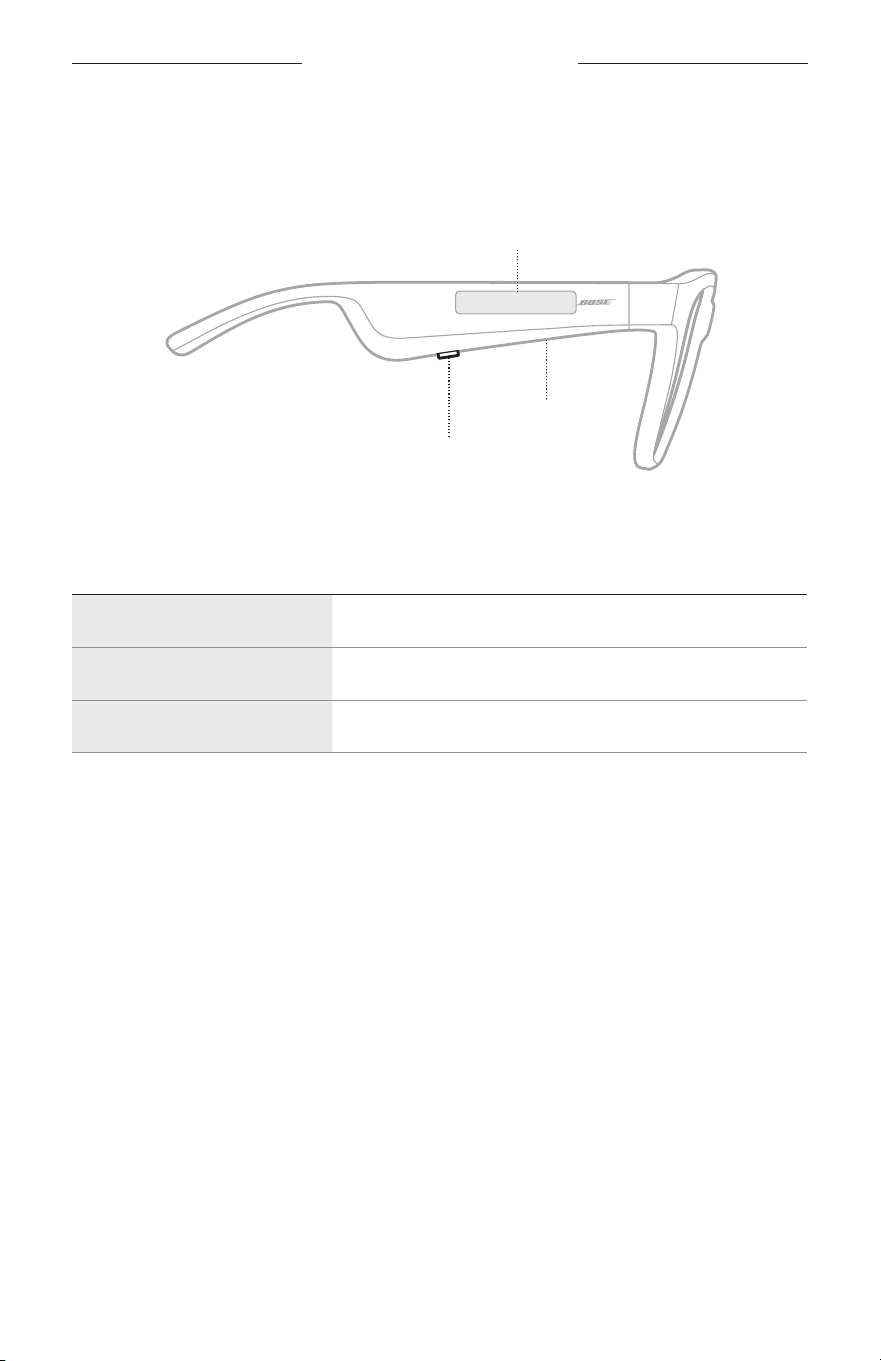
18
|
DUT
BEDIENING VAN DE BRIL
Gebruik de knop en het aanraakoppervlak op de rechterpoot voor afspeelfuncties,
volumeregeling, telefonische oproepen en spraakbediening.
Knop
Afspeelfuncties
Belfuncties
Microfoon
Aanraakoppervlak
Volume aanpassen
Spraakbediening activeren
AFSPEELFUNCTIES
BEDIENING WAT TE DOEN
Afspelen/Pauzeren Druk op de knop.
Vooruit skippen Druk twee keer op de knop.
Achteruit skippen Druk drie keer op de knop.
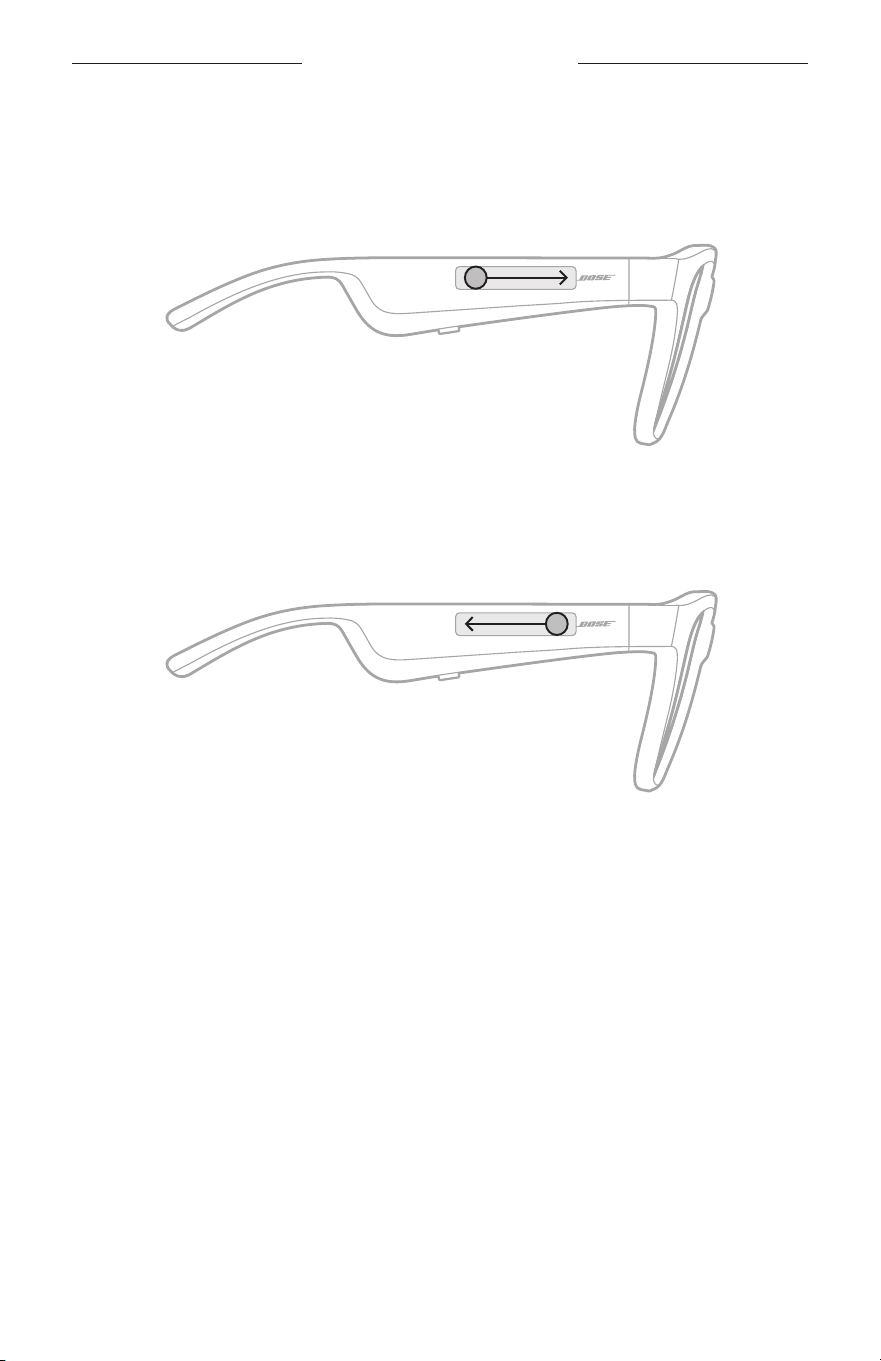
19
|
DUT
BEDIENING VAN DE BRIL
VOLUME
Volume hoger
Veeg naar voren op het aanraakoppervlak.
OPMERKING: U hoort een toon wanneer het maximale volume is bereikt.
Volume lager
Veeg naar achteren op het aanraakoppervlak.
OPMERKING: U hoort een toon wanneer het minimale volume is bereikt.
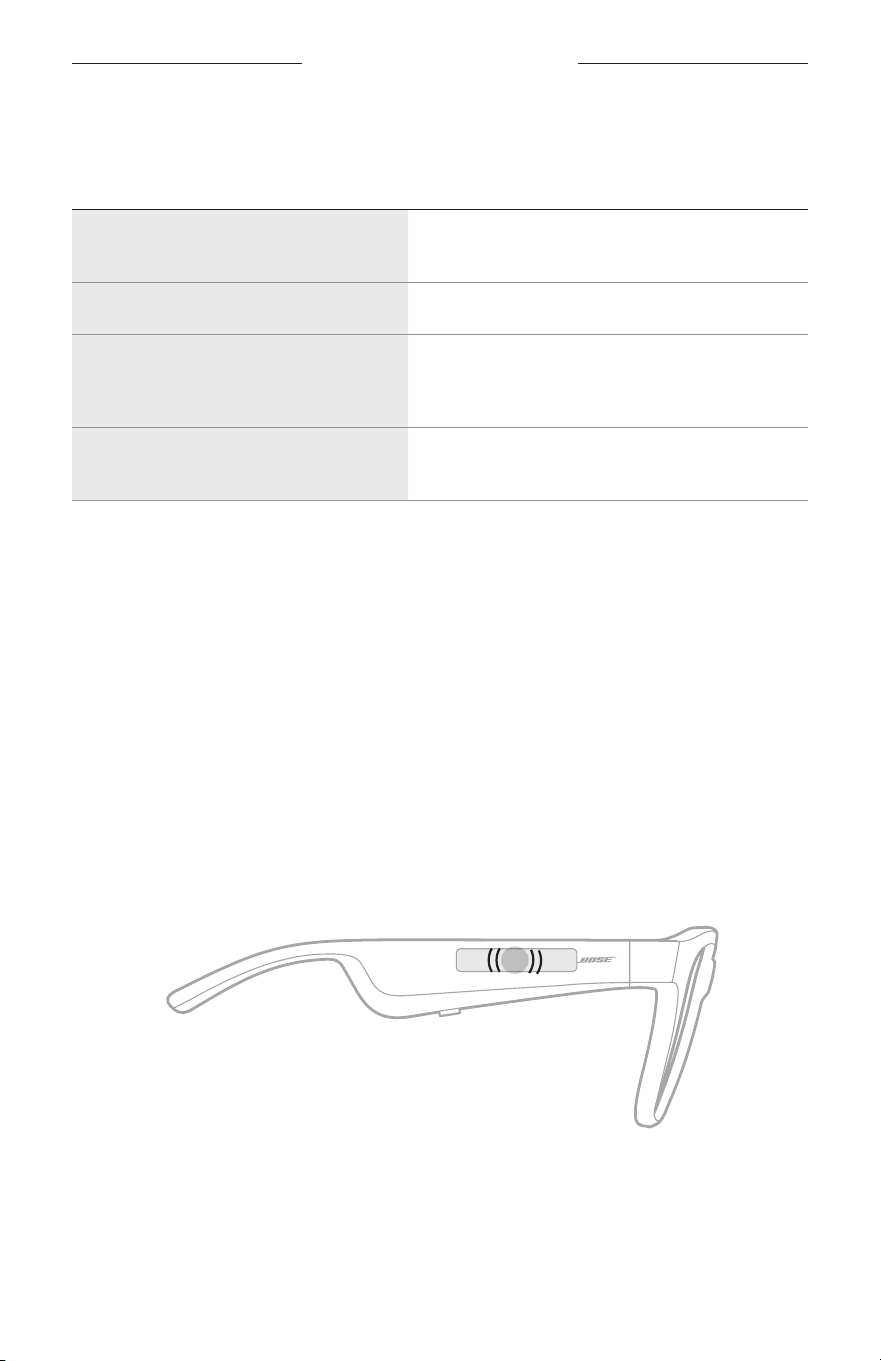
BEDIENING VAN DE BRIL
20
|
DUT
TELEFONISCHE OPROEPEN
BEDIENING WAT TE DOEN
Een oproep beantwoorden of
beëindigen
Druk op de knop.
Een inkomende oproep weigeren Druk twee keer op de knop.
Een tweede inkomende oproep
beantwoorden en de huidige oproep in
de wacht zetten
Druk tijdens een oproep op de knop.
Een tweede inkomende oproep weigeren
en doorgaan met de huidige oproep
Druk tijdens een oproep twee keer op de knop.
OPMERKING: Voer beschikbare software-updates in de Bose Music-app uit om alle
oproepknoppen te kunnen gebruiken.
Oproepmeldingen
U wordt via gesproken mededelingen op de hoogte gebracht van inkomende bellers
en hun oproepstatus.
SPRAAKBEDIENING ACTIVEREN
De microfoon van de bril werkt als een verlenging van de microfoon in uw
mobiele apparaat. Via het aanraakoppervlak op de rechterpoot kunt u de
spraakbedieningsfuncties van het apparaat activeren, zodat u kunt bellen, oproepen
kunt beantwoorden of Siri of de Google Assistent kunt vragen om bijvoorbeeld
muziek af te spelen of het weerbericht of de uitslag van een wedstrijd te vertellen.
Tik twee keer op het aanraakoppervlak om spraakbediening op uw apparaat te activeren.
2x
U hoort een toon wanneer spraakbediening actief is.
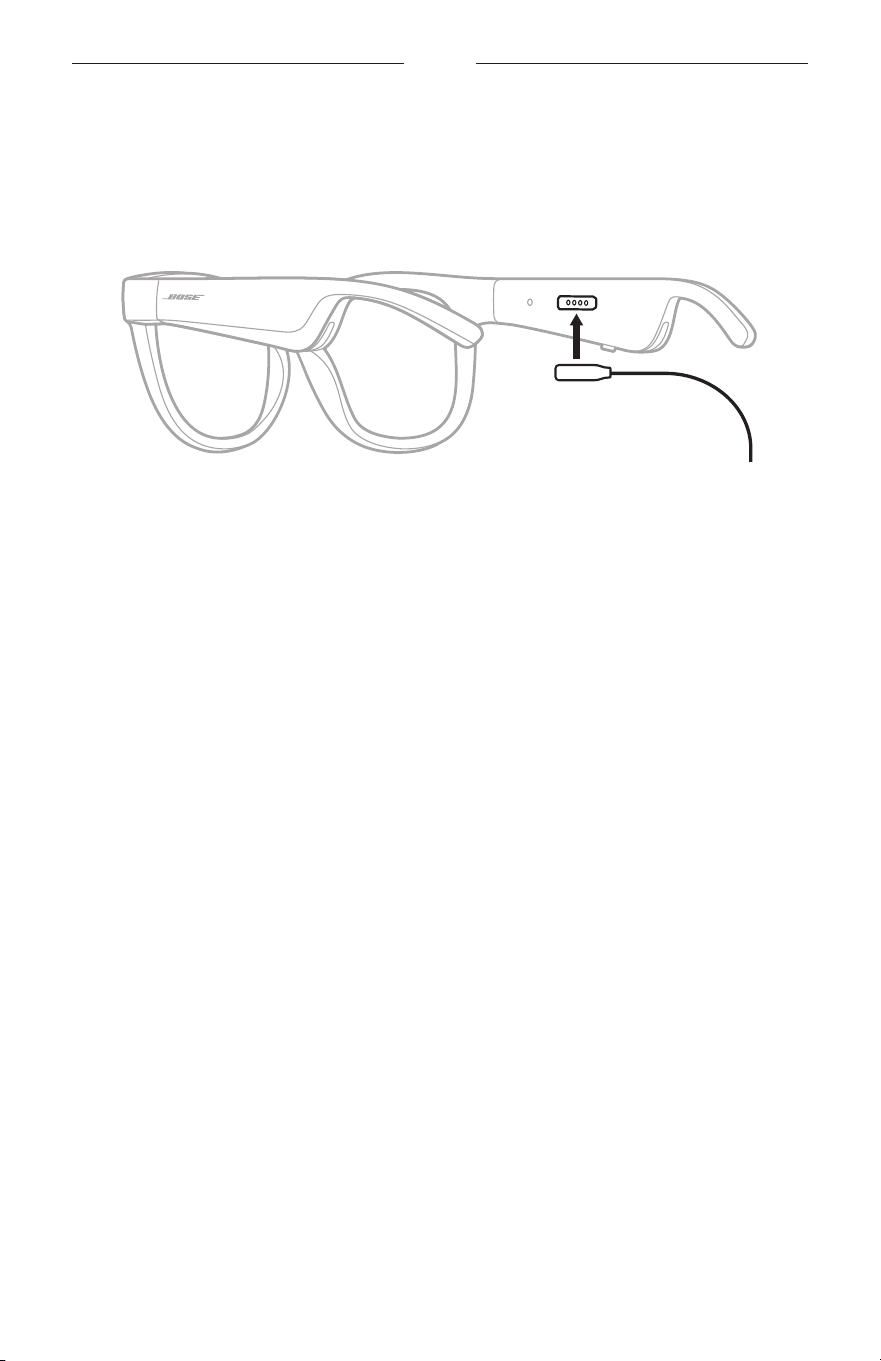
21
|
DUT
ACCU
DE BRIL OPLADEN
1. Lijn de pinnen op de oplaadkabel uit met de oplaadpoort op de rechterpoot.
OPMERKING: De pinnen moeten in de juiste richting op de oplaadpoort worden
aangesloten om de bril te kunnen opladen.
2. Duw de pinnen voorzichtig tegen de oplaadpoort tot ze magnetisch vastklikken.
3. Sluit het andere uiteinde aan op een USB-A-wandoplader (niet meegeleverd).
LET OP: Dit product mag alleen worden gebruikt met een goedgekeurde voeding
die voldoet aan de plaatselijke voorschriften (bv. UL, CSA, VDE, CCC).
Tijdens het opladen knippert het statuslampje wit. Wanneer de accu volledig is
opgeladen, brandt het statuslampje continu wit (zie pagina 23).
OPMERKINGEN:
• De bril geeft tijdens het opladen geen audio weer.
• Draag de bril niet tijdens het opladen.
HET ACCUNIVEAU VAN DE BRIL CONTROLEREN
Accumeldingen horen
Telkens wanneer u de bril inschakelt, hoort u een gesproken mededeling met het
accuniveau.
Wanneer u de bril gebruikt, hoort u een gesproken mededeling als de accu moet
worden opgeladen.
Het accuniveau weergeven
• Kijk op het startscherm van de Bose Music-app.
• Wanneer het statuslampje rood knippert, moet de bril worden opgeladen.
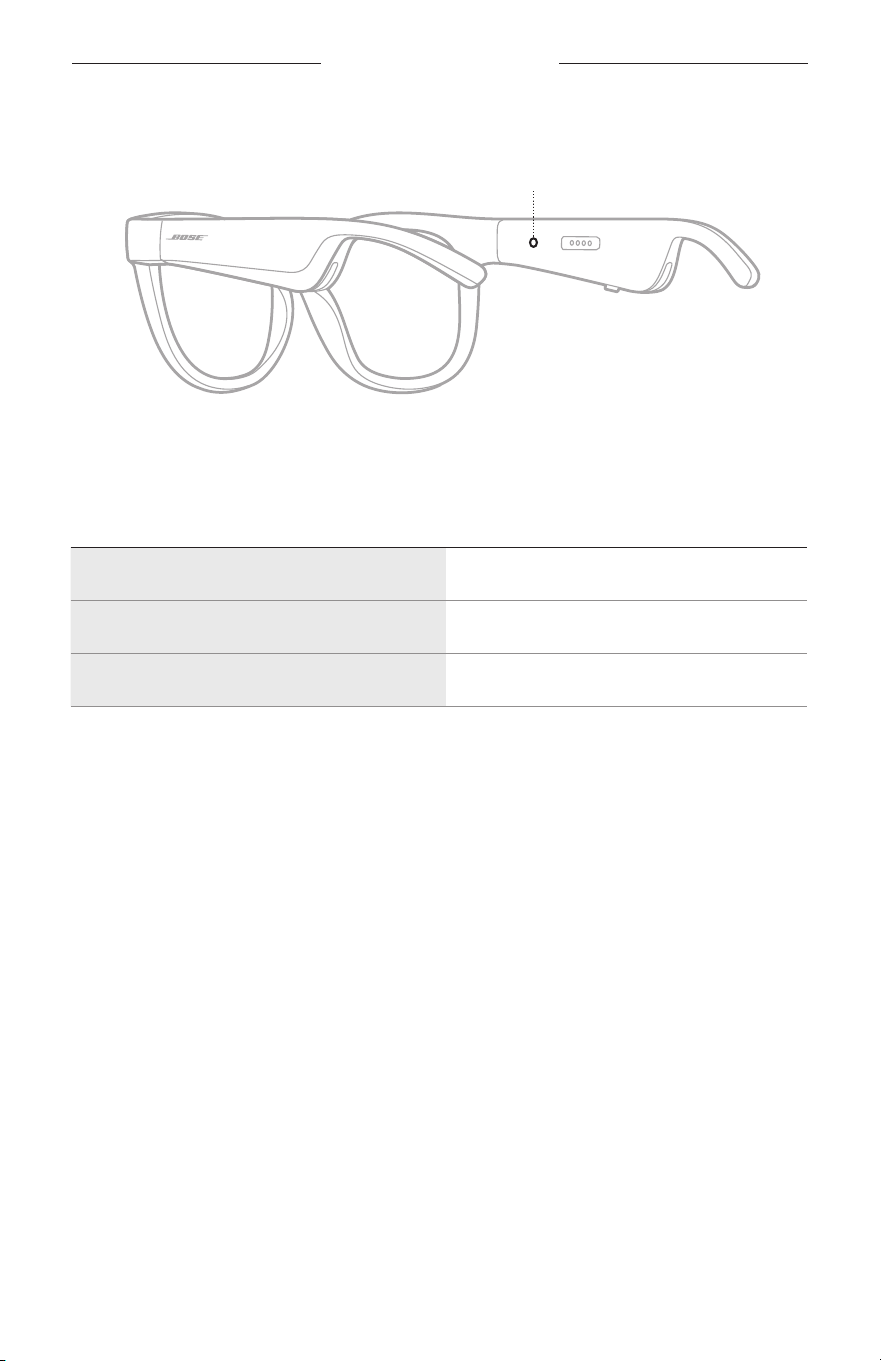
22
|
DUT
STATUS VAN DE BRIL
Het statuslampje van de bril bevindt zich aan de binnenkant van de rechterpoot.
Statuslampje
BLUETOOTH-VERBINDINGSSTATUS
Toont de Bluetooth-verbindingsstatus van mobiele apparaten.
ACTIVITEIT VAN HET LAMPJE STATUS VAN HET SYSTEEM
Knippert langzaam blauw Klaar om te verbinden
Knippert snel blauw Bezig met verbinden
Continu blauw (10 seconden) Verbonden
STATUS VAN DE BRIL
23
|
DUT
ACCUSTATUS
Toont het laadniveau van de accu van de bril.
ACTIVITEIT VAN HET LAMPJE STATUS VAN HET SYSTEEM
Knippert rood (10 seconden) Moet worden opgeladen
Knippert wit Bezig met opladen
Continu wit Volledig opgeladen
FOUTSTATUS
Toont de foutstatus.
ACTIVITEIT VAN HET LAMPJE STATUS VAN HET SYSTEEM
Knippert rood en wit (herhalend)
Fout - neem contact op met de Bose-
klantenservice
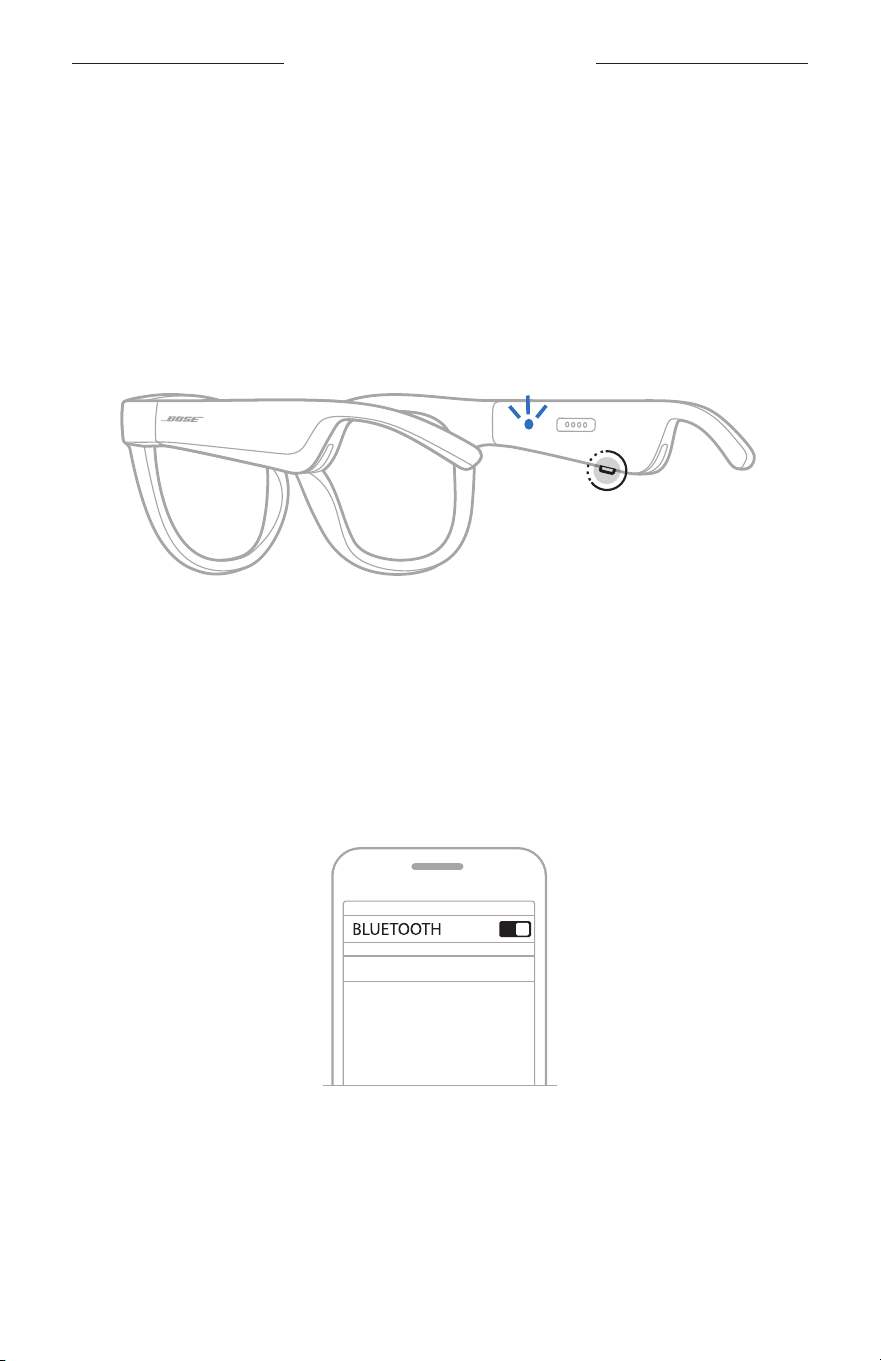
24
|
DUT
BLUETOOTH-VERBINDINGEN
VERBINDEN VIA HET BLUETOOTH-MENU OP UW
MOBIELE APPARAAT
U kunt maximaal acht apparaten opslaan in de lijst met apparaten van de bril. U kunt
met slechts één apparaat tegelijk verbinding maken en audio afspelen.
OPMERKING: Voor de beste ervaring moet u uw mobiele apparaat instellen en
verbinden via de Bose Music-app (zie pagina 14).
1. Houd met de bril ingeschakeld de knop op de rechterpoot ingedrukt totdat u
“Klaar om te verbinden” hoort of het statuslampje blauw ziet knipperen.
2. Schakel de Bluetooth-functie op uw apparaat in.
OPMERKING: De Bluetooth-functie bevindt zich meestal in het menu Instellingen.
3. Selecteer de bril in de lijst met apparaten.
OPMERKING: Zoek de naam die u voor de bril hebt ingevoerd in de Bose
Music-app. Als u de bril geen naam hebt gegeven, verschijnt de
standaardnaam.
BOSE FRAMES
Zodra de verbinding tot stand is gebracht, hoort u “Verbonden met <naam
mobiel apparaat>” of ziet u het statuslampje blauw oplichten en dan geleidelijk
zwart worden.

25
|
DUT
BLUETOOTH-VERBINDINGEN
DE VERBINDING MET EEN MOBIEL APPARAAT
VERBREKEN
Gebruik de Bose Music-app om de verbinding met uw mobiele apparaat te verbreken.
TIP: U kunt de verbinding ook verbreken via de Bluetooth-instellingen. Als u de
Bluetooth-functie uitschakelt, worden ook alle verbindingen met andere
apparaten verbroken.
EEN MOBIEL APPARAAT OPNIEUW VERBINDEN
Als de bril wordt ingeschakeld, wordt geprobeerd de verbinding met het laatst
verbonden mobiele apparaat te herstellen.
OPMERKING: Het apparaat moet zich binnen het bereik bevinden (9 m)
eningeschakeld zijn.
DE LIJST MET APPARATEN VAN DE BRIL WISSEN
1. Houd met de bril ingeschakeld de knop op de rechterpoot 10 seconden
ingedrukt totdat u “Bluetooth-apparatenlijst gewist” hoort of het statuslampje
blauw ziet knipperen.
2. Verwijder de bril uit de Bluetooth-lijst op uw apparaat.
Alle apparaten worden gewist en de bril is klaar om te verbinden.
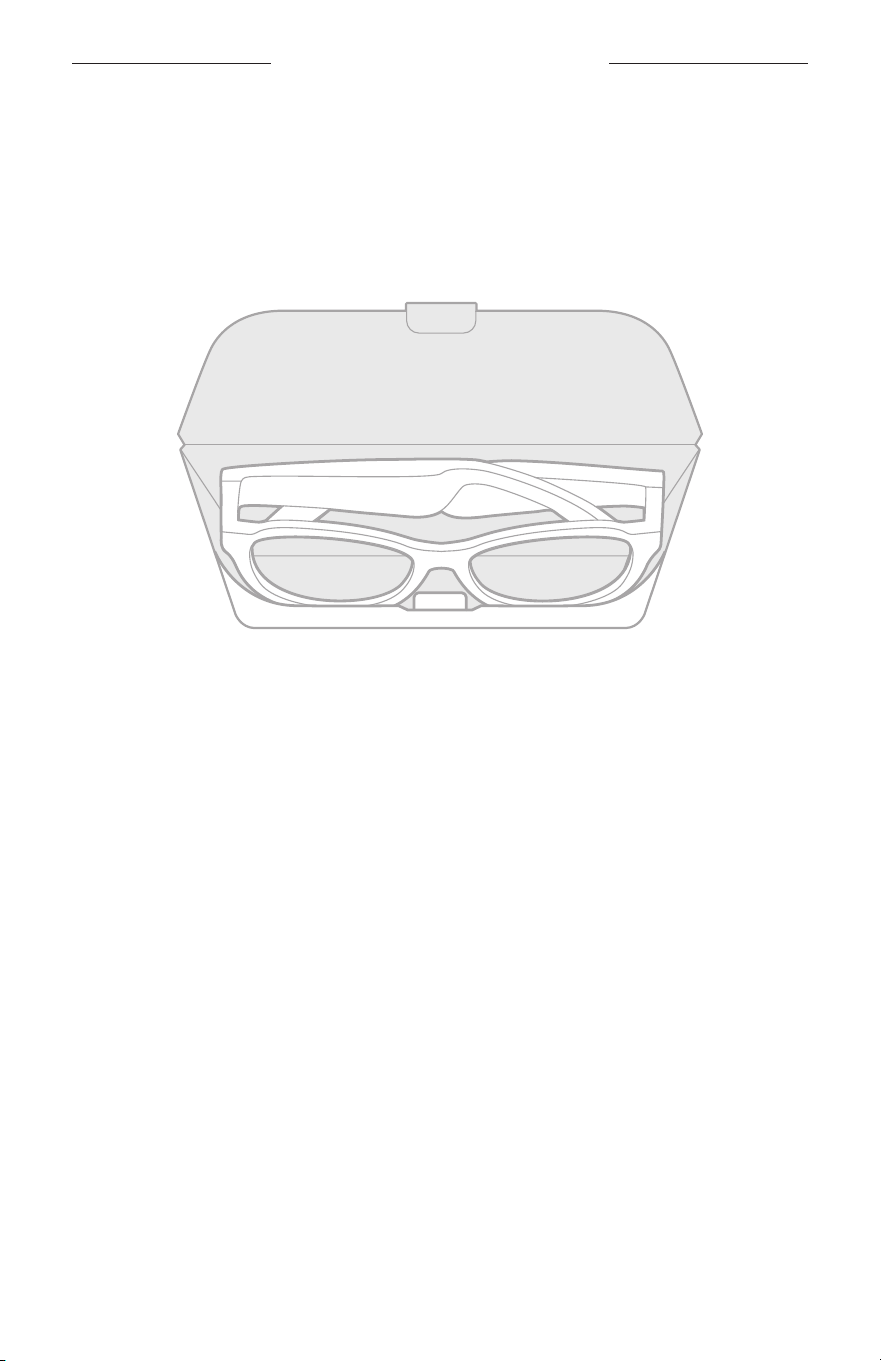
26
|
DUT
VERZORGING EN ONDERHOUD
DE BRIL BEWAREN
De bril kan worden dichtgeklapt, zodat hij gemakkelijk kan worden opgeborgen.
1. Klap de poten naar binnen richting de lenzen, zodat ze plat liggen.
2. Plaats de bril met de lenzen naar voren in het etui.
OPMERKINGEN:
• Zorg dat de bril is uitgeschakeld zolang hij niet in gebruik is.
• Zorg dat de accu volledig is opgeladen als u de bril gedurende meer dan een paar
maanden opbergt.

27
|
DUT
VERZORGING EN ONDERHOUD
DE BRIL ONDERHOUDEN
Veeg beide zijden van de lenzen en alle onderdelen van het montuur na elk gebruik
schoon met het meegeleverde schoonmaakdoekje of een droge doek.
LET OP:
• Gebruik GEEN spuitbussen in de buurt van de bril.
• Gebruik GEEN oplosmiddelen, chemicaliën of schoonmaakproducten die alcohol,
ammoniak of schuurmiddelen bevatten.
• Zorg dat er GEEN vloeistof in openingen wordt gemorst.
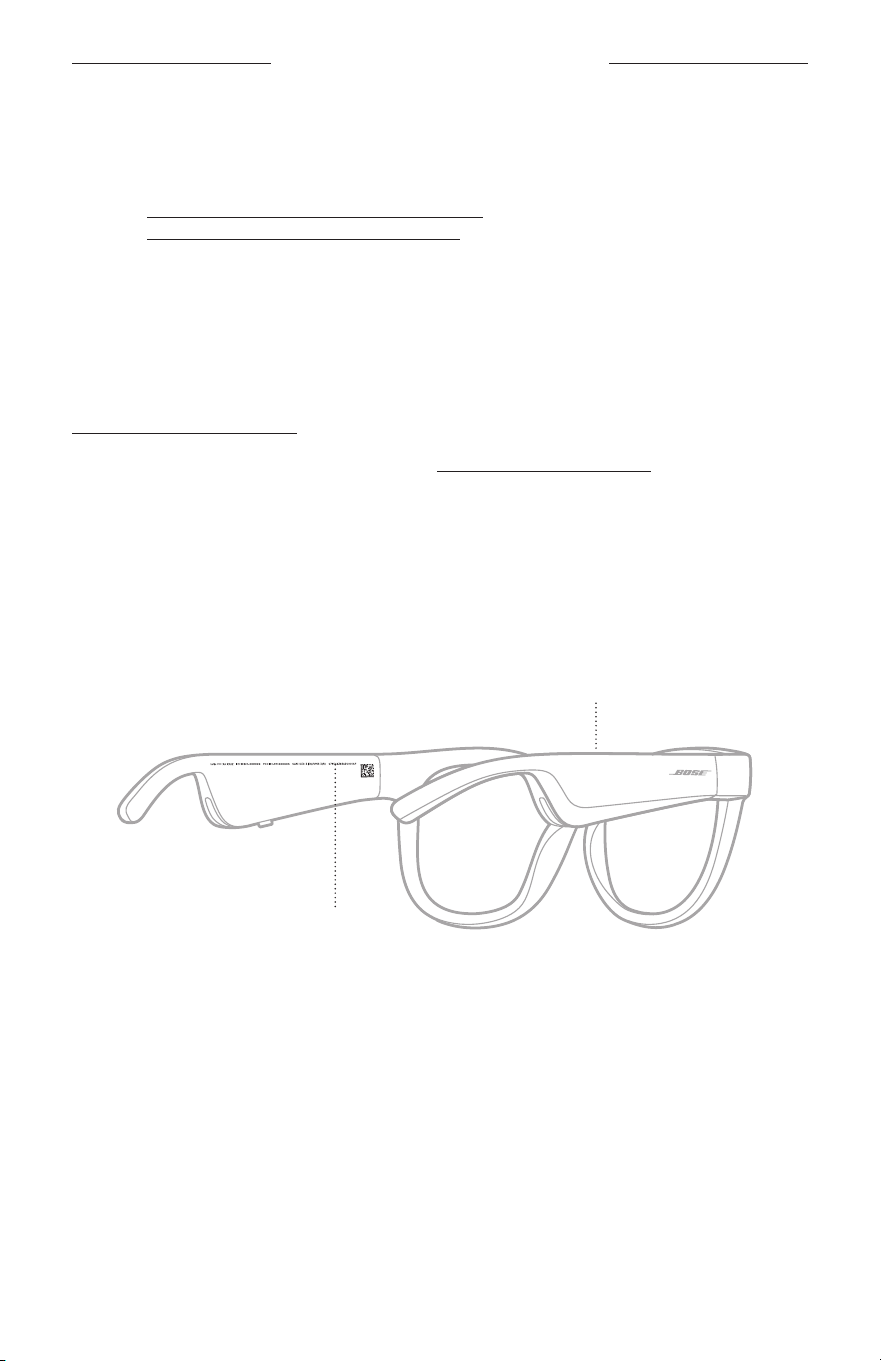
28
|
DUT
VERZORGING EN ONDERHOUD
RESERVEONDERDELEN EN ACCESSOIRES
Reserveonderdelen en accessoires kunt u bestellen via de Bose-klantenservice.
Ga naar: worldwide.Bose.com/Support/Soprano
worldwide.Bose.com/Support/Tenor
OPMERKING: Raadpleeg de instructies bij de lensaccessoires voor meer informatie
over het vervangen van de lenzen.
BEPERKTE GARANTIE
De bril wordt gedekt door een beperkte garantie. Bezoek onze website op
global.Bose.com/warranty voor informatie over de beperkte garantie.
Om het product te registreren, gaat u naar global.Bose.com/register voor instructies.
Als u het product niet registreert, is dit niet van invloed op uw rechten onder de
beperkte garantie.
LOCATIE VAN SERIE- EN MODEL-/ARTIKELNUMMER
Het serienummer staat op de binnenkant van de linkerpoot en het model-/
artikelnummer op de binnenkant van de rechterpoot.
Serienummer
Model-/artikelnummer:

29
|
DUT
PROBLEMEN OPLOSSEN
PROBEER DEZE OPLOSSINGEN EERST
Als u problemen met de bril ondervindt:
• Schakel de bril in (zie pagina 16).
• Sluit de bril 2 seconden aan op een voedingsbron en koppel hem vervolgens weer
los (zie pagina 21).
• Laad de accu op (zie pagina 21).
• Controleer de status van de statuslampjes (zie pagina 22).
• Controleer of uw mobiele apparaat Bluetooth-verbindingen ondersteunt.
• Download de Bose Music-app en voer beschikbare software-updates uit.
• Zet het volume van de bril, uw mobiele apparaat en/of uw audio-/streamingapp hoger.
• Maak verbinding met een ander mobiel apparaat (zie pagina 24).
ANDERE OPLOSSINGEN
Als het probleem nog niet is verholpen, zie dan de onderstaande tabel voor
symptomen van en oplossingen voor veelvoorkomende problemen. Als u het
probleem niet kunt oplossen, neem dan contact op met de Bose-klantenservice.
Ga naar: worldwide.Bose.com/Contact
PROBLEEM WAT TE DOEN
Bril maakt geen
verbinding met
mobielapparaat
Op uw apparaat:
• Schakel de Bluetooth-functie uit en vervolgens weer in.
• Verwijder de bril uit de Bluetooth-lijst op het apparaat.
Maakopnieuw verbinding (zie pagina 24).
Plaats het apparaat dichter bij de bril en weg van mogelijke
storingsbronnen of obstructies.
Maak verbinding met een ander mobiel apparaat
(ziepagina24).
Ga voor instructievideo’s naar:
worldwide.Bose.com/Support/Tenor of
worldwide.Bose.com/Support/Soprano
Wis de lijst met apparaten van de bril (zie pagina 25).
Maakopnieuw verbinding.
Bose Music-app werkt
niet op apparaat
Controleer of de Bose Music-app compatibel is met uw apparaat.
Verwijder de Bose Music-app van uw apparaat en installeer de
app opnieuw (zie pagina 14).
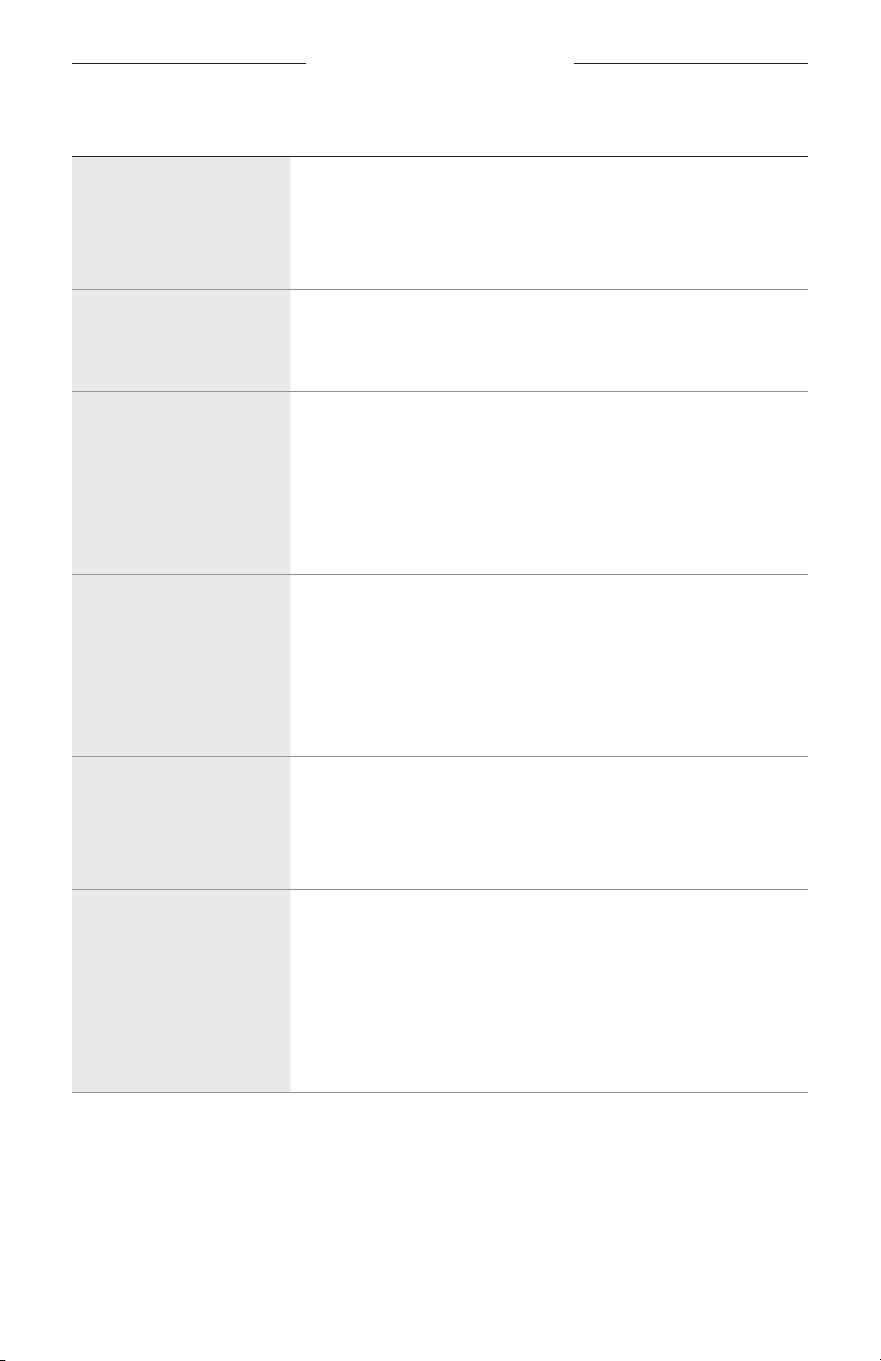
30
|
DUT
PROBLEMEN OPLOSSEN
PROBLEEM WAT TE DOEN
Bose Music-app kan bril
niet vinden
Schakel de bril in (zie pagina 16).
Houd de knop op de rechterpoot ingedrukt totdat u “Klaar om te
verbinden” hoort of het statuslampje blauw ziet knipperen.
Voer in de Bose Music-app beschikbare software-updates uit.
Bluetooth-verbinding
valt soms weg
Wis de lijst met apparaten van de bril (zie pagina 25).
Maakopnieuw verbinding (zie pagina 24).
Plaats het mobiele apparaat dichter bij de bril.
Geen geluid
Druk op uw mobiele apparaat op Afspelen om er zeker van te zijn
dat er audio wordt afgespeeld.
Plaats het apparaat dichter bij de bril en weg van mogelijke
storingsbronnen of obstructies.
Gebruik een andere muziekbron.
Verbind een ander apparaat (zie pagina 24).
Slechte geluidskwaliteit
Gebruik een andere muziekbron.
Maak verbinding met een ander mobiel apparaat.
Plaats het apparaat dichter bij de bril en weg van mogelijke
storingsbronnen of obstructies.
Schakel functies voor audioverbetering op het apparaat of in de
audio-/streamingapp uit.
Microfoon registreert
geen geluid
Zorg dat de microfoonopening op de rechterpoort niet
geblokkeerd is.
Probeer een andere oproep.
Probeer een ander compatibel apparaat.
Bril wordt niet opgeladen
Zorg dat de pinnen op de oplaadkabel juist op de oplaadpoort
zijn aangesloten en magnetisch vastgeklikt zijn.
Sluit beide uiteinden van de oplaadkabel stevig aan.
Als de bril is blootgesteld aan hoge of lage temperaturen, laat u
hem op kamertemperatuur komen en probeert hem dan opnieuw
op te laden.
Probeer een andere USB-wandoplader.
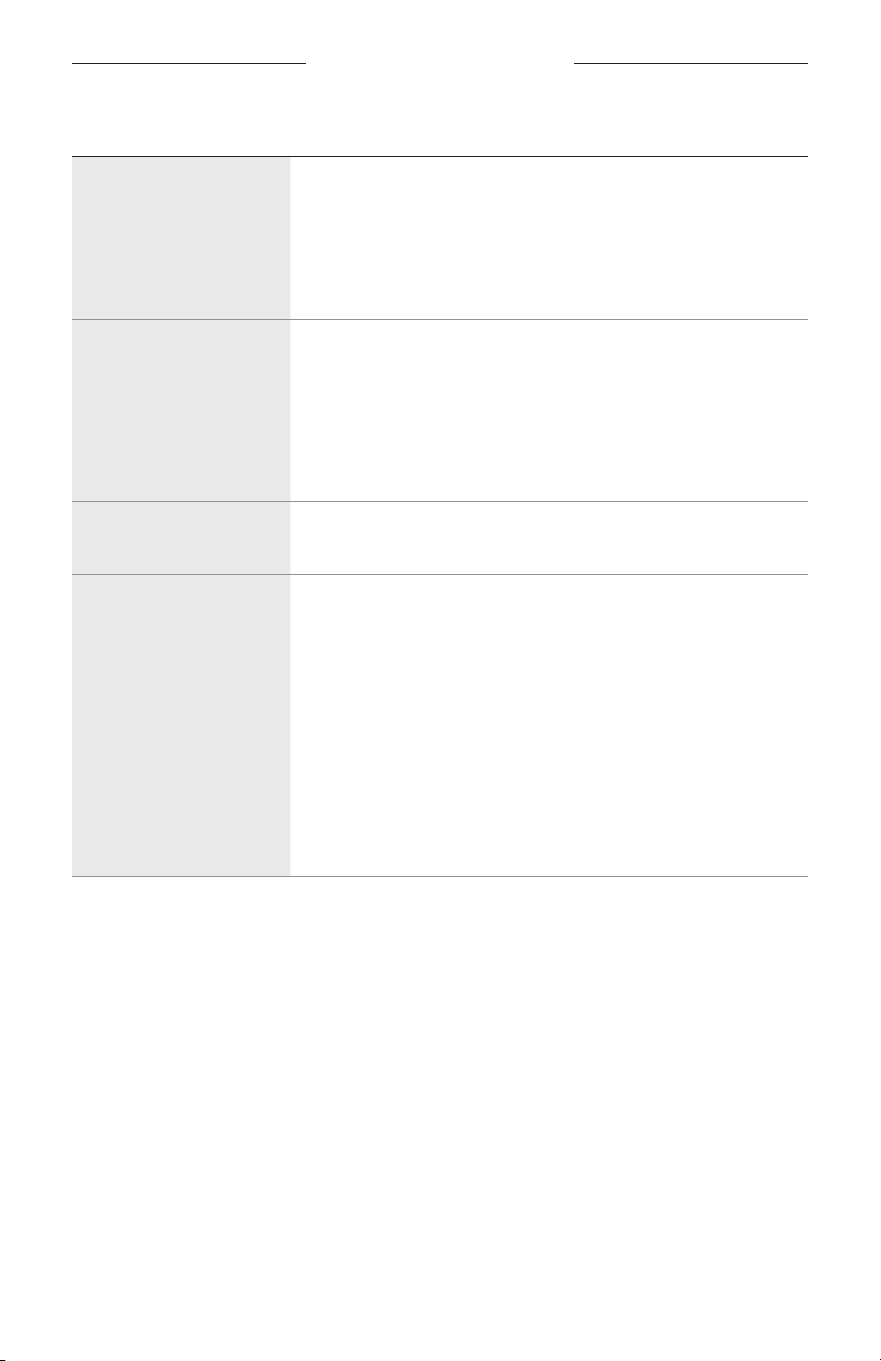
PROBLEMEN OPLOSSEN
31
|
DUT
PROBLEEM WAT TE DOEN
Bril reageert niet op
aanraakbediening
Zorg dat u op het juiste aanraakoppervlak tikt (zie pagina 18).
Zorg dat uw handen droog zijn.
Als uw haar nat is, zorg dan dat dit het aanraakoppervlak niet raakt.
Als u handschoenen draagt, doe deze dan uit voordat u op het
aanraakoppervlak tikt.
Kan volume niet
aanpassen
Zorg dat u over het juiste aanraakoppervlak veegt
(ziepagina18).
Zorg dat uw handen droog zijn.
Als uw haar nat is, zorg dan dat dit het aanraakoppervlak niet raakt.
Als u handschoenen draagt, doe deze dan uit voordat u op het
aanraakoppervlak tikt.
Kan oproepknoppen
niet gebruiken
Voer in de Bose Music-app beschikbare software-updates uit.
Apparaat reageert
niet op het indrukken
vanknoppen
Voer in de Bose Music-app beschikbare software-updates uit.
Voor functies waarbij u meerdere keren op een knop moet
drukken, varieert u de tijd tussen het indrukken.
Controleer of uw muziek-app de functie ondersteunt.
Schakel de bril uit en weer in.
Op uw apparaat:
• Schakel de Bluetooth-functie uit en vervolgens weer in.
• Verwijder de bril uit de Bluetooth-lijst op het apparaat.
Maakopnieuw verbinding (zie pagina 24).
Probeer een ander compatibel apparaat.
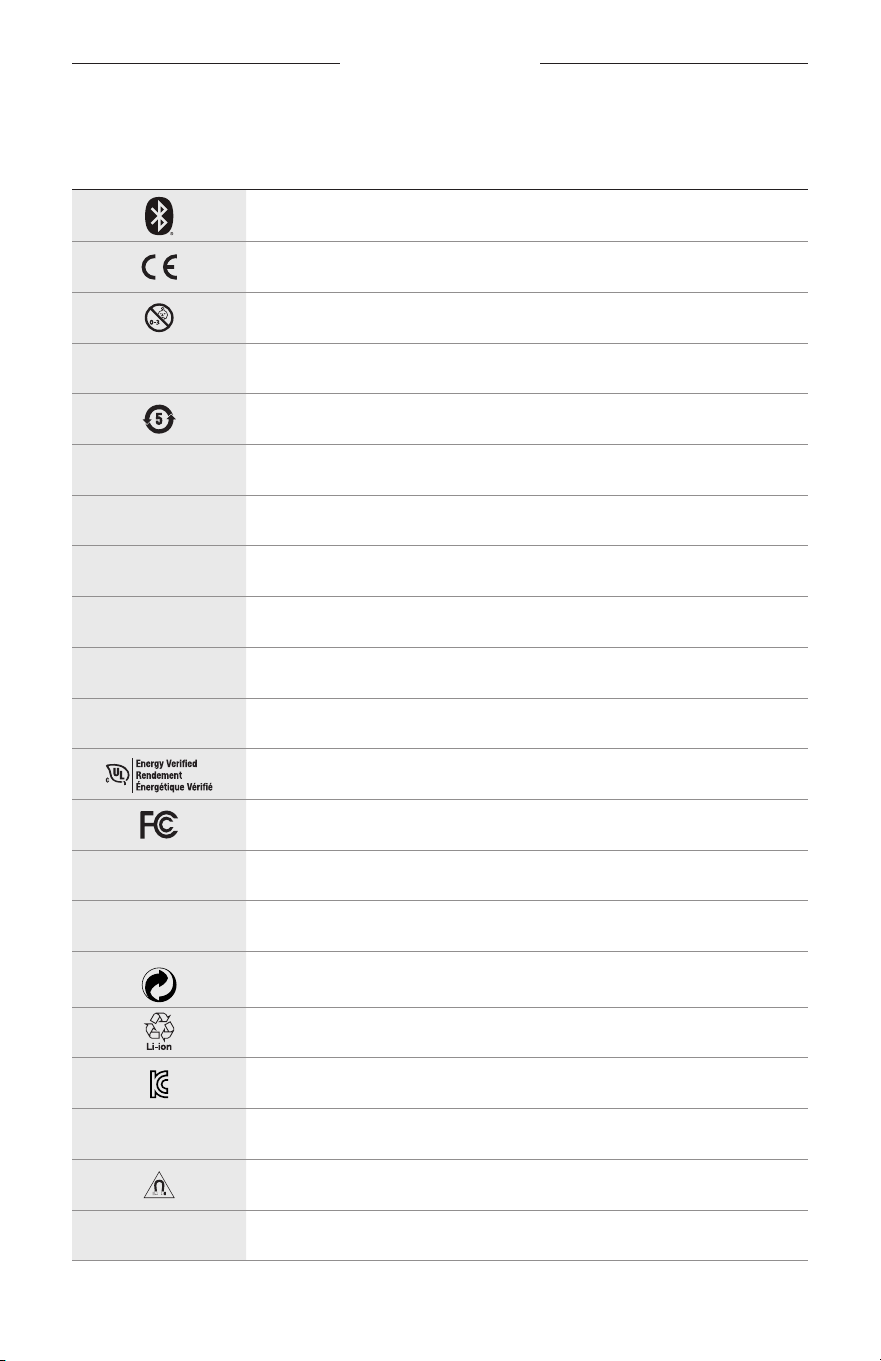
32
|
DUT
LABELSYMBOLEN
SYMBOLEN EN OMSCHRIJVINGEN
SYMBOOL OMSCHRIJVING
Bluetooth
CE-keurmerk
Verstikkingsgevaar
h
Catalogusnummer
ChinaRoHS-accu
w
Klantenservice
N
Fabricagedatum
X
Documentatie
L
Niet gebruiken indien verpakking is beschadigd
C
Bevat geen latex
s
Downloads
Verificatie energie-efficiëntie
FCC-keurmerk
o
Forum
h
Hoge bescherming tegen verblinding door de zon
Groene punt-logo
Accu-recycling Japan
KCC-keurmerk
p
Droog houden
Magnetische interferentie
M
Fabrikant
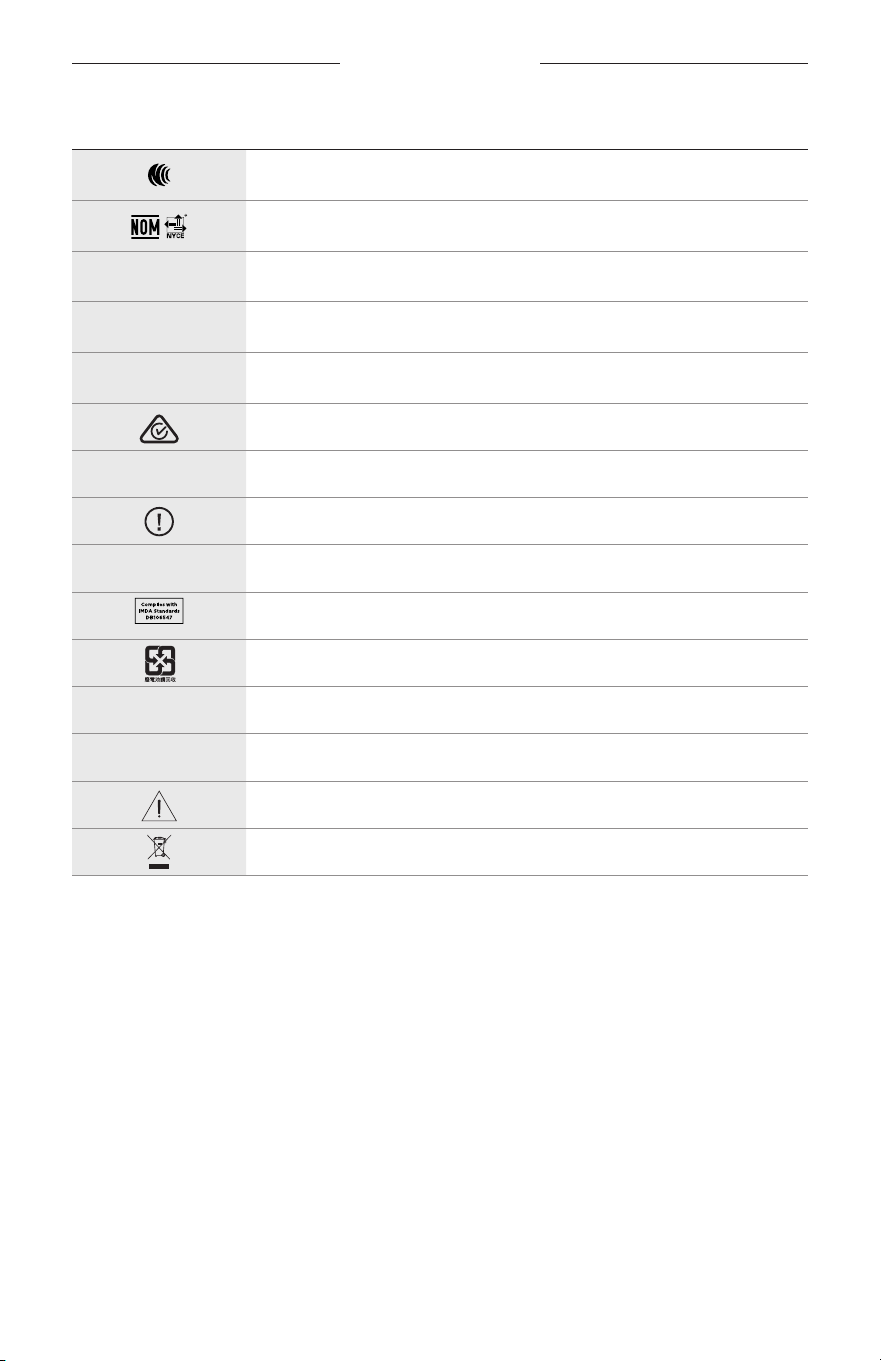
LABELSYMBOLEN
33
|
DUT
SYMBOOL OMSCHRIJVING
NCC-keurmerk
NOM NYCE-keurmerk
d
Niet-steriel
I
NIET GESCHIKT VOOR AUTORIJDEN BIJ INVALLENDE DUISTERNIS OF
IN HET DONKER
m
Telefoon
Voldoet aan regelgeving
A
Raadpleeg de gebruiksaanwijzing
Beveiligingsinformatie
f
Serienummer
Voldoet aan IMDA-regelgeving Singapore
Accu-recycling Taiwan
l
Temperatuurlimiet
W
Video’s
Waarschuwingen en opmerkingen
Symbool voor richtlijn voor afgedankte elektrische en elektronische
apparatuur
INSTRUCCIONES IMPORTANTES DE SEGURIDAD
2
|
ESP
Indicaciones de uso
Las gafas de sol (sin receta médica) son dispositivos que consisten en marcos de lentes o clips con lentes absorbentes,
reflectantes, tintadas, polarizadas o fotosensibilizadas que una persona usa para protegerse los ojos de la luz solar
intensa pero no para proporcionar corrección refractiva. Este dispositivo es de venta libre.
A
Consulte las instrucciones de uso.
Lea y conserve todas las instrucciones de uso, protección y seguridad.
Instrucciones importantes de seguridad
Por la presente, Bose Corporation declara que este producto cumple con los requisitos esenciales y con otras
cláusulas relevantes de la Directiva 2014/53/EU y con todos los demás requisitos de directivas
correspondientes de la UE. La declaración de conformidad completa se puede encontrar en
www.Bose.com/compliance
1. Lea estas instrucciones.
2. Conserve estas instrucciones.
3. Tenga en cuenta las advertencias.
4. Siga todas las instrucciones.
5. No use este aparato cerca del agua.
6. Límpielo solamente con un paño seco.
7. Use solamente los accesorios especificados por el fabricante.
8. Desenchufe este aparato durante tormentas eléctricas o cuando no lo utilice durante períodos de tiempo
prolongados.
9. Derive todas las tareas de servicio al personal calificado. Se requieren tareas de servicio si el aparato se daña
de alguna manera, por ejemplo, si se dañó el enchufe o cable de alimentación, si se derramó líquido o cayeron
objetos dentro del aparato, si el aparato estuvo expuesto a la lluvia o la humedad, si no funciona normalmente,
o si se cayó.
ADVERTENCIAS/PRECAUCIONES
• NO use las gafas a un volumen alto por un período prolongado.
– Para evitar daños a la audición, use las gafas a un nivel de volumen cómodo y moderado.
– Baje el volumen del dispositivo antes de usar las gafas o colocárselas cerca de las orejas, suba gradualmente
elvolumen hasta alcanzar un nivel de audición cómodo.
• Tome precauciones mientras conduce y acate las leyes vigentes con respecto al uso de un teléfono móvil.
• Concéntrese en su seguridad y en la de los demás si usa las gafas mientras realiza una actividad que requiera su
atención, por ejemplo, mientras anda en bicicleta o camina en o cerca de tránsito, un sitio de construcción o las vías
del ferrocarril, etc. Quítese las gafas o regule el volumen para asegurarse de que pueda oír los ruidos del entorno,
incluidas las alarmas y las señales de advertencia.
• NO use las gafas si emiten un ruido fuerte e inusual. Si esto sucede, apague las gafas y póngase en contacto con
elservicio al cliente de Bose.
• NO sumerja ni exponga las gafas al agua durante períodos prolongados, ni las use mientras practica deportes
acuáticos, por ejemplo: natación, esquí acuático, surf, etc.
• Quítese las gafas de inmediato si experimenta una sensación de calor o pérdida de audio.
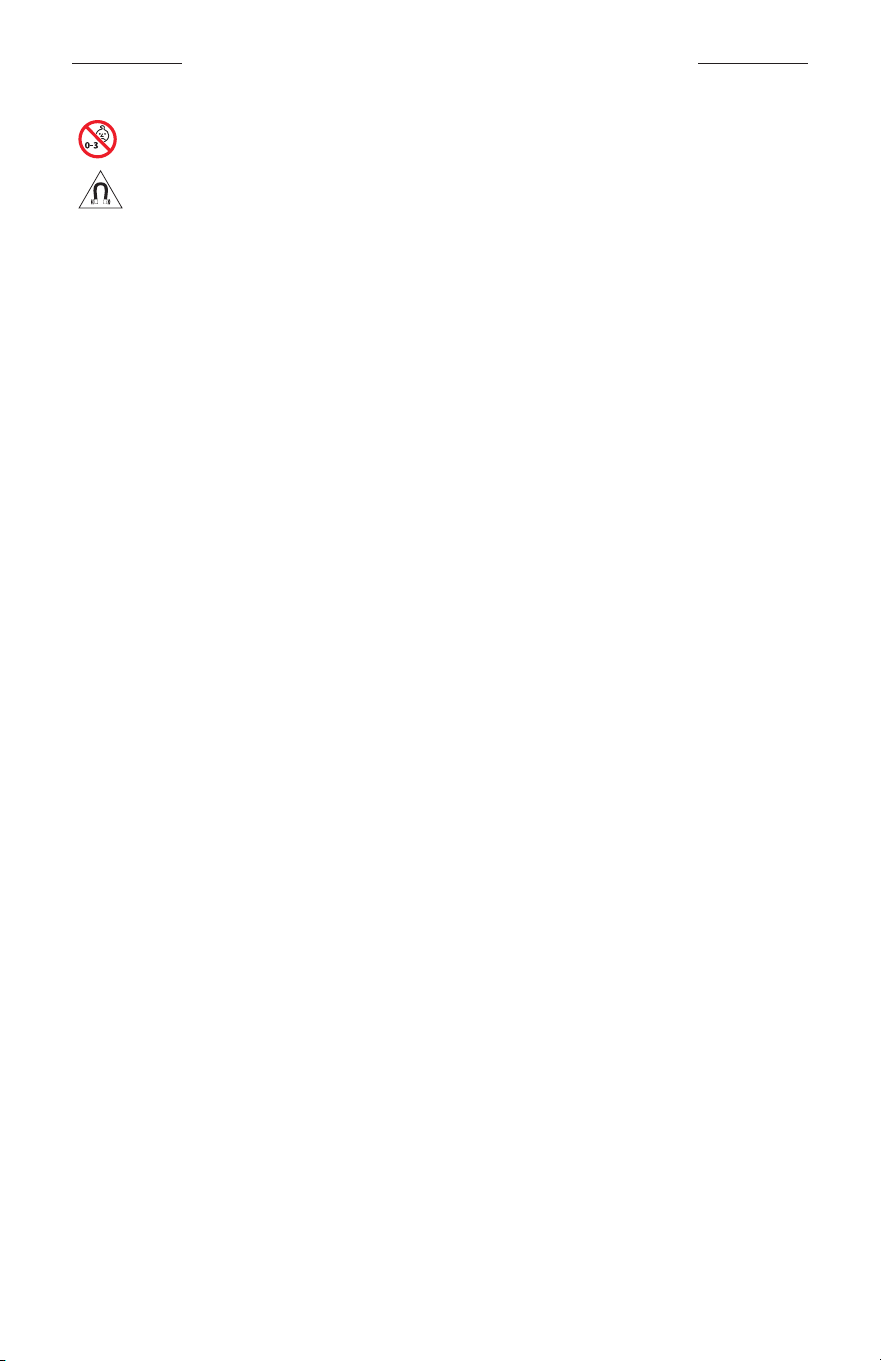
INSTRUCCIONES IMPORTANTES DE SEGURIDAD
3
|
ESP
Contiene piezas pequeñas que pueden representar un riesgo de asfixia. No recomendable para niños
menores de 3 años.
Este producto contiene material magnético. Consulte con su médico si esto podría afectar a un dispositivo
médico implantable.
• Para reducir el riesgo de incendio o descarga eléctrica, NO exponga este producto a la lluvia, líquidos o humedad.
• NO exponga este producto a goteos o salpicaduras, no coloque encima, ni cerca del producto, objetos llenos con
líquido como jarrones.
• Mantenga el producto lejos del fuego y de fuentes de calor. NO coloque sobre el producto, o en su proximidad,
fuentes de llamas al descubierto, como velas encendidas.
• NO realice alteraciones no autorizadas a este producto.
• Use este producto solamente con una fuente de alimentación aprobada por la agencia que cumpla con los
requisitos regulatorios locales (por ejemplo, UL, CSA, VDE, CCC).
• No exponga productos con batería al calor excesivo, por ejemplo, almacenar a la luz directa del sol, cerca de fuego
o similar.
• NO use las gafas mientras se cargan.
• Después de cada uso, limpie ambos lados de las lentes y todas las partes de la montura con el paño suministrado o
un paño seco.
INFORMACIÓN REGULATORIA Y LEGAL
4
|
ESP
NOTA: Este equipo ha sido sometido a prueba y se ha comprobado que cumple con los límites de un dispositivo
digital Clase B, conforme a la Parte 15 de las reglas de la FCC. Estos límites están diseñados para ofrecer una
protección razonable contra la interferencia perjudicial en una instalación domiciliaria. Este equipo genera, usa y
puede irradiar energía de radiofrecuencia y, si no se instala y se usa conforme a las instrucciones, puede causar
una interferencia perjudicial a las comunicaciones de radio. Sin embargo, no se garantiza que la interferencia no se
produzca en una instalación en particular. Si este equipo causa interferencias perjudiciales en la recepción de radio
o televisión, que se puede determinar al apagar y encender el equipo, se aconseja al usuario intentar corregir la
interferencia mediante una o más de las siguientes medidas:
• Reoriente o reubique la antena receptora.
• Aumente la separación entre el equipo y el receptor.
• Conecte el equipo a una salida eléctrica en un circuito diferente al que está conectado el receptor.
• Consulte con el distribuidor o con un técnico en radio o televisión experimentado para obtener ayuda.
Los cambios o las modificaciones no aprobadas expresamente por Bose Corporation podrían invalidar la autoridad del
usuario para operar el equipo.
Este dispositivo cumple con la parte 15 de las reglas de la FCC y con las normas RSS sin licencia de ISED Canada.
Elfuncionamiento está sujeto a las siguientes dos condiciones: (1) Este dispositivo no debe provocar interferencias
dañinas y (2) Este dispositivo debe aceptar cualquier interferencia recibida, incluida la interferencia que puede causar
un funcionamiento no deseado.
Este dispositivo cumple con los límites de exposición a la radiación de la FCC y de ISED Canadá establecidos para la
población en general. Este transmisor no se debe ubicar ni operar juntamente con otra antena o transmisor.
CAN ICES-3(B)/NMB-3(B)
Regulación PPE (UE) 2016/425
Normas de gestión para dispositivos de radiofrecuencia de baja potencia
Artículo XII
Según la “Regulación de administración para dispositivos de radiofrecuencia de baja potencia” sin el permiso
concedido por la NCC, cualquier empresa, compañía o usuario no puede cambiar la frecuencia, mejorar la potencia de
transmisión ni alterar las características originales, así como el desempeño de los dispositivos de radiofrecuencia de
baja potencia.
Artículo XIV
Los dispositivos de radiofrecuencia de baja potencia no deberían afectar la seguridad del avión ni interferir con las
comunicaciones legales; si se determinara una interferencia, el usuario deberá dejar de operar de inmediato hasta que
no se perciba interferencia. Dichas comunicaciones legales significan comunicaciones de radio operadas conforme
con la Ley de telecomunicaciones.
Los dispositivos de radiofrecuencia de baja potencia deben ser susceptibles a la interferencia de las comunicaciones
legales o de los dispositivos de ondas de radio ISM.
Para Europa:
Banda de frecuencia de funcionamiento 2400 a 2483.5 MHz.
Potencia de transmisión máxima menor que 20 dBm EIRP.
Potencia de transmisión máxima está por debajo de los límites regulatorios y la prueba SAR no es necesaria y está
exenta según las regulaciones aplicables.
Este símbolo significa que el producto no debe desecharse como residuo doméstico y que debe entregarse a
un centro de recolección apropiado para reciclaje. La eliminación y el reciclado adecuados ayudan a proteger
los recursos naturales, la salud de las personas y el medio ambiente. Para obtener más información sobre la
eliminación y el reciclado de este producto, póngase en contacto con su municipio, el servicio de gestión de
residuos o el comercio donde haya comprado este producto.
NO intente quitar la batería de ion-litio recargable de este producto. Contacte al distribuidor local de Bose u otro
profesional calificado para quitar la batería.
Deseche correctamente las baterías usadas, cumpliendo con las reglamentaciones locales. No incinere.
Cantidad: 1 EA
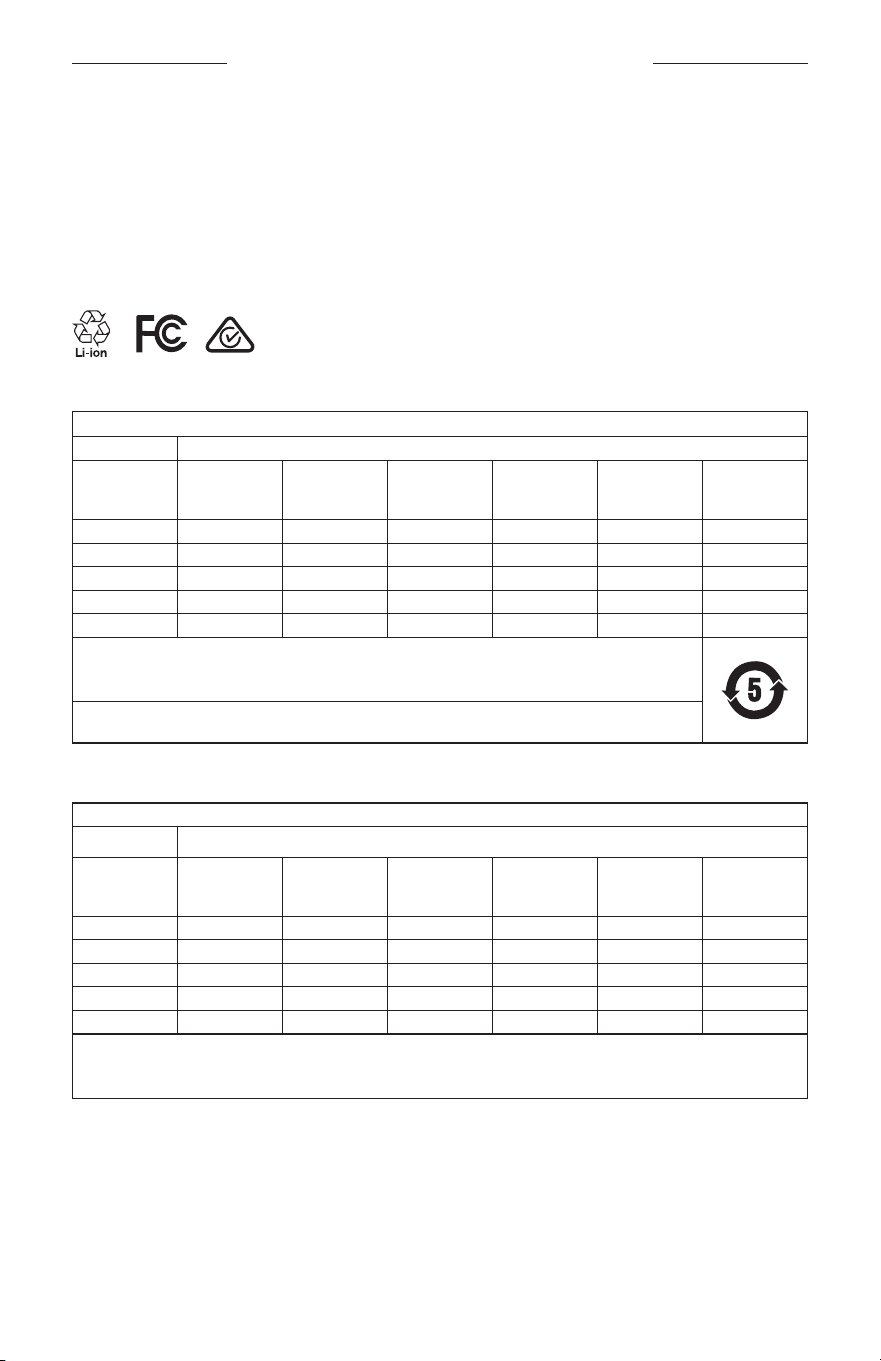
INFORMACIÓN REGULATORIA Y LEGAL
5
|
ESP
M
Fabricado para: Bose Corporation, 100 Mountain Road, Framingham, MA 01701
L
No usar si el embalaje está dañado.
C
Este producto no contiene látex de caucho natural.
d
Este producto se suministra sin esterilizar.
p
l
+45C
0C
Tabla de sustancias peligrosas restringidas en China
Nombres y contenidos de las sustancias o elementos tóxicos o peligrosos
Sustancias y elementos tóxicos o peligrosos
Nombre de parte Plomo (pb)
Mercurio
(Hg)
Cadmio
(Cd)
Hexavalente
Bifenilo
polibromado
(PBB)
Difeniléter
polibromado
(PBDE)
PCB X O O O O O
Partes metálicas X O O O O O
Partes plásticas O O O O O O
Altavoces X O O O O O
Cables X O O O O O
Esta tabla se preparó conforme a las cláusulas de SJ/T 11364.
O: Indica que esta sustancia tóxica o peligrosa contenida en todos los materiales homogéneos para esta parte es
inferior al requisito de límite de GB/T 26572.
X: Indica que esta sustancia tóxica o peligrosa que está presente en al menos uno de los materiales homogéneos
utilizados para esta parte se encuentra por encima del requisito de límite de GB/T 26572.
Tabla de sustancias peligrosas restringidas en Taiwán
Nombre del equipo: Altavoz con corriente, designación de tipo: 433948
Sustancias restringidas y símbolos químicos
Unidad Plomo (pb)
Mercurio
(Hg)
Cadmio
(Cd)
Cromo
hexavalente
(Cr+6)
Bifenilo
polibromado
(PBB)
Éteres difenil
polibromados
(PBDE)
PCB
- ○ ○ ○ ○ ○
Partes metálicas
- ○ ○ ○ ○ ○
Partes plásticas
○ ○ ○ ○ ○ ○
Altavoces
- ○ ○ ○ ○ ○
Cables
- ○ ○ ○ ○ ○
Nota 1:
“○” indica que el porcentaje de contenido de la sustancia restringida no excede el porcentaje del valor de referencia
presente.
Nota 2: El “−” indica que la sustancia restringida corresponde a la exención.

INFORMACIÓN REGULATORIA Y LEGAL
6
|
ESP
Este producto cumple con ANSI Z80.3, AS/NZS 1067.1 y EN ISO 12312-1.
No se recomienda el uso de gafas polarizadas para conducir de noche.
I
NO APTAS PARA CONDUCIR AL ANOCHECER NI DE NOCHE. NO APTAS PARA CONDUCIR AL ANOCHECER NI
EN CONDICIONES DE POCA VISIBILIDAD.
Este producto está diseñado para bloquear más del 99% de energía lumínica UVA y UVB. Este producto cumple con
ANSI Z80.3.
Solo se deben usar las lentes aprobadas por Bose con los productos Frames Soprano o Frames Tenor.
No aptas para mirar directamente al sol.
No aptas para protegerse de fuentes de luz artificial, por ejemplo: solárium.
No aptas para usar como protector de ojos de riesgos de impacto mecánico.
Cuando no se usa, guarde el producto en el estuche suministrado.
CATEGORÍA DE FILTRO UE: ISO12312-1 CAT. 3
CATEGORÍA DE LENTES AUSTRALIA: 1067.1 CAT. 3
h
Estas gafas de sol proporcionan una reducción de resolana de nivel alto y un buen nivel de protección UV.
Clasificación UV: Corte de UV 380
Complete y conserve para referencia futura
El número de serie de las gafas se encuentra en la patilla izquierda y el número de modelo/referencia se encuentra
en la patilla derecha.
Número de serie: __________________________________________________________________
Número de modelo: ________________________________________________________________
Guarde el recibo con la guía del usuario. Ahora es un buen momento para registrar su producto Bose.
Puedehacerlo fácilmente visitando global.Bose.com/register
N
Fecha de fabricación: El octavo dígito del número de serie indica el año de fabricación; “0” es 2010 o 2020.
Importador en China: Bose Electroerosión (Shareware) Company Limited, Part C, Plant 9, No. 353 North Riying Road,
China (Shareware) Pilot Free Trade Zone
Importador en UE: Bose Products B.V., Gorslaan 60, 1441 RG Purmerend, Países Bajos
Importador en Taiwán: Sucursal de Bose en Taiwán, 9F-A1, No.10, Section 3, Minsheng East Road, Taipei City 104,
Taiwán Número de teléfono: +886-2-25147676
Importador en México: Bose de México, S. de R.L. de C.V., Paseo de las Palmas 405-204, Lomas de Chapultepec,
11000 México, D.F. Número de teléfono: +5255 (5202) 3545
Potencia de entrada: 5V p 500mA
La ID de CMIT se encuentra en la parte interior de la patilla.
h
BMD0011
INFORMACIÓN REGULATORIA Y LEGAL
7
|
ESP
Información de seguridad
Este producto puede recibir actualizaciones de seguridad de Bose automáticamente cuando está conectado
a la aplicación Bose Music. Para poder recibir actualizaciones de seguridad por la aplicación móvil,
debecompletar el proceso de configuración en la aplicación Bose Music. Si no completa el proceso de
configuración, será responsable de instalar las actualizaciones de seguridad disponibles de Bose a
través de btu.bose.com
Apple, el logotipo de Apple, iPad, iPhone, iPod y Siri son marcas registradas de Apple Inc., registradas en los Estados
Unidos y en otros países. La marca comercial “iPhone” se usa en Japón con una licencia de Aiphone K.K. App Store es
una marca de servicio de Apple Inc.
El uso del distintivo Fabricado para Apple significa que un accesorio se diseñó de forma específica para conectar
a los productos Apple identificada en el distintivo y que cuenta con la certificación del desarrollador para cumplir
con los estándares de rendimiento de Apple. Apple no es responsable del funcionamiento de este dispositivo o
elcumplimiento con las normas de seguridad y disposiciones legales.
La marca y los logotipos de Bluetooth® son marcas comerciales registradas propiedad de Bluetooth SIG Inc.
ycualquier uso de dichas marcas por parte de Bose Corporation se encuentra bajo licencia.
Google y Google Play son marcas comerciales de Google LLC.
Bose, Bose Frames y Bose Music son marcas comerciales de Bose Corporation.
Sede central de Bose Corporation: 1-877-230-5639
©2020 Bose Corporation. No se puede reproducir, modificar, distribuir, o usar de otra manera ninguna parte de este
trabajo sin previo consentimiento por escrito.

8
|
ESP
The following license disclosures apply to certain third-party software packages used as components in the product.
Package: Nanopb
Copyright © 2011 Petteri Aimonen <jpa at nanopb.mail.kapsi.fi>. The Nanopb package is subject to the license terms
reprinted below.
Zlib license
© 2011 Petteri Aimonen <jpa at nanopb.mail.kapsi.fi>
This software is provided ‘as-is’, without any express or implied warranty. In no event will the authors be held liable
for any damages arising from the use of this software.
Permission is granted to anyone to use this software for any purpose, including commercial applications, and to alter
it and redistribute it freely, subject to the following restrictions:
1. The origin of this software must not be misrepresented; you must not claim that you wrote the original software.
If you use this software in a product, an acknowledgment in the product documentation would be appreciated
but is not required.
2. Altered source versions must be plainly marked as such, and must not be misrepresented as being the
original software.
3. This notice may not be removed or altered from any source distribution.
Package: Mbed TLS 2.16.1
© ARM Limited. All rights reserved. The Mbed TLS package is subject to the license terms reprinted below.
Apache 2.0 License
Apache License
Version 2.0, January 2004
http://www.apache.org/licenses/
TERMS AND CONDITIONS FOR USE, REPRODUCTION, AND DISTRIBUTION
1. Definitions.
“License” shall mean the terms and conditions for use, reproduction, and distribution as defined by Sections 1
through 9 of this document.
“Licensor” shall mean the copyright owner or entity authorized by the copyright owner that is granting
the License.
“Legal Entity” shall mean the union of the acting entity and all other entities that control, are controlled by, or
are under common control with that entity. For the purposes of this definition, “control” means (i) the power,
direct or indirect, to cause the direction or management of such entity, whether by contract or otherwise, or (ii)
ownership of fifty percent (50%) or more of the outstanding shares, or (iii) beneficial ownership of such entity.
“You” (or “Your”) shall mean an individual or Legal Entity exercising permissions granted by this License.
“Source” form shall mean the preferred form for making modifications, including but not limited to software
source code, documentation source, and configuration files.
“Object” form shall mean any form resulting from mechanical transformation or translation of a Source form,
including but not limited to compiled object code, generated documentation, and conversions to other
media types.
“Work” shall mean the work of authorship, whether in Source or Object form, made available under the License,
as indicated by a copyright notice that is included in or attached to the work (an example is provided in the
Appendix below).
“Derivative Works” shall mean any work, whether in Source or Object form, that is based on (or derived from)
the Work and for which the editorial revisions, annotations, elaborations, or other modifications represent, as a
whole, an original work of authorship. For the purposes of this License, Derivative Works shall not include works
that remain separable from, or merely link (or bind by name) to the interfaces of, the Work and Derivative
Works thereof.
DIVULGACIONES DE LICENCIA

9
|
ESP
DIVULGACIONES DE LICENCIA
“Contribution” shall mean any work of authorship, including the original version of the Work and any
modifications or additions to that Work or Derivative Works thereof, that is intentionally submitted to Licensor
for inclusion in the Work by the copyright owner or by an individual or Legal Entity authorized to submit on
behalf of the copyright owner. For the purposes of this definition, “submitted” means any form of electronic,
verbal, or written communication sent to the Licensor or its representatives, including but not limited to
communication on electronic mailing lists, source code control systems, and issue tracking systems that are
managed by, or on behalf of, the Licensor for the purpose of discussing and improving the Work, but excluding
communication that is conspicuously marked or otherwise designated in writing by the copyright owner as “Not
a Contribution.”
“Contributor” shall mean Licensor and any individual or Legal Entity on behalf of whom a Contribution has been
received by Licensor and subsequently incorporated within the Work.
2. Grant of Copyright License. Subject to the terms and conditions of this License, each Contributor hereby grants
to You a perpetual, worldwide, non-exclusive, no-charge, royalty-free, irrevocable copyright license to reproduce,
prepare Derivative Works of, publicly display, publicly perform, sublicense, and distribute the Work and such
Derivative Works in Source or Object form.
3. Grant of Patent License. Subject to the terms and conditions of this License, each Contributor hereby grants to
You a perpetual, worldwide, non-exclusive, no-charge, royalty-free, irrevocable (except as stated in this section)
patent license to make, have made, use, oer to sell, sell, import, and otherwise transfer the Work, where such
license applies only to those patent claims licensable by such Contributor that are necessarily infringed by their
Contribution(s) alone or by combination of their Contribution(s) with the Work to which such Contribution(s)
was submitted. If You institute patent litigation against any entity (including a cross-claim or counterclaim in a
lawsuit) alleging that the Work or a Contribution incorporated within the Work constitutes direct or contributory
patent infringement, then any patent licenses granted to You under this License for that Work shall terminate as
of the date such litigation is filed.
4. Redistribution. You may reproduce and distribute copies of the Work or Derivative Works thereof in any medium,
with or without modifications, and in Source or Object form, provided that You meet the following conditions:
a. You must give any other recipients of the Work or Derivative Works a copy of this License; and
b. You must cause any modified files to carry prominent notices stating that You changed the files; and
c. You must retain, in the Source form of any Derivative Works that You distribute, all copyright, patent,
trademark, and attribution notices from the Source form of the Work, excluding those notices that do not
pertain to any part of the Derivative Works; and
d. If the Work includes a “NOTICE” text file as part of its distribution, then any Derivative Works that You
distribute must include a readable copy of the attribution notices contained within such NOTICE file, excluding
those notices that do not pertain to any part of the Derivative Works, in at least one of the following places:
within a NOTICE text file distributed as part of the Derivative Works; within the Source form or
documentation, if provided along with the Derivative Works; or, within a display generated by the
Derivative Works, if and wherever such third-party notices normally appear. The contents of the NOTICE file
are for informational purposes only and do not modify the License. You may add Your own attribution notices
within Derivative Works that You distribute, alongside or as an addendum to the NOTICE text from the Work,
provided that such additional attribution notices cannot be construed as modifying the License.
You may add Your own copyright statement to Your modifications and may provide additional or dierent
license terms and conditions for use, reproduction, or distribution of Your modifications, or for any such
Derivative Works as a whole, provided Your use, reproduction, and distribution of the Work otherwise
complies with the conditions stated in this License.
5. Submission of Contributions. Unless You explicitly state otherwise, any Contribution intentionally submitted for
inclusion in the Work by You to the Licensor shall be under the terms and conditions of this License, without any
additional terms or conditions. Notwithstanding the above, nothing herein shall supersede or modify the terms
of any separate license agreement you may have executed with Licensor regarding such Contributions.
6. Trademarks. This License does not grant permission to use the trade names, trademarks, service marks, or
product names of the Licensor, except as required for reasonable and customary use in describing the origin of
the Work and reproducing the content of the NOTICE file.

10
|
ESP
DIVULGACIONES DE LICENCIA
7. Disclaimer of Warranty. Unless required by applicable law or agreed to in writing, Licensor provides the Work
(and each Contributor provides its Contributions) on an “AS IS” BASIS, WITHOUT WARRANTIES OR CONDITIONS
OF ANY KIND, either express or implied, including, without limitation, any warranties or conditions of TITLE,
NON-INFRINGEMENT, MERCHANTABILITY, or FITNESS FOR A PARTICULAR PURPOSE. You are solely responsible
for determining the appropriateness of using or redistributing the Work and assume any risks associated with
Your exercise of permissions under this License.
8. Limitation of Liability. In no event and under no legal theory, whether in tort (including negligence), contract,
or otherwise, unless required by applicable law (such as deliberate and grossly negligent acts) or agreed to in
writing, shall any Contributor be liable to You for damages, including any direct, indirect, special, incidental,
or consequential damages of any character arising as a result of this License or out of the use or inability to
use the Work (including but not limited to damages for loss of goodwill, work stoppage, computer failure or
malfunction, or any and all other commercial damages or losses), even if such Contributor has been advised of
the possibility of such damages.
9. Accepting Warranty or Additional Liability. While redistributing the Work or Derivative Works thereof, You may
choose to oer, and charge a fee for, acceptance of support, warranty, indemnity, or other liability obligations
and/or rights consistent with this License. However, in accepting such obligations, You may act only on Your own
behalf and on Your sole responsibility, not on behalf of any other Contributor, and only if You agree to indemnify,
defend, and hold each Contributor harmless for any liability incurred by, or claims asserted against, such
Contributor by reason of your accepting any such warranty or additional liability.
END OF TERMS AND CONDITIONS
©2020 Bose Corporation
Licensed under the Apache License, Version 2.0 (the “License”); you may not use this file except in compliance with
the License.
You may obtain a copy of the License at: http://www.apache.org/licenses/LICENSE-2.0
Unless required by applicable law or agreed to in writing, software distributed under the License is distributed on an
“AS IS” BASIS, WITHOUT WARRANTIES OR CONDITIONS OF ANY KIND, either express or implied.
See the License for the specific language governing permissions and limitations under the License.

CONTENIDO
11
|
ESP
EN LA CAJA
Contenido .......................................................................................................................... 13
CONFIGURAR LA APLICACIÓN BOSE MUSIC
Descargar la aplicación Bose Music ........................................................................ 14
Agregar las gafas a una cuenta existente ............................................................. 14
RESISTENTE A LA INTEMPERIE Y A LA TRANSPIRACIÓN .................. 15
ENCENDIDO
Encender ............................................................................................................................ 16
Apagar ................................................................................................................................ 17
Invertir para apagar ............................................................................................... 17
Apagado automático usando la detección de movimiento ................... 17
CONTROLES DE LAS GAFAS
Reproducción multimedia ........................................................................................... 18
Volumen .............................................................................................................................. 19
Aumentar el volumen ............................................................................................ 19
Disminuir el volumen ............................................................................................. 19
Llamadas telefónicas ..................................................................................................... 20
Avisos de llamadas ................................................................................................. 20
Acceder al control de voz ............................................................................................ 20
BATERÍA
Cargar las gafas ............................................................................................................... 21
Verificar la carga de la batería de las gafas .......................................................... 21
Escuchar avisos de la batería ............................................................................. 21
Ver el nivel de carga de la batería .................................................................... 21

CONTENIDO
12
|
ESP
ESTADO DE LAS GAFAS
Estado de la conexión Bluetooth® ............................................................................ 22
Estado de la batería ....................................................................................................... 23
Estado de error ................................................................................................................ 23
CONEXIONES BLUETOOTH
Conectar usando la función Bluetooth en su dispositivo móvil ................... 24
Desconectar un dispositivo móvil ............................................................................ 25
Volver a conectar un dispositivo móvil .................................................................. 25
Borrar la lista de dispositivos de las gafas ............................................................ 25
CUIDADO Y MANTENIMIENTO
Guardar las gafas ............................................................................................................ 26
Cuidado de las gafas ..................................................................................................... 27
Repuestos y accesorios ................................................................................................ 28
Garantía limitada ............................................................................................................. 28
Ubicación del número de serie y número de modelo/referencia ................ 28
SOLUCIÓN DE PROBLEMAS
Intente primero con estas soluciones ..................................................................... 29
Otras soluciones .............................................................................................................. 29
SÍMBOLOS DE ETIQUETAS
Símbolos y descripciones ............................................................................................ 32
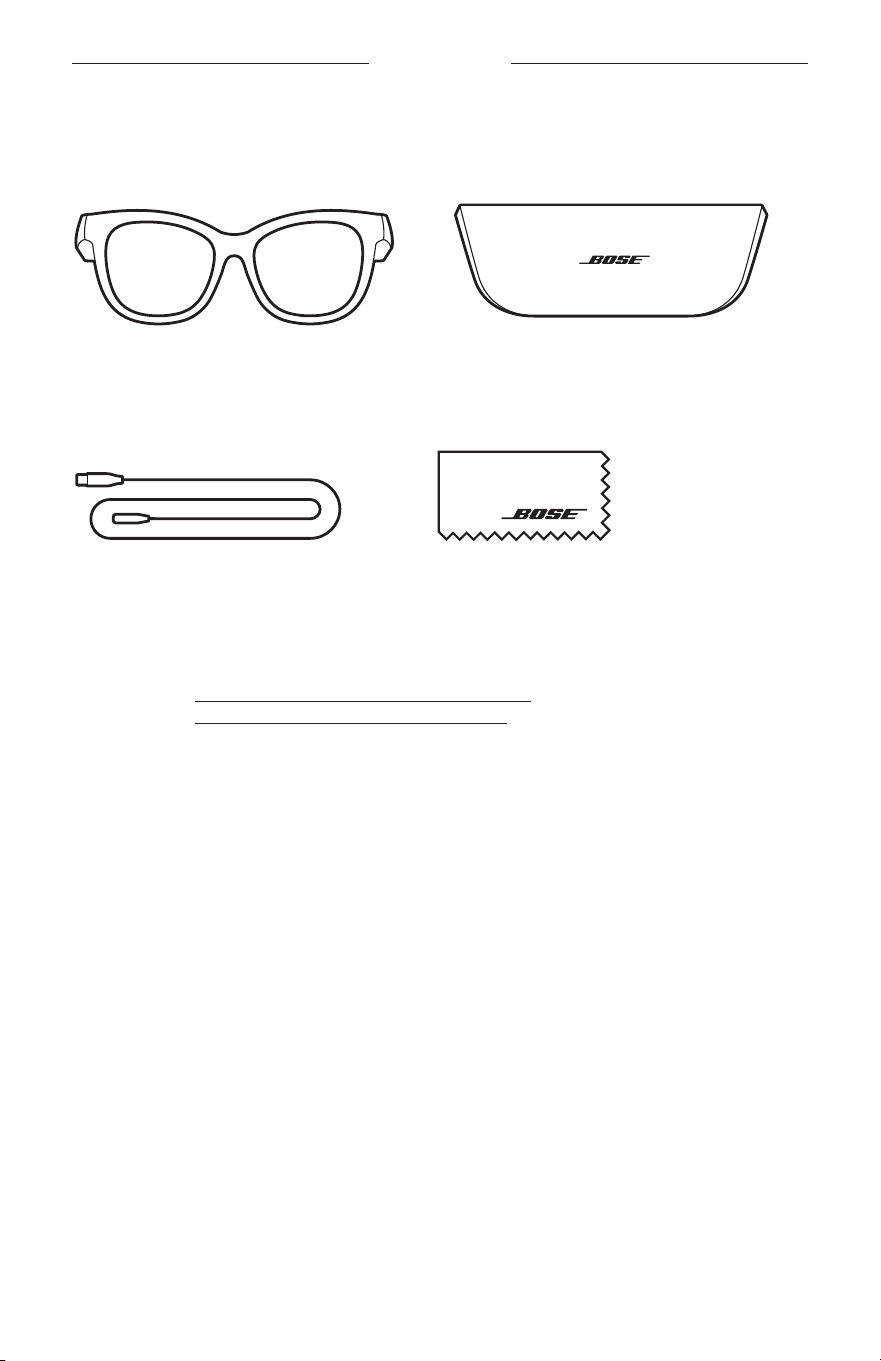
13
|
ESP
EN LA CAJA
CONTENIDO
Confirme que estén incluidas las siguientes partes:
Gafas Bose Frames
Estuche
Cable de carga Paño de limpieza
NOTA: Si cualquier parte del producto está dañada, no lo use. Comuníquese con un
representante autorizado de Bose o al Servicio al cliente de Bose.
Visite: worldwide.Bose.com/Support/Soprano
worldwide.Bose.com/Support/Tenor
14
|
ESP
CONFIGURAR LA APLICACIÓN BOSE MUSIC
La aplicación Bose Music permite configurar y controlar las gafas desde cualquier
dispositivo móvil, como un teléfono inteligente o tableta.
Con la aplicación, puede personalizar la configuración de la batería, elegir el idioma de
las indicaciones de voz y acceder a nuevas funciones.
NOTA: Si ya ha creado una cuenta Bose en la aplicación para otro producto Bose,
vea“Agregar las gafas a una cuenta existente”.
DESCARGAR LA APLICACIÓN BOSE MUSIC
1. En el dispositivo móvil, descargue la aplicación Bose Music.
NOTA: Si se encuentra en China continental, descargue la aplicación Bose8.
BOSE MUSIC
2. Siga las instrucciones de la aplicación.
AGREGAR LAS GAFAS A UNA CUENTA EXISTENTE
1. Mantenga presionado el botón en la patilla derecha hasta que oiga “Listo para
conectar” o la luz de estado parpadea de color azul.
2. En la aplicación Bose Music, vaya a la pantalla Mis productos y agregue las gafas.
NOTA: Si la aplicación no puede encontrar las gafas, vea “La aplicación Bose
Music no puede encontrar las gafas” en la página 30.
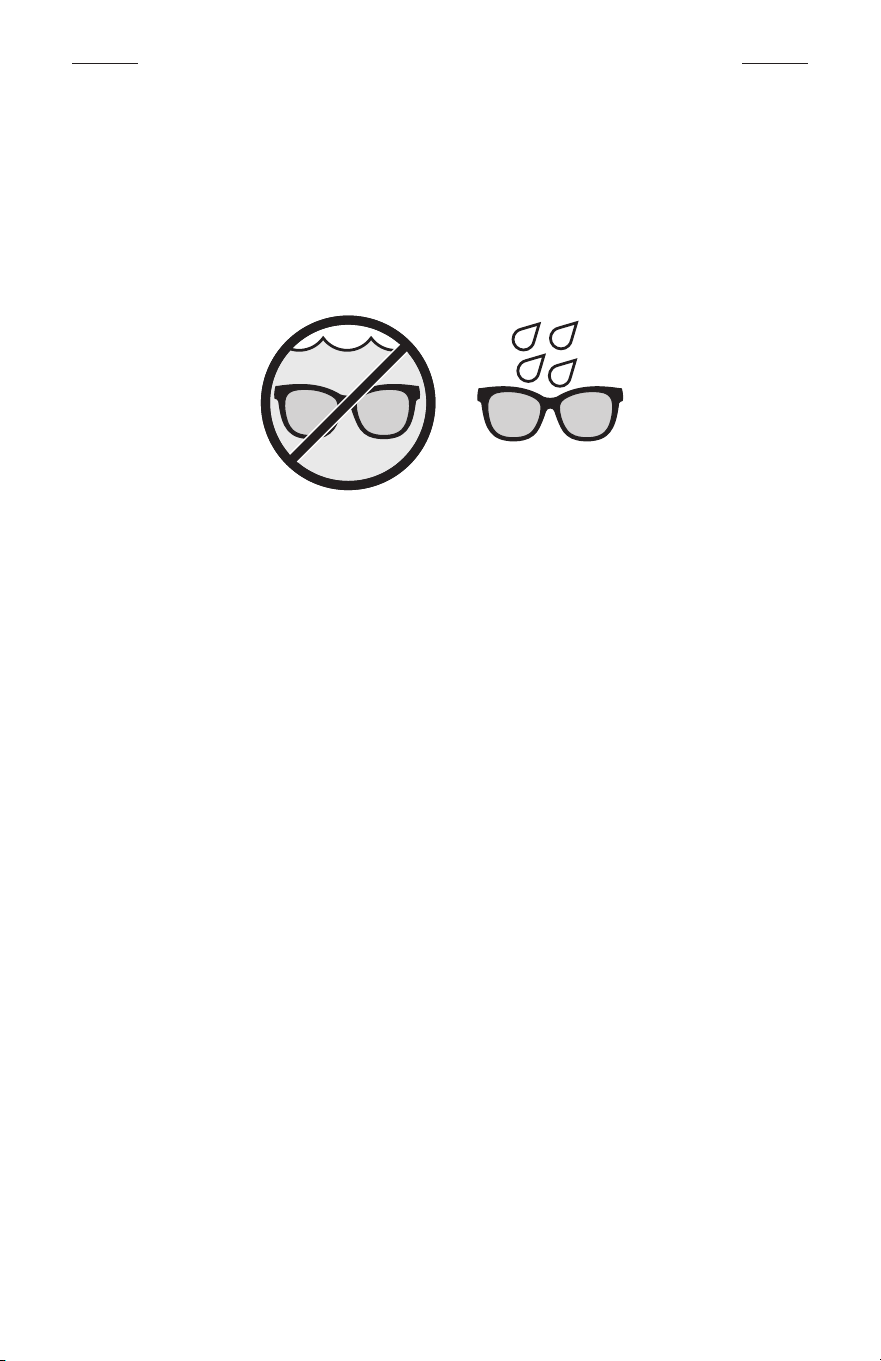
15
|
ESP
RESISTENTE A LA INTEMPERIE Y A LA TRANSPIRACIÓN
Las gafas están clasificadas como IPX2 resistente al agua. Están diseñadas para ser
resistentes a la intemperie y a la transpiración y a las gotas de agua pero no están
diseñadas para sumergirlas en agua.
PRECAUCIONES:
• NO nade ni se duche con las gafas.
• NO sumerja las gafas.
NOTA: IPX2 no es una condición permanente y es posible que la resistencia disminuya
como resultado del uso normal.
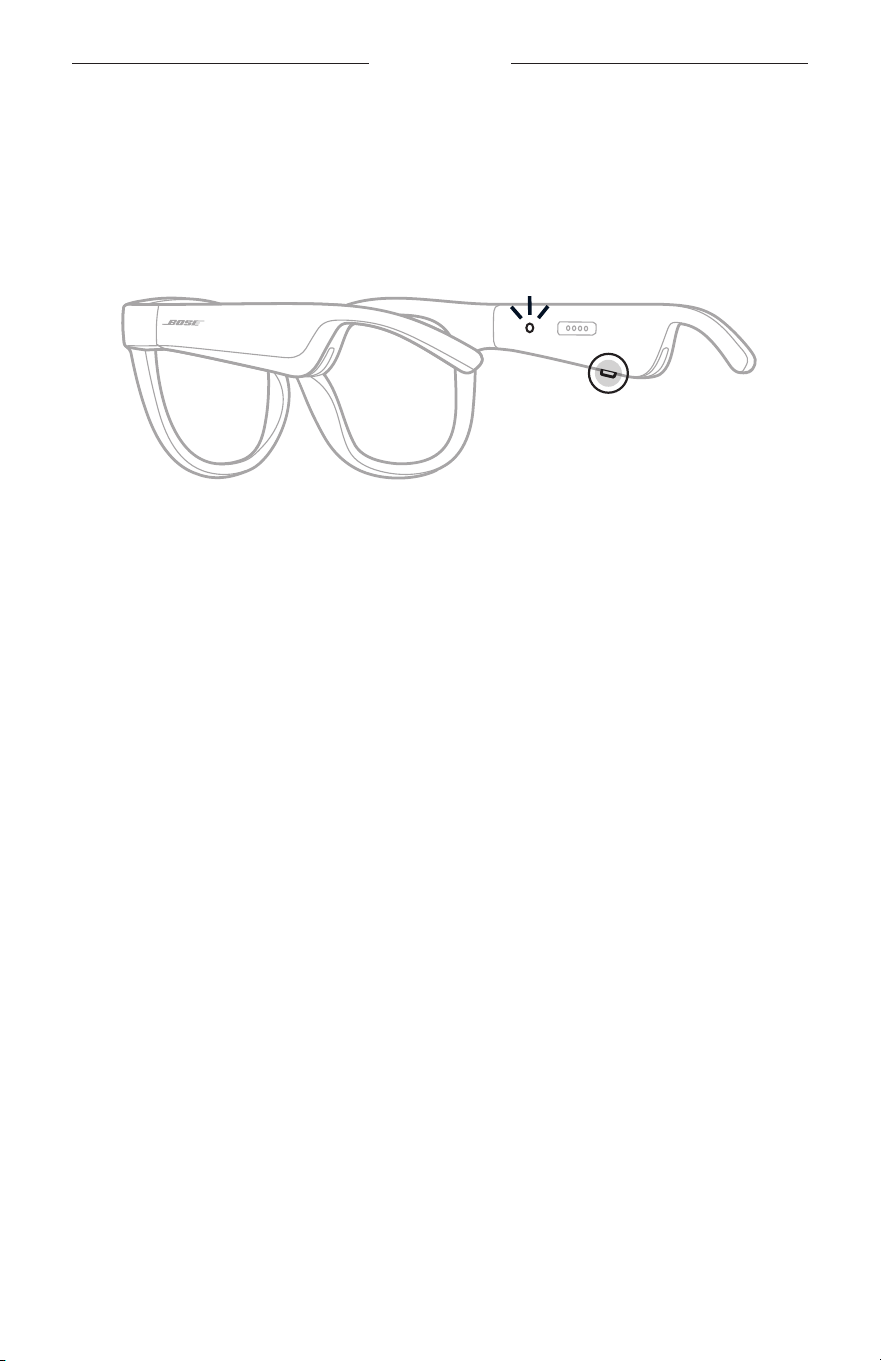
16
|
ESP
ENCENDIDO
ENCENDER
Presione el botón en la patilla derecha.
La luz de estado parpadea de color blanco dos veces según el estado de la conexión
Bluetooth (vea la página 22). Una indicación de voz anuncia el nivel de carga de la
batería y el estado de la conexión Bluetooth.
NOTA: Las gafas se entregan con una carga parcial y tal vez se deben activar antes
de usarlas por primera vez. Para activar las gafas, conecte las gafas a la
corriente por dos segundos y luego desconéctelas (vea la página 21).
Acontinuación, intente encenderlas otra vez.
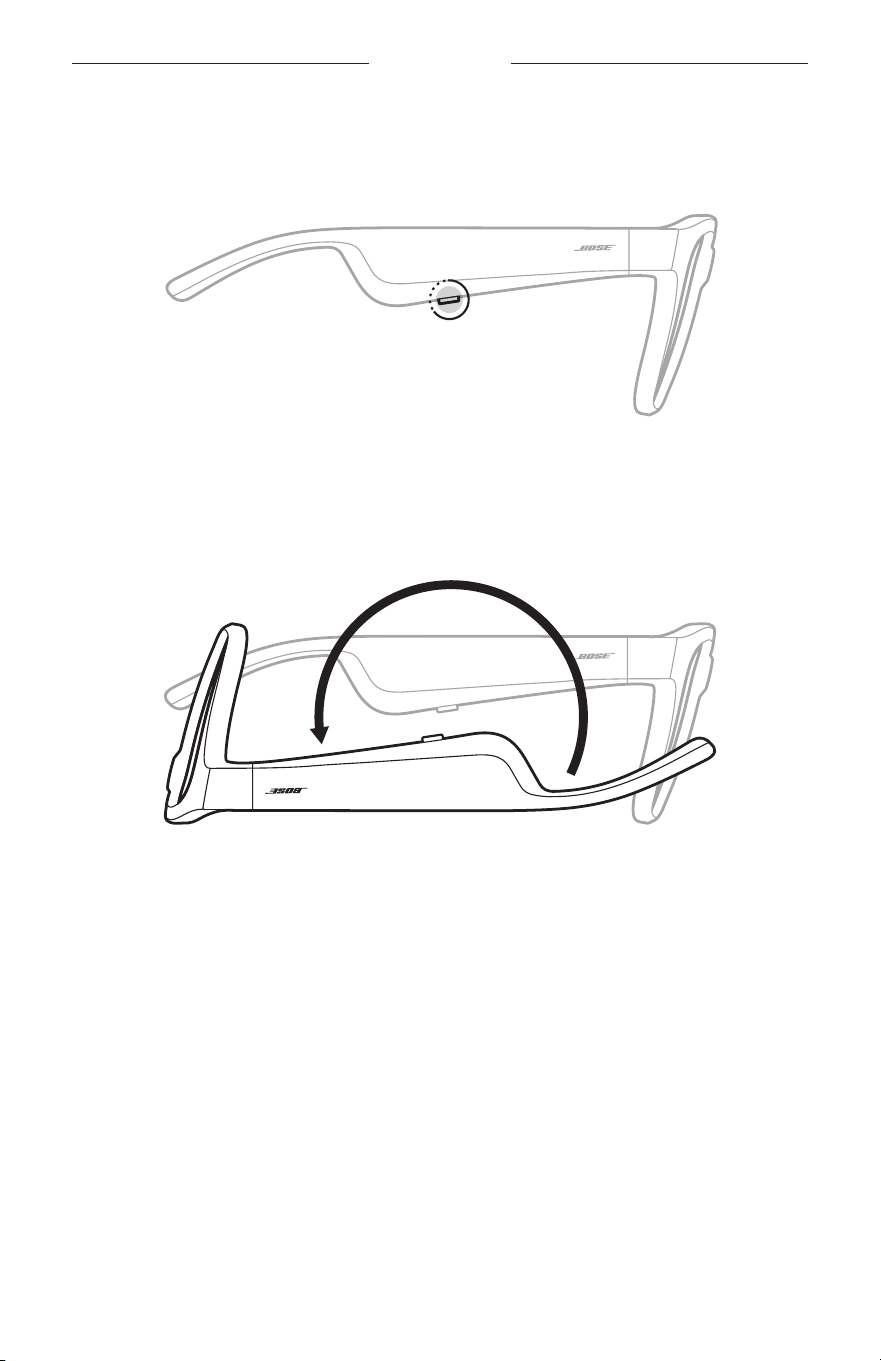
17
|
ESP
ENCENDIDO
APAGAR
Mantenga presionado el botón hasta que oiga un tono.
La luz de estado parpadea de color blanco dos veces y luego se atenúa de color negro.
Invertir para apagar
Coloque las gafas boca abajo por 2 segundos.
La luz de estado parpadea de color blanco dos veces y luego se atenúa de color negro.
NOTA:
• Después de que las gafas se apaguen, las puede mover en cualquier dirección.
• También puede desactivar la opción Invertir para apagar en la aplicación Bose
Music. Puede acceder a esta opción en el menú de configuración.
Apagado automático usando la detección de movimiento
Las gafas usan la detección de movimiento para identificar cuando no se
están usando. Cuando las gafas no se han movido por 10 minutos, se apagan
automáticamente.
NOTA: Puede desactivar la detección de movimiento en la aplicación Bose Music.
Puede acceder a esta opción en el menú de configuración.
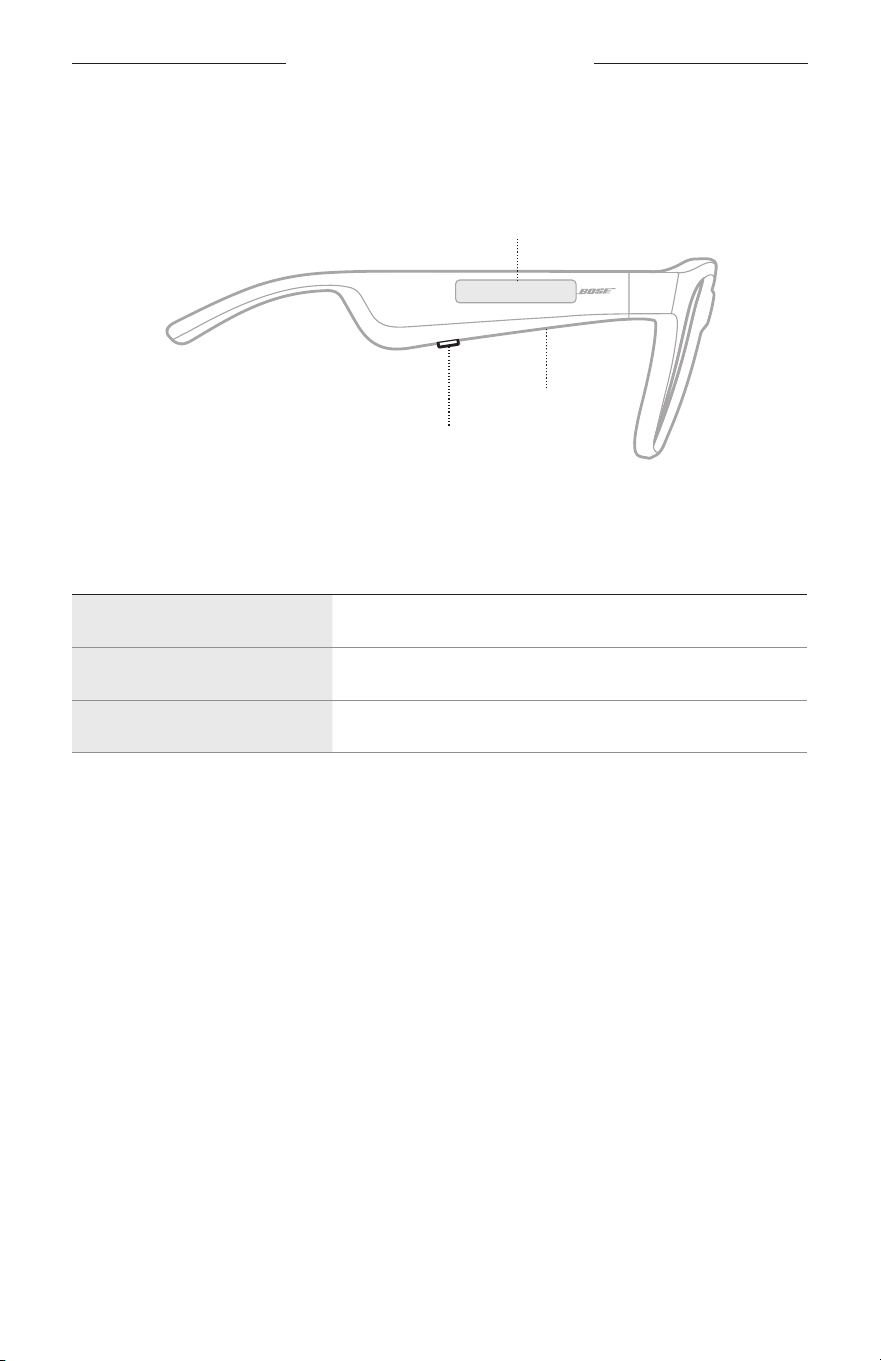
18
|
ESP
CONTROLES DE LAS GAFAS
Use el botón y la superficie táctil en la patilla derecha para controlar la reproducción
de medios, el volumen, las llamadas telefónicas y el control de voz.
Botón
Controlar la reproducción de medios
Controlar las llamadas de teléfono
Micrófono
Superficie táctil
Ajustar el volumen
Acceder al control de voz
REPRODUCCIÓN MULTIMEDIA
CONTROL QUÉ HACER
Reproducir/Pausa Presione el botón.
Salto adelante Presione dos veces el botón.
Salto atrás Presione tres veces el botón.
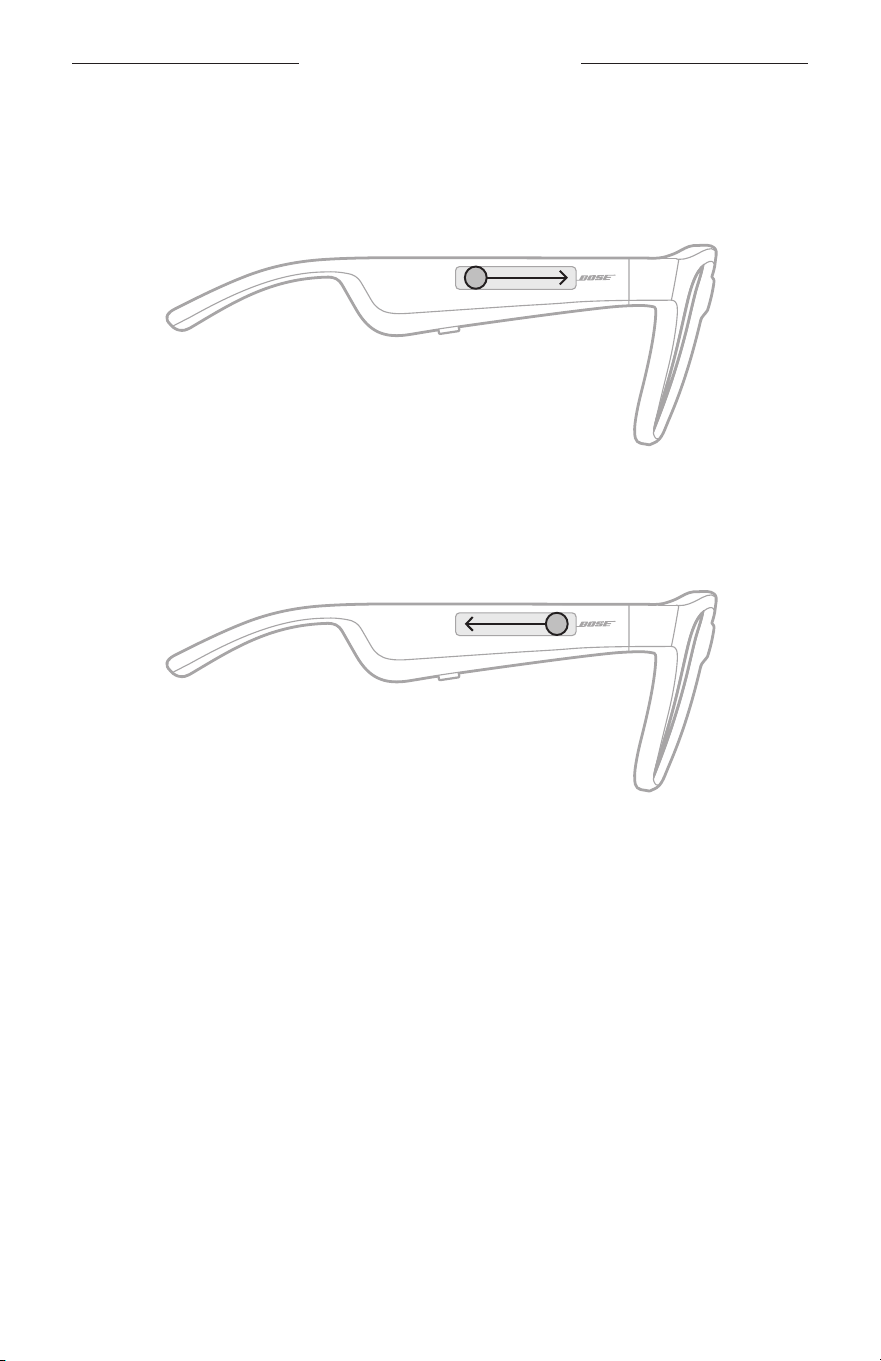
19
|
ESP
CONTROL DE LAS GAFAS
VOLUMEN
Aumentar el volumen
Deslice rápidamente hacia adelante por la superficie táctil.
NOTA: Se oye un tono cuando el volumen alcanza el nivel máximo.
Disminuir el volumen
Deslice rápidamente hacia atrás por la superficie táctil.
NOTA: Se oye un tono cuando el volumen alcanza el nivel mínimo.
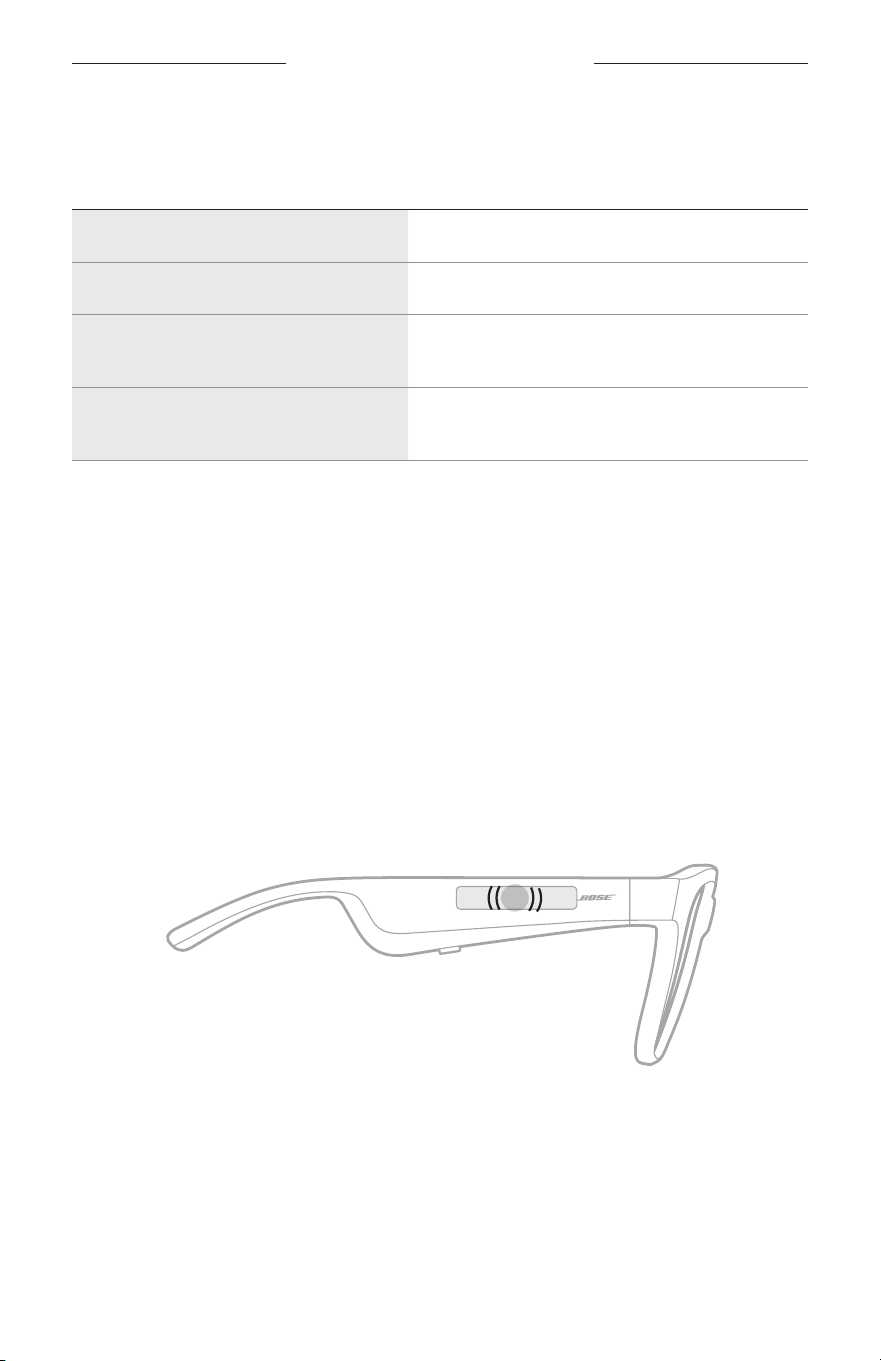
CONTROLES DE LAS GAFAS
20
|
ESP
LLAMADAS TELEFÓNICAS
CONTROL QUÉ HACER
Contestar/terminar una llamada Presione el botón.
Rechazar una llamada entrante Presione dos veces el botón.
Contestar una segunda llamada entrante
y poner la llamada en curso en espera
Durante una llamada, presione el botón.
Rechazar una segunda llamada entrante
y continuar con la llamada en curso
Durante una llamada, presione dos veces el botón.
NOTA: Para usar todos los controles de llamadas telefónicas, ejecute las
actualizaciones disponibles en la aplicación Bose Music.
Avisos de llamadas
Una indicación de voz anuncia los llamadores entrantes y el estado de la llamada.
ACCEDER AL CONTROL DE VOZ
El micrófono de las gafas actúa como una extensión del micrófono en el dispositivo
móvil. Usando la superficie táctil en la patilla derecha, puede acceder a las
prestaciones de control de voz en su dispositivo para hacer/contestar llamadas o pedir
a Siri o al Asistente de Google que reproduzca música, informe sobre el tiempo, le de
los resultados de un partido y más.
Toque dos veces la superficie táctil para acceder al control de voz en el dispositivo.
2x
Se oye un tono cuando el control de voz está activo.
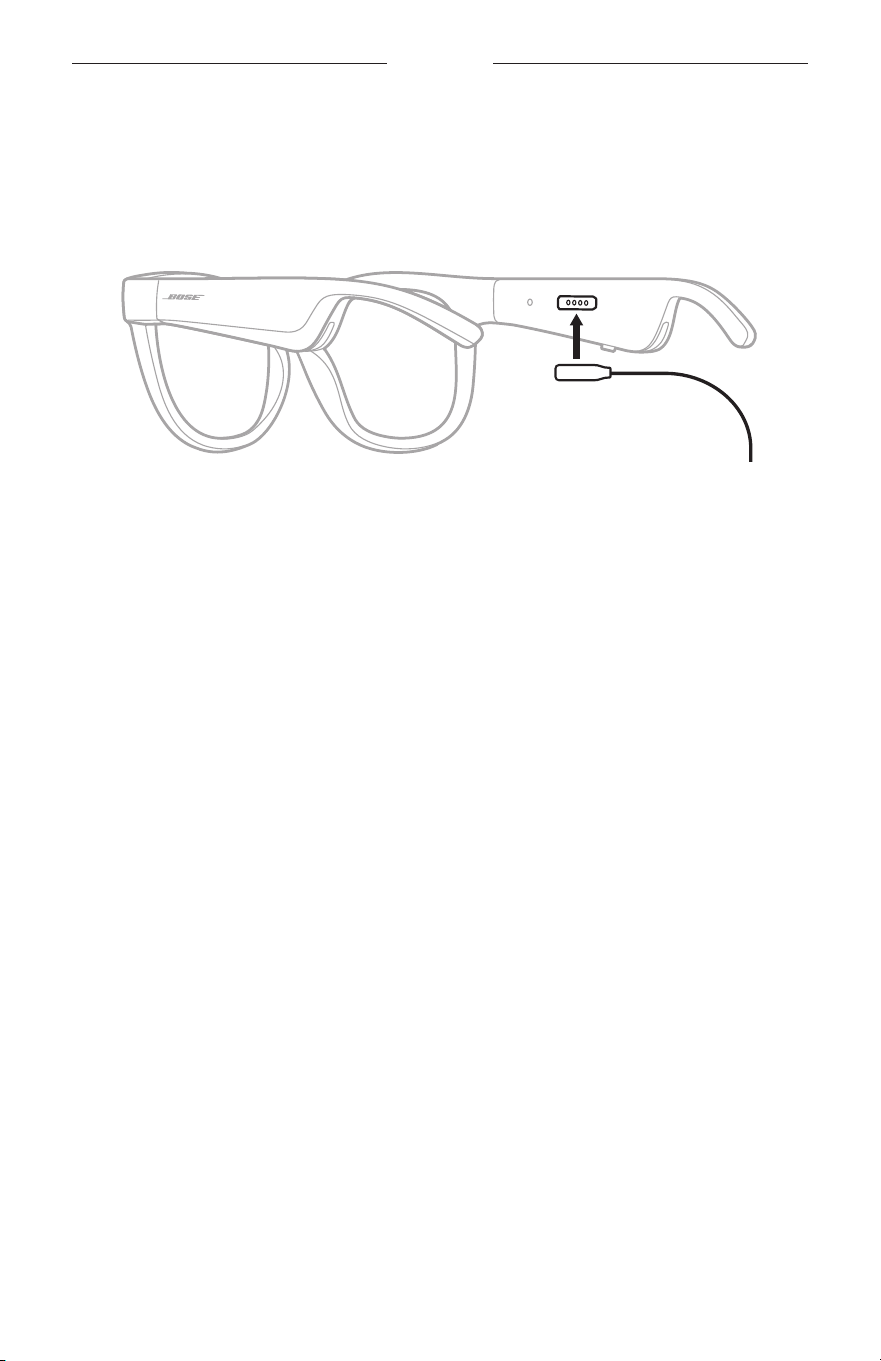
21
|
ESP
BATERÍA
CARGAR LAS GAFAS
1. Alinee las clavijas en el cable de carga con el puerto de carga en la patilla derecha.
NOTA: Las clavijas deben estar correctamente orientadas con el puerto de carga
para poder cargar las gafas.
2. Presione ligeramente las clavijas contra el puerto de carga hasta que encaje
magnéticamente en su lugar.
3. Conecte el otro extremo a un cargador de pared tipo USB-A (no suministrado).
PRECAUCIÓN: Use este producto solamente con una fuente de alimentación
aprobada por la agencia que cumpla con los requisitos
regulatorios locales (por ejemplo, UL, CSA, VDE, CCC).
Mientras se está cargando, la luz de estado parpadea de color blanco. Cuando la
batería está totalmente cargada, la luz de estado se ilumina de color blanco (vea la
página 23).
NOTAS:
• Las gafas no reproducen audio mientras se cargan.
• No use las gafas mientras se cargan.
VERIFICAR LA CARGA DE LA BATERÍA DE LAS GAFAS
Escuchar avisos de la batería
Cada vez que enciende las gafas, una indicación de voz anuncia el nivel de carga de
labatería.
Mientras usa las gafas, una indicación de voz anuncia si la batería necesita cargarse.
Ver el nivel de carga de la batería
• Compruebe la pantalla de inicio de la aplicación Bose Music.
• Cuando la luz de estado parpadea de color rojo, las gafas se deben cargar.
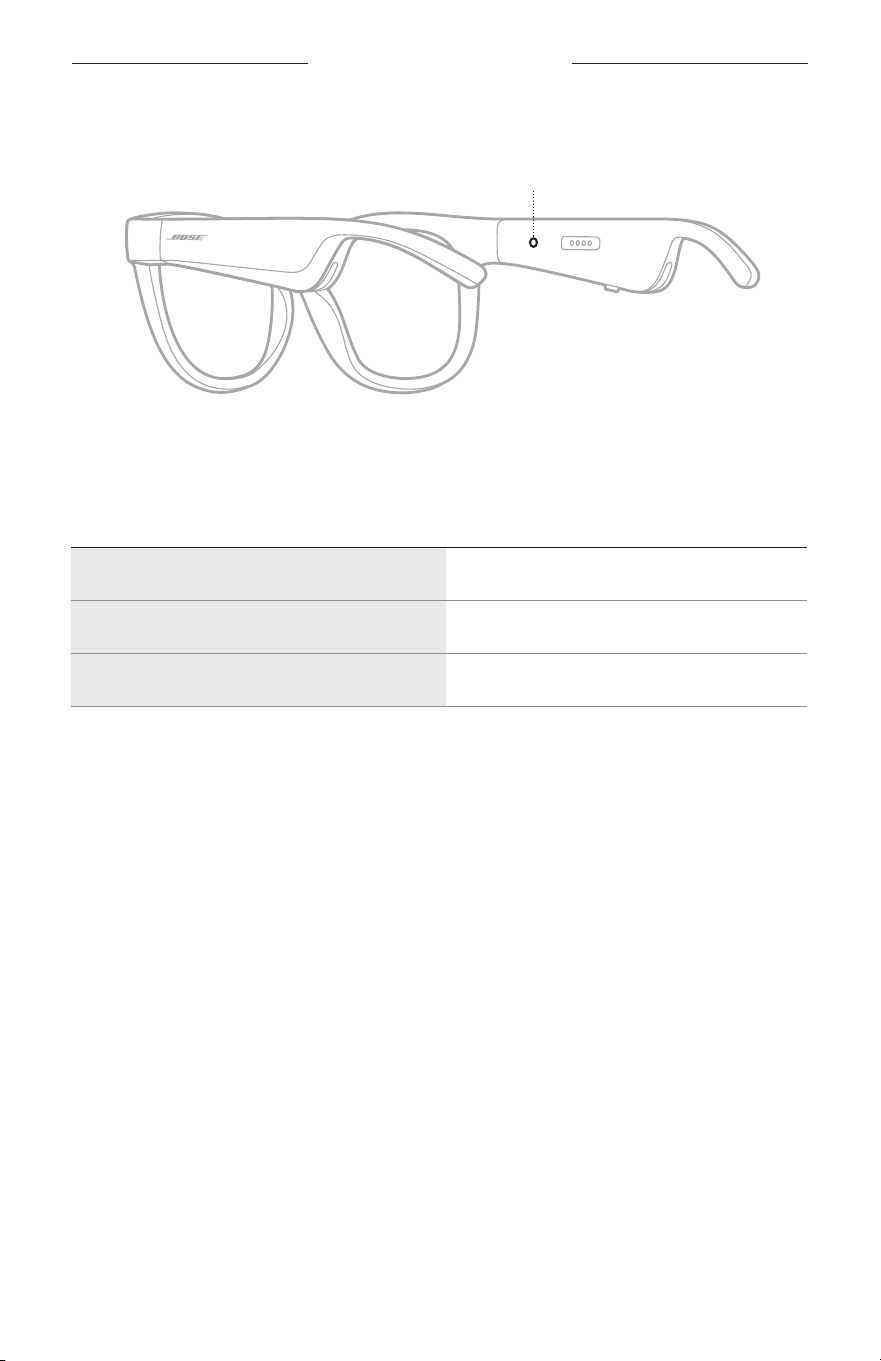
22
|
ESP
ESTADO DE LAS GAFAS
La luz de estado de las gafas se encuentra en la parte interior patilla derecha.
Luz de estado
ESTADO DE LA CONEXIÓN BLUETOOTH
Muestra el estado de la conexión Bluetooth de los dispositivos móviles.
ACTIVIDAD DE LAS LUCES ESTADO DEL SISTEMA
Parpadea lentamente de color azul Listo para conectar
Parpadea rápidamente de color azul Conectando
Color azul (10 segundos) Conectado
ESTADO DE LAS GAFAS
23
|
ESP
ESTADO DE LA BATERÍA
Muestra el nivel de la carga de las gafas.
ACTIVIDAD DE LAS LUCES ESTADO DEL SISTEMA
Parpadea de color rojo (10 segundos) Se necesita cargar
Parpadea de color blanco Cargando
Color blanco Carga completa
ESTADO DE ERROR
Muestra el estado de error.
ACTIVIDAD DE LAS LUCES ESTADO DEL SISTEMA
Parpadea de color rojo y blanco (repetido) Error - contactar al servicio técnico de Bose
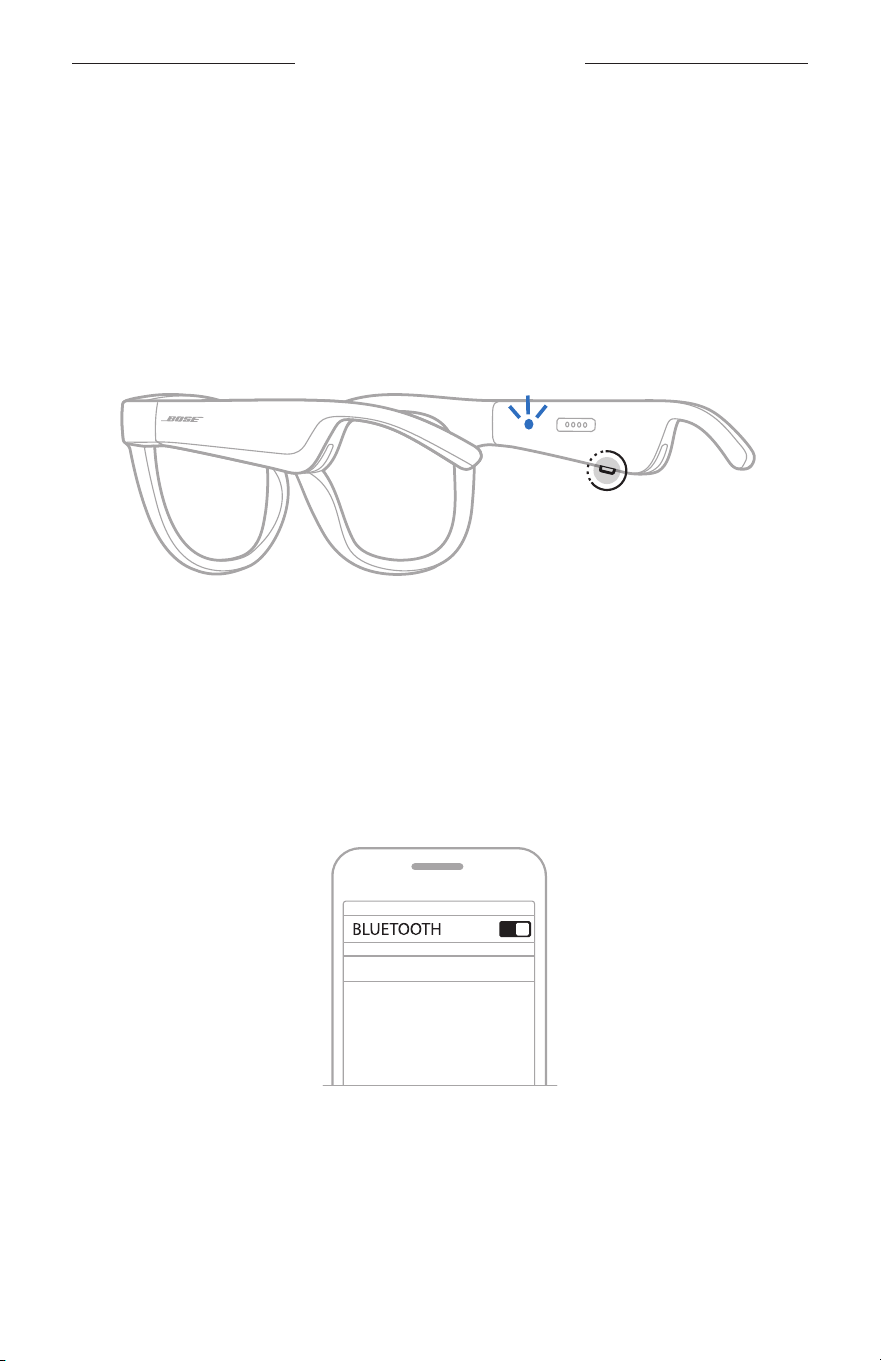
24
|
ESP
CONEXIONES BLUETOOTH
CONECTAR USANDO LA FUNCIÓN BLUETOOTH EN SU
DISPOSITIVO MÓVIL
Puede guardar hasta ocho dispositivos en la lista de dispositivos de las gafas.
Puedeconectar y reproducir audio solo desde un dispositivo a la vez.
NOTA: Para disfrutar de la mejor funcionalidad, configure y conecte el dispositivo
móvil usando la aplicación Bose Music (vea la página 14).
1. Con las gafas encendidas, mantenga presionado el botón en la patilla derecha
hasta que oiga “Listo para conectar” o la luz de estado parpadea de color azul.
2. En su dispositivo, active la función Bluetooth.
NOTA: La función Bluetooth generalmente se encuentra en el menú de
configuración.
3. Seleccione las gafas de la lista de dispositivos.
NOTA: Busque el nombre que le asignó a las gafas en la aplicación Bose Music.
Sino les asignó un nombre, aparece el nombre predefinido.
BOSE FRAMES
Una vez conectado, se oye “Conectado a <nombre de dispositivo móvil>” o la luz
de estado se ilumina de color azul y luego se atenúa de color negro.

25
|
ESP
CONEXIONES BLUETOOTH
DESCONECTAR UN DISPOSITIVO MÓVIL
Use la aplicación Bose Music para desconectar el dispositivo móvil.
SUGERENCIA: También puede usar la configuración de Bluetooth para desconectar
su dispositivo. Al desactivar la función Bluetooth se desconectan
todos los demás dispositivos.
VOLVER A CONECTAR UN DISPOSITIVO MÓVIL
Cuando se encienden, las gafas intentan conectarse al dispositivo conectado más
recientemente.
NOTA: El dispositivo debe estar dentro del rango de alcance (9 m) y encendido.
BORRAR LA LISTA DE DISPOSITIVOS DE LAS GAFAS
1. Con las gafas encendidas, mantenga presionado el botón en la patilla derecha por
10 segundos hasta que oiga “Lista de dispositivos Bluetooth borrada” o la luz de
estado parpadea de color azul.
2. Elimine las gafas de la lista Bluetooth en el dispositivo.
Se borran todos los dispositivos y las gafas están listas para conectar.
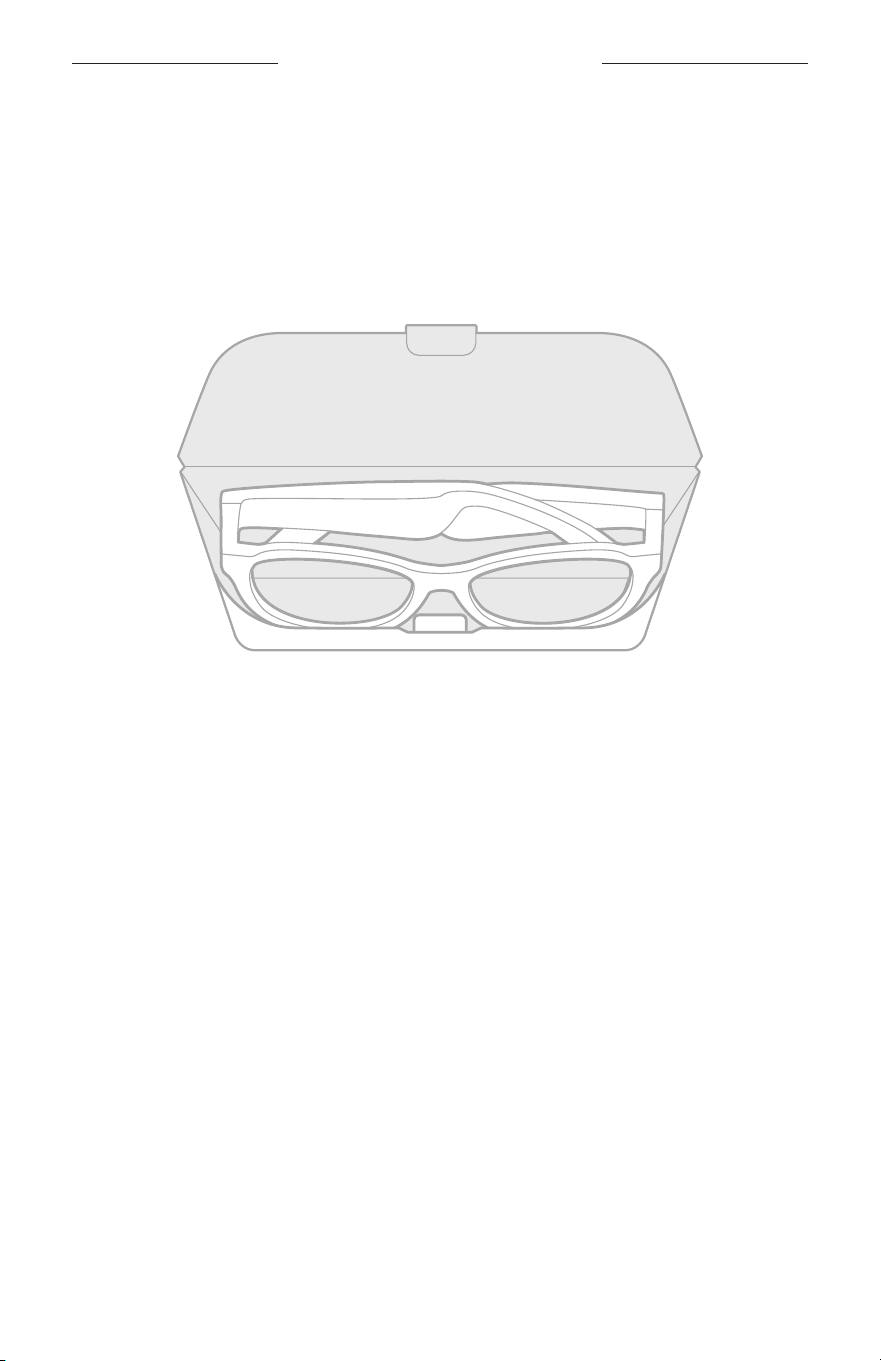
26
|
ESP
CUIDADO Y MANTENIMIENTO
GUARDAR LAS GAFAS
Las gafas se pliegan para guardarlas fácilmente.
1. Pliegue las patillas hacia adentro para que queden planas.
2. Coloque las gafas en el estuche con las lentes mirando hacia la parte delantera
del estuche.
NOTAS:
• Asegúrese de apagar las gafas cuando no se estén usando.
• Antes de guardar las gafas por más de unos meses, verifique que la batería esté
completamente cargada.

27
|
ESP
CUIDADO Y MANTENIMIENTO
CUIDADO DE LAS GAFAS
Después de cada uso, limpie ambos lados de las lentes y todas las partes de la
montura con el paño de limpieza suministrado o un paño seco.
PRECAUCIONES:
• NO use rociadores cerca de las gafas.
• NO use disolventes, productos químicos ni soluciones de limpieza que contengan
alcohol, amoníaco o abrasivos.
• NO permita que se derramen líquidos en las aberturas.
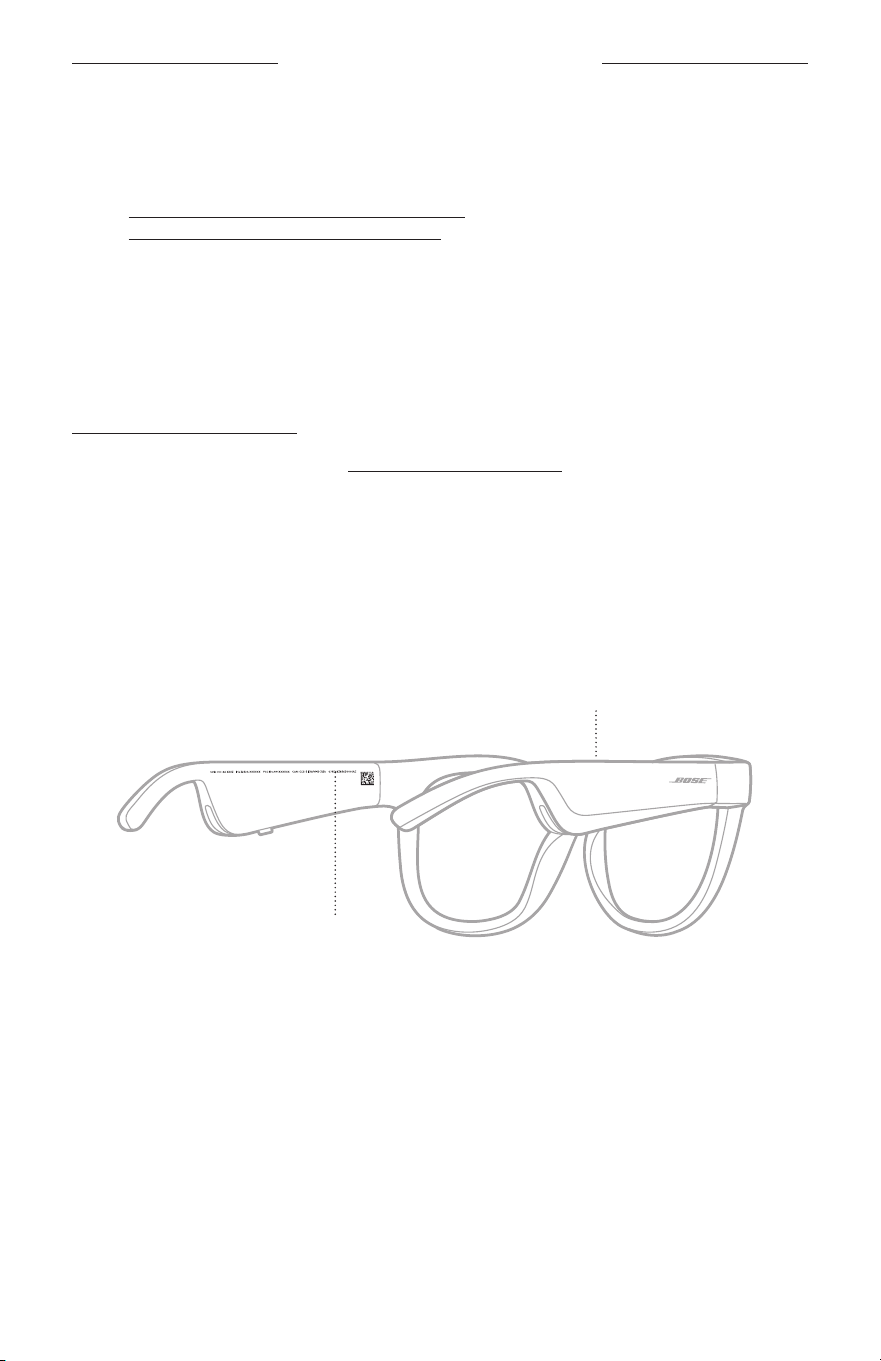
28
|
ESP
CUIDADO Y MANTENIMIENTO
REPUESTOS Y ACCESORIOS
Los repuestos y accesorios se pueden pedir al Servicio de atención al cliente de Bose.
Visite: worldwide.Bose.com/Support/Soprano
worldwide.Bose.com/Support/Tenor
NOTA: Para obtener más información sobre cómo reemplazar las lentes, consulte las
instrucciones suministradas con los accesorios de las lentes.
GARANTÍA LIMITADA
Las gafas están cubiertas por una garantía limitada. Visite nuestro sitio Web en
global.Bose.com/warranty para obtener más detalles sobre la garantía limitada.
Para registrar el producto, visite global.Bose.com/register para obtener instrucciones.
Si no lo registra, no afectará sus derechos de garantía limitada.
UBICACIÓN DEL NÚMERO DE SERIE Y NÚMERO DE
MODELO/REFERENCIA
El número de serie se encuentra en la parte interna de la patilla izquierda y el número
de modelo/referencia se encuentra en la parte interna de la patilla derecha.
Número de serie
Número de modelo/referencia

29
|
ESP
SOLUCIÓN DE PROBLEMAS
INTENTE PRIMERO CON ESTAS SOLUCIONES
Si tiene problemas con las gafas:
• Encienda las gafas (vea la página 16).
• Conecte las gafas a la corriente por dos segundos y luego desconéctelas (vea la
página 21).
• Cargue la batería (vea la página 21).
• Compruebe el estado de las luces de estado (vea la página 22).
• Asegúrese de que el dispositivo móvil sea compatible con conexiones Bluetooth.
• Descargue la aplicación Bose Music y ejecute las actualizaciones de software
disponibles.
• Aumente el volumen de las gafas, del dispositivo móvil y/o de la aplicación de
audio/streaming.
• Conecte otro dispositivo móvil (vea la página 24).
OTRAS SOLUCIONES
Si no pudo resolver el problema, consulte la siguiente tabla para identificar síntomas
y soluciones a problemas frecuentes. Si no puede resolver el problema, póngase en
contacto con el servicio de atención al cliente de Bose.
Visite: worldwide.Bose.com/Contact
PROBLEMA QUÉ HACER
Las gafas no se conectan
con el dispositivo móvil
En el dispositivo:
• Desactive la función Bluetooth y vuelva a activarla.
• Elimine las gafas de la lista Bluetooth en el dispositivo. Vuelva
a conectarlas (vea la página 24).
Acerque el dispositivo a las gafas y lejos de interferencias u
obstrucciones.
Conecte un dispositivo móvil diferente (vea la página 24).
Para ver videos instructivos, visite:
worldwide.Bose.com/Support/Tenor o
worldwide.Bose.com/Support/Soprano
Borre la lista de dispositivos de las gafas (vea la página 25).
Vuelva a conectarlo.
La aplicación Bose
Music no funciona en
eldispositivo
Asegúrese de que la aplicación Bose Music es compatible con
eldispositivo.
Desinstale la aplicación Bose Music del dispositivo y vuelva a
instalar la aplicación (vea la página 14).
30
|
ESP
SOLUCIÓN DE PROBLEMAS
PROBLEMA QUÉ HACER
La aplicación Bose
Music no puede
encontrar las gafas
Encienda las gafas (vea la página 16).
Mantenga presionado el botón en la patilla derecha hasta que oiga
“Listo para conectar” o la luz de estado parpadea de color azul.
En la aplicación Bose Music, ejecute las actualizaciones de
software disponibles.
Conexión Bluetooth
intermitente
Borre la lista de dispositivos de las gafas (vea la página 25).
Vuelva a conectarlas (vea la página 24).
Mueva el dispositivo móvil más cerca de las gafas.
No hay sonido
Presione el botón de reproducir en el dispositivo móvil para
asegurarse de que el audio se está reproduciendo.
Acerque el dispositivo a las gafas y lejos de interferencias u
obstrucción.
Use una fuente de música diferente.
Conecte un dispositivo diferente (vea la página 24).
Calidad de sonido
deficiente
Use una fuente de música diferente.
Conecte un dispositivo móvil diferente.
Acerque el dispositivo a las gafas y lejos de interferencias u
obstrucciones.
Apague cualquier función de mejora de audio en el dispositivo o
la aplicación de audio/streaming.
El micrófono no
captasonido
Asegúrese de que la abertura del micrófono en la patilla derecha
no está bloqueada.
Pruebe con otra llamada telefónica.
Pruebe con otro dispositivo compatible.
Las gafas no se cargan
Asegúrese de que las clavijas del cable de carga están alineadas
correctamente con el puerto de carga en las gafas y que encajen
magnéticamente en su lugar.
Asegure ambos extremos del cable de carga.
Si las gafas han estado expuestas a altas o bajas temperaturas,
espere a que regresen a la temperatura ambiente y vuelva a
intentar cargarlas.
Pruebe con un cargador de pared USB diferente.
SOLUCIÓN DE PROBLEMAS
31
|
ESP
PROBLEMA QUÉ HACER
Las gafas no responden
al control táctil
Asegúrese de que está tocando la superficie correcta de control
táctil (vea la página 18).
Asegúrese de tener las manos secas.
Si tiene el pelo mojado, asegúrese de que no esté interfiriendo
con la superficie táctil.
Si usa guantes, quíteselos antes de tocar la superficie de
control táctil.
No se puede ajustar
elvolumen
Asegúrese de que está deslizando rápidamente el dedo en la
superficie de control táctil correcta (vea la página 18).
Asegúrese de tener las manos secas.
Si tiene el pelo mojado, asegúrese de que no esté interfiriendo
con la superficie táctil.
Si usa guantes, quíteselos antes de tocar la superficie de
control táctil.
No se pueden usar los
controles de llamadas
telefónicas
En la aplicación Bose Music, ejecute las actualizaciones de
software disponibles.
El dispositivo no
responde al presionar
los botones
En la aplicación Bose Music, ejecute las actualizaciones de
software disponibles.
Para funciones de multipulsación: varíe la velocidad de las
pulsaciones.
Asegúrese de que la aplicación de música es compatible con
esta función.
Apague y encienda las gafas.
En el dispositivo:
• Desactive la función Bluetooth y vuelva a activarla.
• Elimine las gafas de la lista Bluetooth en el dispositivo.
Vuelvaa conectarlas (vea la página 24).
Pruebe con otro dispositivo compatible.
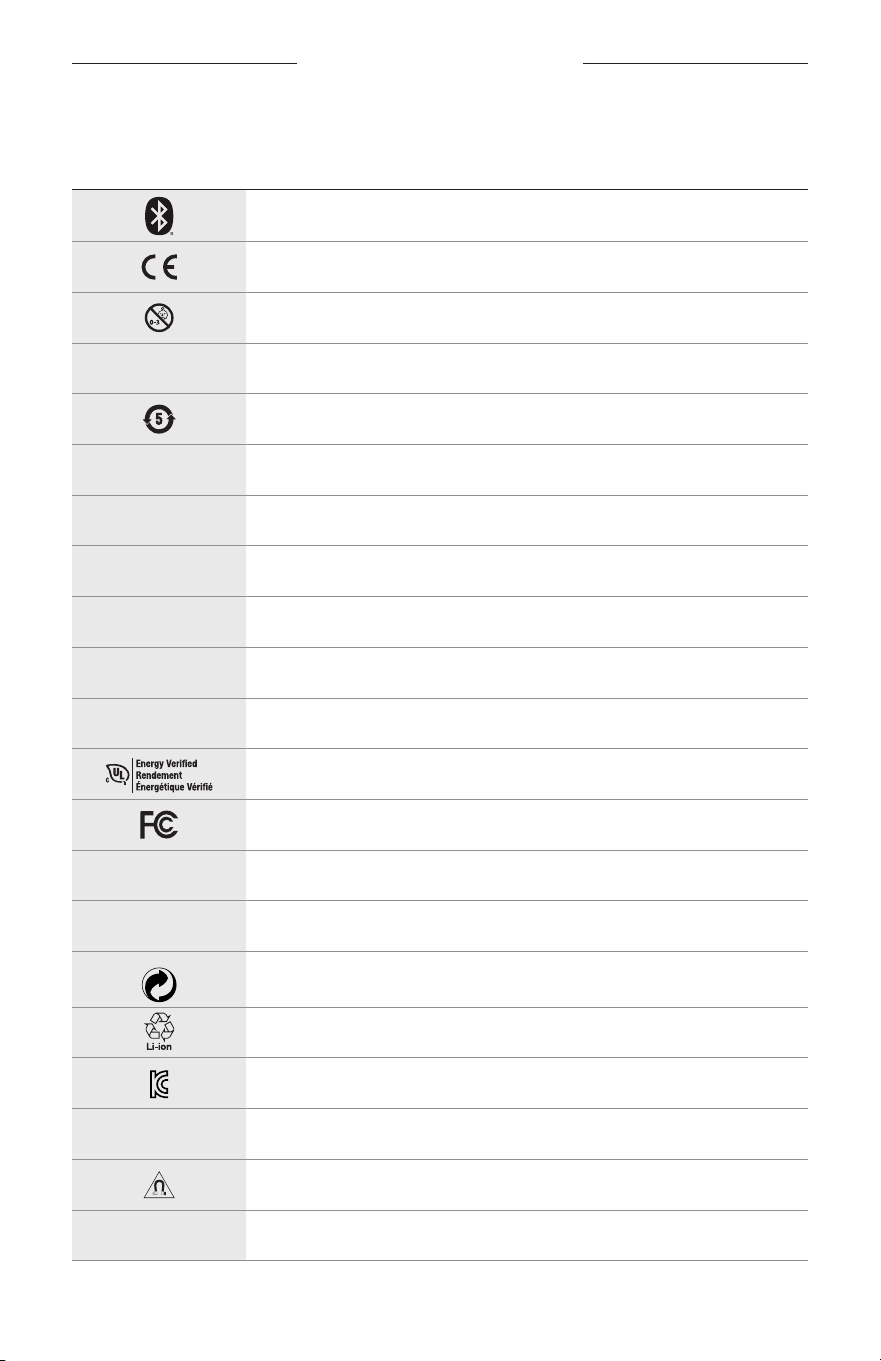
32
|
ESP
SÍMBOLOS DE ETIQUETAS
SÍMBOLOS Y DESCRIPCIONES
SÍMBOLO DESCRIPCIÓN
Bluetooth
Marca de certificación CE
Riesgo de asfixia
h
Número de catálogo
ROHS de batería en China
w
Servicio de atención al cliente
N
Fecha de fabricación
X
Documentación
L
No usar si el embalaje está dañado
C
No contiene látex
s
Descargas
Verificación de eficiencia energética
Certificación FCC
o
Foro
h
Ofrece una muy buena protección contra la resolana
Símbolo de marca comercial de Punto verde
Reciclaje de baterías en Japón
Certificación KCC
p
Mantener seco
Interferencia magnética
M
Fabricante
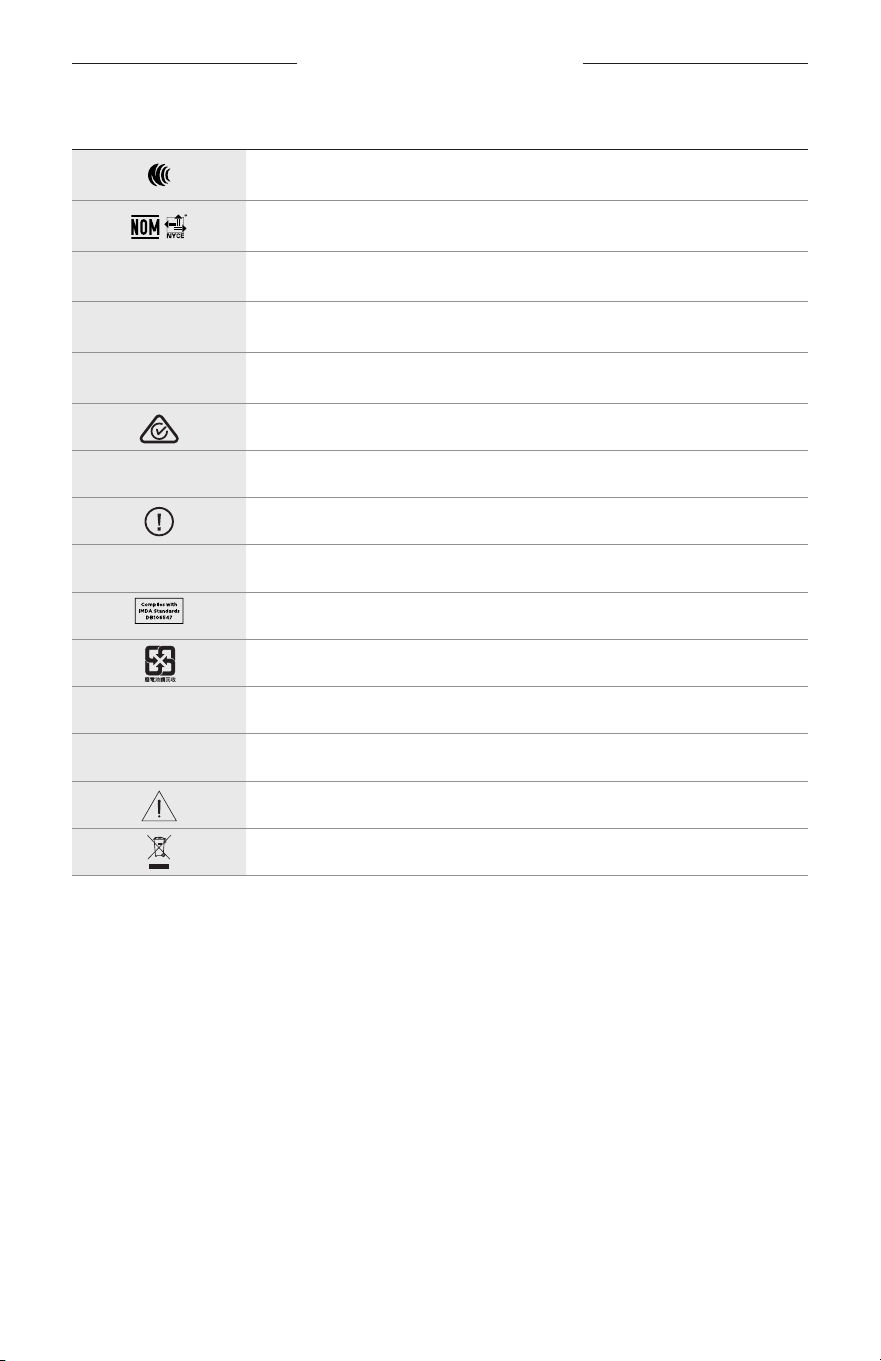
SÍMBOLOS DE ETIQUETAS
33
|
ESP
SÍMBOLO DESCRIPCIÓN
Certificación NCC
Certificación NOM NYCE
d
Sin esterilizar
I
NO APTAS PARA CONDUCIR AL ANOCHECER NI DE NOCHE
m
Teléfono
Marca de cumplimiento de la normativa
A
Consultar las instrucciones de uso
Información de seguridad
f
Número de serie
Cumplimiento con IMDA Singapur
Reciclaje de baterías en Taiwán
l
Límite de temperatura
W
Videos
Advertencias/Precauciones
Símbolo de la directiva sobre residuos de aparatos eléctricos y
electrónicos
TÄRKEITÄ TURVALLISUUSOHJEITA
2
|
FIN
Käyttötarkoitukset
Aurinkolasit (ilman vahvuuksia) koostuvat silmälasikehyksistä tai pidikkeistä sekä himmentävistä, heijastavista,
sävytetyistä, polarisoivista tai valoherkistä linsseistä, ja niitä on tarkoitus käyttää silmien suojaamiseen auringolta
taittovirheitä korjaamatta. Tämä laite on käsikauppatuote.
A
Lue käyttöohjeet.
Lue ja säilytä kaikki turvallisuus- ja käyttöohjeet.
Tärkeitä turvallisuusohjeita
Bose Corporation vakuuttaa täten, että tämä tuote täyttää direktiivin 2014/53/EU sekä muiden sovellettavien
EU-direktiivien vaatimukset. Täydellinen vaatimustenmukaisuusvakuutus on osoitteessa
www.Bose.com/compliance.
1. Lue nämä ohjeet.
2. Säilytä nämä ohjeet.
3. Ota kaikki varoitukset huomioon.
4. Noudata kaikkia ohjeita.
5. Älä käytä laitetta veden lähettyvillä.
6. Puhdista ainoastaan kuivalla liinalla.
7. Käytä ainoastaan valmistajan määrittämiä lisävarusteita.
8. Irrota laite pistorasiasta ukkosmyrskyjen aikana ja laitteen ollessa pidemmän aikaa käyttämättömänä.
9. Vain koulutettu huoltohenkilöstö saa tehdä huoltotyöt. Laite on huollettava, jos se vaurioituu millään tavalla.
Huoltotarpeen aiheuttavia asioita ovat mm. seuraavat: virtajohto tai -pistoke on vaurioitunut, laitteen päälle on
läikkynyt nestettä tai pudonnut esine, laite on kastunut tai kostunut, laite ei toimi normaalisti tai laite on pudonnut.
VAROITUKSET JA HUOMAUTUKSET
• ÄLÄ käytä laseja pitkään suurella äänenvoimakkuudella.
– Säädä lasien äänenvoimakkuus mukavaksi ja kohtuulliseksi, jotta vältät kuulovaurion.
– Säädä äänenvoimakkuus pieneksi ennen kuin asetat lasit päähäsi tai lähelle korviasi. Lisää äänenvoimakkuutta
vähitellen, kunnes löydät mukavan kuunteluvoimakkuuden.
• Ole varovainen ajaessasi ja noudata matkapuhelimen käyttöä koskevia lakeja.
• Keskity omaan turvallisuuteesi ja muiden turvallisuuteen, jos käytät laseja esimerkiksi pyöräillessäsi tai kävellessäsi
liikenteessä tai esimerkiksi rakennustyömaan tai rautatien lähellä. Ota tällöin lasit pois tai säädä äänenvoimakkuus
riittävän hiljaiseksi, jotta kuulet taustaäänet, kuten hälytykset ja varoitukset.
• ÄLÄ käytä laseja, jos niistä kuuluu epätavallista, kovaa ääntä. Jos näin tapahtuu, katkaise lasien virta ja ota yhteyttä
Bosen asiakaspalveluun.
• ÄLÄ upota laseja veteen pitkäksi ajaksi äläkä käytä niitä vesiurheilussa, esimerkiksi uinnin, vesihiihdon tai
lainelautailun aikana.
• Ota lasit heti pois, jos tunnet niiden lämpenevän tai ääni lakkaa kuulumasta.
TÄRKEITÄ TURVALLISUUSOHJEITA
3
|
FIN
Laitteessa on pieniä osia. Ne voivat aiheuttaa tukehtumisvaaran. Ei sovellu alle 3-vuotiaiden lasten
käytettäväksi.
Tuote sisältää magneettista materiaalia. Kysy lääkäriltä, voiko se vaikuttaa lääketieteellisen implanttisi
toimintaan.
• ÄLÄ altista tuotetta sateelle, nesteille tai kosteudelle tulipalo- tai sähköiskuvaaran välttämiseksi.
• ÄLÄ sijoita vuotavia, roiskuvia tai nesteitä sisältäviä esineitä, kuten maljakoita, laitteen päälle tai lähelle.
• Pidä tuote etäällä avotulesta ja lämmönlähteistä. ÄLÄ laita laitteen päälle tai lähelle avotulta, esimerkiksi
palavaa kynttilää.
• ÄLÄ tee tuotteeseen muutoksia ilman lupaa.
• Käytä tuotetta vain hyväksytyllä virtalähteellä, joka vastaa paikallisia määräyksiä (esim. UL, CSA, VDE, CCC).
• Älä altista akkua tai paristoja sisältäviä tuotteita liialliselle lämmölle (esim. suorasta auringonvalosta, avotulesta
tms. aiheutuvalle lämmölle).
• ÄLÄ käytä laseja latauksen aikana.
• Pyyhi linssien molemmat puolet ja kaikki lasien osat jokaisen käytön jälkeen mukana toimitetulla tai muulla
kuivalla liinalla.
SÄÄNTÖMÄÄRÄYSTIEDOT JA LAKISÄÄTEISET TIEDOT
4
|
FIN
HUOMAUTUS: Laite on testattu ja todettu luokan B digitaalilaitetta koskevien FCC:n sääntöjen osan 15 rajoitusten
mukaiseksi. Nämä rajoitukset on tarkoitettu antamaan kohtuullinen suoja haitallisia häiriöitä vastaan kotioloissa.
Laite tuottaa, käyttää ja voi säteillä energiaa radiotaajuudella, ja jos sitä ei ole asennettu tai käytetä ohjeiden
mukaan, se voi aiheuttaa vahingollista häiriötä radioliikenteelle. Kuitenkaan ei voida taata, ettei missään yksittäisessä
asennuksessa aiheutuisi häiriöitä. Jos laite aiheuttaa radio- tai televisiovastaanotossa häiriöitä, jotka ovat helposti
todettavissa kytkemällä laitteeseen virta ja sammuttamalla se, käyttäjän tulisi yrittää poistaa häiriöt seuraavilla
toimenpiteillä:
• Suuntaa vastaanottoantenni toisin tai siirrä se toiseen paikkaan.
• Siirrä laite ja vastaanotin kauemmas toisistaan.
• Kytke laite ja vastaanotin eri virtapiireissä oleviin pistorasioihin.
• Kysy neuvoa jälleenmyyjältä tai kokeneelta radio- tai tv-asentajalta.
Laitteeseen tehtävät Bose Corporationin hyväksymättömät muutokset voivat mitätöidä käyttäjälle annetun luvan
käyttää laitetta.
Laite täyttää FCC:n sääntöjen kohdan 15 ja ISED Canadan luvanvaraisuutta koskevat RSS-standardit. Käytön
edellytyksenä on kaksi ehtoa: (1) Tämä laite ei saa aiheuttaa haitallisia häiriöitä. (2) Tämän laitteen täytyy ottaa
vastaan kaikki häiriöt, mukaan lukien häiriöt, jotka saattavat aiheuttaa ei-toivottua toimintaa.
Laite täyttää yleiselle käytölle laaditut FCC- ja ISED Canada -säteilynrajoitusohjeet. Lähetintä ei saa sijoittaa toisen
antennin tai lähettimen lähelle.
CAN ICES-3(B) / NMB-3(B)
Henkilönsuojainasetus (EU) 2016/425
Pientehoisten radiotaajuuslaitteiden hallintasäännökset
Artikla XII
Pientehoisten radiotaajuuslaitteiden hallintasäännösten (Management Regulation for Low-power Radio-frequency
Devices) mukaan mikään yritys, yhtiö tai henkilö ei saa ilman NCC:n myöntämää lupaa muuttaa hyväksyttyjen
pientehoisten radiotaajuuslaitteiden taajuutta, parantaa niiden lähetystehoa tai muuttaa niiden alkuperäisiä
ominaisuuksia tai suorituskykyä.
Artikla XIV
Pientehoiset radiotaajuuslaitteet eivät saa vaikuttaa lentokoneiden turvallisuuteen eivätkä häiritä lakisääteistä
viestiliikennettä. Jos tällaista todetaan, käyttäjän on lopetettava käyttö välittömästi, kunnes häiriötä ei enää ilmene.
Mainitulla lakisääteisellä viestiliikenteellä tarkoitetaan televiestintäasetuksen mukaista radioviestiliikennettä.
Pientehoisten radiotaajuuslaitteiden on otettava vastaan lakisääteisen viestiliikenteen tai ISM-radioaaltoja säteilevien
laitteiden aiheuttamia häiriöitä.
Eurooppa:
Käytön taajuusalue 2 400–2 483,5 MHz.
Enimmäislähetysteho alle 20 dBm EIRP.
Enimmäislähetysteho on säännönmukaisia rajoja alhaisempi, joten SAR-testaus ei ole tarpeen ja siitä on vapautus
sovellettavien säännösten mukaisesti.
Tämä symboli merkitsee, että tuotetta ei saa hävittää kotitalousjätteen mukana, vaan se on toimitettava
kierrätykseen. Kierrättäminen auttaa estämään vahingollisia seurauksia ympäristölle, luonnolle ja ihmisten
terveydelle. Saat lisätietoja kierrättämisestä paikallisilta viranomaisilta, kotitalousjätteen kierrätyspalvelusta
tai liikkeestä, josta tuote ostettiin.
ÄLÄ yritä poistaa ladattavaa litiumioniakkua laitteesta. Jos akku on poistettava, ota yhteyttä lähimpään Bose-
jälleenmyyjään tai muuhun pätevään ammattilaiseen.
Hävitä käytetyt akut ja paristot paikallisten viranomaisten ohjeiden mukaisesti. Ei saa polttaa.
Määrä: 1 EA
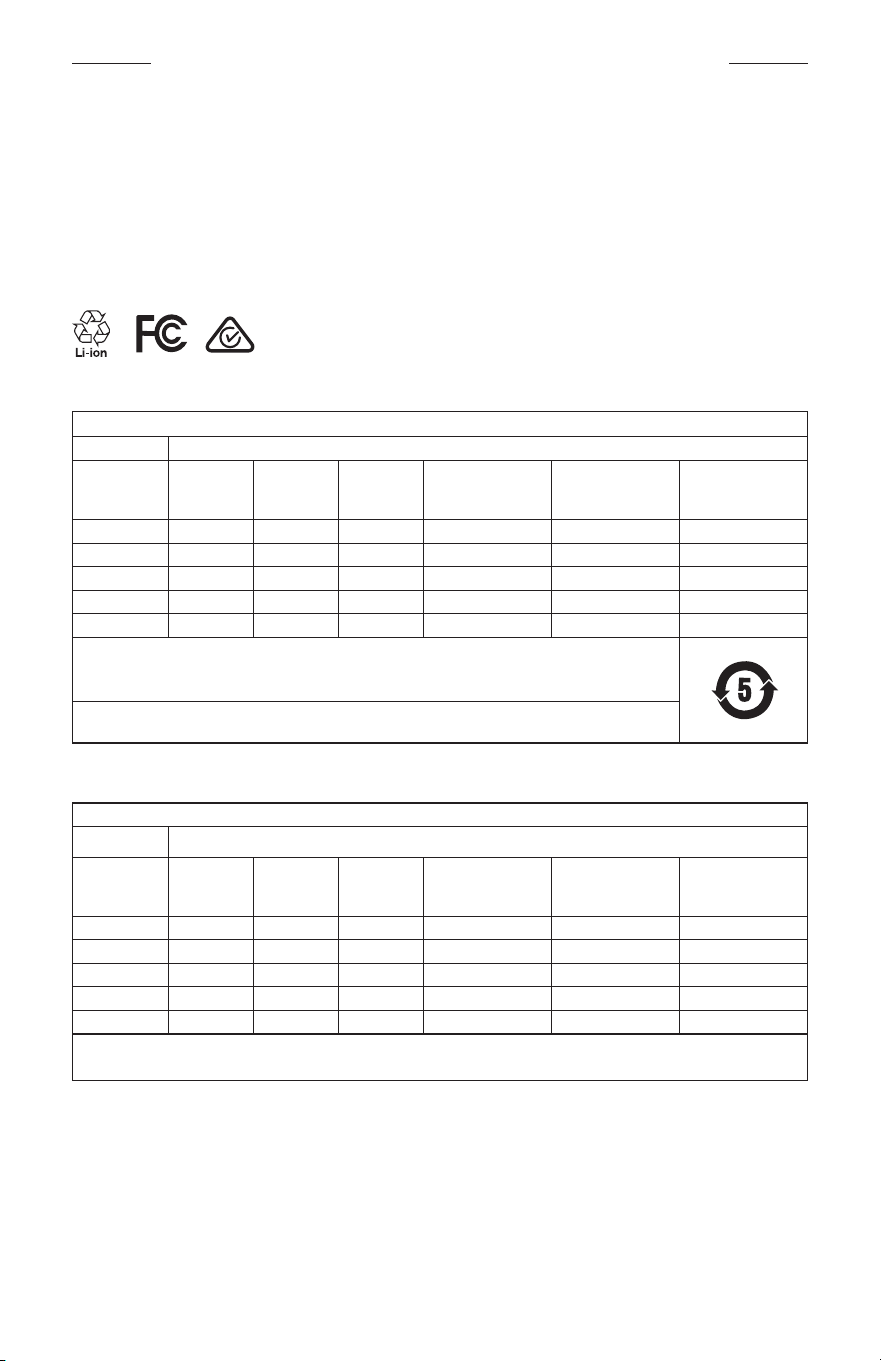
SÄÄNTÖMÄÄRÄYSTIEDOT JA LAKISÄÄTEISET TIEDOT
5
|
FIN
M
Valmistuttaja: Bose Corporation, 100 The Mountain Road, Framingham, MA 01701
L
Ei saa käyttää, jos pakkaus on vahingoittunut.
C
Tuote ei sisällä luonnonkumilateksia.
d
Tämä tuote on epästeriili.
p
l
+45C
0C
Kiina, vaarallisten aineiden rajoitustaulukko
Myrkyllisten tai vaarallisten aineiden tai alkuaineiden nimet ja sisältö
Myrkylliset tai vaaralliset aineiden tai alkuaineet
Osan nimi Lyijy (Pb)
Elohopea
(Hg)
Kadmium
(Cd)
Kuusiarvoinen
(CR(VI))
Polybrominoitu
bifenyyli (PBB)
Polybrominoitu
difenyylieetteri
(PBDE)
PCB-yhdisteet X O O O O O
Metalliosat X O O O O O
Muoviosat O O O O O O
Kaiuttimet X O O O O O
Johdot X O O O O O
Tämä taulukko on laadittu SJ/T 11364 -määräysten mukaisesti.
O: Ilmaisee, että tätä myrkyllistä tai vaarallista ainetta on kaikissa tästä materiaalista valmistetuissa osissa alle
GB/T 26572 -raja-arvon.
X: Ilmaisee, että tätä myrkyllistä tai vaarallista ainetta on vähintään yhdessä tästä materiaalista valmistetussa
osassa yli GB/T 26572 -raja-arvon.
Taiwan, vaarallisten aineiden rajoitustaulukko
Laitteen nimi: aktiivikaiutin, tyyppimerkintä: 433948
Rajoitetut aineet ja niiden kemiallinen merkki
Yksikkö Lyijy (Pb)
Elohopea
(Hg)
Kadmium
(Cd)
Kuusiarvoinen kromi
(Cr+6)
Polybrominoidut
bifenyylit (PBB)
Polybrominoidut
difenyylieetterit
(PBDE)
PCB-yhdisteet
- ○ ○ ○ ○ ○
Metalliosat
- ○ ○ ○ ○ ○
Muoviosat
○ ○ ○ ○ ○ ○
Kaiuttimet
- ○ ○ ○ ○ ○
Johdot
- ○ ○ ○ ○ ○
Huomautus 1:
”○” merkitsee, että rajoitetun aineen prosenttiosuus ei ylitä olemassaolon viitearvon prosenttiosuutta.
Huomautus 2: ”−” merkitsee, että rajoitettu aine vastaa erivapautta.
SÄÄNTÖMÄÄRÄYSTIEDOT JA LAKISÄÄTEISET TIEDOT
6
|
FIN
Tuote vastaa standardeja ANSI Z80.3, AS/NZS 1067.1 ja EN ISO 12312-1.
Sävytettyjä laseja ei suositella ajokäyttöön yöaikaan.
I
EI SOVELLU AJOKÄYTTÖÖN HÄMÄRÄSSÄ JA YÖLLÄ. EI SOVELLU AJOKÄYTTÖÖN YÖLLÄ TAI HEIKOISSA
VALAISTUSOLOSUHTEISSA.
Tuote on suunniteltu torjumaan yli 99% UVA- ja UVB-valoenergiasta. Tuote vastaa standardia ANSI Z80.3.
Frames Soprano- tai Frames Tenor -tuotteessa tulee käyttää vain Bosen hyväksymiä linssejä.
Ei auringon suoraan katseluun.
Ei sovellu suojaksi keinotekoisilta valonlähteiltä, kuten solariumeilta.
Ei sovellu silmäsuojaksi mekaanisia iskuja vastaan.
Säilytä tuote toimitukseen sisältyvässä suojakotelossa, kun sitä ei käytetä.
EU-SUODATINLUOKKA: ISO12312-1 CAT. 3
AUSTRALIALAINEN LINSSILUOKKA: 1067.1 CAT. 3
h
Nämä aurinkolasit tarjoavat tehokkaan suojan auringon säteilyä vastaan ja hyvän UV-suojan.
UV-luokitus: UV 380 cut
Säilytä tiedot.
Lasien sarjanumero näkyy vasemmassa sangassa. Malli-/viitenumero näkyy oikeassa sangassa.
Sarjanumero: _____________________________________________________________________
Mallinumero: _____________________________________________________________________
Säilytä ostokuitti tämän käyttöohjeen välissä. Nyt on oikea aika rekisteröidä Bose-tuotteesi. Voit tehdä sen helposti
osoitteessa global.Bose.com/register.
N
Valmistuspäivä: Sarjanumeron kahdeksas numero kertoo valmistusvuoden, 0 merkitsee vuotta 2010 tai 2020.
Maahantuoja Kiinassa: Bose Electronics (Shanghai) Company Limited, Part C, Plant 9, No. 353 North Riying Road,
China (Shanghai) Pilot Free Trade Zone
Maahantuoja EU:ssa: Bose Products B.V., Gorslaan 60, 1441 RG Purmerend, The Netherlands
Maahantuoja Taiwanissa: Bose Taiwan Branch, 9F-A1, No.10, Section 3, Minsheng East Road, Taipei City 104, Taiwan
Puhelin: +886-2-2514 7676
Maahantuoja Meksikossa: Bose de México, S. de R.L. de C.V., Paseo de las Palmas 405-204, Lomas de Chapultepec,
11000 México, D.F. Puhelinnumero: +5255 (5202) 3545
Tuloarvot: 5V p 500mA
CMIIT-tunnus sijaitsee etusangan sisäpuolella.
h
BMD0011
SÄÄNTÖMÄÄRÄYSTIEDOT JA LAKISÄÄTEISET TIEDOT
7
|
FIN
Turvallisuustiedot
Tämä tuote voi vastaanottaa Boselta turvallisuuspäivityksiä, kun se on yhdistetty Bose Music -sovellukseen.
Jotta turvallisuuspäivitysten vastaanotto on mahdollista, tuotteen asennus Bose Music -sovelluksessa on
suoritettava loppuun. Jos asennusta ei suoriteta loppuun, käyttäjä on vastuussa Bosen tarjoamien
turvallisuuspäivitysten asentamisesta osoitteesta btu.bose.com.
Apple, Apple-logo, iPad, iPhone, iPod ja Siri ovat Apple Inc:n Yhdysvalloissa ja muissa maissa rekisteröityjä
tavaramerkkejä. iPhone-tavaramerkkiä käytetään Japanissa Aiphone K.K:n lisenssillä. App Store on Apple Inc:n
palvelumerkki.
Made for Apple -merkki tarkoittaa, että lisävaruste on suunniteltu liitettäväksi erityisesti merkissä kuvattuihin
Apple-tuotteisiin ja että kehittäjä on sertifioinut sen täyttävän Applen vaatimukset. Apple ei vastaa tällaisen laitteen
toiminnasta tai siitä, että se täyttää turvallisuusvaatimukset ja on määräysten mukainen.
Bluetooth®-sanamerkki ja -logot ovat Bluetooth SIG, Inc:n omistamia rekisteröityjä tavaramerkkejä, ja
Bose Corporation käyttää niitä lisenssin nojalla.
Google ja Google Play ovat Google LLC:n tavaramerkkejä.
Bose, Bose Frames ja Bose Music ovat Bose Corporationin tavaramerkkejä.
Bose Corporationin pääkonttori: 1-877-230-5639
©2020 Bose Corporation. Mitään osaa tästä julkaisusta ei saa kopioida, muokata, jaella tai käyttää ilman julkaisijan
etukäteen antamaa kirjallista lupaa.

8
|
FIN
The following license disclosures apply to certain third-party software packages used as components in the product.
Package: Nanopb
Copyright © 2011 Petteri Aimonen <jpa at nanopb.mail.kapsi.fi>. The Nanopb package is subject to the license terms
reprinted below.
Zlib license
© 2011 Petteri Aimonen <jpa at nanopb.mail.kapsi.fi>
This software is provided ‘as-is’, without any express or implied warranty. In no event will the authors be held liable
for any damages arising from the use of this software.
Permission is granted to anyone to use this software for any purpose, including commercial applications, and to alter
it and redistribute it freely, subject to the following restrictions:
1. The origin of this software must not be misrepresented; you must not claim that you wrote the original software.
If you use this software in a product, an acknowledgment in the product documentation would be appreciated
but is not required.
2. Altered source versions must be plainly marked as such, and must not be misrepresented as being the
original software.
3. This notice may not be removed or altered from any source distribution.
Package: Mbed TLS 2.16.1
© ARM Limited. All rights reserved. The Mbed TLS package is subject to the license terms reprinted below.
Apache 2.0 License
Apache License
Version 2.0, January 2004
http://www.apache.org/licenses/
TERMS AND CONDITIONS FOR USE, REPRODUCTION, AND DISTRIBUTION
1. Definitions.
“License” shall mean the terms and conditions for use, reproduction, and distribution as defined by Sections 1
through 9 of this document.
“Licensor” shall mean the copyright owner or entity authorized by the copyright owner that is granting
the License.
“Legal Entity” shall mean the union of the acting entity and all other entities that control, are controlled by, or
are under common control with that entity. For the purposes of this definition, “control” means (i) the power,
direct or indirect, to cause the direction or management of such entity, whether by contract or otherwise, or (ii)
ownership of fifty percent (50%) or more of the outstanding shares, or (iii) beneficial ownership of such entity.
“You” (or “Your”) shall mean an individual or Legal Entity exercising permissions granted by this License.
“Source” form shall mean the preferred form for making modifications, including but not limited to software
source code, documentation source, and configuration files.
“Object” form shall mean any form resulting from mechanical transformation or translation of a Source form,
including but not limited to compiled object code, generated documentation, and conversions to other
media types.
“Work” shall mean the work of authorship, whether in Source or Object form, made available under the License,
as indicated by a copyright notice that is included in or attached to the work (an example is provided in the
Appendix below).
“Derivative Works” shall mean any work, whether in Source or Object form, that is based on (or derived from)
the Work and for which the editorial revisions, annotations, elaborations, or other modifications represent, as a
whole, an original work of authorship. For the purposes of this License, Derivative Works shall not include works
that remain separable from, or merely link (or bind by name) to the interfaces of, the Work and Derivative
Works thereof.
LISENSSI-ILMOITUKSET

9
|
FIN
LISENSSI-ILMOITUKSET
“Contribution” shall mean any work of authorship, including the original version of the Work and any
modifications or additions to that Work or Derivative Works thereof, that is intentionally submitted to Licensor
for inclusion in the Work by the copyright owner or by an individual or Legal Entity authorized to submit on
behalf of the copyright owner. For the purposes of this definition, “submitted” means any form of electronic,
verbal, or written communication sent to the Licensor or its representatives, including but not limited to
communication on electronic mailing lists, source code control systems, and issue tracking systems that are
managed by, or on behalf of, the Licensor for the purpose of discussing and improving the Work, but excluding
communication that is conspicuously marked or otherwise designated in writing by the copyright owner as “Not
a Contribution.”
“Contributor” shall mean Licensor and any individual or Legal Entity on behalf of whom a Contribution has been
received by Licensor and subsequently incorporated within the Work.
2. Grant of Copyright License. Subject to the terms and conditions of this License, each Contributor hereby grants
to You a perpetual, worldwide, non-exclusive, no-charge, royalty-free, irrevocable copyright license to reproduce,
prepare Derivative Works of, publicly display, publicly perform, sublicense, and distribute the Work and such
Derivative Works in Source or Object form.
3. Grant of Patent License. Subject to the terms and conditions of this License, each Contributor hereby grants to
You a perpetual, worldwide, non-exclusive, no-charge, royalty-free, irrevocable (except as stated in this section)
patent license to make, have made, use, oer to sell, sell, import, and otherwise transfer the Work, where such
license applies only to those patent claims licensable by such Contributor that are necessarily infringed by their
Contribution(s) alone or by combination of their Contribution(s) with the Work to which such Contribution(s)
was submitted. If You institute patent litigation against any entity (including a cross-claim or counterclaim in a
lawsuit) alleging that the Work or a Contribution incorporated within the Work constitutes direct or contributory
patent infringement, then any patent licenses granted to You under this License for that Work shall terminate as
of the date such litigation is filed.
4. Redistribution. You may reproduce and distribute copies of the Work or Derivative Works thereof in any medium,
with or without modifications, and in Source or Object form, provided that You meet the following conditions:
a. You must give any other recipients of the Work or Derivative Works a copy of this License; and
b. You must cause any modified files to carry prominent notices stating that You changed the files; and
c. You must retain, in the Source form of any Derivative Works that You distribute, all copyright, patent,
trademark, and attribution notices from the Source form of the Work, excluding those notices that do not
pertain to any part of the Derivative Works; and
d. If the Work includes a “NOTICE” text file as part of its distribution, then any Derivative Works that You
distribute must include a readable copy of the attribution notices contained within such NOTICE file, excluding
those notices that do not pertain to any part of the Derivative Works, in at least one of the following places:
within a NOTICE text file distributed as part of the Derivative Works; within the Source form or
documentation, if provided along with the Derivative Works; or, within a display generated by the
Derivative Works, if and wherever such third-party notices normally appear. The contents of the NOTICE file
are for informational purposes only and do not modify the License. You may add Your own attribution notices
within Derivative Works that You distribute, alongside or as an addendum to the NOTICE text from the Work,
provided that such additional attribution notices cannot be construed as modifying the License.
You may add Your own copyright statement to Your modifications and may provide additional or dierent
license terms and conditions for use, reproduction, or distribution of Your modifications, or for any such
Derivative Works as a whole, provided Your use, reproduction, and distribution of the Work otherwise
complies with the conditions stated in this License.
5. Submission of Contributions. Unless You explicitly state otherwise, any Contribution intentionally submitted for
inclusion in the Work by You to the Licensor shall be under the terms and conditions of this License, without any
additional terms or conditions. Notwithstanding the above, nothing herein shall supersede or modify the terms
of any separate license agreement you may have executed with Licensor regarding such Contributions.
6. Trademarks. This License does not grant permission to use the trade names, trademarks, service marks, or
product names of the Licensor, except as required for reasonable and customary use in describing the origin of
the Work and reproducing the content of the NOTICE file.

10
|
FIN
LISENSSI-ILMOITUKSET
7. Disclaimer of Warranty. Unless required by applicable law or agreed to in writing, Licensor provides the Work
(and each Contributor provides its Contributions) on an “AS IS” BASIS, WITHOUT WARRANTIES OR CONDITIONS
OF ANY KIND, either express or implied, including, without limitation, any warranties or conditions of TITLE,
NON-INFRINGEMENT, MERCHANTABILITY, or FITNESS FOR A PARTICULAR PURPOSE. You are solely responsible
for determining the appropriateness of using or redistributing the Work and assume any risks associated with
Your exercise of permissions under this License.
8. Limitation of Liability. In no event and under no legal theory, whether in tort (including negligence), contract,
or otherwise, unless required by applicable law (such as deliberate and grossly negligent acts) or agreed to in
writing, shall any Contributor be liable to You for damages, including any direct, indirect, special, incidental,
or consequential damages of any character arising as a result of this License or out of the use or inability to
use the Work (including but not limited to damages for loss of goodwill, work stoppage, computer failure or
malfunction, or any and all other commercial damages or losses), even if such Contributor has been advised of
the possibility of such damages.
9. Accepting Warranty or Additional Liability. While redistributing the Work or Derivative Works thereof, You may
choose to oer, and charge a fee for, acceptance of support, warranty, indemnity, or other liability obligations
and/or rights consistent with this License. However, in accepting such obligations, You may act only on Your own
behalf and on Your sole responsibility, not on behalf of any other Contributor, and only if You agree to indemnify,
defend, and hold each Contributor harmless for any liability incurred by, or claims asserted against, such
Contributor by reason of your accepting any such warranty or additional liability.
END OF TERMS AND CONDITIONS
©2020 Bose Corporation
Licensed under the Apache License, Version 2.0 (the “License”); you may not use this file except in compliance with
the License.
You may obtain a copy of the License at: http://www.apache.org/licenses/LICENSE-2.0
Unless required by applicable law or agreed to in writing, software distributed under the License is distributed on an
“AS IS” BASIS, WITHOUT WARRANTIES OR CONDITIONS OF ANY KIND, either express or implied.
See the License for the specific language governing permissions and limitations under the License.

SISÄLTÖ
11
|
FIN
PAKKAUKSEN SISÄLTÖ
Sisältö .................................................................................................................................. 13
BOSE MUSIC -SOVELLUKSEN ASETUKSET
Bose Music -sovelluksen lataaminen ....................................................................... 14
Lasien lisääminen aiemmin luotuun tiliin ............................................................... 14
HIEN- JA SÄÄNKESTÄVYYS ............................................................................... 15
VIRTA
Virran kytkeminen ........................................................................................................... 16
Virran katkaiseminen ..................................................................................................... 17
Flip-to-O-virrankatkaisu .................................................................................... 17
Automaattinen virrankatkaisu liikkeentunnistuksen avulla .................... 17
LASIEN SÄÄTIMET
Median toisto .................................................................................................................... 18
Äänenvoimakkuus ........................................................................................................... 19
Äänenvoimakkuuden lisääminen ...................................................................... 19
Äänenvoimakkuuden vähentäminen ............................................................... 19
Puhelut ................................................................................................................................ 20
Puheluilmoitukset ................................................................................................... 20
Äänikomentojen käyttäminen .................................................................................... 20
AKKU
Lasien lataaminen ........................................................................................................... 21
Lasien akun varaustason tarkistaminen ................................................................. 21
Akkuilmoitusten kuunteleminen ....................................................................... 21
Akun varaustason tarkastaminen ..................................................................... 21

SISÄLTÖ
12
|
FIN
LASIEN TILA
Bluetooth®-yhteyden tila .............................................................................................. 22
Akun tila .............................................................................................................................. 23
Virhetila ............................................................................................................................... 23
BLUETOOTH-YHTEYDET
Yhdistäminen mobiililaitteen Bluetooth-valikosta ............................................. 24
Mobiililaitteen yhteyden katkaiseminen ................................................................. 25
Mobiililaitteen yhdistäminen uudelleen .................................................................. 25
Lasien laiteluettelon tyhjentäminen......................................................................... 25
HOITO JA KUNNOSSAPITO
Lasien säilyttäminen ...................................................................................................... 26
Lasien kunnossapito ...................................................................................................... 27
Varaosat ja tarvikkeet .................................................................................................... 28
Rajoitettu takuu ............................................................................................................... 28
Sarja- ja malli-/viitenumeron sijainti ........................................................................ 28
VIANMÄÄRITYS
Kokeile ensin näitä ratkaisuja ..................................................................................... 29
Muut ratkaisut................................................................................................................... 29
TARROJEN SYMBOLIT
Symbolit ja kuvaukset ................................................................................................... 32
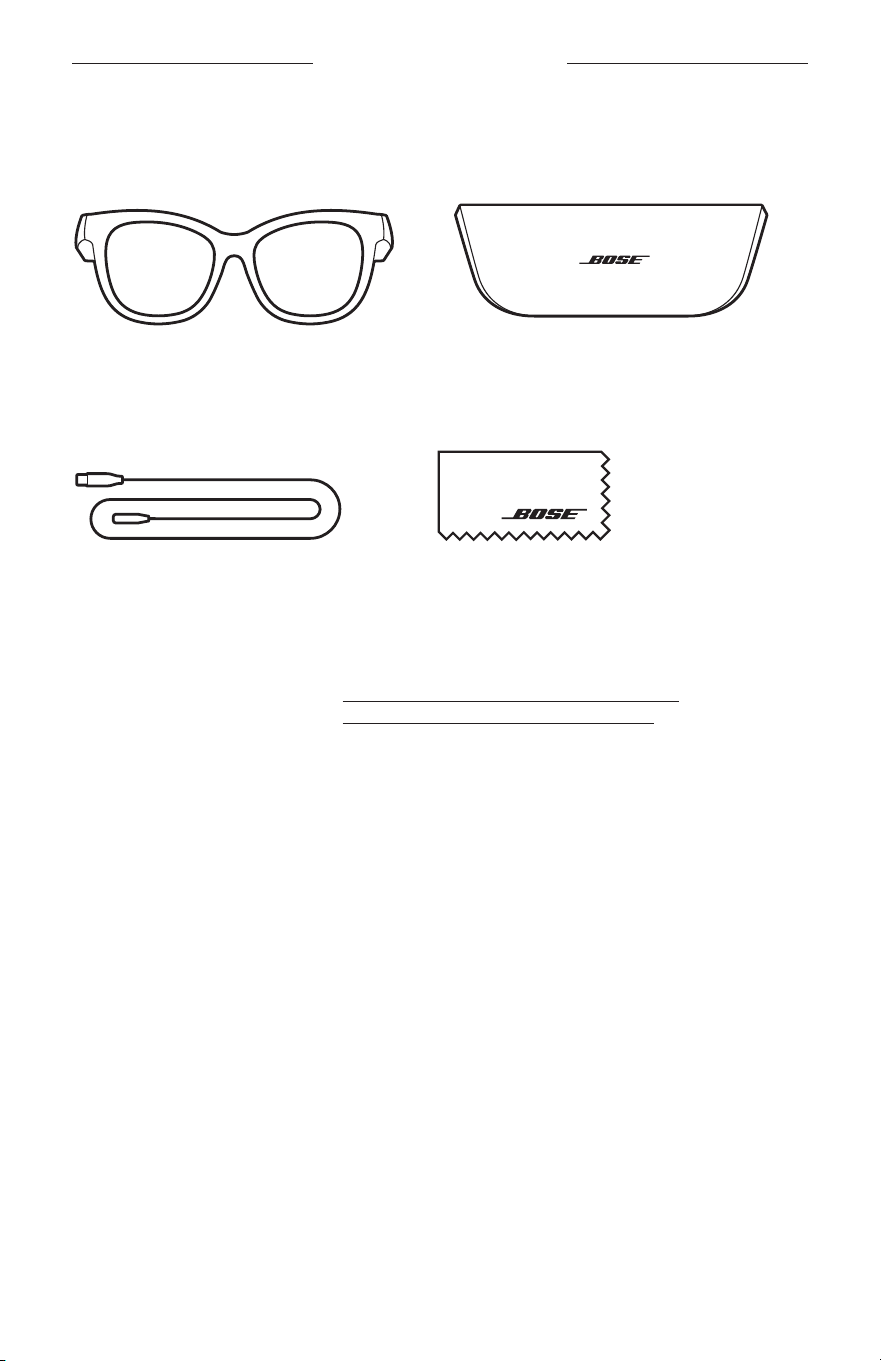
13
|
FIN
PAKKAUKSEN SISÄLTÖ
SISÄLTÖ
Tarkista, että pakkaus sisältää seuraavat osat:
Bose Frames
Suojakotelo
Latausjohto Puhdistusliina
HUOMAUTUS: Jos jokin tuotteen osa on vaurioitunut, älä käytä sitä. Ota yhteyttä
valtuutettuun Bose-jälleenmyyjään tai Bosen asiakaspalveluun.
Käy osoitteessa worldwide.Bose.com/Support/Soprano
worldwide.Bose.com/Support/Tenor.
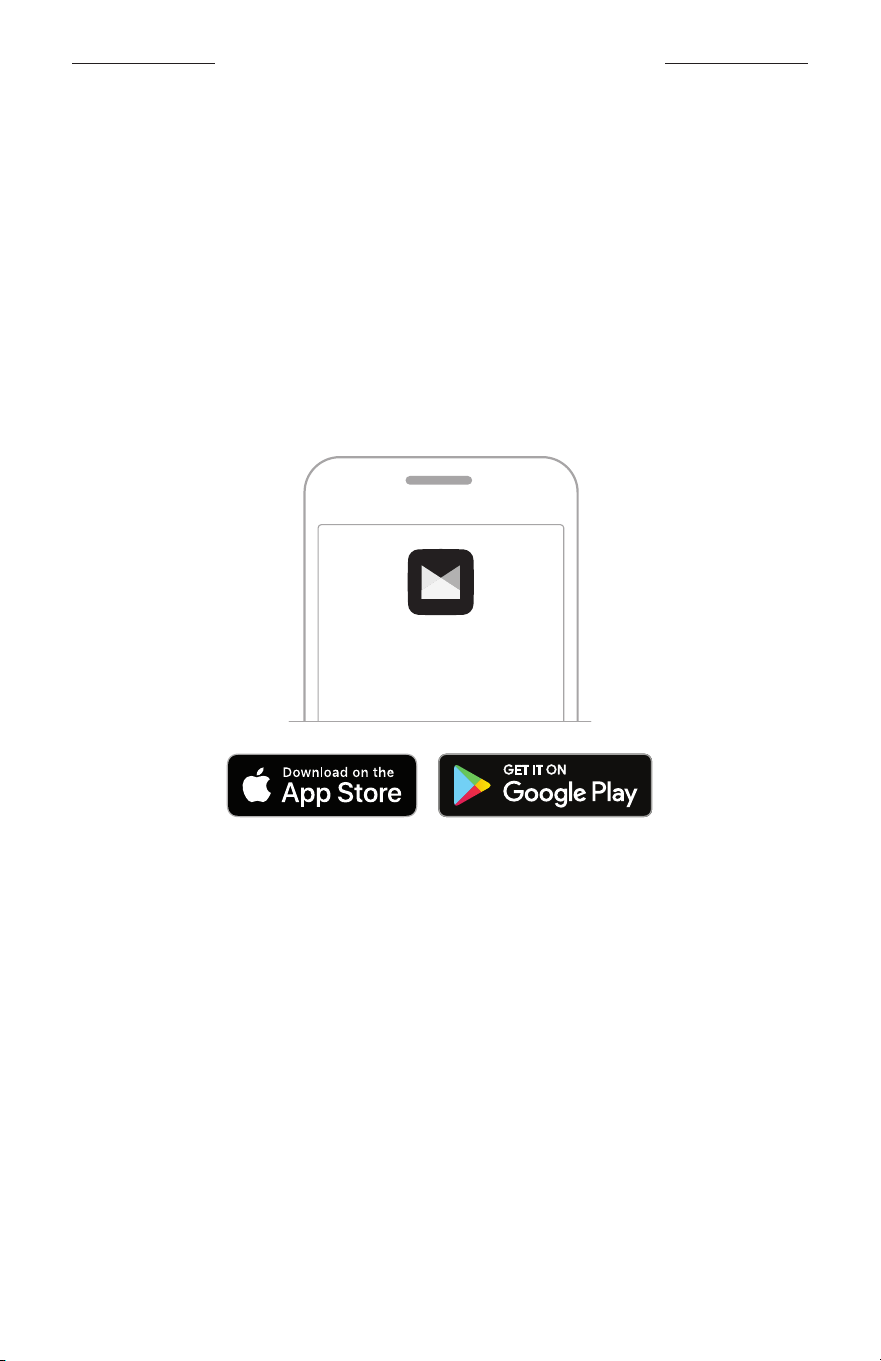
14
|
FIN
BOSE MUSIC -SOVELLUKSEN ASETUKSET
Bose Music -sovelluksen avulla voit määrittää lasien asetukset ja ohjata niitä
mobiililaitteella, kuten älypuhelimella tai taulutietokoneella.
Sovelluksessa voit esimerkiksi muuttaa virta-asetuksia, valita äänikehotteen kielen
jasaada käyttöön uusia toimintoja.
HUOMAUTUS: Jos olet jo luonut Bose-tilin sovelluksella toista Bose-tuotetta varten,
katso ”Lasien lisääminen aiemmin luotuun tiliin”.
BOSE MUSIC -SOVELLUKSEN LATAAMINEN
1. Lataa Bose Music -sovellus mobiililaitteellesi.
HUOMAUTUS: Jos olet Manner-Kiinassa, lataa Bose8-sovellus.
BOSE MUSIC
2. Noudata sovelluksen ohjeita.
LASIEN LISÄÄMINEN AIEMMIN LUOTUUN TILIIN
1. Pidä oikean sangan painiketta painettuna, kunnes kuulet Valmis yhdistämään
-ilmoituksen tai tilamerkkivalo alkaa vilkkua sinisenä.
2. Siirry Bose Music -sovelluksessa Omat tuotteet -ruutuun ja lisää lasit.
HUOMAUTUS: Jos sovellus ei löydä laseja, katso ”Bose Music -sovellus ei löydä
laseja.” sivulla 30.
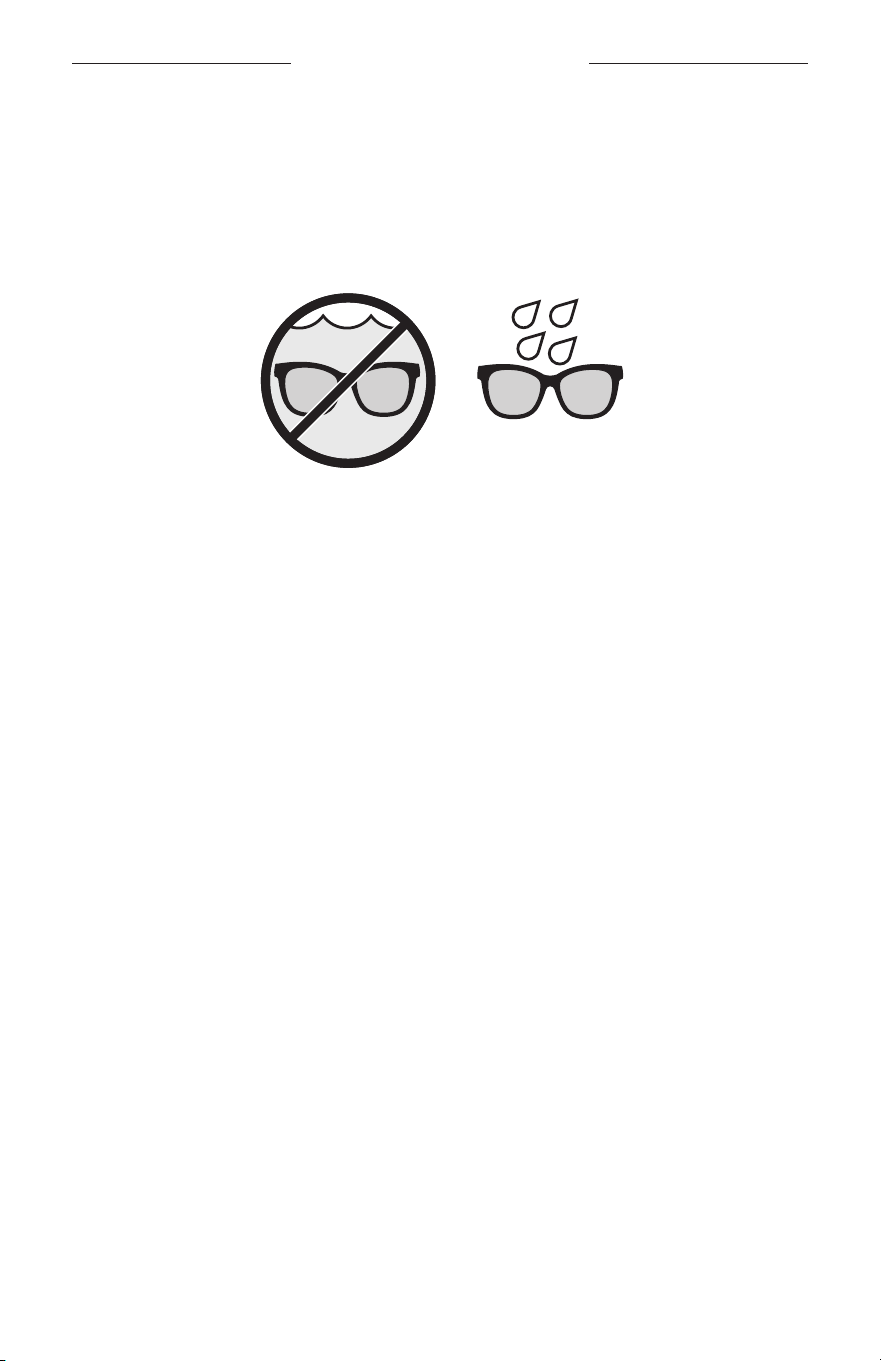
15
|
FIN
HIEN- JA SÄÄNKESTÄVYYS
Lasit on luokiteltu vedenkestäviksi (IPX2). Ne on suunniteltu hien- ja säänkestäviksi,
jane sietävät vesipisaroita, mutta niitä ei ole tarkoitettu upotettaviksi veteen.
HUOMIO:
• ÄLÄ käytä laseja uidessasi tai suihkussa.
• ÄLÄ upota laseja veteen.
HUOMAUTUS: IPX2 ei ole pysyvä ominaisuus, ja kestävyys saattaa heikentyä
normaalin kulumisen vaikutuksesta.
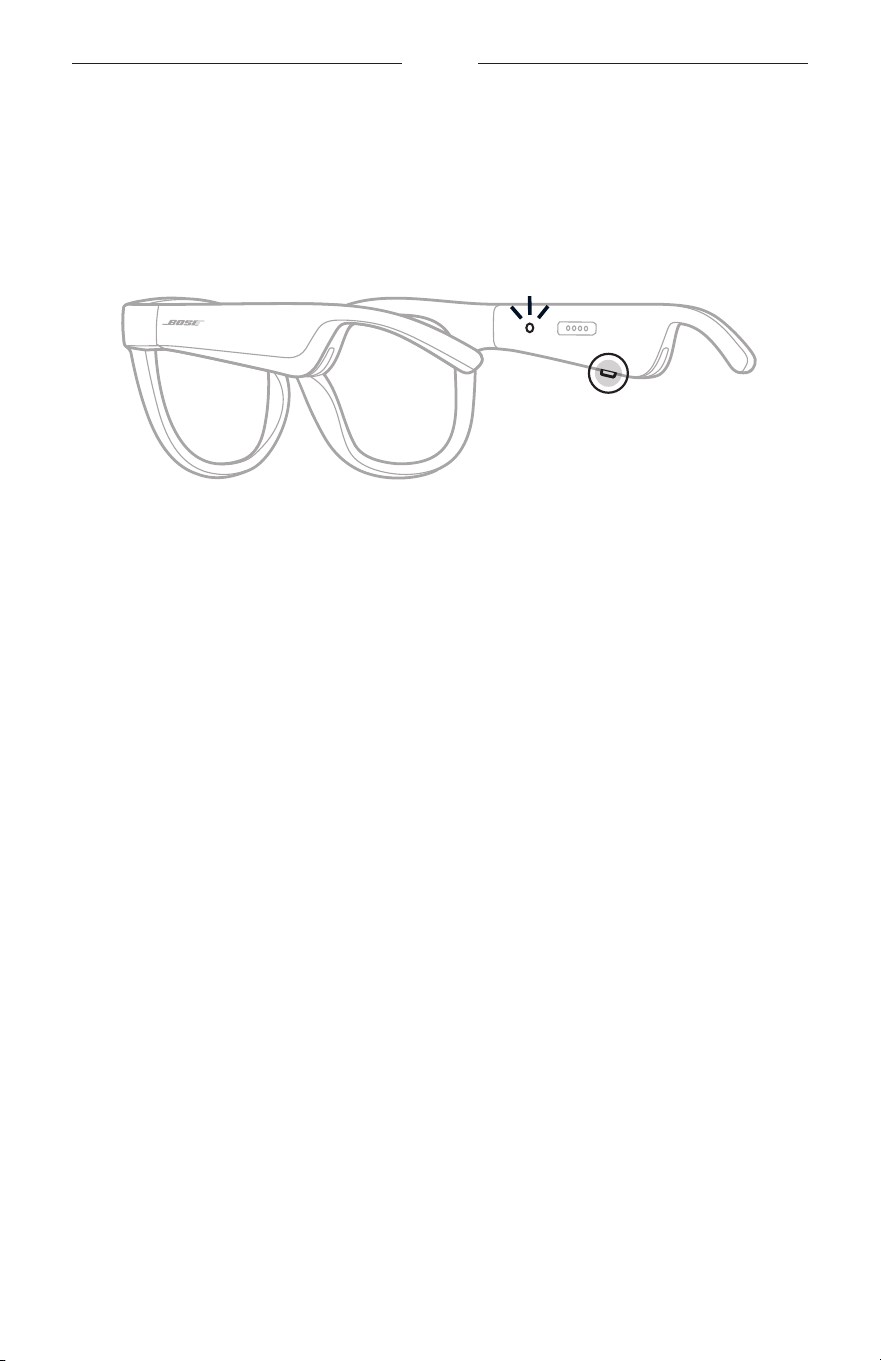
16
|
FIN
VIRTA
VIRRAN KYTKEMINEN
Paina oikean sangan painiketta.
Tilamerkkivalo vilkkuu valkoisena kaksi kertaa ja palaa sitten Bluetooth-yhteystilan
mukaan (ks. sivu 22). Äänikehote ilmoittaa akun varaustason ja Bluetooth-
yhteyden tilan.
HUOMAUTUS: Lasit toimitetaan osittain ladattuina, ja ne on ehkä herätettävä ennen
ensimmäistä käyttöä. Voit herättää lasit kytkemällä ne verkkovirtaan
kahdeksi sekunniksi ja irrottamalla ne sitten (ks. sivu 21).
Yritäsitten kytkeä virta uudelleen.
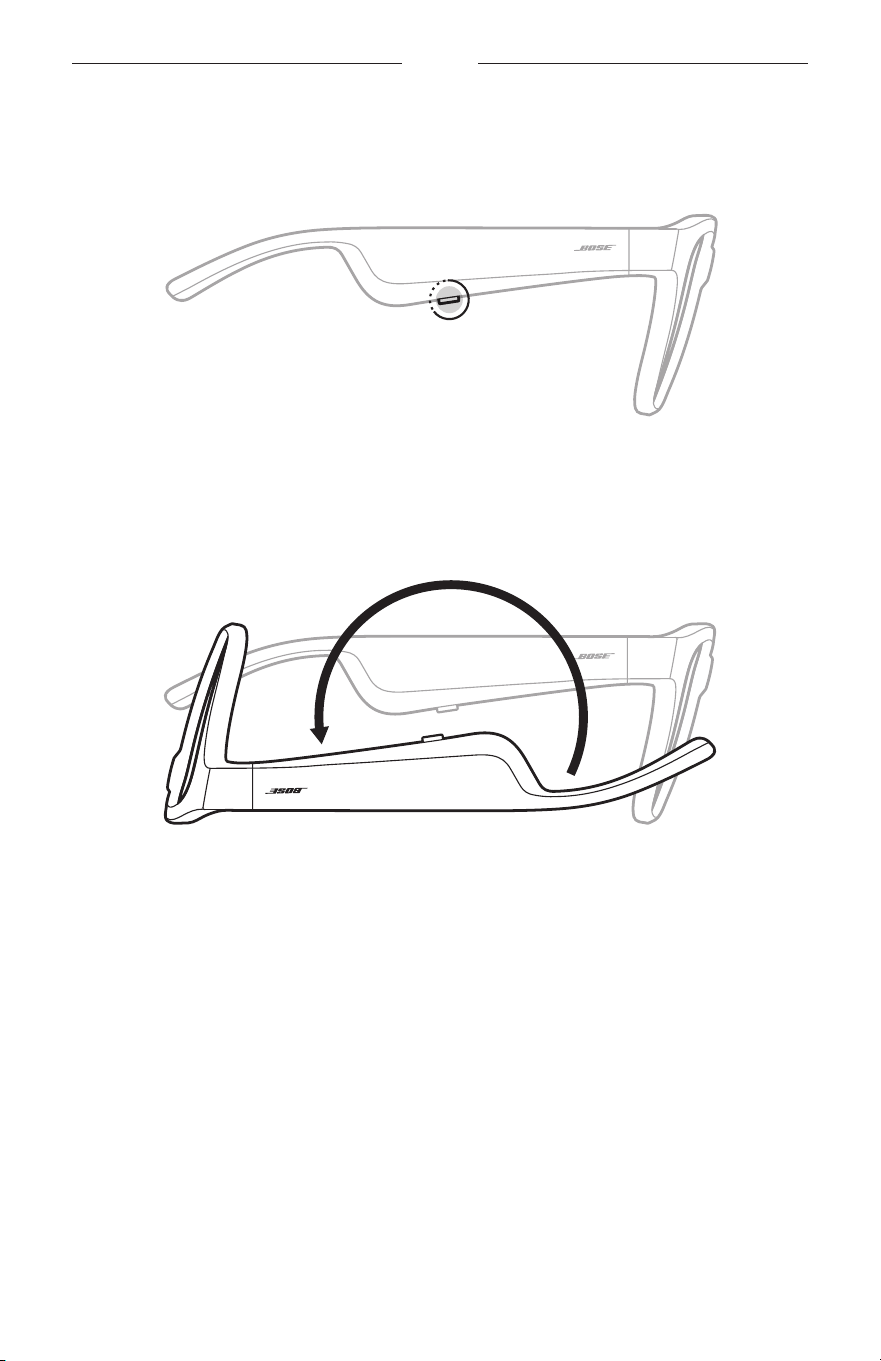
17
|
FIN
VIRTA
VIRRAN KATKAISEMINEN
Pidä painiketta painettuna, kunnes kuulet äänimerkin.
Tilamerkkivalo vilkkuu valkoisena kaksi kertaa ja sammuu sitten.
Flip-to-Off-virrankatkaisu
Käännä lasit ylösalaisin kahdeksi sekunniksi.
Tilamerkkivalo vilkkuu valkoisena kaksi kertaa ja sammuu sitten.
HUOMAUTUS:
• Kun lasien virta on katkaistu, voit liikutella niitä kaikkiin suuntiin.
• Voit poistaa Flip-to-Off-toiminnon käytöstä Bose Music -sovelluksella.
Tämätoiminto on Asetukset-valikossa.
Automaattinen virrankatkaisu liikkeentunnistuksen avulla
Laseissa on liiketunnistin, joka havaitsee, milloin laseja ei käytetä. Lasien virta katkeaa
automaattisesti, kun ne eivät ole liikkuneet 10 minuuttiin.
HUOMAUTUS: Voit poistaa liikkeentunnistuksen käytöstä Bose Music -sovelluksella.
Tämä toiminto on Asetukset-valikossa.
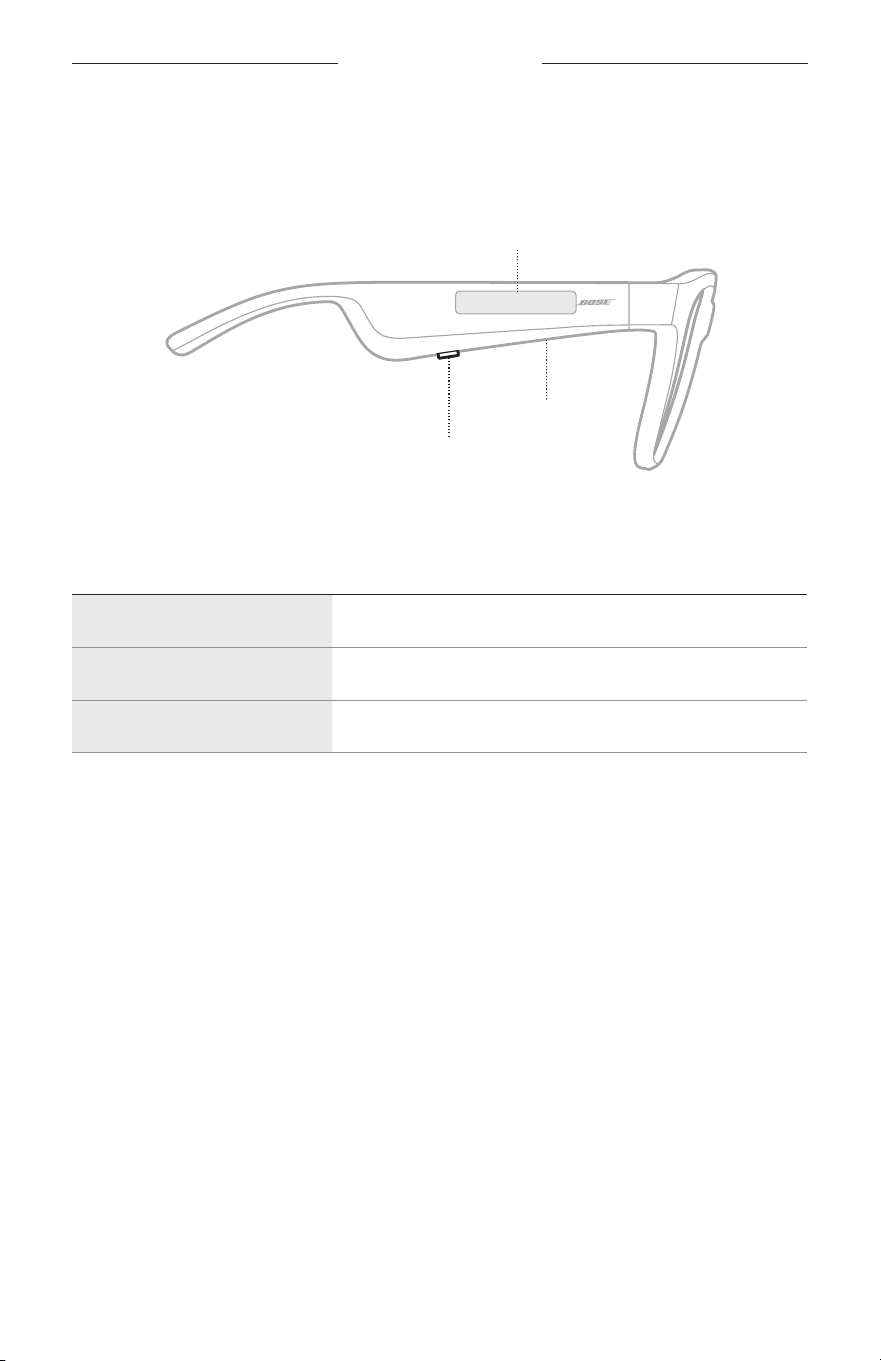
18
|
FIN
LASIEN SÄÄTIMET
Oikean sangan painikkeella ja kosketuspinnalla voit ohjata median toistoa, puheluita
jaääniohjausta sekä säätää äänenvoimakkuutta.
Painike
Median toiston ohjaus
Puhelujen ohjaus
Mikrofoni
Kosketuspinta
Äänenvoimakkuuden säätäminen
Äänikomentojen käyttäminen
MEDIAN TOISTO
HALLINTA TOIMINTAOHJEET
Toisto/tauko Paina painiketta.
Siirtyminen eteenpäin Paina painiketta kaksi kertaa.
Siirtyminen taaksepäin Paina painiketta kolme kertaa.
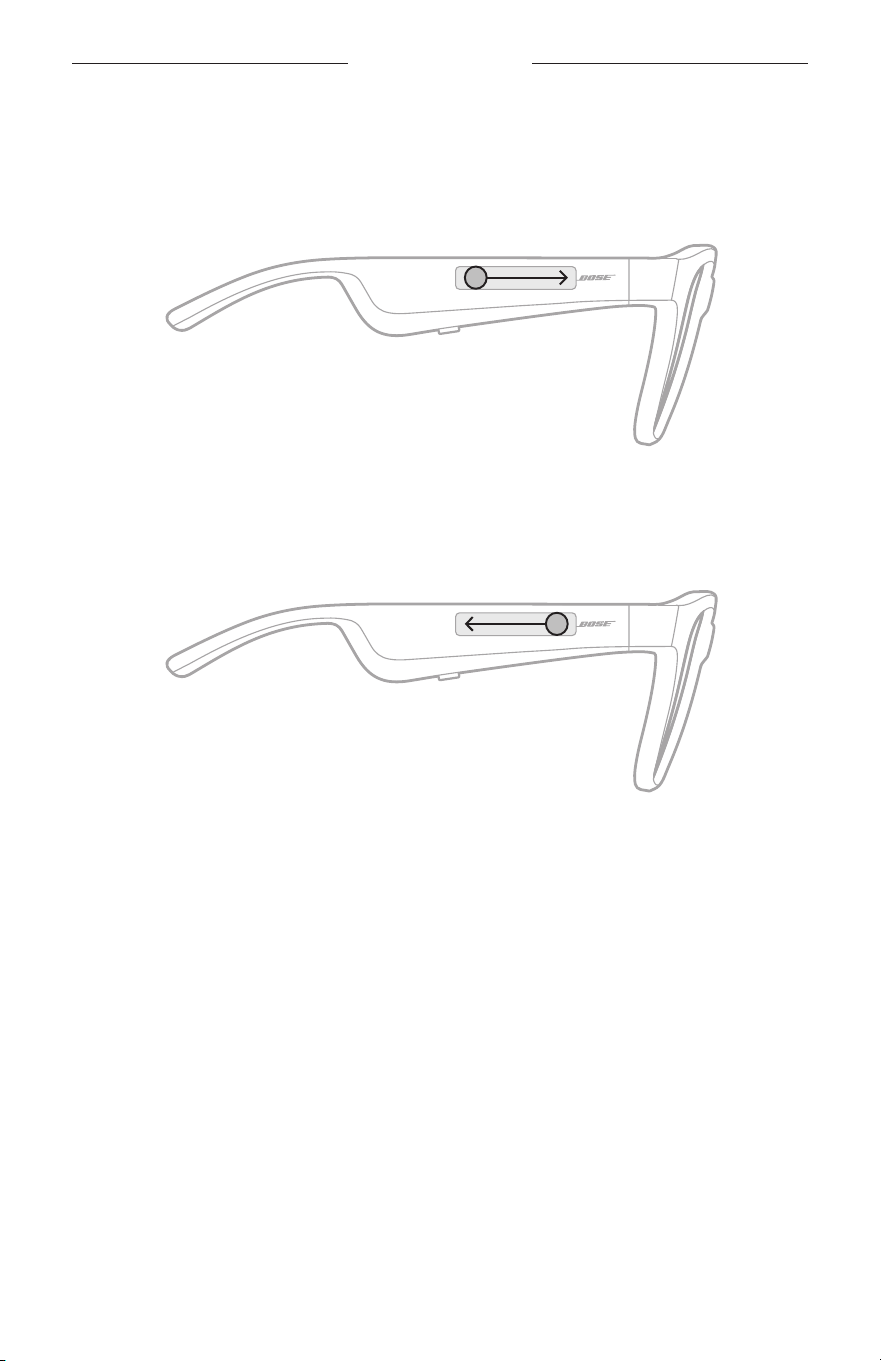
19
|
FIN
LASIEN OHJAUS
ÄÄNENVOIMAKKUUS
Äänenvoimakkuuden lisääminen
Pyyhkäise kosketuspintaa eteenpäin.
HUOMAUTUS: Kun äänenvoimakkuus on suurimmillaan, kuuluu äänimerkki.
Äänenvoimakkuuden vähentäminen
Pyyhkäise kosketuspintaa taaksepäin.
HUOMAUTUS: Kun äänenvoimakkuus on pienimmillään, kuuluu äänimerkki.
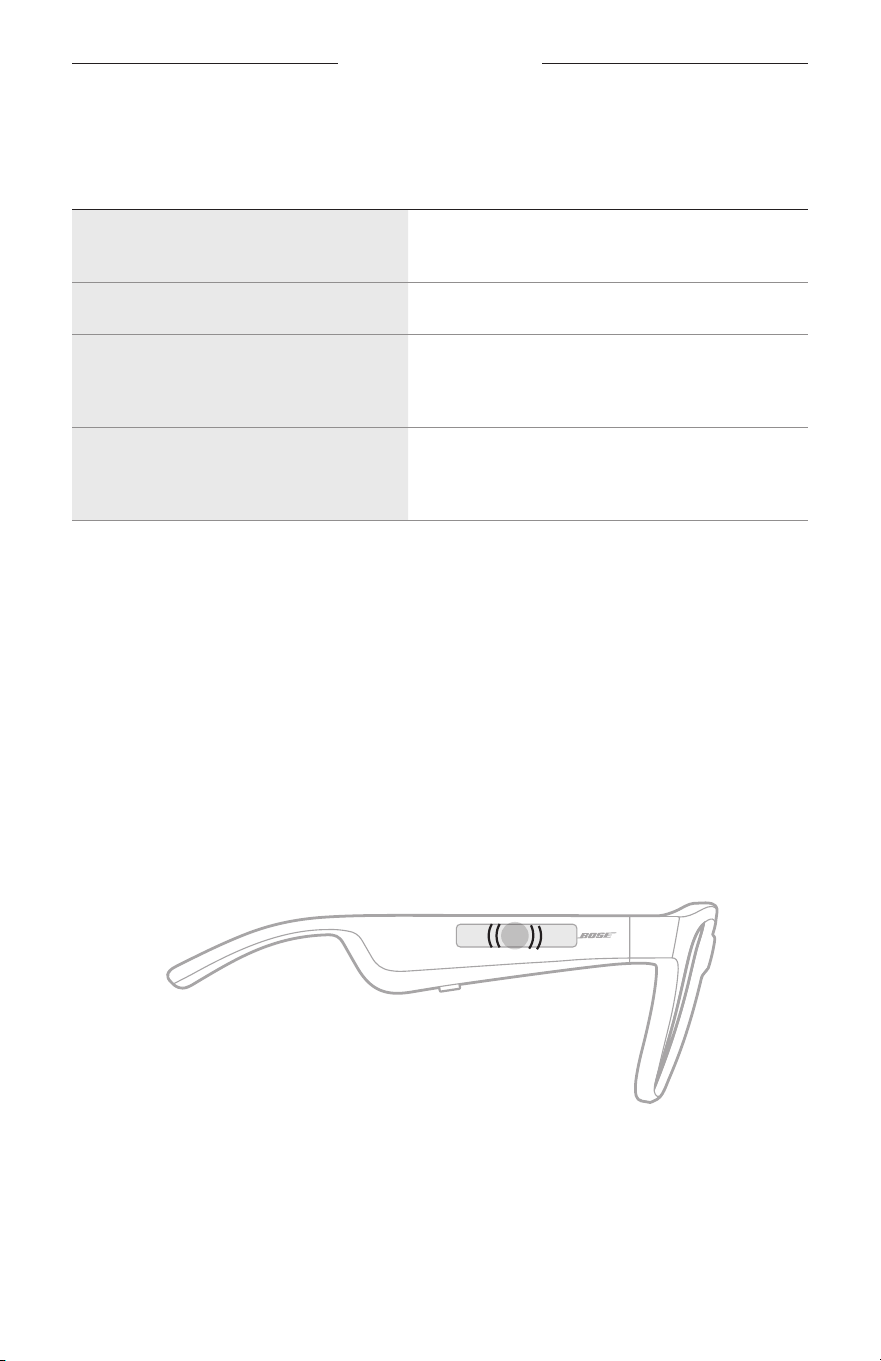
LASIEN SÄÄTIMET
20
|
FIN
PUHELUT
HALLINTA TOIMINTAOHJEET
Puheluun vastaaminen / puhelun
päättäminen
Paina painiketta.
Saapuvan puhelun hylkääminen Paina painiketta kaksi kertaa.
Toiseen puheluun vastaaminen
jaensimmäisen puhelun asettaminen
pitoon
Paina painiketta puhelun aikana.
Toisen puhelun hylkääminen
jameneillään olevan puhelun
jatkaminen
Paina painiketta kaksi kertaa puhelun aikana.
HUOMAUTUS: Jotta voit käyttää kaikkia puhelunohjaustoimintoja, suorita Bose Music
-sovelluksen saatavilla olevat ohjelmistopäivitykset.
Puheluilmoitukset
Kuulet äänikehotteen, joka kertoo saapuvan puhelun soittajan ja puhelun tilan.
ÄÄNIKOMENTOJEN KÄYTTÄMINEN
Lasien mikrofoni toimii mobiililaitteen mikrofonin laajennuksena. Oikean sangan
kosketuspinnalla voit käyttää laitteen ääniohjausta esimerkiksi puheluiden soittamiseen
ja vastaanottamiseen sekä kysymysten esittämiseen Sirille tai Google Assistantille,
jottavoit kuunnella esimerkiksi musiikkia, sääennusteen tai ottelun tulokset.
Aktivoi laitteen ääniohjaus napauttamalla kosketuspintaa kaksi kertaa.
2x
Kuulet äänimerkin, kun ääniohjaus on käytössä.
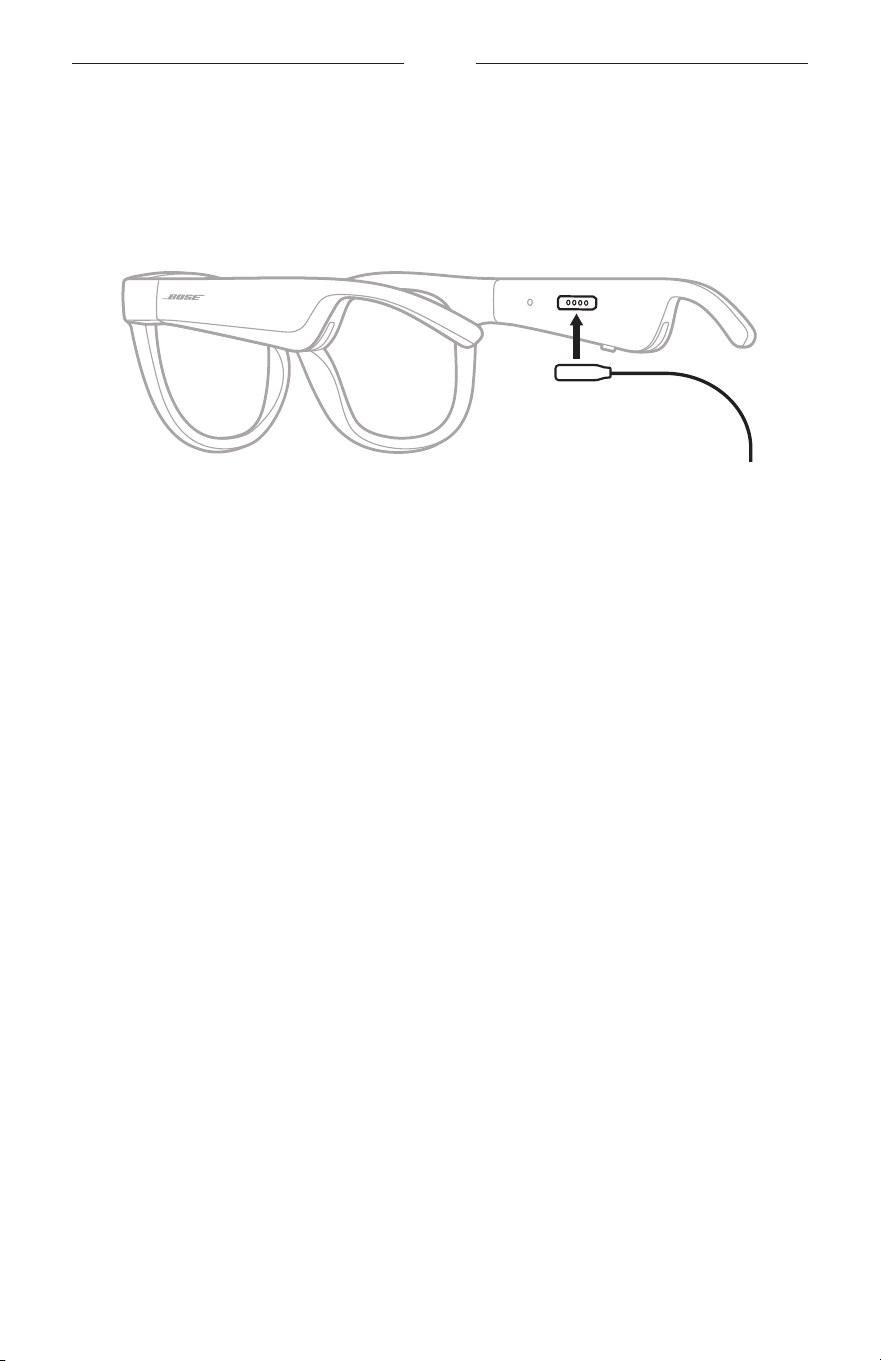
21
|
FIN
AKKU
LASIEN LATAAMINEN
1. Aseta latausjohdon nastat kohdakkain oikean sangan latausliitännän kanssa.
HUOMAUTUS: Nastojen pitää olla oikein päin latausliitännässä, jotta lasit
latautuvat.
2. Paina nastoja kevyesti latausliitäntään, kunnes ne napsahtavat magneettisesti
paikalleen.
3. Kytke toinen pää USB-A-seinälaturiin (ei sisälly toimitukseen).
HUOMIO: Käytä tuotetta vain hyväksytyllä virtalähteellä, joka vastaa paikallisia
määräyksiä (esim. UL, CSA, VDE, CCC).
Kun akku latautuu, tilamerkkivalo vilkkuu valkoisena. Kun akku on ladattu täyteen,
tilamerkkivalo palaa valkoisena (ks. sivu 23).
HUOMAUTUKSIA:
• Laseista ei kuulu ääntä, kun niitä ladataan.
• Älä käytä laseja latauksen aikana.
LASIEN AKUN VARAUSTASON TARKISTAMINEN
Akkuilmoitusten kuunteleminen
Kun kytket laseihin virran, kuuluu ilmoitus akun varaustasosta.
Kun käytät laseja, äänikehote ilmoittaa, jos akku on ladattava.
Akun varaustason tarkastaminen
• Avaa Bose Music -sovelluksen etusivu.
• Jos tilamerkkivalo vilkkuu punaisena, akku on ladattava.
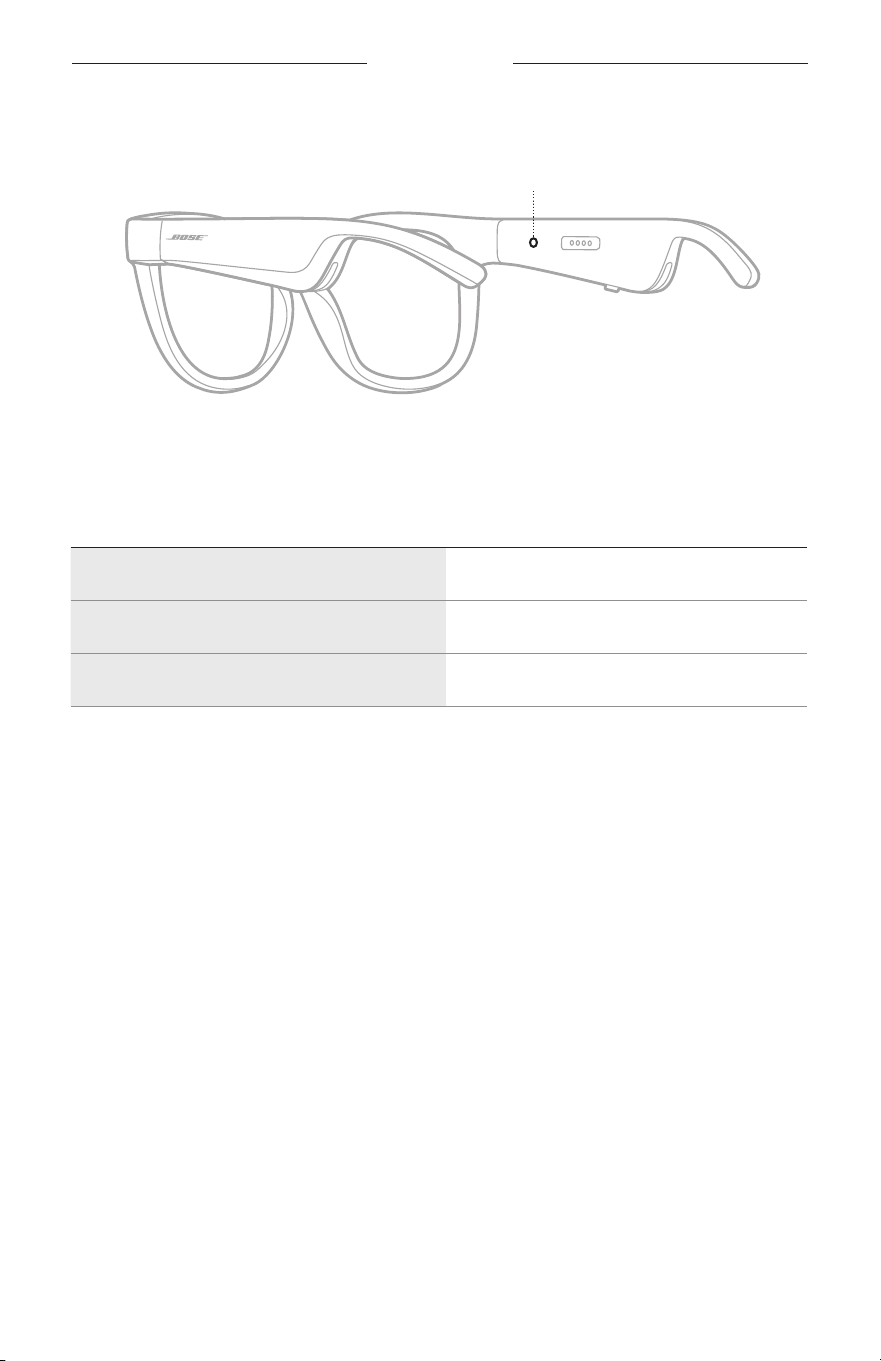
22
|
FIN
LASIEN TILA
Lasien tilamerkkivalo sijaitsee oikean sangan sisäpuolella.
Tilamerkkivalo
BLUETOOTH-YHTEYDEN TILA
Osoittaa mobiililaitteiden Bluetooth-yhteyden tilan.
MERKKIVALON TOIMINTA JÄRJESTELMÄN TILA
Vilkkuu hitaasti sinisenä Valmis yhdistämään
Vilkkuu nopeasti sinisenä Yhdistää
Palaa sinisenä (10 sekuntia) Yhdistetty
LASIEN TILA
23
|
FIN
AKUN TILA
Osoittaa lasien akun varaustason.
MERKKIVALON TOIMINTA JÄRJESTELMÄN TILA
Vilkkuu punaisena (10 sekuntia) Ladattava
Vilkkuu valkoisena Latautuu
Palaa valkoisena Täyteen ladattu
VIRHETILA
Osoittaa virhetilan.
MERKKIVALON TOIMINTA JÄRJESTELMÄN TILA
Vilkkuu punaisena ja valkoisena (toistuvasti) Virhe. Ota yhteyttä Bosen asiakaspalveluun.
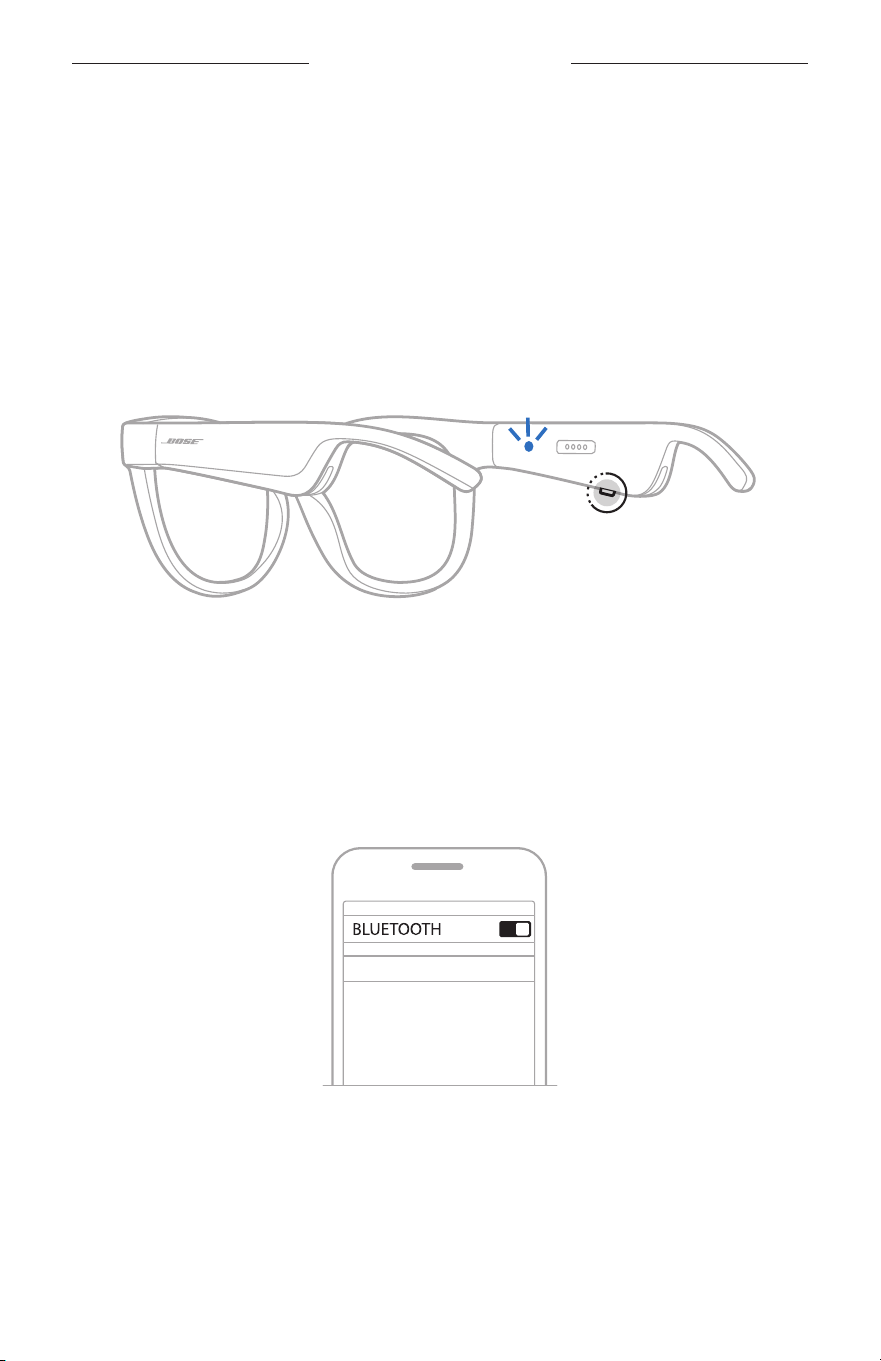
24
|
FIN
BLUETOOTH-YHTEYDET
YHDISTÄMINEN MOBIILILAITTEEN BLUETOOTH-
VALIKOSTA
Lasien laiteluetteloon voi tallentaa enintään kahdeksan laitetta. Ääntä voi kuunnella
vain yhdestä laitteesta kerrallaan.
HUOMAUTUS: Jotta saat parhaan kuuntelukokemuksen, määritä ja yhdistä
mobiililaite Bose Music -sovelluksella (ks. sivu 14).
1. Kun lasien virta on kytketty, pidä oikeassa sangassa olevaa painiketta
painettuna, kunnes kuulet Valmis yhdistämään -ilmoituksen tai tilamerkkivalo
alkaa vilkkua sinisenä.
2. Ota Bluetooth-toiminto käyttöön mobiililaitteessa.
HUOMAUTUS: Bluetooth-valikko sijaitsee yleensä Asetukset-valikossa.
3. Valitse lasit laiteluettelosta.
HUOMAUTUS: Etsi laseille antamasi nimi Bose Music -sovelluksesta. Jos et ole
nimennyt laseja, näkyviin tulee oletusnimi.
BOSE FRAMES
Kun yhteys on muodostettu, kuulet ilmoituksen ”Yhdistetty laitteeseen <X>”
taitilamerkkivalo palaa sinisenä ja sammuu sitten.

25
|
FIN
BLUETOOTH-YHTEYDET
MOBIILILAITTEEN YHTEYDEN KATKAISEMINEN
Voit katkaista yhteyden mobiililaitteeseen Bose Music -sovelluksella.
VIHJE: Yhteyden voi katkaista myös Bluetooth-asetuksista. Kun poistat Bluetooth-
ominaisuuden käytöstä, yhteys kaikkiin muihin laitteisiin katkaistaan.
MOBIILILAITTEEN YHDISTÄMINEN UUDELLEEN
Kun laseihin kytketään virta, ne yrittävät muodostaa yhteyden viimeksi yhdistettynä
olleeseen laitteeseen.
HUOMAUTUS: Laitteiden on oltava enintään 9 metrin etäisyydellä, ja niiden virran
tulee olla kytketty.
LASIEN LAITELUETTELON TYHJENTÄMINEN
1. Kun lasien virta on kytketty, pidä oikean sangan painiketta painettuna 10sekunnin
ajan, kunnes kuulet Bluetooth-laiteluettelo tyhjennetty -ilmoituksen tai
tilamerkkivalo vilkkuu sinisenä.
2. Poista lasit laitteen Bluetooth-luettelosta.
Kaikkien laitteiden tiedot poistetaan lasien muistista, ja lasit voidaan yhdistää.
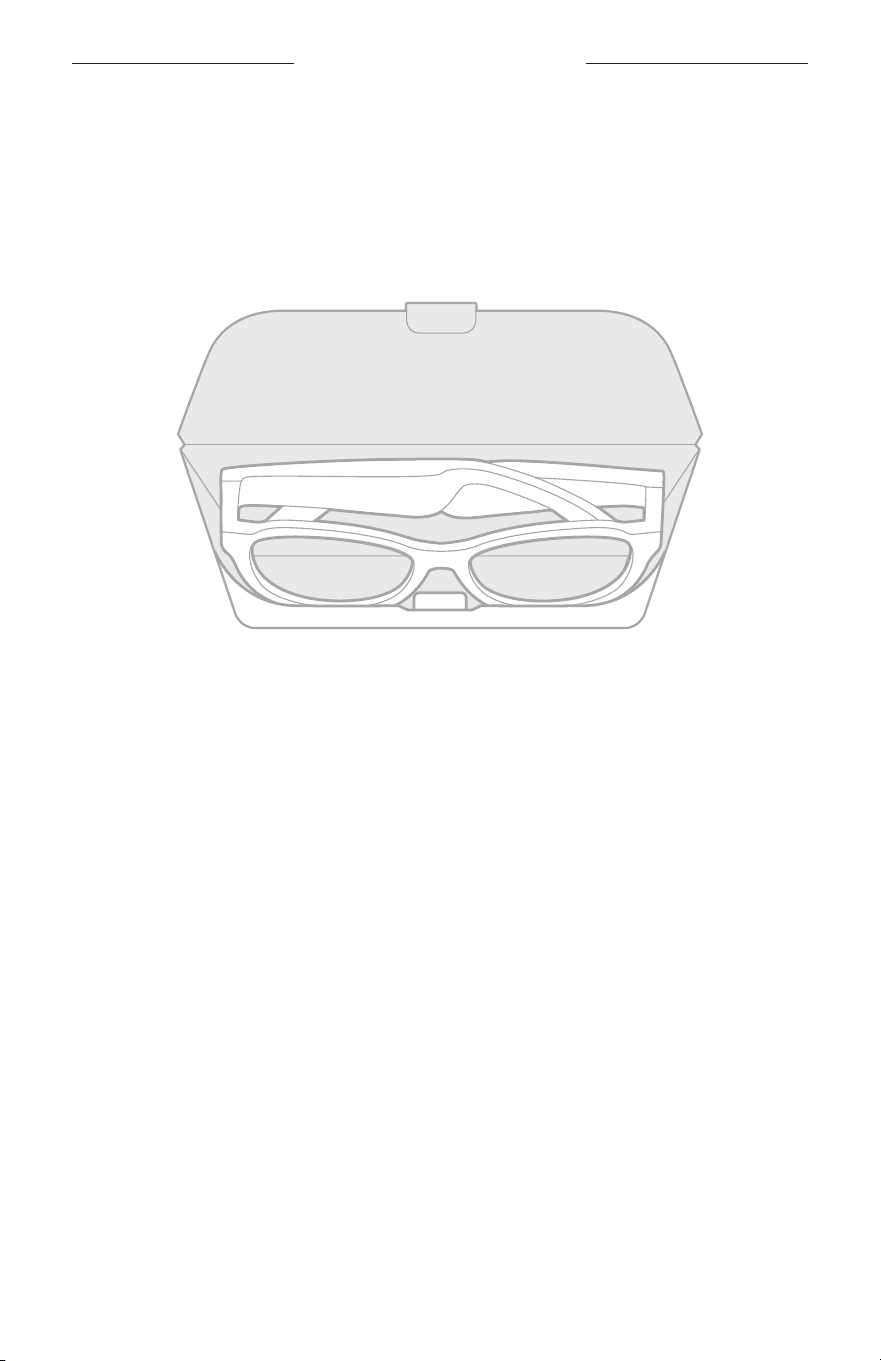
26
|
FIN
HOITO JA KUNNOSSAPITO
LASIEN SÄILYTTÄMINEN
Lasit voidaan taittaa kokoon, joten säilyttäminen on helppoa ja kätevää.
1. Taita sangat litteiksi linssejä kohti.
2. Aseta lasit koteloon linssit kotelon etuosaa kohti.
HUOMAUTUKSIA:
• Muista katkaista laseista virta, kun niitä ei käytetä.
• Jos lasit asetetaan säilytykseen muutamaa kuukautta pidemmäksi ajaksi, varmista,
että niiden akku on ladattu täyteen.

27
|
FIN
HOITO JA KUNNOSSAPITO
LASIEN KUNNOSSAPITO
Pyyhi linssien molemmat puolet ja kaikki lasien osat jokaisen käytön jälkeen mukana
toimitetulla puhdistusliinalla tai muulla kuivalla liinalla.
HUOMIO:
• ÄLÄ käytä lasien lähellä mitään sumutettavia aineita.
• ÄLÄ käytä liuottimia, kemikaaleja tai puhdistusaineita, joissa on alkoholia,
ammoniakkia tai hankausaineita.
• ÄLÄ päästä aukkoihin nesteitä.
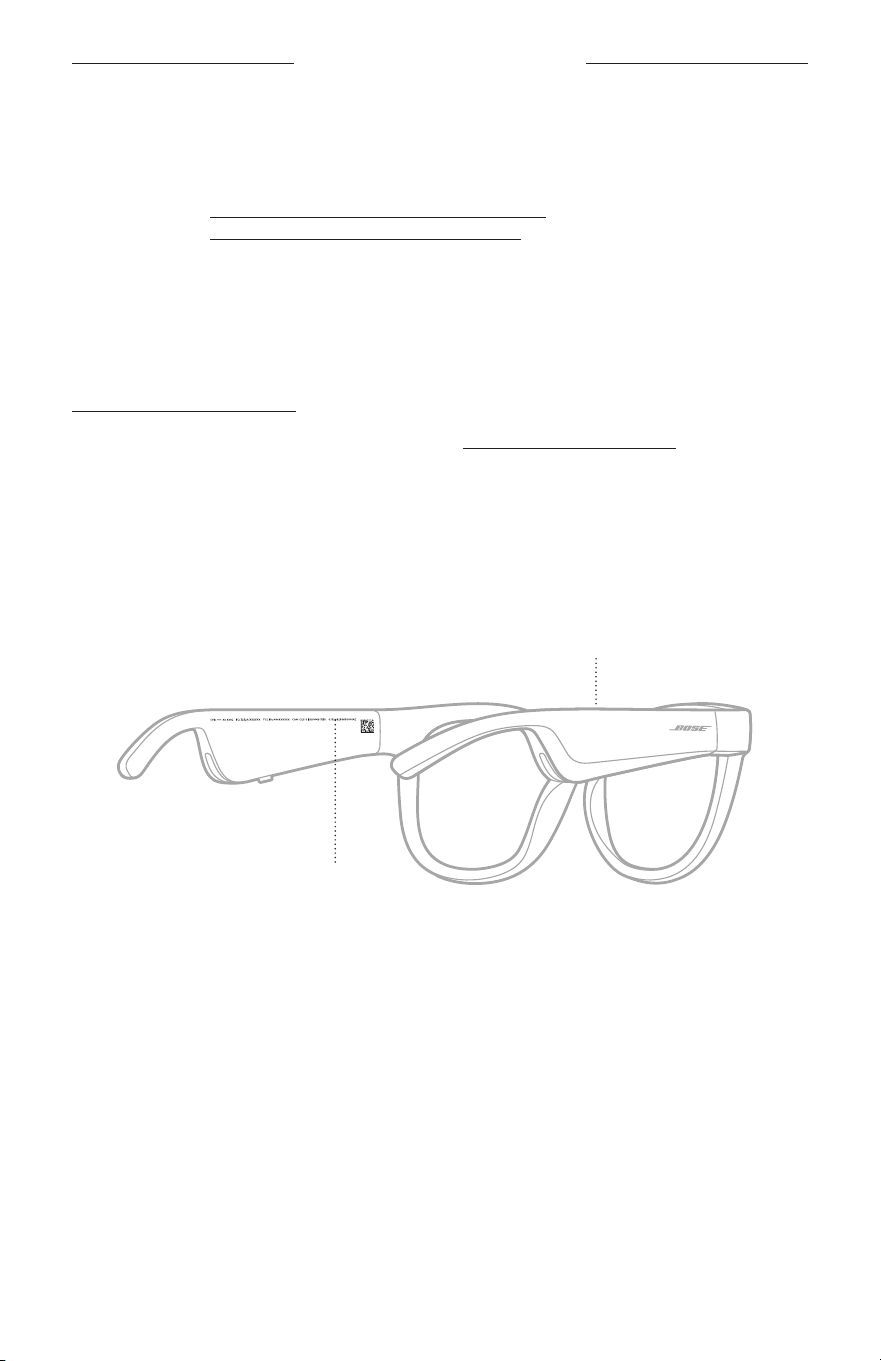
28
|
FIN
HOITO JA KUNNOSSAPITO
VARAOSAT JA TARVIKKEET
Varaosia ja tarvikkeita voi tilata Bose-asiakaspalvelusta.
Käy osoitteessa worldwide.Bose.com/Support/Soprano
worldwide.Bose.com/Support/Tenor.
HUOMAUTUS: Lisätietoja linssien vaihtamisesta on linssien mukana tulleissa ohjeissa.
RAJOITETTU TAKUU
Laseilla on rajoitettu takuu. Rajoitetusta takuusta on lisätietoja osoitteessa
global.Bose.com/warranty.
Tuotteen rekisteröimisohjeet ovat osoitteessa global.Bose.com/register. Rekisteröinnin
laiminlyöminen ei vaikuta rajoitettuun takuuseen.
SARJA- JA MALLI-/VIITENUMERON SIJAINTI
Sarjanumero näkyy vasemman sangan sisäpuolella ja malli-/viitenumero oikean
sangan sisäpuolella.
Sarjanumero
Malli-/viitenumero:

29
|
FIN
VIANMÄÄRITYS
KOKEILE ENSIN NÄITÄ RATKAISUJA
Jos lasien kanssa ilmenee ongelmia:
• Kytke laseihin virta (ks. sivu 16).
• Kytke lasit verkkovirtaan kahdeksi sekunniksi ja irrota ne sitten (ks. sivu 21).
• Lataa akku (ks. sivu 21).
• Tarkasta tilamerkkivalot (ks. sivu 22).
• Varmista, että mobiililaitteesi tukee Bluetooth-yhteyksiä.
• Lataa Bose Music -sovellus ja suorita käytettävissä olevat ohjelmistopäivitykset.
• Lisää lasien, mobiililaitteen ja/tai musiikki-/suoratoistosovelluksen
äänenvoimakkuutta.
• Yhdistä toinen mobiililaite (ks. sivu 24).
MUUT RATKAISUT
Jos ongelma ei ratkea, katso alla olevasta taulukosta tavallisimpien ongelmien oireet
jaratkaisut. Jos et löydä ratkaisua ongelmaan, ota yhteyttä Bosen asiakaspalveluun.
Käy osoitteessa worldwide.Bose.com/Contact
ONGELMA TOIMINTAOHJEET
Lasit eivät yhdistä
mobiililaitteeseen.
Laitteessa:
• Poista Bluetooth-toiminto käytöstä ja ota se sitten
takaisinkäyttöön.
• Poista lasit laitteen Bluetooth-luettelosta. Muodosta yhteys
uudelleen (ks. sivu 24).
Siirrä laite lähemmäs laseja ja kauemmas häiriölähteestä
taiesteestä.
Muodosta yhteys toiseen mobiililaitteeseen (ks. sivu 24).
Opetusvideoita on osoitteessa
worldwide.Bose.com/Support/Tenor tai
worldwide.Bose.com/Support/Soprano.
Tyhjennä lasien laiteluettelo (ks. sivu 25). Muodosta yhteys
uudelleen.
Bose Music -sovellus ei
toimi laitteessa.
Varmista, että Bose Music -sovellus on yhteensopiva
laitteenkanssa.
Poista Bose Music -sovellus laitteesta ja asenna se uudelleen
(ks.sivu 14).
30
|
FIN
VIANMÄÄRITYS
ONGELMA TOIMINTAOHJEET
Bose Music -sovellus ei
löydä laseja.
Kytke laseihin virta (ks. sivu 16).
Pidä oikean sangan painiketta painettuna, kunnes kuulet Valmis
yhdistämään -ilmoituksen tai tilamerkkivalo alkaa vilkkua sinisenä.
Suorita Bose Music -sovelluksen saatavilla olevat
ohjelmistopäivitykset.
Bluetooth-yhteys
katkeilee.
Tyhjennä lasien laiteluettelo (ks. sivu 25). Muodosta yhteys
uudelleen (ks. sivu 24).
Siirrä mobiililaite lähemmäs laseja.
Ääntä ei kuulu.
Varmista, että musiikin toisto on käynnissä mobiililaitteessa.
Siirrä laite lähemmäs laseja ja kauemmas häiriölähteestä
taiesteestä.
Käytä toista musiikkilähdettä.
Muodosta yhteys toiseen laitteeseen (ks. sivu 24).
Äänenlaatu on huono.
Käytä toista musiikkilähdettä.
Yhdistä toinen mobiililaite.
Siirrä laite lähemmäs laseja ja kauemmas häiriölähteestä
taiesteestä.
Poista laitteen tai musiikki-/suoratoistosovelluksen
äänenparannustoiminnot käytöstä.
Mikrofoni ei
reagoiääneen.
Varmista, että mikrofonin aukko oikeassa sangassa ei ole tukossa.
Koeta soittaa toiseen puhelinnumeroon.
Kokeile toista yhteensopivaa laitetta.
Lasit eivät lataudu.
Varmista, että latausjohdon nastat ovat oikein kohdakkain lasien
latausliitännän kanssa ja magneettisesti paikallaan.
Kytke latausjohdon molemmat päät tukevasti.
Jos lasit ovat altistuneet korkealle tai matalalle lämpötilalle,
anna niiden palautua huonelämpötilaan ja yritä sitten ladata
ne uudelleen.
Kokeile toista USB-laturia.
VIANMÄÄRITYS
31
|
FIN
ONGELMA TOIMINTAOHJEET
Lasit eivät vastaa
kosketusohjaukseen.
Varmista, että napautat oikeaa kosketuspintaa (ks. sivu 18).
Varmista, että kätesi ovat kuivat.
Jos hiukset ovat märät, varmista, etteivät ne kosketa
kosketuspintaa.
Jos käytät käsineitä, ota ne pois ennen kosketusohjauspinnan
koskettamista.
Äänenvoimakkuutta ei
voi säätää.
Varmista, että pyyhkäiset oikeaa kosketuspintaa (ks. sivu 18).
Varmista, että kätesi ovat kuivat.
Jos hiukset ovat märät, varmista, etteivät ne kosketa
kosketuspintaa.
Jos käytät käsineitä, ota ne pois ennen kosketusohjauspinnan
koskettamista.
Puhelunohjaustoimintoja
ei voi käyttää.
Suorita Bose Music -sovelluksen saatavilla olevat
ohjelmistopäivitykset.
Laite ei vastaa
painikkeiden
painamiseen.
Suorita Bose Music -sovelluksen saatavilla olevat
ohjelmistopäivitykset.
Monen painalluksen toiminnot: vaihtele painamisnopeutta.
Varmista, että musiikkisovellus tukee toimintoa.
Katkaise lasien virta ja kytke se uudelleen.
Laitteessa:
• Poista Bluetooth-toiminto käytöstä ja ota se sitten
takaisinkäyttöön.
• Poista lasit laitteen Bluetooth-luettelosta. Muodosta yhteys
uudelleen (ks. sivu 24).
Kokeile toista yhteensopivaa laitetta.
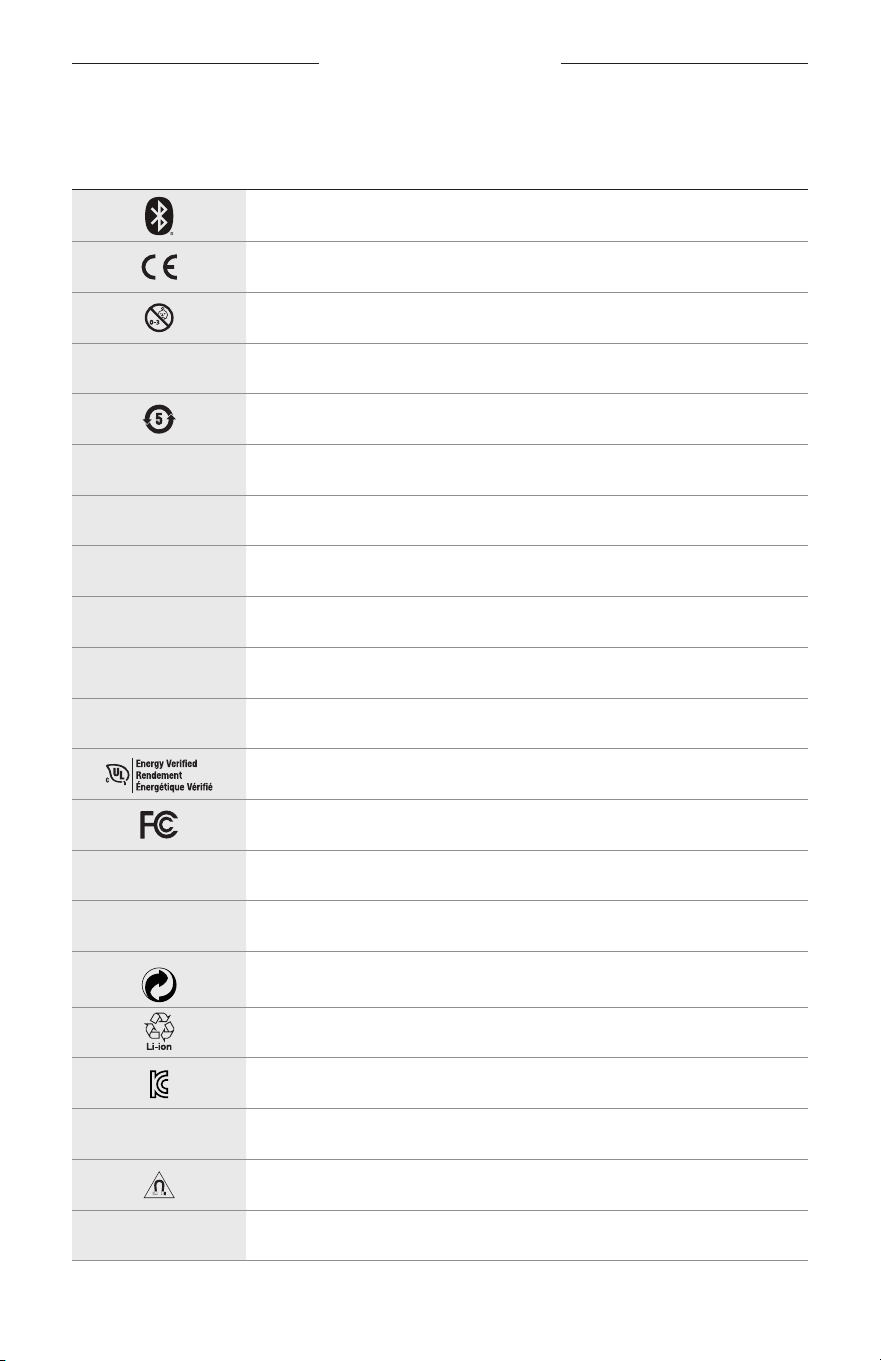
32
|
FIN
TARROJEN SYMBOLIT
SYMBOLIT JA KUVAUKSET
SYMBOLI KUVAUS
Bluetooth
CE-merkki
Tukehtumisvaara
h
Luettelonumero
Kiinan RoHS, akku
w
Asiakastuki
N
Valmistuspäivä
X
Dokumentaatio
L
Älä käytä, jos pakkaus on vaurioitunut.
C
Ei sisällä lateksia.
s
Lataukset
Energiatehokkuusmerkintä
FCC-todistus
o
Keskusteluryhmä
h
Tehokas suoja auringon säteilyä vastaan
Vihreän pisteen tavaramerkkisymboli
Akun kierrätys Japanissa
KCC-todistus
p
Pidä kuivana
Magneettisia häiriöitä
M
Valmistaja
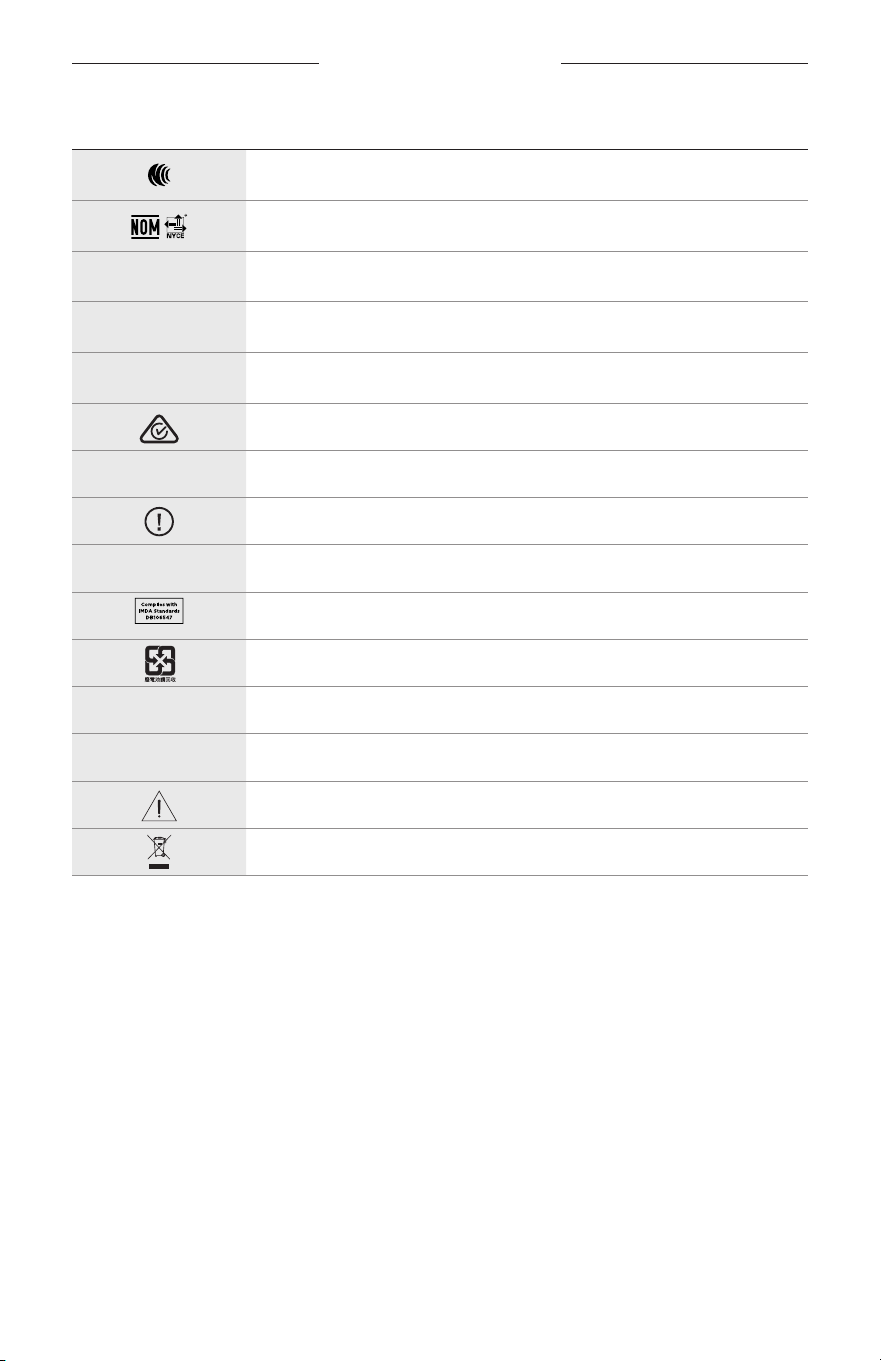
TARROJEN SYMBOLIT
33
|
FIN
SYMBOLI KUVAUS
NCC-merkki
NOM NYCE -merkki
d
Ei steriili
I
EI SOVELLU AJOKÄYTTÖÖN HÄMÄRÄSSÄ JA YÖLLÄ.
m
Puhelin
Vaatimustenmukaisuusmerkki
A
Lue käyttöohjeet
Turvallisuustiedot
f
Sarjanumero
Singaporen IMDA-vaatimustenmukaisuus
Akun kierrätys Taiwanissa
l
Lämpötilaraja
W
Videot
Varoitukset ja huomautukset
Sähkö- ja elektroniikkaromudirektiivin symboli
INSTRUCTIONS IMPORTANTES RELATIVES À LA SÉCURITÉ
2
|
FRA
Instructions d’utilisation
Constituées d’une monture et de verres polarisants, teintés, réflecteurs ou photochromiques, les lunettes de soleil
(non prescrites par un ophtalmologiste) permettent de se protéger les yeux de la lumière du soleil sans apporter de
corrections réfractives. Ce type de lunettes est disponible en vente libre.
A
Reportez-vous aux instructions d’utilisation
Lisez et conservez à portée de main toutes les consignes de sécurité et le
mode d’emploi.
Instructions importantes relatives à la sécurité
Bose Corporation déclare que ce produit est conforme aux critères essentiels et autres dispositions de la
directive 2014/53/UE et des autres directives européennes applicables. L’attestation complète de conformité
est disponible à l’adresse www.Bose.com/compliance
1. Lisez attentivement ces instructions.
2. Conservez ces instructions.
3. Respectez tous les avertissements.
4. Suivez toutes les instructions.
5. N’utilisez pas cet appareil à proximité de l’eau ou d’une source d’humidité.
6. Utilisez uniquement un chiffon sec pour le nettoyage.
7. Utilisez uniquement les accessoires spécifiés par le fabricant.
8. Débranchez cet appareil pendant un orage ou en cas d’inutilisation prolongée.
9. Confiez toute réparation à du personnel qualifié. Une réparation est nécessaire lorsque l’appareil a été
endommagé de quelque façon que ce soit (endommagement du cordon d’alimentation ou de la fiche électrique,
renversement d’un liquide ou de tout objet sur l’appareil, exposition de l’appareil à la pluie ou à l’humidité,
dysfonctionnement, chute de l’appareil, etc.).
AVERTISSEMENTS/PRÉCAUTIONS
• Veillez à NE PAS utiliser les lunettes à un volume élevé pendant une période prolongée.
– Pour éviter des dommages auditifs, utilisez vos lunettes à un volume confortable, mais modéré.
– Baissez le volume de l’appareil avant de porter les lunettes ou de les placer près de vos oreilles, puis augmentez le
volume progressivement jusqu’à ce que le niveau d’écoute vous convienne.
• Soyez prudent lorsque vous conduisez et suivez toutes les réglementations en vigueur concernant l’utilisation d’un
téléphone portable.
• Restez vigilant, pensez à votre sécurité et à celle des autres lorsque vous utilisez les lunettes tout en exerçant une
activité nécessitant votre attention, notamment lorsque vous circulez à vélo ou à pied sur ou à proximité d’une
route transitée, d’un chantier, d’une voie de chemin de fer, etc. Retirez les lunettes ou réglez le volume pour être en
mesure d’entendre les sons ambiants, y compris les klaxons, alarmes et signaux d’avertissement.
• Veillez à NE PAS utiliser les lunettes si elles émettent un son anormalement élevé. Le cas échéant, éteignez
leslunettes et contactez le service client de Bose.
• Ne laissez pas vos lunettes dans l’eau pendant des périodes prolongées et ne les portez pas pour pratiquer des
sports aquatiques (natation, ski nautique, surf, etc.)
• Si vous ressentez de la chaleur ou une perte de signal audio, retirez immédiatement les lunettes.
INSTRUCTIONS IMPORTANTES RELATIVES À LA SÉCURITÉ
3
|
FRA
Certaines pièces présentent un risque de suffocation. Ne les laissez pas à la portée des enfants de moins
de3ans.
Ce produit contient des composants magnétiques. Consultez votre médecin afin de savoir si ces composants
peuvent avoir une incidence sur un dispositif médical implantable.
• Afin de limiter les risques d’incendie ou d’électrocution, veillez à NE PAS exposer ce produit à la pluie ou à l’humidité.
• Protégez l’appareil de tout risque de ruissellement ou d’éclaboussure. Ne placez pas d’objets contenant des liquides,
tels que des vases, sur l’appareil ou à proximité.
• Tenez le produit à l’écart du feu et des sources de chaleur. Veillez à NE PAS placer d’objets enflammés, tels que des
bougies allumées, sur l’appareil ou à proximité.
• Veillez à NE PAS effectuer de modifications non autorisées sur ce produit.
• Utilisez ce produit uniquement avec un adaptateur secteur certifié conforme aux réglementations en vigueur
(p.ex.,UL, CSA, VDE, CCC).
• N’exposez pas les produits contenant des piles ou des batteries à une chaleur excessive (ne les placez pas à la
lumière directe du soleil, près d’un feu ou de toute autre source de chaleur).
• Veillez à NE PAS porter les lunettes pendant la charge.
• Après chaque utilisation, nettoyez les verres et tous les composants de la monture avec le chiffon fourni ou à l’aide
d’un chiffon sec.
INFORMATIONS RÉGLEMENTAIRES ET JURIDIQUES
4
|
FRA
REMARQUE: cet appareil a fait l’objet de tests prouvant sa conformité aux limites imposées aux appareils
numériques de classeB, conformément à la partie15 de la réglementation de la FCC. Ces limites sont conçues pour
offrir une protection raisonnable contre les interférences nuisibles dans une installation résidentielle. Cet appareil
génère, utilise et est susceptible d’émettre de l’énergie à des fréquences radio. À ce titre, s’il n’est pas installé ou
utilisé conformément aux instructions, il est susceptible de perturber les communications radio. Cependant, il n’est
nullement garanti que de telles perturbations ne se produisent pas dans une installation donnée. Si cet appareil
perturbe effectivement la réception de la radio ou de la télévision (ce qui peut être vérifié en allumant et en éteignant
l’appareil), vous êtes invité à tenter de remédier au problème en prenant une ou plusieurs des mesures suivantes:
• Réorientez ou déplacez l’antenne de réception.
• Augmentez la distance séparant le matériel du récepteur.
• Connectez l’appareil à une prise reliée à un circuit différent de celui auquel est branché le récepteur.
• Consultez votre revendeur ou un technicien radio/TV expérimenté pour obtenir de l’aide.
Toute modification non autorisée expressément par Bose Corporation est susceptible d’annuler le droit de l’utilisateur
d’utiliser cet appareil.
Cet appareil est conforme à la partie15 de la réglementation de la FCC et à ou aux standards RSS exemptés de licence
du ministère de l’Innovation, des Sciences et du Développement économique (ISDE) du Canada. L’utilisation de cet
appareil est soumise aux conditions suivantes: (1) cet appareil ne doit pas provoquer d’interférences et (2) il doit
tolérer les interférences externes, y compris celles susceptibles de provoquer un dysfonctionnement.
Cet appareil est conforme aux réglementations de la FCC et d’ISED Canada relatives aux limites d’exposition aux
rayonnements électromagnétiques pour le grand public. Il ne doit pas être installé ni utilisé avec un autre émetteur
radio ou son antenne.
CAN ICES-3(B)/NMB-3(B)
Règlement 2016/425 du Parlement européen relatif aux équipements de protection individuelle
Règles de gestion relatives aux appareils à radiofréquences de faible puissance
Article XII
Conformément aux «Règles de gestion relatives aux appareils à radiofréquences de faible puissance», en l’absence
d’autorisation de la NCC, les organisations, entreprises ou utilisateurs ne sont pas autorisés à modifier la fréquence,
àaméliorer la puissance de transmission ou à altérer les caractéristiques d’origine et les performances d’un appareil à
radiofréquences de faible puissance approuvé.
Article XIV
Les appareils à radiofréquences de faible puissance ne doivent avoir aucune incidence sur la sécurité des avions ni
provoquer d’interférences avec les communications légales; dans le cas contraire, l’utilisateur devra immédiatement
cesser d’utiliser l’appareil jusqu’à l’absence complète d’interférences. Par communications légales, nous entendons
lescommunications radio établies conformément au Telecommunications Act.
Les appareils à radiofréquences de faible puissance peuvent être sensibles aux interférences des communications
légales ou aux appareils émettant des ondes radio ISM.
Pour l’Europe:
Bande de fréquences comprise entre 2400 et 2483,5 MHz
Puissance de transmission maximale inférieure à 20dBm P.I.R.E.
La puissance de transmission maximale est inférieure aux limites réglementaires, de sorte que les tests SAR ne sont
pas nécessaires et sont exemptés par les réglementations applicables.
Ce symbole signifie que le produit ne doit pas être jeté avec les déchets ménagers, mais déposé dans un
centre de collecte approprié pour recyclage. Une mise au rebut et un recyclage adéquats permettent de
protéger les ressources naturelles, la santé humaine et l’environnement. Pour plus d’informations sur
l’élimination et le recyclage de ce produit, contactez votre mairie, votre service de ramassage des ordures ou
le magasin où vous l’avez acheté.
N’essayez PAS d’extraire la batterie rechargeable lithium-ion de ce produit. Pour retirer la batterie, contactez votre
revendeur Bose local ou un professionnel qualifié.
Mettez au rebut les piles usagées conformément aux réglementations locales. Ne les incinérez pas.
Qté.: 1 EA
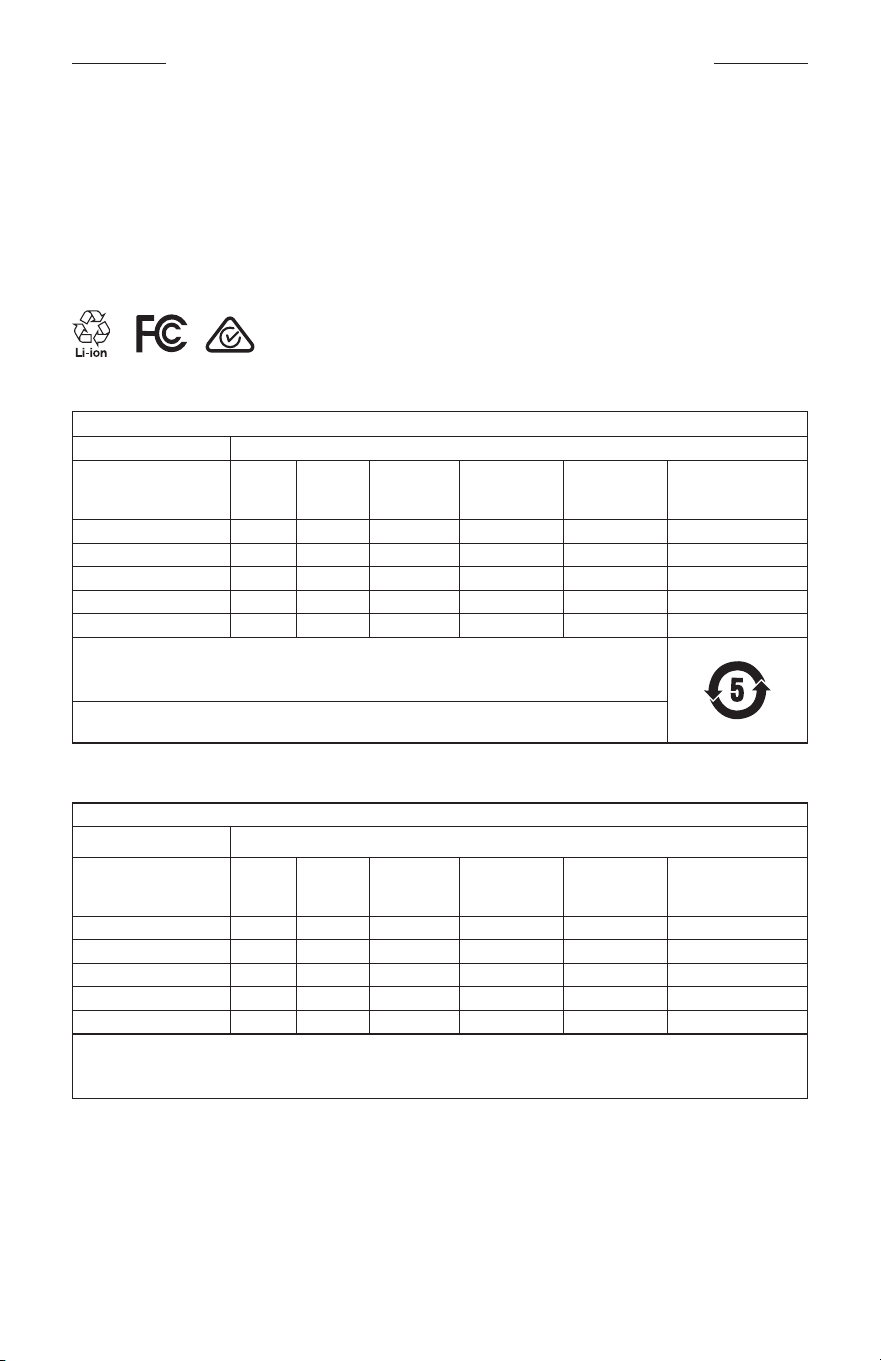
INFORMATIONS RÉGLEMENTAIRES ET JURIDIQUES
5
|
FRA
M
Fabriqué pour: Bose Corporation, 100 The Mountain Road, Framingham, MA 01701
L
Ne pas utiliser si l’emballage est endommagé.
C
Ce produit ne contient pas de latex de caoutchouc naturel.
d
Ce produit est fourni non stérile.
p
l
+45 °C
0 °C
Tableau des restrictions concernant les substances dangereuses en Chine
Noms et quantités des substances ou éléments toxiques ou dangereux
Substances ou éléments toxiques ou dangereux
Nom
Plomb
(Pb)
Mercure
(Hg)
Cadmium
(Cd)
Chrome
hexavalent
(CR(VI))
Biphényle
polybromé
(PBB)
Éther de diphényle
polybromé
(PBDE)
Cartes de circuits imprimés X O O O O O
Pièces métalliques X O O O O O
Pièces en plastique O O O O O O
Enceintes X O O O O O
Câbles X O O O O O
Les données de ce tableau sont conformes aux dispositions de la norme SJ/T 11364.
O: indique que la quantité de cette substance toxique ou dangereuse contenue dans tous les composants
homogènes de cette pièce est inférieure à la limite définie dans GB/T 26572.
X: indique que la quantité de cette substance toxique ou dangereuse contenue dans au moins un des
composants homogènes de cette pièce est supérieure à la limite définie dans GB/T 26572.
Tableau des restrictions concernant les substances dangereuses à Taïwan
Nom de l’appareil: Enceinte amplifiée, Référence: 433948
Substances réglementées et leurs symboles chimiques
Unité
Plomb
(Pb)
Mercure
(Hg)
Cadmium (Cd)
Chrome
hexavalent
(Cr+6)
Biphényles
polybromés
(PBB)
Éthers de diphényle
polybromés (PBDE)
Cartes de circuits imprimés
- ○ ○ ○ ○ ○
Pièces métalliques
- ○ ○ ○ ○ ○
Pièces en plastique
○ ○ ○ ○ ○ ○
Enceintes
- ○ ○ ○ ○ ○
Câbles
- ○ ○ ○ ○ ○
Remarque 1:
«○» indique que le pourcentage de la substance réglementée ne dépasse pas le pourcentage de la valeur de
référence de présence de cette substance.
Remarque 2: «−» indique l'absence de cette substance réglementée.
INFORMATIONS RÉGLEMENTAIRES ET JURIDIQUES
6
|
FRA
Ce produit est conforme aux normes ANSI Z80.3, AS/NZS 1067.1 et EN ISO 12312-1.
Le port de verres teintés est déconseillé pour conduire de nuit.
I
NE PAS UTILISER CE PRODUIT POUR CONDUIRE AU CRÉPUSCULE OU DE NUIT. NE PAS UTILISER CE
PRODUIT POUR CONDUIRE AU CRÉPUSCULE OU DE NUIT.
Ce produit a été conçu pour bloquer plus de 99% des rayons ultraviolets UVA et UVB. Ce produit est conforme à la
norme ANSI Z80.3.
Seuls les verres approuvés par Bose doivent être utilisés avec le produit Frames Soprano ou Frames Tenor.
Veillez à ne pas regarder directement les rayons du soleil.
N’utilisez pas ce produit comme protection contre les sources de lumière artificielle, notamment dans des cabines
de bronzage.
N’utilisez pas ce produit pour vous protéger les yeux contre les risques de chocs mécaniques.
Lorsque vous n’utilisez pas le produit, rangez-le dans l’étui de transport fourni.
CATÉGORIE DES FILTRES DANS L’UE: ISO12312-1 CAT. 3
CATÉGORIE DES VERRES EN AUSTRALIE: 1067.1 CAT. 3
h
Ces lunettes de soleil offrent un niveau élevé de réduction de l’éblouissement et une protection correcte contre
les UV.
Niveau de protection contre les UV: UV 380
Renseignements à noter et conserver
Le numéro de série des lunettes se trouve sur la branche gauche et le modèle/le numéro de référence sur la
branche droite.
Numéro de série: __________________________________________________________________
Numéro de modèle: ________________________________________________________________
Conservez votre facture avec la notice d’utilisation. Enregistrez dès maintenant votre produit Bose. Pour ce faire,
rendez-vous sur global.Bose.com/register
N
Date de fabrication: le huitième chiffre du numéro de série indique l’année de fabrication; par exemple,
«0» correspond à 2010 ou à 2020.
Importateur pour la Chine: Bose Electronics (Shanghai) Company Limited, Part C, Plant 9, No. 353 North Riying
Road, Chine (Shanghaï) Pilot Free Trade Zone
Importateur pour l’UE: Bose Products B.V., Gorslaan 60, 1441 RG Purmerend, Pays-Bas
Importateur pour Taïwan: Bose Taiwan Branch, 9F-A1, No.10, Section 3, Minsheng East Road, Taipei City 104, Taiwan
Numéro de téléphone: +886-2-2514 7676
Importateur pour le Mexique: Bose de México, S. de R.L. de C.V., Paseo de las Palmas 405-204, Lomas de
Chapultepec, 11000 México, D.F. Numéro de téléphone: +5255 (5202) 3545
Puissance en entrée: 5V p 500mA
L’ID CMIIT se trouve sur la partie intérieure de branche droite.
h
BMD0011
INFORMATIONS RÉGLEMENTAIRES ET JURIDIQUES
7
|
FRA
Informations relatives à la sécurité
Ce produit peut recevoir des mises à jour automatiques de Bose lorsqu’il est connecté à l’application Bose
Music. Pour recevoir des mises à jour de sécurité via l’application mobile, vous devez terminer le processus
de configuration du produit dans l’application Bose Music. Si vous ne procédez pas ainsi, il vous incombe
d’installer les mises à jour de sécurité que Bose met à votre disposition via btu.bose.com
Apple, le logo Apple, iPad, iPhone, iPod et Siri sont des marques de commerce d’Apple Inc., déposées aux États-Unis
et dans d’autres pays. La marque de commerce «iPhone» est utilisée au Japon sous licence d’Aiphone K.K. App Store
est une marque de service d’Apple Inc.
L’utilisation de la mention «Made for Apple» signifie qu’un accessoire a été conçu pour se connecter spécifiquement
à un ou plusieurs produits Apple identifiés, et que son fabricant certifie la conformité avec les standards de
performances d’Apple. La société Apple décline toute responsabilité relative au fonctionnement de cet appareil ou à
sa conformité aux normes de sécurité.
L’appellation et les logos Bluetooth® sont des marques déposées de Bluetooth SIG, Inc., utilisées sous licence par
BoseCorporation.
Google et Google Play sont des marques de commerce de Google LLC.
Bose, Bose Frames et Bose Music sont des marques de commerce de BoseCorporation.
Siège de Bose Corporation: 1-877-230-5639
©2020 Bose Corporation. Toute reproduction, modification, distribution ou autre utilisation, même partielle, de ce
document est interdite sans autorisation écrite préalable.

8
|
FRA
The following license disclosures apply to certain third-party software packages used as components in the product.
Package: Nanopb
Copyright © 2011 Petteri Aimonen <jpa at nanopb.mail.kapsi.fi>. The Nanopb package is subject to the license terms
reprinted below.
Zlib license
© 2011 Petteri Aimonen <jpa at nanopb.mail.kapsi.fi>
This software is provided ‘as-is’, without any express or implied warranty. In no event will the authors be held liable
for any damages arising from the use of this software.
Permission is granted to anyone to use this software for any purpose, including commercial applications, and to alter
it and redistribute it freely, subject to the following restrictions:
1. The origin of this software must not be misrepresented; you must not claim that you wrote the original software.
If you use this software in a product, an acknowledgment in the product documentation would be appreciated
but is not required.
2. Altered source versions must be plainly marked as such, and must not be misrepresented as being the
original software.
3. This notice may not be removed or altered from any source distribution.
Package: Mbed TLS 2.16.1
© ARM Limited. All rights reserved. The Mbed TLS package is subject to the license terms reprinted below.
Apache 2.0 License
Apache License
Version 2.0, January 2004
http://www.apache.org/licenses/
TERMS AND CONDITIONS FOR USE, REPRODUCTION, AND DISTRIBUTION
1. Definitions.
“License” shall mean the terms and conditions for use, reproduction, and distribution as defined by Sections 1
through 9 of this document.
“Licensor” shall mean the copyright owner or entity authorized by the copyright owner that is granting
the License.
“Legal Entity” shall mean the union of the acting entity and all other entities that control, are controlled by, or
are under common control with that entity. For the purposes of this definition, “control” means (i) the power,
direct or indirect, to cause the direction or management of such entity, whether by contract or otherwise, or (ii)
ownership of fifty percent (50%) or more of the outstanding shares, or (iii) beneficial ownership of such entity.
“You” (or “Your”) shall mean an individual or Legal Entity exercising permissions granted by this License.
“Source” form shall mean the preferred form for making modifications, including but not limited to software
source code, documentation source, and configuration files.
“Object” form shall mean any form resulting from mechanical transformation or translation of a Source form,
including but not limited to compiled object code, generated documentation, and conversions to other
media types.
“Work” shall mean the work of authorship, whether in Source or Object form, made available under the License,
as indicated by a copyright notice that is included in or attached to the work (an example is provided in the
Appendix below).
“Derivative Works” shall mean any work, whether in Source or Object form, that is based on (or derived from)
the Work and for which the editorial revisions, annotations, elaborations, or other modifications represent, as a
whole, an original work of authorship. For the purposes of this License, Derivative Works shall not include works
that remain separable from, or merely link (or bind by name) to the interfaces of, the Work and Derivative
Works thereof.
DÉCLARATIONS DE LICENCE

9
|
FRA
DÉCLARATIONS DE LICENCE
“Contribution” shall mean any work of authorship, including the original version of the Work and any
modifications or additions to that Work or Derivative Works thereof, that is intentionally submitted to Licensor
for inclusion in the Work by the copyright owner or by an individual or Legal Entity authorized to submit on
behalf of the copyright owner. For the purposes of this definition, “submitted” means any form of electronic,
verbal, or written communication sent to the Licensor or its representatives, including but not limited to
communication on electronic mailing lists, source code control systems, and issue tracking systems that are
managed by, or on behalf of, the Licensor for the purpose of discussing and improving the Work, but excluding
communication that is conspicuously marked or otherwise designated in writing by the copyright owner as “Not
a Contribution.”
“Contributor” shall mean Licensor and any individual or Legal Entity on behalf of whom a Contribution has been
received by Licensor and subsequently incorporated within the Work.
2. Grant of Copyright License. Subject to the terms and conditions of this License, each Contributor hereby grants
to You a perpetual, worldwide, non-exclusive, no-charge, royalty-free, irrevocable copyright license to reproduce,
prepare Derivative Works of, publicly display, publicly perform, sublicense, and distribute the Work and such
Derivative Works in Source or Object form.
3. Grant of Patent License. Subject to the terms and conditions of this License, each Contributor hereby grants to
You a perpetual, worldwide, non-exclusive, no-charge, royalty-free, irrevocable (except as stated in this section)
patent license to make, have made, use, oer to sell, sell, import, and otherwise transfer the Work, where such
license applies only to those patent claims licensable by such Contributor that are necessarily infringed by their
Contribution(s) alone or by combination of their Contribution(s) with the Work to which such Contribution(s)
was submitted. If You institute patent litigation against any entity (including a cross-claim or counterclaim in a
lawsuit) alleging that the Work or a Contribution incorporated within the Work constitutes direct or contributory
patent infringement, then any patent licenses granted to You under this License for that Work shall terminate as
of the date such litigation is filed.
4. Redistribution. You may reproduce and distribute copies of the Work or Derivative Works thereof in any medium,
with or without modifications, and in Source or Object form, provided that You meet the following conditions:
a. You must give any other recipients of the Work or Derivative Works a copy of this License; and
b. You must cause any modified files to carry prominent notices stating that You changed the files; and
c. You must retain, in the Source form of any Derivative Works that You distribute, all copyright, patent,
trademark, and attribution notices from the Source form of the Work, excluding those notices that do not
pertain to any part of the Derivative Works; and
d. If the Work includes a “NOTICE” text file as part of its distribution, then any Derivative Works that You
distribute must include a readable copy of the attribution notices contained within such NOTICE file, excluding
those notices that do not pertain to any part of the Derivative Works, in at least one of the following places:
within a NOTICE text file distributed as part of the Derivative Works; within the Source form or
documentation, if provided along with the Derivative Works; or, within a display generated by the
Derivative Works, if and wherever such third-party notices normally appear. The contents of the NOTICE file
are for informational purposes only and do not modify the License. You may add Your own attribution notices
within Derivative Works that You distribute, alongside or as an addendum to the NOTICE text from the Work,
provided that such additional attribution notices cannot be construed as modifying the License.
You may add Your own copyright statement to Your modifications and may provide additional or dierent
license terms and conditions for use, reproduction, or distribution of Your modifications, or for any such
Derivative Works as a whole, provided Your use, reproduction, and distribution of the Work otherwise
complies with the conditions stated in this License.
5. Submission of Contributions. Unless You explicitly state otherwise, any Contribution intentionally submitted for
inclusion in the Work by You to the Licensor shall be under the terms and conditions of this License, without any
additional terms or conditions. Notwithstanding the above, nothing herein shall supersede or modify the terms
of any separate license agreement you may have executed with Licensor regarding such Contributions.
6. Trademarks. This License does not grant permission to use the trade names, trademarks, service marks, or
product names of the Licensor, except as required for reasonable and customary use in describing the origin of
the Work and reproducing the content of the NOTICE file.

10
|
FRA
DÉCLARATIONS DE LICENCE
7. Disclaimer of Warranty. Unless required by applicable law or agreed to in writing, Licensor provides the Work
(and each Contributor provides its Contributions) on an “AS IS” BASIS, WITHOUT WARRANTIES OR CONDITIONS
OF ANY KIND, either express or implied, including, without limitation, any warranties or conditions of TITLE,
NON-INFRINGEMENT, MERCHANTABILITY, or FITNESS FOR A PARTICULAR PURPOSE. You are solely responsible
for determining the appropriateness of using or redistributing the Work and assume any risks associated with
Your exercise of permissions under this License.
8. Limitation of Liability. In no event and under no legal theory, whether in tort (including negligence), contract,
or otherwise, unless required by applicable law (such as deliberate and grossly negligent acts) or agreed to in
writing, shall any Contributor be liable to You for damages, including any direct, indirect, special, incidental,
or consequential damages of any character arising as a result of this License or out of the use or inability to
use the Work (including but not limited to damages for loss of goodwill, work stoppage, computer failure or
malfunction, or any and all other commercial damages or losses), even if such Contributor has been advised of
the possibility of such damages.
9. Accepting Warranty or Additional Liability. While redistributing the Work or Derivative Works thereof, You may
choose to oer, and charge a fee for, acceptance of support, warranty, indemnity, or other liability obligations
and/or rights consistent with this License. However, in accepting such obligations, You may act only on Your own
behalf and on Your sole responsibility, not on behalf of any other Contributor, and only if You agree to indemnify,
defend, and hold each Contributor harmless for any liability incurred by, or claims asserted against, such
Contributor by reason of your accepting any such warranty or additional liability.
END OF TERMS AND CONDITIONS
©2020 Bose Corporation
Licensed under the Apache License, Version 2.0 (the “License”); you may not use this file except in compliance with
the License.
You may obtain a copy of the License at: http://www.apache.org/licenses/LICENSE-2.0
Unless required by applicable law or agreed to in writing, software distributed under the License is distributed on an
“AS IS” BASIS, WITHOUT WARRANTIES OR CONDITIONS OF ANY KIND, either express or implied.
See the License for the specific language governing permissions and limitations under the License.

SOMMAIRE
11
|
FRA
CONTENU DE L’EMBALLAGE
Composants livrés .......................................................................................................... 13
CONFIGURATION DE L’APPLICATION BOSE MUSIC
Téléchargement de l’application Bose Music ....................................................... 14
Ajout des lunettes à un compte existant ............................................................... 14
RÉSISTANCE À LA TRANSPIRATION ET AUX INTEMPÉRIES .............. 15
ALIMENTATION
Mise sous tension ............................................................................................................ 16
Mise hors tension ............................................................................................................ 17
Mise hors tension par retournement ............................................................... 17
Mise hors tension automatique à l’aide de la fonction de détection
desmouvements
..................................................................................................... 17
COMMANDES DES LUNETTES
Lecture multimédia ........................................................................................................ 18
Volume ................................................................................................................................ 19
Augmenter le volume ............................................................................................ 19
Réduire le volume ................................................................................................... 19
Appels téléphoniques ................................................................................................... 20
Notifications d’appel ............................................................................................. 20
Accès aux commandes vocales ................................................................................ 20
BATTERIE
Chargement des lunettes ............................................................................................ 21
Vérification du niveau de la batterie deslunettes ............................................. 21
Annonce des notifications relatives à la batterie ....................................... 21
Achage du niveau de la batterie ................................................................... 21

SOMMAIRE
12
|
FRA
ÉTAT DES LUNETTES
État de la connexion Bluetooth® ............................................................................... 22
État de la batterie .......................................................................................................... 23
État d’erreur ...................................................................................................................... 23
CONNEXIONS BLUETOOTH
Connexion via le menu Bluetooth de votre périphérique mobile ................ 24
Déconnexion d’un périphérique mobile ................................................................. 25
Reconnexion d'un périphérique mobile ................................................................. 25
Suppression de la liste des périphériques deslunettes ................................... 25
ENTRETIEN
Stockage des lunettes ................................................................................................... 26
Entretien des lunettes ................................................................................................... 27
Pièces de rechange et accessoires .......................................................................... 28
Garantie limitée................................................................................................................ 28
Emplacement du numéro de série et du modèle ............................................... 28
DÉPANNAGE
Essayez tout d’abord les solutions suivantes ....................................................... 29
Autres solutions ............................................................................................................... 29
SYMBOLES
Symboles et descriptions ............................................................................................ 32
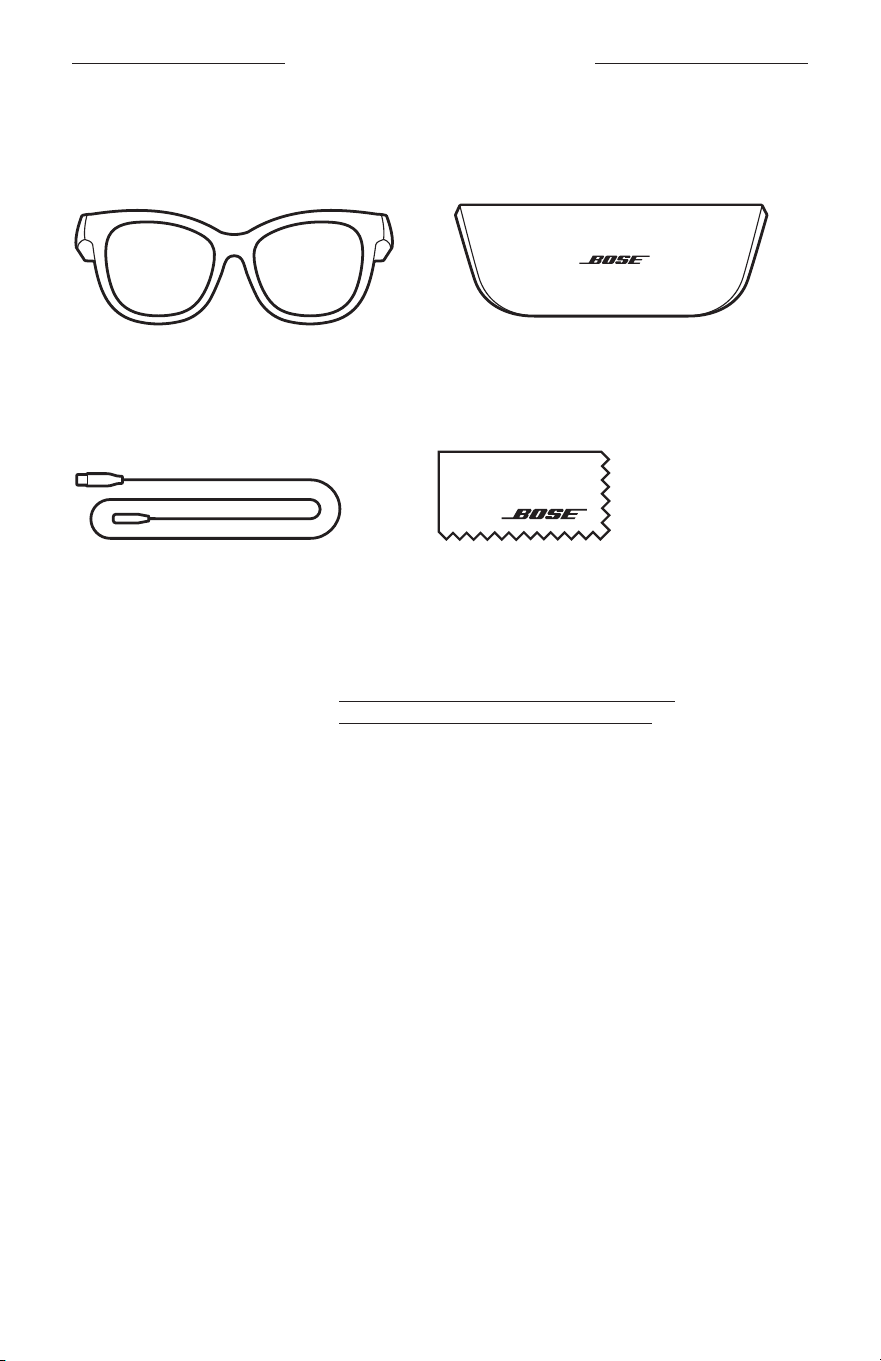
13
|
FRA
CONTENU DE L’EMBALLAGE
COMPOSANTS LIVRÉS
Vérifiez la présence des composants suivants:
Lunettes Bose Frames
Étui de transport
Câble de charge Chiffon de nettoyage
REMARQUE: si l’un des composants est endommagé, évitez de l’utiliser. Contactez
immédiatement votre revendeur Bose agréé ou le service client de Bose.
Consultez le site worldwide.Bose.com/Support/Soprano
worldwide.Bose.com/Support/Tenor
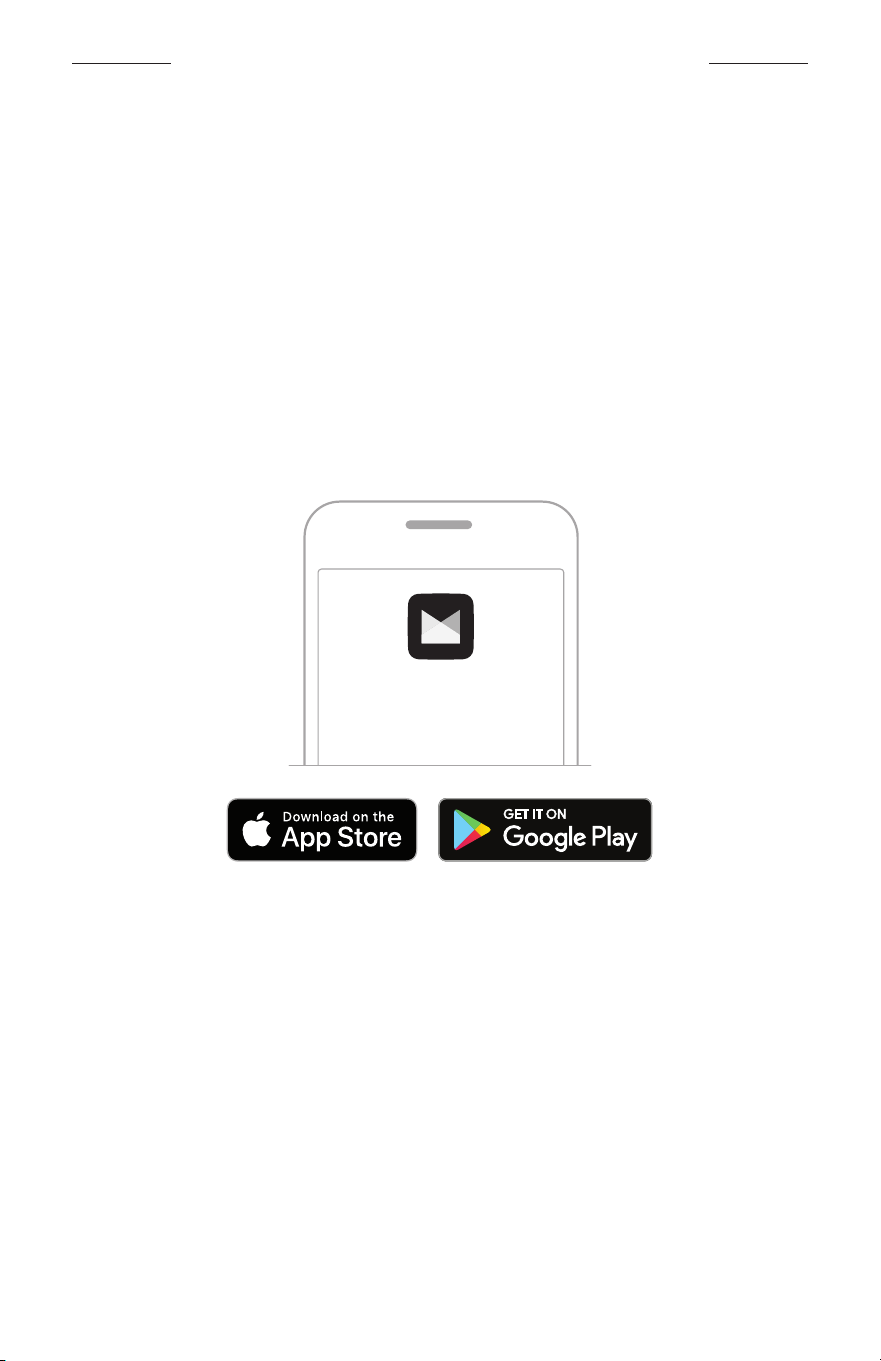
14
|
FRA
CONFIGURATION DE L’APPLICATION BOSE MUSIC
L’application Bose Music vous permet de configurer et de contrôler les lunettes
àpartir de votre périphérique mobile, notamment votre smartphone ou tablette.
Grâce à cette application, vous pouvez personnaliser les paramètres d’alimentation,
sélectionner la langue du guide vocal et obtenir de nouvelles fonctionnalités.
REMARQUE: si vous avez déjà créé un compte Bose dans l’application pour un autre
produit Bose, consultez la section «Ajout des lunettes à un compte
existant.»
TÉLÉCHARGEMENT DE L’APPLICATION BOSE MUSIC
1. Sur votre périphérique mobile, téléchargez l’application Bose Music.
REMARQUE: si vous êtes situé en Chine continentale, téléchargez l’application
Bose
8.
BOSE MUSIC
2. Suivez les instructions de l’application.
AJOUT DES LUNETTES À UN COMPTE EXISTANT
1. Appuyez sur la touche située sur la branche droite de la monture jusqu’à ce que
vous entendiez le message «Prêtes pour la connexion» ou que le voyant d’état
clignote en bleu.
2. Dans l’application Bose Music, accédez à l’écran Mes produits et ajoutez vos lunettes.
REMARQUE: si l’application ne détecte pas les lunettes, consultez la section
«L’application Bose Music ne détecte pas les lunettes» à la
page30.
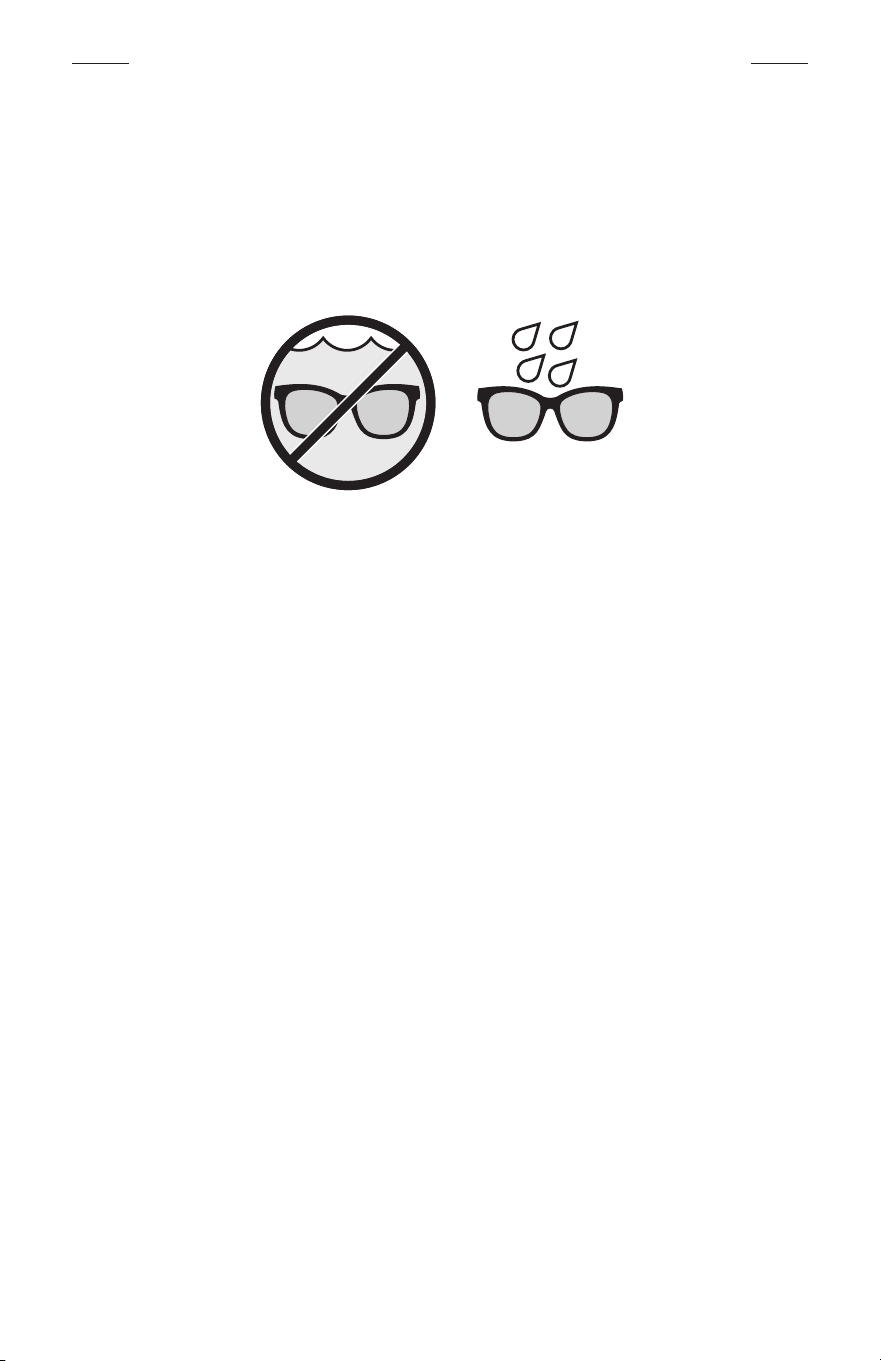
15
|
FRA
RÉSISTANCE À LA TRANSPIRATION ET AUX INTEMPÉRIES
Les lunettes sont résistantes à l’eau conformément à la norme IPX2. Bien qu’elles
offrent une résistance à la transpiration et aux intempéries, elles ne peuvent pas être
utilisées sous l’eau.
ATTENTION:
• Veillez à NE PAS nager ou vous doucher avec les lunettes.
• Veillez par ailleurs à NE PAS les immerger dans l’eau.
REMARQUE: la norme IPX2 ne garantit pas une résistance permanente; la résistance
peut diminuer en raison d’une usure normale.
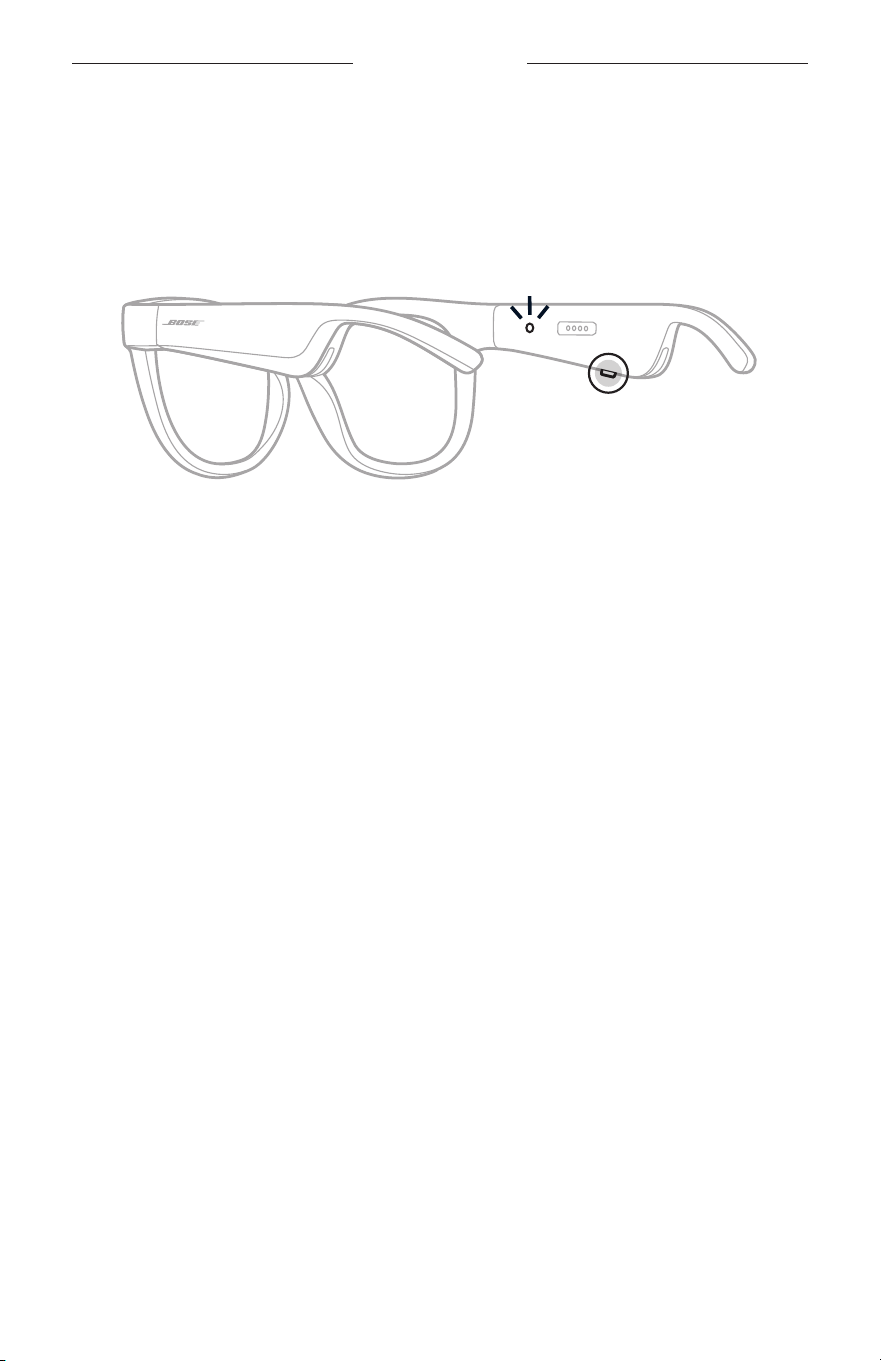
16
|
FRA
ALIMENTATION
MISE SOUS TENSION
Appuyez sur la touche située sur la branche droite de la monture.
Le voyant d’état clignote deux fois en blanc, puis reste allumé en fonction de l’état de
connexion Bluetooth (consultez la page 22). Un message sonore annonce le niveau
de la batterie et l’état de la connexion Bluetooth.
REMARQUE: les lunettes sont livrées partiellement chargées, et il est possible
que vous deviez les activer avant la première utilisation. Pour activer
les lunettes, connectez-les à l’alimentation pendant 2secondes,
puisdébranchez-les (consultez la page 21). Ensuite, mettez-les de
nouveau sous tension.
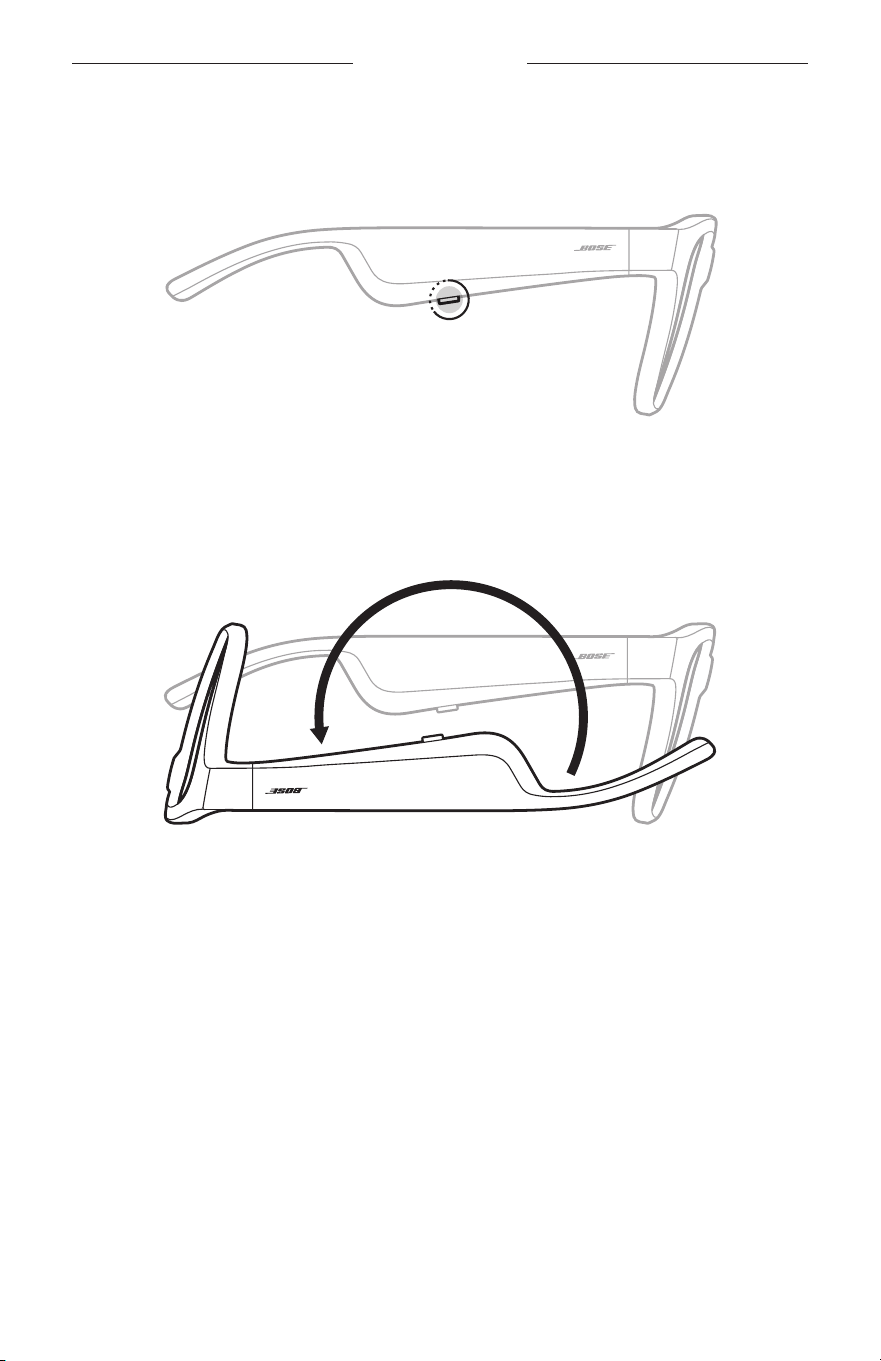
17
|
FRA
ALIMENTATION
MISE HORS TENSION
Appuyez sur cette touche sans la relâcher jusqu’à ce que vous entendiez une tonalité.
Le voyant d’état clignote deux fois en blanc, puis s’éteint progressivement.
Mise hors tension par retournement
Retournez les lunettes pendant 2secondes.
Le voyant d’état clignote deux fois en blanc, puis s’éteint progressivement.
REMARQUE:
• Une fois les lunettes éteintes, vous pouvez les déplacer dans n’importe quel sens.
• Vous pouvez désactiver la mise hors tension par retournement dans l’application
Bose Music. Vous pouvez accéder à cette option dans le menu Réglages.
Mise hors tension automatique à l’aide de la fonction de
détection des mouvements
Les lunettes utilisent la fonction de détection des mouvements pour détecter à
quel moment elles sont utilisées. Si les lunettes n’ont pas été déplacées pendant
10minutes, elles se mettent automatiquement hors tension.
REMARQUE: vous pouvez désactiver la détection des mouvements dans l’application
Bose Music. Vous pouvez accéder à cette option dans le menu Réglages.
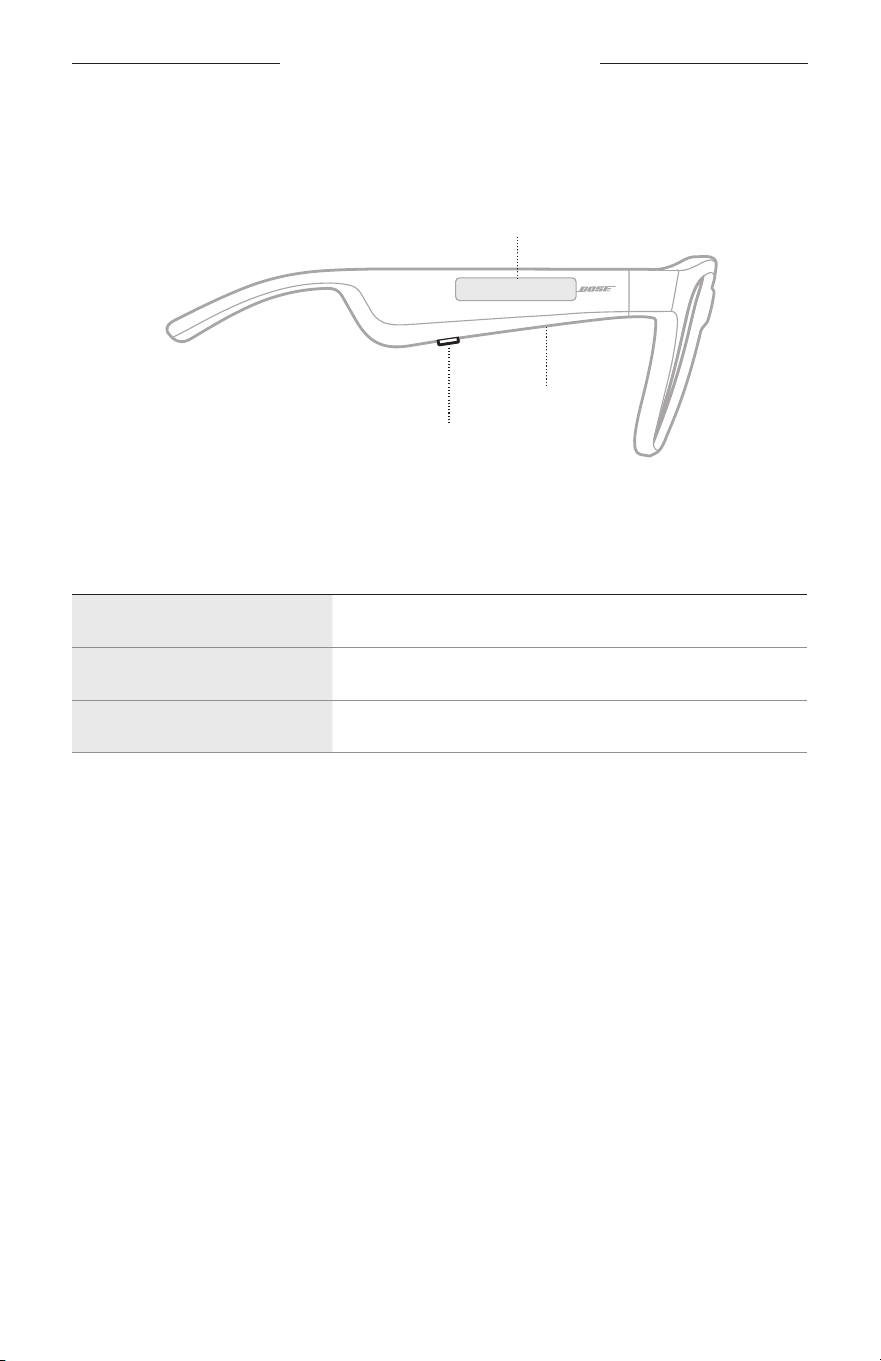
18
|
FRA
COMMANDES DES LUNETTES
Utilisez la touche et la surface tactile situées sur la branche droite pour contrôler la
lecture multimédia, le volume, les appels téléphoniques et les commandes vocales.
Touche
Commande de la lecture multimédia
Commande des appels téléphoniques
Microphone
Surface tactile
Régler le volume
Accès aux commandes vocales
LECTURE MULTIMÉDIA
COMMANDE ACTION
Lecture/Pause Appuyez sur la touche.
Saut avant Appuyez deux fois sur la touche.
Saut arrière Appuyez trois fois sur la touche.
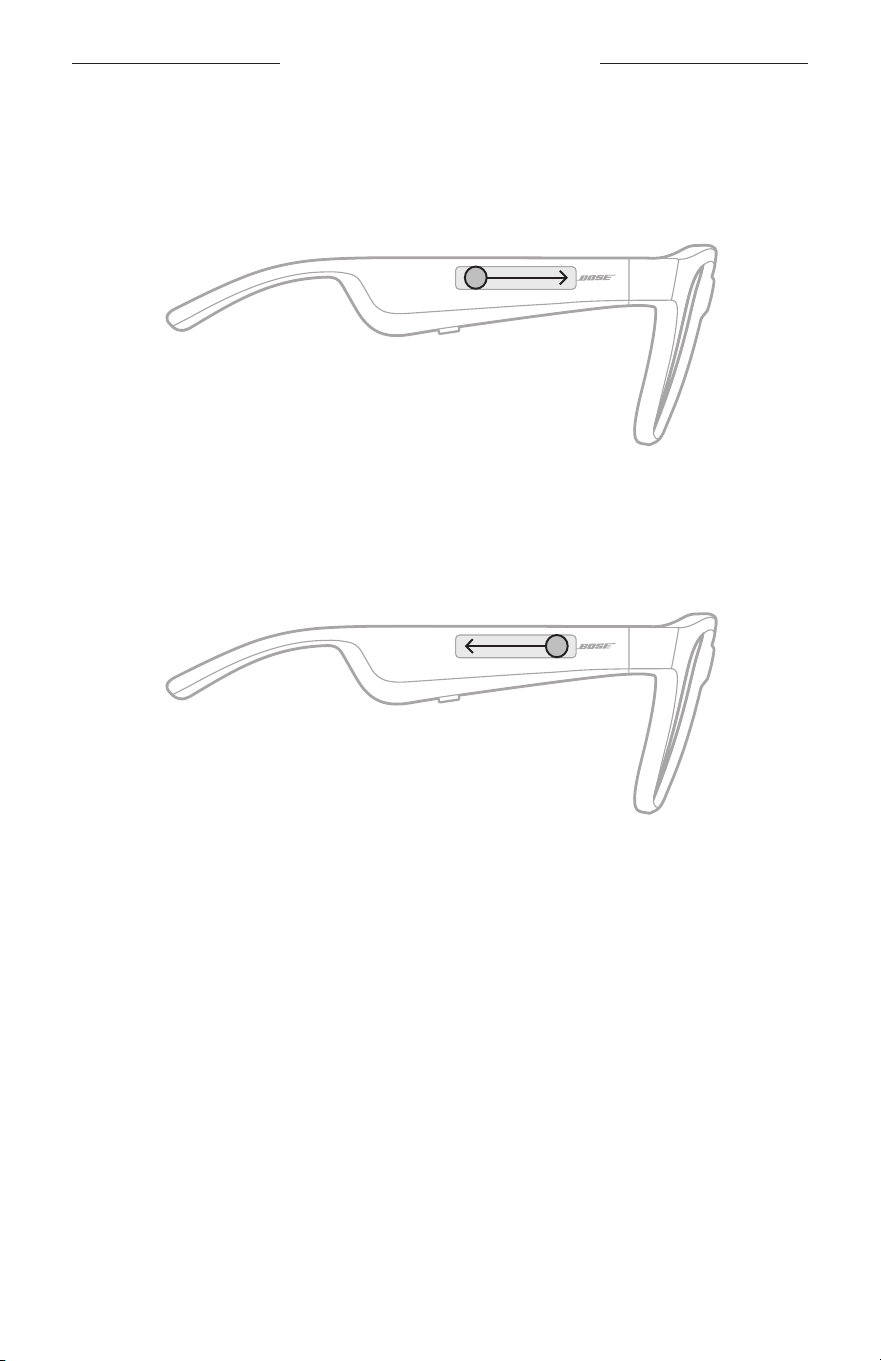
19
|
FRA
COMMANDES DES LUNETTES
VOLUME
Augmenter le volume
Balayez la surface tactile vers l’avant.
REMARQUE: vous entendrez une tonalité lorsque le volume aura atteint son
niveaumaximal.
Réduire le volume
Balayez la surface tactile vers l’arrière.
REMARQUE: vous entendrez une tonalité lorsque le volume aura atteint son
niveauminimal.
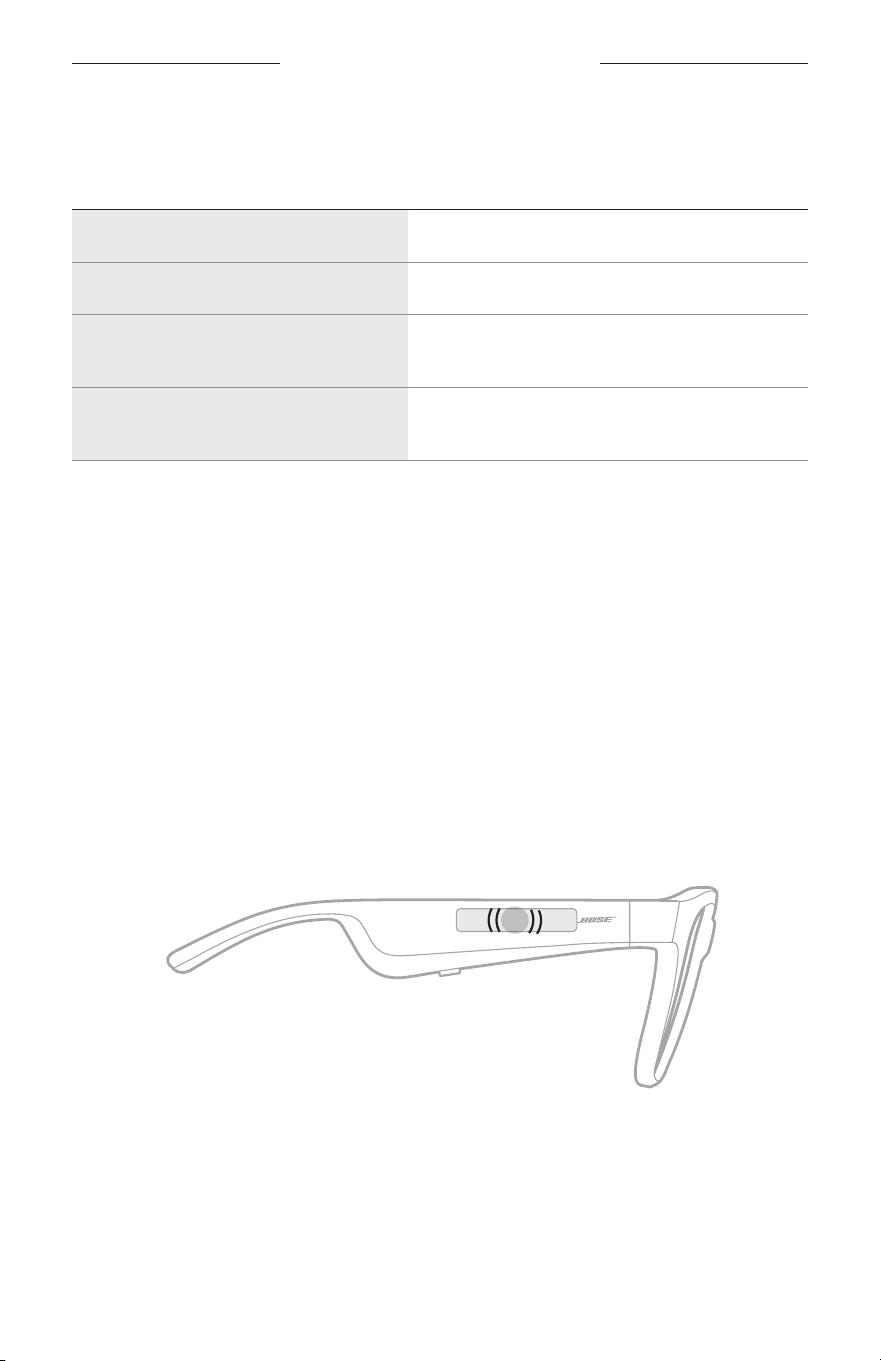
COMMANDES DES LUNETTES
20
|
FRA
APPELS TÉLÉPHONIQUES
COMMANDE ACTION
Répondre/mettre fin à un appel Appuyez sur la touche.
Refuser un appel Appuyez deux fois sur la touche.
Répondre à un deuxième appel entrant
et mettre le premier appel en attente
Appuyez sur cette touche pendant une
communication.
Refuser un deuxième appel entrant et
conserver l’appel en cours
Appuyez deux fois sur cette touche pendant une
communication.
REMARQUE: pour utiliser toutes les commandes d’appel téléphonique, exécutez
lesmises à jour logicielles disponibles dans l’application Bose Music.
Notifications d’appel
Un guide vocal annonce les appels entrants et indique l’état de l’appel.
ACCÈS AUX COMMANDES VOCALES
Le microphone sur les lunettes est une extension du microphone de votre
périphérique mobile. La surface tactile située sur la branche droite de la monture
permet d’accéder aux commandes vocales de votre appareil pour passer/prendre des
appels, ou demander à Siri ou à l’Assistant Google de démarrer la lecture de musique,
de vous donner la météo, de vous indiquer le score d’un match, etc.
Appuyez deux fois sur la surface tactile pour accéder aux commandes vocales sur
votre appareil.
2x
Vous entendez une tonalité lorsque les commandes vocales sont activées.
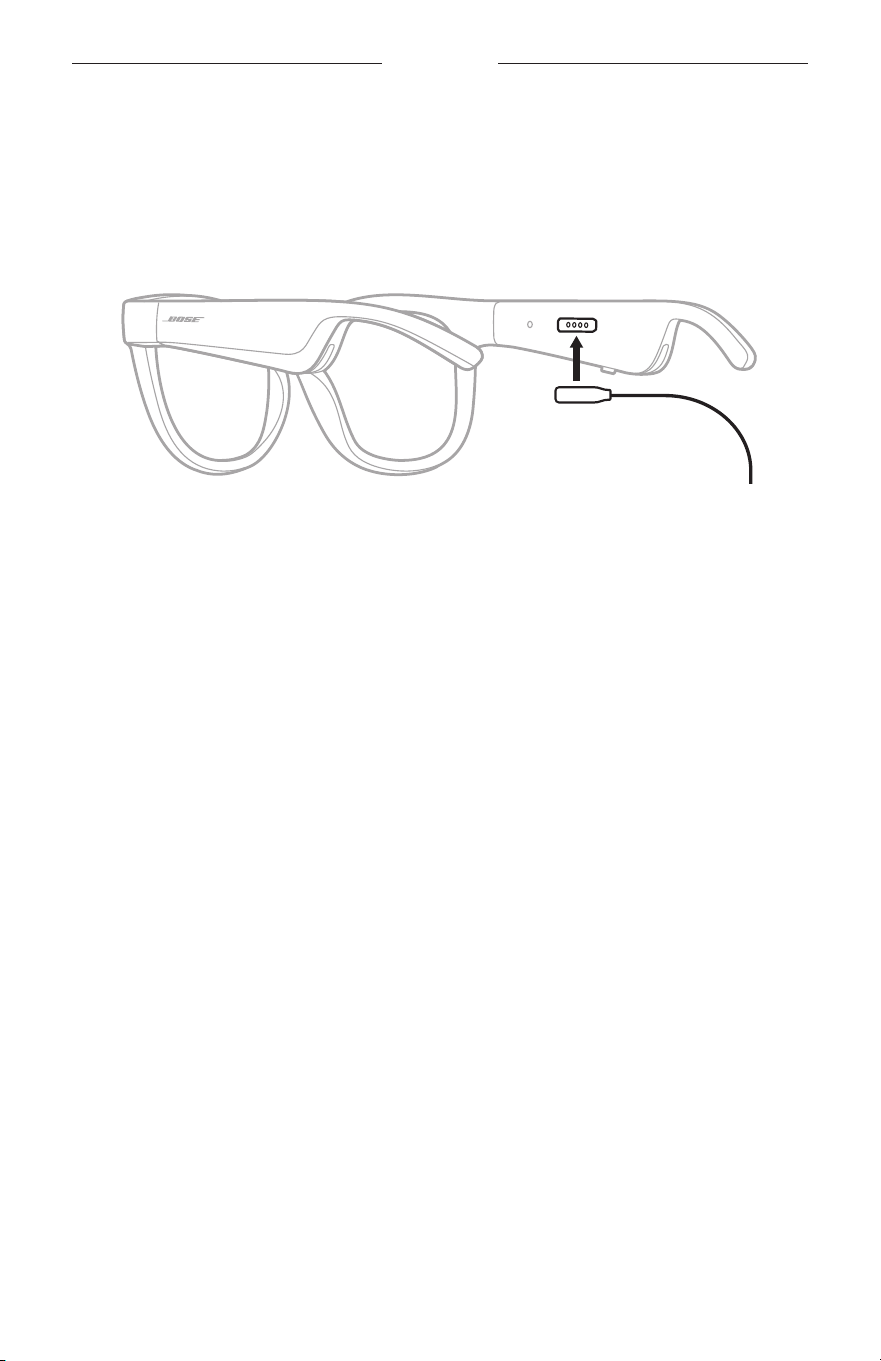
21
|
FRA
BATTERIE
CHARGEMENT DES LUNETTES
1. Alignez les broches du câble de charge avec le connecteur de charge situé sur la
branche droite de la monture.
REMARQUE: veillez à bien orienter les broches avec le connecteur de charge pour
charger correctement les lunettes.
2. Appuyez légèrement les broches contre le connecteur de charge jusqu’à ce qu’un
contact magnétique se produise.
3. Raccordez l’autre extrémité à un chargeur mural USB-A (non fourni).
ATTENTION: utilisez ce produit uniquement avec un adaptateur secteur certifié
conforme aux réglementations en vigueur (p. ex., UL, CSA, VDE, CCC).
Pendant la charge, le voyant d’état clignote en blanc. Une fois la batterie
complètement chargée, le voyant d’état s’allume en blanc (consultez la page 23).
REMARQUES:
• Les lunettes ne fonctionnent pas pendant la charge.
• Veillez ne pas porter les lunettes pendant la charge.
VÉRIFICATION DU NIVEAU DE LA BATTERIE
DESLUNETTES
Annonce des notifications relatives à la batterie
Chaque fois que vous mettez les lunettes sous tension, un message vocal annonce le
niveau de la batterie.
Lorsque vous utilisez les lunettes, un message vocal vous indique si la batterie doit
être chargée.
Affichage du niveau de la batterie
• Consultez l’écran d’accueil de l’application Bose Music.
• Lorsque le voyant d’état clignote en rouge, vous devez charger les lunettes.
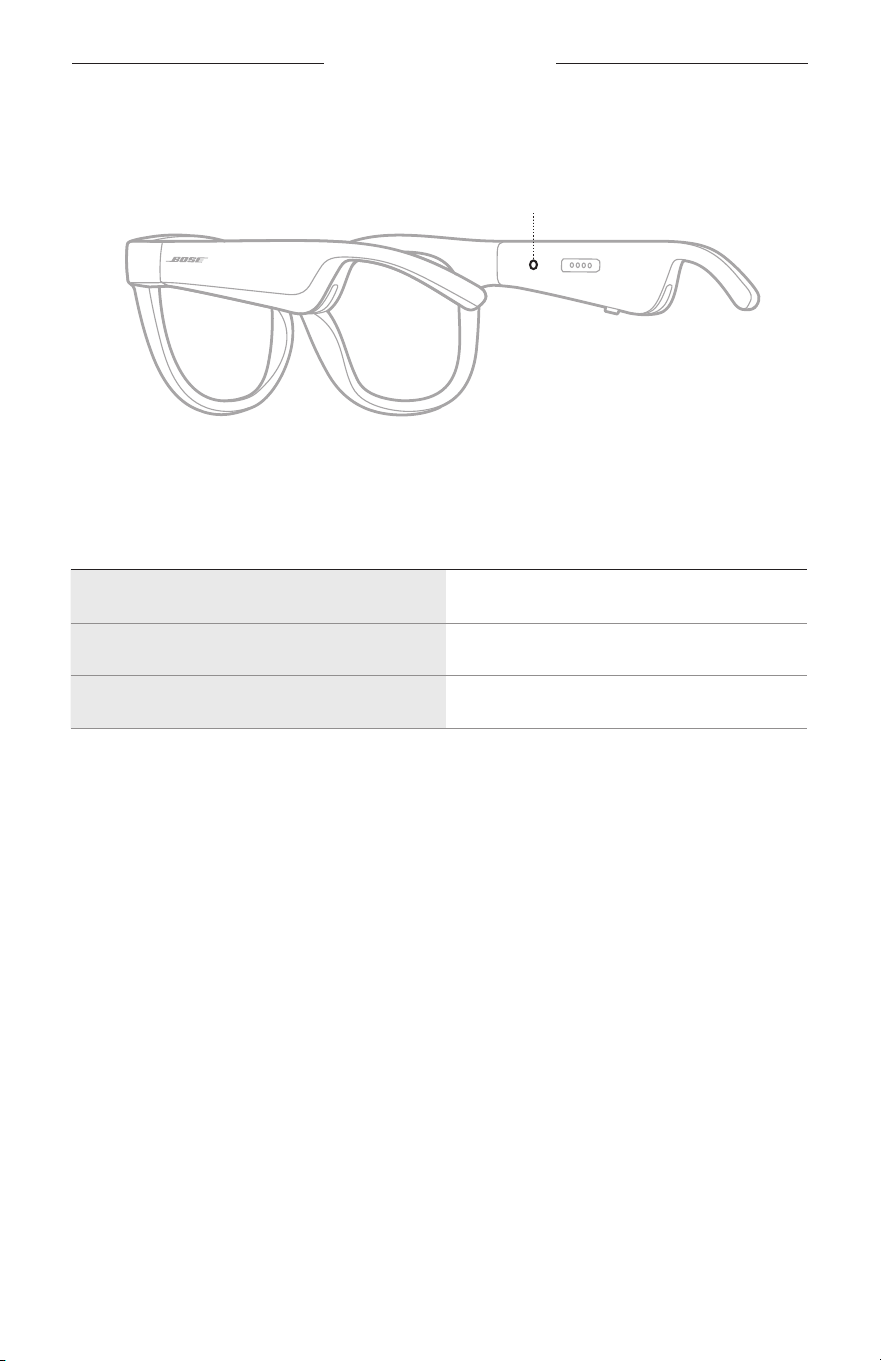
22
|
FRA
ÉTAT DES LUNETTES
Le voyant d’état des lunettes se trouve sur la partie interne de la branche droite de
lamonture.
Voyant d’état
ÉTAT DE LA CONNEXION BLUETOOTH
Indique l’état de la connexion Bluetooth des périphériques mobiles.
ACTIVITÉ DU VOYANT ÉTAT DU SYSTÈME
Clignote lentement en bleu Prêt pour la connexion
Clignote rapidement en bleu Connexion en cours
Reste allumé en bleu (10secondes) Connexion établie
ÉTAT DES LUNETTES
23
|
FRA
ÉTAT DE LA BATTERIE
Indique le niveau de charge de la batterie des lunettes.
ACTIVITÉ DU VOYANT ÉTAT DU SYSTÈME
Clignote en rouge (10secondes) Charge nécessaire
Clignote en blanc En cours de charge
Reste allumé en blanc Charge complète
ÉTAT D’ERREUR
Indique l’état d’erreur.
ACTIVITÉ DU VOYANT ÉTAT DU SYSTÈME
Clignote en rouge et blanc (de façon répétée) Erreur: contactez le service client de Bose.
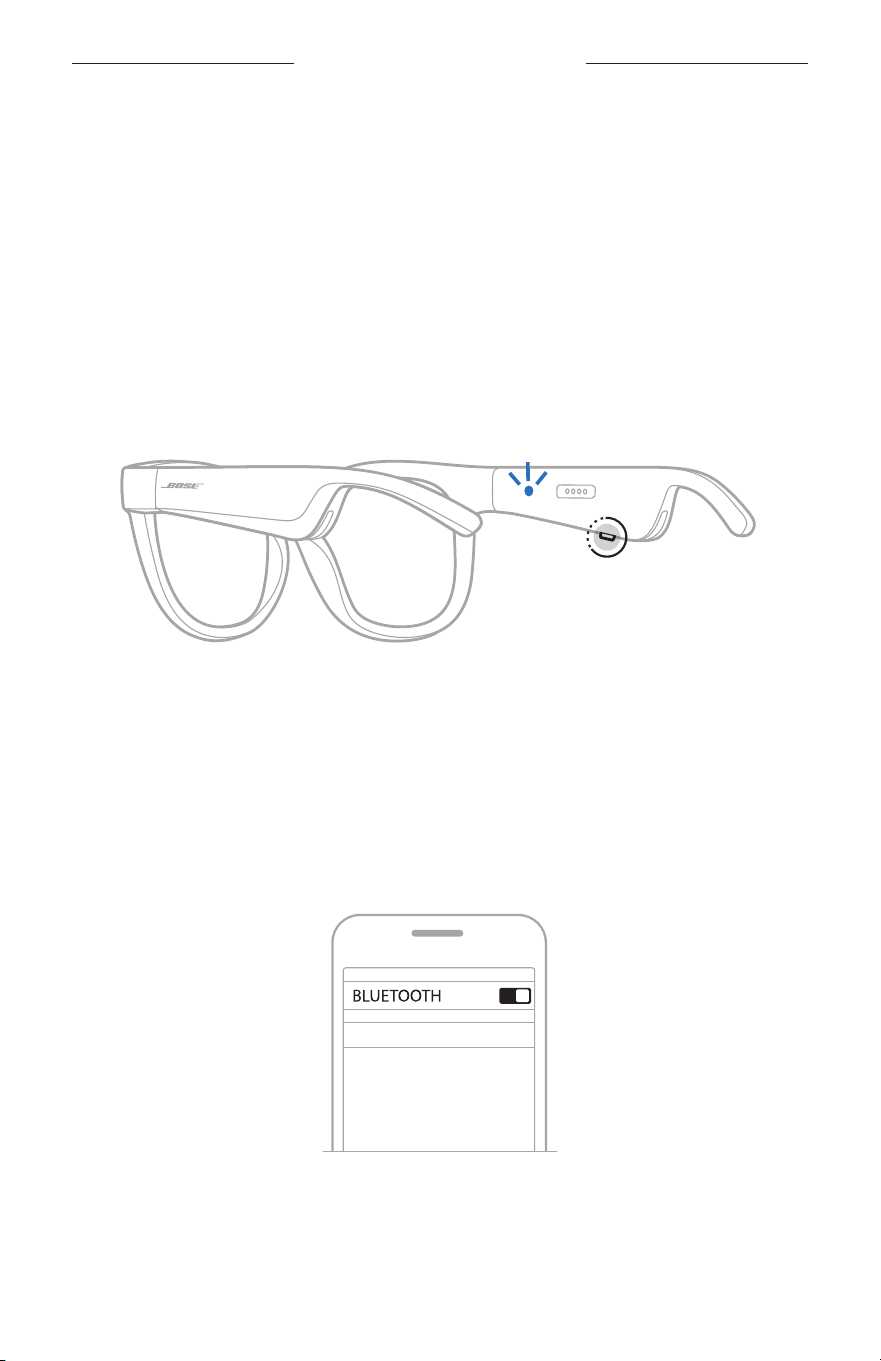
24
|
FRA
CONNEXIONS BLUETOOTH
CONNEXION VIA LE MENU BLUETOOTH DE VOTRE
PÉRIPHÉRIQUE MOBILE
Vous pouvez mémoriser jusqu’à huit périphériques dans la liste des périphériques des
lunettes. Vous pouvez vous connecter et écouter de la musique sur un seul appareil en
même temps.
REMARQUE: pour tirer le meilleur parti de vos lunettes, configurez et connectez
votre périphérique mobile à l’aide de l’application Bose Music
(consultez la page 14).
1. Une fois les lunettes sous tension, appuyez sur la touche située sur la branche
droite de la monture jusqu’à ce que vous entendiez le message «Prêtes pour la
connexion» ou que le voyant d’état clignote en bleu.
2. Activez la fonction Bluetooth sur votre périphérique.
REMARQUE: la fonction Bluetooth se trouve généralement dans le menu Réglages.
3. Sélectionnez vos lunettes dans la liste des périphériques.
REMARQUE: recherchez le nom que vous avez indiqué pour vos lunettes dans
l’application Bose Music. Si vous n’avez pas attribué de nom aux
lunettes, le nom par défaut s’affiche.
BOSE FRAMES
Une fois la connexion établie, vous entendez le message «Connectées au <nom du
périphérique mobile>» ou le voyant d’état clignote en bleu, puis s’éteint.

25
|
FRA
CONNEXIONS BLUETOOTH
DÉCONNEXION D’UN PÉRIPHÉRIQUE MOBILE
Utilisez l’application Bose Music pour déconnecter votre périphérique mobile.
CONSEIL: vous pouvez également utiliser les réglages Bluetooth pour déconnecter
votre périphérique. La désactivation de la fonction Bluetooth déconnecte
tous les autres périphériques.
RECONNEXION D'UN PÉRIPHÉRIQUE MOBILE
Une fois sous tension, les lunettes tentent de se connecter à l'appareil dernièrement
connecté.
REMARQUE: le périphérique doit se trouver dans le champ de portée (9m) et
êtreactivé.
SUPPRESSION DE LA LISTE DES PÉRIPHÉRIQUES
DESLUNETTES
1. Une fois les lunettes sous tension, appuyez sur la touche située sur la branche
droite de la monture pendant 10secondes jusqu’à ce que vous entendiez le
message «Liste des périphériques Bluetooth effacée» ou que le voyant d’état
clignote en bleu.
2. Supprimez vos lunettes de la liste Bluetooth de votre périphérique
Tous les périphériques sont effacés de la liste et les lunettes sont prêtes pour la
connexion.
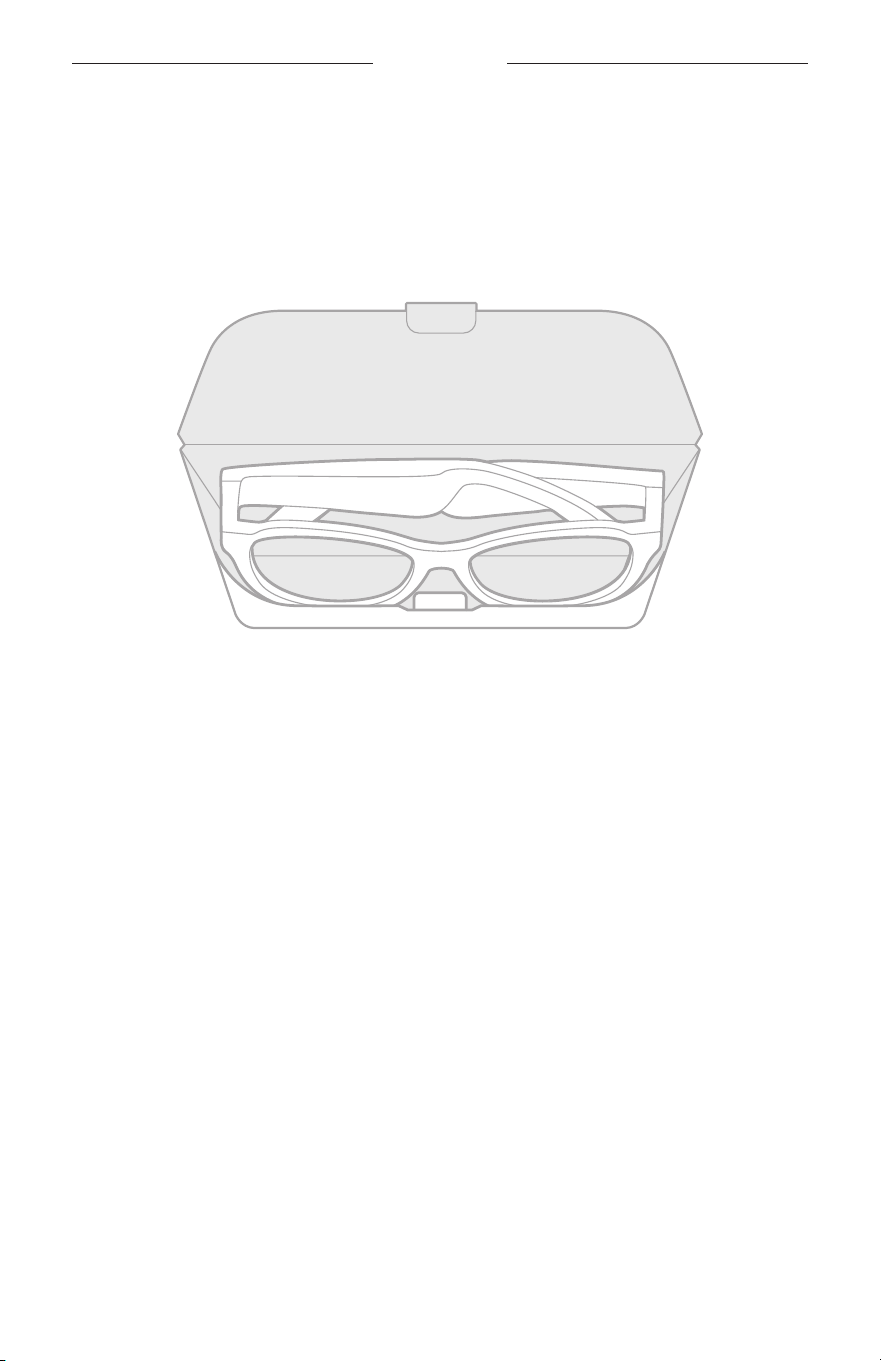
26
|
FRA
ENTRETIEN
STOCKAGE DES LUNETTES
Les lunettes se plient pour un rangement facile et pratique.
1. Repliez les branches vers l’intérieur.
2. Rangez les lunettes en plaçant les verres face à la partie avant de l’étui.
REMARQUES:
• Veillez à éteindre les lunettes lorsque vous ne les utilisez pas.
• Avant de ranger les lunettes pour plusieurs mois, vérifiez que la batterie est
complètement chargée.

27
|
FRA
ENTRETIEN
ENTRETIEN DES LUNETTES
Après chaque utilisation, nettoyez les verres et tous les composants de la monture
avec le chiffon fourni ou à l’aide d’un chiffon sec.
ATTENTION:
• Veillez à NE PAS utiliser de spray à proximité des lunettes.
• Veillez à NE PAS utiliser de solvants, de produits chimiques ni de liquides de
nettoyage contenant de l’alcool, de l’ammoniac ou des substances abrasives.
• Veillez à ce qu’aucun liquide ne pénètre dans les ouvertures.
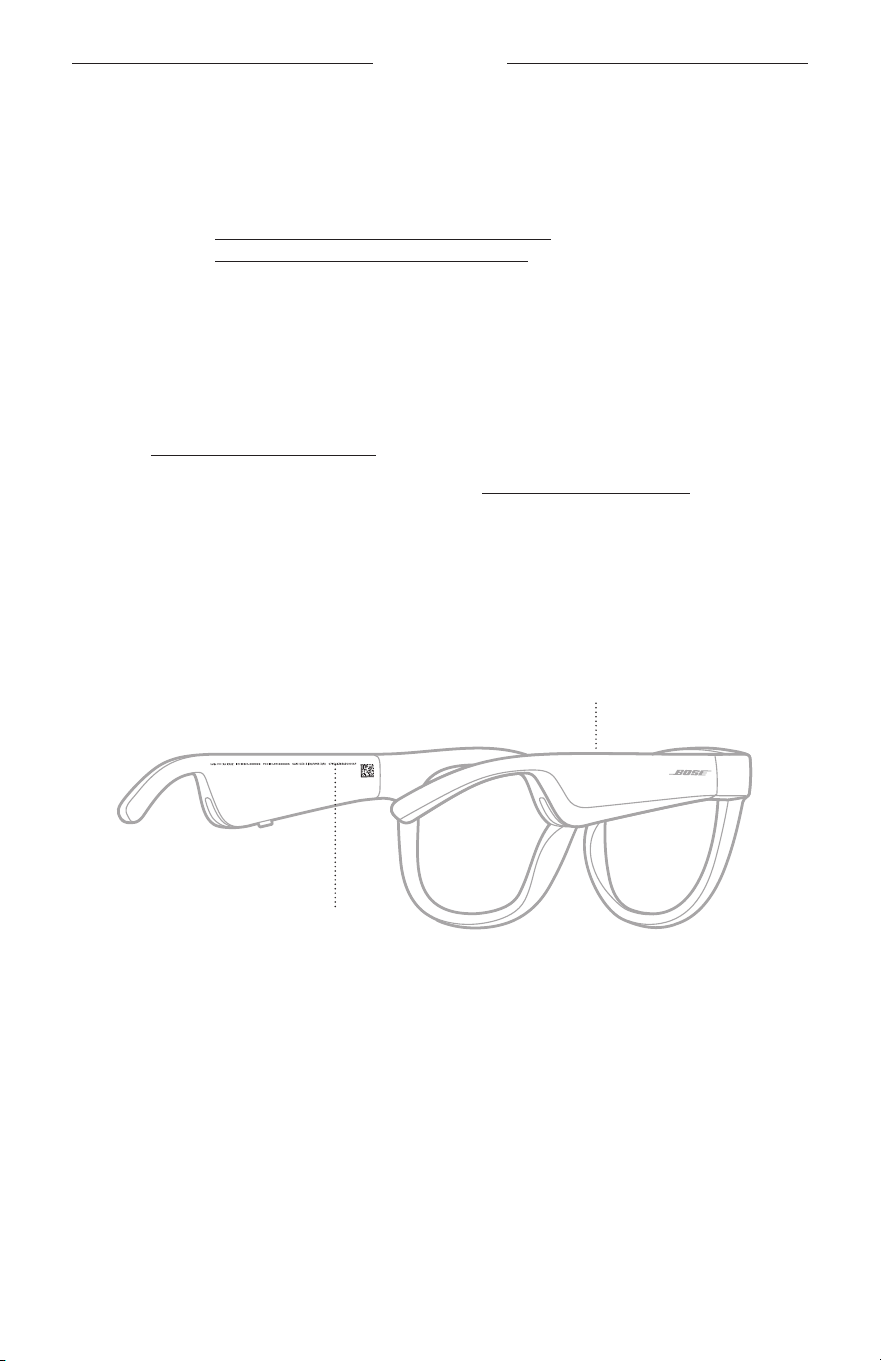
28
|
FRA
ENTRETIEN
PIÈCES DE RECHANGE ET ACCESSOIRES
Vous pouvez commander des accessoires ou des pièces de rechange en vous
adressant au service client de Bose.
Consultez le site worldwide.Bose.com/Support/Soprano
worldwide.Bose.com/Support/Tenor
REMARQUE: pour savoir comment remplacer les verres, consultez les instructions
qui accompagnent vos accessoires pour verres.
GARANTIE LIMITÉE
Les lunettes sont couvertes par une garantie limitée. Consultez notre site Web à
l’adresse global.Bose.com/warranty pour en savoir plus sur la garantie limitée.
Pour enregistrer votre produit, accédez à la page global.Bose.com/register. En cas
d’oubli, les droits que vous confère cette garantie limitée ne s’en trouveront pas affectés.
EMPLACEMENT DU NUMÉRO DE SÉRIE ET DU MODÈLE
Le numéro de série se trouve sur la partie intérieure de la branche gauche et le modèle
sur la partie intérieure de la branche droite.
Numéro de série
Modèle/référence

29
|
FRA
DÉPANNAGE
ESSAYEZ TOUT D’ABORD LES SOLUTIONS SUIVANTES
En cas de problèmes avec les lunettes:
• Mettez les lunettes sous tension (reportez-vous à la page 16).
• Connectez les lunettes à l’alimentation pendant 2secondes, puis débranchez-les
(consultez la page 21).
• Remplacez la batterie (consultez la page 21).
• Vérifiez les voyants d’état (reportez-vous à la page 22).
• Vérifiez que votre périphérique mobile prend en charge les connexions Bluetooth.
• Téléchargez l’application Bose Music et exécutez les mises à jour logicielles
disponibles.
• Augmentez le volume sur les lunettes, le périphérique mobile et/ou l’application
audio ou de streaming.
• Connectez un autre périphérique mobile (reportez-vous à la page 24).
AUTRES SOLUTIONS
Si vous ne parvenez pas à résoudre votre problème, consultez le tableau ci-dessous
pour identifier les symptômes et trouver des solutions aux problèmes courants. Si vous
ne parvenez toujours pas à résoudre le problème, contactez le service client de Bose.
Rendez-vous sur worldwide.Bose.com/Contact
PROBLÈME ACTION
Impossible de connecter
les lunettes au
périphérique mobile
Sur votre périphérique
• Désactivez la fonction Bluetooth, puis activez-la de nouveau.
• Supprimez les lunettes de la liste Bluetooth de votre
périphérique Recommencez la connexion (consultez la
page24).
Rapprochez le périphérique des lunettes et éloignez-le des
sources d’interférences ou des obstructions.
Connectez un autre périphérique mobile (reportez-vous à la
page 24).
Pour accéder à des didacticiels, consultez le
site worldwide.Bose.com/Support/Tenor ou
worldwide.Bose.com/Support/Soprano
Effacez la liste des périphériques des lunettes (consultez la
page25). Renouvelez la connexion.
30
|
FRA
DÉPANNAGE
PROBLÈME ACTION
L’application Bose Music
ne fonctionne pas sur le
périphérique
Vérifiez que l’application Bose Music est compatible avec votre
périphérique.
Désinstallez l’application Bose Music sur le périphérique,
puisréinstallez-la (consultez la page 14).
L’application Bose
Music ne détecte pas
leslunettes
Mettez les lunettes sous tension (reportez-vous à la page 16).
Appuyez sur la touche située sur la branche droite de la monture
jusqu’à ce que vous entendiez le message «Prêtes pour la
connexion» ou que le voyant d’état clignote en bleu.
Dans l’application Bose Music, exécutez les mises à jour
logicielles disponibles.
Connexion Bluetooth
intermittente
Effacez la liste des périphériques des lunettes (consultez la
page25). Recommencez la connexion (consultez la page 24).
Rapprochez le périphérique mobile des lunettes.
Absence de son
Appuyez sur la touche de lecture de votre périphérique mobile pour
vous assurer que le périphérique lit correctement les pistes audio.
Rapprochez le périphérique des lunettes et éloignez-le des
sources d’interférences ou des obstructions.
Utilisez une autre source musicale.
Connectez un autre périphérique (reportez-vous à la page 24).
Son de qualité médiocre
Utilisez une autre source musicale.
Raccordez un autre appareil mobile.
Rapprochez le périphérique des lunettes et éloignez-le des
sources d’interférences ou des obstructions.
Désactivez toutes les fonctions d’optimisation du son sur le
périphérique ou dans l’application audio/de streaming.
Le microphone ne
transmet pas les sons
Vérifiez que l’ouverture du microphone située sur la branche
droite de la monture n’est pas obstruée.
Essayez de passer un nouvel appel.
Essayez d’utiliser un autre périphérique compatible.
Les lunettes ne se
chargent pas
Vérifiez que les broches du câble de charge sont correctement
alignées avec le connecteur de charge des lunettes et qu’un
contact magnétique est établi.
Vérifiez que le câble est correctement connecté aux deux
extrémités.
Si les lunettes ont été exposées à des températures extrêmes,
laissez-les revenir à température ambiante et essayez de
lesrecharger.
Essayez d’utiliser un autre chargeur mural USB.
DÉPANNAGE
31
|
FRA
PROBLÈME ACTION
Les lunettes ne
réagissent pas aux
commandes tactiles
Assurez-vous d’appuyer sur la bonne surface de commande
tactile (reportez-vous à la page 18).
Veillez à avoir les mains sèches.
Si vos cheveux sont humides, veillez à ce qu’ils n’interfèrent pas
avec la surface tactile.
Si vous portez des gants, retirez-les avant d’appuyer sur la
surface tactile.
Impossible de régler
levolume
Assurez-vous de balayer la surface tactile appropriée (consultez
la page 18).
Veillez à avoir les mains sèches.
Si vos cheveux sont humides, veillez à ce qu’ils n’interfèrent pas
avec la surface tactile.
Si vous portez des gants, retirez-les avant d’appuyer sur la
surface tactile.
Impossible d’utiliser
les commandes d’appel
téléphonique
Dans l’application Bose Music, exécutez les mises à jour
logicielles disponibles.
Le périphérique ne
répond pas aux pressions
sur les touches
Dans l’application Bose Music, exécutez les mises à jour
logicielles disponibles.
Pour les commandes à plusieurs pressions: changez la vitesse
des pressions.
Vérifiez que l’application musicale prend en charge cette fonction.
Mettez vos lunettes hors tension, puis de nouveau sous tension.
Sur votre périphérique
• Désactivez la fonction Bluetooth, puis activez-la de nouveau.
• Supprimez les lunettes de la liste Bluetooth de votre
périphérique Recommencez la connexion (consultez la
page24).
Essayez d’utiliser un autre périphérique compatible.
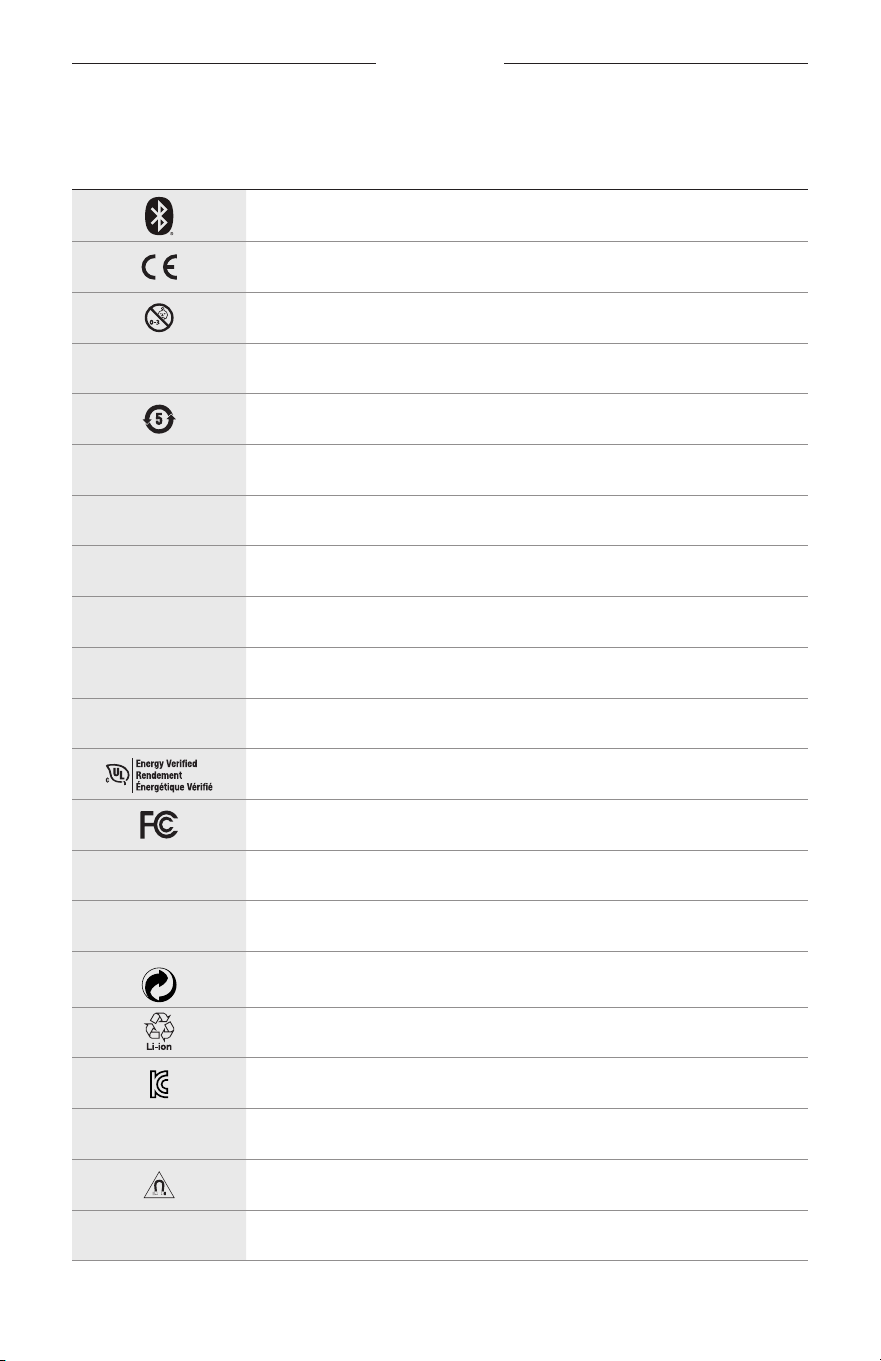
32
|
FRA
SYMBOLES
SYMBOLES ET DESCRIPTIONS
SYMBOLE DESCRIPTION
Bluetooth
Marque de certification CE
Risque de suffocation
h
Numéro de catalogue
Batterie ROHS Chine
w
Service client
N
Date de fabrication
X
Documentation
L
Ne pas utiliser si l’emballage est endommagé
C
Sans latex
s
Téléchargements
Vérification de l’efficacité énergétique
Certification FCC
o
Forum
h
Protection élevée contre les rayonnements solaires
Symbole déposé du point vert
Recyclage de batteries et piles au Japon
Certification KCC
p
Tenir au sec
Interférence magnétique
M
Fabricant
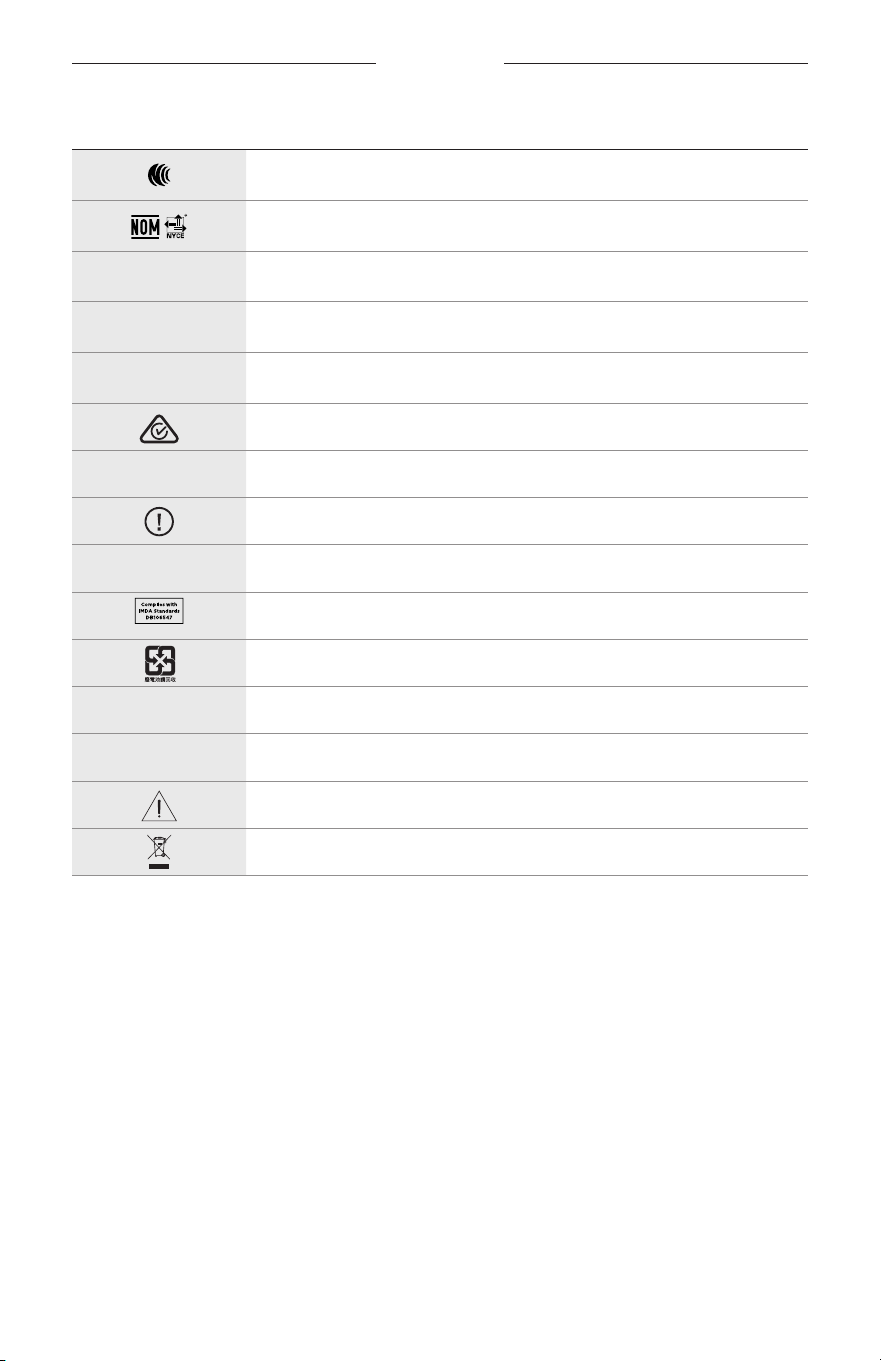
SYMBOLES
33
|
FRA
SYMBOLE DESCRIPTION
Certification NCC
Certification NOM NYCE
d
Non stérile
I
NE PAS UTILISER CE PRODUIT POUR CONDUIRE AU CRÉPUSCULE OU
DE NUIT
m
Téléphone
Marque de conformité réglementaire
A
Se reporter aux instructions d’utilisation
Informations relatives à la sécurité
f
Numéro de série
Conformité IMDA à Singapour
Recyclage de batteries et piles à Taïwan
l
Limite de température
W
Vidéos
Avertissements/précautions
Symbole de la directive relative aux déchets d’équipements électriques
et électroniques
IMPORTANTI ISTRUZIONI DI SICUREZZA
2
|
ITA
Indicazioni per l’uso
Gli occhiali da sole (senza prescrizione medica) sono dispositivi costituiti da montature o clip per occhiali con lenti
assorbenti, riflettenti, colorate, polarizzanti o fotosensibilizzate, destinati a essere indossati da una persona al fine
di proteggere gli occhi dai raggi solari, ma non di fornire correzioni rifrattive. Questo dispositivo è disponibile per la
vendita al banco.
A
Consultare le istruzioni per l’uso.
Leggere e conservare tutte le istruzioni per la sicurezza, la tutela delle
persone e l’uso del prodotto.
Importanti istruzioni di sicurezza
Bose Corporation dichiara che il presente prodotto è conforme ai requisiti essenziali e ad altre disposizioni
applicabili della Direttiva 2014/53/UE e di tutte le altre direttive UE applicabili. La dichiarazione di conformità
completa è disponibile all’indirizzo: www.Bose.com/compliance
1. Leggere queste istruzioni.
2. Conservare queste istruzioni.
3. Prestare attenzione a tutte le avvertenze.
4. Seguire tutte le istruzioni.
5. Non utilizzare l’apparecchio in prossimità di acqua.
6. Utilizzare solo un panno asciutto per la pulizia.
7. Utilizzare solo sistemi di aggancio/accessori specificati dal produttore.
8. Scollegare l’apparato durante i temporali o quando rimane inutilizzato a lungo.
9. Affidarsi a personale qualificato per tutti gli interventi di assistenza. Gli interventi di assistenza si rendono
necessari quando l’apparato ha subito danni di qualsiasi tipo, ad esempio se il cavo di alimentazione o lo
spinotto sono danneggiati, se è stato versato del liquido o sono caduti oggetti sull’apparato, se l’apparato è stato
esposto a pioggia o umidità, se non funziona normalmente o è caduto.
AVVISI/AVVERTENZE
• NON usare i Frames a un volume elevato per un lungo periodo di tempo.
– Per evitare danni all’udito, usare i Frames a un livello di volume confortevole e moderato.
– Abbassare il volume del dispositivo prima di indossare i Frames o di collocarli vicino alle orecchie, quindi alzare
gradualmente il volume fino a raggiungere il livello d’ascolto più confortevole.
• Fare attenzione durante la guida e rispettare le norme di legge relative all’uso di telefoni cellulari.
• È importante non perdere mai di vista la propria sicurezza e quella degli altri se si usano i Frames mentre si svolge
un’attività che richiede la propria attenzione, ad esempio quando si va in bicicletta o si cammina vicino a una strada
trafficata, un cantiere o una ferrovia, ecc. Rimuovere i Frames o regolare il volume per essere sicuri di sentire i suoni
circostanti, inclusi i segnali di allarme e di avvertimento.
• NON usare i Frames se emettono un suono inusuale di volume elevato. Se si presenta questo problema, spegnere i
Frames e contattare l’assistenza clienti Bose.
• NON immergere o esporre i Frames all’acqua per periodi prolungati né utilizzarli per sport acquatici, quali nuoto,
scid’acqua, surf ecc.
• Se si percepisce un aumento di temperatura o si riscontra una perdita di audio, rimuovere immediatamente i Frames.
IMPORTANTI ISTRUZIONI DI SICUREZZA
3
|
ITA
Contiene parti di piccole dimensioni che possono rappresentare un pericolo di soffocamento. Non adatto per
bambini di età inferiore ai 3 anni.
Questo prodotto contiene materiale magnetico. Rivolgersi al proprio medico per eventuali domande sui
possibili effetti del prodotto sui dispositivi medici impiantati nel corpo umano.
• Per ridurre il rischio di incendi o scosse elettriche, NON esporre il prodotto a pioggia, liquidi o umidità.
• NON esporre il prodotto a gocce o schizzi e non porre oggetti colmi di liquidi, quali vasi, sopra o accanto al prodotto.
• Tenere il prodotto lontano dal fuoco e da fonti di calore. NON collocare sorgenti di fiamme libere (ad esempio
candele accese) sul prodotto o nelle sue vicinanze.
• NON apportare alterazioni non autorizzate al prodotto.
• Utilizzare questo prodotto esclusivamente con un alimentatore approvato da un ente per la sicurezza che rispetta i
requisiti normativi locali (ad esempio, UL, CSA, VDE, CCC).
• Non esporre prodotti contenenti batterie a un calore eccessivo (ad esempio luce diretta del sole, fuoco o simili).
• NON indossare i Frames durante la carica.
• Dopo ogni utilizzo, pulire entrambi i lati delle lenti e tutte le parti della montatura con il panno in dotazione o con un
panno asciutto.
INFORMAZIONI NORMATIVE E LEGALI
4
|
ITA
NOTA: questa apparecchiatura è stata sottoposta a collaudo ed è risultata conforme ai limiti relativi ai
dispositivi digitali di Classe B previsti dalla Parte 15 delle norme FCC. Tali limiti sono stati fissati allo scopo di
assicurare un’adeguata protezione dalle interferenze dannose nell’ambito di un’installazione residenziale. Questa
apparecchiatura genera, utilizza e può irradiare energia a radiofrequenza e, se non viene installata e utilizzata in
conformità alle istruzioni fornite, può interferire negativamente con le comunicazioni radiofoniche. Non esiste
tuttavia alcuna garanzia che in una particolare installazione non si verificherà alcuna interferenza. Se questo
dispositivo dovesse provocare interferenze con la ricezione radiotelevisiva (determinabili spegnendo e riaccendendo
l’apparecchio), si dovrà provare a eliminare tali interferenze effettuando una o più delle seguenti operazioni:
• Riorientare o riposizionare l’antenna ricevente.
• Aumentare la distanza tra il dispositivo che provoca interferenza e il ricevitore.
• Collegare l’apparecchiatura a una presa appartenente a un circuito diverso rispetto a quella a cui è collegato il ricevitore.
• Rivolgersi al distributore o a un tecnico radiotelevisivo specializzato per ottenere assistenza.
Eventuali modifiche o alterazioni non espressamente approvate da Bose Corporation possono rendere nulla
l’autorizzazione dell’utente all’utilizzo dell’apparecchiatura stessa.
Questo dispositivo è conforme alla parte 15 delle Norme FCC e agli standard ISED (Innovation, Science and
Economic Development) Canada RSS esenti da licenza. Il funzionamento è soggetto alle due seguenti condizioni:
(1)ildispositivo non può causare interferenze dannose e (2) deve accettare le interferenze ricevute, incluse quelle che
potrebbero causare un funzionamento indesiderato del dispositivo.
Questo apparecchio rispetta i limiti previsti dalle norme FCC e ISED Canada per la popolazione in generale in merito
alle radiazioni in radiofrequenza. Il trasmettitore non deve essere collocato oppure utilizzato in prossimità di altri
radiotrasmettitori o antenne.
CAN ICES-3(B)/NMB-3(B)
Regolamento (UE) 2016/425 sui DPI
Normativa per la gestione dei dispositivi a radiofrequenza a bassa potenza
Articolo XII
Ai sensi della “Normativa per la gestione dei dispositivi a radiofrequenza a bassa potenza”, senza autorizzazione
concessa dalla NCC, non si autorizza nessuna società, impresa o utente a cambiare frequenza, incrementare la
potenza di trasmissione o alterare le caratteristiche originali nonché le prestazioni di un dispositivo a radiofrequenza
a bassa potenza.
Articolo XIV
I dispositivi a radiofrequenza a bassa potenza non devono interferire in alcun modo con la sicurezza aerea
o le comunicazioni legali; qualora si riscontrasse una situazione di questo genere, l’utente dovrà eliminare
immediatamente qualsiasi interferenza. Per “comunicazioni legali” si intendono le comunicazioni radio operate in
conformità con il Telecommunications Act (Legge sulle telecomunicazioni degli Stati Uniti).
I dispositivi a radiofrequenza a bassa potenza devono essere suscettibili di interferenze provenienti da comunicazioni
legali o dispositivi irradianti onde radio ISM.
Per l’Europa:
Banda di frequenza di funzionamento: 2400-2483,5 MHz.
Potenza in uscita massima inferiore a 20 dBm EIRP.
Poiché la potenza di trasmissione massima è inferiore ai limiti previsti dalle normative, i test SAR non sono necessari
in base ai regolamenti applicabili.
Questo simbolo indica che il prodotto non deve essere smaltito con i rifiuti domestici, ma deve essere
consegnato a una struttura di raccolta appropriata per il riciclaggio. Uno smaltimento e un riciclaggio corretti
aiutano a preservare le risorse naturali, la salute e l’ambiente. Per ulteriori informazioni sullo smaltimento e
sul riciclaggio di questo prodotto, rivolgersi alle autorità locali, al servizio di smaltimento dei rifiuti o al
negozio presso il quale è stato acquistato.
NON tentare di rimuovere la batteria ricaricabile agli ioni di litio da questo prodotto. Per la rimozione, contattare il
rivenditore Bose di zona o un professionista qualificato.
Le batterie usate devono essere smaltite correttamente, attenendosi alle normative locali. Non bruciarle.
QTÀ: 1 EA
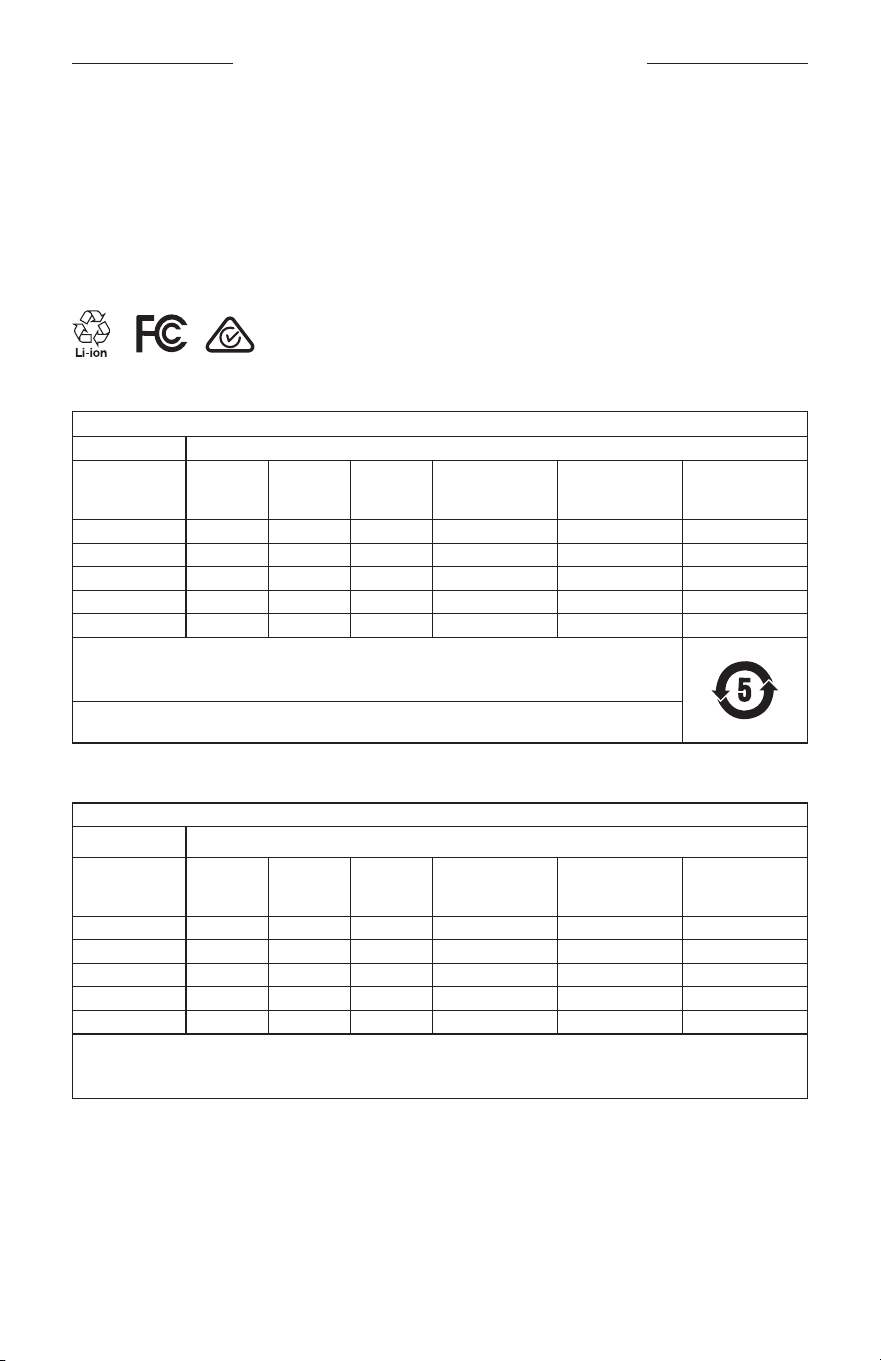
INFORMAZIONI NORMATIVE E LEGALI
5
|
ITA
M
Fabbricato per: Bose Corporation, 100 The Mountain, Framingham, MA 01701
L
Non utilizzare se la confezione è danneggiata.
C
Questo prodotto non contiene lattice in gomma naturale.
d
Questo prodotto è fornito come non sterile.
p
l
+45C
0C
Tabella delle limitazioni delle sostanze pericolose (Cina)
Nome e contenuto delle sostanze o degli elementi tossici o pericolosi
Sostanze ed elementi tossici o pericolosi
Nome parte
Piombo
(Pb)
Mercurio
(Hg)
Cadmio
(Cd)
Cromo
esavalente
(CR(VI))
Bifenile
polibromurato
(PBB)
Difeniletere
polibromurato
(PBDE)
Circuiti stampati X O O O O O
Parti di metallo X O O O O O
Parti di plastica O O O O O O
Diffusori X O O O O O
Cavi X O O O O O
Questa tabella è stata messa a punto in accordo a quanto previsto dallo standard SJ/T 11364.
O: indica che la quantità della sostanza tossica o pericolosa contenuta in tutti i materiali omogenei della parte
è inferiore al limite previsto dallo standard GB/T 26572.
X: indica che la quantità della sostanza tossica o pericolosa contenuta in almeno uno dei materiali omogenei
della parte è superiore al limite previsto dallo standard GB/T 26572.
Tabella delle limitazioni delle sostanze pericolose (Taiwan)
Nome dispositivo: diffusore amplificato, designazione del tipo: 433948
Sostanze soggette a restrizioni e relativi simboli chimici
Unità Piombo (Pb)
Mercurio
(Hg)
Cadmio
(Cd)
Cromo esavalente
(Cr+6)
Bifenili polibromurati
(PBB)
Difenileteri
polibromurati
(PBDE)
Circuiti stampati
- ○ ○ ○ ○ ○
Parti di metallo
- ○ ○ ○ ○ ○
Parti di plastica
○ ○ ○ ○ ○ ○
Diffusori
- ○ ○ ○ ○ ○
Cavi
- ○ ○ ○ ○ ○
Nota 1:
“○” indica che il contenuto percentuale delle sostanze soggette a restrizioni non supera il valore di presenza della
percentuale di riferimento.
Nota 2: il trattino "−" indica che la sostanza soggetta a restrizioni corrisponde all'esenzione.

INFORMAZIONI NORMATIVE E LEGALI
6
|
ITA
Questo prodotto è conforme alle norme ANSI Z80.3, AS/NZS 1067.1 e EN ISO 12312-1.
Si sconsiglia l’uso di lenti polarizzate per la guida notturna.
I
NON ADATTO ALLA GUIDA AL CREPUSCOLO O DI NOTTE. NON ADATTO ALLA GUIDA DI NOTTE O IN
CONDIZIONI DI SCARSA LUMINOSITÀ.
Il prodotto è progettato per bloccare oltre il 99% di energia luminosa UVA e UVB. Questo prodotto è conforme alla
norma ANSI Z80.3.
Utilizzare esclusivamente lenti approvate da Bose con il prodotto Frames Soprano o Frames Tenor.
Non indicato per l’osservazione diretta del sole.
Non indicato per la protezione da sorgenti di luce artificiale, ad es. lampade abbronzanti.
Non indicato per l’uso come protezione degli occhi contro i rischi di impatto meccanico.
Quando non in uso, conservare il prodotto nell’apposita custodia in dotazione.
CATEGORIA FILTRO PER l’UE: ISO12312-1 CAT. 3
CATEGORIA LENTI PER L’AUSTRALIA: 1067.1 CAT. 3
h
Questi occhiali da sole forniscono un livello elevato di riduzione del bagliore solare e una buona protezione dai
raggi ultravioletti.
Classificazione UV: Riduzione UV 380
Compilare e conservare le seguenti informazioni
Il numero di serie dei Frames è riportato sull’asta sinistra, mentre il modello/numero di riferimento è riportato
sull’asta destra.
Numero di serie: ___________________________________________________________________
Numero di modello: ________________________________________________________________
È consigliabile conservare lo scontrino fiscale insieme al manuale di istruzioni. Prima di procedere, è consigliabile
registrare il prodotto Bose. La registrazione può essere eseguita facilmente sul sito global.Bose.com/register
N
Data di produzione: l’ottava cifra del numero di serie corrisponde all’anno di produzione; ad esempio,
“0”indica 2010 o 2020.
Importatore per la Cina: Bose Electronics (Shanghai) Company Limited, Part C, Plant 9, No. 353 North Riying Road,
China (Shanghai) Pilot Free Trade Zone
Importatore per l’UE: Bose Products B.V., Gorslaan 60, 1441 RG Purmerend, Paesi Bassi
Importatore per Taiwan: Bose Taiwan Branch, 9F-A1, No.10, Section 3, Minsheng East Road, Taipei City 104, Taiwan
Numero di telefono: +886-2-2514 7676
Importatore per il Messico: Bose de México, S. de R.L. de C.V., Paseo de las Palmas 405-204, Lomas de Chapultepec,
11000 México, D.F. Numero di telefono: +5255 (5202) 3545
Assorbimento in entrata: 5V p 500mA
L’ID CMIIT si trova sul lato interno della parte frontale.
h
BMD0011
INFORMAZIONI NORMATIVE E LEGALI
7
|
ITA
Informazioni sulla sicurezza
Questo prodotto è in grado di ricevere automaticamente aggiornamenti di sicurezza da Bose quando è
connesso all’app Bose Music. Per ricevere gli aggiornamenti di sicurezza tramite l’app per dispositivi mobili,
è necessario completare il processo di configurazione del prodotto nell’app Bose Music. Se non si esegue la
procedura di configurazione, sarà necessario provvedere personalmente all’installazione degli
aggiornamenti della sicurezza che Bose renderà disponibili su btu.bose.com
Apple, il logo Apple, iPad, iPhone, iPod e Siri sono marchi di Apple, Inc. registrati negli USA e in altri paesi. Il marchio
“iPhone” è utilizzato in Giappone su licenza di Aiphone K.K. App Store è un marchio di servizio di Apple Inc.
L’uso del badge “Made for Apple” attesta che un accessorio è stato progettato per connettersi specificamente ai
prodotti Apple indicati nel badge stesso, ed è stato certificato dallo sviluppatore come conforme agli standard di
prestazioni Apple. Apple non è responsabile del funzionamento di questo dispositivo o della conformità dello stesso
agli standard di sicurezza e normativi.
Il marchio in lettere e i loghi Bluetooth® sono marchi registrati di proprietà di Bluetooth SIG, Inc. e qualsiasi uso da
parte di Bose Corporation è soggetto a licenza.
Google e Google Play sono marchi commerciali di Google LLC.
Bose, Bose Frames e Bose Music sono marchi commerciali di Bose Corporation.
Sede principale di Bose Corporation: 1-877-230-5639
©2020 Bose Corporation. Nessuna parte di questo documento può essere riprodotta, modificata, distribuita o usata in
altro modo senza previa autorizzazione scritta.

8
|
ITA
The following license disclosures apply to certain third-party software packages used as components in the product.
Package: Nanopb
Copyright © 2011 Petteri Aimonen <jpa at nanopb.mail.kapsi.fi>. The Nanopb package is subject to the license terms
reprinted below.
Zlib license
© 2011 Petteri Aimonen <jpa at nanopb.mail.kapsi.fi>
This software is provided ‘as-is’, without any express or implied warranty. In no event will the authors be held liable
for any damages arising from the use of this software.
Permission is granted to anyone to use this software for any purpose, including commercial applications, and to alter
it and redistribute it freely, subject to the following restrictions:
1. The origin of this software must not be misrepresented; you must not claim that you wrote the original software.
If you use this software in a product, an acknowledgment in the product documentation would be appreciated
but is not required.
2. Altered source versions must be plainly marked as such, and must not be misrepresented as being the
original software.
3. This notice may not be removed or altered from any source distribution.
Package: Mbed TLS 2.16.1
© ARM Limited. All rights reserved. The Mbed TLS package is subject to the license terms reprinted below.
Apache 2.0 License
Apache License
Version 2.0, January 2004
http://www.apache.org/licenses/
TERMS AND CONDITIONS FOR USE, REPRODUCTION, AND DISTRIBUTION
1. Definitions.
“License” shall mean the terms and conditions for use, reproduction, and distribution as defined by Sections 1
through 9 of this document.
“Licensor” shall mean the copyright owner or entity authorized by the copyright owner that is granting
the License.
“Legal Entity” shall mean the union of the acting entity and all other entities that control, are controlled by, or
are under common control with that entity. For the purposes of this definition, “control” means (i) the power,
direct or indirect, to cause the direction or management of such entity, whether by contract or otherwise, or (ii)
ownership of fifty percent (50%) or more of the outstanding shares, or (iii) beneficial ownership of such entity.
“You” (or “Your”) shall mean an individual or Legal Entity exercising permissions granted by this License.
“Source” form shall mean the preferred form for making modifications, including but not limited to software
source code, documentation source, and configuration files.
“Object” form shall mean any form resulting from mechanical transformation or translation of a Source form,
including but not limited to compiled object code, generated documentation, and conversions to other
media types.
“Work” shall mean the work of authorship, whether in Source or Object form, made available under the License,
as indicated by a copyright notice that is included in or attached to the work (an example is provided in the
Appendix below).
“Derivative Works” shall mean any work, whether in Source or Object form, that is based on (or derived from)
the Work and for which the editorial revisions, annotations, elaborations, or other modifications represent, as a
whole, an original work of authorship. For the purposes of this License, Derivative Works shall not include works
that remain separable from, or merely link (or bind by name) to the interfaces of, the Work and Derivative
Works thereof.
DICHIARAZIONI SULLE LICENZE

9
|
ITA
DICHIARAZIONI SULLE LICENZE
“Contribution” shall mean any work of authorship, including the original version of the Work and any
modifications or additions to that Work or Derivative Works thereof, that is intentionally submitted to Licensor
for inclusion in the Work by the copyright owner or by an individual or Legal Entity authorized to submit on
behalf of the copyright owner. For the purposes of this definition, “submitted” means any form of electronic,
verbal, or written communication sent to the Licensor or its representatives, including but not limited to
communication on electronic mailing lists, source code control systems, and issue tracking systems that are
managed by, or on behalf of, the Licensor for the purpose of discussing and improving the Work, but excluding
communication that is conspicuously marked or otherwise designated in writing by the copyright owner as “Not
a Contribution.”
“Contributor” shall mean Licensor and any individual or Legal Entity on behalf of whom a Contribution has been
received by Licensor and subsequently incorporated within the Work.
2. Grant of Copyright License. Subject to the terms and conditions of this License, each Contributor hereby grants
to You a perpetual, worldwide, non-exclusive, no-charge, royalty-free, irrevocable copyright license to reproduce,
prepare Derivative Works of, publicly display, publicly perform, sublicense, and distribute the Work and such
Derivative Works in Source or Object form.
3. Grant of Patent License. Subject to the terms and conditions of this License, each Contributor hereby grants to
You a perpetual, worldwide, non-exclusive, no-charge, royalty-free, irrevocable (except as stated in this section)
patent license to make, have made, use, oer to sell, sell, import, and otherwise transfer the Work, where such
license applies only to those patent claims licensable by such Contributor that are necessarily infringed by their
Contribution(s) alone or by combination of their Contribution(s) with the Work to which such Contribution(s)
was submitted. If You institute patent litigation against any entity (including a cross-claim or counterclaim in a
lawsuit) alleging that the Work or a Contribution incorporated within the Work constitutes direct or contributory
patent infringement, then any patent licenses granted to You under this License for that Work shall terminate as
of the date such litigation is filed.
4. Redistribution. You may reproduce and distribute copies of the Work or Derivative Works thereof in any medium,
with or without modifications, and in Source or Object form, provided that You meet the following conditions:
a. You must give any other recipients of the Work or Derivative Works a copy of this License; and
b. You must cause any modified files to carry prominent notices stating that You changed the files; and
c. You must retain, in the Source form of any Derivative Works that You distribute, all copyright, patent,
trademark, and attribution notices from the Source form of the Work, excluding those notices that do not
pertain to any part of the Derivative Works; and
d. If the Work includes a “NOTICE” text file as part of its distribution, then any Derivative Works that You
distribute must include a readable copy of the attribution notices contained within such NOTICE file, excluding
those notices that do not pertain to any part of the Derivative Works, in at least one of the following places:
within a NOTICE text file distributed as part of the Derivative Works; within the Source form or
documentation, if provided along with the Derivative Works; or, within a display generated by the
Derivative Works, if and wherever such third-party notices normally appear. The contents of the NOTICE file
are for informational purposes only and do not modify the License. You may add Your own attribution notices
within Derivative Works that You distribute, alongside or as an addendum to the NOTICE text from the Work,
provided that such additional attribution notices cannot be construed as modifying the License.
You may add Your own copyright statement to Your modifications and may provide additional or dierent
license terms and conditions for use, reproduction, or distribution of Your modifications, or for any such
Derivative Works as a whole, provided Your use, reproduction, and distribution of the Work otherwise
complies with the conditions stated in this License.
5. Submission of Contributions. Unless You explicitly state otherwise, any Contribution intentionally submitted for
inclusion in the Work by You to the Licensor shall be under the terms and conditions of this License, without any
additional terms or conditions. Notwithstanding the above, nothing herein shall supersede or modify the terms
of any separate license agreement you may have executed with Licensor regarding such Contributions.
6. Trademarks. This License does not grant permission to use the trade names, trademarks, service marks, or
product names of the Licensor, except as required for reasonable and customary use in describing the origin of
the Work and reproducing the content of the NOTICE file.

10
|
ITA
DICHIARAZIONI SULLE LICENZE
7. Disclaimer of Warranty. Unless required by applicable law or agreed to in writing, Licensor provides the Work
(and each Contributor provides its Contributions) on an “AS IS” BASIS, WITHOUT WARRANTIES OR CONDITIONS
OF ANY KIND, either express or implied, including, without limitation, any warranties or conditions of TITLE,
NON-INFRINGEMENT, MERCHANTABILITY, or FITNESS FOR A PARTICULAR PURPOSE. You are solely responsible
for determining the appropriateness of using or redistributing the Work and assume any risks associated with
Your exercise of permissions under this License.
8. Limitation of Liability. In no event and under no legal theory, whether in tort (including negligence), contract,
or otherwise, unless required by applicable law (such as deliberate and grossly negligent acts) or agreed to in
writing, shall any Contributor be liable to You for damages, including any direct, indirect, special, incidental,
or consequential damages of any character arising as a result of this License or out of the use or inability to
use the Work (including but not limited to damages for loss of goodwill, work stoppage, computer failure or
malfunction, or any and all other commercial damages or losses), even if such Contributor has been advised of
the possibility of such damages.
9. Accepting Warranty or Additional Liability. While redistributing the Work or Derivative Works thereof, You may
choose to oer, and charge a fee for, acceptance of support, warranty, indemnity, or other liability obligations
and/or rights consistent with this License. However, in accepting such obligations, You may act only on Your own
behalf and on Your sole responsibility, not on behalf of any other Contributor, and only if You agree to indemnify,
defend, and hold each Contributor harmless for any liability incurred by, or claims asserted against, such
Contributor by reason of your accepting any such warranty or additional liability.
END OF TERMS AND CONDITIONS
©2020 Bose Corporation
Licensed under the Apache License, Version 2.0 (the “License”); you may not use this file except in compliance with
the License.
You may obtain a copy of the License at: http://www.apache.org/licenses/LICENSE-2.0
Unless required by applicable law or agreed to in writing, software distributed under the License is distributed on an
“AS IS” BASIS, WITHOUT WARRANTIES OR CONDITIONS OF ANY KIND, either express or implied.
See the License for the specific language governing permissions and limitations under the License.

SOMMARIO
11
|
ITA
CONTENUTO DELLA CONFEZIONE
Contenuto .......................................................................................................................... 13
CONFIGURAZIONE DELL’APP BOSE MUSIC
Scaricare l’app Bose Music .......................................................................................... 14
Aggiungere i Frames a un account esistente ...................................................... 14
RESISTENZA AL SUDORE E AGLI AGENTI ATMOSFERICI ................... 15
ALIMENTAZIONE
Accensione ........................................................................................................................ 16
Spegnimento .................................................................................................................... 17
Capovolgi e spegni ................................................................................................ 17
Spegnimento automatico mediante rilevamento del movimento ....... 17
COMANDI DEI FRAMES
Riproduzione multimediale ......................................................................................... 18
Volume ................................................................................................................................ 19
Aumentare il volume ............................................................................................. 19
Ridurre il volume ..................................................................................................... 19
Chiamate ............................................................................................................................ 20
Notifiche di chiamata ............................................................................................ 20
Accedere al controllo vocale ...................................................................................... 20
BATTERIA
Caricare i Frames ............................................................................................................ 21
Verificare il livello della batteria dei Frames ........................................................ 21
Ascoltare le notifiche della batteria ................................................................ 21
Visualizzare il livello della batteria ................................................................... 21

SOMMARIO
12
|
ITA
STATO DEI FRAMES
Stato della connessione Bluetooth® ......................................................................... 22
Stato batteria .................................................................................................................... 23
Stato di errore .................................................................................................................. 23
CONNESSIONI BLUETOOTH
Connettere mediante il menu Bluetooth del dispositivo mobile .................. 24
Disconnettere un dispositivo mobile ....................................................................... 25
Riconnettere un dispositivo mobile ......................................................................... 25
Cancellare l’elenco dispositivi dei Frames ............................................................ 25
CURA E MANUTENZIONE
Conservare i Frames ...................................................................................................... 26
Manutenzione dei Frames ........................................................................................... 27
Parti di ricambio e accessori ...................................................................................... 28
Garanzia limitata ............................................................................................................. 28
Posizioni dei numeri di serie e di modello/riferimento .................................... 28
RISOLUZIONE DEI PROBLEMI
Provare prima queste soluzioni ................................................................................. 29
Altre soluzioni .................................................................................................................. 29
SIMBOLI DELLE ETICHETTE
Simboli e descrizioni ...................................................................................................... 32
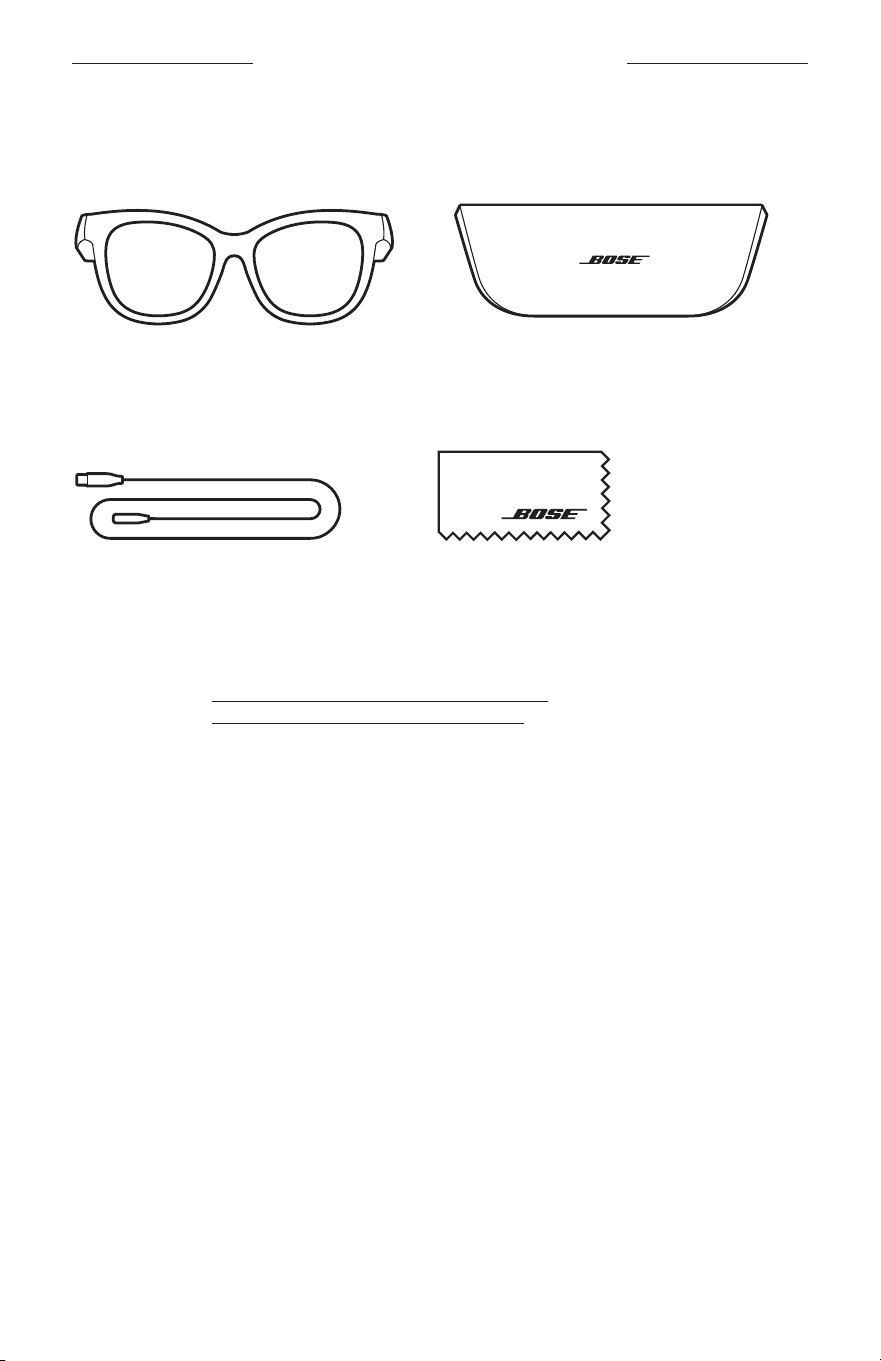
13
|
ITA
CONTENUTO DELLA CONFEZIONE
CONTENUTO
Verificare che siano incluse le seguenti parti:
Bose Frames
Custodia
Cavo di carica Panno per pulizia
NOTA: se il prodotto presenta parti danneggiate, non utilizzarlo. Contattare il
rivenditore autorizzato Bose locale o il centro di assistenza tecnica Bose.
Visitare: worldwide.Bose.com/Support/Soprano
worldwide.Bose.com/Support/Tenor
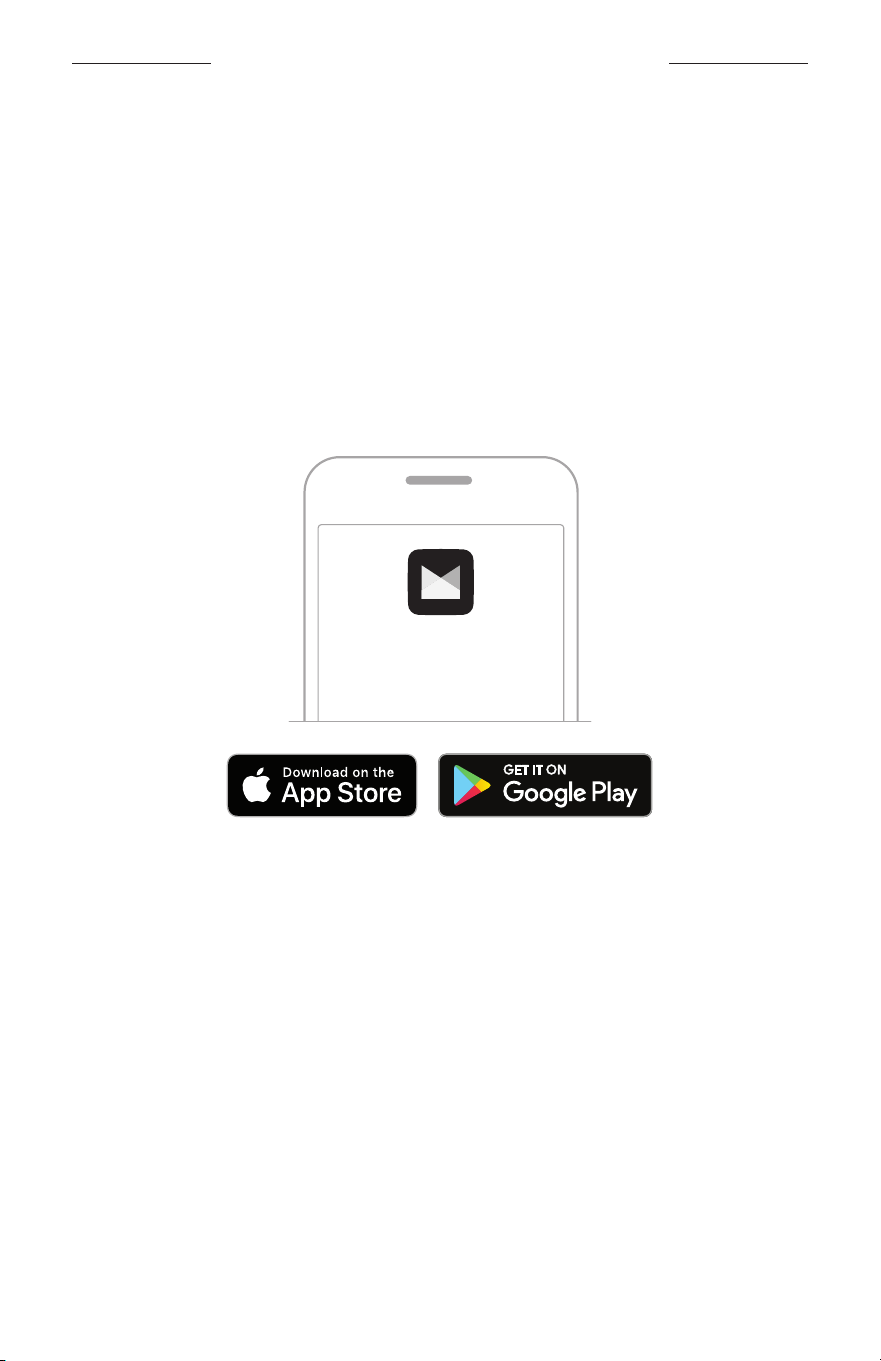
14
|
ITA
CONFIGURAZIONE DELL’APP BOSE MUSIC
L’app Bose Music consente di impostare e controllare i Frames da qualsiasi dispositivo
mobile, ad esempio uno smartphone o un tablet.
Utilizzando l’app è possibile personalizzare le impostazioni energetiche, scegliere la
lingua delle istruzioni vocali e scaricare nuove funzioni.
NOTA: se è stato già creato un account Bose nell’app per un altro prodotto Bose,
vedere “Aggiungere i Frames a un account esistente.”
SCARICARE L’APP BOSE MUSIC
1. Scaricare l’app Bose Music sul dispositivo mobile in uso.
NOTA: se ci si trova nella Cina continentale, scaricare l’app Bose8.
BOSE MUSIC
2. Seguire le istruzioni dell’app.
AGGIUNGERE I FRAMES A UN ACCOUNT ESISTENTE
1. Premere e tenere premuto il pulsante situato sull’asta destra finché non si sente
“Pronto per la connessione” o si vede l’indicatore di stato che lampeggia con luce blu.
2. Nell’app Bose Music, andare alla schermata I miei prodotti e aggiungere i
propri Frames.
NOTA: se l’app non riesce a trovare i Frames, vedere “L’app Bose Music non riesce
a trovare i Frames” a pagina 30.
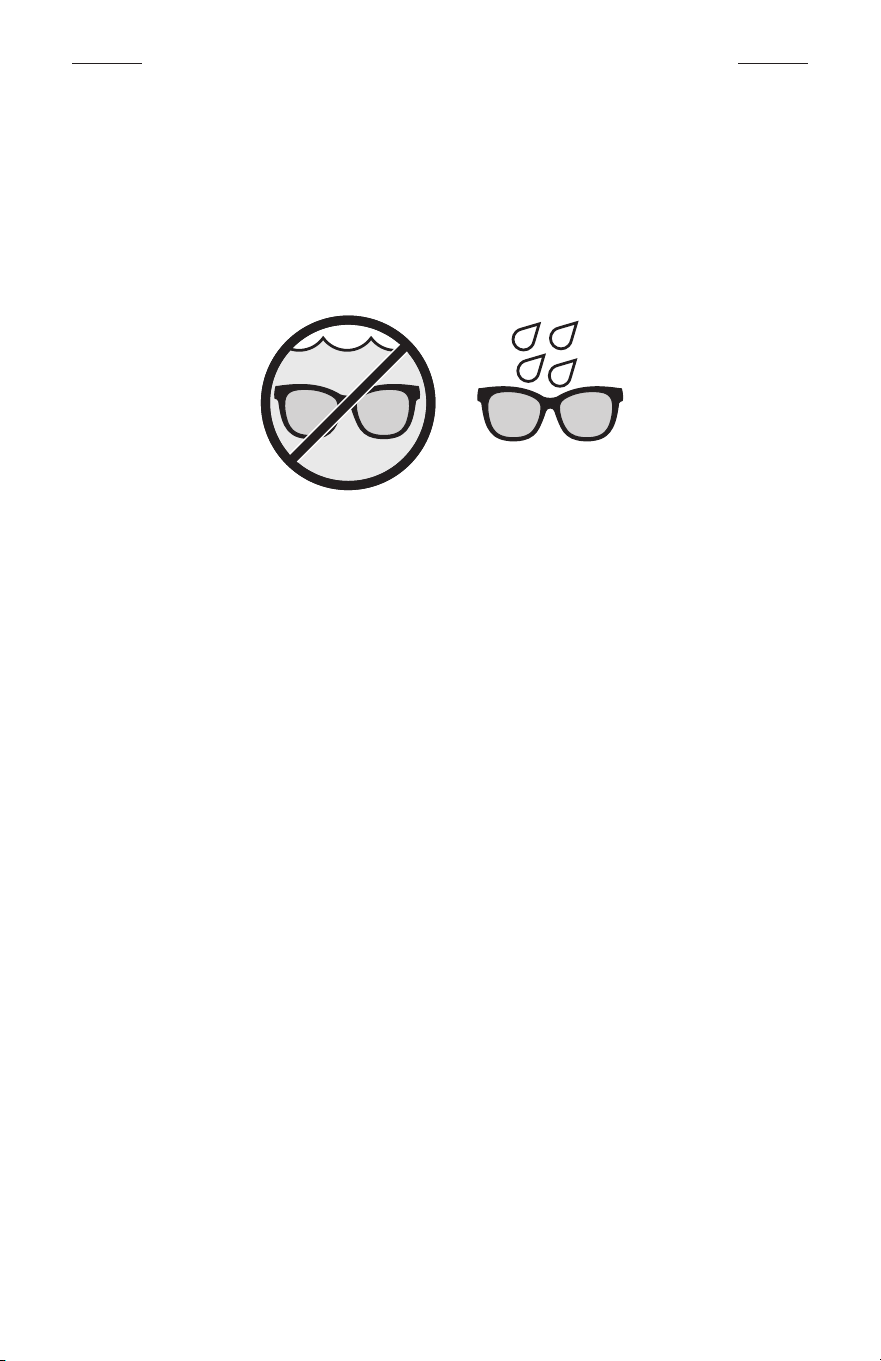
15
|
ITA
RESISTENZA AL SUDORE E AGLI AGENTI ATMOSFERICI
I Frames sono resistenti all’acqua in base alla classificazione IPX2. Sono progettati per
resistere al sudore e agli agenti atmosferici (gocce d’acqua) ma non sono pensati per
essere immersi in acqua.
AVVERTENZE:
• NON nuotare né fare la doccia con i Frames.
• NON immergere in acqua i Frames.
NOTA: la certificazione IPX2 non si riferisce a condizioni permanenti; la resistenza
potrebbe diminuire a seguito della normale usura.
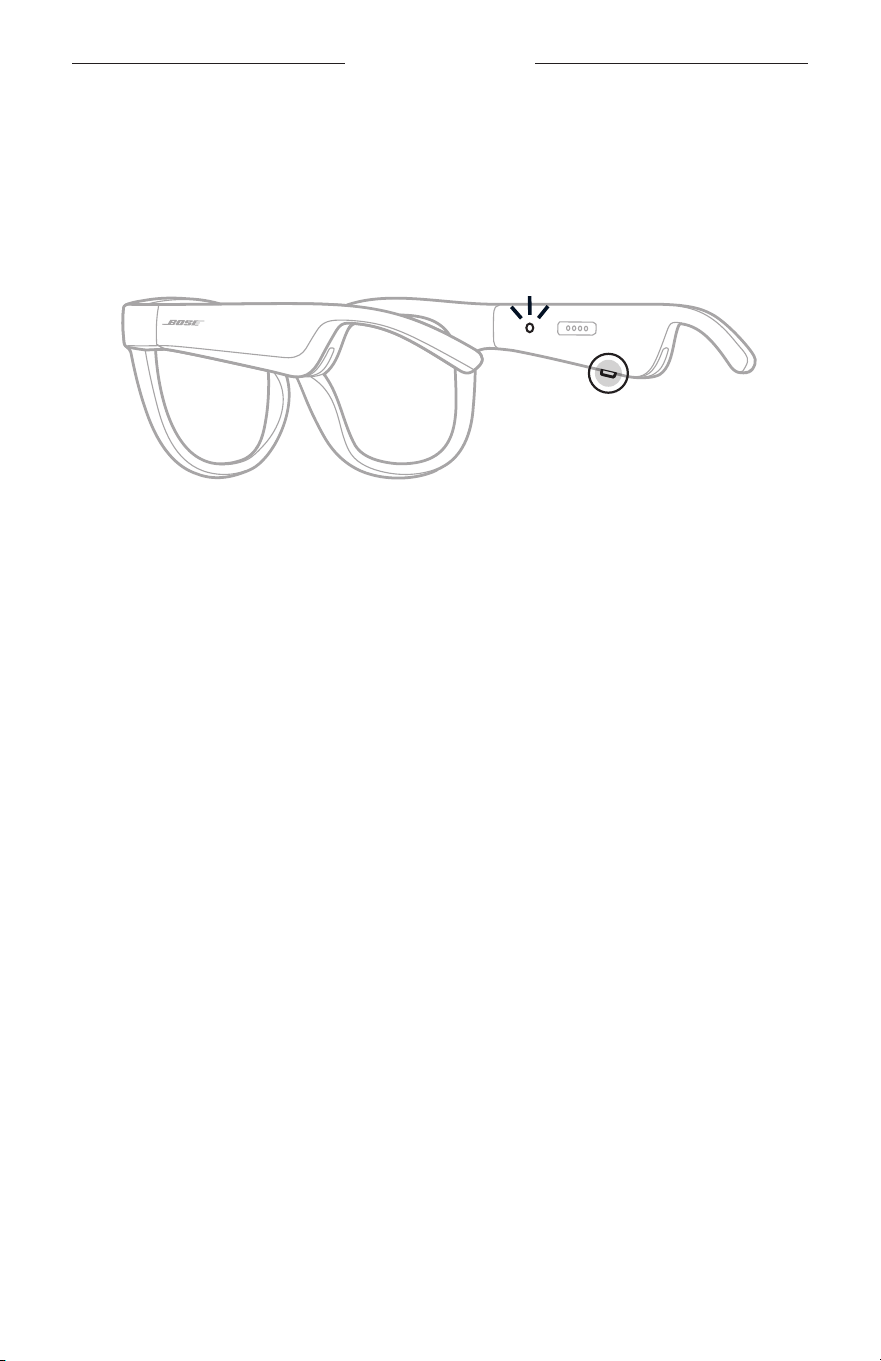
16
|
ITA
ALIMENTAZIONE
ACCENSIONE
Premere il pulsante situato sull’asta destra.
L’indicatore di stato lampeggia due volte con luce bianca, poi emette una luce che varia
in base allo stato della connessione Bluetooth (vedere pagina 22). Un messaggio
vocale annuncia il livello della batteria e lo stato della connessione Bluetooth.
NOTA: i Frames vengono forniti con una carica parziale; potrebbe essere necessario
riattivarli prima di usarli per la prima volta. Per riattivare i Frames, collegarli
all’alimentazione per 2 secondi, poi scollegarli di nuovo (vedere pagina 21).
Quindi, provare di nuovo ad accenderli.
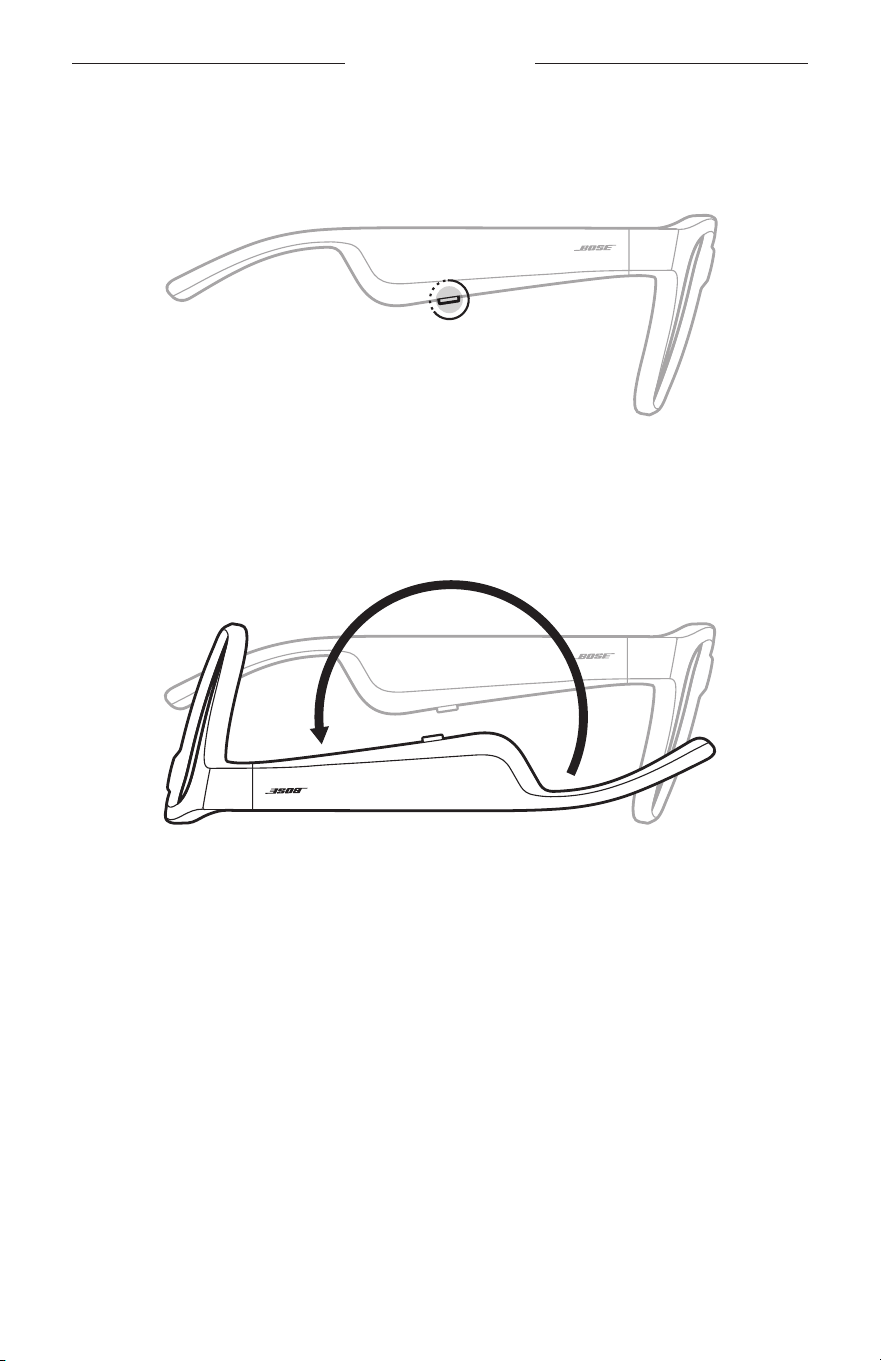
17
|
ITA
ALIMENTAZIONE
SPEGNIMENTO
Premere e tenere il pulsante fino a quando non si sente un segnale acustico.
L’indicatore di stato lampeggia due volte con luce bianca, poi si spegne gradualmente.
Capovolgi e spegni
Capovolgere i Frames per 2 secondi.
L’indicatore di stato lampeggia due volte con luce bianca, poi si spegne gradualmente.
NOTA:
• Dopo lo spegnimento dei Frames, è possibile spostarli in qualsiasi orientamento.
• È possibile disattivare la funzione Capovolgi e spegni nell’app Bose Music.
Questaopzione è accessibile dal menu Impostazioni.
Spegnimento automatico mediante rilevamento del movimento
I Frames usano il rilevamento del movimento per determinare quando non vengono
utilizzati. Se non vengono mossi per 10 minuti, si spengono automaticamente.
NOTA: è possibile disattivare la funzione Rilevamento del movimento nell’app
BoseMusic. Questa opzione è accessibile dal menu Impostazioni.
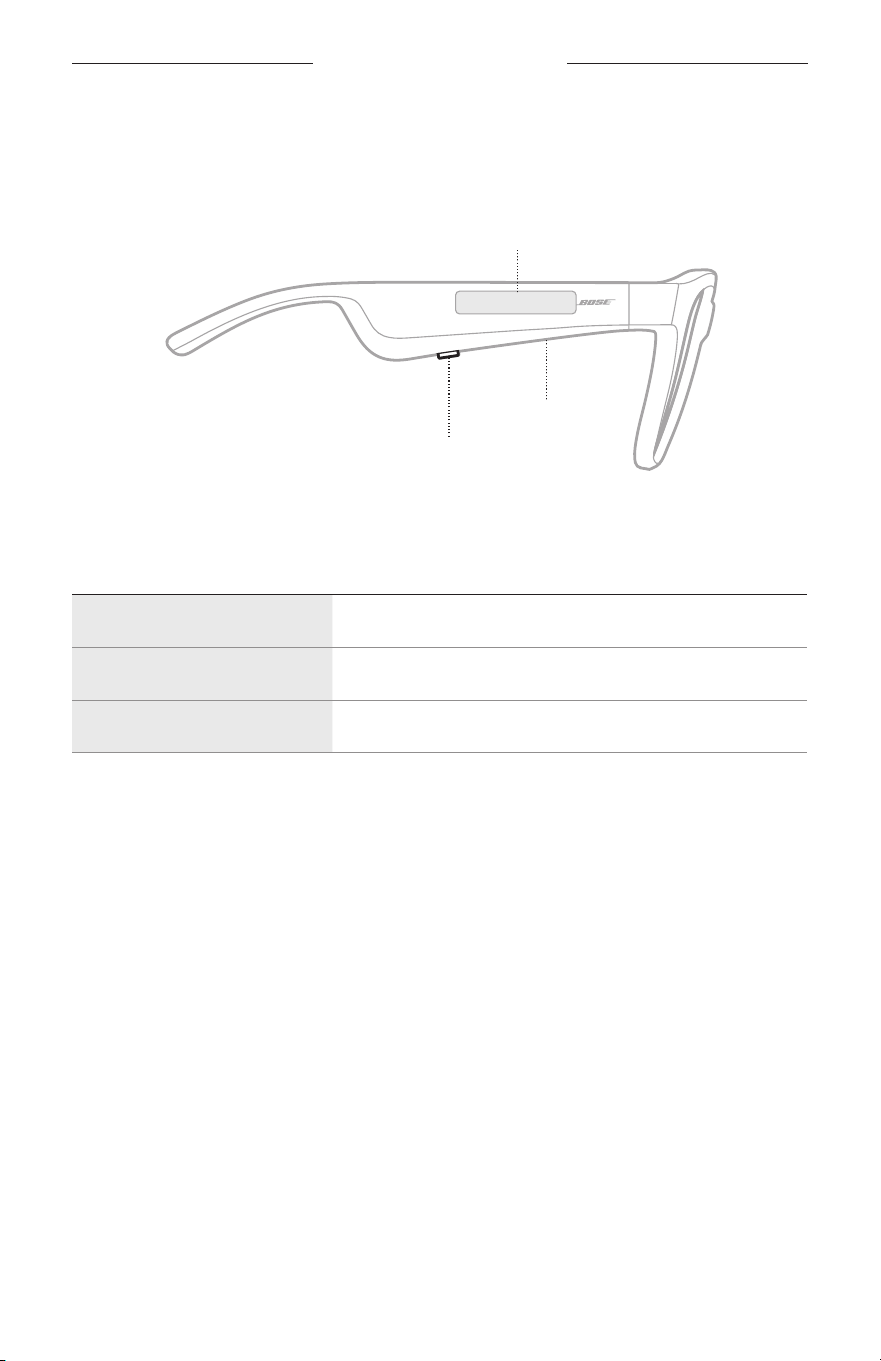
18
|
ITA
COMANDI DEI FRAMES
Utilizzare il pulsante e la superficie touch dell’asta destra per controllare la
riproduzione multimediale, il volume, le chiamate telefoniche e il controllo vocale.
Pulsante
Controllo riproduzione
Controllo chiamate telefoniche
Microfono
Superficie touch
Regolazione volume
Accesso al controllo vocale
RIPRODUZIONE MULTIMEDIALE
CONTROLLO AZIONE
Riproduzione/pausa Premere il pulsante.
Salto in avanti Premere due volte il pulsante.
Salto all’indietro Premere tre volte il pulsante.
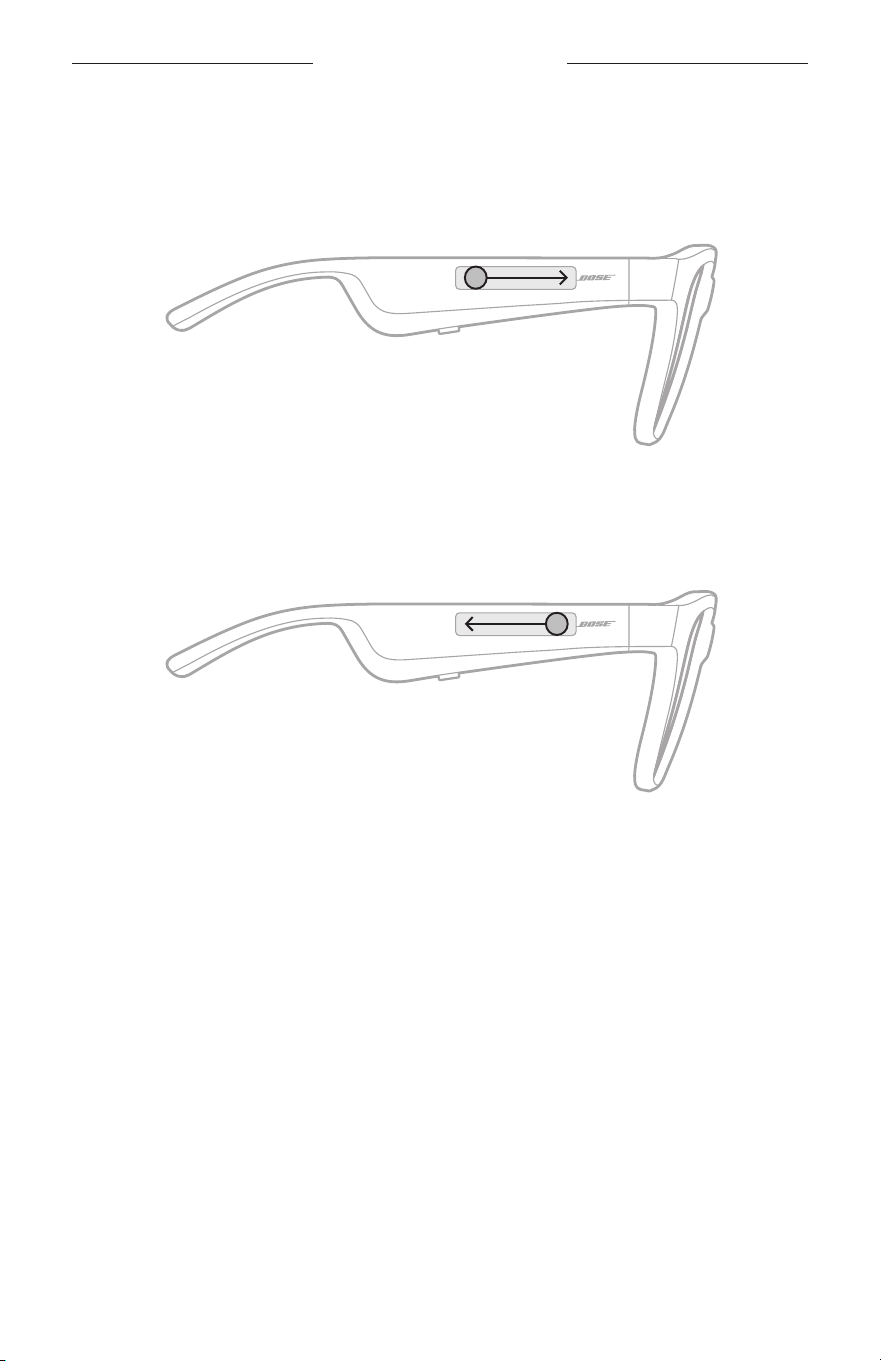
19
|
ITA
COMANDI DEI FRAMES
VOLUME
Aumentare il volume
Sfiorare in avanti la superficie touch.
NOTA: si avverte un segnale acustico quando il volume raggiunge il livello massimo.
Ridurre il volume
Sfiora all’indietro la superficie touch.
NOTA: si avverte un segnale acustico quando il volume raggiunge il livello minimo.
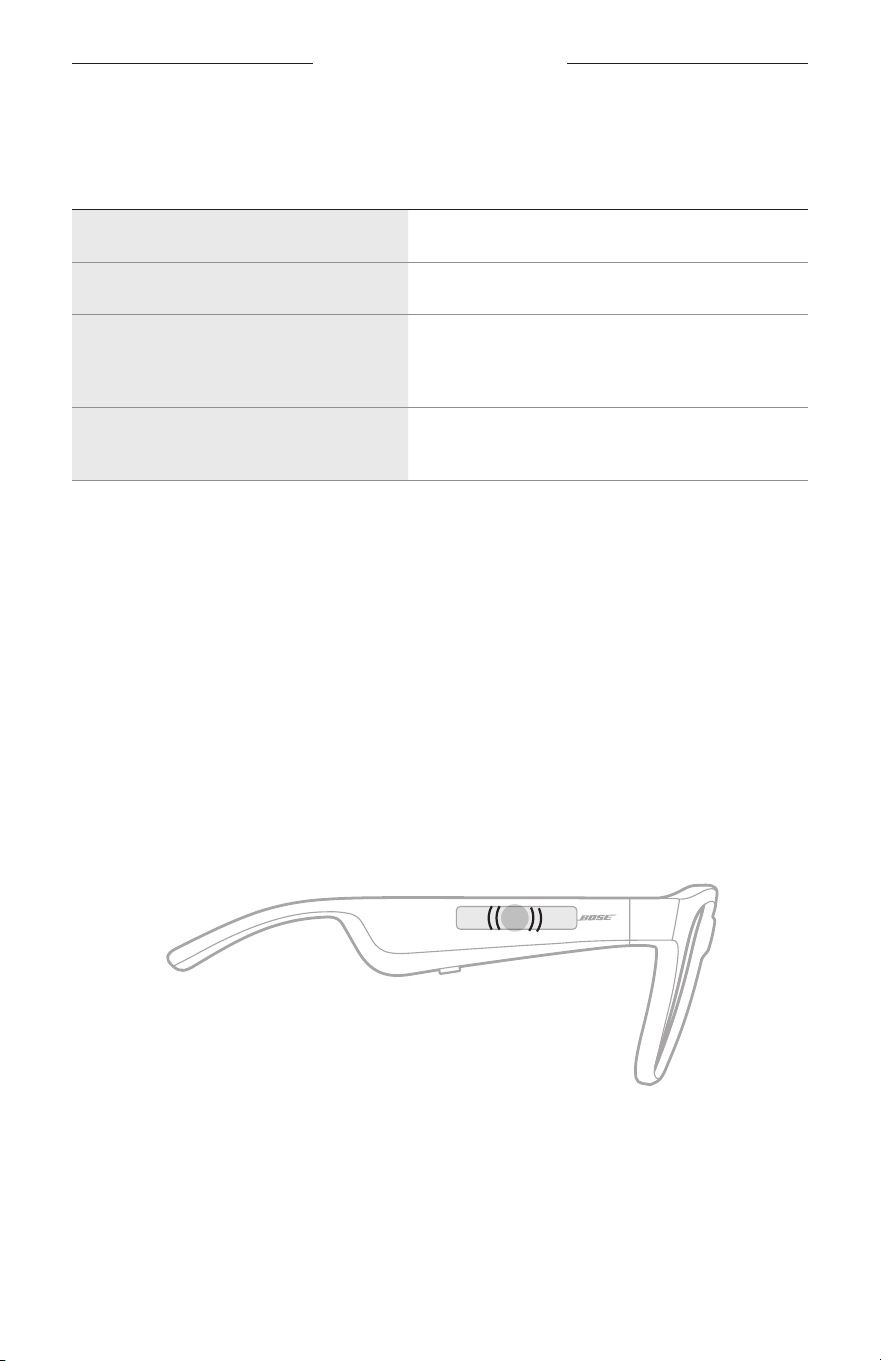
COMANDI DEI FRAMES
20
|
ITA
CHIAMATE
CONTROLLO AZIONE
Rispondere/Chiudere una chiamata Premere il pulsante.
Rifiutare una chiamata in arrivo Premere due volte il pulsante.
Rispondere a una seconda chiamata
in entrata mettendo in attesa
quellacorrente
Durante una chiamata, premere il pulsante.
Rifiutare una seconda chiamata in arrivo
e continuare quella in corso
Durante una chiamata, premere due volte
ilpulsante.
NOTA: per usare tutti controlli di chiamata, applicare tutti gli aggiornamenti software
disponibili nell’app Bose Music.
Notifiche di chiamata
Un’istruzione vocale segnala le chiamate in arrivo e lo stato delle chiamate.
ACCEDERE AL CONTROLLO VOCALE
Il microfono dei Frames funziona come un’estensione del microfono del proprio
dispositivo mobile. Utilizzando la superficie touch sull’asta destra, è possibile accedere
alle funzioni dei comandi vocali del dispositivo per chiamare/rispondere alle chiamate
o per chiedere a Siri o ad Assistente Google di riprodurre musica, fornire le previsioni
del tempo, il punteggio di una partita e altre informazioni.
Toccare due volte la superficie touch per accedere al controllo vocale sul dispositivo.
2x
Si sente un segnale acustico quando il controllo vocale è attivo.
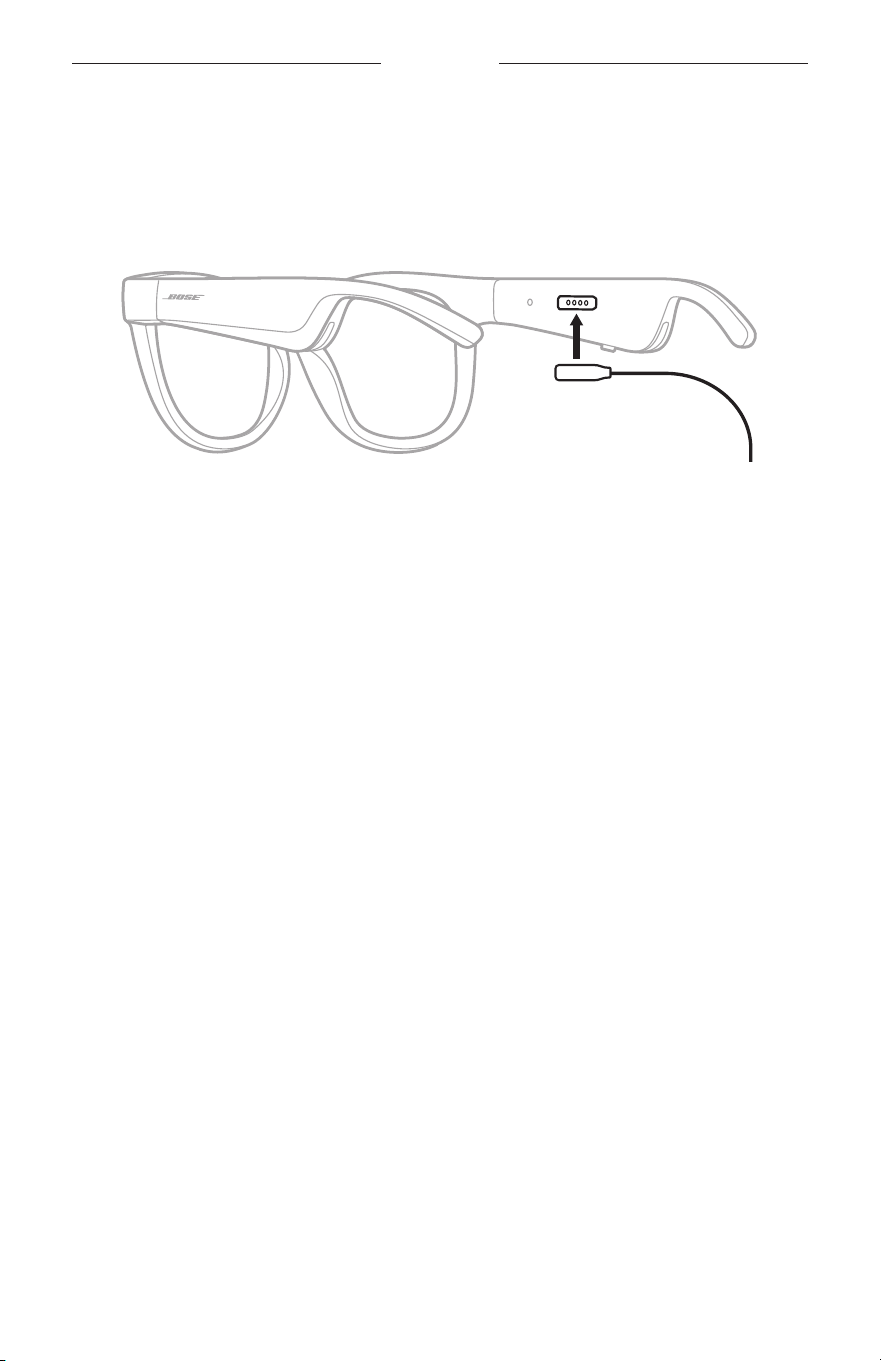
21
|
ITA
BATTERIA
CARICARE I FRAMES
1. Allineare i piedini del cavo di carica alla porta di carica situata sull’asta destra.
NOTA: per caricare correttamente i Frames, è necessario che i piedini siano
allineati correttamente alla porta di carica.
2. Premere leggermente i piedini contro la porta di carica finché non scattano
magneticamente in posizione.
3. Inserire l’altra estremità in un caricatore da parete USB-A (non fornito).
ATTENZIONE: utilizzare questo prodotto esclusivamente con un alimentatore
approvato da un ente per la sicurezza che rispetta i requisiti
normativi locali (ad esempio, UL, CSA, VDE, CCC).
Durante la carica, l’indicatore di stato lampeggia in bianco. Quando la batteria
è completamente carica, la luce dell’indicatore diventa bianca fissa (vedere
pagina 23).
NOTE:
• Durante la carica, i Frames non riproducono audio.
• Non indossare i Frames durante la carica.
VERIFICARE IL LIVELLO DELLA BATTERIA DEI FRAMES
Ascoltare le notifiche della batteria
Ogni volta che si accendono i Frames, un messaggio vocale segnala il livello di carica
della batteria.
Mentre si usano i Frames, un messaggio vocale avvisa se la batteria deve essere
ricaricata.
Visualizzare il livello della batteria
• Controllare la schermata iniziale dell’app Bose Music.
• Quando l’indicatore di stato lampeggia con luce rossa, è necessario ricaricare i Frames.
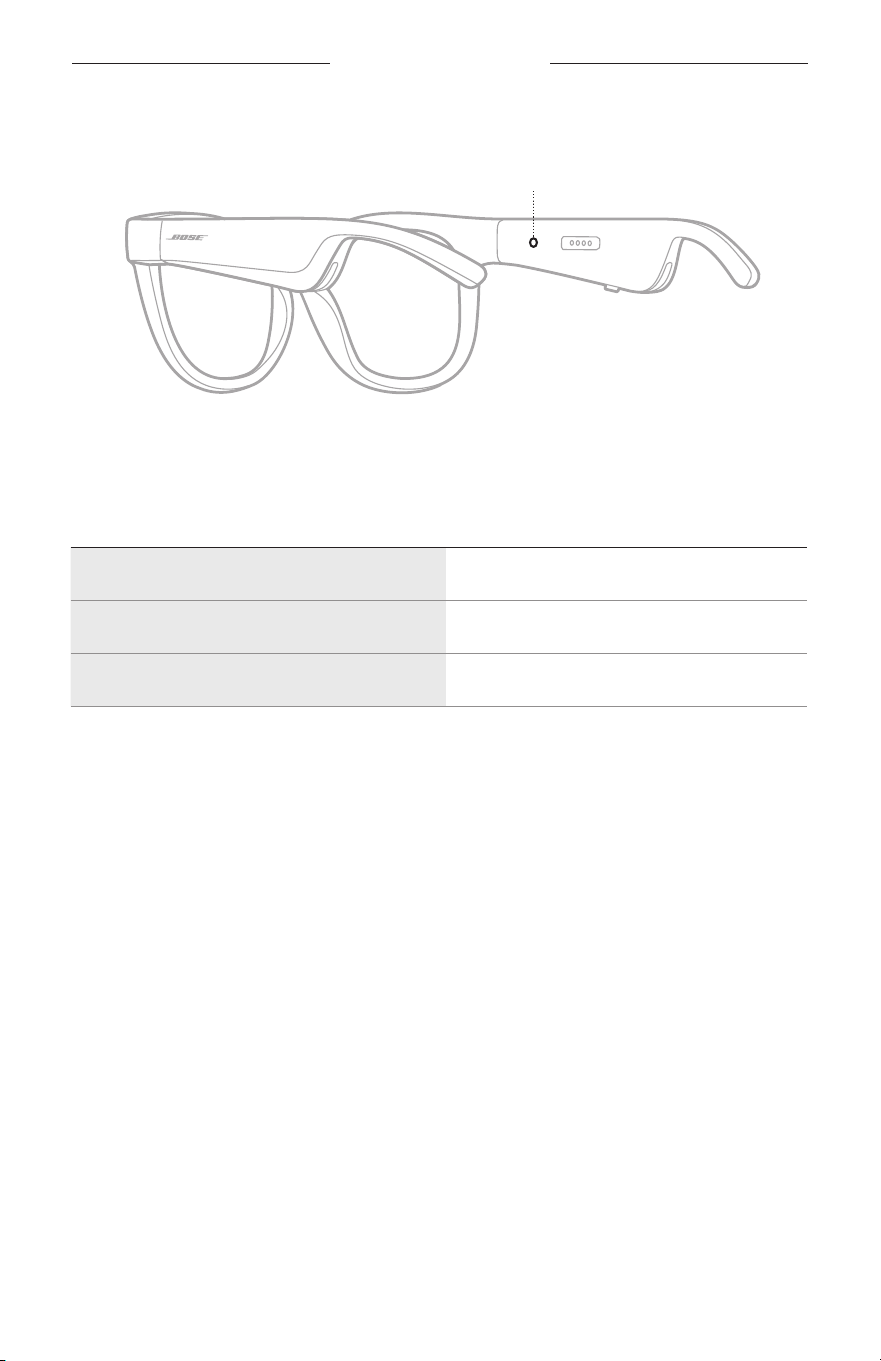
22
|
ITA
STATO DEI FRAMES
L’indicatore di stato dei Frames si trova all’interno dell’asta destra.
Indicatore di stato
STATO DELLA CONNESSIONE BLUETOOTH
Mostra lo stato della connessione Bluetooth dei dispositivi mobili.
ATTIVITÀ DEGLI INDICATORI STATO DEL SISTEMA
Blu lampeggiante lento Pronto per la connessione
Blu lampeggiante veloce Connessione in corso
Blu fisso (10 secondi) Connesso
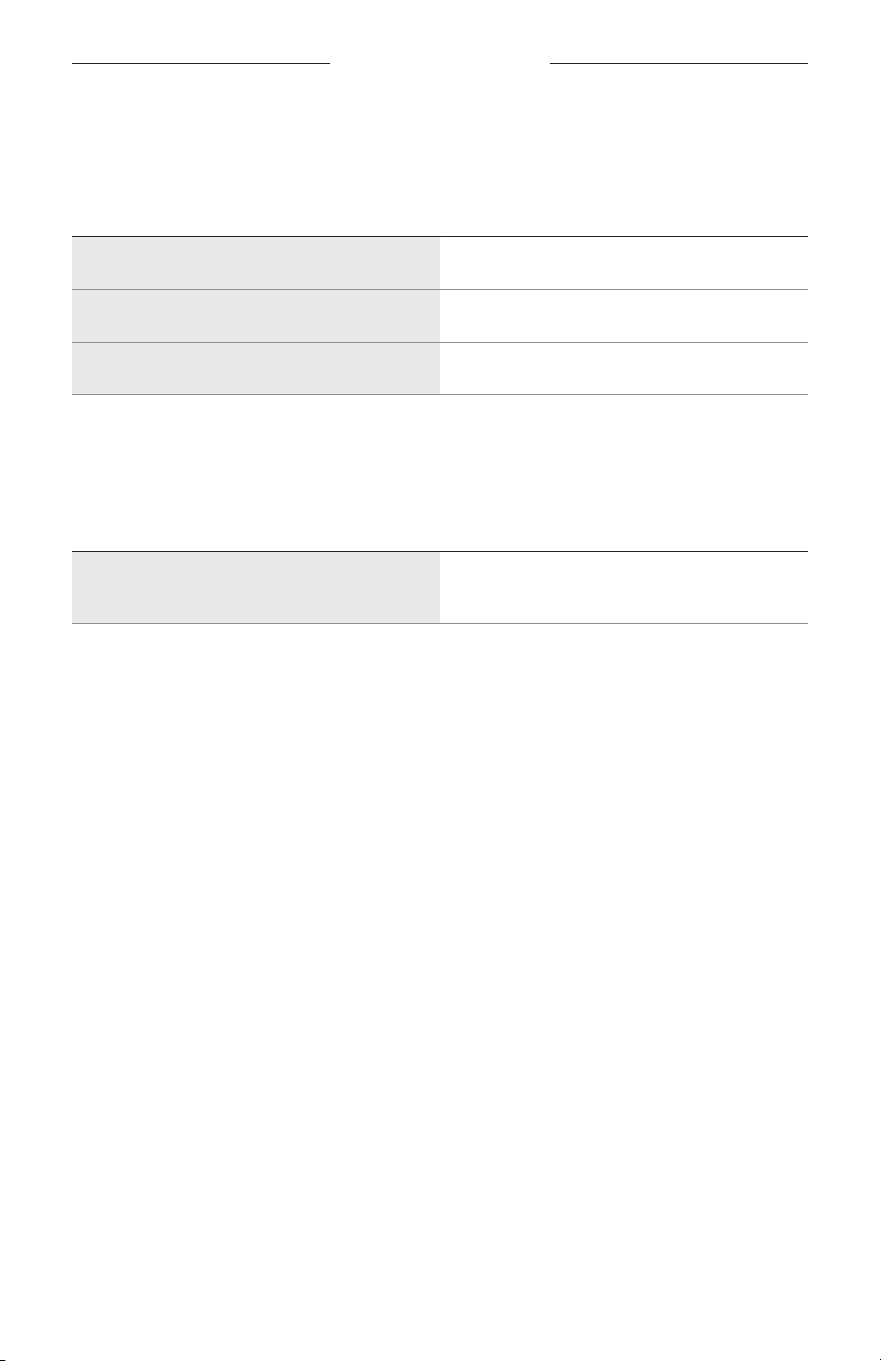
STATO DEI FRAMES
23
|
ITA
STATO BATTERIA
Indica il livello di carica della batteria dei Frames.
ATTIVITÀ DEGLI INDICATORI STATO DEL SISTEMA
Rosso lampeggiante (10 secondi) Ricaricare la batteria
Bianco lampeggiante Carica in corso
Bianco fisso Carica completa
STATO DI ERRORE
Mostra lo stato di errore.
ATTIVITÀ DEGLI INDICATORI STATO DEL SISTEMA
Bianco e rosso lampeggianti
(ripetutamente)
Errore - contattare l’assistenza clienti Bose
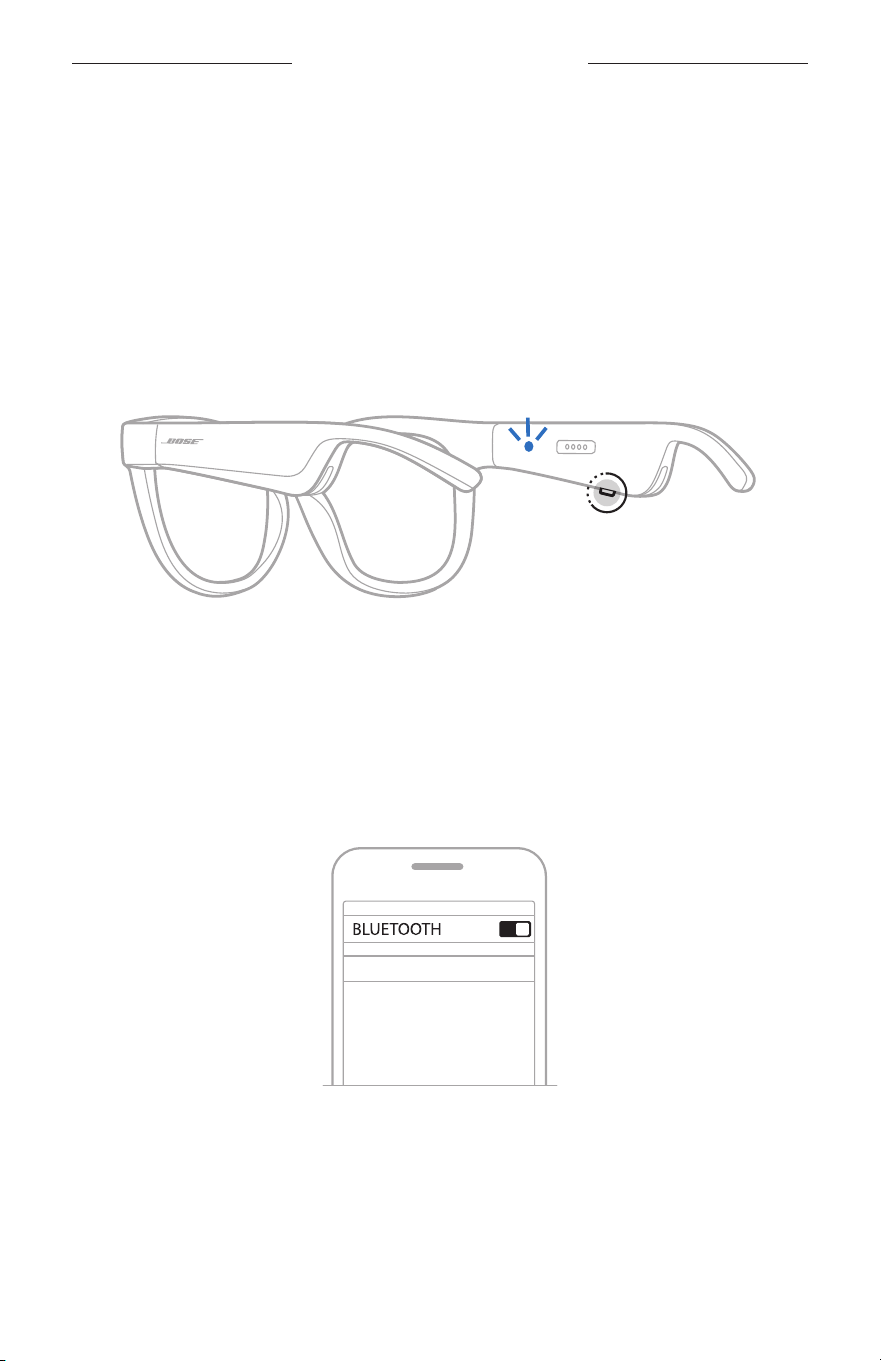
24
|
ITA
CONNESSIONI BLUETOOTH
CONNETTERE MEDIANTE IL MENU BLUETOOTH DEL
DISPOSITIVO MOBILE
È possibile memorizzare fino a otto dispositivi nell’elenco dei dispositivi dei Frames.
Sipuò connettere un solo dispositivo per volta dal quale riprodurre l’audio.
NOTA: per un’esperienza d’ascolto ottimale, configurare e connettere il dispositivo
mobile utilizzando l’app Bose Music (vedere pagina 14).
1. Con i Frames accesi, premere e tenere premuto il pulsante situato sull’asta destra
finché non si sente “Pronto per la connessione” o si vede l’indicatore di stato che
lampeggia con luce blu.
2. Sul dispositivo, attivare la funzione Bluetooth.
NOTA: la funzione Bluetooth si trova in genere nel menu Impostazioni.
3. Selezionare i Frames dall’elenco dispositivi.
NOTA: nell’app Bose Music, individuare il nome utilizzato per i Frames. Se non è
stato assegnato un nome ai Frames, viene visualizzato il nome predefinito.
BOSE FRAMES
Una volta eseguita la connessione, si sente il messaggio vocale “Connesso a
<nome dispositivo mobile>”, quindi l’indicatore di stato si illumina con luce blu
fissa per poi spegnersi gradualmente.

25
|
ITA
CONNESSIONI BLUETOOTH
DISCONNETTERE UN DISPOSITIVO MOBILE
Scollegare il dispositivo mobile tramite l’app Bose Music.
SUGGERIMENTO: si può scollegare il dispositivo anche dalle impostazioni Bluetooth.
Se si disattiva la funzione Bluetooth, vengono scollegati anche tutti
gli altri dispositivi.
RICONNETTERE UN DISPOSITIVO MOBILE
All’accensione, i Frames tentano di connettersi con il dispositivo connesso più di recente.
NOTA: il dispositivo deve trovarsi nel raggio di portata (9 m) ed essere acceso.
CANCELLARE L’ELENCO DISPOSITIVI DEI FRAMES
1. Con i Frames accesi, tenere premuto il pulsante sull’asta destra per 10 secondi
finché un messaggio vocale non conferma che l’elenco dei dispositivi Bluetooth è
stato cancellato oppure si vede l’indicatore di stato lampeggiare con luce blu.
2. Eliminare i Frames dall’elenco dei dispositivi Bluetooth del dispositivo.
Tutti i dispositivi vengono cancellati e i Frames sono pronti per la connessione.
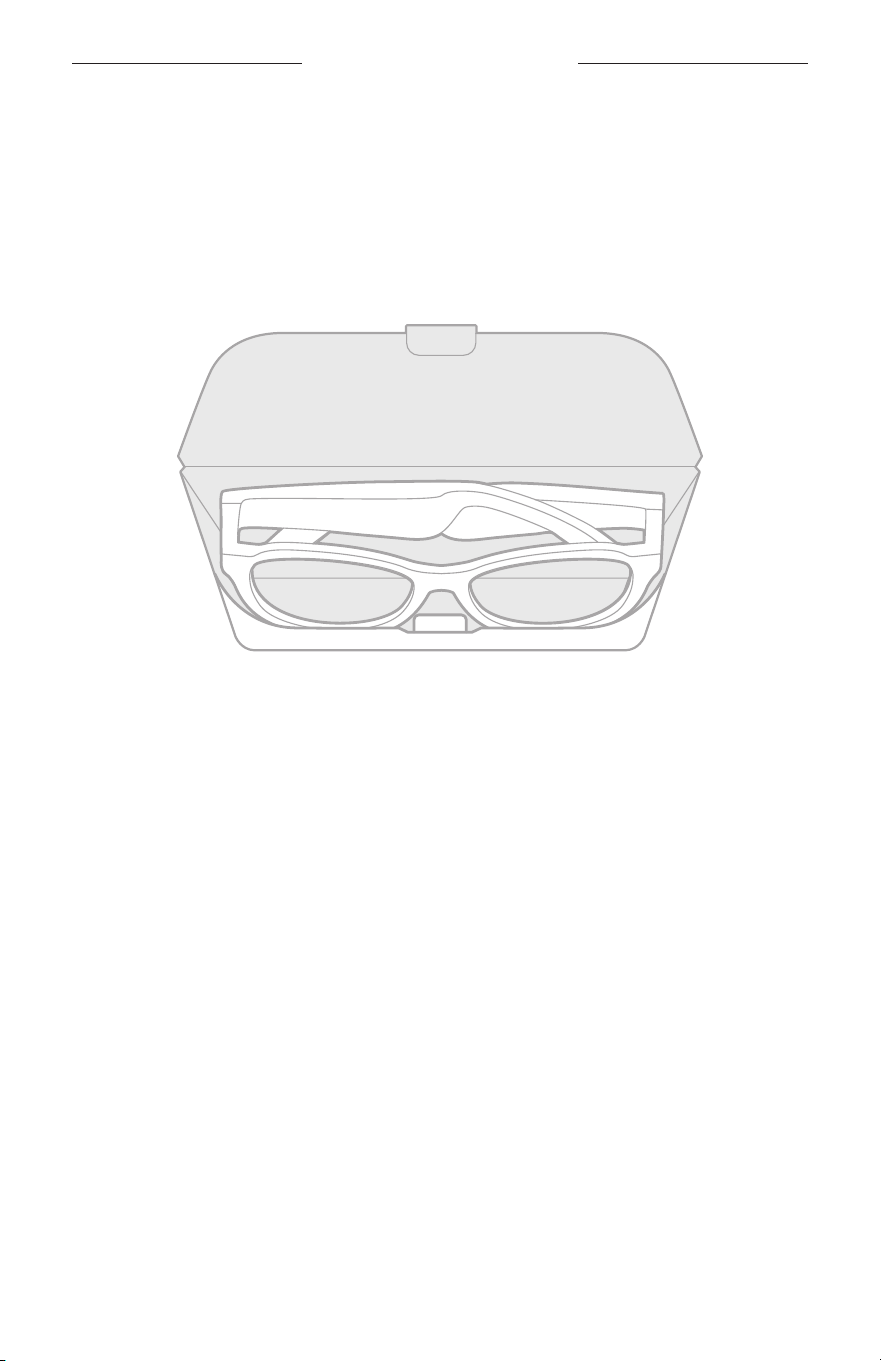
26
|
ITA
CURA E MANUTENZIONE
CONSERVARE I FRAMES
I Frames si ripiegano all’interno per essere riposti con la massima praticità.
1. Piegare le aste verso l’interno e verso le lenti in modo che le aste siano piatte.
2. Collocare i Frames nella custodia con le lenti rivolte verso la parte anteriore
della custodia.
NOTE:
• Spegnere i Frames quando non sono in uso.
• Prima di riporre i Frames, se si prevede di non utilizzarli per vari mesi, assicurarsi
che la batteria sia completamente carica.

27
|
ITA
CURA E MANUTENZIONE
MANUTENZIONE DEI FRAMES
Dopo ogni utilizzo, pulire entrambi i lati delle lenti e tutte le parti della montatura con
il panno di pulizia in dotazione o con un panno asciutto.
AVVERTENZE:
• NON utilizzare spray vicino ai Frames.
• NON utilizzare solventi, prodotti chimici o soluzioni detergenti contenenti alcol,
ammoniaca o abrasivi.
• NON fare entrare liquidi nelle aperture.
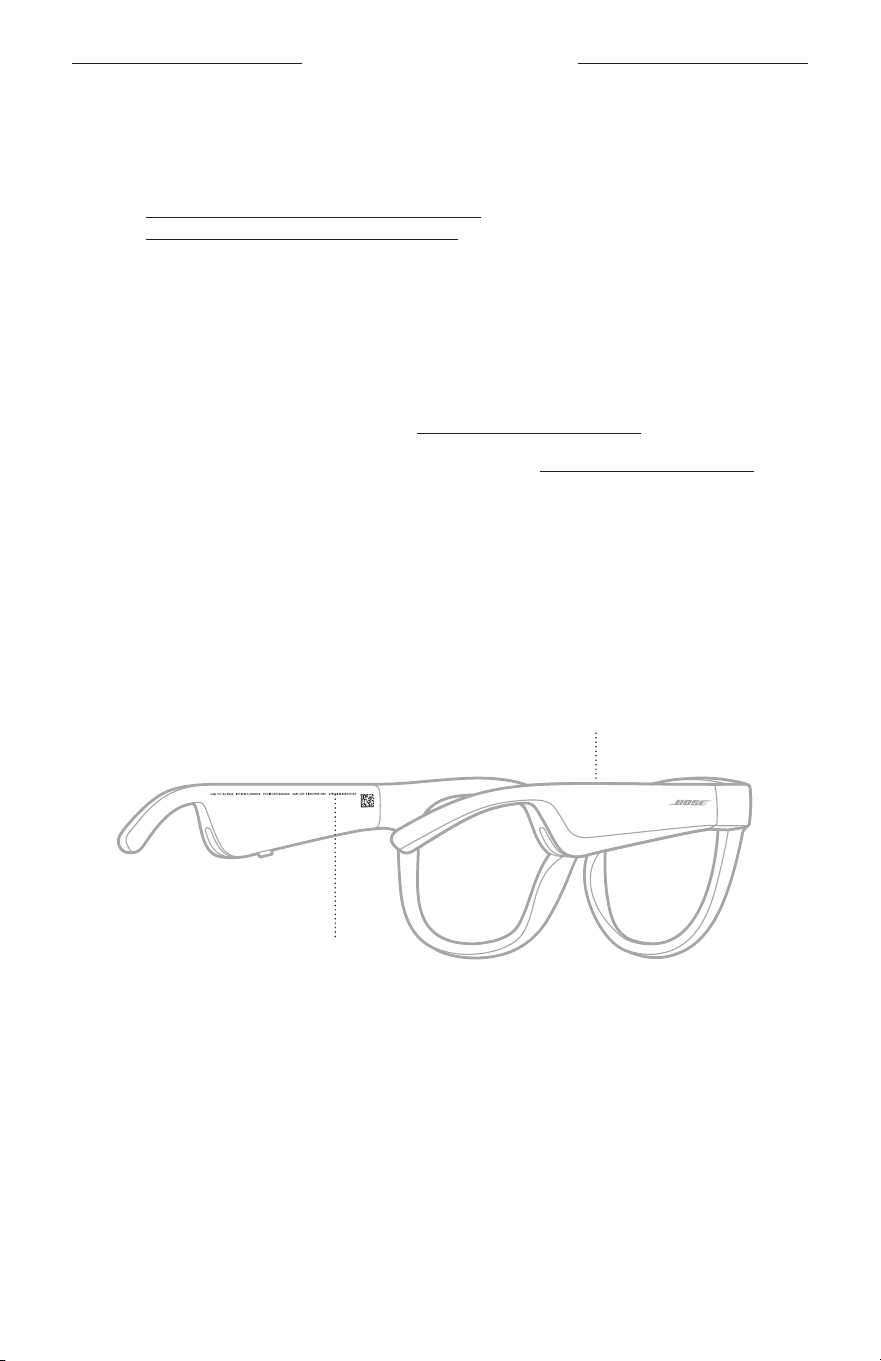
28
|
ITA
CURA E MANUTENZIONE
PARTI DI RICAMBIO E ACCESSORI
Per ordinare parti di ricambio e accessori, rivolgersi al servizio clienti Bose.
Visitare: worldwide.Bose.com/Support/Soprano
worldwide.Bose.com/Support/Tenor
NOTA: per informazioni su come sostituire le lenti, consultare le istruzioni fornite con
le lenti sostitutive.
GARANZIA LIMITATA
I Frames sono coperti da garanzia limitata. Per i dettagli della garanzia limitata,
consultare il nostro sito web all’indirizzo global.Bose.com/warranty.
Per effettuare la registrazione del prodotto, consultare global.Bose.com/register per
istruzioni. La mancata registrazione non inciderà in alcun modo sui diritti previsti dalla
garanzia limitata.
POSIZIONI DEI NUMERI DI SERIE E DI MODELLO/
RIFERIMENTO
Il numero di serie è riportato sul lato interno dell’asta sinistra, mentre il numero di
modello/riferimento è riportato sul lato interno dell’asta destra.
Numero di serie
Numero di modello/riferimento

29
|
ITA
RISOLUZIONE DEI PROBLEMI
PROVARE PRIMA QUESTE SOLUZIONI
Se si dovessero riscontrare problemi con i Frames:
• Accendere i Frames (vedere pagina 16).
• Collegare i Frames all’alimentazione per 2 secondi, quindi scollegarli di nuovo
(vedere pagina 21).
• Caricare la batteria (vedere pagina 21).
• Controllare lo stato degli indicatori (vedere pagina 22).
• Verificare che il dispositivo mobile supporti le connessioni Bluetooth.
• Scaricare l’app Bose Music ed eseguire gli aggiornamenti software disponibili.
• Aumentare il volume sui Frames, sul dispositivo mobile e/o nell’app audio/di
streaming.
• Connettere un altro dispositivo mobile (vedere pagina 24).
ALTRE SOLUZIONI
Se non si riesce a risolvere il problema, consultare la tabella seguente per individuare
i sintomi e le possibili soluzioni dei problemi più comuni. Se non si è in grado di
risolvere il problema, contattare il servizio clienti Bose.
Visitare: worldwide.Bose.com/Contact
PROBLEMA AZIONE
I Frames non si
connettono al
dispositivo mobile
Sul dispositivo:
• Disattivare e poi riattivare la funzione Bluetooth.
• Rimuovere i Frames dall’elenco Bluetooth del dispositivo.
Riconnettere (vedere pagina 24).
Avvicinare il dispositivo ai Frames e allontanare eventuali ostacoli
o fonti di interferenza.
Connettere un dispositivo mobile diverso (vedere pagina 24).
Per guardare i video dimostrativi, visitare:
worldwide.Bose.com/Support/Tenor o
worldwide.Bose.com/Support/Soprano
Cancellare l’elenco dispositivi dei Frames (vedere pagina 25).
Riconnettere.
L’app Bose Music non
funziona sul dispositivo
Assicurarsi che l’app Bose Music sia compatibile con il dispositivo
in uso.
Disinstallare l’app Bose Music dal dispositivo, quindi reinstallarla
(vedere pagina 14).
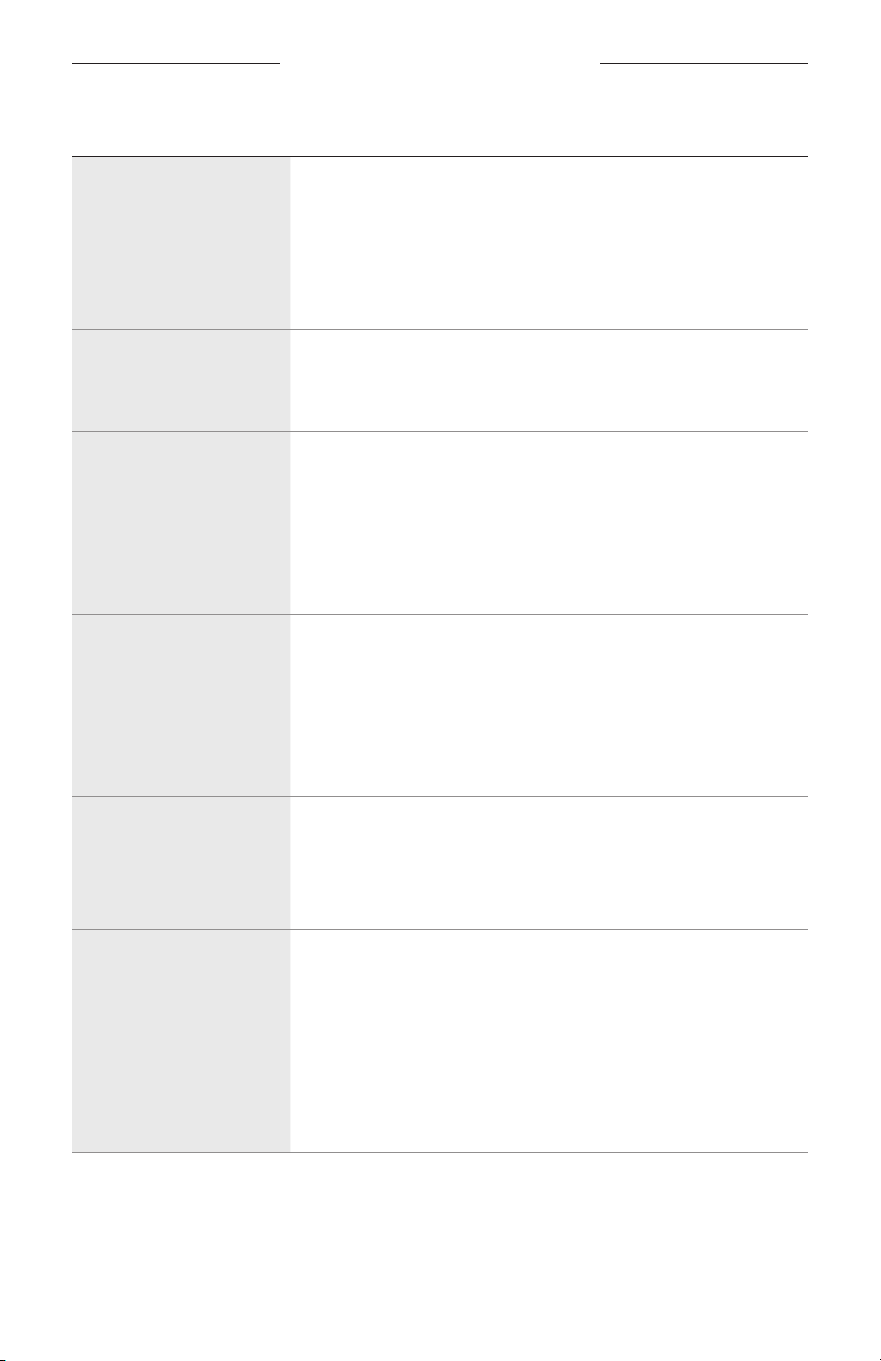
30
|
ITA
RISOLUZIONE DEI PROBLEMI
PROBLEMA AZIONE
L’app Bose Music non
riesce a trovare i Frames
Accendere i Frames (vedere pagina 16).
Premere e tenere premuto il pulsante situato sull’asta destra
finché non si sente “Pronto per la connessione” o si vede
l’indicatore di stato che lampeggia con luce blu.
Nell’app Bose Music, eseguire gli aggiornamenti software
disponibili.
Connessione Bluetooth
intermittente
Cancellare l’elenco dispositivi dei Frames (vedere pagina 25).
Riconnettere (vedere pagina 24).
Avvicinare il dispositivo ai Frames.
Non si sente alcun suono
Premere il pulsante di riproduzione del dispositivo mobile per
accertarsi che l’audio sia in riproduzione.
Avvicinare il dispositivo ai Frames e allontanare eventuali ostacoli
o fonti di interferenza.
Provare a usare un’altra sorgente di riproduzione audio.
Connettere un dispositivo diverso (vedere pagina 24).
Scarsa qualità del suono
Provare a usare un’altra sorgente di riproduzione audio.
Connettere un dispositivo mobile diverso.
Avvicinare il dispositivo ai Frames assicurandosi che non siano
presenti fonti di interferenza o ostacoli nelle vicinanze.
Disattivare qualsiasi funzione di ottimizzazione audio sul
dispositivo o nell’app audio/di streaming.
Il microfono non rileva
alcun suono
Assicurarsi che l’apertura del microfono sull’asta destra non
sia bloccata.
Provare a chiamare un numero differente.
Provare con un dispositivo compatibile differente.
I Frames non si caricano
Assicurarsi che i piedini del cavo di carica siano correttamente
allineati alla porta di carica sui Frames e che siano
magneticamente inseriti in posizione.
Fissare entrambe le estremità del cavo di carica.
Se i Frames sono stati esposti a temperature elevate o basse,
attendere che la temperatura dei Frames torni alla temperatura
ambiente, quindi provare a effettuare nuovamente la carica.
Provare con un altro caricabatteria USB a parete.
RISOLUZIONE DEI PROBLEMI
31
|
ITA
PROBLEMA AZIONE
I Frames non rispondono
al controllo touch
Assicurarsi di toccare la superficie di controllo touch corretta
(vedere pagina 18).
Assicurarsi di avere le mani completamente asciutte.
Se si hanno i capelli bagnati, assicurarsi che non interferiscano
con la superficie touch.
Se si indossano dei guanti, rimuoverli prima di toccare la
superficie di controllo touch.
Non si riesce a regolare
il volume
Assicurarsi di sfiorare la superficie di controllo touch corretta
(vedere pagina 18).
Assicurarsi di avere le mani completamente asciutte.
Se si hanno i capelli bagnati, assicurarsi che non interferiscano
con la superficie touch.
Se si indossano dei guanti, rimuoverli prima di toccare la
superficie di controllo touch.
Non si riesce a utilizzare i
controlli di chiamata
Nell’app Bose Music, eseguire gli aggiornamenti software
disponibili.
Il dispositivo non
risponde quando si
premono i pulsanti
Nell’app Bose Music, eseguire gli aggiornamenti software
disponibili.
Per le funzioni che prevedono più pressioni, variare la velocità
delle pressioni.
Assicurarsi che l’app musicale supporti la funzione.
Spegnere e poi accendere i Frames.
Sul dispositivo:
• Disattivare e poi riattivare la funzione Bluetooth.
• Rimuovere i Frames dall’elenco Bluetooth del dispositivo.
Riconnettere (vedere pagina 24).
Provare con un dispositivo compatibile differente.
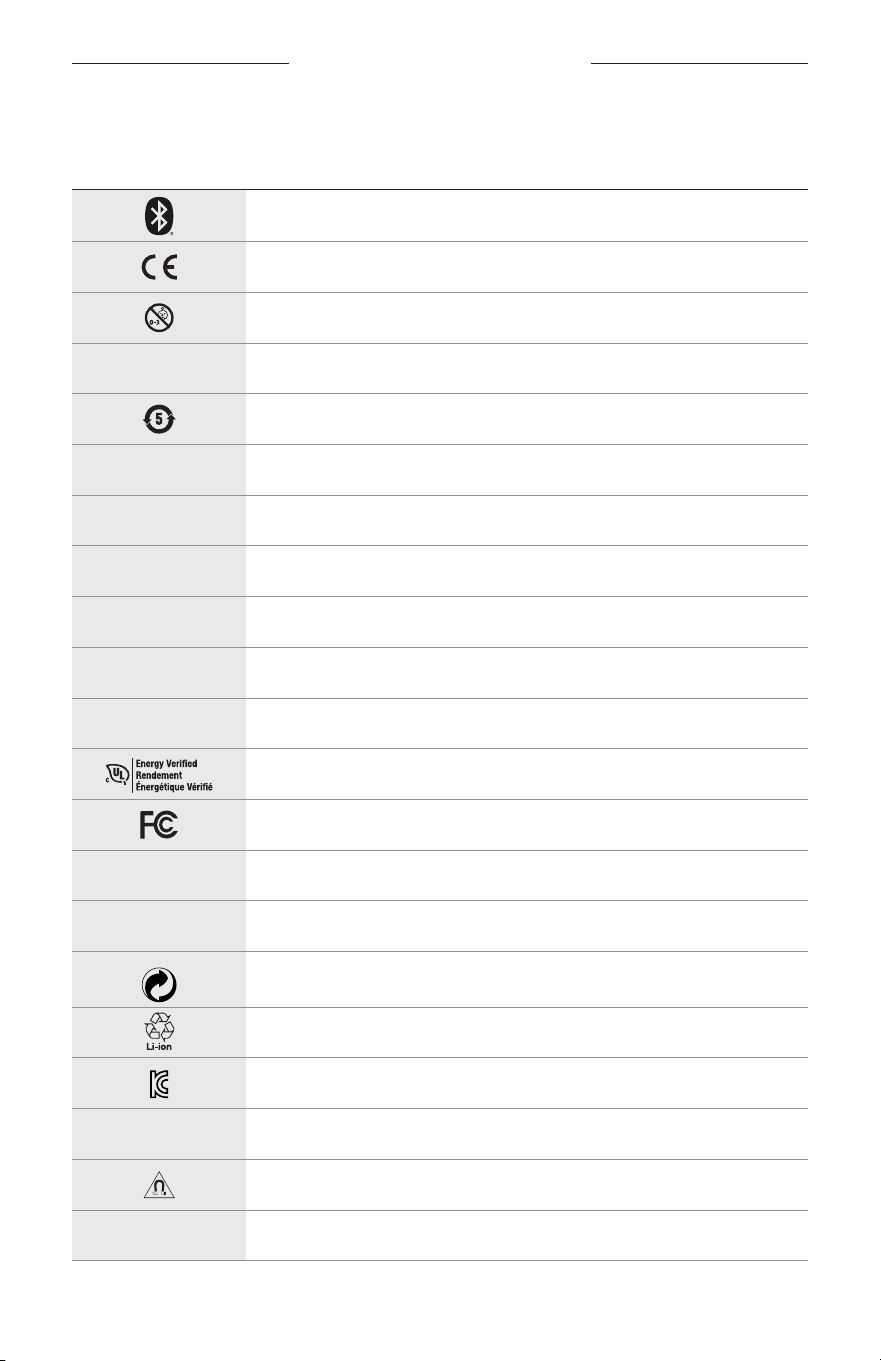
32
|
ITA
SIMBOLI DELLE ETICHETTE
SIMBOLI E DESCRIZIONI
SIMBOLO DESCRIZIONE
Bluetooth
Marchio di certificazione CE
Pericolo di soffocamento
h
Numero di catalogo
Batteria ROHS Cina
w
Assistenza clienti
N
Data di produzione
X
Documentazione
L
Non utilizzare se la confezione è danneggiata
C
Non contiene lattice
s
Download
Verifica dell’efficienza energetica
Certificazione FCC
o
Forum
h
Alta protezione contro la luce solare
Simbolo marchio commerciale Green Dot
Riciclaggio batterie Giappone
Certificazione KCC
p
Conservare all’asciutto
Interferenza magnetica
M
Produttore
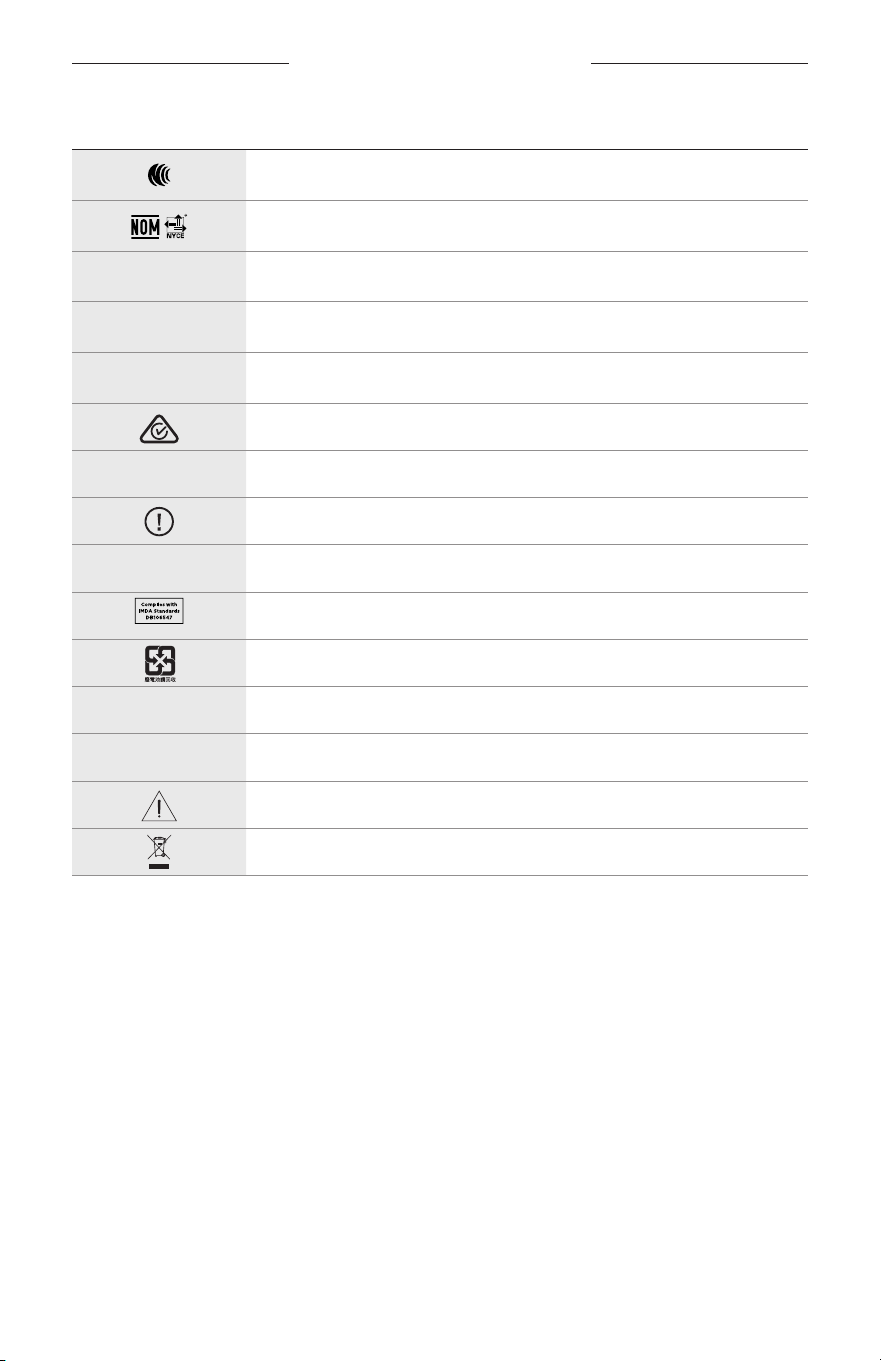
SIMBOLI DELLE ETICHETTE
33
|
ITA
SIMBOLO DESCRIZIONE
Certificazione NCC
Certificazione NOM NYCE
d
Non sterile
I
NON ADATTO ALLA GUIDA AL CREPUSCOLO O DI NOTTE
m
Telefono
Marchio di conformità normativa
A
Consultare le istruzioni per l’uso
Informazioni sulla sicurezza
f
Numero di serie
Conformità IMDA Singapore
Riciclaggio batterie Taiwan
l
Limite di temperatura
W
Video
Avvisi/avvertenze
Simbolo direttiva sui rifiuti di apparecchiature elettriche ed
elettroniche (RAEE)
FONTOS BIZTONSÁGI UTASÍTÁSOK
2
|
MAG
Használati javallat
Az orvosi rendelvény nélkül kapható napszemüvegek keretbe foglalt vagy csíptetős, a napfényt elnyelő, visszaverő,
színezett, polarizált vagy fényre sötétedő lencsékből álló eszközök, amelyeket arra a célra terveztek, hogy viselőjük
szemét megvédjék az erős napsugárzástól, anélkül, hogy kiigazítanák a szem fénytörési hibáit. Ez az eszköz vény
nélkül kapható.
A
Olvassa el a használati útmutatót.
Kérjük, olvassa el, és tartsa be a biztonsági és használati utasításokat.
Fontos biztonsági utasítások
A Bose Corporation ezennel kijelenti, hogy jelen termék megfelel a rádióberendezésekre és távközlési
végberendezésekre vonatkozó 2014/53/EK irányelv és minden más idevonatkozó EU-irányelv alapvető
követelményeinek és egyéb rendelkezéseinek. A teljes megfelelőségi nyilatkozat megtalálható a következő
címen: www.Bose.com/compliance.
1. Olvassa el ezeket az utasításokat.
2. Őrizze meg őket.
3. Tartson be minden figyelmeztetést.
4. Tartsa be az összes utasítást.
5. Ne használja a készüléket víz közelében.
6. Csak száraz ronggyal tisztítsa.
7. Kizárólag a gyártó által meghatározott kiegészítőket/tartozékokat használja.
8. Húzza ki a készülék dugóját villámláskor, vagy ha hosszabb ideig nem fogja használni.
9. A javítási munkákat bízza szakemberre. Szervizelésre akkor van szükség, ha a készülék valamilyen módon
meghibásodott, például megsérült a hálózati csatlakozózsinórja vagy a csatlakozódugója, folyadék ömlött vagy
nehéz tárgy esett rá, eső vagy nedvesség érte, működésében rendellenesség tapasztalható, vagy leesett.
VIGYÁZAT / FIGYELMEZTETÉS
• NE használja a napszemüveget huzamosabb ideig magas hangerőn.
– A halláskárosodás elkerülése érdekében a napszemüveget a fül számára kellemes, mérsékelt hangerővel használja.
– Halkítsa le az eszközt, mielőtt felvenné a napszemüveget vagy a füléhez közel vinné, majd fokozatosan hangosítsa
fel, amíg el nem éri az Ön számára megfelelő hangerőt.
• Vezetés közben járjon el körültekintéssel, és tartsa be a mobiltelefonok használatára vonatkozó előírásokat.
• Ügyeljen a saját és mások biztonságára, ha a napszemüveg használata közben egyéb tevékenységet is végez,
például kerékpározik vagy forgalmas helyen, építési terület vagy vasúti sínek közelében sétál stb. Vegye le a
napszemüveget vagy állítsa át a hangerőt úgy, hogy biztosan meghallja a környezeti hangokat, beleértve a
riasztásokat és a figyelmeztető jelzéseket is.
• NE használja a napszemüveget, ha az szokatlan hangos zajt bocsát ki. Ilyenkor kapcsolja ki a napszemüveget,
ésforduljon a Bose vevőszolgálatához.
• NE engedje, hogy a napszemüveg hosszabb ideig vízbe merüljön, vagy vízzel érintkezzen, és ne használja azt vízi
sportok (pl. úszás, vízisízés, szörfözés stb.) közben.
• Azonnal vegye le a napszemüveget, ha melegedést vagy hangkimaradást tapasztal.
FONTOS BIZTONSÁGI UTASÍTÁSOK
3
|
MAG
A termék apró részeket tartalmaz, melyek fulladást okozhatnak. 3 éves kor alatti gyermekek számára
nemalkalmas.
A termék mágneses anyagot tartalmaz. Tájékozódjon kezelőorvosánál, hogy ez hatással lehet-e az Ön által
használt beültethető orvostechnikai eszközre.
• A tűz és az áramütés kockázatának csökkentése érdekében a terméket óvja esőtől, folyadékoktól és párától.
• Ügyeljen rá, hogy a termékre NE csöpögjön, illetve ne fröccsenjen víz. A termékre és annak közelébe ne helyezzen
vázát vagy más, folyadékkal töltött edényt.
• Tartsa a terméket távol tűztől és más hőforrásoktól. A termékre és annak közelébe TILOS gyertyát vagy egyéb nyílt
lánggal működő eszközt helyezni.
• NE végezzen a terméken engedély nélküli módosítást.
• A terméket csak valamely ügynökség (például UL, CSA, VDE, CCC) által jóváhagyott, a helyi jogszabályi
követelményeknek megfelelő tápegységhez használja.
• Óvja az akkumulátort tartalmazó termékeket a túlzott hőhatástól, például a közvetlen napsütéstől, a tűztől és
hasonló hatásoktól.
• NE viselje a napszemüveget töltés közben.
• A mellékelt ronggyal vagy egy száraz ronggyal minden használatot követően törölje át a lencsék mindkét oldalát és
a keret minden részét.
MEGFELELŐSÉGI ÉS JOGI INFORMÁCIÓK
4
|
MAG
MEGJEGYZÉS: A berendezést az FCC-szabályok 15. része szerint tesztelték. Ez alapján a berendezés megfelel a
„B” osztályú digitális eszközök előírásainak. Ezen határértékek megfelelő védelmet nyújtanak a káros sugárzások
ellen lakóépületen belül. A berendezés rádiófrekvenciás energiát termel, használ és sugározhat, és amennyiben nem
az utasításoknak megfelelően helyezik üzembe és használják, a rádiókommunikációra nézve káros interferenciát
okozhat. Arra azonban nincs garancia, hogy adott körülmények között nem lép fel interferencia. Ha a berendezés
nem kívánt interferenciával zavarja a rádió- vagy a televízióadást (ezt a berendezés ki- és bekapcsolásával lehet
ellenőrizni), javasoljuk, hogy az interferencia kiküszöbölése érdekében próbálkozzon az alábbiak egyikével:
• Fordítsa el vagy helyezze át a vevőantennát.
• Növelje a készülék és a vevőkészülék közötti távolságot.
• A berendezést a vevőkészülék áramellátását biztosító áramkörtől eltérő áramkör aljzatához csatlakoztassa.
• Forduljon a forgalmazóhoz vagy tapasztalt rádió-/televíziószerelőhöz.
A Bose Corporation által kifejezetten jóvá nem hagyott módosítások vagy változtatások esetén érvénytelenné válhat
a berendezés működtetésére adott felhasználói engedély.
Ez a készülék megfelel az FCC-szabályzat 15. részének és az ISED Canada nem engedélyköteles RSS-szabványainak.
A működés során a következő két feltételnek kell eleget tenni: (1) Ez a készülék nem bocsáthat ki káros interferenciát,
és (2) ennek a készüléknek el kell viselnie bármilyen interferenciát, az esetlegesen rendellenes működést okozó
interferenciát is beleértve.
Ez a készülék megfelel az FCC és az ISED Canada által az általános népességre vonatkozóan megállapított sugárzási
határértékeknek. Ezt a jeladót tilos bármilyen antenna vagy jeladó mellé helyezni, illetve azokkal együtt használni.
CAN ICES-3(B)/NMB-3(B)
PPE-szabályok (EU) 2016/425
A kisfogyasztású rádiófrekvenciás eszközök kezelésére vonatkozó korlátozások
XII. törvénycikk
A kisfogyasztású rádiófrekvenciás eszközök kezelésére vonatkozó korlátozásoknak megfelelően, a vállalatok,
a szervezetek és a felhasználók az NCC külön felhatalmazása nélkül nem változtathatják meg a jóváhagyott
kisfogyasztású rádiófrekvenciás eszközök frekvenciáját, nem fokozhatják annak jeladási teljesítményét, és nem
módosíthatják annak eredeti jellemzőit és teljesítményét.
XIV. törvénycikk
A kisfogyasztású rádiófrekvenciás eszközök nem befolyásolhatják a repülőgépek biztonságát, illetve nem okozhatnak
interferenciát a jogszerűen engedélyezett kommunikációban. Ha ez mégis megtörténik, a felhasználónak azonnal
abba kell hagynia a készülék használatát, amíg az interferencia meg nem szűnik. Az említett jogi kommunikáció a
távközlési törvénynek („Telecommunications Act”) megfelelő rádiókommunikációra vonatkozik.
A kisfogyasztású rádiófrekvenciás eszközöknek el kell viselniük a jogilag engedélyezett kommunikációból származó
vagy a rádióhullámokat kibocsátó ISM-készülékekről érkező interferenciát.
Európában:
Működési frekvenciatartomány: 2400–2483,5 MHz.
A maximális átviteli teljesítmény kevesebb mint 20 dBm EIRP.
A maximális átviteli teljesítmény a törvényben meghatározott korlátok alatt van, ezért az SAR-tesztelésre nincs
szükség, és a vonatkozó előírások értelmében az alól kivételt képez.
Ez a szimbólum azt jelenti, hogy a terméket nem szabad a háztartási hulladékkal együtt kidobni, hanem egy
megfelelő hulladékkezelő létesítményben kell leadni, ahol gondoskodnak a termék újrahasznosításáról.
Amegfelelő hulladékkezelés és újrahasznosítás hozzájárul a természeti erőforrások, az emberi egészség és a
környezet védelméhez. A feleslegessé vált termék kezelésével és újrahasznosításával kapcsolatos további
információkért forduljon a helyi önkormányzat hulladékkezeléssel megbízott szolgáltatójához, vagy ahhoz az
üzlethez, ahol ezt a terméket vásárolta.
NE próbálja meg eltávolítani az újratölthető lítiumion akkumulátort a termékből. Az eltávolításhoz kérje a Bose helyi
kereskedőjének vagy egy képesített szakembernek a segítségét.
A használt akkumulátort helyesen, a helyi előírásoknak megfelelően kezelje hulladékként.
Azakkumulátort tilos elégetni.
MENNYISÉG: 1
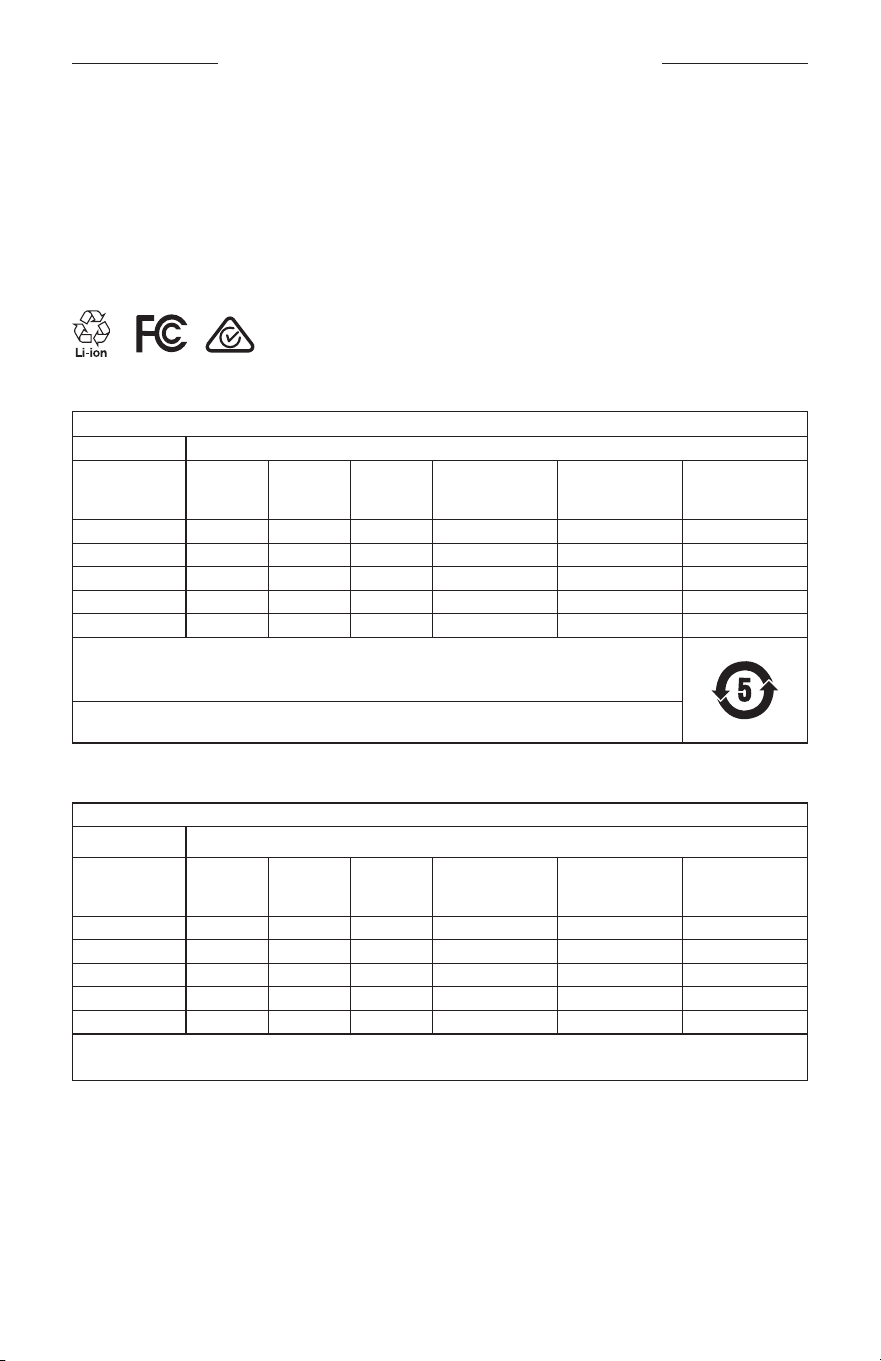
MEGFELELŐSÉGI ÉS JOGI INFORMÁCIÓK
5
|
MAG
M
Gyártva a következő vállalat számára: Bose Corporation, 100 The Mountain Road, Framingham, MA 01701
L
Ne használja, ha a csomagolás sérült.
C
Ez a termék nem tartalmaz természetes gumilátexet.
d
A jelen termék nem steril állapotban kapható.
p
l
+45 °C
0 °C
A veszélyes anyagokra vonatkozó kínai korlátozások táblázata
Mérgező vagy veszélyes anyagok és vegyi elemek nevei a termékben
Mérgező vagy veszélyes anyagok és elemek
Alkatrész neve Ólom (Pb)
Higany
(Hg)
Kadmium
(Cd)
Hat vegyértékű
króm (Cr(VI))
Polibrómozott
bifenil (PBB)
Polibrominált
difeniléter
(PBDE)
NYÁK-ok X O O O O O
Fémrészek X O O O O O
Műanyag részek O O O O O O
Hangszórók X O O O O O
Kábelek X O O O O O
Ez a táblázat az SJ/T 11364 előírásainak megfelelően készült.
O: Azt jelzi, hogy az adott mérgező vagy veszélyes anyag mennyisége az adott alkatrész egyetlen homogén
anyagában sem éri el a GB/T 26572 által meghatározott határértéket.
X: Azt jelzi, hogy az adott mérgező vagy veszélyes anyagot az alkatrész legalább egy homogén anyaga a
GB/T 26572 korlátozó előírásait meghaladó mértékben tartalmazza.
A veszélyes anyagokra vonatkozó tajvani korlátozások táblázata
Berendezés neve: Aktív hangszóró, típusjelölés: 433948
Korlátozott anyagok és kémiai jelölésük
Egység Ólom (Pb) Higany (Hg)
Kadmium
(Cd)
Hat vegyértékű króm
(Cr+6)
Polibrómozott
bifenilek (PBB)
Polibrómozott
difenil-éterek
(PBDE)
NYÁK-ok
- ○ ○ ○ ○ ○
Fémrészek
- ○ ○ ○ ○ ○
Műanyag részek
○ ○ ○ ○ ○ ○
Hangszórók
- ○ ○ ○ ○ ○
Kábelek
- ○ ○ ○ ○ ○
1. megjegyzés:
A „○” jelzés azt jelenti, hogy a szabályozott anyag százaléka nem haladja meg a jelenlegi referenciaérték százalékát.
2. megjegyzés: Az „−” jelölés azt jelenti, hogy a szabályozott anyag megfelel a kivételnek.

MEGFELELŐSÉGI ÉS JOGI INFORMÁCIÓK
6
|
MAG
A jelen termék megfelel az ANSI Z80.3, az AS/NZS 1067.1 és az EN ISO 12312-1 szabvány követelményeinek.
A színezett lencséjű szemüvegeket nem javasolt éjszakai vezetéshez használni.
I
NEM ALKALMAS ÉJSZAKAI ÉS SZÜRKÜLETBEN VALÓ VEZETÉSHEZ. NEM ALKALMAS ÉJSZAKAI ÉS GYENGE
FÉNYBEN TÖRTÉNŐ VEZETÉSHEZ.
Ezt a terméket úgy terveztük, hogy az UVA- és UVB-sugárzás több mint 99%-át kiszűrje. A jelen termék az ANSI
Z80.3 szabvánnyal összhangban készült.
Kizárólag a Bose által jóváhagyott lencsék használhatók a Bose Frames Soprano vagy a Frames Tenor termékkel.
A közvetlen napba nézésre nem alkalmas.
A mesterséges fényforrásokkal szemben (pl. szoláriumok) nem nyújt védelmet.
A mechanikus ütésekkel szembeni védelemre nem használható.
Amikor nem használja, tárolja a terméket a mellékelt hordtokban.
EU SZŰRŐKATEGÓRIA: ISO12312-1 CAT. 3
AUSZTRÁL LENCSEKATEGÓRIA: 1067.1 CAT. 3
h
Ez a napszemüveg a napon magas szintű vakításcsökkentés mellett jó UV-védelmet nyújt.
UV-besorolás: UV 380 cut
Feljegyzendő adatok
A napszemüveg gyári száma a bal oldali száron található a halántéknál, míg a modell-/referenciaszám a jobb oldali
halántéknál van feltüntetve.
Gyári szám: ______________________________________________________________________
Modellszám: _____________________________________________________________________
A bizonylatot tartsa a kezelési útmutató mellett. Ragadja meg az alkalmat, és regisztrálja az Ön által vásárolt Bose
terméket! Ezt egyszerűen megteheti a következő címen: global.Bose.com/register
N
Gyártás dátuma: A gyári szám nyolcadik számjegye a gyártási évet jelzi: például a „0” 2010-et vagy 2020-at jelöl.
Kínai importőr: Bose Electronics (Shanghai) Company Limited, Part C, Plant 9, No. 353 North Riying Road,
Kína(Shanghai) Pilot Free Trade Zone
EU-importőr: Bose Products B.V., Gorslaan 60, 1441 RG Purmerend, Hollandia
Tajvani importőr: Bose Taiwan Branch, 9F-A1, No.10, Section 3, Minsheng East Road, Taipei City 104, Tajvan.
Telefonszám: +886-2-2514 7676
Mexikói importőr: Bose de México, S. de R.L. de C.V., Paseo de las Palmas 405-204, Lomas de Chapultepec,
11000México, D.F. Telefonszám: +5255 (5202) 3545
Névleges bemeneti értékek: 5 V p 500 mA
A CMIIT-azonosító a jobb halántéknál, belül található.
h
BMD0011
MEGFELELŐSÉGI ÉS JOGI INFORMÁCIÓK
7
|
MAG
Biztonsági információk
A jelen termék alkalmas a Bose biztonsági frissítéseinek automatikus fogadására, amikor a Bose Music
alkalmazáshoz kapcsolódik. Annak érdekében, hogy a mobilalkalmazáson keresztül fogadni tudj a
biztonsági frissítéseket, a Bose Music alkalmazásban el kell végeznie a termékbeállítási folyamatot.
Hanemvégzi el a beállítási folyamatot, a Bose által a btu.bose.com webhelyen közzétett frissítések
telepítéséért Ön felel.
Az Apple, az Apple embléma, az iPad, az iPhone, az iPod és a Siri az Apple, Inc. Amerikai Egyesült Államokban és más
országokban bejegyzett védjegye. Az „iPhone” védjegyet Japánban az Aiphone K.K. engedélye alapján használhatják.
Az App Store az Apple Inc. szolgáltatásjegye.
A „Made for Apple” jelvény használata azt jelzi, hogy az adott tartozék kifejezetten a jelvényen feltüntetett Apple
termék(ek)kel való használatra készült, és a fejlesztő az Apple működési követelményeinek teljesítésére vonatkozó
tanúsítvánnyal látta el. Az Apple nem vállal felelősséget a jelen készülék működéséért, valamint annak biztonsági és
megfelelőségi előírásoknak való megfeleléséért.
A Bluetooth® szóvédjegy és emblémák a Bluetooth SIG, Inc. tulajdonát képező, bejegyzett védjegyek, amelyeket a
Bose Corporation minden esetben engedéllyel használ.
A Google és a Google Play a Google LLC védjegyei.
A Bose, a Bose Frames és a Bose Music a Bose Corporation védjegye.
Bose Corporation központja: 1-877-230-5639
©2020 Bose Corporation. Előzetes írásos engedély nélkül a jelen kiadvány semmilyen része nem sokszorosítható,
módosítható, terjeszthető, illetve nem használható fel semmilyen más módon.

8
|
MAG
The following license disclosures apply to certain third-party software packages used as components in the product.
Package: Nanopb
Copyright © 2011 Petteri Aimonen <jpa at nanopb.mail.kapsi.fi>. The Nanopb package is subject to the license terms
reprinted below.
Zlib license
© 2011 Petteri Aimonen <jpa at nanopb.mail.kapsi.fi>
This software is provided ‘as-is’, without any express or implied warranty. In no event will the authors be held liable
for any damages arising from the use of this software.
Permission is granted to anyone to use this software for any purpose, including commercial applications, and to alter
it and redistribute it freely, subject to the following restrictions:
1. The origin of this software must not be misrepresented; you must not claim that you wrote the original software.
If you use this software in a product, an acknowledgment in the product documentation would be appreciated
but is not required.
2. Altered source versions must be plainly marked as such, and must not be misrepresented as being the
original software.
3. This notice may not be removed or altered from any source distribution.
Package: Mbed TLS 2.16.1
© ARM Limited. All rights reserved. The Mbed TLS package is subject to the license terms reprinted below.
Apache 2.0 License
Apache License
Version 2.0, January 2004
http://www.apache.org/licenses/
TERMS AND CONDITIONS FOR USE, REPRODUCTION, AND DISTRIBUTION
1. Definitions.
“License” shall mean the terms and conditions for use, reproduction, and distribution as defined by Sections 1
through 9 of this document.
“Licensor” shall mean the copyright owner or entity authorized by the copyright owner that is granting
the License.
“Legal Entity” shall mean the union of the acting entity and all other entities that control, are controlled by, or
are under common control with that entity. For the purposes of this definition, “control” means (i) the power,
direct or indirect, to cause the direction or management of such entity, whether by contract or otherwise, or (ii)
ownership of fifty percent (50%) or more of the outstanding shares, or (iii) beneficial ownership of such entity.
“You” (or “Your”) shall mean an individual or Legal Entity exercising permissions granted by this License.
“Source” form shall mean the preferred form for making modifications, including but not limited to software
source code, documentation source, and configuration files.
“Object” form shall mean any form resulting from mechanical transformation or translation of a Source form,
including but not limited to compiled object code, generated documentation, and conversions to other
media types.
“Work” shall mean the work of authorship, whether in Source or Object form, made available under the License,
as indicated by a copyright notice that is included in or attached to the work (an example is provided in the
Appendix below).
“Derivative Works” shall mean any work, whether in Source or Object form, that is based on (or derived from)
the Work and for which the editorial revisions, annotations, elaborations, or other modifications represent, as a
whole, an original work of authorship. For the purposes of this License, Derivative Works shall not include works
that remain separable from, or merely link (or bind by name) to the interfaces of, the Work and Derivative
Works thereof.
LICENCNYILATKOZATOK

9
|
MAG
LICENCNYILATKOZATOK
“Contribution” shall mean any work of authorship, including the original version of the Work and any
modifications or additions to that Work or Derivative Works thereof, that is intentionally submitted to Licensor
for inclusion in the Work by the copyright owner or by an individual or Legal Entity authorized to submit on
behalf of the copyright owner. For the purposes of this definition, “submitted” means any form of electronic,
verbal, or written communication sent to the Licensor or its representatives, including but not limited to
communication on electronic mailing lists, source code control systems, and issue tracking systems that are
managed by, or on behalf of, the Licensor for the purpose of discussing and improving the Work, but excluding
communication that is conspicuously marked or otherwise designated in writing by the copyright owner as “Not
a Contribution.”
“Contributor” shall mean Licensor and any individual or Legal Entity on behalf of whom a Contribution has been
received by Licensor and subsequently incorporated within the Work.
2. Grant of Copyright License. Subject to the terms and conditions of this License, each Contributor hereby grants
to You a perpetual, worldwide, non-exclusive, no-charge, royalty-free, irrevocable copyright license to reproduce,
prepare Derivative Works of, publicly display, publicly perform, sublicense, and distribute the Work and such
Derivative Works in Source or Object form.
3. Grant of Patent License. Subject to the terms and conditions of this License, each Contributor hereby grants to
You a perpetual, worldwide, non-exclusive, no-charge, royalty-free, irrevocable (except as stated in this section)
patent license to make, have made, use, oer to sell, sell, import, and otherwise transfer the Work, where such
license applies only to those patent claims licensable by such Contributor that are necessarily infringed by their
Contribution(s) alone or by combination of their Contribution(s) with the Work to which such Contribution(s)
was submitted. If You institute patent litigation against any entity (including a cross-claim or counterclaim in a
lawsuit) alleging that the Work or a Contribution incorporated within the Work constitutes direct or contributory
patent infringement, then any patent licenses granted to You under this License for that Work shall terminate as
of the date such litigation is filed.
4. Redistribution. You may reproduce and distribute copies of the Work or Derivative Works thereof in any medium,
with or without modifications, and in Source or Object form, provided that You meet the following conditions:
a. You must give any other recipients of the Work or Derivative Works a copy of this License; and
b. You must cause any modified files to carry prominent notices stating that You changed the files; and
c. You must retain, in the Source form of any Derivative Works that You distribute, all copyright, patent,
trademark, and attribution notices from the Source form of the Work, excluding those notices that do not
pertain to any part of the Derivative Works; and
d. If the Work includes a “NOTICE” text file as part of its distribution, then any Derivative Works that You
distribute must include a readable copy of the attribution notices contained within such NOTICE file, excluding
those notices that do not pertain to any part of the Derivative Works, in at least one of the following places:
within a NOTICE text file distributed as part of the Derivative Works; within the Source form or
documentation, if provided along with the Derivative Works; or, within a display generated by the
Derivative Works, if and wherever such third-party notices normally appear. The contents of the NOTICE file
are for informational purposes only and do not modify the License. You may add Your own attribution notices
within Derivative Works that You distribute, alongside or as an addendum to the NOTICE text from the Work,
provided that such additional attribution notices cannot be construed as modifying the License.
You may add Your own copyright statement to Your modifications and may provide additional or dierent
license terms and conditions for use, reproduction, or distribution of Your modifications, or for any such
Derivative Works as a whole, provided Your use, reproduction, and distribution of the Work otherwise
complies with the conditions stated in this License.
5. Submission of Contributions. Unless You explicitly state otherwise, any Contribution intentionally submitted for
inclusion in the Work by You to the Licensor shall be under the terms and conditions of this License, without any
additional terms or conditions. Notwithstanding the above, nothing herein shall supersede or modify the terms
of any separate license agreement you may have executed with Licensor regarding such Contributions.
6. Trademarks. This License does not grant permission to use the trade names, trademarks, service marks, or
product names of the Licensor, except as required for reasonable and customary use in describing the origin of
the Work and reproducing the content of the NOTICE file.

10
|
MAG
LICENCNYILATKOZATOK
7. Disclaimer of Warranty. Unless required by applicable law or agreed to in writing, Licensor provides the Work
(and each Contributor provides its Contributions) on an “AS IS” BASIS, WITHOUT WARRANTIES OR CONDITIONS
OF ANY KIND, either express or implied, including, without limitation, any warranties or conditions of TITLE,
NON-INFRINGEMENT, MERCHANTABILITY, or FITNESS FOR A PARTICULAR PURPOSE. You are solely responsible
for determining the appropriateness of using or redistributing the Work and assume any risks associated with
Your exercise of permissions under this License.
8. Limitation of Liability. In no event and under no legal theory, whether in tort (including negligence), contract,
or otherwise, unless required by applicable law (such as deliberate and grossly negligent acts) or agreed to in
writing, shall any Contributor be liable to You for damages, including any direct, indirect, special, incidental,
or consequential damages of any character arising as a result of this License or out of the use or inability to
use the Work (including but not limited to damages for loss of goodwill, work stoppage, computer failure or
malfunction, or any and all other commercial damages or losses), even if such Contributor has been advised of
the possibility of such damages.
9. Accepting Warranty or Additional Liability. While redistributing the Work or Derivative Works thereof, You may
choose to oer, and charge a fee for, acceptance of support, warranty, indemnity, or other liability obligations
and/or rights consistent with this License. However, in accepting such obligations, You may act only on Your own
behalf and on Your sole responsibility, not on behalf of any other Contributor, and only if You agree to indemnify,
defend, and hold each Contributor harmless for any liability incurred by, or claims asserted against, such
Contributor by reason of your accepting any such warranty or additional liability.
END OF TERMS AND CONDITIONS
©2020 Bose Corporation
Licensed under the Apache License, Version 2.0 (the “License”); you may not use this file except in compliance with
the License.
You may obtain a copy of the License at: http://www.apache.org/licenses/LICENSE-2.0
Unless required by applicable law or agreed to in writing, software distributed under the License is distributed on an
“AS IS” BASIS, WITHOUT WARRANTIES OR CONDITIONS OF ANY KIND, either express or implied.
See the License for the specific language governing permissions and limitations under the License.

TARTALOM
11
|
MAG
MI TALÁLHATÓ A DOBOZBAN
Tartalom .............................................................................................................................. 13
BEÁLLÍTÁS A BOSE MUSIC ALKALMAZÁSSAL
A Bose Music alkalmazás letöltése .......................................................................... 14
A napszemüveg hozzáadása egy meglévőfiókhoz .......................................... 14
IZZADÁS- ÉS IDŐJÁRÁSÁLLÓ ......................................................................... 15
FŐKAPCSOLÓ GOMB
Bekapcsolás ...................................................................................................................... 16
Kikapcsolás ........................................................................................................................ 17
Kikapcsolás megfordítással ................................................................................ 17
Automatikus kikapcsolás mozgásérzékelés használatával ..................... 17
A NAPSZEMÜVEG VEZÉRLŐI
Médialejátszás .................................................................................................................. 18
Hangerő .............................................................................................................................. 19
Hangosítás ................................................................................................................. 19
Halkítás ....................................................................................................................... 19
Telefonhívások .................................................................................................................. 20
Hívásokkal kapcsolatos értesítések ................................................................. 20
A hangvezérlés elérése ................................................................................................. 20
AKKUMULÁTOR
A napszemüveg feltöltése ........................................................................................... 21
A napszemüveg töltöttségi szintjének ellenőrzése ........................................... 21
Akkumulátorral kapcsolatos értesítések meghallgatása ......................... 21
Az akkumulátor töltöttségi szintjének megtekintése ............................... 21

TARTALOM
12
|
MAG
A NAPSZEMÜVEG ÁLLAPOTA
Bluetooth®-kapcsolat állapota ................................................................................... 22
Akkumulátor állapota .................................................................................................... 23
Hibaállapot ........................................................................................................................ 23
BLUETOOTH-KAPCSOLATOK
Csatlakoztatás a mobileszköz Bluetooth menüjének használatával ........... 24
Mobileszközök leválasztása ........................................................................................ 25
Mobileszközök újbóli csatlakoztatása ..................................................................... 25
A napszemüveg eszközlistájának törlése .............................................................. 25
ÁPOLÁS ÉS KARBANTARTÁS
A napszemüveg tárolása .............................................................................................. 26
A napszemüveg karbantartása .................................................................................. 27
Cserealkatrészek és tartozékok ................................................................................. 28
Korlátozott garancia ...................................................................................................... 28
A gyári szám és a modell-/referenciaszám helye............................................... 28
HIBAELHÁRÍTÁS
Először próbálkozzon ezekkel a megoldásokkal ................................................ 29
Egyéb megoldások ......................................................................................................... 29
CÍMKÉN SZEREPLŐ JELÖLÉSEK
Jelölések és leírásuk ...................................................................................................... 32
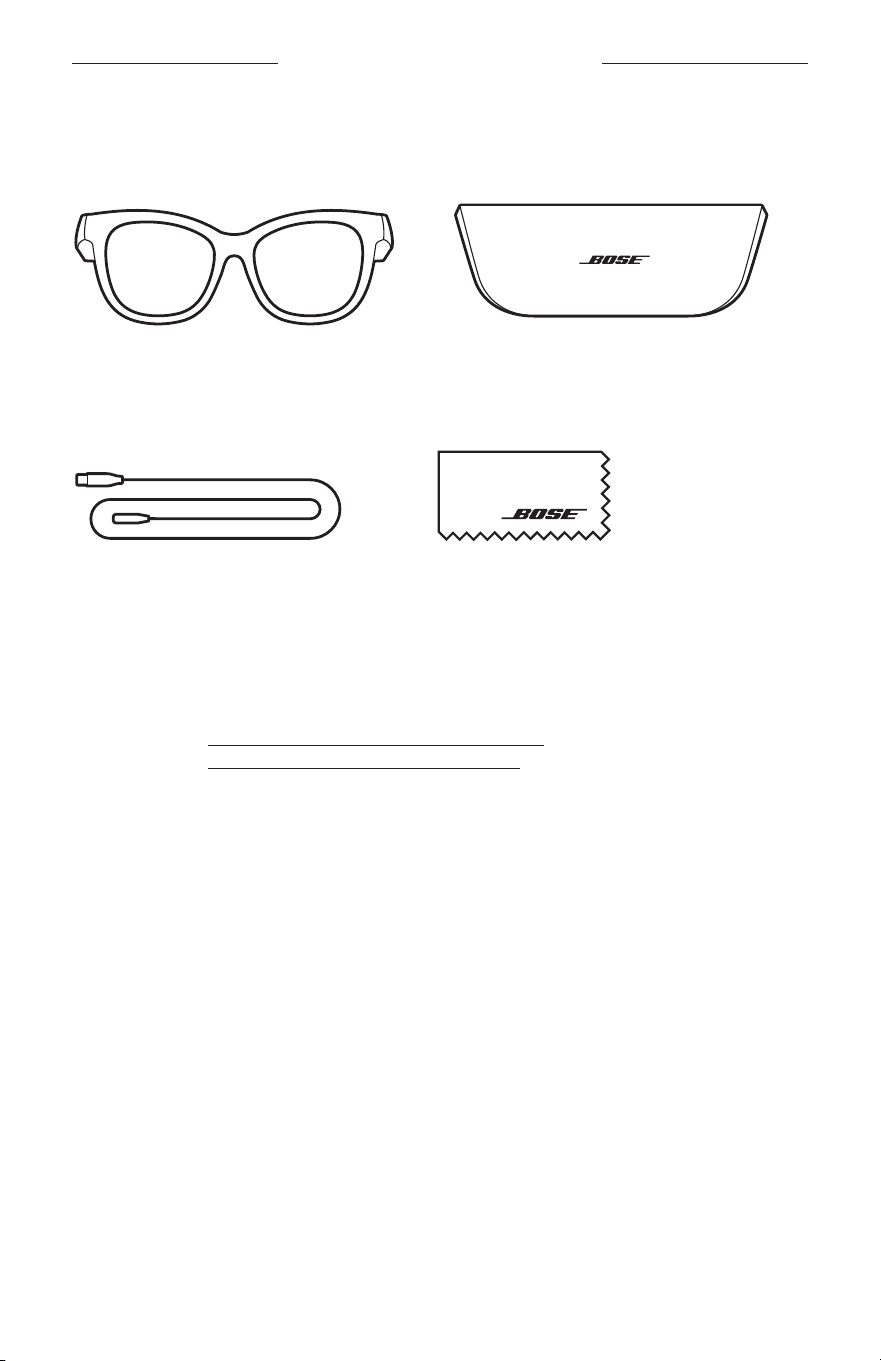
13
|
MAG
MI TALÁLHATÓ A DOBOZBAN
TARTALOM
Ellenőrizze a következő összetevők meglétét:
Bose Frames
Hordtok
Töltőkábel Törlőkendő
MEGJEGYZÉS: Ha a termék bármelyik részén sérülést tapasztal, ne használja a
terméket. Forduljon a Bose hivatalos viszonteladójához, vagy a
Boseügyfélszolgálatához.
Látogasson el a következő címekre:
worldwide.Bose.com/Support/Soprano
worldwide.Bose.com/Support/Tenor
14
|
MAG
BEÁLLÍTÁS A BOSE MUSIC ALKALMAZÁSSAL
A Bose Music alkalmazással a napszemüveget bármely mobileszközről (például
okostelefonról vagy táblagépről) beállíthatja és vezérelheti.
Az alkalmazás segítségével testreszabhatja a tápellátási beállításokat, kiválaszthatja a
hangsegéd nyelvét, és új funkciókhoz férhet hozzá.
MEGJEGYZÉS: Ha az alkalmazásban már létrehozott egy Bose-fiókot egy másik
Bose termékhez, tekintse meg a következő részt: „A napszemüveg
hozzáadása egy meglévő fiókhoz”.
A BOSE MUSIC ALKALMAZÁS LETÖLTÉSE
1. Töltse le mobileszközére a Bose Music alkalmazást.
MEGJEGYZÉS: Ha Kína területén tartózkodik, töltse le a Bose8 alkalmazást.
BOSE MUSIC
2. Kövesse az alkalmazás utasításait.
A NAPSZEMÜVEG HOZZÁADÁSA EGY
MEGLÉVŐFIÓKHOZ
1. Nyomja le és tartsa lenyomva a jobb oldali halántékánál lévő gombot, amíg meg
nem hallja a „Készen áll a csatlakoztatásra” üzenetet, vagy az állapotjelző fény
elnem kezd kéken villogni.
2. A Bose Music alkalmazásban lépjen a Termékeim képernyőre, és adja hozzá a
Frames napszemüveget.
MEGJEGYZÉS: Ha az alkalmazás nem találja a napszemüveget, lásd: „A Bose
Music alkalmazás nem találja a napszemüveget”, 30. oldal.
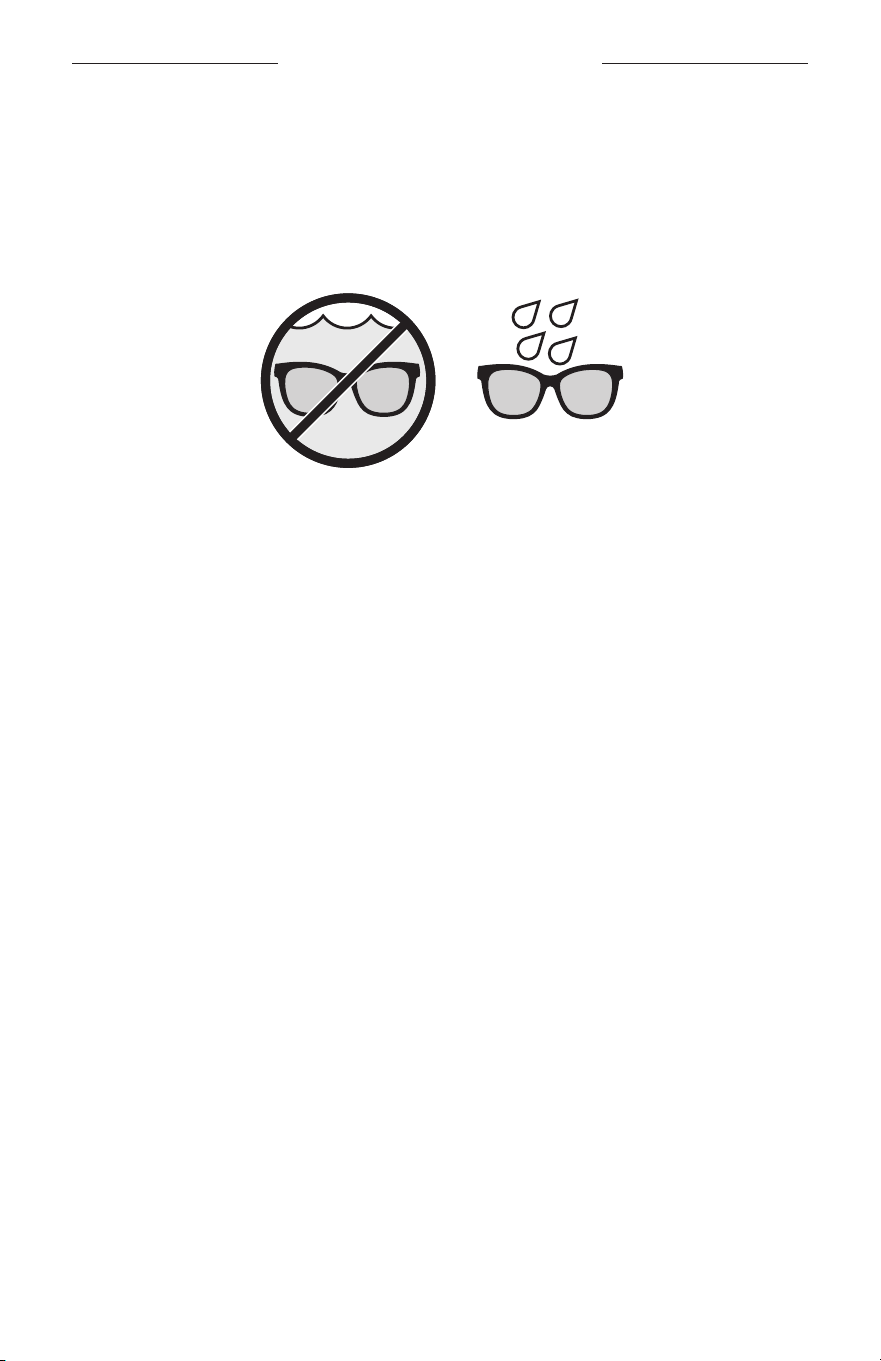
15
|
MAG
IZZADÁS- ÉS IDŐJÁRÁSÁLLÓ
A napszemüveg IPX2 vízállóssági jelzéssel van ellátva. A napszemüveget izzadás- és
időjárásállónak tervezték, hogy ellenálljon a vízcseppeknek, de vízbe nem meríthető.
FIGYELMEZTETÉS:
• NE viselje a napszemüveget úszás vagy zuhanyzás közben.
• NE merítse vízbe a napszemüveget.
MEGJEGYZÉS: Az IPX2 jellemző nem állandó, és a szokásos használat következtében
a vízállóság mértéke csökkenhet.
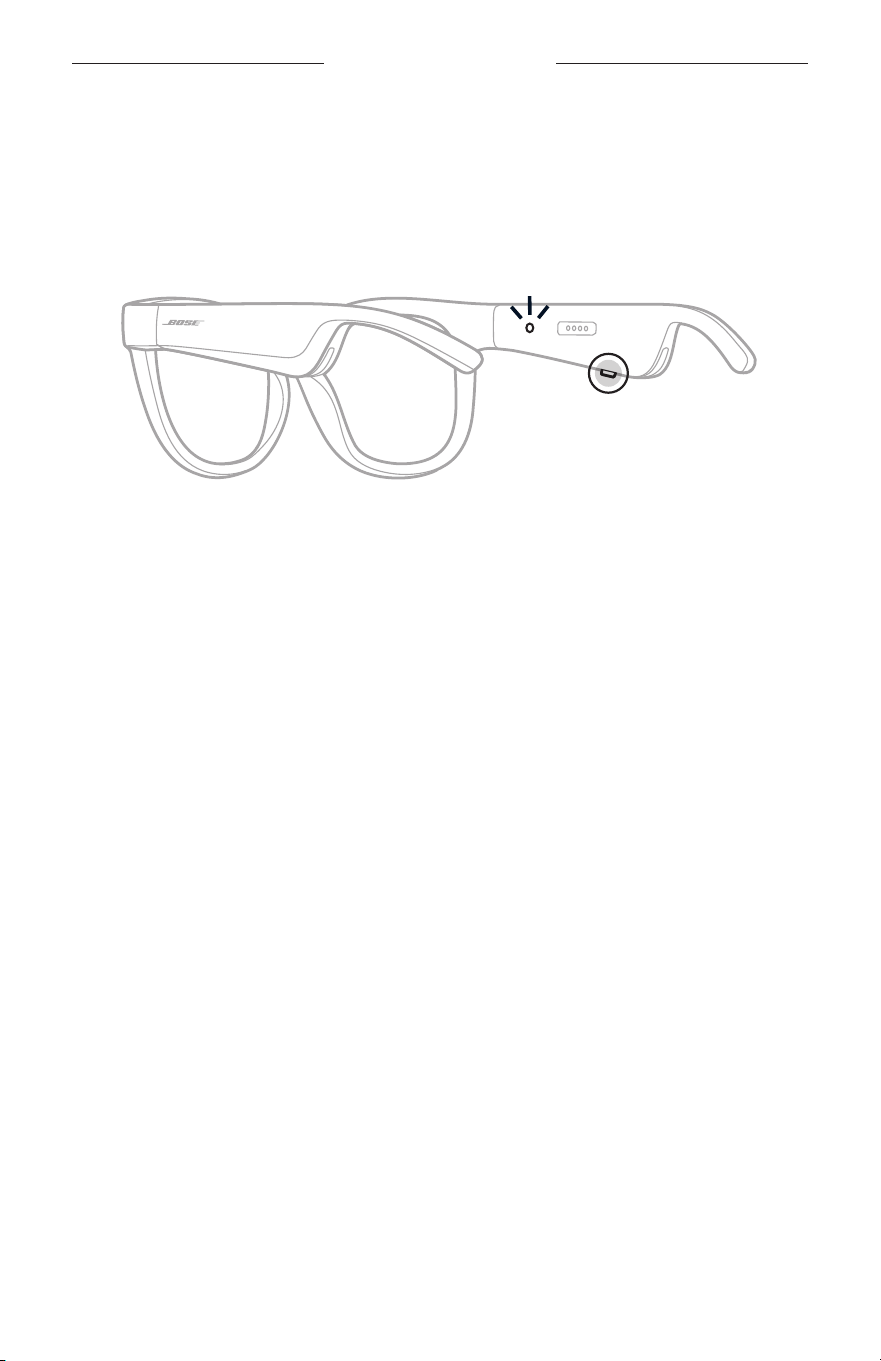
16
|
MAG
FŐKAPCSOLÓ GOMB
BEKAPCSOLÁS
Nyomja meg a jobb halántékánál lévő gombot.
Az állapotjelző fény kétszer fehéren felvillan, majd a Bluetooth-kapcsolat állapotának
megfelelően világít (lásd: 22. oldal). A hangutasítások jelzik az akkumulátor
töltöttségi szintjét és a Bluetooth-kapcsolat állapotát.
MEGJEGYZÉS: A napszemüveget részlegesen feltöltve szállítjuk, és az első használat
után lehet, hogy fel kell ébreszteni. A napszemüveg felébresztéséhez
csatlakoztassa a terméket az áramforráshoz, majd 2 másodperc
elteltével válassza le onnan (lásd: 21. oldal). Ezután próbálja meg
újból bekapcsolni.
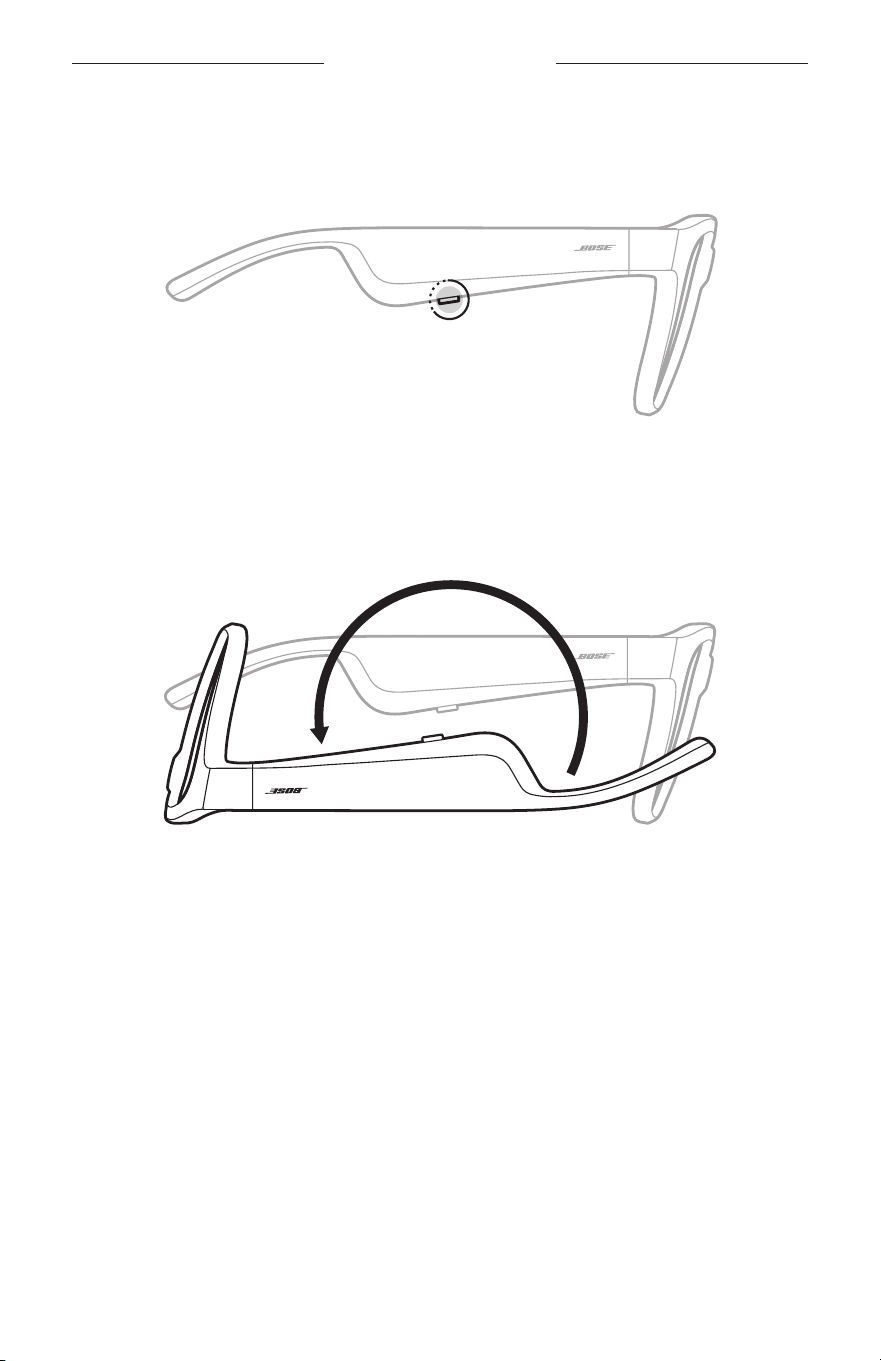
17
|
MAG
FŐKAPCSOLÓ GOMB
KIKAPCSOLÁS
Tartsa lenyomva a gombot, amíg egy hangjelzést nem hall.
Az állapotjelző fény kétszer fehéren felvillan, majd fokozatosan elsötétül.
Kikapcsolás megfordítással
Fordítsa fejjel lefelé a napszemüveget 2 másodpercig.
Az állapotjelző fény kétszer fehéren felvillan, majd fokozatosan elsötétül.
MEGJEGYZÉS:
• Miután a napszemüveg kikapcsolt, bármelyik irányban mozgathatja.
• A megfordításos kikapcsolást a Bose Music alkalmazásban kapcsolhatja ki.
Ezazopció a Beállítások menüben található.
Automatikus kikapcsolás mozgásérzékelés használatával
A napszemüveg mozgásérzékelés segítségével tudja megállapítani, hogy azt
éppen használják vagy sem. Ha a napszemüveget 10 percig nem mozdította meg,
automatikusan kikapcsol.
MEGJEGYZÉS: A mozgásérzékelést a Bose Music alkalmazásban kapcsolhatja ki.
Ezaz opció a Beállítások menüben található.
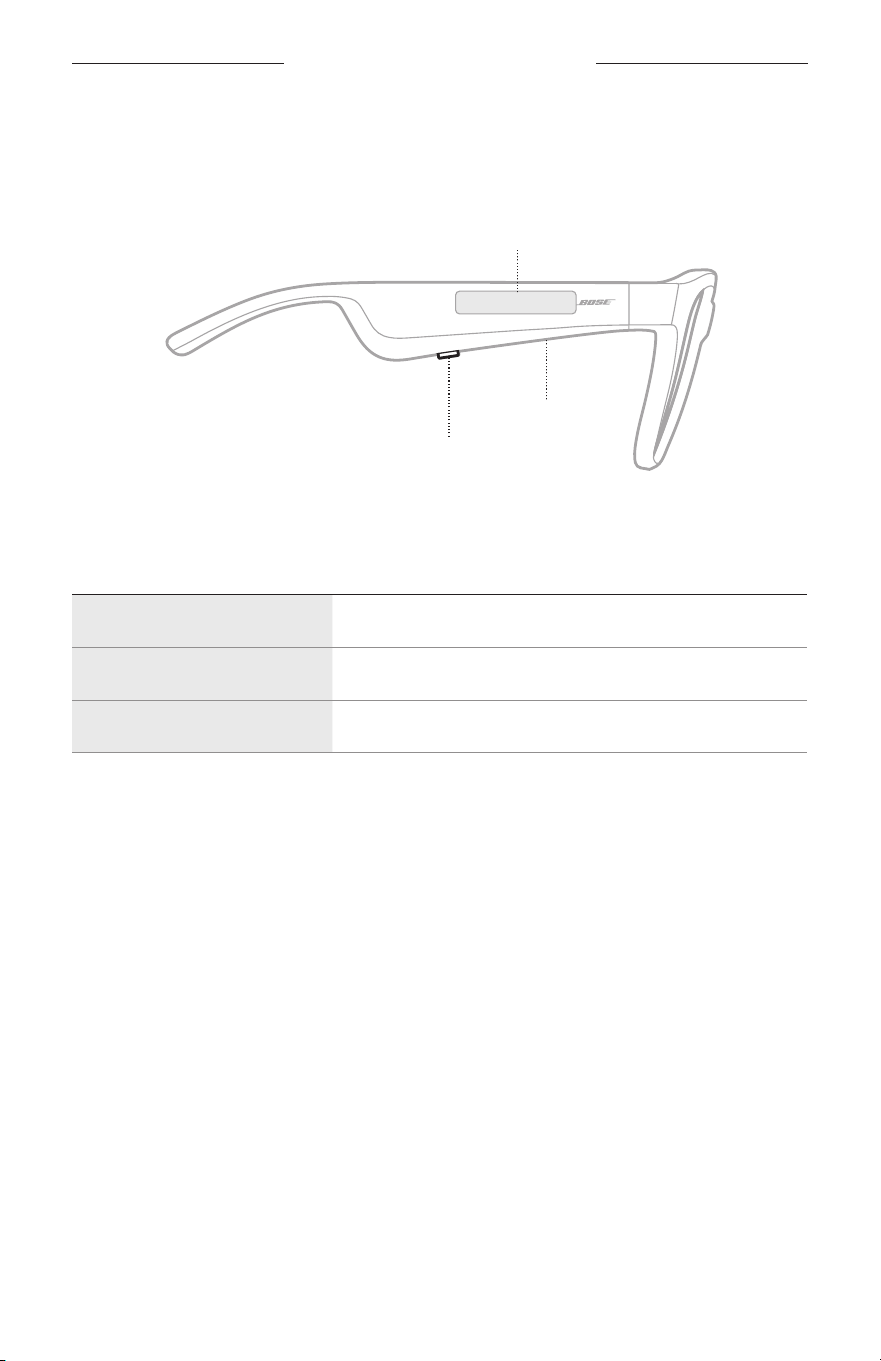
18
|
MAG
A NAPSZEMÜVEG VEZÉRLŐI
A jobb oldali halántéknál lévő gomb és érintőfelület segítségével vezérelheti a
médialejátszást, a hangerőt, a telefonhívásokat és a hangvezérlést.
Gomb
Médialejátszás vezérlése
Hívások vezérlése
Mikrofon
Érintőfelület
A hangerő beállítása
A hangvezérlés elérése
MÉDIALEJÁTSZÁS
VEZÉRLÉS TEENDŐ
Lejátszás/szünet Nyomja meg a gombot.
Ugrás előre Nyomja meg kétszer a gombot.
Ugrás vissza Nyomja meg háromszor a gombot.
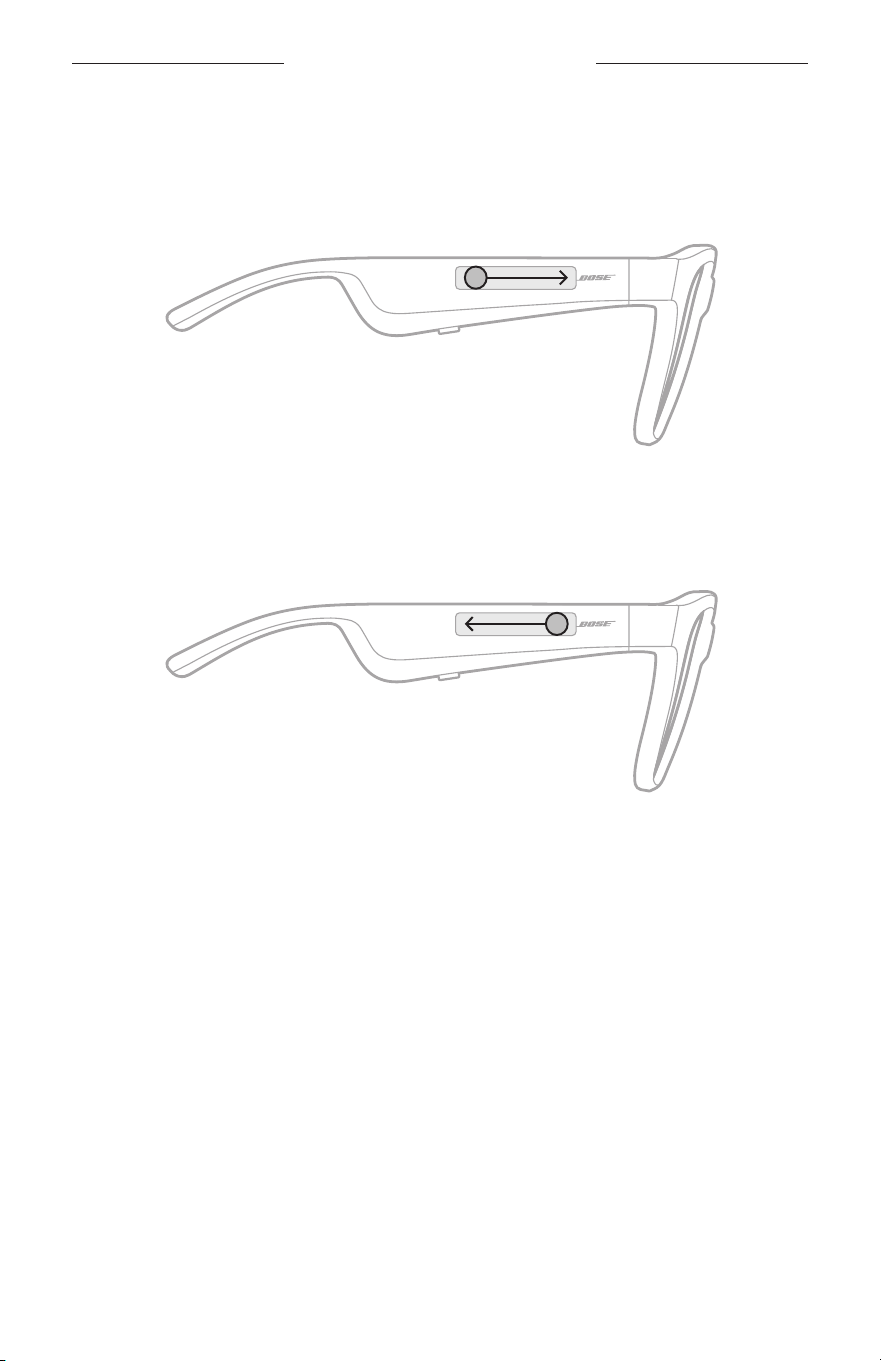
19
|
MAG
A NAPSZEMÜVEG VEZÉRLŐI
HANGERŐ
Hangosítás
Pöccintsen előre az érintőfelületen.
MEGJEGYZÉS: Hangjelzés jelzi, amikor elérte a maximális hangerőszintet.
Halkítás
Pöccintsen hátrafelé az érintőfelületen.
MEGJEGYZÉS: Hangjelzés jelzi, amikor elérte a minimális hangerőszintet.
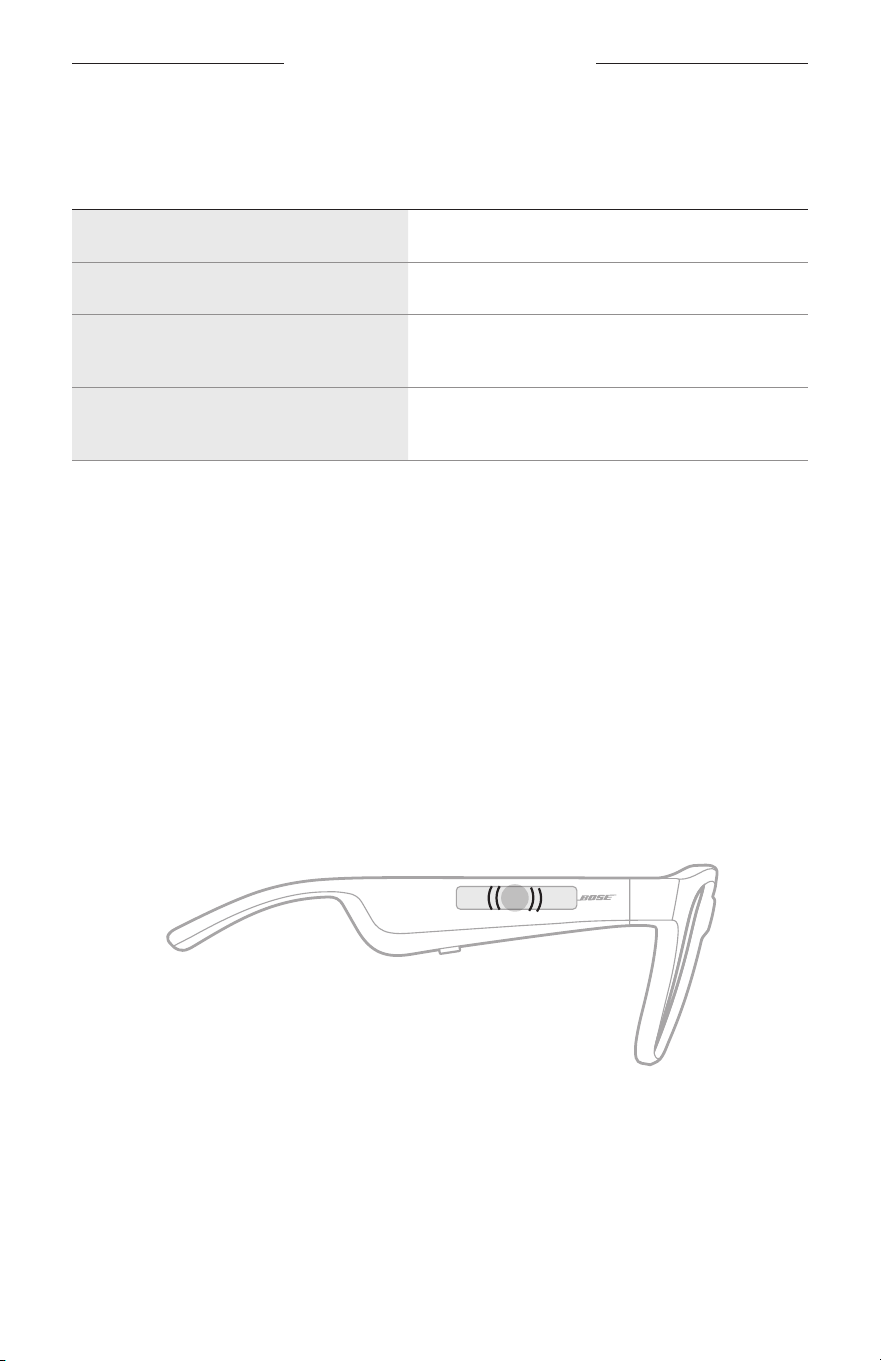
A NAPSZEMÜVEG VEZÉRLŐI
20
|
MAG
TELEFONHÍVÁSOK
VEZÉRLÉS TEENDŐ
Hívás fogadása/befejezése Nyomja meg a gombot.
Bejövő hívás elutasítása Nyomja meg kétszer a gombot.
Második bejövő hívás fogadása, és az
első hívás várakoztatása
Hívás közben nyomja meg a gombot.
Második bejövő hívás elutasítása, és az
első hívás folytatása
Hívás közben nyomja meg kétszer a gombot.
MEGJEGYZÉS: A telefon összes hívásfunkciójának használatához futtassa az elérhető
szoftverfrissítéseket a Bose Music alkalmazásban.
Hívásokkal kapcsolatos értesítések
Egy hangutasítás jelzi a bejövő hívásokat és a hívás állapotát.
A HANGVEZÉRLÉS ELÉRÉSE
A napszemüveg mikrofonja a mobileszköz mikrofonjának kiterjesztéseként
működik. Ajobb oldali halántékánál lévő érintőfelülettel az eszköz hangvezérlési
funkcióját elérve többek között hívásokat kezdeményezhet és fogadhat, a Siri vagy
a Google Assistant használatával zenét játszhat le, tájékozódhat az időjárásról vagy
megtudhatja kedvenc meccsének állását.
Koppintson duplán az érintőfelületre a mobileszközös hangvezérlés elindításához.
2x
Hangjelzést hall, ami jelzi, hogy a hangvezérlés aktiválódott.
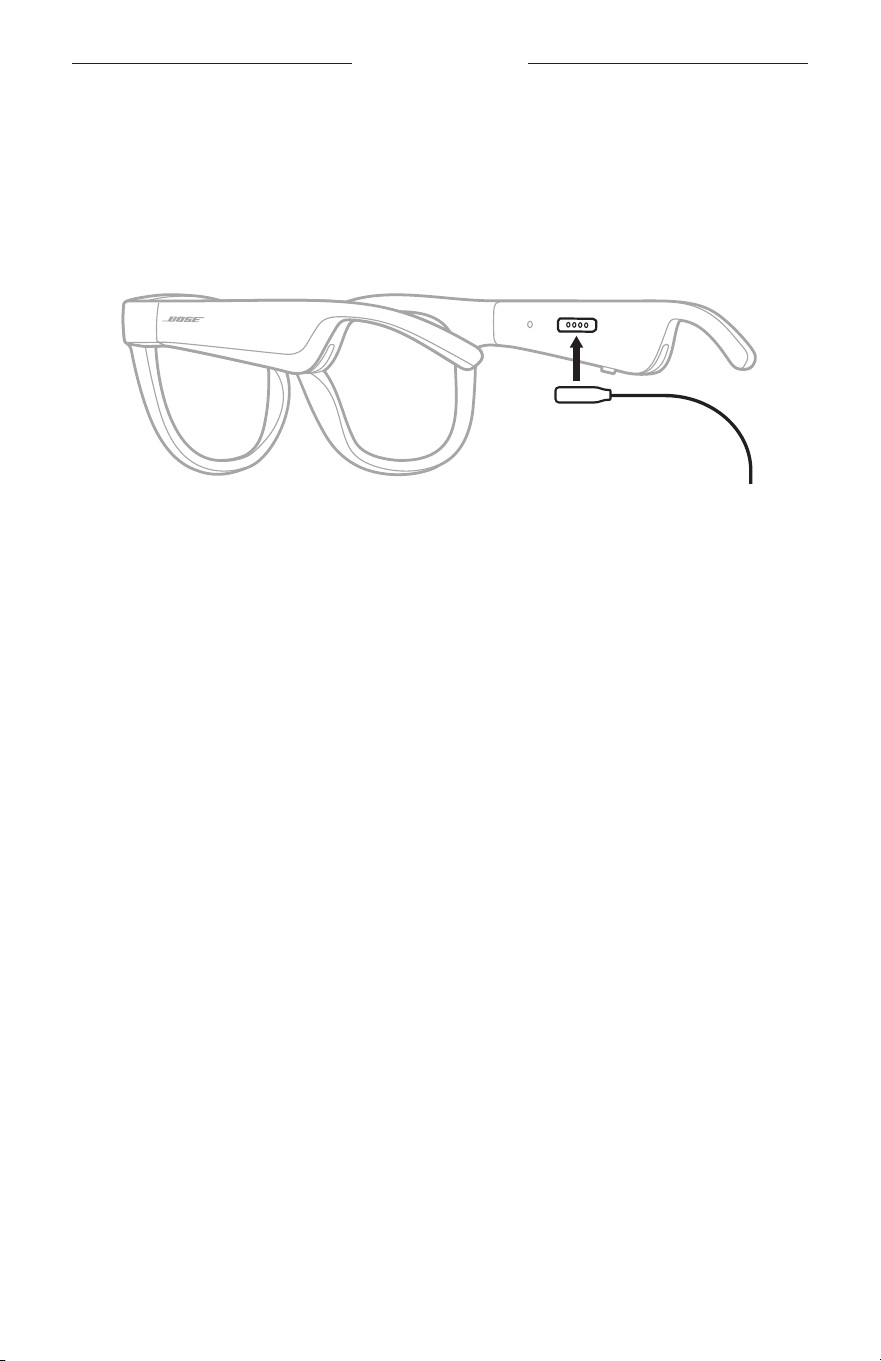
21
|
MAG
AKKUMULÁTOR
A NAPSZEMÜVEG FELTÖLTÉSE
1. Igazítsa a töltőkábel tűit a szemüveg szárán a jobb oldali halántéknál lévő
töltőporthoz.
MEGJEGYZÉS: A napszemüveg sikeres töltéséhez a tűknek megfelelően kell a
töltőporthoz illeszkedniük.
2. Enyhén nyomja a tűket a töltőporthoz, amíg a mágnes a helyükre nem kattintja őket.
3. A kábel másik végét csatlakoztassa egy USB-A fali csatlakozóba (nincs mellékelve).
FIGYELEM: A terméket csak valamely ügynökség (például UL, CSA, VDE, CCC)
által jóváhagyott, a helyi jogszabályi követelményeknek megfelelő
tápegységhez használja.
Töltés közben az állapotjelző fehéren villog. Amikor az akkumulátor teljesen
feltöltődött, jelzőfénye folyamatosan fehéren világít (lásd: 23. oldal).
MEGJEGYZÉSEK:
• A napszemüveg töltés közben nem játszik le hangot.
• NE viselje a napszemüveget töltés közben.
A NAPSZEMÜVEG TÖLTÖTTSÉGI SZINTJÉNEK
ELLENŐRZÉSE
Akkumulátorral kapcsolatos értesítések meghallgatása
A napszemüveg minden egyes bekapcsolásakor hangüzenet tájékoztatja az
akkumulátor töltöttségi szintjéről.
A napszemüveg használata közben hangüzenet fogja tájékoztatni arról, ha az
akkumulátort fel kell tölteni.
Az akkumulátor töltöttségi szintjének megtekintése
• Tekintse meg a Bose Music alkalmazás kezdőképernyőjét.
• Amikor az állapotjelző fény pirosan villog, fel kell tölteni a napszemüveget.
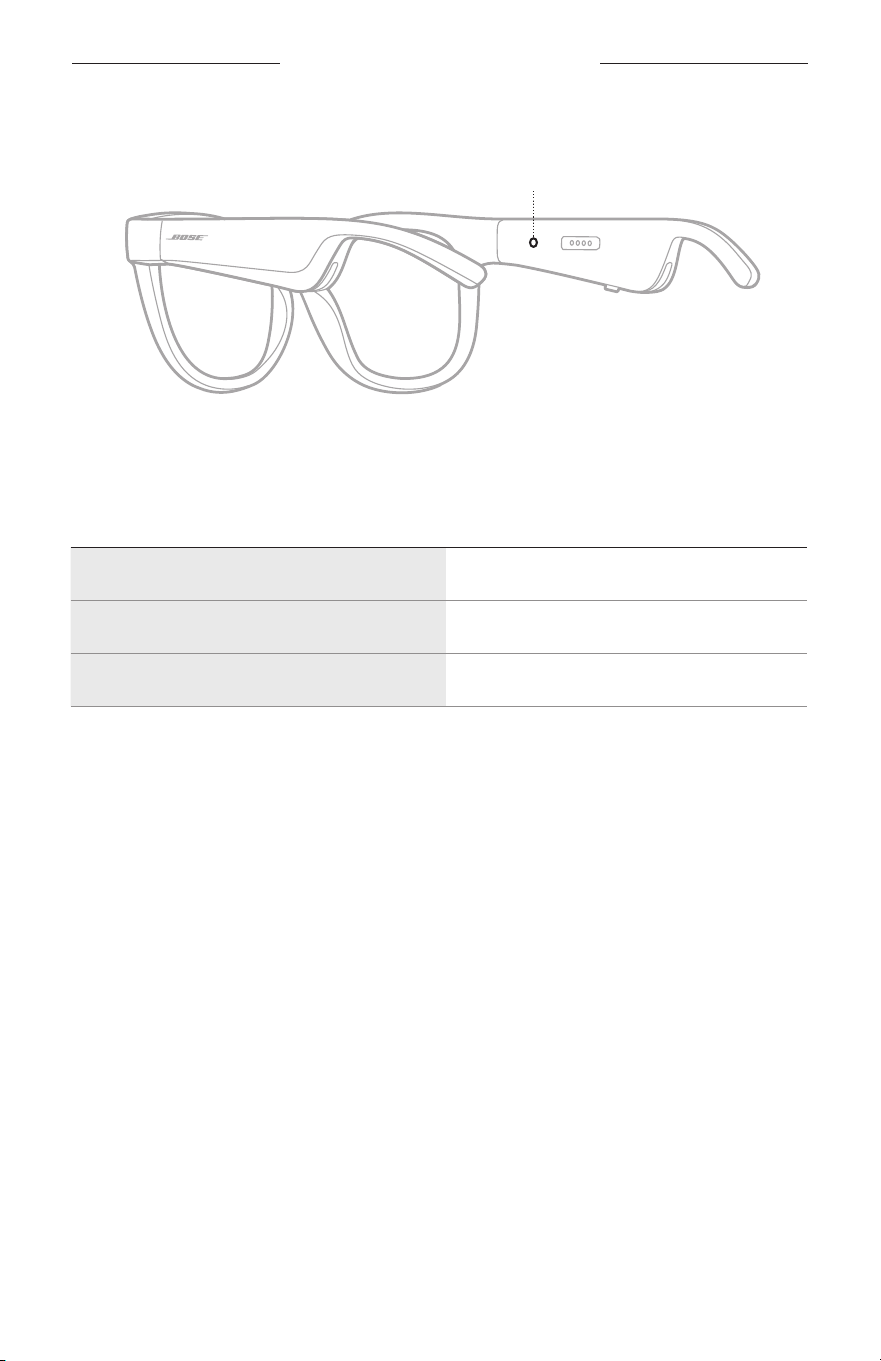
22
|
MAG
A NAPSZEMÜVEG ÁLLAPOTA
A napszemüveg állapotjelző fénye a jobb oldali halántéknál, belül található.
Állapotjelző fény
BLUETOOTH-KAPCSOLAT ÁLLAPOTA
A mobileszközök Bluetooth-kapcsolatainak állapotát mutatja.
FÉNYJELZÉS RENDSZERÁLLAPOT
Lassú kék villogás Készen áll a kapcsolódásra
Gyors kék villogás Csatlakozás folyamatban
Folyamatos kék (10 másodperc) Csatlakoztatva
A NAPSZEMÜVEG ÁLLAPOTA
23
|
MAG
AKKUMULÁTOR ÁLLAPOTA
A napszemüveg töltöttségi szintjét mutatja.
FÉNYJELZÉS RENDSZERÁLLAPOT
Piros villogás (10 másodperc) Tölteni kell
Fehéren villog Töltés folyamatban
Folyamatosan fehéren világít Teljesen feltöltve
HIBAÁLLAPOT
A hibaállapotokat mutatja.
FÉNYJELZÉS RENDSZERÁLLAPOT
Piros és fehér villogás (ismétlődő) Hiba. Hívja a Bose ügyfélszolgálatát
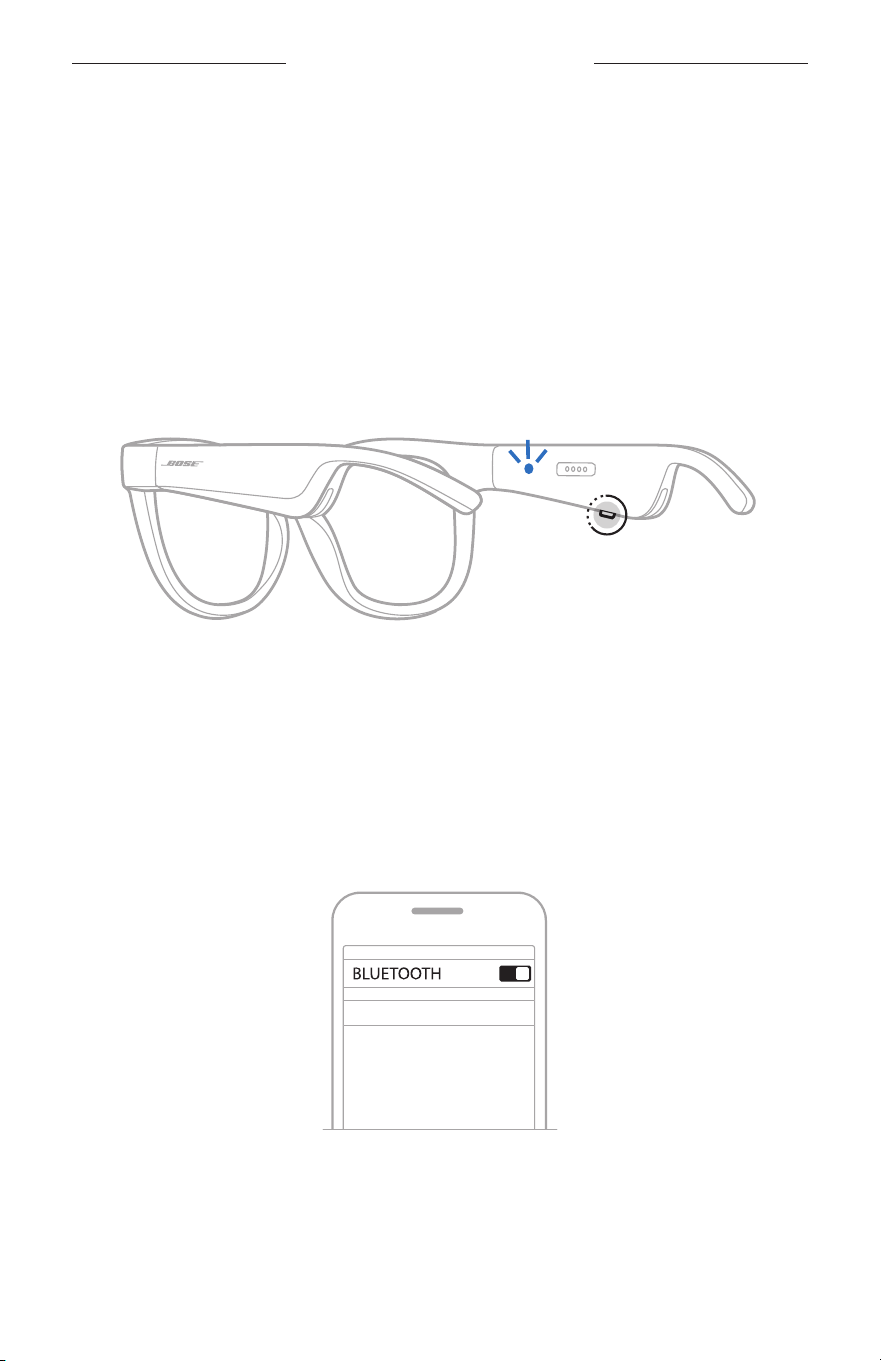
24
|
MAG
BLUETOOTH-KAPCSOLATOK
CSATLAKOZTATÁS A MOBILESZKÖZ BLUETOOTH
MENÜJÉNEK HASZNÁLATÁVAL
A napszemüveg eszközlistájában legfeljebb nyolc eszközt tárolhat. Egyszerre csak egy
eszköz csatlakoztatható, illetve csak egyről lehet zenét lejátszani.
MEGJEGYZÉS: Ha a legtöbbet szeretné kihozni a napszemüvegéből, állítsa be és
csatlakoztassa mobileszközét a Bose Music alkalmazáson keresztül
(lásd: 14. oldal).
1. Kapcsolja be a napszemüveget, nyomja le és tartsa lenyomva a jobb oldali
halántékánál lévő gombot, amíg meg nem hallja a „Készen áll a csatlakoztatásra”
üzenetet, vagy az állapotjelző fény el nem kezd kéken villogni.
2. Kapcsolja be eszközén a Bluetooth funkciót.
MEGJEGYZÉS: A Bluetooth funkció általában a Beállítások menüben található.
3. Válassza ki a napszemüveget az eszközlistáról.
MEGJEGYZÉS: Keresse meg azt a nevet, amelyet a napszemüveghez megadott
a Bose Music alkalmazásban. Ha a napszemüvegnek nem adott
nevet, annak alapértelmezett neve fog megjelenni.
BOSE FRAMES
A csatlakoztatást követően meghallja a „Csatlakoztatva a < mobileszköz neve>
eszközhöz” üzenetet, vagy az állapotjelző fény folyamatosan kéken világít,
majd elsötétül.

25
|
MAG
BLUETOOTH-KAPCSOLATOK
MOBILESZKÖZÖK LEVÁLASZTÁSA
A mobileszköz leválasztásához használja a Bose Music alkalmazást.
TIPP: A Bluetooth-beállításokat is használhatja az eszköz leválasztásához. Ha letiltja a
Bluetooth funkciót, az összes eszköz kapcsolata megszűnik.
MOBILESZKÖZÖK ÚJBÓLI CSATLAKOZTATÁSA
Bekapcsoláskor a napszemüveg megpróbál csatlakozni a legutoljára használt eszközhöz.
MEGJEGYZÉS: Az eszköznek 9 méteren belül, bekapcsolva kell lennie.
A NAPSZEMÜVEG ESZKÖZLISTÁJÁNAK TÖRLÉSE
1. Miután a napszemüveget bekapcsolta, nyomja le és tartsa lenyomva a jobb
oldali halántékánál lévő gombot 10 másodpercig, amíg meg nem hallja a
„Bluetooth-eszközlista törölve” üzenetet, vagy amíg az állapotjelző fény el nem
kezd kéken villogni.
2. Törölje a napszemüveget az eszközén található Bluetooth-listáról.
Az összes eszköz törlődik, és a napszemüveg készen áll a csatlakoztatásra.
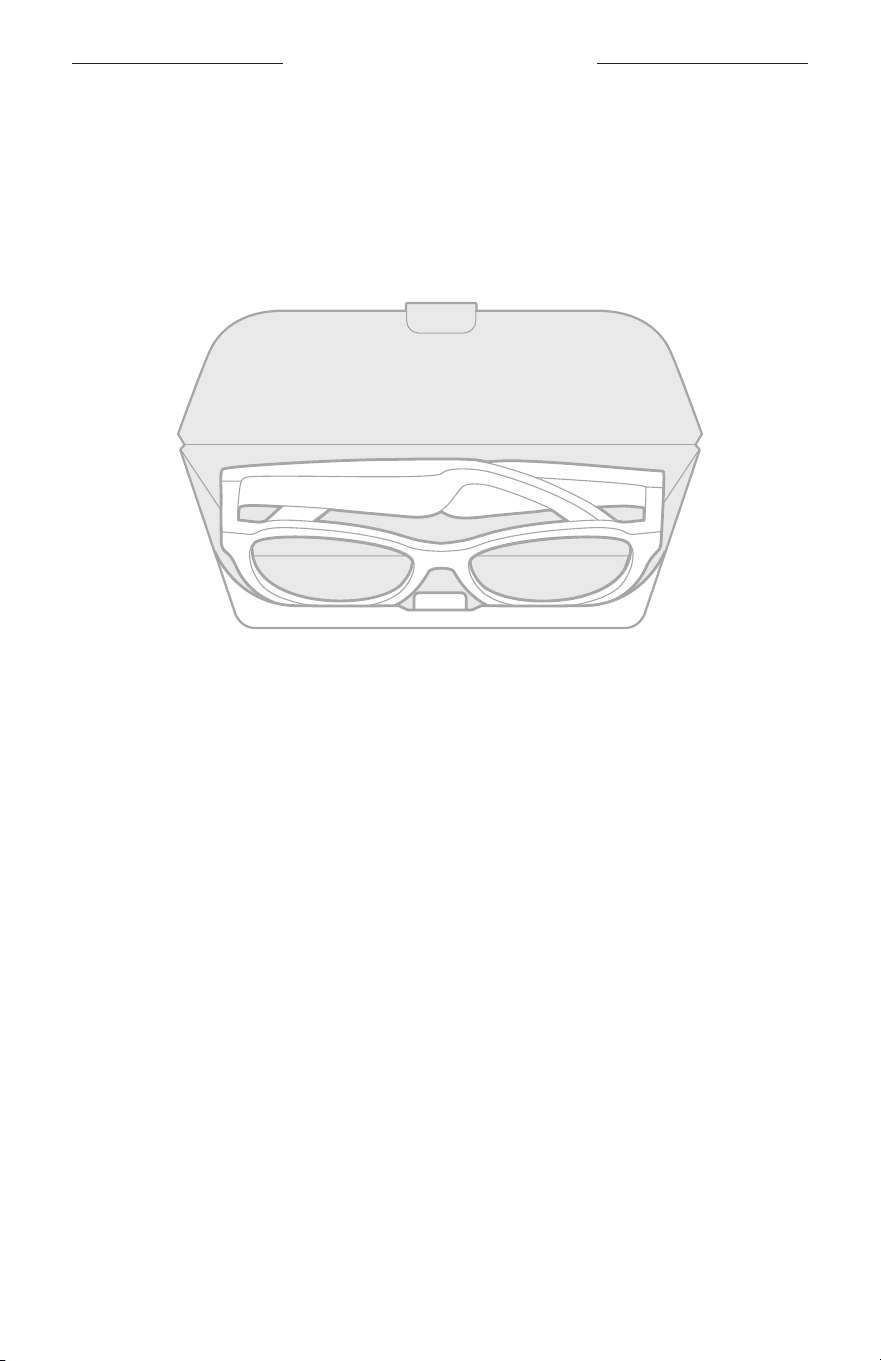
26
|
MAG
ÁPOLÁS ÉS KARBANTARTÁS
A NAPSZEMÜVEG TÁROLÁSA
A napszemüveg a kényelmes és egyszerű tárolás érdekében összecsukható.
1. Hajtsa befelé a napszemüveg szárait úgy, hogy a lencsékre simuljanak.
2. Helyezze a napszemüveget a tokba úgy, hogy a lencsék a tok eleje felé nézzenek.
MEGJEGYZÉSEK:
• Kapcsolja ki a napszemüveget, amikor nem használja.
• Ha több hónapig nem fogja használni a napszemüveget, akkor teljesen feltöltött
akkumulátorral tegye el.

27
|
MAG
ÁPOLÁS ÉS KARBANTARTÁS
A NAPSZEMÜVEG KARBANTARTÁSA
A mellékelt törlőkendővel vagy egy száraz ronggyal minden használatot követően
törölje át a lencsék mindkét oldalát és a keret minden részét.
FIGYELMEZTETÉS:
• NE használjon spray-t a napszemüveg közelében.
• NE használjon semmilyen oldószert, vegyi anyagot vagy alkoholt, ammóniát vagy
súrolószert tartalmazó tisztítószert.
• Ügyeljen rá, hogy ne kerülhessen folyadék a nyílásokba.
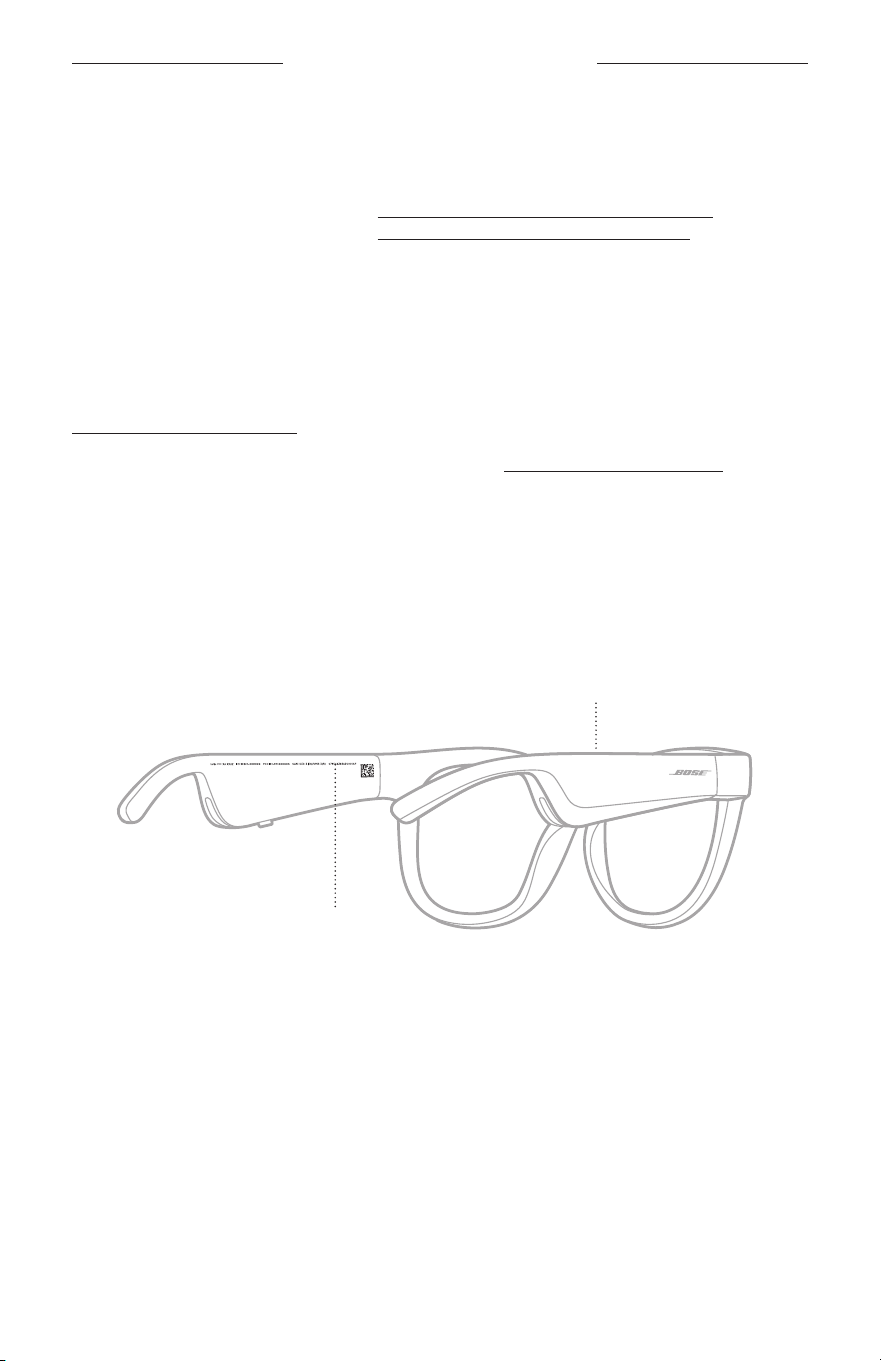
28
|
MAG
ÁPOLÁS ÉS KARBANTARTÁS
CSEREALKATRÉSZEK ÉS TARTOZÉKOK
A cserealkatrészek vagy tartozékok a Bose ügyfélszolgálatán keresztül rendelhetők meg.
Látogasson el a következő címekre: worldwide.Bose.com/Support/Soprano
worldwide.Bose.com/Support/Tenor
MEGJEGYZÉS: A lencsék cseréjével kapcsolatban tekintse meg a lencsékhez
mellékelt utasításokat.
KORLÁTOZOTT GARANCIA
A napszemüvegre korlátozott garancia vonatkozik. A korlátozott garancia részleteit a
global.Bose.com/warranty webhelyen olvashatja.
A termék regisztrálására vonatkozó tudnivalókat a global.Bose.com/register
webhelyen találja. A regisztráció elmulasztása nem befolyásolja a korlátozott
garanciára való jogosultságát.
A GYÁRI SZÁM ÉS A MODELL-/REFERENCIASZÁM HELYE
A gyári szám a bal oldali száron belül, a halántéknál található, míg a modell-/
referenciaszám a jobb oldali halántéknál a belső részen van feltüntetve.
Gyári szám
Modell-/referenciaszám

29
|
MAG
HIBAELHÁRÍTÁS
ELŐSZÖR PRÓBÁLKOZZON EZEKKEL A
MEGOLDÁSOKKAL
Ha a napszemüveggel kapcsolatban problémákat észlel:
• Kapcsolja be a napszemüveget (lásd: 16. oldal).
• Csatlakoztassa a terméket az áramforráshoz, majd 2 másodperc elteltével válassza
le onnan (lásd: 21. oldal).
• Töltse fel az akkumulátort (lásd: 21. oldal).
• Ellenőrizze az állapotjelző fény állapotát (lásd: 22. oldal).
• Ellenőrizze, hogy mobileszköze támogatja-e a Bluetooth-kapcsolatokat.
• Töltse le a Bose Music alkalmazást, és futtassa az elérhető frissítéseket.
• Növelje a napszemüveg, a mobileszköz és/vagy a zenei/streaming alkalmazás
hangerejét.
• Csatlakoztasson egy másik mobileszközt (lásd: 24. oldal).
EGYÉB MEGOLDÁSOK
Ha a hibát nem sikerült elhárítani, az alábbi táblázat segítségével azonosítsa az észlelt
jelenséget, és a leggyakoribb problémák megoldásait. Ha a problémát nem tudja
megoldani, forduljon a Bose ügyfélszolgálatához.
Látogasson el a következő címre: worldwide.Bose.com/Contact
PROBLÉMA TEENDŐ
A napszemüveg nem
csatlakoztatható a
mobileszközhöz
Az eszközön:
• Kapcsolja ki a Bluetooth funkciót, majd kapcsolja ismét be.
• Törölje a napszemüveget az eszközén található Bluetooth-
listáról. Csatlakoztassa ismét (lásd: 24. oldal).
Vigye közelebb az eszközt a napszemüveghez, és vigye távolabb
minden zavarforrástól és a jeleket árnyékoló akadálytól.
Csatlakoztasson egy másik eszközt (lásd: 24. oldal).
Az útmutató videókat a következő címen találja:
worldwide.Bose.com/Support/Tenor vagy
worldwide.Bose.com/Support/Soprano
Törölje a napszemüveg eszközlistájának tartalmát (lásd: 25. oldal).
Csatlakoztassa ismét.
A Bose Music
alkalmazás nem
működik az eszközön
Győződjön meg róla, hogy a Bose Music alkalmazás kompatibilis
a mobileszközével.
Távolítsa el a Bose Music alkalmazást az eszközéről,
majdtelepítse újra (lásd: 14. oldal).
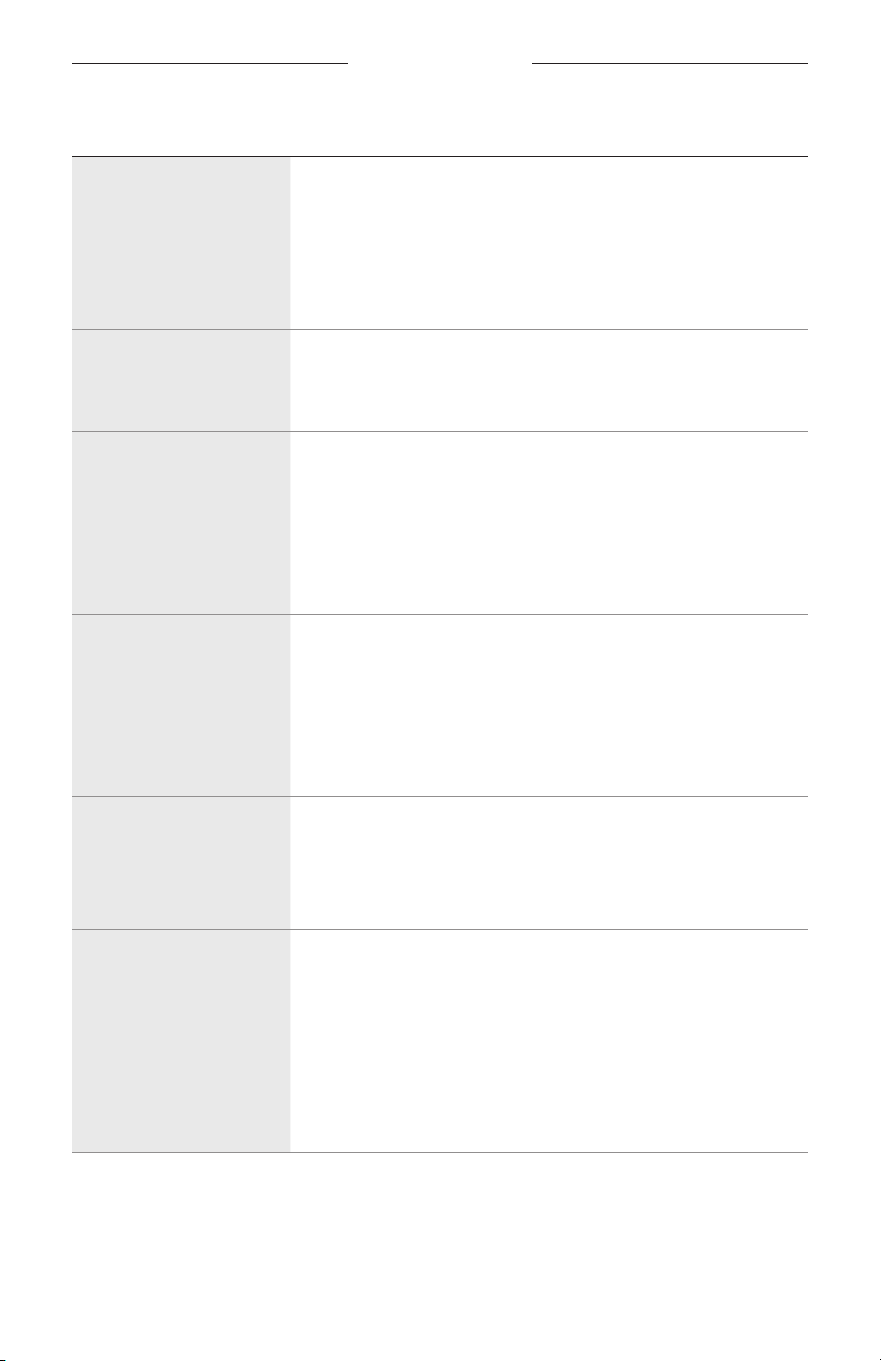
30
|
MAG
HIBAELHÁRÍTÁS
PROBLÉMA TEENDŐ
A Bose Music
alkalmazás nem találja a
napszemüveget
Kapcsolja be a napszemüveget (lásd: 16. oldal).
Nyomja le és tartsa lenyomva a jobb oldali halántékánál lévő
gombot, amíg meg nem hallja a „Készen áll a csatlakoztatásra”
üzenetet, vagy az állapotjelző fény el nem kezd kéken villogni.
A Bose Music alkalmazásban futtassa az elérhető
szoftverfrissítéseket.
A Bluetooth-kapcsolat
szakadozik
Törölje a napszemüveg eszközlistájának tartalmát (lásd: 25. oldal).
Csatlakoztassa ismét (lásd: 24. oldal).
Vigye közelebb a mobileszközt a napszemüveghez.
Nincs hang
A mobileszközén nyomja meg a lejátszás gombot a hanglejátszás
elindításához.
Vigye közelebb az eszközt a napszemüveghez, és vigye távolabb
minden zavarforrástól és a jeleket árnyékoló akadálytól.
Használjon egy másik zenei forrást.
Csatlakoztasson egy másik eszközt (lásd: 24. oldal).
Gyenge a hangminőség
Használjon egy másik zenei forrást.
Csatlakoztasson egy másik mobileszközt.
Vigye közelebb az eszközt a napszemüveghez, és vigye távolabb
minden zavarforrástól és a jeleket árnyékoló akadálytól.
Kapcsoljon ki minden hangkiemelési funkciót az eszközön és/
vagy a zenei/streaming alkalmazásban.
A mikrofon nem veszi fel
a hangot
Ügyeljen arra, hogy a jobb száron a halántéknál lévő
mikrofonnyílást semmi se takarja.
Próbálkozzon még egy telefonhívással.
Próbáljon ki egy másik kompatibilis eszközt.
A napszemüveg
nemtöltődik
Ellenőrizze, hogy a töltőkábel tűi megfelelően igazodnak-e a
napszemüveg töltőportjához, és a mágnes a helyére pattintotta-e
a tűket.
Rögzítse a töltőkábel mindkét végét.
Ha a napszemüveg túl magas vagy túl alacsony hőmérsékletnek
volt kitéve, várja meg, amíg újra eléri a szobahőmérsékletet,
majdpróbálja újból feltölteni.
Próbáljon másik fali USB-töltőt használni.
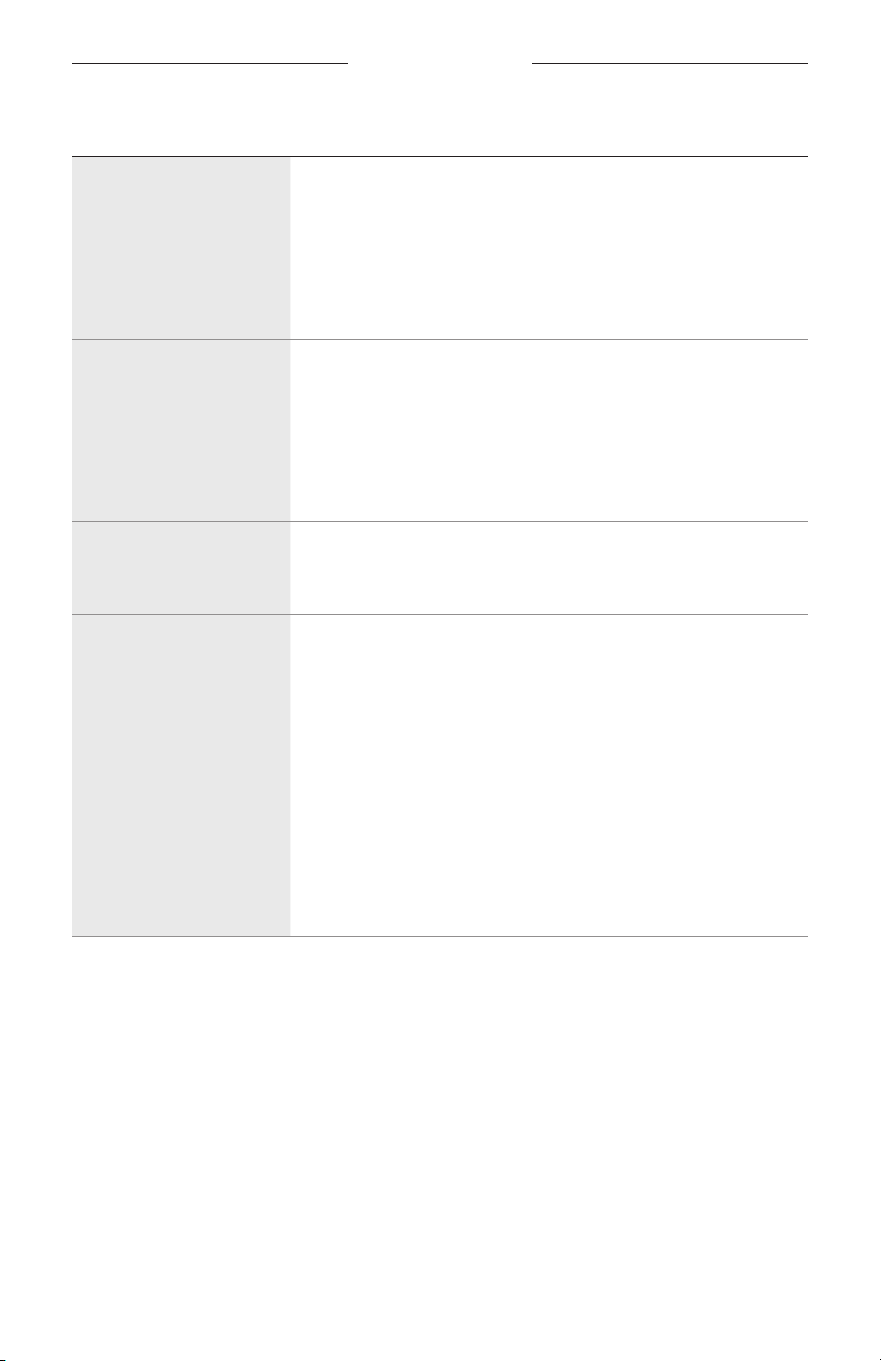
HIBAELHÁRÍTÁS
31
|
MAG
PROBLÉMA TEENDŐ
A napszemüveg nem
reagál az érintéses
vezérlésre
Ügyeljen arra, hogy a megfelelő érintőfelületet használja (lásd:
18. oldal).
Győződjön meg róla, hogy a kezei szárazak.
Ha nedves a haja, ügyeljen arra, hogy az ne zavarja az
érintőfelület használatát.
Ha kesztyűt visel, az érintőfelület megérintése előtt vegye le őket.
Nem tudom módosítani
hangerőt
Ügyeljen arra, hogy a megfelelő érintőfelületre pöccintsen
(lásd:18. oldal).
Győződjön meg róla, hogy a kezei szárazak.
Ha nedves a haja, ügyeljen arra, hogy az ne zavarja az
érintőfelület használatát.
Ha kesztyűt visel, az érintőfelület megérintése előtt vegye le őket.
Nem tudom használni
a telefon hívásvezérlő
funkcióit
A Bose Music alkalmazásban futtassa az elérhető
szoftverfrissítéseket.
Az eszköz nem reagál a
gombnyomásokra
A Bose Music alkalmazásban futtassa az elérhető
szoftverfrissítéseket.
Több gombnyomásos funkciók esetében: változtasson a
gombnyomások sebességén.
Ellenőrizze, hogy a zenei alkalmazás támogatja-e a funkciót.
Kapcsolja ki, majd be a napszemüveget.
Az eszközön:
• Kapcsolja ki a Bluetooth funkciót, majd kapcsolja ismét be.
• Törölje a napszemüveget az eszközén található Bluetooth-
listáról. Csatlakoztassa ismét (lásd: 24. oldal).
Próbáljon ki egy másik kompatibilis eszközt.
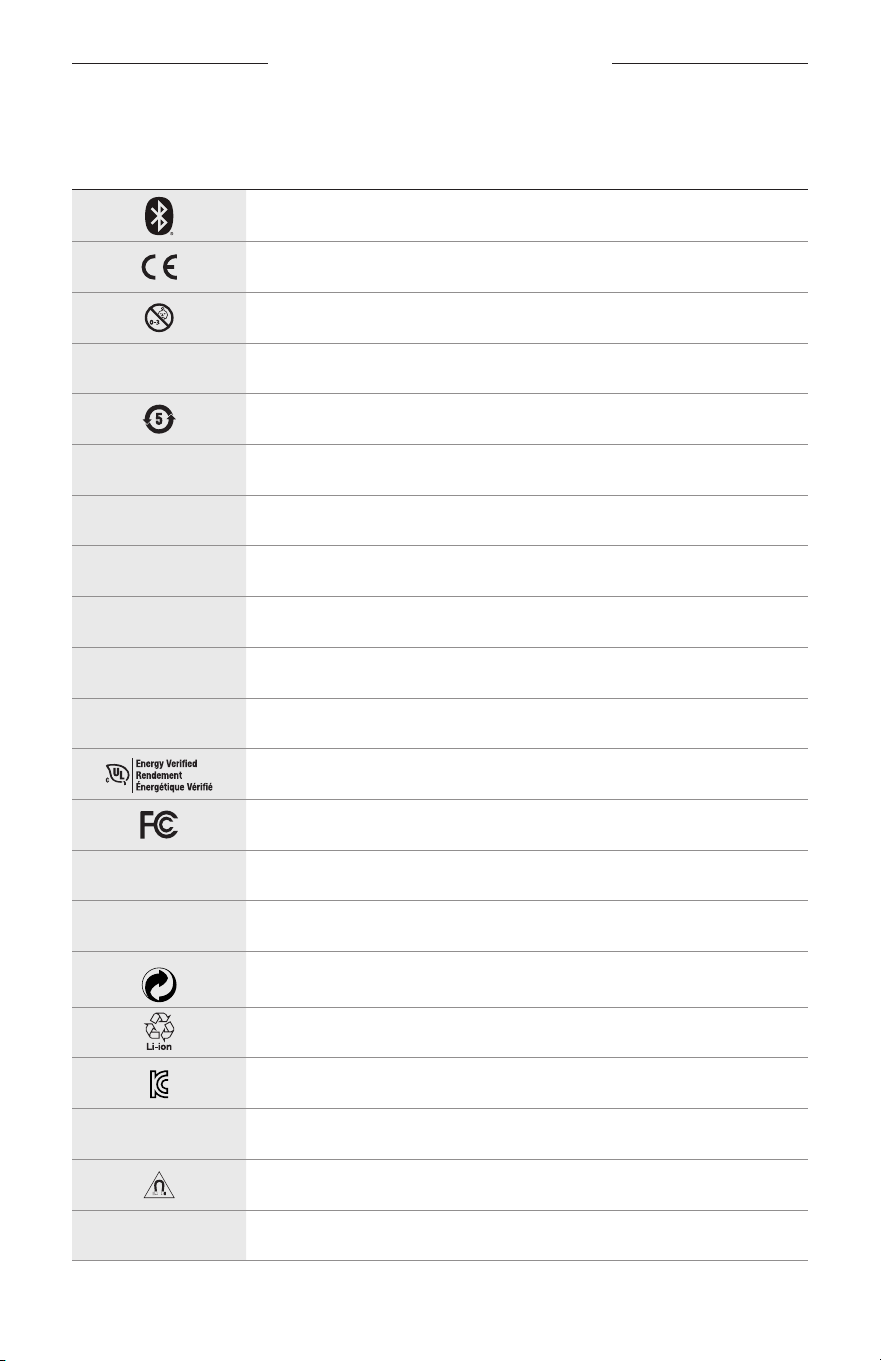
32
|
MAG
CÍMKÉN SZEREPLŐ JELÖLÉSEK
JELÖLÉSEK ÉS LEÍRÁSUK
JELÖLÉS LEÍRÁS
Bluetooth
CE-tanúsítás jelzése
Fulladásveszély
h
Katalógusszám
Kína ROHS-akkumulátor
w
Vevőszolgálat
N
Gyártás dátuma
X
Dokumentáció
L
Ne használja, ha a csomagolás sérült
C
Nem tartalmaz látexet
s
Letöltések
Energiahatékonysági tanúsítás
FCC-tanúsítás
o
Fórum
h
Nagy fokú védelmet nyújt a napfény ellen.
Green Dot védjegyszimbólum
Japán akkumulátor-újrahasznosítás
KCC-tanúsítás
p
Tartsa szárazon
Mágneses interferencia
M
Gyártó
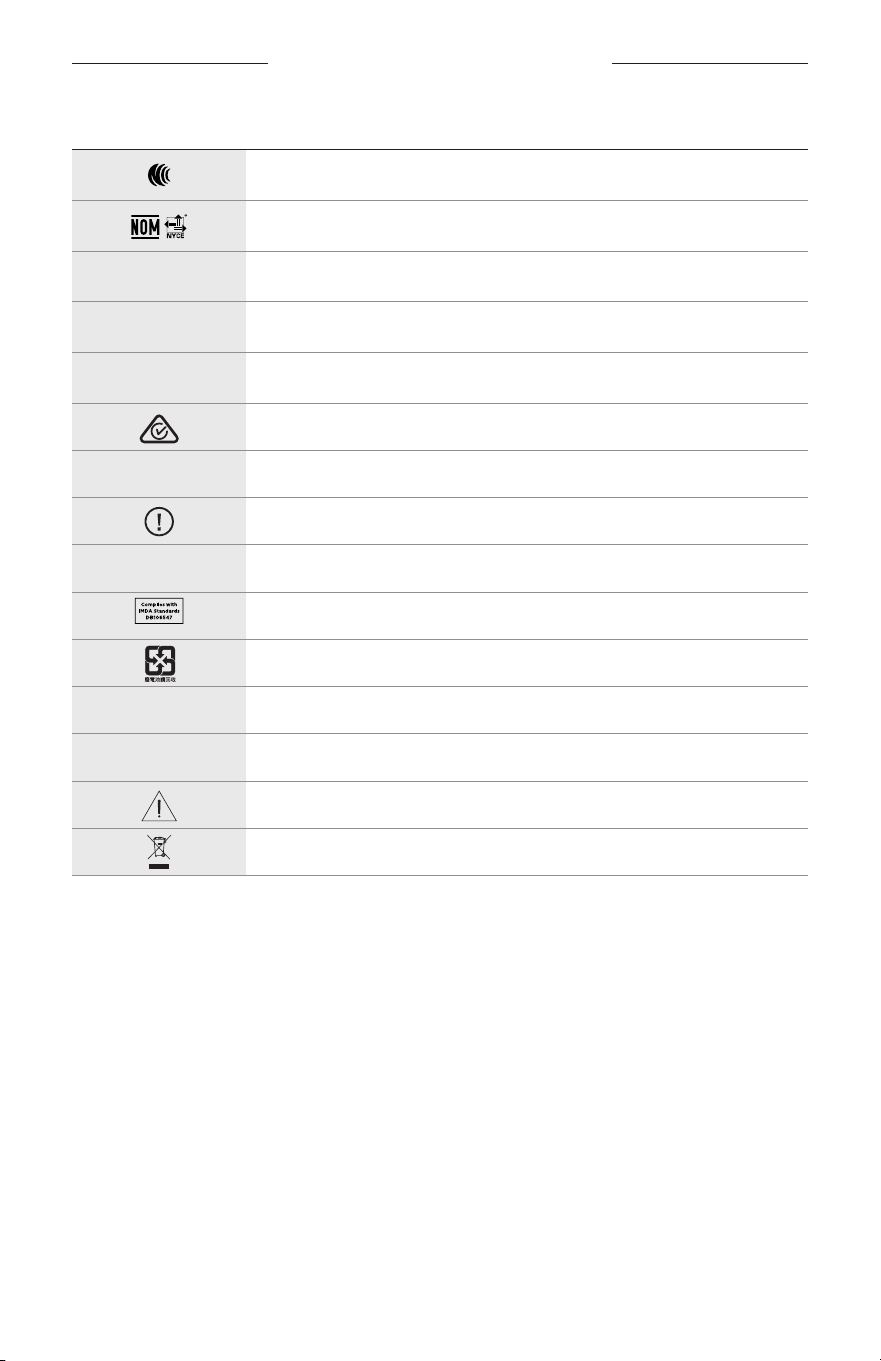
CÍMKÉN SZEREPLŐ JELÖLÉSEK
33
|
MAG
JELÖLÉS LEÍRÁS
NCC-tanúsítás
NOM NYCE-tanúsítás
d
Nem steril
I
NEM ALKALMAS ÉJSZAKAI ÉS SZÜRKÜLETBEN VALÓ VEZETÉSHEZ
m
Telefon
Előírásoknak való megfelelőség jelzése
A
Olvassa el a használati útmutatót
Biztonsági információk
f
Gyári szám
Szingapúri IMDA-megfelelőség
Tajvani akkumulátor-újrahasznosítás
l
Hőmérsékletkorlát
W
Videók
Vigyázat/figyelmeztetés
Elektromos és elektronikus berendezések hulladékaira vonatkozó
irányelv szimbóluma
VIKTIGE SIKKERHETSINSTRUKSJONER
2
|
NOR
Bruksanvisning
Solbriller (som ikke krever synsprøve) er gjenstander som består av en brilleinnfatning eller klips med absorberende,
reflekterende, fargede, polariserende eller lysfølsomme glass, og som er beregnet på å bli brukt av en person for å
beskytte øynene mot sterkt sollys, men ikke for å korrigere for brytningsfeil. Solbriller selges reseptfritt over disk.
A
Se bruksanvisningen.
Les og ta vare på alle sikkerhets- og bruksinstruksjoner.
Viktige sikkerhetsinstruksjoner
Bose Corporation erklærer hermed at dette produktet oppfyller grunnleggende krav og andre relevante
bestemmelser i direktiv 2014/53/EU og alle andre relevante krav i EU-direktiver. Den fullstendige
samsvarserklæringen finner du på www.Bose.com/compliance
1. Les disse instruksjonene.
2. Ta vare på instruksjonene.
3. Følg alle advarslene.
4. Følg alle instruksjonene.
5. Ikke bruk apparatet i eller nær vann.
6. Rengjør bare med en ren klut.
7. Bruk bare tilbehør og utstyr som er spesifisert av produsenten.
8. Trekk ut støpslet under tordenvær eller når produktet ikke skal brukes i en lengre periode.
9. Overlat all service til kvalifisert personell. Produktet trenger service når det er skadet, for eksempel når ledningen
eller kontakten til strømforsyningen er skadet, det er sølt væske på produktet eller gjenstander har falt inn i det,
produktet har blitt utsatt for regn eller fuktighet, det ikke fungerer slik det skal eller det har falt i bakken.
ADVARSLER/FORHOLDSREGLER
• IKKE bruk solbrillene på høyt volum over lengre tid.
– Bruk solbrillene ved et komfortabelt og moderat volumnivå slik at du unngår å skade hørselen.
– Skru ned volumet på solbrillene før du tar dem på eller plasserer dem nært ørene. Skru deretter volumet gradvis
opp til et komfortabelt lyttenivå.
• Vær forsiktig når du kjører, og følg gjeldende lover angående bruk av mobiltelefon.
• Fokuser på din egen og andres sikkerhet når du bruker solbrillene mens du er involvert i aktiviteter som krever
din fulle oppmerksomhet, for eksempel mens du sykler eller går i eller nær trafikk, en byggeplass eller en
jernbanestasjon. Ta av deg solbrillene eller reduser volumet for å sikre at du hører lyder fra omgivelsene, inkludert
alarmer og advarselssignaler.
• IKKE bruk solbrillene hvis de avgir en høy eller uvanlig lyd. Slå i så fall av solbrillene, og kontakt kundestøtte for
Bose hvis dette skjer.
• IKKE legg solbrillene i vann eller utsett dem for vann i lengre tid. Bruk dem heller ikke når du deltar i vannsport,
nårdu for eksempel svømmer, står på vannski eller surfer.
• Ta av solbrillene med det samme hvis de kjennes varme eller lyden forsvinner.

VIKTIGE SIKKERHETSINSTRUKSJONER
3
|
NOR
Inneholder små deler som kan medføre fare for kvelning, Ikke egnet for barn under 3 år.
Dette produktet inneholder magnetisk materiale. Kontakt lege hvis du vil finne ut om dette kan påvirke
implantert medisinsk utstyr.
• For å redusere faren for brann eller elektrisk støt må produktet IKKE utsettes for regn eller fuktighet.
• IKKE utsett produktet for drypp eller sprut, og plasser ikke gjenstander som er fylt med væske, for eksempel vaser,
på eller i nærheten av produktet.
• Hold produktet borte fra åpen ild og varmekilder. IKKE plasser kilder til åpen flamme, for eksempel tente stearinlys,
på eller nær produktet.
• IKKE utfør uautoriserte endringer på produktet.
• Dette produktet skal bare brukes med en strømforsyning som er godkjent av offentlige tilsynsmyndigheter, og som
oppfyller lokale forskriftskrav (som UL, CSA, VDE, CCC).
• Ikke utsett produkter som inneholder batterier, for høy temperatur (for eksempel direkte sollys, i nærheten av åpen
ild eller lignende).
• IKKE bruk solbrillene mens de lades.
• Tørk av begge sider av glassene og resten av solbrillene med den medfølgende kluten eller en tørr klut etter hver
gangs bruk.
FORSKRIFTSINFORMASJON OG JURIDISK INFORMASJON
4
|
NOR
MERKNAD: Tester av utstyret viser at det overholder grenseverdiene for digitalt utstyr av klasse B, som
beskrevet i del 15 av FCC-regelverket. Disse grenseverdiene er beregnet på å sikre rimelig beskyttelse mot skadelige
radioforstyrrelser ved montering i boligmiljø. Utstyret genererer, bruker og kan avgi radiofrekvensenergi. Hvis
det ikke monteres og brukes i overensstemmelse med instruksjonene, kan det forårsake skadelig forstyrrelse av
radiokommunikasjon. Det kan likevel ikke garanteres at slik forstyrrelse ikke vil kunne oppstå ved en gitt montering.
Dersom utstyret skulle forårsake skadelig forstyrrelse for radio- eller TV-utstyr, noe som kan avgjøres ved å slå det av
og på igjen, er det følgende noen av de tiltakene brukeren kan forsøke:
• Flytt eller snu mottakerantennen.
• Øk avstanden mellom utstyret og radio- eller TV-utstyret.
• Koble utstyret til en annen strømkrets enn den radio- eller TV-utstyret er koblet til.
• Søk hjelp hos forhandleren eller en erfaren radio- eller TV-installatør.
Endringer eller modifikasjoner som ikke er uttrykkelig godkjent av Bose Corporation, kan frata brukeren retten til å
bruke utstyret.
Dette utstyret overholder del 15 av FCC-regelverket og med RSS-standard(er) med ISED Canada-lisensunntak. Bruk av
utstyret er underlagt følgende to betingelser: (1) Utstyret skal ikke forårsake skadelig interferens, og (2) utstyret skal
tåle all mottatt interferens, herunder interferens som kan føre til uønsket virkemåte for utstyret.
Dette utstyret samsvarer med radiostrålingsgrensene i FCC og ISED Canada som er angitt for den generelle befolkningen.
Senderen må ikke plasseres på samme sted som eller brukes i forbindelse med andre antenner eller sendere.
CAN ICES-3(B) / NMB-3(B)
PVU-forordningen (EU) 2016/425
Management Regulation for Low-power Radio-frequency Devices
Artikkel XII
I henhold til «Management Regulation for Low-power Radio-frequency Devices» har ikke firmaer, selskaper eller
brukere som ikke har tillatelse fra NCC, lov til å endre frekvens, forbedre sendestyrke eller endre opprinnelige
egenskaper eller opprinnelig ytelse for godkjente radiofrekvensenheter med lav effekt.
Artikkel XIV
Radiofrekvensenheter med lav effekt skal ikke påvirke flysikkerhet eller forstyrre lovlig kommunikasjon. Hvis
dette skjer, skal brukeren avslutte driften umiddelbart til det ikke forekommer forstyrrelser. Juridisk sett betyr
kommunikasjon radiokommunikasjon som drives i samsvar med Lov om telekommunikasjon.
Radiofrekvensenheter med lav effekt må tåle interferens fra lovlig kommunikasjon eller enheter som avgir ISM-
radiobølger.
For Europa:
Frekvensbånd for bruk er 2400 til 2483,5 MHz.
Maksimal sendestyrke er mindre enn 20 dBm EIRP.
Maksimal sendestyrke er mindre enn forskriftsmessige grenser slik at SAR-testing ikke er nødvendig og unntatt i
henhold til gjeldende bestemmelser.
Dette symbolet betyr at produktet ikke må kasseres som husholdningsavfall, og at det skal leveres inn til et
passende gjenvinningsanlegg. Riktig håndtering og gjenvinning bidrar til å beskytte naturressurser, helse og
miljø. Mer informasjon om avhending og resirkulering av dette produktet kan fås hos kommunen,
renovasjonstjenesten eller butikken der du kjøpte dette produktet.
IKKE prøv å fjerne det oppladbare litium-ion-batteriet fra produktet. Kontakt den lokale Bose-forhandleren eller
andre kvalifiserte teknikere angående fjerning.
Kasser brukte batterier på en miljøriktig måte i henhold til lokale bestemmelser. Må ikke brennes.
Antall: 1 hver
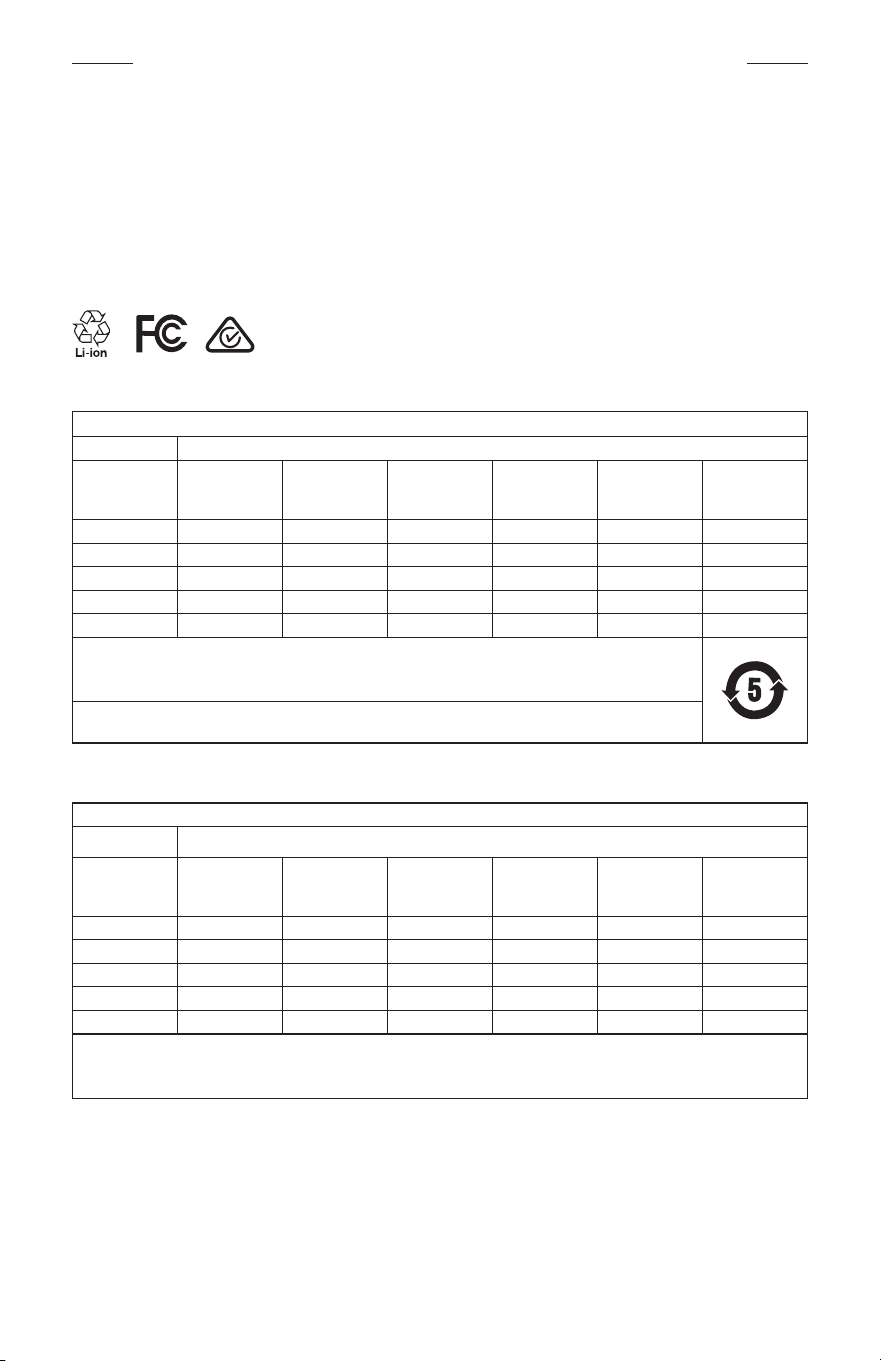
FORSKRIFTSINFORMASJON OG JURIDISK INFORMASJON
5
|
NOR
M
Produsert for: Bose Corporation, 100 The Mountain Road, Framingham, MA 01701
L
Skal ikke brukes hvis emballasjen er skadet.
C
Dette produktet inneholder ikke naturgummilateks.
d
Produktet leveres ikke-sterilt.
p
l
+45 °C
0 °C
Tabell over begrensede farlige stoffer for Kina
Navn på og innhold i giftige eller skadelige stoffer eller bestanddeler
Giftige eller skadelige stoffer eller bestanddeler
Delenavn Bly (Pb)
Kvikksølv
(Hg)
Kadmium
(Cd)
Heksavalent
(CR(VI))
Polybromerte
bifenyler
(PBB)
Polybromerte
difenyletere
(PBDE)
PCB-er X O O O O O
Metalldeler X O O O O O
Plastdeler O O O O O O
Høyttalere X O O O O O
Kabler X O O O O O
Denne tabellen er utarbeidet i henhold til krav i SJ/T 11364.
O: Angir at dette giftige eller farlige stoffet som finnes i alle de homogene materialene i denne delen, er under
grensekravene i GB/T 26572.
X: Angir at dette giftige eller farlige stoffet som finnes i minst ett av de homogene materialene i denne delen, er
over grensekravene i GB/T 26572.
Tabell over begrensede farlige stoffer for Taiwan
Utstyrsnavn: Strømdrevet høyttaler, typebetegnelse: 433948
Begrensede stoffer og kjemiske symboler
Enhet Bly (Pb)
Kvikksølv
(Hg)
Kadmium
(Cd)
Heksavalent
krom (Cr+6)
Polybromerte
bifenyler (PBB)
Polybromerte
difenyletere
(PBDE)
PCB-er
– ○ ○ ○ ○ ○
Metalldeler
– ○ ○ ○ ○ ○
Plastdeler
○ ○ ○ ○ ○ ○
Høyttalere
– ○ ○ ○ ○ ○
Kabler
– ○ ○ ○ ○ ○
Merknad 1:
○ angir at den prosentvise innholdsandelen av det begrensede stoffet ikke overskrider prosentdelen av referanseverdien
for tilstedeværelse.
Merknad 2: − angir at det begrensede stoffet samsvarer med fritaket.
FORSKRIFTSINFORMASJON OG JURIDISK INFORMASJON
6
|
NOR
Dette produktet overholder ANSI Z80.3, AS/NZS 1067.1 og EN ISO 12312-1.
Briller med fargede glass bør ikke brukes ved kjøring under mørke forhold.
I
IKKE EGNET FOR KJØRING I SKUMRING ELLER OM NATTEN. IKKE EGNET FOR KJØRING OM NATTEN ELLER
I DUNKELT LYS.
Produktet er konstruert slik at det blokkerer mer enn 99% UVA- og UVB-lysenergi. Produktet overholder ANSI Z80.3.
Bare glass godkjent av Bose skal brukes med Frames Soprano- eller Frames Tenor-produktet.
Skal ikke brukes til direkte observasjon av solen.
Skal ikke brukes som beskyttelse mot kunstige lyskilder, for eksempel solarium.
Skal ikke brukes som øyebeskyttelse mot mekanisk støt.
Oppbevar produktet i den medfølgende bærevesken når det ikke er i bruk.
EU-FILTERKATEGORI: ISO12312-1 CAT. 3
AUSTRALSK LINSEKATEGORI: 1067.1 CAT. 3
h
Disse solbrillene gir et høyt nivå av solstrålereduksjon og god UV-beskyttelse.
UV-klassifisering: UV 380 cut
Fyll ut og oppbevar for senere bruk
Du finner serienummeret for solbrillene på venstre brillestang og modell-/referansenummeret på høyre brillestang.
Serienummer: ____________________________________________________________________
Modellnummer: ___________________________________________________________________
Oppbevar kvitteringen sammen med brukerhåndboken. Nå er en god anledning til å registrere Bose-produktet.
Dukan gjøre dette ved å gå til global.Bose.com/register
N
Produksjonsdato: Det åttende sifferet i serienummeret er produksjonsåret. 0 vil si 2010 eller 2020.
Importør for Kina: Bose Electronics (Shanghai) Company Limited, Part C, Plant 9, No. 353 North Riying Road,
Kina(Shanghai) Pilot Free Trade Zone
Importør for EU: Bose Products B.V., Gorslaan 60, NL-1441 RG Purmerend, Nederland
Importør for Taiwan: Bose Taiwan Branch, 9F-A1, No.10, Section 3, Minsheng East Road, Taipei City 104, Taiwan
Telefonnummer: +886-2-2514 7676
Importør for Mexico: Bose de México, S. de R.L. de C.V., Paseo de las Palmas 405-204, Lomas de Chapultepec,
11000México, D.F. Telefonnummer: +5255 (5202) 3545
Strøminngang: 5 V p 500 mA
CMIIT-ID er plassert på innsiden av fremre brillestang.
h
BMD0011
FORSKRIFTSINFORMASJON OG JURIDISK INFORMASJON
7
|
NOR
Sikkerhetsinformasjon
Produktet kan motta sikkerhetsoppdateringer fra Bose automatisk når det er koblet til Bose Music-appen.
Produktoppsettsprosessen i Bose Music-appen må gjennomføres for at produktet skal motta
sikkerhetsoppdateringer gjennom mobilappen. Hvis du ikke gjennomfører konfigureringsprosessen,
erdet ditt ansvar å installere sikkerhetsoppdateringene som Bose gjør tilgjengelig på btu.bose.com
Apple, Apple-logoen, iPad, iPhone, iPod og Siri er varemerker som tilhører Apple Inc. og er registrert i USA og andre
land. Varemerket iPhone brukes i Japan med lisens fra Aiphone K.K. App Store er et tjenestemerke for Apple Inc.
Bruk av Made for Apple-merket betyr at et tilbehør er konstruert spesifikt for tilkobling til Apple-produktene som
angis i merket og er sertifisert av utvikleren i henhold til Apples ytelsesstandarder. Apple er ikke ansvarlig for hvordan
enheten fungerer eller hvordan den overholder sikkerhetsbestemmelser og andre standarder.
Ordmerket Bluetooth® og logoene er registrerte varemerker som tilhører Bluetooth SIG, Inc. All bruk som Bose
Corporation gjør av disse varemerkene, er på lisens.
Google og Google Play er varemerker for Google LLC.
Bose, Bose Frames og Bose Music er varemerker som tilhører Bose Corporation.
Hovedkontor for Bose Corporation: 1-877-230-5639
©2020 Bose Corporation. Ingen del av dette produktet kan reproduseres, endres, distribueres eller brukes på annen
måte uten å ha innhentet skriftlig tillatelse på forhånd.

8
|
NOR
The following license disclosures apply to certain third-party software packages used as components in the product.
Package: Nanopb
Copyright © 2011 Petteri Aimonen <jpa at nanopb.mail.kapsi.fi>. The Nanopb package is subject to the license terms
reprinted below.
Zlib license
© 2011 Petteri Aimonen <jpa at nanopb.mail.kapsi.fi>
This software is provided ‘as-is’, without any express or implied warranty. In no event will the authors be held liable
for any damages arising from the use of this software.
Permission is granted to anyone to use this software for any purpose, including commercial applications, and to alter
it and redistribute it freely, subject to the following restrictions:
1. The origin of this software must not be misrepresented; you must not claim that you wrote the original software.
If you use this software in a product, an acknowledgment in the product documentation would be appreciated
but is not required.
2. Altered source versions must be plainly marked as such, and must not be misrepresented as being the
original software.
3. This notice may not be removed or altered from any source distribution.
Package: Mbed TLS 2.16.1
© ARM Limited. All rights reserved. The Mbed TLS package is subject to the license terms reprinted below.
Apache 2.0 License
Apache License
Version 2.0, January 2004
http://www.apache.org/licenses/
TERMS AND CONDITIONS FOR USE, REPRODUCTION, AND DISTRIBUTION
1. Definitions.
“License” shall mean the terms and conditions for use, reproduction, and distribution as defined by Sections 1
through 9 of this document.
“Licensor” shall mean the copyright owner or entity authorized by the copyright owner that is granting
the License.
“Legal Entity” shall mean the union of the acting entity and all other entities that control, are controlled by, or
are under common control with that entity. For the purposes of this definition, “control” means (i) the power,
direct or indirect, to cause the direction or management of such entity, whether by contract or otherwise, or (ii)
ownership of fifty percent (50%) or more of the outstanding shares, or (iii) beneficial ownership of such entity.
“You” (or “Your”) shall mean an individual or Legal Entity exercising permissions granted by this License.
“Source” form shall mean the preferred form for making modifications, including but not limited to software
source code, documentation source, and configuration files.
“Object” form shall mean any form resulting from mechanical transformation or translation of a Source form,
including but not limited to compiled object code, generated documentation, and conversions to other
media types.
“Work” shall mean the work of authorship, whether in Source or Object form, made available under the License,
as indicated by a copyright notice that is included in or attached to the work (an example is provided in the
Appendix below).
“Derivative Works” shall mean any work, whether in Source or Object form, that is based on (or derived from)
the Work and for which the editorial revisions, annotations, elaborations, or other modifications represent, as a
whole, an original work of authorship. For the purposes of this License, Derivative Works shall not include works
that remain separable from, or merely link (or bind by name) to the interfaces of, the Work and Derivative
Works thereof.
LISENSINFORMASJON

9
|
NOR
LISENSINFORMASJON
“Contribution” shall mean any work of authorship, including the original version of the Work and any
modifications or additions to that Work or Derivative Works thereof, that is intentionally submitted to Licensor
for inclusion in the Work by the copyright owner or by an individual or Legal Entity authorized to submit on
behalf of the copyright owner. For the purposes of this definition, “submitted” means any form of electronic,
verbal, or written communication sent to the Licensor or its representatives, including but not limited to
communication on electronic mailing lists, source code control systems, and issue tracking systems that are
managed by, or on behalf of, the Licensor for the purpose of discussing and improving the Work, but excluding
communication that is conspicuously marked or otherwise designated in writing by the copyright owner as “Not
a Contribution.”
“Contributor” shall mean Licensor and any individual or Legal Entity on behalf of whom a Contribution has been
received by Licensor and subsequently incorporated within the Work.
2. Grant of Copyright License. Subject to the terms and conditions of this License, each Contributor hereby grants
to You a perpetual, worldwide, non-exclusive, no-charge, royalty-free, irrevocable copyright license to reproduce,
prepare Derivative Works of, publicly display, publicly perform, sublicense, and distribute the Work and such
Derivative Works in Source or Object form.
3. Grant of Patent License. Subject to the terms and conditions of this License, each Contributor hereby grants to
You a perpetual, worldwide, non-exclusive, no-charge, royalty-free, irrevocable (except as stated in this section)
patent license to make, have made, use, oer to sell, sell, import, and otherwise transfer the Work, where such
license applies only to those patent claims licensable by such Contributor that are necessarily infringed by their
Contribution(s) alone or by combination of their Contribution(s) with the Work to which such Contribution(s)
was submitted. If You institute patent litigation against any entity (including a cross-claim or counterclaim in a
lawsuit) alleging that the Work or a Contribution incorporated within the Work constitutes direct or contributory
patent infringement, then any patent licenses granted to You under this License for that Work shall terminate as
of the date such litigation is filed.
4. Redistribution. You may reproduce and distribute copies of the Work or Derivative Works thereof in any medium,
with or without modifications, and in Source or Object form, provided that You meet the following conditions:
a. You must give any other recipients of the Work or Derivative Works a copy of this License; and
b. You must cause any modified files to carry prominent notices stating that You changed the files; and
c. You must retain, in the Source form of any Derivative Works that You distribute, all copyright, patent,
trademark, and attribution notices from the Source form of the Work, excluding those notices that do not
pertain to any part of the Derivative Works; and
d. If the Work includes a “NOTICE” text file as part of its distribution, then any Derivative Works that You
distribute must include a readable copy of the attribution notices contained within such NOTICE file, excluding
those notices that do not pertain to any part of the Derivative Works, in at least one of the following places:
within a NOTICE text file distributed as part of the Derivative Works; within the Source form or
documentation, if provided along with the Derivative Works; or, within a display generated by the
Derivative Works, if and wherever such third-party notices normally appear. The contents of the NOTICE file
are for informational purposes only and do not modify the License. You may add Your own attribution notices
within Derivative Works that You distribute, alongside or as an addendum to the NOTICE text from the Work,
provided that such additional attribution notices cannot be construed as modifying the License.
You may add Your own copyright statement to Your modifications and may provide additional or dierent
license terms and conditions for use, reproduction, or distribution of Your modifications, or for any such
Derivative Works as a whole, provided Your use, reproduction, and distribution of the Work otherwise
complies with the conditions stated in this License.
5. Submission of Contributions. Unless You explicitly state otherwise, any Contribution intentionally submitted for
inclusion in the Work by You to the Licensor shall be under the terms and conditions of this License, without any
additional terms or conditions. Notwithstanding the above, nothing herein shall supersede or modify the terms
of any separate license agreement you may have executed with Licensor regarding such Contributions.
6. Trademarks. This License does not grant permission to use the trade names, trademarks, service marks, or
product names of the Licensor, except as required for reasonable and customary use in describing the origin of
the Work and reproducing the content of the NOTICE file.

10
|
NOR
LISENSINFORMASJON
7. Disclaimer of Warranty. Unless required by applicable law or agreed to in writing, Licensor provides the Work
(and each Contributor provides its Contributions) on an “AS IS” BASIS, WITHOUT WARRANTIES OR CONDITIONS
OF ANY KIND, either express or implied, including, without limitation, any warranties or conditions of TITLE,
NON-INFRINGEMENT, MERCHANTABILITY, or FITNESS FOR A PARTICULAR PURPOSE. You are solely responsible
for determining the appropriateness of using or redistributing the Work and assume any risks associated with
Your exercise of permissions under this License.
8. Limitation of Liability. In no event and under no legal theory, whether in tort (including negligence), contract,
or otherwise, unless required by applicable law (such as deliberate and grossly negligent acts) or agreed to in
writing, shall any Contributor be liable to You for damages, including any direct, indirect, special, incidental,
or consequential damages of any character arising as a result of this License or out of the use or inability to
use the Work (including but not limited to damages for loss of goodwill, work stoppage, computer failure or
malfunction, or any and all other commercial damages or losses), even if such Contributor has been advised of
the possibility of such damages.
9. Accepting Warranty or Additional Liability. While redistributing the Work or Derivative Works thereof, You may
choose to oer, and charge a fee for, acceptance of support, warranty, indemnity, or other liability obligations
and/or rights consistent with this License. However, in accepting such obligations, You may act only on Your own
behalf and on Your sole responsibility, not on behalf of any other Contributor, and only if You agree to indemnify,
defend, and hold each Contributor harmless for any liability incurred by, or claims asserted against, such
Contributor by reason of your accepting any such warranty or additional liability.
END OF TERMS AND CONDITIONS
©2020 Bose Corporation
Licensed under the Apache License, Version 2.0 (the “License”); you may not use this file except in compliance with
the License.
You may obtain a copy of the License at: http://www.apache.org/licenses/LICENSE-2.0
Unless required by applicable law or agreed to in writing, software distributed under the License is distributed on an
“AS IS” BASIS, WITHOUT WARRANTIES OR CONDITIONS OF ANY KIND, either express or implied.
See the License for the specific language governing permissions and limitations under the License.

INNHOLD
11
|
NOR
INNHOLDET I ESKEN
Innhold ................................................................................................................................ 13
KONFIGURERE BOSE MUSIC-APPEN
Laste ned Bose Music-appen ..................................................................................... 14
Legge til solbrillene i en eksisterende konto ........................................................ 14
SVETTE- OG VÆRBESTANDIGE ....................................................................... 15
STRØM
Slå på ................................................................................................................................... 16
Slå av.................................................................................................................................... 17
Flip-to-O (Vend for å slå av) ........................................................................... 17
Automatisk avslåing med bevegelsesregistrering ..................................... 17
FRAMES-KONTROLLER
Medieavspilling ................................................................................................................ 18
Volum ................................................................................................................................... 19
Øke volumet ............................................................................................................. 19
Redusere volumet ................................................................................................... 19
Telefonsamtaler ............................................................................................................... 20
Anropsvarslinger ..................................................................................................... 20
Aktivere stemmestyring ............................................................................................... 20
BATTERI
Lade solbrillene................................................................................................................ 21
Kontrollere solbrillenes batterinivå .......................................................................... 21
Høre batterimeldinger .......................................................................................... 21
Vise batterinivået .................................................................................................... 21

INNHOLD
12
|
NOR
FRAMES-STATUS
Status for Bluetooth®-tilkobling ................................................................................ 22
Batteristatus ...................................................................................................................... 23
Feilstatus ............................................................................................................................ 23
BLUETOOTH-TILKOBLINGER
Koble til med Bluetooth-funksjonen på mobilenheten .................................... 24
Koble fra mobilenheter ................................................................................................. 25
Koble til mobilenheter på nytt ................................................................................... 25
Nullstille enhetslisten i solbrillene ............................................................................ 25
STELL OG VEDLIKEHOLD
Oppbevare solbrillene ................................................................................................... 26
Pleie av solbrillene .......................................................................................................... 27
Reservedeler og tilbehør ............................................................................................. 28
Begrenset garanti ........................................................................................................... 28
Plassering av serie- og modell-/referansenummer............................................ 28
FEILSØKING
Prøv dette først ................................................................................................................ 29
Andre løsninger ............................................................................................................... 29
SYMBOLER PÅ ETIKETTEN
Symboler og beskrivelser ............................................................................................ 32
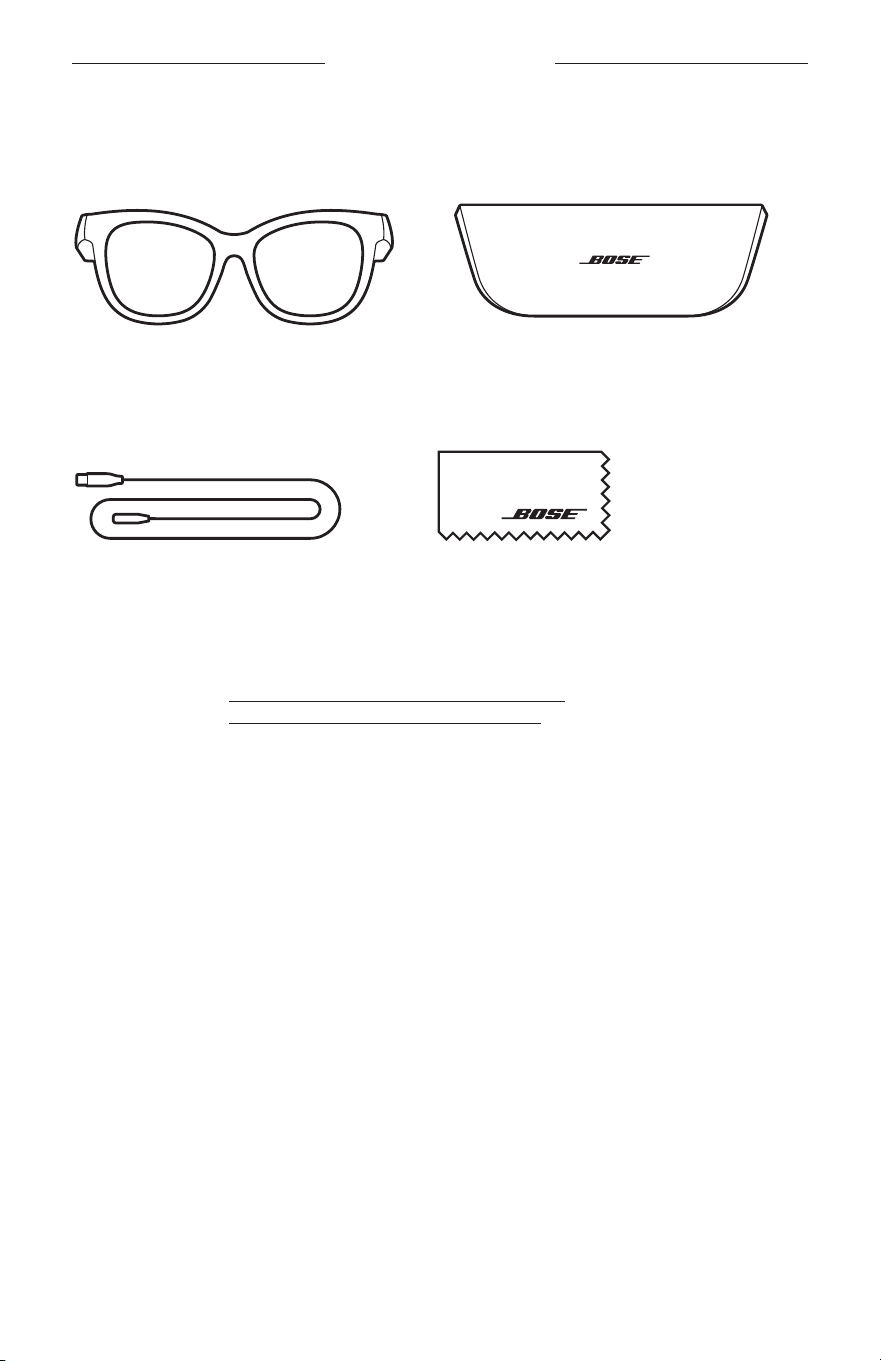
13
|
NOR
INNHOLDET I ESKEN
INNHOLD
Kontroller at følgende deler følger med:
Bose Frames
Bæreveske
Ladekabel Rengjøringsklut
MERKNAD: Ikke bruk produktet hvis noen deler er skadet. Kontakt en autorisert
Bose-forhandler eller kundestøtte for Bose.
Gå til worldwide.Bose.com/Support/Soprano
worldwide.Bose.com/Support/Tenor
14
|
NOR
KONFIGURERE BOSE MUSIC-APPEN
Med Bose Music-appen kan du konfigurere og kontrollere solbrillene fra en
mobilenhet, for eksempel en smarttelefon eller et nettbrett.
Ved hjelp av appen kan du tilpasse strøminnstillinger, velge språk for talemeldinger og
få nye funksjoner.
MERKNAD: Se «Legge til solbrillene i en eksisterende konto» hvis du allerede har
opprettet en Bose-konto i appen for et annet Bose-produkt.
LASTE NED BOSE MUSIC-APPEN
1. Last ned Bose Music-appen på mobilenheten.
MERKNAD: Hvis du befinner deg i fastlands-Kina, laster du ned Bose8-appen.
BOSE MUSIC
2. Følg instruksjonene i appen.
LEGGE TIL SOLBRILLENE I EN EKSISTERENDE KONTO
1. Trykk og hold knappen på høyre brillestang inne til du hører «Ready to connect»
(Klar til å koble til), eller til statuslampen blinker blått.
2. I Bose Music-appen går du til skjermbildet My Products (Mine produkter) og legger
til solbrillene.
MERKNAD: Hvis appen ikke finner solbrillene, kan du se «Bose Music-appen finner
ikke solbrillene» på side 30.
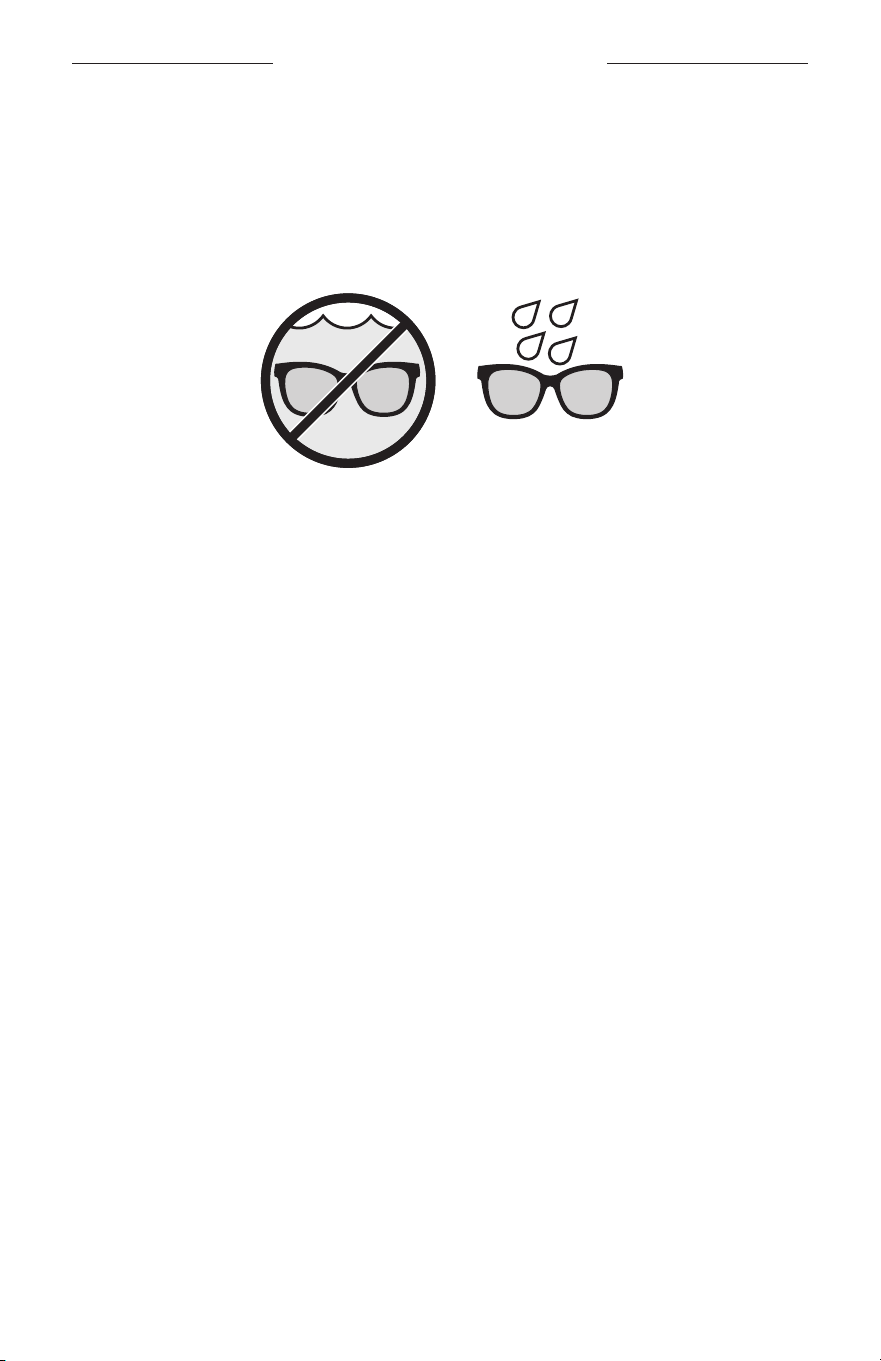
15
|
NOR
SVETTE- OG VÆRBESTANDIGE
Solbrillene er vannbestandige i kategorien IPX2. De er designet for å være svette- og
værbestandige mot vanndråper, men skal ikke senkes ned i vann.
FORSIKTIG:
• IKKE svøm eller dusj med solbrillene.
• IKKE senk solbrillene ned i vann.
MERKNAD: IPX2 er ikke en permanent tilstand, og mostandsdyktighet kan reduseres
som et resultat av vanlig slitasje.
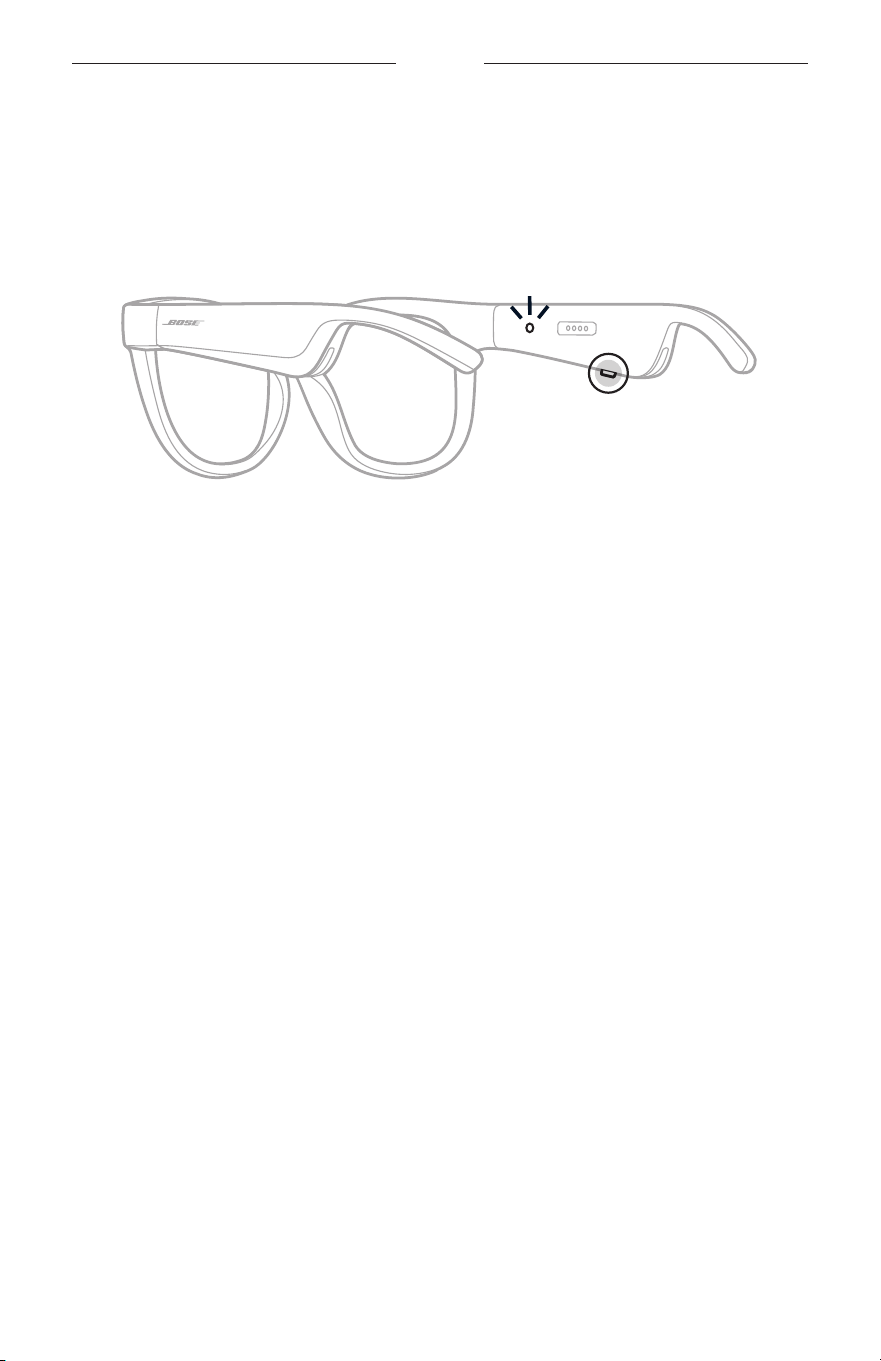
16
|
NOR
STRØM
SLÅ PÅ
Trykk på knappen på høyre brillestang.
Statuslampen blinker hvitt to ganger og lyser så i samsvar med Bluetooth-
tilkoblingsstatusen (se side 22). En talemelding forteller om batterinivået og
Bluetooth-tilkoblingsstatusen.
MERKNAD: Solbrillene leveres delvis ladet og må muligens vekkes før første gangs
bruk. Du vekker opp sollbrillene ved å koble dem til strøm i to sekunder
og deretter koble dem fra (se side 21). Prøv deretter å slå dem på.
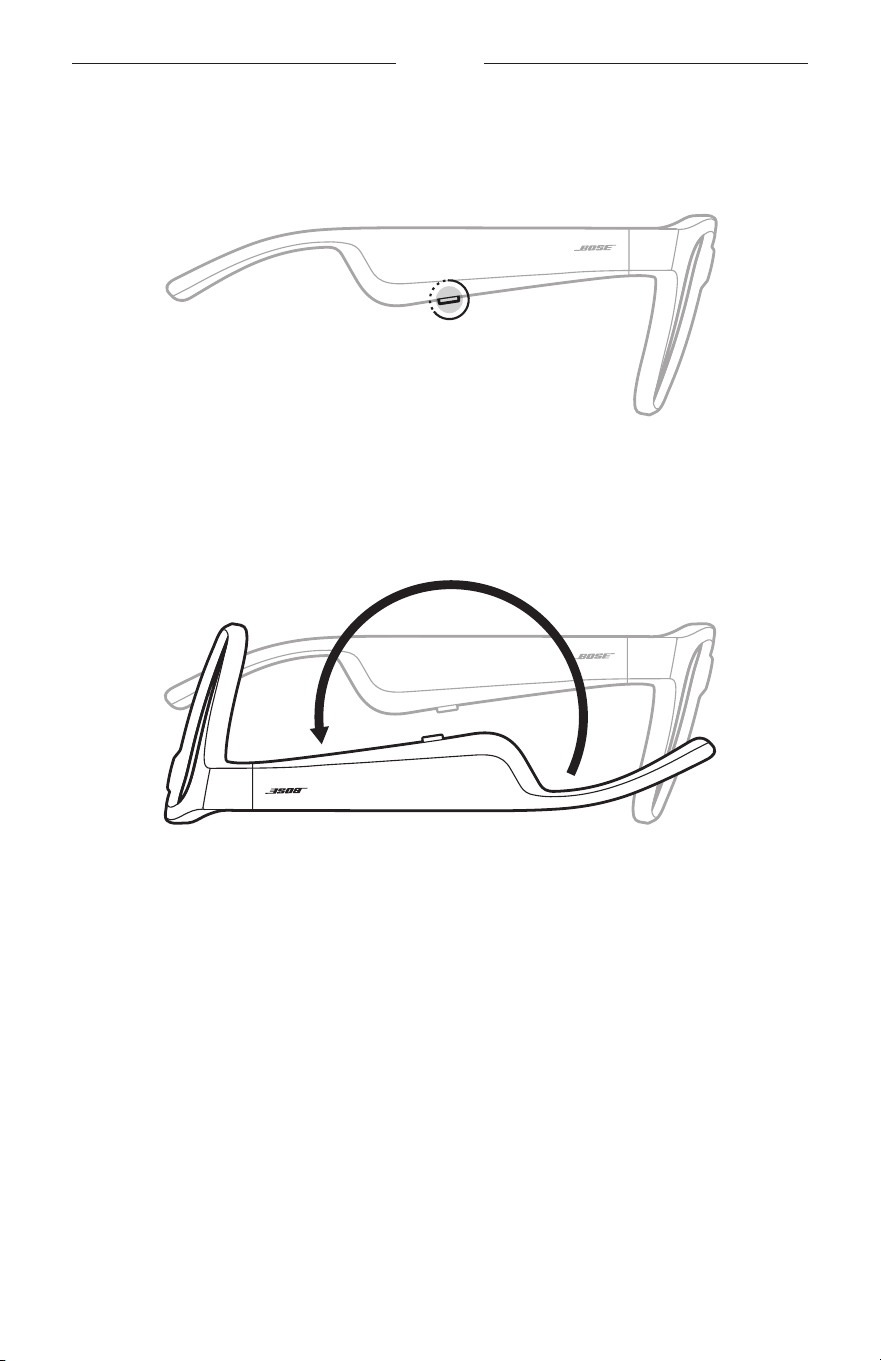
17
|
NOR
STRØM
SLÅ AV
Trykk og hold inne knappen til du hører en tone.
Statuslampen blinker hvitt to ganger, og toner deretter ned til svart.
Flip-to-Off (Vend for å slå av)
Vend solbrillene opp ned i 2 sekunder.
Statuslampen blinker hvitt to ganger, og toner deretter ned til svart.
MERKNAD:
• Når solbrillene er slått av, kan du bevege dem i en hvilken som helst retning.
• Du kan deaktivere Flip-to-Off (Vend for å slå av) i Bose Music-appen. Du finner
dette alternativet på Innstillinger-menyen.
Automatisk avslåing med bevegelsesregistrering
Solbrillene bruker bevegelsesregistrering for å identifisere når de ikke er i bruk.
Nårsolbrillene ikke har vært i bevegelse på 10 minutter, slås de automatisk av.
MERKNAD: Du kan deaktivere bevegelsesregistrering i Bose Music-appen. Du finner
dette alternativet på Innstillinger-menyen.
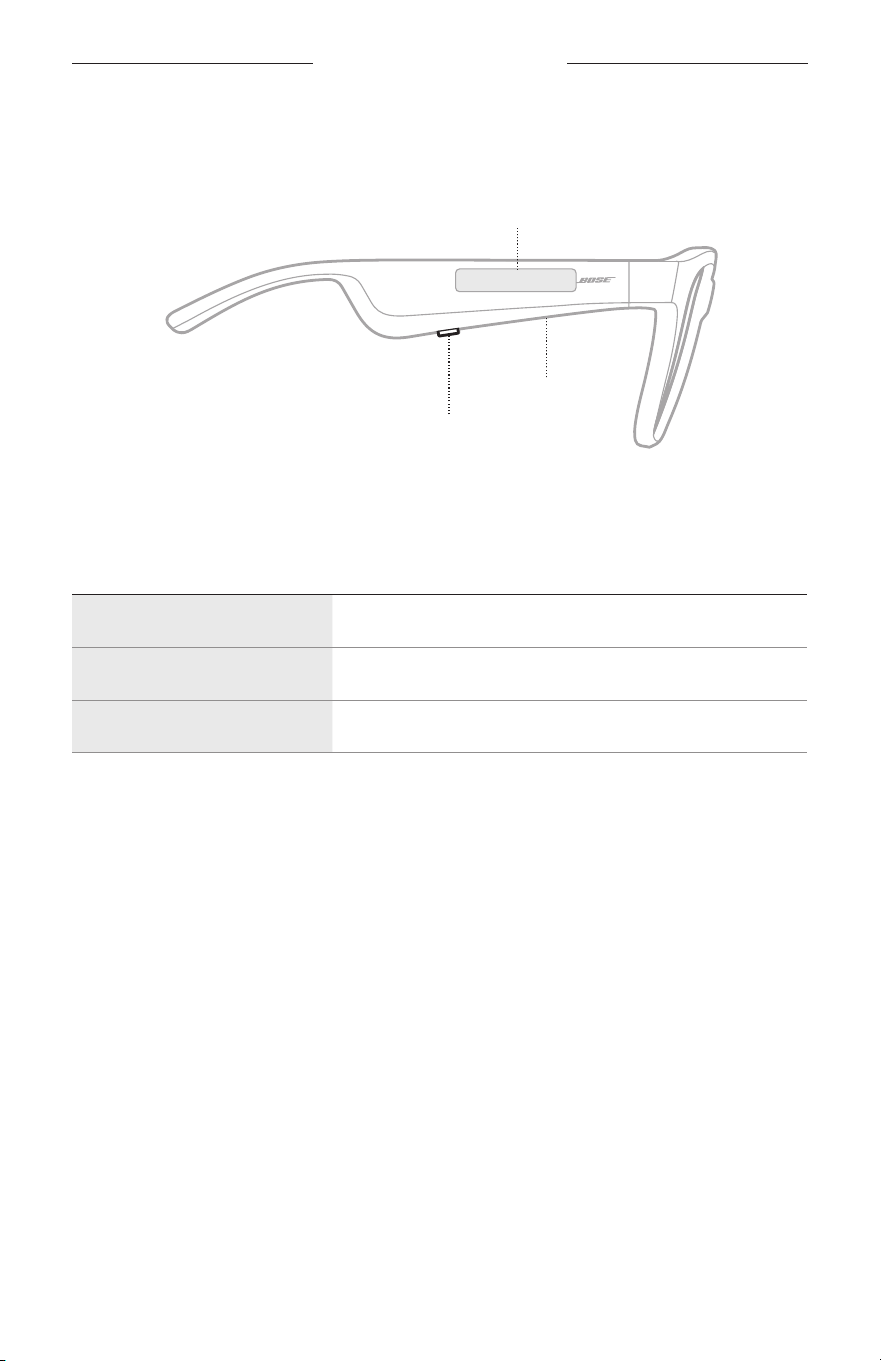
18
|
NOR
FRAMES-KONTROLLER
Bruk knappen og berøringsflaten på høyre brillestang til å kontrollere medieavspilling,
volum, telefonsamtaler og stemmestyring.
Knapp
Styre medieavspilling
Styre anrop
Mikrofon
Berøringsflate
Justere volum
Aktivere stemmestyring
MEDIEAVSPILLING
KONTROLL GJØR DETTE
Spill av / pause Trykk på knappen.
Hopp fremover Dobbelttrykk på knappen.
Hopp tilbake Trippeltrykk på knappen.
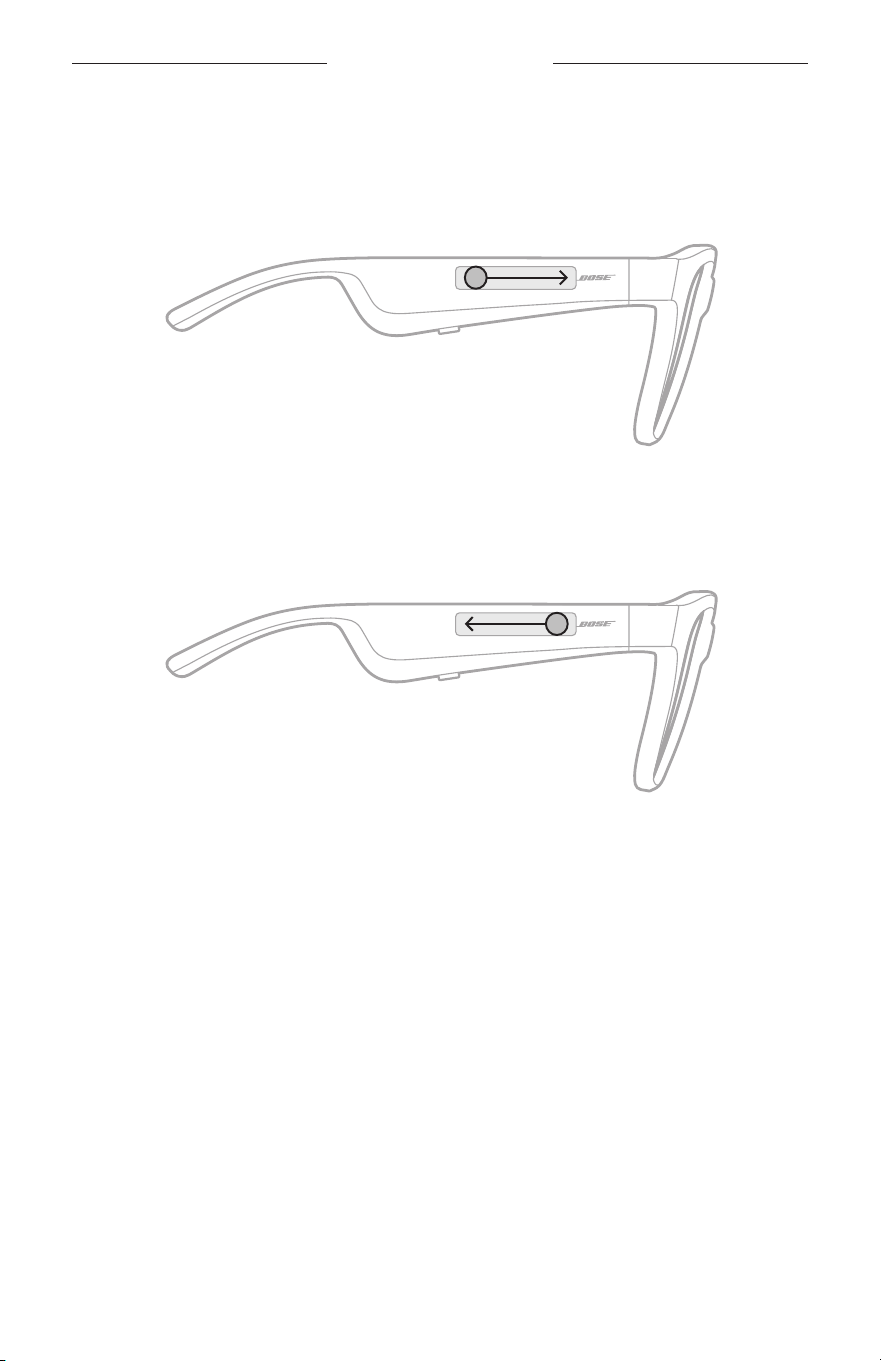
19
|
NOR
FRAMES-KONTROLL
VOLUM
Øke volumet
Sveip fremover på berøringsflaten.
MERKNAD: Det spilles av en tone når volumet når maksimumsnivå.
Redusere volumet
Sveip bakover på berøringsflaten.
MERKNAD: Det spilles av en tone når volumet nå minimumsnivå.
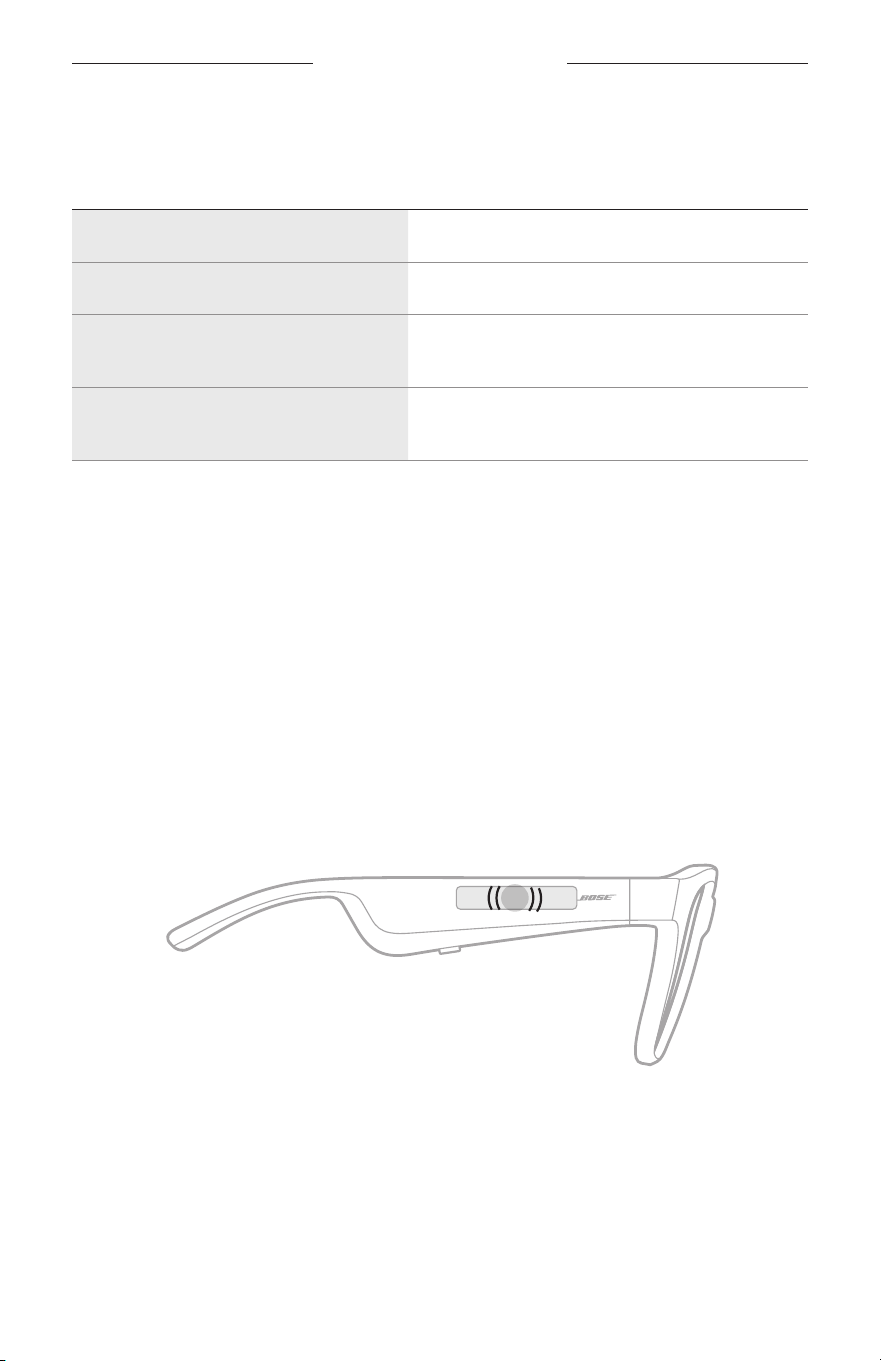
FRAMES-KONTROLLER
20
|
NOR
TELEFONSAMTALER
KONTROLL GJØR DETTE
Svar på og avslutt et anrop Trykk på knappen.
Avvis en innkommende samtale Dobbelttrykk på knappen.
Besvar en annen innkommende samtale
og sett den aktive samtalen på vent
Trykk på knappen mens du er i en samtale.
Avvis en annen innkommende samtale
og forbli i gjeldende samtale
Dobbelttrykk på knappen mens du er i en samtale.
MERKNAD: Hvis du vil bruke alle kontrollene for telefonsamtaler, må du kjøre
tilgjengelige programvareoppdateringer i Bose Music-appen.
Anropsvarslinger
En talemelding informerer om innringere og anropsstatus.
AKTIVERE STEMMESTYRING
Mikrofonen på solbrillene fungerer som en utvidelse av mikrofonen på mobilenheten.
Når du bruker berøringsflaten på høyre brillestang, kan du få tilgang til funksjoner for
stemmekontroll på enheten når du for eksempel skal ringe eller ta imot samtaler eller
be Siri eller Google Assistant om å spille av musikk, fortelle deg været eller fortelle
deg poengsummen i et spill.
Dobbelttrykk på berøringsflaten for å få tilgang til stemmestyring på enheten.
2x
Du vil høre en tone når stemmestyring er aktivert.
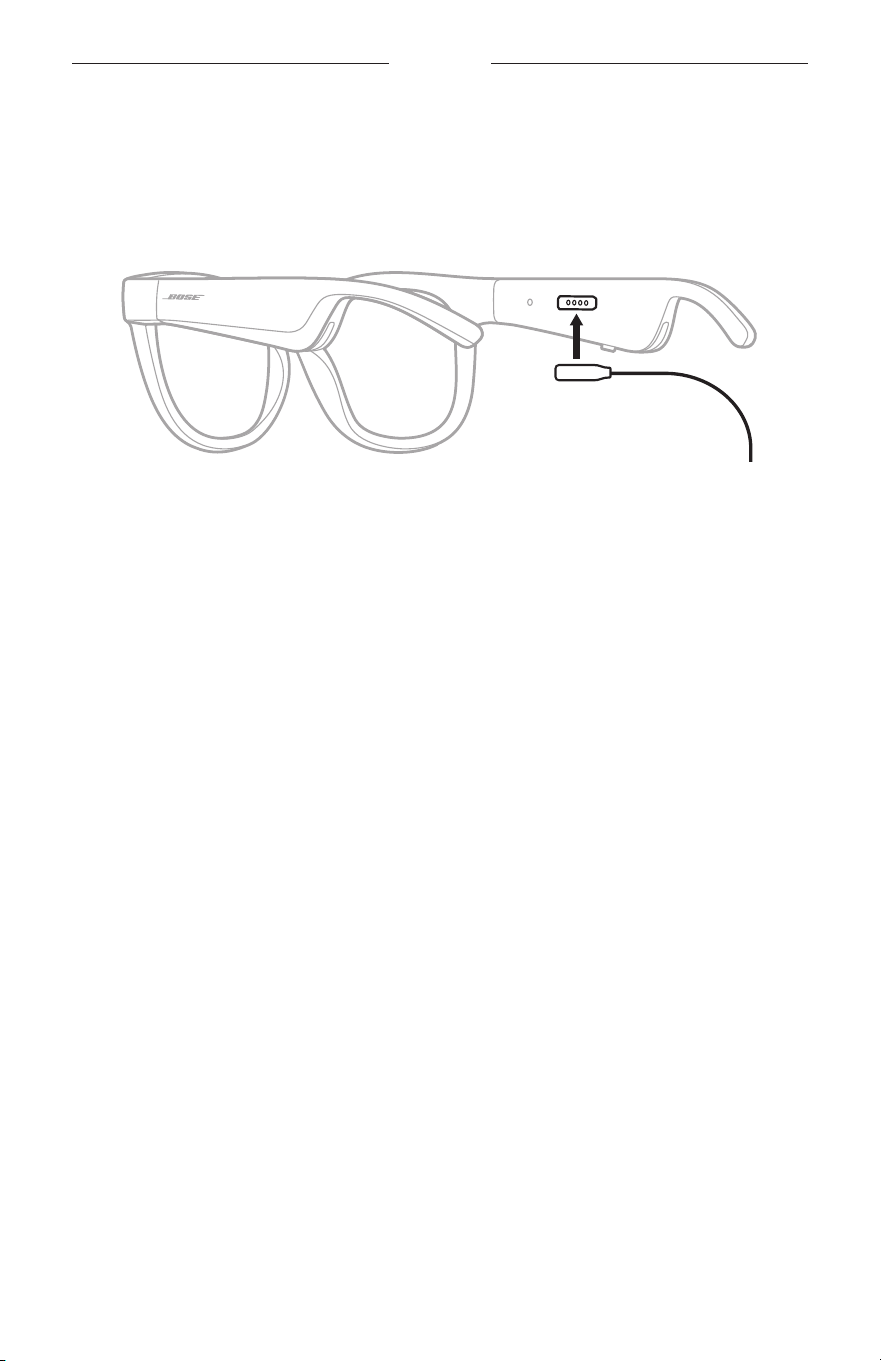
21
|
NOR
BATTERI
LADE SOLBRILLENE
1. Rett inn pinnene på ladekabelen etter ladeporten på høyre brillestang.
MERKNAD: Pinnene må være rettet riktig inn etter ladeporten for at solbrillene
skal kunne lades.
2. Trykk pinnene forsiktig mot ladeporten inntil de klikker magnetisk på plass.
3. Koble den andre enden til en USB-A-vegglader (følger ikke med).
FORSIKTIG: Dette produktet skal bare brukes med en strømforsyning som er
godkjent av offentlige tilsynsmyndigheter, og som oppfyller lokale
forskriftskrav (som UL, CSA, VDE, CCC).
Statuslampen blinker hvitt mens batteriet lades. Når batteriet er fulladet,
lyserstatuslampen hvitt (se side 23).
MERKNADER:
• Solbrillene spiller ikke av lyd under lading.
• Ikke bruk solbrillene mens de lades.
KONTROLLERE SOLBRILLENES BATTERINIVÅ
Høre batterimeldinger
En talemelding angir batterinivået når du slår på solbrillene.
Når du bruker solbrillene, varsler en talemelding om når batteriet må lades.
Vise batterinivået
• Sjekk startskjermbildet i Bose Music-appen.
• Når statuslampen blinker rødt, må solbrillene lades.
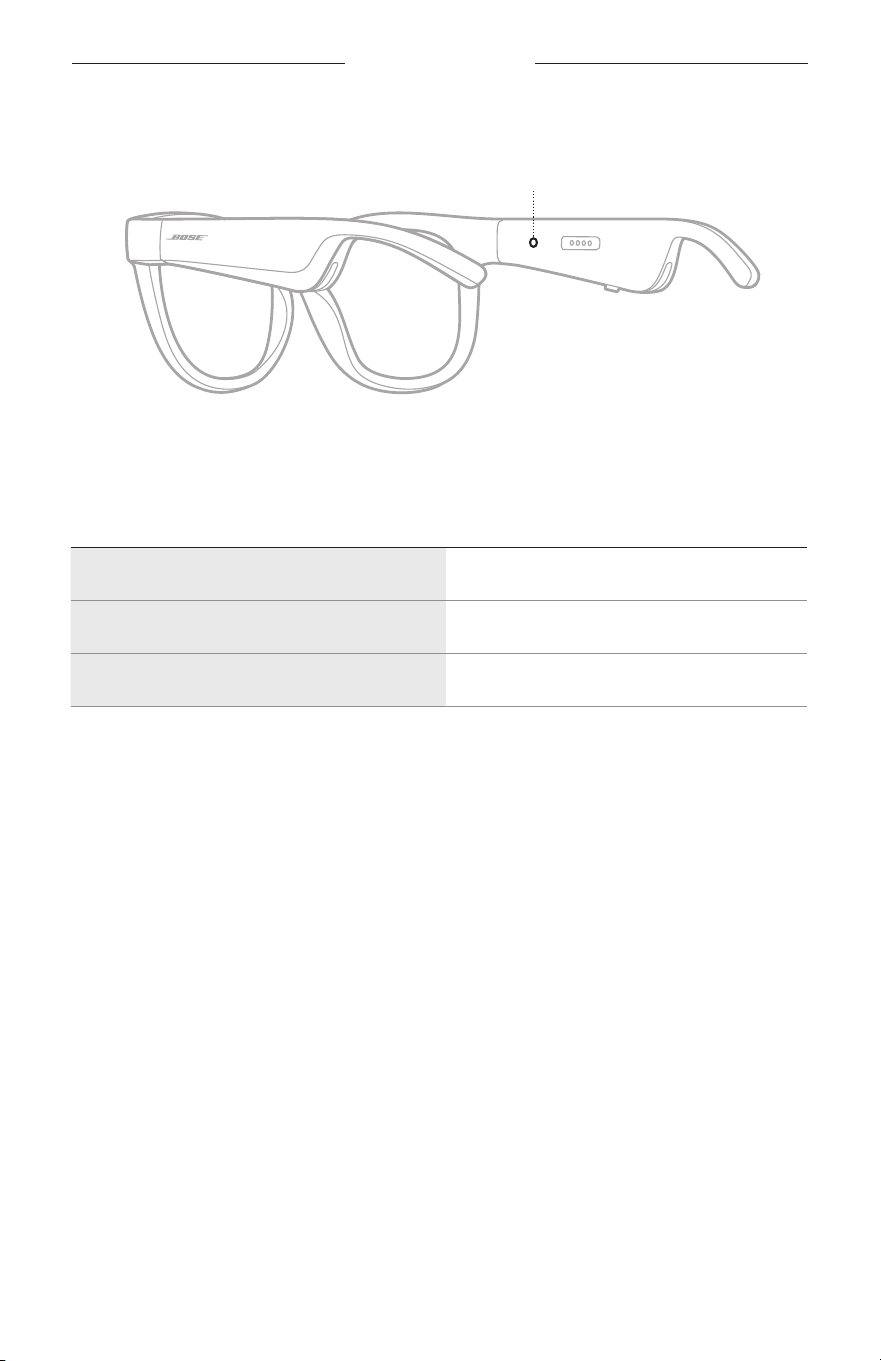
22
|
NOR
FRAMES-STATUS
Statuslampen på solbrillene befinner seg på innsiden av høyre brillestang.
Statuslampe
STATUS FOR BLUETOOTH-TILKOBLING
Viser Bluetooth-tilkoblingsstatusen for mobilenheter.
LYSAKTIVITET SYSTEMSTATUS
Blinker langsomt blått Klar for tilkobling
Blinker raskt blått Kobler til
Lyser blått (10 sekunder) Tilkoblet
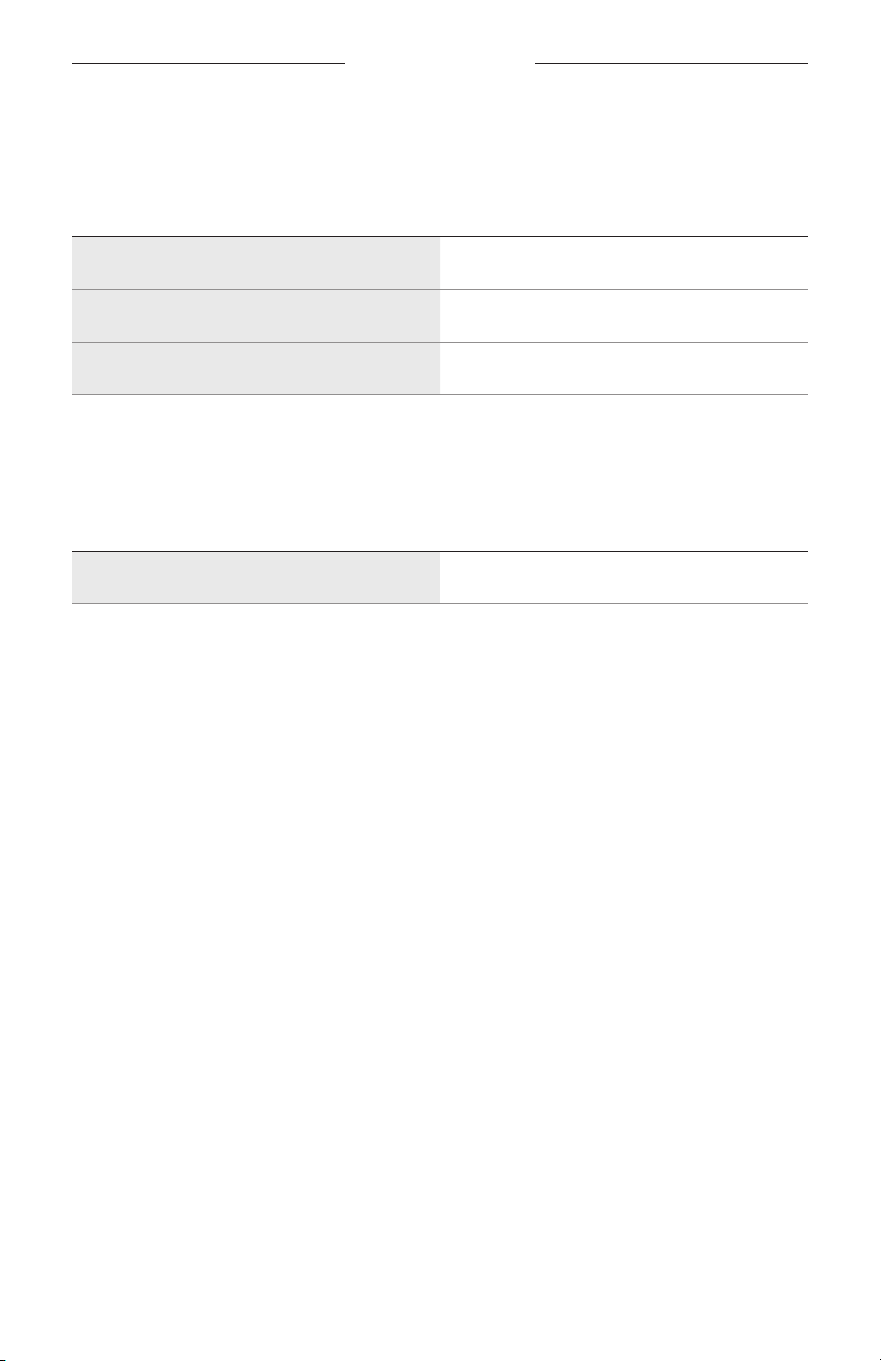
FRAMES-STATUS
23
|
NOR
BATTERISTATUS
Viser batteriladenivået for solbrillene.
LYSAKTIVITET SYSTEMSTATUS
Blinker rødt (10 sekunder) Må lades
Blinker hvitt Lader
Lyser hvitt Fulladet
FEILSTATUS
Viser feilstatusen.
LYSAKTIVITET SYSTEMSTATUS
Blinker rødt og hvitt (gjentatte ganger) Feil – kontakt kundestøtte hos Bose
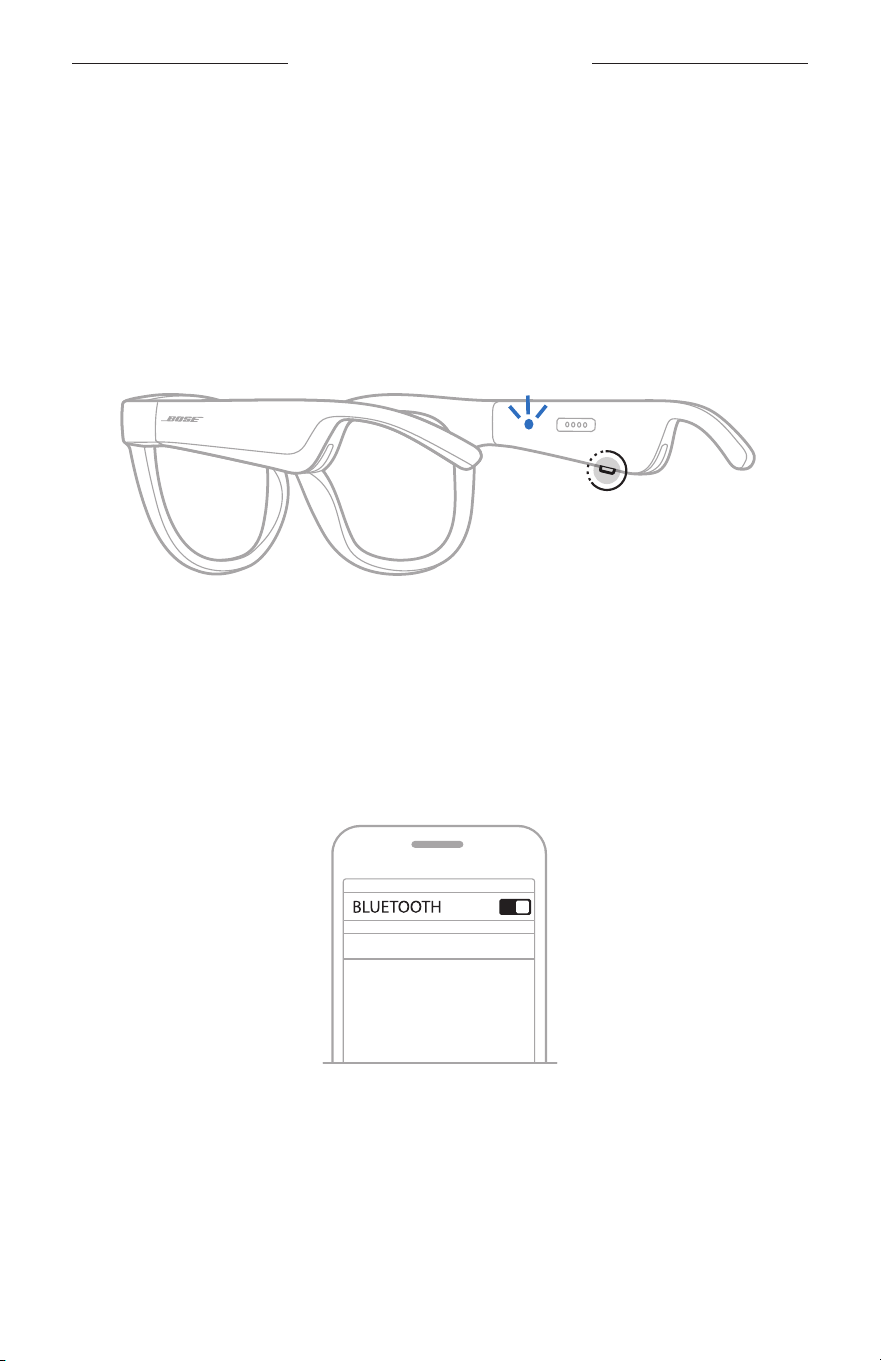
24
|
NOR
BLUETOOTH-TILKOBLINGER
KOBLE TIL MED BLUETOOTH-FUNKSJONEN PÅ
MOBILENHETEN
Du kan lagre opptil åtte enheter i enhetslisten for solbrillene. Du kan bare koble til og
spille av lyd fra én enhet om gangen.
MERKNAD: Du får den beste opplevelsen hvis du setter opp og kobler til
mobilenheten med Bose Music-appen (se side 14).
1. Når solbrillene er slått på: Trykk og hold knappen på høyre brillestang inne til du
hører «Ready to connect» (Klar til å koble til), eller til statuslampen blinker blått.
2. Aktiver Bluetooth-funksjonen på produktet.
MERKNAD: Bluetooth-funksjonen er vanligvis på Innstillinger-menyen.
3. Velg solbrillene i listen over enheter.
MERKNAD: Se etter navnet du ga solbrillene i Bose Music-appen. Standardnavnet
vises hvis du ikke har gitt solbrillene noe navn.
BOSE FRAMES
Når tilkoblingen er opprettet, vil du høre «Connected to <navn på mobilenhet>»
(Koblet til <navn på mobilenhet>), eller du vil se statuslampen lyse blått for så å
tone ned til svart.

25
|
NOR
BLUETOOTH-TILKOBLINGER
KOBLE FRA MOBILENHETER
Bruk Bose Music-appen til å koble fra mobilenheten.
TIPS: Du kan også koble fra produktet ved hjelp av Bluetooth-innstillingene. Når du
deaktiverer Bluetooth, kobles samtidig alle andre enheter fra.
KOBLE TIL MOBILENHETER PÅ NYTT
Når solbrillene slås på, prøver de å koble til enheten de var koblet til sist.
MERKNAD: Enheten må være innenfor rekkevidde (9 m eller 30 fot) og slått på.
NULLSTILLE ENHETSLISTEN I SOLBRILLENE
1. Med solbrillene påslått trykker du på og holder nede knappen på høyre brillestang
i 10 sekunder til du hører «Bluetooth device list cleared» (Bluetooth-enhetsliste er
nullstilt), eller til statuslampen blinker blått.
2. Slett solbrillene fra Bluetooth-listen på enheten.
Alle enhetene slettes, og solbrillene er klare til å kobles til.
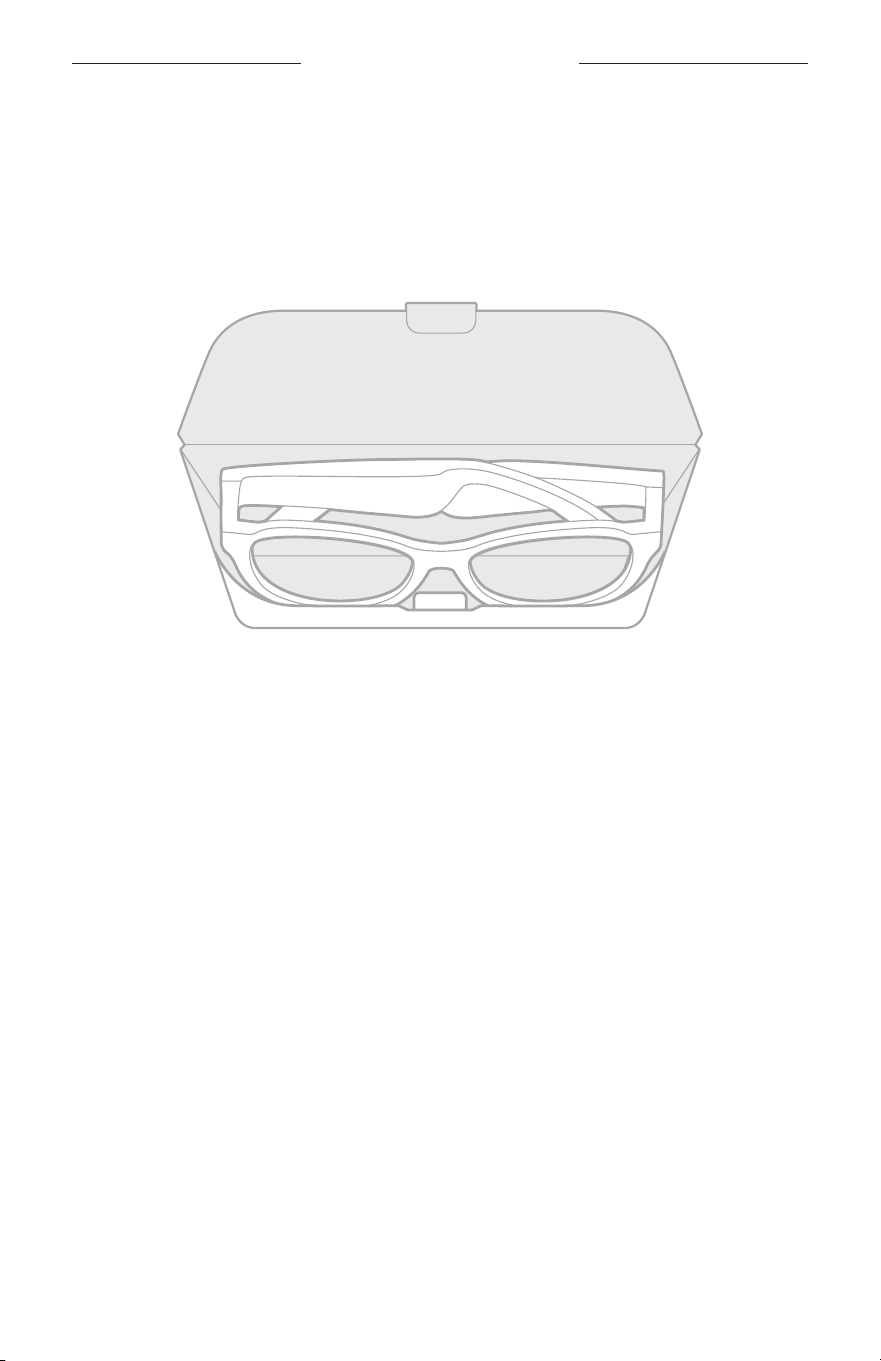
26
|
NOR
STELL OG VEDLIKEHOLD
OPPBEVARE SOLBRILLENE
Solbrillene kan brettes sammen, noe som gjør det enkelt og praktisk å oppbevare dem.
1. Brett solbrillene innover mot glassene slik at de ligger flatt.
2. Legg solbrillene i etuiet slik at glassene vender mot forsiden av etuiet.
MERKNADER:
• Husk å slå av solbrillene når du ikke bruker dem.
• Pass på at batteriet er fulladet hvis du skal legge bort solbrillene i mer enn noen
få måneder.

27
|
NOR
STELL OG VEDLIKEHOLD
PLEIE AV SOLBRILLENE
Tørk av begge sider av glassene og resten av solbrillene med den medfølgende
rengjøringskluten eller en tørr klut etter hver gangs bruk.
FORSIKTIG:
• IKKE bruk spray i nærheten av solbrillene.
• IKKE bruk noen form for løsemidler, kjemikalier eller rengjøringsmidler som
inneholder alkohol, ammoniakk eller slipemidler.
• IKKE søl væske inn i åpninger.
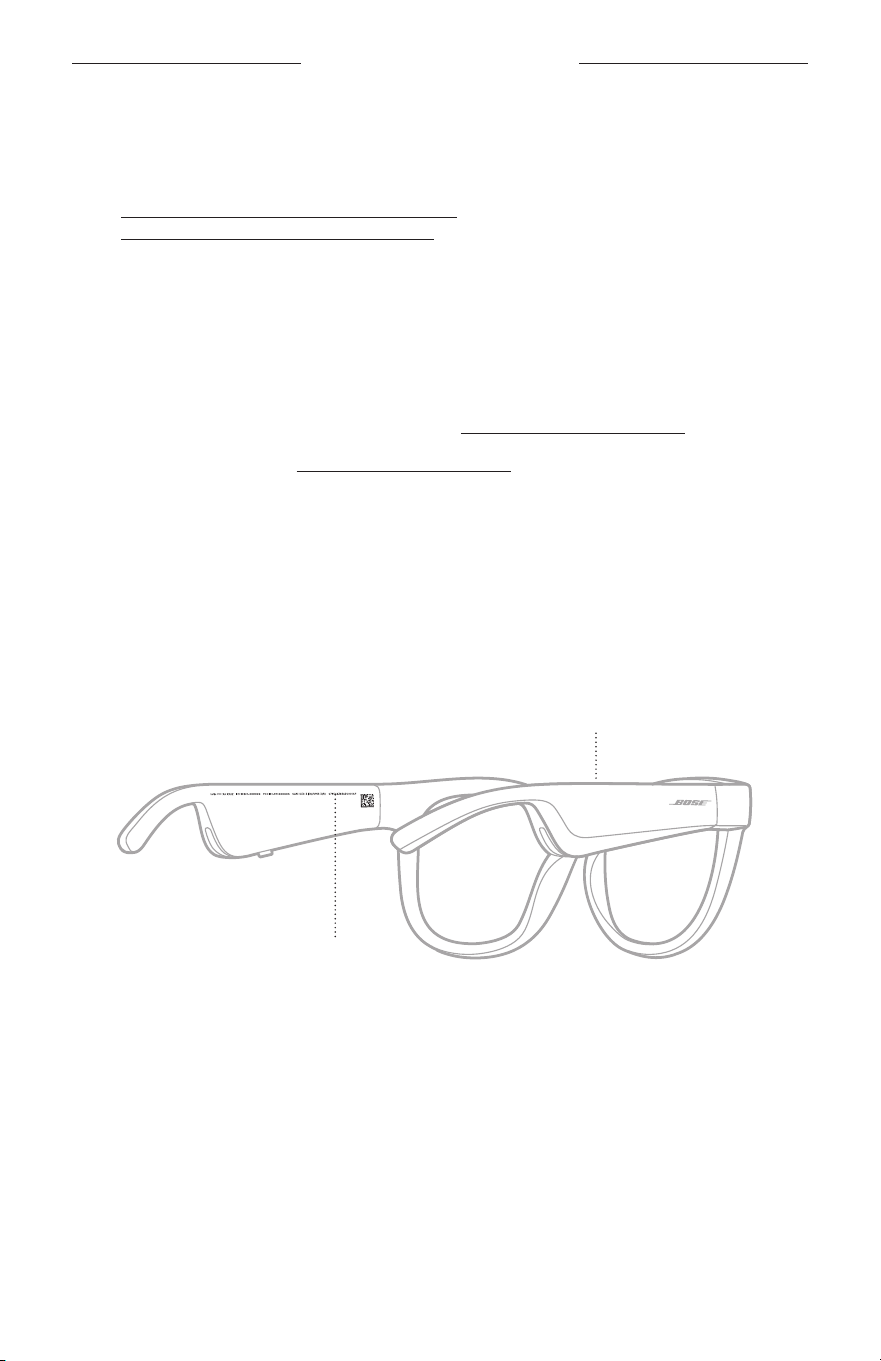
28
|
NOR
STELL OG VEDLIKEHOLD
RESERVEDELER OG TILBEHØR
Reservedeler og tilbehør kan bestilles fra kundestøtte hos Bose.
Gå til worldwide.Bose.com/Support/Soprano
worldwide.Bose.com/Support/Tenor
MERKNAD: Du finner informasjon om hvordan du bytter ut glass i instruksjonene som
fulgte med glasstilbehøret.
BEGRENSET GARANTI
Solbrillene er dekket av en begrenset garanti. Detaljert informasjon om den
begrensede garantien finnes på vårt nettsted global.Bose.com/warranty.
Du finner instruksjoner på global.Bose.com/register om hvordan du registrerer
produktet. Hvis du ikke registrerer produktet, påvirker det ikke rettighetene dine i
henhold til den begrensede garantien.
PLASSERING AV SERIE- OG MODELL-/
REFERANSENUMMER
Du finner serienummeret på innsiden av venstre brillestang og modell-/
referansenummeret på innsiden av høyre brillestang.
Serienummer
Modell-/referansenummer

29
|
NOR
FEILSØKING
PRØV DETTE FØRST
Hvis det oppstår problemer med solbrillene:
• Slå på solbrillene (se side 16).
• Koble solbrillene til strøm i to sekunder og koble dem deretter fra igjen (se side 21).
• Lad batteriet (se side 21).
• Kontroller tilstanden til statuslampene (se side 22).
• Kontroller at mobilenheten støtter Bluetooth-tilkoblinger.
• Last ned Bose Music-appen, og kjør tilgjengelige programvareoppdateringer.
• Øk volumet på solbrillene, på mobilenheten og/eller i lyd-/strømmingsappen.
• Koble til en annen mobilenhet (se side 24).
ANDRE LØSNINGER
Hvis du ikke kan løse problemet, kan tabellen nedenfor være til hjelp for å identifisere
symptomer og løsninger på vanlige problemer. Kontakt kundestøtte hos Bose hvis du
ikke greier å løse problemet.
Gå til worldwide.Bose.com/Contact
PROBLEM GJØR DETTE
Frames kobler seg ikke
til mobilenheten
På enheten:
• Deaktiver og aktiver Bluetooth på enheten.
• Slett solbrillene fra Bluetooth-listen på enheten. Koble til på
nytt (se side 24).
Flytt enheten nærmere solbrillene og vekk fra eventuelle
forstyrrelser eller hindringer.
Koble til en annen mobilenhet (se side 24).
Du finner instruksjonsvideoer på
worldwide.Bose.com/Support/Tenor eller
worldwide.Bose.com/Support/Soprano
Slett enhetslisten på solbrillene (se side 25). Koble til på nytt.
Bose Music-appen
fungerer ikke på enheten
Kontroller at Bose Music-appen er kompatibel med apparatet.
Avinstaller Bose Music-appen på enheten og installer den på nytt
(se side 14).
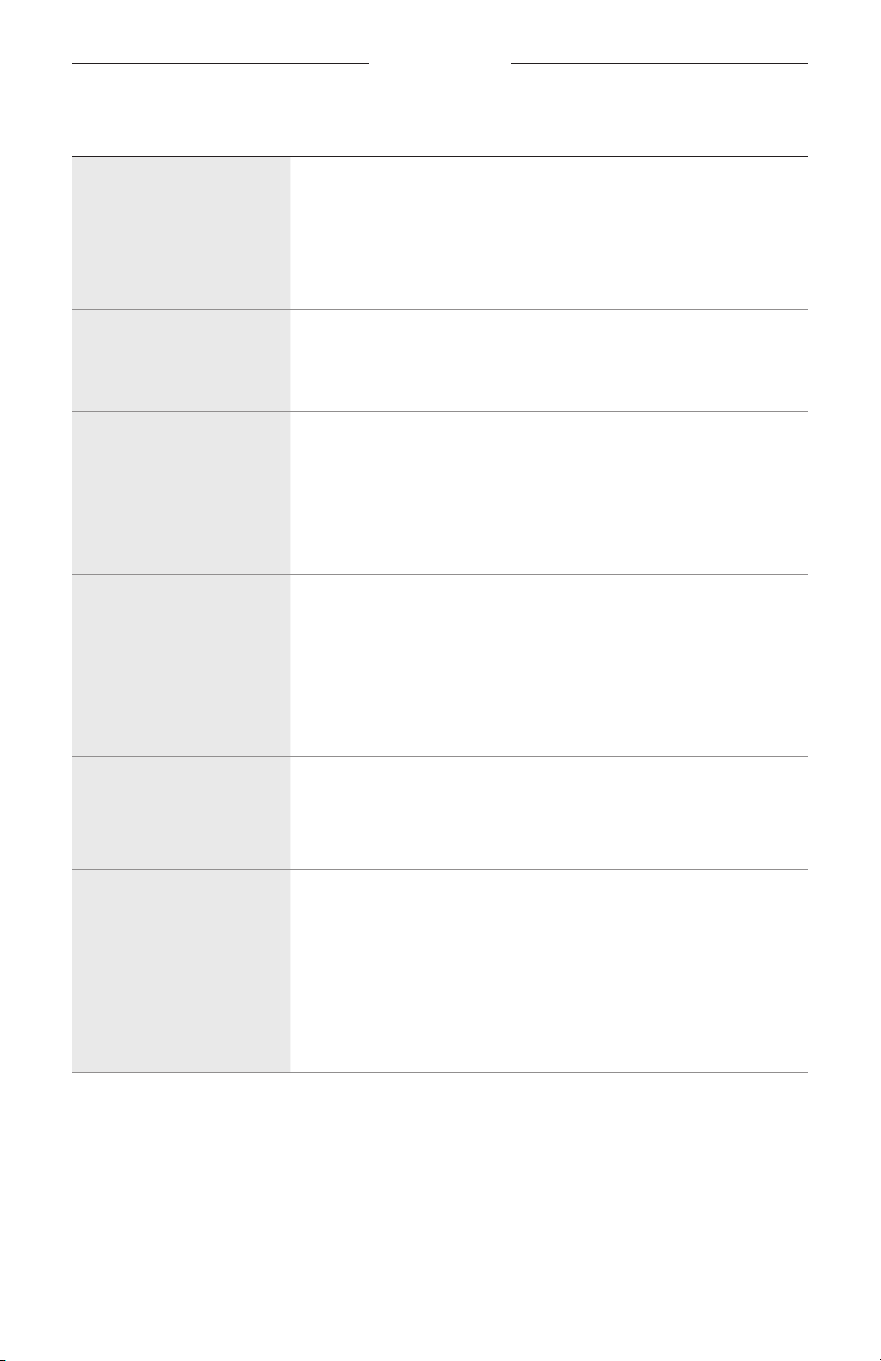
30
|
NOR
FEILSØKING
PROBLEM GJØR DETTE
Bose Music-appen finner
ikke solbrillene
Slå på solbrillene (se side 16).
Trykk og hold knappen på høyre brillestang inne til du hører
«Ready to connect» (Klar til å koble til), eller til statuslampen
blinker blått.
Kjør tilgjengelige programvareoppdateringer i Bose Music-appen.
Periodisk Bluetooth-
tilkobling
Slett enhetslisten på solbrillene (se side 25). Koble til på nytt
(se side 24).
Flytt enheten nærmere solbrillene.
Ingen lyd
Trykk på Spill på mobilenheten for å sjekke at lyden spilles av.
Flytt enheten nærmere solbrillene og vekk fra eventuelle
forstyrrelser og hindringer.
Bruk en annen musikkilde.
Koble til en annen enhet (se side 24).
Dårlig lydkvalitet
Bruk en annen musikkilde.
Koble til en annen mobilenhet.
Flytt enheten nærmere solbrillene og vekk fra eventuelle
forstyrrelser og hindringer.
Slå av eventuelle lydforbedringsfunksjoner på enheten eller i
lyd-/strømmingsappen.
Mikrofonen registrer ikke
noen lyd
Pass på at mikrofonåpningen på høyre brillestang ikke er blokkert.
Prøv en ny telefonsamtale.
Prøv en annen kompatibel enhet.
Frames lades ikke
Sjekk at pinnene på ladekabelen er riktig justert etter ladeporten
på solbrillene og festet magnetisk på plass.
Kontroller at begge endene av ladekabelen er godt festet.
Hvis solbrillene har vært utsatt for høy eller lav temperatur,
mådu vente til de holder romtemperatur. Prøv deretter å lade
dem på nytt.
Prøv en annen USB-vegglader.
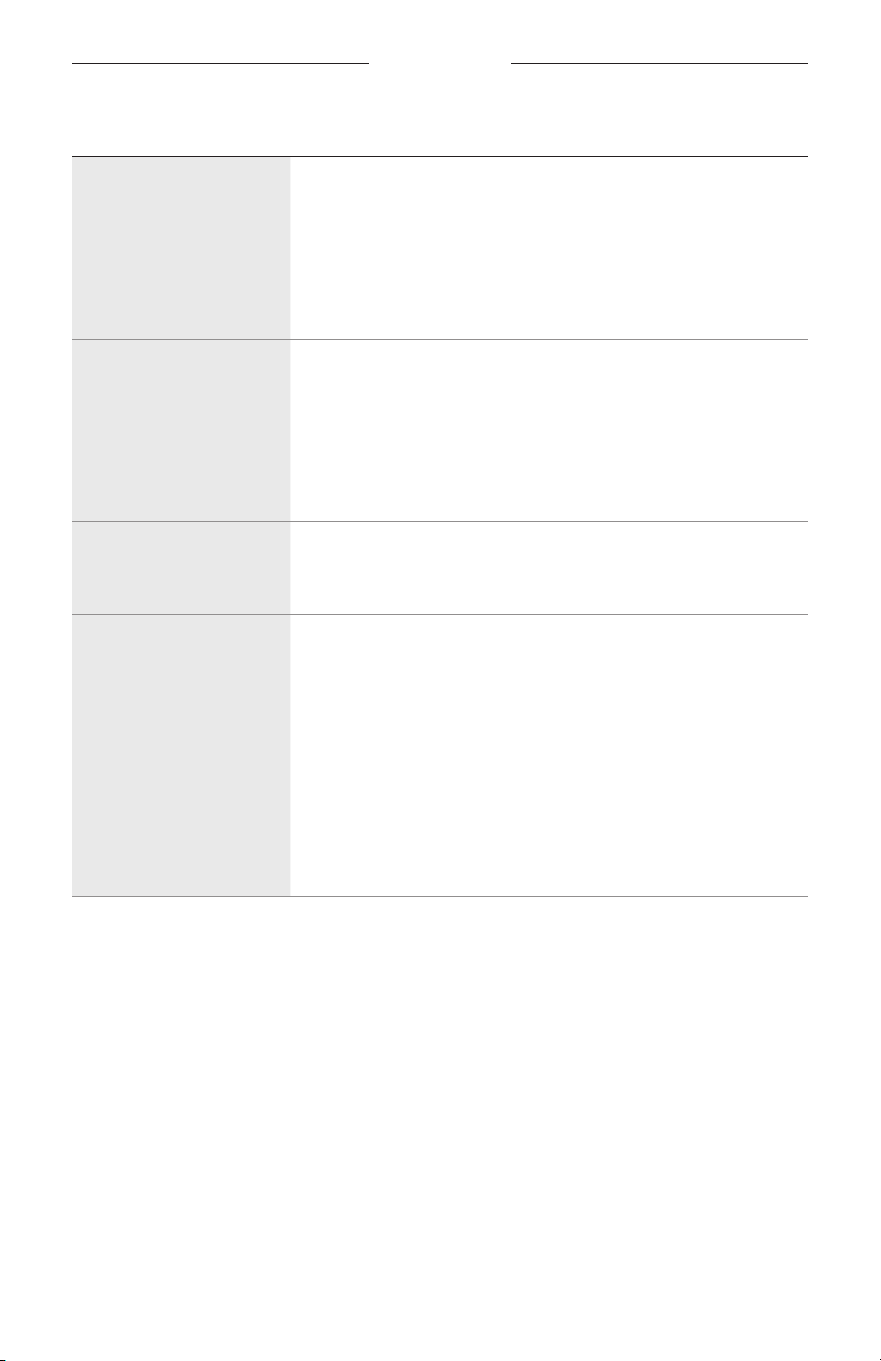
FEILSØKING
31
|
NOR
PROBLEM GJØR DETTE
Frames reagerer ikke på
berøringskontrollen
Kontroller at du trykker på riktig berøringsflate (se side 18).
Kontroller at hendene dine er tørre.
Hvis håret ditt er vått, må du passe på at det ikke kommer borti
berøringsflaten.
Hvis du bruker hansker, tar du dem av før du trykker på
berøringskontrollflaten.
Kan ikke justere volumet
Kontroller at du sveiper på riktig berøringsflate (se side 18).
Kontroller at hendene dine er tørre.
Hvis håret ditt er vått, må du passe på at det ikke kommer borti
berøringsflaten.
Hvis du bruker hansker, tar du dem av før du trykker på
berøringskontrollflaten.
Kan ikke bruke
kontrollene for
telefonsamtaler
Kjør tilgjengelige programvareoppdateringer i Bose Music-appen.
Enheten svarer ikke på
knappetrykk
Kjør tilgjengelige programvareoppdateringer i Bose Music-appen.
For funksjoner med flere trykk: varier hastigheten på trykkene.
Kontroller at musikkappen din støtter funksjonen.
Slå solbrillene av og deretter på igjen.
På enheten:
• Deaktiver og aktiver Bluetooth på enheten.
• Slett solbrillene fra Bluetooth-listen på enheten. Koble til på
nytt (se side 24).
Prøv en annen kompatibel enhet.
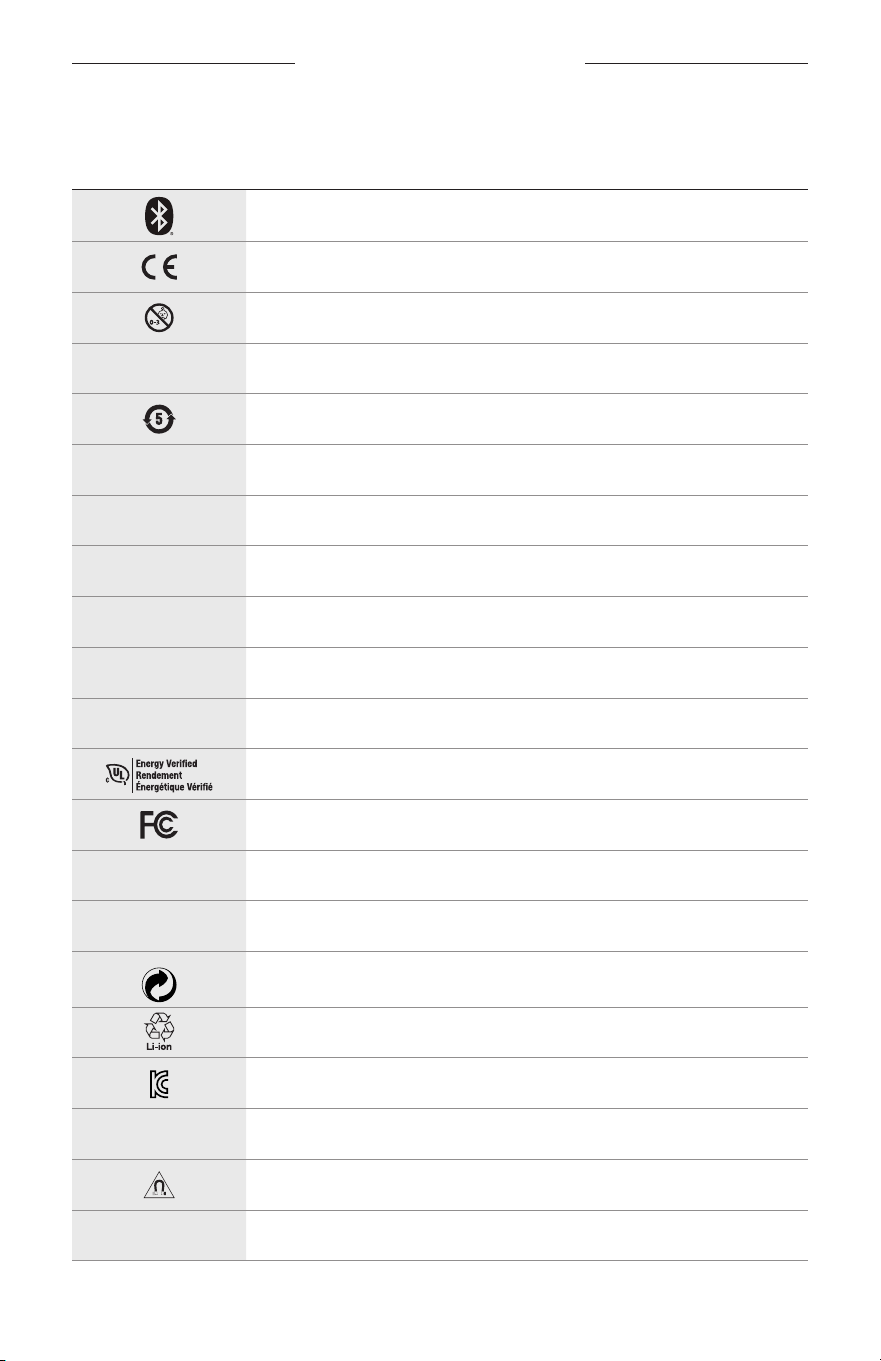
32
|
NOR
SYMBOLER PÅ ETIKETTEN
SYMBOLER OG BESKRIVELSER
SYMBOL BESKRIVELSE
Bluetooth
CE-sertifiseringsmerke
Kvelningsfare
h
Katalognummer
ROHS-batteri Kina
w
Kundeservice
N
Produksjonsdato
X
Dokumentasjon
L
Skal ikke brukes hvis emballasjen er skadet
C
Inneholder ikke lateks
s
Nedlastinger
Bekreftelse av energieffektivitet
FCC-sertifisering
o
Forum
h
God beskyttelse mot skarpt sollys
Green Dot varemerkesymbol
Batteriresirkulering Japan
KCC-sertifisering
p
Oppbevares tørt
Magnetisk forstyrrelse
M
Produsent
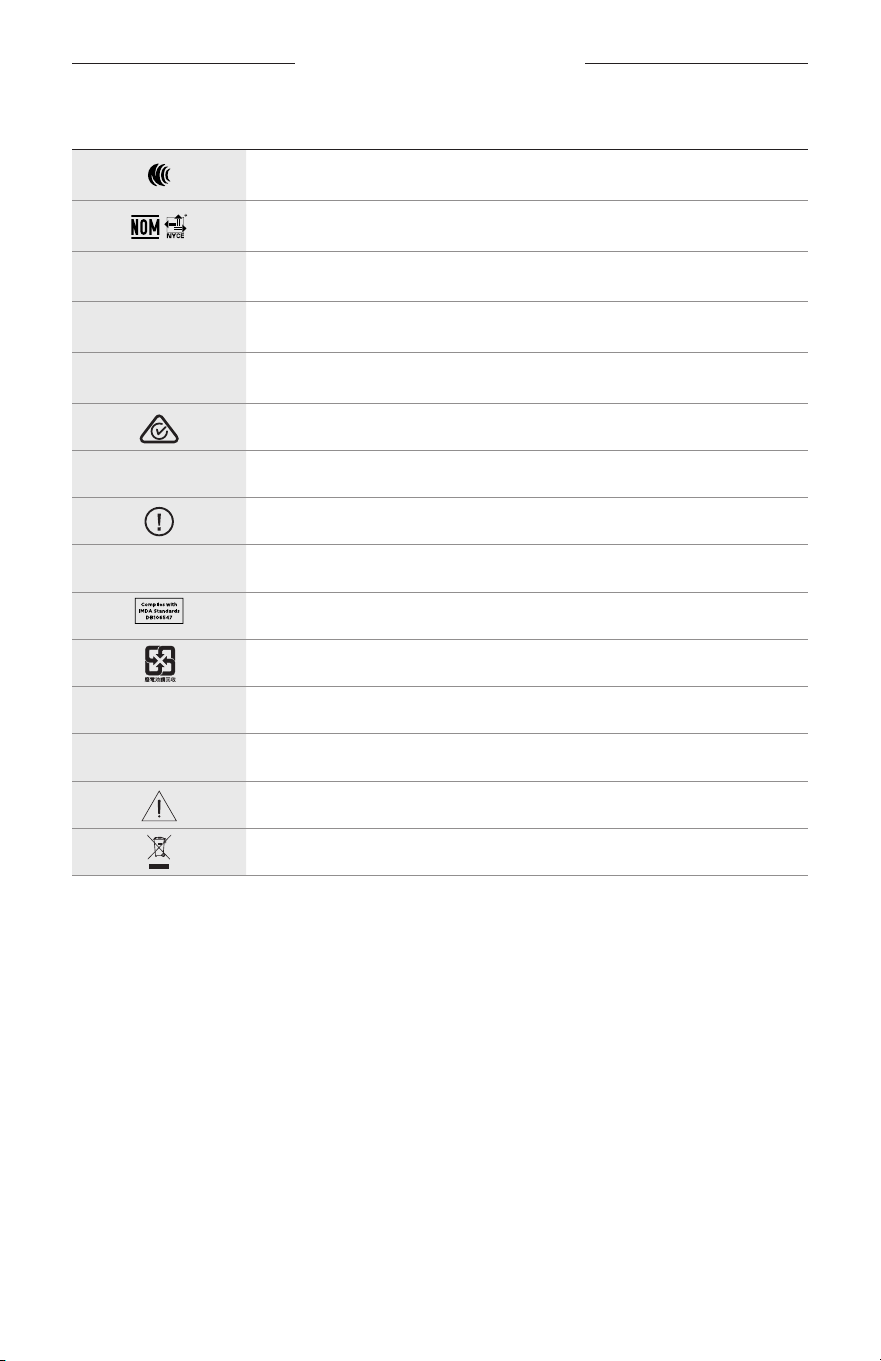
SYMBOLER PÅ ETIKETTEN
33
|
NOR
SYMBOL BESKRIVELSE
NCC-sertifisering
NOM NYCE-sertifisering
d
Ikke-steril
I
IKKE EGNET FOR KJØRING I SKUMRING ELLER OM NATTEN
m
Tlf.
RCM-merke
A
Se bruksanvisningen
Sikkerhetsinformasjon
f
Serienummer
IMDA-samsvar Singapore
Batteriresirkulering Taiwan
l
Temperaturgrense
W
Videoer
Advarsler/forholdsregler
Symbol for direktiv for avfallshåndtering av elektrisk og elektronisk utstyr
WAŻNE ZALECENIA DOTYCZĄCE BEZPIECZEŃSTWA
2
|
POL
Zalecenia dotyczące użytkowania
Okulary słoneczne (dostępne bezrecepty) składają się zramki lubzacisków zeszkłami pochłaniającymi
lubodbijającymi światło, barwionymi, polaryzacyjnymi albo światłoczułymi, chronią oczy przed jaskrawym światłem
słonecznym, alenie zapewniają korekcji refrakcyjnej. Tourządzenie jest dostępne wsprzedaży bez recepty.
A
Należy skorzystać zinstrukcji obsługi.
Należy przeczytać izachować wszystkie zalecenia dotyczące
bezpieczeństwa, zabezpieczeń ikorzystania ztego produktu.
Ważne zalecenia dotyczące bezpieczeństwa
Firma Bose Corporation niniejszym deklaruje, żeten produkt jest zgodny zpodstawowymi wymaganiami
izaleceniami określonymi wdyrektywie 2014/53/UE oraz innych obowiązujących dyrektywachUE. Deklaracja
zgodności jest dostępna wnastępującej witrynie internetowej: www.Bose.com/compliance
1. Przeczytaj instrukcje.
2. Zachowaj instrukcje.
3. Uwzględnij wszystkie ostrzeżenia.
4. Postępuj zgodnie zinstrukcjami.
5. Niekorzystaj ztego urządzenia wpobliżu wody.
6. Czyść urządzenie wyłącznie suchą ściereczką.
7. Korzystaj wyłącznie zdodatków/akcesoriów zalecanych przez producenta.
8. Odłącz urządzenie odsieci elektrycznej podczas burzy zwyładowaniami atmosferycznymi lubwówczas,
gdyniejest używane przez dłuższy czas.
9. Wykonanie wszystkich prac serwisowych zleć wykwalifikowanemu personelowi. Wykonanie prac serwisowych
jest konieczne wprzypadku uszkodzenia urządzenia, naprzykład wnastępujących okolicznościach: uszkodzenie
przewodu zasilającego lub wtyczki, przedostaniesię cieczy lub przedmiotów downętrza urządzenia, narażenie
urządzenia naoddziaływanie deszczu lubwilgoci, nieprawidłowe funkcjonowanie lub upadek urządzenia.
OSTRZEŻENIA/PRZESTROGI
• NIEwolno korzystać zokularów przy wysokim poziomie głośności przez dłuższy czas.
– Abyzapobiec uszkodzeniu słuchu, należy korzystać zokularów przy komfortowym, średnim poziomie głośności.
– Przed użyciem okularów lubumieszczeniem ich wpobliżu uszu należy zmniejszyć poziom głośności wurządzeniu,
anastępnie stopniowo zwiększać godopoziomu umożliwiającego komfortowe słuchanie.
• Należy zachować ostrożność podczas prowadzenia pojazdów iprzestrzegać przepisów dotyczących użytkowania
telefonów komórkowych.
• Należy skoncentrować się nabezpieczeństwie własnym iosób postronnych wprzypadku używania okularów podczas
wykonywania czynności wymagających uwagi (podczas jazdy narowerze lubporuszania się wmiejscach odużym
natężeniu ruchu, wpobliżu placów budowy lubtorów kolejowych itp.). Abymieć pewność, żedźwięki otoczenia,
takiejak alarmy isygnały ostrzegawcze, będą słyszalne, należy zdjąć okulary lubdostosować poziom głośności.
• NIEwolno korzystać zokularów, jeżeli emitują onegłośny, nietypowy dźwięk. Wtakim wypadku należy wyłączyć
okulary iskontaktowaćsię zDziałem Obsługi Klientów firmy Bose.
• Okularów NIEwolno zanurzać wcieczach, narażać nadziałanie wody przez dłuższy czas ani używać podczas
uprawiania sportów wodnych, takich jak pływanie, narciarstwo wodne lubsurfing.
• Wprzypadku odczucia wzrostu temperatury lubutraty dźwięku należy natychmiast zdjąć okulary.
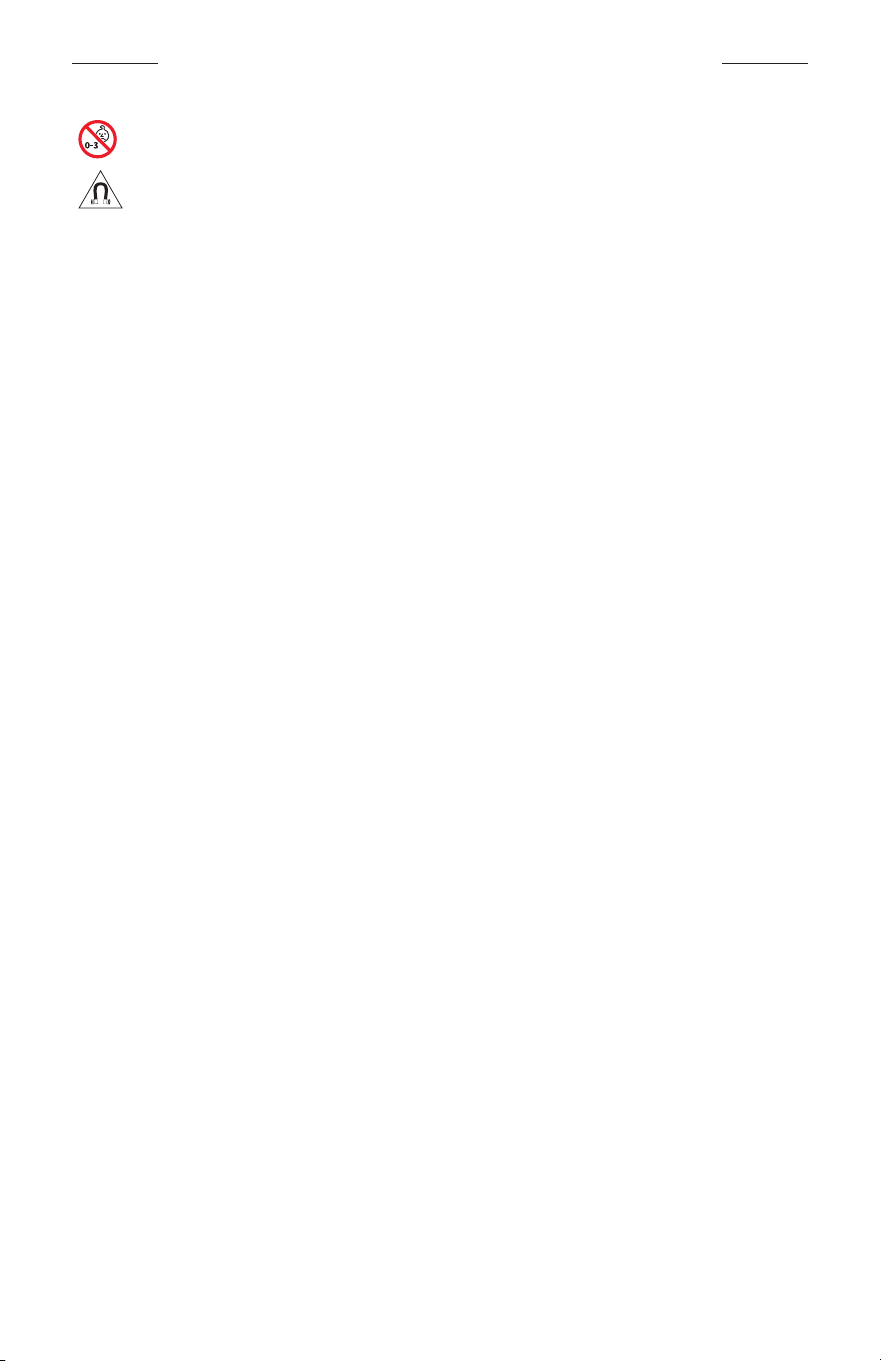
WAŻNE ZALECENIA DOTYCZĄCE BEZPIECZEŃSTWA
3
|
POL
Produkt zawiera małe części, któremogą spowodować zadławienie. Niejest onodpowiedni dla dzieci
wwieku poniżej trzechlat.
Produkt zawiera elementy magnetyczne. Abyuzyskać informacje dotyczące wpływu tych elementów
nafunkcjonowanie implantów medycznych, należy skontaktować się zlekarzem.
• Abyograniczyć ryzyko pożaru iporażenia prądem elektrycznym, należy chronić urządzenie przed deszczem,
cieczami iwilgocią.
• NIEwolno narażać urządzenia nazachlapanie ani umieszczać wjego pobliżu naczyń wypełnionych płynami,
takichjak wazony.
• Zachowaj odpowiednią odległość urządzenia odognia iźródeł ciepła. NIEumieszczaj źródeł otwartego ognia
(np.zapalonych świec) naurządzeniu ani wjego pobliżu.
• NIEwolno modyfikować urządzenia bez zezwolenia.
• Produktu należy używać wyłącznie zzasilaczem atestowanym przez odpowiednią instytucję, zgodnym zlokalnymi
przepisami (np.UL, CSA, VDE, CCC).
• Należy chronić produkty zbateriami przed zbyt wysokimi temperaturami (np.niewolno przechowywać ich
wmiejscu narażonym nabezpośrednie światło słoneczne, ogieńitp.).
• NIEwolno korzystać zokularów podczas ładowania ich baterii.
• Zawsze poużyciu okularów należy przetrzeć obie strony szkieł iwszystkie elementy oprawki ściereczką dostarczoną
razem zokularami lubsuchą ściereczką.
INFORMACJE DOTYCZĄCE PRZEPISÓW
4
|
POL
UWAGA: Urządzenie zostało przetestowane iuznane zazgodne zwymaganiami dotyczącymi urządzeń cyfrowych
klasyB, określonymi wczęści15 przepisów komisji FCC. Telimity określono wcelu zapewnienia uzasadnionej
ochrony przed zakłóceniami winstalacjach budynków mieszkalnych. Urządzenie wytwarza iwykorzystuje energię
promieniowania oczęstotliwości radiowej imoże powodować zakłócenia komunikacji radiowej, jeżeliniejest
zainstalowane iużytkowane zgodnie zzaleceniami producenta. Niemożna zagwarantować, żedziałanie niektórych
instalacji niebędzie zakłócane. Jeżeliurządzenie zakłóca odbiór radiowy lubtelewizyjny, comożna sprawdzić poprzez
jego wyłączenie iponownie włączenie, zakłócenia tego typu można eliminować, korzystając znastępujących metod:
• Zmiana ustawienia lublokalizacji anteny odbiorczej.
• Zwiększenie odległości pomiędzy urządzeniem aodbiornikiem.
• Podłączenie urządzenia dogniazda sieci elektrycznej winnym obwodzie niż ten, doktórego podłączony jest odbiornik.
• Skonsultowanie się zdystrybutorem lubdoświadczonym technikiem radiowo-telewizyjnym wcelu uzyskania
pomocy technicznej.
Modyfikacje urządzenia, któreniezostały wyraźnie zatwierdzone przez firmę Bose Corporation, mogąspowodować
anulowanie prawa użytkownika dokorzystania zurządzenia.
Tourządzenie jest zgodne zczęścią15 przepisów komisji FCC istandardami RSS organizacji ISED Canada dotyczącymi
licencji. Zezwolenie naużytkowanie urządzenia jest uzależnione odspełnienia następujących dwóch warunków:
(1)urządzenie niemoże powodować szkodliwych zakłóceń i(2)musi być odporne nazakłócenia zewnętrzne, łącznie
zzakłóceniami powodującymi nieprawidłowe funkcjonowanie.
Tourządzenie jest zgodne zdopuszczalnymi wartościami granicznymi narażenia napromieniowanie, określonymi dla
populacji ogólnej przez komisję FCC iorganizację ISED Canada. Tennadajnik niepowinien znajdować się wpobliżu
innej anteny aninadajnika iniepowinien działać wpołączeniu ztakimi urządzeniami.
CAN ICES-3(B)/NMB-3(B)
Rozporządzenie PPE (UE) 2016/425
Rozporządzenie dotyczące urządzeń radiowych małej mocy
Artykuł XII
Zgodnie zrozporządzeniem dotyczącym urządzeń radiowych małej mocy bez zgody udzielonej przez komisję NCC
żadna firma, przedsiębiorstwo ani użytkownik niema prawa zmieniać częstotliwości, zwiększać mocy nadawczej ani
modyfikować oryginalnych parametrów oraz sposobu działania zatwierdzonych urządzeń radiowych małej mocy.
Artykuł XIV
Urządzenia radiowe małej mocy niepowinny wpływać nabezpieczeństwo lotnicze ani zakłócać komunikacji
służbowej. Wprzypadku stwierdzenia zakłóceń użytkownik maobowiązek natychmiast zaprzestać użytkowania
urządzenia domomentu ustąpienia zakłóceń. Komunikacja służbowa oznacza komunikację radiową prowadzoną
zgodnie zustawą Prawo telekomunikacyjne.
Urządzenia radiowe małej mocy ulegają zakłóceniom pochodzącym zkomunikacji służbowej luburządzeń
promieniujących wradiowym pasmie ISM.
Europa:
Zakres częstotliwości roboczej urządzenia 2400–2483,5MHz.
Maksymalna moc nadawcza poniżej 20dBm EIRP.
Maksymalna moc nadawcza jest niższa niż limity ustawowe, dlatego test SAR niejest konieczny imożna uzyskać
zwolnienie zgodnie zobowiązującymi przepisami.
Tensymbol oznacza, żeproduktu niewolno utylizować razem zodpadami komunalnymi. Produktnależy
dostarczyć doodpowiedniego miejsca zbiórki wcelu recyklingu. Prawidłowa utylizacja irecykling ułatwiają
ochronę zasobów naturalnych, ludzkiego zdrowia iśrodowiska naturalnego. Abyuzyskać więcej informacji
dotyczących utylizacji irecyklingu tego produktu, należyskontaktowaćsię zsamorządem lokalnym,
zakłademutylizacji odpadów lubsklepem, wktórym produkt został zakupiony.
NIEwolno samodzielnie wyjmować akumulatorowej baterii litowo-jonowej ztego urządzenia. Wcelu wyjęcia tego
elementu należy skontaktować się zlokalnym sprzedawcą produktów firmy Bose lubzwykwalifikowanym technikiem.
Zużyte baterie należy prawidłowo utylizować zgodnie zlokalnymi przepisami. Niespalać.
ILOŚĆ: 1SZT.
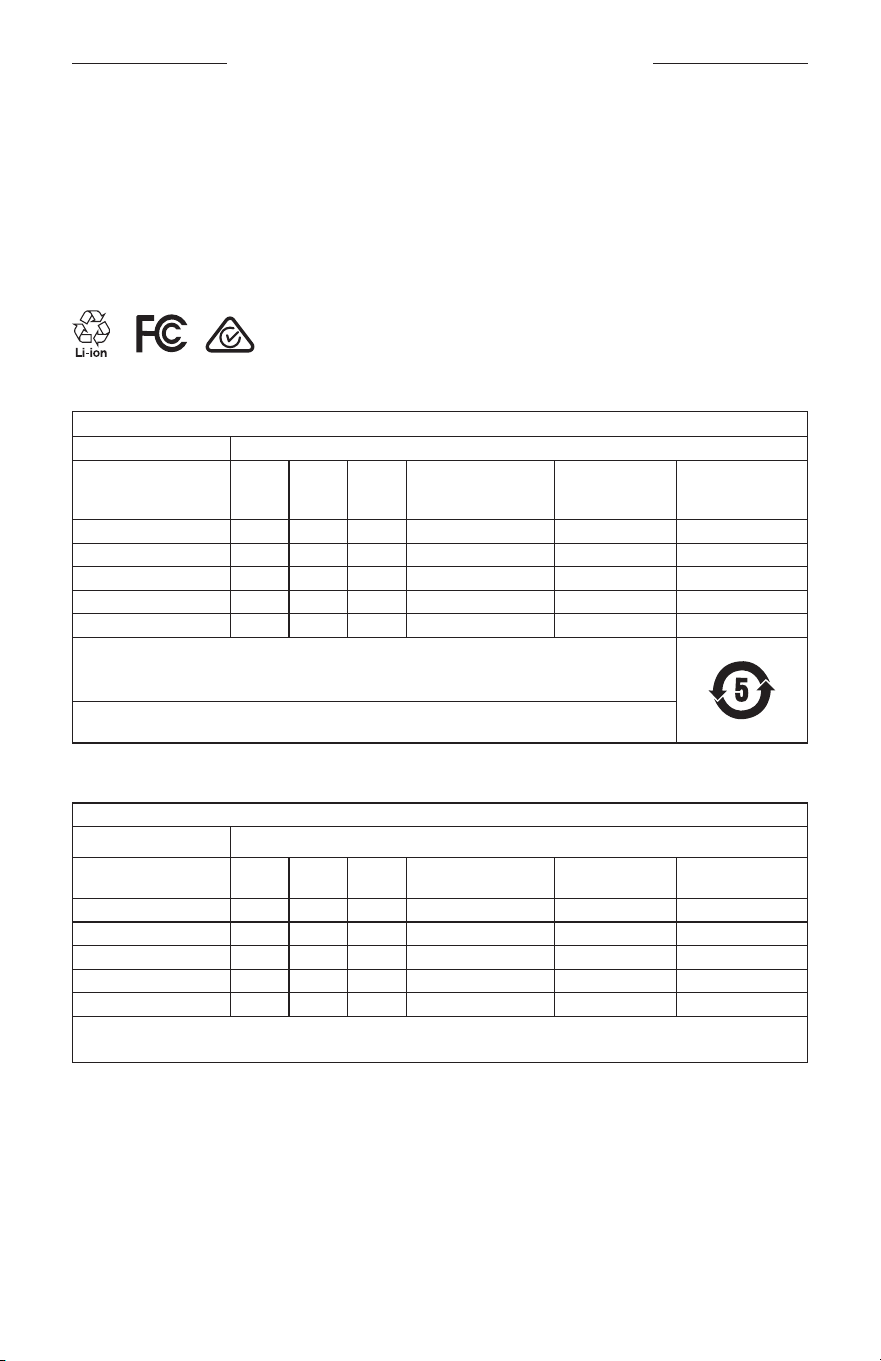
INFORMACJE DOTYCZĄCE PRZEPISÓW
5
|
POL
M
Wyprodukowano dla: Bose Corporation, 100 The Mountain Road, Framingham, MA 01701
L
Nieużywać wprzypadku uszkodzenia pakietu.
C
Tenprodukt niezawiera lateksu kauczuku naturalnego.
d
Tenprodukt niejest sterylny.
p
l
+45°C
0°C
Tabela substancji szkodliwych (ograniczenia obowiązujące wChinach)
Nazwy izawartość toksycznych lubszkodliwych substancji albo pierwiastków
Toksyczne lubszkodliwe substancje albo pierwiastki
Nazwa części
Ołów
(Pb)
Rtęć
(Hg)
Kadm
(Cd)
Sześciowartościowy
chrom (Cr(VI))
Polibromowany
bifenyl (PBB)
Polibromowany
difenyloeter
(PBDE)
Obwody drukowane (PCB) X O O O O O
Części metalowe X O O O O O
Części plastikowe O O O O O O
Głośniki X O O O O O
Przewody X O O O O O
Tętabelę przygotowano zgodnie zwymaganiami normy SJ/T 11364.
O: Oznacza, żezawartość danej substancji toksycznej lubszkodliwej wewszystkich materiałach
jednorodnych, użytych wtej części, nieprzekracza limitu określonego wnormie GB/T 26572.
X: Oznacza, żedana substancja toksyczna lubszkodliwa, zawarta wconajmniej jednym zjednorodnych
materiałów użytych wtej części, przekracza limit określony wnormie GB/T 26572.
Tabela substancji szkodliwych (ograniczenia obowiązujące naTajwanie)
Nazwa wyposażenia: głośnik aktywny, oznaczenie typu: 433948
Substancje objęte ograniczeniami wraz zsymbolami chemicznymi
Nazwa części
Ołów
(Pb)
Rtęć
(Hg)
Kadm
(Cd)
Sześciowartościowy
chrom (Cr+6)
Polibromowane
bifenyle (PBB)
Polibromowane
difenyloetery (PBDE)
Obwody drukowane (PCB)
– ○ ○ ○ ○ ○
Części metalowe
– ○ ○ ○ ○ ○
Części plastikowe
○ ○ ○ ○ ○ ○
Głośniki
– ○ ○ ○ ○ ○
Przewody
– ○ ○ ○ ○ ○
Uwaga1:
Symbol „○” oznacza, żezawartość procentowa substancji objętej ograniczeniem nieprzekracza wartości referencyjnej.
Uwaga2: Symbol „−” oznacza, żedosubstancji objętej ograniczeniem zastosowanie mawyłączenie.

INFORMACJE DOTYCZĄCE PRZEPISÓW
6
|
POL
Tenprodukt jest zgodny znormami ANSIZ80.3, AS/NZS1067.1 iENISO12312-1.
Nienależy korzystać zokularów zbarwionymi szkłami podczas prowadzenia pojazdów wnocy.
I
PRODUKT NIEPOWINIEN BYĆ UŻYWANY PODCZAS PROWADZENIA POJAZDÓW OŚWICIE/ZMIERZCHU
LUBWNOCY. PRODUKT NIEPOWINIEN BYĆ UŻYWANY PODCZAS PROWADZENIA POJAZDÓW WNOCY
LUBPRZY NIEDOSTATECZNYM OŚWIETLENIU.
Tenprodukt umożliwia blokowanie ponad 99% energii promieniowania UVA iUVB. Tenprodukt jest zgodny znormą
ANSIZ80.3.
Wproduktach Frames Soprano lubFrames Tenor należy używać wyłącznie szkieł zatwierdzonych przez firmę Bose.
Niewolno patrzeć przez okulary bezpośrednio nasłońce.
Produkt niezapewnia ochrony przed źródłami sztucznego oświetlenia (np.wsolariach).
Produkt niechroni oczu przed udarami mechanicznymi.
Gdyprodukt niejest używany, powinien być przechowywany wdostarczonym razem znim futerale.
KATEGORIA FILTRU (UE): ISO12312-1 CAT. 3
KATEGORIA SOCZEWEK (AUSTRALIA): 1067.1 CAT. 3
h
Teokulary słoneczne zapewniają wysoki stopień ochrony przed jaskrawym światłem słonecznym idostateczną
ochronę przed promieniowaniemUV.
Klasa UV: odcięcie UV380
Prosimy owpisanie izachowanie poniższych informacji
Numer seryjny okularów znajduje się nalewym zauszniku, anumer modelu/referencyjny znajduje się
naprawym zauszniku.
Numer seryjny: ____________________________________________________________________
Numer modelu: ___________________________________________________________________
Należy zachować dowód zakupu razem zpodręcznikiem użytkownika. Warto teraz zarejestrować zakupiony
produkt firmy Bose. Można to zrobić włatwy sposób wwitrynie internetowej global.Bose.com/register.
N
Data produkcji: Ósma cyfra numeru seryjnego oznacza rok produkcji. Naprzykład cyfra „0” oznacza rok
2010lub2020.
Importer — Chiny: Bose Electronics (Shanghai) Company Limited, Part C, Plant 9, No. 353 North Riying Road,
China(Shanghai) Pilot Free Trade Zone
Importer — UE: Bose Products B.V., Gorslaan 60, 1441 RG Purmerend, The Netherlands
Importer — Tajwan: Bose Taiwan Branch, 9F-A1, No. 10, Section 3, Minsheng East Road, Taipei City 104, Taiwan
Numer telefonu: +886-2-2514 7676
Importer — Meksyk: Bose de México, S. de R.L. de C.V., Paseo de las Palmas 405-204, Lomas de Chapultepec,
11000México, D.F. Numer telefonu: +5255 (5202) 3545
Zasilanie: 5Vp/ 500mA
Identyfikator CMIITID znajduje się nawewnętrznej powierzchni przedniej części produktu.
h
BMD0011
INFORMACJE DOTYCZĄCE PRZEPISÓW
7
|
POL
Informacje dotyczące zabezpieczeń
Tenprodukt może automatycznie otrzymywać aktualizacje zabezpieczeń odfirmy Bose poustanowieniu
połączenia zaplikacją Bose Music. Abyotrzymywać aktualizacje zabezpieczeń przy użyciu aplikacji mobilnej,
należy skonfigurować produkt waplikacji Bose Music. Jeżeliten proces konfiguracji niezostanie
przeprowadzony, użytkownik będzie zobowiązany dosamodzielnego instalowania aktualizacji
zabezpieczeń udostępnianych przez firmę Bose wwitrynie internetowej btu.bose.com.
Apple,logo Apple, iPad, iPhone, iPod oraz Siri są znakami towarowymi firmy AppleInc. zarejestrowanymi wStanach
Zjednoczonych iwinnych krajach. Znak towarowy „iPhone” jest używany wJaponii napodstawie licencji firmy
AiphoneK.K. App Store jest znakiem usługowym firmy AppleInc.
Znak „Made for Apple” oznacza, żedane akcesorium zostało zaprojektowane pod kątem współpracy zurządzeniami
Apple, które są nanim wyszczególnione, ipoddane procesowi certyfikacji potwierdzającemu spełnienie standardów
jakości firmy Apple. Firma Apple nieponosi odpowiedzialności zadziałanie tego urządzenia ani jego zgodność
zprzepisami lubnormami bezpieczeństwa.
Znak słowny ilogo Bluetooth® są zastrzeżonymi znakami towarowymi firmy Bluetooth SIG,Inc., używanymi przez
firmę Bose Corporation napodstawie licencji.
Google iGoogle Play są znakami towarowymi firmy GoogleLLC.
Bose, Bose Frames iBose Music są znakami towarowymi firmy Bose Corporation.
Siedziba główna firmy Bose Corporation: 1-877-230-5639
©2020 Bose Corporation. Żadnejczęści tejpublikacji niewolno powielać, modyfikować, rozpowszechniać
aniwykorzystywać winny sposób bezuprzedniego uzyskania pisemnego zezwolenia.

8
|
POL
The following license disclosures apply to certain third-party software packages used as components in the product.
Package: Nanopb
Copyright © 2011 Petteri Aimonen <jpa at nanopb.mail.kapsi.fi>. The Nanopb package is subject to the license terms
reprinted below.
Zlib license
© 2011 Petteri Aimonen <jpa at nanopb.mail.kapsi.fi>
This software is provided ‘as-is’, without any express or implied warranty. In no event will the authors be held liable
for any damages arising from the use of this software.
Permission is granted to anyone to use this software for any purpose, including commercial applications, and to alter
it and redistribute it freely, subject to the following restrictions:
1. The origin of this software must not be misrepresented; you must not claim that you wrote the original software.
If you use this software in a product, an acknowledgment in the product documentation would be appreciated
but is not required.
2. Altered source versions must be plainly marked as such, and must not be misrepresented as being the
original software.
3. This notice may not be removed or altered from any source distribution.
Package: Mbed TLS 2.16.1
© ARM Limited. All rights reserved. The Mbed TLS package is subject to the license terms reprinted below.
Apache 2.0 License
Apache License
Version 2.0, January 2004
http://www.apache.org/licenses/
TERMS AND CONDITIONS FOR USE, REPRODUCTION, AND DISTRIBUTION
1. Definitions.
“License” shall mean the terms and conditions for use, reproduction, and distribution as defined by Sections 1
through 9 of this document.
“Licensor” shall mean the copyright owner or entity authorized by the copyright owner that is granting
the License.
“Legal Entity” shall mean the union of the acting entity and all other entities that control, are controlled by, or
are under common control with that entity. For the purposes of this definition, “control” means (i) the power,
direct or indirect, to cause the direction or management of such entity, whether by contract or otherwise, or (ii)
ownership of fifty percent (50%) or more of the outstanding shares, or (iii) beneficial ownership of such entity.
“You” (or “Your”) shall mean an individual or Legal Entity exercising permissions granted by this License.
“Source” form shall mean the preferred form for making modifications, including but not limited to software
source code, documentation source, and configuration files.
“Object” form shall mean any form resulting from mechanical transformation or translation of a Source form,
including but not limited to compiled object code, generated documentation, and conversions to other
media types.
“Work” shall mean the work of authorship, whether in Source or Object form, made available under the License,
as indicated by a copyright notice that is included in or attached to the work (an example is provided in the
Appendix below).
“Derivative Works” shall mean any work, whether in Source or Object form, that is based on (or derived from)
the Work and for which the editorial revisions, annotations, elaborations, or other modifications represent, as a
whole, an original work of authorship. For the purposes of this License, Derivative Works shall not include works
that remain separable from, or merely link (or bind by name) to the interfaces of, the Work and Derivative
Works thereof.
INFORMACJE OLICENCJACH

9
|
POL
INFORMACJE OLICENCJACH
“Contribution” shall mean any work of authorship, including the original version of the Work and any
modifications or additions to that Work or Derivative Works thereof, that is intentionally submitted to Licensor
for inclusion in the Work by the copyright owner or by an individual or Legal Entity authorized to submit on
behalf of the copyright owner. For the purposes of this definition, “submitted” means any form of electronic,
verbal, or written communication sent to the Licensor or its representatives, including but not limited to
communication on electronic mailing lists, source code control systems, and issue tracking systems that are
managed by, or on behalf of, the Licensor for the purpose of discussing and improving the Work, but excluding
communication that is conspicuously marked or otherwise designated in writing by the copyright owner as “Not
a Contribution.”
“Contributor” shall mean Licensor and any individual or Legal Entity on behalf of whom a Contribution has been
received by Licensor and subsequently incorporated within the Work.
2. Grant of Copyright License. Subject to the terms and conditions of this License, each Contributor hereby grants
to You a perpetual, worldwide, non-exclusive, no-charge, royalty-free, irrevocable copyright license to reproduce,
prepare Derivative Works of, publicly display, publicly perform, sublicense, and distribute the Work and such
Derivative Works in Source or Object form.
3. Grant of Patent License. Subject to the terms and conditions of this License, each Contributor hereby grants to
You a perpetual, worldwide, non-exclusive, no-charge, royalty-free, irrevocable (except as stated in this section)
patent license to make, have made, use, oer to sell, sell, import, and otherwise transfer the Work, where such
license applies only to those patent claims licensable by such Contributor that are necessarily infringed by their
Contribution(s) alone or by combination of their Contribution(s) with the Work to which such Contribution(s)
was submitted. If You institute patent litigation against any entity (including a cross-claim or counterclaim in a
lawsuit) alleging that the Work or a Contribution incorporated within the Work constitutes direct or contributory
patent infringement, then any patent licenses granted to You under this License for that Work shall terminate as
of the date such litigation is filed.
4. Redistribution. You may reproduce and distribute copies of the Work or Derivative Works thereof in any medium,
with or without modifications, and in Source or Object form, provided that You meet the following conditions:
a. You must give any other recipients of the Work or Derivative Works a copy of this License; and
b. You must cause any modified files to carry prominent notices stating that You changed the files; and
c. You must retain, in the Source form of any Derivative Works that You distribute, all copyright, patent,
trademark, and attribution notices from the Source form of the Work, excluding those notices that do not
pertain to any part of the Derivative Works; and
d. If the Work includes a “NOTICE” text file as part of its distribution, then any Derivative Works that You
distribute must include a readable copy of the attribution notices contained within such NOTICE file, excluding
those notices that do not pertain to any part of the Derivative Works, in at least one of the following places:
within a NOTICE text file distributed as part of the Derivative Works; within the Source form or
documentation, if provided along with the Derivative Works; or, within a display generated by the
Derivative Works, if and wherever such third-party notices normally appear. The contents of the NOTICE file
are for informational purposes only and do not modify the License. You may add Your own attribution notices
within Derivative Works that You distribute, alongside or as an addendum to the NOTICE text from the Work,
provided that such additional attribution notices cannot be construed as modifying the License.
You may add Your own copyright statement to Your modifications and may provide additional or dierent
license terms and conditions for use, reproduction, or distribution of Your modifications, or for any such
Derivative Works as a whole, provided Your use, reproduction, and distribution of the Work otherwise
complies with the conditions stated in this License.
5. Submission of Contributions. Unless You explicitly state otherwise, any Contribution intentionally submitted for
inclusion in the Work by You to the Licensor shall be under the terms and conditions of this License, without any
additional terms or conditions. Notwithstanding the above, nothing herein shall supersede or modify the terms
of any separate license agreement you may have executed with Licensor regarding such Contributions.
6. Trademarks. This License does not grant permission to use the trade names, trademarks, service marks, or
product names of the Licensor, except as required for reasonable and customary use in describing the origin of
the Work and reproducing the content of the NOTICE file.

10
|
POL
INFORMACJE OLICENCJACH
7. Disclaimer of Warranty. Unless required by applicable law or agreed to in writing, Licensor provides the Work
(and each Contributor provides its Contributions) on an “AS IS” BASIS, WITHOUT WARRANTIES OR CONDITIONS
OF ANY KIND, either express or implied, including, without limitation, any warranties or conditions of TITLE,
NON-INFRINGEMENT, MERCHANTABILITY, or FITNESS FOR A PARTICULAR PURPOSE. You are solely responsible
for determining the appropriateness of using or redistributing the Work and assume any risks associated with
Your exercise of permissions under this License.
8. Limitation of Liability. In no event and under no legal theory, whether in tort (including negligence), contract,
or otherwise, unless required by applicable law (such as deliberate and grossly negligent acts) or agreed to in
writing, shall any Contributor be liable to You for damages, including any direct, indirect, special, incidental,
or consequential damages of any character arising as a result of this License or out of the use or inability to
use the Work (including but not limited to damages for loss of goodwill, work stoppage, computer failure or
malfunction, or any and all other commercial damages or losses), even if such Contributor has been advised of
the possibility of such damages.
9. Accepting Warranty or Additional Liability. While redistributing the Work or Derivative Works thereof, You may
choose to oer, and charge a fee for, acceptance of support, warranty, indemnity, or other liability obligations
and/or rights consistent with this License. However, in accepting such obligations, You may act only on Your own
behalf and on Your sole responsibility, not on behalf of any other Contributor, and only if You agree to indemnify,
defend, and hold each Contributor harmless for any liability incurred by, or claims asserted against, such
Contributor by reason of your accepting any such warranty or additional liability.
END OF TERMS AND CONDITIONS
©2020 Bose Corporation
Licensed under the Apache License, Version 2.0 (the “License”); you may not use this file except in compliance with
the License.
You may obtain a copy of the License at: http://www.apache.org/licenses/LICENSE-2.0
Unless required by applicable law or agreed to in writing, software distributed under the License is distributed on an
“AS IS” BASIS, WITHOUT WARRANTIES OR CONDITIONS OF ANY KIND, either express or implied.
See the License for the specific language governing permissions and limitations under the License.

SPIS TREŚCI
11
|
POL
ZAWARTOŚĆ PAKIETU ZPRODUKTEM
Zawartość pakietu zproduktem ............................................................................... 13
KONFIGURACJA APLIKACJI BOSE MUSIC
Pobieranie aplikacji Bose Music ................................................................................ 14
Dodawanie okularów doistniejącego konta ........................................................ 14
ODPORNOŚĆ NADZIAŁANIE POTU INIEKORZYSTNYCH
WARUNKÓW POGODOWYCH
.......................................................................... 15
ZASILANIE
Włączanie zasilania ........................................................................................................ 16
Wyłączanie zasilania ...................................................................................................... 17
Wyłączanie przez odwrócenie .......................................................................... 17
Automatyczne wyłączanie przy użyciu detekcji ruchu ........................... 17
STEROWANIE OKULARAMI
Odtwarzanie multimediów .......................................................................................... 18
Głośność ............................................................................................................................. 19
Zwiększanie głośności .......................................................................................... 19
Zmniejszanie głośności ........................................................................................ 19
Połączenia telefoniczne ............................................................................................... 20
Powiadomienia opołączeniach ........................................................................ 20
Polecenia głosowe .......................................................................................................... 20
BATERIA
Ładowanie baterii okularów ....................................................................................... 21
Sprawdzanie poziomu naładowania bateriiokularów ...................................... 21
Powiadomienia ostanie baterii ......................................................................... 21
Sprawdzanie poziomu naładowania baterii ................................................. 21

SPIS TREŚCI
12
|
POL
STAN OKULARÓW
Stan połączenia Bluetooth® ........................................................................................ 22
Stan baterii ........................................................................................................................ 23
Stan błędu ......................................................................................................................... 23
POŁĄCZENIA BLUETOOTH
Łączenie przy użyciu menu Bluetooth urządzenia przenośnego ................ 24
Rozłączanie urządzenia przenośnego .................................................................... 25
Ponowne łączenie zurządzeniem przenośnym .................................................. 25
Czyszczenie listy urządzeń okularów ..................................................................... 25
KONSERWACJA
Przechowywanie okularów .......................................................................................... 26
Konserwacja okularów .................................................................................................. 27
Części zamienne iakcesoria ....................................................................................... 28
Ograniczona gwarancja ................................................................................................ 28
Położenie numeru modelu/referencyjnego .......................................................... 28
ROZWIĄZYWANIE PROBLEMÓW
Podstawowe zalecenia .................................................................................................. 29
Inne rozwiązania .............................................................................................................. 29
SYMBOLE NAETYKIETACH
Symbole iopisy ............................................................................................................... 32
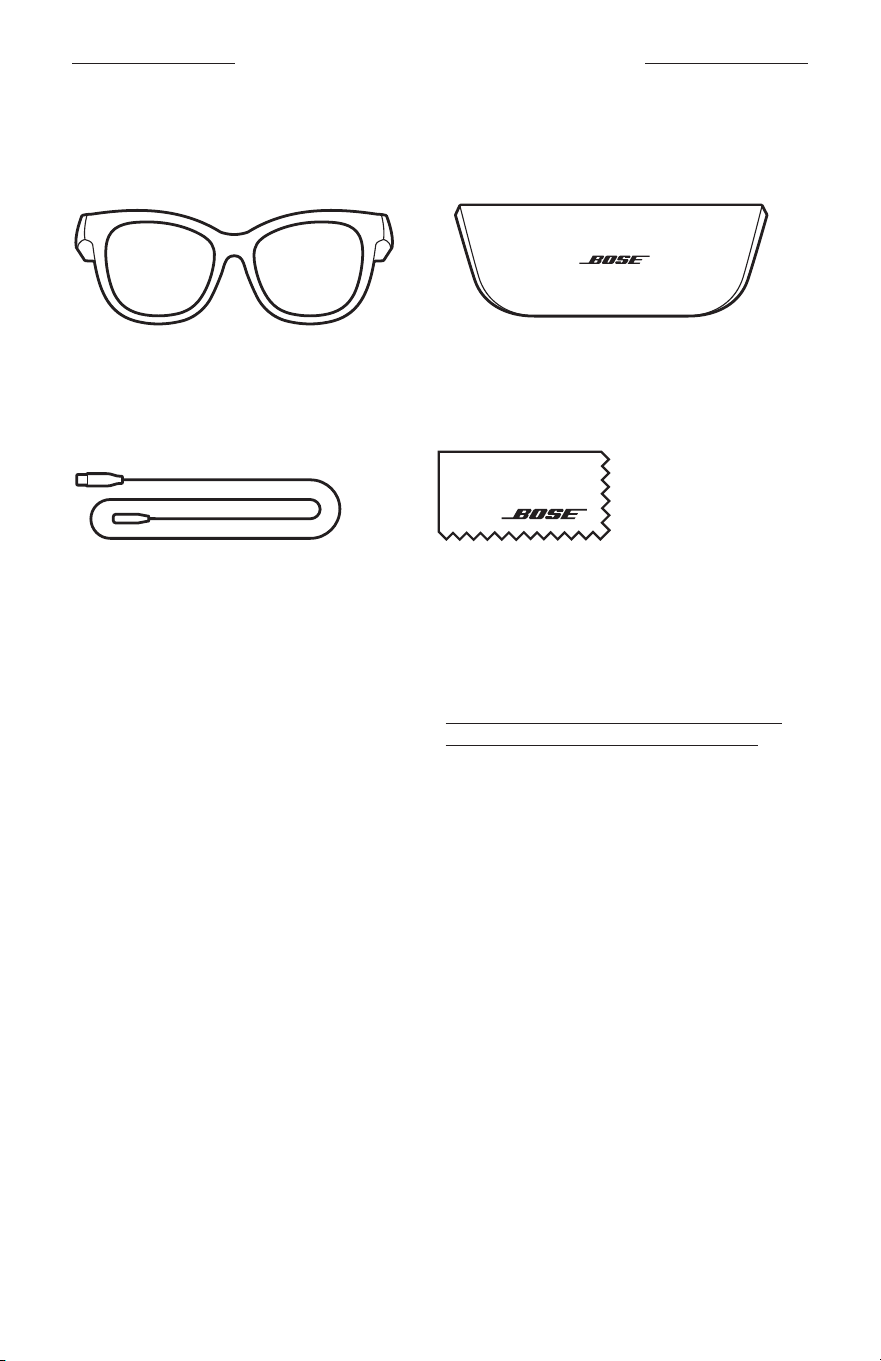
13
|
POL
ZAWARTOŚĆ PAKIETU ZPRODUKTEM
ZAWARTOŚĆ PAKIETU ZPRODUKTEM
Sprawdź, czy wpakiecie znajdująsię poniższe elementy:
Okulary Bose Frames
Futerał
Przewód doładowania Ściereczka
UWAGA: Niewolno korzystać zproduktu, jeżeli jakakolwiek jego część jest
uszkodzona. Wtakiej sytuacji należy powiadomić autoryzowanego
dystrybutora produktów firmy Bose lub Dział Obsługi Klientów tej firmy.
Skorzystaj zwitryny internetowej worldwide.Bose.com/Support/Soprano
worldwide.Bose.com/Support/Tenor
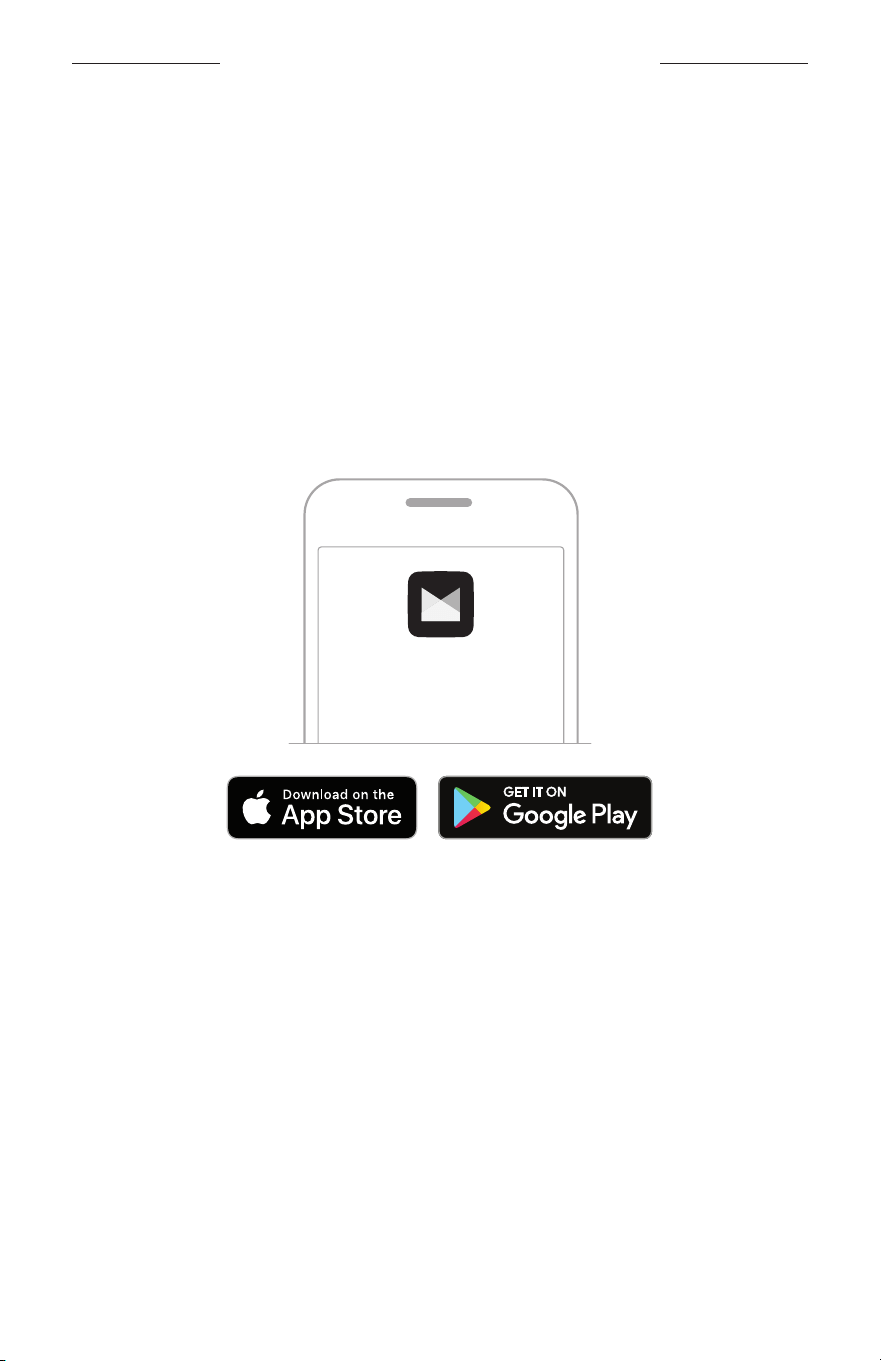
14
|
POL
KONFIGURACJA APLIKACJI BOSE MUSIC
Aplikacja Bose Music umożliwia konfigurowanie okularów isterowanie nimi zpoziomu
urządzenia przenośnego, takiego jak smartfon lub tablet.
Korzystając zaplikacji, można dostosować ustawienia zasilania, wybrać język
komunikatów głosowych iuzyskać dostęp donowych funkcji.
UWAGA: Jeżeliutworzono już konto Bose waplikacji dla innego produktu Bose,
zobacz „Dodawanie okularów doistniejącego konta”.
POBIERANIE APLIKACJI BOSE MUSIC
1. Pobierz aplikację Bose Music przy użyciu urządzenia przenośnego.
UWAGA: Użytkownicy wChinach kontynentalnych powinni pobrać aplikację
Bose
8.
BOSE MUSIC
2. Postępuj zgodnie zinstrukcjami wyświetlanymi waplikacji.
DODAWANIE OKULARÓW DOISTNIEJĄCEGO KONTA
1. Naciśnij przycisk naprawym zauszniku okularów iprzytrzymaj godochwili,
gdyusłyszysz komunikat ogotowości dopołączenia (Ready toconnect)
lubniebieski wskaźnik stanu zacznie migać.
2. Waplikacji Bose Music naekranie Moje Bose dodaj swoje okulary.
UWAGA: Jeżeliaplikacja niemoże wykryć okularów, zobacz „Aplikacja Bose Music
niewykrywa okularów” nastr.30.
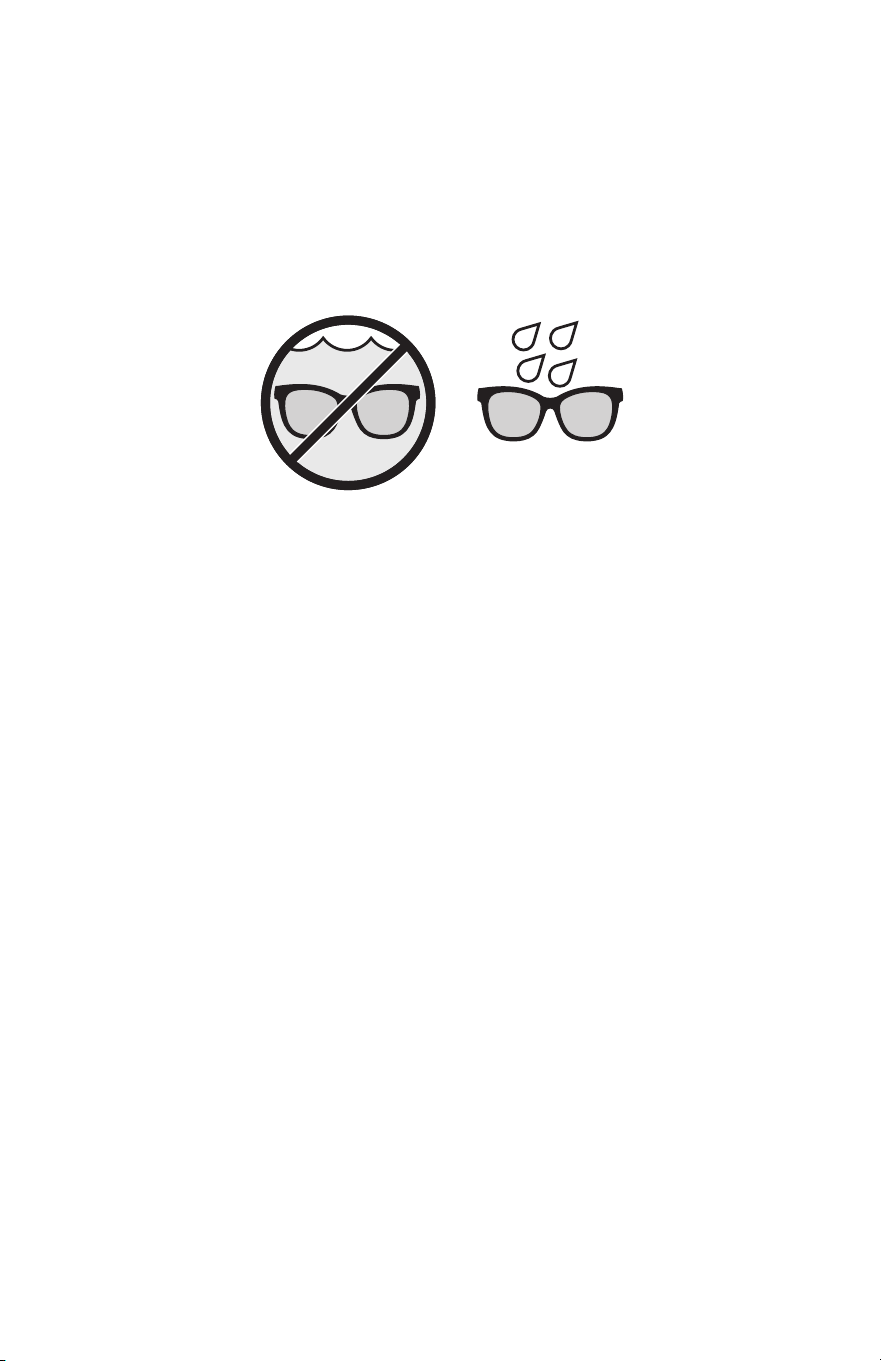
15
|
POL
ODPORNOŚĆ NADZIAŁANIE POTU INIEKORZYSTNYCH WARUNKÓW POGODOWYCH
Okulary zapewniają stopień IPX2 ochrony przed wodą. Sąone odporne nadziałanie
potu iniekorzystnych warunków pogodowych oraz krople wody, jednak niewolno ich
zanurzać wwodzie.
PRZESTROGI:
• NIEwolno korzystać zokularów podczas pływania ani pod prysznicem.
• NIEwolno zanurzać okularów wwodzie.
UWAGA: Stopień ochrony IPX2 niedotyczy warunków stałego oddziaływania
czynników, aponadto poziom ochrony może zmniejszaćsię naskutek
naturalnego zużycia sprzętu.
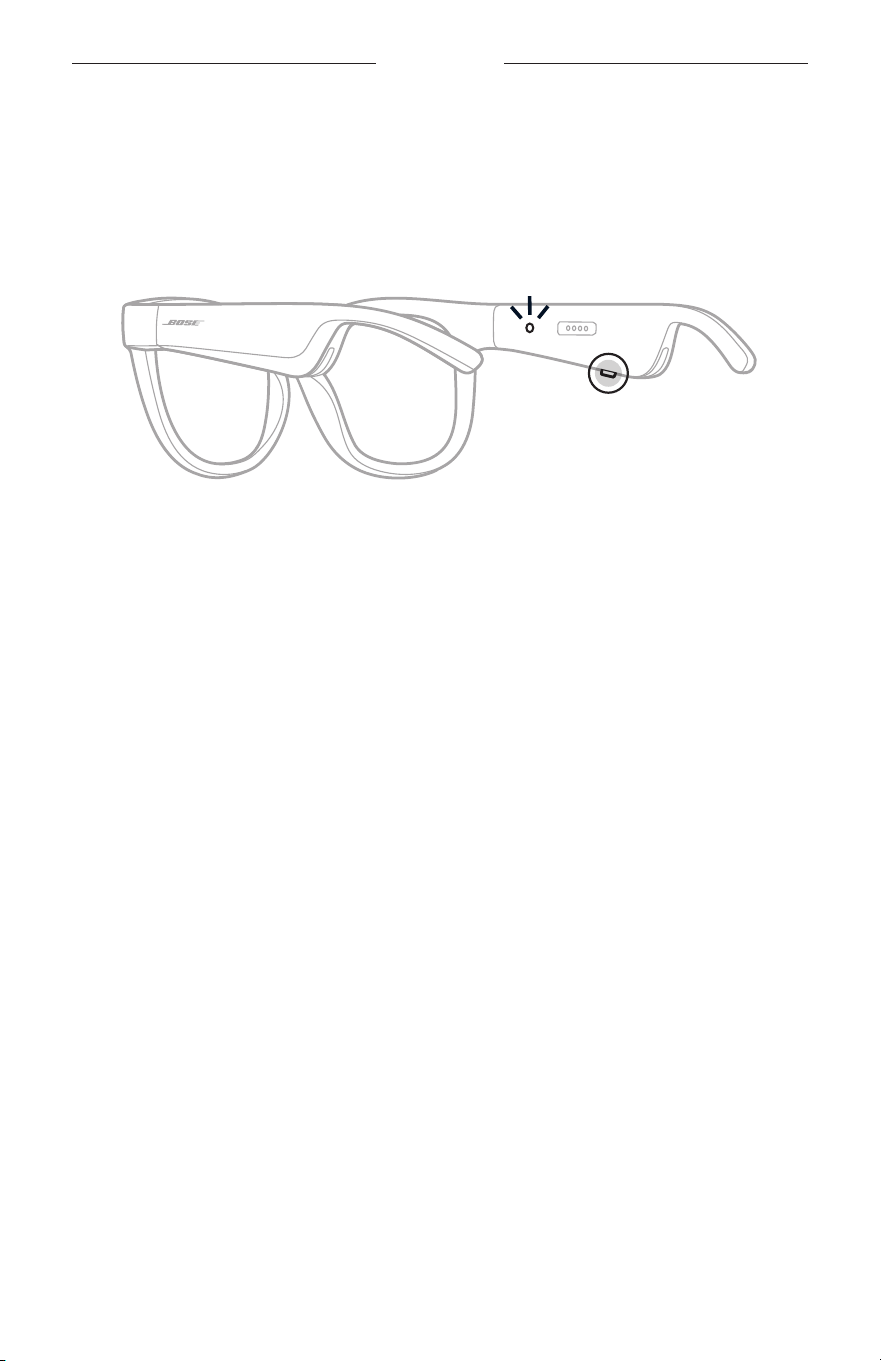
16
|
POL
ZASILANIE
WŁĄCZANIE ZASILANIA
Naciśnij przycisk naprawym zauszniku okularów.
Biały wskaźnik stanu zamiga dwa razy, anastępnie będzie sygnalizować stan
połączenia Bluetooth (zob.str.22). Komunikatgłosowy poinformuje opoziomie
naładowania baterii istanie połączenia Bluetooth.
UWAGA: Okularysą dostarczane zczęściowo naładowaną baterią, aprzed pierwszym
użyciem należy jeuaktywnić. Abyuaktywnić okulary, należy włączyć ich
zasilanie nadwie sekundy, anastępnie wyłączyć zasilanie (zob.str.21).
Następnienależy ponownie włączyć zasilanie.
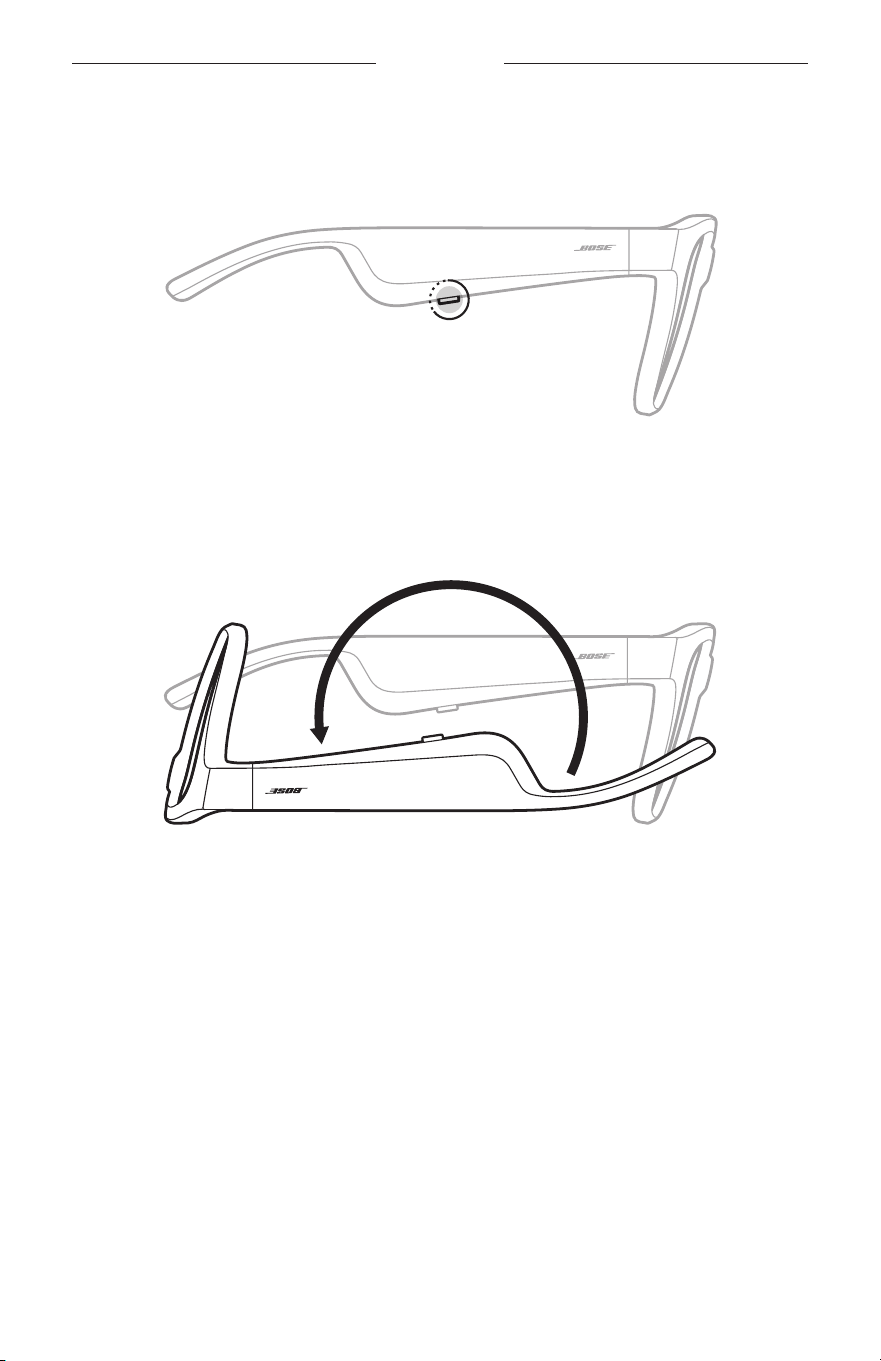
17
|
POL
ZASILANIE
WYŁĄCZANIE ZASILANIA
Naciśnij przycisk iprzytrzymaj godochwili, gdyusłyszysz sygnał dźwiękowy.
Biały wskaźnik stanu zamiga dwa razy, anastępnie zostanie wyłączony.
Wyłączanie przez odwrócenie
Odwróć okulary nadwie sekundy.
Biały wskaźnik stanu zamiga dwa razy, anastępnie zostanie wyłączony.
UWAGA:
• Powyłączeniu zasilania okularów można jeprzenosić wdowolnej orientacji.
• Opcję wyłączania przez odwrócenie można wyłączyć przy użyciu aplikacji Bose
Music. Taopcja jest dostępna wmenu Ustawienia.
Automatyczne wyłączanie przy użyciu detekcji ruchu
Funkcja detekcji ruchu jest używana doustalania, czyokulary są używane. Gdyokulary
pozostają nieruchomo przez 10minut, ichzasilanie jest automatycznie wyłączane.
UWAGA: Detekcję ruchu można wyłączyć przy życiu aplikacji Bose Music. Taopcja
jest dostępna wmenu Ustawienia.
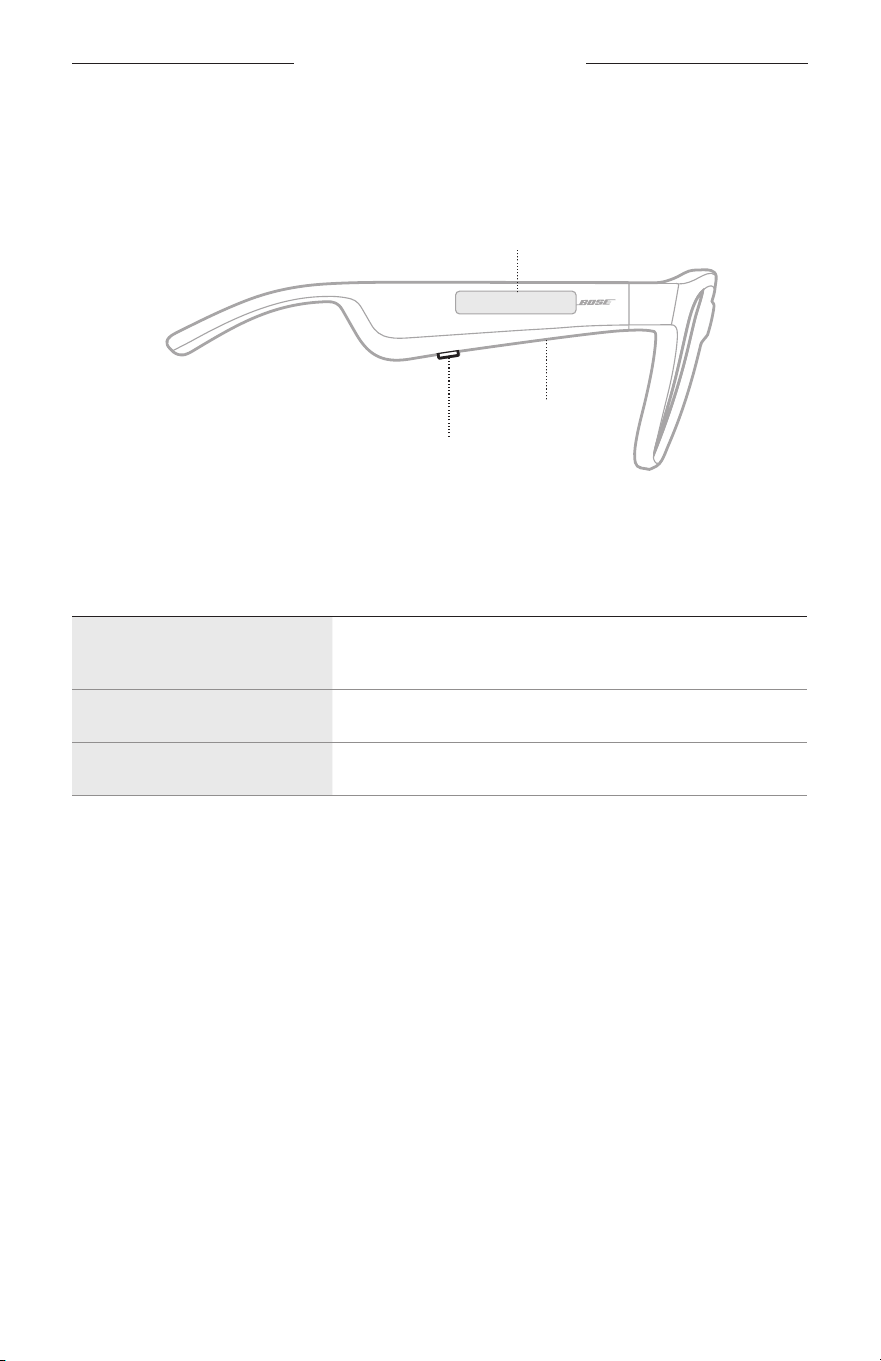
18
|
POL
STEROWANIE OKULARAMI
Korzystając zprzycisku ipanelu dotykowego naprawym zauszniku okularów,
możnasterować odtwarzaniem multimediów, głośnością, połączeniami telefonicznymi
ipoleceniami głosowymi.
Przycisk
Odtwarzanie multimediów
Połączenia telefoniczne
Mikrofon
Panel dotykowy
Regulacja głośności
Polecenia głosowe
ODTWARZANIE MULTIMEDIÓW
CZYNNOŚĆ PROCEDURA
Rozpoczynanie/
wstrzymywanie odtwarzania
Naciśnij przycisk.
Przechodzenie doprzodu Naciśnij przycisk dwukrotnie.
Przechodzenie dotyłu Naciśnij przycisk trzykrotnie.
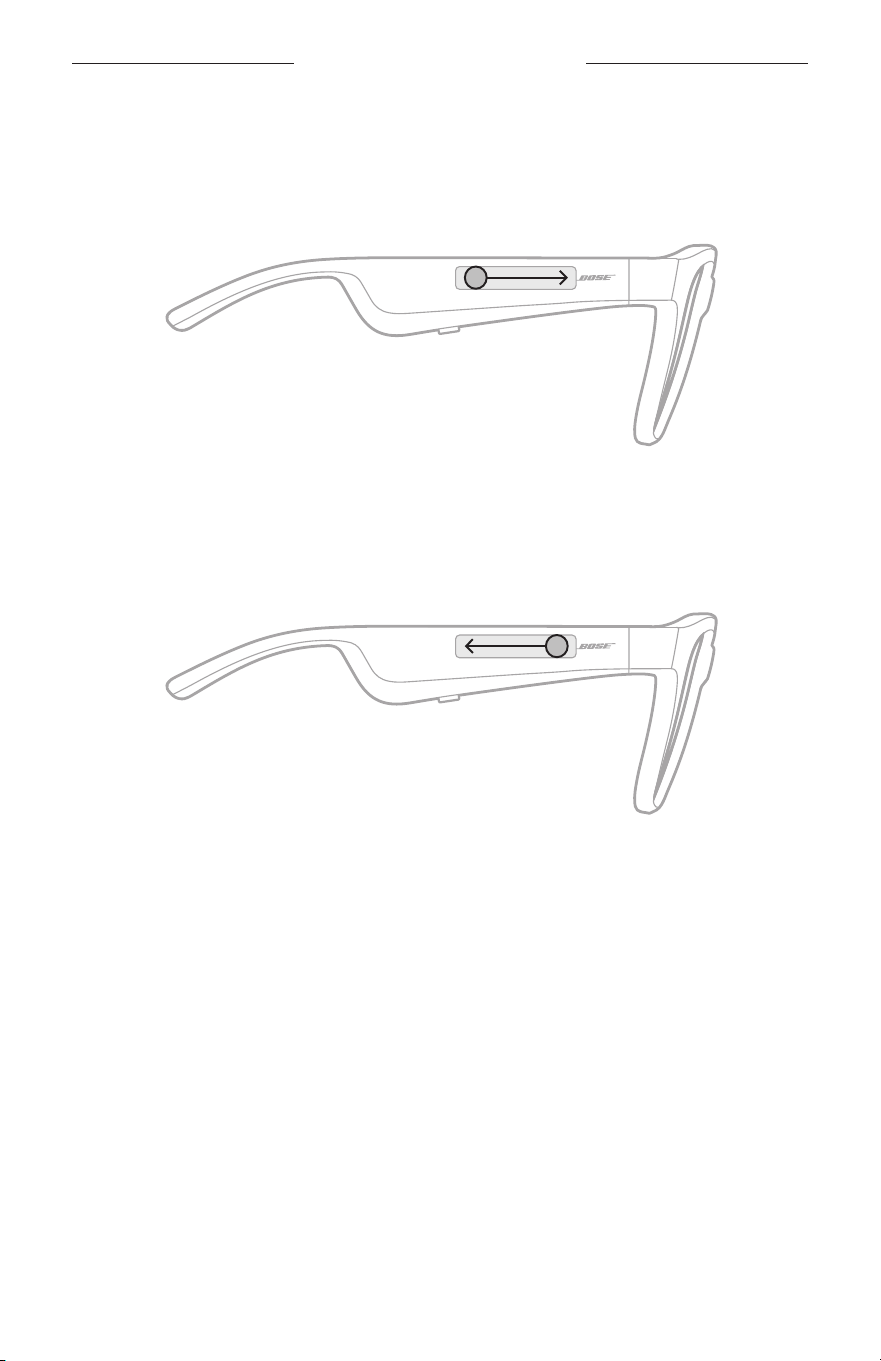
19
|
POL
STEROWANIE OKULARAMI
GŁOŚNOŚĆ
Zwiększanie głośności
Przesuń palec doprzodu napanelu dotykowym.
UWAGA: Poosiągnięciu maksymalnego poziomu głośności zostanie odtworzony
sygnał dźwiękowy.
Zmniejszanie głośności
Przesuń palec dotyłu napanelu dotykowym.
UWAGA: Poosiągnięciu minimalnego poziomu głośności zostanie odtworzony
sygnał dźwiękowy.
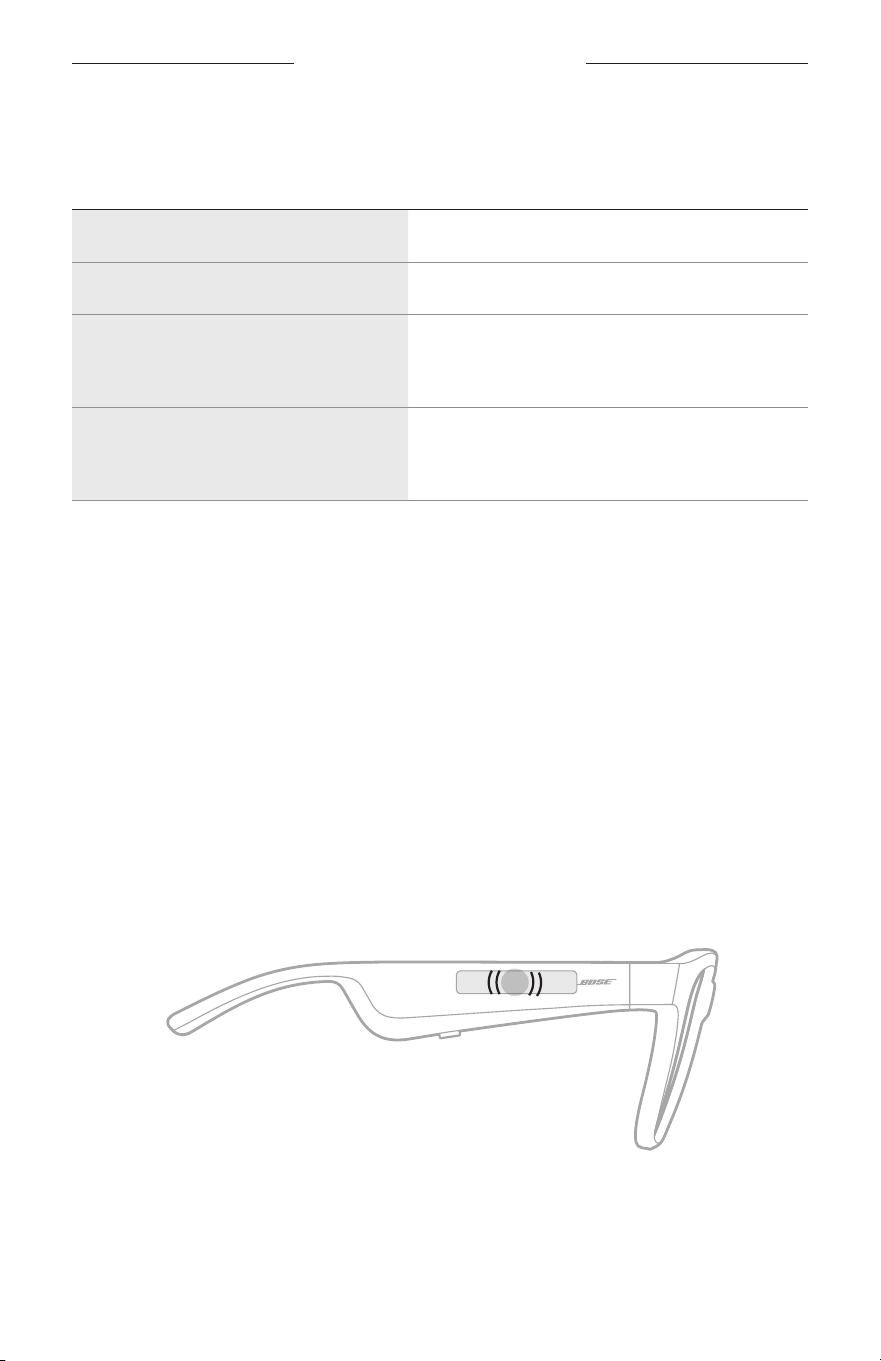
STEROWANIE OKULARAMI
20
|
POL
POŁĄCZENIA TELEFONICZNE
CZYNNOŚĆ PROCEDURA
Odbieranie/kończenie połączenia Naciśnij przycisk.
Odrzucanie połączenia przychodzącego Naciśnij przycisk dwukrotnie.
Odbieranie nowego połączenia
przychodzącego izawieszanie
bieżącej rozmowy
Podczas rozmowy telefonicznej naciśnij przycisk.
Odrzucanie nowego połączenia
przychodzącego ikontynuowanie
bieżącej rozmowy
Podczas rozmowy telefonicznej naciśnij przycisk
dwukrotnie.
UWAGA: Abykorzystać zewszystkich elementów doobsługi połączeń
telefonicznych, należy zainstalować dostępne aktualizacje oprogramowania
waplikacji Bose Music.
Powiadomienia opołączeniach
Komunikaty głosowe informują opołączeniach przychodzących istanie połączeń.
POLECENIA GŁOSOWE
Mikrofon okularów działa jak przedłużenie mikrofonu urządzenia przenośnego.
Panel dotykowy naprawym zauszniku okularów zapewnia dostęp dopoleceń
głosowych umożliwiających inicjowanie/odbieranie połączeń, odtwarzanie muzyki
albosprawdzanie prognozy pogody, wyników rozgrywek sportowych iinnych
informacji przy użyciu usług Siri lubGoogle Assistant.
Abyuzyskać dostęp dopoleceń głosowych wurządzeniu, naciśnij dwukrotnie
panel dotykowy.
2x
Zostanie wyemitowany dźwięk sygnalizujący uaktywnienie poleceń głosowych.
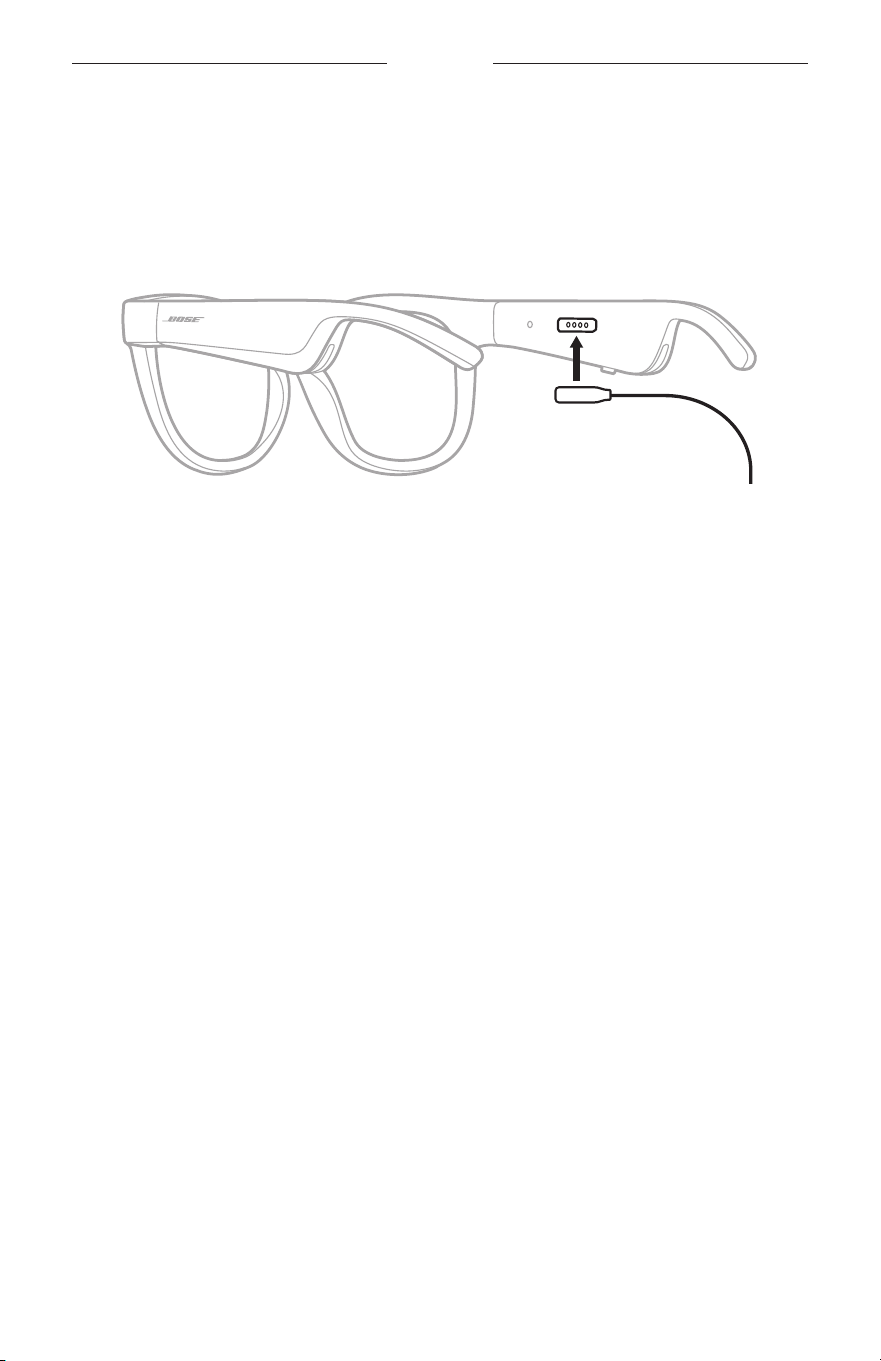
21
|
POL
BATERIA
ŁADOWANIE BATERII OKULARÓW
1. Ustaw wtyk przewodu doładowania zgodnie zezłączem ładowania naprawym
zauszniku okularów.
UWAGA: Abypomyślnie naładować baterię okularów, należy prawidłowo ustawić
wtyk zgodnie zezłączem ładowania.
2. Delikatnie dociśnij wtyk dozłącza ładowania, takaby został magnetycznie
zablokowany wodpowiednim położeniu.
3. Podłącz drugie zakończenie przewodu dozłącza USB-A ładowarki
(nieuwzględnionej wpakiecie zproduktem).
PRZESTROGA: Produktu należy używać wyłącznie zzasilaczem atestowanym
przez odpowiednią instytucję, zgodnym zlokalnymi przepisami
(np.UL, CSA, VDE, CCC).
Podczas ładowania biały wskaźnik stanu miga. Gdybateria jest całkowicie
naładowana, biały wskaźnik stanu jest włączony (zob.str.23).
UWAGI:
• Okulary nieodtwarzają dźwięku podczas ładowania ich baterii.
• NIEwolno korzystać zokularów podczas ładowania ich baterii.
SPRAWDZANIE POZIOMU NAŁADOWANIA
BATERIIOKULARÓW
Powiadomienia ostanie baterii
Zawsze powłączeniu zasilania okularów komunikat głosowy informuje opoziomie
naładowania baterii.
Podczaskorzystania zokularów odpowiedni komunikat głosowy jest odtwarzany
wówczas, gdykonieczne jest naładowanie baterii.
Sprawdzanie poziomu naładowania baterii
• Sprawdź informacje wyświetlane naekranie głównym aplikacji Bose Music.
• Gdyczerwony wskaźnik stanu miga, konieczne jest naładowanie baterii okularów.
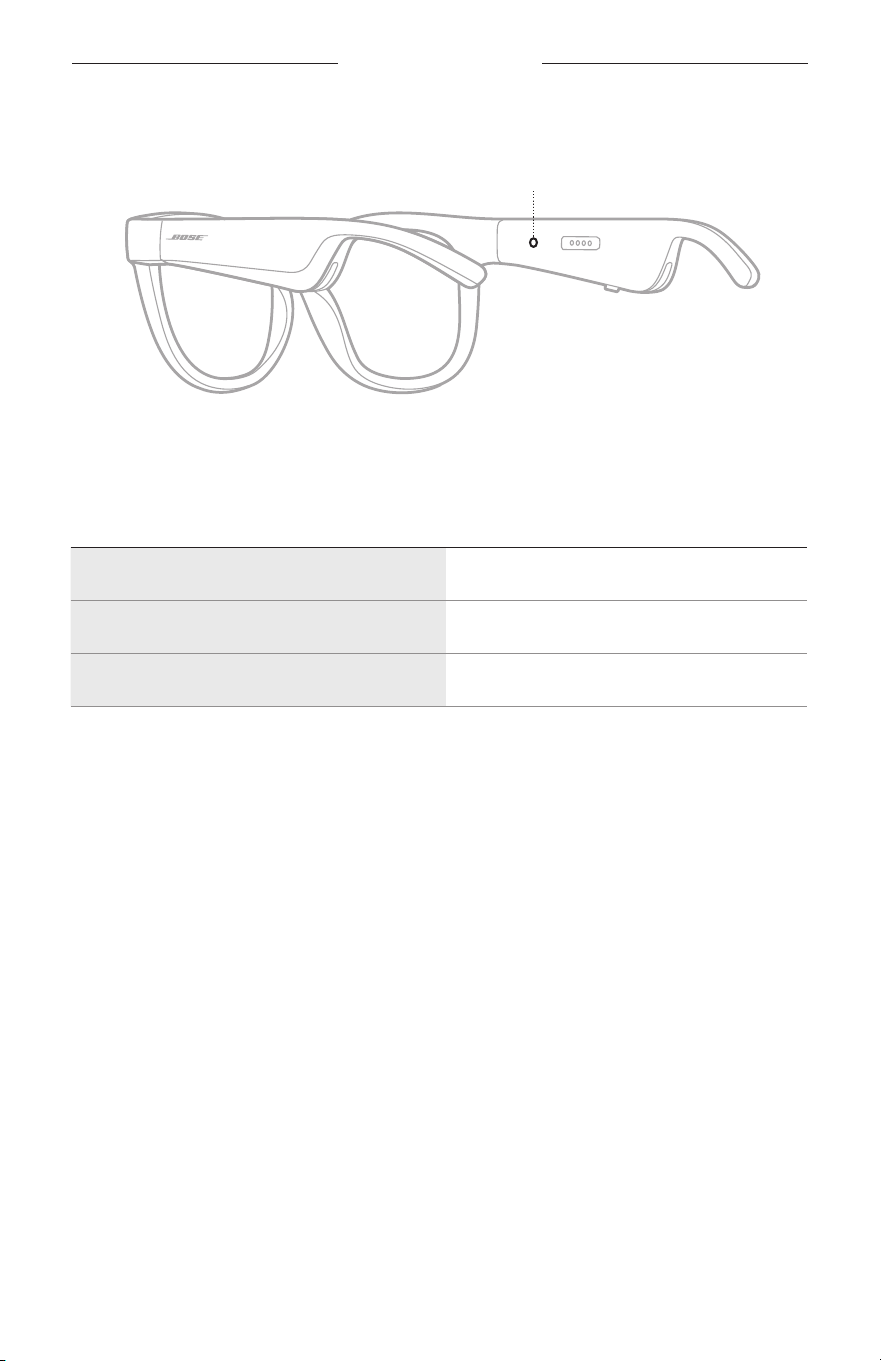
22
|
POL
STAN OKULARÓW
Wskaźnik stanu okularów znajduje się nawewnętrznej powierzchni prawego zausznika.
Wskaźnik stanu
STAN POŁĄCZENIA BLUETOOTH
Informacje ostanie połączenia Bluetooth urządzeń przenośnych.
WSKAŹNIK STAN SYSTEMU
Miga powoli (niebieski) Gotowość dopołączenia
Miga szybko (niebieski) Łączenie
Włączony (10sekund; niebieski) Połączone
STAN OKULARÓW
23
|
POL
STAN BATERII
Informacje opoziomie naładowania baterii okularów.
WSKAŹNIK STAN SYSTEMU
Miga (czerwony; 10sekund) Konieczne ładowanie
Miga (biały) Ładowanie
Włączony (biały) Pełne naładowanie
STAN BŁĘDU
Informacje ostanie błędu.
WSKAŹNIK STAN SYSTEMU
Miga (czerwony ibiały naprzemian)
Błąd — skontaktuj się zDziałem Obsługi
Klientów firmy Bose
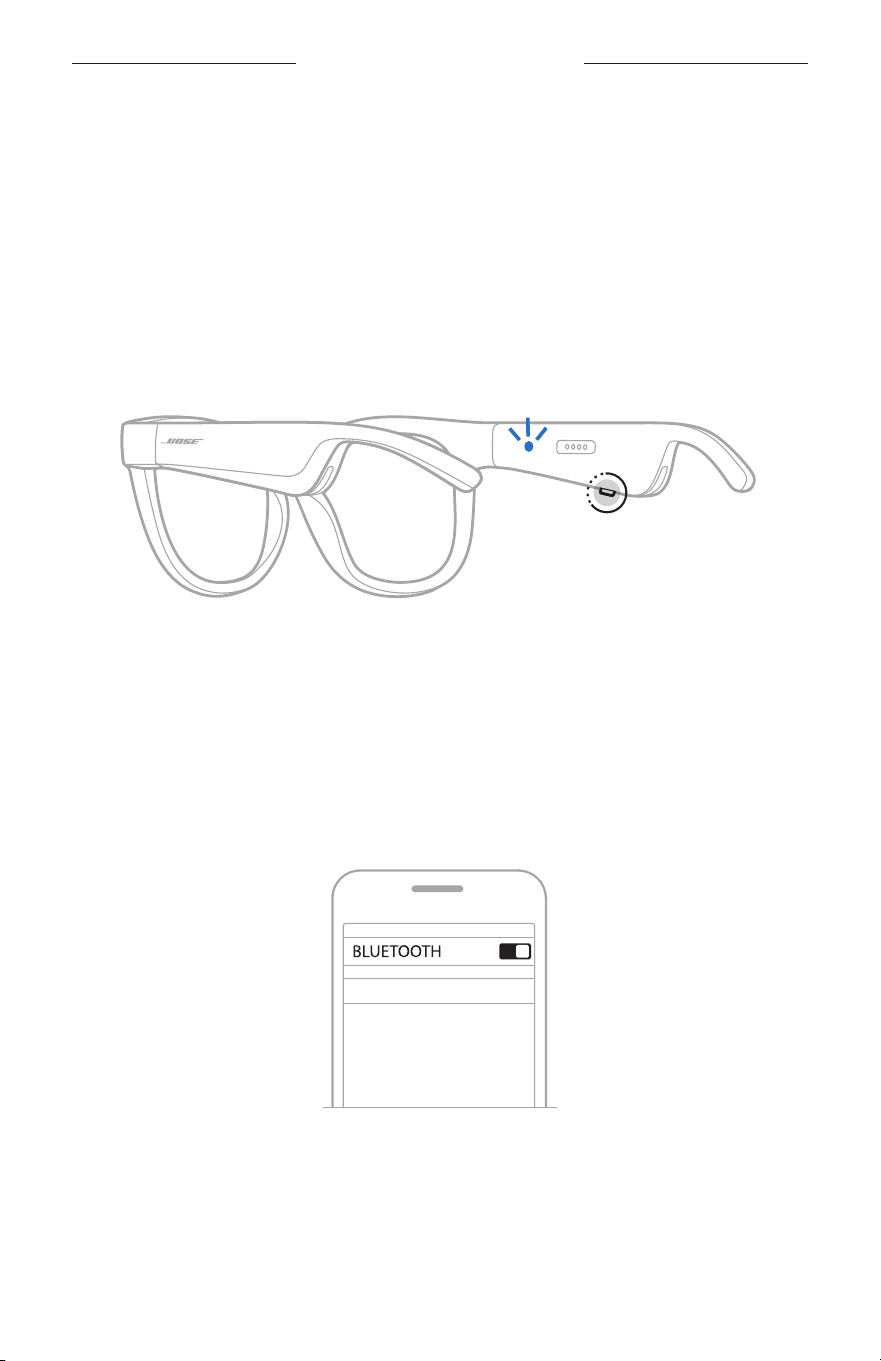
24
|
POL
POŁĄCZENIA BLUETOOTH
ŁĄCZENIE PRZY UŻYCIU MENU BLUETOOTH
URZĄDZENIA PRZENOŚNEGO
Naliście urządzeń okularów można zapisać maksymalnie osiem urządzeń. NIEmożna
podłączyć równocześnie kilku urządzeń iużywać ich doodtwarzania audio.
UWAGA: Abyoptymalnie korzystać zproduktu, należy skonfigurować urządzenie
przenośne ipodłączyć jeprzy użyciu aplikacji Bose Music (zob.str.14).
1. Włącz zasilanie okularów, anastępnie naciśnij przycisk naprawym zauszniku
okularów iprzytrzymaj godochwili, gdyusłyszysz komunikat ogotowości
dopołączenia (Ready toconnect) lubniebieski wskaźnik stanu zacznie migać.
2. Włącz funkcję Bluetooth wurządzeniu.
UWAGA: Funkcja Bluetooth jest zazwyczaj dostępna wmenu Ustawienia.
3. Wybierz okulary zlisty urządzeń.
UWAGA: Wyszukaj nazwę okularów wprowadzoną waplikacji Bose Music.
Jeżelinazwa okularów niezostała określona, zostanie wyświetlona
nazwa domyślna.
BOSE FRAMES
Popołączeniu zostanie odtworzony komunikat informujący opołączeniu
zokreślonym urządzeniem przenośnym (Connected to<nazwa urządzenia
przenośnego>) lubniebieski wskaźnik stanu zostanie włączony, anastępnie
zostanie wyłączony.

25
|
POL
POŁĄCZENIA BLUETOOTH
ROZŁĄCZANIE URZĄDZENIA PRZENOŚNEGO
Korzystając zaplikacji Bose Music, można rozłączyć połączenie urządzenia
przenośnego.
PORADA: Urządzenie można też rozłączyć przy użyciu ustawień Bluetooth.
Wyłączeniefunkcji Bluetooth powoduje rozłączenie wszystkich
pozostałych urządzeń.
PONOWNE ŁĄCZENIE ZURZĄDZENIEM PRZENOŚNYM
Powłączeniu zasilania okulary podejmują próbę ponownego połączenia zostatnio
połączonym urządzeniem.
UWAGA: Urządzenie musi znajdować się wzasięgu (9m) ibyć włączone.
CZYSZCZENIE LISTY URZĄDZEŃ OKULARÓW
1. Gdyzasilanie okularów jest włączone, naciśnij przycisk naprawym zauszniku
iprzytrzymaj goprzez 10sekund dochwili, gdyusłyszysz komunikat głosowy
informujący owyczyszczeniu listy urządzeń Bluetooth (Bluetooth device list
cleared) lubniebieski wskaźnik stanu zacznie migać.
2. Usuńokulary zlisty Bluetooth urządzenia.
Wszystkie pozycje listy urządzeń zostaną wyczyszczone, aokulary będą gotowe
dopołączenia.
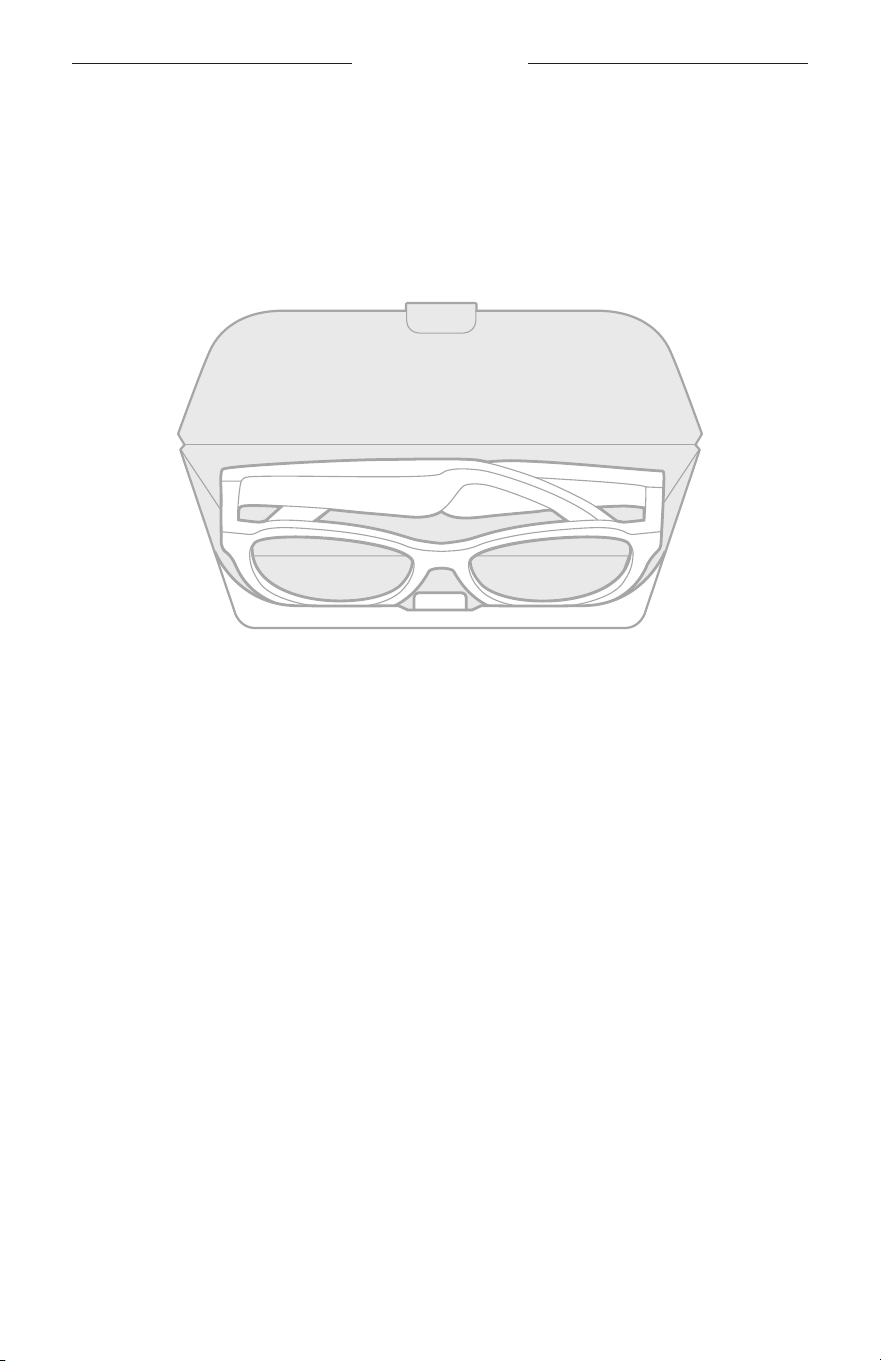
26
|
POL
KONSERWACJA
PRZECHOWYWANIE OKULARÓW
Okulary są składane. Ułatwia toich przechowywanie.
1. Złóżzauszniki dowewnątrz wkierunku szkieł, takaby były ułożone płasko.
2. Umieśćokulary wfuterale, takaby szkła były ułożone przy przednim panelu futerału.
UWAGI:
• Gdyokulary niesą używane, należy upewnić się, żeich zasilanie jest wyłączone.
• Jeżeli okulary niebędą używane przez okres dłuższy niż kilka miesięcy, należy
całkowicie naładować baterię.

27
|
POL
KONSERWACJA
KONSERWACJA OKULARÓW
Zawsze poużyciu okularów należy przetrzeć obie strony szkieł iwszystkie elementy
oprawki ściereczką dostarczoną razem zokularami lubsuchą ściereczką.
PRZESTROGI:
• NIEwolno używać aerozoli wpobliżu okularów.
• NIEwolno używać rozpuszczalników, chemikaliów ani środków czyszczących
zawierających alkohol, amoniak lub materiały ścierne.
• NIEwolno dopuścić dorozlania cieczy wotworach wobudowie.
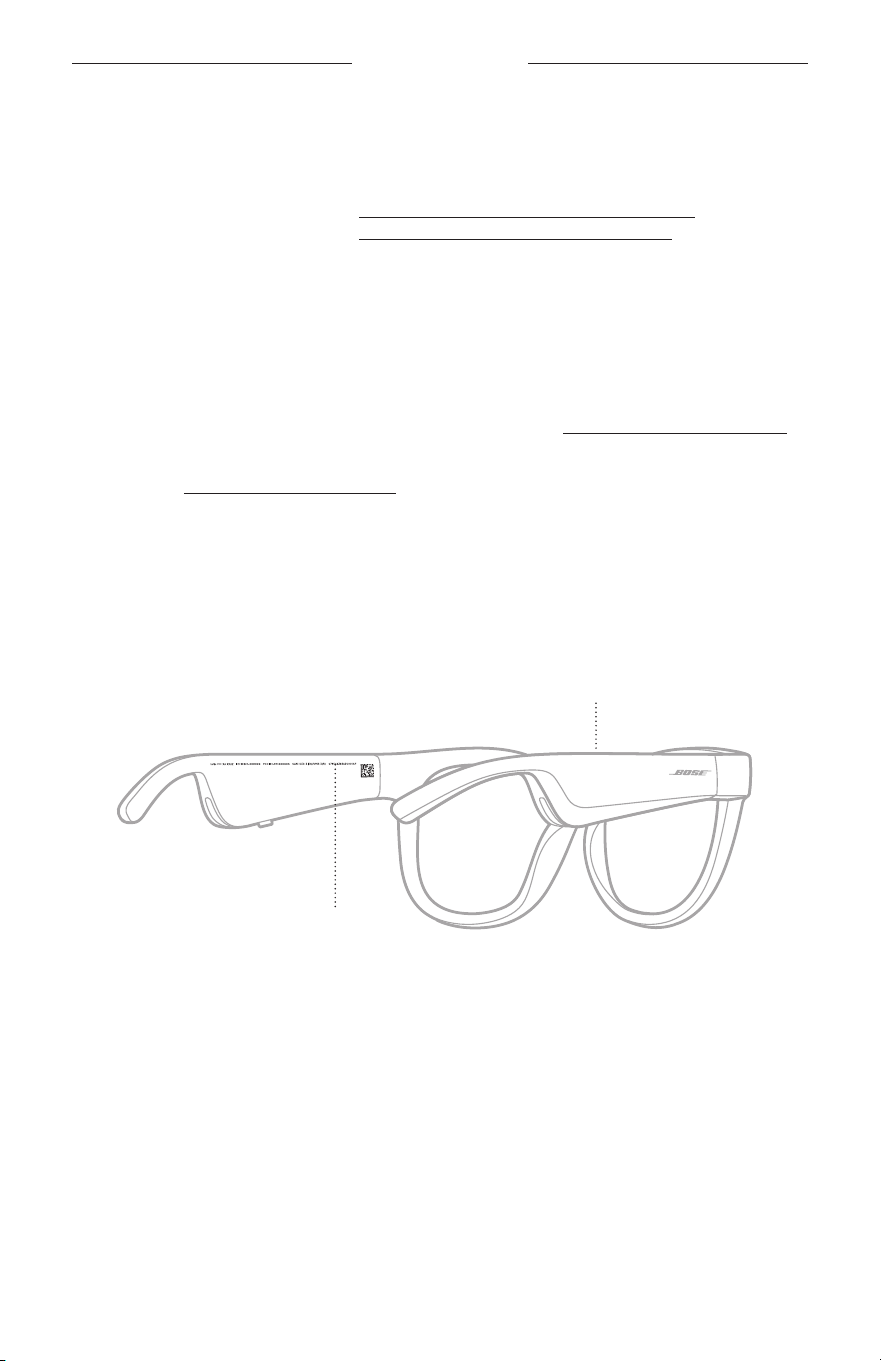
28
|
POL
KONSERWACJA
CZĘŚCI ZAMIENNE IAKCESORIA
Części zamienne iakcesoria można zamówić wDziale Obsługi Klientów firmy Bose.
Skorzystaj zwitryny internetowej worldwide.Bose.com/Support/Soprano
worldwide.Bose.com/Support/Tenor
UWAGA: Abyuzyskać więcej informacji natemat wymiany szkieł okularowych,
skorzystaj zinstrukcji dostarczonych razem zeszkłami.
OGRANICZONA GWARANCJA
Okulary są objęte ograniczoną gwarancją. Abyuzyskać informacje dotyczące
ograniczonej gwarancji, skorzystajzwitryny internetowej global.Bose.com/warranty.
Abyuzyskać instrukcje dotyczące rejestrowania produktów, skorzystajzwitryny
internetowej global.Bose.com/register. Rezygnacja zrejestracji niewpływa
nauprawnienia wynikające zograniczonej gwarancji.
POŁOŻENIE NUMERU MODELU/REFERENCYJNEGO
Numer seryjny znajduje się nawewnętrznej stronie lewego zausznika okularów,
anumer modelu/referencyjny znajduje się nawewnętrznej stronie prawego zausznika.
Numer seryjny
Numer modelu/referencyjny

29
|
POL
ROZWIĄZYWANIE PROBLEMÓW
PODSTAWOWE ZALECENIA
Wprzypadku problemów zokularami wykonaj następujące czynności:
• Włącz zasilanie okularów (zob.str.16).
• Podłącz zasilane okularów nadwie sekundy, anastępnie odłącz zasilanie
(zob.str.21).
• Naładuj baterię (zob.str.21).
• Sprawdź wskaźniki stanu (zob.str.22).
• Upewnijsię, żeurządzenie przenośne obsługuje połączenia Bluetooth.
• Pobierz aplikację Bose Music izainstaluj dostępne aktualizacje oprogramowania.
• Zwiększ poziom głośności okularów, urządzenia przenośnego i/lubaplikacji
odtwarzającej audio/ strumieniującej.
• Podłącz inne urządzenie przenośne (zob.str.24).
INNE ROZWIĄZANIA
Jeżelipodstawowe zalecenia nieumożliwiają rozwiązania problemu,
skorzystajzponiższej tabeli zawierającej informacje dotyczące typowych problemów
isposobów ich rozwiązania. Jeżeliniemożna rozwiązać problemu, skontaktuj się
zDziałem Obsługi Klientów firmy Bose.
Skorzystaj zwitryny internetowej worldwide.Bose.com/Contact.
PROBLEM ROZWIĄZANIA
Niemożna ustanowić
połączenia okularów
zurządzeniem
przenośnym
Naurządzeniu:
• Wyłącz funkcję Bluetooth iwłącz jąponownie.
• Usuń okulary zlisty Bluetooth naurządzeniu.
Ustanówpołączenie ponownie (zob.str.24).
Zmniejsz odległość między urządzeniem aokularami izwiększ
odległość odźródeł zakłóceń lubprzeszkód.
Podłącz inne urządzenie przenośne (zob.str.24).
Abyobejrzeć filmy instruktażowe, skorzystaj zwitryny
internetowej worldwide.Bose.com/Support/Tenor lub
worldwide.Bose.com/Support/Soprano.
Wyczyść listę urządzeń wokularach (zob.str.25).
Ustanówpołączenie ponownie.
Aplikacja Bose Music
niedziała naurządzeniu
Upewnijsię, żeaplikacja Bose Music jest zgodna zurządzeniem.
Odinstaluj aplikację Bose Music naurządzeniu, anastępnie
zainstaluj jąponownie (zob.str.14).
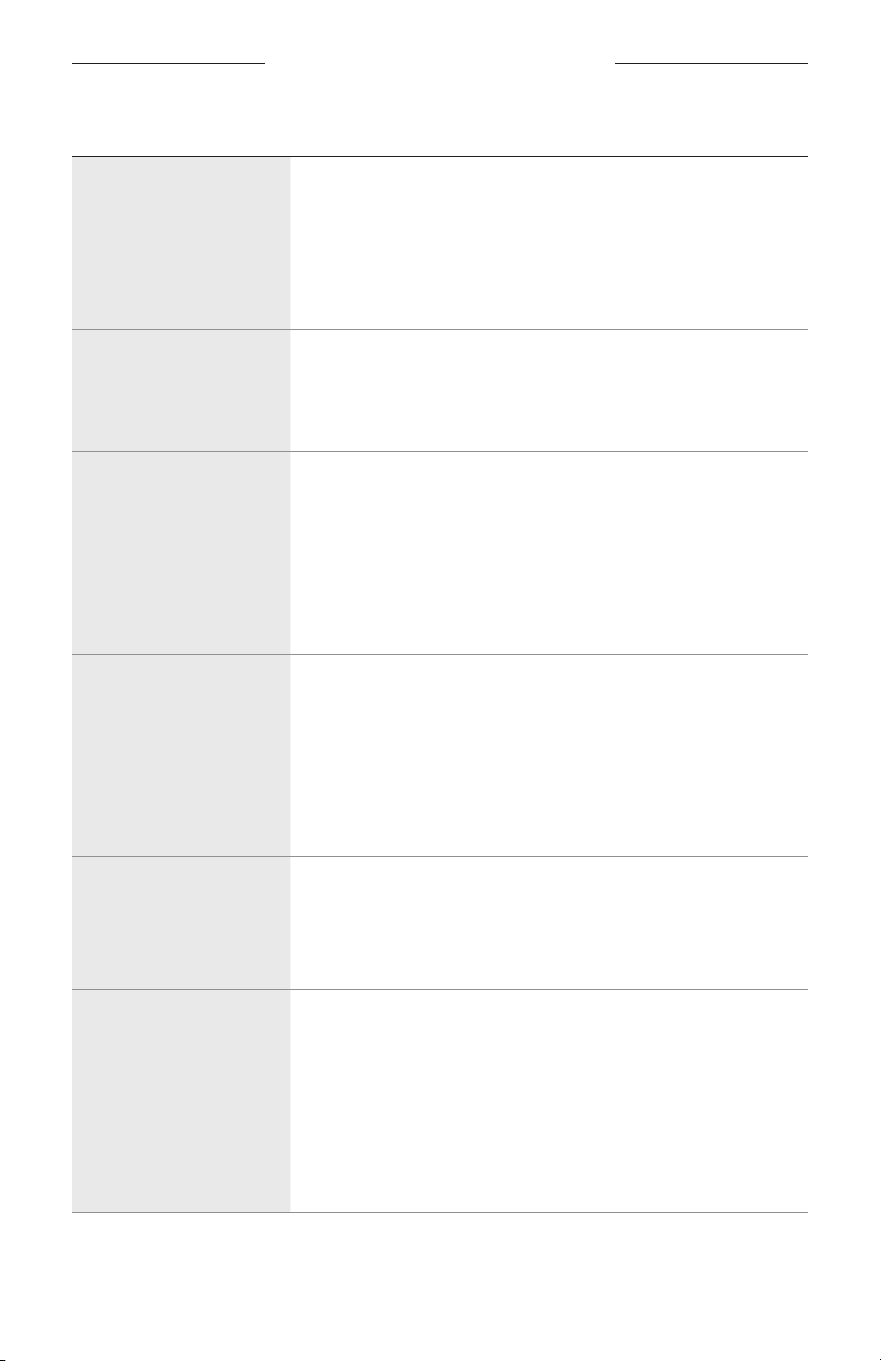
30
|
POL
ROZWIĄZYWANIE PROBLEMÓW
PROBLEM ROZWIĄZANIA
Aplikacja Bose Music
niewykrywa okularów
Włącz zasilanie okularów (zob.str.16).
Naciśnij przycisk naprawym zauszniku okularów iprzytrzymaj
godochwili, gdyusłyszysz komunikat ogotowości dopołączenia
(Ready toconnect) lubniebieski wskaźnik stanu zacznie migać.
Zainstaluj dostępne aktualizacje oprogramowania waplikacji
Bose Music.
Przerwy połączenia
Bluetooth
Wyczyść listę urządzeń wokularach (zob.str.25).
Ustanówpołączenie ponownie (zob.str.24).
Zmniejsz odległość między urządzeniem przenośnym
aokularami.
Brak dźwięku
Naciśnij przycisk odtwarzania naurządzeniu przenośnym,
abyupewnićsię, żeaudio jest odtwarzane.
Zmniejsz odległość między urządzeniem aokularami izwiększ
odległość odźródeł zakłóceń lubprzeszkód utrudniających
łączność.
Użyj innego źródła muzyki.
Ustanów połączenie zinnym urządzeniem (zob.str.24).
Niska jakość dźwięku
Użyj innego źródła muzyki.
Podłącz inne urządzenie przenośne.
Zmniejsz odległość między urządzeniem aokularami izwiększ
odległość odźródeł zakłóceń lubprzeszkód utrudniających
łączność.
Wyłącz wszystkie funkcje ulepszania dźwięku wurządzeniu
iaplikacji odtwarzającej audio/strumieniującej.
Mikrofon
nieodbieradźwięku
Upewnij się, żeotwór mikrofonu naprawym zauszniku niejest
zasłonięty.
Wykonaj inne połączenie telefoniczne.
Użyj innego zgodnego urządzenia.
Bateria okularów
niejest ładowana
Upewnij się, żewtyk przewodu doładowania jest ustawiony
zgodnie zezłączem ładowania wokularach imagnetycznie
zablokowany wodpowiednim położeniu.
Prawidłowo podłącz oba wtyki przewodu doładowania.
Jeżeliokulary były narażone nadziałanie wysokiej lubniskiej
temperatury, poczekaj naprzywrócenie temperatury pokojowej
okularów, anastępnie spróbuj ponownie rozpocząć ładowanie.
Użyj innej ładowarki USB.
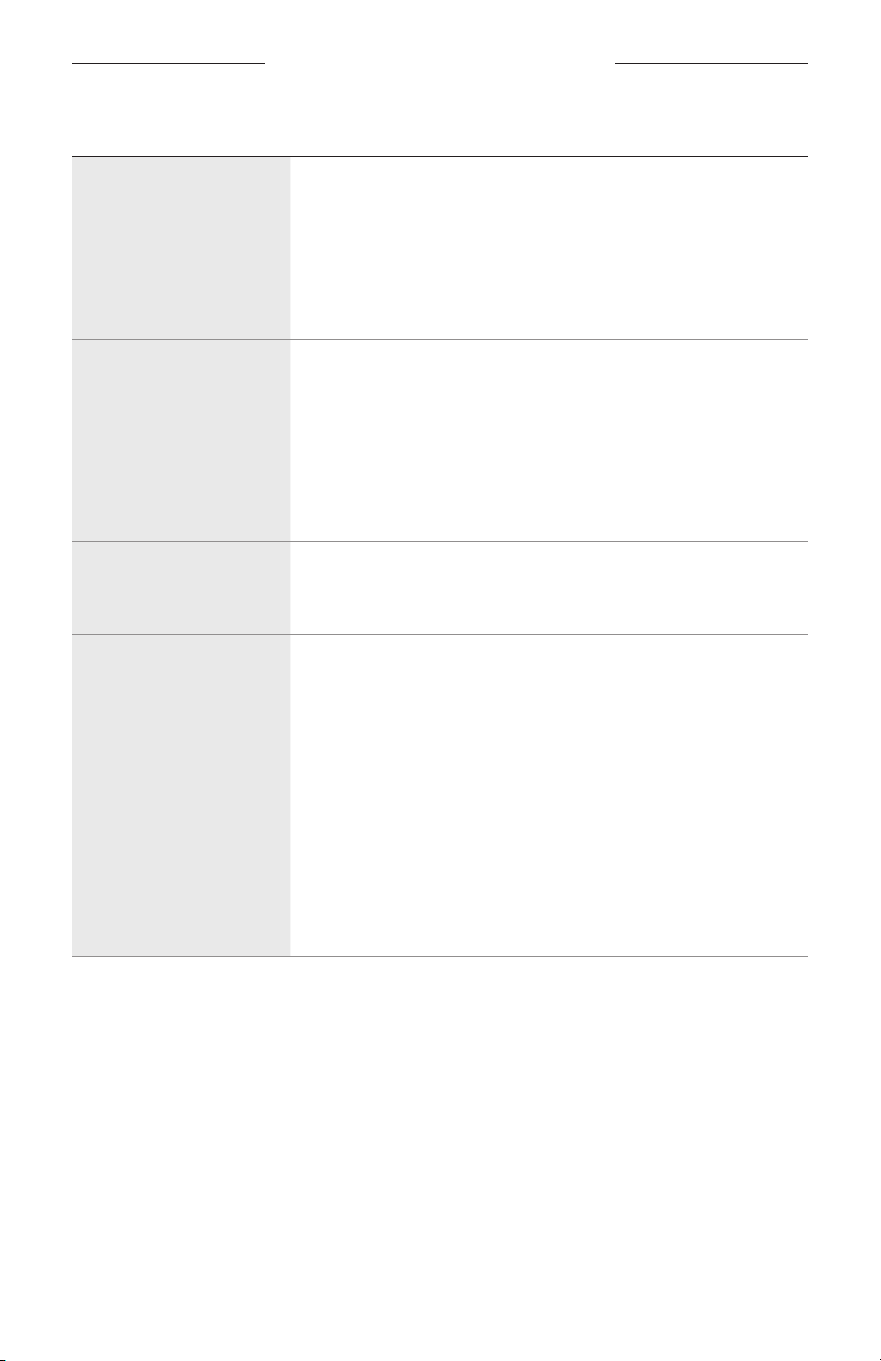
ROZWIĄZYWANIE PROBLEMÓW
31
|
POL
PROBLEM ROZWIĄZANIA
Okulary niereagują
nasterowanie dotykowe
Upewnijsię, żedotykasz panelu dotykowego (zob.str.18).
Upewnijsię, żeTwoje dłonie są suche.
JeżeliTwoje włosy są mokre, upewnijsię, żeniepowodują one
uaktywniania panelu dotykowego.
Jeżelinosisz rękawice, zdejmij jeprzed dotknięciem panelu
dotykowego.
Niemożna dostosować
głośności
Upewnijsię, żeprzesuwasz palec napanelu dotykowym
(zob.str.18).
Upewnijsię, żeTwoje dłonie są suche.
JeżeliTwoje włosy są mokre, upewnijsię, żeniepowodują one
uaktywniania panelu dotykowego.
Jeżelinosisz rękawice, zdejmij jeprzed dotknięciem panelu
dotykowego.
Niemożna korzystać
zelementów doobsługi
połączeń telefonicznych
Zainstaluj dostępne aktualizacje oprogramowania waplikacji
Bose Music.
Urządzenie niereaguje
nanaciśnięcie przycisku
Zainstaluj dostępne aktualizacje oprogramowania waplikacji
Bose Music.
Wprzypadku funkcji wymagających kilku naciśnięć przycisku
zmień szybkość naciskania przycisku.
Upewnij się, żeaplikacja muzyczna obsługuje daną funkcję.
Wyłącz zasilanie okularów, anastępnie włącz jeponownie.
Naurządzeniu:
• Wyłącz funkcję Bluetooth iwłącz jąponownie.
• Usuń okulary zlisty Bluetooth naurządzeniu. Ustanów
połączenie ponownie (zob.str.24).
Użyj innego zgodnego urządzenia.
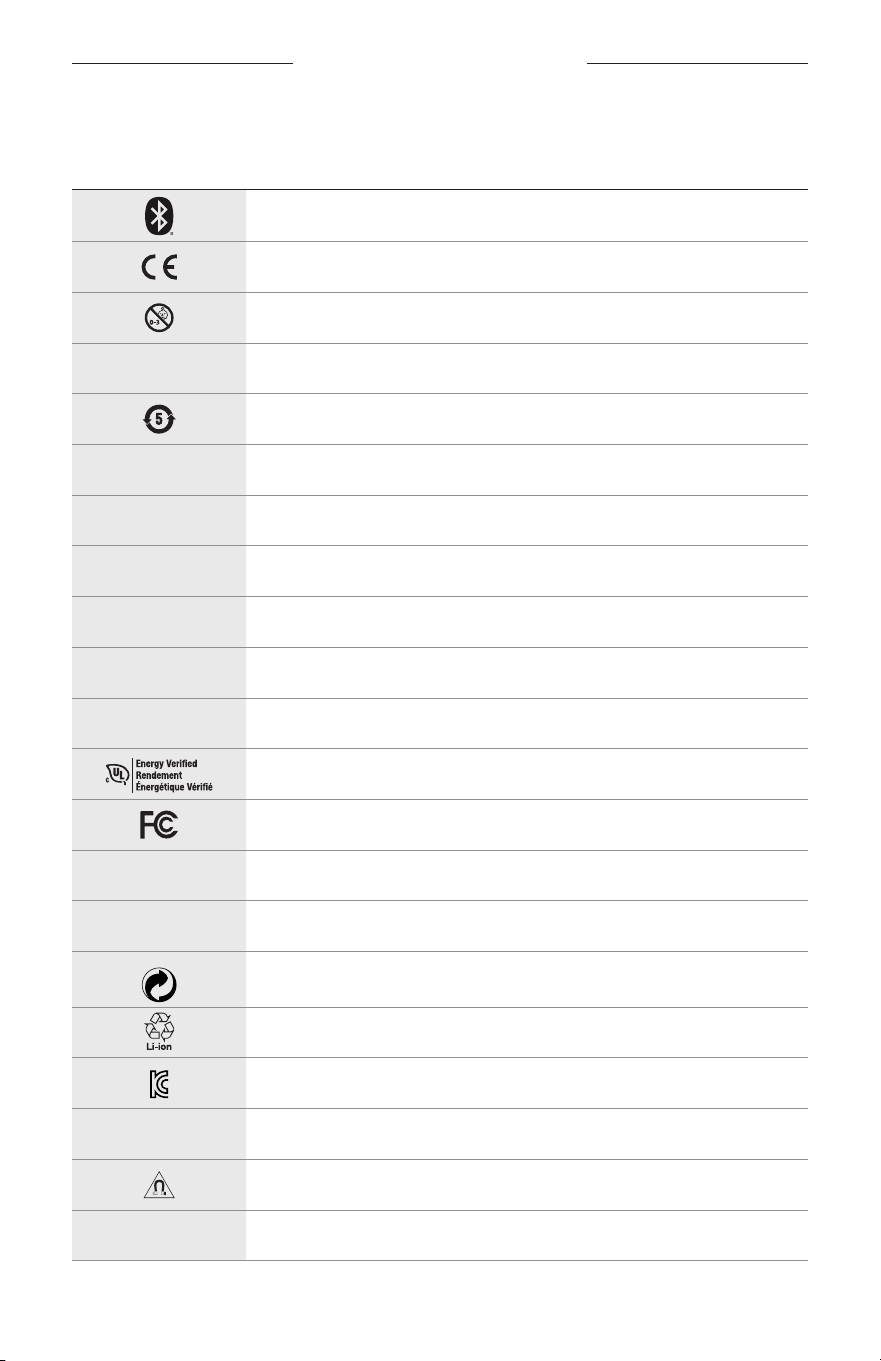
32
|
POL
SYMBOLE NAETYKIETACH
SYMBOLE IOPISY
SYMBOL OPIS
Bluetooth
Znak certyfikatu CE
Ryzyko zadławienia
h
Numer katalogowy
Bateria zcertyfikatem ROHS (Chiny)
w
Obsługa klientów
N
Data produkcji
X
Dokumentacja
L
Nieużywać wprzypadku uszkodzenia pakietu
C
Niezawiera lateksu
s
Materiały dopobrania
Weryfikacja wydajności energetycznej
Certyfikat komisji FCC
o
Forum
h
Bardzo dobra ochrona przed intensywny światłem słonecznym
Symbol znaku towarowego Green Dot
Recykling baterii (Japonia)
Certyfikat KCC
p
Chronić przed wilgocią
Zakłócenia magnetyczne
M
Producent
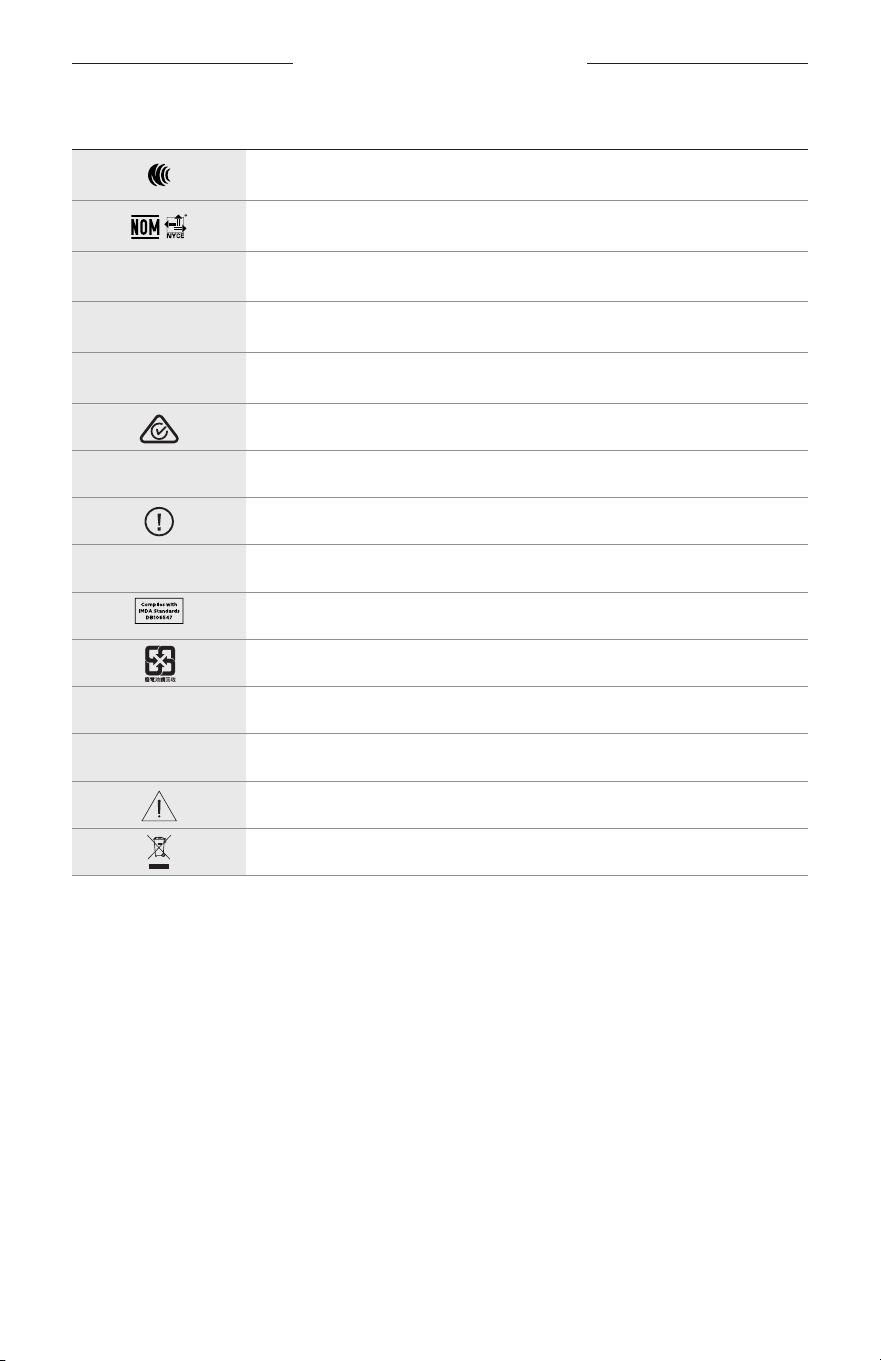
SYMBOLE NAETYKIETACH
33
|
POL
SYMBOL OPIS
Certyfikat NCC
Certyfikat NOM NYCE
d
Produkt niesterylny
I
PRODUKT NIEPOWINIEN BYĆ UŻYWANY PODCZAS PROWADZENIA
POJAZDÓW OŚWICIE/ZMIERZCHU LUBWNOCY.
m
Telefon
Znak zgodności zprzepisami
A
Należy skorzystać zinstrukcji obsługi
Informacje dotyczące zabezpieczeń
f
Numer seryjny
Zgodność zprzepisami IMDA (Singapur)
Recykling baterii (Tajwan)
l
Dopuszczalny zakres temperatur
W
Klipy wideo
Ostrzeżenia/przestrogi
Symbol dyrektywy dotyczącej zużytego sprzętu elektrycznego
ielektronicznego
VIKTIGA SÄKERHETSANVISNINGAR
2
|
SWE
Anvisning om användning
Solglasögon (receptfria) är enheter som består av glasögonbågar eller clip-ons med absorberande, reflekterande,
tonade, polariserande eller fotosensibiliserade linser som bärs för att skydda ögonen från starkt solljus, men inte för
att korrigera brytningsfel. Denna enhet säljs över disk.
A
Se instruktioner för användning.
Läs igenom och spara alla anvisningar om skydd, säkerhet och användning.
Viktiga säkerhetsanvisningar
Härmed förklarar Bose Corporation att denna produkt i alla väsentliga avseenden uppfyller de krav och
föreskrifter som uppställts enligt direktivet 2014/53/EG och andra tillämpliga EG-direktiv. En komplett
försäkran om överensstämmelse finns på www.Bose.com/compliance
1. Läs de här anvisningarna.
2. Behåll anvisningarna.
3. Ge akt på alla varningar.
4. Följ alla anvisningar.
5. Använd inte produkten i närheten av vatten.
6. Rengör endast med en torr trasa.
7. Använd bara den utrustning/de tillbehör som rekommenderas av tillverkaren.
8. Koppla bort produkten från eluttaget när åskan går eller om den inte ska användas under en längre period.
9. Låt utbildad personal utföra all service. Underhåll krävs när apparaten skadats på något sätt, t.ex. om elkabel
eller kontakt har skadats, vätska har spillts i apparaten eller främmande föremål har hamnat i den, om apparaten
har utsatts för regn eller fukt, om apparaten inte fungerar felfritt eller har tappats.
VARNINGAR/TÄNK PÅ
• Använd INTE bågarna med hög volym under en längre tidsperiod.
– Du undviker hörselskador om du använder bågarna med en bekväm och måttligt hög ljudnivå.
– Skruva ned volymen på enheten innan du använder bågarna eller placerar dem intill öronen. Skruva sedan upp
volymen stegvis tills den når en behaglig nivå.
• Var försiktig när du kör bil och följ gällande lagar angående användning av mobiltelefoner.
• Fokusera på din och andras säkerhet om du använder bågarna när du ägnar dig åt aktiviteter som kräver hela din
uppmärksamhet, till exempel när du cyklar eller promenerar i trafiken, vid en byggarbetsplats eller vid en järnväg.
Ta av dig bågarna så att du hör ljudet från omgivningen, inklusive larm och varningssignaler.
• Använd INTE bågarna om de utsänder högt, onormalt ljud. Om detta händer ska du stänga av bågarna och kontakta
Boses kundtjänst.
• Sänk INTE ned bågarna i vatten och utsätt dem inte för väta under någon längre period eller ha dem på dig när du
utövar vattensporter, till exempel när du simmar, åker vattenskidor eller surfar.
• Ta omedelbart av och koppla från bågarna om du märker att de blir varma eller att ljudet försvinner.

VIKTIGA SÄKERHETSANVISNINGAR
3
|
SWE
Produkten innehåller små delar som kan orsaka kvävning. Inte lämplig för barn under 3 år.
Produkten innehåller magnetiska material. Konsultera en läkare för att ta reda på om detta kan påverka
implantat av medicinsk enhet.
• För att minska risken för brand och elektriska stötar ska du INTE utsätta produkten för regn, vätska eller fukt.
• Utsätt INTE produkten för väta och placera inga föremål, som exempelvis vaser fyllda med vatten, på eller i dess närhet.
• Se till att produkten inte kommer i närheten av öppen eld eller heta värmekällor. Tända ljus eller andra föremål med
öppna lågor får INTE placeras på eller i närheten av produkten.
• Gör INGA obehöriga ändringar av produkten.
• Använd endast produkten med en godkänd nätadapter som uppfyller lokala bestämmelser (till exempel UL, CSA,
VDE eller CCC).
• Utsätt inte produkter som innehåller batterier för höga temperaturer (t.ex. från direkt solljus, öppen eld eller liknande)
• Använd INTE bågarna medan de laddas.
• Använd den medföljande trasan eller en torr trasa för att torka av linsernas båda sidor och alla delar av bågarna
efter varje användning.
FÖRORDNINGAR OCH JURIDISK INFORMATION
4
|
SWE
OBS! Den här utrustningen har testats och befunnits överensstämma med gränsvärdena för digitala enheter enligt
klass B, i enlighet med del 15 i FCC:s bestämmelser. Gränsvärdena är avsedda att ge rimligt skydd mot skadliga
störningar vid installation i bostäder. Den här utrustningen genererar, använder och kan avge radiofrekvensenergi,
och om utrustningen inte installeras och används i enlighet med anvisningarna kan den orsaka skadliga störningar i
samband med radiokommunikation. Det ges dock ingen garanti för att det inte kan förekomma skadliga störningar
i en viss installation. Om den här utrustningen stör mottagningen i en radio- eller TV-apparat (vilket kan fastställas
genom att utrustningen stängs av och sätts på) rekommenderar vi att du försöker motverka störningen genom att
vidta en eller flera av följande åtgärder:
• Rikta om eller flytta mottagningsantennen.
• Öka avståndet mellan utrustningen och mottagaren.
• Anslut utrustningen till ett vägguttag i en annan strömkrets än den som mottagaren är ansluten till.
• Vänd dig till din återförsäljare eller en erfaren radio-/tv-reparatör för att få hjälp.
Om utrustningen ändras eller modifieras på något sätt, som inte uttryckligen har godkänts av Bose Corporation,
kandetta medföra att användarens rätt att använda produkten upphävs.
Denna enhet uppfyller del 15 i FCC-bestämmelserna och licensundantaget i ISED Canada angående RSS-standarder.
Följande två villkor ställs för användningen: (1) Enheten får inte orsaka skadliga störningar och (2) enheten måste tåla
alla former av störningar som den tar emot, inklusive störningar som kan orsaka oönskad drift av enheten.
Denna enhet uppfyller FCC- och ISED Canada-bestämmelserna angående gränsvärden som är uppställda för
strålningsexponering för produkter för generella användningsområden. Sändaren får inte sammankopplas eller
användas tillsammans med någon annan antenn eller sändare.
CAN ICES-3(B)/NMB-3(B)
PPE-förordning (EU) 2016/425
Hanteringsregler för radiofrekvensenheter med låg effekt
Artikel XII
I enlighet med ”Hanteringsregler för radiofrekvensenheter med låg effekt” och utan tillstånd beviljat av NCC,
ärföretag, organisationer eller användare inte tillåtna att ändra frekvensen, förstärka överföringsstyrkan eller ändra
ursprungliga egenskaper och prestanda för en godkänd radiofrekvensenhet med låg effekt.
Artikel XIV
Radiofrekvensenheter med låg effekt får inte påverka flygsäkerheten eller störa annan legal kommunikation.
Omdetta uppmärksammas ska användaren omedelbart upphöra med att använda enheten tills det inte finns någon
risk för sådana störningar. Med nämnda legala kommunikationer avses radiokommunikationer som sker i enlighet
med gällande telekommunikationslagstiftning.
Radiofrekvensenheter med låg effekt måste vara mottagliga för störningar från legala kommunikationer och enheter
som sänder ut ISM-radiovågor.
För Europa:
Frekvensband användning: 2400 till 2483,5 MHz.
Maximal överföringsstyrka mindre än 20 dBm EIRP.
Maximal överföringsstyrka är mindre än lagstadgade gränser vilket gör att SAR-testning inte är nödvändig och
undantagen per gällande bestämmelser.
Den här symbolen betyder att produkten inte ska kastas med hushållssoporna utan återvinnas i enlighet med
lokala bestämmelser. Rätt deponering och återvinning hjälper till att skydda våra naturresurser, vår hälsa och
miljö. Mer information om deponering och återvinning av produkten får du om du kontaktar lokala
myndigheter, deponeringscentraler eller affären där du köpte produkten.
Försök INTE ta ut det uppladdningsbara litiumbatteriet ur produkten. Kontakta en Bose-återförsäljare eller en
kvalificerad tekniker om det behöver tas ur.
Tänk på att lämna in gamla batterier för återvinning enligt lokala föreskrifter. Elda inte upp batterier.
Antal: 1 EA
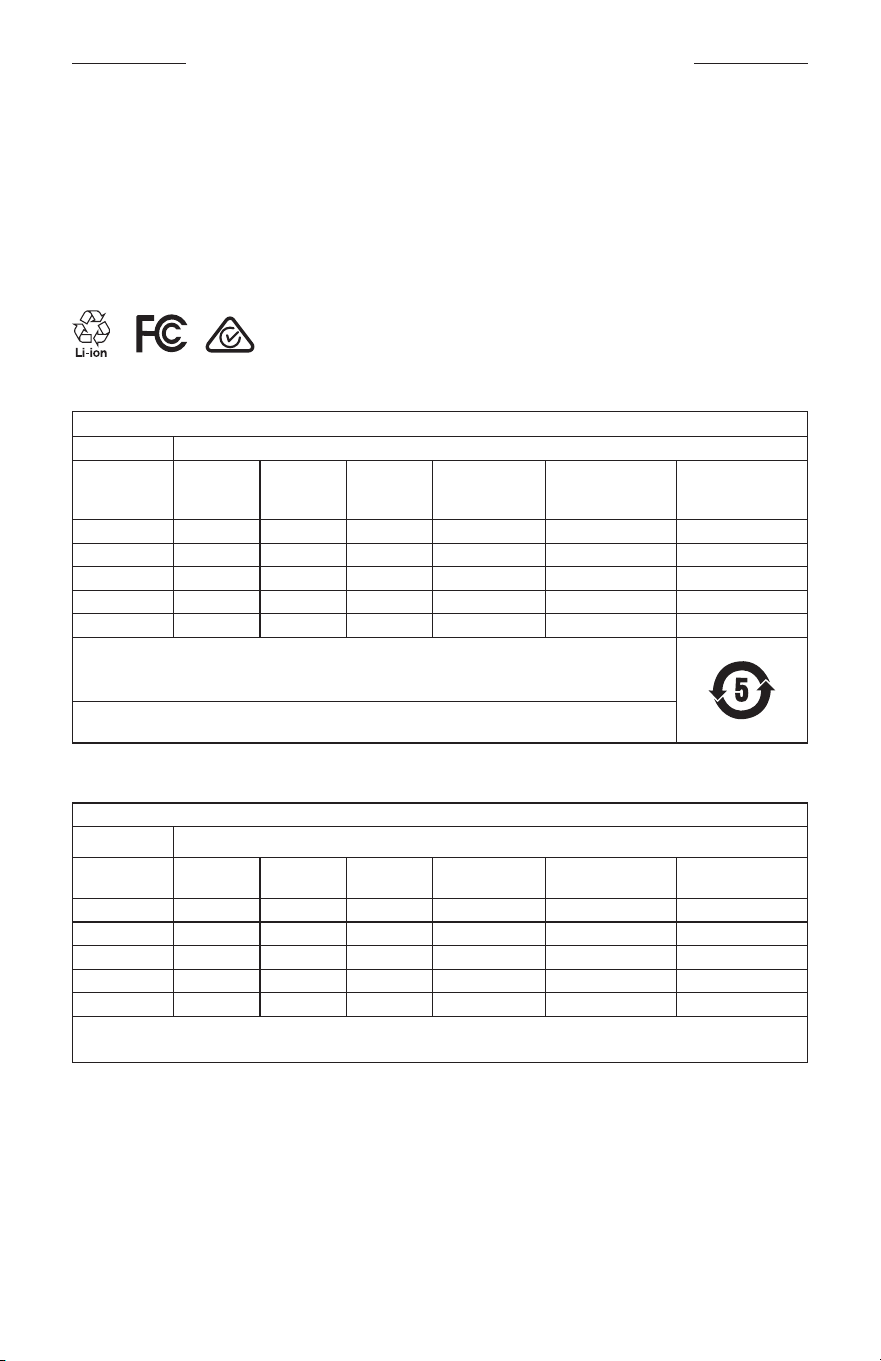
FÖRORDNINGAR OCH JURIDISK INFORMATION
5
|
SWE
M
Tillverkad för: Bose Corporation, 100 The Mountain Road, Framingham, MA 01701
L
Använd inte om förpackningen är skadad.
C
Produkten innehåller inte latex av naturgummi.
d
Produkten är inte steril vid leverans.
p
l
+45 C
0 C
Tabell över farliga föremål som kontrolleras i Kina
Namn och innehåll på giftiga eller farliga ämnen eller delar
Giftiga eller farliga ämnen och delar
Namn
Bly
(Pb)
Kvicksilver
(Hg)
Kadmium
(Cd)
Sexvärt krom
(CR(VI))
Polybromerade
bifenyler (PBB)
Polybromerad
difenyleter
(PBDE)
PCB:er X O O O O O
Metall X O O O O O
Plast O O O O O O
Högtalare X O O O O O
Kablar X O O O O O
Den här tabellen är uppställd i enlighet med bestämmelserna i SJ/T 11364.
O: Anger att detta giftiga eller farliga ämne som ingår i alla homogena material i den här artikeln ligger
under gränsvärdena uppställda i GB/T 26572.
X: Anger att detta giftiga eller farliga ämne som ingår i minst ett av de homogena materialen i den här
artikeln ligger över gränsvärdena uppställda i GB/T 26572.
Tabell över farliga föremål som kontrolleras i Taiwan
Utrustningens namn: Aktiv högtalare, typtilldelning: 433948
Begränsade ämnen och dess kemiska beteckningar
Enhet Bly (Pb)
Kvicksilver
(Hg)
Kadmium
(Cd)
Sexvärt krom
(Cr+6)
Polybromerade
bifenyler (PBB)
Polybromerade
difenyletrar (PBDE)
PCB:er
- ○ ○ ○ ○ ○
Metalldelar
- ○ ○ ○ ○ ○
Plastdelar
○ ○ ○ ○ ○ ○
Högtalare
- ○ ○ ○ ○ ○
Kablar
- ○ ○ ○ ○ ○
Obs 1!
”○” anger att det procentuella innehållet i det begränsade ämnet inte överstiger referensvärdet.
Obs 2! Med ”−” anges att den begränsade substansen motsvarar undantaget.

FÖRORDNINGAR OCH JURIDISK INFORMATION
6
|
SWE
Denna produkt följer ANSI Z80.3, AS/NZS 1067.1 och EN ISO 12312-1.
Att använda tonade glasögon vid bilkörning nattetid rekommenderas inte.
I
INTE LÄMPLIGA FÖR KÖRNING NÄR DET SKYMMAR ELLER NATTETID. INTE LÄMPLIGA FÖR KÖRNING
NATTETID ELLER VID SKUM BELYSNING.
Denna produkt är utformad för att blockera mer än 99 % UVA- och UVB-strålar. Denna produkt följer ANSI Z80.3.
Endast linser som godkänts av Bose bör användas med Frames Soprano- och Frames Tenor-produkter.
Inte lämpade för att titta direkt mot solen.
Skyddar inte mot artificiella ljuskällor, t.ex. solarium.
Inte till för att användas som skydd mot mekanisk påverkan.
Förvara produkten i det medföljande fodralet när den inte används.
EU-FILTERKATEGORI: ISO12312-1 CAT. 3
AUSTRALIENSISK LINSKATEGORI: 1067.1 CAT. 3
h
De här solglasögonen ger bländskydd på hög nivå och bra UV-skydd.
UV-skydd: UV 380 cut
Fyll i uppgifterna och spara dem för senare bruk
Bågarnas serienummer är placerat vid insidan av vänster skalm och modell-/referensnumret på insidan av höger skalm.
Serienummer: ____________________________________________________________________
Modellnummer: ___________________________________________________________________
Förvara kvittot tillsammans med bruksanvisningen. Det är nu dags att registrera Bose-produkten.
Dugördetenklast genom att besöka webbplatsen global.Bose.com/register
N
Tillverkningsdatum: Den åttonde siffran i serienumret visar tillverkningsåret; ”0” är 2010 eller 2020.
Kinaimportör: Bose Electronics (Shanghai) Company Limited, Part C, Plant 9, No. 353 North Riying Road,
China(Shanghai) Pilot Free Trade Zone
EU-importör: Bose Products B.V., Gorslaan 60, 1441 RG Purmerend, Nederländerna
Taiwanimportör: Bose Taiwan Branch, 9F-A1, No.10, Section 3, Minsheng East Road, Taipei City 104, telefonnummer
Taiwan: +886-2-2514 7676
Mexikoimportör: Bose de México, S. de R.L. de C.V., Paseo de las Palmas 405-204, Lomas de Chapultepec,
11000México, D.F. Telefonnummer: +5255 (5202) 3545
Indata: 5 V p 500 mA
CMIIT ID finns på den högra främre skalmen.
h
BMD0011
FÖRORDNINGAR OCH JURIDISK INFORMATION
7
|
SWE
Säkerhetsinformation
Denna produkt kan ta emot säkerhetsuppdateringar automatiskt från Bose när den är ansluten till
BoseMusic-appen. För att ta emot säkerhetsuppdateringar via mobilappen måste du slutföra
produktinstallationen i Bose Music-appen. Om du inte slutför installationen blir du ansvarig för att
installera säkerhetsuppdateringar som Bose gör tillgängliga via btu.bose.com
Apple, Apple-logotypen, iPad, iPhone, iPod och Siri är varumärken som tillhör Apple Inc. i USA och i andra länder.
Varumärket “iPhone” används i Japan under licens från Aiphone K.K. App Store är ett tjänstemärke som tillhör Apple Inc.
Användning av Made for Apple-symbolen betyder att ett tillbehör har tillverkats speciellt för anslutning till
Apple-produkter identifierade i symbolen, och att de har certifierats av producenten samt att de uppfyller
Apple-prestandastandarder. Apple ansvarar inte för hur enheten fungerar eller att den är kompatibel med
säkerhetsstandarder och andra standarder.
Namnet Bluetooth® och logotyperna är registrerade varumärken som tillhör Bluetooth SIG, Inc., och all användning av
sådana märken från Bose Corporation sker under licens.
Google och Google Play är varumärken som tillhör Google LLC.
Bose, Bose Frames och Bose Music är varumärken som tillhör Bose Corporation.
Bose Corporations huvudkontor: 1-877-230-5639
©2020 Bose Corporation. Ingen del av detta dokument får återges, modifieras, distribueras eller användas på något
annat sätt utan föregående skriftlig tillåtelse.

8
|
SWE
The following license disclosures apply to certain third-party software packages used as components in the product.
Package: Nanopb
Copyright © 2011 Petteri Aimonen <jpa at nanopb.mail.kapsi.fi>. The Nanopb package is subject to the license terms
reprinted below.
Zlib license
© 2011 Petteri Aimonen <jpa at nanopb.mail.kapsi.fi>
This software is provided ‘as-is’, without any express or implied warranty. In no event will the authors be held liable
for any damages arising from the use of this software.
Permission is granted to anyone to use this software for any purpose, including commercial applications, and to alter
it and redistribute it freely, subject to the following restrictions:
1. The origin of this software must not be misrepresented; you must not claim that you wrote the original software.
If you use this software in a product, an acknowledgment in the product documentation would be appreciated
but is not required.
2. Altered source versions must be plainly marked as such, and must not be misrepresented as being the
original software.
3. This notice may not be removed or altered from any source distribution.
Package: Mbed TLS 2.16.1
© ARM Limited. All rights reserved. The Mbed TLS package is subject to the license terms reprinted below.
Apache 2.0 License
Apache License
Version 2.0, January 2004
http://www.apache.org/licenses/
TERMS AND CONDITIONS FOR USE, REPRODUCTION, AND DISTRIBUTION
1. Definitions.
“License” shall mean the terms and conditions for use, reproduction, and distribution as defined by Sections 1
through 9 of this document.
“Licensor” shall mean the copyright owner or entity authorized by the copyright owner that is granting
the License.
“Legal Entity” shall mean the union of the acting entity and all other entities that control, are controlled by, or
are under common control with that entity. For the purposes of this definition, “control” means (i) the power,
direct or indirect, to cause the direction or management of such entity, whether by contract or otherwise, or (ii)
ownership of fifty percent (50%) or more of the outstanding shares, or (iii) beneficial ownership of such entity.
“You” (or “Your”) shall mean an individual or Legal Entity exercising permissions granted by this License.
“Source” form shall mean the preferred form for making modifications, including but not limited to software
source code, documentation source, and configuration files.
“Object” form shall mean any form resulting from mechanical transformation or translation of a Source form,
including but not limited to compiled object code, generated documentation, and conversions to other
media types.
“Work” shall mean the work of authorship, whether in Source or Object form, made available under the License,
as indicated by a copyright notice that is included in or attached to the work (an example is provided in the
Appendix below).
“Derivative Works” shall mean any work, whether in Source or Object form, that is based on (or derived from)
the Work and for which the editorial revisions, annotations, elaborations, or other modifications represent, as a
whole, an original work of authorship. For the purposes of this License, Derivative Works shall not include works
that remain separable from, or merely link (or bind by name) to the interfaces of, the Work and Derivative
Works thereof.
LICENSINFORMATION

9
|
SWE
LICENSINFORMATION
“Contribution” shall mean any work of authorship, including the original version of the Work and any
modifications or additions to that Work or Derivative Works thereof, that is intentionally submitted to Licensor
for inclusion in the Work by the copyright owner or by an individual or Legal Entity authorized to submit on
behalf of the copyright owner. For the purposes of this definition, “submitted” means any form of electronic,
verbal, or written communication sent to the Licensor or its representatives, including but not limited to
communication on electronic mailing lists, source code control systems, and issue tracking systems that are
managed by, or on behalf of, the Licensor for the purpose of discussing and improving the Work, but excluding
communication that is conspicuously marked or otherwise designated in writing by the copyright owner as “Not
a Contribution.”
“Contributor” shall mean Licensor and any individual or Legal Entity on behalf of whom a Contribution has been
received by Licensor and subsequently incorporated within the Work.
2. Grant of Copyright License. Subject to the terms and conditions of this License, each Contributor hereby grants
to You a perpetual, worldwide, non-exclusive, no-charge, royalty-free, irrevocable copyright license to reproduce,
prepare Derivative Works of, publicly display, publicly perform, sublicense, and distribute the Work and such
Derivative Works in Source or Object form.
3. Grant of Patent License. Subject to the terms and conditions of this License, each Contributor hereby grants to
You a perpetual, worldwide, non-exclusive, no-charge, royalty-free, irrevocable (except as stated in this section)
patent license to make, have made, use, oer to sell, sell, import, and otherwise transfer the Work, where such
license applies only to those patent claims licensable by such Contributor that are necessarily infringed by their
Contribution(s) alone or by combination of their Contribution(s) with the Work to which such Contribution(s)
was submitted. If You institute patent litigation against any entity (including a cross-claim or counterclaim in a
lawsuit) alleging that the Work or a Contribution incorporated within the Work constitutes direct or contributory
patent infringement, then any patent licenses granted to You under this License for that Work shall terminate as
of the date such litigation is filed.
4. Redistribution. You may reproduce and distribute copies of the Work or Derivative Works thereof in any medium,
with or without modifications, and in Source or Object form, provided that You meet the following conditions:
a. You must give any other recipients of the Work or Derivative Works a copy of this License; and
b. You must cause any modified files to carry prominent notices stating that You changed the files; and
c. You must retain, in the Source form of any Derivative Works that You distribute, all copyright, patent,
trademark, and attribution notices from the Source form of the Work, excluding those notices that do not
pertain to any part of the Derivative Works; and
d. If the Work includes a “NOTICE” text file as part of its distribution, then any Derivative Works that You
distribute must include a readable copy of the attribution notices contained within such NOTICE file, excluding
those notices that do not pertain to any part of the Derivative Works, in at least one of the following places:
within a NOTICE text file distributed as part of the Derivative Works; within the Source form or
documentation, if provided along with the Derivative Works; or, within a display generated by the
Derivative Works, if and wherever such third-party notices normally appear. The contents of the NOTICE file
are for informational purposes only and do not modify the License. You may add Your own attribution notices
within Derivative Works that You distribute, alongside or as an addendum to the NOTICE text from the Work,
provided that such additional attribution notices cannot be construed as modifying the License.
You may add Your own copyright statement to Your modifications and may provide additional or dierent
license terms and conditions for use, reproduction, or distribution of Your modifications, or for any such
Derivative Works as a whole, provided Your use, reproduction, and distribution of the Work otherwise
complies with the conditions stated in this License.
5. Submission of Contributions. Unless You explicitly state otherwise, any Contribution intentionally submitted for
inclusion in the Work by You to the Licensor shall be under the terms and conditions of this License, without any
additional terms or conditions. Notwithstanding the above, nothing herein shall supersede or modify the terms
of any separate license agreement you may have executed with Licensor regarding such Contributions.
6. Trademarks. This License does not grant permission to use the trade names, trademarks, service marks, or
product names of the Licensor, except as required for reasonable and customary use in describing the origin of
the Work and reproducing the content of the NOTICE file.

10
|
SWE
LICENSINFORMATION
7. Disclaimer of Warranty. Unless required by applicable law or agreed to in writing, Licensor provides the Work
(and each Contributor provides its Contributions) on an “AS IS” BASIS, WITHOUT WARRANTIES OR CONDITIONS
OF ANY KIND, either express or implied, including, without limitation, any warranties or conditions of TITLE,
NON-INFRINGEMENT, MERCHANTABILITY, or FITNESS FOR A PARTICULAR PURPOSE. You are solely responsible
for determining the appropriateness of using or redistributing the Work and assume any risks associated with
Your exercise of permissions under this License.
8. Limitation of Liability. In no event and under no legal theory, whether in tort (including negligence), contract,
or otherwise, unless required by applicable law (such as deliberate and grossly negligent acts) or agreed to in
writing, shall any Contributor be liable to You for damages, including any direct, indirect, special, incidental,
or consequential damages of any character arising as a result of this License or out of the use or inability to
use the Work (including but not limited to damages for loss of goodwill, work stoppage, computer failure or
malfunction, or any and all other commercial damages or losses), even if such Contributor has been advised of
the possibility of such damages.
9. Accepting Warranty or Additional Liability. While redistributing the Work or Derivative Works thereof, You may
choose to oer, and charge a fee for, acceptance of support, warranty, indemnity, or other liability obligations
and/or rights consistent with this License. However, in accepting such obligations, You may act only on Your own
behalf and on Your sole responsibility, not on behalf of any other Contributor, and only if You agree to indemnify,
defend, and hold each Contributor harmless for any liability incurred by, or claims asserted against, such
Contributor by reason of your accepting any such warranty or additional liability.
END OF TERMS AND CONDITIONS
©2020 Bose Corporation
Licensed under the Apache License, Version 2.0 (the “License”); you may not use this file except in compliance with
the License.
You may obtain a copy of the License at: http://www.apache.org/licenses/LICENSE-2.0
Unless required by applicable law or agreed to in writing, software distributed under the License is distributed on an
“AS IS” BASIS, WITHOUT WARRANTIES OR CONDITIONS OF ANY KIND, either express or implied.
See the License for the specific language governing permissions and limitations under the License.

INNEHÅLL
11
|
SWE
VAD FINNS I FÖRPACKNINGEN
Innehåll ................................................................................................................................ 13
INSTALLATION AV BOSE MUSIC-APPEN
Ladda ner Bose Music-appen ..................................................................................... 14
Lägga till bågarna till ett befintligt konto ............................................................. 14
SVETT- OCH VÄDERTÅLIGA ................................................................................... 15
STRÖMFÖRSÖRJNING
Sätta på ............................................................................................................................... 16
Stänga av ........................................................................................................................... 17
Vänd för att stänga av .......................................................................................... 17
Automatisk avstängning med rörelsedetektor ........................................... 17
BÅGARNAS KONTROLLER
Mediauppspelning .......................................................................................................... 18
Volym ................................................................................................................................... 19
Öka volymen ............................................................................................................. 19
Minska volymen ....................................................................................................... 19
Telefonsamtal ................................................................................................................... 20
Samtalsaviseringar ................................................................................................. 20
Komma åt röstkontroller .............................................................................................. 20
BATTERI
Ladda bågarna ................................................................................................................. 21
Kontrollera bågarnas laddningsnivå ........................................................................ 21
Batteriaviseringar ................................................................................................... 21
Visa laddningsnivån ............................................................................................... 21

INNEHÅLL
12
|
SWE
BÅGARNAS STATUS
Anslutningsstatus för Bluetooth® .............................................................................. 22
Batteristatus ...................................................................................................................... 23
Felstatus ............................................................................................................................. 23
BLUETOOTH-ANSLUTNINGAR
Ansluta via Bluetooth-menyn på den mobilaenheten ..................................... 24
Koppla från en mobil enhet ........................................................................................ 25
Återansluta en mobil enhet ......................................................................................... 25
Rensa bågarnas enhetslista ........................................................................................ 25
SKÖTSEL OCH UNDERHÅLL
Förvara bågarna .............................................................................................................. 26
Underhåll bågarna .......................................................................................................... 27
Reservdelar och tillbehör ............................................................................................. 28
Begränsad garanti .......................................................................................................... 28
Plats för serie- och modell-/referensnummer ..................................................... 28
FELSÖKNING
Prova det här först .......................................................................................................... 29
Andra lösningar ............................................................................................................... 29
ETIKETTENS SYMBOLER
Symboler och beskrivningar ....................................................................................... 32
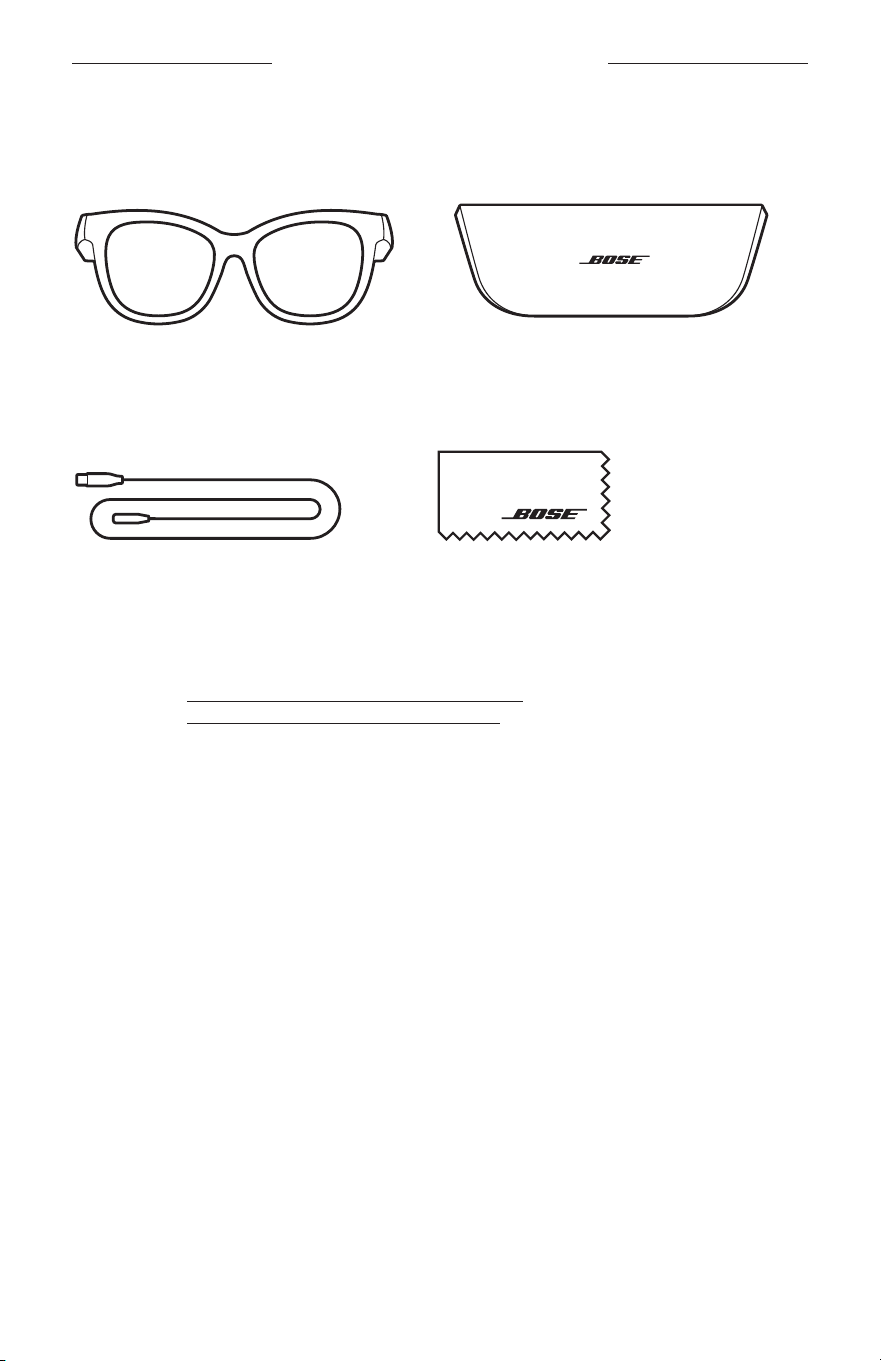
13
|
SWE
VAD FINNS I FÖRPACKNINGEN
INNEHÅLL
Kontrollera att du har följande:
Bose-bågar
Fodral
Laddningskabel Rengöringsduk
OBS! Om någon del av produkten är skadad ska du inte använda den. Kontakta en
Bose-återförsäljare eller Boses kundtjänst.
Besök: worldwide.Bose.com/Support/Soprano
worldwide.Bose.com/Support/Tenor
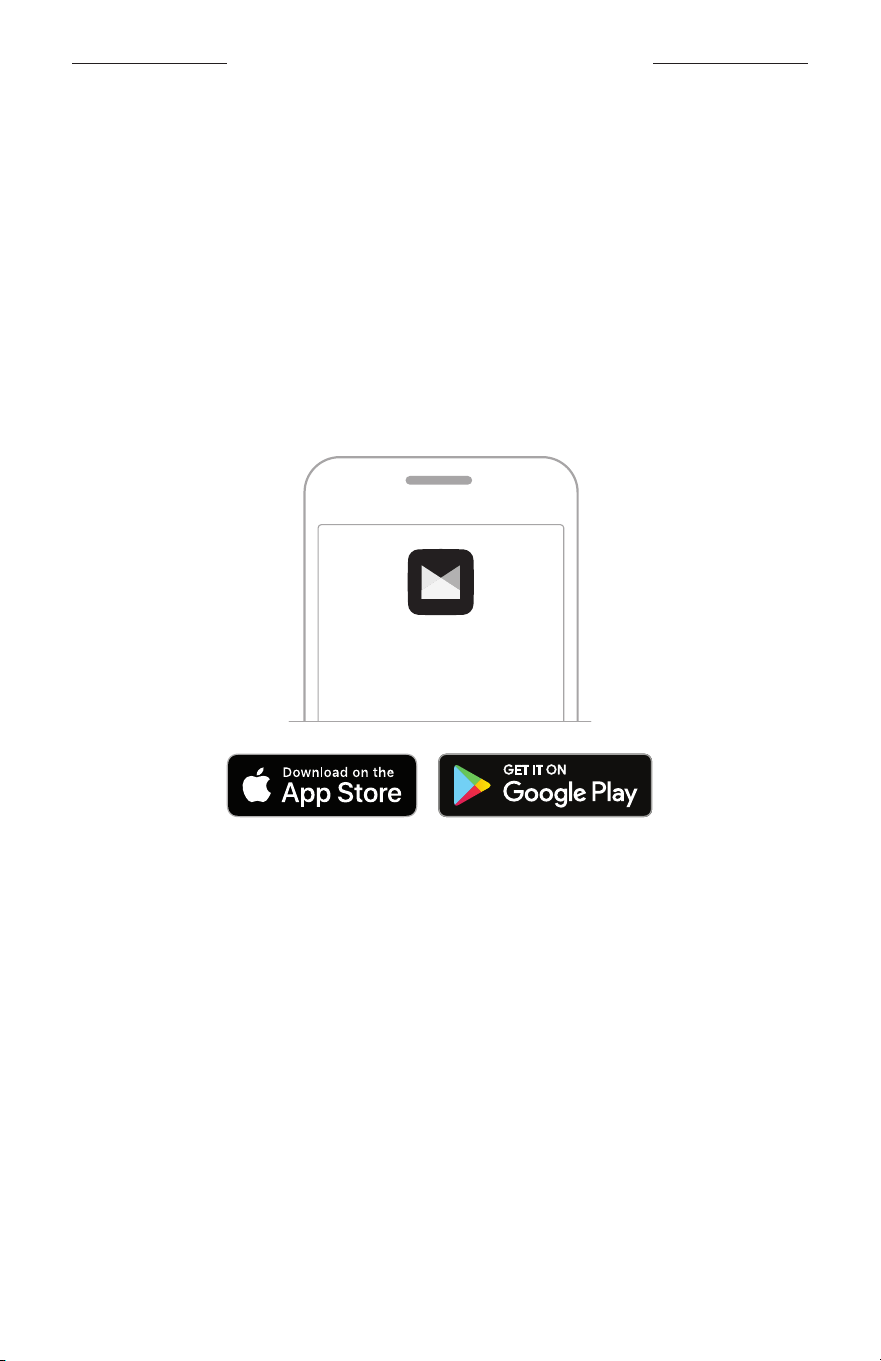
14
|
SWE
INSTALLATION AV BOSE MUSIC-APPEN
Bose Music-appen låter dig ställa in och kontrollera bågarna från valfri mobil enhet
som t.ex. en smarttelefon eller surfplatta.
I appen kan du göra ströminställningar, välja språk för röstanvisningar och få nya
funktioner.
OBS! Om du redan har skapat ett Bose-konto via appen för en annan Bose-produkt
kan du läsa på ”Lägga till bågarna till ett befintligt konto”.
LADDA NER BOSE MUSIC-APPEN
1. Ladda ner Bose Music-appen till din mobila enhet.
OBS! Ladda ner appen Bose8 om du befinner dig på Kinas fastland.
BOSE MUSIC
2. Följ instruktionerna för appen.
LÄGGA TILL BÅGARNA TILL ETT BEFINTLIGT KONTO
1. Tryck och håll inne knappen på höger sida tills du hör ”Ready to connect” eller ser
statuslampan blinka med ett ljusblått sken.
2. Gå till skärmvyn My Product i Bose Music-appen och lägg till dina bågar.
OBS! Se ”Bose Music-appen hittar inte några bågar” på sidan 30 om appen
inte hittar bågarna.
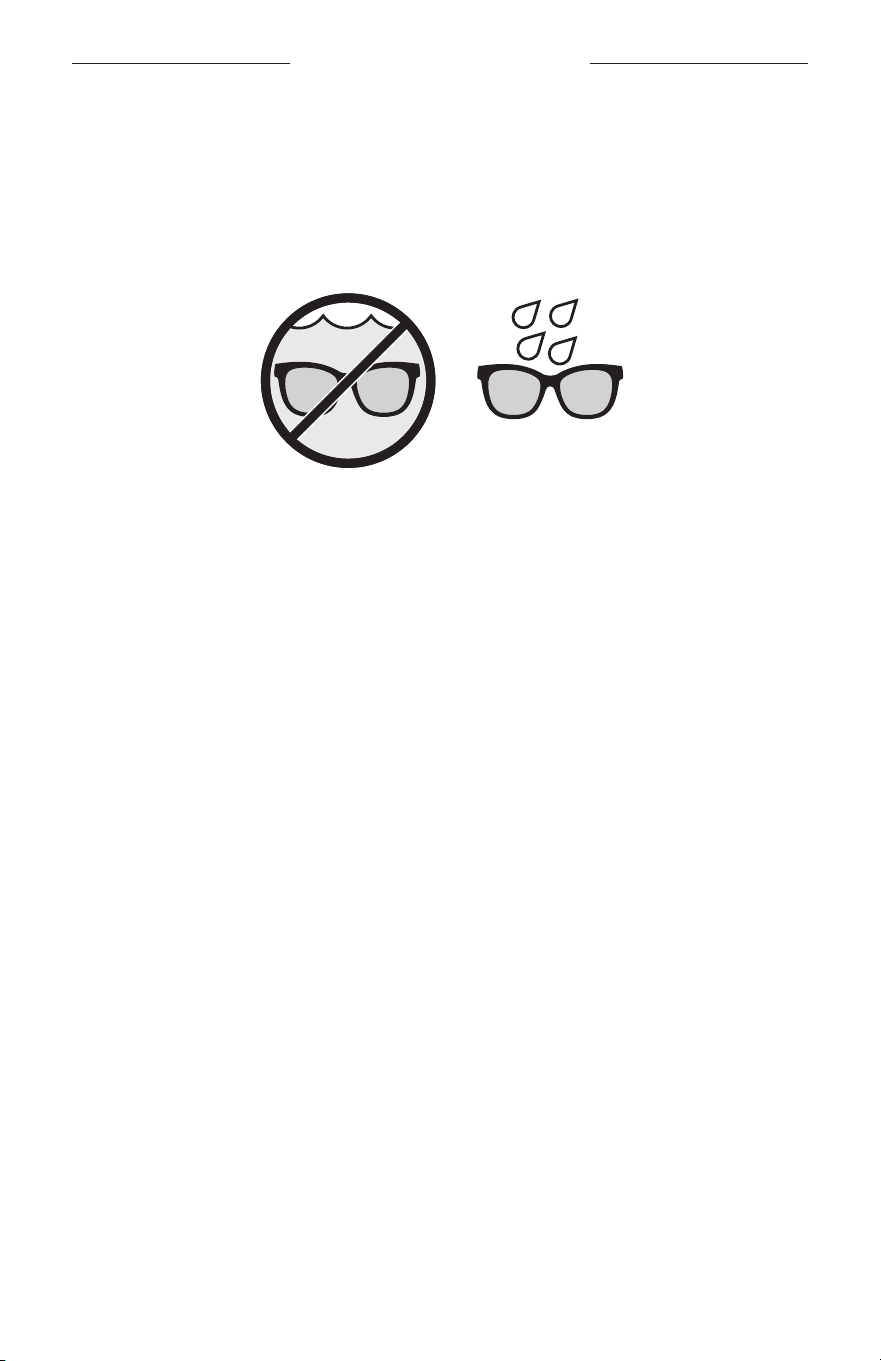
15
|
SWE
SVETT- OCH VÄDERTÅLIGA
Bågarna är klassade som vattentåliga enligt klass IPX2. De är svettavvisande och
vädertåliga mot vattendroppar men inte lämpade att nedsänkas under vatten.
TÄNK PÅ:
• Du bör INTE simma eller duscha med bågarna.
• Bågarna får INTE nedsänkas i vätska.
OBS! IPX2 gäller inte permanent utan kan komma att degraderas vid normal
användning.
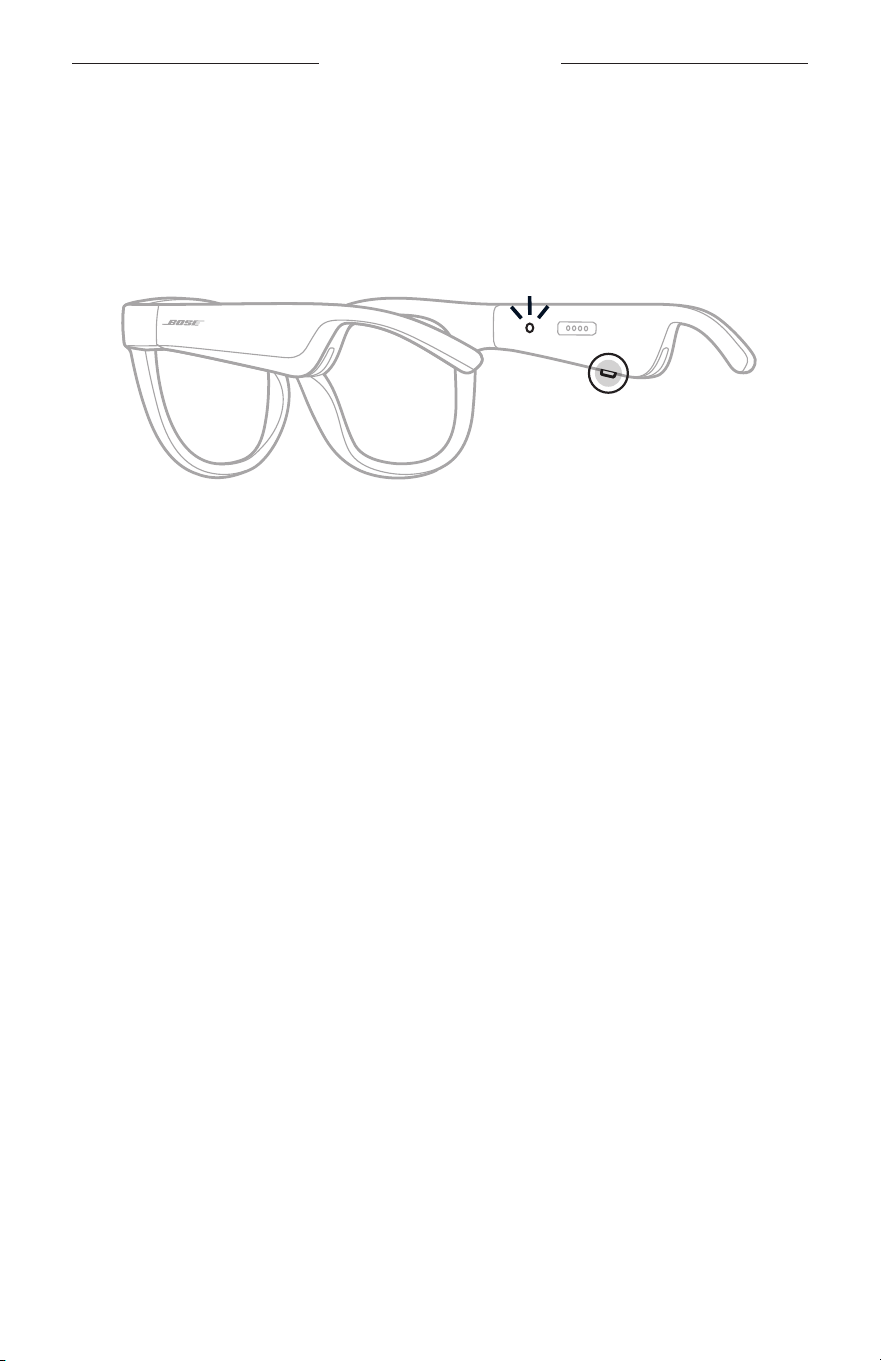
16
|
SWE
STRÖMFÖRSÖRJNING
SÄTTA PÅ
Tryck på knappen vid höger tinning.
Statuslampan blinkar med vitt sken två gånger och lyser sedan i enlighet med
Bluetooth-anslutningens status (se sidan 22). En röstanvisning anger batteriets
laddningsnivå och anslutningsstatus för Bluetooth.
OBS! Bågarna kommer delvis laddade och kan behöva väckas innan de används för
första gången. Anslut bågarna till en strömkälla i två sekunder och koppla sedan
från dem för att väcka dem (se sidan 21). Prova sedan att sätta igång dem igen.
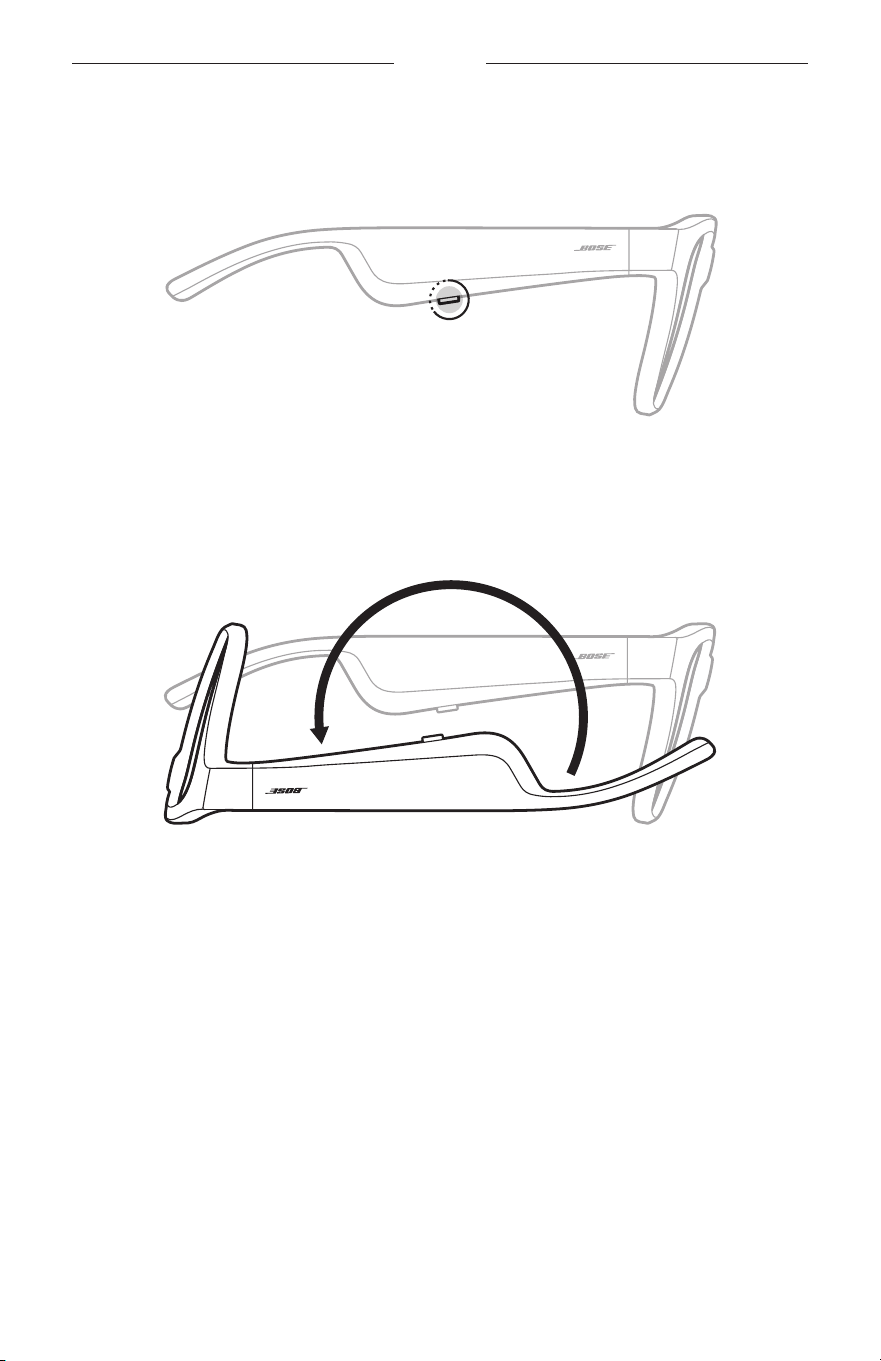
17
|
SWE
POWER
STÄNGA AV
Tryck och håll ned knappen tills du hör en signal.
Statuslampan blinkar två gånger med ett vitt sken och övergår till svart.
Vänd för att stänga av
Vänd bågarna upp och ned i två sekunder.
Statuslampan blinkar två gånger med ett vitt sken och övergår till svart.
OBS!
• Efter att bågarna stängts av kan du flytta dem i valfri riktning.
• Du kan inaktivera Vänd för att stänga av i Bose Music-appen. Du kan nå detta
alternativ från menyn Inställningar.
Automatisk avstängning med rörelsedetektor
Bågarna använder rörelsedetektering för att avgöra när de används. Om bågarna inte
har rört sig under 10 minuter stängs de automatiskt av.
OBS! Du kan inaktivera rörelsedetekteringen i Bose Music-appen. Du kan nå detta
alternativ från menyn Inställningar.
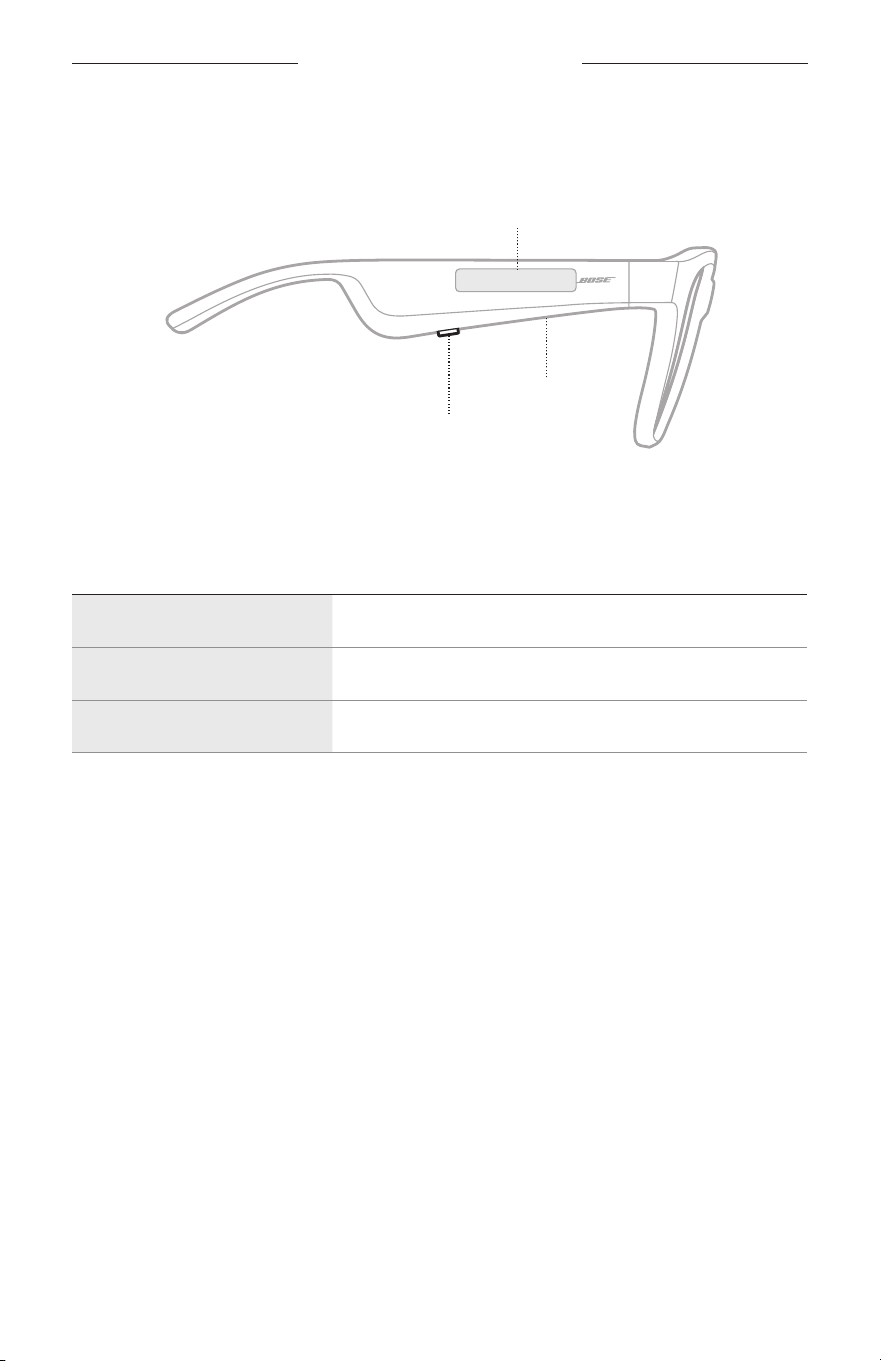
18
|
SWE
BÅGARNAS KONTROLLER
Använd knappen och pekytan på höger skalm för att styra uppspelning av media,
volym, telefonsamtal och röststyrning.
Knapp
Styr mediauppspelning
Styr samtal
Mikrofon
Pekytans område
Justera volymen
Komma åt röstkontroller
MEDIAUPPSPELNING
KONTROLL ÅTGÄRD
Spela upp/pausa Tryck på knappen.
Hoppa framåt Dubbeltryck på knappen.
Hoppa bakåt Trippeltryck på knappen.
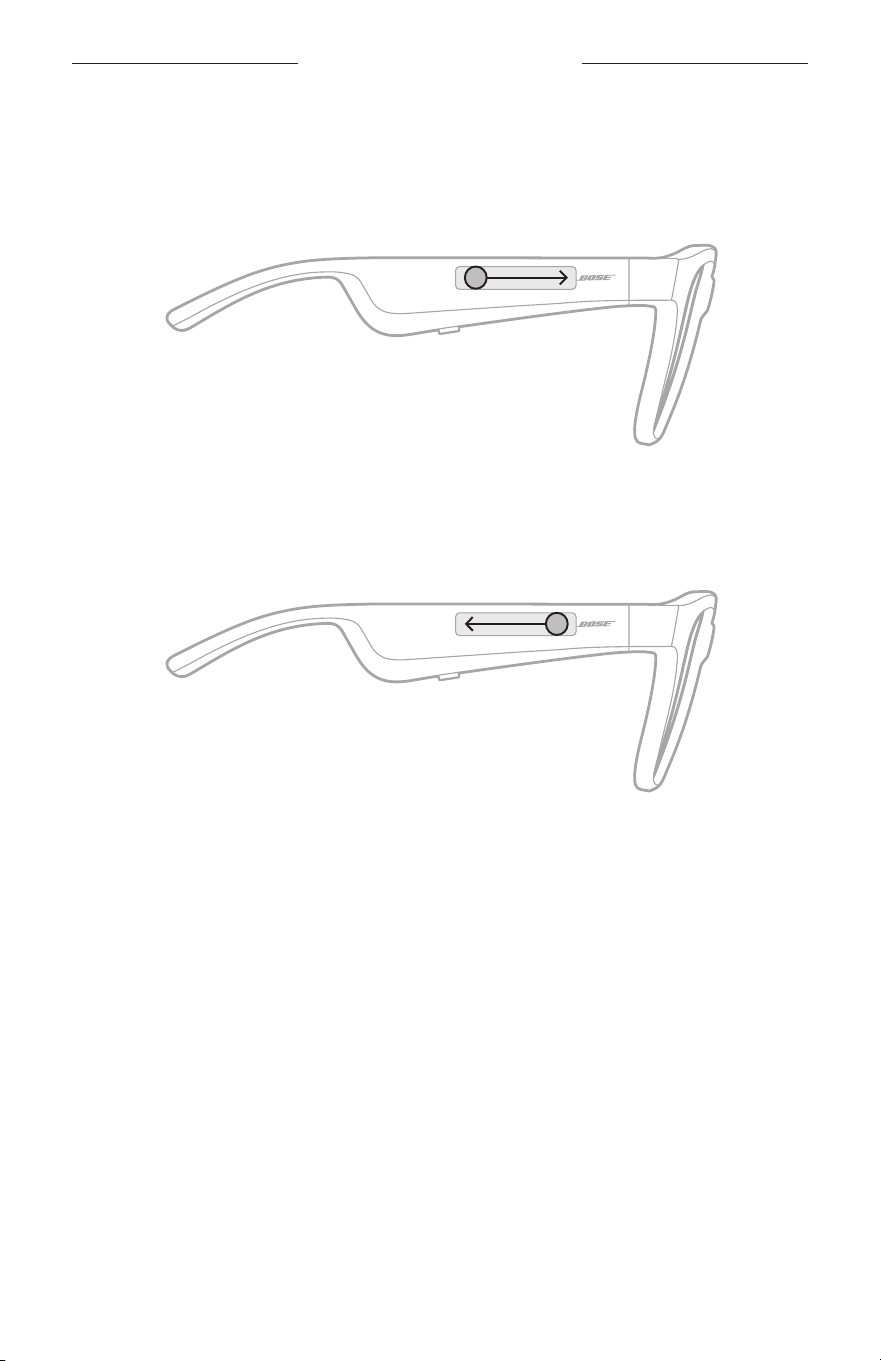
19
|
SWE
BÅGARNAS KONTROLLER
VOLYM
Öka volymen
Svep framåt på pekytan.
OBS! Du hör en ton när volymen når maxnivån.
Minska volymen
Svep bakåt på pekytan.
OBS! Du hör en ton när volymen når miniminivån.
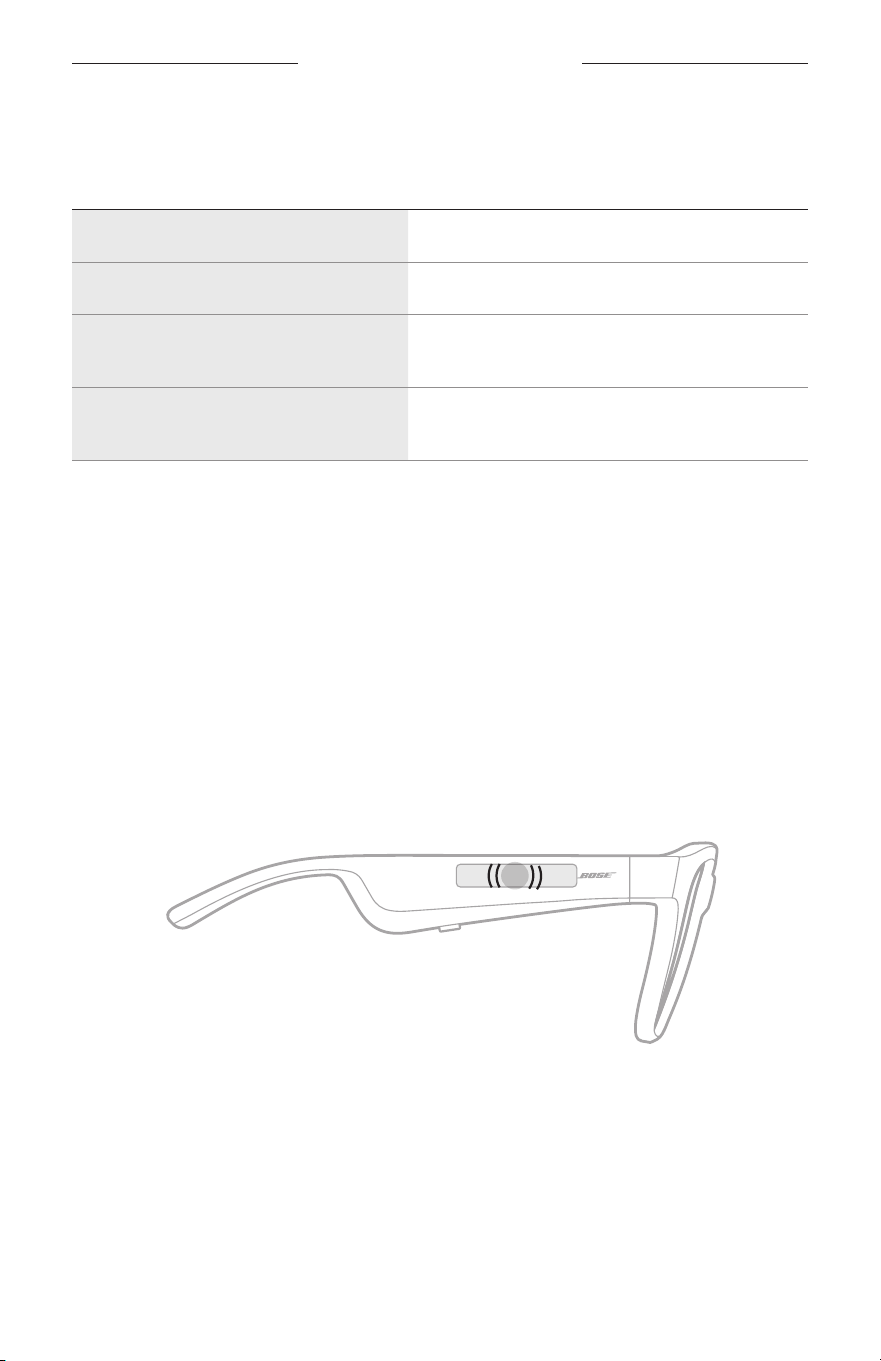
BÅGARNAS KONTROLLER
20
|
SWE
TELEFONSAMTAL
KONTROLL ÅTGÄRD
Besvara/avsluta ett samtal Tryck på knappen.
Avvisa inkommande samtal Dubbeltryck på knappen.
Besvara ytterligare ett samtal och
parkera det aktuella.
Tryck på knappen under ett samtal.
Avvisa ytterligare ett samtal och stanna
kvar i det aktuella.
Dubbeltryck på knappen under ett samtal.
OBS! Kör tillgängliga uppdateringar av programvaran i Bose Music-appen för att
använda styrning av telefonsamtal.
Samtalsaviseringar
En röst annonserar inkommande samtal och samtalsstatus.
KOMMA ÅT RÖSTKONTROLLER
Bågarnas mikrofon fungerar som en mikrofon för din mobila enhet. Använd pekytan
på höger skalm för att aktivera röstkontrollen på den bärbara enheten så att du kan
ringa upp/ta emot samtal eller be Siri eller Google Assistant att spela musik, tala om
vädret, ge dig matchresultat och mycket mera.
Dubbeltryck på pekytan för att komma åt röststyrning på enheten.
2x
Du hör en ton när röststyrningen är aktiverad.
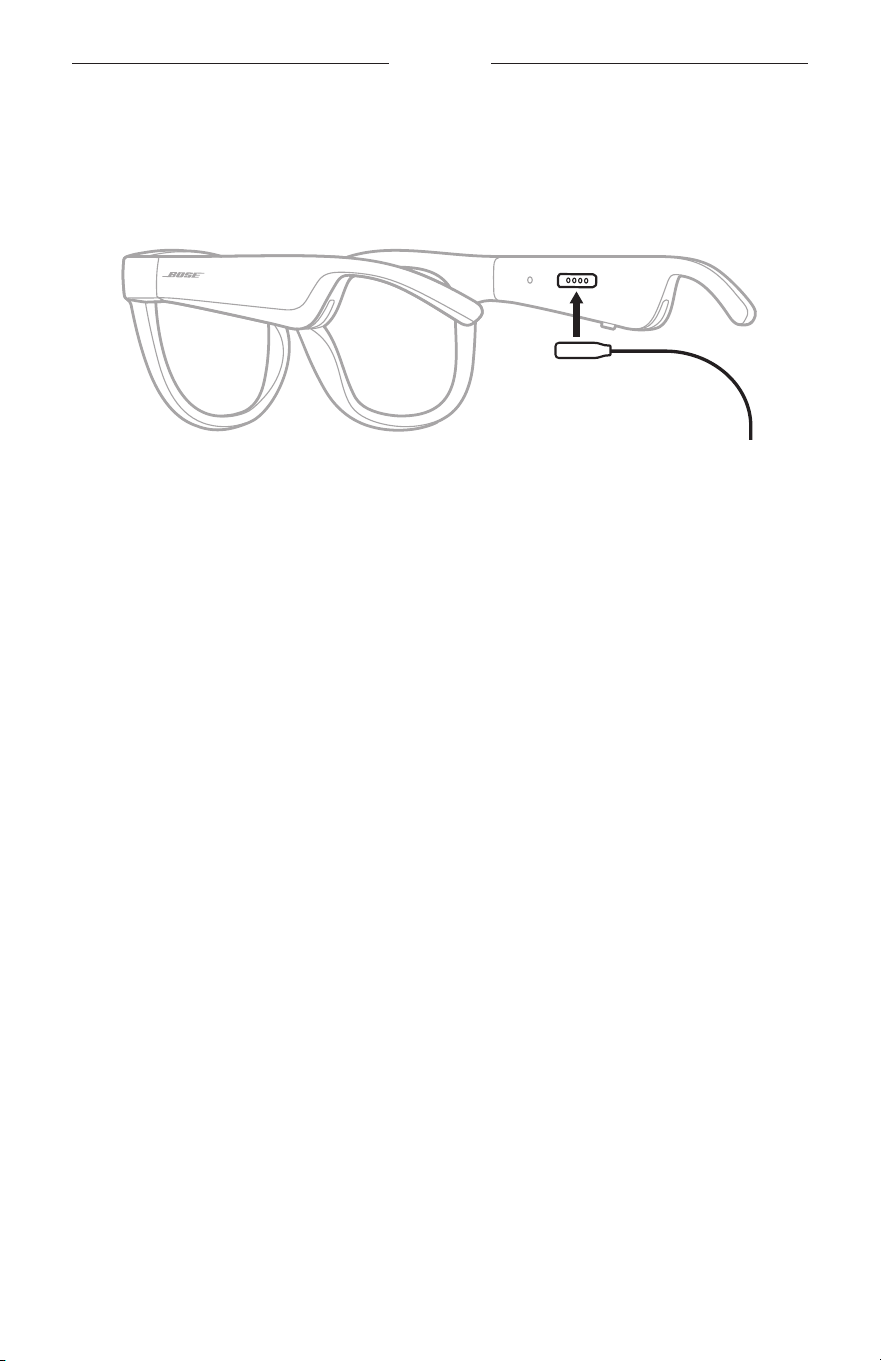
21
|
SWE
BATTERI
LADDA BÅGARNA
1. Rikta in stiften på laddningskabeln mot laddningsporten på höger sida.
OBS! Stiften måste passa in korrekt mot laddningsporten för att ladda bågarna.
2. Tryck försiktigt stiften mot laddningsporten tills de låses på plats magnetiskt.
3. Anslut den andra änden till en USB-A-laddare (medföljer ej).
TÄNK PÅ: Använd endast produkten med en godkänd nätadapter som uppfyller
lokala bestämmelser (till exempel UL, CSA, VDE eller CCC).
Statuslampan blinkar vitt under laddning. När batteriet är fulladdat lyser
statuslampan med ett fast vitt sken (se sidan 23).
TÄNK PÅ FÖLJANDE:
• Bågarna kan inte spela upp ljud under uppladdning.
• Använd inte bågarna medan de laddas.
KONTROLLERA BÅGARNAS LADDNINGSNIVÅ
Batteriaviseringar
Varje gång du sätter på bågarna hörs en röstanvisning som anger batteriets
laddningsnivå.
När du använder bågarna hör du en röstanvisning om batteriet behöver laddas upp.
Visa laddningsnivån
• Kontrollera hemskärmen i Bose Music-appen.
• När statuslampan blinkar med rött sken behöver bågarna laddas.
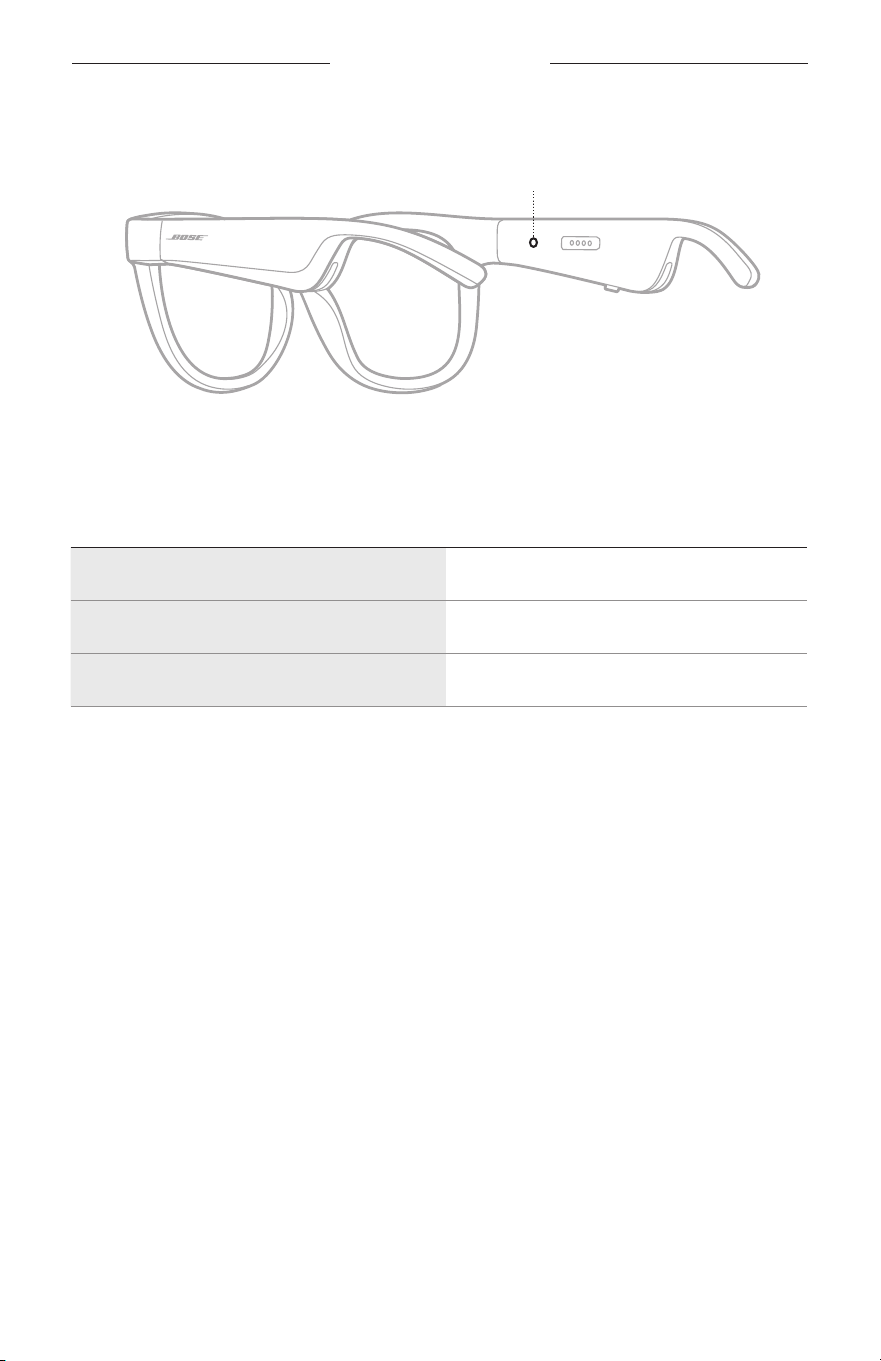
22
|
SWE
BÅGARNAS STATUS
Bågarnas statuslampa finns på insidan av höger skalm.
Statuslampan
ANSLUTNINGSSTATUS FÖR BLUETOOTH
Visar Bluetooth-anslutningarnas status för mobila enheter.
LAMPANS UPPFÖRANDE SYSTEMLÄGE
Blinkar långsamt blått Klar för att anslutas
Blinkar snabbt blått Ansluter
Fast blått sken (10 sekunder) Ansluten
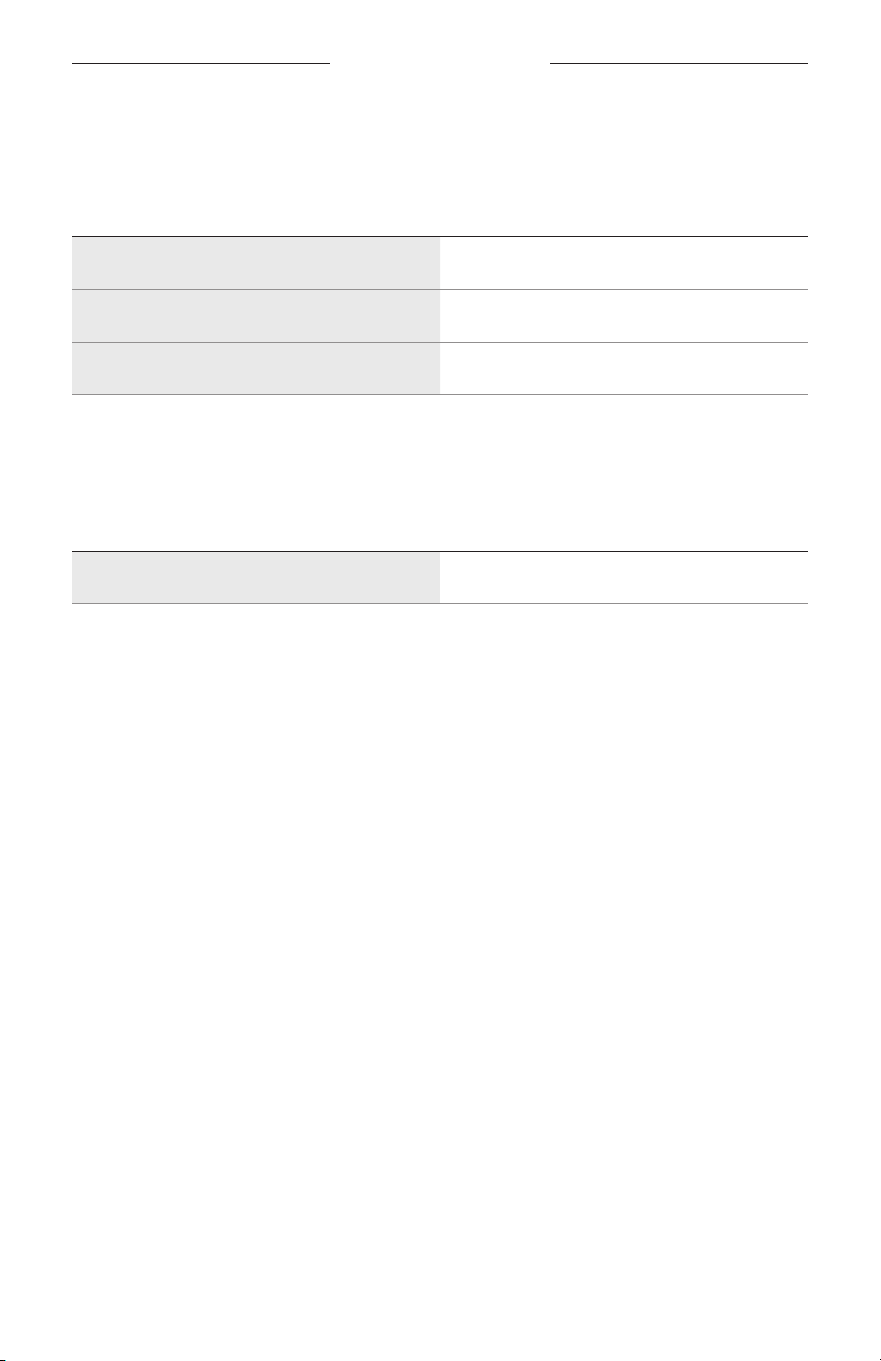
BÅGARNAS STATUS
23
|
SWE
BATTERISTATUS
Visar batteriets laddningsnivå.
LAMPANS UPPFÖRANDE SYSTEMLÄGE
Blinkar med rött sken (10 sekunder) Behöver laddas upp
Blinkar med vitt sken Laddar
Fast vitt sken Fulladdat
FELSTATUS
Visar felstatus.
LAMPANS UPPFÖRANDE SYSTEMLÄGE
Blinkar med rött och vitt sken (upprepat) Fel. Kontakta Bose kundtjänst
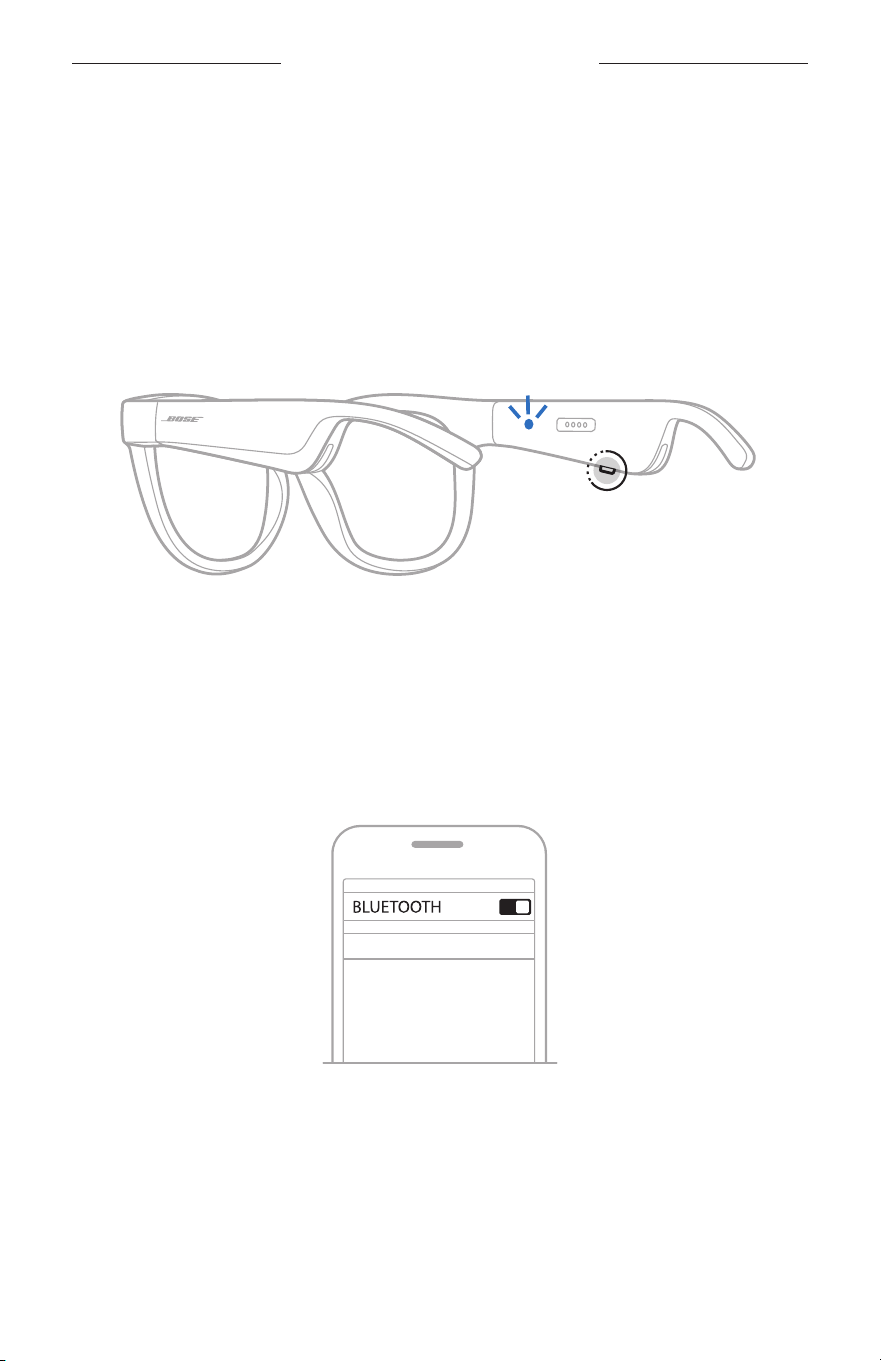
24
|
SWE
BLUETOOTH-ANSLUTNINGAR
ANSLUTA VIA BLUETOOTH-MENYN PÅ DEN
MOBILAENHETEN
Du kan lagra upp till åtta enheter i bågarnas enhetslista. Du kan endast ansluta och
spela ljud från en enhet i taget.
OBS! Installera och anslut din mobila enhet med Bose Music-appen för att få ut det
bästa av hörlurarna (se sidan 14).
1. Tryck och håll inne knappen på höger skalm, med bågarna på, tills du hör ”Ready
to connect” eller statuslampan blinkar med ett ljusblått sken.
2. Aktivera Bluetooth-funktionen på din enhet.
OBS! Bluetooth-funktionen hittar du vanligtvis i menyn Inställningar.
3. Välj bågarna i enhetslistan.
OBS! Leta efter namnet som du angav för bågarna i Bose Music-appen. Om du
inte gav bågarna något namn kommer standardnamnet att visas.
BOSE FRAMES
Efter anslutning hör du “Connected to <mobilens enhetsnamn>” eller så ser du
statuslampan lysa med ett fast blått sken och och övergå till svart.

25
|
SWE
BLUETOOTH-ANSLUTNINGAR
KOPPLA FRÅN EN MOBIL ENHET
Använd Bose Music-app för att koppla från din mobila enhet.
TIPS: Du kan även använda Bluetooth-inställningar för att koppla från din enhet.
Frånkoppling av Bluetooth på din enhet leder till att alla andra enheter
kopplas från.
ÅTERANSLUTA EN MOBIL ENHET
När bågarna sätts på kommer de automatiskt att försöka ansluta till den senast
anslutna enheten.
OBS! Enheten måste vara inom räckvidd (9 m) och påslagna.
RENSA BÅGARNAS ENHETSLISTA
1. Med bågarna påslagna håller du knappen på höger skalm nedtryckt i 10 sekunder tills
du hör ”Bluetooth device list cleared” eller ser statuslampan blinka med blått sken.
2. Ta bort bågarna från Bluetooth-listan på enheten.
Alla enheter tas bort och bågarna är klara för att anslutas.
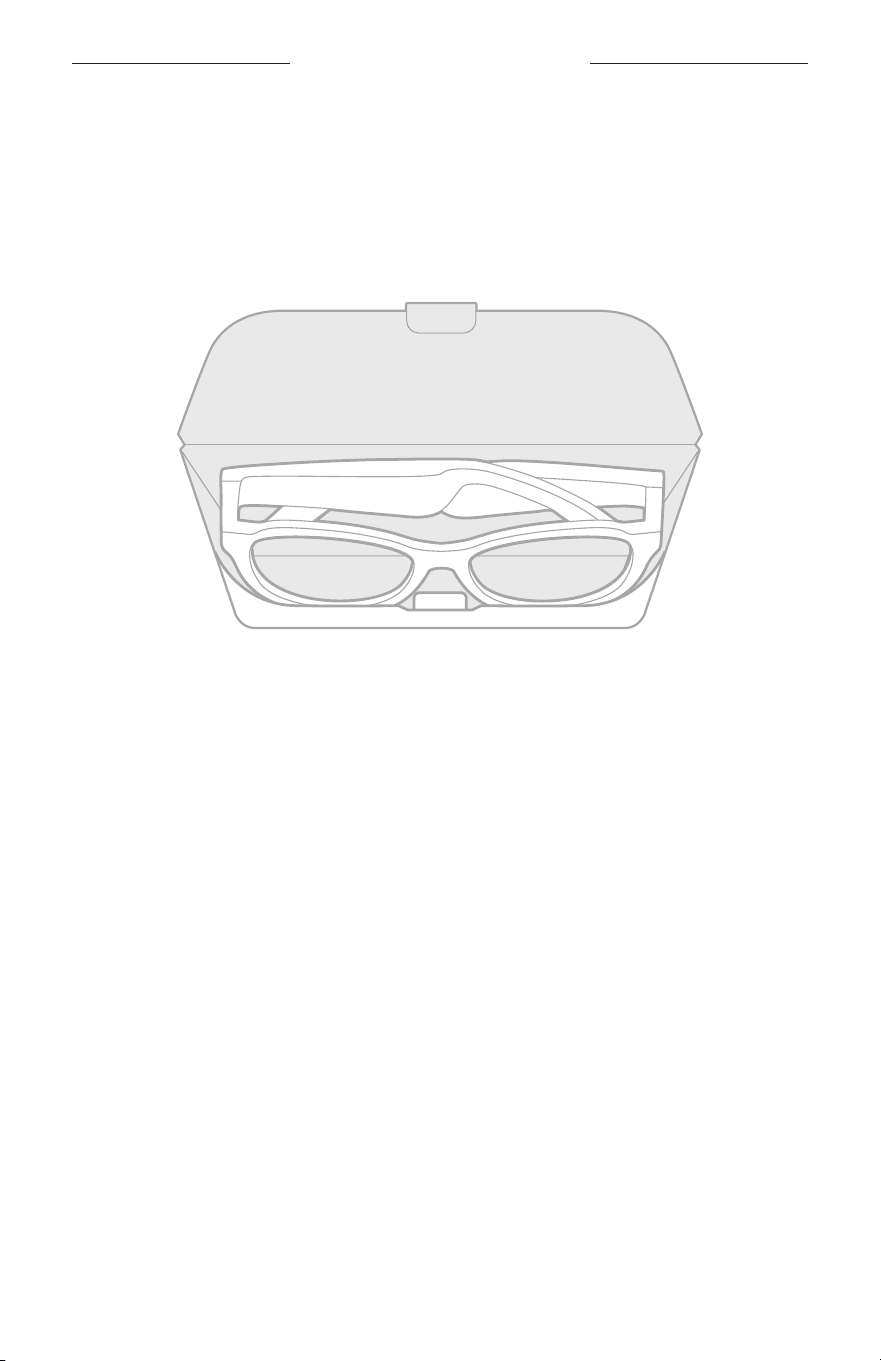
26
|
SWE
SKÖTSEL OCH UNDERHÅLL
FÖRVARA BÅGARNA
Bågarna går att fälla ihop för att enkelt kunna förvaras smidigt.
1. Fäll in skalmarna mot linserna så att de glasögonen blir platta.
2. Placera bågarna i fodralet med linserna riktade mot fodralets framsida.
TÄNK PÅ FÖLJANDE:
• Stäng av bägarna när du inte använder dem.
• Se till att bågarnas batteri är fulladdat om du ska lägga undan dem i flera månader.

27
|
SWE
SKÖTSEL OCH UNDERHÅLL
UNDERHÅLL BÅGARNA
Använd den medföljande rengöringstrasan eller en torr trasa för att torka av linsernas
båda sidor och alla delar av bågarna efter varje användning.
TÄNK PÅ:
• Använd INTE sprayer i närheten av bågarna.
• Använd INTE några lösningsmedel, kemikalier eller rengöringsmedel som innehåller
alkohol, ammoniak eller slipmedel.
• Låt INTE vätska tränga in i några öppningar.
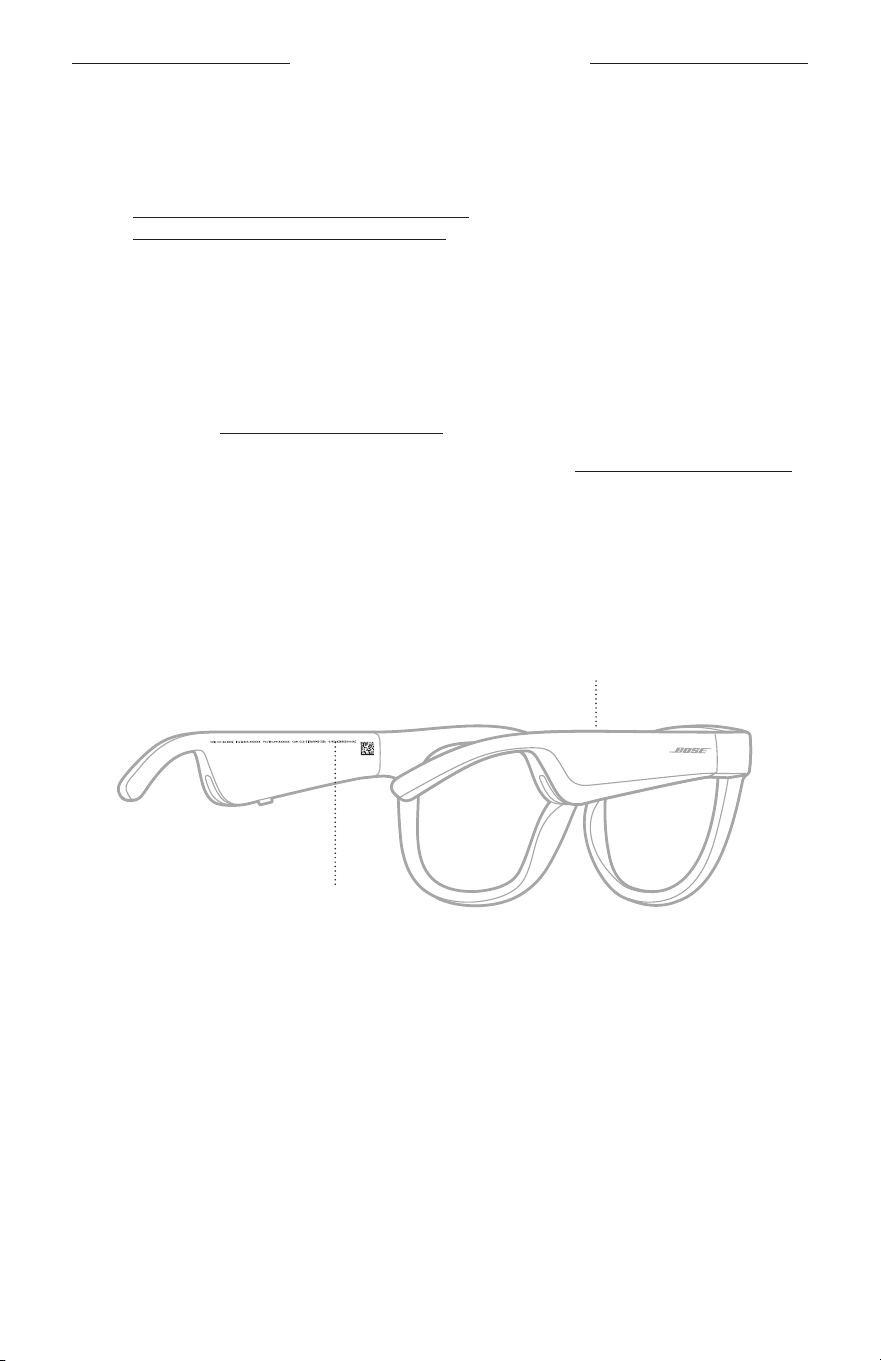
28
|
SWE
SKÖTSEL OCH UNDERHÅLL
RESERVDELAR OCH TILLBEHÖR
Reservdelar och tillbehör kan beställas genom Boses kundtjänst.
Besök: worldwide.Bose.com/Support/Soprano
worldwide.Bose.com/Support/Tenor
OBS! Se instruktionerna som medföljde linsens tillbehör för information om hur du
byter linser.
BEGRÄNSAD GARANTI
Bågarna omfattas av en begränsad garanti. Mer information om den begränsade
garantin finns på global.Bose.com/warranty.
Mer information om hur du registrerar din produkt finns på global.Bose.com/register.
Dina garantirättigheter påverkas inte om du inte registrerar produkten.
PLATS FÖR SERIE- OCH MODELL-/REFERENSNUMMER
Serienumret är placerat vid insidan av vänster skalm och modell-/referensnumret på
insidan av höger skalm.
Serienummer
Modell-/referensnummer:

29
|
SWE
FELSÖKNING
PROVA DET HÄR FÖRST
Om du får problem med bågarna:
• Sätt på bågarna (se sidan 16).
• Anslut bågarna till en strömkälla i två sekunder och koppla sedan från dem för att
väcka dem (se sidan 21).
• Ladda batteriet (se sidan 21).
• Kontrollera läget för statusindikatorerna (se sidan 22).
• Kontrollera att enheten har stöd för Bluetooth-anslutningar.
• Ladda ner Bose Music-appen och alla uppdateringar.
• Öka volymen i bågarna, på den mobila enheten och/eller i musik-/ljudappen.
• Ansluta en annan mobil enhet (se sidan 24).
ANDRA LÖSNINGAR
Om du inte kan lösa problemet ska du titta i tabellen nedan för att identifiera
symptom och ta del av lösningar till vanliga problem. Kontakta Boses kundtjänst om
du inte kan lösa ditt problem.
Besök: worldwide.Bose.com/Contact
PROBLEM ÅTGÄRD
Bågarna ansluter inte till
den mobila enheten
På enheten:
• Stäng av Bluetooth-funktionen och sätt sedan på den igen.
• Ta bort bågarna från Bluetooth-listan på enheten. Anslut igen
(se sidan 24).
Flytta enheten närmare bågarna och längre bort från eventuella
störningskällor eller hinder.
Anslut en annan mobil enhet (se sidan 24).
För att se instruktionsfilmer, besök:
worldwide.Bose.com/Support/Tenor eller
worldwide.Bose.com/Support/Soprano
Rensa bågarnas enhetslista (se sidan 25). Anslut igen.
Bose Music-appen
fungerar inte på
minenhet
Kontrollera att Bose Music-appen är kompatibel med din enhet.
Avinstallera Bose Music-appen från din enhet och återinstallera
den sedan (se sidan 14).
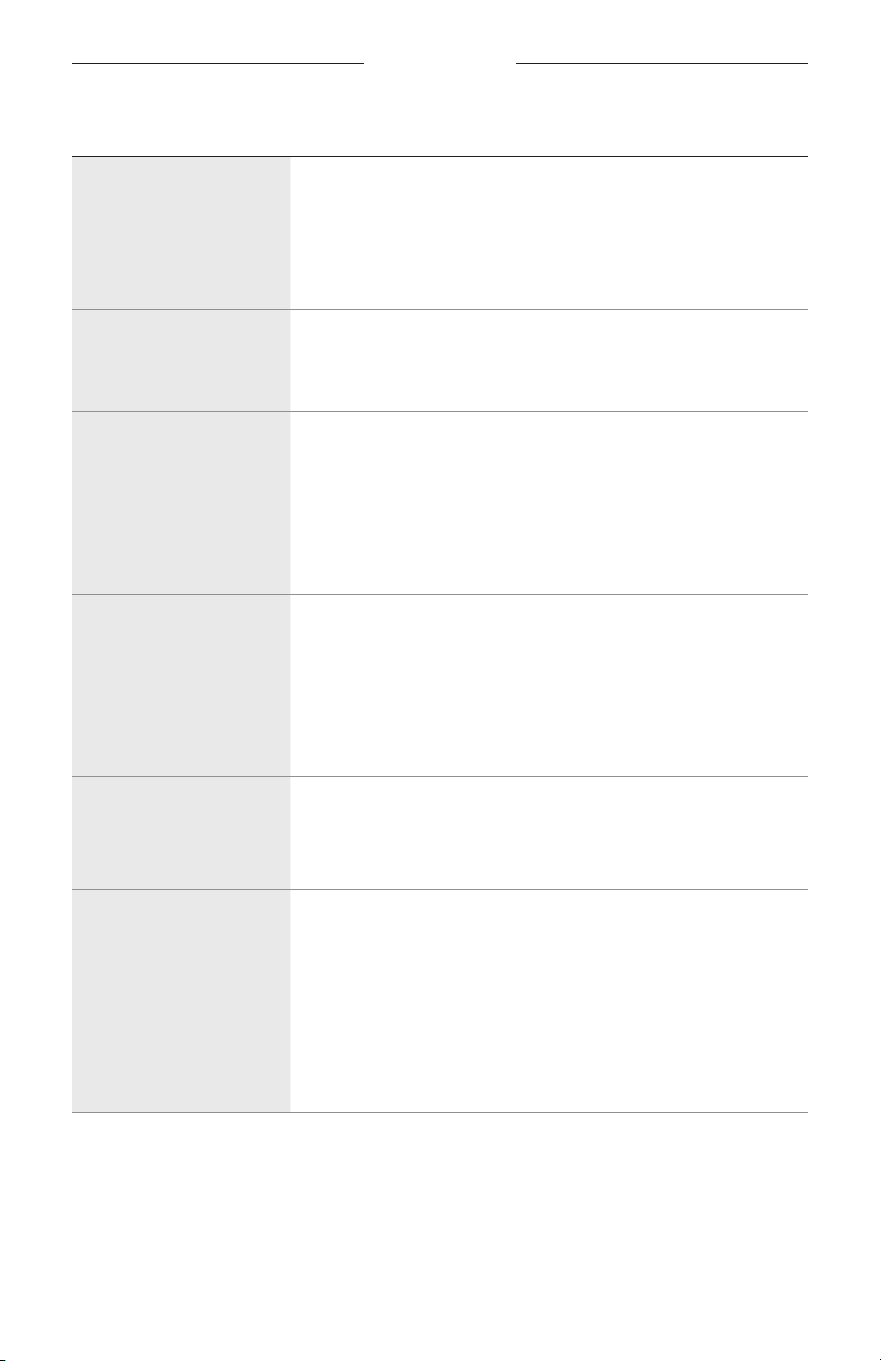
30
|
SWE
FELSÖKNING
PROBLEM ÅTGÄRD
Bose Music-appen hittar
inte några bågar
Sätt på bågarna (se sidan 16).
Tryck och håll inne knappen på höger sida tills du hör ”Ready to
connect” eller statuslampan blinkar med ett ljusblått sken.
Kör tillgängliga uppdateringar av programvaran i Bose Music-
appen.
Intermittent Bluetooth-
anslutning
Rensa bågarnas enhetslista (se sidan 25). Anslut igen
(sesidan 24).
Flytta enheten närmare bågarna.
Inget ljud
Tryck på uppspelningsknappen på mobilenheten för att vara
säker på att du spelar upp ett ljud.
Flytta enheten närmare bågarna och längre bort från eventuella
störningskällor eller hinder.
Försök med en annan musikkälla.
Anslut en annan enhet (se sidan 24).
Dålig ljudkvalitet
Försök med en annan musikkälla.
Anslut en annan bärbar enhet.
Flytta enheten närmare bågarna och längre bort från eventuella
störningskällor eller hinder.
Inaktivera ljudförbättringsfunktioner på enheten eller i ljud-/
musikappen.
Mikrofonen tar inte upp
något ljud
Kontrollera att mikrofonöppningen på höger sida inte är blockerad.
Försök ringa ett telefonsamtal till.
Försök med en annan kompatibel enhet.
Bågarna laddas inte upp
Kontrollera att stiften på laddningskabeln är korrekt inriktade
mot laddningsporten på bågarna och att de låsts på plats
magnetiskt.
Kontrollera att båda ändarna på laddningskabeln sitter som de ska.
Om bågarna har utsatts för höga eller låga temperaturer ska du
låta dem återfå rumstemperatur och sedan prova att ladda upp
dem igen.
Försök med en annan USB-laddare.
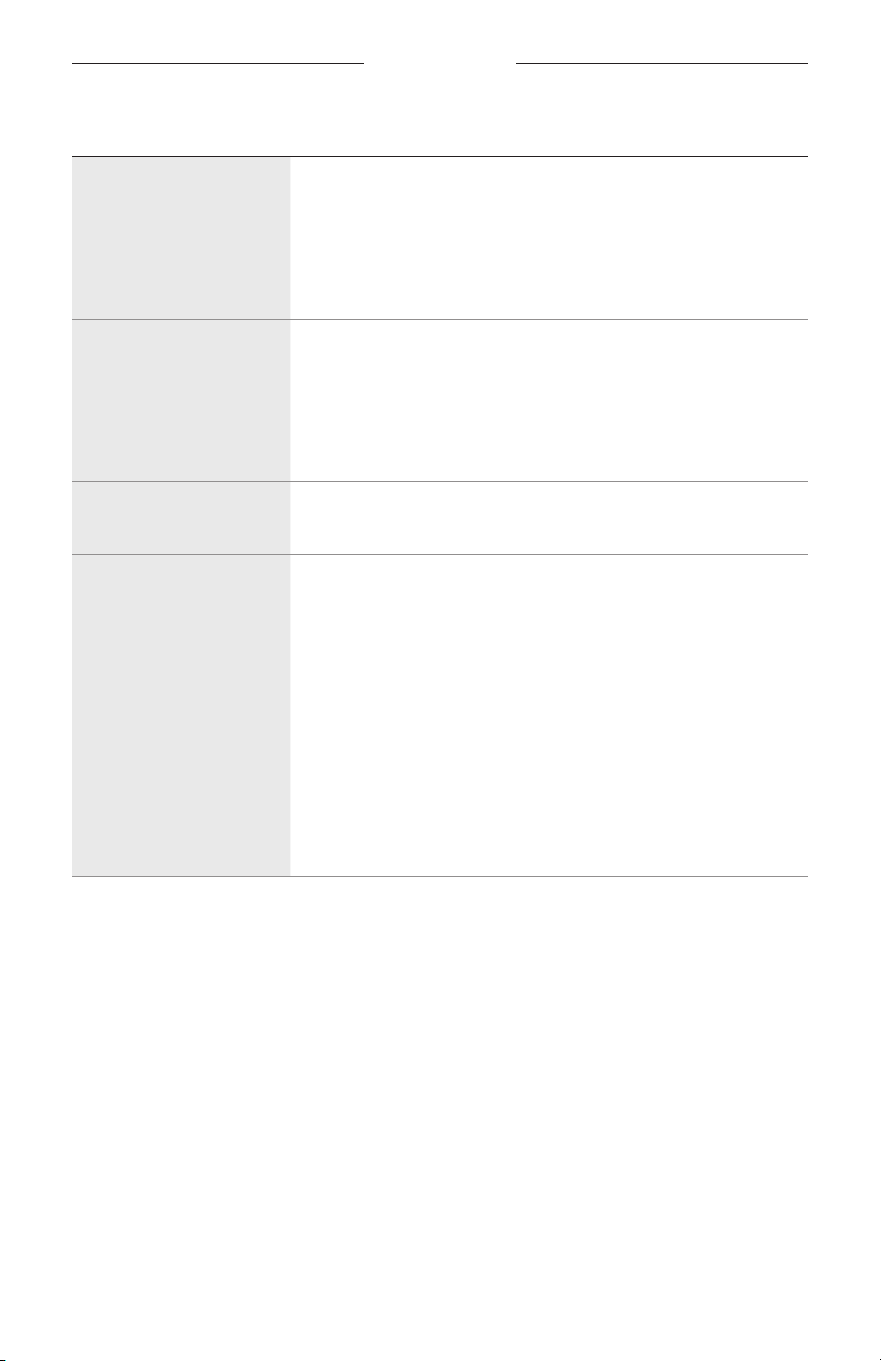
FELSÖKNING
31
|
SWE
PROBLEM ÅTGÄRD
Bågarna reagerar inte på
pekstyrning
Kontrollera att du trycker på rätt pekyta (se sidan 18).
Se till att händerna är torra.
Se till att ditt hår inte vidrör pekytan om det är vått.
Om du har handskar på måste du ta av dem innan du
vidrörpekytan.
Kan inte justera volymen
Kontrollera att du sveper på rätt pekyta (se sidan 18).
Se till att händerna är torra.
Se till att ditt hår inte vidrör pekytan om det är vått.
Om du har handskar på måste du ta av dem innan du
vidrörpekytan.
Kan inte använd styrning
av telefonsamtal
Kör tillgängliga uppdateringar av programvaran i Bose Music-
appen.
Enheten svarar inte på
knapptryckningar
Kör tillgängliga uppdateringar av programvaran i Bose Music-
appen.
För flertrycksfunktioner: Variera hastigheten på
nedtryckningarna.
Kontrollera att musikappen har stöd för funktionen.
Stäng av och sätt på dina bågar.
På enheten:
• Stäng av Bluetooth-funktionen och sätt sedan på den igen.
• Ta bort bågarna från Bluetooth-listan på enheten. Anslut igen
(se sidan 24).
Försök med en annan kompatibel enhet.
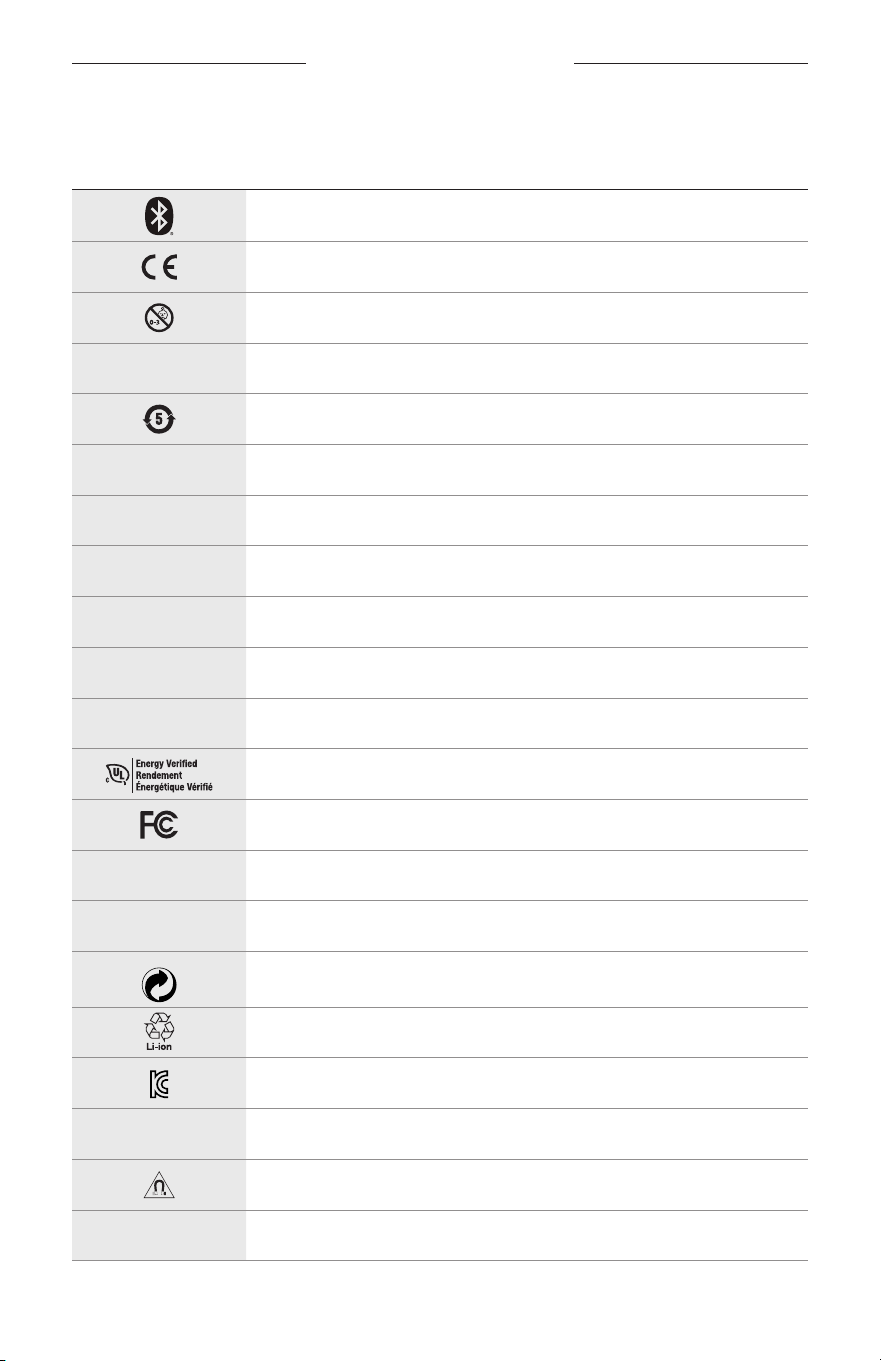
32
|
SWE
ETIKETTENS SYMBOLER
SYMBOLER OCH BESKRIVNINGAR
SYMBOL BESKRIVNING
Bluetooth
CE-certifiering
Kvävningsrisk
h
Katalognummer
Kina RCHS-batteri
w
Kundtjänst
N
Tillverkningsdatum
X
Dokumentation
L
Använd inte om förpackningen är skadad
C
Innehåller inte latex
s
Nerladdningar
Verifiering av energieffektivitet
FCC-certifiering
o
Forum
h
Högt solskydd
Green Dot-varumärkessymbol
Japansk batteriåtervinning
KCC-certifiering
p
Håll torr
Magnetisk störning
M
Tillverkare
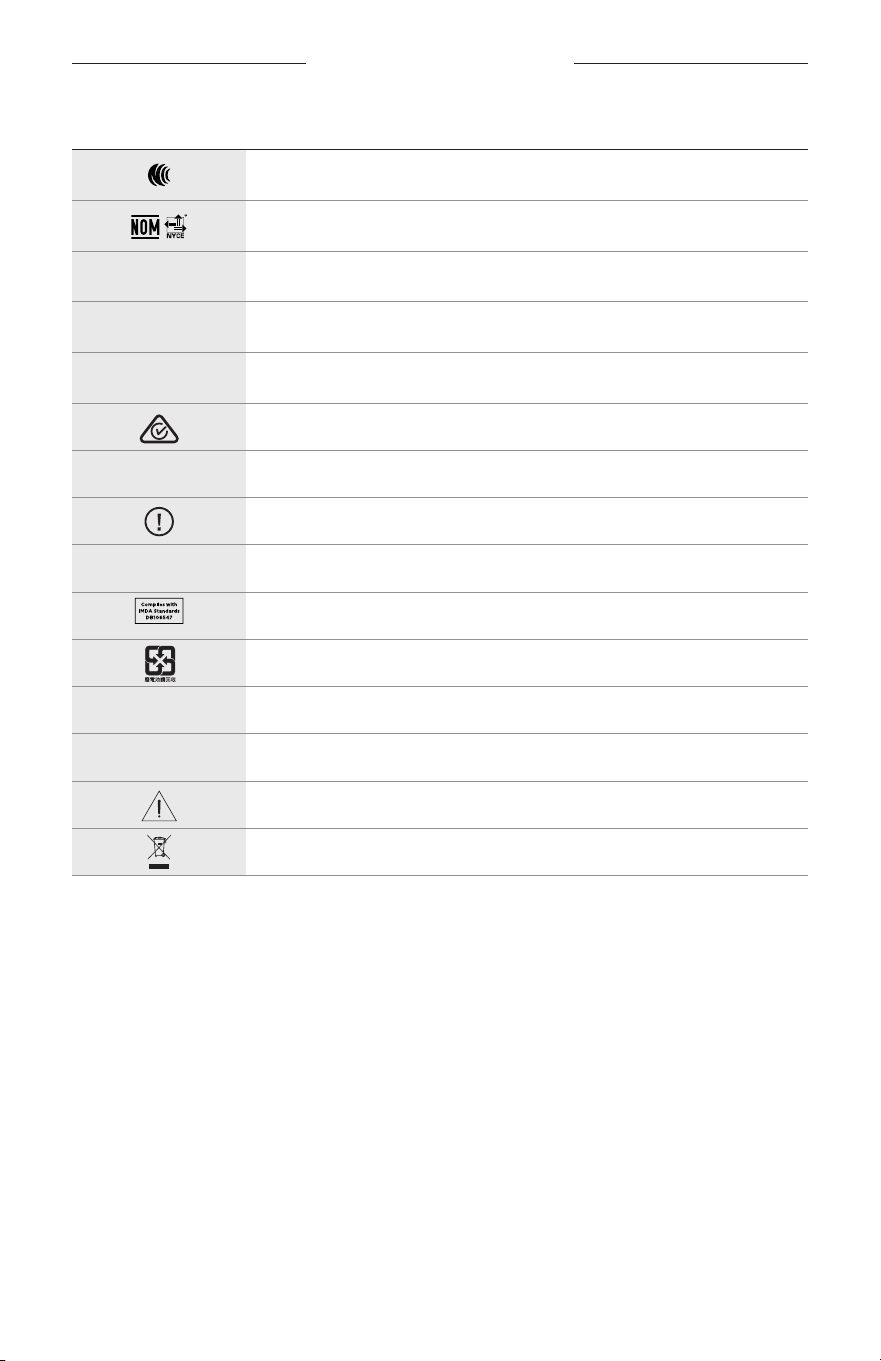
ETIKETTENS SYMBOLER
33
|
SWE
SYMBOL BESKRIVNING
NCC-certifiering
NOM NYCE-certifiering
d
Icke-sterilt
I
INTE LÄMPLIGA FÖR KÖRNING NÄR DET SKYMMAR ELLER NATTETID
m
Telefon
Märkning gällande efterföljande av förordningar
A
Se instruktioner för användning
Säkerhetsinformation
f
Serienummer
Singapore IMDA-efterlevnad
Taiwan batteriåtervinning
l
Temperaturgräns
W
Videoklipp
Varningar/tänk på
Riktningssymbol för avfall av elektrisk och elektronisk utrustning
ค�ำแนะน�ำด้ำนควำมปลอดภัยที่ส�ำคัญ
2
|
THA
ข้อบ่งใช้
แว่นกันแดด
(
ไม่ต้องใช้ใบสั่งแพทย์
)
คืออุปกรณ์ที่ประกอบด้วยกรอบแว่นหรือคลิปพร้อมเลนส์ดูดกลืนแสง สะท้อนแสง เคลือบสี
ตัดแสงสะท้อน หรือใส่สารเร่งปฏิกิริยาความไวของแสง ที่ออกแบบมาส�าหรับการสวมเพื่อปกป้องดวงตาจากแสงแดดจ้า
แต่ไม่ได้ช่วยแก้ไขความผิดปกติของสายตา อุปกรณ์นี้สามารถจ�าหน่ายให้ลูกค้าโดยตรง
A
โปรดดูค�ำแนะน�ำกำรใช้งำน
โปรดอ่ำนและเก็บค�ำแนะน�ำด้ำนควำมปลอดภัย กำรรักษำควำมปลอดภัย และกำรใช้งำนทั้งหมดไว้
ค�ำแนะน�ำด้ำนควำมปลอดภัยที่ส�ำคัญ
Bose Corporation
ขอประกาศในที่นี้ว่าผลิตภัณฑ์นี้สอดคล้องตามข้อก�าหนดที่จ�าเป็นและข้อบังคับที่เกี่ยวข้องอื่นๆ
ของข้อก�ากับ
Directive 2014/53/EU
และข้อบังคับอื่นๆ ทั้งหมดของข้อก�ากับ
EU
ที่ใช้บังคับ ใบรับรองมาตรฐาน
ความปลอดภัยของผลิตภัณฑ์ฉบับสมบูรณ์ สามารถอ่านได้จาก
www.Bose.com/compliance
1.
โปรดอ่านค�าแนะน�าเหล่านี้
2.
จดจ�าค�าแนะน�าเหล่านี้ไว้
3.
ใส่ใจในค�าเตือนทั้งหมด
4.
ปฏิบัติตามค�าแนะน�าทั้งหมด
5.
อย่าใช้อุปกรณ์นี้ใกล้กับน�้า
6.
ท�าความสะอาดด้วยผ้าแห้งเท่านั้น
7.
ใช้แต่อุปกรณ์ต่อ/อุปกรณ์เสริมที่ผู้ผลิตระบุเท่านั้น
8.
ถอดปลั๊กอุปกรณ์นี้ระหว่างฝนฟ้าคะนองหรือเมื่อไม่ได้ใช้งานเป็นเวลานาน
9.
น�าผลิตภัณฑ์เข้ารับการซ่อมแซมทั้งหมดจากช่างผู้ช�านาญเท่านั้น การเข้ารับบริการซ่อมแซมเป็นสิ่งจ�าเป็นเมื่ออุปกรณ์
เกิดความเสียหายไม่ว่าทางใดทางหนึ่ง เช่น สายไฟหรือปลั๊กเสียหาย ของเหลวหกรดหรือวัสดุแปลกปลอมตกหล่นเข้าไป
ในอุปกรณ์ อุปกรณ์ถูกฝนหรือความชื้น ไม่ท�างานตามปกติ หรืออุปกรณ์ตกหล่น
ค�ำเตือน/ข้อควรระวัง
•
อย่าใช้แว่นกันแดดที่ระดับเสียงดังมากเป็นระยะเวลานาน
–
เพื่อหลีกเลี่ยงปัญหาการได้ยินบกพร่อง ใช้แว่นกันแดดของคุณในระดับเสียงปานกลางและเหมาะสม
–
ลดระดับเสียงบนอุปกรณ์ของคุณลงก่อนสวมแว่นกันแดดหรือขยับแว่นกันแดดเข้าไปใกล้หู จากนั้น เพิ่มระดับเสียงทีละนิด
จนกระทั่งคุณได้ยินระดับเสียงที่พอเหมาะส�าหรับการฟัง
•
ใช้งานด้วยความระมัดระวังและปฏิบัติตามกฎหมายที่บังคับใช้ที่เกี่ยวข้องกับการใช้โทรศัพท์มือถือระหว่างการขับขี่
•
ให้ความสนใจในความปลอดภัยของตัวคุณเองและของบุคคลอื่น หากคุณใช้แว่นกันแดดในขณะที่ท�ากิจกรรมใดๆ
ที่ต้องให้ความสนใจเป็นพิเศษ เช่น ระหว่างขับขี่จักรยานหรือเดิน หรืออยู่ใกล้ถนน สถานที่ก่อสร้าง หรือรางรถไฟ ฯลฯ
ถอดแว่นกันแดดหรือปรับระดับเสียงให้เบาลง เพื่อให้แน่ใจว่าคุณสามารถได้ยินเสียงแวดล้อม รวมถึงเสียงเตือนภัย
และสัญลักษณ์แจ้งเตือน
•
อย่าใช้แว่นกันแดด หากมีเสียงรบกวนดังผิดปกติเกิดขึ้น หากเหตุการณ์นี้เกิดขึ้น ปิดแว่นกันแดด และติดต่อฝ่ายบริการลูกค้า
ของ
Bose
•
อย่าจุ่มน�้าหรือวางแว่นกันแดดอยู่ในที่โล่งใกล้น�้าเป็นเวลานาน หรือสวมแว่นกันแดดในขณะเล่นกีฬาทางน�้า เช่น ว่ายน�้า สกีน�้า
กระดานโต้คลื่น ฯลฯ
•
ถอดแว่นกันแดดออกทันทีหากคุณรู้สึกถึงความร้อน หรือสัญญาณเสียงขาดหายไป
ค�ำแนะน�ำด้ำนควำมปลอดภัยที่ส�ำคัญ
3
|
THA
ผลิตภัณฑ์นี้ประกอบด้วยชิ้นส่วนขนาดเล็ก ซึ่งอาจท�าให้เกิดอันตรายจากการส�าลัก ไม่เหมาะส�าหรับเด็กอายุ
ต�่ากว่า
3
ปี
ผลิตภัณฑ์นี้ประกอบด้วยวัสดุแม่เหล็ก ปรึกษาแพทย์ว่าสิ่งนี้อาจส่งผลต่อการใช้งานอุปกรณ์การแพทย์ที่ปลูกถ่าย
ของคุณหรือไม่
•
เพื่อลดความเสี่ยงต่อการเกิดเพลิงไหม้หรือไฟฟ้าดูด อย่าให้ผลิตภัณฑ์ถูกฝนหรือความชื้น
•
อย่าวางผลิตภัณฑ์นี้ในบริเวณที่มีน�้าหยดหรือกระเด็น และไม่ควรวางภาชนะบรรจุของเหลว เช่น แจกัน ไว้บนหรือ
ใกล้กับเครื่อง
•
วางผลิตภัณฑ์ให้อยู่ห่างจากไฟและแหล่งที่ก่อให้เกิดความร้อน อย่าวางสิ่งที่ลุกไหม้ใดๆ เช่น เทียนไขที่จุดไฟ ไว้บนหรือ
ใกล้กับผลิตภัณฑ์
•
อย่าดัดแปลงผลิตภัณฑ์นี้โดยไม่ได้รับอนุญาต
•
ใช้ผลิตภัณฑ์นี้กับแหล่งจ่ายไฟที่ผ่านการอนุมัติจากหน่วยงานที่เกี่ยวข้อง ที่ตรงตามระเบียบข้อบังคับในท้องถิ่นเท่านั้น
(
เช่น
UL, CSA, VDE, CCC)
•
อย่าให้ผลิตภัณฑ์ที่มีแบตเตอรี่ถูกความร้อนสูงเกินไป
(
เช่น จัดเก็บในที่ที่ถูกแสงแดดจัด ไฟ หรืออื่นๆ คล้ายกันนี้
)
•
อย่าสวมแว่นกันแดดขณะชาร์จ
•
หลังจากใช้งานแต่ละครั้ง ใช้ผ้าที่ให้มาหรือผ้าแห้งเช็ดเลนส์ทั้งสองด้านและชิ้นส่วนทุกชิ้นของแว่นกันแดด
ข้อมูลเกี่ยวกับระเบียบข้อบังคับและกฎหมาย
4
|
THA
หมำยเหตุ: อุปกรณ์นี้ผ่านการทดสอบและพบว่าตรงตามข้อจ�ากัดส�าหรับอุปกรณ์ดิจิตอล
คลาส
B
ตามส่วน
15
ของระเบียบ
FCC
ข้อจ�ากัดนี้ก�าหนดขึ้นเพื่อให้การป้องกันที่เหมาะสมจากการรบกวนที่เป็นอันตรายในการติดตั้งในที่พักอาศัย อุปกรณ์นี้
ก่อให้เกิด ใช้ และสามารถแผ่พลังงานความถี่วิทยุ และหากติดตั้งและใช้งานไม่ตรงตามค�าแนะน�า อาจเป็นสาเหตุให้เกิดการ
รบกวนที่เป็นอันตรายกับการสื่อสารทางวิทยุ อย่างไรก็ตาม ไม่มีการรับประกันว่าการรบกวนนี้จะไม่เกิดขึ้นในการติดตั้ง
แบบใดแบบหนึ่ง หากอุปกรณ์นี้ก่อให้เกิดการรบกวนที่เป็นอันตรายกับการรับสัญญาณวิทยุหรือโทรทัศน์ ซึ่งสามารถพิจารณา
ได้จากการลองปิดและเปิดอุปกรณ์ ขอแนะน�าให้ผู้ใช้ลองแก้ไขการรบกวนดังกล่าว ด้วยวิธีการต่อไปนี้
•
เปลี่ยนทิศทางหรือต�าแหน่งของเสาอากาศ
•
เพิ่มระยะห่างระหว่างอุปกรณ์และเครื่องรับสัญญาณ
•
เสียบปลั๊กอุปกรณ์นี้กับเต้ารับไฟฟ้าที่ไม่ได้ใช้สายร่วมกับเครื่องรับสัญญาณ
•
ติดต่อขอรับความช่วยเหลือจากตัวแทนจ�าหน่ายหรือช่างเทคนิคด้านวิทยุ/โทรทัศน์ที่มีประสบการณ์
การแก้ไขหรือดัดแปลงอื่นใดที่ไม่ได้รับอนุญาตโดยตรงจาก
Bose Corporation
อาจท�าให้ผู้ใช้ไม่มีสิทธิ์ใช้งานอุปกรณ์นี้อีกต่อไป
อุปกรณ์นี้สอดคล้องตามส่วน 15 ของระเบียบ FCC และมาตรฐาน RSS ที่ได้รับการยกเว้นใบอนุญาต ISED Canada การท�างาน
ของอุปกรณ์ขึ้นอยู่กับเงื่อนไข
2
ประการ ดังนี้
(1)
อุปกรณ์นี้ต้องไม่ก่อให้เกิดสัญญาณรบกวนที่เป็นอันตราย
และ
(2)
อุปกรณ์นี้
ต้องยอมรับสัญญาณรบกวนทุกชนิดที่ได้รับ รวมถึงสัญญาณรบกวนที่อาจท�าให้เกิดการท�างานที่ไม่พึงประสงค์
อุปกรณ์นี้สอดคล้องตามข้อจ�ากัดความเสี่ยงต่ออันตรายจากรังสีของ
FCC
และ
ISED Canada
ตามที่ประกาศไว้ส�าหรับ
ประชาชนทั่วไป ต้องไม่ใช้งานหรือตั้งเครื่องส่งร่วมกับเสาอากาศหรือเครื่องส่งสัญญาณอื่นใด
CAN ICES-3 (B)/NMB-3(B)
กฎระเบียบ
PPE (EU) 2016/425
กฎระเบียบกำรจัดกำรส�ำหรับอุปกรณ์ควำมถี่วิทยุก�ำลังต�่ำ
มำตรำ
12
ตาม
“
กฎระเบียบในการบริหารจัดการส�าหรับอุปกรณ์ความถี่วิทยุก�าลังต�่า
”
โดยไม่ได้รับอนุญาตจาก
NCC
บริษัท กิจการ
หรือผู้ใช้ไม่ได้รับอนุญาตให้เปลี่ยนความถี่ ปรับปรุงก�าลังการส่งสัญญาณ หรือแก้ไขลักษณะเฉพาะตลอดจนถึงประสิทธิภาพ
ดั้งเดิมของอุปกรณ์ความถี่วิทยุก�าลังต�่าที่ได้รับอนุมัติ
มำตรำ
15
อุปกรณ์ความถี่วิทยุก�าลังต�่าไม่ควรมีผลต่อความปลอดภัยของเครื่องบิน และรบกวนการสื่อสารตามกฎหมาย หากไม่เป็นเช่นนั้น
ผู้ใช้ควรยุติการใช้งานทันทีจนกว่าจะไม่มีสัญญาณรบกวนอีกต่อไป การสื่อสารตามกฎหมายที่กล่าวข้างต้นหมายถึงการสื่อสาร
ทางวิทยุที่ด�าเนินการสอดคล้องกับกฎหมายโทรคมนาคม
อุปกรณ์ความถี่วิทยุก�าลังต�่าต้องยอมรับการรบกวนจากระบบการสื่อสารตามกฎหมายหรืออุปกรณ์ที่ปล่อยคลื่นวิทยุ
ISM
ส�ำหรับยุโรป
:
ช่วงความถี่การท�างานคือ
2400
ถึง
2483.5 MHz
ก�าลังการส่งสูงสุดน้อยกว่า
20 dBm EIRP
ก�าลังการส่งสูงสุดต�่ากว่าข้อจ�ากัดที่ก�าหนด ดังนั้นไม่จ�าเป็นต้องมีการทดสอบ
SAR
และยกเว้นตามข้อก�าหนดที่เกี่ยวข้อง
สัญลักษณ์นี้หมายความว่าไม่ควรทิ้งผลิตภัณฑ์นี้เหมือนเป็นขยะตามบ้านทั่วไป และควรจัดการทิ้งให้กับสถานจัดเก็บขยะ
ที่เหมาะสมเพื่อการน�าไปรีไซเคิล การจัดการทิ้งและการรีไซเคิลอย่างเหมาะสมช่วยปกป้องทรัพยากรธรรมชาติ
สุขภาพของมนุษย์ และสิ่งแวดล้อม ส�าหรับข้อมูลเพิ่มเติมเกี่ยวกับการทิ้งและการรีไซเคิลผลิตภัณฑ์นี้ ให้ติดต่อเทศบาล
ในท้องถิ่นของคุณ บริการก�าจัดขยะ หรือร้านค้าที่คุณซื้อผลิตภัณฑ์นี้
อย่ำพยายามถอดแบตเตอรี่ลิเธียมไอออนแบบชาร์จได้ออกจากผลิตภัณฑ์นี้ ในกรณีที่ต้องการถอดแบตเตอรี่ดังกล่าวออก
โปรดติดต่อร้านค้าปลีกของ
Bose
ในท้องถิ่นของคุณหรือผู้ช�านาญการอื่นๆ
โปรดทิ้งแบตเตอรี่ที่ใช้แล้วให้เหมำะสม ตำมระเบียบข้อบังคับของท้องถิ่น
อย่าเผาแบตเตอรี่
จ�ำนวน
: 1
ชิ้น
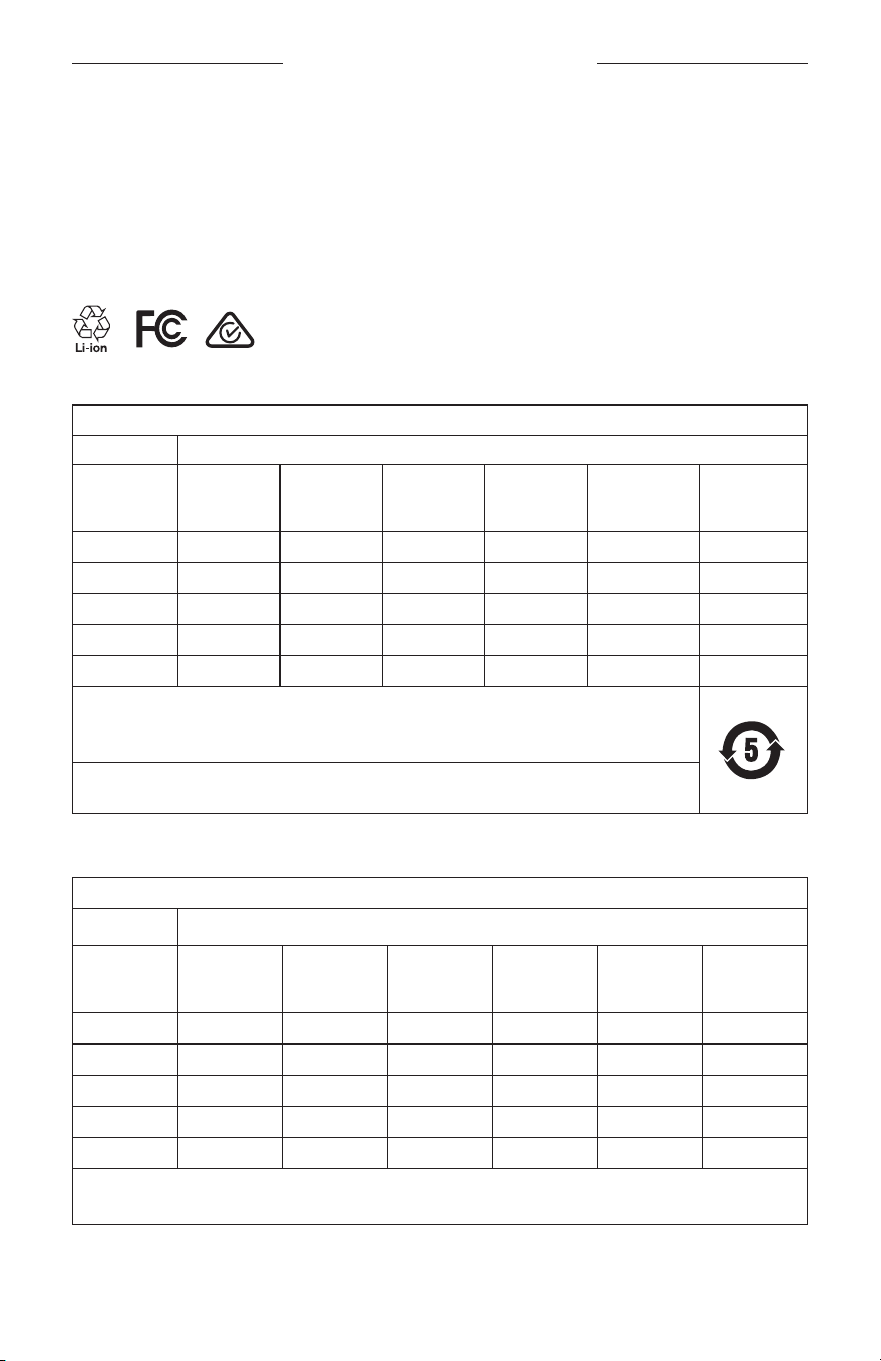
ข้อมูลเกี่ยวกับระเบียบข้อบังคับและกฎหมาย
5
|
THA
M
ผลิตส�ำหรับ
: Bose Corporation, 100 The Mountain Road, Framingham, MA 01701
L
อย่าใช้หากบรรจุภัณฑ์ได้รับความเสียหาย
C
ผลิตภัณฑ์นี้ไม่มีส่วนผสมของน�้ายางธรรมชาติ
d
ผลิตภัณฑ์นี้ไม่ใช่ผลิตภัณฑ์ปลอดเชื้อ
p
l
+45C
0C
ตำรำงข้อจ�ำกัดสำรที่เป็นอันตรำยของจีน
ชื่อและปริมำณสำรหรือองค์ประกอบที่เป็นพิษหรือเป็นอันตรำย
สำรและองค์ประกอบที่เป็นพิษหรือเป็นอันตรำย
ชื่อชิ้นส่วน
ตะกั่ว
(Pb)
ปรอท
(Hg)
แคดเมียม
(Cd)
โครเมียม
6
(CR(VI))
โพลีโบรมิเนตเต็ด
ไบเฟนิล
(PBB)
โพลีโบรมิเนตเต็ด
ไดเฟนิลอีเทอร์
(PBDE)
PCB X O O O O O
ชิ้นส่วนโลหะ
X O O O O O
ชิ้นส่วนพลาสติก
O O O O O O
ล�าโพง
X O O O O O
สาย
X O O O O O
ตารางนี้ได้รับการจัดเตรียมตามข้อก�าหนดของ
SJ/T 11364
O:
หมายความว่าสารพิษหรือสารอันตรายนี้ที่อยู่ในวัสดุทั้งหมดที่เป็นเนื้อเดียวกันส�าหรับชิ้นส่วนนี้มีปริมาณต�่ากว่า
ข้อก�าหนดขีดจ�ากัดของ
GB/T 26572
X:
หมายความว่าสารพิษหรือสารอันตรายนี้ที่อยู่ในวัสดุที่เป็นเนื้อเดียวกันอย่างน้อยหนึ่งชิ้นที่ใช้ส�าหรับชิ้นส่วนนี้
มีปริมาณสูงกว่าข้อก�าหนดขีดจ�ากัดของ
GB/T 26572
ตำรำงข้อจ�ำกัดสำรที่เป็นอันตรำยของไต้หวัน
ชื่ออุปกรณ์
:
ล�าโพงพาวเวอร์
,
การตั้งชื่อประเภท
: 433948
สารประกอบที่ถูกจ�ากัดและสัญลักษณ์ทางเคมีของสารนั้น
ชุด
ตะกั่ว
(Pb)
ปรอท
(Hg)
แคดเมียม
(Cd)
โครเมียมเวเลนซี
หก
(Cr+6)
โพลีโบรมิเนตเต็ด
ไบเฟนิล
(PBB)
โพลีโบรมิเนตเต็ด
ไดเฟนิลอีเทอร์
(PBDE)
PCB
- ○ ○ ○ ○ ○
ชิ้นส่วนโลหะ
- ○ ○ ○ ○ ○
ชิ้นส่วนพลาสติก
○ ○ ○ ○ ○ ○
ล�าโพง
- ○ ○ ○ ○ ○
สาย
- ○ ○ ○ ○ ○
หมำยเหตุ
1: “○”
บ่งชี้ปริมาณเปอร์เซ็นต์ของสารที่ถูกจ�ากัดไม่เกินเปอร์เซ็นต์ของค่าการมีอยู่จริงที่ใช้อ้างอิง
หมำยเหตุ
2: “−”
บ่งชี้ว่าสารที่ถูกจ�ากัดตรงตามข้อยกเว้น
ข้อมูลเกี่ยวกับระเบียบข้อบังคับและกฎหมาย
6
|
THA
ผลิตภัณฑ์นี้สอดคล้องตาม
ANSI Z80.3, AS/NZS 1067.1
และ
EN ISO 12312-1
ไม่แนะน�าให้สวมใส่แว่นกันแดดเลนส์สีส�าหรับการขับรถในตอนกลางคืน
I
ไม่เหมาะส�าหรับการใส่ขับรถในช่วงใกล้สว่างหรือใกล้มืด ไม่เหมาะส�าหรับการใส่ขับรถตอนกลางคืนหรือสภาพ
ที่มีแสงสลัว
ผลิตภัณฑ์นี้ได้รับการออกแบบมาเพื่อป้องกันรังสี
UVA
และ
UVB
มากกว่า
99%
ผลิตภัณฑ์นี้สอดคล้องตาม
ANSI Z80.3
ควรใช้เฉพาะเลนส์ที่ได้รับการรับรองจาก
Bose
เท่านั้นกับผลิตภัณฑ์
Frames Soprano
หรือ
Frames Tenor
ไม่ใช้ส�าหรับการจ้องไปที่ดวงอาทิตย์โดยตรง
ไม่ใช้ป้องกันจากแหล่งก�าเนิดแสงประดิษฐ์ เช่น โซลาเรีย
ไม่ใช้เป็นแว่นตานิรภัยป้องกันการกระทบกระแทก
เมื่อไม่ได้ใช้งาน ให้จัดเก็บผลิตภัณฑ์ในกล่องบรรจุเพื่อพกพาที่ให้มาด้วย
หมวดหมู่ฟิลเตอร์ของ
EU: ISO 12312-1 CAT 3
หมวดหมู่เลนส์ของออสเตรเลีย
: 1067.1 CAT 3
h
แว่นกันแดดนี้ลดการสะท้อนของแสงแดดในระดับสูงและให้การป้องกันแสง
UV
ที่ดี
ระดับแสง
UV:
ป้องกันรังสี
UV 380
โปรดกรอกข้อมูลและเก็บไว้เป็นบันทึกของคุณ
หมายเลขซีเรียลของแว่นกันแดดอยู่ที่ขาแว่นด้านซ้าย และหมายเลขรุ่น/อ้างอิงอยู่ที่ขาแว่นด้านขวา
หมายเลขซีเรียล
: ___________________________________________________________________
หมายเลขรุ่น
: ______________________________________________________________________
โปรดเก็บใบเสร็จรับเงินไว้กับคู่มือผู้ใช้ ในตอนนี้ คุณควรลงทะเบียนผลิตภัณฑ์
Bose
ของคุณ
ซึ่งคุณสามารถด�าเนินการได้
อย่างง่ายดายโดยไปที่
global.Bose.com/register
N
วันที่ผลิต
:
ตัวเลขหลักที่
8
ในหมายเลขซีเรียลระบุถึงปีที่ผลิต หมายเลข
“0”
หมายถึงปี ค.ศ.
2010
หรือปี ค.ศ.
2020
ผู้น�ำเข้ำของจีน
: Bose Electronics (Shanghai) Company Limited, Part C, Plant 9, No. 353 North Riying Road,
China (Shanghai) Pilot Free Trade Zone
ผู้น�ำเข้ำของ
EU: Bose Products B.V., Gorslaan 60, 1441 RG Purmerend, The Netherlands
ผู้น�ำเข้ำของไต้หวัน
: Bose Taiwan Branch, 9F-A1, No. 10, Section 3, Minsheng East Road, Taipei City 104,
หมายเลขโทรศัพท์ของไต้หวัน
: +886-2-2514 7676
ผู้น�ำเข้ำของเม็กซิโก
: Bose de México, S. de R.L. de C.V., Paseo de las Palmas 405-204, Lomas de Chapultepec,
11000 México, D.F.
หมายเลขโทรศัพท์
: +5255 (5202) 3545
พิกัดก�ำลังไฟขำเข้ำ
: 5V p 500mA
CMIIT ID
อยู่ที่ขาแว่นด้านหน้าด้านใน
h
BMD0011
ข้อมูลเกี่ยวกับระเบียบข้อบังคับและกฎหมาย
7
|
THA
ข้อมูลด้ำนควำมปลอดภัย
ผลิตภัณฑ์นี้สามารถรับอัพเดตความปลอดภัยจาก
Bose
โดยอัตโนมัติเมื่อเชื่อมต่อกับแอพพลิเคชั่น
Bose Music
หากต้องการรับอัพเดตความปลอดภัยผ่านทางแอพพลิเคชันเคลื่อนที่
คุณต้องด�าเนินการขั้นตอนการตั้งค่าผลิตภัณฑ์
ในแอพพลิเคชัน
Bose Music
ให้เสร็จสมบูรณ์
หำกคุณไม่ได้ด�ำเนินกำรขั้นตอนกำรตั้งค่ำจนเสร็จสมบูรณ์
คุณจะต้องรับผิดชอบในกำรติดตั้งอัพเดตควำมปลอดภัยที่
Bose
มีให้ใช้งำนทำง
btu.bose.com
Apple,
โลโก้
Apple, iPad, iPhone, iPod
และ
Siri
เป็นเครื่องหมายการค้าของ
Apple Inc.
ที่จดทะเบียนในสหรัฐฯ
และประเทศอื่นๆ เครื่องหมายการค้า
“iPhone”
ที่ใช้ในญี่ปุ่นได้รับอนุญาตจาก
Aiphone K.K. App Store
เป็นเครื่องหมาย
บริการของ
Apple Inc.
การใช้เครื่องหมาย
Made for Apple
หมายความว่าอุปกรณ์เสริมนั้นๆ ได้รับการออกแบบมาเพื่อเชื่อมต่อกับอุปกรณ์
Apple
ที่ระบุในเครื่องหมายนั้นโดยเฉพาะ และได้รับการรับรองจากผู้พัฒนาว่าตรงตามมาตรฐานประสิทธิภาพของ
Apple
Apple
ไม่รับผิดชอบการท�างานของอุปกรณ์นี้หรือความสอดคล้องกับมาตรฐานความปลอดภัยและระเบียบข้อบังคับ
ของอุปกรณ์
ข้อความแสดงชื่อและโลโก้
Bluetooth®
เป็นเครื่องหมายการค้าจดทะเบียนของ
Bluetooth SIG, Inc.
และการใช้เครื่องหมาย
เหล่านั้นโดย
Bose Corporation
อยู่ภายใต้การอนุญาต
Google
และ
Google Play
เป็นเครื่องหมายการค้าของ
Google LLC
Bose, Bose Frames
และ
Bose Music
เป็นเครื่องหมายการค้าของ
Bose Corporation
ส�านักงานใหญ่
Bose Corporation: 1-877-230-5639
©2020 Bose Corporation
ห้ามท�าซ�้า แก้ไข เผยแพร่ ส่วนหนึ่งส่วนใดของเอกสารนี้ หรือน�าไปใช้งานใดๆ โดยไม่ได้รับอนุญาต
เป็นลายลักษณ์อักษร

8
|
THA
The following license disclosures apply to certain third-party software packages used as components in the product.
Package: Nanopb
Copyright © 2011 Petteri Aimonen <jpa at nanopb.mail.kapsi.fi>. The Nanopb package is subject to the license terms
reprinted below.
Zlib license
© 2011 Petteri Aimonen <jpa at nanopb.mail.kapsi.fi>
This software is provided ‘as-is’, without any express or implied warranty. In no event will the authors be held liable
for any damages arising from the use of this software.
Permission is granted to anyone to use this software for any purpose, including commercial applications, and to alter
it and redistribute it freely, subject to the following restrictions:
1. The origin of this software must not be misrepresented; you must not claim that you wrote the original software.
If you use this software in a product, an acknowledgment in the product documentation would be appreciated
but is not required.
2. Altered source versions must be plainly marked as such, and must not be misrepresented as being the
original software.
3. This notice may not be removed or altered from any source distribution.
Package: Mbed TLS 2.16.1
© ARM Limited. All rights reserved. The Mbed TLS package is subject to the license terms reprinted below.
Apache 2.0 License
Apache License
Version 2.0, January 2004
http://www.apache.org/licenses/
TERMS AND CONDITIONS FOR USE, REPRODUCTION, AND DISTRIBUTION
1. Definitions.
“License” shall mean the terms and conditions for use, reproduction, and distribution as defined by Sections 1
through 9 of this document.
“Licensor” shall mean the copyright owner or entity authorized by the copyright owner that is granting
the License.
“Legal Entity” shall mean the union of the acting entity and all other entities that control, are controlled by, or
are under common control with that entity. For the purposes of this definition, “control” means (i) the power,
direct or indirect, to cause the direction or management of such entity, whether by contract or otherwise, or (ii)
ownership of fifty percent (50%) or more of the outstanding shares, or (iii) beneficial ownership of such entity.
“You” (or “Your”) shall mean an individual or Legal Entity exercising permissions granted by this License.
“Source” form shall mean the preferred form for making modifications, including but not limited to software
source code, documentation source, and configuration files.
“Object” form shall mean any form resulting from mechanical transformation or translation of a Source form,
including but not limited to compiled object code, generated documentation, and conversions to other
media types.
“Work” shall mean the work of authorship, whether in Source or Object form, made available under the License,
as indicated by a copyright notice that is included in or attached to the work (an example is provided in the
Appendix below).
“Derivative Works” shall mean any work, whether in Source or Object form, that is based on (or derived from)
the Work and for which the editorial revisions, annotations, elaborations, or other modifications represent, as a
whole, an original work of authorship. For the purposes of this License, Derivative Works shall not include works
that remain separable from, or merely link (or bind by name) to the interfaces of, the Work and Derivative
Works thereof.
การเปิดเผยการอนุญาตใช้งาน

9
|
THA
การเปิดเผยการอนุญาตใช้งาน
“Contribution” shall mean any work of authorship, including the original version of the Work and any
modifications or additions to that Work or Derivative Works thereof, that is intentionally submitted to Licensor
for inclusion in the Work by the copyright owner or by an individual or Legal Entity authorized to submit on
behalf of the copyright owner. For the purposes of this definition, “submitted” means any form of electronic,
verbal, or written communication sent to the Licensor or its representatives, including but not limited to
communication on electronic mailing lists, source code control systems, and issue tracking systems that are man-
aged by, or on behalf of, the Licensor for the purpose of discussing and improving the Work, but excluding
communication that is conspicuously marked or otherwise designated in writing by the copyright owner as “Not
a Contribution.”
“Contributor” shall mean Licensor and any individual or Legal Entity on behalf of whom a Contribution has been
received by Licensor and subsequently incorporated within the Work.
2. Grant of Copyright License. Subject to the terms and conditions of this License, each Contributor hereby grants
to You a perpetual, worldwide, non-exclusive, no-charge, royalty-free, irrevocable copyright license to reproduce,
prepare Derivative Works of, publicly display, publicly perform, sublicense, and distribute the Work and such
Derivative Works in Source or Object form.
3. Grant of Patent License. Subject to the terms and conditions of this License, each Contributor hereby grants to
You a perpetual, worldwide, non-exclusive, no-charge, royalty-free, irrevocable (except as stated in this section)
patent license to make, have made, use, offer to sell, sell, import, and otherwise transfer the Work, where such
license applies only to those patent claims licensable by such Contributor that are necessarily infringed by their
Contribution(s) alone or by combination of their Contribution(s) with the Work to which such Contribution(s)
was submitted. If You institute patent litigation against any entity (including a cross-claim or counterclaim in a
lawsuit) alleging that the Work or a Contribution incorporated within the Work constitutes direct or contributory
patent infringement, then any patent licenses granted to You under this License for that Work shall terminate as
of the date such litigation is filed.
4. Redistribution. You may reproduce and distribute copies of the Work or Derivative Works thereof in any medium,
with or without modifications, and in Source or Object form, provided that You meet the following conditions:
a. You must give any other recipients of the Work or Derivative Works a copy of this License; and
b. You must cause any modified files to carry prominent notices stating that You changed the files; and
c. You must retain, in the Source form of any Derivative Works that You distribute, all copyright, patent,
trademark, and attribution notices from the Source form of the Work, excluding those notices that do not
pertain to any part of the Derivative Works; and
d. If the Work includes a “NOTICE” text file as part of its distribution, then any Derivative Works that You
distribute must include a readable copy of the attribution notices contained within such NOTICE file, excluding
those notices that do not pertain to any part of the Derivative Works, in at least one of the following places:
within a NOTICE text file distributed as part of the Derivative Works; within the Source form or
documentation, if provided along with the Derivative Works; or, within a display generated by the
Derivative Works, if and wherever such third-party notices normally appear. The contents of the NOTICE file
are for informational purposes only and do not modify the License. You may add Your own attribution notices
within Derivative Works that You distribute, alongside or as an addendum to the NOTICE text from the Work,
provided that such additional attribution notices cannot be construed as modifying the License.
You may add Your own copyright statement to Your modifications and may provide additional or different
license terms and conditions for use, reproduction, or distribution of Your modifications, or for any such
Derivative Works as a whole, provided Your use, reproduction, and distribution of the Work otherwise
complies with the conditions stated in this License.
5. Submission of Contributions. Unless You explicitly state otherwise, any Contribution intentionally submitted for
inclusion in the Work by You to the Licensor shall be under the terms and conditions of this License, without any
additional terms or conditions. Notwithstanding the above, nothing herein shall supersede or modify the terms
of any separate license agreement you may have executed with Licensor regarding such Contributions.
6. Trademarks. This License does not grant permission to use the trade names, trademarks, service marks, or
product names of the Licensor, except as required for reasonable and customary use in describing the origin of
the Work and reproducing the content of the NOTICE file.

10
|
THA
การเปิดเผยการอนุญาตใช้งาน
7. Disclaimer of Warranty. Unless required by applicable law or agreed to in writing, Licensor provides the Work
(and each Contributor provides its Contributions) on an “AS IS” BASIS, WITHOUT WARRANTIES OR CONDITIONS
OF ANY KIND, either express or implied, including, without limitation, any warranties or conditions of TITLE,
NON-INFRINGEMENT, MERCHANTABILITY, or FITNESS FOR A PARTICULAR PURPOSE. You are solely responsible
for determining the appropriateness of using or redistributing the Work and assume any risks associated with
Your exercise of permissions under this License.
8. Limitation of Liability. In no event and under no legal theory, whether in tort (including negligence), contract, or
otherwise, unless required by applicable law (such as deliberate and grossly negligent acts) or agreed to in
writing, shall any Contributor be liable to You for damages, including any direct, indirect, special, incidental, or
consequential damages of any character arising as a result of this License or out of the use or inability to use the
Work (including but not limited to damages for loss of goodwill, work stoppage, computer failure or malfunc-
tion, or any and all other commercial damages or losses), even if such Contributor has been advised of the
possibility of such damages.
9. Accepting Warranty or Additional Liability. While redistributing the Work or Derivative Works thereof, You may
choose to offer, and charge a fee for, acceptance of support, warranty, indemnity, or other liability obligations
and/or rights consistent with this License. However, in accepting such obligations, You may act only on Your own
behalf and on Your sole responsibility, not on behalf of any other Contributor, and only if You agree to indemnify,
defend, and hold each Contributor harmless for any liability incurred by, or claims asserted against, such
Contributor by reason of your accepting any such warranty or additional liability.
END OF TERMS AND CONDITIONS
©2020 Bose Corporation
Licensed under the Apache License, Version 2.0 (the “License”); you may not use this file except in compliance with
the License.
You may obtain a copy of the License at: http://www.apache.org/licenses/LICENSE-2.0
Unless required by applicable law or agreed to in writing, software distributed under the License is distributed on an
“AS IS” BASIS, WITHOUT WARRANTIES OR CONDITIONS OF ANY KIND, either express or implied.
See the License for the specific language governing permissions and limitations under the License.

สารบัญ
11
|
THA
สิ่งที่มีอยู่ภำยในกล่อง
สิ่งที่อยู่ในกล่อง
............................................................................................................................ 13
กำรตั้งค่ำแอพพลิเคชั่น
BOSE MUSIC
การดาวน์โหลดแอพพลิเคชั่น
Bose Music .................................................................................. 14
เพิ่มแว่นกันแดดในบัญชีที่มีอยู่
........................................................................................................ 14
ทนทำนต่อเหงื่อและสภำพอำกำศ
.......................................................................................... 15
เปิด/ปิด
เปิดเครื่อง
.................................................................................................................................. 16
ปิดเครื่อง
................................................................................................................................... 17
พลิกเพื่อปิด
........................................................................................................................ 17
ปิดอัตโนมัติโดยใช้การตรวจจับการเคลื่อนไหว
............................................................................ 17
กำรควบคุมแว่นกันแดด
การเล่นสื่อ
.................................................................................................................................. 18
ระดับเสียง
.................................................................................................................................. 19
เพิ่มระดับเสียง
.................................................................................................................... 19
ลดระดับเสียง
...................................................................................................................... 19
การโทร
..................................................................................................................................... 20
การแจ้งเตือนสายเรียกเข้า
..................................................................................................... 20
เข้าถึงการควบคุมด้วยเสียง
............................................................................................................ 20
แบตเตอรี่
ชาร์จแว่นกันแดด
......................................................................................................................... 21
ตรวจสอบระดับแบตเตอรี่ของแว่นกันแดด
.......................................................................................... 21
ฟังเสียงแจ้งระดับแบตเตอรี่
.................................................................................................... 21
ดูระดับแบตเตอรี่
.................................................................................................................. 21

สารบัญ
12
|
THA
สถำนะแว่นกันแดด
สถานะการเชื่อมต่อ
Bluetooth®................................................................................................ 22
สถานะแบตเตอรี่
.......................................................................................................................... 23
สถานะข้อผิดพลาด
....................................................................................................................... 23
กำรเชื่อมต่อ
BLUETOOTH
เชื่อมต่อโดยใช้เมนู
Bluetooth
บนอุปกรณ์เคลื่อนที่ของคุณ
............................................................. 24
ตัดการเชื่อมต่ออุปกรณ์เคลื่อนที่
...................................................................................................... 25
เชื่อมต่ออุปกรณ์เคลื่อนที่อีกครั้ง
...................................................................................................... 25
ล้างรายการอุปกรณ์แว่นกันแดด
...................................................................................................... 25
กำรดูแลรักษำ
จัดเก็บแว่นกันแดด
....................................................................................................................... 26
ดูแลแว่นกันแดด
.......................................................................................................................... 27
ชิ้นส่วนส�าหรับเปลี่ยนและอุปกรณ์เสริม
............................................................................................. 28
การรับประกันแบบจ�ากัด
................................................................................................................ 28
ต�าแหน่งหมายเลขซีเรียลและหมายเลขรุ่น/อ้างอิง
................................................................................ 28
กำรแก้ปัญหำ
ลองใช้วิธีแก้ปัญหาต่อไปนี้ก่อน
........................................................................................................ 29
วิธีแก้ปัญหาอื่นๆ
......................................................................................................................... 29
สัญลักษณ์ของป้ำย
สัญลักษณ์และค�าอธิบาย
................................................................................................................ 32
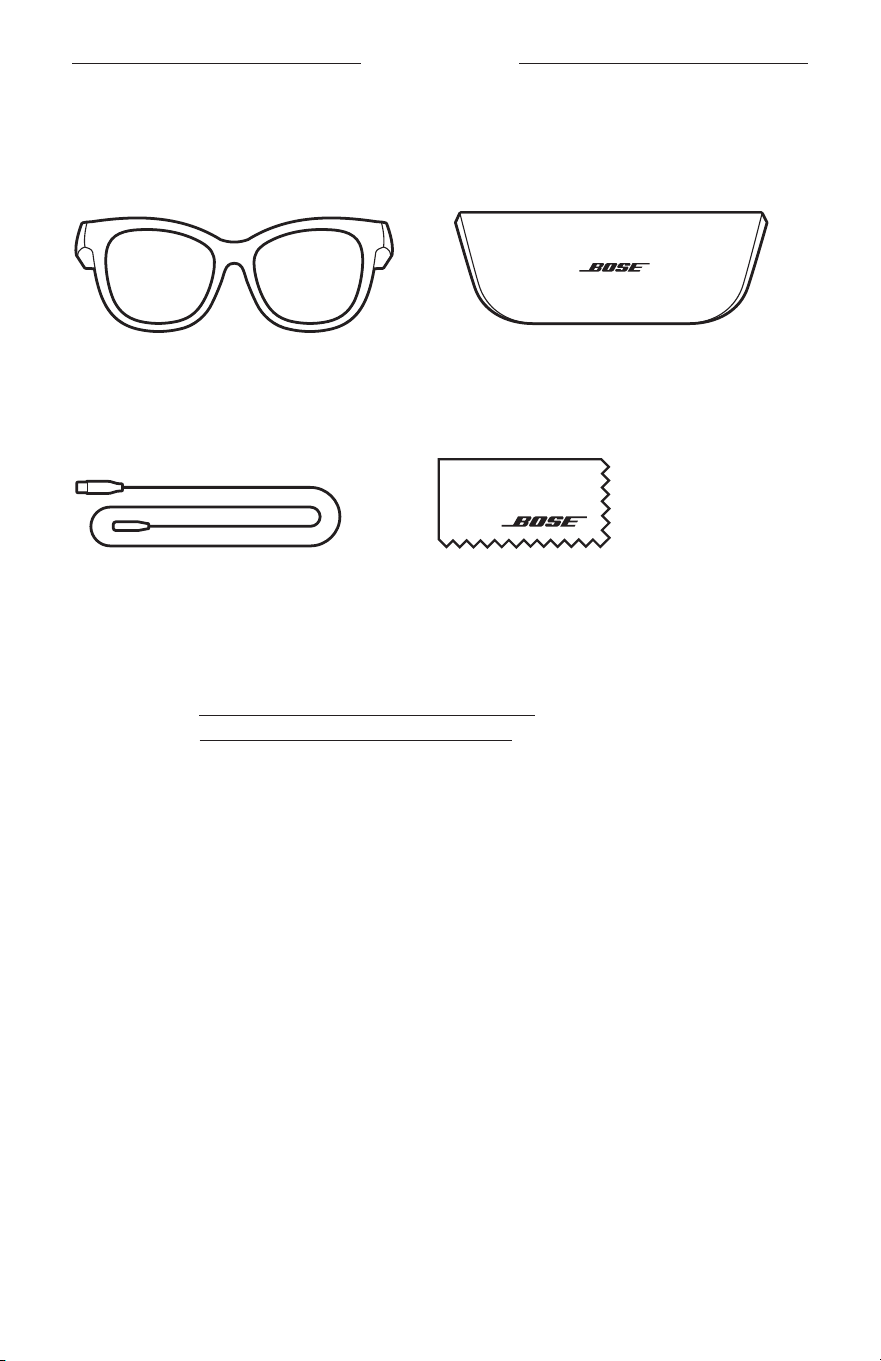
13
|
THA
สิ่งที่มีอยู่ภายในกล่อง
สิ่งที่อยู่ในกล่อง
ตรวจดูว่าคุณได้รับอุปกรณ์ต่อไปนี้ครบถ้วน
:
แว่นกันแดด
Bose
กล่องบรรจุเพื่อพกพา
สายชาร์จ ผ้าสะอาด
หมำยเหตุ: หากส่วนหนึ่งส่วนใดของอุปกรณ์ได้รับความเสียหาย อย่าใช้อุปกรณ์นี้ ให้ติดต่อตัวแทนจ�าหน่าย
ของ
Bose
หรือติดต่อฝ่ายบริการลูกค้าของ
Bose
ไปที่
: worldwide.Bose.com/Support/Soprano
worldwide.Bose.com/Support/Tenor
14
|
THA
การตั้งค่าแอพพลิเคชั่น BOSE MUSIC
แอพพลิเคชั่น
Bose Music
ช่วยให้คุณสามารถตั้งค่าและควบคุมแว่นกันแดดจากอุปกรณ์เคลื่อนที่ใดๆ เช่น
สมาร์ทโฟนหรือแท็บเล็ต
ด้วยการใช้แอพพลิเคชั่นนี้ คุณสามารถปรับแต่งการตั้งค่าเปิดปิด เลือกภาษาเสียงแจ้งเตือน และรับคุณสมบัติใหม่
หมำยเหตุ: หากคุณสร้างบัญชี
Bose
ในแอพพลิเคชันนี้ส�าหรับผลิตภัณฑ์
Bose
ชิ้นอื่นอยู่แล้ว
ดู
“
เพิ่มแว่นกันแดดในบัญชีที่มีอยู่
”
กำรดำวน์โหลดแอพพลิเคชั่น
BOSE MUSIC
1.
บนอุปกรณ์เคลื่อนที่ ดาวน์โหลดแอพพลิเคชั่น
Bose Music
หมำยเหตุ: หากคุณอยู่ที่จีนแผ่นดินใหญ่ ให้ดาวน์โหลดแอพพลิเคชั่น
Bose8
BOSE MUSIC
2.
ท�าตามค�าแนะน�าของแอพพลิเคชั่น
เพิ่มแว่นกันแดดในบัญชีที่มีอยู่
1.
กดปุ่มที่ขาแว่นด้านขวาค้างไว้จนกว่าจะได้ยินเสียง
“
พร้อมเชื่อมต่อ
”
หรือมองเห็นไฟแสดงสถานะ
สีน�้าเงินกะพริบ
2.
ในแอพพลิเคชั่น
Bose Music
ไปที่หน้าจอผลิตภัณฑ์ของฉันและเพิ่มแว่นกันแดดของคุณ
หมำยเหตุ: หากแอพพลิเคชั่นไม่พบแว่นกันแดด โปรดดู
“แอพพลิเคชั่น Bose Music ไม่พบแว่นกันแดด”
ที่หน้า
30
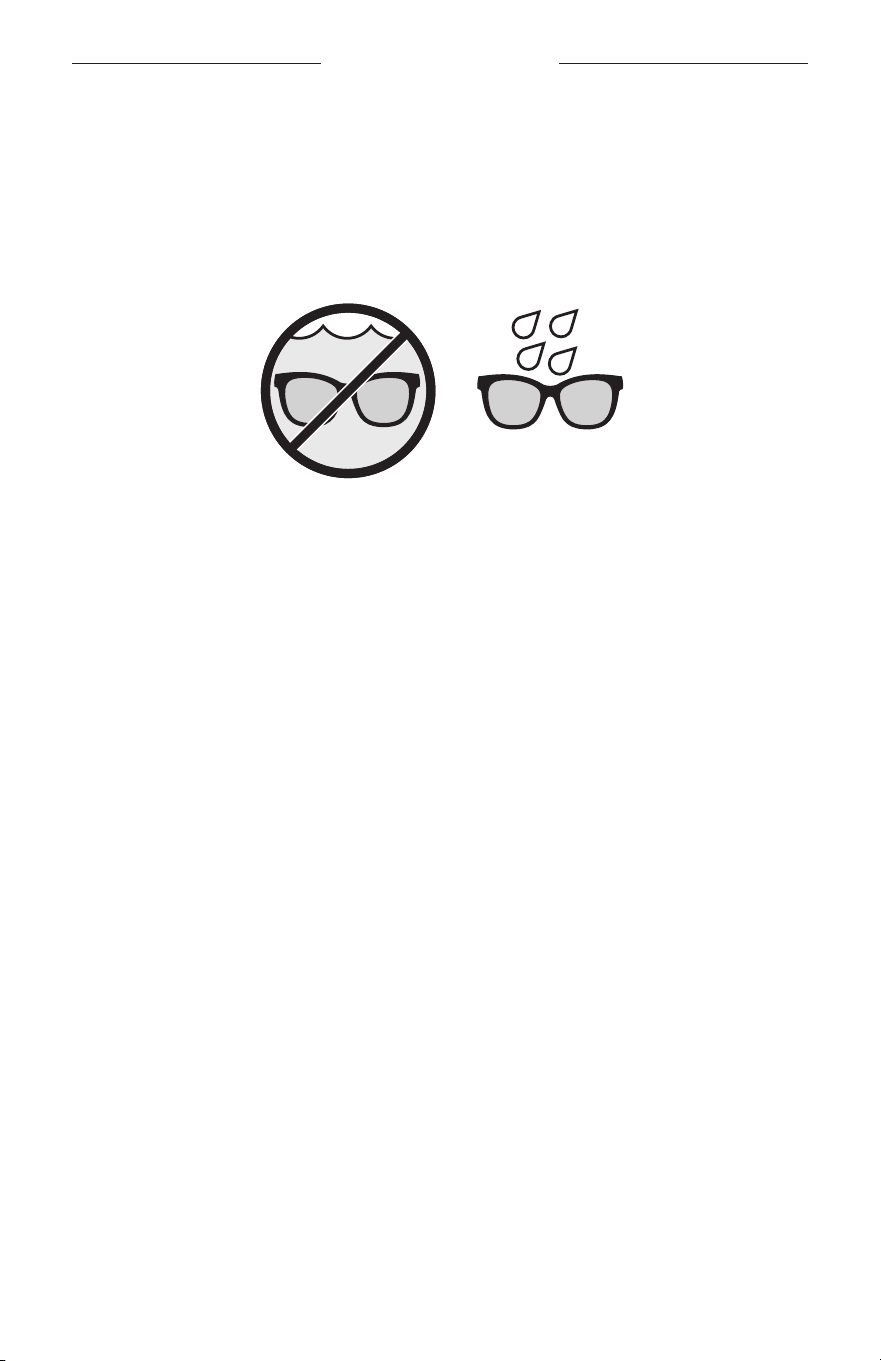
15
|
THA
ทนทานต่อเหงื่อและสภาพอากาศ
แว่นกันแดดให้การป้องกันน�้าในระดับ
IPX2
โดยได้รับการออกแบบมาให้ทนทานต่อเหงื่อและสภาพอากาศ
ประเภทหยดน�้า แต่ไม่ได้มีจุดประสงค์เพื่อให้น�าหูฟังไปแช่ในน�้า
ข้อควรระวัง:
•
ไม่สวมใส่แว่นกันแดดระหว่างการว่ายน�้าหรือการอาบน�้า
•
อย่าจุ่มแว่นกันแดดในน�้า
หมำยเหตุ:
IPX2
ไม่ใช่สถานะถาวร และความต้านทานนี้อาจลดลงตามการสวมใส่ปกติ
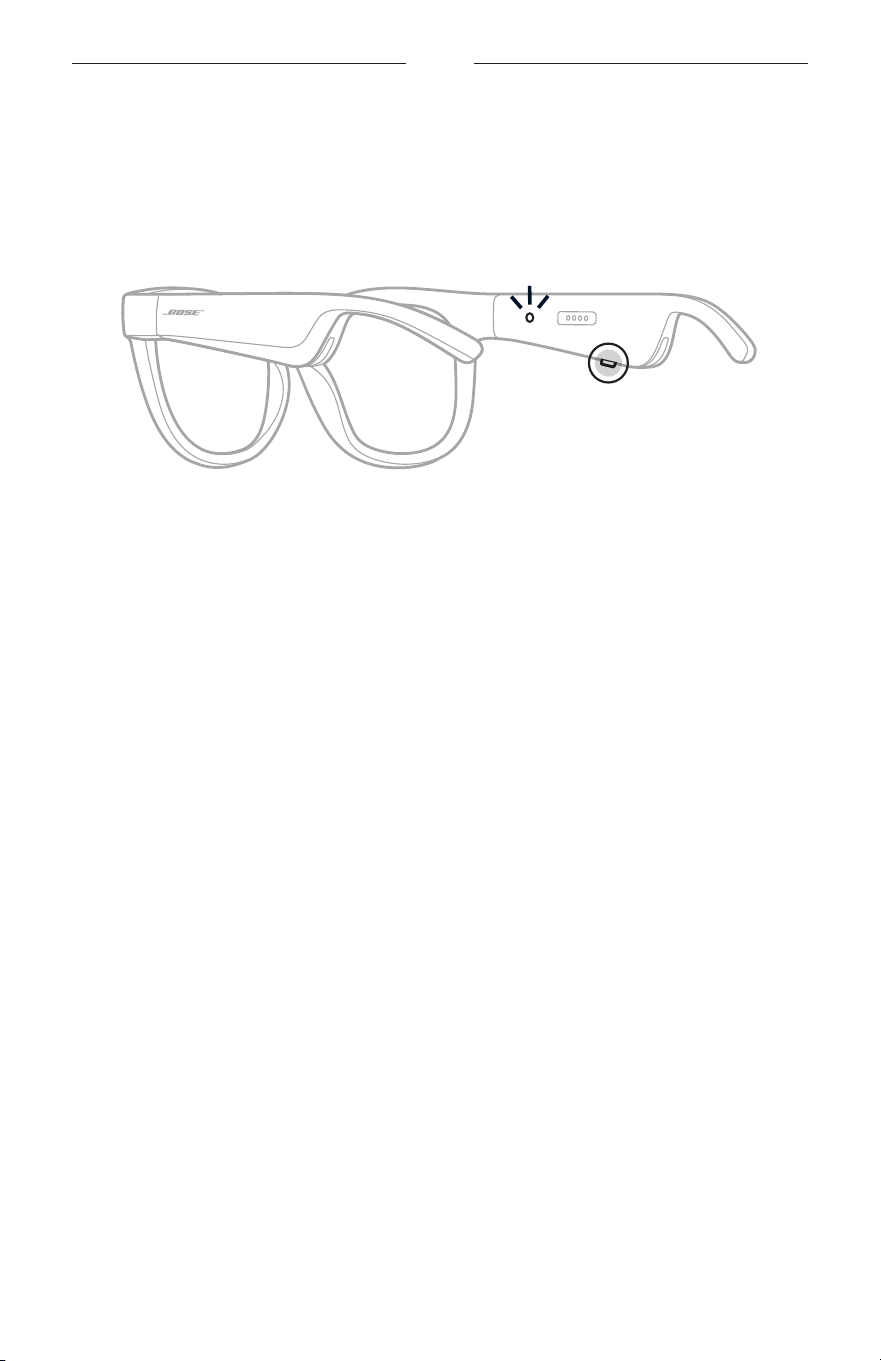
16
|
THA
เปิด/ปิด
เปิดเครื่อง
กดปุ่มที่ขาแว่นด้านขวา
ไฟแสดงสถานะสีขาวจะกะพริบสองครั้งแล้วติดสว่างตามสถานะการเชื่อมต่อ
Bluetooth (
ดูหน้า
22)
ข้อความเสียงแจ้งจะประกาศระดับแบตเตอรี่และสถานะการเชื่อมต่อ
Bluetooth
หมำยเหตุ: แว่นกันแดดจัดส่งมาโดยมีประจุบ้างแล้วและอาจต้องเรียกการท�างานก่อนการใช้งานครั้งแรก
หากต้องการเรียกการท�างานแว่นกันแดด ให้เชื่อมต่อแว่นกันแดดกับกระแสไฟเป็นเวลา
2
วินาที
แล้วตัดการเชื่อมต่อ
(
ดูหน้า
21)
แล้วลองเปิดอีกครั้ง
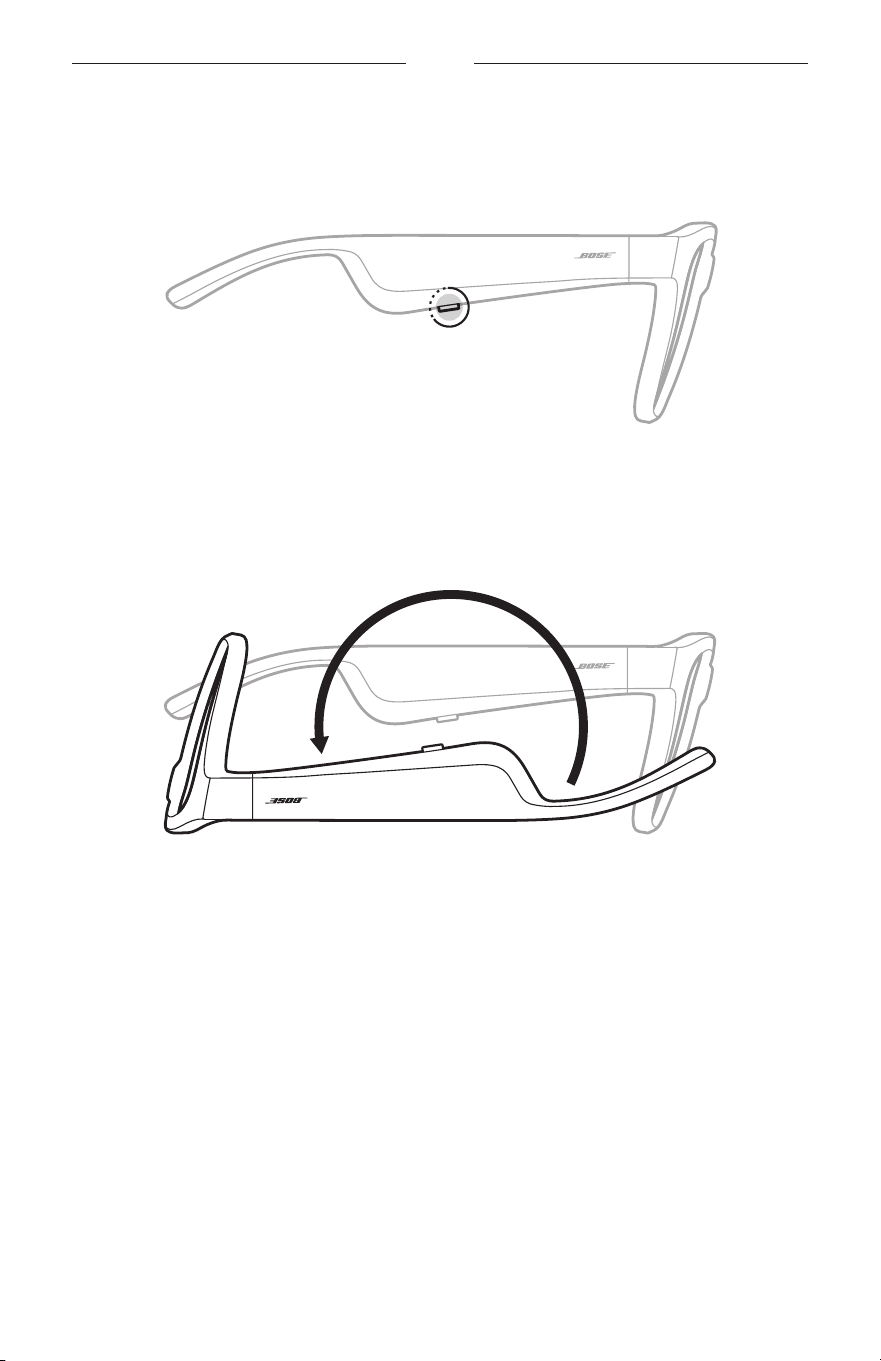
17
|
THA
เปิด/ปิด
ปิดเครื่อง
กดปุ่มค้างไว้จนกระทั่งคุณได้ยินเสียงเตือน
ไฟแสดงสถานะสีขาวจะกะพริบสองครั้งแล้วดับลง
พลิกเพื่อปิด
พลิกกลับแว่นกันแดดประมาณ
2
วินาที
ไฟแสดงสถานะสีขาวจะกะพริบสองครั้งแล้วดับลง
หมำยเหตุ:
•
หลังจากแว่นกันแดดปิด คุณสามารถเคลื่อนย้ายแว่นกันแดดได้
•
คุณสามารถปิดใช้งานการพลิกแล้วปิดโดยใช้แอพพลิเคชั่น
Bose Music
คุณสามารถเข้าถึงตัวเลือกนี้
จากเมนูการตั้งค่า
ปิดอัตโนมัติโดยใช้กำรตรวจจับกำรเคลื่อนไหว
แว่นกันแดดใช้การตรวจจับการเคลื่อนไหวเพื่อบ่งบอกเมื่อไม่ได้ใช้งาน เมื่อไม่มีการเคลื่อนย้ายแว่นกันแดด
นาน
10
นาที แว่นกันแดดจะปิดลงโดยอัตโนมัติ
หมำยเหตุ: คุณสามารถปิดใช้งานการตรวจจับการเคลื่อนไหวในแอพพลิเคชั่น
Bose Music
คุณสามารถ
เข้าถึงตัวเลือกนี้จากเมนูการตั้งค่า
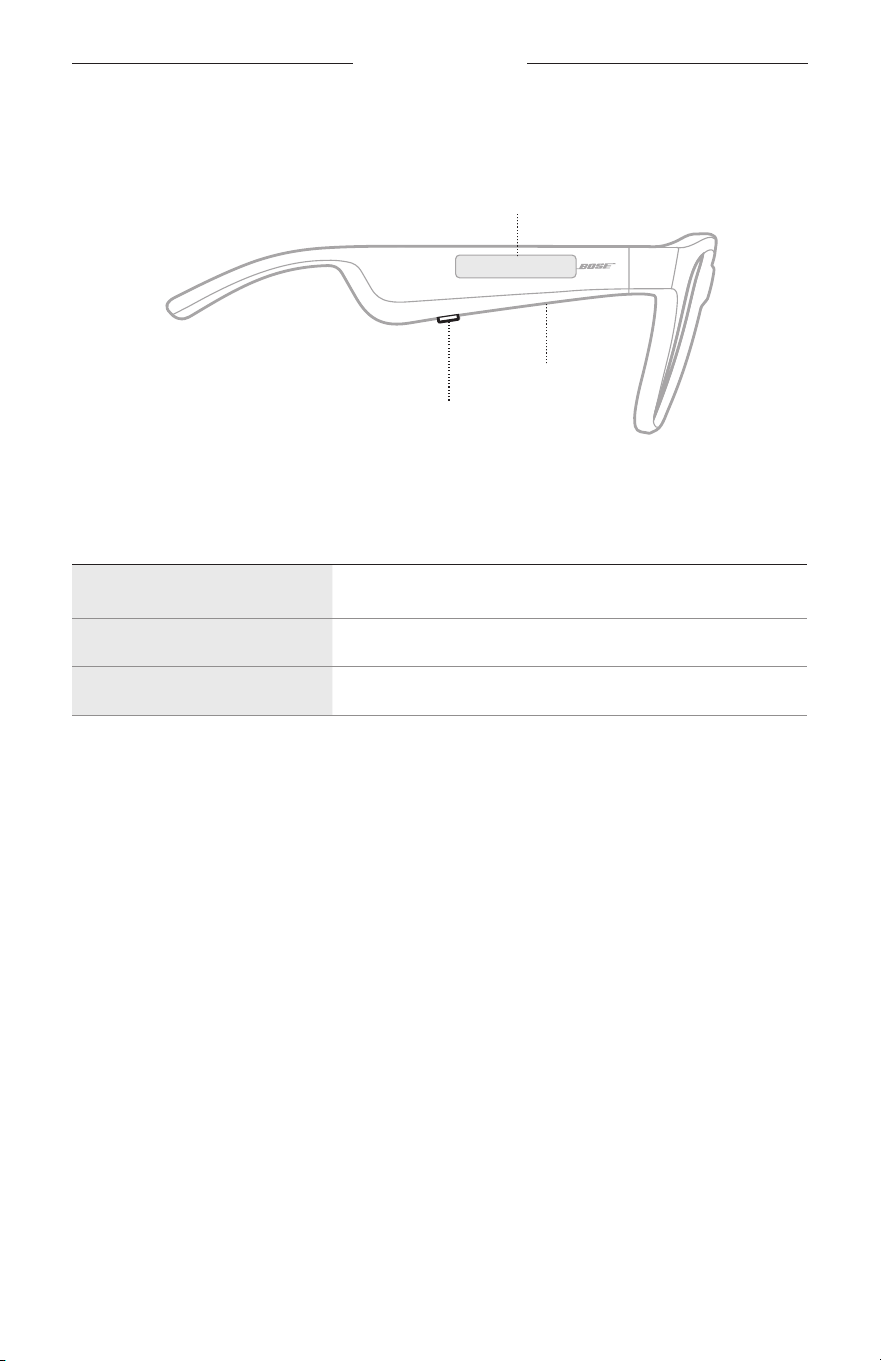
18
|
THA
การควบคุมแว่นกันแดด
ใช้ปุ่มและหน้าจอสัมผัสที่ขาแว่นด้านขวาเพื่อควบคุมการเล่นสื่อ ระดับเสียง การโทร และการควบคุมด้วยเสียง
ปุ่ม
ควบคุมการเล่นสื่อ
ควบคุมการสนทนาทางโทรศัพท์
ไมโครโฟน
หน้ำจอสัมผัส
ปรับระดับเสียง
เข้าถึงการควบคุมด้วยเสียง
กำรเล่นสื่อ
ควบคุม สิ่งที่ต้องท�ำ
เล่น/หยุดชั่วครำว
กดปุ่ม
ข้ำมไปข้ำงหน้ำ กดสองครั้งที่ปุ่ม
ข้ำมย้อนกลับ กดสามครั้งที่ปุ่ม
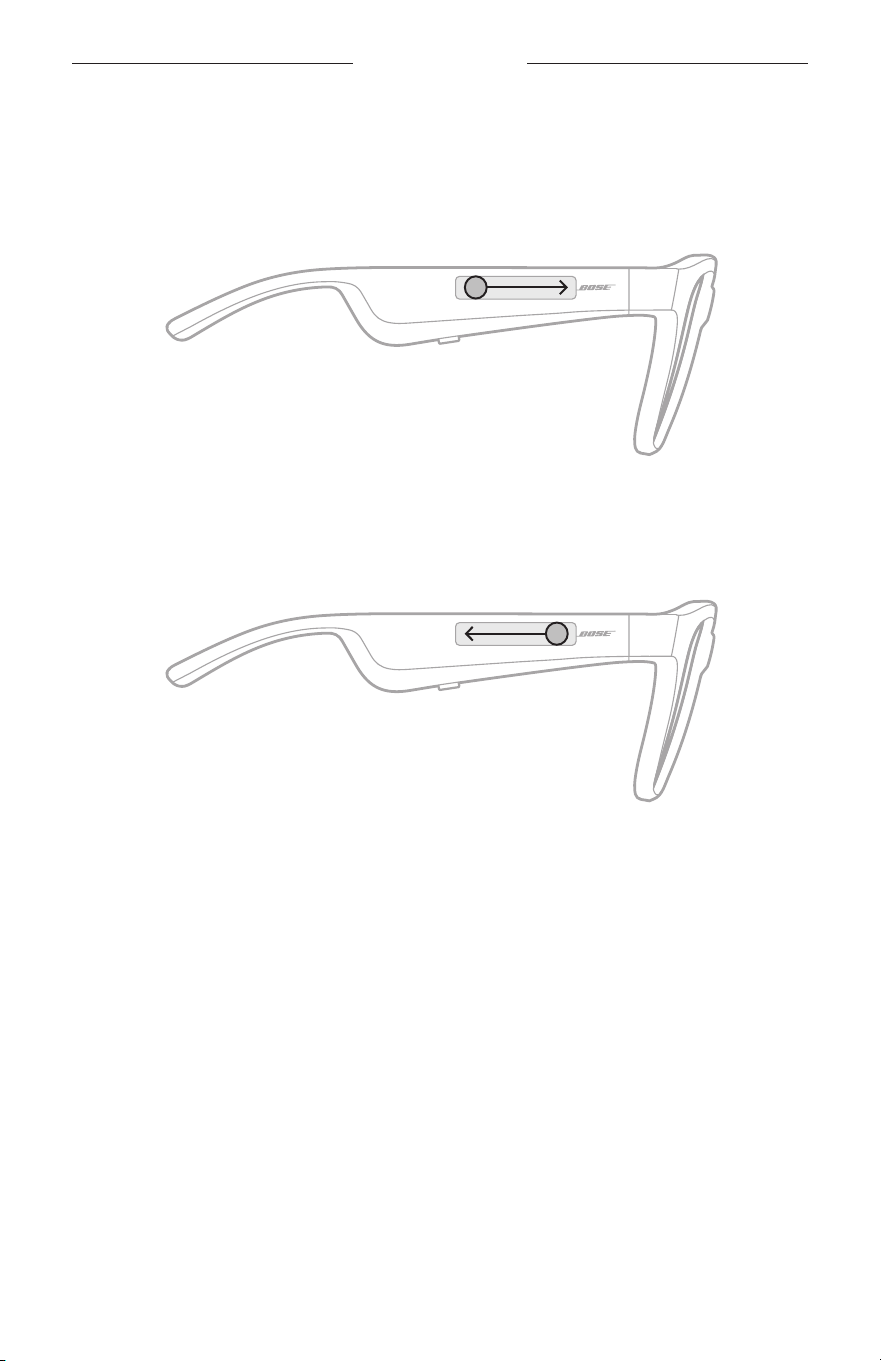
19
|
THA
การควบคุมแว่นกันแดด
ระดับเสียง
เพิ่มระดับเสียง
ปัดไปข้างหน้าที่หน้าจอสัมผัส
หมำยเหตุ: คุณจะได้ยินเสียงเตือนเมื่อระดับเสียงถึงค่าสูงสุด
ลดระดับเสียง
ปัดย้อนกลับที่หน้าจอสัมผัส
หมำยเหตุ: คุณจะได้ยินเสียงเตือนเมื่อระดับเสียงถึงค่าต�่าสุด
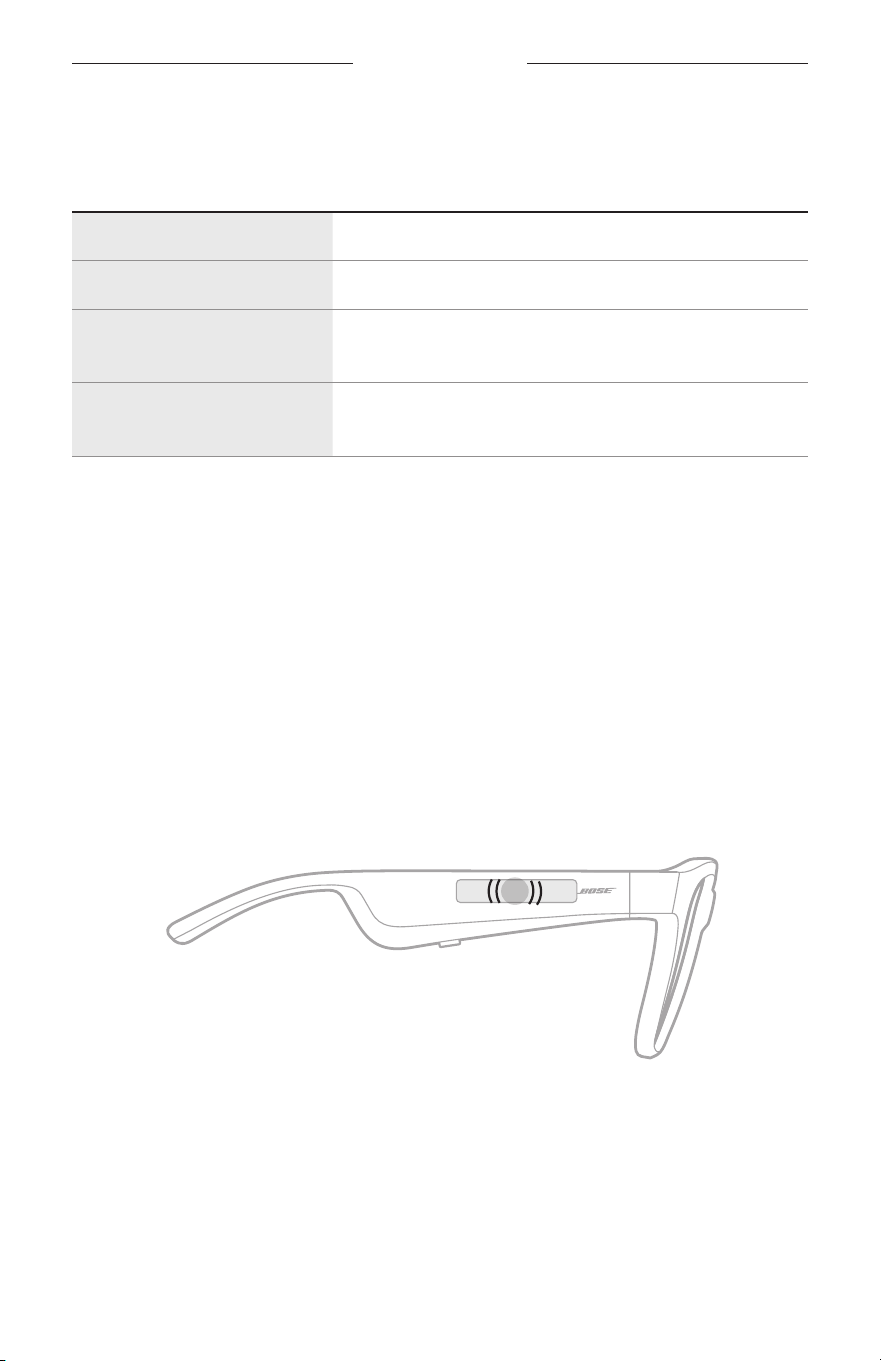
การควบคุมแว่นกันแดด
20
|
THA
กำรโทร
ควบคุม สิ่งที่ต้องท�ำ
รับสำย/วำงสำย กดปุ่ม
ปฏิเสธสำยเรียกเข้ำ กดสองครั้งที่ปุ่ม
รับสำยเรียกเข้ำสำยที่สองและ
พักสำยที่ใช้อยู่
ขณะใช้สาย ให้กดปุ่มนี้
ปฏิเสธสำยเรียกเข้ำสำยที่สอง
และคงอยู่ในสำยที่ใช้อยู่
ขณะใช้สาย ให้กดสองครั้งที่ปุ่มนี้
หมำยเหตุ: หากต้องการใช้การควบคุมการโทรทั้งหมด เรียกใช้งานอัพเดตซอฟต์แวร์ที่พร้อมใช้งาน
ในแอพพลิเคชั่น
Bose Music
กำรแจ้งเตือนสำยเรียกเข้ำ
เสียงแจ้งเตือนบอกผู้โทรเข้าและสถานะการโทร
เข้ำถึงกำรควบคุมด้วยเสียง
ไมโครโฟนของแว่นกันแดดท�าหน้าที่เป็นสายต่อของไมโครโฟนบนอุปกรณ์เคลื่อนที่ของคุณ เมื่อใช้หน้าจอสัมผัส
ที่ขาแว่นด้านขวา คุณจะเข้าถึงความสามารถในการควบคุมด้วยเสียงบนอุปกรณ์ของคุณเพื่อโทรออก/รับสาย
หรือขอให้
Siri
หรือ
Google Assistant
เล่นเพลง รายงานสภาพอากาศ แจ้งผลการแข่งขันกีฬา และอื่นๆ
อีกมากมาย
แตะสองครั้งที่หน้าจอสัมผัสเพื่อเข้าถึงการควบคุมด้วยเสียงบนอุปกรณ์ของคุณ
2x
คุณจะได้ยินเสียงแจ้งเมื่อการควบคุมด้วยเสียงท�างานแล้ว
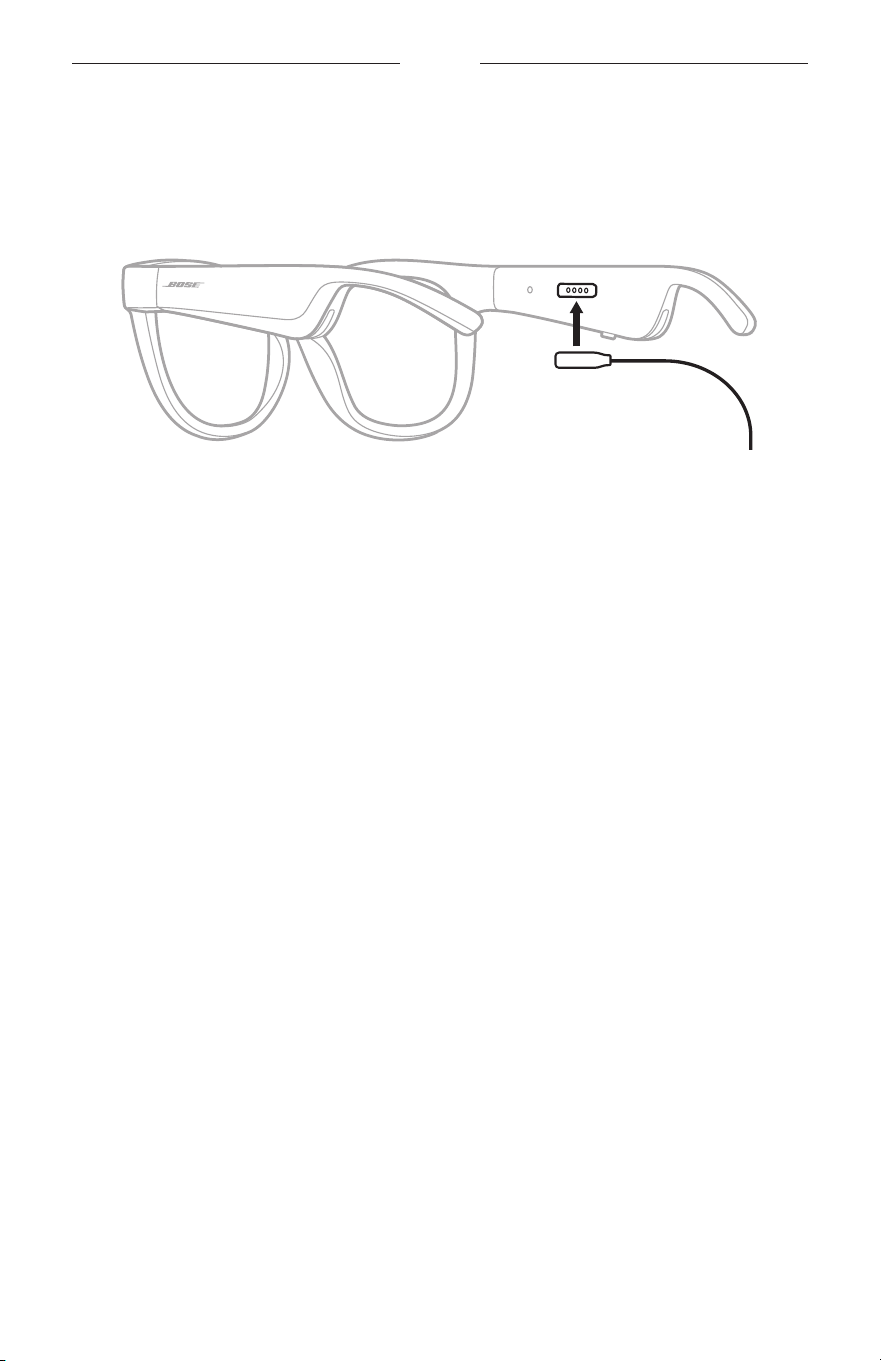
21
|
THA
แบตเตอรี่
ชำร์จแว่นกันแดด
1.
จัดวางขาที่สายชาร์จให้ตรงกับช่องชาร์จที่ขาแว่นด้านขวา
หมำยเหตุ: ขาชาร์จต้องวางตรงกันอย่างถูกต้องกับช่องชาร์จเพื่อให้ชาร์จแว่นกันแดดได้ส�าเร็จ
2.
ค่อยๆ กดขาชาร์จเข้ากับช่องชาร์จจนกระทั่งถูกยึดด้วยแม่เหล็ก
3.
เชื่อมต่อปลายสายอีกด้านหนึ่งเข้ากับอุปกรณ์ชาร์จ
USB-A
ที่ผนัง
(
ไม่ได้ให้มา
)
ข้อควรระวัง: ใช้ผลิตภัณฑ์นี้กับแหล่งจ่ายไฟที่ผ่านการอนุมัติจากหน่วยงานที่เกี่ยวข้อง ที่ตรงตามระเบียบ
ข้อบังคับในท้องถิ่นเท่านั้น
(
เช่น
UL, CSA, VDE, CCC)
ขณะชาร์จ ไฟแสดงสถานะจะกะพริบเป็นสีขาว เมื่อชาร์จแบตเตอรี่เต็มแล้ว ไฟแสดงสถานะจะสว่างเป็นสีขาวนิ่ง
(
ดูหน้า
23)
หมำยเหตุ:
•
แว่นกันแดดไม่เล่นเสียงขณะชาร์จ
•
อย่าสวมแว่นกันแดดขณะชาร์จ
ตรวจสอบระดับแบตเตอรี่ของแว่นกันแดด
ฟังเสียงแจ้งระดับแบตเตอรี่
ทุกครั้งที่คุณเปิดแว่นกันแดด จะมีเสียงแจ้งระดับประจุแบตเตอรี่
ขณะใช้แว่นกันแดด เสียงแจ้งจะดังหากจ�าเป็นต้องชาร์จแบตเตอรี่
ดูระดับแบตเตอรี่
•
ดูที่หน้าจอแรกในแอพพลิเคชั่น
Bose Music
•
เมื่อไฟแสดงสถานะเป็นสีแดงกะพริบ จ�าเป็นต้องชาร์จแว่นกันแดด
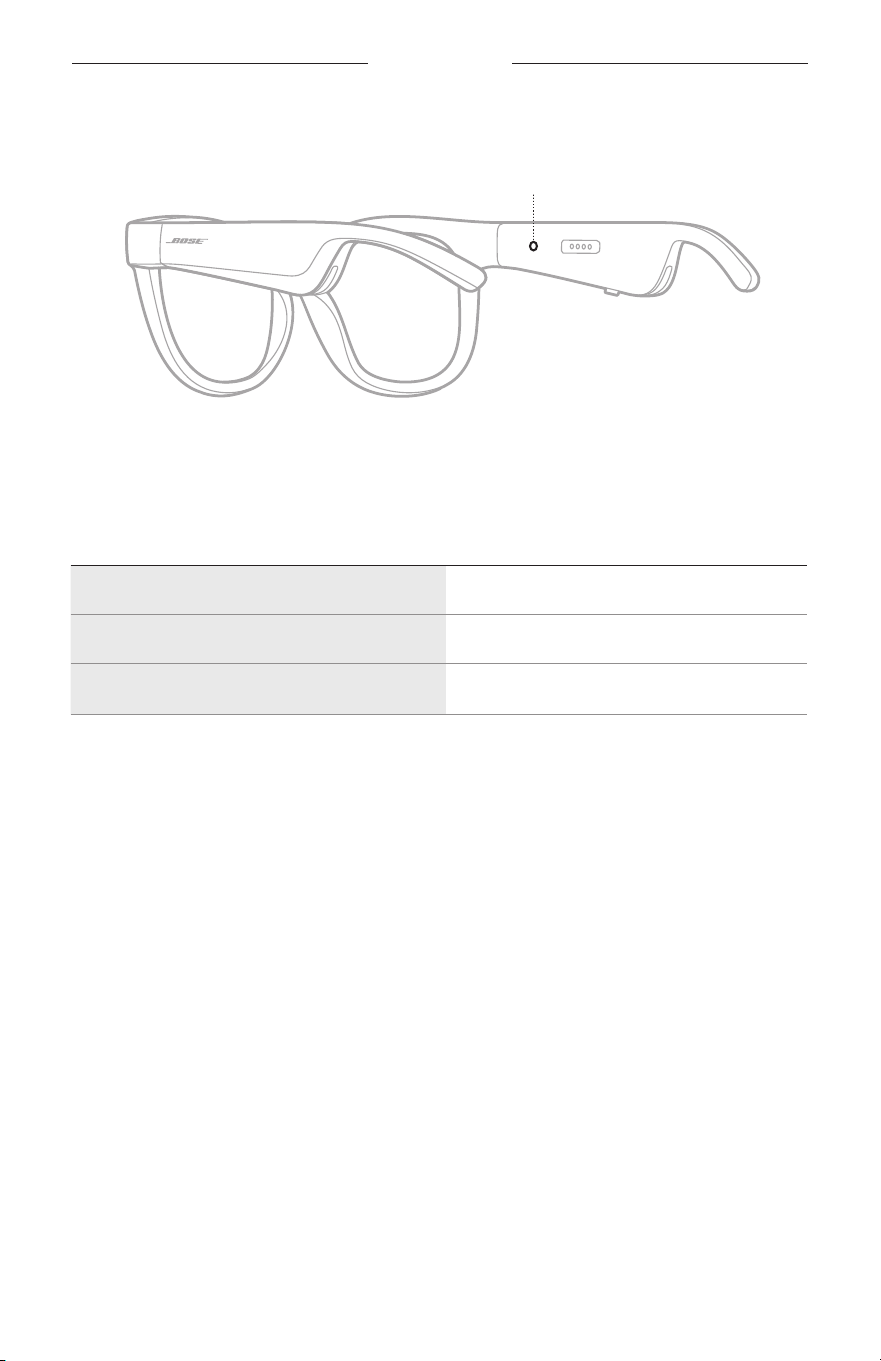
22
|
THA
สถานะแว่นกันแดด
ไฟแสดงสถานะแว่นกันแดดอยู่ที่ด้านในของขาแว่นด้านขวา
ไฟแสดงสถานะ
สถำนะกำรเชื่อมต่อ
BLUETOOTH
แสดงสถานะการเชื่อมต่อ
Bluetooth
ของอุปกรณ์เคลื่อนที่
กำรท�ำงำนของไฟ สถำนะระบบ
กะพริบช้ำๆ เป็นสีน�้ำเงิน พร้อมเชื่อมต่อ
กะพริบรวดเร็วเป็นสีน�้ำเงิน ก�าลังเชื่อมต่อ
สีน�้ำเงินสว่ำงนิ่ง
(10
วินำที
)
เชื่อมต่อแล้ว
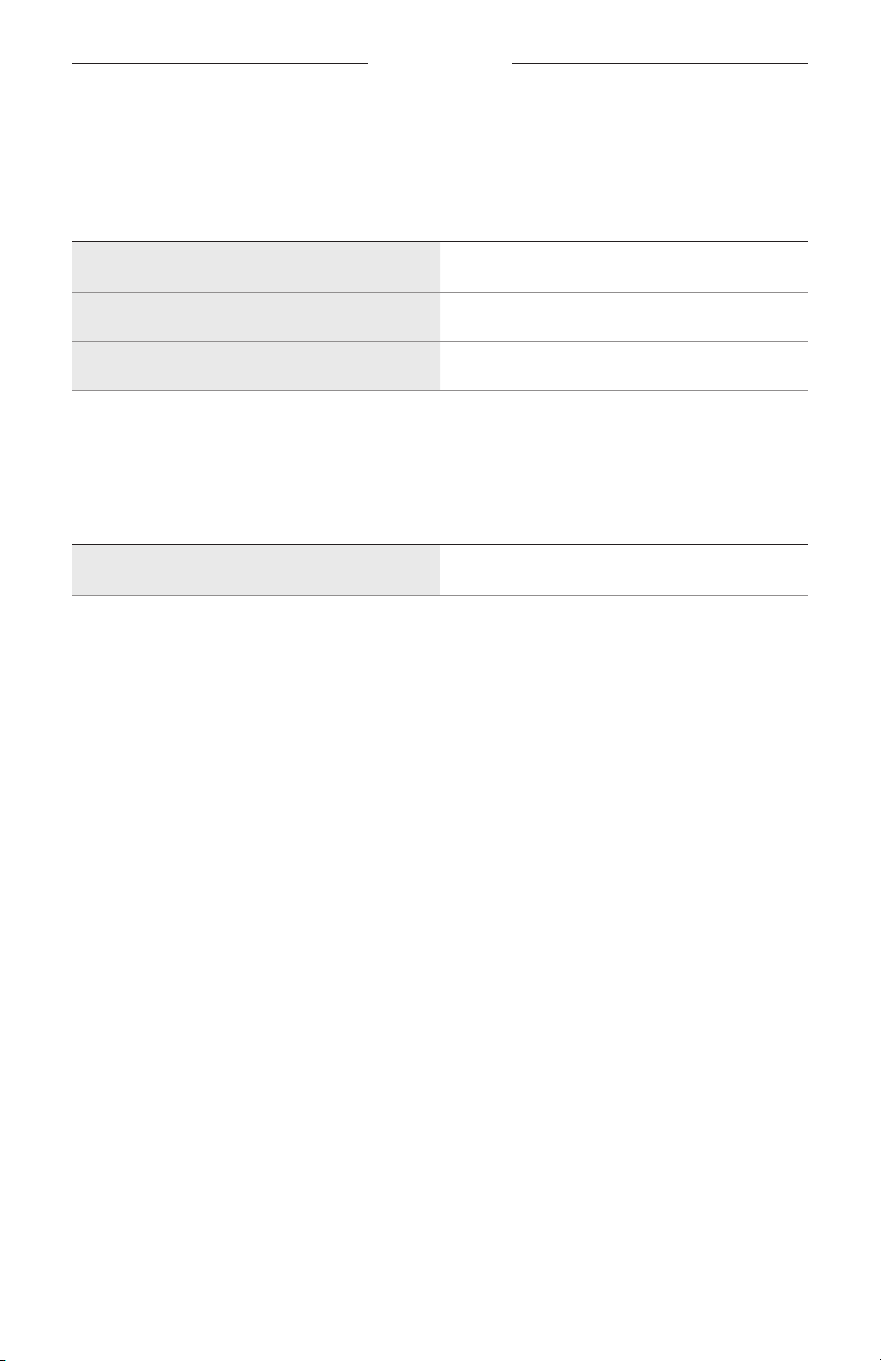
สถานะแว่นกันแดด
23
|
THA
สถำนะแบตเตอรี่
แสดงระดับประจุแบตเตอรี่ของแว่นกันแดด
กำรท�ำงำนของไฟ สถำนะระบบ
กะพริบเป็นสีแดง
(10
วินำที
)
ต้องชาร์จ
กะพริบเป็นสีขำว ก�าลังชาร์จ
สีขำวสว่ำงนิ่ง มีประจุเต็ม
สถำนะข้อผิดพลำด
แสดงสถานะข้อผิดพลาด
กำรท�ำงำนของไฟ สถำนะระบบ
กะพริบเป็นสีแดงและขำว
(
ซ�้ำ
)
ข้อผิดพลาด - ติดต่อฝ่ายบริการลูกค้าของ
Bose
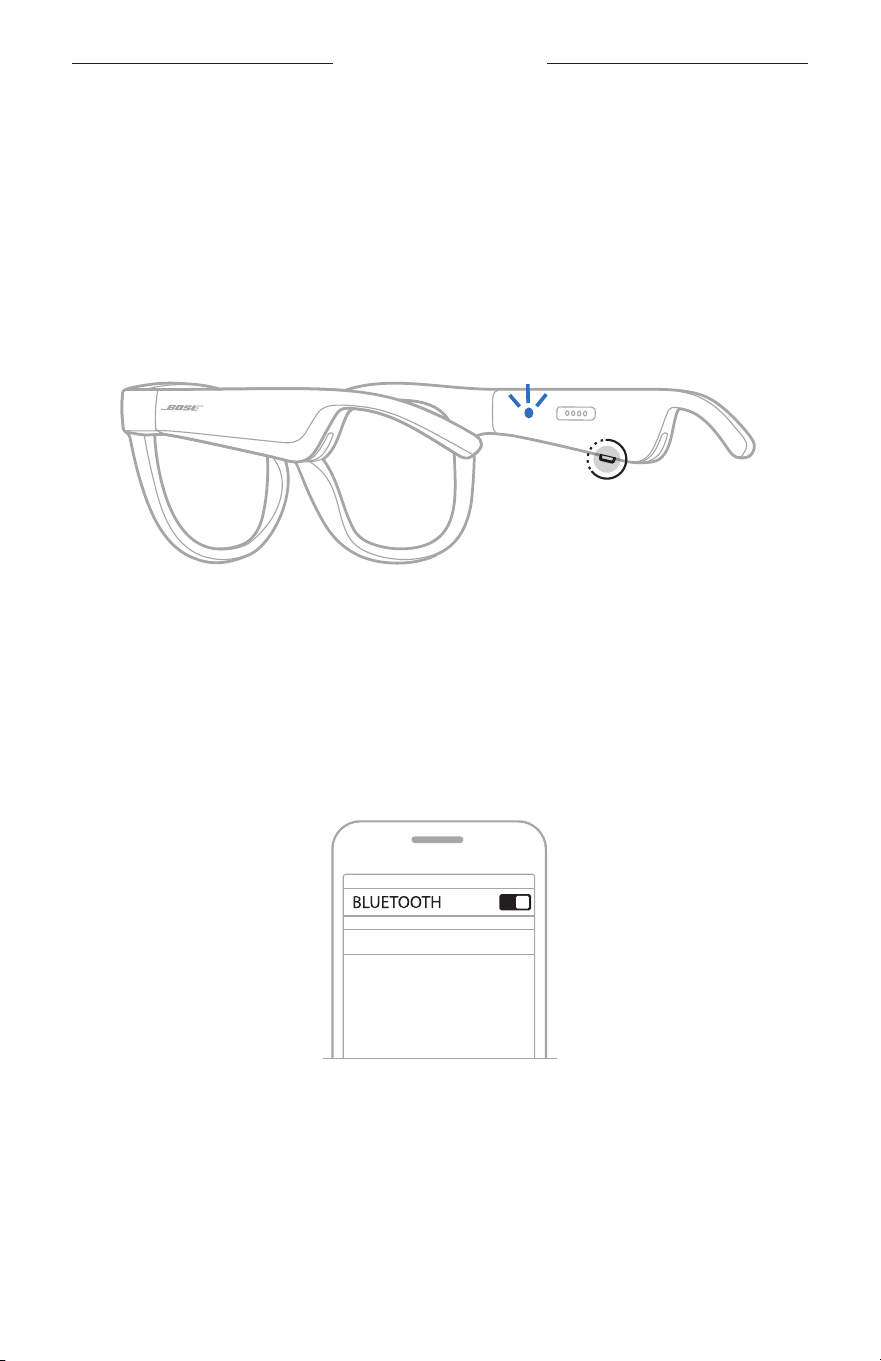
24
|
THA
การเชื่อมต่อ BLUETOOTH
เชื่อมต่อโดยใช้เมนู
BLUETOOTH
บนอุปกรณ์เคลื่อนที่ของคุณ
คุณสามารถจัดเก็บอุปกรณ์ได้สูงสุดถึงแปดเครื่องในรายการอุปกรณ์ของแว่นกันแดด คุณสามารถเชื่อมต่อ
และเล่นเพลงจากอุปกรณ์ได้หนึ่งเครื่องในแต่ละครั้ง
หมำยเหตุ: เพื่อให้ได้รับประสบการณ์ที่ดีที่สุด ตั้งค่าและเชื่อมต่ออุปกรณ์เคลื่อนที่ของคุณโดยใช้แอพพลิเคชั่น
Bose Music (
ดูหน้า
14)
1.
เมื่อแว่นกันแดดเปิดอยู่ กดปุ่มที่ขาแว่นด้านขวาค้างไว้จนกว่าจะได้ยินเสียง
“
พร้อมเชื่อมต่อ
”
หรือเห็น
ไฟแสดงสถานะสีน�้าเงินกะพริบ
2.
เปิดใช้งานคุณสมบัติ
Bluetooth
บนอุปกรณ์เคลื่อนที่ของคุณ
หมำยเหตุ: คุณสมบัติ
Bluetooth
จะพบได้ในเมนูการตั้งค่า
3.
เลือกแว่นกันแดดของคุณจากรายการอุปกรณ์
หมำยเหตุ: ค้นหาชื่อแว่นกันแดดที่คุณป้อนในแอพพลิเคชั่น
Bose Music
หากคุณไม่ได้ป้อนชื่อ
แว่นกันแดดของคุณ ชื่อที่เป็นค่าเริ่มต้นจะปรากฎขึ้น
BOSE FRAMES
เมื่อเชื่อมต่อแล้ว คุณจะได้ยินเสียง
“
เชื่อมต่อกับ
<
ชื่ออุปกรณ์เคลื่อนที่
>
แล้ว
”
หรือมองเห็นไฟแสดงสถานะ
สีน�้าเงินติดสว่างแล้วดับลง

25
|
THA
การเชื่อมต่อ BLUETOOTH
ตัดกำรเชื่อมต่ออุปกรณ์เคลื่อนที่
ใช้แอพพลิเคชั่น
Bose Music
เพื่อตัดการเชื่อมต่ออุปกรณ์เคลื่อนที่ของคุณ
เคล็ดลับ: คุณยังสามารถใช้การตั้งค่า
Bluetooth
เพื่อตัดการเชื่อมต่ออุปกรณ์ของคุณ
การปิดใช้งานคุณสมบัติ
Bluetooth
จะตัดการเชื่อมต่ออุปกรณ์อื่นๆ
ทั้งหมด
เชื่อมต่ออุปกรณ์เคลื่อนที่อีกครั้ง
เมื่อเปิด
แว่นกันแดดจะพยายามเชื่อมต่อกับอุปกรณ์ที่เชื่อมต่อล่าสุด
หมำยเหตุ: อุปกรณ์ต้องอยู่ภายในระยะท�างาน
(30
ฟุตหรือ
9
ม
.)
และเปิดอยู่
ล้ำงรำยกำรอุปกรณ์แว่นกันแดด
1.
เมื่อแว่นกันแดดเปิดอยู่ กดปุ่มที่ขาแว่นด้านขวาค้างไว้
10
วินาทีจนกว่าจะได้ยินเสียง
“
ล้างรายการอุปกรณ์
Bluetooth
แล้ว
”
หรือมองเห็นไฟแสดงสถานะสีน�้าเงินกะะพริบ
2.
ลบแว่นกันแดดของคุณจากรายการ
Bluetooth
บนอุปกรณ์
อุปกรณ์ทั้งหมดจะถูกล้าง และแว่นกันแดดพร้อมส�าหรับการเชื่อมต่อ
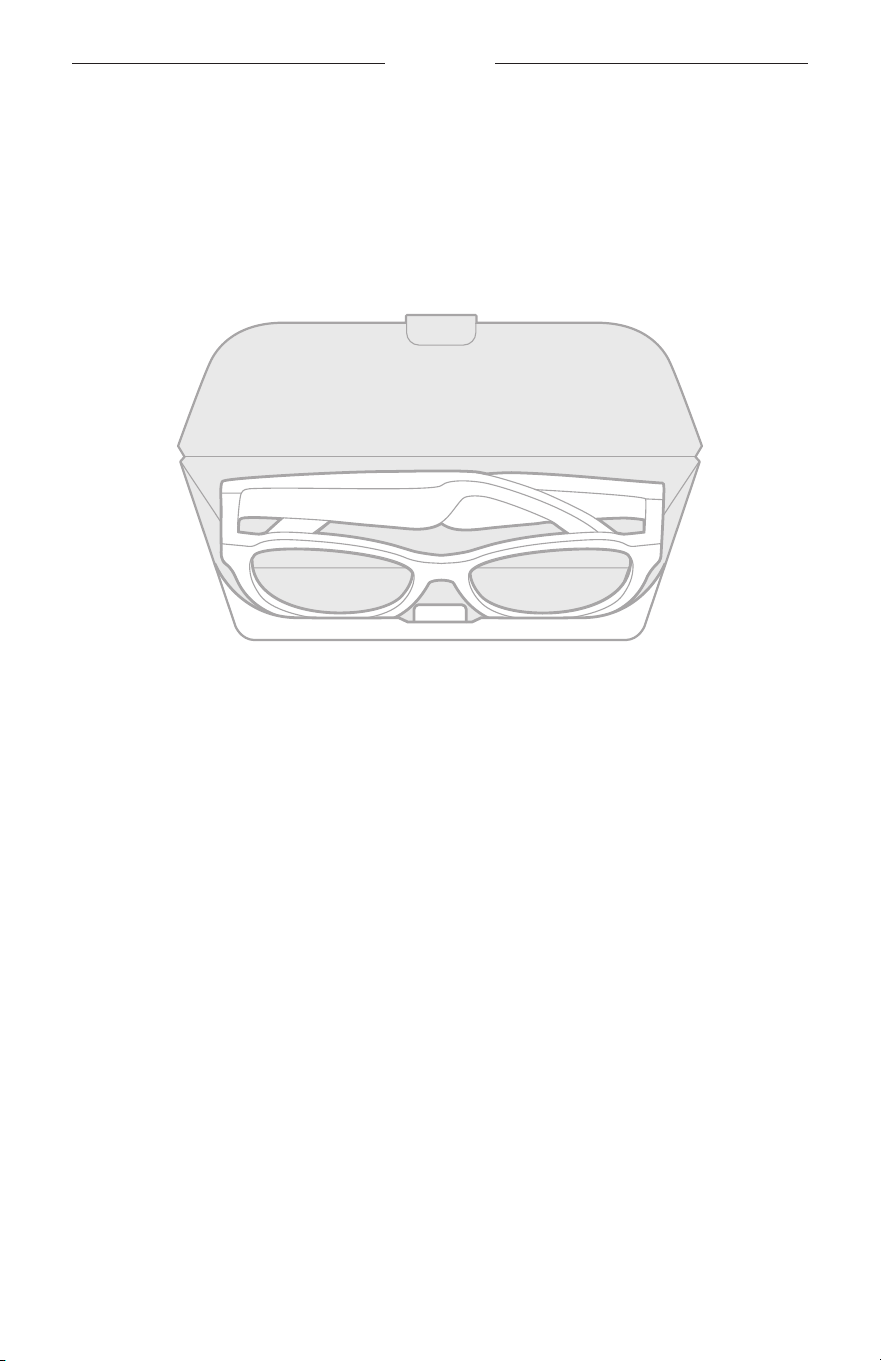
26
|
THA
การดูแลรักษา
จัดเก็บแว่นกันแดด
แว่นกันแดดสามารถพับเก็บได้เพื่อการจัดเก็บที่ง่ายและสะดวก
1.
พับขาแว่นเก็บเข้าหาเลนส์ เพื่อให้ขาแว่นแบนราบ
2.
เก็บแว่นกันแดดลงในกล่องโดยให้เลนส์หันไปทางด้านหน้ากล่อง
หมำยเหตุ:
•
ตรวจสอบให้แน่ใจว่าปิดแว่นกันแดดเมื่อไม่ใช้งาน
•
ก่อนจัดเก็บแว่นกันแดดไว้หลายๆ เดือน ตรวจสอบให้แน่ใจว่าชาร์จแบตเตอรี่ไว้เต็มแล้ว

27
|
THA
การดูแลรักษา
ดูแลแว่นกันแดด
หลังจากใช้งานแต่ละครั้ง ใช้ผ้าสะอาดที่ให้มาหรือผ้าแห้งเช็ดเลนส์ทั้งสองด้านและชิ้นส่วนทุกชิ้นของแว่นกันแดด
ข้อควรระวัง:
•
อย่าใช้สเปรย์ใดๆ ใกล้กับแว่นกันแดด
•
อย่าใช้สารสะลาย สารเคมี หรือสารท�าความสะอาดที่มีส่วนผสมของแอลกอฮอล์ แอมโมเนีย หรือผงขัด
ท�าความสะอาด
•
อย่าให้ของเหลวหกลงในช่องเปิดใดๆ
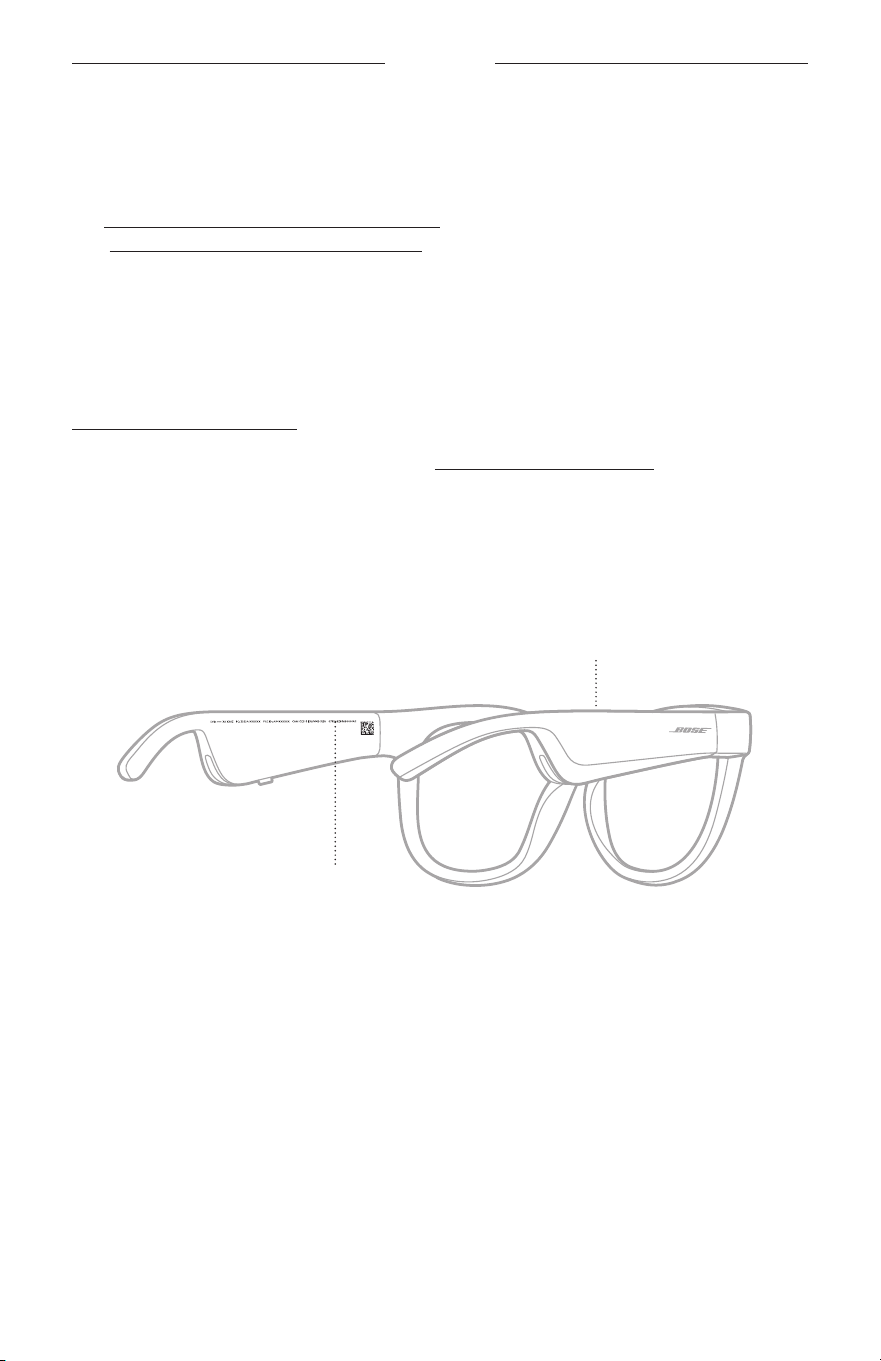
28
|
THA
การดูแลรักษา
ชิ้นส่วนส�ำหรับเปลี่ยนและอุปกรณ์เสริม
ชิ้นส่วนส�าหรับเปลี่ยนและอุปกรณ์เสริมสามารถสั่งซื้อได้จากฝ่ายบริการลูกค้าของ
Bose
ไปที่
worldwide.Bose.com/Support/Soprano
worldwide.Bose.com/Support/Tenor
หมำยเหตุ: ส�าหรับข้อมูลเกี่ยวกับวิธีเปลี่ยนเลนส์ ดูที่ค�าแนะน�าที่ให้มาพร้อมกับอุปกรณ์เสริมเลนส์ของคุณ
กำรรับประกันแบบจ�ำกัด
แว่นกันแดดได้รับความคุ้มครองจากการรับประกันแบบจ�ากัด
เยี่ยมชมเว็บไซต์ของเราที่
global.Bose.com/warranty
ส�าหรับรายละเอียดของการรับประกันแบบจ�ากัด
หากต้องการลงทะเบียนผลิตภัณฑ์ของคุณ โปรดเยี่ยมชม
global.Bose.com/register
ส�าหรับค�าแนะน�า
แม้จะไม่ด�าเนินการดังกล่าวก็จะไม่มีผลต่อการรับประกันแบบจ�ากัดของคุณ
ต�ำแหน่งหมำยเลขซีเรียลและหมำยเลขรุ่น/อ้ำงอิง
หมายเลขซีเรียลอยู่ที่ขาแว่นด้านซ้ายด้านใน และหมายเลขรุ่น/อ้างอิงอยู่ที่ขาแว่นด้านขวาด้านใน
หมายเลขซีเรียล
หมายเลขรุ่น/อ้างอิง

29
|
THA
การแก้ปัญหา
ลองใช้วิธีแก้ปัญหำต่อไปนี้ก่อน
หากคุณประสบปัญหากับแว่นกันแดด
:
•
เปิดแว่นกันแดด
(
ดูหน้า
16)
•
เชื่อมต่อแว่นกันแดดกับกระแสไฟเป็นเวลา
2
วินาทีแล้วตัดการเชื่อมต่อ
(
ดูหน้า
21)
•
ให้ด�าเนินการชาร์จแบตเตอรี่
(
ดูหน้า
21)
•
ตรวจสอบสถานะของไฟแสดงสถานะ
(
ดูหน้า
22)
•
ตรวจสอบให้แน่ใจว่าอุปกรณ์เคลื่อนที่ของคุณสนับสนุนการเชื่อมต่อ
Bluetooth
•
ดาวน์โหลดแอพพลิเคชั่น
Bose Music
และเรียกใช้งานอัพเดตซอฟต์แวร์ที่พร้อมใช้งาน
•
เพิ่มระดับเสียงบนแว่นกันแดด อุปกรณ์เคลื่อนที่ และ/หรือแอพพลิเคชั่นเพลง/สตรีมมิ่งของคุณ
•
เชื่อมต่ออุปกรณ์เคลื่อนที่เครื่องอื่น
(
ดูหน้า
24)
วิธีแก้ปัญหำอื่นๆ
หากคุณไม่สามารถแก้ปัญหาของคุณได้ โปรดดูตารางด้านล่างเพื่อระบุอาการและวิธีแก้ปัญหาส�าหรับปัญหาทั่วไป
หากคุณยังไม่สามารถแก้ปัญหาได้ ติดต่อฝ่ายบริการลูกค้าของ
Bose
ไปที่
: worldwide.Bose.com/Contact
ปัญหำ สิ่งที่ต้องท�ำ
แว่นกันแดดไม่เชื่อมต่อกับ
อุปกรณ์เคลื่อนที่
บนอุปกรณ์ของคุณ
:
•
ปิดคุณสมบัติ
Bluetooth
แล้วเปิด
•
ลบแว่นกันแดดจากรายการ
Bluetooth
บนอุปกรณ์ของคุณ เชื่อมต่ออีกครั้ง
(
ดู
หน้า
24
)
ขยับอุปกรณ์ของคุณเข้าใกล้แว่นกันแดดมากขึ้น และให้ไกลจากแหล่งสัญญาณรบกวน
หรือสิ่งกีดขวาง
เชื่อมต่ออุปกรณ์เคลื่อนที่เครื่องอื่น
(
ดู
หน้า
24
)
หากต้องการดูวิดีโอวิธีใช้งาน เยี่ยมชมที่
worldwide.Bose.com/Support/Tenor
หรือ
worldwide.Bose.com/Support/Soprano
ล้างรายการอุปกรณ์ของแว่นกันแดด
(
ดู
หน้า
25
)
เชื่อมต่ออีกครั้ง
แอพพลิเคชั่น
Bose Music
ไม่ท�ำงำนบนอุปกรณ์
ตรวจสอบให้แน่ใจว่าแอพพลิเคชั่น
Bose Music
สามารถใช้งานร่วมกับอุปกรณ์
ของคุณ
ถอนการติดตั้งแอพพลิเคชั่น
Bose Music
บนอุปกรณ์และติดตั้งแอพพลิเคชั่นอีกครั้ง
(
ดู
หน้า
14
)
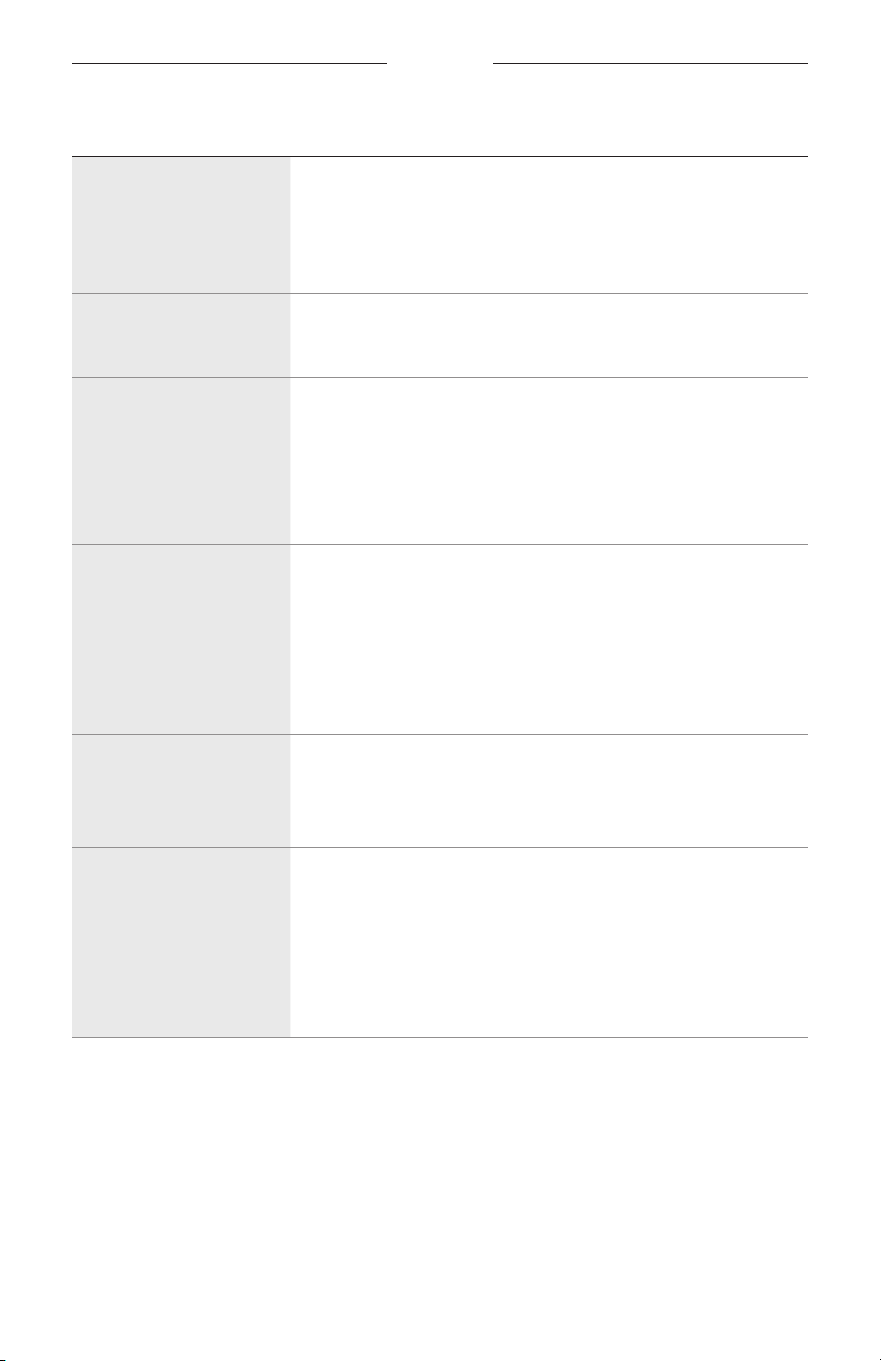
30
|
THA
การแก้ปัญหา
ปัญหำ สิ่งที่ต้องท�ำ
แอพพลิเคชั่น
Bose Music
ไม่พบแว่นกันแดด
เปิดแว่นกันแดด
(
ดู
หน้า
16
)
กดปุ่มที่ขาแว่นด้านขวาค้างไว้จนกว่าจะได้ยินเสียง
“
พร้อมเชื่อมต่อ
”
หรือมองเห็น
ไฟแสดงสถานะสีน�้าเงินกะพริบ
ในแอพพลิเคชั่น
Bose Music
เรียกใช้งานอัพเดตซอฟต์แวร์ที่พร้อมใช้งาน
กำรเชื่อมต่อ
Bluetooth
ขำดๆ หำยๆ
ล้างรายการอุปกรณ์ของแว่นกันแดด
(
ดู
หน้า
25
)
เชื่อมต่ออีกครั้ง
(
ดู
หน้า
24
)
ขยับอุปกรณ์เคลื่อนที่เข้าใกล้แว่นกันแดดมากขึ้น
ไม่มีเสียง
กดเล่นบนอุปกรณ์เคลื่อนที่ของคุณเพื่อตรวจสอบให้แน่ใจว่าก�าลังเล่นเสียง
ขยับอุปกรณ์ของคุณเข้าใกล้แว่นกันแดดมากขึ้น และให้ไกลจากแหล่งสัญญาณรบกวน
หรือสิ่งกีดขวาง
ใช้แหล่งสัญญาณเพลงแหล่งอื่น
เชื่อมต่ออุปกรณ์อื่น
(
ดู
หน้า
24
)
คุณภำพเสียงไม่ดี
ใช้แหล่งสัญญาณเพลงแหล่งอื่น
เชื่อมต่ออุปกรณ์เคลื่อนที่เครื่องอื่น
ขยับอุปกรณ์เข้าใกล้แว่นกันแดดมากขึ้น และให้ไกลจากแหล่งสัญญาณรบกวน
หรือสิ่งกีดขวาง
ปิดคุณสมบัติเพิ่มประสิทธิภาพเสียงใดๆ บนอุปกรณ์หรือแอพพลิเคชั่นเพลง/สตรีมมิ่ง
ของคุณ
ไมโครโฟนไม่รับเสียง
ตรวจสอบให้แน่ใจว่าช่องเปิดของไมโครโฟนที่ขาแว่นด้านขวาไม่ได้ถูกปิดกั้น
ลองโทรออกใหม่
ลองอุปกรณ์ที่ใช้งานร่วมกันได้เครื่องอื่น
แว่นกันแดดไม่ชำร์จ
ตรวจสอบให้แน่ใจว่าขาชาร์จที่สายชาร์จตรงกับช่องเสียบชาร์จที่แว่นกันแดดและ
ถูกยึดด้วยแม่เหล็ก
ยึดปลายทั้งสองด้านของสายชาร์จให้แน่น
หากแว่นกันแดดอยู่ในอุณหภูมิสูงหรือต�่ามาก่อน ปล่อยให้อุณหภูมิของแว่นกันแดด
กลับสู่อุณหภูมิห้องและลองชาร์จอีกครั้ง
ลองใช้อุปกรณ์ชาร์จ
USB
อื่นที่ผนังอื่น
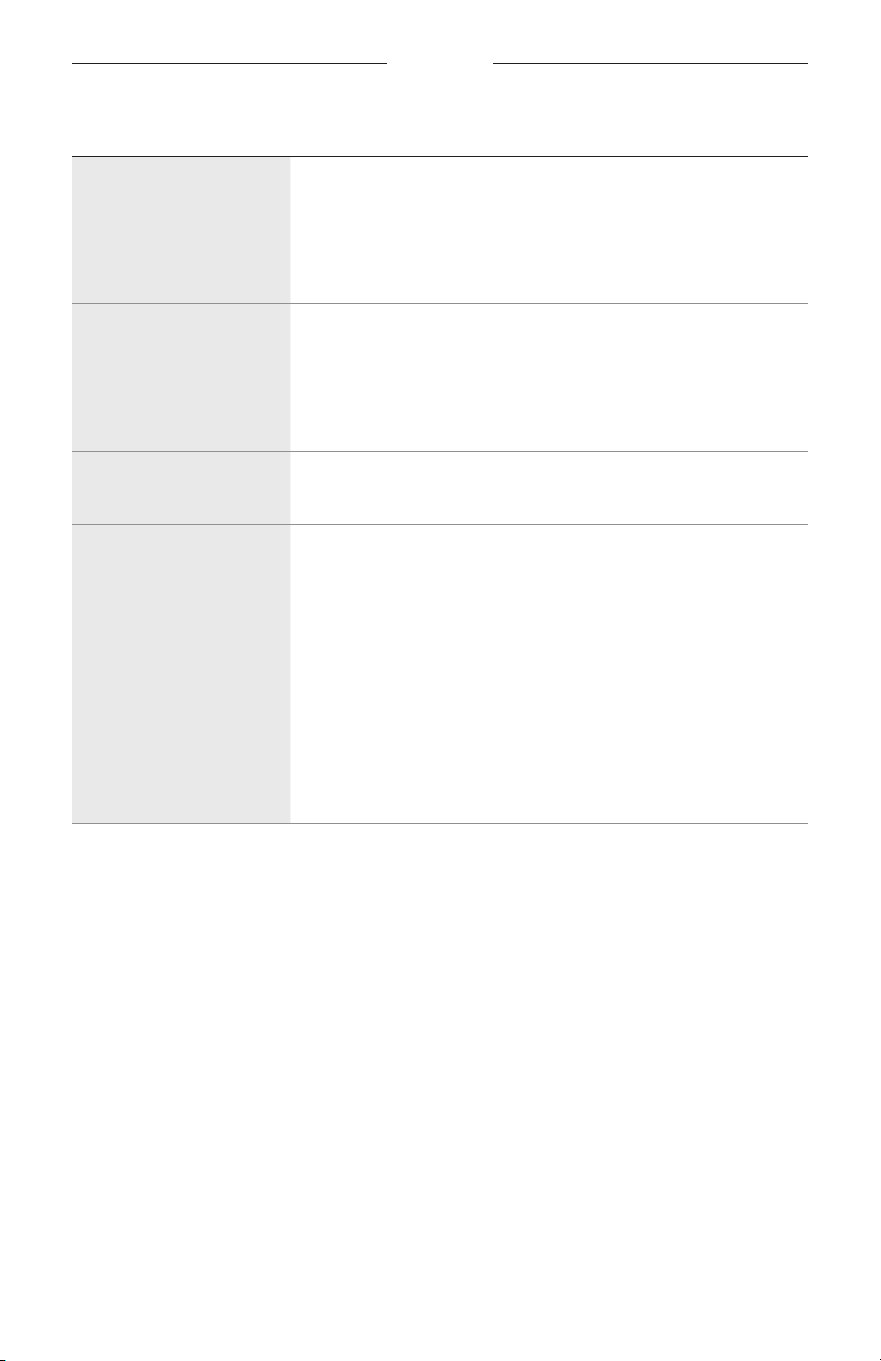
การแก้ปัญหา
31
|
THA
ปัญหำ สิ่งที่ต้องท�ำ
แว่นกันแดดไม่ตอบสนองต่อ
กำรควบคุมระบบสัมผัส
ตรวจสอบว่าคุณแตะที่หน้าจอสัมผัสที่ถูกต้อง
(
ดู
หน้า
18
)
ตรวจสอบให้แน่ใจว่ามือของคุณแห้ง
หากผมของคุณเปียก ตรวจสอบให้แน่ใจว่าไม่มีการรบกวนต่อหน้าจอสัมผัส
หากสวมถุงมืออยู่ ให้ถอดถุงมือออกก่อนแตะหน้าจอสัมผัส
ไม่สำมำรถปรับระดับเสียง
ตรวจสอบว่าคุณก�าลังปัดที่หน้าจอสัมผัสที่ถูกต้อง
(
ดู
หน้า
18
)
ตรวจสอบให้แน่ใจว่ามือของคุณแห้ง
หากผมของคุณเปียก ตรวจสอบให้แน่ใจว่าไม่มีการรบกวนต่อหน้าจอสัมผัส
หากสวมถุงมืออยู่ ให้ถอดถุงมือออกก่อนแตะหน้าจอสัมผัส
ไม่สำมำรถใช้กำรควบคุม
กำรโทร
ในแอพพลิเคชั่น
Bose Music
เรียกใช้งานอัพเดตซอฟต์แวร์ที่พร้อมใช้งาน
อุปกรณ์ไม่ตอบสนองต่อ
กำรกดปุ่ม
ในแอพพลิเคชั่น
Bose Music
เรียกใช้งานอัพเดตซอฟต์แวร์ที่พร้อมใช้งาน
ส�าหรับฟังก์ชันที่กดปุ่มหลายปุ่ม ให้ใช้ความเร็วการกดที่ต่างกัน
ตรวจสอบให้แน่ใจว่าแอพพลิเคชั่นเพลงของคุณรองรับฟังก์ชันนี้
ปิดและเปิดใช้งานแว่นกันแดดของคุณ
บนอุปกรณ์ของคุณ
:
•
ปิดคุณสมบัติ
Bluetooth
แล้วเปิด
•
ลบแว่นกันแดดจากรายการ
Bluetooth
บนอุปกรณ์ของคุณ เชื่อมต่ออีกครั้ง
(
ดู
หน้า
24
)
ลองอุปกรณ์ที่ใช้งานร่วมกันได้เครื่องอื่น
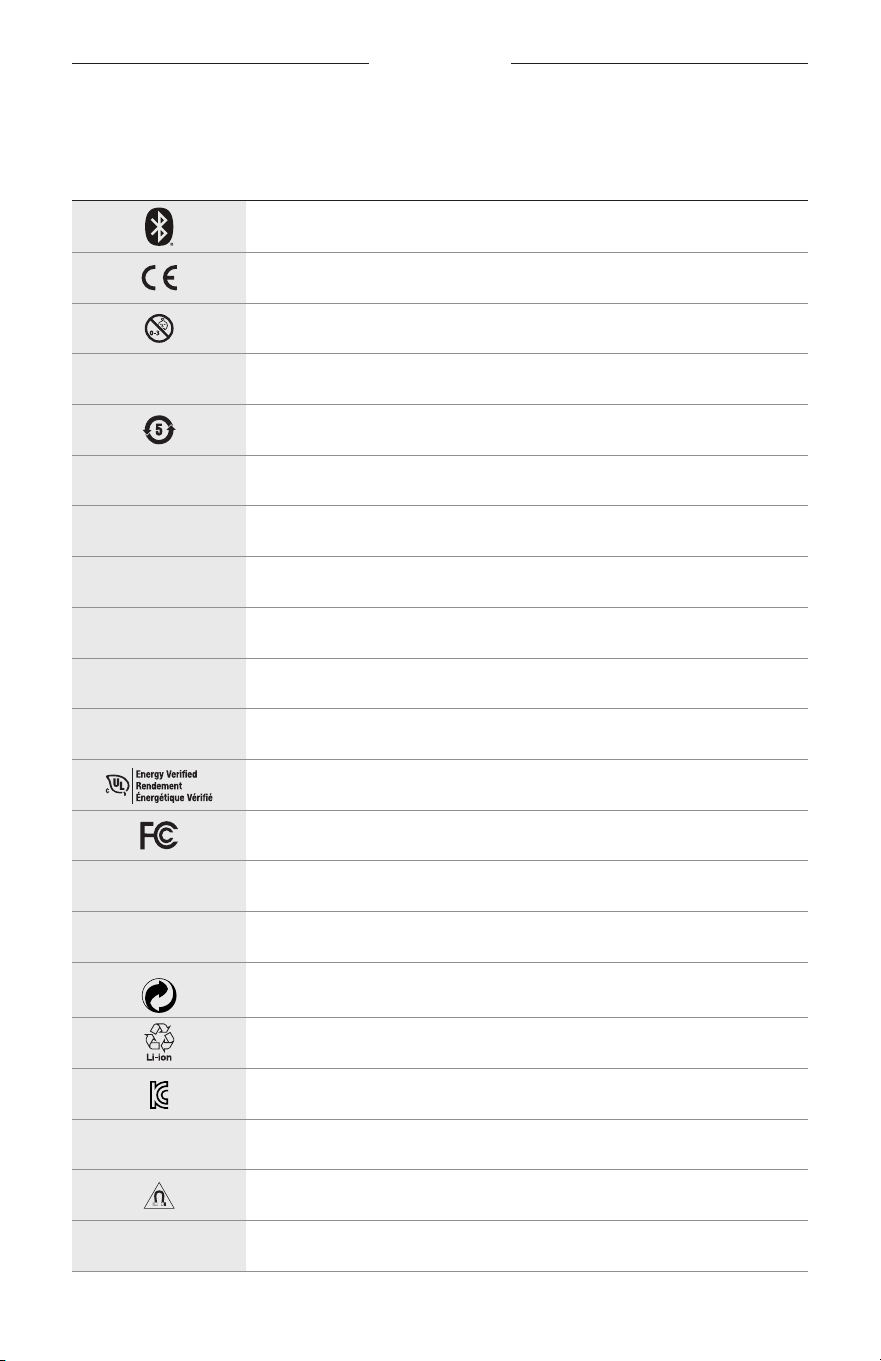
32
|
THA
สัญลักษณ์ของป้าย
สัญลักษณ์และค�ำอธิบำย
สัญลักษณ์ รำยละเอียด
Bluetooth
การประทับตรา
CE
อันตรายจากการส�าลัก
h
หมายเลขแคตตาล็อก
แบตเตอรี่
ROHS
ของจีน
w
ฝ่ายสนับสนุนลูกค้า
N
วันที่ผลิต
X
เอกสารประกอบ
L
อย่าใช้หากบรรจุภัณฑ์ได้รับความเสียหาย
C
ไม่มีส่วนผสมของน�้ายาง
s
ดาวน์โหลด
การตรวจยืนยันประสิทธิภาพการใช้พลังงาน
ใบรับรอง
FCC
o
ฟอรัม
h
ให้การป้องกันแสงสะท้อนในระดับสูง
สัญลักษณ์เครื่องหมายการค้าของ
Green Dot
การรีไซเคิลแบตเตอรี่ของญี่ปุ่น
ใบรับรอง
KCC
p
ห้ามให้ถูกน�้าหรืออยู่ในที่ชื้น
การรบกวนทางแม่เหล็ก
M
ผู้ผลิต
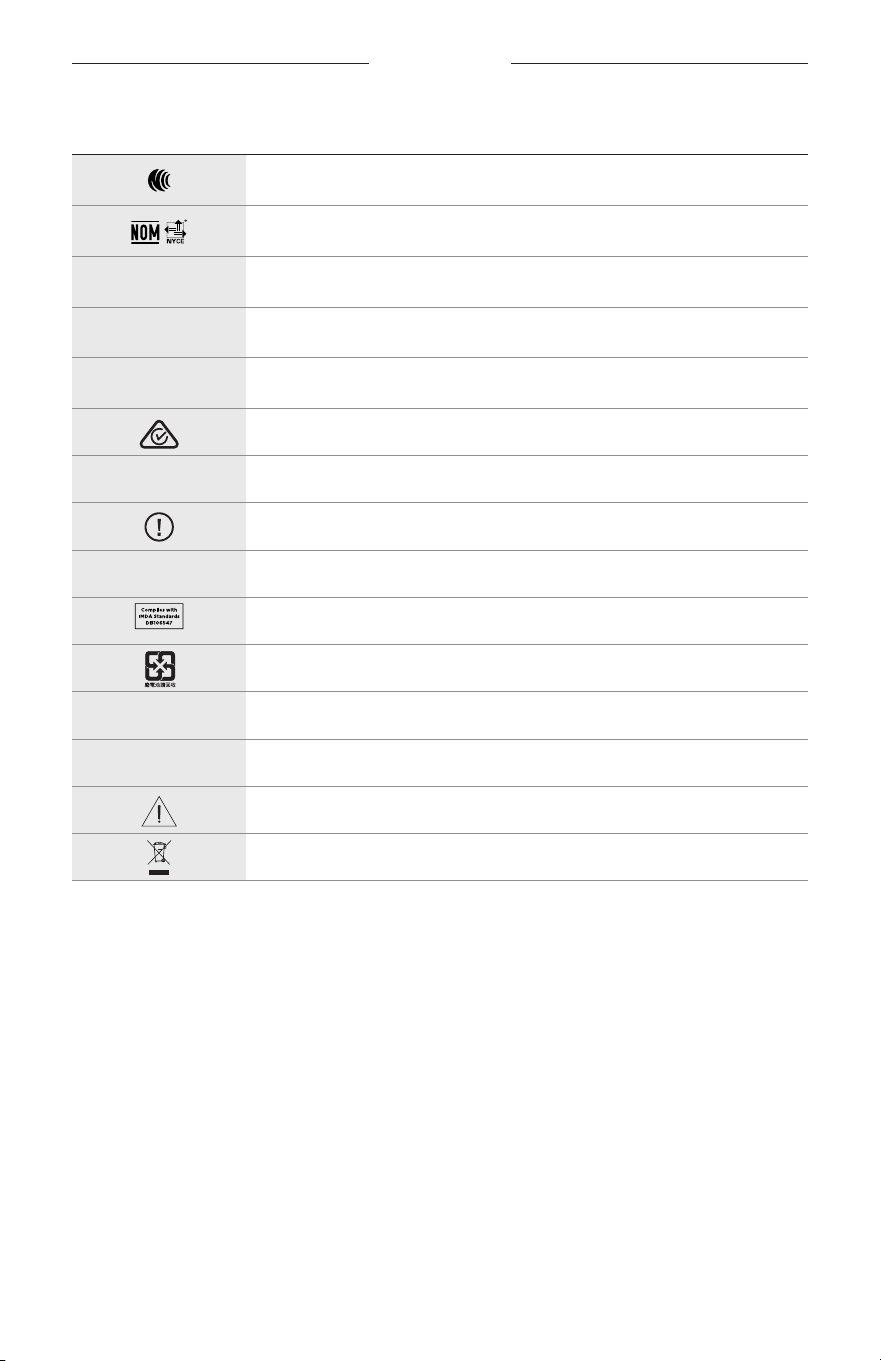
สัญลักษณ์ของป้าย
33
|
THA
สัญลักษณ์ รำยละเอียด
ใบรับรอง
NCC
ใบรับรอง
NOM NYCE
d
ไม่ปลอดเชื้อ
I
ไม่เหมาะส�าหรับการใส่ขับรถในช่วงใกล้สว่างหรือตอนกลางคืน
m
โทรศัพท์
เครื่องหมายยืนยันความสอดคล้องตามระเบียบข้อบังคับ
A
โปรดดูค�าแนะน�าการใช้งาน
ข้อมูลด้านความปลอดภัย
f
หมายเลขซีเรียล
ความสอดคล้องตาม
IDMA
ของสิงคโปร์
การรีไซเคิลแบตเตอรี่ของไต้หวัน
l
ขีดจ�ากัดอุณหภูมิ
W
วิดีโอ
ค�าเตือน/ข้อควรระวัง
สัญลักษณ์ตามข้อก�ากับขยะอุปกรณ์ไฟฟ้าและอุปกรณ์อิเล็กทรอนิกส์
중요 안전 지침
2
|
KOR
용도
선글라스(비처방)는 시력 보정이 아닌 밝은 햇빛으로부터 눈을 보호하기 위한 목적으로
착용하며 광흡수, 광반사, 착색, 편광, 감광 렌즈를 포함한 안경테 또는 클립으로 구성된
장치입니다. 이 장치는 처방전 없이 구매할 수 있습니다.
A
사용 지침을 참조하십시오.
모든 안전, 보안 및 사용 지침을 읽고 보관하십시오.
중요 안전 지침
Bose Corporation은 이 제품이 지침서 2014/53/EU 및 기타 모든 적용 가능한 EU 지침의 필수
요건과 관련 조항을 준수하고 있음을 여기에서 선언합니다. 표준 부합 신고서 전문은
다음을 참조하십시오. www.Bose.com/compliance
1. 본 지침을 읽으십시오.
2. 본 지침을 보관하십시오.
3. 모든 경고에 유의하십시오.
4. 모든 지침을 따르십시오.
5. 본 장비를 물 가까이에서 사용하지 마십시오.
6. 마른 헝겊으로만 닦으십시오.
7. 제조업체에서 지정한 부품이나 액세서리만 사용하십시오.
8. 번개를 동반한 폭풍우 시 또는 오랜 기간 동안 사용하지 않을 시에는 기기의 전원을
빼놓으십시오.
9. 자격 있는 기사에게만
서비스를 의뢰하십시오. 전원 코드 또는 플러그가 손상되었을 때,
액체가 흘러 들어갔을 때, 물체가 떨어져 기기 안에 들어갔을 때, 기기가 비나 물에 젖었을
때, 정상적으로 작동하지 않을 때, 또는 기기를 떨어뜨렸을 때 등, 어느 경우라도 기기가
손상되었을 때는 서비스를 받으셔야 합니다.
경고/주의
• 오랫동안 큰 볼륨으로 Frames를 사용하지 마십시오.
–
청력 손상을 피하려면 편안한 중간 볼륨으로 Frames를 사용하십시오.
–
Frames를 착용
하거나 귀 근처에 두기 전에 장치에서 볼륨을 줄인 후 편안한 청취 수준으로
서서히 볼륨을 올리십시오.
• 운전 중에는 주의를 기울이고 휴대폰과 Frames 사용에 관한 해당 법규를 준수하십시오.
• 예를 들어 자전거를
타거나 교통, 건설 현장 또는 철로 근처에서 걷는 등, 사용자의 주의를
필요로 하는 행동을 하는 동안 Frames를 사용할 경우 반드시 사용자의 안전과 타인의 안전에
집중하십시오. Frames를 벗거나, 경보와 경고 신호를 포함한 주변 소리를 들을 수 있을 정도로
볼륨을 조정하십시오.
• Frames에서 큰 이상한 소음이 들릴 경우 사용하지 마십시오. 그럴 경우 Frames 전원을 끄고 Bose
고객 서비스 센터에 문의하십시오.
• Frames를 물에 담그거나
장시간 동안 물에 노출하지 마십시오. 예를 들어 수영, 수상스키, 서핑 등
해상 스포츠 활동 중에는 착용하지 마십시오.
• 따뜻하게 느껴지거나 오디오가 손실될 경우 Frames를 즉시 벗으십시오.
중요 안전 지침
3
|
KOR
질식 위험이 발생할 수 있는 소형 부품을 포함하고 있습니다. 3세 미만의 어린이가
사용하기에 부적합합니다.
이 제품에는 자석 재질이 포함되어 있습니다. 사용자의 몸에 이식한 의료 기기에 줄 수
있는 영향에 관해서는 의사에게 문의하십시오.
• 화재나 감전의 위험을 줄이려면 본 제품이 비나 물에 젖지 않게 하십시오.
• 본 제품에 물을 떨어뜨리거나 물이 튀기지 않도록 하십시오. 제품 위에나 근처에 꽃병 등 물이
담긴 물건을 두지 마십시오.
• 제품을 불 또는 열원에서 멀리 합니다. 촛불과 같은 무방비 상태의 불꽃을 제품 위나 근처에
두지 마십시오.
• 이 제품에 허가 없이 변경을 가하지 마십시오.
• 이 제품에는 지역 법규 요건을 만족하는 인증기관이 허가한 전원 공급장치만 사용하십시오(예:
UL, CSA, VDE, CCC).
• 배터리가 들어 있는 제품을 고온(예: 직사광선, 열원 근처)에 노출하지 마십시오.
• 충전하는 동안에는 Frames를 착용하지 마십시오.
• 사용한 후에는 양 렌즈와 Frames 전체를 제공된 천 또는 마른 천으로 닦으십시오.
규정 및 법적 정보
4
|
KOR
참고: 이 장치는 시험 결과 FCC 규정 15부에 근거한 B급 디지털 장치에 대한 제한을 준수합니다.
이러한 제한은 거주 지역에 설치할 때 발생하는 유해한 방해 전파를 적절한 수준에서 방지할
목적으로 만들었습니다. 이 장치는 무선 주파수 에너지를 생성하고 사용하고 방출할 수
있습니다. 지침에 따라 올바르게 설치 및 사용하지 않은 경우에는 무선 통신에 대한 유해한
방해 전파를 일으킬 수도 있습니다. 그러나 특정 설치에서 방해 전파가 발생하지 않는다고
보장할 수는 없습니다. 이 장치를 켜거나 끌 때 라디오 또는 텔레비전 수신에 유해한 방해 전파를
발생시키는 경우 다음 방법 중 하나로 방해 전파를 제거할 수 있습니다.
• 수신 안테나의 방향 또는 위치를 조정합니다.
• 장치와 수신기 사이의 공간을 늘립니다.
• 장비를 수신기가 연결된 것과 다른 회로의 전기 소켓에 연결합니다.
• 판매업체 또는 숙련된 라디오/TV 기술자에게 도움을 요청합니다.
Bose Corporation에서
명시적으로
승인하지 않은 변경 또는 수정은 이 장비를 작동할 수 있는
사용자의 권한을 무효화할 수 있습니다.
이 장치는
FC
C 규정 15부 및 ISED 캐나다 라이센스 면제 RSS 표준을 준수합니다. 다음 두 상태에서
작동되어야 합니다. (1) 이 장치는 유해한 방해 전파를 일으키지 않으며 (2) 장치의 오작동을
일으킬 수 있는 방해 전파를 포함하여 수신되는 모든 방해 전파를 수용해야 합니다.
이 장치는
일반
대중을 위해 규정된 FCC 및 ISED 캐나다 방사 물질 노출 제한을 준수합니다.
이송신기는 다른 안테나 또는 송신기를 함께 설치하거나 작동해서는 안 됩니다.
CAN ICES-3(B)/NMB-3(B)
PPE 규정(EU) 2016/425
저출력 RF 장치의 관리 규정
조항 XII
“
저출력
RF 장치의 관리 규정
”
에 따라 NCC의 허락 없이 어떤 회사, 기업 또는 사용자도 저출력 RF
장치에서 주파수 변경, 전송 출력 향상 또는 원래 특성과 성능을 변경해서는 안 됩니다.
조항 XIV
저출력 RF 장치는 항공기
보안에
영향을 주고 법적 통신을 방해해서는 안 됩니다. 그런 경우가
발견될 경우 사용자는 방해가 발생하지 않을 때까지 즉시 작동을 멈추어야 합니다. 언급한 법적
통신은 전자 통신법을 준수하여 발생하는 무선 통신을 말합니다.
저출력 RF 장치는 법적 통신 또는 ISM 전파 방사 장치의 방해 전파를 수용해야 합니다.
유럽:
작동 주파수 밴드: 2400 ~ 2483.5MHz.
최대 전송 출력: 20dBm EIRP 미만.
최대 전송
출력은
규정 한계 미만이기 때문에 SAR 테스트가 필요하지 않고 해당 규정에 따라
면제됩니다.
이 표시는 제품을 가정용 쓰레기처럼 폐기해서는 안 되며 적합한 수거 시설에 보내
재생해야 함을 의미합니다. 올바른 폐기와 재생을 통해 천연 자원, 인류 건강 및 환경을
보호하는 데 일조할 수 있습니다. 이 제품의 폐기 및 재생에 대한 자세한 정보는 지방
자치체, 폐기물 수거 업체 또는 이 제품을 구입한 매장에 문의하십시오.
본 제품에서
리튬
-이온 배터리를 제거하려 하지 마십시오. 제거에 대해서는 가까운 Bose 판매업체
또는 기타 유자격 전문가에게 문의하십시오.
사용한 배터리는 현지 규정에 따라 적절히 폐기하십시오. 배터리를 소각하지 마십시오.
수량: 1개
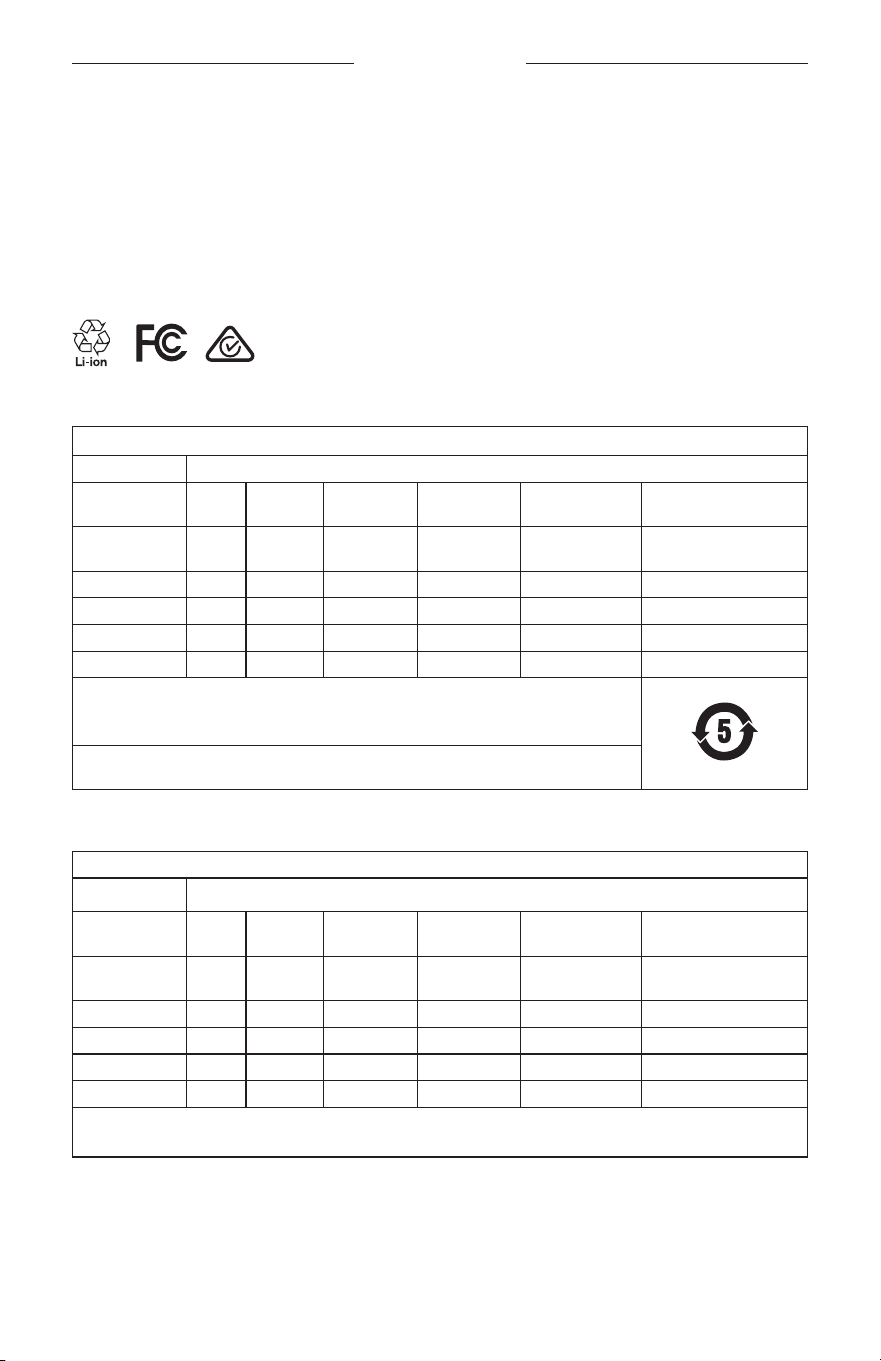
규정 및 법적 정보
5
|
KOR
M
제조 위탁사: Bose Corporation, 100 The Mountain Road, Framingham, MA 01701
L
포장이 손상된 경우 사용하지 마십시오.
C
이 제품은 천연고무 라텍스를 포함하지 않습니다.
d
이 제품은 멸균 처리되지 않았습니다.
p
l
+45C
0C
중국 유해 물질 제한 지침표
유해 물질의 명칭 및 농도
유해 물질
부품 번호 납(Pb) 수은(Hg) 카드뮴(Cd) 6가 크롬(VI)
폴리브롬화
바이페닐(PBB)
폴리브롬화
디페닐에테르(PBDE)
폴리염화
바이페닐(PCB)
X O O O O O
금속 부품 X O O O O O
플라스틱 부품 O O O O O O
스피커 X O O O O O
케이블 X O O O O O
본 표는 SJ/T 11364 조항에 따라 준비되었습니다.
O: 이 부품의 모든
동종 재질에 함유된 이 유해 물질이 GB/T 26572에서 규정한 제한
요구사항 미만임을 나타냅니다.
X: 이 부품에 사용된 동종 재질 중 최소한 하나에 함유된 이 유해 물질이 GB/T 26572에서
규정한 제한 요구사항을 초과함을 의미합니다.
대만 유해 물질 제한 지침표
장비 이름: 파워 스피커, 형식명: 433948
제한 물질 및 해당 화학 기호
단위 납(Pb) 수은(Hg) 카드뮴(Cd)
육가크로뮴
(Cr+6)
폴리브롬화
바이페닐(PBB)
폴리브롬화
디페닐에테르류(PBDE)
폴리염화
바이페닐(PCB)
- ○ ○ ○ ○ ○
금속 부품 - ○ ○ ○ ○ ○
플라스틱 부품 ○ ○ ○ ○ ○ ○
스피커 - ○ ○ ○ ○ ○
케이블 - ○ ○ ○ ○ ○
참고 1:
“
○
”
는
제한 물질의 함유율이 기준값을 초과하지 않음을 나타냅니다.
참고 2:
“
-
”
는
제한 물질이 면제에 부합함을 나타냅니다.

규정 및 법적 정보
6
|
KOR
이 제품은 ANSI Z80.3, AS/NZS 1067.1 및 EN ISO 12312-1에 부합합니다.
착색된 아이웨어는 야간 운전을 할 때 착용하지 않는 것이 좋습니다.
I
해질 무렵이나 야간에 운전하는 데 적합하지 않습니다. 야간 또는 어두운 곳에서
운전하는 데 적합하지 않습니다.
이 제품은 99%
이상의 UVA 및 UVB 광에너지를 차단하도록 설계되었습니다. 이 제품은 ANSI Z80.3을
준수합니다.
Frames Soprano 또는 Frames Tenor 제품에는 Bose에서 승인한 렌즈만 사용해야 합니다.
태양을 직접 관찰하기 위한 용도에 적합하지 않습니다.
인공광(예: 태닝)에 대한 보호 용도에 적합하지 않습니다.
기계적 충격 위험에 대한 눈 보호 용도에 적합하지 않습니다.
사용하지 않을 때는 제품을 제공된 휴대용 케이스에 보관하십시오.
EU 필터 범주: ISO 12312-1 CAT. 3
호주 렌즈 범주: 1067.1 CAT. 3
h
이 선글라스는 고도의 일광 감소와 양호한 UV 차단을 제공합니다.
UV 정격: UV 380 차단
기록용으로 작성하여 보관하십시오.
Frames 일련 번호는 왼쪽 다리에, 모델/참조 번호는 오른쪽 다리에 위치해 있습니다.
일련 번호: _____________________________________________________________________
모델 번호: _____________________________________________________________________
영수증을 사용자 안내서와 함께 보관하십시오. 지금 Bose 제품을 등록하시는 것이 좋습니다.
global.Bose.com/register에서 쉽게 등록할 수 있습니다.
N
제조일: 일련 번호의 여덟 번째 자리는 제조연도를 나타냅니다. 즉
“
0
”
은 2010년 또는
2020년입니다.
중국 수입업체: Bose Electronics (Shanghai) Company Limited, Part C, Plant 9, No. 353 North Riying Road, China
(Shanghai) Pilot Free Trade Zone
EU 수입업체: Bose Products B.V., Gorslaan 60, 1441 RG Purmerend, The Netherlands
대만 수입업체: Bose Taiwan Branch, 9F-A1, No.10, Section 3, Minsheng East Road, Taipei City 104, Taiwan
전화번호: +886-2-2514 7676
멕시코 수입업체: Bose de México, S. de R.L. de C.V., Paseo de las Palmas 405-204, Lomas de Chapultepec, 11000
México, D.F. 전화 번호: +5255 (5202) 3545
입력 정격: 5V
p
500mA
CMIIT ID는 렌즈 근처 다리 안쪽에 위치해 있습니다.
h
BMD0011
규정 및 법적 정보
7
|
KOR
보안 정보
이 제품은 Bose Music 앱에 연결되었을 때 Bose에서 자동으로 보안 업데이트를 수신할 수
있습니다. 모바일 응용 프로그램을 통해 보안 업데이트를 수신하려면 Bose Music 앱에서
제품 설치 프로세스를 완료해야 합니다. 설치 프로세스를 완료하지 않을 경우 Bose에서
btu.bose.com을 통해 제공하는 보안 업데이트를 설치할 책임이 사용자에게 있습니다.
Apple, Apple 로고, iPad, iPhone 및 iPod
및 Siri는 미국과 기타 국가에 등록된 Apple Inc.의 상표입니다.
상표
“
iPhone
”
은 Aiphone K.K.의 사용권 계약에 따라 일본에서 사용됩니다. App Store는 Apple Inc.의
서비스 표시입니다.
Made for Apple 배지를 사용하는 것은 액세서리가 배지에 식별된 Apple 제품을 특별히 연결하기
위해 제작되었으며, 개발자에게서 Apple 성능 표준을 만족한다는 인증을 받았음을 의미합니다.
Apple은 이 장치의 작동 또는 안전 및 규제 표준의 준수에 대한 책임이 없습니다.
Bluetooth
® 단어 표시와 로고는 Bluetooth SIG, Inc.가 소유한 등록 상표이며 Bose Corporation은 사용권
계약에 따라 해당 표시를 사용합니다.
Google 및 Google Play는 Google LLC의 상표입니다.
Bose, Bose Frames 및 Bose Music은 Bose Corporation의 상표입니다.
Bose Corporation 본사: 1-877-230-5639
©2020 Bose Corporation. 사전 서면 승인 없이 본 설명서의 특정 부분을 복제, 변경, 배포 또는 사용할
수 없습니다.

8
|
KOR
The following license disclosures apply to certain third-party software packages used as components in the product.
Package: Nanopb
Copyright © 2011 Petteri Aimonen <jpa at nanopb.mail.kapsi.fi>. The Nanopb package is subject to the license terms
reprinted below.
Zlib license
© 2011 Petteri Aimonen <jpa at nanopb.mail.kapsi.fi>
This software is provided ‘as-is’, without any express or implied warranty. In no event will the authors be held liable
for any damages arising from the use of this software.
Permission is granted to anyone to use this software for any purpose, including commercial applications, and to alter
it and redistribute it freely, subject to the following restrictions:
1. The origin of this software must not be misrepresented; you must not claim that you wrote the original software.
If you use this software in a product, an acknowledgment in the product documentation would be appreciated
but is not required.
2. Altered source versions must be plainly marked as such, and must not be misrepresented as being the
original software.
3. This notice may not be removed or altered from any source distribution.
Package: Mbed TLS 2.16.1
© ARM Limited. All rights reserved. The Mbed TLS package is subject to the license terms reprinted below.
Apache 2.0 License
Apache License
Version 2.0, January 2004
http://www.apache.org/licenses/
TERMS AND CONDITIONS FOR USE, REPRODUCTION, AND DISTRIBUTION
1. Definitions.
“License” shall mean the terms and conditions for use, reproduction, and distribution as defined by Sections 1
through 9 of this document.
“Licensor” shall mean the copyright owner or entity authorized by the copyright owner that is granting
the License.
“Legal Entity” shall mean the union of the acting entity and all other entities that control, are controlled by, or
are under common control with that entity. For the purposes of this definition, “control” means (i) the power,
direct or indirect, to cause the direction or management of such entity, whether by contract or otherwise, or (ii)
ownership of fifty percent (50%) or more of the outstanding shares, or (iii) beneficial ownership of such entity.
“You” (or “Your”) shall mean an individual or Legal Entity exercising permissions granted by this License.
“Source” form shall mean the preferred form for making modifications, including but not limited to software
source code, documentation source, and configuration files.
“Object” form shall mean any form resulting from mechanical transformation or translation of a Source form,
including but not limited to compiled object code, generated documentation, and conversions to other
media types.
“Work” shall mean the work of authorship, whether in Source or Object form, made available under the License,
as indicated by a copyright notice that is included in or attached to the work (an example is provided in the
Appendix below).
“Derivative Works” shall mean any work, whether in Source or Object form, that is based on (or derived from)
the Work and for which the editorial revisions, annotations, elaborations, or other modifications represent, as a
whole, an original work of authorship. For the purposes of this License, Derivative Works shall not include works
that remain separable from, or merely link (or bind by name) to the interfaces of, the Work and Derivative
Works thereof.
라이센스 공시

9
|
KOR
라이센스 공시
“Contribution” shall mean any work of authorship, including the original version of the Work and any
modifications or additions to that Work or Derivative Works thereof, that is intentionally submitted to Licensor
for inclusion in the Work by the copyright owner or by an individual or Legal Entity authorized to submit on
behalf of the copyright owner. For the purposes of this definition, “submitted” means any form of electronic,
verbal, or written communication sent to the Licensor or its representatives, including but not limited to
communication on electronic mailing lists, source code control systems, and issue tracking systems that are
managed by, or on behalf of, the Licensor for the purpose of discussing and improving the Work, but excluding
communication that is conspicuously marked or otherwise designated in writing by the copyright owner as “Not
a Contribution.”
“Contributor” shall mean Licensor and any individual or Legal Entity on behalf of whom a Contribution has been
received by Licensor and subsequently incorporated within the Work.
2. Grant of Copyright License. Subject to the terms and conditions of this License, each Contributor hereby grants
to You a perpetual, worldwide, non-exclusive, no-charge, royalty-free, irrevocable copyright license to reproduce,
prepare Derivative Works of, publicly display, publicly perform, sublicense, and distribute the Work and such
Derivative Works in Source or Object form.
3. Grant of Patent License. Subject to the terms and conditions of this License, each Contributor hereby grants to
You a perpetual, worldwide, non-exclusive, no-charge, royalty-free, irrevocable (except as stated in this section)
patent license to make, have made, use, oer to sell, sell, import, and otherwise transfer the Work, where such
license applies only to those patent claims licensable by such Contributor that are necessarily infringed by their
Contribution(s) alone or by combination of their Contribution(s) with the Work to which such Contribution(s)
was submitted. If You institute patent litigation against any entity (including a cross-claim or counterclaim in a
lawsuit) alleging that the Work or a Contribution incorporated within the Work constitutes direct or contributory
patent infringement, then any patent licenses granted to You under this License for that Work shall terminate as
of the date such litigation is filed.
4. Redistribution. You may reproduce and distribute copies of the Work or Derivative Works thereof in any medium,
with or without modifications, and in Source or Object form, provided that You meet the following conditions:
a. You must give any other recipients of the Work or Derivative Works a copy of this License; and
b. You must cause any modified files to carry prominent notices stating that You changed the files; and
c. You must retain, in the Source form of any Derivative Works that You distribute, all copyright, patent,
trademark, and attribution notices from the Source form of the Work, excluding those notices that do not
pertain to any part of the Derivative Works; and
d. If the Work includes a “NOTICE” text file as part of its distribution, then any Derivative Works that You
distribute must include a readable copy of the attribution notices contained within such NOTICE file, excluding
those notices that do not pertain to any part of the Derivative Works, in at least one of the following places:
within a NOTICE text file distributed as part of the Derivative Works; within the Source form or
documentation, if provided along with the Derivative Works; or, within a display generated by the
Derivative Works, if and wherever such third-party notices normally appear. The contents of the NOTICE file
are for informational purposes only and do not modify the License. You may add Your own attribution notices
within Derivative Works that You distribute, alongside or as an addendum to the NOTICE text from the Work,
provided that such additional attribution notices cannot be construed as modifying the License.
You may add Your own copyright statement to Your modifications and may provide additional or dierent
license terms and conditions for use, reproduction, or distribution of Your modifications, or for any such
Derivative Works as a whole, provided Your use, reproduction, and distribution of the Work otherwise
complies with the conditions stated in this License.
5. Submission of Contributions. Unless You explicitly state otherwise, any Contribution intentionally submitted for
inclusion in the Work by You to the Licensor shall be under the terms and conditions of this License, without any
additional terms or conditions. Notwithstanding the above, nothing herein shall supersede or modify the terms
of any separate license agreement you may have executed with Licensor regarding such Contributions.
6. Trademarks. This License does not grant permission to use the trade names, trademarks, service marks, or
product names of the Licensor, except as required for reasonable and customary use in describing the origin of
the Work and reproducing the content of the NOTICE file.

10
|
KOR
라이센스 공시
7. Disclaimer of Warranty. Unless required by applicable law or agreed to in writing, Licensor provides the Work
(and each Contributor provides its Contributions) on an “AS IS” BASIS, WITHOUT WARRANTIES OR CONDITIONS
OF ANY KIND, either express or implied, including, without limitation, any warranties or conditions of TITLE,
NON-INFRINGEMENT, MERCHANTABILITY, or FITNESS FOR A PARTICULAR PURPOSE. You are solely responsible
for determining the appropriateness of using or redistributing the Work and assume any risks associated with
Your exercise of permissions under this License.
8. Limitation of Liability. In no event and under no legal theory, whether in tort (including negligence), contract,
or otherwise, unless required by applicable law (such as deliberate and grossly negligent acts) or agreed to in
writing, shall any Contributor be liable to You for damages, including any direct, indirect, special, incidental,
or consequential damages of any character arising as a result of this License or out of the use or inability to
use the Work (including but not limited to damages for loss of goodwill, work stoppage, computer failure or
malfunction, or any and all other commercial damages or losses), even if such Contributor has been advised of
the possibility of such damages.
9. Accepting Warranty or Additional Liability. While redistributing the Work or Derivative Works thereof, You may
choose to oer, and charge a fee for, acceptance of support, warranty, indemnity, or other liability obligations
and/or rights consistent with this License. However, in accepting such obligations, You may act only on Your own
behalf and on Your sole responsibility, not on behalf of any other Contributor, and only if You agree to indemnify,
defend, and hold each Contributor harmless for any liability incurred by, or claims asserted against, such
Contributor by reason of your accepting any such warranty or additional liability.
END OF TERMS AND CONDITIONS
©2020 Bose Corporation
Licensed under the Apache License, Version 2.0 (the “License”); you may not use this file except in compliance with
the License.
You may obtain a copy of the License at: http://www.apache.org/licenses/LICENSE-2.0
Unless required by applicable law or agreed to in writing, software distributed under the License is distributed on an
“AS IS” BASIS, WITHOUT WARRANTIES OR CONDITIONS OF ANY KIND, either express or implied.
See the License for the specific language governing permissions and limitations under the License.

목차
11
|
KOR
내용물
내용물 ................................................................................................................................... 13
BOSE MUSIC 앱 설치
Bose Music 앱 다운로드 .................................................................................................. 14
기존 계정에 Frames 추가 ................................................................................................ 14
생활방수 및 내후성 .................................................................................................... 15
전원
전원 켜기 .............................................................................................................................. 16
전원 끄기 .............................................................................................................................. 17
뒤집어 끄기 .................................................................................................................. 17
동작 감지를 사용한 자동 끄기 ................................................................................. 17
FRAMES 콘트롤
미디어 재생 .......................................................................................................................... 18
볼륨 ....................................................................................................................................... 19
볼륨 크게 ...................................................................................................................... 19
볼륨 작게 ...................................................................................................................... 19
전화 통화 .............................................................................................................................. 20
통화 알림 ...................................................................................................................... 20
음성 제어 사용 .................................................................................................................... 20
배터리
Frames 충전 ....................................................................................................................... 21
Frames 배터리 잔량 확인 ................................................................................................ 21
배터리 알림 청취 ........................................................................................................ 21
배터리 잔량 보기 ........................................................................................................ 21

목차
12
|
KOR
FRAMES 상태
Bluetooth
® 연결 상태 ....................................................................................................... 22
배터리 상태 .......................................................................................................................... 23
오류 상태 .............................................................................................................................. 23
BLUETOOTH
장치 연결
모바일 장치의
Bluetooth
메뉴를 사용한 연결 ............................................................ 24
모바일 장치 연결 해제 ....................................................................................................... 25
모바일 장치 재연결 ............................................................................................................ 25
Frames 장치 목록 소거 .................................................................................................... 25
관리 및 유지보수
Frames 보관 ....................................................................................................................... 26
Frames 관리 ....................................................................................................................... 27
교체용 부품 및 액세서리 ................................................................................................... 28
제한 보증 .............................................................................................................................. 28
일련 번호 및 모델/참조 번호 위치 .................................................................................. 28
문제 해결
이 방법을 먼저 시도하십시오 ........................................................................................... 29
기타 방법 .............................................................................................................................. 29
라벨 기호
기호 및 설명 ......................................................................................................................... 32
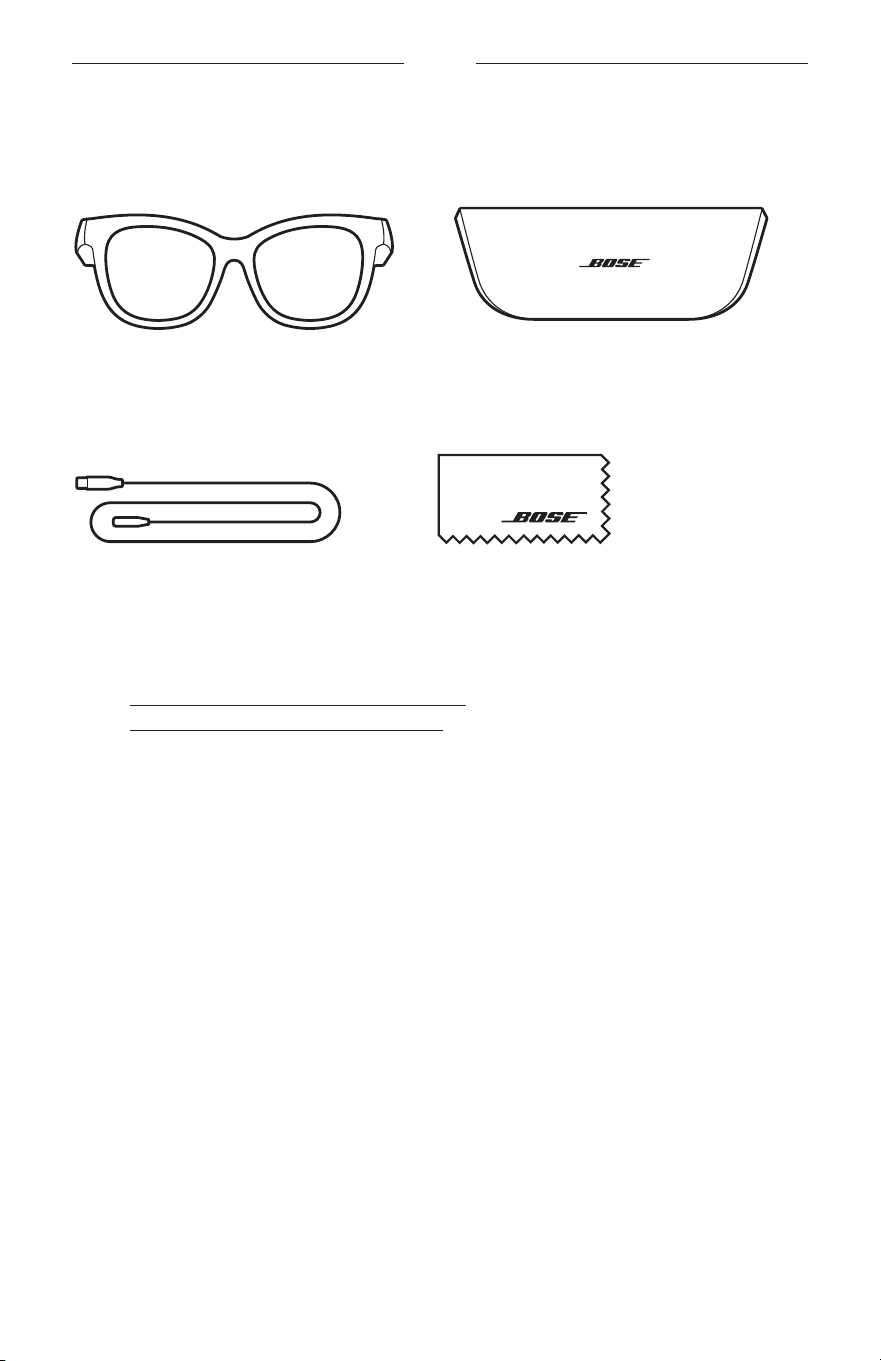
13
|
KOR
내용물
내용물
다음 부품들이 포함되어 있는지 확인합니다.
Bose Frames
휴대용 케이스
충전 케이블 청소용 천
참고: 제품 일부가 손상된 경우 사용하지 마십시오. 공인 Bose 판매업체 또는 Bose
고객 서비스 센터에 문의하십시오.
worldwide.Bose.com/Support/Soprano
worldwide.Bose.com/Support/Tenor
에서 확인하십시오.
14
|
KOR
BOSE MUSIC 앱 설치
Bose Music 앱을 사용하면 스마트폰 또는 태블릿 같은 모바일 장치에서 Frames를
설정하고 조작할 수 있습니다.
앱을 사용하여 전원
설정을 사용자 지정하고 음성 안내 언어를 선택하고 새로운
기능을 가져올 수 있습니다.
참고: 또 다른 Bose
제품의 앱에서 이미 Bose 계정을 만들었다면
“
기존 계정에
F
rames 추가
”
를 참조하십시오.
BOSE MUSIC 앱 다운로드
1. 모바일 장치에서 Bose Music 앱을 다운로드합니다.
참고: 사용자 거주지가 중국 본토일 경우 Bose
8
앱을 다운로드합니다.
BOSE MUSIC
2. 앱 지침을 따릅니다.
기존 계정에 FRAMES 추가
1. "연결 준비되었습니다"가 들리거나 상태 표시등이 청색을 깜박일 때까지 오른쪽
다리에 있는 버튼을 길게 누릅니다.
2. Bose Music 앱에서 내 제품 화면으로 이동하고 Frames를 추가합니다.
참고: 앱에서 Frames를 찾지
못하면
30페이지의
“
Bose Music 앱이 Frames를
찾지 못할 경우
”
를 참조하십시오.
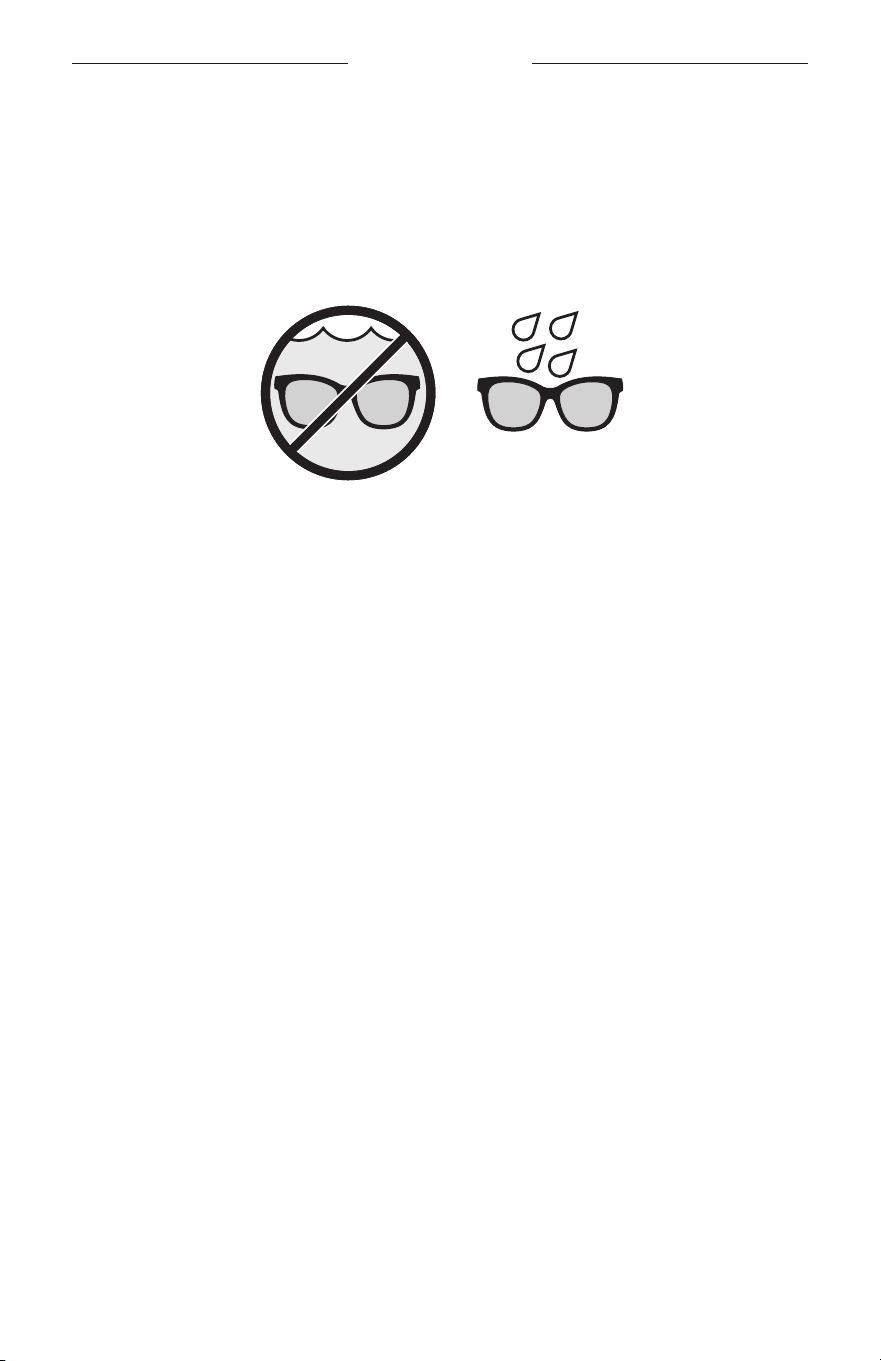
15
|
KOR
생활방수 및 내후성
Frames는 IPX2 등급의 방수 기능이 있습니다. 생활방수와 내후성이 있지만 물 속에
담글 수 있도록 설계되지는 않았습니다.
주의:
• Frames를 착용한 상태로 수영이나 샤워를 하지 마십시오.
• Frames를 물 속에 담그지 마십시오.
참고: IPX2는 영구적이지 않으며 정상적인 마모의 결과로 내성이 감소할 수 있습니다.
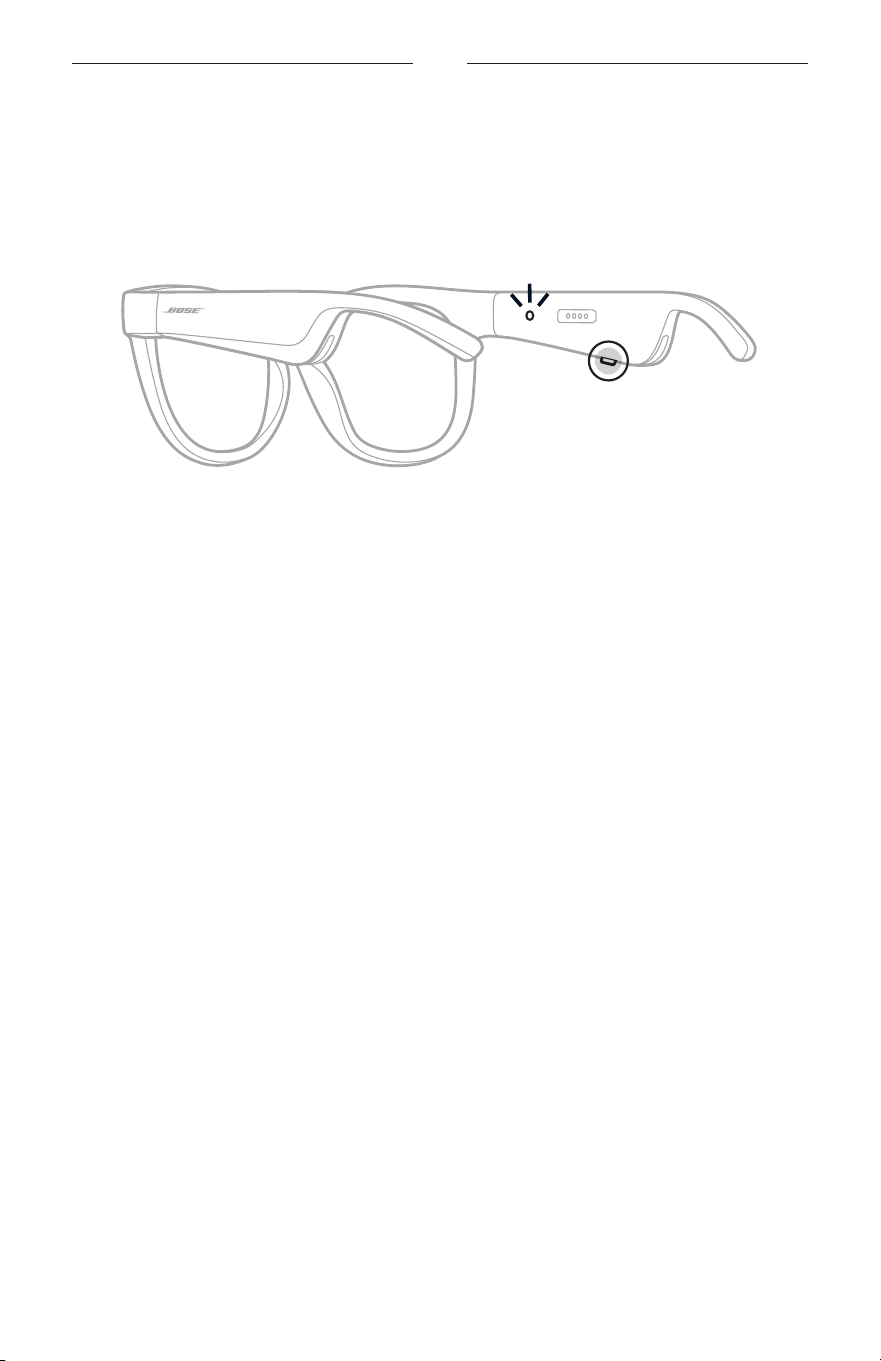
16
|
KOR
전원
전원 켜기
오른쪽 다리에 있는 버튼을 누릅니다.
상태 표시등이 백색
불을 두 번 깜박인 후
Bluetooth
연결 상태에 따라 켜집니다
(22페이지 참조). 음성 안내가 배터리 용량과
Bluetooth
연결 상태를 알립니다.
참고: Frames는 부분 충전된 상태로 출시되며 처음 사용 시 깨워야 할 수 있습니다.
Frames를 깨우려면 F
rames를 전원에 2초간 연결한 후 연결 해제합니다
(21페이지 참조). 그런 다음 다시 전원을 켜보십시오.
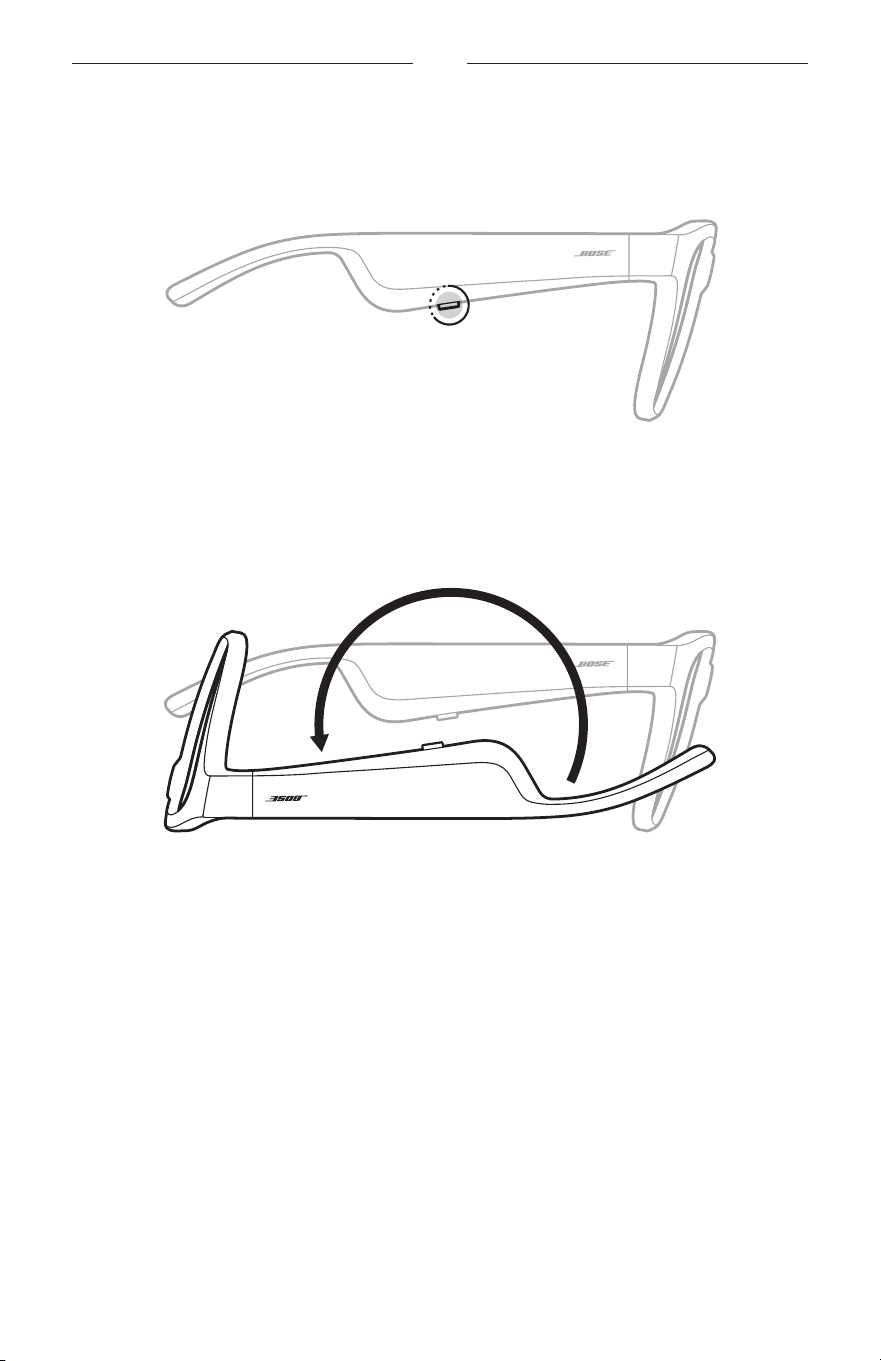
17
|
KOR
전원
전원 끄기
작동음이 들릴 때까지 버튼을 길게 누릅니다.
상태 표시등이 백색을 두 번 깜박인 후 흑색으로 어두워집니다.
뒤집어 끄기
Frames를 2초간 뒤집습니다.
상태 표시등이 백색을 두 번 깜박인 후 흑색으로 어두워집니다.
참고:
• Frames 전원이 꺼진 후에는 아무 방향으로나 옮길 수 있습니다.
• Bose Music 앱에서 뒤집어 끄기를
사용 해제할 수 있습니다. 설정 메뉴에서 이
옵션에 액세스할 수 있습니다.
동작 감지를 사용한 자동 끄기
Frames는 동작 감지를 사용하여 사용하지 않을 때를 식별합니다. Frames를 10분간
움직이지 않으면 전원이 자동으로 꺼집니다.
참고: Bose Music 앱에서 동작
감지를 사용 해제할 수 있습니다. 설정 메뉴에서 이
옵션에 액세스할 수 있습니다.
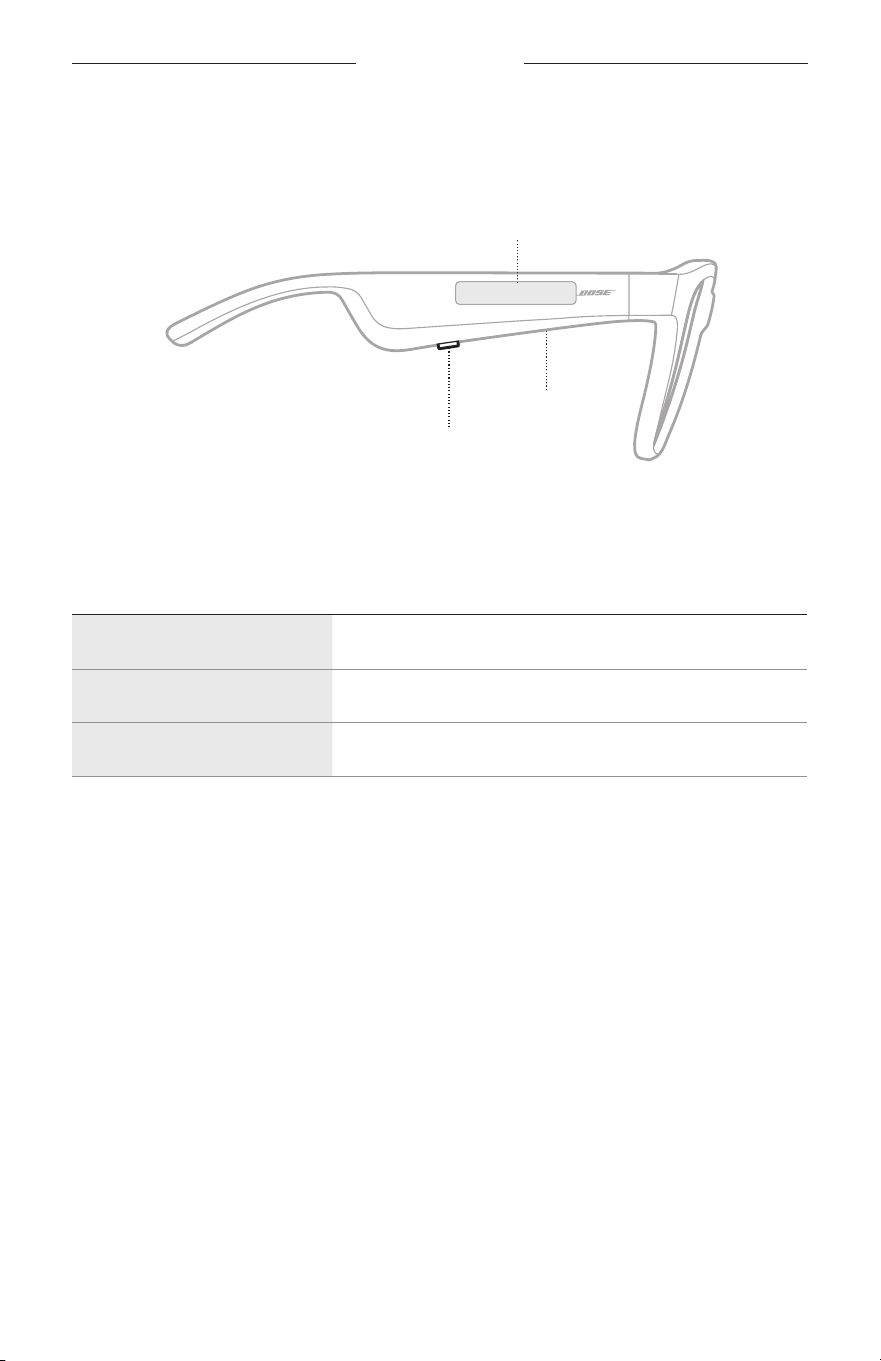
18
|
KOR
FRAMES 콘트롤
오른쪽 다리에 있는 버튼과 터치 표면을 사용하여 미디어 재생, 볼륨, 전화 통화 및
음성 제어 기능을 조작할 수 있습니다.
버튼
미디어 재생 조작
전화 통화 조작
마이크
터치 표면
볼륨 조정
음성 제어 사용
미디어 재생
조작 작동 방법
재생/일시 중지 버튼을 누릅니다.
앞으로 건너뛰기 버튼을 두 번 누릅니다.
뒤로 건너뛰기 버튼을 세 번 누릅니다.
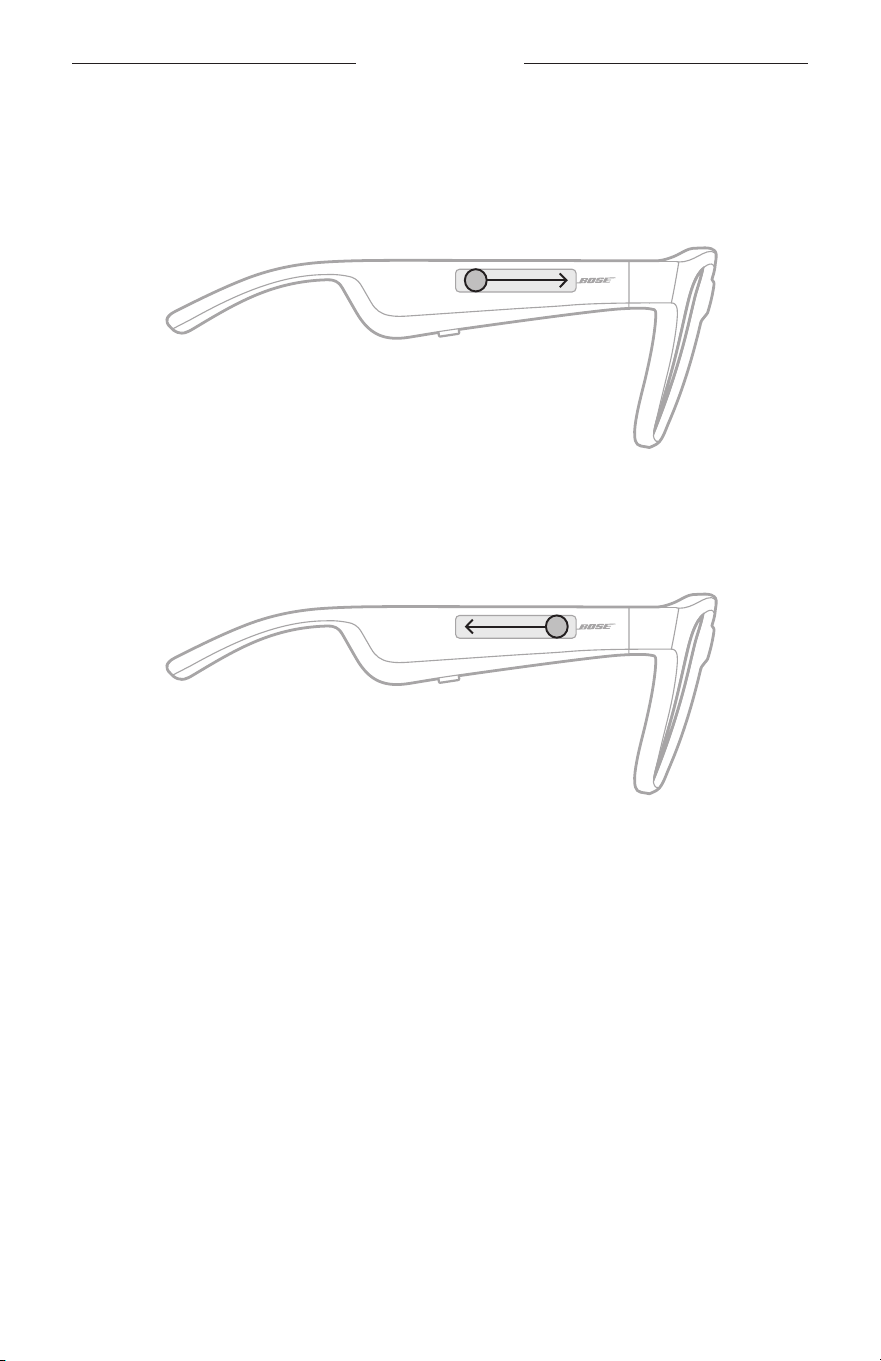
19
|
KOR
FRAMES 콘트롤
볼륨
볼륨 크게
터치 표면을 앞으로 스와이프합니다.
참고: 볼륨이 최대 수준에 도달하면 작동음이 들립니다.
볼륨 작게
터치 표면을 뒤로 스와이프합니다.
참고: 볼륨이 최대 수준에 도달하면 작동음이 들립니다.
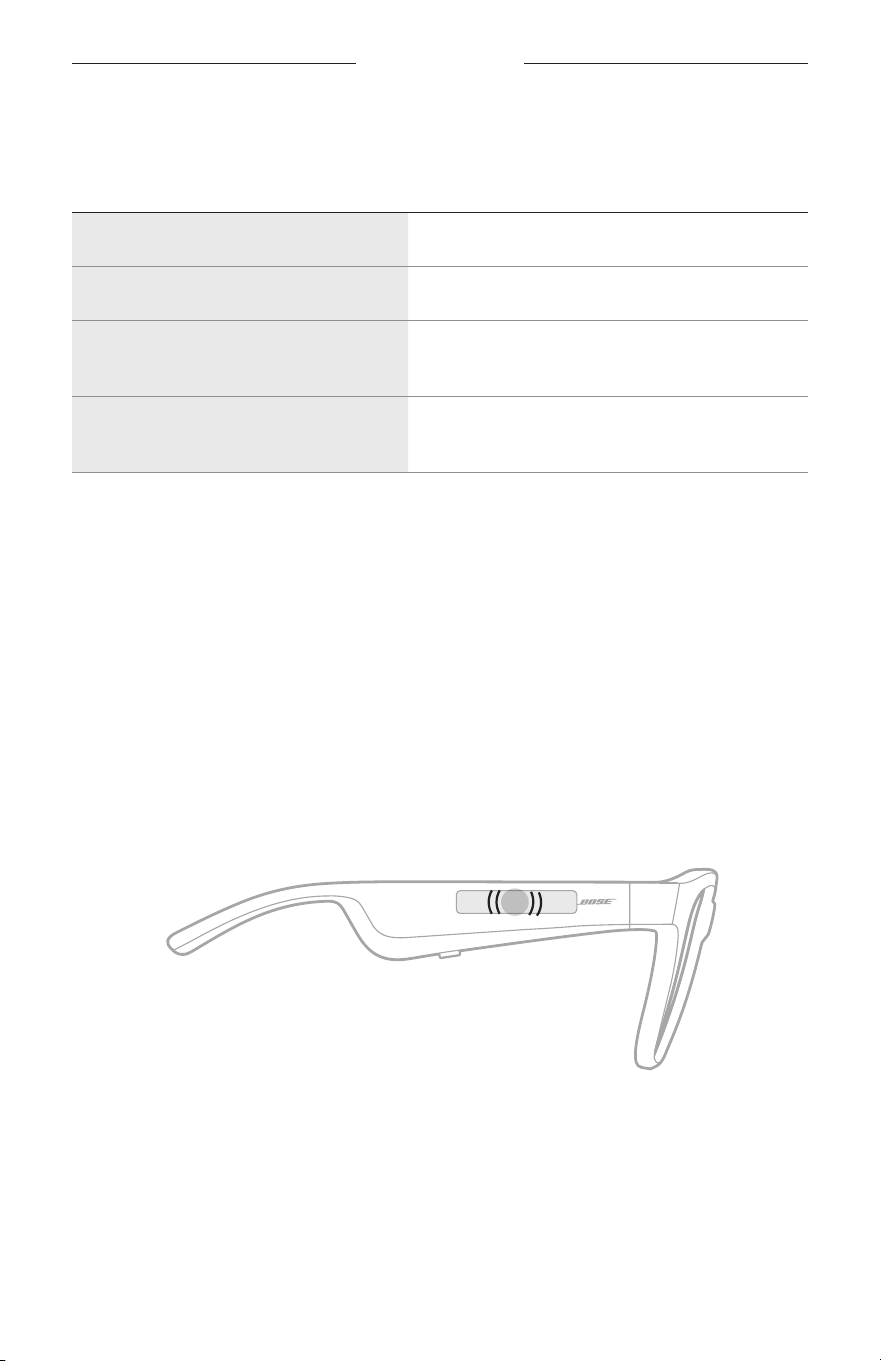
FRAMES 콘트롤
20
|
KOR
전화 통화
조작 작동 방법
통화/종료 버튼을 누릅니다.
걸려오는 전화 거부 버튼을 두 번 누릅니다.
두 번째로 걸려온 전화를 받고 현재 통화
대기
통화 중에 버튼을 누릅니다.
두 번째 걸려온 통화를 거부하고 현재
통화 계속
통화 중에 버튼을 두 번 누릅니다.
참고: 모든 통화 콘트롤을 사용하려면 Bose Music 앱에서 소프트웨어 업데이트가
있으면 실행합니다.
통화 알림
음성 안내가 전화를 건 사람과 통화 상태를 알립니다.
음성 제어 사용
Frames 마이크가 모바일 장치 마이크의 연장 역할을 합니다. 오른쪽 다리에 있는
터치 표면을 사용하면
장치에서 음성 제어 기능에 액세스하여 통화 발신/수신 또는
Siri 또는 Google
어시스턴트에 음악 재생, 날씨 안내, 게임 점수 제공 등을 요청할 수
있습니다.
터치 표면을 두 번 탭하여 모바일 장치에서 음성 제어 기능에 액세스합니다.
2x
음성 제어가 활성일 경우 작동음이 들립니다.
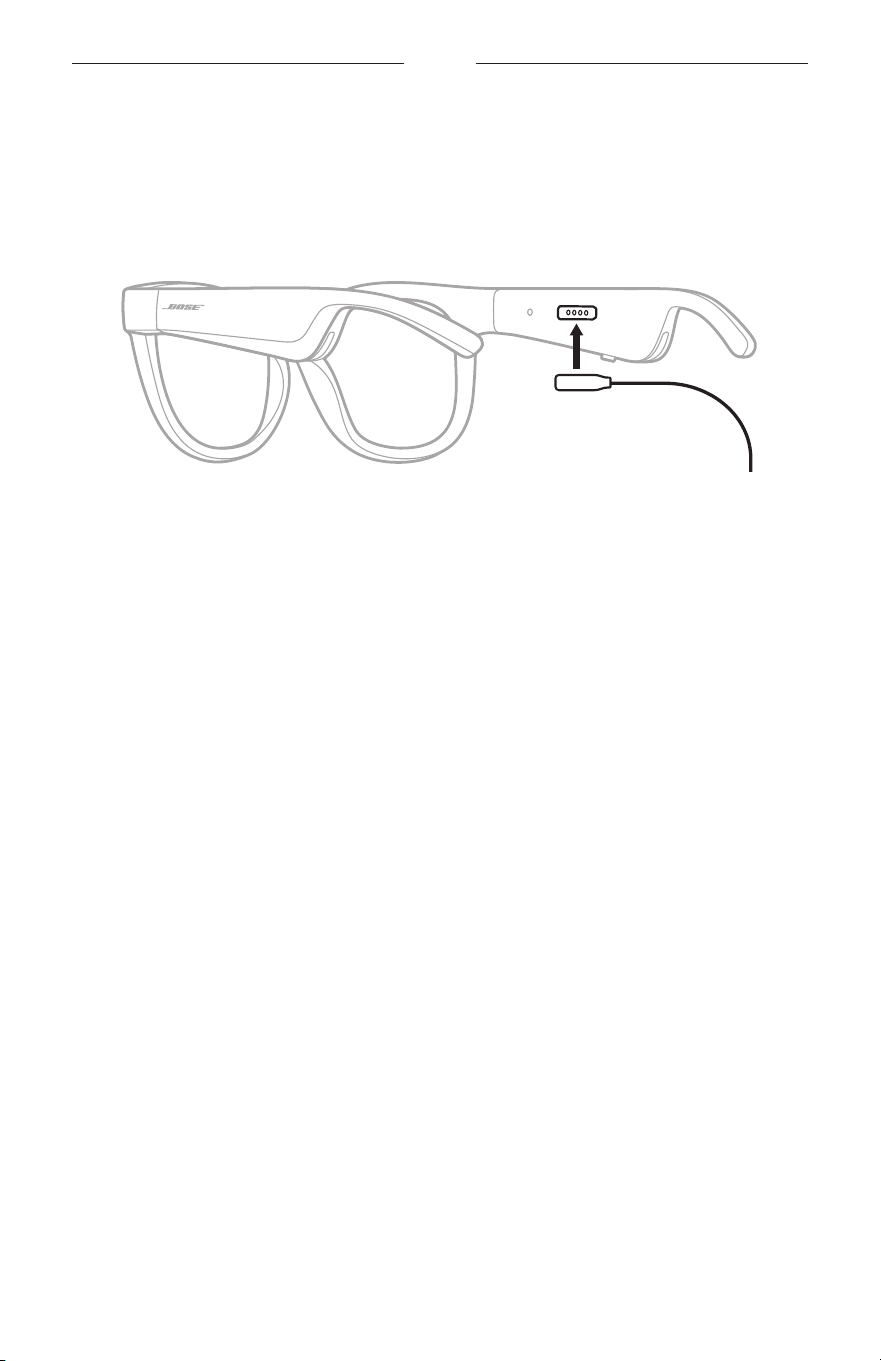
21
|
KOR
배터리
FRAMES 충전
1. 충전 케이블의 핀을 오른쪽 다리에 있는 충전 포트와 일치시킵니다.
참고: Frames를 제대로 충전하려면
핀의 방향이 충전 핀과 올바르게 정렬되어야
합니다.
2. 핀이 자력으로 딸각하고 충전 포트의 제 위치에 찾아 들어가도록 가볍게 누릅니다.
3. 반대쪽을 USB-A 충전기(제공되지 않음)에 연결합니다.
주의: 이 제품에는 지역
법규 요건을 만족하는 인증기관이 허가한 전원
공급장치만 사용하십시오(예: UL, CSA, VDE, CCC).
충전하는 동안에는 상태
표시등이 백색을 깜박입니다. 배터리가 완전 충전되면
상태 표시등에 백색 불이 켜집니다(23페이지 참조).
참고:
• Frames는 충전 중에 오디오를 재생하지 않습니다.
• 충전하는 동안에는 Frames를 착용하지 마십시오.
FRAMES 배터리 잔량 확인
배터리 알림 청취
Frames 전원을 켤 때마다 배터리 잔량을 알리는 음성 안내가 나옵니다.
Frames를 사용 중일 때에도 배터리 충전이 필요한지 알리는 음성 안내가 나옵니다.
배터리 잔량 보기
• Bose Music 앱의 홈 화면을 확인합니다.
• 상태 표시등이 적색을 깜박일 경우 Frames를 충전해야 합니다.
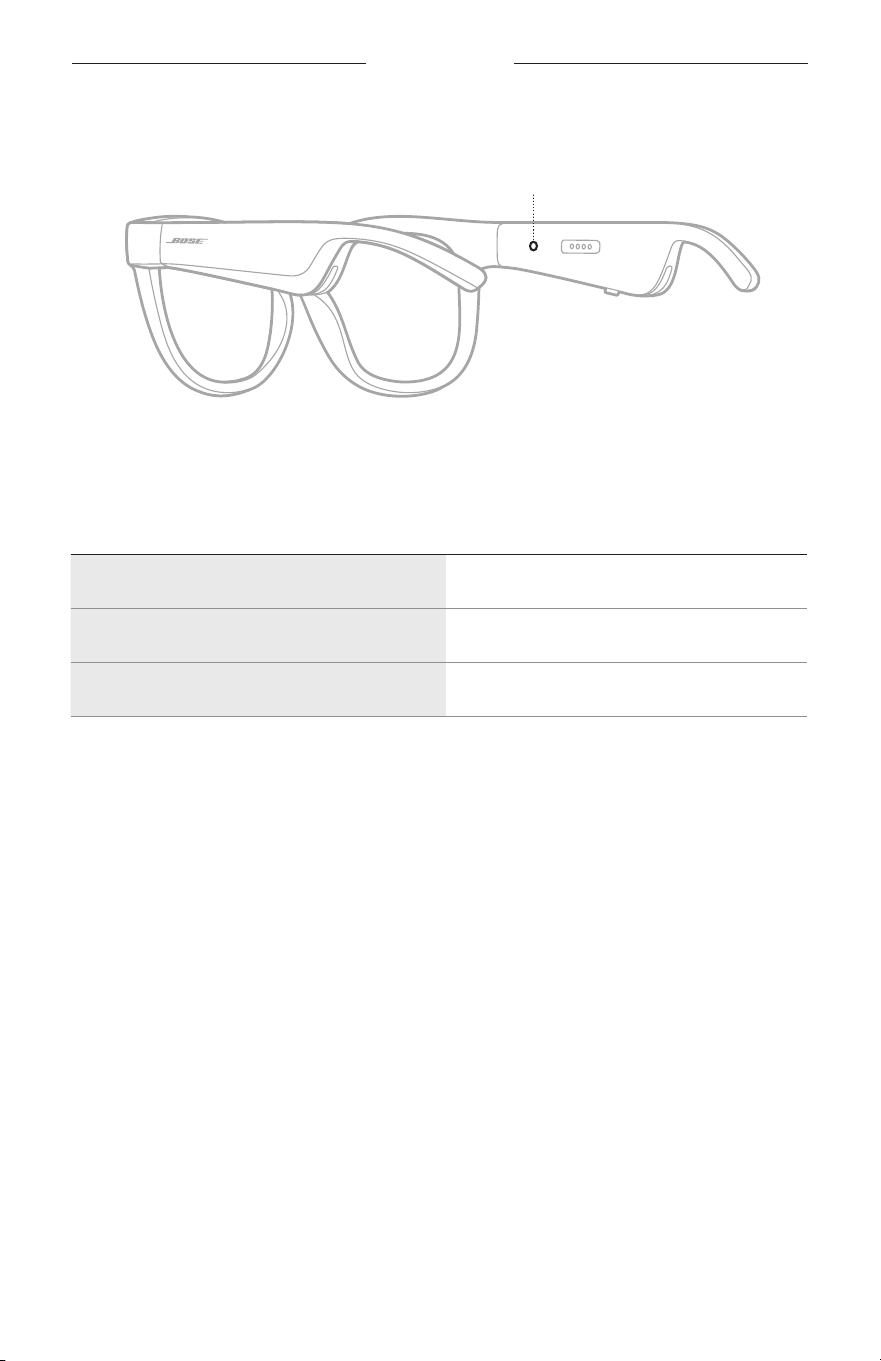
22
|
KOR
FRAMES 상태
Frames 상태 표시등은 오른쪽 다리 안쪽에 위치해 있습니다.
상태 표시등
BLUETOOTH
연결 상태
모바일 장치의
Bluetooth
연결 상태를 표시합니다.
표시등 동작 시스템 상태
청색이 천천히 깜박이는 경우 연결 준비됨
청색이 빨리 깜박이는 경우 연결 중
청색이 켜져 있는 경우(10초) 연결됨
FRAMES 상태
23
|
KOR
배터리 상태
Frames 배터리 충전 잔량을 표시합니다.
표시등 동작 시스템 상태
적색이 깜박이는 경우(10초) 충전 필요함
백색이 깜박이는 경우 충전 중
백색이 켜져 있는 경우 완전 충전
오류 상태
오류 상태를 표시합니다.
표시등 동작 시스템 상태
적색 및 백색이 깜박이는 경우(반복) 오류 - Bose 고객 서비스 센터에 문의하십시오
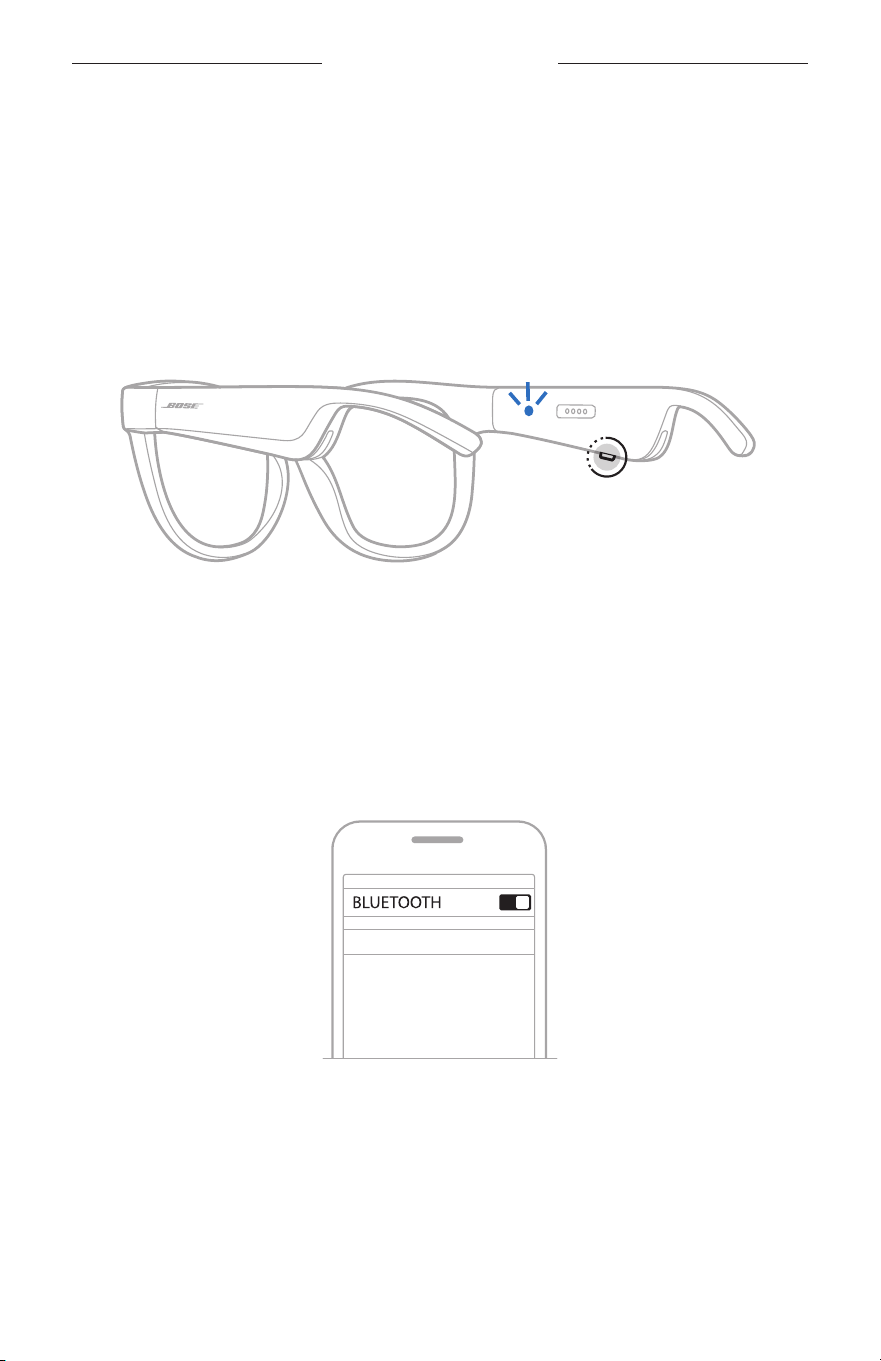
24
|
KOR
BLUETOOTH
장치 연결
모바일 장치의
BLUETOOTH
메뉴를 사용한 연결
Frames 장치 목록에 최대 8대를 저장할 수 있습니다. 하지만 한번에 장치 한 대만
연결하여 오디오를 재생할 수 있습니다.
참고: Frames를 최대한 활용하려면
Bose Music 앱을 사용하여 모바일 장치를
설치하고 연결합니다(14페이지 참조).
1. Frames 전원이 켜진
상태에서 "연결 준비되었습니다"가 들리거나 상태 표시등이
청색을 깜박일 때까지 오른쪽 다리에 있는 버튼을 길게 누릅니다.
2. 장치에서
Bluetooth
기능을 사용 설정합니다.
참고:
Bluetooth
기능은 대개 설정 메뉴에서 찾을 수 있습니다.
3. 장치 목록에서 Frames를 선택합니다.
참고: Bose Music 앱에서
Frames로 입력한 이름을 찾습니다. Frames 이름을
지정하지 않은 경우 기본 이름이 나타납니다.
BOSE FRAMES
연결되면
“
<
모바일 장치 이름>
에 연결되었습니다
”
가 들리거나 상태 표시등에
청색 불이 들어온 후 흑색으로 어두워집니다.

25
|
KOR
BLUETOOTH
장치 연결
모바일 장치 연결 해제
Bose Music 앱을 사용하여 모바일 장치를 연결 해제합니다.
팁:
Bluetooth
설정을 사용해서도 장치를 연결 해제할 수 있습니다.
Bluetooth
기능을
사용 해제하면 다른 모든 장치도 연결 해제됩니다.
모바일 장치 재연결
전원이 켜지면 Frames가 가장 최근에 연결되었던 장치에 연결을 시도합니다.
참고: 장치가 수신 범위 내(9m)에 있고 전원이 켜져 있어야 합니다.
FRAMES 장치 목록 소거
1. Frames 전원이 꺼진 상태에서 "
Bluetooth
장치 목록이 제거되었습니다"가
들리거나 상태 표시등이
청색을 깜박일 때까지 오른쪽 다리에 있는 버튼을 10초간
길게 누릅니다.
2. 장치의
Bluetooth
목록에서 Frames를 제거합니다.
모든 장치가 소거되고 Frames가 연결 준비됩니다.
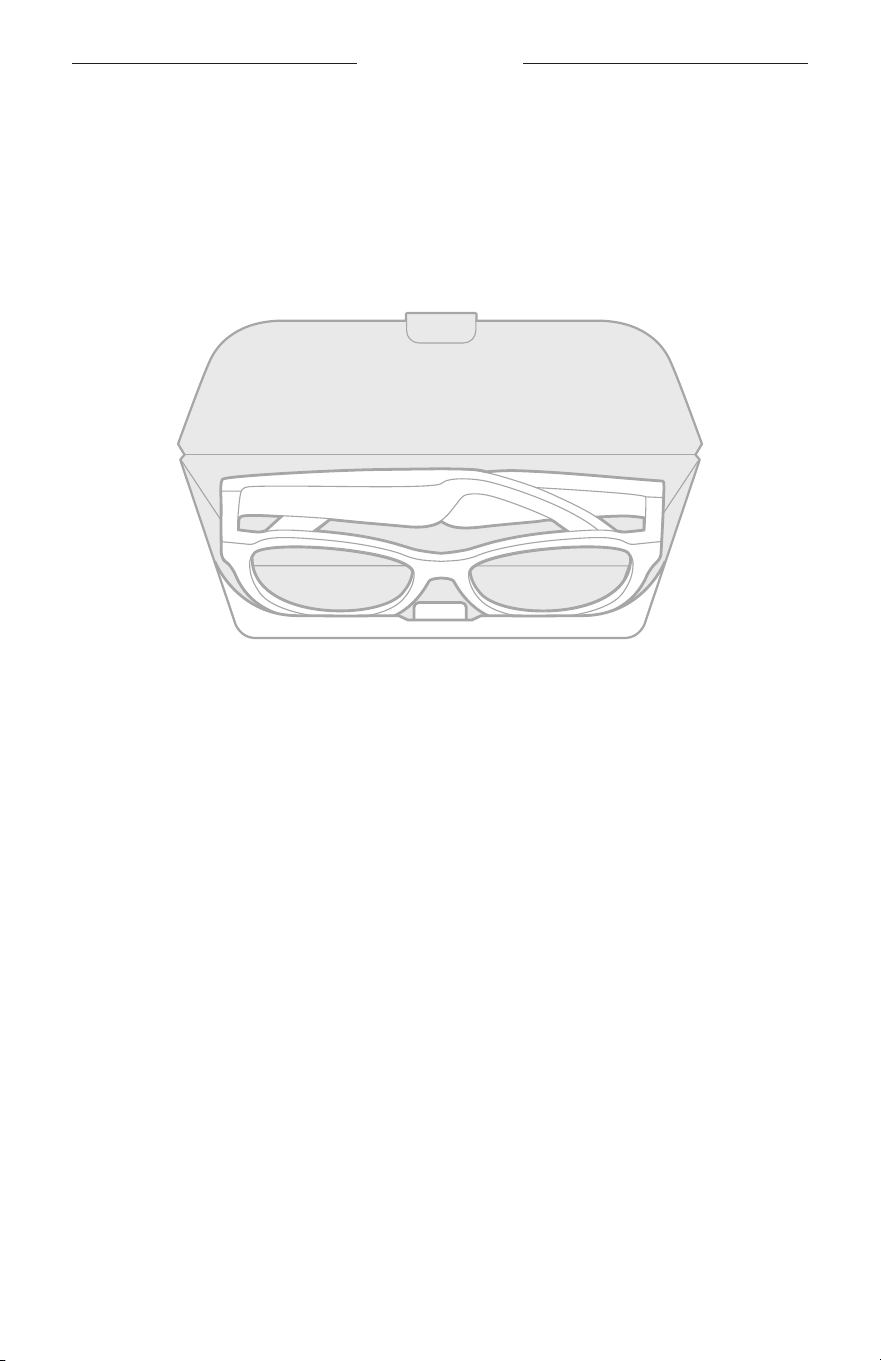
26
|
KOR
관리 및 유지보수
FRAMES 보관
Frames는 접어서 쉽고 편리하게 보관할 수 있습니다.
1. 다리가 편평해지도록 렌즈 안쪽으로 접습니다.
2. 렌즈가 케이스 전면을 향하도록 Frames를 케이스에 넣습니다.
참고:
• Frames를 사용하지 않을 때는 전원을 반드시 꺼두십시오.
• 몇 달 이상 Frames를 보관할 때는 배터리를 반드시 완전히 충전해 놓으십시오.

27
|
KOR
관리 및 유지보수
FRAMES 관리
사용한 후에는 렌즈의 양쪽과 Frames 전체를 제공된 세척용 천 또는 마른 천으로
닦으십시오.
주의:
• Frames 근처에서 스프레이를 사용하지 마십시오.
• 용제, 화학 물질, 또는 알코올, 암모니아, 연마제 성분의 세제를 사용하지 마십시오.
• 기기에 액체가 흘러 들어가지 않도록 하십시오.
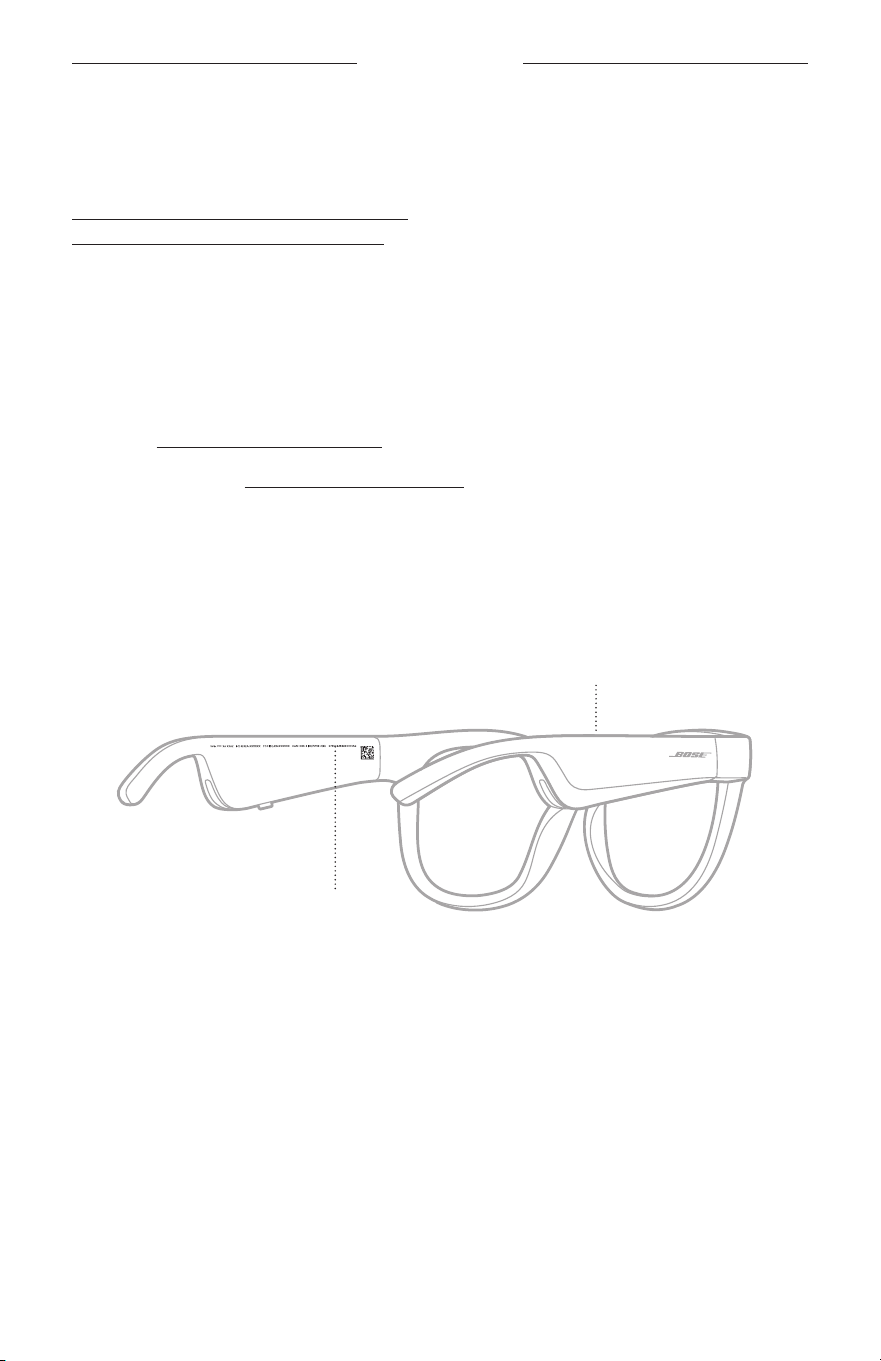
28
|
KOR
관리 및 유지보수
교체용 부품 및 액세서리
교체용 부품 및 액세서리는 Bose 고객 서비스 센터를 통해 주문하실 수 있습니다.
worldwide.Bose.com/Support/Soprano
worldwide.Bose.com/Support/Tenor
에서 확인하십시오.
참고: 렌즈 교체에 관한 정보는 렌즈 액세서리와 함께 제공된 지침을 참조하십시오.
제한 보증
Frames는 제한 보증의 적용을 받습니다. 제한 보증에 대한 자세한 내용은 당사
웹사이트 global.Bose.com/warranty에서 확인하십시오.
제품을 등록하려면 global
.Bose.com/register에서 지침을 확인하십시오. 등록하시지
않더라도 제한 보증에 대한 권리에는 영향이 없습니다.
일련 번호 및 모델/참조 번호 위치
일련 번호는 왼쪽 다리 안쪽, 모델/참조 번호는 오른쪽 다리 안쪽에 위치해 있습니다.
일련 번호
모델/참조 번호

29
|
KOR
문제 해결
이 방법을 먼저 시도하십시오
Frames에 문제가 발생할 경우:
• Frames 전원을 켭니다(16페이지 참조).
• Frames를 전원에 2초간 연결한 후 연결 해제합니다(21페이지 참조).
• 배터리를 충전합니다(21페이지 참조).
• 상태 표시등의 상태를 확인합니다(22페이지 참조).
• 모바일 장치가
Bluetooth
연결을 지원하는지 확인합니다.
• Bose Music 앱을 다운로드하고 소프트웨어 업데이트가 있으면 실행합니다.
• Frames, 모바일 장치 및/또는 오디오/스트리밍 앱에서 볼륨을 올립니다.
• 다른 모바일 장치를 연결합니다(24페이지 참조).
기타 방법
문제를 해결할 수 없을 경우 아래 표에서 증상을 식별하고 흔한 문제에 대한
해결책을 확인할 수
있습니다. 문제를 해결할 수 없을 경우 Bose 고객 서비스 센터에
문의하십시오.
worldwide.Bose.com/Contact에서 확인하십시오.
문제 해결 방법
Frames가 모바일 장치와
연결되지 않을 경우
장치에서:
• Bluetooth
기능을 껐다가 다시 켭니다.
• 장치의
Bluetooth
목록에서 Frames를 삭제합니다. 다시
연결합니다(24페이지 참조).
장치를 F
rames 가까이,
다른 간섭 또는 장애물에서 멀리
떨어뜨립니다.
다른 모바일 장치를 연결합니다(24페이지 참조).
방법 비디오를
보려면 worldwide.Bose.com/Support/Tenor 또는
worldwide.Bose.com/Support/Soprano에서 확인하십시오.
Frames 장치
목록을
소거합니다(25페이지 참조). 다시
연결합니다.
Bose Music 앱이
장치에서 작동하지 않을
경우
Bose Music 앱이 사용자의 장치와 호환되는지 확인하십시오.
장치에서 Bose Music 앱을 제거했다가 앱을
다시 설치합니다
(14페이지 참조).
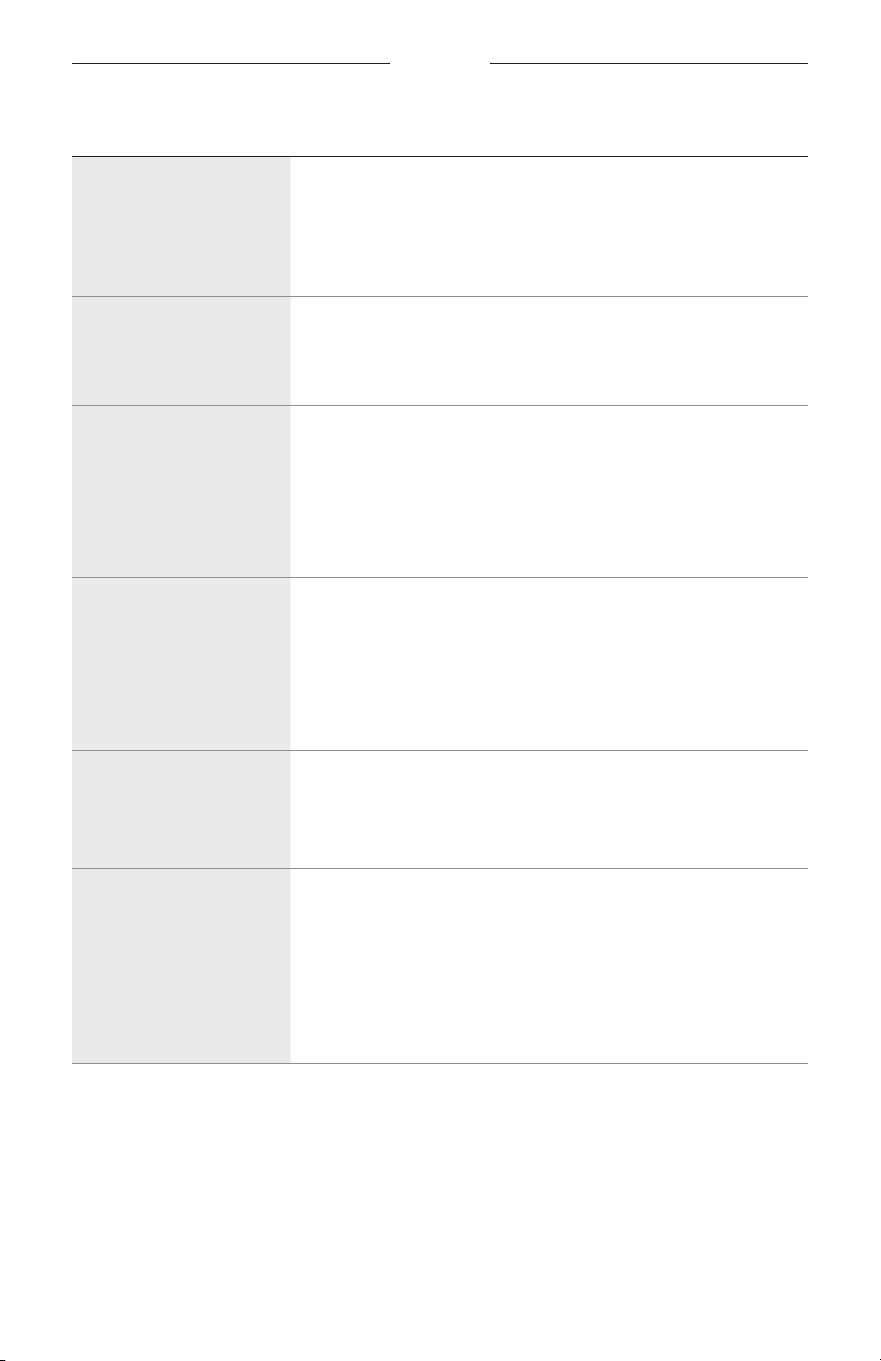
30
|
KOR
문제 해결
문제 해결 방법
Bose Music 앱이
Frames를 찾지 못할 경우
Frames 전원을 켭니다(16페이지 참조).
"연결
준비되었습니다
"가 들리거나 상태 표시등이 청색을
깜박일 때까지 오른쪽 다리에 있는 버튼을 길게 누릅니다.
Bose Music 앱에서 소프트웨어 업데이트가 있으면 실행합니다.
Bluetooth
연결이
간헐적일 경우
Frames 장치 목록을
소거합니다(25페이지 참조). 다시
연결합니다(24페이지 참조).
모바일 장치를 Frames 가까이 옮깁니다.
소리가 나지 않을 경우
모바일 장치의 재생을 눌러 오디오가 재생되는지 확인합니다.
장치를 F
rames 가까이,
다른 간섭 또는 장애물에서 멀리
떨어뜨립니다.
다른 음악 소스를 사용합니다.
다른 장치를 연결합니다(24페이지 참조).
음질이 불량한 경우
다른 음악 소스를 사용합니다.
다른 모바일 장치를 연결합니다.
장치를 F
rames 가까이,
다른 간섭 또는 장애물에서 멀리
떨어뜨립니다.
장치 또는 오디오/스트리밍 앱에서 오디오 향상 기능을 끕니다.
마이크가 작동하지 않을
경우
오른쪽 다리에 있는 마이크 구멍이 막히지 않았는지 확인합니다.
통화를 한 번 더 시도합니다.
다른 호환 장치를 시도합니다.
Frames가 충전되지 않을
경우
충전 케이블의
핀이
Frames의 충전 포트와 올바르게 일치되어
자력으로 제 위치를 찾아 들어갔는지 확인합니다.
충전 케이블의 양쪽을 단단히 고정합니다.
Frames가 고온
또는 저온에 노출된 경우 실온으로 되돌린 후
충전을 다시 시도합니다.
다른 USB 충전기를 시도합니다.
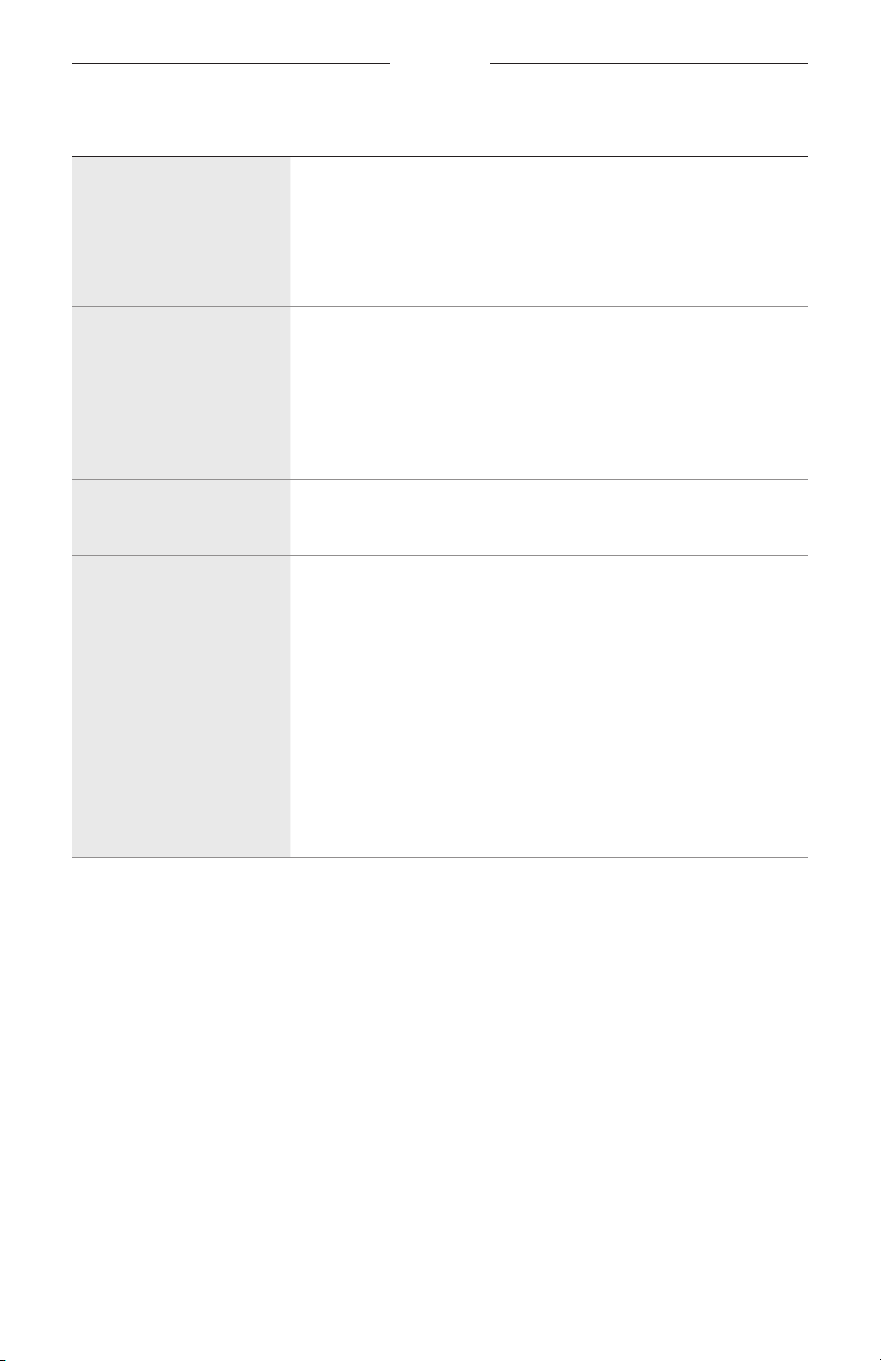
문제 해결
31
|
KOR
문제 해결 방법
Frames가 터치 콘트롤에
응답하지 않을 경우
올바른 터치 콘트롤 표면을 탭해야 합니다(18페이지 참조).
손이 젖지 않았는지 확인합니다.
머리카락이 젖은 경우 터치 표면과 간섭되지 않는지 확인합니다.
장갑을 꼈을 경우 벗은 후 콘트롤을 탭합니다.
볼륨을 조정할 수 없을
경우
올바른 터
치 콘
트롤 표면을 스와이프하고 있는지 확인합니다
(18페이지 참조).
손이 젖지 않았는지 확인합니다.
머리카락이 젖은 경우 터치 표면과 간섭되지 않는지 확인합니다.
장갑을 꼈을 경우 벗은 후 콘트롤을 탭합니다.
통화 콘트롤을 사용할 수
없을 경우
Bose Music 앱에서 소프트웨어 업데이트가 있으면 실행합니다.
버튼을 눌러도 장치가
반응하지 않을 경우
Bose Music 앱에서 소프트웨어 업데이트가 있으면 실행합니다.
여러 번 누르기 기능의 경우 누르는 속도를 바꿔 봅니다.
뮤직 앱이 기능을 지원하는지 확인합니다.
Frames 전원을 껐다가 켭니다.
장치에서:
•
Bluetooth
기능을 껐다가 다시 켭니다.
• 장치의
Bluetooth
목록에서 Frames를 삭제합니다. 다시
연결합니다(24페이지 참조).
다른 호환 장치를 시도합니다.
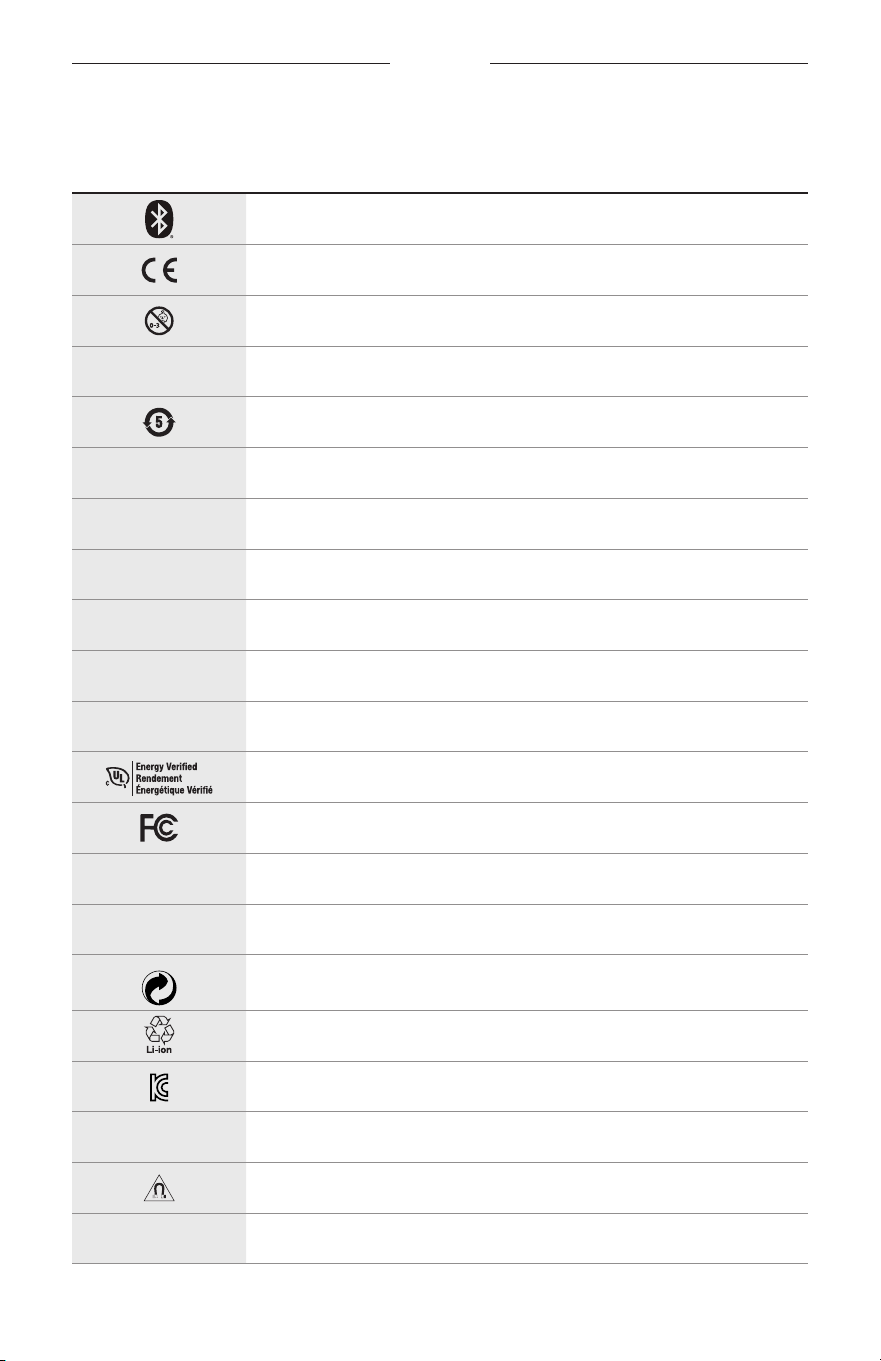
32
|
KOR
라벨 기호
기호 및 설명
기호 설명
Bluetooth
CE 인증 표시
질식 위험
h
카탈로그 번호
중국 ROHS 배터리
w
고객 지원 센터
N
제조일
X
설명서
L
포장이 손상된 경우 사용 금지
C
라텍스를 포함하지 않음
s
다운로드
에너지 효율 검증
FCC 인증
o
포럼
h
일광에 대한 강한 보호
Green Dot 상표 기호
일본 배터리 재활용
KCC 인증
p
습기 주의
자기 간섭
M
제조업체
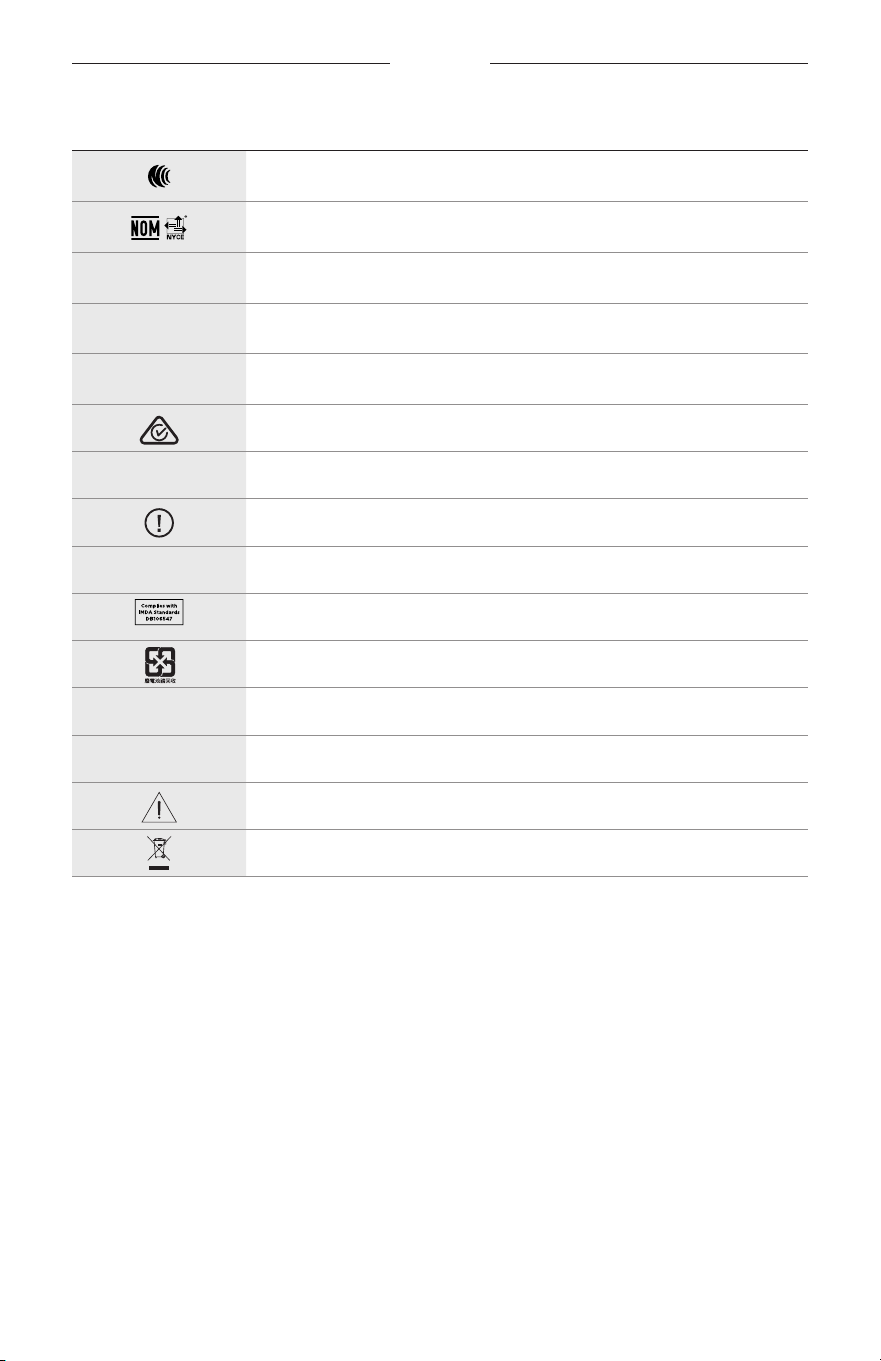
라벨 기호
33
|
KOR
기호 설명
NCC 인증
NOM NYCE 인증
d
비멸균
I
해질 무렵이나 야간에 운전하는 데 적합하지 않음
m
전화
규제 준수 표시
A
사용 지침 참조
보안 정보
f
일련 번호
싱가포르 IMDA 준수
대만 배터리 재활용
l
온도 한계
W
동영상
경고/주의
전기전자제품 폐기물 처리 지침 기호
重要安全说明
2
|
SCH
使用说明
太阳镜(非处方)是吸收性、反射性、有色、偏光或光敏化镜片和眼镜架或镜夹组成的装置,
主要用于保护佩戴者的眼睛免受明亮阳光的伤害,但不提供屈光矫正。此设备不是处方设备。
A
请参考使用说明。
请阅读并保留所有安全、安全性和使用说明。
重要安全说明
Bose Corporation 在此声明,本产品严格遵守 2014/53/EU 指令和其他所有适用的欧盟指令要
求中的基本要求和其他相关规定。符合声明全文载于:www.Bose.com/compliance
1. 请阅读这些说明。
2. 请保留这些说明。
3. 请注意所有警告。
4. 请遵守所有说明。
5. 请勿在水附近使用本设备。
6. 请仅用干布进行清洁。
7. 只能使用制造商指定的附件/配件。
8. 在雷雨天或长时间不用时,请切断本设备电源。
9. 任何维修事宜均请向合格的人员咨询。如果设备有任何损坏,均需进行维修,例如电源线
或插头受损、液体溅入或物体落入设备内、设备受雨淋或受潮、不能正常工作或跌落。
警告/小心
• 请勿长时间在高音量下使用太阳眼镜。
–
为了避免听力受损,请以舒适、适度的音量使用太阳眼镜。
–
先将设备音量调低,然后再戴上太阳眼镜或将其放到耳朵附近,然后再逐渐调高音量,直到
达到舒适的听觉效果。
• 驾驶时请小心并遵守与使用手机相关的适用法律。
• 如果您在从事需要集中注意力的活动时使用太阳眼镜,应注意您自身和他人的安全,例如骑
自行车时或在道路、施工现场或铁路上或附近步行时。您应取下太阳眼镜或调整音量,以确
保可以听到周围的声音,包括警报和警告信号。
• 如果太阳眼镜发出不正常的杂音,请勿使用。在此情况下,请关闭太阳眼镜,然后联系 Bose
客户服务处。
• 请勿将太阳眼镜浸入水中或长时间暴露在潮湿环境下,或在游泳、滑水、冲浪等水上运动中
佩戴。
• 如果您感觉发热或听不到声音,请立即取下太阳眼镜。
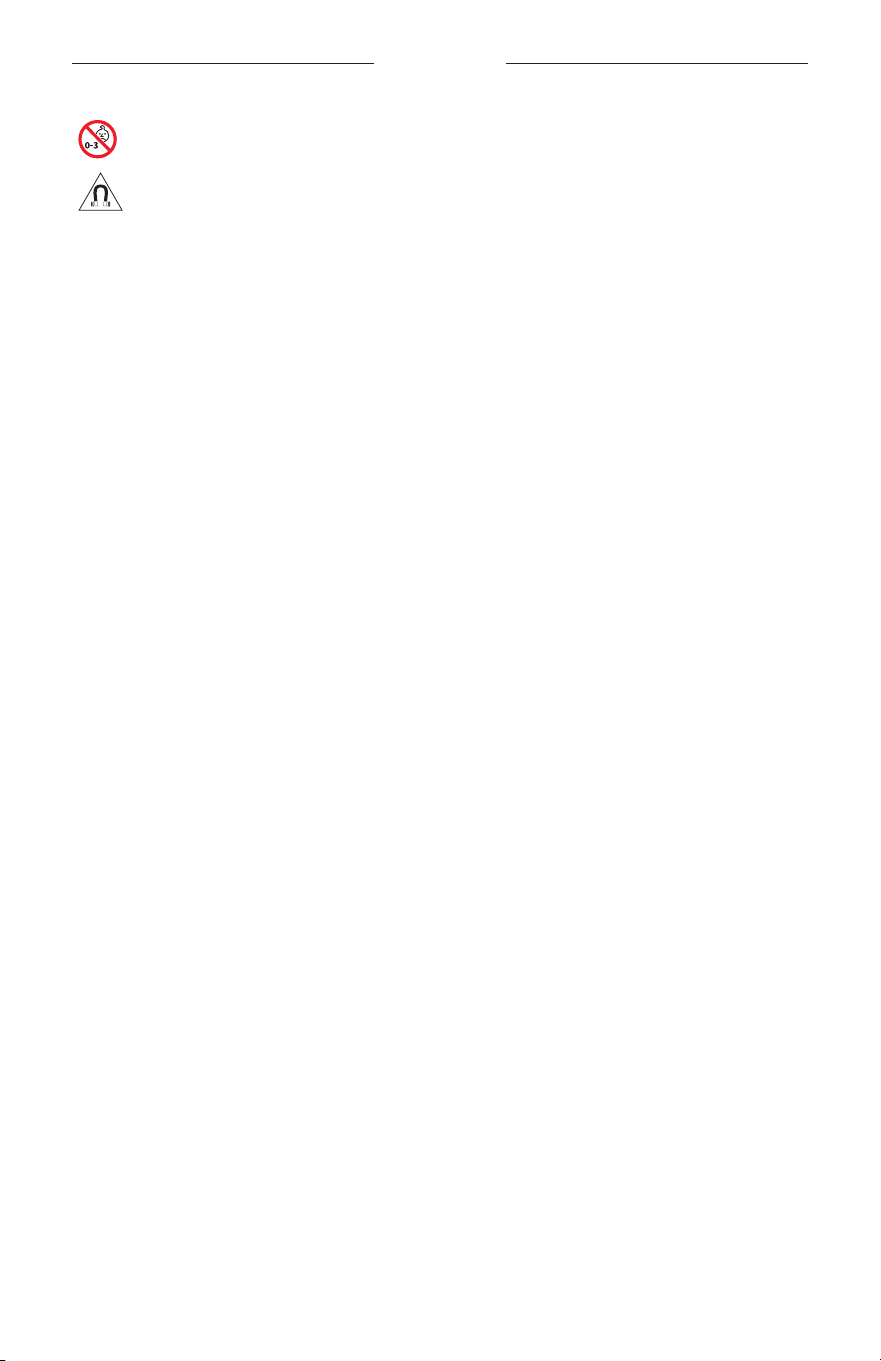
重要安全说明
3
|
SCH
包含小部件,可能会导致窒息。不适合 3 岁以下的儿童使用。
本产品含有磁性材料。关于是否会影响可植入医疗设备的情况,请咨询医生。
• 为减少着火或电击的危险,请勿使本产品受雨淋、被液体淋或受潮。
• 本产品不得受液体淋溅或喷洒,不得将装有液体的物体(如花瓶等)置于本产品上或本产品
附近。
• 请将本产品放置到远离火源和热源的地方。请勿将明火火源(如点燃的蜡烛)置于本产品上
或靠近本产品。
• 未经授权切勿改装本产品。
• 仅将本产品搭配经过相关部门批准且符合本地监管要求的电源(如 UL、CSA、VDE、CCC)使用。
• 请勿使含有电池的产品过热(例如存放时请避免阳光直射并远离火源等)。
• 请勿在充电时佩戴太阳眼镜。
• 每次使用后,使用自带的布或干布擦干净太阳眼镜的镜片两侧和各个部位。
监管和法律信息
4
|
SCH
注意:本设备已经过测试,符合 FCC 规则第 15 部分有关 B 类数字设备的各项限制。这些限制性
规定旨在防范安装在住宅中的设备产生有害干扰。本设备产生、使用并可能发散无线射频能量,
如果不按照指示安装和使用,则可能会对无线电通讯造成有害干扰。然而,按照指示安装也不
能保证某些安装不会发生干扰。如果本设备确实对无线电或电视接收造成有害干扰(可通过关
闭和打开本设备来确定),用户可尝试采取以下一种或多种措施来纠正干扰:
• 重新调整接收天线的方向或位置。
• 增大本设备和接收器的间距。
• 将本设备和接收器的电源线插入不同线路上的插座中。
• 请咨询经销商或有经验的无线电/电视技术人员以获得帮助。
未经 Bose Corporation 明确批准,擅自更改或修改本设备会使用户操作本设备的权利失效。
本设备符合 FCC 规则第 15 部分规定和加拿大 ISED 免许可证 RSS 标准。本设备工作时应满足下列
两项要求:(1) 本设备不会造成有害干扰;(2) 本设备必须承受任何接收到的干扰,包括可能造成
设备异常工作的干扰。
本设备符合为公众阐明的 FCC 和加拿大 ISED 辐射限制。此发射器不能与其他天线或发射器位于
同一地点或与这些设备一起使用。
CAN ICES-3(B)/NMB-3(B)
PPE 法规 (EU) 2016/425
低功率无线设备管理条例
第 XII 条
根据“低功率无线设备管理条例”,对于认证合格的低功率无线设备,未经 NCC 许可,任何公
司、企业或用户均不得擅自变更频率、加大发送功率或变更原设计特性及功能。
第 XIV 条
使用低功率无线设备时不得影响航空安全和干扰合法通信;如发现有干扰现象,应立即停用,
并改善至无干扰时方可继续使用。上述合法通信是指符合电信法案的无线电通信。
低功率无线设备须耐受合法通信或 ISM 无线电波辐射设备的干扰。
欧洲:
工作频段 2400 至 2483.5 MHz。
最大传输功率低于 20 dBm EIRP。
最大传输功率低于规定限值,因此无需 SAR 测试或根据适用法规豁免。
此符号表示本产品不得作为生活垃圾丢弃,必须送至相关回收部门循环利用。适当的处
理和回收有助于保护自然资源、人类健康以及自然环境。想了解更多有关本产品的处理
和回收信息,请与当地民政部门、废弃物处理服务机构或出售本产品的商店联系。
请勿尝试拆除产品内的可充电锂电池。请联系当地的 Bose 经销商或其他有资格的专业人士进行
拆除。
请适当处理废旧电池,遵守本地规章。请勿将其焚化。
数量:1 副
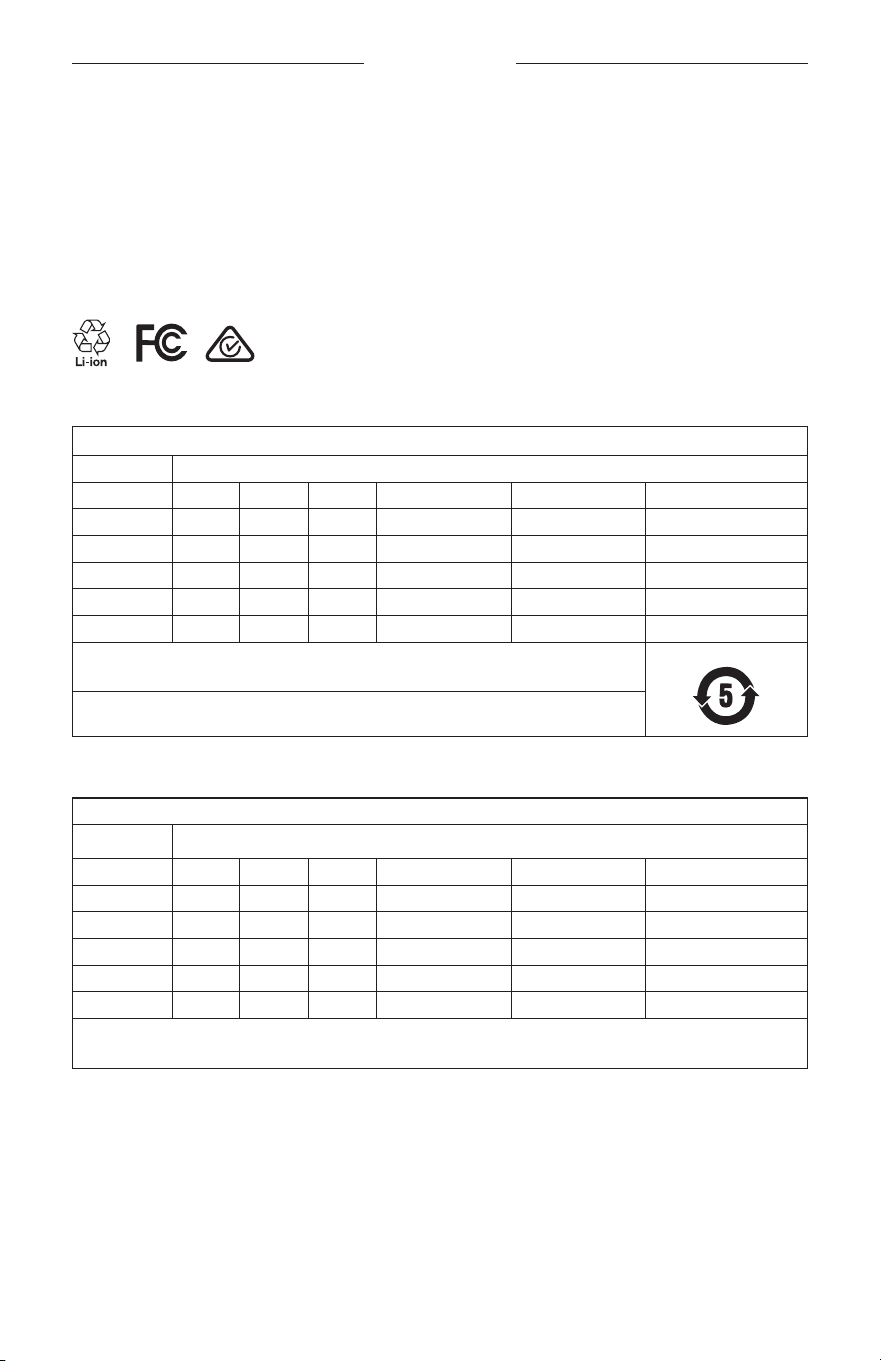
监管和法律信息
5
|
SCH
M
制造:Bose Corporation, 100 The Mountain Road, Framingham, MA 01701
L
如包装破损,请勿使用。
C
本产品不含有天然橡胶胶乳。
d
本产品以非无菌方式提供。
p
l
+45C
0C
中国危险物质限用表
有毒或有害物质或元素的名称及成分
有毒或有害物质和元素
零件名称 铅 (Pb) 汞 (Hg) 镉 (Cd) 六价铬 (CR(VI)) 多溴化联苯 (PBB) 多溴二苯醚 (PBDE)
印刷电路板 X O O O O O
金属零件 X O O O O O
塑料零件 O O O O O O
扬声器 X O O O O O
连接线 X O O O O O
此表格符合 SJ/T 11364 条款。
O: 表示此零件中所有同类物质包含的有毒或有害物质低于
GB/T 2
6572 中的限定要求。
X: 表示此零件使用的同类物质中至少有一种包含的有毒或有害物质高于 GB/T 26572
中的限定要求。
台湾 BSMI 限用物质含有情况标示
设备名称:电动扬声器,型号:433948
限用物质及其化学符号
装置 铅 (Pb) 汞 (Hg) 镉 (Cd) 六价铬 (Cr+6) 多溴化联苯 (PBB) 多溴联苯醚 (PBDE)
印刷电路板
- ○ ○ ○ ○ ○
金属零件
- ○ ○ ○ ○ ○
塑料零件
○ ○ ○ ○ ○ ○
扬声器
- ○ ○ ○ ○ ○
连接线
- ○ ○ ○ ○ ○
注意 1: “
○
”表示限用物质的百分比含量未超出参考值。
注意 2:“
-
”表示限用物质属于豁免项目范围。

监管和法律信息
6
|
SCH
本产品符合 ANSI Z80.3、AS/NZS 1067.1 和 EN ISO 12312-1。
夜间驾驶时不建议佩戴墨镜。
I
不适合在黎明或夜间驾驶时使用。不适合在夜间或弱光条件下驾驶时使用。
该产品可以屏蔽 99% 以上的 UVA 和 UVB 紫外线。本产品符合 ANSI Z80.3。
Frames Soprano 或 Frames Tenor 产品仅可使用 Bose 认可的镜片。
不用于直接观察太阳。
不用于保护眼睛免受人造光源带来的伤害,如阳光室内的人造光源。
不用于保护眼睛免受机械冲击危害。
不使用时,请将产品存放在自带的便携袋中。
欧盟滤光分类:ISO 12312-1 CAT.3
澳大利亚镜片分类:1067.1 CAT.3
h
这些太阳镜的防眩光等级为高,防紫外线效果很好。
UV 级别:UV 380 cut
请填写以下内容,留作记录
太阳眼镜序列号位于左镜腿,型号/参考编号位于右镜腿。
序列号: _______________________________________________________________________
型号: _________________________________________________________________________
请将收据与用户指南存放在一处。现在是您注册 Bose 产品的好机会。
您可以访问 global.Bose.com/register 轻松完成此操作。
N
生产日期:序列号中第八位数字表示生产年份;“0”表示 2010 年或 2020 年。
中国进口商:Bose 电子(上海)有限公司,中国(上海)自由贸易试验区,日樱北路 353 号,
9号厂房 C 部
欧洲进口商:Bose Products B.V., Gorslaan 60, 1441 RG Purmerend, The Netherlands
台湾进口商:Bose 台湾分公司,台湾 104 台北市民生东路三段 10 号,9F-A1
电话:+886-2-2514 7676
墨西哥进口商:Bose de México, S. de R.L. de C.V., Paseo de las Palmas 405-204, Lomas de Chapultepec,
11000México, D.F. 电话:+5
255 (5202) 3545
输入额定值:5V
p
500mA
CMIIT ID 位于镜腿前方内侧。
h
BMD0011
监管和法律信息
7
|
SCH
安全性信息
连接 Bose Music 应用时,此产品能够自动接收来自 Bose 的安全性更新。要通过移动应用
接收安全性更新,您必须在 Bose Music 应用中完成产品设置流程。如果您没有完成设置
流程,您需要通过以下网址自行安装 Bose 届时提供的安全性更新:btu.bose.com
Apple、Apple
徽标、iPad、iPhone、iPod 和 Siri 是 Apple Inc. 在美国及其他国家/地区注册的商标。
商标“iPhone”已获得 Aiphone K.K. 在日本的使用许可。App Store 是 Apple Inc. 的服务标志。
使用“Apple 专用”标记表示此附件的设计专门用来连接标记中认定的 Apple 产品,并且通过了
开发商的认证,符合 Apple 的性能标准。Apple 对此设备的工作或其与安全和规章标准的符合性
概不负责。
Bluetooth
® 文字标记和徽标是由 Bluetooth SIG, Inc. 所拥有的注册商标,Bose 公司根据许可规定使用
上述标记。
Google 和 Google Play 是 Google LLC 的商标。
Bose、Bose Frames 以及 Bose Music 是 Bose Corporation 的商标。
Bose 公司总部:1-877-230-5639
©2020 Bose Corporation。未经事先书面许可,不得复制、修改、发行或以其他方式使用本资料的
任何部分。

8
|
SCH
The following license disclosures apply to certain third-party software packages used as components in the product.
Package: Nanopb
Copyright © 2011 Petteri Aimonen <jpa at nanopb.mail.kapsi.fi>. The Nanopb package is subject to the license terms
reprinted below.
Zlib license
© 2011 Petteri Aimonen <jpa at nanopb.mail.kapsi.fi>
This software is provided ‘as-is’, without any express or implied warranty. In no event will the authors be held liable
for any damages arising from the use of this software.
Permission is granted to anyone to use this software for any purpose, including commercial applications, and to alter
it and redistribute it freely, subject to the following restrictions:
1. The origin of this software must not be misrepresented; you must not claim that you wrote the original software.
If you use this software in a product, an acknowledgment in the product documentation would be appreciated
but is not required.
2. Altered source versions must be plainly marked as such, and must not be misrepresented as being the
original software.
3. This notice may not be removed or altered from any source distribution.
Package: Mbed TLS 2.16.1
© ARM Limited. All rights reserved. The Mbed TLS package is subject to the license terms reprinted below.
Apache 2.0 License
Apache License
Version 2.0, January 2004
http://www.apache.org/licenses/
TERMS AND CONDITIONS FOR USE, REPRODUCTION, AND DISTRIBUTION
1. Definitions.
“License” shall mean the terms and conditions for use, reproduction, and distribution as defined by Sections 1
through 9 of this document.
“Licensor” shall mean the copyright owner or entity authorized by the copyright owner that is granting
the License.
“Legal Entity” shall mean the union of the acting entity and all other entities that control, are controlled by, or
are under common control with that entity. For the purposes of this definition, “control” means (i) the power,
direct or indirect, to cause the direction or management of such entity, whether by contract or otherwise, or (ii)
ownership of fifty percent (50%) or more of the outstanding shares, or (iii) beneficial ownership of such entity.
“You” (or “Your”) shall mean an individual or Legal Entity exercising permissions granted by this License.
“Source” form shall mean the preferred form for making modifications, including but not limited to software
source code, documentation source, and configuration files.
“Object” form shall mean any form resulting from mechanical transformation or translation of a Source form,
including but not limited to compiled object code, generated documentation, and conversions to other
media types.
“Work” shall mean the work of authorship, whether in Source or Object form, made available under the License,
as indicated by a copyright notice that is included in or attached to the work (an example is provided in the
Appendix below).
“Derivative Works” shall mean any work, whether in Source or Object form, that is based on (or derived from)
the Work and for which the editorial revisions, annotations, elaborations, or other modifications represent, as a
whole, an original work of authorship. For the purposes of this License, Derivative Works shall not include works
that remain separable from, or merely link (or bind by name) to the interfaces of, the Work and Derivative
Works thereof.
许可披露

9
|
SCH
许可披露
“Contribution” shall mean any work of authorship, including the original version of the Work and any
modifications or additions to that Work or Derivative Works thereof, that is intentionally submitted to Licensor
for inclusion in the Work by the copyright owner or by an individual or Legal Entity authorized to submit on
behalf of the copyright owner. For the purposes of this definition, “submitted” means any form of electronic,
verbal, or written communication sent to the Licensor or its representatives, including but not limited to
communication on electronic mailing lists, source code control systems, and issue tracking systems that are
managed by, or on behalf of, the Licensor for the purpose of discussing and improving the Work, but excluding
communication that is conspicuously marked or otherwise designated in writing by the copyright owner as “Not
a Contribution.”
“Contributor” shall mean Licensor and any individual or Legal Entity on behalf of whom a Contribution has been
received by Licensor and subsequently incorporated within the Work.
2. Grant of Copyright License. Subject to the terms and conditions of this License, each Contributor hereby grants
to You a perpetual, worldwide, non-exclusive, no-charge, royalty-free, irrevocable copyright license to reproduce,
prepare Derivative Works of, publicly display, publicly perform, sublicense, and distribute the Work and such
Derivative Works in Source or Object form.
3. Grant of Patent License. Subject to the terms and conditions of this License, each Contributor hereby grants to
You a perpetual, worldwide, non-exclusive, no-charge, royalty-free, irrevocable (except as stated in this section)
patent license to make, have made, use, oer to sell, sell, import, and otherwise transfer the Work, where such
license applies only to those patent claims licensable by such Contributor that are necessarily infringed by their
Contribution(s) alone or by combination of their Contribution(s) with the Work to which such Contribution(s)
was submitted. If You institute patent litigation against any entity (including a cross-claim or counterclaim in a
lawsuit) alleging that the Work or a Contribution incorporated within the Work constitutes direct or contributory
patent infringement, then any patent licenses granted to You under this License for that Work shall terminate as
of the date such litigation is filed.
4. Redistribution. You may reproduce and distribute copies of the Work or Derivative Works thereof in any medium,
with or without modifications, and in Source or Object form, provided that You meet the following conditions:
a. You must give any other recipients of the Work or Derivative Works a copy of this License; and
b. You must cause any modified files to carry prominent notices stating that You changed the files; and
c. You must retain, in the Source form of any Derivative Works that You distribute, all copyright, patent,
trademark, and attribution notices from the Source form of the Work, excluding those notices that do not
pertain to any part of the Derivative Works; and
d. If the Work includes a “NOTICE” text file as part of its distribution, then any Derivative Works that You
distribute must include a readable copy of the attribution notices contained within such NOTICE file, excluding
those notices that do not pertain to any part of the Derivative Works, in at least one of the following places:
within a NOTICE text file distributed as part of the Derivative Works; within the Source form or
documentation, if provided along with the Derivative Works; or, within a display generated by the
Derivative Works, if and wherever such third-party notices normally appear. The contents of the NOTICE file
are for informational purposes only and do not modify the License. You may add Your own attribution notices
within Derivative Works that You distribute, alongside or as an addendum to the NOTICE text from the Work,
provided that such additional attribution notices cannot be construed as modifying the License.
You may add Your own copyright statement to Your modifications and may provide additional or dierent
license terms and conditions for use, reproduction, or distribution of Your modifications, or for any such
Derivative Works as a whole, provided Your use, reproduction, and distribution of the Work otherwise
complies with the conditions stated in this License.
5. Submission of Contributions. Unless You explicitly state otherwise, any Contribution intentionally submitted for
inclusion in the Work by You to the Licensor shall be under the terms and conditions of this License, without any
additional terms or conditions. Notwithstanding the above, nothing herein shall supersede or modify the terms
of any separate license agreement you may have executed with Licensor regarding such Contributions.
6. Trademarks. This License does not grant permission to use the trade names, trademarks, service marks, or
product names of the Licensor, except as required for reasonable and customary use in describing the origin of
the Work and reproducing the content of the NOTICE file.

10
|
SCH
许可披露
7. Disclaimer of Warranty. Unless required by applicable law or agreed to in writing, Licensor provides the Work
(and each Contributor provides its Contributions) on an “AS IS” BASIS, WITHOUT WARRANTIES OR CONDITIONS
OF ANY KIND, either express or implied, including, without limitation, any warranties or conditions of TITLE,
NON-INFRINGEMENT, MERCHANTABILITY, or FITNESS FOR A PARTICULAR PURPOSE. You are solely responsible
for determining the appropriateness of using or redistributing the Work and assume any risks associated with
Your exercise of permissions under this License.
8. Limitation of Liability. In no event and under no legal theory, whether in tort (including negligence), contract,
or otherwise, unless required by applicable law (such as deliberate and grossly negligent acts) or agreed to in
writing, shall any Contributor be liable to You for damages, including any direct, indirect, special, incidental,
or consequential damages of any character arising as a result of this License or out of the use or inability to
use the Work (including but not limited to damages for loss of goodwill, work stoppage, computer failure or
malfunction, or any and all other commercial damages or losses), even if such Contributor has been advised of
the possibility of such damages.
9. Accepting Warranty or Additional Liability. While redistributing the Work or Derivative Works thereof, You may
choose to oer, and charge a fee for, acceptance of support, warranty, indemnity, or other liability obligations
and/or rights consistent with this License. However, in accepting such obligations, You may act only on Your own
behalf and on Your sole responsibility, not on behalf of any other Contributor, and only if You agree to indemnify,
defend, and hold each Contributor harmless for any liability incurred by, or claims asserted against, such
Contributor by reason of your accepting any such warranty or additional liability.
END OF TERMS AND CONDITIONS
©2020 Bose Corporation
Licensed under the Apache License, Version 2.0 (the “License”); you may not use this file except in compliance with
the License.
You may obtain a copy of the License at: http://www.apache.org/licenses/LICENSE-2.0
Unless required by applicable law or agreed to in writing, software distributed under the License is distributed on an
“AS IS” BASIS, WITHOUT WARRANTIES OR CONDITIONS OF ANY KIND, either express or implied.
See the License for the specific language governing permissions and limitations under the License.

目录
11
|
SCH
装箱单
内件 ....................................................................................................................................... 13
BOSE MUSIC 应用设置
下载 Bose Music 应用 ...................................................................................................... 14
将太阳眼镜添加至现有帐户 .............................................................................................. 14
耐汗和耐风化 ............................................................................................................... 15
电源
打开电源 ............................................................................................................................... 16
关闭电源 ............................................................................................................................... 17
倒置关闭 ....................................................................................................................... 17
使用动作探测自动关闭 .............................................................................................. 17
太阳眼镜控件
媒体播放 ............................................................................................................................... 18
音量 ....................................................................................................................................... 19
提高音量 ....................................................................................................................... 19
降低音量 ....................................................................................................................... 19
通话 ....................................................................................................................................... 20
来电通知 ....................................................................................................................... 20
使用语音控件 ....................................................................................................................... 20
电池
为太阳眼镜充电 ................................................................................................................... 21
检查太阳眼镜的电池电量 .................................................................................................. 21
收听电池通知 ............................................................................................................... 21
查看电池电量 ............................................................................................................... 21

目录
12
|
SCH
太阳眼镜状态
Bluetooth
® 连接状态 ........................................................................................................ 22
电池状态 ............................................................................................................................... 23
错误状态 ............................................................................................................................... 23
BLUETOOTH
连接
使用移动设备上的
Bluetooth
菜单连接 ........................................................................ 24
断开移动设备 ....................................................................................................................... 25
重新连接移动设备 ............................................................................................................... 25
清空太阳眼镜的设备列表 .................................................................................................. 25
维护与保养
收纳太阳眼镜 ....................................................................................................................... 26
维护太阳眼镜 ....................................................................................................................... 27
更换零件和配件 ................................................................................................................... 28
有限质保 ............................................................................................................................... 28
序列号和型号/参考编号的位置 ........................................................................................ 28
故障排除
首先尝试这些解决方案 ....................................................................................................... 29
其他解决方案 ....................................................................................................................... 29
标签符号
符号和说明 ........................................................................................................................... 32
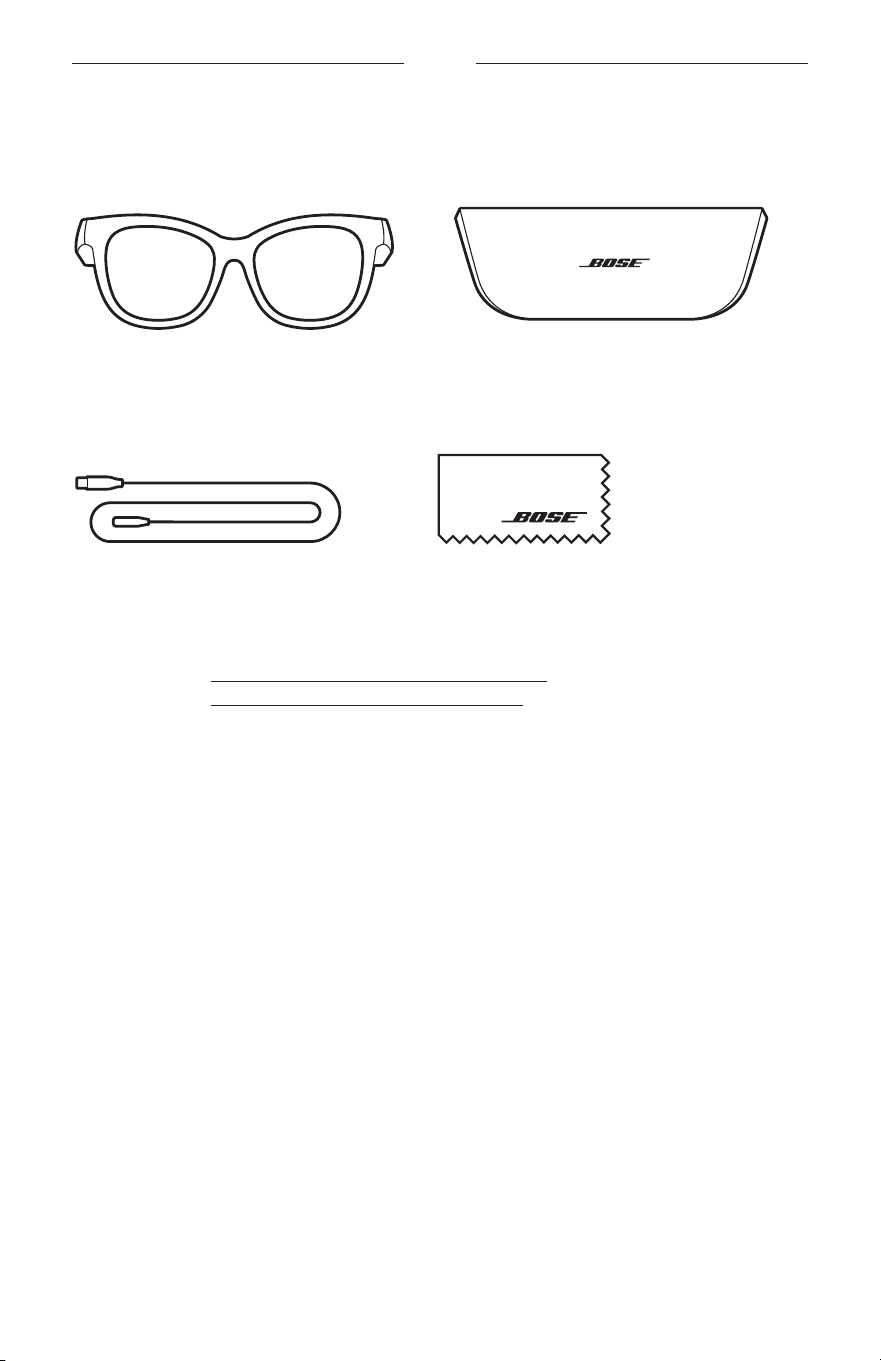
13
|
SCH
装箱单
内件
请确认包装箱中内含以下部件:
Bose Frames
便携包
充电线缆 清洁布
注意: 如果产品部分损坏,请勿使用。请联系 Bose 授权经销商或 Bose 客户服务处。
请访问: worldwide.Bose.com/Support/Soprano
worldwide.Bose.com/Support/Tenor
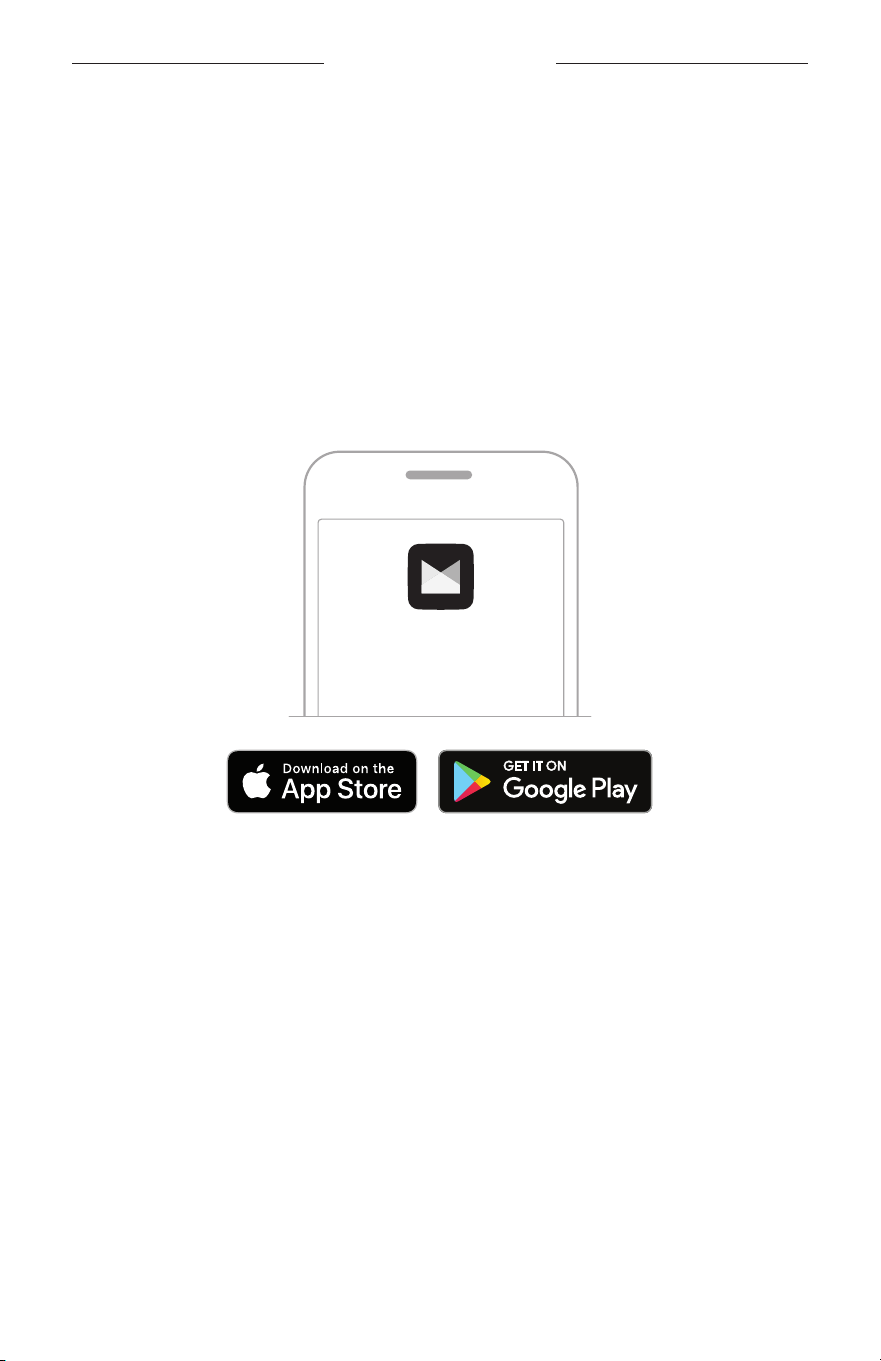
14
|
SCH
BOSE MUSIC 应用设置
您可在任何移动设备(例如智能手机或平板电脑)上通过 Bose Music 应用设置和控
制太阳眼镜。
您可以使用此应用自定义电源设置、选择自己的语音提示语言和获得新功能。
注意: 如果您已在应用中为其他 Bose
产品创建了 Bose
帐户,请参见“将太阳眼镜
添加至现有帐户”。
下载 BOSE MUSIC 应用
1. 在移动设备上,下载 Bose Music 应用。
注意: 如果您在中国大陆,请下载 Bose
8
应用。
BOSE MUSIC
2. 请按照应用说明执行操作。
将太阳眼镜添加至现有帐户
1. 按住右侧镜腿上的按钮,直至听到“Ready to connect”(已准备好连接)或看到
状态指示灯闪烁蓝色光。
2. 在 Bose Music 应用中,转到“我的产品”屏幕,然后添加太阳眼镜。
注意: 如果应用无法找到太阳眼镜,请参见第 30 页上的
“Bose
Music 应用无
法找到太阳眼镜”。
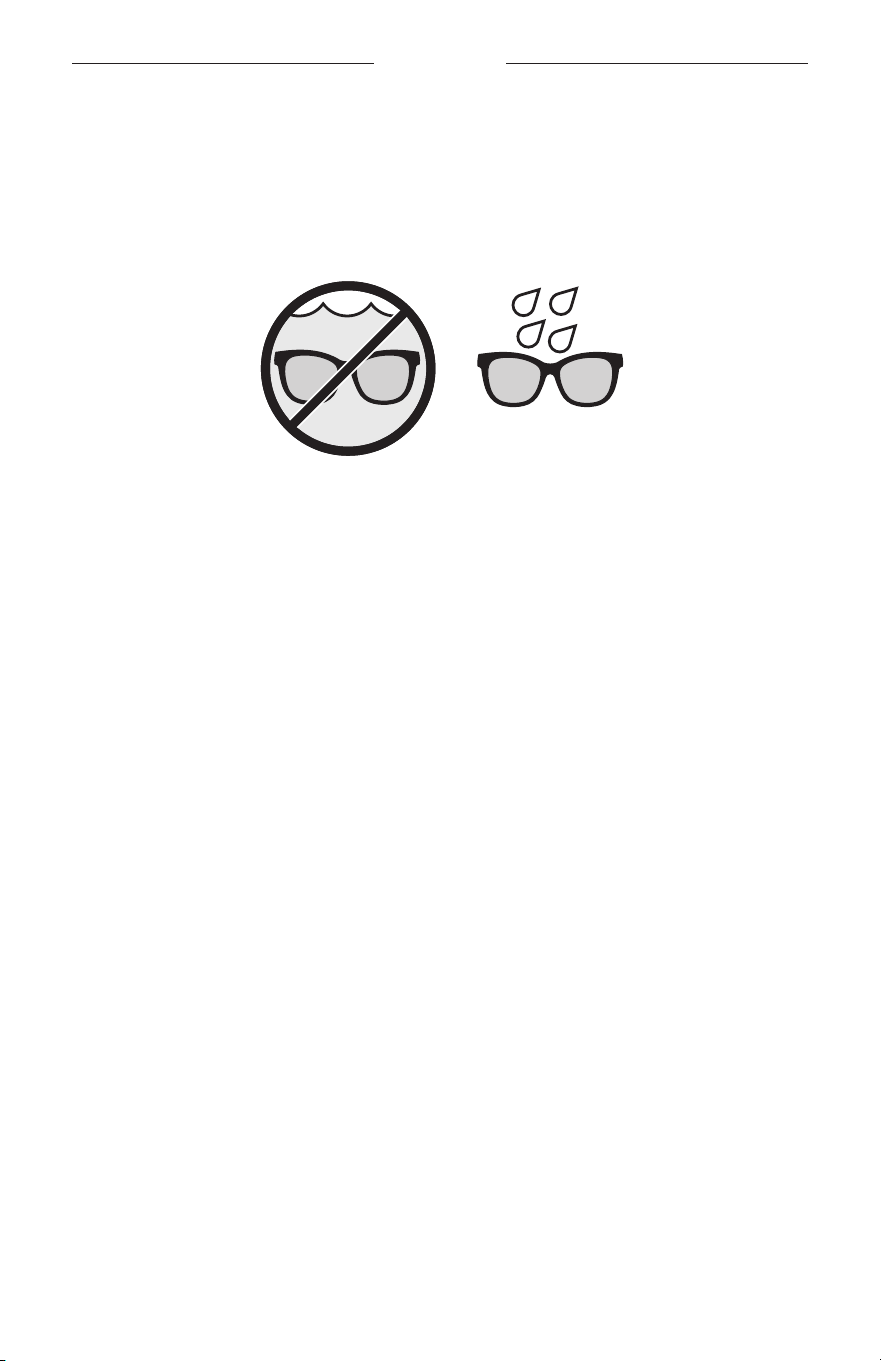
15
|
SCH
耐汗和耐风化
太阳眼镜防水等级为 IPX2。太阳眼镜具有耐汗和耐风化能力,但是并不能浸在水下。
小心:
• 切勿戴着太阳眼镜游泳或沐浴。
• 切勿将太阳眼镜浸入水中。
注意: IPX2 不是永久条件,并且防护等级可因正常磨损而降低。
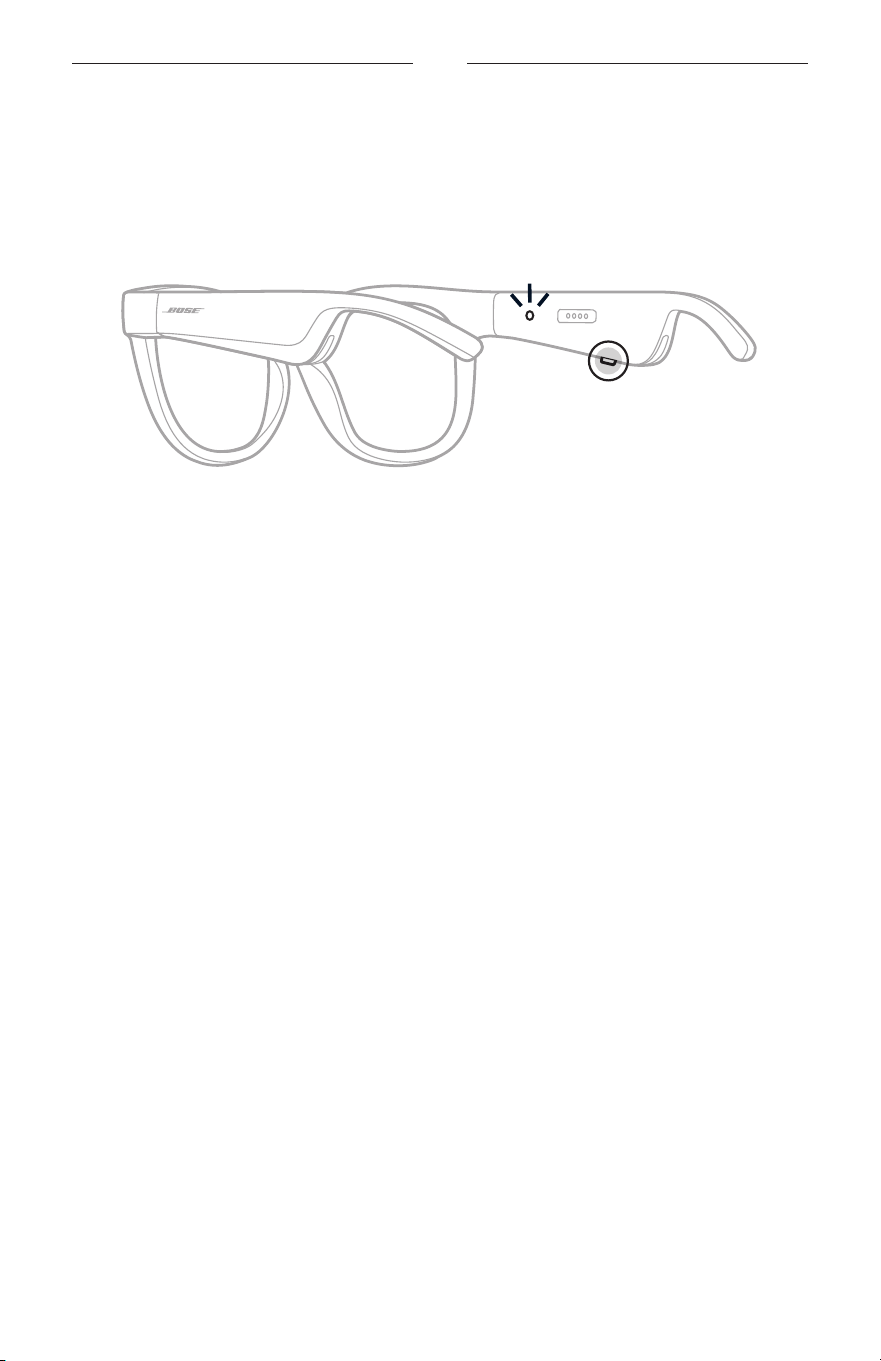
16
|
SCH
电源
打开电源
按下右侧镜腿上的按钮。
状态指示灯闪烁白色光两次,然后根据
Bluetooth
连接状态亮起(请参见第 22 页)。
语音提示会通知电池电量和
Bluetooth
连接状态。
注意: 太阳眼镜发货时带有部分电量,首次使用前可能需要唤醒。要唤醒太阳眼镜,
请将太阳眼镜通电 2 秒钟,然后断开连接
(请参见第 21 页)。然后,尝试
重新开机。
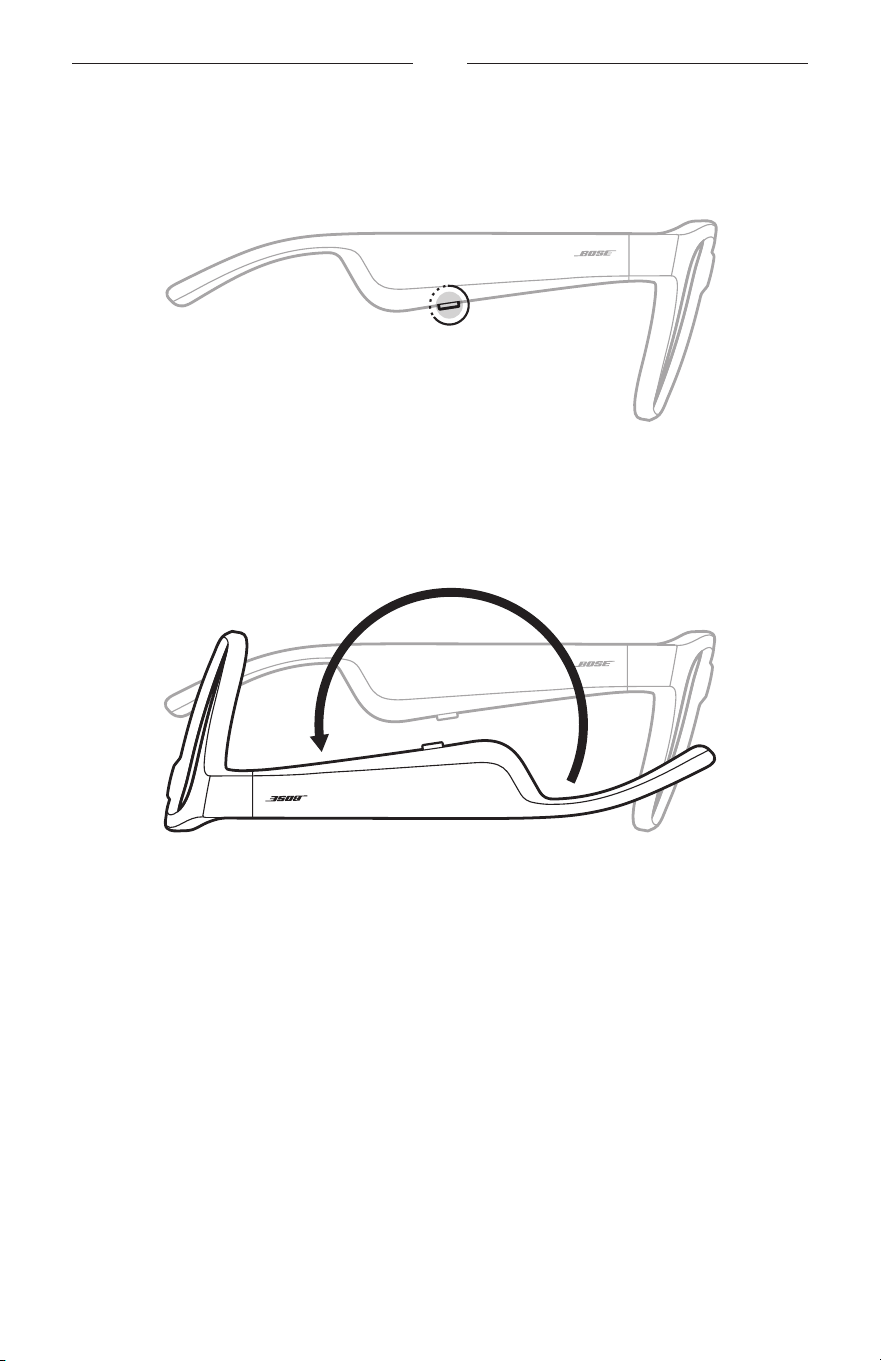
17
|
SCH
电源
关闭电源
按住按钮,直到听到提示音。
状态指示灯闪烁白色光两次,然后渐暗。
倒置关闭
将太阳眼镜倒置 2 秒钟。
状态指示灯闪烁白色光两次,然后渐暗。
注意:
• 太阳眼镜关机后,您即可在任意方向上移动眼镜。
• 您可以在 Bose Music 应用中禁用“倒置关闭”。您可以从“设置”菜单中访问此选项。
使用动作探测自动关闭
太阳眼镜使用动作探测功能来确认未使用的时间。当太阳眼镜有 10 分钟未移动时,
会自动关闭。
注意: 您可以在 Bose Music
应用中禁用“动作探测”功能。您可以从“设置”菜单
中访问此选项。
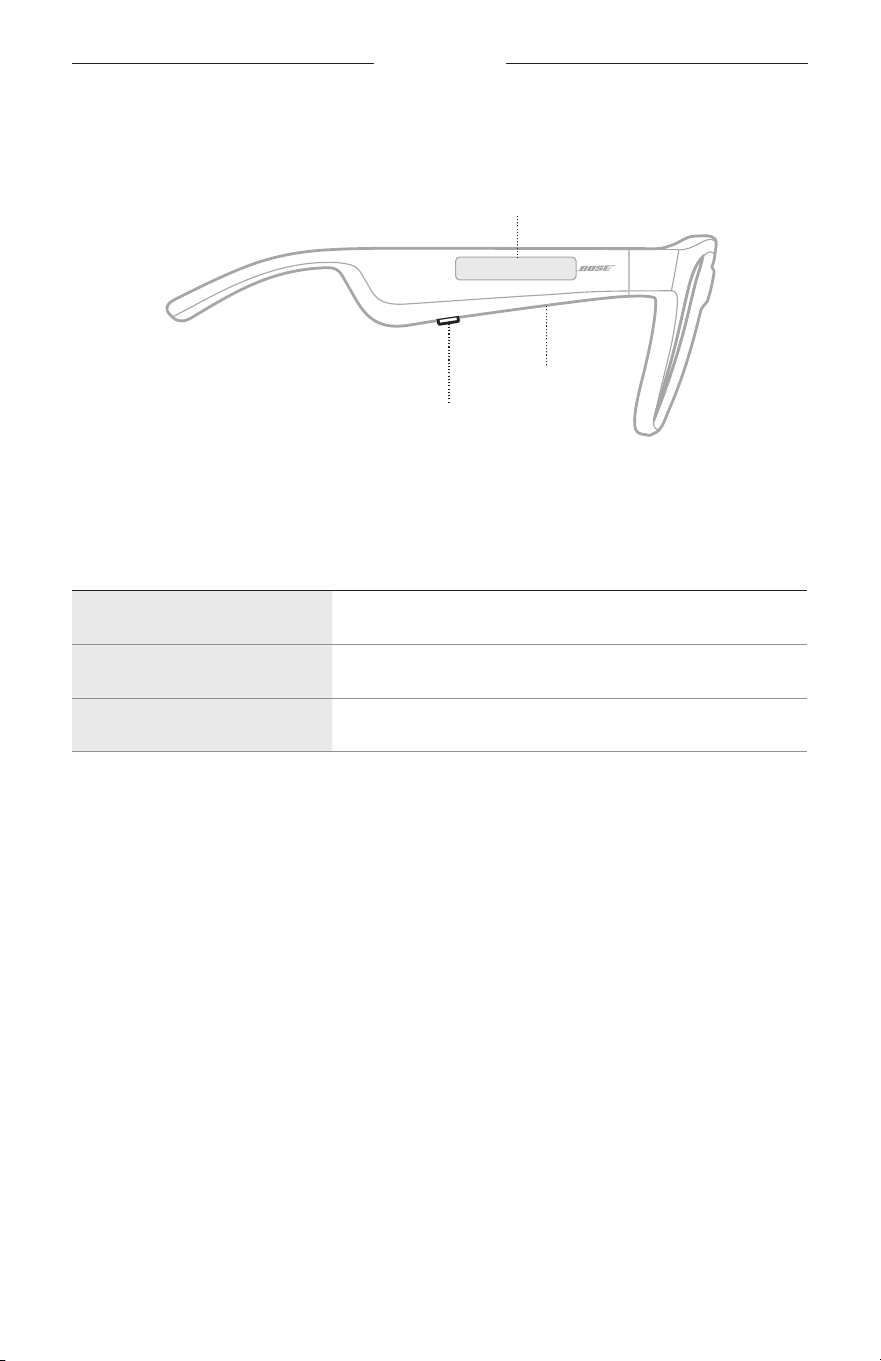
18
|
SCH
太阳眼镜控件
使用右侧镜腿上的按钮和触摸表面来控制媒体播放、音量、通话和语音控件。
按钮
控制媒体播放
控制通话
麦克风
触摸表面
调节音量
使用语音控件
媒体播放
控件 操作方法
播放/暂停 按下按钮。
快进 按两下按钮。
快退 按三下按钮。
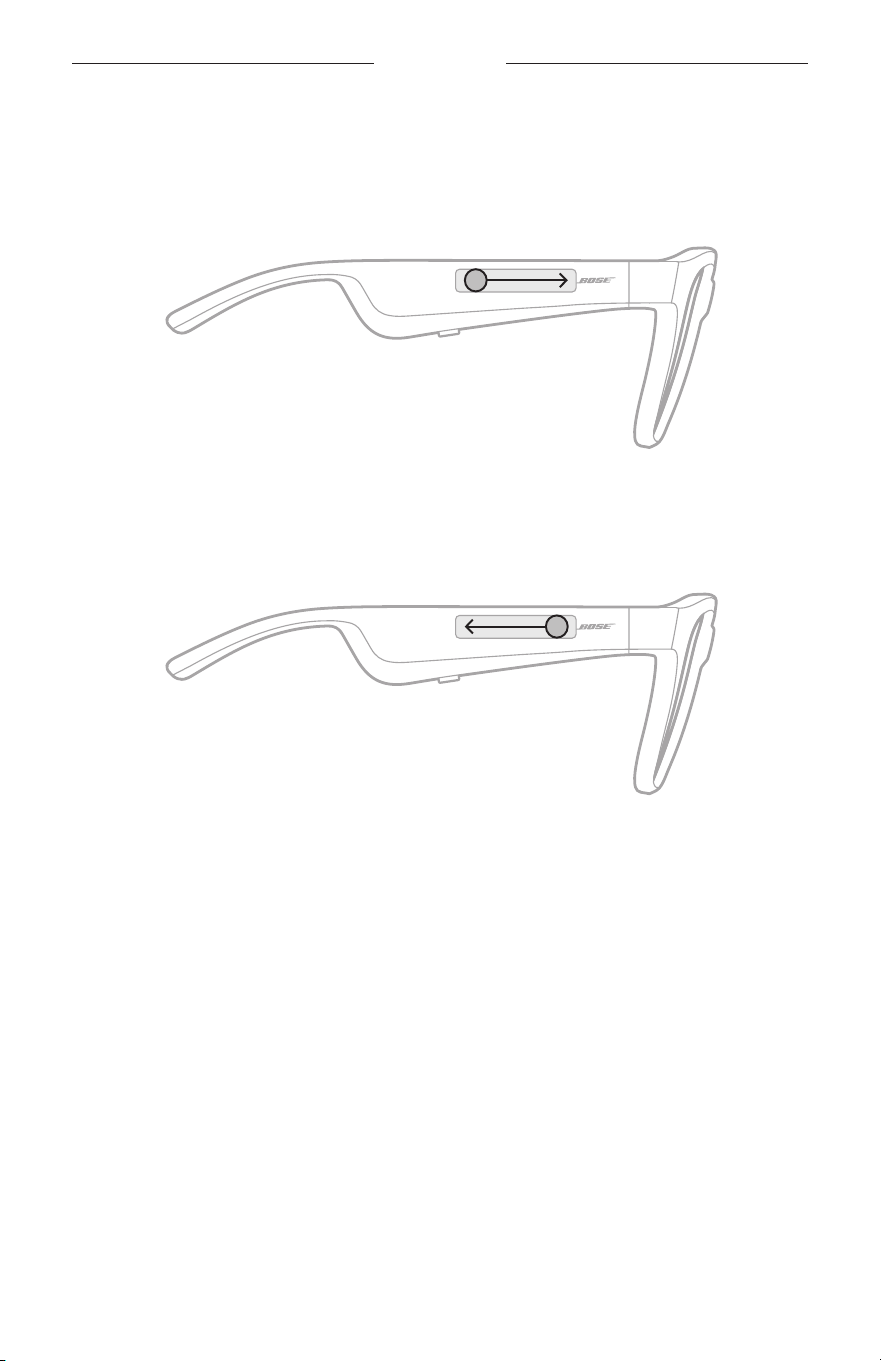
19
|
SCH
太阳眼镜控件
音量
提高音量
在触摸表面上向前滑动。
注意: 当音量达到最大级别时,您会听到提示音。
降低音量
在触摸表面上向后滑动。
注意: 当音量达到最小级别时,您会听到提示音。
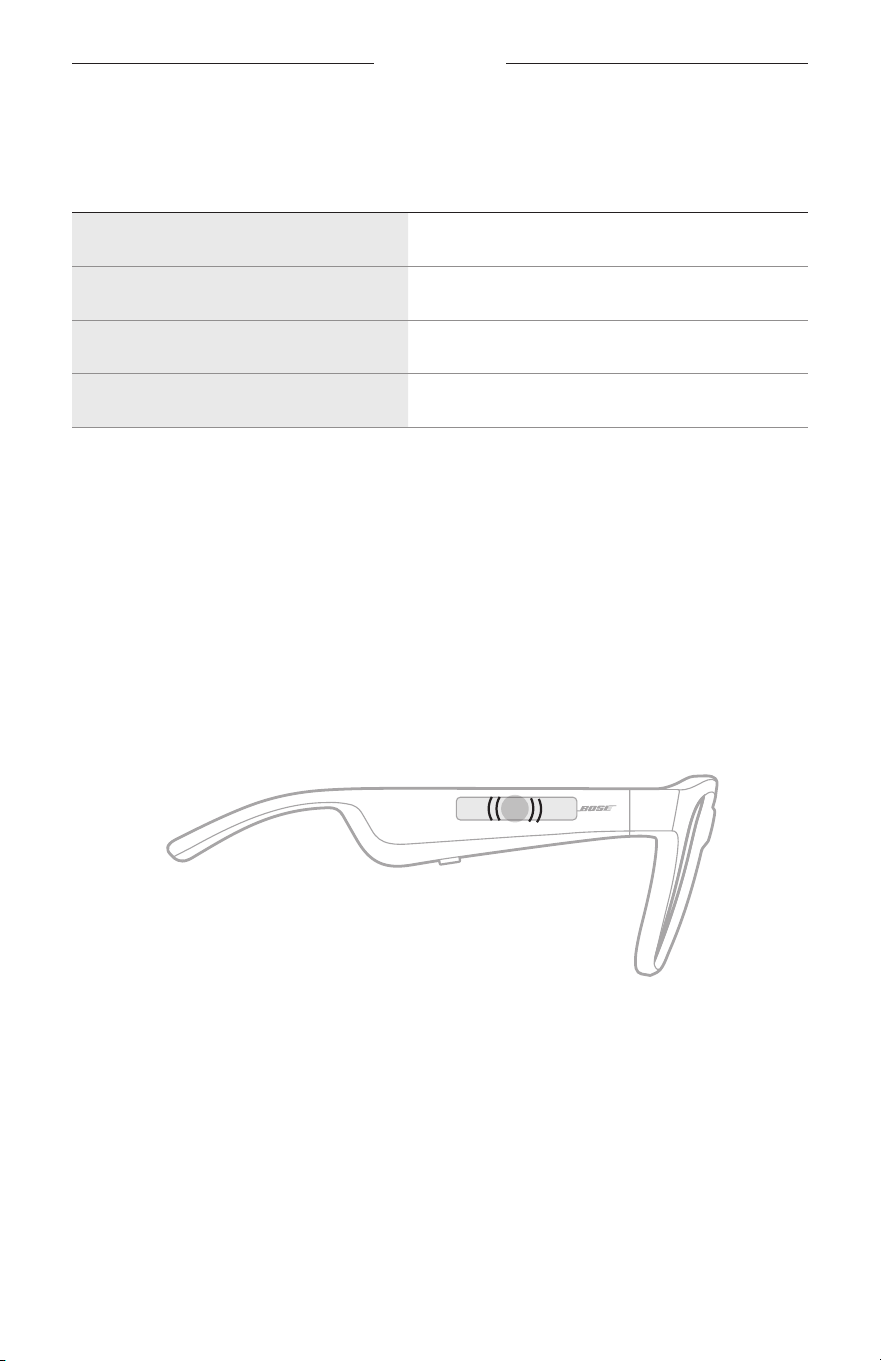
太阳眼镜控件
20
|
SCH
通话
控件 操作方法
接听/结束通话 按下按钮。
拒绝接听来电 按两下按钮。
保持当前呼叫并接听第二个来电 在通话时按下按钮。
拒绝第二个来电并保留在当前通话中 在通话时按两下按钮。
注意: 如要使用所有通话控件,请在 Bose Music 应用中运行可用的软件更新。
来电通知
语音提示会通知来电者和来电状态。
使用语音控件
太阳眼镜麦克风可以用作您移动设备麦克风功能的扩展。您可以通过右侧镜腿上的
触摸表面使用您设备上的语音控制功能,以便拨打/接听电话
、呼叫 Siri 或 Google
Assistant 播放音乐、告知天气状况,或提供游戏分数信息等。
点击触摸表面两次来使用设备上的语音控件。
2x
控制功能已激活时,您会听到提示音。
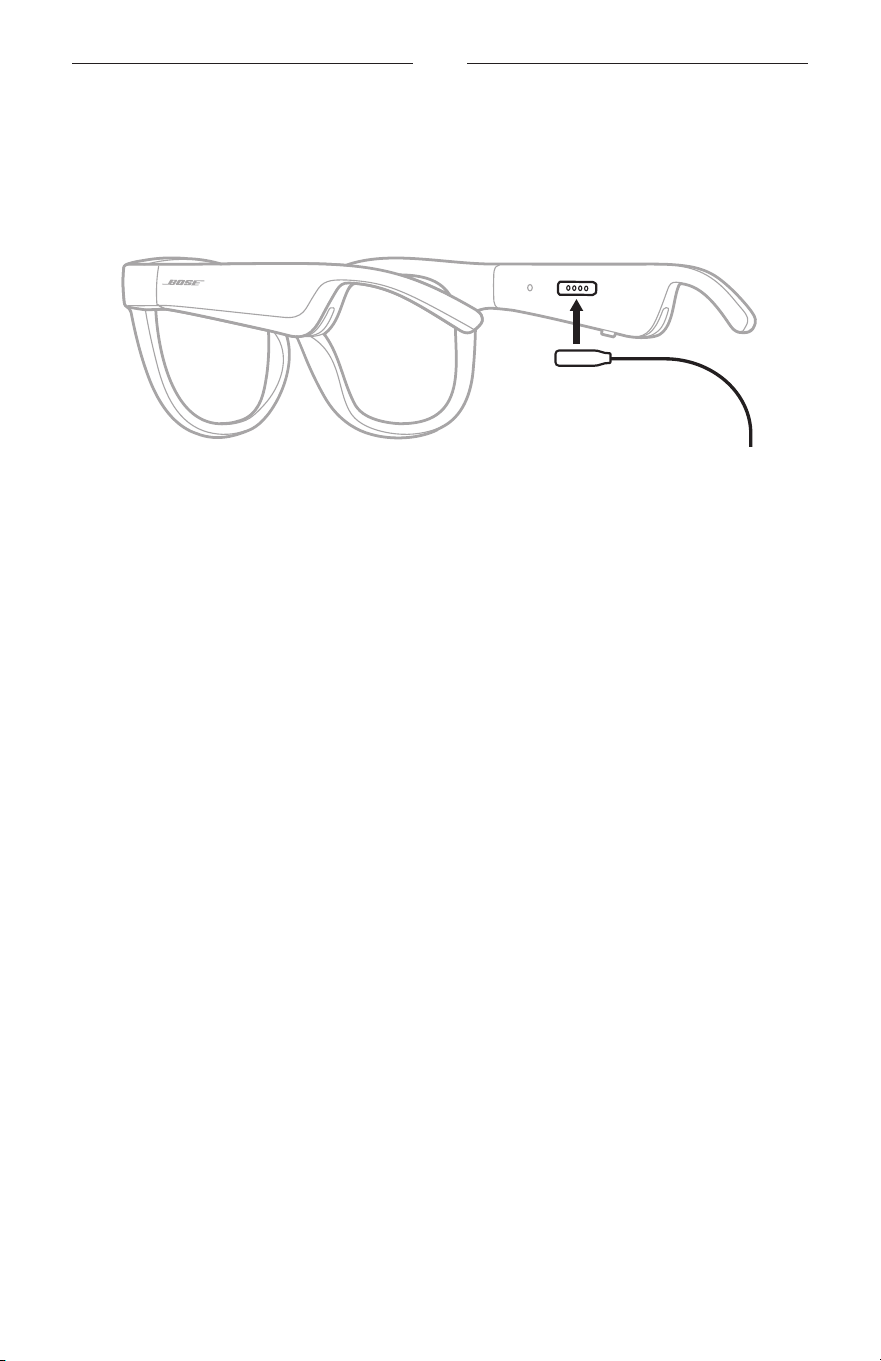
21
|
SCH
电池
为太阳眼镜充电
1. 请将充电线的针对准右侧镜腿上的充电端口。
注意: 针必须对准充电端口才能为太阳眼镜充电。
2. 将针轻轻按向充电端口,直到吸附到位。
3. 将另一端连接到 USB-A 壁式充电器(未提供)。
小心: 仅将本产品搭配经过相关部门批准且符合本地监管要求的电源(如 UL、
CSA、
VDE
、CCC)使用。
充电时,状态指示灯会闪烁白色光。电池充满电后,状态指示灯呈常亮白色光亮
起(请参见第 23 页)。
注意:
• 太阳眼镜充电时无法播放音频。
• 请勿在充电时佩戴太阳眼镜。
检查太阳眼镜的电池电量
收听电池通知
每次打开太阳眼镜电源时,语音提示都会播报电池电量。
使用太阳眼镜时,语音提示将通知您电池是否需要充电。
查看电池电量
• 检查 Bose Music 应用中的主页屏幕。
• 状态指示灯闪烁红色光时,表示太阳眼镜需要充电。
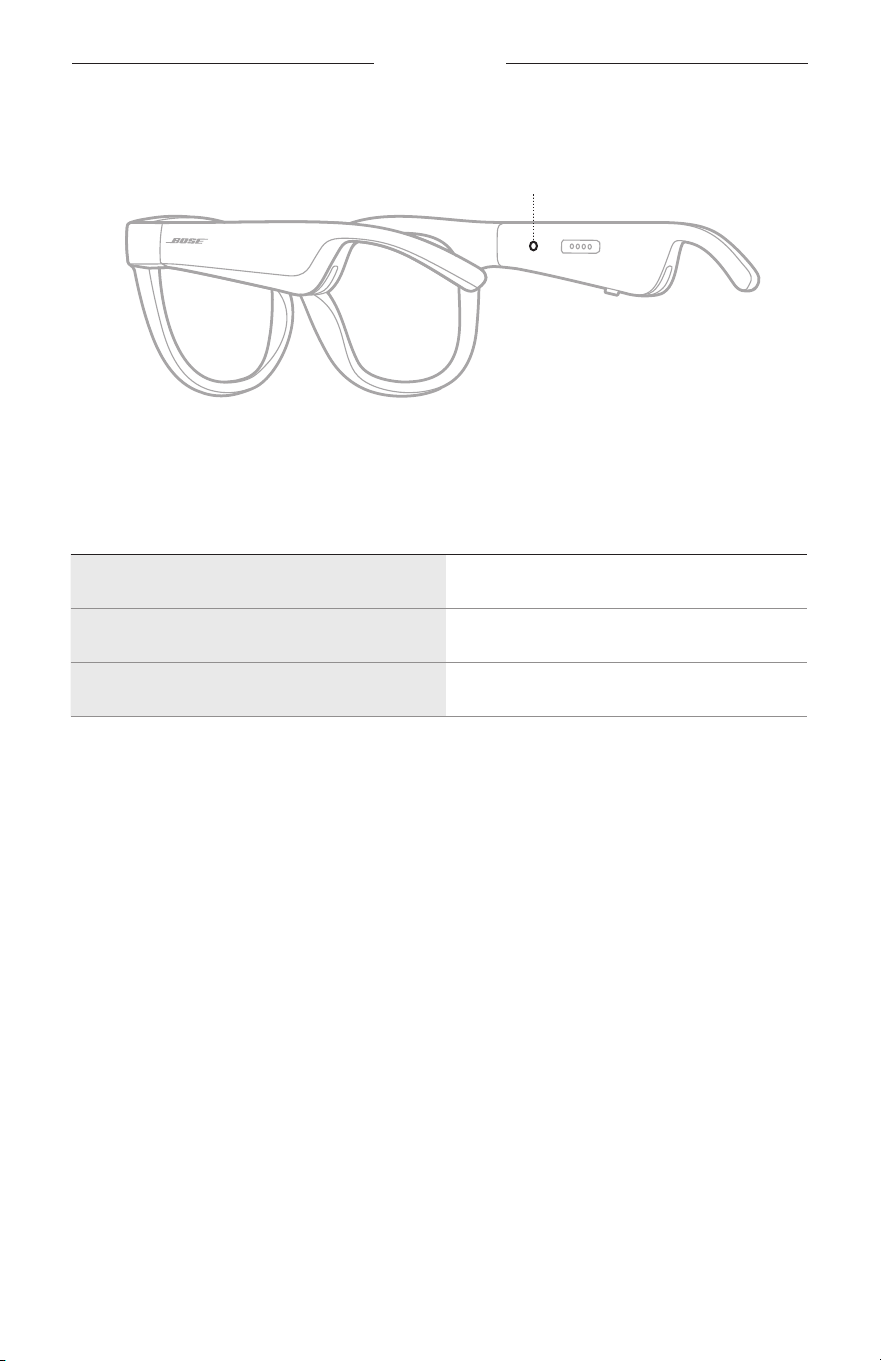
22
|
SCH
太阳眼镜状态
太阳眼镜状态指示灯位于右侧镜腿的内侧。
状态指示灯
BLUETOOTH
连接状态
显示移动设备的
Bluetooth
连接状态。
指示灯活动 系统状态
慢闪蓝色光 已准备好连接
快闪蓝色光 正在连接
常亮蓝色光(10 秒) 已连接
太阳眼镜状态
23
|
SCH
电池状态
显示太阳眼镜电池充电电量。
指示灯活动 系统状态
闪烁红色光(10 秒) 需要充电
闪烁白色 正在充电
常亮白色光 充满电
错误状态
显示错误状态。
指示灯活动 系统状态
闪烁红色光和白色光(反复) 错误 - 联系 Bose 客户服务处
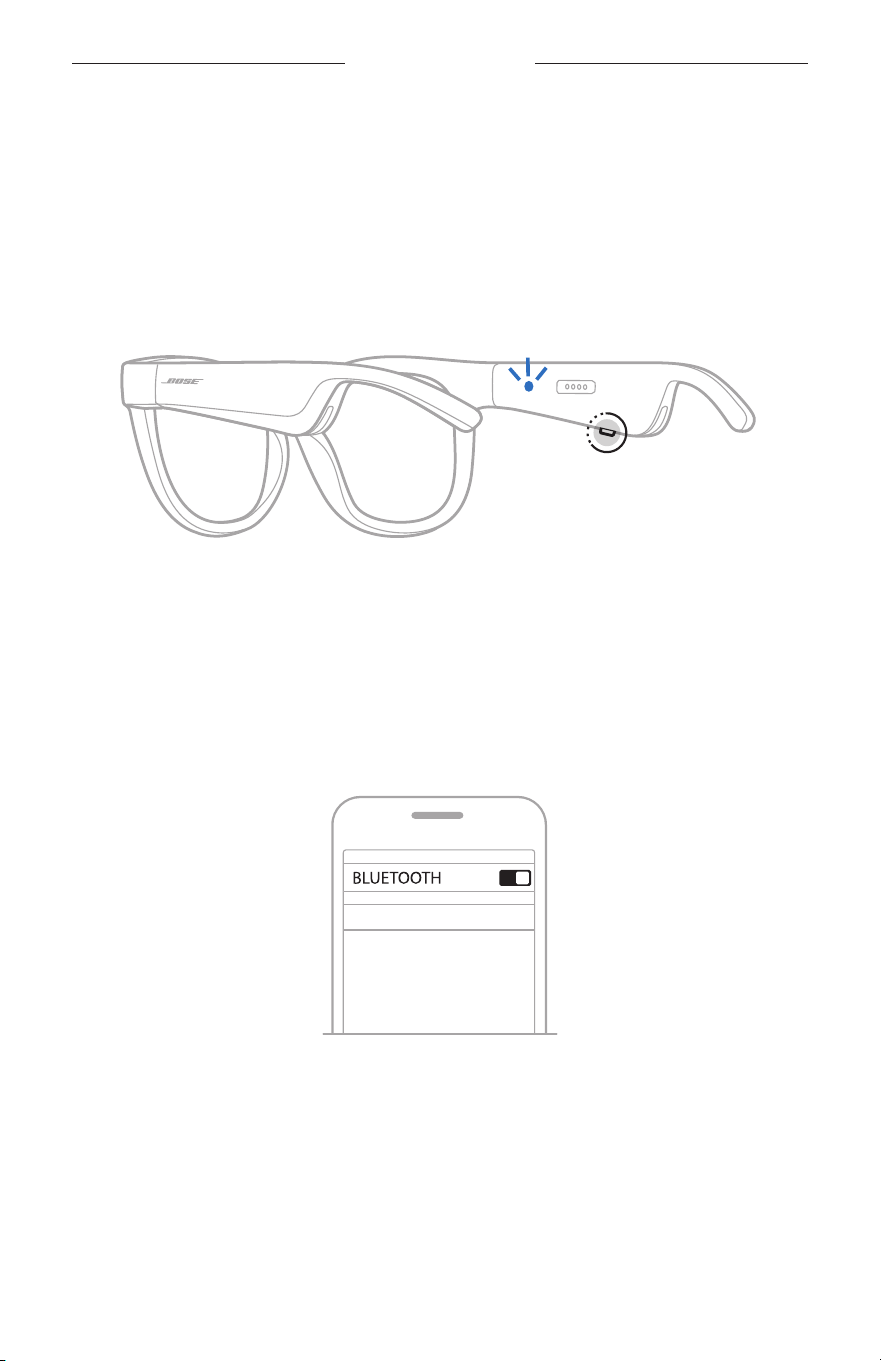
24
|
SCH
BLUETOOTH
连接
使用移动设备上的
BLUETOOTH
菜单连接
太阳眼镜的设备列表最多可以保存八台设备。您一次只能连接并播放一台设备的音频。
注意: 要获得最佳体验,请使用 Bose Music
应用进行设置和连接移动设备(请参见
第 14 页)。
1. 打开太阳眼镜电源后,按住右侧镜腿上的按钮,直至听到“Ready to connect”( 已
准备好连接)或看到状态指示灯闪烁蓝色光。
2. 启用设备上的
Bluetooth
功能。
注意:
Bluetooth
功能通常在“设置”菜单中。
3. 在设备列表中选择太阳眼镜。
注意: 在 Bose Music 应用中查找您为太阳眼镜输入的名称。如果没有为太阳眼镜
命名,将显示默认名称。
BOSE FRAMES
连接之后,您将听到“已连接到 <
移动设备名称 >
”,或看到状态指示灯常亮蓝色
光,然后渐暗。

25
|
SCH
BLUETOOTH
连接
断开移动设备
使用 Bose Music 应用断开移动设备。
提示: 您也可使用
Bluetooth
设置断开设备。禁用
Bluetooth
功能后,所有其他设备
连接都将中断。
重新连接移动设备
打开电源后,太阳眼镜将尝试连接最近连接过的设备。
注意: 这些设备必须在连接范围内 (9 m) 并已通电。
清空太阳眼镜的设备列表
1. 打开太阳眼镜电源后,按住右侧镜腿上的按钮 10 秒钟,直至听到“
Bluetooth
设
备列表已清空”或看到状态指示灯闪烁蓝色光。
2. 删除设备上的
Bluetooth
列表中的太阳眼镜。
所有设备都被清除,太阳眼镜可随时连接。
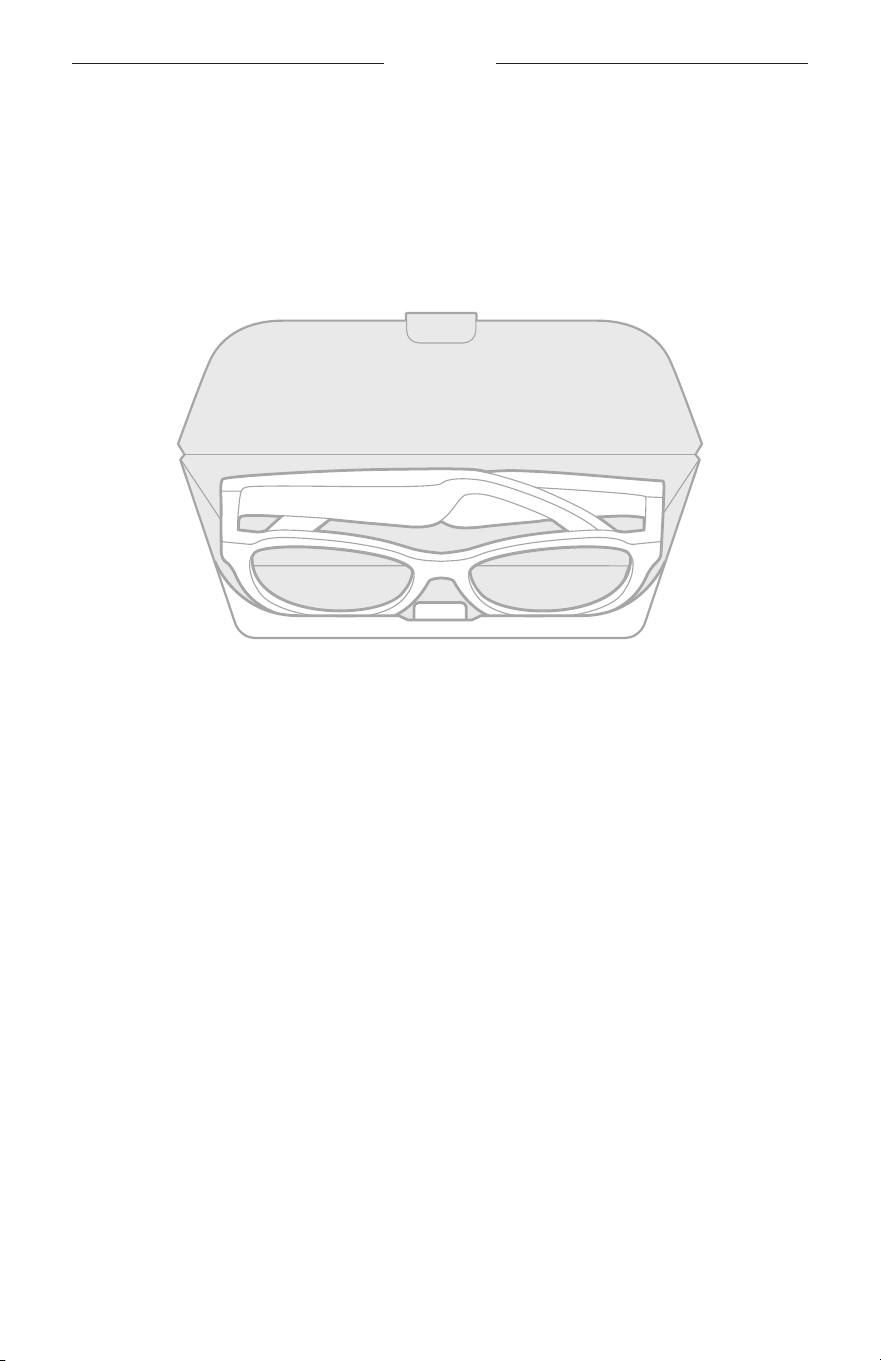
26
|
SCH
维护与保养
收纳太阳眼镜
将太阳眼镜折叠以便于保存。
1. 朝镜片向内折镜腿,使太阳眼镜变平。
2. 将太阳眼镜放入盒中,镜片朝向盒前侧。
注意:
• 不使用时,请确保关闭太阳眼镜。
• 长期存放太阳眼镜之前,请确保电池电量充满。

27
|
SCH
维护与保养
维护太阳眼镜
每次使用后,使用自带的清洁布或干布擦干净太阳眼镜的镜片两侧和各个部位。
小心:
• 请勿在太阳眼镜附近使用喷雾剂。
• 请勿使用任何溶剂、化学品或含酒精、氨水、研磨剂的清洁剂。
• 请勿让液体进入任何开口。
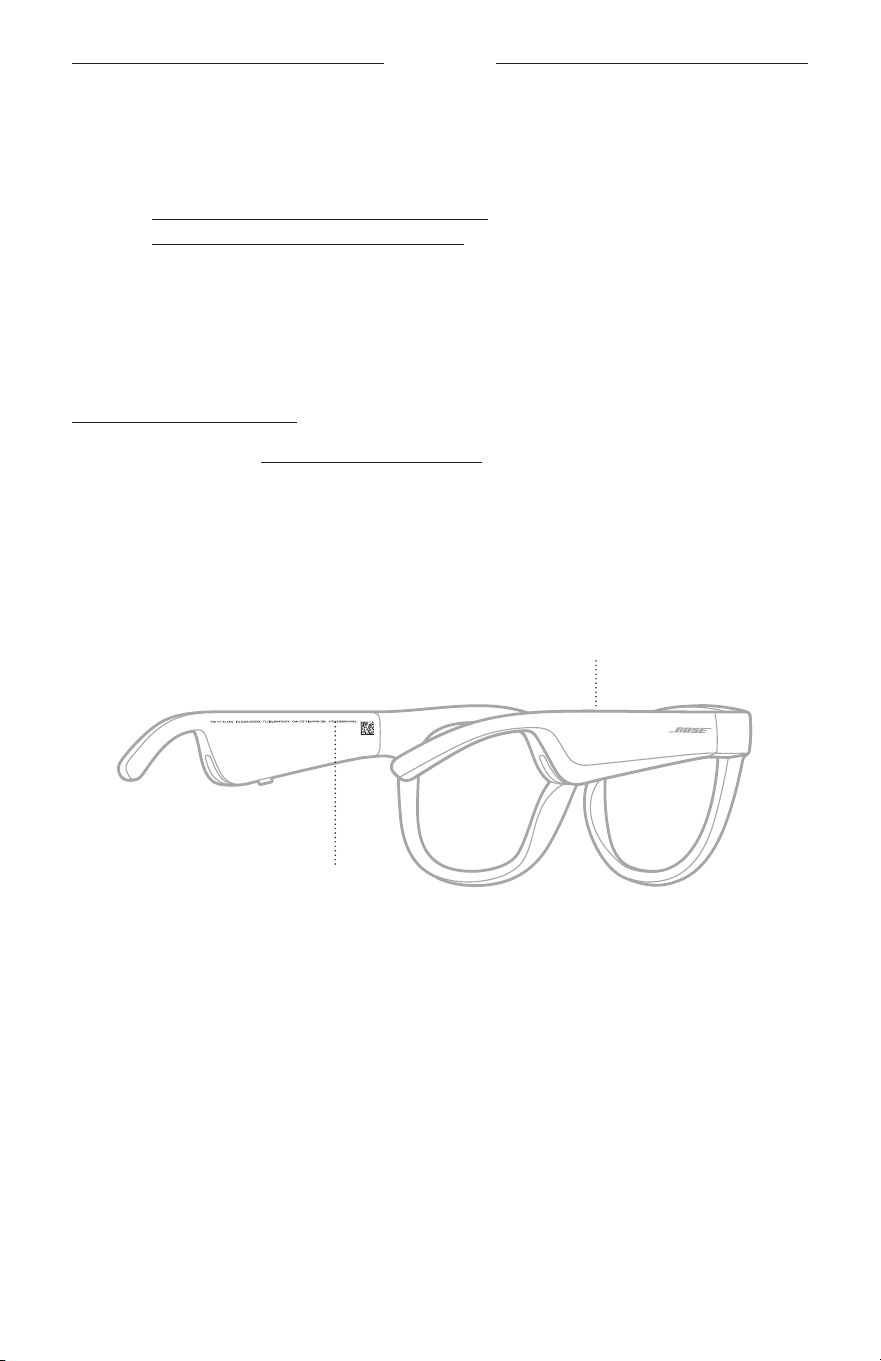
28
|
SCH
维护与保养
更换零件和配件
可通过 Bose 客户服务处订购更换零件或配件。
请访问: worldwide.Bose.com/Support/Soprano
worldwide.Bose.com/Support/Tenor
注意: 有关如何更换镜片的信息,请参见镜片配件附带的说明。
有限质保
太阳眼镜享受有限质保。有关有限质保的详情,请访问我们的网站:
global.Bose.com/warranty。
要注册产品,请访问 global.Bose.com/register,了解有关说明。未进行注册并不影
响您的有限质保权利。
序列号和型号/参考编号的位置
序列号位于左内镜腿,型号/参考编号位于右内镜腿。
序列号
型号/参考编号

29
|
SCH
故障排除
首先尝试这些解决方案
如果太阳眼镜出现问题:
• 打开太阳眼镜电源(请参见第 16 页)。
• 将太阳眼镜通电 2 秒钟,然后断开连接(请参见第 21 页)。
• 为电池充电(请参见第 21 页)。
• 检查状态指示灯的状态(请参见第 22 页)。
• 确保移动设备支持
Bluetooth
连接。
• 下载 Bose Music 应用并运行可用的软件更新。
• 调高太阳眼镜、移动设备和/或音频/传输应用的音量。
• 连接另一台移动设备(请参见第 24 页)。
其他解决方案
若无法解决问题,请参见下表了解常见问题的症状和解决方案。若仍然无法解决问
题,请联系 Bose 客户服务处。
请访问:worldwide.Bose.com/Contact
问题 解决方法
太阳眼镜无法与移动设备
建立连接
在您的设备上:
• 打开
Bluetooth
功能再关闭。
• 从设备的
Bluetooth
列表中删除太阳眼镜。重新连接(请参见
第 24 页)。
将设备靠近太阳眼镜,远离其他干扰或障碍物。
连接不同的移动设备(请参见第 24 页)。
要查看说明视频,请访问:worldwide.Bose.com/Support/Tenor
或 worldwide.Bose.com/Support/Soprano
清除太阳眼镜的设备列表(请参见第 25 页)。再次连接。
Bose Music 应用无法在设
备上运行
确保 Bose Music 应用与您的设备兼容。
卸载设备上的 Bose
Music
应用,然后重新安装应用(请参见第
14 页)。
30
|
SCH
故障排除
问题 解决方法
Bose Music 应用无法找到
太阳眼镜
打开太阳眼镜电源(请参见第 16 页)。
按住右侧镜腿上的按钮,直至听到“R
eady
to connect”(已准
备好连接)或看到状态指示灯闪烁蓝色光。
在 Bose Music 应用中,运行可用的软件更新。
间歇性
Bluetooth
连接
清除太阳眼镜的设备列表(请参见第 25 页)。重新连接(请参
见第 24 页)。
将移动设备移动到距离太阳眼镜更近的位置。
没有声音
按下移动设备上的播放按钮,确保曲目可以播放。
将设备靠近太阳眼镜,远离其他干扰或障碍物。
请使用其他音乐源。
连接不同的设备(请参见
第 24 页)。
音质差
请使用其他音乐源。
连接其他移动设备。
将设备靠近太阳眼镜,远离其他干扰或障碍物。
关闭设备或音频/传输应用上的任何音频增强功能。
麦克风没有接收到声音
确保右侧镜腿上的麦克风没有被堵塞。
尝试再次通话。
试试另一台兼容设备。
太阳眼镜无法充电
请将充电线的针正确地对准太阳眼镜上的充电端口并吸附到位。
固定充电线的两端。
如果您的太阳眼镜曾暴露在高温或低温环境中,请先等待太阳
眼镜恢复室温,然后再次尝试充电。
尝试不同的 USB 壁式充电器。
故障排除
31
|
SCH
问题 解决方法
太阳眼镜对触摸控制没
反应
确保您点击正确的触控表面(请参见第 18 页)。
确保双手干燥。
如果您的头发潮湿,确保它未干扰触摸表面。
如果戴手套,请先取下手套,再点击触控表面。
无法调整音量
确保您正在滑动正确的触控表面(请参见第 18 页)。
确保双手干燥。
如果您的头发潮湿,确保它未干扰触摸表面。
如果戴手套,请先取下手套,再点击触控表面。
无法使用通话控件 在 Bose Music 应用中,运行可用的软件更新。
设备对按钮的按压操作无
反应
在 Bose Music 应用中,运行可用的软件更新。
对于多次按压功能:改变按压速度。
确保音乐应用支持该功能。
关机,然后重新打开太阳眼镜的电源。
在您的设备上:
• 打开
Bluetooth
功能再关闭。
• 从设备的
Bluetooth
列表中删除太阳眼镜。重新连接(请参见
第 24 页)。
试试另一台兼容设备。
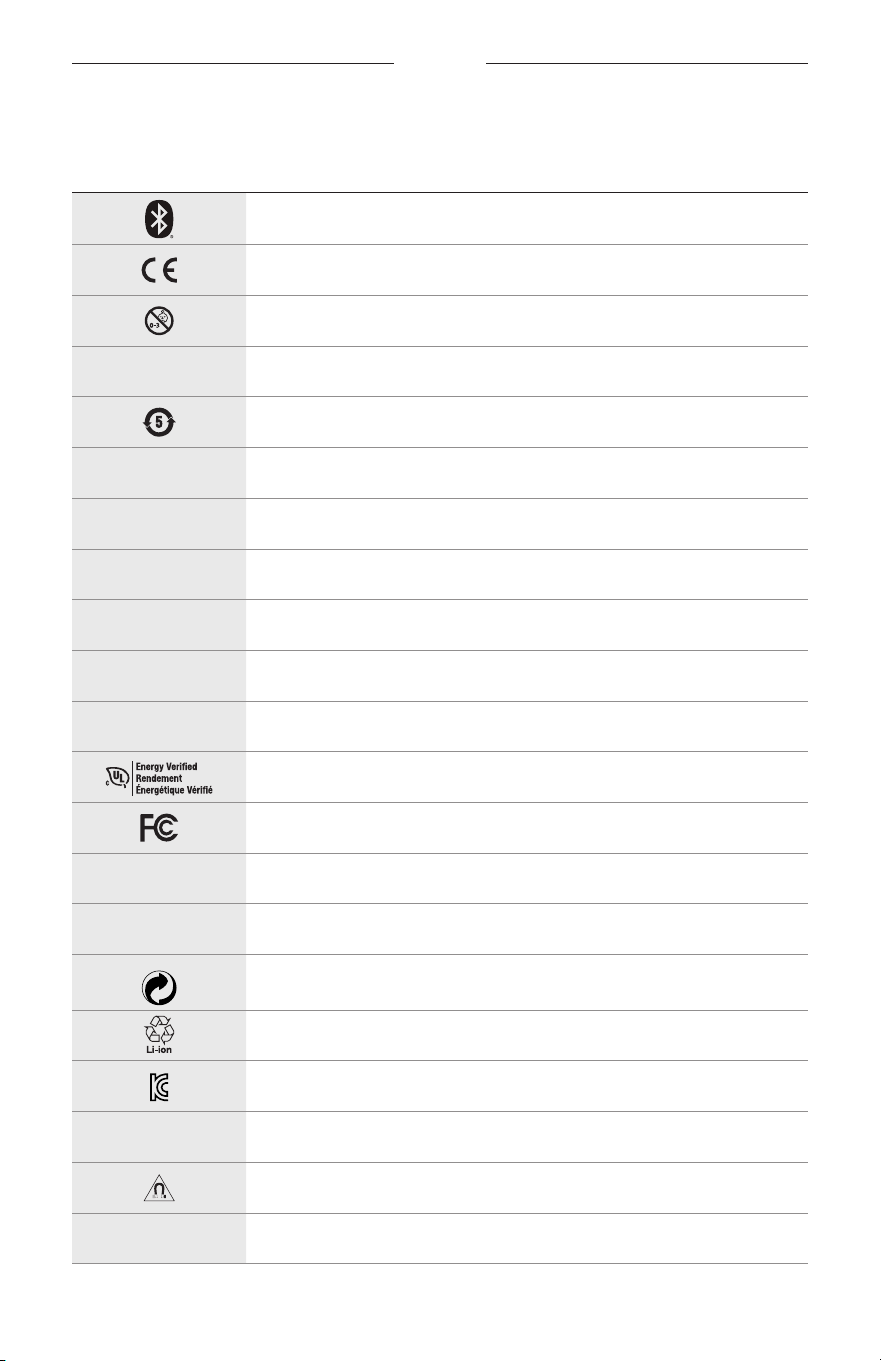
32
|
SCH
标签符号
符号和说明
符号 说明
Bluetooth
CE 认证标记
窒息危险
h
目录号
中国 ROHS 电池
w
客户服务处
N
生产日期
X
文档
L
如包装破损,请勿使用
C
不含有乳胶
s
下载
能效验证
FCC 认证
o
论坛
h
高等级防眩光保护
绿点商标符号
日本电池回收
KCC 认证
p
保持干燥
磁性干扰
M
制造商
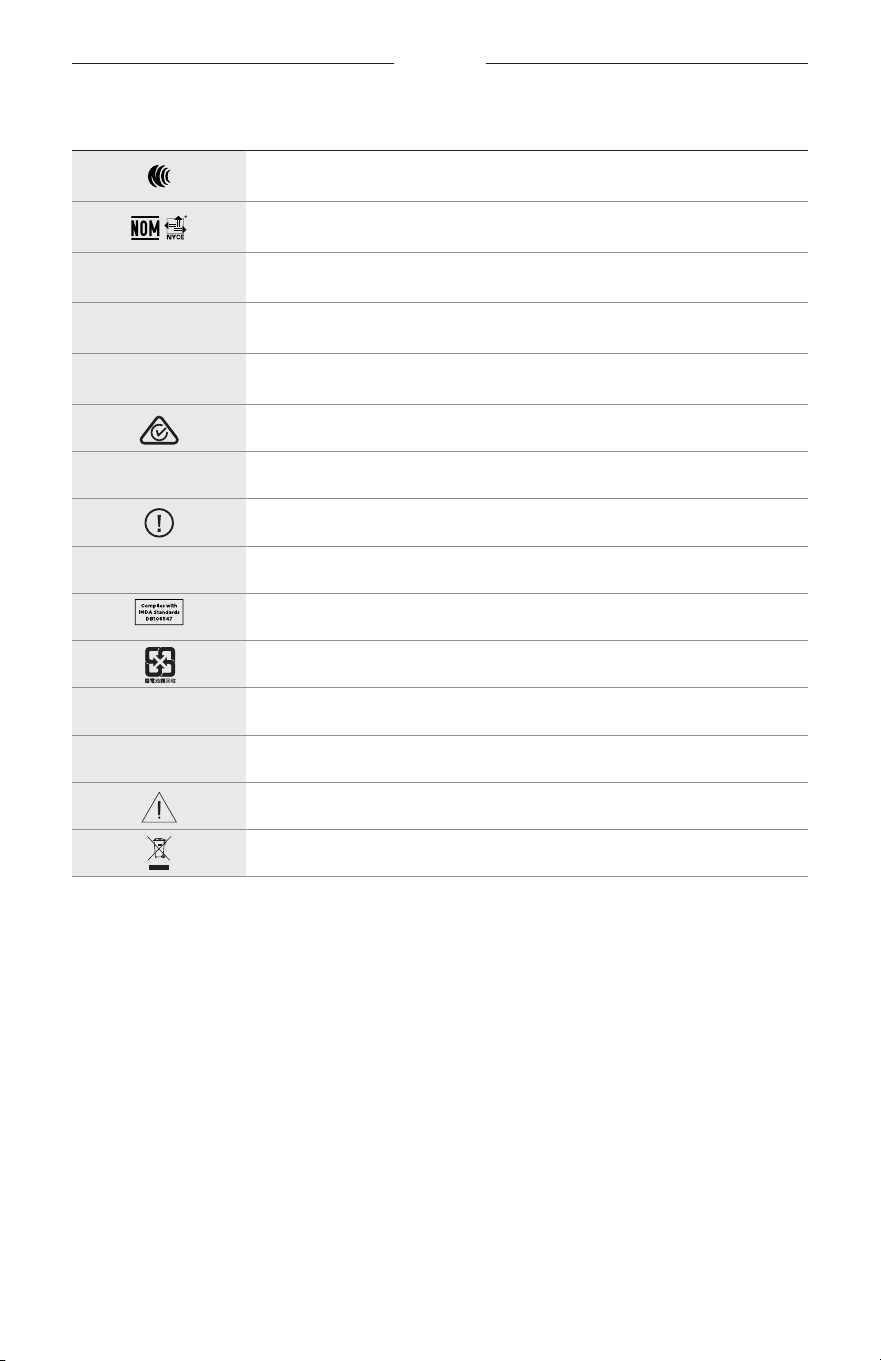
标签符号
33
|
SCH
符号 说明
NCC 认证
NOM NYCE 认证
d
非无菌
I
不适合在黎明或夜间驾驶时使用
m
电话
监管合规标志
A
参考使用说明
安全性信息
f
序列号
新加坡 IMDA 合规
中国台湾电池回收
l
温度范围
W
视频
警告/小心
电气和电子设备废弃物指令符号
重要安全指示
2
|
TCH
使用說明
太陽鏡(非處方)是吸光、反光、有色、偏光或感光鏡片和眼鏡框或鏡夾組成的裝置,用於保
護佩戴者的眼睛免受明亮陽光的傷害,但不提供屈光矯正。此裝置作非處方銷售。
A
請參閱使用說明。
請閱讀並保管好所有安全、安全性和使用指示。
重要安全指示
Bose Corporation 在此聲明本產品遵守 2014/53/EU 指令和所有其他適用歐盟指令要求中的基本
要求和其他相關規定。您可以從以下位置找到完整的符合聲明:www.Bose.com/compliance
1. 閱讀這些指示。
2. 保留這些指示。
3. 注意所有警告。
4. 遵守所有指示。
5. 不要在水邊使用此裝置。
6. 只能用乾布清潔。
7. 只能使用製造商指定的附件/配件。
8. 在雷雨天氣或者如果長時間不使用,請拔下裝置插頭。
9. 任何維修事宜均請向合格的人員諮詢。如果本裝置有任何損壞,均需進行維修,例如電源
線或插頭受損;液體濺入或物體落入裝置內;本裝置受雨淋或受潮、不能正常工作或跌落。
警告/小心
• 請勿長時間在高音量下使用太陽眼鏡。
–
為了避免聽力受損,請以舒適、適度的音量使用太陽眼鏡。
–
先將裝置音量調低,然後再戴上太陽眼鏡或將其放到耳朵附近,之後再逐漸調高音量,直到
達到舒適的聽覺效果。
• 駕駛時請小心並遵守與使用手機相關的適用法律。
• 如果您在從事需要集中注意力的活動時使用太陽眼鏡,應注意您自身和他人的安全,例如騎
自行車時或在道路、工地或鐵路上或附近步行時。您應取下太陽眼鏡或調整音量,以確保可
以聽到周圍的聲音,包括警報和警告訊號。
• 如果太陽眼鏡發出不正常的雜音,請勿使用。在此情況下,請關閉太陽眼鏡,然後聯絡 Bose
客戶服務中心。
• 請勿將太陽眼鏡浸入水中或長時間暴露在潮濕環境下,或在游泳、滑水、衝浪等水上運動中
佩戴。
• 如果您感到發熱或聽不到聲音,請立即取下太陽眼鏡。
重要安全指示
3
|
TCH
包含小零件,可能導致窒息危險。不適合 3 歲以下的兒童使用。
本產品含有磁性材料。諮詢醫生以了解此裝置是否會影響植入式醫療裝置。
• 為減少著火或電擊的危險,請勿使本產品受雨淋、被液體淋或受潮。
• 本產品不得受液體淋濺或噴灑,不得將裝有液體的物體(如花瓶等)置於本產品上或本產品
附近。
• 保持產品遠離火源和熱源。請勿將明火火源(如點燃的蠟燭)置於本產品上或靠近本產品。
• 未經授權切勿擅自改裝本產品。
• 僅將本產品搭配經過相關部門批准且符合本地監管要求(如 UL、CSA、VDE、CCC)的電源供應
器使用。
• 請勿使含電池產品過熱(例如存放時請避免陽光直射並遠離火源等)。
• 請勿在充電時佩戴太陽眼鏡。
• 每次使用後,使用隨附的布或乾布擦乾淨太陽眼鏡的鏡片兩面和眼鏡框各個部位。
監管與法律資訊
4
|
TCH
注意:本設備已經過測試,符合 FCC 規則第 15 部分有關 B 類數位裝置的各項限制。這些限制性
規定旨在防範安裝在住宅中的裝置產生有害干擾。本設備產生、使用並可能發散無線射頻能
量,如果不按照指示安裝和使用,則可能會對無線電通訊造成有害干擾。然而,按照指示安裝
並不能保證某些安裝不會發生干擾。如果本設備確實對無線電或電視接收造成有害干擾(可透
過關閉和開啟本設備來確定),使用者可嘗試採取以下一或多種措施來糾正干擾:
• 重新調整接收天線的方向或位置。
• 增大本設備和接收器的間距。
• 將本設備和接收器電源線插入不同線路上的插座中。
• 請諮詢經銷商或有經驗的無線電/電視技術人員以獲得協助。
未經 Bose Corporation 明確批准,擅自變更或改裝本設備會使使用者操作本設備的授權失效。
本裝置符合 FCC 規則第 15 部分規定和加拿大 ISED 免許可證 RSS 標準。本裝置工作時應滿足下列
兩種情形:(1) 本裝置不得造成有害干擾;(2) 本裝置必須承受任何接收到的干擾,包括可能造成
裝置異常工作的干擾。
本裝置符合為公眾闡明的 FCC 和加拿大 ISED 輻射限制。本發射器不能與其他天線或發射器位於
同一地點或同時運行。
CAN ICES-3(B)/NMB-3(B)
PPE 法規 (EU) 2016/425
低功率電波輻射性電機管理辦法
第十二條
經型式認證合格之低功率射頻電機,非經許可,公司、商號或使用者均不得擅自變更頻率、
加大功率或變更原設計之特性及功能。
第十四條
低功率射頻電機之使用不得影響飛航安全及干擾合法通訊﹔經發現有干擾現象時,應立即停
用,並改善至無干擾時方得繼續使用。前項合法通訊,指依電信法規定作業之無線電通訊。
低功率射頻電機須忍受合法通訊或工業、科學及醫療用電波輻射性裝置之干擾。
適用於歐洲:
工作頻帶 2400 至 2483.5 MHz。
最大傳輸功率低於 20 dBm EIRP。
最大傳輸功率低於監管限制,因此無需 SAR 測試並根據適用法規豁免。
此符號表示本產品不得作為家庭垃圾丟棄,應該送至相關回收部門循環利用。適當的處
理和回收有助於保護自然資源、人類健康以及自然環境。想了解更多有關本產品的處理
和回收資訊,請與當地民政部門、廢棄物處理服務機構或售出本產品的商店聯絡。
請勿嘗試拆除產品內的可充電鋰電池。請聯絡本地 Bose 零售商或其他具有資格的專業人員進行
拆除。
請適當處理廢舊電池,遵守本地法規。請勿將其焚化。
數量:1 副
監管與法律資訊
5
|
TCH
M
製造:Bose Corporation, 100 The Mountain Road, Framingham, MA 01701
L
如包裝破損,請勿使用。
C
本產品不含乳膠。
d
本產品是作為無菌產品提供的。
p
l
+45C
0C
中國危險物質限用表
有毒或有害物質或元素的名稱及成分
有毒或有害物質或元素
零件名稱 鉛 (Pb) 汞 (Hg) 鎘 (Cd) 六價鉻 (CR(VI)) 多溴聯苯 (PBB) 多溴二苯醚 (PBDE)
印刷電路板 X O O O O O
金屬零件 X O O O O O
塑膠零件 O O O O O O
揚聲器 X O O O O O
連接線 X O O O O O
此表格根據 SJ/T 11364 條款編製。
O: 表示此零件中所有同類物質包含的有毒或有害物質低於
GB/T 2
6572 中的限定要求。
X: 表示此零件使用的同類物質中至少有一種包含的有毒或有害物質高於 GB/T 26572
中的限定要求。
台灣 BSMI 限用物質含有情況標示
設備名稱:電動揚聲器,型號:433948
限用物質及其化學符號
裝置 鉛 (Pb) 汞 (Hg) 鎘 (Cd) 六價鉻 (Cr+6) 多溴聯苯 (PBB) 多溴二苯醚 (PBDE)
印刷電路板
- ○ ○ ○ ○ ○
金屬零件
- ○ ○ ○ ○ ○
塑膠零件
○ ○ ○ ○ ○ ○
揚聲器
- ○ ○ ○ ○ ○
連接線
- ○ ○ ○ ○ ○
備註 1: 「
○
」表示限用物質的濃度百分比含量未超過參考值。
備註 2:「
-
」表示限用物質屬於豁免項目範圍。

監管與法律資訊
6
|
TCH
本產品符合 ANSI Z80.3、AS/NZS 1067.1 和 EN ISO 12312-1。
夜間駕駛時不建議佩戴墨鏡。
I
不適合在黎明或夜間駕駛時使用。不適合在夜間或暗光環境下駕駛時使用。
本產品可以遮罩 99% 以上的 UVA 和 UVB 紫外線。本產品符合 ANSI Z80.3。
Frames Soprano 或 Frames Tenor 產品只可使用 Bose 認可的鏡片。
不用於直接觀察太陽。
不用於保護眼睛免受人造光源帶來的傷害,如陽光室內的人造光源。
不用於保護眼睛免受機械衝擊危害。
不使用時,請將產品存放在自帶的便攜袋中。
歐盟濾光分類:ISO 12312-1 CAT.3
澳大利亞鏡片分類:1067.1 CAT.3
h
這些太陽鏡的高等級防眩光保護及良好的 UV 保護。
UV 級別:UV 380 cut
請填寫以下內容,留作記錄
太陽眼鏡序號位於左鏡腳,型號/參考編號位於右鏡腳。
序號: _________________________________________________________________________
型號: _________________________________________________________________________
請將收據連同使用者指南存放在一起。現在是註冊您的 Bose 產品的好機會。
您可以到 global.Bose.com/register 輕鬆完成註冊。
N
生產日期:序號中第八位數字表示生產年份;「0」表示 2010 年或 2020 年。
中國進口商:Bose 電子(上海)有限公司,中國(上海)自由貿易試驗區,日櫻北路 353 號,
9號廠房 C 部
歐盟進口商:Bose Products B.V., Gorslaan 60, 1441 RG Purmerend, The Netherlands
台灣進口商:Bose 台灣分公司,台灣 104 台北市民生東路三段 10 號,9F-A1
電話:+886-2-2514 7676
墨西哥進口商:Bose de México, S. de R.L. de C.V., Paseo de las Palmas 405-204, Lomas de Chapultepec,
11000México, D.F. 電話:+5
255 (5202) 3545
輸入額定值:5V
p
500mA
CMIIT ID 位於鏡腳前內側。
h
BMD0011
監管與法律資訊
7
|
TCH
安全性資訊
連接 Bose Music 應用程式時,此產品能夠自動接收來自 Bose 的安全性更新。要透過行動應
用程式接收安全性更新,您必須在 Bose Music 應用程式中完成產品設定流程。如果您沒有
完成設定流程,您需要透過以下網址自行安裝 Bose 屆時提供的安全性更新:btu.bose.com
Apple、Apple
標記、iPad、iPhone、iPod 和 Siri 是 Apple Inc. 在美國及其他國家/地區註冊的商標。
商標「iPhone」已獲得 Aiphone K.K. 在日本的使用授權。App Store 是 Apple Inc. 的服務標記。
使用「Apple 專用」標記表示此配件的設計專門用來連接標記中認定的 Apple 產品,並且通過了
開發商的認證,符合 Apple 的效能標準。Apple 對此裝置的工作或其與安全和監管標準的符合性
概不負責。
Bluetooth
® 文字標記和標誌是由 Bluetooth SIG, Inc. 所擁有的註冊商標,Bose Corporation 對上述標記的
任何使用都遵守授權規定。
Google 和 Google Play 是 Google LLC 的商標。
Bose、Bose Frames 以及 Bose Music 是 Bose Corporation 的商標。
Bose 公司總部:1-877-230-5639
©2020 Bose Corporation。未經事先書面許可,不得複製、修改、發行或以其他方式使用本指南的
任何部分。

8
|
TCH
The following license disclosures apply to certain third-party software packages used as components in the product.
Package: Nanopb
Copyright © 2011 Petteri Aimonen <jpa at nanopb.mail.kapsi.fi>. The Nanopb package is subject to the license terms
reprinted below.
Zlib license
© 2011 Petteri Aimonen <jpa at nanopb.mail.kapsi.fi>
This software is provided ‘as-is’, without any express or implied warranty. In no event will the authors be held liable
for any damages arising from the use of this software.
Permission is granted to anyone to use this software for any purpose, including commercial applications, and to alter
it and redistribute it freely, subject to the following restrictions:
1. The origin of this software must not be misrepresented; you must not claim that you wrote the original software.
If you use this software in a product, an acknowledgment in the product documentation would be appreciated
but is not required.
2. Altered source versions must be plainly marked as such, and must not be misrepresented as being the
original software.
3. This notice may not be removed or altered from any source distribution.
Package: Mbed TLS 2.16.1
© ARM Limited. All rights reserved. The Mbed TLS package is subject to the license terms reprinted below.
Apache 2.0 License
Apache License
Version 2.0, January 2004
http://www.apache.org/licenses/
TERMS AND CONDITIONS FOR USE, REPRODUCTION, AND DISTRIBUTION
1. Definitions.
“License” shall mean the terms and conditions for use, reproduction, and distribution as defined by Sections 1
through 9 of this document.
“Licensor” shall mean the copyright owner or entity authorized by the copyright owner that is granting
the License.
“Legal Entity” shall mean the union of the acting entity and all other entities that control, are controlled by, or
are under common control with that entity. For the purposes of this definition, “control” means (i) the power,
direct or indirect, to cause the direction or management of such entity, whether by contract or otherwise, or (ii)
ownership of fifty percent (50%) or more of the outstanding shares, or (iii) beneficial ownership of such entity.
“You” (or “Your”) shall mean an individual or Legal Entity exercising permissions granted by this License.
“Source” form shall mean the preferred form for making modifications, including but not limited to software
source code, documentation source, and configuration files.
“Object” form shall mean any form resulting from mechanical transformation or translation of a Source form,
including but not limited to compiled object code, generated documentation, and conversions to other
media types.
“Work” shall mean the work of authorship, whether in Source or Object form, made available under the License,
as indicated by a copyright notice that is included in or attached to the work (an example is provided in the
Appendix below).
“Derivative Works” shall mean any work, whether in Source or Object form, that is based on (or derived from)
the Work and for which the editorial revisions, annotations, elaborations, or other modifications represent, as a
whole, an original work of authorship. For the purposes of this License, Derivative Works shall not include works
that remain separable from, or merely link (or bind by name) to the interfaces of, the Work and Derivative
Works thereof.
授權揭露

9
|
TCH
授權揭露
“Contribution” shall mean any work of authorship, including the original version of the Work and any
modifications or additions to that Work or Derivative Works thereof, that is intentionally submitted to Licensor
for inclusion in the Work by the copyright owner or by an individual or Legal Entity authorized to submit on
behalf of the copyright owner. For the purposes of this definition, “submitted” means any form of electronic,
verbal, or written communication sent to the Licensor or its representatives, including but not limited to
communication on electronic mailing lists, source code control systems, and issue tracking systems that are
managed by, or on behalf of, the Licensor for the purpose of discussing and improving the Work, but excluding
communication that is conspicuously marked or otherwise designated in writing by the copyright owner as “Not
a Contribution.”
“Contributor” shall mean Licensor and any individual or Legal Entity on behalf of whom a Contribution has been
received by Licensor and subsequently incorporated within the Work.
2. Grant of Copyright License. Subject to the terms and conditions of this License, each Contributor hereby grants
to You a perpetual, worldwide, non-exclusive, no-charge, royalty-free, irrevocable copyright license to reproduce,
prepare Derivative Works of, publicly display, publicly perform, sublicense, and distribute the Work and such
Derivative Works in Source or Object form.
3. Grant of Patent License. Subject to the terms and conditions of this License, each Contributor hereby grants to
You a perpetual, worldwide, non-exclusive, no-charge, royalty-free, irrevocable (except as stated in this section)
patent license to make, have made, use, oer to sell, sell, import, and otherwise transfer the Work, where such
license applies only to those patent claims licensable by such Contributor that are necessarily infringed by their
Contribution(s) alone or by combination of their Contribution(s) with the Work to which such Contribution(s)
was submitted. If You institute patent litigation against any entity (including a cross-claim or counterclaim in a
lawsuit) alleging that the Work or a Contribution incorporated within the Work constitutes direct or contributory
patent infringement, then any patent licenses granted to You under this License for that Work shall terminate as
of the date such litigation is filed.
4. Redistribution. You may reproduce and distribute copies of the Work or Derivative Works thereof in any medium,
with or without modifications, and in Source or Object form, provided that You meet the following conditions:
a. You must give any other recipients of the Work or Derivative Works a copy of this License; and
b. You must cause any modified files to carry prominent notices stating that You changed the files; and
c. You must retain, in the Source form of any Derivative Works that You distribute, all copyright, patent,
trademark, and attribution notices from the Source form of the Work, excluding those notices that do not
pertain to any part of the Derivative Works; and
d. If the Work includes a “NOTICE” text file as part of its distribution, then any Derivative Works that You
distribute must include a readable copy of the attribution notices contained within such NOTICE file, excluding
those notices that do not pertain to any part of the Derivative Works, in at least one of the following places:
within a NOTICE text file distributed as part of the Derivative Works; within the Source form or
documentation, if provided along with the Derivative Works; or, within a display generated by the
Derivative Works, if and wherever such third-party notices normally appear. The contents of the NOTICE file
are for informational purposes only and do not modify the License. You may add Your own attribution notices
within Derivative Works that You distribute, alongside or as an addendum to the NOTICE text from the Work,
provided that such additional attribution notices cannot be construed as modifying the License.
You may add Your own copyright statement to Your modifications and may provide additional or dierent
license terms and conditions for use, reproduction, or distribution of Your modifications, or for any such
Derivative Works as a whole, provided Your use, reproduction, and distribution of the Work otherwise
complies with the conditions stated in this License.
5. Submission of Contributions. Unless You explicitly state otherwise, any Contribution intentionally submitted for
inclusion in the Work by You to the Licensor shall be under the terms and conditions of this License, without any
additional terms or conditions. Notwithstanding the above, nothing herein shall supersede or modify the terms
of any separate license agreement you may have executed with Licensor regarding such Contributions.
6. Trademarks. This License does not grant permission to use the trade names, trademarks, service marks, or
product names of the Licensor, except as required for reasonable and customary use in describing the origin of
the Work and reproducing the content of the NOTICE file.

10
|
TCH
授權揭露
7. Disclaimer of Warranty. Unless required by applicable law or agreed to in writing, Licensor provides the Work
(and each Contributor provides its Contributions) on an “AS IS” BASIS, WITHOUT WARRANTIES OR CONDITIONS
OF ANY KIND, either express or implied, including, without limitation, any warranties or conditions of TITLE,
NON-INFRINGEMENT, MERCHANTABILITY, or FITNESS FOR A PARTICULAR PURPOSE. You are solely responsible
for determining the appropriateness of using or redistributing the Work and assume any risks associated with
Your exercise of permissions under this License.
8. Limitation of Liability. In no event and under no legal theory, whether in tort (including negligence), contract,
or otherwise, unless required by applicable law (such as deliberate and grossly negligent acts) or agreed to in
writing, shall any Contributor be liable to You for damages, including any direct, indirect, special, incidental,
or consequential damages of any character arising as a result of this License or out of the use or inability to
use the Work (including but not limited to damages for loss of goodwill, work stoppage, computer failure or
malfunction, or any and all other commercial damages or losses), even if such Contributor has been advised of
the possibility of such damages.
9. Accepting Warranty or Additional Liability. While redistributing the Work or Derivative Works thereof, You may
choose to oer, and charge a fee for, acceptance of support, warranty, indemnity, or other liability obligations
and/or rights consistent with this License. However, in accepting such obligations, You may act only on Your own
behalf and on Your sole responsibility, not on behalf of any other Contributor, and only if You agree to indemnify,
defend, and hold each Contributor harmless for any liability incurred by, or claims asserted against, such
Contributor by reason of your accepting any such warranty or additional liability.
END OF TERMS AND CONDITIONS
©2020 Bose Corporation
Licensed under the Apache License, Version 2.0 (the “License”); you may not use this file except in compliance with
the License.
You may obtain a copy of the License at: http://www.apache.org/licenses/LICENSE-2.0
Unless required by applicable law or agreed to in writing, software distributed under the License is distributed on an
“AS IS” BASIS, WITHOUT WARRANTIES OR CONDITIONS OF ANY KIND, either express or implied.
See the License for the specific language governing permissions and limitations under the License.

目錄
11
|
TCH
裝箱單
內件 ....................................................................................................................................... 13
BOSE MUSIC 應用程式設定
下載 Bose Music 應用程式 .............................................................................................. 14
將太陽眼鏡新增至現有帳戶 .............................................................................................. 14
耐汗及耐風化 ............................................................................................................... 15
電源
接通電源 ............................................................................................................................... 16
關閉電源 ............................................................................................................................... 17
倒置可關閉 ................................................................................................................... 17
使用動態偵測自動關閉 .............................................................................................. 17
太陽眼鏡控制項
媒體播放 ............................................................................................................................... 18
音量 ....................................................................................................................................... 19
提高音量 ....................................................................................................................... 19
降低音量 ....................................................................................................................... 19
通話 ....................................................................................................................................... 20
來電通知 ....................................................................................................................... 20
使用語音控制項 ................................................................................................................... 20
電池
為太陽眼鏡充電 ................................................................................................................... 21
檢查太陽眼鏡的電池電量 .................................................................................................. 21
收聽電池通知 ............................................................................................................... 21
檢視電池電量 ............................................................................................................... 21

目錄
12
|
TCH
太陽眼鏡狀態
Bluetooth
® 連接狀態 ........................................................................................................ 22
電池狀態 ............................................................................................................................... 23
錯誤狀態 ............................................................................................................................... 23
BLUETOOTH
連接
使用行動裝置上的
Bluetooth
功能表連接 .................................................................... 24
斷開行動裝置 ....................................................................................................................... 25
重新連接行動裝置 ............................................................................................................... 25
清空太陽眼鏡的裝置清單 .................................................................................................. 25
維護與保養
收納太陽眼鏡 ....................................................................................................................... 26
維護太陽眼鏡 ....................................................................................................................... 27
更換零件和配件 ................................................................................................................... 28
有限保固 ............................................................................................................................... 28
序號和型號/參考編號的位置 ............................................................................................ 28
疑難排解
首先嘗試這些解決方案 ....................................................................................................... 29
其他解決方案 ....................................................................................................................... 29
標籤符號
符號和說明 ........................................................................................................................... 32
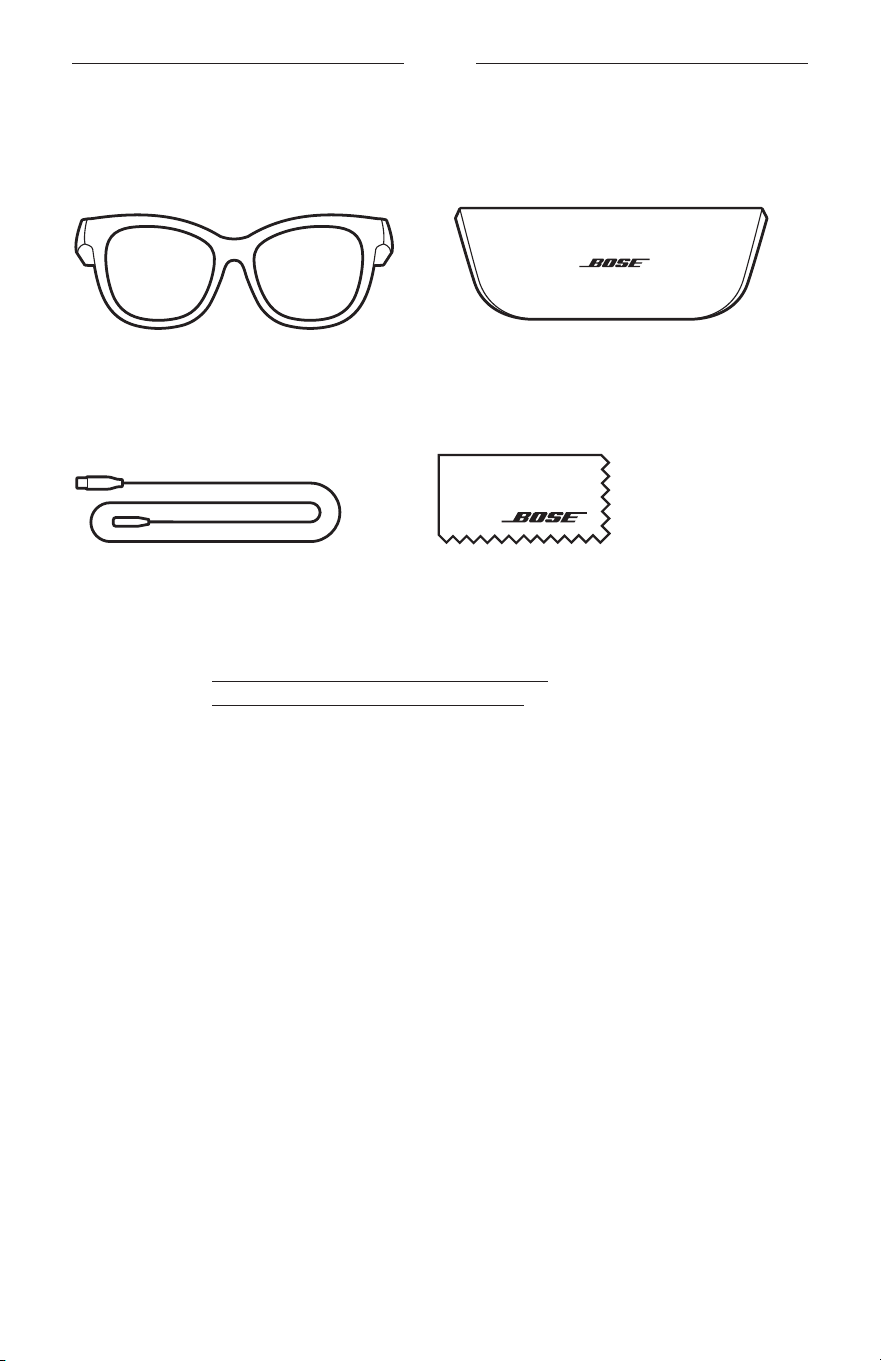
13
|
TCH
裝箱單
內件
請確認包裝箱中內含以下組件:
Bose Frames
便攜包
充電纜線 清潔布
注意: 如果產品部分損壞,請勿使用。請聯絡 Bose 授權經銷商或 Bose 客戶服務中心。
請造訪: worldwide.Bose.com/Support/Soprano
worldwide.Bose.com/Support/Tenor
14
|
TCH
BOSE MUSIC 應用程式設定
您可在任何行動裝置(例如智慧型手機或平板電腦)上透過 Bose Music 應用程式設
定和控制太陽眼鏡。
您可以使用此應用程式自訂電源設定、選擇自己的語音提示語言以及取得新功能。
注意: 如果您已在應用程式中為其他 Bose
產品建立了 Bose 帳戶,請參見「將太陽
眼鏡新增至現有帳戶」。
下載 BOSE MUSIC 應用程式
1. 在行動裝置上,下載 Bose Music 應用程式。
注意: 如果您搬到中國內地,請下載 Bose
8
應用程式。
BOSE MUSIC
2. 請按照應用程式指示操作。
將太陽眼鏡新增至現有帳戶
1. 按住右鏡腳上的按鈕,直至聽到「Ready to connect(已準備好連接)」,或看到
狀態指示燈閃爍藍色光。
2. 在 Bose Music 應用程式中,移至「我的產品」畫面並新增太陽眼鏡。
注意: 如果應用程式找不到太陽眼鏡,請參見第 30 頁上的「Bose
Music
應用
程式找不到太陽眼鏡」。
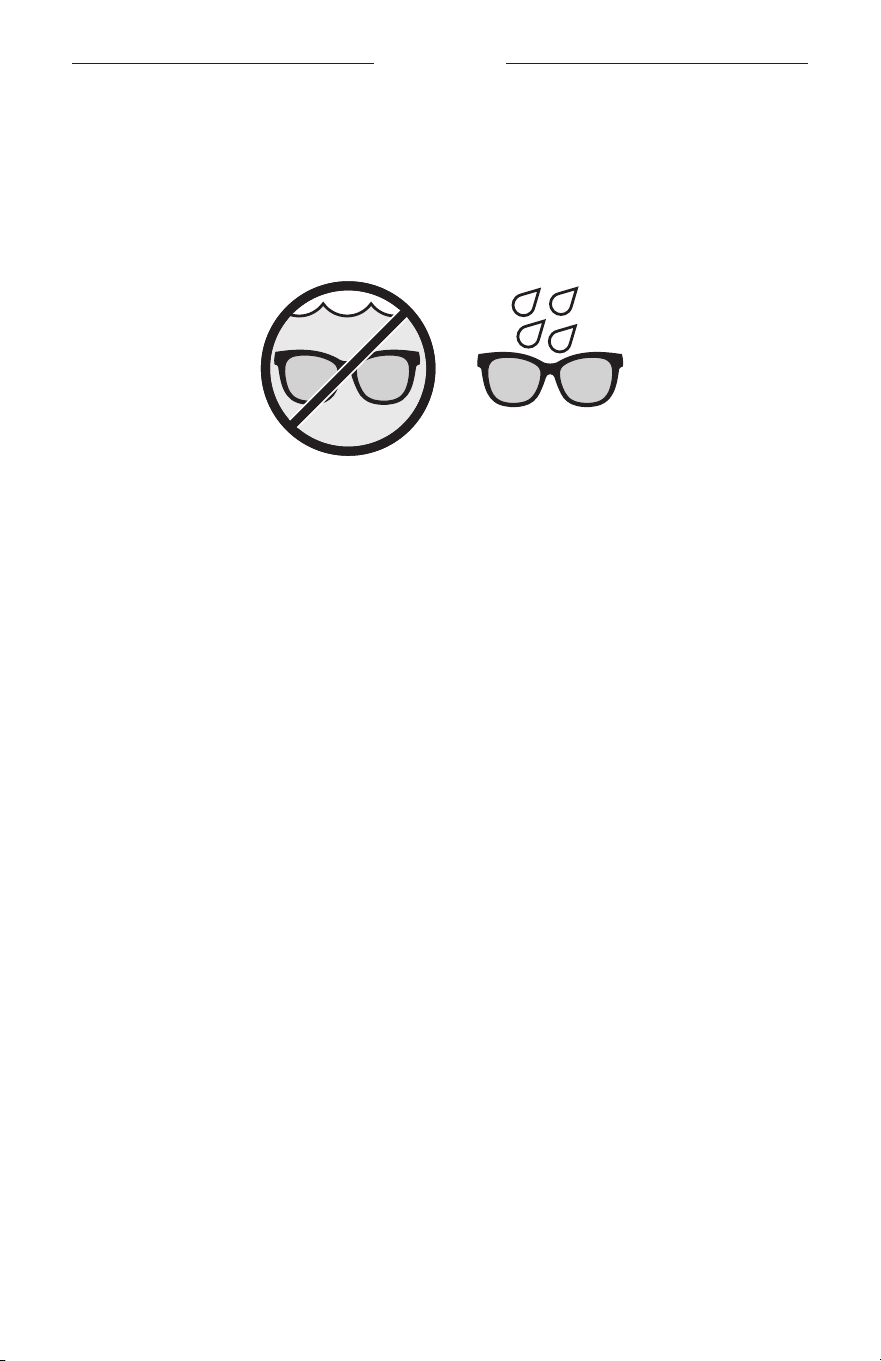
15
|
TCH
耐汗及耐風化
太陽眼鏡具有 IPX2 級防水功能。其耐汗、耐風化的設計防水滴,但不可浸入水中。
小心:
• 切勿戴著太陽眼鏡游泳或沐浴。
• 切勿將太陽眼鏡浸入水中。
注意: IPX2 不是永久條件,並且防護等級可因正常磨損而降低。
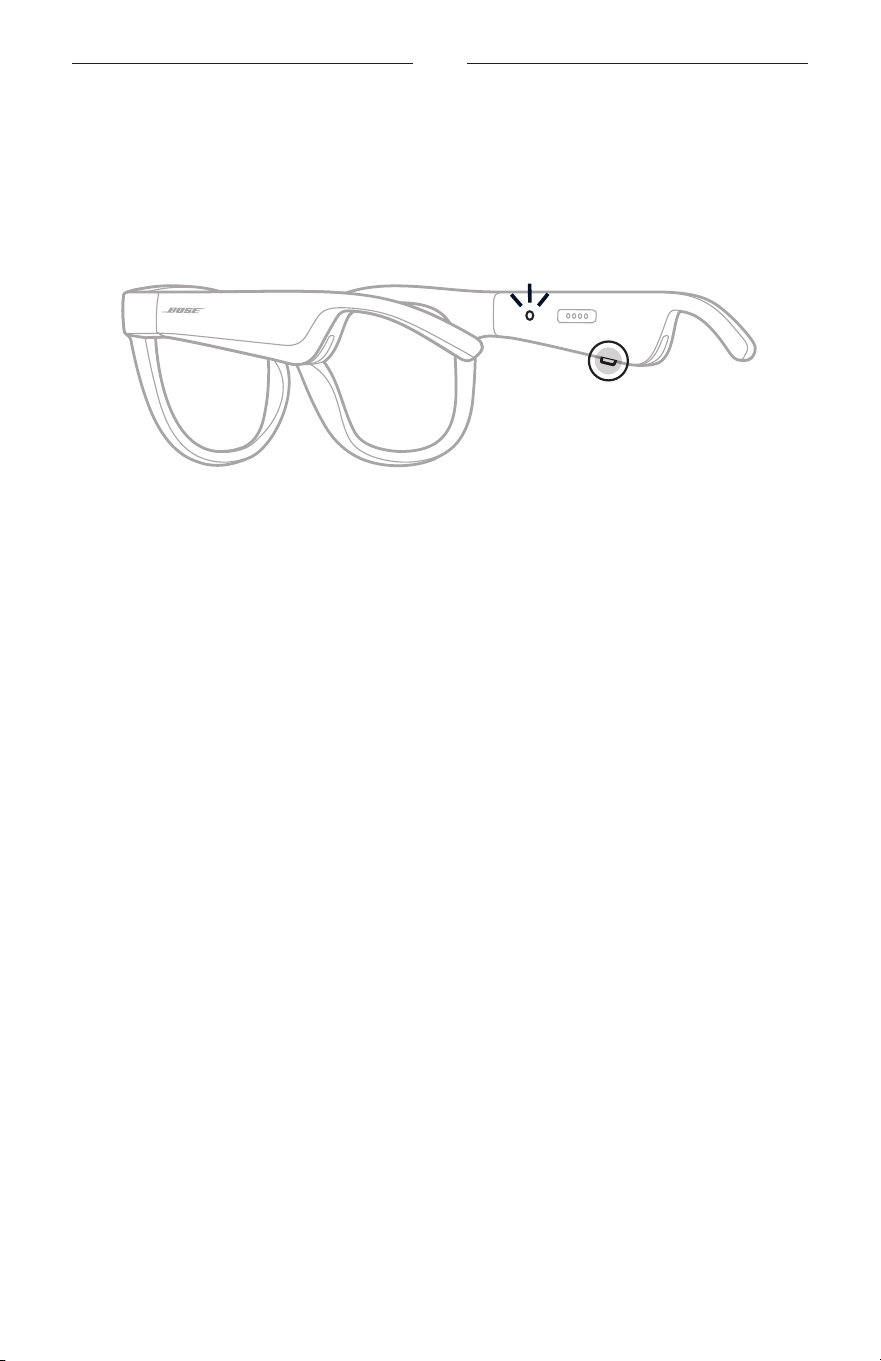
16
|
TCH
電源
接通電源
按下右鏡腳上的按鈕。
狀態指示燈閃爍白色光兩下,然後根據
Bluetooth
連接狀態亮起(請參見第 22 頁)。
語音提示會通知電池電量和
Bluetooth
連接狀態。
注意: 太陽眼鏡發貨時帶有部分電量,首次使用前可能需要喚醒。要喚醒太陽眼鏡,
請將太陽眼鏡通電 2 秒鐘
,然後斷開連接(請參見第 21 頁)。然後,嘗試
重新開機。
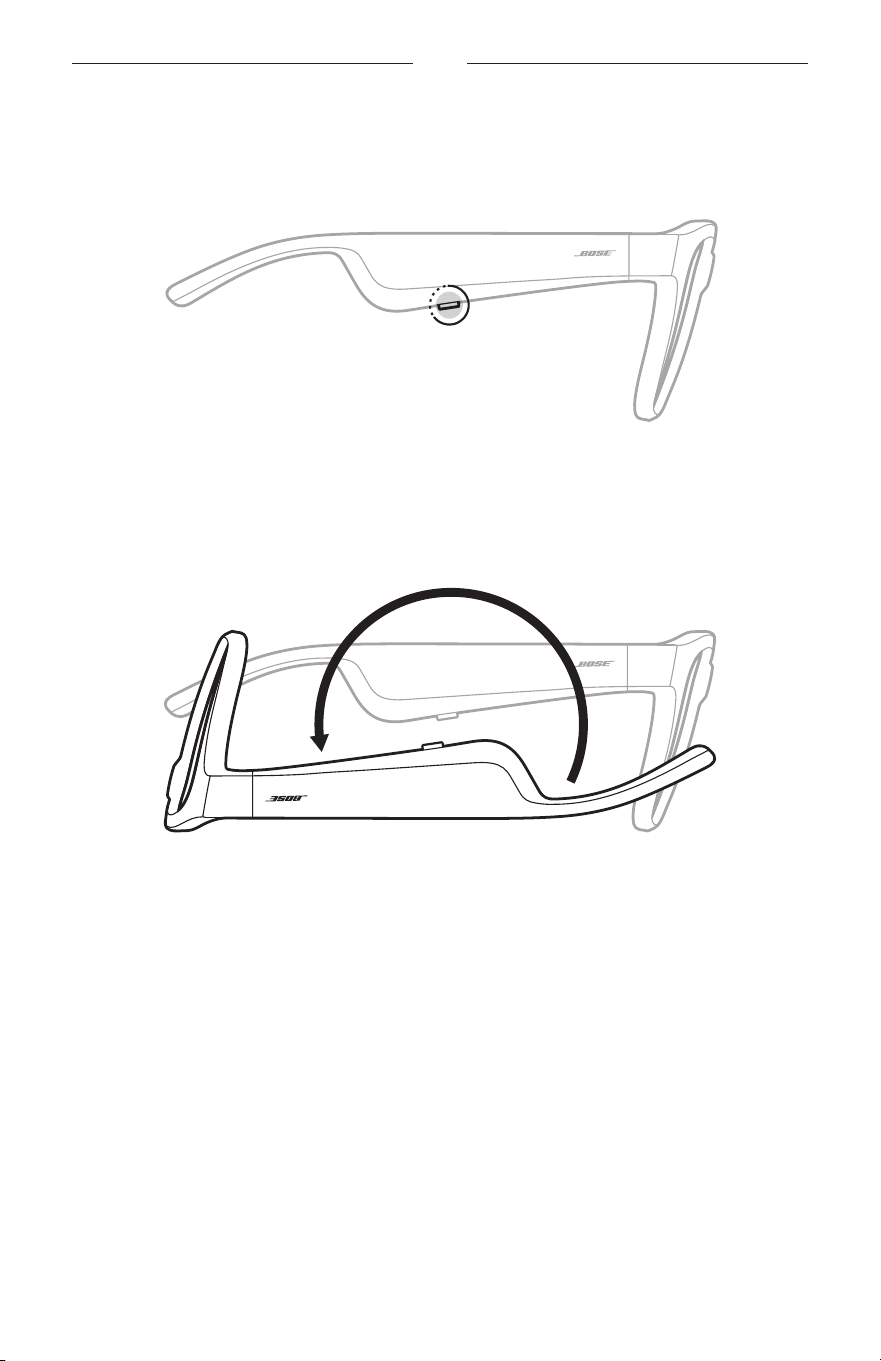
17
|
TCH
電源
關閉電源
按住按鈕,直到聽到提示音。
狀態指示燈閃爍白色光兩下,然後漸暗。
倒置可關閉
將太陽眼鏡倒置 2 秒鐘。
狀態指示燈閃爍白色光兩下,然後漸暗。
注意:
• 太陽眼鏡關閉電源後,您即可在任意方向上移動眼鏡。
• 您可以使用 Bose Music
應用程式來停用「倒置可關閉」功能。您可以從「設定」
功能表中存取此選項。
使用動態偵測自動關閉
太陽眼鏡使用動態偵測來識別何時未在使用。太陽眼鏡不移動 10 分鐘即自動關閉電源。
注意: 您可以使用 Bose Music 應用程式來停用「動態偵測」功能。您可以從「設定」
功能表中存取此選項。
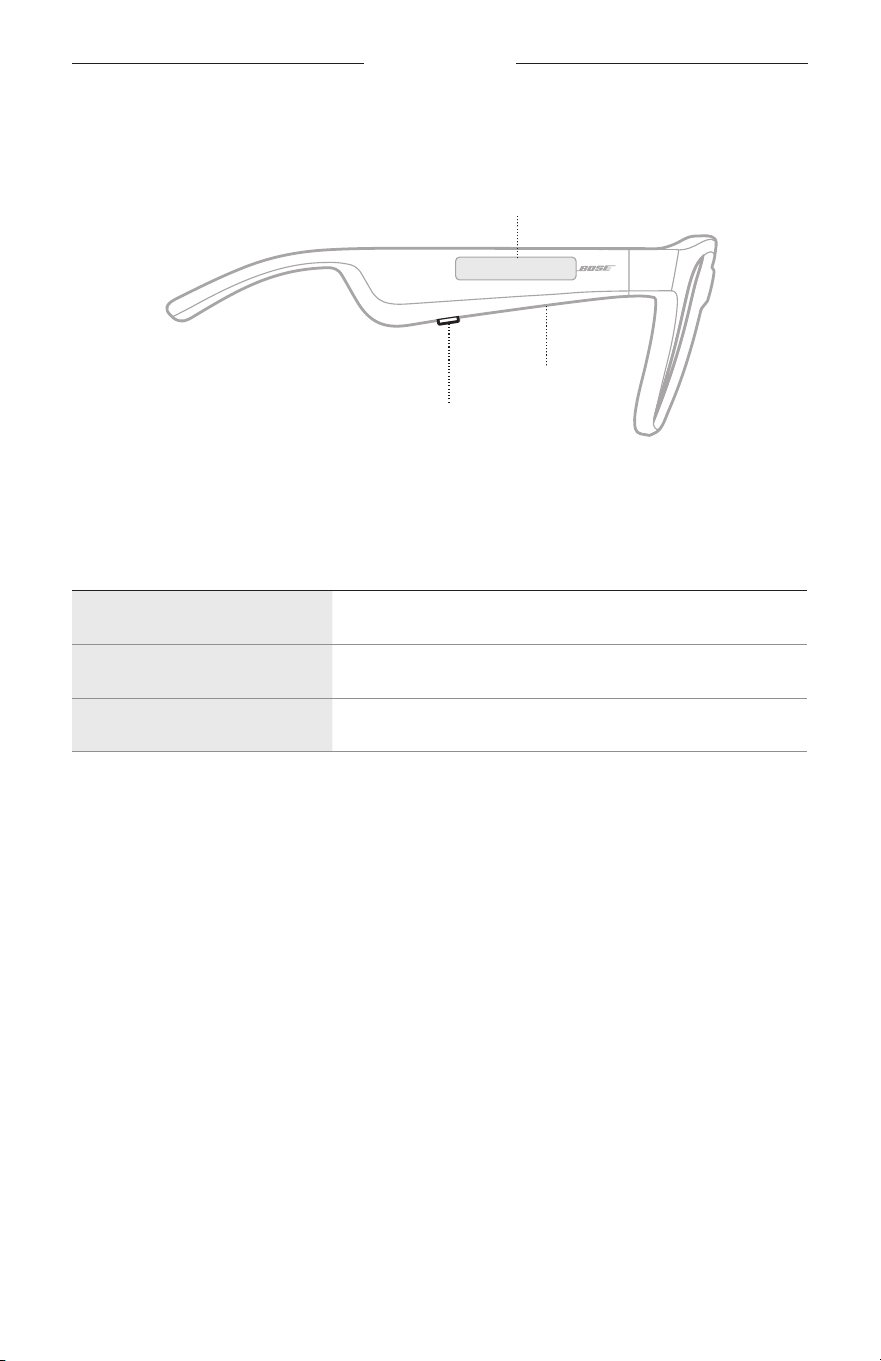
18
|
TCH
太陽眼鏡控制項
使用右鏡腳上的按鈕和觸控表面來控制媒體播放、音量、通話和語音控制。
按鈕
控制媒體播放
控制通話
麥克風
觸控表面
調整音量
使用語音控制項
媒體播放
控制 操作
播放/暫停 按下按鈕。
快轉 連按兩下按鈕。
倒轉 連按三下按鈕。
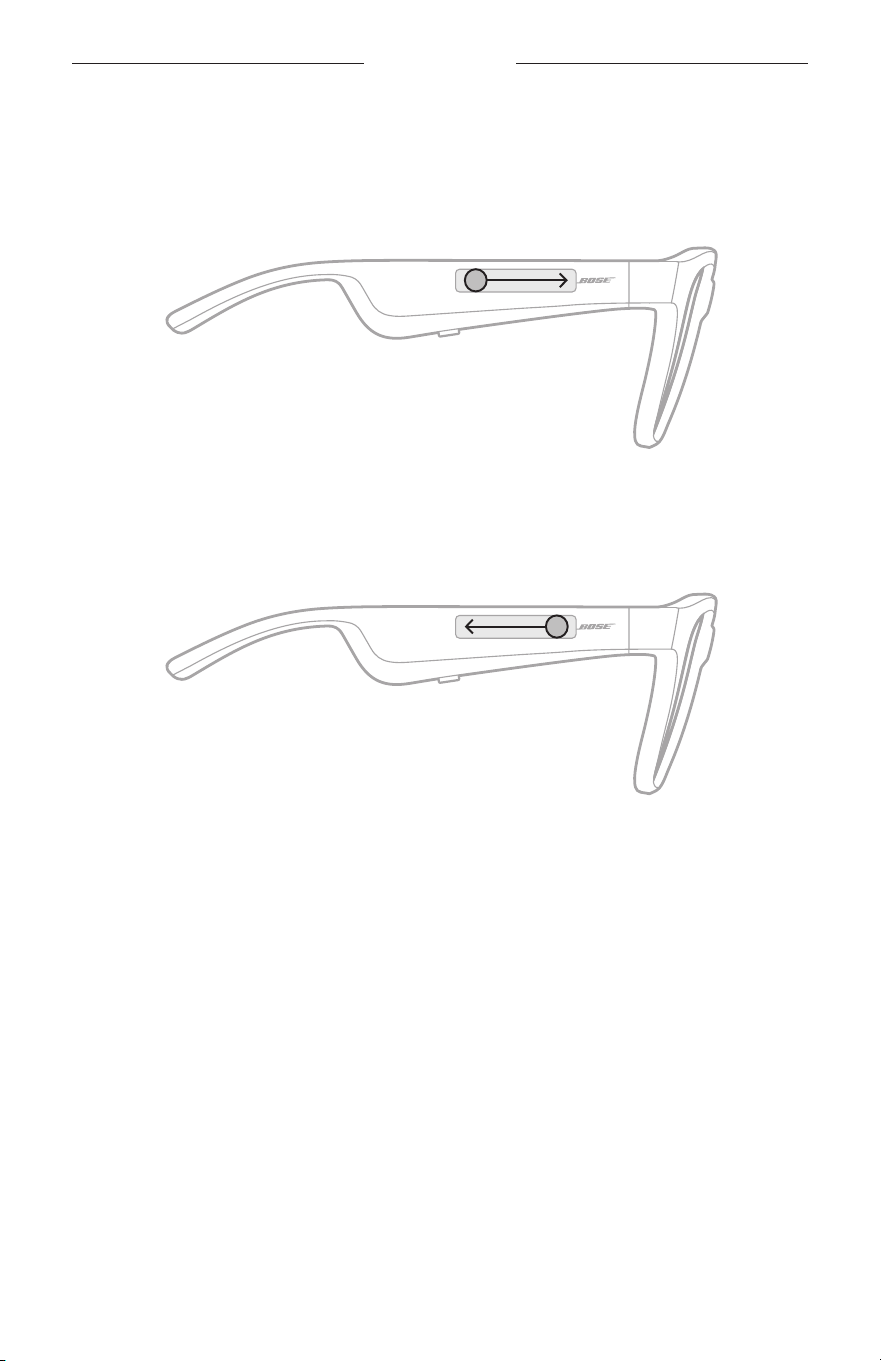
19
|
TCH
太陽眼鏡控制項
音量
提高音量
在觸控表面上向前滑動。
注意: 您會在音量調到最高時聽到提示音。
降低音量
在觸控表面上向後滑動。
注意: 您會在音量調到最低時聽到提示音。
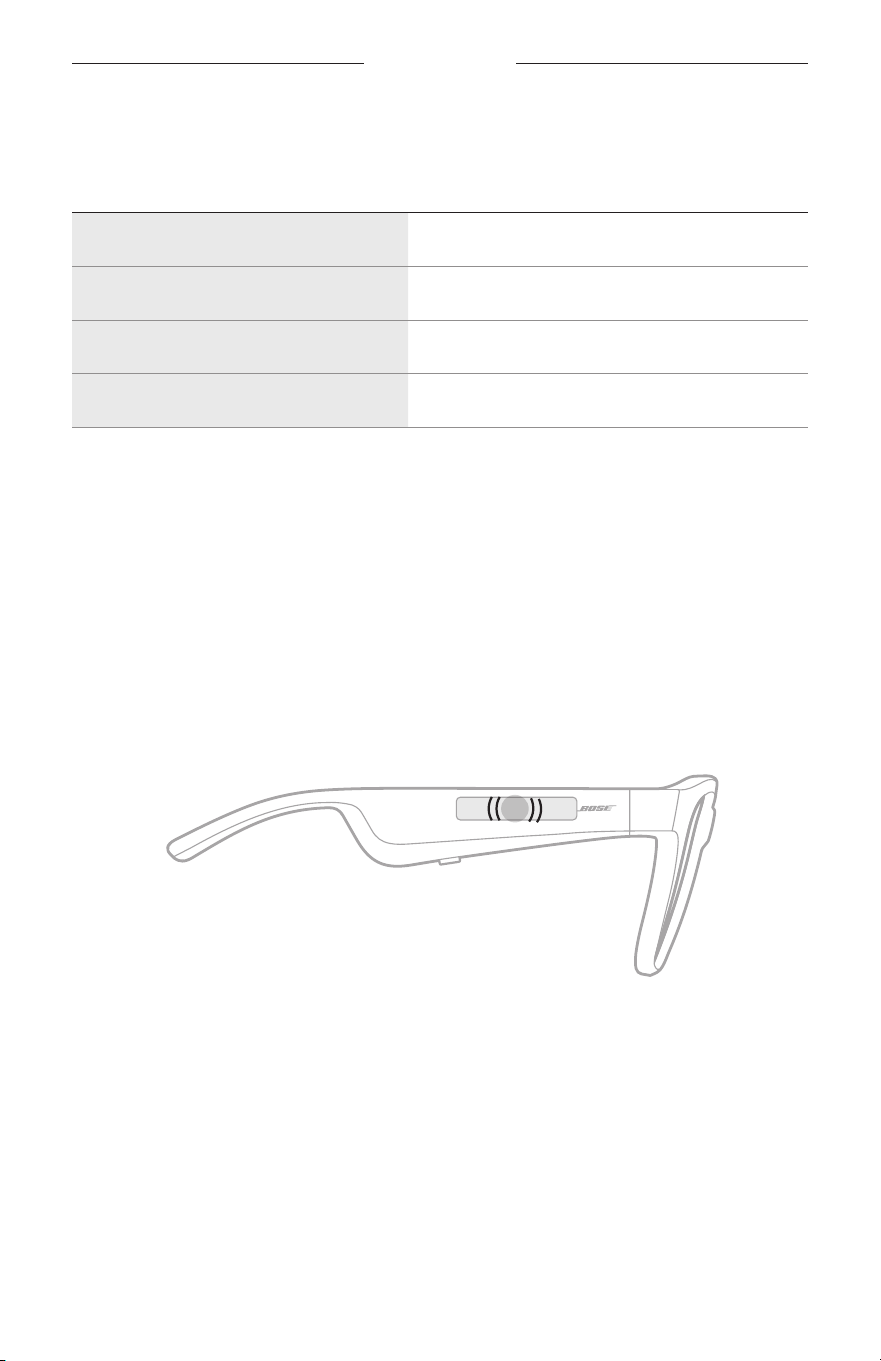
太陽眼鏡控制項
20
|
TCH
通話
控制 操作
接聽/結束通話 按下按鈕。
拒絕接聽來電 連按兩下按鈕。
接聽第二通來電並保留目前的通話 在通話時按下按鈕。
拒接第二通來電並保留目前的通話 在通話時連按兩下按鈕。
注意: 若要使用所有通話控制項,請在 Bose Music 應用程式中運行可用的軟體更新。
來電通知
語音提示會通知來電者和通話狀態。
使用語音控制項
太陽眼鏡麥克風可以用作您行動裝置麥克風功能的擴展。您可以透過右鏡腳上的
觸控表面使用您裝置上的語音控制功能,以便撥打/接
聽電話、呼叫 Siri 或 Google
Assistant 播放音樂、告知天氣狀況,或提供遊戲分數資訊等。
連點兩下觸控表面以存取裝置上的語音控制項。
2x
您會在語音控制項啟動時聽到提示音。
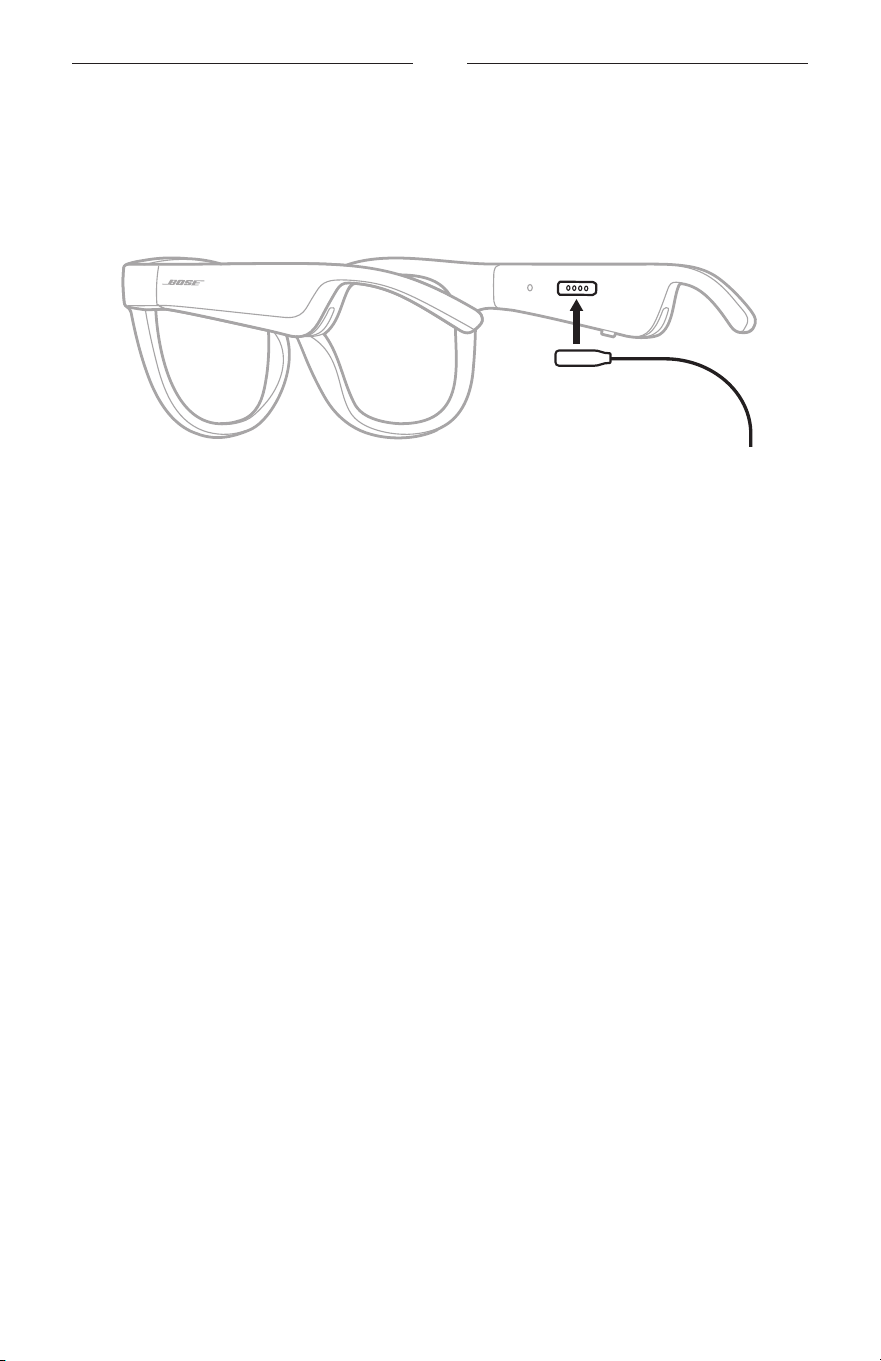
21
|
TCH
電池
為太陽眼鏡充電
1. 請將充電線的針腳對準右鏡腳上的充電連接埠。
注意: 針腳必須對準充電連接埠才能成功為太陽眼鏡充電。
2. 將針腳輕輕按向充電連接埠,直到吸附到位。
3. 將另一端連接到 USB-A 壁式充電器(未提供)。
小心: 僅將本產品搭配經過相關部門批准且符合本地監管要求(如 UL、C
SA、
VDE、CCC)的電源供應器使用。
充電時,狀態指示燈會閃爍白色光。電池充滿電後,狀態指示燈恆亮白色光(請
參見第 23 頁)。
注意:
• 太陽眼鏡充電時無法播放音訊。
• 請勿在充電時佩戴太陽眼鏡。
檢查太陽眼鏡的電池電量
收聽電池通知
每次開啟太陽眼鏡電源時,語音提示都會播報電池電量。
使用太陽眼鏡時,語音提示將通知您電池是否需要充電。
檢視電池電量
• 查看 Bose Music 應用程式的主畫面。
• 狀態指示燈閃爍紅色光時,表示太陽眼鏡需要充電。
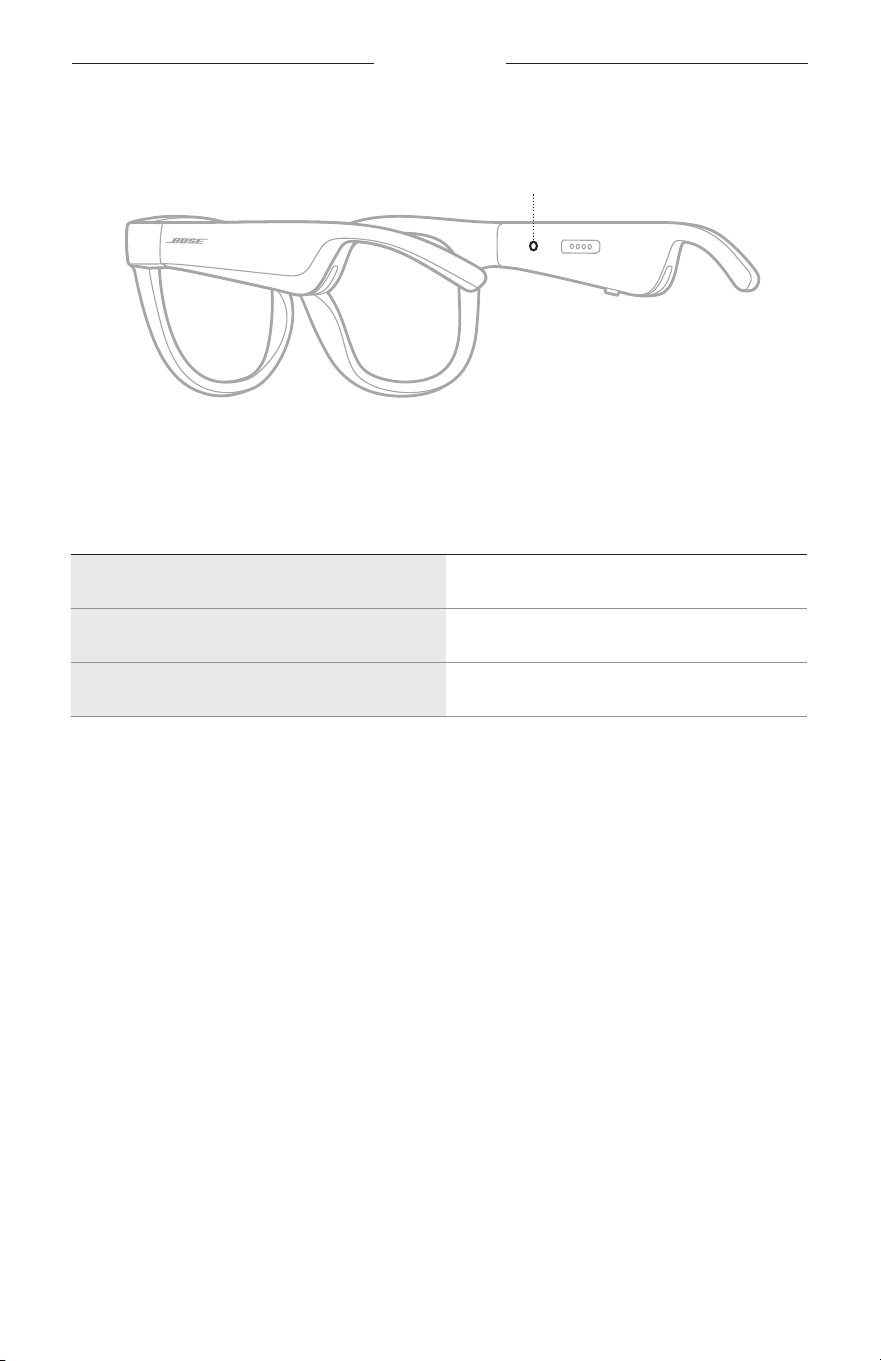
22
|
TCH
太陽眼鏡狀態
太陽眼鏡狀態指示燈位於右鏡腳內側上。
狀態指示燈
BLUETOOTH
連接狀態
顯示行動裝置的
Bluetooth
連接狀態。
指示燈活動 系統狀態
慢閃藍色光 準備連接
快閃藍色光 正在連接
恆亮藍色光(10 秒) 已連接
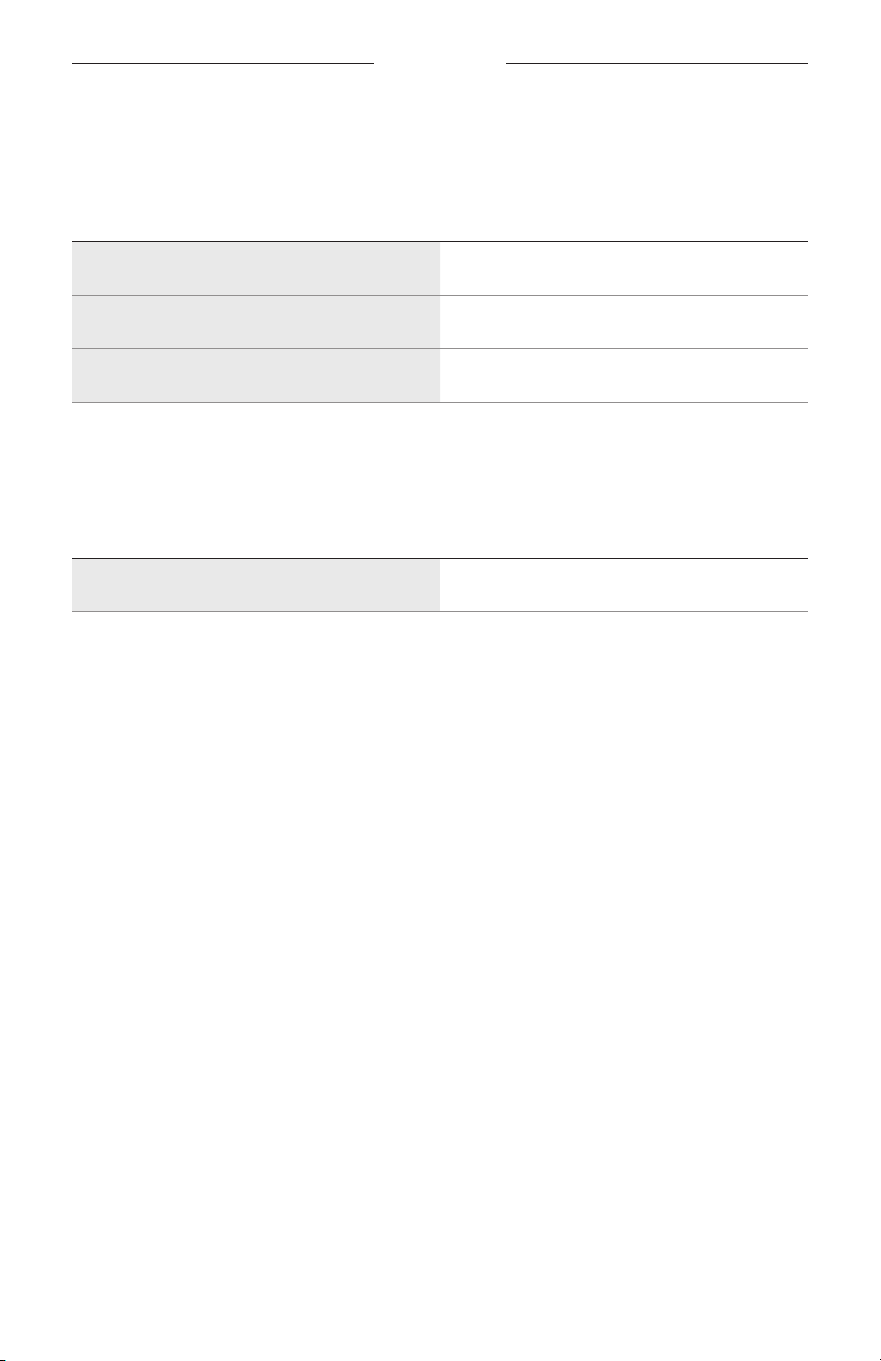
太陽眼鏡狀態
23
|
TCH
電池狀態
顯示太陽眼鏡電池充電狀態。
指示燈活動 系統狀態
閃爍紅色光(10 秒) 需要充電
閃爍白色光 正在充電
恆亮白色光 完全充滿
錯誤狀態
顯示錯誤狀態。
指示燈活動 系統狀態
閃爍紅色光和白色光(重複) 錯誤 - 聯絡 Bose 客戶服務中心
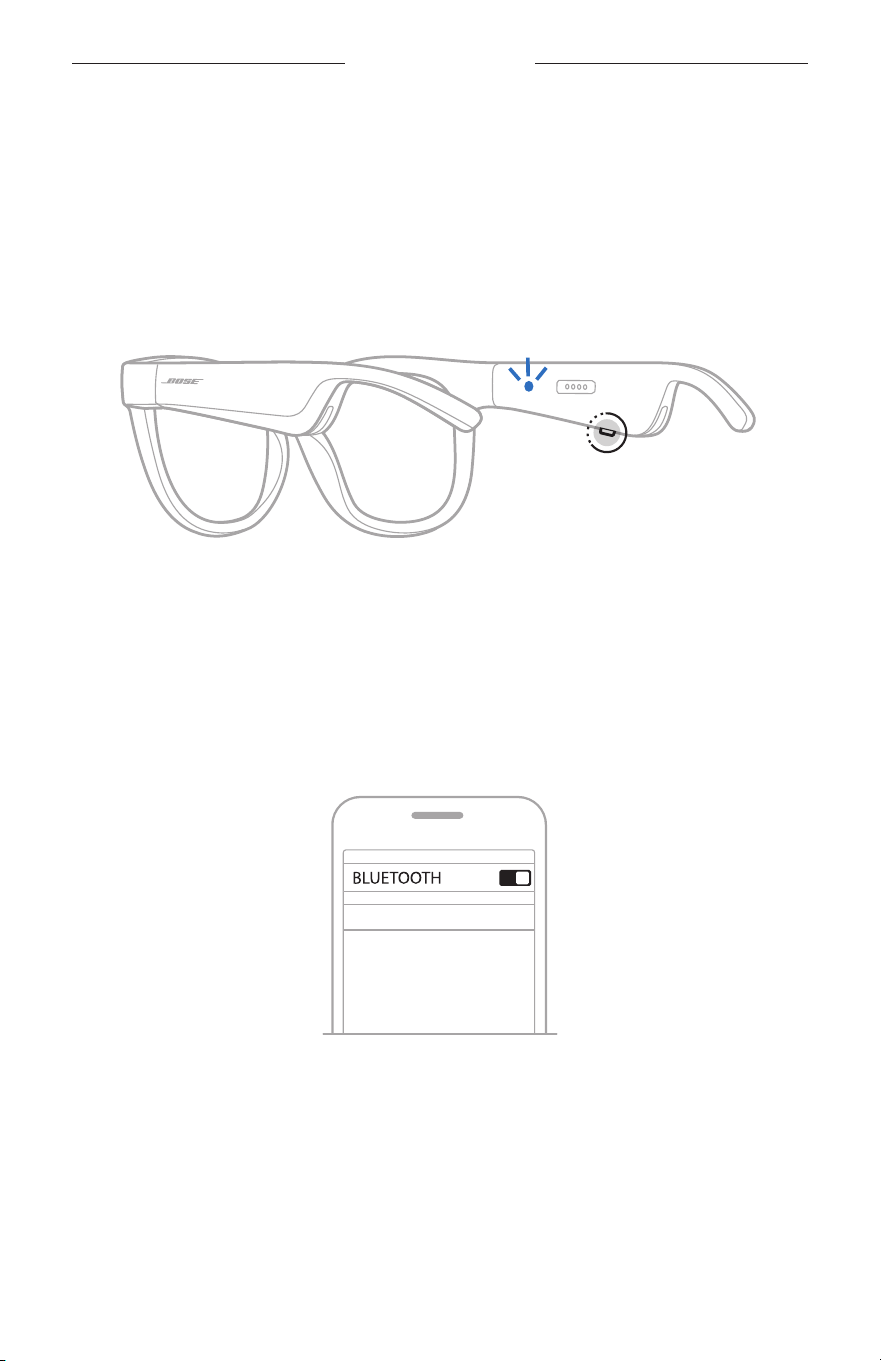
24
|
TCH
BLUETOOTH
連接
使用行動裝置上的
BLUETOOTH
功能表連接
太陽眼鏡的裝置清單最多可以儲存八台裝置。您一次只能連接並播放一台裝置的音訊。
注意: 要獲得最佳體驗,請使用 Bose Music
應用程式設定和連接行動裝置(請參見
第 14 頁)。
1. 太陽眼鏡開啟電源後,按住右鏡腳上的按鈕,直至聽到「Ready
to connect(已
準備好連接)」,或看到狀態指示燈閃爍藍色光。
2. 在裝置上,啟用
Bluetooth
功能。
注意:
Bluetooth
功能通常在「設定」功能表中。
3. 在裝置清單中選擇太陽眼鏡。
注意: 在 Bose Music 應用程式中查找您為太陽眼鏡輸入的名稱。如果沒有為太陽
眼鏡命名,系統將顯示預設名稱。
BOSE FRAMES
連接之後,您將聽到「Connected to(已連接到) <
行動裝置名稱 >
」,或看到狀
態指示燈恆亮藍色光,然後變暗。

25
|
TCH
BLUETOOTH
連接
斷開行動裝置
使用 Bose Music 應用程式來斷開行動裝置。
提示: 您也可使用
Bluetooth
設定來斷開裝置。停用
Bluetooth
功能後,所有其他裝
置連接都將中斷。
重新連接行動裝置
開啟電源後,太陽眼鏡將嘗試連接最近連接過的裝置。
注意: 裝置必須在連接範圍內(9 公尺)且已開啟電源。
清空太陽眼鏡的裝置清單
1. 開啟太陽眼鏡電源後,按住右鏡腳的按鈕 10 秒,直至聽到「
Bluetooth
device list
cleared(
Bluetooth
裝置清單已清空)」,或看到狀態指示燈閃爍藍色光。
2. 從裝置上的
Bluetooth
清單中刪除您的太陽眼鏡。
所有裝置都被清除,太陽眼鏡可隨時連接。
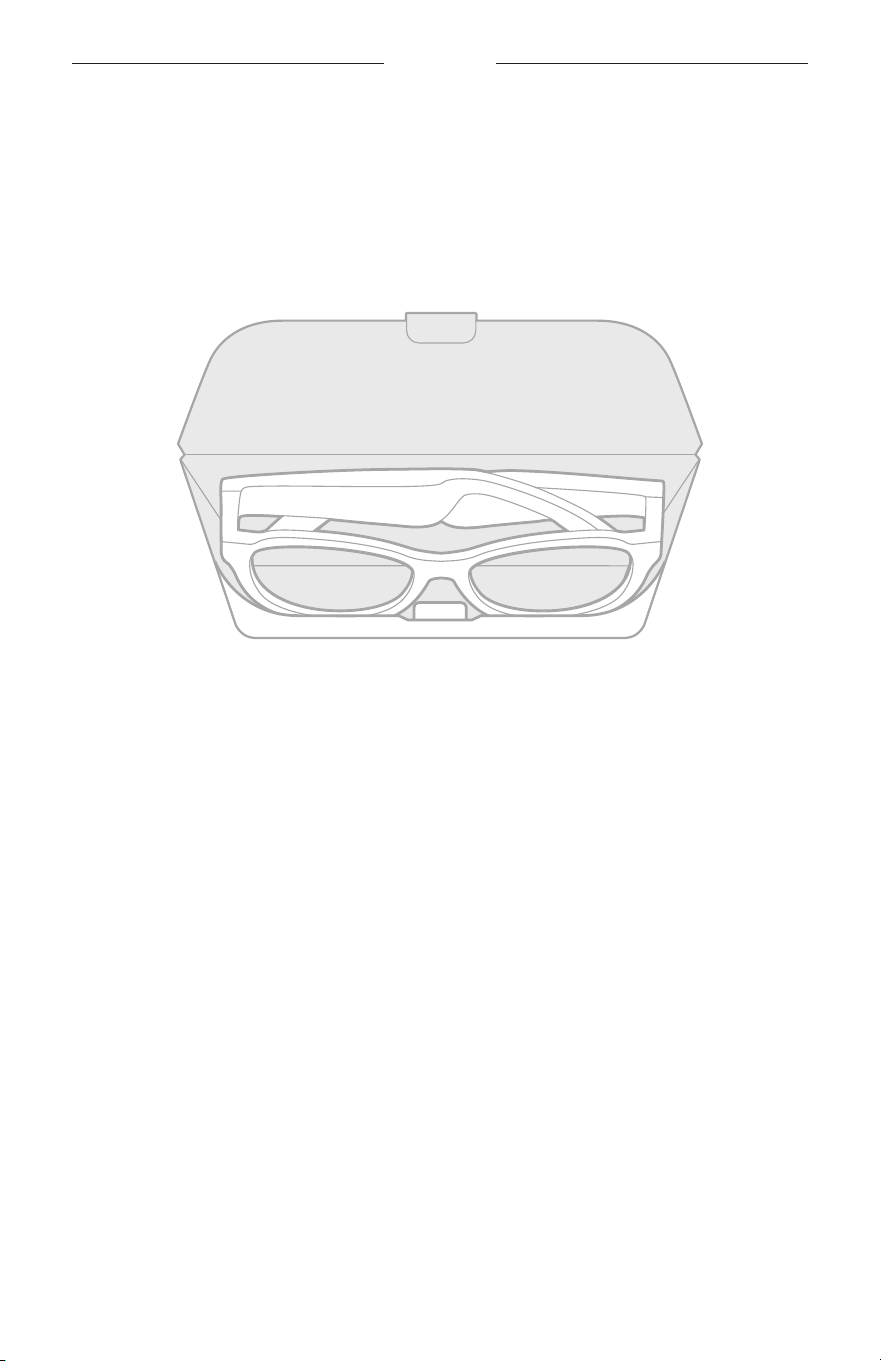
26
|
TCH
維護與保養
收納太陽眼鏡
將太陽眼鏡折疊以便於保存。
1. 朝鏡片向內折疊鏡腳,讓鏡腳平放。
2. 將太陽眼鏡放入盒中,鏡片朝向盒前側。
注意:
• 不使用時,請確定關閉太陽眼鏡電源。
• 長期存放太陽鏡之前,請確定電池電量充滿。

27
|
TCH
維護與保養
維護太陽眼鏡
每次使用後,使用隨附的清潔布或乾布擦乾淨太陽眼鏡的鏡片兩面和眼鏡框各個部位。
小心:
• 請勿在太陽眼鏡附近使用噴霧劑。
• 請勿使用任何溶劑、化學品或含酒精、氨水、研磨劑的清潔劑。
• 請勿讓液體進入任何開口。
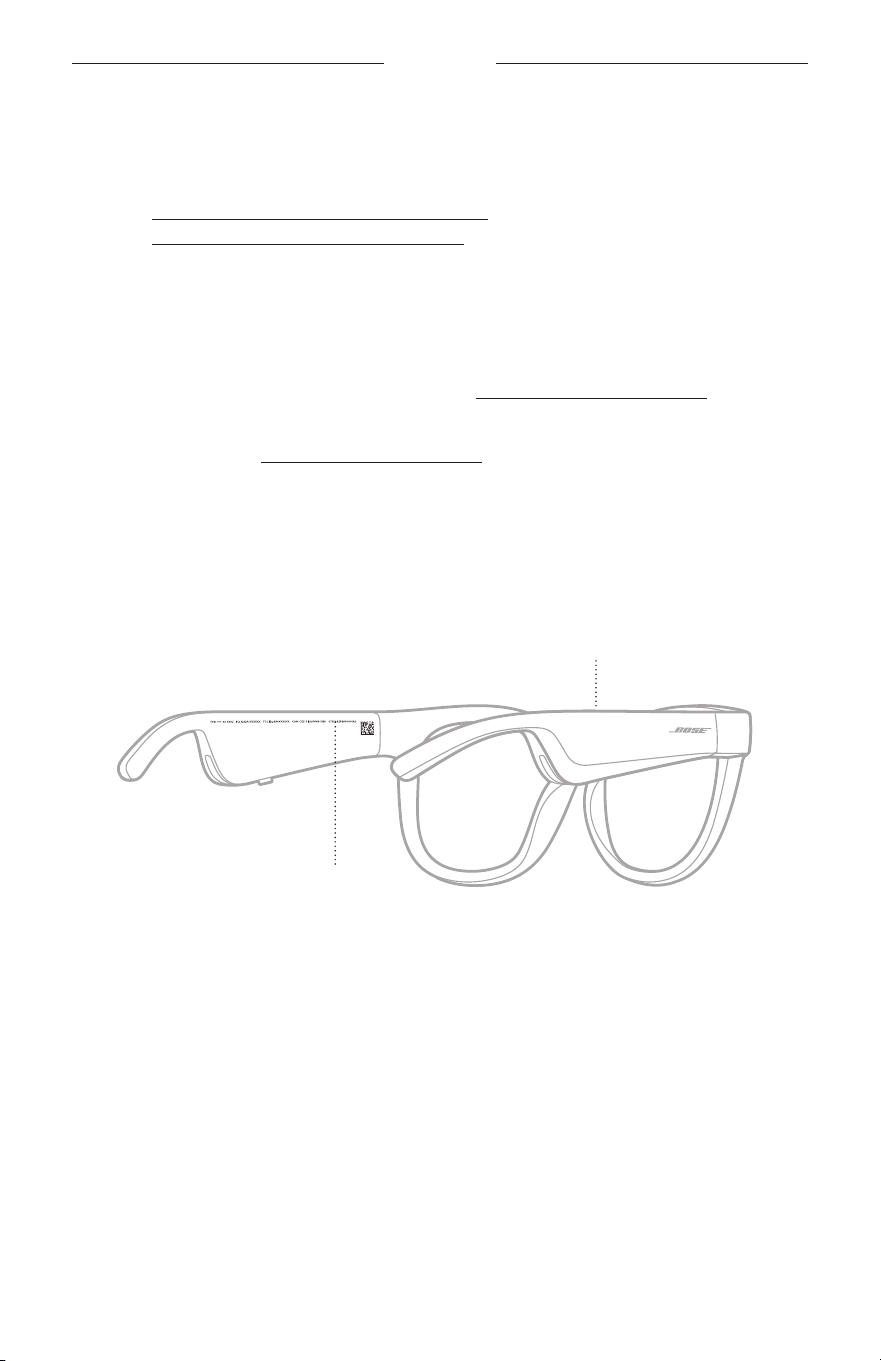
28
|
TCH
維護與保養
更換零件和配件
可透過 Bose 客戶服務中心訂購更換零件和配件。
請造訪: worldwide.Bose.com/Support/Soprano
worldwide.Bose.com/Support/Tenor
注意: 有關如何替換鏡片的資訊,請參閱隨附鏡片配件的指示。
有限保固
太陽眼鏡享受有限保固。請造訪我們的網站:global.Bose.com/warranty,了解有限
保固的詳細資料。
要註冊產品,請造訪 global.Bose.com/register,了解相關指示。未執行註冊並不影
響您的有限保固權利。
序號和型號/參考編號的位置
序號位於左鏡腳內側,型號/參考編號位於右鏡腳內側。
序號
型號/參考編號

29
|
TCH
疑難排解
首先嘗試這些解決方案
如果太陽眼鏡出現問題:
• 打開太陽眼鏡電源(請參見第 16 頁)。
• 將太陽眼鏡通電 2 秒鐘,然後斷開連接(請參見第 21 頁)。
• 電池充電(請參見第 21 頁)。
• 檢查狀態指示燈的狀態(請參見第 22 頁)。
• 確定您的行動裝置支援
Bluetooth
連線。
• 下載 Bose Music 應用程式並運行可用的軟體更新。
• 調高太陽眼鏡、行動裝置和/或音訊/串流應用程式的音量。
• 連接其他行動裝置(請參見第 24 頁)。
其他解決方案
若無法解決問題,請參見下表以了解常見問題的症狀和解決方法。若仍然無法解決
問題,請聯絡 Bose 客戶服務中心。
請造訪:worldwide.Bose.com/contact
問題 解決方法
太陽眼鏡無法與行動裝置
建立連接
在您的裝置上:
• 關閉
Bluetooth
功能再打開。
• 從裝置的
Bluetooth
清單中刪除太陽眼鏡。重新連接(請參見
第 24 頁)。
將裝置靠近太陽眼鏡,遠離其他干擾或障礙物。
連接不同的行動裝置(請參見第 24 頁)。
要查看說明影片,請造訪:worldwide.Bose.com/Support/Tenor
或 worldwide.Bose.com/Support/Soprano
清除太陽眼鏡的裝置清單(請參見第 25 頁)。再次連接。
Bose Music 應用程式無法
在裝置上運行
確定 Bose Music 應用程式與您的裝置相容。
解除安裝裝置上的 Bose
Music
應用程式並重新安裝應用程式
(請參見第 14 頁)。
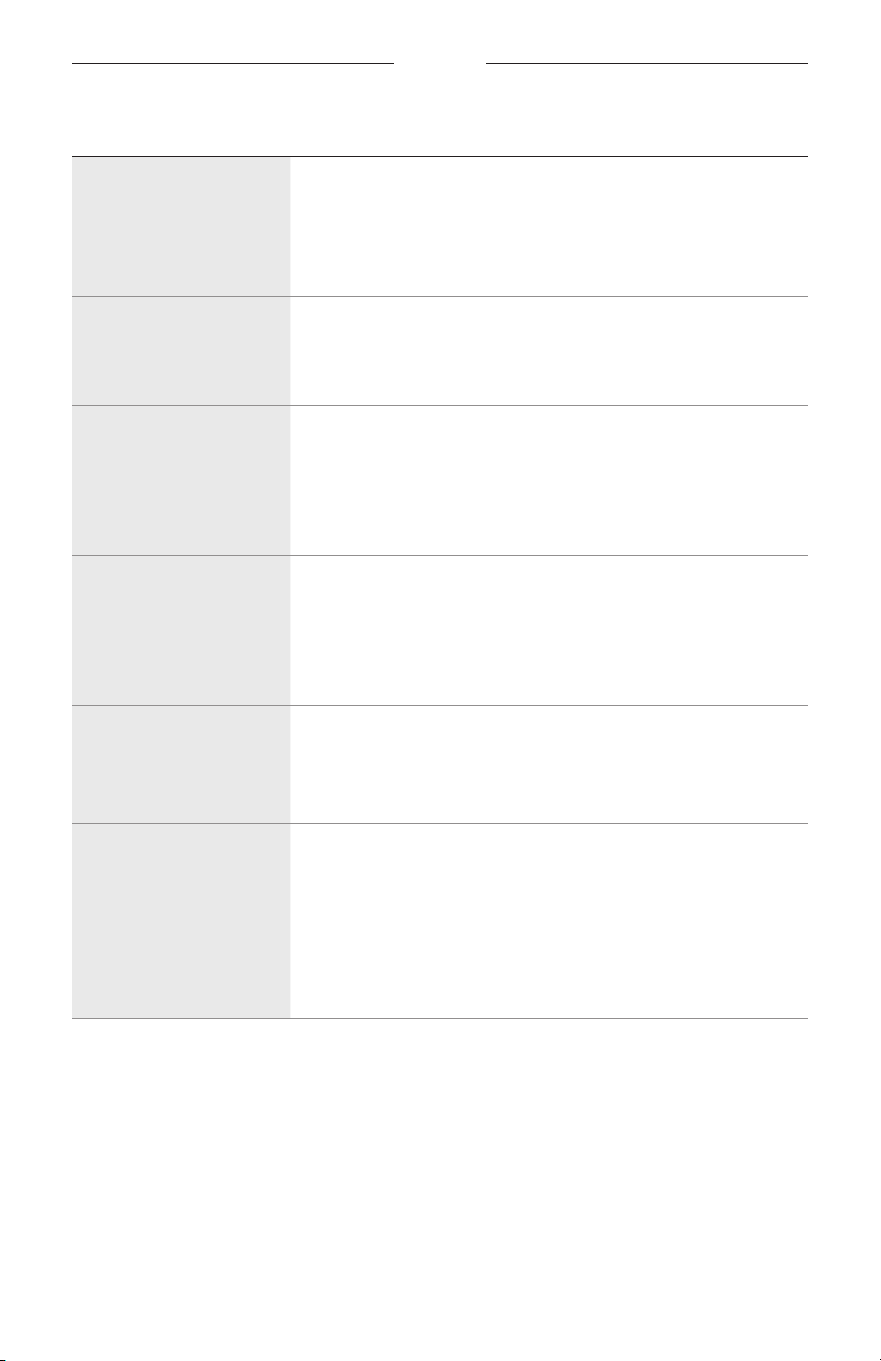
30
|
TCH
疑難排解
問題 解決方法
Bose Music 應用程式找不
到太陽眼鏡
打開太陽眼鏡電源(請參見第 16 頁)。
按住右鏡腳上的按鈕,直至聽到「R
eady
to connect(已準備好
連接)」,或看到狀態指示燈閃爍藍色光。
在 Bose Music 應用程式中運行可用的軟體更新。
Bluetooth
連線中斷
清除太陽眼鏡的裝置清單(請參見第 25 頁)
。重新連接(請參
見第 24 頁)。
將行動裝置靠近太陽眼鏡。
沒有聲音
按下行動裝置上的播放按鈕,確定曲目可以播放。
將裝置靠近太陽眼鏡,遠離其他干擾或障礙物。
使用不同的音樂來源。
連接不同的裝置(請參見第 24 頁)。
音質差
使用不同的音樂來源。
連接不同的行動裝置。
將裝置靠近太陽眼鏡,遠離其他干擾或障礙物。
關閉裝置或音訊/串流應用程式中的任何音訊增強功能。
麥克風沒有接收到聲音
確定右鏡腳上的麥克風沒有被堵塞。
嘗試再次通話。
試試其他相容裝置。
太陽眼鏡無法充電
請將充電線的針腳正確地對準太陽眼鏡上的充電連接埠並吸附
到位。
固定充電線的兩端。
如果您的太陽眼鏡曾暴露在高溫或低溫環境中,請先等待太陽
眼鏡恢復室溫,然後再次嘗試充電。
嘗試不同的 USB 壁式充電器。
疑難排解
31
|
TCH
問題 解決方法
太陽眼鏡對觸控控制沒
反應
確定輕觸正確的觸控控制表面(請參見第 18 頁)。
確定雙手乾燥。
如果您的頭髮潮濕,確定它未干擾觸控表面。
如果戴手套,請先取下手套,再輕觸觸控表面。
無法調整音量
確定滑動正確的觸控控制表面(請參見第 18 頁)。
確定雙手乾燥。
如果您的頭髮潮濕,確定它未干擾觸控表面。
如果戴手套,請先取下手套,再輕觸觸控表面。
無法使用通話控制項 在 Bose Music 應用程式中運行可用的軟體更新。
裝置對按鈕的按壓操作無
反應
在 Bose Music 應用程式中運行可用的軟體更新。
對於多次按壓功能:改變按壓速度。
確定音樂應用程式支援該功能。
關閉太陽眼鏡的電源,然後重新開啟。
在您的裝置上:
• 關閉
Bluetooth
功能再打開。
• 從裝置的
Bluetooth
清單中刪除太陽眼鏡。重新連接(請參見
第 24 頁)。
試試其他相容裝置。
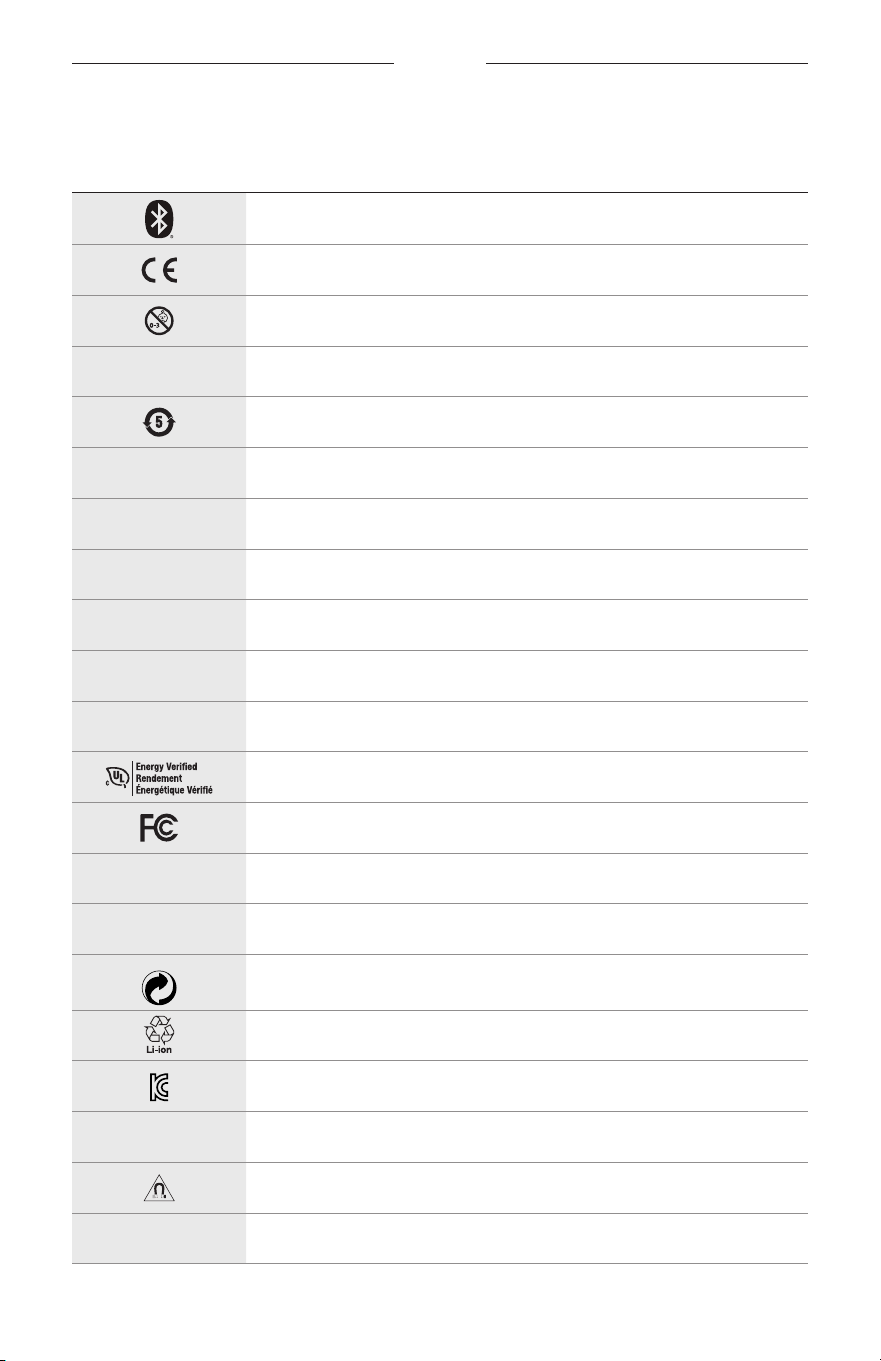
32
|
TCH
標籤符號
符號和說明
符號 說明
Bluetooth
CE 認證標記
窒息危險
h
目錄編號
中國 ROHS 電池
w
客戶服務中心
N
生產日期
X
說明文件
L
如包裝破損,請勿使用
C
不含乳膠
s
下載
能量效率驗證
FCC 認證
o
論壇
h
高等級防眩光保護
Green Dot 商標符號
日本電池回收
KCC 認證
p
保持乾燥
磁性干擾
M
製造商
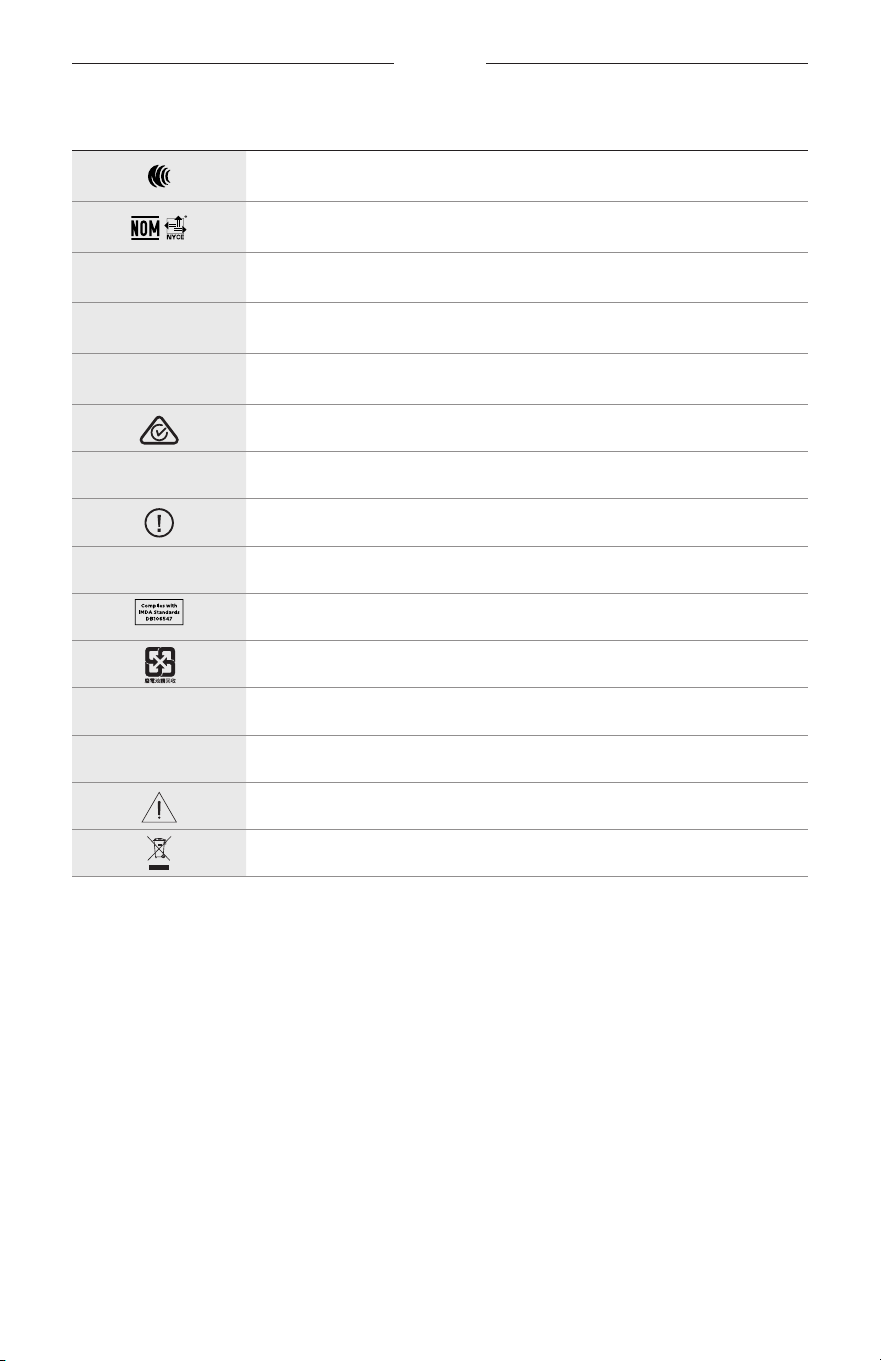
標籤符號
33
|
TCH
符號 說明
NCC 認證
NOM NYCE 認證
d
非無菌
I
不適合在黎明或夜間駕駛時使用
m
電話
合規標記
A
請參閱使用說明
安全性資訊
f
序號
新加坡 IMDA 合規
中國台灣電池循環使用
l
溫度範圍
W
影片
警告/小心
電機和電子設備廢棄物指令符號
安全上の留意項目
2
|
JPN
使用上の注意
サングラス(度なし)は、遮光、反射、色付き、偏光または感光性レンズを持った眼鏡フレー
ムやレンズからなる装身具で、遮光性はあるものの、視力の補正は行いません。この機器は
店頭で販売しています。
A
使用方法を参照してください。
安全およびセキュリティ上の留意項目および使用方法をよく読み、それに
従ってください。
安全上の留意項目
Bose Corporationは、この製品が EU指令2014/53/EUおよび該当するその他すべてのEU指令
の必須要件およびその他の該当条項に準拠していることを宣言します。完全な適合宣
言書については、次のサイトを参照してください。www.Bose.com/compliance
1. 本書をよくお読みください。
2. 必要な時にご覧になれるよう、本書を保管してください。
3. すべての注意と警告に留意してください。
4. すべての指示に従ってください。
5. この製品を水の近くで使用しないでください。
6. お手入れは乾いた布を使用して行ってください。
7. 必ず指定された付属品、あるいはアクセサリーのみをご使用ください。
8. 雷雨時や長期間使用しない場合は、電源プラグを抜いてください。
9. 修理が必要な際には、Boseカスタマーサービスにお問い合わせください。製品に何らか
の損傷が生じた場合
、たとえば電源コードやプラグの損傷、液体や物の内部への侵入、
雨や湿気などによる水濡れ、動作の異常、製品本体の落下などの際には、ただちに電源
プラグを抜き、修理をご依頼ください。
警告/注意
• 大きな音量で長時間続けて聴くと、聴力に悪い影響を与えることがあります。特に長時間
にわたるFramesのご使用の際は、大きな音量はお避けください。
–
Framesを使用する場合は、耳に負担をかけないように適度な音量に調節してください。
–
Framesを装着または耳に近づける前に再生機器の音量を下げておきます。その後
、適度な
音量になるまで少しずつ音量を上げてください。
• 運転中は携帯電話の使用に関する国または地域の法令を確認し、これを遵守してください。
• 車道、建設現場、線路などの付近を歩いている時などにFr
amesを使用する場合は、安全に
十分注意してください。アラームや警告音などの周囲の音が聞こえるように、Framesを外す
か、音量を下げてFramesをお使いください。
• Framesから異常な音が聞こえる場合は、Framesを使用しないでください。そのような場合は、
Framesの電源をオフしてBoseカスタマーサービスにご連絡ください。
• Framesを長時間水に浸したり、水泳や水上スキー、サーフィンなどのウォータースポーツで
使用したりしないでください。
• 熱を感じた場合、または音声が聞こえなくなった場合には、すぐにFr
amesを外してください。

安全上の留意項目
3
|
JPN
のどに詰まりやすい小さな部品が含まれています。3歳未満のお子様には適していま
せん。
この製品には磁性材料が含まれています。体内に埋め込まれている医療機器への影響
については、医師にご相談ください。
• 火災や感電を避けるため、雨の当たる場所や湿度の高い場所で製品を使用しないでください。
• 水漏れやしぶきがかかるような場所でこの製品を使用しないでください。また、花瓶など
の液体が入った物品を製品の上や近くに置かないでください。
• 火気や熱源などの近くで使用しないでください。火の付いたろうそくなどの火気を、製品
の上や近くに置かないでください。
• 許可なく製品を改造しないでください。
• この製品には、法令(UL、CSA、VDE、CCCなど)に準拠した電源アダプターのみをお使いくだ
さい。
• バッテリーが含まれる製品を直射日光や炎など、過度な熱にさらさないでください。
• 充電中は Framesを装着しないでください。
• 使用後は毎回、両側のレンズとフレームのすべての部分を、付属のクロスまたは乾いた布
で拭いてください。
規制および法的情報
4
|
JPN
注: 本機は、FCC規則のパート15に定められたクラスBデジタル装置の規制要件に基づいて所
定の試験が実施され、これに準拠することが確認されています。この規制要件は、住宅に設
置した際の有害な干渉に対し、合理的な保護となるように策定されています。本機は無線周
波数エネルギーを発生、利用、また放射することがありますので、指示通りに設置および使
用されない場合は、無線通信に有害な電波干渉を引き起こす可能性があります。しかし、特
定の設置条件で干渉が発生しないことを保証するものではありません。本機が、電源のオン・
オフによりラジオ・テレビ受信に有害な干渉を引き起こしていると確認された場合、次の
1つ あるいはいくつかの方法で対処を試みることをおすすめします。
• 受信アンテナの向きや位置を変える。
• 本機と受信機の距離を離す。
• 受信機の接続されているコンセントとは別の回路のコンセントに本機を接続する。
• 販売店もしくは経験豊富なラジオ・テレビ技術者に相談する。
Bose Corporationによって明確な許諾を受けていない本製品への変更や改造を行うと、この機器
を使用するユーザーの権利が無効になります。
このデバイスは、F
CC規則のパート15およびカナダ イノベーション・科学経済開発省のラ
イセンス適用免除RSS規則に準拠しています。動作は次の2つの条件に従う必要があります:
(1) 本装置は有害な干渉を引き起こしません。(2) 本装置は、不適切な動作を招く可能性がある
干渉を含め、いかなる干渉も対応できなければなりません。
このデバイスは、F
CCおよびカナダ イノベーション
・科学経済開発省が一般用途向けに定め
た電磁波放出制限に準拠しています。このトランスミッターは、他のアンテナまたはトラン
スミッターと一緒に配置したり、動作させたりしないでください。
CAN ICES-3(B)/NMB-3(B)
PPE Regulation (EU) 2016/425
低電力無線デバイスの管理規制
第12条
「低電力無線デバイスの管理規制」により、会社、企業、またはユーザーは、NCC の許可なく、
承認済みの低電力無線デバイスの周波数を変更したり、送信出力を強化したり、元の特性お
よび性能を改変したりすることはできません。
第14条
低電力無線デバイスが、航空機の安全に影響を及ぼしたり、正規の通信を妨害したりするこ
とはできません。発見された場合、ユーザーは干渉が発生しなくなるまでただちに使用を中
止しなければなりません。上述の正規の通信とは、電気通信法に基づいて運用される無線通
信を意味します。
低電力無線デバイスは、正規の通信またはISM帯電波を放射するデバイスからの干渉に対応
できなければなりません。
ヨーロッパ向け:
運用周波数帯: 2
400 〜 2483.5 MHz
最大送信出力20 dBm EIRP未満
最大送信出力が規制値を下回っているため、SA
Rテストは不要で、適用される規制ごとに免
除されます。
この記号は、製品が家庭ごみとして廃棄されてはならず、リサイクル用に適切な収集
施設に送る必要があることを意味しています。適切な廃棄とリサイクルにより、自然
資源、人体の健康、環境が保護されることになります。本製品の廃棄およびリサイク
ルに関する詳細は、お住まいの自治体、廃棄サービス、または本製品を購入された店
舗にお問い合わせください。
この製品からリチウムイオンバッテリーを取り外さないでください。取り外しはサービス担
当者にお任せください。
使用済みの電池は、お住まいの地域の条例に従って正しく処分してください。焼却し
ないでください。
数量: 1 EA
規制および法的情報
5
|
JPN
M
製品供給先: Bose Corporation, 100 The Mountain Road, Framingham, MA 01701
L
パッケージが破損している場合は使用しないでください。
C
この製品には天然ゴムラテックスは含まれていません。
d
この製品は非滅菌で提供されています。
p
l
+45C
0C
中国における有害物質の使用制限表
有毒/有害物質または成分の名称および含有量
有毒/有害物質および成分
パーツ名
鉛
(Pb)
水銀
(Hg)
カドミウム
(Cd)
六価クロム
(CR(VI))
ポリ臭化ビフェニル
(PBB)
ポリ臭化ジフェニルエーテル
(PBDE)
PCB X O O O O O
金属パーツ X O O O O O
プラスチック
パーツ
O O O O O O
スピーカー X O O O O O
ケーブル X O O O O O
この表はSJ/T 11364の規定に従って作成されています。
O: このパーツに使用されているすべての均質物質に含まれている当該有
毒/有害物質が、GB/T 2
6572の制限要件を下回っていることを示します。
X: このパーツに使用されている1種類以上の均質物質に含まれている当該
有毒/有害物質が、GB/T 26572の制限要件を上回っていることを示します。
台湾における有害物質の使用制限表
機器名: Powered Speaker、型式: 433948
制限される物質および化学記号
ユニット名
鉛
(Pb)
水銀
(Hg)
カドミウム
(Cd)
六価クロム
(Cr+6)
ポリ臭化ビフェニル
(PBB)
ポリ臭化ジフェニルエーテル
(PBDE)
PCB
- ○ ○ ○ ○ ○
金属パーツ
- ○ ○ ○ ○ ○
プラスチック
パーツ
○ ○ ○ ○ ○ ○
スピーカー
- ○ ○ ○ ○ ○
ケーブル
- ○ ○ ○ ○ ○
注1: 「
○
」は、制限される物質のパーセント含有量が、参照値のパーセントを超えていないことを示します。
注2: 「
-
」は、制限される物質が免除に該当することを示します。

規制および法的情報
6
|
JPN
この製品は、ANSI Z80.3、AS/NZS 1067.1、およびEN ISO 12312-1に準拠しています。
着色されたアイウェアを夜間の運転時に着用することはお勧めできません。
I
夕暮れや夜間の運転には適していません。夜間や鈍い光の下での運転には適していま
せん。
この製品は、紫外線A波 (UVA)およびB波(UVB)の光エネルギーの99%以上をブロックするよう
に設計されています。この製品はANSI Z80.3に準拠しています。
Frames SopranoまたはFrames Tenor製品には、Boseが承認したレンズのみを使用してください。
太陽を直接観察するためには使用できません。
日焼けサロンなどの人工光源から保護するためには使用できません。
機械的衝撃による危険から目を保護するためには使用できません。
製品を使用しないときは、付属のキャリーケースに保管してください。
EUにおけるフィルターの分類 : ISO 12312-1 CAT.3
オーストラリアにおけるレンズの分類: 1067.1 CAT.3
h
このサングラスは、強い日差しのまぶしさを軽減し、優れたUV保護を提供します。
UV保護等級 : UV 380カット
製品情報の控え
Framesのシリアル番号は左フレームにあり、モデル /リファレンス番号は右フレームにあり
ます。
シリアル番号: __________________________________________________________________
モデル番号: ____________________________________________________________________
この取扱説明書と共に、ご購入時の領収書を保管することをおすすめします。製品の登録
をお願いいたします。登録は弊社Web サイトから簡単に行えます。
N
製造日: シリアル番号の8桁目の数字は製造年を表します。「0」は2010年または2020年
です。
中国における輸入元: Bose Electronics (Shanghai) Company Limited, Part C, Plant 9, No. 353 North Riying Road,
China (Shanghai) Pilot Free Trade Zone
EUにおける輸入元 : Bose Products B.V., Gorslaan 60, 1441 RG Purmerend, The Netherlands
台湾における輸入元: Bose Taiwan Branch, 9F-A1, No.10, Section 3, Minsheng East Road, Taipei City 104, Taiwan
Phone Number: +886-2-2514 7676
メキシコにおける輸入元: Bose de México, S. de R.L. de C.V., Paseo de las Palmas 405-204, Lomas de Chapultepec,
11000 México, D.F. Phone Number: +5255 (5202) 3545
入力定格: 5V
p
500mA
CMIIT IDは前フレームの内側にあります。
h
BMD0011
規制および法的情報
7
|
JPN
セキュリティ情報
この製品は、Bose Musicアプリに接続したときにBoseからセキュリティアップデートを
自動的に受信することができます。モバイルアプリケーションを介してセキュリティ
アップデートを受信するには、Bose Musicアプリで製品のセットアップを完了する必要
があります。セットアップを完了していない場合は、btu.bose.comで Boseが公開する
セキュリティアップデートをお客様ご自身でインストールする必要があります。
Apple、Appleの
ロゴ、iPad、iPhone、iPod、およびSiriはApple Inc.の商標であり、アメリカ合衆国
および他の国々で登録されています。「iPhone」の商標は、アイホン株式会社のライセンスに
基づき日本で使用されています。App StoreはApple Inc.のサービスマークです。
Made for Appleバッジの使用は、アクセサリーがバッジに記載されているApple製品への接続専
用に設計され、Apple社が定める性能基準に適合しているとデベロッパによって認定されてい
ることを示します。Apple社は、本製品の動作や、安全性および規制基準の適合性について、
一切の責任を負いません。
Bluetooth
®のワードマークとロゴは、Bluetooth SIG, Inc.が所有する登録商標で、Bose Corporationは
これらの商標を使用する許可を受けています。
Googleおよび Google PlayはGoogle LLCの商標です。
Bose、Bose Frames、およびBose Musicは、Bose Corporationの商標です。
Bose Corporation Headquarters: 1-877-230-5639
©2020 Bose Corporation.本書のいかなる部分も、書面による事前の許可のない複写、変更、配布、
その他の使用は許可されません。

8
|
JPN
The following license disclosures apply to certain third-party software packages used as components in the product.
Package: Nanopb
Copyright © 2011 Petteri Aimonen <jpa at nanopb.mail.kapsi.fi>. The Nanopb package is subject to the license terms
reprinted below.
Zlib license
© 2011 Petteri Aimonen <jpa at nanopb.mail.kapsi.fi>
This software is provided ‘as-is’, without any express or implied warranty. In no event will the authors be held liable
for any damages arising from the use of this software.
Permission is granted to anyone to use this software for any purpose, including commercial applications, and to alter
it and redistribute it freely, subject to the following restrictions:
1. The origin of this software must not be misrepresented; you must not claim that you wrote the original software.
If you use this software in a product, an acknowledgment in the product documentation would be appreciated
but is not required.
2. Altered source versions must be plainly marked as such, and must not be misrepresented as being the
original software.
3. This notice may not be removed or altered from any source distribution.
Package: Mbed TLS 2.16.1
© ARM Limited. All rights reserved. The Mbed TLS package is subject to the license terms reprinted below.
Apache 2.0 License
Apache License
Version 2.0, January 2004
http://www.apache.org/licenses/
TERMS AND CONDITIONS FOR USE, REPRODUCTION, AND DISTRIBUTION
1. Definitions.
“License” shall mean the terms and conditions for use, reproduction, and distribution as defined by Sections 1
through 9 of this document.
“Licensor” shall mean the copyright owner or entity authorized by the copyright owner that is granting
the License.
“Legal Entity” shall mean the union of the acting entity and all other entities that control, are controlled by, or
are under common control with that entity. For the purposes of this definition, “control” means (i) the power,
direct or indirect, to cause the direction or management of such entity, whether by contract or otherwise, or (ii)
ownership of fifty percent (50%) or more of the outstanding shares, or (iii) beneficial ownership of such entity.
“You” (or “Your”) shall mean an individual or Legal Entity exercising permissions granted by this License.
“Source” form shall mean the preferred form for making modifications, including but not limited to software
source code, documentation source, and configuration files.
“Object” form shall mean any form resulting from mechanical transformation or translation of a Source form,
including but not limited to compiled object code, generated documentation, and conversions to other
media types.
“Work” shall mean the work of authorship, whether in Source or Object form, made available under the License,
as indicated by a copyright notice that is included in or attached to the work (an example is provided in the
Appendix below).
“Derivative Works” shall mean any work, whether in Source or Object form, that is based on (or derived from)
the Work and for which the editorial revisions, annotations, elaborations, or other modifications represent, as a
whole, an original work of authorship. For the purposes of this License, Derivative Works shall not include works
that remain separable from, or merely link (or bind by name) to the interfaces of, the Work and Derivative
Works thereof.
ライセンス開示情報

9
|
JPN
ライセンス開示情報
“Contribution” shall mean any work of authorship, including the original version of the Work and any
modifications or additions to that Work or Derivative Works thereof, that is intentionally submitted to Licensor
for inclusion in the Work by the copyright owner or by an individual or Legal Entity authorized to submit on
behalf of the copyright owner. For the purposes of this definition, “submitted” means any form of electronic,
verbal, or written communication sent to the Licensor or its representatives, including but not limited to
communication on electronic mailing lists, source code control systems, and issue tracking systems that are
managed by, or on behalf of, the Licensor for the purpose of discussing and improving the Work, but excluding
communication that is conspicuously marked or otherwise designated in writing by the copyright owner as “Not
a Contribution.”
“Contributor” shall mean Licensor and any individual or Legal Entity on behalf of whom a Contribution has been
received by Licensor and subsequently incorporated within the Work.
2. Grant of Copyright License. Subject to the terms and conditions of this License, each Contributor hereby grants
to You a perpetual, worldwide, non-exclusive, no-charge, royalty-free, irrevocable copyright license to reproduce,
prepare Derivative Works of, publicly display, publicly perform, sublicense, and distribute the Work and such
Derivative Works in Source or Object form.
3. Grant of Patent License. Subject to the terms and conditions of this License, each Contributor hereby grants to
You a perpetual, worldwide, non-exclusive, no-charge, royalty-free, irrevocable (except as stated in this section)
patent license to make, have made, use, oer to sell, sell, import, and otherwise transfer the Work, where such
license applies only to those patent claims licensable by such Contributor that are necessarily infringed by their
Contribution(s) alone or by combination of their Contribution(s) with the Work to which such Contribution(s)
was submitted. If You institute patent litigation against any entity (including a cross-claim or counterclaim in a
lawsuit) alleging that the Work or a Contribution incorporated within the Work constitutes direct or contributory
patent infringement, then any patent licenses granted to You under this License for that Work shall terminate as
of the date such litigation is filed.
4. Redistribution. You may reproduce and distribute copies of the Work or Derivative Works thereof in any medium,
with or without modifications, and in Source or Object form, provided that You meet the following conditions:
a. You must give any other recipients of the Work or Derivative Works a copy of this License; and
b. You must cause any modified files to carry prominent notices stating that You changed the files; and
c. You must retain, in the Source form of any Derivative Works that You distribute, all copyright, patent,
trademark, and attribution notices from the Source form of the Work, excluding those notices that do not
pertain to any part of the Derivative Works; and
d. If the Work includes a “NOTICE” text file as part of its distribution, then any Derivative Works that You
distribute must include a readable copy of the attribution notices contained within such NOTICE file, excluding
those notices that do not pertain to any part of the Derivative Works, in at least one of the following places:
within a NOTICE text file distributed as part of the Derivative Works; within the Source form or
documentation, if provided along with the Derivative Works; or, within a display generated by the
Derivative Works, if and wherever such third-party notices normally appear. The contents of the NOTICE file
are for informational purposes only and do not modify the License. You may add Your own attribution notices
within Derivative Works that You distribute, alongside or as an addendum to the NOTICE text from the Work,
provided that such additional attribution notices cannot be construed as modifying the License.
You may add Your own copyright statement to Your modifications and may provide additional or dierent
license terms and conditions for use, reproduction, or distribution of Your modifications, or for any such
Derivative Works as a whole, provided Your use, reproduction, and distribution of the Work otherwise
complies with the conditions stated in this License.
5. Submission of Contributions. Unless You explicitly state otherwise, any Contribution intentionally submitted for
inclusion in the Work by You to the Licensor shall be under the terms and conditions of this License, without any
additional terms or conditions. Notwithstanding the above, nothing herein shall supersede or modify the terms
of any separate license agreement you may have executed with Licensor regarding such Contributions.
6. Trademarks. This License does not grant permission to use the trade names, trademarks, service marks, or
product names of the Licensor, except as required for reasonable and customary use in describing the origin of
the Work and reproducing the content of the NOTICE file.

10
|
JPN
ライセンス開示情報
7. Disclaimer of Warranty. Unless required by applicable law or agreed to in writing, Licensor provides the Work
(and each Contributor provides its Contributions) on an “AS IS” BASIS, WITHOUT WARRANTIES OR CONDITIONS
OF ANY KIND, either express or implied, including, without limitation, any warranties or conditions of TITLE,
NON-INFRINGEMENT, MERCHANTABILITY, or FITNESS FOR A PARTICULAR PURPOSE. You are solely responsible
for determining the appropriateness of using or redistributing the Work and assume any risks associated with
Your exercise of permissions under this License.
8. Limitation of Liability. In no event and under no legal theory, whether in tort (including negligence), contract,
or otherwise, unless required by applicable law (such as deliberate and grossly negligent acts) or agreed to in
writing, shall any Contributor be liable to You for damages, including any direct, indirect, special, incidental,
or consequential damages of any character arising as a result of this License or out of the use or inability to
use the Work (including but not limited to damages for loss of goodwill, work stoppage, computer failure or
malfunction, or any and all other commercial damages or losses), even if such Contributor has been advised of
the possibility of such damages.
9. Accepting Warranty or Additional Liability. While redistributing the Work or Derivative Works thereof, You may
choose to oer, and charge a fee for, acceptance of support, warranty, indemnity, or other liability obligations
and/or rights consistent with this License. However, in accepting such obligations, You may act only on Your own
behalf and on Your sole responsibility, not on behalf of any other Contributor, and only if You agree to indemnify,
defend, and hold each Contributor harmless for any liability incurred by, or claims asserted against, such
Contributor by reason of your accepting any such warranty or additional liability.
END OF TERMS AND CONDITIONS
©2020 Bose Corporation
Licensed under the Apache License, Version 2.0 (the “License”); you may not use this file except in compliance with
the License.
You may obtain a copy of the License at: http://www.apache.org/licenses/LICENSE-2.0
Unless required by applicable law or agreed to in writing, software distributed under the License is distributed on an
“AS IS” BASIS, WITHOUT WARRANTIES OR CONDITIONS OF ANY KIND, either express or implied.
See the License for the specific language governing permissions and limitations under the License.

目次
11
|
JPN
内容物の確認
内容物 ................................................................................................................................... 13
BOSE MUSICアプリのセットアップ
Bose Musicアプリをダウンロードする ....................................................................... 14
Framesを既存のアカウントに追加する ....................................................................... 14
防水性能 ....................................................................................................................... 15
電源
電源オン ............................................................................................................................... 16
電源オフ ............................................................................................................................... 17
裏返してオフ ............................................................................................................... 17
動き検出による自動オフ機能 .................................................................................. 17
FRAMESの操作
メディアの再生 ................................................................................................................... 18
音量 ....................................................................................................................................... 19
音量アップ ................................................................................................................... 19
音量ダウン ................................................................................................................... 19
通話 ....................................................................................................................................... 20
着信の通知 ................................................................................................................... 20
音声コントロール機能へのアクセス .............................................................................. 20
電池
Framesの充電 .................................................................................................................... 21
Framesの充電状態の確認 ............................................................................................... 21
バッテリーに関する通知を音声で確認する ......................................................... 21
バッテリー残量を目で確認する .............................................................................. 21

目次
12
|
JPN
FRAMESの状態
Bluetooth
®接続の状態 ..................................................................................................... 22
バッテリーの状態 ............................................................................................................... 23
エラーの状態 ....................................................................................................................... 23
BLUETOOTH
接続
モバイル機器の
Bluetooth
メニューを使用して接続する ......................................... 24
モバイル機器の接続を解除する ...................................................................................... 25
モバイル機器を再接続する .............................................................................................. 25
Framesのデバイスリストを消去する ........................................................................... 25
補足事項
Framesを収納する ............................................................................................................ 26
Framesのお手入れ ............................................................................................................ 27
交換部品とアクセサリー .................................................................................................. 28
保証 ....................................................................................................................................... 28
シリアル番号とモデル/リファレンス番号の位置 ....................................................... 28
トラブルシューティング
最初にお試しいただくこと .............................................................................................. 29
その他の対処方法 ............................................................................................................... 29
ラベルのマーク
マークと説明 ....................................................................................................................... 32
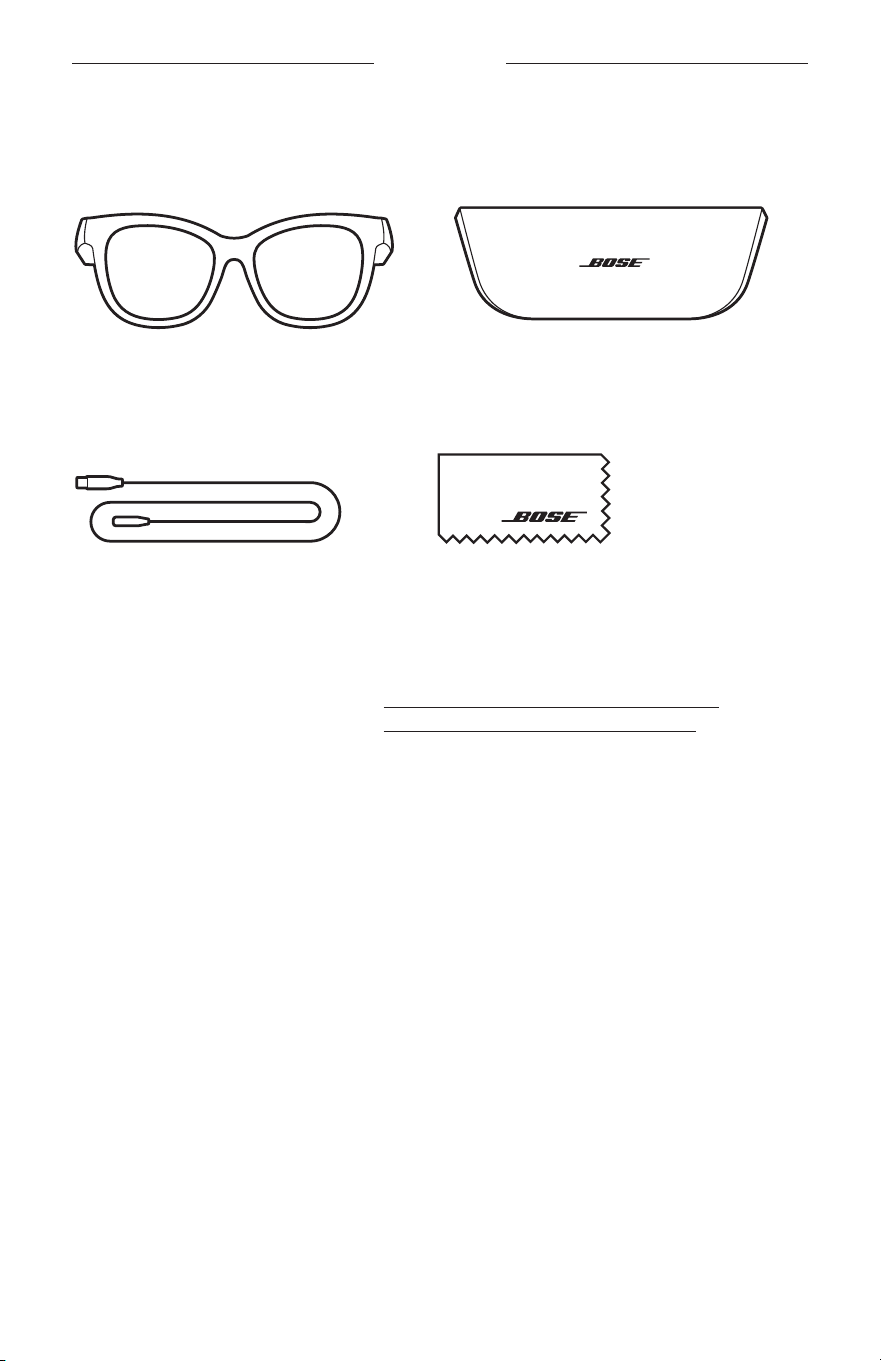
13
|
JPN
内容物の確認
内容物
下図の内容物がすべて同梱されていることを確認してください。
Bose Frames
キャリーケース
充電ケーブル クリーニングクロス
注: 万が一、開梱時に内容物の損傷や欠品などが発見された場合は、使用せず、
ただちにお買い上げになった販売店までご連絡ください。
次のサイトをご参照ください: worldwide.Bose.com/Support/Soprano
worldwide.Bose.com/Support/Tenor
14
|
JPN
BOSE MUSICアプリのセットアップ
Bose Musicアプリを使用すると、スマートフォンやタブレットなどのモバイル機
器からFramesのセットアップや操作を行うことができます。
このアプリを使用して
、電源の設定のカスタマイズ、音声ガイドの言語の選択、
新機能の適用を行うことができます。
注: アプリで別のボーズ製品用のBoseアカウントを既に作成してある場合は
、
「
Framesを既存のアカウントに追加する」をご覧ください。
BOSE MUSICアプリをダウンロードする
1. モバイル機器でBose Musicアプリをダウンロードします。
注: 中国本土にお住まいの方は、Bose
8
アプリをダウンロードしてください。
BOSE MUSIC
2. アプリの手順に従ってください。
FRAMESを既存のアカウントに追加する
1. 「接続準備完了」と聞こえ、ステータスインジケーターが青く点滅するまで、
右フレームのボタンを長押しします。
2. Bose Musicアプリの[製品]画面で、F
ramesを追加します。
注: アプリでFramesを検出できない場合は、「
Bose MusicアプリでFramesを検
出できない」(30ページ)をご覧ください。
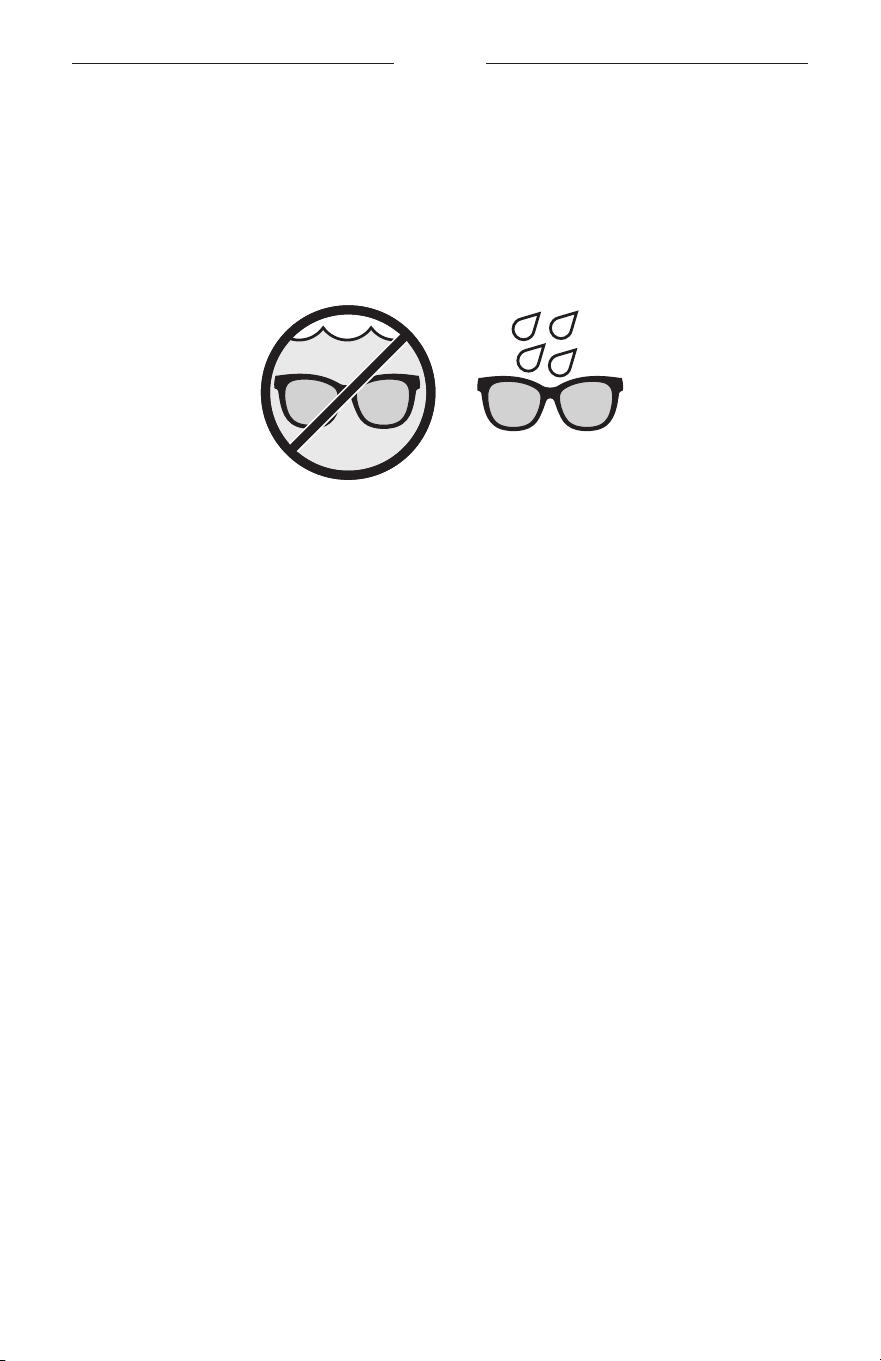
15
|
JPN
防水性能
Framesは IPX2 (生活防水)規格に適合しており、汗や悪天候の影響を受けにくいよ
うに設計されていますが、水に浸かった状態における防水性能はありません。
注意:
• Framesを装着したまま泳いだりシャワーを浴びたりしないでください。
• Framesを水に沈めないでください。
注: IPX2は永続的なものではなく、通常の使用によって防水性能が低下する場合
があります。
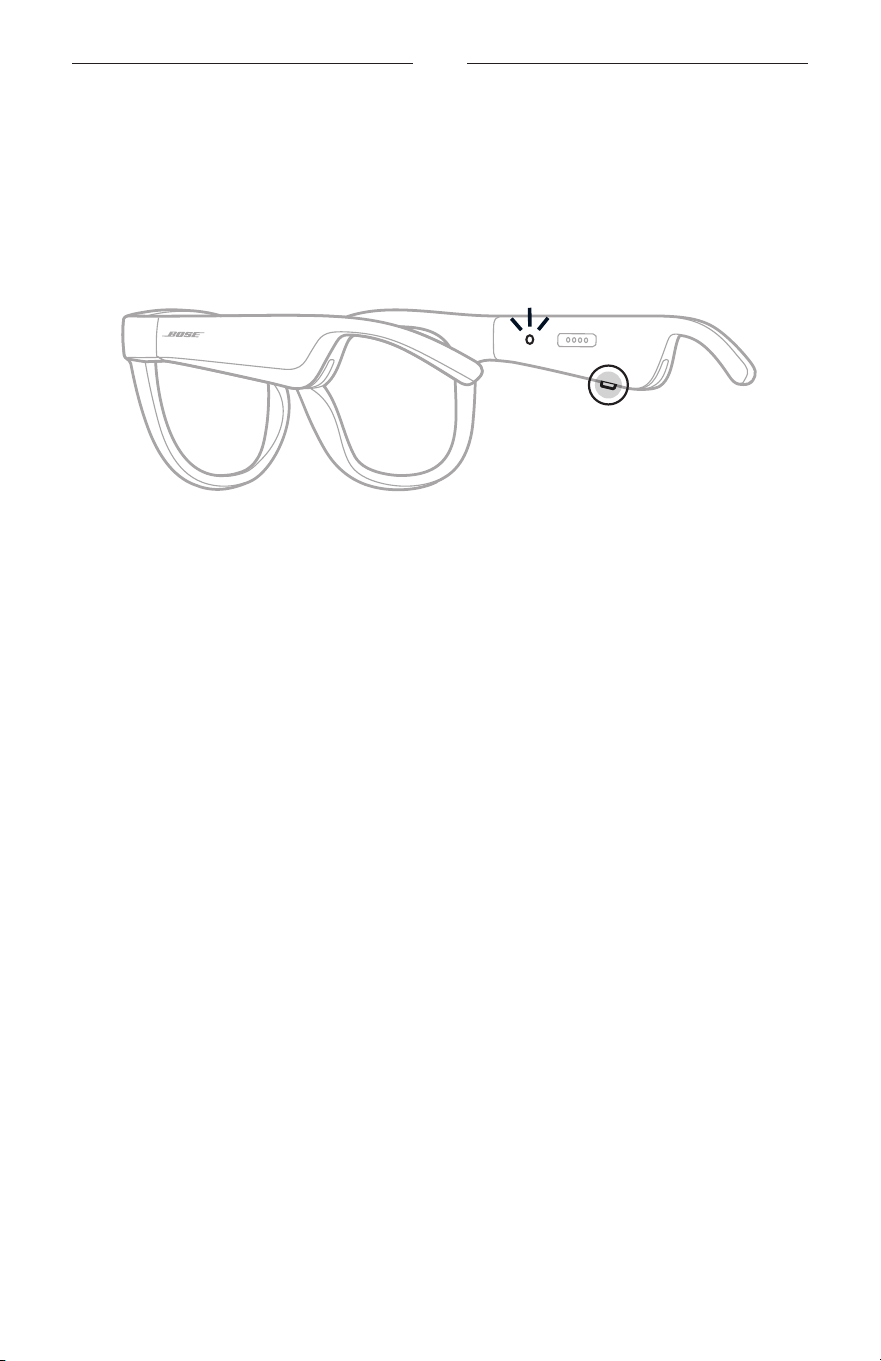
16
|
JPN
電源
電源オン
右フレームの電源ボタンを押します。
ステータスインジケーターが白く2回点滅した後、
Bluetooth
接続の状態に応じて
点灯します(22 ページを参照)。音声ガイドで
、バッテリー残量と
Bluetooth
接
続の状態を通知します。
注: Framesは少し充電された状態で出荷され、初めて使用するときは起動が必要
となる場合があります。Fr
amesを起動するには、Framesを2秒間電源に接続
してから、電源を抜きます(21ページを参照)。その後
、再度電源をオンに
してみてください。
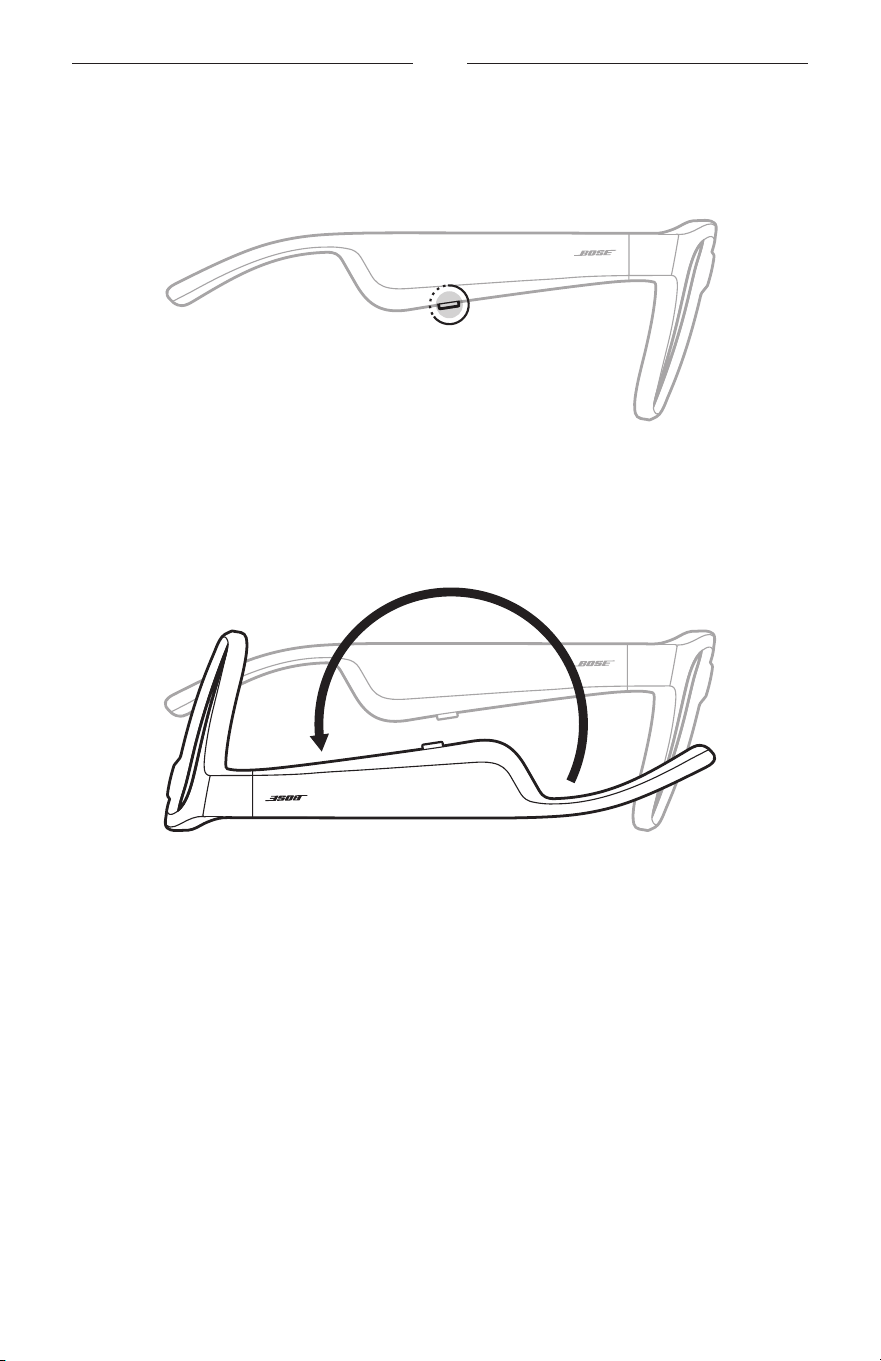
17
|
JPN
電源
電源オフ
ビープ音が聞こえるまで、ボタンを長押しします。
ステータスインジケーターが白く2回点滅してから次第に消灯します。
裏返してオフ
Bose Framesを裏返して2秒間待ちます。
ステータスインジケーターが白く2回点滅してから次第に消灯します。
注:
• Framesの電源がオフになった後は、向きを変えてもかまいません。
• 「裏返してオフ」機能はBose Musicアプリで無効にすることができます
。このオ
プションは設定メニューから設定できます。
動き検出による自動オフ機能
Framesは動き検出を利用して、使用されていない状態を識別しています。Frames
を10分間動かさないと、自動的に電源が切れます。
注: 「動き検出」機能はBose Musicアプリで無効にすることができます
。このオプ
ションは設定メニューから設定できます。
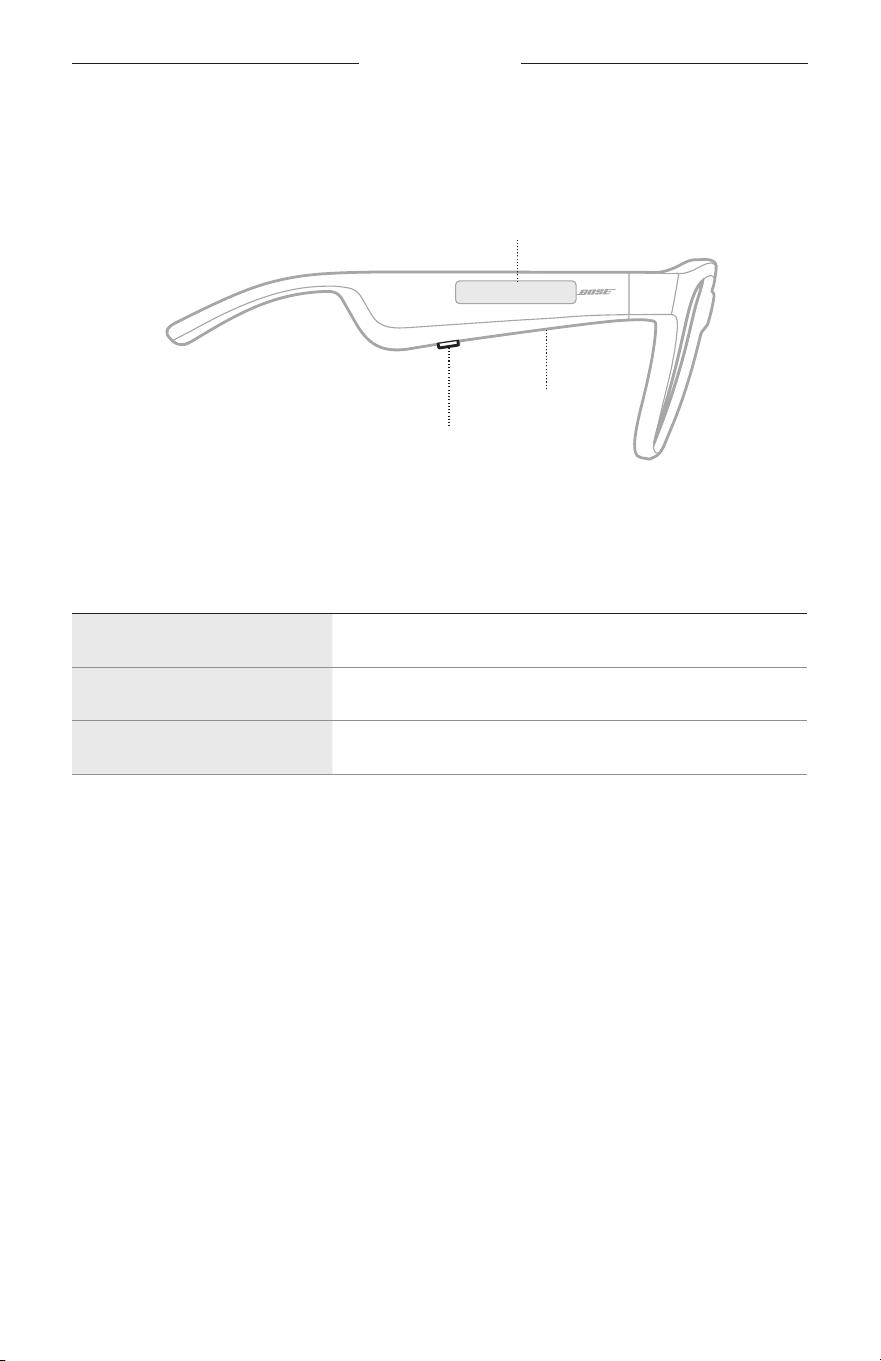
18
|
JPN
FRAMESの操作
右フレームのボタンとタッチセンサーを使って、メディアの再生、音量、通話機能、
音声コントロール機能を操作します。
ボタン
メディアの再生操作
通話機能の操作
マイク
タッチセンサー
音量の調節
音声コントロール機能へのアクセス
メディアの再生
コントロール 操作方法
再生/一時停止 ボタンを押します。
トラック送り ボタンを続けて2回押します。
トラック戻し ボタンを続けて3回押します。
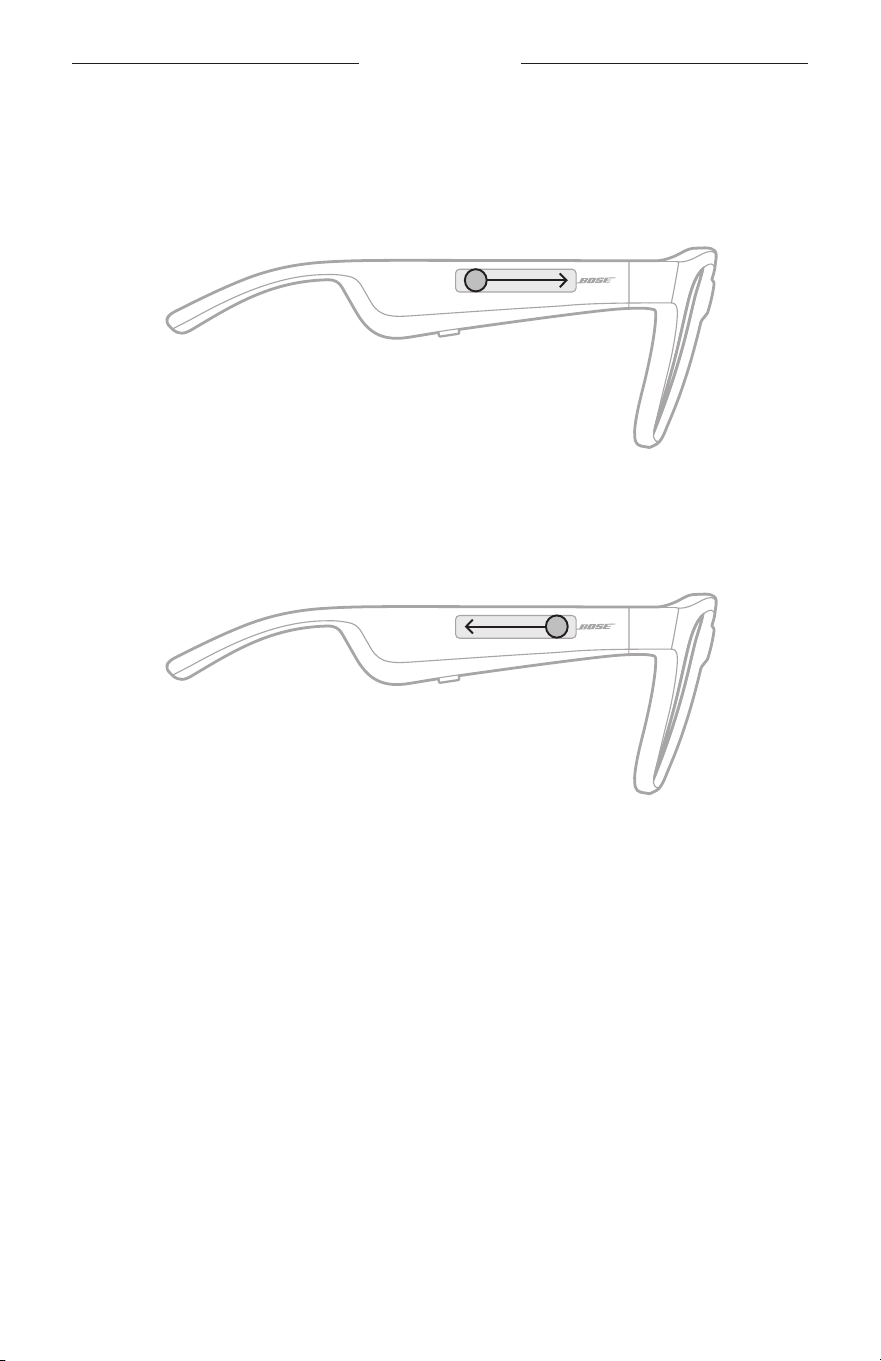
19
|
JPN
FRAMESの操作
音量
音量アップ
タッチセンサーを前にスワイプします。
注: 音量が最大レベルに達すると、ビープ音が聞こえます。
音量ダウン
タッチセンサーを後ろにスワイプします。
注: 音量が最小レベルに達すると、ビープ音が聞こえます。
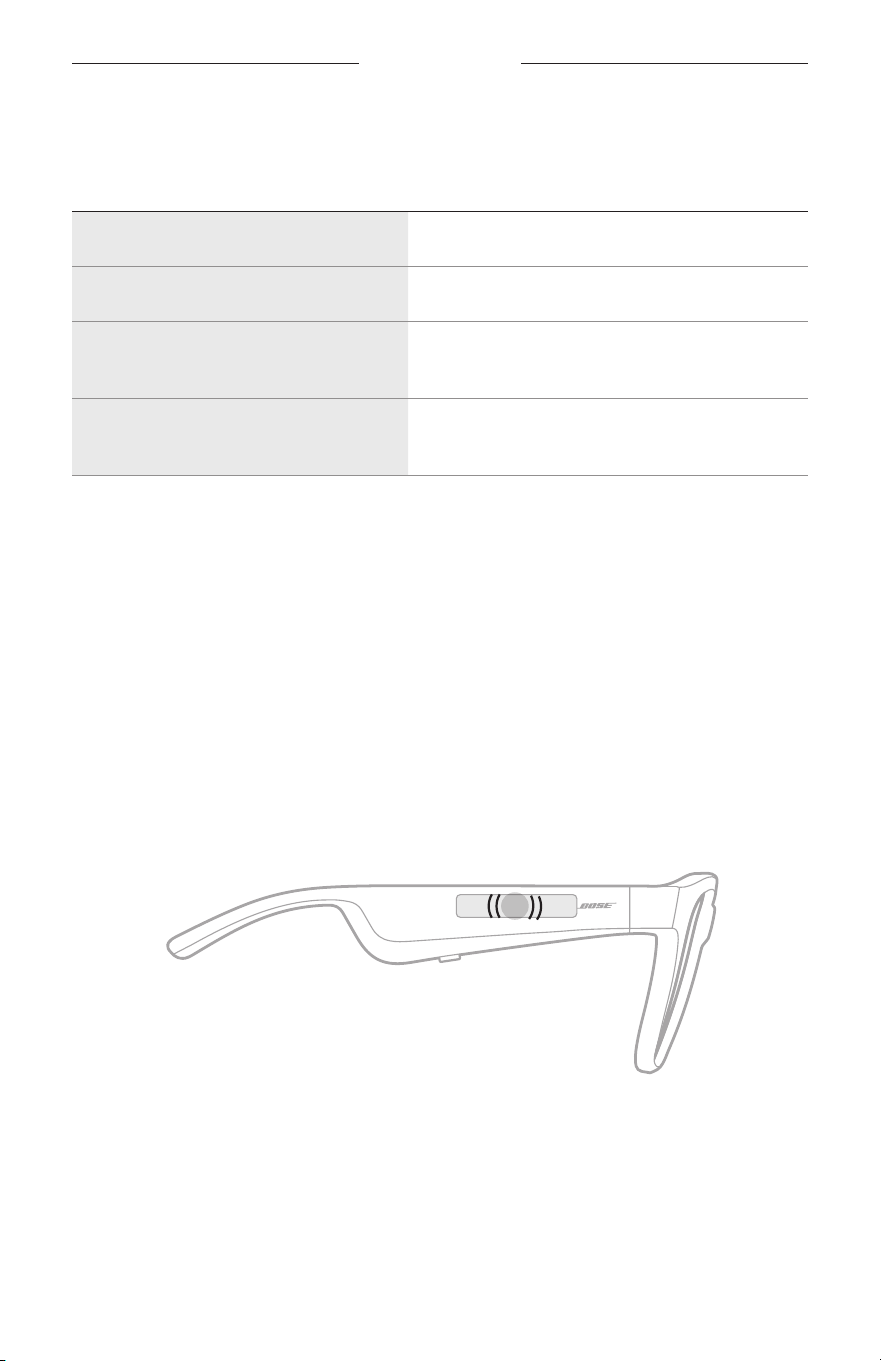
FRAMESの操作
20
|
JPN
通話
コントロール 操作方法
着信に応答する/終話する
ボタンを押します。
着信を拒否する
ボタンを続けて2回押します。
通話中の相手を保留にして割込み着信
に応答する
通話中にボタンを押します。
割込み着信を拒否して、現在の通話を
続ける
通話中にボタンを続けて2回押します。
注: すべての通話コントロール機能を使用するには、Bose Musicアプリで利用可
能なソフトウェアアップデートを実行します。
着信の通知
音声ガイドで、着信の発信元と通話の状態を通知します。
音声コントロール機能へのアクセス
Framesに内蔵されているマイクがモバイル機器の外部マイクとして機能します。
右フレームのタッチセンサーを使って、モバイル機器の音声コントロール機能に
アクセスし、通話したり、Siriや Googleアシスタントで音楽を再生したり、天気を
尋ねたり、スポーツのスコアを調べたりすることなどができます。
機器の音声コントロールを起動するには、タッチセンサーを長押しします。
2x
音声コントロールが起動するとビープ音が聞こえます。
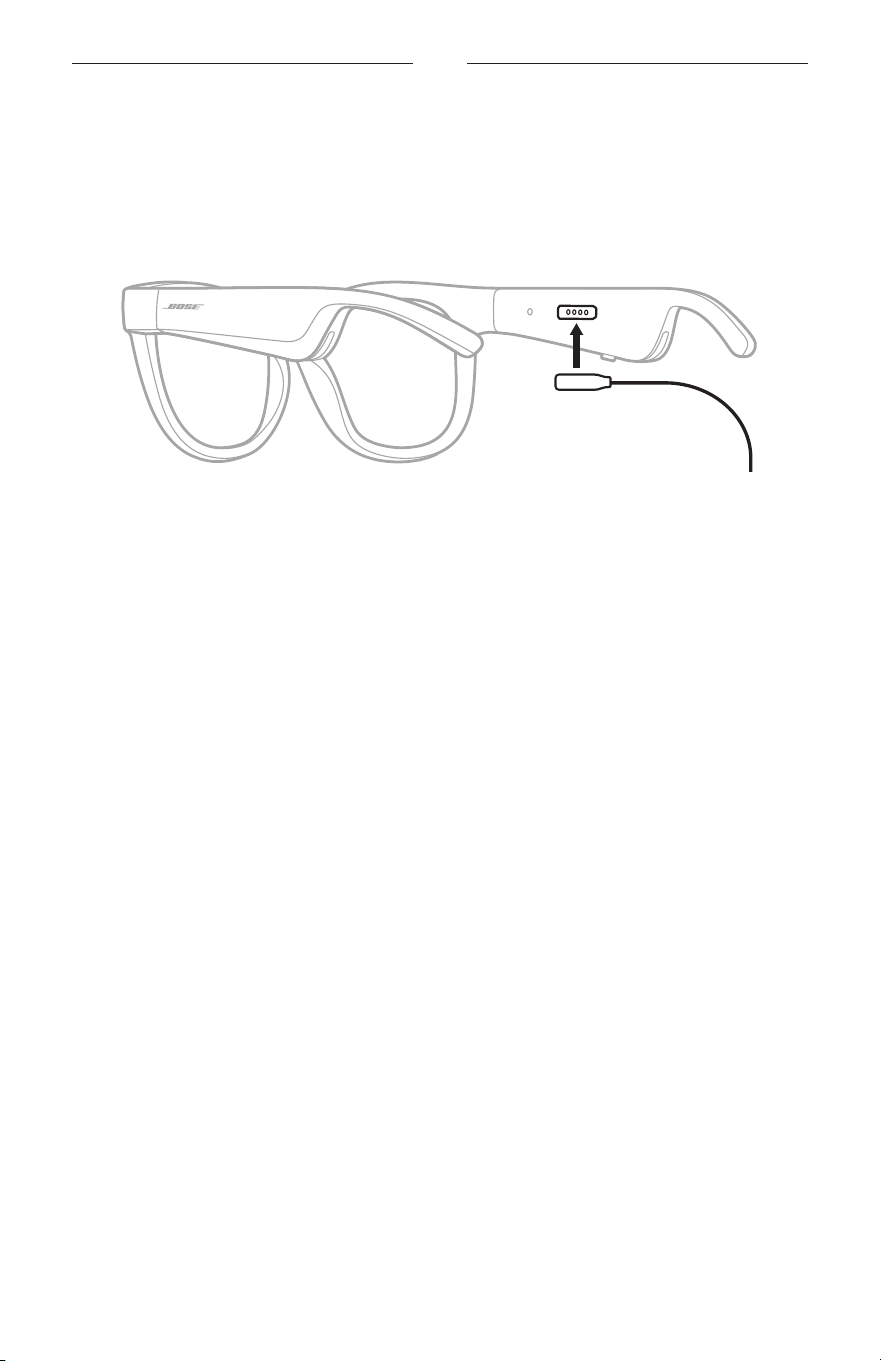
21
|
JPN
電池
FRAMESの充電
1. 充電ケーブルのピンを右フレームの充電端子の位置に合わせます。
注: Framesを正しく充電するには、ピンと充電端子の向きを正しく合わせる必
要があります。
2. 充電端子に合わせてピンを軽く押すと、磁石の力でピンが所定の位置に収まり
ます。
3. もう一方のプラグをUSB-Aウォールチャージャー (別売)に接続します。
注意: この製品には
、法令(UL、C
SA、VDE、CCCなど)に準拠した電源アダプ
ターのみをお使いください。
充電中はステータスインジケーターが白く点滅します。バッテリーの充電が完
了すると、ステータスインジケーターは白く点灯します(23ページを参照)
。
注:
• 充電中はFramesで音楽を聴くことはできません。
• 充電中はFramesを装着しないでください。
FRAMESの充電状態の確認
バッテリーに関する通知を音声で確認する
Framesの電源をオンにするたびに、バッテリー残量を知らせる音声ガイドが流れ
ます。
Framesの使用中にバッテリーの充電が必要になると、音声ガイドが流れます。
バッテリー残量を目で確認する
• Bose Musicアプリのホーム画面を確認します。
• ステータスインジケーターが赤く点滅したら、Fr
amesを充電する必要があります。
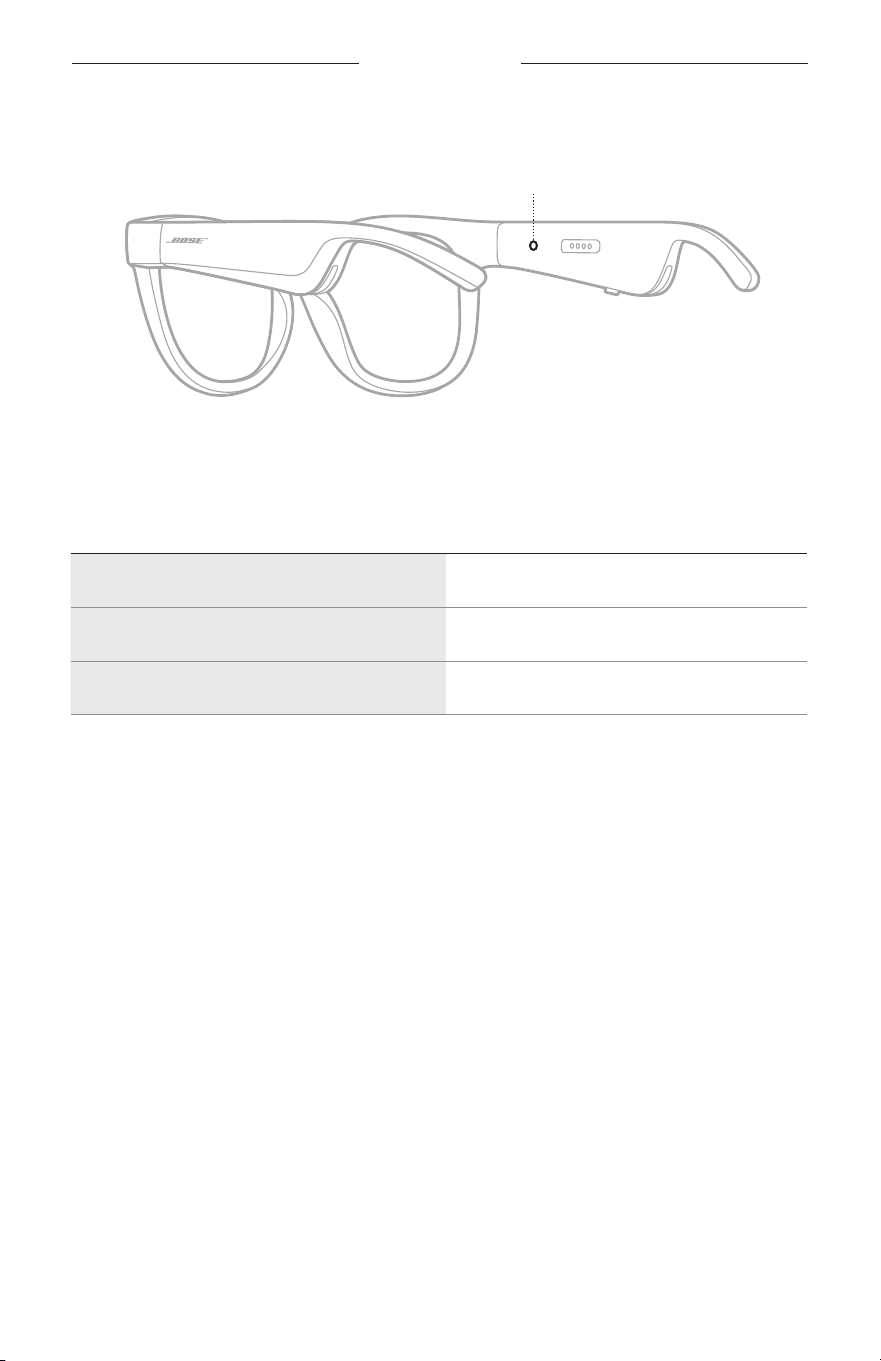
22
|
JPN
FRAMESの状態
Framesのステータスインジケーターは右フレームの内側にあります。
ステータスインジケーター
BLUETOOTH
接続の状態
モバイル機器の
Bluetooth
接続の状態を示します。
インジケーターの表示 システムの状態
青の遅い点滅 接続準備完了
青の速い点滅 接続中
青の点灯(10秒間) 接続済み
FRAMESの状態
23
|
JPN
バッテリーの状態
Framesのバッテリー残量を示します。
インジケーターの表示 システムの状態
赤の点滅(10秒間) 充電が必要
白の点滅 充電中
白の点灯 満充電
エラーの状態
エラーの状態を示します。
インジケーターの表示 システムの状態
赤と白の点滅(繰り返し)
エラー、Boseカスタマーサービスに連絡し
てください
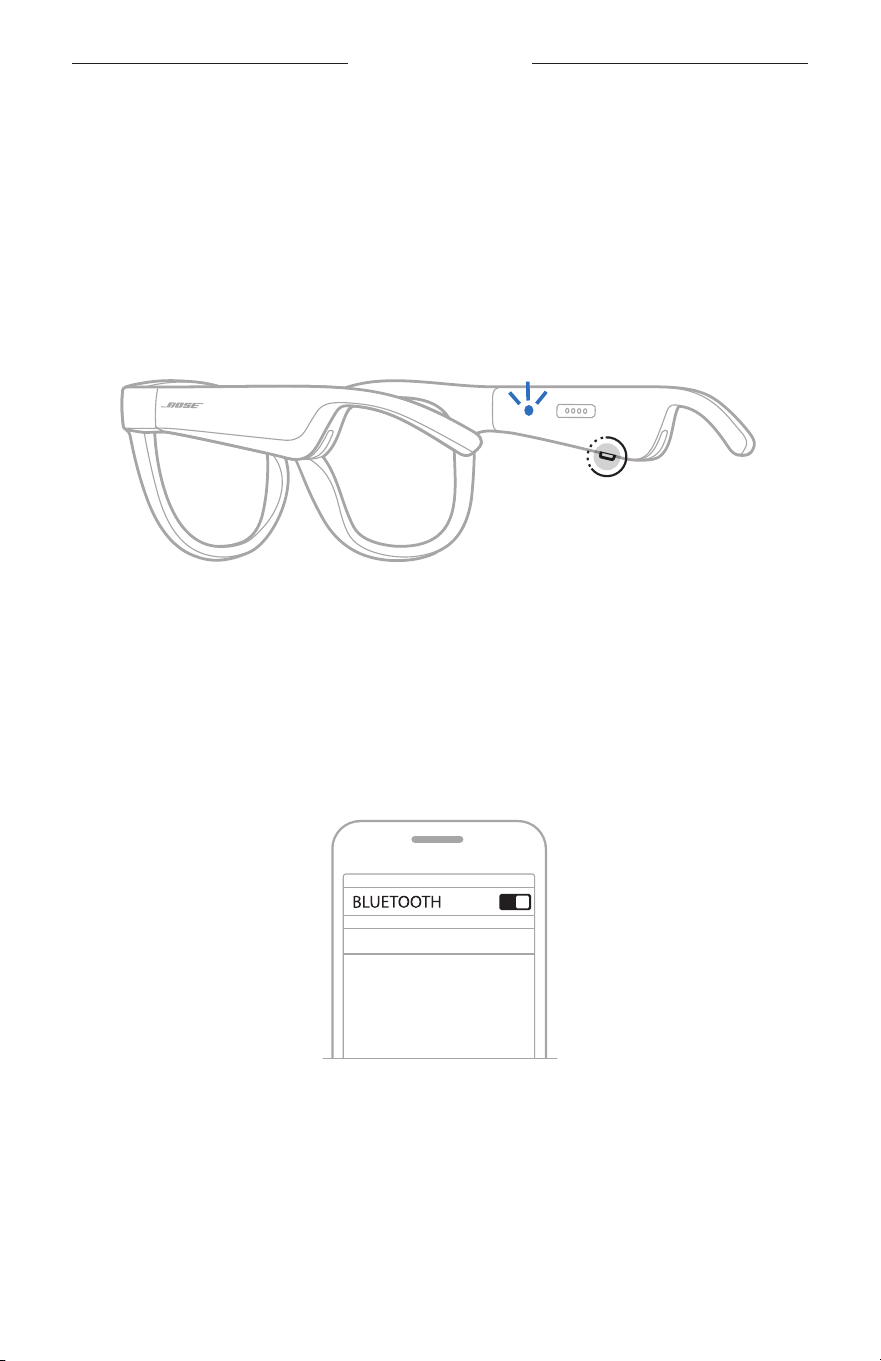
24
|
JPN
BLUETOOTH
接続
モバイル機器の
BLUETOOTH
メニューを使用して接続する
Framesのデバイスリストには、機器を最大8台記憶できます。ただし、一度に接
続して音楽を再生できる機器は1台だけです。
注: 最大限に活用するには、Bose Musicアプリを使用して
、モバイル機器をセッ
トアップし接続します(14ページを参照)。
1. F
ramesの電源がオンになっている状態で、
「接続準備完了」と聞こえ、ステー
タスインジケーターが青く点滅するまで、右フレームのボタンを長押しします。
2. モバイル機器の
Bluetooth
機能をオンにします。
注: 通常、
Bluetooth
機能は設定メニューにあります。
3. デバイスリストからFr
amesを選択します。
注: Bose MusicアプリでFr
amesに付けた名前を探してください。Framesに名
前を付けていない場合は、デフォルトの名前が表示されます。
BOSE FRAMES
接続されたら「<
機器名>
に接続済みです」という音声ガイドが聞こえ、ステー
タスインジケーターが青く点灯してから次第に消灯します。

25
|
JPN
BLUETOOTH
接続
モバイル機器の接続を解除する
モバイル機器の接続を解除するには、Bose Musicアプリを使用します。
ヒント: モバイル機器の
Bluetooth
設定を使用して接続を解除することもできま
す。
Bluetooth
機能を無効にすると、他の機器との接続もすべて解除され
ます。
モバイル機器を再接続する
Framesの電源をオンにすると、最後に接続していたモバイル機器に接続します。
注: モバイル機器が通信範囲内(9 m)にあり、電源が入っている必要があります。
FRAMESのデバイスリストを消去する
1. Framesの電源がオンになっている状態で、「
Bluetooth
デバイスリストを消去し
ました」と聞こえ、ステータスインジケーターが青く点滅するまで、右フレー
ムのボタンを10秒間長押しします。
2. モバイル機器の
Bluetooth
リストからFramesを削除します。
すべての機器が消去され、Framesが新しい機器と接続可能な状態になります。
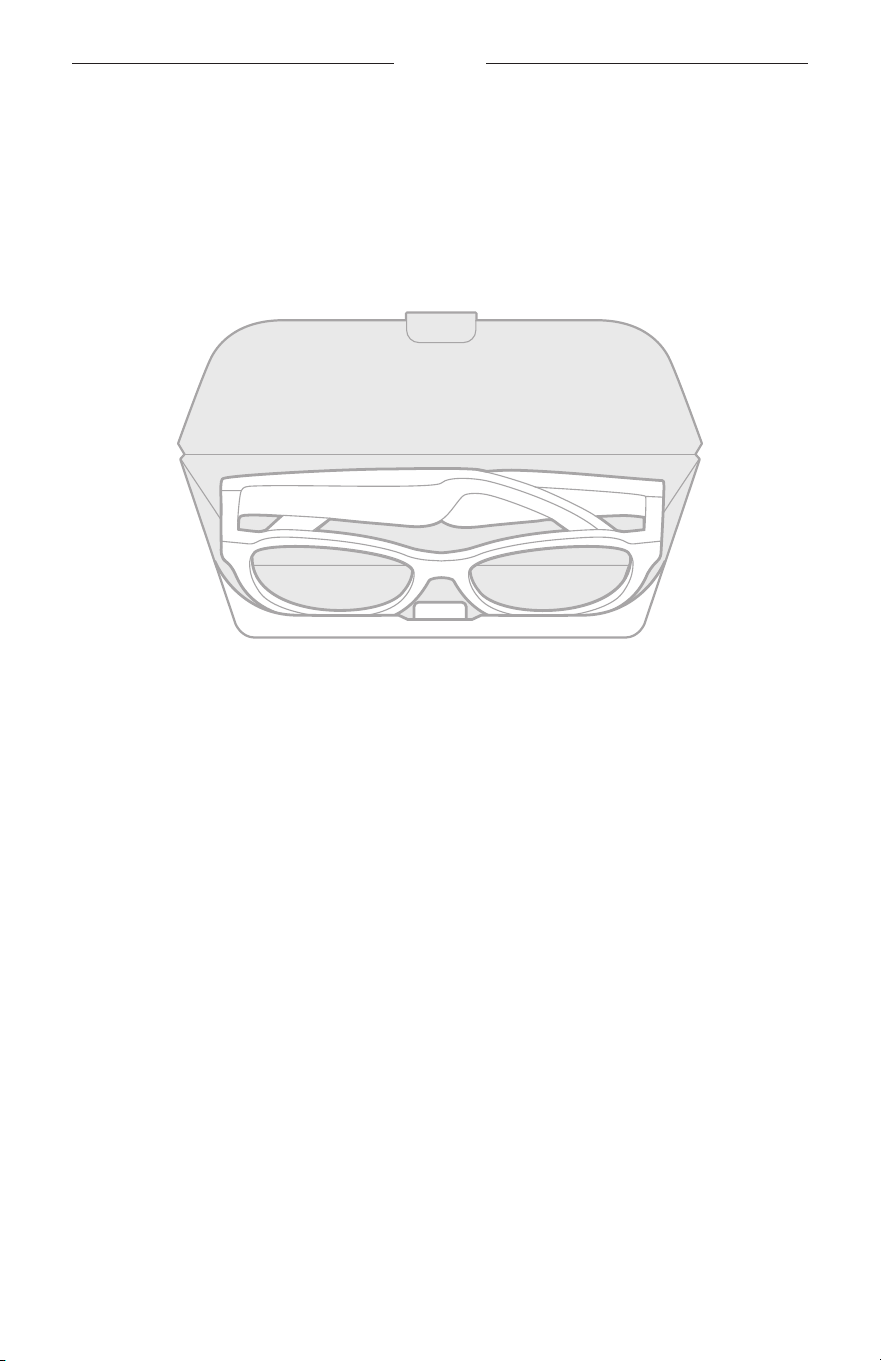
26
|
JPN
補足事項
FRAMESを収納する
収納、持ち運びに便利なようにFramesを折りたたむことができます。
1. 左右のフレームが重なるように、フレームをレンズの方に内側に折りたたみます。
2. レンズをケースの前面に向けて、Framesをケースに収納します。
注:
• Framesを使用しないときは、電源をオフにしてください。
• Framesを数か月以上使用しない場合は、バッテリーを完全に充電してから保管
してください。

27
|
JPN
補足事項
FRAMESのお手入れ
使用後は毎回、両側のレンズとフレームのすべての部分を付属のクリーニングク
ロスまたは乾いた布で拭いてください。
注意:
• Framesの近くでスプレーを使用しないでください。
• 溶剤、化学薬品、またはアルコール、アンモニア、研磨剤などを含むクリーニ
ング液は使用しないでください。
• 開口部に液体が入らないようにしてください。
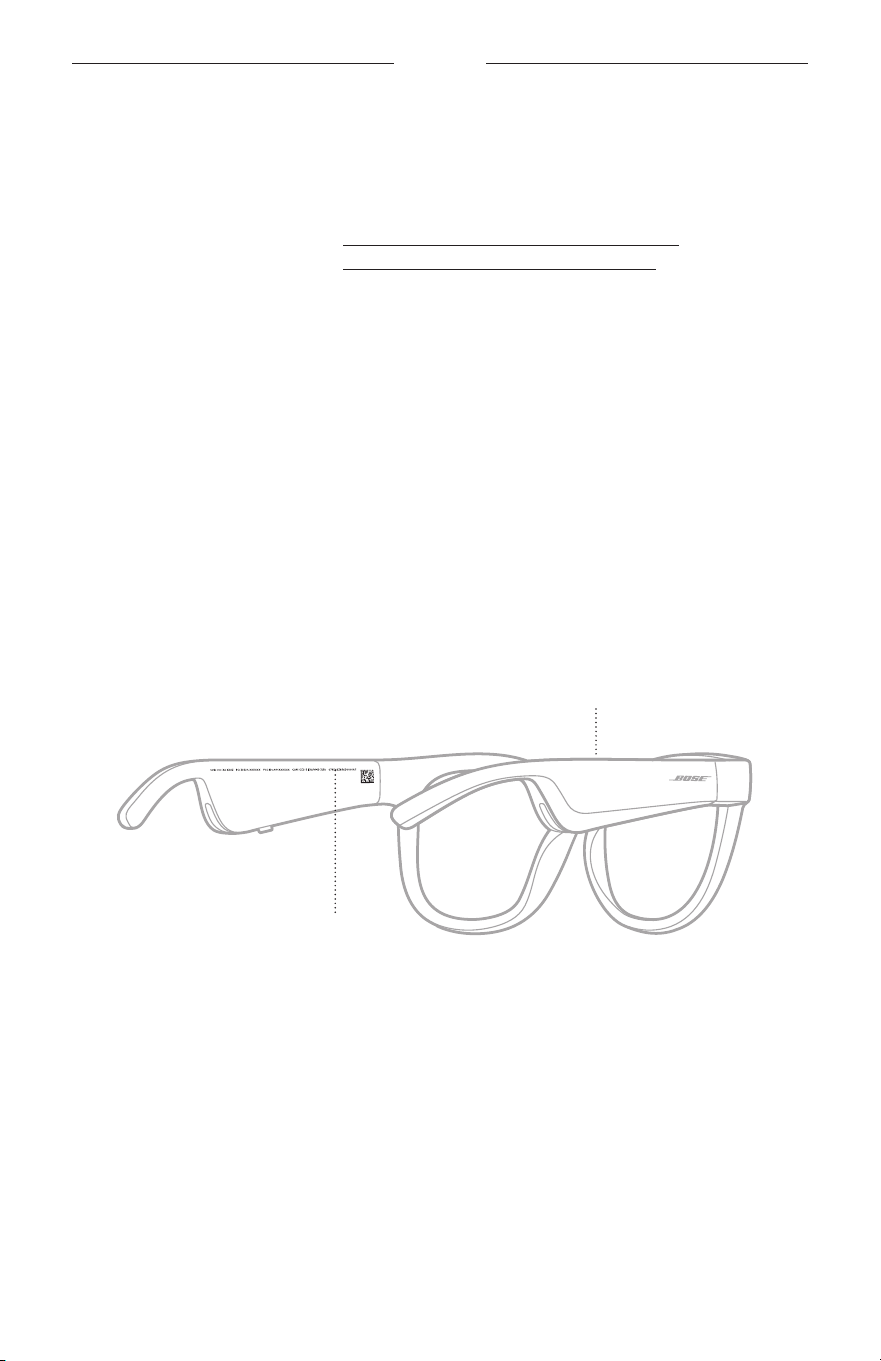
28
|
JPN
補足事項
交換部品とアクセサリー
交換部品とアクセサリーは、ボーズ製品取扱店、弊社Web サイト、またはお電話
によるご注文でご購入いただけます。
次のサイトをご参照ください: worldwide.Bose.com/Support/Soprano
worldwide.Bose.com/Support/Tenor
注: レンズの交換方法については、レンズアクセサリーに付属の説明書をご覧く
ださい。
保証
製品保証の詳細は弊社Web サイトをご覧ください。
製品の登録をお願いいたします。登録は弊社Web サイトから簡単に行えます
。
製品を登録されない場合でも、保証の内容に変更はありません。
シリアル番号とモデル/リファレンス番号の位置
シリアル番号は左フレームの内側にあり、モデル/リファレンス番号は右フレーム
の内側にあります。
シリアル番号
モデル/リファレンス番号

29
|
JPN
トラブルシューティング
最初にお試しいただくこと
Framesに問題が生じた場合は、下記の点をご確認ください。
• Framesの電源をオンにします(16ページを参照)。
• F
ramesを2秒間電源に接続してから、電源を抜きます(21ページを参照)。
• バッテリーを充電します(
21ページを参照)。
• ステータスインジケーターの状態を確認します(
22ページを参照)。
• お使いのモバイル機器が
Bluetooth
接続に対応していることを確認します。
• Bose Musicアプリをダウンロードして、入手可能なソフトウェアのアップデー
トを実行します。
• F
rames、モバイル機器、音楽再生/ストリーミングアプリの音量を上げます。
• 別のモバイル機器を接続します(24ページを参照)
。
その他の対処方法
問題が解決しない場合は、次の表を参照して一般的な問題の症状と対処方法をご
確認ください。それでも問題が解決できない場合は、Boseカスタマーサービスま
でお問い合わせください。
次のサイトをご参照ください: worldwide.Bose.com/Contact
問題 操作方法
Framesとモバイル機器
を接続できない
お使いのモバイル機器での操作:
•
Bluetooth
機能をオフにしてから、もう一度オンにします。
• モバイル機器の
Bluetooth
リストからFramesを削除します。
もう一度接続してみます(24 ページを参照)。
モバイル機器をF
r
amesに近づけ、他の干渉源や障害物から離
します。
別のモバイル機器と接続して試してみてください(24 ページ
を参照)
。
解説ビデオは次のサイトをご参照ください:
worldwide.Bose.com/Support/Tenorまたは
worldwide.Bose.com/Support/Soprano
Framesのデバイスリストを消去します(25ページを参照)
。
もう一度接続し直します。
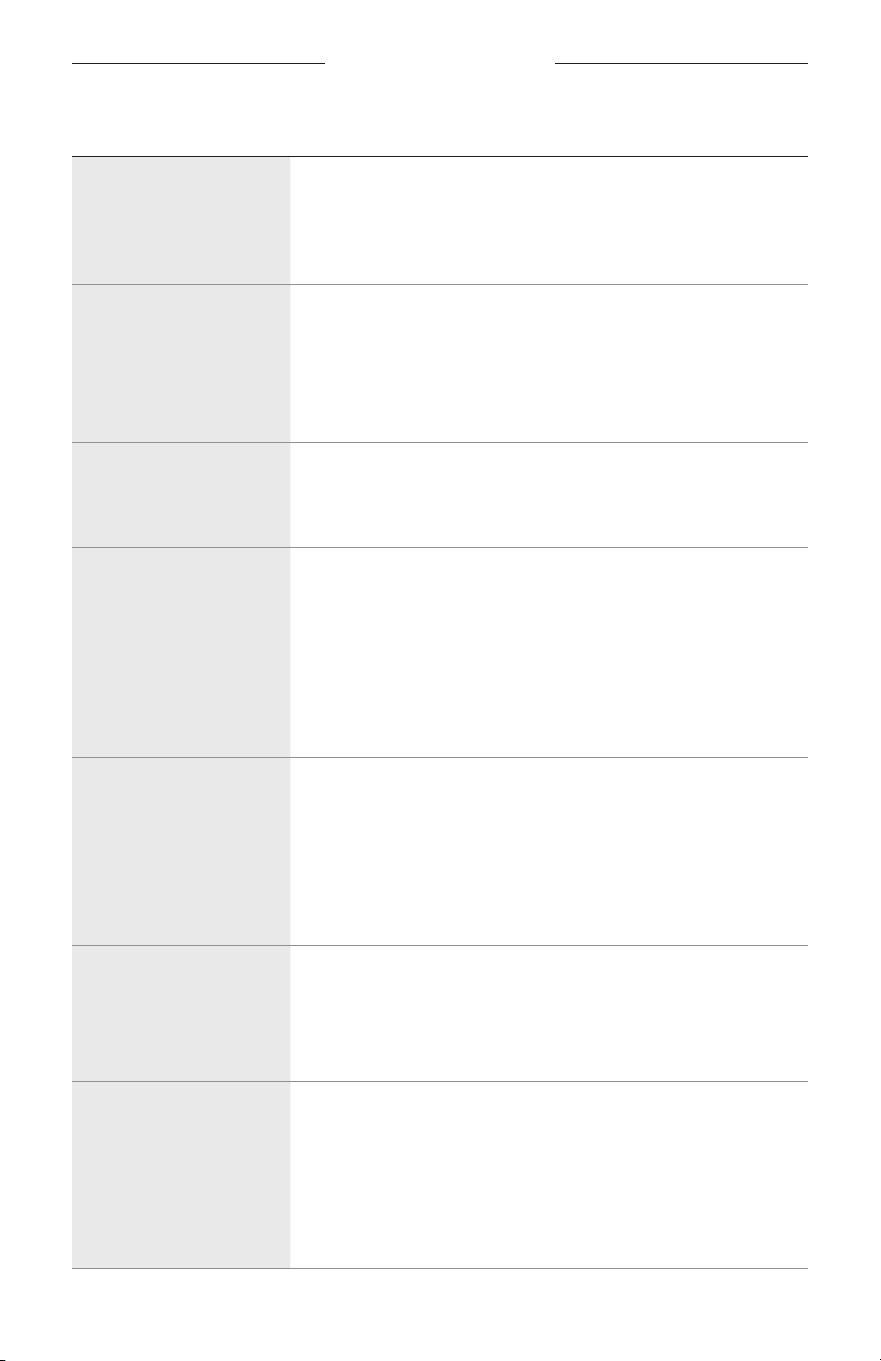
30
|
JPN
トラブルシューティング
問題 操作方法
機器でBose Musicアプリ
が動作しない
Bose Musicアプリがお使いの機器と互換性があることを確認し
てください。
モバイル機器でBose Musicアプ
リをアンインストールしてか
ら、アプリを再インストールします(14ページを参照)。
Bose Musicアプリで
Framesを検出できない
Framesの電源をオンにします(16ページを参照)
。
「接続準備
完了」と聞こえ、ステータスインジケーターが青く
点滅するまで、右フレームのボタンを長押しします。
Bose Musicアプリで、入手可能なソフトウェアのアップデート
を実行します。
Bluetooth
接続が途切れる
Framesのデバイスリストを消去します(25ページを参照)。
もう一度接続してみます(
24ページを参照)。
モバイル機器をF
r
amesに近づけます。
音が出ない
モバイル機器の再生ボタンを押して、音楽が再生されている
ことを確認します。
モバイル機器をFr
amesに近づけ、他の干渉源や障害物から離
します。
別の楽曲や音楽再生アプリを使用します。
別のモバイル機器と接続して試してみてください(24 ページ
を参照)
。
音質が悪い
別の楽曲や音楽再生アプリを使用します。
別のモバイル機器と接続して試してみてください。
モバイル機器をF
r
amesに近づけ、他の干渉源や障害物から離
します。
モバイル機器や音楽再生/ストリーミングアプリのオーディオ
拡張機能をオフにします。
マイクが音を正常に拾わ
ない
右フレームにあるマイクの開口部が塞がれてないことを確認
します。
もう一度電話をおかけ直しください。
対応している別の機器で試してみてください。
Framesを充電できない
充電ケーブルのピンの向きがF
r
amesの充電端子に合っていて、
磁石で所定の位置に収まっていることを確認します。
充電ケーブルの両端をしっかりと接続し直します。
Framesが非常に高温または低温の場所に置かれていた場合は
、
室温に戻してからもう一度充電してください。
別のUSBウォールチャージャーを試してみてください。
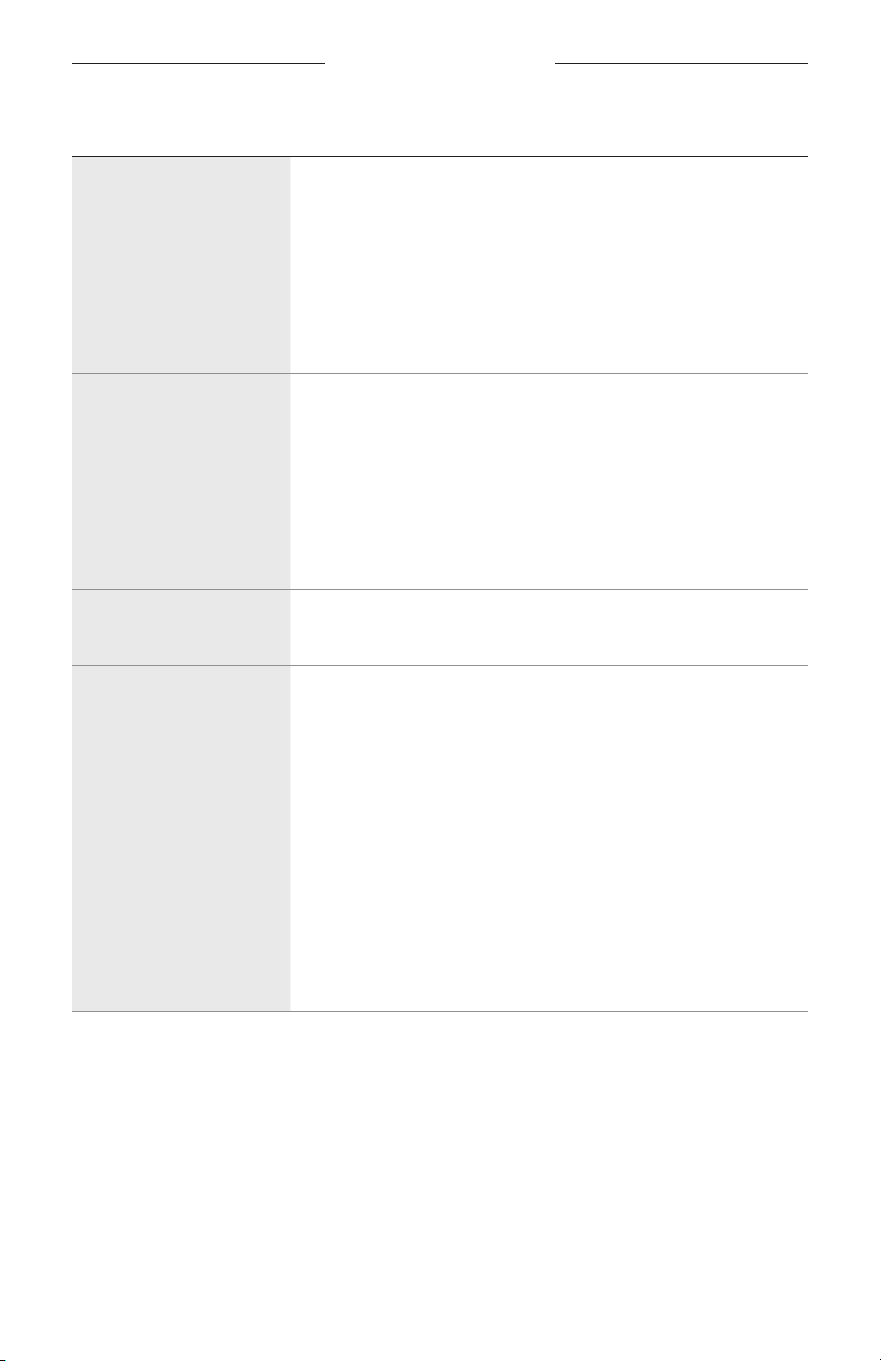
トラブルシューティング
31
|
JPN
問題 操作方法
Framesのタッチコント
ロールが反応しない
タッチセンサー部分を正しくタップしていることを確認しま
す(18ページを参照)。
手が濡れていないことを確認します。
髪が濡れている場合は
、髪がタッチセンサーに触れないよう
にしてください。
手袋を着用している場合は、手袋を外してからタッチセンサー
をタップしてください。
音量を調節できない
タッチセンサー部分を正しくスワイプしていることを確認し
ます(18ページを参照)
。
手が濡れていないことを確認します。
髪が濡れている場合は
、髪がタッチセンサーに触れないよう
にしてください。
手袋を着用している場合は、手袋を外してからタッチセンサー
をタップしてください。
通話コントロール機能を
使用できない
Bose Musicアプリで、入手可能なソフトウェアのアップデート
を実行します。
モバイル機器がボタン操
作に反応しない
Bose Musicアプリで、入手可能なソフトウェアのアップデート
を実行します。
2回以上続けて押す操作の場合は
、押す速度を変えてみてくだ
さい。
音楽アプリが機能に対応していることを確認してください。
F
ramesの電源をオフにしてから、もう一度オンにします。
お使いのモバイル機器での操作:
•
Bluetooth
機能をオフにしてから、もう一度オンにします。
• モバイル機器の
Bluetooth
リストからFramesを削除します。
もう一度接続してみます(24 ページを参照)。
対応している別の機器で試してみてください。
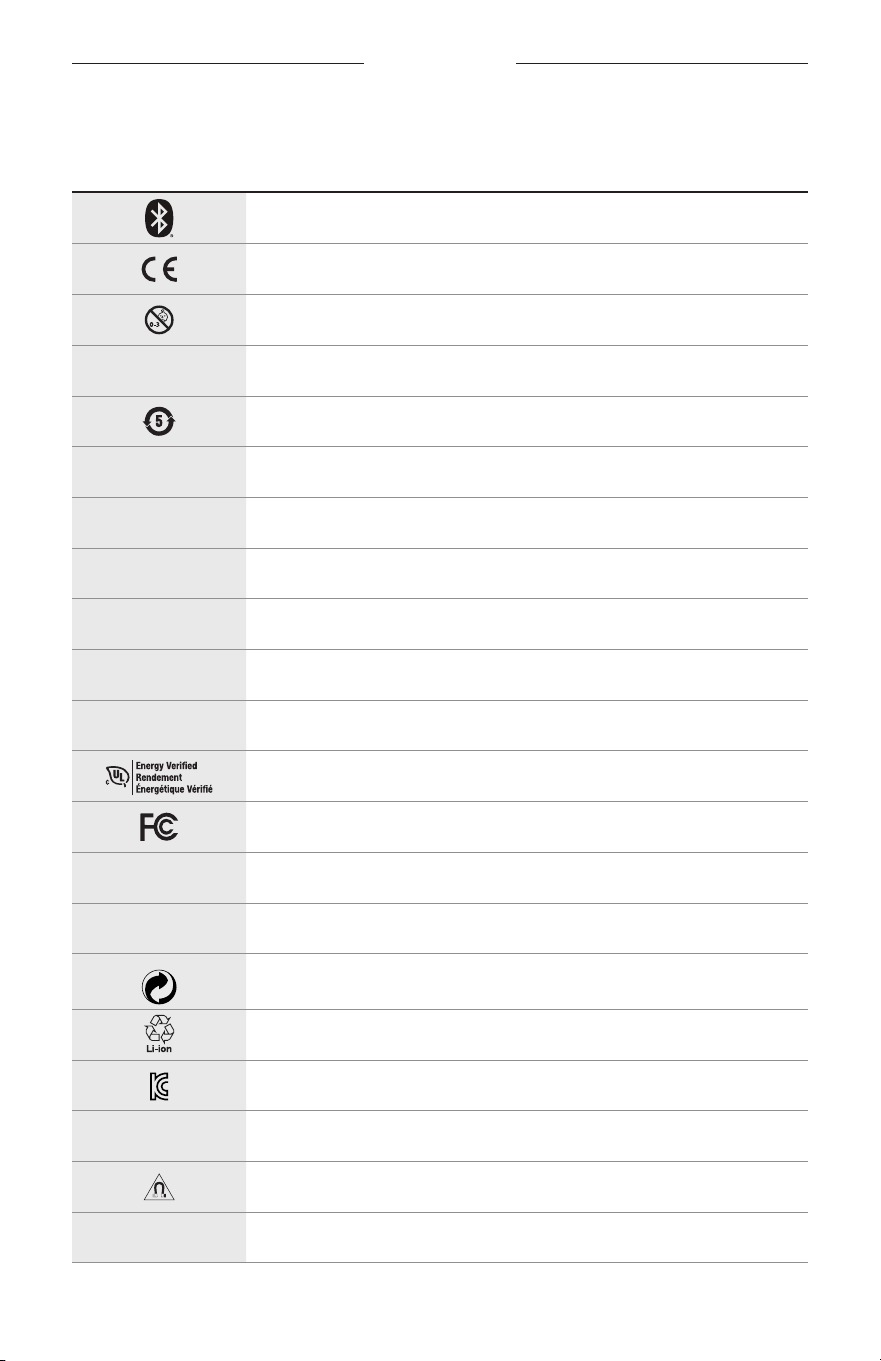
32
|
JPN
ラベルのマーク
マークと説明
マーク 説明
Bluetooth
CEマーク
窒息の危険
h
カタログ番号
中国のROHSバッテリー
w
お問い合わせ先
N
製造日
X
文書
L
パッケージが破損している場合は使用しないでください
C
ラテックスを含みません
s
ダウンロード
エネルギー効率認証
FCC認証
o
フォーラム
h
遮光性優良
グリューネ・プンクト記号
電池のリサイクルマーク(日本)
KCC 認証
p
乾燥させておいてください
磁気妨害
M
メーカー
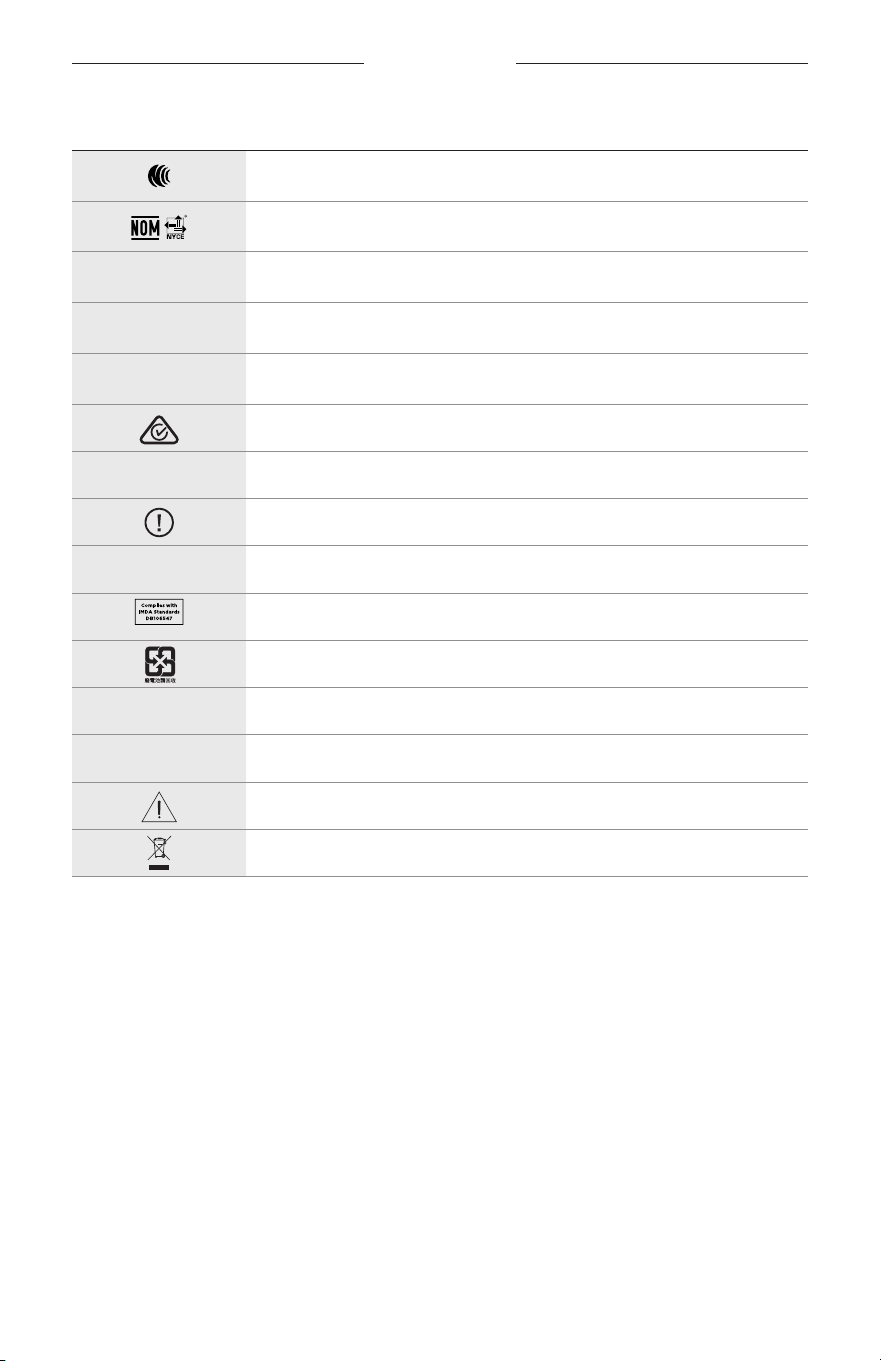
ラベルのマーク
33
|
JPN
マーク 説明
NCC 認証
NOM NYCE認証
d
非滅菌
I
夕暮れや夜間の運転には適していません
m
電話
規制適合マーク
A
使用方法を参照してください
セキュリティ情報
f
シリアル番号
IMDA準拠 (シンガポール)
電池のリサイクルマーク(台湾)
l
使用温度制限
W
ビデオ
警告/注意
WEEE指令記号
ةمسلل ةمهم تاميلعت
ARA
|
2
مادختسا تاميلعت
وأ ةنولم وأ ةسكاع وأ ةصام تاسدعب دوزم كسام وأ راطإ نم ةنوكم ةادأ يه )ةيبط ةفصو نود ةلمعتسملا( ةيسمشلا ةراظنلا
.ةيراسكنا ءاطخا حيحصتل سيلو ،عطاسلا سمشلا ءوض نم نينيعلا ةيامح ضرغب لمعتس
ُ
تو ،ءوضلل ةسا
ّ
سح وأ ةبطقتسم
.ةيبط ةفصو نود عيبلل حاتم زاهجلا اذه
.مادختسا تاميلعت ىلإ عوجرلا ىجر
ُ
ي
A
.اهب ظافتحاو مادختساو ،ناماو ،ةمسلا تاميلعت عيمج ةءارق ىجر
ُ
ي
ةمسلل ةمهم تاميلعت
يبوروا داحتا هيجوتل ةيساسا تابلطتملل
ٍ
فوتسم جتنملا اذه
ّ
نأب Bose ةكرش
ّ
رقت ،ةقيثولا هذه بجومب
.اهب لومعملا يبوروا داحتا تاهيجوت تابلطتم عيمجو ةلصلا تاذ ىرخا طورشلاو 2014/53/EU مقر
www.Bose.com/compliance :ىلع يميظنتلا قفاوتلا نايب ىلع ع
ّ
لطا نكمي
1 ..تاميلعتلا أرقا
2 ..اهب ظفتحاو
3 ..تاريذحتلا عيمج ىلإ هبتنا
4 ..تاميلعتلا عيمجب مزتلا
5 ..ءاملا نم برقلاب زاهجلا اذه مدختست
6 ..ةفاج شامق ةعطقب إ زاهجلا فظنت
7 ..ةع
ِ
ّ
نص
ُ
ملا ةكرشلا نم ةد
ّ
دحملا تاقفرملا/تاقحلملا ىوس زاهجلا اذه عم مدختست
8 ..ةليوط تارتفل همادختسا مدع ةلاح يف وأ ةيدعر فصاوع بوبه ةلاح يف ةقاطلا ردصم نم زاهجلا لصفا
9 . ،لاكشا نم لكش
ّ
يأب زاهجلا فلت دنع ةنايصلا ءارجإ بجي .نيلهؤم ةنايص دارفأ ةطساوب إ زاهجلل ةنايص ءارجإ مدع بجي
هلمع مدع وأ ةبوطر وأ رطمل هض
ّ
رعت وأ هيلع ءيش طوقس وأ زاهجلا ىلع لئاس باكسنا وأ سباقلا وأ يئابرهكلا لبكلا فلت لثم
.هطوقس وأ ةيعيبط ةروصب
تاهيبنت/تاريذحت
•.ةليوط ة
ّ
دمل عفترم توص ىوتسمب ةراظنلا مدختست
.عمسلل حيرمو لدتعم ىوتسم ىلع كتراظن تاراطإ يف توصلا ىوتسم طبضا ،عمسلاب رارضا بنجتل
لصت نأ ىلإ ا
ً
يجيردت توصلا ىوتسم عفرا
ّ
مث ،كينذأ نم برقلاب اهعضو وأ اهئادترا لبق ةراظنلا يف توصلا ىوتسم ضفخا
.حيرم عامتسا ىوتسم ىلإ
•.لومحملا فتاهلا مادختسا نأشب اهب لومعملا نيناوقلاب مزتلاو ،ةراظنلل كئادترا ءانثأ ةدايقلا دنع ا
ً
رذح نك
• وأ ةجارد بوكر ءانثأ اهمادختسا لثم كهابتنا بلطتي طاشن
ّ
يأب مايقلا ءانثأ ةراظنلا مدختست تنك اذإ نيرخا ةملسو كتملسل هبتنا
د
ّ
كأتت ثيحب توصلا طبضا وأ ةراظنلا علخا .كلذ ىلإ امو ةيديدح ةكس وأ ءانب عقوم وأ تارايسلاب محدزم ناكم نم برقلاب ريسلا
.ريذحتلا تاراشإو تاهيبنتلا كلذ يف امب ةطيحملا تاوصا كعامس نم
• ءلمع ةمدخب لصتاو اهليغشت فقوأف ،كلذ ثودح ةلاح يفو .يداع ريغ
ٍ
لاع جيجض
ّ
يأ ردصت تناك اذإ ةراظنلا مدختست
.Bose ةكرش
• ىلع قلحزتلا وأ ةحابسلا لثم ةيئام ةضاير يف ةكراشملا ءانثأ اهيدترت و ةليوط ةرتفل ءاملل اهض
ّ
رعت وأ ءاملا يف ةراظنلا رمغت
.كلذ ريغ وأ جاوما بوكر وأ ءاملا
•.توص دوجو مدع ةلاح يف وأ ةرارحب ترعش اذإ روفلا ىلع ةراظنلا علخا

ةمسلل ةمهم تاميلعت
ARA
|
3
.تاونس 3 نم لقأ لافطل بسانم ريغ وهف اذل .قانتخا ثودح يف ب
ّ
بستت دق ةريغص ءازجأ ىلع يوتحي جتنملا اذه
.كيدل ةعورزم ةيبط ةزهجأ يأ ىلع
ٌ
ريثأت سأرلا تاعامسل ناك اذإ كبيبط رشتسا ؛ةيسيطانغم ةدام ىلع جتنملا اذه يوتحي
•.ةبوطرلا وأ لئاوسلا وأ رطملل جتنملا اذه ضيرعت مدع بجي ،ةيئابرهكلا ةمدصلا وأ قيرحلا رطاخم ليلقتل
• وأ جتنملا قوف )روهزلا يناوأ لثم( لئاوسلاب ةئلتمم ةيعوأ عضت و ةرثانتم وأ ةطقاستم لئاوس تارطقل جتنملا اذه ض
ّ
رعت
.هنم برقلاب
•.هنم برقلاب وأ جتنملا قوف )ةلعتشملا عومشلا لثم( فوشكم بهل رداصم
ّ
يأ عضت .ةرارحلاو بهللا رداصم نع ا
ً
ديعب جتنملا
ِ
قبأ
•.جتنملا اذه ىلع اهب ح
رصم ريغ تليدعت
ّ
يأ
ِ
رج
ُ
ت
•.)CCC وأ ،VDE وأ ،CSA وأ ،UL لثم( ةيلحملا ةيميظنتلا تابلطتملل
ٍ
فوتسم دمتعم ةقاط ردصم عم طقف جتنملا اذه مدختسا
•.)هباش ام وأ رانلل اهضيرعت وأ ،ةرشابملا سمشلا ةعشأ تحت اهنيزخت لثم( ةدئاز ةرارحل تايراطب ىلع يوتحت يتلا تاجتنملا ض
ّ
رعت
•.اهنحش ءانثأ ةراظنلا
ِ
دترت
• ةعطق وأ جتنملا عم ةقفرملا شامقلا ةعطق مادختساب راطا ءازجأ عيمجو نيتيحانلا نم تاسدعلا حسما ،ةراظنلل مادختسا لك دعب
.ةفاج شامق
ةينوناقلاو ةيميظنتلا تامولعملا
ARA
|
4
لاةظحم تاصتا ةئيه دعاوق نم 15 ءزجلل ا
ً
قفو ؛ب ةئفلا نم ةيمقرلا ةزهجا دودح عم هقفاوت تبثو زاهجلا اذه رابتخا مت
دلوي .ةينكس ةقطنم يف زاهجلا بيكرت دنع راضلا لخادتلا نم ةبسانملا ةيامحلا ريفوتل دودحلا هذه تعضو دقو .)FCC( ةيلارديفلا
يف ب
ّ
بستي نأ نكميف ،تاميلعتلل ا
ً
قفو همادختساو هبيكرت متي مل اذإو ،اه
ّ
عشي نأ نكميو اهمدختسيو ةيكلس ددرت ةقاط زاهجلا اذه
زاهجلا اذه ب
ّ
بست اذإ .بيكرتلا ببسب لخادت ثودح مدعل نامض دجوي لف ،كلذ عمو .ةيكلسللا تاصتا يف راض لخادت ثودح
ىصو
ُ
يف ،)هليغشت ةداعإو زاهجلا ءافطإ قيرط نع كلذ نم ققحتلا نكمي( ينويزفلتلا وأ يكلسللا لابقتسلل راض لخادت ثودح يف
:ةيلاتلا تاءارجا نم رثكأ وأ ءارجإ مادختساب لخادتلا حيحصتب مدختسملا
•.هعضوم وأ لابقتسا يئاوه هاجتا رييغت
•.لابقتسا زاهجو زاهجلا نيب ةفاسملا ةدايز
•.اهب لابقتسا زاهج ليصوت مت يتلا ةرئادلا نع ةفلتخم ةرئاد يف يئابرهك ذخأمب زاهجلا ليصوت
•.ةدعاسملا ىلع لوصحلل زافلتلا وأ ويدارلا ةزهجأب ريبخ ي
ّ
نف وأ دمتعملا عزوملا ةراشتسا
.زاهجلا اذه ليغشتل مدختسملا صيخرت ءاغلإ ىلإ يدؤي نأ نكمي Bose ةكرش نم ةحيرص ةقفاوم نود تليدعت وأ تارييغت
ّ
يأ ءارجإ
ةيكلسللا ةيسايقلا تافصاوملا ريياعمو )FCC( ةيلارديفلا تاصتا ةئيه دعاوق نم 15 ءزجلا تابلطتم عم قفاوتي زاهجلا اذه
:نييلاتلا نيطرشلل زاهجلا ليغشت عضخي .ادنك يف ةيداصتقا ةيمنتلاو مولعلاو راكتبا ةرازو صيخرت نم ةافع
ُ
ملا ةزهجل
ىلع هليغشت يف ب
ّ
بستي دق يذلا لخادتلا كلذ لمشيو ،هلبقتسي لخادت
ّ
يأ لبقي نأ )2(و ،راض لخادت ثودح يف ب
ّ
بستي أ )1(
.هيف بوغرم ريغ وحن
ةيمنتلاو مولعلاو راكتبا ةرازوو ،ةيلارديفلا تاصتا ةئيه اهتد
ّ
دح يتلا عاعشل يرشبلا ض
ّ
رعتلا دودح عم زاهجلا اذه قفاوتي
.امهنم
ّ
يأب ا
ً
نرتقم لمعي أو ،رخآ لاسرإ زاهج وأ يئاوه
ّ
يأ عم دحاو ناكم يف اذه لاسرا زاهج عضو
ُ
ي أ بجيو .ادنك يف ةيداصتقا
CAN ICES-3 (B)/NMB-3(B)
2016/425 (EU) ةيصخشلا ةيامحلا تا
ّ
دعم ةحئ
ةقاطلا ةضفخنم ةيكلسلا تاددرتلا تاذ ةزهجل ةيرادا ةحئلا
ةرشع ةيناثلا ةداملا
مدختسم وأ ةسسؤم وأ ةكرش
ّ
يأ ىلع رظح
ُ
ي ؛"ةقاطلا ةضفخنم ةيكلسللا تاددرتلا تاذ ةزهجل ةيرادا ةحئللا" دعاوقل ا
ً
قفو
ةيكلسللا تاددرتلا تاذ ةدمتعملا ةزهجا نم زاهج
ّ
يأ يف ءادا وأ ةيلصا ةمسلا رييغت وأ لاسرا ةقاط زيزعت وأ تاددرت رييغت
.)NCC( تاصتلل ةينيصلا ةينطولا ةنجللا نم نذإ ىلع لوصحلا نود كلذو ؛ةقاطلا ةضفخنم
رشع ةعبارلا ةداملا
يفو ،)تدجو نإ( ةينوناقلا تاصتا عم لخادتت و تارئاطلا نمأ ىلع ةقاطلا ةضفخنم ةيكلسللا تاددرتلا تاذ ةزهجا رثؤت
ينعت ةروكذملا ةينوناقلا تاصتا .لخادتلا اذه ةلازإ متي نأ ىلإ روفلا ىلع اهليغشت فاقيإ مدختسملا ىلع بجيف ،لخادت ثودح ةلاح
.تاصتا نوناقل ا
ً
قفو لمعت يتلا ةيكلسللا تاصتا
ةيعانصلا ةزهجا وأ ةينوناقلا تاصتا عم لخادتلل ةضر
ُ
ع ةقاطلا ةضفخنم ةيكلسللا تاددرتلا تاذ ةزهجا
ّ
نأ دكؤملا نم
.ةيكلسللا تاجوملل ة
ّ
عشملا ةيبطلاو ةيملعلاو
:ابورو ةبسنلاب
.زتره اجيم 2483.5 ىلإ 2400 نم :ليغشتلا ددرت قاطن
.ةيحانتملا ةئفاكملا ةعشملا ةردقلا نم طاو يليم لبيسيد 20 نم لقأ :لاسرا ةقاطل ىصقا دحلا
يرورض ريغ SAR يعونلا صاصتما لدعم رابتخا
ّ
نأ ينعي ام وهو ؛ةيميظنتلا دودحلا نم لقأ لاسرا ةقاطل ىصقا دحلا
.ةيراسلا حئاولل ا
ً
قفو ىنثتسمو
ةداع بسانم تايافن عمج قفرم ىلإ هميلست بجي لب ،ةيلزنملا تايافنلا عم جتنملا نم صلختلا رظحي ه
ّ
نأ ينعي زمرلا اذه
نم
ٍ
ديزمل .ةئيبلاو رشبلا ةحصو ةيعيبطلا دراوملا ىلع ظافحلا ىلع هريودت ةداعإو جتنملا نم ميلسلا صلختلا دعاسي .هريودت
وأ تايافنلا نم صلختلا قفرم وأ ةيلحملا كتيدلبب لاصتا ىجر
ُ
ي ،هريودت ةداعإو جتنملا اذه نم صلختلا لوح تامولعملا
.جتنملا اذه هنم تيرتشا يذلا رجتملا
.اهجارخ لهؤم رخآ ي
ّ
نف وأ يلحملا Bose عزومب لصتا .جتنملا اذه نم نحشلا ةداع ةلباقلا نويأ مويثيللا ةيراطب جارخإ لواحت
تايراطبلا قرح رظح
ُ
ي .ةيلحملا حئاوللا عاب
ّ
تا قيرط نع ،ةميلس ةقيرطب ةلمعتسملا تايراطبلا نم صلختلا ىجر
ُ
ي
.ةلمعتسملا
ةوبع لكل 1 اةيمكلا
ةينوناقلاو ةيميظنتلا تامولعملا
ARA
|
5
M
100 The Mountain Road, Framingham, MA 01701 :يف اه
ّ
رقمو ،Bose :ةكرشل ع
ّ
نصم جتنملا اذه
L
.ةوبعلا فلت ةلاح يف جتنملا مدختست
C
.)يعيبطلا طاطملا( سكتللا ةدام ىلع يوتحي جتنملا اذه
d
.مقعم ريغ جتنملا اذه
l
+45C
0C
p
نيصلاب اهمادختسا روظحملا ةرطخلا داوملا لودج
اهتايوتحمو ةرطخلا وأ ةماسلا رصانعلا وأ داوملا ءامسأ
ةرطخلا وأ ةماسلا رصانعلاو داوملا
ءزجلا مسا
صاصرلا
(Pb)
قبئزلا
(Hg)
مويمداكلا
(Cd)
يسادس موركلا
ؤفاكتلا
(CR(VI) )
د
ّ
دعتم لينيفلا يئانث
موربلا
(PBB)
لينيفلا يئانث ريثإ
موربلا د
ّ
دعتم
(PBDE)
يئانث تابكرم
رولكلا د
ّ
دعتم لينيفلا
)PCB(
XOOOOO
ةيندعملا ءازجاXOOOOO
ةيكيتسلبلا ءازجاOOOOOO
تاعامسلاXOOOOO
تلبكلاXOOOOO
.
SJ/T 11364 رايعملا ماكح ا
ً
قفو لودجلا اذه دادعإ مت
يف ر
ّ
رقملا دحلا نم لقأ ءزجلا اذهل ةسناجتملا داوملا لك يف ةدوجوملا ةرطخلا وأ ةماسلا ةداملا هذه
ّ
نأ ىلإ ريشي :O
.
GB/T 26572 رايعملا
تابلطتم نم ىلعأ ءزجلا اذهل ةسناجتملا داوملا ىدحإ يف لقا ىلع ةدوجوملا ةرطخلا وأ ةماسلا ةداملا هذه نأ ىلإ ريشي :X
.
GB/T 26572 رايعمل دييقتلا
ناوياتب اهمادختسا روظحملا ةرطخلا داوملا لودج
433948 :عونلا نييعت ،ةقاطلاب لمعت ةعامس :زاهجلا مسا
اهل ةيئايميكلا زومرلاو ةروظحملا داوملا
ةدحولا)Pb( صاصرلا
قبئزلا
)Hg(
مويمداكلا
)Cd(
يسادس موركلا
)
Cr+6( ؤفاكتلا
جلاع
ُ
ملا لينيفلا يئانث
)
PBB( موربلاب
لينيفلا يئانث ريثإ
موربلا ددعتم
)PBDE(
يئانث تابكرم
رولكلا د
ّ
دعتم لينيفلا
)PCB(
-○○○○○
ةيندعملا ءازجا-○○○○○
ةيكيتسلبلا ءازجا○○○○○○
تاعامسلا-○○○○○
تلبكلا-○○○○○
.ةدوجوملا ةيعجرملا ةميقلل ةيوئملا ةبسنلا زواجتت ةروظحملا ةداملا ىوتحمل ةيوئملا ةبسنلا نأ ىلإ ريشت "○" ا1 ةظحم
.ءافعا عم قباطتت ةروظحملا ةداملا نأ ىلإ "-" ريشي
ا2 ةظحم
ةينوناقلاو ةيميظنتلا تامولعملا
ARA
|
6
.EN ISO 12312-1و ،AS/NZS 1067.1و ،ANSI Z80.3 ريياعمل جتنملا اذه لثتمي
.ةيليللا ةدايقلا ءانثأ ةنولم ةراظن ءادتراب حصن
ُ
ي
I
.تفاخ ءوض يف وأ
ً
ليل ةدايقلا ءانثأ جتنملا اذه دترت .ليللا يف وأ قفشلا تقو يف ةدايقلا ءانثأ جتنملا اذه دترت
.
ANSI Z80.3 رايعملل قباطم جتنملا اذه .ب و أ ةيجسفنبلا قوف ةعشا نم %99 نم رثكأ بجحل جتنملا اذه ميمصت مت
.Frames Tenor جتنم وأ Frames Soprano جتنم عم طقف Bose نم ةدمتعملا تاسدعلا ىوس مادختسا بجي
.
ً
ةرشابم سمشلا ىلإ هب رظنلل
ّ
دعم ريغ جتنملا اذه
.solaria لثم ،ةيعانصلا ءوضلا رداصم نم ةيامحلل
ّ
دعم ريغ جتنملا اذه
.تانيكاملا مادختسا رطاخم نم نيعلا ةيامحل
ّ
دعم ريغ جتنملا اذه
.ةرفوتملا لمحلا ةبيقح يف جتنملاب ظفتحا ،مادختسا مدع لاح يف
ISO12312-1 CAT. 3 اةيبوروا ريياعملل ا
ً
قبط رتلفلا ةئف
1067.1 CAT. 3 اةيلارتسا ريياعملل ا
ً
قبط تاسدعلا ةئف
h
.ةيجسفنبلا قوف ةعشا نم ةديج ةيامحو سمشلا جهو ليلقت ةيناكمإ نم ا
ً
يلاع ىوتسم ةيسمشلا تاراظنلا هذه رفوت
380 ةيجسفنبلا قوف ةعشا عطق :ةيجسفنبلا قوف ةعشا بجح ةئف
اهب ظافتحاو ةيلاتلا تانايبلا لامكتسا ىجري
.نميا عارذلا ىلع حضوم يعجرملا مقرلا/ليدوملا مقرو ،رسيا عارذلا ىلع حضوم ةراظنلل لسلسملا مقرلا
______________________________________________________________ :لسلسملا مقرلا
_______________________________________________________________ :ليدوملا مقر
للخ نم ةلوهسب كلذب مايقلا كنكمي .كب صاخلا Bose جتنم ليجست نا كنكمي .كلاملا ليلد عم ءارشلا لاصيإب ظافتحا ىجري
global.Bose.com/register ىلإ لاقتنا
N
.2020 وأ 2010 ىلإ "0" مقرلا ريشي ذإ ؛عينصتلا ةنس ىلإ لسلسملا مقرلا يف نماثلا مقرلا ريشي :عنصلا خيرات
Bose Electronics )Shanghai( Company Limited, Part C, Plant 9, :نيصلا يف دروتسملا
No. 353 North Riying Road, China )Shanghai( Pilot Free Trade Zone
Bose Products B.V., Gorslaan 60, 1441 RG Purmerend, The Netherlands :يبوروا داحتا يف دروتسملا
Bose Taiwan Branch, 9F-A1, No.10, Section 3, Minsheng East Road, :ناويات يف دروتسملا
+886-2-2514 7676 :فتاهلا مقر Taipei City 104, Taiwan
Bose de México, S. de R.L. de C.V., Paseo de las Palmas 405-204, :كيسكملا يف دروتسملا
+5255 )5202( 3545 :فتاهلا مقر Lomas de Chapultepec, 11000 México, D.F.
ريبمأ يللم 500 p تلوف 5 :لاخدل ةننقملا ةردقلا
.لخادلا نم ةراظنلا عارذ ةم
ّ
دقم ىلع حضوم )CMIIT( ةينيصلا تامولعملا ايجولونكتو ةعانصلا ةرازو ف
ّ
رعم
h
BMD0011
ةينوناقلاو ةيميظنتلا تامولعملا
ARA
|
7
ناما تامولعم
لابقتسا لجأ نم .Bose Music قيبطتب لاصتا دنع ا
ً
يئاقلت Bose نم ةينما تاثيدحتلا لابقتسا ىلع رداق جتنملا اذه
ل
ِ
مك
ُ
ت مل اذإو .Bose Music قيبطت يف جتنملا دادعإ ةيلمع لامكإ كيلع بجي ،لومحملا قيبطت ربع ةينما تاثيدحتلا
btu.bose.com ربع Bose اهرفوت يتلا ةينما تاثيدحتلا تيبثت ةيلوؤسم ل
ّ
محتتسف ،دادعا ةيلمع
يف ةلجسملا Apple Inc., ةكرشل ةيراجت تاملع يه Siriو ،iPodو ،iPhoneو ،iPadو ،Apple راعشو ،Apple
ةملعلاو Aiphone K.K. نم صيخرتب نابايلا يف "iPhone" ةيراجتلا ةملعلا مدختس
ُ
ت .ىرخأ
ٍ
لودو ةدحتملا تايولا
.Apple Inc ةكرشل ةمدخ ةملع يه App Store
،ةقاطبلا يف روكذملا Apple )تاجتنم( جتنمب اهليصوتل تاقحلملا دحأ ميمصت مت دق هنأ ينعي "Made for Apple" ةقاطب مادختسا
اذه ليغشت نع ةيلوؤسم
ّ
يأ Apple ل
ّ
محتت .Apple ءادأ ريياعم هئافيتس ةروطملا ةكرشلا لب
ِ
ق نم هيلع قيدصتلا مت دق هنأو
.ةيميظنتلا ريياعملاو ةملسلا ريياعم عم هقفاوت وأ زاهجلا
،Bluetooth SIG, Inc. ةكرشل ةكولمم ةل
ّ
جس
ُ
م ةيراجت تاملع يه اهتاراعشو Bluetooth
®
ةيصنلا ةيراجتلا ةملعلا
.صيخرت بجومب نوكي Bose ةكرش لب
ِ
ق نم تاملعلا هذهل مادختسا
ّ
يأو
.Google LLC ةكرشل ةعبات ةيراجت تاملع Google Playو Google
ّ
دع
ُ
ت
.Bose
ةكرشل ةيراجت تاملع يه Bose Musicو ،Bose Framesو ،Bose
1-877-230-5639 :Bose ةكرشل يسيئرلا
ّ
رقملا فتاه
همادختسا وأ هعيزوت وأ هليدعت وأ ليلدلا اذه نم ءزج
ّ
يأ خسن زوجي .Bose ةكرشل ةظوفحم 2020 ماعل © رشنلاو عبطلا قوقح
.ةكرشلا نم قبسم يباتك نذإ ىلع لوصحلا نودب ىرخأ ةقيرطب

ARA
|
8
The following license disclosures apply to certain third-party software packages used as components in the product.
Package: Nanopb
Copyright © 2011 Petteri Aimonen <jpa at nanopb.mail.kapsi.fi>. The Nanopb package is subject to the license terms
reprinted below.
Zlib license
© 2011 Petteri Aimonen <jpa at nanopb.mail.kapsi.fi>
This software is provided ‘as-is’, without any express or implied warranty. In no event will the authors be held liable
for any damages arising from the use of this software.
Permission is granted to anyone to use this software for any purpose, including commercial applications, and to alter
it and redistribute it freely, subject to the following restrictions:
1. The origin of this software must not be misrepresented; you must not claim that you wrote the original software.
If you use this software in a product, an acknowledgment in the product documentation would be appreciated
but is not required.
2. Altered source versions must be plainly marked as such, and must not be misrepresented as being the
original software.
3. This notice may not be removed or altered from any source distribution.
Package: Mbed TLS 2.16.1
© ARM Limited. All rights reserved. The Mbed TLS package is subject to the license terms reprinted below.
Apache 2.0 License
Apache License
Version 2.0, January 2004
http://www.apache.org/licenses/
TERMS AND CONDITIONS FOR USE, REPRODUCTION, AND DISTRIBUTION
1. Definitions.
“License” shall mean the terms and conditions for use, reproduction, and distribution as defined by Sections 1
through 9 of this document.
“Licensor” shall mean the copyright owner or entity authorized by the copyright owner that is granting
the License.
“Legal Entity” shall mean the union of the acting entity and all other entities that control, are controlled by, or are
under common control with that entity. For the purposes of this definition, “control” means )i( the power, direct or
indirect, to cause the direction or management of such entity, whether by contract or otherwise, or )ii( ownership
of fifty percent )50%( or more of the outstanding shares, or )iii( beneficial ownership of such entity.
“You” )or “Your”( shall mean an individual or Legal Entity exercising permissions granted by this License.
“Source” form shall mean the preferred form for making modifications, including but not limited to software
source code, documentation source, and configuration files.
“Object” form shall mean any form resulting from mechanical transformation or translation of a Source form,
including but not limited to compiled object code, generated documentation, and conversions to other
media types.
“Work” shall mean the work of authorship, whether in Source or Object form, made available under the License,
as indicated by a copyright notice that is included in or attached to the work )an example is provided in the
Appendix below(.
“Derivative Works” shall mean any work, whether in Source or Object form, that is based on )or derived from(
the Work and for which the editorial revisions, annotations, elaborations, or other modifications represent, as a
whole, an original work of authorship. For the purposes of this License, Derivative Works shall not include works
that remain separable from, or merely link )or bind by name( to the interfaces of, the Work and Derivative
Works thereof.
صيخرتلا تارارقإ

ARA
|
9
صيخرتلا تارارقإ
“Contribution” shall mean any work of authorship, including the original version of the Work and any
modifications or additions to that Work or Derivative Works thereof, that is intentionally submitted to Licensor for
inclusion in the Work by the copyright owner or by an individual or Legal Entity authorized to submit on behalf
of the copyright owner. For the purposes of this definition, “submitted” means any form of electronic, verbal, or
written communication sent to the Licensor or its representatives, including but not limited to
communication on electronic mailing lists, source code control systems, and issue tracking systems that are
managed by, or on behalf of, the Licensor for the purpose of discussing and improving the Work, but excluding
communication that is conspicuously marked or otherwise designated in writing by the copyright owner as “Not
a Contribution.”
“Contributor” shall mean Licensor and any individual or Legal Entity on behalf of whom a Contribution has been
received by Licensor and subsequently incorporated within the Work.
2. Grant of Copyright License. Subject to the terms and conditions of this License, each Contributor hereby
grants to You a perpetual, worldwide, non-exclusive, no-charge, royalty-free, irrevocable copyright license to
reproduce, prepare Derivative Works of, publicly display, publicly perform, sublicense, and distribute the Work
and such Derivative Works in Source or Object form.
3. Grant of Patent License. Subject to the terms and conditions of this License, each Contributor hereby grants to
You a perpetual, worldwide, non-exclusive, no-charge, royalty-free, irrevocable )except as stated in this section(
patent license to make, have made, use, offer to sell, sell, import, and otherwise transfer the Work, where such
license applies only to those patent claims licensable by such Contributor that are necessarily infringed by their
Contribution)s( alone or by combination of their Contribution)s( with the Work to which such Contribution)s(
was submitted. If You institute patent litigation against any entity )including a cross-claim or counterclaim in a
lawsuit( alleging that the Work or a Contribution incorporated within the Work constitutes direct or contributory
patent infringement, then any patent licenses granted to You under this License for that Work shall terminate as
of the date such litigation is filed.
4. Redistribution. You may reproduce and distribute copies of the Work or Derivative Works thereof in any
medium, with or without modifications, and in Source or Object form, provided that You meet the following
conditions:
a. You must give any other recipients of the Work or Derivative Works a copy of this License; and
b. You must cause any modified files to carry prominent notices stating that You changed the files; and
c. You must retain, in the Source form of any Derivative Works that You distribute, all copyright, patent,
trademark, and attribution notices from the Source form of the Work, excluding those notices that do not
pertain to any part of the Derivative Works; and
d. If the Work includes a “NOTICE” text file as part of its distribution, then any Derivative Works that You
distribute must include a readable copy of the attribution notices contained within such NOTICE file,
excluding those notices that do not pertain to any part of the Derivative Works, in at least one of the following
places: within a NOTICE text file distributed as part of the Derivative Works; within the Source form or
documentation, if provided along with the Derivative Works; or, within a display generated by the
Derivative Works, if and wherever such third-party notices normally appear. The contents of the NOTICE file
are for informational purposes only and do not modify the License. You may add Your own attribution notices
within Derivative Works that You distribute, alongside or as an addendum to the NOTICE text from the Work,
provided that such additional attribution notices cannot be construed as modifying the License.
You may add Your own copyright statement to Your modifications and may provide additional or different
license terms and conditions for use, reproduction, or distribution of Your modifications, or for any such
Derivative Works as a whole, provided Your use, reproduction, and distribution of the Work otherwise
complies with the conditions stated in this License.
5. Submission of Contributions. Unless You explicitly state otherwise, any Contribution intentionally submitted for
inclusion in the Work by You to the Licensor shall be under the terms and conditions of this License, without any
additional terms or conditions. Notwithstanding the above, nothing herein shall supersede or modify the terms
of any separate license agreement you may have executed with Licensor regarding such Contributions.
6. Trademarks. This License does not grant permission to use the trade names, trademarks, service marks, or
product names of the Licensor, except as required for reasonable and customary use in describing the origin of
the Work and reproducing the content of the NOTICE file.

ARA
|
10
صيخرتلا تارارقإ
7. Disclaimer of Warranty. Unless required by applicable law or agreed to in writing, Licensor provides the
Work )and each Contributor provides its Contributions( on an “AS IS” BASIS, WITHOUT WARRANTIES
OR CONDITIONS OF ANY KIND, either express or implied, including, without limitation, any warranties
or conditions of TITLE, NON-INFRINGEMENT, MERCHANTABILITY, or FITNESS FOR A PARTICULAR
PURPOSE. You are solely responsible for determining the appropriateness of using or redistributing the Work
and assume any risks associated with Your exercise of permissions under this License.
8. Limitation of Liability. In no event and under no legal theory, whether in tort )including negligence(, contract,
or otherwise, unless required by applicable law )such as deliberate and grossly negligent acts( or agreed to
in writing, shall any Contributor be liable to You for damages, including any direct, indirect, special, incidental,
or consequential damages of any character arising as a result of this License or out of the use or inability to
use the Work )including but not limited to damages for loss of goodwill, work stoppage, computer failure or
malfunction, or any and all other commercial damages or losses(, even if such Contributor has been advised of
the possibility of such damages.
9. Accepting Warranty or Additional Liability. While redistributing the Work or Derivative Works thereof, You may
choose to offer, and charge a fee for, acceptance of support, warranty, indemnity, or other liability obligations
and/or rights consistent with this License. However, in accepting such obligations, You may act only on Your
own behalf and on Your sole responsibility, not on behalf of any other Contributor, and only if You agree to
indemnify, defend, and hold each Contributor harmless for any liability incurred by, or claims asserted against,
such
Contributor by reason of your accepting any such warranty or additional liability.
END OF TERMS AND CONDITIONS
©2020 Bose Corporation
Licensed under the Apache License, Version 2.0 )the “License”(; you may not use this file except in compliance with
the License.
You may obtain a copy of the License at: http://www.apache.org/licenses/LICENSE-2.0
Unless required by applicable law or agreed to in writing, software distributed under the License is distributed on an
“AS IS” BASIS, WITHOUT WARRANTIES OR CONDITIONS OF ANY KIND, either express or implied.
See the License for the specific language governing permissions and limitations under the License.

تايوتحملا
ARA
|
11
ةينوتركلا ةبلعلا يف دجوي يذلا ام
13 .................................................................................................................. تايوتحملا
BOSE MUSIC قيبطت دادعإ
14 ............................................................................................ Bose Music قيبطت ليزنت
14
................................................................................ دوجوم باسحل تاراظنلا تاراطإ ةفاضإ
15
......................................................................................... سقطلا لماوعو قرعلل ةمواقم
ةقاطلا
16 ....................................................................................................................... ليغشت
17 ................................................................................................................ ةقاطلا فاقيإ
17 ............................................................................................. ليغشتلا فاقي ريودتلا
17 ........................................................................... ةكرحلا فشك مادختساب يئاقلتلا فاقيا
"FRAMES" ةراظنلا تاراطإ يف مكحتلا رصانع
18 ............................................................................................................. طئاسولا ليغشت
19 ............................................................................................................ توصلا ىوتسم
19 .............................................................................................. توصلا ىوتسم ةدايز
19 ............................................................................................. توصلا ىوتسم ضفخ
20
.......................................................................................................... ةيفتاهلا تاملاكملا
20
................................................................................................. تاملاكملا تاراعشإ
20
..................................................................................توصلا يف مكحتلا رصنع ىلإ لوصولا
ةيراطبلا
21 ......................................................................................................... ةراظنلا راطإ نحش
21
................................................................................. ةراظنلا راطإ ةيراطب ىوتسم نم ققحتلا
21
........................................................................................... ةيراطبلا تاراعشإ عامس
21
............................................................................................ ةيراطبلا ىوتسم ضرع

تايوتحملا
ARA
|
12
تاراظنلا تاراطإ ةلاح
22 .............................................................................................. Bluetooth
®
لاصتا ةلاح
23
............................................................................................................... ةيراطبلا ةلاح
23
.................................................................................................................. أطخلا ةلاح
BLUETOOTH
تاصتا
24 ................................................ كب صاخلا لومحملا زاهج يف Bluetooth ةمئاق مادختساب ليصوتلا
25
.......................................................................................................لومحملا زاهج لصف
25
............................................................................................... لومحم زاهج ليصوت ةداعإ
25
................................................................................................ تاراظنلا زاهج ةمئاق حسم
ةنايصلاو ةيانعلا
26 ........................................................................................................... تاراظنلا نيزخت
27 ................................................................................................. ةراظنلا راطإ ىلع ظافحلا
28 ..................................................................................................... تاقحلملاو رايغلا عطق
28 ...............................................................................................................دودحم نامض
28 ..................................................................................... عجرملا/زارطلاو لسلستلا مقر عقاوم
اهحصإو ءاطخا فاشكتسا
29 .....................................................................................................
ً
وأ لولحلا هذه ب
ّ
رج
29 ................................................................................................................ ىرخأ لولح
تاقصلملا زومر
32 ....................................................................................................... تافصاوملاو زومرلا
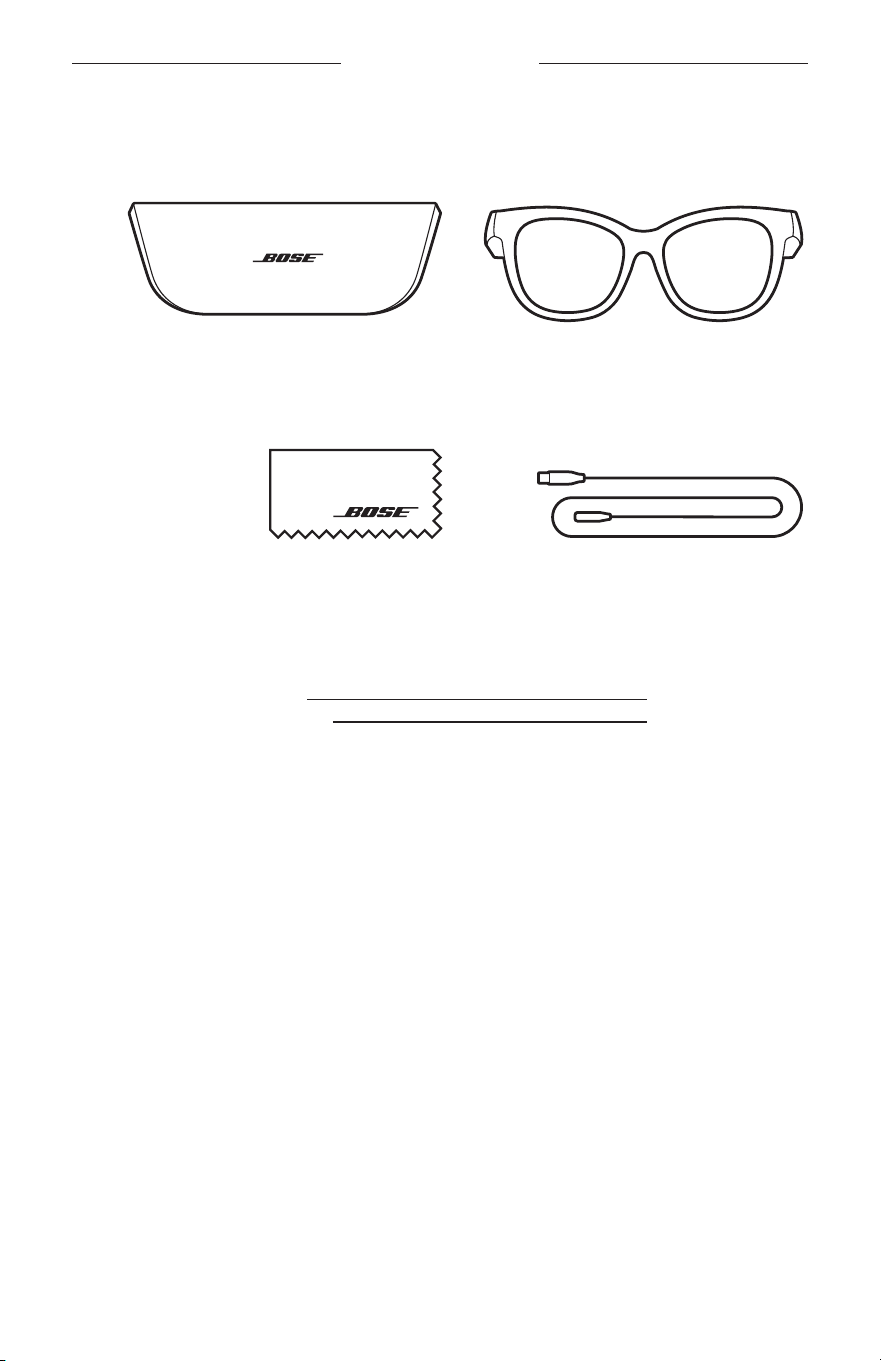
ARA
|
13
ةينوتركلا ةبلعلا يف دجوي يذلا ام
تايوتحملا
:ةيلاتلا ءازجا جاردإ نم دكأت
Bose Frames ةراظن راطإ
لمحلا ةبيقح
نحش لبكةفيظن شامق ةعطق
لاةظحم ةمدخب لصتا وأ كيدل دمتعملا Bose عزومب لصتا .هنم ءزج يأ فلت لاح يف جتنملا مدختست
.Bose
ءلمع
worldwide.Bose.com/Support/Soprano :ةرايزب لضفت
worldwide.Bose.com/Support/Tenor
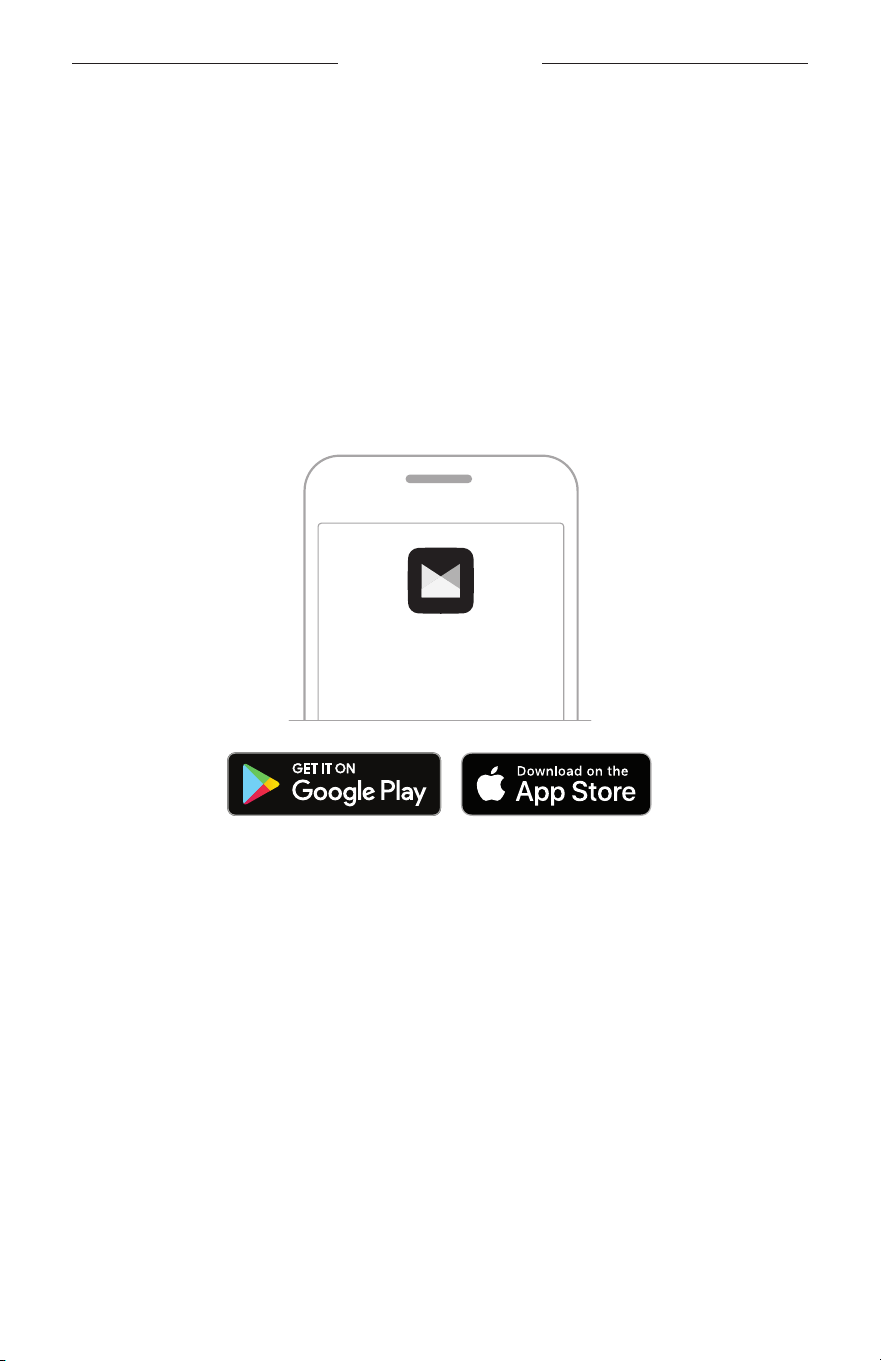
ARA
|
14
BOSE MUSIC قيبطت دادعإ
يكذلا فتاهلا لثم لومحم زاهج يأ للخ نم اهب م
ّ
كحتلاو تاراظنلا تاراطإ دادعإ Bose Music قيبطت كل حيت
ُ
ي
.يحوللا رتويبمكلا وأ
تازيم ىلع لوصحلاو ،كيدل ةيتوصلا ةبلاطملا ةغل رايتخاو ،ةقاطلا تادادعإ صيصخت كنكم
ُ
ي ،قيبطتلا اذه مادختسابو
.ةديدج
لاةظحم ةعجارمب لضفتف ،Bose تاجتنم نم رخآ جتنمل قيبطت يف Bose باسح لعفلاب تأشنأ دق تنك اذإ
".دوجوم باسحل تاراظنلا تاراطإ ةفاضإ"
BOSE MUSIC قيبطت ليزنت
1 ..Bose Music قيبطت لزن ،كب صاخلا لومحملا كزاهج يف
لاةظحم.Bose8 قيبطت ليزنت كنكمي ،يسيئرلا نيصلا رب يف ا
ً
ميقم تنك اذإ
BOSE MUSIC
2 ..قيبطتلا تاميلعت عبتا
دوجوم باسحل تاراظنلا تاراطإ ةفاضإ
1 . "Ready to connect" ةرابع عمست ىتح ىنميلا ةراظنلا عارذب دوجوملا رزلا ىلع رارمتسا عم طغضا
.قرزا نوللاب ضموت ةلاحلا ةبمل ىرت وأ ،)ليصوتلل زهاج(
2 . .كتراظن تاراطإ فضأ مث يتاجتنم ةشاش ىلإ لقتنا ،Bose Music قيبطت يف
لاةظحم Bose Music قيبطت عيطتسي " عجارف ،ةراظنلا تاراطإ ىلع روثعلا قيبطتلا ىلع رذعت اذإ
.30 ةحفصلا يف "تاراظنلا تاراطإ ىلع روثعلا
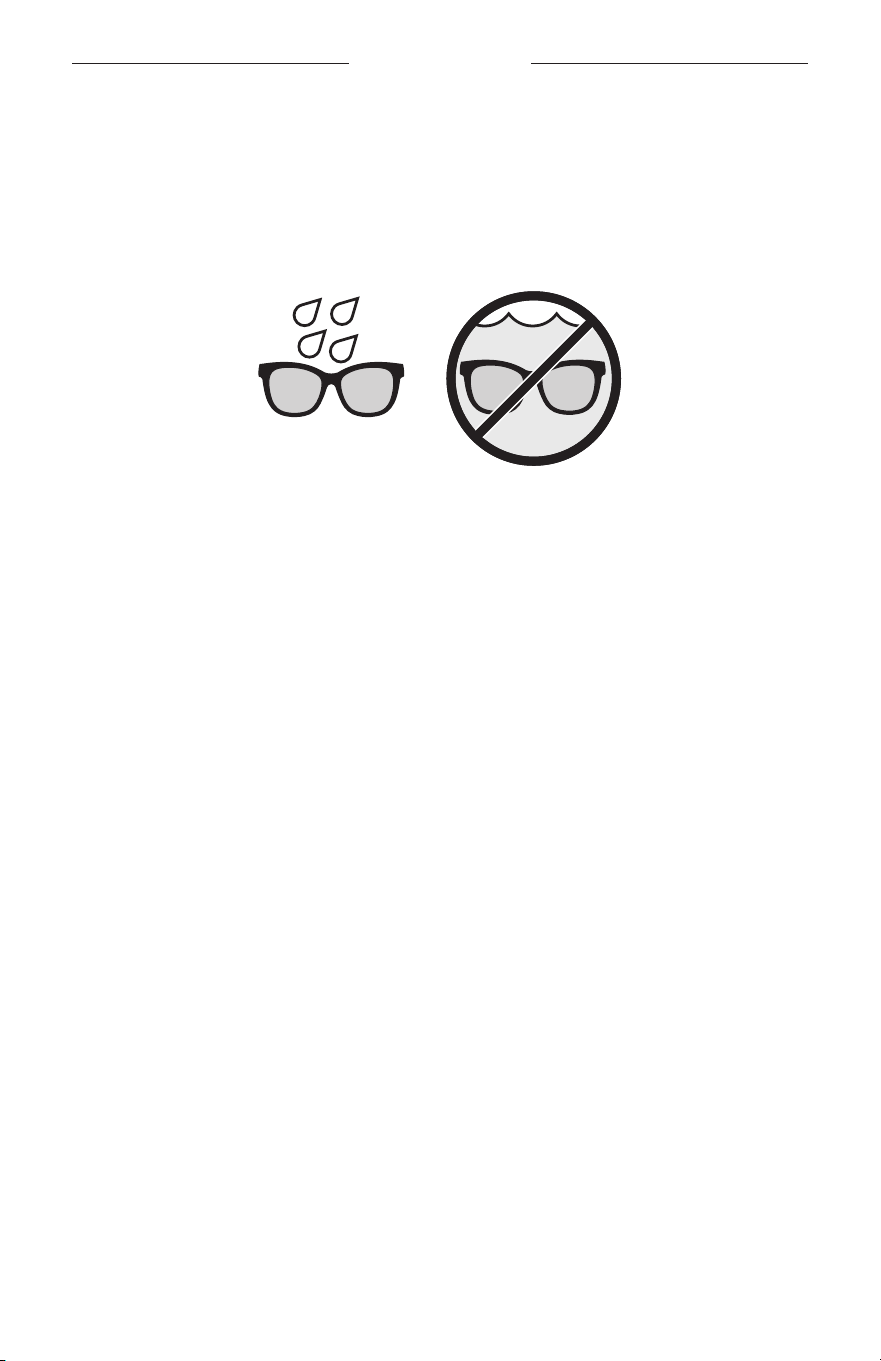
ARA
|
15
سقطلا لماوعو قرعلل ةمواقم
اذكو سقطلا لماوعو قرعلل ةمواقم نوكتل تمم
ُ
ص .هايملل اهتمواقم يف IPX2 فينصت ىلع ةراظنلا تاراطإ تلصح
.ءاملا تحت اهرمغ بجي نكلو ءاملا تارطق طقاست
اتاهيبنت
• .تاراظنلا تاراطإ يدترت تنأو مامحتسا وأ ةحابسلا بنجت
•.ءاملا يف تاراظنلا تاراطإ رمغ بنجت
لاةظحم.يداعلا لامعتسلل ةجيتن ةمواقملا ضفخنت دقو ،ةمئاد ةلاح IPX2 دع
ُ
ت
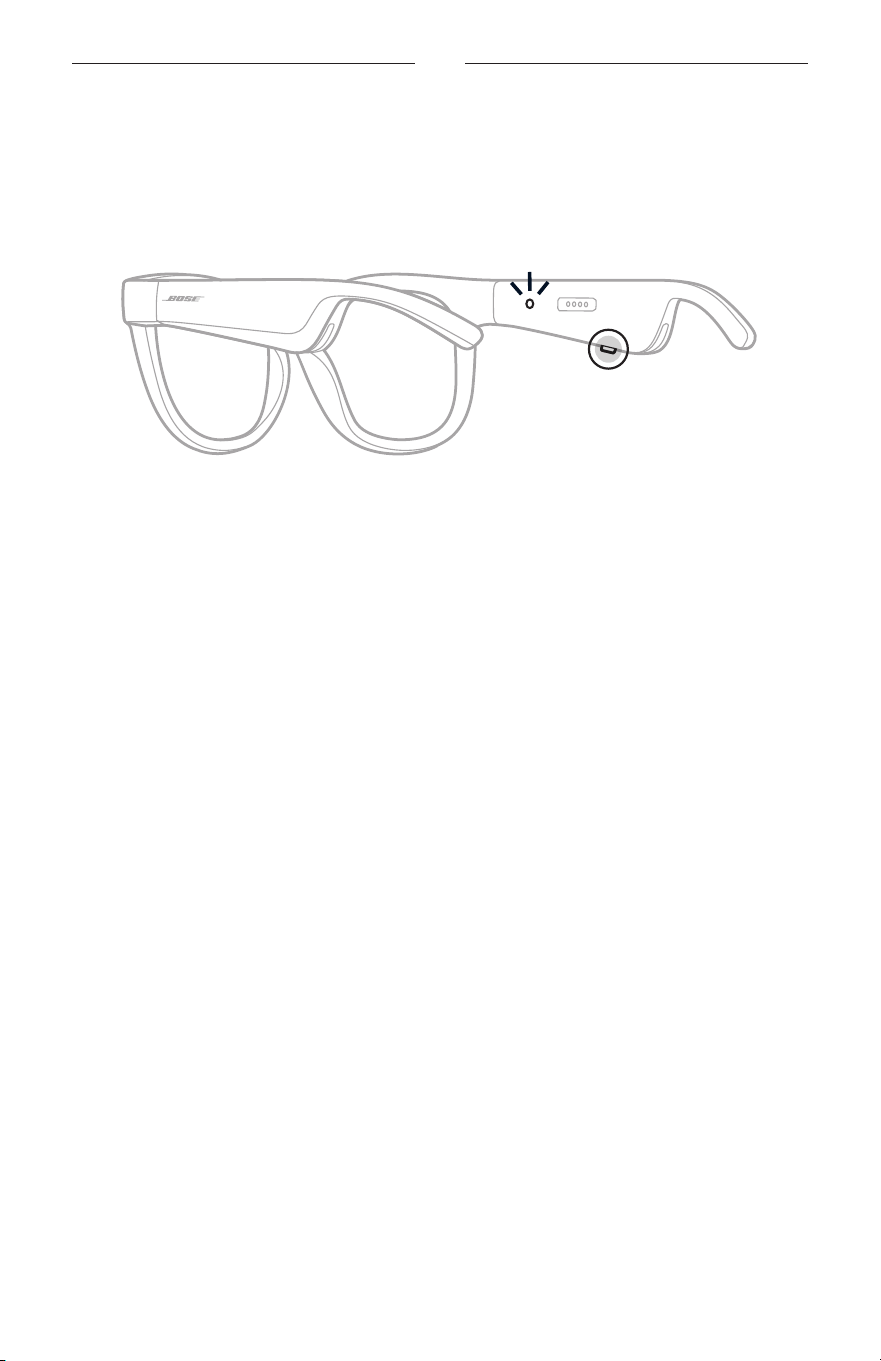
ARA
|
16
ةقاطلا
ليغشت
.نميا ةراظنلا عارذ ىلع دوجوملا رزلا ىلع طغضا
.)22
ةحفصلا عجار( Bluetooth ـلا لاصتا ةلاحل ا
ً
قفو ءيضي مث ،نيترم ضيبا نوللاب ةلاحلا حابصم ضمو
ُ
ي
.Bluetooth
لاصتا ةلاحو ةيراطبلا ىوتسم نع ةيتوصلا ةبلاطملا نلعت مث
لاةظحم ،ةراظنلا تاراطإ ةئيهتل .ةرم لو اهمادختسا لبق اهتئيهت نيعتي دقو ةيئزج ةروصب ةراظنلا تاراطإ نحشت
.ا
ً
ددجم اهليغشت برج ،كلذ دعب مث .)21
ةحفصلا عجار( اهلصفا مث نيتيناث ةدمل ةقاط ردصمب اهلصو
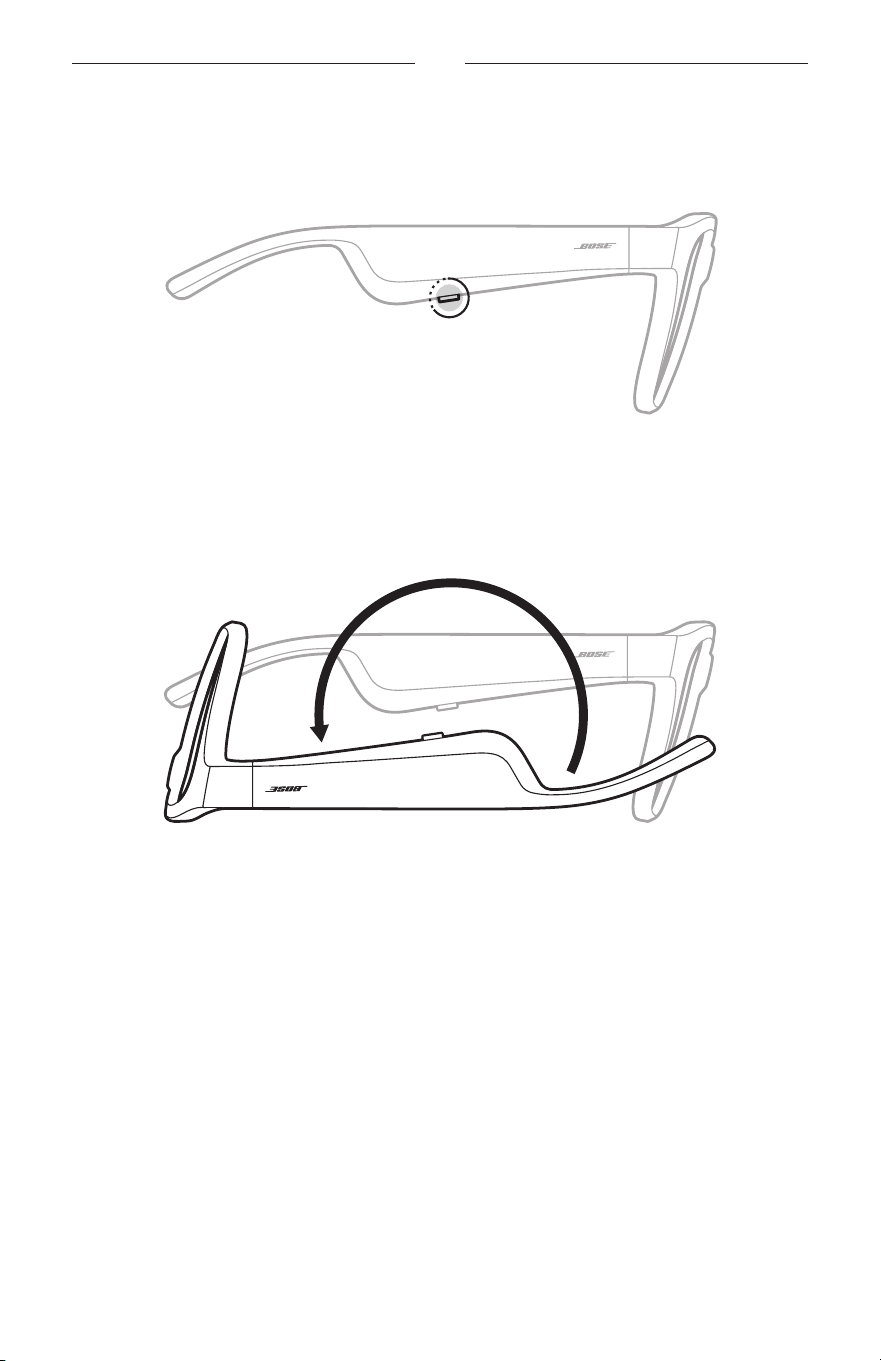
ARA
|
17
ةقاطلا
ةقاطلا فاقيإ
.ةمغن عمست نأ ىلإ رزلا ىلع رارمتسا عم طغضا
.ا
ً
يجيردت دوسا نوللا ىلإ لوحتي مث نيترم ضيبا نوللاب ةلاحلا حابصم ضموي
ليغشتلا فاقي ريودتلا
.نيتيناث ةدمل بقع ىلع ا
ً
سأر ةراظنلا راطإ بلقا
.ا
ً
يجيردت دوسا نوللا ىلإ لوحتي مث نيترم ضيبا نوللاب ةلاحلا حابصم ضموي
لاةظحم
•.هاجتا يأ يف اهكيرحت كنكمي ،تاراظنلا ةقاط فاقيإ دعب
• ةمئاق نم رايخلا اذه ىلإ لوصولا كنكم
ُ
ي .Bose Music قيبطت يف ليغشتلا فاقي ريودتلا عضو ليطعت كنكم
ُ
ي
.تادادعا
ةكرحلا فشك مادختساب يئاقلتلا فاقيا
ةدمل تاراطا كرحتت امدنع .مادختسا مدع تيقوت ديدحتل ةكرحلا فشك ةزيم تاراظنلا تاراطإ مدختست
.ا
ً
يئاقلت لمعلا نع فقوتتس ،قئاقد 10
لاةظحم نم رايخلا اذه ىلإ لوصولا كنكم
ُ
ي .Bose Music قيبطت يف "ةكرحلا فشك" ةزيم ليطعت كنكم
ُ
ي
.تادادعا ةمئاق
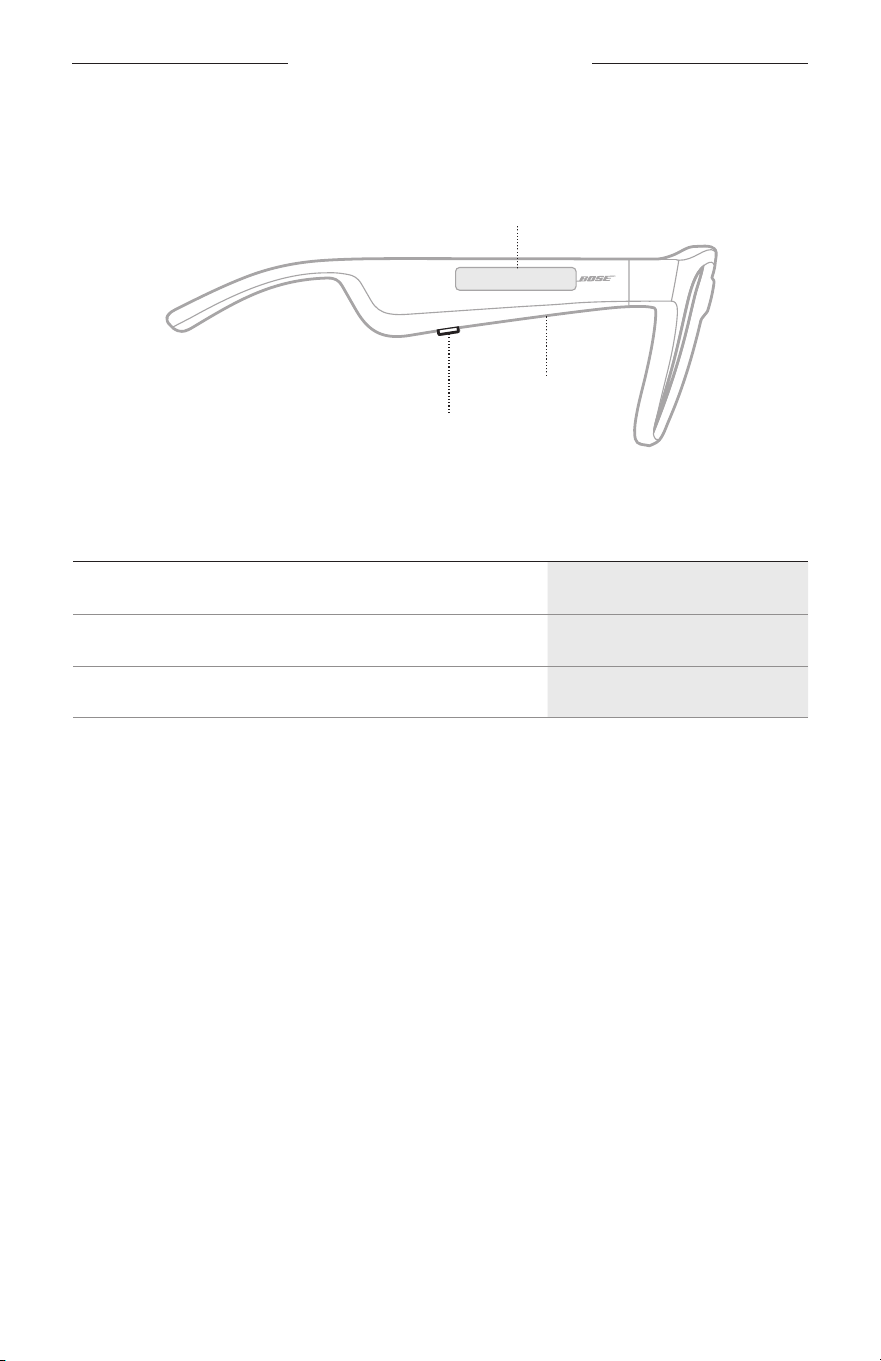
ARA
|
18
"FRAMES" ةراظنلا تاراطإ يف مكحتلا رصانع
ىوتسمو ،طئاسولا ليغشت يف مكحتلل ةراظنلل ىنم
ُ
يلا عارذلاب ةدوجوملا سمللا ةقطنم حطس سملاو رزلا مدختسا
.يتوصلا مكحتلاو ةيفتاهلا تاملاكملاو ،توصلا
رز
طئاسولا ليغشت يف مكحتلا
ةيفتاهلا تاملاكملا يف مكحتلا
نوفوركيم
سمللا ةقطنم
توصلا ىوتسم طبض
توصلا يف مكحتلا رصنع ىلإ لوصولا
طئاسولا ليغشت
مكحتلالحلا
تقؤم فاقيإ/ليغشت
.رزلا ىلع طغضا
ماما ىلإ
ٍ
ّ
ط
َ
خ
َ
ت
.رزلا ىلع نيترم طغضا
فلخلا ىلإ
ٍ
ّ
ط
َ
خ
َ
ت
.رزلا ىلع تارم ثلث طغضا
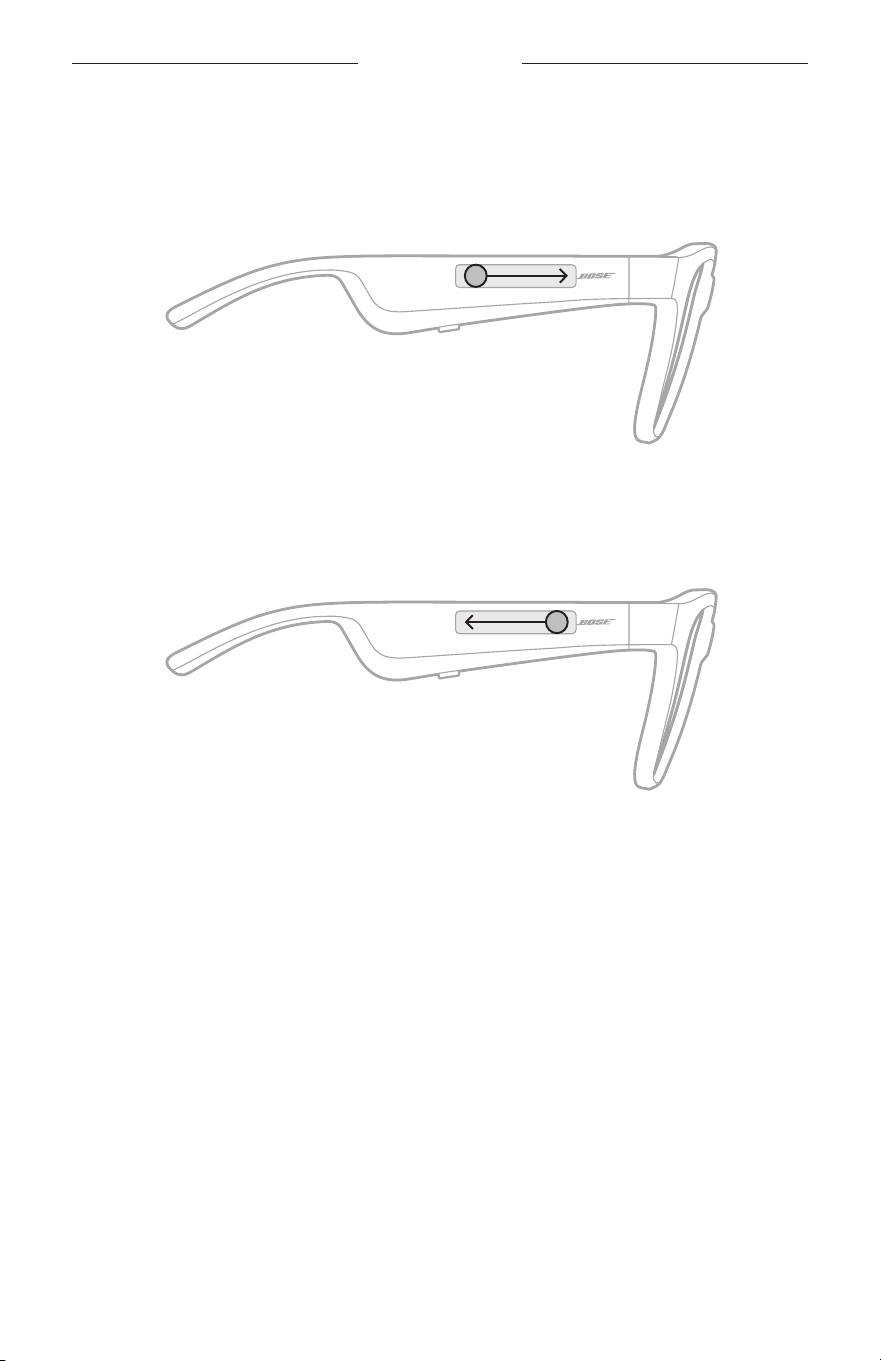
ARA
|
19
ةراظنلا تاراطإ يف مكحتلا
توصلا ىوتسم
توصلا ىوتسم ةدايز
.سمللا حطس ىلع مامل بحسا
لاةظحم .ىصقا ىوتسملا ىلإ توصلا ىوتسم لصي امدنع ةيتوص ةراشإ عمستس
توصلا ىوتسم ضفخ
.سمللا حطس ىلع فلخلل ررم
لاةظحم .ىندا ىوتسملا ىلإ توصلا ىوتسم لصي امدنع ةيتوص ةراشإ عمستس
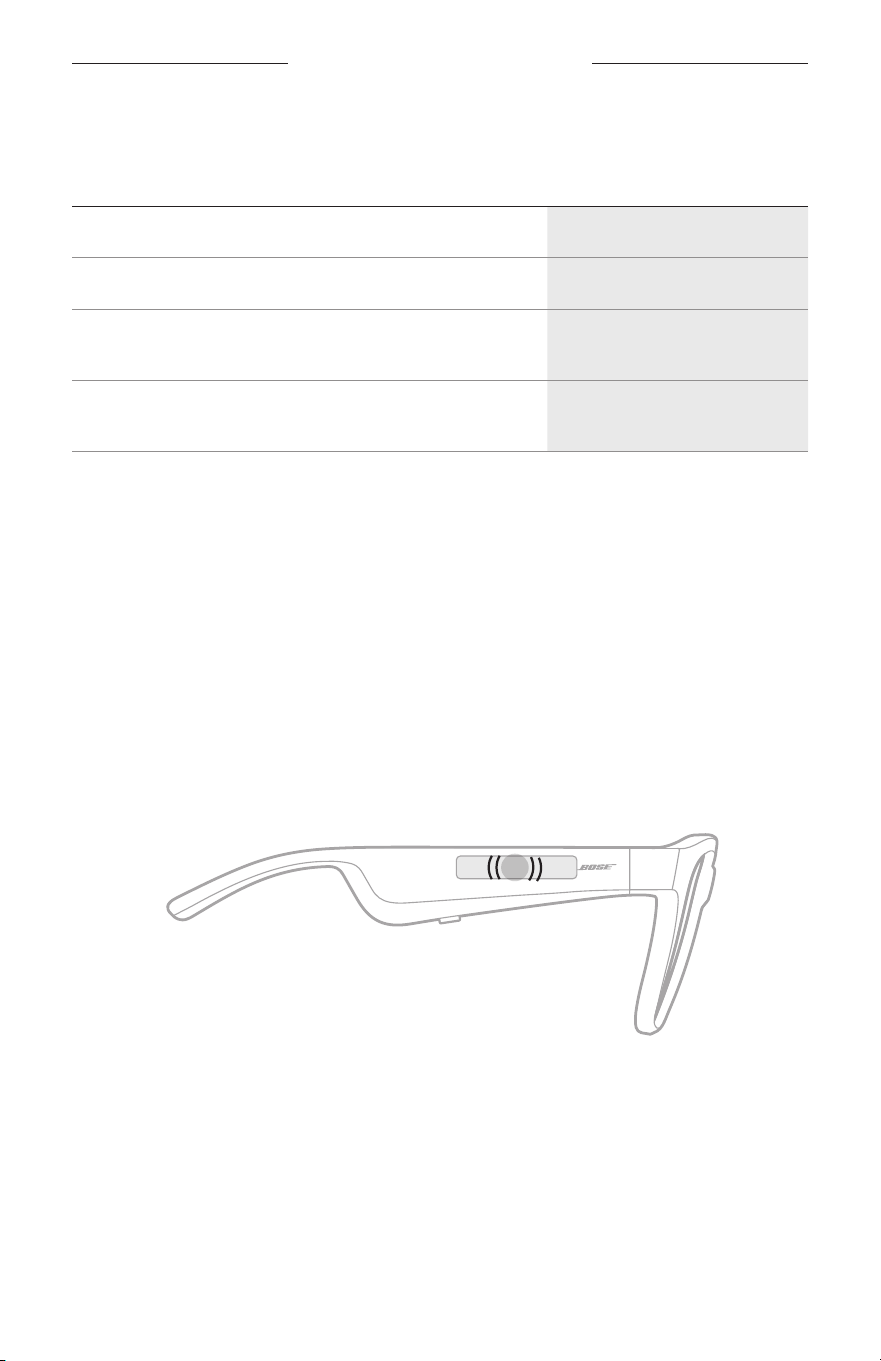
"FRAMES" ةراظنلا تاراطإ يف مكحتلا رصانع
ARA
|
20
ةيفتاهلا تاملاكملا
مكحتلالحلا
ةملاكم ءاهنإ/ةملاكم ىلع درلا.رزلا ىلع طغضا
ةدراو ةيفتاه ةملاكم ضفر .رزلا ىلع نيترم طغضا
ةيناثلا ةدراولا ةيفتاهلا ةملاكملا ةباجإ
راظتنا ديق ةيلاحلا ةيفتاهلا ةملاكملا عضوو
.رزلا ىلع طغضا ،ةملاكملا ءانثأ
ةيناثلا ةيتا ةيفتاهلا ةملاكملا ضفر
ةيلاحلا ةيفتاهلا ةملاكملا يف رارمتساو
.رزلا ىلع نيترم طغضا ،ةملاكملا ءانثأ
لاةظحم قيبطت يف ةحات
ُ
ملا جماربلا تاثيدحت ل
ّ
غش ،ةيفتاهلا تاملاكملا يف مكحتلا رصانع عيمج مادختس
.
Bose Music
تاملاكملا تاراعشإ
.لاصتا ةلاحو ةدراولا تاملاكملاب كملع
ُ
ت ةيتوص ةلاسر
توصلا يف مكحتلا رصنع ىلإ لوصولا
مادختساب .كب صاخلا لومحملا زاهج يف دوجوملا نوفوركيملل قحلمك ةراظنلا راطإب صاخلا نوفوركيملا لمعي
كزاهج يف ةدوجوملا يتوصلا مكحتلا تاناكمإ ىلإ لوصولا كنكمي ،ةراظنلل ىنم
ُ
يلا عارذلا ىلع دوجوملا سمللا حطس
ىلع كعلطإو ،Google Assistant نم وأ Siri نم ىقيسوملا ليغشت بلط وأ ةيفتاهلا تاملاكملا يقلت/ءارج
.ديزملاو ،ام ةبعل يف ةارابم ةجيتنو ،سقطلا رابخأ
.كزاهج يف يتوصلا مكحتلا رصانع ىلإ لوصولل سمللا حطس ىلع ا
ً
جودزم ا
ً
رقن رقنا
2x
.يتوصلا م
ّ
كحتلا ليعفت متي امدنع ةمغن عمستس
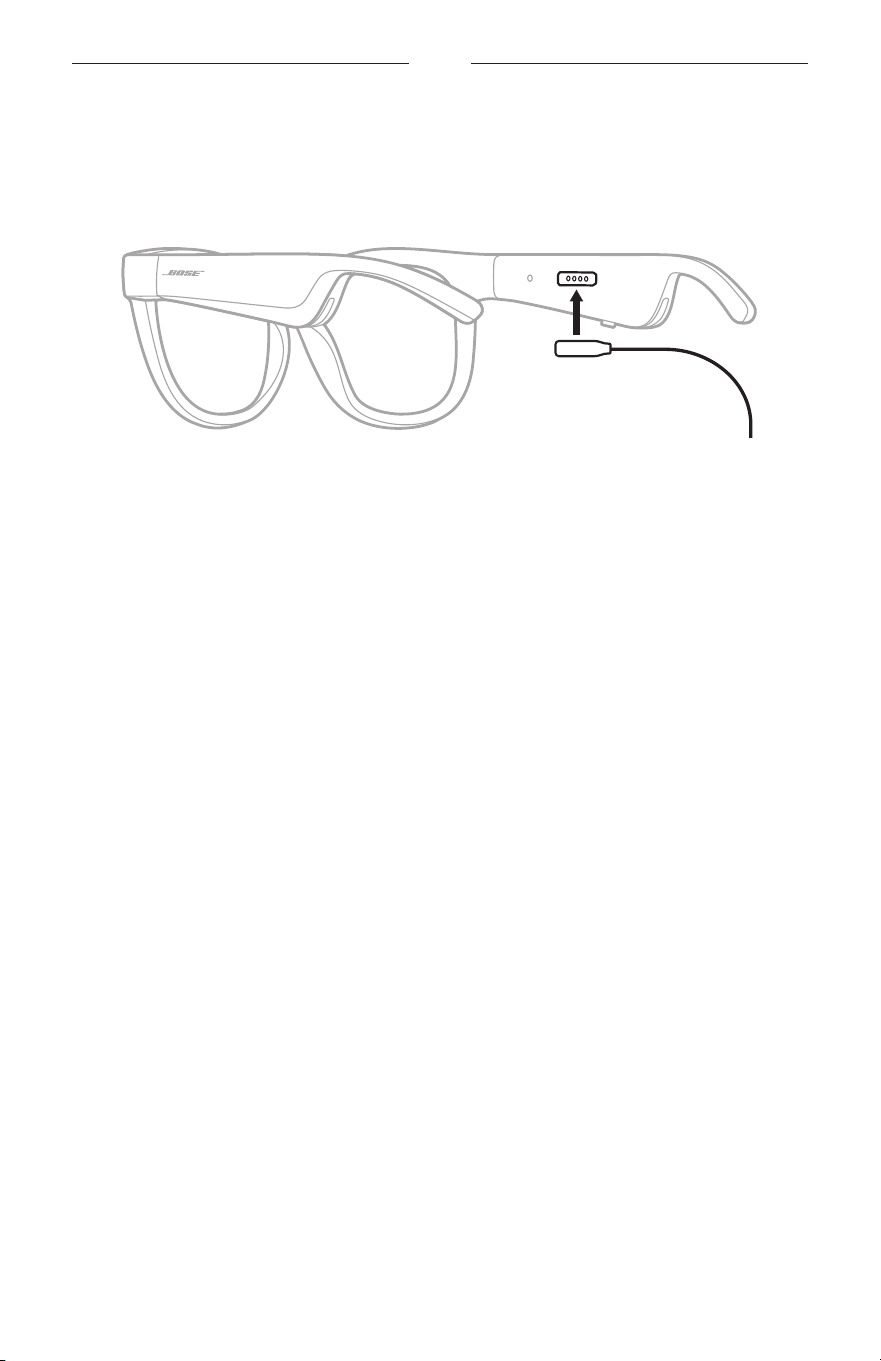
ARA
|
21
ةيراطبلا
ةراظنلا راطإ نحش
1 ..نميا ةراظنلا عارذ ىلع نحشلا ذفنم عم نحشلا لباك نونس ةاذاحمب مق
لاةظحم.حاجنب ةراظنلا راطإ نحشل ،نحشلا ذفنم عم ةحيحص ةروصب نونسلا هيجوت بجي
2 ..ا
ً
يسيطانغم هناكم يف رقتسي ىتح نحشلا ذفنم ىلع ةدوجوملا نونسلا ىلع قفرب طغضا
3 ..)رفوتم ريغ( USB-A طئاح نحاشب رخا فرطلا ل
ّ
صو
لابيبنت ،CSA وأ ،UL لثم( ةيلحملا ةيميظنتلا تابلطتملل
ٍ
فوتسم دمتعم ةقاط ردصم عم طقف جتنملا اذه مدختسا
.)CCC وأ ،VDE وأ
نوللاب ةلاحلا حابصم ءيضي ،ةيراطبلا نحش لامتكا دنع .نحشلا ءانثأ ضيبا نوللاب ةلاحلا حابصم ضمو
ُ
ي
.)23
ةحفصلا عجار( تباثلا ضيبا
لاتاظحم
•.نحشلا ءانثأ تاراظنلا تاراطإ توص لمعي
•.اهنحش ءانثأ ةراظنلا راطإ
ِ
دترت
ةراظنلا راطإ ةيراطب ىوتسم نم ققحتلا
ةيراطبلا تاراعشإ عامس
.ةيراطبلا نحش ىوتسم نع نلعاب ةيتوص ةبلاطم موقت ،ةراظنلا راطإ ليغشتب اهيف موقت ةرم لك
.نحشلا ىلإ ةجاحب ةيراطبلا تناك ام اذإ ةيتوص ةبلاطم عمستس ،ةراظنلا راطإ مادختسا ءانثأ
ةيراطبلا ىوتسم ضرع
•.Bose Connect قيبطت يف ةيسيئرلا ةشاشلا نم ققحت
•.ةراظنلا راطإ نحش نيعتي ،رمحا نوللاب ةلاحلا حابصم ضموي امدنع
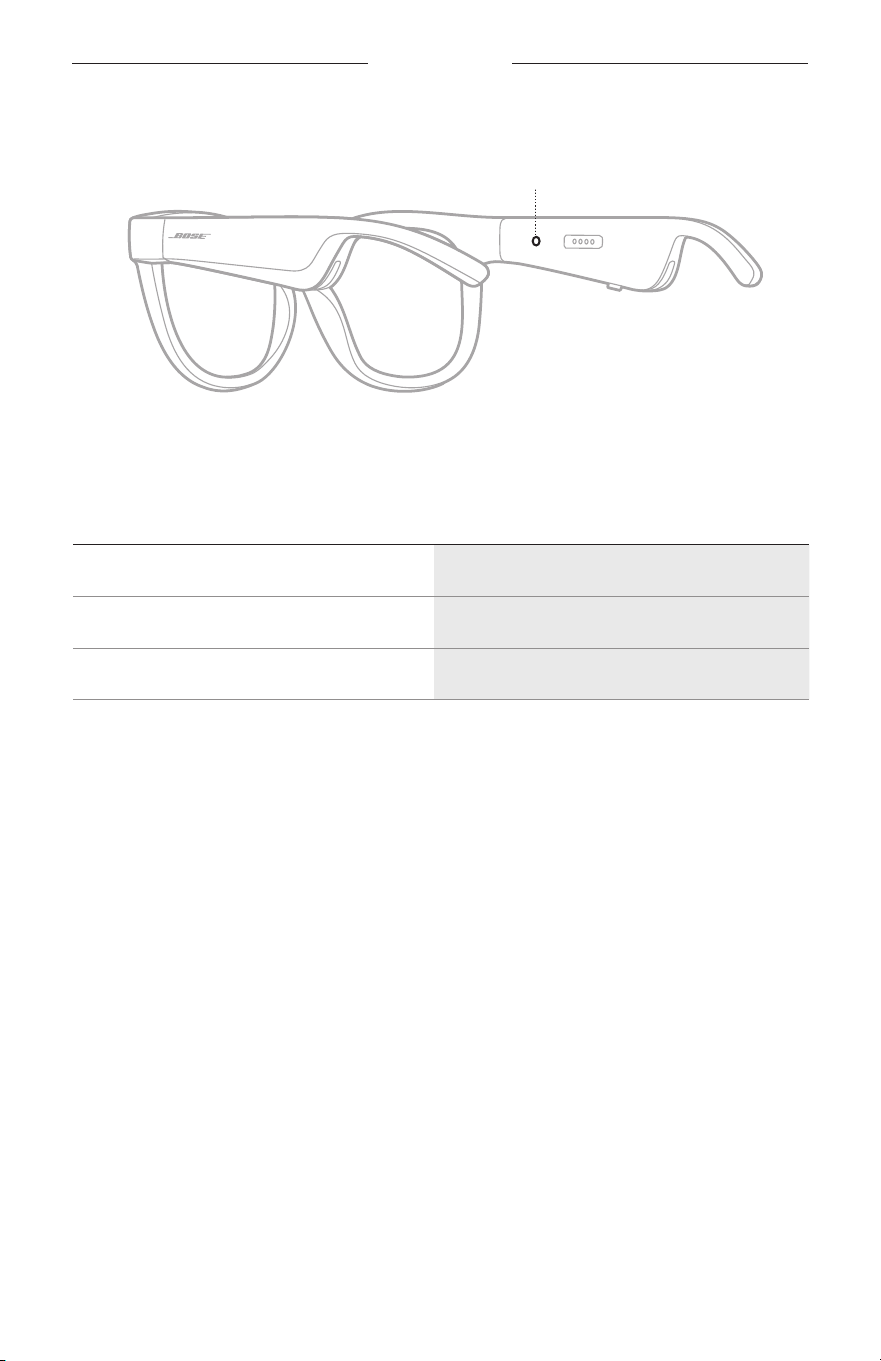
ARA
|
22
تاراظنلا تاراطإ ةلاح
.ةراظنلل ىنم
ُ
يلا عارذلا لخاد ةراظنلا تاراطإ ةلاح ةبمل عقت
ةلاحلا حابصم
BLUETOOTH
لاصتا ةلاح
.ةلومحملا ةزهجا يف Bluetooth لاصتا ةلاح ضرعي
ءوضلا طاشنماظنلا ةلاح
ءطبب قرزا نوللاب ضموي
لاصتلل زهاج
ةعرسب قرزا نوللاب ضمويلاصتا
ٍ
راج
(
ٍ
ناوث 10 ةدمل) تباث قرزألاصتا مت
تاراظنلا تاراطإ ةلاح
ARA
|
23
ةيراطبلا ةلاح
.ةراظنلا تاراطإ نحش ىوتسم ضرعي
ءوضلا طاشنماظنلا ةلاح
(
ٍ
ناوث 10 ةدمل) قرزأ ضيموةيراطبلا نحش بجي
ضيبأ ضيمونحشلا
ٍ
راج
تباث ضيبألماك نحش
أطخلا ةلاح
.أطخلا ةلاح ضرعت
ءوضلا طاشنماظنلا ةلاح
(ةرركتم ةروصب) ضيباو رمحا نوللاب ضمويBose ءلمع ةمدخب لصتا - أطخ
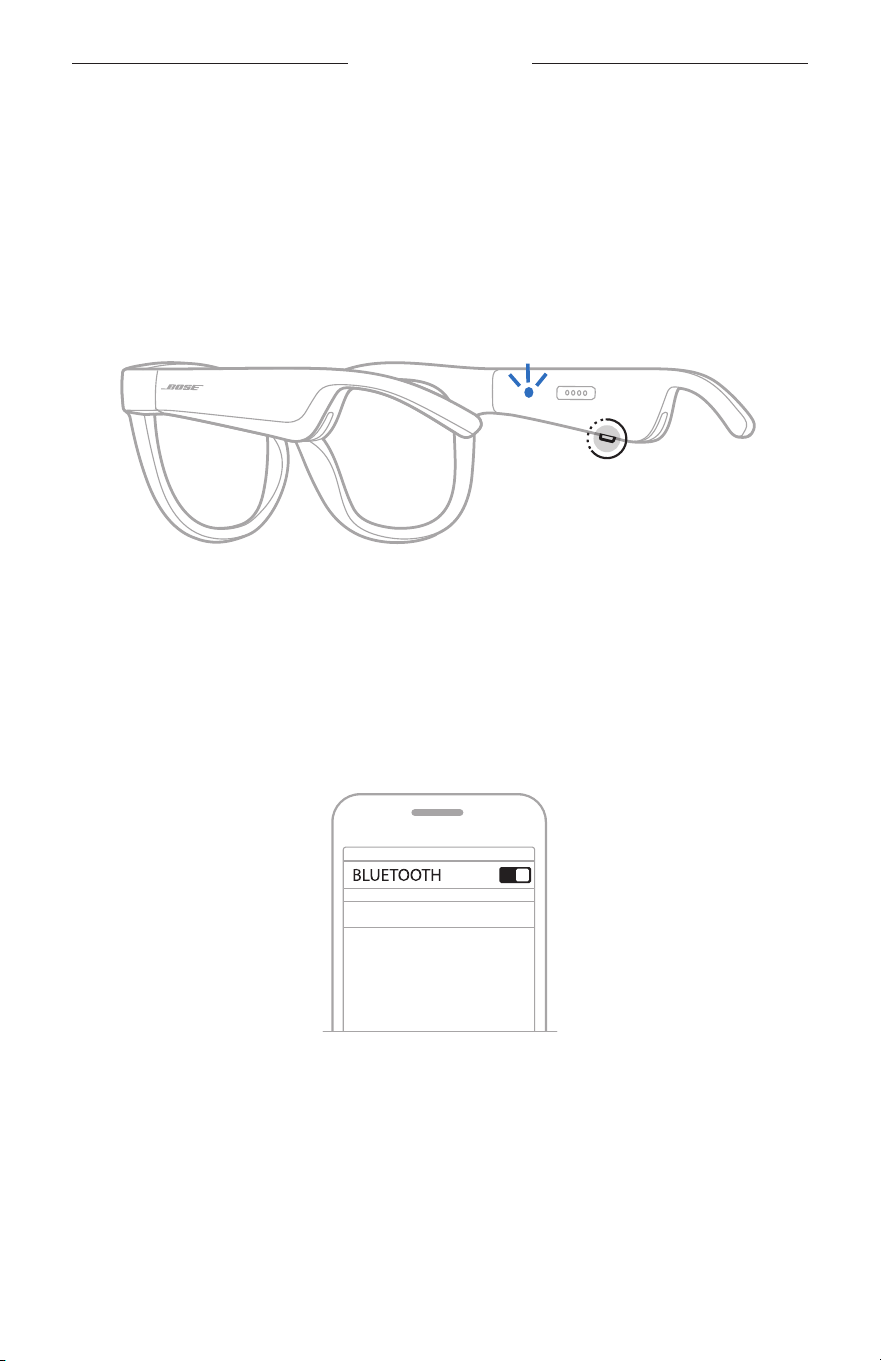
ARA
|
24
BLUETOOTH تاصتا
كب صاخلا لومحملا زاهج يف
BLUETOOTH
ةمئاق مادختساب ليصوتلا
توصلا ليصوت كنكمي .تاراظنلا تاراطإب ةصاخلا ةزهجا ةمئاق يف ةزهجأ ةينامث ىلإ لصي ام نيزخت كنكم
ُ
ي
.ةرم لك يف طقف دحاو زاهج نم هليغشتو
لاةظحم Bose Music قيبطت مادختساب هليصوتو لومحملا كزاهج دادعإ كيلع ،ةبرجت لضفأ ىلع لوصحلل
.)14
ةحفصلا عجار(
1 . زهاج" عمست ىتح ةراظنلل ىنم
ُ
يلا عارذلاب دوجوملا رزلا ىلع رارمتسا عم طغضا ،تاراطا ليغشت عمو
.قرزا نوللاب ضموت ةلاحلا ةبمل ىرت وأ "ليصوتلل
2 ..كزاهج ىلع Bluetooth ةزيم ن
ّ
كم
لاةظحم.تادادعا ةمئاق نم
ً
ةداع Bluetooth ةيصاخ ىلإ لوصولا نكمي
3 ..ةزهجا ةمئاق نم كب ةصاخلا ةراظنلا راطإ ددح
لاةظحم تاراطإ ةيمستب مقت مل اذإ .Bose Music قيبطت يف تاراظنلل هلاخدإب تمق يذلا مسا نع ثحبا
.يضارتفا مسا رهظيسف ،كتراظن
BOSE FRAMES
تباث قرزأ نولب ءيضي ةلاحلا حابصم ىرتس وأ ">
لومحملا زاهجلا مسا
> ـب لصتم" عمستس ،لاصتا درجمب
.دوسا نوللا ىلإ ا
ً
يجيردت لوحتي مث

ARA
|
25
BLUETOOTH تاصتا
لومحملا زاهج لصف
.لومحملا كزاهج لاصتا عطقل Bose Music قيبطت مدختسا
لاةحيصن كزاهج ىلع Bluetooth ةزيم ليطعت يدؤيو .كزاهج لاصتا عطقل Bluetooth تادادعإ مادختسا كنكمي
.ىرخا ةزهجا عيمجب لاصتا عطق ىلإ
لومحم زاهج ليصوت ةداعإ
.ليغشتلا دنع كلذو هب لاصتا مت زاهج رخآب لاصتا تاراظنلا تاراطإ لواحت
لاةظحم .ليغشتلا عضو يفو )راتمأ 9 وأ ،ا
ً
مدق 30( قاطن يف زاهجلا نوكي نأ بجي
تاراظنلا زاهج ةمئاق حسم
1 . ىنميلا ةراظنلا عارذب دوجوملا رزلا ىلع رارمتسا عم طغضا ،ليغشتلا ديق ةراظنلا تاراطإ نوكت امدنعو
،)Bluetooth زاهج ةمئاق حسم مت( "Bluetooth device list cleared" عمست ىتح
ٍ
ناوث 10
ةدمل
.قرزا نوللاب ضموي ةلاحلا حابصم ىرت وأ
2 ..كزاهج يف Bluetooth ةمئاق نم ةراظنلا رط
ُ
أ فذحا
.ليصوتلل ةزهاج تاراظنلا تحبصأو ةزهجا عيمج حسم مت
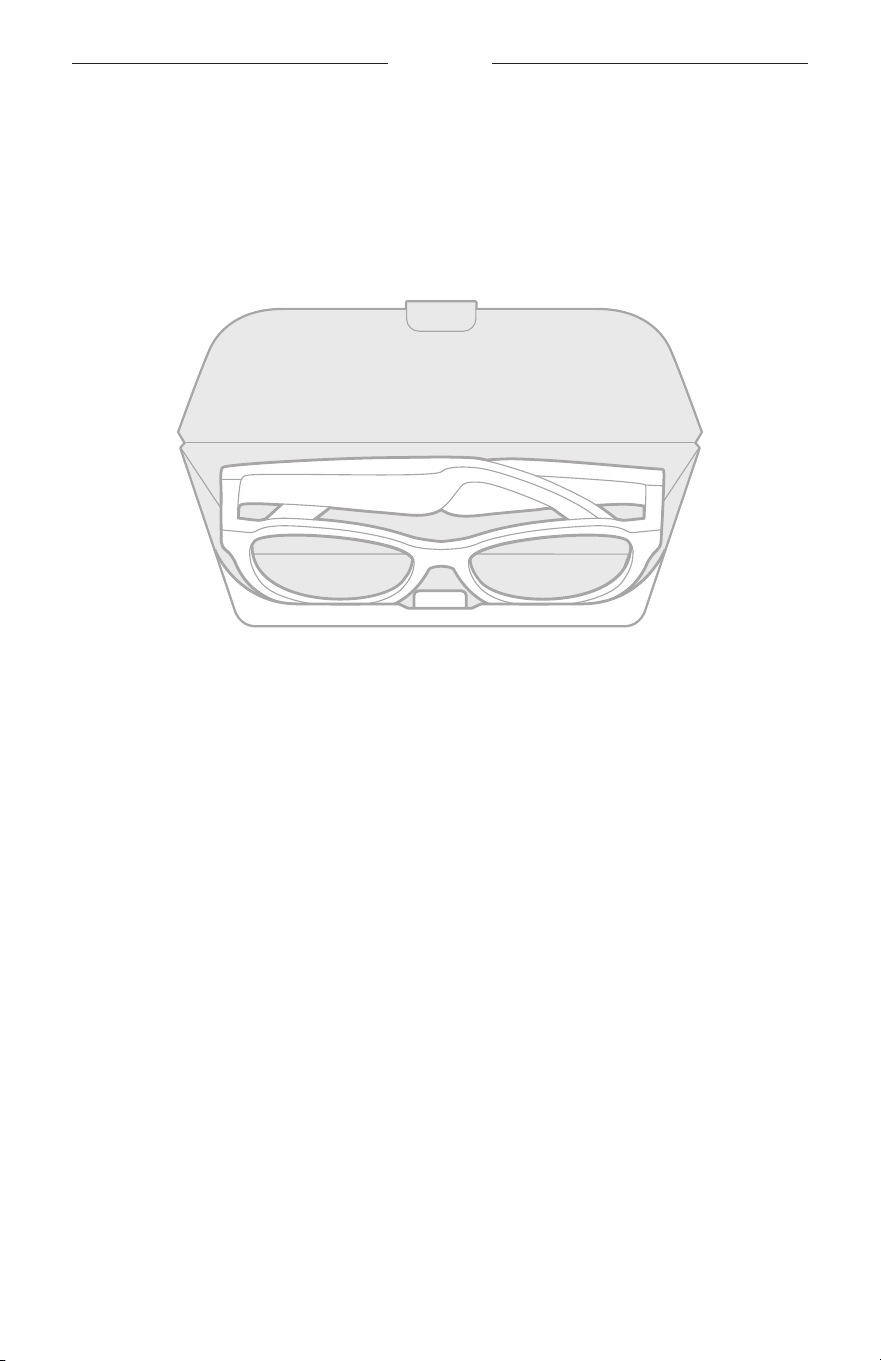
ARA
|
26
ةنايصلاو ةيانعلا
تاراظنلا نيزخت
.هتمءلمو نيزختلا ةلوهسل تاراظنلا يوط متي
1 ..حطسم لكشب ةراظنلا عرذأ رقتست ىتح تاسدعلا هاجتاب ةراظنلا عرذأ يطب مق
2 ..بارجلا نم يماما ءزجلا تاسدعلا هجاوت ثيحب بارجلا لخاد تاراظنلا تاراطإ عض
لاتاظحم
•.همادختسا مدع دنع ةراظنلا راط ةقاطلا فاقيإ نم دكأت
•.روهش ةعضب نم رثك ةراظنلا راطإ نيزخت لبق لماكلاب ةنوحشم ةيراطبلا نأ نم دكأت

ARA
|
27
ةنايصلاو ةيانعلا
ةراظنلا راطإ ىلع ظافحلا
عم ةقفرملا فيظنتلا ةشامق مادختساب راطا ءازجأ عيمجو نيتيحانلا نم تاسدعلا حسما ،ةراظنلل مادختسا لك دعب
.ةفاج شامق ةعطق وأ جتنملا
اتاهيبنت
• .تاراظنلا تاراطإ نم برقلاب شر لئاوس يأ مدختست
•.ةطشاك داوم وأ ،اينومأ وأ ،لوحك ىلع يوتحت فيظنت ليلاحم وأ ،ةيئايميك داوم وأ ،تابيذم يأ مدختست
• .ةحتف يأ ىلإ ب
ّ
رستت لئاوسلا عدت
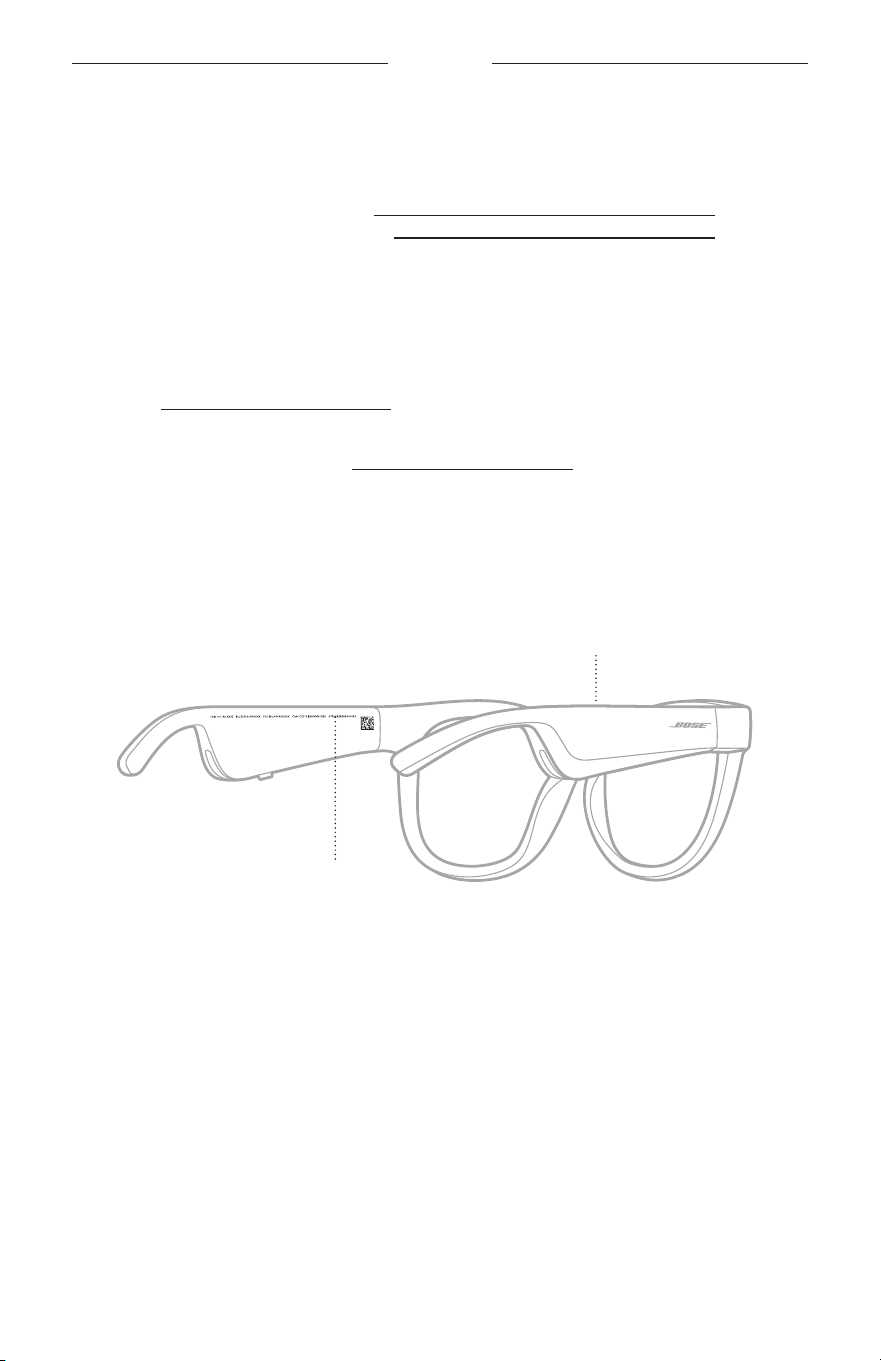
ARA
|
28
ةنايصلاو ةيانعلا
تاقحلملاو رايغلا عطق
.Bose ءلمع ةمدخ زكرم للخ نم تاقحلملا وأ رايغلا عطق بلط نكمي
worldwide.Bose.com/Support/Soprano :ةرايزب لضفت
worldwide.Bose.com/Support/Tenor
لاةظحم ةصاخلا ةسدعلا تاقحلم عم ةقفرملا تاميلعتلا عجار ،تاسدعلا لادبتسا ةيفيك لوح تامولعم ىلع لوصحلل
.كتراظنب
دودحم نامض
لوصحلل global.Bose.com/warranty ىلع انعقوم ةرايزب لضفت .دودحم نامضب ةراظنلا راطإ ةيطغت متت
.دودحملا نامضلا ليصافت ىلع
مدع رثؤي نلو .تاميلعتلا ىلع لوصحلل global.Bose.com/register ةرايزب مق ،كب صاخلا جتنملا ليجستل
.دودحملا نامضلا بجومب كل ةلوفكملا قوقحلا ىلع ليجستلاب مايقلا
عجرملا/زارطلاو لسلستلا مقر عقاوم
.لخادلا نم ةراظنلل ىنم
ُ
يلا عارذلا ىلع زارطلا/عجرملا مقر عقيو ،لخادلا نم ةراظنلل ىرس
ُ
يلا عارذلا ىلع لسلستلا مقر عقي
لسلسملا مقرلا
عجرملا/ليدوملا مقر

ARA
|
29
اهحلصإو ءاطخا فاشكتسا
ً
وأ لولحلا هذه ب
ّ
رج
:تاراظنلا تاراطإ نأشب تلكشم كتهجاو اذإ
•.)16 ةحفصلا عجار( ةراظنلا راطإ ل
ّ
غش
•.)21 ةحفصلا عجار( اهلصفا مث نيتيناث ةدمل ةقاط ردصمب ةراظنلا تاراطإ لصو
•.)21 ةحفصلا عجار( ةيراطبلا نحشا
•.)22 ةحفصلا عجار( ةلاحلا تابمل عضو نم ققحت
•. Bluetooth تليصوت معدي لومحملا كزاهج نأ نم دكأت
•.ةحاتملا جماربلا تاثيدحت ليغشتو Bose Music قيبطت ليزنتب مق
•.كب صاخلا
ّ
ثبلا/توصلا قيبطت وأ/و ،لومحملا زاهجلا وأ/و ،تاراظنلا تاراطإ يف توصلا ىوتسم عفرا
• .)24 ةحفصلا رظنا( رخآ لومحم زاهج ل
ّ
صو
ىرخأ لولح
رداق ريغ تنك اذإو .ةعئاشلا تلكشملل لولحلاو ضا
َ
رعا ديدحتل هاندأ لودجلا عجارف ،كيدل ةلكشملا لح عطتست مل اذإ
.Bose ءلمع ةمدخب لاصتا ىجر
ُ
يف ،رما اذه لح ىلع
worldwide.Bose.com/Contact :ةرايزب لضفت
ةلكشملالحلا
زاهجب ةراظنلا راطإ لصتي
لومحم
:كزاهج يف
• .ا
ً
ددجم اهليغشت دعأو Bluetooth ةزيم ليغشت فاقيإب مق
• ليصوتلاب مق .كزاهج ىلع ةدوجوملا Bluetooth ةمئاق نم ةراظنلا راطإ فذحا
.)24 ةحفصلا عجار( ا
ً
ددجم
.قئاوع وأ تلخادت يأ نع ا
ً
ديعبو ةراظنلا راطإ نم ا
ً
بيرق كزاهج عض
.)24 ةحفصلا عجار( رخآ لومحم زاهج لصو
worldwide.Bose.com/Support/Tenor :ةرايزب لضفت ،ةيحيضوت ويديف عطاقم ةدهاشمل
or worldwide.Bose.com/Support/Soprano
.ىرخأ ةرم ليصوتلاب مق .)25 ةحفصلا عجار( تاراظنلاب ةصاخلا ةزهجا ةمئاق حسما
Bose Music قيبطت لمعي
زاهجلا ىلع
.كزاهج عم Bose Music قيبطت قفاوت نم دكأت
.)14
ةحفصلا عجار( قيبطتلا تيبثت دعأ مث كزاهج ىلع Bose Music قيبطت تيبثت
ِ
غلأ
ARA
|
30
اهحلصإو ءاطخا فاشكتسا
ةلكشملالحلا
Bose Music قيبطت عيطتسي
تاراظنلا تاراطإ ىلع روثعلا
.)
16 ةحفصلا عجار( ةراظنلا راطإ ل
ّ
غش
"ليصوتلل زهاج" عمست ىتح نميا ةراظنلا عارذب دوجوملا رزلا ىلع رارمتسا عم طغضا
.قرزا نوللاب ضموت ةلاحلا ةبمل ىرت وأ
.ةحاتملا جماربلا تاثيدحت لغش ،Bose Music قيبطت يف
ةعطقتم
Bluetooth
تاصتا
ا
ً
ددجم ليصوتلاب مق .)25
ةحفصلا عجار( تاراظنلاب ةصاخلا ةزهجا ةمئاق حسما
.)24 ةحفصلا عجار(
.ةراظنلا راطإ نم برقلاب لومحملا زاهجلا لقنا
توص يأ ردصي
.يتوصلا عطقملا ليغشت نم دكأتلل لومحملا كزاهج ىلع "ليغشت" ىلع طغضا
.قئاع يأ وأ تلخادت يأ نع ا
ً
ديعبو ةراظنلا راطإ نم ا
ً
بيرق كزاهج عض
.ىقيسوملل ا
ً
فلتخم ا
ً
ردصم مدختسا
.)24
ةحفصلا رظنا( رخآ زاهج ليصوتب مق
ةئيدر توصلا ةدوج
.ىقيسوملل ا
ً
فلتخم ا
ً
ردصم مدختسا
.فلتخم لومحم زاهج ليصوت ىلإ دمعا
.قئاوع وأ تلخادت يأ هنع دعبأو ةراظنلا راطإ نم ا
ً
بيرق زاهجلا عض
.كب صاخلا ثبلا/توصلا قيبطت وأ كزاهج يف توصلا نيسحتل تازيم يأ ليغشت فقوأ
توصلا طقتلي نوفوركيملا
.نميا ةراظنلا عارذ ىلع نوفوركيملا حتف رظح مدع نم دكأت
.ىرخأ ةيفتاه ةملاكم برج
.رخآ ا
ً
قفاوتم ا
ً
زاهج برج
ةيراطبلا نحش متي
فوسو ةراظنلا راطإ ىلع حيحص لكشب نحشلا نونس عم نحشلا لباك ةاذاحم نم دكأت
.ا
ً
يسيطانغم اهناكم يف رقتست
.ماكحإب نحشلا لباك يفرط ليصوت نم دكأت
ةجرد ديعتست تاراظنلا عدف ،ةضفخنم وأ ةيلاع ةرارح تاجردل تاراظنلا تضرعت اذإ
.اهنحش ةلواحم دعأو ةفرغلا ةرارح
.ا
ً
فلتخم USB طئاح نحاش برج
اهحلصإو ءاطخا فاشكتسا
ARA
|
31
ةلكشملالحلا
بيجتست تاراظنلا تاراطإ
سمللاب مكحتلا ةيصاخل
.)
18 ةحفصلا رظنا( سمللاب مكحتلا حطس ىلع حيحصلا عضوملا ىلع رقنلا نم دكأت
.كيدي فافج نم دكأت
.سمللا ةقطنم ىلإ ءاملا لوصو مدع نم دكأتف ،
ً
للبم كرعش ناك اذإ
.سمللاب لمعي يذلا مكحتلا حطس ىلع رقنلا لبق امهلزأ ،نيزافق ءادترا لاح يف
توصلا ىوتسم طبض رذعتي
.)
18 ةحفصلا عجار( سمللاب مكحتلا حطس ىلع حيحصلا عضوملا بحست كنأ نم دكأت
.كيدي فافج نم دكأت
.سمللا ةقطنم ىلإ ءاملا لوصو مدع نم دكأتف ،
ً
للبم كرعش ناك اذإ
.سمللاب لمعي يذلا مكحتلا حطس ىلع رقنلا لبق امهلزأ ،نيزافق ءادترا لاح يف
يف مكحتلا رصانع مادختسا رذعتي
ةيفتاهلا تاملاكملا
.ةحاتملا جماربلا تاثيدحت لغش ،Bose Music قيبطت يف
تاطغضل بيجتسي زاهجلا
رارزا
.ةحاتملا جماربلا تاثيدحت لغش ،Bose Music قيبطت يف
.تاطغضلا ةعرس رييغتب مق :ددعتملا طغضلا فئاظو
.ةفيظولا معدي كب صاخلا ىقيسوملا قيبطت نأ نم دكأت
.كب ةصاخلا ةراظنلا راطإ يف اهفاقيإو ةقاطلا ليغشتب مق
:كزاهج يف
• .ا
ً
ددجم اهليغشت دعأو Bluetooth ةزيم ليغشت فاقيإب مق
• ليصوتلاب مق .كزاهج ىلع ةدوجوملا Bluetooth ةمئاق نم ةراظنلا راطإ فذحا
.)24 ةحفصلا عجار( ا
ً
ددجم
.رخآ ا
ً
قفاوتم ا
ً
زاهج برج
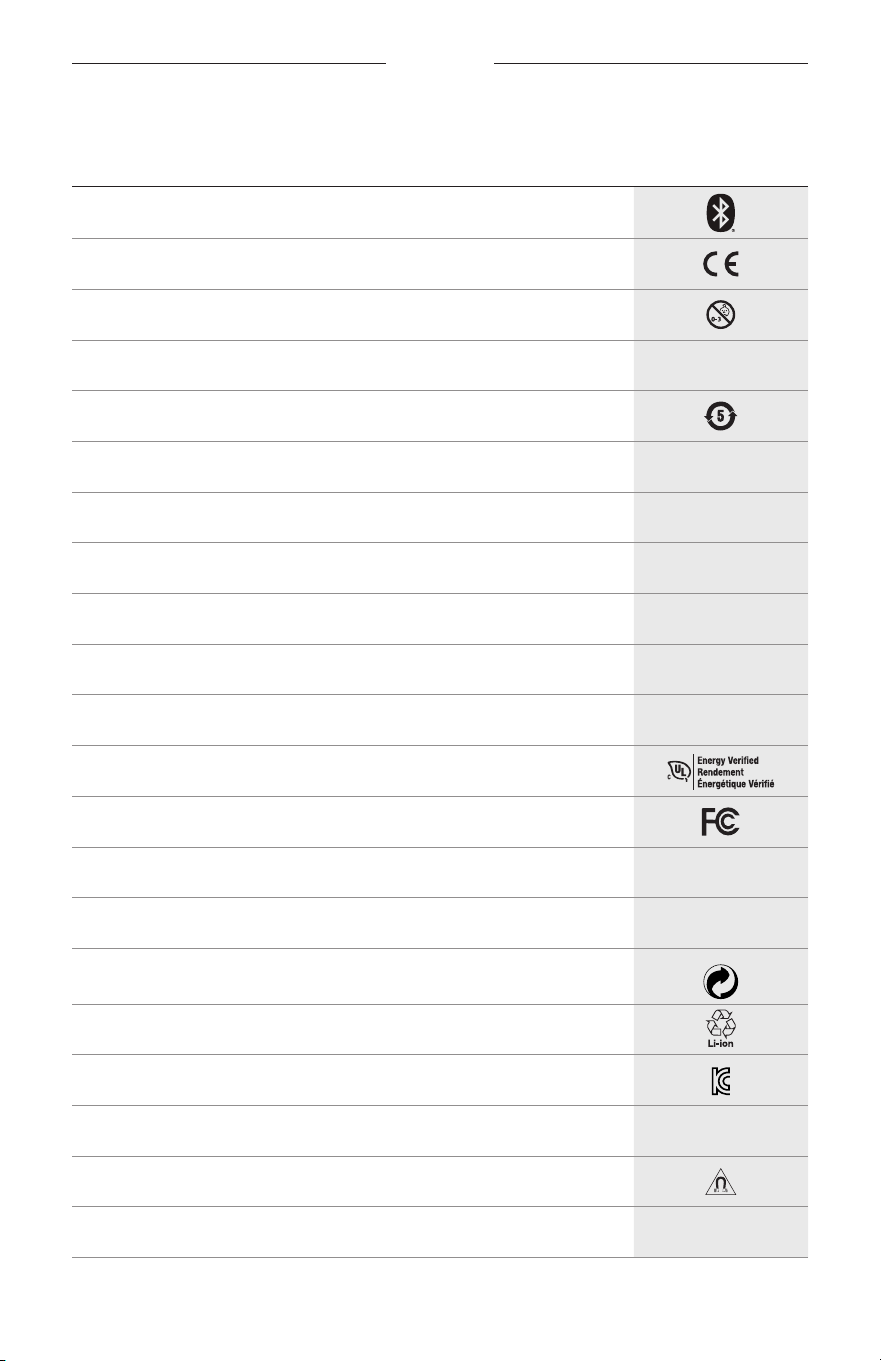
ARA
|
32
تاقصلملا زومر
تافصاوملاو زومرلا
زمرلاةلدلا
Bluetooth
CE ةيبوروا دامتعا ةملع
قانتخا رطخ
h
جولاتكلا مقر
نيصلا يف تايراطبلا يف ةرطخلا داوملا مادختسا دييقت هيجوت
w
ءلمعلا معد
N
عينصتلا خيرات
X
قيثوتلا
L
ةوبعلا فلت لاح يف مدختس
ُ
ي
C
)يعيبطلا طاطملا( سكتللا ةدام ىلع يوتحي
s
تليزنتلا
ةقاطلا مادختسا ةءافك نم ققحتلا
ةيلارديفلا تاصتا ةئيه ةداهش
o
ىدتنملا
h
سمشلا جهو نم ةيلاع ةيامح
Green Dot ةيراجتلا ةملعلا زمر
ةينابايلا ريياعملل ا
ً
قفو تايراطبلا ريودت ةداعإ
ةيروكلا تاصتا ةئيه ةداهش
p
فافجلا ىلع ظافحلا
يسيطانغملا لخادتلا
M
ةع
ّ
نصملا ةكرشلا
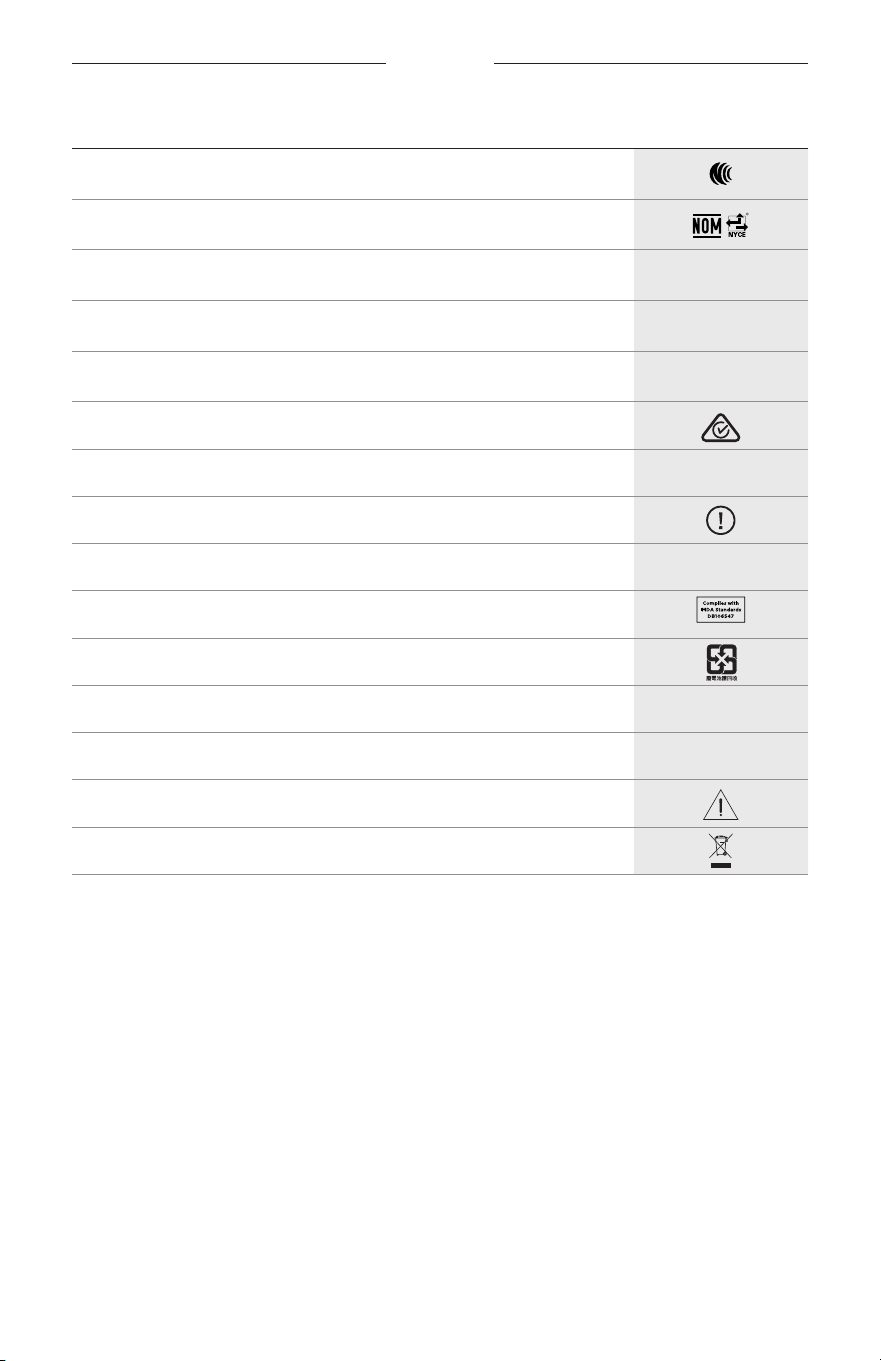
تاقصلملا زومر
ARA
|
33
زمرلاةلدلا
NCC ةداهش
NOM NYCE ةداهش
d
مقعم ريغ
I
.ليللا يف وأ قفشلا تقو يف ةدايقلا ءانثأ ءادترلل بسانم ريغ
m
فتاه
يميظنتلا قفاوتلا ةملع
A
مادختسا تاميلعت ىلإ عوجرلا
ناما تامولعم
f
لسلسملا مقرلا
ةروفاغنس يف )IMDA( تاصتاو تامولعملاو ملعا لئاسو ريوطت ةئيه تاطارتشا عم قفاوتم
ةيناوياتلا ريياعملل ا
ً
قفو تايراطبلا ريودت ةداعإ
l
ةرارحلا ةجرد دودح
W
ويديف عطاقم
تاهيبنت/تاريذحت
ةينورتكلاو ةيئابرهكلا تا
ّ
دعملا تايافن هيجوت زمر

©2020 Bose Corporation, 100 The Mountain Road, Framingham, MA 01701-9168 USA
AM856770-0010 Rev. 02