User Manual
Package Contents List of Components Liquid-crystal Display (LCD) Preparation
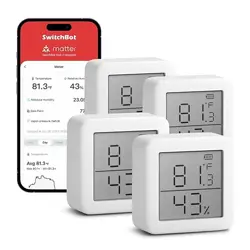
Meter Pro
V1.0-2407
Please read this user manual carefully before using your device.
You will need:
• A smartphone or tablet using Bluetooth 4.2 or later.
• The latest version of our app, downloadable via the Apple App
Store or Google Play Store.
• A SwitchBot account, you can register via our app or sign in to
your account directly if you already have one.
Please note: if you intend to use the Cloud Service feature, you will need a
SwitchBot Hub (sold separately).
iOS and Android system requirements:
https://support.switch-bot.com/hc/en-us/articles/12567397397271
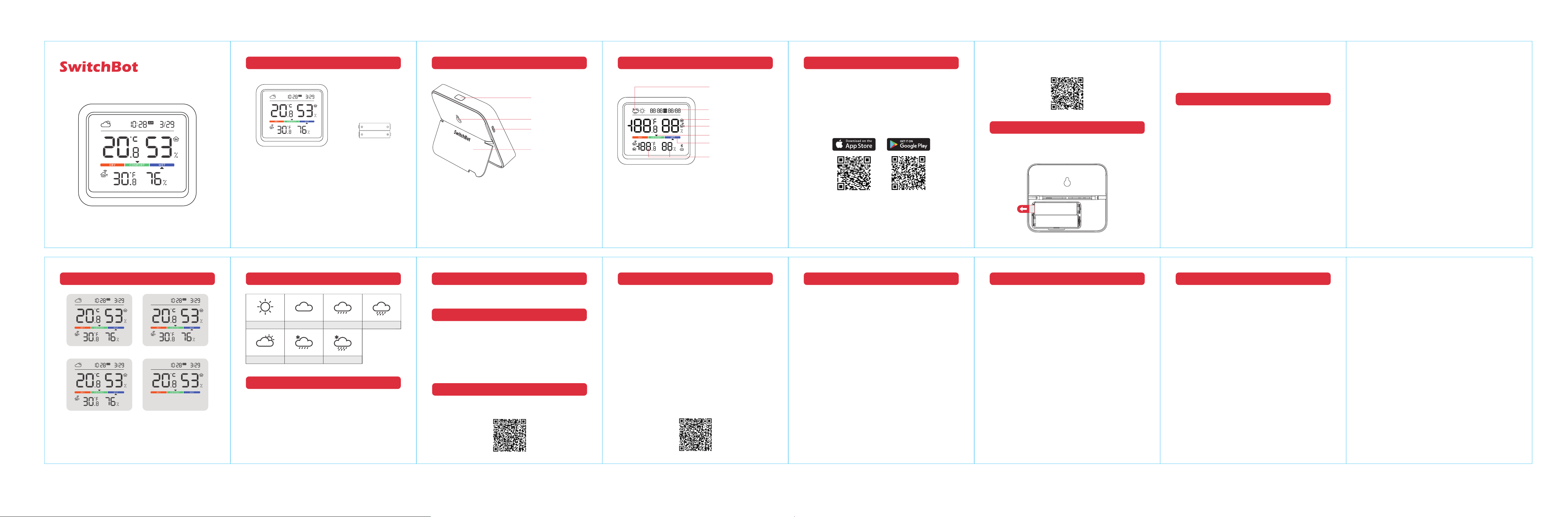
Main Unit × 1
Battery × 2
Button
(Switch Temperature Unit)
Sensor
Foldable Stand
Mounting Hole
Weather Forecast
(SwitchBot Hub device required)
Date and Time
Indoor Icon
Outdoor Icon
Comfort Level
Comfort Level Pointer
Temperature and Humidity
www.switch-bot.com
Installation
Step 1: Power on
Remove the battery insulation tab to power on your product.
Step 2: Add to the SwitchBot app
Open our app, tap the "+" icon in the right-hand corner of the
home page, and select Add Device. Find the device icon and select.
Then follow the instructions to add Meter Pro.
• The Bluetooth signal transmission of this product may be affected
by obstacles. In an open space without any obstacles, the maximum
connectivity distance is 120 m (131 yd.).
• When using a Meter Pro with an Indoor/Outdoor Meter together,
it's recommended to add a SwitchBot Hub Mini or Hub 2 to sync
the data from your Indoor/Outdoor Meter to eliminate connectivity
range issues that may occur.
• Prolonged exposure to conditions outside recommended ranges
(5 ºC to 60 ºC, 20% to 80% relative humidity) may accelerate
product aging.
Precautions
Please note:
• This product is compatible with all SwitchBot Meter and Hub products.
The displayed data may vary depending on the devices you configured.
• For outdoor use, we recommend you pair your device with a SwitchBot
Indoor/Outdoor Meter.
Please scan the QR code to get detailed function description.
Functions
Resetting Factory Settings
Press and hold the top button for 15 seconds.
Specifications
Material: ABS
Size: 92 mm × 79 mm × 25 mm (3.6 in. × 3.1 in. × 0.98 in.)
Weight: 154 g (5.4 oz.) (with batteries)
Power: 2 × AA battery
Battery Life: 1 year
Temperature Measurement Range: −20 ºC to 80 ºC (−4 ºF to 176 ºF)
Humidity Measurement Range: 0 to 99% RH
Temperature Precision:
−20 ºC to 0 ºC (−4 ºF to 32 ºF) [±0.4 ºC/0.7 ºF]
0 ºC to 65 ºC (32 ºF to 149 ºF) [±0.2 ºC/0.4 ºF]
65 ºC to 80 ºC (149 ºF to 176 ºF) [±0.3 ºC/0.5 ºF]
Humidity Precision:
0 to 10% RH (±3% RH)
10 to 90% RH (±2% RH)
90 to 99% RH (±3% RH)
Connectivity: BLE 4.2 or above
Warranty
We warrant to the original owner of the product that the product
will be free from defects in materials and workmanship. Please
note that this limited warranty does not cover:
1. Products submitted beyond the original limited warranty period.
2. Products on which repairs or modifying have been attempted.
3. Products subjected to falls, extreme temperatures, water, or
other operating conditions outside the product specifications.
4. Damage due to natural disaster (including but not limited to
lightning, flood, tornado, earthquake, or hurricane, etc.).
5. Damage due to misuse, abuse, negligence or casualty (e.g. fire).
6. Other damage that is not attributable to defects in the
manufacture of product materials.
7. Products purchased from unauthorized resellers.
8. Consumable parts (including but not limited to batteries).
9. Natural wear of the product.
Contact & Support
Feedback: If you have any concerns or problems when using our
products, please send feedback via our app through the Profile >
Help & Feedback page.
Setup and Troubleshooting: support.switch-bot.com
Support Email: [email protected]
Frequently Asked Questions
Q: What do I do when my product doesn't work properly?
A:
1. Ensure the battery isolation tab has been removed.
2. Check if the batteries are installed with the correct polarity.
3. Verify that the batteries have sufficient power.
Q: My temperature and humidity readings are inaccurate, what
can I do to fix this?
A: Recalibrate your Meter Pro via our app. If the issue persists,
please contact Customer Support.
Q: I can't connect my Meter Pro to my Indoor/Outdoor Meter,
what should I do?
A:
1. Check whether the distance between them exceeds the maximum
Bluetooth connection range 120 m (131 yd.).
2. Use a SwitchBot Hub device as a bridge between them.
Please visit our website or scan the QR code below for more
information.
Firmware Upgrades
In order to improve user experience, we will regularly release
firmware updates to introduce new functions and solve any
software defects that may occur during usage. When a new
firmware version is available, we will send an upgrade notification
to your account via our app. When upgrading, please make sure
your product has sufficient battery or stay powered on and make
sure your smartphone is within range to prevent interference.
Weather Forecast IconsScreen Display
Open the battery cover, remove old batteries, and insert 2 new
AA batteries, ensuring correct polarity. Then, close the battery
cover.
Replacing Batteries
Meter Pro + I/O Meter + Hub device Meter Pro + I/O Meter
Meter Pro + Hub device Meter Pro
Clear Cloudy Drizzle Rainy
Overcast Light snow Snow