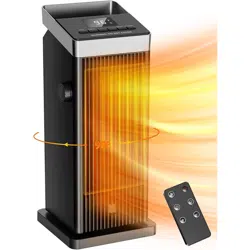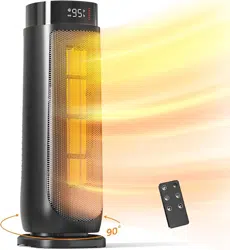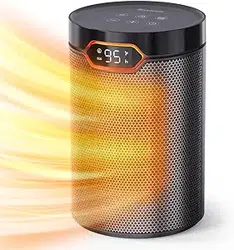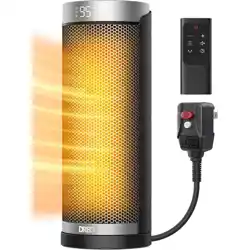
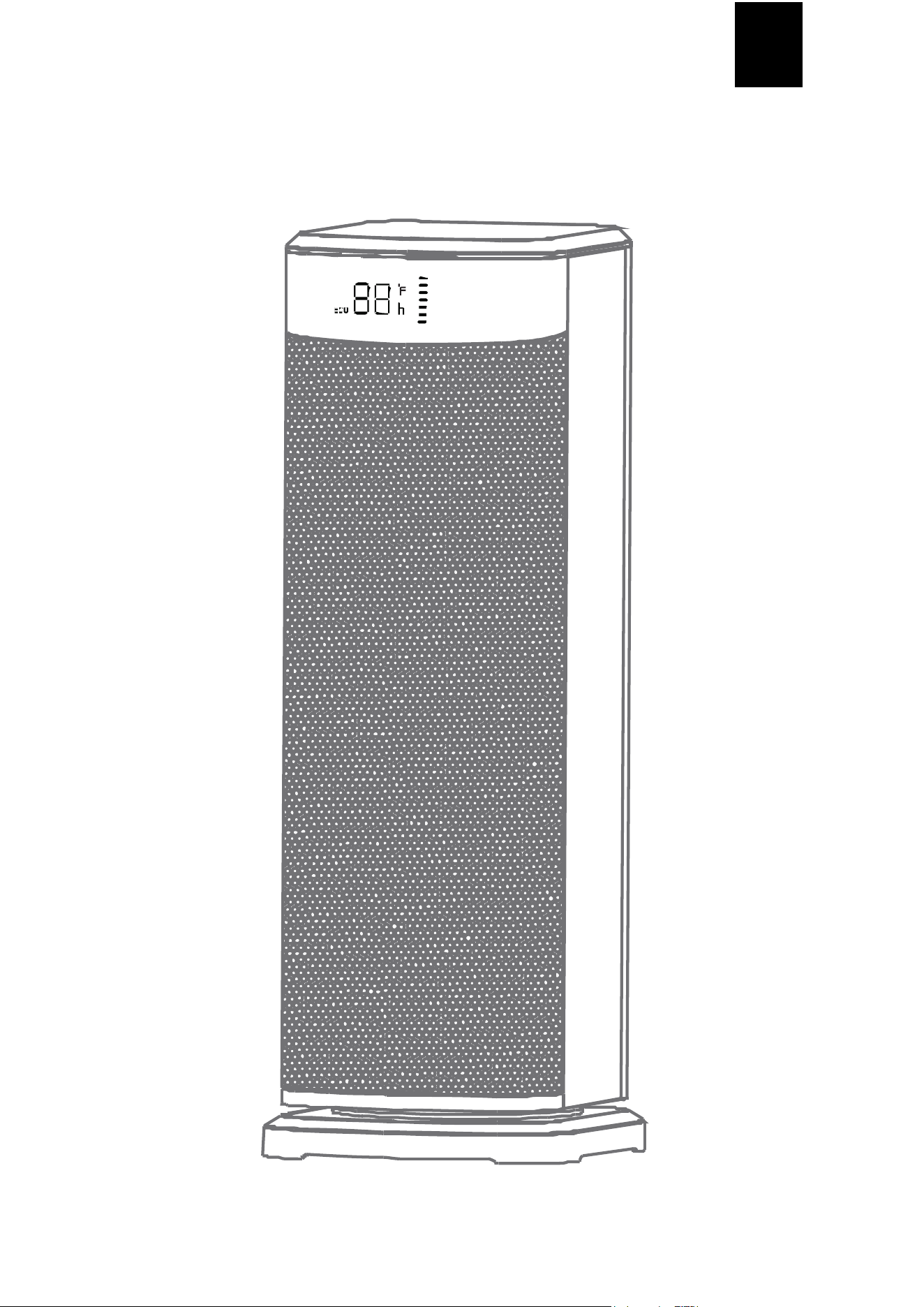
Space Heater
Product Manual
Please read the manual carefully before use and keep
it properly for future reference.
US

1 2
IMPORTANT INSTRUCTIONS
When using electrical appliances, basic pr ecautions should always be followed to reduce the risk
of fire, el ectric shock, injury to persons, and hyperthermia, inclu di ng the following :
1. Read all instructions before using this heater .
2. Before using the product for the first time, please check whether the voltage you are using
matches the one required by the product nameplate.
3. This machine is a hig h-power electrical appliances, before use must confirm that the power
socket and plug fit, not loose, the power supply can c arry the max imum current must be
greater than the produ ct use current, otherwise the machine in the long-term use of the
process may have poor contact or excessive current and lead to appar atus burn risk.
4. Do not use in the curtains and other places that ar e easy to be sucked in, should avoid the
surrounding obstacles and unstable places.
5. This product is strictly prohibited to use in the environment with flammable and explosive
materials, and the use of the environ ment shou ld not exceed 40 , at least 1 met er away from
combusti ble materials to prevent fire.
6. Al ways unplu g heater when not in use.
7. Make sure the ma chine is disconnected from the power supply when th e power is off or the
produc t is moved.
8. Please check the powe r cord and the plug before use to see if there is damage.
9. Please do not violently bend, pull the powe r cord to avoid poor con tact.
10. When using the tilt angle can not be gr eater than 10 degrees, can not be used upside down,
should be pl aced on a flat surface to use.
11. Prohibit the use of touching the air outl et protection network, in order to avoid bu rns.
12. aid out the plug before th e power should be turned off, do not pull the power cord, should
hold the plug head pul l out.
13. Rush to pull the power plug with wet hands, th e risk of electric shock.
14. Electric heater shou ld not be placed directly under the power outlet.
15. Please do not cover the air inlet, and keep more than 15cm space with the wall.
16. When the electric heater is working, it is prohibited to tou ch the front air outlet to avoid bur ns.
17. When working, it is absolutely forbidden to insert ha nds or foreign objects into the body of the
machine.
18. Children should be supervised to ensure that they are not left alone with this product.
19. This product is not designed for use by people with physical , sensory or intellectual
i mpairments or l ack of experience and common sense (incl uding children) unless they are
give n adequate care and guidance on how to u se the product by their safety officer.
20. Electric heater surf ace stains, use a soft cloth or soap wipe clean , do not use gasoline or
alcoh ol and other organic solutions to wipe.
21. Do not use in high temperature, humid, dusty or volatile places such as acid an d alkali oil.
22. Because the electric heater is covered or incorrectl y placed can cause danger, so do not use
the programmer with automatic power on, timing dew or with any other device to use the
electric heater.
23. Please do not frequently open and close doors and windows when using, so as not to affect
the use of the effect.
24. When the power is connected to the heating product has a slight odor is a normal
phenomenon.
25. Water is str ictly prohibited to shower the body, do not drip water into the electric heater.
26. Do not disassemble or disa ssemble the body at wil l, and do not modify the product in any
f orm to avoid danger.
1 2
IMPORTANT INSTRUCTIONS
27. This heate r is hot when in use. To avoid burns, do not let bare skin touch hot surfaces. If
provided, use handle s when moving this heater. Keep combusti ble materials, such as
furnitur e, pillows, bedding, papers, clothes, and curtains at le ast 3 feet (0.9 m) from the front
of the heate r and keep them away from the sides and rear.
28. Extreme caution is necessary when any heater is used by or near chil dren or invalids and
whenever the heater is left operating and unattended.
29. Do not operate any heater with a damaged cord or plug or after the heater malfunctions, has
been dr oppe d or damaged in any ma nner. Discard heater, or return to authorized ser vice
facil ity for examination and/or repair.
30. Do not use outdoors.
31. This heater is not intended for use in bathrooms, laundry areas and simil ar indoor locations.
Never locate heater where it may fall into a bathtub or other water container.
32. Do not run cord under carpeting. Do not cover cord with throw rugs, runners, or similar
cove rings. Do not route cord under f urniture or appliances. Arrange cord away from traffic
area and where it will not be tripped over.
33. To di sconnect heater, turn control s to off, then remove plug from outlet.
34. Do not insert or all ow fore ign objects to enter any ventilation or exhaust opening as this may
cause an electr ic shock or fir e, or damage the hea ter.
35. To prevent a possible fire, do not block air intakes or exhaust in any manner. Do not use on
soft surface s, like a bed, where openings may become blocked.
36. A heater has hot and arcing or spa rking parts inside. Do not use it in areas wh ere gasoline,
paint, or flammable liquids are used or stored.
37. Use this heater only as described in this manual. Any oth er use not recommended by th e
manufa cturer may cause fire, electric shock, or inj ury to persons.
38. Always plug heaters directly into a wall outlet/receptacle. Never use with an extension cord
or reloc atable power tap (outlet/power strip).
39. Hype rthermia can result in death. Symptoms of hyperthermia include high body
temperature, headache, nausea, vomiting, tiredness, dizzines s, fai nting, and rapid pulse. If
you begin to experience symptoms related to hyperthermia, turn off the heater and seek
medical attention.
40. To avoid excessive room temperatur es which can cause hyperthermia: DO NOT leave
product running unattended in a confined space around infants, or individu als with reduced
physical, sen sory, or mental capabilities.
41.
"SAVE THESE INSTRUCTIONS"
CAUTION
RISK OF ELECTRIC SHOCK
DO NOT OPEN
NO USER-SERVICEABLE
PARTS INSIDE
IMPORTANT INSTRUCTIONS
3
SPECIFICATIONS
Model : DH-QN26
Rated Voltage : 120V~
Rated Power : 1500W
Rated Fr equenc y : 60Hz
STRUCTURE
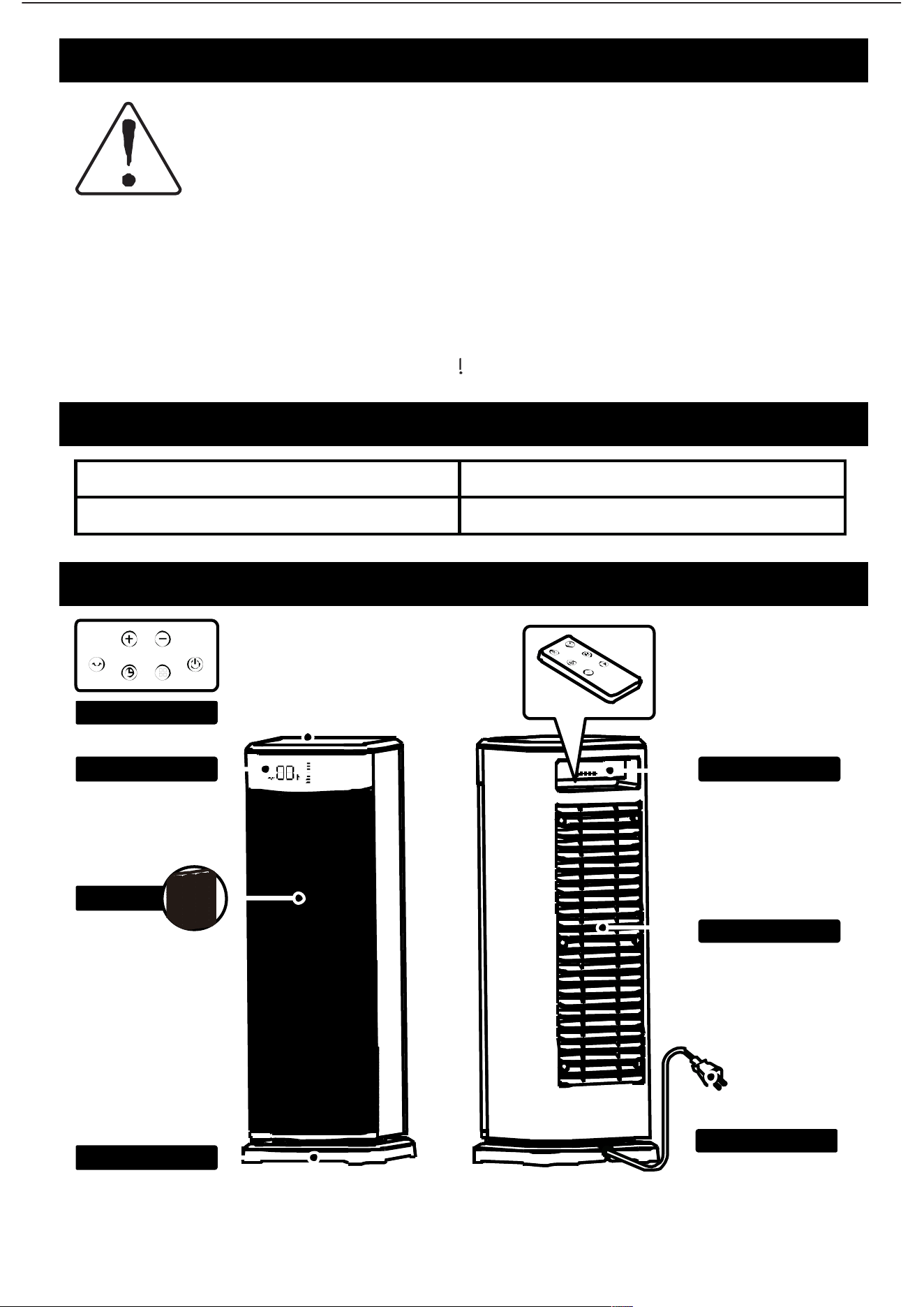
Power Cord
Ba ck Case
Han dl e
Control Panel
Display
PTC
Ba se
WARNING - Risk of
Heat Stroke
(Hyperthermia)
Hyperthermia can result in death in infants or others
Use caution to avoid overtheating indiviuals Read
and follow all instructions before use
REMOVE BEFORE USE
3
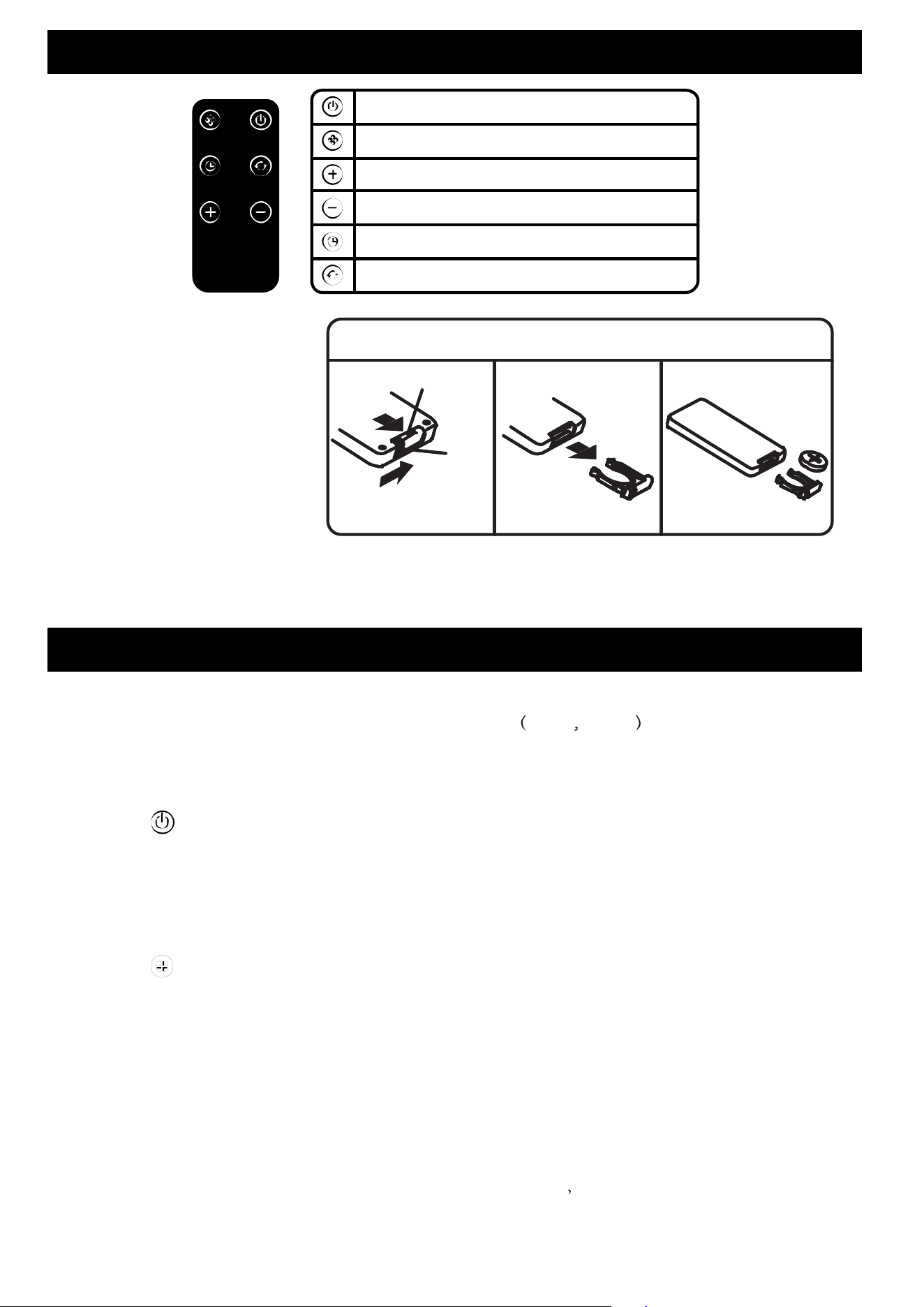
How to change the battery
1. Please push the locking latch
in the direction of arrow A,
and pull out the pull notch in
the direction of Arrow B at
the same time.
2. Use 1 'CR2025' Lithium
battery (included).
3. Insert the bat teries, and
make sure th at the positive
terminals are in the correct position.
4. Instal l back the c over.
REMOTE CONTROL
Baery installation
B
B
A
Pull Notch
Locking
latch
ON/OFF
Mode button
Temperature/Timer increase
Temperature/Timer decrease
Timer button
Oscillating butto n
INSTRUCTIONS FOR USE
Before use, please check all the par ts are complete and undamaged.
Also, check the applied volt age matches with the label 120V~ 60Hz .
1. ON & OFF
After plu gging, the heater is in the ‘sta nd-by’ Mode. The digital display shows ‘--’.
Touch " " button at the control panel, the heater runs at default mode (High-Heat Mode,
the digital display shows HI), red indicator light on. Tou ch again to turn off.
● When it turns off, the PTC will stop heating immediately , it has 15s count-down for PTC to
cool down wh ile the fan stil l bl ow air before completely stop.
2. Switching Mo des
Touch " " button to switch between modes in the following sequence: High Heat (HI)
→ Low Heat (LO) → ECO Mode → Natural Wind → High Hea t (HI), and so on.
(1 ) High Heat Mode: the LED screen displays “HI”, red light on.
(2) Low Heat Mode: the LED screen displays “LO”, dark red light on.
(3) ECO Mode : the LED screen displays the temperature. Touch ' + ' or ' - ' to set the
tempera ture val ue from 59°F-95°F. Ea ch press adjusts th e temperature by 1°F, long touc h
for 2 sec onds to continuously change the temperature value. While settin g the
tempera ture, the " F " icon will flash. If there is no operation for 3 seconds, the setting
will be comple ted, a nd the " F " icon will remain lit.
(4) Natural Wind: th e LED screen displays shows no content blue light on.

MAINTENANCE METHOD
● Before mainta ining the product, be sure to turn off the power switch and unplug, and wait for
the produ ct to cool completely before cl eaning a nd maintenance.
● When the product has oil, it must be cl eaned to avoid discoloration or breakage.
● Do not use water to ri nse the body dir ectly, use a soft cloth containing a little neutral
detergent to wipe lightly, and then wipe dry . Do not use acid and alkaline solvents to wipe, so
as not to cause discoloration or damage.
● After cleaning and maintaining the product, be sure to wait until it is fully dry before powering
on or storing.
● Please unplug the power cord when not in use for a long time. It is recommended that the
best use of the original packaging will be packed into the box of each component, placed in a
dry place for safekeeping.
● Avoid touching or scratching the product, so as not to affect the product performance.
● Any other servicing should be performed by an authorized service representative
4
INSTRUCTIONS FOR USE
3. ECO Mode
(1) In ECO mode, the temperature adjustment range is between 59°F-95°F.
(2) The machine monitors the room temperature. When the temperature
reaches the desired level, it stops blowing warm air. Every 5 minutes, it activates the
fan for 30 seconds to promote a ir circulati on and monitors the indoor temperature.
If the temperature drops below the set level, it resumes blowing warm air.
4. Timer Seing
When the heater is ru nning, touch " " button for timer setting. Touch " + " or " - " to set
the timer from 0h to 24h. Whi le setting the time r, the " " icon will flash. If there is no
operation for 3 seconds, the setting will be completed, and the " " icon will remain lit.The
he ater will stop au tomatically when time is up.
5. Oscillation Function
Touch " " button it will start oscillating automatically, touch again to stop.
6. Memory Function
The heater will record the temperatu re and mode setting in the last time. It will run as the
last record when it turns on. (not including timer setting and osc illation setting).
Af ter unplugged, Memory settin g can be reset and back to default setting.
Note:
● When the heater is covered or blocked by foreign objects while it ’s heating, it might stop
automatically due to overh eating.
● With built-in tip over protection, the heater will stop automatically when it is tilted.
● If the heater is tu rned off because of overheat, after it cools down, unplugs the heater then
re-plugs in to restart.
5
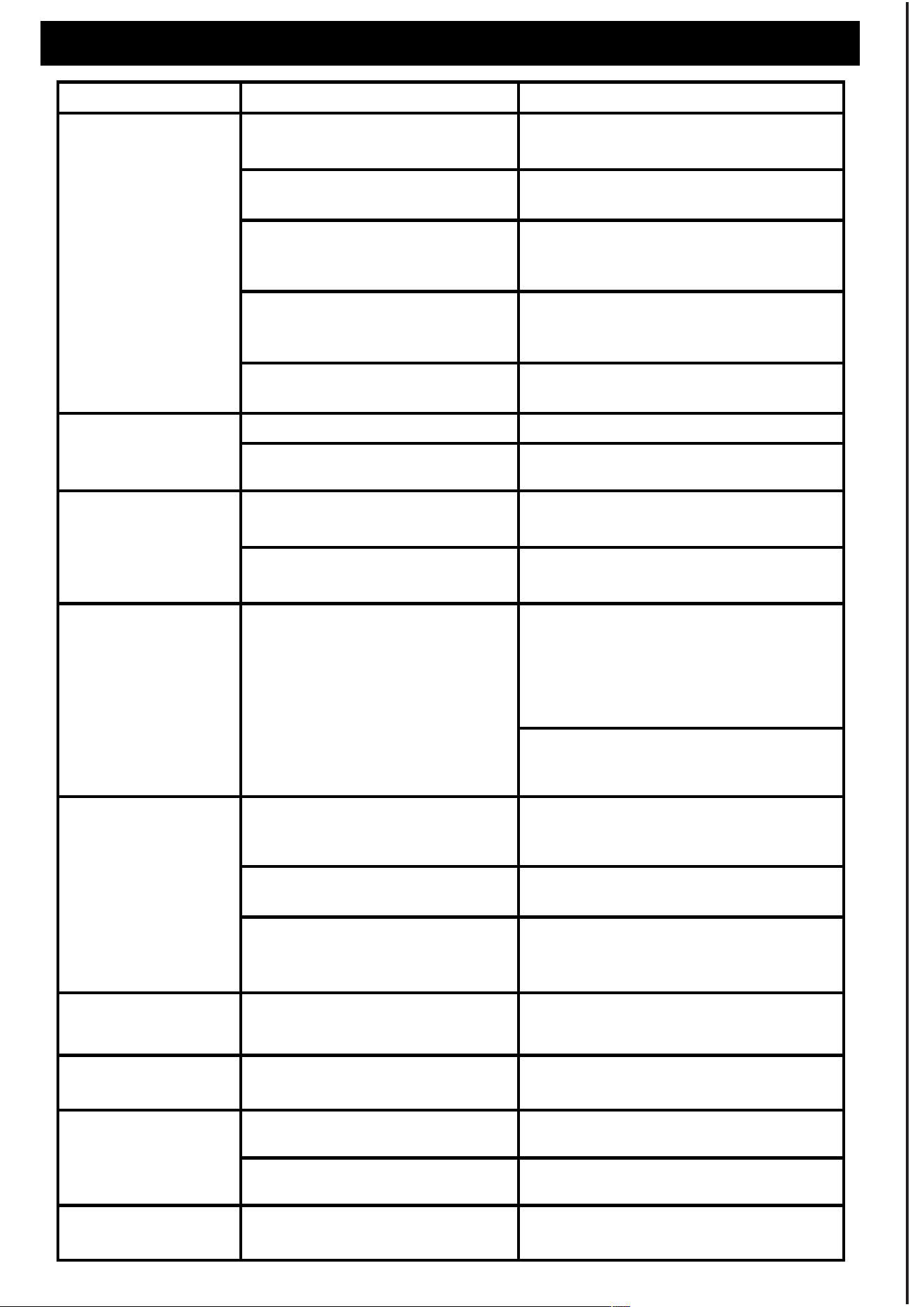
Unplea sant odor
The heater will emit some
odor in the first use.
Place the heater in a ventilated
environment before use.
The product is made from safe
flame-retardant material, so it's
normal to have some smells in the
first use. The odor will disappear
natu rally after repeated use.
The remote control
doesn't work
Haven't pulled out the plastic
sheet in the r emote contr ol
before use.
Pull out the plastic sheet.
Repl ace the remote control battery.
Get closer to the machine and aim
at the infr ared receiver in the front
of the machine.
The battery is running out of
power.
Beyond controll able distance.
Unable to find the
remote control
Check the beneath of the
control panel
Take out the remote control beneath
the control panel .
Plug wire overheats,
melts; Trip-out
Use the same power strip with
other high-power appliances.
Use th e wall outlet instead of the
power strip.
Fault code on the
LED display
E2 - Temperature sensor is
shorted out.
Unplug it and c ontact Customer
Suppor t.
Unplug it and c ontact Customer
Suppor t.
Contact Customer Support.
E1 - Temperatu re sensor is
disconnected.
Unable to oscillate
Some electronic parts inside
the heater ar e damaged.
TROUBLE SHOOTING
Unable to start /
Stop working /
Frequent
sudden stops
Loud noise
Not enough hea ting
Low Heating Mode or Fan-only
Mode is on.
The space is too larg e to heat.
Set the temperature higher or have
the High Heating mode set.
Ensure a proper space for use; Users
get closer to the heater.
The plug is not properly in.
Overheat Protection has
been activate d.
Something is closed to or
covering the heater.
The set temperature is lower
than the ambient temperature.
Make sure the thermostat is set at a
higher temperature than the ambient
tempe rature.
Unable to troubleshoot
the problem.
The f an goes wrong. Contact Customer Support.
Check and remove anything in the
air inlet.
Something bl ocks the air inlet
or outlet.
Contact Customer Support.
Connect the plug to a live electrical
outlet.
Turn off the heater, unplug it, and
let it cool for 5-10 minutes.
Check and remove anything on or
adjacent to the heater. Wait 5-10
minutes before re-plug ging it.
Existing Problems Possible Causes Solution

6 7
We appreciate your feedback and will do our best guarantee you r satisfaction.
Within 1 year after your purchase,sh all the product has defects, we will pr ovide a refund or
resend you a new one. Please email us with you r concern and order number. Your inqu iries
will be taken c are of as soon as possible.
This war ranty only cover or ders from authorized brand online stores and our officia l website.
We are not responsibl e for any purchases from other distribution channels.
Email us : us@usppor t.com
WARRANTY
Guangdong Shunde DOUHE El ectronics Technology Co.,Ltd
203 Room,Secon d Phase West Block,Guangdong Industrial Design City,
Beijiao,Shunde district,Foshan City, Guangdong Province,China