
www.SereneLifeHome.com
2
IMPORTANT: Read all instructions carefully before using this product.
Retain this owner’s manual for future reference. The specifications of this
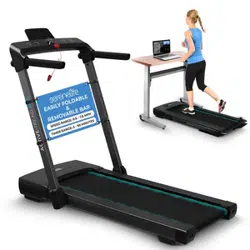
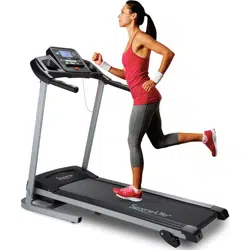
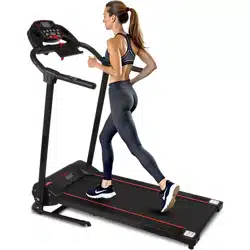
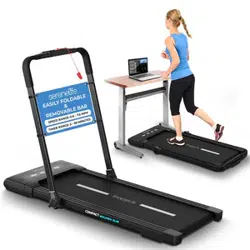
product may vary from this photo and are subject to change without
prior notice.
WARNING & SAFETY INFORMATION
1. Ensure that you read the manual carefully before attempting to assemble
or use Power Electric Treadmill.
2. The Treadmill must be positioned on a firm flat surface.
3. The Treadmill is designed for indoor use only. Do not use outdoors.
4. Do not position the Treadmill on a deep thick carpet as air needs to be able to
circulate underneath.
5. Wear comfortable and suitable clothing when using the treadmill.
Do not wear loose or long clothing as this may get caught in the moving belt.
6. Do not use the treadmill barefoot or in socks.
Always wear appropriate, enclosed athletic footwear.
7. Do not stand on the Treadmill belt before operating. Position your feet on
either side of the Treadmill belt and as the motor starts step onto the treadmill.
Do not step on the belt if the Treadmill is at full speed.
8. Do not allow children or pets near the Treadmill when in use.
9. Children and elderly should only use the Treadmill under adult supervision.
10. Always unplug the Treadmill from the main power supply when not in use.
11. Regularly clean the Treadmill after use. Remove any dust and sweat from the
handles and the running belt. Use a light soapy water mixture to clean the
running belt. NEVER USE A ROUGH CLEANING AGENT.
12. When the Treadmill is not in use for an extended period fold away it away
and store in a clean dry place.
13. If any part of the electrical cable or plug is loose or becomes worn, do not
use the Treadmill and have a qualified electrician inspect the problem.
14. The Treadmill is not a toy and is not intended for use by persons (including
children) with any physical or mental conditions. The Treadmill should not be
used by any person who has not read and understood the manual.
15. If the user has had any prior medical condition they should consult a doctor
before use.
WARNING: To reduce the risk of electric shock, always unplug the treadmill from
the electrical outlet immediately after using and before cleaning, assembling, or
servicing the treadmill. Failure to follow these instructions may lead to personal
injury and cause damage to the treadmill.

www.SereneLifeHome.com
3
ACCESSORIES
PARTS LIST
Safety Tether Key
Allen Key
Safety Tether Key
Handrail
Running Belt
Locking Knob
Display Panel
End Cover
Control Panel

www.SereneLifeHome.com
4
ASSEMBLY INSTRUCTIONS
Do not rely on it to support your body weight during use.
Turn on Bluetooth capability on your device and make it discoverable,
choose the shown device "BTMP3" to pair it.
Once the device is paired you can start using the application on your device
to play, pause and adjust the volume, etc.
Locking Knob
Locking Knob
Loose the Locking Knob,
then lift up the treadmill to
the right postion, tighen the
Locking Knob again.
MUSIC

www.SereneLifeHome.com
5
CONTROL PANEL
NOTE: Always stand on the side rails when you start the treadmill, never start the
treadmill while you are standing on the running belt.
DISPLAY FUNCTIONS
QUICK START: Press the START button on the computer to begin exercising.
The running belt starts moving with an initial speed of 0.6MPH.
You may press the SPEED + or SPEED - button on the computer console to
increase or decrease the running speed during exercise. During workout, you
may press the STOP button on the computer console to end your workout at
any time.
START: Press the START button to begin exercising.
PAUSE/STOP: Press the PAUSE/STOP button to resume/end your workout.
In running mode, press the Pause key to enter the pause mode.
The current parameters remain unchanged and the speed flashes.
MODE: To select different function (TIME, DISTANCE, or CALORIES) for setting
exercise goals in manual program mode before training.
PROG (PROGRAM): To select your chosen workout (P1 to P12).
SPEED +: To adjust the function value up.
To increase running speed adjustments during all training periods on different
training modes.
/

www.SereneLifeHome.com
6
SPEED -: To adjust the function value down.
To decrease running speed adjustments during all training periods on different
training modes.
TIME: Displays your elapsed workout time in minutes and seconds.
You may also pre-set target time in STOP mode before training.
To set TIME press the MODE button on the computer console until you see the
split window of TIME begin blinking. Press the SPEED + or SPEED - button on
the computer console to change the setting. The pre-set target time range is from
5:00 to 99:00 minutes. Once you pre-set target time, press the START button on
the computer to begin exercising.
SPEED: Displays the current speed from the minimum 0.6 MPH to the maximum
5.0MHP or 7.6 MPH.
DIS (DISTANCE): Displays the accumulative distance traveled during workout.
You may also pre-set target distance in STOP mode before training.
To set DIS (DISTANCE) press the MODE button on the computer console until
you see the split window of DIS (DISTANCE) begin blinking.
Press the SPEED + or SPEED - button on the computer console to change the
setting. The pre-set target distance range is from 1.00 to 65.0 km.
Once you pre-set target distance, press the START button on the computer to
begin exercising.
CAL (CALORIES): Displays the total calories burned during your workout.
You may also pre-set target calories in STOP mode before training.
To set CAL (CALORIES) press the MODE button on the computer console until
you see the split window of CAL (CALORIES) begin blinking.
Press the SPEED + or SPEED - button on the computer console to change the
setting. The pre-set target calories range is from 10 to 995 calories.
Once you pre-set target calories, press the START button on the computer to
begin exercising.

www.SereneLifeHome.com
7
TRAINING IN PRE-SET PROGRAM MODE
When in PROGRAM mode, press the PROG (PROGRAM) button to select your
chosen workout (P01 to P12). Press the SPEED + or SPEED - button to change
the setting. Press the START button to confirm and start your workout.
This treadmill console has 2 kinds of Workout Programs to choose from.
WALKPAD MODE
TIME: Displays your elapsed workout time in minutes and seconds.
SPEED: Displays the current speed from the minimum 0.6 MPH to the maximum
5.0 MPH.
DISTANCE: Displays the accumulative distance travelled during workout.
CALORIES: Displays the total calories burned during your workout.
Program
1
2 3 4 5 6 7 8 9 10 11 12 13 14 15 16 17 18 19 20
1.5
1.5 2.0 2.0 2.5 2.5 2.0 2.0 2.5 2.5 3.0 3.0 2.0 2.0 2.0 2.5 2.0 2.0 1.5 1.5P01
2.0
2.0 2.0 2.0 2.5 2.0 3.0 2.5 2.0 2.5 3.0 2.0 2.5 2.5 2.5 2.0 2.0 2.0 1.5 1.5P02
2.0
2.0 2.0 3.0 3.0 3.0 2.5 2.5 3.0 3.0 2.0 2.0 3.0 3.0 2.5 2.5 3.0 2.5 2.0 1.5P03
1.5
1.5 2.0 2.5 2.5 2.0 2.5 3.0 2.0 3.0 4.0 4.0 4.0 2.5 2.5 3.0 2.5 2.5 2.0 1.5P04
2.5
2.0 2.5 2.0 3.0 2.5 2.0 3.0 4.0 4.0 3.0 3.0 2.0 2.0 2.5 4.0 2.0 2.0 2.0 1.5P05
2.5
2.5 2.5 2.0 4.0 2.5 2.5 2.5 2.5 4.0 4.0 2.5 2.5 2.5 4.0 4.0 3.0 2.5 2.0 1.5P06
2.0
2.5 4.0 2.0 3.0 3.0 4.5 4.5 3.0 3.0 4.5 4.5 3.0 3.0 4.0 4.0 2.5 2.5 2.5 2.0P07
1.5
2.5 3.0 2.0 1.5 2.5 3.0 4.5 1.5 2.5 3.0 4.5 1.5 2.5 3.0 4.0 1.5 2.5 3.0 1.5P08
2.0
2.0 3.0 2.0 4.5 4.5 4.5 5.0 5.0 3.0 2.5 2.5 3.0 3.0 4.5 4.5 3.0 3.0 2.0 1.5P09
1.5
2.5 3.0 2.0 4.0 4.0 4.5 4.5 5.0 5.0 4.5 4.5 4.0 4.0 3.0 3.0 2.5 2.0 2.0 1.5P10
2.0
2.5 3.0 2.0 3.0 6.0 3.0 3.0 3.0 6.0 6.0 3.0 3.0 3.0 6.0 6.0 5.0 4.5 4.0 2.0P11
1.5 3.0 5.0 2.0 4.5 4.5 6.5 6.5 4.5 4.5 6.5 6.5 4.0 4.0 6.0 6.0 3.0 3.0 2.5 2.0P12
Time Segment

www.SereneLifeHome.com
8
FUNCTION BUTTONS
[Start] Key: Press this key to start exercise program.
[P] Key: press this key to select exercising speed programs P01-P03.
[M] Key: Press this key to select the time distance or calories in the manual
program.
[+] Key: Press this key to increase the speed.
[-] Key: Press this key to decrease the speed.
[Stop/Pause] Key: Press this key during exercise to interrupt the program
(motor stops running), you can press [Start] key to continue this exercise
program or press [Stop/Pause] key again to finish this program.
Program
1
2 3 4 5 6 7 8 9 10 11 12 13 14 15 16 17 18 19 20
2.0
2.0 2.0 2.0 2.0 2.0 3.0 3.0 3.0 3.0 3.0 3.0 2.0 2.0 2.0 2.0 2.0 2.0 2.0 2.0P01
2.0
2.0 2.0 3.0 3.0 2.0 3.0 3.0 4.0 4.0 2.0 3.0 3.0 3.0 2.0 2.0 2.0 3.0 2.0 2.0P02
2.0 2.0 2.0 3.0 3.0 4.0 4.0 3.0 3.0 4.0 4.0 4.0 3.0 2.0 2.0 2.0 3.0 3.0 2.0 2.0P03
Time Segment

www.SereneLifeHome.com
9
LUBRICATION
Lubricating under the running belt will ensure superior performance and
extend its life expectancy. After the first 25 hours of use (or 2-3 months) apply
some lubricant, and repeat for every following 50 hours of use (or 5-8 months).
How to check running belt for proper lubrication
• Lift one side of the running belt and feel the top surface of the running deck.
• If the surface is slick to the touch, then no further lubrication is required.
• If the surface is dry to the touch, apply some lubricant.
How to apply lubricant
• Lift one side of running belt.
• Pour some lubricant under the centre of the running belt on the top surface of
the running deck.
• Run on the treadmill at a slow speed for 3 to 5 minutes to evenly distribute
lubricant.
NOTE: DO NOT over lubricate running deck. Any excess lubricant that comes out
should be wiped off.
EMERGENCY STOP
Before beginning a workout session ensure that the Safety Tether Key is properly
placed onto the Computer Console and the Safety Clip is securely attached to an
article of your clothing. If you fall the clip will pull out the SAFETY TETHER KEY
from the Computer Console and the running belt will stop immediately for
emergency stop, helping to prevent injury. Replaced the Safety Tether Key onto
the Computer Console. Press the START button to begin exercise again.
1pc. Lubricant
SAFETY
TETHER KEY
www.SereneLifeHome.com
10
BELT ADJUSTMENT
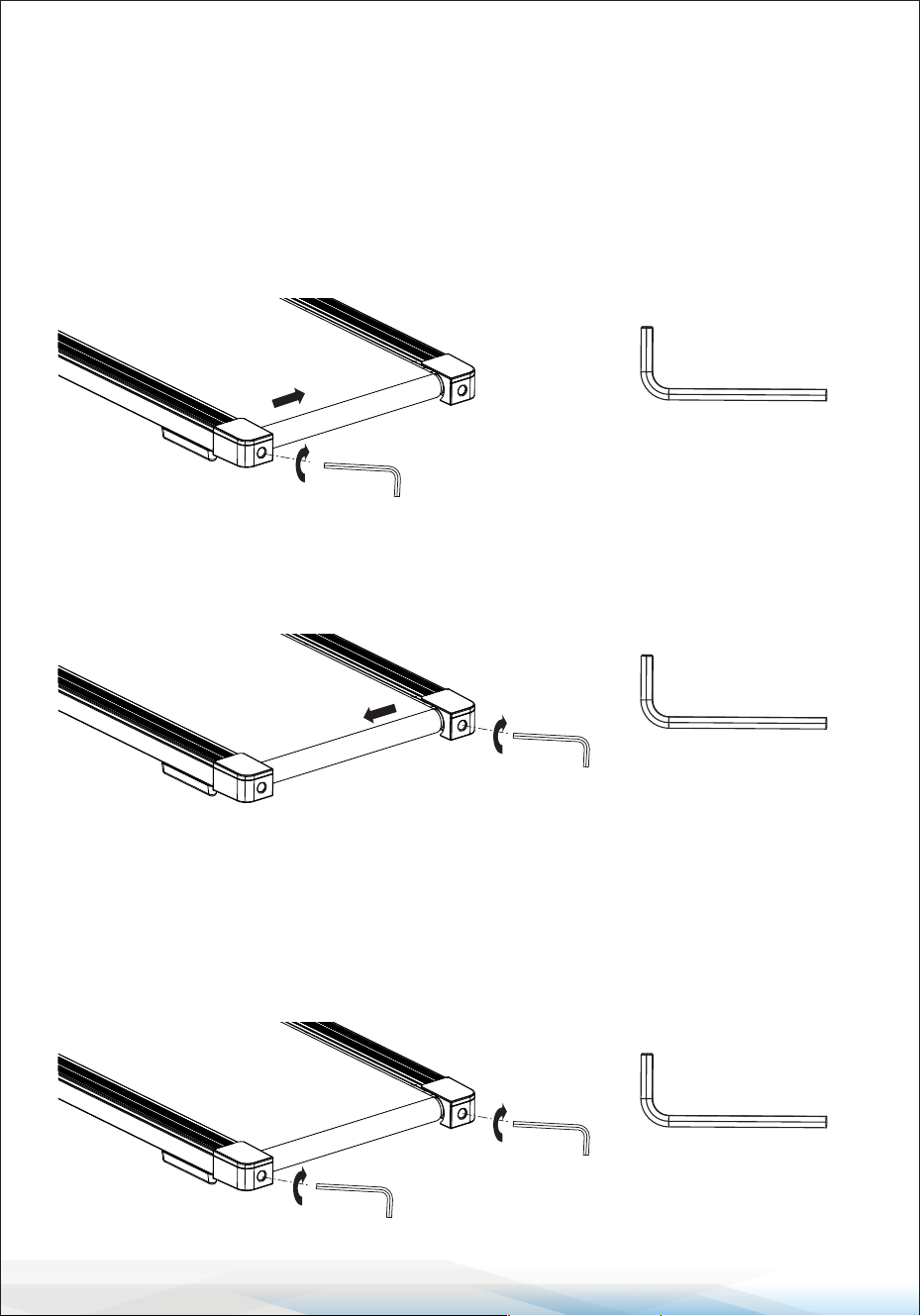
The running belt is pre-adjusted to the running deck at the factory, but after
prolonged use it can stretch and require readjustment. To adjust the belt, turn
on the main power switch of the treadmill and let the belt run at a speed of
0.6-2.0 MPH. Use the Allen Wrench provided to turn the rear roller adjustment
bolts in order to centre the belt. If the running belt is shifting to the left, turn the
left adjustment bolt 1/4 turn clockwise, and the running belt should start to
correct itself.
If the running belt is shifting to the right, then turn the right adjustment bolt
1/4 turn clockwise, and the belt should start to correct itself.
Keep turning the adjustment bolts until the running belt is properly centered.
If the running belt is slipping during use, turn off and unplug the treadmill.
Using the Allen Wrench provided, turn both left and right rear roller adjustment
bolts 1/4 turn clockwise, then turn the main power switch back on and run the
treadmill at a speed of 0.6-4.0MPH. Run on to the running belt to determine if
the belt is still slipping. Repeat this procedure until the belt no longer slips.
Tool: Allen Wrench
Tool: Allen Wrench
Tool: Allen Wrench

www.SereneLifeHome.com
11
CARE AND MAINTENANCE
WARNING: To prevent electrical shock, please turn off and unplug the treadmill
before cleaning or performing routine maintenance.
WARNING: Always check the wear and tear components like spring knob and
running belt to prevent injury.
CLEANING
After each exercise, ensure that the unit is wiped down and any sweat is removed
from the unit. The treadmill can be cleaned with a soft cloth and mild detergent.
Do not use abrasives or solvents. Be careful not to get excessive moisture on the
display panel as this might damage the unit and create an electrical hazard.
Please keep the treadmill, especially the computer console, out of direct sunlight
to prevent damage to the screen.
STORAGE
Store the treadmill in a clean and dry indoor environment.
Never leave or use the unit outdoors. Ensure the master power switch is off and
the power cord is un-plugged from wall outlet.
TROUBLESHOOTING GUIDE
Problem Potential Causes Solution
Treadmill won't
start
1. Treadmill not plugged in
2. Safety Tether Key is not
correctly installed.
3. House Circuit breakers
has "tripped"
4. Treadmill circuit breakers
has "tripped"
1. Plug the power cord into the
wall outlet
2. Reinstall the Safety Tether Key
3. Reset the circuit breaker, or
call an electrician to replace
the circuit breaker.
4. Wait 5 minutes and then try
to restart the treadmill.
Belt slips Belt not tight enough Adjust belt tension
Belt hesitates
when stepped on
1. Not enough lubrication
applied onto the running
deck.
2. Belt is too tight
1. Apply lubricant.
2. Adjust belt tension
Belt is not
centered
Running belt tension not
even across the rear roller
Center the belt

www.SereneLifeHome.com
12
WARM UP AND COOL DOWN ROUTINE
The WARM-UP is an important part of any workout. The purpose of warming up
is to prepare your body for exercise and to minimize injuries. Warm up for two to
five minutes before aerobic exercising. It should begin every session to prepare
your body for more strenuous exercise by heating up and stretching your muscles,
increasing your circulation and pulse rate, and delivering more oxygen to your
muscles.
COOL DOWN at the end of your workout, repeat these exercises to reduce
soreness in tired muscles. The purpose of cooling down is to return the body to
its resting state at the end of each exercise session. A proper cool-down slowly
lowers your heart rate and allows blood to return to the heart.
HEAD ROLLS
Rotate your head to the right for one count, you should feel a
stretching sensation up the left side of your neck. Then rotate
your head back for one count, stretching your chin to the
ceiling and letting your mouth open. Rotate your head to the
left for one count, then drop your head to your chest for one
count.
SHOULDER LIFTS
Lift your right shoulder toward your ear for one count.
Then lift your left shoulder up for one count as you
lower your right shoulder.
SIDE STRETCHES
Open your arms to the side and lift them until they are over your
head. Reach your right arm as far toward the ceiling as you can
for one count. Repeat this action with your left arm.

www.SereneLifeHome.com
13
QUADRICEPS STRETCH
With one hand against a wall for balance, reach behind you and
pull your right foot up. Bring your heel as close to your buttocks
as possible. Hold for 15 counts and repeat with left foot.
HAMSTRING STRETCHES
Extend your right leg. Rest the sole of your left foot
against your right inner thigh. Stretch toward your
toe as far as possible. Hold for 15 counts.
Relax and then repeat with left leg.
CALF/ACHILLES STRETCH
Lean against a wall with your right leg in front of the left and
your arms forward. Keep your left leg straight and the right
foot on the floor; then bend the right leg and lean forward by
moving your hips toward the wall. Hold, then repeat on the
other side for 15 counts.
INNER THIGH STRETCH
Sit with the soles of your feet together and
your knees pointing outward. Pull your feet
as close to your groin as possible.
Gently push your knees toward the floor.
Hold for 15 counts.
TOE TOUCHES
Slowly bend forward from your waist, letting your back
and shoulders relax as you stretch toward your toes.
Reach as far as you can and hold for 15 counts.

www.SereneLifeHome.com
14
APPLICATION SOFTWARE (APP)
Check if your mobile device confirms the requirements for the application.
The requirements of each application are shown in the Google PlayStore or
AppStore.
• Please remember to turn ON the Bluetooth feature on your device.
• Please remember to turn ON the Bluetooth feature on your device.
• Please remember to turn ON the Bluetooth feature on your device.
Please understand that we are not able to offer you a complete operation
guide of the application inside this manual, as the app will be updated from
time to time.
This process can make changes to the operation or the design of the application.
Refer to the instructions inside the specific app download store or contact us.
Android Kinomap iOS
Android FIT & SHOW iOS

www.SereneLifeHome.com
15
Features:
• Electric Motorized Plug-in Design
• Home Gym Digital Treadmill Design
• 4 White LED Light Displays
• Easy Handlebar Control Panel for Set up Position Use
• Watch Remote Controller
• Simple Electric Motorized Plug-in Design
• Displays Run Time, Distance, Speed, and Calories Burned
• Includes Mobile Phone/Tablet,
• Supports BT Music and Fitshow, Kinomap, Zwift App
• Large Multi-layer Tread Belt
• Durable, Steady, and Easily Operated
• Preset Training Modes for Quick Exercise Sessions
• Adjustable Speed & AmpTimer Settings
• Used for Walking, Jogging, Running Exercise Training
• Perfect for Weight Loss, Cardiovascular Fitness, Endurance & Amp Stamina Building
• Integrated Safety Key, Emergency Power Off
• Shock Absorption Design
• Folding Treadmill Machine and Built-in Transport Wheels
• Convenient Speed Adjustment via Included Remote Control
Bluetooth Connectivity:
• Hassle-Free Pairing, No Password Required
• Compatible with All of Today’s Latest Bluetooth Devices
(Smartphones, Tablets, Laptops, Computers, etc.)
• Bluetooth Version: BLE4.0
• Wireless Range: Up to 16.4’ ft.
What’s in the Box:
• (1) Treadmill • (1) Power Cord • (1) Lubrication Bottle • (1) Remote Controller
Technical Specs:
• Construction Material: Powder Coated Steel, ABS
• Battery Powered Remote Control: Requires (1) x CR-2032, Included
• Power Cord Length: 6.0’ ft.
• Power Supply: 100-120V
• Rated Frequency: 60Hz
• Motorized Treadmill Motor Power: 2.5 HP
• Adjustable Speed Range: 0.6 – 7.6 MPH
• Adjustable Timer Range: 5 - 99 Minutes
• Weight Capacity: Up to 265+ lbs.
• Treadmill Motor Power: 2.5HP
• Product Weight: 58.2 lbs.
• Running Belt/Running Surface Size (L x W): 16.9” x 43.3” -inches
• Total Folded Dimension (L x W x H): 55.5” x 25.9” x 4.3” -inches
• Total Open Dimension (L x W x H): 53.7” x 25.9” x 37.8” -inches