1
Portable Wireless
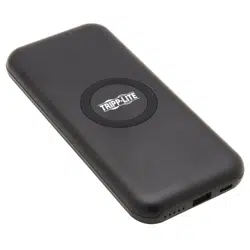
Magnetic Charging Power
Bank - 4,000 mAh
Model: UPB-04K0-1CM
1111 W. 35th Street, Chicago, IL 60609 USA • tripplite.com/support
Copyright © 2022 Tripp Lite. All rights reserved.
Owner's Manual
Este manual está disponible en español en la página de Tripp Lite:
tripplite.com
Ce manuel est disponible en français sur le site Web de Tripp Lite :
tripplite.com
WARRANTY REGISTRATION
Register your product today and be
automatically entered to win an ISOBAR
®
surge protector in our monthly drawing!
tripplite.com/warranty

2
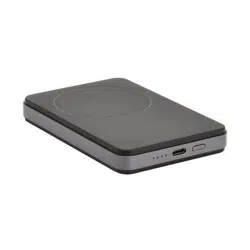
• Wirelessly charges magnetic charging-compatible mobile
devices (up to 18W) when plugged into a power source or as
a 4,000 mAh portable battery pack
• Magnetic charging pad is universally compatible with all
wireless charging-compatible smartphones and devices, and
can magnetically attach to Mag-Safe compatible devices
• PD Charging USB-C port allows the power bank’s battery
to be charged while simultaneously charging a smartphone
placed on the magnetic charging pad
• USB-C port supports an input of 5V/3A or 9V/1.67A and
output of 5V/3A and 9V/2A
• Supports overcharge, over-discharge, over-voltage, over-
current and short-circuit protections
• Power bank battery powers o when the connected device
reaches full charge
• Four LEDs display the status of the power bank’s charge
(see Power Bank Charging Instructions for details)
• Foldable kickstand allows for magnetic charging-enabled
smartphones to be displayed vertically or horizontally while
charging
• Thin prole design ts easily inside a small bag, purse, or
pocket
Product Features

3
• UPB-04K0-1CM
• USB 2.0 Type-A to Type-C Charging Cable – 3 ft. (0.9 m)
• Owner’s Manual
Optional Accessories
• U040-C03-C USB 2.0 Type-C to Type-C Cable, 3A,
USB-IF Certied, 3 ft. (0.9 m)
Package Includes

4
• Do not connect the power bank to power adapters that
exceed 9V/2A
• Do not place the power bank near heat sources or open
ames
• Do not place metal objects on top of a phone that is currently
charging on the magnetic charging pad
• Avoid using the power bank in temperatures which exceed
the maximum recommended operating temperature of 104°F
(40°C) (see Specications for details)
• Do not place the power bank near water sources or attempt
to operate it after being exposed to water
• Do not expose the power bank to corrosive cleaning
substances
• Do not attempt to use the power bank if the charging cable is
damaged or with a damaged power adapter
Important Safety Instructions
5
Notes:
• Beforecharginganydevices,rstchargethewirelesspowerbankto
100%capacity
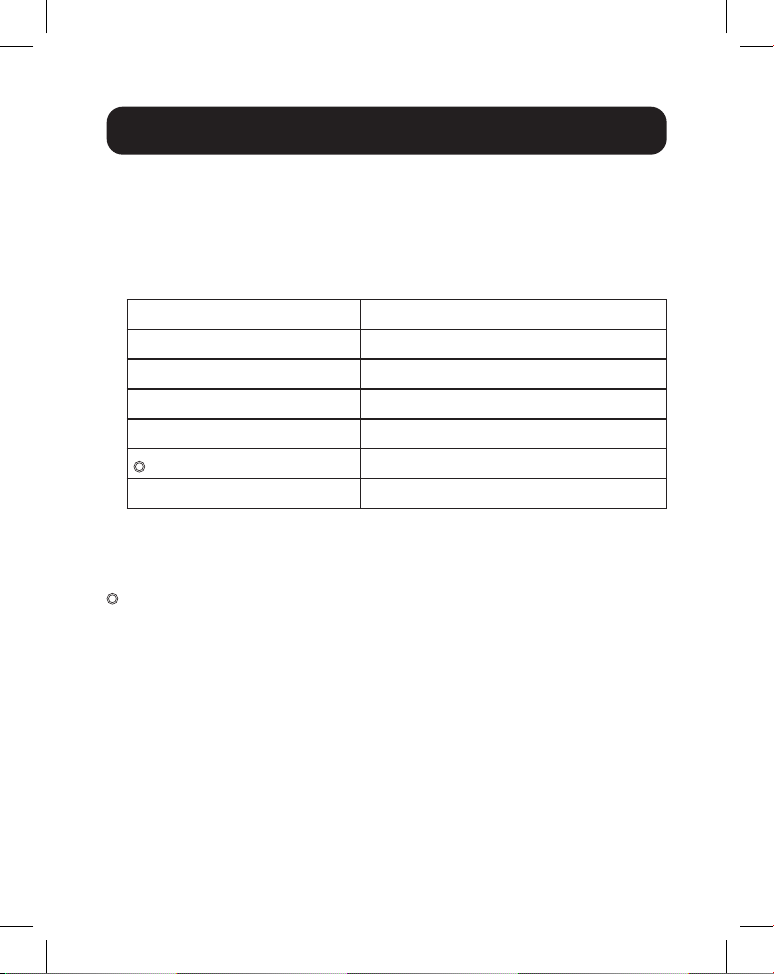
• Whenchargingthepowerbank,theLEDswillilluminatetoindicate
thefollowingbatterycapacitylevels:
LED Status Power Bank Battery Capacity
●●●● 75% to 100%
●●●○ 50% to 75%
●●○○ 25% to 50%
●○○○ 5% to 25%
○○○ 1% to 5%
○○○○ 0%
● = LED Illuminated
○ = LED O
= LED Flashing
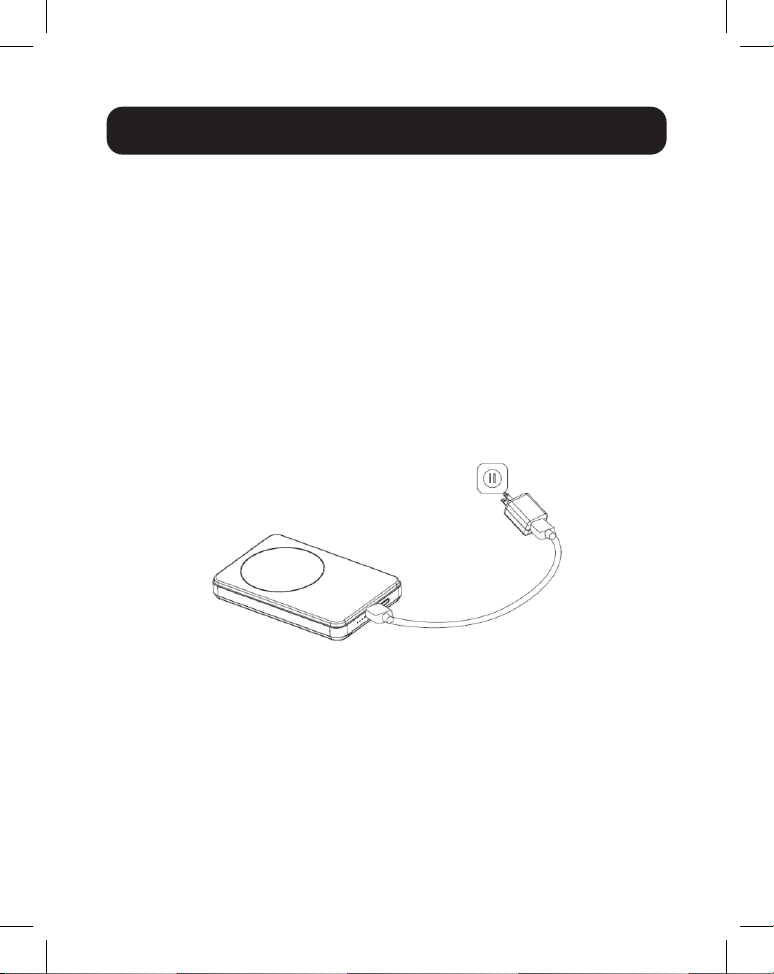
1. Using the included USB 2.0 Type-C to Type-A cable,
connect the USB-C port on the power bank to an
appropriate USB-A port on your computer or USB wall
charger.
2. The power bank will begin charging with the LEDs
operating per the above notes and table.
Power Bank Charging
6
Notes:
• TheSmartLED(therstLEDonthepowerbank)willchangefrom
bluetogreenandblinkrepeatedlytoindicateadeviceplacedonthe
chargingpadisactivelybeingcharged.
• Onlyonechargingoutputmaybeusedatonce.Ifyouareusingone
chargingoutputandwishtoswitchtotheother,youmustdisconnect
yourdeviceandwait60secondsbeforeattemptingtousetheother
output.
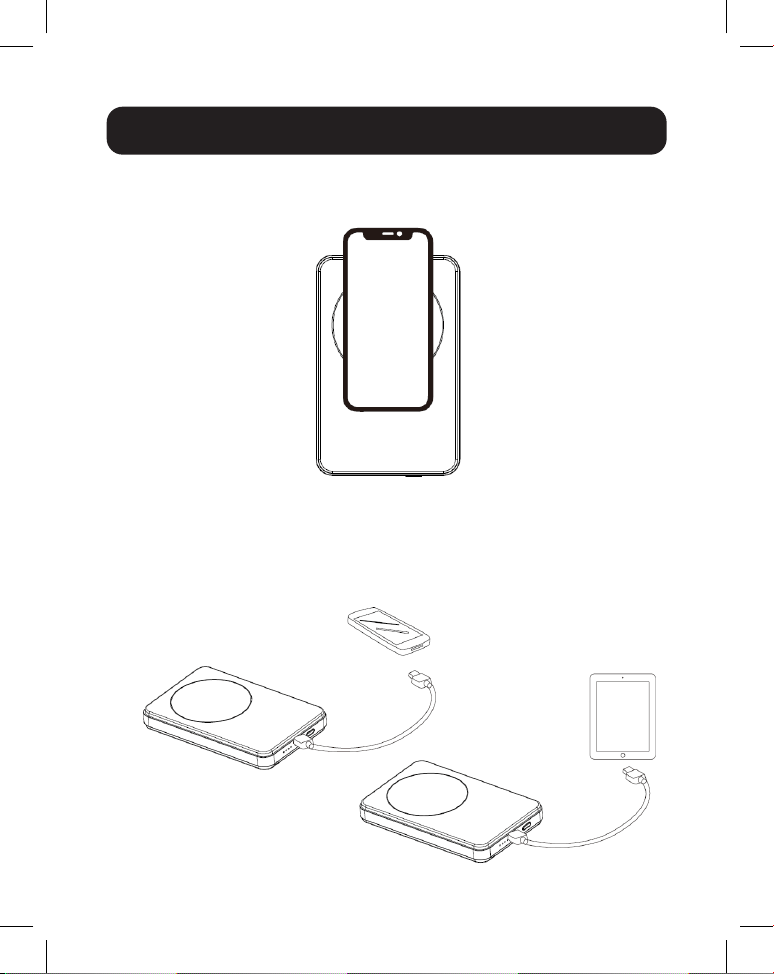
1. Using the included USB Type-C to Type-A cable, connect
the USB-C connector to the USB-C port of the power bank
and the USB-A connector to the USB-A port of a compatible
power adapter (sold separately).
USB Device Charging
7
USB Device Charging
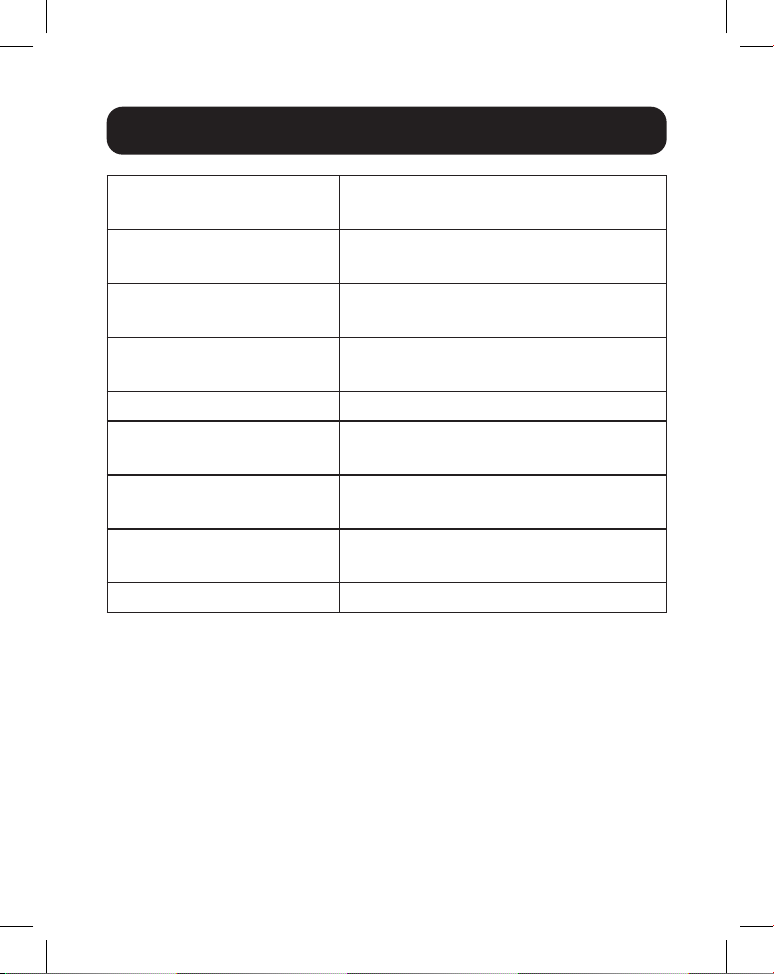
2. Place a wireless charging-compatible device on the
wireless magnetic charging pad.
Optional: Remove the device from the charging pad, wait
60 seconds, then connect a charging cable compatible with
the power bank and your device to the power bank’s USB-C
port.
8
Specications
Input USB Type-C
(5V/3A or 9V/1.67A)
Output 1 Type-C PD 5V/3A, 9V/2A
(including PD Charging)
Output 2 Wireless Magnetic Charging Pad
(5W/7.5W/10W)
Unit Dimensions
[L x W x H]
4.21 x 2.74 x 0.6 in.
(107 x 69.7 x 15.25 mm)
Unit Weight 0.3175 lb. (144 g)
Operating Temperature
Range
32°F to 104°F
(0°C to 40°C)
Storage Temperature
Range
23°F to 113°F
(-5°C to 45°C)
Operating Humidity
Range
20% to 90% RH
Storage Humidity Range 45% to 85% RH

9
Warranty and Product Registration
1-YEAR LIMITED WARRANTY
Tripp Lite warrants its products to be free from defects in materials and
workmanship for a period of one (1) year from the date of initial purchase.
Tripp Lite’s obligation under this warranty is limited to repairing or replacing (at its
sole option) any such defective products. To obtain service under this warranty,
you must obtain a Returned Material Authorization (RMA) number from Tripp Lite
or an authorized Tripp Lite service center. Products must be returned to Tripp Lite
or an authorized Tripp Lite service center with transportation charges prepaid
and must be accompanied by a brief description of the problem encountered and
proof of date and place of purchase. This warranty does not apply to equipment,
which has been damaged by accident, negligence or misapplication or has been
altered or modied in any way.
EXCEPT AS PROVIDED HEREIN, TRIPP LITE MAKES NO WARRANTIES,
EXPRESS OR IMPLIED, INCLUDING WARRANTIES OF MERCHANTABILITY
AND FITNESS FOR A PARTICULAR PURPOSE.
Some states do not permit limitation or exclusion of implied warranties; therefore,
the aforesaid limitation(s) or exclusion(s) may not apply to the purchaser.
EXCEPT AS PROVIDED ABOVE, IN NO EVENT WILL TRIPP LITE BE LIABLE
FOR DIRECT, INDIRECT, SPECIAL, INCIDENTAL OR CONSEQUENTIAL
DAMAGES ARISING OUT OF THE USE OF THIS PRODUCT, EVEN IF
ADVISED OF THE POSSIBILITY OF SUCH DAMAGE. Specically, Tripp Lite is
not liable for any costs, such as lost prots or revenue, loss of equipment, loss of
use of equipment, loss of software, loss of data, costs of substitutes, claims by
third parties, or otherwise.
PRODUCT REGISTRATION
Visit tripplite.com/warranty today to register your new Tripp Lite product. You’ll
be automatically entered into a drawing for a chance to win a FREE Tripp Lite
product!*
* No purchase necessary. Void where prohibited. Some restrictions apply. See
website for details.

10
Warranty and Product Registration
Use of this equipment in life support applications where failure of this equipment
can reasonably be expected to cause the failure of the life support equipment or
to signicantly aect its safety or eectiveness is not recommended.
Tripp Lite has a policy of continuous improvement. Specications are subject
to change without notice. Photos and illustrations may dier slightly from actual
products.

11

12
1111 W. 35th Street, Chicago, IL 60609 USA • tripplite.com/support
22-07-095 934573_RevA