
IMPORTANT SAFEGUARDS
When using electrical appliances, basic safety precautions should
always be followed. These instructions should be saved for future
reference:
• Read and familiarise yourself with all operating instructions before
using this Carpet Washer.
• Before plugging your unit into the mains, visually check that the unit is
intact and has not suered any transit damage.
• Check that the voltage indicated on the data plate corresponds with
that of the local network before connecting the appliance to the mains
power supply.
• This appliance can be used by persons with reduced physical,
sensory or mental capabilities or lack of experience and knowledge if
they have been given supervision or instruction concerning use of the
appliance in a safe way and understand the hazards involved.
• Children shall not play with the appliance.
• Keep the appliance and its cord out of reach of children less than 8
years when it is energised or cooling down.
• Do not immerse the appliance or its cord in water or any other liquids.
• Do not leave the appliance unattended during use.
• Do not leave the appliance unattended whilst connected to the mains
supply.
• Do not use this appliance outdoors.
• It is imperative to unplug the power cord after the appliance has been
used, before it is cleaned and whilst being repaired.
• Repairs to electrical appliances should only be performed by a
qualied electrician. Improper repairs may place user at serious risk.
• Do not operate this appliance with a damaged plug or cord, after a
malfunction or after being dropped or damaged in any way.
• Regular, periodic checks should be carried out on the mains cable to
• ensure no damage is evident. Should there be any signs of damage
the appliance should not be used.
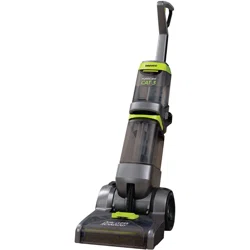
Hurricane CAT5 Deluxe Pro Carpet Washer
FLR00055
User Manual

• If the power cable is damaged, it should only be replaced by the
manufacturer or a suitable qualied after-sales-service in order to
avoid a hazard
• Do not allow the mains cable to hang over sharp edges or come in
contact with hot surfaces.
• Allow the unit to cool before storage.
• Before cleaning, disconnect the appliance from the mains supply and
allow to cool.
• This appliance is intended for household use only and should not be
used for industrial purposes.
• Do not use any accessories or attachments with this appliance other
than those supplied or recommended by supplier.
• Do not use this appliance for anything other than its intended use.
• Do not push objects into any openings as damage to the appliance
and/or electric shock may occur.
• Unplug after each use. Grasp the plug, not the cord.
• Do not pull or carry the Carpet Washer by the electrical cord, use the
handles provided.
• Ensure ngers and other objects are never placed in any part of the
Carpet Washer. Clothing or hair may become trapped if the Carpet
Washer is used improperly.
• Keep hair, loose clothing, jewellery, ngers and all parts of the body
away from openings and moving parts.
• Keep all air vents clear and free of dust, lint, hair and anything else
that may reduce airow.
• Avoid directing the appliance towards naked ames as the air
discharged may extinguish gas res or pilot lights and may disturb
ashes in open res.
• Never operate the appliance without water.
• Never ll the water tanks past the maximum level mark.
Hurricane CAT5 Deluxe Pro Carpet Washer
FLR00055
User Manual
Hurricane CAT5 Deluxe Pro Carpet Washer
FLR00055
User Manual
Intended use
This appliance is designed to be used for removing light levels of dirt on
carpets and for freshening up carpets, it is not suitable for use as a
conventional vacuum cleaner. Before using this appliance the carpet
should be thoroughly cleaned with a vacuum cleaner.
The appliance is also suitable for use on tiles, stone oors and PVC.
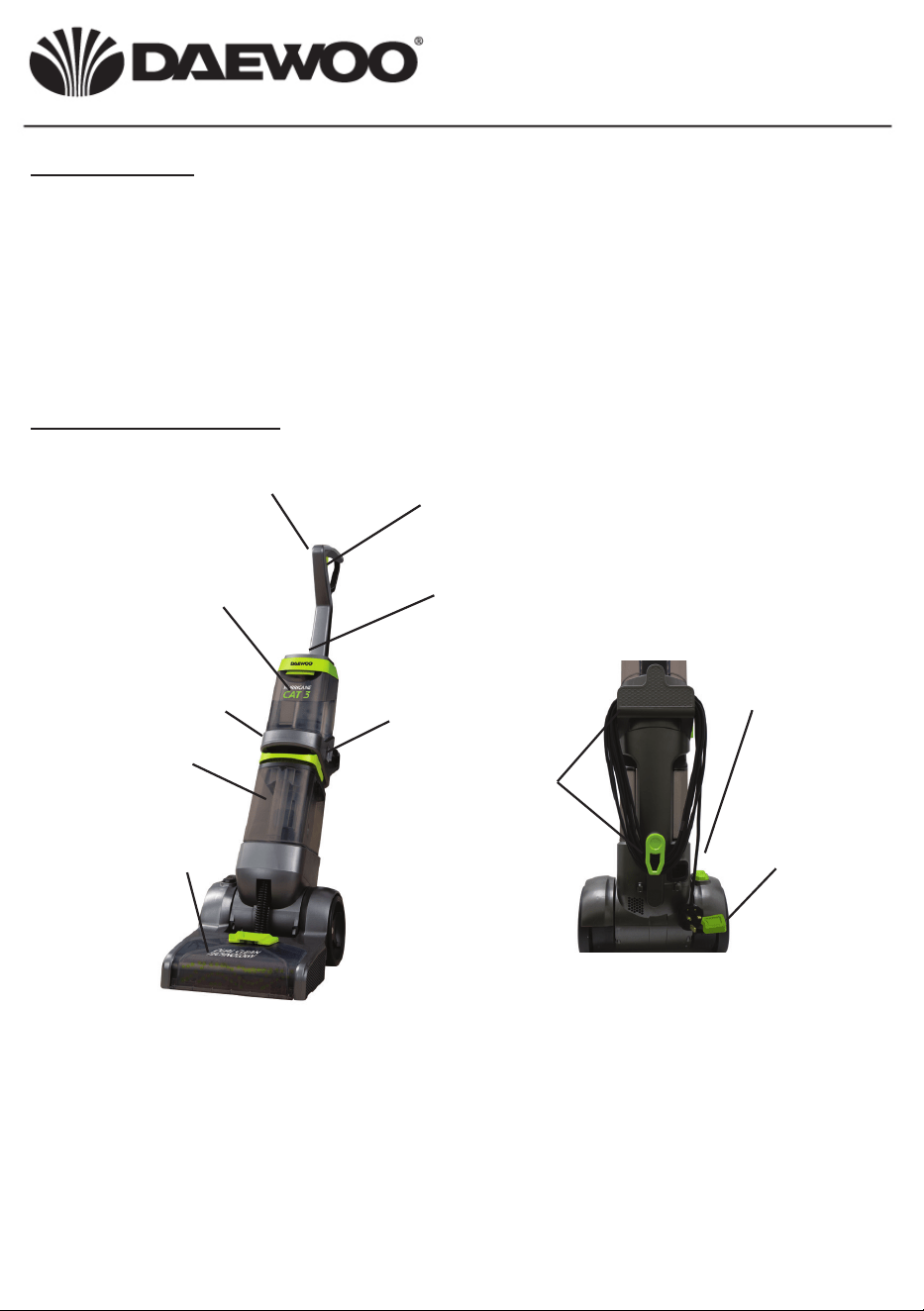
Description of parts
Fluid release triggerHandle
Clean water ller cap
(on top of tank)
Clean water tank
Heater on/o switch
Brush assembly
ON/OFF switch
Handle release
pedal
Dirty water tank
Power cord storage
Attachment Switch
Before initial use
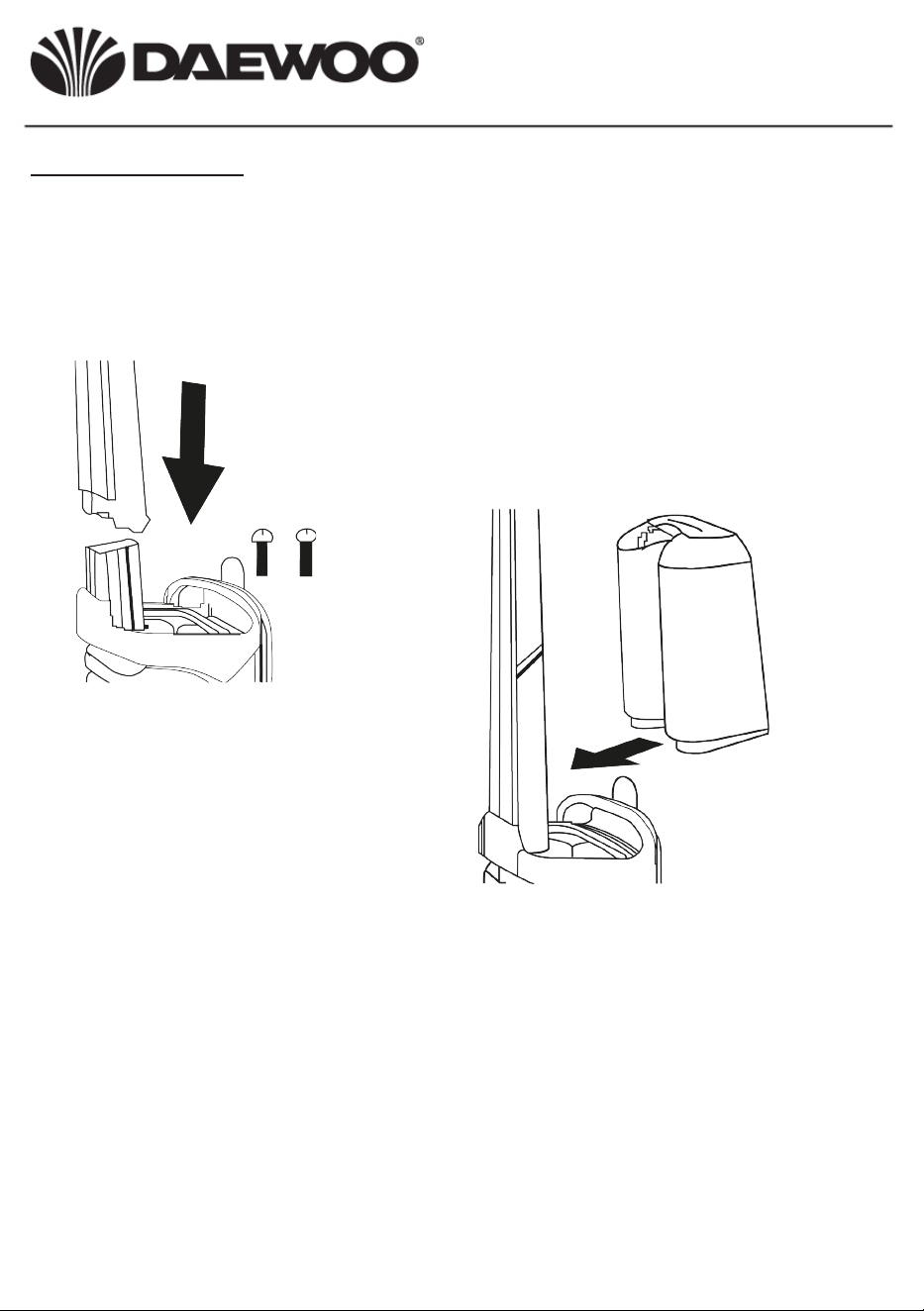
Note: A pozidrive screwdriver (not supplied) is needed for assembly.
Check all parts are present and have not been damaged in transit.
If any parts are missing or damaged contact:
Position the handle in place on the main
body of the Carpet Washer and secure
in place using the two screws supplied.
Fit the clean water tank by tilting it
forward and locating on the main
body of the Carpet Washer then
push the top back until it locates
and locks with the lugs onto the
secured handle.
The dirty water tank comes pre-tted to the main body of the Carpet
Washer.
ON/OFF switch
Handle release
pedal
Hurricane CAT5 Deluxe Pro Carpet Washer
FLR00055
User Manual

Preparing the carpet
1. Thoroughly clean the carpet with a vacuum cleaner using a brush
attachment if possible.
2. If possible remove all furniture from the carpet, in the case of large
items of furniture which cannot be moved, place plastic lm around
the feet and only remove once the carpet is fully dry to avoid damage
caused by moisture from the carpet.
3. Check the colourfastness of the carpet. Soak a piece of white
fabric with the cleaning solution to be used and rub it carefully on an
inconspicuous spot on the carpet. If the white fabric does not become
discoloured the carpet can be cleaned with the appliance. If the carpet
has more than one colour, test the fastness of all of the colours.
Preparing the Carpet Washer
Note: It is recommended Daewoo carpet cleaning uid is used with
this appliance. For details of Daewoo carpet cleaning uid and stain
remover spray contact [email protected]
Do not use foaming cleaning uids as the foam may impede the
functioning of the Carpet Washer.
1. Ensure the Carpet Washer is switched o and disconnected from the
mains supply before lling with water.
2. Remove the ller cap from the clean water tank and pour in cleaning
uid as directed on the packaging.
3. Add 1.5 litres of warm water (approx 40
o
C) and replace the ller cap.
4. Plug the Carpet Washer into a suitable socket outlet.
5. Decide where the cleaning will begin and end in order to avoid
stepping on the wet carpet. It is recommended that right handed
people start at the right hand edge of the carpet and left handed
people start at the left hand edge.
6. Press the main power switch to on, this will illuminate to indicate there
is power to the unit and the heater at the rear of the unit.
7. Step on the handle release pedal and tilt the handle back towards
you.
8. Position the Carpet Washer at the cleaning start point.
Hurricane CAT5 Deluxe Pro Carpet Washer
FLR00055
User Manual
9. Step on the ON/OFF switch to start the appliance.
10. Push the Carpet Washer forward whilst pressing the uid release
trigger on the handle. Walk to the side of the appliance as you do this.
Do not step on the wet carpet.
11. Once the end of the carpet is reached, release the uid release trigger
and pull the cleaner backwards along the same strip to suck up the
dirty water.
12. Start the next strip slightly overlapping the cleaned strip and repeat
this process until the whole carpet is cleaned.
13. For stubborn stains use a stain removal spray to pretreat the carpet
before cleaning.
14. Do not allow the dirty water tank to ll above the MAX level mark.
15. Empty both water containers after each use.
16. Allow the freshly cleaned carpet the dry thoroughly.
17. When the carpet has fully dried, vacuum with a conventional vacuum
cleaner, with a brush attachment if possible.
Note: If the appliance switches o during use, the built in overheat
device has activated. In this case, switch the appliance o and
disconnect from the mains and allow to cool for 60 minutes before
using again.
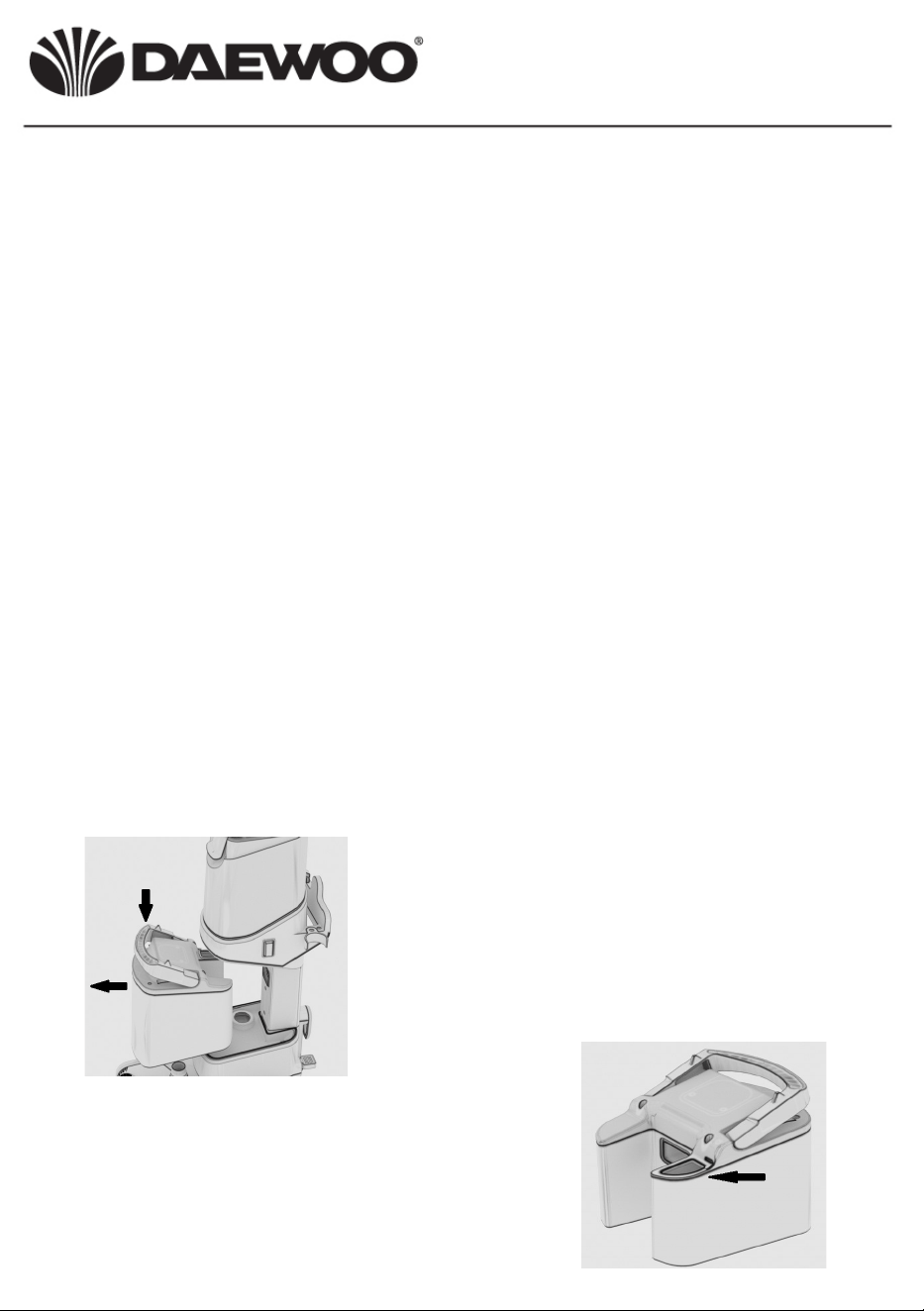
To empty the dirty water tank, press
down on the dirty water tank release
handle and pull the tank away from
the main body as shown left.
Remove the rubber bung at the top
of the tank and pour away the dirty
water.
Thoroughly rinse the tank with clean
water before retting back onto the
main body.
1.
2.
Hurricane CAT5 Deluxe Pro Carpet Washer
FLR00055
User Manual
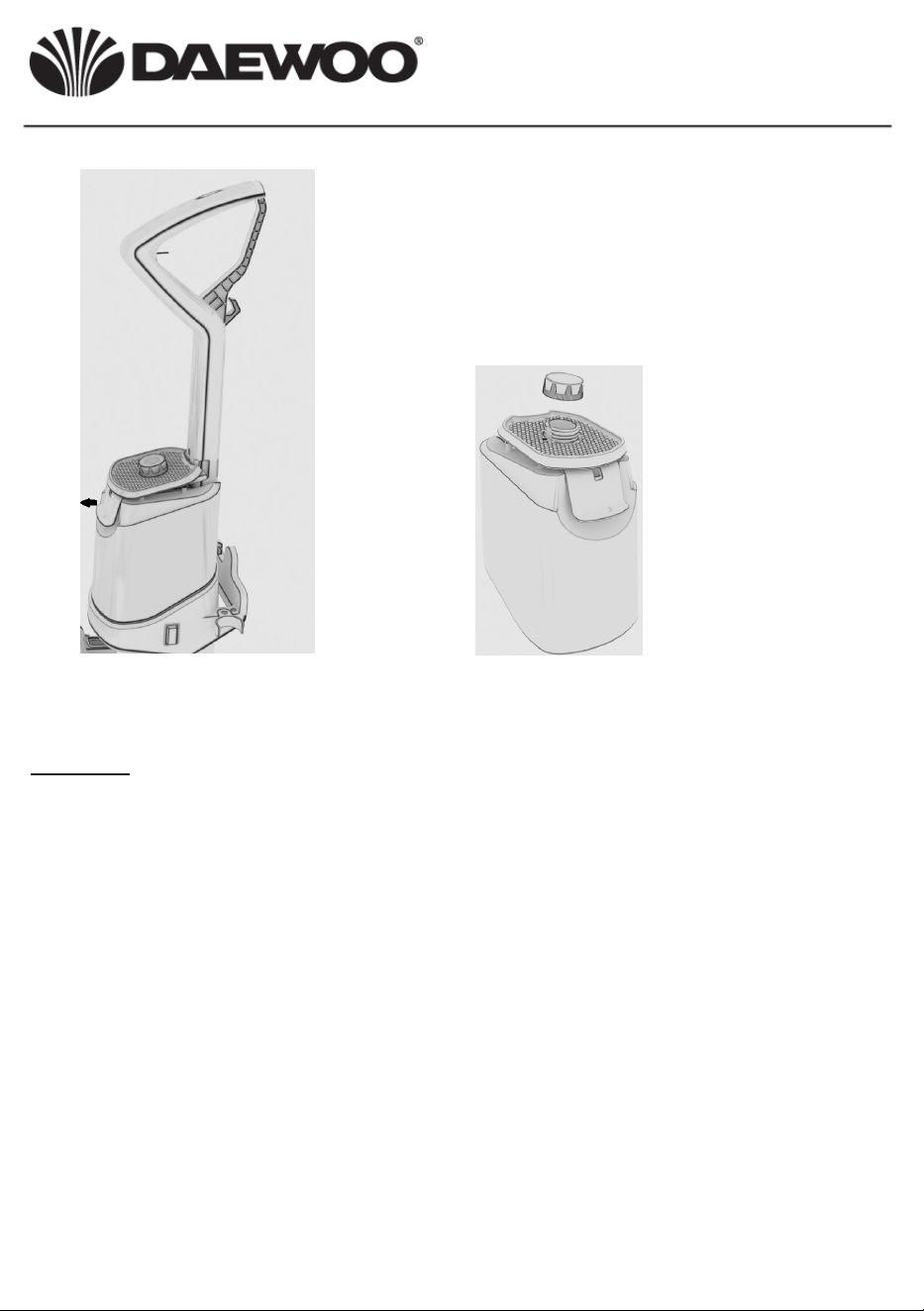
Release the clean water tank by
lifting the release lever at the front and
pulling the tank away from the main
body, remove the ller cap and empty
the tank.
Rinse the tank with clean warm water.
3.
4. Allow all parts to fully dry before reassembly
5. Insert both water tanks back into the main body of the Carpet Washer
Storage
Before storing the carpet Washer empty, clean and dry both water tanks.
Clean the tanks and body only with clean water, do not use chemicals or
abrasive cleaners, do not immerse the main body in water or any other
liquid.
Store the Carpet Washer in a cool dry place away from direct sunlight.
Hurricane CAT5 Deluxe Pro Carpet Washer
FLR00055
User Manual
Hurricane CAT5 Deluxe Pro Carpet Washer
FLR00055
User Manual
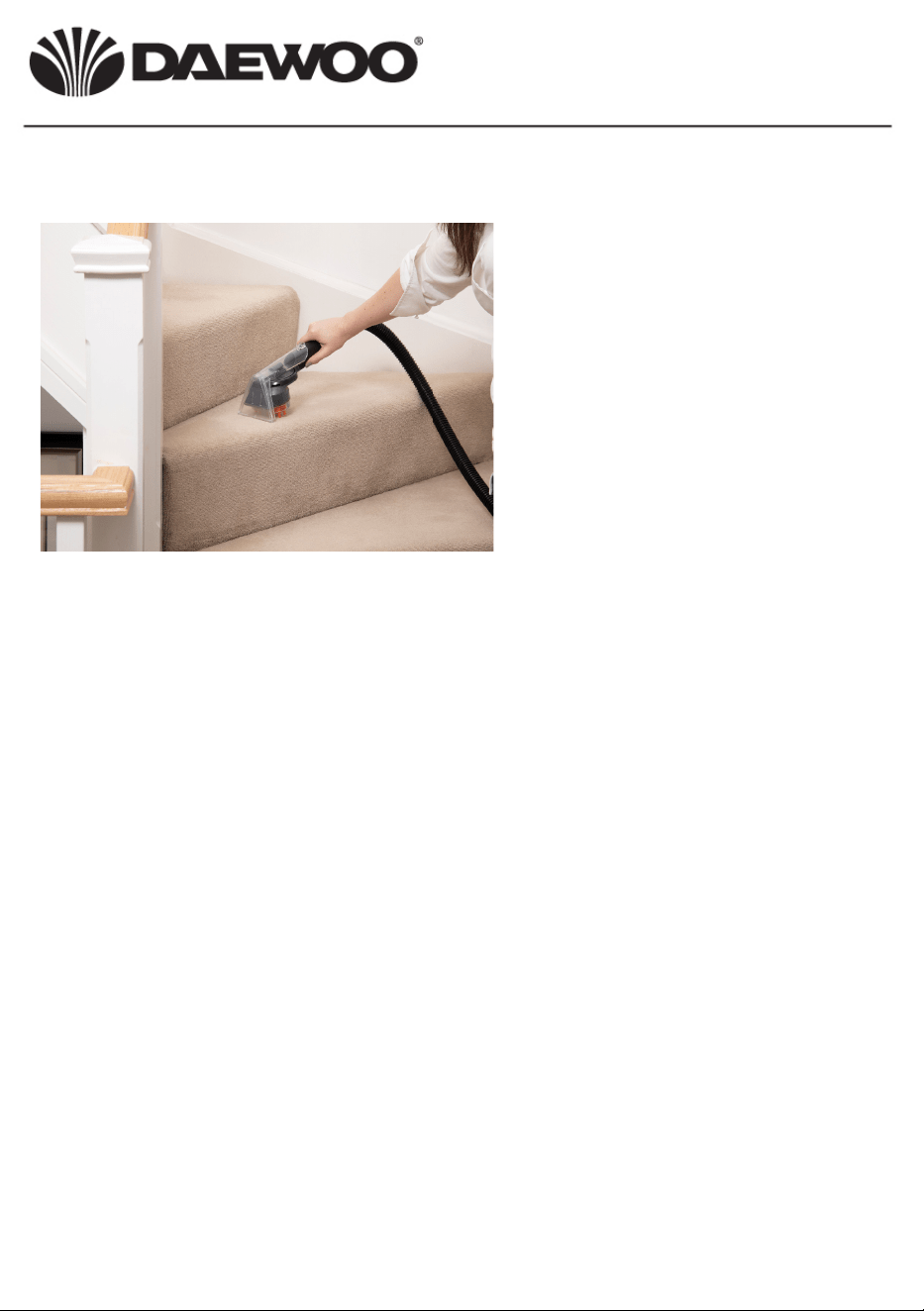
Using The Upholstery Cleaning Attachment
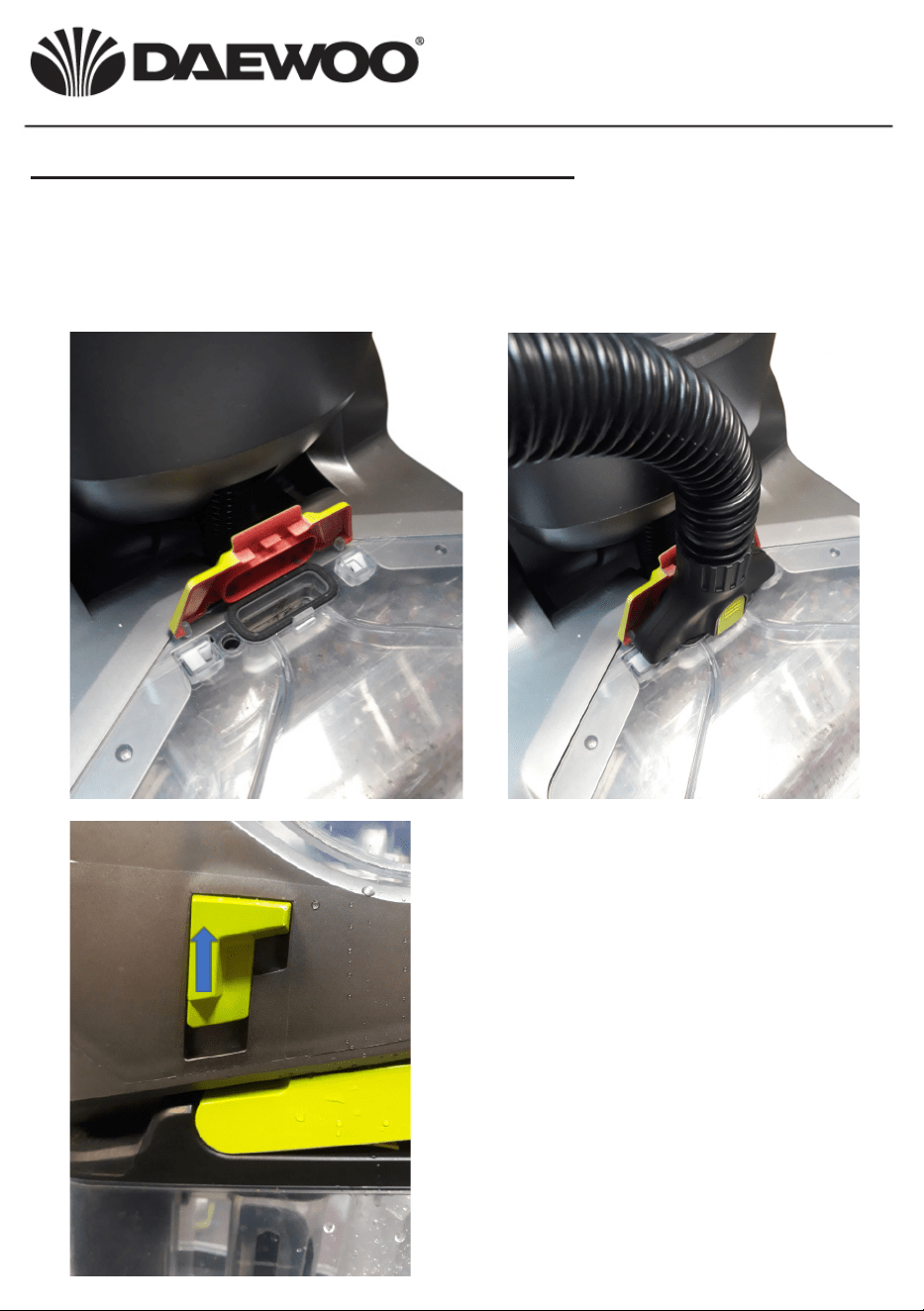
Use the Upholstery Cleaning attachment to clean stairs, upholstered
furniture, etc. To do this, rst open the cover of the hose connection on
the base of the cleaner as below left, place the end of the hose into the
connection and press it down rmly until it clicks into place as below right.
Left: Move the attachment
switch to the up position to
enable the cleaning uid to
ow into the attachment.
NB move the switch down
to use the cleaner upright
without the attachment.
Fill the Carpet Washer as
in ‘Preparing the Carpet
Washer’ above.
Left: Press the trigger button
on the Upholstery Tool to
release the cleaning solution
as the tool is drawn back over
the carpet/upholstery being
cleaned. Release the button
at the end of travel.
Pull the tool over the same
area to remove the solution
and clean the carpet.
Hurricane CAT5 Deluxe Pro Carpet Washer
FLR00055
User Manual
Hurricane CAT5 Deluxe Pro Carpet Washer
FLR00055
User Manual
Electrical Connections
This appliance is tted with a fused three-pin plug to BS 1363. If the plug
has to be removed, it should be cut o and carefully disposed of
immediately. To avoid a possible shock hazard, do not insert the
discarded plug into a mains socket.
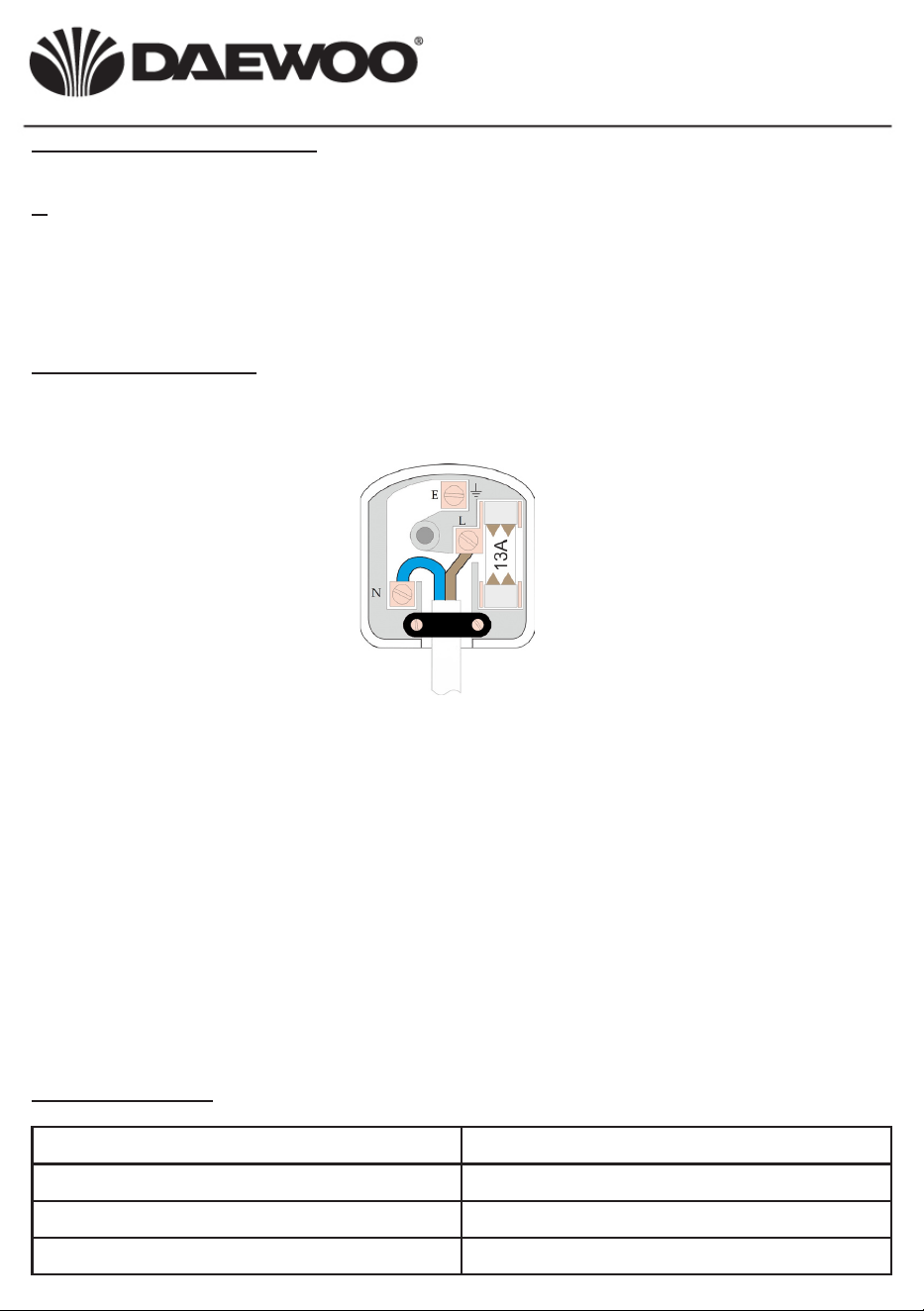
Fitting a new plug
If for any reason you need to t a new plug, the exible mains lead must
be connected as shown below. The wires in the mains lead tted to this
appliance are coloured in accordance with the following code:
Connect Blue to
Neutral (N)
Connect Brown to
Live (L)
Ensure the outer sheath of the mains lead
is securely held by the cable clamp
• The Blue wire must be connected to the terminal marked N or
coloured Black.
• The Brown wire must be connected to the terminal marked L or
coloured Red.
• Check that there are no cut or stray strands of wire inside the plug.
• Use a 13 Amp BS 1362 fuse, only use BSI or ASTA approved fuses.
• If you are in any way unsure which plug or fuse to use, always refer to
a qualied electrician.
• After replacing or changing a fuse on a moulded plug, the cover must
be retted to the plug; the appliance must not be used without a fuse
cover.
Model FLR00055
Voltage 220-240V AC 50Hz
Rated power 1000W
Protection class II
Technical data
Waste electrical products should not be disposed of with
household waste. Please recycle where facilities exist. Check with
your Local Authority or retailer for recycling advice.
Problem Possible cause Solution
Unit fails to turn on Unit not plugged in Make sure the unit
is correctly plugged
into a suitable power
supply.
Unit stops working Dirty water tank is full Empty the tank
Cleaning solution not
spraying
Clean water tank is
empty
Rell the clean water
tank
Hurricane CAT5 Deluxe Pro Carpet Washer
FLR00055
User Manual
Troubleshooting guide

Thank you for purchasing your Daewoo Vacuum.
As part of our commitment to quality we are oering you an extra 2 years warranty in addition to your
1 year guarantee.
Your Daewoo vacuum product is guaranteed for 1 year from the date of original purchase, with proof of
purchase or receipt. If any defects should arise due to faulty workmanship or material, your faulty vacuum
should be returned to the place of purchase, replacement or refund is at the discretion of the retailer.
The guarantee is subject to the following provisions:
• The product must be correctly installed and operated in accordance with the requirements contained
in the instruction manual.
• The product must be used solely for domestic purposes.
• It does not cover general wear and tear, damage, misuse or any consumable parts.
• The Guarantee is rendered invalid if the product has been resold or has been damaged through
inexpert repair.
• The guarantee is only valid within the UK and Eire.
Your standard 1 year guarantee will only be extended to the maximum available for your individual
product upon registration. (Note: products must be registered individually and covers the main body and
housing) If you do not register your product within 28 days of the original purchase date, your product will
only be guaranteed for 1 year.
To validate your extended 2 year warranty* please register your purchase online within 28 days of the
original purchase date by registering at
www.daewoowarrantyregistration.com/warranty-registration
*Your extended warranty is only valid with proof of purchase receipt and
subject to the conditions outlined above.
Daewoo® is a registered trademark.
Produced and imported under licence by ESG Ltd
ESG Ltd
Manchester M3 1JS
www.esgltd.com
WARRANTY