
Case Manual
iportproducts.com/luxeport-support
2 3
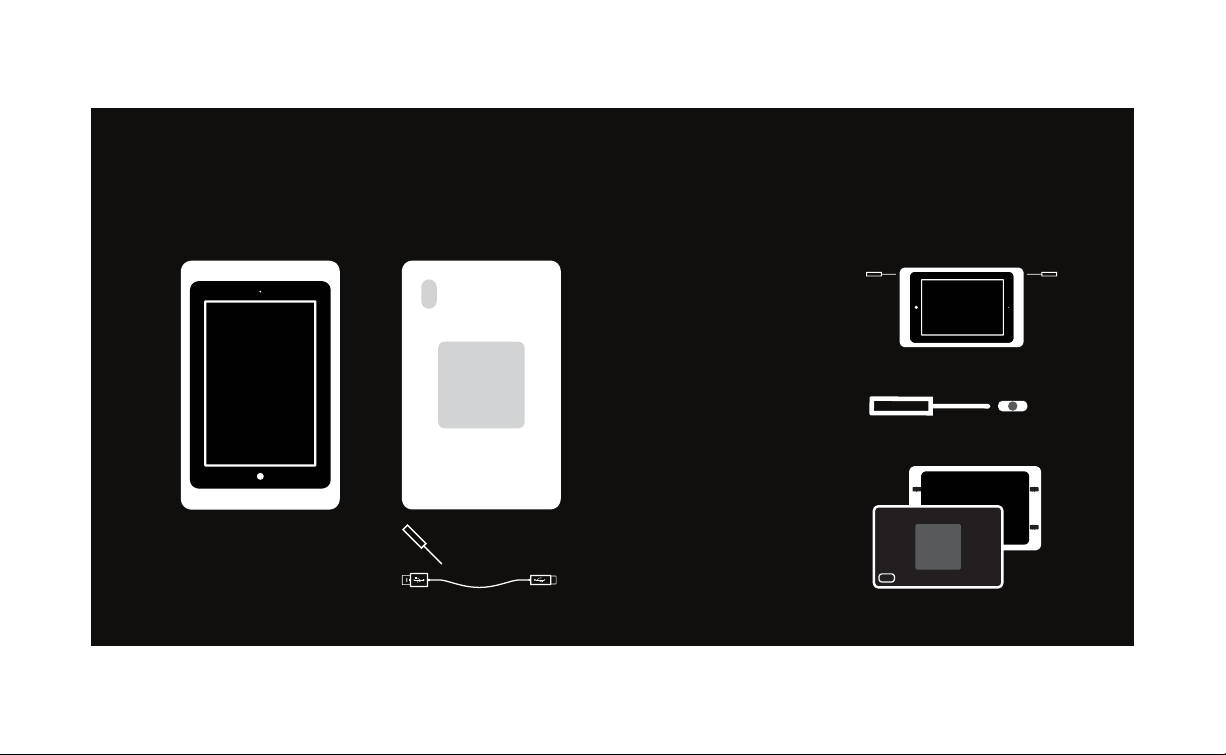
GET TO KNOW
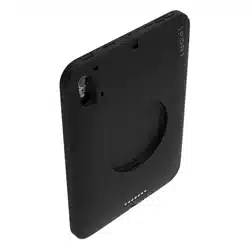
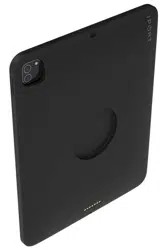
LUXEPORT CASE
USB A - Lightning Cable
Lock Tool
INSTALLING IPAD INTO CASE
Step 1
Step 2
Pull the shell apart from
the bezel.
Insert the lock tool in the
side holes where indicated
and pry shell apart from
bezel by rotating the end of
the lock tool towards you.
BOX CONTENTS:
Bezel Shell (Back)
x2
4 5
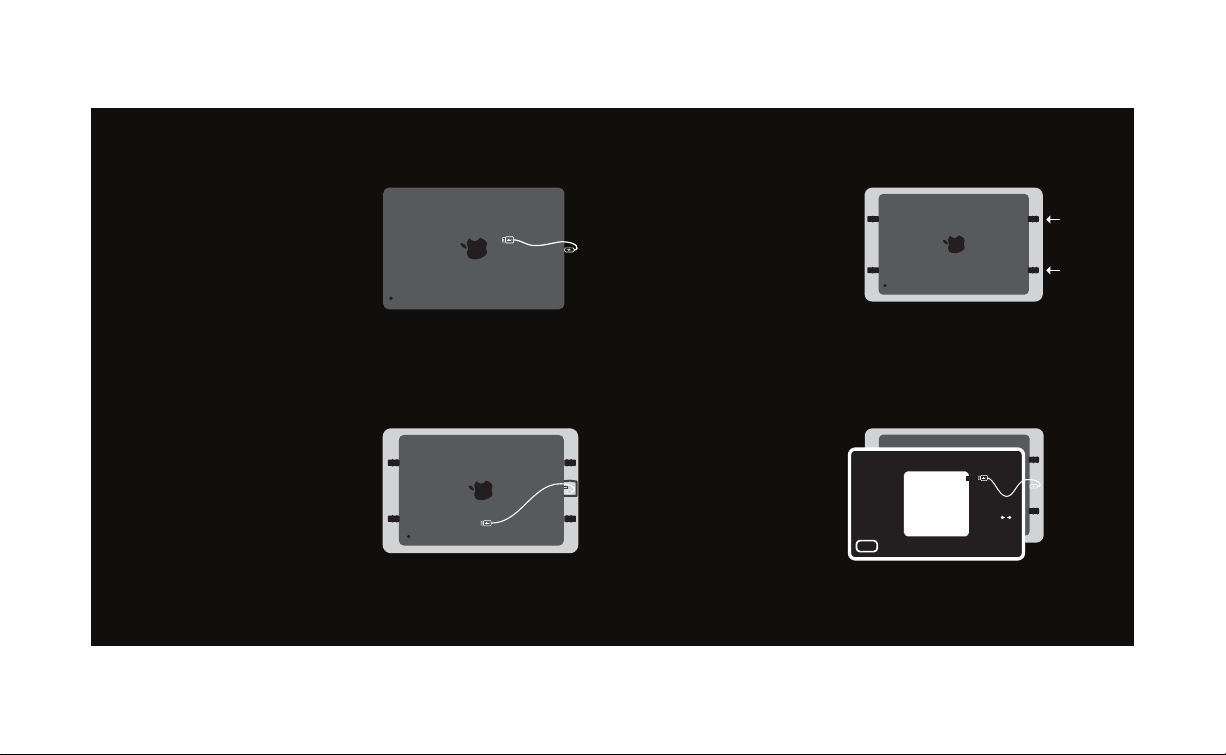
Step 3
Step 4
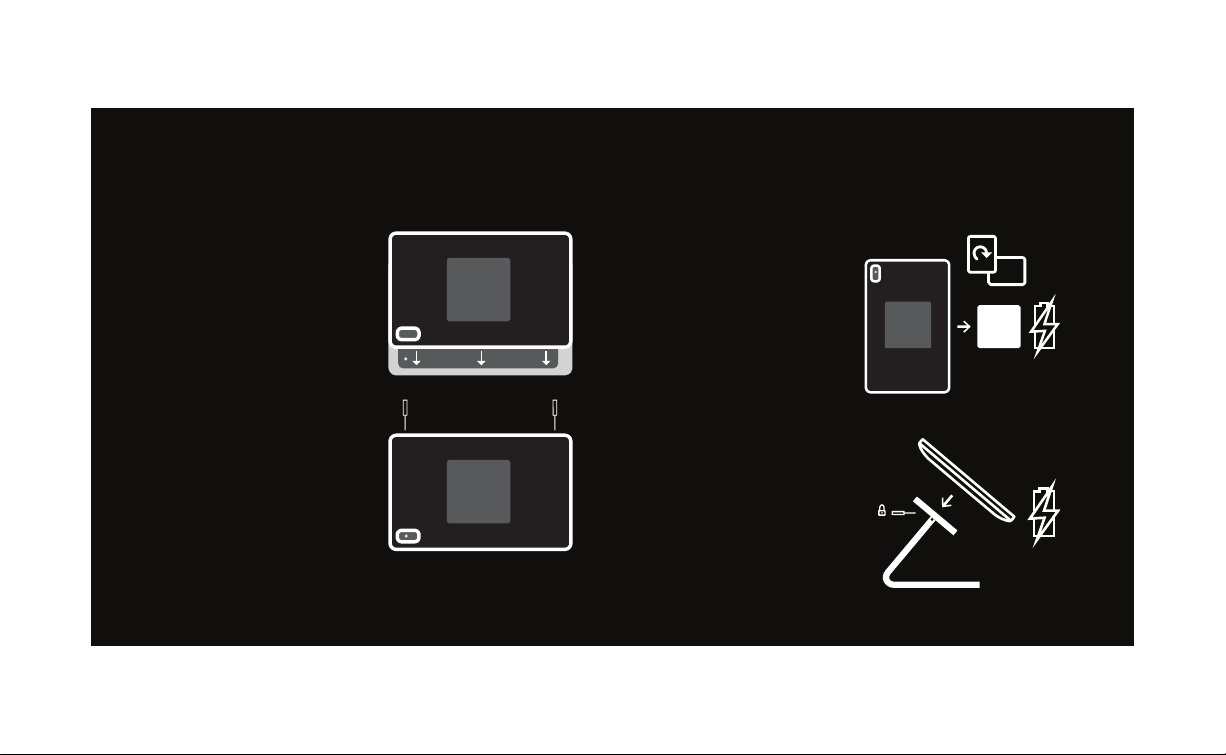
Insert iPad into the
Bezel, camera side first.
Insert the cable into cable
retention as shown.
Insert the Lightning cable
into the iPad.
Step 5
Use a flathead screw
driver or the security tool
to slide the two retaining
clips toward the center of
iPad. This will secure the
iPad to the Bezel.
Insert the USB A cable into
the USB port on the Shell.
While attaching the Shell,
place the cable in the
second retention clip on
the inside of the Shell.
Step 6
6 7
Place the Case in Portrait
or Landscape. Ensure the
Case is properly seated for
secure mounting
and charging.
Case can be charged in
portrait or landscape on
both the WallStation
and BaseStation.
Dismount Case by pulling
from left or right side.
Lock Case to BaseStation
if desired using lock tool.
Align the tabs of the Shell
making sure the opening
for the camera is aligned
properly. Press each
corner until all tabs
securely snap into place.
Use the provided lock tool
to lock the top two corners
of the Case. Turn screws
COUNTER CLOCKWISE
until stop.
*Note If intending to lock
your Case to a
BaseStation, ensure to
also lock Case.
ATTACHING CASE TO
BASESTATION & WALLSTATION
Step 7
Step 8
8 9
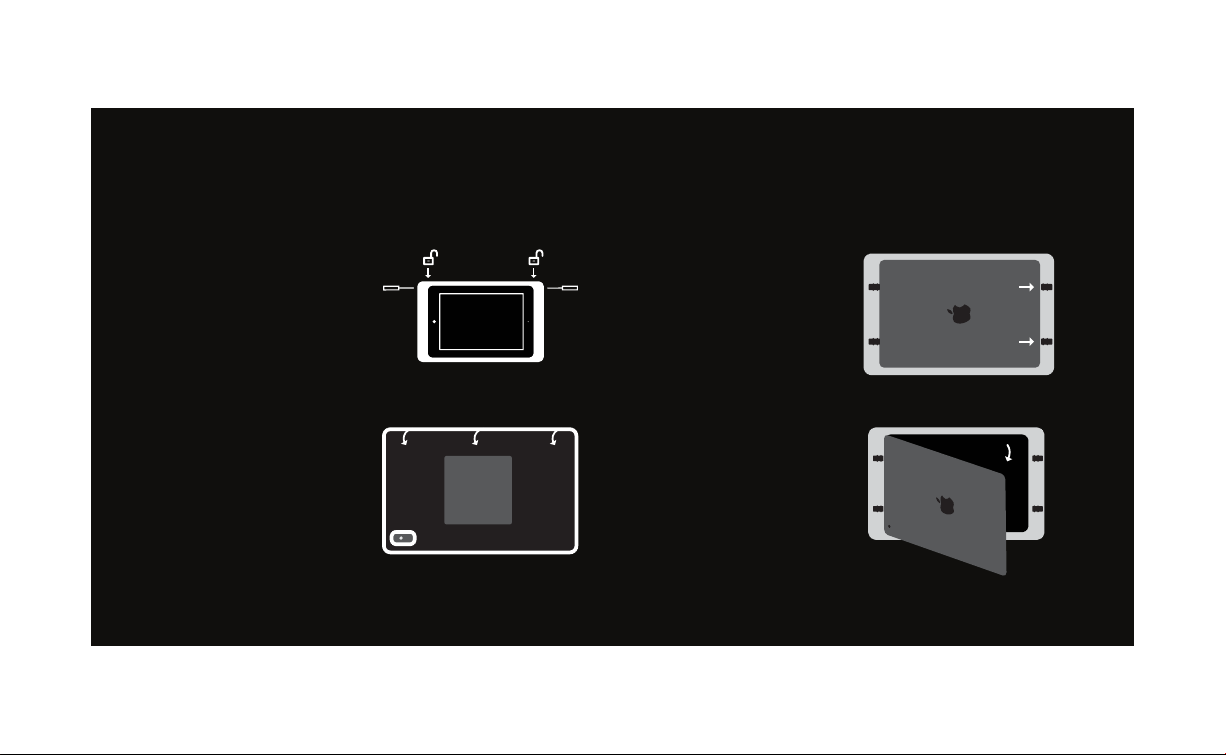
Unlock the security locks
if applied. Insert the lock
tool in the side holes
where indicated and pry
shell apart from bezel by
rotating the end of the
lock tool towards you.
Slide the two retaining
clips away from the iPad
to free the iPad from the
LuxePort Bezel.
REMOVE IPAD FROM CASE
Step 1
Pull the shell apart from
the bezel, revealing the
back of the iPad.
Step 2
Step 3
11
CAUTION: Use products as directed.
Unspecified use could result in injury.
CAUTION: This product contains
magnets. Do not place in direct
proximity with magnetically sensitive
objects such as credit cards or
exposed hard drives. Persons with
pace makers are not recommended
to use this product.
Warranty can be found at
iportproducts.com/warranty
For more help and info please visit:
iportproducts.com/luxeport
iPor t
991 Calle Amanacer
San Clemente, CA 92673
United States of America
+1 949 226 5222

33-7854