CONNECT
CASE
1
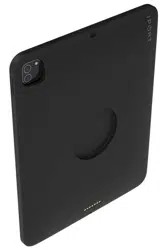
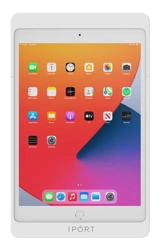
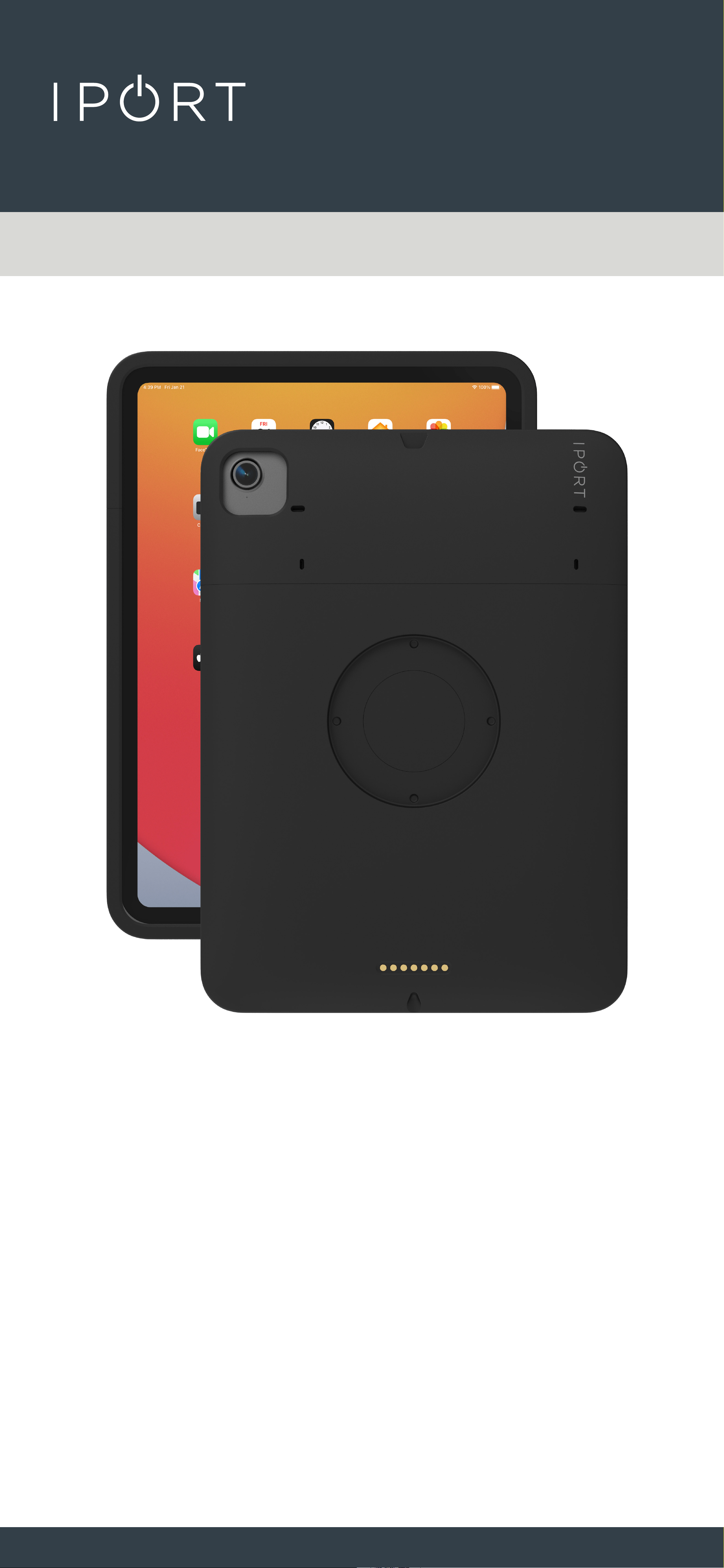
72380 - CONNECT CASE MINI 6
72381 - CONNECT CASE PRO 11 - Air
72382 - CONNECT CASE PRO 12.9
72383 - CONNECT CASE 10.2
72396 - CONNECT CASE 10.9

CONNECT
CASE
2
IPORT CONNECT Case Install Manual
Whats in box:
1 - IPORT CONNECT Case
1 - IPORT Security tool - 1.5mm hex key
1 - Info Card
1- Fit Pad Installation card and Pads*
Glossary of Terms:
• Case - The fully assembled CONNECT Case Top
and Bottom.
• Case Top - The short removable portion of the chase
including the locking portion of the Case.
• IPORT Security Tool - The orange handled 1.5mm hex
tool used for locking and unlocking IPORT
Products.
• Station Interface Module - The main electronics
portion of the new IPORT CONNECT PRO
Platform consisting of the round
electronic components found only on PRO
Cases.
• Dock Interface Module - The secondary linear
electronics found on the IPORT CONNECT
Thank you for purchasing the all new IPORT
CONNECT Platform. We hope you enjoy this
revolutionary new system and if at any time you
need more assistance please contact IPORT Tech
Support via Online chat or through our help desk.
- IPORT Team
* included only in 12.9” Cases
CONNECT
CASE
3
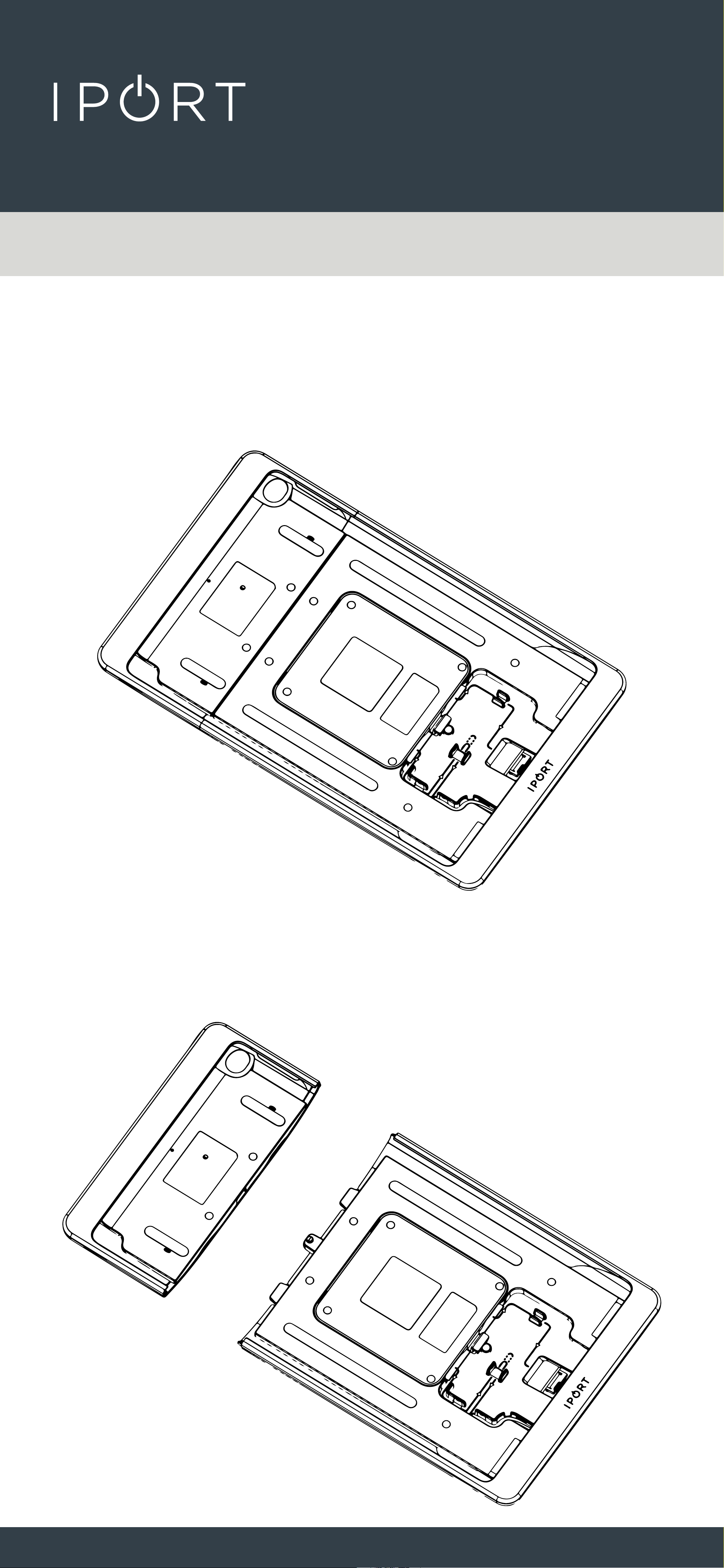
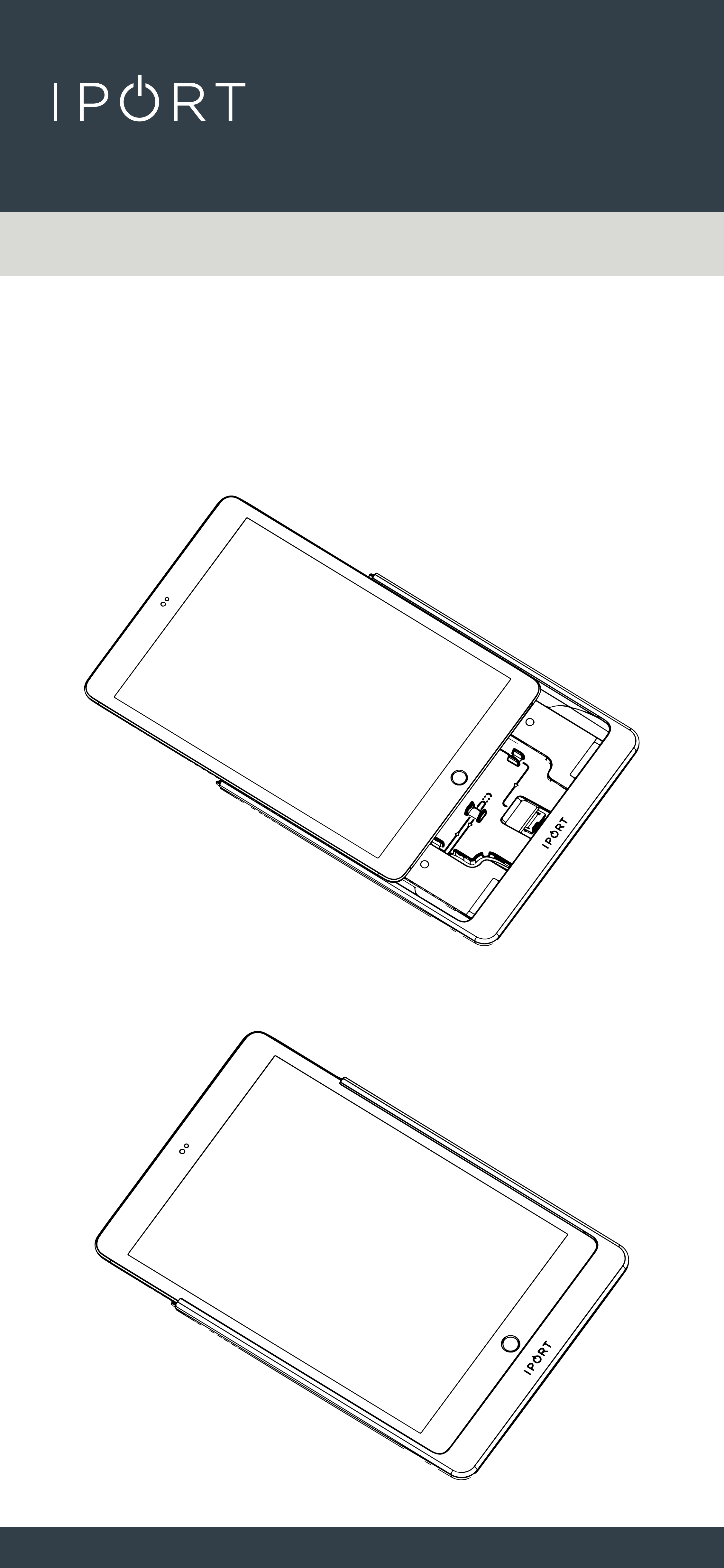
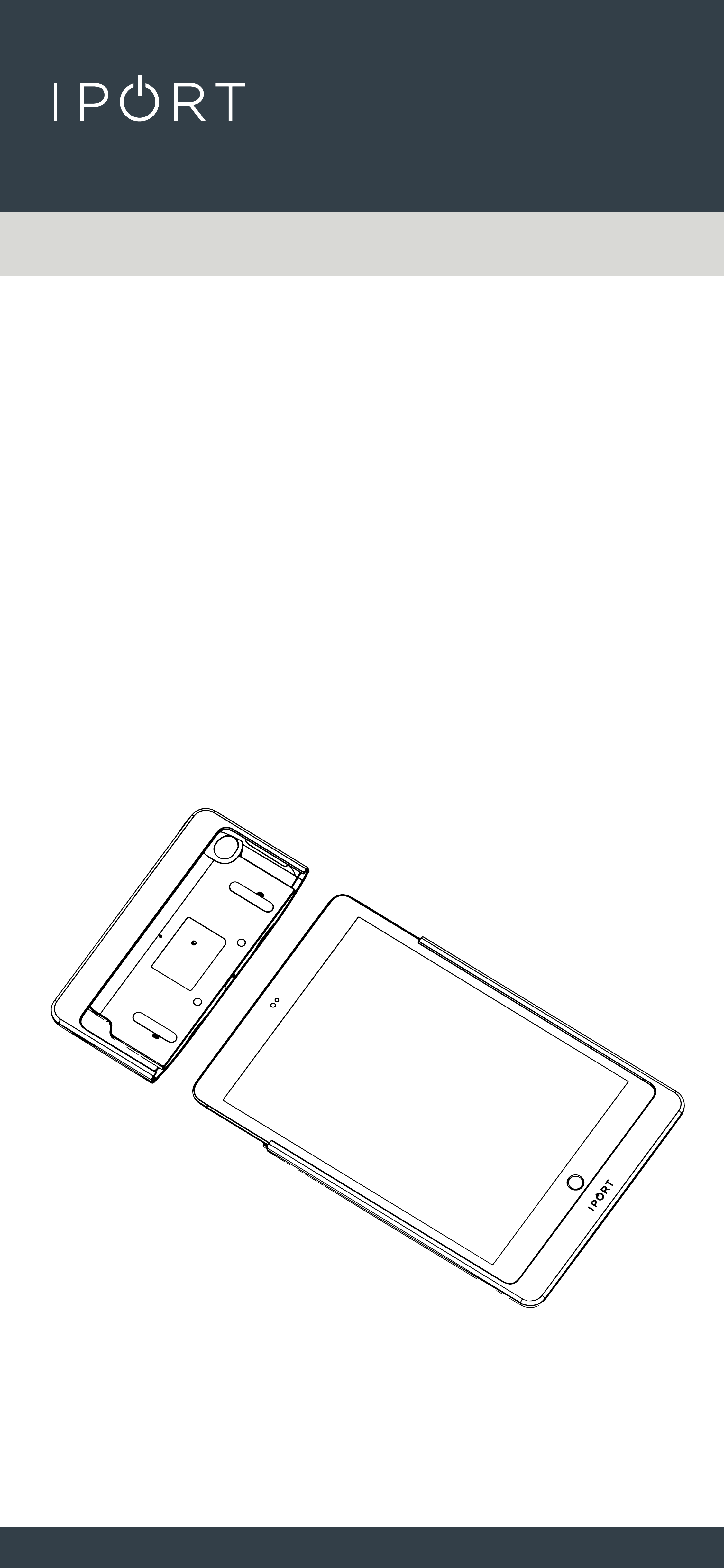
1. Remove Case from the box and place
on a table.
2. Remove the short Case Top.
CONNECT
CASE
4
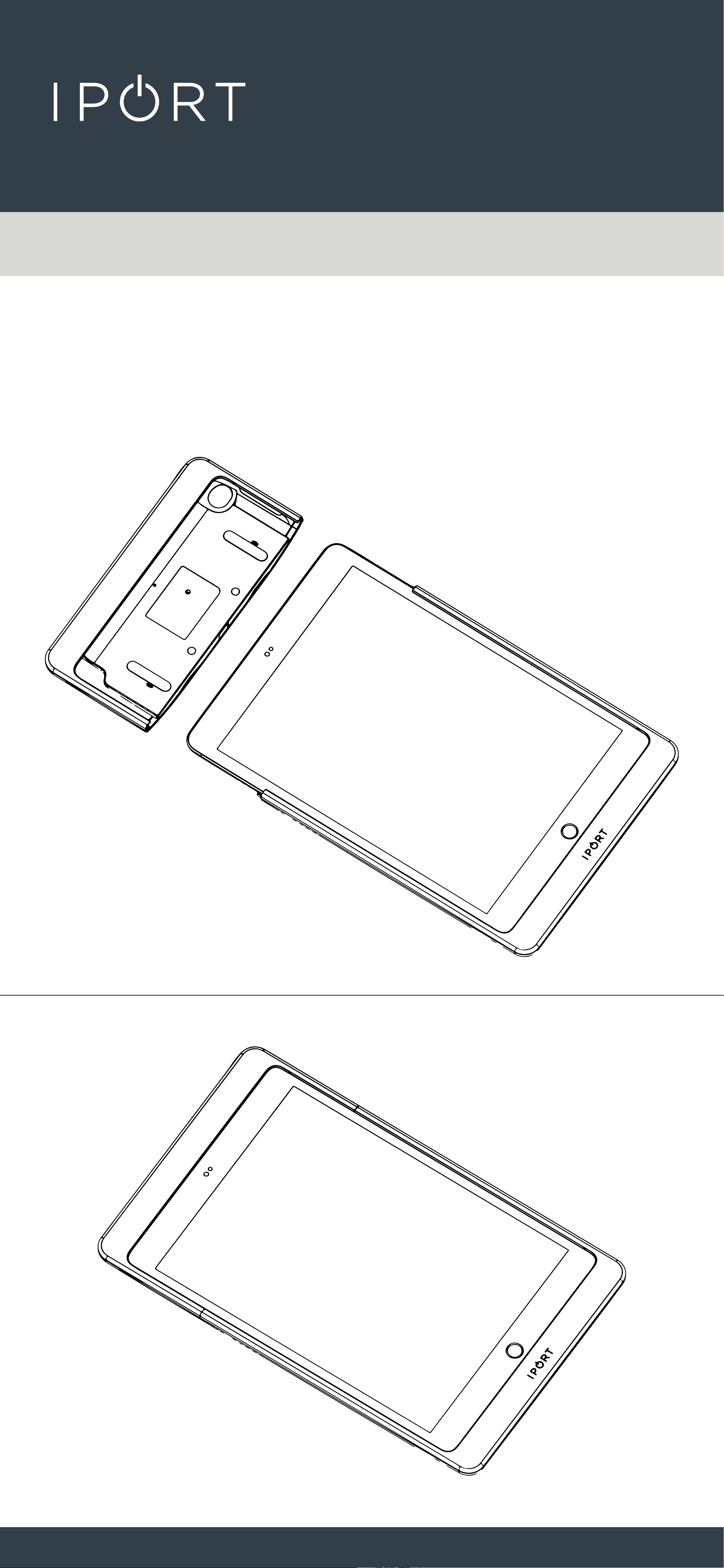
3. Slide iPad into the Case making sure
the lighting cable is snugly inserted
into the iPad.
CONNECT
CASE
5
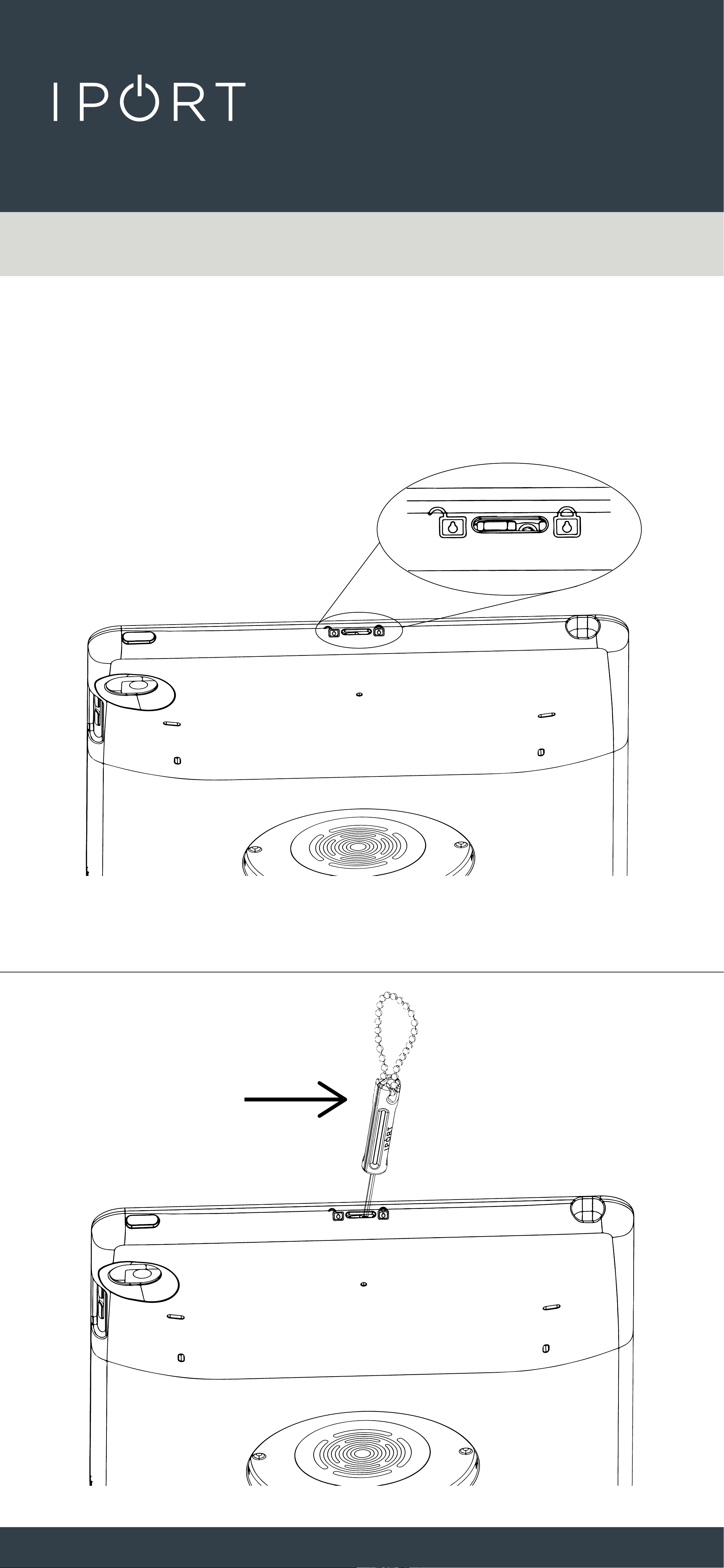
4. Reinstall the Case top onto the
lower half if the Case and iPad.
CONNECT
CASE
6
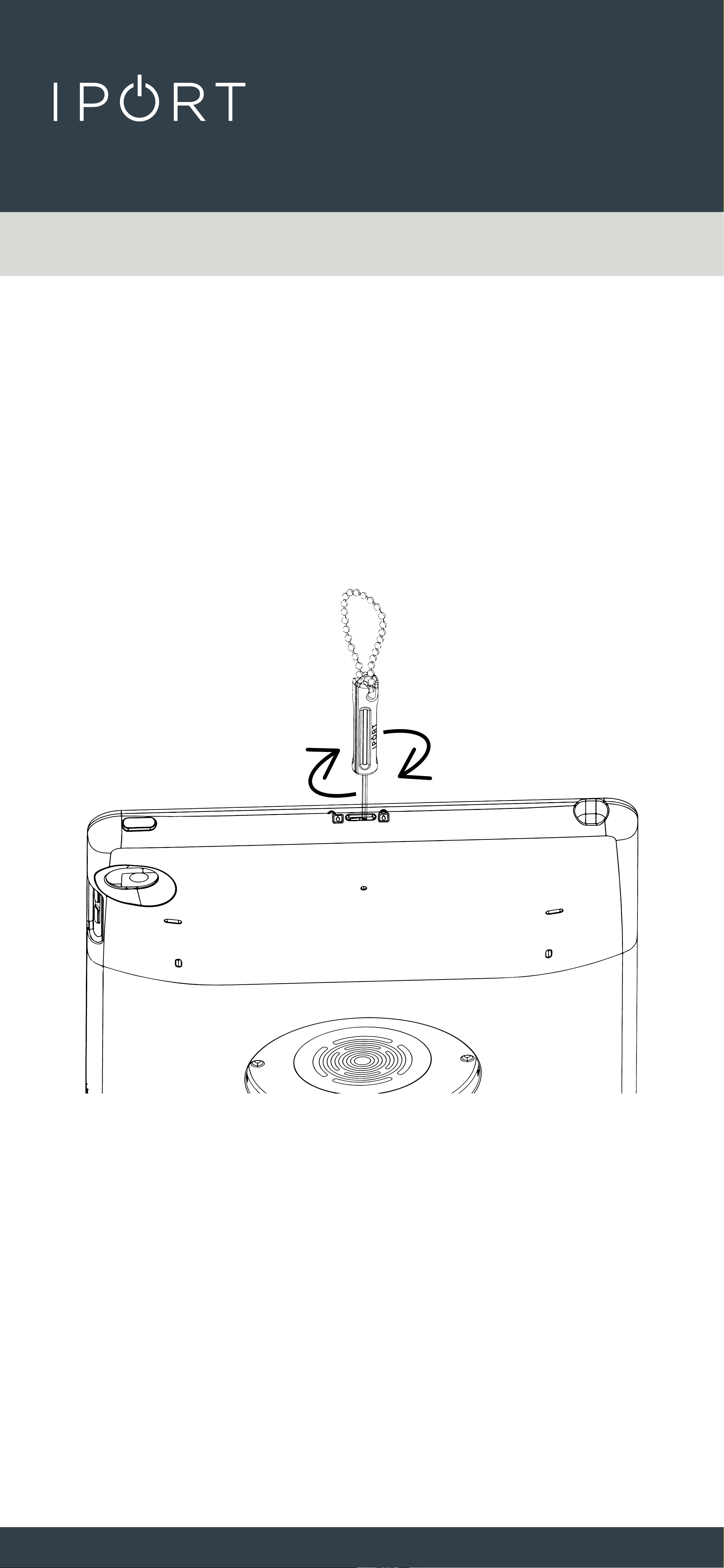
5. Use the provided IPORT tool, insert
the tool into the top of the case and
slide the tool towards the lock
position icon.
CONNECT
CASE
7
• For added security rotate the IPORT
tool clockwise to tighten the
setscrew in place holding the lock
secure.
CONNECT
CASE
8
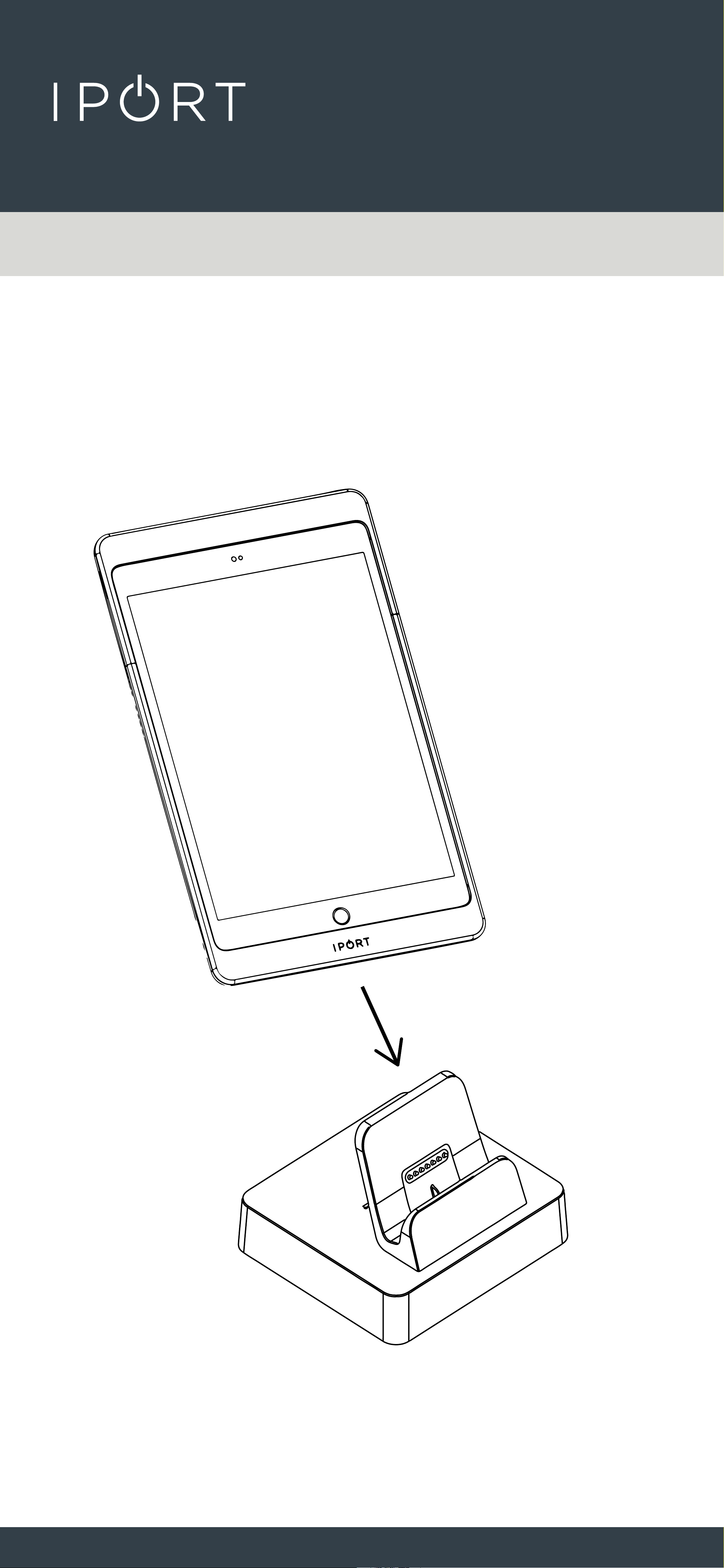
6. Place the IPORT CONNECT Case
onto a Dock or MultiDock to initiate
charging.
CONNECT
CASE
9
Hand Strap Install - (sold separate)
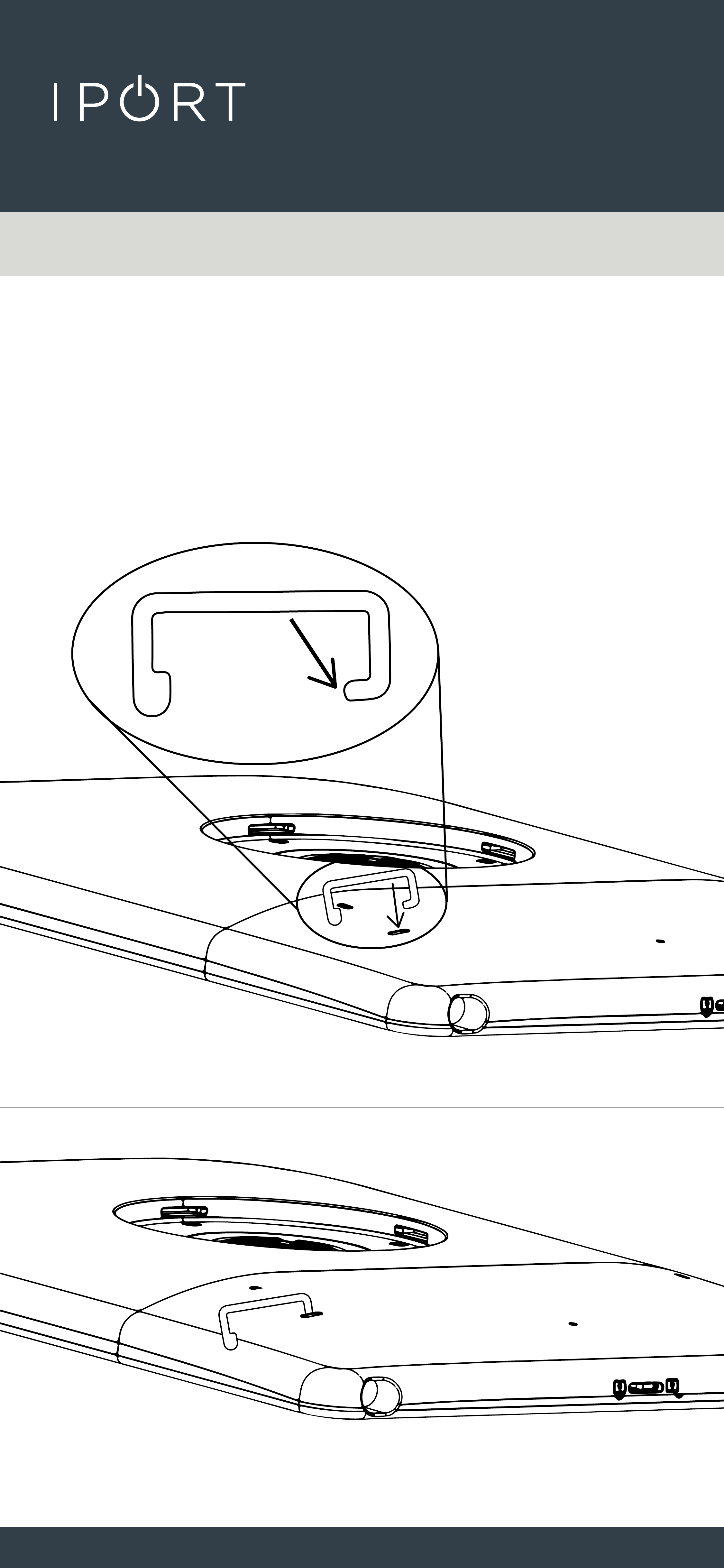
1. Insert the metal strap loops with the
flat end pointing towards the left or
right side of the case.
CONNECT
CASE
10
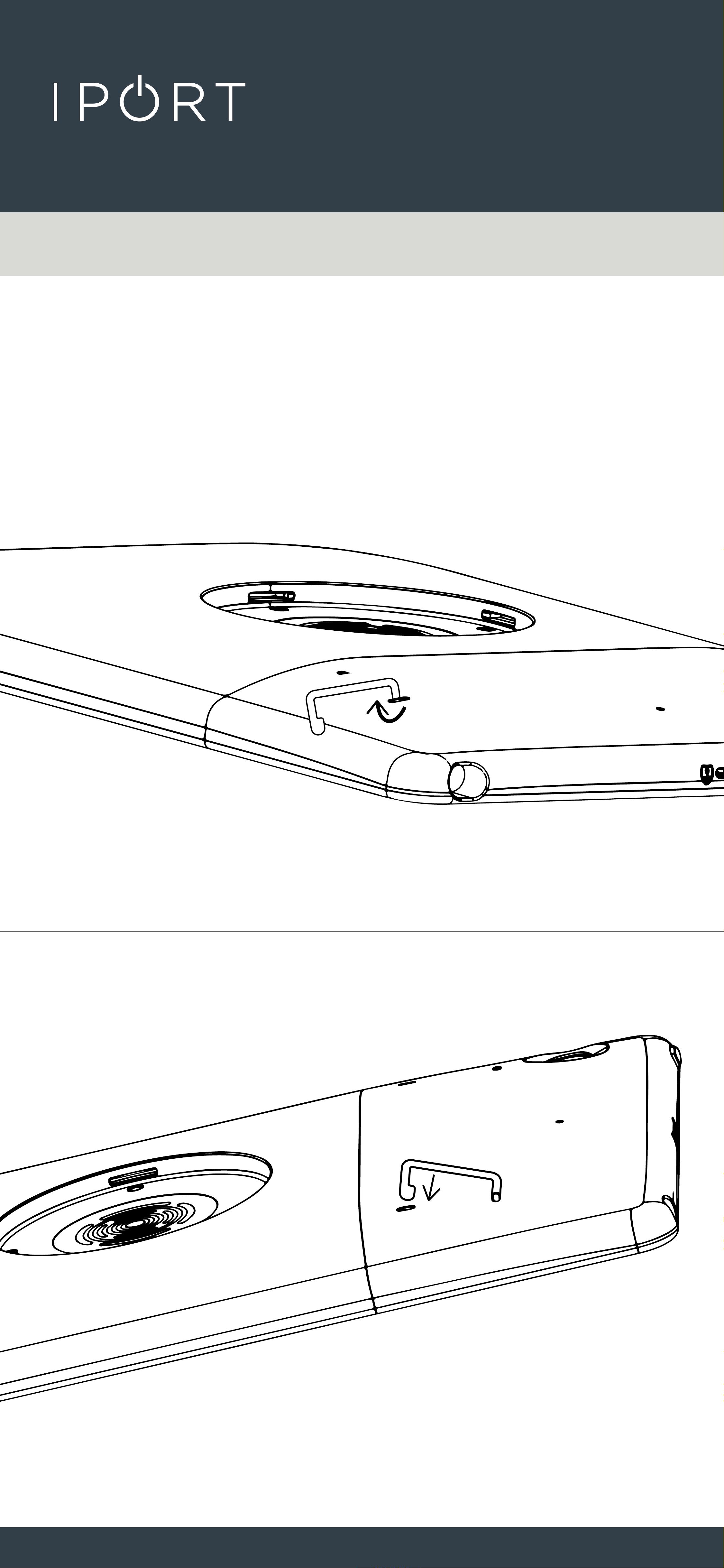
2. Rotate the strap clip towards the
bottom of the Case and insert into
the hole until the strap clip snaps
into place.
CONNECT
CASE
11
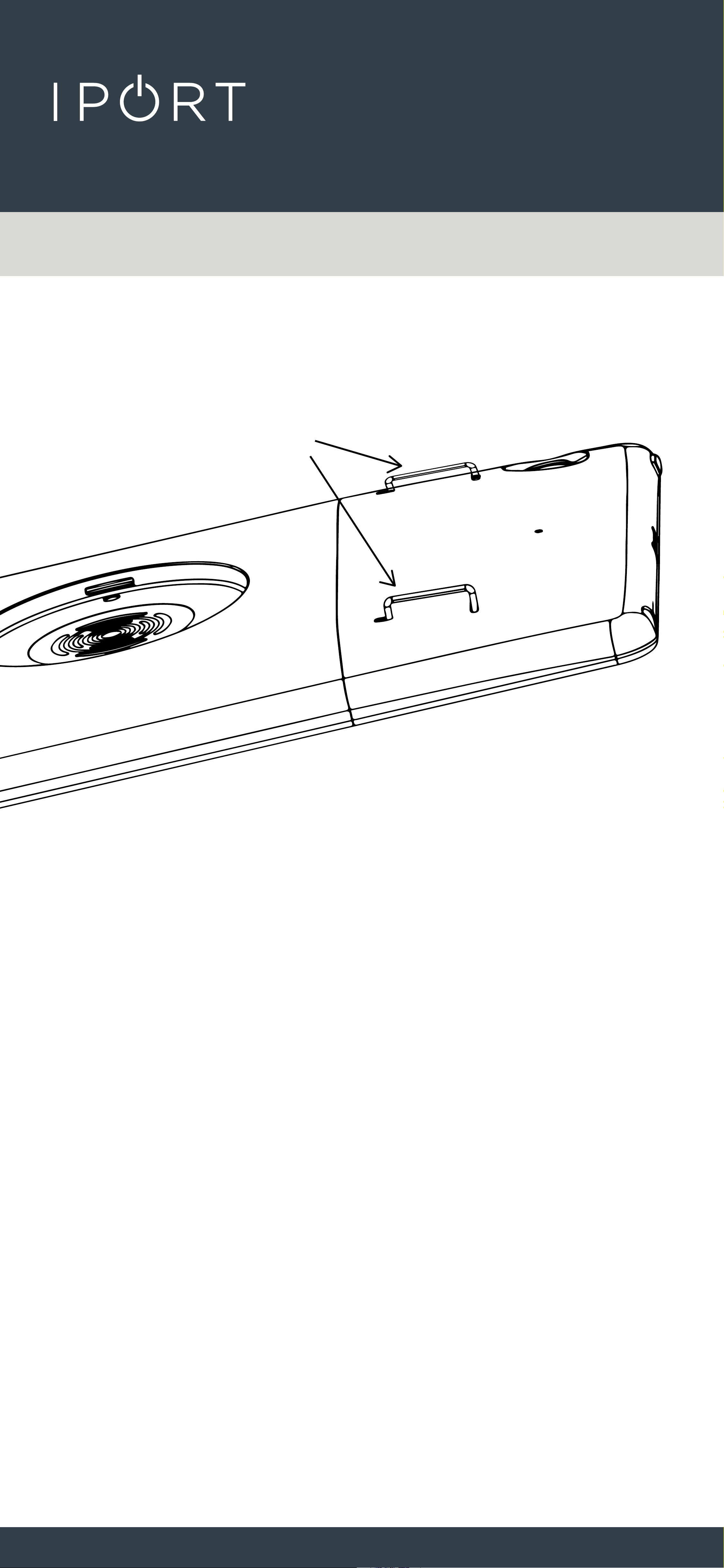
3. Repeat for the second clip.
4. Insert the IPORT CONNECT Hand
Strap under both strap loops with
the Velcro facing out from the case,
fold over the Hand Strap and attach
to the Velcro. Adjust hand strap to a
snug but comfortable fit around the
top of your hand.
• NOTE Case Top and Bottom MUST be
locked together to properly secure the iPad
and CONNECT Case together.
X 2
CONNECT
CASE
12
Hand Strap Removal
1. Unlock the CONNECT Case Top
from the Case Bottom. See step 5 of
installing the Case.
2. Remove the Case Top from the Case
Bottom.
CONNECT
CASE
13
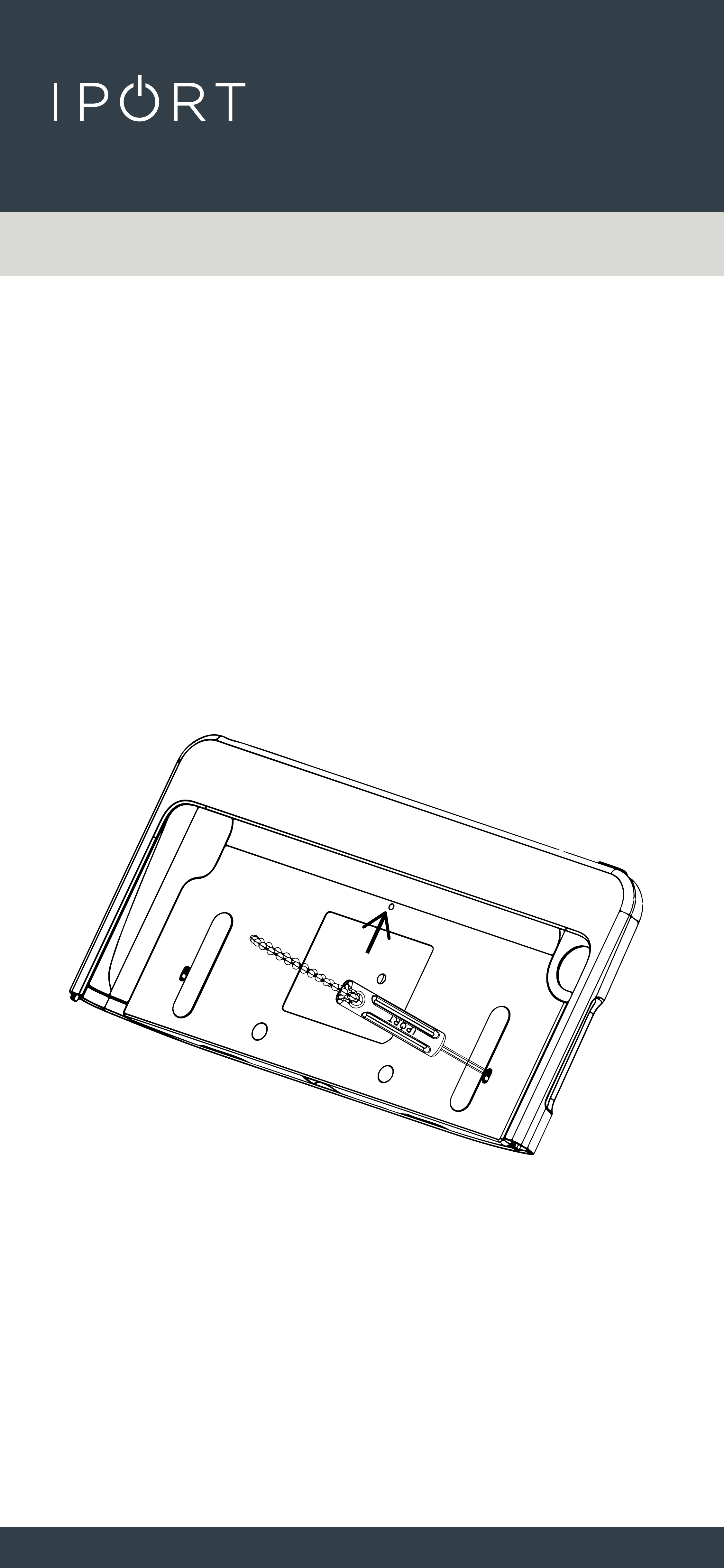
3. On the inside of the Case Top, locate
the small oval hole and insert the
IPORT CONNECT Security tool. Pivot
the IPORT Security tool toward
the top of the Case Top freeing the
Strap loop. Rotate the Strap loop
90 degrees left or right to remove
the Strap Loop from the Case Top.
4. Repeat for the second strap loop.