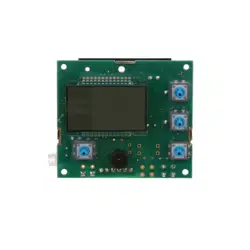
REPLACEMENT PWA (TIMER BOARD) - MODELS WHES45 & WHES60
7285083 (Rev. B 10/1/14)
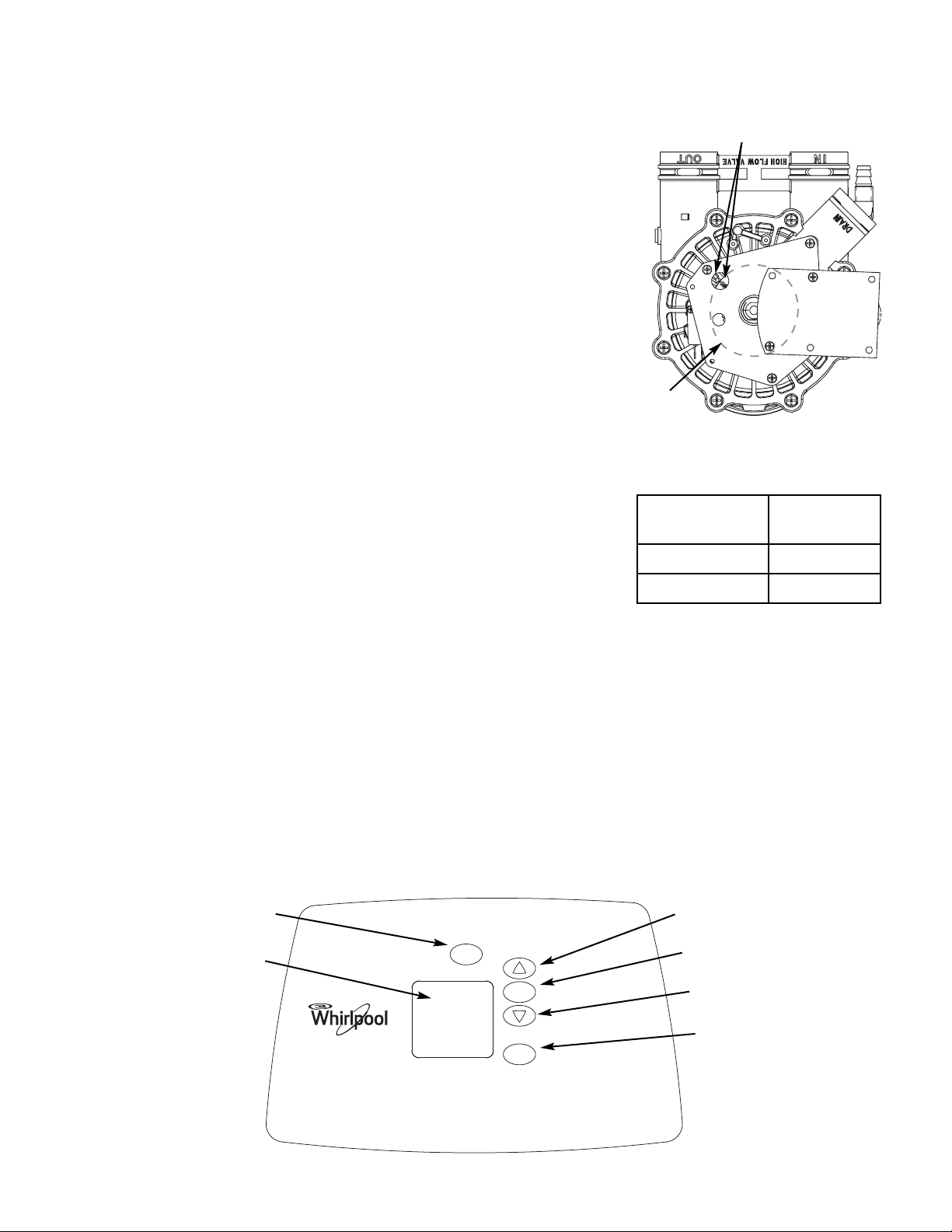
Position markers
(valve in service)
CAM
MOTOR
IMPORTANT: Be sure the valve cam indicates “service” position when
replacing the PWA, to assure both valve and timer are oriented, or timed,
to the same cycle. If the valve is not in service position, see step 8 below.
NOTE: When installing the PWA on the faceplate, use care not to twist the
circuit board, or force it onto the mounting pegs. Twisting could damage
the printed circuits, or break the LED glass.
After installing the PWA, when the transformer is plugged into the electrical
outlet, model code L45 or LL60 (take note of which) will be shown for a few
seconds in the faceplate display. Then, 12:00 PM and the words
“PRESENT TIME” begin to flash. Determine the correct model code for
your softener in steps 1 and 2, below. If the PWA’s preset model code is
not correct, you must perform steps 3-5 before setting the clock (steps 6-
9). If the code is correct, you may skip steps 3-5.
DETERMINE THE CORRECT MODEL CODE:
1. Look at the rating decal on the back of the controller’s top cover to find
the model number of your softener.
2. Using the table at right, determine the correct model code.
SET THE MODEL CODE:
3. Press and hold the PROGRAM button for several seconds. First the
display will change to show the “Recharge Time” screen, then after
several more seconds the model code (L45 or LL60) will flash. Release
the PROGRAM button.
4. Press the
r UP or s DOWN buttons to change the model code.
5. With the correct model code flashing, press the PROGRAM button three
times to return to the “PRESENT TIME” display.
RECHARGE
PROGRAM
DATA
HOLD TO START
PRESS TO SCHEDULE
PROGRAM button
DOWN button
Display
RECHARGE button
DATA button
UP button
Model Number
Model Code
to select
WHES45 L45
WHES60 LL60
SET THE CLOCK:
NOTE: If the words “PRESENT TIME” do not show in the display, press the PROGRAM button a few times, as needed,
until they do.
6. Press the
r UP or s DOWN buttons to set the present time. Up moves the display ahead; down set the time back.
Be sure AM or PM is correct.
7. Program the water softener following the instructions in your owner’s manual.
8. If the valve is not in the service position, press the RECHARGE button and hold for 3 seconds to start a recharge.
When the gear stops turning, press the RECHARGE button until the flashing word “RECHARGE” is no longer shown
in the display (this may have to be done several times)
9. The valve and PWA should now be in their correct positions.