1-877-465-3566
ITM. /
ART. 2575321
DH5023KP
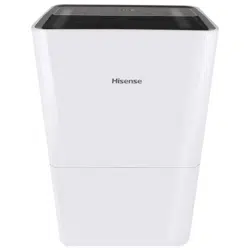
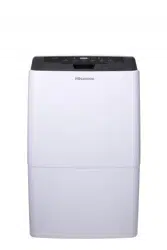
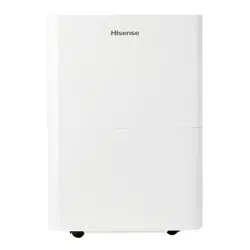
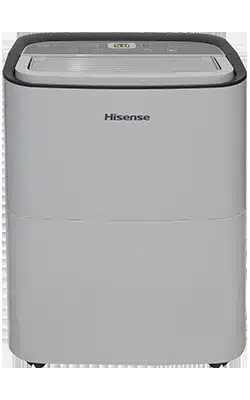
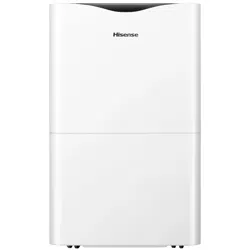
50-Pint
Dehumidifier
Use & Care Guide
IMPORTANT, RETAIN FOR FUTURE REFERENCE: READ CAREFULLY
Operating hours: Monday-Friday from 9 a.m to 9 p.m. EST,
Saturday-Sunday from 9 a.m. - 6 p.m.
Language: English and Spanish
2
Table of Contents
Safety Information ..................................2
Operation ........................................3
installation .......................................3
Storage and Disposing of the unit .....................3
Pre-Installation .....................................4
Package contents .................................4
Electrical Requirements .............................4
Location Requirements .............................5
Operation. . . . . . . . . . . . . . . . . . . . . . . . . . . . . . . . . . . . . . . . . . 6
Care and Cleaning .................................10
Troubleshooting ...................................15
Safety Information
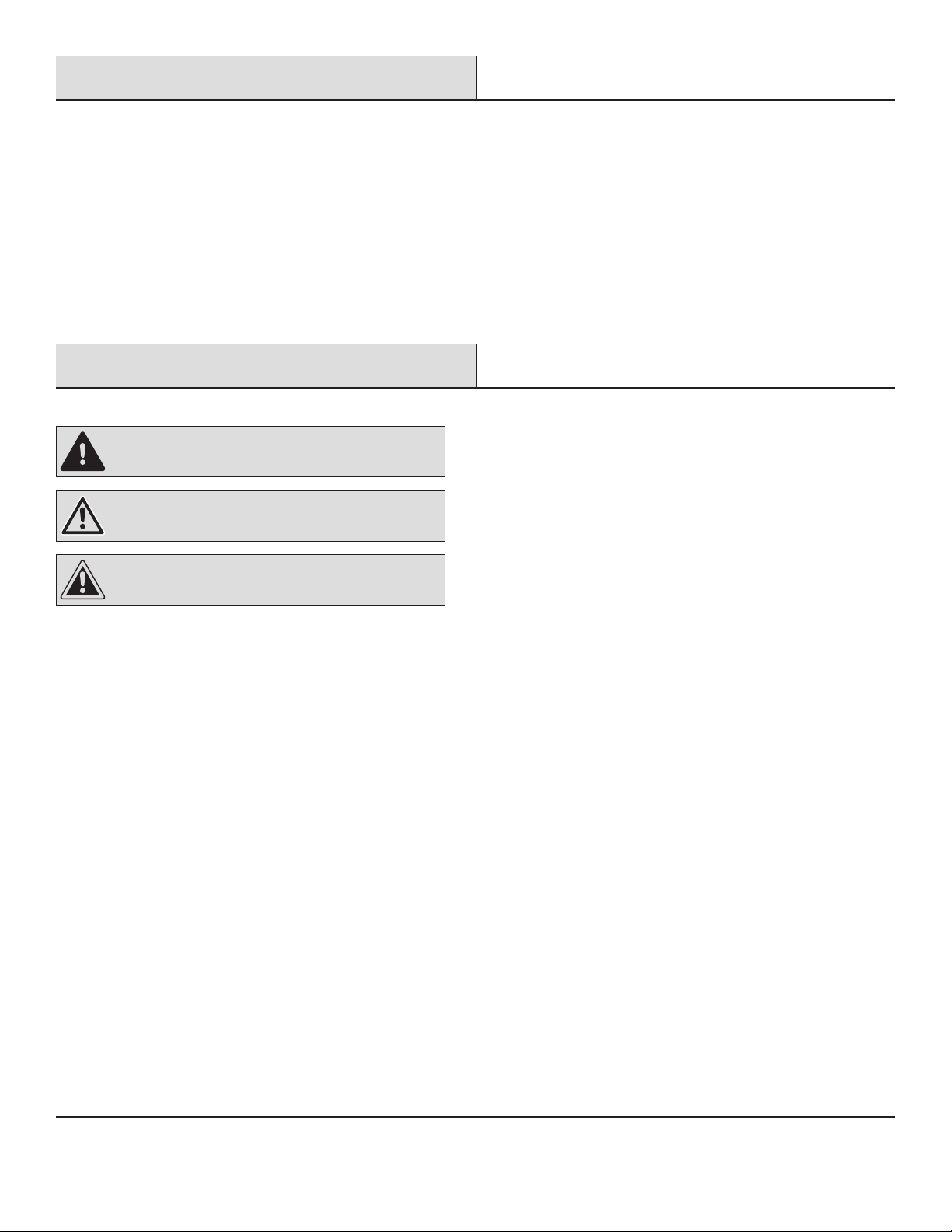
All safety messages will tell you what the potential hazard is and tell you how to reduce the change of injury.
DANGER: A hazard that If not avoided will result In death
or serious injury.
WARNING: A hazard that if not avoided could result In
death or serious Injury.
CAUTION: A hazard that if not avoided may result in
minor or moderate injury.
Your safety and the safety of others are very important, we have
provided many important safety messages in this manual and on
your appliance. Please always read and obey all safety messages.
To reduce the risk of re, electrical shock or injury when using your
dehumidier, please follow these basic precautions.
□ Plug into a grounded 3-prong outlet.
□ Do not remove ground prong.
□ Never attempt to operate this appliance if it is damaged,
malfunctioning, partially disassembled, or has missing or broken
parts, including a damaged cord or plug.
□ Do not use an electrical adapter or multiple-outlet adaptors with
this dehumidier.
□ Do not use an extension cord.
□ Unplug dehumidier before servicing.
□ Do not drink water collected in the water bucket.
□ The appliance is not intended for use by young children or
impaired persons without supervision. Young children should be
supervised to ensure that they do not play with the appliance.
□ Keep packing materials out of the reach of children. Packaging
material can be dangerous for children. There is a risk of
suffocation.
□ Do not use the appliance in standing water or allow the product
to be directly splashed by water during use.
□ Store and install the appliance where it will not be exposed to
temperatures below freezing or exposed to outdoor weather
conditions.
□ Call an authorized service technician to repair or immediately
replace all power cords that have become damaged. Do not use
a cord that shows cracks or abrasion damage along its length or
at either end.
□ Do not use the product if the outlet is damaged or loose.
□ In the event of a gas leak (propane gas, LP gas, etc.) do not
operate this or any other appliance. Open a window or door to
ventilate the area immediately.
□ Do not disassemble, repair or modify the product.
□ Do not store or use ammable gases or materials near the
dehumidier.

3
OPERATION
Read all instructions before using the appliance and save these
instructions.
□ Do not tamper with controls.
□ Push the power plug all the way into the wall outlet so that it is
not loose.
□ Do not grasp the power cord or touch the appliance controls with
wet hands.
□ Do not modify or extend the power cord.
□ If the product makes a strange noise or emits a smell or smoke,
pull the power plug out and contact customer service.
□ Avoid placing the dehumidier or other heavy objects on top of
the power cord.
□ Do not use water to clean the dehumidier.
□ Keep the air inlet and outlet free from obstructions.
□ Do not cover the power cord with a rug or carpeting. Placing
heavy objects on top of the cord could damage it.
□ Keep the product away from re and high heat.
□ Do not use the product in places where it could be splashed by
water.
□ Do not insert ngers, sticks etc. into the air inlet or outlet. The fan
is running at high speeds and could cause personal injuries.
□ Do not repair or replace any part of the appliance. All repairs and
servicing must be performed by qualied service personnel un-
less specically recommended in this owner’s manual. Use only
authorized factory parts. Connect to a properly rated, protected,
and sized power circuit to avoid electrical overload.
□ Do not use the product for preserving animals/plants, precision
instruments, art works, etc.
□ Do not place any objects on top of the dehumidier.
□ Turnoff the dehumidier and empty the water bucket before mov-
ing the dehumidier.
□ Pull out the power plug if you will not be using the product for an
extended period.
□ Do not use the product in a very small space such as a closet.
Poor ventilation could result in overheating.
□ Do not use wax, thinner or a strong detergent when cleaning.
Wipe the product using a soft cloth.
□ Do not use the product in direct sunlight or rain.
□ Do not touch the product with wet hands.
□ Position the product on a rm, stable surface.
□ Remove cable ties and extend power cord before use.
□ Do not spray foreign substances or water on the product.
INSTALLATION
□ Use this appliance only for its intended purpose. This product is not designed for preserving precision instruments, tableware or art
works.
□ Never unplug the appliance by pulling on the power cord. Always grip the plug rmly and pull straight out from the outlet.
□ Do not use the product in places where chemicals are used. Chemicals and solvents dissolved in the air could cause product deforma-
tion and leaking.
□ Turn off the dehumidier and pull out the power plug before cleaning. Wait for the fan to stop moving.
□ Do not operate the dehumidier without a lter.
□ Using the product without a lter could result in a reduced product lifespan, electric shock or injury.
STORAGE AND DISPOSING OF THE UNIT
□ Dispose of this appliance in accordance with Federal and Local regulations. Refrigerants must be evacuated before disposal.
□ Please recycle or dispose of the packaging material for product in an environmentally responsible manner.
□ Never store or ship the appliance upside down or sideways to avoid damage to the compressor.
Safety Information (continued)
4
Pre-Installation
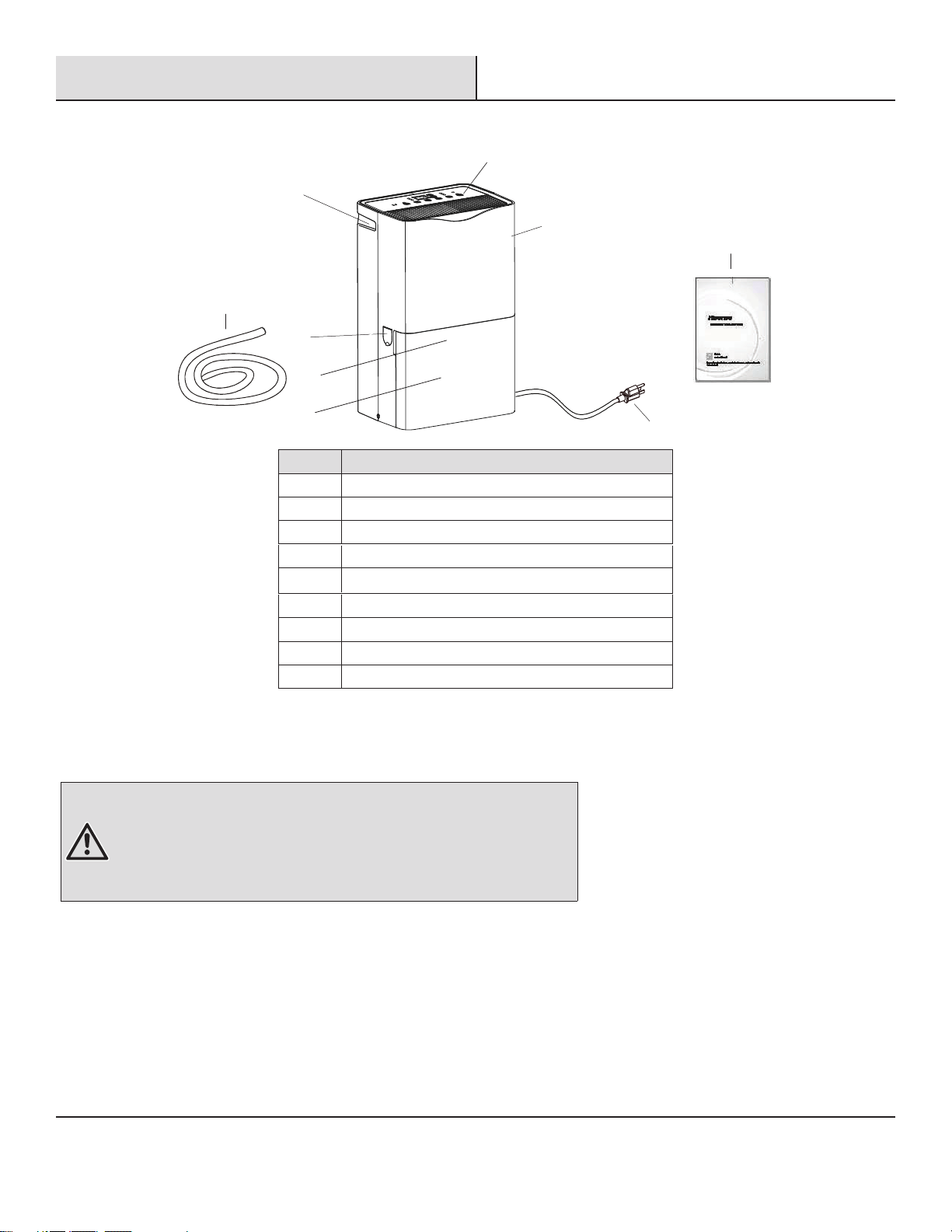
PACKAGE CONTENTS
A
B
F
G
C
H
I
D
Part Description
A Control panel
B Handle
C
Bucket
D
F
G
Air lter
H
Hose cover
I
Power plug
Quick connect hose (for pump function model only)
User manual
ELECTRICAL REQUIREMENTS
Specic electrical requirements are listed in the chart below. Follow the requirements for the type of plug on the power supply cord.
WARNING:
□ Plug into a grounded 3-prong outlet.
□ Do not remove ground prong.
□ Do not use an adapter.
□ Do not use an extension cord.
□ Failure to follow these instructions can result in death, re, or electrical shock.
Recommended Grounding Method
This dehumidifuer must be grounded. This dehumidier is equipped with a power supply cord with a three-prong grounding plug. The cord
must be plugged into a properly grounded three-prong outlet, grounded in accordance with all local codes and ordinances. If a properly
grounded outlet is not available, it is the customer’s responsibility to have a properly grounded three-prong outlet installed by a qualied
electrician.
E
Bucket handle
E
5
Pre-Installation (continued)
Customer’s Responsibility
□ To contact a qualied electrician.
□ To assure that the electrical installation is adequate and conforms to the national electrical code. ANSI/NFPA 70-last edition, and all
local codes and ordinances.
Copies of the standards listed may be obtained from:
National Fire Protection Association
1 Batterymarch Park
Quincy, MA 02169-7471
www.nfpa.org
Wiring Requirement
Power supply Time-delay fuse (or circuit breaker)
115V 103.5V min. 126.5V max. 15A
LOCATION REQUIREMENTS
WARNING: To reduce the risk of injury to persons, malfunction, or damage to the
product or property when using this appliance, follow basic safety precautions, including
the following:
□ Do not locate outdoors. This dehumidier is intended for indoor, residential use only. This
dehumidier is not recommended for commercial use.
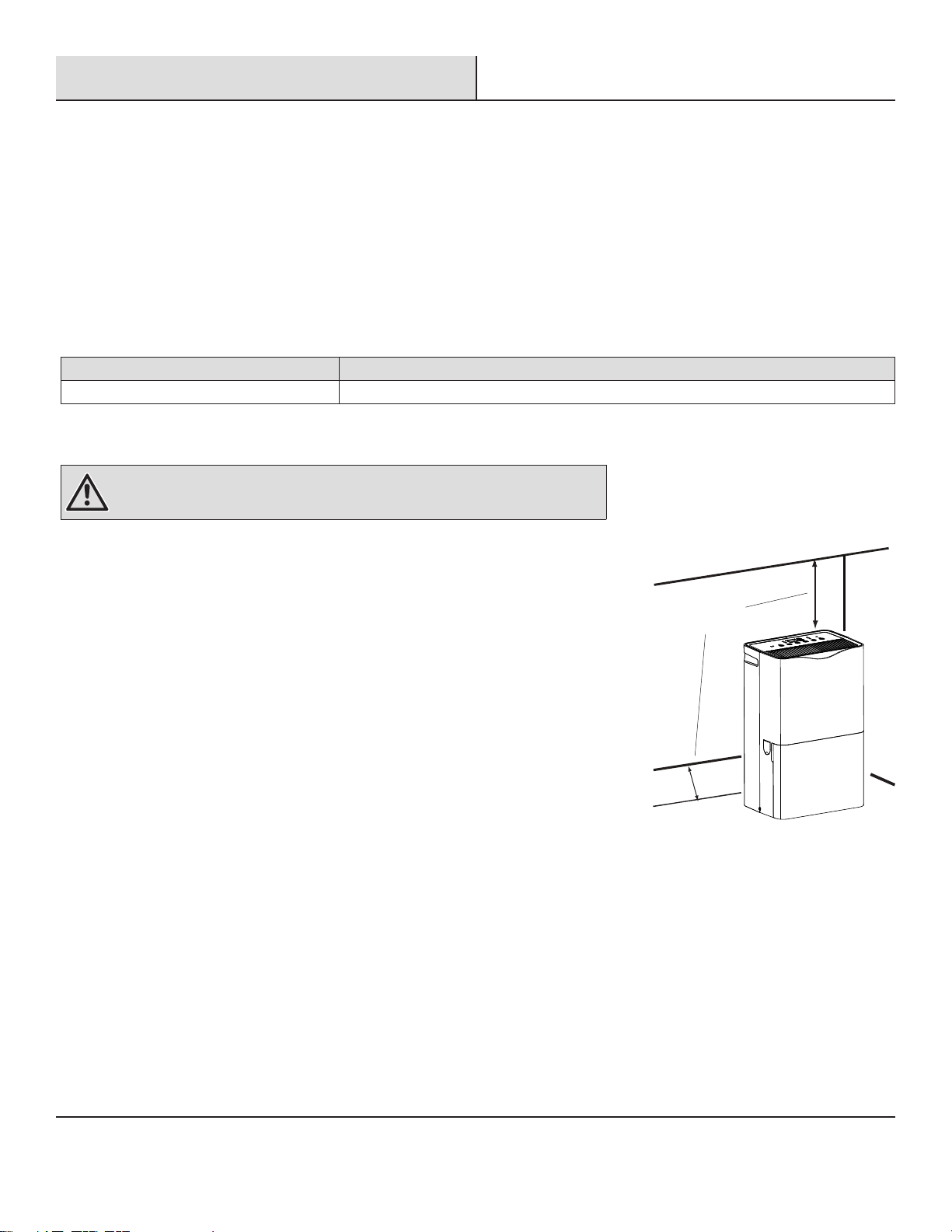
□ Allow at least 12 in. to 18 in, (30.5 cm to 45.7 cm) of space on the rear and sides of the
dehumidier for models with back louver and above the dehumidier for models with top
louvers.
□ You will need a surface strong enough to support the dehumidier when its bucket is full of
water.
□ You will need a surface level enough to keep the water from spilling when the bucket is full
of water.
□ Do not block the louvers of the unit.
□ Never operate this dehumidier in an area that is likely to accumulate standing water. If this
condition develops, for your safety disconnect the power supply before stepping into the
water.
12 in. to 18 in.
(30.5 cm to 45.7 cm)
6
Operation
□ Before turning on the dehumidier, be sure that the bucket is empty and ts all
the way into the dehumidier.
□ Each time you unplug the dehumidier or power is interrupted, the controls will
return to the previous settings when power is restored.
□ Humidity displayed is between 30% and 90% relative humidity.
□ Humidity can be set between 30% and 80% relative humidity.
□ It’s important to set the desired humidity level to an achievable setting. To ensure
energy-efcient operation, only use the dehumidier in a closed space, with no
open windows or other sources of moist air (to avoid continuous running).
□ Operating temperature is between 38°F to 90°F (3.2°C to 32.2°C). At temperatures of 38°F (3.2°C) or less, water freezes inside the
product. At temperatures over 90°F (32.2°C), the internal temperature of the product trips a protective device which deactivates the
product to avoid product damage.
□ The compressor has a 3-minute delay before restarting. If the product is stopped and immediately restarted, to protect the compressor
there is a 3-minute delay until the compressor restarts.
□ When the dehumidier is operating, the indoor temperature will rise. The dehumidier does not have a cooling/heating function. Heat is
generated during operation, so the room temperature may be increased by about 6°F (3°C) depending on the usage conditions (indoor
temperature, size of the room).
1
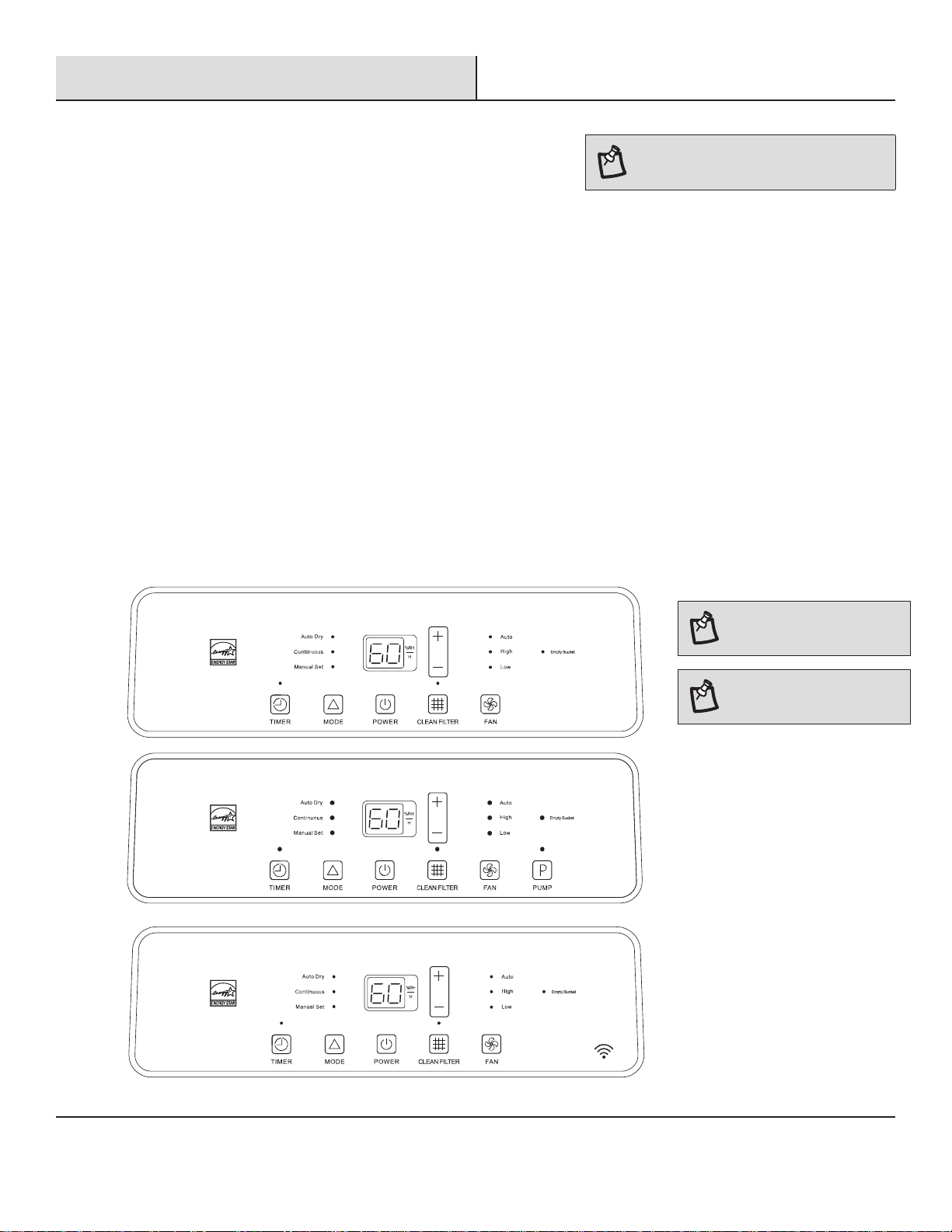
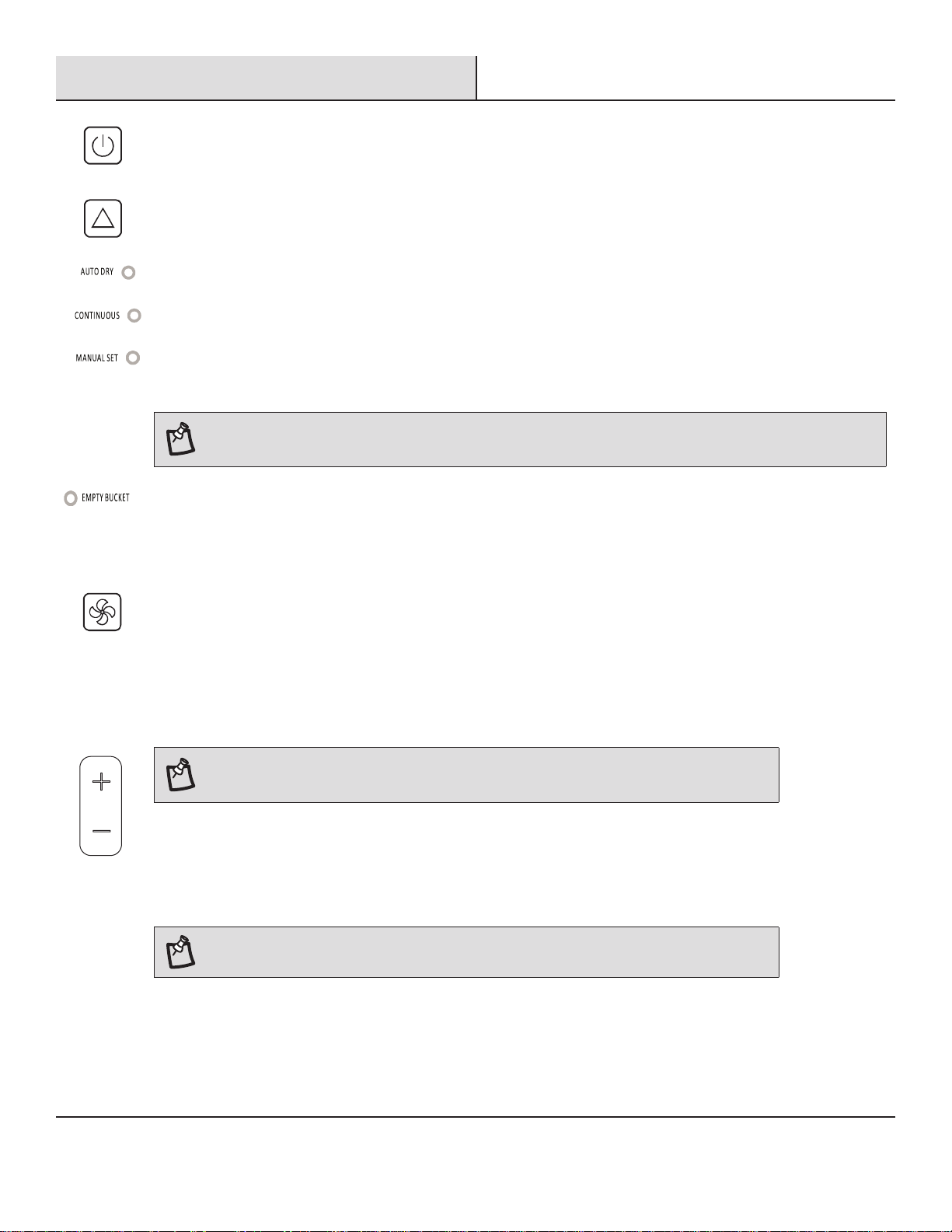
Using the Control Panel
Control Type 1
N
/VENT.
NOTE: In the event of a power failure, your
dehumidier will operate at the previous
settings when the power is restored.
NOTE: The symbols may be
different from these models,
but the functions are similar.
NOTE: Set point is relative
humidity: lower is more dry,
higher is less dry.
Control
Type
2
Control
Type
3
7
Operation (continued)
TIMER
/MINUT.
SLEEP
/VEILLE
FAN
/VENT.
HIGH
/ÉLEVÉ
LOW
/FAIBLE
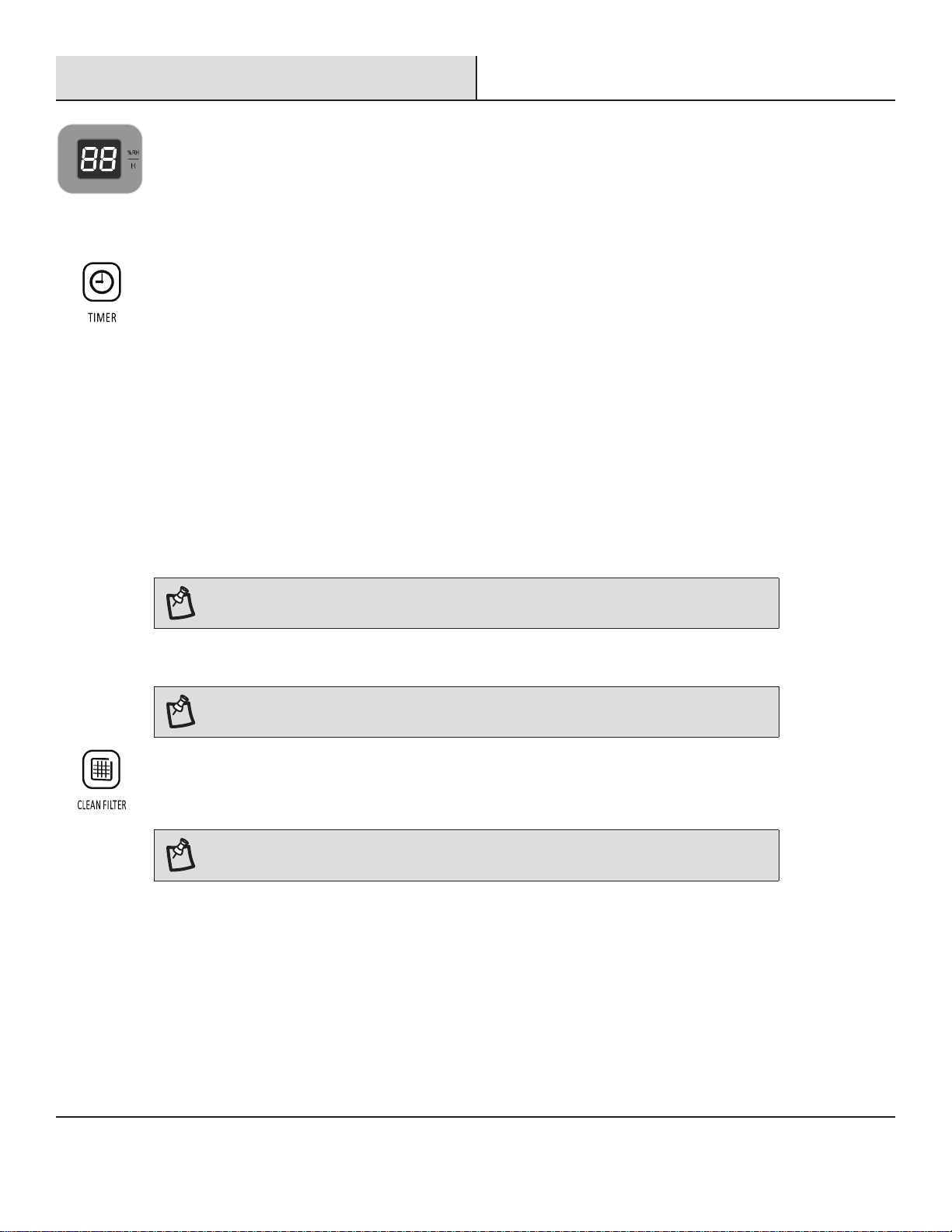
MODE
DESIRED HUMIDITY MODE
□ Press and release MODE until you see the symbol for the desired humidity setting. Operating modes are Auto Dry,
Continuous or Manual Set.
□ Auto Dry - The dehumidier will operate in dry mode only. The fan speed is set automatically. The desired humidity is
set to 50% automatically.
□ Continuous - The dehumidier will operate continuously. The fan speed can be adjusted. The desired humidity can
not be adjusted.
□ Manual Set - The dehumidier will operate at the selected fan speed to the set humidity level. If the humidity level of
the room is higher than the desired humidity setting, the compressor will turn on. If the humidity level of the room is
lower than the desired humidity setting, the compressor will turn off, as well as the fan.
NOTE: The de-icing function will turn off the compressor if a low temperature condition occurs. When the de-icer senses
the correct operating temperature the compressor will cycle back on. Some freezing is normal when dehumidiers are used
at low temperatures.
EMPTY BUCKET LIGHT
If this light is on, the fan and the compressor will stop running. This light indicates that you need to check:
□ If the bucket is full, empty and re-install bucket. If the bucket is not in position, remove the bucket and re-install it.
Make sure the bucket ts all the way into the dehumidier and the bucket light is off, or dehumidier will not run.
COOL/FRAIS
DRY/SEC
FAN/VENT.
TIMER
/MINUT.
FAN
/VENT.
POWER
/MARCHE
MODE
FAN SPEED
□ Press FAN to select fan speed.
□ Choose LOW, HIGH or AUTO.
□ LOW-Reach the desired humidity setting with lower sound level.
□ HIGH-Will more quickly reach the desired humidity setting.
□ AUTO-Achieves set humidity at normal speed.
NOTE: Once the relative humidity of the room hits the desired setting, the compressor will stop and
the fan will be off periodically. The fan may periodically turn on, to read the humidity level, without the
compressor running.
COOL/FRAIS
DRY/SEC
FAN/VENT.
FAN
/VENT.
HIGH
/ÉLEVÉ
LOW
/FAIBLE
POWER
/MARCHE
HUMIDITY LEVEL
□ Press the Plus or Minus button to set the desired humidity level. Desired humidity in the digital display will ash for 5
seconds after operation.
□ Actual room humidity will be displayed after 5 seconds of ashing the desired humidity.
NOTE: Humidity can only be adjusted manually in Manual Set mode. In Continuous and Auto Dry mode,
humidity level is set automatically.
POWER
/MARCHE
POWER ON OR OFF
Press POWER to turn on or off the dehumidier.
8
Operation (continued)
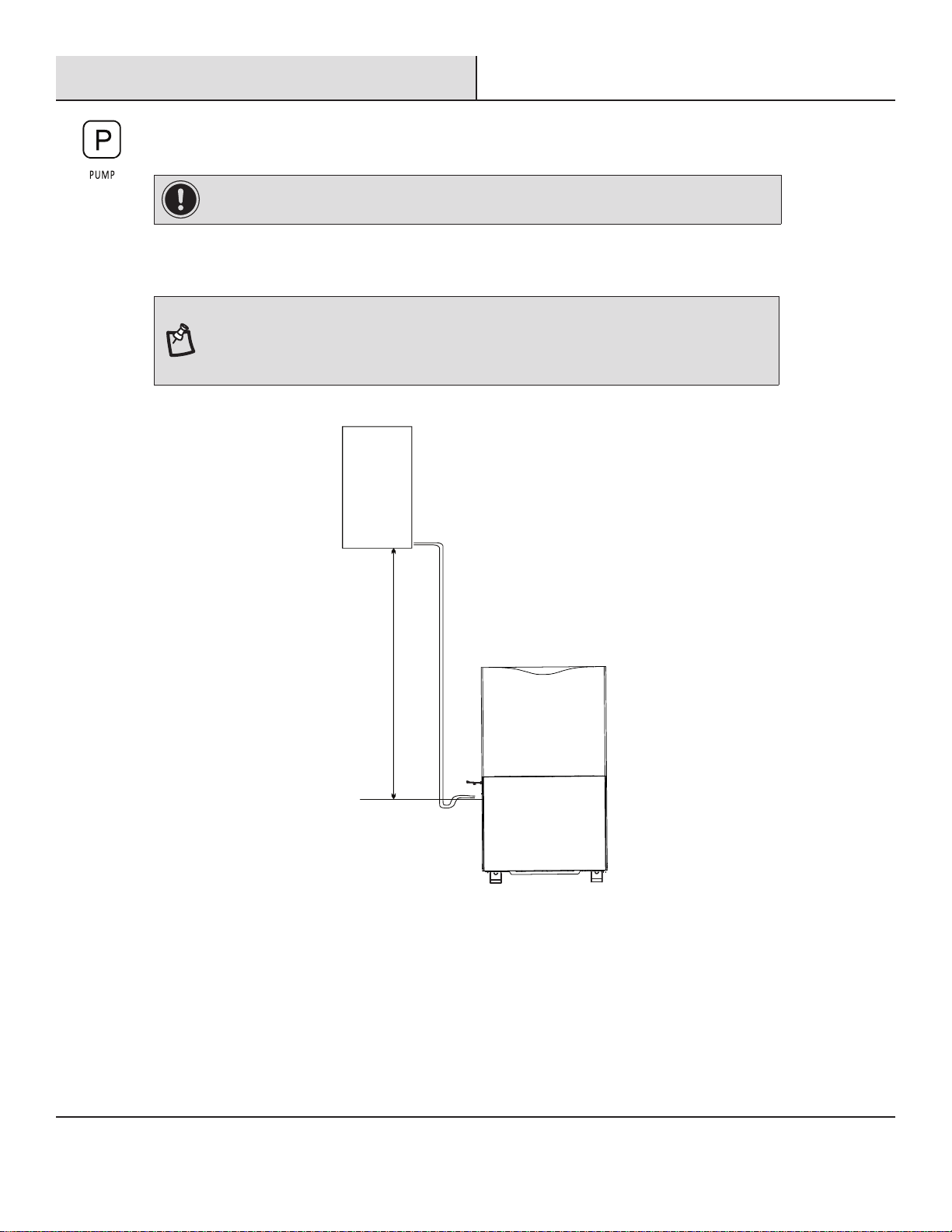
TIMER
To set Timer for a 30-minute to 24-hour delay before the dehumidier is turned off (the dehumidier must be On):
□ Press TIMER. Timer indicator light will come on, and the display will ash. The display will show remaining time
before the dehumidier wiII turn off.
□ Press the Plus or Minus button to change the delay time, from 30 minutes to 24 hours.
To set Timer to turn on the dehumidier, with previous setting:
□ Turn off the dehumidier.
□ Press TIMER. Timer indicator light will ash. The display will show remaining time before the dehumidier will turn
on.
□ Press the Plus or Minus button to change the delay time, from 30 minutes to 24 hours.
To clear the Timer delay program:
□ Press TIMER once after it has been programmed. Display will show remaining time. While the display is showing the
remaining time, press TIMER again. Timer indicator light will turn off.
NOTE: Dehumidier can be either on or off.
To see the remaining time:
□ Press TIMER once after it has been programmed. Display will show remaining time.
NOTE: Empty the water bucket before setting the timer function. If the water bucket becomes full
during the Timer function, the Empty Bucket light goes on and dehumidication stops.
CLEAN FILTER
□ When the Clean Filter indicator light is on,remove, clean and replace the air lter. See “Cleaning the Air Filter”.
□ Press the Clean Filter button to reset the lter monitor.
NOTE: When the light is on, it will remain on for 180 hours or until you press Clean Filter button.
DIGITAL DISPLAY
Display shows relative humidity or time (depending on setting).
□ When the dehumidier operates in Manual Set mode, the display shows the relative humidity of the room.
□ When the timer is selected, the display shows the time when the dehumidier will turn on or turn off operates,
depending on the setting.
9
Operation (continued)
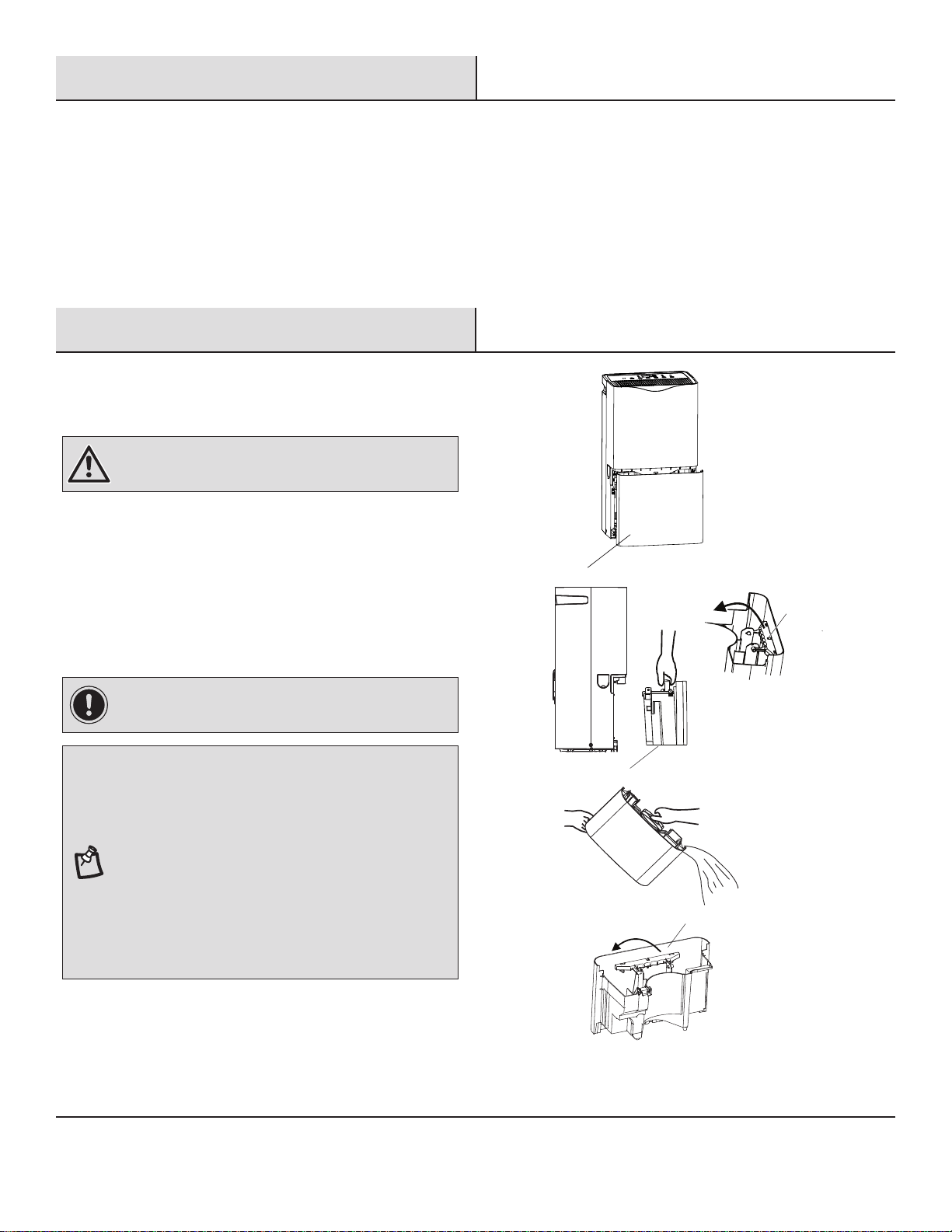
PUMP (for pump function model only)
This feature pumps water horizontally or vertically. Pump water to a drain, out a window or anywhere you think suitable.
IMPORTANT: You must connect the drain hose to the unit before pressing the Pump button, or the
pump will not operate. See “Pump drain” for connecting instructions.
□ Press PUMP to activate the pump system for active drainage.
□ Once the pump button is pressed, the pump light will switch on.
NOTE:
□ If the pump light ashes, it means that the pump is not functioning properly.
□ If the drain hose is not correctly connected to the unit or is bent, the pump light will ash and the
pump system will not work. See ‘’Trouble shooting” for direction.
Site for installing hose for pump function:
Dehumidier
Hose length is 16 ft max.
Water
container
Height should
be less than 16 ft.
10
Operation (continued)
2
Normal Sounds
When your dehumidier is operating normally, you may hear sounds such as:
□ Air movement from the fan.
□ Clicks from the thermostat cycling.
□ A high-pitched hum or pulsating noise caused by the high-efciency compressor cycling on and off.
Care and Cleaning
1
Draining the Dehumidier - Bucket
Draining
WARNING: Sickness Hazard
Do not drink water collected in water bucket.
Doing so can result in sickness.
IMPORTANT: If the Empty Bucket light comes on, the
dehumidier will not operate. The bucket may need to be
emptied or re-installed.
NOTE:
□ If the water bucket is removed immediately after turning
off the dehumidier, the water remaining in the heat
exchanger may drip inside the water bucket storage area.
Remove the water with a soft cloth.
□ While cleaning, do not touch the water level oat.
□ Clean the water bucket once a week during use.
□ If the ambient temperature is low, there is less moisture
in the air for the product to remove.
□ Unplug the product before removing the water bucket. If
the bucket is removed while the product is operating, the
compressor will stop.
D
D
E
E
If a oor drain is not available, or you do not plan to run your
dehumidier continuously, you may want to simply empty the
bucket.
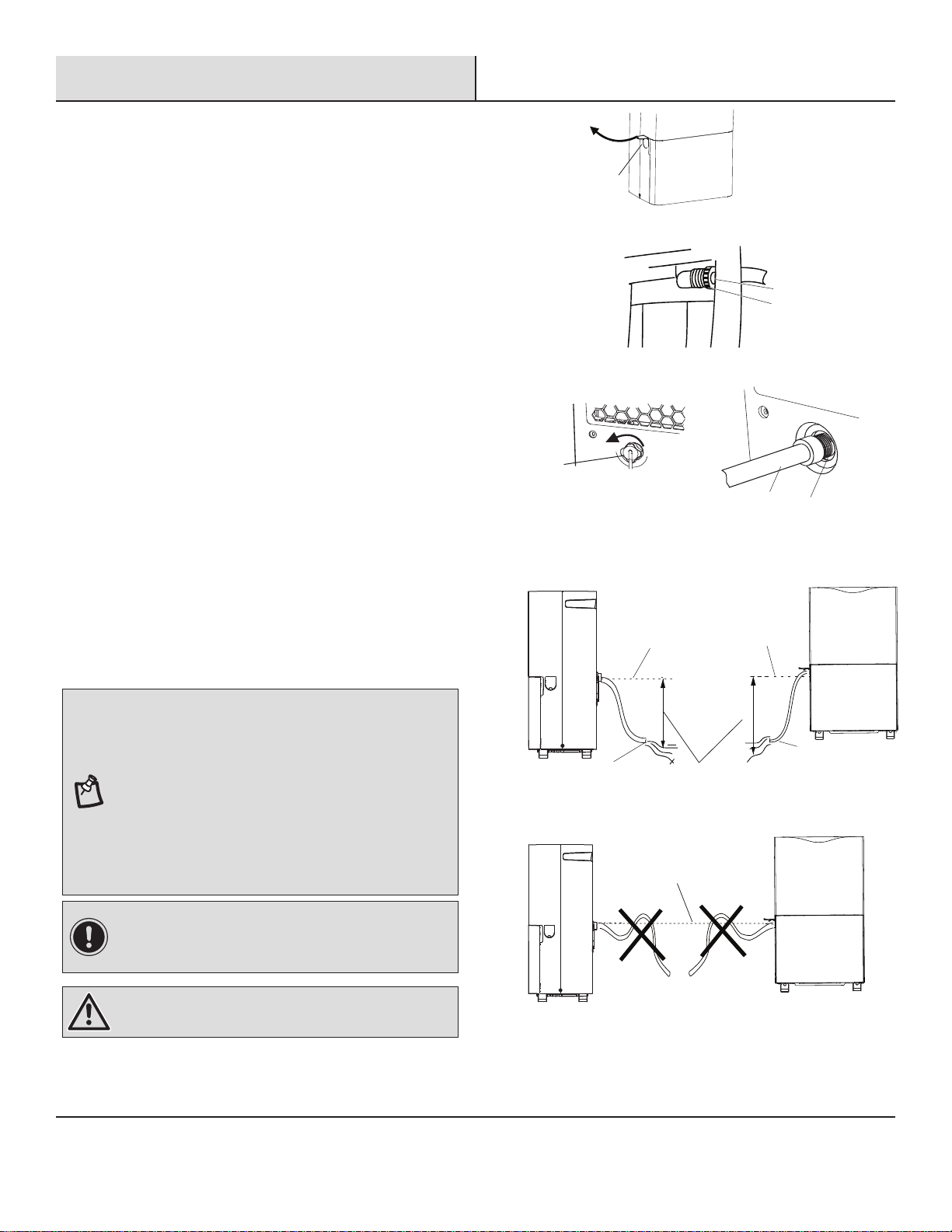
□ Grasp the bucket (E) sides to slide out bucket.
□ Lift the bucket (E) up by the handle (D).
□ Pour water into a sink or tub.
□ Fold down the handle (D) and reinstall the bucket (E).
11
Care and Cleaning
2
Gravity Draining
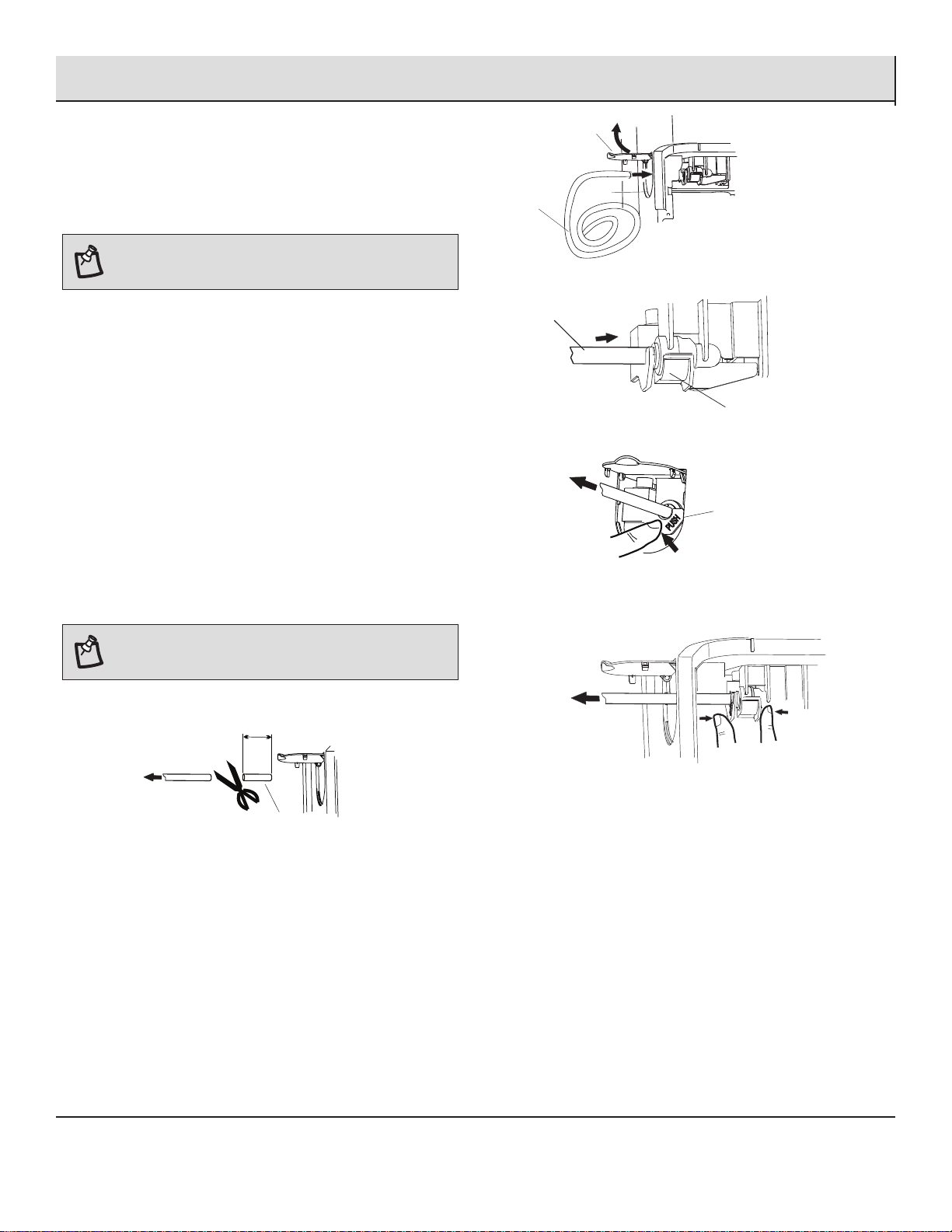
If you plan to run your dehumidier continuously, you can choose
direct draining by attaching a garden hose to the unit.
Models without a pump:
□ Turn off the dehumidier and unplug the power supply
cord.
□ Uncover the connector cover on the side of the unit (1).
(Figure1)
□ Remove bucket.
□ Attach a garden hose (2) to the drain hose connector (3) on
the inside of the dehumidier. Securely attach the hose to
be sure there is no water leak. (Figure 2)
□ Reinstall bucket.
Models with a pump:
□ Turn off the dehumidier and unplug the power supply
cord.
□ Uncover the connector cover on the back of the unit (4).
□ Attach a garden hose (5) to the drain hose connector (6) on
the back of the dehumidier. Securely attach the hose to
be sure there is no water leak. (Figure 3)
For both models:
□ Place the other end of garden hose into a oor drain. Check
to see that the hose lies at and is in the drain (8). Make
sure all the parts of the hose is on a lower level (7) than
the hose connector on the dehumidier. (Figure 4) Also, the
outlet of the hose should be at least 5.5 in. lower than the
hose connector. The hose should not be kinked or pinched.
(Figure 5)
NOTE:
□ Garden hose sold separately.
□ The drain hose inner diameter should greater than 1/2 in.
□ The connector is designed for North American garden
hoses only.
□ To use the bucket without the garden hose, simply
remove the garden hose, then reinstall bucket.
□ For models with pump ,you may also cover the connector
cover after remove the garden hose.
□ The bucket must be installed and properly aligned for the
dehumidier to operate.
IMPORTANT: In North America the garden hose connectors
are 3/4 in. diameter straight (non-tapered) thread with a pitch
of 11.5 threads per inch (male part has an outer diameter of
1-1/16 in. (26.99 mm).
WARNING: Do not injure hands while connecting the hose.
1
2
3
6
5
4
Figure 1
Figure 2
Figure 3
Figure 4
7
8
More than 5.5 in.
7
8
Models with a pump
Models without a pump
Connector level
Figure 5
12
Care and Cleaning (continued)
3
Pump Draining (models with a pump)
This feature can help to pump water horizontally or vertically with
a 16 ft. (487.68 cm) hose included. You can also pump water to a
oor drain, out a window or anywhere you think suitable.
NOTE: You must connect the drain hose to drain hose
connector before pressing Pump button. If the pump does not
function properly, see “Troubleshooting” for direction.
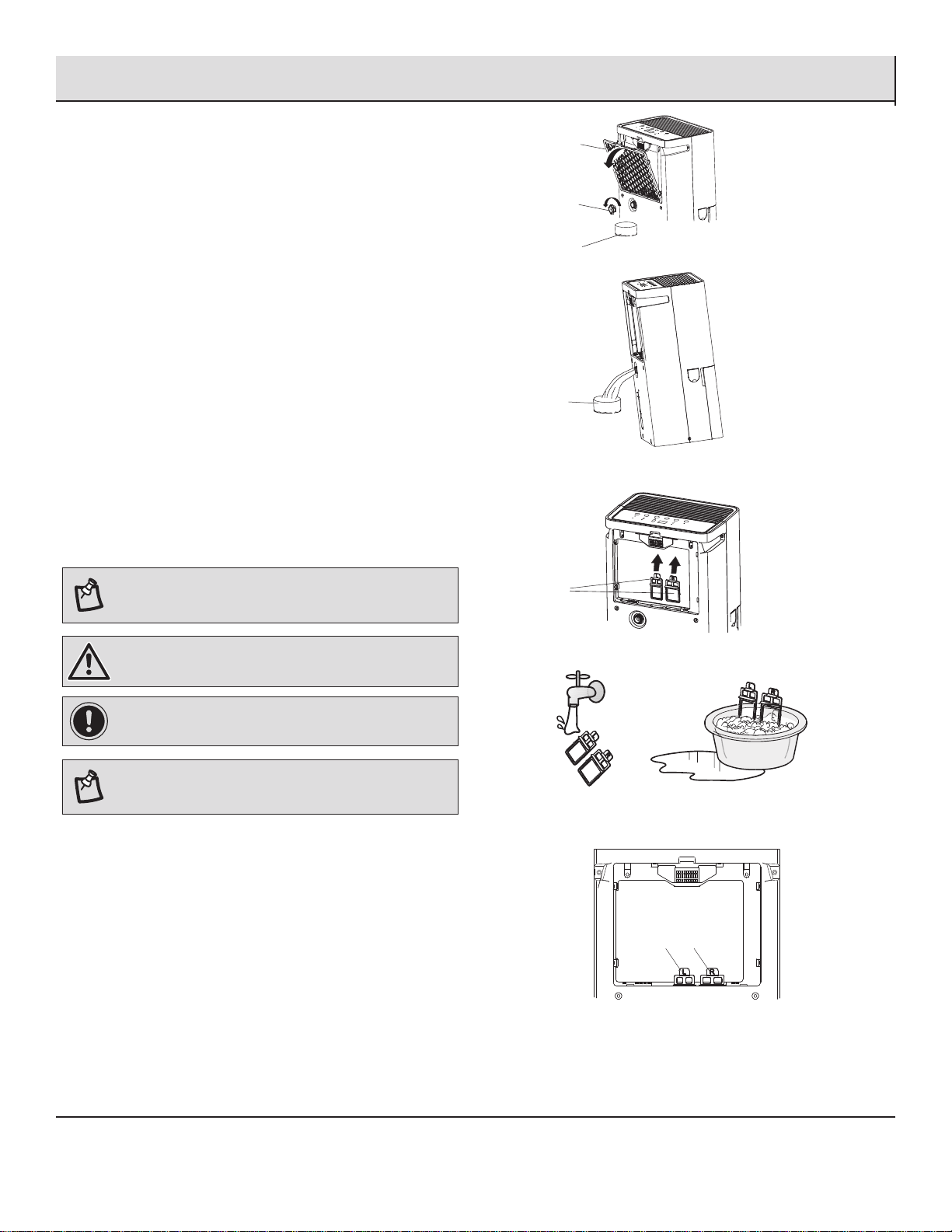
□ To connect the drain hose to the unit, uncover the
connector cover (1) on the side of the unit, and pass the
hose (3) through the side hole (2). (Figure 1)
□ Insert the drain hose (3) into the drain hose connector
(4) and ensure the hose is plugged to the bottom of the
connector. (Figure 2)
To disconnect the drain hose.
□ Method 1: Push the “PUSH” button on the connector
through the side hole (do not release). In the meantime pull
the drain hose out, and cover the connector cover. (Figure
3)
□ Method 2: Slide out the bucket, pinch the “PUSH” button
by the nger (do not release) as the image shows. In the
meantime pull the drain hose out, cover the connector
cover, and reinstall the bucket. (Figure 4)
NOTE: To make sure there is no leakage, it is recommended
a 1 in. short piece of the drain hose should be cut off after 3
times disconnection.
Pull
at least 1 in.
abandon
Pull
Figure 4
“PUSH”
Button
Push
Pull
Figure 3
4
3
Figure 2
2
3
1
Figure 1
13
Care and Cleaning (continued)
WARNING: Do not injure hands while disassembleing and
re-installing the water lter parts.
IMPORTANT: The water lter needs to be cleaned every
three months on models with an internal pump.
NOTE: If the unit will not be used for a certain period of
time, please clean the water lter, and drain the dehumider
completely. Re-install the water lter parts.
Service calls to clean the water lter are not covered under the
product warranty.
1
2
3
Figure 1
Figure 2
4
Figure 3
L R
Figure 4
Figure 5
4
Cleaning the Water Filter (pump
models only)
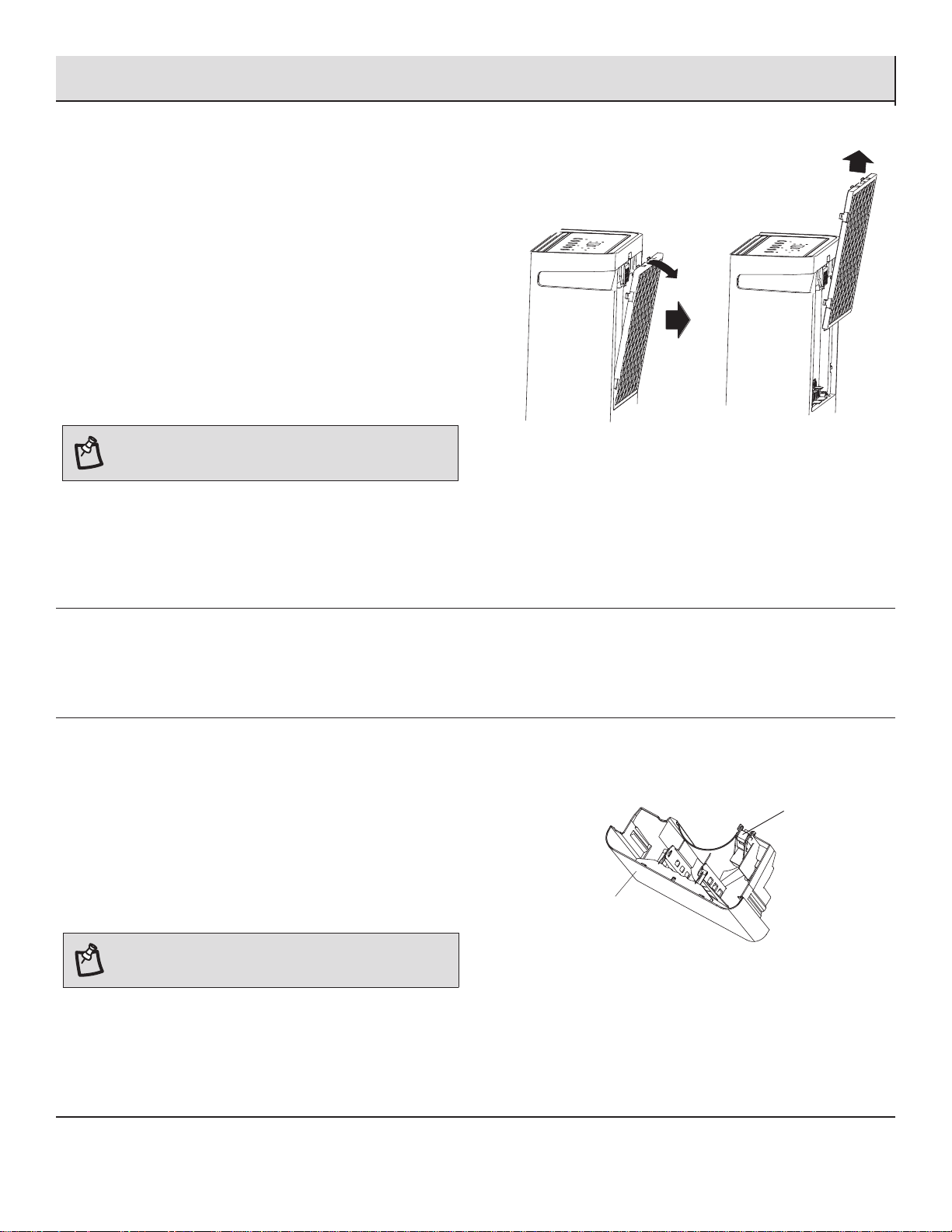
□ Unplug the unit before cleaning it. After every 3 months of
usage, the water lter needs to be cleaned for smooth water
pump running.
□ Remove the air filter (1), and slowly lean the unit backward
with a small angle (<5°). Prepare a container (3) to catch
the water, and unscrew the connector cover (2) on the back
of the unit. (Figure 1)
□ When the water comes out from the nozzle, please use a
container to catch the water. (Figure 2)
□ Pull out the water filters (4). (Figure 3)
□ Clean the water lters with soft brush. (Figure 4)
□ If the lter is very dirty, wash it in water and a neutral
detergent.
□ Clean the water lter every 3 months.
□ Re-install the water lters (4) and
make sure
they
are
installed in the right
position. (Figure 5)
□ Re-install the air filter.
3
NOTE:There are two different water filters: the one mark
"L" is on the left side and the one mark "R" on the right
side. Make sure they are correctly installed.
14
Care and Cleaning (continued)
5
Cleaning the Filter
NOTE: Do not wash air lter in the dishwasher or use any
chemical cleaner. Air dry lter completely before reinstalling
to ensure maximum operating efciency.
6
Cleaning the Exterior
□ Turn off the dehumidier and unplug the power supply cord.
□ Dust the surface of the unit with a soft cloth or the dusting attachment of your vaccum cleaner.
7
Cleaning the Water Bucket
Every few weeks, rinse the inside of the water bucket with a mild
detergent to avoid growth of mold, mildew and bacteria.
Water level oat
The dehumidier has a EMPTY BUCKET light and a water oat (1).
The bucket (2) must be properly aligned for the water level oat
and the EMPTY BUCKET light to work.
1
The air lter is removable for easy cleaning. A clean lter helps
remove dust, lint, and other particles from the air and is important
for best operating efciency. Check the lter every two weeks to
see whether it needs cleaning.
□ Turn off the dehumidier.
□ Remove the air filter.
□ Use a vacuum cleaner to clean the air lter if the air lter is
dirty, or wash it in warm water with a mild detergent.
□ Reinstall the air lter.
□ Turn on the dehumidier.
NOTE:
Be sure the float and handle is snapped correctly in
place..
2
15
Troubleshooting
Before calling for service, please try the suggestions below.
Problem Solution
Dehumidier will not operate
DANGER: ELECTRICAL SHOCK HAZARD
□ Plug into a grounded 3-prong outlet.
□ Do not remove ground prong.
□ Do not use an adapter.
□ Do not use an extension cord.
□ Failure to follow these instructions can result in death,
re, or electrical shock.
□ The dehumidier is turned off. Turn on the dehumidier.
□ The power supply cord is unplugged. Plug into a grounded
3-prong outlet. See “Pre-Installation” on page 5.
□ A household fuse has blown, or a circuit breaker has tripped.
Replace the fuse, or rest the circuit breaker. See “Electrical
Requirements” on page 4.
□ The bucket is not installed correctly. Reinstall the bucket so
that it ts all the way into the dehumidier.
□ The bucket needs to be emptied. Empty the bucket.
□ The water level oat is not in place. Remove the bucket. Make
sure the oat is snapped in place. Reinstall the bucket.
□ The dehumidier suddenly stopped operating and won’t
turn on. Conrm the power is connected, and the bucket is
in place. If the unit still doesn’t operate, call Home Depot for
Warranty service.
Dehumidier runs but does not dehumidify □ All models have an automatic de-icing function that will shut
off the compressor and allow the fan to run. When the de-
icing function senses the correct operating temperature, the
compressor will cycle back on.
□ The lter is dirty or obstructed with debris. Clean the lter.
Air coming from the dehumidier is warm □ Dehumidier will put out warm air under normal operating
conditions.
Dehumidier displays error codes □ If the dehumidier displays an error code, please contact
customer service.
No water comes out from the Quick connect hose (pump function
model)
□ The pump function is not activated. Press the Pump button to
activate the pump function. The light will turn on.
□ The drain hose is not connected correctly. Ensure the hose is
plugged to the bottom of the connector. See Pump Draining
□ The drain hose is bent or blocked. Ensure the hose is not bent
or blocked
□ The water lter has not been cleaned. Clean the water lter.

16
Company Information
Made in Thailand
Imported by:
Hisense USA Corp.
105 Satellite Blvd NW Suwanee, GA
30024 USA1-877-465-3566
www.hisense-usa.com
Operating hours: Monday- Friday: from9 a.m. to 9 p.m. EST,
Saturday- Sunday: from 9 a.m. to 6 p.m. EST
Language: English and Spanish