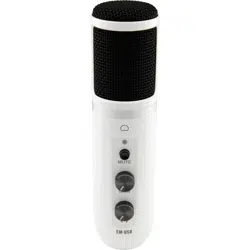
CAPSULE
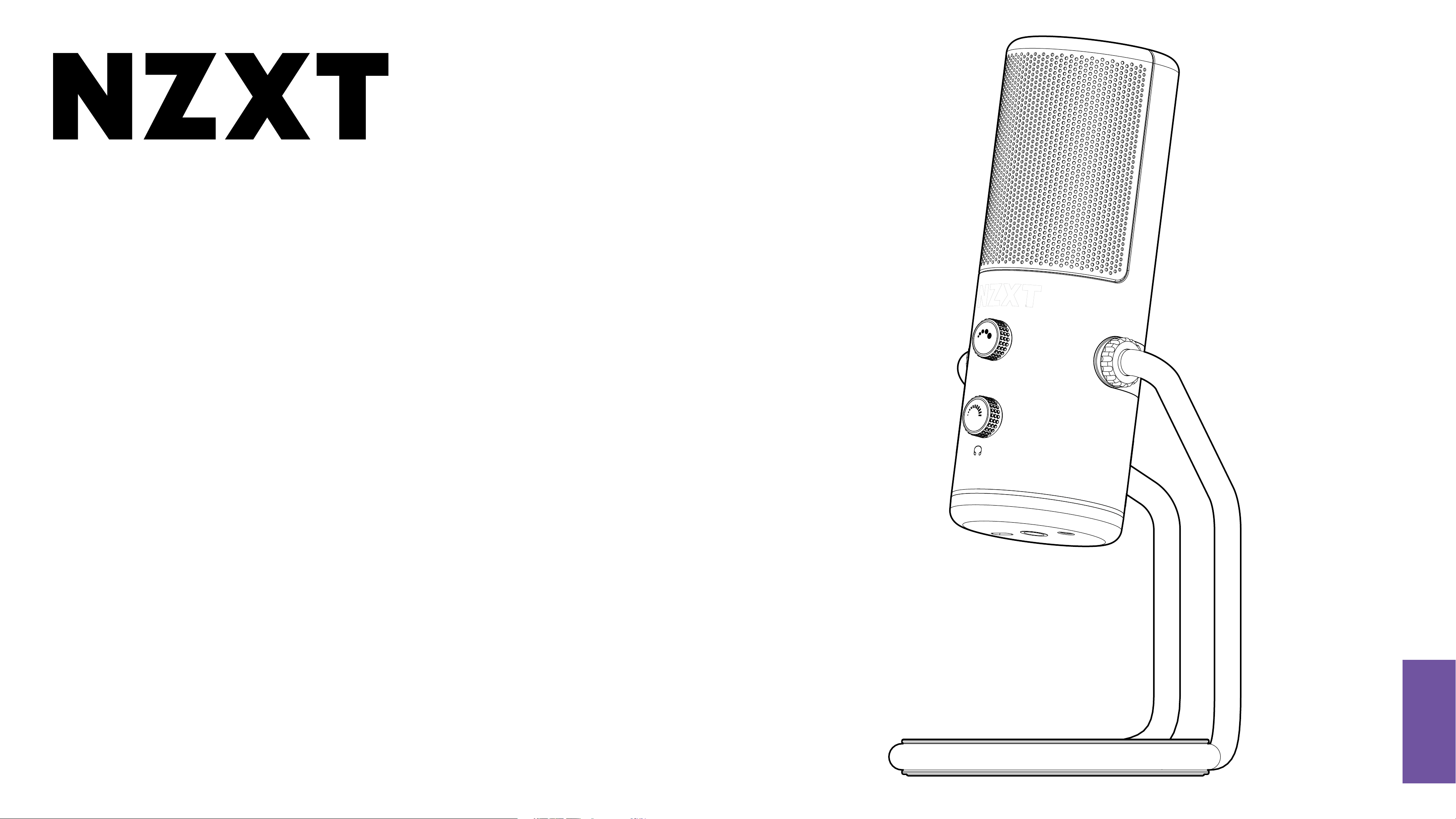
CARDIOID USB MICROPHONE
ENGLISH
VERSION 1.0
TABLE OF CONTENTS
1. .............................................................. 02
INTRODUCTION
4. .............................................................. 09
SETTING UP
THE CAPSULE
2. .............................................................. 03
ABOUT THE NZXT CAPSULE
5. .............................................................. 13
MAIN CONTROLS
3. .............................................................. 04
PACKAGE CONTENTS &
DESCRIPTION
6. ............................................................ A-1
APPENDIX
03
CAPSULE
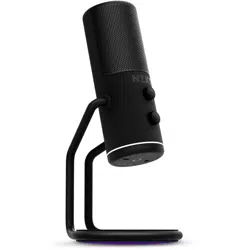
2. ABOUT THE NZXT CAPSULE
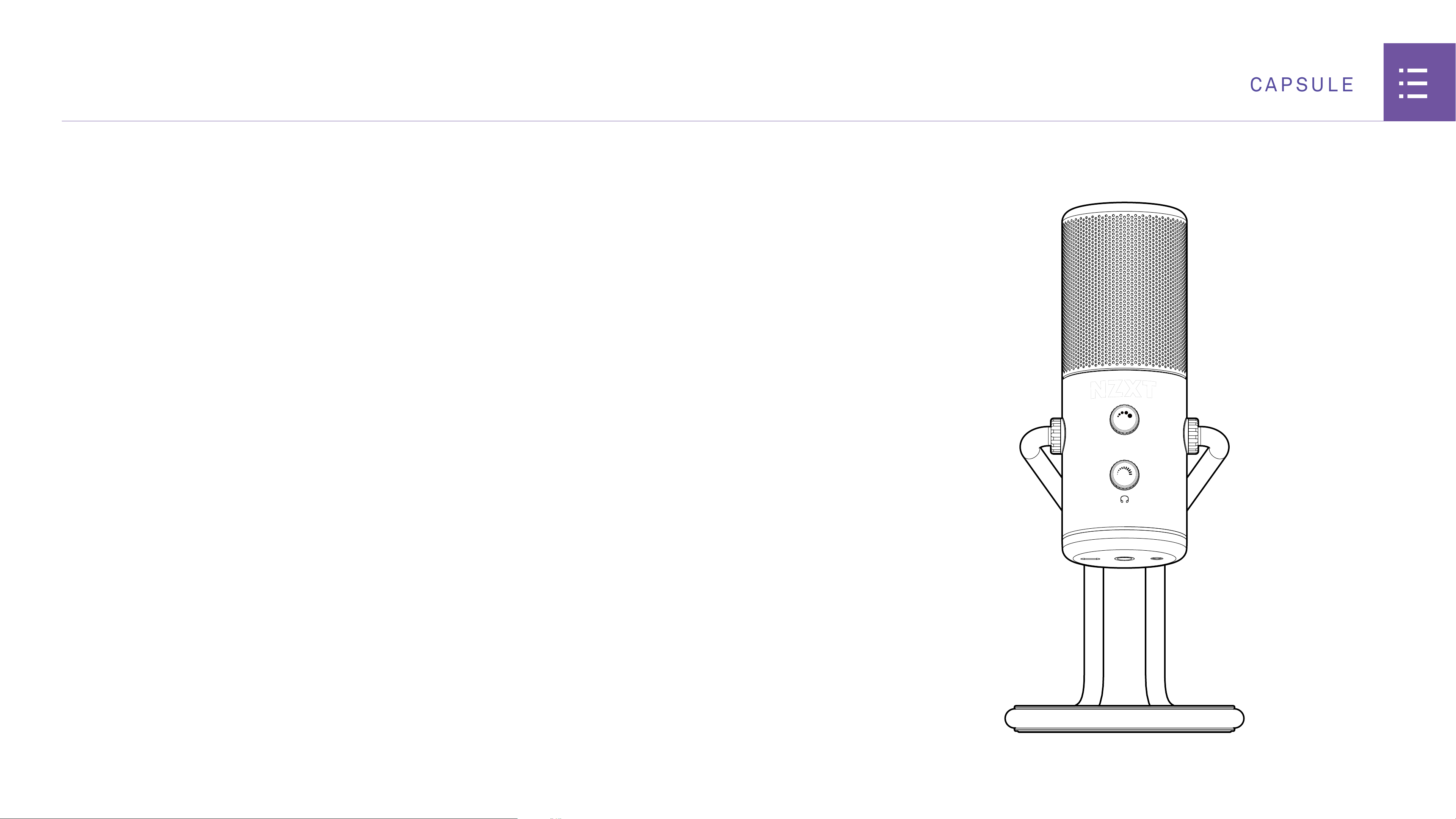
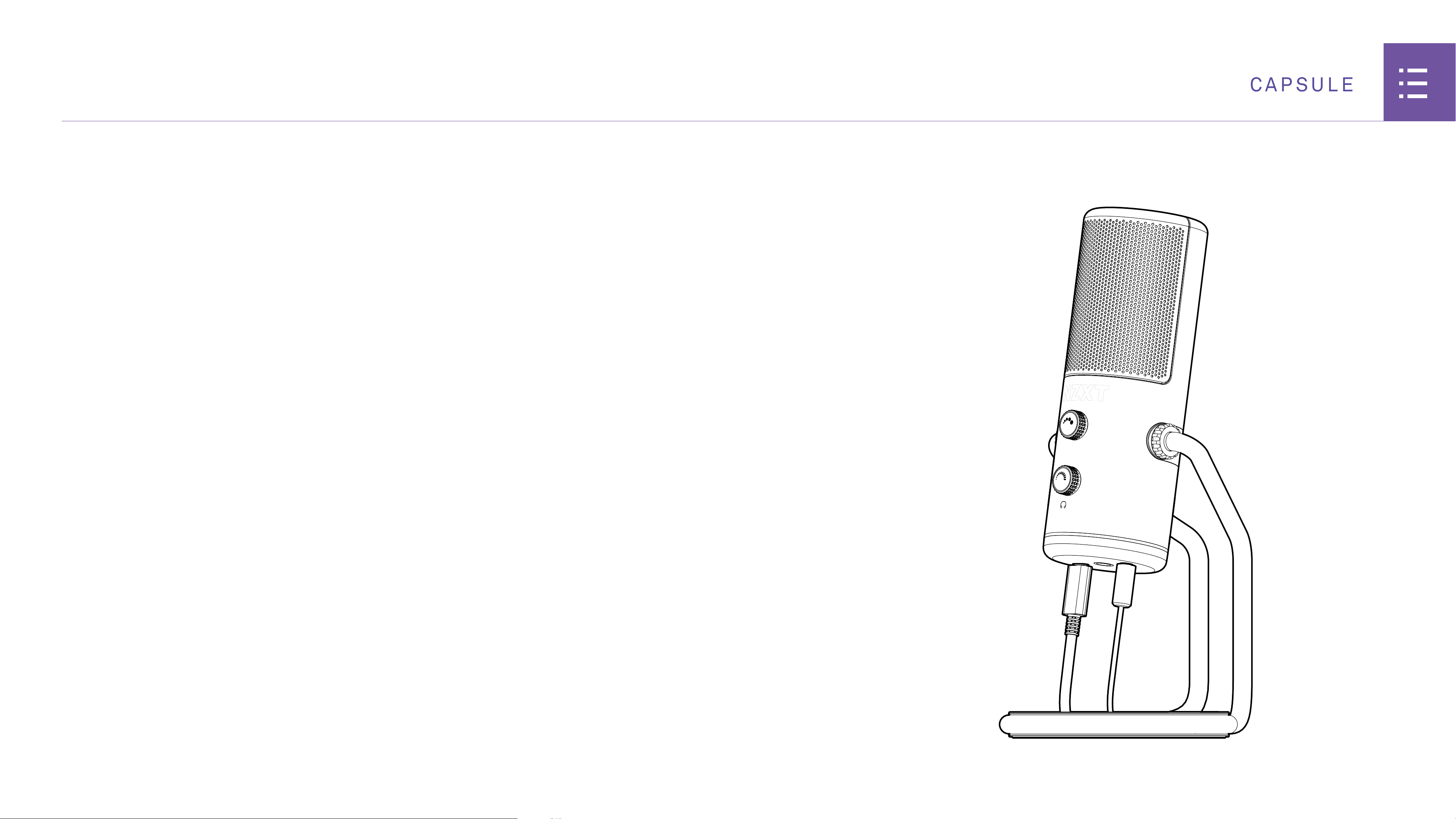
Create crystal clear audio with minimal background noise
with the Capsule. Designed for single sound-source gaming
and streaming use, the Capsule delivers high-resolution
voice pickup while suppressing unwanted background noise,
so the only fans you hear are the ones watching your stream.
04
CAPSULE
3. PACKAGE CONTENTS & DESCRIPTION
3.1 NZXT Capsule USB Microphone
.................................
05 3.3 Stand Quick-Release Cover
........................................
07
3.2 USB-C to USB-A Cable
..................................................
06 3.4 Mic Thread Adapter
........................................................
08
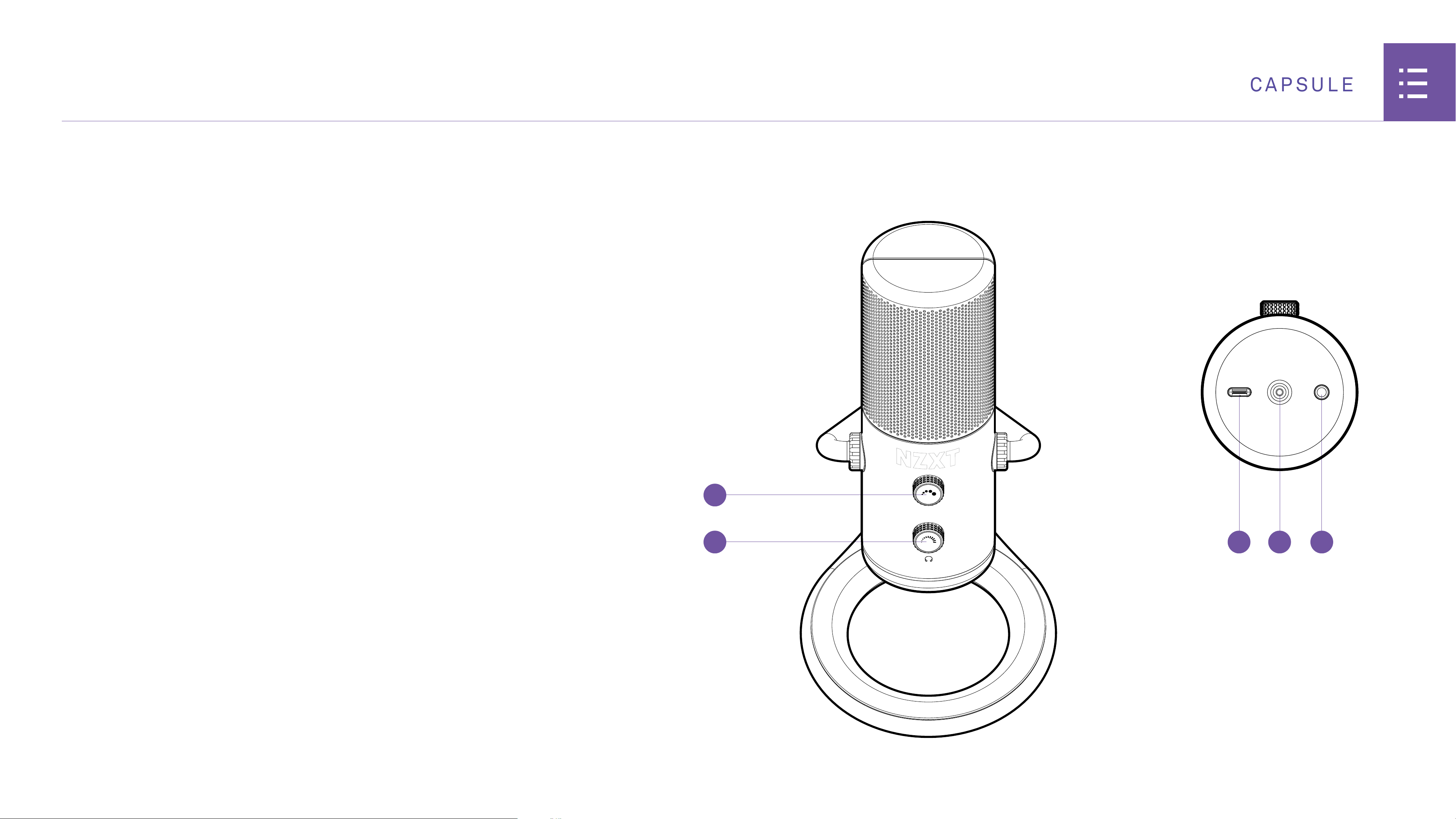
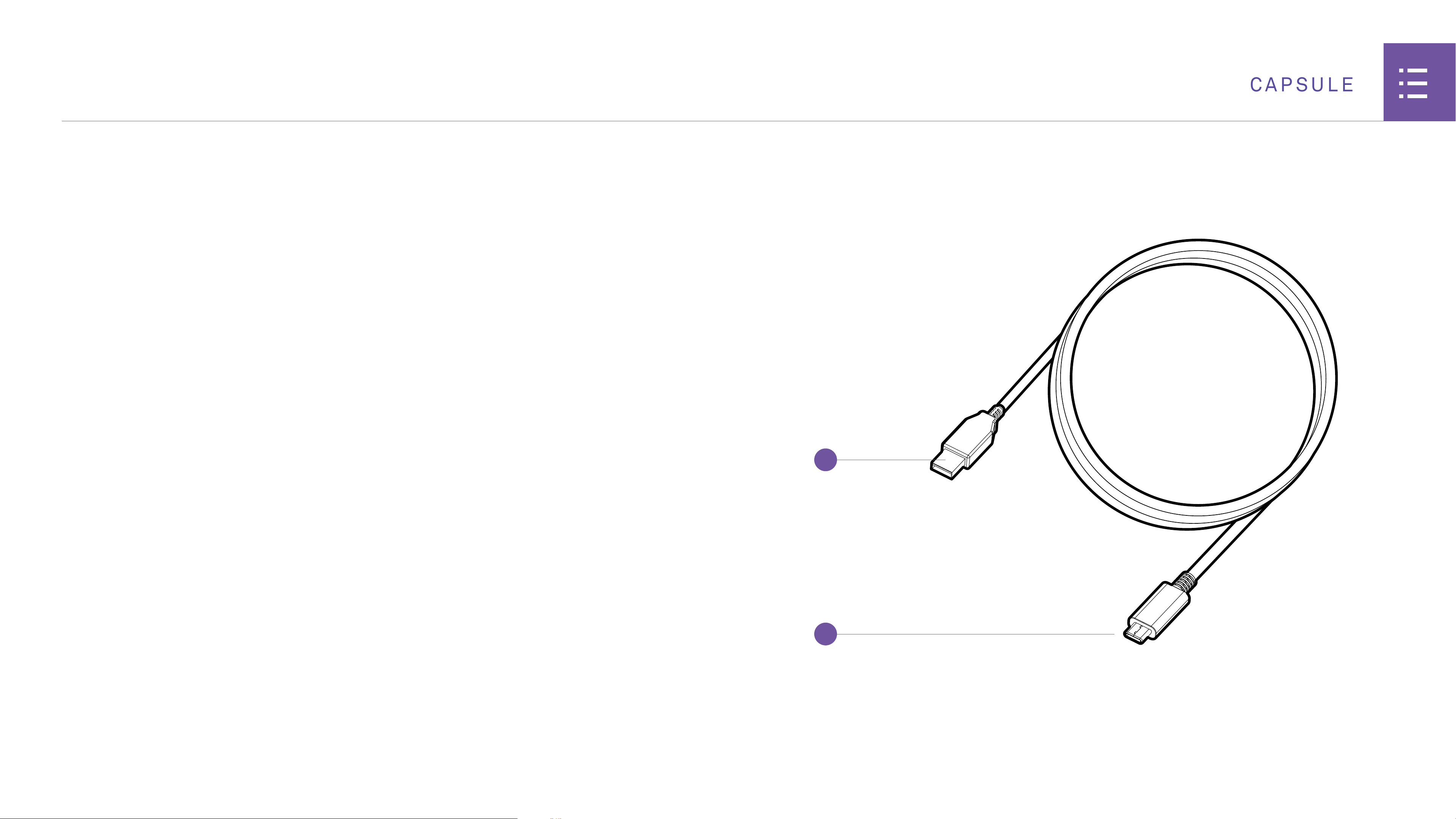
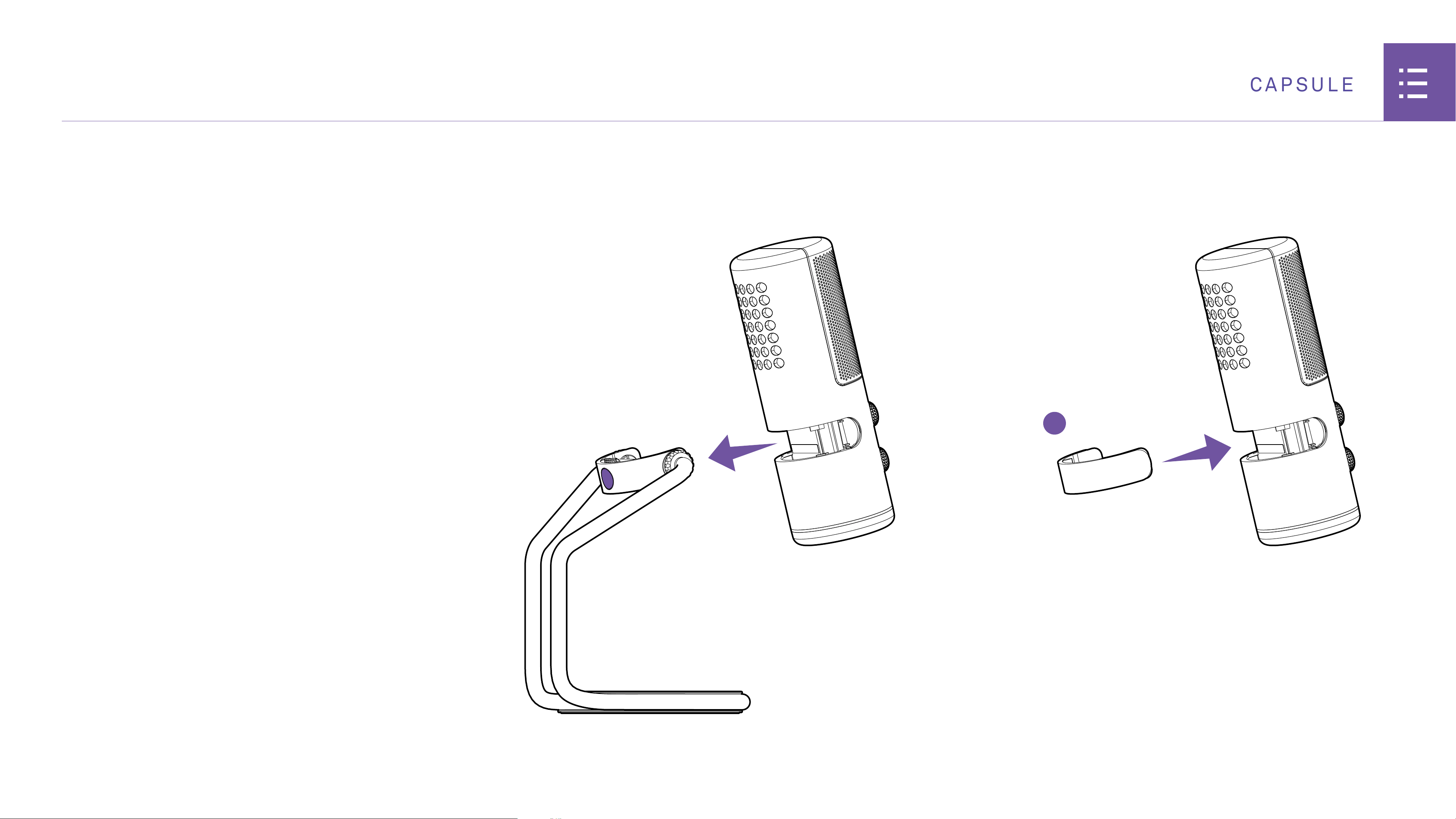
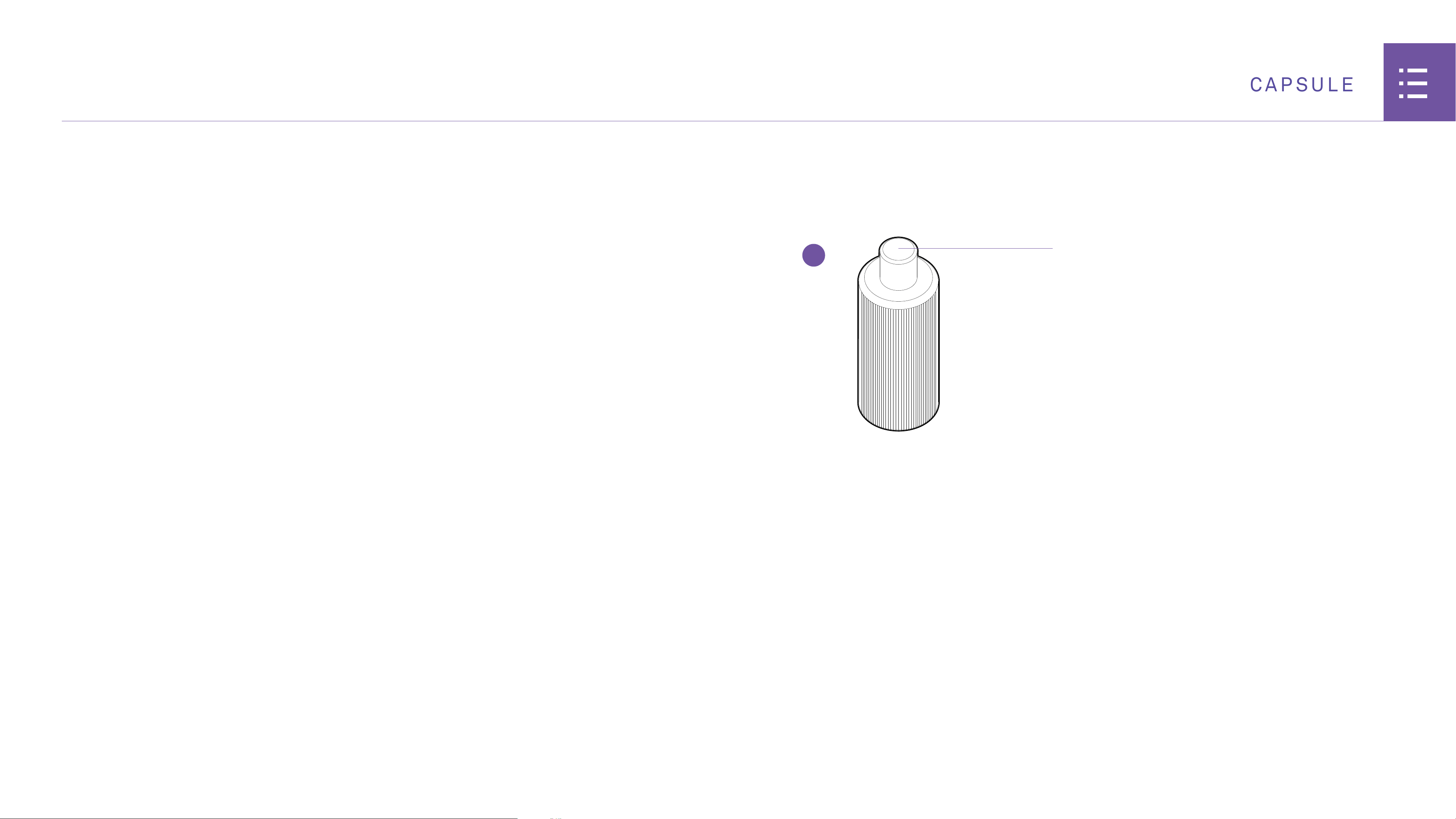
09
CAPSULE
G
F
1
2
4. SETTING UP THE CAPSULE
STEP 1: CONNECTING CAPSULE TO YOUR PC
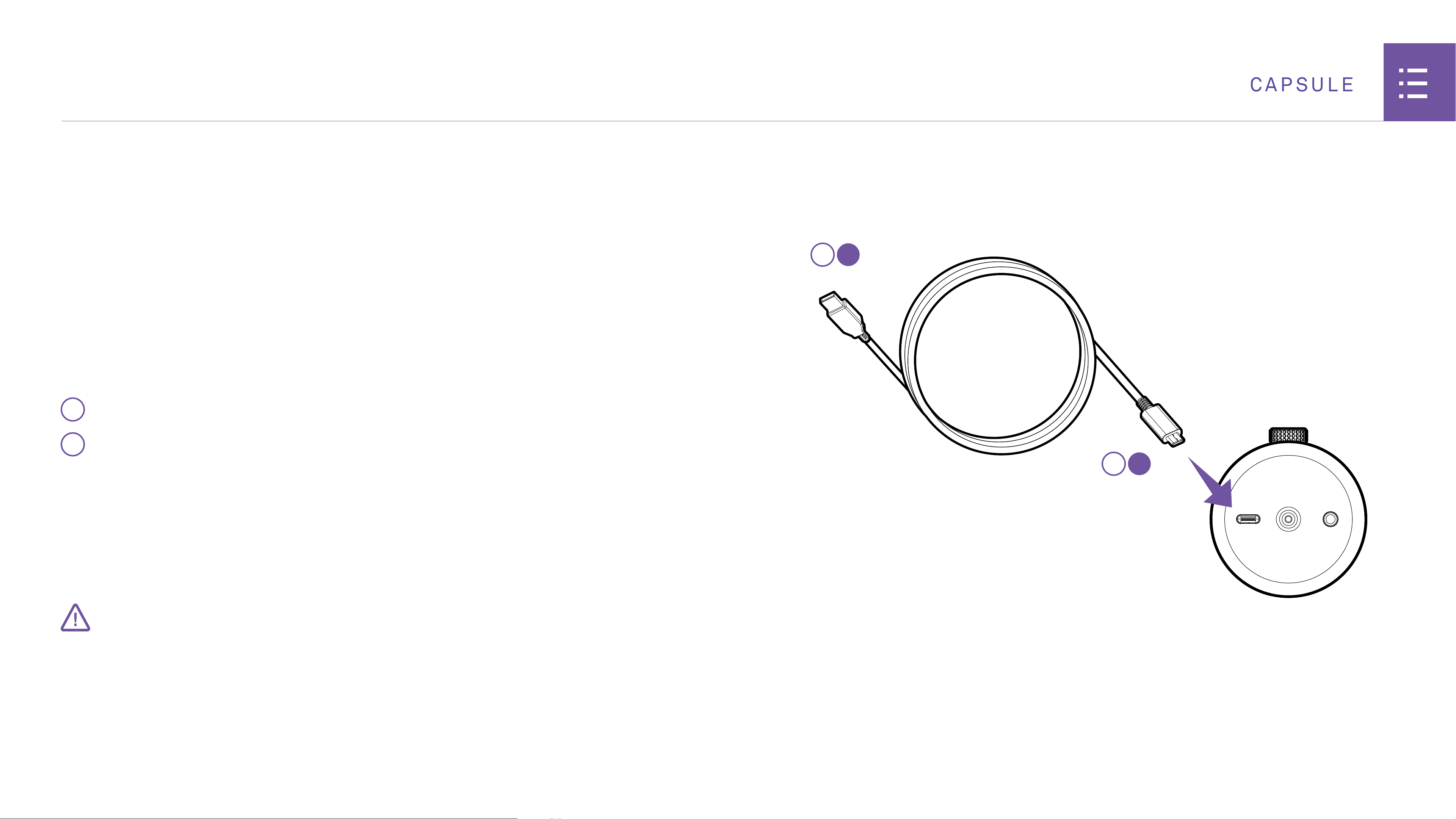
Capsule comes with a USB-C cable that connects from the
microphone directly to the USB input on your PC.
1
Insert the USB-C cable into the USB-C port of the microphone.
2
Insert the opposite end of the cable into your PC.
Plugging the cable into the PC will provide power to the unit. The
unit will turn on and automatically begin installing Capsule.
• Keep the USB cable fully inserted and seated into the connector on the back of the Microphone
for proper operation. An incorrectly seated cable may cause feedback or other interference.
IMPORTANT
BOTTOM OF MICROPHONE
10
CAPSULE
SETTING UP THE CAPSULE
STEP 2: CONNECT THE HEADSET
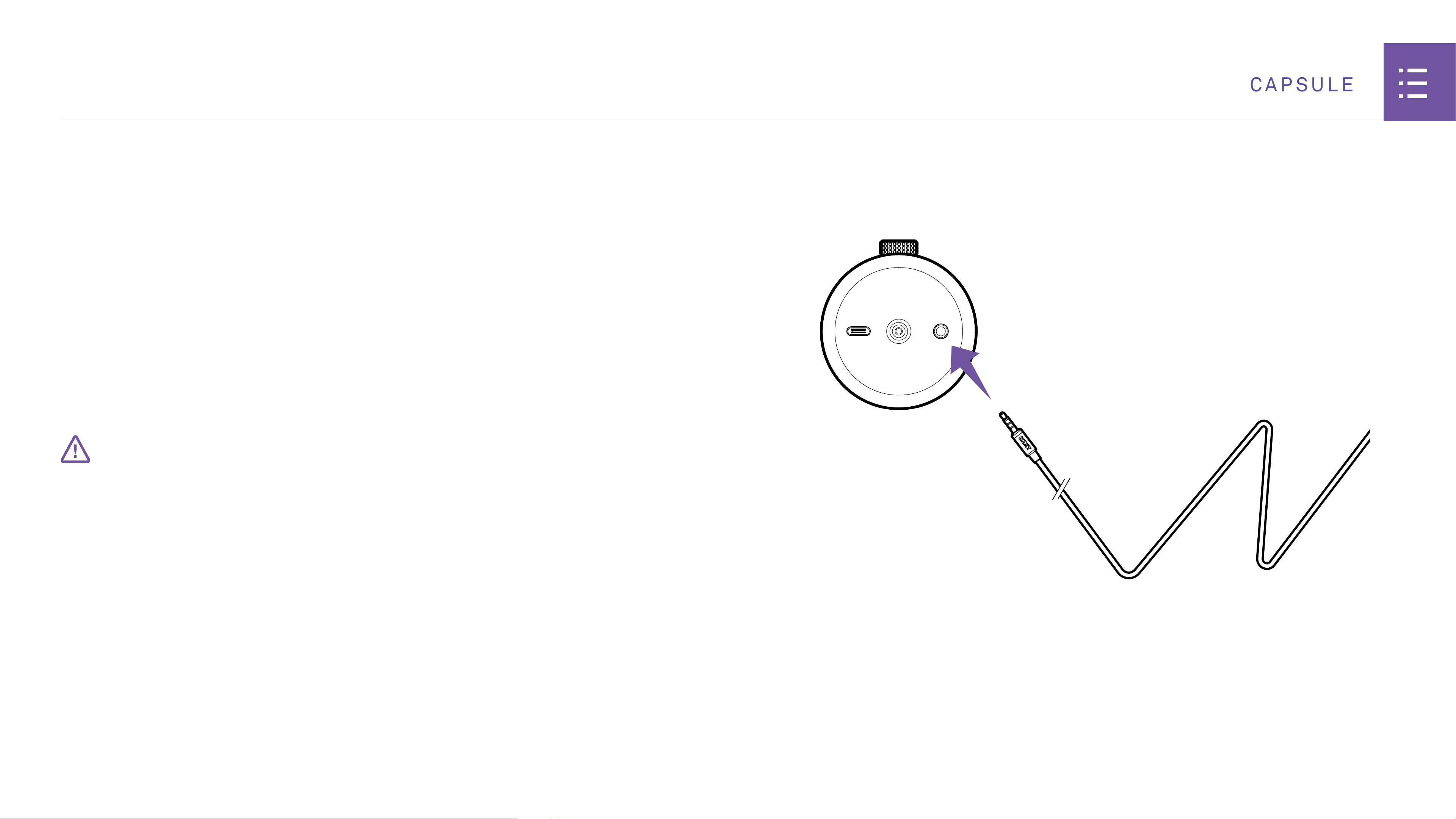
You’ll find a 3.5mm headphone output jack at the bottom of the
microphone. Insert your 3.5mm headset into this jack.
• For proper performance of the Capsule, make sure that the cable is fully seated in the
3.5mm headset jack.
IMPORTANT
BOTTOM OF MICROPHONE
11
CAPSULE
SETTING UP THE CAPSULE
STEP 3: CHANGE THE AUDIO SETTING:
• Open your sound preferences or right click the audio icon located at the bottom of the task bar.
• Click on the "Playback devices" selection.
• Select "Speakers" or (Output). Underneath the speaker icon should read "NZXT USB MIC"
• Select "Default Device"
• Click on the "Recording" (or Input) tab.
• Click on "Default Communication Device"
• Select "NZXT USB MIC"
12
CAPSULE
I
SETTING UP THE CAPSULE
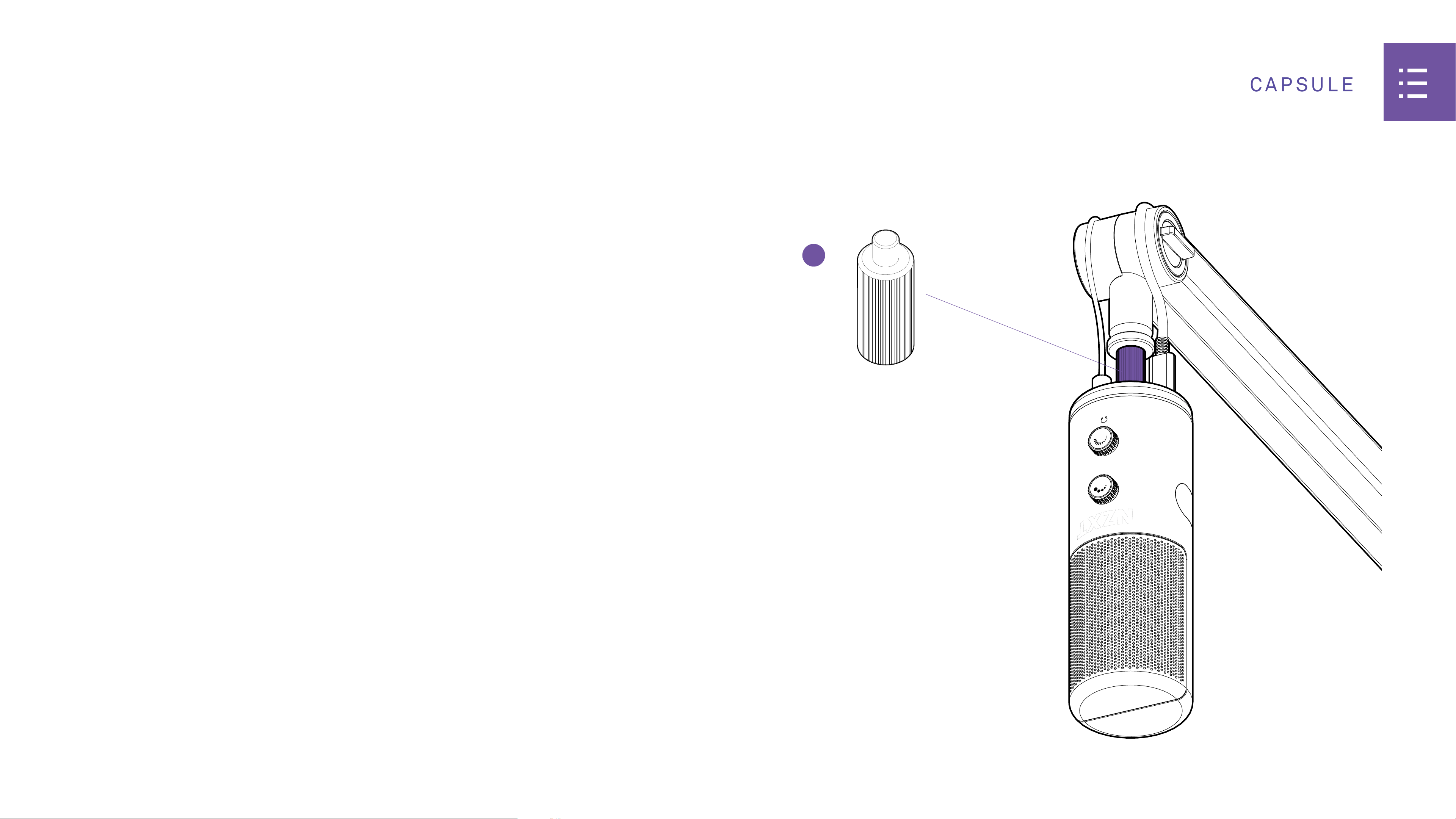
STEP 4: CONNECTING NZXT CAPSULE TO NZXT BOOM ARM:
Boom Arm is threaded for male 3/8” connections.
• If using NZXT Capsule USB Microphone, insert included male 1 / 4”
to female 3/8” adapter into bottom of microphone, then attach the
microphone with adapter onto Boom Arm’s male 3/8”connection.
13
CAPSULE
H
5. MAIN CONTROLS
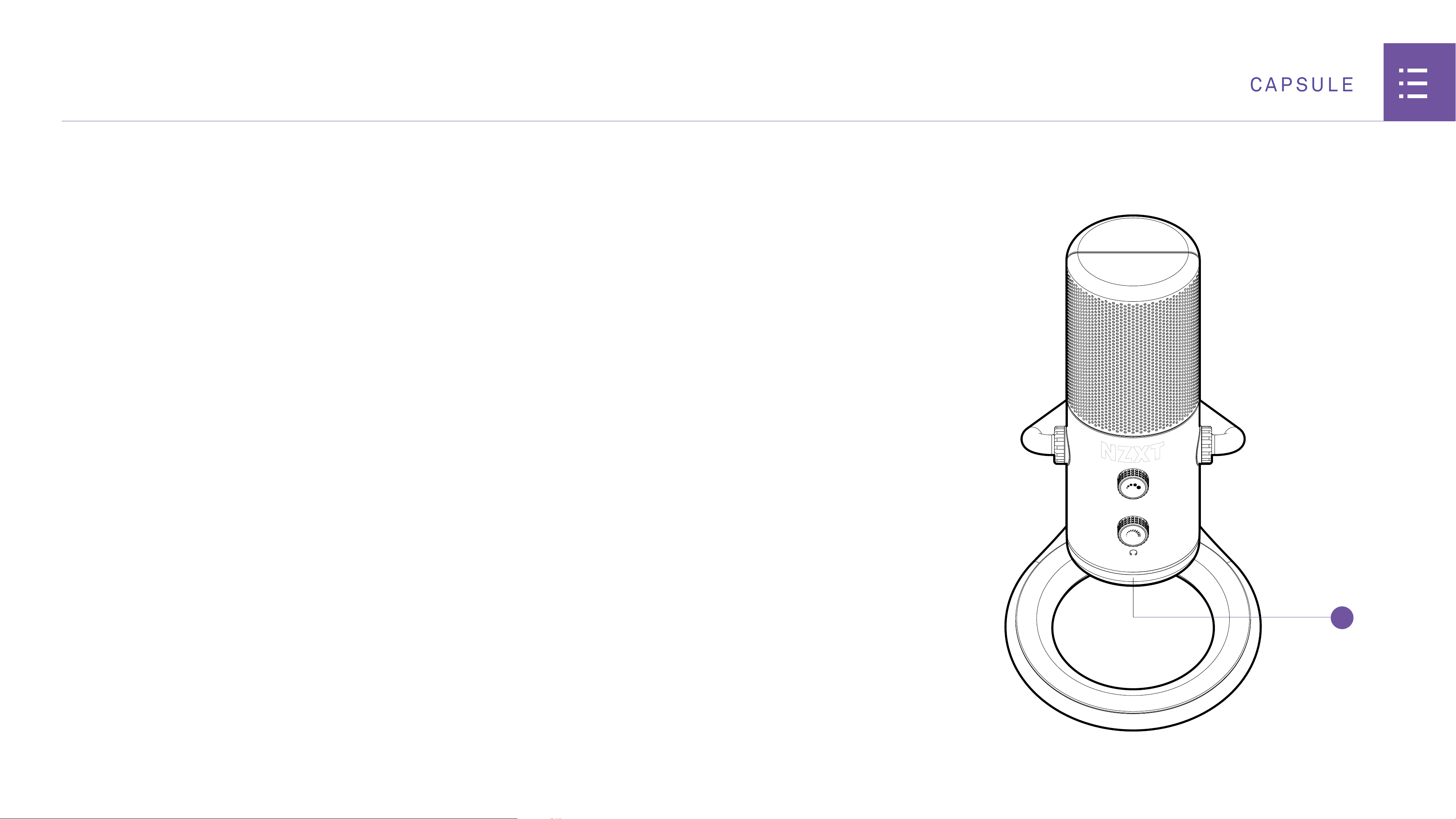
LED RING
The bottom ring of Capsule contains an LED to show various states
of the device’s features.
When lit in white = microphone is unmuted and record-enabled.
The device will now pickup your voice and will playback the sounds
from your PC.
When lit in red = microphone is muted. The device will not pickup
your voice, but you will still be able to hear the sounds coming
from your PC.
14
CAPSULE
A
MAIN CONTROLS
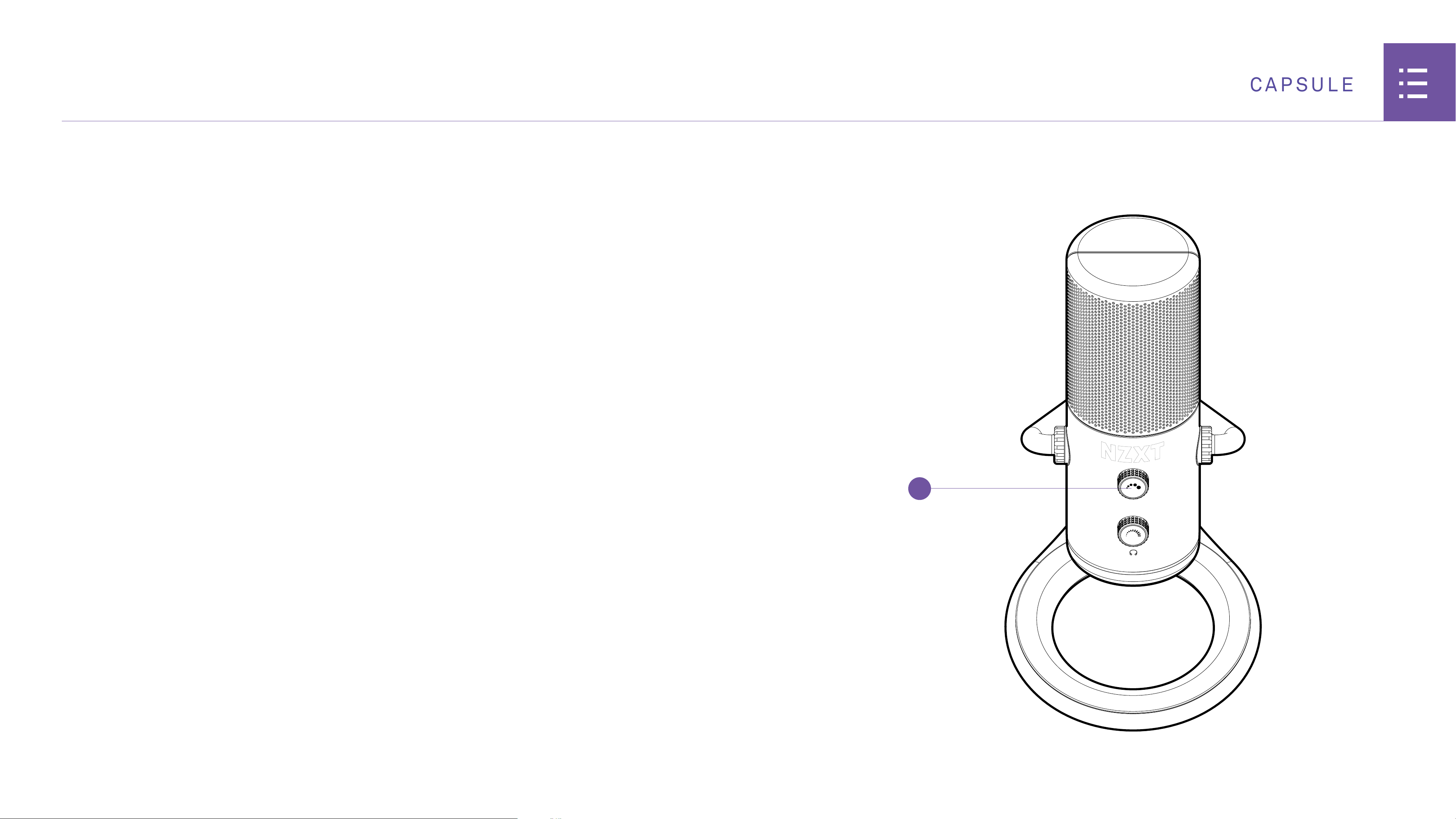
MICROPHONE GAIN
The microphone gain controls the sensitivity level of the
microphone capsule. Turn clockwise to increase the input
sensitivity and counterclockwise to decrease. Check the input
levels on your recording/streaming software to make sure you are
capturing your voice at a desired sensitivity level. If you’re clipping
into the red in your meter system, turn the microphone gain knob
counterclockwise slightly until the meter reads green.
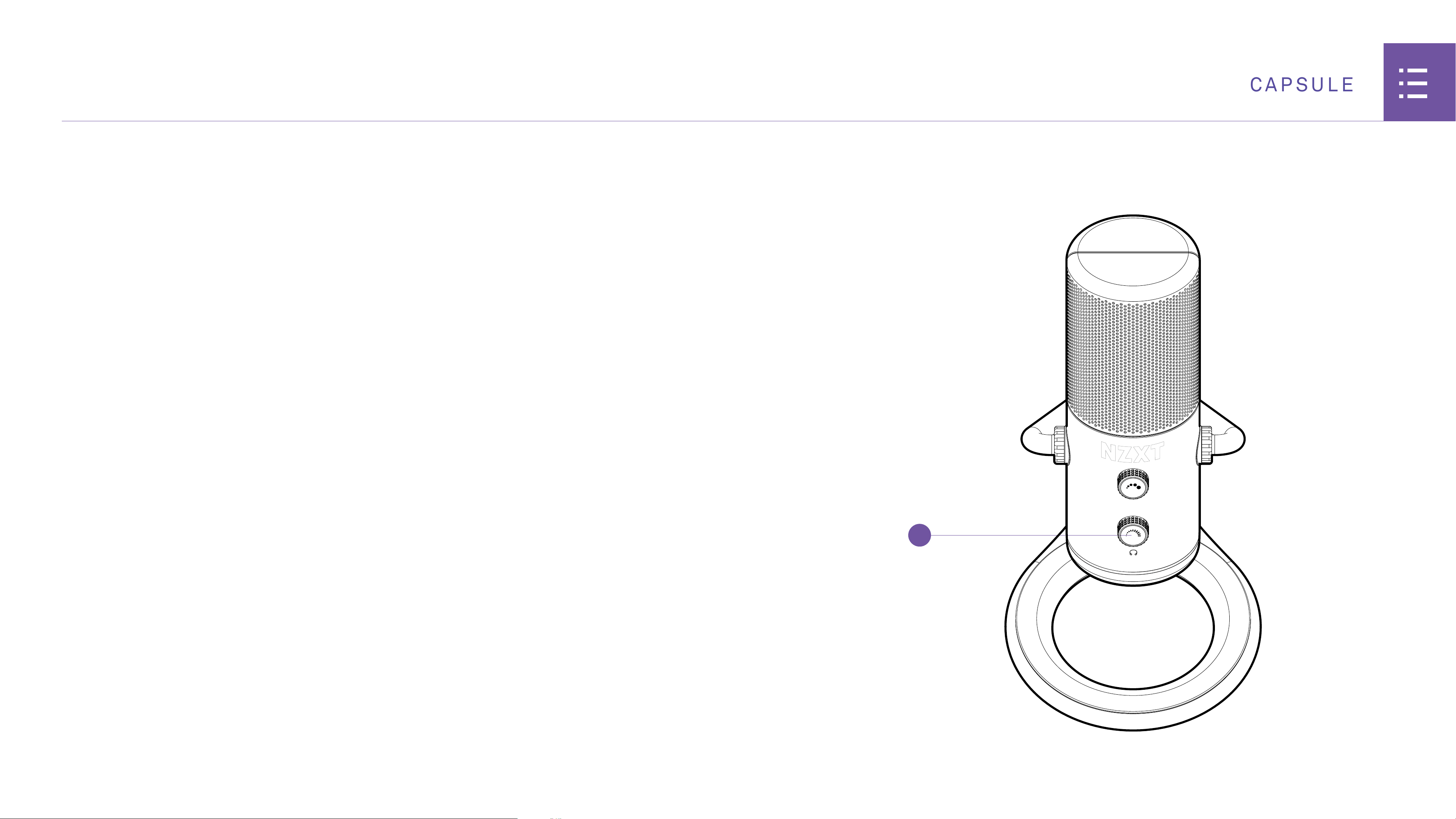
To mute the Microphone input, press the microphone gain knob.
The LED ring at the bottom of Capsule the will change from white
to red. To unmute, press the microphone gain knob again and the
LED ring will change from red to white.
A-1
CAPSULE
6.2 Nzxt Global Warranty Policy
.....................................
A-3 6.4 Regulatory Notices
.....................................................
A-12
6.3 Support and Service
....................................................
A-9
6. APPENDIX
6.1 Basic Troubleshooting
.................................................
A-2
A-2
CAPSULE
IF YOUR NZXT CAPSULE IS NOT POWERING, CHECK…
• If the USB cable is fully plugged into the USB jack on both the Microphone and PC.
IF YOUR NZXT CAPSULE HAS NO SOUND, CHECK…
• If headset audio cable is firmly pushed into the 3.5mm audio connection.
• If the sound output selector is switched to the appropriate device you would like to listen to.
IF THE MICROPHONE DOES NOT OPERATE PROPERLY, CHECK…
• If the MUTE on the inline Mute/Volume control is engaged
(the switch indicates RED when the mic is muted).
6.1 BASIC TROUBLESHOOTING
A-3
CAPSULE
6.2 NZXT GLOBAL WARRANTY POLICY
This NZXT Global Warranty Policy governs the sale of products by NZXT to you.
I. WARRANTY LENGTH
Any replacement product will be covered under warranty for the remainder
of the warranty period or thirty days, whichever is longer. Proof of
purchase is required for warranty service.
II. WHO IS PROTECTED
The Warranty covers only NZXT products purchased by the
original consumer.
NEW NZXT PRODUCT WARRANTY LENGTH FOR PARTS
Computer Cases 2 Years
Temperature Meters 2 Years
Fans 2 Years
Lighting 2 Years
Accessories 2 Years
Kraken M Coolers 3 Years
Headset/Headphone 2 Years
Headset/Headphone Storage 2 Years
USB Microphone 2 Years
Motherboards 3 Years
Power Supply 10 Years
Kraken X/X RGB/Z Coolers 6 Years
Mini ITX Case with PSU, AIO, and Riser Card 3-year warranty on case, riser card, and AIO. 10-year warranty on PSU.
REFURBISHED NZXT PRODUCT WARRANTY LENGTH FOR PARTS
All NZXT Certified Refurbished Products 1 Years
A-4
CAPSULE
III. WHAT IS AND IS NOT COVERED
Please note that our warranty is not an unconditional guarantee. If the
product, in NZXT’s reasonable opinion, malfunctions within the warranty
period, NZXT will provide you at its sole discretion with a repaired or
replacement product, either new or refurbished, with a similar function
that is equal or greater in value depending on supply.
Our warranty does not cover the following:
• any product or serial number/warranty sticker modification applied
without permission from NZXT;
• any damage that is not a manufacturing defect;
• damage, deterioration or malfunction resulting from: accident,
abuse, misuse, neglect, fire, water, lightning, or other acts of nature,
unauthorized product modification or failure to follow instructions
included with the product;
• improper installation, unauthorized alterations or modifications, or repair
or attempted repair by anyone not authorized by NZXT;
• shipping or transport damage (claims must be made with the carrier);
• normal wear and tear.
NZXT does not warrant that this product will meet your requirements. It
is your responsibility to determine the suitability of this product for your
purpose. For NZXT Store orders, we cover two way return shipping for all
exchanges and returns. For all other authorized dealers, NZXT Support
does not cover return shipping and only covers one way shipping from
NZXT back to the end user for exchanges. Two way expedited shipping
is provided for all PSUs covered under the Less Than Three program,
indiscriminate of purchase location, provided the location is an approved
NZXT reseller.
IV. EXCLUSION OF DAMAGES (DISCLAIMER)
NZXT's sole obligation and liability under this warranty is limited to
the repair or replacement of a defective product with either a new or
refurbished product with a similar function that is equal or greater in value
at our option. NZXT shall not, in any event, be liable for any incidental or
consequential damage, including but not limited to damages resulting
from interruption of service and loss of data, business, or for liability in
tort relating to this product or resulting from its use or possession.
6.2 NZXT GLOBAL WARRANTY POLICY
A-5
CAPSULE
V. LIMITATIONS OF IMPLIED WARRANTIEST
Here are no other warranties, expressed or implied, including but not
limited to those of merchantability or fitness for a particular purpose. The
duration of implied warranties is limited to the warranty length specified
in Paragraph I.
VI. TO OBTAIN TECHNICAL SUPPORT
If you have already referenced your product owner's manual and still
need help, you may contact us by phone at +1 (800) 228-9395, by email at
service@nzxt.com, or visit the NZXT Support site at
nzxt.com/customer-support.
VII. HOW TO OBTAIN A WARRANTY SERVICE FROM NZXT
To receive a warranty service for your product when purchased directly
from NZXT, you must submit a request via the NZXT Support site outlining
the problem. If a technician deems the product defective or requiring
testing, you will be required to provide a copy of your proof of purchase,
which will enable you to submit a Return Merchandise Authorization
"RMA" request.
Once approved, you`ll receive an RMA number, upon which you will be
asked to ship the defective item back to NZXT with the RMA number
clearly marked or labelled on the package. NZXT recommends that
appropriate measures are taken to safeguard the product from damage
during shipping.
6.2 NZXT GLOBAL WARRANTY POLICY
A-6
CAPSULE
VIII. APPLICABLE LAW AND ADDITIONAL LEGAL RIGHTS FOR CONSUMERS
This warranty gives you specific legal rights. These conditions are
governed and construed in accordance with the laws of California (with
exception of its conflict of law provisions), and the application of the
United Nations Convention of Contracts for the International Sale of
Goods is expressly excluded. The non-exclusive jurisdiction of the courts
of California is agreed, which means that you may bring a claim to enforce
your consumer protection rights in connection with this Global Warranty
in the country which you have your habitual residence where you may have
additional rights. These rights may vary.
For original consumers who are covered by consumer protection laws or
regulations in their country, state, or province of purchase or, if different,
their country, state, or province of residence, the benefits conferred by
this warranty are in addition to all rights and remedies conveyed by such
consumer protection laws and regulations. To the extent that liability
under such consumer laws can be limited, NZXT’s liability is limited, and
its sole option, to repair or replacement, either new or refurbished, with a
similar function that is equal or greater in value depending on supply.
In the United Kingdom:
• For NZXT products sold to customers in the UK, during the expected
lifespan of your product your legal rights entitle you to the following:
> Up to 30 days: if your goods are faulty, then you can get an immediate refund.
> Up to six months: if your goods can't be repaired or replaced, then you're entitled
to a full refund, in most cases.
> Up to six years: if your goods do not last a reasonable length of time you may be
entitled to some money back.
• If the person seeking to rely on the guarantee is not the original
consumer, the NZXT Warranty will cover the product in relation to that
person provided that they are able to provide proof of the transfer of the
benefit of the guarantee from the original consumer.
• The implied warranties under the Consumer Rights Act 2015 says that
your goods must be as described, fit for all purposes for which such
goods are usually supplied, and of satisfactory quality.
In the EU:
• If you are a consumer and have your habitual residence in the EU, you
additionally enjoy the protection afforded to you by provisions that cannot
be derogated from by agreement by virtue of the law where you have your
habitual residence.
6.2 NZXT GLOBAL WARRANTY POLICY
A-7
CAPSULE
IX. WARRANTY SERVICE FROM RESELLERS
In the event that a warranty service is sought, you must provide proof of
purchase (store receipt or invoice) in order to receive the service and if
deemed necessary, repair or replacement product.
In North America:
Within the first 60 days after purchase, please return your product (or
for power supplies installed within our enclosures, just the failed power
supply) to your dealer or reseller for a replacement. If the product is
still within warranty and you can no longer return it to your dealer,
please contact NZXT Customer Support (see above) for assistance and
instructions. NZXT will not accept returns without prior approval and an
RMA number.
In Europe:
Within the first year after purchase, please return your product (or for
power supplies installed within our enclosures, just the failed power
supply) to your dealer or reseller for a replacement. If the product is
still within warranty and you can no longer return it to your dealer,
please contact NZXT Customer Support (see above) for assistance and
instructions. NZXT will not accept returns without prior approval.
In Australasia:
Within the first two years after purchase, please return your product
(or for power supplies installed within our enclosures, just the failed
power supply) to your dealer or reseller for a replacement. If the product
is still within warranty and you can no longer return it to your dealer,
please contact NZXT Customer Support (see above) for assistance and
instructions. NZXT will not accept returns without prior approval.
The cost of shipping will be borne at the first instance by you; however, if
the purchased item is defective, NZXT will reimburse reasonable postage
or transportation of costs.
Outside North America, Europe, and Australasia:
If your product needs to be returned within the warranty period, please
contact the retailer or distributor from whom you purchased the product.
6.2 NZXT GLOBAL WARRANTY POLICY
A-8
CAPSULE
X. NZXT.COM STORE RETURNS/EXCHANGE POLICY
Eligible products under this NZXT Warranty qualify for a full refund or
exchange only with an authorized RMA number and if the item is returned
to the NZXT.com store inventory within 30 days of purchase. Returns are
not allowed beyond 30 days of the purchase date. The NZXT.com Store
reserves the right to deny any return or exchange. Refunds will be credited
to the original method of payment. To initiate a return, simply submit a
request via NZXT support site.
6.2 NZXT GLOBAL WARRANTY POLICY
> Visit nzxt.com/warranty and support.nzxt.com for information on warranty
coverage and service.
> Visite el sitio Web nzxt.com/warranty y support.nzxt.com para obtener
información sobre la cobertura y el servicio de la garantía.
> Visitez nzxt.com/warranty et support.nzxt.com pour les informations de la
couverture de la garantie et du service.
> Informationen zu Geltungsbereich und Service der Garantie finden Sie unter
support.nzxt.com und nzxt.com/warranty.
> Visitare il sito nzxt.com/warranty e support.nzxt.com per informazioni sulla
copertura e sul servizio della garanzia.
> Visite nzxt.com/warranty e support.nzxt.com para obter informações sobre a
cobertura da garantia e assistência.
> Подробную информацию об условиях гарантийного обслуживания см. на
веб-сайте nzxt.com/warranty и support.nzxt.com.
> 제품 보증 범위와 서비스 정보를 확인하시려면 nzxt.com/warranty 또는 support.nzxt.
com 을 방문해 주시기 바랍니다.
> 保証範囲およびサービスに関する情報については、support.nzxt.com と nzxt.com/
warranty にアクセスしてください。
> 请造访 nzxt.com/warranty 和 support.nzxt.com 了解保修范围和服务的信息。
> 請訪問 nzxt.com/warranty 和 support.nzxt.com 了解產品保固範圍和更多服務訊息。
NZXT, Inc./ 15736 E Valley Blvd, City of Industry, CA 91744, USA
NZXT Europe GmbH/ Industriering Ost 66 | 47906 Kempen | Germany
+1 (800) 228-9395 / service@nzxt.com / support@nzxt.com / NZXT.com
A-9
CAPSULE
6.3 SUPPORT AND SERVICE
SUPPORT AND SERVICE
If you have any questions or problems with the NZXT product you
purchased, please don’t hesitate to contact us using our support system.
nzxt.com/customer-support
Please include a detailed explanation of your problem and your proof of
purchase. For comments and suggestions, you can e-mail our design team,
designer@nzxt.com. Lastly we would like to thank you for your support by
purchasing this product.
For more information about NZXT, please visit us online. NZXT Website:
NZXT.com
SOPORTE Y SERVICIO
Si tiene preguntas o problemas con el producto NZXT que usted compró,
no dure en ponerse en contacto con service@nzxt.com y suministrar una
explicación detallada de su problema así como su prueba de compra.
Puede hacer consultas sobre piezas de repuesto en nzxt.com/customer-
support. Para comentarios y sugerencias, escriba un mensaje de correo
electrónico a nuestro equipo de diseño: designer@nzxt.com. Gracias
por comprar un producto NZXT. Para más información acerca de NZXT,
visítenos en línea. Página web de NZXT: NZXT.com
SUPPORT ET SERVICE
Si vous avez des questions ou des problèmes avec le produit NZXT
que vous avez acheté, n’hésitez pas à contacter service@nzxt.com
avec une description détaillée de votre problème et votre preuve
d’achat. Vous pouvez aussi commander des pièces de remplacement
auprès nzxt.com/customer-support. Pour les commentaires et les
suggestions, envoyez un email à notre équipe de design, designer@
nzxt.com. Merci d'avoir acheté ce produit de NZXT. Pour plus
d'informations sur NZXT, visitez notre site Web. Site Web de NZXT :
NZXT.com
KUNDENDIENST UND SERVICE
Falls Fragen oder Probleme bezüglich Ihres NZXT-Produktes
auftreten, wenden Sie sich bitte mit einer detaillierten
Problembeschreibung und Ihrem Kaufbeleg an service@nzxt.com.
Ersatzteile können Sie unter nzxt.com/customer-support anfragen.
Kommentare und Anregungen senden Sie bitte per designer@nzxt.
com an unser Designteam. Vielen Dank, dass Sie ein NZXT-Produkt
erworben haben. Weitere Informationen über NZXT erhalten Sie im
Internet. NZXT-Webseite: NZXT.com
A-10
CAPSULE
6.3 SUPPORT AND SERVICE
ASSISTENZA E SERVIZIO
In caso di dubbi o problemi con il prodotto NZXT acquistato, non esitate a
contattarci utilizzando il nostro sistema di assistenza.
nzxt.com/customer-support
Includere una spiegazione dettagliata del problema e la prova di acquisto.
Per commenti e suggerimenti, siete pregati di inviare un messaggio
al nostro team di progettisti, all'indirizzo: designer@nzxt.com. Infine,
vogliamo ringraziarvi del vostro supporto con l'acquisto di questo prodotto.
Per altre informazioni su NZXT, visitate il nostro sito. Sito NZXT: NZXT.com
ASSISTÊNCIA E MANUTENÇÃO
Caso tenha questões ou problemas com o produto NZXT adquirido,
não hesite em contactar-nos através do endereço [email protected]
fornecendo a explicação detalhada do seu problema e a prova de compra.
Poderá solicitar peças de substituição através do endereço
nzxt.com/customer-support. Para comentários e sugestões, contacte a
nossa equipa de design através do endereço de e-mail, designer@nzxt.
com. Obrigado por ter adquirido um produto NZXT. Para mais informações
acerca da NZXT, visite-nos online. Web site da NZXT: NZXT.com
СЛУЖБА ПОДДЕРЖКИ И ОБСЛУЖИВАНИЯ
В случае возникновения вопросов или неисправностей в приобретенных
вами продуктах NZXT обращайтесь по адресу: service@nzxt.com с
подробным описанием проблемы и подтверждением покупки. О наличии
запчастей можно узнать, обратившись по адресу:
nzxt.com/customer-support. Замечания и предложения отправляйте в
адрес нашей группы разработчиков: designer@nzxt.com. Благодарим вас
за покупку продукта NZXT. Более подробная информация о компании NZXT
представлена на наших веб-сайтах. Веб-сайт NZXT: NZXT.com
A-11
CAPSULE
6.3 SUPPORT AND SERVICE
지원 및 서비스
구입한 NZXT 제품과 관련하여 질문 또는 문제가 있을 경우, 당사의 지원 시스템
(nzxt.com/customer-support)을 사용하여 문의하십시오.
문제를 자세히 기술하고 구매 증빙을 제출하십시오. 의견 또는 제안 사항이 잇을
경우 당사 설계 팀에 designer@nzxt.com으로 이메일을 보내십시오. 마지막으로
이 제품을 구입하여 당사를 응원해 주셔서 감사합니다. NZXT에 대해 자세히 알려면
온라인으로 방문하십시오. NZXT 웹사이트: NZXT.com
サポートおよびサービス
購入されましたNZXTの製品に関するご質問または問題は、問題の詳細および購入の証
明を添えて、ご遠慮なく
service@nzxt.comまでご連絡ください。 交換部品は
nzxt.com/customer-supportまでお尋ねください。ご意見およびご提案は弊社設計チ
ーム、
designer@nzxt.com までメールを送信してください。NZXT製品をご購入いただ
きましてありがとうございます。
NZXTに関する詳細は、インターネット上のウェブサイトを
ご覧ください。
NZXT ウェブ サ イト : NZXT.com
支持和服务
如果有任何疑问或者在使用 NZXT 产品的过程中遇到任何问题,欢迎联络
service@nzxt.com,联络时请提供关于问题的详细说明及购买凭证。您可以向
nzxt.com/customer-support 查询更换部件。如有任何意见或建议,欢迎致信我
们的设计团队,电子邮件地址是 designer@nzxt.com。感谢您购买 NZXT 产品。
有关 NZXT 的更多信息,请造访我们的在线网站。NZXT 网站:NZXT.com
支援和服務
如果在使用NZXT 產品的過程中有遇到任何問題或疑問,歡迎聯繫 service@
nzxt.com, 並請提供問題的詳細敘述及購買證明。您可以透過 nzxt.com/
customer-support 查詢更換部件。如有任何意見或建議,歡迎來信與設計團隊
聯繫 designer@nzxt.com。最後,感謝您購買 NZXT 產品。有關 NZXT 的更多
信息,請訪問我們的網站。NZXT 網站:NZXT.com
A-12
CAPSULE
6.4 REGULATORY NOTICES
Designed in Los Angeles, California. Made in China 中國製造 中国制造
This device complies with Part 15 of the FCC Rules. Operation is
subject to the following two conditions: (1) This device may not cause
harmful interference, and (2) this device must accept any interference
received, including interference that may cause undesired operation.
CAN ICES-3 (B) / NMB-3 (B)