
NEC Display Solutions of America, Inc.
U300X Installation Guide
Desktop and Ceiling Mount v1.3
www.necdisplay.com U300X Page 1 of 10
Contents
Product Description, Lens Specs, Notes and Formulas Page 1
Diagrams and Distance Charts
Ceiling Mounted Installation Page 2
Desktop Setup Page 3
Cabinet Dimensions
Top, Front and Right Side Page 4
Bottom, Back and Left Side Page 5
Optional Wall Mount Dimensions Page 6, 8
Optional Wall Mount Dimensions cont. Page 7, 9
Input Panel and Control Codes Page 10
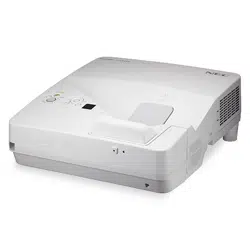
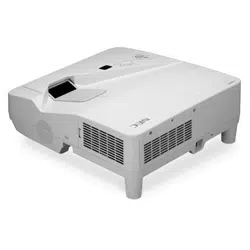
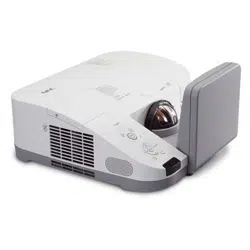
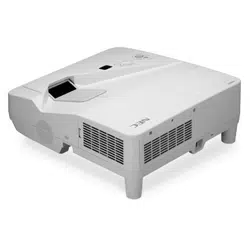
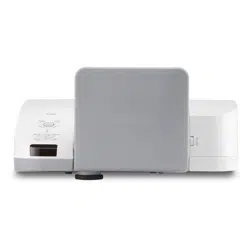
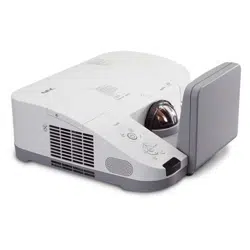
Product Description
Type: 1 chip DMD
TM
Ultra Short Throw projector Dimensions: 16.8”(W) x 7.9”(H) x 16.0”(D)
Weight: 14.3 lbs
Native Resolution: 1024 x 768 (1024x576 for 16:9 screens) Screen Range: 63” – 85” Diagonal (4:3)
Brightness: 3000 lumens Fan Noise: 36 dB / 32dB @ 1 meter
Power Consumption: 360W (max) BTU’s: 1228 BTU/hour
Screen/Aspect Ratio_
Both 4:3 and 16:9 screens are fully supported with proper aspect ratio control for both type sources using NEC developed
scaling technology. By selecting the screen type in the menus, Aspect Ratio control is reconfigured for that screen type.
Notes
For screen sizes not indicated on the projection charts, use the formulas below.
If the figures on the tables do not match the results of formulas, use the figures in the table.
All calculations are based on 4:3 aspect ratio.
Distances are in inches, for millimeters multiply by 25.4.
Distances may vary 5%.
Formulas
The Projection Formulas use the image width for calculation. Image width is the same for all aspect ratios, only vertical image size
varies. For proper projector placement, determine the image width for a desired screen size. Use the Screen Formulas below to
calculate all screen dimensions. Plug the screen width in for “W” in the Projection Formulas.
Refer to the diagrams and charts for popular screen sizes on page 2 and 3.
Definitions: 4:3 Screen Formulas:
W = Screen width W = H x 4/3
H = Screen height H = W x 3/4
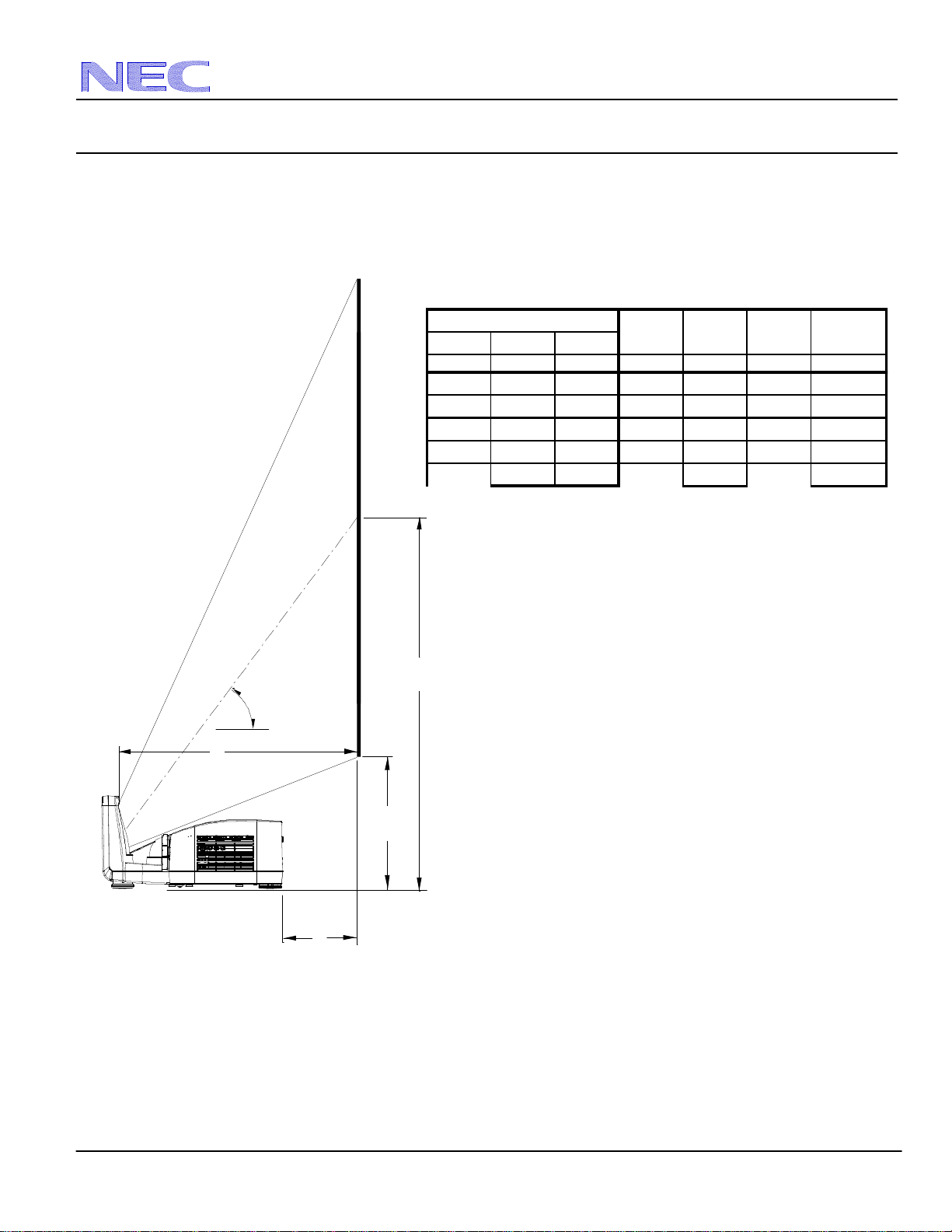
A = Distance between projector cabinet and screen Screen Diagonal = W x 5/4
B = Vertical distance between projector foot and screen center
C = Throw distance 16:9 Screen Formulas:
D = Vertical distance between projector foot and screen bottom W = H x 16/9
(screen top for ceiling mounted application) H = W x 9/16
Screen Diagonal = W x 18.868/16
Projection Formulas:
A = C-13.48
B = 0.631W
C = 0.377W
D = 0.256W
NEC Display Solutions of America, Inc.
U300X Installation Guide
Desktop and Ceiling Mount v1.3
www.necdisplay.com U300X Page 2 of 10
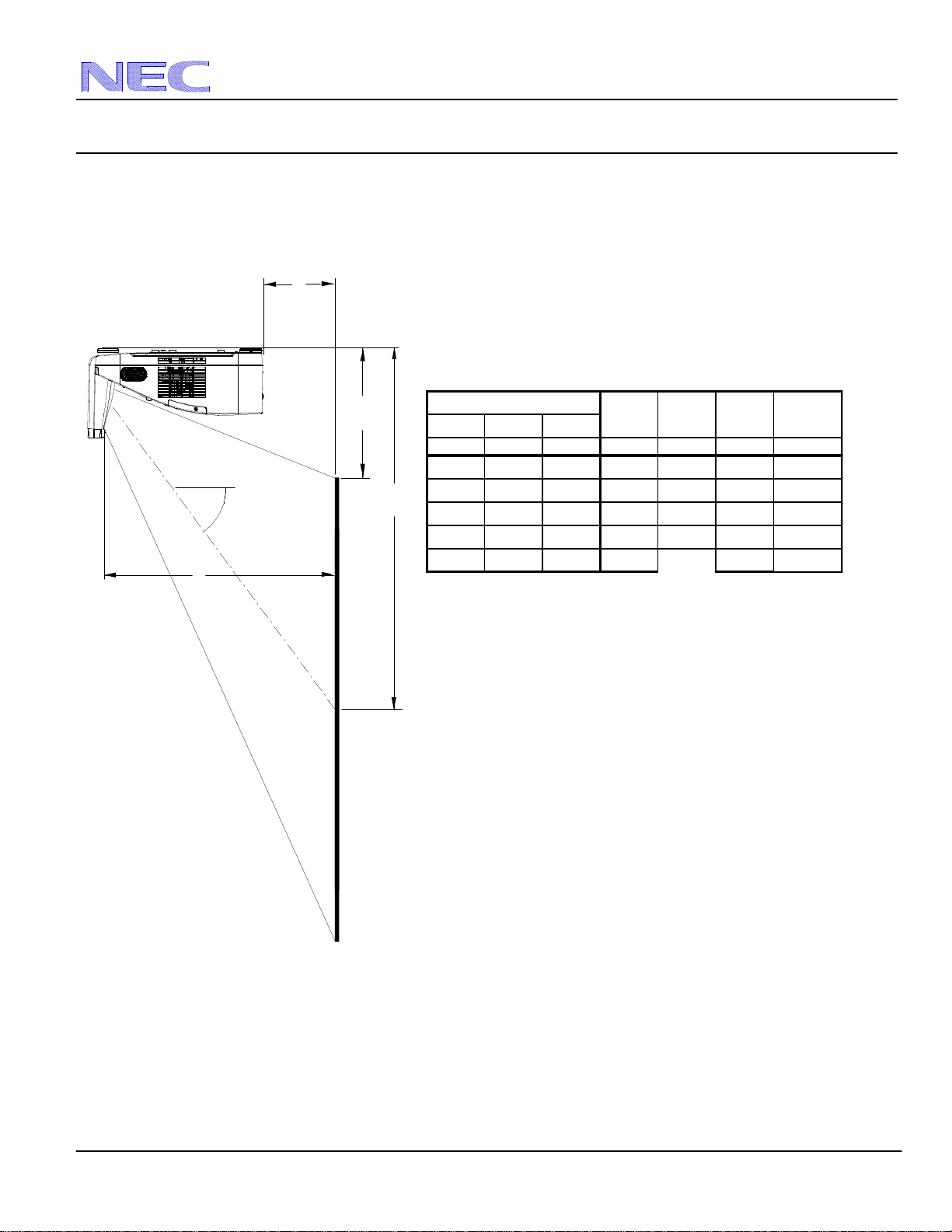
Ceiling Mounted Installation
The following diagram shows the relationship between projector position and the screen. Refer to the charts below for data.
Distances are in inches. For millimeters multiply by 25.4.
Distance chart for popular 4:3 screen sizes
Note: For screen sizes not indicated in the distance charts, use the formulas on page 1.
Diagonal Width(W) Height(H)
inches inches inches inches inches inches
inches
64 51 38 6 32 19
13
67 54 40 7 34 20
14
72 58 43 8 36 22
15
77 62 46 10 39 23
16
84 67 50 12 42 25
17
D
Image Size (4:3)
A
B
C
D
B
C
A
55°
NEC Display Solutions of America, Inc.
U300X Installation Guide
Desktop and Ceiling Mount v1.3
www.necdisplay.com U300X Page 3 of 10
Desktop Setup
The following diagram shows the relationship between projector position and the screen. Refer to the charts below for data.
Distances are in inches. For millimeters multiply by 25.4.
Distance chart for popular 16:9 screen sizes
Vertical Position for a 16:9 screen: The Vertical Position adjustment moves the 16:9 image up and down in the unused portion of
the 4:3 DLP panel. This adjustment is only available when the projector is set for 16:9 in the “Screen” menu.
Note: For screen sizes not indicated in the distance charts, use the formulas on page 1.
Diagonal Width(W) Height(H)
inches inches inches inches inches inches
inches
64 51 38 6 32 19
13
67 54 40 7 34 20
14
72 58 43 8 36 22
15
77 62 46 10 39 23
16
84 67 50 12 42 25
17
D
Image Size (4:3)
A
B
C
D
B
55°
A
C
NEC Display Solutions of America, Inc.
U300X Installation Guide
Desktop and Ceiling Mount v1.3
www.necdisplay.com U300X Page 4 of 10
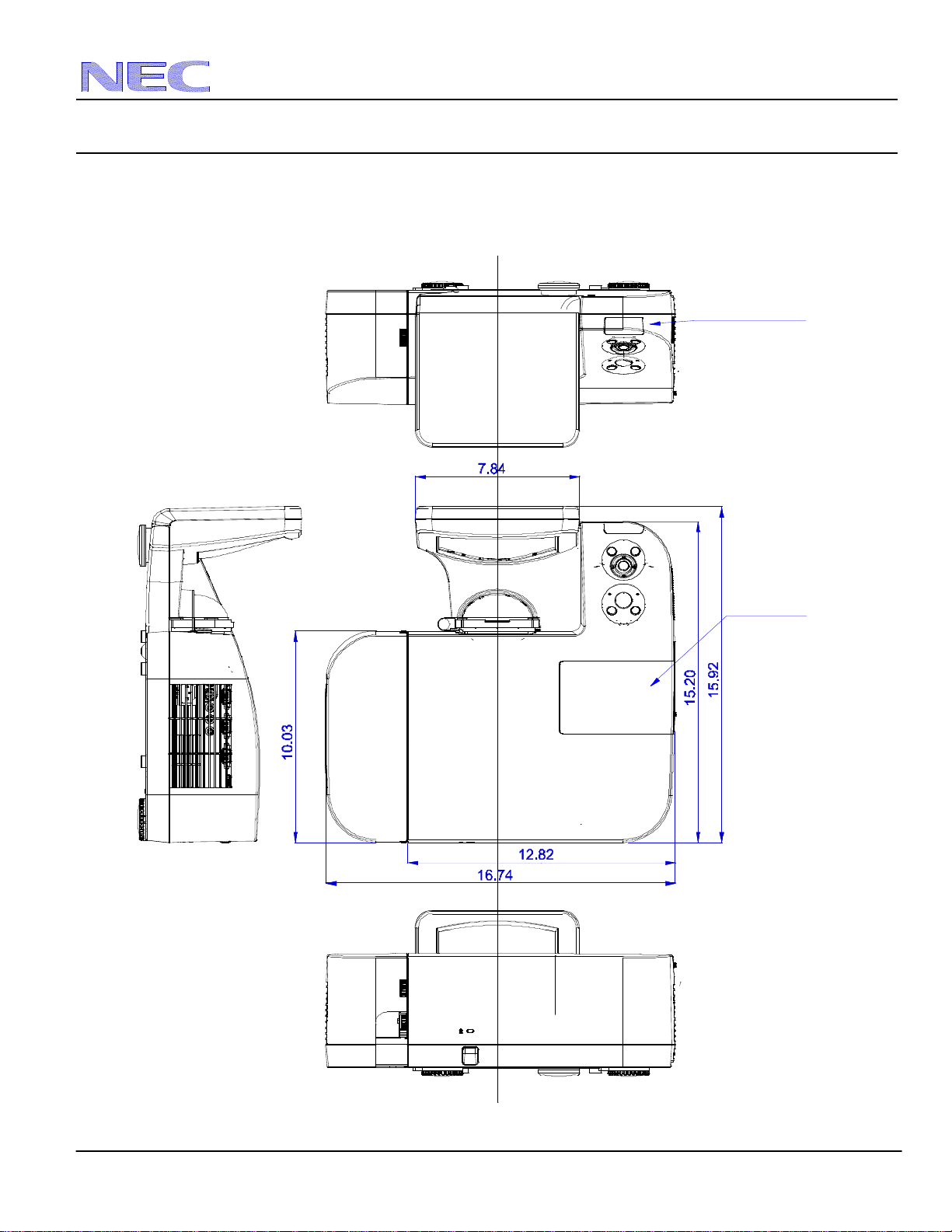
Cabinet Dimensions
The following drawings show the cabinet dimensions for the U300X.
Dimensions are in inches. For millimeters multiply by 25.4.
Remote sensor
Lamp cover
NEC Display Solutions of America, Inc.
U300X Installation Guide
Desktop and Ceiling Mount v1.3
www.necdisplay.com U300X Page 5 of 10
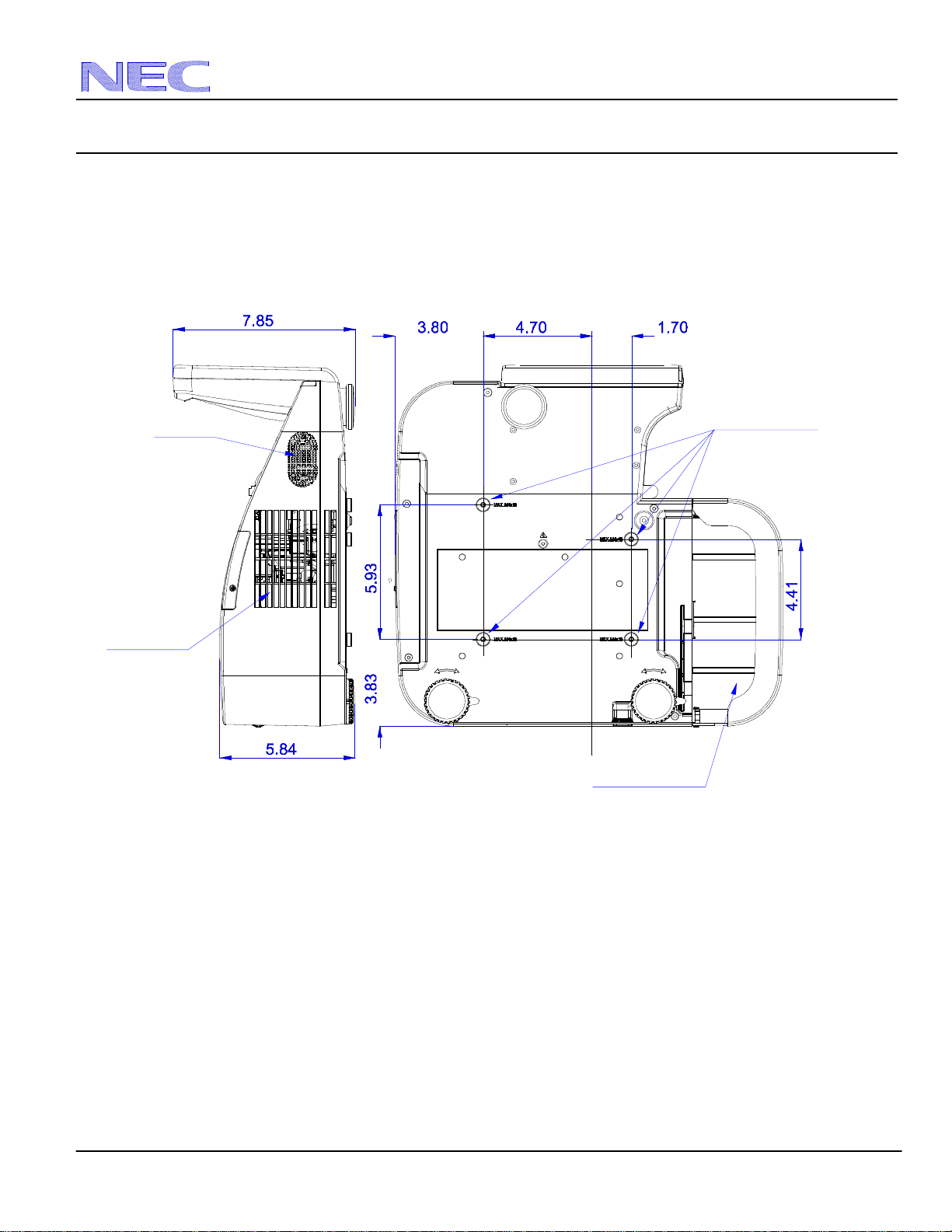
Cabinet Dimensions (continued)
The following drawings show the cabinet dimensions for the U300X.
Dimensions are in inches. For millimeters multiply by 25.4.
Speaker
Terminal cover
M4*10 MAX
For mount
Ventilation
NEC Display Solutions of America, Inc.
U300X Installation Guide
Desktop and Ceiling Mount v1.3
www.necdisplay.com U300X Page 6 of 10
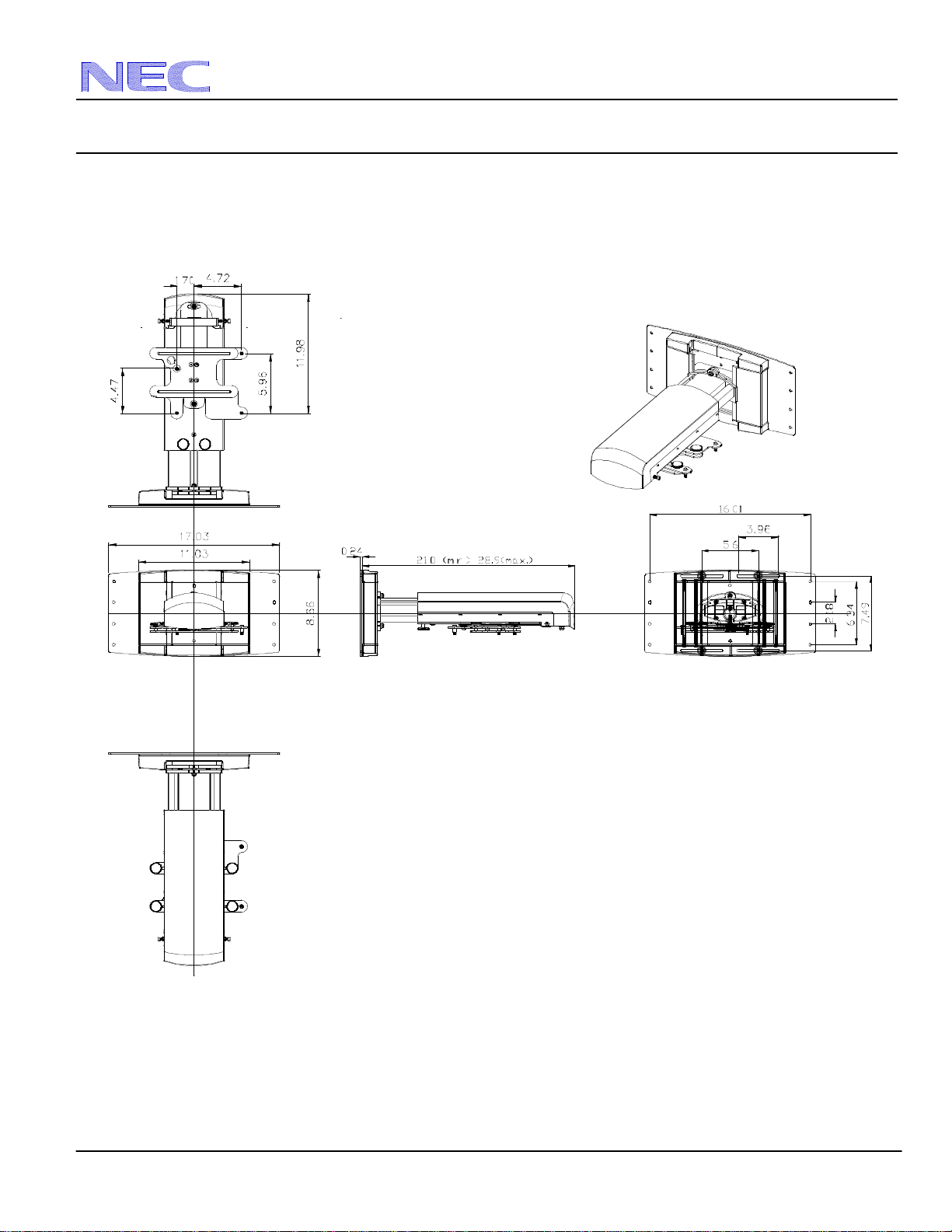
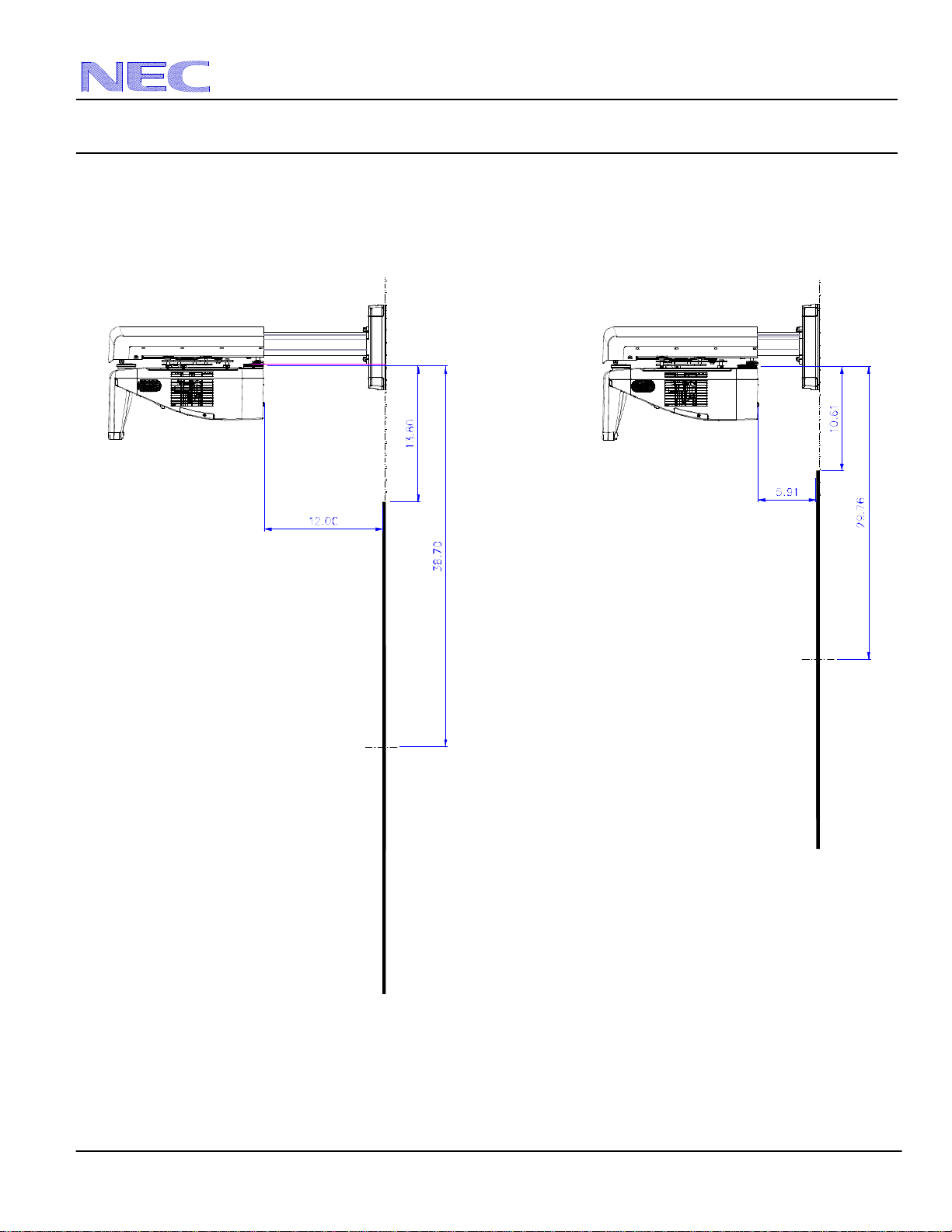
Optional Wall Mount Dimensions (Model #: NP01WK1)
The following drawings show the ceiling mount dimensions for the U300X.
Dimensions are in inches. For millimeters multiply by 25.4.
NEC Display Solutions of America, Inc.
U300X Installation Guide
Desktop and Ceiling Mount v1.3
www.necdisplay.com U300X Page 7 of 10
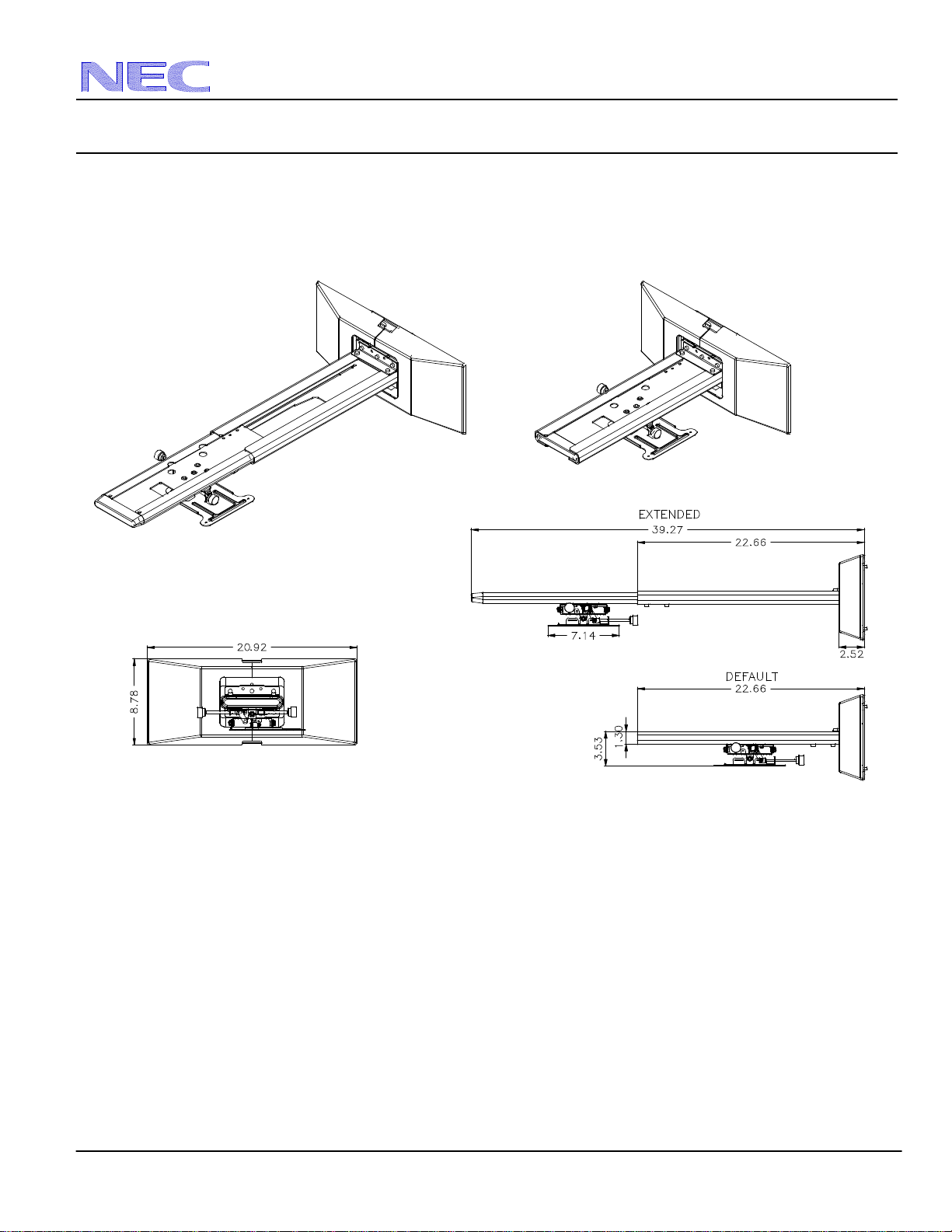
Optional Wall Mount Dimensions (Model #: NP01WK1)
Note: The NP01WK1 wall mount can accommodate screen sizes of 63” – 85” diagonally based on the minimum and maximum
throw distances shown below.
Note: The drawings above refer to the throw capability (projector distance “A” from screen) and their respective dimensions “B” and
“D”. The screen positions are not drawn to scale.
Maximum Throw Capability
Minimum Throw Capability
NEC Display Solutions of America, Inc.
U300X Installation Guide
Desktop and Ceiling Mount v1.3
www.necdisplay.com U300X Page 8 of 10
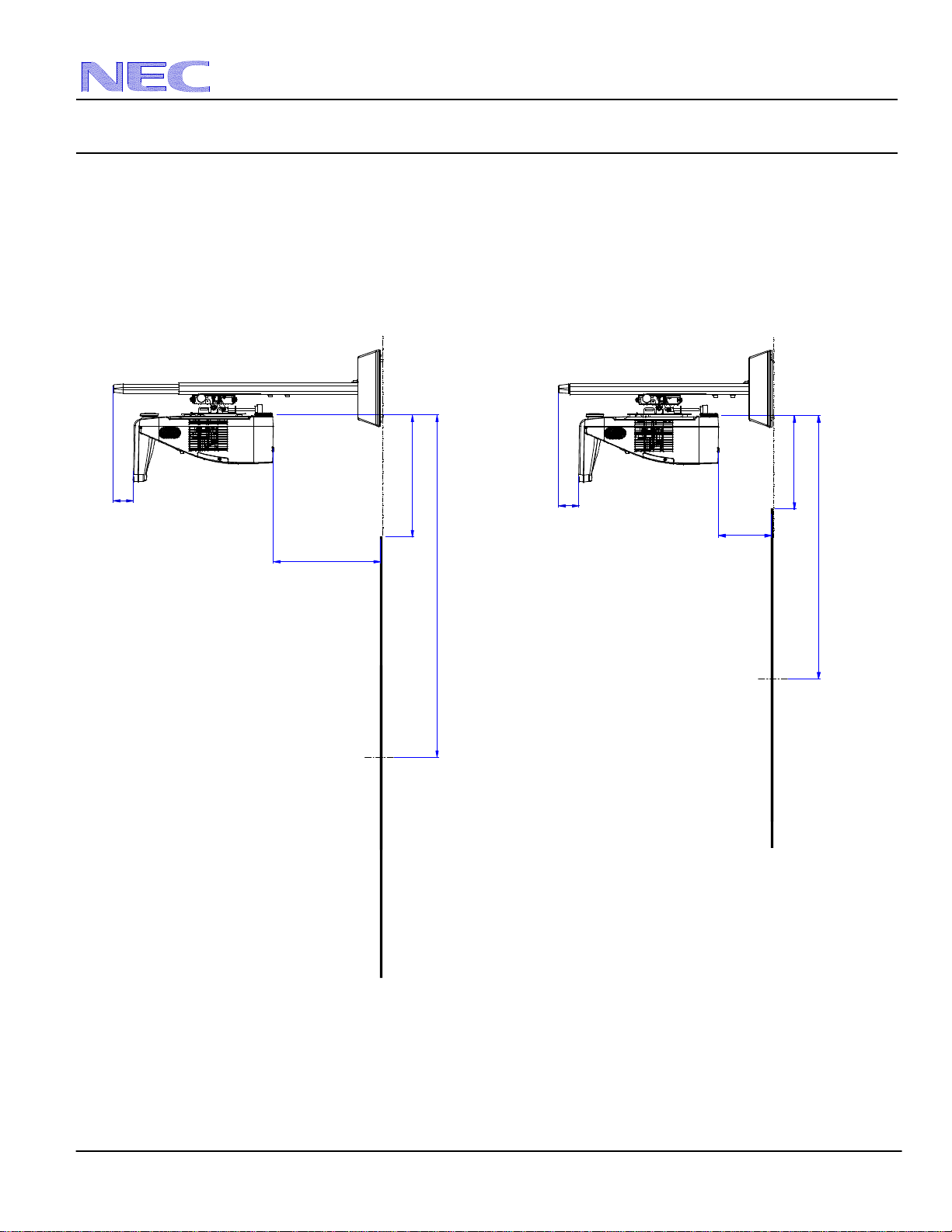
Optional Wall Mount Dimensions (Model #: NP04WK1)
The following drawings show the ceiling mount dimensions for the U300X.
Dimensions are in inches. For millimeters multiply by 25.4.
NEC Display Solutions of America, Inc.
U300X Installation Guide
Desktop and Ceiling Mount v1.3
www.necdisplay.com U300X Page 9 of 10
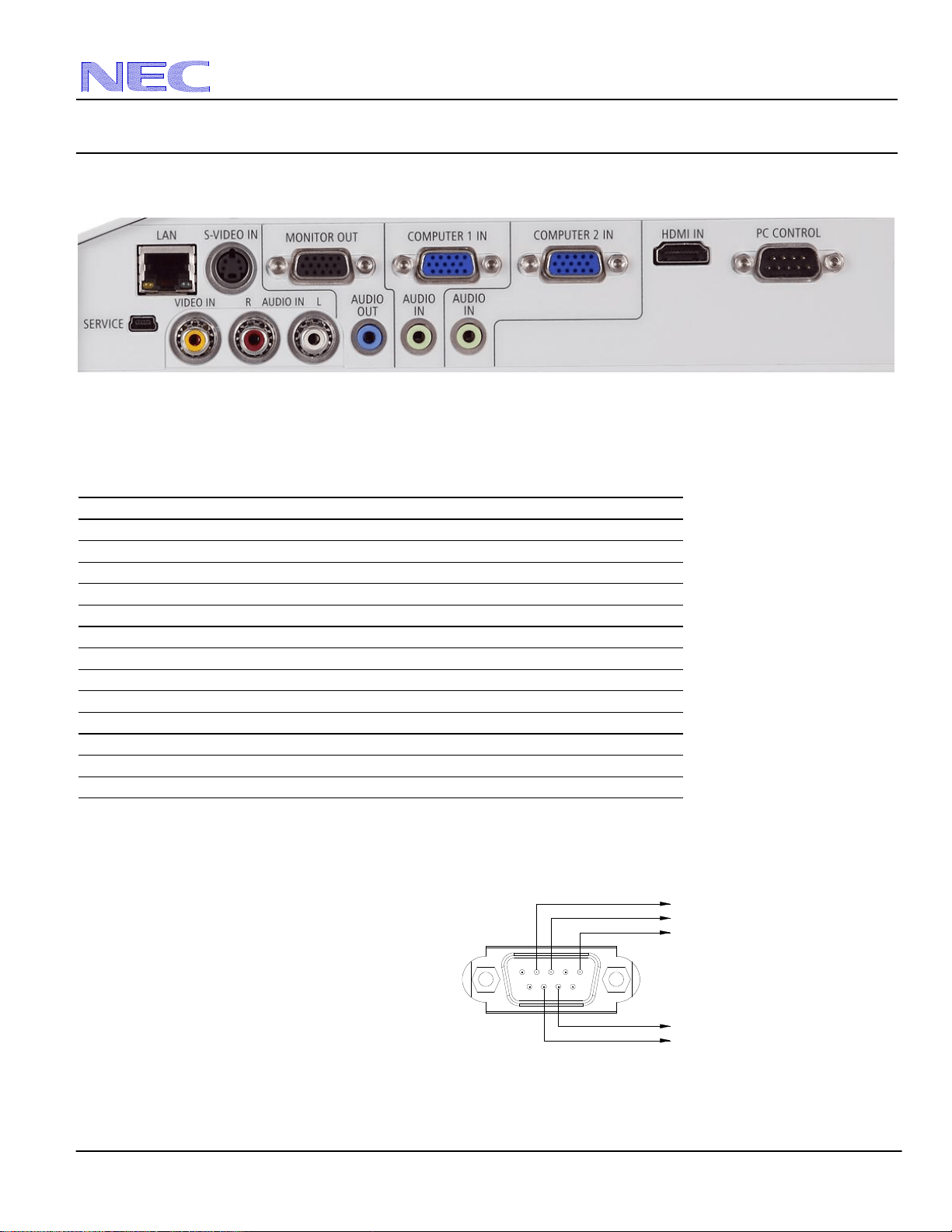
Optional Wall Mount Dimensions (Model #: NP04WK1)
Note: The NP04WK1 wall mount can accommodate screen sizes of 63” – 85” diagonally based on the minimum and maximum
throw distances shown below.
Note: The drawings above refer to the throw capability (projector distance “A” from screen) and their respective dimensions “B” and
“D”. The screen positions are not drawn to scale.
Maximum Throw Capability
Minimum Throw Capability
10.61
29.76
13.80
38.70
12.00
5.91
2.26
2.26
NEC Display Solutions of America, Inc.
U300X Installation Guide
Desktop and Ceiling Mount v1.3
www.necdisplay.com U300X Page 10 of 10
Input Panel
Control Codes
Function Code Data
POWER ON 02H 00H 00H 00H 00H 02H
POWER OFF 02H 01H 00H 00H 00H 03H
INPUT SELECT COMPUTER 1 02H 03H 00H 00H 02H 01H 01H 09H
INPUT SELECT COMPUTER 2 02H 03H 00H 00H 02H 01H 02H 0AH
INPUT SELECT HDMI 02H 03H 00H 00H 02H 01H 1AH 22H
INPUT SELECT VIDEO 02H 03H 00H 00H 02H 01H 06H 0EH
INPUT SELECT S-VIDEO 02H 03H 00H 00H 02H 01H 0BH 13H
PICTURE MUTE ON 02H 10H 00H 00H 00H 12H
PICTURE MUTE OFF 02H 11H 00H 00H 00H 13H
SOUND MUTE ON 02H 12H 00H 00H 00H 14H
SOUND MUTE OFF 02H 13H 00H 00H 00H 15H
ON SCREEN MUTE ON 02H 14H 00H 00H 00H 16H
ON SCREEN MUTE OFF 02H 15H 00H 00H 00H 17H
Note: Contact your NEC rep for codes not listed.
Cable Connection
Communication Protocol:
Baud Rate: 38400 bps
Data Length: 8 bits
Parity: No Parity
Stop Bit: One bit
X on/off: None
Communications: Full duplex
NOTE 1: It is recommended to set the projector to “Idle Mode” in the Setup menu for best Power ON response.
NOTE 2: Pins 2, 3, 5, 6 and 8 are used inside the projector.
NOTE 3: For long cable runs it is recommended to set communication speed in the Setup menu to 9600 bps.
1 2
3 4
5
6 7 8
9
To GND of PC
To RxD of PC
To TxD of PC
To CTS of PC
To RTS of PC