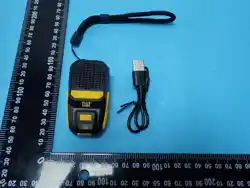
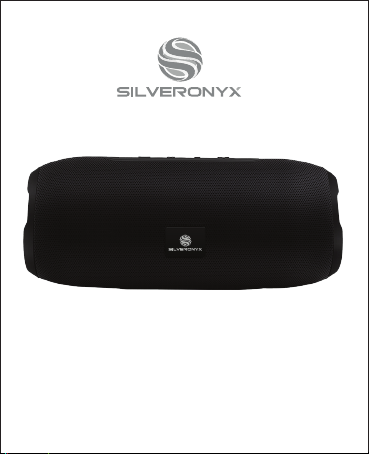
Wireless Speaker
User Manual
Version 1.0
SO-670
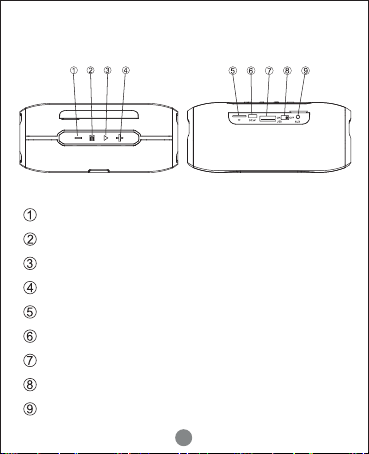
Previous Track/Volume Down
Switch Modes
Play/Pause/Telephone
Next Track/Volume Up
microSD Card Slot
Micro USB Charging Port
USB Audio Input
ON/OFF Switch
3.5mm AUX Audio Input
PRODUCT OVERVIEW
1
CONNECTION OPTIONS
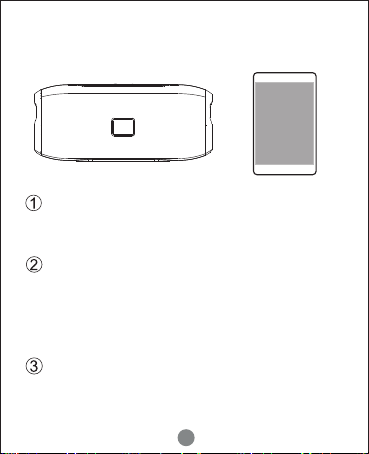
Turn on the speaker
Slide ON/OFF switch at the back to turn on. The speaker
will automatically enter Bluetooth mode.
Connect to mobile devices
Enable the bluetooth setting on your mobile device,
then locate and select ‘SilverOnyx670’ in the list of
devices. You will hear a soft beep once the connection
has been established (in the future, the speaker will
connect automatically).
Connect to a different mobile device
If the speaker is already connected to another device,
you will need to disconnect that device first before
pairing to a new device.
2
ON/OFF Switch
• Toggle the switch to turn on/off the speaker.
Play/Pause/Phone/FM Search
• When playing in Bluetooth or microSD card mode, a quick tap will
pause - press again to resume.
• When in FM mode, a quick tap will perform a radio search function
to learn available stations. Once it cycles back to the first FM
station, a quick tap will stop the search. Use the + and - buttons to
navigate memorized stations.
• Mobile Phone (Bluetooth Mode Only): A quick tap will answer the
call - press again to hang up. A long press will reject the call. While
NOT on a call, a long press press will call the last number dialed.
Next Track/Volume Up Button
• When playing in Bluetooth or microSD card mode, a quick tap will
move to the next track.
• When in FM mode, a quick tap will switch to the next radio station.
• In any mode, a long press will increase the volume (a beep will
sound when the maximum volume has been reached).
Previous Track/Volume Down Button
• When playing in Bluetooth or microSD card mode, a quick tap will
move to the previous track.
• When in FM mode, a quick tap will switch to the previous radio
station.
• In any mode, a long press will reduce the volume (a beep will
sound when the minimum volume has been reached).
OPERATING INSTRUCTIONS
3

Mode Button
• Press this button to toggle between Bluetooth, microSD Card, FM
Radio, and Line-In modes.
NOTE: During Line-In mode incoming calls cannot be picked up by
the speaker.
• Without a microSD card or 3.5mm audio input line, only Bluetooth
and FM Radio modes are available.
TECHNICAL SPECIFICATIONS
Speaker Output: 4Ω5W*2 (4ohm, THD <1%)
Speaker: 45mm*2
Bluetooth Version: V5.0
Frequency Reponse Range: 90Hz-20KHz
Signal Noise Rate: >80dB
Battery Capacity/Voltage: 1800mAh/3.7V
Battery Charge Time: Approx. 2 Hours
Working Time: 4-6 Hours
USB Power Input: 5V 2A
Speaker Size: 172 x 76 x 76mm
4