1
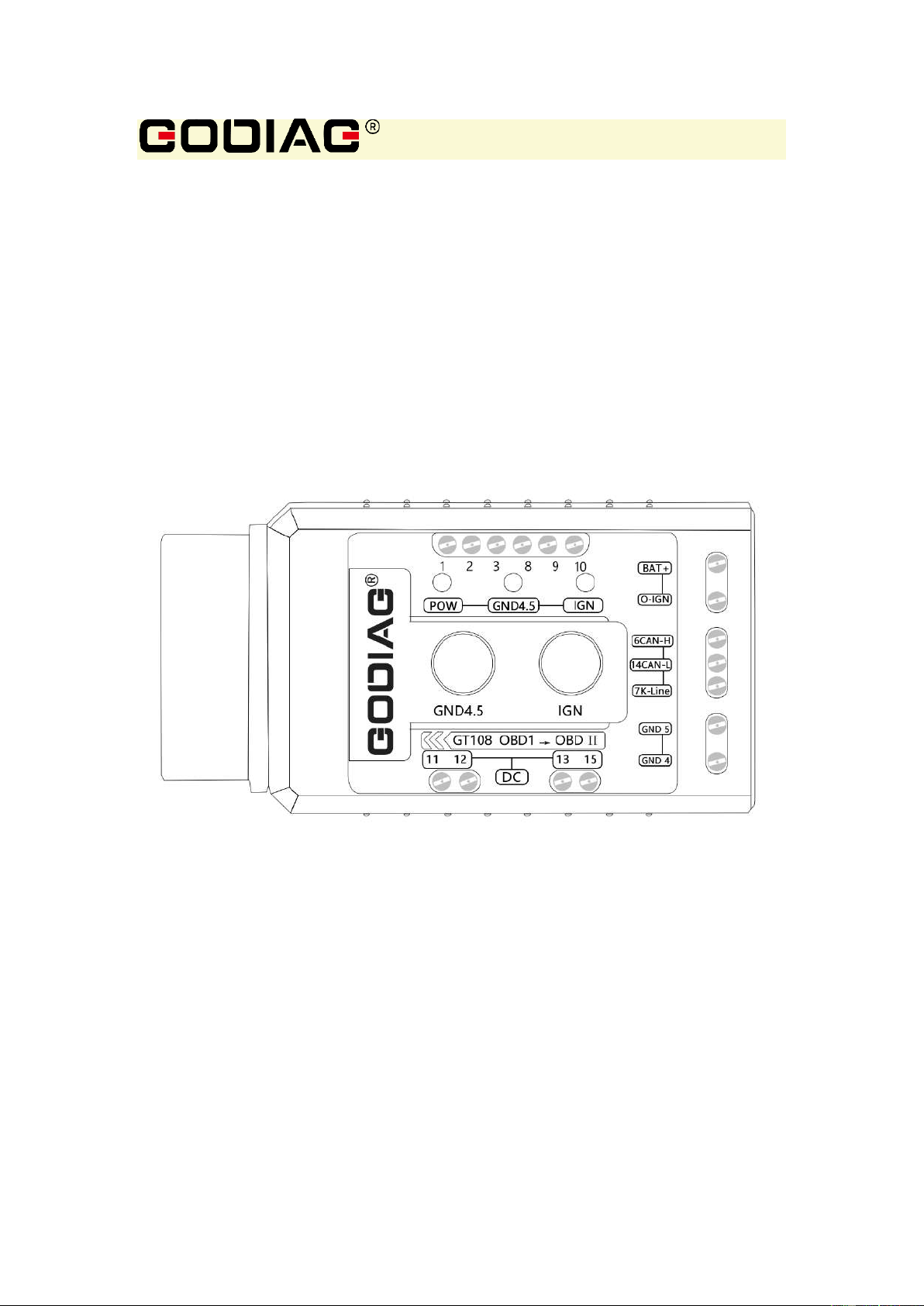
Godiag GT108
Super OBDI-OBDII Universal Conversion Adapter
For Cars, Trucks, Tractors, Mining Vehicles, Generators,
Boats, Motorcycles, etc.
2023.8

2
1. Disclaimer
Please review the following statement carefully:
The statement can help you quickly learn how to use GODIAG products. Please abide by the
relevant local laws. If you use the GODIAG equipment illegally, the user shall bear all the risks, and
the company will not assume any responsibility.
For the safety of yourself and others, and to avoid damage to equipment and vehicles, please read
the safety precautions carefully. Due to the variety of procedures, tools, parts and techniques used
in vehicle maintenance, the variability in how personnel operate, and the variety of diagnostic
programming applications, this manual cannot predict and provide safety recommendations for
every situation.
It is the responsibility of the automotive service technician to get a thorough understanding of the
system being tested and to use appropriate service methods and testing procedures reasonably.
When testing, you must use appropriate operating methods to avoid threats to yourself and others
in the work area, as well as to avoid damage to the equipment being used or the vehicle being
tested.
Before using the equipment, please refer to and follow the safety information and applicable test
procedures provided by the vehicle or equipment manufacturer. Please use the equipment in
accordance with the instructions in this manual, and read, understand and follow all safety
information and instructions in the manual.
2. Safety Precautions
In order to protect the safety of yourself and others and prevent damaging the
equipment and vehicles, please read the safety precautions carefully.
Since various programs, tools, parts and techniques are used for the vehicle maintenance
and different operators may have different operations, due to various kinds of diagnostics
compliers, the manual cannot predict every situation and provide related safety
suggestions.
Vehicle service technicians are in charge of fully learning about the system under tests,
and applying appropriate repairing approaches and testing programs.
When conducting tests, it’s necessary to apply proper operations to avoid personal
safety risks to yourself and other people inside the working area and prevent damages to
the equipment in use or vehicles under tests.
Before starting to use the equipment, please refer to and observe the safety information
provided by the vehicle or equipment manufacturer and applicable testing programs.
Please
use the equipment according to the Operation Manual, read, understand, and observe all
safety information and instructions included in this manual.
Please at least observe the following safety precautions working at the vehicle:
◆ Please work at a safe environment where it’s essential to keep the working area

3
ventilated since the vehicle exhaust is harmful to human bodies.
◆ Wear goggles that meet the ANSI standard
◆ Set the gear to P (auto) or N (manual) and guarantee the parking brake is enabled
(hand brake pulled)
◆ Make sure your clothes, hair, hands, and tools stay away from the operating engine
parts or hot engine parts
◆ Place bricks before each wheel to prevent the vehicle from moving accidentally
◆ The vehicle must be attended during testing and operating
◆ Pay special attention when working around the ignition coil, distributor cap, ignition
wire, and ignition plug for that these parts can generate dangerous voltages
◆ Make sure fire extinguishers suitable for the gas/chemicals/are electrical provided
at the site
◆ Do not plug or unplug the equipment when the ignition switch is on or the engine is
working
◆ Keep the equipment dry, clean, and avoid touching oil, water or grease. Use a
clean cloth to clean the equipment.
◆ Do not operate the diagnostic equipment during driving to avoid accidents owing
to the distraction.
◆ Please refer to the maintenance manual when maintaining the vehicle and operate
strictly according to the precautions, otherwise it may cause human injury or damages
to the diagnostic equipment.
◆ Do not place the diagnostic equipment onto the distributor of the vehicle for that
strong EMI may damage the equipment.
◆ When replacing the battery with GT108, do not switch on the ignition switch or start
the vehicle.
3. Product Introduction

4
GODIAG GT108 Super OBDI-OBDII universal conversion adapter can convert the OBDI diagnostic
interface of cars, trucks, tractors, mining vehicles, generators, boats, motorcycles, individual ECU
control units, etc. into standard OBDII diagnostic interfaces through DIY wiring Interface,
convenient for car maintenance personnel to connect to OBDII diagnostic programming
equipment for data streams reading, fault codes diagnosis, programming, activation and coding...
Product Features:
1. DIY wiring, it can be converted to OBDII according to the car diagnostic interface. [Because the
definitions of diagnostic interfaces in different regions are inconsistent, the popular conversion
cables and adapters in the market cannot use different definitions of diagnostic interfaces.
GODIAG GT108 Super OBDI-OBDII can be used by maintenance engineers to connect according to
their own needs]
2. The device has reverse connection protection. (If the power supply is connected wrong, the
device will not burn out, and it will not cause harm to the OBDII diagnostic programming device.)
3. Independent GND4, GND5. (It is more suitable for judging the problem of poor grounding of
some control units.)
4. Analog IGN switch. (Press the IGN switch, the corresponding port outputs ING VCC)
5. Power indicator, GND4, GND5 switching indicator, IGN switching indicator.
6. DIY the way to lock the wire. Equipped with different diagnostic interface cables, ECU cables,
and locking screwdrivers.
7. Truck wiring kit, car and motorcycle wiring kit, (Different configurations of wiring kits are
different, please purchase according to maintenance needs.)
4. Outlook
5
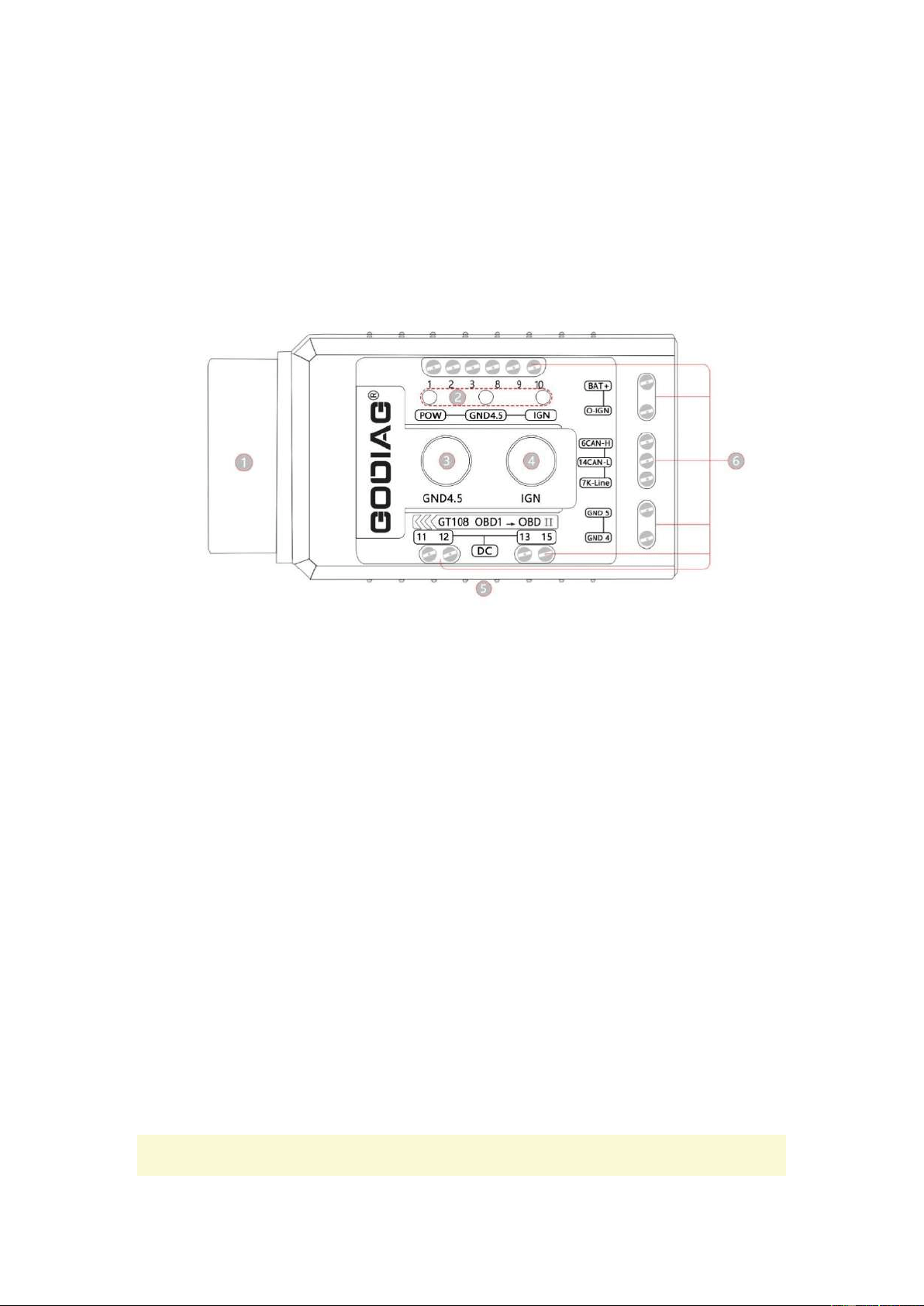
1. OBD2 female interface
2. Indicator light group
3.GND4. GND5 switch
4.IGN switch
5. DC power interface
6. 1.2.3.GND4.GND5.6CAN-H.7K-Line.8.9.10.11.12.13.14CAN-L. 15. BAT+.O-IGN interface
5. How to Use GT108

6
Steps:
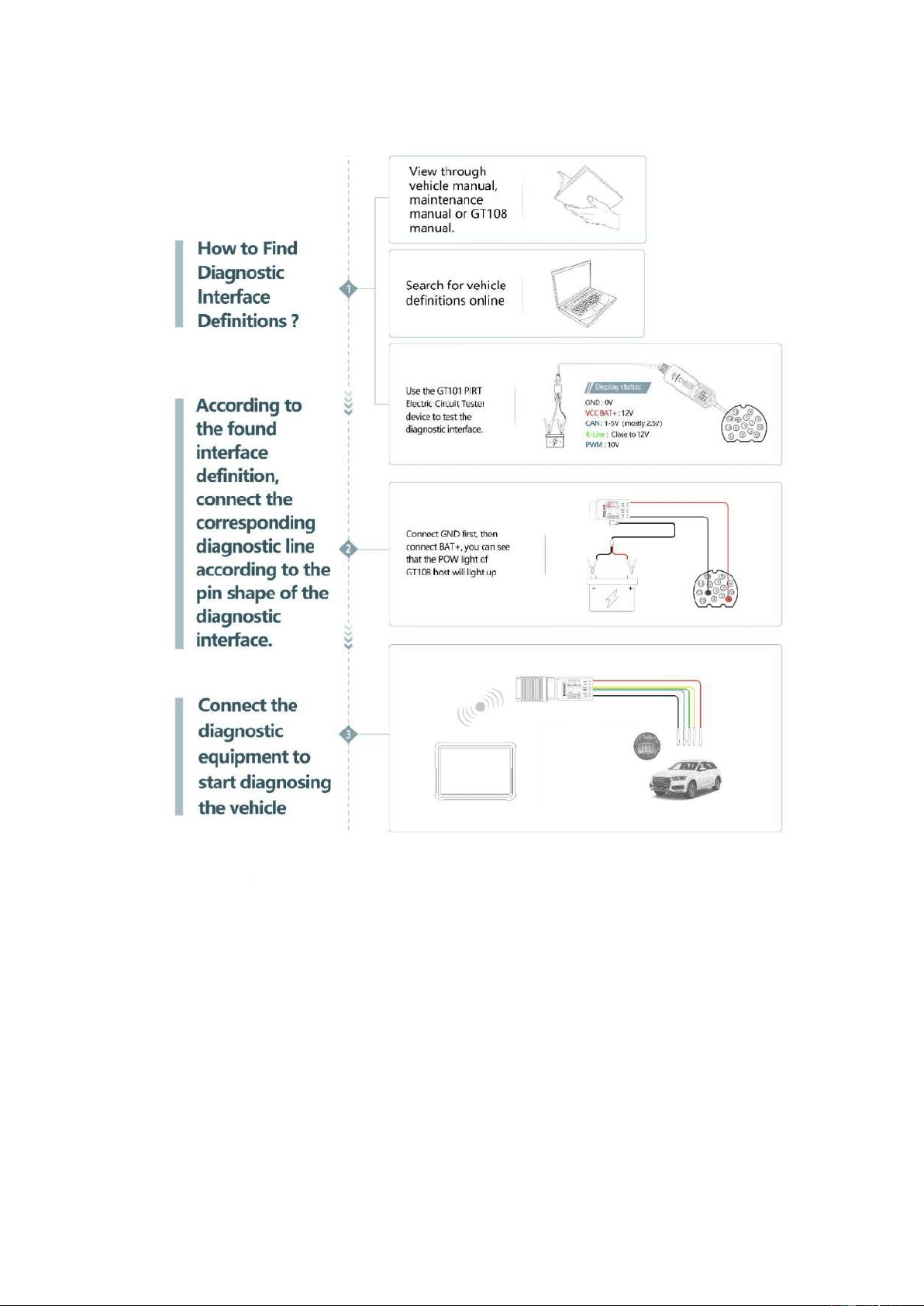
1. Find the definition of the diagnostic interface (find the maintenance manual of your own vehicle, or
search online.), or see the definition diagram of the corresponding diagnostic interface of the GT108
manual.
2. According to the interface definition, find out the connection line needed by your car, and connect
to the GT108 adapter according to the definition. (Use a screwdriver to lock the terminal.)
3. Connect the connected diagnostic cable to the vehicle OBD1 diagnostic interface according to the
definition. (Connect GND 4 or GND5 first, and then connect BAT+. If the power cable is connected
correctly, the POW light of the GT108 host will light up. If the vehicle diagnostic interface does not
have power, please connect the car battery to the DC power connector of GT108 with the battery
cable. If the vehicle needs the ignition signal, connect the O-IGN line, and press the IGN switch, the
corresponding IGN light will light up, and the O-IGN line will output the ignition power signal.)
4. Connect the communication line CAN or K-line to the diagnostic interface. (Note: If it is the truck
diagnostic software added by the car diagnostic equipment, you need to buy a GT106 24V to 12V
adapter.)
5. Connect the diagnostic device to start diagnosing the vehicle.
Note: If you cannot find the definition for your own vehicle diagnostic interface, you can first find out the
power supply of the diagnostic interface. First use the black battery clip on the battery connection cable to
connect the negative pole of the battery, and then use the BAT+ line to connect to the diagnostic interface
to find the power supply. You can also use a multimeter to find the diagnostic interface power supply. The
definition of the diagnostic interface can also be judged by the GT101 Pirt Electric Circuit Tester device.
7
8
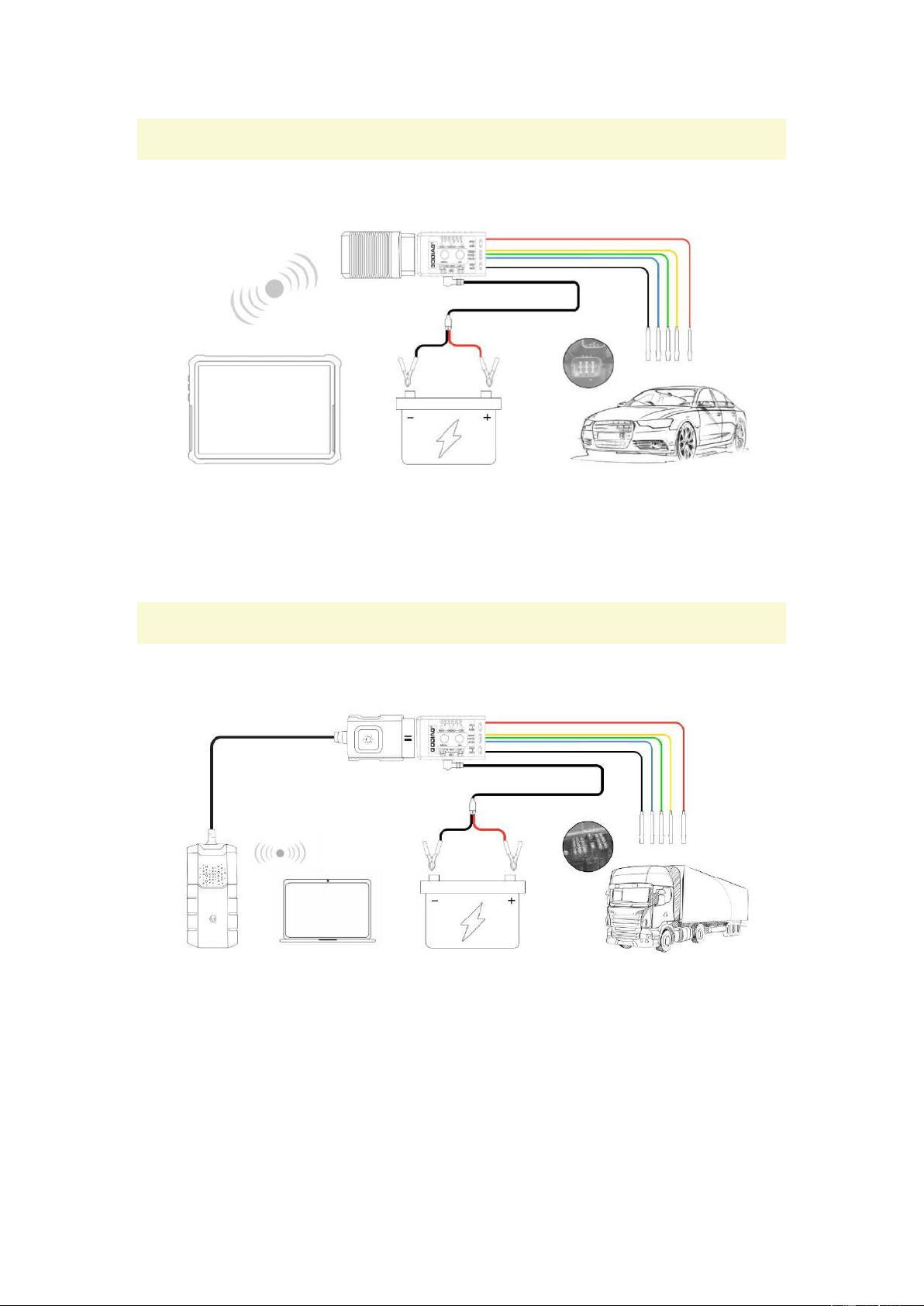
6. Car Connection Method
7. Truck Connection Method
9
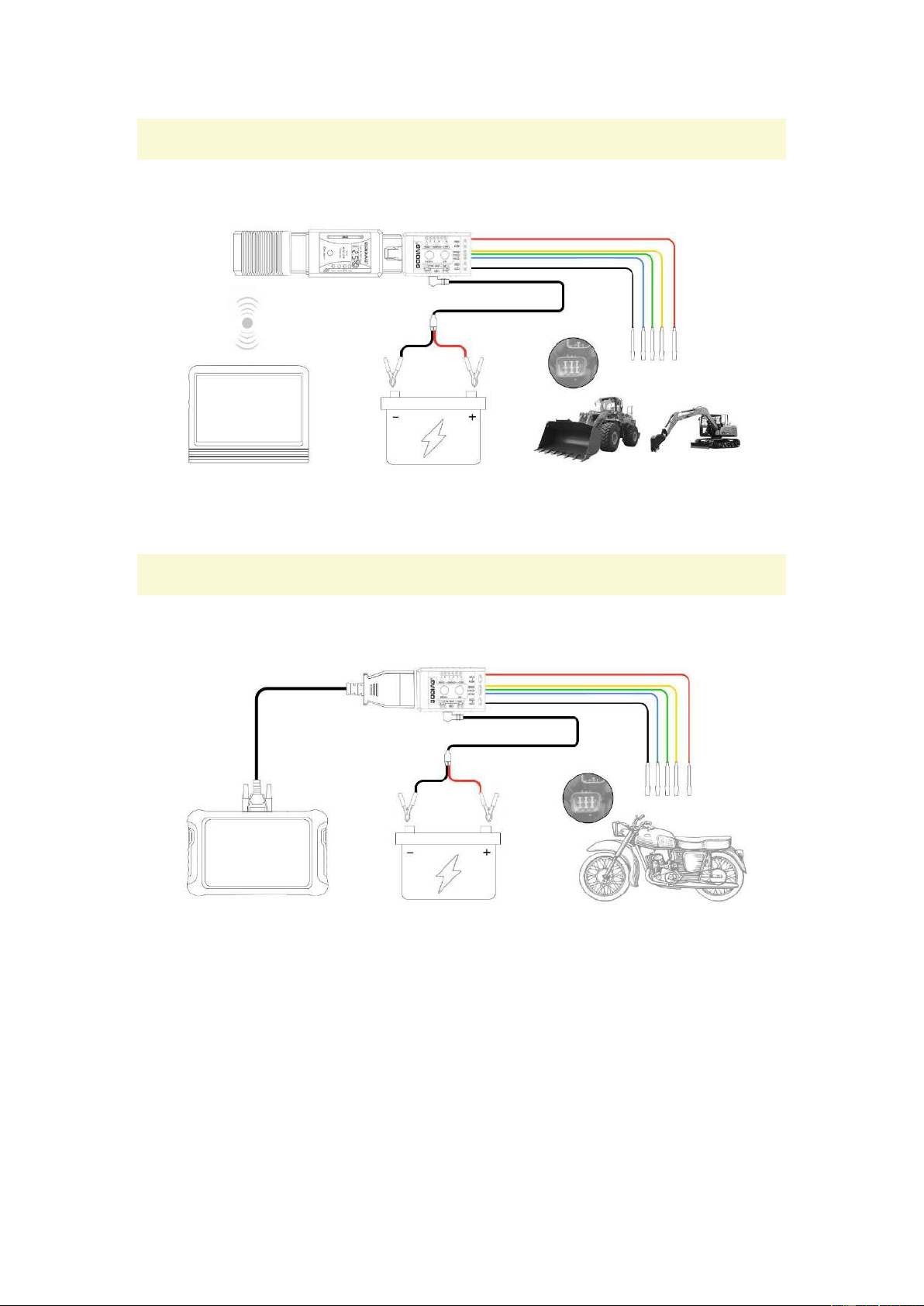
8. Truck Connection with GT106
9. Motorcycle Connection Method
10
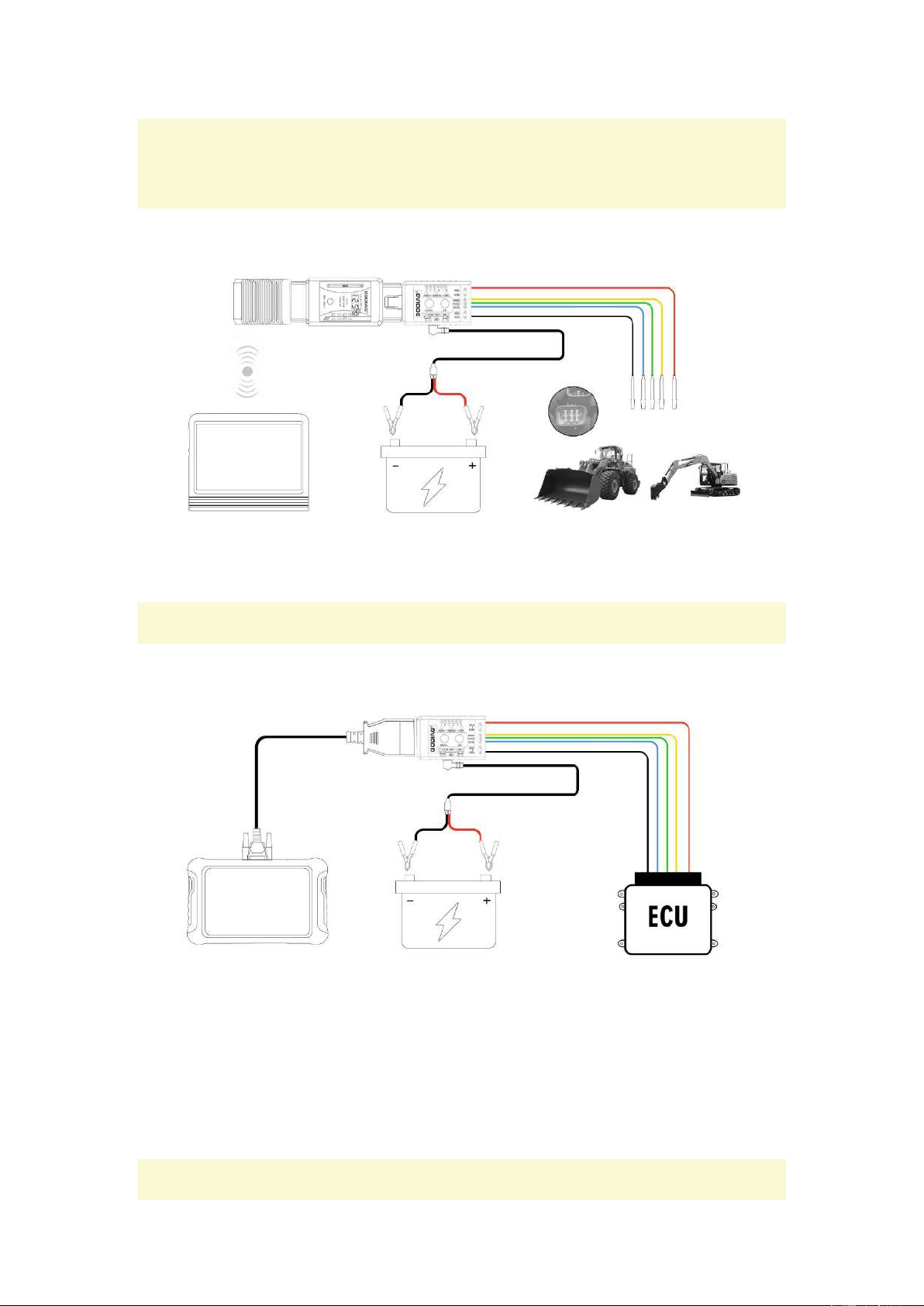
10. The Connection Method of Mine Vehicles, Tractors,
Boats and Generators
11. ECU Connection Method
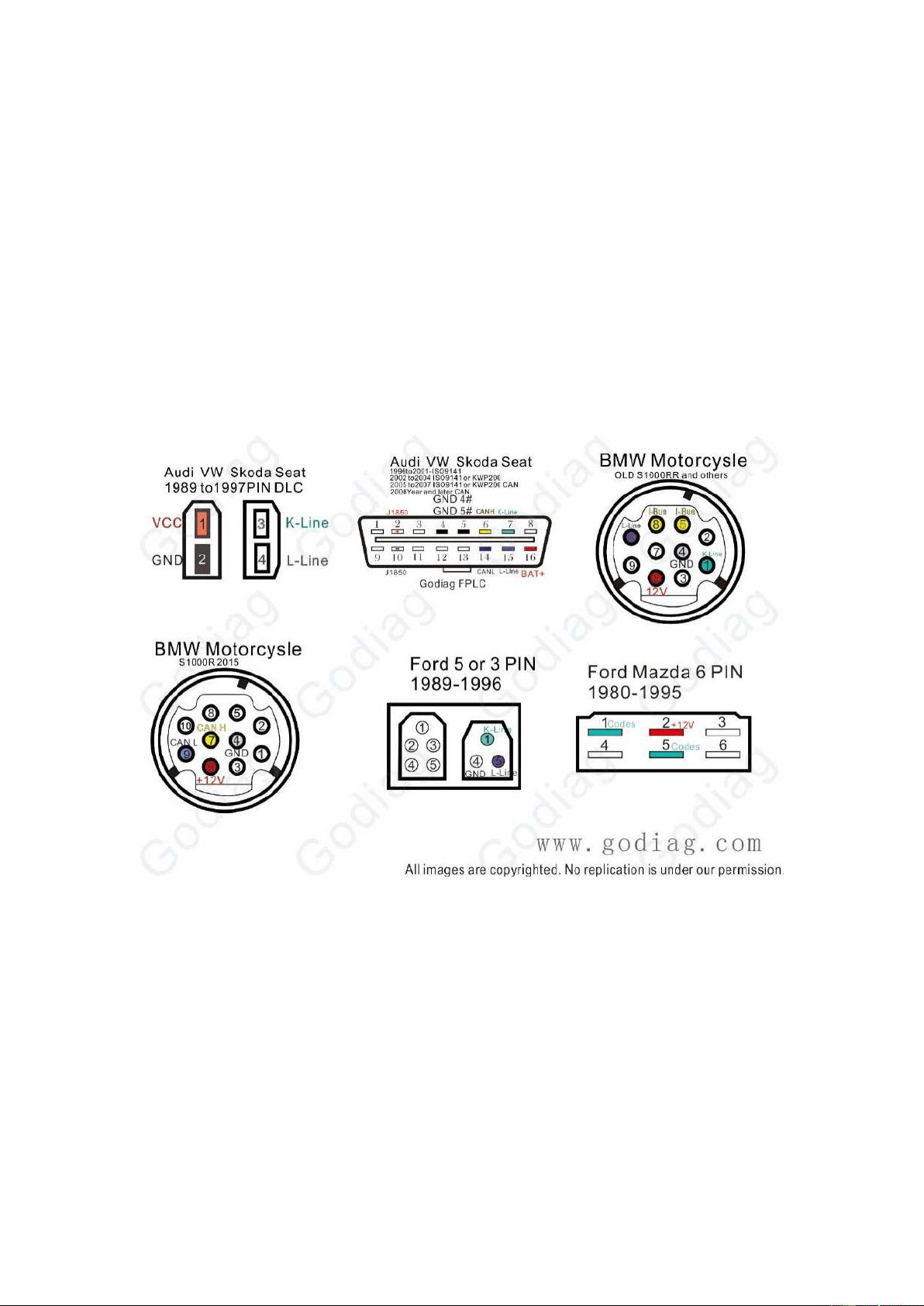
12. Car Diagnostic Interface Definition
11
AUDI VW Skoda Seat 1989-1997
AUDI VW Skoda Seat 1996-2008
BMW Motorcysle OLD S1000RR
BMW Motorcysle S1000R 2015
Ford 5or3 PIN 1989-1996
Ford Mazda 6PIN 1980-1995
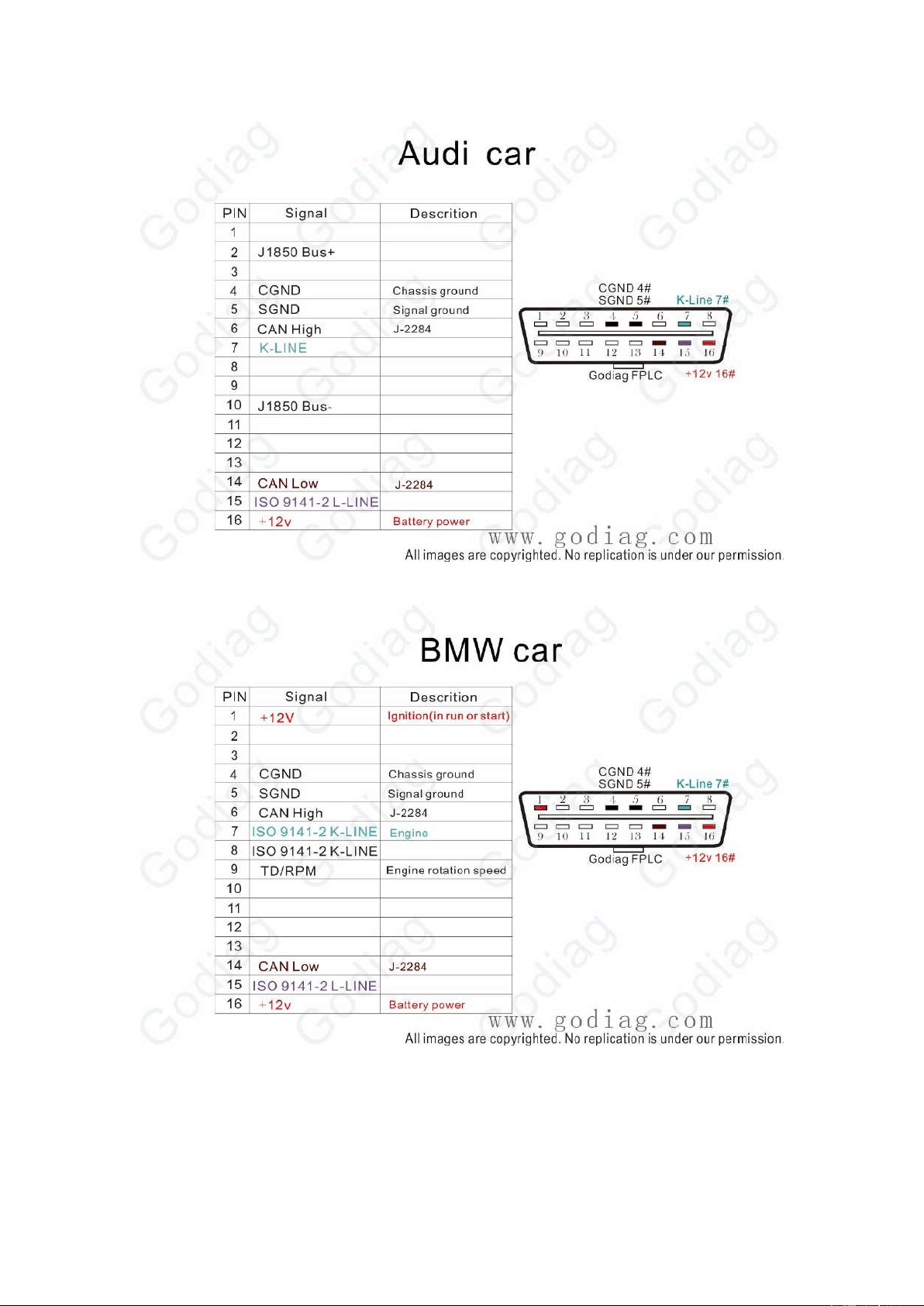
AUDI
12
BMW
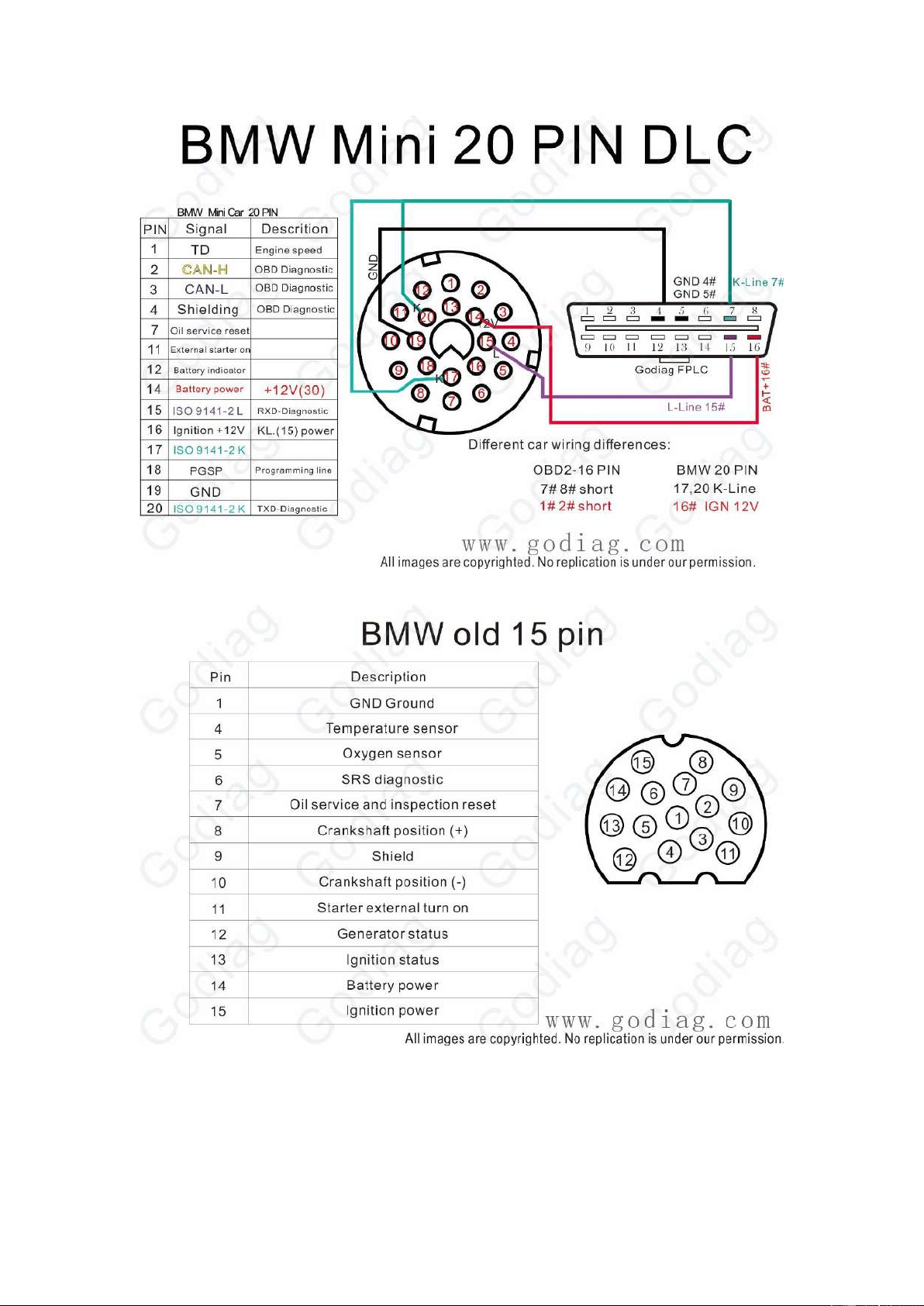
BMW Mini 20PIN DLC
13
BMW old 15PIN
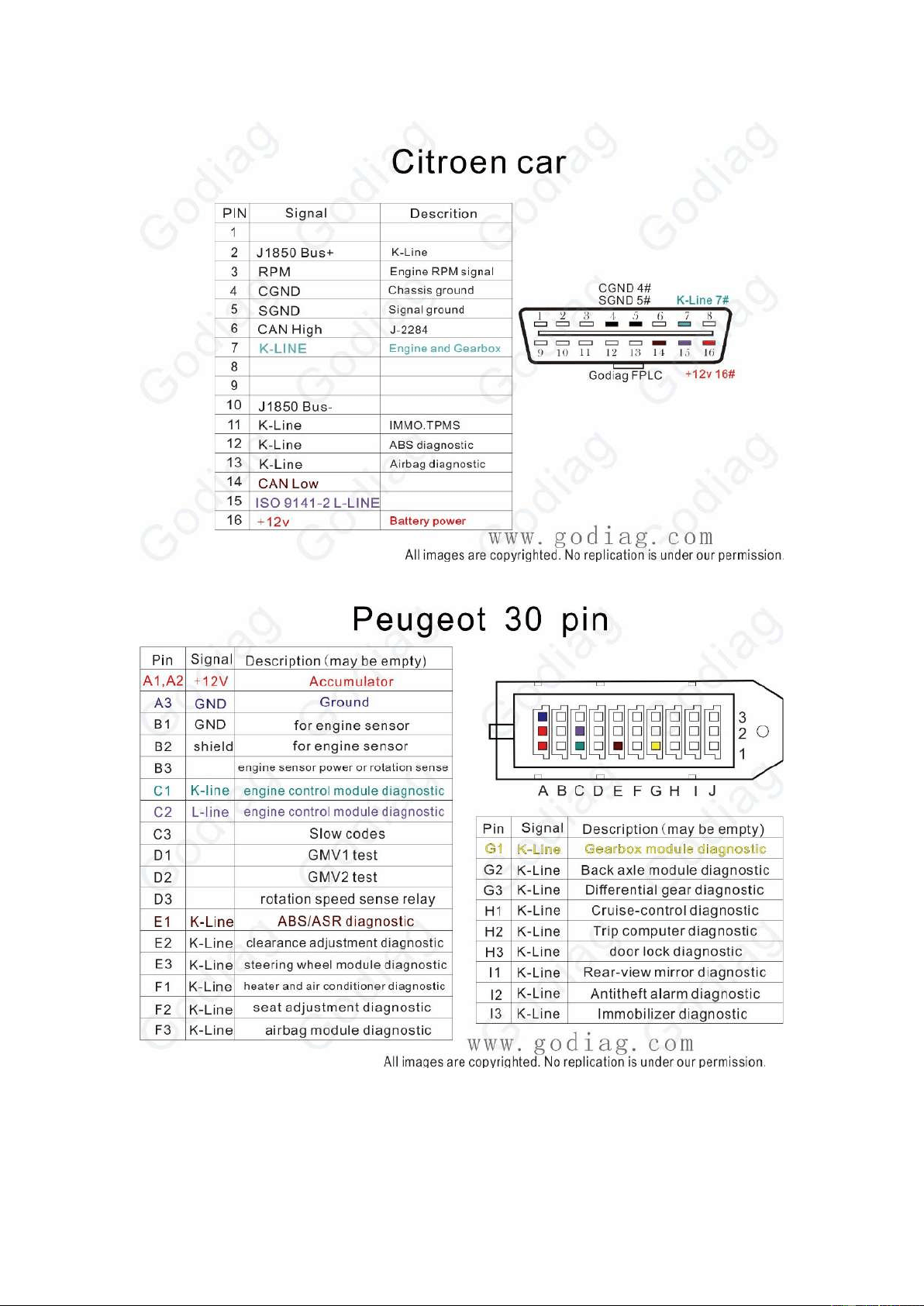
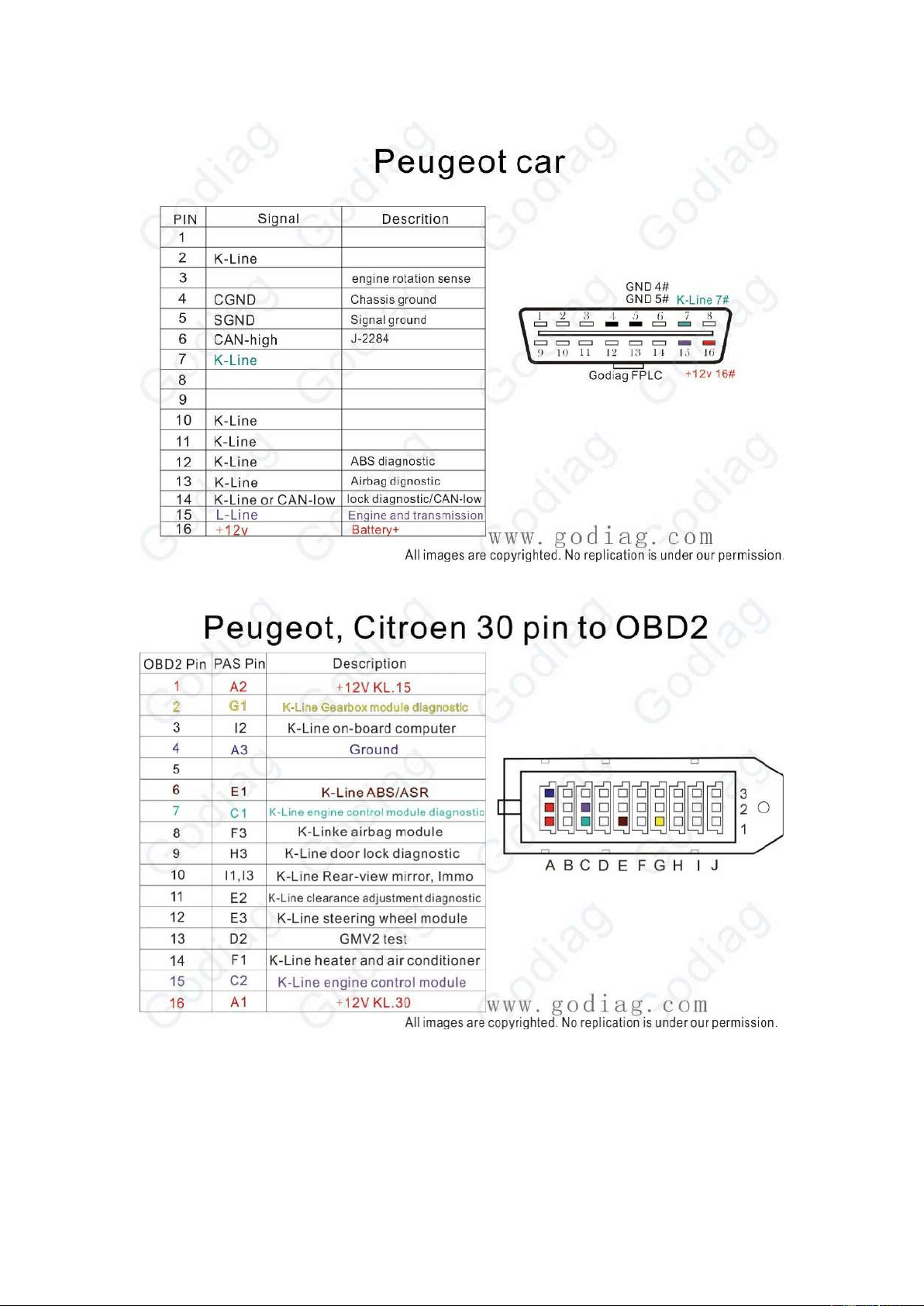
Citroen Peugeot OBD2 car
14
Citroen Peugeot 30PIN
Citroen Peugeot OBD2
15
Citroen Peugeot 30PIN to OBD2
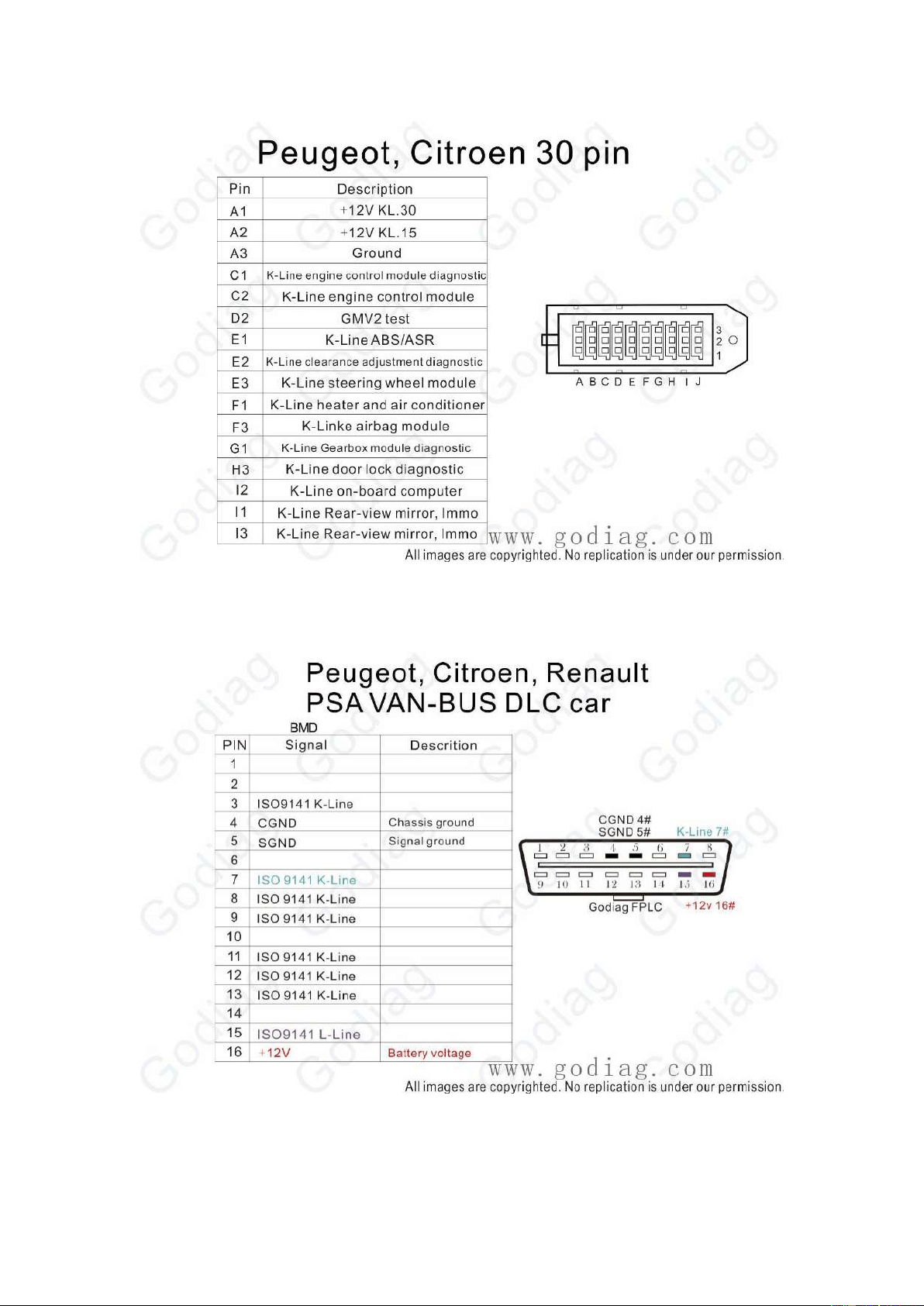
Citroen Peugeot 30PIN
16
Citroen Peugeot Renault PSA VAN-BUS DLC
Citroen Peugeot Renault PSA VAN-BUS 1997-2006

17
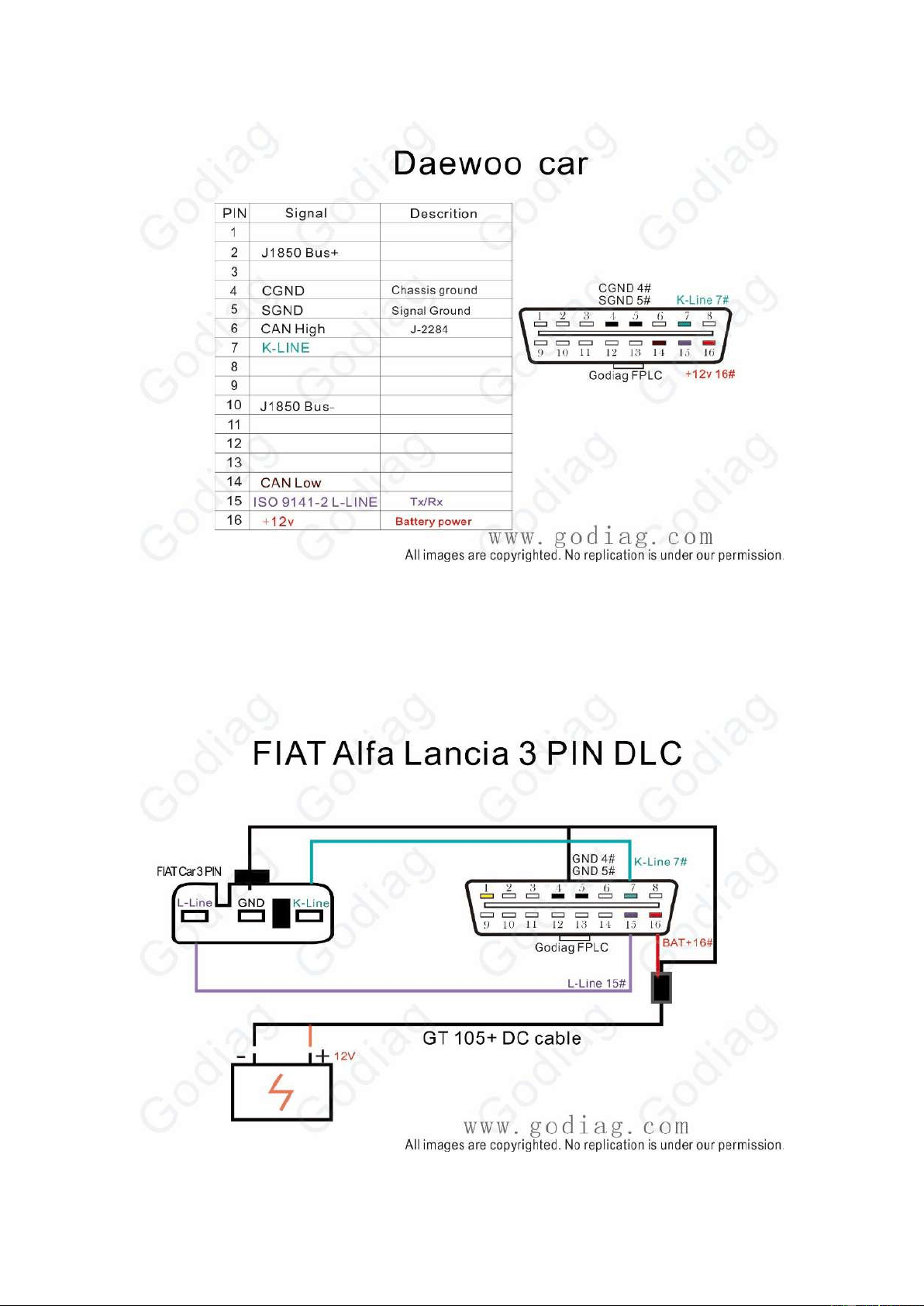
Daewoo 12PIN
Daewoo Car
18
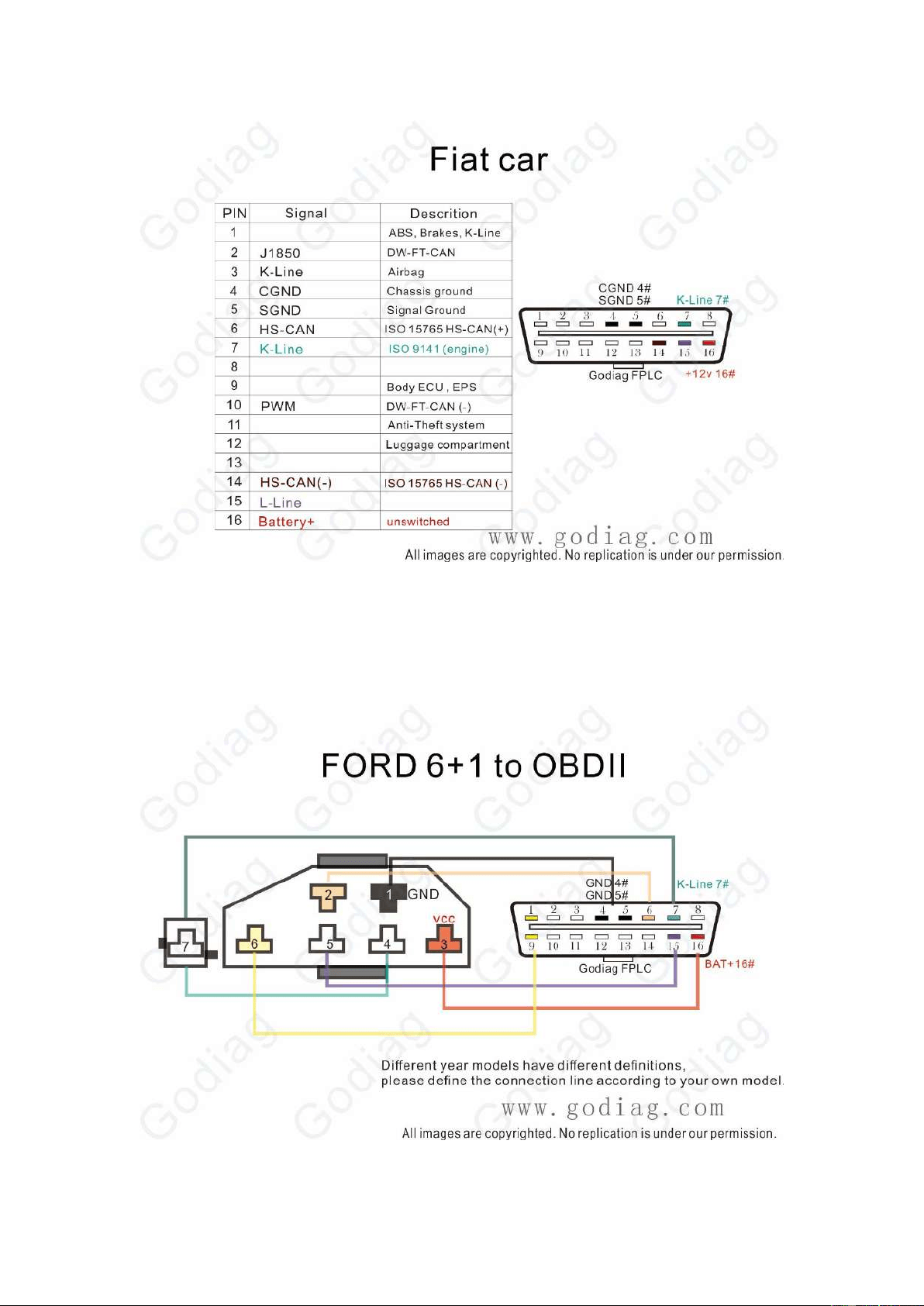
FIAT Alfa Lancia 3PIN
Fiat Car
19
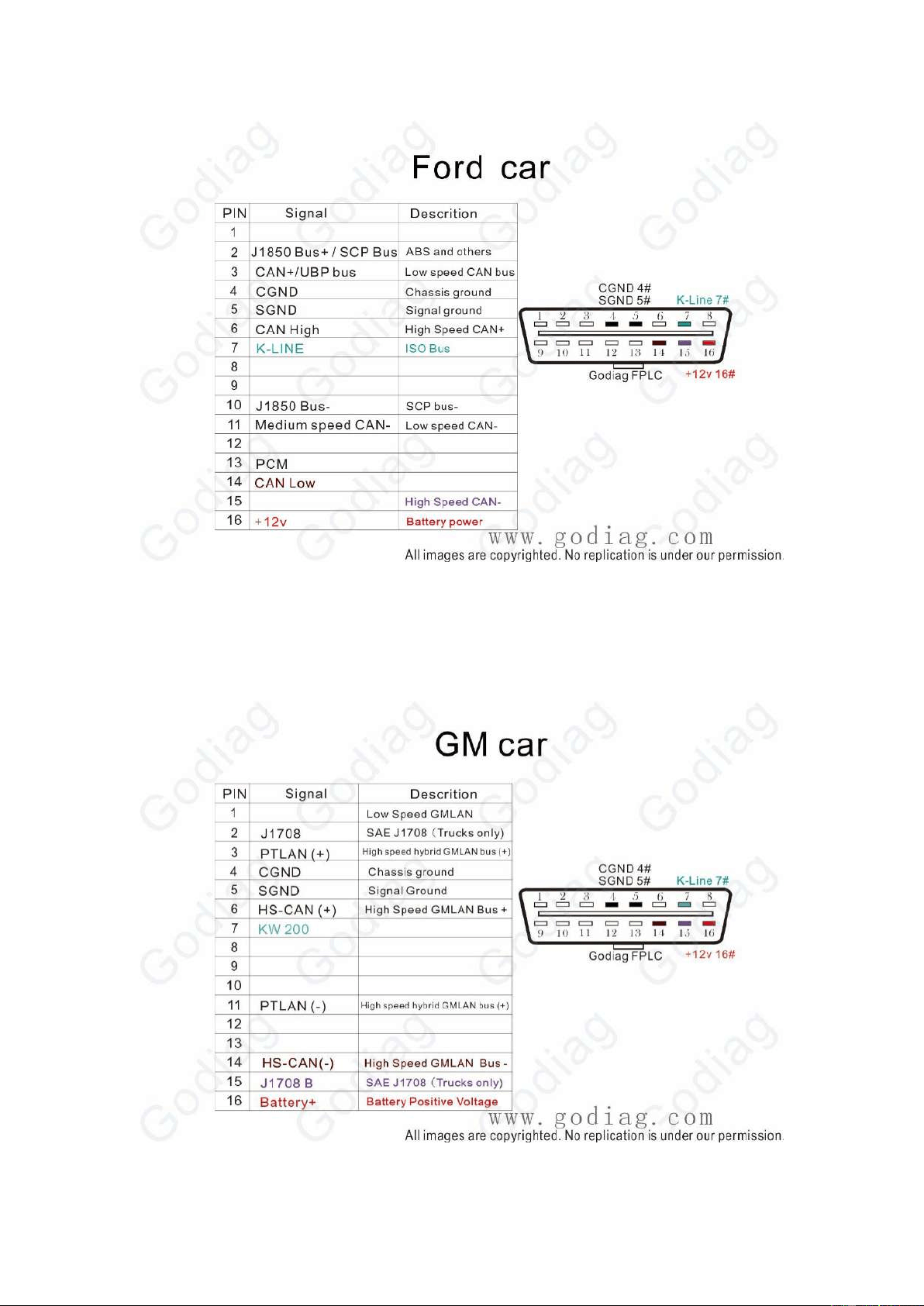
Ford 6+1 to OBDII
Ford Car
20
GM Car
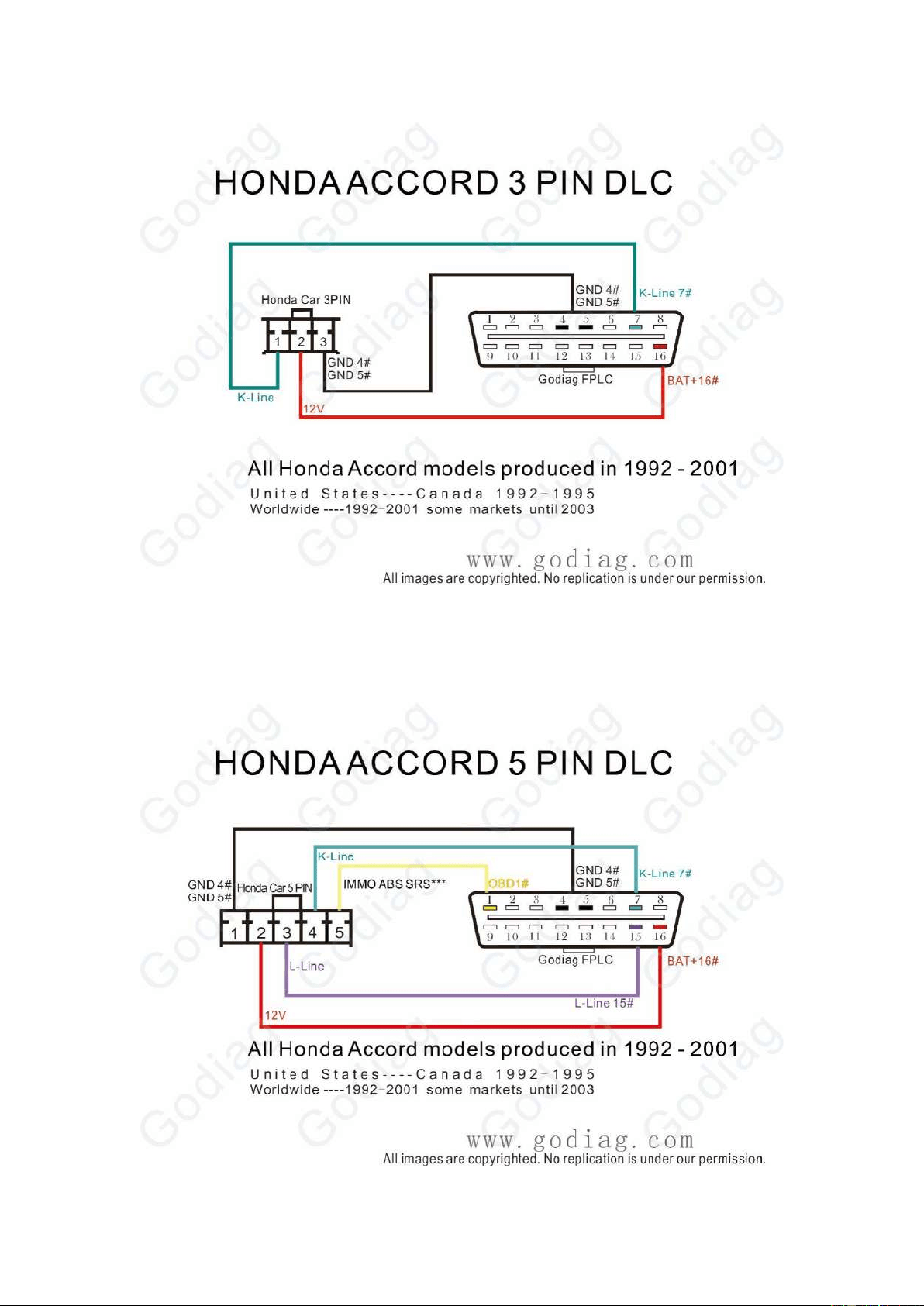
Honda Accord 3PIN
21
Honda Accord 5PIN
22
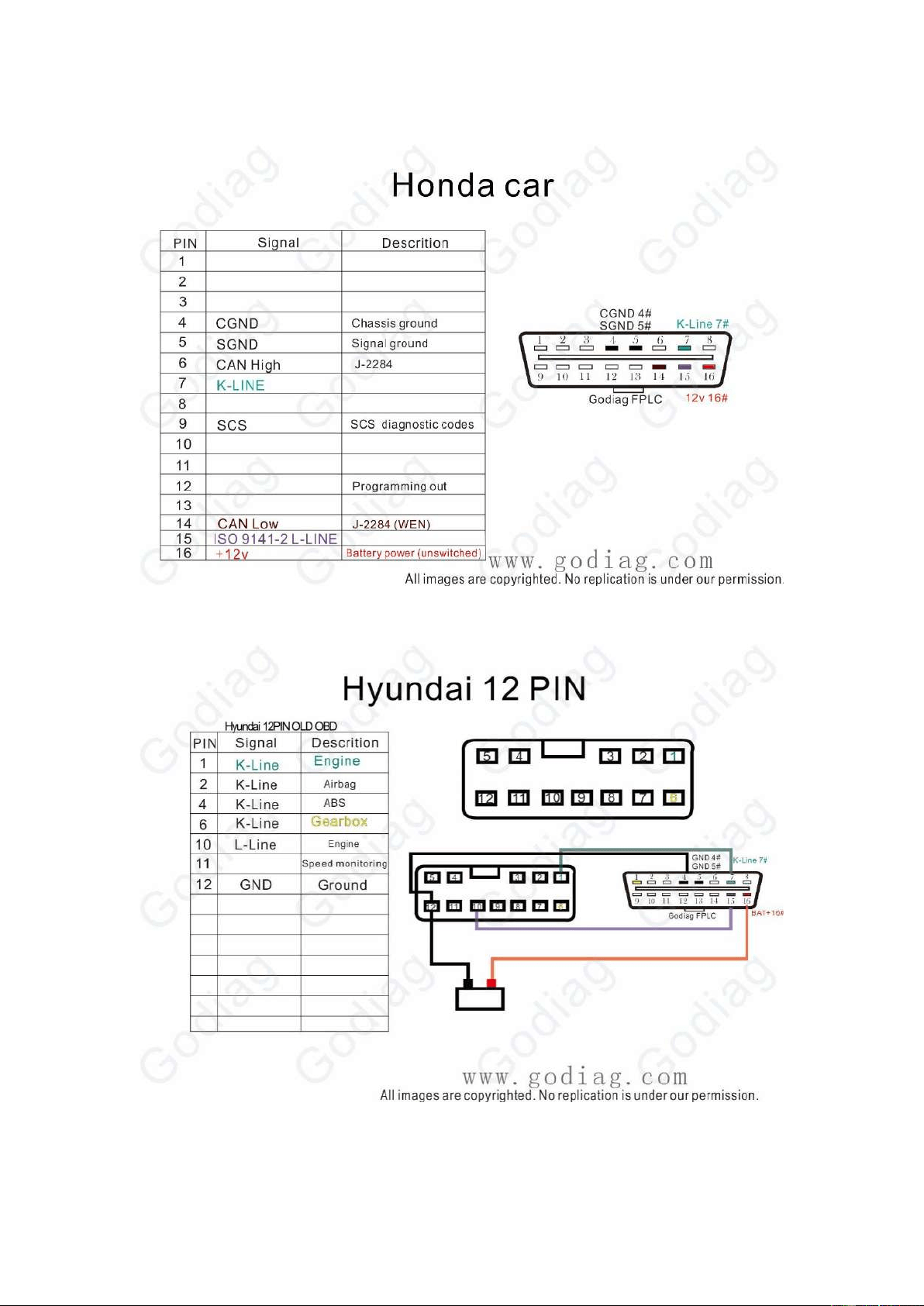
Honda Accord Car
Hyundai 12PIN
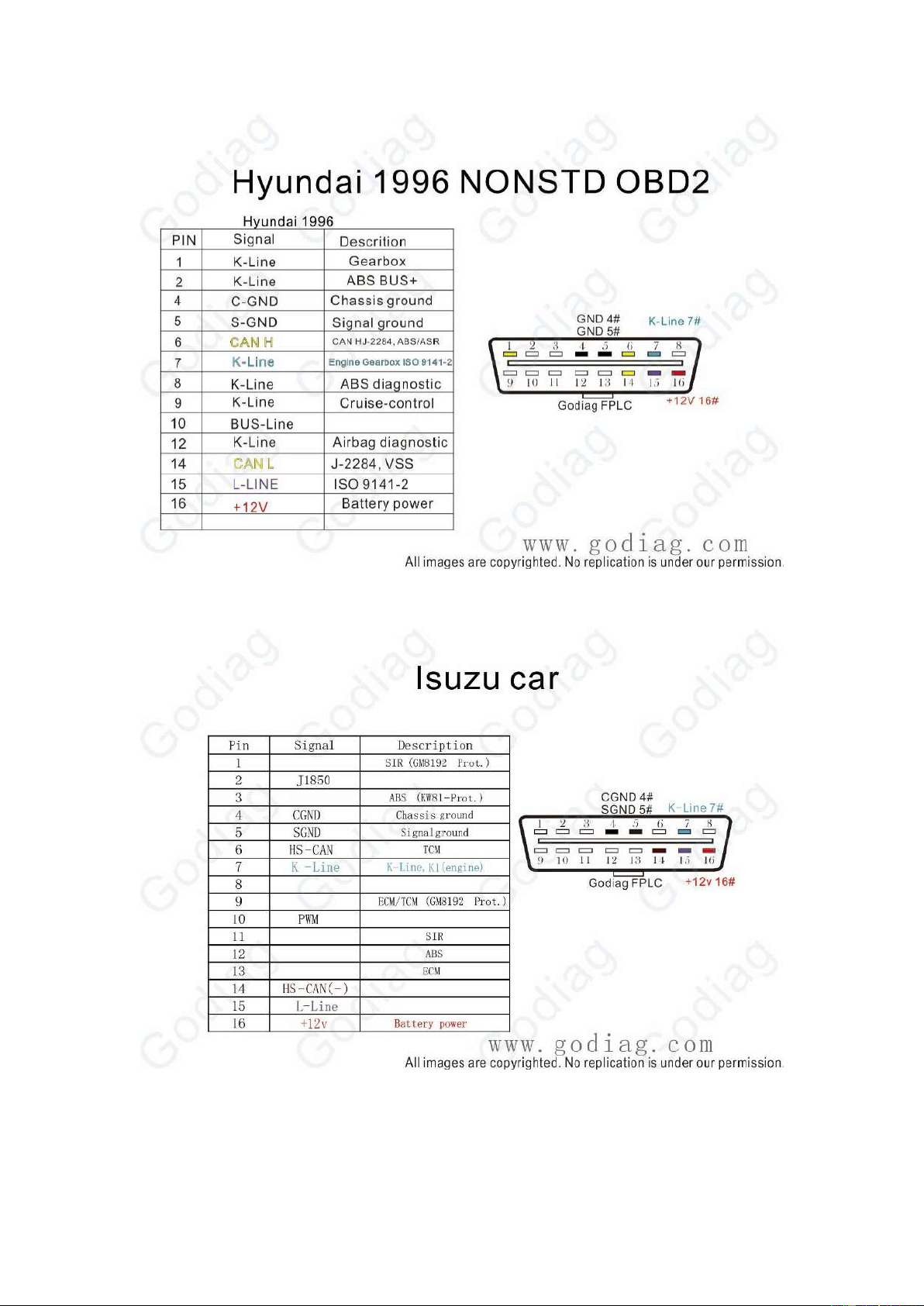
Hyundai 1996 NONSTD OBDII
23
Isuzu CAR
24
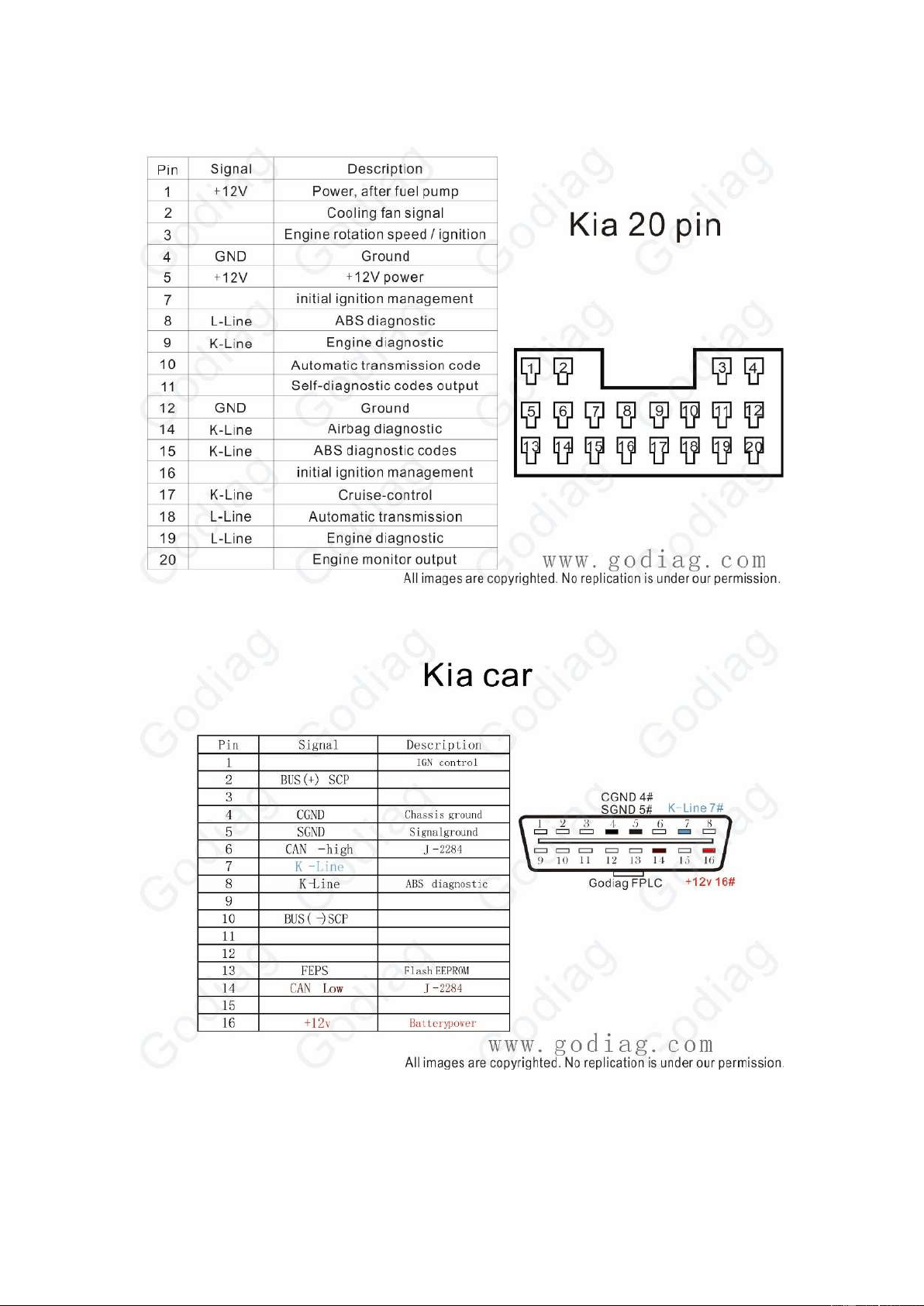
Kia 20PIN
Kia Car
25
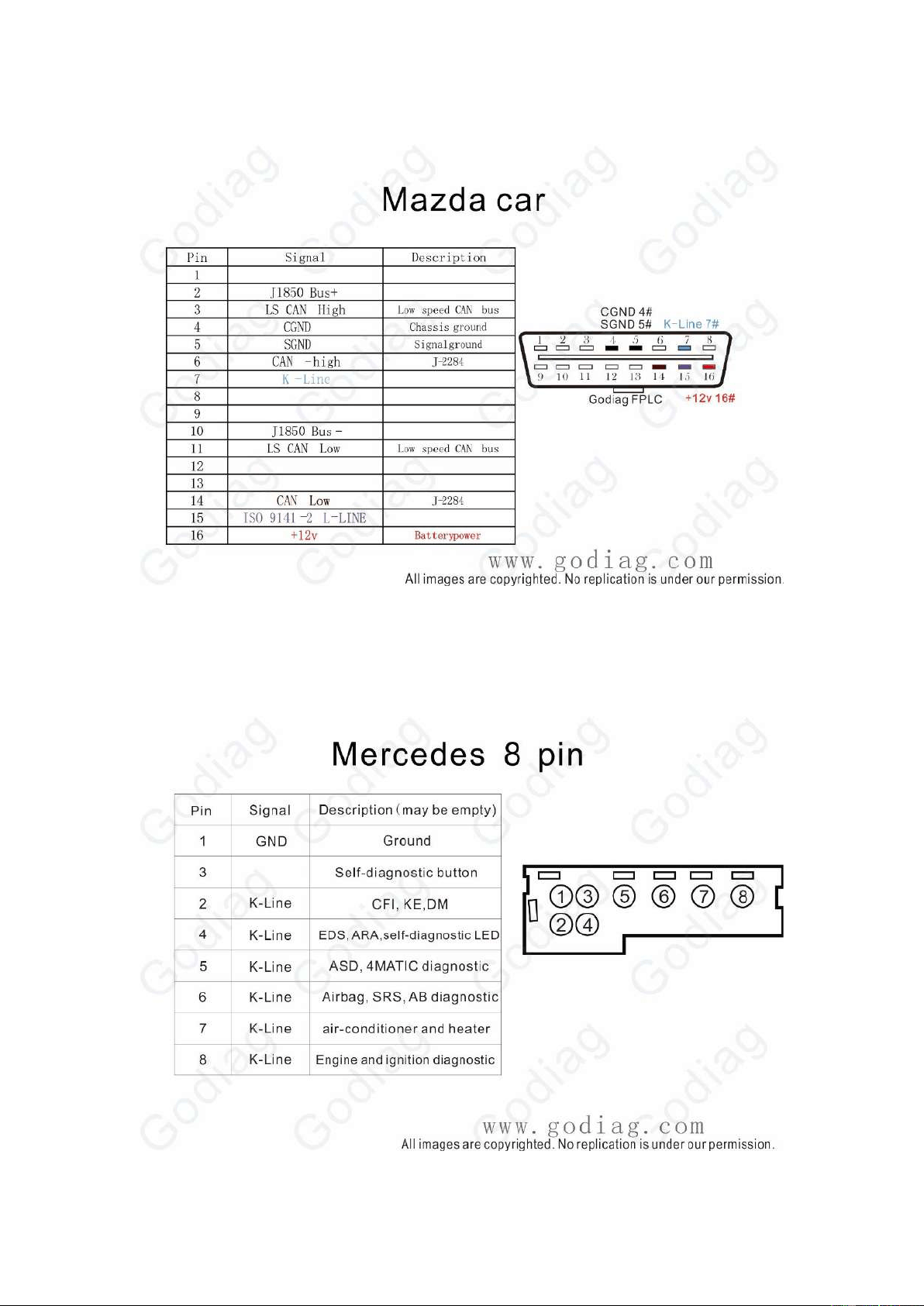
Mazda Car
Mercedes BENZ 8PIN
26
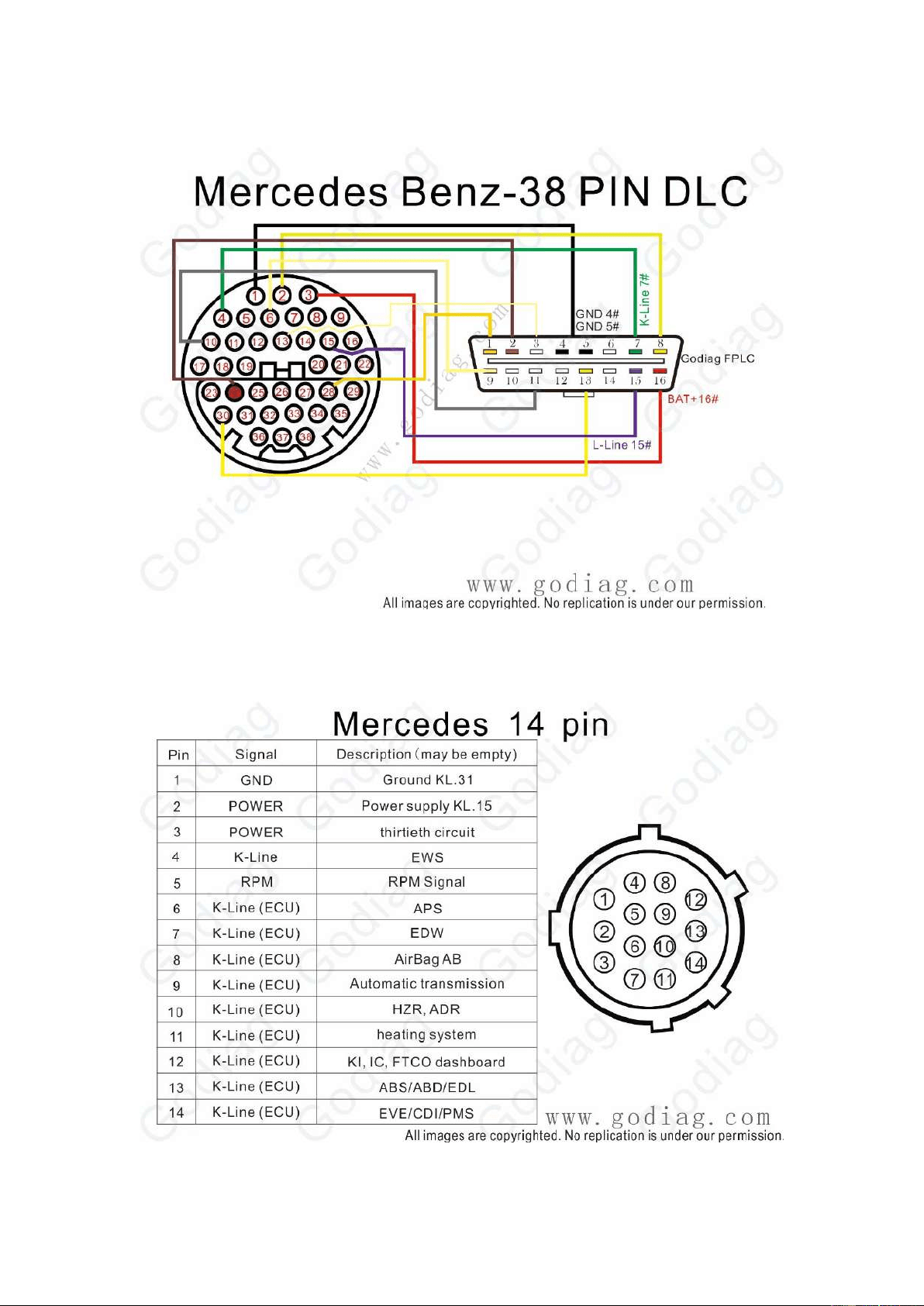
Mercedes BENZ-38PIN
Mercedes BENZ 14PIN
27
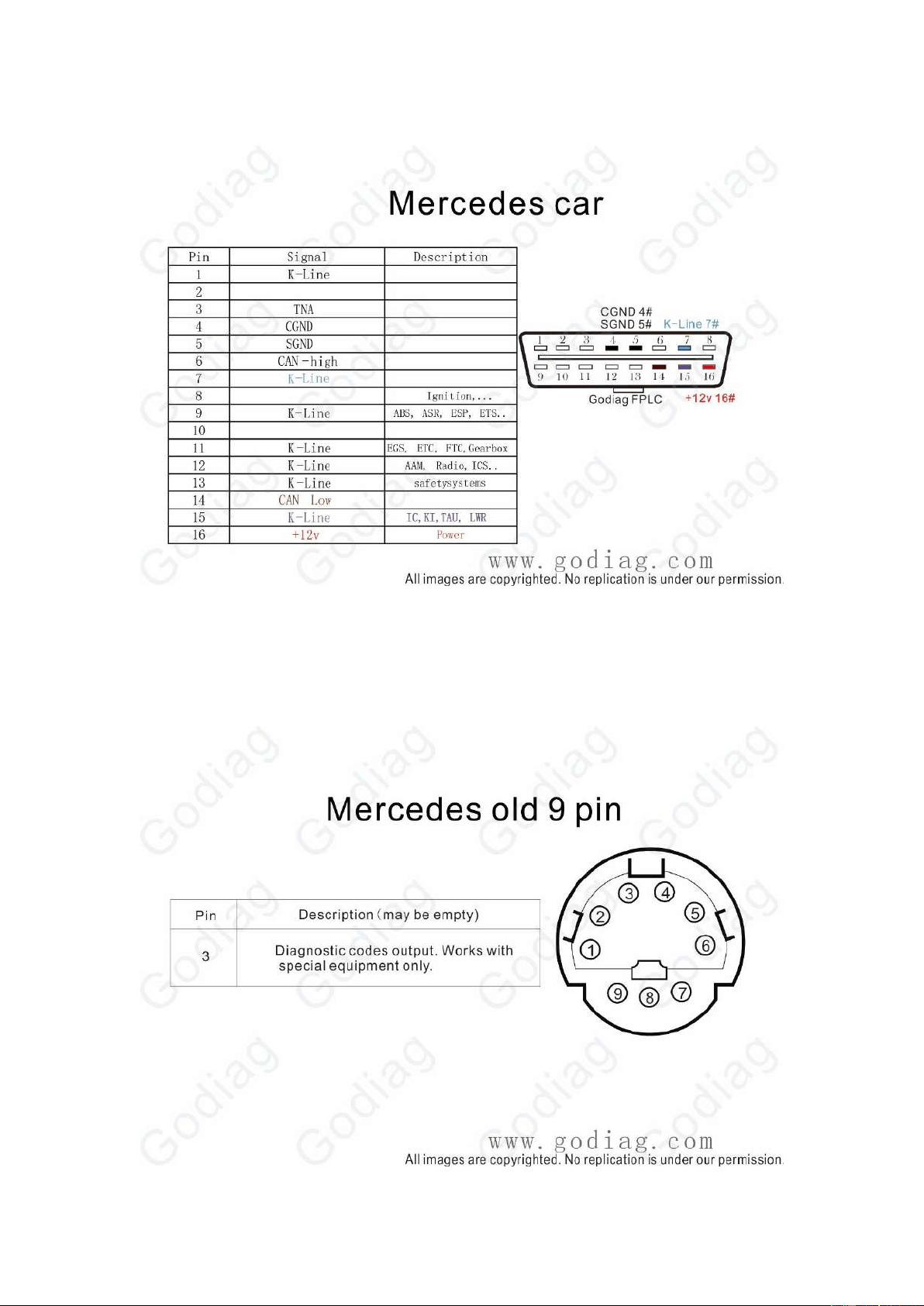
Mercedes BENZ Car
Mercedes BENZ Old 9PIN
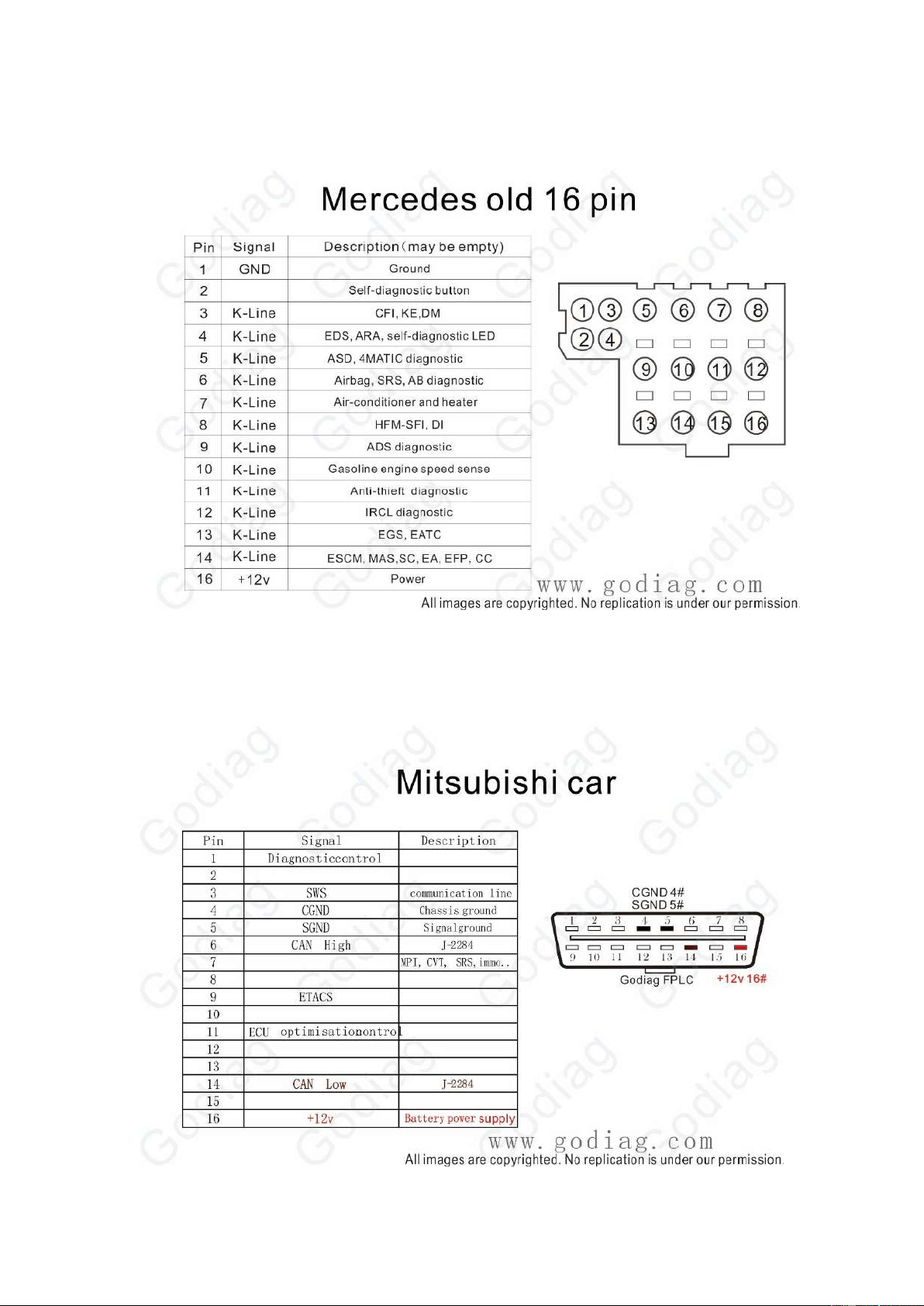
28
Mercedes BENZ Old 16PIN
Mitsubishi Car
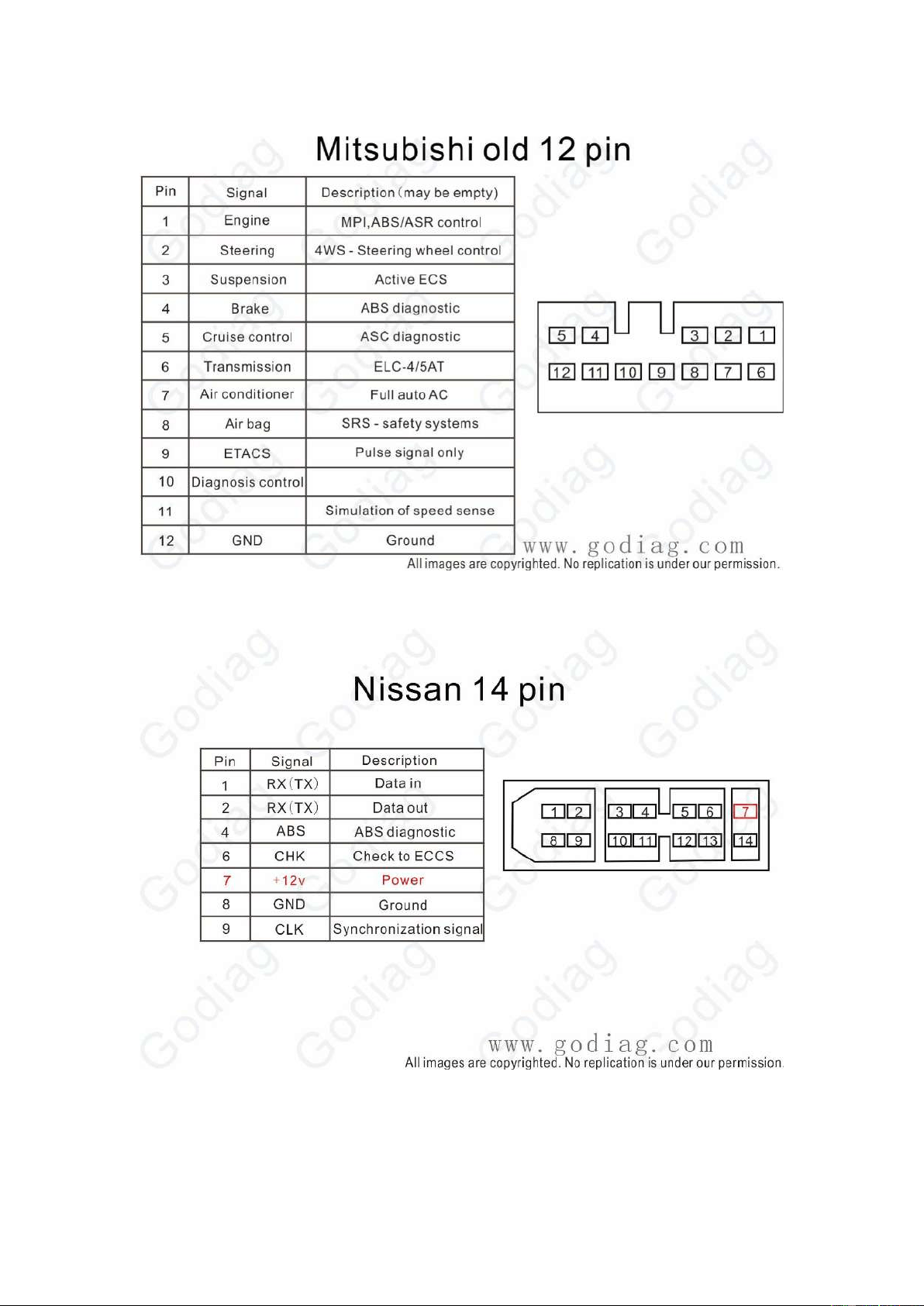
29
Mitsubishi Old 12PIN
Nissan 14PIN
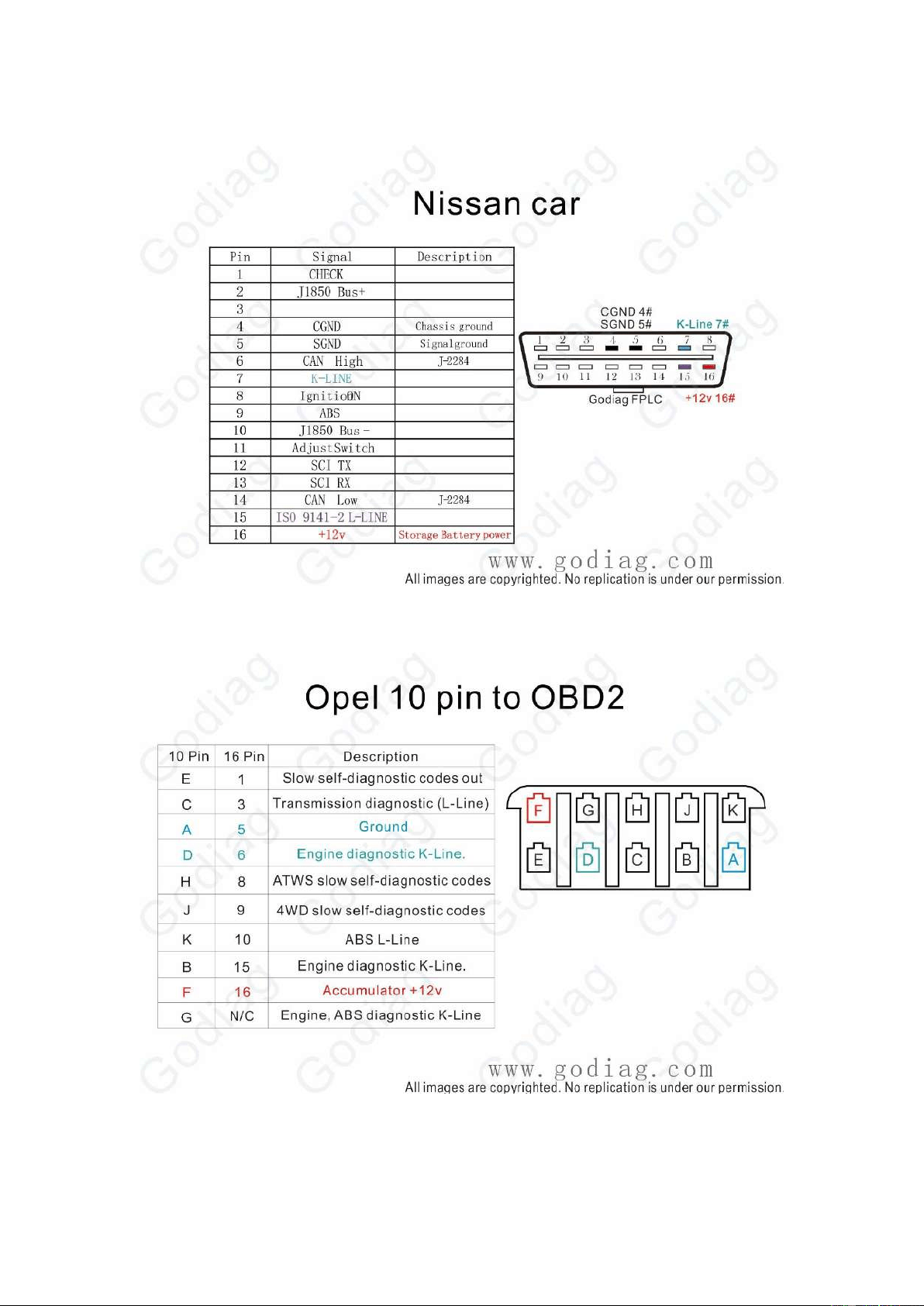
30
Nissan Car
Opel 10PIN to OBDII
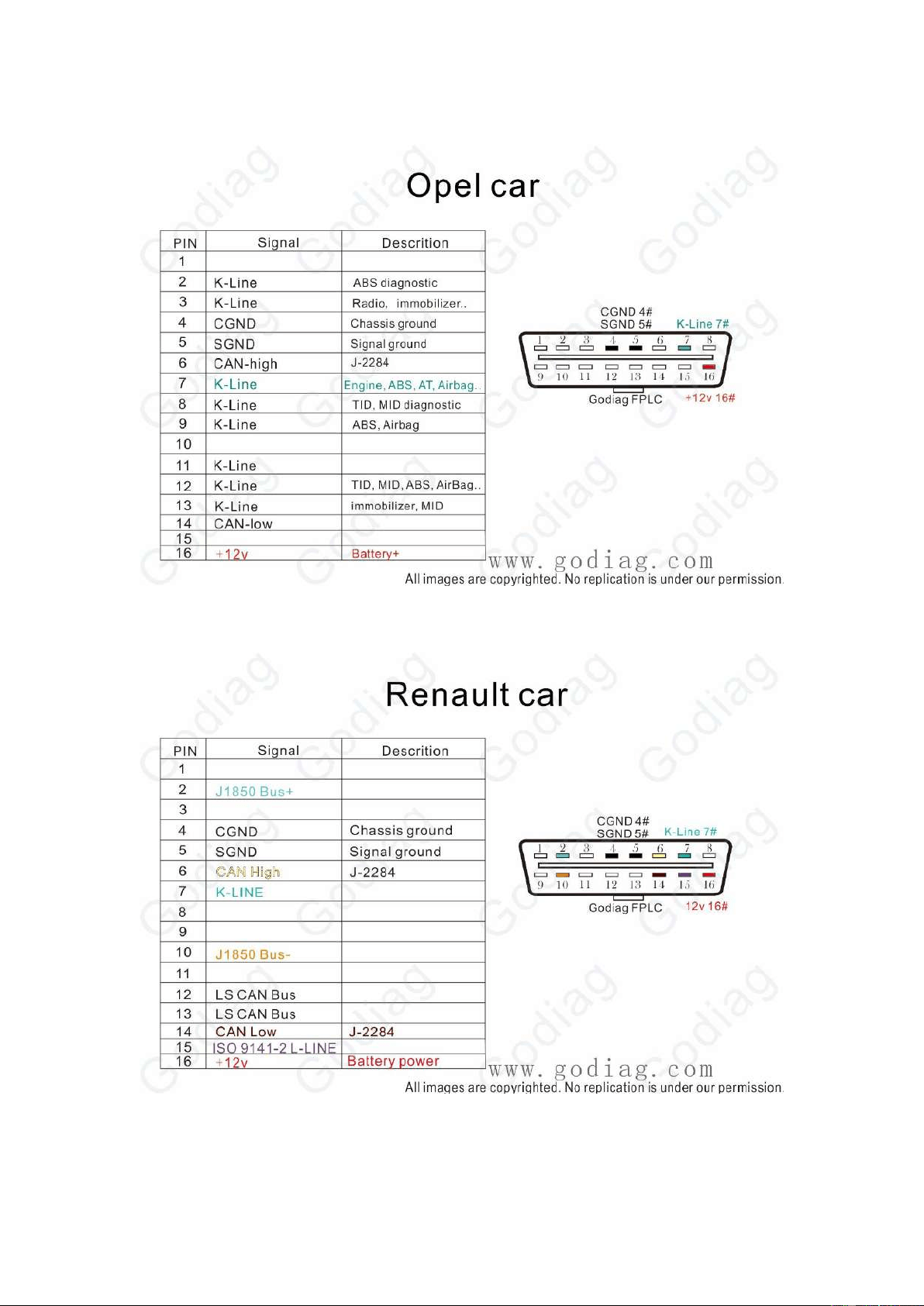
31
Opel Car
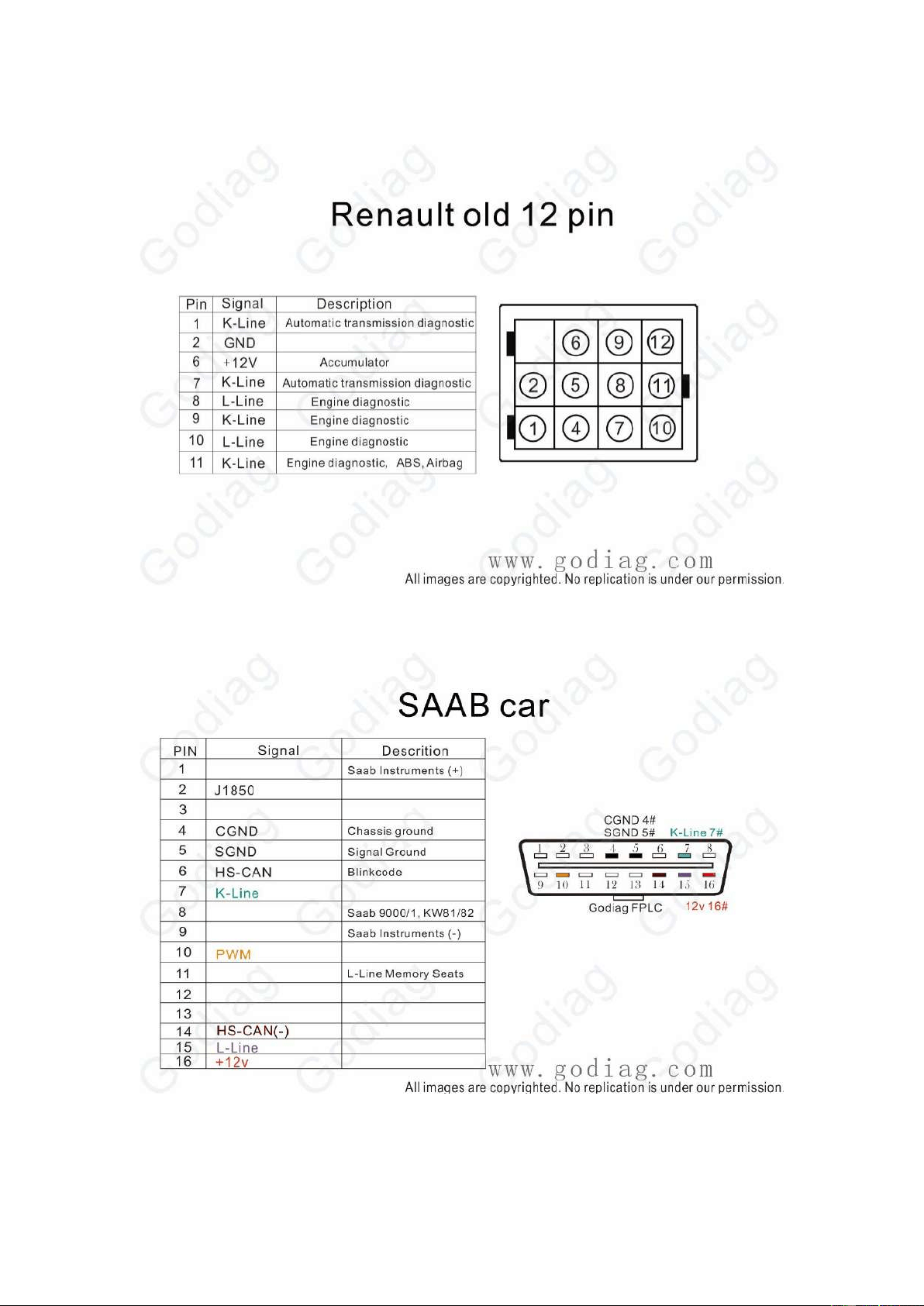
Renault CAR
32
Renault Old 12PIN
SAAB Car
33
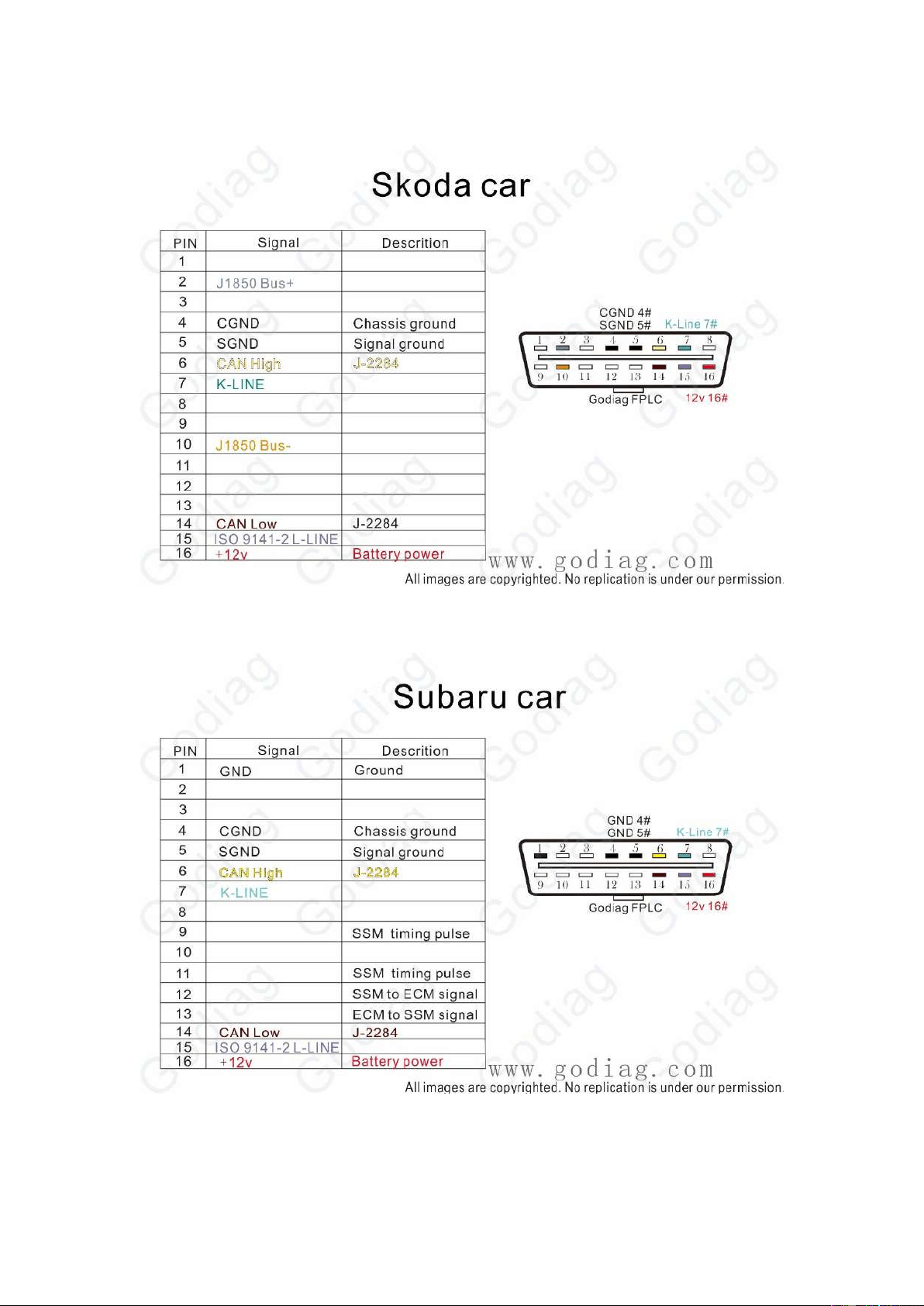
Skoda Car
Subaru Car
34
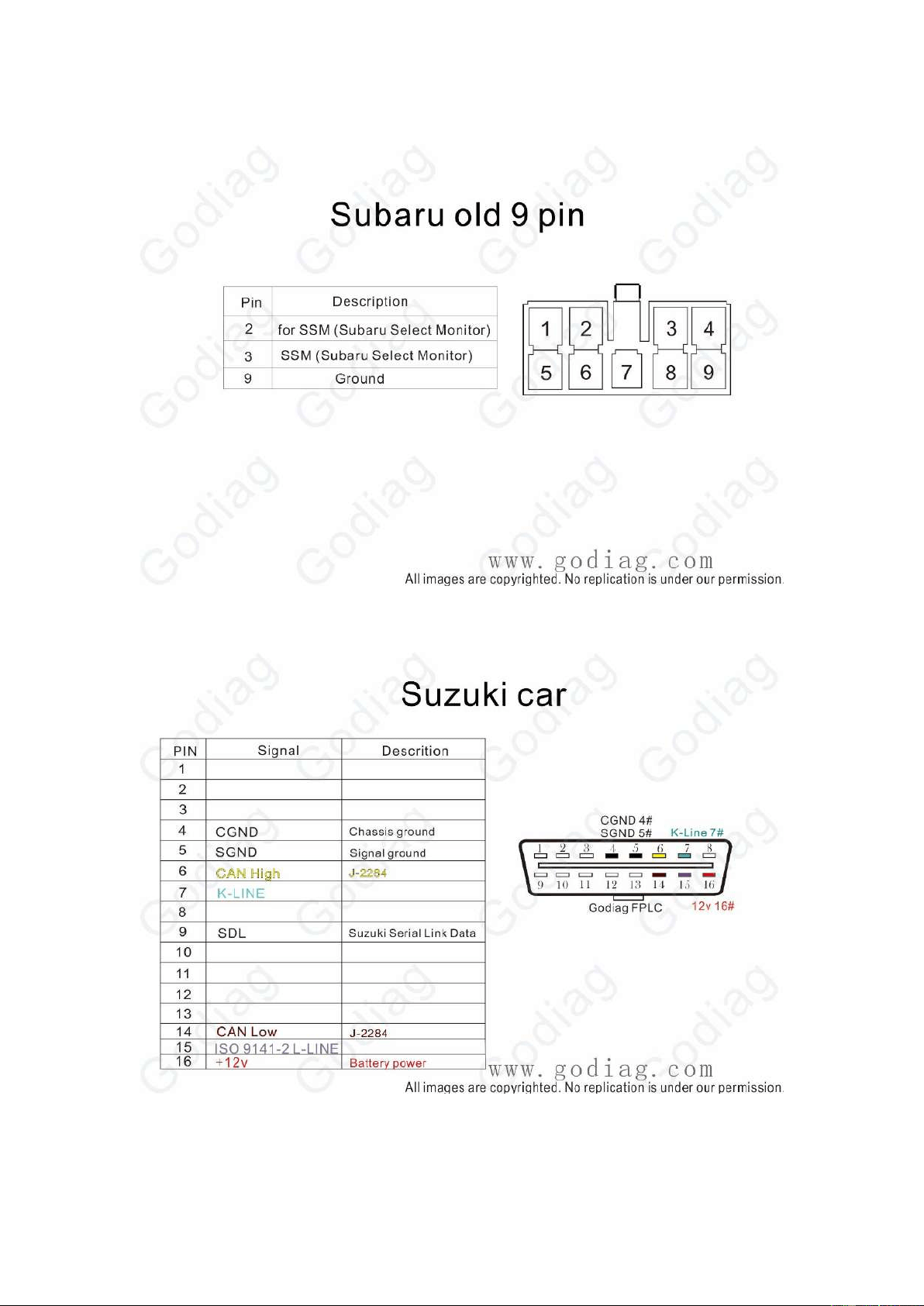
Subaru Old 9PIN
Suzuki Car
35
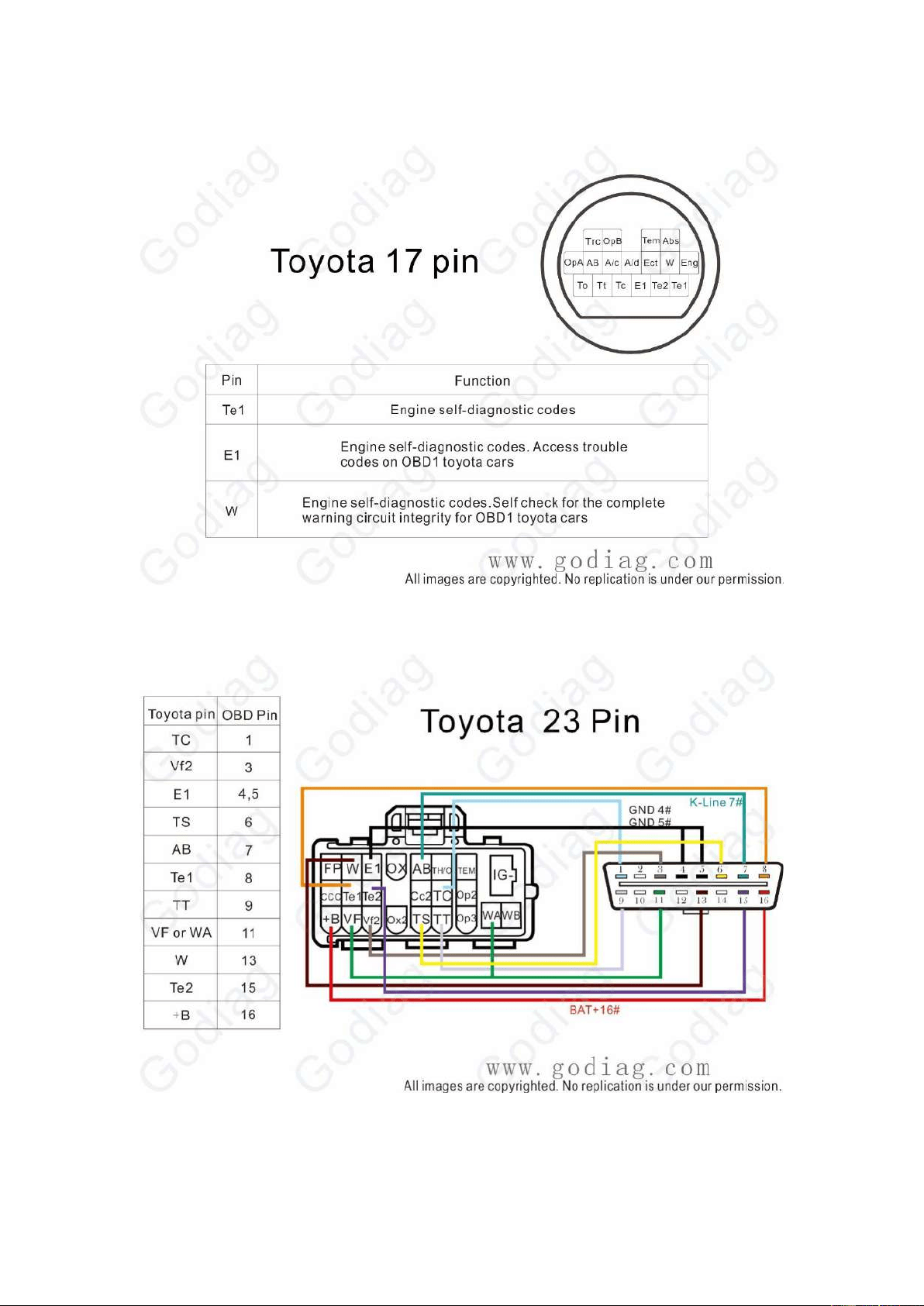
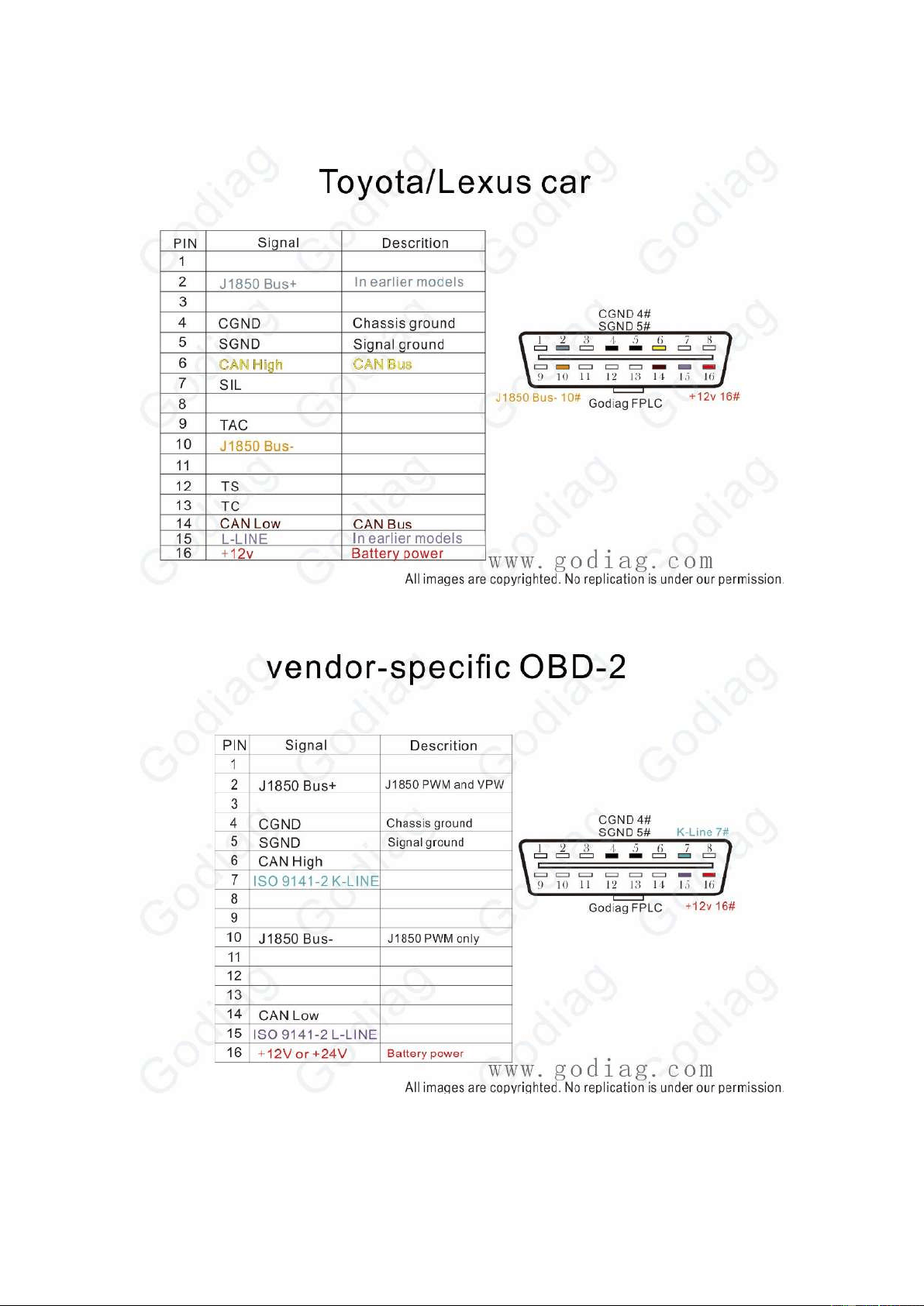
Toyota 17PIN
Toyota 23PIN
36
Toyota/Lexus Car
Vendor-Specific OBDII
37
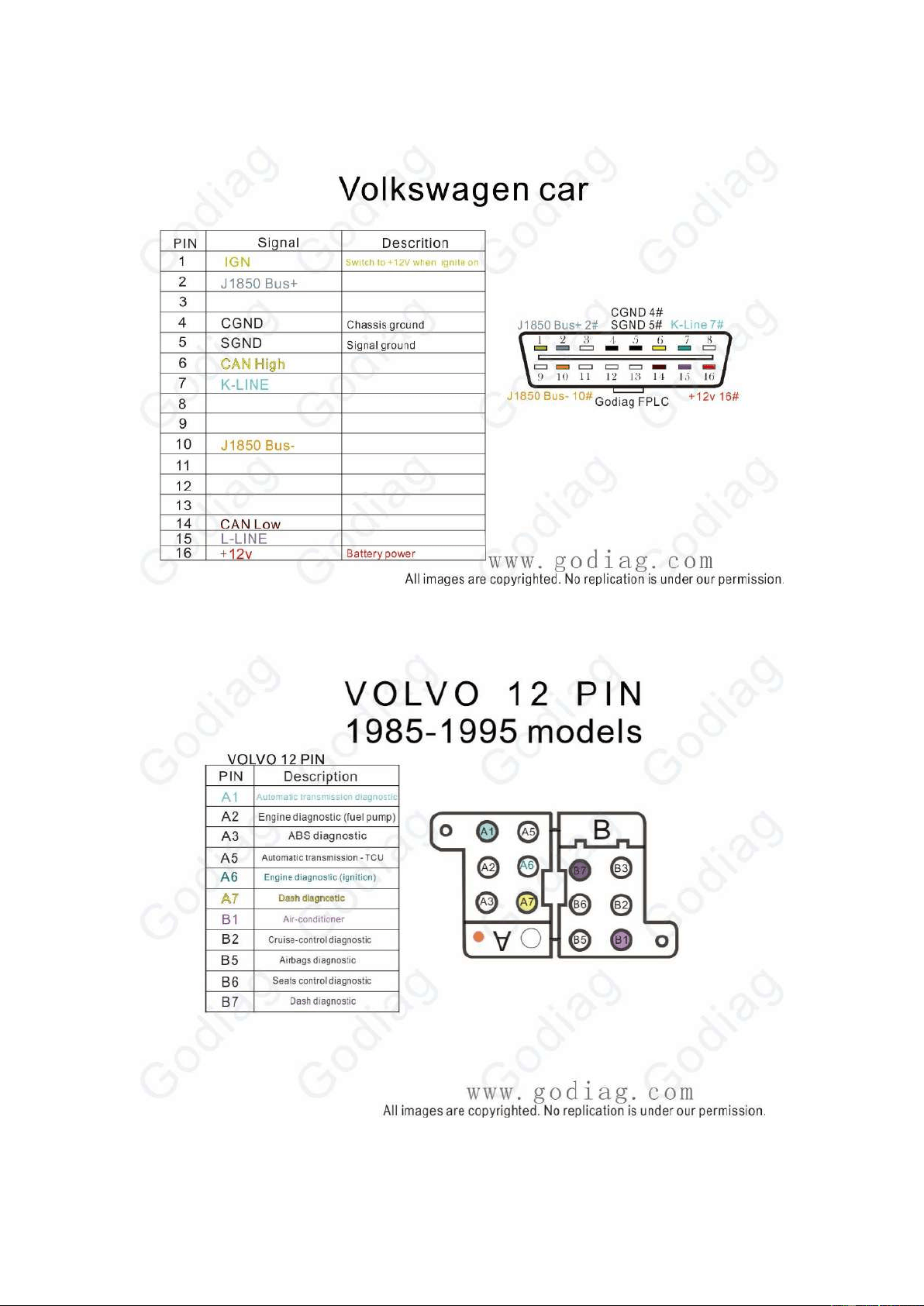
Volkswagen Car
Volvo 12PIN 1985-1995
38
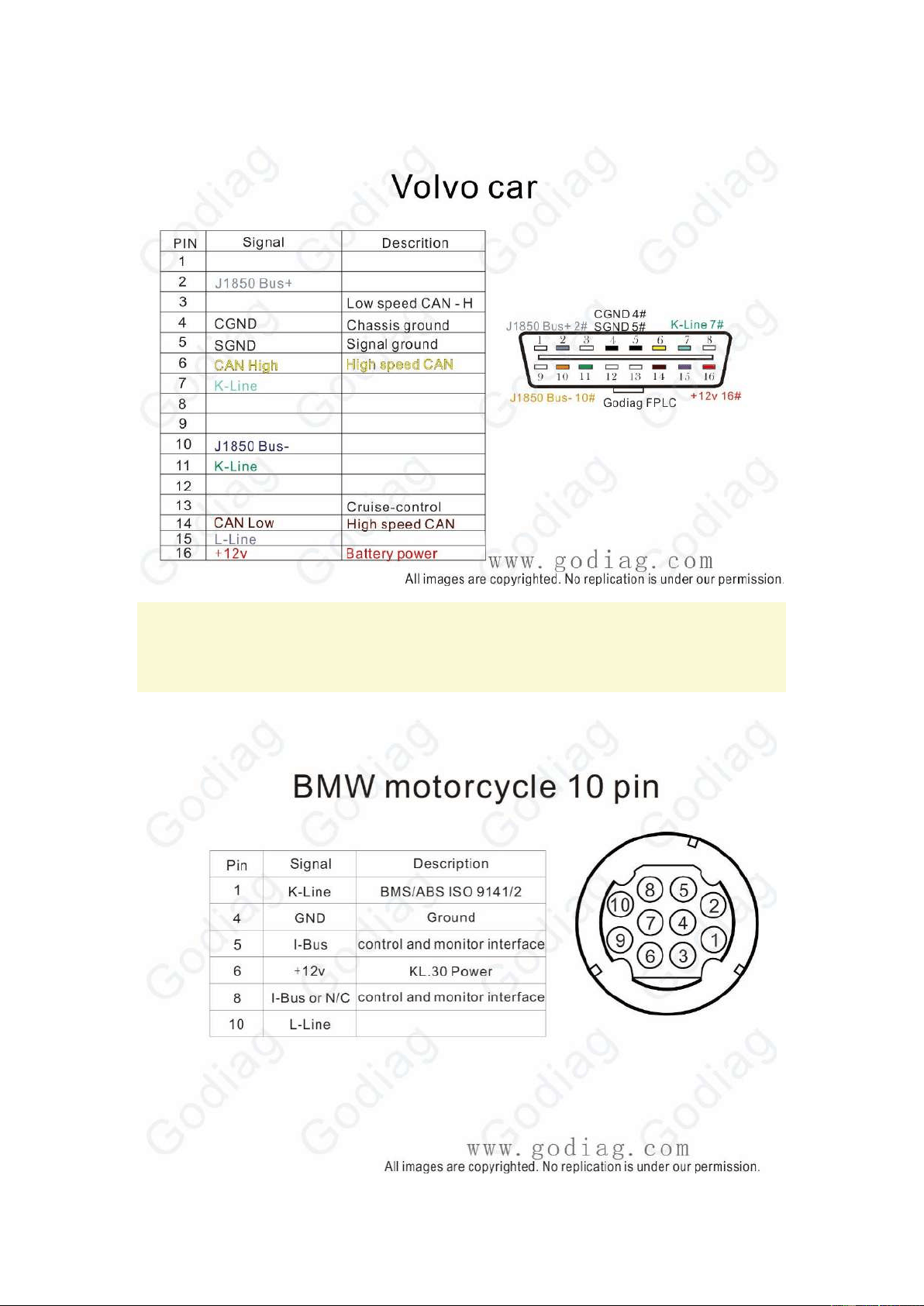
Volvo Car
13. Truck, Tractor, Motorcycle Diagnostic Interface
Definition
BMW motorcycle 10PIN
39
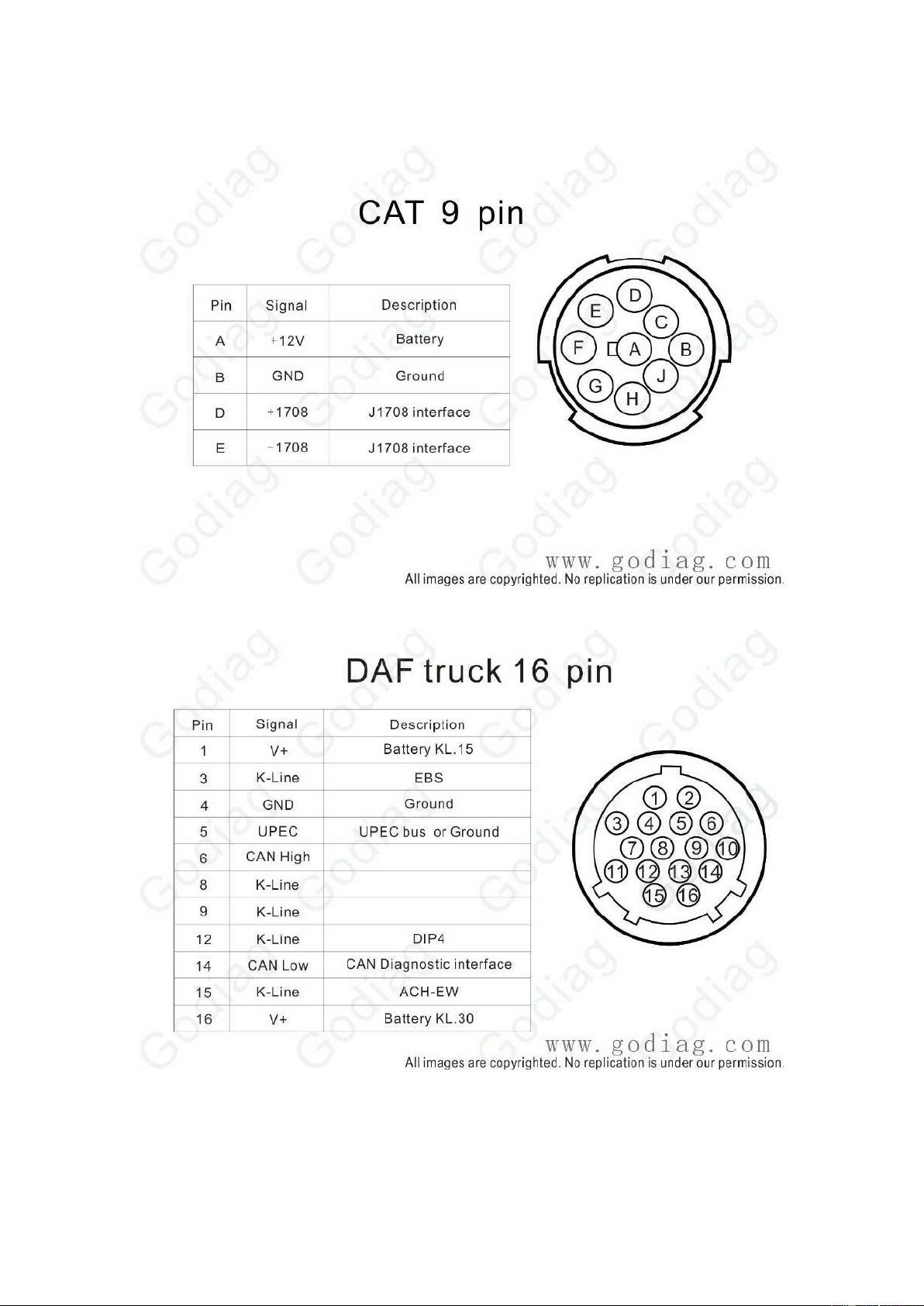
CAT 9PIN
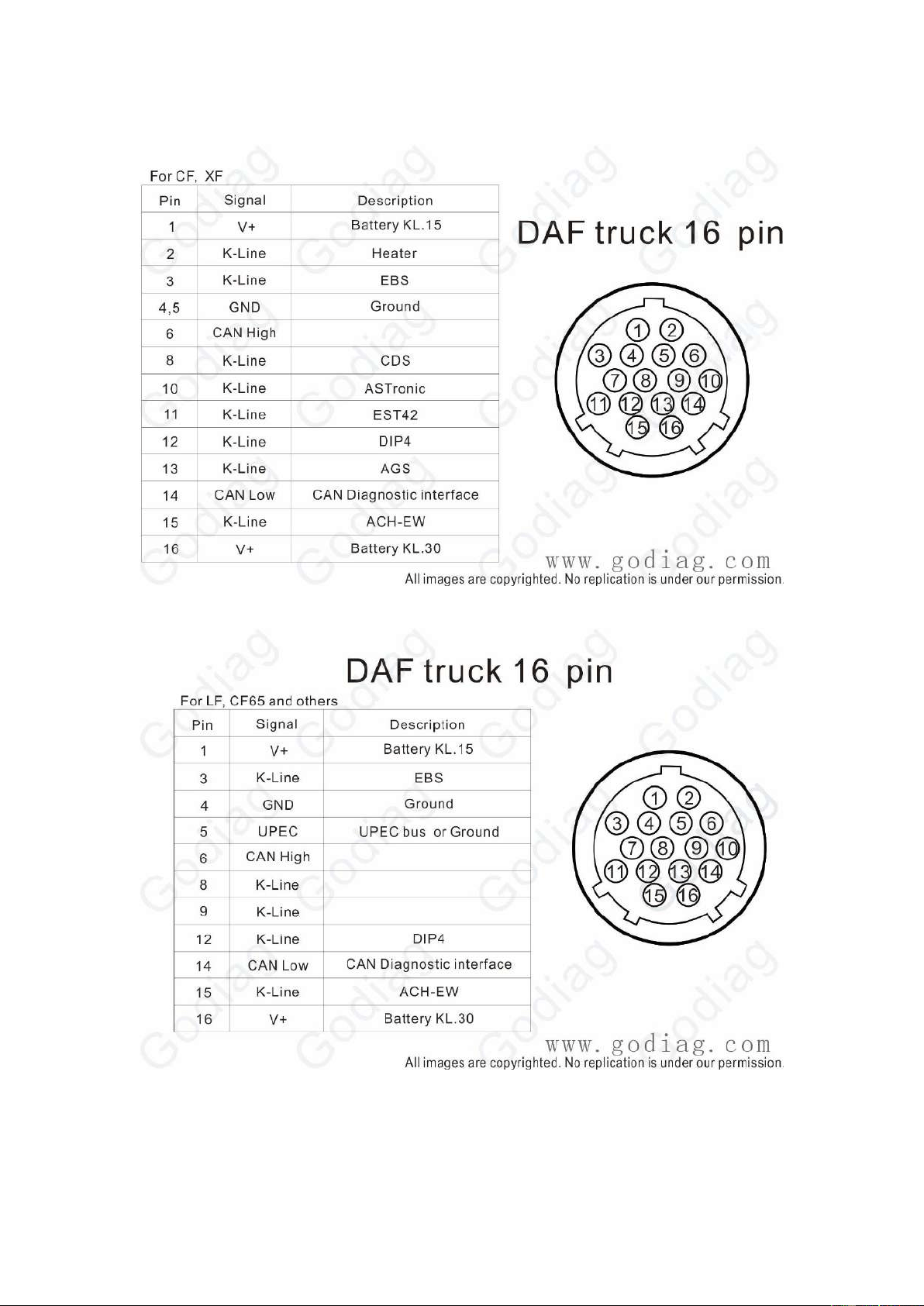
DAF Truck 16PIN
40
DAF Truck 16PIN For CF XF
DAF Truck 16PIN For LF CF65 and others
41
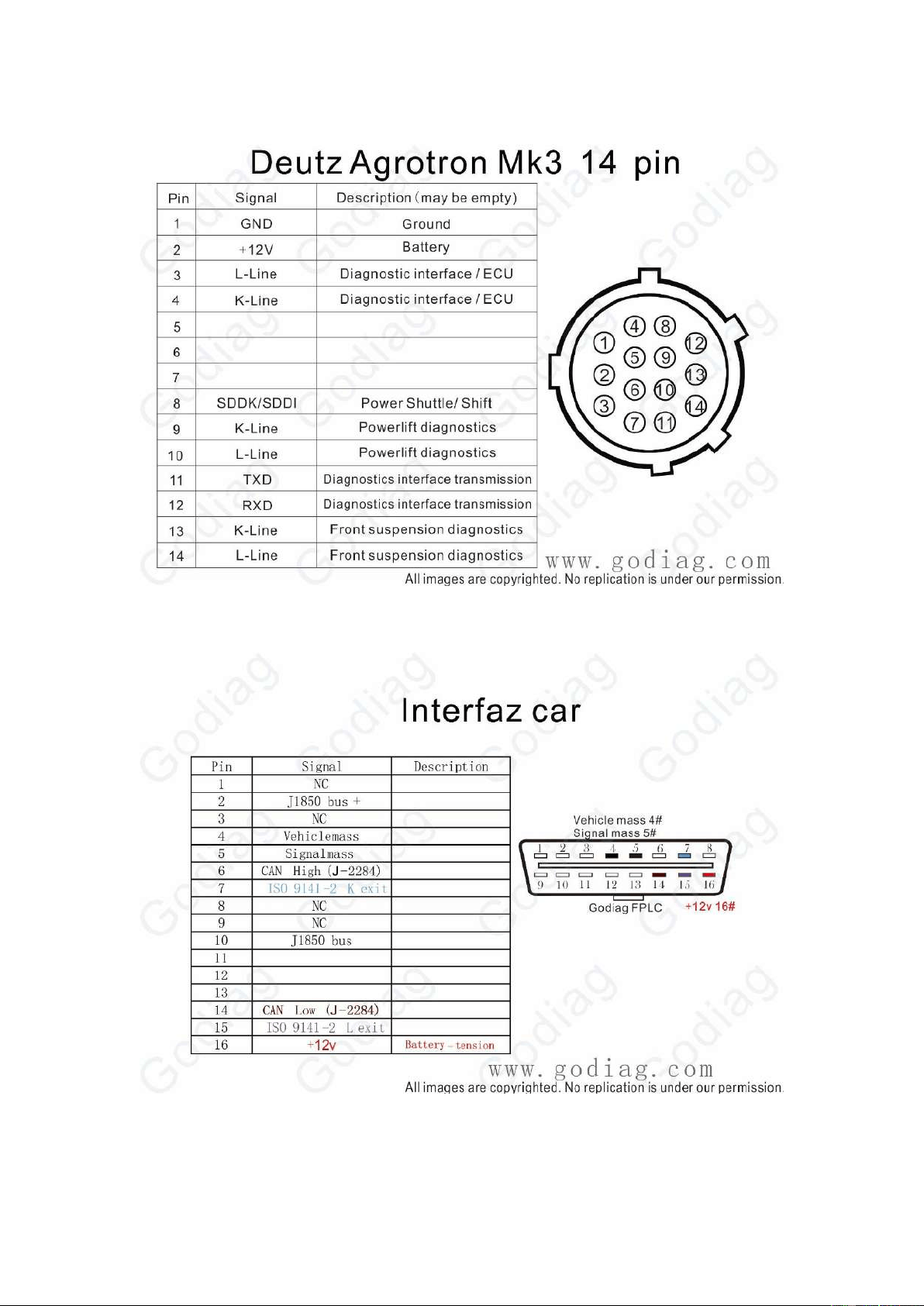
Deutz Agrotron MK3 14PIN
Interfaz Car
42
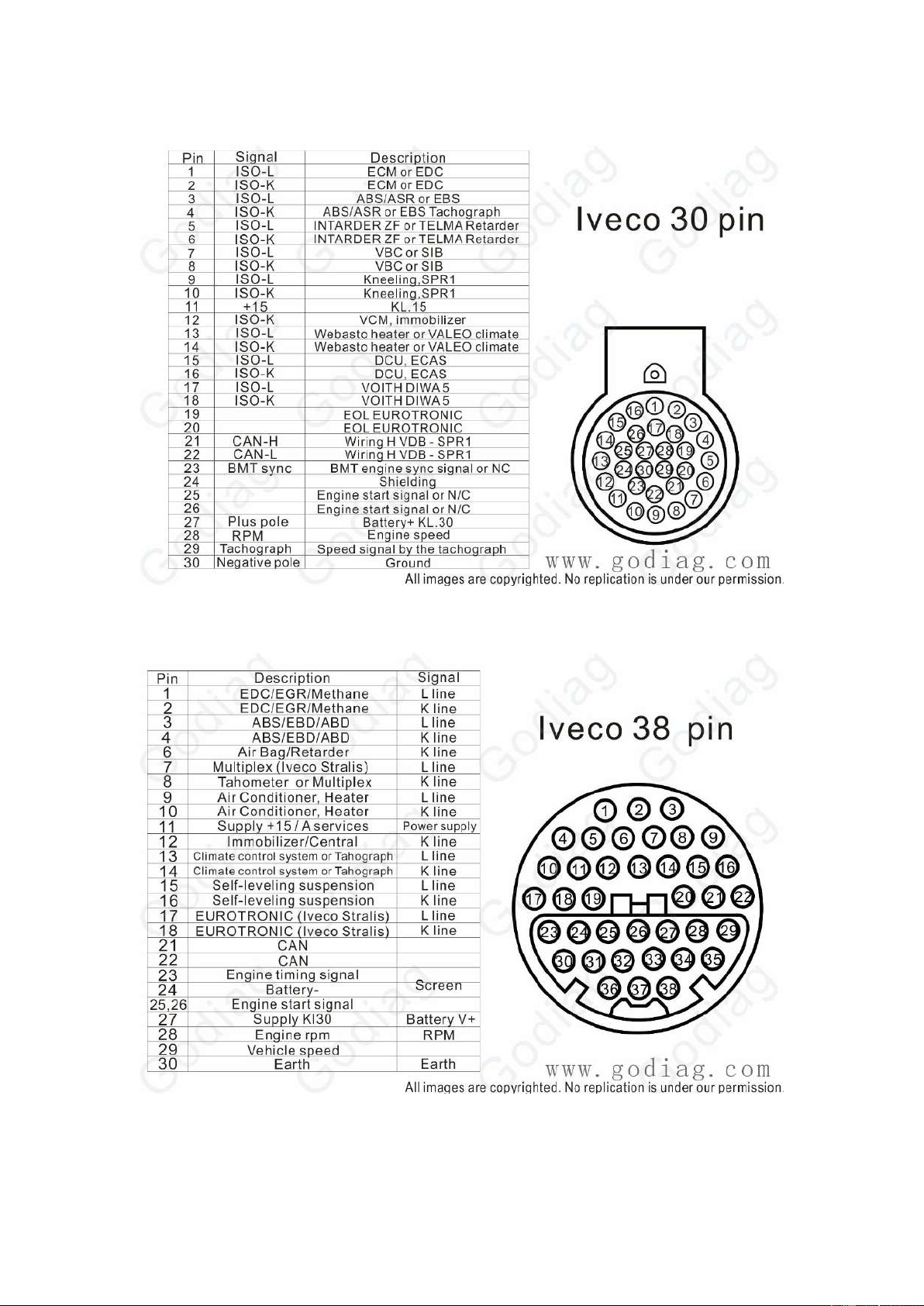
Iveco 30PIN
Iveco 30PIN
43
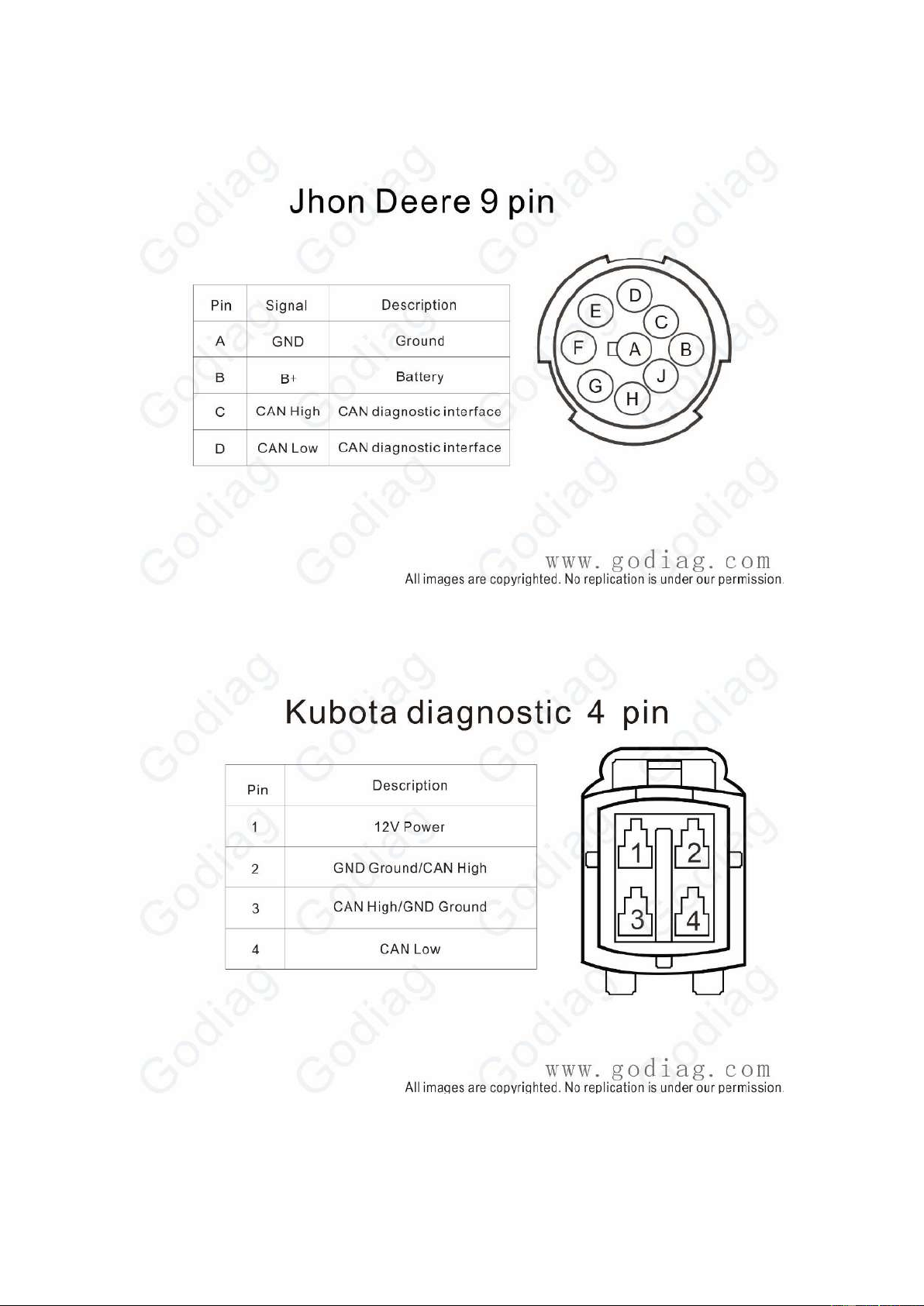
Jhon Deere 9PIN
Kubota 4PIN
44
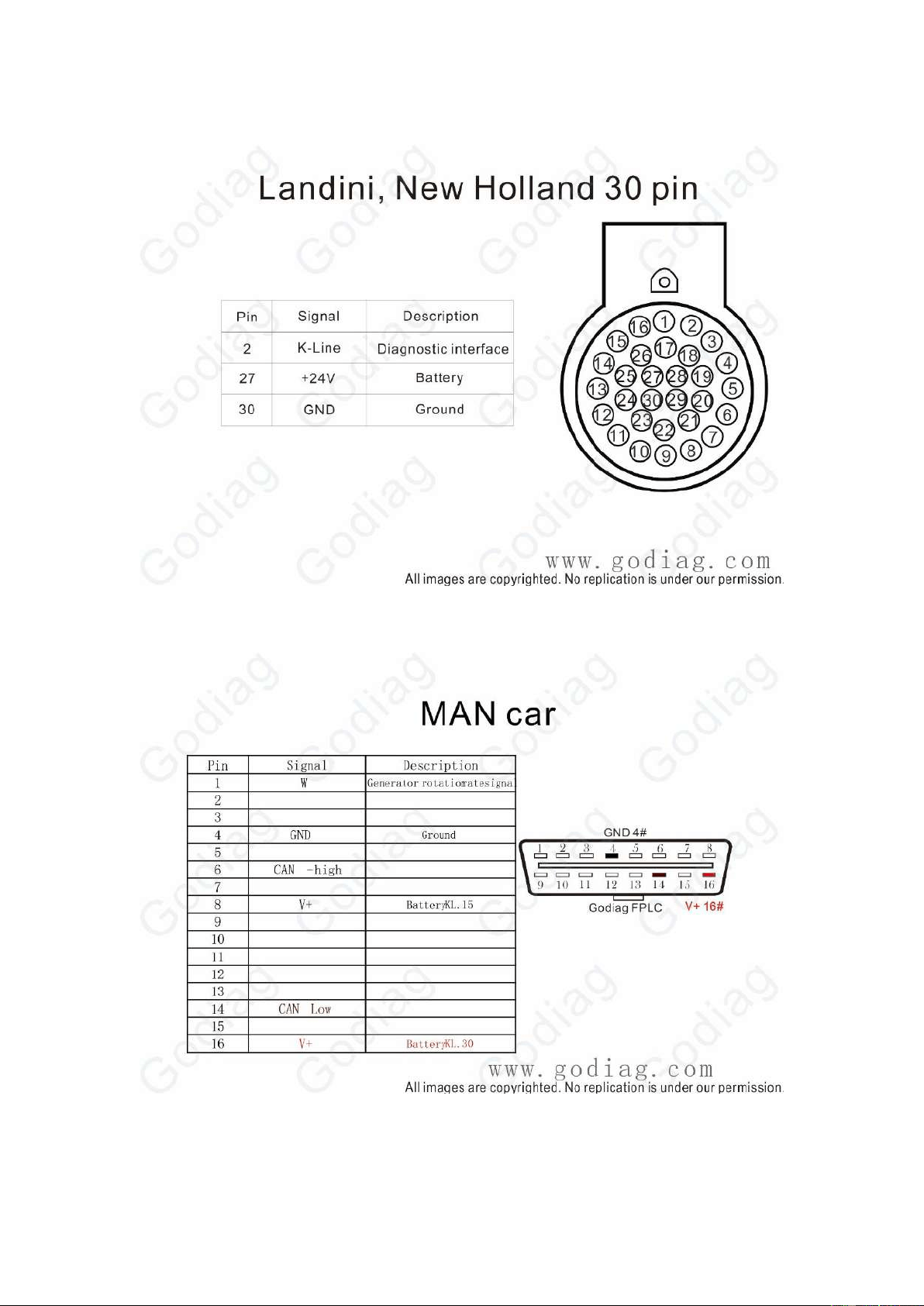
Landini New Holland 30PIN
MAN Car
45
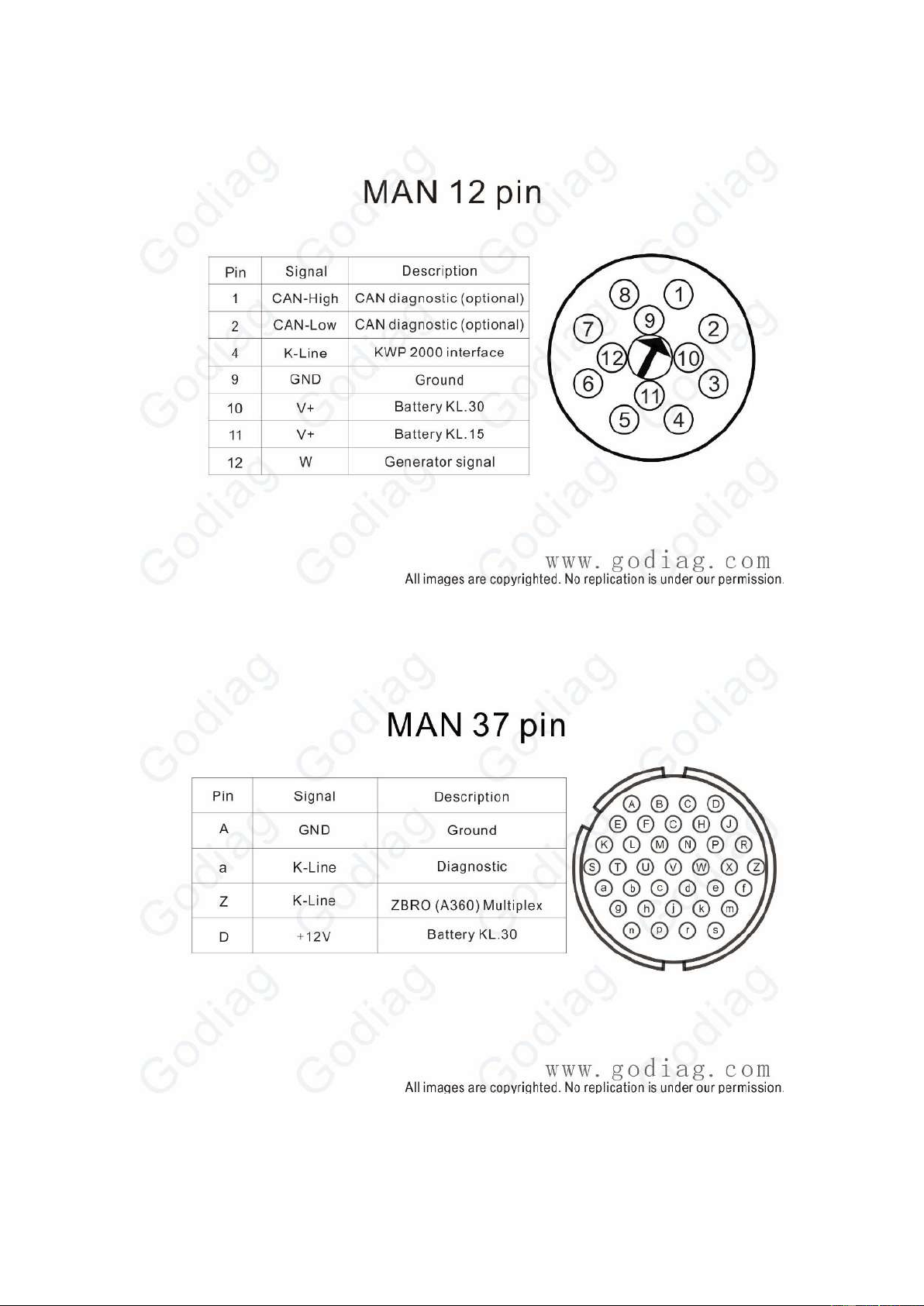
MAN 12PIN
MAN 37 PIN
46
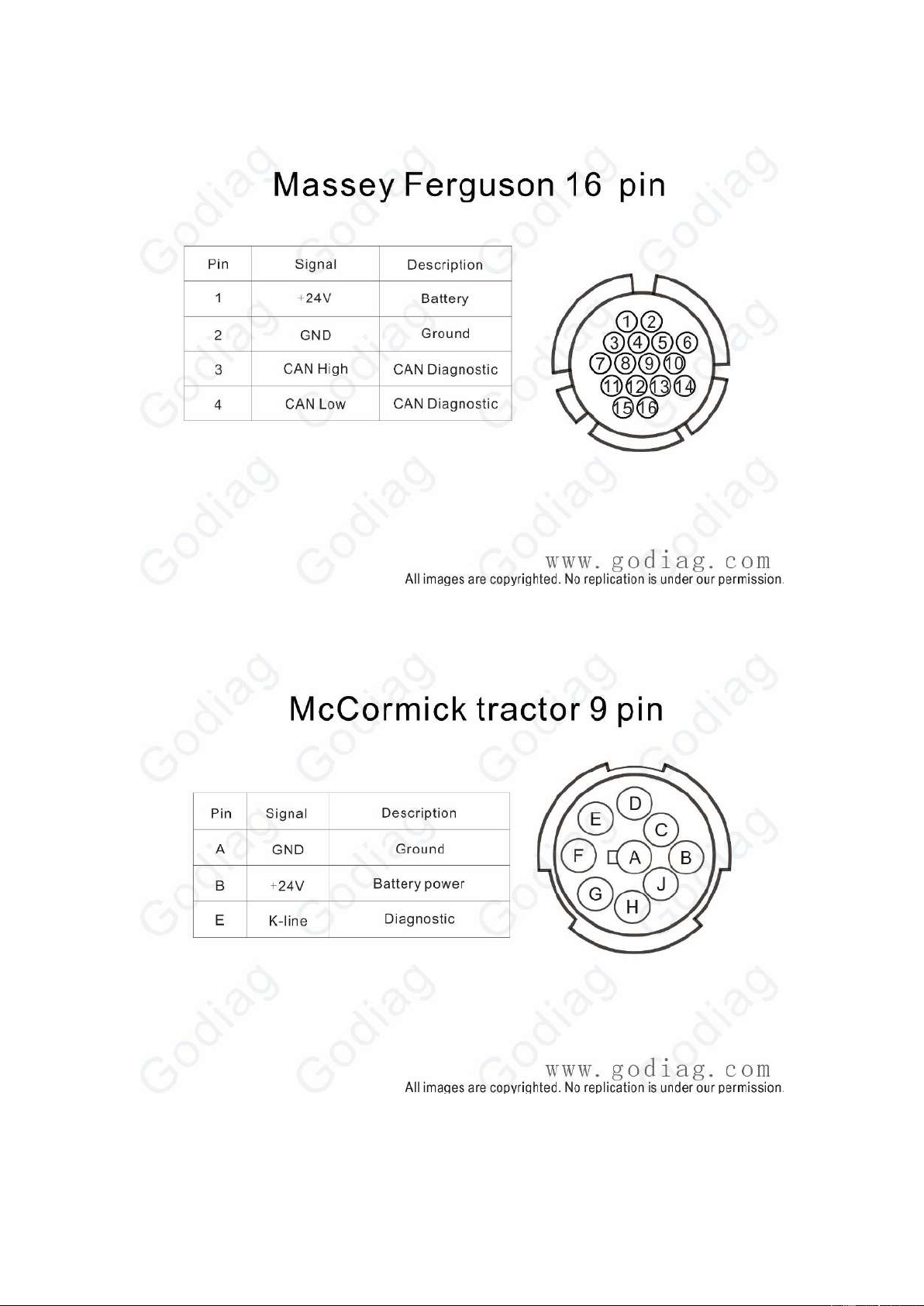
Massey Ferguson 16PIN
McCormick tractor 9PIN
47
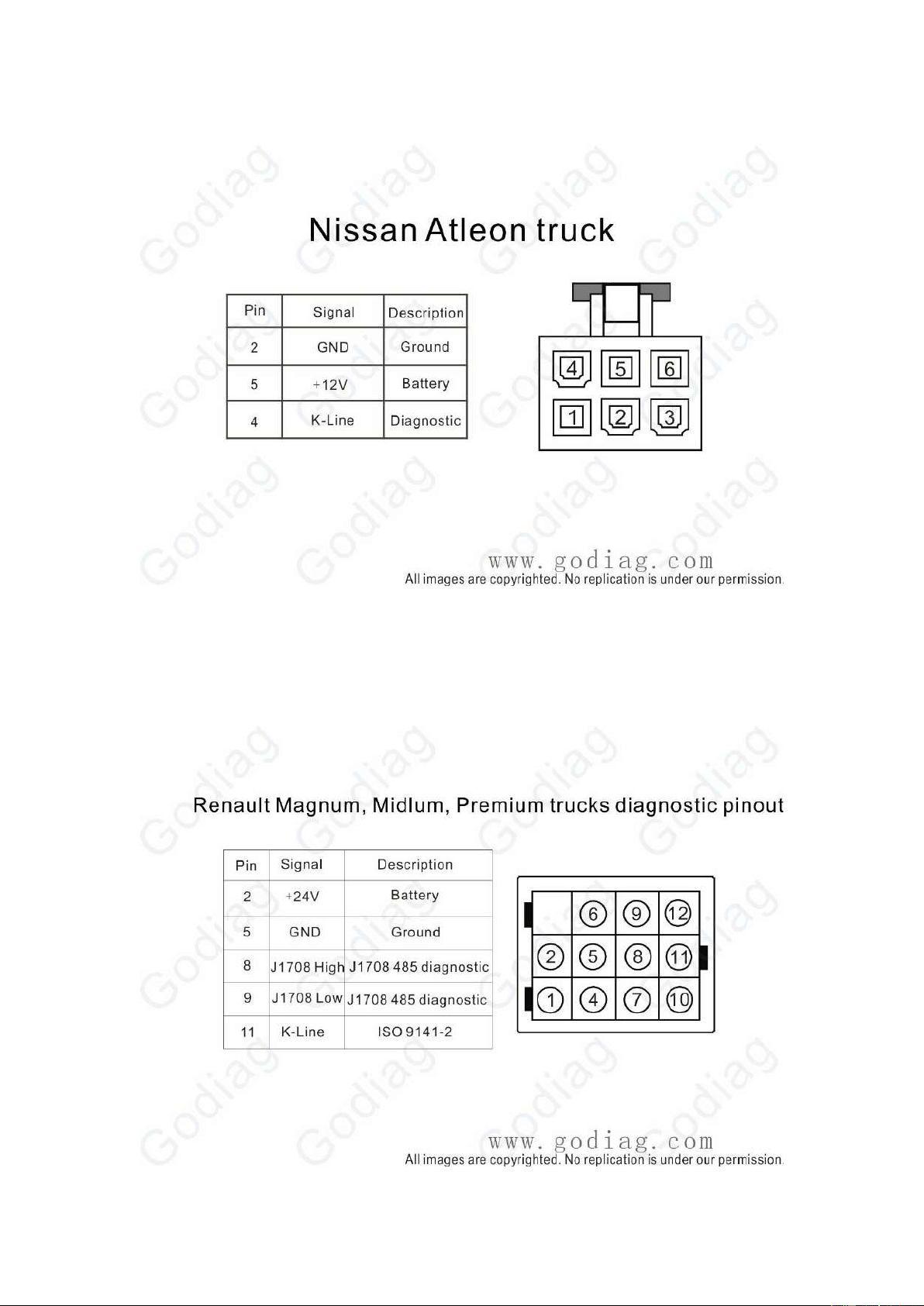
Nissan Atleon Truck
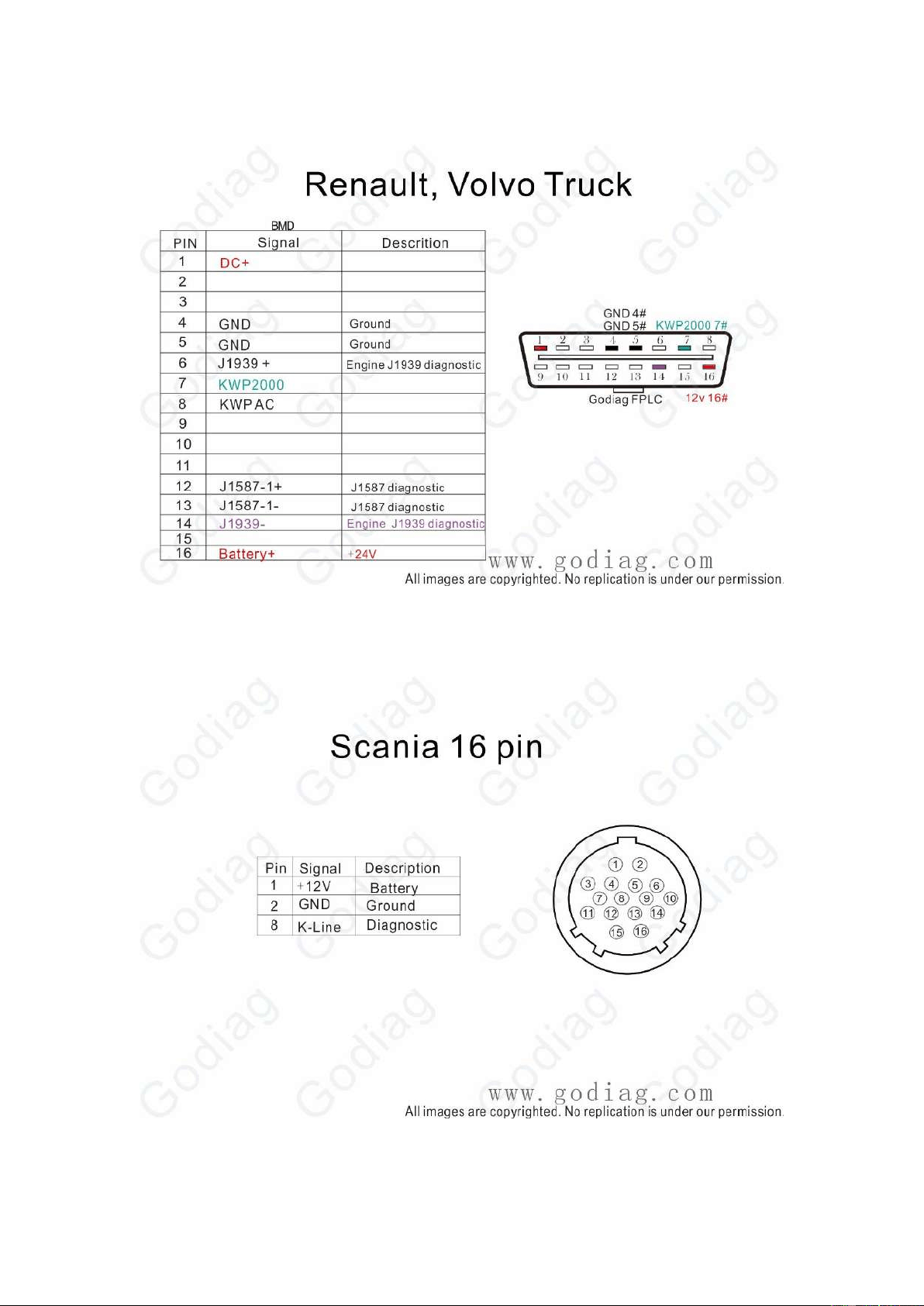
Renault Magnum Midlum Premium Truck
48
Renault Volvo Truck
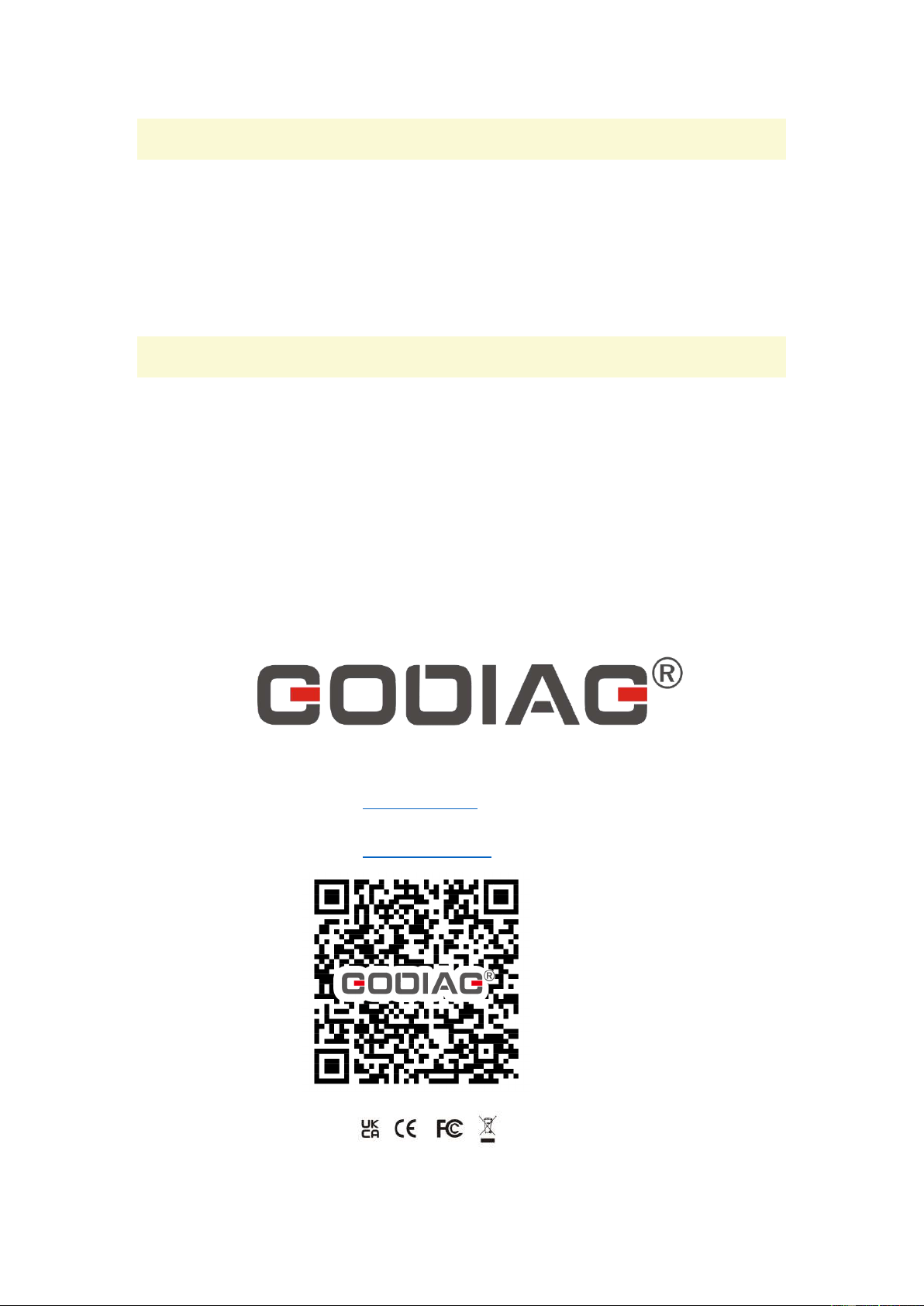
Scania 16PIN
49
14. Packing List
1pc x GODIAG GT108 Super OBDI-OBDII Universal Conversion Adapter
1pc x Truck & Car Diagnostic Interface Connection Jumper Kit (optional)
1pc x Power Cord with Battery Clips
1pc x Screwdriver
1pc x DC Plug 5.5*2.1mm to 5.5*2.5mm
15. Warranty Service
This product provides one-year warranty service.
This warranty does not apply to damages caused by improper use, accident, flood, lightning, or if
the product was altered or repaired by anyone other than the Manufacturer’s Service Center.
If the device needs to be repaired, please fill in the service information below:
Contact name
Return address
Phone Number
Concise and Comprehensive Problem Description:
Proof of Purchase
Send the device to the local dealer.
Shenzhen Sinoy Technology Co.,Ltd
All rights reserved.
www.godiag.com
+86 18813687743
Sales@GoDiag.com
Thanks for reading!