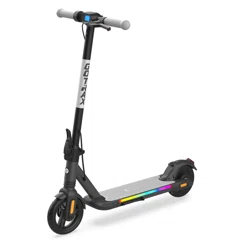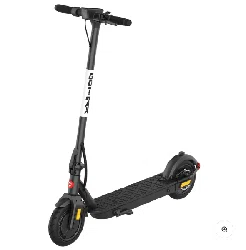
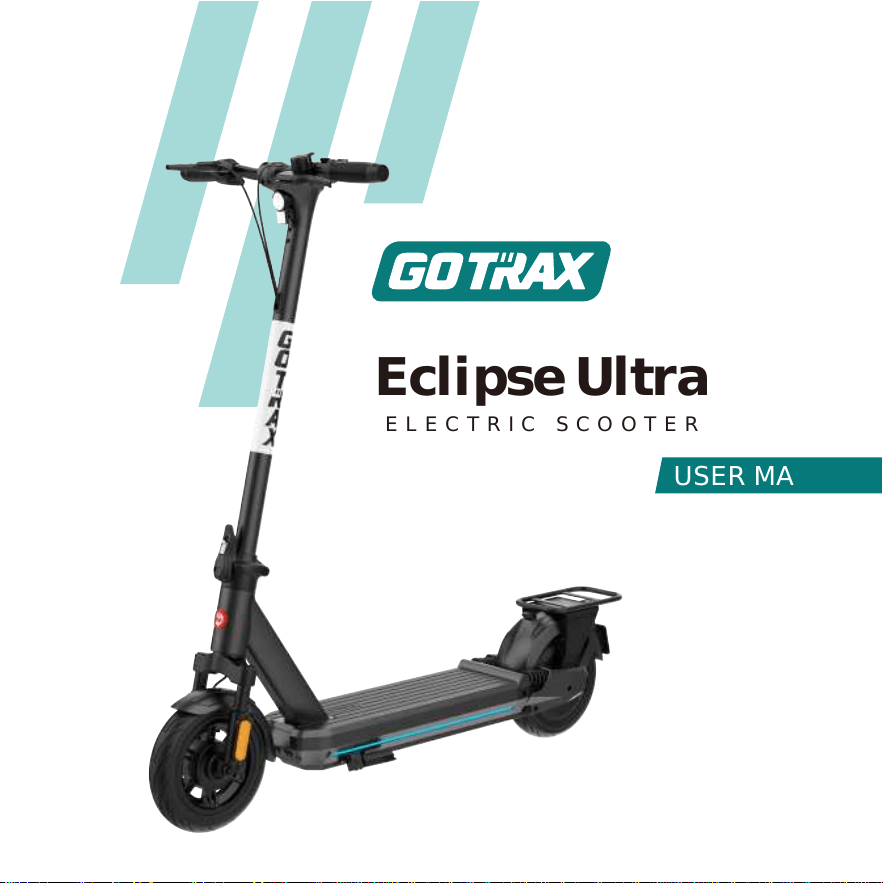
Eclipse Ultra
ELECTRIC SCOOTER
USER MANUAL


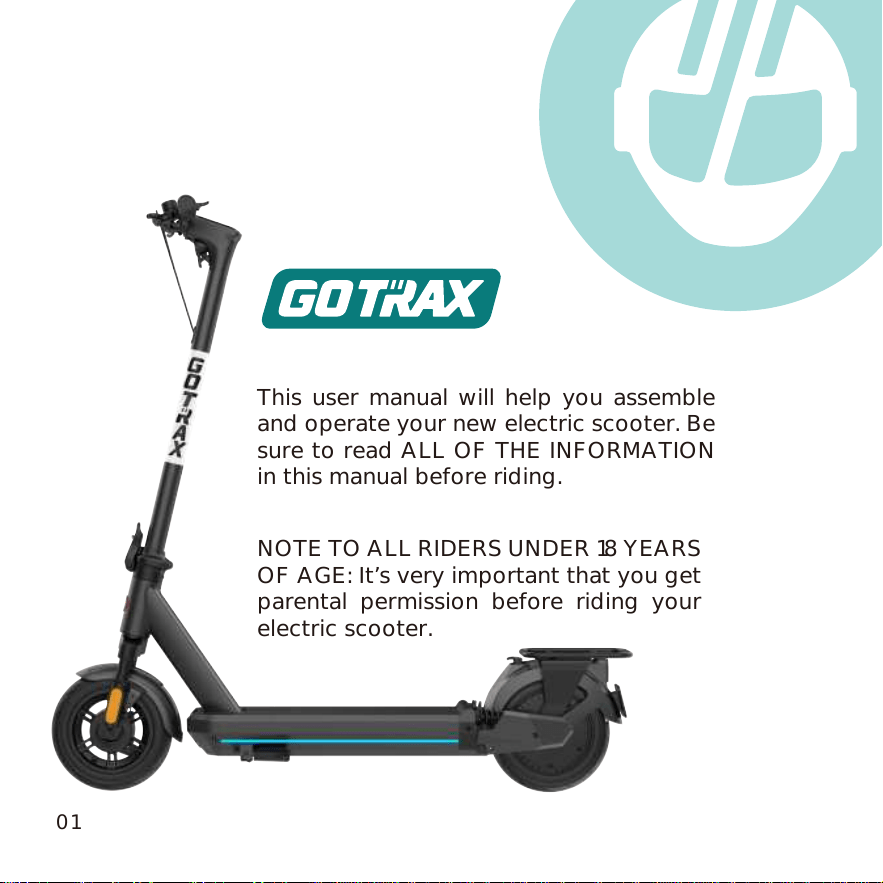
This user manual will help you assemble
and operate your new electric scooter. Be
sure to read ALL OF THE INFORMATION
in this manual before riding.
NOTE TO ALL RIDERS UNDER 18 YEARS
OF AGE: It’s very important that you get
parental permission before riding your
electric scooter.
01
Don’t ride until you read this
ALWAYS wear a helmet when riding your electric scooter.
Make sure your hoverboard has a full battery before taking it out to
ride.
Always be aware of local road laws, and follow them.
Do not rider the scooter under the influence of drugs or alcohol.
Always respect pedestrians.
Do not ride under wet conditions. The scooter may slide from under
your feet causing injury. Wet conditions may damage the electronics
and void the warranty.
WARNING: Lithium-ion Batteries and/or products that contain Lithium-ion
Batteries can expose you to chemicals including cobalt lithium nickel oxide,
and nickel, which are known to the State of California to cause cancer and
birth defects or other reproductive harm. For more information, go to
www.P65Warnings.ca.gov
02

Warning Message
1.
2.
3.
4.
5.
6.
7.
8.
Avoid water - The
scooter is not waterproof. The electronics may be
damaged due to water and water damage is not covered by our warranty.
Riding in wet conditions is also very dangerous and may result in injury.
Abuse - We do not cover physical damage due to negligent care and
extreme riding.
Whenever you ride the GOTRAX electric scooter, you risk severe injury or
even death from loss of control, collisions, and falls. Use caution and ride
at your own risk.
Keep hands and all body parts away from moving parts while operating
the
scooter.
Before riding - be sure to check the
scooter over and make sure the elec-
tric scooter
is operating correctly before each use.
Before riding - be sure to check that braking system is functioning properly;
also be sure to check that all safety lables are in place and understand
safety warnings.
Before riding - be sure that any and all axle guards, chain guards, or other
covers or guards supplied by the manufacturer are in place and in
serviceable condition.
Do not modify the product from the manufacturer’s original design.
9.
Before riding - be sure to check that the tires are in good condition, inflated
properly, and have sucient tread remaining.
03

10.
Never exceed the 264lbs (120kg) maximum load rating.
11.
The electric scooter should never be used by children under the age of 13.
11.
Maximum Speed - Your electric scooter goes the maximum speed of 20mph
(32km/h).
10.
11.
11.
04
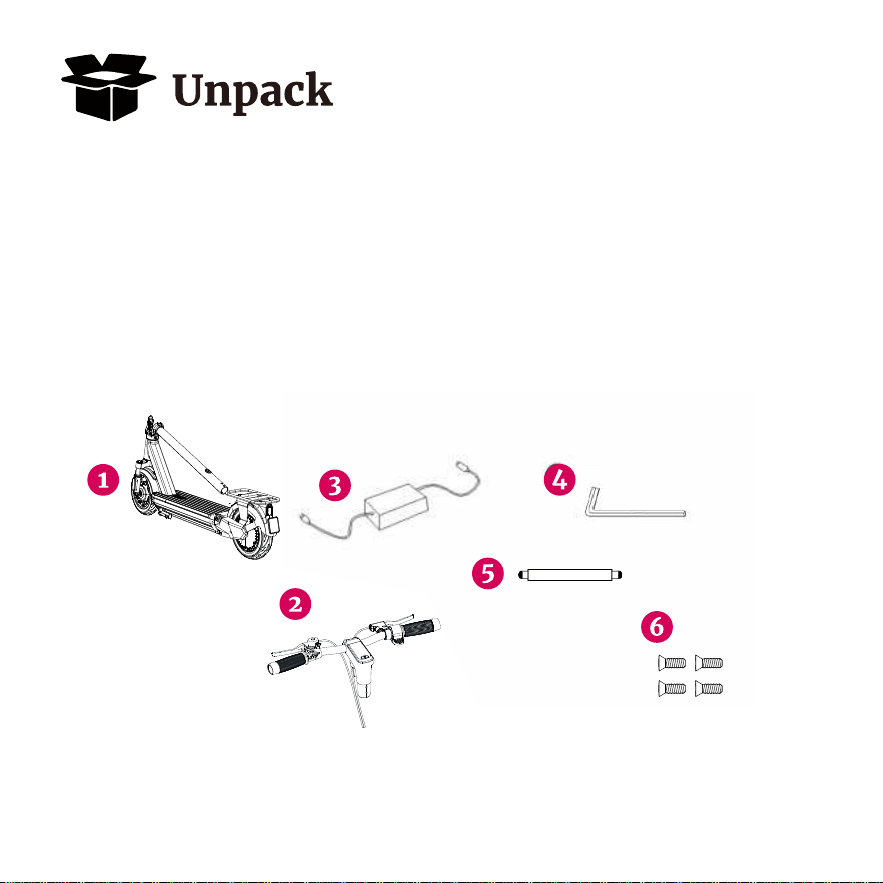
You should find each of these item in your box:
1.
2.
3.
4.
5.
6.
Electric scooter
Console & Handlebars
Approved Power Adapter/Charging Unit
4mm Allen Wrench
Tire Gauge Pipe
Screwa(x6)
Remove all packaging material, then inspect each item for any
accidental damage that may have occurred during shipping.
05
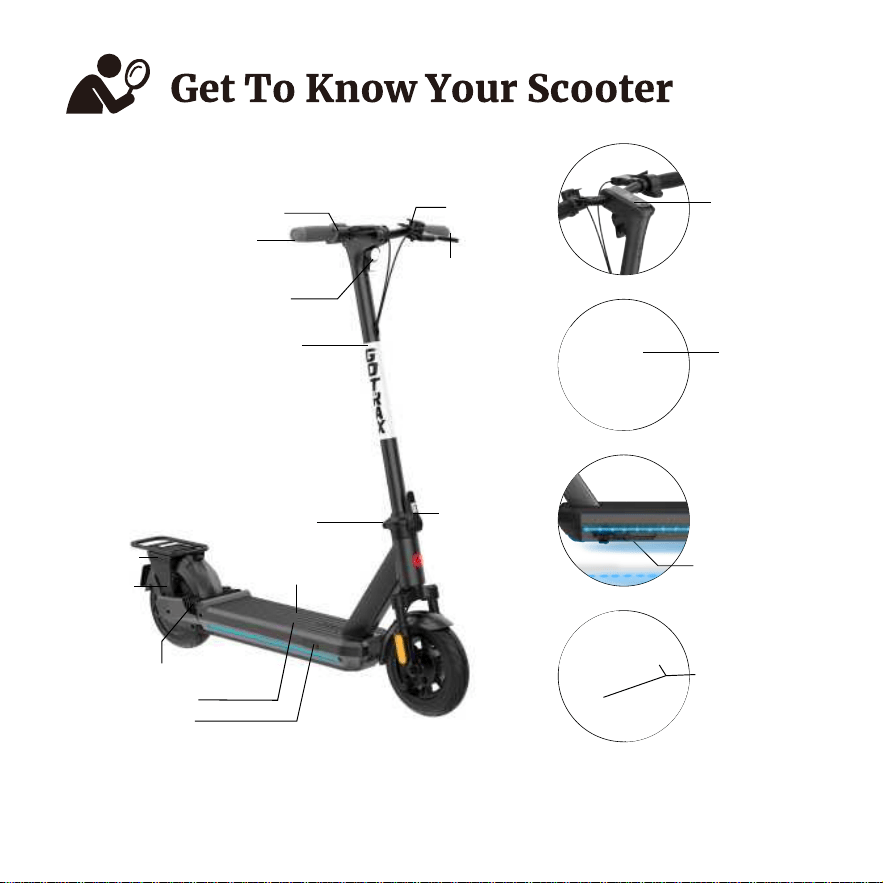
The electric scooter comes partially assembled.
Kickstand
Console
Rear light/
Brake light
Rear double
shock absorber
Accelerator
Handle bar
Headlight
Tiller
Folding mechanism
Safety latch
Motor
Bell
Handle Brake
Pedal
Built-in battery
Charger port
06
Rear double shock absorber
Rear basket

Top Speed:
Distance per Charge:
Weight Range up to:
Battery Type:
Battery Charger:
Charge Time:
Motor Power:
Power Requirements:
20 mph
28-32 miles
264lbs
48V 15Ah
DC 54.6V 2.5A
6.5 hours
Rated Power 500W
Peak Power 750W
AC 100~240V 50/60Hz 2.5A
07
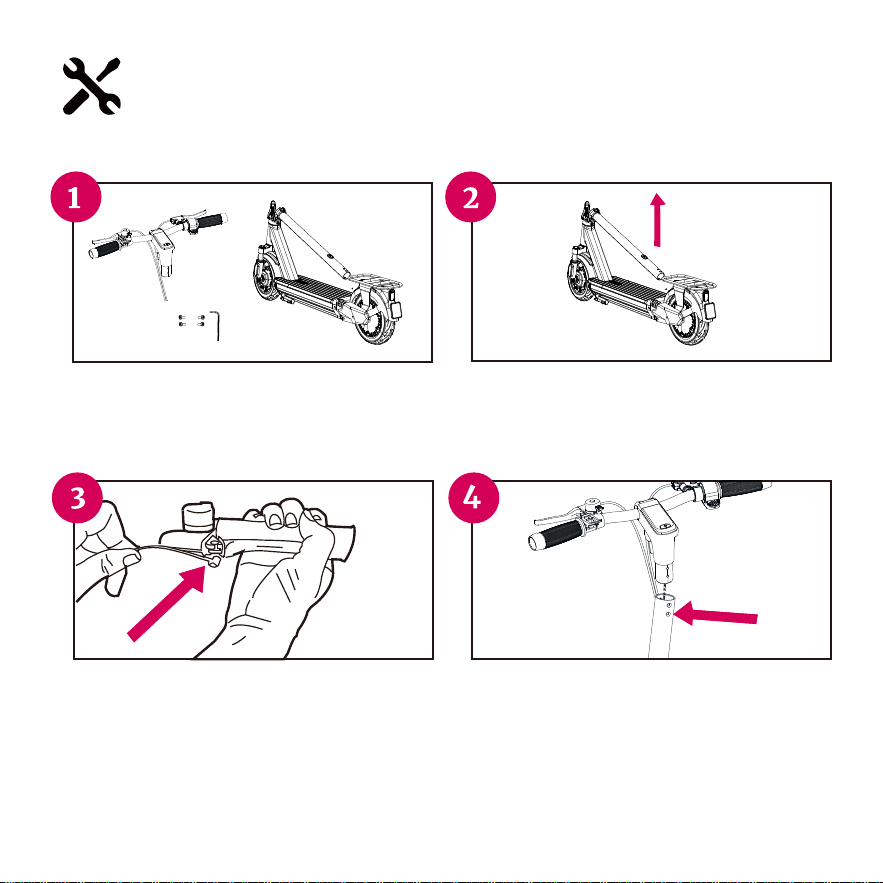
Assemble Your Scooter
TOOL REQUIREMENTS: 4mm Allen Wrench(in the package).
Take out the scooter, console, and assembly
tools (wrench and screws) from the box.
Check the parts list to confirm that the parts
are not damaged or lost during transportation.
Lift the tiller upright (as shown in the figure).
Once the scooter is locked in the upright
position, verify by gently trying to fold.
Pull the handbrake towards you and insert the
round metal piece into the opening. String the
small silver cord through the solid piece of the
handbrake. Make sure the metal piece on the
brake cord is pushed fully into the handbrake.
Conect the power cord between the tiller and
the console, then insert the console above the
tiller until the screw holes on the tiller and
console are aligned, install the screws on the
screw holes of the tiller and tighten with a
wrench.
08
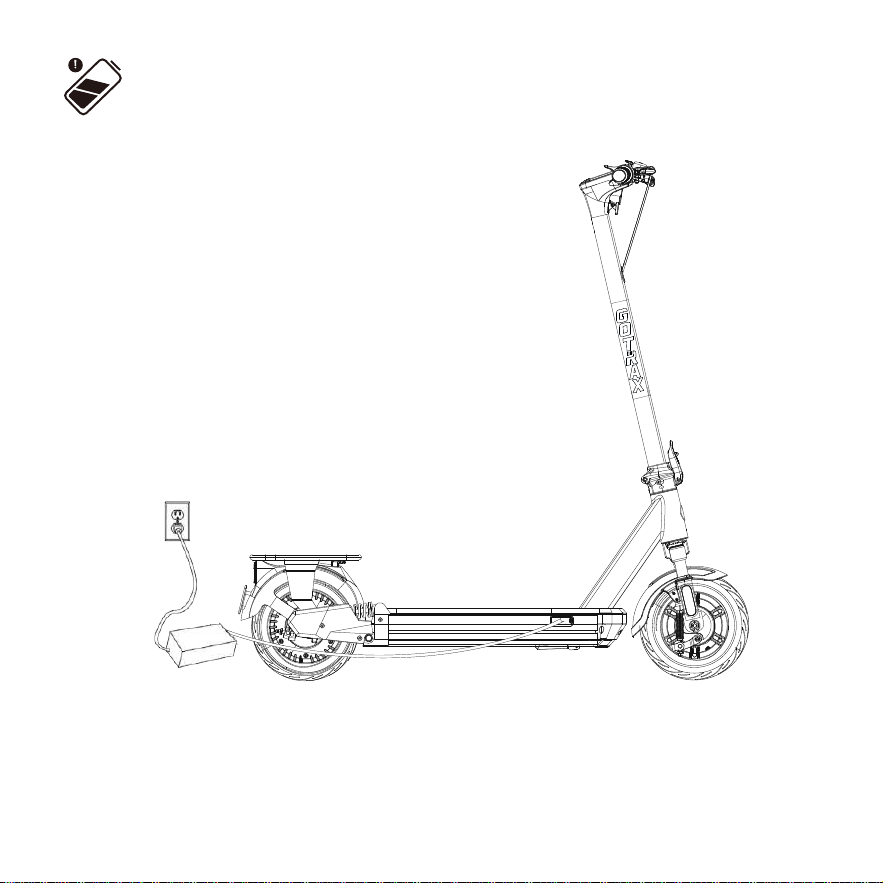
Charge Your Scooter
Before using the scooter, you must fully charge the battery.
1.
2.
3.
4.
5.
Open the rubber charging port cover.
Insert the charging plug into the port.
The charger box will have a green light when fully
charged and a red light when charging.
When you are done charging be sure cover the
charging port to keep it clear of dust and debris.
Charging Time: About 6.5 hours.
Charing Requirement: Make sure to charge your scooter in conditions that
do not exceed 104 degreens Fahrenheit or below 32 degreens Fahrenheit.
Use only orginal charger.
09

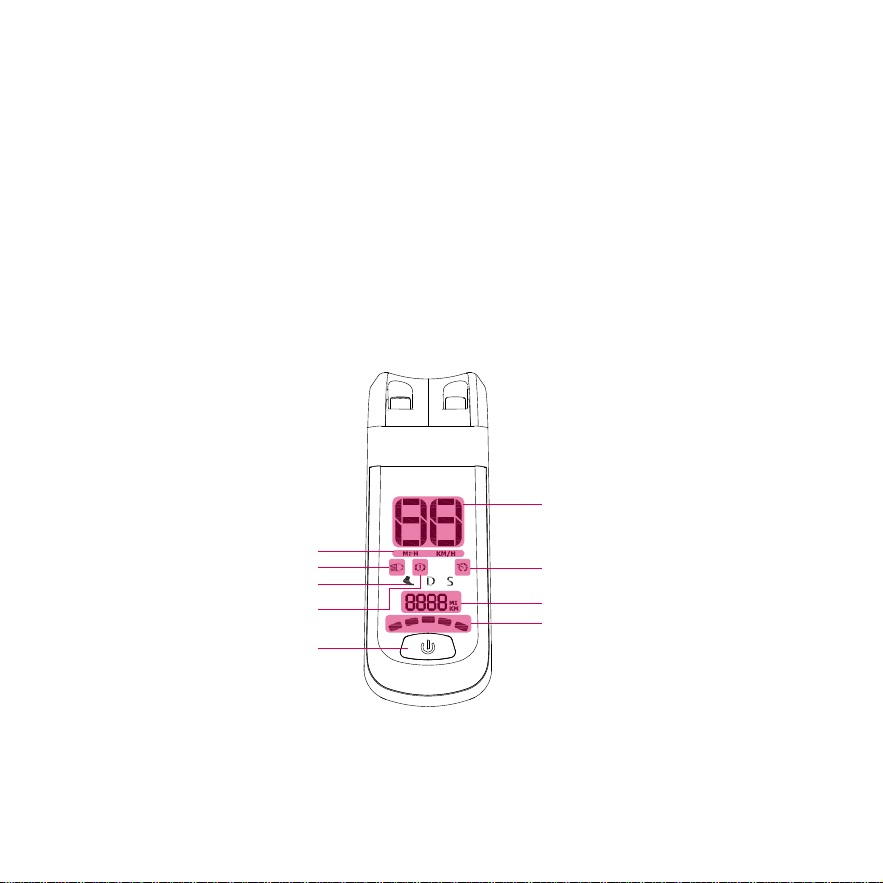
Scooter Console Funtions
On/OFF machine: Long press 3 seconds the power button to turn on/o,
the buzzer will “di” sound, and the scooter will shut down automatically
after 5 minutes without any oration.
Light: Press the power button twice continuously to turn on and o the
headlights and taillights (taillights are slightly bright), the taillights are
highly bright when braking, and the atmosphere lights are automatically lit
when starting (breathing light).
Process unit display switch: press the power button three times.
Fixed cruise: Keep the throttle at the same speed for 8-10 seconds, the
buzzer will emit a "di" sound, and the fixed cruise icon will light up at the
same times to enter the fixed cruise mode. You can exit the cruise mode by
twisting the throttle, brake or changing gears again.
Password lock function:
1. After starting up the scooter, press the throttle once and reset it to increase
the password figure, braking the brake handlebar once and reset it to
decrease the password figure, click the power button to switch the password
number, double-click the power button to confirm that the password input is
complete, the standard password is 000.
Shift gears: Press the power button to change gears. The speed is 0-3 MPH
in pedestrian mode in 1st gear ( ), 0-15.5 MPH in icon speed in 2nd gear
(D), and 0-20 MPH in icon speed in 3rd gear (S).
10
2. Turn it on again with password status, enter the correct password and
press the power button 4 times within 10 seconds to enter the password
change mode , on the change password mode even 4 times the power
button, or 1 minutes without any operation , the new password will not saved
and exit the mode , even in cipher amending mode according to the power
button twice, save the modified password and exit the mode.
3. In the password o mode, press the power button 6 times to enable the
password function. In the password on mode, press the power button 6 times
to disable the password function.
Driving speed
Cruise Control
Headlights ico
Speed units
PRNDS
The Brake Logo
Power Switch
Mileage
Top Battery
11

Riding Tips
Press the handbrake to slow down or stop.
The scooter perform best when on a smooth surface e.g. carparks, smooth
roads, footpaths, & bike lanes.
Always clean your scooter (wheels, platform..etc.), it’s a machine and it
needs to be maintained.
Do not press the throttle while walking with the scooter beside you.
Be aware of the terrain you are riding on, watch out for curbs and obstacles!
Cruise Control: To activate the cruise control press the right-hand throttle
down for 8 seconds. To deactivate the cruise control press either the
right-hand throttle or brake button to deactivate the cruise control.
Brake Light Status: The taillights is also the brake light. When you turn on
the headlight, the brake light will steady on. When you hold the handlebrake,
the taillight will be highly bright, reminding the vehicles and pedestrians
behind.
You will want to start riding your electric scooter with one foot on the
platfrom and one foot on the ground. Use your foot on ground to push
o and at the same time, press the throttle button to begin movement.
1.
2.
3.
4.
5.
6.
7.
8.
12
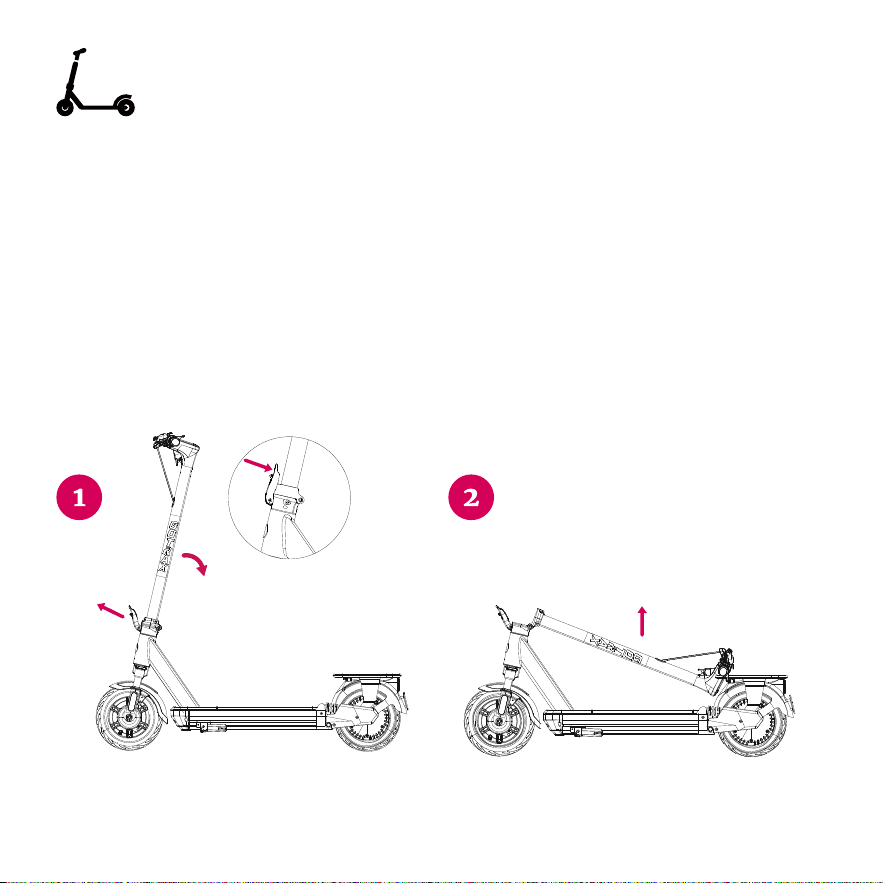
Before folding the scooter, make sure that the scooter is powered o.
Folding: Ensure the electric scooter is powered o, press the lock buckle as
figure shows and pull down the lever. Fold the tiller down towards the rear
fender and lock the tiller hook to the fender hook buckle.
Unfolding: Disconnect the tiller hook from the fender hook. Once unhooked
pull the tiller upwards and lock the locking device on the bottom of the tiller
by pulling the clamp towards the tiller. Make sure to test the tiller before
riding to make sure it is locked into place.
Putting Your Scooter Away/Folding
13

Maintenance & Repair
If you regularly clean and maintain your electric scooter, it will extend its life.
Cleaning and storage: If the scooter is dirty, wipe it clean with a soft damp
cloth.
Brake Adjustments & Service: If you notice you need brake adjustments or
any service on your scooter, contact our customer service team and we will
adjust and repair your scooter. Do not repair your scooter yourself, this can
void your warranty and you risk damaging the scooter.
Ties: If you notice that the tire pressure is low, please fill to the recommended
PSI on the side of the tire. Recomended PSI: 50
DO NOT use alcohol, gasoline, kerosene, or other corrosive chemical
solvents to clean the scooter. It can severely damage the appearance and
structure of the scooter. Please do not use a pressure washer as it may
also cause damage to the electronics.
Storage: When you’re not using your scooter store in a dry and cool location.
Avoid storing your scooter outdoors because sun exposure can damage it’s
appearance and may cause wear on the life of the battery and tires.
14
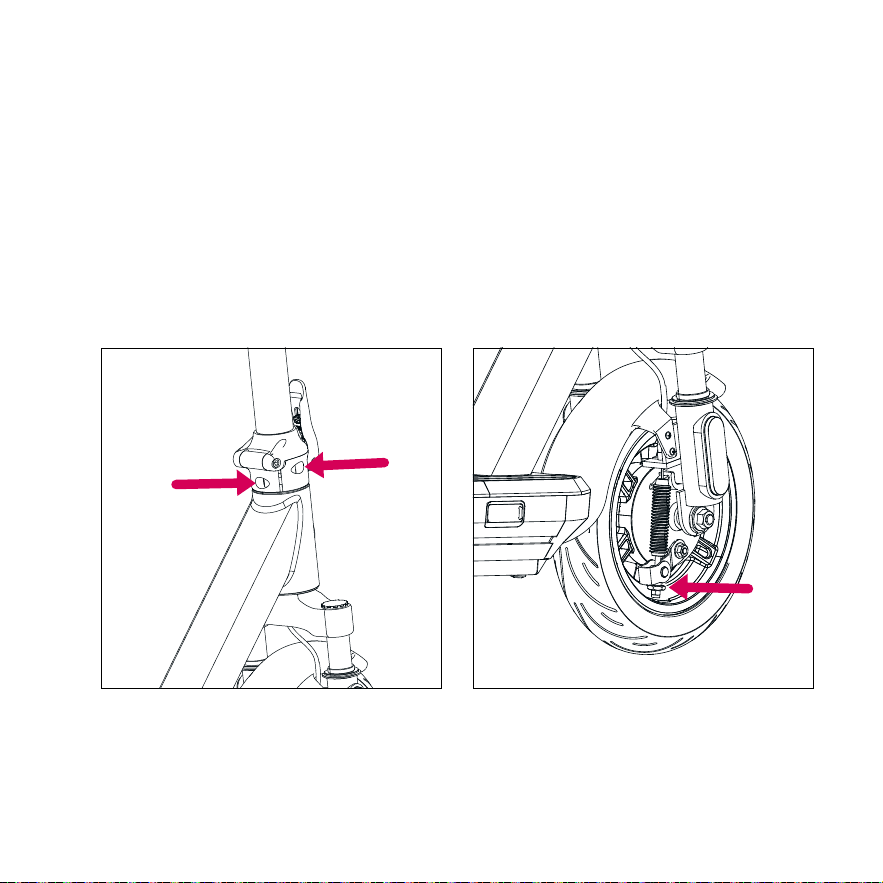
Brake adjustment: If the brake is too tight against the brake, turn the brake
cable nut counterclockwise to loosen the brake cable, if the brake is too loose,
turn the brake wcable nut clockwise to tighten the brake cable. (Figure 2)
Tightening the Tiller: If you notice that the tiller is loose or wiggles while
riding, you can tighten the screws. Open the plastic cover, and use the Allen
wrench to tighten the screws as shown in the figure below. (Figure 1)
Figure 1 Figure 2
15

Battery Information
Only use the approved GOTRAX power adapter to charge your scooter,
others may cause risk of fire & equipment may be damaged.
Improper disposal of used batteries may seriously pollute the environment.
Please comply with local disposal regulations.
Make sure to store your scooter and power adapter in conditions that do not
exceed 122 degrees Fahrenheit or below -4 degrees Fahrenheit.
Warning - Risk of Fire. No User Serviceable Parts, the prolonged exposure to
UV Rays, rain and the elements may damage the enclosed materials, store
indoors when not in use.
16

Please contact our customer service team if you are experiencing problems
or need more detailed information.
US team after-sales email: [email protected]
CA team after-sales email: [email protected]
1.
2.
3.
4.
Users should operate in accordance with the product manual. In case of
any performance fault caused by production quality, the company shall
perform the obligations of the three guarantees in accordance with the
provisions of relevant laws and regulations of the state.
If the battery replacement is over the warranty time, our company will
supply the battery at factory price. To ensure safety, and avoid pollution.
We do not cover physical damage due to negligent care and extreme
riding.
The company is still responsible for the after-sales service of the faults
beyond three guarantees and the major components in the three
guarantees, but there will be a cost for repair.
Warranty
17


GOTRAX.com
2201 Luna Rd.
Carrollton, TX 75006
(US) GOLABS, INC
170 Bartor Road, Unit 1 North York,
Ontario M9M 2W6,
Canada.
(CA) Tao Motor Canada Inc.