ge.com(U.S.)
wvvvv.GEApp/iances.ca(Canada)
°_
U3
©
Safety Instruc_ons ............ 2-7
Operating Instru_¢ions
Baking or Roasting .............. 11
Broiling, Broiling Guide ......... 14
Clock and Timer . .............. 15
Control Lockout ............... 15
Convection ................. 18-22
Cookware ...................... 9
Oven ...................... 10-30
Probe ........................ 17
Proofing ...................... 23
Sabbath Feature ................ 30
Self:Cleaning ............... 25, 26
Special Features ............. 2%29
Surfi_ce Bumecs .............. 8, 9
Them_ostat .................... 24
Timed Baking & Roasting ........ 16
V\anning ...................... 23
Care and Cleaning
Broiler Pan and (;rid ........... 33
Burner Assembly ............... 31
Burner (;rates and
Vent Grille .................... 32
Control Panel or................... _)',')
Door ......................... 34
Floor ........................ or.
.,'K)
Glass Cooktop .............. 36, 37
IVmobs ........................ 31
::::::::::::::::::::::::::::::::::::::::::::::::::::::::::::::::::::::::_HHHHHHHHHHHHHHHHHHHHHHHHHHHHHHHHHHHHHHHHr_
JGS968
Lift-Off ()yen Door ............. 34
Light Bulbs .................... 32
Packagdng %_pe ................ 31
Painted Surfimes ................ 35
Racks ........................ 33
Stainless Steel Surfi_ces .......... 35
Storage Drawer . ............... 33
Vent ...................... 32, 35
Troubleshooting Tips ,:8-42
Accessories ................... 47
Cons_mer Support
Consumer Support ..... Back Co_r
Product Regdstration
(Canada) .................. 45, 46
Product Regdstration (U.S.A.) . 43, 44
V\,wrantv fbr Customers
in Canada .................... 51
*Aarranty %r Customers
in the U.S.A ................... 50
Write the model and serial
numbers here:
Model #
Serial #
You can lind them on a label
behind the open oven door
on the lower left corner of the
range fl'am e.
49-80370 11-05JR
IMPORTANTSAFETYINFORMATION.
READALLINSTRUCTIONSBEFOREUSING.
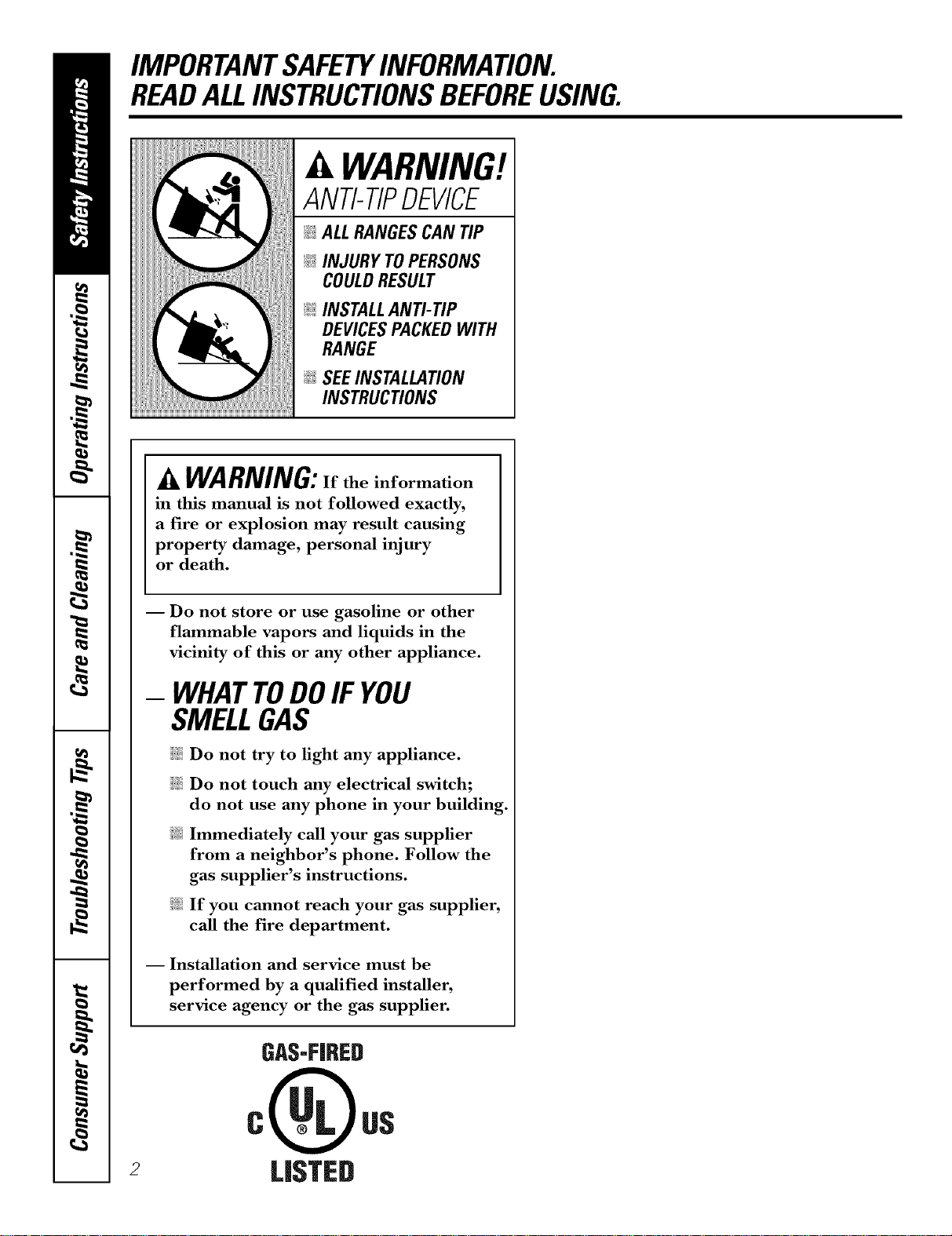
WARNING!
ANTI-TIPDEVICE
_!_ALLRANGESCAN TIP
_;i:INJURY TOPERSONS
COULDRESULT
@INSTALLANTI-TIP
DEVICESPACKEDWITH
RANGE
_ SEEINSTALLATION
INSTRUCTIONS
A WARNING:If the information
in this manual is not followed exactly,
a fire or explosion may result causing
property damage, personal injury
or death.
2
I Do not store or use gasoline or other
flammable vapors and liquids in the
vicinity of this or any other appliance.
- WHATTODOIF YOU
SMELLGAS
iJ_:illDo not try to light any appliance.
i_i:iDo not touch any electrical switch;
do not use any phone in your building.
Immediately call your gas supplier
from a neighbor's phone. Follow the
gas supplier's instructions.
If you cannot reach your gas supplier,
call the fire department.
-- Installation and service must be
performed by a qualified installer,
service agency or the gas supplier.
GAS-FIRED
LI_TED
ge.com(U.S.)
vvvvw.GEAppliances.ca(Canada)
WARNING!
For your safety, the information in this manual must be followed to minimize the risk of fire or
explosion, electric shock, or to prevent property damage, personal injury, or loss of life.
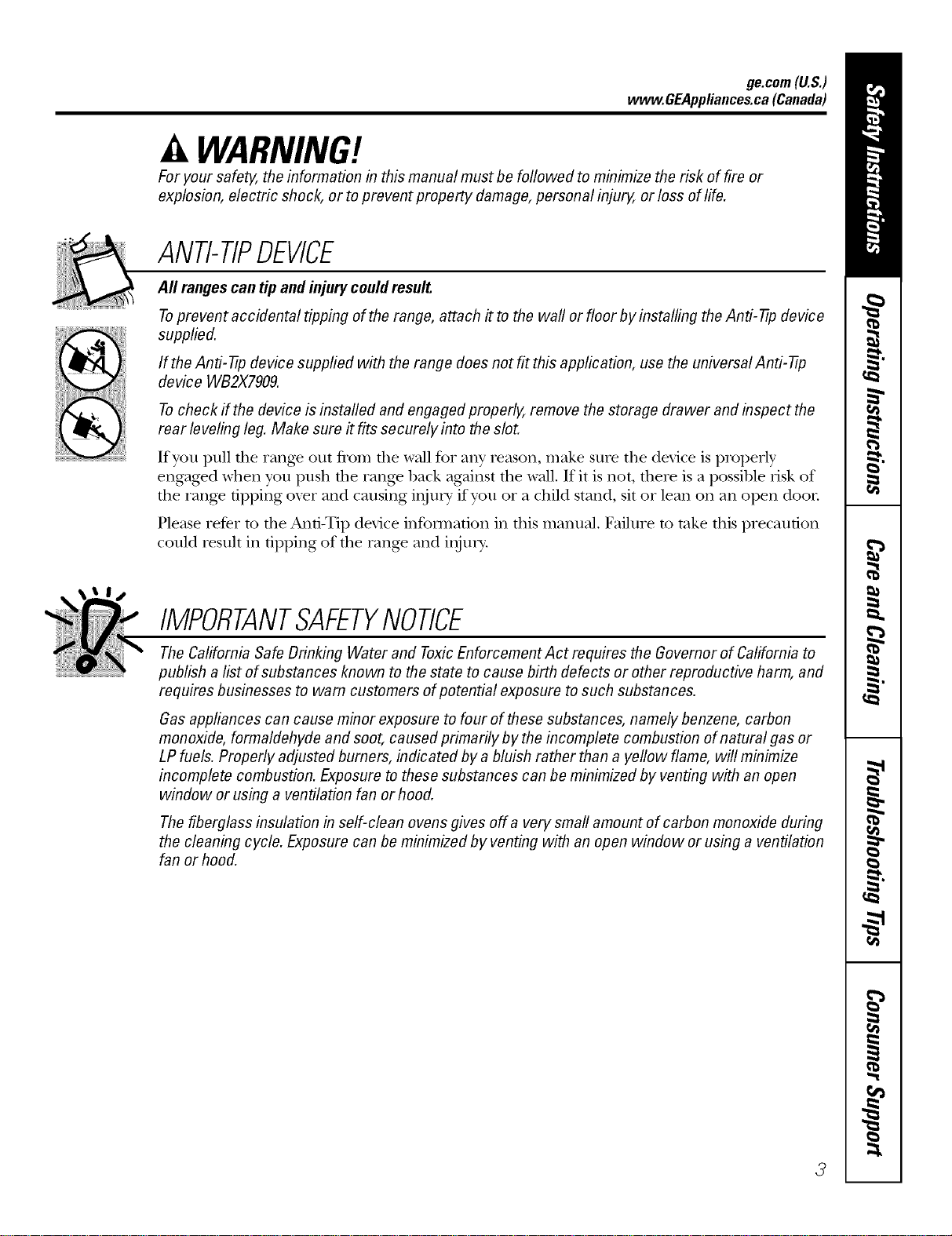
ANTI-TIPDEVICE
All rangescan tip and injury could result.
Toprevent accidental tipping of the range, attach it to the wall or floor by installing the Anti--tip device
supplied.
If the Anti--tip device supplied with the range does not fit this application, use the universal Anti--17p
device WB2X7909.
Tocheck if the device is instafled and engaged properly, remove the storage drawer and inspect the
rear leveling leg. Make sure #fits securely into the slot.
If yOU pull tile range otlt flom tile wall for ally reason, mal_.e stlie the device is properly
engaged when you push tile rang_ back against file wall. If it is not, there is a possible risk of
the rang_ tipping oxer and causing iIlju]_y" if YOUor a child stand, sit or lean on an open door
Please refer m the And-Tip device infounafion in tiffs manual. Failure m rake fills precaution
could result in tipping of the rang_ and iIIjm>
IMPORTANTSAFETYNOTICE
The Californb Safe Drinking Water and ToxicEnforcement Act requires the Governor of Californb to
publish a list of substances known to the state to cause birth defects or other reproductive harm, and
requires businesses to warn customers of potential exposure to such substances.
Gas appliances can cause minor exposure to four of these substances, namely benzene, carbon
monoxide, formaldehyde and soot, caused primarily by the incomplete combustion of natural gas or
LP fuels. Properly adjusted burners, indicated by a bluish rather than a yellow flame, will minimize
incomplete combustion. Exposure to these substances can be minimized by venting with an open
window or using a ventilation fan or hood.
The fiberglass insulation in self-clean ovens gives off a very small amount of carbon monoxide during
the cleaning cycle. Exposure can be minimized by venting with an open window orusing a ventilation
fan or hood.
3
IMPORTANTSAFETYINFORMATION.
READALLINSTRUCTIONSBEFOREUSING.
WARNING!
SAFETYPRECAUflONS
When using electrical appfiances, basic safety precautions should be foflowed, including the
following:
_7{_Use this appliance only %r its intended
purpose as described m tins )wner s
Mannal.
_::Be sure your appliance is properly installed
and grounded by a qualified technician in
accordance with the provided installation
instrnctions.
_{:_Before perfo_ning any service, disconnect
the range power supply at the household
disu-ibufion panel by removing the fl_se or
switching off the circuit breaken
;fi:,iHaxe the installer show you tile location of
tile circuit breaker or fl_se. Mark it for easy
reference.
J; Do not leme children alone----r'hildren
should not be left alone or unattended in
all area where all appliance is ill use. They
should nexer be allowed to sit or stand on
ally part of the appliance.
J; Haxe the installer show you the location
of the range gas shut-offxahe and how to
shut it off if necessa U.
J; Hax> your rang_ installed and properly
grounded by a qualified installei; in
accordance with tile Installation
Instructions. Ally' adjusunent and se_Mce
should be perfomled only 1)yqualified gas
range installers or service technicians.
_{:_Locate the range out of kitchen traffic pafll
and out of dr_fftv locations to prexent poor
air circulation.
_t_::Be sure all packaging materials are
removed from rite rang_ before operating
it to pre\ent fire or smoke damage should
the packaging mamrial ignite.
Do not attempt to repair or replace ally
part of your range unless it is specifically
recommended in this manual. All other
service should be refelTed to a qualified
technician.
Be sure your range is con-ecfly adjusted
by a qualified se_Mce mchnician or installer
for tile type of g_s (natural or LP) that is
to be used. Your rang_ call be comermd
for use with either type of gas. See the
Installation Instructions packed with
the rang_.
_::Plug your range into a 190=\_lt grounded
outlet only. Do not remo_e tile round
g_ounding prong from the plug. If in
doubt about the grounding of the home
elecuical system, it is your personal
_esponsibilitv and obligation to haw
all ungrounded outlet replaced with a
properly gTonnded, three-prong outlet ill
accordance with flae National Electrical
(',ode (U.S.). Do not use all exmnsion cord
with fl)is appliance.
WARNING:theseadjustments
must be mode by a qualified service
technician in accordance with the
manufacturer's instructions and aft codes
and requirements of the authority having
jurisdiction. Failure to follow these
instructions could result in serious injury or
property damage. The qualified agency
performing this work assumes
responsibility for the conversion.
_{::Kee I) the hood and grease filters clean to
maintain good xenting and to axoid grease
fires.
J; Do not leme children alone or nnattended
where a range is hot or in operation. They
could be seriously bm_led. _:;
Teach children not to play with tile
controls or ally other part of the range.
Always kee I) dish towels, dish cloths, pot
holders and other linens a satb distance
fronl vonr rangP.
4
ge.com(U.S.)
vvvvw.GEAppliances.ca(Canada)
SAFETYPRECAUTIONS
;_?:,:Always kee I) wooden and plastic utensils
and canned tbod a safe distance fiom your
range.
_i:,iAlways kee I) combnsdble wall coxetings,
curtains or drapes a safe distance fiom
yonr range.
_{::Do not clean tile rang_ with flammable or
x_latile cleaning fluids.
_i:,:After prolong>d use of a range, high floor
mmperautres may result and many floor
coxelJng3 will not withstand this kind of q?{::
use. Nexer insta]l tile range oxer vinyl tile
or linoleum that cannot wifllsmnd such
type of use. Nexer install it directly over _::
inmrior Mtchen caq)efing.
;f?:':Avoid scratching die glass cooktop widt
sharp instruments, or wifl3 tings and other
jeweh T.
;_i:,:Do not allow anyone to climb, stand or
hang on die oxen door; storage drawer or
cooktop. They could damag> the rang>
and even tip it oxel; causing sexere
personal ilIjm T.
CAUTION:Itemsinteresttochildren
shouldnotbe storedin cabinetsabovea rangeor
on thebacksplashof a range--children climbing
on therangeto reachitemscouldbeseriously
injured.
WARNIN&NEVERusethis
appliance as a space heater to heat or
warm the room. Doing so m W result
in carbon monoxide poisoning and
oxedteafing of the cookmp or oxen.
_i:,:For your safety, hexer use your appliance
for wanning or heating the room.
;_?:':Large scratches or impacts to glass doors
can lead to broken or shatmred glass.
mamfial could be ignimd if brought in
contact with flame or hot oxen surtZaces
and may cause sexere b/li-/ls.
;_?:':Do not clean fire rang_ when the appliance
is in use.
_i:,:Nexer wear loose-fitting or hanging
gammnts while using the appliance.
Be carefifl when reaching for imms stored
in cabinets oxer the range. Flammable
Do not store flammable materials in an
oxen, a range storag> drawer or near a
cooktop.
Do not store or use combnsuble mamrials,
gasoline or other flammable vapors and
liquids in the vicinity of this or any other
appliance.
Do not let cooking grease or other
flammable mamrials accumulam in or
near the rang>.
Do not use wamr on grease fires. Nexer
pick up a flaming pan. Turn dm conuols
off: Smother a flaming pan on a surfl_ce
burner 1)5' coxering tile pan complemly
with a well-fitting lid, cooMe sheet or fiat
trW. Use a multi-pml)ose dU chemical or
foam-type rite extinguisher
Flaming grease outside a pan can be put
out by covering it with baking soda or;
if available, by using a multi-pm])ose dU
chemical or foam-type fire extinguisher
Flame it3 die oxen can be smodtered
completely by closing the oxen door and
turning tile control to off or 1)5' using a
nmlti-pm])ose d_T chemical or foam-type
fire extinguisher
Let tile burner g_ates and other surtZaces
cool before touching them or leaving
then3 where children can reach them.
_?_::Nexer block dte xents (air openings) of
the range. They provide die air inlet and
oudet fllat are necessa U for the range to
operam properly with cotwect combustion.
'Air openings ate located at rite teat of the
cooktop, at tile top and bottom of file
oxen door; and at tile 1)oUom of the rang>
under the storage drawer or kick panel.
_7_::Do not lift tile cooktop. Lifting the
cooktop can lead to damag> and improper
operation of the rang>.
5
IMPORTANTSAFETYINFORMATION.
READALLINSTRUCTIONSBEFOREUSING.
WARNING!
SURFACEBURNERS
Useproperpan size--avoid pansthat are unstableor easilytipped.Selectcookwarehavingflat bottomslarge
enoughto coverburnergrates.Toavoidspillovers,makesurecookwareis largeenoughto containthefood
properly, Thiswillbothsave cleaningtimeandprevent hazardousaccumulationsoffood,sinceMaw spattering
or spilloversleft on rangecan ignite.Usepanswithhandlesthat canbe easilygraspedand remaincooL
_i)!Ahvays use tim UTE position when igniting
the top burners and make sure the burners
hme ig_dted.
!_'Never leme the stuface btunets unattended
at high flame settings. Boilovers cause
smoking and greasy spillovers that may
catch on fire.
!_'Adjust the top burner flame size so it does
not extend 1)eyond the edge of the cookware.
Excessive flame is hazardous.
!_:Use only dry pot holders--moist or damp pot
holders on hot surPaces may resuh in burns
flom smam. Do not let pot holders come
near open flames when lifting cookware. Do
not use a towel or other 1)ulky cloth in place
of a pot holder:
!_'X_\hen using glass cookware, make sure it
is desig_md for top-of-range cooking.
!:_'To minimize tim possibilib, of 1)urns, ignition
of flammal)le materials and spillage, turn
cookware handles toward the side or back of
the range without extending over adjacent
btlI'IleI's.
_i_!Careflflly watch foods 1)eing flied at a high
flame setting.
_i_!Ahvays heat fat slowly and watch as it heats.
!_:Do not lea\e any imms on the cooktop. The
hot air flom the vent may ig_im flammable
imms and will increase pressure in closed
containers, which may cm_se them m l)u_st.
_i)!If a coml)ination of oils or _lts will be used
in flying, stir together before heating or
as _lts meh slowh,
_i_!Use a deep flu thermometer whenever
possible to prevent oxerheating _t 1)eyond
the smoking point.
_i)!Do not operate the burner wifl_out all btuner
parts in place.
the pan too flfll of_u can cause spillovers
when food is added.
X&qmnpreparing flaming foods under the
hood, turn the fan on.
Do not use a wok on tim cooking sur£1ce
if the wok has a round metal ring that is
placed o\er the burner gram m support the
wok. This ring acts as a heat m_p, which mW
damage the burner g_v_mand N_rner head.
Also, it m W cm_se the N_rner m work
improperly. This may cause a cad)on
monoxide level above that allowed by current
standards, resulting in a heahh hazard.
Foods for flTing should be as dry as possible.
Frost on flozen foods or moisture on flesh
foods can cause hot flu to 1)ul)l)le up and over
the sides of the pan.
Never u), to move a pan of hot Pat especially
a deep _t flyer. X'\hit until the _t is cool.
Do not leme plastic items on tim cooktop--
they may meh if left too close to the vent.
Kee I) all plastics mvay flom the surPace
1)tlI'Ile I'S.
To moid the possibili b, of a burn always be
certain that the conuols for all burners are
at the OFFposition and all grates are cool
before attempting to remove them.
If _ange is located near a window, do not
hang long curtains that could 1)low over the
surface burners and create a fire hazard.
If you smell gas, turn off the g_s to the range
and call a qualified service technician. Nexer
use an open flame to locate a leak.
Ahvays ttun the stuJ_ce 1)tunet conuols off
before removing cookware.
_i)!Use the least possible amount of£u for
efl>ctive shallow or deep-Set flying. Filling
ge.com(U.S.)
vvww.GEAppliances.ca(Canada)
COOKMEATANDPOULTRYTHOROUGHLY...
(Cookmeatandpoultrythoroughly--meattoatleastanINTERNALtemperatureof 160°F(71°C)andpoultrytoatleastan
INTERNALtemperatureof I80°F(82°C_Cookingtothesetemperaturesusuallyprotectsagainstfoodbomeillness.
A WARNING!
OVEN
Stand awayfrom the range when opening the oven door. Hot air or steam which escapes can cause
bums to hands, face and/or eyes.
Do not heat unopened flood containers.
Pressurecould build up and the container
could bulst, causing an inju U.
Keep the oven vent unobstructed.
KeeI) the oven flee from grease buildup.
Place the oven ,'ack in the desired position
while the oven is cool. If t'acks must be handled
when hot, do not let pot holder contact the
heating elements.
iJii:iWhen using cooking or roasting bags in the
oven, follow the manufi_ctuter's directions.
Pulling out the t'ack to the stop-lock is a
convenience in lifting heax3 foods. It is also a
precaution against burns flom touching hot
surfilces of the door or oven walls.
Do not use the oven to dU newspape,s.
If overheated, the} can catch on fire.
Do not use the oven for a stot'age area. Items
stored in an oven can ignite.
Do not leave paper products, cooking utensils
or food in the oven when not in use.
A WARNING:N WRcove,
any slots, holes or passages in the oven bottom
or cover an entire _'ackwith materials such as
aluminum [0il. Doing so blocks air flow
through the oven and may cause cad)on
monoxide poisoning. Aluminum foil linings
may also map heat, causing a fire hazard.
Do not use aluminum foil to line oven bottoms,
except as suggested in this inanual, hnproper
installation of alulninuln foil may result in a
risk of electric shock or fire.
Make sure the broiler pan is in place conectl)
to reduce the possibilit) of grease fires.
If you should have a grease fire in the broiler
pan, press the Cl.fAl_Offpad and keep the
oven door closed to contain fire until it
buI'nS Otlt.
SELF-CLEANINGOVEN
Donotuseovencleaners.No commercialovencleaneror ovenliner protective coatingof anykindshouldbe
usedin or aroundanypartof theoven.Residuefrom ovencleanerswill damagetheinsideoftheovenwhenthe
self-cleancycleis used,
iJii:iDo not clean the door gasket. The door gasket
is essential for a good seal. Care should be
token not to rub, damage or move the gasket.
iJii:iBe%re selfkleaning the oven, remove the rocks,
broiler pan, grid and other cookware.
iJii:iBe sure to wipe up excess spillage before
starting the self cleaning ope,'ation.
iJii:iIf the self cleaning mode malflmctions, turn the
oven off and disconnect the power supply. Have
it serviced b) a qualified technician.
iJii:iClean only parts listed in this Owner's Manual.
READANDFOLLOWTHISSAFETYINFORMATIONCAREFULLY.
SAVETHESEINSTRUCTIONS 7
Usingthegas surfaceburners.
Throughout this manual, features and appearance may vary from your model.
Push the control knob in and turn it
to the LITEposifion.
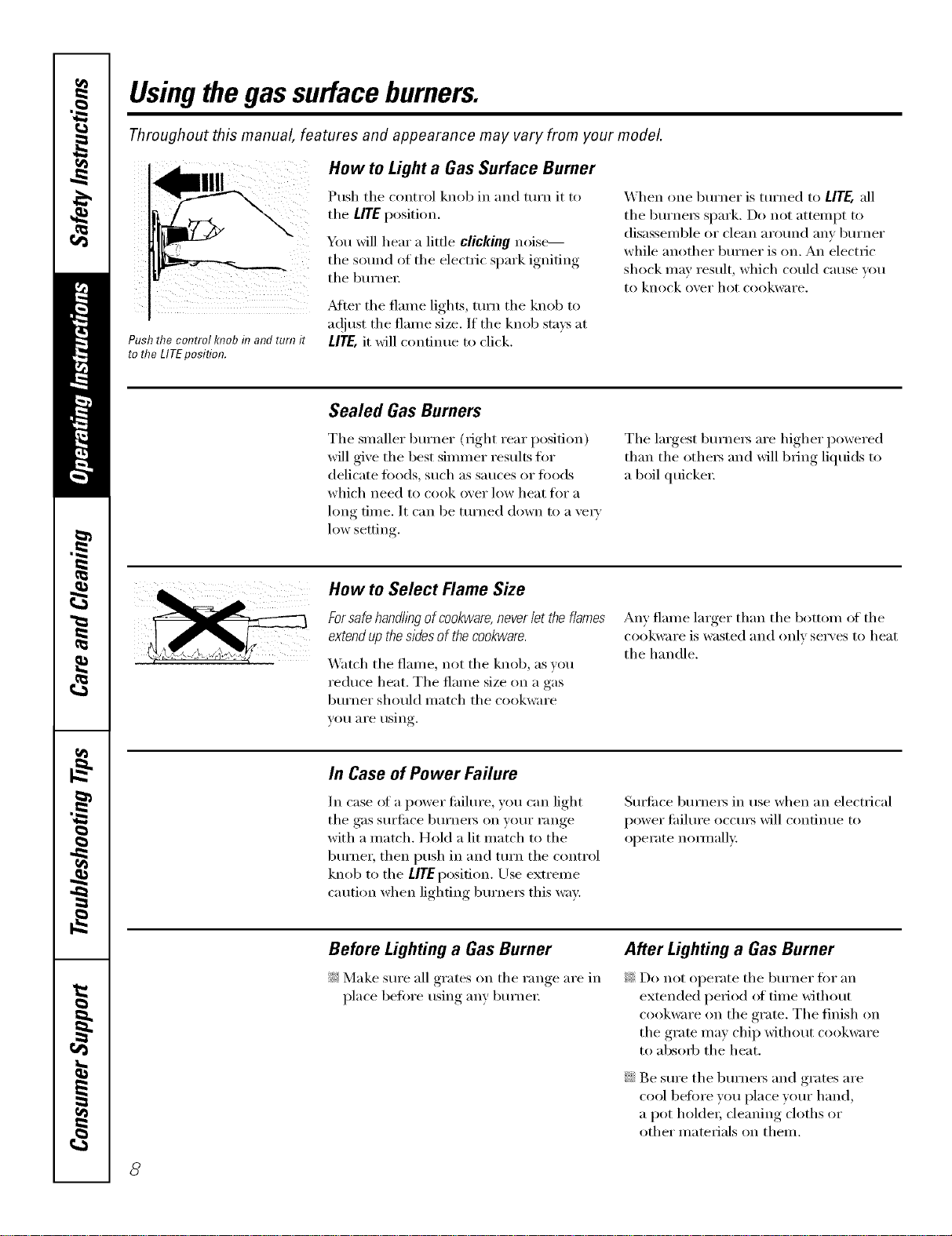
How to Light a Gas Surface Burner
Push the control knob in and turn it to
tile LITE position.
You will hear a little clicking noise---
tile sound of the electric s,)ark ionifin,_
the burlwl;
Mtei" the flame lights, turn the knob to
ac!iust the flmne size, If the knob stays at
Ill'E, it will continue to click,
When one burxler is turxled to LITE, all
the burne_ spark. Do not attempt to
disassemble or clean around anv bm'ner
while another burner is on. An electric
shock may result, which could cause you
to knock over hot cookware.
Sealed Gas Burners
Tile slnaller burner (right rear posidon)
will give the best silnlner results flw
delicate fi_ods, such as sauces or fi)ods
which need to cook over low heat fiw a
hmg dine. It can be turned down to a vei_'
low setting.
The largest, burnels are hi_*her,_ l)°wered
than the othels and will 1)ring liquids to
a boil quickeI:
How to Select Flame Size
Forsafehandllegofcookware,neverlettheflames
extendupthesidesof thecookware.
_'atch the flalne, not the knob, as you
reduce heat. The flame size oil a gas
burner should inatch the cookware
VOII aI'e rising.
An} flame larger than the bottom of the
cookware is wasted and only ser\ es to heat
the handle.
In Case of Power Failure
In case _ff a power tililm'e, you can light
the gas surlilce burnei_ on your range
with a inatch. Hold a lit inatch to the
burner, then push ill and turn the control
knob to the UTEposidon. Use extrelne
caution when lighting burnels this way:
Surtilce burners in use when an electrical
power fililure occms will continue to
operate nommllv.,
Before Lighting a Gas Burner
!;_:Make sure ;111grates on the range are in
place before using any burner
After Lighting a Gas Burner
_: Do not operate the burner for an
extended period of tilne without
cookware on the grate. The finish on
the grate Inay chip without cookware
to absorb the heat.
;;Ji::Be sure the burners and grates are
cool betore you place your hand,
a pot holder; cleaning cloths or
other inatelials on theln.
8
ge.com(U.S.)
www.GEAppliances.ca(Canada)
Top-of-Range Cookware
Aluminum: Medium-weight cookware is
rec(nmnended because it heats quickly
and e'_enlv: Most fi)ods brown e'_enlv in
an aluminum skillet. ILrsesaucepans with
tight-fitting lids when cooking with
IlliniIlltlI// aillo/ints of wateI:
Cast-Iron: If heated slowly, most skillets
will give satisti_ct(n y results.
Enamelware: Under some conditions,
tile enalllel of SOllle cookwaI'e Ill,IV
melt. Follow cookware iil_liiutlilCt[li'ei"s
recommendations tot cooking methods.
Glass:There are two t)l)es of glass
cookware--those t0r o','en/ise only
and those tor toi>ol:range cooking
(saucepans, coffee and teapots).
Glass conducts heat vex_' slowly:
Heatproof Glass Ceramic: Can be used
tot either smti_ce or oven cooking. It
conducts heat vei'_' slowly and cools vei'_'
sh)wh'. Check cooJ_ware immufilcturer's
directions to be sm'e it can be used on gas
i'anges.
Stainless Steel: This metal alone has
poor heating properties and is usually
combined with coppe_; aluminmn
or other metals for improved heat
distribution. Combination metal skillets
usually work safisfi_ctorilv if they are used
with medimn heat as tile manufi_ctm'er
i'ecolillilends.
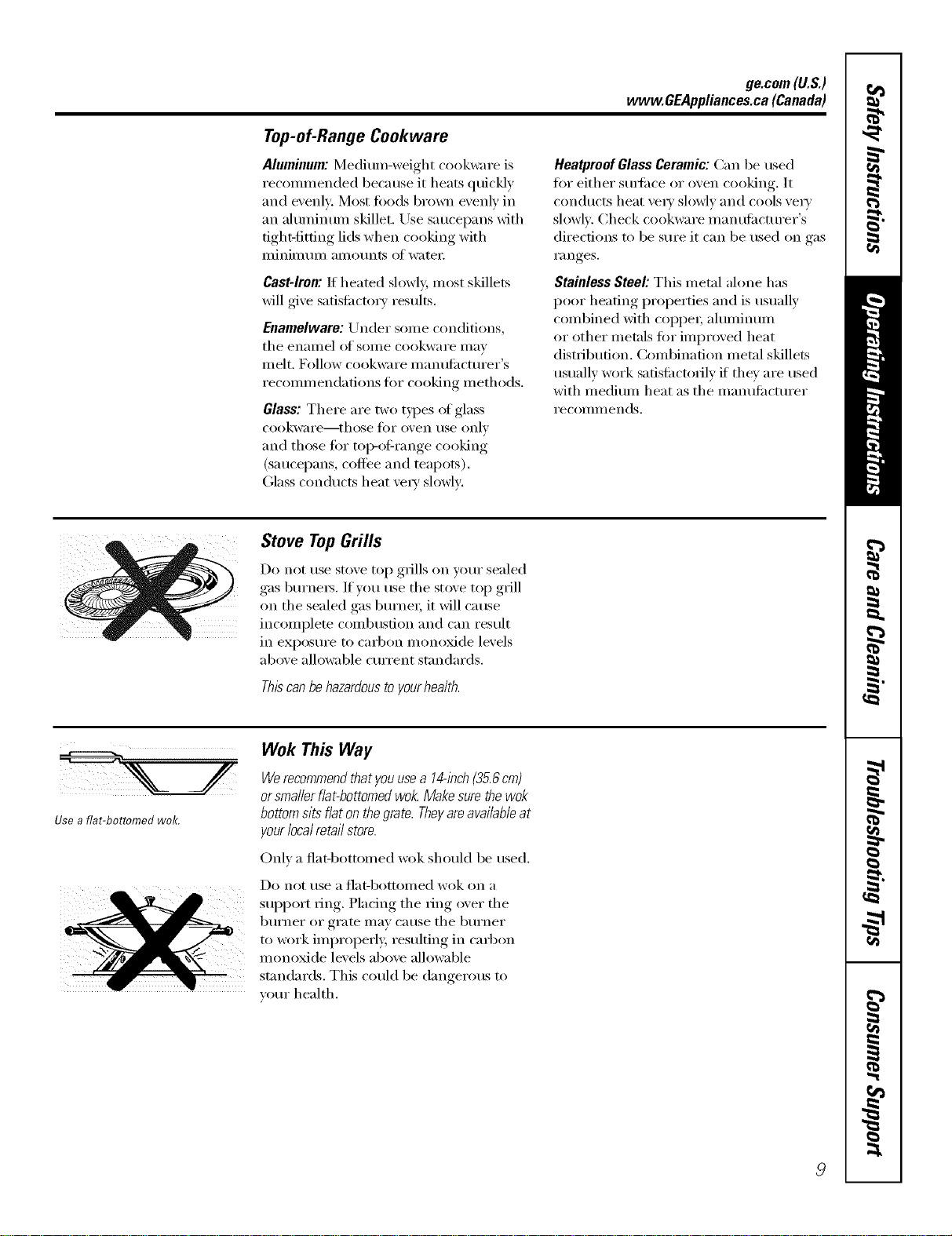
Stove TopGrills
Do not use stove top grills on your sealed
gas burners. If'you use tile st()ve top grill
on the sealed gas bm'ne_; it will cause
incomplete combustion and can result
in exposure to carbon inonoxide levels
above allowable cmTent standards.
Thiscanbehazardoustoyourhealth.
Use a fiat-bottomed wok.
Wok This Way
Werecommendthatyouusea 14-inch{35.6cm)
orsmallerflat-bottomedwok.Makesurethewok
bottomsitsflatonthegrate.Theyareavailableat
yourlocalretailstore.
Onh a flat-b()tt()med wok should be used.
Do not/Ise a I']at-bottoi//ed wok on a
support ring. Placing tile ring over tile
b/lI'neI" 0I" grate may Catlse tile b/lI'neI"
to work improperly, resulting in carb(:,n
monoxide levels above allowable
standards. This could be dangerous to
veto" health.
9
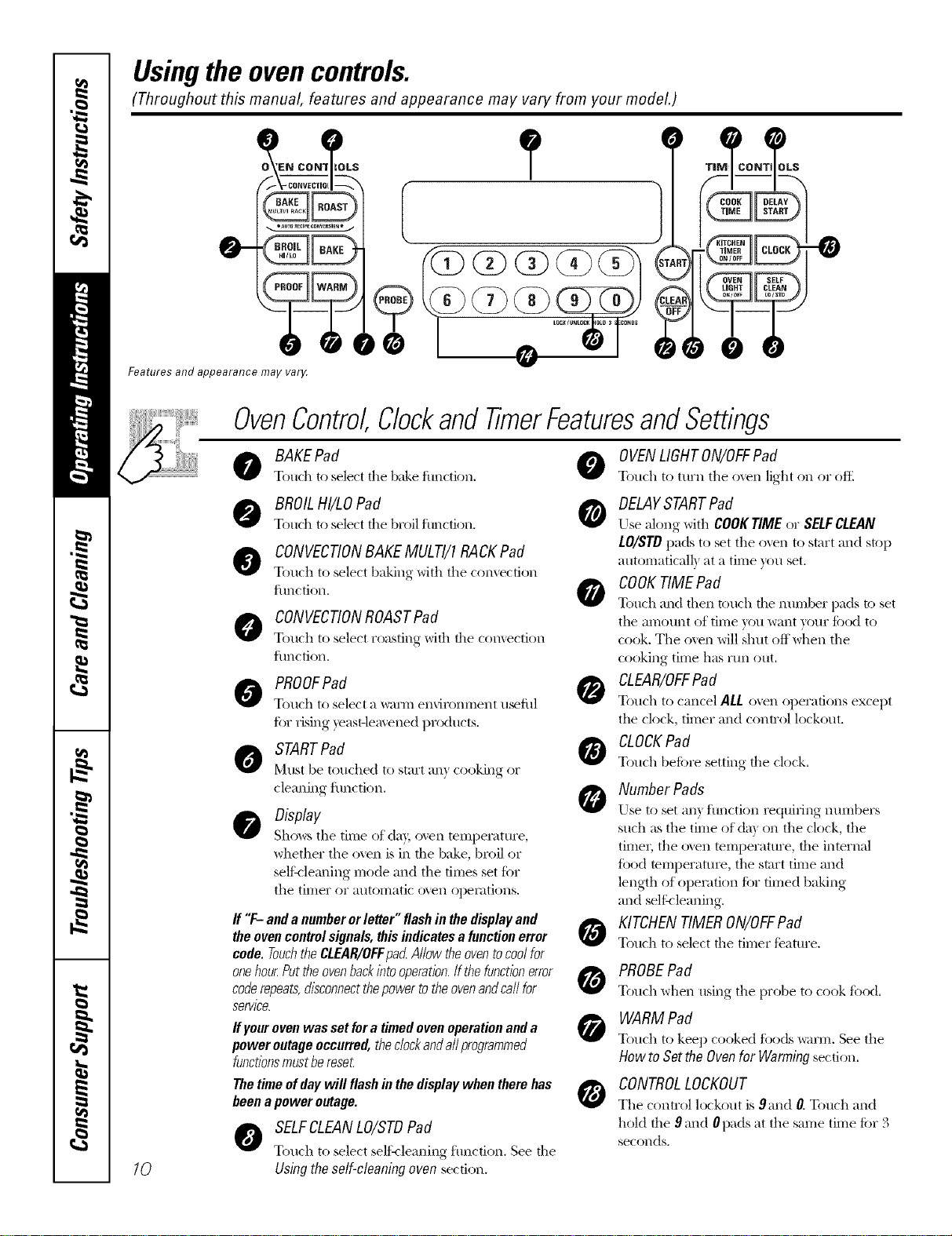
Usingtheovencontrols.
(Throughout this manual, features and appearance may vary from your model.)
O_'EN CO N1_i_oLS
_, =AUIOfl_CIPECO_ER$1aN= J
Features and appearance may var_¢
?
/.--iIl--.,
10
OvenControl,ClockandTimerFeaturesandSettings
BAKEPad 0
Touch to select tile b;&e fimction.
@ BROILHI/LOPad 0
Touch to select tile broil function,
CONVECTIONBAKEMULTI/1RACKPad
Touch to select baking with the comection
function,
CONVECTIONROASTPad
Touch to select roasting with tile comection
function,
PROOFPad
Touch to select a warm en'dronment u_ful
fi)r rising yeast,lea_ ened products.
STARTPad
N'ltlSt be tot]ched to start an} cooking Or
cleaning function.
Display
Sho_._stile time of da); oxvn teillperattlre,
whether the oven is in the bake, broil or
seli:vleafing mode and the times set for
the timer or autonaatic o_en opeiatkms.
O
ff "F- and anumber orletter" flashin thedisplay and
theovencontrolsignals, thisindicatesa functionerror V4_
code. Touchthe CLEAR/OFFpad Allow the oventocoolfor
onehour.Putthe ovenbackinto operation.Ifthe functionerror
coderepeats,disconnectthepowerto theovenandcall for
service.
ffyour ovenwas set fora timed ovenoperationand a
power outage occurred,theclockandall programmed
functionsmustberese_
Thetime ofdaywill flash inthe displaywhen therehas
beena power outage.
SELFCLEANLO/STDPad
Touch to select selik-leaning fimction. See tile
Usingthe self-cleaning oven section.
OVENLIGHTON/OFFPad
Touch to tm'n tile oven light on or oftl
DELAYSTARTPad
Use along with COOKTIME or SELFCLEAN
LO/STD I/ads to set the o'_vn to start and stop
automatical b at a time you set.
COOKTIMEPad
Touch and then touch the nunlber pads to set
the amount of time you want your food to
cook. The ()veil will shut off when the
cooking time has Yt]n ()hit.
CLEAR/OFFPad
Touch to cancel ALL oven oilerafions except
tile clock, timer and control lockout.
CLOCKPad
Touch befi)re setting the clock.
Number Pads
Use to set an} flmction requiring nmnbers
such as tile time of da) on the clock, the
timeI; the oxen temperature, the internal
filed temperatm'e, the start time and
length of opeiation fi)r timed baking
and sellqleaning.
KITCHENTIMERON/OFFPad
Touch to select the timer teatm'e.
PROBEPad
Touch when using tile probe to cook fbod.
WARM Pad
Touch to keep cooked tbods warm. See tile
How to Set the Ovenfor Warming section,
CONTROLLOCKOUT
The control lockout is 9and O.Touch and
hold the 9 and 0pads at the same time for 3
seconds,
ge.com (U.S.)
Using the oven. vvvvw.OEAppliances.ca(Canada)
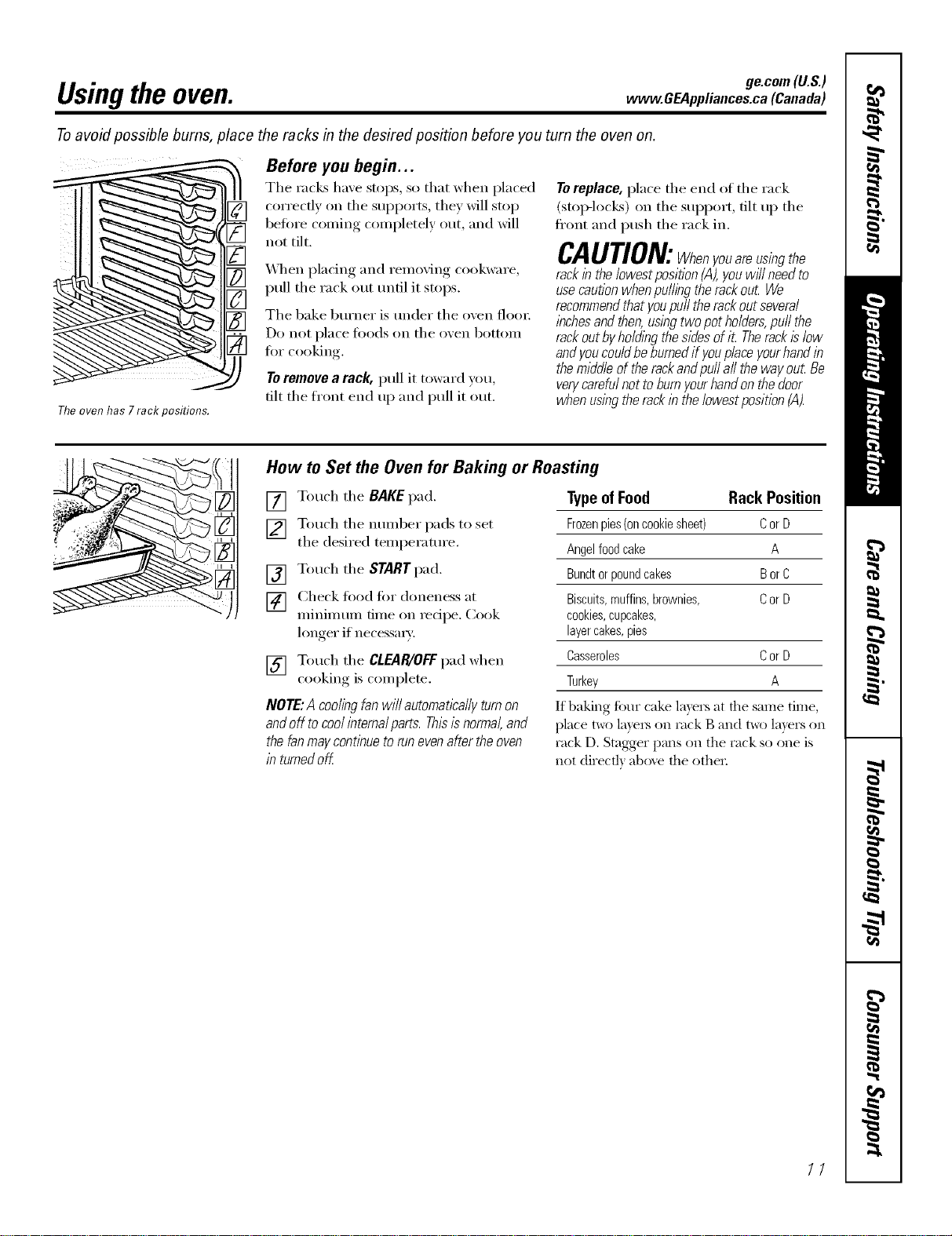
Toavoid possible bums, place the racks in the desired position before you turn the oven on.
Theoven has 7rack positions.
Before you begin...
The racks have stops, so that when placed
correcflv on the supports, they will stop
before coming completely out, and will
not tilt.
_A]/en placing and removing cookware,
pull the rack out until it stops.
The bake burner is under the oven floo_:
Do not place toods on the oven bottom
fi)r cooking.
Toremove a rack, pull it toward you,
tilt the ti'ont end up and pull it out.
Toreplace, place the end of the rack
(stop-loci<s) on the support, tilt up the
fl'ont and push the rack in.
CAUTION:Whenyouareusingthe
rackin the lowest position(,4),youwffl needto
usecautionwhen pulling the rackout We
recommendthat youpuff the rackout several
inchesand then,using two pot holders,puff the
rackout byho/ding the sidesof it Therackis low
andyou couldbe burnedif youplace yourhand in
the middleof therackand pu// a// the way out Be
verycarefulnot to burnyourhandon the door
when using therack in the/owestposition (A).
How to Set the Oven for Baking or Roasting
[] Touch the BAKE pad.
[] Touch the number pads to set
the desired temperature.
[] Touch the STARTpad.
[] Check fi)od fin" doneness at
minimum time on recipe. Cook
longer if necessmT:
[] Touch the CLEAR/OFFpad when
cooking, is coml)lete.
NOTE:A coolingfanwillautomaticallyturnon
andoff tocoolinternalparts.Thisisnormal,and
thefanmaycontinuetorunevenaftertheoven
in turnedoff
TypeofFood Rack Position
Frozenpies(oncookiesheet) CorD
Angelfoodcake A
Bundtorpoundcakes BorC
Biscuits,muffins,brownies, CorD
cookies,cupcakes,
layercakes,pies
Casseroles CorD
Turkey A
If baking fi)ur cake layers at the same time,
place two la)'e_ on rock B and t_ layers on
rack D. Stagger pans on the rack so one is
not (tirect]} ab_)_e the othe_:
77
Usingthe oven.
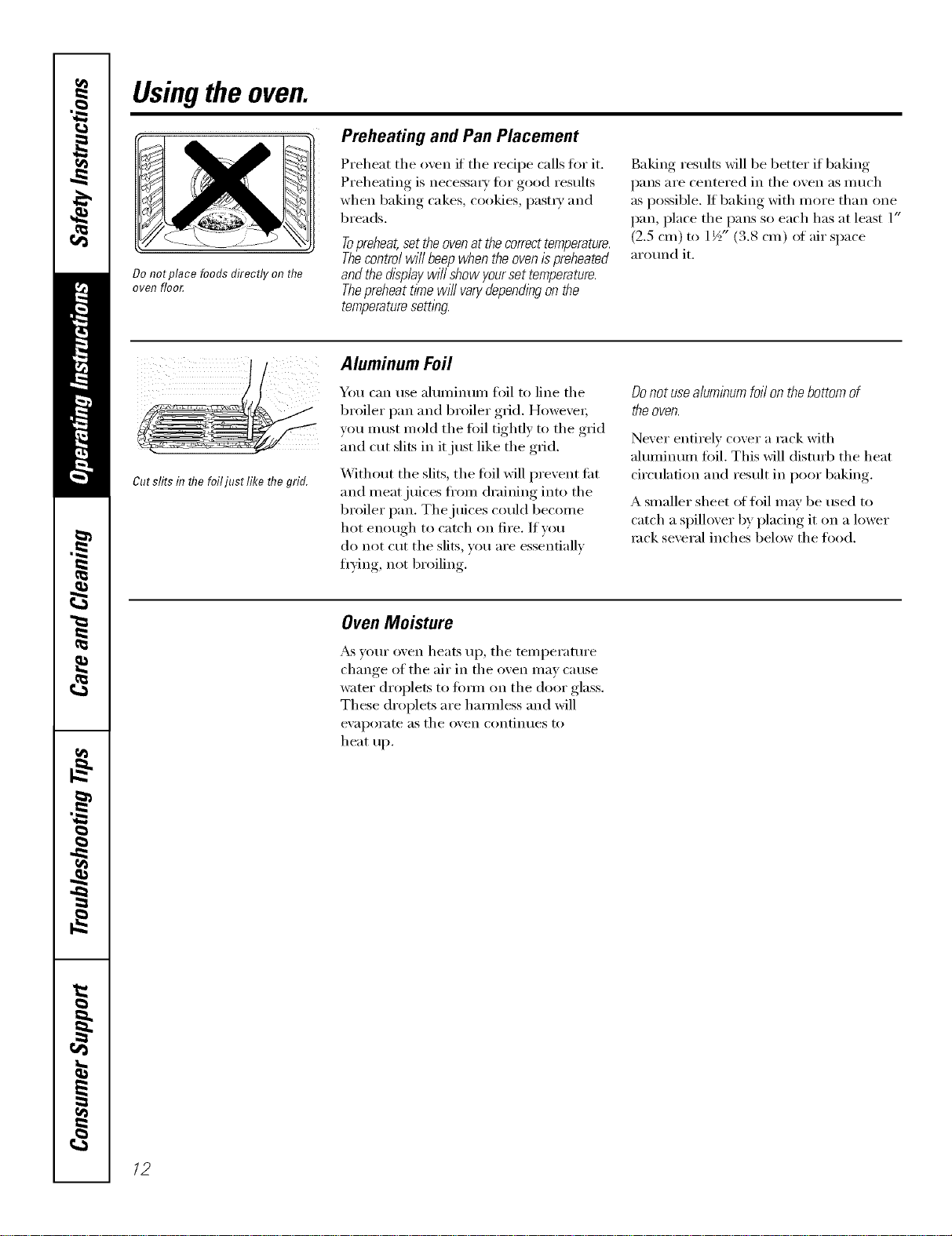
Do not place foods directly on tlTe
oven floo_
Preheating and Pan Placement
Preheat the oven if the redpe calls fin" it.
Preheating is necessm T for good results
when baking cakes, cookies, past_ T and
breads.
Topreheat,set theovenat thecorrecttemperature.
Thecontrol will beep when theovenis preheated
andthe display will show yourset temperature.
Thepreheat time will varydependingon the
temperaturesettl))g.
Baking results will be better if baking
pans are centered in the oven as much
as possible. If baking with more than one
pan, place the pans so each has at least 1"
(2.5 cm) to 1½" (3.8 cm) of air space
around it.
/ Aluminum Foil
/ 1¢ You can use ahuninuin foil to line the
_/ broiler pan and broiler grid. Howexe_;
__S you must mold the fifil tighfl) to the grid
and cut slits in it just like the grid.
Without the slits, the toil will prevent ti_t
gut slits in the foiljust like the grid.
and meat juices ti'om draining into the
broiler pan. The juices could become
hot enough to catch on fire. If w_u
do not cut tile slits, you are essentially
fiTing , not broiling.
Donotusealuminumfoilonthebottomof
theoven.
Never entirely cover a rack with
aluminum fifil. This Mll disturb tile heat
circulation and result in poor baking.
A smaller sheet of fl)il may be used to
catch a spillover by placing it on a lower
rock several inches below tile food.
Oven Moisture
_&svour oven heats up, tile temperature
change of tile air in tile oven may cause
water droplets to tOm_ on tile door glass.
These droplets are hamfless and will
eV}ll)OI'}lte }IStile oven contintles to
heat up.
/2
ge.com(U.S.)
www.GEAppliances.ca(Canada)
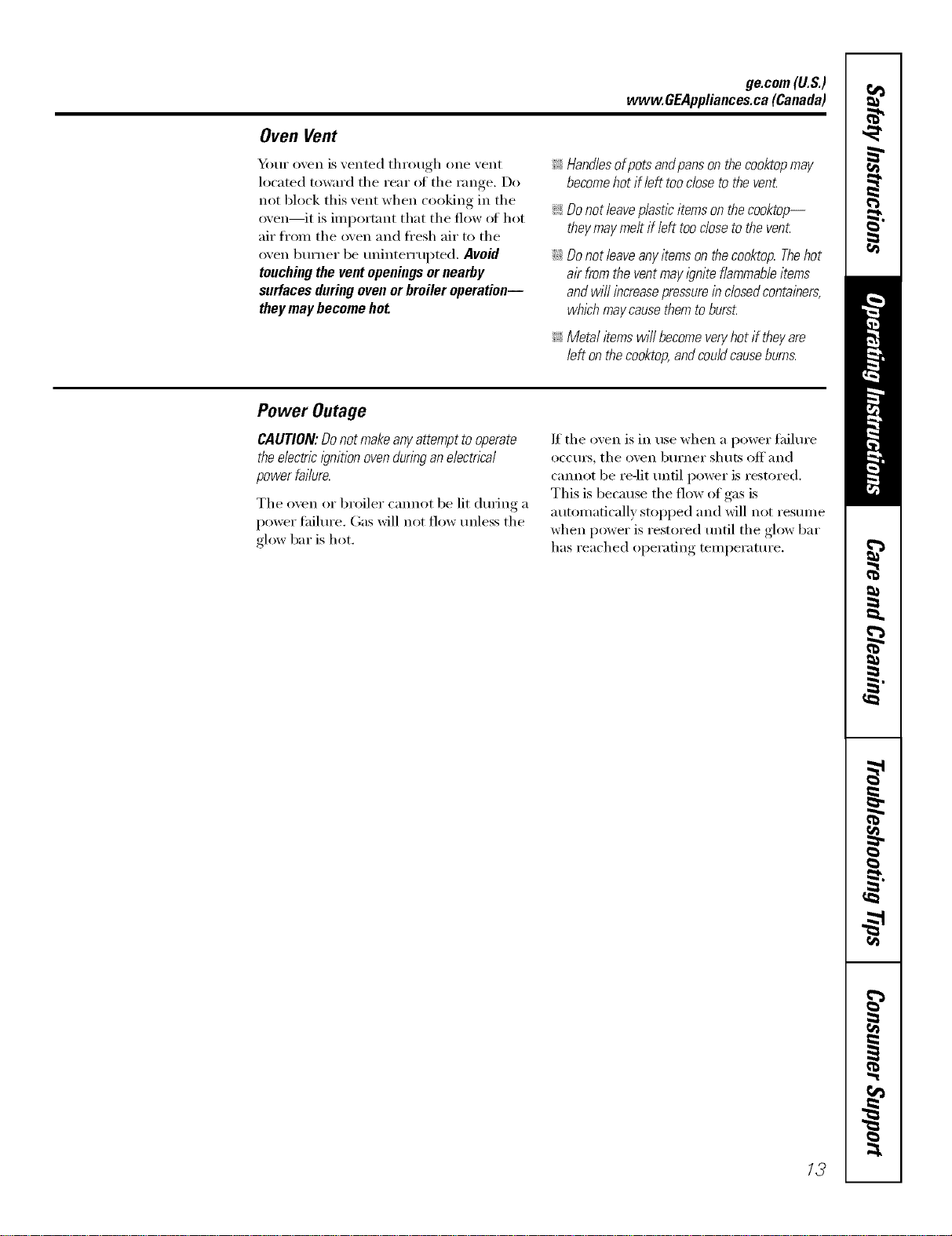
Oven Vent
Y_)ur oven is vented through one vent
located toward the rear ot the range, Do
not block this vent when cooking in the
oven--it is important that the flow oI hot
air fl'om the oven and fl'esh air to the
oven burner be uninterrupted, Avoid
touching the vent openings or nearby
surfaces duringoven or broiler operation--
they may become hot
_ Handlesofpotsandpansonthecooktopmay
becomehotif left toodosetothevenL
_ Donot leaveplastic items on the cooktop--
theymay melt if left too closeto the venL
;;Ji::Donot leaveany items on thecooktop. Thehot
air from the vent mayignite flammableitems
and will increasepressurein closedcontainers,
whichmay causethemto burst.
_ Metal items will becomeveryhot if theyare
left on the cooktop,andcouldcause burns.
Power Outage
CAUTION: Do not make any attempt to operate
the electric i_?nitionoven during an electrical
power failure.
The oven or broiler cmmot be lit dtwing a
power fifilm'e, Gas will not flow tmless the
glow bar is hot.
If the oven is in use when a power fifilm'e
occm_, the oven bm'ner shuts off and
cannot be re-lit tmfil power is restored.
This is bec;mse the flow of gas is
automatically stopped and will not resume
when power is restored tmtil the glow bar
has reached operating temperattu'e.
13
Usingtheoven.
Always use the broiler pan and
grid that came with your oven. It
is designed to mflTimizesmoking
and spattering by trappflTgjuices
f17the shielded lower part of the
pan.
How to Set the OvenforBroiling
IMPORTANT'.Toavoidpossib/eburns,placethe
she/yesinthedesiredpositionbeforeyouturnthe
oven OR.
[] Place the meat or fish on the broiler
grid in the broiler pan.
[] Follow suggested shelf positions in
the Broiling Guide.
[] The o_en door must be closed
during broiling.
[] Touch the BROILHI/LOpad once fi)r
HI Broil.
To change to LOBroil, touch the
BROILHI/LOpad again.
Use LO Broil to cook fi)ods such as poultr_
or thick cuts of meat thorotlghly without
ox ePbrowning them.
[] Touch the STARTpad.
[] Y_q_en broiling is finished, touch the
CLEARIOFFpad.
Ser_e the food immediatel), and lea_e the
pan outside the oxen to cool dtu_no_ the
meal tk)r easiest cleanino
NOTE"Broil will notwork if the temperature
probeisplugged in.
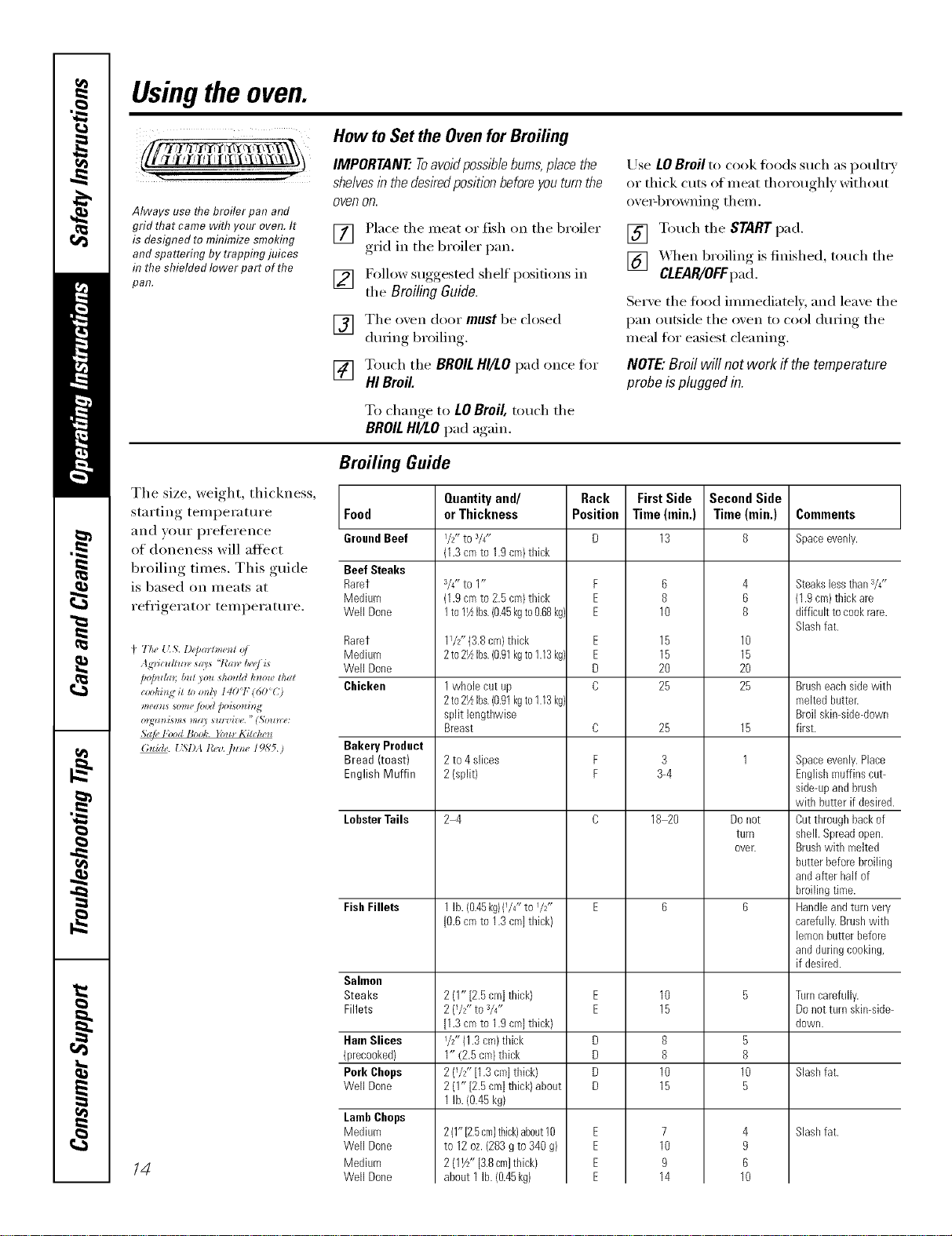
Broiling Guide
The size, weight, thickness,
starting, teml)eratm'e Food
and v()tli" pI'eleI'en('e GroundBeef
of doneness will aH'ect
broiling times. This guide Beef Steaks
is based on meats at Rarer
Medium
refrigerator temperature. Well Done
4 7,5#{LS.l)ep(nt_m_*tof
pop_hzn b_tt)ou _ho_ffdk)_owthat
(:lJI)lIDg iS lo o_l 3 I 40'T (60<()
*t/en_**o_m,lood/>oiso_hU4
Nail,l"(x)dBool:. _b_*Kitch__
(_*tide. { SI)A t?_,'o, flz_*: 19,S'5.)
Rarer
Medklm
Well Done
Chicken
Bakery Product
Bread (toast)
English Muffin
LobsterToils
FishFillets
Salmon
Steaks
Fillets
HamSlices
(precooked)
Pork Chops
Well Done
LambChops
Medklm
Well Done
Madkun
Well Done
/4
Quantityand/
or Thickness
I/_-to 3/4"
(1.3cmto 1.9cm)thick
a/4"to 1"
(1.9cmto 2.5cro)thick
1to11½Ibs.(0.45kgto0.68kg)
11/2"{3.8 cln} thick
2 to21_Ibs.(0.91kgto1.13 kg)
1wholecut up
2to21_Ibs.(0.91kgto1.13kg)
split lengthwise
Breast
2 to 4slices
2 (split)
2-4
1lb. (0.45kg)(1/4"to I/2ff
[0.6cmto 1.3cm]thick)
2 (1"[2.5cm]thick)
2 (1/_-to_/4"
[1.3cmto 1.9cm]thick)
l/ZZ(1.3cm)thick
1" (2.5cm/thick
2 (7S"[1.3cro]thick)
2 (1"[2.5cm]thick)about
1lb. (0.45kg)
2(1"[2.5cm}thick)about10
to 12oz.(283gto340g)
2 (11A"[3.8cm]thick)
about 1 lb.(0.45kg)
Rack
Position
F
E
E
E
E
D
C
D
F
F
D
D
D
D
FirstSide
Time(rain.)
13
6
8
10
15
15
2O
25
25
3
3-4
18 20
8
8
10
15
7
10
9
14
Second Side
Time (min.)
8
4
6
8
10
15
2O
25
15
1
Donot
turn
OVer.
5
8
10
5
4
9
6
10
Comments
Spaceevenly.
Steakslessthans/4"
(1.gcm)thick are
difficultto cookrare.
Slashfat.
Brusheachsidewith
meltedbutter.
Broilskimside-down
first.
Spaceevenly.Place
Englishmuffins cat-
side-upandbrush
with butter if desired.
Cutthroughbackof
shell. Spreadopen.
Brushwith melted
batterbeforebroiling
andafter Mf of
broilingtime.
Handleandturnvery
carefully.Brushwith
lemonbutter before
anddaringcooking,
if desired.
Turncarefully.
Donotturn skin-side-
down.
Slashfat.
Slashfat.
ge.com (U.S.)
Using the clock, timerandcontrollockout, www.GEAppliances.ca(Canada)
ii i i/i
Make sure the clock is set to the
correct time of da_
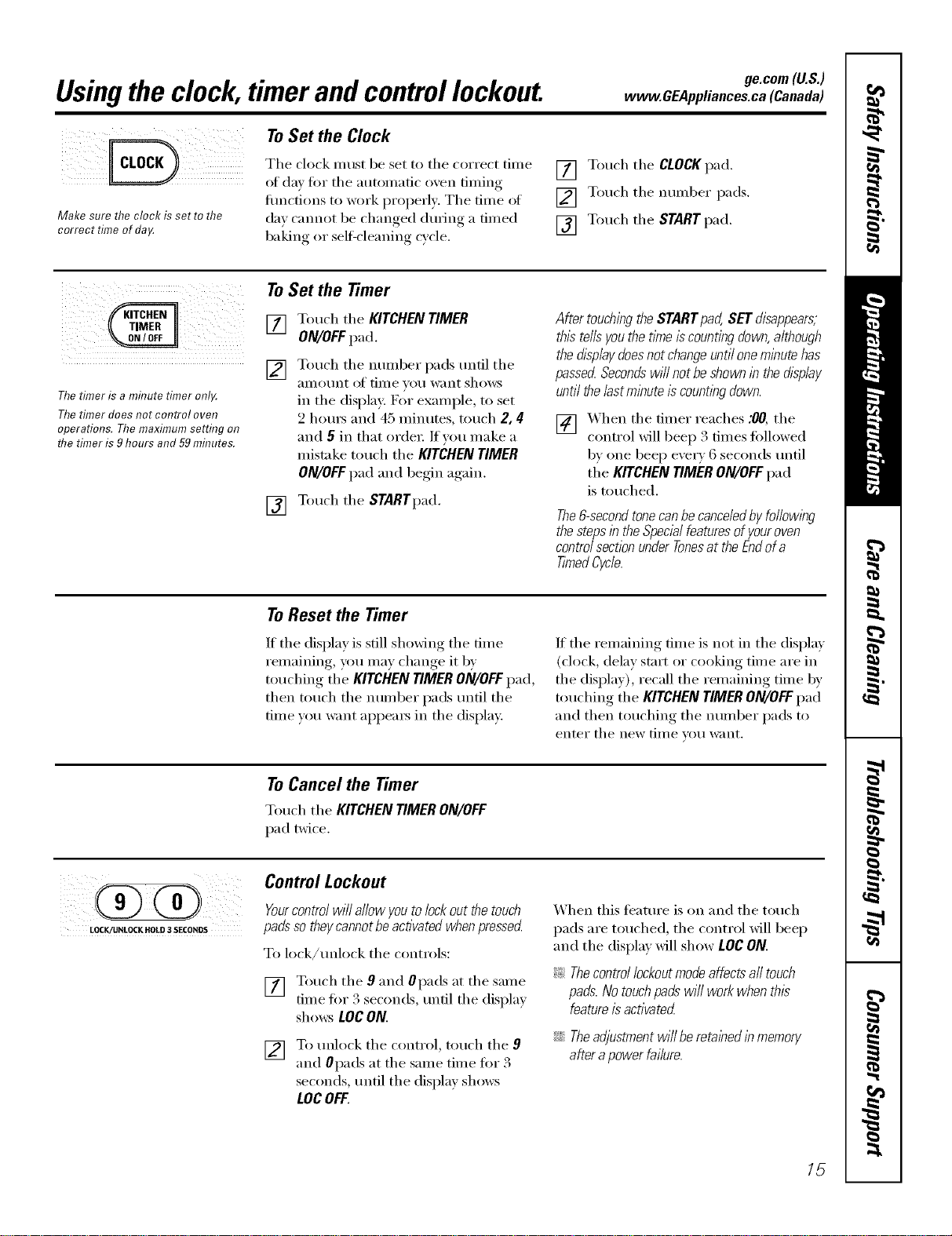
ToSet the Clock
The clock must be set to tile correct time
of da', fi_r tile atm)mafic oxen tinting
flmctions to work propefl). Tile time of
da) cannot be changed dtnJllg a timed
baking or self=cleaning cycle.
[] Touch tile CLOCK pad.
[] Touch tile number pads.
[] Touch the START pad.
[]
Thetimer is a minute timer onl_
Thetimer does not control oven
operations. The maximum setting on
the timer is 9hours and 59mhTutes.
ToSet the Timer
Touch tile KITCHENTIMER
ON/OFFpad.
Touch tile nmnber pads tmfil tile
_lIIlO//nt of time yot] want shows
in tile display: For example, to set
2 horns and 45 minutes, touch 2, 4
and 5 in that order: If you make a
mistake touch tile KITCHEN TIMER
ON/OFFpad and begin again.
[] Touch tile STARTpad.
AftertouchingtheSTARTpad,SETdisappears,
thistellsyouthetl_neiscountingdown,although
thedisplaydoesnotchangeuntiloneminutehas
passedSecondswi//notbeshownb thedisplay
untilthe/astmbute iscountbgdown.
[] _'_ hen tile timer reaches :00, tile
control will beep 3 times fbllowed
by one beep eve_ T 6 seconds tmtil
tile KITCHENTIMERON/OFFpad
is touched.
The&secondtonecanbecance/edbyfo//owlbg
thestepsb theSpecialfeaturesofyouroven
controlsectionunderTonesat theEndofa
TimedCycle.
ToReset the Timer
If tile display is still shoMng tile time
remaining, you may change it by
touching tile KITCHEN TIMER ON/OFFpad,
then touch tile number pads tmtil tile
time w)u want appea_ in tile display.
If tile remaining time is not in tile display
(clock, delay start or cooking time are in
the display), recall the remaining time by
touching tile KITCHEN TIMER ON/OFFpad
and then touching tile number pads to
entei" tile new [lille VO/I want,
ToCancel the Timer
Touch tile KITCHENTIMERON/OFF
pad twice.
LOCK/UNLOCK HOLD 3 SECONDS
Control Lockout
Yourcontrolwill allowyoutolockoutthetouch
padssotheycannotbeactivatedwhenpressed
To lock/tmlock tile controls:
[] Touch tile 9 and Opads at tile same
time f'm 3 seconds, tmfil tile displa)
shmvs LOCON.
[] To unlock tile control, touch tile 9
and 0pads at tile same time for 3
seconds, tmfil tile display shows
LOC OFF.
When this teatm'e is on and tile touch
pads are touched, tile control will beep
and tile display will show LOCON.
_: Thecontrol lockoutmode affectsall touch
pads.Notouchpadswi// work when this
featureis activated
iJi::Theadjustmentwillberetabedlnmemory
afterapowerfailure.
15
Usingthetimedbakingand mastingfeatures.(onsome models)
NOTE" Foods that spoil easily--such as milk, eggs, fish, stuffings, poultry and pork--should not be allowed to sit for
more than 1hour before or after cooking. Room temperature promotes the growth of harmful bacteria. Be sure that
the oven light is off because heat from the bulb will speed harmful bacteria growth.
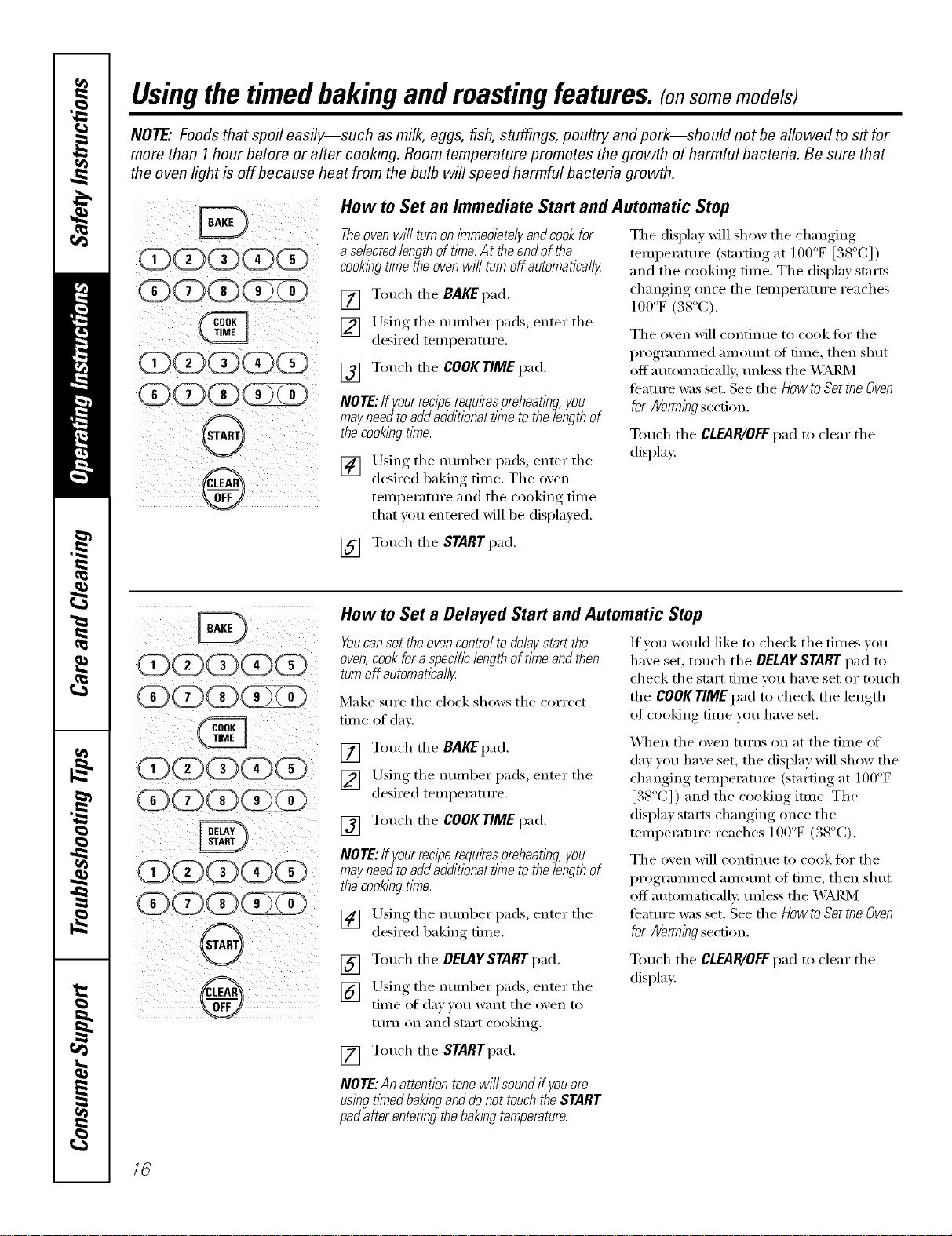
How to Set an Immediate Start and Automatic Stop
Theoven will turnon immediatelyandcook for
aselected lengthof tlYne.At the end of the
cookingt/methe ovenwi// turnoff automatica//y
[] Touch the BAKEpad.
[] Using tile nuinber pads, enter tile
desired teinperature.
[] Touch the COOKTIMEpad.
NOTE:If yourreciperequkespreheating,you
mayneedtoaddadditionaltimetothelengthof
thecookingrime.
[] Using the numl)er pads, enter the
desired baking time. Tile oxen
temperature and tile cooking time
that you entered will be displa) ed.
Tile display Mll show tile changing
temperature (stm'ting at 100°F [38°C])
and the cooking time. The display starts
changing once the temperature reaches
100oF(.%oc).
Tile oven will continue to cook tor tile
programmed amount of time, then shut
offatm)matically, tmless the _;M_4
feature was set. See the HowtoSettheOven
forWarmingsection.
Touch the CLEAR/OFFpad to clear the
display:
[] Touch tile START pad.
How to Set a Delayed Start and Automatic Stop
Youcanset the ovencontrol to delay-start the
oven,cookfor a specifc length of time and then
turnoff automafical/_
Make sm'e the clock shows the correct
time of day:
If vou would like to check tile times you
have set, touch tile DELAYSTARTpad to
check tile stm't time um have set or touch
the COOK TIMEpad to check the length
of cooking time you have set.
[] Touch tile BAKEpad.
[] Llsing tile number pads, enter tile
desired temperature.
[] Touch the COOKTIME pad.
NOTE:If yourreciperequkespreheatl)_g,you
mayneed to addadditional time tothe length of
thecookingtime.
[] Using tile numl)er pads, enter tile
desired baking time.
_hen the oven turns on at the time of
de) you haxe set, the displa)will show the
changing temperature (starting at IO0°F
[. 8 C] ) and the cooking itme. The
disl)la_, stm'ts changing, , once tile
temperature reaches 100"F (38°C).
The oxen will continue to cook for the
programmed amount of time, then shut
off automaticall), tmless the _ M_d_4
teature was set. See the How to Set the Oven
for Warming section.
[] Touch tile DELAYSTARTpad.
[] Using tile number pads, enter tile
time of de)}ou want tile oxen to
turn (in _lll(1 S[}lI'[ cooking.
Touch tile CLEAR/OFFpad to clear tile
display:
[] Touch tile STARTpad.
NOTE:An attention tonewi// soundif youare
using tlknedbakingand do not touchthe START
padafter entering the bakingtemperature.
16
ge.com (U.S.)
Using theprobe, www.GEAppliances.ca(Canada)
For many foods, especially roasts and poultry, internal food temperature is the best test for doneness. The
temperature probe takes the guesswork out of roasting by cooking foods to the exact doneness you want.
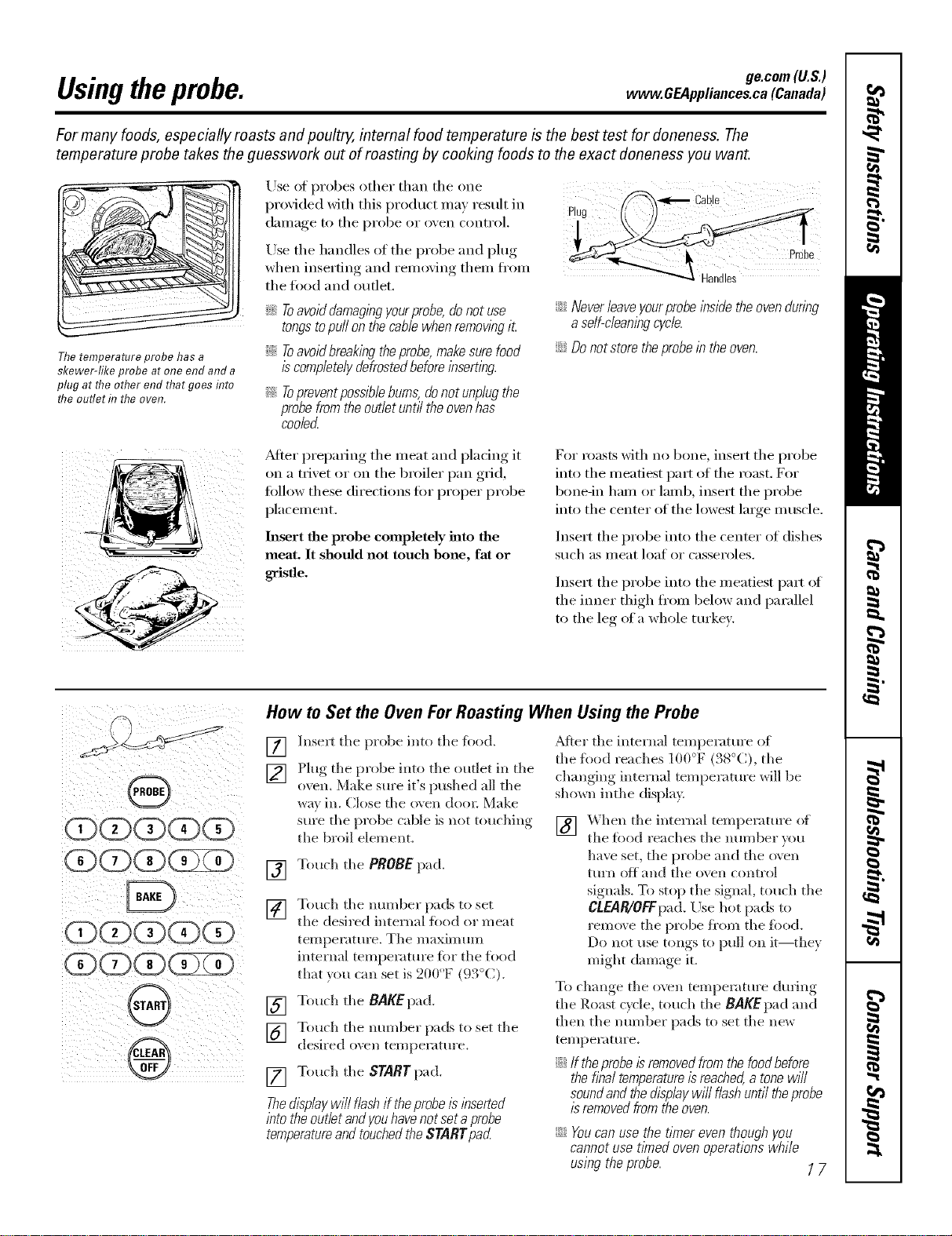
Thetemperature probe has a
skewer-like probe at one end and a
plug at the other end that goes title
the outlet d7the oven.
Use of probes other than tile one
proxided xdth this product ma) result in
dallla(re_ to tile probe or oxen controk
Use tile handles of tile probe and plug
when inserting and remoxim, them fl'om
tile toed and outlet.
_Ji::Toavoiddamagingyourprobe,donotuse
tongstopuffonthecablewhenremovingit
_ilToavoidbreakingtheprobe,makesurefood
iscompletelydefrostedbeforeinserting.
Topreventpossible bums,donot unplugthe
probe from the ouflet unt/7the ovenhas
coolerL
_ Cable
iJi::Neverleave yourprobe/bsidethe ovenduring
a serf-cleaningcycle.
ij_::Donot store theprobein the oven.
_Mter preparing tile meat and placing it
on a trivet or on the broiler pan grid,
tollow these directions for proper probe
placement.
Insert the probe completely into the
meat. It should not touch bone, fat or
gristle.
For roasts with no bone, insert tile probe
into tile meatiest part of tile roast. For
bone-in ham or lamb, insert tile probe
into tile center of tile lowest large muscle.
Inse_t the probe into the center of dishes
S/Ich as II/eat loat or casseroles.
Insert tile probe into tile meatiest part of
the imler thigh fl'om below and parallel
to the leg era whole tin'key.
How to Set the Oven For Roasting When Using the Probe
@
[]
[]
[]
[]
[]
[]
Insert tile probe into tile fi)od.
Plug tile probe into tile oudet in tile
oven. Make sure it's pushed all tile
way in. Close tile o\ en doo*: Make
sure tile probe cable is not touching
the broil element.
Touch tile PROBE pad.
Touch tile mm_ber pads to set
tile desired internal food or meat
temperature, Tile maximum
internal temperatm'e tbr tile food
that ,_ou can set is 200°F (93°C).
Touch tile BAKEpad.
[] Touch the STARTpad.
ThedL_p/aywi// f/ashif theprobe/L_/bserted
/btothe outlet andyouhave not set aprobe
temperatureand touched the STARTpad
Touch tile mm_ber pads to set tile
desired oven temperatm'e.
_Mter tile internal temperature of
tile food reaches 100°F (38°C), tile
changing internal temperature will be
shown inthe displa>
] _hen tile internal temperature of
tile food reaches tile ram/bet ",ou
have set, tile probe and the o\ en
ttll'n Ott alld tile ();'ell control
signals. To stop tile signal, touch tile
CLEAR/OFFpad./k)se hot pads to
remove tile probe fl'om tile ibod.
Do not t/se tollgs to p/In on it--they
might damage it.
To change tile oven temperature during
tile Roast cycle, touch tile BAKEpad and
then tile number pads to set tile new
te_]lpeI'att lye.
N If theprobe/s removedfrom the foodbefore
the final temperatureisreached,a tonewill
soundand the displaywill flash until theprobe
/sremoved from the oven.
iJi::Youcan use the timer even though you
cannot use t/knedoven operations while
using the probe. 1 7
Usingtheconvectionoven.
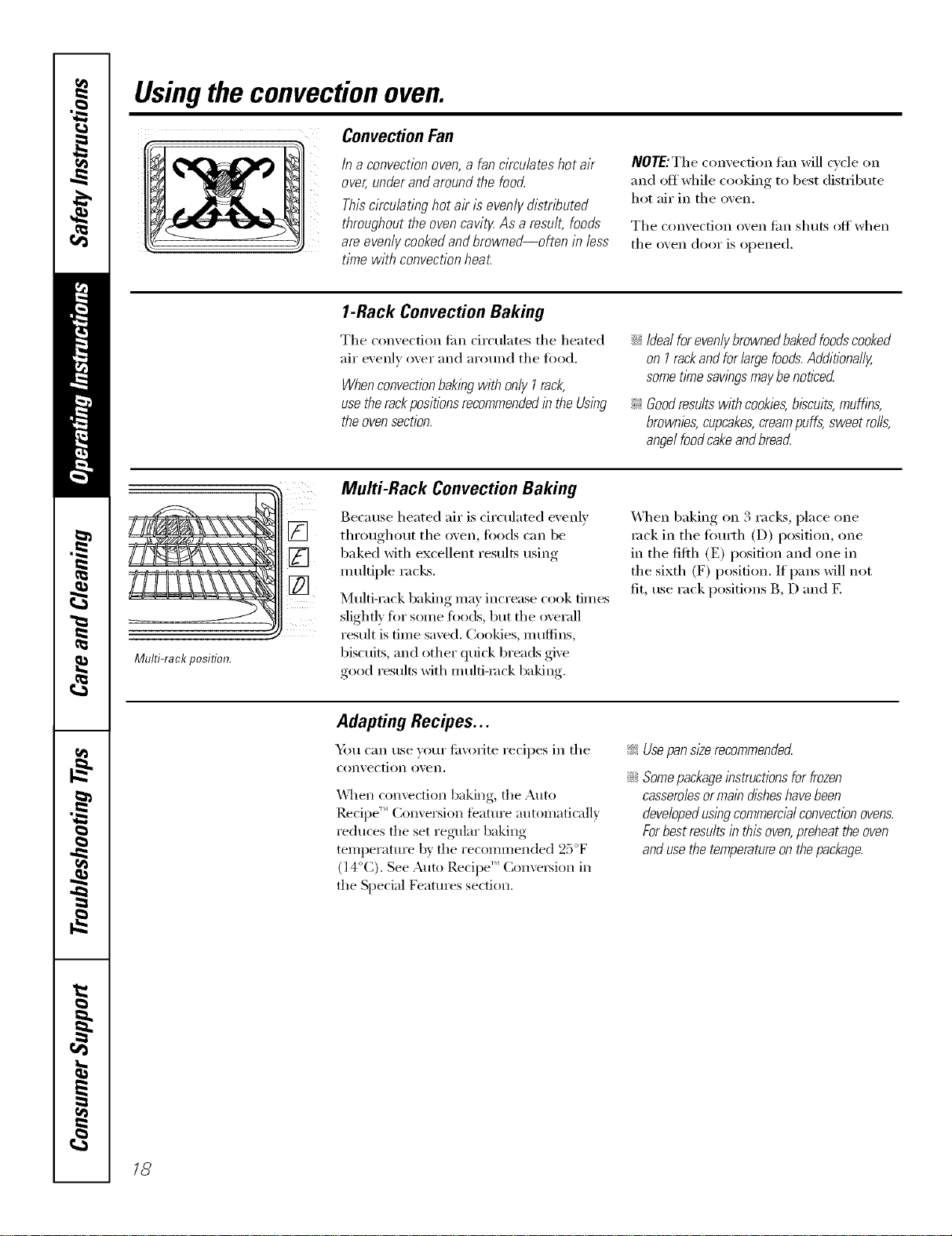
ConvectionFan
In a convection oven,a fan circulates hot air
over, under and around the food..
This circulating hot air is evenly distributed
throughout the oven cavity.As a result, foods
are,evenly cooked and browned--often in lass
time with convection heat.
NOTE:The con\'ecfion tim will cycle on
and off while cooking to best distribute
hot air in the ()veil.
The convection oven tim shuts offwhen
the ()veil door is opened.
1-Rack Convection Baking
The convection tim circulates the heated
air evenlv over and around the tood.
Whenconvectionbakingwith only I rack,
use therackpositions recommendedin the Using
the ovensection.
;;Ji::Idealforevenlybrownedbakedfoodscooked
on I rackandforlargefoods.Additionally,
sometimesawbgsmaybenoticed
_ Goodresultswithcookies,biscuits,muffins,
brownies,cupcakes,creampuffs,sweetrolls,
angelfoodcakeandbreacL
Multi-rack position.
Multi-Rack Convection Baking
Because heated air is circulated evenly
throughout the oven, foods can be
baked with excellent results using
multiple racks.
Multi-rack baking may increase cook times
slightly fin" some foods, ])tit the overall
result is time saved. Cookies, mttflins,
biscuits, and other quick breads give
good results with m uld-mck baking.
_.*_]/ellbaking on 3 racks, place one
rock in tile fimrth (D) position, one
in the fifth (E) position and one in
the sixth (F) position. If pans will not
fit, use rack positions B, D and E
Adapting Recipes...
Ym can use your fi_\'oxite recipes in the
convection ()veil.
\\qlen convection baking, the Auto
Recipe '_Conversion feature automatically
reduces fl_e set regular baking
temperature by the recommended 25°F
(l 4°C), See Auto ReciI/e '_ Conversion in
the Special Features section.
_ Usepansize recommended
_Ji::Somepackageinstructionsfor frozen
casserolesormain disheshavebeen
developedusing commercialconvection ovens.
Forbest results in this oven,preheat the oven
andusethe temperatureon thepackage.
18
ge.com(U.S.)
www.GEAppliances.ca(Canada)
_QSt
Z
Grid
Broilerpan
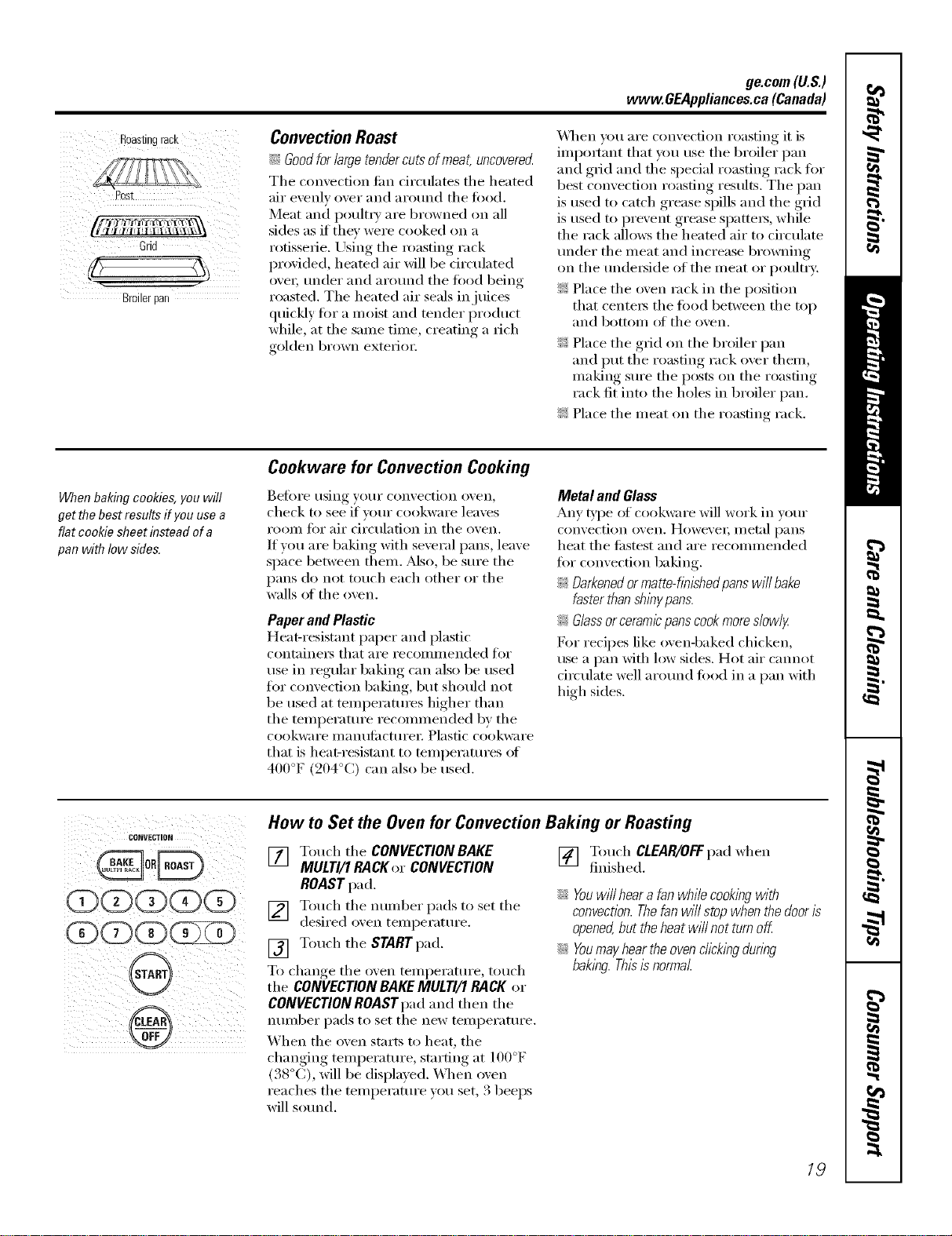
Convection Roast
_ Goodforlarge tendercutsof meat, uncoverecL
The convection tim circulates the heated
air evenly over and around the fi)od.
Meat and i)oult_T are browned on all
sides as if they were cooked on a
rotisserie. Using the roasting rack
provided, heated air will be circulated
ovei; under and around the ti)od 1)eing
roasted. The heated air seals in juices
quickly fi)r a moist and tender product
while, at the same time, creating a rich
golden brown exterJm:
\&l_en _m are convection roasting it is
iml)ommt that you use the broiler I)an
and grid and the special roasting rack fi)r
best convection roasting results. The pan
is used to catch grease spills and the grid
is used to I)revent grease si)attei_, while
the rack allows the heated air to circulate
under the meat and increase browning
on the undei_ide of the meat or poultry:
Z: Place the oven rack in the I)osifion
that centei_ the tood between the top
and bottom of the oven.
Z: Place the grid on the broiler l)an
and put the roasting rack over them,
making sure the posts on the roasting
rack fit into the holes in broiler pan.
Z: Place the meat on the roasting rack.
When baking cookies, you will
get the best results ff you use a
flat cookie sheet instead of a
pan with Iow side&
Cookware for Convection Cooking
Before using your convection oven,
check to see if your cookware leaves
room for air drculation in the oven.
If vou are baking with several pans, leave
Sl)_ce between them. _Mso, be sure the
pans do not touch each other or the
walls ot the oven.
Paper and Plastic
Heat-resistant paper and plastic
containei_ that are recommended fi)r
use in regular baking can also be used
for convection baking, 1)ut should not
be used at temperatures higher than
the temperature recommended by the
cookware ii/_lilt/lilCttii'ei: Plastic cookware
that is heat-resistant to temperatures (ff
400°F (204°C) can also be used.
Metal and Glass
Any type of cookware will work in vour
convection (wen. Uowe\'ei; Illet;ll l)_lns
heat the fi_stest and are recommended
for convection baking.
Z_Darkenedor matte-finishedpans will bake
faster thanshlbypans.
_: Glassor ceramtcpanscookmore s/ow//
For recipes like ovenq)aked chicken,
use a pan with low sides. Hot air cannot
drculate well around food in a pan with
high sides.
COI_VECTION
(3)(3)(3)(3)(3)
(3)(Z)(3)(ZZD
How m Set the Oven for Convection Baking or Roasting
[] Touch the CONVECTION BAKE
MULTI/1 RACKor CONVECTION
ROAST pad.
[] Touch the number pads to set the
desired oxen temperature.
[] Touch the STARTpad.
To change the oven temperature, touch
the CONVECTIONBAKEMULTI/1 RACK or
CONVECTIONROAST pad and then the
number pads to set the new temperature.
When the oven starts to heat, the
changing temperature, starting at 100°F
(38°C), will be displayed. X4]_en oven
reaches the temperature you set, 3 beeps
will sound.
[] Touch CLEAR/OFFpad when
finished.
iJGYouwillheara fanwhilecookingwith
convection.ThefanwillstopwhenthedoorIs
opened,buttheheatwillnotturnoK
iJGYoumayheartheovenclickingdunbg
baklbg.ThisIsnormal.
19
Usingthe timedfeaturesforconvectioncooking.
Youwill hear a fan while cooking with these features. The fan will stop when the door& opened, butthe heat
will not turn off.
NOTE:Foods that spoil easily--such as milk, eggs, fish, stuffings, poultry and pork--should not be aflowed to
s# for more than 1hour before or after cooking. Room temperature promotes the growth of harmful bacteria.
Be sure that the oven light is off because heat from the bulb will speed harmful bacteria growth.
CQNVECTION
(D(D(5)(D(D
O
®
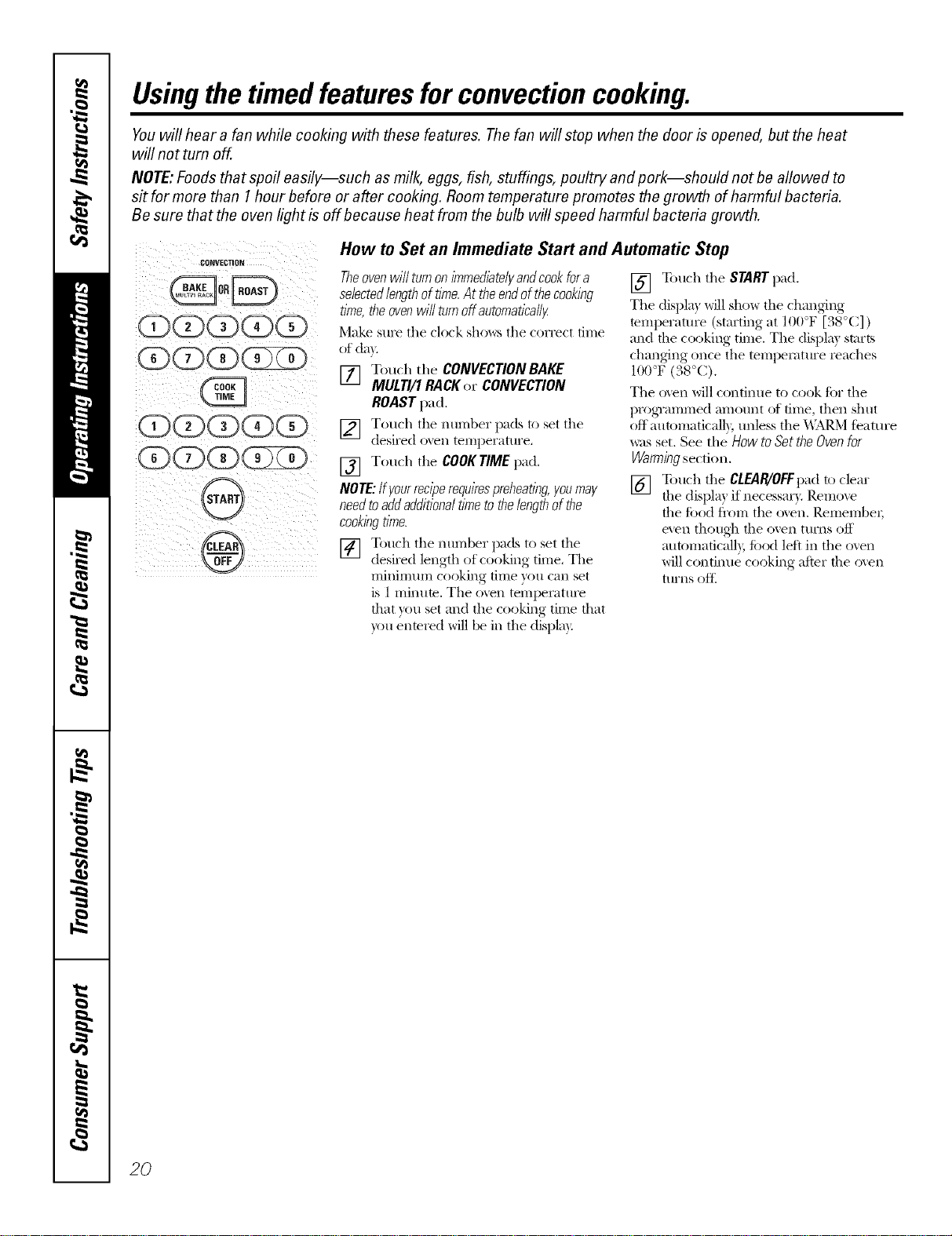
How to Set an Immediate Start and Automatic Stop
Theoven wilfturn on immediate/I/andcook for a
selectedlengthoftime.At theendofthecooking
time,theovenwillturnoffautomatically
Make sure tile clock sho_,_:s tile correct time
of day.
[] Touch the CONVECTIONBAKE
MULTI/1RACKor CONVECTION
ROASTpad.
[] Touch tile number pads to set tile
desired o'_en temperattu'e,
[] Touch tile COOK TIME pad.
NOTE: ffgourreciperequirespreheating,you may
need to add additional time to the lengthof the
cookingtime.
[] Totlch tile ntln-lber pads to set tile
desired length of cooking time. Tile
mininmm cooking dine you can set
is 1 minum. Tile oven tempemtm'e
that you set and tile cooking dine that
you enmred will be in tile displa):
[] Touch tile STARTpad,
Tile displa) will show tile changing
temperattwe (starting at 100°F [38°C] )
and file cooking time, Tile displa) starts
changing once tile temperatm'e reaches
100°F (38°C),
Tile o_en will continue to cook ti)r tile
[/i'ogTammed amotmt of time, then shut
off autonmticalb; mlless tile _\IM_,M t_'atm'e
was set. See the How to Set the Oven for
Warmingsection.
[] Touch tile CLEAR/OFFpadto clear
the displa) if necessai T. Remo_e
the ti)od fl'om tile oxen. RemembeI;
e'.en though the ()veil ttlFns off
autonmficall}, ti)od left in tile ()veil
will continue cooking after the o_en
turns oft_
2()
CI0_VECTION
G(D(5)(?)(5)
(DG(])(?
(i)OOOO
OO(])(]ZD
(?}(D(D( D
@
ge.com(U.S.)
www.GEAppliances.ca(Canada)
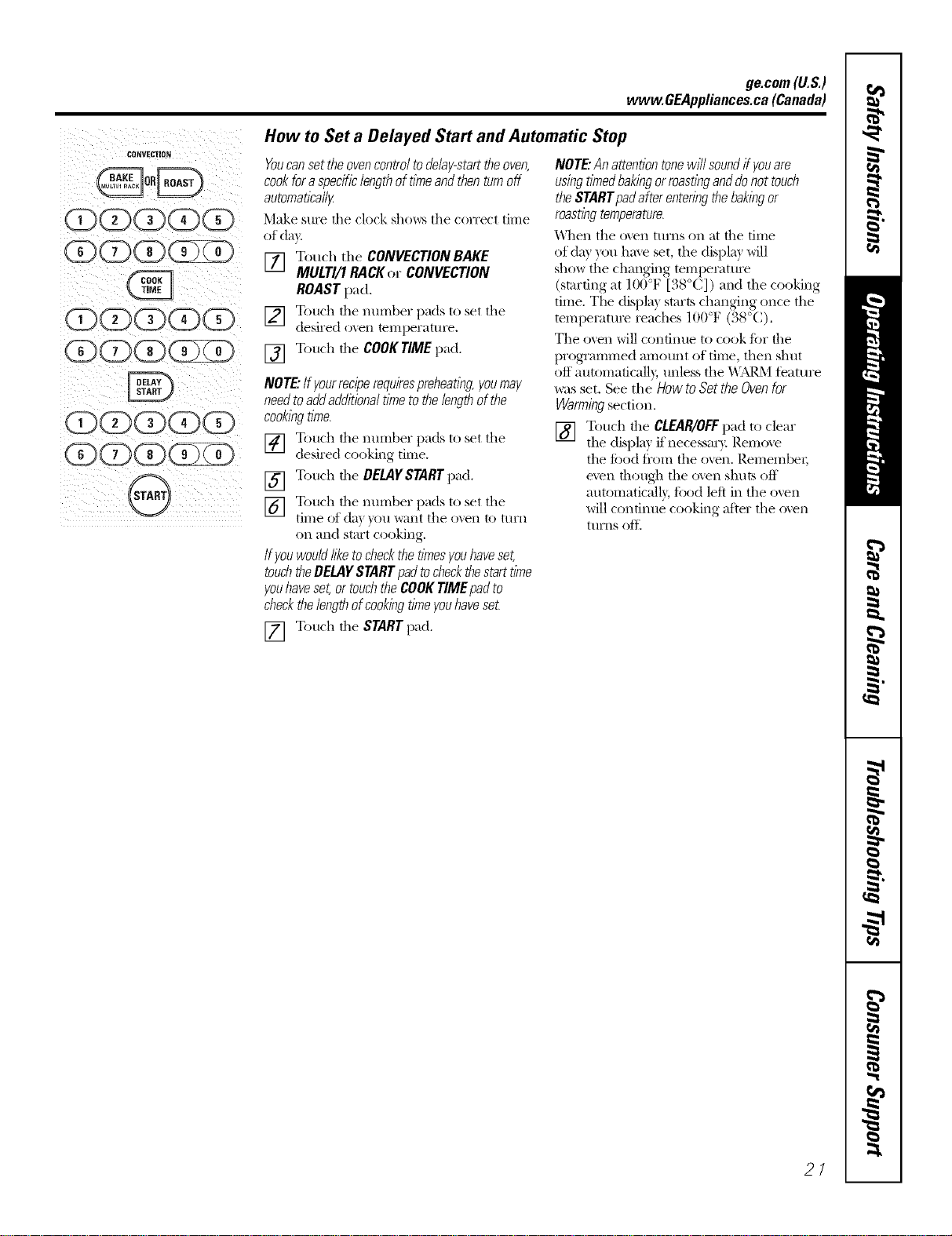
How to Set a Delayed Start and Automatic Stop
Youcansettheovencontroltodelay-starttheoven,
cookfora specificlengthof timeand thenturnoff
automatically
Make SIlI'e file clock sho_s file correct time
of day.
[] Touch the CONVECTIONBAKE
MULTI/1 RACKor CONVECTION
ROAST pad,
[] Touch the nmnber pads to set the
desired oven temperatm'e.
[] Touch the COOKTIMEpad.
NOTE"Ifyourreciperequirespreheating,youmay
needtoaddadditionaltime tothe lengthof the
cookingtime.
[] Touch the nmnber pads to set the
desired cooking time.
[] Touch the DELAYSTARTpad.
[] Touch the nmnber pads to set the
time of de} )ou want the ()',el1 to tllI'n
on mid stm't cooking.
Ifyouwouldlike tocheckthe timesyouhaveset,
touchtheDELAYSTARTpadtocheckthestarttime
youhaveset,or touchthe COOKTIMEpadto
checkthelengthofcookingtimeyouhavese_
NOTE."An attentiontonewill soundff youare
usingtimedbakingorroastingand donot touch
the STARTpadafter enteringthebakingor
roastingtemperature.
_'\llen die oven turns on at die tillle
of de} you hme set, the displa} will
show the changing tempemtm'e
(starting at 100°F [38°C]) mid the cooking
time. The displa) starts chinning once the
tempetatm'e reaches 100°F (38°(:).
The oven will confintle to cook tbr the
programmed amount of time, then shut
oft automaficall}, unless the _'\;M_.Mteatm'e
_:ls set. See the How to Set the Oven for
Warming section.
[] Touch the CLEAR/OFFpad to clear
the displa) if necessa_}: Remove
the food fl'om the oven. Remember;
even though the o',en shuts off
automaticalb, , ti)od left in the oven
will continue cooking after the o',en
ttlrns oII_
[] Touch the STARTpad.
21
Usingtheconvectionoven.
For best results when roasting large
turkeys and roasts, we recommend
usflTg the probe flTcluded t7 the
COITvectioI7 oven.
CONVECTION
G(E)(E)(E)(E)
(E)(E)(E)(E)
00000
E QG)(EE
@,
®
Tochange the oven temperature
during the Convection Roast cycle,
touch the CONVECTIONROASTpad
and then touch thenumber pads to
set the new desired temperature.
22
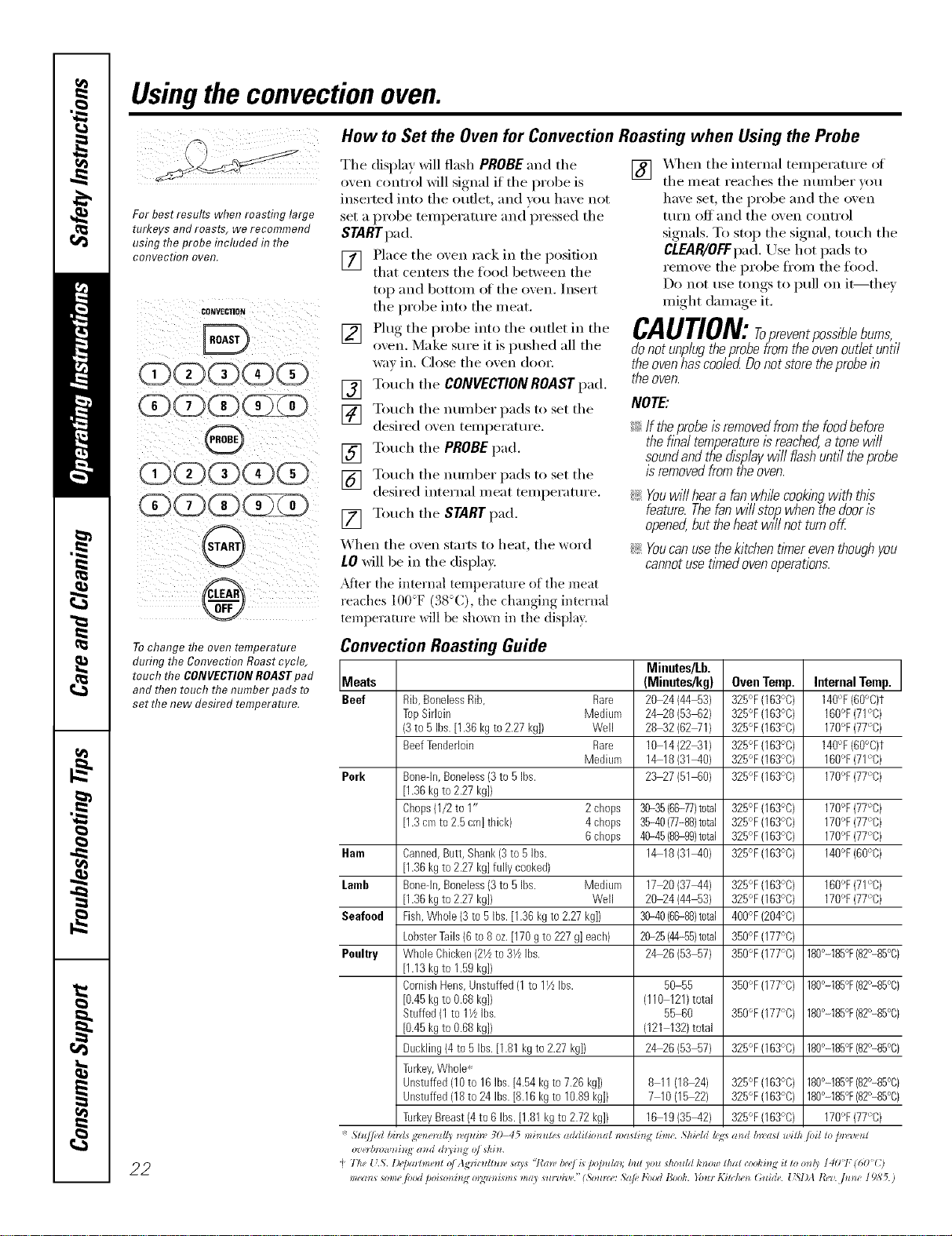
How to Set the Oven for Convection Roasting when Using the Probe
Tile display will flash PROBE and the
oven control will signal if the lift>be is
inserted into the outlet, ;rod you have not
set a probe teinl/eratul'e and pressed the
STARTpad.
[] Place the oven rock in the position
that cente_ tile food between the
toil and bottom of tile oven. Insert
the probe into the meat.
[] Plug tile Ilrobe into tile outlet in tile
oven. Make sure it is Imshed all the
way ill. Close tile oven dool:
[] Touch tile CONVECTIONROASTpad.
[] Touch tile number pads to set tile
desired oven telnilel';ittll'e.
[] Touch tile PROBEpad.
[] Touch tile number pads to set tile
desired internal meat teml/eramre.
[] Touch tile STARTpad.
When tile oven stmls to heat, tile word
LO will be in tile display.
_Mter the internal temperatm'e of the meat
reaches 100°F (38°C), the oh;raging internal
temperature will be show)l in the display}.
[] _._/en tile internal temperatm'e of
tile meat reaches tile nmnber _ou
have set, tile probe and tile oven
ttlFn Of{ and tile oven control
signals. To stop tile signal, tou(h tile
CLEJIR/OFFpad. Use hot pads to
remove tile probe fl'om tile ti)ocl.
Do not use tongs to pull on it--they
might damage it.
CAUTION:ropreventpossiblebums,
donotunplugtheprobefromtheovenoutletuntil
the oven has cooled Do not store the probe lb
the oven.
NOTE:
!i_:If theprobeisremovedfromthefoodbefora
theflbaltemperatureisreached,atonewill
soundandthedisplaywill flashuntiltheprobe
isremovedfromtheoven.
!i_:Youwillheara fanwhffecookingwith this
feature.Thefanwillsto/_whenthedooris
opened,buttheheatwill notturnoff
!i_:Youcanusethekitchentl_nereventhoughyou
cannotusettmedovenoperations.
Convection Roasting Guide
Minutes/Lb.
Meats (Mieutes/kg) Oven Temp. Internal Temp.
Beef Rib,BonelessRib, Rare 20_4 (44 53) 325°F(163°C) 140"F(60°C)t
TopSirloin Medium 24_8 (53 62) 325°F(163°C) 160°F(71°C)
(3to 5 Ibs.[1.36kg to2.27 kg]) Well 28_2 (62WI) 325°F(163°C) 170°F(77°C)
BeefTenderloin Rare 10 14(2241) 325°F(163°C) 140°F(60°C)t
Medium 14 18(31_0) 325°F(163°C) 160°F(71°C)
Pork Bonedn,Boneless(3to 5Ibs. 23_7 (51 60) 325°F(163°C) 170'_F(77°C)
[1.36kgto 2.27kg]/
Chops(1/2to 1" 2 chops 3035 (66-77)total 325°F(163°C) 170°F(77°C)
[1.3cmto 2.5cm]thick) 4 chops 36-40(77-88)total 325°F(163°C) 170°F(77°C)
6 chops 4%45(88-99)total 325°F(163°C) 170°F(77°C)
Ham Canned,Butt, Shank(3to 5 Ibs. 14 18(31_0} 325°F(163°C) 140°F(60°C)
[1.36kgto 2.27kg]fully cooked)
Lomb Bonedn,Boneless(3to 5Ibs. Medium 17_0 (37_4) 325°F(163°C) 160°F(71°C)
[1.36kgto 2.27kg]) Well 20_4 (44 53) 325°F(163°C) 170°F(77°C)
Seafeed Fish,Whole(3 to 5Ibs.[1.36 kgto 2.27kg]) 36-40(66-88)total 400°F(204°C)
LobsterTails(6 to 8oz.[170 gto 227g] each) 2025 (4455)total 350°F(177°C)
Poultry WholeChicken(2Vzto31/LIbs. 24_6 (53 57) 350°F(177°C) 180°-185°F(82°-85%)
[1.13kgto 1.59kg]/
CornishHens,Unstuffed(1to 11/LIbs. 50 55 350°F(177°C) 180°-185°F(82°-85%)
[0.45kgto 0.68kg]) (110 121)total
Stuffed(1 to 11/zIbs. 55 60 350°F(177°C) 180°-185°F(82°-85%)
[0.45kgto 0.68kg]/ (121 132)total
Buckling(4to 5 Ibs.[1.81kgto 2.27kg]) 24_6 (53 57) 325°F(163°C) 180°-185°F(82°-85%)
Turkey,Whole*
Unstuffed(10to 16Ibs.[4.54kgto 7.26kg]) 8 11(18_4) 325°F(163°C) 180°-185°F(82°-85%)
Unstuffed(18to 24 Ibs.[8.16 kgto 10.89kgD 7 10(15_2) 325°F(163°C) 180°-185°F(82°-85%)
TurkeyBreast(4to 6 Ibs.[1.81kg to2.72kg]) 16 19(35_2) 325°F(163°C) 170°F(77°C)
* Sl_t/ed bhds g_ne_vlll_ _Wuin" 30 45 minule_ addifimal ,'l)<l_li_l.¢dine. ShiHd Id¢:smd b;vaft ,_filh toil _otm,'_,e_l
ozeHmmtnhl._ and d_3i_l._ o/ shin.
"_77/e _ .S'. l)e/_a_lme_l_ (( Agv_ ldht)l, saU "l_ml, /)e_>/is /_o/mla); but )ou dlould I,'now _ha{ c(x)l,'hl,oi_ m ml!v 1401" ! 60 C)
means _om_"jood poi_m*h N o*;qzmi_m_ m<0 _u_'l_i'l,e."(_ou)z(': ,_@"1,'oodBook. You* I*2ilc/z<_*G_ide. [L_I)A tb,zz ]me 19S 5.)

ge.com (U.S.)
Usingtheproofingandwarmingfeatures, wvvw.GEAppliances.ca(Canada)
Theproofing feature maintains a warm environment useful for rising yeast-leavened products.
@3
®
How to Set the Oven For Proofing
[] Place the coxered dough in a dish in
the oxen on shelf B or C.
NOTE:Forbest rasults,coverthe doughwith a
cloth or with graasedp/astic wrap(theplastic,
may needto beanchoredunderneaththe
containerso the ovenfan will not Mow it off).
[] Touch the PROOF pad and then the
STARTpad.
The display will read PrF (proof).
The oven intedor light turns on and
remains on dining proofing.
The proofing teattlre automatically
provides the optimmn tempemtm'e fin"
the proofing process, and therefin'e does
not have a temperatm'e ac!justment.
[] _._hen )roofino is finished, touch
the CLEAR/OFFpad.
_: Toavoid lowering the oven temperature
andfengtheningproofing tlYne,donot
openthe ovendoor unnecessarily
::Ji::Checkbraadproductsearly toavoid
over-proofing.
NOTE:
_: Donotusetheproofingmodeforwarming
foodorkeepingfoodhot Theproofingoven
temperatureisnothotenoughtoholdfoods
atsafetemperatures.UsetheWARMfeature
tokeepfoodwarm.
iJi::Proofingwillnotoperatewhenovenisabove
125°F(52°C)."HOT"willshowin thedisplay
[] Set the KITCHENTIMERON/OFFfiw
the minim mn proof time.
How to Set the Oven For Warming
The WARMfi_amre keeps cooked
foods hot.
This teatm'e is not designed to reheat
cold food.
To use the WARMfeatm'e, touch the
WARMpad and then tile STARTpad.
To use the WARMteamre after Timed
Baking or Roasting, follow these steps:
[] Touch the mode of cooking that
you want to use (BAKE, CONVEC770N
BAKEMULTI/1 RACK,or CONVEC770N
ROAST).
[] Touch tile number pads to set tile
oven [eillpei';ittli'e.
[] Touch the COOKTIMEpad.
[] Touch the ntllllbeI" pads to set the
desired length of cooking time.
[] Touch the WARMpad.
[] Touch the STARTpad.
To Crisp Stale Items
::Ji::Place _'bod in lo_sided dishes or pans.
::Ji::For best results, place the ti)ocl items in
a single layer: Do not stuck.
_: i,eave them uncovered.
i_:Check c_ispness after 20-30 minutes.
Add time as needed.
IMPORTANTNOTES:
_:Foodshouldbekepthotin itscooking
containeror tramferredtoaheat-safe
servingdish.
_:Formoistfoods,coverthemwithanoven-safe
lid oraluminumfoil.
::Ji::Friedor crisp foodsdo notneed tobe covered,
but canbecometoo dry if warmedfor too long.
_: Repeatedopeningof the doorallows the hot
air toescapeand the food tocool.
::Ji::Allow extratlYnefor the temperatureinside the
oventostabifl2eafter adding items.
::Ji::With large loadsit maybe necessarytocover
someof the cookedfooditems.
!i_:Removeservingspoons,etc.,beforeplacing
containersin theoven.
::Ji::Do not useplastic containers,lids or p/asflc
wrap.
CAUTION: iaet/ccontainers,lids
or plastic wrap will melt if placed in theoven.
Me/tedp/astlc may not be removabfeand is not
coveredunderyourwarranty.
23
Adjust the oven thermostat--Do it yourself!
Youmay find that your new oven cooks differently than the one it replaced. Use your new oven for a few weeks to
become more familiar with it. If you still think your new oven is too hot or too cold, you can adjust the thermostat
yourself.
Donot use thermometers, such as those found in grocery stores, to check the temperature setting of your oven.
These thermometers may vary 20-40 degrees F(11-22 degrees C).
NOTE,"Thisadjustment will only affect baking and roasting temperatures; # will not affect broiling, convection or
self-cleaning temperatures. Theadjustment will be retained in memory after apower failure.
C (Z)(Z)(Z)
@
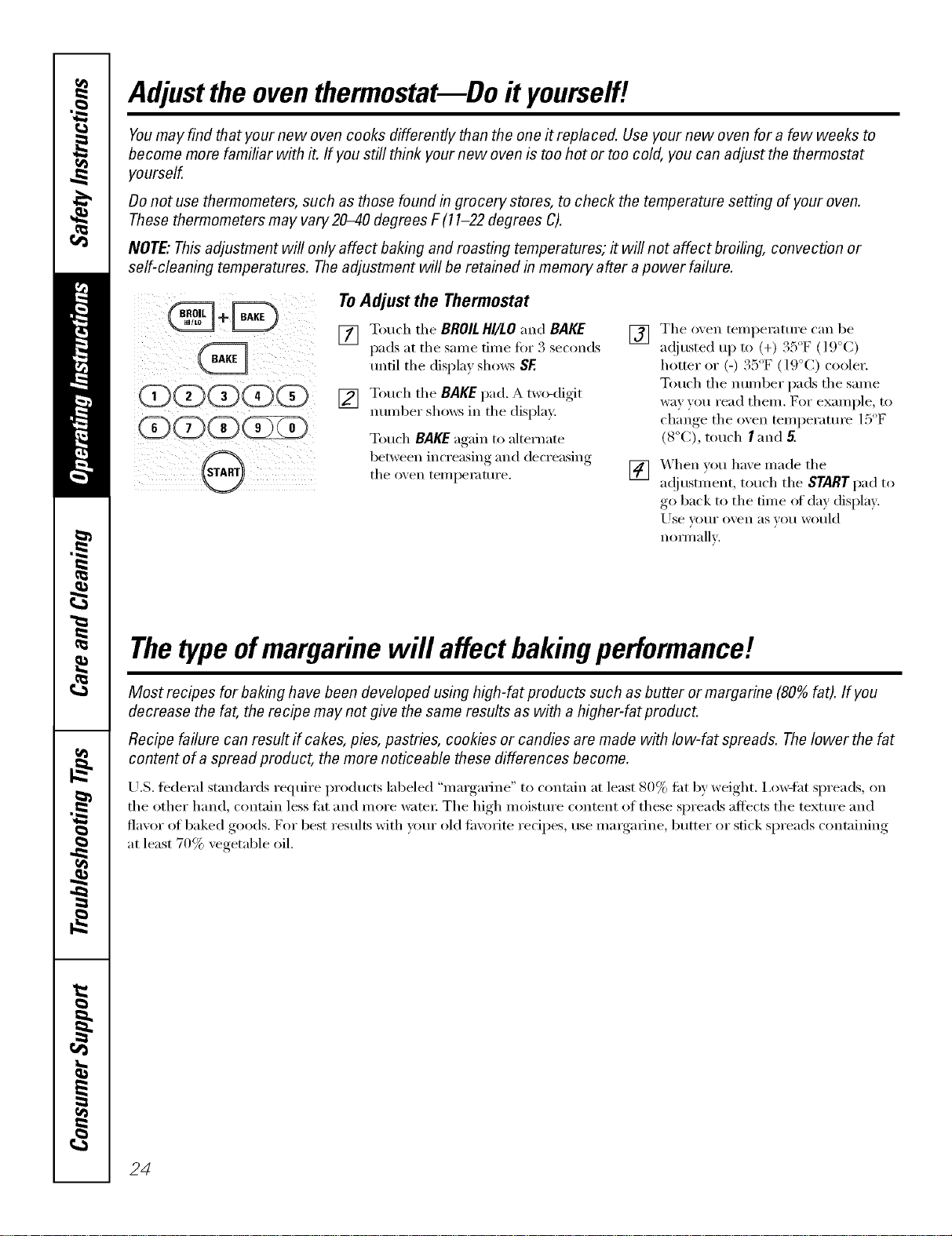
ToAdjust the Thermostat
[] T(>uch the BROILHI/LO and BAKE []
pads at the same time fi)r 3 seconds
until the display shows SE
[] Touch the BAKE pad. A two-digit
nmnber shox_s in the display:
Touch BAKE again to alternate
between increasing and decreasing
the oxen temperature. []
The oxen temperatm'e can be
35°F IO°C)a(!justed up to (+)., ( : ,
hotter or (-) 35 F (19°C) cooler.
Touch the numl)er pads the same
way you read them. For example, to
5'
change the oxen temperatm'e 1 F
(8°C), touch I and 5.
_'_hen you haxe made the
a(!justment, touch the STARTpad to
go back to the time of day display.
Use VOIII" o',en as _()tl would
noli/lallv.
Thetypeofmargarine will affect bakingperformance!
Most recipes for baking have been developed us&g high-fat products such as butter or margarine (80% fat). If you
decrease the fat, the recipe may not give the same results as with ahigher-fat product.
Recipe failure can result if cakes, pies, pastries, cookies or candies are made with low-fat spreads. Thelower the fat
content of a spread product, the more noticeable these differences become.
U.S. tederal standards require l)roducts labeled "margarine" to contain at least 80% tilt by weight. Ixmqht spreads, on
the other hand, contain less tilt and more water: The high moisture content of these spreads affects the textm'e and
flavor of baked goods. For best results with veto" old tm'orite recipes, use margarine, butter or stick spreads containing
at least 70% vegetable oil.
24
ge.com (U.S.)
Usingtheself-cleaning oven. vvww.OEAppliances.ca(Canada)
The oven door must be closed and all controls set correctly for the cycle to work properly.
Before a Clean Cycle
_'e recommend venting your
kitchen with an open window or using a
ventilation tim or hood dtmng tile fi_t
selficlean cycle.
Remoxe tile racks, broiler pan, broiler
grid, probe, all cookware and am
aluminum foil fl'om the oxen,
Do not clean tile gasket. Tile fiberglass
material ot the oven door gasket cannot
withstand abrasion. It is essential fin" tile
gasket to remain intact. If you notice it
becoming worn or fl'ayed, replace it.
_._]l)e up any heavy spillove_ on tile oven
bottom.
Wipe up heavy soil on flTeoven
bottom.
Tile oxen racks can be self-cleaned, but
they will darken, lose their luster and
become hard to slide.
Soil on tile fl'ont fl'ame of tile range
and outside the gasket on the door will
need to be cleaned bv hand. Clean these
areas with hot water; soap-filled or plastic
scom_ing pads or cleansers such as Soft
Scrub! Rinse well with clean water
and dry:
Make sure tile oven light bulb cover is in
place and the oven light is off.
IMPORTANT'. Tile health of some birds
is extremely sensitive to the flm/es given
off dtwing tile self cleaning cycle of any
range. Move birds to another well-
ventilated i'OOlil,
(D(E)(3)(3)(3)
C(E)(X)(E )
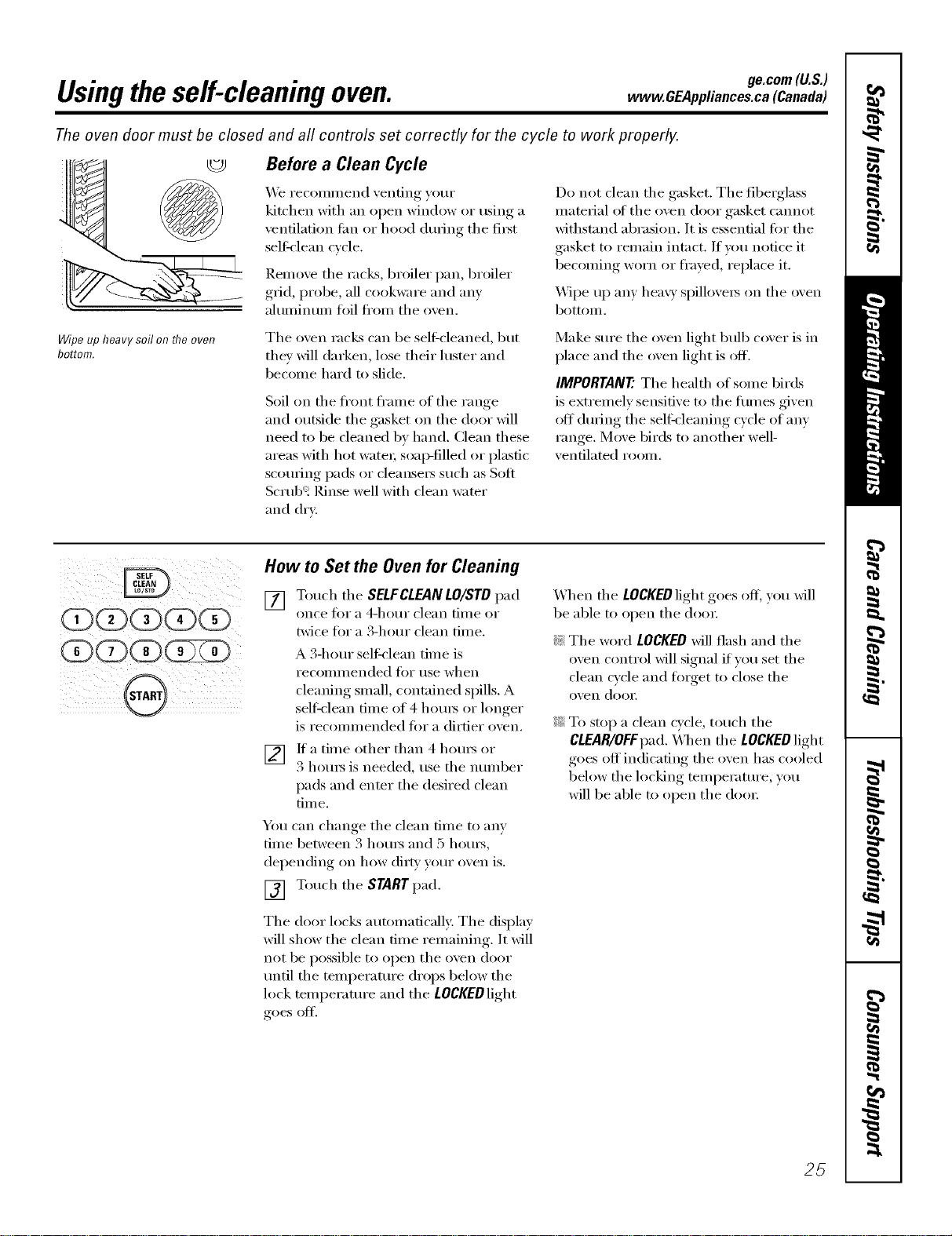
How to Set the Oven for Cleaning
[] Touch tile SELFCLEANLO/STD pad
on(e _0i" a 4-hotli" clean tinle or
twice tot a 9_-hour clean time.
A 3-horn" seltk'lean time is
recollli//ended ti)i" use when
cleanino,_ small, contained spills. A
selfk'lean time of 4 hom_ or lonoer
is recommended fin" a dirtier oxen.
V_ If a time other than 4 hom_ or
3 houI_ is needed, use tile nulnber
pads and enter the desired clean
time.
Yo/I C_lll chancre tile clean tillle to _IIIV
time between 3 hom_ and 5 hom_,
dei)ending, on how dirt_, yore" oxen is.
[] Touch tile STARTpad.
Tile door locks automatically; Tile display
will show the clean time remaining. It will
not be possible to open tile oven door
tmtil tile temperatm'e drops below tile
lock temperature and tile LOCKEDlight
goes off'.
When tile LOCKEDlight goes off; you will
be able to open tile dora:
_: Tile word LOCKEDwill flash and tile
oven control will signal if you set the
clean cycle and tinget to close tile
oven (loo_:
_: To stop a clean cycle, touch tile
CLEAR/OFFpad. _]/ell tile LOCKEDlight
goes off indicating the oven has cooled
below tile locking temperature, you
will be able to open tile (loo_:
25
Usingtheself-cleaning oven.
The oven door must be closed and all controls must be set correctly for the cycle to work properly.
(ZXZ>C#(Z (Z
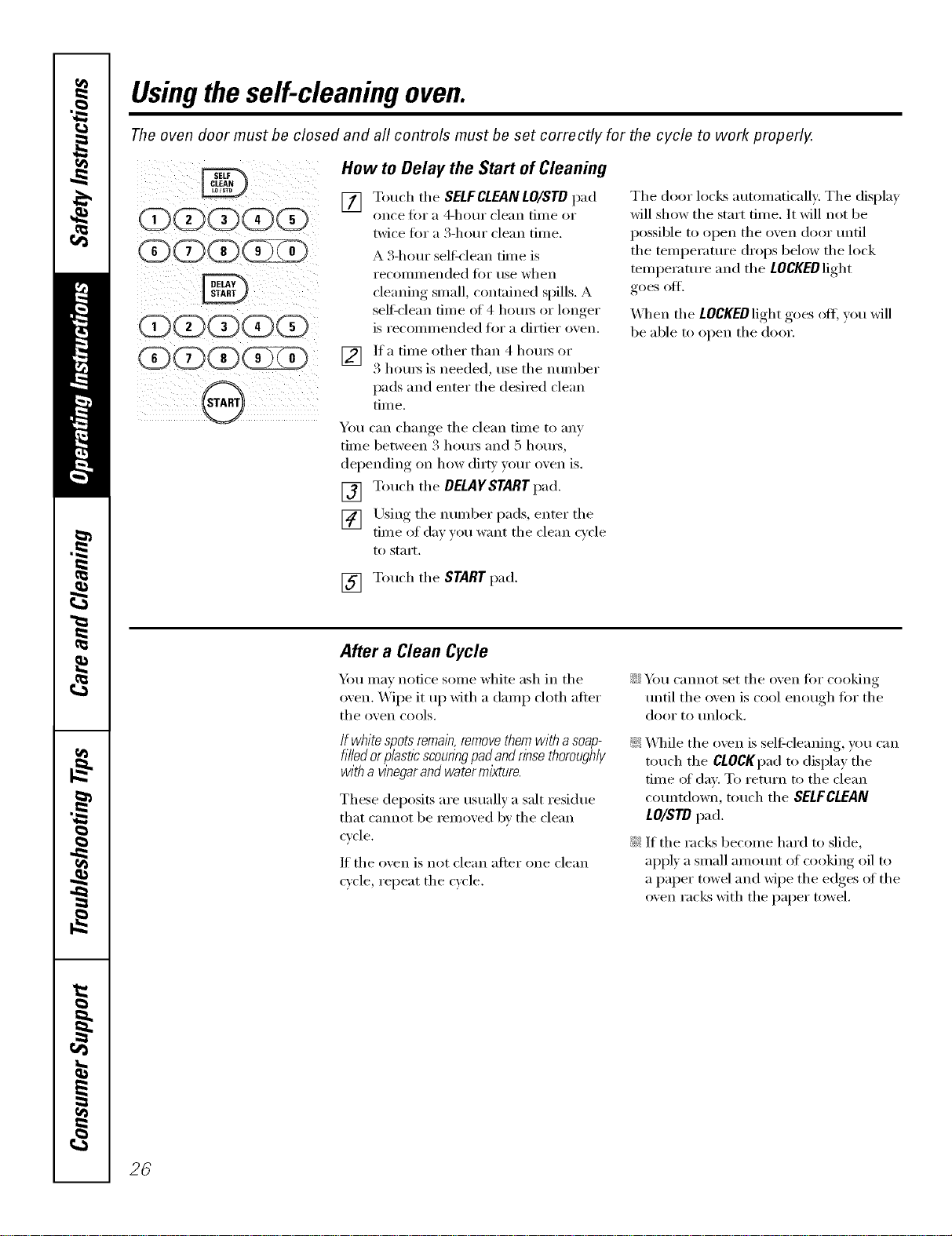
How to Delay the Start of Cleaning
[] Touch the SELF CLEAN LO/STD pad
once fi)r a 4-hour clean tiine or
twice foi a 3-houi clean tinle.
A 3-houi selfk'lean tiine is
recoilli/lended ]'()i" rise when
cleaning sinall, c(nltnined spills. A
sel6clean finie of 4 houi_ or lonoer
is reconmiended for a dirtier oxen.
V2] ]fa tiine other than 4 houi_ or
3 houI_ is needed, use the nunlber
pads and enter the desired clean
time.
You can change the clean tiine to any
tiIne between 5 houi_ and 5 houi_,
dei)ending, on how dirt_, your oxen is.
[] Touch the DELAYSTARTpad.
[] Using the nunlber pads, enter the
tiine of dm you want the clean c_cle
1o styli't,
The door locks autoniatically: The display
will show the start tinie. It will not be
possible to open the ()veil door until
the tenii_erature drops beh)w the lock
teinl)erature and the LOCKEDlight
goes off.
_4]_eIl the LOCgEOlight goes off; you will
be able to open the door.
[] Touch the STARTpad.
After a Clean Cycle
Y))u nlav notice soine white ash in the
oven. Wipe it up with a daInp cloth after
the ()veil cools,
If whitespotsremain,removethemwitha soap-
filledorplasticscounngpadandrinsethoroughly
with a wnegar and water mixture.
These deposits are usually a salt residue
that cannot be renioved by the clean
cycle.
If the oven is not clean after one clean
cycle, repeat the cycle.
iJi::Y_)tI cannot set the oven fin" cooking
until the oxen is cool enough for the
door 1o tlnlock.
_: _41file the ()veil is sel6cleaning, you can
touch the CLOCKpad to display the
tiine of day. To return to the clean
countdown, touch the SELFCLEAN
LO/STD pad.
_: If the racks beconie hard to slide,
apply a snIall anlount of cooking oil to
a paper towel and wipe the edges of the
oven racks with the paper towel.
26
ge.com(U.S.)
Special featuresofyourovencontrol www.OEAppliances.ca(Canada)
Yournew touch pad control has additional features that you may choose to use. The following are the features
and how you may activate them.
Thespecial feature modes can only be activated while the display is showing the time of day. They remain
in the control's memory until the steps are repeated.
When the display shows your choice, touch the STARTpad. Thespecial features will remain in memory after
a power failure, except for the Sabbath feature, which will have to be reset.
i_(_i_i_ii_I_!;_I__I_)I!:II!IIi
_ _ i i I _ i
i_i_!__i_i!i_i!_ _ii)i_i_i_
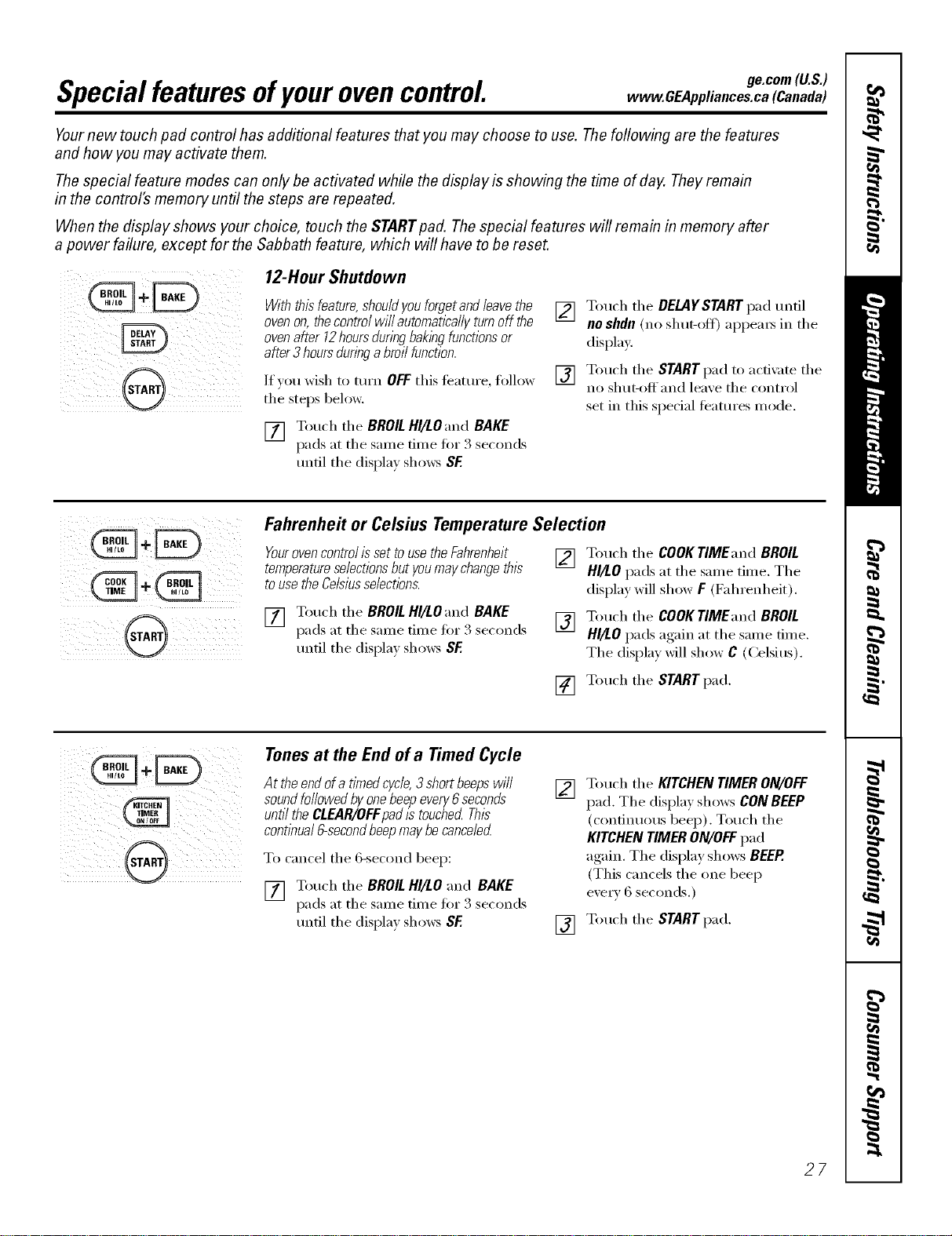
12-Hour Shutdown
_th thbfeature,shouldyouforgetandleavethe
ovenon,thecontrolwi//automaticallyturnoff the
ovenafter 12hoursduringbakbgfunctionsor
after3hoursduringa broilfunction.
If }ou wish to mrn OFFthis teatm'e, follow
tile steps below.
[] Touch the BROIL HI/LOand BAKE
pads at tile sanle time fin 3 seconds
until tile displa} shows SF
[] Touch the DELAYSTARTpad Imfil
noshdn(no shut-oft) appeax_ in tile
display.
[] Touch tile STARTpad to acfix Ite tile
no shut-offand leaxe tile control
set in this special teatures mode.
i i
5¸¸¸¸¸ii@ iiii
Fahrenheit or Celsius Temperature Selection
Four ovencontrol isset touse the Fahrenheit
temperatureselectionsbut youmay changethis
to use the Celsiusselectlbns.
[] Touch tile BROIL HI/LOand BAKE
pads at tile sanle time fin 3 seconds
tmtil tile displa} shows SF.
[]
[]
Touch tile COOKTIMEand BROIL
HI/LO pads at tile same time. Tile
display will show F (Fahrenheit).
Touch tile COOKTIMEand BROIL
HI/LO pads again at tile same time.
Tile display will show C (Celsius).
[] Touch tile STARTpad.
IQiii_)j)ii(i I_
i_i_i__ji!@ i_ii_i!i)i!iii
Tonesat the End of a Timed Cycle
Attheendofa timedcycle,3 shortbeepswill
soundfollowedbyonebeepevery6seconds
untiltheCLEAR/OFFpadlstouchedThis
contlbual6-secondbeepmaybecanceled
To cancel tile 6-second beep:
[] Touch tile BROILHI/LO and BAKE
pads at tile same time fi)r 3 seconds
tmfil tile display shows SF.
[]
[]
Touch tile KITCHENTIMERON/OFF
pad. Tile displa)shows CONBEEP
(continuous beep). Touch tile
KITCHENTIMERON/OFFpad
again. Tile display shows BEEP.
(This cancels tile one beep
every 6 seconds.)
Touch tile STARTpad.
27
Special featuresofyourovencontrol.
_÷÷_
LIGHT
®
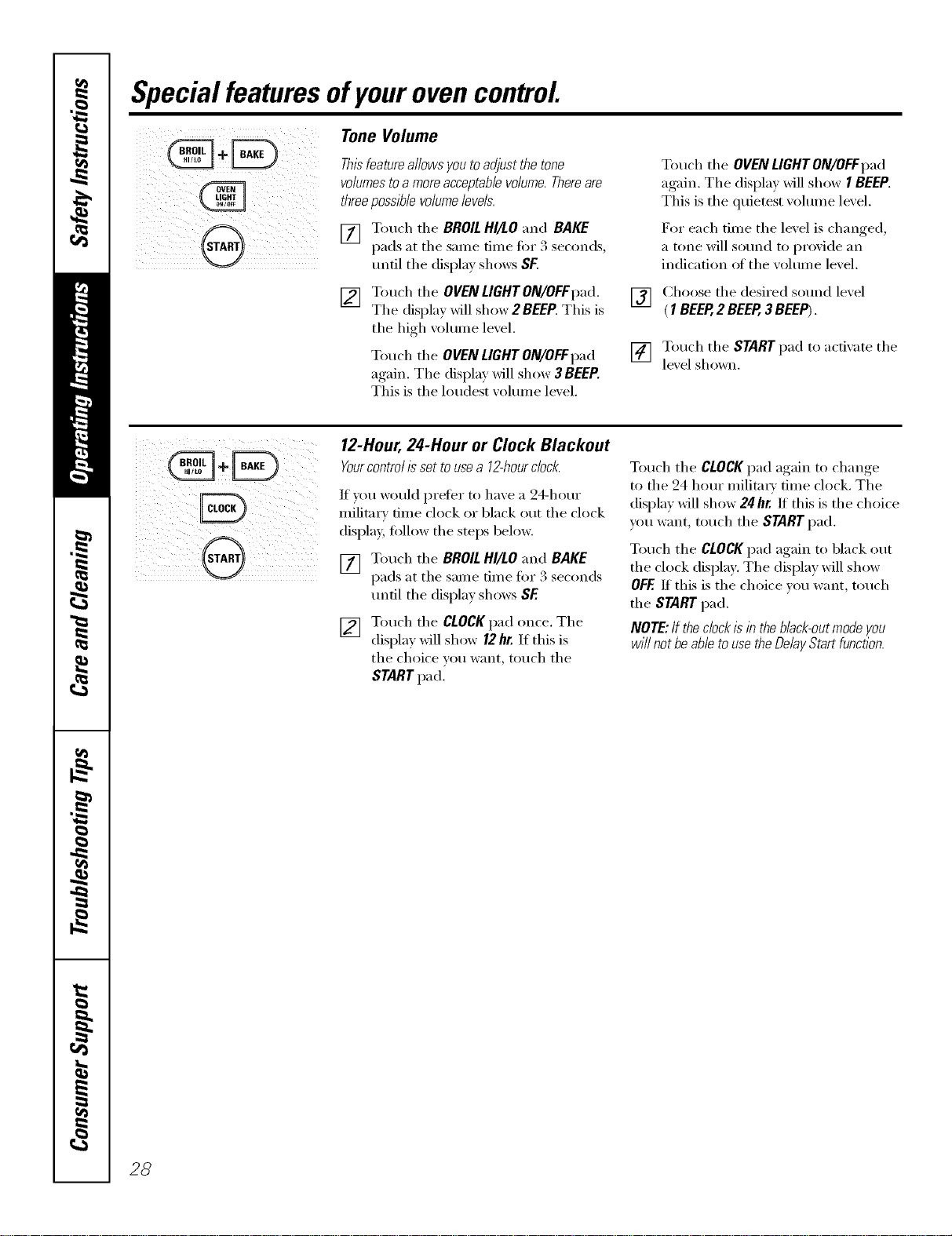
Tone Volume
Thisfeatureallows you toadjust the tone
volumesto amore acceptablevolume.Thereare
threepossiblevolumelevels.
[] Touch tile BROIL HI/LO and BAKE
[)ads at the sanle time fi)x 3 seconds,
until tile display shows SF.
[]
Touch tile OVEN LIGHTON/OFFpad.
Tile displa)_dll show 2 BEEP.This is
tile high _olume level.
Touch tile OVENLIGHT ON/OFFpad
again. Tile display _dll show 3 BEEP.
This is tile loudest _olume level.
[]
[]
Touch tile OVENLIGHT ON/OFFpad
again. Tile display will show I BEEP.
This is tile quietest volume level.
For each time the level is changed,
a tone will sound to provide an
indication ot the w)lume level.
Choose tile desired sound level
(1 BEEP,2 BEEP,3 BEEP).
Touch tile STARTpad to activate tile
lexel shown.
_i ii iii
iiil(iiiilli iilii!;ii!i
12-Hour, 24-Hour or Clock Blackout
Yourcontrol is set to usea 12-hourclock.
If you would prefer to have a 24-hour
military time clock or black ()/it tile clock
displav, fi)llow the steps below.
[] Touch tile BROILHI/tO and BAKE
pads at tile same time fi)r 3 seconds
tmtil tile display shows SE
[] Touch the CLOCK pad once. The
display will show 12hr. If this is
tile choice you want, touch tile
STARTpad.
Touch tile CLOCKpad again to change
to the 24 hour militm_' time clock. The
display will show 24hr. If this is the choice
you want, touch tile START pad.
Touch tile CLOCKpad again to black out
the clock displa> The display will show
OFF.If this is the choice you want, touch
the STARTpad.
NOTE:Iftheclockisintheblack-outmodeyou
willnotbeabletousetheDelayStartfunction.
28
,.,+÷
CONVECTION
ge.com(U.S.)
vvww.GEAppliances.ca(Canada)
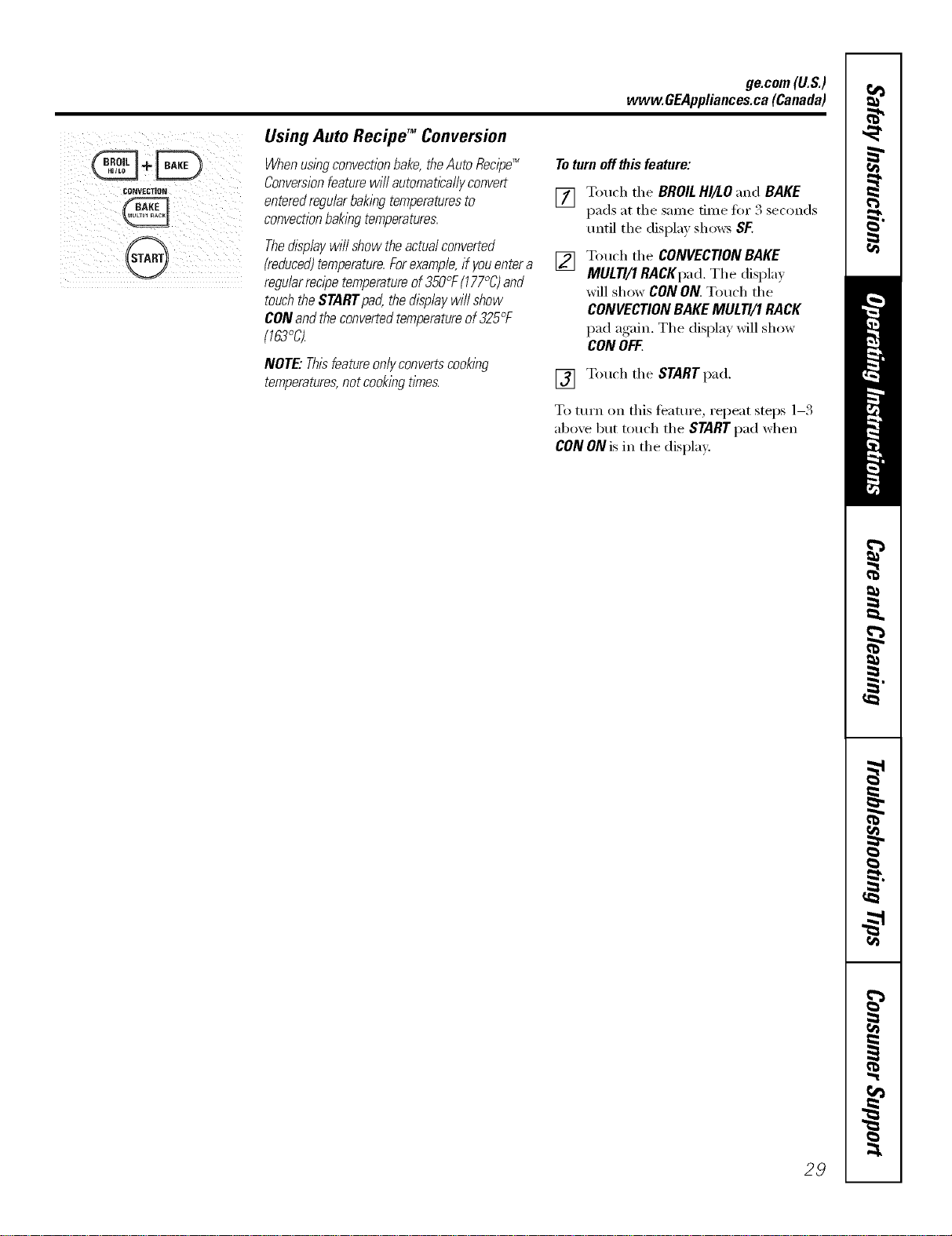
Using Auto Recipe TM Conversion
Whenusingconvectionbake,theAuto Recipe_
Conversionfeature will automaticallyconvert
enteredregularbaking temperaturesto
convectionbakingtemperatures.
Thedisplaywill show the actualconverted
(reduced)temperature.Forexample,if you entera
regularrecipe temperatureof350°F(177°C)and
touchthe START pad,the display will show
CON andthe convertedtemperatureof 325°F
(763%
NOTE"Thisbatureonlyconvertscooklbg
temperatures,notcookingtimes.
Toturn off thisfeature:
[]
[]
Touch the BROILHI/LO "and BAKE
pads at the same time fo_ 3 seconds
tmtil the display shows SF.
Touch the CONVEC770NBAKE
MUL77/1RACKpad. The displa_
will show CON ON. Touch the
CONVECTION BAKEMULTI/1 RACK
pad again. The display will show
CON OFF.
[] Touch the STARTpad.
To tm'n on this teature, repeat steps 1-3
abo'_e but touch the STARTpad when
CON ON is in the display.
29
UsingtheSabbathFeature.
(Designed for use on the Jewish Sabbath and Holidays,) (on some models)
TheSabbathfeature canbe usedfor baking/roastingonlg It cannot be usedfor convection,broiling,self-cleaningor
DelayStart cooking.
NOTE:Theovenlightcomesonautomaticallywhenthedoorisopenedandgoesoffwhenthedoorisclosed.Thebulbmayberemoved.SeetheOven
LightReplacementsection.Onmodelswithalightswitchonthecontrolpanel,theovenlightmaybeturnedonandlefton.
How to Set for Regular Baking/Roasting
When the display shows D the
oven is set in Sabbath. When the
display shows D C the oven is
bakflTg/roasting.
Make sure the clockshows thecorrect time of day and
theoven is oK
[]
"]buch and hold both the BROIL H//tO
and BAKE l/ads, atthe same time, mltil
the disl)lay s]lows SE
NOTE:H bake or broil appears in the
(]ispl;_y, the BROIL HI/tO and BAKE I)ads
%ere HOt tO/l(]le(l HI tlle SHill(' til/le+
Touch the CLEAR/OFFlmd and bcg4n
1_] Tall the DELAY START pad ttntil SAbbath
appears in the disl)l m.
] Touch the START pad and D will appear
in the disl)la?+.
] Tottch the BAKE pad. No signal will
be _ixen.
[]
[]
[]
Llsing the nmnt)er pads, enter the
desired teintlemutr( ber_een 170'F
(77'C) and 550'F (288 (y. No s gnal o
wmtlerat ure x_ill be given.
Tou(h the START lind.
After a random delay l)(riod of
allt)roxiinatel ) 30 se((mds to 1 minute,
D c will apl)em: in th( displ m
indi(ating that tile o_(n is baking!
roasting. IID c doesn't appear in tile
display, start again at Step 4.
To a(!jtlst tile oxen temperature, touch tile
BAKEI)ad, enter th( n(w tempeF4ture using
tile mmll)er pads and touch th( STARTpad.
NOTE:Th( CLEAR/OFFand COOK TIME pads will
flmction din+inK tile Sabbath tcamre.
When the display shows D the
oven is set in Sabbath. When the
display shows D C the oven is
bakflTg/roasting.
How to Set for Timed Baking/Roasting -
Makesuretheclockshowsthecorrecttimeofdayand
theovenisoff,
f_] "lbtt(h and hold both the BROIL HI/LO and
I/I
BAKE t)ads, at the same time, m/til the
display shows SE
NOTE:It bake or t)roil apl)ears in the
(lisplay, the BROIL HI/LOand BAKE1)ads
_r_']:_'not tou(hed at the same time.
Touch the CLEAR/OFFpad and begin
again.
1_] Tal) the DELAYSTART pad until SAb batH
at)t)ears in tile dist)lay.
] "Ib/tch the START pad and D *+'+rillat)t)ear
in the display.
[_1 "lbtt(h the COOK TIME pad.
171
[]
"Ib/t(h the numl>er 1)ads to set the
desired length ot (ooking time t)etvvr(_(!ll
1 mimtte and 9 hours and 99 mimttes.
The (ookillg tll//e that rOll elltere(t will
1)e dist)layed.
Immediate Start and Automatic Stop
] Tott(h the STARTt)ad.
] Tottch the BAKEpad. No signal will l)e
] UsiHg the mtn/1)er pads, eHter tile
desired te)//t)elTatttl?e. No sigl/al or
ten/t)eratttre/rill 1)e gdxen.
] Tott(h the START t)ad.
[]
,\fter a random delay t)eriod of
at)t)roximatel" _ 30 seconds to 1 minute,
D G '+*,rillal)pear ill tile displa} indicating
that the oven is baking/roasting. If D C
doesn't at)pear in the disl)lay, start ag_fin
at Step 7.
To a(!illSt tile (),+ell temt)emmre, touch tile
BAKEt)ad, enter tile new tenlt)emture using
tile nmnber t)ads and touch tile START1)ad.
When cooking is tinishe(I, th( display '+,+rill
change/i:om D C to D and 0:_0will al)l)ear
indicating that the o_m has turned OFFbut is
still set in Sal)bath. l).emove tile cooked/i)od.
How to Exit the Sabbath Feature
I!III i @ i ?iiiiiiiiii i
30
[]
[]
[]
[]
Tottch the CLEAR/OFFt)ad.
It"the o'+en is cooking, wait for a nmdom
delay t)eriod of apt)roximately 30
seconds to 1 minute, m/til only D
is in the displa}.
"Ibuch and hold both the BROIL HI/tO
and BAKE 1)ads, atthe same time, until
the dist)lay shows SE
"[_tl) the DELAYSTART t)ad tmtil 12shdn
or no shdn al)l)ears in the display.
] (_hoose 12shdn, in(ti(ating that the oxen
will atttonlaticalh' ttlnJ, off a/+ter 12 horn's
or no shdn, indi(atiug that the oxen will
llOt atltOl//ati( allv ttlrll OfT" afler ] 2 hotlFS.
] "lbuch the STARTt)ad vd/en the option
that xo/t want is in the displa} ( 12shdn or
no shdn).
NOTE:II a 1)ow(q"outage o((urred while
the o,+('n _r_S i_ Sal)t)ath, the o_en '+,+'ill
a/ltOl/latica]]v ttlrll ott' aI/d slav oil e,+el/
when tile t)ower rettllTI/S. The ovell
control lIltlSt be reset.
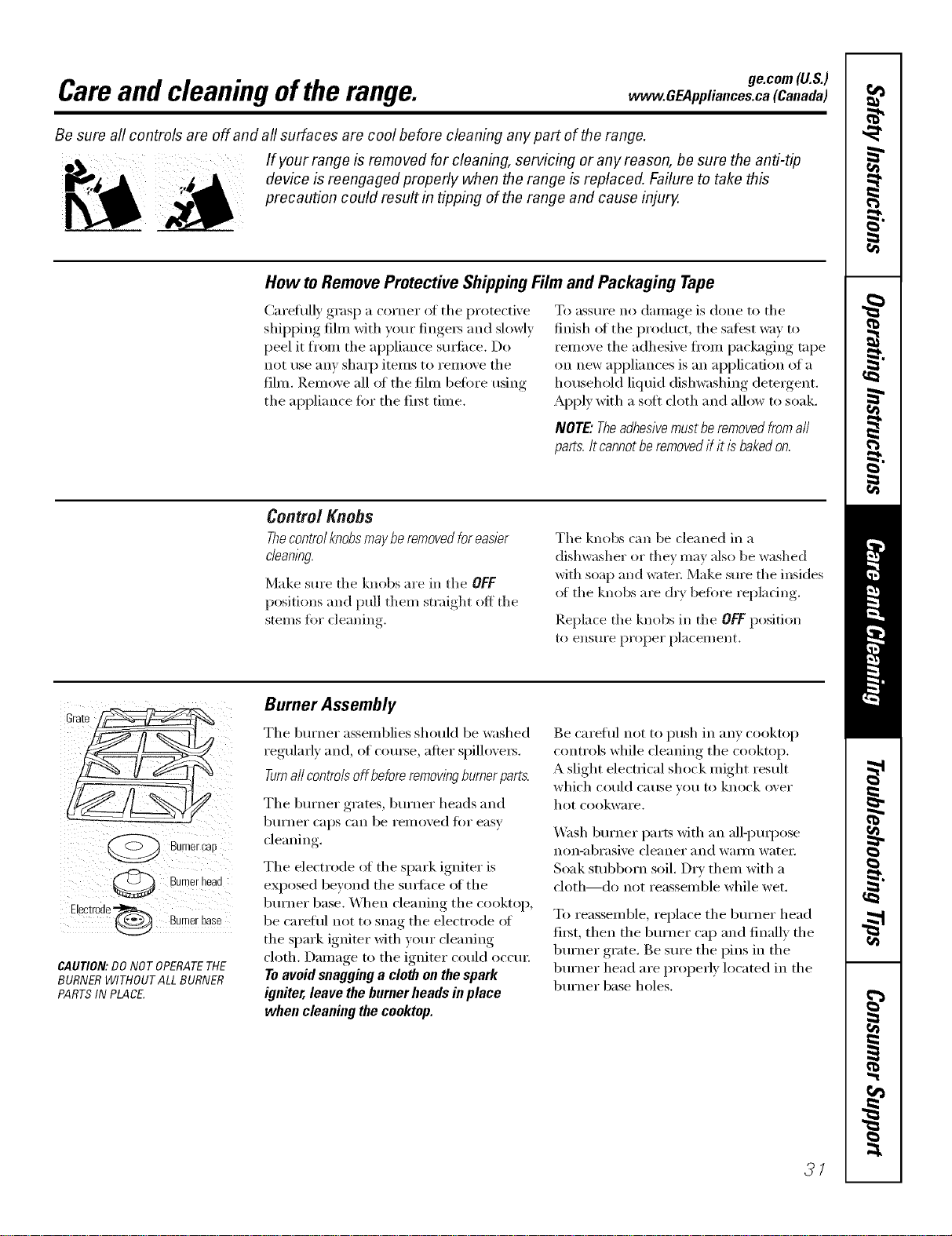
ge.com (U.S.)
Careand cleaning oftherange, www.OEAppliances.ca(Canada)
Be sure aft controls are off and aft surfaces are cool before cleaning any part of the range.
If your range is removed for cleaning, servicing or any reason, be sure the anti-tip
device is reengaged properly when the range is replaced. Failure to take this
precaution could result in tipping of the range and cause injury.
How toRemoveProtectiveShippingFilmand Packaging Tape
Carefully grasp a corner of the protective
shipping fihn with your finge_ and slowly
})eel it fl'om the appliance stli_ilce. Do
not use any shaq) items to remove the
film. Remove all ot the film betore using
the appliance fin" the fi_st time.
To assm'e no damage is done to the
finish _fftile product, tile saiest way to
remove the adhesive ti'om packaging tape
on new appliances is an application of a
household liquid dishwashing detergent.
Apply with a soft cloth and allow to soak.
NOTE."Theadhesivemustberemoved fromall
parts./t cannotbe removedif it isbakedon.
Control Knobs
Thecontrolknobsmay be removedforeasier
c/eanlbg,
Make sure tile knobs are in tile OFF
positions and pull them straight off tile
stems fin" cleaning.
Tile knobs can be cleaned in a
dishwasher or they may also be washed
with soap and waml: Make sure tile insides
of tile knobs are dry be%re repladng.
Replace tile knobs ill tile OFFposition
to ensure pYopel" placement.
Burner can
Burnerheac
Electrode_ Burner base
CAUTION:DO NOT OPERATETHE
BURNERWlTHOUTALL BURNER
PARTSIN PLACE.
Burner Assembly
Tile bm'ner assemblies should be washed
regularly and, of coui_e, after spillovei_.
Turnall controlsoff beforeremovingburnerparts.
Tile bm'ner grates, bm'ner heads and
btlYneY caps can be i'eliloved J[Oi" easy
cleaning.
The electrode ot the spark igniter is
eN)osed beyond tile suYlilce ot tile
burner base. _,_]/en cleaning tile cooktop,
be caretul not to snag the electrode ot
the spark igniter with yore" cleaning
cloth. Damage to the igniter could occm:
Toavoid snagging a cloth on the spark
igniter, leave the burner heads inplace
when cleaning the cooktop.
Be careflfl not to push ill any cooktop
controls while cleaning the cooktop.
A slight electrical shock might result
which could cerise veil tO knock over
hot cookware.
_.V_sh burner parts with an alli)ml)ose
non-abrasive cleaner and wali/l watei:
Soak stubborn soil. Dry thenl with a
cloth---<lo not reassemble while wet.
To reassemble, replace tile burner head
fiIst, then the bm'ner cap and finally the
burner grate. Be sm'e the pins ill the
burner head are properly located ill tile
burner base holes.
3/
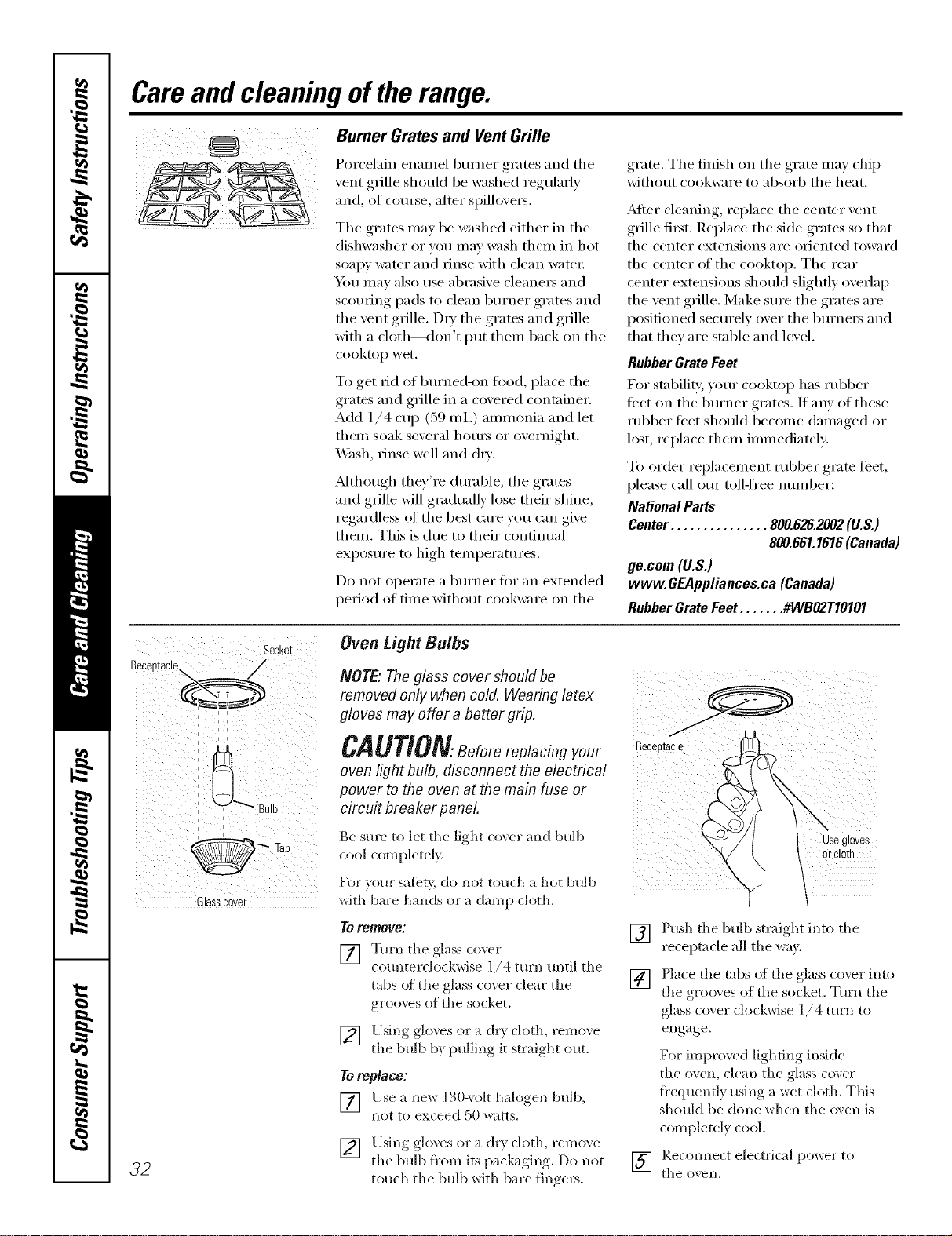
Careand cleaning oftherange.
BurnerGratesand VentGrille
Porcelain emnnel burner grates and the
_ent grille should be washed regularly
and, of com_e, atter spillo_e_.
The grates ma_ be washed either in the
dishwasher or you may wash them in hot
soap)' water and rinse with clean water:
_i_)/l IllaV also rise al)rasi\'e cleane_ and
scom_ing pads to clean bm'ner grates aild
the vent grille. D U the grates and grille
with a cloth---<lon't put them back on the
cooktop wet.
To get rid of burned-on food, place the
grates and grille in a covered containe_:
Add 1/4 cup (59 mi,) ammonia and let
them soak several hom_ or overnight.
_4hsh, rinse well and (h_'.
_Mthough they're durable, the grates
and grille will gradually lose their shine,
regardless oI the best care you can give
them. This is due to their continual
exposure to high temperatures.
Do not operate a burner for an extended
period of time without cookware on the
grate. The finish on the grate ma) chip
without cookware to absorb the heat.
_Mter cleaning, replace the center vent
grille fi_t. Replace the side grates so that
the center extensions are oriented toward
the center of the cooktop. The rear
center extensions should slightly overlap
the vent grille. Make sm'e the grates are
positioned securely over the burne_ and
that they are stable and level.
Rubber Grate Feet
For stability, your cooktop has rubber
teet on tile burner grates. If any of these
rubber feet should become damaged or
lost, replace them immediately.
To order replacement robber gram feet,
please call ore" toll-ti'ee mmfl)er:
National Parts
Center ............... 800.626.2002(U.S.)
800.661.1616(Canada)
ge.cem (U.S.)
www. GEAppliances.ca (Canada)
Rubber Grate Feet ....... #WBO2T10101
32
Socket
i
_ ' _iiiIi
i i
i i i
Glasscover
Oven tight Bulbs
NOTE."Theglass cover should be
removed only when coM. Wearing latex
gloves may offer a better grip.
CAUTIONBeforereplacingyour
oven light bulb, disconnect the electrical
power to the oven at the main fuse or
circuit breaker panel
Be sm'e to let the light ro;er and bulb
cool completely.
For yotlr sate_', do llot totlch a hot bulb
with bare hands or a damp cloth.
Toremove:
[] Tm'n the glass coxer
rounterdockwise 1/4 tm'n until the
tails ot the glass coxvr clear the
grooxvs ot the socket.
[] Using glo_es or a dr_ cloth, remoxe
the bulb b} l_ullin°_ it ,strai,,ht,_ out.
Toreplace:
[] Llse a ne_ 130-_olt halogen bulb,
not to exceed 50 watts.
[] Using_, _olo_es or a dr_ cloth, remo_e
the bulb fl'om its pqcka *in,* Do not
touch the bulb with bare finge_.
ReceDtae
use g ores
or ClO[n
"Y 1
[] Push the bulb straight into the
receptacle all the win.
[] Place the robs of the glass cover into
the grooves of the socket, Turn tile
glass co\er clockwise 1/4 mrn to
engage,
For impro\vd lighting inside
tile oven, clean the glass co\ er
fi'equently using a wet cloth. This
should be done when the oven is
ronq)letely cool.
] I_e(om]e(t ele(trical power to
the o'_ell,
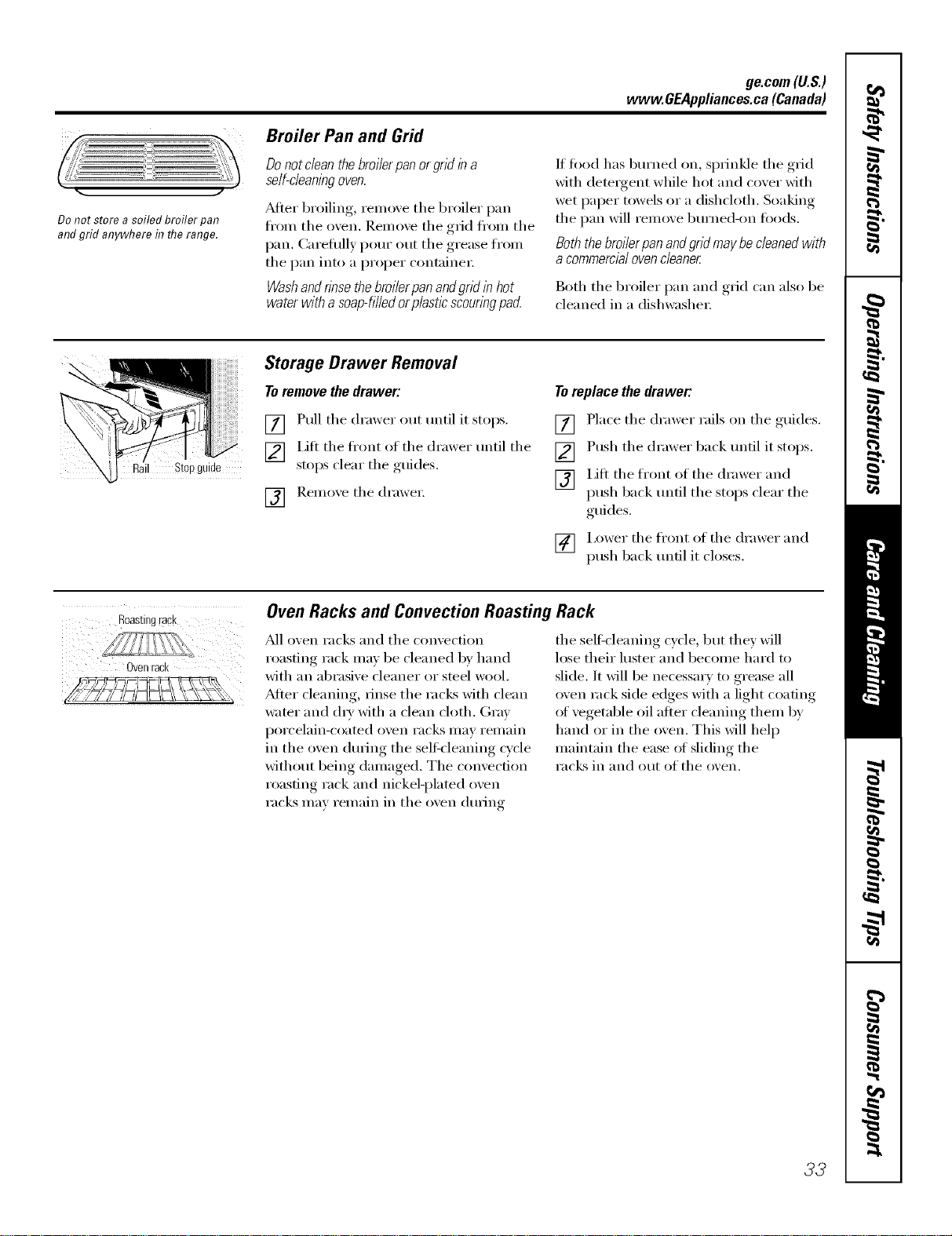
ge.com(U.S.)
www.GEAppliances.ca(Canada)
Broiler Pan and Grid
J
Do not store asoiled broiler pan
and grid anywhere in flTerange.
Do not dean the broilerpan or grid in a
self-cleaningoven.
_dter broiling, remove the broiler pan
fl'oln the oven. Relnove the grid fl'oln the
pan. Careflllly l)Otu" otlt the grease fl'oln
the pan into a proper containei:
Washand rinse the broi/erpan andgrid in hot
water with a soap-filledor p/asticscouringpad
If fi}od has bm'ned on, sprinkle the grid
with detergent while hot and cover with
wet paper towels or a dishcloth. Soaking
the pan will remove bm'ned-on fi)ods.
Both the broiler pan and grid may be cleaned with
a commercial oven cleaner
Both the broiler pan and grid can also be
{'leaned in a dishwasheI:
il Stopguide
Storage Drawer Removal
To remove the drawer:
[] Pull the drawer out until it stops.
[] Lift the front of the drawer until the
stops clear the guides.
[] Reinoxe the drawei;
Toreplace the drawer:
[] Place the drawer rails on the guides.
[] Push the drawer back ]toOl it stops.
[] Lift the front {}f the drawer and
push back until the stops clear the
guides.
[] i,ower the front of the drawer and
push back until it closes.
Roastingrack
Ovenrack
Oven Racks and Convection Roasting Rack
M1 oven i'aclcs and the convecdon
roastim, rack max be cleaned by hand
with an abrasive cleaner or steel wool.
_Mter cleaning, rinse the racks with clean
water and {liT with a clean cloth. Gray
porcelain-coated oven racks may remain
in the {}veil during the selt_leaning cycle
without being dan/aged. The convection
roasting rack and nickel-plamd oven
racks Inav relnain in the {}veil during
the self:cleaning cycle, but they will
lose their luster and become hard to
slide. It will be necessm T to grease all
oven rack side edges with a light coadng
of vegetable oil after cleaning them by
hand or in the oven. This will hel I)
maintain the ease ot sliding the
racks ill and out of the oven.
33
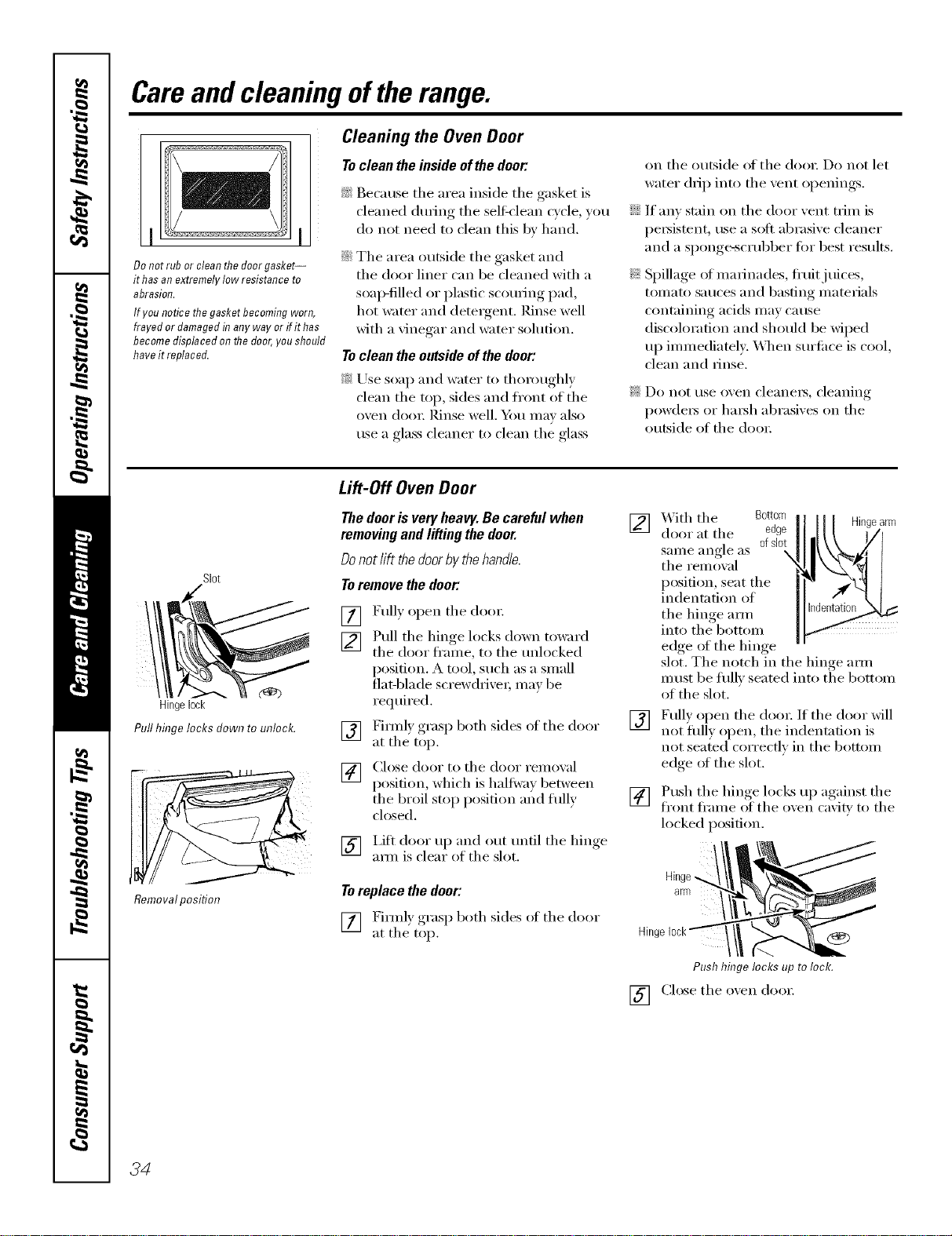
Careand cleaning oftherange.
Donot rub or cleanthedoorgasket--
it hasanextremelylow resistanceto
abrasion.
Ifyou noticethegasketbecomingworn,
frayed ordamagedinanyway or ifithas
becomedisplacedonthedoor,youshould
haveit replaced.
Cleaning the Oven Door
To clean the inside of the door:
_ Because tile area inside tile gasket is
cleaned during tile selt_'lean c_cle "_ou
do not need to clean this by hand.
iJi::Tile area outside tile gasket and
tile door liner can be cleaned with a
soap-filled or plastic scotwing pad,
hot water and detergent. Rinse well
with a vinegar and water solution.
To clean the outside of the door:
_; Use soap and water to thoroughly
clean tile rap, sides and fl'ont of tile
oven dooi: ]_dnse well. Y()/I Ill,IV also
use a glass cleaner to clean the glass
on tile outside ot tile doo_: Do not let
water drip into tile vent openings.
If anv stain on tile door vent trim is
persistent, use a soft abrasive cleaner
and a sponge-scrubber fi:,r best results.
Spillage oI marinades, fl'uitj uices,
tomato sauces and basting materials
containing acids may cause
discoloration and should be wiped
up immediately. _A]/en surti_ce is cool,
clean and rinse.
Do not use oxen cleanei3, cleaning
powders or harsh abrasixes on tile
outside of the doo_:
Slot
Hingelock
Pull hinge locks down to unlock.
Removalposition
Lift-Off OvenDoor
Thedoorisveryheavy.Becarefulwhen
removingandlifting thedoor.
Donotlift thedoorbythehandle.
Toremovethedeer."
[]
[]
[]
[]
Fully open tile dora:
Pull tile hinge locks down toward
tile door fl'ame, to tile tmlocked
position. A tool, such as a small
fiat-blade screwdrixe_; may be
reqtfired.
Firefly ,m_s,) both sides of tile door
at the top.
Close door to tile door remoxal
position, which is haltwm between
tile broil stop position m_d flflly
closed.
[] I,ifl door up and out tmfil tile hinge
aml is clear of the slot.
Toreplacethedoor:
[] Fimflv,_oraso, t both sides ot tile door
at tile top.
[]
[]
With tile Bottom Hingearm
door at tile edge
same angle as ofslot
X
tile removal
position, seat tile
indentation of
the hinge am/
into tile bottom
edge of tile hinge
slot. Tile notch in tile hinge am/
must be flfllv seated into tile bottom
of tile slot.
Full) open tile dooi: If tile door will
not flfll) open, the indentation is
not seated correctly in tile bottom
edge oI the slot.
[] Push tile hinge locks up against tile
front fl'ame of tile oxen caxitv to tile
locked position.
arm _/i
Hingelock_ __(_)
Push hinge locks up tolock.
[] Close tile oxen door:
34
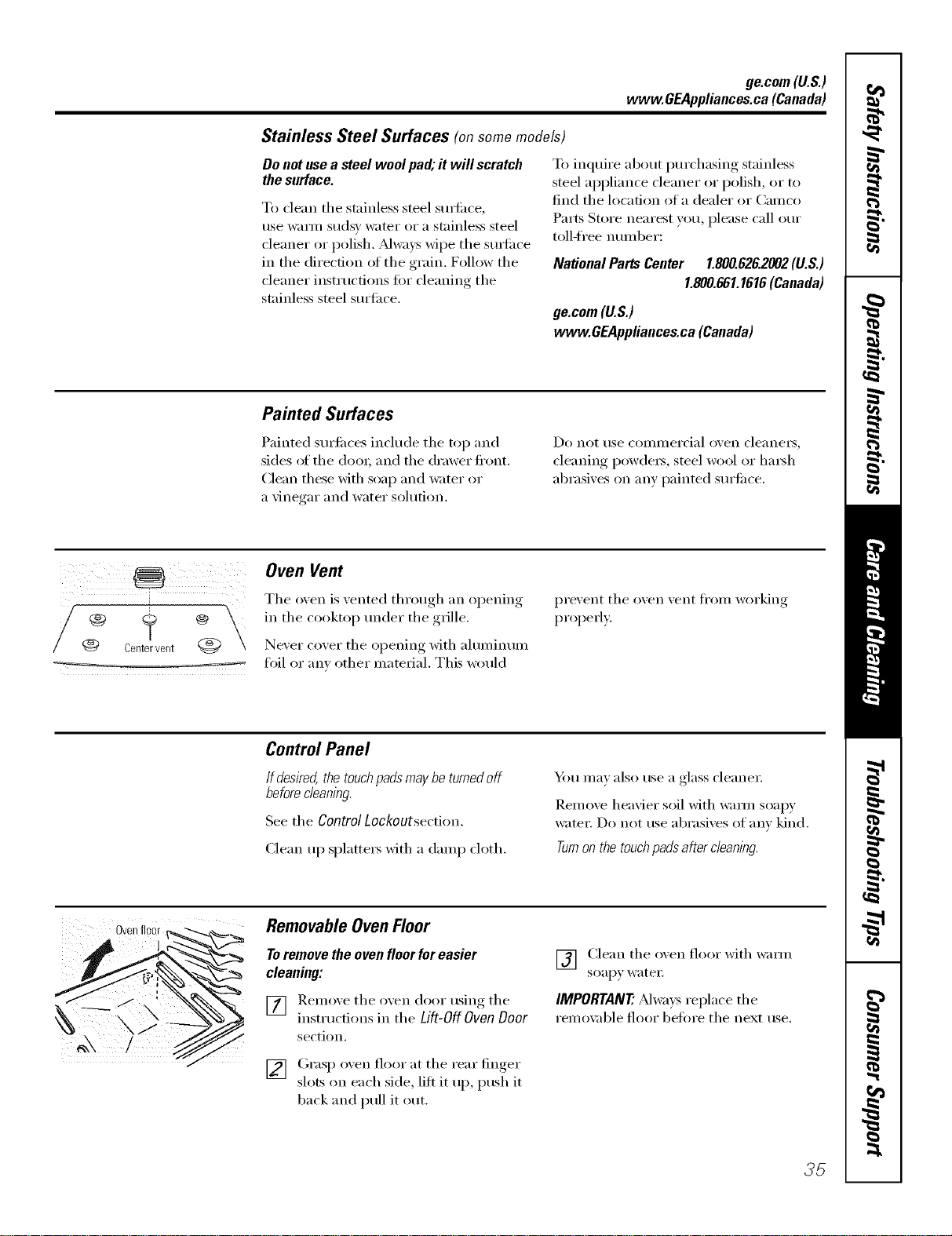
ge.com(U.S.)
www.GEAppliances.ca(Canada)
Stainless Steel Surfaces (on some models)
Do not use a steel wool pad; it will scratch
the surface.
To clean the stainless steel smti_ce,
use warn/sudsy water or a stainless steel
cleaner or polish. _Mways wipe the surfi_ce
in the direction of the grain. Follow the
cleaner instructions fiw cleaning the
stainless steel surfi_ce.
To inquire about i)urchasing stainless
steel appliance cleaner or polish, or to
find the location of a dealer or Camco
Parts Store nearest you, please call our
toll-free number:
National Parts Center 1.800.626.2002(U.S.)
1.800.661.1616(Canada)
ge.com(U.S.)
www.GEAppliances.ca(Canada)
Painted Surfaces
Painted surfi_ces include the top and
sides ot the dooL and the drawer fl'ont.
Clean these _fl_ soap and water or
a \'inegar and water solution,
Do not rise COillillei'cial (wen cleaneis_
cleaning l)ow(le_, steel wool or hm_h
abrasives on any painted surti_ce.
/-V°\
Centerverlt @
Oven Vent
The (wen is vented through an opening
in the cooktop under the grille.
Never cover the opening with ahmfinum
toil or any other material. This would
prevent the oven vent fl'oIn _x)i'king
l) rol)erly.
Control Panel
If desired,thetouchpadsmaybeturnedoff
before cleaning.
See the ControlLockoutsection.
Clean up splatte_ with a damp cloth.
_l_)tl II/_ly also tlse a glass cleaner
Remove heavier soil with warn/soap)'
_te_: Do not use abrasives of any kind.
Turnon thetouchpads a_ercleanlbg.
Ovenfloor
RemovableOvenFloor
To remove the oven floor for easier
cleaning:
[] Remoxe the oxen door using the
instructions in the Lift-Off Oven Door
section.
[] Grasp oxen floor at the rear finger
slots on each side, lift it up, push it
1)ack and pull it ()tit.
V_ Clean the oven floor with warn/
soapy watet;
IMPORTANT'.Al_;_y_replace the
remox:d)le floor before the next use.
35
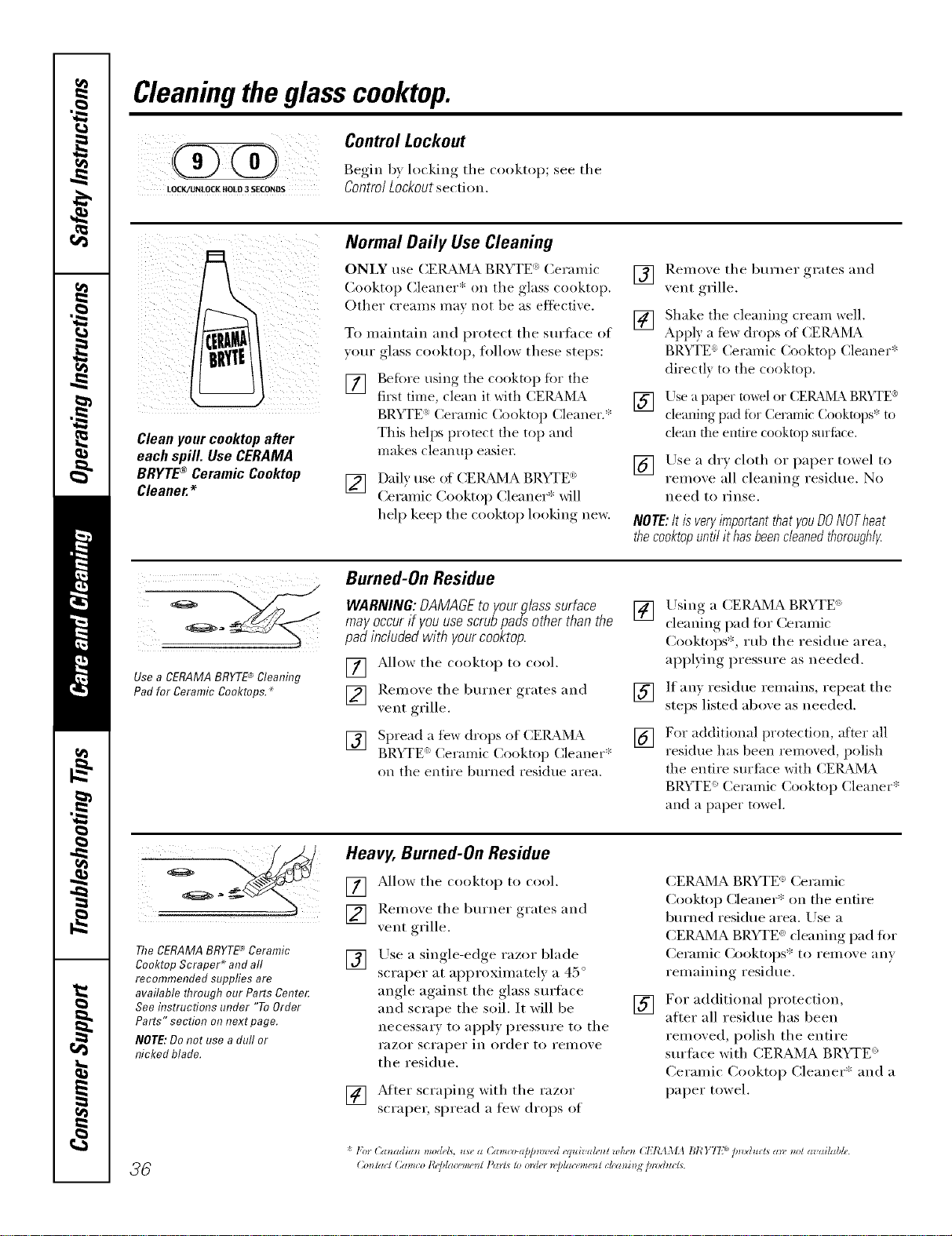
Cleaningtheglasscooktop.
Control Lockout
@ Be in,.,,lockin ./e tile
LOCR/IJNLOCKffOLO3SECONDS Controi Lockoutsectiom
Cleanyourcooktopafter
eachspill. UseCERAMA
BRYTE®CeramicCooktop
Cleaner.*
Normal Daily Use Cleaning
ONLY use CERAI_,L_ BRYTE _ Ceramic
Cooktop Cleaner* on tile glass cooktop.
Other creams may not be as effective,
To maintain and protect tile surtace of
your glass cooktop, fl)llow these steps:
[] gefiwe ttsing tile cooktop fi>r tile
first time, clean it with CERAMA
BRYTE:' Ceramic Cooktop Cleaner.*
This helps protect tile top and
makes cleanut/easien
[] Daily rise of CEIL_'dA BRYTE _>
Ceranfic Cooktop Cleaner* will
help keep tile cooktop looking new.
[] Ilemove tile burner grates and
vent grille.
[] Shake tile cleaning creanl _ell.
Appl) a fbx_ drops of CERAI_Lh
BRYTE" Ceranlic Cooktop Cleaner*
directl) to tile cooktop,
[] Use a paper towel or (;ERAi_L_ BR)rTE®
cleaning, Ilad ibr (_ermlliC Cooktops* to
clean the entire cooktop surfl_ce.
[] Use a dry cloth or paper towel to
remove all cleaning residue. No
need to rinse.
NOTE:It is veryimportantthatyouDONOTheat
thecooktopunti/ it hasbeenc/eanedthorough/y
Use a CERAMABRYTE'_Cleaning
Pad for Ceramic Cooktops._
Burned-On Residue
WARNING:DAMAGEto yourg/asssurface
mayoccurif youusescrubpadsotherthanthe
pad includedwith yourcooktop.
] /_dlow tile cooktop to cool.
[] Remoxe tile burner grates and
xent ,Tille
[7_] Spread ,a few drops of CEI_kMA
BRYFE <' Ceranlic (_ooktop Cleaner*
(m tile entire burned residue area.
[]
[]
[]
Using a CEILz_dMABRYTE <_>
cleaning pad fiw Ceranfic
Cooktops*, iub tile residue area,
applying pressure as needed.
If any residue remains, repeat tile
steps listed above as needed.
For additional protection, after all
residue has been removed, polish
tile entire surface with CERAMA
BR_q'E:' Ceramic Cookto ) Cleaner*
and a paper towel.
The CERAMABRYTE*_Ceramic
Cooktop Scraper* and all
recommended suppfies are
available through our Parts Cente_
See itTstructions under "To Order
Parts" section onnext page.
NOTE:Donot use a dull or
nicked blade.
Heavy, Burned-On Residue
[] _Mlow tile cooktop to cool.
[] Remove tile burner grates and
vent grille.
[] Use a single-edge razor blade
scraper at approxinmtely a 45 °
angle against the glass surtace
and scrape the soil. It will be
necessai T t() apply pressure to the
I'HZOI" SCI'apeI" ill oYdeI" to YelllOVe
tile residue.
' I _ razor
] _Mter scra )ill(, with tile
scraper, spread a few dr(/ps of
[]
(3EI,U_d'vIA BRYTE ° Ceranfic
(_ooktop Cleaner* on tile entire
burned residue area. Use a
CEILZ_d'vIA BRYTE e>cleaning pad fi)r
Ceranfic ())oktops* to remove any
remaining residue.
For additional protection,
alter all residue has been
removed, polish tile entire
surface with CERAMA BRYTE ')
(_eramic Cooktop Cleaner* and a
paper towel.
* l'b) Canadian models, use a Cam._-a[)[m>ved (quivahm/wke_l CITL IMA BI¢ Y77 tin)ducts all. _o! avgdlable.
ge.com (U.S.)
Glasssurface--potential forpermanentdamage,www.GEAppliances.ca(Canada)
Sugaryspillovers(suchas
jellies, fudge,candy,syrups)
ormeltedplasticscancause
pitting ofthesurfaceofyour
cooktop(notcoveredbythe
warranty)unlessthespillis
removedwhilestillhot.
Specialcareshouldbetaken
whenremovinghotsubstances.
Besuretousea new, sharp
razorscraper.
Donot usea dullornicked
blade.
Damage from Sugary Spills and Melted Plastic
[] Turn off all suI_ii_ce units and, _fith
}lIl ()veil mitt, reillove hot p}lils and
grates.
[] An) renlaining spilloxer sh(iuld be
left until the sui'ti_ce of the cooktop
has cooled,
] _,Vearhlo an o_en Initt:
a. Use a single-edge razor blade
scraper (CEI_MA BRYTE _
(_erainic (:ooktop Scraper*) to
inove the spill to a cool area oil
the cooktop,
b, Reinove the spill with
paper t()wels,
] Don't use tile stiiti_ce units again
until all of tile residue has been
coinpletely rein()ved.
NOTE:/fp/tting or indentationin theglass
surfacehasalready occurred,thecooktopglass
will have to be replaced In this case,servicewill
benecessa_/
To Order Parts
To order (:EI_dMA BRYTE '_(_ei'ainic
(:ooktop Cleaner and tile cooktop
scraper (or (_ainco-approved equivalent
product in Canada), please call our toll-
fl'ee n tlIlI beI':
NationalParts
Center .............. 800.626.2002(U.S.)
800.661.1616(Canada)
ge.com(U.S.)
www.GEAppliances.ca(Canada)
CERAMABRYTE®Ceramic
CooktopCleaner ........... _ WXTOX300
CERAMABRYTE_ Ceramic
CooktopScraper ........... _ WXIOX0302
Kit ........................ # WB64XS027
(Kitincludescreamandcooktopscraper)
CERAMABRYTE_ CleaningPadsfor
CeramicCooktops* ........ _ WXTOX350
37
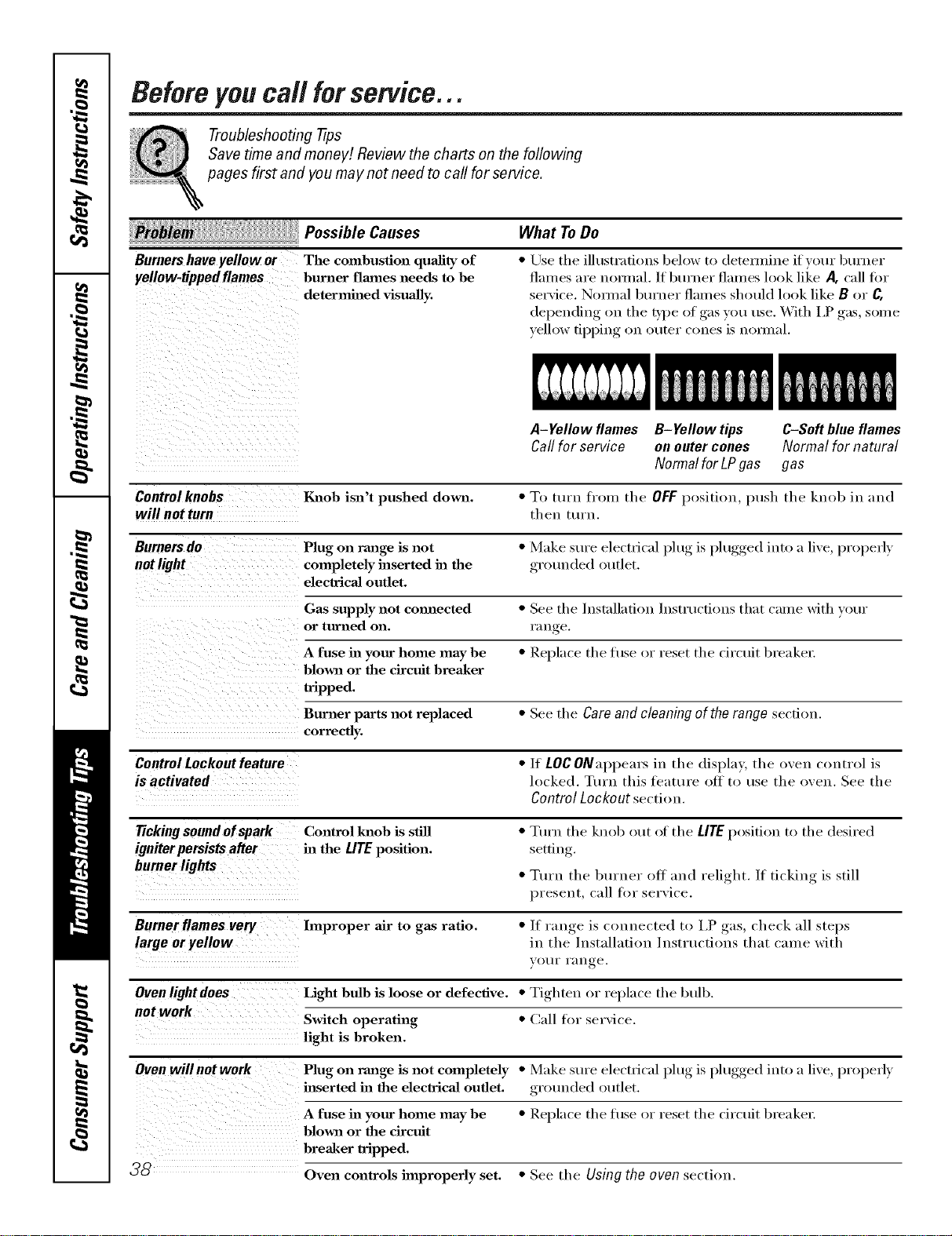
Beforeyoucall forservice...
Troubleshooting -tips
Save time and money! Review the charts on the following
pages first and you may not need to call for service.
Possible Causes
Burnershaveyellowor The combustion quality of
yellow-tippedflames burner flmnes needs to be
determined visually,
What ToDo
• Use the ill ustrafions beh>w to (letemfine if vour burner
flalnes are hernial. If burner flalnes look lilce A, call fin.
service. Nomml burner flames should look like B or C.
depending on the Dpe of gas you use. With I,P gas, some
yellow tipping on outer cones is nomaal.
A-Yellow flames B-Yellow tips C-Softblueflames
Callfor service onoutercones Normal for natural
Normalfor LPgas gas
Control knobs Igaaob isn't pushed down. • To turn from the OFF l)osition, push the knob in and
will not turn then turn.
Burners do Plug on range is not • Make sure electl"i('al l_lug, is l)lugged,, into a live, l)roperly
not light completely inserted ha the grounded outlet.
electrical outlet.
Gas supply not commcted • See the Installation Instructions that came with your
or turned on. l';lU re
A fuse ha your home may be • Replace the fl/se (>r reset the circuit breakel:
blown or the circuit breaker
tripped.
Burner parts not replaced • See the Careand cleaningof therange section.
correctly.
Control Lockout feature •/t LOC ONal)l)ears in the display, the oven control is
is activated locked. Ttu'u this feature off to use the oven. See the
Control Lockout section.
Tickingsoundofspark Control knob is still • Turn the knob out of the LITE position to the desired
igniterpersistsafter ha the LITEposition, setfin
burnerlights • Ttu'n the burner off and relight./f ticking is still
l)reseut, call tot service.
Burner flames very hnproper air to gas ratio. •/f range is connected to l,P gas, check ;ill steps
large or yellow in the Installation Instructions that came with
VO//I" l';In _e
Ovenlightdoes Light bulb is loose or defective. • Tighten or replace the btdb.
not work
Switch operating • (;:Ill fl:,r service.
light is broken.
Oven will not work Plug on range is not completely • Make sure electrical l)lug, is l)lugged,, into a live, l)roperly
inserted ha the electrical outlet, grounded outlet.
A fuse in your home may be • Rel]lace the fl/se (:,r reset the circuit breaker:
blown or the circuit
breaker tripped.
_ Oven controls improperly set. • See the Using the oven section.
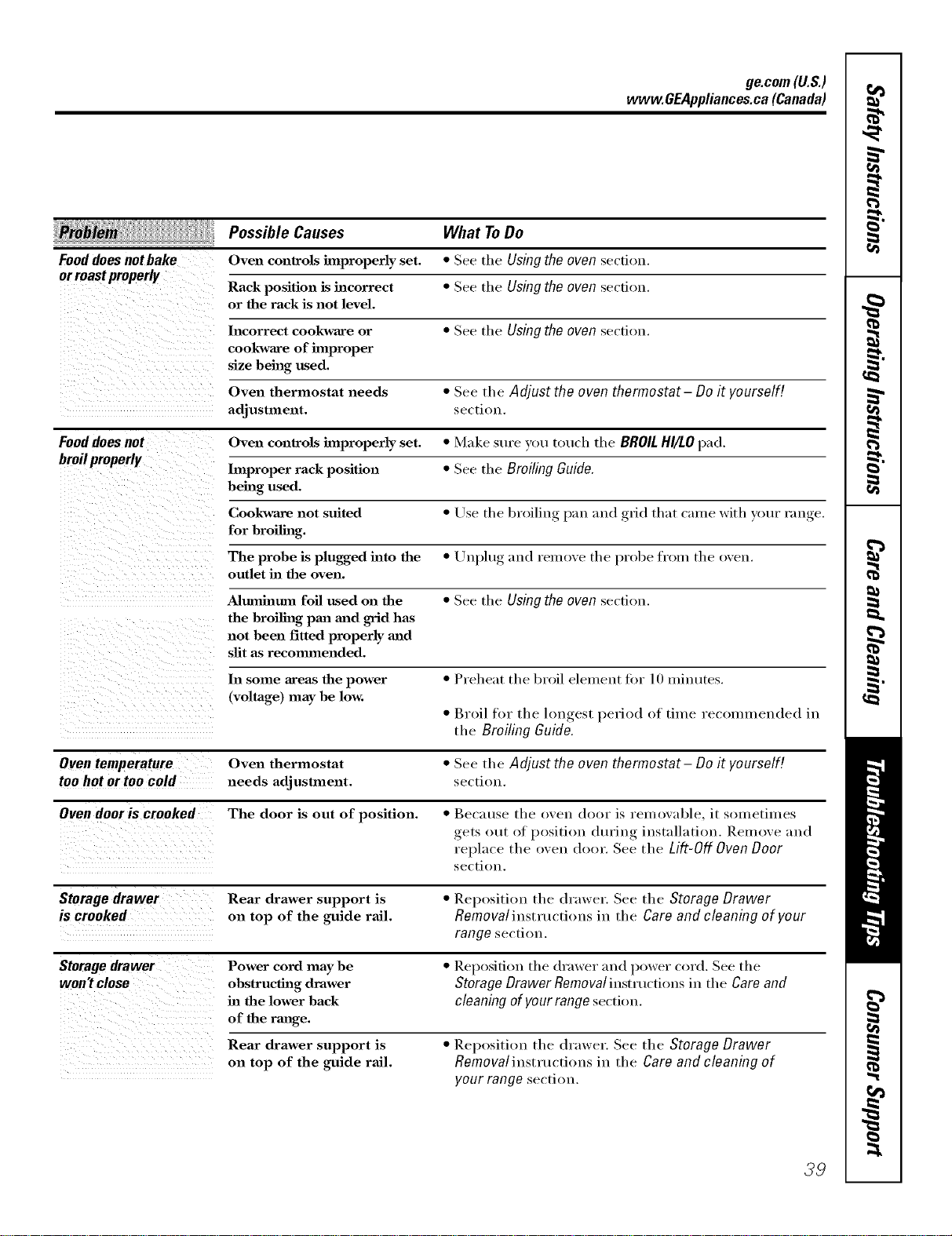
ge.com(U.S.)
www.GEAppliances.ca(Canada)
:i_i_J /i!_
Fooddoes notbake
or roastproperly
Possible Causes
Oven controls hnproperly set.
Rack position is incorrect
or the rack is not level.
What To Do
• See the Using the oven section.
• See the Using the oven section.
Incorrect cookware or • See tile Using the oven section.
cookware of improper
size being used.
Oven thermostat needs • See tile Adjust the oven thermostat - Do it yourself[
adjustment, section.
Food does not Oven controls improperly set. • Make sure VOt/touch the BROIL HI/LOpad.
broil properly
hnproper rack position • See tile Broiling Guide.
being used.
Cookware not suited • Use tile broiling pma mad grid that came with your rauge.
for broiling.
The probe is plugged into the • Uu.})lug, and l'elliOVe the probe from the oven.
outlet ha the oven.
Ahtmhmm foil used on the • See the Using the oven section.
the broiling pan mid grid has
not been fitted properly and
slit as recommended.
In some areas the power • Preheat the broil element tin" 10 ufiuutes.
(voltage) may be low.
• Broil tor the hmgest period of time recolmneuded in
the Broiling Guide.
Oven temperature Oven thermostat • See the Adjust the oven thermostat - Do it yourself[
too hot or too cold needs adjustment, section.
Oven dooris crooked The door is out of position. • Because the oven door ix remowd)le, it SOluetimes
gets out of position din'lug installation. Remove and
replace the oven door. See the Lift-Off Oven Door
sectiou.
Storage drawer Rear drawer support is • Repositiou the drawer. See the Storage Drawer
is crooked on top of the guide rail. Removalinstructions in the Care and cleaning of your
range section.
Storage drawer Power cord may be • Repositiou the drawer and power cord. See the
won't close obstructing drawer Storage Drawer Removal instructions in the Care and
in the lower back cleaning of your range sectit m.
of the range.
Rear drawer support is
on top of the guide rail.
• ]leposition the drawer. See the Storage Drawer
Removal instructions in the Care and cleaning of
your range section.
39
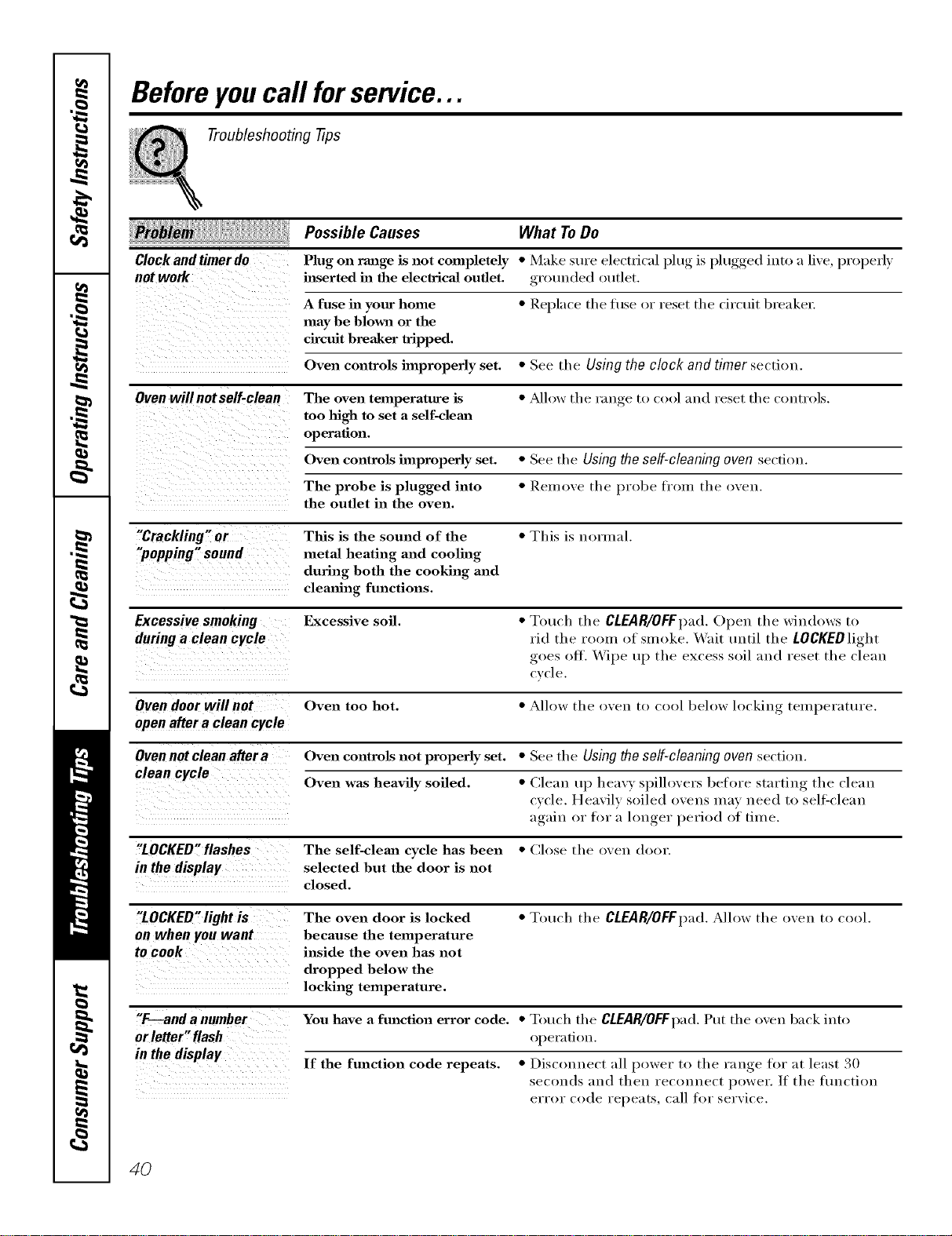
Beforeyoucall forservice...
Troubleshooting tips
Possible Causes What To Do
Clock and timer do Plug on range is not completely * Make sure electrical l)lug, is l)lugged,, into a live, properly
not work inserted in the electrical outlet, grounded outlet.
A fuse in your home * Replace tile t/so or reset tile circuit breaker:
may be blm_l or the
circuit breaker tripped.
Oven controls improperly set. * See the Using the clock and timer section.
Oven will not self-clean The oven temperature is * ?dh>w the range to cool and reset the controls.
too high to set a self-clemz
operation.
Oven controls improperly set. * See the Using the self-cleaning oven sectiou.
The probe is plugged into * Remove the probe fi'om the oven.
the outlet in the oven.
"Crackling" or This is the sound of the * This is normal.
"popping" sound metal heating and cooling
during both the cooking and
cleaning functions.
Excessive smoking Excessive soil. * Touch the CLEAR/OFFpad. Open the windows to
during a clean cycle rid the room of smoke. XA'ait tmtil the LOCKEDlight
goes off. _4"ipe up the excess soil and reset the clean
cvcle,
Oven door will not Oven too hot. * Alh>w the oven to cool below locking temperature.
open after a clean cycle
Ovennot clean after a Oven controls not properly set. * See the Using the self-cleaning oven section.
Oven was heavily soiled. * Cleau up heavv, spillovers before ,startiu,_ the cleau
cycle. Heavily soiled (>vens may ueed to sell=cleau
again, or for a lou,_er,_ period of time.
"LOCKED"flashes The self-cleml cycle has been * Ch)se the oven door.
in the display selected hut the door is not
closed.
"LOCKED"light is The oven door is locked * Touch the CLEAR/OFFpad. Allow the oven to cool.
on when you want because the temperature
to COOk inside the oven has not
dropped below the
locking temperature.
"F---and a number You have a fm_ction error code. * Touch the CLEAR/OFFpad. Put the oven back into
orletter" flash operadon.
in the display If the function code repeats. * Disconnect all power to the range for ;at least 30
seconds and then reconnect power. If the flmction
err(>r code repeats, call f(>r serxice.
4O
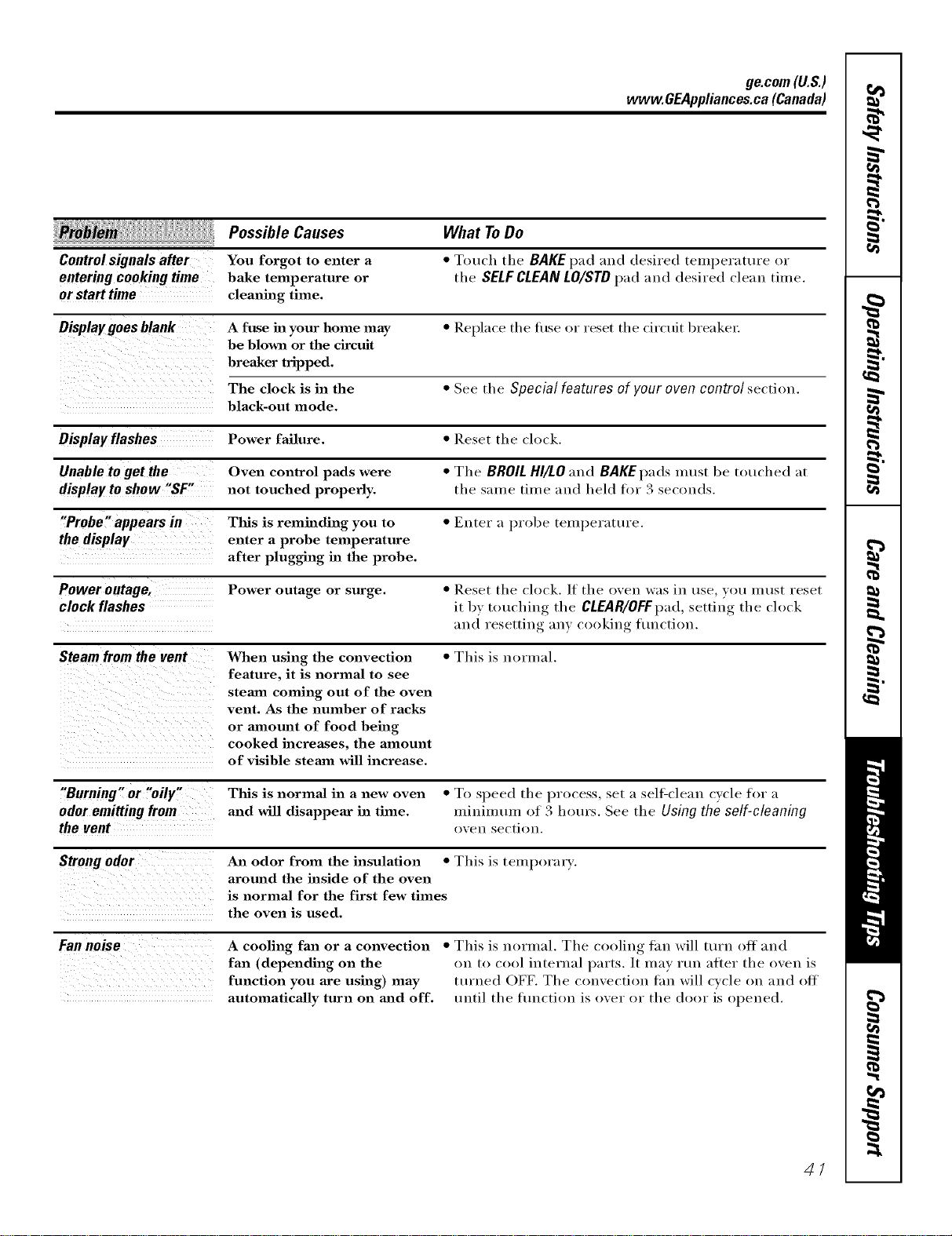
ge.com(U.S.)
www.GEAppliances.ca(Canada)
Possible Causes
Control signals after You forgot to enter a
entering cooking time bake temperature or
or start time cleaning time.
What To Do
• Touch tile BAKE pad and desired temperature or
tile SELFCLEAN LO/STD pad and desired clean time.
Display goes blank A fuse in your home may • Replace the fi/se or reset the circuit breaker:
be blown or the circuit
breaker tripped.
The clock is in the • See the Special features of your oven control section.
black-out mode.
Display flashes Power failure. • Reset the clock.
Unable to get the Oven control pads were • The BROIL HI/LO and BAKE pads must be touched at
displayto show "SF" not touched properly, the same time and held fm 3 seconds.
"Probe" appears in This is reminding you to • Enter a probe temperature.
the display enter a probe temperature
after plugging ha the probe.
Power outage, Power outage or surge. • Reset the clock./f the oven was in use you must reset
clock flashes it by, touching, tile CLEAR/OFFpad, ,settino_ the clock
and resetting ;u]y ('ookil]g flu]('tion.
Steam from the vent When using the convection • This is normal.
feature, it is normal to see
steam coming out of the oven
vent. As the number of racks
or amount of food being
cooked increases, the amount
of visible stemn will increase.
"Burning" or "oily"
odoremittingfrom
the vent
This is normal in a new oven • To speed tile process, set a self-clean cycle f(:,r a
and will disappear in time, minimum of 3 hem's. See tile Using the self-cleaning
o_ei] sectioi].
Strongodor
An odor from the insulation • This is tempora_ T.
around the inside of the oven
is normal for the first few times
the oven is used.
Fannoise
A cooling fan or a convection
fan (depending on the
function you axe using) ]nay
automatically turn on mad off.
• This is normal. Tile cooling fan will turn off and
on to cool internal parts. It may mn after tile oven is
turi]ed OFF. The convection tim will cycle on and off
until the flmction is over or the door is opened.
4/
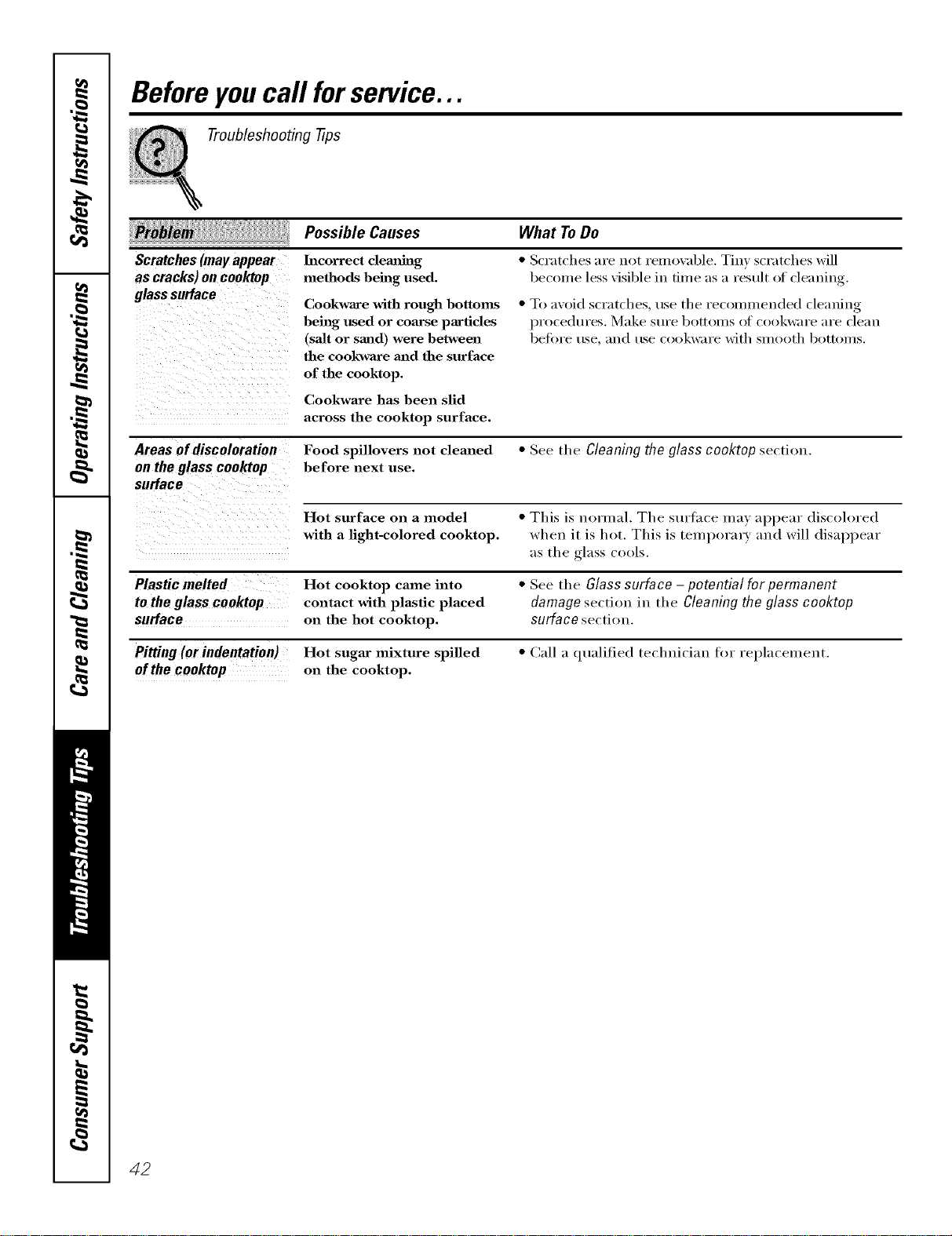
Beforeyoucall forservice...
Troubleshooting tips
Scratches(mayappear
as cracks)oncooktop
glasssurface
Areas of discoloration
on the glass cooktop
surface
Possible Causes What ToDo
Incorrect clemfiug
methods being used.
Cookware with rough bottoms
being used or coamse particles
(salt or sand) were between
the cookwaxe and the surface
of the cooktop.
Cookware has been slid
across the cooktop surface.
• Scratches are not remo_al)le. Tin) scratches will
becon/e less xisible in time as a result of cleaning.
• To axoid scratches, use tile recommended cleaning
l)rocedures. Make s/Ire bottolns of cookware are clean
betore use, and use cookware with slnootl/bottolns.
Food spillovers not cleaned • See tile Cleaning the glass cooktop section.
before next use.
Hot surface on a model • This is normal. Tile surtace ma) appear discolored
with a light-colored cooktop, when it is hot. This is temporary and will disappear
as the glass cools.
Plastic melted Hot cooktop came into
to the glass cooktop contact with plastic placed
surface on the hot cooktop.
Pitting (or indentation) Hot sugar mixture spilled
ofthe cooktop on the cooktop.
• See the Glass surface- potential for permanent
damage section in tile Cleaning the glass cooktop
surface section.
• Call a qualified technician for replacement.
42
FOR CONSUMERS IN THE UNITED STATES
GE Service Protection Plus 'M
GE, a name recognized worldwide ff)_"quality' and dependability'; offers y'ou
Sevvice Protection Plus'_'--compvehensive wotection on all your appliances--
No Matter What Brand!
Benefits Include:
• Backed by GE
• All brands covered
• Unlimited service calls
• All parts and labor costs included
• No out-of-pocket expenses
• No bidden deductibles
• One 800 number to call
We TICover Any Appliance.
Anywhere. Anytime. *
You will be completel} satisfied x_ith our service protection or }o/[ ma} request }our mone} back
(m tile remaining value of }our contract. No questions asked. It's that simple.
Protect yore" refrigerator, dishwashe* _,washer and dryei _,range, TV, VCR and much more--aaay brand!
Plus there's no extra charge [or emeigency service and low monthly financing is available. Even icemaker
coverage and toed spoilage protection is o_tbred. You call rest eas> knowing that all your valuable
household pr()ducts are protected against expensive repairs.
Pl{l(e }()/[[" (Olltl(lell(e ill (_E and (all [As ill tile t!,S, toll-free at 800.626.2224
tor n/ore intorI/]atioll.
:_\11brands coxeFed, tip to 20 )ears old, in the (ontin<nl d [_.S.
_ (_tll h(Te
Please place in envelope and mail to:
General Electric Company
Warranty Registration Department
P.O. Box 32150
Louisville, KY 40232-2150
43
FOR CONSUMERS IN THE UNITED STATES
Consumer Product Ownership Registration
Dear Customer:
Thank you for purchasing our product and thank you for placing your confidence in us.
_:e are proud to haxe you as a customer!
Follow these three steps to protect your new appliance investment:
Complete and mail
your Consumer
Product Ownership
Registraiion today:
IIavc the peace ot
nlind of knowing we
Call COlllaCt VOll ill
the unlikel_ event of' a
sat}:tv modification.
After mailing the
registration below,
store this dOcllnlent
in a saf;:' place. It
contains information
vou will need should
you require service.
Our service number is
800.GE.CARES
(800.432.2737).
Re_l(] vo/ir ()wller'g
Mamml careftflly.
It will hel l) you
operate yore- new
appliance properl>
Model Number Serial Number
I,,,,,,,,,,, I I , , ,
Important: If you did not get a registration card with your
product, detach and return the form below to
ensure that your product is registered, or register
online at ge.com.
I I I I
_Cut her<
Consumer Product Ownership Registration
Model Number Serial Number
Mr. Ms. Mrs. Miss
FiletI I L'stl
Nam< I I I I I I I I I Nam< I I I I I I I I I I I I
Sir<,<[ I
Address I I I I I I I I I I I I I I I I I I I I I I I I
I
I
Al)l. #I , , , , , , , I f_:-mailA,l_lr._:
Zip
..,I I , , I , I I I i i i i I I _,a.,I , J _:o,.,I, , I I I
Dim Phi:( d Pholle
InUse] I ] f_a,.I , I _V,_lrl ' I N..l_,,r I-I,, I-I,,, I
Month I I
GE Consumer& Industrial
Appliances
General Electric Company
Louisville, KY40225
ge.com
44
* Please provide your e-mail addrc,,,, to receive, xia e-mail, discounts, special ott_1"_and other important
communications fl-om GE Appliances (GK\).
Check here if w)u do not want to receive conlmunicaIions from (;EA's carcliflly selected partnel'_.
FAIL/RE TO COMPI.ETE AND RET[ rRN Tt tlS C,M),f) DOES NOT DIMINfSt t",_ )l JR
_,V.\RI_ \NTY RIGt ITS.
For more infimnation about (;l_Vs privacy and data usage poll(?; go to ge.com and click on
'Privacy Poli_y" or call 800.626.2224.
Please place in envelope and mail to:
Veuillez mettre dans une enveloppe et envoyez a :
OWHERSHIPREGiSTRATiON
P,O. BOX1780
MISSISSAUGA,ONTARIO
L4Y461
(FORCANADIANCONSUMERSONLY)
45
z
z
For Canadian
Customers ,_,
z
CD
Z
Pour ;es 0
Consommateurs <
Canadiens
L_
P;easeregisteryourproducttoenab;eustocontactyou
intheremoteeventasafetynolJceisissuedforthisproduct
andtoa;;owforefficientcommunicationundertheterms
ofyourwarranty,shou;dtheneedarise.
REGISTERON-LINE: _Nwv.geapp_iances.ca MAiLTO:,
ENREGISTREMENTSURINTE.RNET_,:_a,_N___e_ectramenas#r_sg#_caPOSTERA:
[] MR./M [] MRS./MME._FiRSTNAME/PRENOM _LASTNAME/NOM
[] MiSS/MLLE.[] MS. i i
J _L
1 "1
STREETNO/N° RUE _STREETNAME/RUE _AP_.NO/APR/RR#
I I
I I
Q-FY/ VILLE ]PROVINCE, FPOSTALC /POSTAL
L
AREACODE/IND.REG.I_LEPH-O-NE ,[E_M-Ai-L
I I
J L
DIDYOUPURCHASEASERVICECONTRACTFORTHISAPPLIANCE? YES/OUi [] iFYES/ SiOUi:EXPiRAT_ON
Y/A M D/J
AVEZ-VOUSACHE11_UN CONTRATDESERVICEPOURCETAPPAREiL? NO/NON []
NAMEOFSELLINGDEALER/NOM DUMARCHAND _l
MODEL /MODI_LE
I
I
Veui;ezenl_egistrervotreproduitafindenouspemletlTede
communiqueravecvoussijamaisunavisdes6curit_concemant
ceprodui[6tait6misetdecommuniquerfaci_ementavecvousen
ve_ dev_e garan'de,si;ebesoins'enfaitsen'dr.
RO,BOX1780,M;SS;SSAUGA
ONTAR;O,L4Y4G1
INSTALLATIONDATE/DATED'INSTALLATION[ CORRESPONDENCE [] ENGLISH
Y]A M D/J I
CORRESPONDANCE [] F_NC_iS SERiAL/SERiE
I
[] ido notwishtoreceiveanypromotionaloffersregardingthisproduct.
[] Jenedesirepasrecevoird'offrespromotionneiiesconcemantceproduit.
.............................. .t .................................................................................
46
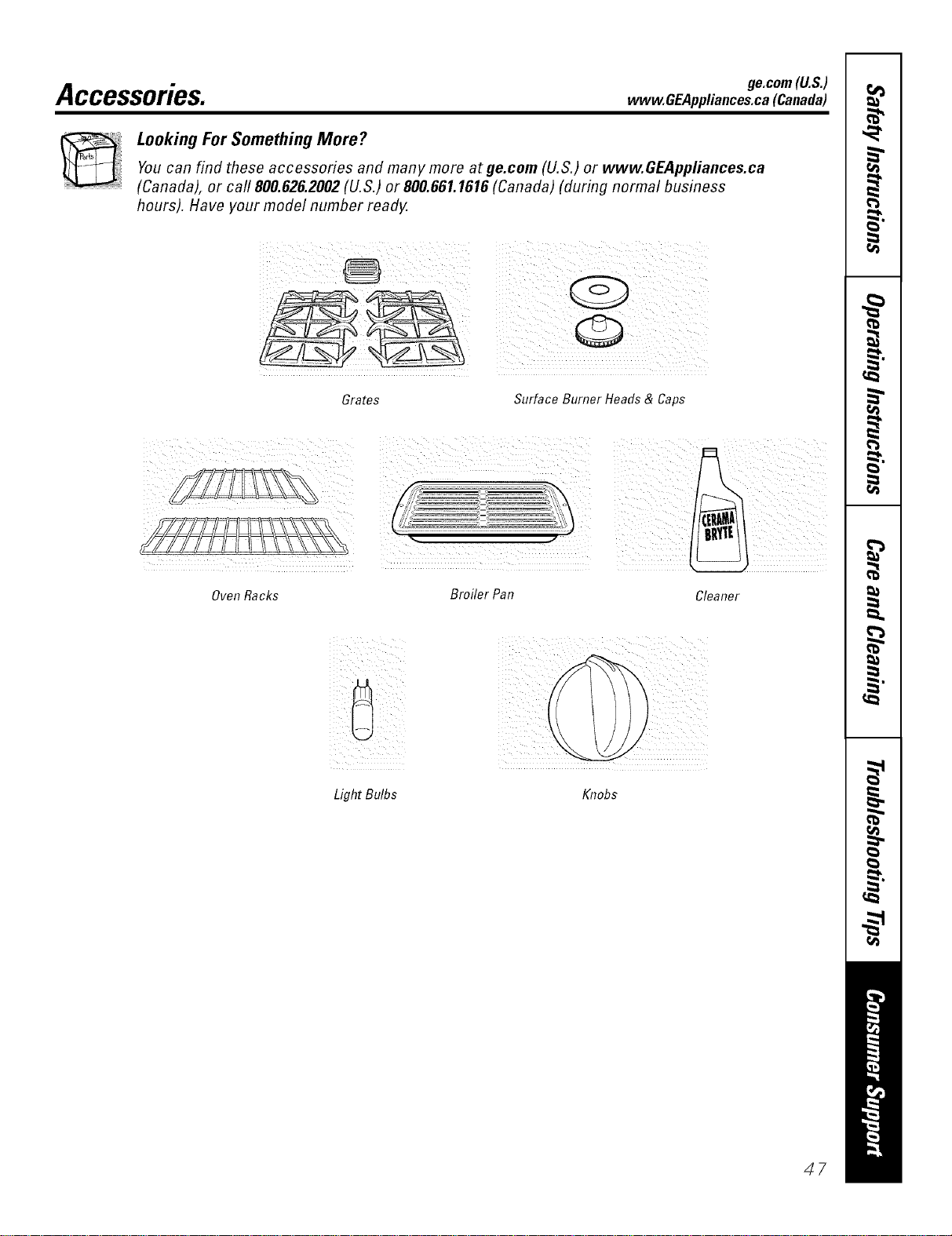
ge.com(U.S.)
Accessories. www.OEAppliances.ca (Canada)
Looking For Something More?
Youcan find these accessories and many more at ge.com (U.S.) or www.GEAppfiances.ca
(Canada), or call 800.626.2002 (U.S.) or 800.661.1616 (Canada) (during normal business
hours). Have your model number ready.
Grates Surface Burner Heads & Caps
Oven Racks
Broiler Pan
Cleaner
Light Bulbs Knobs
47
m
Notes.
P=
m
x:
m
I
r _
48
Notes.
==
@
==
w
€=
€=
49
GEGasRange Warranty.(Forc.stomersintheUnitedStates)
All warranty service provided by our Factory Service Centers,
or an authorized Customer Care®technician. Toschedule service,
on-line, 24 hours a day, vis# us at ge.com, or carl 800.GE.CARES
(800.432.2737).Please have serial number and model number
available when calling for service.
Staple your receipt here.
Proof of the original
purchase date is needed to
obtain service under the
warrantz
Fromthe dateof the
originalpurchase
GE Will Replace:
Anypatt of the range which tifils due to a defect in materials or workmanship. During this
limited one-year warranty, GE will also provide, free ofcharge, all labor and in-home service to
replace the defecti\'e part.
::Ji:_Service trips to your home to teach you how to use
the product.
iJi::Improper h_stallation, delivery or maintenance.
_: Failure of the product if it is abused, misused,
or used for other than the intended purpose or
used commercially.
::Ji::Dmnage to the glass cooktop caused by hardened
spills of sugary materials or melted plastic that
axe not clem_ed according to the directions in
the Owner's Manual.
::Ji:_Damage to the glass cooktop caused by use of cleaners
other than the recommended demfing creaJ_ts.
::Ji:_Replacement of house fuses or resetting of circuit
breakers.
_: Damage to the product caused by accident, fire, floods
or acts of God.
::Ji:_Incidental or consequential damage caused by possible
defects with this applimlce.
iJi:_Damage caused after delivery.
iJi:_Product not accessible to provide required service.
EXCLUSIONOFIMPLIED WARRANTIES--Your sole and exclusive remedy is productrepak as provided in thisLimited
Warranty. Any implied warranties, including the impfied warranties of merchantability orfitness fora particular purpose,
are limited to one Fear or the shortestperiod allowed by law.
This warranty is extended to the original purchaser and any succeeding owner for products purchased for
home use within the USA. If the product is located in an area where service by a GEAuthorized Servicer is not
available, you maybe responsible for a trip charge or you maybe required to bring the product to anAuthorized GE
Service location for service. In Alaska, the warranty excludes the cost of shipping or service calls to your home.
Some states do not allow the exclusion or limitation of incidental or consequential damages. This warranty
gives you specific legal rights, and you may also have other rights which vary from state to state. Toknow what
your legal rights are, consult your local or state consumer affairs office or your state's Attorney General.
Warrantor: General Electric Company.Louisville,KY 40225
5O

GEGasRangeWarranty. (Forc.stomersinCanada)
Aft warranty service provided by our Factory Service Centers
or an authorized Customer Care®technician. For service,
carl 1.800.361.3400.Please have serial number and model number
available when calling for service.
Staple your receipt here.
Proof of the original
purchase date is needed to
obtain service under the
warrant_
Fromthedateof the
originalpurchase
Camco Will Replace:
Anypattot the range which tifils due to a detect in materials or workmanshii). During this
limited one-year warranty, (:amco will also proxide, free of charge, all labor and in-home
serxice to replace the defecti_e part,
_: Service trips to your home to teach you how to use
the product.
!i/:Improper installation, delivery or maJntenat_ce.
::Ji::Failure of the product if it is abused, misused, or
used for other thaa_ the intended purpose or used
commercially.
_: Dmnage to the glass cooktop caused by hardened
spills of sugm'y materials or melted plastic that axe not
cleaned according to the directions hi the Owner's
Mmmal.
!i/:Dmnage to the glass cooktop caused by use of clem_ers
other than the recommended clemlhlg cretans.
!i/:Replacement of house fuses or resetting of circuit
breakers.
iJi::Dmnage to the product caused by accident, fire, floods
or acts of God.
_: h_cidentaJ or consequential dmnage caused by possible
defects with this appliance.
::Ji::Dmnage caused after delivery.
!i/:Product not accessible to provide required service.
EXCLUSIONOFIMPLIED WARRANTIES--Your sole and exclusive remedy is productrepa# as providedin this Limited
Warranty.Any implied warranties, including the implied warranties ofmerchantabilily or fitness fora particular purpose,
are limited to oneyear or theshortest period allowed by law.
I WARRANTOR IS NOT RESPONSIBLE FOR CONSEQUENTIAI_ DAMA(;ES. I
V_'arrantor: (;AM(;() IN(;. [
51
ConsumerSupport.
GEAppliancesWebsite Inthe_.8.:go.corn
Have a question or need assistance with your appliance? Try the GE Appliances Website 24 hom_ a day,
any day of the year'. For greater comvnience and fhster se_Mce, pm can now download ()wner's Manuals,
order patqrs, catalogs, or e\ en schedule se_Mce on-line. You can also "_sk Our Team of Experts'"" your questions,
and so much more_. In Canada: www.GEApplia_aces.ca
ScheduleService ,,the_.,.8.:go.corn
Expe_ (;E repair service is onl} one step awa} fl'om _,our doo_: Get on-line and schedule ",our service at }our
convenience 24 hom_ am day of the ?ear! Or call 800£;E.CARES (800A32.2737) during n(mnal business hom_.
In Canada, call 1.800.361.3400
RealLifeDesignStudio .,the_,8:oo.com
GE suppo_s the Llnive_al Design concept--products, services and enviromnents that can be used by people (ff
all ages, sizes and capabilities. We recognize the need to design tot a wide range of physical and mental abilities
and impairments. For details of OE's Universal Design applications, including ldtchen design ideas for people with
disabilities, check out our Website today. For the heating impaired, please call 800.TDD.GEAC (800.833.4322).
In Canada, contact: Managex; Consmner Relations, Camco, Inc.
Snite 310, I Factox_" I,ane
Moncton, N.B. E1C 9M3
ExtendedWarranties
In the U.S.: go.corn
Purchase a (;E extended warranty and learn about special discounts that are available while }our warranty is still
• o (( -c _c ,in etibct. You can pro'chase it on-line am_ime, r call 8 ) ).626.2224 during nom_al business horus. (;E Consmner
Home Services will still be there after }our warrant} expires. In Canada, call 1.800.661.1616.
PartsandAccessories
In the U.S.: go.corn
Individuals qualified to sel_'ice their own appliances can have pmqrs or accessories sent direcdy to their homes
(VISA, MasterCard and Discover caids axe accepted). Order on-line today, 24 hours every clay or by phone at
800.626.2002 during normal business hours.
Instructions contained in this manual cover procedures to fie performed byany user. Other servicing generally should he
referred to qualified service personnel Caution must he exercised, since #npreper servicing may cause unsafe operation.
Customers in Canada should consult the yellow pages for the nearest Camro service centeL or call 1.800.661.1616.
ContactUs
In the U.S.: go.corn
If you are not satisfied with the service you receive fl'om GE, contact us on ore" Website with all the details
including your phone numbe_; or write to: General Manage_; Customer Relations
GE Appliances, Appliance Park
Louisville, KY 40225
In Canada." www.GEAppliances.ca, or write to: Directo_; Consumer P.elations, Camco, Inc.
Snite 310, 1 Facto_ y I,ane
Moncton, N.B. E 1C 9M3
RegisterYourAppliance .,the_,8:oo.com
Register your new appfiaaace on-line-at your convenience! Timel) product registration will al]o_ for enhanced
communication and prompt service under the ter/ns of }our warranty, should the need arise. You ma_ a/so mail
in the pre-p_inted registration card included in the })acldng, material. In Canada: www.GFAppliaxtces.ca
Printed it7 flTe United States

