ge.com
©
Safety Instrucvtions ...... 2-7
Operating. Instructions
Ahunhmm Foil ............ 14
Clock and Timer . ...... 16, 17
Lower Oven Drawer ........ 32
(-)yen ................. 11-34
Baking and Roasting ...... 1 4
Broiling, Broiling Guide . . .15
Convection ........... 20-24
Oven (k/ntr(d ......... 11, 12
Power Outage ............ 13
Preheating .............. 14
Probe .................. 19
Sabbath Feature ....... 27, 28
SelfZCleanhlg ......... 33, 34
Shelves ................. 13
Special Features ....... 25, 26
Thermostat At!justin ent .... 29
TiIned Baking
and P,oasting ............ 18
Timed C(mvecti(m Baking . .24
Sm'fhce Cooking ......... 8-10
Griddle ................. 10
_u'ming Drawer ....... 30, 31
Care and Cleaning
Broiler Pan and Grid ....... 39
Burner Assembly ........ 35, 36
Burner GIates ............. 37
Contr(d Panel and Knobs .... 38
Cooktop ................. 247
DooI Rein oval ............ 39
Griddle .................. 35
Oven Bottom ............. 39
Oven Light Replacement .... 40
Oven Vents ............... 37
Selt:(_leaning .......... 33, 34
Shelves .................. 40
Stainless Steel Sur/hces ...... 37
Drawer ............... 40, 41
Installation
Instruot ions .......... 42-5:4
Air Ac!justment ............ 52
And-Tip Device ......... 45, 53
Assemble Surfilce Burners . . .50
Checking Bm'ner
Ignition .................. 51
Connecting the Range
to Gas ................ 46-48
Dimensions and (_learances . .44
Electrical Cimnections . . .49, 50
Leveling the Range ........ 52
LP ...................... 53
Troubleshooting
Tips ................. _i4-_i7
Accessories .............. 5s
Consumer Support
Consmner Support . .Back Cover
Product Registration ..... 59, 60
_v\]lrranty fl)r Customers
in Canada ................ 63
Wurranw fi_r (;ustomers
in the U.S.A .............. 62
JGBP86
JGBP8 7
}<;,99os
JGB916
JGB9 l 8
In Canada contact us at:
www. GEAppliances. ca
Write the model and serial
numbers here:
Model #
Serial #
You can find thenl on a label
on the front of the range behind
the warining drawer or lower
()veil drawer
18305580PI87 49-85101-1 06-06JR
IMPORTANTSAFETYINFORMATION.
READALLINSTRUCTIONSBEFOREUSING.
WARNING!
Foryour safe_ theinformation in this manual must be followed to minimize therisk of fire or explosion,
electric shock, or to prevent property damage, personal injury, or loss oflife.
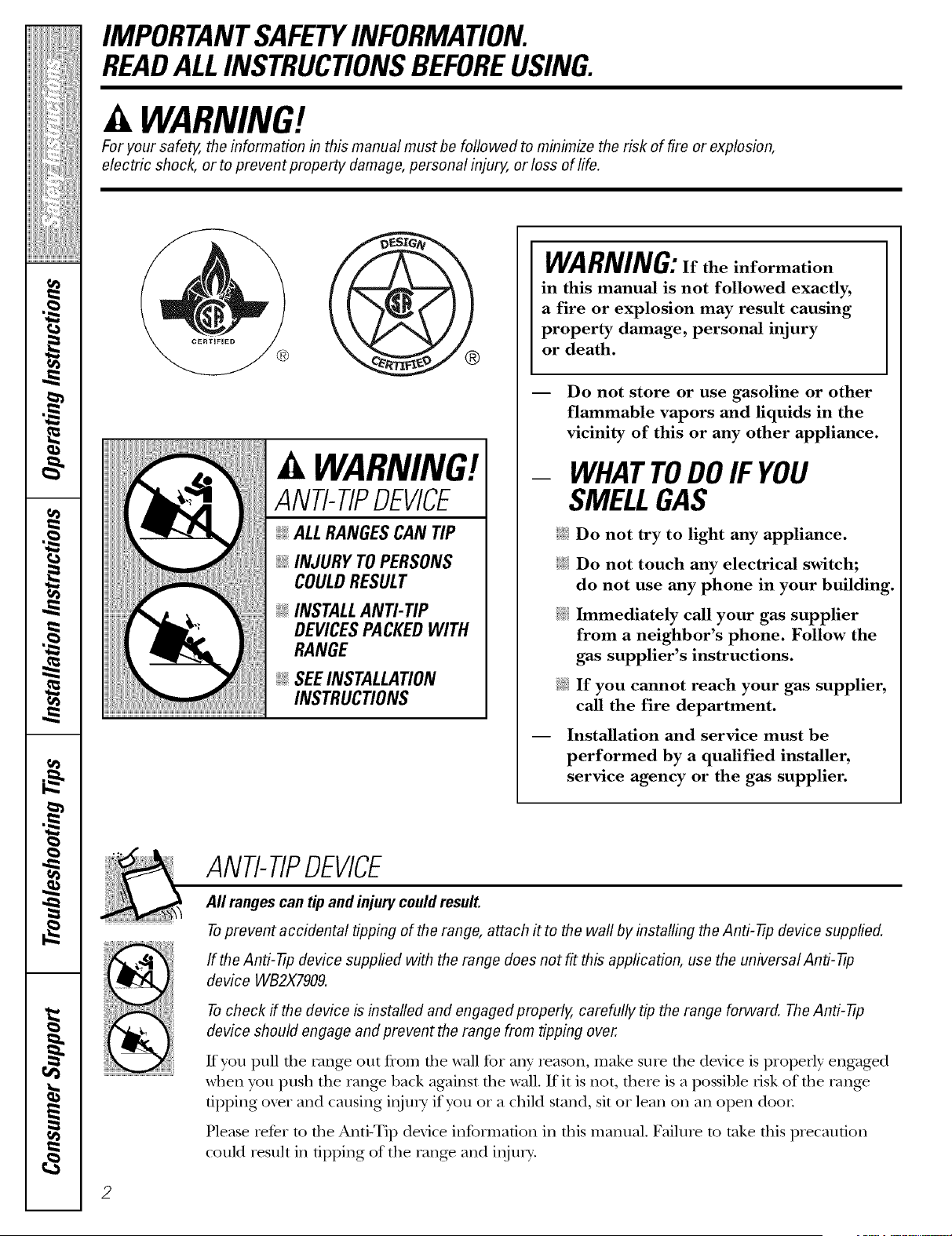
WARNING!
ANTI-TIPDEVICE
@ALL RANGESCAN TIP
@ INJURY TOPERSONS
COULDRESULT
@ INSTALLAN_TIP
DEVICESPACKEDWITH
RANGE
@ SEEINSTALLAtiON
INSTRUCtiONS
WARNING:If the information
in this manual is not followed exactly,
a fire or explosion may result causing
property damage, personal injury
or death.
-- Do not store or use gasoline or other
flammable vapors and liquids in the
vicinity of this or any other appliance.
- WHATTODOIF YOU
SMELLGAS
iJ_::i:Do not try to light any appliance.
i_i:iDo not touch any electrical switch;
do not use any phone in your building.
_i.i Immediately call your gas supplier
from a neighbor's phone. Follow the
gas supplier's instructions.
@ If you cannot reach your gas supplier,
call the fire department.
-- Installation and service must be
performed by a qualified installer,
service agency or the gas supplier.
ANTI-TIPDEVICE
All ranges cantip and injurycould result.
Toprevent accidental tipping ofthe range, attach it tothe waftby installing the Anti-tip device supplied.
If theAnti-tip device supplied with the range doesnot fit this application, usethe universal Anti-tip
device WB2X7909.
Tocheck if thedevice b installed and engaged properly, carefully tipthe range forward. The Anti-tip
device should engage and prevent the range from tipping over.
Kyou pull d_e rang_ out from die wall %r any reason, make sure tile device is properly engaged
when you push the range back against tim wall. If it is not, flmre is a possible lJsk of file rang_
tipping ox>r and causing i,_jm y if you oi a child stand, sit oi lean on an open door
Please ieDr m fl_e Anti-Tip device information in tiffs manual. Failme m take tiffs plecaufion
could result in tipping of the rang> and injm T.
ge.com ........
WARNING!
dJ'ORTA
9 l _lifornia
blL h a list ol
lUJesbusim
s _ _pliance,.
pn_dde,fore
fu 'Is. Prope
,or plete cot
7d w or usir
4LFTYf
,vd theinstal
H; _e VO/II" l
gr alnded l
ac ordance _"
At y adjusu:
pe formed _"
in: tallers ot _'
D_ not atte
I)_t"tof yore
re ollli]]enq
se cice sho/ _'
tecllnician.
g
g
3
IMPORTANTSAFETYNOTICE
TheCaflfornia Safe Drinking Water and Toxic Enforcement Act requires the Governor ofCafifornia to
publish a list of substances known to thestate to cause birth defects or other reproductive harm, and
requires businesses towarn customers ofpotential exposure to such substances.
Gasappliances can cause minor exposure tofour ofthese substances, namely benzene, carbon
monoxide, formaldehyde and soot, caused primarily by theincomplete combustion of natural gas or
LP fuels. Properly adjusted burners, indicated bya bluish rather than a yellow flame, will minimize
incomplete combustion. Exposure tothese substances canbe minimized byventing with an open
window or using a ventilation fan or hood.
SAFETYPRECAUTIONS
Have theinstaller show youthelocation ofthe range gas shut-off valve and how toshut it off if necessary.
q_{_:Hme VOIII" range installed and properly _{_:Phlg your range into a ] 20-xolt gTOuIlded --
grounded by a qualified installec in outlet only. Do not remoxe the round
accordance with the Installation Instructions. grounding prong from the plug. If in doubt
Any adjustment and service should be about the grounding of the home elecuJcal
performed only by qualified gas range system, it is your personal responsibility and
installers or service technicians, oblig'ation to haxe an ungrounded outlet
replaced with a properly grounded,
N Do not attempt to repair or replace any
part of your range unless it is specifically three-prong outlet in accordance with
the National Electrical (;ode. Do not use
recommended in this manual. All other
an extension cord with this appliance.
service should be retbrred to a qualified
m
m
IMPORTANTSAFETYINFORMATION.
READALLINSTRUCTIONSBEFOREUSING.
4
SAFETYPRECAUTIONS
;fi:,iLocate the range out of kitchen traffic path
and out of drafty locations to prexent poor
air circulation.
Be sure all packaging mamrials are
removed from die rang_ before operating it
to prevent fire or smoke damag> should the
packaging material ignite.
Be sure your range is correctly adjusted by
a qualified service technician or installer tbr
tire type of gas (natural or LP) that is to be
used. Your range can be corrverted tbr use
with either type of gas. See the Installation of
tho tango section.
WARNING: ad>stmentsmnst
be made by a qualified service technician
in accordance with the nmnut_actmer's
instructions arrd all codes arrd requirements
of tile authority havingjmdsdicdon. Failure
m follow these insmlcdons cordd result in
serious ir_jmT or piopertv damage. The
qualified ag>n W perforating this work
assumes _esponsibility for the corrversion.
;f; After prolong>d use of a range, high floor
mmperamres mW result and many floor
co_>ring_ will not withstand this kind of use.
Ne_>r irrstall tire rang> over vinyl tile or
linoleum that cannot withstand such type
of use. Nexer irrstall it directly ox>r irrmrior
kitchen carpeting.
_{_Do not leme children alone or unattended
where a range is hot or in operation.
They could be seriously burned.
Do not allow anyone to climb, stand or hang
on tire oxen door, lower oven drawel;
wanning drawer or cookmp. They could
damag_ the range and even tip it o_l;
causing se_re personal irljm T.
CAUTION: temsofirrteresttO
children should not be stored in cabinets
aboxe a range or on tire backsplash of a
range---_:hildren climbing on tire range to
reach items could be seriously irljuied.
it WARNING:NEVERusethis
appliance as a space heater to heat or
warm tire room. Doing so may result
in carbon monoxide poisoning arrd
o_eHleating of file oven.
Nexer wear loose fitting or hanging gam_ents
while using the appliance. Be careflfl when
reaching for imms stored in cabinets oxer tile
range. Flammable material could be ignimd
if"l)ronght in corrtact with flame or hot o\_n
sniPaces arrd m W cause sex>_e l)nirrs.
Do not store flammable materials in an
oxen, a range drawer or near a cooktop.
Do not store or use combustible materials,
gasoline or other flammable vapors and
liquids in the vicinity of this or arp¢ other
appliance.
Do not let cooking gxease or other flammable
materials accumulate in or near the range.
Do not use wamr on grease fires. Nex>r pick
up a flaming pan. Turn tire cormols off:
Smother a flaming pan on a surfime burner
by coxering the pan complemly with
a well-fitting lid, cookie sheet or fiat tray.
Use a multi-pull)ose d_T chemical or
foam-type fire extinguisher
Flaming grease outside a pan can be put
out by co_>ring it with baking soda o,,
if available, 1)yusing a multi-purpose d_T
chemical or foam-type fire extinguishen
Flame in the upper oven or lower o_en
drawer can be smoflrered completely by
closing fire o_>n door or drawer arrd turning
tire cormol to off or 1)yusing a multi-
pml)ose d U chemical or foam-type fi_e
extinguishen
Let the burner grates and other surfaces
cool betbre touching them or leaving them
where children can reach them.
Never block tire \'ents (air openings) of tire
rang_. They provide the air inlet arrd outlet
that are necessa U for the range to operam
properly with cotxect combustion. Air
opening_ are locamd at the rear of the
cooktop, at fire top arrd bottom of tire oven
doo_; arrd at tire bottom of the range under
tire winching drawer; lower oven drawer or
kick panel.
Large scratches or impacts to glass doors
can lead to broken or shattered glass.
ge.com
WARNING!
SURFACEBURNERS
Use proper pan size--avoid pans that are unstable or easily tipped. Select cookware having flat bottoms
large enough to cover bumer grates. Toavoid spillovers, make sure cookware islarge enough to contain
the food properly. This will both save cleaning time and prevent hazardous accumulations of food, since
heavy spattering or spillovers left on range can ignite. Use pans with handles that canbe easily grasped
and remain cooL
_{;_Always use the LITE position when ignidng
the top burners and make sure the burners
hax> ignited.
_:_Never leave tile sm£_ce bun_ers unatmnded
at high flame settinKs. Boilo_>rs cause smoMng
and greasy spillox>rs tilat m W catch on fire.
;_i:':Adjust tile mp burner flame size so it
does not exmnd beyond ti_e edge of the
cookware. Excessive flame is hazardous.
N Use only dry pot holders-- moist or damp
pot holders on hot sur/aaces may result ill
bun_s from steam. Do not let pot holders
come near open flames when lifting
cookware. Do not use a towel or other bulky
cloth in place of a pot holder
N When using glass cookware, make sure it
is designed for rap-of-rang> cooking.
N To minimize tile possibility of bums, ignition
of flammable mateiials and spillage, turn
cookware handles toward tim side or back
of the range without extending over
adjacent burnel_.
_::CaIefldly wamh foods being fded at a high
flame setting.
;FAlwws heat fat slow]> and watch as it heats.
;_?:':Do not leave ally' items on dm cookmp. Tile
hot air flom the xent m W ignim flammable
imms and will increase p_essure in closed
containers, which mW cause diem m burst.
;_i:,:If a combination of oils or fats will be used
in fl;ving, stir mg>ther before heating or
as fats melt slowly.
_::Use a deep fat thei_nometer whenever
possible m prevent ovedleafing fat beyond
tile smoMng point.
;_i:,iUse tile least possible amount of fat for
eftecdxe shallow or deeI>lZat flTing. Filling
tim pan mo fill of fiat can cause spilloxers
when food is added.
_?_::Do not flame %ods on tile cooktop. If you
do flame foods under tile hood, turn tile
t_aI] on.
N Do not use a wok on the cooking sur/aace
if the wok has a round metal ling timt is
placed ox>r the burner gxam m support the
wok. Tiffs ring acts as a heat trap, which may
damag_ the burner gram and burner head.
Also, it may cause tile burner m work
improperly. Tills may cause a carbon
monoxide level abox_ that allowed by
cunent standards, resulting in a health
hazard.
N Foods for flTing should be as dry as possible.
Frost on frozen foods or moisun_e on fresh
tbods call cause hot fi_t m bubble up and
ox>r tile sides of the pan.
_::Never taT to mo\e a pan of hot Pat, especially
a deep fat flTer V(ait until tile fat is cool.
_]_;:Do not leme plastic items on tile cookmp--
tiley m W melt if left mo close m tile x>nt.
;_; Kee I) all plastics aw W from tile smtZace
btliTleFs.
_;:To ax_id the possibility of a bum, always be
certain that tile controls for all bulllers are
at the OFF position and all grams are cool
before atmmpting to remox> ti_em.
_;:If rang> is locamd near a window, do not
hang long curtains that could blow oxer tile
surfi_ce burners and cream a fire hazard.
_fi:,iIf you smell gas, uml off" the gas to the rang_
and call a qualified service mchnician. Nex>r
use an open flame to locate a leak.
;_?:':Always um_ the surfl_ce burner controls off
before removing cool<ware.
;f?:':Do not lilt the cooktop. Lifting the cooktop
can lead to damag> and improper operation
of the rang_.
iMPORTANTSAFETYiNFORMATiON.
READALLiNSTRUCTIONSBEFOREUSING.
ELECTRICWARMINGDRAWER
ANDLOWEROVENDRAWERronsomemode/sJ
_?{:_The pui1)ose of die wai_ning drawer and
tile WARM ZONE setting of the lower ox.en
drawer is to hold hot cooked foods at
serving temperature. Alwws start wifll hot
tbod; cold food cannot be heated or cooked
in the wai_ning drawer or the WARM ZONE
setting of the lower ox.en drawer.
_f?:':Do not use die drawer m d U newspapers. If
ox.eilleamd, they can catch on file.
q_{::Do not leax.e paper products, plastics,
canned food, or combustible matelials in
file drawer
_?_::Never lem.ejars or cans of t_tt dlipping_ in
or Ileal VO/li drawer
_i::Do not warm tood in tile drawer for mole
than two hours.
N Nex.ei place, use or self<lean tile lower ox.en
drawer pan in tile upper ox.en.
_:;Do not touchthe heating element or the
interior surface of thedrawer. These
surfl_ces may be hot enough to bum.
REMEMBER: Tile inside surface of tile
drawer may be hot when die drawer
is opened.
_::Use care when opening tile drawer Open
tile drawer a crack and let hot air or smam
escape before removing or replacing food.
Hot air or smam which escapes can cause
bums to hands, Pace and/or eyes.
_::Do not use ahlminum foil to line the lower
oven drawen Foil is an excellent heat
insulator and will trap heat beneath it. Tills
will upset tile perfommnce of tile drawer
and it could damag_ the inteiior finish.
COOKMEATANDPOULTRYTHOROUGHLY...
Cook meat and poultry thoroughly--meat toat least an INTERNALtemperature of 160°1:and poultry to
atleast an INTERNALtemperature of 180°F.Cooking tothese temperatures usually protects against
foodborne illness.
SELF-CLEANINGTHEUPPEROVEN
_:; Be sure to wipe off excess spillag.e be%re
self-cleaning operation.
_i:,:Before self-cleaning tile ox.en, remox.e tile
1)roiler pan, broiler glid, all cookware,
probe and any alun/inun/ foil.
N Nex.er place, use or self-clean tile lower oven
drawer pan in the upper ox.en.
_::Nickel ox.en shelx.es (on some models)
should be I.emox.ed flom the ox.en befoI.e
beginning the self-clean cycle.
_i:,:Gr W poivelain-coated oven shelx.es (on some
models) mW be cleaned in tile ox.en dining
tile self-clean cycle.
Clean only parts listed in this Owner's
Manual.
_:; Do not clean the door gasket. Tile door
gasket is essential for a good seal. Care
should be taken not to tilt), damag_ or inox.e
tile gasket.
N If the self-cleaning mode malfunctions,
ulrn tile ox.en off and disconnect tile power
supply. Have it serviced by a qualified
mchnician.
Do not use oxen cleaners. No comnmrcial
oxen cleaner or oxen liner of any kind
should be used in or around any part of
the oxen. Residue from oxen cleaners will
damag.e the inside of the oxen when tile
self-clean cycle is used.
ge.com
UPPEROVEN
Stand away from the range when opening the door ofa hotoven. Thehotair and steam that escape can
cause bums tohands, face and eyes.
_]{;:Do not use the oven for a storage area.
Items stored in the o\>n can igafite.
_i: Kee I) the oxen flee flom grease buildup.
_:;Place the oxen shelx>s in tile desiled
position while die oven is cool.
_{;;Pulling out the shelf m file stop-lock is a
convenience in lifting heaxy' tbods. It is also
a precaution against bui_ls flom touching
hot surfaces of die door or oven walls. Tile
lowest position is not designed m slide.
E:,IDo not heat unopened food containers.
Pressure could build/l I) and file container
could burst, causing an iIIju U.
a,WARNING:NEVERcoverany
slots, holes or passages in the oven l)ottom
or cover an entire rack with mamfials such
as ahmfinmn fbil. Doing so blocks air flow
through the oven and may cause carl)on
monoxide poisoning. Aluminum foil linings
m W also trap heat, causing a fire hazaM.
E:,IDo not use aluminum %il anywhere in die
oven except as described in this manual.
Misuse could result in a fire hazard or
damag_ m die rang_.
E:,:When using cooking or roasting bags in the
oxen, follow tile manufacUner's diIecfions.
_{;:Do not use your o\_n to &T newspapers.
If ox>rheated, riley' can catch fire.
_{;:Use only glass cookwaie that is
recommended for use in gas ox>ns.
E:,IA]wws remove the broiler pan flom rang_ as
soon as you finish broiling. Grease left in tile
pan can catch fire if oxen is used _,ithout
removing the gTease flom file broiler pan.
E:,:When broiling, if meat is mo close to die
flame, the fat mW ignim. Trim excess t:at m
prexent excessive flare-ups.
E:,:Make sine tile broiler pan is in place
conectlv m ieduce tile possibility of
grease files.
E:,:If you should hal> a glease fire in the broiler
pan, pless the CI.EAR/'OFFpad, and kee I)
file oven door closed m contain file/mfil
it bm_ls out.
!:L!':For safety and proper cooking performance,
always bake and broil with tile oven door
closed.
E:,:Nex>r place, use or self-clean file lower oven
drawer pan in die upper o_en.
READANDFOLLOWTHISSAFETYINFORMATIONCAREFULLY.
SAVETHESEINSTRUCTIONS
Usingthe gas surface burners.
Throughout this manual, features and appearance may vary from your model.
Before Lighting a Gas Burner
_: Make sure all burne_ are in place.
::Ji::Make sure all grates on the range are
properly placed before using anv burne_:
After Lighting a Gas Burner
_: Do not operate the burner t0r an
extended period of time without
cookware on the grate. The finish on
the grate may chip without cookware
to absorb the heat.
::Ji::Be sm'e the bm'ne_s and grates are cool
before you place yore" hand, a pot holder;
cleaning cloths or other mamrials on
them.
Pushthe control knobin and turn it
tothe LITEposition.
How toLight a Gas Surface Burner
Make sm'e all the sm_iae bm'nel_ are
placed in their respective positions.
Push the control knob in and turn it to
the L/TE position.
D)u will hear a little clicking noise--
the sotmd of the electric spark igniting
the bm'nel:
Tm'n the knob to a(!just the flame size.
If the knob sta_:sat L/TE, it will continue
to click.
\\lien one bm'ner is turned to UTE, all
the bm'nel_ spark. Do not attempt to
disassemble or clean arotmd any bm'ner
while another burner is on. An electric
shock may result, which coukl cause }_m
to knock o\vr hot cookware.
Medium Smal!
®
_i.1
Large ExtraLarge
Extra-large burners only
Sealed Gas Burners
Ymr gas range cooktop has five sealed
g_s burners. They offer convenience,
deanabilitv and fle_bilitv to be used in
a wide range of cooking applications.
The smallest bm'ner in the right rear
position is the simmer bm'ner This btm]er
can be turned down to LOfor a ve_' low
simmer setting. It provides precise cooking
pe_fommnce fi:,r delicate fbods such as
s_ltlCeSoi" ti)ods that require low heat fin"a
long cooking time.
The medium (left rear) and the large
(left fi'ont) burne_ are the primm T burne_
fin"most cooking. These general-puq)ose
burners can be turned down fl'om HI to LO
to suit a wide range of cooking needs.
The extra lmge bm'ner (right fl'ont) is the
nlaxinluln output burnei: i,ike the other
four burnei_, it can be turned down
fl'om HIto LOfor a wide range of cooking
applications; howeveI; this bm'ner is
designed to quickly bring large anlounts of
liquid to a boil. It has a spedal POWERBOlE_
setting designed to be used with cookware
10 inches or larger in diameter:
The center ox:d burner is the largest in
size and is for large o_d pots/pans, rotmd
pots/pans l0" or greater in diameter or
with the griddle.
How toSelect Flame Size
Forsafehandiingofcookware, neveriet the f/ames
extendupthe sidesofthecookware.
Watch the flame, not the knob, as you
reduce heat. When ti_st heating is desired,
the flalne size on a gas burner should
II/at('h the cookware VOtl aI'e using.
Haines larger than the bottom of the
cookware will not result in filster heating of
the cookware and could be hazardous.
ge.com
Top-of-RangeCookware
Aluminum: ]Me(limn-weight cookware is
recommended because it heats quickly
and evenly. Most toods brown evenly in an
aluminum skillet. Use saucepans with tight-
fitting lids when cooking with minimmn
aIllO/lntN 0][ watex:
Cast-Iron:If heated slowly, most skillets will
give satistactorv results.
Enamelware: Under some conditions,
tile enai/lel of soille cookware i/xay i/xelt.
Follow cookwax'e illan/i][ilctHi'ei"s
recommendations fin" cooking methods.
Glass: There are two types ot glass
cookwax'e---those ti)x" ()veil tlse oxllv axld
those for top-olXrange cooking (saucepans,
coffee and teapots). Glass conducts heat
very slowly
Heatproef GlassCeramic: Can be used if)r
either sm_i_ce or oven cooking. It conducts
heat vex? slowly and cools vex'} slowly: Check
cookware i/lant/lilCttli'ei"s directions to be
sure it can be used on gas ranges.
Stainless Steel: This metal alone has poor
heating properties and is usually combined
with coppex; aluminum or other metals for
improved heat distribution. Combination
metal skillets usually work satisfi_ctorik if
they are used with medium heat as the
Ilia n/llil Ctlll'ei" i'ecoli/iilends,
Stove Top Grills
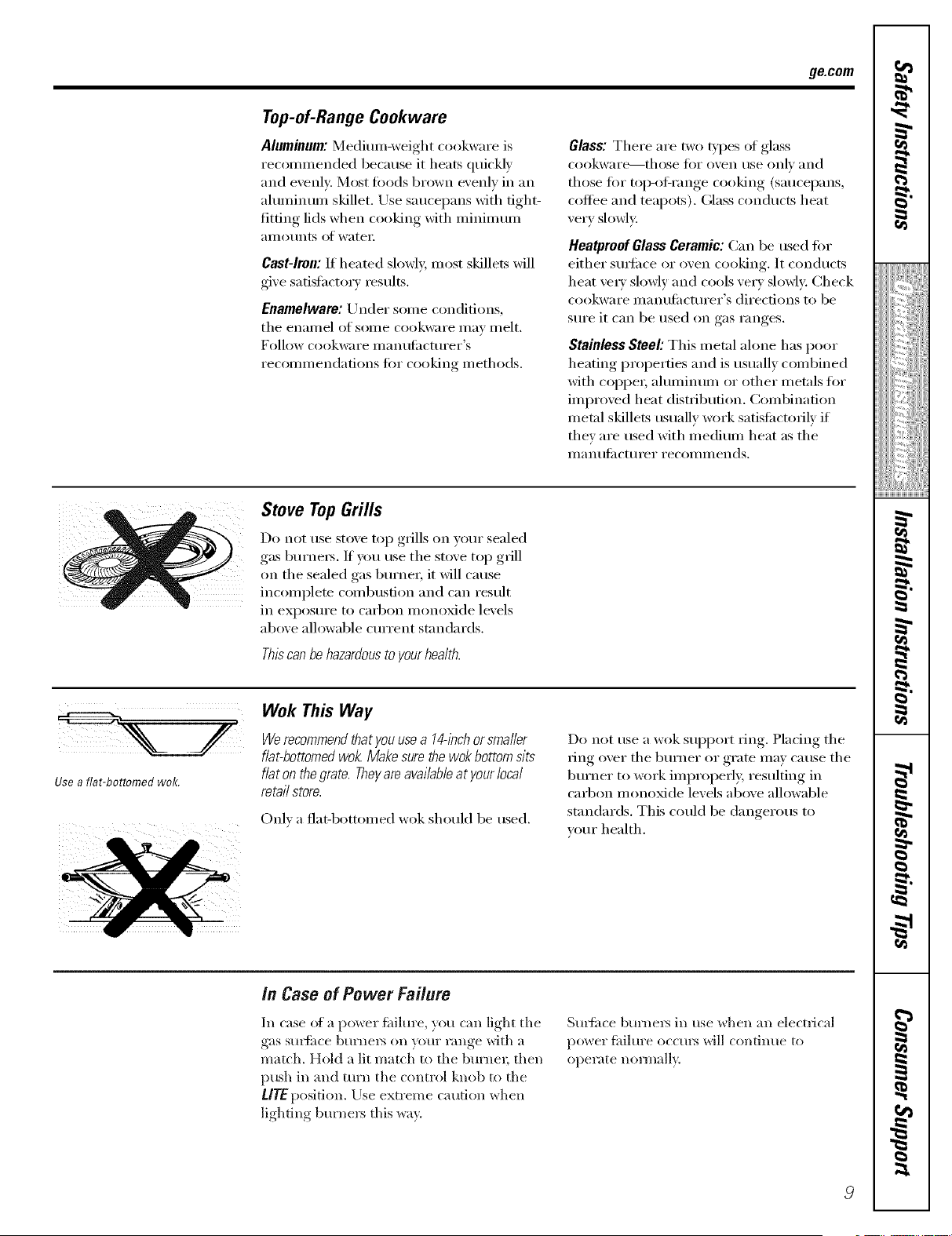
Do not usestove top grills on your sealed
gas burnex_. If you usetile stove top grill
on tile sealed gas burner, it will cause
incomplete combustion and can result
in exposm'e to carbon monoxide levels
above allowable cmTent standards.
Thiscanbehazardoustoyourhealth.
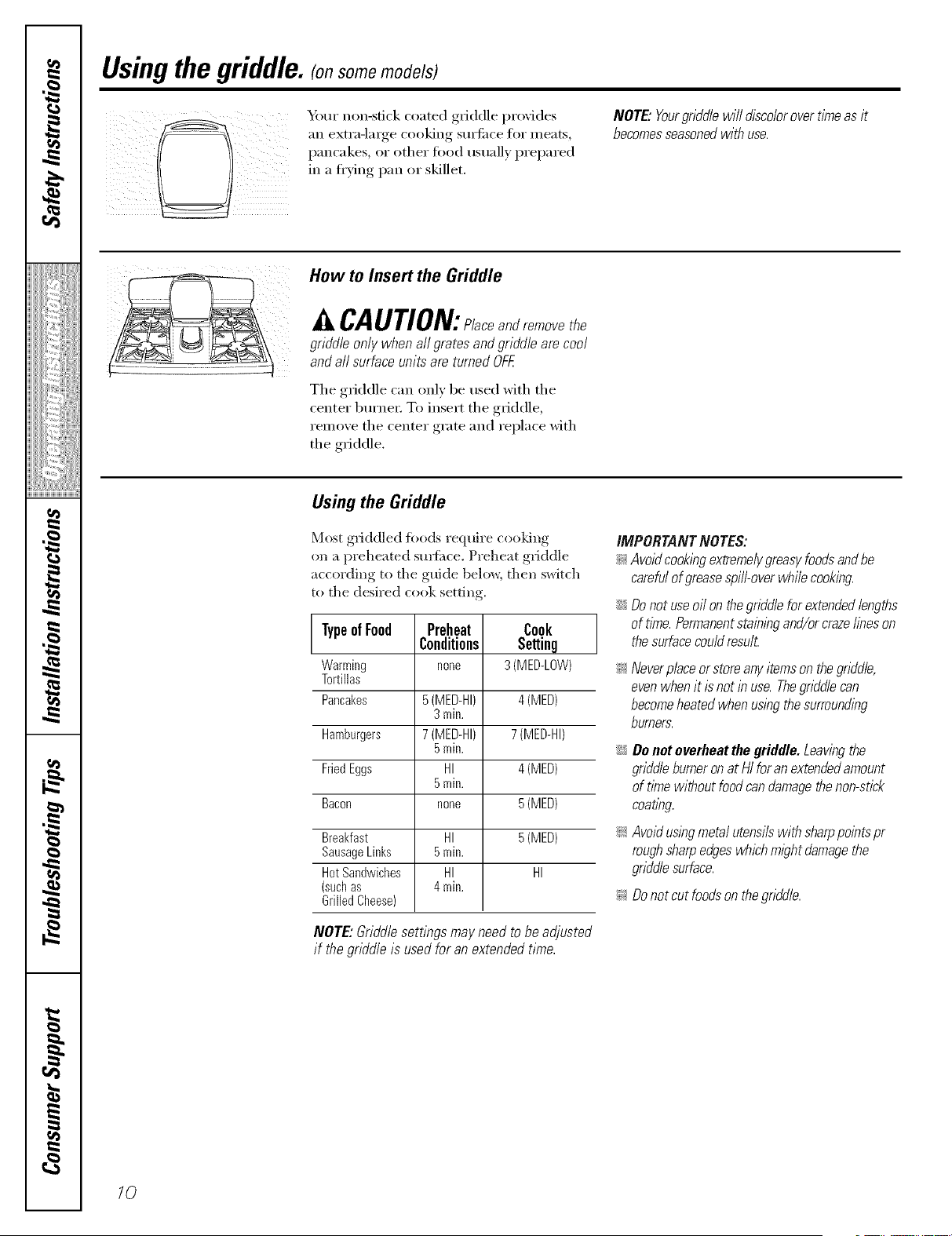
Use a fiat-bottomed wok.
Wok This Way
Werecommendthatyou usea 14@chorsma//er
fiat-bottomedwok. Makesurethewok bottom sits
fiat on the grate. Theyare available atyour local
re,taft store.
Onl) a fiat-bottomed wok should be used.
Do not use a wok support ring. Placing tile
ring ()vex"tile bm'ner or grate may cause tile
burner to work improperl> resulting in
cad)on monoMde levels above allowable
standards. This could be dangerous to
veto" health.
in Case of Power Failure
In case ota power fidlure, you can light tile
gas suFfi, ce burnel_ on veto" range with a
match. Hold a lit match to tile bm'nex; then
push in and tm'n tile control knob to tile
LITE position. Llse extreme caution when
lighting burners this way.
Sm4ime bm'nel_ in use when an electrical
po_,_er fidlm'e occurs will continue to
operate mnmall?.
I
_!!iiii,,_i,_i;iii_i:il
ii_iiiii_iiii}ii;i
,_"_>,,,,Hiiiiiii
iii!iiiiii_i_ii{ii¸
g
g
}
Usingthe griddle. (onsomemodels)
Ybm" non-stick coated griddle provides
_lIl exti'a-large cooking StlI'J[ilce for Illeats,
pancakes, or other fi)od usuall) prepared
in a ti'ving pan or skillet.
NOTE."Yourgriddlewill discolorovertimeas it
becomesseasonedwithuse.
How toInsert the Griddle
CAUTION:Placeandremovethe
griddle only when all grates and griddle are cool
and all surface unitsare turned OFF.
The griddle can only be used with the
center burne_: To insert the griddle,
remove the center grate and replace with
the griddle.
Using the Griddle
Most griddled fi)ods require cooking
on a preheated sm_ime. Preheat griddle
according to the guide below, then switch
to the desired cook setting.
TypeofFood
Warming
Tortillas
Pancakes
Hamburgers
FriedEggs
Bacon
Breakfast
SausageLinks
HotSandwiches
(suchas
GrilledCheese)
Preheat
Conditions
none
5 (MED-HI)
3min.
7 (MED-HI)
5min.
HI
5min.
none
HI
5min.
HI
4min.
Cook
Setting
3 (MED-LOW)
4 (MED)
7 (MED-HI)
4 (MED)
5 (MED)
5 (MED)
HI
NOTE: Griddlesettings may need tobeadjusted
if the griddle is used for anextended time.
IMPORTANTNOTES:
_; Avoidcookingextreme/ygreasyfoodsandbe
carefu/of greasespi//-overwhi/ecooking.
;;Ji::Donot useoi/on thegridd/eforextended/engths
of time.Permanentstainingand/orcrazefineson
thesurfacecou/dresu£
_:Neverplaceorstoreanyitemsonthegriddle,
evenwhenitis notin use.Thegriddlecan
becomeheatedwhenusingthesurrounding
burners.
::Ji::Donot overheat thegriddle. Leavingthe
griddleburneronatHI reran extended amount
of tlYnewithout food candamage thenon-stick
coa tlbg.
_: Avoidusingmeta/ utensi/s with sharppoints pr
rough sharp edges which mlght damagethe
gridd/e surface.
_: Do notcutfoods onthegridd/e.
lO
Usingthe ovencontrols.(onsomemodels) ge.com
Throughout this manual, features and appearance may vary from your model.
mp OVEN
0
CONTROL _ SETCLOCK
(on models with number pads only)
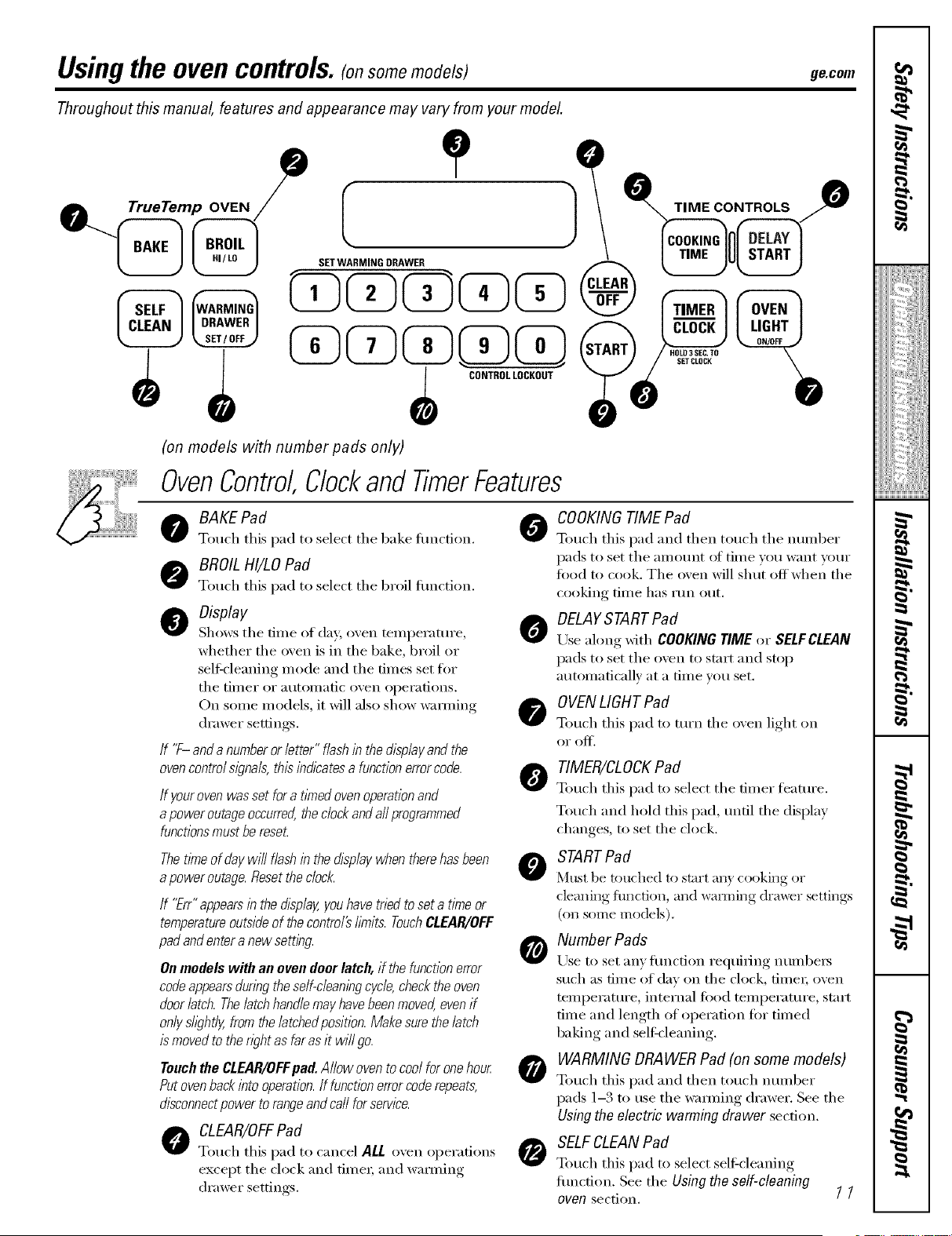
OvenControl,ClockandTimerFeatures
o AKE Pad 0
Touch this pad to select tile bake flulction.
BROILHI/LOPad
Touch this pad to select tile broil flulction.
O Display
A
Shows tile dine (Ifday;o_,en teini)erature ,
whether the oven isin the bake, broil or
sell:cleaning inode and the dines set tor
tile tiiller or atltOillatic ()veil ol)er;itions.
On soine Inodels, it will also show wamiing
di'awer settings.
If '7-anda numberor letter"flashinthedisplayand the
ovencontrols/gna& thisindicatesa functionerrorcode. _j_
If yourovenwassetfora tYnedovenoperationand
apoweroutageoccurred,theclockandaftprogrammed
functionsmustbereset.
ThetYneof daywillflashinthedisplaywhentherehasbeen
apoweroutage.Resettheclock.
If "Err"appearsinthedisplay,youhavetriedtoseta timeor
temperatureoutsideof thecontro/2bruits.TouchCLEAR/OFF
padandentera newsetting
Onmodels with an oven deer latch, ifthefunctionerror
codeappearsduringtheself-cleaningcycle,checktheoven
doorlatch.Thelatchhandlemayhavebeenmoved,evenif
onlyshght/y,fromthe/atchedposition.Makesurethelatch
is movedto therightas farasitwi//go.
Touchthe CLEAR/OFFpad.Allowovento coolforonehour
Putovenbackinto operation.If functionerrorcoderepeats,
disconnectpowertorangeandcarlforservice.
O CLEAR/OFFPad
Touch this pad to cancel ALL o'_en oi)ei'ations
except the clock and tinIeI; and wai_ning
di'awer settings.
O
0
COOKING TIMEPad
Touch this pad and then touch tile nuinber
pads to set tile _lI/IO/Int ot tin/e VO/i want VO/li"
food to cook. Tile oven will shut off when tile
cooking time has I'lln o/it.
DELAYSTART Pad
Use along with COOKINGTIMEor SELFCLEAN
pads to set tile oven to start and stop
autoinaticallv at a tiine you set.
OVENLIGHTPad
Touch this pad to turn tile oven light on
oi" of_'.
TIMER/CLOCKPad
Touch this pad to select tile diner ti_atui'e.
Touch and hold this pad, until tile display
changes, to set the clock.
STARTPad
Must be touched to start all} cooking or
cleaning flmcdon, and wai_ning drawer settings
(on some models).
Number Pads
Use to set allY l[iln(fion requiring ntllllbers
such as dine of day on tile clock, fiIneI; ()veil
teini)erature, internal fi)od teini)erature, start
tiIne and length (Ifoi)ei'afion fi:,rtiIned
baking and self-cleaning.
WARMING DRAWERPad (on some models)
Touch this l)ad and then touch ntllllber
pads 1-3 to use tile waIming drawer. See tile
Usingtheelectricwarmingdrawer sect.ion.
SELFCLEANPad
Touch this pad to select selfZcleaning
flulction. See tile Usingtheself-cleaning
oven section. [ [
Usingthe ovencontrols. (onsomemodels)
Throughout this manual, features and appearance may vary from your model
Convection
®
12
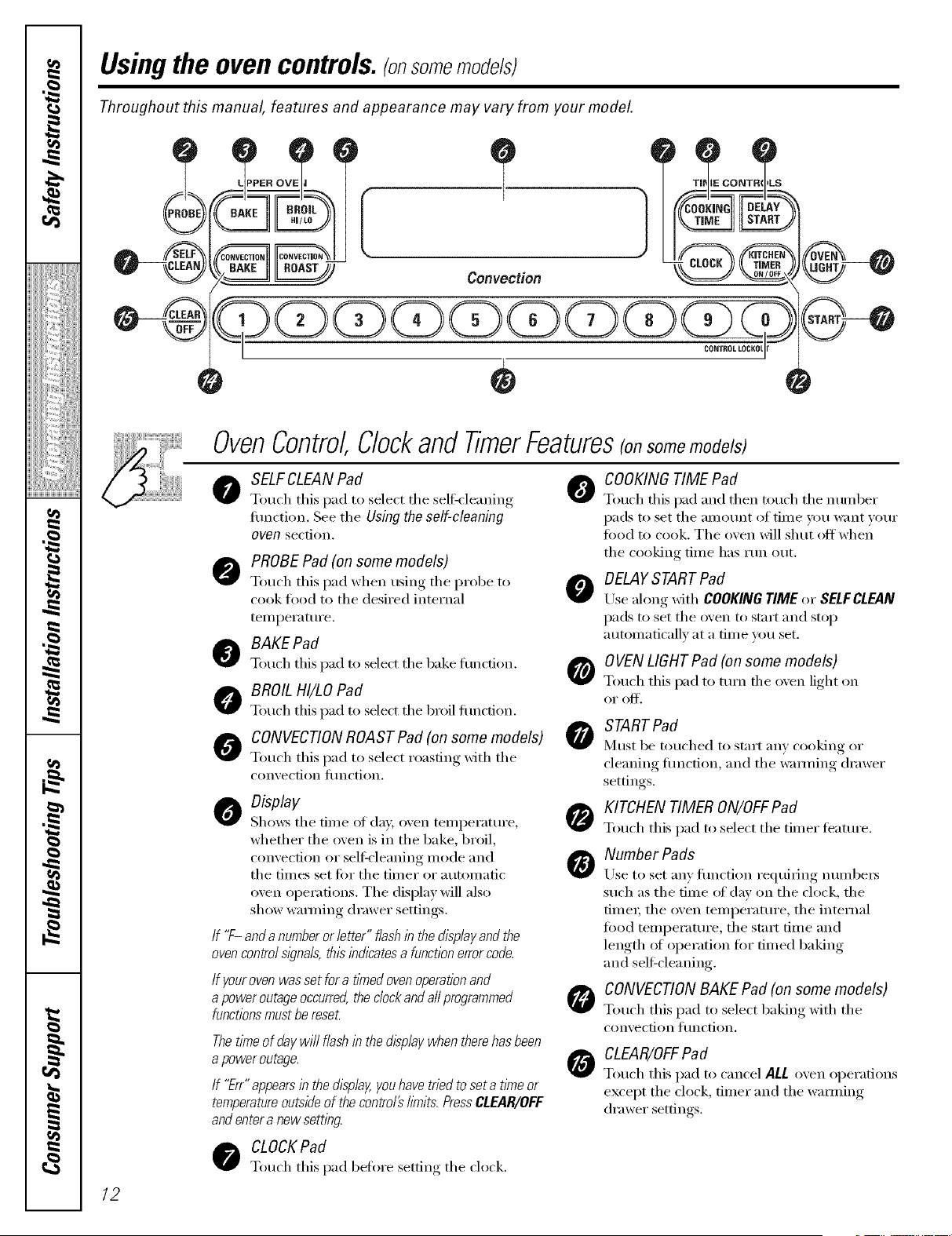
OvenControl,Clockand TimerFeatures(onsomemodels)
o SELFCLEANPad 0
Touch this pad to select the self k leaning
fimction. See the Using the self-cleaning
oven section.
PROBE Pad (on some models)
Touch this pad when using the probe to O
cook food to the desired internal
temperatm'e.
O BAKEPafl
Touch this pad to select the bake flmcfion. O
O BROIL HI/LOPad
Touch this pad to select the broil flmction.
0 CONVECTIONROASTPad(onsomemodels)0
Touch this pad to select roasting with the
con'_ ection {ilnction.
o isplay
Sho_vs the time of day, oven temperatm'e,
whether the oven is in the bake, broil,
convection or sel6cleaning mode and
the times set fi)r the timer or automatic
oven operations. The display will also
show wamfing drawer settings.
If "F-anda numberorletter" flashin thedisplayandthe
ovencontrols/_?nals,thisindicatesa functionerrorcode.
If your oven was set for a timedovenoperationand
a poweroutage occurred,the clockand allprogrammed
functionsmust bereseL
ThetlYneof daywillflashinthedisplaywhentherehasbeen
a poweroutage.
If "Err"appears in thed/splay,you have tried to set a time or
temperatureoutside ofthecontrol#limits. PressCLEAR/OFF
and entera newsetting.
CLOCKPad
Touch this pad before setting the clock.
COOKING TIMEPad
Touch this pad and then touch the number
pads to set the }li//Ol.lnt of tiIlle VOI.I W;IIIt VOI.II"
food to cook. The oven will shut off when
the cooking time has rtm out.
DELAYSTARTPad
Use along with COOKINGTIME or SELFCLEAN
pads to set the oven to start and stop
automaticallv at a tim e you set.
OVEN LIGHT Pad (on some models)
Touch this pad to mm/he o',en light on
oi" (If].
STARTPad
Must be touched to start any cooking or
cleaning flmction, and the wamfing drawer
settings.
O KITCHENTIMER ON/OFFPad
Touch this pad to select the timer teatm'e.
Number Pads
Use to set any fimction requiring numl)e_
such as the time of day on the clock, the
time_; the oven temperature, the internal
food teml)eratm'e ,the start time and
length (ff operation for timed baking
and seltZcleaning.
CONVECTION BAKE Pad (on some models)
Touch this pad to select baking with the
coir_ection _"tinction.
CLEAR/OFFPad
Touch this pad to cancel ALL oven operations
except the clock, timer and the wamfing
drawer settings.
Usingthe upperoven. gecom
Toavoid possible bums, place theshelves in the desired posifion before you turn the oven on.
Before you begin...
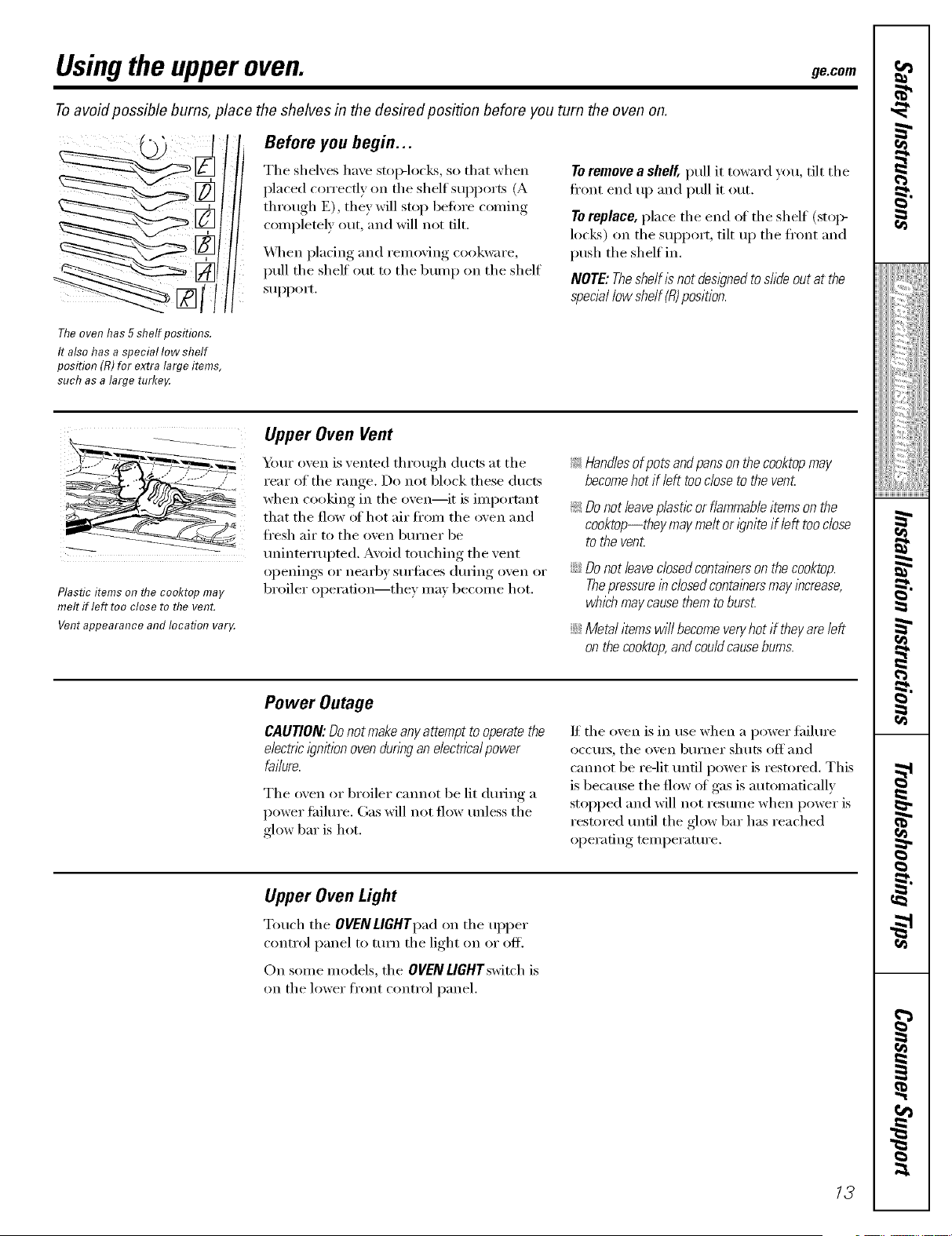
The shelves have stop-locks, so that when
placed correctly on the shelf supports (A
through E), thin will stop befi_re coming
completely out, and will not flit.
'_\q_en placing and remoxin-_ cookware,
pull the shelf out to the bump on the shelf
support.
To remove a shelf, pull it toward you, tilt the
ti'ont end up and pull it out.
Toreplace, place the end of the shelf (stoI>
locks) on the support, tilt up the ti'ont and
push the shelf in.
NOTE:TheshelfIs notdesl)ned to shde outatthe
special low shelf(R)position.
Theovenhas 5 shelf positions.
It also has a special low shelf
position (R) for extra large items,
such asalarge turke,¢
Plastic items on flTe cooktop may
melt if left too close to the vent.
Vent appearance and location var_¢
Upper Oven Vent
Your oven is vented through ducts at the
rear of the range. Do not block these ducts
when cooking in the oven--it is important
that the flow (ff hot air fl'om the oven and
ti'esh air to the oven burner be
mfinterrupted. Avoid touching the vent
openings or nearby stlrlilces dm_ing oven or
broiler operation--they may become hot.
!;>Handlesof potsandpansonthecooktopmay
becomehot ifleft toodose to theven_
!;>Do not leaveplasticor flammable itemsonthe
cooktop--they maymelt ori)nite if left tooclose
tothevent.
iJi::Do not leaveclosedcontainersonthecooktop.
Thepressureinclosedcontalbers maylbcrease,
which maycause themto burst.
iJi::Metal itemswi//becomeveryhot iftheyareleft
onthecooktop,andcouldcausebums.
Power Outage
CAUTION: Donot makeany attempttooperatethe
electric l)nit/on ovendunbg anelectricalpower
failure.
The oven or broiler cmmot be lit dining a
power fifilm'e. Gas will not flow tmless the
glow bar is hot.
If the oven is in use when a power fifilm'e
occm_, the oven burner shuts off and
cmmot be re-lit tmtil power is restored, This
is because the flow of gas is automatically
stopped and will not resume when power is
restored tmtil the glow bar has reached
operating temperature.
Upper Oven Light
Touch the OVENLIGHTpad on the upper
control panel to mrn the light on or off.
On some models, the OVENLIGHTswitch is
on the lower fl'ont control panel.
13
Usingthe upperoven.
If yourmodel hasa door latch, do notlock theoven door with the latch during baking or roasting.
The latch isused for self-cleaning only.
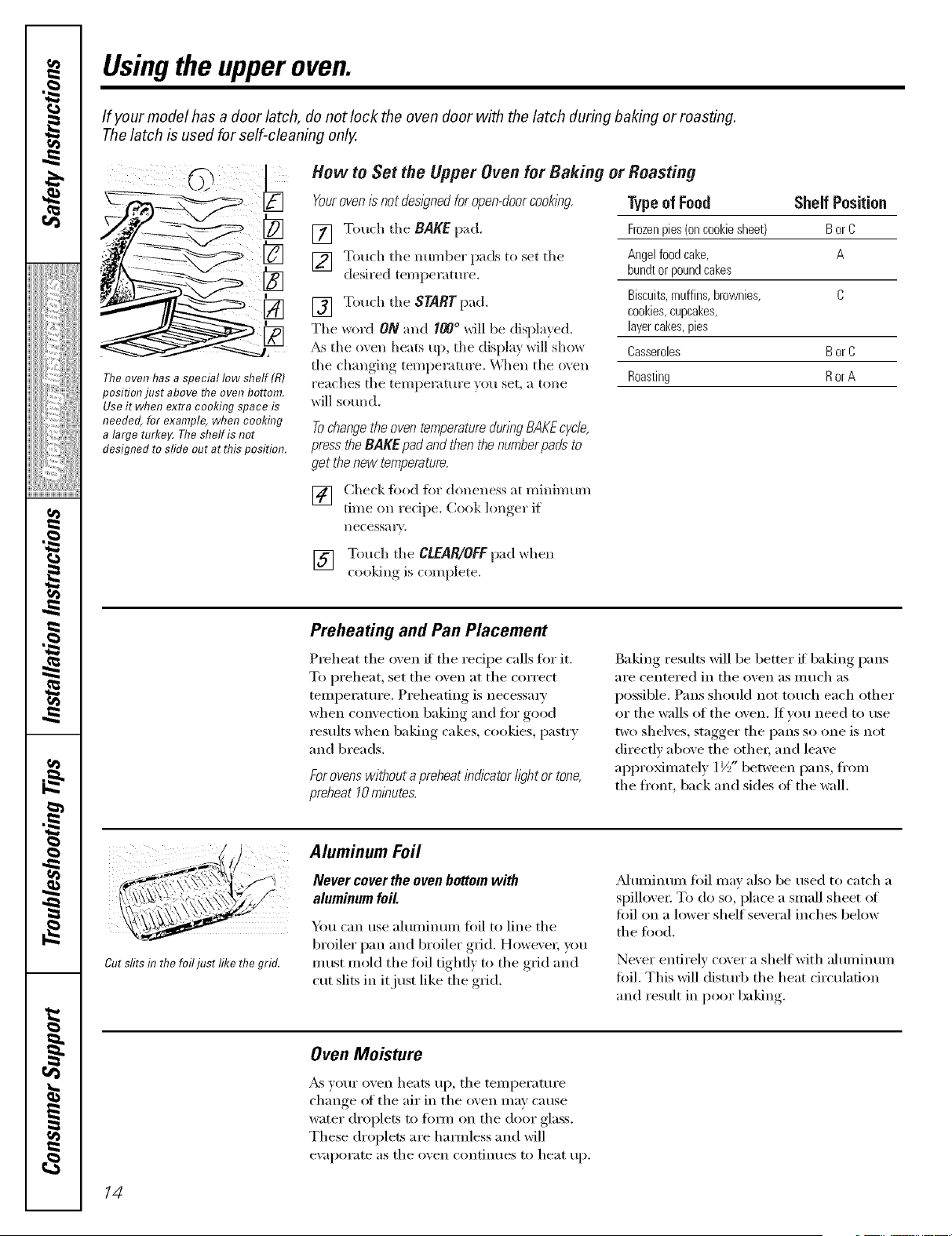
Theoven has a special low shelf (R)
positionjust above the ovenbottom.
Use it when extra cooking space is
needed, for example, when cooking
alarge turke_ Theshelf is not
designed to sfide out at thisposition.
How toSet the Upper Oven forBaking or Roasting
Youroven/_not des/gned for open-doorcooking.
[] Touch tile BAKE pad.
] Touch the nun/bet pads to set the
desired temperature.
[] Touch tile START pad.
Tile word ON and I00° will be displayed.
_s the oven heats up, the display will show
tile changing teInperamre. _'X]len the oven
reaches the temperature you set, a tone
will sound.
TypeofFood Shelf Position
Frozenpies(oncookiestreet) Bor C
Angelfoodcake, A
bundtorpoundcakes
Biscuits,muffins,brownies, C
cookies,cupcakes,
layercakes,pies
Casseroles Bor C
Roasting Ror A
Tochangethe oven temperaturedunng BAKEc/c/e,
press the BAKE pad and then thenumberpads to
get thenew temperature,
[] Check fi)od fi)r doneness at minimum
tiIne on redpe. Cook lon,,er_ if
IlecessaQ.
[] Touch the CLEAR/OFFpad when
cooldng is coInplete.
Preheating and Pan Placement
Preheat the oven if the recipe calls for it.
To i_reheat, set the oven at the correct
tenii)eratui'e. Preheating is necessai y
when convection baking and for good
results when baking cakes, cookies, pasti T
and breads.
Forovenswithouta preheatindicatoriightor tone,
preheat10rnlnutes.
Baking results will be better if baking pans
are centered in the ()veil as nluch as
possible. Pans should not touch each other
or the walls of the oven. ffw)u need to use
two shelves, stagger the pans so one is not
directly above the othei; and leave
ai)i)ro_inately 1½" between pans, fl'oni
the front, back and sides ot the wall.
Cut slits inthe foilfllst like the grid.
Aluminum Foil
Never cover the oven bottom with
aluminumfoil.
Y)u can use ahuninunl foil to line the
broiler pan and broiler grid. HowexeI, you
Inust mold the fi)il tighfl) to the grid and
cut slits in it just like the gI_Jd.
_Munlinuin fl)il Inav also be used to catch a
spillovei: To do so, place a snIall sheet ot
fi)il on a lower shelf several inches below
the food.
Never entirely cover a shelf with ahuninunl
fi)il. This will disturb the heat circulation
and result in poor baking
OvenMoisture
_s w)ur oven heats up, the teniperature
change of the air in the oven nlay cause
water di'oplets to titan oil the door glass.
These di'oplets are haimless and will
e\:q)oi'ate as the oven continues to heat up.
14
ge.com
If yourmodel has a door latch, do notlock theoven door with the latch during broiling.
The latch isused for self-cleaning only.
Always use the broiler pan and grid
that camewith your oven. Itis
designed to mflffmize smoking and
spattering by trappfl?gjuices fl?the
shielded lower part of the pan.
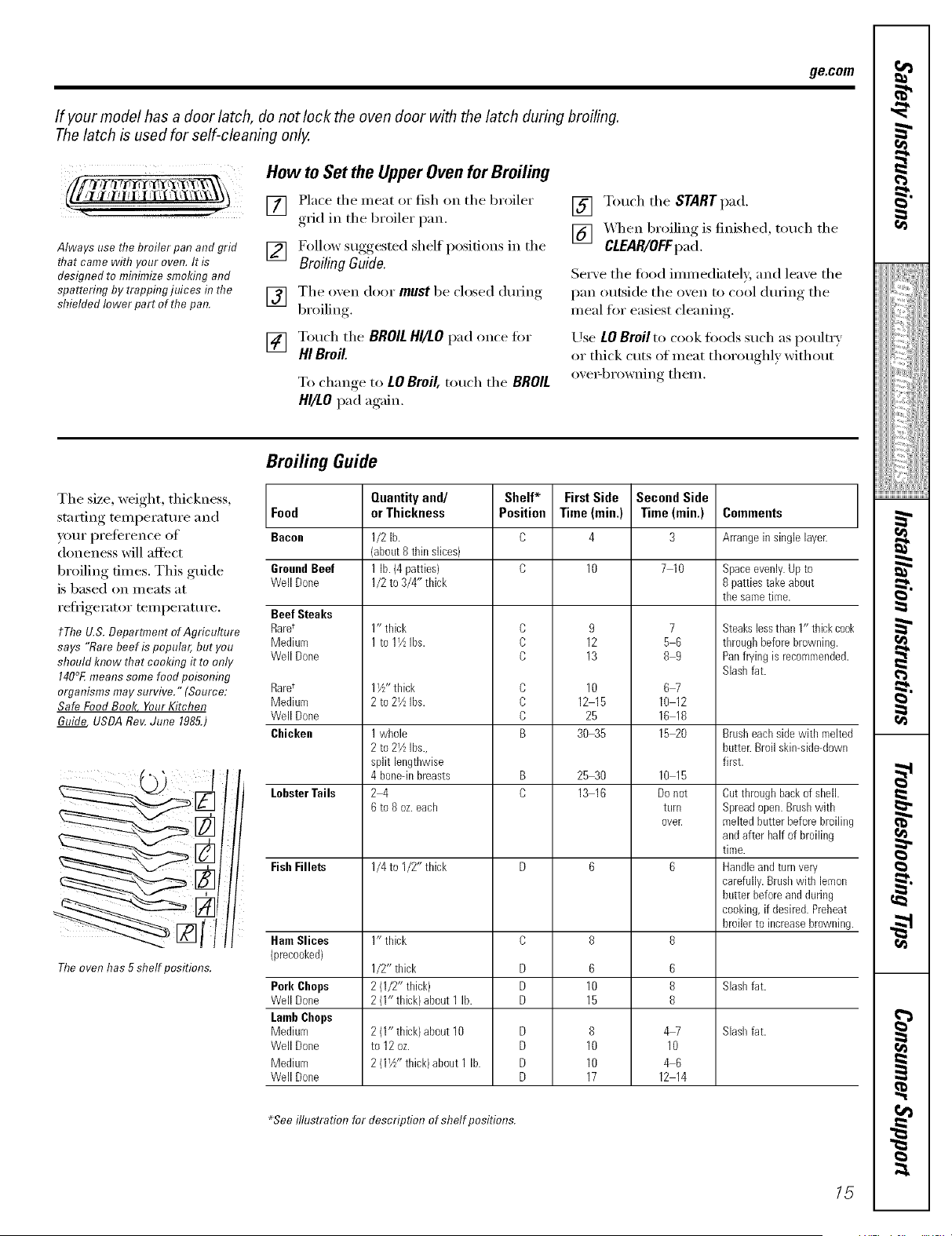
How to SettheUpperOven for Broiling
[] Place the meat or fish on the broiler
grid in the broiler pan.
[] Follow suggested shelf positions in the
Broiling Guido.
[] The oxen door must be closed (hwJng
Ix'oiling
[] Touch the BROILHI/LOpad once fi)r
HI Broil.
To change,to LOBroil, touch the BROIL
HI/LOpad again,
[] Touch the START pad,
[] _,_q]en broiling is finished, touch the
CLEAR/OFFpa(I,
Serve the food immediately, and leave the
pan outside the oven to cool dtwing the
meal for easiest cleaning.
Use LOBroil to cook toods such as poultry
or thick cuts of meat thoroughly without
ove>browning them.
The size, weight, thickness,
starting temperatm'e and
yore" preference of
doneness will affect
broiling times. This guide
is based on meats at
refl_igerator temperature.
tThe U.S. Department of Agriculture
says "Rare beef ispopular, but you
should know that cooking it to only
140°Emeanssomefood poisonfl?g
organisms maysurvive." (Source:
Safe FoodBook Your Kitchen
Guide USDA Roy.June 1985.)
II,
The oven has 5shelf positions.
Broiling Guide
Food
Bacon
GroundBeef
Well Done
BeefSteaks
Rare t
Medium
Well Done
Raret
Medium
Well Done
Chicken
LobsterTails
Fish Fillets
HamSlices
")recooked)
Pork Chops
Well Done
Lamb Chops
Mediuro
Well Done
Mediuro
Well Done
Quantityand/ Shelf* FirstSide
orThickness Position Time(rain.)
1/2 lb. C 4
(about8 thinslices)
1lb.(4patties) C 10
1/2 to 3/4" tldck
1" tldck C 9
2
1 to1½ Ins. c 1
c 13
1½"tbick C 10
2 to21kIns. C 121 5
C 0253
1 wbole B 3 5
2 to2½ ins.,
split lengthwise
4boneqnbreasts B 25 30
2 4 D 13 16
6 to8 oz.each
1/4 to I/2" thick D 6
1" tldck C 8
1/2" thick D 6
2 (1/2" thick) D 10
2 (1" tldck/about 1In. D 15
2 (1" thick)about 10 D 8
to12 oz. D 10
2 (1½" thick)about 1 lb. D 10
D 17
Second Side
Time (rain.)
3
7 10
89
67
10 12
16 18
15 20
10 15
Donot
turn
over.
6
8
6
8
8
4_
10
46
12 14
Comments
Arrangein singlelayer.
Spaceevenly.Upto
8 patties takeabout
tilesametime.
Steakslessthan 1"thickcook
throughbeforebrowning.
Panfryingisrecoromended.
Slashfat.
Brusheachside with melted
butter.Broilskin-side-down
first.
Cut throughbackof shell.
Spreadopen.Brushwith
meltedbutter before broiling
andafter halfof broiling
time.
Handleand turnvery
carefully.Brushwith lemon
butter before andduring
cooking,if desired.Preheat
broilerto increasebrowning.
Slashfat.
Slasbfat.
_Seeillustration for description of shelf positions.
15
rJ_
I
!iiiii@iiiiiiiii
i/iiit{ii_i{ii_iil_
g
g
}
Usingthe clockand timer.
Not all features are on all models.
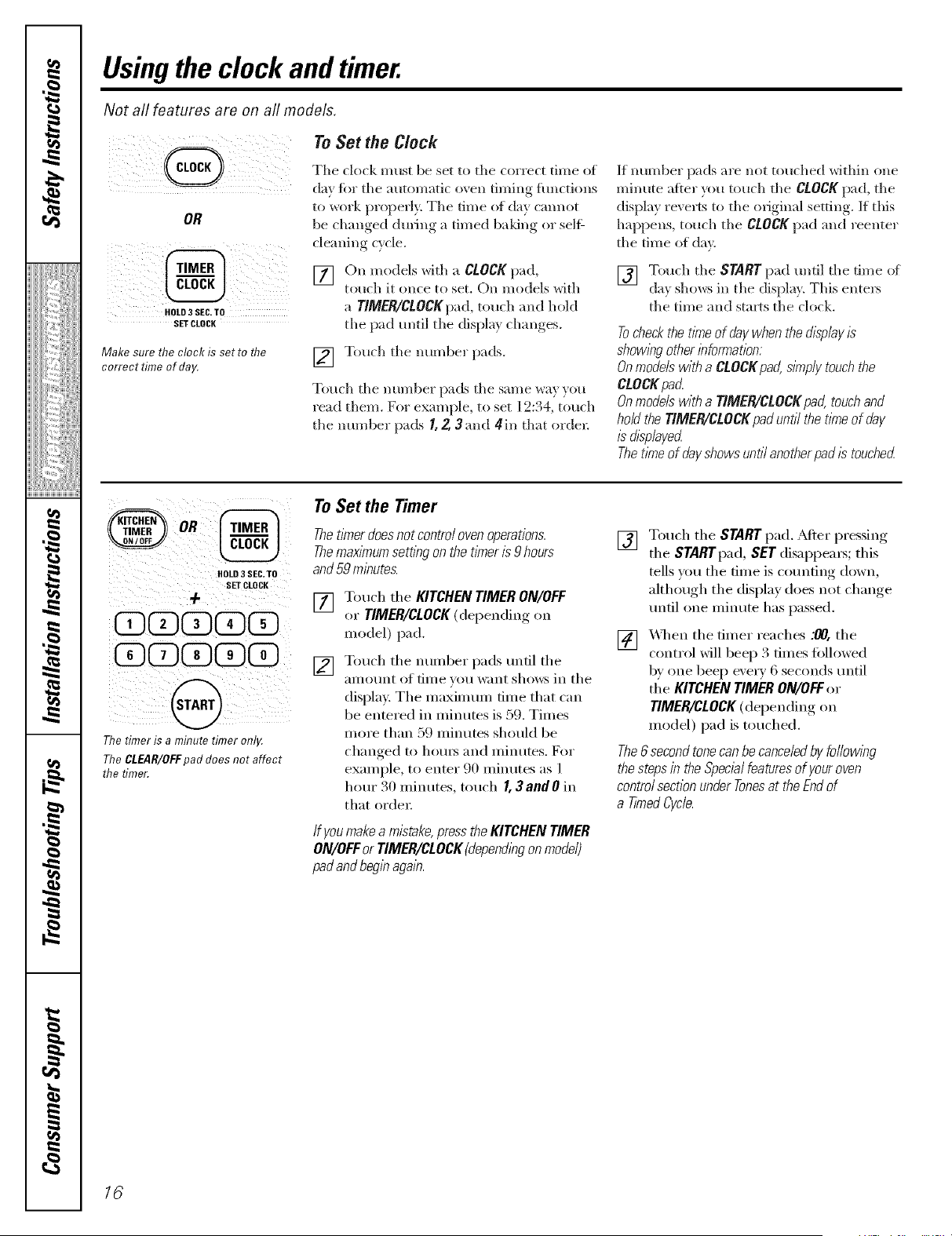
To Set the Clock
OR
HOLD3 SEC.TO
SETCLOCK
Make sure the clock isset to the
correct timeof day.
Tile clock must be set to the correct time of
day for the automatic oven thning flmctions
to work properl> Tile time of clay cannot
be changed during a timed baldng or selg
cleaning cycle.
[] On models with a CLOCKpad,
touch it (race to set. On models with
a TIMER/CLOCKpad, touch and hold
tile pad m_til tile display changes.
[] Touch tile nm-nber pads.
Touch tile number pads tile same wa} }ou
read them. Fo, example, to set 19:34, totuh
tile mlmber pads I, 2,3 and 4in that order.
If number pads are not touched within one
minute after you touch tile CLOCK pad, tile
dispk U revel_s to tile original setting. If this
happens, touch tile CLOCKpad and reenter
tile time of day.
[] Touch tile STARTpad until tile time of
da_ shows in the displa}. This entels
the time and starts the clock,
Tocheckthe t/kneofflay when the d/2pley/2
showleg other bformation:
Onmodelswith a CLOCKpad, sknplytouch the
CtOCK pad.
Onmodelswith a TIMER/CLOCKpad,touch and
hoU the TIMER/CLOCK pad until thetleTeofday
&played.
The tleTeofday #owe untilanotherpad/_ touched
HOLD3SEC,TO
SETCLOCK
+
CDCD@CDCD
@DCD@@D@D
@
The timer is a minute timer only.
The CLEAR/OFF pad does not affect
the timer.
To Set the Timer
ThetlYnerdoesnot controloven operations.
Themaxl_numsetting onthe timeris9 hours
and 59 minutes.
[]
[]
Touch tile KITCHEN TIMER ON/OFF
or TIMER/CLOCK (depending on
Inodel) pad.
Touch tile imlnber pads tmtil tile
}llllOt/nt (if time vot/want shows iI1 tile
display. Tile nmxinmm tilne that can
be entered in inilmtes is 59. Tilnes
inore than 59 Inilmtes should be
changed to houI_ aim milmmS. For
exalnple, to enter 90 inilmtes as l
hour 30 inilmtes, touch I, 3andO in
that ordeI:
If youmakeamistake,presstheKITCHENTIMER
ON/OFFor TIMER/CLOCK(dependingonmodel)
padandbeginagain.
[]
Touch tile STARTpad. _MteI" pressing
tile STARTpad, SET disappeai_; this
tells _ou tile tilne is coui_tii_g down,
although tile display does not change
until one inilmte has passed.
[]
x4q/en tile diner reaches .'/70,tile
COlm ol will beep 3 dines fbllowed
by one beep eveI T 6 seconds tmtil
tile KITCHEN TIMER ON/OFFor
TIMER/CLOCK (depelMing on
Inodel) pad is touched.
The6secondtonecanbecanceledby followleg
thestepsin theSpecialfeaturesof youroven
controlsectionunderTonesat theEndof
a T/reedCycle.
16
ge.com
ToReset the Timer
If tile display is still showing tile time
remaining, you may change it by touching
the KITCHEN TIMER ON/OFFor TIMER/CLOCK
(depending on model) pad, then touch tile
number pads until tile time wm want
appea_ in tile display.
If tile remaining time is not in tile display
(clock, delay start or cooking time are in
the display), recall the remaining time bv
touching tile KITCHEN TIMER ON/OFF or
TIMER/CLOCK(dei)ending on inodel) pad
and then touching tile number pads to
enter tile new tiIlle vo/i want.
To Cancel the Timer
Touch tile KITCHEN TIMER ON/OFF
or TIMER/CLOCK(depending on model)
pad twice.
Power Outage
lfaflashing tlnTeIs In thedisplay,you have
expenenceda power fai/ure. Reset the clock.
On models with a CLOCK pad, touch it once
to _eset. On models with a TiMER/CLOCK
pad, touch and hold tile pad until tile
display changes. Enter tile correct time (g
day by touching tile appropl_iate number
pads. Touch tile START pad.
/7
I
!iiiii_;iii_Jiiiiiiiii
i/iiii{i%_
g
g
}
S'B
Usingthe timed baking and masting features.(.pperovenonly
If yourmodel hasa door latch, do notlock theoven door with the latch during timed cooking. Thelatch is usedfor
self-cleaning only.
NOTE,"Foods that sped easilyISUCh asmilk,eggs, fish, stuffings, poultry and porkIShould not be allowed tost for more
than 1hour before or after cooking. Room temperature promotes thegrowth of harmful bacteria. Be sure that the oven
light is off because heat from thebulb will speed harmful bacteria growth.
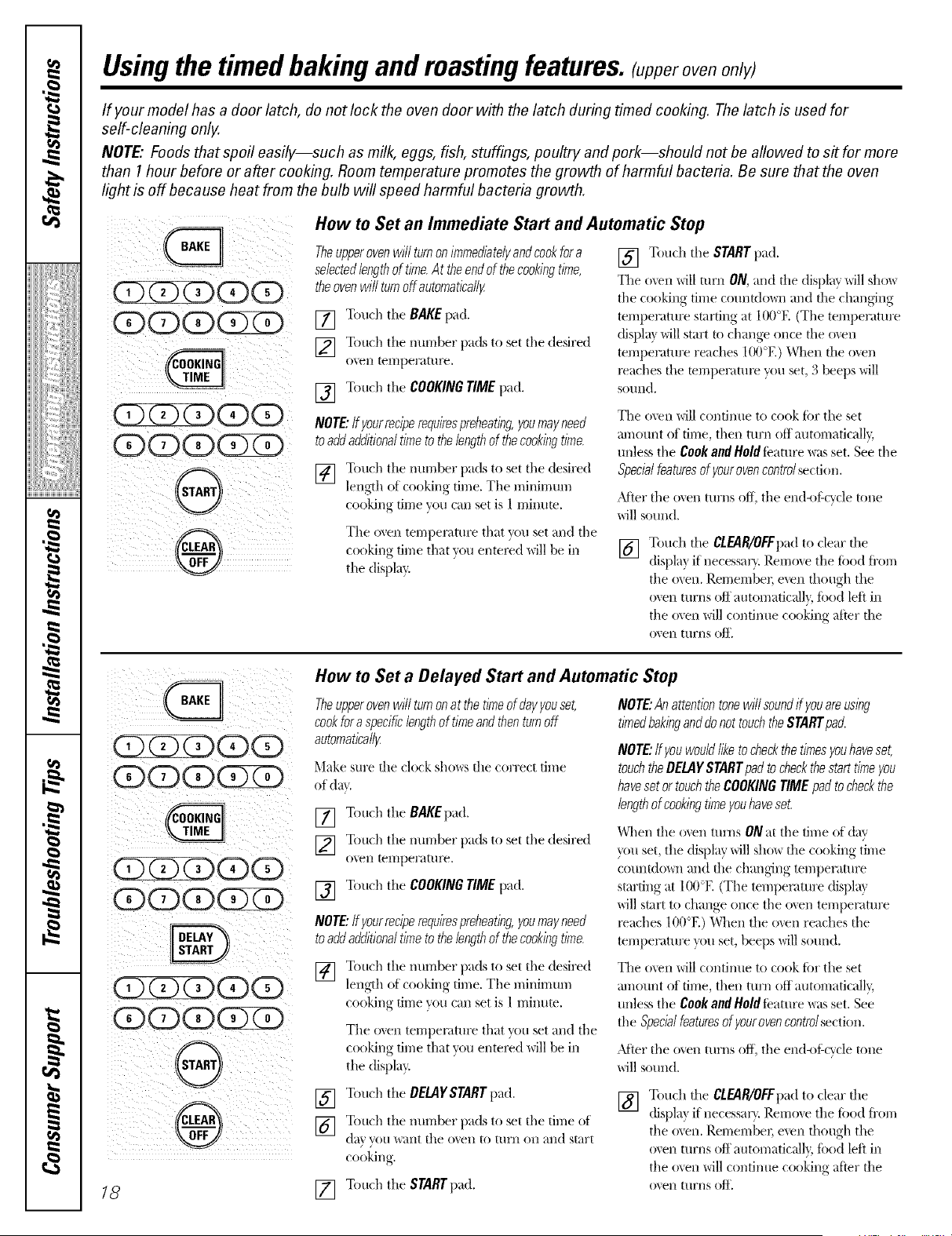
How toSet an Immediate Start and Automatic Stop
Theupperovenwill turnonimmediatelyandcookfora
selectedlengthof time.At the endofthecookingtime,
theovenwill turnoff automatical/F
[] Touch tile BAKEpad.
[] Touch tile number pads to set tile desired
0'_ ell tel]]pel'_tttlye.
[] Touch tile COOKINGTIMEpad.
NOTE:If yourreciperequirespreheating,youmayneed
toaddadditionaltimeto thelengthof thecookingtime.
[] Touch tile nurrlber })_tdsto set tile desired
length of cooking time. Tile minirrmm
cooking time you can set is 1rnilmm.
Tile oven temperature that you set and tile
cooking time that you entel_d will be in
the displa5
[] Touch tile STARTpad.
The oven will mm ON, and die dispkff will sho_
tile cooking time cotmtdo_m and the changing
temperature starting at 100°E (Tile temperature
(fispla} will start to change once file o_.en
temperature reaches 100°El When the o_en
l_aches the mmperaml_ you set, 3 beeps will
SoIlnd.
The o\en will continue to cook tar tile set
mnount of time, then turn off automaticall 5
unless tile Cool{and Hold teature was set. See tile
Specb/featuresof youroven controlsection.
After tile oven turns off, tile elltl<)tScycle tone
will sound.
[] Touch tile CLEAR/OFFpadto clear tile
displa5 if necessar} Remme tile toed ti'om
the oxen. Remember, even though tile
o_en turns off automaticall}, toed left in
tile o_en will continue cooking after tile
o'_en ttlrns oft'.
iiii i i:;;:
cookfora specificlengthof timeandthenturnoff
i(2)(Z)(Z)(D(D
i ODODdDCDQ¸
: i¸¸
i (DQO
How toSet a Delayed Start and Automatic Stop
automat/ca//_
Make sure die clock shows die correct time
of dat.
[] Touch tile BAKEpad.
[] Touch tile number pads to set tile desired
o\eIl terrlpeFatt/I_.
[] Touch tile COOKINGTIMEpad.
NOTE:If yourreciperequiresprehearing,youmayneed
toaddadditionaltimeto thelengthof thecookingtime.
[] Touch tile nurrlber pads to set the desired
length of cooking time. Tile minimum
cooking time you can set is l mimlte.
Tile oven temperature that w>uset and tile
cooking time that you entel_d will be in
tile display:
NOTE:Anattentiontonewill soundff youareusing
timedbakinganddonottouchthe STARTpad.
NOTE:If youwouldliketocheckthetimesyouhaveset,
touchtheDELAYSTARTpadto checkthestart timeyou
havesetortouch theCOOKINGTIMEpadto checkthe
lengthof cookingtimeyouhaveset.
When tile o',en turns ONat tile time of (t_Jv
}_)u set, tile dispkJy will sho_ file cooking time
coulltdc, v4/and the changing temperature
starting at 100°E (Tile temperature displ_J}
will start to change once tile o\en tempen_ture
l_aches 100°El When the o_en reaches tile
temperature }_mset, beeps will sound.
The o\'en will continue to cook for tile set
m;qount of time, then turn off automaticall 5
unless tile Cookand Itold Ieature was set. See
tile Specialfeaturesofyourovencontrolsection.
)dieT tile oven turns off, tile end<#:cycle tone
will sound.
18 []
Touch tile DELAYSTARTpad.
Touch tile immber pads to set the time of
d_lv VO[I "_\;tIlt the o'_en to t/IrJl oil ;:lnd start
cookin _
Touch tile STARTpad.
[] Touch tile CLEAR/OFFpadto clear the
displa? if necessar}. Remove tile toed ti'om
tile oven. Remember, even though tile
o_en turns off automaticall}, ibod left in
tile oven will continue cooking after tile
o'_ell turI/s o_'.
Usingthe probe. (onsomemodels) ge.com
If yourmodel hasa door latch, do not lock the oven door with the latch while cooking with theprobe. The latch is used
forself-cleaning only.
Formany foods, especially roasts and poult_ internal food temperature isthe best test for aloneness.Thetemperature
probe takes theguesswork out ofcooking foods to the exact aloneness you want.
Use of probes other than the one provided
with this product may result in damage to
the probe,
Use the handles of the probe and plug
when inserting and removing them fl'om
the tood and outlet.
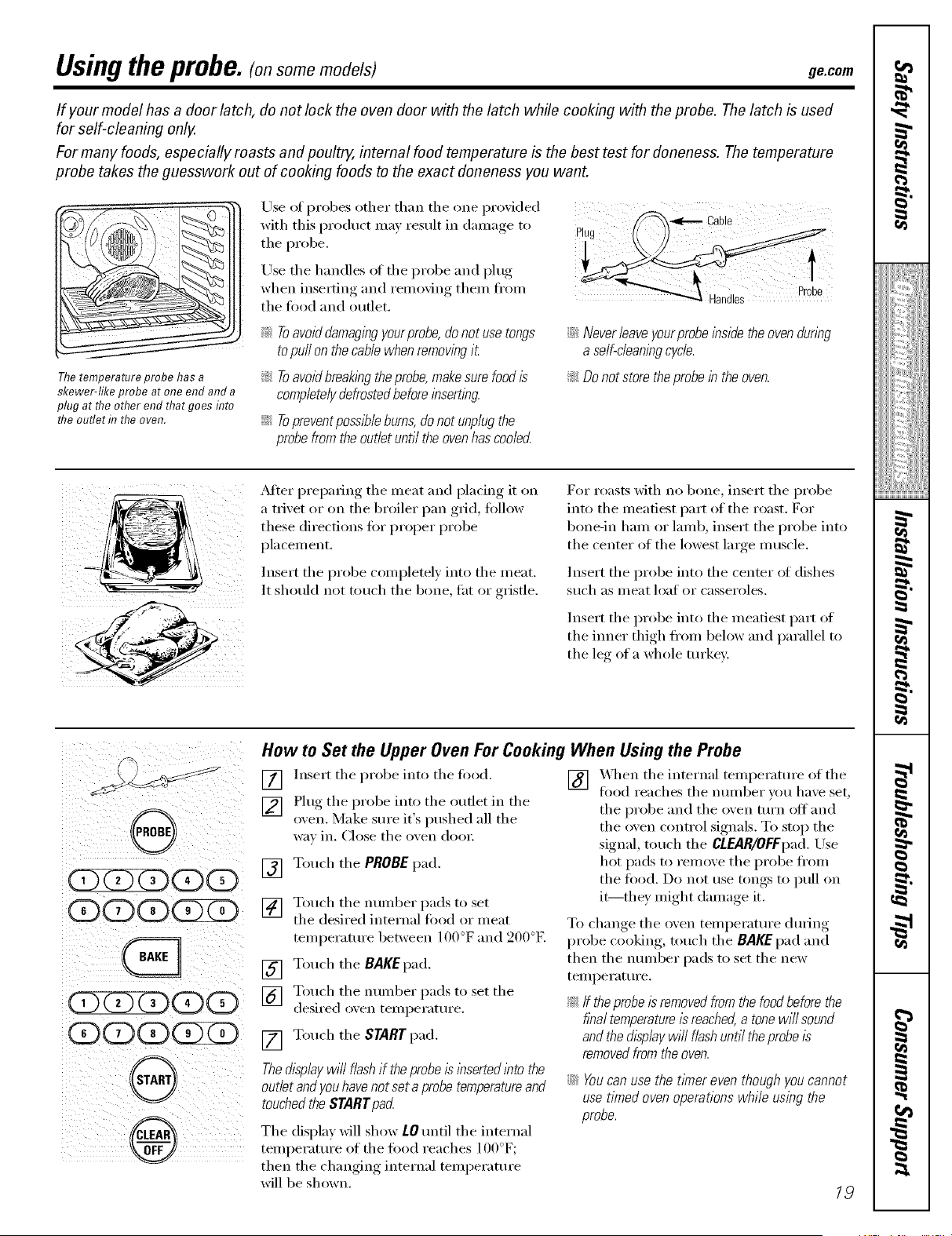
Thetemperature probe has a
skewer-like probe at one end and a
plug at the other end that goes flTto
the outlet f17the oven.
_: Toavoiddamagingyourprobe, do not usetongs
to pull onthecablewhen removing it
!i>Toavoidbreaking theprobe, makesure food is
completelydefrosted before insembg.
@ Topreventpossibleburns,donotunplugthe
probefromtheoutletuntiltheovenhascoolecL
@ Never leave yourprobeinside the ovendunbg
a self-cleaning cycle.
!i> Donot storetheprobe in theoven.
_Mter preparing the meat and placing it on
a trivet or on the broiler pan grid, follow
these directions fin" proper probe
pla cement.
Insert the probe completely into the meat.
It should not touch the bone, fat or gristle.
For masts with no bone, inset* the probe
into the meatiest part of the roast. For
bone-in ham or lamb, insert the probe into
the center of the lowest lmge muscle.
Insert the probe into the center ot dishes
such as meat loat or casseroles.
Insert the probe into the meatiest pa_* of
the ironer thigh fl'om below and parallel to
the le_* of a whole tin'key:
ODCDCDCDOD
(DOD(DG)ZD
,G
(DCD(Z)(D(D
QOD(D
@,
®
r
How toSet the Upper Oven For Cooking When Using the Probe
[] lnse_t the probe into the fi_od.
[] Plug the probe into the outlet in the
oxen. Make sure it's pushed all the
wa_ in. Close the oxen doo_:
[] Touch the PROBE pad.
[] Touch the number pads to set
the desired internal fi>od or meat
temperature between 100°F and 200°F,
[] Touch the BAKEpad.
[] Touch the mmg)er pads to set the
desired oxen temperature.
[] Touch the START pad.
Thedisplaywill flashiftheprobeisinsertedinto the
outletandyouhavenotset a probetemperatureand
touchedtheSTARTpad
The display Mll show LOuntil the internal
temperature of the fi_od reaches 1 O0°F;
then the changing internal temperature
will be shown.
[]
X._q_enthe internal temperature of the
tood reaches the nmnber wm have set,
the probe and the oven mrn off and
the oven control signals. To stop the
signal, touch the CLEAR/OFFpad. Use
hot pads to remove the probe fl'om
the tood. Do not use tongs to pull on
it--they might damage it.
To change the oven temperatm'e dining
probe cooking, touch the BAKE pad and
then the nmnber pads to set the new
temperatm'e.
_;ff theprobeis removedfromthefoodbeforethe
finaltemperature/sreached,a tonewillsound
andthedisplaywi// flashuntil theprobeis
removedfromtheoven.
@ Youcanuse the t/Ynereven though youcannot
usetimed oven operations while using the
probe.
19
Usingthe convectionoven.(onsomemodels)
If your model has a door latch, do not lock the ovendoor with thelatch during convection cooking. The latch is used for
self-cleaning only.
Theconvection oven fanshuts off when the ovendoor isopened. DONOT leave thedoor open for long periods oftime
while using convection cooking.
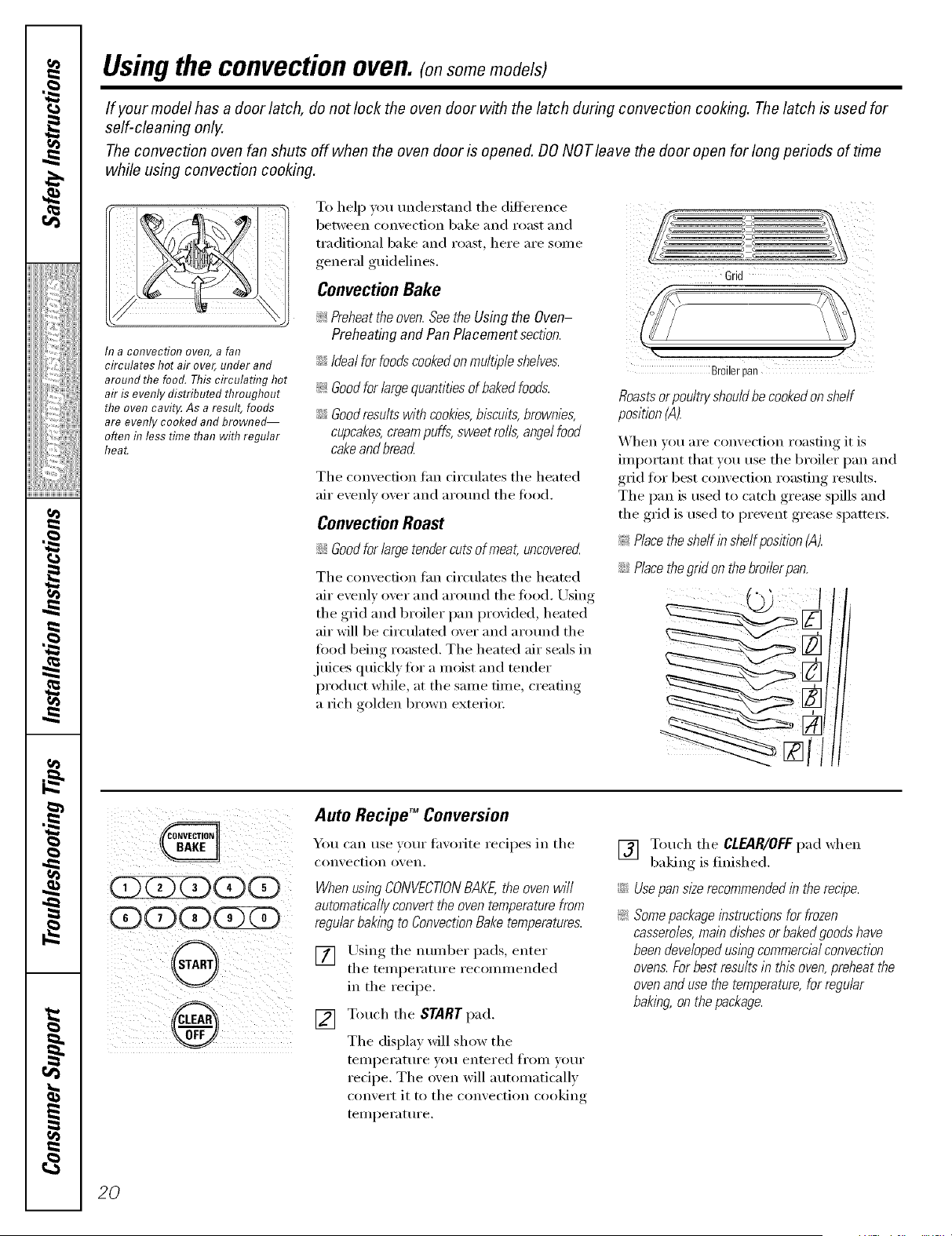
h? a COl?Veetiol? oveR, a fat?
circulates hot air over, under and
around the food. Thiscirculating hot
air is evenly distributed throughout
the oven cavity.As aresult, foods
are evenly cooked and browne_
often fit less time than with regular
heat.
To help you understand tile difference
between comection bake and roast and
traditional bake and roast, here are some
general guidelines.
ConvectionBake
_ Preheattheoven.Seethe UsingtheOven-
Preheatingand PanPlacementsection.
iJGIdealforfoodscookedonmultipleshelves.
_:Goodforlargequantitiesof bakedfoods.
iJGGoodresultswithcookies,biscuits,brownies,
cupcakes, cream puffs, sweet roils, angel food
cake and bread
Tile convection tim circulates tile heated
air evenly over and around tile fi_o(1.
Convection Roast
iJGGood for large tender cue of meat, uncoverecL
Tile convection tim circulates tile heated
air evenly over and around tile fi)od. Using
tile grid and broiler pan provided, heated
air will be circulated over and around the
food being roasmd. Tile heated air seals in
juices quickly for a moist and tender
product while, at tile same time, creating
a rich golden brown exterior:
<...............................................t,z_
z
¢-- _Z ................. >
Grid
Br0ilerpan
Roastsorpoultryshouldhecookedonshelf
position(A).
_hen _ou are con',ection roasting it is
important that you t/se tile broiler pan and
grid for best comection roasting results.
The pan is used to catch grease spills and
the grid is used to pre_ent grease spatters.
!;>Place the shelf in shelf position (A).
iJGPlacethegridonthebroi/erpan.
( ii!ii i i i !ili
ii i i i
)i ¸¸¸i@// i (
Auto Recipe TM Conversion
You can use your fip, orite recipes in tile
con_,ection o_,ell.
WhenusingCONVECTIONBAKE,the ovenwill
automaticallyconverttheoventemperaturefrom
regular baking to Convection Bake temperatures.
[] Using the number pads, enter
the temperatm'e recommended
in tile recipe.
[] Touch tile START pad.
Tile display will show the
telnl)erature you entered fronl your
redpe. The oven will automatically
convert it to tile convection cooking
temperature.
[] Touch tile CLEAR/OFFpad when
baking isfinished.
iJGUsepan sl#e recommended in therecipe.
_ Somepackageinstructionsfor frozen
casseroles,maindishesor bakedgoodshave
beendevelopedusingcommercialconvection
ovens.Forbestresultsin this oven,preheatthe
ovenandusethetemperature,for regular
baking,onthepackage.
20
ge.com
Cookware for Convection Cooking
Before using yore" convection oven, check
1o see if'VO/lI" cookware leaves I'OOI11 fOI" _liI"
circulation in the {)veil. If Fm are baking
with several pans, leave space between
them. _dso, be sm'e the pans do not touch
each other or the walls of the oven.
Paper and Plastic
Heat-resistant paper and plastic ('ontaine_
that are recommended fin" use in regular
{)veils C_lIlbe used in convection {WellS.
Plastic cookware that is heat-resistant to
temperatm'es {ff400°F can also be used,
when oven is below 400°E
Metal and Glass
Any t,ipe ot cookware will work in veto"
COIl\'ec[ioI1 {)veil. Howe\'ei; Illegll l)[llIS heat
the ti_stest and are recommended t0r
convection baking.
_: Darkenedormatte-f/nlshed pans will bake faster
than shinypans.
::Ji::Glassorceramic pans cook more s/ow/g
When baking cookies, you will get the best
results if you usea fiat cookie sheet instead
of a pan with low sides.
For recipes like oven-baked chicken,
use a pan with low sides. Hot air cannot
circulate well arotmd fi)od in a pan with
high sides.
OOOCDCD ¸
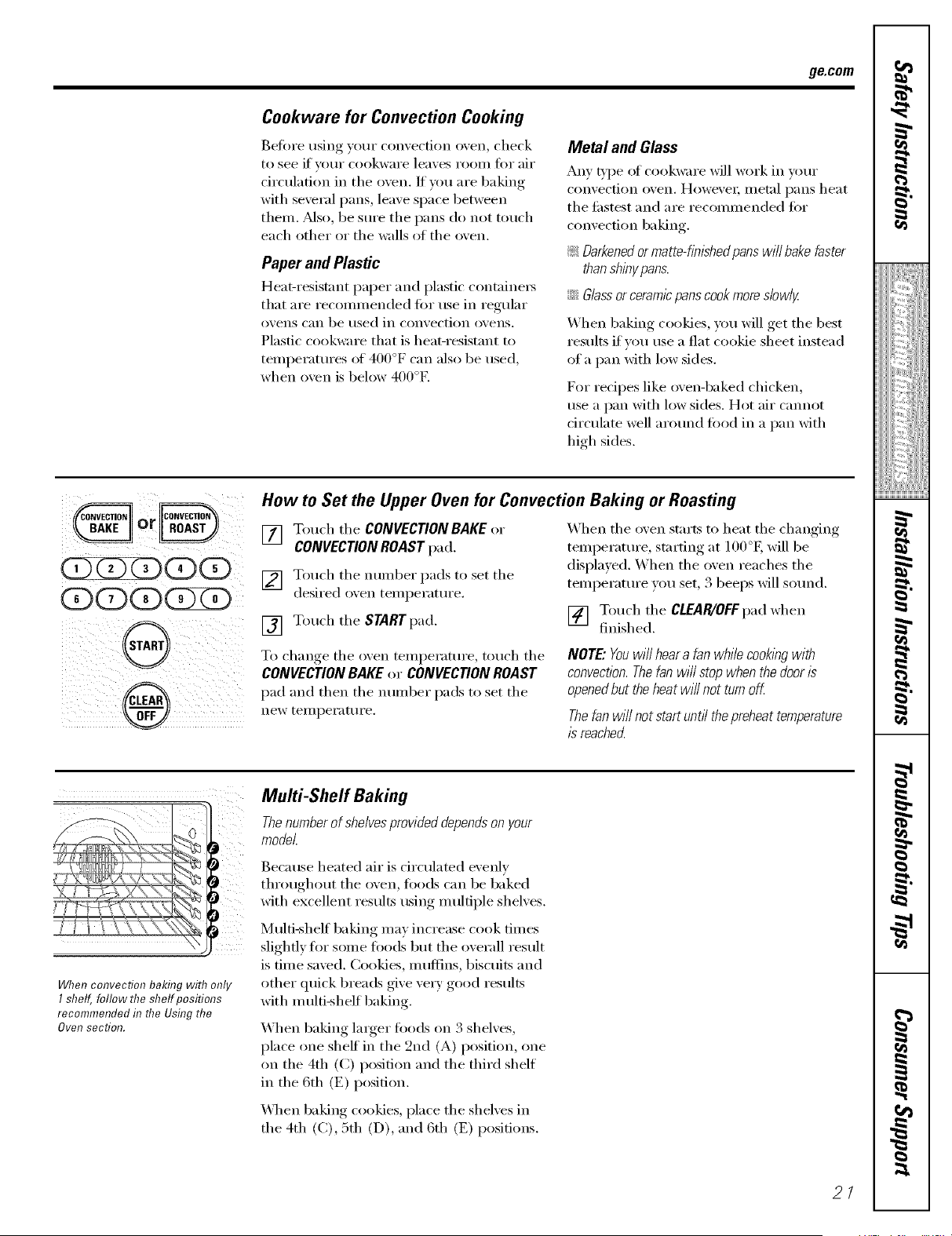
How toSet the Upper Oven for ConvectionBaking or Roasting
[] Touch tile CONVECTION BAKE or
CONVECTION ROASTpa d.
[] Touch the number pads to set the
desired oxen temperatm'e.
[] Touch the STARTpad.
To change the oven temperature, touch the
CONVECTION BAKE or CONVECTIONROAST
pad and then the number pads to set the
IleW telI/l)ei'attli'e.
When the oven starts to heat the changing
temperatm'e, starting at 100°E will be
displayed. When the oven reaches the
temperatm'e you set, 3 beeps will sotmd.
[] Touch the CLEAR/OFFpad when
finished.
NOTE"Youwill heara fan while cooklbg with
convection. Thefan will stopwhen thedoor is
opened butthe heat wi//not turn off
Thefan willnotstartuntil thepreheattemperature
is reached
Whenconvection baking with only
I shelf, follow the shelf positions
recommended f17the UsflTgthe
Oven section.
Multi-Shelf Baking
Thenumberofshelvesprowtied dependsonyour
model.
Because heated air is drculated evenly
throughout the oven, foods can be baked
with excellent results using multiple shelves.
Multi-shelf baking may increase cook times
slightly for some foods but the overall result
is time saved. Cookies, muffins, biscuits and
other quick breads give ve_T good results
with m ulfi-shelf baking.
When baking larger foods on 3 shelves,
place one shelt in the 2rid (A) position, one
on the 4th ((2) position and the third shelf
in the 6th (E) position.
\4l_en baking cookies, place the shelves in
the 4th (C), 5th (D), and 6th (E) positions.
2/
I
!iiiii_;iii_Jiiiiiiiii
=:
7,
g
}
Usingthe convectionoven.(onsomemodels)
If your model has a door latch, do not lock the oven door with the latch during convection cooking. The latch is used for
self-cleaning only.
Forbestresultswhenroastinglarge
turkeysandroasts,we recommend
ushTgtheprobeincludedh7the
COITVectioI7 oveR.
OC)O(ZXZ>
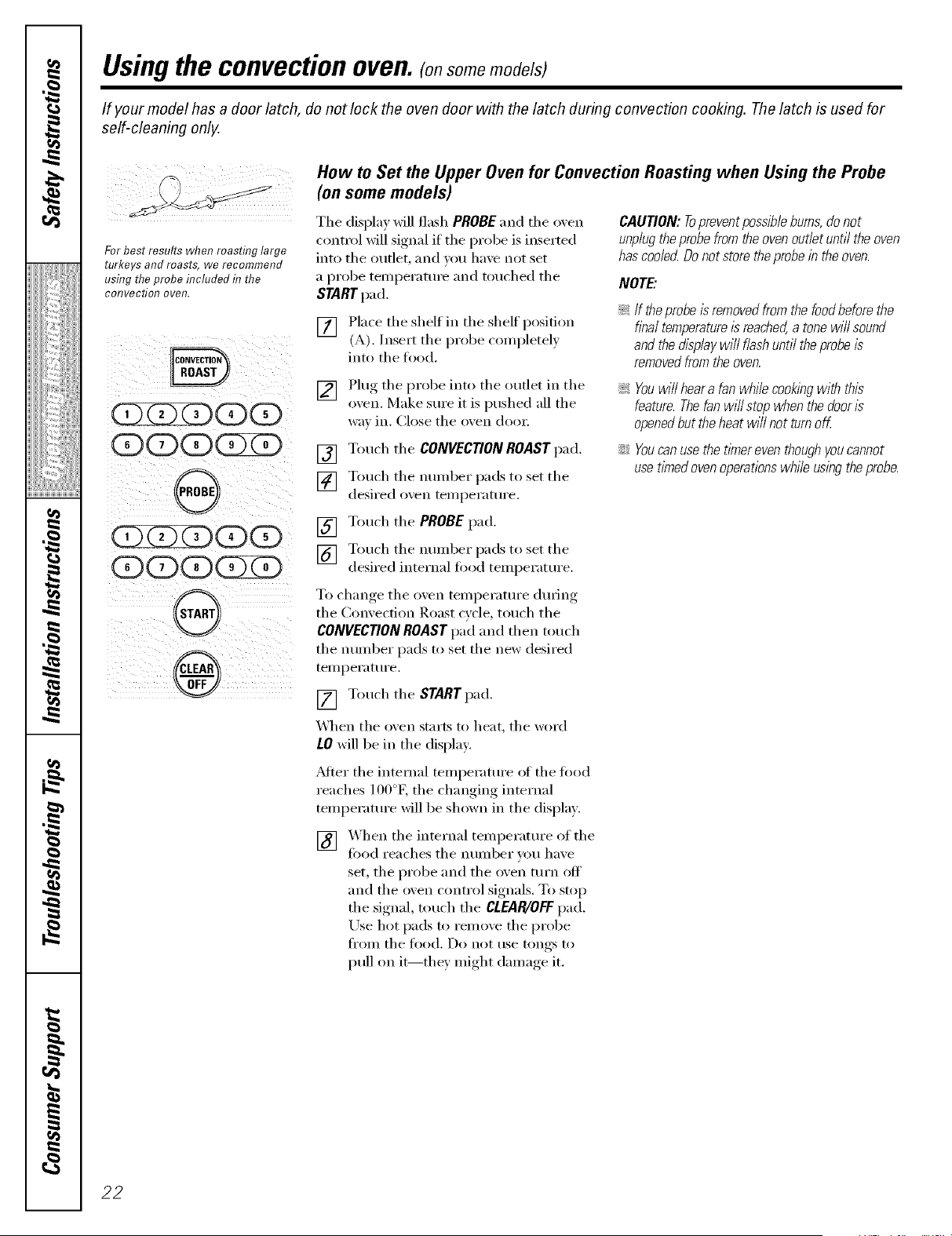
How toSet the Upper Oven for ConvectionRoasting when Using the Probe
(on somemodels)
The display will flash PROBE and tile oven
control will signal if tile probe is inserted
into tile outlet, and you have not set
a [)robe temperature and touched the
START pad.
[] Place the shelf in the sheff l)°siti°n
(A). Insert the probe completel)
into tile tOod.
[] Plug tile probe into tile outlet in tile
oxen. Make sure it is pushed all the
wax in. Close tile oxen doo_:
[] Touch tile CONVECtiON ROAST pad.
[] Touch the number pads to set the
desired oxen temperature.
[] Touch the PROBE pad.
[] Touch the number pads to set the
desired internal food temperature.
To change tile oven temperature during
the Convection Roast cycle, touch the
CONVECtiON ROAST pad and then touch
tile number pads to set tile new desired
temperature.
[] Touch tile STARTpad.
X_]/en the oven starts to heat, the word
LOwill be in tile display:
_Mter tile internal temperature ot tile toed
reaches l O0°K the changing internal
temperature will be shown in tile displa>
] X_hen tile internal temperature of tile
food reaches tile number xou haxe
set, tile probe and tile oven turn off
and tile oven control signals. To stop
tile signal, much tile CLEAR/OFFpad.
Use hot pads to remove tile probe
tl'Olll tile too(l. Do not rise tongs to
pull on it--they might damage it.
CAUtiON:Topreventposs/blebums,donot
unplugtheprobefromtheovenoutletuntiltheoven
hascoo/ecLDonot storetheprobein theoven.
NOTE"
_; If theprobeis removedfromthefoodbeforathe
finaltemperature/sreached,a tonewill sound
andthedisplayw/// flashuntil theprobeis
removedfromtheoven.
!i> Youwill heara fanwhilecookingwith this
feature.Thefanwill stopwhenthedoor/s
openedbuttheheatwill not turnoff.
iJi::Youcanusethe t/Ynereventhoughyoucannot
usetimedovenoperationswhileusingtheprobe.
22
ge.com
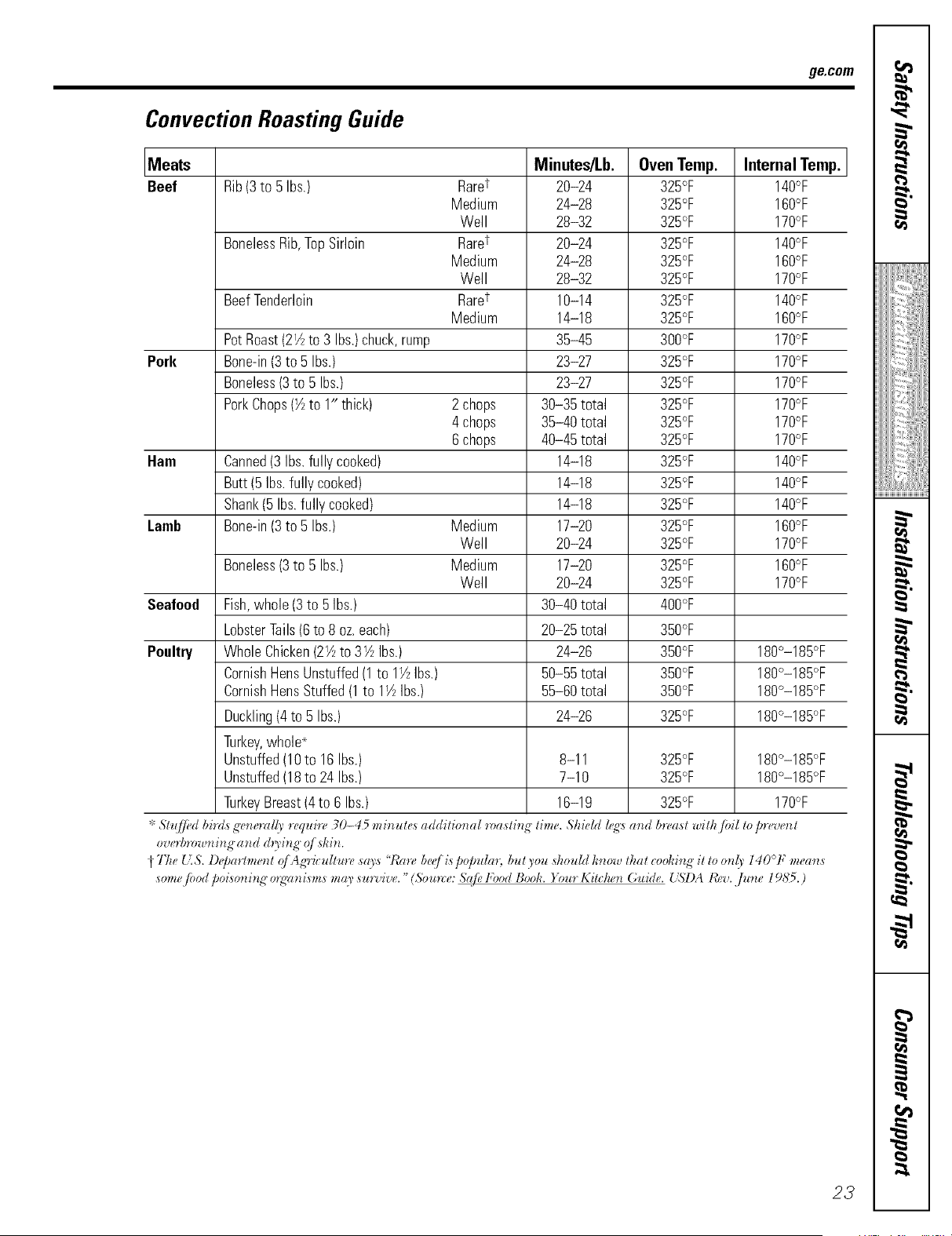
Convection Roasting Guide
Meats Minutes/Lb. OvenTemp. InternalTemp.
Beef Rib(3to5 Ibs.) Raret 20-24 325°F 140°F
Medium 24-28 325°F 160°F
Well 28-32 325°F 170°F
BonelessRib,TopSirloin Raret 20-24 325°F 140°F
Medium 24-28 325°F 160°F
Well 28-32 325°F 170°F
BeefTenderloin Raret 10-14 325°F 140°F
Medium 14-18 325°F 160°F
PotRoast(21/zto3 Ibs.)chuck,rump 35-45 300°F 170°F
Pork Bone-in(3to5 Ibs.) 23-27 325°F 170°F
Boneless(3 to5 Ibs.) 23-27 325°F 170°F
PorkChops(1/,to 1" thick) 2chops 30-35total 325°F 170°F
4chops 35-40 total 325°F 170°F
6chops 40-45 total 325°F 170°F
Ham Canned(3Ibs.fully cooked) 14-18 325°F 140°F
Butt(5 Ibs.fully cooked) 14-18 325°F 140°F
Shank(5 Ibs.fully cooked) 14-18 325°F 140°F
Lamb Bone-in(3 to5 Ibs.) Medium 17-20 325°F 160°F
Well 20-24 325°F 170°F
Boneless(3 to5 Ibs.) Medium 17-20 325°F 160°F
Well 20-24 325°F 170°F
Seafood Fish,whole (3to5 Ibs.) 30-40total 400°F
LobsterTails(6to8 oz.each) 20-25total 350°F
Poultry Whole Chicken(2Yzto3Y_Ibs.) 24-26 350°F 180°-185°F
CornishHensUnstuffed(1to 1Y_Ibs.) 50-55total 350°F 180°-185°F
CornishHensStuffed(1to lY2Ibs.) 55-60total 350°F 180°-185°F
Duckling(4to5 Ibs.) 24-26 325°F 180°-185°F
Turkey,whole*
Unstuffed(10to 16 Ibs.) 8-11 325°F 180°-185°F
Unstuffed(18to24 Ibs.) 7-10 325°F 180°-185°F
TurkeyBreast(4to 6 Ibs.) 16-19 325°F 170°F
'_St,([/i,d birds g_,nerrd(_' n,quin, 30-45 minute,_ r*dditionrd ror*sting time. Shield k,R'sr*nd bn,r*st with /bil topn,vent
over!)rowning" (ind (h3'ing" (_/ skin.
}-The _ZS. D_Jm_lment r_/Ag'_'icultme s_o's 'Wm-e beq/ i,spo/mlm, but you should know their cooki_l_" it to on(_' 140° F me,ms
somejbod poisoni_ff o_'_mi,sms m_0,sin's,ire. "(Source: S_{/i,Food Book. )+mr Kitchen Guide. L'SI)A leer. June 1985.)
23
I
Ka_
_!!iiii,,_i._iiiii_i:il
ii_iiiii_iiiiiii;i
,_"_,_',,,,Hiiiiiii
iii!iiiiii_i_iiiii¸
Usingthe timed convectionbaking features.(onsomemodels)
Youwill hear a fan while cooking with this feature. Thefan will stop when the door is opened butthe heatwill nottum off.
NOTE"Foods that spoil easily--such asmilk, eggs, fish,stuffings, poultry and pork--should not be allowed tos# formore
than 1hour before or after cooking. Room temperature promotes thegrowth of harmful bacteria. Be sure that the oven
light is off because heat from thebulb will speed harmful bacteria growth.
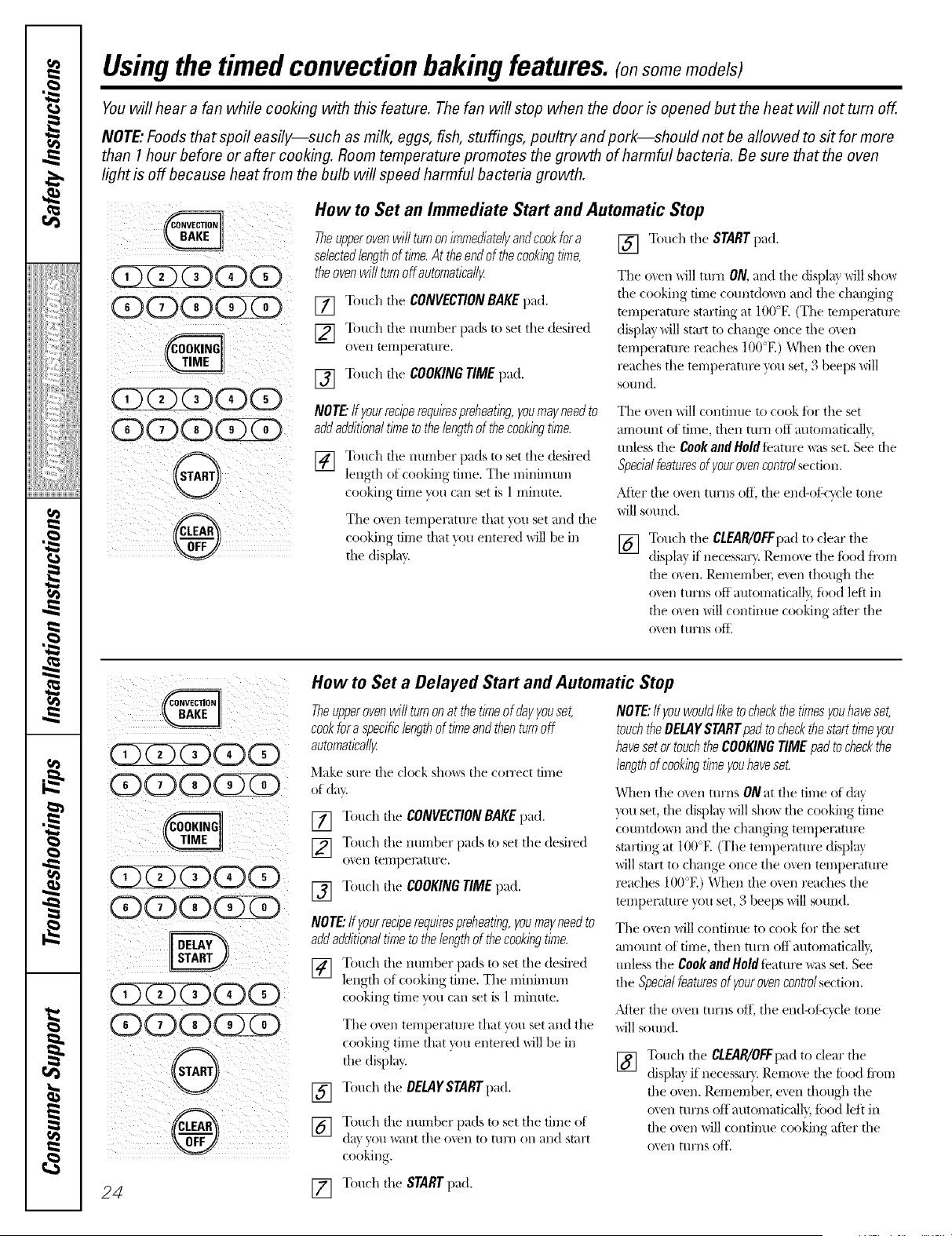
How toSet an Immediate Start and Automatic Stop
Theupperovenwillturnonimmediatelyandcookfora
selectedlengthof time.At theendofthecookingtime,
theovenwillturnoffautomatleall_
[] Touch theCONVECTIONBAKEpad.
[] Touch tile number pads to set the desired
ox, en ter)-)perat tire.
[] Touch the COOKINGTIMEpad.
[] Touch the STARTpad.
Tile o``en MII turn ON.and tile displa} will show
die cooking firne countdown and tile changing
temperatm_ starting at 100°E (The temi)eratm_
display will start to change once the ()``el/
temperaml_ reaches 100°E) When the ()``'el/
reaches the temperature }_mset, 3 beeps will
sound.
NOTE"ffyourreciperequirespreheating,youmayneedto
addadditionaltimetothelengthof thecookingtime.
[] Touch tile number pads to set the desired
length of cooking time. The minimmn
cooking time you can set is 1 rnim/te.
The ()``el/temperature that ``ou set and file
cooking time fllat ``_m entered will be ill
die display.
The ()``el/will condnue to cook for the set
amount of time, fllen turn off automafical]},
unless file CookandHoldfbature _ls set. See file
Specialfeaturesof yourovencontrolsection.
After die o``en turns off. file end-of:<_vle tone
will sound.
[] Touch the CIEAR/OFFpad to clear the
display if"necessa U. Remove the tbod fi'om
tile men. l),emembel, e_en though the
oxen turns off automaticall}; ibod left ill
tile o_en Mll contim_e cooking after the
o_,en tu/'ns off"
OGQQQ
QQQ(Z 5
QQQ(Z )
OQO
0
®
How toSet a Delayed Start and Automatic Stop
Theupperovenwillturnonatthe timeof dayyouset,
cookfora specificlengthof timeand thenturnoff
automatleall_
Make sure the clock sho_s tile correct time
of day.
[] Touch tile CONVECtiONBAKEpad.
[] Touch the immber pads to set the desired
oxen ternpen)ture.
[] Touch the COOKINGTIME pad.
NOTE:Ifyourreciperequirespreheating,youmayneedto
addadditionaltime to thelengthofthecookingtime.
[] Touch tile number pads to set tile desired
length of cooking time. Tile minimmn
cooking time you can set is 1minute.
[]
[]
Tile o_en temperature that you set and the
cooking time that xou entered will be in
the display.
Touch the DELAYSTARTpad.
Touch the number pads to set tile time of
dat you want tile o',en to [/ll'Jl oil and start
cooking.
NOTE:ffyouwouldlike tocheckthetimesyouhaveset,
touchtheDELAYSTARTpadto checkthesan timeyou
haveset ortouch theCOOKINGTIMEpadtocheckthe
lengthof cookingtimeyouhaveset.
When the o``en turns ON at tile fin/e of day
``_>uset, file display will sho_ die cooking time
countdo_n and file changing temperature
starting at 100°E (The temperature displa}
will start to change once the ()``el/temperature
l_aehes 100°E) When the ()``el/reaches the
temperature }_)u set, 3 beeps will sound.
Tile (wen will contintle to cook fi)r the set
an/aunt of tirne, then turn off automaticalb;
unless the Cook attd Holdfeature _s set. See
tile Specialfeaturesof yourovencontrolsection.
_Mier tile ()``'eliturns oIL tile end<if:c,,cle tone
will sound.
[] Touch tile CLEAR/OFFpadto clear the
displayif necessal). Remove the filed from
tile oxen. Remembec exen though the
oven turns oft automaticall_ food left in
the oxen Mll continlLe cooking after the
ovell ttlrI/s (if},
24 [] Touch the STARTpad.
Special featuresof your upperoven control
ge.com
Yournew touch pad control has additional features that youmay choose touse. The following are the features and
how youmay activate them.
The special feature modes can only be activated while the display isshowing the time of day. They remain in the
control's memory until thesteps are repeated.
When the display shows your choice, touch the STARTpad.Thespecial features will remain in memory after
a power failure.
12 Hour Shut-Off
Withthisfeature,shouldyouforgetandleavethe
ovenon,thecontrolwi//automaticallyturnoffthe
ovenafter 12hoursduringbaklbgfunctionsor after
3 hoursdunbgabroil function.
If _ou wish to turn OFF this teature, tollow
the steps below.
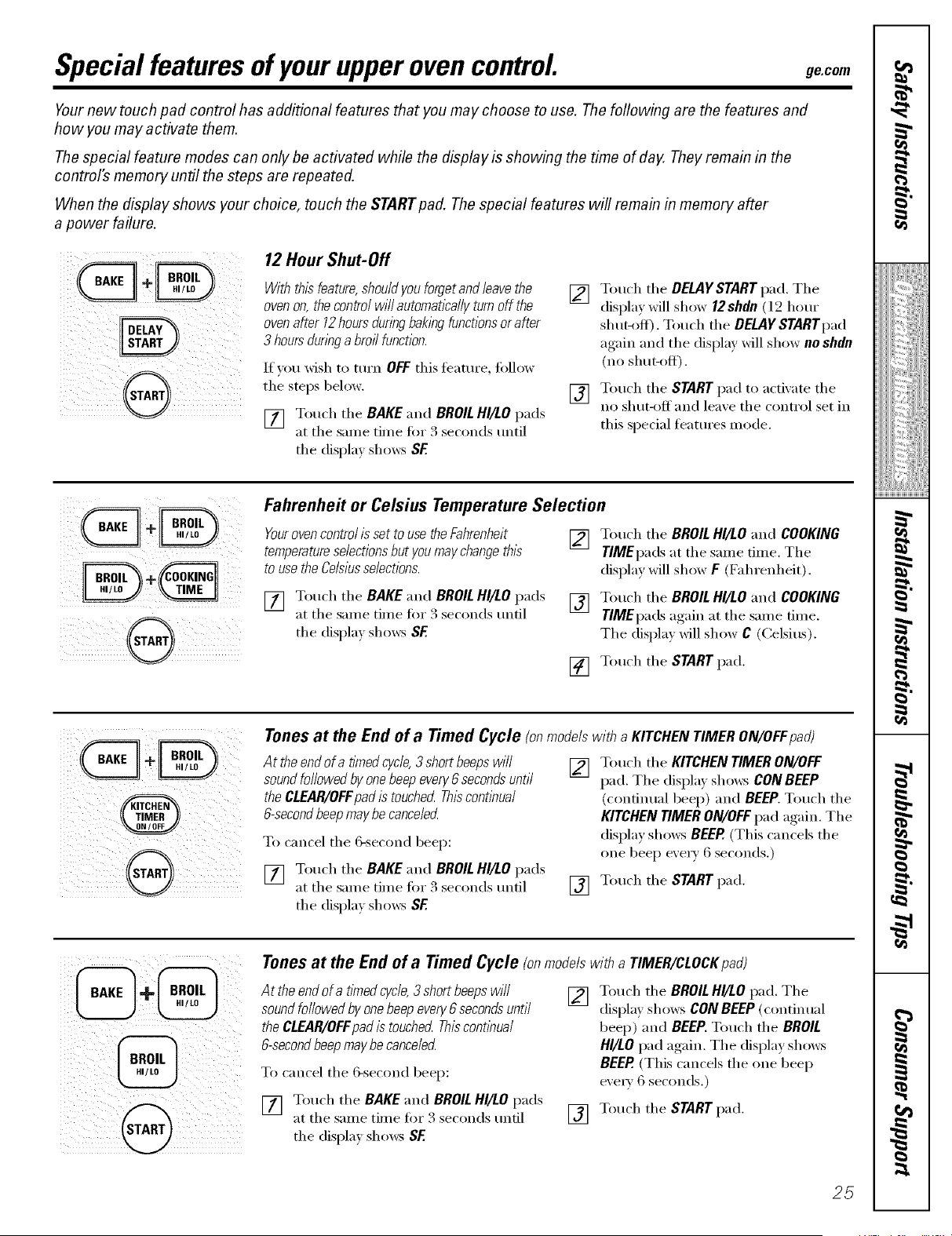
[] Touch the BAKEand BROILHI/tO pads
at the same time for 3 seconds (mtil
the displa) shows SF
[]
[]
Touch the DELAYSTART pad. The
displa) will show 12shdn (12 hour
shut-off). Touch the DELAYSTARTpad
again and the display will show no shdn
(no sitar-off).
Touch the STARTpad to actixate the
no shut-off and leave the control set in
this special featm'es mode.
Fahrenhe# orCelsius TemperatureSelection
Yourovencontrolisset to usetheFahrenheit [] Touch the BROILHI/tOand COOKING
temperatureselectionsbut youmaychangethis TIMEpadsat the same time. The
tOusethe Celsiusselections, display will show F (Fahrenheit).
[] Touch the BAKEand BROILHI/LO pads [] Touch the BROILHI/LOand COOKING
at the same time fro" :4seconds tmtil TIMEpadsagain at the same time,
the displa_ shows BE The displa_ willshow C (Celsius).
[] Touch the STARTpad.
Tonesat the End ofa Timed Cycle (onmodelswitha KITCHENTIMERON/OFFpad)
Attheendof a timedcycle,3 shortbeepswi// [] Touch the KITCHENTIMERON/OFF
soundfollowedby onebeepeven/6secondsuntil pad.The displa_shows CONBEEP
the CLEAR/OFFpad is touched Thiscontinual
6-secondbeep maybecanceled
To cancel the &second beep:
[] Touch the BAKE and BROIL HI/tO pads
at the same time for 3 seconds tmtil
the display sho_s SF.
(continual beep) and BEEP.Touch the
KITCHEN TIMERON/OFF pad again. The
display shows BEEP.(This cancels the
one beep every 6 seconds.)
[] Touch the STARTpad.
ii @i !'i i
ii i _ iiii
Tones at the End of a TimedCycle (onmodelswitha TIMER/CLOCKpad)
At theend of a fined cyc/e, 3 shortbeeps will
sound followed by one beep even/6 secondsuntil
the CLEAR/OFFpad istouched Thiscont/bual
6-secondbeep maybecance/ed
To cancel the 6-second beep:
[] Touch the BAKEand BROIL HI/tO pads
at the same time fm 3 seconds tmtil
the display shows SF
[] Touch the BROIL HI/tO pad. The
displa? shows CONBEEP(continual
beep) and BEEP. Touch the BROIL
HI/LO pad again. The display shows
BEER (This cancels the one beep
e\'erv 6 seconds.)
[] Touch the STARTpad.
25
I
_!!ii::,,_i4ii_i:il
ii_iiiii_iiii}ii;i
iii!iiiiii_i_iiiii¸
g
g
Special features of your upperoven control
CONTROLLOCKOUT
Control Lockout (on some models)
Yourcontrolwill allowyoutolockout thetouch
padssotheycannotbeactivatedwhentouchedor
cleaningtheglasspanel.
To lock the controls:
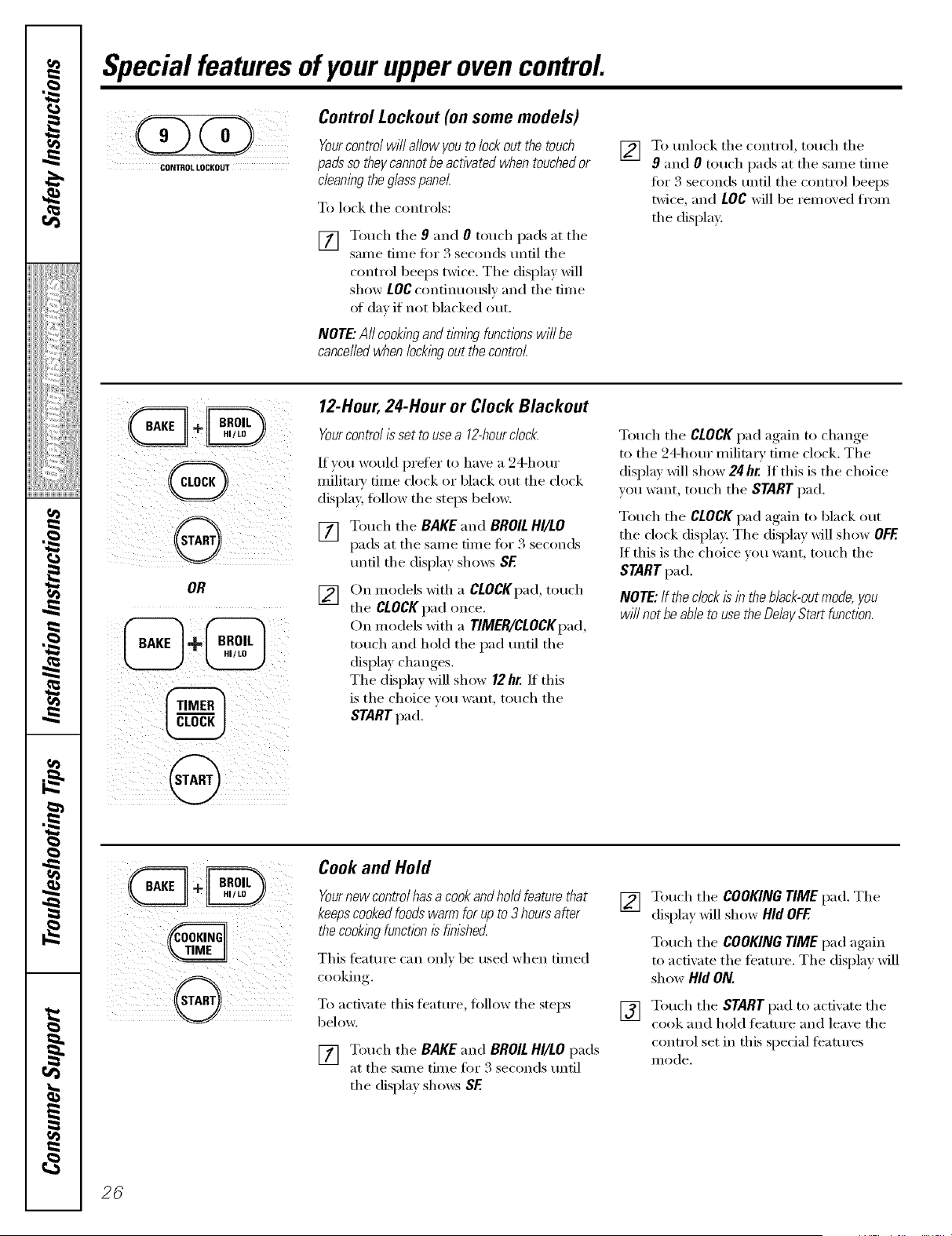
[] Touch the 9 and 0 touch pads at the
same time fin" 3 seconds until the
control beeps twice. The display will
show LOCcontinuously and the time
ot day if not blacked out.
NOTE."All cookingandtinningfunctionswi//be
cancelledwhenlockingoutthecontrol.
[]
To unlock tile control, touch tile
9 and 0 touch pads at tile same time
fin"3 seconds until tile control beeps
twice, and LOC will be remoxed from
the display:
12-Hour, 2#-Hour or Clock Blackout
Yourcontrol/ssetto usea 12-hourc/o&
If you would prefer to have a 24-hour
milita_' time clock or black out the clock
display, fi)llow the steps below,
[] Touch tile BAKE and BROIL HI/tO
pads at tile same time fi)r 3 seconds
until tile display shows SE
[] On models with a CLOCKpad, touch
tile CLOCKpad once.
On models with a TIMER/CLOCKpad,
touch and hold tile pad until tile
display changes.
The display will shrew 12hr./t this
is the choice you want, touch the
START pad.
Touch tile CLOCKpad again to change
to the 24-hour military time clock. The
display will show 24 hr. If this is the choice
you want, touch tile STARTpad.
Touch tile CLOCKpad again to black out
the clock display. The display will show OFF.
If this is tile choice you want, touch tile
STARTpad.
NOTE:IftheclockIsinthebNNck-outmode,you
wi//notbe ableto usetheDeNNyStartfunction.
I
i i
Cook and Hold
Yournewcontrol hasa cook and holdfeature that []
keepscooked foods warm for up to 3 hours after
thecooking functionisfinlshecZ
This teature can OlflV be used when tinled
cooking
To actix _te this feature, fi)llow tile steps [_]
below.
[] Touch tile BAKE and BROIL HI/tO pads
at tile same time fin" 3 seconds until
tile display shows SE
Touch tile COOKING TIME pad. Tile
display will show Hid OFF.
Touch tile COOKING TIME pad again
to actixate tile teature. Tile displa) will
show Hid ON.
Touch tile STARTpad to acfixate tile
cook and hold teature and leaxe tile
control set in this special ligatures
iilode.
26
m
Usingthe SabbathFeature.
(Designed for useonthe Jewish Sabbath and Hefidays)
ge.com
TheSabbath feature can be used for baking/roasting in the upper oven only. It cannot be used for convection, broiling,
self-cleaning or Delay Start cooking.
NOTE,"Theoven light comes on automatically (on some models) when thedoor isopened and goes off when the door is
closed. The bulb maybe removed. See the Oven Light Replacement section. On models with a light switch on the control
panel, the ovenlightmay be turned on and left on.
11121 _ _i i
OD(D (53(D(D /
iOQ(DQ )i
!iIiii iI if@ i! iii i iiiiii
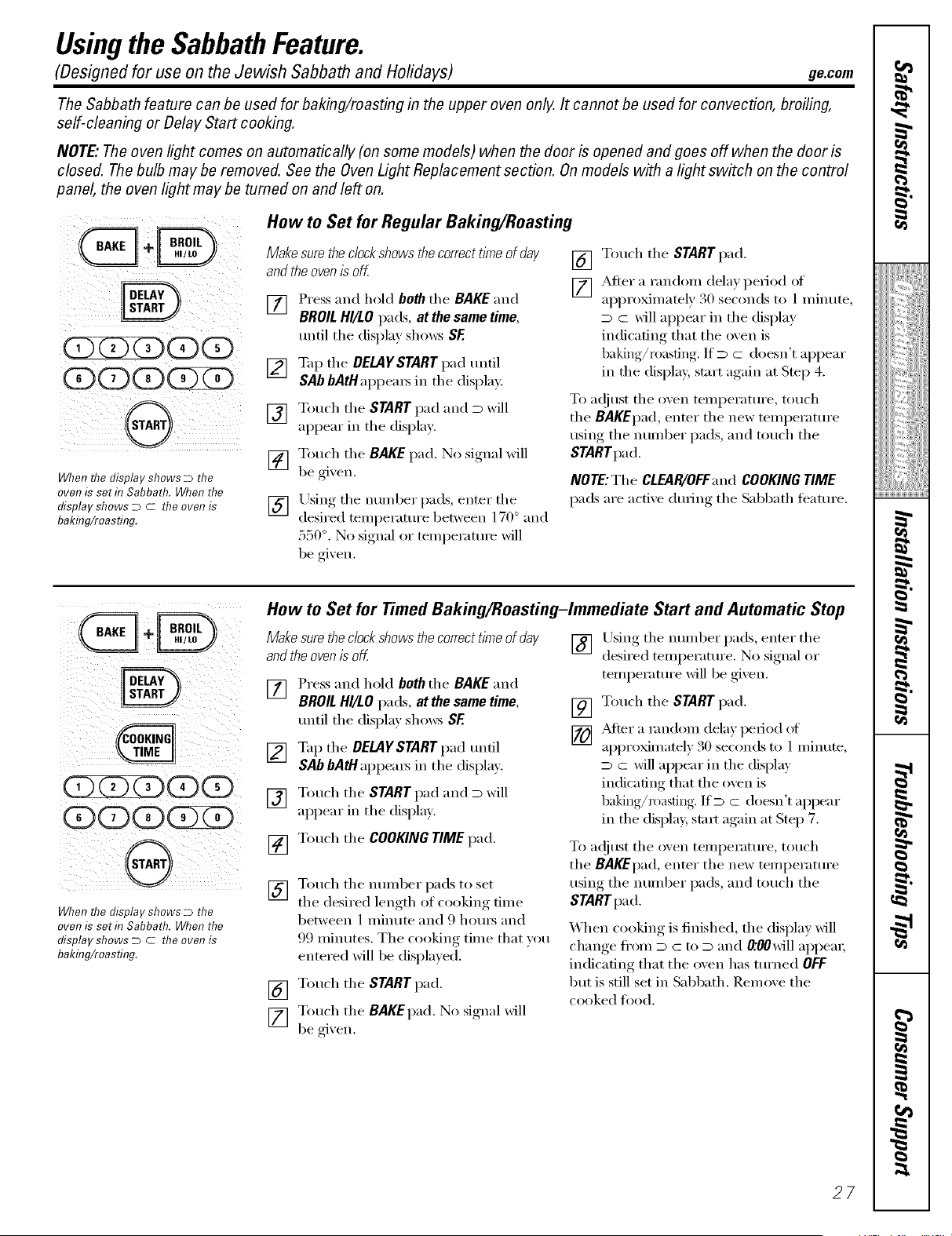
Whenthedisplay shows D the
ovenis seth7Sabbath. When the
display shows D C the ovenis
bakhTg/roasting.
How toSet for RegularBaking/Roasting
Makesure thedock shows thecorrect time ofday
and theovenisoff
[] Press and hold beth the BAKE and
BROIL HI/LO pads, at thesame time,
until the display shows SE
[] Tap the DELAYSTART pad until
SAb bAtHal)peai_ in the display:
[] Touch the STARTpad and D will
appear in the display:
[] Touch the BAKEpad. No signal will
be given.
[] Lrsing the nmnl)er pads, enter the
desired temI)eramre between 170° and
550 °. No signal or mmi)eramre will
be given.
[] Touch the START pad.
[] After a randonl dela) period of
al)proxinmtely 30 seconds to 1minute,
D c will appear in the display
indicating that the oven is
baking/roasting. ]fD c doesn't appear
in the displa> start again at Step 4.
To a(!iust the ()veil teml)erature ,touch
the BAKEpad, enter the new temperature
using the munber pads, and touch the
STARTpad.
NOTE: The CLEAR/OFFand COOKINGTIME
pads are active during the Sabbath teature.
(DCDCDO0
(5)(DCDGZZ)
0
WhenthedisplayshowsD the
ovenisseth7Sabbath.Whenthe
displayshowsD C theovenis
bakhTg/roasting.
How toSet for Timed Baking/Roasting-Immediate Start and Automatic Stop
Makesuretheclockshowsthecorrecttlrneof day
andtheovenis off.
[] Press and hold both the BAKE and
BROIL HI/LOpads, at the same time,
until the display shows SE
[] Tap the DELAYSTARTpad until
SAb bAtH appeais in the displa).
[] Touch the START pad and D will
appear in the displa,v.
[] Touch the COOKING TIME pad.
[] Touch the munber pads to set
the desired length of cooking time
between 1nfinute and 9 hom_ and
99 nfinutes. The cooking time that _ou
entered will be displa}ed.
[] Touch the STARTpad.
[] Touch the BAKEpad. No signal will
be gixen.
[] Using the munber pads, enter the
desired temperature. No signal or
temperature will be gixen.
[]
[]
Touch the STARTpad.
_Mter a mndonl dela) period of
ai)proxinmtely 30 seconds to 1 minute,
D c will appear in the display
indicating that the ()veil is
baking/roasting, lfD c doesn't appear
in the displa> stair again at Step 7.
To a(!iust the (wen temperature, touch
the BAKEpad, enter the new temperature
using the munber pads, and touch the
STARTpad.
When cooking is finished, the display Mll
change fl'onl D : to D and 0:00 will appeai;
indicating that the oven has turned OFF
but is still set in Sabbath. Remove the
cooked food.
27
i
_!!iiii,,_i<iiiii_ilil
ii_iiiii_iiii}ii;i
iii!iiiiii_i_ii{ii¸
7,
g
}
Usingthe SabbathFeature.
l@
D
re
How toExit the Sabbath Feature
[] Touch the CLEAR/OFFpad.
[] If the oxen is cooking, wait fin"a
randon_ delay period of approxinmtel)
30 seconds to 1minute, tmtil onlx D is
in the display.
[] Press and hold beth the BAKE and
BROIL HI/LO pads, atthe same time,
tmtil the display shows SE
[] Tap the DELAYSTARTpad tmtil
12shdn or ne shdn appeax_ in the
display. 12shdn indicates that the oven
will automatically mrn off after 12
hom_. ne shdnindicates that the oven
will not automatically mrn ofll
[] Touch the START pad.
NOTE:If a poweroutageoccurredwhiletheoven
wasin Sabbath,theovenwill automaticallyturnoff
andstayoff evenwhenthepowerreturns.Theoven
controlmustbereseL
28
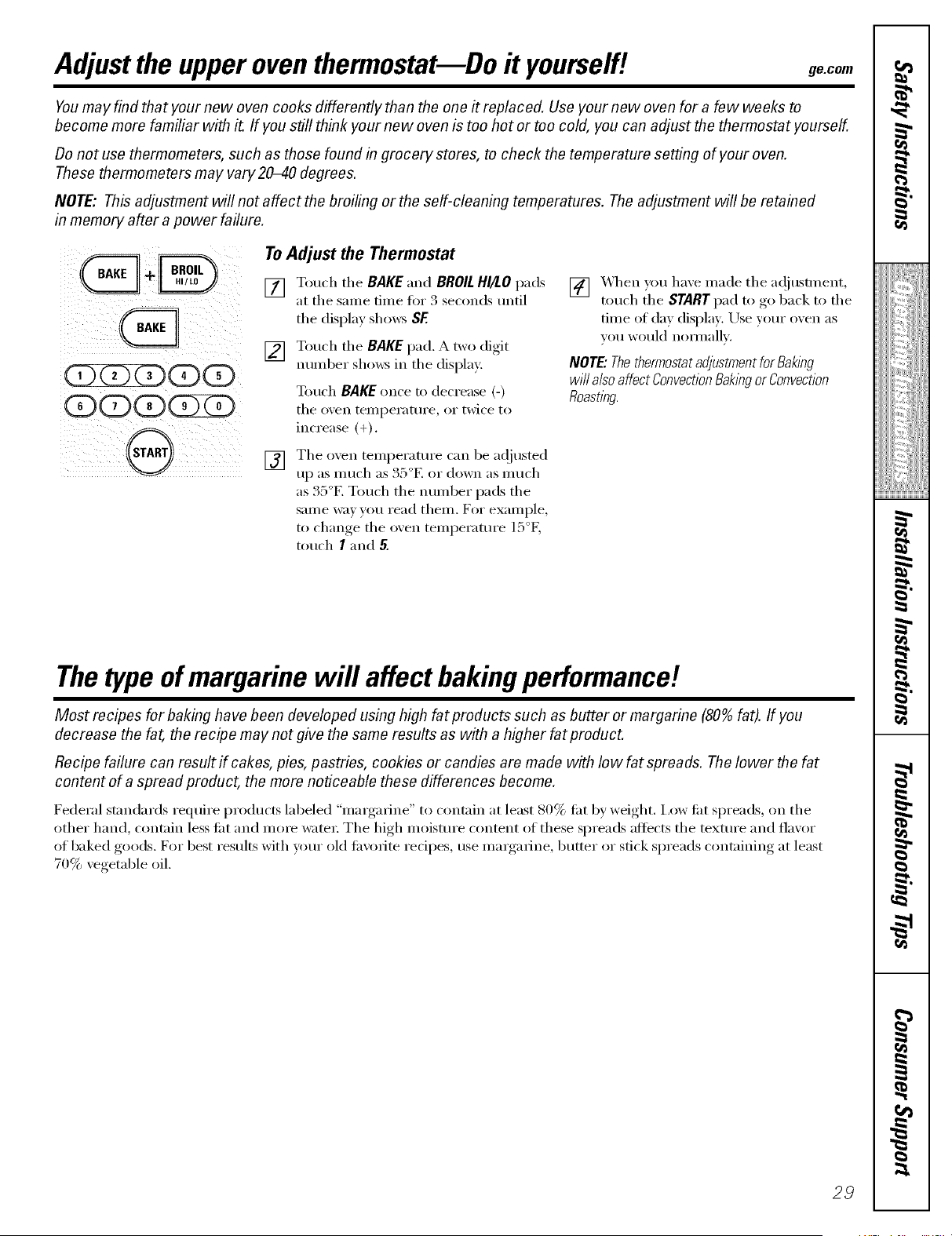
Adjust the upperoventhermostat--Do ityourself! ge.com
Youmay find that yournew oven cooks differently than the one # replaced. Use your new ovenfor a few weeks to
become more familiar with it. If youstill think your new oven istoo hot or toocold, you can adjust thethermostat yourself.
Do not usethermometers, such as those found in grocery stores, to check thetemperature setting of your oven.
These thermometers may vary20-40 degrees.
NOTE: This adjustment will not affect thebroiling or theself-cleaning temperatures. Theadjustment will be retained
in memory after a power failure.
(D(D
(D(D(D(DS
G
' I
ToAdjustthe Thermostat
[] Touch tile BAKE and BROIL HI/LO pads
at tile same time fin" 3 seconds until
tile display sho_:s SE
[] Touch tile BAKEpad. _ two dioit
nmnber sho_s in tile display:
Touch BAKEonce to decrease (-)
tile oven [eii/pei'attli'e_ or twice to
increase (+).
[]
_4_/en you haxe made tile a(!justment,
touch the STARTpad to go back to tile
time of day display. Use veto" oxen as
VO/I would noiJ//allv.
NOTE."Thethermostatadjustmentfor Baking
will alsoaffectConvectionBakingor Convection
Roasting.
[]
Tile oven temperature can be a@lsted
up as much as 35°E or down as much
as 35°E Touch tile ntli/lber pads tile
same way you read them. For example,
5o
to change tile oven temperature 1: F,
touch I and 5.
The type ofmargarine will affect baking performance!
Most recipes for baklog have been developed us&g high fat products such as butter or margarine (80% fat). If you
decrease the fat,therecipe may notgive the same results as with a higher fat product.
Recipe failure can result if cakes, pies, pastries, cookies or candies are made with low fat spreads. The lower the fat
content of aspread product, the more noticeable these differences become.
Federal standards require pi'odtl('ts labeled "II/_lI'g_lI'iIle" to (ont;lin at least 80% lilt by weight. I,ow lilt spreads, on tile
other hand, contain less tilt and more water: The high moisture content of these spreads aftects tile mxtm'e and flavor
of baked goods. For best results with umr old tm'orite recipes, use mmgafine, butter or stick spreads containing at least
70% vegetable oil.
29
I
!iiiii_;iii_Jiiiiiiiii
7,
g
H
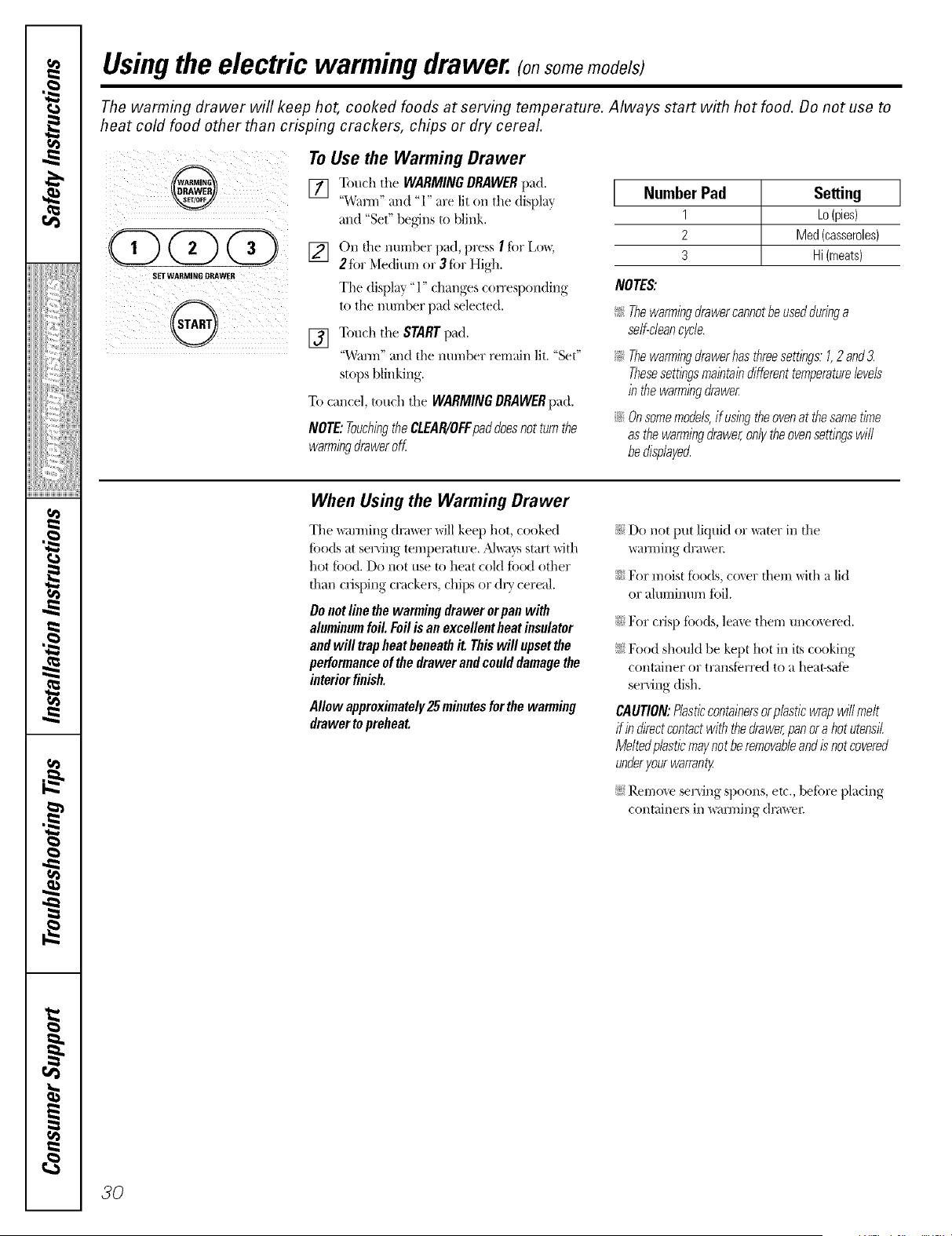
Usingthe electric warming drawer. (onsomemodels
The warming drawer wifl keep hot, cooked foods at serving temperature. Always start with hot food. Donot use to
heat cold food other than crisping crackers, chips or dry cereal.
!i!i!! i !iiIIIii
SETWARMLY6 DRAWER
To Use the Warming Drawer
[] Touch the WARMINGDRAWERpad.
"_V_I/]I'IaI/d "1" are lit on tile display
and "Set" begins to blink.
[] On tile number pad, press I ior Lo_,
2tbr Medilun or 3 for High.
The displ W "1" changes con'esponding
to the am-abet pad selected.
[] Touch the STARTpad.
"Warm" and the mm_ber remain lit. "Set"
stops blinking.
To cancel, touch the WARMING DRAWERpad.
NOTE:TouchingtheCLEAR/OFFpaddoesnotturnthe
warmingdraweroff
Number Pad Setting ]
1 ko(pies)
2 Med(casseroles)
3 Hi(meats)
NOTES:
!_:_Thewarmingdrawercannotbeusedduringa
self-cleancycle.
!_:_Thewarmingdrawerhasthreesettings.1,2 and3.
Thesesettingsmaintaindifferenttemperaturelevels
in thewarmingdrawer
iJi::Onsomemodels,if usingtheovenat thesametime
asthewarmingdrawer,onlytheovensettingswill
bedisplayed.
When Using the Warming Drawer
The _u3ning dnm:er will keep hot, cooked
foods at serxing temperature. _M_;Jysstart with
hot food. Do not rise to heat cold ff)od other
fllan crisping crackers, chips or dry cereal.
Donotlinethe warming drawerorpan with
aluminumfoil.Foilis an excellentheatinsulator
andwill trap heatbeneathit.Thiswill upsetthe
performanceof thedrawerandcoulddamagethe
interiorfinish.
Allow approximately25 m&utesforthewarming
drawertopreheat.
}i:)Do not put liquid 11,"_ter in file
wam-dng drawe_:
iJi::For moist fltods, cover diem with a lid
or a.luminuln foil.
_iilFor crisp fi)/t(ts,leme them unco_el_d.
!i:)N)od shoukt be kept hot in its cooking
container or transierred to a heat-safe
serving dish.
CAUTION:Plasticcontainersorplasticwrapwillmelt
ifindirectcontactwith thedrawer,panora hotutensil
Meltedplasticmaynotberemovableandis notcovered
underyourwarranty
!i;)Remo',e ser',ing spo/ms, et(., befi)re playing
c/tntainex_ in _ulning (lnm:ex:
30
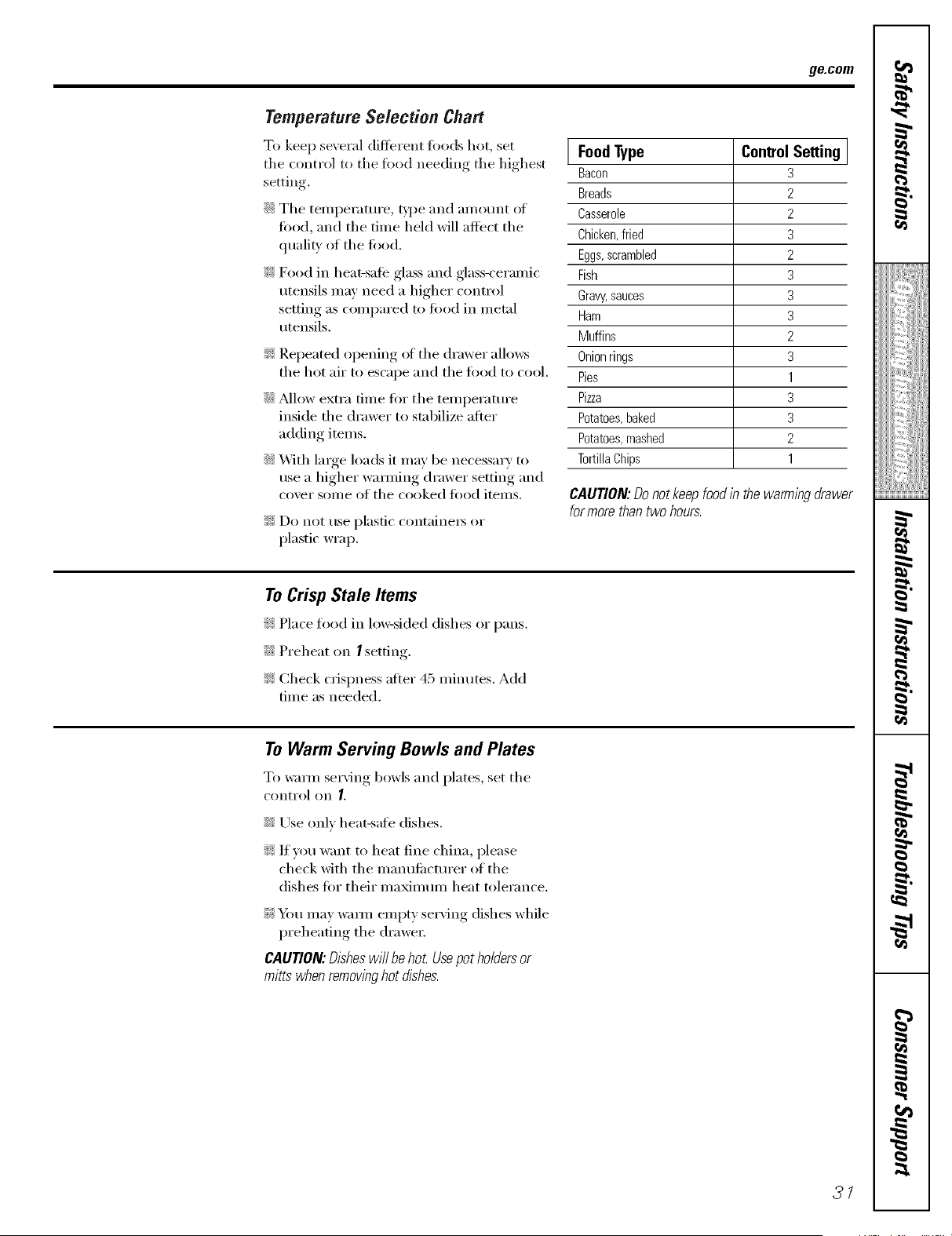
ge.com
Temperature Selectien Chart
To keep se\ eral (liflerent too(Is hot, set
the control to the food needing the highest
setdng.
::Ji::The temi)eramre, _'pe and amount of
food, and the time held will affect the
qualiQ' of the fi)od.
_: Food in heat-sate glass and glass-{'eramic
utensils may need a higher control
setting as compared to fi)od in metnl
utensils.
!i_:Repeated opening of the drawer allows
the hot air to escape and the fi)od to cool,
iJi::Mlow extra time fi)r the temperatm'e
inside the drawer to stabilize after
adding items.
iJi::With large loads it may be necessary to
use a higher wamfing drawer setting and
co_er some of the cooked fi)od items.
!i_:Do not use plastic containet_ or
plastk' wrap.
] FoodType ControlSetting ]
Bacon 3
Breads 2
Casserole 2
Chicken,fried 3
Eggs,scrambled 2
Fish 3
Gravy,sauces 3
Ham 3
Muffins 2
Onion rings 3
Pies 1
Pizza 3
Potatoes, baked 3
Potatoes, mashed 2
TortillaChips 1
CAUtiON: Do not keep food in the warming drawer
for more than two hours.
To CrispStale Items
i_t:Place food in lo_si(led dishes or pans.
::Ji::Preheat on /setting.
_: Check ciispness after 45 ininutes. Add
time as needed.
To Warm Serving Bowls and Plates
To waml serving bowls and plates, set the
control on I.
::Ji::Use only heat-safe dishes.
_: If vou want to heat fine china, please
check with the ill_liltltilCttli'ei" of the
dishes for their maximum heat tolerance.
_: Y_m may warn/ empty serving dishes while
preheating the drawe_:
CAUTION'. Dishes will be hot Use pot holders or
mitts when removinghot dishes.
3/
I
r_
!iiiii_;iii_Jiiiiiiiii
g
g
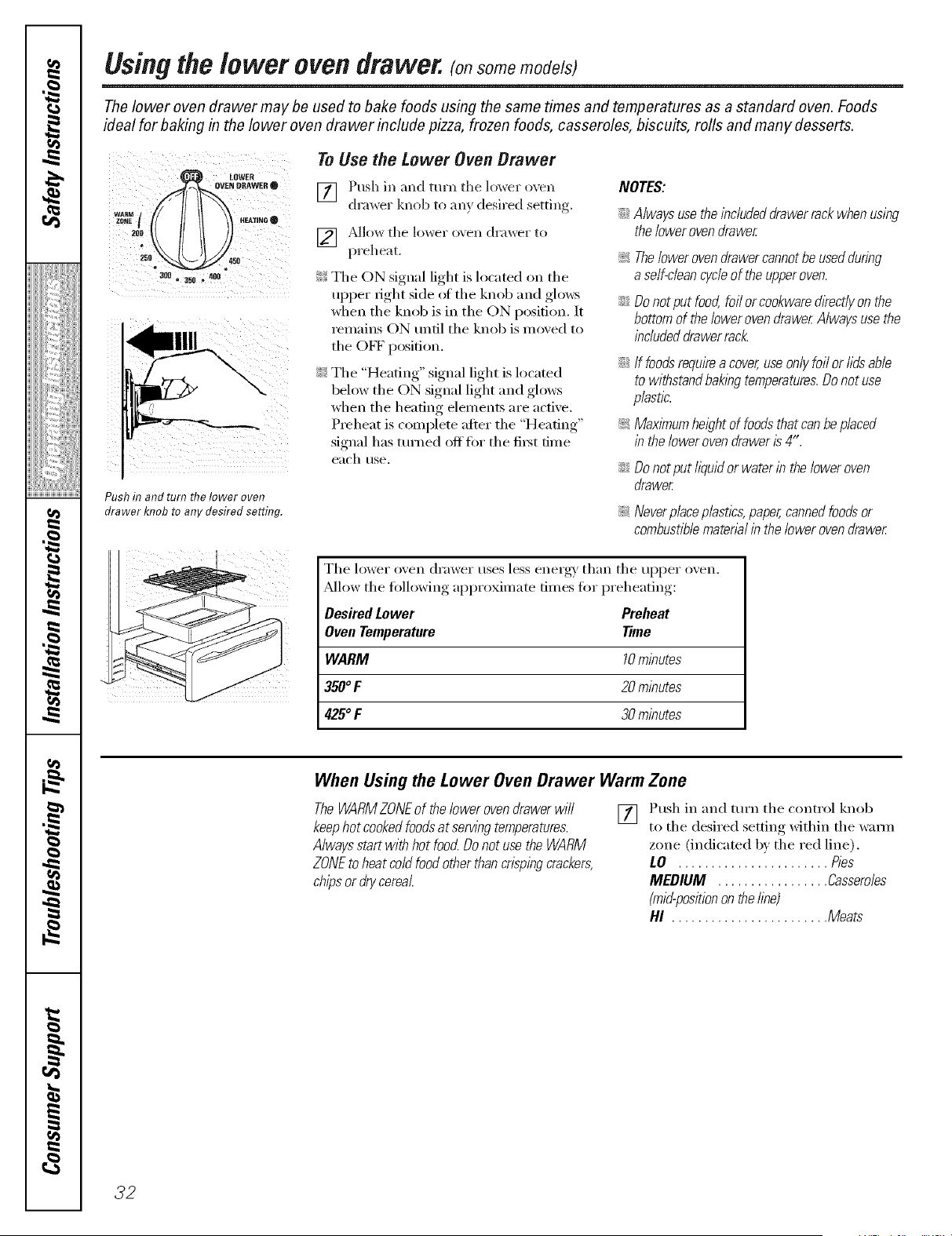
Usingthe lower oven drawer, somomodols
The lower oven drawer may be used to bake foods using the same times and temperatures as a standard oven. Foods
ideal for baking in the lower oven drawer include pizza, frozen foods, casseroles, biscuits, rolls and many desserts.
LOWER
_O_WERe
200 O_25 SO
3_ • 350 _ 408
Pushin and turn the lower oven
drawer knob toany desired setting.
To Use the Lower Oven Drawer
[] Push in and turn tile lox_er oven
drawer knob to an} desired setting.
] /k]low the ]o_er o\ell (h'awel" 1o
preheat.
¢_!!Tile ON signal light is located on tile
upper fight side ot the knob and glows
when the knob is in the ON position. It
remains ON tmtil the knob is moved to
the OFF position.
_;_Tile "Heating" signal light is located
below the ON signal light and glows
when the heating elements are active.
Preheat is complete after tile "Heating"
signal has ttlrned Offtor tile fiI_t time
each rise.
NOTES:
;;Ji::Alwaysusetheincludeddrawerrackwhenusing
thelowerovendrawer
The loweroven drawer cannotbeused during
a self-dean cycleoftheupper oven.
Donotput food,foil orcookwared/kect/yonthe
bottomof thelowerovendrawerAlwaysusethe
includeddrawerrack.
If foodsrequirea cover,useonlyfoilor lidsable
to withstandbakingtemperatures.Donotuse
plastic.
MaxlYnumheightoffoods that can be placed
in thelower ovendrawer is 4".
;;Ji:: Donotput lkluidor waterin theloweroven
drawer
_ Neverplaceplastics, paper, cannedfoods or
combustible matenal inthe lower oven drawer
The lower oven drawer uses less energy' than tile upl)er oven.
_Mlow tile following approximate dines for preheating:
Desired Lower Preheat
OvenTemperature Time
WARM 10minutes
350°F 20minutes
425°F 30minutes
When Using the Lower Oven Drawer Warm Zone
TheWARMZONEof thelowerovendrawerwill
keephotcookedfoodsat servingtemperatures.
Alwaysstartwithhot foocLDonot usethe WARM
ZONEtoheatcoldfoodotherthancrispingcrackers,
chipsordrycereal.
Ff] Push in and turn tile control knob
i1 i
to the desired setting within the w:mn
zone (indicated by the red line).
LO ....................... Pies
MEDIUM ................. Casseroles
(mid-positionontheline)
HI ........................ Meats
32
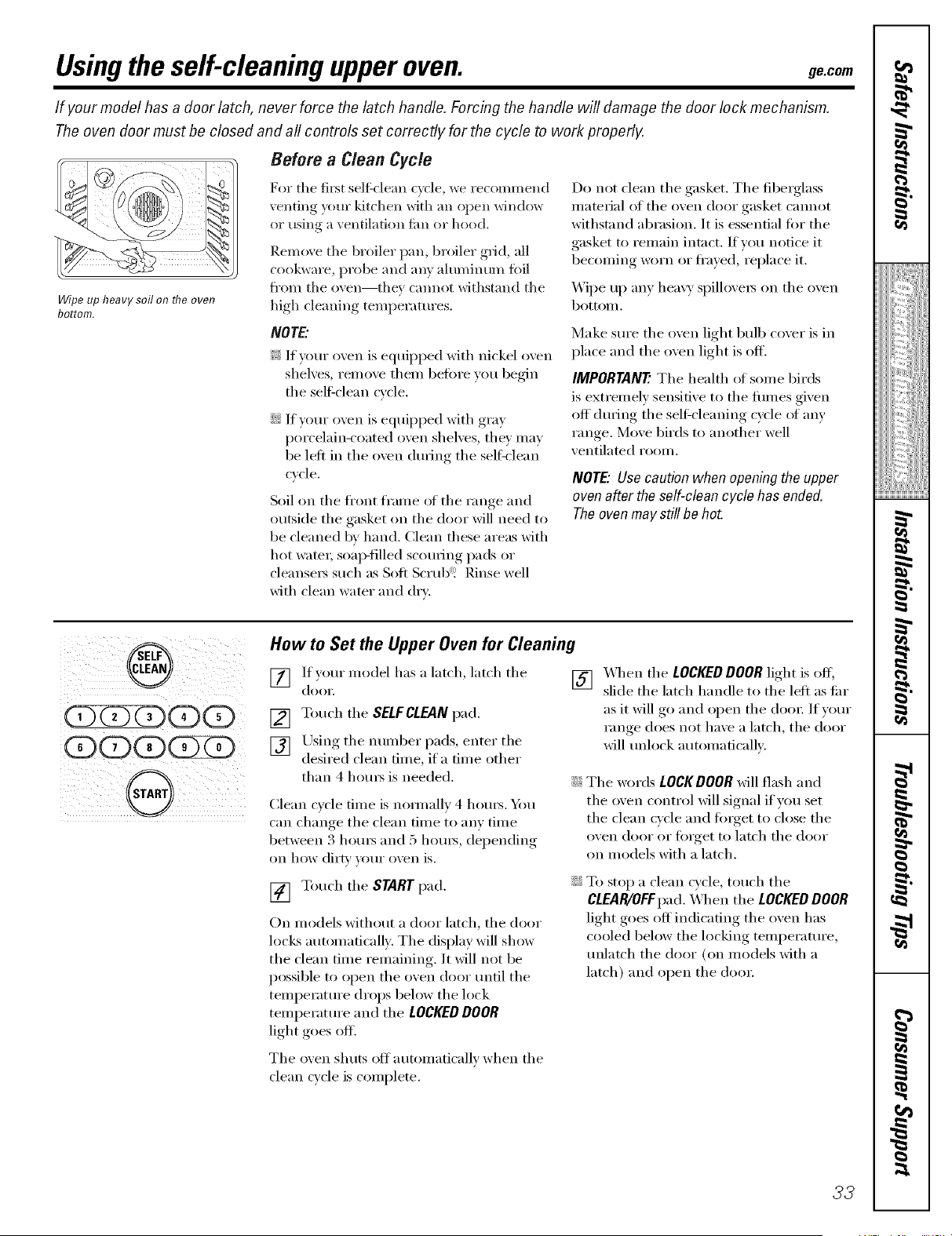
Usingthe self-cleaningupperoven. gecom
If yourmodel has a door latch, never force thelatch handle. Forcing thehandle will damage thedoor lock mechanism.
Theoven door must be closed and all controls set correctly for the cycle to work properly.
Wipeup heavy soil on fl?eoven
bottom.
Before a Clean Cycle
For the fi_st self:clean cycle, we recommend
venting your ldtchen with an open window
or using a ventilation fire or hood.
Remove the broiler pan, broiler grid, all
cookware, probe and any aluminum foil
fl'(Im the oven--they cam_(It withstand the
high cleaning temperatures.
NOTE..
_: If Your oven is equipped with nickel oven
shelves, relnove theln before you begin
the selfZclean cycle.
::Ji::If your oven is equipped with gray
porcelain-coated oven shelves, the)' Inay
be left in the oven durilxg the self:clean
cycle.
Soil on the fl'ont fl'ame of the range aim
outside the gasket on the door will need to
be cleaned bv hand. Clean these areas with
hot watei; soap-filled scouting pads or
cleansei_ such as Soft Scrub"_ Rinse well
with clean water and dry.
Do not clean the gasket. The fibelglass
inaterial of the oven door gasket CalmOt
withstand abrasion. It is essential tot the
gasket to remailx intact. If wm notice it
becomilxg worn or ti'ayed, replace it.
X_]l)e up any heavy spillovels on the oven
bottoln.
Make sure the oven light bulb cover is in
place and the oven light is off.
IMPORTANT'.The health of solne birds
is extremely sensitive to the tirades given
off (hu_ing the self_cleaning cycle of any
range. Move birds to another well
ventilated rooln.
NOTE."Use caution when opening the upper
oven after the self-clean cyclehas ended.
Theoven may still be hot.
@
(Z)(Z)(Z)(D(D
(D(D(D(Z)ZD
How toSet the Upper OvenforCleaning
[] If your inodel has a latch, latch the
doo_;
[] Touch the SELFCLEAN pad.
[] Using the imlnber pads, enter the
desired clean dixie, if a dixie other
than 4 houi_ is needed.
Clean cycle tilne is nommllv 4 houls. Ym
can clmnge the clean dine to anv tilne
between 3 houi_ and 5 houI_, del)ending
on how dirty your oven is.
[] Touch the STARTpad.
On inodels without a door latch, the door
locLs automatically. The display will show
the clean time remaining. It will not be
possible to open the oven door until the
teml)erature drops below the lock
teml)erature and the LOCKEDDOOR
light goes off.
[] X_q_en the LOCKEDDOOR light is off;
slide the latch handle to the left as fi_r
as it will ,g° aim ol)en the door If) our
ranoe does not haxe a latch, the door
will unh)ck automatically.
The _mrcls LOCKDOOR Mll flash aim
the oven control will signal if you set
the clean cycle aim toiget to close the
oven door or foiget to latch the door
on models with a latch.
To stop a clean cycle, touch the
CLEAR/OFFpad. _]/elx the LOCKEDDOOR
light goes oH indicating the oven has
cooled below the locking temperature,
unlatch the door (on Inodels with a
latch) and open the door:
The oxen shuts off autolnaticallv when the
clean cycle is coml)lete.
33
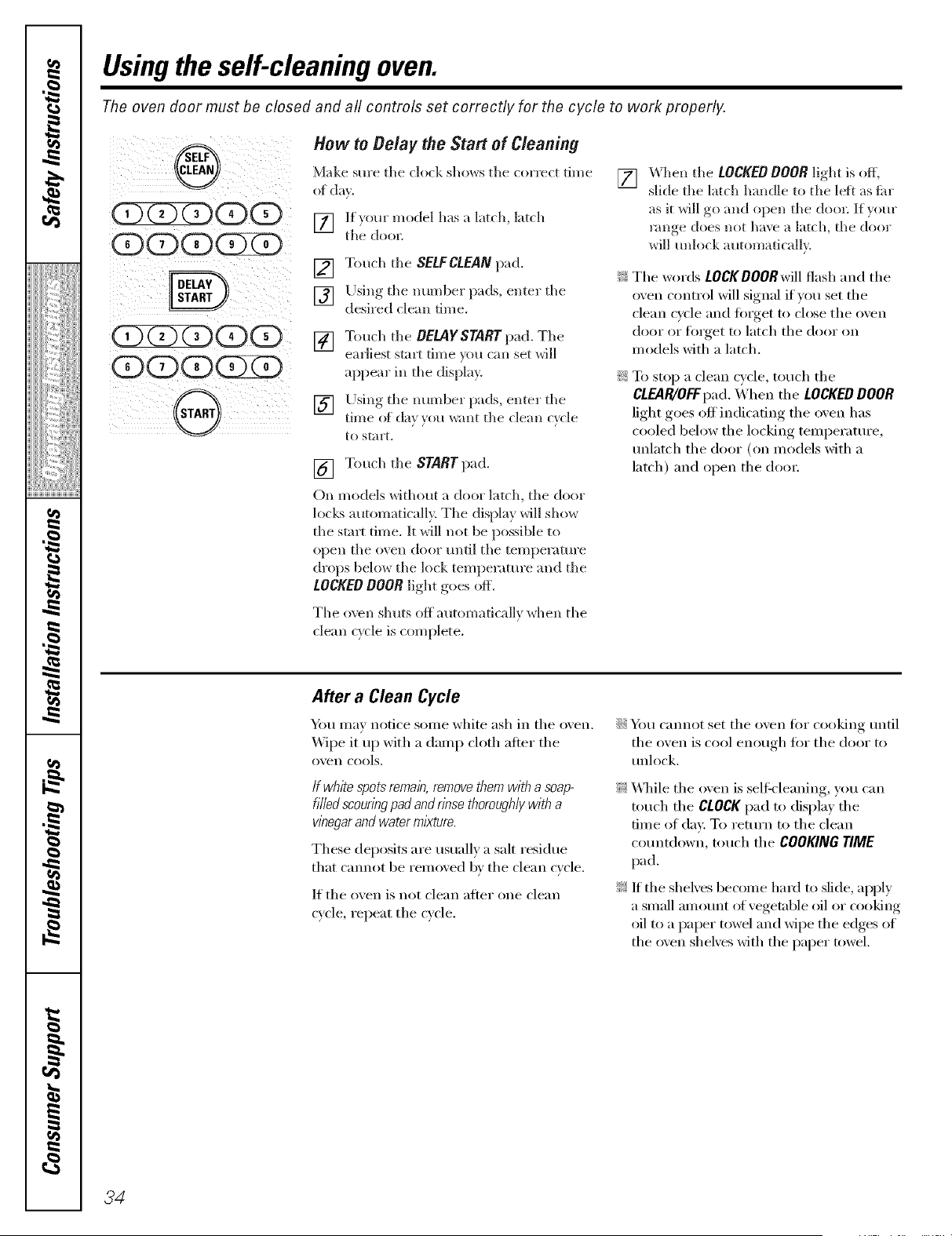
Usingthe self-cleaningoven.
The oven door must be closed and all controls set correctly for the cycle to work properly.
(EbCZ CD(E5
(ESQ(ES
(EbCZ QOOD
Q(ES(ZXESZZ5
G
How toBelay theStart of Cleaning
Make sure tile clock shows tile correct time
of da?.
[] lt_om" model has a latch, latch
tlle door.
[] Touch tile SELFCLEANpad.
[] Using the number pads, enter tile
desired clean time.
[] Touch tile DELAYSTARTpad. Tile
earliest start time _ou can set will
appear ill tile display.
[] Llsing tile lltllllbeF pads, ellteF tile
time of da} }ou _ant tile clean c) cle
to start.
[] Touch the STARTpad.
On models without a door latch, tile door
locks automatically. Tile display will show
tile stnK time. It will not be possible to
open tile oven door until tile temperature
drops below tile lock temperature and tile
LOCKEDDOORlight goes off.
The o\ v _l shuts off autom a ti ca lly wh en th e
clean cycle is complete.
[]
_hen tile LOCKED DOOR light is off,
slide tile latch handle to tile left as flu"
as it will _,o and open tile dool; If vom',
r'moe does not have a latch, tile dool
_ill mllock automatically.
_ Tile words LOCKDOORwill flash and tile
oven control will signal if win set tile
clean cycle and fi)iget to close tile oven
door or fi)rget to latch tile door on
models with a latch.
_: To stop a clean cycle, touch tile
CLEAR/OFFpad. When tile LOCKEDDOOR
light goes off indicating tile oven has
cooled below tile locking temperature,
mflatch tile door (on models with a
latch) and open tile dora:
After a Clean Cycle
Ym may notice some white ash in tile o_en.
Wipe it up with a damp cloth atter tile
o'_en cools,
Ifwhite spotsremain,removethemwith a soap-
filledscouringpadandrinsethoroughlywitha
wnegarandwatermlkture.
These deposits are usually a salt residue
that cmmot be remoxed 1;,'_tile clean c_cle.
If tile o_en is not clean after one clean
c_cle repeat tile c_cle,
iJi::Y_m cannot set tile oven till" cooking until
tile oven is cool enough fiw tile door to
unlock,
_: _41/ile tile oven is seltk-leaning, you can
touch the CLOCKpad to display the
time of day. To return to tile clean
countdown, touch tile COOKINGTIME
pad.
_: If the sheNes become hard to slide, apply
a small amount of vegetnble oil or cooking
oil to a paper towel and wipe tile edges of
tile oven shelves with tile paper towel.
34
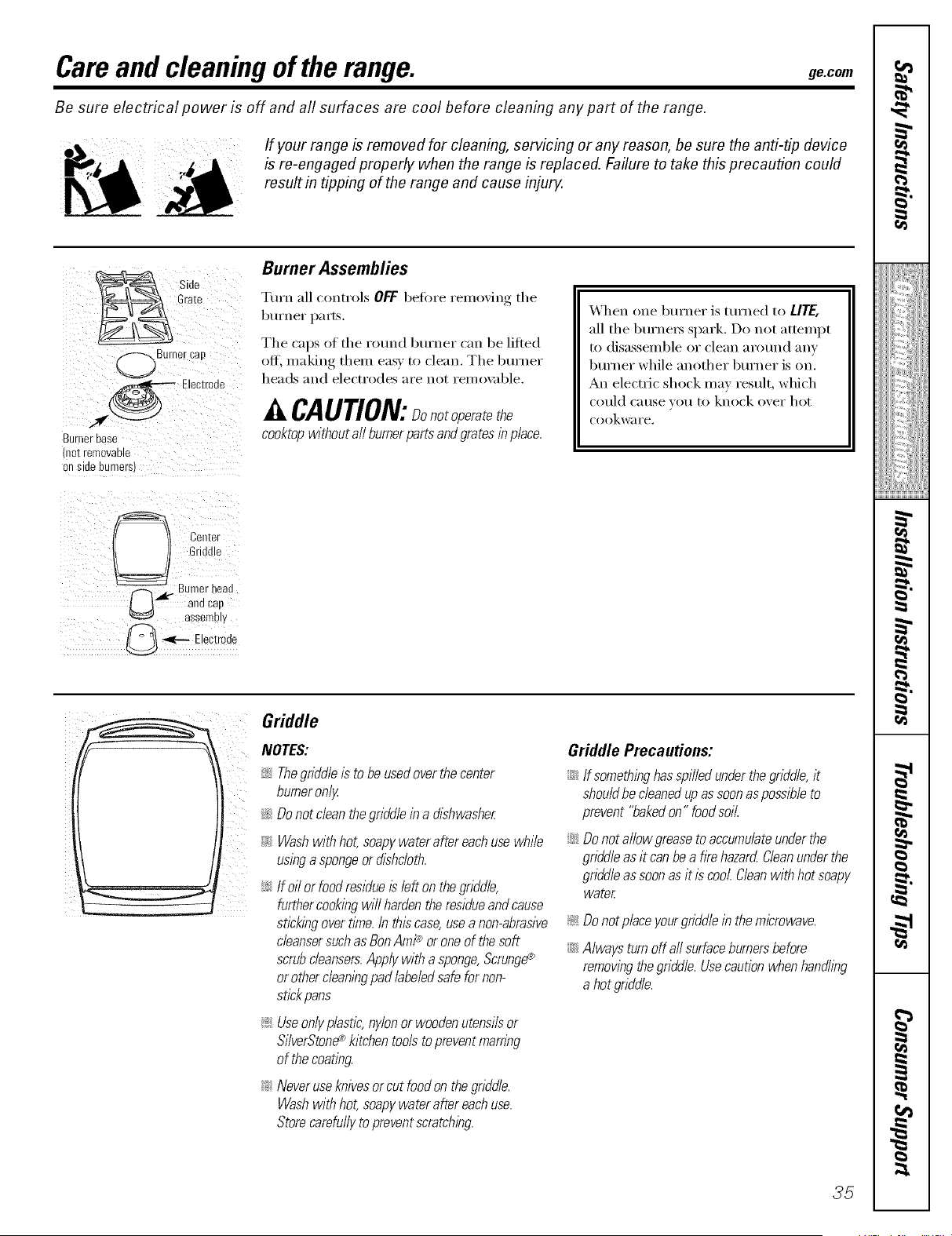
Careand cleaning of the range, gecom
Be sure electrical power is off and all surfaces are cool before cleaning any part of the range.
- !f your range isremoved for cleaning, servicing or anyreason, be sure the anti-tip device
isre-engaged properly when therange isreplaced. Failure to take this precaution could
result in tipping ofthe range and cause injury.
Side
Grate
Burnercad
Electroae
.._ _
Burnerbase
not rernovaDle
01/ SlOe Burners
Burner Assemblies
Turn all controls OFF betore removing the
burner pa_ts.
The caps of the round burner can be lifted
off, making them easy to clean. The burner
heads and electrodes are not remox:d)le.
A CAUTION:Donotoperatethe
cooktopwithoutall bumerpartsandgratesinplace.
When one burner is turned to LITE,
all the burnexs spark. Do not attempt
to disassemble or clean around any
burner while another burner is on.
An electric shock may result, which
could cause w_u to knock over hot
cookware.
(_ Center
Gr ddle
F_'_.- BurnerI.eau
and cap
assembl
@ -,,_-- Electrode
Griddle
Norms:
Thegriddleis tobeusedoverthecenter
!_i _ ii_iiI
burneron/}/
_ Donotdean thegriddleina dishwasher
i_:_Washwithhot,soap}/wateraftereachusewhile
usinga spongeordishcloth.
i;#If oil orfood residueis left onthegriddle,
furthercookingwill hardentheresidueandcause
stickingovertlYne.Inthiscase,useanon-abrasive
cleansersuchasBanAmP oroneof thesoft
scrubcleansers.App/}/witha sponge,Scrunge_
orothercleaningpadlabeledsafefor non-
stickpans
_ Useon/}/plastic,n}//onor woodenutensilsor
Si/verStone_ kitchentoolstopreventmarring
of thecoating.
_ Neveruseknivesor cut foodonthegriddle.
Washwithhot,soap}/wateraftereachuse.
Storecarefu//}/to preventscratching.
Griddle Precautions:
iJGIf something has spilledunder thegriddle, it
shouldbecleaned up as soonas possible to
prevent "bakedon" food soiL
iJGDo notallow grease to accumulate under the
griddleasitcanbea fkehazard Cleanunderthe
griddleas soon as it iscool Cleanwith hot soap}/
water
Donotplace}/ourgriddlein themicrowave.
Alwaysturnoff aftsurfaceburnersbefore
removingthegriddle.Usecautionwhenhandling
ahotgriddle.
35
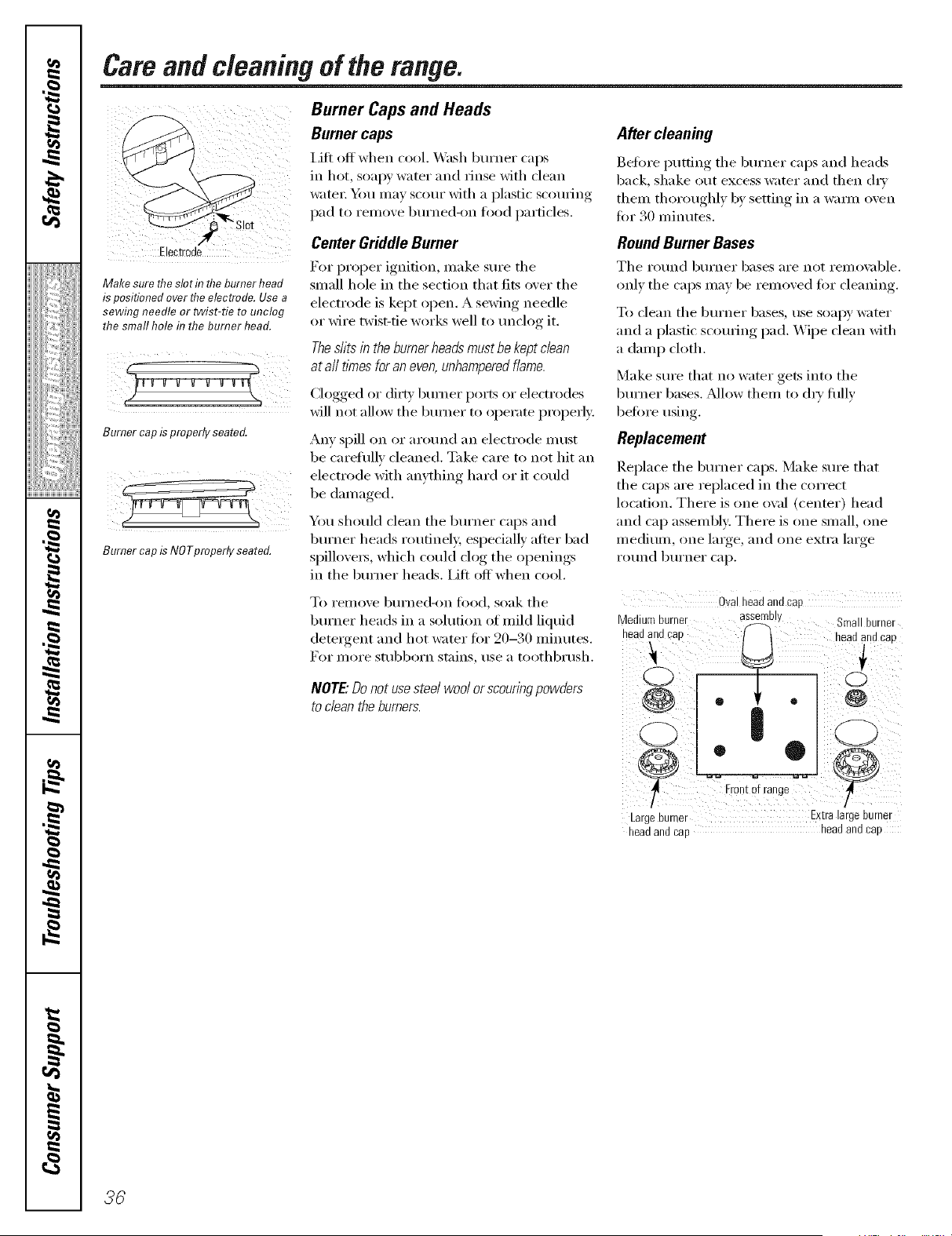
Careandcleaningoftherange.
Burner Caps and Heads
Burner caps
Lift off when rool. _'lsh burner raps
in hot, soapy water and tinse with dean
water: _u may scour with a l)l_stic scouting
pad to remove burned-on food particles.
After cleaning
Before l}utting the burner raps and heads
back, shake out excess water and then dry
them thoIxmghlv by settil N in a warm oven
for 30 minutes.
Makesure the slotintheburnerhead
ispositionedover llTeelectrode.Use a
sewing needle or twist-tie tounclog
the small hole in the burner head.
Burnercapisproperly seated
BurnercapisNOTproperlyseated.
Center GriddleBurner
For proper ignition, make sure the
small hole in the section that fits over the
electrode is kept open. A sewing needle
or wire twist-tie works well to unclog it.
Theslits in the burner heads must be keptclean
at a// times foran even, unhampered flame.
Clogged or dirty bma_er ports or electrodes
will not allow the burner to operate properl}:
Any spill on or around an electrode nmst
be carefulh' de:reed. Take care to not hit an
electrode with anything hard or it cotfld
be daIuaged.
You shotfld dean the l_umer caps and
burner heads routinely, espedally alter bad
spillove_s, which could dog the openings
in the burner he:Ms. Lift offwhen cool.
RoundBurnerBases
The round burner bases are not remoxable.
only the caps may be removed t0r de:ruing.
To dean the btua_er bases, use soapy water
and a plastic sc_)uring pad. "v\]pe dean with
a damp cloth.
Make sure that no water gets into the
burner bases. Mlow them to d_' fully
before using.
Replacement
Replace the burner caps. Make sm'e that
the caps are replared in the correct
location. There is one o\:d (center) head
and cap assembly. There is one small, one
lnediunl, one lm\t{e, and one extra lmge
lXitlnd btll'ner cap.
To remove burned-on fi)od, soak the
burner heads in a solution at mild fiquid
detel}gent and hot water tar 20-30 minutes.
For more stubborn stains, use a toothbrush.
NOTE."Donot usesteelwool or scouringpowders
to dean theburners.
Ovaneaaanacae
Mediun burner asseme, Srnallburner
nearJ alia cad neau an(i cad
g
|
LargeBurner Extralat]e_umet
headand cap headand cap
36
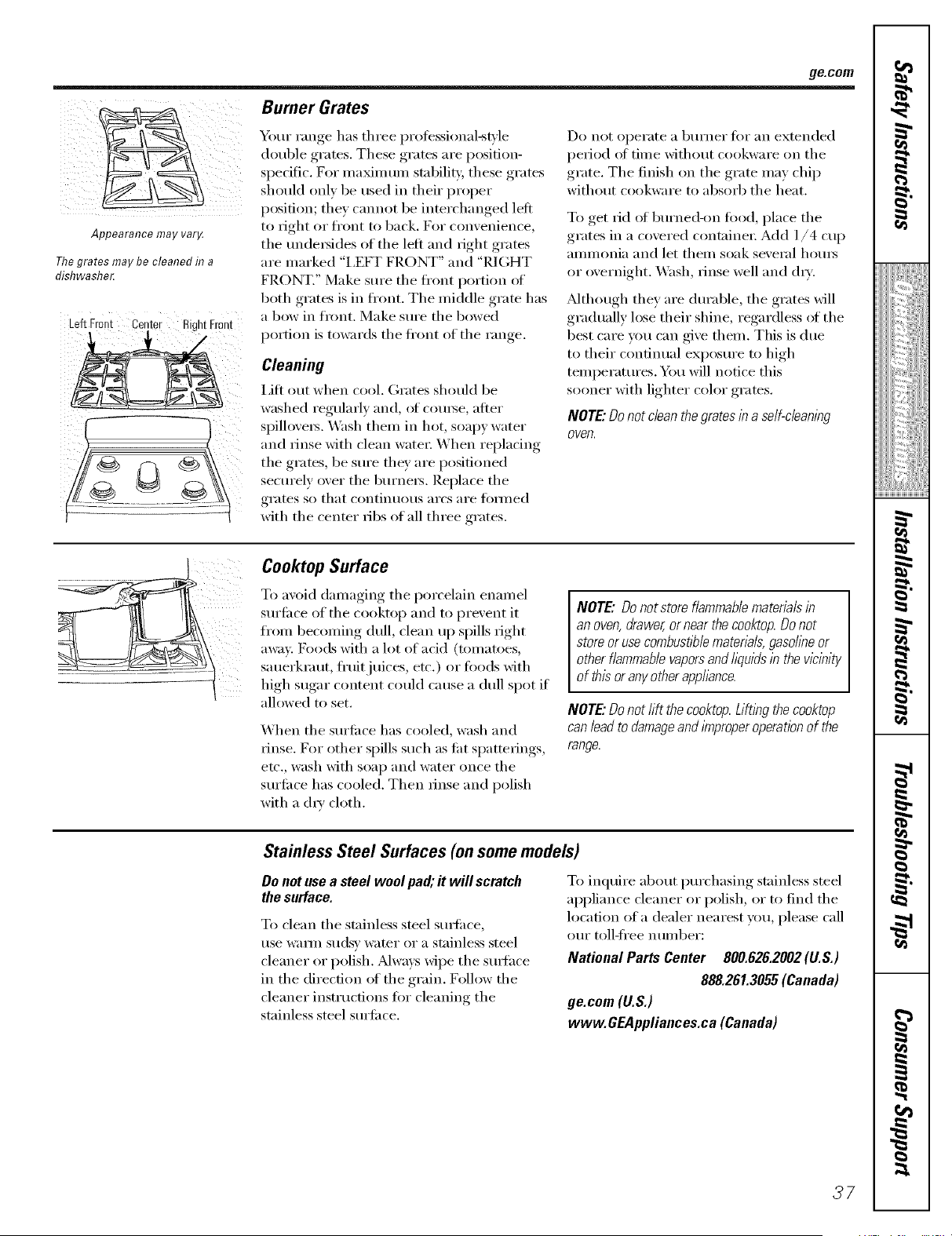
ge.coln
Appearance may var_
Thegrates maybe cleaned in a
dishwasher.
Left Front Center RightFront
!
Burner Grates
Your range has three l)rofessional-s_le
double grates. These grates are [)osifion-
sl)ecific. For maMmum stability these grates
should onl_ be used ill their i)roper
position; they cannot be interchanged left
to right or fl'ont to back. For convenience,
the tmde_sicles of the left and right grates
are marked "I,EFT FRONT" and "RIGHT
FRONT." Make sure the fl'ont portion of
both grates is in fl'ont. The middle grate has
a bow in fl'ont. Make sm'e the bowed
portion is towards the fl'ont of the range.
Cleaning
i,ifl out when cool. (;rates should be
washed regularly and, of com'se, alter
spillovers. _.V_sh them in hot, soapy water
and rinse with clean water When replacing
the grates, be sm'e they are positioned
seem'ely over the burners. Replace the
grates so that COlltilltlOtlS }li'CsaI'e tOillled
with the cenmr ribs of all three grates.
Do IlOt operate a btlrller tor _lil extended
period _fftime without cookware on the
grate. The finish on the grate may chip
without cookware to absorb the heat.
To get rid ot burned-on t0od, place tile
grates in a covered containe_: Add 1/4 cup
ammonia and let them soak several hours
or overnight. Wash, rinse well and (h_'.
Mthough they are durable, the grates will
gradually lose their shine, regardless _ffthe
best care you can give them. This is due
to their continual exposm'e to high
temperatm'es. You will notice this
sooner with lighter color grams.
NOTE"Do notclean the grates in a self-cleaning
oven.
Cooktop Surface
To avoid damaging the porcelain enamel
sm'li_ce of the cooktop and to prevent it
from becoming dull, clean up spills fight
away. Foods with a lot of acid (tomatoes,
sauerkraut, ti'uitjuices, etc.) or toods with
high sugar content could cause a dull spot if
allowed to set.
When the sm'fi_ce has cooled, wash and
rinse. For other spills such as ti_t spattefings,
etc., wash with soap and water once the
sm'fi_ce has cooled. Then rinse and polish
with a (h_' cloth.
NOTE"Donotstoreflammablemateriabin
anoven,drawer,or nearthecooktop.Donot
storeorusecombust/7)lematerials,gasohneor
otherflammablevaporsandl/)uids in thevicinity
of this oranyotherapplbnce.
NOTE"Do notlift thecooktop.Lifting thecooktop
canlead todamageand improperoperatlbnof the
range.
Stainless Steel Surfaces(onsome models)
Donot usea steel woolpad;itwill scratch
thesurface.
To clean the stainless steel sm_i_ce,
use waml sudsy water or a stainless steel
cleaner or polish. Mways wipe the smtace
in the direction of the grain. Follow the
cleaner instructions fi:,r cleaning the
stainless steel sm'ti_ce.
To inquire about i)mvhasing stainless steel
ai)pliance cleaner or polish, or to find the
location of a dealer nearest you, please call
ore" toll-fl'ee IltlI//beI':
National Parts Center 800.626.2002 (U.S.)
888.261.3055(Canada)
ge.com (U.S.)
www.GEAppliances.ca (Canada)
37
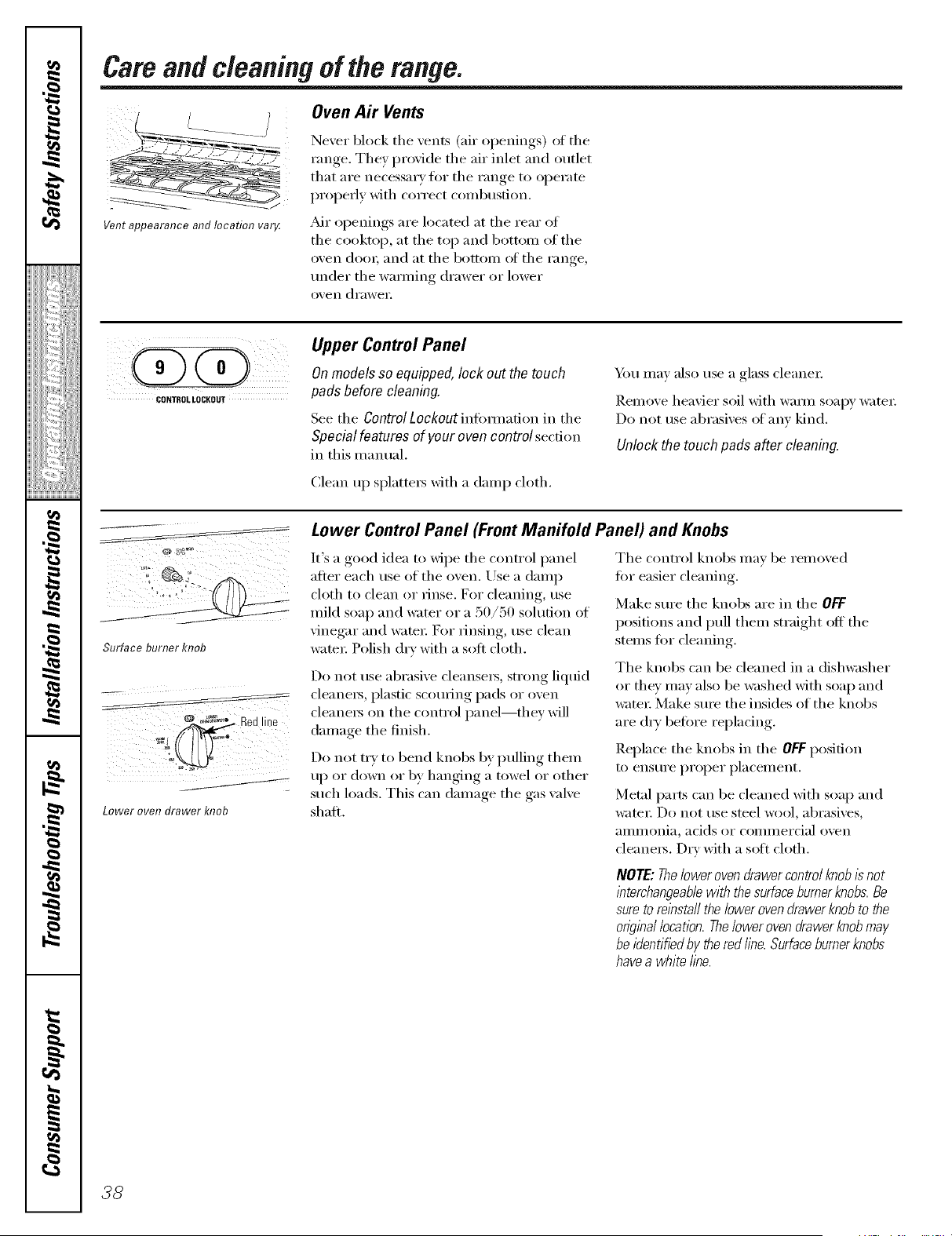
Cam andcleaningof the range.
Oven Air Vents
Vent appearance and location var_
Never block the vents (air openings) of the
range. They provide the air inlet and outlet
that are necessa_ y fl)r the range to operate
properly with correct combustion.
_dr openings are located at the rear of
the cooktop, at the top and bottom of the
oven do(m and at the bottom ot the range,
under the wmming drawer or lower
oven drawe_:
CONTROLLOCROUT
Upper ControlPanel
Onmodels soequipped, lock out the touch
pads before cleaning.
See tile ControlLockout inflmnafi(m in the
Special features ofyour oven control sect.ion
in this manual.
Clean up splatte_ with a damp cloth.
_)tl IllaV also rise a glass cleanei:
Remove heavier soil with waml soapy water:
Do not use abrasives ot anv kind.
Unlock the touch pads after cleaning.
Surfaceburnerknob
Lower oven drawer 1(17ob
Lower ControlPanel (Front Manifold Panel) and Knobs
It's a good idea to wipe the control panel Tile control knobs mm be removed
after each use of the oxen. Use a damp
cloth to clean or rinse. For cleaning, use
mild soap and water or a 50/50 solution of
•,ine(rar and watei: For iJnsing, rise clean
water. Polish dry with a soft cloth.
Do not use abrasive cleansels, strong liquid
cleaners, plastic scouring pads or oven
cleaners on the control panel--they will
damage the finish.
Do not try to bend knobs by pulling them
up or down or by hanging a towel or other
such loads, This can damage the gas wflve
shaft.
fi)r easier cleaning.
Make sure tile knobs are in tile OFF
positions and pull them straight off tile
stems fi)r cleaning.
Tile knobs can be cleaned in a dishwasher
or tile)" may also be washed with soap and
water: Make sure tile insides of tile knobs
are (h T heft)re replacing.
Replace the knobs in the OFF posit.ion
to ensure proper placement.
Metal parts can be cleaned with soap and
w;IteI:Do not rise steel wool, abrasives,
aIllI/lonia_ acids or coil/illei'cia] ()veil
cleaners. Dry with a sott cloth.
NOTE:Thelowerovendrawercontrolknobisnot
lhterchangeab/ewith thesurfaceburnerknobs.Be
sureto relhstaflthelowerovendrawerknobto the
on_?ina/location.Thelowerovendrawerknobmay
beidentifiedby theredfine.Surfaceburnerknobs
havea whitefine.
38
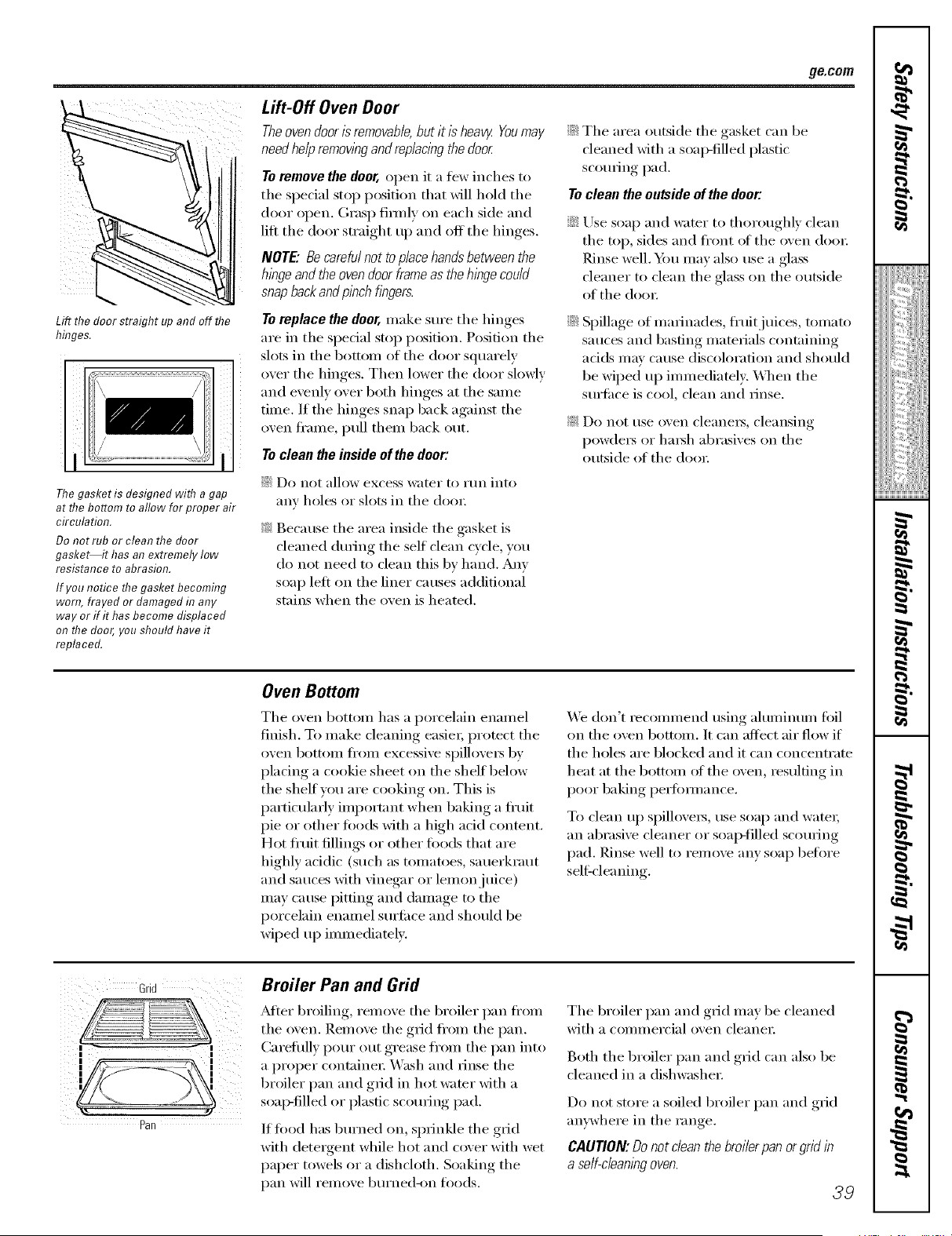
g_com
Lift the doorstraightupandoffthe
hh_ges.
%,
i / IH
The gasket is designed with a gap
at rite bottom to allow for proper air
circulatimT.
Do not rub or clean the door
gasket it has an extremely Iow
resistance to abrasion.
If you notice the gasket becoming
worn, frayed or damaged in any
way or if it has become displaced
on the door, you should have it
replaced.
Lift-Off Oven Door
Theoven door isremovable,butit isheav_Youmay
need helpremovlbgand rep/ac/bgthe door.
Toremove the door,open it a fi_w inches to
the sl)ecial stop position that will hold the
door open. Grasp firefly on each side and
li_t the door straight ul) and off the hinges.
NOTE."Be carefulnot to place hands between the
hlbge and theoven doorframeas thehinge could
snap back andpibch hbgers.
Toreplace the door,make sure the hinges
are in the sl)ecial stop position. Position the
slots in the bottom of the door squarely
over the hinges. Then lower the door slowly
and evenly over both hinges at the same
time. If the hinges snap back against the
oven fi'ame, pull them back out.
Toclean theinside ofthedoor:
::Ji::Do not allow excess water to rtm into
any holes or slots in the (h)o_:
_: Because tile area inside tile gasket is
cleaned during the self clean cycle, you
do not need to clean this by hand. Any
soap left on the liner causes additional
stains when the oven is heated.
_Ji::Tile area outside tile gasket can be
cleaned with a soap-filled plastic
scouting pad.
Toclean the outside of the door.
Use soap and water to thoroughly clean
tile top, sides and ti'ont of tile oven (h)o_:
Rinse well. _)u may also use a glass
cleaner to clean tile glass on tile outside
of tile (h)o_:
Spillage of marinades, fl'uitjuices, tomato
sauces and basting materials containing
adds may cause discoloration and should
be wiped up immediatel> _._]/en tile
surli_ce is cool, clean and rinse.
_: Do not use oven cleaneiN_ cleansing
I)ow(le_ or hm_h abrasives on tile
outside of tile (loo_:
Oven Bottom
Tile oven bottom has a porcelain enamel
finish. To make cleaning easiei; protect tile
oven bottom ti'om excessive sl)illovei_ by
placing a cookie sheet on the shelf beh)w
tile shelf you are cooking on. This is
particularly important when baking a flafit
pie or other fi)ods with a high acid content,
Hot fl'tfit fillings or other fl)o(ls that are
highly acidic (such as tomatoes, sauerkraut
and sauces with vinegar or lemon juice)
may cause pitting and damage to tile
porcelain enamel surfi_ce and should be
wiped up immediately.
%'e don't recommend using ahuninum fi)il
on tile oven bottom. It can affect air flow if
tile holes are blocked and it can concentrate
heat at tile bottom of tile oven, resulting in
poor baking i)ei_timnance.
To clean up spillove_s, use soap and water;
an abrasive cleaner or soap-filled scouring
pad, Rinse well to relnove any soap before
sell:cleaning.
3rid
Broiler Pan and Grid
After broiling, remove the 1)railer pan fi'om
tile oven. Remove tile grid ti'om tile pan.
(_areftflly pour out grease fl'om tile pan into
a proper containei: Wash and rinse tile
broiler pan and grid in hot water with a
soap-filled or plastic scamping pad.
Iffood has burned on, sprinkle tile grid
with (lete_gent while hot and c_wer with wet
paper towels or a dishch)th. Soaking the
pan will relnove burned-on foods.
Tile broiler pan and grid may be cleaned
with a coi//illei'cial ()veil cleaner
Both tile broiler pan and grid can also be
cleaned in a dishwasher:
Do not store a soiled broiler pan and grid
anywhere in the range,
CAUTION:Do notclean thebroilerpan or grid in
a self-c/ean/bgoven.
39
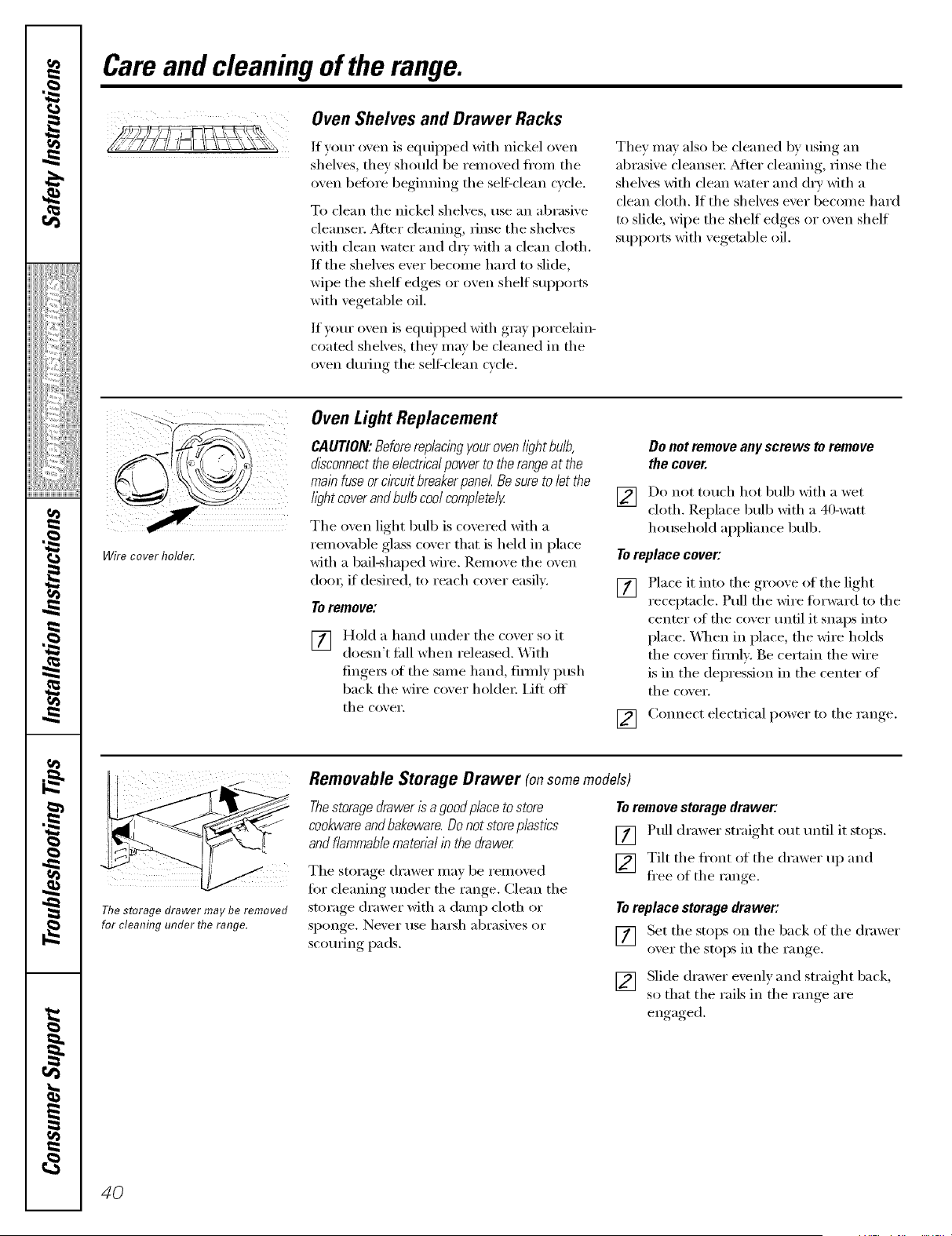
Care and cleaning of the range.
OvenShelves and Drawer Racks
If your oven is equipped with nickel oven
shelves, they should be removed fl'om the
oven beiore begimfing the self=clean cycle.
To clean the nickel shelves, use an abrasive
cleanser. _Mier cleaning, rinse the shelves
with clean water and (h_' with a clean cloth,
If the shelves ever becoil/e hard to slide,
wipe tile shelf edges or oven shelf SUl)ports
with vegetable oil.
If u)m" oven is equipped with gray porcelain-
coated shelves, they may be cleaned in the
oven dtwing tile self clean cycle.
They may also be cleaned by using an
abrasive cleansex: _Mier cleaning, rinse the
shelves with clean water and dry with a
clean cloth. If the shelves ever 1)ecome hard
to slide, wipe the shelf edges or oven shelf
supports with vegetable oil.
1(((4{
Wire cover holder.
Oven LightReplacement
CAUTION:Beforereplacingyouroven//)htbulb,
disconnecttheelectricalpowerto therangeatthe
mainfuseorc/?cuitbraakerpane/.Besuretoletthe
lightcoverandbulbcoolcompletely
Tile oven light bulb is covered with a
remm:d)le glass cover that is held in place
with a bail-shaped wire. Remove the oven
dora; if desired, to reach cover easily.
To remove:
[7] Hold a hand trader tile cox,er so it
ii i
doesn't fidl when released. _4ith
finge_ of the same hand, firefly push
back tile wire coxer holder: Lift off
tile co_,er.
Do not remove anyscrews to remove
thecover.
] Do not touch hot bulb with a wet
cloth. Replace bull) with a 40-watt
household appliance bulb.
Toreplace cover:
[] Place it into the groove ot the light
receptacle. Pull the wire torward to the
center of the cover until it snaps into
place. X._]mn in place, the wire holds
the cover firefly. Be certain the wire
is in the depression in the center of
tile cover.
C(mnect electrical power to the range.
[]
The storage drawer may be removed
for cleaning under flTe range.
Removable Storage Drawer (onsome models)
Thestoragedrawerisagoodplacetostore
cookwaraandbakewara.Donotstoreplastics
andflammablematenalib thedrawer
The storage drawer may be removed
for cleaning trader tile range. Clean tile
storage drawer with a damp cloth or
sponge. Never use hm_h abrasives or
scotwing pads.
To remove storage drawer:
[] Pull drawer straight out until it stops.
[] Tilt tile ti'ont of tile drawer up and
flee of the range.
Toreplace storage drawer:
[] Set tile stops on tile back of tile drawer
oxer tile stops in tile range
[] Slide drawer exenly and straight back,
so that the rails in the ram,e are
engaged.
40
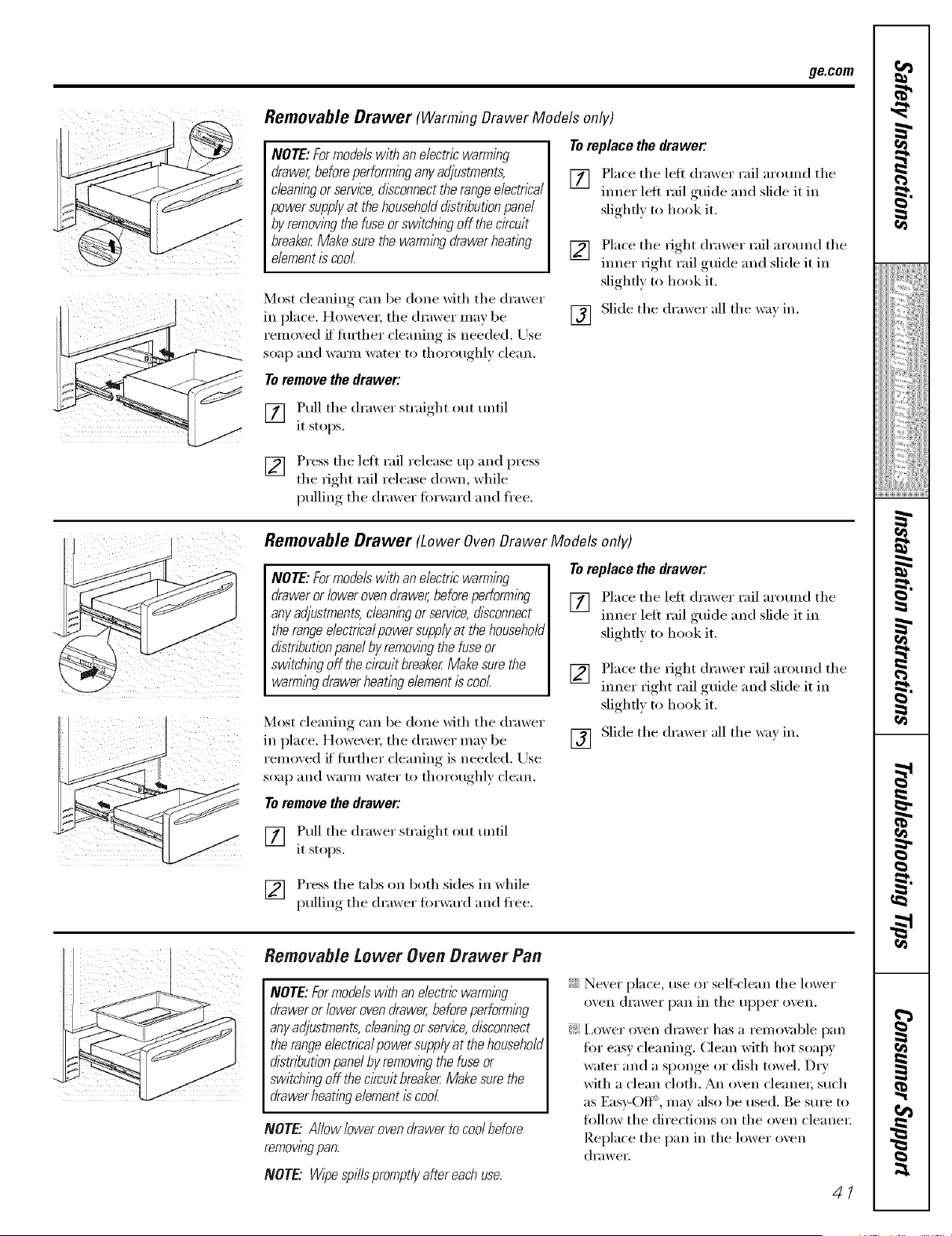
ge.com
Removable Drawer (Warming Drawer Models only)
NOTE: Formodele with an electric warming
drawer,before performing any adjustments,
cleanlbg orservice, &sconnect therange electrlea/
powersupplyat thehouseholddistribution panel
by remowbgthe fuse orswitching offthe circuit
breaker Make sure thewarming drawer heating
element is cool
Most cleaning can be done with tile drawer
in place. However, tile drawer may be
removed if fllrther cleaning is needed. Use
soap and wam_ water to thoroughly clean.
To replace the drawer."
[] .Place tile left drawer rail arotmd tile
tuner leit rail guide and slide it in
slighfl) to hook it.
[]
[]
Place tile right drawer rail arotmd tile
tuner right rail guide and slide it in
slighfl) to hook it.
Slide tile drawer all tile way in.
Toremove thedrawer:
[] Pull tile drawer straight out tmtil
it stops.
[] Press tile left rail release up and press
the right rail release down, while
pulling tile drawer fi)rward and fl'ee.
iii i iiiiii
Removable Drawer (Lower Oven Drawer Models only)
NOTE:Formodelewithan electrlewarming
drawerorlowerovendrawer,beforeperforming
anyadjustments,cleaningor service,disconnect
therangeelectricalpowersupplyatthehousehold
distributionpanelbyremowngthe fuseor
switchingoff thecircuitbreakerMakesurethe
warmingdrawerheatingelementis cool.
Most cleaning can be done with tile drawer
in place. However, tile drawer may be
removed if flu'tiler cleaning is needed. Use
soap and wam_ water to thoroughly clean.
To replace the drawer."
[] .Place tile left drawer rail arotmd tile
tuner left rail guide and slide it in
slighfl) to hook it.
[]
[]
Place tile fight drawer rail arotmd tile
tuner fight rail guide and slide it in
slighfl) to hook it.
Slide tile drawer all tile wax in.
Toremovethedrawer:
[] Pull tile drawer straight out tmtil
it stops.
[] Press tile tabs on both sides in while
pulling tile drawer fi)rward and fl'ee.
Removable Lower Oven Drawer Pan
NOTE:Formodelswithan electricwarmlbg
drawerorlowerovendrawer,beforeperformlbg
anyadjustments,cleaningor service,disconnect
therangeelectricalpowersupplyat thehousehold
distributionpanelbyremowbgthe fuseor
switchingoff theckcuitbraakerMakesurethe
drawerheatingelementb cool.
NOTE: Allow lower oven drawer tocool before
ramowngpan.
NOTE" VV/pespills promptlyaftereach use.
::Ji::Never place, use or self:clean tile lower
oven drawer pan in tile upper oven.
?_:I,ower {)veil (h'aweI" has a remox;O)le pan
fi)r easy cleaning. Clean with hot soapy
water and a sponge or dish towel. Dry
with a clean cloth. An oven cleaner; such
as Eas)=Ofl", may also be used. Be sure to
tollow the directions on the oven cleane_:
Replace the pan in the lower oven
(lI';IweI:
41
Installation
Instructions
Range
In the Commonwealth
of Massachusetts
• This product must be installed by a licensed
phunber or gas fitter,
• When using ball Wpe gas shut-off valves, they shall
be the T-handle type.
• A flexible gas connectm; when used, must not
exceed 3 tibet.
BEFORE YOU BEGIN
Read these instructions completely and carefully.
Installation of this range must conform with local
codes, or in the absence of local codes, with the
National Fuel Gas Code, ANSI Z223.1/NFPA.54,
latest edition. In Canada, installation must conform
with the current Natural Gas Installation Code,
CAN/CGA-B149.1 or the current Propane Installation
Code, CAN/CGA-B149.2, and with local codes where
applicable. This range has been design-certified by
CSA International according to ANSI Z21.1, latest
edition and Canadian Gas Association according
to CAN/CGA-I.1 latest edition.
As with any appliance using gas and generating beat,
there are cel_ain safety precautions you should tollow.
You will find these precautions in the Important Safety
Information section in the fi'ont of this manual. Read
them carefully.
• IMPORTANT - Save hese
instructions fin" local electrical inspector's use.
•IMPORTANT - Observeall
governing codes and ordinances.
• Note to Installer - I,eave these instructions
with the appliance atter installation is completed.
• Note to Consumer - Kee I) this Owner's
Manual and Installation Instructions fin" future
re_erence.
• Note - This appliance must be properly grounded,
• Servicer - The electrical diagram is in an envelope
attached to the back of the range.
• SMll level - Installation of this appliance requires
basic mechanical skills.
• Proper installation is the responsibility of the
insta 11er.
• Product fhilure due to improper installation is not
covered under the _'_.u'lanty.
FOR YOUR SAFETY
Do not store or use combustible materials, gasoline or
other flammable vapors m_d liquids in the vicinity of
this or any other appliance.
If you smell gas:
O Open windows.
0 Don't touch electrical switches.
Extinguish any open flame.
O hmnediatelv call veto" gas supplier.
TOOLS YOU WILL NEED
Phillipsscrewdriver
Flat-bladescrewdriver Open-endor
adjustablewrench
Penciland ruler
Level
Pipewrenches(2)
(onefor backup) Drill,awl or nail
MATERIALS YOU MAY NEED
• (;as line sh ut-off xahe
• Pipe joint sealant or Ui:approved pipe thread tape
with Tetlon':: that resists action oI natural and I,P gases
• Fle_ble metal appliance connecUn" (l/2" I.D.)
A 5-tOot length is recommended fin" ease of installation
but other lengths are acceptable. Never use an old
connector when installing a new range.
• Hare tmion adapter tin" connection to gas supply line
(3/4" or 1/2" NPT x 1/2" I.D,)
• Flare tlnion adapter for connection to pi'essl.n'e
regulator on range (1/2" NPT x 1/2" I.D.)
• liquid leak demctor or soapy waten
• I_g bolt or l/2" O,D, sleeve anchor (fin" concrete
floo_s only),
*'[\_flon: Registered tn,demal-k of DuPont
42
Installation instructions
AWARNING
iNSTALLATiON SAFETY
iNSTRUCTiONS
Read these instructions completely and carefully.
hnproper installation, adjustment, alteration, service
or maJntenm_ce can cause injury or property damage.
Refer to this mmmal. For assistance or additional
information, consult a qualified installer, service
agency, manufacturer (dealer) or the gas supplier.
Never reuse old flexible connectors. The use
of old flexible connectors can cause gas leaks and
personal ii_jm'y. Alwa_s use NEW flexible connectors
when installing a gas appliance,
IMPORTANT Rem.,eall )ackin,.
-- [
material and literature fl'om oven betiwe connecting
gas and electrical sui_ply to range.
CAUTION - t,,,not;,ttemptt,).pe,;,te
the oven of this range during a power tailure (Electric
Ignition models only).
• Have vom" range installed bv a qualified installer.
• Yore" range m ust be electrically grounded in
accordance with local codes or, in the absence
of local codes, in accordance with the National
Electrical Code (ANSI/NFPA 70, latest edition).
In Canada, electrical grounding must be in
accordance with the current CSA (i;22.1 Canadian
Electrical Code Part 1 and/or local codes. See
Eloctrical Connoctions in this section.
• Before installing yore" range on linolemn or any
other sw_thetic floor covering, make sure the floor
covering can withstand 180°F without shrinking,
warping or discoloring. Do not install the range
over carpeting tmless a sheet of 1/4" thick plywood
or similar insulator is placed between the range
and caq)eting.
• Make sm'e the wall coverings around the range can
withstand heat generated by the range up to 200°E
• Avoid plating cabinets above the range. To reduce
the hazard caused b)' reaching over the open
flames of operating bm'ne_s, install a ventilation
hood over the range that projects fl)rward at least
5" beyond the fl'ont of the cabinets.
• The ventilating hood must be constHlcted
of sheet metal not less than 0.0199" thick.
Install above the cooktop with a clearance of not
less than 1/4" between the hood and the tmderside
of the combustil)le material or metal cabinet. The
hood must be at least as wide as the appliance and
centered over the appliance. Clearance between
the cooking surface and the ventilation hood
sm'tace MUST NEVER BE LESS THAN 24
INCHES.
EXCEPTION: Installation of a listed microwave oven
or cooking appliance over the cooktop shall conform
to the installation inst_ uctions packed with that
appliance.
• If cabinets are placed above the range,
allow a minimmn clearance of 30" between the
cooking sm'iace and the bottom of tmprotected
cabinets.
• If a 30" clearance between cooking sm'iace and
overhead combustil)le material or metal cabinets
cannot be maintained, protect the tmderside of the
cabinets above the cooktop with not less than 1/4"
instdating millboard covered with sheet metal not
less than 0,0122" thick, Clearance between the
cooking surface and protected cabinets MUST
NEVER BE LESS THAN 24 INCHES.
• The vertical distance fl'om the plane of the cooking
surtace to the bottoin of a@_cent overhead cabinets
extending closer than 1" to the plane of the range
sides must not be less than 18". (See the Dimonsions
and CIoarancos illustration in this section,)
• CAUTION m Itelnsofinterestto
children should not be stored in cabinets above a
range or on the backsplash of a range--children
climbing on the range to reach items could be
seriously ii_i m'ed.
43
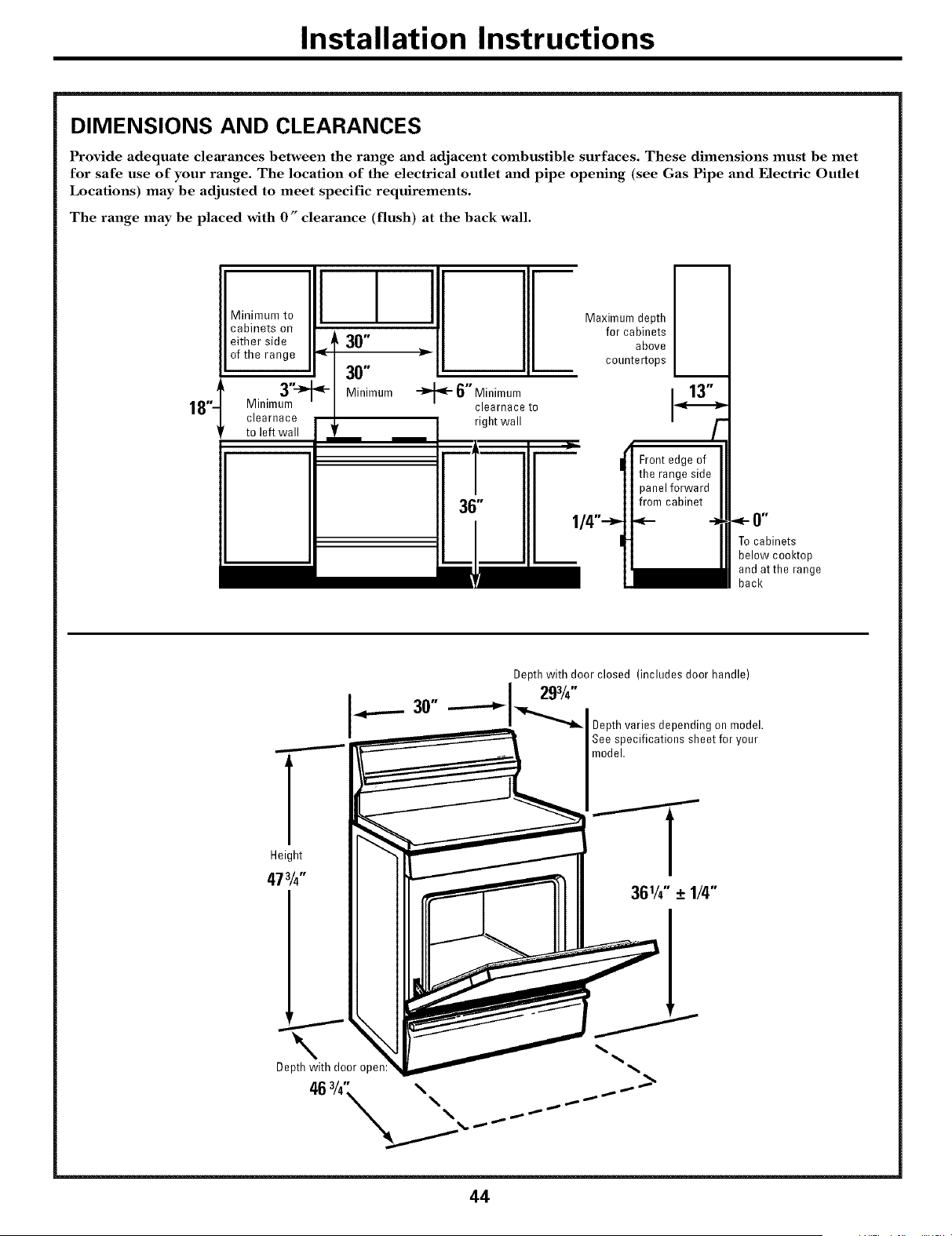
Installation Instructions
DIMENSIONS AND CLEARANCES
Provide adequate clearances between the range and adjacent combustible surfaces. These dimensions must be met
for safe use of your range. The location of the electrical outlet and pipe opening (see Gas Pipe and Electric Outlet
Locations) may be adjusted to meet specific requirements.
The range may be placed with 0" clearance (flush) at the back wall.
18"-
M'nimum oI I I
cabinets on
either side + 30"
of the range _ I _-
I 30"
Minimu_ni_ - Minimum
clearnace
to left wall
_- 6" Minimum
clearnace to
right wall
Maximum depth
for cabinets
above
countertops
13"
Front edge of
the range side
panelforward
from cabinet
1/4"_ _- -J
Tocabinets
below cooktop
and atthe range
back
Depth with door closed (includes door handle)
I_-- 30" I 293/,"""_l_"--_ Depth variesdependingon model.
See specifications sheetfor your
model.
Height
473/4"
44
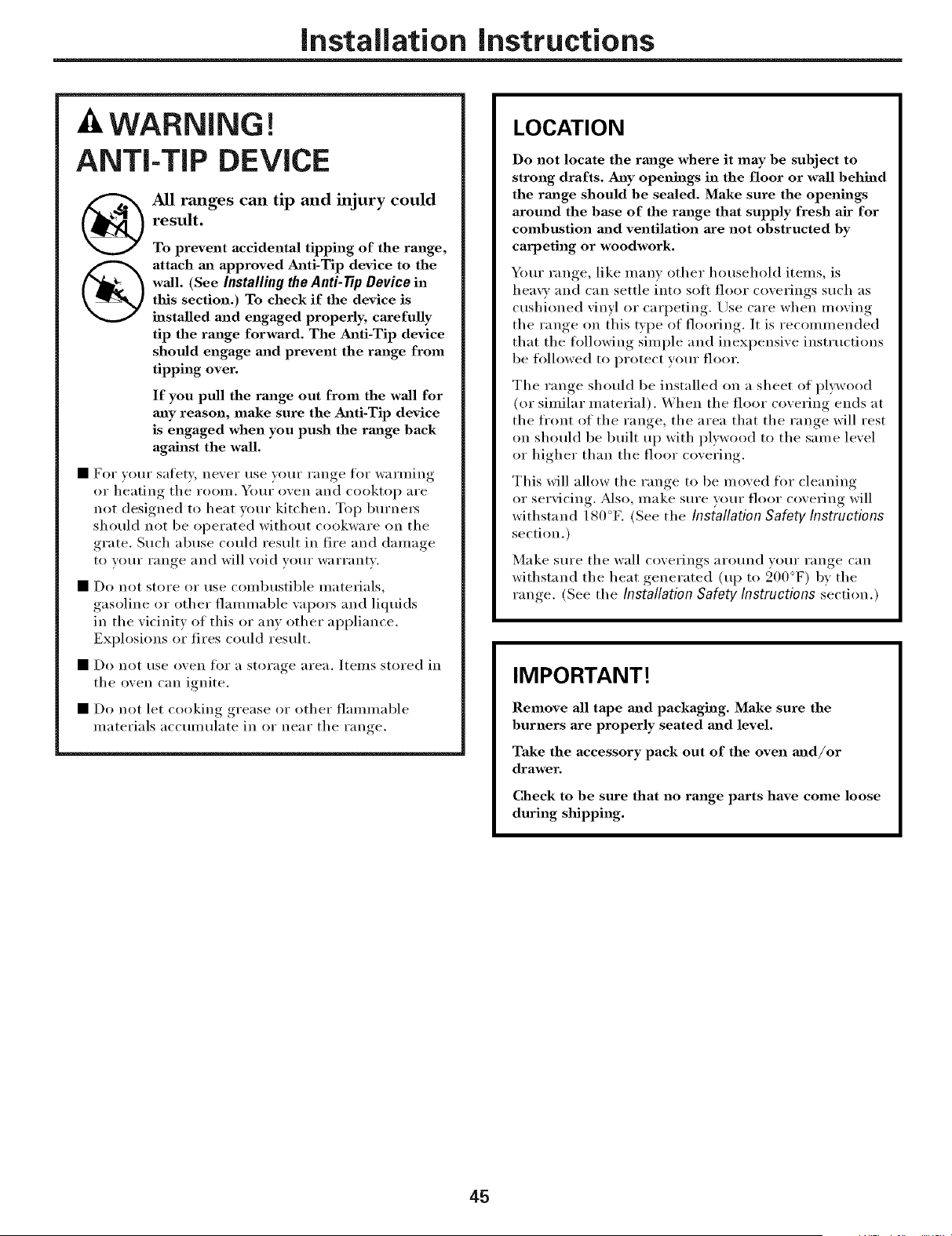
Installation instructions
AWARNING!
ANTI-TIP DEVICE
All ranges can tip and injury could
result.
To prevent accidental tipping of the range,
attach an approved Anti-Tip device to the
wall. (See Installing the Anti-Tip Device in
this section.) To check if the device is
installed and engaged properly, carefully
tip the range forward. The Anti-Tip device
should engage and prevent the range from
tipping over.
If you pull the range out from the wall for
may reason, make sure the Anti-Tip device
is engaged when you push the rmige back
agMnst the wall.
• For w)ur safety, never use your range flir warining
or heating tile rooln. Your oven and cooktop are
not designed to heat wmr kitchen. Top burnei_
should not be oi)erated without cookware on the
grate, Such abuse could result ill fire and daulage
to your range and will void w)ur warranty,
• Do not store or use colnbustible inatelJals,
gasoline or other flaniniable wq)ors and liquids
in the vicinity of this or any other ai)pliance,
Explosions or fires could result,
• Do not rise ()veil tor a storage area, Items stored in
tile oven can ignite.
• Do not let cooking grease or other flaumlable
ulaterials accuululate in or near the range.
LOCATION
Do not locate the rmage where it may be subject to
strong drafts. Any openings in the floor or wall behind
the rm_ge should be sealed. Make sure the openings
around the base of the range that supply fresh air for
combustion m_d ventilation axe not obstructed by
carpeting or woodwork.
Your range, like ulany other household itelns, is
heavy and can settle into soft floor coverings such as
cushioned vinyl or cari_eting. Use care when nioving
tile range on this type of flooring, It is recouunended
that tile tolh)wing siulple and inexpensive insti uctions
be followed to protect your floor,
Tile range should be installed on a sheet of plDvood
(or siulilar niaterial). When tile floor covering ends at
tile ti'ont of tile range, tile area that tile range will rest
oil should be built up with plywood to tile sanie level
or higher than tile floor covering.
This will alh)w tile range to be uloved tk)I" cleaning
or servicing. Mso, ulake sure your floor covering will
withstand 180°K (See tile Installation Safety Instructions
section.)
Make sure tile wall coverings around your range can
withstand tile heat generated (up to 200°F) by tile
ran ,e (See tile Installation Safety Instructions section.)
IMPORTANT!
Remove all tape mid packaging. Make sure the
burners are properly seated and level.
Take the accessory pack out of the oven mid/or
drawer.
Check to be sure that no range parts have come loose
during shipping.
45
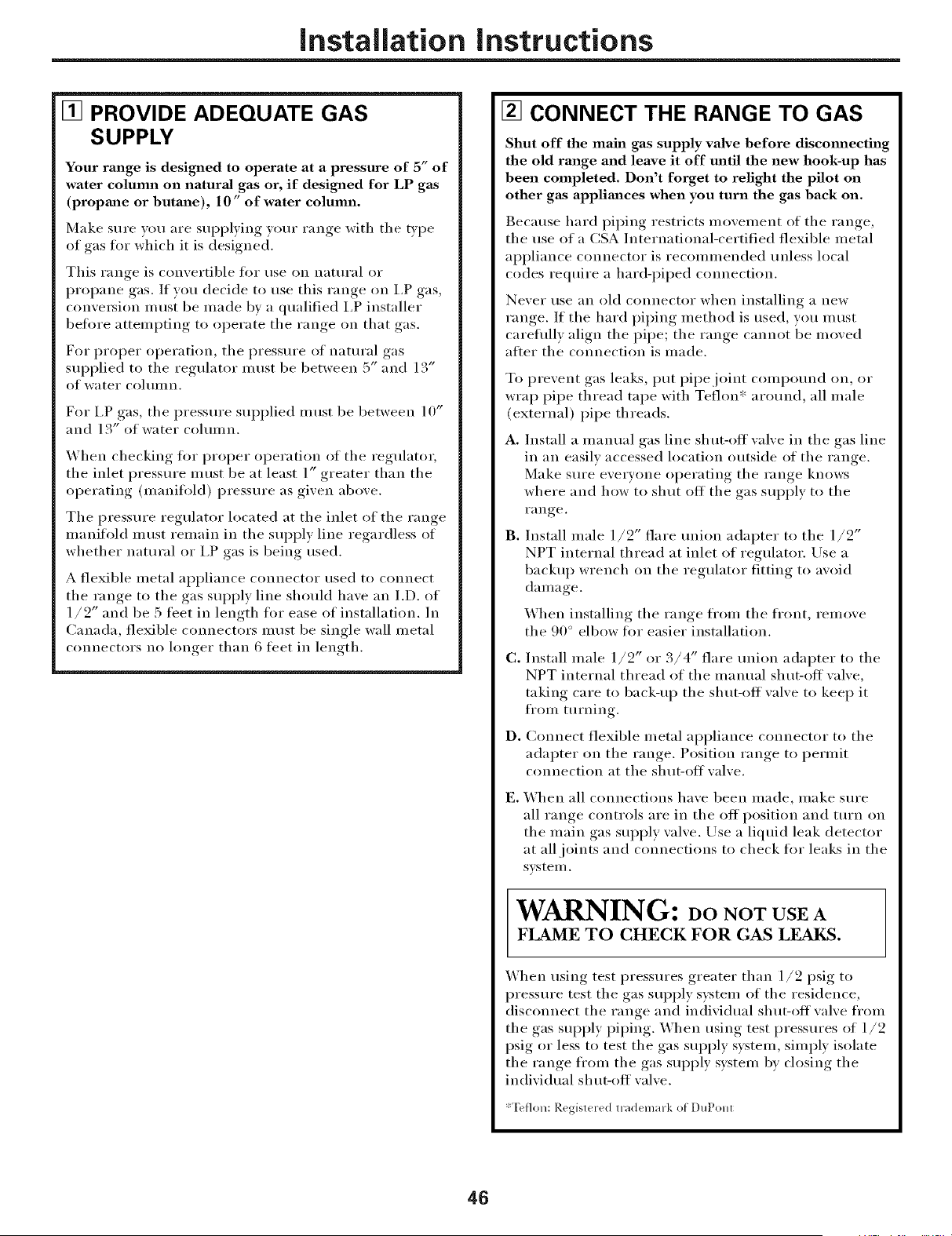
Installation instructions
[] PROVIDE ADEQUATE GAS
SUPPLY
Your range is designed to operate at a pressure of 5" of
water column on naturM gas or, if designed for LP gas
(propm_e or butane), 10" of water column.
Make sure vou are supplying your range with tile type
of gas tot which it is designed.
This range is convertible for use on natural or
propane gas. If you decide to use this range on I,P gas,
convei_ion must be made bv a qualified I,P installer
before attelni)ting to operate tile range on that gas.
For proper operation, tile pressure of natural gas
supplied to tile regulator inust be between 5" and 13"
of water cohunn.
For I,P gas, tile pressure supplied inust be between 10"
and l 3" of water colmnn.
When checking fi)r proper operation of tile regulatm;
tile inlet pressure Illtlst be at least 1" greater than tile
operating (nmnifl_ld) pressure as given above.
Tile pressure regulator located at tile inlet of tile range
manifold must remain ill the supply lille regardless of
whether natural or I,P gas is being used.
A flexible metal appliance connector used to connect
tile range to tile gas supply lille should have an I.D. of
1/2" and be 5 leer ill length tier ease of installation. Ill
Canada, flexible connectors must be single wall metal
connectors no hmger than 6 teet ill length.
[] CONNECT THE RANGE TO GAS
Shut off the main gas supply valve before discmmecting
the old range and leave it off until the new hook-up has
been completed. Don't forget to relight the pilot on
other gas applimaces when you turn the gas back on.
Because hard piping restricts nmvement of tile range,
tile use of a CSA International-certified flexible inetal
ai)pliance connector is reconunended unless local
codes require a hard-i)iped connection.
Never use an old connector when installing a new
range. If tile hard piping method is used, you must
careflllly align tile pipe; tile range cannot be inoved
after the connection is inade.
To prevent gas leaks, put i)ipejoint compomld on, or
wrap pipe thread tape with Teflon':: around, all male
(external) pipe threads.
A. Install a manual gas lille shut-off valve ill tile gas lille
ill an easily accessed location outside of the range.
Make sure everyone oi)erating tile range knows
where and how to shut ott tile gas supply to tile
range.
B°
Install male 1/2" flare union adapter to tile 1/2"
NPT internal thread at inlet of regulator. Use a
backup wrench on tile regulator fitting to avoid
danmge.
When installing tile range fl'om tile fl'ont, remove
the 90 ° elbow fi_r easier installation.
C°
D°
Install male 1/2" or 3/4" flare union adapter to tile
NPT internal thread of tile lnanual shut-off valve,
taking care to back-up tile shut-off valve to kee I) it
fl'onl turning.
Connect flexible tnetal ai)pliance connector to tile
adapter on tile range. Position range to i)erlnit
connection at the shut-off wflve.
E. When all connections have been inade, inake sure
all range controls are ill tile off position and turn oi5
the inain gas supply wdve. Llse a liquid leak detector
at all joints and connections to check fi_r leaks ill the
sxlstei//.
WARNING: oo NOTUSEA
FLAME TO CHECK FOR GAS LEAKS.
When using test pressures greater than 1/2 psig to
pressure test tile gas supply s)_steln of tile residence,
disconnect the range and individual shut-off wdve fl'oln
the gas supply i)iping. When using test pressures of 1/2
psig or less to test the gas supply systeln, simply isolate
the range fl'oln the gas supply systeln by closing the
individual sh m-off wflve.
*Teflon: Registered trademark of DuPont
46
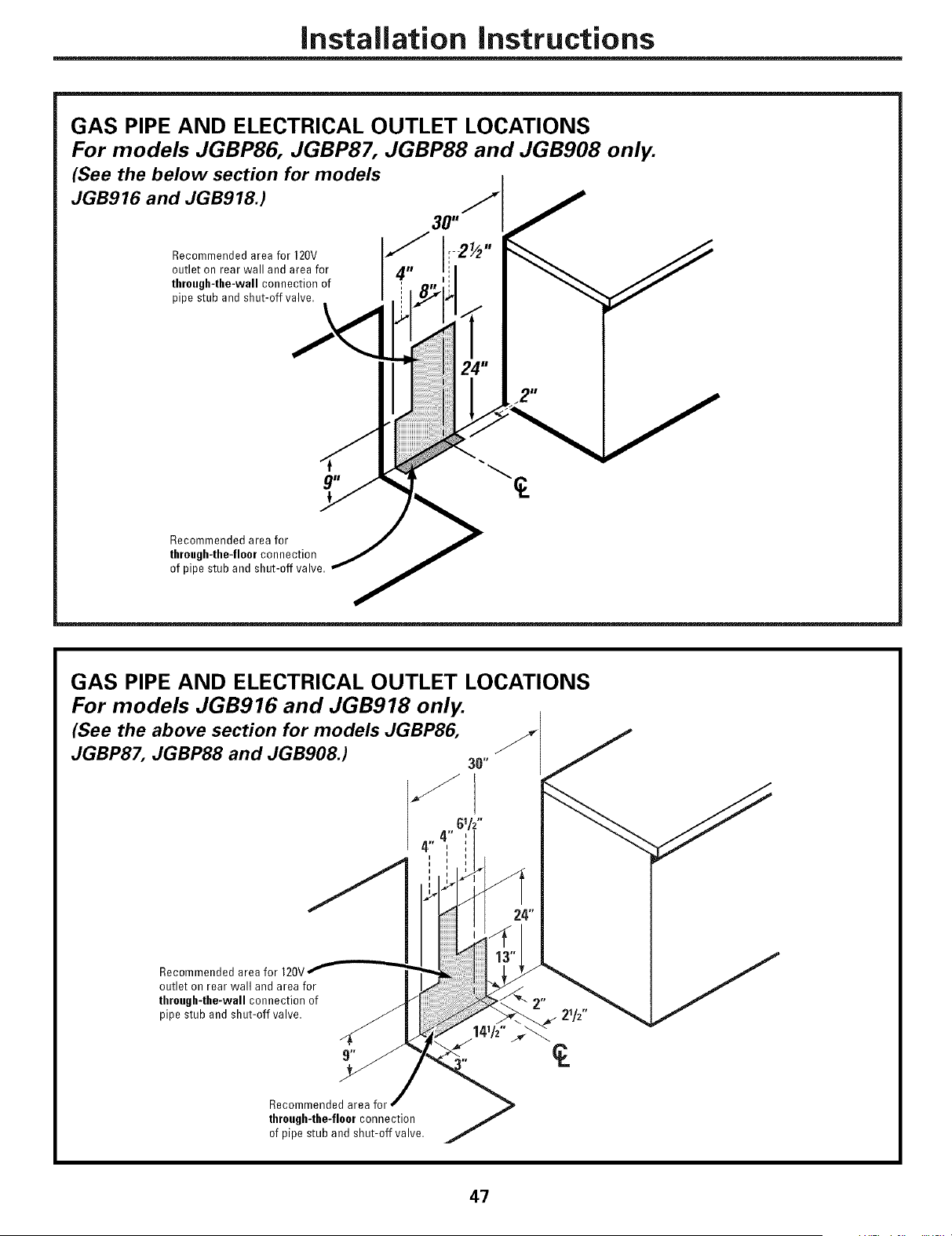
Installation instructions
GAS PIPE AND ELECTRICAL OUTLET LOCATIONS
For models JGBP86, JGBP87, JGBP88 and JGB908 only.
(See the below section for models
JGB916 and JGB918.) /_
30"
Recommended area for 120V
outlet on rear wall and areafor
thruugh-the-wall connection of
pipestub and shut-off valve.
Recommended areafor
through4he-floorconnection
ofpipe stub and shut-off valve.
GAS PIPE AND ELECTRICAL OUTLET LOCATIONS
For models JGB916 and JGB918 only.
(See the above section for models JGBP86, _._
JGBP87, JGBP88 and JGB908.) 30"
4"
,,
i
!
Recommended areafor 120V
outlet onrear wall and areafor
thruugh-the-wall connection of
pipe stub and shut-off valve.
Recommended areafor _,
thruugh-the-fluur connection
ofpipe stub and shut-off valve.
47
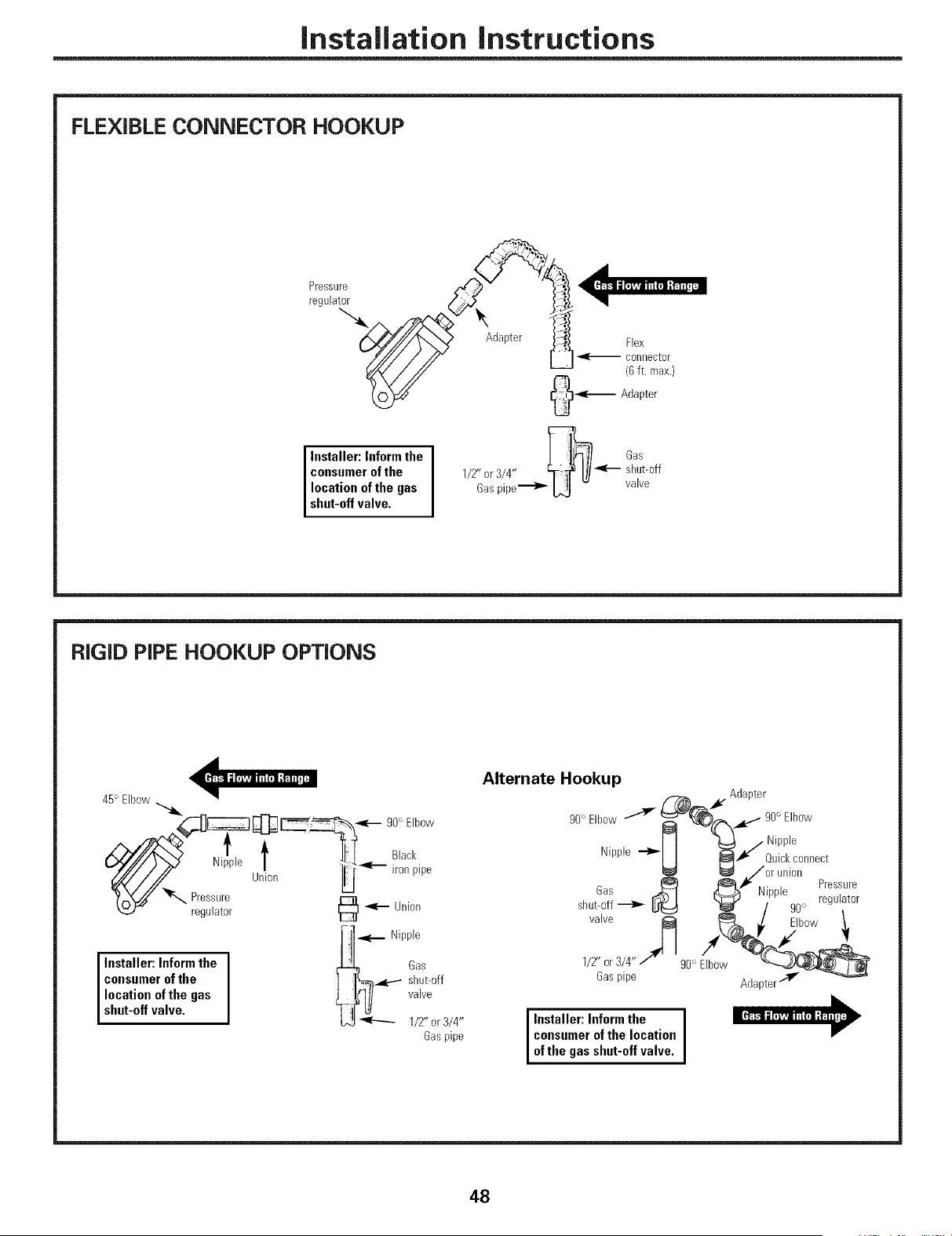
Installation instructions
FLEXIBLE CONNECTOR HOOKUP
[-........-q
Installer: Inform the [ :1_-_ 6as
consumer of the 1/2" or3/4" ff_l]/ _--- shut-off
location of the gas Gaspipe--'1_ L_ - valve
shut-off va ve.
RiGiD PiPE HOOKUP OPTIONS
45° EBow
___1.-- go°Elbow
regulator @
-1 _'_ Nipple
Installer: Inform the I ' _ off
consumer of the I _& !ii{_
location of the gas
shut-off va ve. 1/Z' or3/4"
Gaspipe
Alternate Hookup
_F Adapter
9o°Elbow_ ,_'(_¢"_'" 9o°E,}ow
11 _ / Nipple
Nipple _ _"
II _i Quickconoect
_/or union
r, @_) _ _ . . Pressure
oas _--I KL _ N_pple
shut-off _ _:_ kl_ / g0_ regulator
valve _ _, ./ Elbow1.
1/Z' or3/4"/" g0° Elbow "<_'_
Gaspipe Ad@ter _
Installer: Inform the I
consumer of the locution
I
of the gas shut-off va re.
48
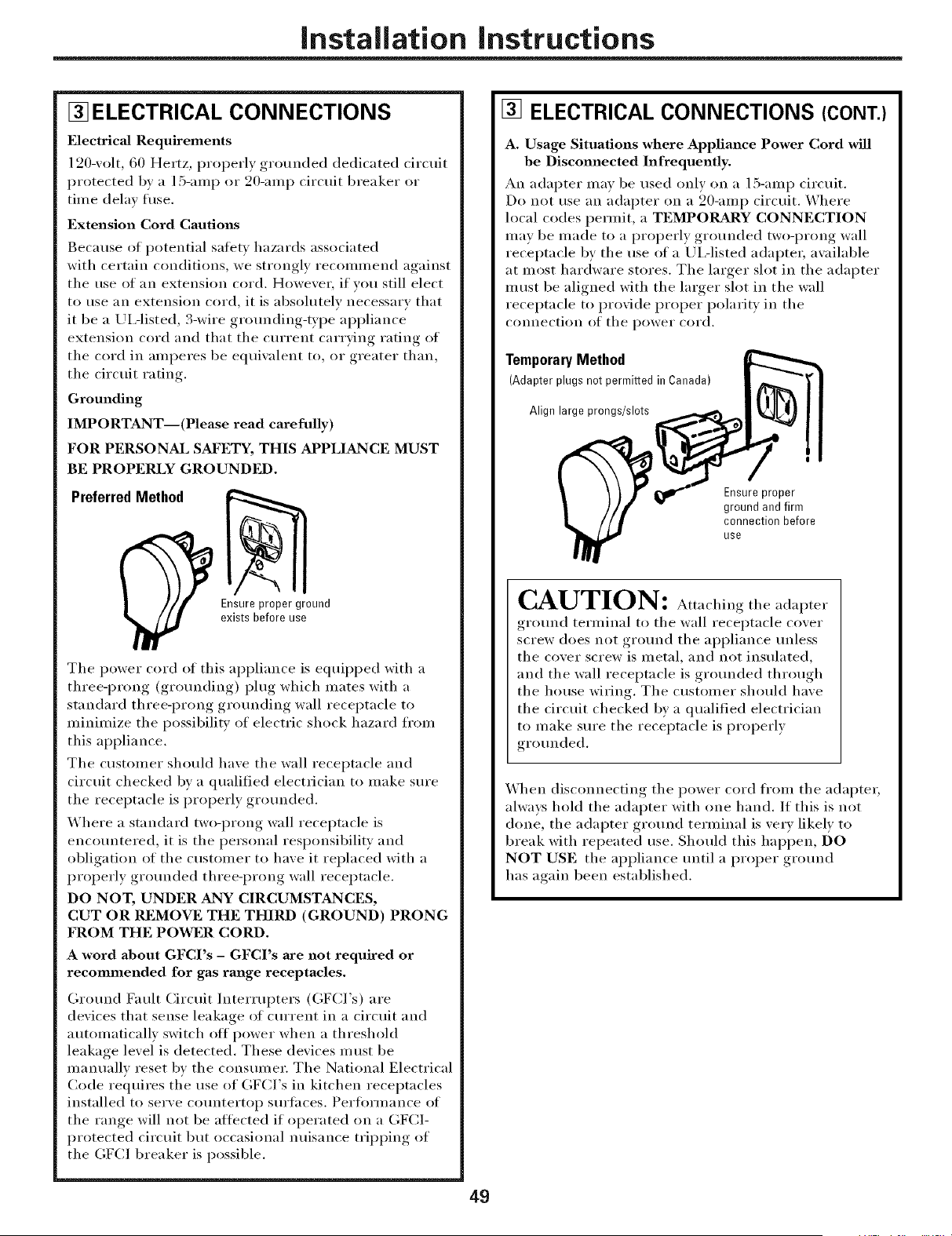
Installation instructions
[] ELECTRICAL CONNECTIONS
Electrical Requirements
120-volt, 60 Hertz, properly grounded dedicated circuit
protected by a ]5-amp or 20-am I) circuit breaker or
time delay fltse.
Extension Cord Cautions
Because of potential satiety hazards associated
with certain conditions, we strongly recommend against
the use of an extension cord. Howevei; if you still elect
to use an extension cord, it is absolutely necessary that
it be a /JIAisted, 3-wire gr(mnding-type appliance
extension cord and that the current carrying rating of
the cord in amperes be equivalent to, or greater than,
the circuit rating.
Grounding
IMPORTANT--(Please read carefully)
FOR PERSONAL SAf'I_TY, THIS APPLIANCE MUST
BE PROPERLY GROUNDED.
PreferredMethod
Ensureproper ground
exists before use
The power cord of this appliance is equii)ped with a
three-prong (grounding) plug which mates with a
standard three-prong grounding wall receptacle to
minimize the possibility of electric shock hazard from
this appliance.
The customer should have the wall receptacle and
circuit checked by a qualified electrician to make sure
the receptacle is properly grounded.
Where a standard two-prong wall receptacle is
encountered, it is the personal responsibility and
obligation of the customer to have it replaced with a
properly grounded three-prong wall receptacle.
DO NOT, UNDER ANY CIRCUMSTANCES,
CUT OR REMOVE THE THIRD (GROUND) PRONG
FROM THE POWER CORD.
A word about GFCI's - GFCI's are not required or
recommended for gas range receptacles.
Ground Fault Circuit Interrupters (GFCI's) are
devices that sense leakage of current in a circuit and
automatically switch off power when a threshold
leakage level is detected. These devices must be
manually reset by the consumer. The National Electrical
Code requires the use of GFCI's in kitchen receptacles
installed to serve countertop surfilces. Peril)finance of
the range will not be atti_cted if operated on a GFCI-
protected circuit but occasional nuisance tripping of
the GFCI breaker is possible.
[] ELECTRICAL CONNECTIONS (CONT.)
A. Usage Situations where Appliance Power Cord will
be Disconnected Infrequently.
An adapter may be used only on a 15-amp circuit.
Do not use an adapter on a 20-amp circuit. Where
local codes permit, a TEMPORARY CONNECTION
may be made to a properly grounded two-prong wall
receptacle by the use of a /JIAisted adaptei; available
at most hardware stores. The larger slot in the adapter
must be aligned with the larger slot in the wall
receptacle to provide proper polarity in the
connection of the power cord.
TemporaryMethod
(Adapter plugs not permitted in Canada)
Align large prongs/slots
Ensureproper
ground and firm
connection before
use
CAUTION: Att ,chingtheadapter
ground terminal to the wall receptacle cover
screw does not ground the appliance unless
the cover screw is metal, and not insulated,
and the wall receptacle is grounded through
rite house wiring. The custoiner should have
the circuit checked b)' a qualified electrician
to make sure the receptacle is properly
grounded.
When disconnecting the power cord fl'om the adaptei;
always hold the adapter with one hand. If this is not
done, the adapter ground terminal is very likely to
break with repeated use. Should this hal)pen, DO
NOT USE the appliance until a proper ground
has again been established.
49
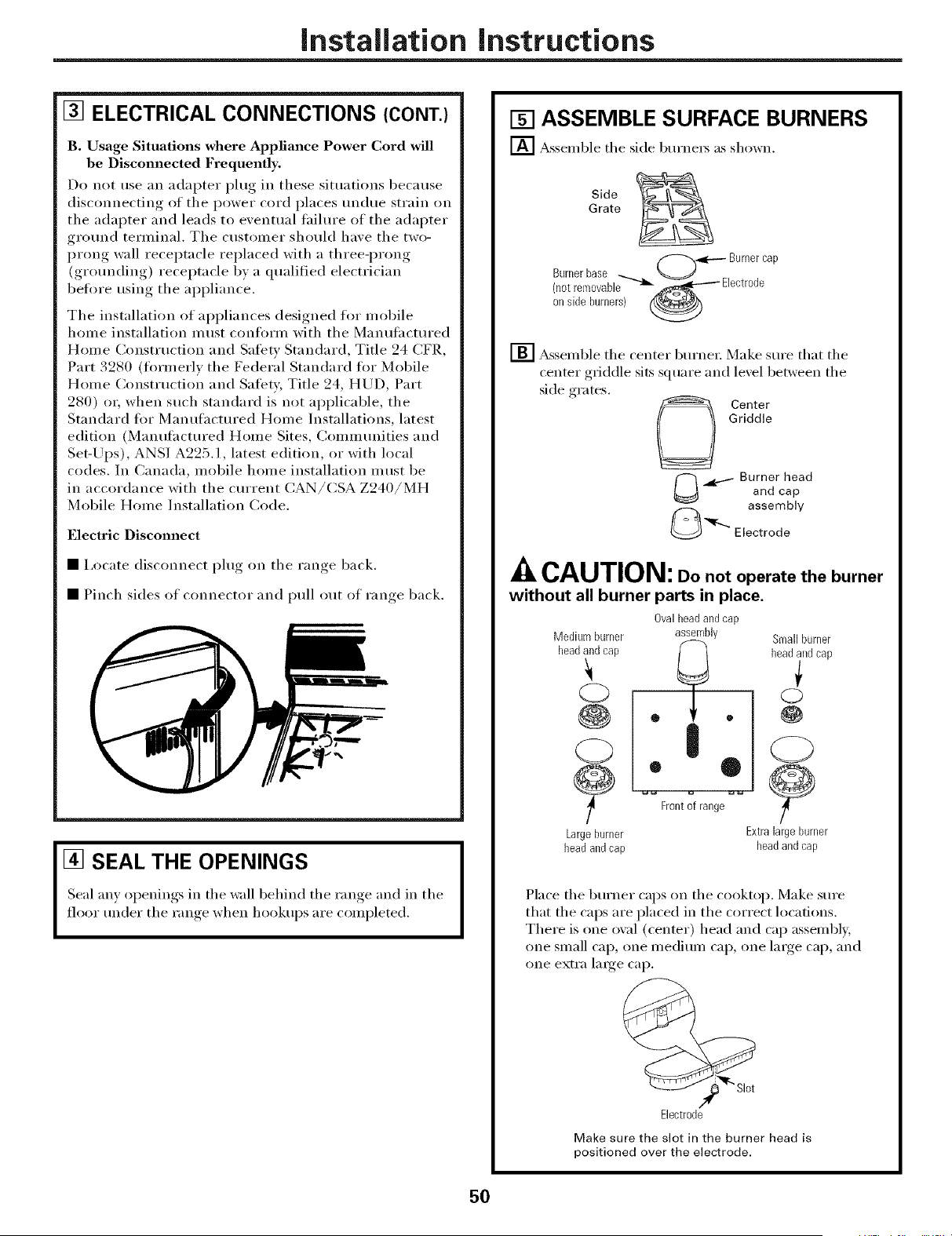
Installation instructions
[] ELECTRICAL CONNECTIONS (CONT.)
B. Usage Situations where Appliance Power Cord will
be Disconnected Frequently.
Do not use an adapter phtg in these situations because
disconnecting of the power cord places undue strain on
the adapter and leads to eventual taihu'e of the adapter
grotmd terminal. The customer should have the two-
prong wall receptacle replaced with a three-prong
(grotmding) receptacle by a qualified electrician
befl_re using the appliance.
The installation of appliances designed fin" mobile
home installation must confln'm with the Manufactured
Home Construction and Safety Standard, Title 24 CFR,
Part 3280 (formerly the Federal Standard fin" Mobile
Home Construction and Safety, Title 24, HUD, Part
280) o_; when such standard is not applicable, the
Standard for Mantdhctm'ed Home Installations, latest
edition (Mantdhctm'ed Home Sites, (_ommunities and
Set-Ui)s), ANSI A225.1, latest edition, or with local
codes. In Canada, mobile home installation must be
in accordance with the cmTent CAN/CSA Z240/MH
Mobile Home Installation Code.
Electric Disconnect
• i,ocate disconnect i)lug on the range back.
• Pinch sides of connector and pull out of range back.
[] SEAL THE OPENINGS
Seal am, ol_enings, in the wall behind the range and in the
floor trader the range, when hookul)S, are completed.
[] ASSEMBLE SURFACE BURNERS
[] _ssemble the side bm'ners as shown.
Side
Grate
('f_---- Burnercap
Burnerbase -_,_
(notremovable _ _-_ Electrode
on side burners)
_ssemble the center burner; Make sm'e that the
center griddle sits square and lexel between the
side grates.
Center
Griddle
_ .,_.....- Burner head
and cap
assembly
@ "_r-.. Electrode
-& CAUTION: oo not operate the burner
without all burner parts in place.
Ovalbeadand cap
Mediurnburner assembly
beadand cap
<D
@
(2)
Largeburner
headandcap
• •
Frontof range
Smallburner
headandcap
€
c)
@
5>
Extralargeburner
headand cap
Place the bm'ner caps on the cooktop. Make sure
that the caps are placed in the correct locations.
There is one oval (center) head and cap assembly,
one small cap, one medium cap, one large cap, and
one extra large cap.
%
Electrode
Make sure the slot in the burner head is
positioned over the electrode.
50
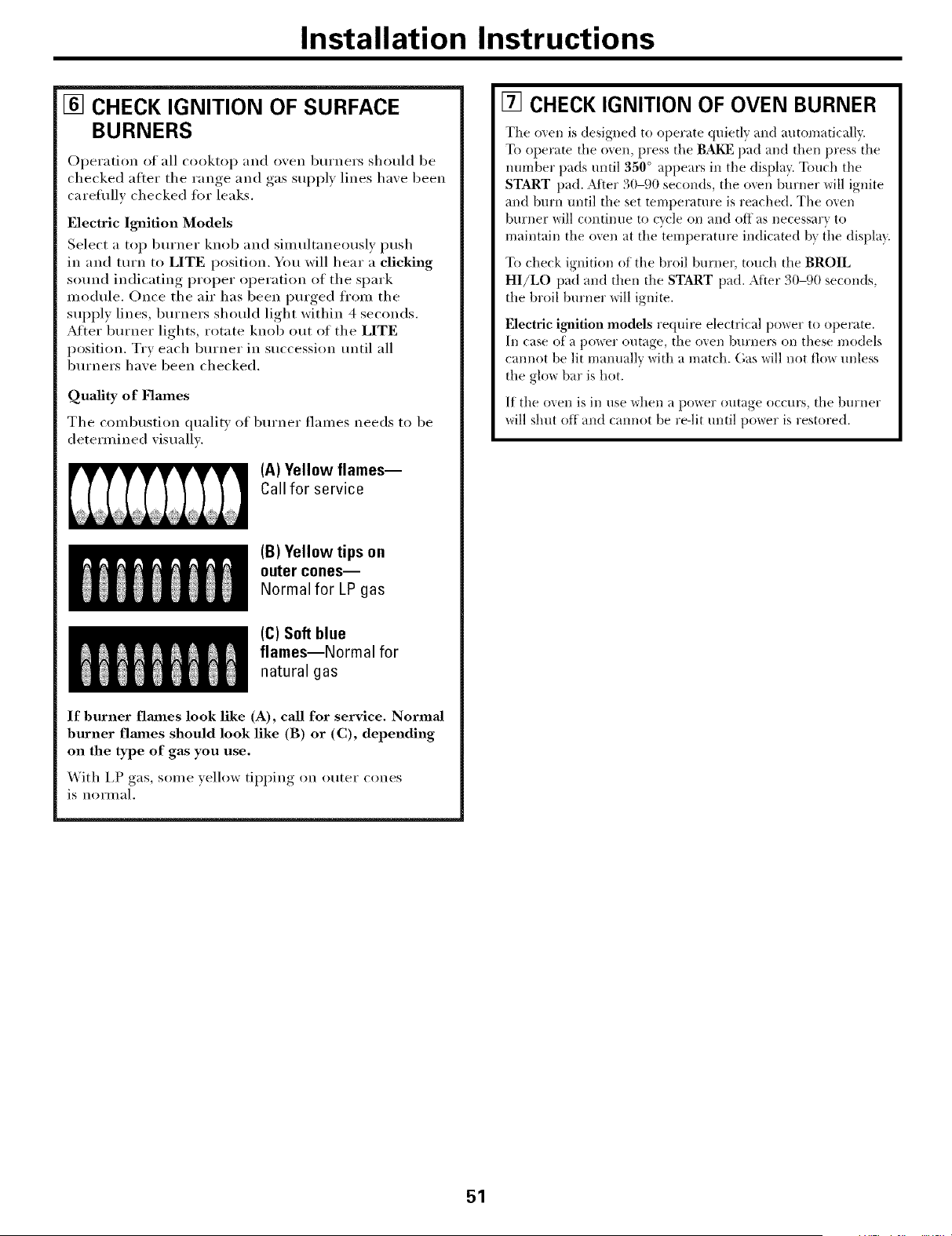
Installation Instructions
[] CHECK IGNITION OF SURFACE
BURNERS
Operation of all cooktop and oxen burners should be
checked after the range, and gas suppl) lines haxe been
careflfll_ checked fi)r leaks.
Electric Ignition Models
Select a top burner knob and simultaneously push
in and turn to L1TE position. You will hear a clicking
sound indicating proper operation of the spark
module. Once the air has been purged fl'om the
supply lines, burners should light within 4 seconds.
Afier burner lights, rotate knob out of the L1TE
position. Try each burner in succession until all
burners have been checked.
Quality of Flames
The combustion qualit) of burner flames needs to be
determined xisuallx.
(A)Yellow flames--
Callfor service
(B)Yellow tips on
outer cones--
Normal for LP gas
(C)Softblue
flames--Normal for
natural gas
If burner flmnes look like (A), call for service. Normal
burner flmnes should look like (B) or (C), depending
on the type of gas you use.
_4ith I,P _oas.....some _ ellow till) )ing, on outer cones
is normal.
[] CHECKIGNITION OF OVEN BURNER
The oven is designed to oi)erate quietly and automatically.
To operate the oven, press the BAKE pad and then press'the
number pads until 350 ° al)l)ears in the display. Touch the
START pad. _Mter 30-90 seconds, the oven burner will ignite
and burn until the set temperature is reached. The men
burner will continue to cycle on and off as necessary to
maintain the oven at the temperature indicated bx {he displa}.
To check ignition of the broil burner, touch the BROIL
HI/LO pad and then the START pad. After 30-90 seconds,
the broil burner will ignite.
Electric ignition models require electrical power to oi)erate.
In case of a t)ower outage, the men burners on these models
cannot be lit mammllv with a match. (',as will not flow unless
the glow bar is hot.
If the oxen is in use when a I)ower outage occurs, the bm'ner
will shut off and caimot be re-lit until power is restored.
51
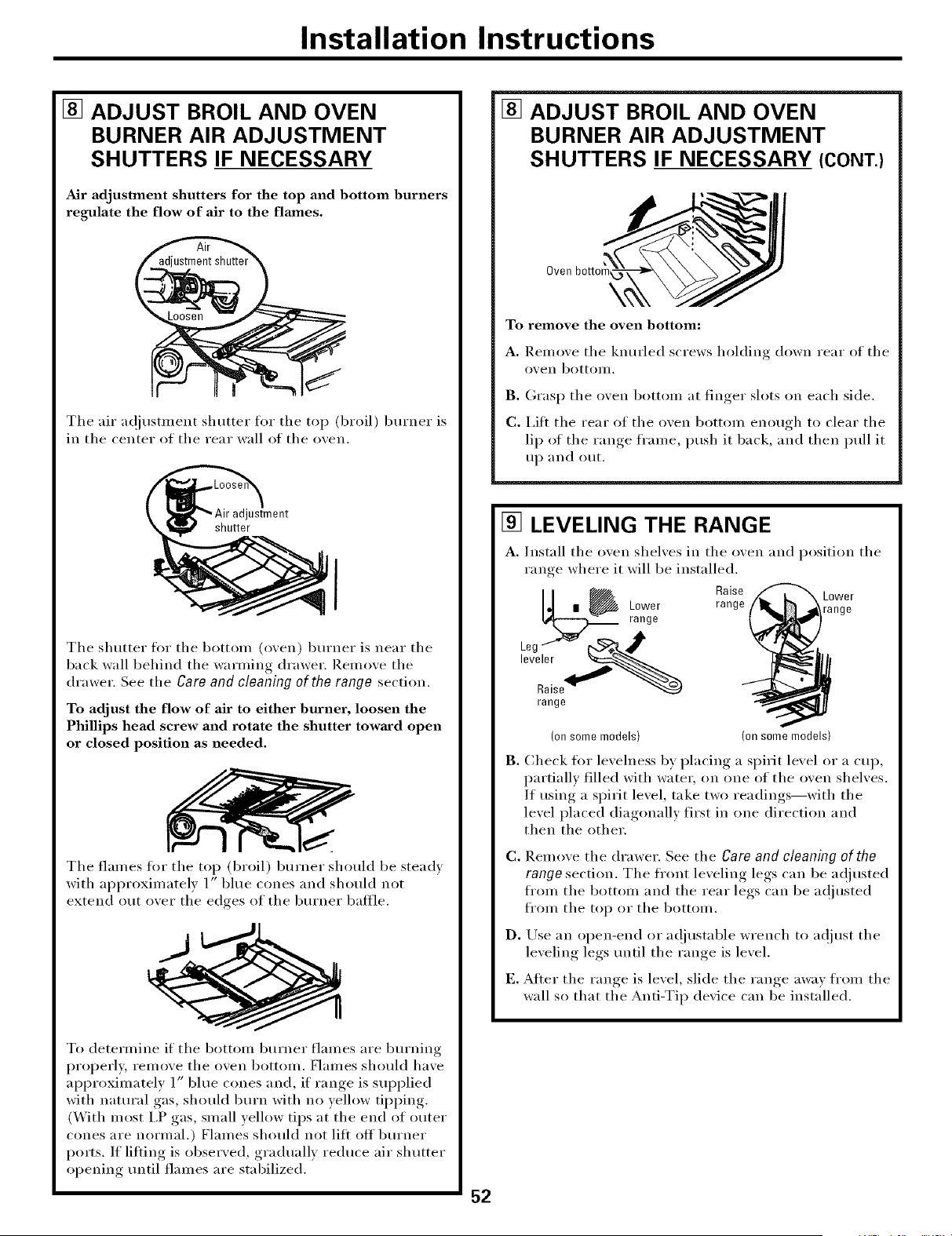
Installation Instructions
[] ADJUST BROIL AND OVEN
BURNER AIR ADJUSTMENT
SHUTTERS IF NECESSARY
Air adjustment shutters for the top and bottom burners
regulate the flow of air to the flmnes.
The air a(!iusm_ent shutter fin" the top (broil) burner is
in the center of the rear wall of the oxen.
Jstment
shutter
I
The shutter fl)r the bottom (oxen) burner is near the
back wall behind the warming drawer. Remoxe the
drawer. See the Care and cleaning of the range section.
To adjust the flow of air to either burner, loosen the
Phillips head screw and rotate the shutter toward open
or closed position as needed.
The flames for the top (broil) burner should be stea(h
with approximately 1" blue cones and should not
extend out oxer the edges of the burner baffle.
To determine if the bottom burner flames are burning
i)roperly, remove the oven bottom. Flames should have
approximately l" blue cones and, if range is sui)plied
with natural gas, should burn with no yellow tipping.
(_A]th most I.P gas, small yellow tips at the end of outer
cones are normal.) Flames should not lilt off burner
ports. If lilting is observed, gradually reduce air shutter
opening tmtil flames are stabilized.
[] ADJUST BROIL AND OVEN
BURNER AIR ADJUSTMENT
SHUTTERS IF NECESSARY (CONT.)
Oven
\
To remove the oven bottom:
A. Remove the knurled screws holding down rear of the
oxen bottom.
B. (;rasp the oven bottom at finger slots on each side.
C. i,ilt the rear of the oven bottom enough to clear the
lip of the range frame, push it back, and then pull it
up and out.
[] LEVELING THE RANGE
a.
range where it will be installed.
Raise
| _aO:_r range
range
Install the oven shelves in the oven and position the
Lower
range
(onsomemodels) (onsomemodels)
B. Check tot levelness by placing a spirit level or a cup,
partially filled with water, on one of the oven shelves.
If using a spirit level, take two readings--with the
level placed diagonally first in one direction and
then the other.
C.
D.
Remove the drawer. See the Care and cleaning of the
range section. The fl'ont leveling legs can be a(!justed
fl'om the bottom and the rear legs can be a(!justed
fl'om the top or the bottom.
Use an open-end or a(!iustable wrench to a(!iust the
lexelin,,_ legs tmtil the ram,e_ is lexel.
E. After the range, is level, slide the ram,e_ awax from the
wall so that the Anti-Tip dexice can be installed.
52
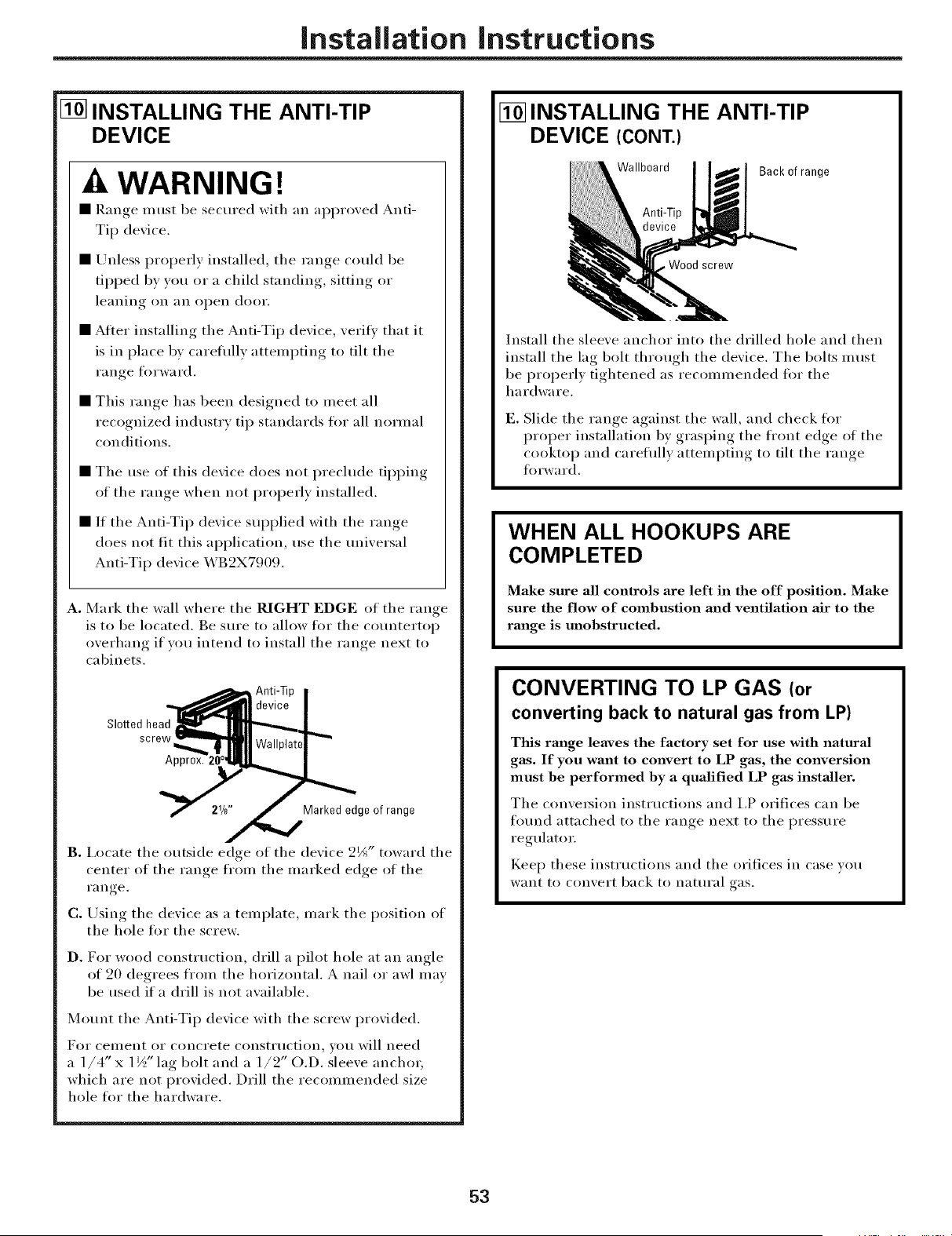
Installation instructions
[] INSTALLING THE ANTI-TIP
DEVICE
A WARNING!
• R'm,,e,_ must be secured with an approxed Anti-
Tip dexice.
• Unless properly installed, the range could be
tipped b) you or a child standing, ,sittin,,_ or
leailiilo_ Oil _lI1 ol)eI1 door.
• After installing the Anti-Tip dexice, xerili that it
is in place b) careflflly attempting to tilt the
I'll iloe forward.
• This ran,,e has been designed to meet all
recognized industry tip standards for all normal
conditions.
• The use of this dexice does not preclude tii,)Dim,
of the range when not properly installed.
• If the Anti-Tip dexice supplied with the range
does not lit this application, use the tmixersal
Anti-Tip dexice X,_B2X7909.
A. Mark the wall where the RIGHT EDGE of the range
is to be located. Be sm'e to allow fl)r the cotmtertop
overhang if you intend to install the range next to
cabinets.
Slotted head
Marked edge of range
2_ toward the
B. I.ocate the outside edge of the de_ice _J "
center of the range from the marked edge of the
I'}l I1 re
C. Using the dexice as a template, mark the position of
the hole for the screw.
D. For wood constH/ction, drill a pilot hole at an angle
of 20 degrees from the horizontal. A nail or awl may
be used if a drill is not axailable.
Mount the Anti-Tip dexice with the screw proxided.
For ceuleil[ or COilcrete COIlStItlctioI1, VOII will need
a 1/4" x 1½" lag bolt and a 1/2" O.D. sleeve anchor;
which are not provided. Drill the recommended size
hole tot the hardware.
[] INSTALLING THE ANTI-TIP
DEVICE (CONT.)
Wallboard
Back of range
screw
Install the sleeve anchor into the drilled hole and then
install the lag bolt through tile device. The bolts must
be properly tightened as recommended fin" the
hardware.
E. Slide tile range against the wall, and check fin"
proper installation by grasping the ti'ont edge ot the
cooktop and careflflly attempting to tilt the range
fin'ward.
WHEN ALL HOOKUPS ARE
COMPLETED
Make sure all controls are left in the off position. Make
sure the flow of combustion and ventilation air to the
range is unobstructed.
CONVERTING TO LP GAS (or
converting back to natural gas from LP)
This range leaves the factory set for use with natural
gas. If you want to convert to LP gas, the conversion
must be performed by a qualified LP gas installer,
The conxet_ion instructions and I,P orifices can be
fotmd attached to the ran(,e_ next to the l)ressm'e
regulator.
Kee I) these instructions and the orifices in case you
XV[IIIt1o COIlx.ert back to Ilattlral gas.
53
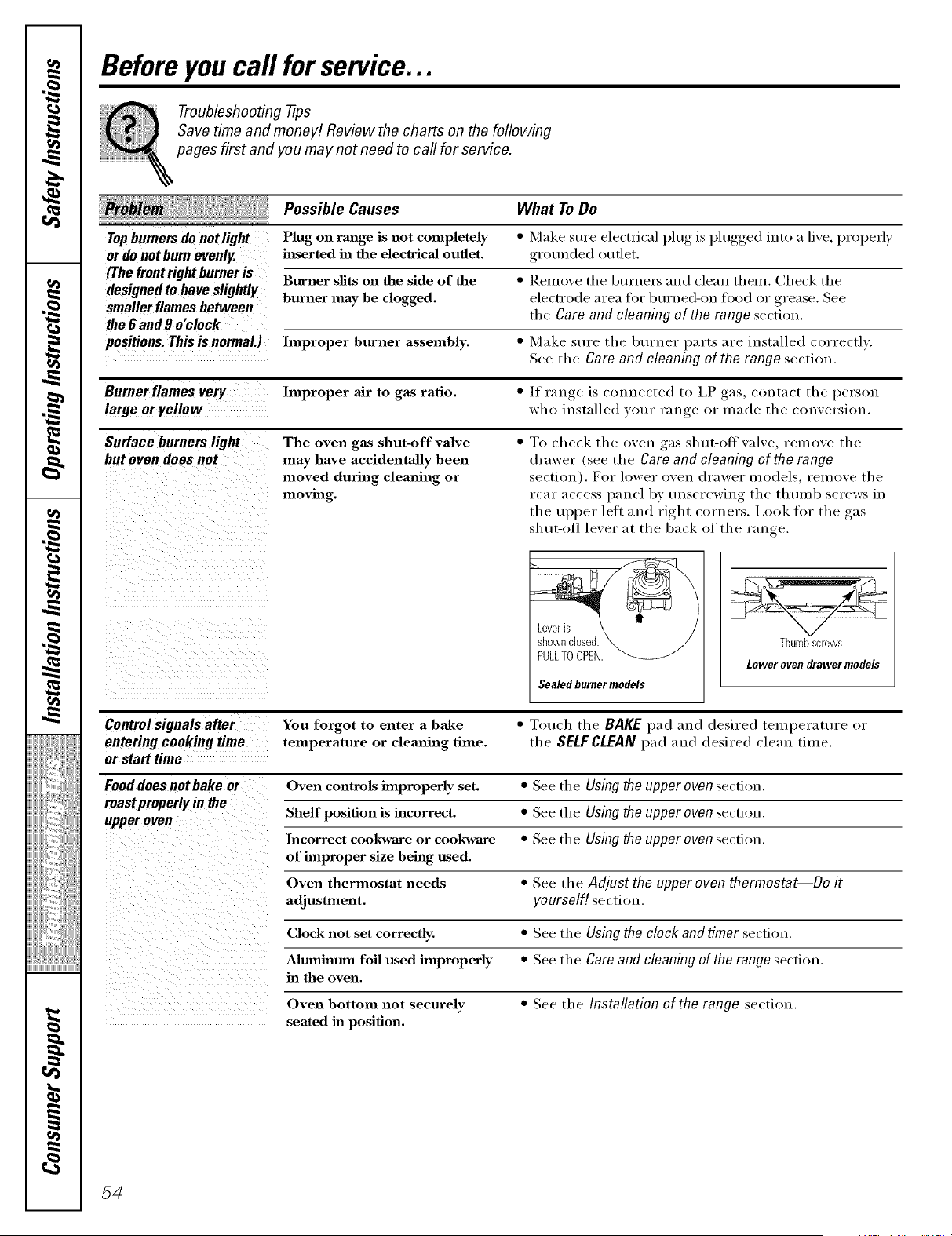
Before you call for service...
Troubleshooting -tips
Save time and money! Review the charts on the following
pages first and you may not need to call for service.
Possible Causes What To Do
Topbumem do notlight Plug on range is not completely * Make sure ele(tvical plug is l)lugged into a live, properly
or do not burn evenly, i_serted in the electrical oudet, grounded _)uflet.
(The front rightburner is _ _ -- _ -- --
....... Burner slits on the side of the I-_emove the burnel_ and clean theIu. Check the
ueslgnedto nave Sllgml y burner may be clogged, electrode area for burned-on food or grease. See
smaller flames between _ . _.
., ^ -,.... the Care and cleaning of the range secnon.
_ue # aria u o CLOCK __ ,
positions. This is normaL) hnproper burner assembly. * Make sure the burner parts are installed correctly.
See the Care and cleaning of the range section. "
Burner flames very hnproper air to gas ratio. * /f range is com_ected to I,P gas, contact the person
large or Fellow who installed your range or made the conversion.
Surface burners light The oven gas shut-off valve * To check the oven gas shut-oft valve, remove the
but ovendoes not may have accidentally been drawer (see the Care and cleaning of the range
moved during cleaning or section). For lower oven drawer models, remove the
moving, rear access panel by unscrewing the thuml_ screws in
the upper led and right corners. Ix>ok for the gas
shut-otf lever at the back of the range.
Control signals after You forgot to enter a bake * Touch the BAKE pad and desired teuq)erature or
entering cooking time temperature or cleaning time. the SELFCLEAN pad and desired clean time.
or start time
Fooddoes notbake or Oven controls improperly set. * See the Using the upper oven section.
mast properly in the -- -
upper oven Shelf position is incorrect. * See the USing the upper oven section.
Incorrect cookware or cookware * See the Using the upper oven section.
of improper size being used.
Oven thermostat needs * See the Adjust the upper oven thermostat--Do it
adjustment, yourself! section.
Clock not set correctly. * See the Using the clock and timer secdon.
Alumhaum foil used improperly * See the Care and cleaning of the range section.
ha the oven.
Oven bottom not securely * See the Installation of the range section.
seated ha position.
54
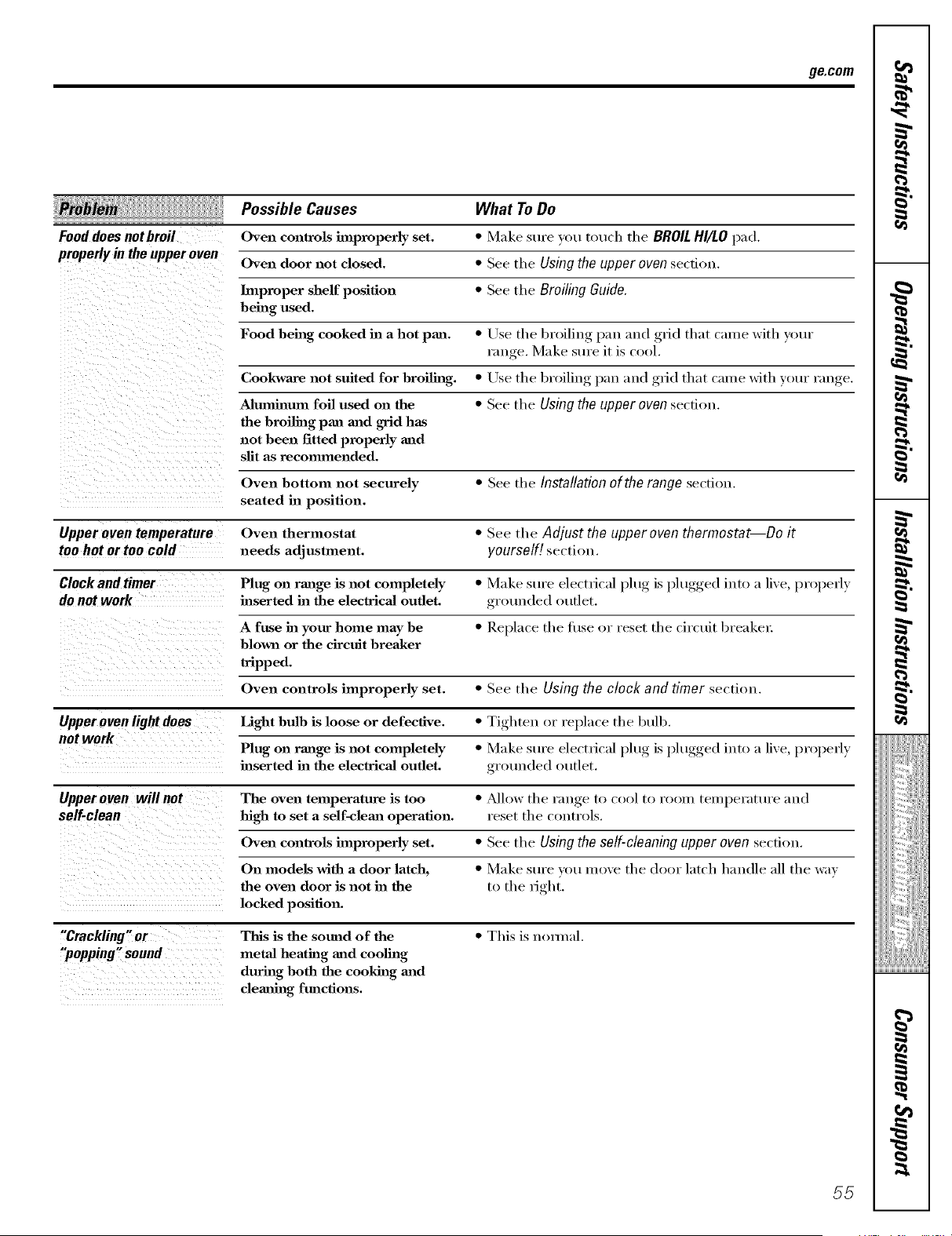
ge.com
Possible Causes What To Do
Food doesnotbmil Oven controls hnproperly set. * Make sure you touch the BROILHI/LO pad.
properly in theupper oven Oven door not closed. * See tile Using the upper oven section.
Improper shelf position * See the Broiling Guide.
being used.
Food being cooked in a hot pan. * Use., tile broiling, l_au mad _,,rid that came with your
rau _e Make sure it is cool.
Cookwm'e not suited for broiling. * Use the broiling pan and grid that came with your range.
Aluminum foil used on the * See tile Using the upper oven section.
the broiling pan mad grid has
not been fitted properly mad
slit as recommended.
Oven bottom not securely * See the Installation ofthe range section.
seated in position.
Upper oven temperature Oven thermostat * See tile Adjust the upper oven thermostat--Do it
too hot ortoo cold needs adjustment, yourself[ section.
Clock and timer Plug on range is not completely * Make sure electrical l)lug is l)lugged,, into a live, properly
do not work inserted ha the electrical outlet, grounded outlet.
A fuse ha your home may be * Replace tile 1Use or reset tile circuit breaker:
blown or the circuit breaker
tripped.
Oven controls improperly set. * See tile Using the clock and timer section.
Upper oven light does Light bulb is loose or defective. * Tighten or replace the btdb.
not work
Plug on range is not completely " Make sure electrical l)lug is l)lugged,, into a live, laroperly
inserted ha the electrical outlet, grotu]ded outlet.
Upperoven willnot The oven temperature is too * ?dh)w tile range tl) cool tl) rol)m temperature aud
self-clean high to set a self-clema operation, reset the cl)utrols.
Oven controls improperly set. " See the Using the self-cleaning upper oven section.
On models with a door latch, * Make sure vl)u move tile door latch handle :111the way
the oven door is not in the to the right.
locked position.
"Crackling" or This is the sound of the * This is u()m/al.
"popping" sound metal heating mad cooling
durhag both the cooking mad
cleaning functions.
55
iiiiiiiiiiiiiii!!ii_
iIiiii i i__
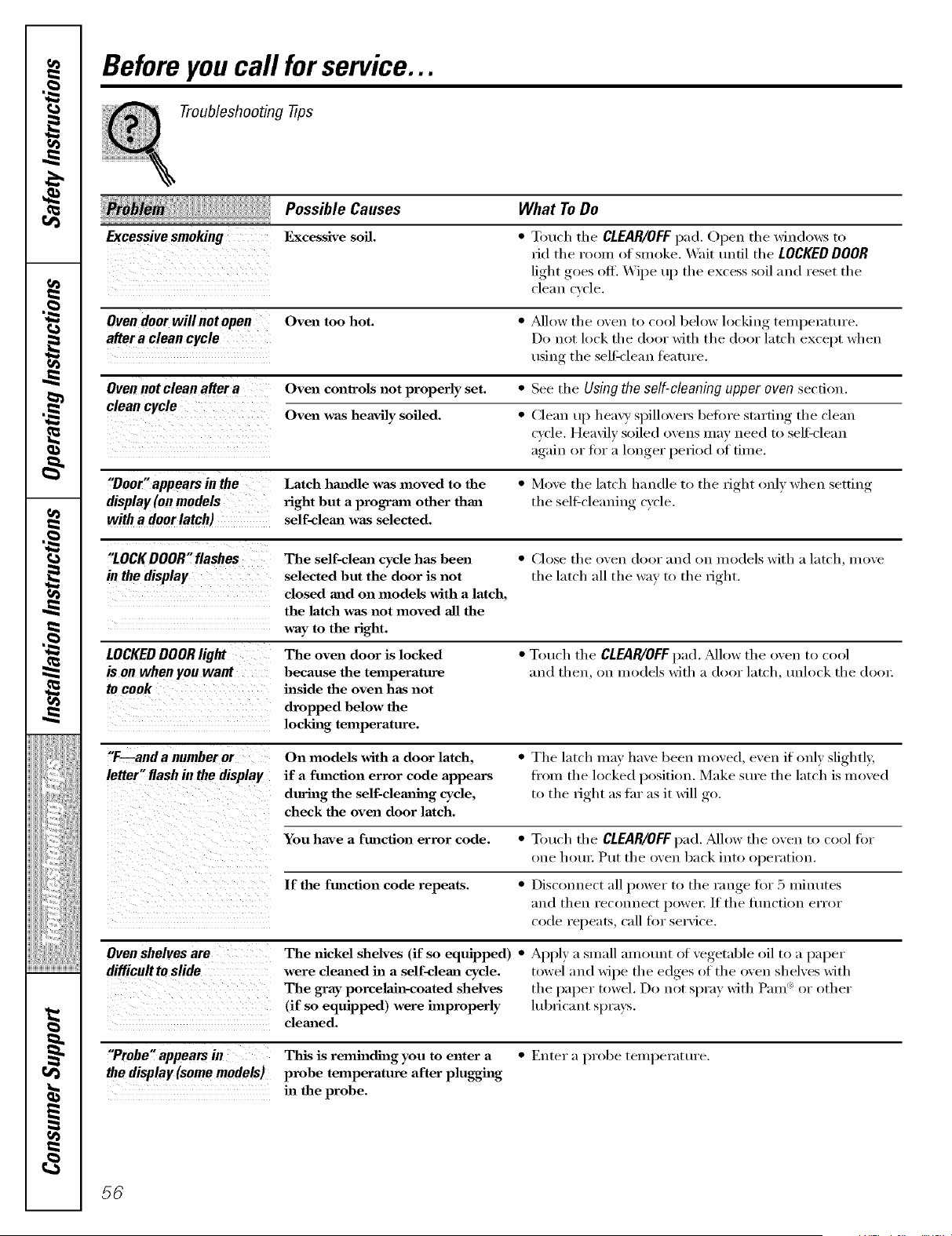
Before you call for service...
Troubleshooting tips
Possible" Causes What To Do
Excessivesmoking Excessive soil. * Touch tile CLEAR/OFFpad, Open tile windows to
rid tile room of smoke. Wait until tile LOCKEDDOOR
light goes off. Wipe up tile excess soil and reset tile
cleuu cycle.
Oven door will not open Oven too hot. * _dlow tile oven to cool below locking tempe_zlture.
aftera clean cycle Do not lock tile do(n" with tile do(n" latch except when
using tile sell=clean feature.
Oven not clean after a Oven controls not properly set. * See the Using the self-cleaning upper oven section.
clean cycle
Oven was heavily soiled. * Clean tq) heavv spillove_ before starting tile clean
cycle. Heavily soiled ovens may need to sell=clean
again, or fin" a longer, l)eri°d of filue.
"Door"appears inthe Latch handle was moved to the * Move the latch hamlle to the right only when setting
display (on models fight but a program other than the sell_cleauiug cycle.
with a door latch) self-clema was selected.
"LOCKDOOR" flashes The self-clem_ cycle has been * ('Jose tile oven door aml on models with a latch, move
in the display selected but the door is not tile latch all tile way to tile right.
closed mad on models with a latch,
the latch was not moved all the
way to the right.
LOCKEDDOOR light The oven door is locked * Touch tile CLEAR/OFF1):1(1.?dlow tile oven to cool
is onwhenyou want because the temperature and then, on models with a door latch, uuhwk tile (loo_:
to cook inside the oven has not
dropped below the
locking temperature.
"F--and a number or On models with a door latch, * Tile latch may have been moved, even if only slightly,
letter"flash in the display if a function error code appears fi'om the locked position. Make sure the latch is moved
during the self-clemahag cycle, to the right as thr as it will go.
check the oven door latch.
Youhave a ftmcfion error code. * Tot/oh the CLEAR/OFFpad.?dlowtheoveutocoollbr
()lie hot/I: PI/t the oveu back lute o})el'_ltiou.
If the function code repeats. * Disconnect all power to the range for 5 ufiuutes
and then reconnect l)owe_: If tile flmctiou error
code l'epeat_s, call fin" service.
Oven shelves are The nickel shelves (if so equipped) * Apply a small amount of vegetable oil to a paper
difficnltto slide were cleaned in a self-cleml cycle. : towel and wipe tile edges of tile oven shelves with
The gray porcelahl-coated shelves tile paper towel. Do not spray with Pare "_or other
(if so equipped) were improperly ltd_ricaut sprays.
cleaned.
"Probe" appearsin This is reminding you to enter a Enter a probe temperatt/re.
the display (some models) probe temperature after plugging
in the probe.
56
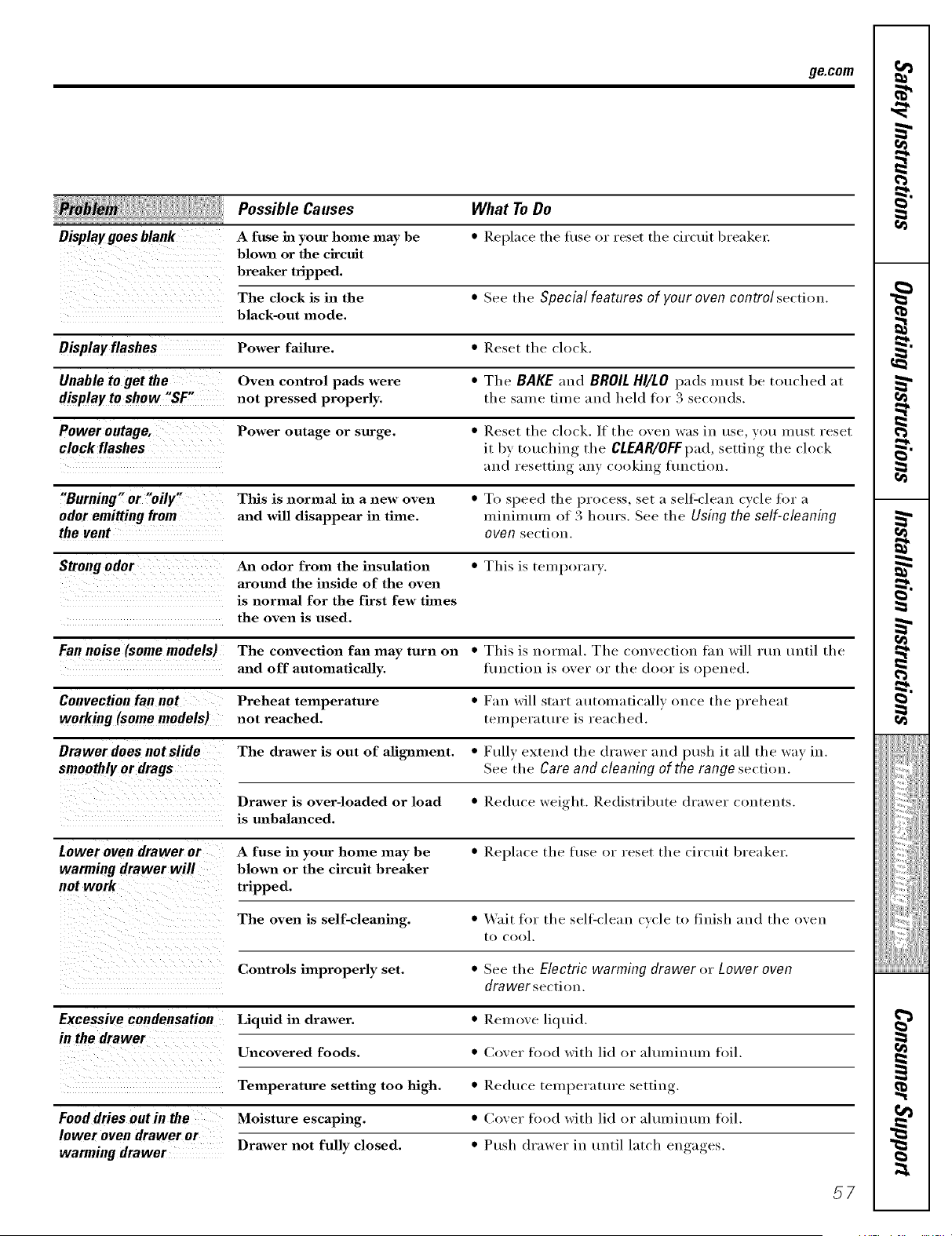
ge.com
Possible Causes
Display goes blank A fuse in your home may be
blown or the circuit
breaker tripped.
The clock is in the * See tile Special features of your oven control section.
black-out mode.
Display flashes Power failure. * Reset tile clock.
Unable to get the Oven control pads were * Tile BAKE and BROIL HI/LO pads must be touched at
display to show "SF" not pressed properly, tile same time and held for 3 seconds.
Power outage, Power outage or surge. * Reset tile clock. If the oven was in use you must reset
clock flashes it 1)y touching the CLEAR/OFFpad, setting tile clock
and resetting any cooking flmction.
"Burning" or "oily" This is normal in a new oven * To speed the process, set a sell:clean cycle fin" a
odor emitting from and will disappear in time. minimum of 3 hours. See the Using the self-cleaning
the vent oven section.
Strong odor An odor from the insulation * This is temporary.
aromzd the inside of the oven
is normal for the first few times
the oven is used.
Fan noise (some models) The convection fan may turn on * This is normal. Tile convection fiu_ will Hm until tile
and off automatically, flmction is over or tile door is opened.
Convection fan not Preheat temperature * Fan will start automatically once tile preheat
working (some models) not reached, temperature is reached.
Drawer does not slide The drawer is out of afignment. * Fully extend the drawer and push it all tile way in.
smoothly or drags See tile Care and cleaning of the range section.
Drawer is over-loaded or load * Reduce weight. Redistribt/te drawer contents.
is unbalanced.
Lower oven drawer or A fuse in your home may be * Replace the fi/se or reset tile circtfit breaker.
warming drawer will blown or the circuit breaker
not work tripped.
The oven is self-cleanh_g. * Wait for the sell=clean c\'cle to finish and the oven
to cool.
Controls improperly set. * See the Electric warming drawer i)r Lower oven
drawerse(,tion.
Excessive condensation Liquid in drawer. * Remove liquid.
in the drawer
Uncovered foods. * Cover food with lid or aluufintnn tbil.
Temperature setting too high. * Redtl(e temperature setting.
Food dries out in the Moisture escaping. * (;over tbod with lid or aluufintnn foil.
lower oven drawer or
Drawer not fully closed. * Push drawer in until lat(h engages.
warming drawer
What To Do
• Replace the tilse or reset the (ir('tfit breaker:
57
+
=g.
_iiiiiiiiiiiiiii!!ii+,
+liiii i i__
i
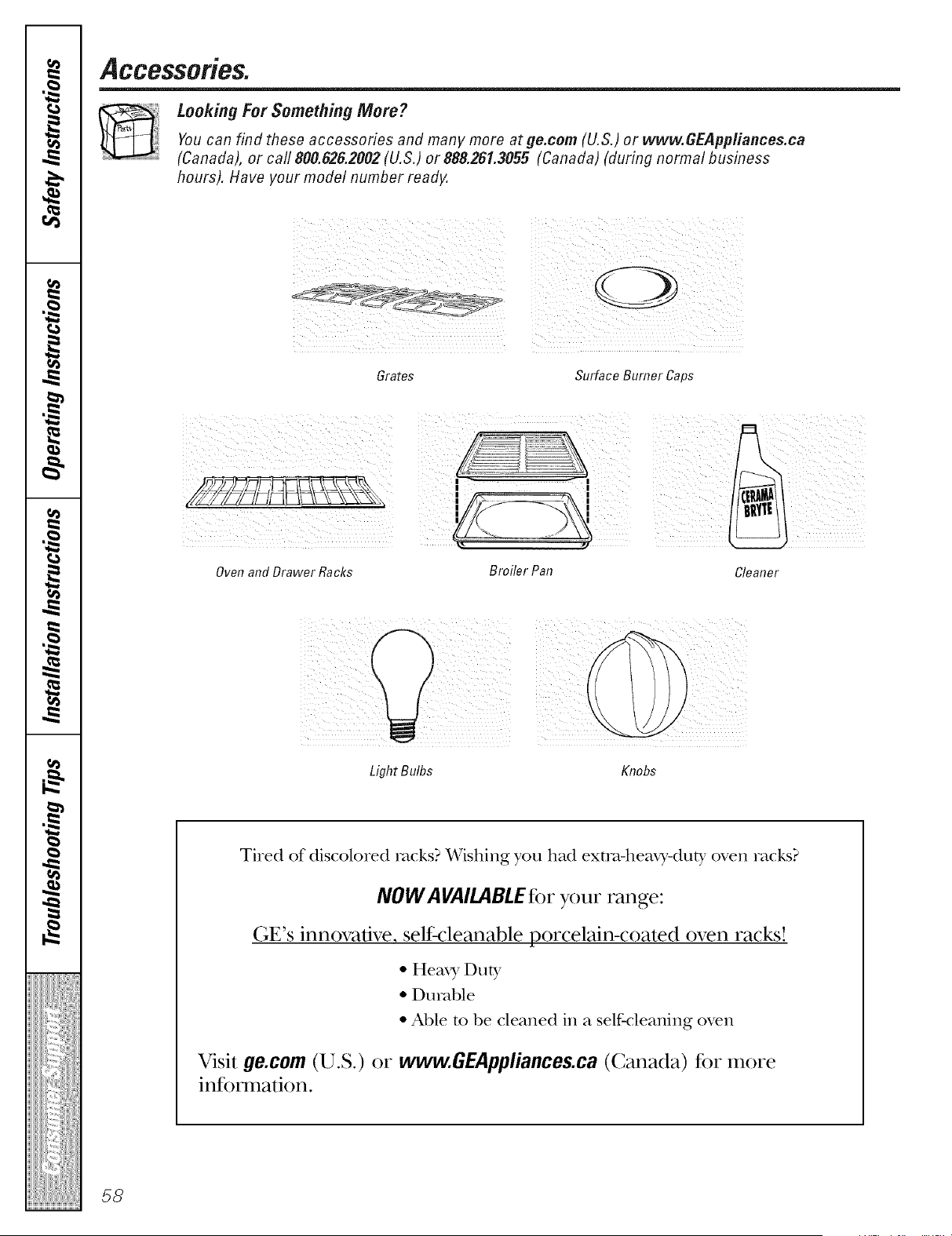
Accessories.
Looking For Something More ?
Youcan find these accessories and many more at ge.com (U.S.) or www.GEPppliances.ca
(Canada), or carl 800.626.2002 (U.S.) or 888.261.3055 (Canada) (during normal business
hours). Have your model number ready.
Grates Surface Burner Caps
i¸ /
Oven and Drawer Racks
Light Bulbs Knobs
Tired of discolored rocks? Wishing you had extol-hearT-duty oven racks?
NOW AVAILABLEfor your range:
(;E's innovative, selfk:leanable porcelain-coated oven racks!
• Heax T Duty
• Durable
• Able m be cleaned in a self-cleaning oven
Visit 9e.com (U.S.) or ww_GEAppliances.ca (Canada) for more
inR) nnafion.
58
GE Service Protection Plus 'M
GE, a name recognized _xorldwide fbr quality and dependability; of;_ers y(m
Service Protection Plus '"--comprehensive protection on all your appliances--
No Matter What Brand!
Benefits Include:
• Backed by GE
• All brands covered
• Unlimited service calls
• All parts and labor costs included
• No out-of-pocket expenses
• No hidden deductibles
• One 800 nmnber to call
We'll CoverAny Appliance.
Anywhere. Anytime.*
YOu will be completel) satisfied with our service protection or xou ma} request }our money back
on the remaining value of)our contract. No questions asked. It's that simple.
Protect v(mr refl'igerator, dishwasher, washer and (hyer, range, TV, VCP. and much more--any brand!
Plus there's no extra charge f()r emergency serxice and low monthly financing is available. Eve** icemaker
coverage and tood spoilage protection is ottbred. You ca** rest eas> knowing that all your valuable
household products are protected against expensive repairs.
Place }our confidence in GE and call us in the U.S. toll-free at 800.626.2224
for ll*ore illforlllatioll.
*All lmmds (o_(xed, up Io 20 )(ax_ old, in Ih( (omineuta/ U.S.
_ (_tll h(Te
Please place in envelope and mail to:
General Electric Company
Warranty Registration Department
P.O. Box 32150
Louisville, KY 40232-2150
59
Consumer Product Ownership Registration
Dear Customer:
Thank you for purchasing our product and thank you for placing your confidence in us.
VVeare proud to ha_e you as a customer!
Follow these three steps to protect your new appliance investment:
Complete and mail
your Consumer
Product Ownership
Registration today.
tLwe the pe_lce of
mind of" knowing wc
call contact VOU ill
tile unlikely exent of a
safiT, modificalion.
Atter lnailing tile
registration below,
store this document
ill a sati' place. It
contains inlormation
you will need should
you require service.
Our selwice number is
800.GE.CARES
(8(t0.43'_).2737).
Read your Owner's
Manual carefllllv.
It will help you
operate your lleV_
appliance properly.
Model Number Serial Number
,,, , , , , , II , , , , , , , , I
Important: If you did not get a registration card with your
product, detach and return the form below to
ensure that your product is registered, or register
online at ge.com.
Consumer Product Ownership Registration
@
Model Number Serial Number
M_ Ms. Mrs. Mi_',
FinalI I Lasll
Nanl( I I I I I I I I I Name I I I I I I I I I I I I
Sift el I
Addr(ss I I I I I I I I I I I I I I I I I I I I I I I I
I
I
Ap_.#l, , , , , , , I E-lnailAddress*
(;i,,I , I
l )ale Placed
In Use 111
Momh
Zip I
Null,l,erlI I II I I I-I I I I I
GE Consumer & Industrial
Appliances
General Electric Company
Louisville, KY 40225
gecom
* Please provide your e-mail address to receive, via e-nlail, discounts, special ottLp, and other important
communications from GE Appliances (GEA).
Check here if you do not want to receixe communications ti-onl GEA's careflflly selected partners.
FAILI JRE TO COMPI.ETE AND RETI RN Tt tIS CARD DOES NOT DIMINISII YOI JR
WARRAN'IY RI (;I ITS.
For intormation about GEA's prixacy and data usage polic); go to ge.com and click on "Prixacy Poli(y"
or call 800.62(;.2'224.
6O
_te$.
w
m
w
w
m
61
GEGasRange Warranty.(Forc.stemersintheUnitedStates)
All warranty service provided by our Factory Service Centers,
or an authorized Customer Care® technician. To schedule service,
on-line, 24 hours a day, vis# us atge.com, or carl 800.GE.CARES
(800.432.2737).Please have serial number and model number
available when calling forservice.
Stapleyourreceipt here.
Proofoftheoriginal purchase
dateisneeded to obtainservice
under thewarrant_
Fromthe date ofthe
originalpurchase
GE Will Replace:
Anypattofthe range which fifils due to a (letect in materials or workmanship, During this
limRedone-year warranty, GE will also provide, freeof charge, all labor and in-home se_Mce
to replace the delecti\'e part.
_; Service trips to your home to teach you how to use
the product.
::Ji::Improper installation, delivery or maJntenm_ce.
::Ji::Failure of the product if it is abused, misused,
or used for other than the intended purpose or
used commerciaJly.
_ Replacement of house fuses or resetting of circuit
breakers.
_: Damage to the product caused by accident, fire, floods
or acts of God.
::Ji::h_cideuta] or consequeutiaJ damage caused by possible
defects with this applimace.
::Ji::Damage caused after delivery.
!;_:Product not accessible to provide required service.
EXCLUSIONOF IMPLIED WARRANTIES--Your sole and exclusive remedy isproduct repair as provided
in this Limited Warranty.Any implied warranties, including theimplied warranties ofmerchantability
or fitness for a particular purpose, are limited toone year or theshortestperiod allowed bylaw.
This warranty is extended to the original purchaser and any succeeding owner for products purchased for home
use within the USA. If the product is located in an area where service by a GE Authorized Servicer is not available,
you may be responsible for a trip charge or you may be required to bring the product to an Authorized GE Service
Location for service. InAlaska, the warranty excludes the cost of shipping or service calls to your home.
Some states do not allow the exclusion or limitation of incidental or consequential damages. This warranty gives
you specific legal rights, and you may also have other rights which vary from state to state. To know what your
legal rights are, consult your local or state consumer affairs office or your state's Attorney General
Warrantor."GeneralElectric Company.Louisville,KY 40225
62
GEGasRange Warranty. (Forc.stomersi, Canada)
All warranty service provided by our Factory Service Centers Stapleyourreceipt here.
or an authorized Customer Care® technician. For service, Proofoftheoriginal purchase
call 1.800.361.3400.Please have serial number and model dateisneeded toobtainservice
number available when calling for service, under thewarrant_
_ Mabe Will Replace:
One Year Anypart of the range which fifils due to a defect in materials or workmanship, During this
Fromthe date ofthe limitedone-yearwarranty,Mabewill alsoprovide, free ofcharge,all laborandin-homeserxiceto
origina!purchase replace the detecti_e part.
?_:Service trips to your home to teach you how to use
the product.
i_i::hnproper h_staJlation, delivery or maintenance.
?_:Failure of the product if it is abused, misused,
or used for other thm_ the intended purpose or
used commercially.
::_i::Replacement of house fuses or resetting of circuit
breakers.
!i_:Damage to the product caused by accident, fire, floods
or acts of God.
::_i::Incidental or consequentiaJ dmnage caused by possible
defects with this applim_ce.
)_ Dmnage caused after delivery.
iJi::Product not accessible to provide required service.
EXCLUSION OF IMPLIED WARRANTIES--Your sole and exclusive remedy isproduct repair as provided
in this Limited Warranty.Any impfied warranties, including theimplied warranties ofmerchantability
or fitness for a particular purpose, are limited toone year or theshortestperiod allowed bylaw.
I ,_ARRANTOR IS NOT RESPONSIBLE FOR CONSEQUENTIAI, DAMAGES. ]
_'arrantor: MABE CANADA IN(:. ]
83
ConsumerSupport.
GEAppliancesWebsite i,,the_.,.8.:go.corn
Have a question or need assistanre _dth ?our appliance? Tr_ the GE Appliances \\ ebsite 24 hom_ a day,
am da_ of the ",ear! For greater convenience and fhster service, you can m_w download Owner's Mmmals,
order pm'ts or even schedule service on-line. In Canada." www.GEAppliances.ca
ScheduleService i,,the_.,.8.:0e.c0m
Expe_t (;E repair service is onl_ one step awa_ fl'om _our doo_: Get on-line and schedule _our service at }our
convenience 24 hom_ am dav of the }ear! (-)r call 800.GE.CARES (800.432.2737) during mmnal business hom_.
In Canada, call 1.800.361.3400
RealLife DesignStudio i,,the_.,.8.:0e.c0m
GE suppo_q:s the lJni_wsal Design concept--produrts, services and enviromnents that can be used by people ot all
ages, sizes and capabilities. We recognize the need to design fi)r a wide range of physical and mental abilities and
impairments. For details of GE's Universal Design applications, including ldtchen design ideas %r people with
disabilities, check out our \'Vebsite today. For the heating impaired, please call 800.TDD.GEAC (800.833.4322).
In Canada, contact: Manage_; ( onsmner Relations, Mabe (;anada Inc.
Suite 310, ] Factoxw I,ane
Moncton, N.B. E1C 9M3
ExtendedWarranties l,, theu.s.:go.corn
Pro'chase a GE extended warran b and learn about special discotmts that are available while }ore" warran b is still
in effect. Y_m can pro'chase it on-line an}_ime, or call 800.626.2224 during mmnal business hem's. (;E Consumer
Home Services x511 still be there after }our warrant} expires. In Canada, call 1.888.261.2133
PartsandAccessories
In the U.S.: go.corn
Individuals qualified to sec_'ice their own appliances can have pails or accessories sent directly to their homes
(VISA, MasterCard and Discover cards me accepted). Order on-line today, 24 hem's e',ery day or by phone at
800.626.2002 during normal business hours.
Instructionscontained in this manual cover procedures to be perlormed by anyuser. Other servicing generally should be
referred to qualified service personnel. Caution mustheexercised, since impreper servicing may cause unsafe operation.
Customers in Canada shoukl consult the yellow pages for the nem'est Mabe service rente_; or (all 1.888.261.3055.
ContactUs
In the U.S.: go.corn
If you are not satisfied with the service you receive fl'om GE, contact us on our \'Vebsite with all the details
including your phone numbel; or write to: General Managel; Customer Relations
GE Appliances, Appliance Park
I,ouisville, KY 40225
In Canada." www.GFAppliaJaces.ca, or _fite to: Directm; Consmner Relations, Mabe Canada Inc.
Suite 310, 1Factory I,ane
Moncton, N.B. E1C 9M3
RegisterYourAppliance i,,the_.,.8.:0e.c0m
Register your new appliaaace on-line---at your convenience! TimeE, Im_duct registration, will allow for enhanced
communication and prompt service under the terms of }our x_arrant*_ should the need raise, go_.l ma} also mail
in the pre-pfinted registration card included in the l)acMng, material. In Canada: www, GFAppliances.ca
Printed in Mexico
Thisbook isprinted on recycled pape_

