Installation & Operations Manual
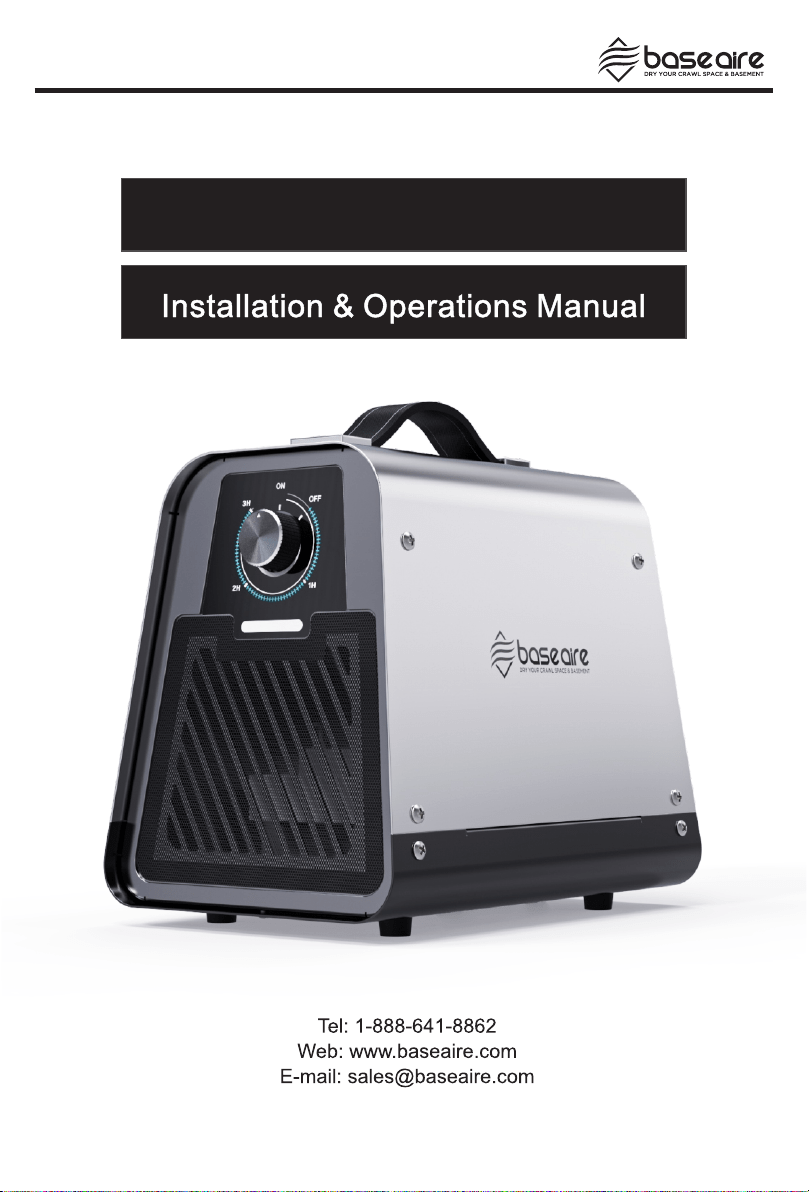
555 Pro Ion Generator


Table of Contents
Precautions in the Manual
General Safety Instructions
Device Description
Technical Data
Transportation and Storage
Store
Installation and Commissioning
Operations and Functions
Set Up Equipment
Overall Workflow
Release
Maintenance Service
Maintenance Cycle
Cleaning
Maintenance Service
Accessories
Troubleshooting
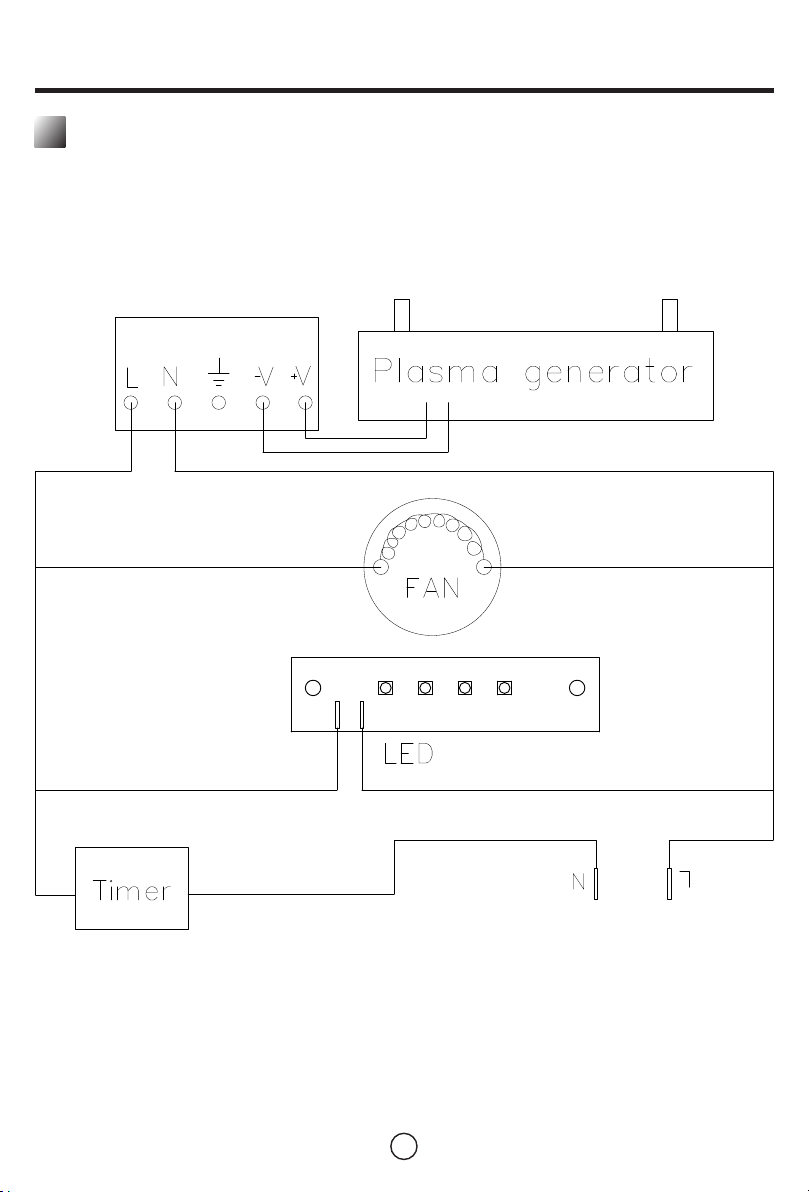
Electrical Wiring Diagram
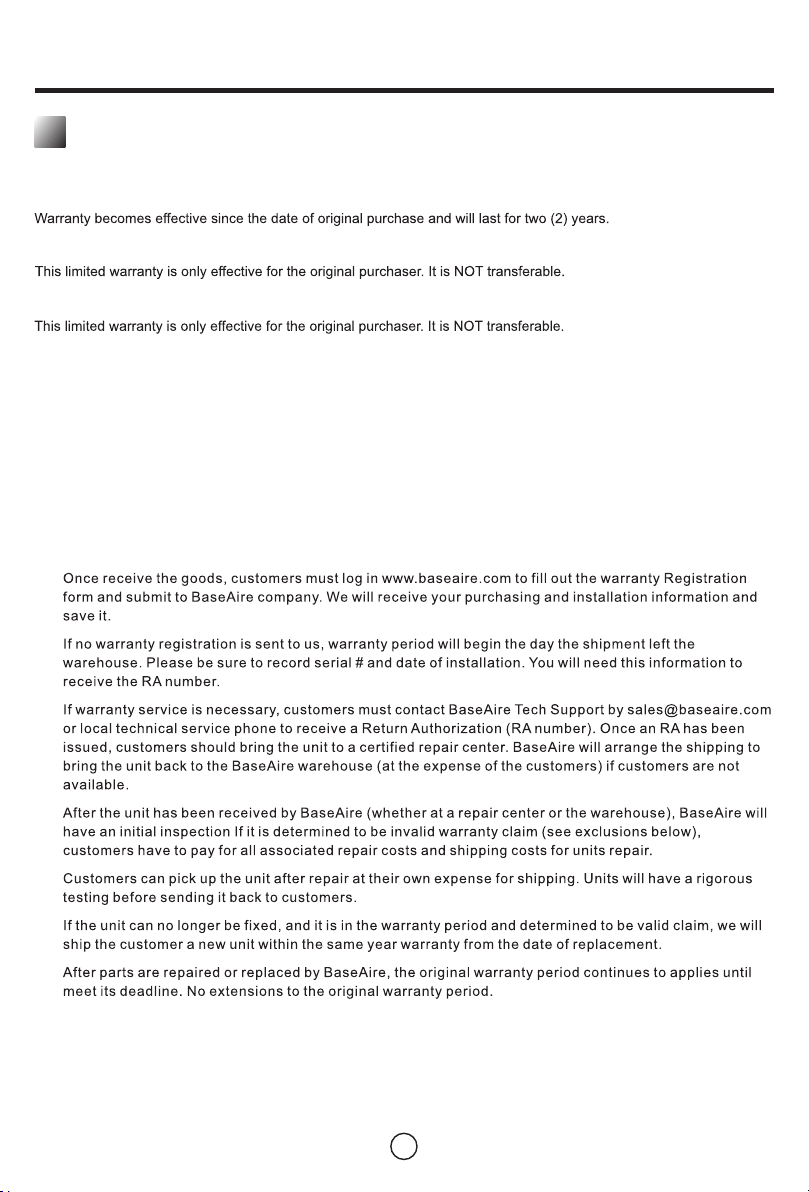
Limited Warranty
01
01
02
03
03
03
03
04
04
04
06
06
06
07
07
08
09
10
11
.........................................................
.........................................................
.........................................................
.........................................................
.........................................................
.........................................................
.........................................................
.........................................................
.........................................................
.........................................................
.........................................................
.........................................................
.........................................................
.........................................................
.........................................................
.........................................................
.........................................................
.........................................................
.........................................................

Precautions in the Manual
This operating manual contains all the important information needed for the safe commissioning and use
of the 555 Pro Ion Generator.
It provides you with support for operating equipment and remediation of possible problems, as well as
information on disposal and customer service.
Please read this manual carefully before using the 555 Pro Ion Generator for the first time.
Please keep this operation manual in a place within reach for reference when necessary.
Please observe all safety instructions and information on use and maintenance in this manual.
If the device is available for use by others, this manual should be attached to the device.
Behind this symbol is a hazard warning, which contains instructions that, if not
followed, may cause serious injury/death/property damage.
The message is preceded by a signal word, which is designated as a certain level of
danger.
Danger!
Dangerous serious or fatal injury
Warning!
Risk of serious injury
Warning!
Risk of property damage
!
1
General Safety Instructions
!
Please observe the following safety instructions!
Any behavior that does not follow these instructions may cause property damage,
endanger human health and damage the environment.
This manual is part of the 555 Pro Ion Generator. Read this manual carefully before
using this equipment for the first time. Please use it only in accordance with the
instructions for use of this device and keep it within your reach for easy reference
during use.
If you have any unanswered questions about the use and operation of the 555 Pro Ion
Generator, please do not operate the equipment. In this case, please contact Baseaire
customer service or a certified expert seminar to clarify any existing ambiguities.

There is a risk of electric shock and injury!
Before opening the 555 Pro Ion Generator housing, make sure to disconnect the
power cord.
The product must be grounded!
Do not connect the device to an exposed power source!
The equipment must not be exposed to any type of liquid (rain, splashing water). If
water enters the interior of the 555 Pro Ion Generator, please turn off the device and
contact customer service for inspection.
The device must not be operated in a room where there is a risk of explosion.
Do not use any damaged equipment or components! These are repaired with special
accessories.
There is a risk of injury and damage to the equipment!
If the cover is not completely closed, it is forbidden to put the equipment into
operation!
Do not cover the device during operation! Do not insert any objects into the device.
Please keep the intake and exhaust ports open at all times!
2
Device Description
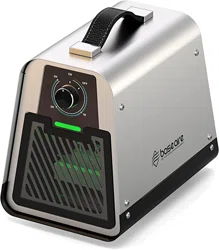
The 555 Pro Ion Generator is used to neutralize the smell in a closed room. The fan draws air from the
surrounding air, guides it through the electrodes, and then blows it out of the socket gap and returns to
the room for treatment.
In this process, through the corona discharge that occurs between the electrodes, the oxygen in the
indoor air is converted into singlet oxygen (O ), and then the odor molecules are oxidized and degraded.
2
The 555 Pro Ion Generator, which in addition to singlet oxygen also produces a very small amount of
3
ozone (O )(max.0.05ppm/m ). These amounts amount of ozone (O ) are not harmful to health.
3 3
The odor neutralizer can effectively remove odors such as kitchen or musty odor, smoke odor, or
residual odor after fire.
3
Technical Data
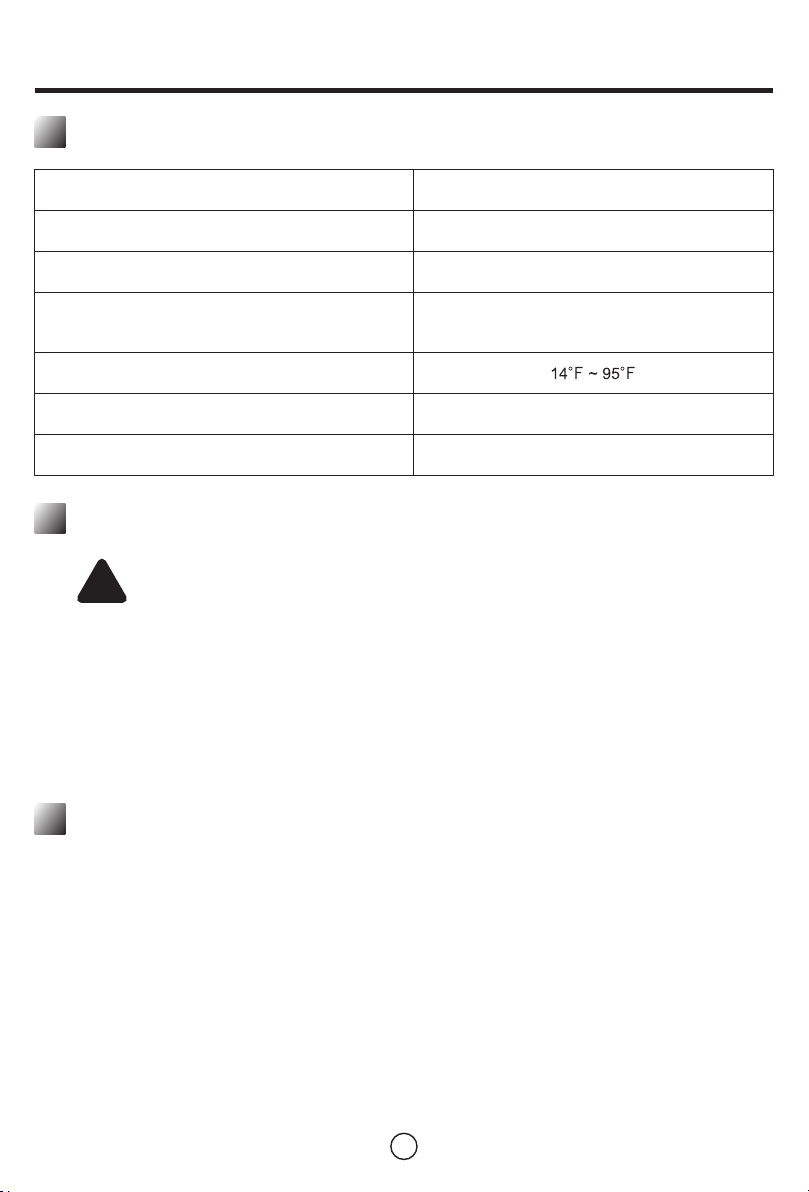
Parameter Value
110V - 220V / 50 - 60Hz, 0.8A
100 CFM / 170 CMH
2,000,000 Positive Ions / Sec
30,000,000 Negative Ions / Sec
< 65 db
9.8 x 6.5 x 8.7in
Power
Airflow
Ion generator concentration
Operating temperature
Sound Pressure Level
Dimensions (L×W×H)
Transportation and Storage
!
Equipment damage due to vibration
Strong vibration will damage the electrode.
During transportation, the safety of the 555 Pro Ion Generator must be ensured to
prevent vibration and sliding.
Warning!
Store the 555 Pro Ion Generator in a dry place to prevent bad weather from affecting
the performance of the machine.
Choose a dust-free storage location.
When not using the device, be sure to disconnect the power supply.
Store
Only use the 555 Pro Ion Generator according to the parameters provided in the "Technical Data"
chapter.
Ensure that there are no obstructions at the air inlet and outlet.
Please place the device in the center of the room as much as possible to ensure the best air
circulation.
Do not install this machine near flammable substances or gases.
Make sure to place the device on a dry and vibration-free surface.
Ensure that the equipment is protected from splash water.
1.
2.
3.
4.
5.
6.
Installation and Commissioning
The following requirements must be met when installing a 555 Pro Ion Generator:
4
Operations and Functions
Set Up Equipment
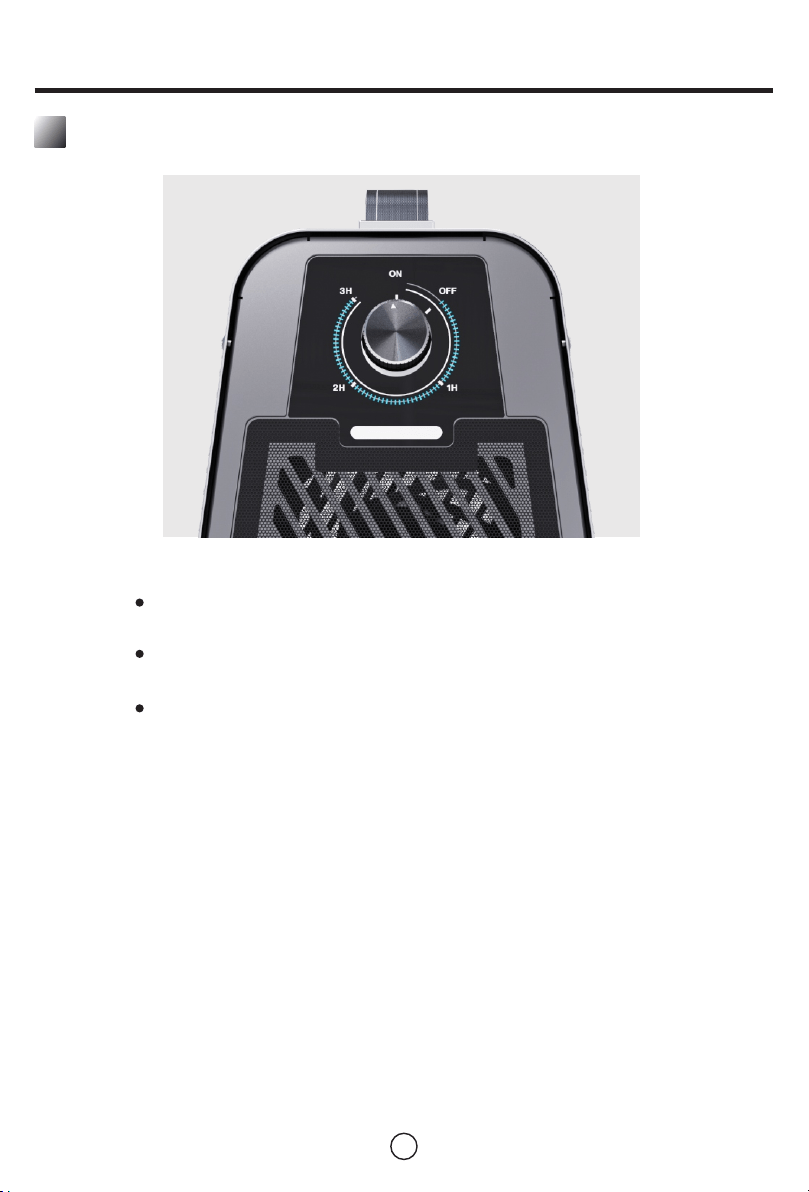
By default, the power on is OFF. When the power is ON, the indicator light is on, and
the Ion generator and fan are always running.
Rotate the arrow of the knob to the corresponding position, and set the running time
as the corresponding working time between 00:00 and 03:00.
During the operation, the indicator light is on, the Ion generator sterilizer and the fan
keep running, and the knob arrow returns to OFF to shut down.
Place the 555 Pro Ion Generator in the center of the room.
Make sure that the equipment and connecting cables are not damaged.
Connect the power cable and connect the device to the power source. Observe the
technical parameters.
Set the timer to the required run time.
Then turn on the device. The display panel will light up. The cleaning cycle will begin
immediately. Once the preset time has passed, the 555 Pro Ion Generator will
automatically shut down.
Overall Workflow
When performing odor neutralization and cleaning cycles, follow
the steps below:
1.
2.
3.
4.
5.

5
The perception of smell is subjective. Therefore, it is impossible to specify a linear reference value
based on room size or temperature.
Please Eliminate the Smell As Follows:
!
The risk of ozone(0 ) causing harm to the human body! Although the ozone(0 )
3 3
produced is only a trace amount, please pay attention! During use, if you smell ozone
outside the work area, stop the machine immediately. Ventilate the room thoroughly.
If you no longer smell any unpleasant odors in the next 1-2 days, you do not need to
turn on the 555 Pro Ion Generator to purify the air.
Warning!
The treatment time required for the operating parameters depends on many factors.
Aspects to consider include:
Type/strength of harmful gas.
Room size.
Temperature.
Gas source material composition.
The time the room is exposed to the source of odor.
The source of odor affects the depth of the material.
...
Before the first use, ventilate thoroughly.
Start the 555 Pro Ion Generator. The larger the room, the longer the equipment will run.
At the end of the treatment, there should be a noticeable decrease in odor intensity and/or a slight
ozone odor.
Note: Each time you change the setting, wait for the specified duration before making another
adjustment.
After a certain period of time, before any parameter setting, thoroughly ventilate the room!
1.
2.
3.
4.
For a successful machine, in addition to the correct settings, raising the temperature of the environment
is also very important. Heat increases the speed at which the odorant diffuses from the substance. Once
the odor enters the air, it will be bound by oxygen.
If in winter, the indoor temperature is too low (below 12°C), the smell may come back suddenly in
summer. In the cold season, additional heating helps release odor particles that have not yet spread.
Therefore, the correct temperature for effective purification must be tested repeatedly to obtain the
perception and evaluation of odor.
Due to this personal opinion, it is not feasible to make comprehensive recommendations on dosage and
usage. Whether it's the musty smell in the basement, the fuel smell in the garage or the musty smell of
wood, everyone feels different.
Please Remember:
This device is an air purifier, not an odor modifier. Just because the neutralization and chemical
combination of odors produced by electro-oxidation does not mean that fragrances will be emitted in the
purified air.

6
Release
The device is designed such that once the set time is exceeded, it will automatically shut down.
Corresponding functions are integrated in the form of a timer (see above). After the working cycle is
over, the power is automatically cut off to end the work of the machine.
Maintenance Service
In order to ensure the normal operation and trouble-free operation of the equipment, it must be cleaned
and maintained regularly.
The frequency and type of maintenance work basically depend on the operating environment, and how
and how long the 555 Pro Ion Generator is used. Over time, dust and moisture accumulate on the
components, which may damage the function and performance of the device.
In rooms with high levels of dust and pollution or recovery after a fire (high humidity), you should check
for maintenance after several uses.
In a dry environment, such as a hotel or within the permitted maintenance range, the maintenance
interval may be as long as several months.
Criteria for determining the maintenance interval
The device is in operation
Uninterrupted operation for several hours
Many days per month
In a heavily polluted room
In a humid room
Regardless of the conditions of use described, the following signs indicate
that the equipment should be maintained:
The noise level of the fan is higher than normal.
The electrode is damaged (typical sign: the hissing sound when singlet oxygen is transmitted is
almost inaudible).
1.
2.
Clean
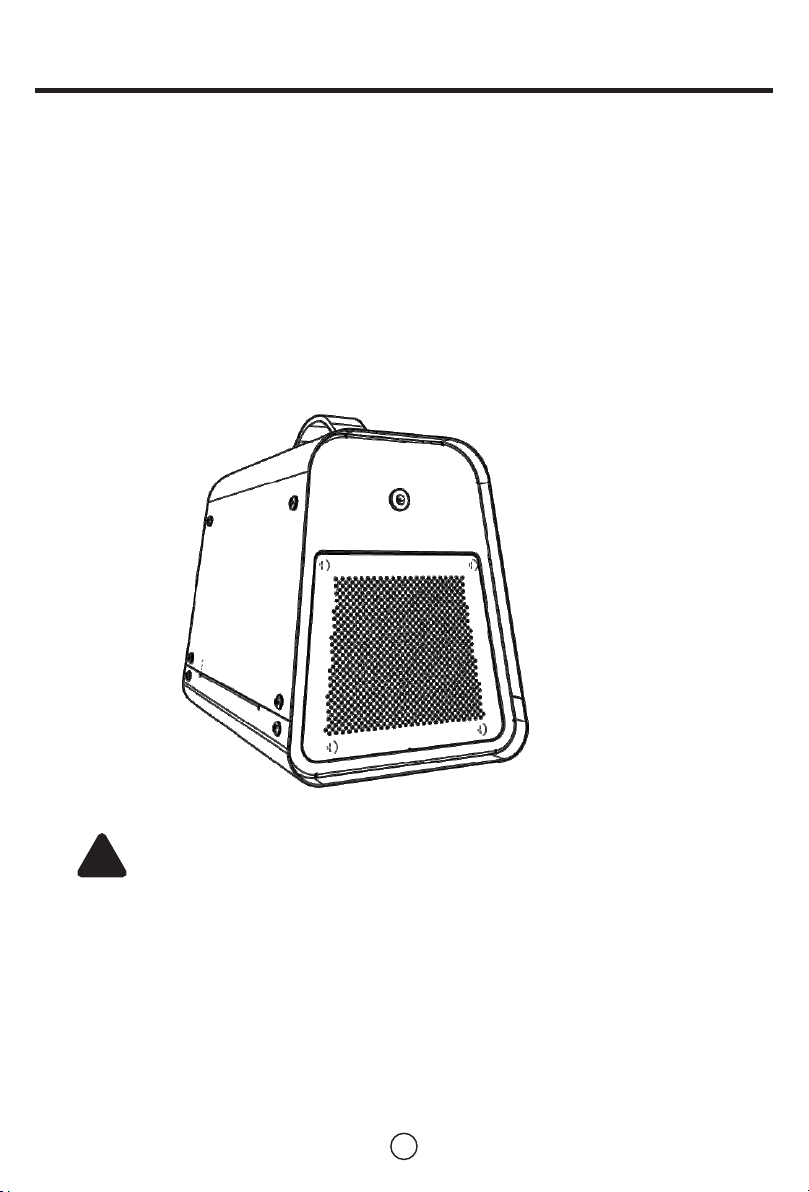
In order to ensure the normal and trouble-free operation of the equipment, the equipment must be
cleaned and maintained regularly.
In the framework of regular maintenance work, it is not only necessary to check the normal condition of
the equipment and its accessories, but also to perform a thorough cleaning of the equipment and its
components.
7
Cleaning Fan
The electrode can be cleaned in its built-in state. Before cleaning the electrode, check it for cracks or
cracks. Do not use damaged parts! Use a dry (lint-free) or damp cloth to clean the components. Make
sure that there are no fibers (fluff) left on the electrode after cleaning. Make sure not to use the device
until the electrodes are completely dry.
Loosen the screws on the boot shell.
Disassemble the shell.
Disassemble and clean the fan. Always check whether the fan is working properly. If it is only
slightly polluted, you can use a vacuum cleaner or a water tap to clean it. If it is heavily
contaminated, clean the reaction generator with a soap solution. After cleaning, the fan can only be
inserted after it is completely dry!
1.
2.
3.
Cleaning Electrode
Before contacting our customer service to solve an existing technical problem, please try to eliminate
the error by following the instructions described in the "Troubleshooting" chapter.
If you have any questions about the function and operation of the 555 Pro Ion Generator, or if you want
more information on claims or guarantees, please feel free to contact us.
Address: Tel:
2048 East Francis st. Ontario, CA 91761
1-888-641-8862
!
Loss of electrodes causes equipment damage!
Operate only with inserted electrodes!
Warning!
8
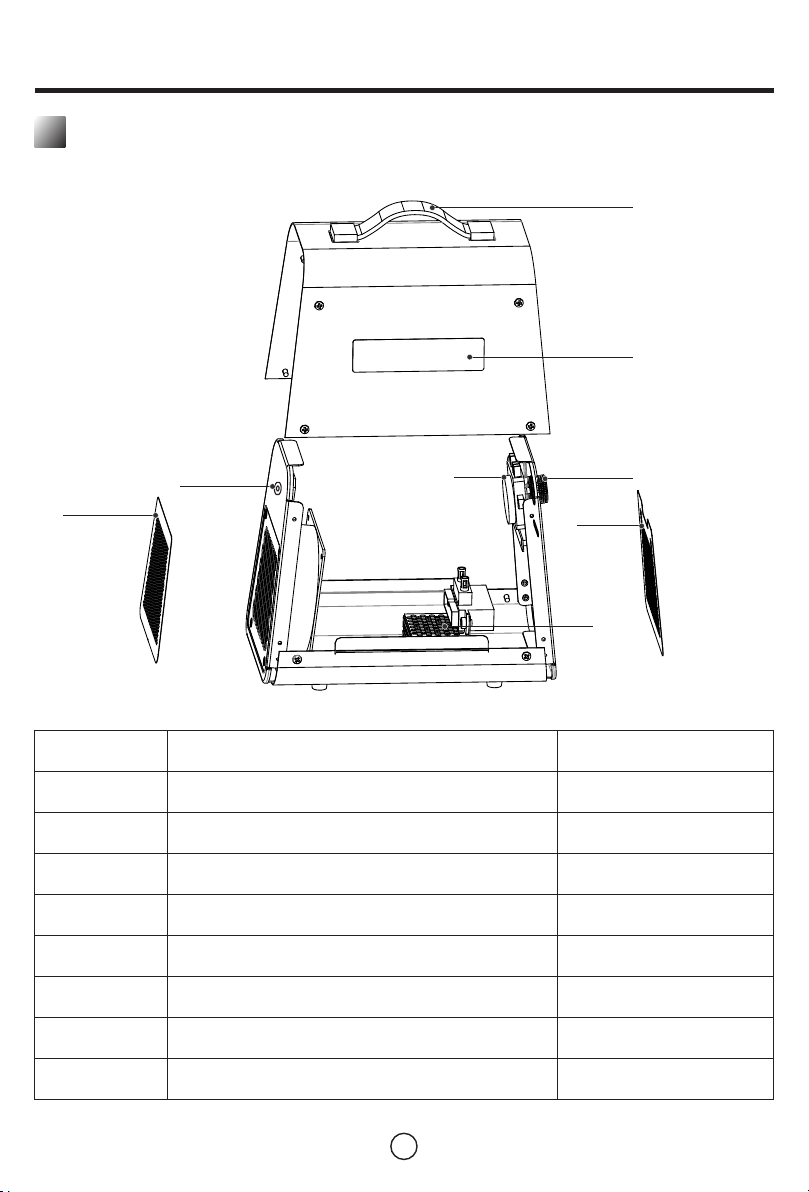
Accessories
1
2
3
4
6
8
Designation
1
2
3
4
No.
5
Leather handle
Stickers
Knob
Soft tile 1
Ion generator
Timer
Power hole
Soft tile 2
1
1
Quantity
1
6
7
8
1
5
1
1
1
1
7

9
Troubleshooting
Problem
Cause
Device does not work.
The fuse is blown.
The power plug
is damaged.
Solution
Replace the damaged fuse and/or
reopen the fuse. Be careful! The fuse
does not need to be repaired, but it
must be replaced at any time. In most
cases, the fuse is triggered by a serious
technical failure. Please authorized
service personnel to replace each fuse!
Place the device on a flat, solid, dry
surface.
Let certified personnel inspect the
equipment.
Loud noise.
Disconnect the power supply of the
device and check whether the power
plug and connecting cable are
damaged.
Power supply is
not connected.
Plug the plug into the socket.
The connection
parameters do not match
the technical
specifications.
Check the connection to the main line.
Connection parameters:
110V - 220V / 50 - 60HZ, 0.8A.
Even if the cleaning
process has been
completed, the odor
pollution still persists with
the same intensity.
Send the equipment to a certified
professional workshop for repair.
This device is placed in
an uneven place.
Damage to the fan and/or
its bearings.
Reactor damage
10
Electrical Wiring Diagram
11
Limited Warranty
BaseAire Warranty Steps:
1.
2.
3.
4.
5.
6.
Who’s Covered?
Warranty Period
Who’s Not Covered?
1. Damage caused by the owner when attempting to fix or alter the product by himself or herself.
2. Damage caused by misuse, abuse, neglect, alterations or unauthorized repair.
3. Natural depreciation.
How to Request Warranty Services?
To obtain the benefit of this warranty, please leave your message online (www.baseaire.com), or send an email to
Our customer service will address your issue in 24 hours.
All warranty benefits apply to the original owner only. Warranty cannot be transferred or assigned.
12
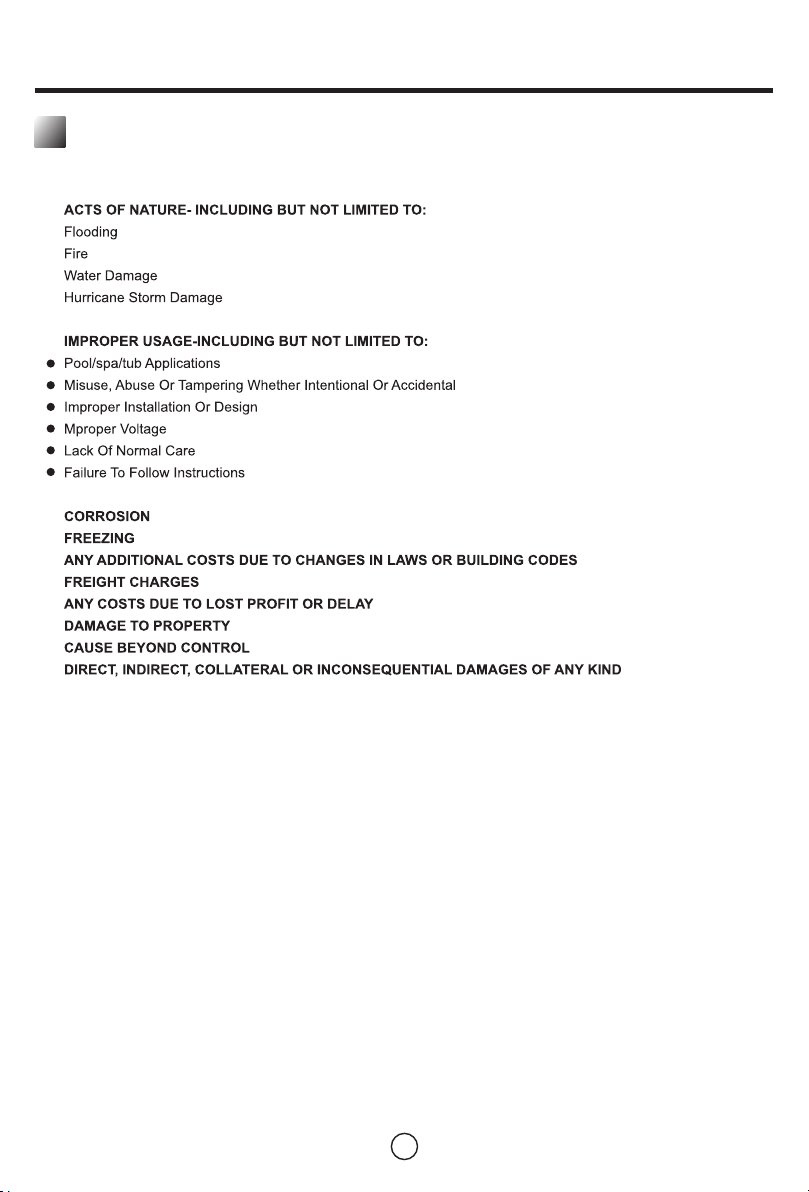
Limited Warranty Exclusions
EXCLUSIONS:
DAMAGE DUE TO THE FOLLOWING IS NOT COVERED UNDER WARRANTY
THE WARRANTIES AND LIABILITIES SET FORTH ARE IN LIEU OF ALL OTHER WARRANTIES
EXPRESSED OR IMPLIED IN LAW OR IN FACT, INCLUDING IMPLIED WARRANTIES OF
MERCHANTABILITY AND FITNESS FOR PARTICULAR PURPOSE. BaseAire's total liability,
regardless of nature of claim shall not exceed original purchase exceed original purchase price
of the product, if a product or component is replaced while under warranty, the applicable
warranty period shall not be extended beyond the original warranty time period.
The foregoing shall constitute the total liability of seller in the case of defective performance of
all or any of the equipment or services provided to buyer. Buyer agrees to accept and hereby
accepts the foregoing as the sole and exclusive remedy for any breach or alleged breach of
warranty by seller.
Any dishonesty or fraud in connection with BaseAire warranty thoroughly voids all warranty
policies. BaseAire expressly reserves the right to pursue legal action in the event of dishonesty,
fraud, or attempted fraud.
1.
2.
3.
4.
5.
6.
7.
8.
9.
10.