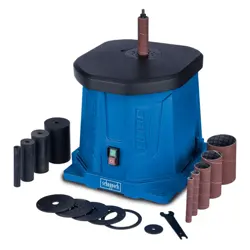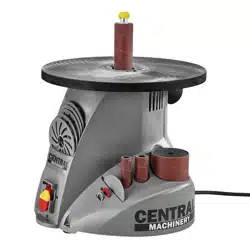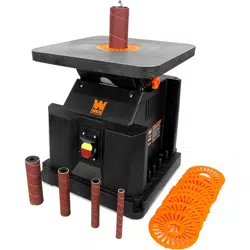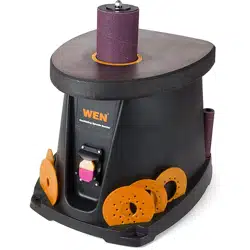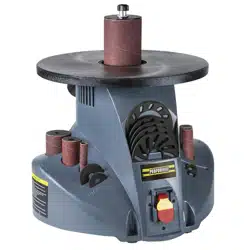
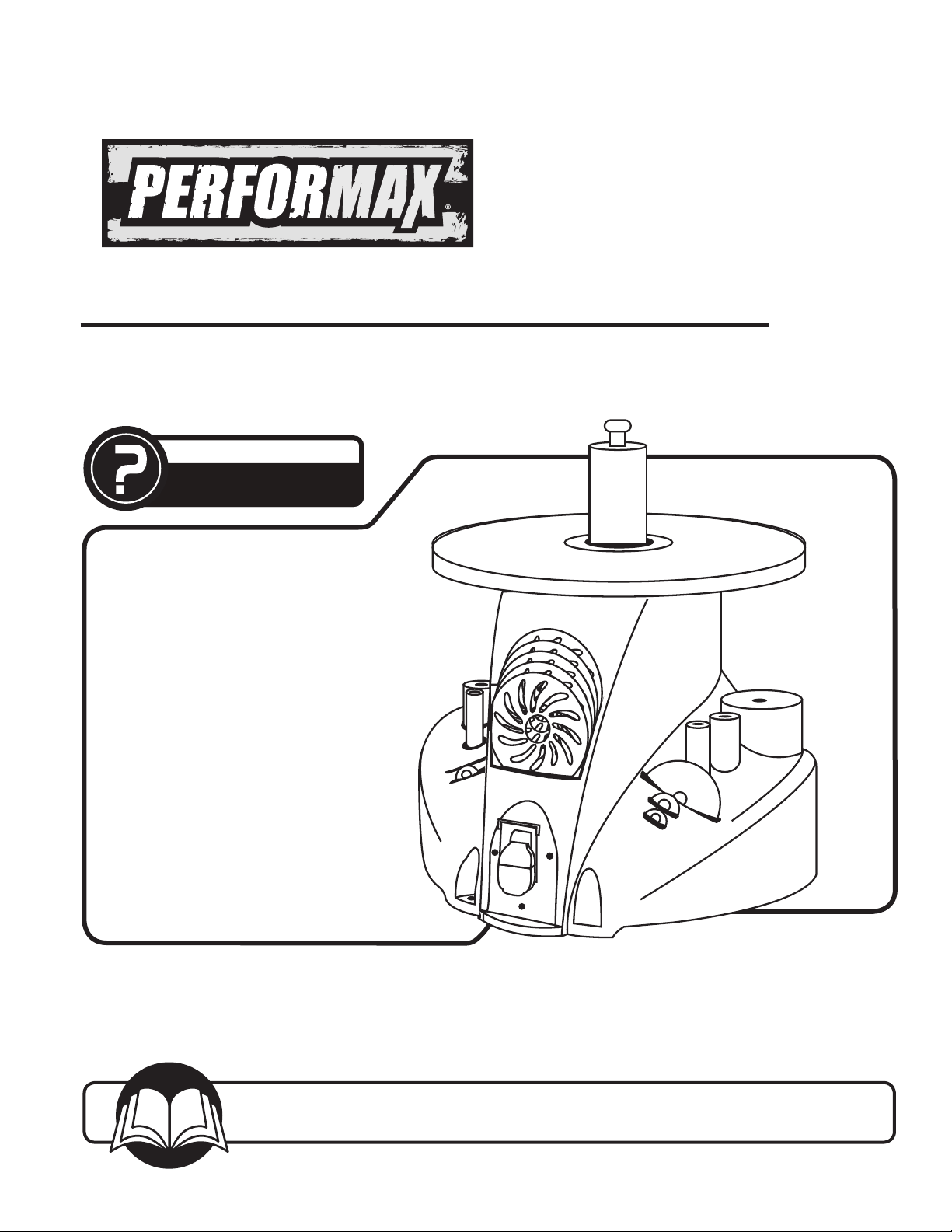
OSCILLATING SPINDLE SANDER
Owner’s Manual
Model No. 240-2982
You will need this manual for safety instructions, operating procedures, and warranty.
Put it and the original sales invoice in a safe, dry place for future reference.
17-0711
QUESTION...
1•847•780•6120
Spindle diameter . . . . . . . . . . . . . . . . . . . . . . . . . . . . .1/2"
Drum diameters. . . . . . . . .. 1/2", 3/4", 1", 1-1/2", 2" and 3"
Drum length. . . . . . . . . . . . . . . . . . . . . . . . . . . . . . . . . 4½"
Spindle stroke. . . . . . . . . . . . . . . . . . . . . . . . . . . . . . . 5/8"
Spindle oscillation . . . . . . . . . . . . . . . . . . . . . . . . . 30 OPM
Spindle speed . . . . . . . . . . . . . . . . . . . . . . . . . . 1725 RPM
Table diameter . . . .. . . . . . . . . . . . . . . . . . . . . . . . . . . .14"
Dust port diameter. . . . . . . . . . . . . . . . . . . . . . . . . . . . . . 2"
TABLE OF CONTENTS
PRODUCT
SPECIFICATIONS
SAFETY RULES 1
Work Preparation
Work Area Preparation
Tool Maintenance
Tool Preparation
ASSEMBLY 2
Unpacking
Attach Abrasive Sleeves
Onboard Storage
Power Source
Grounding Instructions
Extension Cords
Motor
Electrical Connections
OPERATION 6
On/Off Switch
Basic Sanding Operation
Dust Collection
MAINTENANCE 7
Cleaning
Lubrication
Tool Repairs
TROUBLESHOOTING 10
PARTS ILLUSTRATION & 8
LIST
WARRANTY 11
SECTION PAGE
SAFETY RULES
1
WARNING
For your own safety, read and understand all warnings
and operating instructions before using any tool
or equipment.
WARNING
Some dust created by operation of power tool contains
chemicals known to the State of California to cause
cancer, birth defects or other reproductive harm. To
reduce your exposure to these chemicals, work in a well
ventilated area and work with approved safety equipment.
Always wear OSHA/NIOSH approved, properly fitting face
mask or respirator when using such tools.
WARNING
Always follow proper operating procedures as defined
in this manual even if you are familiar with use of this or
similar tools. Remember that being careless for even a
fraction of a second can result in severe personal injury.
WORK PREPARATION
• Wear proper apparel. Do not wear loose clothing,
gloves, neckties, rings, bracelets or other jewelry which
may get caught in moving parts of the tool.
• Wear safety shoes with non-slip soles.
• Wear protective hair covering to contain long hair.
• Wear eye and hearing protection. Always use safety
glasses. Eye protection equipment should comply with
ANSI Z87.1 standards. Hearing equipment should
comply with ANSI S3.19 standards.
• Wear face mask or dust mask if operation is dusty.
• Be alert and think clearly. Never operate power tools
when tired, intoxicated or when taking medications that
cause drowsiness.
WORK AREA PREPARATION
• Keep work area clean. Cluttered work areas and
benches invite accidents.
• Work area should be properly lighted.
• Do not use power tools in dangerous environments. The
use of power tools in damp or wet locations or in rain
can cause shock or electrocution..
• Proper electrical receptacle should be available for
tool. Three-prong plug should be plugged directly into
properly grounded, three-prong receptacle.
• Use the proper extension cord. Make sure your
extension cord is in good condition and has a grounding
prong and the three wires of extension cord should be of
the correct gauge.
• Keep children and visitors away. Your shop is a
potentially dangerous environment. Children and visitors
can be injured.
• Ensure your work shop is childproof. Use padlocks,
master switches or remove switch keys to prevent any
unintentional use of power tools.
TOOL MAINTENANCE
• Turn the machine "OFF", and disconnect the machine
from the power source prior to inspection.
• Maintain all tools and machines in peak condition. Keep
tools sharp and clean for best and safest performance.
• Follow instructions for lubricating and changing
accessories.
• Check for damaged parts. Check for alignment of
moving parts, binding, breakage, mounting and any
other condition that may affect tool's operation.
• Poorly maintained tools and machines can further
damage the tool or machine and/or cause injury.
• A guard or any other part that is damaged should be
repaired or replaced. Do not perform makeshift repairs.
TOOL OPERATION
• Avoid accidental start-up. Make sure that the tool is in
the “OFF” position before plugging in.
• Use the right tool for your job. Do not force your tool or
attachment to do a job for which it was not designed.
• Disconnect tool when changing parts.
• Do not force the workpiece on the machine. Damage to
the machine and/or injury may result.
• Never leave tool running unattended. Turn the power off
and do not leave tool until it comes to a complete stop.
• Do not overreach. Loss of balance can make you fall
into a working machine, causing injury.
• Never stand on tool. Injury could occur if the tool tips, or
if you accidentally contact the cutting tool.
• Know your tool. Learn the tool’s operation, application
and specific limitations before using it.
• Use recommended accessories. Use of improper
accessories may cause damage to the machine or injury
to the user.
• Handle workpiece correctly. Keep hands away from
moving parts.
• Turn tool off if it jams.
• Always feed workpiece against the direction of the
sanding rotation. To maintain control, properly support
long or wide workpieces.
CAUTION
Think safety! Safety is a combination of operator common
sense and alertness at all times when tool is being used.
WARNING
Do not attempt to operate tool until it is completely
assembled according to the instructions.
SAVE ALL WARNINGS AND INSTRUCTIONS
FOR FUTURE REFERENCE
ASSEMBLY
2
UNPACKING
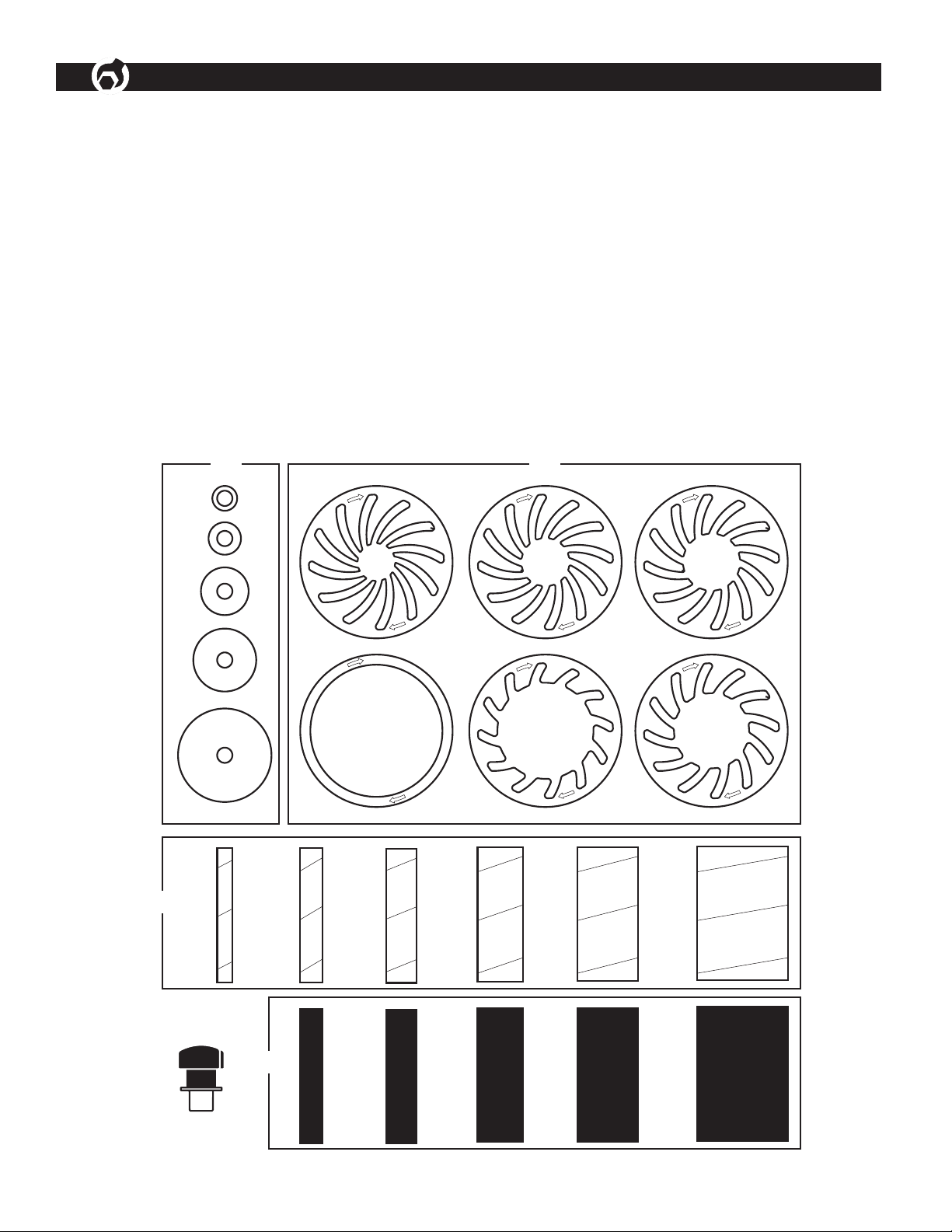
Refer to Figure 1
Check for shipping damage. If damage has occurred, a
claim must be filed with carrier. Check to ensure all parts
are present. Immediately report missing parts to dealer.
The sander comes assembled as one unit. Additional
parts should be located and accounted for before
assembling.
A Table Inserts (6), (1/2", 3/4", 1", 1-1/2", 2" and 3")
B Spindle Knob
C Drum Washers (5), (3/4", 1", 1-1/2", 2" and 3")
D Spindle Drums (5), (3/4", 1", 1-1/2", 2" and 3")
E Abrasive Sleeves (6), (1/2", 3/4", 1", 1-1/2", 2" and 3")
Figure 1 - Unpacking
C A
E
D
B
ASSEMBLY
3
Refer to Figures 2 - 4
CAUTION
Do not attempt assembly if parts are missing. Use this
manual to order replacement parts.
WARNING
Do not operate machine until completely assembled.
Do not operate machine until you have completely read
and understood this manual.
ATTACH ABRASIVE SLEEVES
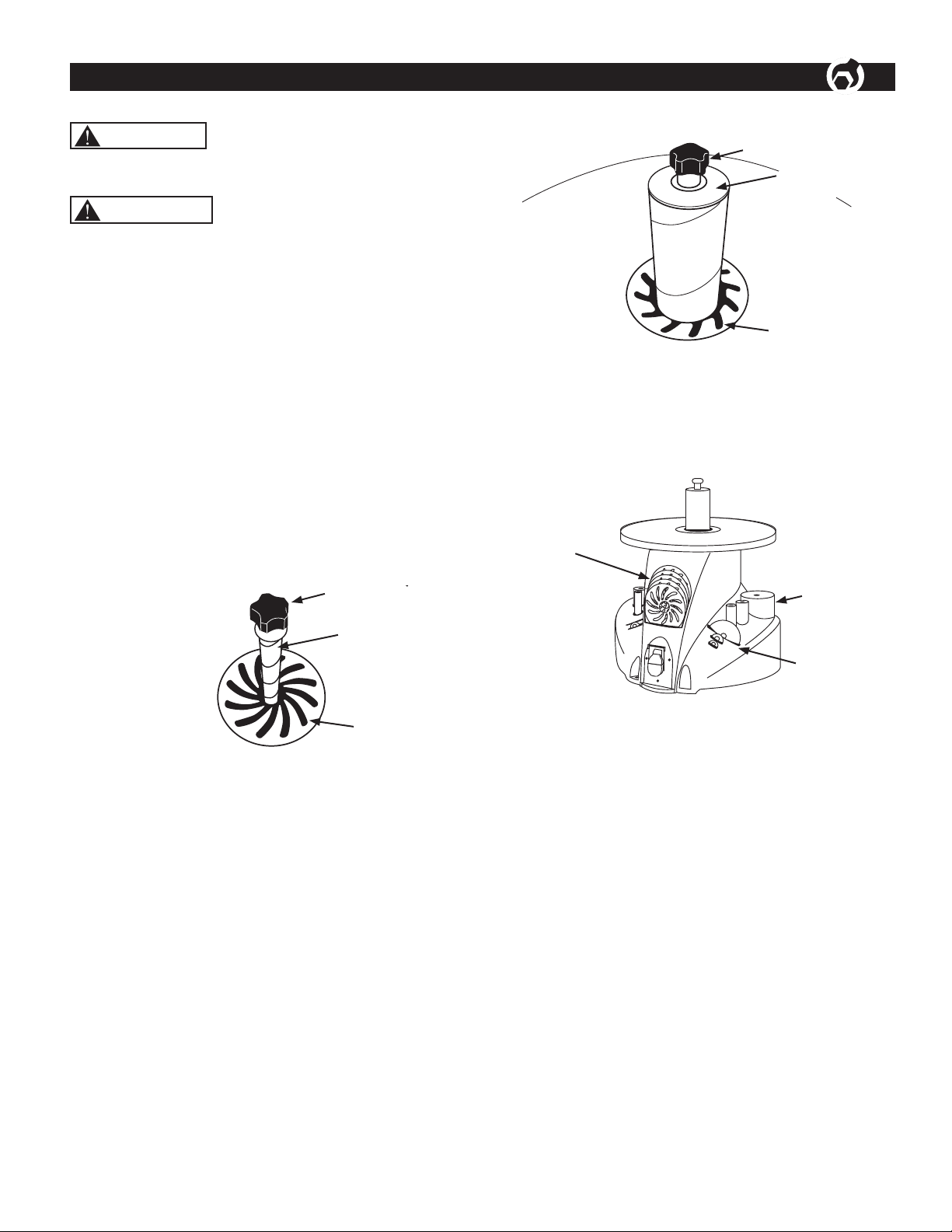
Refer to Figures 2 and 3.
TO ATTACH 1/2" ABRASIVE SLEEVE
• Place the 1/2" table insert over spindle and onto the
table. The top side of the insert has directional arrows,
as shown.
• Slide sleeve over the spindle.
• Tighten the knob by turning counterclockwise to secure
sleeve in position so that sleeve will not spin loose
during operation.
Figure 2- Attaching the 1/2" Sleeve
Knob
Sleeve
Direction Arrow
on Insert
TO ATTACH 3/4" – 3" ABRASIVE SLEEVES
Example: 2"
• Place the 2" table insert over spindle and onto the
table. The top side of the insert has directional arrows,
as shown.
• Slide 2" sleeve over the 2" drum first, then slide drum
with sleeve onto spindle.
• Place 2" drum washer on drum.
• Tighten the knob to secure drum in position. Knob and
washer must hold the drum securely so that it does not
spin loose during operation.
Figure 3- Attaching 2” Drum with Sleeve
Knob
2” Drum
Washer
Direction Arrow
on Insert
ONBOARD STORAGE
Onboard storage is provided for all drums, inserts
and washers.
Figure 4- Onboard Storage
Table Inserts
Drum Washers
Drums with
Sleeves
POWER SOURCE
WARNING
Do not connect to the power source until the machine is
completely assembled.
The machine is wired for 120 volts, 60 HZ alternating
current. Before connecting the machine to the power
source, make sure the switch is in the "OFF" position.
Running the unit on voltages which are not within range
may cause overheating and motor burn-out. Heavy loads
require that voltage at motor terminals be no less than the
voltage specified on nameplate.
• Power supply to the motor is controlled by a single
pole locking rocker switch. Remove the key to prevent
unauthorized use.
GROUNDING INSTRUCTIONS
WARNING
Improper connection of equipment grounding conductor
can result in the risk of electrical shock.
• The machine should be grounded while in use to protect
operator from electrical shock.
• In the event of an electrical short circuit, grounding
reduces the risk of electrical shock by providing an
escape wire for the electric current.
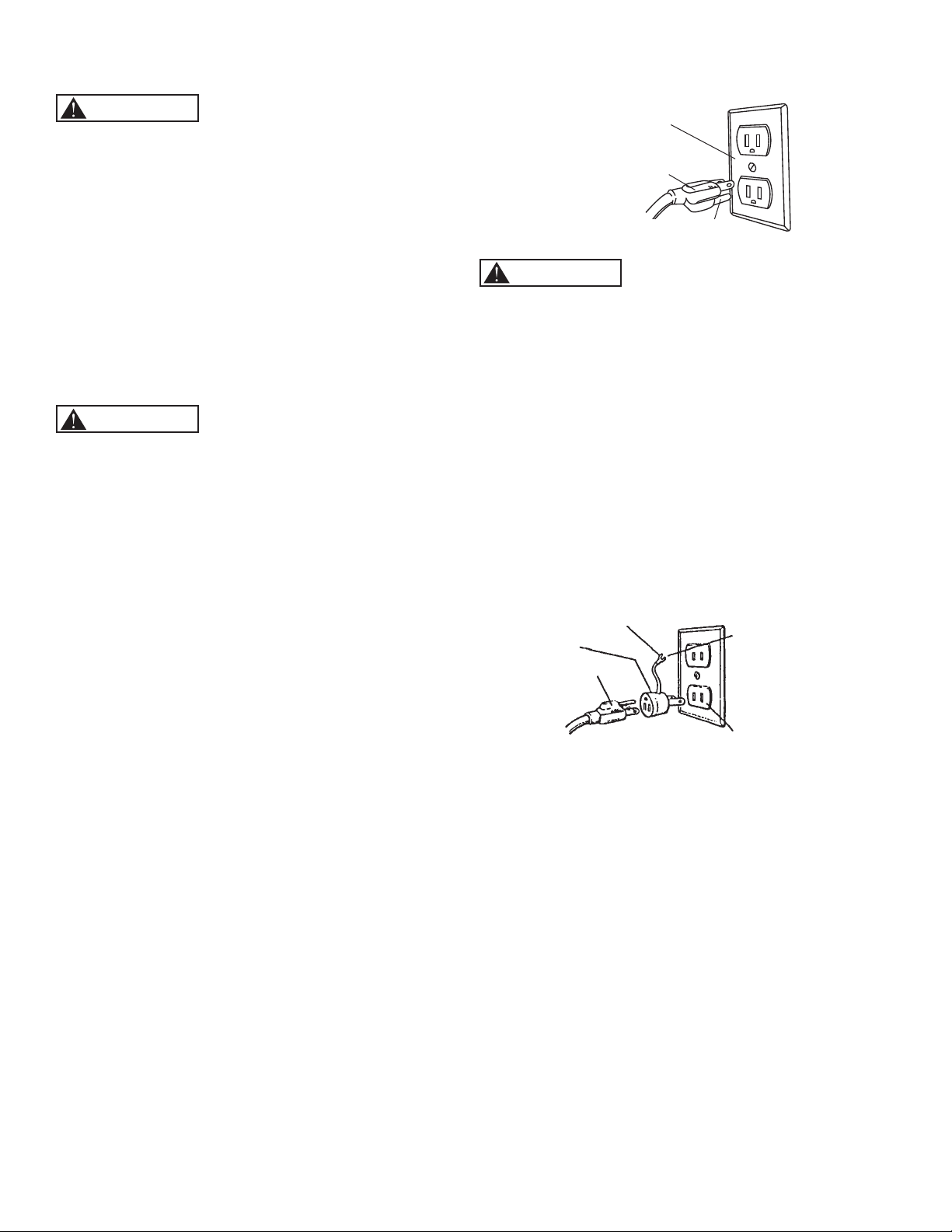
• This machine is equipped with an approved 3-
conductor cord rated at 150V and a 3-prong grounding
type plug (Figure 5) for your protection against
shock hazards.
• Grounding plug should be plugged directly into a
properly installed and grounded 3-prong grounding-type
receptacle, as shown (Figure 5)
• The plug must be plugged into an outlet that is properly
installed and grounded in accordance with all local
codes and ordinances.
• Check with a qualified electrician or service personnel if
these instructions are not completely understood or if in
doubt as to whether the tool is properly grounded.
• Do not modify plug provided. If it will not fit in outlet,
have proper outlet installed by a qualified electrician.
Use only 3-wire extension cords, that have 3-prong
grounding type plugs and matching 3-conductor
receptacles that accept the machine's plug, as shown in
Figure 5.
Figure 5 - 3-Prong Receptacle
Ground Outlet Box
3-Prong Plug
Grounding Prong
WARNING
Do not permit fingers to touch the terminals of plug when
installing or removing from outlet.
• Inspect tool cords periodically, and if damaged, have
repaired by an authorized service facility.
• The conductor with insulation having an outer surface
that is green with or without yellow stripes is the
equipment-grounding conductor. If repair or replacement
of the electric cord or plug is necessary, do not connect
the green (or green and yellow) wire to a live terminal.
A temporary 3-prong to 2-prong grounding adapter (see
Figure 6) may be used to connect this plug to a matching
2-conductor receptacle as shown in figure 6. The
temporary adapter should be used only until a properly
ground-ed outlet can be installed by a qualified electrician.
Figure 6 - 3-Prong Receptacle
Make Sure This
Is Connected
To A Known
Ground
2-Prong
Receptacle
Grounding Lug
Adapter
3-Prong Plug
In Canada, the use of temporary adapter is not permitted
by the Canadian Electric Code. Where permitted, the rigid
green tab or terminal on the side of the adapter must be
securely connected to a permanent electrical ground such
as a properly grounded water pipe, a properly grounded
outlet box or a properly grounded wire system.
• Many cover plate screws, water pipes and outlet
boxes are not properly grounded. To ensure proper
ground, grounding means must be tested by a
qualified electrician.
EXTENSION CORDS
Use proper extension cords. Make sure the extension
cord is in good condition. Use only 3-wire extension cords
have 3-prong grounding type plugs and 3-pole receptacles
which accept the tool plug. When using an extension cord,
make sure to use one heavy enough to carry the current
of the machine. An undersized cord will cause a drop in
the voltage, resulting in loss of power and overheating.
Use the table to determine the minimum wire size
(A.W.G.) extension cord.
Extension Cord Length
Wire Size . . . . . . . . . . . . . . . . . . . . . . . . . . . . . . . . A.W.G.
Up to 25 ft. . . . . . . . . . . . . . . . . . . . . . . . . . . . . . . . . . 18
25 to 50 ft. . . . . . . . . . . . . . . . . . . . . . . . . . . . . . . . . . .16
NOTE: Using extension cords over 50 ft. long is
not recommended.
MOTOR
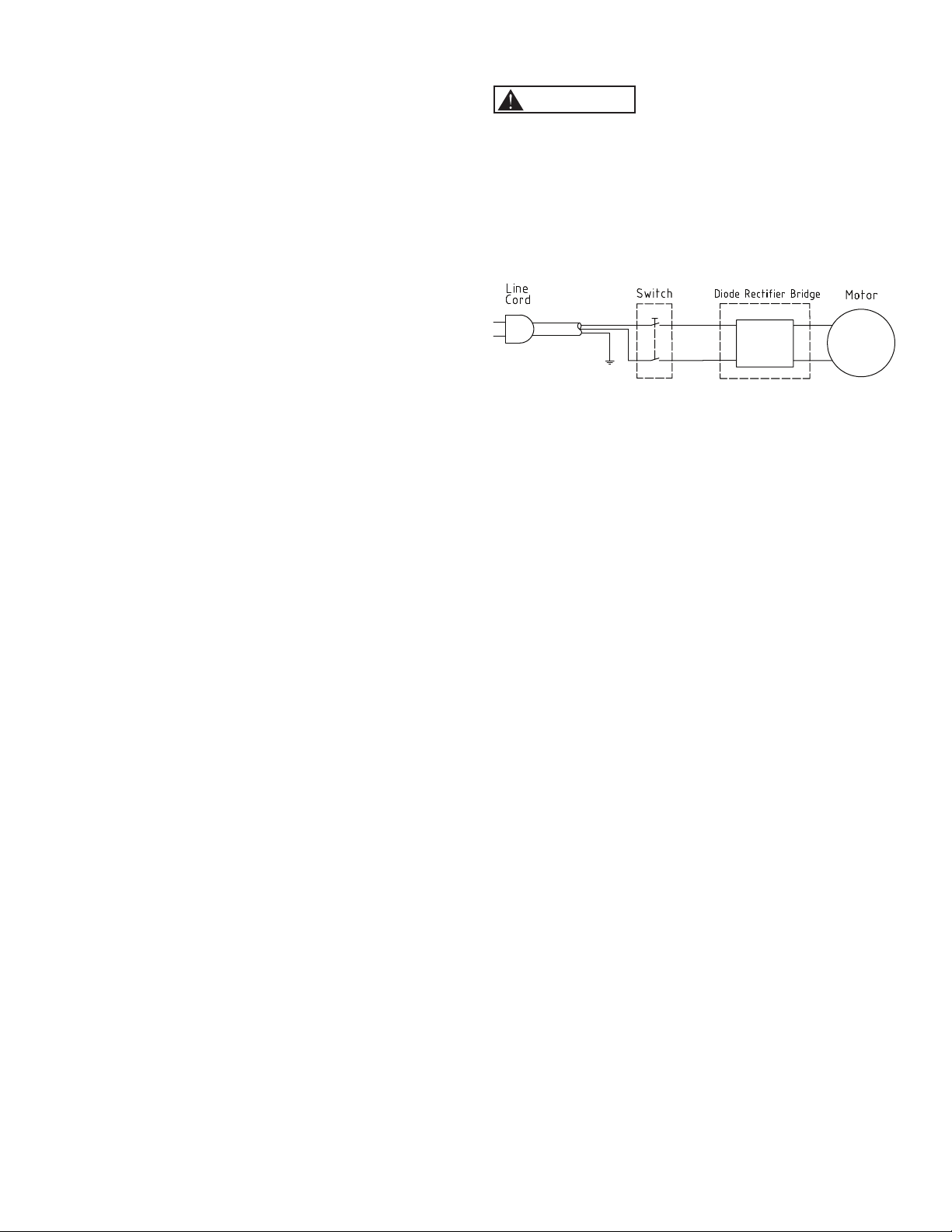
The machine is assembled with motor and wiring installed.
The electrical wiring schematic is shown in Figure 7.
MOTOR SPECIFICATIONS
Horsepower (Peak HP) ....................................................0.4
Voltage ............................................................................120
Amp ..................................................................................2.6
Hertz ..................................................................................60
Phase ..........................................................................Single
RPM ..............................................................................1725
ELECTRICAL CONNECTIONS
WARNING
All electrical connections must be performed by a qualified
electrician. Make sure the tool is off and disconnected
from the power source while motor is mounted,
connected, reconnected or anytime wiring is inspected.
Motor and wires are installed as shown in wiring
schematic (See Figure 7). Motor is assembled with
approved, 3-conductor cord to be used at 120 volts.
Figure 7 - Wiring Schematic
The power lines are inserted directly onto the switch. The
green ground line must remain securely fastened to the
frame to properly protect against electrical shock. The
power supply to the motor is controlled by a single pole
locking rocker switch.
OPERATION
6
Refer to Figures 8 and 9
DESCRIPTION
The Oscillating Spindle Sander makes sanding irregular
shapes and curves in wood easy and convenient.
Sander features a large 14" cast iron table, dust port and
onboard storage of drums, inserts and washers. Six sizes
of drums are included.
SPECIFICATIONS
Spindle diameter . . . . . . . . . . . . . . . . . . . . . . . . . . . . . . 1/2"
Drum diameters. . . . . . . . . . 1/2", 3/4", 1", 1-1/2", 2" and 3"
Drum length. . . . . . . . . . . . . . . . . . . . . . . . . . . . . . . . . .4-1/2"
Spindle stroke. . . . . . . . . . . . . . . . . . . . . . . . . . . . . . . . . 5/8"
Spindle oscillation . . . . . . . . . . . . . . . . . . . . . . . . . 30 OPM
Spindle speed . . . . . . . . . . . . . . . . . . . . . . . . . . 1725 RPM
Table diameter . . . . . . . . . . . . . . . . . . . . . . . . . . . . . . . 18"
Table height . . . . . . . . . . . . . . . . . . . . . . . . . . . . . . . . 14"
Dust port diameter. . . . . . . . . . . . . . . . . . . . . . . . . . . . . . 2"
WARNING
Operation of any power tool can result in foreign objects
being thrown into the eyes, which can result in severe
eye damage. Always wear safety goggles complying with
United States ANSI Z87.1 (shown on package) before
commencing power tool operation.
CAUTION
Always observe following safety precautions.
SAFETY PRECAUTIONS
• Whenever adjusting or replacing any parts on the
tool, turn switch OFF and remove the plug from
power source.
• Make sure all moving parts are free and clear of
any interference.
• Make sure all guards are properly attached and
fastened in position.
• Make sure all fasteners are tight and have not
vibrated loose.
• Always wear eye protection or face shield.
• Test operation by hands for clearance and adjust if
necessary. Do this only whe the power is OFF.
• The drum should trun clockwise.
• Allow drum to come up to full speed before starting
sanding.
• Do not attempt to stall motor or reduce speed. Do not
force the work into the abrasives.
• Keep your hands clear of any moving parts.
• Avoid kickback of the workpiece by sanding in
accordance with the directional arrows.
• Never push a sharp object rapidly against sleeve.
Abrasive backing may be damaged.
• Never use the machine for wet sanding, which can
result in hazard of electrical shock.
• Make sure workpiece is well supported by table during
operation.
• Replace abrasives when they become worn or glazed.
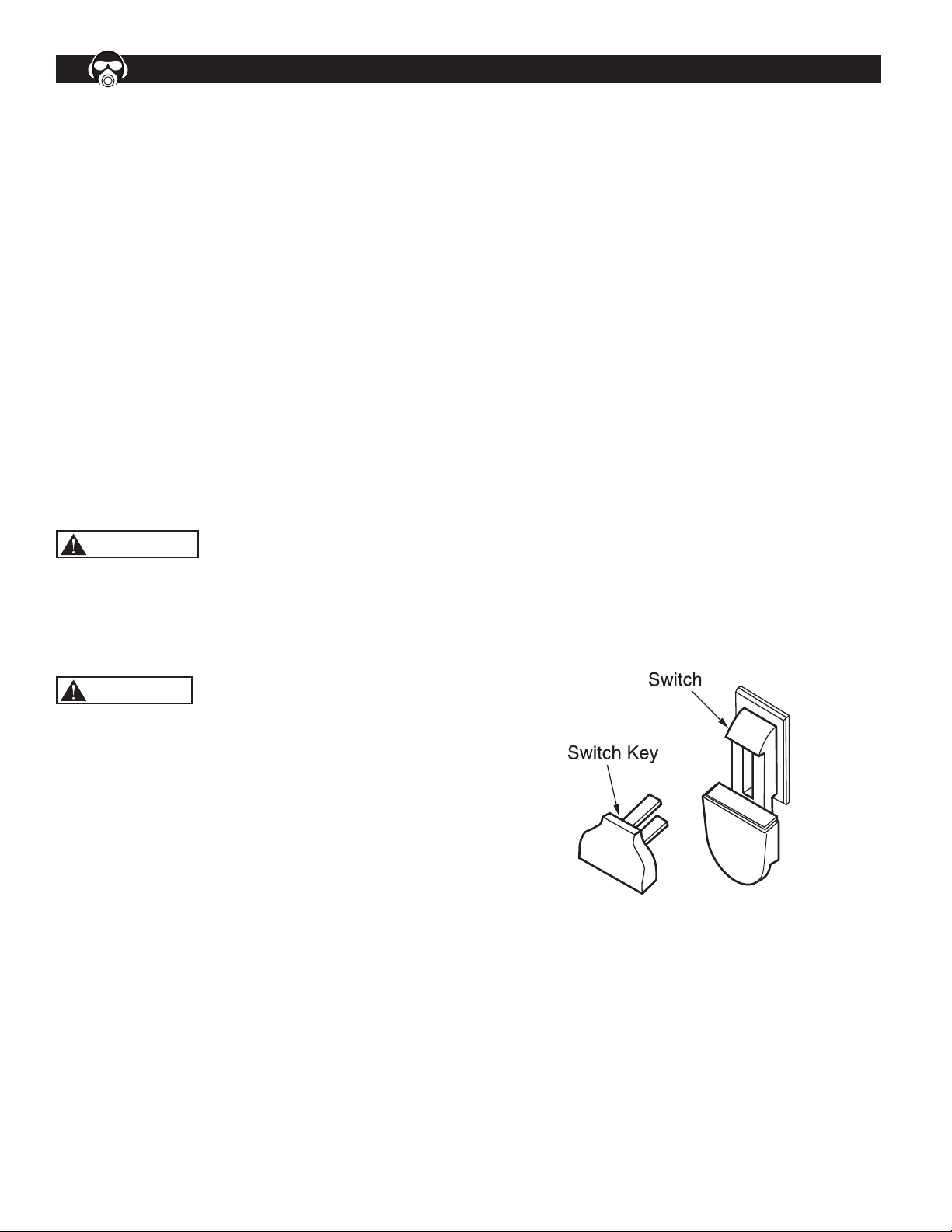
ON/OFF SWITCH
Refer to Figure 8
The ON/OFF switch is located on the sander base. To turn
the sander ON, pull the switch to the up position. To turn
the sander OFF, push the switch to the down position.
NOTE: When the machine is not in use, the switch
should be locked in the "OFF" position to prevent
unauthorized use.
• To lock the machine, turn the switch to "OFF" position.
Pull the key out. The switch can't be turned on without
the key.
• If the key is removed when the switch is at the "ON"
position, the switch can be turned but can not be turned
on again.
• To unlock, place the key into the slot on switch unit until
it snaps.
Figure 8 - Locking Switch in OFF Position
GENERAL MAINTENANCE
WARNING
Disconnect the unit from power source before servicing or
disassembling any components.
CLEANING
• Keep machine and workplace clean. Avoid
accumulation of sawdust on the tool.
• Be certain motor is kept clean and free of dust.
• Use soap and water to clean painted parts, rubber parts
and plastic guards.
MAINTENANCE
7
LUBRICATION
The shielded ball bearings in this unit are permanently
lubricated at the factory. They require no more lubrication.
• A light coat of paste wax on the work table, will make it
easier to feed the workpiece and prevent rust.
KEEP TOOL IN REPAIR
• If power cord is worn, cut, or damaged in any way, do
not operate the machine.
• Replace any worn, damaged, or missing parts. Use
parts list to order parts.
• Any attempt to repair motor may create a hazard unless
repair is done by a qualified service technician.
BASIC SANDING OPERATION
NOTE: This tool is approved for sanding wood and wood
products only.
• Use the desired sanding sleeve and drum for the
particular application. Choose the size that is similar to
the contour of your workpiece.
WARNING
Failure to use the correct size table insert with its
matching sanding sleeve could result in injuries to fingers
or the workpiece being pulled down between the table
insert and sanding sleeve.
For best results, start with a coarse grit and sand until
the surface is uniform. Medium grit may then be used to
smooth the surfaces and remove small imperfections.
Then the finer grit can be used for the final finishing.
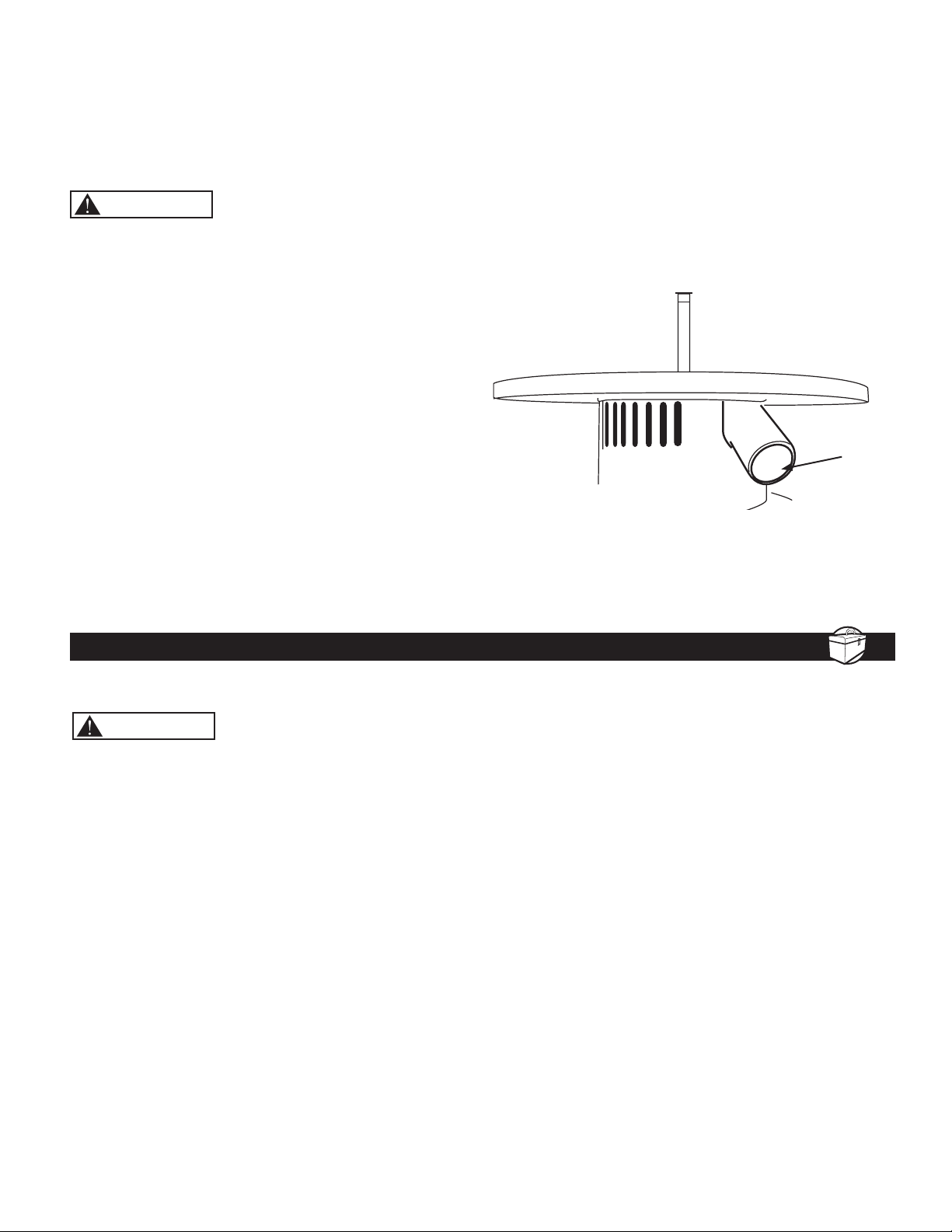
DUST COLLECTION
Refer to Figure 9
A dust collection port has been provided; it is located
beneath the work table on the rear side of the sander.
The dust port is sized to fit many commonly used wet/
dry vacuums.
The use of dust collection is highly recommended.
Sawdust buildup beneath the table may prevent the
spindle from oscillating completely, causing damage to
the tool.
Figure 9 - Location of Dust Port
Dust Port
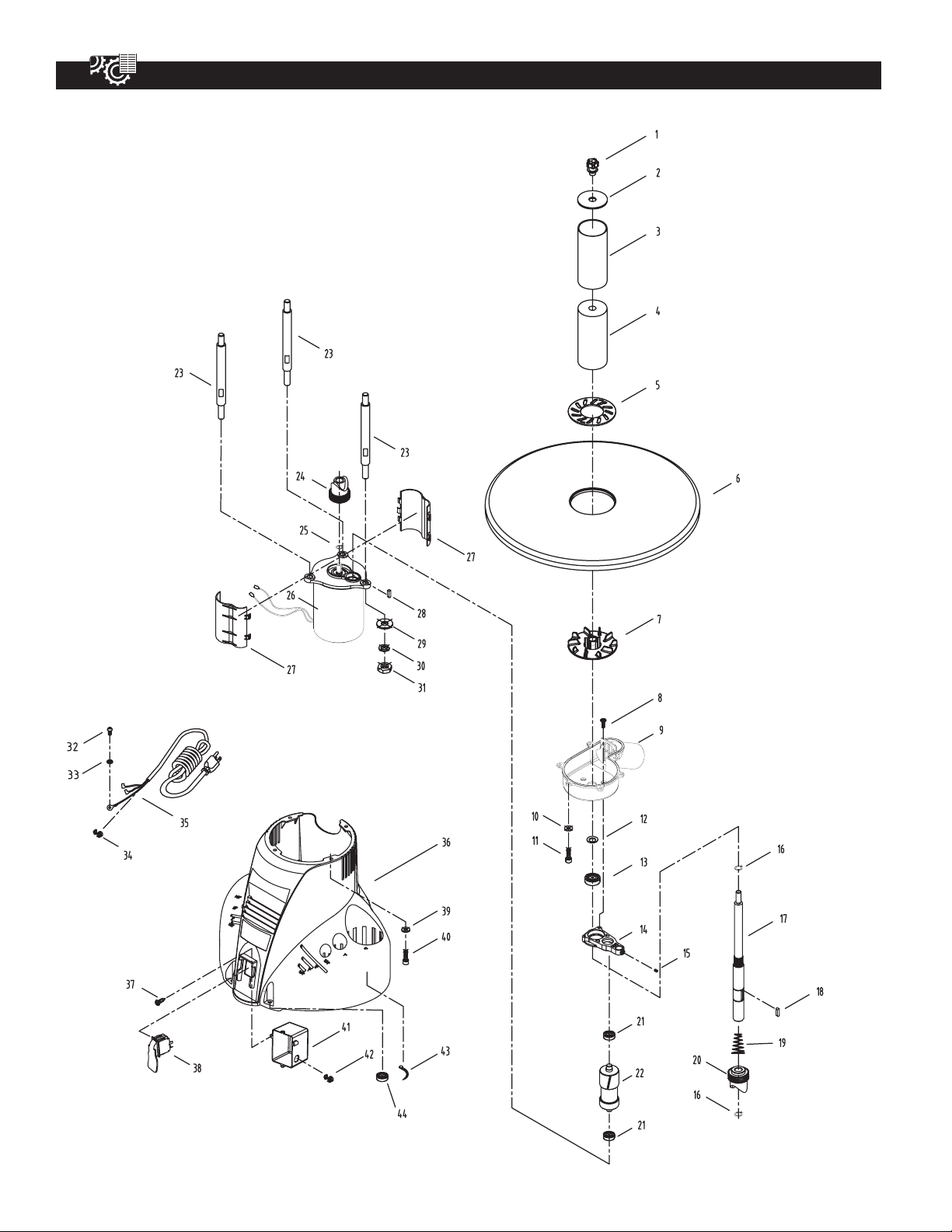
OSCILLATING SPINDLE SANDER PARTS ILLUSTRATION
8

OSCILLATING SPINDLE SANDER PARTS LIST
9
Key No. Part No. Description Specification Qty Key No. Part No. Description Specification Qty
1 OS1000001 Knob 1
2 OS1000002 Drum Washer 3/4",1",1-1/2",2",3" 1
3 OS1000003 Abrasive Sleeve 1/2",3/4",1",1-1/2",2",3" 1
4 OS1000004 Rubber Drum 3/4",1",1-1/2",2",3" 1
5 OS1000005 Table Inserts 1/2",3/4",1",1-1/2",2",3" 1
6 OS1400001 Table 1
7 OS1400002 Fan 1
8 OS1400003 Hex Sunk Screw M5×10 2
9 OS1400004 Fan Housing 1
10 OS1400005 Flat Washer Ф5 6
11 OS1400006 Hex Socket Head Bolt M5×12 6
12 OS1400007 Seal Ф16×Ф30×2.5 1
13 OS1400008 Bearing 6003-2Z 1
14 OS1400009 Top Bearing Bracket 1
15 OS1400010 Set Screw M5x6L 1
16 OS1400011 Circlip for Shaft Φ17 2
17 OS1400012 Shaft 1
18 OS1400013 A Model (round) Flat Key 5x5x20L 1
19 OS1400014 Spring 1
20 OS1400015 Flange Bevel Gear 1
21 OS1400016 Bearing 6001-2Z 2
22 OS1400017 Gear Shaft 1
23 OS1400018 Motor Stud 3
24 OS1400019 Flange Straight Gear 1
25 OS1400020 Circlip for Shaft Φ12 1
26 OS1400021 Motor 1
27 OS1400022 Sound Insulation Cover 2
28 OS1400023 Diode Recter Bridge 1
29 OS1400024 Flat Washer Ф10 3
30 OS1400025 Spring Washer Ф10 3
31 OS1400026 Hexnut M10 3
32 OS1400027 Hex Pan Head Screw M5×10L 1
33 OS1400028 Serrated Washer Ф5 1
34 OS1400029 Strain Relief 6P-4 2
35 OS1400030 Power Cord 18AWG/3C×2.5m(L) 1
36 OS1400031 Base 1
37 OS1400032 Hex Pan Head Tapping Screw ST4×8 3
38 OS1400033 Switch (4 claws) 1
39 OS1400034 Flat Washer Φ6 4
40 OS1400035 Hex Socket Head Screw M6×12L 4
41 OS1400036 Switch Box 1
42 OS1400037 Strain Relief 5P-4 1
43 OS1400038 Nylon Ribbon 1
44 OS1400039 Foot 4

TROUBLESHOOTING
10
SYMPTOM POSSIBLE CAUSE(S) SOLUTIONS
Motor will not start 1. Low voltage
2. Short circuit in line cord or plug
3. Short circuit in motor
4. Open circuit or loose connection in
motor
5. Incorrect fuses or circuit breakers
6. Defective switch
1. Check power supply for proper voltage
2. Inspect line cord and plug for faulty
insulation or shorted connection
3. Inspect connection on motor.
4. Inspect connection on motor
5. Replace with correct fuses or circuit
breakers
6. Replace switch
Motor stalls or fails to reach full
speed
1. Power overload
2. Low voltage from power supply
3. Undersized line cord
4. Motor overload
5. Short circuit or loose connection in
motor
6. Incorrect fuses or circuit breakers
1. Reduce workload on the power supply
2. Check power supply for proper voltage
3. Use line cord of adequate size or
reduce length of wiring
4. Reduce load on motor
5. Inspect the connection in motor for
loose or shorted connection
6. Replace with correct fuses or circuit
breakers
Motor overheats Motor overloaded Reduce load on motor. Turn off the
machine until motor cools down
Machine slows down while
operating
Applying too much pressure during
operation
Ease up on pressure
Sandpaper slips on drum 1. Applying too much pressure during
operation
2. Spindle knob loose
1. Ease up on pressure
2. Tighten spindle knob
Sandpaper not removing wood Sandpaper glazed or loaded with
sawdust
Replace sandpaper
Wood burns while sanding Sandpaper glazed or loaded with
sawdust
Replace sandpaper
Spindle cannot complete the
entire oscillating circle
1. Too much sawdust builds up
2. Faulty oscillating mechanism
1. Vacuum clean the machine
2. Inspect the oscillating mechanism
Excessive noise or vibration 1. Spindle and motor not aligned properly
2. Drum and sleeve not secured properly
1. Adjust motor and spindle alignment
and tighten all fasteners
2. Adjust and tighten spindle knob
properly to secure drum and sleeve in
position

30-DAY MONEY BACK GUARANTEE:
This PERFORMAX
®
brand power tool carries our 30-Day Money Back Guarantee. If you are not completely satisfied
with your PERFORMAX
®
brand power tool for any reason within thirty (30) days from the date of purchase, return the
tool with your original receipt to any MENARDS
®
retail store, and we will provide you a refund – no questions asked.
2-YEAR LIMITED WARRANTY:
This PERFORMAX
®
brand power tool carries a 2-Year Limited Warranty to the original purchaser. If, during normal
use, this PERFORMAX
®
power tool breaks or fails due to a defect in material or workmanship within two (2) years from
the date of original purchase, simply bring this tool with the original sales receipt back to your nearest MENARDS
®
retail store. At its discretion, PERFORMAX
®
agrees to have the tool or any defective part(s) repaired or replaced with
the same or similar PERFORMAX
®
product or part free of charge, within the stated warranty period, when returned by
the original purchaser with original sales receipt. Not withstanding the foregoing, this limited warranty does not cover
any damage that has resulted from abuse or misuse of the Merchandise. This warranty: (1) excludes expendable parts
including but not limited to blades, brushes, belts, bits, light bulbs, and/or batteries; (2) shall be void if this tool is used
for commercial and/or rental purposes; and (3) does not cover any losses, injuries to persons/property or costs. This
warranty does give you specific legal rights and you may have other rights, which vary from state to state. Be careful,
tools are dangerous if improperly used or maintained. Seller’s employees are not qualified to advise you on the use
of this Merchandise. Any oral representation(s) made will not be binding on seller or its employees. The rights under
this limited warranty are to the original purchaser of the Merchandise and may not be transferred to any subsequent
owner. This limited warranty is in lieu of all warranties, expressed or implied including warranties or merchantability
and fitness for a particular purpose. Seller shall not be liable for any special, incidental, or consequential damages. The
sole exclusive remedy against the seller will be for the replacement of any defects as provided herein, as long as the
seller is willing or able to replace this product or is willing to refund the purchase price as provided above. For insurance
purposes, seller is not allowed to demonstrate any of these power tools for you.
For questions / comments, technical assistance or repair parts
Please Call Toll Free at: 1-847-780-6120 (M-F 9am – 5pm)
SAVE YOUR RECEIPTS. THIS WARRANTY IS VOID WITHOUT THEM.
WARRANTY
11



Menard, Inc.
Eau Claire, WI 54703