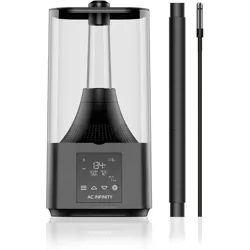
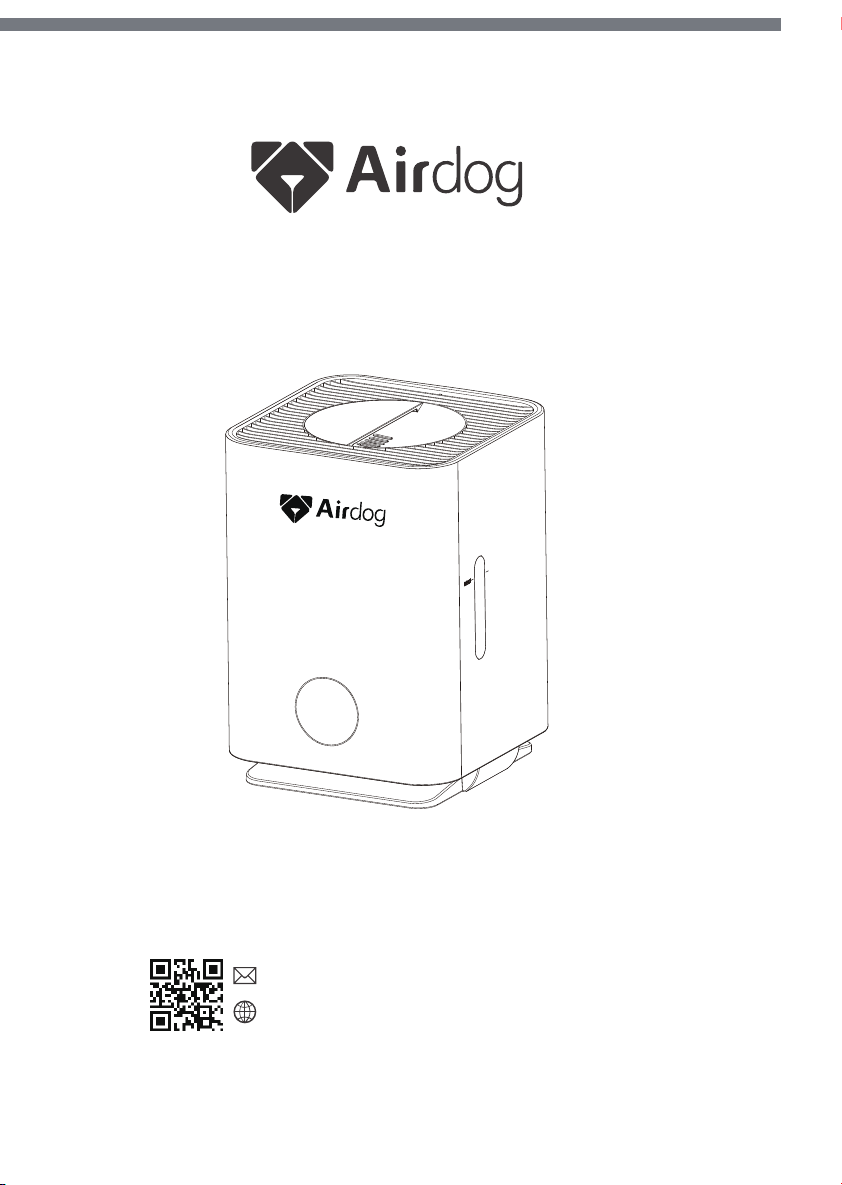
AirH001
Airdog USA Inc.
Cleaning the filter
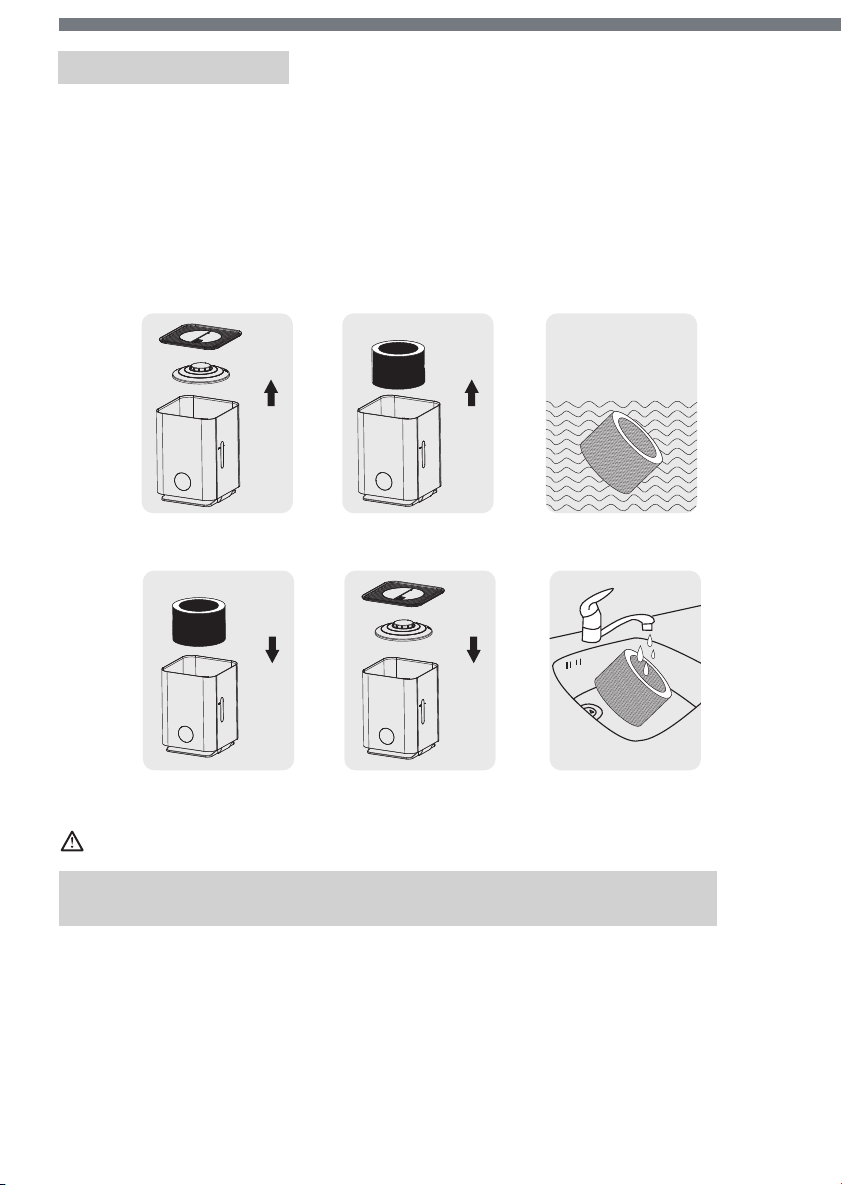
1. Turn off the humidifier and unplug the power cord.
2. Remove the top cover and untwist the filter cover.(graph 1)
3. Take out the filter.(graph 2)
4. Soak the filter in the water for about 1 hour.(graph 3)
5. Wash the filter gently. Do not rub the filter.(graph 4)
6. Install the filter back.(graph 5)
7. Install the cover and your humidifier is ready to go. (graph 6)
graph 1
graph 2 graph 3
graph 6
graph 5
graph 4
Attention
For your more comfortable experience, it is recommended to clean the
filter every week and change the filter every 3 months.
Company warrants the original purchaser only, this product to be free
from defects in workmanship and materials under normal use and
service (all except human matters) for 1 year from the date of receiving.
Warranty
For more detailed operation,please check our support page.
Official Website: http://airdogusa.com/
Customer Service: [email protected]
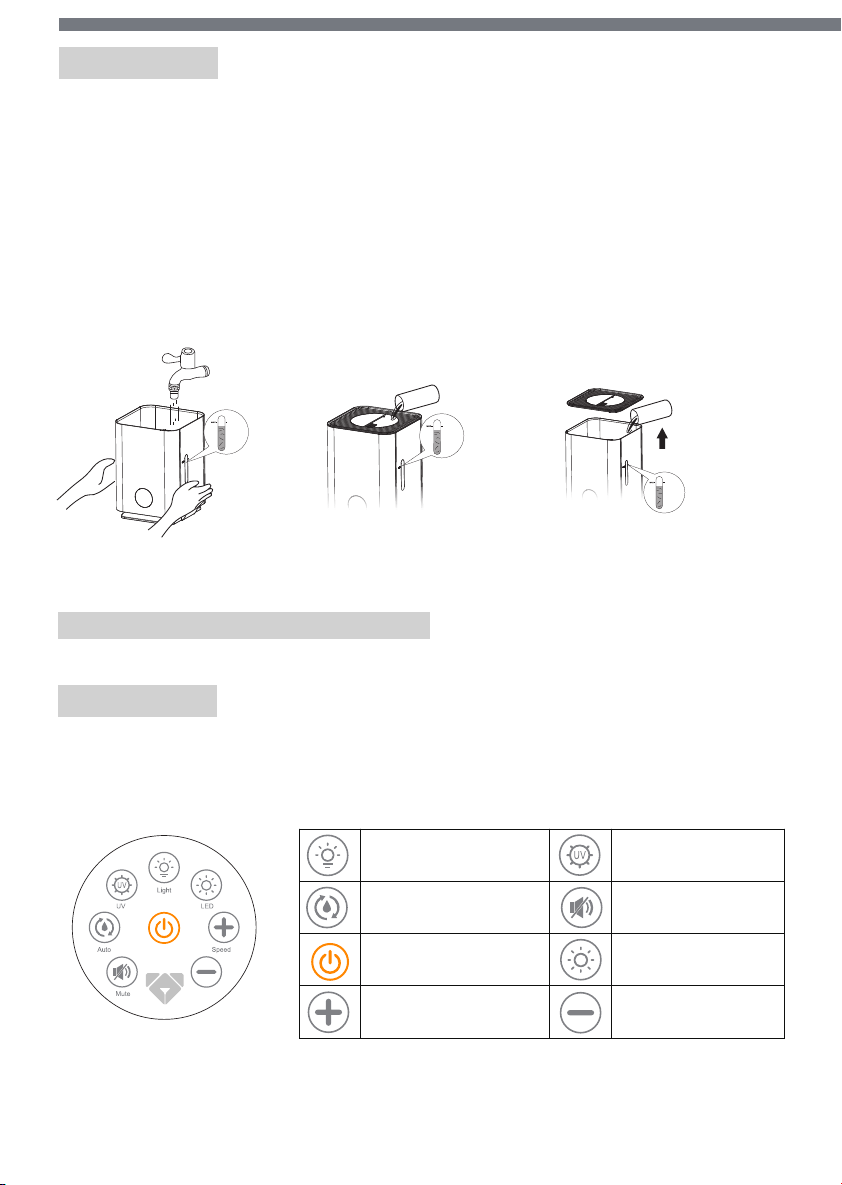
Ambient light ON/OFF UV light ON/OFF
Quiet operation mode
Display ON/OFF
Speed level down
Smart mode setting
Power ON/OFF
Speed level up
Aenon: Pour the water out from the corner which marked “Pour Water Here”.
Installation
Add Water Display panel
1.Remove the cover. Add water as shown in the below picture.
2.Add water into the tank directly from the outlet, no need to remove the cover.
3.Remove the cover and add water into the tank.
Open the box and packages,the Airdog mistfree
evaporative humidifier is ready to use by simply adding water.
Do not add water over the max line.
Operation
Operation with front panel
Operation with remote controller
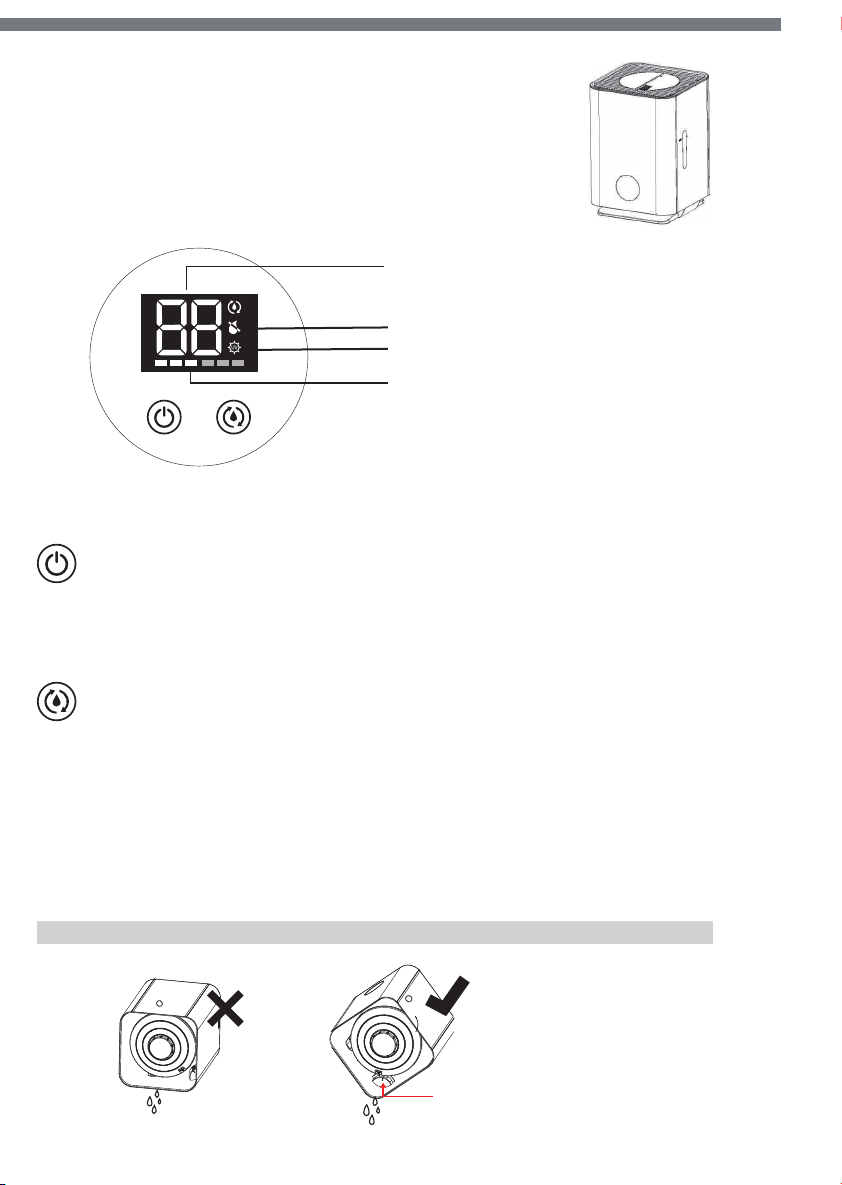
Current humidity level in %
No water reminder
UV ON/OFF
Speed Level
Low speed: Fixed 3 bars
High speed: Fixed 6 bars
Smart mode: Change from 1 bar to 6 bar
and cycle through.
Power/Speed button
Short press: Cycle through high, low, OFF.
Long press (2s): Turn off while working
Smart mode/Ambient light control button
Short press: Switch among manual or smart mode levels.
At smart mode,the humidifier will change the speed according to
the set humidity level. Run the smart mode with the target humidity level,
set it by cycle through 50,55,60,65,70,75,80 or OFF smart mode.
Long press (2s): Turn on/off ambient light.
max
upper limit
max
upper limit
clear water
1
2 3
max
upper limit
clear water
Pour Water
Here
Ambient light ON/OFF UV light ON/OFF
Quiet operation mode
Display ON/OFF
Speed level down
Smart mode setting
Power ON/OFF
Speed level up
Aenon: Pour the water out from the corner which marked “Pour Water Here”.
Installation
Add Water Display panel
1.Remove the cover. Add water as shown in the below picture.
2.Add water into the tank directly from the outlet, no need to remove the cover.
3.Remove the cover and add water into the tank.
Open the box and packages,the Airdog mistfree
evaporative humidifier is ready to use by simply adding water.
Do not add water over the max line.
Operation
Operation with front panel
Operation with remote controller
Current humidity level in %
No water reminder
UV ON/OFF
Speed Level
Low speed: Fixed 3 bars
High speed: Fixed 6 bars
Smart mode: Change from 1 bar to 6 bar
and cycle through.
Power/Speed button
Short press: Cycle through high, low, OFF.
Long press (2s): Turn off while working
Smart mode/Ambient light control button
Short press: Switch among manual or smart mode levels.
At smart mode,the humidifier will change the speed according to
the set humidity level. Run the smart mode with the target humidity level,
set it by cycle through 50,55,60,65,70,75,80 or OFF smart mode.
Long press (2s): Turn on/off ambient light.
max
upper limit
max
upper limit
clear water
1
2 3
max
upper limit
clear water
Pour Water
Here
AirH001
Airdog USA Inc.
Cleaning the filter
1. Turn off the humidifier and unplug the power cord.
2. Remove the top cover and untwist the filter cover.(graph 1)
3. Take out the filter.(graph 2)
4. Soak the filter in the water for about 1 hour.(graph 3)
5. Wash the filter gently. Do not rub the filter.(graph 4)
6. Install the filter back.(graph 5)
7. Install the cover and your humidifier is ready to go. (graph 6)
graph 1
graph 2 graph 3
graph 6
graph 5
graph 4
Attention
For your more comfortable experience, it is recommended to clean the
filter every week and change the filter every 3 months.
Company warrants the original purchaser only, this product to be free
from defects in workmanship and materials under normal use and
service (all except human matters) for 1 year from the date of receiving.
Warranty
For more detailed operation,please check our support page.
Official Website: http://airdogusa.com/
Customer Service: [email protected]