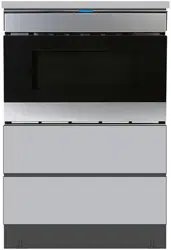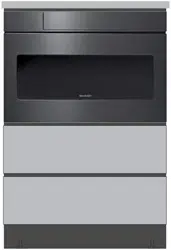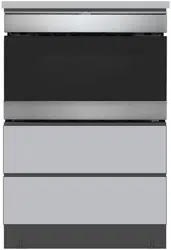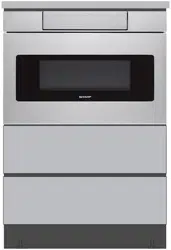
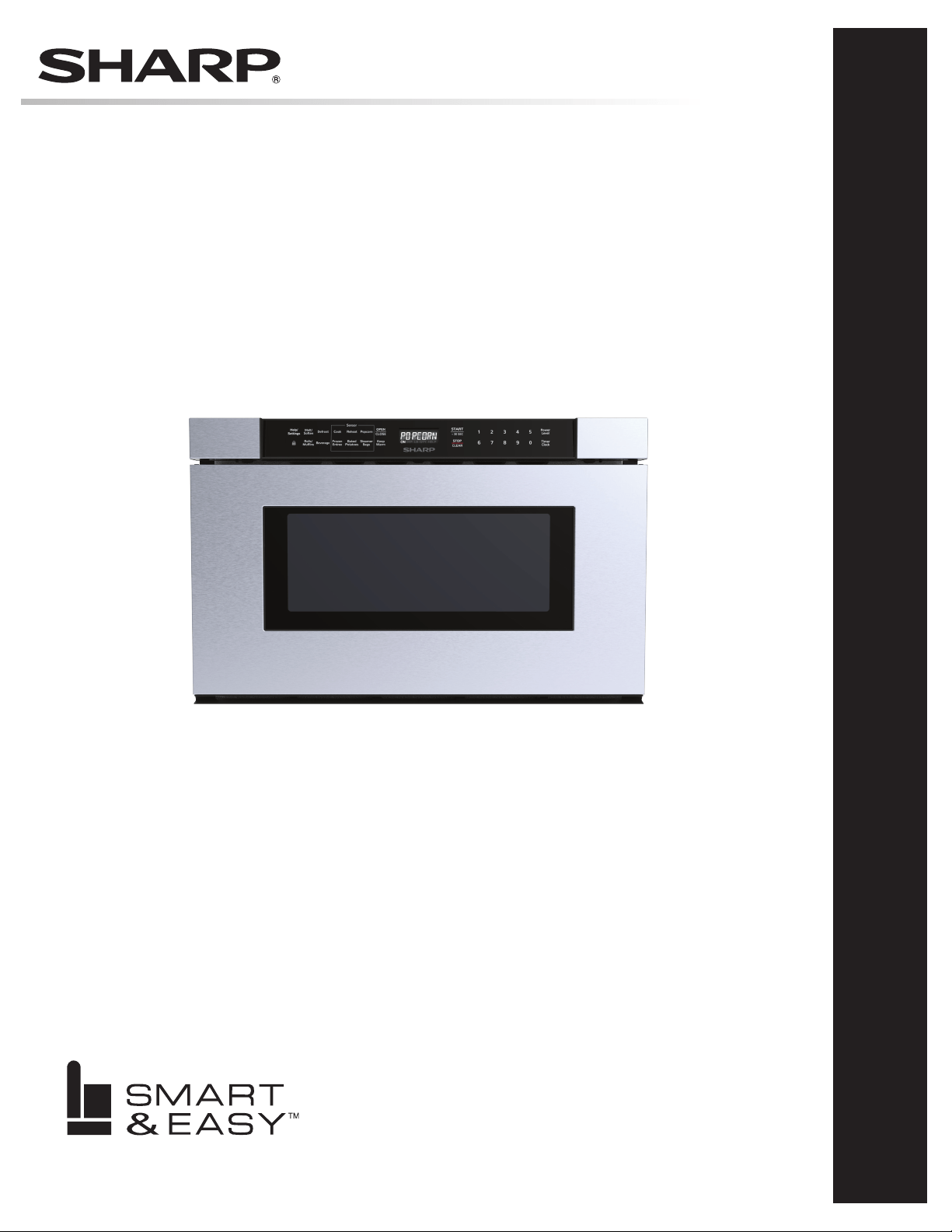
Microwave Drawer
™
oven MoDel:
SMD2440JS
OPERATION MANUAL
MODEL
SMD2440JS
STAINLESS STEEL
CUSTOMER ASSISTANCE ................................. 2
PRECAUTIONS TO AVOID POSSIBLE EXPOSURE TO
EXCESSIVE MICROWAVE ENERGY ....................... 3
US CONSUMER LIMITED WARRANTY .................... 4
IMPORTANT SAFETY INSTRUCTIONS .................... 5
IMPORTANT INFORMATION............................. 6-9
PART NAMES..... ......................................... 10
BEFORE OPERATING ...................................... 11
MICROWAVE COOKING ............................... 12-18
OTHER FEATURES .................................... 19-20
CLEANING AND CARE .................................... 21
BEFORE YOU CALL FOR SERVICE ....................... 22
AUTO-TOUCH GUIDE ......................23-BACK COVER
CUSTOMER ASSISTANCE UNITED STATES ONLY
REGISTER YOUR PRODUCT
Registering your new product is easy and offers benets that help you get the most
out of your Sharp product including:
9 Convenience: Ifyoueverneedwarrantysupport,yourproductinformationisalreadyonle.
9 Communication:StayuptodatewithimportantnoticationsandspecialoffersfromSHARP.
9 Support: Quickly access support content including Owner’s Manuals, FAQ’s,
How-toVideos,andmuchmore.
3 EASY WAYS TO REGISTER TODAY!
PRODUCT SUPPORT
If you have questions about the setup or operation of your product, please refer to
the corresponding section within this manual.
Additionally, visit www.sharpusa.com/support to access exclusive content about your
product including:
Æ FAQ’s and How-To Videos
Æ Find or Request Service
Æ Extended Warranty Options
Æ Downloads including the Installation Guide, Spec Sheet, and Owner’s Manual
CONTACT US
If at any time you have questions or comments concerning your SHARP product,
please contact the SHARP Customer Assistance Center. We are available to
assist you through multiple contact methods for your convenience:
Scan this QR Code on your mobile device Visit http://www.sharpusa.com/register
ONLINE
Visit our sites to
learn more about
your product at
sharpusa.com and
sbl.sharpusa.com
See the Contact Us section on our sites U.S. | www.sharpusa.com/support Contact a Sharp Advisor on the phone
Contact a Sharp Advisor on the phone
CALL US
US 800-BE-SHARP
800-237-4277
Mon-Fri: 7am-7pm CST
Sat-Sun: 9am-7pm CST
CALL US
US 800-BE-SHARP
800-237-4277
Mon-Fri: 7am-7pm CST
Sat-Sun: 9am-7pm CST
EMAIL
Available 24/7
US: sharpusa.com
CHAT ONLINE
Mon-Fri: 7am-7pm CST
Sat-Sun: 9am-7pm CST
SCAN
Use the camera or
QR code scanning
application on your
mobile device
2
3
PRECAUTIONS TO AVOID POSSIBLE EXPOSURE
TO EXCESSIVE MICROWAVE ENERGY
(a) Do not attempt to operate this oven with the door open since open-door operation can result in harmful
exposure to microwave energy. It is important not to defeat or tamper with the safety interlocks.
(b) Do not place any object between the oven front face and the door or allow soil or cleaner residue to
accumulate on sealing surfaces.
(c) Do not operate the oven if it is damaged. It is particularly important that the oven door close properly and
that there is no damage to the: (1) door (bent), (2) hinges and latches (broken or loosened), (3) door seals
and sealing surfaces.
(d) The oven should not be adjusted or repaired by anyone except properly qualied service personnel.
US CONSUMER LIMITED WARRANTY
4
SHARP ELECTRONICS CORPORATION (“Sharp”) warrants to the rst consumer purchaser (“Purchaserˮ) that this SHARP brand
product (“Productˮ), when shipped in its original container and sold or distributed in the United States by Sharp or an authorized
Sharp dealer or reseller, will be free from defective workmanship and materials, and agrees that it will, at its option, either repair
the defect or replace the defective Product or part thereof with a new or remanufactured equivalent at no charge to the Purchaser for
parts or labor for the period(s) set forth below.
This limited warranty does not apply to any appearance items of the Product nor to the additional excluded item(s) set forth below
nor to any Product the exterior of which has been damaged or defaced, which has been subjected to misuse, abnormal service or
handling, or which has been altered or modied in design or construction.
In order to enforce the rights under this limited warranty, the Purchaser should follow the steps set forth below and provide proof of
purchase to the servicer.
The limited warranty described herein is in addition to whatever implied warranties may be granted to Purchasers by law. ALL
IMPLIED WARRANTIES INCLUDING THE WARRANTIES OF MERCHANTABILITY AND FITNESS FOR USE ARE
LIMITED TO THE PERIOD(S) FROM THE DATE OF PURCHASE SET FORTH BELOW. Some states do not allow limitations
on how long an implied warranty lasts, so the above limitation may not apply to you.
Neither the sales personnel of the seller nor any other person is authorized to make any warranties other than those described herein,
or to extend the duration of any warranties beyond the time period described above on behalf of Sharp.
The warranties described herein shall be the sole and exclusive warranties granted by Sharp and shall be the sole and exclusive
remedy available to the Purchaser. Correction of defects, in the manner and for the period of time described herein, shall constitute
complete fulllment of all liabilities and responsibilities of Sharp to the Purchaser with respect to the Product, and shall constitute
full satisfaction of all claims, whether based on contract, negligence, strict liability or otherwise. In no event shall Sharp be liable,
or in any way responsible, for any damages or defects in the Product which were caused by repairs or attempted repairs performed
by anyone other than an authorized servicer. Nor shall Sharp be liable or in any way responsible for any incident or consequential
economic or property damage. Some states do not allow the exclusion of incidental or consequential damages, so the above exclusion
may not apply to you.
THIS LIMITED WARRANTY IS VALID ONLY IN THE FIFTY (50) UNITED STATES, THE DISTRICT OF COLUMBIA AND
PUERTO RICO.
Your product model number &
description
SMD2440JS or Home Use Sharp Microwave Drawer
™
Oven. (Be sure to have this information
available when you need service for your Product.)
Warranty period for this product: One (1) year parts and labor including in-home service.
Product must be accessible to provide service.
The warranty period continues for an additional four (4) years, for a total of ve (5) years, with
respect to the magnetron tube in the Product for parts only; labor and service are not provided
free of charge for this additional period.
Additional item(s) excluded from
warranty coverage (if any):
Non-functional accessories, service calls to your home to instruct how to use your Microwave
Drawer
™
Oven appliance, replace or repair house fuses or to correct house wiring, improper
commercial use, installation, or maintenance, damage to the product caused by delivery,
accident, modications, re, oods or acts of God.
Where to obtain service: From a Sharp Authorized Servicer located in the United States. To nd the location of the
nearest Sharp Authorized Servicer, call Sharp toll free at 1-800-237-4277 (1-800-BE-SHARP).
What to do to obtain service: In-home service is provided for one year from date of purchase. In-home service can be arranged
by calling 1-800-BE-SHARP. Be sure to have Proof of Purchase available.
TO OBTAIN SUPPLY, ACCESSORY OR PRODUCT INFORMATION, CALL 1-800-BE-SHARP or visit www.sharpusa.com.
SAVE THE PROOF OF PURCHASE AS IT IS NEEDED SHOULD YOUR APPLIANCE EVER REQUIRE WARRANTY SERVICE.
5
IMPORTANT SAFETY INSTRUCTIONS
IMPORTANT Read all instructions carefully before installa-
tion and operation. Keep this Operation Manual for future use.
Sharp Microwave Drawer
™
Oven is manufactured in compliance
with the relevant safety standard.
WARNING
Failure to follow these warnings could result in
a re or explosion causing property damage, personal injury
or death. To reduce the risk of re, electric shock, exposure to
excessive microwave energy or injury, use only as intended and
take the following precautions.
SAFETY PRECAUTIONS
WARNING
When using electrical appliances, take safety
precautions, including the following:
1 Install or locate this unit only in accordance with the
provided installation instructions.
2 Read all instructions before using Sharp Microwave
Drawer
™
Oven.
3 Read and follow specic PRECAUTIONS TO AVOID
POSSIBLE EXPOSURE TO EXCESSIVE MICROWAVE
ENERGY on page 2.
4 Do not store or use this appliance outdoors or in areas near
water, such as near a kitchen sink, in a wet basement, near
a swimming pool or similar locations.
5 Do not immerse the cord in water. Keep the cord away from
heated surfaces.
6 To prevent accidents and achieve optimal ventilation, ensure
sufcient space around the cooking area.
7 Do not block or cover any openings on this appliance.
8 Use the Sharp Microwave Drawer
™
Oven only for its
intended purpose as described in this manual. This appli-
ance is designed for built-in household use only. Do not use
outdoors. Do not use to heat a room. Do not use corrosive
chemicals or vapors in this appliance. This appliance is
specically designed to heat, cook or dry food. It is not
designed for industrial or laboratory use.
9 Do not store or use ammable or combustible materials,
gasoline or other ammable vapors and liquids in the
vicinity of this appliance.
10 Use caution when removing hot items.
11 Teach children to not play with the appliance, its controls or
any other part of the appliance. Hot contents can cause severe
burns. Do not allow children to use the microwave oven.
12 Use only dry potholders. Moist or damp potholders on hot
surfaces may cause burns from steam. Do not let potholders
touch hot surfaces or radiant surface units. Do not use towels
or other bulky cloth.
13 Keep ngers and clothes clear of drawer guides when the
drawer is opened or closed. Fingers or clothes could be
caught in the guides when the drawer is closed.
14 Have the installer identify the location of the circuit breaker
or fuse. Mark it for easy reference.
15 Before performing any service, disconnect the appliance
power supply at the household distribution panel by remov-
ing the fuse or switching off the circuit breaker.
16 Do not repair or replace any part of Sharp Microwave
Drawer
™
Oven unless specically recommended in this
manual. All other servicing should be referred to a qualied
technician.
17 Some products in sealed containers, such as whole eggs and
closed glass jars, can explode and should not be heated in
the Sharp Microwave Drawer
™
Oven.
18 To reduce risk of re in the oven cavity, take the following
precautions.
• Do not overcook food. Carefully attend the appliance
when paper, plastic or other combustible materials
are used to facilitate cooking in the Sharp Microwave
Drawer
™
Oven.
• Remove wire twist-ties from paper or plastic bags before
placing bag in oven cavity.
• If materials inside the Sharp Microwave Drawer
™
Oven
ignite, keep the drawer closed, turn off the appliance and
shut off power at the fuse or circuit breaker panel.
• Do not use Sharp Microwave Drawer
™
Oven for storage
purposes. Do not leave paper products, cooking utensils
or food in the oven cavity when not in use.
19 Food and containers must be shorter in height than the
drawer. Refer to the height of the side walls of the drawer.
20 Use only mild, nonabrasive soaps or detergents applied with
a sponge or soft cloth when cleaning the sealing surfaces
that come together on closing the drawer. See CLEANING
AND CARE on page 21.
21 Liquids, such as water, coffee or tea, can be overheated
beyond the boiling point without appearing to boil, due to
surface tension of the liquid. Visible bubbling or boiling
when the container is removed from the Sharp Microwave
Drawer
™
Oven is not always present. This could result in
VERY HOT LIQUIDS suddenly boiling over when a spoon
or other utensil is inserted into the liquid.
To reduce the risk of injury to persons when heating liquids:
• Do not overheat liquids.
• Stir liquids both before and halfway through heating.
• Do not use straight-sided containers with narrow necks.
Use wide-mouthed containers.
• After heating allow the container to stand in the Sharp
Microwave Drawer
™
Oven for at least 20 seconds before
removing.
• Use extreme care when inserting a spoon or other utensil
into liquids after heating.
22 If the Sharp Microwave Drawer
™
Oven light fails, consult a
Sharp Authorized Servicer. Only qualied service personnel
should service Sharp Microwave Drawer
™
Oven. Contact
1-800-BE-SHARP for the nearest Sharp Authorized Ser-
vicer for evaluation, repair and/or adjustment.
SAVE THESE INSTRUCTIONS
6
UNPACK THE APPLIANCE
Remove all packing materials from inside the appliance. Remove
the protective lm from the touch control area. Additionally,
remove the feature sticker, if there is one, from outside of the
Sharp Microwave Drawer
™
Oven. Check the drawer for any
damage, such as misaligned or bent drawer, damaged drawer
seals and sealing surfaces, broken or loose drawer guides and
dents inside the cavity or on the front side of the drawer. If there
is any damage, do not operate the Sharp Microwave Drawer
™
Oven and contact your dealer or a Sharp Authorized Servicer.
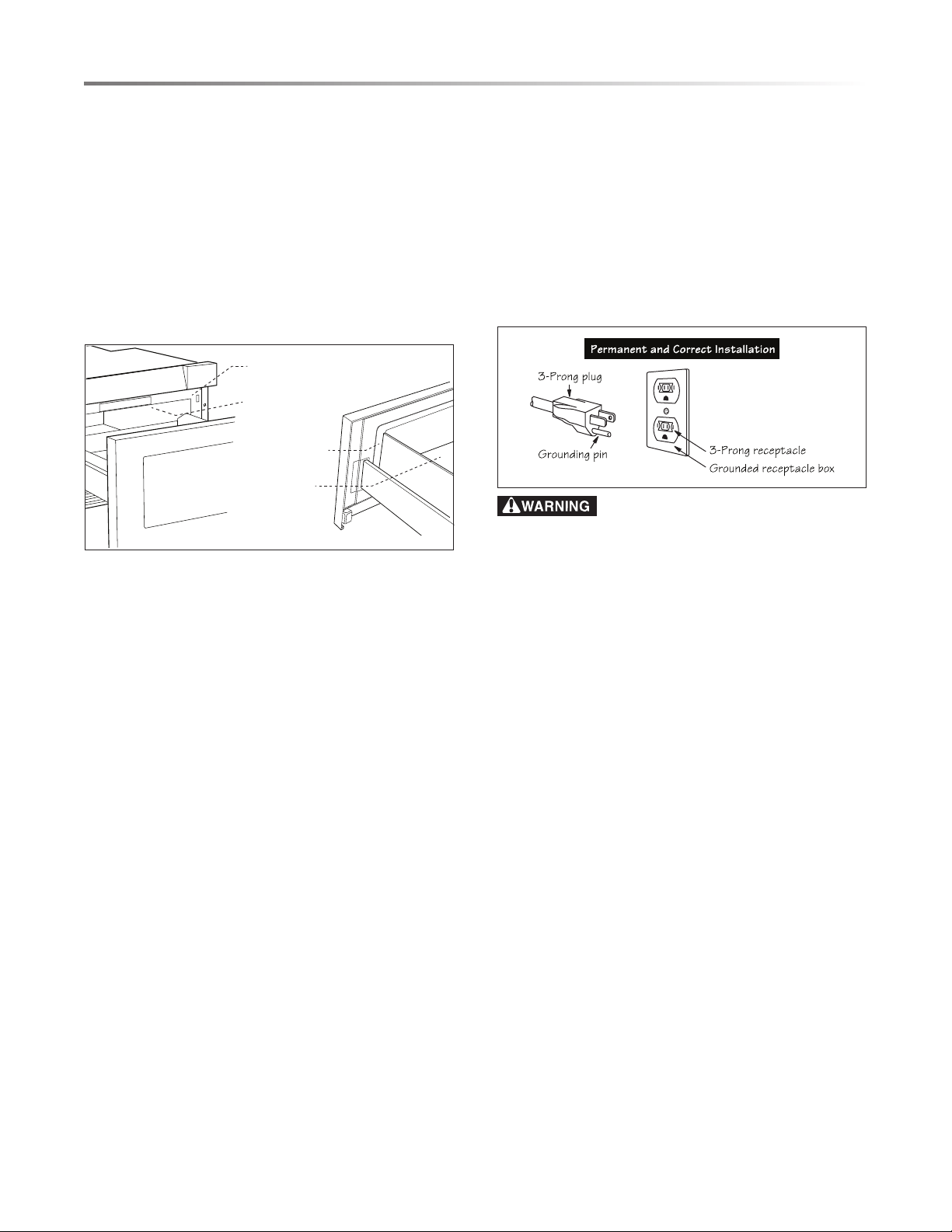
IMPORTANT: DO NOT REMOVE THE WAVEGUIDE
COVER LOCATED ON THE TOP OF THE OVEN CAVITY.
Sealing
Surface
Oven
Cavity
Waveguide
Cover
Sealing
Surface
BEFORE OPERATING
• Read and understand all instructions in this Operation
Manual.
• Ensure the appliance is properly installed and connected to
power according to all instructions in the included Instal-
lation Manual.
• Ensure all protective packaging materials and tape have been
completely and correctly removed.
CONDITION OF UNIT
Do not operate any appliance with a damaged cord or after the
appliance malfunctions or has been damaged in any manner.
Return the appliance to the nearest authorized service facility
for examination, repair or adjustment.
SERVICE AND REPAIR WARNING
Do not repair or replace any part of the Sharp Microwave
Drawer
™
Oven. If the display, oven or touch controls fail, consult
a Sharp Authorized Servicer.
RADIO OR TV INTERFERENCE
If any interference to your radio or TV is caused by the Sharp
Microwave Drawer
™
Oven, check if the appliance is on a dif-
ferent electrical circuit, relocate the radio or TV as far away
from the appliance as feasible or check position and signal of
receiving antenna.
GROUNDING
INSTRUCTIONS
This appliance must be grounded. The Sharp Microwave
Drawer
™
Oven is equipped with a cord having a grounding wire
with a grounding plug. It must be plugged into a wall receptacle
that is properly installed and grounded in accordance with the
National Electrical Code and local codes and ordinances. In
the event of an electrical short circuit, grounding reduces risk
of electric shock by providing an escape wire for the electric
current.
Improper use of the grounding plug can result
in a risk of electric shock. Do not use an extension cord. If the
power supply cord is too short, have a qualied electrician
or serviceman install an outlet near the appliance.
If you have any questions about the grounding or electrical
instructions, consult a qualied electrician or service person.
PRODUCT DISPOSAL
This product may not be treated as household waste. To dispose
of the appliance, deliver it to an applicable collection point for
the recycling of electrical and electronic equipment. Dispose
of this product correctly to prevent negative consequences for
the environment and human health, which could otherwise be
caused by inappropriate waste handling of this product. For
more detailed information about recycling of this product, please
contact your local city ofce, your household waste disposal
service or the shop where you purchased the product.
ABOUT THE MICROWAVE OVEN
ABSORB MICROWAVE ENERGY
When the Sharp Microwave Drawer
™
Oven is in use, ALWAYS
have food in the cavity to absorb the microwave energy. The
Sharp Microwave Drawer
™
Oven is for food preparation only.
It should not be used to dry clothes or newspapers.
OPEN AND CLOSE CAREFULLY
When opening or closing the Sharp Microwave Drawer
™
Oven
quickly, food in the oven may be spilled. See CLEANING AND
CARE on page 21.
WARM EXTERIOR IS NORMAL
It is normal for the exterior of the Sharp Microwave Drawer
™
Oven to be warm to the touch when cooking or reheating.
IMPORTANT INFORMATION
7
CONDENSATION IS NORMAL
It is normal for microwave use to produce condensation, the
amount of which is related to food moisture content and room
humidity.
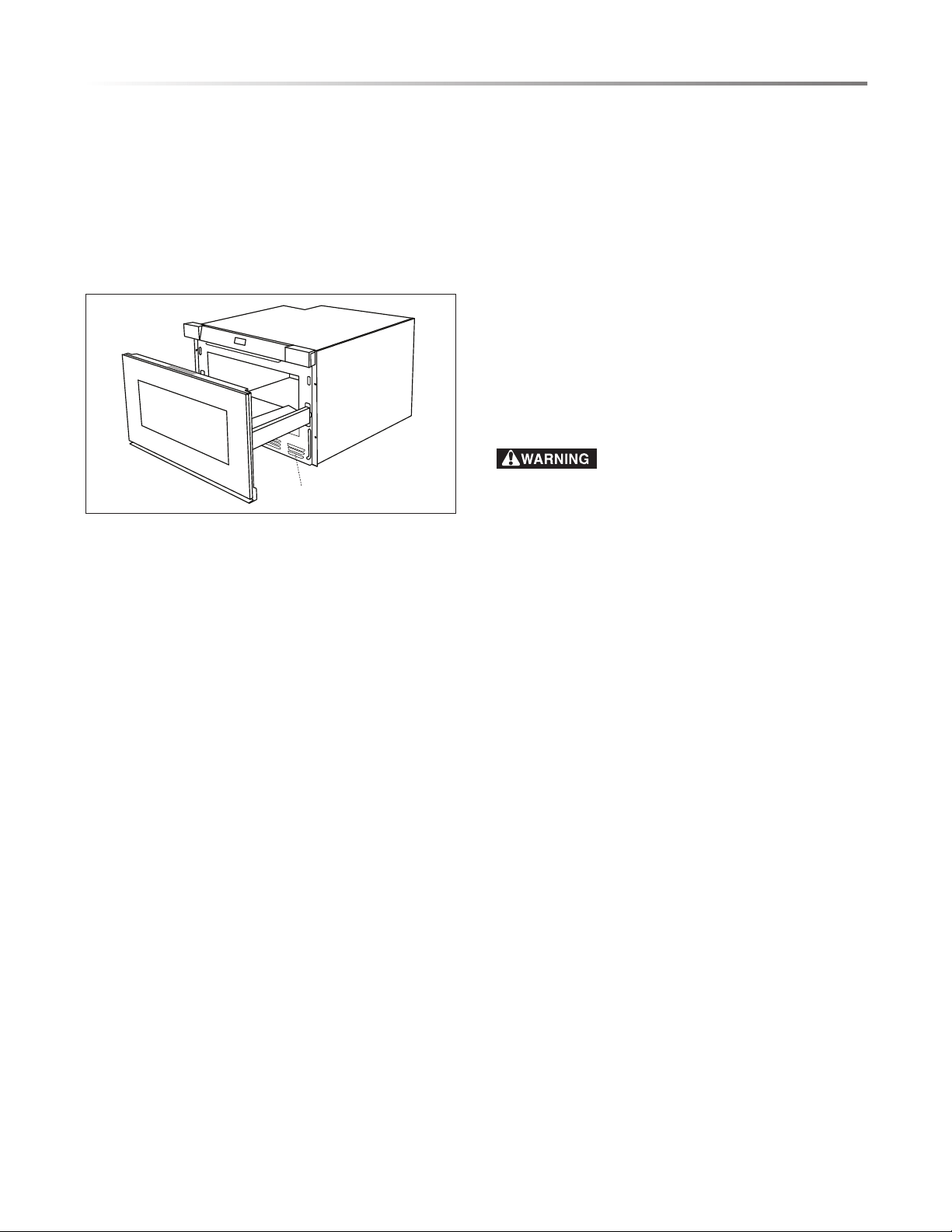
DO NOT BLOCK VENT
NEVER cover or obstruct the vent over and under the Sharp
Microwave Drawer
™
Oven. During microwave use, steam may
come from the left side lower vent. Check the vent area after
each use and wipe it down if needed.
VENT
MAGNETRON CYCLING IS NORMAL
The magnetron can be heard cycling on and off during micro-
wave use with power levels below 100%.
ABOUT MICROWAVE COOKING
ARRANGE FOOD CAREFULLY
Place the thickest parts of the food toward the outside of the dish.
WATCH COOKING TIME
When following recipes or package instructions, check food for
doneness a minute or two before the minimum time and add
time as needed.
COVER FOODS WHILE COOKING
Covers prevent spattering and help foods cook evenly. Check
cookbooks and recipes for cover suggestions, such as paper
towels, wax paper, microwave-safe plastic wrap or lids. See
ABOUT MICROWAVE UTENSILS on page 8.
STIR FOODS REGULARLY
Stir foods once or twice during microwaving. Whenever pos-
sible, stir from the outside to the center of the dish.
TURN OVER FOODS
Turn over foods such as chicken and hamburgers at least once
during microwaving to speed cooking. Large items like roasts
must be turned over at least once.
REARRANGE FOODS
Rearrange foods such as meatballs halfway through microwav-
ing by moving pieces from top to bottom and from left to right.
ADD STANDING TIME
Standing time allows cooking to nish without overcooking
food. After microwave cooking, remove food, stir if possible
and cover for standing time.
CHECK FOR DONENESS
Look for signs indicating the cooking temperature has been
reached. Doneness signs include:
• food steams throughout, not just at edges
• center of the dish's underside is very hot to the touch
• poultry thigh joints move easily
• meat and poultry show no pinkness
• sh is opaque and akes easily with a fork
Use a meat thermometer to check if foods are cooked to the safe
temperature. See ABOUT FOOD SAFETY on page 8.
ABOUT MICROWAVE SAFETY
HOT CONTENTS CAN CAUSE SEVERE
BURNS. DO NOT ALLOW CHILDREN TO USE THE
MICROWAVE OVEN. Use caution when removing hot items.
To avoid spills and burns, anyone using the Sharp Microwave
Drawer
™
Oven must be able to reach it comfortably. Anyone using
the Sharp Microwave Drawer
™
Oven can do so safely if they
understand and take safety precautions, including the following.
ALWAYS USE POTHOLDERS
Use potholders to prevent burns when handling utensils in contact
with hot food. Enough heat from the food can transfer through
utensils to cause skin burns.
AVOID STEAM BURNS
Direct steam away from the face and hands. Slowly lift the
farthest edge of a dish covering and carefully open cooking bags
and popcorn bags away from the face.
MONITOR COOKING
Stay near the appliance when it is in use and check progress
frequently to avoid overcooking food.
HANDLE FOOD CAREFULLY
Select, store and handle food carefully to preserve its high quality
and minimize the spread of foodborne bacteria.
NOT FOR STORAGE
NEVER use the Sharp Microwave Drawer
™
Oven for storing
cookbooks or other items.
IMPORTANT INFORMATION
8
ABOUT MICROWAVE UTENSILS
UTENSILS
It is not necessary to buy all new cookware for microwave
cooking. Many pieces already in your kitchen can be used suc-
cessfully in the Sharp Microwave Drawer
™
Oven.
To check if a dish is safe for microwave use, place the empty
dish in the Sharp Microwave Drawer
™
Oven and microwave
on HIGH for 30 seconds. A dish that becomes very hot is not
suitable for microwave cooking.
SAFE UTENSILS DO NOT USE
• glass-ceramic
• heat-resistant glass
• microwave-safe plastics
• microwave-safe paper
plates
• microwave-safe pottery,
stoneware and porcelain
• browning dish*
• wood, straw and wicker†
• metal pans and bakeware
• dishes with metallic trim
• non-heat-resistant glass
• non-microwave-safe plastics
• recycled paper products
• brown paper bags
• food storage bags
• metal twist-ties
• aluminum foil
* IMPORTANT Do not exceed recommended preheating
time for browning dish.
† IMPORTANT Cook only foods with low fat and sugar
contents in wood, straw and wicker.
MICROWAVE COVERINGS
Use covers to prevent spattering and help foods cook evenly.
There are several different coverings to suit unique needs.
Microwave-safe lids keep heat close to the food, hastening
cooking, and oven cooking bags can be used for tenderizing
large meats. Check cookbooks and recipes for more covering
suggestions.
SAFE COVERINGS DO NOT USE
• paper towels
• wax paper
• microwave-safe plastic
wrap*
• microwave-safe lids
• oven cooking bags
• recycled paper towels
• non-microwave-safe plastic
wrap
• metal lids or lids with
metal trim
• twist-ties on oven bags
* IMPORTANT Vent plastic wrap and oven cooking bags
so steam can escape. Do not allow plastic wrap to touch
food.
IMPORTANT INFORMATION
ACCESSORIES
There are many microwave accessories available for purchase.
Before buying accessories, evaluate carefully if they suit your
needs. A microwave-safe thermometer indicates whether foods
have been cooked to safe temperatures. Sharp is not responsible
for any damage to the Sharp Microwave Drawer
™
Oven when
accessories are used.
FOR MORE RECOMMENDATIONS
A good microwave cookbook can provide microwave cooking
principles, techniques, hints and recipes.
ABOUT FOOD SAFETY
Cook foods to safe temperatures recommended by the United
States Department of Agriculture (USDA). To check internal
temperature of foods to determine doneness, insert a meat
thermometer in a thick or dense area away from fat or bone.
NEVER leave a thermometer in the food
during microwave cooking unless the thermometer is approved
for microwave use.
USDA RECOMMENDED TEMPERATURES
sh 145˚F (63˚C)
pork, ground beef/veal/lamb, egg dishes 160˚F (71˚C)
whole, pieces and ground turkey/chicken/
duck, leftover, ready-to-reheat refrigerated,
deli and carry-out food
165˚F (74˚C)
NOTE:
• ALWAYS use potholders to prevent burns when handling
utensils in contact with hot food. Heat from the food can
transfer through utensils to cause skin burns.
• Avoid steam burns by directing steam away from the face
and hands. Slowly lift the farthest edge of a dish covering
and carefully open cooking bags and popcorn bags away
from the face.
• Stay near the appliance when it is in use and check progress
frequently to avoid overcooking food.
• NEVER use the appliance for storing cookbooks or other
items.
• Select, store and handle food carefully to preserve its high
quality and minimize the spread of foodborne bacteria.
• Keep the waveguide cover clean, as food residue can cause
arcing and res. See WAVEGUIDE COVER on page 21.
9
ABOUT FOOD IN THE MICROWAVE
FOODS DO DO NOT
eggs, sausages,
fruits and
vegetables
• Puncture egg yolks before cooking to prevent
bursting.
• Pierce skins of potatoes, apples, squash, hot dogs
and sausages so steam escapes.
• DO NOT cook eggs in shells.
• DO NOT reheat whole eggs.
• DO NOT dry nuts or seeds in shells.
popcorn • Use popcorn specially packaged for microwave
cooking.
• Listen for the popping of corn to slow to 1 or 2
seconds between pops to avoid overcooking.
• Use the special Popcorn feature by touching the
POPCORN pad.
• DO NOT pop corn in regular brown paper bags or
glass bowls.
• DO NOT exceed the maximum cooking time listed
in the package instructions.
baby food • Transfer baby food to a small dish and heat care-
fully, stirring often.
• Check temperature before serving. Test tempera-
ture of bottles on your wrist before serving.
• Attach nipples to bottles AFTER heating. Shake
well before serving.
• DO NOT heat disposable bottles.
• DO NOT heat bottles with nipples attached.
• DO NOT heat baby food in original jars.
general • Cut lled baked goods after heating to release
steam.
• Stir liquids briskly before and after heating to
avoid eruption.
• Use a deep bowl when cooking liquids and cereals
to prevent boil-overs. Refer to the height of the
side walls of the Sharp Microwave Drawer
™
Oven.
• DO NOT heat or cook in closed glass jars or airtight
containers.
• DO NOT use the microwave for canning, as harm-
ful bacteria may not be destroyed.
• DO NOT deep-fat fry in the microwave.
• DO NOT dry wood, gourds, herbs or wet papers.
IMPORTANT INFORMATION

10
PART NAMES
SHARP MICROWAVE DRAWER
™
OVEN
2
1
3
5
4
7
9
8
6
1 Control panel & keysheet
2 Waveguide cover DO NOT REMOVE
3 Name plate: open the drawer fully. The label is
beyond the back wall of the microwave cavity
facing up from the at surface.
4 Drawer sealing surfaces
5 Drawer light
6 Drawer guides
7 Vent
8 Menu label
9 Built-in ush mount
MENU LABEL
Numbers next to the keysheet illustration indicate pages containing
feature descriptions and usage information.
1711 18 18 11
11 11
KEYSHEET
20 12111319 15 16
SENSOR COOK DEFROST ROLLS/MUFFINS BEVERAGE MELT/SOFTEN
TLAB-B147MRR0
1 Fresh Vegetables: Quick
2 Fresh Vegetables: Longer
3 Frozen Vegetables
4 Sweet Potatoes
5 Ground Meat
6 Fish/Seafood
7 White Rice
8 Brown Rice
1 Ground Meat
2 Steaks/Chops
3 Boneless Poultry
4 Bone-in Poultry
5 Roast
6 Casserole or Soup
1 Fresh Rolls/Muns
2 Frozen Rolls/Muns
1 Beverage Reheat
2 Hot Water
3 Hot Cereal
Melt
1 Butter
2 Chocolate
Soften
3 Ice Cream
4 Cream Cheese
Warm
5 Syrup
6 Dessert Toppings
11
BEFORE OPERATING
BEFORE USE
1 Plug in the Sharp Microwave Drawer
™
Oven.
ENJOY YOUR
MICROWAVE TOUCH CLEAR AND TOUCH CLOCK
appears on the
display.
2 Touch STOP/CLEAR pad.
:
appears on the display.
SET THE CLOCK
1 Touch Timer/Clock pad.
TO SET TIMER TOUCH 1 TO SET CLOCK
TOUCH 2
appears on the display.
2 Touch 2 pad to set clock.
ENTER TIME
appears on the display.
3 Use number pads to enter time of day.
TOUCH CLOCK
appears
on the display.
4 Touch Timer/Clock pad to accept entered time of day.
TIMER
To set the timer:
1 Touch Timer/Clock pad.
TO SET TIMER TOUCH 1 TO SET CLOCK
TOUCH 2
appears on the display.
2 Touch 1 pad to set the timer.
ENTER TIME
appears on the
display.
3 Use number pads to enter time.
TOUCH TIMER
appears on the
display. The time counts down.
4 Touch STOP/CLEAR pad to cancel the timer. An audible
signal will sound when the countdown completes.
STOP/CLEAR
Touch STOP/CLEAR pad to:
• erase a mistake
• cancel the timer
• pause heating
• return the time of day to the display
• cancel a program
• cancel timed cooking
OPEN/CLOSE
IMPORTANT Do not pull the drawer open by hand except in
the case of emergency such as power failure. If necessary, push
or pull the drawer gently and slowly.
TO OPEN MICROWAVE DRAWER
• Touch OPEN/CLOSE pad on the glass touch control.
TO CLOSE MICROWAVE DRAWER
• Touch OPEN/CLOSE pad on the glass touch control OR
gently push on the drawer.
CONTROL LOCK
The Control Lock prevents unwanted operation such as by
small children. The Sharp Microwave Drawer
™
Oven can be
set so the control panel and the automatic drawer mechanism
are deactivated or locked.
TO LOCK CONTROL PANEL
• Touch and hold pad for 3 seconds.
LOCK ON
appears on
the display.
TO UNLOCK CONTROL PANEL
• Touch and hold pad for 3 seconds.
LOCK OFF
appears on
the display.
NOTE: If the electrical power to the appliance or home is
interrupted, the Control Lock is NOT activated when power
is restored.
When power to the oven is restored, re-lock the control panel.
POWER OUTAGE
If the electrical power supply to the appliance is interrupted,
after power is reinstated,
ENJOY YOUR MICROWAVE TOUCH CLEAR
AND TOUCH CLOCK
intermittently appears on the display. If
power is lost during cooking, the programing and the time of
day are erased. Touch STOP/CLEAR pad, reset the clock and
re-program the appliance.
12
TIME COOKING
The Sharp Microwave Drawer
™
Oven can be programmed for
cooking times up to 99 minutes 99 seconds (99.99). Always
enter the seconds after the minutes; if there are no seconds
in the cooking time, enter two zeros (for three minutes, touch
number pads to enter 3-0-0).
TO MICROWAVE COOK
• Suppose you want to cook for 5 minutes at 100% power.
1 Touch number pads to enter cooking time 5-0-0.
5.00 TOUCH
START OR TOUCH POWER LEVEL
appears on the display.
2 Touch START/+30 SEC pad for 100% power. The timer on
the display counts down.
NOTE: For best cooking results and to avoid spatters, some
foods should be covered. See MICROWAVE COVERINGS on
page 8 and refer to hints by touching the Help/Settings pad for
recommendations. Always allow steam to escape away from
face and hands when removing any covering.
POWER LEVEL
There are eleven preset power levels. Using lower power levels
increases the required cooking time, which is recommended
for foods such as cheese and milk and long, slow cooking of
meats. Consult a microwave cookbook or recipes for specic
recommendations.
TO SET POWER LEVEL
• Suppose you want to heat for 8 minutes at 30% power.
1 Touch number pads to enter time 8-0-0.
8.00 TOUCH START
OR TOUCH POWER LEVEL
appears on the display.
2 Touch POWER LEVEL pad eight times.
P - 30
appears on
the display for 30% microwave power.
3 Touch START/+30 SEC pad.
POWER LEVEL CHART
POWER
LEVEL
TOUCH POWER
LEVEL PAD
RECOMMENDED USE
100% 1 time
brown foods, boil liquids or cook
sh, ground meats, bacon and
vegetables
90% 2 times
80% 3 times
70% 4 times
cook meats and poultry gently,
bake casseroles and convenience
foods, sauté or reheat foods
60% 5 times
50% 6 times
slow-cook or braise foods
40% 7 times
30% 8 times
defrost foods, simmer liquids or
cook delicate sauces
20% 9 times
10% 10 times
heat breads or soften butter, cheese
or chocolate
0% 11 times
SENSOR SETTINGS
The Sensor Cook center includes many
Smart & Easy
™
settings to cook the most
popular microwaved foods without the
need to calculate cooking time or power level. Sharp's Sensor
is a semi-conductor device that detects vapor (moisture and
humidity) emitted from food as it heats.
ABOUT SENSOR COOKING
• Wait two minutes after initially plugging in the appliance
before using a Sensor setting.
• Wipe off any moisture from the exterior of the food container
and the interior of the microwave cavity before using a
Sensor setting.
• The sensor works with foods at normal storage temperature.
For example, popcorn would be at room temperature.
• Foods of different quantities than listed on the menu label
can be cooked manually according to instructions found in
any microwave cookbook.
• During the rst part of sensor use, the food name appears
on the display. Do not open the Sharp Microwave Drawer
™
Oven or touch STOP/CLEAR during this part of the cycle,
as the measurement of vapor will be interrupted. If the cycle
is interrupted,
ERROR
appears on the display. To continue
cooking, touch STOP/CLEAR pad and cook manually.
• When the sensor detects vapor emitted from food, the remain-
ing cooking/reheating time appears on the display. At this
time, the Sharp Microwave Drawer
™
Oven may be opened
to allow for stirring or seasoning of food.
• If the sensor does not detect vapor properly when cooking
foods (except popcorn),
ERROR
appears on the display. To
continue cooking, touch STOP/CLEAR pad and cook
ma nually.
• Check food temperature after cooking. If more time is
needed, continue to cook manually.
COOKING HINT
Each Smart & Easy
™
menu item has a cooking hint. To view
the hint, touch Help/Settings pad when
HELP
appears on the
display. Cooking hints include recommended coverings and
quantity/weight ranges.
For example, the cooking hint for Sweet Potatoes is:
•
PIERCE SKIN
•
PLACE ON PAPER TOWEL
•
QTY RANGE 1 - 6 PIECES
MICROWAVE COOKING
13
MICROWAVE COOKING
SENSOR COOK
See ABOUT SENSOR COOKING on page 12 for more
information.
1 Touch Cook pad.
SEE LABEL SELECT FOOD NUMBER
appears
on the display.
2 Touch a number pad to select food item. The name of the
food item and
TOUCH START
appear on the display.
3 Touch START/+30 SEC pad. The name of the food item and
SENSOR COOK
appear on the display during vapor measure-
ment. Once the vapor has been measured, the cook time
appears on the display and counts down.
4 Once cooking is complete, instructions such as
STIR LET STAND
COVERED
appear on the screen, depending on the food item.
See the chart below for more information.
SMART & EASY
™
CHART
FOOD AMOUNT PROCEDURE
1 Fresh Vegetables: Quick Wash fresh vegetables and place in casserole dish. Add no water to freshly washed
quick vegetables. For tender vegetables, cover with lid. For tender-crisp vegetables,
cover with plastic wrap.
• Touch COOK pad.
• Touch 1 pad for Fresh Vegetables: Quick.
• Touch START/+30 SEC.
After cooking, stir, if possible, recover and let stand for 2 to 5 minutes.
• broccoli
• brussels sprouts
• cabbage
• cauliower (orets)
• cauliower (whole)
• spinach
• zucchini
• baked apples
0.25–2 lb
0.25–2 lb
0.25–2 lb
0.25–2 lb
1 med
0.25–2 lb
0.25–2 lb
2–4 med
2 Fresh Vegetables: Longer Wash fresh vegetables and place in casserole dish. Add 1–4 tablespoons water. For
tender vegetables, cover with lid. For tender-crisp vegetables, cover with plastic wrap.
• Touch COOK pad.
• Touch 2 pad for Fresh Vegetables: Longer.
• Touch START/+30 SEC.
After cooking, stir, if possible, recover and let stand for 2 to 5 minutes.
• car rots (sliced)
• corn (on cob)
• green beans
• winter squash (diced)
• winter squash (halves)
0.25–1.5 lb
2–4 pieces
0.25–1.5 lb
0.25–1.5 lb
1–2 halves
3 Frozen Vegetables 0.25–1.25 lb Place frozen vegetables in casserole dish. Add no water to frozen vegetables. Cover
with lid or plastic wrap.
• Touch COOK pad.
• Touch 3 pad for Frozen Vegetables.
• Touch START/+30 SEC.
After cooking, stir, if possible, recover and let stand for 3 minutes.
4 Sweet Potatoes 1–6 med Pierce potatoes at least three times each on the top, bottom and sides to allow steam to
escape. Place potatoes on paper towel.
• Touch COOK pad.
• Touch 4 pad for Sweet Potatoes.
• Touch START/+30 SEC.
After cooking, remove from oven, wrap in aluminum foil and let stand 5 to 10 minutes.
5 Ground Meat
• patties
• bulk
0.25–2 lb
0.25–2 lb
To cook ground meat patties, place patties on a microwave safe dish and cover with wax
paper. To cook bulk ground meat to be added to dishes, place ground meat in casserole
dish and cover with wax paper or plastic wrap.
• Touch COOK pad.
• Touch 5 pad for for Ground Meat.
• Touch START/+30 SEC.
• When microwave pauses, turn over patties or stir bulk meat to break up large
pieces.
• Recover and touch START/+30 SEC.
After cooking, leave meat covered and let stand for 2 to 3 minutes.
14
MICROWAVE COOKING
SMART & EASY
™
CHART
FOOD AMOUNT PROCEDURE
6 Fish/Seafood 0.25–2 lb Arrange sh or seafood in a ring in a shallow glass dish (roll llet edges underneath).
Cover with vented plastic wrap.
• Touch COOK pad.
• Touch 6 pad for for Fish/Seafood.
• Touch START/+30 SEC.
After cooking, leave covered and let stand for 3 minutes.
7 White Rice 0.5–2 cups Place rice in a deep casserole dish and add double quantity of water. Cover with lid or
plastic wrap.
• Touch COOK pad.
• Touch 7 pad for White Rice.
• Touch START/+30 SEC.
After cooking, stir, recover and let stand 3 to 5 minutes or until all liquid has been
absorbed.
8 Brown Rice 0.5–2 cups Place rice in a deep casserole dish and add double quantity of water. Cover with lid or
plastic wrap.
• Touch COOK pad.
• Touch 8 pad for Brown Rice.
• Touch START/+30 SEC.
After cooking, stir, recover and let stand 3 to 5 minutes or until all liquid has been
absorbed.
OTHER SENSOR FEATURES
FOOD AMOUNT PROCEDURE
Reheat 4–36 oz Use microwave-safe cookware and cover with a lid, plastic wrap or wax paper.
• Touch Reheat pad.
• Touch START/+30 SEC pad.
After heating, stir well, if possible, recover and let stand 2 to 3 minutes.
Popcorn 2.85–3.5 oz
(regular/regular-light)
1.2–1.75 oz
(mini/snack)
Cook only one package of microwave popcorn at a time and always with the right side
facing up.
• Touch Popcorn pad once for regular size or twice for mini/snack size.
• Touch START/+30 SEC pad.
After cooking, remove and open carefully to allow steam to escape.
Frozen Entrée 6–17 oz Remove entrée from outer packaging and cover according to package directions.
• Touch Frozen Entrée pad.
• Touch START/+30 SEC pad.
After cooking, leave covered and let stand for 2 to 3 minutes.
Baked Potatoes 1–6 med Pierce potatoes at least three times each on the top, bottom and sides to allow steam to
escape. Place potatoes on paper towel.
• Touch Baked Potatoes pad.
• Touch START/+30 SEC pad.
After cooking, remove from oven, wrap in aluminum foil and let stand 5 to 10 minutes.
Steamer Bags 6–17 oz Place bag with the right side facing up.
• Touch Steamer Bags pad.
• Touch START/+30 SEC pad.
After cooking, remove and carefully open to allow steam to escape.
15
MICROWAVE COOKING
MELT/SOFTEN
The Melt/Soften feature automatically sets the correct heating
time and microwave power level for melting, softening and
warming foods shown in the chart below.
There are two quantity options for each food item. To select
between the two quantities, touch the same number pad as used
to select the food number one time for the smaller quantity or
two times for the larger quantity.
To melt, soften or warm other quantities or other foods, heat
ma nually.
1 Touch Melt/Soften pad.
SEE LABEL SELECT FOOD NUMBER
appears on the display.
2 Touch a number pad to select food item. Instructions to select
quantity appear on the display.
3 Repeat touching the same number pad to select quantity.
4 Touch START/+30 SEC pad.
MELT, SOFTEN, WARM CHART
FOOD QUANTITY PROCEDURE
Melt
1 Butter 2 tbsp
0.5 cup
• Touch Melt/Soften pad.
• Touch 1 pad to select Butter.
• Touch 1 pad once more to select quantity of 2 tablespoons.
• Touch 1 pad twice to select quantity of 0.5 cup.
2 Chocolate 1 cup chips
1 oz square
• Touch Melt/Soften pad.
• Touch 2 pad to select Chocolate.
• Touch 2 pad once more to select quantity of 1 cup chips.
• Touch 2 pad twice to select quantity of 1 oz square.
Soften
3 Ice Cream 1 pint
1.5 quart
• Touch Melt/Soften pad.
• Touch 3 pad to select Ice Cream.
• Touch 3 pad once more to select quantity of 1 pint.
• Touch 3 pad twice to select quantity of 1.5 quart.
4 Cream Cheese 3 oz
8 oz
• Touch Melt/Soften pad.
• Touch 4 pad to select Cream Cheese.
• Touch 4 pad once more to select quantity of 3 oz.
• Touch 4 pad twice to select quantity of 8 oz.
Warm
5 Syrup 0.25 cup
0.5 cup
• Touch Melt/Soften pad.
• Touch 5 pad to select Syrup.
• Touch 5 pad once more to select quantity of 0.25 cup.
• Touch 5 pad twice to select quantity of 0.5 cup.
6 Dessert Topping 0.25 cup
0.5 cup
• Touch Melt/Soften pad.
• Touch 6 pad to select Dessert Topping.
• Touch 6 pad once more to select quantity of 0.25 cup.
• Touch 6 pad twice to select quantity of 0.5 cup.
16
DEFROST
The Defrost feature uses lower power level to gently defrost
foods shown in the chart below.
1 Touch Defrost pad.
SEE LABEL SELECT FOOD NUMBER
appears
on the display.
2 Touch number pads to select food number. The name of the
food item and
ENTER WEIGHT
appears on the display.
3 Touch number pads to enter weight. The entered weight and
TOUCH START
appears on the display.
4 Touch START/+30 SEC pad.
5 The oven will pause so the food can be checked. Open the
Sharp Microwave Drawer
™
Oven and follow instructions on
the display, such as
PULL APART
and
REARRANGE
.
6 Touch START/+30 SEC pad.
7 After each audible signal, turn the food over and touch
START/+30 SEC pad again.
8 At the end of the defrost cycle,
LET STAND COVERED
appears on
the display. See chart below for recommended standing time.
NOTES:
• To defrost other foods or quantities of foods than the ones
listed on the menu label, defrost manually. See MANUAL
DEFROST on page 17.
• At the end of Defrost cycle, small sections of food may still
be icy. Let food stand to continue thawing. Do not cook until
all ice crystals are thawed.
MICROWAVE COOKING
DEFROST CHART
FOOD QUANTITY PROCEDURE
1 Ground Meat 0.5–2 lb Place food on a microwave-safe dish and cover loosely.
• Touch Defrost pad.
• Touch 1 pad for Ground Meat.
• Touch number pads to enter weight of food.
• Touch START/+30 SEC.
• After each audible signal, remove any thawed pieces and touch START/+30 SEC again.
After defrosting, leave covered and let stand for 5 to 10 minutes.
2 Steaks/Chops 0.5–3 lb Place food on a microwave-safe dish and cover loosely.
• Touch Defrost pad.
• Touch 2 pad for Steaks/Chops.
• Touch number pads to enter weight of food.
• Touch START/+30 SEC.
• After each audible signal, remove any thawed pieces and touch START/+30 SEC again.
After defrosting, leave covered and let stand for 10 to 20 minutes.
3 Boneless Poultry 0.5–2 lb Place food on a microwave-safe dish and cover loosely.
• Touch Defrost pad.
• Touch 3 pad for Boneless Poultry.
• Touch number pads to enter weight of food.
• Touch START/+30 SEC.
• After each audible signal, remove any thawed pieces and touch START/+30 SEC again.
After defrosting, leave covered and let stand for 10 to 20 minutes.
4 Bone-in Poultry 0.5–3 lb Place food on a microwave-safe dish and cover loosely.
• Touch Defrost pad.
• Touch 4 pad for Bone-in Poultry.
• Touch number pads to enter weight of food.
• Touch START/+30 SEC.
• After each audible signal, remove any thawed pieces and touch START/+30 SEC again.
After defrosting, leave covered and let stand for 10 to 20 minutes.
5 Roast 2–4 lb Place food on a microwave-safe dish and cover loosely.
• Touch Defrost pad.
• Touch 5 pad for Roast.
• Touch number pads to enter weight of food.
• Touch START/+30 SEC.
• After each audible signal, remove any thawed pieces and touch START/+30 SEC again.
After defrosting, leave covered and let stand for 30 to 60 minutes.
17
MANUAL DEFROST
To defrost other foods or quantities of foods than the ones listed
on the Defrost Chart, defrost manually. Use power level 30%
to defrost any frozen food, whether raw or previously cooked.
Most frozen foods, whether raw or previously cooked, defrost
in approximately 4 minutes per pound of food. For example,
to defrost 1 pound of spaghetti sauce, defrost for 4 minutes; to
defrost 3 pounds of cookie batter, defrost for 12 minutes.
Periodically pause the microwave oven to remove or separate
the defrosted portions.
If food is still frozen at the end of the estimated time, set the
power level to 30% again and defrost in 1-minute increments
until totally defrosted. If frozen food is in plastic containers,
defrost only long enough to remove food from plastic and place
it in a microwave-safe dish.
DEFROST MANUALLY
Estimate defrosting time based on the weight of the food
(approximately 4 minutes per pound).
1 Touch number pads to enter cooking time.
2 Touch Power Level pad repeatedly until
P - 30
appears on
the display.
3 Touch START/+30 SEC.
4 To pause defrosting, touch STOP/CLEAR pad to pause
defrosting, open the drawer and remove thawed por-
tions or ip over food, then close the drawer and touch
START/+30 SEC pad to resume defrosting.
ROLLS/MUFFINS
The Rolls/Mufns feature can be used to warm rolls, mufns,
biscuits or bagels from room temperature, refrigerated or frozen.
NOTES:
• Larger items, such as oversized mufns, should be counted
as 2 pieces.
• For refrigerated items, double the entered quantity to ensure
proper serving temperature. For example, for three refriger-
ated mufns, enter the quantity as 6 pieces.
1 Arrange rolls on a plate and cover with a paper towel.
2 Touch Rolls/Mufns pad.
SEE LABEL SELECT FOOD NUMBER
appears on the display.
3 Touch number pads to select food number. The food name
and
ENTER NUMBER
appear on the display.
4 Touch number pads to enter quantity.
5 Touch START/+30 SEC.
MICROWAVE COOKING
DEFROST CHART
FOOD QUANTITY PROCEDURE
6 Casserole or Soup 1–6 cup Place food on a microwave-safe dish and cover loosely.
• Touch Defrost pad.
• Touch 6 pad for Casserole or Soup.
• Touch number pads to enter weight of food.
• Touch START/+30 SEC.
• After each audible signal, remove any thawed pieces and touch START/+30 SEC again.
After defrosting, leave covered and let stand for 5 to 10 minutes.
ROLLS/MUFFINS CHART
FOOD QUANTITY PROCEDURE
1 Fresh Rolls/Mufns 1–8 • Touch Rolls/Mufns pad.
• Touch 1 pad for Fresh Rolls/Mufns.
• Touch number pads to enter quantity of pieces.
• Touch START/+30 SEC.
2 Frozen Rolls/Mufns 1–8 • Touch Rolls/Mufns pad.
• Touch 2 pad for Frozen Rolls/Mufns.
• Touch number pads to enter quantity of pieces.
• Touch START/+30 SEC.
18
MICROWAVE COOKING
BEVERAGE
Use the Beverage feature to reheat coffee or tea to a suitable
drinking temperature or make instant coffee, tea or hot cereal.
Liquids, such as water, coffee or tea, can be overheated beyond
the boiling point without appearing to boil, due to surface tension
of the liquid. Visible bubbling or boiling when the container
is removed from the Sharp Microwave Drawer™ Oven is not
always present. This could result in VERY HOT LIQUIDS
suddenly boiling over when a spoon or other utensil is inserted
into the liquid.
To reduce the risk of injury to persons when heating liquids:
• Do not overheat liquids.
• Stir liquids both before and halfway through heating.
• Do not use straight-sided containers with narrow necks. Use
wide-mouthed containers.
• After heating allow the container to stand in the Sharp
Microwave Drawer™ Oven for at least 20 seconds before
removing.
• Use extreme care when inserting a spoon or other utensil into
liquids after heating.
KEEP WARM
Use the Keep Warm feature to keep food warm for up to 30
minutes. The feature can be used directly or in sequence with
timed cooking. Keep Warm uses a very low power level to keep
food warm without cooking.
DIRECT USE
1 Touch Keep Warm pad.
2 Touch number pads to enter desired warming time in min-
utes and seconds. To warm for 30 minutes, touch 3-0-0-0.
3 Touch START/+30 SEC pad. The oven will start, and the
display will show the timer counting down with
KEEP WARM
appearing intermittently during count down.
KEEP WARM AFTER TIMED COOK
1 Touch number pads to enter cook time in minutes and
seconds.
2 If necessary, set the power level by touching Power Level
pad repeatedly until the correct level is displayed.
3 Touch Keep Warm pad.
4 Touch number pads to enter desired warming time in
minutes and seconds.
5 Touch START/+30 SEC pad. The timed cooking will start.
When cooking is complete, a long tone will sound and the
Keep Warm feature will start. The display will show the timer
counting down with
KEEP WARM
appearing intermittently
during count down.
NOTE:
Keep Warm cannot be programmed with any Sensor function.
BEVERAGE CHART
FOOD QUANTITY PROCEDURE
Beverage Reheat 0.5–2 cups To restore a cooled drink to a hot drinking temperature, stir the beverage and place it in the
Sharp Microwave Drawer
™
Oven.
• Touch Beverage pad
• Touch 1 pad for Beverage Reheat.
• Touch 1 pad repeatedly to increase quantity by 0.5 cup.
• Touch START/+30 SEC.
After heating, stir beverage again.
Hot Water 1–6 cups To heat cold tap water to a temperature just below boiling for coffee or tea, stir the water and
place it in the Sharp Microwave Drawer
™
Oven.
• Touch Beverage pad.
• Touch 2 pad for Hot Water.
• Touch 2 pad repeatedly to increase the quantity by 1 cup.
• Touch START/+30 SEC.
After heating, stir water again.
Hot Cereal 1–6 cups To heat oatmeal, oat bran, cream of wheat, farina or wheatena from bulk or individual packets,
follow package directions for the correct amount of water or milk. To prevent boil overs, use a
large container. Stir the cereal and liquid and place it in the Sharp Microwave Drawer
™
Oven.
• Touch Beverage pad.
• Touch 3 pad for Hot Cereal.
• Touch 3 pad repeatedly to increase the quantity by 1 serving.
• Touch START/+30 SEC.
After heating, stir and let stand, covered, for 2 minutes.
19
HELP/SETTINGS
If the electrical power supply to the Sharp Microwave Drawer
™
Oven should be interrupted, after power is reinstated,
ENJOY
YOUR MICROWAVE TOUCH CLEAR AND TOUCH CLOCK
ashes inter-
mittently on the display, and any settings previously programmed
are erased. To reprogram settings, touch STOP/CLEAR pad
and reset.
AUDIBLE SIGNAL ELIMINATION
At the end of timed cook, beeps will sound. The audible signal
can be turned off if you prefer quiet operation.
TO TURN OFF SOUND
1 Touch Help/Settings pad.
TOUCH AGAIN
appears on the
display.
2 Touch Help/Settings pad.
SOUND OFF? TOUCH START
appears
on the display.
3 Touch START/+30 SEC pad.
SOUND OFF
appears on the
display.
TO RESTORE SOUND
1 Touch Help/Settings pad.
TOUCH AGAIN
appears on the
display.
2 Touch Help/Settings pad.
SOUND ON? TOUCH START
appears
on the display.
3 Touch START/+30 SEC pad.
SOUND ON
appears on the
display.
END OF COOKING REMINDER
At end of timed cooking, the microwave will signal every 10
seconds for the rst minute, then every 3 minutes for up to an
hour or until STOP/CLEAR pad is touched.
TO TURN OFF REMINDER
1 Touch Help/Settings pad.
TOUCH AGAIN
appears on the
display.
2 Touch Help/Settings pad two times.
REMIND SIGNAL OFF?
TOUCH START
appears on the display.
3 Touch START/+30 SEC pad.
REMIND SIGNAL OFF
appears
on the display.
TO TURN REMINDER SIGNAL BACK ON
1 Touch Help/Settings pad.
TOUCH AGAIN
appears on the
display.
2 Touch Help/Settings pad two times.
REMIND SIGNAL ON?
TOUCH START
appears on the display.
3 Touch START/+30 SEC pad.
REMIND SIGNAL ON
appears on
the display.
AUTO START
To delay the start of cooking, use Auto Start to set the time of
day you want cooking to start.
Do not let food sit in oven for more than one
hour before or after cooking. Doing so can result in risk of food
poisoning or sickness.
1 Touch Help/Settings pad.
TOUCH AGAIN
appears on the
display.
2 Touch Help/Settings pad three times.
AUTO START TOUCH
START
appears on the display.
3 Touch START/+30 SEC pad.
ENTER START TIME
appears on
the display.
4 Touch number pads to enter start time.
TOUCH CLOCK
appears
on the display.
5 Touch Timer/Clock pad.
ENTER COOKING TIME
appears on
the display.
6 Touch number pads to enter cooking time.
TOUCH START OR
TOUCH POWER LEVEL
appears on the display.
7 Touch Power Level pad to adjust power level, if necessary.
TOUCH START
appears on the display.
8 Touch START/+30 SEC pad.
AUTO START,
followed by the
entered start time and
ON
appear on the display.
To cancel Auto Start, simply touch STOP/CLEAR pad.
DEMONSTRATION MODE
In Demo Mode, the magnetron tube does not function and the
display counts down quickly. This mode is used during sales
or to explore the unit without heating. All displays operate and
light normally, and the drawer opens and closes by use of the
OPEN/CLOSE keypad.
TO SET DEMO MODE
1 Touch Help/Settings pad.
TOUCH AGAIN
appears on the
display.
2 Touch Help/Settings pad four times.
DEMO ON? HOLD START
3 SEC
appears on the display.
3 Touch and hold START/+30 SEC pad for three seconds.
DEMO ON
appears on the display.
4 Until Demo Mode is turned off,
DEMO
appears on the display.
TO TURN OFF DEMO MODE
1 Touch Help/Settings pad.
TOUCH AGAIN
appears on the
display.
2 Touch Help/Settings pad four times.
DEMO OFF? TOUCH START
appears on the display.
3 Touch START/+30 SEC pad.
DEMO OFF
appears on the
display.
OTHER FEATURES
20
OTHER FEATURES
STANDBY MODE
The Sharp Microwave Drawer
™
Oven will go into standby
mode after a period of inactivity. The backlight of the display
will automatically dim after 3 minutes if the unit has not
been in operation. If the display is in standby mode, simply
touch the control panel or open/close the door to return the
backlight to maximum brightness.
CONTROL LOCK
The Control Lock prevents unwanted drawer operation such as
by small children. The Sharp Microwave Drawer
™
Oven can be
set so the control panel and the automatic door mechanism are
deactivated or locked.
TO LOCK
Touch and hold pad for 3 seconds.
LOCK ON
appears on the
display.
TO UNLOCK
Touch and hold pad for 3 seconds.
LOCK OFF
appears on the
display.
NOTE: If the electrical power to the appliance or home is
interrupted, the Control Lock is NOT activated when power
is restored.
When power to the oven is restored, re-lock the control panel.
HELP
Each Smart & Easy
™
menu item has a cooking hint. To view
the hint, touch Help/Settings pad when
HELP
appears on the
display. Cooking hints include recommended coverings and
quantity/weight ranges.
+30 SEC
+30 SEC allows you to cook for 30 seconds at HIGH power
by touching the START/+30 SEC pad. You can also extend
cooking time in multiples of 30 seconds by repeatedly touching
the START/+30 SEC pad during manual cooking.
NOTES:
• To use +30 SEC, touch pad within 3 minutes after cooking,
closing the drawer or touching the STOP/CLEAR pad.
• +30 SEC cannot be used with Sensor settings or Reheat and
Defrost modes.
21
CLEANING AND CARE
EXTERIOR
The outside surface is precoated metal and plastic. Clean the
outside with mild soap and water, then rinse and dry with a soft
cloth. Do not use any type of household or abrasive cleaner.
STAINLESS STEEL SURFACE
The exterior should be wiped often with a damp soft cloth and
polished with a dry soft cloth to maintain its beauty. There is
also a variety of products designed especially for cleaning and
shining the stainless exterior of the oven. We recommend the
cleaner be applied to a soft cloth and then carefully used on the
stainless exterior rather than sprayed directly on to it. Follow
package directions carefully.
FRONT SIDE OF THE DRAWER
Wipe the window on both sides with a damp soft cloth to remove
any spills or spatters. Metal parts will be easier to maintain if
wiped frequently with a damp soft cloth. Avoid the use of spray
and other harsh cleaners, as they may stain, streak or dull the
drawer surface.
TOUCH CONTROL PANEL
The touch-pads may be deactivated before cleaning the control
panel. To lock the control panel, touch and hold
pad for 3
seconds.
LOCK ON
appears on the display.
Wipe the panel with a soft cloth slightly damped with water
only, then wipe dry with a dry soft cloth. Do not scrub or use
any sort of chemical cleaners.
To unlock the control panel, Touch and hold
pad for 3 seconds.
LOCK OFF
appears on the display. Touch STOP/CLEAR pad.
INTERIOR
Cleaning the interior is easy because no heat is generated to
interior surfaces, thus there is no baking and setting of spills or
spattering. To prevent the drawer closing and opening during
cleaning, lock the control panel.
To clean interior surfaces, including drawer sealing surfaces,
wipe with a damp soft cloth. For heavier soil, use mild soap and
wipe clean with a damp soft cloth.
IMPORTANT: DO NOT USE ABRASIVE OR HARSH
CLEANERS, CHEMICAL OVEN CLEANERS OR SCOUR-
ING PADS.
DRAWER
GUIDES
Remove the food crumbs from the drawer guides. Wipe with a
dry soft cloth keep the Sharp Microwave Drawer
™
Oven opening
and closing smoothly.
WAVEGUIDE COVER
ATTENTION
The waveguide cover, located on the inside top
of the Sharp Microwave Drawer
™
Oven area, is made from
mica, so it requires special care. Keep the waveguide cover
clean to assure good microwave performance. Use a damp
soft cloth to carefully wipe any food spatters from the surface
of the cover immediately after they occur. Built-up splashes
may overheat and cause smoke or catch re. Do not remove
the waveguide cover.
ODOR REMOVAL
Occasionally, a cooking odor may remain in the Sharp Micro-
wave Drawer
™
Oven. To remove odor, combine 1 cup water,
grated peel and juice of one lemon and several whole cloves in
a 2-cup glass microwave-safe measuring cup. Boil for several
minutes using 100% power. Leave in the Sharp Microwave
Drawer
™
Oven until water cools. Wipe interior with a soft cloth.
22
Please check the following before calling for service. It may save you time and expense.
PROBLEM POSSIBLE CAUSE SOLUTION
1 Part or all of Sharp
Microwave Drawer
™
Oven does not
operate.
• Power cord is not completely connected to the
electrical outlet.
• Make sure the power cord is tightly con-
nected to the outlet.
• Power outage. • Check house lights to be sure. Call your local
electric company for service.
• Fuse/circuit breaker at home doesn’t work. • Replace the fuse or reset the circuit breaker.
• Oven is in Demo Mode. • See page 19.
2 Food in Sharp
Microwave Drawer
™
Oven is not heated.
• No power to the appliance. • See SOLUTION for PROBLEM 1.
• Drawer controls improperly set. • Check if the controls have been properly set.
• Drawer is in Demo Mode. • See page 19.
3 Sharp Microwave
Drawer
™
Oven light
does not work.
• Light bulb is loose or burned out. • Call for service.
4 Touch controls will
not operate.
• Control Lock is on. • See page 20.
5 Display ashes. • Power failure. • Touch STOP/CLEAR pad and reset the
clock. If the oven was in use, you must reset
the cooking function.
6 Steam from the vent • During microwaving, steam may come from
the right side of the vent.
• This is normal.
BEFORE YOU CALL FOR SERVICE
AUTO-TOUCH GUIDE
23
SET THE CLOCK
1 Touch Timer/Clock pad.
2 Touch 2 pad to set clock.
3 Use number pads to enter time of day.
4 Touch Timer/Clock pad to accept entered time of day.
KEEP WARM
Use the Keep Warm feature to keep food warm for up to 30
minutes. The feature can be used directly or in sequence with
timed cooking.
DIRECT USE
5 Touch Keep Warm pad.
6 Touch number pads to enter desired warming time in minutes
and seconds. To warm for 30 minutes, touch 3-0-0-0.
7 Touch START/+30 SEC pad. The oven will start, and the
display will show the timer counting down with
KEEP WARM
appearing intermittently during count down.
KEEP WARM AFTER TIMED COOK
1 Touch number pads to enter cook time in minutes and seconds.
2 If necessary, set the power level by touching Power Level pad
repeatedly until the correct level is displayed.
3 Touch Keep Warm pad.
4 Touch number pads to enter desired warming time in minutes
and seconds.
5 Touch START/+30 SEC pad. The timed cooking will start.
When cooking is complete, a long tone will sound and the
Keep Warm feature will start. The display will show the
timer counting down with
KEEP WARM
appearing intermittently
during count down.
TIMER
To set the timer:
1 Touch Timer/Clock pad.
2 Touch 1 pad to set the timer.
3 Use number pads to enter time. The time counts down.
4 Touch STOP/CLEAR pad to cancel the timer. An audible
signal will sound when the countdown completes.
CONTROL LOCK
The Control Lock prevents unwanted drawer operation such as
by small children. The Sharp Microwave Drawer
™
Oven can be
set so the control panel and the automatic door mechanism are
deactivated or locked.
TO LOCK
Touch and hold pad for 3 seconds.
TO UNLOCK
Touch and hold pad for 3 seconds.
HELP/SETTINGS
Check operation manual for specic details.
Touch Help/Settings pad:
2 times for Sound Off/On.
3 times for End of Cooking Reminder.
4 times for Auto Start.
5 times for Demonstration Mode.
For more complete information and safety precautions, refer to your Operation Manual.
AUTO-TOUCH GUIDE
24
For more complete information and safety precautions, refer to your Operation Manual.
TIME COOKING
HIGH POWER COOKING
1 Touch number pads to enter cooking time.
2 Touch START/+30 SEC pad for 100% power. The timer on
the display counts down
VARIABLE POWER COOKING
1 Touch number pads to enter time.
2 Touch POWER LEVEL pad repeatedly to select power level.
3 Touch START/+30 SEC pad.
SENSOR COOK
See ABOUT SENSOR COOKING on page 13 for more informa-
tion.
1 Touch Cook pad.
2 Touch a number pad to select food item.
3 Touch START/+30 SEC pad.
4 Once cooking is complete, instructions such as
STIR LET STAND
COVERED
appear on the screen, depending on the food item.
See the chart below for more information.
MELT/SOFTEN
1 Touch Melt/Soften pad.
2 Touch a number pad to select food item.
3 Repeat touching the same number pad to select quantity.
4 Touch START/+30 SEC pad.
DEFROST
The Defrost feature uses lower power level to gently defrost foods
shown on the menu label.
1 Touch Defrost pad.
2 Touch number pads to select food number.
3 Touch number pads to enter weight.
4 Touch START/+30 SEC pad.
5 The oven will pause so the food can be checked. Open the
Sharp Microwave Drawer
™
Oven and follow instructions on
the display.
6 Touch START/+30 SEC pad.
7 After each audible signal, turn the food over and touch
START/+30 SEC pad again.
BEVERAGE
Use the Beverage feature to reheat coffee or tea to a suitable
drinking temperature or make instant coffee, tea or hot cereal.
1 Touch Beverage pad
2 Touch a number pad to select food item.
3 Touch the same number pad repeatedly to increase quantity
by 0.5 cup.
4 Touch START/+30 SEC pad.
After heating, stir beverage again.
ROLLS/MUFFINS
The Rolls/Mufns feature can be used to warm rolls, mufns,
biscuits or bagels from room temperature, refrigerated or frozen.
1 Arrange rolls on a plate and cover with a paper towel.
2 Touch Rolls/Mufns pad.
3 Touch number pads to select food number.
4 Touch number pads to enter quantity.
5 Touch START/+30 SEC.
TINSEB604MRR0 MaR 6, 2023
SHARP ELECTRONICS CORPORATION
100 Paragon Drive
Montvale, New Jersey 07645