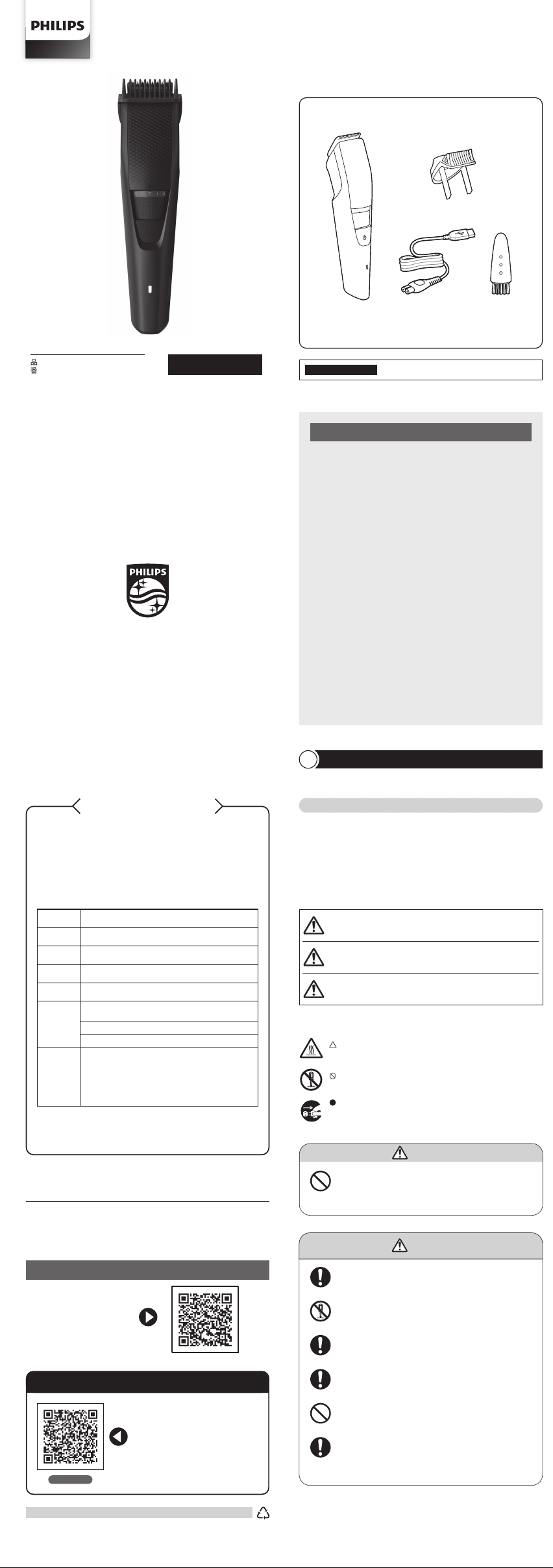
3456
フィリッ プ ス
ヒゲトリマー
BT3233/15
品番
©2024 Koninklijke Philips N.V.
記載されている製品名などの固有名詞は、
Koninklijke Philips N.V.
またはその他 の
会社の商標または登録商標です。
3000.126.0907.1 (04/24)
①
必 ず お 守りくだ さ い
②
各部の名称
③
充電のしかた
④
基本的な使い方
⑤
ヒゲの長さを整える/おしゃれヒゲを作る
⑥
無 精ヒゲを作る/ごく短くカットする
⑦
お手入れ方法
⑧
刃の交換
⑨
保管時の注意
⑩
製品を廃棄するとき
⑪
故障かな
?
と思ったら
⑫
保 証 とアフターサ ービス
⑬
仕様
⑭
無料修理規定
Guidance in English
目 次
フィリッ プ ス
ヒゲトリマーをお買い上げいただき、まことにありがとう
ございます。長い間ご愛用いただくために、ご使用前にこの取扱説明
書をよくお読みのうえ、正しくお使いください。また、お読みになった後
は、お使いになる方がいつでも見られるところに必ず保管してくださ
い。
●商品のご確認
商品をご確認ください。
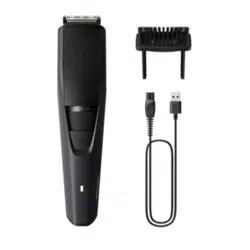
本体
コーム
必 ず お 守りくだ さ い
1
●ここに示した注意事項は、安全に関する重要な内容ですので、必ず
守ってください。
●誤った取扱いをしたときに想定される内容を「危険」、「警告」、「注意」
とに 区 分 けして い ます。
安 全 上 の ご 注 意
注 意
●
充電する場合は、定格出力電圧
DC5V,
定格出力電流
1A
以
上 で 、タ イ プ プ レ ー ト に
PSE
マークの表示がある安全技術基準
に適 合した
USB
充 電 アダプタで 充 電してください。
●
USB
充電アダプタとの接続には変換コネクタや変換ケーブルは
使用しないでください。本体の破損や火災の原因となります。
●
充電ケーブルを抜くときは、電源コード部を持たずに必ず先端
のコネクタ部を持って引き抜いてください。感電やショートして
発 火 す ること が あります。
●
充電時以外は、
本体から充電ケーブルを抜いてください。け
がややけど、絶縁劣化による感電・漏電・火災の原因となり
ます。
●
充電ケーブルは付属の専用充電ケーブルを使用してください。
また付属の充電ケーブルで他の商品を充電しないでください。
ショート、異常発熱による火災の原因になります。破損、故障し
た場合は、事故を避けるために必ずフィリップス社製の同型充
電ケーブルをお求めください。
●
電源コネクタ受部にピンやごみを付着させないでください。感
電・ショート・発火の原因になります。
●
ご使用の前に刃やコームに異常がないことを確認してくださ
い。
●
刃は強く押さえないでください。破損して皮膚を傷つけること
が あります。
●
本製品や部品を食器洗浄機で洗わないでください。故障や破
損 の 原 因 に なります。
●
本製品を電子レンジや
IH
調理器具の近くに保管しないでくだ
さい。故障や破損の原因になります。
●
衛生上の理由から他の人と共用しないでください。
注意
●ご使用前に刃やコームに異常がないことを確認してください。
●本製品を入浴やシャワー中に使用しないでください。
警告
●お手入れの際は必ず本体から充電ケーブルを外してください。感電やけが
をす ること が あります。
注意
●本体は水洗いできません。必ず付属のクリーニングブラシでお手入れして
ください(コームと本体から取り外した刃の水洗いは可能です。)
●本製品に潤滑剤を使う必要はありません。
●
研 磨 パッドや 研 磨 剤 を含んだ 洗 剤 、またエアーダスターは 使 用しないでください 。
●刃を乾燥させる時に、タオルやティッシュペーパーを使用しないでくださ
い。刃を傷めたり思わぬけがをすることがあります。
以上の点検により、正常な状態に戻らない場合は、
フィリッ プ ス サ ポ ート セ ン タ ー に お 問 い 合 わ せ くだ さ い 。
故 障 か な?と 思 っ た ら
11
故障かな?と思ったら、お調べください。
お買い上げのお客様へ
初めてご使用になる際は、ご使用前に充電してください。
無 精ヒゲを作る
ごく短 くカ ットす る
本体のお手入れ方法
基本的な使い方
4
ヒゲの長さを整える/おしゃれヒゲを作る
5
無 精ヒゲを作る/ごく短くカットする
6
※使用後は電源を
OFF
にし、ご使用のたびに掃除をしてください。
※
本製品はリチウムイオン充電池を使用しているため、ご使用の都度充電をしても充電池の
寿命に影響ありません。
※
充 電 し な が らトリミ ング は で きませ ん 。
※詰まりや損傷を防ぎ切れ味を保つため、使用後は必ず刃とコームを掃除してください。
部 品の取り替 え
刃やコームが破損・摩耗した場合は、必ずフィリップス社製の同型部品とお取り
替 えくだ さい 。
充電池の取り外し方
1.
コームと刃を取り外します。
4.
本体底部の電源コネクタ受部にあるね
じを外します。
2.
ドライバ ー を 使 って 本 体 上 部 の ねじ
2
つを
外します。
5.
⊖ドライバーを使って本体正面のカバーを外し、モーターユニットと背面カ
バーのすき間 にドライバーを差し込み、モーターユニットを押し上げるよう
にして 外します。
6.
工具でモーターに繋がるワイヤーを切断し、基板と充電池の接続部分を
切り離して充 電 池を取り外します。
●
電源を
ON
にして、完全に動作しなくなるまで充電池を放電させてから、行っ
てくだ さ
い。
仕様
13
※改良の為、仕様を予告なく変更することがあります。
無料修理規定
14
1.
取扱説明書、本体貼付ラベル等の注意書に従った正常な使用状態で保
証期間内に故障した場合には、無料修理します。
2.
保証期間内に故障して無料修理をお受けになる場合には、フィリップス
サ ポ ートセ ンター に お 問 い 合 わ せくだ さ い 。
3.
ご贈答品の修理に関するご相談は、フィリップスサポートセンターに
お 問 い 合 わ せください 。
4.
保証期間内でも次の場合には有料修理になります。
○
1
使用上の誤り及び不当な修理や改造による故障及び損傷。
○
2
お買い上げ後の輸送、移動、落下等による故障及び損傷。
○
3
火災、地震、水害、落雷、その他の天災地変、公害や異常電圧による故障及び損傷。
○
4
一般家庭以外(例えば、業務用の長時間使用)に使用された場合の故障及び損傷。
○
5
保証書の提示がない場合。
○
6
保証書にお買い上げ年月日、お客様名、販売店名の記入のない場合、或は字句を書
き換えられた場合。
※保証書は、本書に明示した条件のもとにおいて無料修理をお約束する
ものです。従って保証書を発行している者(保証責任者)、及びそれ以外
の事業者に対するお客様の法律上の権利を制限するものではありませ
ん。
保証期間経過後の修理についてご不明の場合は、フィリップスサポートセ
ンター に お 問 い 合 わ せくだ さい 。
※保証期間経過後の修理・補修用性能部品の保有期間について詳しく
は取扱説明書の保証とアフターサービスの項目をご覧ください。
※お客様にご記入いただいた個人情報(保証書の控え)は保証期間内
のサービス活動及びその後の安全点検活動のために利用させていた
だく場合がございます。ご了承ください。また個人情報は、株式会社
フ ィリ ッ プ ス・ ジ ャ パ ン の ホ ー ム ペ ー ジ
http://www.philips.co.jp/
に掲載されている「お客様の個人情報の取り扱いについての当社の方
針 」に 基 づ き適切に管理いたします。
〈無料修理規定〉
保 証 とアフターサービス
12
保証書と修理サービスについて(必ずお読みください。)
保証期間 お買い上げ日から
2
年間
対象部分 本 体 、充電ケーブル(刃 、コーム、クリーニングブラシを除く)
【補修用性能部品の保有期間】
●
補修用性能部品の保有期間は製造打ち切り後
6
年です。
●
性能部品とは、その製品の機能を維持するために必要な部品です。
【ご不明な点や修理に関するご相談は】
●
修理に関するご相談ならびにご不明な点は、フィリップスサポートセンターにお
問 い 合 わ せください 。
【修理を依頼されるときは】
●
修理をご依頼される前に、この取扱説明書をよくお読みいただき、再度点検くだ
さい。尚、異常のあるときはご使用を中止し、フィリップスサポートセンターにお
問 い 合 わ せくださ い。
【保証期間中は】
●
製品と保証書をご用意いただき、フィリップスサポートセンターにお問い合わせく
ださい。保証の規定に従って無料修理いたします。
【保証期間が過ぎているときは】
●
修理によって商品の機能が維持できる場合は、補修用性能部品の保有期間内で
あれば、ご希望により有料で修理させていただきます。
【
海外での本製品の保証及びアフターサービスについて
】
●
本製品の保証は海外においても有効です。(同シリーズ製品の取り扱いがある国
に 限ります )
●
日本国以外のフィリップスサービス部門においても保証期間内及び保証期間の
経過後のアフターサービスを受けることができますが、この場合多少日数を要す
ることもあります。
●
海外にてアフターサービスを受けられる場合は、現地のフィリップスサービス部門
にお問い合わせください。尚、お困りの点がございましたら下記までご連絡くだ
さい。
Philips Consumer Lifestyle Service Department P.O.Box 20100 9200 CA DRACHTEN
The Netherlands Fax:+31 51 259 2785
【お客様の個人情報のお取り扱いについて】
●
お受けしましたお客様の個人情報は、株式会社フィリップス・ジャパンのホームペー
ジ
http://www.philips.co.jp/
に掲載されている「お客様の個人情報の取り扱
いについての当社の方針」に基づき適切に管理いたします。
〈保証書・表面左側に付属〉
●
保証書は、必ず「お買い上げ日・販売店名」等の記入をお確かめのうえ、販売店か
ら受け取っていただき内容をよくお読みのあと大切に保管してください。
お買い上げ日
年 月 日
お買い上げ店名
TEL.
(
)
便 利メモ
このような症状の時は、故障や事故防止のため、電源を
OFF
に し 、充 電 ア ダ プ タ を コ ン
セントか ら 外して 、必 ずフィリップスサポ ートセンター に お 問 い 合 わ せくだ さい 。
ご使用の時、このような症状はありませんか?
●
本 体 にさわると時 々電 気を 感 じる。
●こげくさい 臭いが する。
●
電 源 コード部を動 かすと通 電したり、しなかったりする。
●
その他の異常、故障がある。
株式会社
フィリップス・ジャパン
〒
106-0041
東京都港区麻布台
1-3-1
麻布台ヒルズ森
JP
タワー
15
階
充 電 ケ ーブル
●
本製品は、ヒゲ、もみあげ、襟足をトリミングするためのもので
す。本取扱説明書に記載されている以外の目的で使用しない
でください 。
●
本体を改造しないでください。また、分解したり修理をしないで
ください。火 災、感電、けが の原因となります。修 理はフィリッ
プスサ ポ ート セ ンター に お 問 い 合 わ せ くだ さ い 。
●
本体が異常に熱くなったり、異臭がしたり、充電時間が異常に
長い等の異常・故障時には、直ちに使用を中止してください。
そのまま使 用すると火 災・感 電・け が に至 るおそれ があります。
●
USB
コネクタ部 は 確 実 に
USB
充 電 アダプタに 差 し 込 んでくだ
さい。スムーズに差し込みができない 場合 は無 理に 押し込もう
としないでください。火災や感電の原因になります。
●
本製品を入浴やシャワー中に使用しないでください。また水場
や浴室での充電は絶対にしないでください。ショートや感電
の 原 因 に なります。
●
電池が液漏れした場合は、液が目や皮膚に触れない様に注
意してください。万一目に入った時は、こすらずに水道水で十
分洗浄し医師の治療を受けてください。皮膚や衣類に付いた
場合は水道水で十分洗い流してください。
警 告
ポイント
〈初めてご使用になる時は〉
●
初 め てトリミン グをす るとき は 慎 重 に 行 ってくだ さ い 。ヒ ゲトリマ ー は ゆ っく
り と 、滑 ら か に 優 し く 動 か す よ う に し ま し ょ う 。
●
使い始めは最も長い設定である
10mm
からご使用されることをおすすめ
します。
●
ヒゲ は 様 々な方 向 には えて います ので、ヒゲ の 流 れ に 逆 らって 様々な 方 向
にヒゲトリマーを動かしてください。
●
肌やヒゲが乾いている状態でご使用されることをおすすめします。
1.
ズームロック長さ調 整リングを回して、コー
ムの長さを「●」(
0.5mm
)に 設 定 し て 使
用します。
1.
コームを取り外 します。
2.
電源を
ON
にします。
3.
ヒゲトリマーを軽くカットしたい部分にあ
て 、丁 寧 に 動 か し て い き ま す 。
お手入れ方法
7
刃の交換
8
充電のしかた
3
あごヒゲや 口ヒゲ、もみあげ、襟 足などをごく短くカットしたい 場合 は、コームをは
ず して ヒゲトリマ ー を 使 い ま す。
5.
ご家庭のコンセントに
USB
充 電 アダプタ
の電源プラグ部を差し込みます。
注意
●コームをはずして使用する時は、刃にふれた全ての毛がカットされま
すのでご注意ください。
●コームの取り外しは、必ずコームの両サイドを持って引くようにして
ください。
4.
充 電 ケーブル の
USB
コネクタ部 を
USB
充 電 アダプタに 差 し 込 みます。
※
USB
充電アダプタは同梱されて
いません。
2.
充電する際には、電源を必ず
OFF
にしてくだ さい 。
※
ON
の状態では充電できません。
1.
掃除をする前に、電源が
OFF
になっ
て い る こ と 、ま た 充 電 ケ ー ブ ル に 接
続されていないことを確かめてくだ
さい。
1.
刃の中央部に親指を当てて刃を矢印の
方向に押して、刃を取り外します。
2.
新しい刃の突起を本体の溝に合わせ
(図①)、刃 を 本 体 に 押 し 込 ん で 取 り 付
け ま す( 図 ②)。
3.
コームを取り外し、付属のクリーニングブ
ラシで 掃 除します。
4.
刃の中央部に親指を当てて刃を矢印の
方向に押して、刃を取り外します。
5.
取り外 した 刃 を 付 属 の クリーニ ングブラ
シ で 掃 除 す る か 、水 で す す ぎ ま す 。
6.
掃除後、水気をよくきって、刃の突起を
本体の溝に合わせ(図①)、刃 を 本 体 に
押 し 込 ん で 取 り 付 け ま す( 図 ②)。
2.
乾 いた 布で 本 体をふきます。
1.
トリミ ン グ の 準 備
トリミングを始める前に、必 ず目の細か いクシでヒゲの流れを整えてく
ださい。
1.
上 手 にトリミン グ す る に は
上 手 にトリミング するには 、お好 み の長さに設 定したあと、ヒゲの流 れ
に逆らってヒゲトリマー本体を動かします。コーム表面が常に肌に触れ
て い る ように してくだ さ い 。
2.
ご使用後は毎回必ずお手入れをしてください
お手入れのしかたは「⑦お手入れ方法」を参照ください。
製品を廃棄するとき
10
注意
●製品を廃棄するとき以外は、絶対に本体を分解しないでください。
●
安全上の理由から、一度分解した本体は絶対に再使用しないでください。
●
充電池は完全に放電してから、取り外してください。また、ショートの発
生を防ぐために、作業時にはコインやヘアピン、指輪等の金属製の物体を
充電池に近づけないようにしてください。
●作業を行う際は、目、手、指などけがのないよう注意してください。ま
た、必ず手・本体が乾いた状態で作業を行ってください。
●本体内部の金具は鋭いので、ご注意ください。
●電池が漏液した場合は、液が目や皮膚に触れない様に注意してくださ
い。万一目に入った時は、こすらずに水道水で十分洗浄し医師の治療
を受けてください。皮膚や衣服についた場合は水道水で十分洗い流し
てください。
●取り外した充電池は、ショートしないように両端子をテープで覆って
ください。
リチウムイオン充電池のリサイクルについて
※充電池の修理交換はできません。
本製品はリチウムイオン充電池を使用しています。
リチウムイオン充電池はリサイクル可能な貴重な
資源です。ご使用済みの製品の廃棄の際は、リチ
ウムイオン充電池を取り出してください。取り出したリチウムイオン充電池は
各自治体の廃棄方法に従い廃棄するか、リサイクル協力店にお持ちください。
Li-ion
※
充電完了後、約
30
分経過すると充電表示ランプが消えます。
6.
充電中は、充電表示ランプがゆっくりと点滅します。
充電が完了したら、充電表示ランプが点灯します。
ポイント
●刃の平らな部分を肌にあてながら動かすと滑らかに動かせます。
●輪郭部分をカットする場合は刃を肌に垂直にあてながら上下に動かしてく
ださい。
3.
充電ケーブルの電源コネクタ部を本体
の電源コネクタ受部に差し込みます。
1.
充電表示ランプがオレンジ色に点滅し
たら、充電が少なくなっていますので、
本製品を充電する必要があります。
OFF
ON
3.
電源の
ON/OFF
電源ボタンを一度押すと
ON
、もう一度押すと
OFF
に なります。
OFFON
2.
長さの設定
ガイドの溝に沿ってコームを本体に取り付
けます。ズームロック長さ調 整リングを回し
て 、ヒ ゲ の 長 さ を 設 定 し ま す 。ヒ ゲ の 長 さ は
右の表の通りです。長さ調整目盛の設定に
つ い て は 、長 さ 調 整 目 盛 の 上 に あ る「
」に 、
目 盛 を 合 わ せてください 。
1 •
OFF
1
2
1
2
3.
⊖ドライバ ーを使 って ズーム ロック 長 さ
調整リング上部のカバーを取り外し、中
央にあるねじを外します。
※改良の為、仕様を予告なく変更することがあります。
クリー ニン グブラシ
2 .
刃 は 、薄 く 仕 上 げ て あ り ま す の で 、刃 部 を 強 く 押 さ え た り 、硬 い も の に 当 て な い
よう、ていねいに扱ってください。
5 .
直射日光の当たる場所には保管しないでください。夏場、車の中に放置しな
いでください 。
4 .
切れ味が衰えてきたり、刃やコームなどの部品が破損した場合は、使用せず
必ず新しい同型部品に交換してください。
6 .
本製品は、使用の都度、掃除をしてください。
3 .
刃の清掃やコームの着脱は必ず電源を
OFF
にしてから行ってください。
使 用 上 の ご 注 意
1 .
本体は水洗いできません。水や液体をかけたり浸したりしないようご注意くだ
さい。また 水 ですすが ないでください。(コームと本体 から 取り外した 刃 は水 洗
い 可 能 で す 。)
0.5mm
1mm
1.5mm
2mm
2.5mm
3mm
3.5mm
4mm
4.5mm
5mm
5.5mm
6mm
6.5mm
7mm
7.5mm
8mm
8.5mm
9mm
9.5mm
10mm
ヒゲの長さ
CERTIFICATE OF PURCHASE
この保証書は、「無料修理規定」記載内容で無料修理を行うことをお約束するも
のです。お買い上げの日から下記期間中に故障が発生した場合は、フィリップス
サポートセンターにお問い合わせください。お客様にご記入いただいた個人情
報(保証書の控え)は、株式会社フィリップス・ジャパンのホームページ
http://
www.philips.co.jp/
に掲載されている「お客様の個人情報の取り扱いについ
ての当社の方針」に基づき適切に管理いたします。
★
保証書は再発行しませんので、大切に保管してください。
★
ご販売店様へ
この保証書はお客様へのアフターサービスの実施と責任を明確に
するものです。贈答品、記念品の場合も含めて必ず記入捺印してお客様にお
渡 しくだ さい 。
品名ヒゲトリマ ー
品番
BT3233/15
保証期間 お買い上げ日より
2
年
対象部分 本体、充電ケーブル(刃、コーム、クリーニングブラシを除く)
お買い上げ日
年 月 日
お客様
ご住所
〒
ご芳名
電話番号
★販売店
販売店名・住所・電話番号
取扱説明書
フィリッ プ ス
ヒゲトリマ ー
保証書
この印刷物は再生紙を使用しております。
フィリップスでは、製品をより快適にご
使 用 い た だくた めに
製品登録をおすすめしております。
My Philips
では製品の保証書や購入
証明書の写真も保管でき、
万が一購入証明書を紛失された場合
にも安 心 です。
http://www.philips.co.jp/myphilips-about
URL
My Philips
登録のご案内
製品の使用方法や修理に関するお問い合わせ
★
受付時間:
9
:
00
~
18
:
00
(年末年始除く)
0120
(
944
)
859
フィリップスサポートセンター
Web
からの
お問い合わせ
品 番
BT3233/15
ハンドル 品 番
BT3233
本体寸法
( 高 さ×幅×奥 行 )
176
×
42
×
40mm
本 体 質 量 約
129g
(コーム含まず)
電 源 方 式 充電式
定 格 入 力
DC 5V 1A
充 電 時 間 約1時 間
使 用 時 間 約
60
分
使用充電池 リ チ ウ ム イ オ ン 充 電 池(
Li-ion
)
●
本製品は充電式電池を内蔵しています。本製品の充電、使用、保
管は
5
℃ から
35
℃の環境で行ってください。火中投入、加熱、高
温での充電・使用・放置をしないでください。発熱・発火・破
裂の原因になります。また電池の寿命にも影響を及ぼします。
危 険
人が死亡または重傷を負う可能性が大きい内容。
危険
人が傷害を負う可能性および物的損害のみの発生が想定
される内容。
注意
人が死亡または重傷を負う可能性が想定される内容。
警告
○絵表示の例
記号は、してはいけない「禁止」を示します。図の中や近くに具体的
な禁止内容(左図の場合は分解禁止)を示します。
記号は、必ずしていただく「強制」を示します。図の中や近くに具体
的な強制内容(左図の場合は電源プラグをコンセントから抜くこと)
を示します。
記号は、「危険、警告、注意」を示します。図の中や近くに具体的な注
意内容(左図の場合は高温注意)を示します。
○絵表示について
充電しても使用時間が極端に短い
●刃を掃除してください。
●
本製品が完全に止まるまで作動させてから、もう一度充電してくだ
さい。それでも改善されないときは、充電池の寿命です。
だんだん切れ味が悪くなった
●刃が汚れていないか確認してください。
●
刃が損傷または磨耗していないか確認してください。破損または
磨耗しているときは、刃を交換してください。
●刃に長い毛がからまっていないか確認してください。
電源ボタンを押しても作動しない
●
充電がされていない場合は充電をしてください。
●
刃が動かなくなるほど汚れている場合は刃をお手入れしてください。
●刃が正しく取り付けられているか確認してください。
●刃が破損している場合は交換してください。
異常な音がする
●刃が正しく取り付けられているか確認してください。
●
コームが正しく取り付けられているか確認してください。問題があ
る場合はコームをいったん外してから、再度取り付けてください。
●
刃が損傷または磨耗していないか確認してください。損傷また
は磨耗しているときは、刃を交換してください。
充電できない
●
電源が
OFF
の状態になっているか確認してください。充電する際に
は電源を必ず
OFF
にしてから充電してください。
●
本体の電源コネクタ受部に充電ケーブルがきちんと差し込まれてい
るか確認してください。
●
充電ケーブルが断線している場合は新しい充電ケーブルが必要
です。フィリップスサポートセンターに問い合わせください。
●
使用している
USB
充電アダプタが適合品か確認してください。
本体
/
充電ケーブル
各部の名称
2
刃
本体
充電表示
ランプ
電 源 ボタン
電源
コネクタ受 部
2
1
•
長さ調整目盛
ズームロック
長 さ調 整リング
注意
●定格出力電圧
DC5V
、定格出力電流
1A
以 上 で 、タ イ プ プ レ ー ト に
PSE
マークの表示がある安全技術基準に適合した
USB
充 電 アダプ
タで 充 電 してください 。
●
USB
充電アダプタとの接続には変換コネクタや変換ケーブルは使
用し な いでください 。
●
水場や浴室で充電しないでください。
●
接続の前に各コネクタ部が完全に乾いていることを確認してください。
●
濡れた手で充電ケーブルを抜き差ししないでください。
●
長期間使用しない場合は、充電池が過放電や液漏れして使えなく
なること が あります。
3
~
4
カ月に一度は充電してください。
初めてお使いになるときや、長い間ご使用にならなかったとき、または充電残量
が少なくなったときは、ご使用前に充電してください。
●
充電ケーブルの接続前にコネクタ部が完全に乾いていること
を確認してください。濡れた状態で差し込むとショート・感電
の 原 因 に なります。
●
お手入れの際は必ず本体から充電ケーブルを外してください。
感電やけがをすることがあります。
●
濡れた手で充電ケーブルを抜き差ししないでください。感電や
け が をすることが あります。
●
充 電 ケ ーブル を 無 理 に 曲 げ た り、 引 っ 張 っ たり、 ね じっ たり、
たばねたり、重い物を載せたり、挟み込んだり、加工したりし
ないでください。充電ケーブルが破損し、火災・感電の原因
となります。
●
刃やコームなどの部品が破損または故障した場合は、本製品
を使用しないでください。けがの原因になります。交換の際に
は必ずフィリップス社製の同型部品にお取り替えください。
●
乳幼児の手の届くところに本製品を置かないでください。また
お子様が本製品で遊ぶことがないように監視してください。
●
補助を必要とする人(子ども含む)に使用させないでください。
また、お体の不自由な人だけでは使用しないでください。
警 告
クイック チ ャ ー ジ
充電残量が
0
の状態で充電すると、約
5
分 間 でトリミ ング
1
回分が急速充電され
ます。
※クイックチャージ中は充電表示ランプが高速点滅します。
※
クイックチャージが完了すると通常の充電が行われます。その際、充電表示
ランプがゆっくり点 滅します。
保管時の注意
9
※室温
5
℃から
35
℃の環境で保管してください。
※直射日光の当たる場所には保管しないでください。
※夏場、車の中には放置しないでください。
電 源 コ ード 部
※
USB
充電アダプタは付属しておりません。充電
の際 は、
USB
充電アダプタ(定格出力電圧
DC5V
、定格出力電流
1A
以 上 で 、タ イ プ プ レ ー
トに
PSE
マークの表示がある安全技術基準に
適 合した
USB
充電アダプタ)をご準備ください。
電 源コネクタ部
USB
コネクタ部
(
USB Type-A
)
製品を廃棄する際は、リチウムイオン充電池を取り出し、充電池を取り外した後
の製品については、各自治体の廃棄方法に従い廃棄してください。
Beard trimmer

3456
フィリッ プ ス
ヒゲトリマー
BT3233/15
品番
©2024 Koninklijke Philips N.V.
記載されている製品名などの固有名詞は、
Koninklijke Philips N.V.
またはその他 の
会社の商標または登録商標です。
3000.126.0907.1 (04/24)
①
必 ず お 守 りくだ さ い
②
各部の名称
③
充電のしかた
④
基本的な使い方
⑤
ヒゲの長さを整える/おしゃれヒゲを作る
⑥
無 精ヒゲを作る/ごく短くカットする
⑦
お手入れ方法
⑧
刃の交換
⑨
保管時の注意
⑩
製品を廃棄するとき
⑪
故障かな
?
と思ったら
⑫
保 証 とアフターサ ービス
⑬
仕様
⑭
無料修理規定
Guidance in English
目 次
フィリッ プ ス
ヒゲトリマーをお買い上げいただき、まことにありがとう
ございます。長い間ご愛用いただくために、ご使用前にこの取扱説明
書をよくお読みのうえ、正しくお使いください。また、お読みになった後
は、お使いになる方がいつでも見られるところに必ず保管してくださ
い。
●商品のご確認
商品をご確認ください。
本体
コーム
必 ず お 守りくだ さ い
1
●ここに示した注意事項は、安全に関する重要な内容ですので、必ず
守ってください。
●誤った取扱いをしたときに想定される内容を「危険」、「警告」、「注意」
とに 区 分 けして い ます。
安 全 上 の ご 注 意
注 意
●
充電する場合は、定格出力電圧
DC5V,
定格出力電流
1A
以
上 で 、タ イ プ プ レ ー ト に
PSE
マークの表示がある安全技術基準
に適 合した
USB
充 電 アダプタで 充 電してください。
●
USB
充電アダプタとの接続には変換コネクタや変換ケーブルは
使用しないでください。本体の破損や火災の原因となります。
●
充電ケーブルを抜くときは、電源コード部を持たずに必ず先端
のコネクタ部を持って引き抜いてください。感電やショートして
発 火 す ること が あります。
●
充電時以外は、
本体から充電ケーブルを抜いてください。け
がややけど、絶縁劣化による感電・漏電・火災の原因となり
ます。
●
充電ケーブルは付属の専用充電ケーブルを使用してください。
また付属の充電ケーブルで他の商品を充電しないでください。
ショート、異常発熱による火災の原因になります。破損、故障し
た場合は、事故を避けるために必ずフィリップス社製の同型充
電ケーブルをお求めください。
●
電源コネクタ受部にピンやごみを付着させないでください。感
電・ショート・発火の原因になります。
●
ご使用の前に刃やコームに異常がないことを確認してくださ
い。
●
刃は強く押さえないでください。破損して皮膚を傷つけること
が あります。
●
本製品や部品を食器洗浄機で洗わないでください。故障や破
損 の 原 因 に なります。
●
本製品を電子レンジや
IH
調理器具の近くに保管しないでくだ
さい。故障や破損の原因になります。
●
衛生上の理由から他の人と共用しないでください。
注意
●ご使用前に刃やコームに異常がないことを確認してください。
●本製品を入浴やシャワー中に使用しないでください。
警告
●お手入れの際は必ず本体から充電ケーブルを外してください。感電やけが
をす ること が あります。
注意
●本体は水洗いできません。必ず付属のクリーニングブラシでお手入れして
ください(コームと本体から取り外した刃の水洗いは可能です。)
●本製品に潤滑剤を使う必要はありません。
●
研 磨 パッドや 研 磨 剤 を含んだ 洗 剤 、またエアーダスターは 使 用しないでください 。
●刃を乾燥させる時に、タオルやティッシュペーパーを使用しないでくださ
い。刃を傷めたり思わぬけがをすることがあります。
以上の点検により、正常な状態に戻らない場合は、
フィリッ プ ス サ ポ ート セ ン タ ー に お 問 い 合 わ せ くだ さ い 。
故 障 か な?と 思 っ た ら
11
故障かな?と思ったら、お調べください。
お買い上げのお客様へ
初めてご使用になる際は、ご使用前に充電してください。
無 精ヒゲを作る
ごく短 くカ ットす る
本体のお手入れ方法
基本的な使い方
4
ヒゲの長さを整える/おしゃれヒゲを作る
5
無 精ヒゲを作る/ごく短くカットする
6
※使用後は電源を
OFF
にし、ご使用のたびに掃除をしてください。
※
本製品はリチウムイオン充電池を使用しているため、ご使用の都度充電をしても充電池の
寿命に影響ありません。
※
充 電 し な が らトリミ ング は で きませ ん 。
※詰まりや損傷を防ぎ切れ味を保つため、使用後は必ず刃とコームを掃除してください。
部 品の取り替 え
刃やコームが破損・摩耗した場合は、必ずフィリップス社製の同型部品とお取り
替 えくだ さい 。
充電池の取り外し方
1.
コームと刃を取り外します。
4.
本体底部の電源コネクタ受部にあるね
じを外します。
2.
ドライバ ー を 使 って 本 体 上 部 の ねじ
2
つを
外します。
5.
⊖ドライバーを使って本体正面のカバーを外し、モーターユニットと背面カ
バーのすき間 にドライバーを差し込み、モーターユニットを押し上げるよう
にして 外します。
6.
工具でモーターに繋がるワイヤーを切断し、基板と充電池の接続部分を
切り離して充 電 池を取り外します。
●
電源を
ON
にして、完全に動作しなくなるまで充電池を放電させてから、行っ
てくだ さ
い。
仕様
13
※改良の為、仕様を予告なく変更することがあります。
無料修理規定
14
1.
取扱説明書、本体貼付ラベル等の注意書に従った正常な使用状態で保
証期間内に故障した場合には、無料修理します。
2.
保証期間内に故障して無料修理をお受けになる場合には、フィリップス
サ ポ ートセ ンター に お 問 い 合 わ せくだ さ い 。
3.
ご贈答品の修理に関するご相談は、フィリップスサポートセンターに
お 問 い 合 わ せください 。
4.
保証期間内でも次の場合には有料修理になります。
○
1
使用上の誤り及び不当な修理や改造による故障及び損傷。
○
2
お買い上げ後の輸送、移動、落下等による故障及び損傷。
○
3
火災、地震、水害、落雷、その他の天災地変、公害や異常電圧による故障及び損傷。
○
4
一般家庭以外(例えば、業務用の長時間使用)に使用された場合の故障及び損傷。
○
5
保証書の提示がない場合。
○
6
保証書にお買い上げ年月日、お客様名、販売店名の記入のない場合、或は字句を書
き換えられた場合。
※保証書は、本書に明示した条件のもとにおいて無料修理をお約束する
ものです。従って保証書を発行している者(保証責任者)、及びそれ以外
の事業者に対するお客様の法律上の権利を制限するものではありませ
ん。
保証期間経過後の修理についてご不明の場合は、フィリップスサポートセ
ンター に お 問 い 合 わ せくだ さい 。
※保証期間経過後の修理・補修用性能部品の保有期間について詳しく
は取扱説明書の保証とアフターサービスの項目をご覧ください。
※お客様にご記入いただいた個人情報(保証書の控え)は保証期間内
のサービス活動及びその後の安全点検活動のために利用させていた
だく場合がございます。ご了承ください。また個人情報は、株式会社
フ ィリ ッ プ ス・ ジ ャ パ ン の ホ ー ム ペ ー ジ
http://www.philips.co.jp/
に掲載されている「お客様の個人情報の取り扱いについての当社の方
針 」に 基 づ き適切に管理いたします。
〈無料修理規定〉
保 証 とアフターサービス
12
保証書と修理サービスについて(必ずお読みください。)
保証期間 お買い上げ日から
2
年間
対象部分 本 体 、充電ケーブル(刃 、コーム、クリーニングブラシを除く)
【補修用性能部品の保有期間】
●
補修用性能部品の保有期間は製造打ち切り後
6
年です。
●
性能部品とは、その製品の機能を維持するために必要な部品です。
【ご不明な点や修理に関するご相談は】
●
修理に関するご相談ならびにご不明な点は、フィリップスサポートセンターにお
問 い 合 わ せください 。
【修理を依頼されるときは】
●
修理をご依頼される前に、この取扱説明書をよくお読みいただき、再度点検くだ
さい。尚、異常のあるときはご使用を中止し、フィリップスサポートセンターにお
問 い 合 わ せくださ い。
【保証期間中は】
●
製品と保証書をご用意いただき、フィリップスサポートセンターにお問い合わせく
ださい。保証の規定に従って無料修理いたします。
【保証期間が過ぎているときは】
●
修理によって商品の機能が維持できる場合は、補修用性能部品の保有期間内で
あれば、ご希望により有料で修理させていただきます。
【
海外での本製品の保証及びアフターサービスについて
】
●
本製品の保証は海外においても有効です。(同シリーズ製品の取り扱いがある国
に 限ります )
●
日本国以外のフィリップスサービス部門においても保証期間内及び保証期間の
経過後のアフターサービスを受けることができますが、この場合多少日数を要す
ることもあります。
●
海外にてアフターサービスを受けられる場合は、現地のフィリップスサービス部門
にお問い合わせください。尚、お困りの点がございましたら下記までご連絡くだ
さい。
Philips Consumer Lifestyle Service Department P.O.Box 20100 9200 CA DRACHTEN
The Netherlands Fax:+31 51 259 2785
【お客様の個人情報のお取り扱いについて】
●
お受けしましたお客様の個人情報は、株式会社フィリップス・ジャパンのホームペー
ジ
http://www.philips.co.jp/
に掲載されている「お客様の個人情報の取り扱
いについての当社の方針」に基づき適切に管理いたします。
〈保証書・表面左側に付属〉
●
保証書は、必ず「お買い上げ日・販売店名」等の記入をお確かめのうえ、販売店か
ら受け取っていただき内容をよくお読みのあと大切に保管してください。
お買い上げ日
年 月 日
お買い上げ店名
TEL.
(
)
便 利メモ
このような症状の時は、故障や事故防止のため、電源を
OFF
に し 、充 電 ア ダ プ タ を コ ン
セントか ら 外して 、必 ずフィリップスサポ ートセンター に お 問 い 合 わ せくだ さい 。
ご使用の時、このような症状はありませんか?
●
本 体 にさわると時 々電 気を 感 じる。
●こげくさい 臭いが する。
●
電 源 コード部を動 かすと通 電したり、しなかったりする。
●
その他の異常、故障がある。
株式会社
フィリップス・ジャパン
〒
106-0041
東京都港区麻布台
1-3-1
麻布台ヒルズ森
JP
タワー
15
階
充 電 ケ ーブル
●
本製品は、ヒゲ、もみあげ、襟足をトリミングするためのもので
す。本取扱説明書に記載されている以外の目的で使用しない
でください 。
●
本体を改造しないでください。また、分解したり修理をしないで
ください。火 災、感電、けが の原因となります。修 理はフィリッ
プスサ ポ ート セ ンター に お 問 い 合 わ せ くだ さ い 。
●
本体が異常に熱くなったり、異臭がしたり、充電時間が異常に
長い等の異常・故障時には、直ちに使用を中止してください。
そのまま使 用すると火 災・感 電・け が に至 るおそれ があります。
●
USB
コネクタ部 は 確 実 に
USB
充 電 アダプタに 差 し 込 んでくだ
さい。スムーズに差し込みができない 場合 は無 理に 押し込もう
としないでください。火災や感電の原因になります。
●
本製品を入浴やシャワー中に使用しないでください。また水場
や浴室での充電は絶対にしないでください。ショートや感電
の 原 因 に なります。
●
電池が液漏れした場合は、液が目や皮膚に触れない様に注
意してください。万一目に入った時は、こすらずに水道水で十
分洗浄し医師の治療を受けてください。皮膚や衣類に付いた
場合は水道水で十分洗い流してください。
警 告
ポイント
〈初めてご使用になる時は〉
●
初 め てトリミン グをす るとき は 慎 重 に 行 ってくだ さ い 。ヒ ゲトリマ ー は ゆ っく
り と 、滑 ら か に 優 し く 動 か す よ う に し ま し ょ う 。
●
使い始めは最も長い設定である
10mm
からご使用されることをおすすめ
します。
●
ヒゲ は 様 々な方 向 には えて います ので、ヒゲ の 流 れ に 逆 らって 様々な 方 向
にヒゲトリマーを動かしてください。
●
肌やヒゲが乾いている状態でご使用されることをおすすめします。
1.
ズームロック長さ調 整リングを回して、コー
ムの長さを「●」(
0.5mm
)に 設 定 し て 使
用します。
1.
コームを取り外 します。
2.
電源を
ON
にします。
3.
ヒゲトリマーを軽くカットしたい部分にあ
て 、丁 寧 に 動 か し て い き ま す 。
お手入れ方法
7
刃の交換
8
充電のしかた
3
あごヒゲや 口ヒゲ、もみあげ、襟 足などをごく短くカットしたい 場合 は、コームをは
ず して ヒゲトリマ ー を 使 い ま す。
5.
ご家庭のコンセントに
USB
充 電 アダプタ
の電源プラグ部を差し込みます。
注意
●コームをはずして使用する時は、刃にふれた全ての毛がカットされま
すのでご注意ください。
●コームの取り外しは、必ずコームの両サイドを持って引くようにして
ください。
4.
充 電 ケーブル の
USB
コネクタ部 を
USB
充 電 アダプタに 差 し 込 みます。
※
USB
充電アダプタは同梱されて
いません。
2.
充電する際には、電源を必ず
OFF
にしてくだ さい 。
※
ON
の状態では充電できません。
1.
掃除をする前に、電源が
OFF
になっ
て い る こ と 、ま た 充 電 ケ ー ブ ル に 接
続されていないことを確かめてくだ
さい。
1.
刃の中央部に親指を当てて刃を矢印の
方向に押して、刃を取り外します。
2.
新しい刃の突起を本体の溝に合わせ
(図①)、刃 を 本 体 に 押 し 込 ん で 取 り 付
け ま す( 図 ②)。
3.
コームを取り外し、付属のクリーニングブ
ラシで 掃 除します。
4.
刃の中央部に親指を当てて刃を矢印の
方向に押して、刃を取り外します。
5.
取り外 した 刃 を 付 属 の クリーニ ングブラ
シ で 掃 除 す る か 、水 で す す ぎ ま す 。
6.
掃除後、水気をよくきって、刃の突起を
本体の溝に合わせ(図①)、刃 を 本 体 に
押 し 込 ん で 取 り 付 け ま す( 図 ②)。
2.
乾 いた 布で 本 体をふきます。
1.
トリミ ン グ の 準 備
トリミングを始める前に、必 ず目の細か いクシでヒゲの流れを整えてく
ださい。
1.
上 手 にトリミン グ す る に は
上 手 にトリミング するには 、お好 み の長さに設 定したあと、ヒゲの流 れ
に逆らってヒゲトリマー本体を動かします。コーム表面が常に肌に触れ
て い る ように してくだ さ い 。
2.
ご使用後は毎回必ずお手入れをしてください
お手入れのしかたは「⑦お手入れ方法」を参照ください。
製品を廃棄するとき
10
注意
●製品を廃棄するとき以外は、絶対に本体を分解しないでください。
●
安全上の理由から、一度分解した本体は絶対に再使用しないでください。
●
充電池は完全に放電してから、取り外してください。また、ショートの発
生を防ぐために、作業時にはコインやヘアピン、指輪等の金属製の物体を
充電池に近づけないようにしてください。
●作業を行う際は、目、手、指などけがのないよう注意してください。ま
た、必ず手・本体が乾いた状態で作業を行ってください。
●本体内部の金具は鋭いので、ご注意ください。
●電池が漏液した場合は、液が目や皮膚に触れない様に注意してくださ
い。万一目に入った時は、こすらずに水道水で十分洗浄し医師の治療
を受けてください。皮膚や衣服についた場合は水道水で十分洗い流し
てください。
●取り外した充電池は、ショートしないように両端子をテープで覆って
ください。
リチウムイオン充電池のリサイクルについて
※充電池の修理交換はできません。
本製品はリチウムイオン充電池を使用しています。
リチウムイオン充電池はリサイクル可能な貴重な
資源です。ご使用済みの製品の廃棄の際は、リチ
ウムイオン充電池を取り出してください。取り出したリチウムイオン充電池は
各自治体の廃棄方法に従い廃棄するか、リサイクル協力店にお持ちください。
Li-ion
※
充電完了後、約
30
分経過すると充電表示ランプが消えます。
6.
充電中は、充電表示ランプがゆっくりと点滅します。
充電が完了したら、充電表示ランプが点灯します。
ポイント
●刃の平らな部分を肌にあてながら動かすと滑らかに動かせます。
●輪郭部分をカットする場合は刃を肌に垂直にあてながら上下に動かしてく
ださい。
3.
充電ケーブルの電源コネクタ部を本体
の電源コネクタ受部に差し込みます。
1.
充電表示ランプがオレンジ色に点滅し
たら、充電が少なくなっていますので、
本製品を充電する必要があります。
OFF
ON
3.
電源の
ON/OFF
電源ボタンを一度押すと
ON
、もう一度押すと
OFF
に なります。
OFFON
2.
長さの設定
ガイドの溝に沿ってコームを本体に取り付
けます。ズームロック長さ調 整リングを回し
て 、ヒ ゲ の 長 さ を 設 定 し ま す 。ヒ ゲ の 長 さ は
右の表の通りです。長さ調整目盛の設定に
つ い て は 、長 さ 調 整 目 盛 の 上 に あ る「
」に 、
目 盛 を 合 わ せてください 。
1 •
OFF
1
2
1
2
3.
⊖ドライバ ーを使 って ズーム ロック 長 さ
調整リング上部のカバーを取り外し、中
央にあるねじを外します。
※改良の為、仕様を予告なく変更することがあります。
クリー ニン グブラシ
2 .
刃 は 、薄 く 仕 上 げ て あ り ま す の で 、刃 部 を 強 く 押 さ え た り 、硬 い も の に 当 て な い
よう、ていねいに扱ってください。
5 .
直射日光の当たる場所には保管しないでください。夏場、車の中に放置しな
いでください 。
4 .
切れ味が衰えてきたり、刃やコームなどの部品が破損した場合は、使用せず
必ず新しい同型部品に交換してください。
6 .
本製品は、使用の都度、掃除をしてください。
3 .
刃の清掃やコームの着脱は必ず電源を
OFF
にしてから行ってください。
使 用 上 の ご 注 意
1 .
本体は水洗いできません。水や液体をかけたり浸したりしないようご注意くだ
さい。また 水 ですすが ないでください。(コームと本体 から 取り外した 刃 は水 洗
い 可 能 で す 。)
0.5mm
1mm
1.5mm
2mm
2.5mm
3mm
3.5mm
4mm
4.5mm
5mm
5.5mm
6mm
6.5mm
7mm
7.5mm
8mm
8.5mm
9mm
9.5mm
10mm
ヒゲの長さ
CERTIFICATE OF PURCHASE
この保証書は、「無料修理規定」記載内容で無料修理を行うことをお約束するも
のです。お買い上げの日から下記期間中に故障が発生した場合は、フィリップス
サポートセンターにお問い合わせください。お客様にご記入いただいた個人情
報(保証書の控え)は、株式会社フィリップス・ジャパンのホームページ
http://
www.philips.co.jp/
に掲載されている「お客様の個人情報の取り扱いについ
ての当社の方針」に基づき適切に管理いたします。
★
保証書は再発行しませんので、大切に保管してください。
★
ご販売店様へ
この保証書はお客様へのアフターサービスの実施と責任を明確に
するものです。贈答品、記念品の場合も含めて必ず記入捺印してお客様にお
渡 しくだ さい 。
品名ヒゲトリマ ー
品番
BT3233/15
保証期間 お買い上げ日より
2
年
対象部分 本体、充電ケーブル(刃、コーム、クリーニングブラシを除く)
お買い上げ日
年 月 日
お客様
ご住所
〒
ご芳名
電話番号
★販売店
販売店名・住所・電話番号
取扱説明書
フィリッ プ ス
ヒゲトリマ ー
保証書
この印刷物は再生紙を使用しております。
フィリップスでは、製品をより快適にご
使 用 い た だくた めに
製品登録をおすすめしております。
My Philips
では製品の保証書や購入
証明書の写真も保管でき、
万が一購入証明書を紛失された場合
にも安 心 です。
http://www.philips.co.jp/myphilips-about
URL
My Philips
登録のご案内
製品の使用方法や修理に関するお問い合わせ
★
受付時間:
9
:
00
~
18
:
00
(年末年始除く)
0120
(
944
)
859
フィリップスサポートセンター
Web
からの
お問い合わせ
品 番
BT3233/15
ハンドル 品 番
BT3233
本体寸法
( 高 さ×幅×奥 行 )
176
×
42
×
40mm
本 体 質 量 約
129g
(コーム含まず)
電 源 方 式 充電式
定 格 入 力
DC 5V 1A
充 電 時 間 約1時 間
使 用 時 間 約
60
分
使用充電池 リ チ ウ ム イ オ ン 充 電 池(
Li-ion
)
●
本製品は充電式電池を内蔵しています。本製品の充電、使用、保
管は
5
℃ から
35
℃の環境で行ってください。火中投入、加熱、高
温での充電・使用・放置をしないでください。発熱・発火・破
裂の原因になります。また電池の寿命にも影響を及ぼします。
危 険
人が死亡または重傷を負う可能性が大きい内容。
危険
人が傷害を負う可能性および物的損害のみの発生が想定
される内容。
注意
人が死亡または重傷を負う可能性が想定される内容。
警告
○絵表示の例
記号は、してはいけない「禁止」を示します。図の中や近くに具体的
な禁止内容(左図の場合は分解禁止)を示します。
記号は、必ずしていただく「強制」を示します。図の中や近くに具体
的な強制内容(左図の場合は電源プラグをコンセントから抜くこと)
を示します。
記号は、「危険、警告、注意」を示します。図の中や近くに具体的な注
意内容(左図の場合は高温注意)を示します。
○絵表示について
充電しても使用時間が極端に短い
●刃を掃除してください。
●
本製品が完全に止まるまで作動させてから、もう一度充電してくだ
さい。それでも改善されないときは、充電池の寿命です。
だんだん切れ味が悪くなった
●刃が汚れていないか確認してください。
●
刃が損傷または磨耗していないか確認してください。破損または
磨耗しているときは、刃を交換してください。
●刃に長い毛がからまっていないか確認してください。
電源ボタンを押しても作動しない
●
充電がされていない場合は充電をしてください。
●
刃が動かなくなるほど汚れている場合は刃をお手入れしてください。
●刃が正しく取り付けられているか確認してください。
●刃が破損している場合は交換してください。
異常な音がする
●刃が正しく取り付けられているか確認してください。
●
コームが正しく取り付けられているか確認してください。問題があ
る場合はコームをいったん外してから、再度取り付けてください。
●
刃が損傷または磨耗していないか確認してください。損傷また
は磨耗しているときは、刃を交換してください。
充電できない
●
電源が
OFF
の状態になっているか確認してください。充電する際に
は電源を必ず
OFF
にしてから充電してください。
●
本体の電源コネクタ受部に充電ケーブルがきちんと差し込まれてい
るか確認してください。
●
充電ケーブルが断線している場合は新しい充電ケーブルが必要
です。フィリップスサポートセンターに問い合わせください。
●
使用している
USB
充電アダプタが適合品か確認してください。
本体
/
充電ケーブル
各部の名称
2
刃
本体
充電表示
ランプ
電 源 ボタン
電源
コネクタ受 部
2
1
•
長さ調整目盛
ズームロック
長 さ調 整リング
注意
●定格出力電圧
DC5V
、定格出力電流
1A
以 上 で 、タ イ プ プ レ ー ト に
PSE
マークの表示がある安全技術基準に適合した
USB
充 電 アダプ
タで 充 電 してください 。
●
USB
充電アダプタとの接続には変換コネクタや変換ケーブルは使
用し な いでください 。
●
水場や浴室で充電しないでください。
●
接続の前に各コネクタ部が完全に乾いていることを確認してください。
●
濡れた手で充電ケーブルを抜き差ししないでください。
●
長期間使用しない場合は、充電池が過放電や液漏れして使えなく
なること が あります。
3
~
4
カ月に一度は充電してください。
初めてお使いになるときや、長い間ご使用にならなかったとき、または充電残量
が少なくなったときは、ご使用前に充電してください。
●
充電ケーブルの接続前にコネクタ部が完全に乾いていること
を確認してください。濡れた状態で差し込むとショート・感電
の 原 因 に なります。
●
お手入れの際は必ず本体から充電ケーブルを外してください。
感電やけがをすることがあります。
●
濡れた手で充電ケーブルを抜き差ししないでください。感電や
け が をすることが あります。
●
充 電 ケ ーブル を 無 理 に 曲 げ た り、 引 っ 張 っ たり、 ね じっ たり、
たばねたり、重い物を載せたり、挟み込んだり、加工したりし
ないでください。充電ケーブルが破損し、火災・感電の原因
となります。
●
刃やコームなどの部品が破損または故障した場合は、本製品
を使用しないでください。けがの原因になります。交換の際に
は必ずフィリップス社製の同型部品にお取り替えください。
●
乳幼児の手の届くところに本製品を置かないでください。また
お子様が本製品で遊ぶことがないように監視してください。
●
補助を必要とする人(子ども含む)に使用させないでください。
また、お体の不自由な人だけでは使用しないでください。
警 告
クイック チ ャ ー ジ
充電残量が
0
の状態で充電すると、約
5
分 間 でトリミ ング
1
回分が急速充電され
ます。
※クイックチャージ中は充電表示ランプが高速点滅します。
※
クイックチャージが完了すると通常の充電が行われます。その際、充電表示
ランプがゆっくり点 滅します。
保管時の注意
9
※室温
5
℃から
35
℃の環境で保管してください。
※直射日光の当たる場所には保管しないでください。
※夏場、車の中には放置しないでください。
電 源 コ ード 部
※
USB
充電アダプタは付属しておりません。充電
の際 は、
USB
充電アダプタ(定格出力電圧
DC5V
、定格出力電流
1A
以 上 で 、タ イ プ プ レ ー
トに
PSE
マークの表示がある安全技術基準に
適 合した
USB
充電アダプタ)をご準備ください。
電 源コネクタ部
USB
コネクタ部
(
USB Type-A
)
製品を廃棄する際は、リチウムイオン充電池を取り出し、充電池を取り外した後
の製品については、各自治体の廃棄方法に従い廃棄してください。
Beard trimmer

3456
フィリッ プ ス
ヒゲトリマー
BT3233/15
品番
©2024 Koninklijke Philips N.V.
記載されている製品名などの固有名詞は、
Koninklijke Philips N.V.
またはその他 の
会社の商標または登録商標です。
3000.126.0907.1 (04/24)
①
必 ず お 守 りくだ さ い
②
各部の名称
③
充電のしかた
④
基本的な使い方
⑤
ヒゲの長さを整える/おしゃれヒゲを作る
⑥
無 精ヒゲを作る/ごく短くカットする
⑦
お手入れ方法
⑧
刃の交換
⑨
保管時の注意
⑩
製品を廃棄するとき
⑪
故障かな
?
と思ったら
⑫
保 証 とアフターサ ービス
⑬
仕様
⑭
無料修理規定
Guidance in English
目 次
フィリッ プ ス
ヒゲトリマーをお買い上げいただき、まことにありがとう
ございます。長い間ご愛用いただくために、ご使用前にこの取扱説明
書をよくお読みのうえ、正しくお使いください。また、お読みになった後
は、お使いになる方がいつでも見られるところに必ず保管してくださ
い。
●商品のご確認
商品をご確認ください。
本体
コーム
必 ず お 守りくだ さ い
1
●ここに示した注意事項は、安全に関する重要な内容ですので、必ず
守ってください。
●誤った取扱いをしたときに想定される内容を「危険」、「警告」、「注意」
とに 区 分 けして い ます。
安 全 上 の ご 注 意
注 意
●
充電する場合は、定格出力電圧
DC5V,
定格出力電流
1A
以
上 で 、タ イ プ プ レ ー ト に
PSE
マークの表示がある安全技術基準
に適 合した
USB
充 電 アダプタで 充 電してください。
●
USB
充電アダプタとの接続には変換コネクタや変換ケーブルは
使用しないでください。本体の破損や火災の原因となります。
●
充電ケーブルを抜くときは、電源コード部を持たずに必ず先端
のコネクタ部を持って引き抜いてください。感電やショートして
発 火 す ること が あります。
●
充電時以外は、
本体から充電ケーブルを抜いてください。け
がややけど、絶縁劣化による感電・漏電・火災の原因となり
ます。
●
充電ケーブルは付属の専用充電ケーブルを使用してください。
また付属の充電ケーブルで他の商品を充電しないでください。
ショート、異常発熱による火災の原因になります。破損、故障し
た場合は、事故を避けるために必ずフィリップス社製の同型充
電ケーブルをお求めください。
●
電源コネクタ受部にピンやごみを付着させないでください。感
電・ショート・発火の原因になります。
●
ご使用の前に刃やコームに異常がないことを確認してくださ
い。
●
刃は強く押さえないでください。破損して皮膚を傷つけること
が あります。
●
本製品や部品を食器洗浄機で洗わないでください。故障や破
損 の 原 因 に なります。
●
本製品を電子レンジや
IH
調理器具の近くに保管しないでくだ
さい。故障や破損の原因になります。
●
衛生上の理由から他の人と共用しないでください。
注意
●ご使用前に刃やコームに異常がないことを確認してください。
●本製品を入浴やシャワー中に使用しないでください。
警告
●お手入れの際は必ず本体から充電ケーブルを外してください。感電やけが
をす ること が あります。
注意
●本体は水洗いできません。必ず付属のクリーニングブラシでお手入れして
ください(コームと本体から取り外した刃の水洗いは可能です。)
●本製品に潤滑剤を使う必要はありません。
●
研 磨 パッドや 研 磨 剤 を含んだ 洗 剤 、またエアーダスターは 使 用しないでください 。
●刃を乾燥させる時に、タオルやティッシュペーパーを使用しないでくださ
い。刃を傷めたり思わぬけがをすることがあります。
以上の点検により、正常な状態に戻らない場合は、
フィリッ プ ス サ ポ ート セ ン タ ー に お 問 い 合 わ せ くだ さ い 。
故 障 か な?と 思 っ た ら
11
故障かな?と思ったら、お調べください。
お買い上げのお客様へ
初めてご使用になる際は、ご使用前に充電してください。
無 精ヒゲを作る
ごく短 くカ ットす る
本体のお手入れ方法
基本的な使い方
4
ヒゲの長さを整える/おしゃれヒゲを作る
5
無 精ヒゲを作る/ごく短くカットする
6
※使用後は電源を
OFF
にし、ご使用のたびに掃除をしてください。
※
本製品はリチウムイオン充電池を使用しているため、ご使用の都度充電をしても充電池の
寿命に影響ありません。
※
充 電 し な が らトリミ ング は で きませ ん 。
※詰まりや損傷を防ぎ切れ味を保つため、使用後は必ず刃とコームを掃除してください。
部 品の取り替 え
刃やコームが破損・摩耗した場合は、必ずフィリップス社製の同型部品とお取り
替 えくだ さい 。
充電池の取り外し方
1.
コームと刃を取り外します。
4.
本体底部の電源コネクタ受部にあるね
じを外します。
2.
ドライバ ー を 使 って 本 体 上 部 の ねじ
2
つを
外します。
5.
⊖ドライバーを使って本体正面のカバーを外し、モーターユニットと背面カ
バーのすき間 にドライバーを差し込み、モーターユニットを押し上げるよう
にして 外します。
6.
工具でモーターに繋がるワイヤーを切断し、基板と充電池の接続部分を
切り離して充 電 池を取り外します。
●
電源を
ON
にして、完全に動作しなくなるまで充電池を放電させてから、行っ
てくだ さ
い。
仕様
13
※改良の為、仕様を予告なく変更することがあります。
無料修理規定
14
1.
取扱説明書、本体貼付ラベル等の注意書に従った正常な使用状態で保
証期間内に故障した場合には、無料修理します。
2.
保証期間内に故障して無料修理をお受けになる場合には、フィリップス
サ ポ ートセ ンター に お 問 い 合 わ せくだ さ い 。
3.
ご贈答品の修理に関するご相談は、フィリップスサポートセンターに
お 問 い 合 わ せください 。
4.
保証期間内でも次の場合には有料修理になります。
○
1
使用上の誤り及び不当な修理や改造による故障及び損傷。
○
2
お買い上げ後の輸送、移動、落下等による故障及び損傷。
○
3
火災、地震、水害、落雷、その他の天災地変、公害や異常電圧による故障及び損傷。
○
4
一般家庭以外(例えば、業務用の長時間使用)に使用された場合の故障及び損傷。
○
5
保証書の提示がない場合。
○
6
保証書にお買い上げ年月日、お客様名、販売店名の記入のない場合、或は字句を書
き換えられた場合。
※保証書は、本書に明示した条件のもとにおいて無料修理をお約束する
ものです。従って保証書を発行している者(保証責任者)、及びそれ以外
の事業者に対するお客様の法律上の権利を制限するものではありませ
ん。
保証期間経過後の修理についてご不明の場合は、フィリップスサポートセ
ンター に お 問 い 合 わ せくだ さい 。
※保証期間経過後の修理・補修用性能部品の保有期間について詳しく
は取扱説明書の保証とアフターサービスの項目をご覧ください。
※お客様にご記入いただいた個人情報(保証書の控え)は保証期間内
のサービス活動及びその後の安全点検活動のために利用させていた
だく場合がございます。ご了承ください。また個人情報は、株式会社
フ ィリ ッ プ ス・ ジ ャ パ ン の ホ ー ム ペ ー ジ
http://www.philips.co.jp/
に掲載されている「お客様の個人情報の取り扱いについての当社の方
針 」に 基 づ き適切に管理いたします。
〈無料修理規定〉
保 証 とアフターサービス
12
保証書と修理サービスについて(必ずお読みください。)
保証期間 お買い上げ日から
2
年間
対象部分 本 体 、充電ケーブル(刃 、コーム、クリーニングブラシを除く)
【補修用性能部品の保有期間】
●
補修用性能部品の保有期間は製造打ち切り後
6
年です。
●
性能部品とは、その製品の機能を維持するために必要な部品です。
【ご不明な点や修理に関するご相談は】
●
修理に関するご相談ならびにご不明な点は、フィリップスサポートセンターにお
問 い 合 わ せください 。
【修理を依頼されるときは】
●
修理をご依頼される前に、この取扱説明書をよくお読みいただき、再度点検くだ
さい。尚、異常のあるときはご使用を中止し、フィリップスサポートセンターにお
問 い 合 わ せくださ い。
【保証期間中は】
●
製品と保証書をご用意いただき、フィリップスサポートセンターにお問い合わせく
ださい。保証の規定に従って無料修理いたします。
【保証期間が過ぎているときは】
●
修理によって商品の機能が維持できる場合は、補修用性能部品の保有期間内で
あれば、ご希望により有料で修理させていただきます。
【
海外での本製品の保証及びアフターサービスについて
】
●
本製品の保証は海外においても有効です。(同シリーズ製品の取り扱いがある国
に 限ります )
●
日本国以外のフィリップスサービス部門においても保証期間内及び保証期間の
経過後のアフターサービスを受けることができますが、この場合多少日数を要す
ることもあります。
●
海外にてアフターサービスを受けられる場合は、現地のフィリップスサービス部門
にお問い合わせください。尚、お困りの点がございましたら下記までご連絡くだ
さい。
Philips Consumer Lifestyle Service Department P.O.Box 20100 9200 CA DRACHTEN
The Netherlands Fax:+31 51 259 2785
【お客様の個人情報のお取り扱いについて】
●
お受けしましたお客様の個人情報は、株式会社フィリップス・ジャパンのホームペー
ジ
http://www.philips.co.jp/
に掲載されている「お客様の個人情報の取り扱
いについての当社の方針」に基づき適切に管理いたします。
〈保証書・表面左側に付属〉
●
保証書は、必ず「お買い上げ日・販売店名」等の記入をお確かめのうえ、販売店か
ら受け取っていただき内容をよくお読みのあと大切に保管してください。
お買い上げ日
年 月 日
お買い上げ店名
TEL.
(
)
便 利メモ
このような症状の時は、故障や事故防止のため、電源を
OFF
に し 、充 電 ア ダ プ タ を コ ン
セントか ら 外して 、必 ずフィリップスサポ ートセンター に お 問 い 合 わ せくだ さい 。
ご使用の時、このような症状はありませんか?
●
本 体 にさわると時 々電 気を 感 じる。
●こげくさい 臭いが する。
●
電 源 コード部を動 かすと通 電したり、しなかったりする。
●
その他の異常、故障がある。
株式会社
フィリップス・ジャパン
〒
106-0041
東京都港区麻布台
1-3-1
麻布台ヒルズ森
JP
タワー
15
階
充 電 ケ ーブル
●
本製品は、ヒゲ、もみあげ、襟足をトリミングするためのもので
す。本取扱説明書に記載されている以外の目的で使用しない
でください 。
●
本体を改造しないでください。また、分解したり修理をしないで
ください。火 災、感電、けが の原因となります。修 理はフィリッ
プスサ ポ ート セ ンター に お 問 い 合 わ せ くだ さ い 。
●
本体が異常に熱くなったり、異臭がしたり、充電時間が異常に
長い等の異常・故障時には、直ちに使用を中止してください。
そのまま使 用すると火 災・感 電・け が に至 るおそれ があります。
●
USB
コネクタ部 は 確 実 に
USB
充 電 アダプタに 差 し 込 んでくだ
さい。スムーズに差し込みができない 場合 は無 理に 押し込もう
としないでください。火災や感電の原因になります。
●
本製品を入浴やシャワー中に使用しないでください。また水場
や浴室での充電は絶対にしないでください。ショートや感電
の 原 因 に なります。
●
電池が液漏れした場合は、液が目や皮膚に触れない様に注
意してください。万一目に入った時は、こすらずに水道水で十
分洗浄し医師の治療を受けてください。皮膚や衣類に付いた
場合は水道水で十分洗い流してください。
警 告
ポイント
〈初めてご使用になる時は〉
●
初 め てトリミン グをす るとき は 慎 重 に 行 ってくだ さ い 。ヒ ゲトリマ ー は ゆ っく
り と 、滑 ら か に 優 し く 動 か す よ う に し ま し ょ う 。
●
使い始めは最も長い設定である
10mm
からご使用されることをおすすめ
します。
●
ヒゲ は 様 々な方 向 には えて います ので、ヒゲ の 流 れ に 逆 らって 様々な 方 向
にヒゲトリマーを動かしてください。
●
肌やヒゲが乾いている状態でご使用されることをおすすめします。
1.
ズームロック長さ調 整リングを回して、コー
ムの長さを「●」(
0.5mm
)に 設 定 し て 使
用します。
1.
コームを取り外 します。
2.
電源を
ON
にします。
3.
ヒゲトリマーを軽くカットしたい部分にあ
て 、丁 寧 に 動 か し て い き ま す 。
お手入れ方法
7
刃の交換
8
充電のしかた
3
あごヒゲや 口ヒゲ、もみあげ、襟 足などをごく短くカットしたい 場合 は、コームをは
ず して ヒゲトリマ ー を 使 い ま す。
5.
ご家庭のコンセントに
USB
充 電 アダプタ
の電源プラグ部を差し込みます。
注意
●コームをはずして使用する時は、刃にふれた全ての毛がカットされま
すのでご注意ください。
●コームの取り外しは、必ずコームの両サイドを持って引くようにして
ください。
4.
充 電 ケーブル の
USB
コネクタ部 を
USB
充 電 アダプタに 差 し 込 みます。
※
USB
充電アダプタは同梱されて
いません。
2.
充電する際には、電源を必ず
OFF
にしてくだ さい 。
※
ON
の状態では充電できません。
1.
掃除をする前に、電源が
OFF
になっ
て い る こ と 、ま た 充 電 ケ ー ブ ル に 接
続されていないことを確かめてくだ
さい。
1.
刃の中央部に親指を当てて刃を矢印の
方向に押して、刃を取り外します。
2.
新しい刃の突起を本体の溝に合わせ
(図①)、刃 を 本 体 に 押 し 込 ん で 取 り 付
け ま す( 図 ②)。
3.
コームを取り外し、付属のクリーニングブ
ラシで 掃 除します。
4.
刃の中央部に親指を当てて刃を矢印の
方向に押して、刃を取り外します。
5.
取り外 した 刃 を 付 属 の クリーニ ングブラ
シ で 掃 除 す る か 、水 で す す ぎ ま す 。
6.
掃除後、水気をよくきって、刃の突起を
本体の溝に合わせ(図①)、刃 を 本 体 に
押 し 込 ん で 取 り 付 け ま す( 図 ②)。
2.
乾 いた 布で 本 体をふきます。
1.
トリミ ン グ の 準 備
トリミングを始める前に、必 ず目の細か いクシでヒゲの流れを整えてく
ださい。
1.
上 手 にトリミン グ す る に は
上 手 にトリミング するには 、お好 み の長さに設 定したあと、ヒゲの流 れ
に逆らってヒゲトリマー本体を動かします。コーム表面が常に肌に触れ
て い る ように してくだ さ い 。
2.
ご使用後は毎回必ずお手入れをしてください
お手入れのしかたは「⑦お手入れ方法」を参照ください。
製品を廃棄するとき
10
注意
●製品を廃棄するとき以外は、絶対に本体を分解しないでください。
●
安全上の理由から、一度分解した本体は絶対に再使用しないでください。
●
充電池は完全に放電してから、取り外してください。また、ショートの発
生を防ぐために、作業時にはコインやヘアピン、指輪等の金属製の物体を
充電池に近づけないようにしてください。
●作業を行う際は、目、手、指などけがのないよう注意してください。ま
た、必ず手・本体が乾いた状態で作業を行ってください。
●本体内部の金具は鋭いので、ご注意ください。
●電池が漏液した場合は、液が目や皮膚に触れない様に注意してくださ
い。万一目に入った時は、こすらずに水道水で十分洗浄し医師の治療
を受けてください。皮膚や衣服についた場合は水道水で十分洗い流し
てください。
●取り外した充電池は、ショートしないように両端子をテープで覆って
ください。
リチウムイオン充電池のリサイクルについて
※充電池の修理交換はできません。
本製品はリチウムイオン充電池を使用しています。
リチウムイオン充電池はリサイクル可能な貴重な
資源です。ご使用済みの製品の廃棄の際は、リチ
ウムイオン充電池を取り出してください。取り出したリチウムイオン充電池は
各自治体の廃棄方法に従い廃棄するか、リサイクル協力店にお持ちください。
Li-ion
※
充電完了後、約
30
分経過すると充電表示ランプが消えます。
6.
充電中は、充電表示ランプがゆっくりと点滅します。
充電が完了したら、充電表示ランプが点灯します。
ポイント
●刃の平らな部分を肌にあてながら動かすと滑らかに動かせます。
●輪郭部分をカットする場合は刃を肌に垂直にあてながら上下に動かしてく
ださい。
3.
充電ケーブルの電源コネクタ部を本体
の電源コネクタ受部に差し込みます。
1.
充電表示ランプがオレンジ色に点滅し
たら、充電が少なくなっていますので、
本製品を充電する必要があります。
OFF
ON
3.
電源の
ON/OFF
電源ボタンを一度押すと
ON
、もう一度押すと
OFF
に なります。
OFFON
2.
長さの設定
ガイドの溝に沿ってコームを本体に取り付
けます。ズームロック長さ調 整リングを回し
て 、ヒ ゲ の 長 さ を 設 定 し ま す 。ヒ ゲ の 長 さ は
右の表の通りです。長さ調整目盛の設定に
つ い て は 、長 さ 調 整 目 盛 の 上 に あ る「
」に 、
目 盛 を 合 わ せてください 。
1 •
OFF
1
2
1
2
3.
⊖ドライバ ーを使 って ズーム ロック 長 さ
調整リング上部のカバーを取り外し、中
央にあるねじを外します。
※改良の為、仕様を予告なく変更することがあります。
クリー ニン グブラシ
2 .
刃 は 、薄 く 仕 上 げ て あ り ま す の で 、刃 部 を 強 く 押 さ え た り 、硬 い も の に 当 て な い
よう、ていねいに扱ってください。
5 .
直射日光の当たる場所には保管しないでください。夏場、車の中に放置しな
いでください 。
4 .
切れ味が衰えてきたり、刃やコームなどの部品が破損した場合は、使用せず
必ず新しい同型部品に交換してください。
6 .
本製品は、使用の都度、掃除をしてください。
3 .
刃の清掃やコームの着脱は必ず電源を
OFF
にしてから行ってください。
使 用 上 の ご 注 意
1 .
本体は水洗いできません。水や液体をかけたり浸したりしないようご注意くだ
さい。また 水 ですすが ないでください。(コームと本体 から 取り外した 刃 は水 洗
い 可 能 で す 。)
0.5mm
1mm
1.5mm
2mm
2.5mm
3mm
3.5mm
4mm
4.5mm
5mm
5.5mm
6mm
6.5mm
7mm
7.5mm
8mm
8.5mm
9mm
9.5mm
10mm
ヒゲの長さ
CERTIFICATE OF PURCHASE
この保証書は、「無料修理規定」記載内容で無料修理を行うことをお約束するも
のです。お買い上げの日から下記期間中に故障が発生した場合は、フィリップス
サポートセンターにお問い合わせください。お客様にご記入いただいた個人情
報(保証書の控え)は、株式会社フィリップス・ジャパンのホームページ
http://
www.philips.co.jp/
に掲載されている「お客様の個人情報の取り扱いについ
ての当社の方針」に基づき適切に管理いたします。
★
保証書は再発行しませんので、大切に保管してください。
★
ご販売店様へ
この保証書はお客様へのアフターサービスの実施と責任を明確に
するものです。贈答品、記念品の場合も含めて必ず記入捺印してお客様にお
渡 しくだ さい 。
品名ヒゲトリマ ー
品番
BT3233/15
保証期間 お買い上げ日より
2
年
対象部分 本体、充電ケーブル(刃、コーム、クリーニングブラシを除く)
お買い上げ日
年 月 日
お客様
ご住所
〒
ご芳名
電話番号
★販売店
販売店名・住所・電話番号
取扱説明書
フィリッ プ ス
ヒゲトリマ ー
保証書
この印刷物は再生紙を使用しております。
フィリップスでは、製品をより快適にご
使 用 い た だくた めに
製品登録をおすすめしております。
My Philips
では製品の保証書や購入
証明書の写真も保管でき、
万が一購入証明書を紛失された場合
にも安 心 です。
http://www.philips.co.jp/myphilips-about
URL
My Philips
登録のご案内
製品の使用方法や修理に関するお問い合わせ
★
受付時間:
9
:
00
~
18
:
00
(年末年始除く)
0120
(
944
)
859
フィリップスサポートセンター
Web
からの
お問い合わせ
品 番
BT3233/15
ハンドル 品 番
BT3233
本体寸法
( 高 さ×幅×奥 行 )
176
×
42
×
40mm
本 体 質 量 約
129g
(コーム含まず)
電 源 方 式 充電式
定 格 入 力
DC 5V 1A
充 電 時 間 約1時 間
使 用 時 間 約
60
分
使用充電池 リ チ ウ ム イ オ ン 充 電 池(
Li-ion
)
●
本製品は充電式電池を内蔵しています。本製品の充電、使用、保
管は
5
℃ から
35
℃の環境で行ってください。火中投入、加熱、高
温での充電・使用・放置をしないでください。発熱・発火・破
裂の原因になります。また電池の寿命にも影響を及ぼします。
危 険
人が死亡または重傷を負う可能性が大きい内容。
危険
人が傷害を負う可能性および物的損害のみの発生が想定
される内容。
注意
人が死亡または重傷を負う可能性が想定される内容。
警告
○絵表示の例
記号は、してはいけない「禁止」を示します。図の中や近くに具体的
な禁止内容(左図の場合は分解禁止)を示します。
記号は、必ずしていただく「強制」を示します。図の中や近くに具体
的な強制内容(左図の場合は電源プラグをコンセントから抜くこと)
を示します。
記号は、「危険、警告、注意」を示します。図の中や近くに具体的な注
意内容(左図の場合は高温注意)を示します。
○絵表示について
充電しても使用時間が極端に短い
●刃を掃除してください。
●
本製品が完全に止まるまで作動させてから、もう一度充電してくだ
さい。それでも改善されないときは、充電池の寿命です。
だんだん切れ味が悪くなった
●刃が汚れていないか確認してください。
●
刃が損傷または磨耗していないか確認してください。破損または
磨耗しているときは、刃を交換してください。
●刃に長い毛がからまっていないか確認してください。
電源ボタンを押しても作動しない
●
充電がされていない場合は充電をしてください。
●
刃が動かなくなるほど汚れている場合は刃をお手入れしてください。
●刃が正しく取り付けられているか確認してください。
●刃が破損している場合は交換してください。
異常な音がする
●刃が正しく取り付けられているか確認してください。
●
コームが正しく取り付けられているか確認してください。問題があ
る場合はコームをいったん外してから、再度取り付けてください。
●
刃が損傷または磨耗していないか確認してください。損傷また
は磨耗しているときは、刃を交換してください。
充電できない
●
電源が
OFF
の状態になっているか確認してください。充電する際に
は電源を必ず
OFF
にしてから充電してください。
●
本体の電源コネクタ受部に充電ケーブルがきちんと差し込まれてい
るか確認してください。
●
充電ケーブルが断線している場合は新しい充電ケーブルが必要
です。フィリップスサポートセンターに問い合わせください。
●
使用している
USB
充電アダプタが適合品か確認してください。
本体
/
充電ケーブル
各部の名称
2
刃
本体
充電表示
ランプ
電 源 ボタン
電源
コネクタ受 部
2
1
•
長さ調整目盛
ズームロック
長 さ調 整リング
注意
●定格出力電圧
DC5V
、定格出力電流
1A
以 上 で 、タ イ プ プ レ ー ト に
PSE
マークの表示がある安全技術基準に適合した
USB
充 電 アダプ
タで 充 電 してください 。
●
USB
充電アダプタとの接続には変換コネクタや変換ケーブルは使
用し な いでください 。
●
水場や浴室で充電しないでください。
●
接続の前に各コネクタ部が完全に乾いていることを確認してください。
●
濡れた手で充電ケーブルを抜き差ししないでください。
●
長期間使用しない場合は、充電池が過放電や液漏れして使えなく
なること が あります。
3
~
4
カ月に一度は充電してください。
初めてお使いになるときや、長い間ご使用にならなかったとき、または充電残量
が少なくなったときは、ご使用前に充電してください。
●
充電ケーブルの接続前にコネクタ部が完全に乾いていること
を確認してください。濡れた状態で差し込むとショート・感電
の 原 因 に なります。
●
お手入れの際は必ず本体から充電ケーブルを外してください。
感電やけがをすることがあります。
●
濡れた手で充電ケーブルを抜き差ししないでください。感電や
け が をすることが あります。
●
充 電 ケ ーブル を 無 理 に 曲 げ た り、 引 っ 張 っ たり、 ね じっ たり、
たばねたり、重い物を載せたり、挟み込んだり、加工したりし
ないでください。充電ケーブルが破損し、火災・感電の原因
となります。
●
刃やコームなどの部品が破損または故障した場合は、本製品
を使用しないでください。けがの原因になります。交換の際に
は必ずフィリップス社製の同型部品にお取り替えください。
●
乳幼児の手の届くところに本製品を置かないでください。また
お子様が本製品で遊ぶことがないように監視してください。
●
補助を必要とする人(子ども含む)に使用させないでください。
また、お体の不自由な人だけでは使用しないでください。
警 告
クイック チ ャ ー ジ
充電残量が
0
の状態で充電すると、約
5
分 間 でトリミ ング
1
回分が急速充電され
ます。
※クイックチャージ中は充電表示ランプが高速点滅します。
※
クイックチャージが完了すると通常の充電が行われます。その際、充電表示
ランプがゆっくり点 滅します。
保管時の注意
9
※室温
5
℃から
35
℃の環境で保管してください。
※直射日光の当たる場所には保管しないでください。
※夏場、車の中には放置しないでください。
電 源 コ ード 部
※
USB
充電アダプタは付属しておりません。充電
の際 は、
USB
充電アダプタ(定格出力電圧
DC5V
、定格出力電流
1A
以 上 で 、タ イ プ プ レ ー
トに
PSE
マークの表示がある安全技術基準に
適 合した
USB
充電アダプタ)をご準備ください。
電 源コネクタ部
USB
コネクタ部
(
USB Type-A
)
製品を廃棄する際は、リチウムイオン充電池を取り出し、充電池を取り外した後
の製品については、各自治体の廃棄方法に従い廃棄してください。
Beard trimmer

3456
フィリッ プ ス
ヒゲトリマー
BT3233/15
品番
©2024 Koninklijke Philips N.V.
記載されている製品名などの固有名詞は、
Koninklijke Philips N.V.
またはその他 の
会社の商標または登録商標です。
3000.126.0907.1 (04/24)
①
必 ず お 守 りくだ さ い
②
各部の名称
③
充電のしかた
④
基本的な使い方
⑤
ヒゲの長さを整える/おしゃれヒゲを作る
⑥
無 精ヒゲを作る/ごく短くカットする
⑦
お手入れ方法
⑧
刃の交換
⑨
保管時の注意
⑩
製品を廃棄するとき
⑪
故障かな
?
と思ったら
⑫
保 証 とアフターサ ービス
⑬
仕様
⑭
無料修理規定
Guidance in English
目 次
フィリッ プ ス
ヒゲトリマーをお買い上げいただき、まことにありがとう
ございます。長い間ご愛用いただくために、ご使用前にこの取扱説明
書をよくお読みのうえ、正しくお使いください。また、お読みになった後
は、お使いになる方がいつでも見られるところに必ず保管してくださ
い。
●商品のご確認
商品をご確認ください。
本体
コーム
必 ず お 守りくだ さ い
1
●ここに示した注意事項は、安全に関する重要な内容ですので、必ず
守ってください。
●誤った取扱いをしたときに想定される内容を「危険」、「警告」、「注意」
とに 区 分 けして い ます。
安 全 上 の ご 注 意
注 意
●
充電する場合は、定格出力電圧
DC5V,
定格出力電流
1A
以
上 で 、タ イ プ プ レ ー ト に
PSE
マークの表示がある安全技術基準
に適 合した
USB
充 電 アダプタで 充 電してください。
●
USB
充電アダプタとの接続には変換コネクタや変換ケーブルは
使用しないでください。本体の破損や火災の原因となります。
●
充電ケーブルを抜くときは、電源コード部を持たずに必ず先端
のコネクタ部を持って引き抜いてください。感電やショートして
発 火 す ること が あります。
●
充電時以外は、
本体から充電ケーブルを抜いてください。け
がややけど、絶縁劣化による感電・漏電・火災の原因となり
ます。
●
充電ケーブルは付属の専用充電ケーブルを使用してください。
また付属の充電ケーブルで他の商品を充電しないでください。
ショート、異常発熱による火災の原因になります。破損、故障し
た場合は、事故を避けるために必ずフィリップス社製の同型充
電ケーブルをお求めください。
●
電源コネクタ受部にピンやごみを付着させないでください。感
電・ショート・発火の原因になります。
●
ご使用の前に刃やコームに異常がないことを確認してくださ
い。
●
刃は強く押さえないでください。破損して皮膚を傷つけること
が あります。
●
本製品や部品を食器洗浄機で洗わないでください。故障や破
損 の 原 因 に なります。
●
本製品を電子レンジや
IH
調理器具の近くに保管しないでくだ
さい。故障や破損の原因になります。
●
衛生上の理由から他の人と共用しないでください。
注意
●ご使用前に刃やコームに異常がないことを確認してください。
●本製品を入浴やシャワー中に使用しないでください。
警告
●お手入れの際は必ず本体から充電ケーブルを外してください。感電やけが
をす ること が あります。
注意
●本体は水洗いできません。必ず付属のクリーニングブラシでお手入れして
ください(コームと本体から取り外した刃の水洗いは可能です。)
●本製品に潤滑剤を使う必要はありません。
●
研 磨 パッドや 研 磨 剤 を含んだ 洗 剤 、またエアーダスターは 使 用しないでください 。
●刃を乾燥させる時に、タオルやティッシュペーパーを使用しないでくださ
い。刃を傷めたり思わぬけがをすることがあります。
以上の点検により、正常な状態に戻らない場合は、
フィリッ プ ス サ ポ ート セ ン タ ー に お 問 い 合 わ せ くだ さ い 。
故 障 か な?と 思 っ た ら
11
故障かな?と思ったら、お調べください。
お買い上げのお客様へ
初めてご使用になる際は、ご使用前に充電してください。
無 精ヒゲを作る
ごく短 くカ ットす る
本体のお手入れ方法
基本的な使い方
4
ヒゲの長さを整える/おしゃれヒゲを作る
5
無 精ヒゲを作る/ごく短くカットする
6
※使用後は電源を
OFF
にし、ご使用のたびに掃除をしてください。
※
本製品はリチウムイオン充電池を使用しているため、ご使用の都度充電をしても充電池の
寿命に影響ありません。
※
充 電 し な が らトリミ ング は で きませ ん 。
※詰まりや損傷を防ぎ切れ味を保つため、使用後は必ず刃とコームを掃除してください。
部 品の取り替 え
刃やコームが破損・摩耗した場合は、必ずフィリップス社製の同型部品とお取り
替 えくだ さい 。
充電池の取り外し方
1.
コームと刃を取り外します。
4.
本体底部の電源コネクタ受部にあるね
じを外します。
2.
ドライバ ー を 使 って 本 体 上 部 の ねじ
2
つを
外します。
5.
⊖ドライバーを使って本体正面のカバーを外し、モーターユニットと背面カ
バーのすき間 にドライバーを差し込み、モーターユニットを押し上げるよう
にして 外します。
6.
工具でモーターに繋がるワイヤーを切断し、基板と充電池の接続部分を
切り離して充 電 池を取り外します。
●
電源を
ON
にして、完全に動作しなくなるまで充電池を放電させてから、行っ
てくだ さ
い。
仕様
13
※改良の為、仕様を予告なく変更することがあります。
無料修理規定
14
1.
取扱説明書、本体貼付ラベル等の注意書に従った正常な使用状態で保
証期間内に故障した場合には、無料修理します。
2.
保証期間内に故障して無料修理をお受けになる場合には、フィリップス
サ ポ ートセ ンター に お 問 い 合 わ せくだ さ い 。
3.
ご贈答品の修理に関するご相談は、フィリップスサポートセンターに
お 問 い 合 わ せください 。
4.
保証期間内でも次の場合には有料修理になります。
○
1
使用上の誤り及び不当な修理や改造による故障及び損傷。
○
2
お買い上げ後の輸送、移動、落下等による故障及び損傷。
○
3
火災、地震、水害、落雷、その他の天災地変、公害や異常電圧による故障及び損傷。
○
4
一般家庭以外(例えば、業務用の長時間使用)に使用された場合の故障及び損傷。
○
5
保証書の提示がない場合。
○
6
保証書にお買い上げ年月日、お客様名、販売店名の記入のない場合、或は字句を書
き換えられた場合。
※保証書は、本書に明示した条件のもとにおいて無料修理をお約束する
ものです。従って保証書を発行している者(保証責任者)、及びそれ以外
の事業者に対するお客様の法律上の権利を制限するものではありませ
ん。
保証期間経過後の修理についてご不明の場合は、フィリップスサポートセ
ンター に お 問 い 合 わ せくだ さい 。
※保証期間経過後の修理・補修用性能部品の保有期間について詳しく
は取扱説明書の保証とアフターサービスの項目をご覧ください。
※お客様にご記入いただいた個人情報(保証書の控え)は保証期間内
のサービス活動及びその後の安全点検活動のために利用させていた
だく場合がございます。ご了承ください。また個人情報は、株式会社
フ ィリ ッ プ ス・ ジ ャ パ ン の ホ ー ム ペ ー ジ
http://www.philips.co.jp/
に掲載されている「お客様の個人情報の取り扱いについての当社の方
針 」に 基 づ き適切に管理いたします。
〈無料修理規定〉
保 証 とアフターサービス
12
保証書と修理サービスについて(必ずお読みください。)
保証期間 お買い上げ日から
2
年間
対象部分 本 体 、充電ケーブル(刃 、コーム、クリーニングブラシを除く)
【補修用性能部品の保有期間】
●
補修用性能部品の保有期間は製造打ち切り後
6
年です。
●
性能部品とは、その製品の機能を維持するために必要な部品です。
【ご不明な点や修理に関するご相談は】
●
修理に関するご相談ならびにご不明な点は、フィリップスサポートセンターにお
問 い 合 わ せください 。
【修理を依頼されるときは】
●
修理をご依頼される前に、この取扱説明書をよくお読みいただき、再度点検くだ
さい。尚、異常のあるときはご使用を中止し、フィリップスサポートセンターにお
問 い 合 わ せくださ い。
【保証期間中は】
●
製品と保証書をご用意いただき、フィリップスサポートセンターにお問い合わせく
ださい。保証の規定に従って無料修理いたします。
【保証期間が過ぎているときは】
●
修理によって商品の機能が維持できる場合は、補修用性能部品の保有期間内で
あれば、ご希望により有料で修理させていただきます。
【
海外での本製品の保証及びアフターサービスについて
】
●
本製品の保証は海外においても有効です。(同シリーズ製品の取り扱いがある国
に 限ります )
●
日本国以外のフィリップスサービス部門においても保証期間内及び保証期間の
経過後のアフターサービスを受けることができますが、この場合多少日数を要す
ることもあります。
●
海外にてアフターサービスを受けられる場合は、現地のフィリップスサービス部門
にお問い合わせください。尚、お困りの点がございましたら下記までご連絡くだ
さい。
Philips Consumer Lifestyle Service Department P.O.Box 20100 9200 CA DRACHTEN
The Netherlands Fax:+31 51 259 2785
【お客様の個人情報のお取り扱いについて】
●
お受けしましたお客様の個人情報は、株式会社フィリップス・ジャパンのホームペー
ジ
http://www.philips.co.jp/
に掲載されている「お客様の個人情報の取り扱
いについての当社の方針」に基づき適切に管理いたします。
〈保証書・表面左側に付属〉
●
保証書は、必ず「お買い上げ日・販売店名」等の記入をお確かめのうえ、販売店か
ら受け取っていただき内容をよくお読みのあと大切に保管してください。
お買い上げ日
年 月 日
お買い上げ店名
TEL.
(
)
便 利メモ
このような症状の時は、故障や事故防止のため、電源を
OFF
に し 、充 電 ア ダ プ タ を コ ン
セントか ら 外して 、必 ずフィリップスサポ ートセンター に お 問 い 合 わ せくだ さい 。
ご使用の時、このような症状はありませんか?
●
本 体 にさわると時 々電 気を 感 じる。
●こげくさい 臭いが する。
●
電 源 コード部を動 かすと通 電したり、しなかったりする。
●
その他の異常、故障がある。
株式会社
フィリップス・ジャパン
〒
106-0041
東京都港区麻布台
1-3-1
麻布台ヒルズ森
JP
タワー
15
階
充 電 ケ ーブル
●
本製品は、ヒゲ、もみあげ、襟足をトリミングするためのもので
す。本取扱説明書に記載されている以外の目的で使用しない
でください 。
●
本体を改造しないでください。また、分解したり修理をしないで
ください。火 災、感電、けが の原因となります。修 理はフィリッ
プスサ ポ ート セ ンター に お 問 い 合 わ せ くだ さ い 。
●
本体が異常に熱くなったり、異臭がしたり、充電時間が異常に
長い等の異常・故障時には、直ちに使用を中止してください。
そのまま使 用すると火 災・感 電・け が に至 るおそれ があります。
●
USB
コネクタ部 は 確 実 に
USB
充 電 アダプタに 差 し 込 んでくだ
さい。スムーズに差し込みができない 場合 は無 理に 押し込もう
としないでください。火災や感電の原因になります。
●
本製品を入浴やシャワー中に使用しないでください。また水場
や浴室での充電は絶対にしないでください。ショートや感電
の 原 因 に なります。
●
電池が液漏れした場合は、液が目や皮膚に触れない様に注
意してください。万一目に入った時は、こすらずに水道水で十
分洗浄し医師の治療を受けてください。皮膚や衣類に付いた
場合は水道水で十分洗い流してください。
警 告
ポイント
〈初めてご使用になる時は〉
●
初 め てトリミン グをす るとき は 慎 重 に 行 ってくだ さ い 。ヒ ゲトリマ ー は ゆ っく
り と 、滑 ら か に 優 し く 動 か す よ う に し ま し ょ う 。
●
使い始めは最も長い設定である
10mm
からご使用されることをおすすめ
します。
●
ヒゲ は 様 々な方 向 には えて います ので、ヒゲ の 流 れ に 逆 らって 様々な 方 向
にヒゲトリマーを動かしてください。
●
肌やヒゲが乾いている状態でご使用されることをおすすめします。
1.
ズームロック長さ調 整リングを回して、コー
ムの長さを「●」(
0.5mm
)に 設 定 し て 使
用します。
1.
コームを取り外 します。
2.
電源を
ON
にします。
3.
ヒゲトリマーを軽くカットしたい部分にあ
て 、丁 寧 に 動 か し て い き ま す 。
お手入れ方法
7
刃の交換
8
充電のしかた
3
あごヒゲや 口ヒゲ、もみあげ、襟 足などをごく短くカットしたい 場合 は、コームをは
ず して ヒゲトリマ ー を 使 い ま す。
5.
ご家庭のコンセントに
USB
充 電 アダプタ
の電源プラグ部を差し込みます。
注意
●コームをはずして使用する時は、刃にふれた全ての毛がカットされま
すのでご注意ください。
●コームの取り外しは、必ずコームの両サイドを持って引くようにして
ください。
4.
充 電 ケーブル の
USB
コネクタ部 を
USB
充 電 アダプタに 差 し 込 みます。
※
USB
充電アダプタは同梱されて
いません。
2.
充電する際には、電源を必ず
OFF
にしてくだ さい 。
※
ON
の状態では充電できません。
1.
掃除をする前に、電源が
OFF
になっ
て い る こ と 、ま た 充 電 ケ ー ブ ル に 接
続されていないことを確かめてくだ
さい。
1.
刃の中央部に親指を当てて刃を矢印の
方向に押して、刃を取り外します。
2.
新しい刃の突起を本体の溝に合わせ
(図①)、刃 を 本 体 に 押 し 込 ん で 取 り 付
け ま す( 図 ②)。
3.
コームを取り外し、付属のクリーニングブ
ラシで 掃 除します。
4.
刃の中央部に親指を当てて刃を矢印の
方向に押して、刃を取り外します。
5.
取り外 した 刃 を 付 属 の クリーニ ングブラ
シ で 掃 除 す る か 、水 で す す ぎ ま す 。
6.
掃除後、水気をよくきって、刃の突起を
本体の溝に合わせ(図①)、刃 を 本 体 に
押 し 込 ん で 取 り 付 け ま す( 図 ②)。
2.
乾 いた 布で 本 体をふきます。
1.
トリミ ン グ の 準 備
トリミングを始める前に、必 ず目の細か いクシでヒゲの流れを整えてく
ださい。
1.
上 手 にトリミン グ す る に は
上 手 にトリミング するには 、お好 み の長さに設 定したあと、ヒゲの流 れ
に逆らってヒゲトリマー本体を動かします。コーム表面が常に肌に触れ
て い る ように してくだ さ い 。
2.
ご使用後は毎回必ずお手入れをしてください
お手入れのしかたは「⑦お手入れ方法」を参照ください。
製品を廃棄するとき
10
注意
●製品を廃棄するとき以外は、絶対に本体を分解しないでください。
●
安全上の理由から、一度分解した本体は絶対に再使用しないでください。
●
充電池は完全に放電してから、取り外してください。また、ショートの発
生を防ぐために、作業時にはコインやヘアピン、指輪等の金属製の物体を
充電池に近づけないようにしてください。
●作業を行う際は、目、手、指などけがのないよう注意してください。ま
た、必ず手・本体が乾いた状態で作業を行ってください。
●本体内部の金具は鋭いので、ご注意ください。
●電池が漏液した場合は、液が目や皮膚に触れない様に注意してくださ
い。万一目に入った時は、こすらずに水道水で十分洗浄し医師の治療
を受けてください。皮膚や衣服についた場合は水道水で十分洗い流し
てください。
●取り外した充電池は、ショートしないように両端子をテープで覆って
ください。
リチウムイオン充電池のリサイクルについて
※充電池の修理交換はできません。
本製品はリチウムイオン充電池を使用しています。
リチウムイオン充電池はリサイクル可能な貴重な
資源です。ご使用済みの製品の廃棄の際は、リチ
ウムイオン充電池を取り出してください。取り出したリチウムイオン充電池は
各自治体の廃棄方法に従い廃棄するか、リサイクル協力店にお持ちください。
Li-ion
※
充電完了後、約
30
分経過すると充電表示ランプが消えます。
6.
充電中は、充電表示ランプがゆっくりと点滅します。
充電が完了したら、充電表示ランプが点灯します。
ポイント
●刃の平らな部分を肌にあてながら動かすと滑らかに動かせます。
●輪郭部分をカットする場合は刃を肌に垂直にあてながら上下に動かしてく
ださい。
3.
充電ケーブルの電源コネクタ部を本体
の電源コネクタ受部に差し込みます。
1.
充電表示ランプがオレンジ色に点滅し
たら、充電が少なくなっていますので、
本製品を充電する必要があります。
OFF
ON
3.
電源の
ON/OFF
電源ボタンを一度押すと
ON
、もう一度押すと
OFF
に なります。
OFFON
2.
長さの設定
ガイドの溝に沿ってコームを本体に取り付
けます。ズームロック長さ調 整リングを回し
て 、ヒ ゲ の 長 さ を 設 定 し ま す 。ヒ ゲ の 長 さ は
右の表の通りです。長さ調整目盛の設定に
つ い て は 、長 さ 調 整 目 盛 の 上 に あ る「
」に 、
目 盛 を 合 わ せてください 。
1 •
OFF
1
2
1
2
3.
⊖ドライバ ーを使 って ズーム ロック 長 さ
調整リング上部のカバーを取り外し、中
央にあるねじを外します。
※改良の為、仕様を予告なく変更することがあります。
クリー ニン グブラシ
2 .
刃 は 、薄 く 仕 上 げ て あ り ま す の で 、刃 部 を 強 く 押 さ え た り 、硬 い も の に 当 て な い
よう、ていねいに扱ってください。
5 .
直射日光の当たる場所には保管しないでください。夏場、車の中に放置しな
いでください 。
4 .
切れ味が衰えてきたり、刃やコームなどの部品が破損した場合は、使用せず
必ず新しい同型部品に交換してください。
6 .
本製品は、使用の都度、掃除をしてください。
3 .
刃の清掃やコームの着脱は必ず電源を
OFF
にしてから行ってください。
使 用 上 の ご 注 意
1 .
本体は水洗いできません。水や液体をかけたり浸したりしないようご注意くだ
さい。また 水 ですすが ないでください。(コームと本体 から 取り外した 刃 は水 洗
い 可 能 で す 。)
0.5mm
1mm
1.5mm
2mm
2.5mm
3mm
3.5mm
4mm
4.5mm
5mm
5.5mm
6mm
6.5mm
7mm
7.5mm
8mm
8.5mm
9mm
9.5mm
10mm
ヒゲの長さ
CERTIFICATE OF PURCHASE
この保証書は、「無料修理規定」記載内容で無料修理を行うことをお約束するも
のです。お買い上げの日から下記期間中に故障が発生した場合は、フィリップス
サポートセンターにお問い合わせください。お客様にご記入いただいた個人情
報(保証書の控え)は、株式会社フィリップス・ジャパンのホームページ
http://
www.philips.co.jp/
に掲載されている「お客様の個人情報の取り扱いについ
ての当社の方針」に基づき適切に管理いたします。
★
保証書は再発行しませんので、大切に保管してください。
★
ご販売店様へ
この保証書はお客様へのアフターサービスの実施と責任を明確に
するものです。贈答品、記念品の場合も含めて必ず記入捺印してお客様にお
渡 しくだ さい 。
品名ヒゲトリマ ー
品番
BT3233/15
保証期間 お買い上げ日より
2
年
対象部分 本体、充電ケーブル(刃、コーム、クリーニングブラシを除く)
お買い上げ日
年 月 日
お客様
ご住所
〒
ご芳名
電話番号
★販売店
販売店名・住所・電話番号
取扱説明書
フィリッ プ ス
ヒゲトリマ ー
保証書
この印刷物は再生紙を使用しております。
フィリップスでは、製品をより快適にご
使 用 い た だくた めに
製品登録をおすすめしております。
My Philips
では製品の保証書や購入
証明書の写真も保管でき、
万が一購入証明書を紛失された場合
にも安 心 です。
http://www.philips.co.jp/myphilips-about
URL
My Philips
登録のご案内
製品の使用方法や修理に関するお問い合わせ
★
受付時間:
9
:
00
~
18
:
00
(年末年始除く)
0120
(
944
)
859
フィリップスサポートセンター
Web
からの
お問い合わせ
品 番
BT3233/15
ハンドル 品 番
BT3233
本体寸法
( 高 さ×幅×奥 行 )
176
×
42
×
40mm
本 体 質 量 約
129g
(コーム含まず)
電 源 方 式 充電式
定 格 入 力
DC 5V 1A
充 電 時 間 約1時 間
使 用 時 間 約
60
分
使用充電池 リ チ ウ ム イ オ ン 充 電 池(
Li-ion
)
●
本製品は充電式電池を内蔵しています。本製品の充電、使用、保
管は
5
℃ から
35
℃の環境で行ってください。火中投入、加熱、高
温での充電・使用・放置をしないでください。発熱・発火・破
裂の原因になります。また電池の寿命にも影響を及ぼします。
危 険
人が死亡または重傷を負う可能性が大きい内容。
危険
人が傷害を負う可能性および物的損害のみの発生が想定
される内容。
注意
人が死亡または重傷を負う可能性が想定される内容。
警告
○絵表示の例
記号は、してはいけない「禁止」を示します。図の中や近くに具体的
な禁止内容(左図の場合は分解禁止)を示します。
記号は、必ずしていただく「強制」を示します。図の中や近くに具体
的な強制内容(左図の場合は電源プラグをコンセントから抜くこと)
を示します。
記号は、「危険、警告、注意」を示します。図の中や近くに具体的な注
意内容(左図の場合は高温注意)を示します。
○絵表示について
充電しても使用時間が極端に短い
●刃を掃除してください。
●
本製品が完全に止まるまで作動させてから、もう一度充電してくだ
さい。それでも改善されないときは、充電池の寿命です。
だんだん切れ味が悪くなった
●刃が汚れていないか確認してください。
●
刃が損傷または磨耗していないか確認してください。破損または
磨耗しているときは、刃を交換してください。
●刃に長い毛がからまっていないか確認してください。
電源ボタンを押しても作動しない
●
充電がされていない場合は充電をしてください。
●
刃が動かなくなるほど汚れている場合は刃をお手入れしてください。
●刃が正しく取り付けられているか確認してください。
●刃が破損している場合は交換してください。
異常な音がする
●刃が正しく取り付けられているか確認してください。
●
コームが正しく取り付けられているか確認してください。問題があ
る場合はコームをいったん外してから、再度取り付けてください。
●
刃が損傷または磨耗していないか確認してください。損傷また
は磨耗しているときは、刃を交換してください。
充電できない
●
電源が
OFF
の状態になっているか確認してください。充電する際に
は電源を必ず
OFF
にしてから充電してください。
●
本体の電源コネクタ受部に充電ケーブルがきちんと差し込まれてい
るか確認してください。
●
充電ケーブルが断線している場合は新しい充電ケーブルが必要
です。フィリップスサポートセンターに問い合わせください。
●
使用している
USB
充電アダプタが適合品か確認してください。
本体
/
充電ケーブル
各部の名称
2
刃
本体
充電表示
ランプ
電 源 ボタン
電源
コネクタ受 部
2
1
•
長さ調整目盛
ズームロック
長 さ調 整リング
注意
●定格出力電圧
DC5V
、定格出力電流
1A
以 上 で 、タ イ プ プ レ ー ト に
PSE
マークの表示がある安全技術基準に適合した
USB
充 電 アダプ
タで 充 電 してください 。
●
USB
充電アダプタとの接続には変換コネクタや変換ケーブルは使
用し な いでください 。
●
水場や浴室で充電しないでください。
●
接続の前に各コネクタ部が完全に乾いていることを確認してください。
●
濡れた手で充電ケーブルを抜き差ししないでください。
●
長期間使用しない場合は、充電池が過放電や液漏れして使えなく
なること が あります。
3
~
4
カ月に一度は充電してください。
初めてお使いになるときや、長い間ご使用にならなかったとき、または充電残量
が少なくなったときは、ご使用前に充電してください。
●
充電ケーブルの接続前にコネクタ部が完全に乾いていること
を確認してください。濡れた状態で差し込むとショート・感電
の 原 因 に なります。
●
お手入れの際は必ず本体から充電ケーブルを外してください。
感電やけがをすることがあります。
●
濡れた手で充電ケーブルを抜き差ししないでください。感電や
け が をすることが あります。
●
充 電 ケ ーブル を 無 理 に 曲 げ た り、 引 っ 張 っ たり、 ね じっ たり、
たばねたり、重い物を載せたり、挟み込んだり、加工したりし
ないでください。充電ケーブルが破損し、火災・感電の原因
となります。
●
刃やコームなどの部品が破損または故障した場合は、本製品
を使用しないでください。けがの原因になります。交換の際に
は必ずフィリップス社製の同型部品にお取り替えください。
●
乳幼児の手の届くところに本製品を置かないでください。また
お子様が本製品で遊ぶことがないように監視してください。
●
補助を必要とする人(子ども含む)に使用させないでください。
また、お体の不自由な人だけでは使用しないでください。
警 告
クイック チ ャ ー ジ
充電残量が
0
の状態で充電すると、約
5
分 間 でトリミ ング
1
回分が急速充電され
ます。
※クイックチャージ中は充電表示ランプが高速点滅します。
※
クイックチャージが完了すると通常の充電が行われます。その際、充電表示
ランプがゆっくり点 滅します。
保管時の注意
9
※室温
5
℃から
35
℃の環境で保管してください。
※直射日光の当たる場所には保管しないでください。
※夏場、車の中には放置しないでください。
電 源 コ ード 部
※
USB
充電アダプタは付属しておりません。充電
の際 は、
USB
充電アダプタ(定格出力電圧
DC5V
、定格出力電流
1A
以 上 で 、タ イ プ プ レ ー
トに
PSE
マークの表示がある安全技術基準に
適 合した
USB
充電アダプタ)をご準備ください。
電 源コネクタ部
USB
コネクタ部
(
USB Type-A
)
製品を廃棄する際は、リチウムイオン充電池を取り出し、充電池を取り外した後
の製品については、各自治体の廃棄方法に従い廃棄してください。
Beard trimmer

BT3233/15
ENGLISH
Important safety information
Only use the product for its intended purpose. Read
this important information carefully before you use the
product and its batteries and accessories, and save it for
future reference. Misuse can lead to hazards or serious
injuries. Accessories supplied may vary for dierent
products.
Warning
- To charge the product, only use a certied safety
extra low voltage (SELV) supply unit with output
rating 5 V, ≥ 1 A. A suitable supply unit (e.g. Philips
HQ87) is available via www.philips.com/support.
If you need support nding the correct USB supply
unit, contact the Consumer Care Center in your
country (see the international warranty leaet for
contact details). Using a non-certied supply unit
may cause hazards or serious injuries.
- Keep the product, the USB cable and the USB supply
unit dry (Fig. 2).
- Combs and cutting units can be rinsed under the tap
if detached from the appliance.
- This appliance can be used by children aged from 8
years and above and persons with reduced physical,
sensory or mental capabilities or lack of experience
and knowledge if they have been given supervision
or instruction concerning use of the appliance in
a safe way and understand the hazards involved.
Children shall not play with the appliance. Cleaning
and user maintenance shall not be made by children
without supervision.
- Do not modify the supply unit.
- Do not use the supply unit in or near wall sockets
that contain an electric air freshener to prevent
irreparable damage to the supply unit.
- Do not use a damaged appliance. Replace damaged
parts with new Philips parts.
- Because of hygiene, only one person should use the
appliance.
- Never use compressed air, scouring pads, abrasive
cleaning agents or aggressive liquids to clean the
appliance.
- Only use original Philips accessories or consumables.
- Charge, use and store the product at a temperature
between 5°C and 35°C.
- Keep product and batteries away from re and
do not expose them to direct sunlight or high
temperatures.
- If the product becomes abnormally hot or smelly,
changes color or if charging takes longer than usual,
stop using and charging the product and contact
Philips.
- Do not place products and their batteries in
microwave ovens or on induction cookers.
- Do not open, modify, pierce, damage or dismantle
the product or battery to prevent batteries
from heating up or releasing toxic or hazardous
substances. Do not short-circuit, overcharge or
reverse charge batteries.
- If batteries are damaged or leaking, avoid contact
with the skin or eyes. If this occurs, immediately rinse
well with water and seek medical care.
Electromagnetic elds (EMF)
This Philips appliance complies with all applicable
standards and regulations regarding exposure to
electromagnetic elds.
Introduction
Congratulations on your purchase and welcome to
Philips! To fully benet from the support that Philips
oers, register your product at
www.philips.com/welcome.
You can nd the model number on the back of your
product.
The full model number (e.g. BT1234/56) is located on
the bottom of the packaging, your receipt or order
conrmation.
General description (Fig. 1)
1 Cutting element
2 Hair length setting wheel
3 On/o button
4 Battery status indicator
5 Socket for small plug
6 Trimming comb
7 Cleaning brush
8 USB cable
Note: A suitable power source (e.g. Philips HQ87) is
available via www.philips.com/support.
9 Small plug
Charging
- Charging or using the appliance at temperatures
below 5 °C or higher than 35 °C adversely aects the
lifespan of the battery.
- If the appliance is subjected to a major change in
temperature, pressure or humidity, let the appliance
acclimatize for 30 minutes before use.
Charge the appliance before rst use and when the
battery status indicator shows that the battery is almost
empty. When the appliance has charged for 60 minutes,
it has a cordless operating time of up to 60 minutes.
Warning: Keep the product, the USB cable and
the USB power source dry (Fig. 2)
1 Make sure that the product is switched o.
2 Insert the small plug of the USB cable into the socket
in the bottom of the product (Fig. 4).
3 Insert the USB plug into the USB power source (not
included) (Fig. 5).
4 Insert the USB power source into the power outlet
(Fig. 6).
5 After charging, remove the USB power source from
the power outlet and pull the small plug out of the
product.
Battery status indicator
Battery status Indicator mode
Almost empty Flashing orange light
Charging Flashing white light
Fully charged Solid white light
Note: Approx. 30 minutes after the battery is fully
charged, the battery status indicator switches o
automatically.
Quick charge
After approx. 5 minutes of charging, the appliance
contains enough power for one cordless trimming
session.
Optimizing the lifetime of the rechargeable
battery
When you have charged the appliance for the rst time,
we advise you to use it until the battery is completely
empty. Continue to use the appliance until the motor
almost stops running during a session. Then recharge
the battery. Follow this procedure at least twice a year.
Using the appliance
Detaching and attaching the cutting
element
1 To detach the cutting element, place your thumb
near the teeth of the cutting element and push
gently upwards until the cutting element is released
from the handle (Fig. 7).
2 To attach the cutting element, insert the plastic
notch at the back of the cutting element into the
guiding slot in the handle and gently press the teeth
of the cutting element downwards until the cutting
element clicks into place (Fig. 8).
Attaching and detaching the trimming
comb
1 To attach the trimming comb onto the appliance,
slide the trimming comb straight into the guiding
grooves of the appliance until the comb clicks into
place (Fig. 9).
2 To detach the trimming comb from the appliance,
hold the comb on both sides and gently pull it o
the appliance (Fig. 10).
Switching the appliance on and o
To switch the appliance on or o, press the on/o
button once.
Trimming tips
- Always comb your beard or moustache with a ne
comb before you start trimming.
- When trimming for the rst time, start by using the
comb with the maximum trimming length setting to
familiarize yourself with the appliance.
- Since hairs do not all grow in the same direction,
you may want to try dierent trimming positions (i.e.
upwards, downwards, or across). Practice is best for
optimum results.
- Always make smooth and gentle movements and be
sure the surface of the comb always stays in contact
with your skin.
- When too many hairs have accumulated on the
appliance, remove the hairs before and/or during
use, for best trimming results (see 'Cleaning').
Trimming with comb
Use the trimming comb attached to the cutting element
to trim your beard and mustache in your preferred style.
Turn the hair length setting wheel to choose from 20
length settings ranging from 0.5 mm to 10 mm.
1 Attach the trimming comb to the appliance (see
'Attaching and detaching the trimming comb').
2 Turn the hair length setting wheel to select the
desired hair length setting (Fig. 11). The settings on
the wheel correspond to the remaining hair length
after trimming. The selected hair length setting in
millimeters is shown in the center of the wheel.
3 Switch the appliance on (see 'Switching the
appliance on and o').
4 To trim in the most eective way, move the comb
against the direction of hair growth (Fig. 12). Make
sure that the surface of the comb always stays in
contact with the skin.
5 Shake o cut hair from the comb every few strokes.
If a lot of hair has accumulated in the comb, switch
o the appliance, remove the comb and blow and/
or shake o the hairs. The selected hair length
setting does not change when the comb is removed.
6 Switch o and clean the appliance after each use
(see 'Cleaning').
Trimming for 'stubble look'
Attach the trimming comb to the appliance and use the
1 mm setting to create a 'stubble look' trim.
Trimming without comb
Use the trimmer without the trimming comb to trim
hair close to the skin (to a length of approx. 0.5mm) or
to trim edges and single hairs.
1 Detach the trimming comb from the appliance (see
'Attaching and detaching the trimming comb').
2 Switch the appliance on (see 'Switching the
appliance on and o').
3 To trim hair close to the skin, place the at side of
the cutting element against your skin and make
strokes against the direction of hair growth.
4 For contouring, hold the cutting element
perpendicular to the skin. Make well-controlled
movements. Touch the hair lightly with the trimmer
(Fig. 13).
5 Switch o and clean the appliance after each use
(see 'Cleaning').
Cleaning
Never immerse the handle in water or rinse it
under the tap. Only the cutting element and the
trimming comb can be rinsed under the tap when
detached from the handle.
1 Make sure that the appliance is switched o and
that the USB power source has been removed from
the power outlet and from the appliance.
2 Wipe the handle with a dry cloth.
Cleaning with brush
1 Detach the trimming comb from the appliance and
clean it with the cleaning brush (Fig. 14).
2 Detach the cutting element from the appliance (see
'Detaching and attaching the cutting element').
Clean the cutting teeth and the inside of the cutting
element with the cleaning brush (Fig. 15).
3 Clean the inside of the hair chamber with the
cleaning brush (Fig. 16).
Cleaning attachments under the tap
Only use cold or lukewarm water to clean the cutting
element or trimming comb.
1 Detach the trimming comb from the appliance and
rinse the comb under the tap (Fig. 17).
2 Detach the cutting element from the appliance and
rinse the cutting element under the tap (Fig. 18).
3 Carefully shake o excess water and let both parts
air-dry completely before reattaching them to the
appliance (Fig. 19).
Storage
Note: Do not place or store the appliance where it can
fall or be pulled into a tub or sink, water or other liquid
while plugged in.
- Make sure that the appliance is switched o and
that the USB power source has been removed from
the power outlet and from the appliance.
- Do not wrap the USB cable around the appliance
when storing.
- Store the appliance, the USB power source and all
the accessories in the pouch supplied. Place the
pouch in a safe, dry location, where it will not be
crushed, banged, or subject to damage.
- Make sure that the appliance and the accessories are
dry before you store them in the pouch.
Support
For all product support such as frequently asked
questions, please visit www.philips.com/support.
Recycling
- This symbol means that electrical products and
batteries shall not be disposed of with normal
household waste (Fig. 28).
- Follow your country’s rules for the separate
collection of electrical products and batteries.
Removing the rechargeable battery
Only remove the rechargeable battery when
you discard the product. Before you remove
the battery, make sure that the product is
disconnected from the wall socket and that the
battery is completely empty.
Take any necessary safety precautions when you
handle tools to open the product and when you
dispose of the rechargeable battery.
1 Take the comb and the cutting element from the
handle and remove the on/o slide by using a
athead screwdriver (Fig. 20).
2 Remove two screws from the top of the appliance
(Fig. 21).
3 Remove one screw above the zoom wheel (Fig. 22).
4 Remove one screw on the bottom of the appliance
(Fig. 23).
5 Remove the front shell with a athead screwdriver,
by placing the screwdriver on the bottom of the
appliance and twisting the screwdriver up and down
until it comes loose (Fig. 24).
6 Take out the circuit board (Fig. 25) and cut the wires
(Fig. 26).
7 Cut the battery connectors with a cutter and remove
the batteries (Fig. 27).
Warning: The battery tags can be very sharp.
Warranty and support
If you need information or support, please visit www.
philips.com/support or read the international
warranty leaet.
Warranty restrictions
Cutting units are not covered by the terms of the
international warranty because they are subject to
wear.
1
2
3
4
5
6
7
9
8
1
English
1
2
2
3
4
5
6
7
8
9
10
3456
11
12
13
1
2
14
15
16
17
18
19
22
25
28
20
23
26
21
24
27

BT3233/15
ENGLISH
Important safety information
Only use the product for its intended purpose. Read
this important information carefully before you use the
product and its batteries and accessories, and save it for
future reference. Misuse can lead to hazards or serious
injuries. Accessories supplied may vary for dierent
products.
Warning
- To charge the product, only use a certied safety
extra low voltage (SELV) supply unit with output
rating 5 V, ≥ 1 A. A suitable supply unit (e.g. Philips
HQ87) is available via www.philips.com/support.
If you need support nding the correct USB supply
unit, contact the Consumer Care Center in your
country (see the international warranty leaet for
contact details). Using a non-certied supply unit
may cause hazards or serious injuries.
- Keep the product, the USB cable and the USB supply
unit dry (Fig. 2).
- Combs and cutting units can be rinsed under the tap
if detached from the appliance.
- This appliance can be used by children aged from 8
years and above and persons with reduced physical,
sensory or mental capabilities or lack of experience
and knowledge if they have been given supervision
or instruction concerning use of the appliance in
a safe way and understand the hazards involved.
Children shall not play with the appliance. Cleaning
and user maintenance shall not be made by children
without supervision.
- Do not modify the supply unit.
- Do not use the supply unit in or near wall sockets
that contain an electric air freshener to prevent
irreparable damage to the supply unit.
- Do not use a damaged appliance. Replace damaged
parts with new Philips parts.
- Because of hygiene, only one person should use the
appliance.
- Never use compressed air, scouring pads, abrasive
cleaning agents or aggressive liquids to clean the
appliance.
- Only use original Philips accessories or consumables.
- Charge, use and store the product at a temperature
between 5°C and 35°C.
- Keep product and batteries away from re and
do not expose them to direct sunlight or high
temperatures.
- If the product becomes abnormally hot or smelly,
changes color or if charging takes longer than usual,
stop using and charging the product and contact
Philips.
- Do not place products and their batteries in
microwave ovens or on induction cookers.
- Do not open, modify, pierce, damage or dismantle
the product or battery to prevent batteries
from heating up or releasing toxic or hazardous
substances. Do not short-circuit, overcharge or
reverse charge batteries.
- If batteries are damaged or leaking, avoid contact
with the skin or eyes. If this occurs, immediately rinse
well with water and seek medical care.
Electromagnetic elds (EMF)
This Philips appliance complies with all applicable
standards and regulations regarding exposure to
electromagnetic elds.
Introduction
Congratulations on your purchase and welcome to
Philips! To fully benet from the support that Philips
oers, register your product at
www.philips.com/welcome.
You can nd the model number on the back of your
product.
The full model number (e.g. BT1234/56) is located on
the bottom of the packaging, your receipt or order
conrmation.
General description (Fig. 1)
1 Cutting element
2 Hair length setting wheel
3 On/o button
4 Battery status indicator
5 Socket for small plug
6 Trimming comb
7 Cleaning brush
8 USB cable
Note: A suitable power source (e.g. Philips HQ87) is
available via www.philips.com/support.
9 Small plug
Charging
- Charging or using the appliance at temperatures
below 5 °C or higher than 35 °C adversely aects the
lifespan of the battery.
- If the appliance is subjected to a major change in
temperature, pressure or humidity, let the appliance
acclimatize for 30 minutes before use.
Charge the appliance before rst use and when the
battery status indicator shows that the battery is almost
empty. When the appliance has charged for 60 minutes,
it has a cordless operating time of up to 60 minutes.
Warning: Keep the product, the USB cable and
the USB power source dry (Fig. 2)
1 Make sure that the product is switched o.
2 Insert the small plug of the USB cable into the socket
in the bottom of the product (Fig. 4).
3 Insert the USB plug into the USB power source (not
included) (Fig. 5).
4 Insert the USB power source into the power outlet
(Fig. 6).
5 After charging, remove the USB power source from
the power outlet and pull the small plug out of the
product.
Battery status indicator
Battery status Indicator mode
Almost empty Flashing orange light
Charging Flashing white light
Fully charged Solid white light
Note: Approx. 30 minutes after the battery is fully
charged, the battery status indicator switches o
automatically.
Quick charge
After approx. 5 minutes of charging, the appliance
contains enough power for one cordless trimming
session.
Optimizing the lifetime of the rechargeable
battery
When you have charged the appliance for the rst time,
we advise you to use it until the battery is completely
empty. Continue to use the appliance until the motor
almost stops running during a session. Then recharge
the battery. Follow this procedure at least twice a year.
Using the appliance
Detaching and attaching the cutting
element
1 To detach the cutting element, place your thumb
near the teeth of the cutting element and push
gently upwards until the cutting element is released
from the handle (Fig. 7).
2 To attach the cutting element, insert the plastic
notch at the back of the cutting element into the
guiding slot in the handle and gently press the teeth
of the cutting element downwards until the cutting
element clicks into place (Fig. 8).
Attaching and detaching the trimming
comb
1 To attach the trimming comb onto the appliance,
slide the trimming comb straight into the guiding
grooves of the appliance until the comb clicks into
place (Fig. 9).
2 To detach the trimming comb from the appliance,
hold the comb on both sides and gently pull it o
the appliance (Fig. 10).
Switching the appliance on and o
To switch the appliance on or o, press the on/o
button once.
Trimming tips
- Always comb your beard or moustache with a ne
comb before you start trimming.
- When trimming for the rst time, start by using the
comb with the maximum trimming length setting to
familiarize yourself with the appliance.
- Since hairs do not all grow in the same direction,
you may want to try dierent trimming positions (i.e.
upwards, downwards, or across). Practice is best for
optimum results.
- Always make smooth and gentle movements and be
sure the surface of the comb always stays in contact
with your skin.
- When too many hairs have accumulated on the
appliance, remove the hairs before and/or during
use, for best trimming results (see 'Cleaning').
Trimming with comb
Use the trimming comb attached to the cutting element
to trim your beard and mustache in your preferred style.
Turn the hair length setting wheel to choose from 20
length settings ranging from 0.5 mm to 10 mm.
1 Attach the trimming comb to the appliance (see
'Attaching and detaching the trimming comb').
2 Turn the hair length setting wheel to select the
desired hair length setting (Fig. 11). The settings on
the wheel correspond to the remaining hair length
after trimming. The selected hair length setting in
millimeters is shown in the center of the wheel.
3 Switch the appliance on (see 'Switching the
appliance on and o').
4 To trim in the most eective way, move the comb
against the direction of hair growth (Fig. 12). Make
sure that the surface of the comb always stays in
contact with the skin.
5 Shake o cut hair from the comb every few strokes.
If a lot of hair has accumulated in the comb, switch
o the appliance, remove the comb and blow and/
or shake o the hairs. The selected hair length
setting does not change when the comb is removed.
6 Switch o and clean the appliance after each use
(see 'Cleaning').
Trimming for 'stubble look'
Attach the trimming comb to the appliance and use the
1 mm setting to create a 'stubble look' trim.
Trimming without comb
Use the trimmer without the trimming comb to trim
hair close to the skin (to a length of approx. 0.5mm) or
to trim edges and single hairs.
1 Detach the trimming comb from the appliance (see
'Attaching and detaching the trimming comb').
2 Switch the appliance on (see 'Switching the
appliance on and o').
3 To trim hair close to the skin, place the at side of
the cutting element against your skin and make
strokes against the direction of hair growth.
4 For contouring, hold the cutting element
perpendicular to the skin. Make well-controlled
movements. Touch the hair lightly with the trimmer
(Fig. 13).
5 Switch o and clean the appliance after each use
(see 'Cleaning').
Cleaning
Never immerse the handle in water or rinse it
under the tap. Only the cutting element and the
trimming comb can be rinsed under the tap when
detached from the handle.
1 Make sure that the appliance is switched o and
that the USB power source has been removed from
the power outlet and from the appliance.
2 Wipe the handle with a dry cloth.
Cleaning with brush
1 Detach the trimming comb from the appliance and
clean it with the cleaning brush (Fig. 14).
2 Detach the cutting element from the appliance (see
'Detaching and attaching the cutting element').
Clean the cutting teeth and the inside of the cutting
element with the cleaning brush (Fig. 15).
3 Clean the inside of the hair chamber with the
cleaning brush (Fig. 16).
Cleaning attachments under the tap
Only use cold or lukewarm water to clean the cutting
element or trimming comb.
1 Detach the trimming comb from the appliance and
rinse the comb under the tap (Fig. 17).
2 Detach the cutting element from the appliance and
rinse the cutting element under the tap (Fig. 18).
3 Carefully shake o excess water and let both parts
air-dry completely before reattaching them to the
appliance (Fig. 19).
Storage
Note: Do not place or store the appliance where it can
fall or be pulled into a tub or sink, water or other liquid
while plugged in.
- Make sure that the appliance is switched o and
that the USB power source has been removed from
the power outlet and from the appliance.
- Do not wrap the USB cable around the appliance
when storing.
- Store the appliance, the USB power source and all
the accessories in the pouch supplied. Place the
pouch in a safe, dry location, where it will not be
crushed, banged, or subject to damage.
- Make sure that the appliance and the accessories are
dry before you store them in the pouch.
Support
For all product support such as frequently asked
questions, please visit www.philips.com/support.
Recycling
- This symbol means that electrical products and
batteries shall not be disposed of with normal
household waste (Fig. 28).
- Follow your country’s rules for the separate
collection of electrical products and batteries.
Removing the rechargeable battery
Only remove the rechargeable battery when
you discard the product. Before you remove
the battery, make sure that the product is
disconnected from the wall socket and that the
battery is completely empty.
Take any necessary safety precautions when you
handle tools to open the product and when you
dispose of the rechargeable battery.
1 Take the comb and the cutting element from the
handle and remove the on/o slide by using a
athead screwdriver (Fig. 20).
2 Remove two screws from the top of the appliance
(Fig. 21).
3 Remove one screw above the zoom wheel (Fig. 22).
4 Remove one screw on the bottom of the appliance
(Fig. 23).
5 Remove the front shell with a athead screwdriver,
by placing the screwdriver on the bottom of the
appliance and twisting the screwdriver up and down
until it comes loose (Fig. 24).
6 Take out the circuit board (Fig. 25) and cut the wires
(Fig. 26).
7 Cut the battery connectors with a cutter and remove
the batteries (Fig. 27).
Warning: The battery tags can be very sharp.
Warranty and support
If you need information or support, please visit www.
philips.com/support or read the international
warranty leaet.
Warranty restrictions
Cutting units are not covered by the terms of the
international warranty because they are subject to
wear.
1
2
3
4
5
6
7
9
8
1
English
1
2
2
3
4
5
6
7
8
9
10
3456
11
12
13
1
2
14
15
16
17
18
19
22
25
28
20
23
26
21
24
27