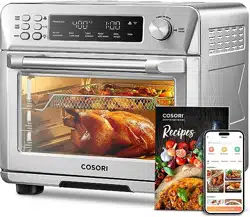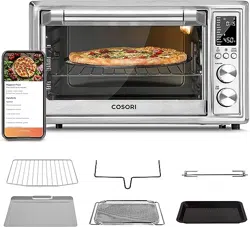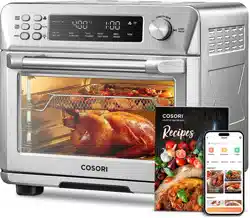

Smart Air Fryer Toaster Oven
User Manual
Questions or Concerns?
Mon–Fri, 9:00 am–5:00 pm PST/PDT
[email protected] | (888) 402-1684
(We hope you love your new smart air fryer toaster oven as much as we do)
Our helpful, in-house chefs are ready to assist
you with any questions you might have!
On behalf of all of us at COSORI,
CONTACT OUR CHEFS
Email: [email protected]
Toll-Free: (888) 402-1684
Mon-Fri, 9:00 am–5:00 pm PST/PDT
Thank you for
your purchase!
Happy cking!
our recipe gallery
www.cosori.com/recipes
explore
weekly, featured recipes
made exclusively by our in-house chefs
enjoy
3
Table of Contents
Specifications
Specifications
Package Contents
Important Safeguards
Getting to Know Your Smart Air Fryer
Toaster Oven
Display
Controls
Before First Use
Cooking with Your Smart Air Fryer
Toaster Oven
Care & Maintenance
Troubleshooting
VeSync App Troubleshooting
Warranty Information
Customer Support
3
3
4
7
8
9
11
12
28
29
30
32
34
Model CTO-R251S
Power Supply AC 120V, 60Hz
Rated Power 1800W
Capacity
26 qt / 25 L, 6-Slice
Toaster, 12” Pizza
Temperature
Range
80°–450°F / 25°–230°C
Time Range 0–24 hr
Weight
22 lb / 9.98 kg
(including accessories)
Dimensions
16.3 x 16.9 x 15.5 in /
41.3 x 42.8 x 39.3 cm
Package Contents
1 x Smart Air Fryer Toaster Oven
1 x Wire Rack
1 x Food Tray
1 x Fry Basket
1 x Recipe Book
1 x User Manual
1 x Quick Reference Guide
VeSync App
To get the most out of your smart air fryer
toaster oven and access smart functions,
download the free VeSync app.
Scan the QR code or search “VeSync” in the
Apple App Store
®
or Google Play Store.
For app setup instructions, see page 11.
Note: If the toaster oven is inactive
for 30 minutes, the display will turn of
automatically. Use any control to wake
up the toaster oven.

4
Follow basic safety precautions when using your smart air fryer toaster oven.
Read all instructions.
IMPORTANT SAFEGUARDS
Key Safety Points
General Safety
• Do not touch hot surfaces. Use
handle.
• The outside of the oven, including
the door, is hot during and after use.
• Always use heat-resistant gloves,
pads, or oven mitts when handling
hot materials, and when placing
items in or removing items from
the oven, including trays, racks,
accessories, or containers.
• When the oven is not in use, and
before cleaning, press and hold the
TIME/SHADE for 3 seconds to turn
o the display, then unplug from
outlet. Allow to cool completely
before putting on or taking o parts.
• Do not immerse the housing, cord,
or plug in water or liquid.
• Close supervision is necessary when
the oven is used by or near children.
• Children should be supervised to
ensure that they do not play with the
oven.
• Do not use your oven if it is
damaged, not working, or if the
cord or plug is damaged. Contact
Customer Support (see page 34).
• Do not use third-party replacement
parts or accessories, as this may
cause injuries.
• Do not use outdoors.
• Do not place the oven or any of its
parts on a stove, near gas or electric
burners, or inside another heated
oven.
• Be extremely cautious when
removing a tray, basket, or rack if it
contains hot oil, grease, or other hot
liquids.
• Do not clean with metal scouring
pads. Metal fragments can break o
the pad and touch electrical parts,
creating a risk of electric shock.
• Clean the crumb tray after using.
Accumulated grease and crumbs can
overheat and catch fire.
• Do not store anything on top of
your oven while it is operating.
Do not store anything inside your
oven other than recommended
accessories.
• The oven is not intended to be
operated by means of an external
timer or separate remote-control
system.
• Only use as directed in this manual.
Do not use oven for any purpose
other than its intended use.
READ AND SAVE THESE
INSTRUCTIONS

5
• To avoid risk of fire or electric
shock, do not place oversized foods
or metal utensils (except ocial
COSORI accessories) into the oven.
• Do not place paper, cardboard, or
non-heat-resistant plastic into your
oven, or any materials which may
catch fire or melt.
• To avoid overheating, do not use
metal foil in the oven unless directed.
Use extreme caution when using
foil, and always fit foil as securely
as possible. If the foil contacts the
oven’s heating elements, this can
cause overheating and risk of fire.
Do not cover crumb tray or any part
of the oven,except for the Food Trays
or Racks as directed, with metal foil.
• Never put baking or parchment
paper into the oven without food on
top. Air circulation can cause paper
to move and touch heating elements.
• Always use heat-safe containers.
Be extremely cautious if using
containers that aren’t metal or glass.
• Keep your oven away from
flammable materials (curtains,
tablecloths, walls, etc.). Use on a flat,
stable, heat-resistant surface away
from heat sources or liquids.
• Immediately turn o and unplug
your oven if you see dark smoke
coming out. Food is burning. Wait for
smoke to clear before opening the
oven door.
While Cooking
Note: See Care & Maintenance
for instructions on how to clean
accessories (page 28).
Caution: 60 minutes “ON” in a 2-hour
period.
Note: The heating elements do not
exceed 60 minutes “on” in a 2-hour
period to maintain the set temperature.
• This oven is not intended for use by
persons (including children) with
reduced physical, sensory, or mental
capabilities, or lack of experience and
knowledge, unless they have been
given supervision or instruction
concerning use of the oven by a
person responsible for their safety.
• Do not allow children to clean or
perform maintenance on the oven.
• Keep the oven and its cord out of
reach of children.
• To turn the oven o, press and hold
TIME/SHADE for 3 seconds to turn
o the oven.
• We recommend allowing a few
inches of space for the toaster oven
to vent. DO NOT cover the air intake
vents or air outlet vents while unit is
operating. Doing so will prevent even
cooking and may damage the unit or
cause it to overheat.
• Not for commercial use.
Household use only.
CAUTION: Hot surface

6
• This oven uses a short power-supply
cord to reduce the risk of entangling
or tripping.
• Your oven has a polarized plug (one
prong is wider than the other), which
fits into a polarized outlet only one
way. If the plug does not fit, reverse
the plug. If it still does not fit, do not
use the plug in that outlet. Do not
alter the plug in any way.
• Do not let the power cord (or any
extension cord) hang over the edge
of a table or counter, or touch hot
surfaces.
• The cord should be arranged so that
it will not drape over the countertop
or tabletop where it can be pulled
on by children or tripped over
unintentionally.
• If the power supply cord is damaged,
it must be replaced by Arovast
Corporation or similarly qualified
persons in order to avoid an electric
or fire hazard. Please contact
Customer Support (page 34).
Power & Cord Extension Cords
Electromagnetic Fields (EMF)
• Longer extension cords are available
and may be used if care is exercised
in their use.
• If a longer extension cord is used:
• The marked electrical rating of the
cord set or extension cord should
be at least as great as the electrical
rating of the oven.
• The cord should be arranged
so that it will not drape over the
countertop or tabletop where it
can be pulled on by children or
tripped over unintentionally.
• The cord should be a grounding-
type 3-wire cord.
This oven complies with all standards
regarding electromagnetic fields (EMF).
If handled properly and according to
the instructions in this user manual,
the appliance is safe to use based on
scientific evidence available today.
SAVE THESE INSTRUCTIONS
7
S
H
A
D
E
S
L
I
C
E
S
SHADE
SLICES
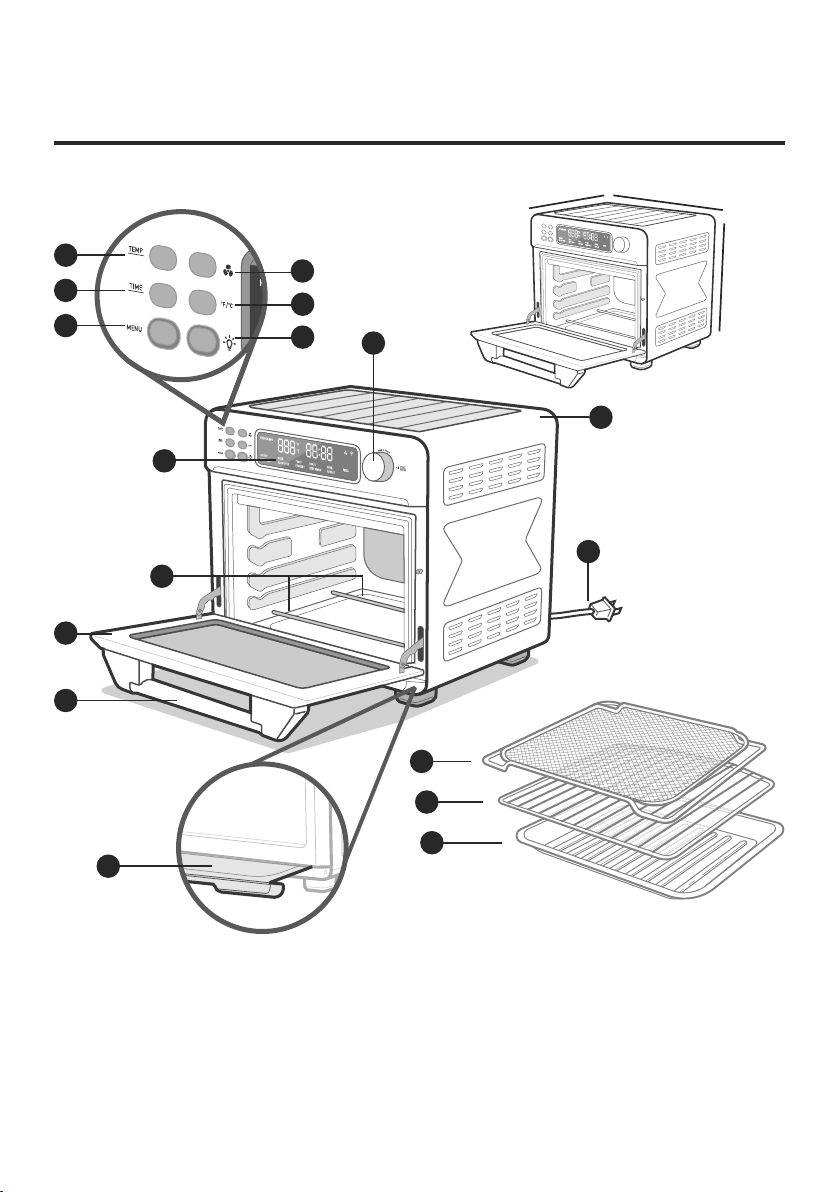
GETTING TO KNOW YOUR
SMART AIR FRYER TOASTER OVEN
A. Temp/Slices Button
B. Time/Shade Button
C. Menu Button
D. Fan Button
E. °F/°C Button
F. Light Button
*Located in drawer below the door.
G. Control Knob/Start/
Pause/Power
H. Housing
I. LED Display
J. Heating Elements
K. Door
L. Handle
M. Crumb Tray*
N. Fry Basket
O. Wire Rack
P. Food Tray
Q. Power Cord
L
M
N
O
P
I
K
J
G
H
Q
A
B
C
D
E
F
16.3 in /
41.3 cm
16.9 in /
42.8 cm
15.5 in /
39.3 cm
8
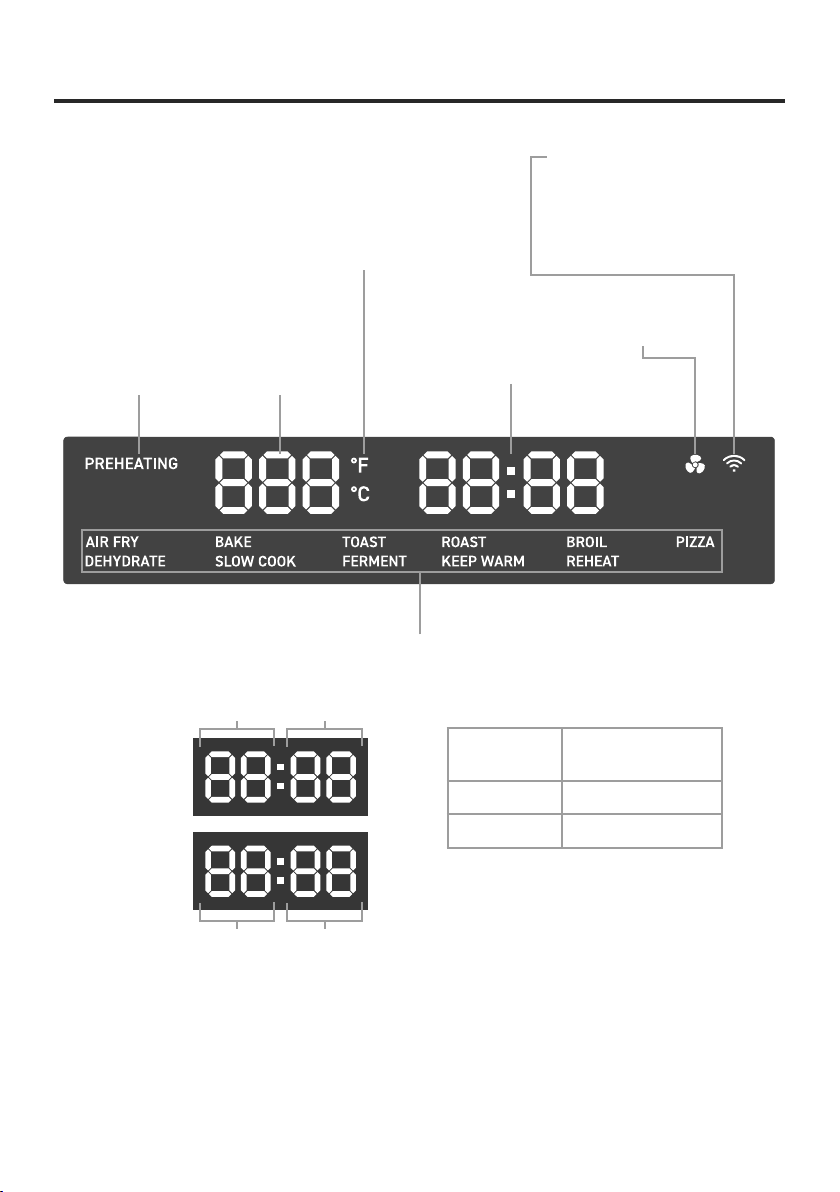
DISPLAY
Preheating
Status
Temperature
Display
Time Display
Celsius/Fahrenheit
Indicators
Fan Indicator
Cooking Functions
Wi-Fi
®
Icon*
*Note:
This indicates app
configuration status. See the
VeSync in-app instructions
for more information.
< 1 hour
Minutes
Hours Minutes
Seconds
≥ 1 hour
Cook Time
Remaining
Display
Format
< 1 hour Minutes : Seconds
≥ 1 hour Hours : Minutes
Note: When you’re setting cook times, the
oven display will use the Hours : Minutes
format.

9
Control Knob/Start/Pause/
Power
TEMP/SLICES Button
TIME/SHADE Button
• Press the knob to turn on the oven.
• Press and hold TIME/SHADE for 3
seconds to turn o the display, can press
any button to active the display.
• Press MENU and turn the knob to change
the cooking function. The current
function will blink on the display.
• Press TEMP/SLICES and turn the knob
to change temperature or number of
slices. Turn clockwise to increase and
counterclockwise to decrease.
• Press TIME/SHADE and turn the
knob to change time or toast darkness
level. Turn clockwise to increase and
counterclockwise to decrease.
• Press the knob to start/pause the cooking
function.
• Press and hold knob for 15 seconds to
reset cooking functions to default (see
Customizing Cooking Functions,
page 13).
• Press to adjust temperature or number of
slices of toast.
• Turn the control knob clockwise to
increase the setting and counterclockwise
to decrease the setting.
• Temperature is adjusted in increments
of 5°F or 10°F depending on the cooking
function.
• Slices of toast is adjusted from 1 to 6.
• Press to adjust time or shade of toast.
• Turn the control knob clockwise to
increase the setting and counterclockwise
to decrease the setting.
• Shade is adjusted from 1 to 7 toast
darkness level.
CONTROLS
Note: When you open the oven door during
cooking, the oven will pause cooking
automatically, and the interior light will turn
on. When you close the oven door, the oven
will resume cooking and the interior light will
turn back o.

10
°F/°C Button
Light Button
Fan Button
• Press to switch temperature units
between Fahrenheit and Celsius.
• Press to turn the interior light on/o.
• The interior light will automatically turn
on when you open the door.
• Press to turn the fan on/o.
• The fan can be used with all cooking
functions.
• The fan is automatically set when
cooking with Air Fry and Dehydrate.
• Press and hold for 5 seconds to pair with
the VeSync app. See the VeSync in-app
instructions for more information.
MENU Button
• Press to change the cooking function.
• Turn the control knob to cycle through
cooking functions.
• The current function will blink on the
display.
11
Setting Up
VeSync App Setup
Test Run
1. Remove all packaging around and inside
the oven.
2. Place on a stable, level, heat-resistant
surface, away from anything that can be
damaged by heat.
3. Wash all accessories and clean the oven’s
interior (see page 28). Dry and place
accessories back in oven.
Disconnecting From Wi-Fi:
• To disconnect Wi-Fi, press and hold the
control knob for 15 seconds until the
Wi-Fi indicator turns o. This will restore
the smart air fryer toaster oven’s default
settings and disconnect it from the
VeSync app.
• To reconnect, please follow the
instructions in the VeSync app for adding
a device.
1. Make sure there is no food or packaging
in the oven and plug it in.
2. Press the control knob to start the
“AIRFRY” cooking function.
3. MENU and “AIR FRY” will light up, and
the display will show the timer counting
down.
BEFORE FIRST USE
A test run will help you become familiar with
your oven, make sure it’s working correctly,
and clean it of possible residues.
Note:
Due to ongoing updates and
improvements, the VeSync app may be
slightly dierent than shown in the manual.
In case of any dierences, follow the in-app
instructions.
Note:
For Android™ users, choose “Allow” to
use VeSync.
Note:
You must create your own VeSync
account to use third-party services and
products. These will not work with a guest
account. With a VeSync account, you can
also allow your family and friends to control
your smart air fryer toaster oven.
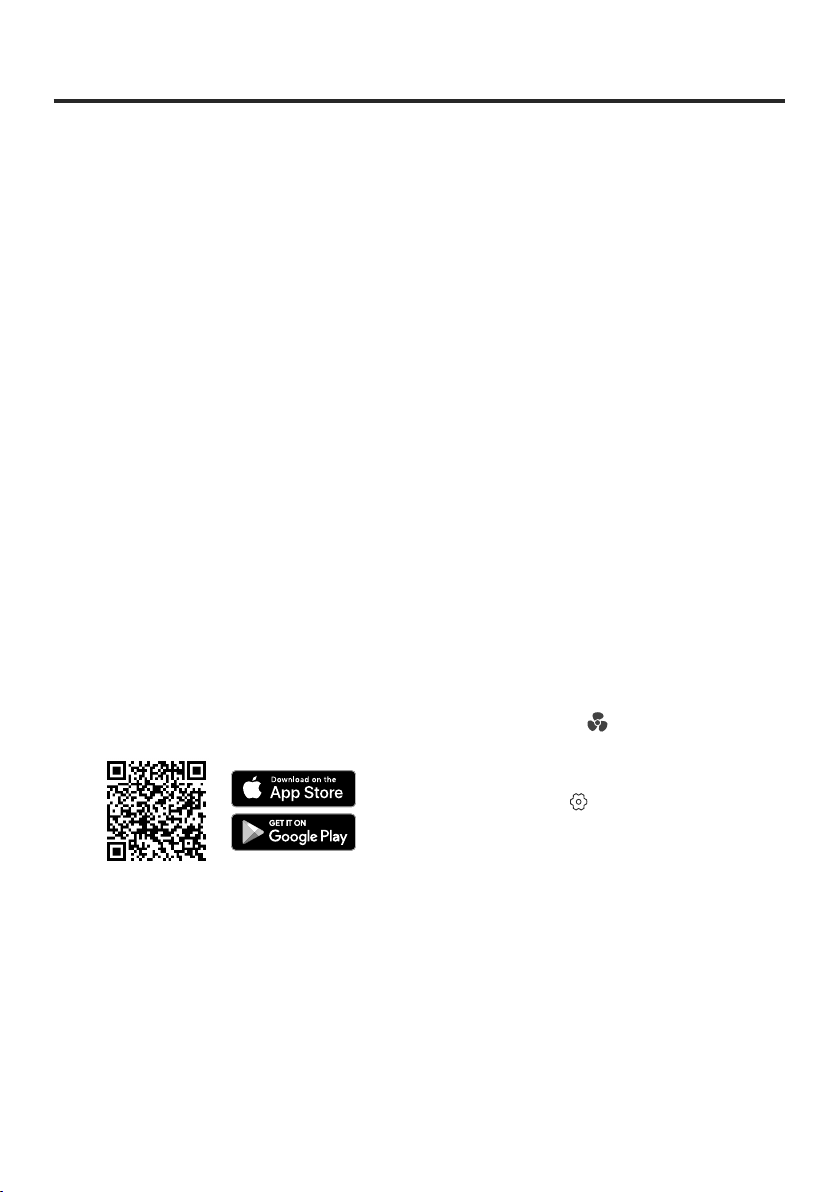
1. To download the VeSync app, scan the
QR code or search “VeSync” in the Apple
App Store
®
or Google Play Store.
2. Open the VeSync app. If you already
have an account, tap Log In. To create a
new account, tap Sign Up.
3. Turn on Bluetooth
®
on your phone.
4. Tap + in the VeSync app and select your
smart air fryer toaster oven.
5. Follow the in-app instructions to finish
setting up your oven.
Note:
•
Press and hold (Fan Button) for 5 seconds
to pair with the VeSync app.
•
You can change the name and icon at any
time by going to the smart oven screen
and tapping .
•
You can use the VeSync app to connect
your smart oven to Amazon Alexa or
Google Assistant™.
12
COOKING WITH YOUR SMART AIR
FRYER TOASTER OVEN
CAUTION:
• The outer surface of the oven, including
the oven door, is hot during and after use.
Temperature may be over 212°F (100°C).
Do not touch hot surfaces. Use handle.
• Always use heat-resistant gloves,
pads, or oven mitts when handling hot
materials, and when placing items in or
removing items from the oven.
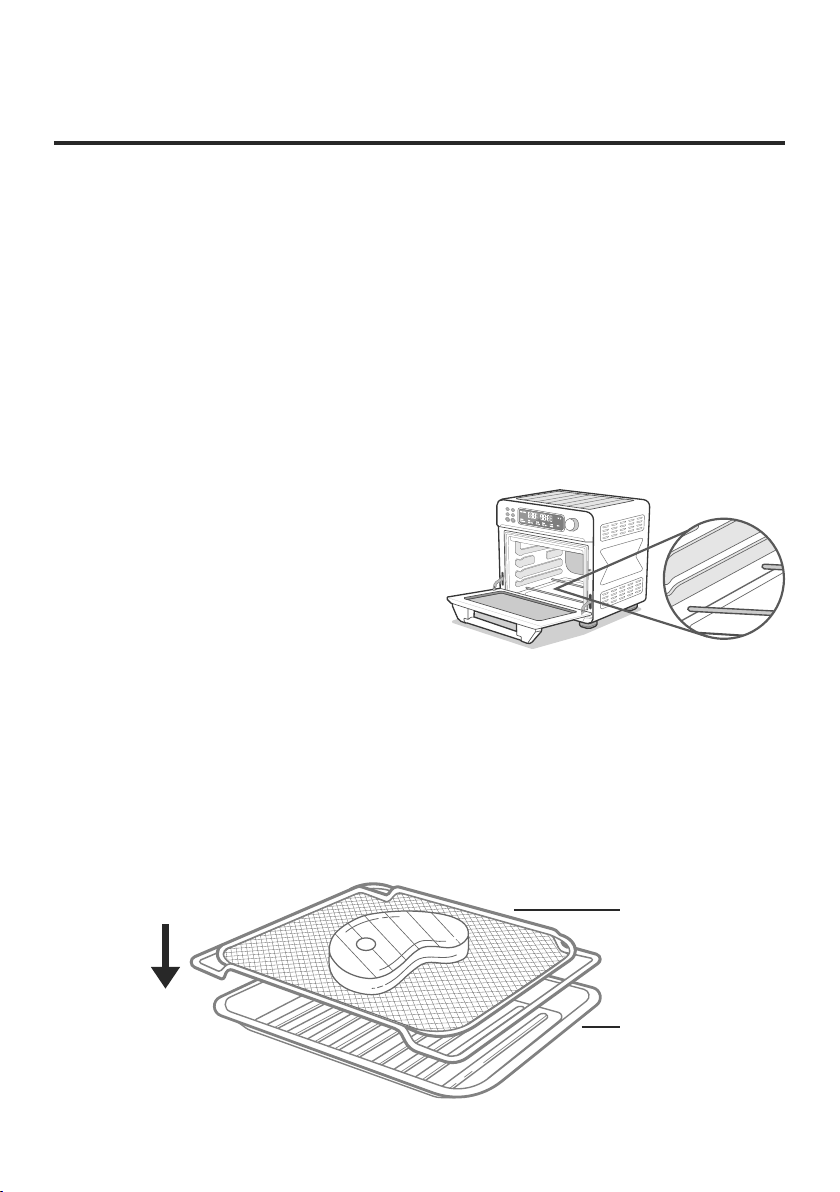
Always make sure the crumb tray is properly
in place at the bottom of the oven when
cooking. [Figure 1.1] The crumb tray is not
intended to be used to place food on.
Note: You can use the VeSync app to control your
smart air fryer toaster oven, follow in-app recipes,
and more.
Using the Trays
Four trays are included with your oven:
the wire rack, food tray, fry basket, and
crumb tray. The cooking functions require
dierent trays, so make sure to use the correct
tray. Follow the recipe instructions or the
suggestions given in each function section.
Fry Basket
When cooking with oil or air frying greasy food such as beef, chicken, or pork, place the fry
basket on the food tray (or insert the food tray underneath the fry basket) to prevent oil from
dripping on the heating elements. [Figure 1.2]
Fry Basket
Food Tray
Figure 1.2
Figure 1.1

13
• To reset one function:
• To reset all functions:
a. For Toast, press TEMP/SLICES
and/or TIME/SHADE, and
use the control knob to adjust
the number of slices or toast
darkness level.
b. For other functions, press
TEMP/SLICES and/or TIME/
SHADE, and use the control
knob to adjust the time and/or
temperature.
3. Press the control knob to start the
cooking function. The oven will
remember the new settings the next
time the cooking function is used.
1. When the oven is not cooking or is
paused, press MENU and turn the
control knob to select the function
you want to reset.
2. Without making any changes, press
and hold the TEMP/SLICES button
for 3 seconds until the oven beeps
1 time.
1. Press and hold the control knob
for 15 seconds. This will reset all
cooking functions.
Note: You can also customize and reset functions
using the VeSync app.
Customizing Cooking
Functions
1. When the oven is not cooking or is
paused, press MENU and turn the
control knob to select the function
you want to change.
2. Select the settings you want to set as
default.
• You can customize a cooking function’s
default settings, including time and
temperature.
• To change a function’s default settings:
Cooking Functions
Cooking functions are programmed with
an ideal time and temperature for cooking
certain foods. For more information on each
cooking function, see its individual section,
or the Cooking Functions Quick Reference
Chart (see page 14).

14
Cooking Functions Quick Reference Chart
Name Use
Suggested Accessory
& Position
Range
AIR FRY
• Cooks using intense heat
and maximized airflow
• Cook food such as french
fries and chicken wings
• Includes preheat
Fry basket at top
position
• 150°–450°F /
65°–230°C
• 1 min–2 hr
BAKE
• Cook food evenly
throughout
• Bake cakes, muns, pastries
• Includes preheat
Food tray or wire rack at
mid position
• 150°–450°F /
65°–230°C
• 1 min–2 hr
TOAST • Toast or brown bread
Wire rack at top
position
• Darkness Level
1–7
• Slices 1–6
• Time and
temperature
are automatic
ROAST
• Cook a variety of meats and
poultry
• Food will be tender and juicy
on the inside and well-
roasted on the outside.
• Includes preheat
Food tray at low
position
• 150°–400°F /
65°–205°C
• 1 min–2 hr
BROIL
• Cook open-faced
sandwiches, thin cuts
of meat (such as bacon),
poultry, fish, sausages, and
vegetables
• Brown the tops of casseroles,
gratins, and desserts
• Includes preheat
Food tray at top
position
• 150°–450°F /
65°–230°C
• 1 min–2 hr
KEEP WARM
• Keep food warm at the
recommended temperature
to prevent bacterial growth
(160°F / 71°C or above)
Food tray or wire rack at
low position
• 140°–230°F /
60°–110°C
• 1 min–1 hr
DEHYDRATE
• Evenly dry out food
without cooking
• Dry fruit or vegetable chips
Wire rack or fry basket
at top position
• 100°–180°F /
40°–80°C
• 30 min–24 hr
PIZZA
• Melt and brown cheese and
toppings while crisping
crust
• Includes preheat
Wire rack at mid
position
• 150°–450°F /
65°–230°C
• 1 min–2 hr
15
SHADE
SLICES
SLOW COOK
• Simmer food for long
periods of time at low
temperatures
• Cook soup
Note:
Usually requires placing
cookware on top of tray or rack.
Food tray or wire rack at
low position
• 150°–250°F /
65°–120°C
• 30 min–12 hr
REHEAT • Reheat leftovers
Food tray at mid
position
• 150°–400°F /
65°–205°C
• 1 min–2 hr
FERMENT
• Precisely hold low
temperatures
• Proof bread, rolls, pizza, and
dough
• Make yogurt
Food tray or wire rack
at low position
• 80°–110°F /
25°–45°C
• 30 min–12 hr
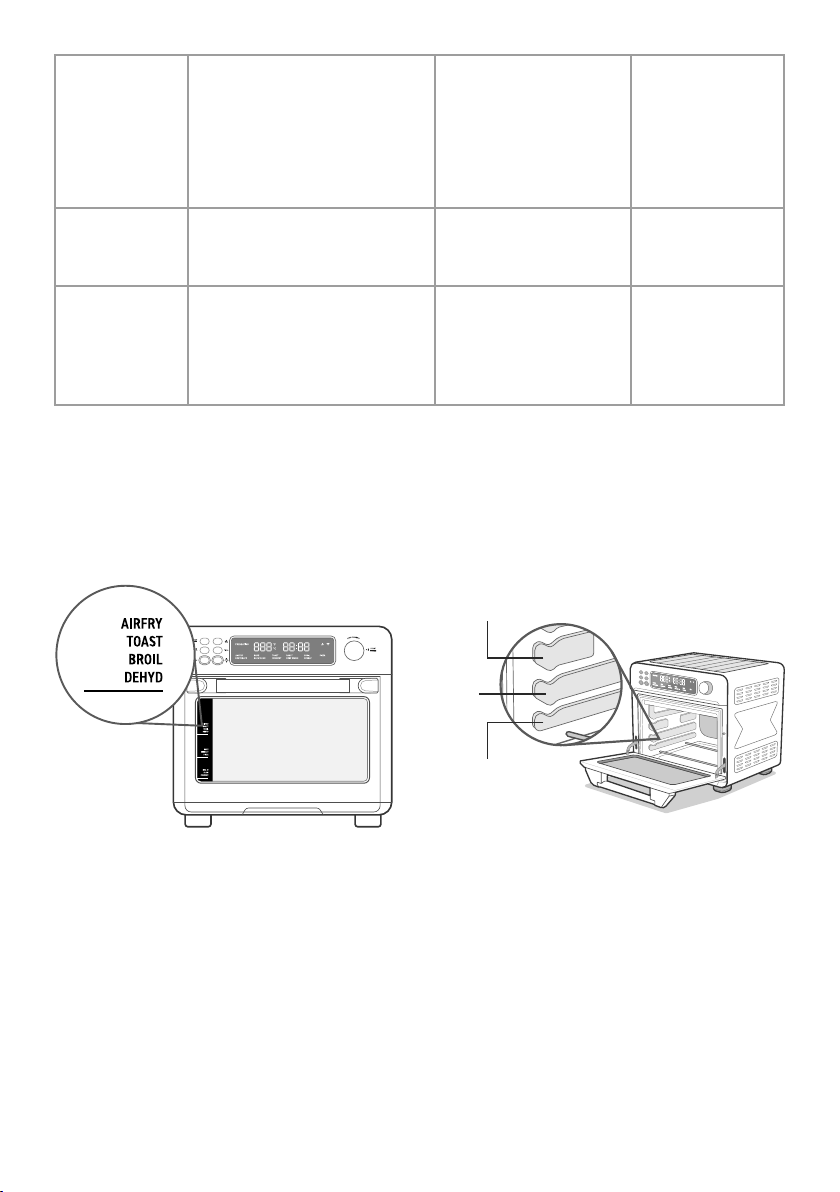
Tray Positions
Each cooking function has a recommended tray position, which are slots that you can slide a tray
into (the wire rack, food tray, or fry basket). The standard recommended positions are indicated
on the front of the oven [Figure 2.1]. The three positions are Top, Mid, and Low. [Figure 2.2].
Figure 2.2
Figure 2.1
Top Position
Mid
Position
Low
Position

16
Super Convection Fan
VeSync App Functions
The fan circulates hot air in the oven for
faster and more even cooking. Use the fan
for crispier results, and for air frying. You
can turn the fan on/o at any time during
cooking.
The VeSync app allows you to access
additional smart functions, including those
listed below.
Remote Control
•
All oven functions can be controlled remotely
(except for starting cooking, for safety reasons).
•
Cooking progress can be monitored from a
distance.
In-App COSORI Recipes
•
Pre-programmed recipes made by COSORI’s
in-house chefs are available in the app.
Selecting a recipe automatically sets the
recommended time and temperature.
•
Create and save custom recipes.
Third-Party Voice Control
•
Compatible with Amazon Alexa and Google
Assistant
™
for voice commands.
Note: The fan is always on for the Air Fry and
Dehydrate functions.
Note: The VeSync app is continually updated and
app features will expand.
Note: The oven will start cooking immediately
after preheating. Food placed in the oven before
preheating will automatically go through preheating
and cooking stages.
1. Press MENU and turn the control knob
to select a cooking function that includes
preheat.
2. Press the control knob to start the cooking
function.
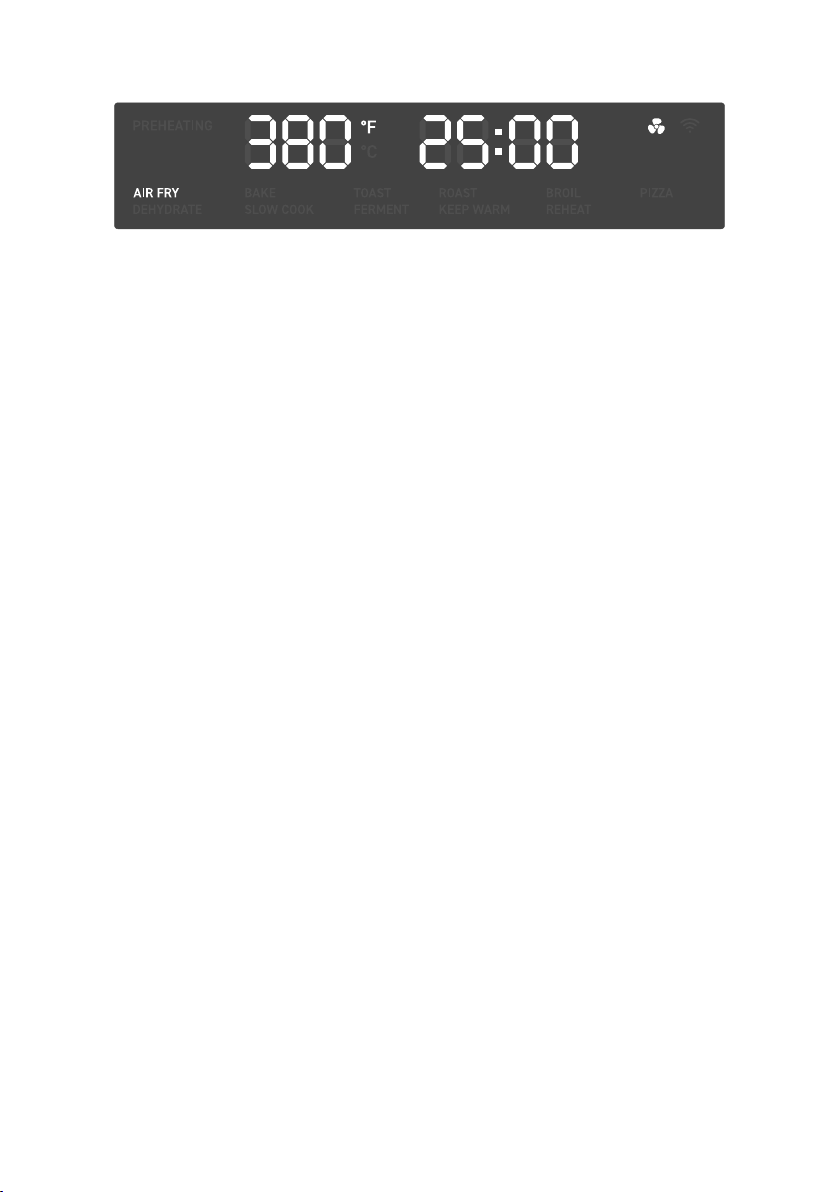
3. PREHEATING will blink on the display
and the oven will begin preheating.
4. When preheating is finished, the oven will
beep 3 times. The temperature will show
on the display.
5. Open the oven door and place food
inside, then close the oven door to start
cooking.
Preheating
The following cooking functions
automatically include preheat: Air Fry, Bake,
Roast, Pizza, Broil, and Slow Cook.
17
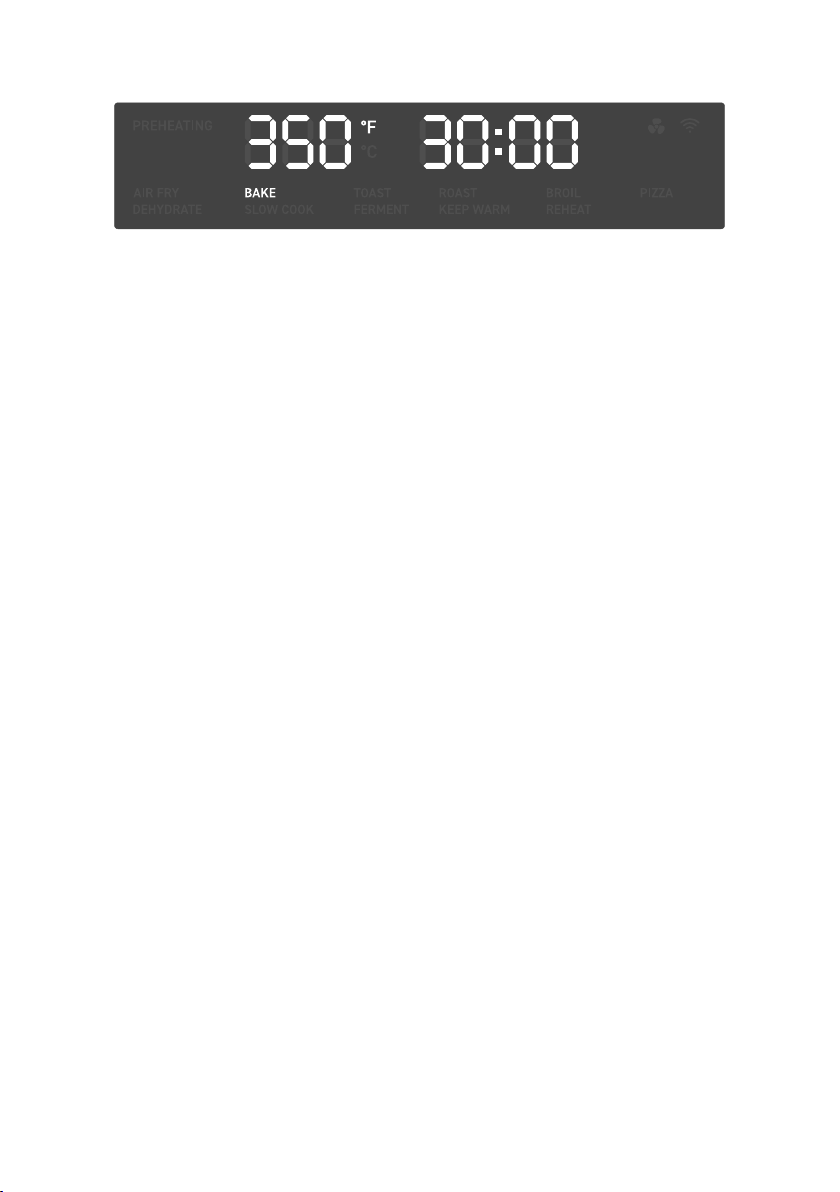
1. Press MENU and turn the control knob to
“AIR FRY”, which will blink on the display.
2. Optionally, customize the temperature
and time. You can do this anytime during
cooking.
3. Press the control knob to start the
cooking function.
4. PREHEATING will blink on the display
and the oven will begin preheating.
When preheating is finished, the oven
will beep 3 times.
5. Place food in the fry basket.
6. Insert at top position.
7. Close the oven door to start cooking.
MENU and the selected cooking
function will light up, and the display
will show the timer counting down.
8. The oven will stop heating and beep
several times when finished.
Air Fry Function (“AIR FRY”)
This function is ideal for cooking a variety
of food, including french fries and chicken
wings. Uses intense heat and maximized
airflow.
Heating Elements: Upper heating elements
cycle on and o.
Rack Position: Top
a. Press TEMP/SLICES to adjust
temperature. Turn the control knob
to adjust the temperature between
150°–450°F / 65°–230°C.
b. Press TIME/SHADE to adjust time.
Turn the control knob to adjust the
time between 1 min–2 hr.
a. Avoid overfilling the fry basket, or
food may not air fry correctly.
b. When air frying fatty foods (such as
chicken wings), place the fry basket
on the food tray (or insert the food
tray underneath the fry basket) to
prevent oil from dripping on the
heating elements.
18
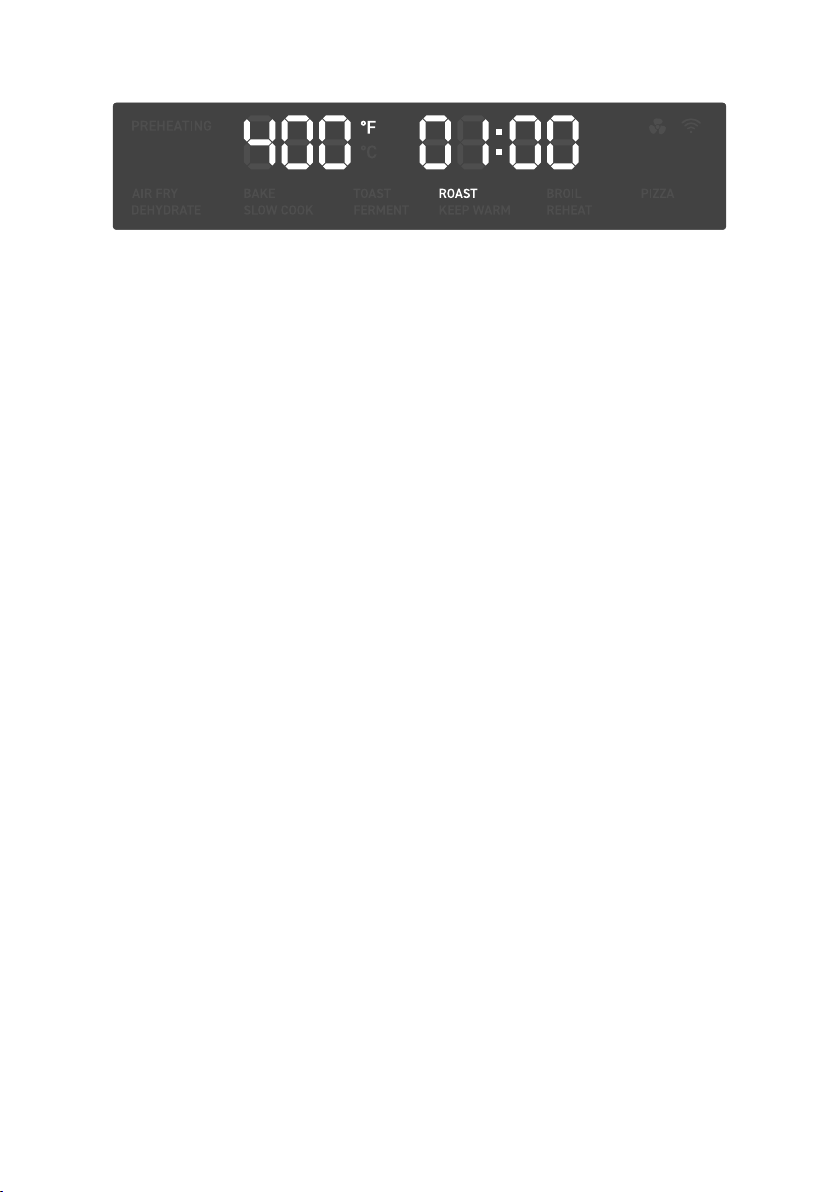
1. If using the wire rack, insert at mid
position and close the oven door.
2. Press MENU and turn the control knob
to “BAKE”, which will blink on the
display.
3. Optionally, customize the temperature
and time. You can do this anytime
during cooking.
4. Press the control knob to start the
cooking function.
5. PREHEATING will blink on the display
and the oven will begin preheating.
When preheating is finished, the oven
will beep 3 times.
6. Place food inside the oven. If using the
food tray, insert at mid position.
7. Close the oven door to start cooking.
MENU and the selected cooking
function will light up, and the display
will show the timer counting down.
8. The oven will stop heating and beep
several times when finished.
Bake Function (“BAKE”)
This function cooks food evenly throughout.
Ideal for baking cakes, muns, brownies,
and pastries. Also ideal for cooking pre-
packaged frozen meals, including lasagna
and pot pies.
Heating Elements: 2 upper and all bottom
heating elements cycle on and o.
Rack Position: Mid
a. Press TEMP/SLICES to adjust
temperature. Turn the control knob
to adjust the temperature between
150°–450°F / 65°–230°C.
b. Press TIME/SHADE to adjust time.
Turn the control knob to adjust the
time between 1 min–2 hr.
Note:
•
Citric acid (from oranges, lemons, and other
foods) may damage the porcelain enamel finish
of the trays or racks. Line the trays with foil or
baking paper.
•
Use extreme caution when using foil, and
always fit foil as securely as possible. To avoid
overheating and risk of fire, make sure foil does
not contact the heating elements.

19
Note:
•
When setting the darkness level, consider the
type, thickness, and freshness of the bread.
•
Try lighter settings for raisin toast, white
bread, and thinly-sliced bread.
•
Try darker settings for rye, whole wheat,
heavier-textured bread, and fresh bread.
•
Time and temperature are set automatically.
Time increases with darkness level.
Temperature is set to the highest level
(450°F / 230°C).
1. Place slices of bread on the wire rack.
Insert the wire rack at top position and
close the oven door.
2. Press MENU and turn the control knob
to “TOAST”, which will blink on the
display.
3. Optionally, customize the number of
slices and toast darkness level. You can
only do this before cooking starts.
4. Press the control knob to start the
cooking function. MENU and the
selected cooking function will light
up, and the display will show the timer
counting down.
5. The oven will stop heating and beep
several times when finished.
Toast Function (“TOAST”)
This function browns the outside of your
bread while keeping the inside soft. Also
ideal for English muns and frozen waes.
Heating Elements: 2 upper and all bottom
heating elements cycle on and o.
Rack Position: Top
a. Press TEMP/SLICES and turn the
control knob to adjust the number
of slices between 1–6.
b. Press TIME/SHADE and turn the
control knob to adjust the darkness
level between 1–7.
c. Use 1–2 for a light toast, 3–5 for a
medium toast, and 6–7 for a dark
toast.
20
Note:
•
Citric acid (from oranges, lemons, and other
foods) may damage the porcelain enamel finish
of the trays or racks. Line the trays with foil or
baking paper.
•
Use extreme caution when using foil, and
always fit foil as securely as possible. To avoid
overheating and risk of fire, make sure foil does
not contact the heating elements.
1. Press MENU and turn the control knob
to “ROAST”, which will blink on the
display.
2. Optionally, customize the temperature
and time. You can do this anytime
during cooking.
3. Press the control knob to start the
cooking function.
4. PREHEATING will blink on the display
and the oven will begin preheating.
When preheating is finished, the oven
will beep 3 times.
5. Place food inside the oven. Insert the
food tray at low position.
6. Close the oven door to start cooking.
MENU and the selected cooking
function will light up, and the display
will show the timer counting down.
7. The oven will stop heating and beep
several times when finished.
Roast Function (“ROAST”)
This function is ideal for cooking a variety of
meats and poultry. Food will be tender and
juicy on the inside and well-roasted on the
outside.
Heating Elements: 2 upper and all bottom
heating elements cycle on and o.
Rack Position: Low
a. Press TEMP/SLICES to adjust
temperature. Turn the control knob
to adjust the temperature between
150°–400°F / 65°–205°C.
b. Press TIME/SHADE to adjust time.
Turn the control knob to adjust the
time between 1 min–2 hr.
21
1. Press MENU and turn the control knob
to “BROIL”, which will blink on the
display.
2. Optionally, customize the temperature
and time. You can do this anytime
during cooking.
3. Press the control knob to start the
cooking function.
4. PREHEATING will blink on the display
and the oven will begin preheating.
When preheating is finished, the oven
will beep 3 times.
5. Place food on the food tray.
6. Insert the food tray at top position.
7. Close the oven door to start cooking.
MENU and the selected cooking
function will light up, and the display
will show the timer counting down.
8. The oven will stop heating and beep
several times when finished.
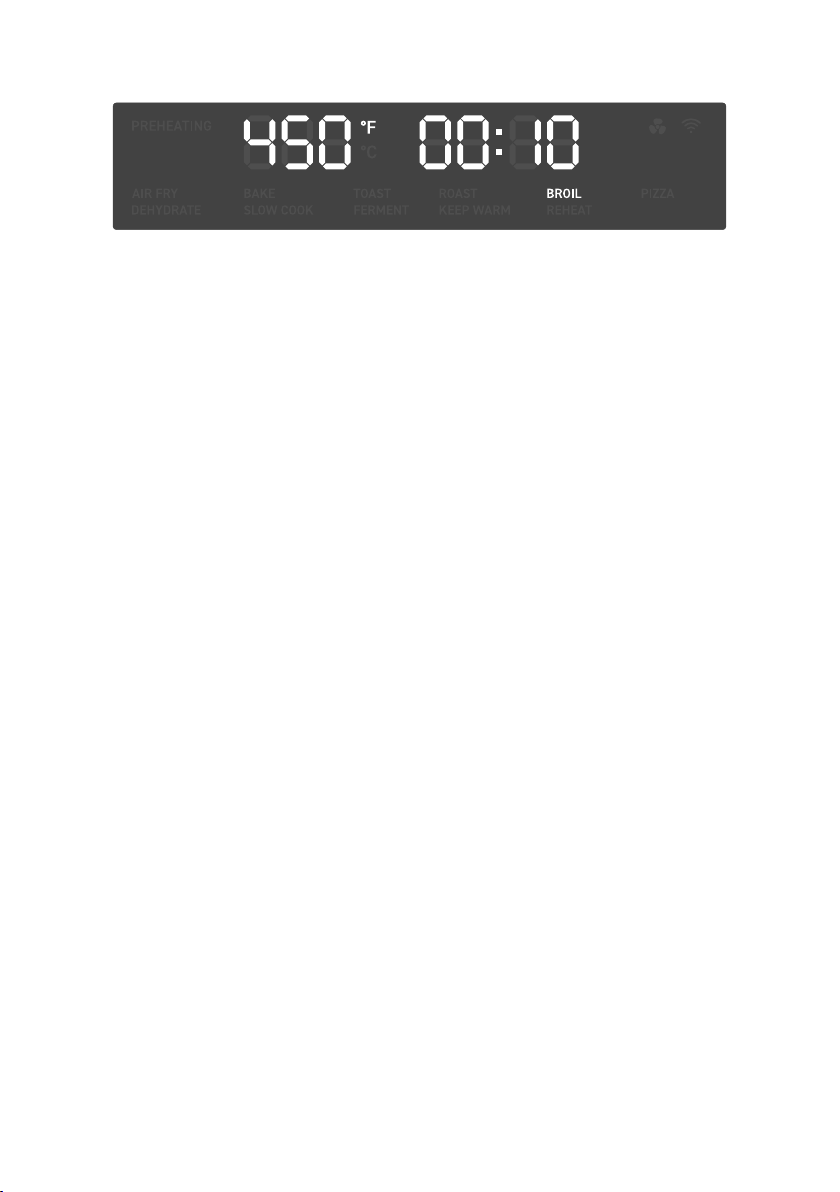
Broil Function (“BROIL”)
This function is ideal for cooking open-
faced sandwiches, thin cuts of meat (such
as bacon), poultry, fish, sausages, and
vegetables.
Can also be used to brown the tops of
casseroles, gratins, and desserts.
Heating Elements: Upper heating elements
cycle on and o.
Rack Position: Top
a. Press TEMP/SLICES to adjust
temperature. Turn the control knob
to adjust the temperature between
150°–450°F / 65°–230°C.
b. Press TIME/SHADE to adjust time.
Turn the control knob to adjust the
time between 1 min–2 hr.
a. Optionally, lightly grease the enamel
food tray or line with foil to prevent
food from sticking.
b. Use extreme caution when using
foil, and always fit foil as securely as
possible. To avoid overheating and
risk of fire, make sure foil does not
contact the heating elements.
a. Insert at mid position instead for:
•
Bulky food that may touch the
upper heating elements
•
Thicker food such as burger
patties
•
Marinated food such as chicken
wings
•
Food requiring a gentler broil
22
1. Place hot food in a heat-safe container.
Cover and place on the food tray or wire
rack. Insert at low position and close the
oven door.
2. Press MENU and turn the control knob
to “KEEP WARM”, which will blink on
the display.
3. Optionally, customize the temperature
and time. You can do this anytime
during cooking.
4. Press the control knob to start the
cooking function. MENU and the
selected cooking function will light
up, and the display will show the timer
counting down.
5. The oven will stop heating and beep
several times when finished.
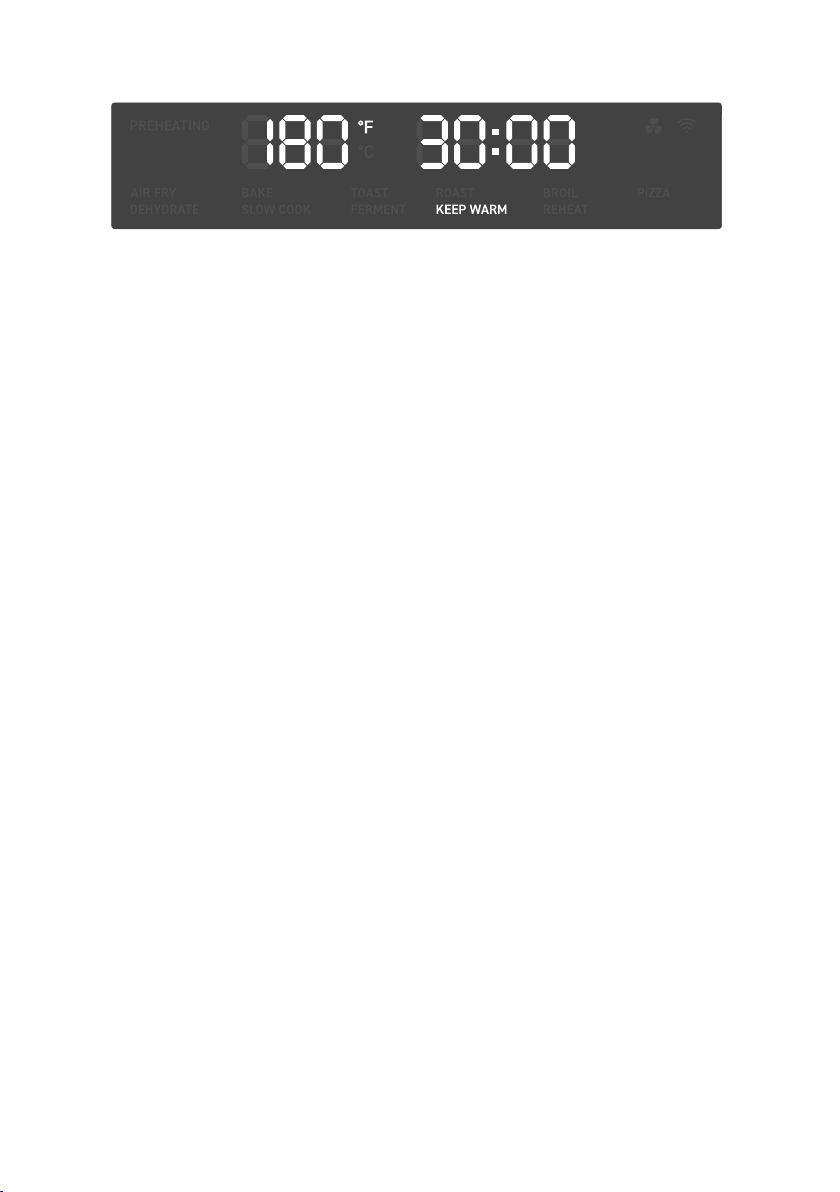
Keep Warm Function (“KEEP WARM”)
This function is designed to keep food warm
at the recommended temperature to prevent
bacterial growth (160°F / 71°C or above).
Heating Elements: Bottom heating
elements cycle on and o.
Rack Position: Low
a. Press TEMP/SLICES to adjust
temperature. Turn the control knob
to adjust the temperature between
140°–230°F / 60°–110°C.
b. Press TIME/SHADE to adjust time.
Turn the control knob to adjust the
time between 1 min–1 hr.
23
1. Place food on the wire rack or fry basket.
2. Insert wire rack or fry basket at top
position. Close the oven door.
3. Press MENU and turn the control knob
to “DEHYDRATE”, which will blink on
the display.
4. Optionally, customize the temperature
and time. You can do this anytime
during cooking.
5. Press the control knob to start the
cooking function. MENU and the
selected cooking function will light
up, and the display will show the timer
counting down.
6. The oven will stop heating and beep
several times when finished.
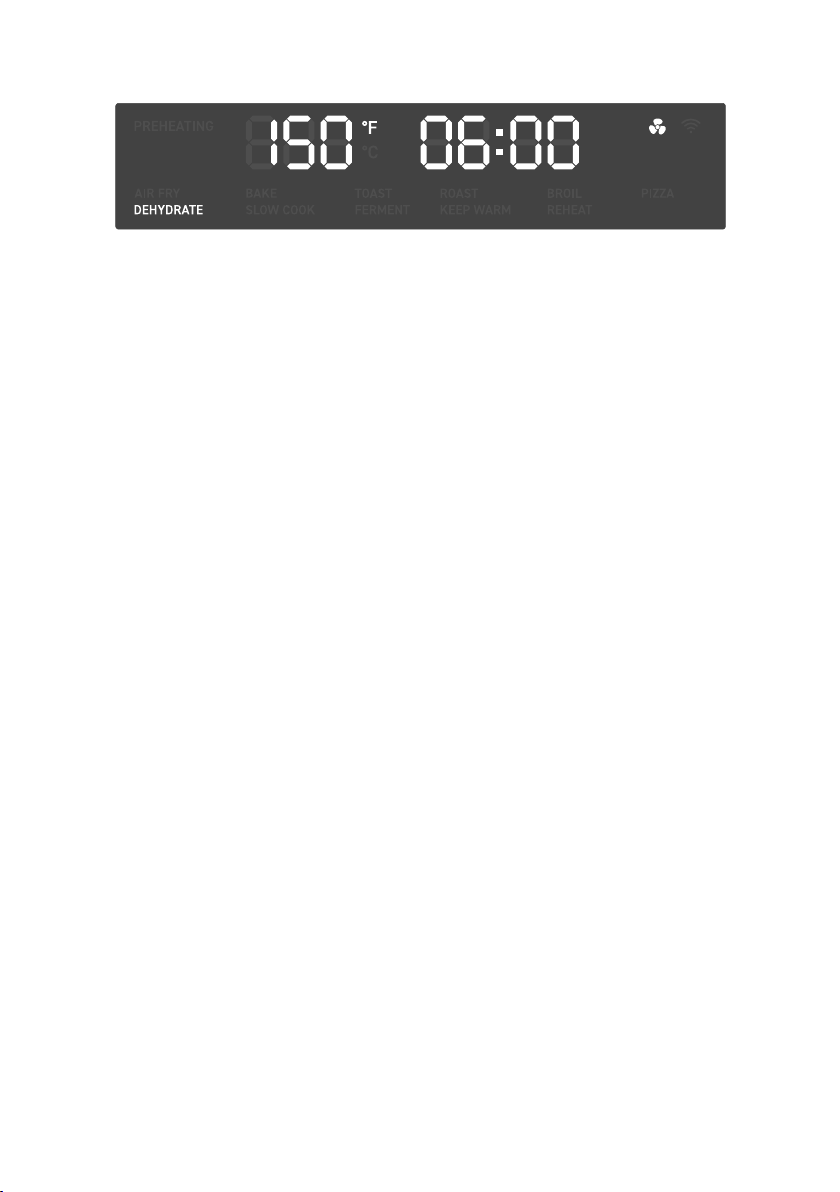
Dehydrate Function (“DEHYDRATE”)
This function combines low and stable heat
with steady airflow to evenly dry out foods
without cooking. Ideal for drying fruit or
vegetable chips.
Heating Elements: Bottom heating
elements cycle on and o.
Rack Position: Top
a. When dehydrating foods that may
drip, such as marinated jerky,
place the food tray in the low rack
position to catch drippings.
b. Optionally, to prevent staining when
dehydrating certain foods (such as
beets or marinated meats with dark
sauces), line the rack or basket with
baking paper.
a. Press TEMP/SLICES to adjust
temperature. Turn the control knob
to adjust the temperature between
100°–180°F / 40°–80°C.
b. Press TIME/SHADE to adjust time.
Turn the control knob to adjust the
time between 30 min–24 hr.
Note: Never put baking or parchment paper into
the oven without food on top. Air circulation can
cause paper to move and touch heating elements.
24
1. Insert wire rack at mid position and
close the oven door.
2. Press MENU and turn the control knob
to “PIZZA”, which will blink on the
display.
3. Optionally, customize the temperature
and time. You can do this anytime
during cooking.
4. Press the control knob to start the
cooking function.
5. PREHEATING will blink on the display
and the oven will begin preheating.
When preheating is finished, the oven
will beep 3 times.
8. The oven will stop heating and beep
several times when finished.
6. Remove any cardboard, plastic, paper,
or other flammable materials. Place
pizza on a pan, and place the pan on
the wire rack.
7. Close the oven door to start cooking.
MENU and the selected cooking
function will light up, and the display
will show the timer counting down.
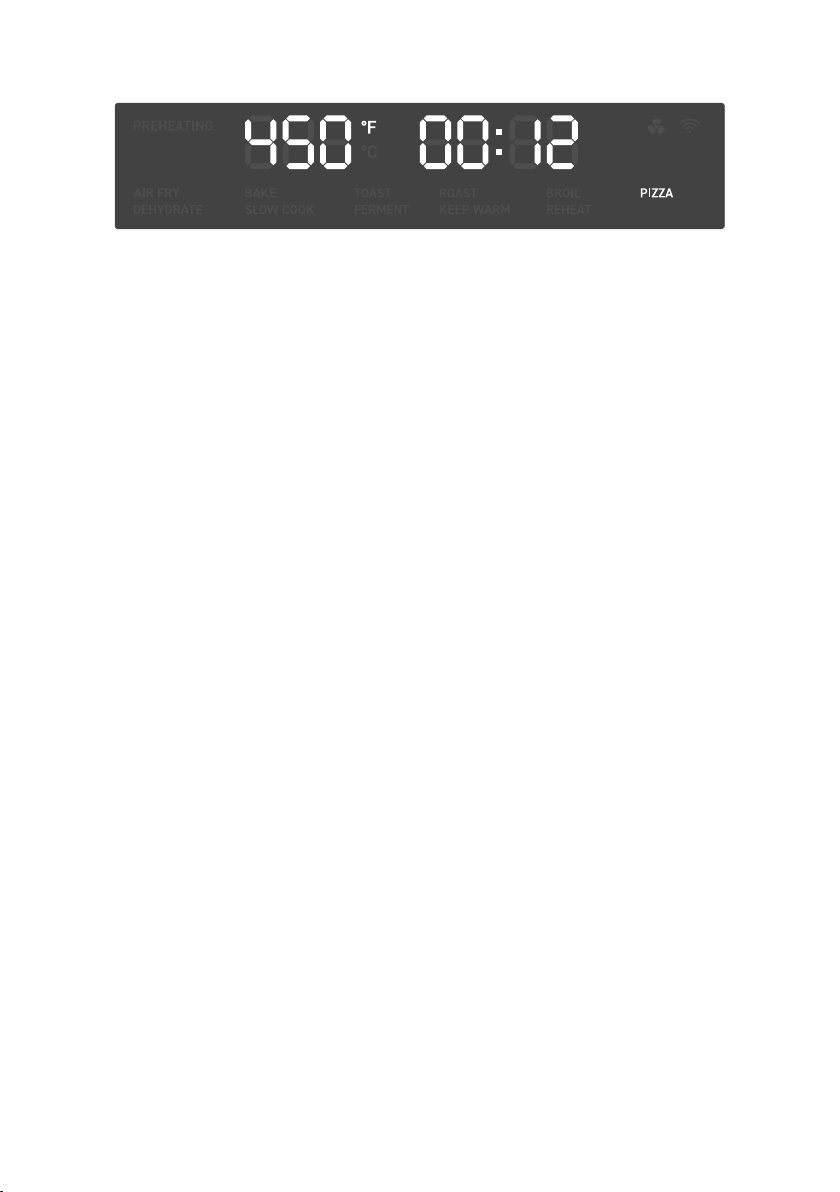
Pizza Function (“PIZZA”)
This function melts and browns cheese and
toppings while crisping crust.
Heating Elements: 2 upper and all bottom
heating elements cycle on and o.
Rack Position: Mid
a. Press TEMP/SLICES to adjust
temperature. Turn the control knob
to adjust the temperature between
150°–450°F / 65°–230°C.
b. Press TIME/SHADE to adjust time.
Turn the control knob to adjust the
time between 1 min–2 hr.
Note: For large pizzas, open the oven door halfway
through cooking and carefully rotate the pizza 90
degrees for more even browning.
Note: Try a slightly longer cooking time for pizzas
with thicker crust, and an even longer cooking time
for frozen pizzas.
25
Note:
•
Make sure cookware is oven-proof and does
not weigh over 6 lb when full.
•
Fill container to a minimum of halfway and a
maximum of ¾ full to avoid spilling and over-
or under-cooking.
•
Always slow cook with a lid on the container
to prevent food from drying out.
•
Do not slow cook frozen foods.
•
Cut large pieces of meat in half to allow even
heating.
1. Place food in a heat-safe container.
Cover and place on the food tray or wire
rack. Insert at low position and close the
oven door.
2. Press MENU and turn the control knob
to “SLOW COOK”, which will blink on
the display.
3. Optionally, customize the temperature
and time. You can do this anytime
during cooking.
4. Press the control knob to start the
cooking function. MENU and the
selected cooking function will light
up, and the display will show the timer
counting down.
5. The oven will stop heating and beep
several times when finished.
Slow Cook Function (“SLOW COOK”)
This function is ideal for simmering food
for long periods of time at low temperatures,
such as when cooking soup.
Heating Elements: Bottom heating
elements cycle on and o.
Rack Position: Low
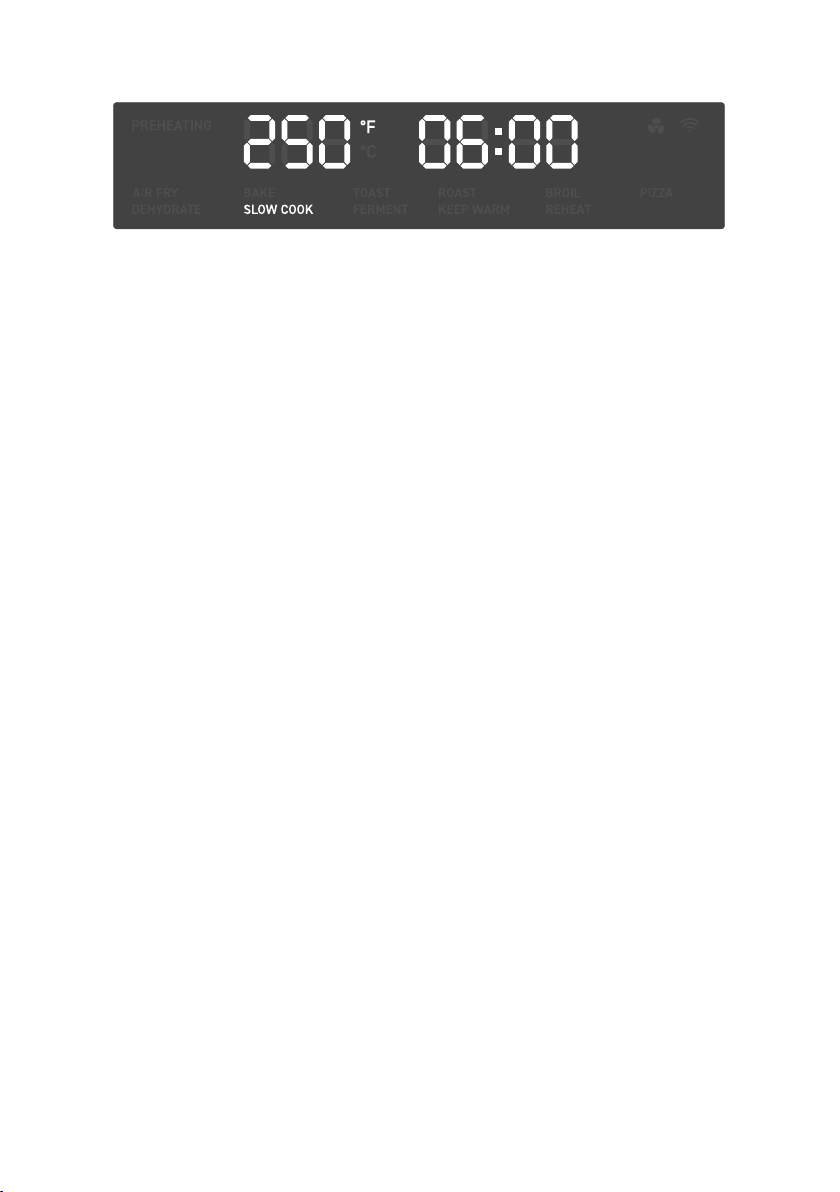
a. Press TEMP/SLICES to adjust
temperature. Turn the control knob
to adjust the temperature between
150°–250°F / 65°–120°C.
b. Press TIME/SHADE to adjust time.
Turn the control knob to adjust the
time between 30 min–12 hr.
26
1. Place food on the food tray. Insert at
mid position and close the oven door.
2. Press MENU and turn the control knob
to “REHEAT”, which will blink on the
display.
3. Optionally, customize the temperature
and time. You can do this anytime
during cooking.
4. Press the control knob to start the
cooking function. MENU and the
selected cooking function will light
up, and the display will show the timer
counting down.
5. The oven will stop heating and beep
several times when finished.
Reheat Function (“REHEAT”)
This function is designed to reheat leftovers.
Heating Elements: 2 upper and all bottom
heating elements cycle on and o.
Rack Position: Mid
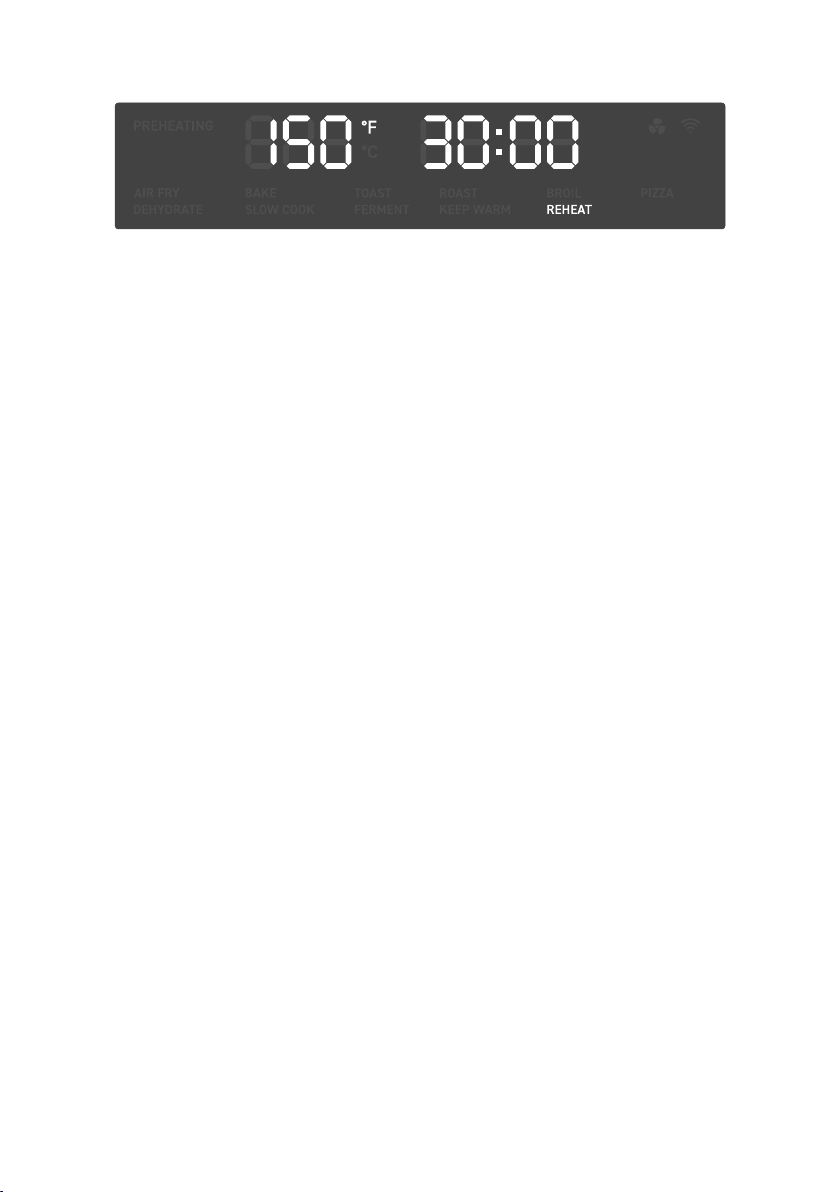
a. Press TEMP/SLICES to adjust
temperature. Turn the control knob
to adjust the temperature between
150°–400°F / 65°–205°C.
b. Press TIME/SHADE to adjust time.
Turn the control knob to adjust the
time between 1 min–2 hr.
27
1. Place dough in a heat-safe container.
Cover and place on the food tray or wire
rack. Insert at low position and close the
oven door.
2. Press MENU and turn the control knob
to “FERMENT”, which will blink on the
display.
3. Optionally, customize the temperature
and time. You can do this anytime
during cooking.
4. Press the control knob to start the
cooking function. MENU and the
selected cooking function will light
up, and the display will show the timer
counting down.
5. The oven will stop heating and beep
several times when finished.
Ferment Function (“FERMENT”)
This function is designed to precisely
hold low temperatures, providing an ideal
environment for proofing bread, rolls, pizza,
and dough.
Can also be used for making yogurt with
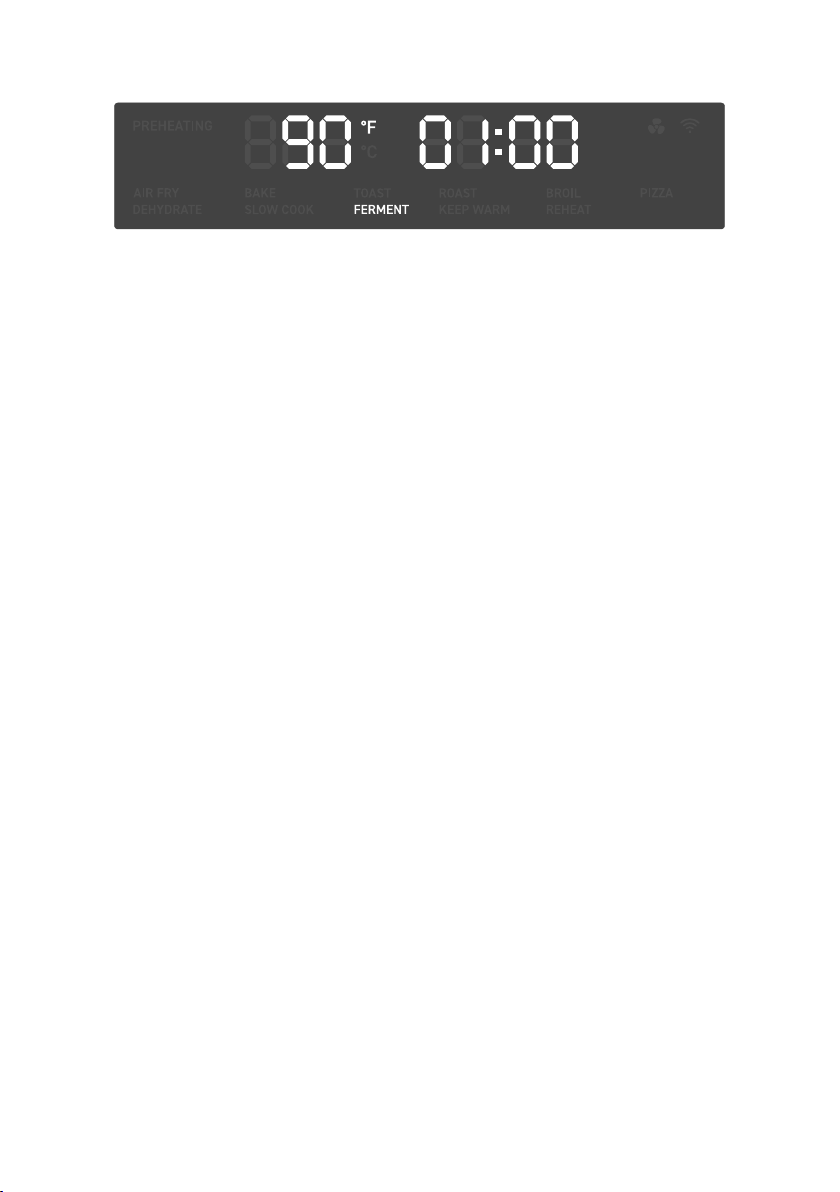
an appropriate recipe (using 110°F / 45°C
temperature and 12 hr time).
Heating Elements: Bottom heating
elements cycle on and o.
Rack Position: Low
a. Press TEMP/SLICES to adjust
temperature. Turn the control knob
to adjust the temperature between
80°–110°F / 25°–45°C.
b. Press TIME/SHADE to adjust time.
Turn the control knob to adjust the
time between 30 min–12 hr.

28
Clean oven accessories (including trays, etc.)
and oven interior after every use.
CARE & MAINTENANCE
Cleaning the Accessories
Storage
1. Apply non-abrasive liquid cleanser or
a mild spray solution to a soft, damp
sponge or soft, plastic scouring pad (not
the accessory surface). Wipe accessories
and soak in warm, soapy water if
necessary.
2. For stubborn grease:
a. In a small bowl, mix 2 US tbsp / 30 mL
of baking soda with 1 US tbsp / 15 mL
of water to form a spreadable paste.
b. Use a sponge to spread the paste on
the trays and scrub. Let the trays sit for
15 minutes before rinsing.
c. Wash trays with soap and water.
3. Dry thoroughly.
4. Replace the crumb tray into the oven
before plugging in or turning on the oven.
1. Clean and dry the oven and all
accessories.
2. Insert the crumb tray into the oven. Insert
the rack at mid position. Make sure the
oven door is closed.
3. Store the oven in an upright position.
Do not store anything on top.
1. Before cleaning, turn o and unplug the
oven, and allow it to cool completely.
Open the door for faster cooling.
2. Apply non-abrasive liquid cleanser or a
mild spray solution to a soft, damp cloth
or sponge (not the oven surface) and wipe
all parts of the oven, especially the oven
interior. Do not use a dry cloth on the
display screen, or it may be scratched.
Note:
• Do not use abrasive cleaners, metal scouring
pads, or metal utensils on any part of the oven,
including trays and other accessories. These
will scratch or damage their surfaces.
• This oven contains no user-serviceable
parts. Any repairs should be performed by an
authorized service representative.
Note: After each use, slide out the crumb tray and
discard crumbs.
Note: Make sure you clean the top of the oven
interior after every use. If this is not cleaned,
cooking residue will burn onto the oven interior and
be dicult to remove.
3. To clean the glass door, use a glass
cleaner or mild detergent and a soft,
damp sponge or soft, plastic scouring
pad.
4. Let all surfaces dry completely before
plugging in or turning on the oven.

29
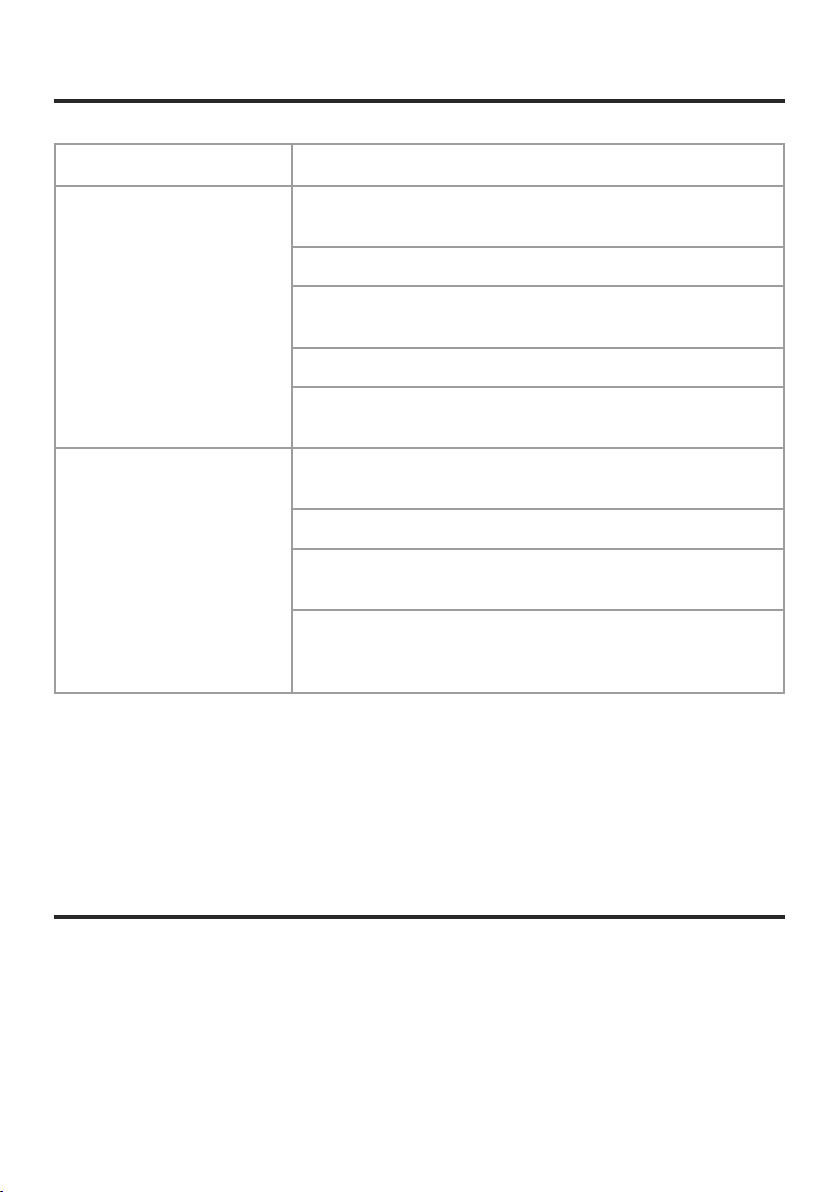
Problem Possible Solution
The oven will not turn on. Make sure the oven is plugged in.
Food is not completely cooked. Increase cooking temperature or time.
Food is overcooked or burned.
Decrease cooking temperature or time.
Make sure food items are not too large and are not touching the
heating elements.
Food is cooked unevenly.
Make sure food items are not too closely packed into a tray, rack,
or other container.
White smoke or steam is
coming out of the oven.
The oven may produce some white smoke or steam during
cooking. This is normal.
During first use, dust from the packing process may cause white
smoke. This is normal for toaster ovens and many other kitchen
appliances. To eliminate any dust, see Test Run (page 11).
Excess oil or fatty foods may produce white smoke. Make sure the
inside of the oven is cleaned properly and isn’t greasy.
Dark smoke is coming out of
the oven.
Immediately press the control knob to pause cooking and unplug
your oven. Food is burning. Wait for smoke to clear before
opening the oven door.
A thermometer shows that the
oven temperature is dierent
from the oven setting.
Commonly used thermometers usually have low sensitivity and
take over 10 minutes to measure the correct temperature. This
will not aect cooking.
Display shows Error Code
“E01 ”.
There is an open circuit in the temperature monitor. Contact
Customer Support (see page 34).
Display shows Error Code
“E02 ”.
There is a short circuit in the temperature monitor. Contact
Customer Support (see page 34).
Display shows Error Code
“E04 ”.
The oven has been plugged into an incorrect power source, such
as a 220–240V outlet. Unplug the oven. Only use the oven with
120V, 60Hz outlets, such as those in North America.
If your problem is not listed, please contact Customer Support (see page 34).
TROUBLESHOOTING
30
Problem Possible Solution
Why isn’t my oven
connecting to the
VeSync app?
During the setup process, you must be on a secure 2.4GHz Wi-Fi
®
network. Confirm that the network is working correctly.
Make sure the Wi-Fi
®
password you entered is correct.
Turn on Bluetooth
®
on your phone (for Android™ users, make sure
Location is turned on as well).
Make sure your oven and phone are within 30 ft / 10 m of each other.
Reset the oven by pressing and holding the control knob for 15
seconds, then try connecting again.
My oven is oine.
Make sure the oven is plugged in. The oven may appear to be
oine if it is unplugged, or if the outlet does not have power.
Refresh the VeSync menu by swiping down on the screen.
Make sure your router is connected to the internet and your phone’s
network connection is working.
Delete the oven from the VeSync app. Swipe left (iOS)
®
or press and
hold (Android), then tap Delete. Reconfigure your oven with the
VeSync app.
If your problem is not listed, please contact Customer Support (see page 34).
VESYNC APP TROUBLESHOOTING
Note: Power outages, internet outages, or changing Wi-Fi routers may cause your toaster oven to go oine.
Arovast Corporation hereby declares that this equipment is in compliance with FCC
requirements. The declaration of conformity may be consulted in the support section of our
website, accessible from www.cosori.com
FCC SUPPLIER’S DECLARATION OF
CONFORMITY (SDOC)

31
This device complies with Part 15 of the FCC Rules. Operation is subject to the following two
conditions:
1. This device may not cause harmful interference, and
2. This device must accept any interference received, including interference that may cause
undesired operation.
NOTE: This equipment has been tested and found to comply with the limits for a Class B digital
device, pursuant to Part 15 of the FCC Rules. These limits are designed to provide reasonable
protection against harmful interference in a residential installation. This equipment generates,
uses and can radiate radio frequency energy and, if not installed and used in accordance with
the instructions, may cause harmful interference to radio communications. However, there is no
guarantee that interference will not occur in a particular installation. If this equipment does cause
harmful interference to radio or television reception, which can be determined by turning the
equipment o and on, the user is encouraged to try to correct the interference by one or more of the
following measures:
• Reorient or relocate the receiving antenna.
• Increase the separation between the equipment and receiver.
• Connect the equipment into an outlet on a circuit dierent from that to which the receiver is
connected.
• Consult the dealer or an experienced radio/TV technician for help.
This equipment complies with FCC radiation exposure limits set forth for an uncontrolled
environment. End users must follow the specific operating instructions for satisfying RF
exposure compliance. To maintain compliance with FCC RF exposure compliance requirements,
please follow operation instructions as documented in this manual. This transmitter must not be
co-located or operating in conjunction with any other antenna or transmitter. This equipment
should be installed and operated with a minimum distance of 20 cm between the radiator
and your body. The availability of some specific channels and/or operational frequency bands
are country dependent and are firmware programmed at the factory to match the intended
destination. The firmware setting is not accessible by the end user.
FCC Caution: Any changes or modifications not expressly approved by the party responsible for
compliance could void the user’s authority to operate this equipment.
FEDERAL COMMUNICATION
COMMISSION INTERFERENCE
STATEMENT PART 15
FCC RADIATION EXPOSURE STATEMENT

32
Product
Smart Air Fryer
Toaster Oven
Models CTO-R251S
For your own reference, we strongly
recommend that you record
your order ID and date of purchase.
Order ID
Date of Purchase
TERMS & POLICY
WARRANTY INFORMATION
COSORI Limited Product Warranty
Register your products at https://warranty.
cosori.com/warranty to stay up to date with
important product information such as
product updates, limited warranties, usage
and maintenance recommendations, and
notifications concerning safety warnings or
product recalls. Registration is not required to
claim your limited warranty.
Two (2) Year Limited Consumer Product
Warranty
Arovast Corporation (“Arovast”) warrants that the
product shall be free from defects in material
and workmanship for a period of 2years from
the date of original purchase (“Limited
Warranty Period”), provided the product was
used in accordance with its use and care
instructions (e.g. in the intended environment
and under normal circumstances).
Your Limited Warranty Benefits
During the Limited Warranty Period and subject
to this limited Warranty Policy, Arovast will, in
its sole and exclusive discretion, either (i) refund
the purchase price if the purchase was made
directly from the online COSORI store, (ii) repair
any defects in material or workmanship, (iii)
replace the product with another product of
equal or greater value, or (iv) provide store credit
in the amount of the purchase price.
Who Is Covered?
This limited warranty extends only to the
original consumer purchaser of the product and
is not transferable to any subsequent owner of
the product, regardless of whether the product
transferred ownership during the specified
term of the limited warranty. The original
consumer purchaser must provide verification
of the defect or malfunction and proof of the
date of purchase to claim the Limited Warranty
Benefits.
Be Aware of Unauthorized Dealers or Sellers
This limited warranty does not extend to
products purchased from unauthorized dealers
or sellers. Arovast’s limited warranty only
extends to products purchased from authorized
dealers or sellers that are subject to Arovast’s
quality controls and have agreed to follow its
quality controls. Please be aware, products
purchased from an unauthorized website or
dealer may be counterfeit, used, defective, or
may not be designed for use in your country.
You can protect yourself and your products by
making sure you only purchase from Arovast or
its authorized dealers.
If you have any questions about a specific seller,
or if you think you may have purchased your
product from an unauthorized seller, please
contact our Customer Support via support@
cosori.com.
What’s Not Covered?
• Normal wear and tear, including parts that
might wear out over time (e.g. batteries,
filters, cleaning brush, essential oil pads, etc.).
• If the proof-of-purchase has been altered in
any way or is made illegible.
• If the model number, serial number or
production date code on the product has
been altered, removed or made illegible.
• If the product has been modified from its
original condition.
• If the product has not been used in
accordance with directions and instructions
in the user manual.
• Damages caused by connecting peripherals,
additional equipment or accessories other
than those recommended in the user
manual.

33
• Damages or defects caused by accident,
abuse, misuse, or improper or inadequate
maintenance.
• Damages or defects caused by service
or repair of the product performed by an
unauthorized service provider or by anyone
other than Arovast.
• Damages or defects occurring during
commercial use, rental use, or any use for
which the product is not intended.
• If the unit has been damaged, including but
not limited to damage by animals, lightning,
abnormal voltage, fire, natural disaster,
transportation, dishwasher, or water (unless
the user manual expressly states that the
product is dishwasher-safe).
• Incidental and consequential damages.
• Damages or defects exceeding the cost of
the product.
Claiming Your Limited Warranty Service in 5
Simple Steps:
1. Make sure your product is within the
specified limited warranty period.
2. Make sure you have a copy of the invoice
and order ID or proof-of-purchase.
3. Make sure you have your product.
DONOT dispose of your product before
contacting us.
4. Contact our Customer Support team
via [email protected].
5. Once our Customer Support team has
approved your request, please return the
product with a copy of the invoice and order
ID.
Sole and Exclusive Remedy
THE FOREGOING LIMITED WARRANTY
CONSTITUTES AROVAST CORPORATION’S
EXCLUSIVE LIABILITY, AND YOUR SOLE
AND EXCLUSIVE REMEDY, FOR ANY
BREACH OF ANY WARRANTY OR OTHER
NONCONFORMITY OF THE PRODUCT
COVERED BY THIS LIMITED PRODUCT
WARRANTY STATEMENT. THIS LIMITED
WARRANTY IS EXCLUSIVE, AND IN LIEU OF
ALL OTHER WARRANTIES. NO EMPLOYEE
OF AROVAST CORPORATION OR ANY OTHER
PARTY IS AUTHORIZED TO MAKE ANY
WARRANTY IN ADDITION TO THE LIMITED
WARRANTY IN THIS LIMITED PRODUCT
WARRANTY STATEMENT.
Disclaimer of Limited Warranties
TO THE FULLEST EXTENT PROVIDED BY
APPLICABLE LAW, EXCEPT AS WARRANTED
IN THIS LIMITED PRODUCT WARRANTY
POLICY, AROVAST CORPORATION PROVIDES
THE PRODUCTS YOU PURCHASE
FROM AROVAST CORPORATION “AS IS”
AND AROVAST CORPORATION HEREBY
DISCLAIMS ALL WARRANTIES OF ANY
KIND, WHETHER EXPRESS OR IMPLIED,
STATUTORY, OR OTHERWISE, INCLUDING
BUT NOT LIMITED TO ANY WARRANTIES OF
MERCHANTABILITY, NON-INFRINGEMENT,
AND FITNESS FOR PARTICULAR PURPOSE.
Limitations of Liability
TO THE FULLEST EXTENT PROVIDED
BY APPLICABLE LAW, IN NO EVENT
WILL AROVAST CORPORATION, ITS
AFFILIATES, OR THEIR LICENSORS, SERVICE
PROVIDERS, EMPLOYEES, AGENTS, OFFICERS,
OR DIRECTORS BE LIABLE FOR:
(a) DAMAGES OF ANY KIND ARISING
OUT OF OR IN CONNECTION WITH
PRODUCTS PURCHASED FROM AROVAST
CORPORATION IN EXCESS OF THE
PURCHASE PRICE PAID BY THE PURCHASER
FOR SUCH PRODUCTS, OR
(b) INDIRECT, SPECIAL, INCIDENTAL,
CONSEQUENTIAL, OR PUNITIVE DAMAGES
EVEN IF AROVAST CORPORATION OR ONE
OF ITS SUPPLIERS HAS BEEN ADVISED OF
THE POSSIBILITY OR LIKELIHOOD OF SUCH
DAMAGES.
AND REGARDLESS OF WHETHER CAUSED
BY TORT (INCLUDING NEGLIGENCE),
BREACH OF CONTRACT, OR OTHERWISE.
OUR LIABILITY SHALL UNDER NO
CIRCUMSTANCES EXCEED THE ACTUAL
AMOUNT PAID BY YOU FOR THE DEFECTIVE
PRODUCT, NOR SHALL WE UNDER ANY
CIRCUMSTANCES BE LIABLE FOR ANY
CONSEQUENTIAL, INCIDENTAL, SPECIAL OR
PUNITIVE DAMAGES OR LOSSES, WHETHER
DIRECT OR INDIRECT.
EXCEPT AS COVERED BY THIS LIMITED
PRODUCT WARRANTY STATEMENT, AROVAST
CORPORATION SHALL NOT BE LIABLE
FOR COSTS ASSOCIATED WITH THE
REPLACEMENT OR REPAIR OF PRODUCTS
PURCHASED FROM IT, INCLUDING, BUT NOT
LIMITED TO, LABOR, INSTALLATION, OR
OTHER COSTS INCURRED BY THE USER AND,
IN PARTICULAR, ANY COSTS RELATING TO
THE REMOVAL OR REPLACEMENT OF ANY
PRODUCT.

34
If you have any questions or concerns about your new product, please contact our helpful
Customer Support Team.
* Please have your invoice and order ID ready before contacting Customer Support.
Arovast Corporation
1202 N. Miller St., Suite A
Anaheim, CA 92806
USA
Email: [email protected]
Toll-Free: (888) 402-1684
Support Hours
Mon–Fri, 9:00 am–5:00 pm PST/PDT
CUSTOMER SUPPORT
OTHER RIGHTS YOU MAY HAVE
SOME JURISDICTIONS DO NOT ALLOW FOR: (1) EXCLUSION OF IMPLIED WARRANTIES; (2)
LIMITATION ON THE DURATION OF IMPLIED WARRANTIES; AND/OR (3) EXCLUSION OR
LIMITATION OF INCIDENTAL OR CONSEQUENTIAL DAMAGES; SO THE DISCLAIMERS IN THIS
POLICY MAY NOT APPLY TO YOU. IN THESE JURISDICTIONS YOU HAVE ONLY THE IMPLIED
WARRANTIES THAT ARE EXPRESSLY REQUIRED TO BE PROVIDED IN ACCORDANCE WITH
APPLICABLE LAW. THE LIMITATIONS OF WARRANTIES, LIABILITY, AND REMEDIES APPLY TO THE
MAXIMUM EXTENT PERMITTED BY LAW.
ALTHOUGH THIS LIMITED WARRANTY GIVES YOU SPECIFIC LEGAL RIGHTS, YOU MAY HAVE
OTHER RIGHTS IN YOUR JURISDICTION. THIS STATEMENT OF LIMITED WARRANTY IS SUBJECT TO
APPLICABLE LAWS THAT APPLY TO YOU AND THE PRODUCT. PLEASE REVIEW THE LAWS IN YOUR
JURISDICTION TO UNDERSTAND YOUR RIGHTS FULLY.
CHANGES TO THIS POLICY
We may change the terms and availability of this limited warranty at our discretion, but any changes
will not be retroactive.
This warranty is made by:
AROVAST CORPORATION
1202 N. Miller St., Suite A
Anaheim, CA 92806
USA
35
Considering what to cook? Many recipe ideas are available,
both from us and the COSORI community.
MORE COSORI RECIPES
Scan the QR code
to get the app.
Attributions
Apple App Store is a trademark of Apple Inc.
Google, Android and Google Play are trademarks of Google LLC.
Wi-Fi
®
is a registered trademark of Wi-Fi Alliance
®
.
Amazon, Alexa and all related logos are trademarks of Amazon.com, Inc. or its aliates.
iOS is a registered trademark of Cisco Systems, Inc. and/or its aliates in the United States and
certain other countries.
The Bluetooth
®
word mark and logos are registered trademarks owned by Bluetooth SIG,
Inc. and any use of such marks by Arovast Corporation is under license.
Other trademarks and trade names are those of their respective owners.

36
A1-01.00_D_23F19_us
Questions or Concerns?
Mon–Fri, 9:00 am–5:00 pm PST/PDT
[email protected] | (888) 402-1684