
To prevent accidents and machine damage, read these
instructions before installation or use. Use the washer only as
instructed in this owner’s guide and installation instructions
included with your washer. Keep this guide for future reference
As an ENERGY STAR® partner,
BEKO has determined that this
product meets the ENERGY STAR®
guidelines for energy efficiency.
Front-Loading Automatic Washer
Owner’s Guide & Installation Instructions
WFTV10733XC
2820529920_EN / 19-12-22.(13:58)Document Number :

2 / English
Front-Loading Automatic Washer
Please read this guide first!
Dear Customer,
We hope that your product which has been manufactured in modern
facilities and passed through a strict quality control procedure will give
you the best results.
Therefore, we advise you to read through this document carefully
before using your product and keep it for future reference.
This guide will…
…help you use your washer in a fast and safe way.
• Please read the guide before installing and starting your washer.
• Particularly follow the instructions related to safety.
• Keep this guide within easy reach. You may need it in the future.
• Please read all additional documents supplied with this washer.
Please note that this owner’s guide & installation instructions may be
applicable for several other models. Differences between models will
be identified in the guide.
This product was manufactured using the latest technology in environmentally friendly conditions.
Owner’s Guide & Installation Instructions
3 / English
Explanation of symbols
Throughout this guide the following symbols are used:
C
CAUTION
• Important information or useful hints about usage.
A
WARNING
• Warning for hazardous situations with regard to life and property.
B
WARNING
• Warning for electrical shock
Please contact your authorized Beko dealer or visit www.beko.us to
locate and get information for the closest authorized Beko service
center
Please fill in the information below for future reference.
Model no.:
Serial no.:
Purchase date:

4 / English
Front-Loading Automatic Washer
TABLE OF CONTENTS
1 Your Washer 6
Overview .......................................................6
Specifications ....................................................7
2 Important Safety Instructions 8
3 Installation Instructions 13
The Right Location of Installation ....................................13
Installation Clearances ............................................14
Allowable Clearances for Undercounter Installation.......................15
Allowable Clearances for Closet Installation ............................16
Stacked Installation ..............................................16
Assembly of bottom panel covers....................................16
Removing shipping bolts ..........................................17
Leveling the washer ..............................................18
Electrical Connection .............................................18
Power supply and circuit ..........................................20
Water Supply Connection..........................................21
Drainage.......................................................23
Installation Checklist ..............................................24
Transportation ..................................................24
Disposal Information..............................................25
Appliance Disposal ...............................................25
4 Operating Instructions 26
First Use.......................................................26
Laundry Tips ...................................................27
Preparing the laundry .............................................28
Loading the washer ..............................................29
Detergent Use ..................................................30
Detergent Quantity ...............................................31
Detergent Dispenser..............................................32
(II) Main Wash Detergent Compartment ...............................33
Using liquid detergents ............................................34
(III) Liquid Fabric Softener Compartment ..............................34
(I) Liquid Chlorine Bleach Compartment ...............................35
Water Consumption ..............................................35
Owner’s Guide & Installation Instructions
5 / English
TABLE OF CONTENTS
5 Selecting a Program and Operating Your Washer 36
Control panel ...................................................36
Display symbols . . . . . . . . . . . . . . . . . . . . . . . . . . . . . . . . . . . . . . . . . . . . . . . . . 37
Programs .....................................................38
Program selection ...............................................43
Program and consumption table.....................................44
Temperature selection ............................................47
Spin speed selection .............................................48
Auxiliary function selection .........................................49
End Time ......................................................54
Changing the selections after programme has started ....................55
HomeWhiz Feature and Remote Control Function .......................56
Drum Illumination ................................................63
6 Preparation 64
Starting the program .............................................64
Door locking system..............................................64
Adding laundry after the programme has started .....................66
Cancelling the programme .........................................66
Re-spinning the laundry ...........................................67
End of programme ...............................................67
Energy saving mode..............................................68
7 User maintenance instructions 69
Cleaning detergent dispenser .......................................69
Cleaning the door seal ............................................70
Cleaning the drum ...............................................70
Cleaning the outer cabinet and control panel ...........................71
Cleaning the water inlet strainers ....................................71
Cleaning the drain pump filter ......................................72
Descaling the washer .............................................74
8 Troubleshooting 75
9 WARRANTY STATEMENT FOR THE BEKO CLOTHES WASHERS 87
10 HOW TO GET SERVICE 88
6 / English
Front-Loading Automatic Washer
1 Your Washer
1
2
3
4
5
6
7
8
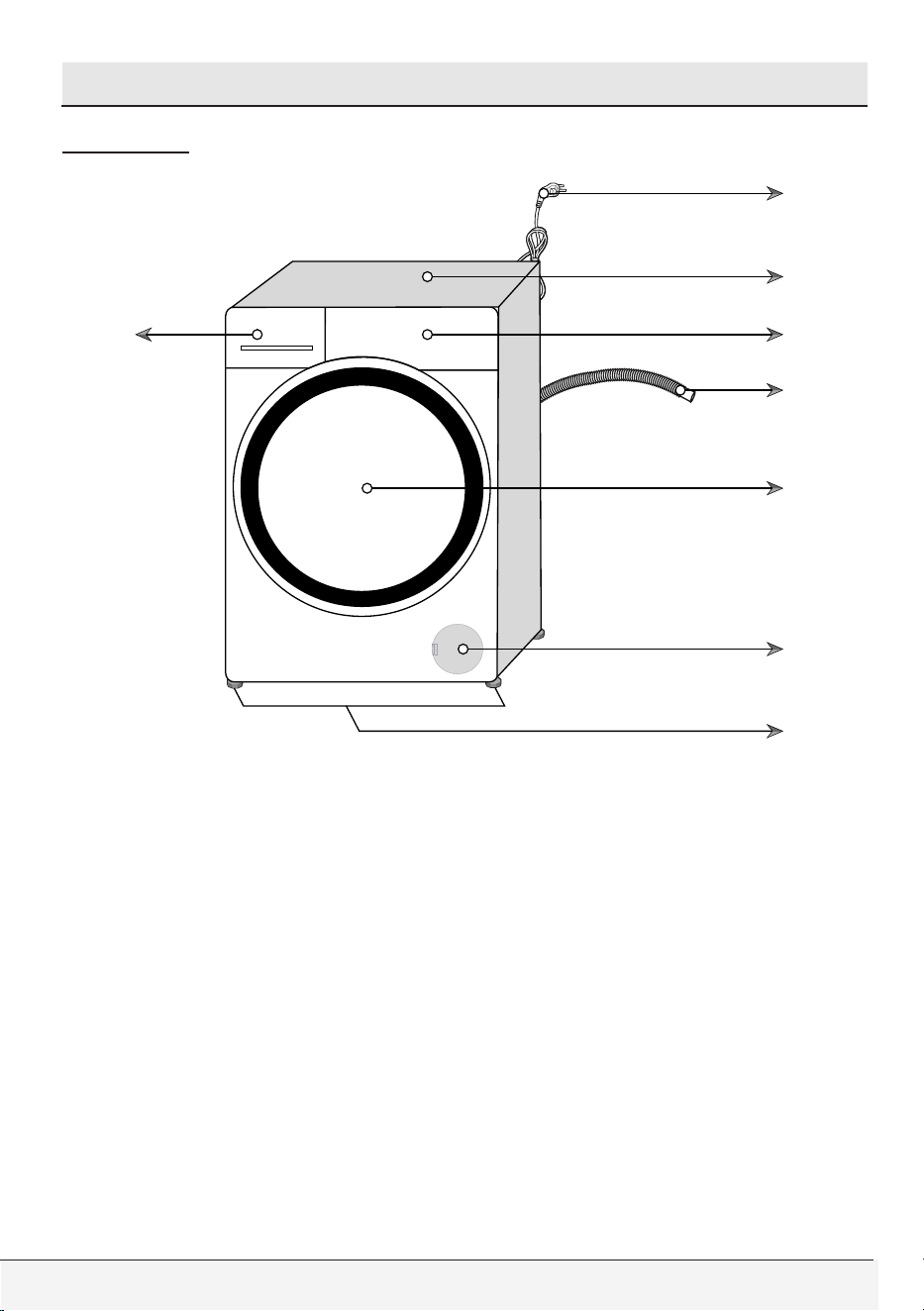
Overview
1- Power cable
2- Top panel
3- Control panel
4- Drain hose
5- Loading door
6- Filter cap
7- Adjustable feet
8- Detergent drawer
Owner’s Guide & Installation Instructions
7 / English
Your Washer
Specifications
Specifications of this appliance may change without notice to improve
the quality of the product. Figures in this guide are schematic and
may not match your product exactly.
Values stated on the washer labels or in the documentation
accompanying it are obtained in laboratory in accordance with the
relevant standards. Depending on operational and environmental
conditions of the appliance, these values may vary.
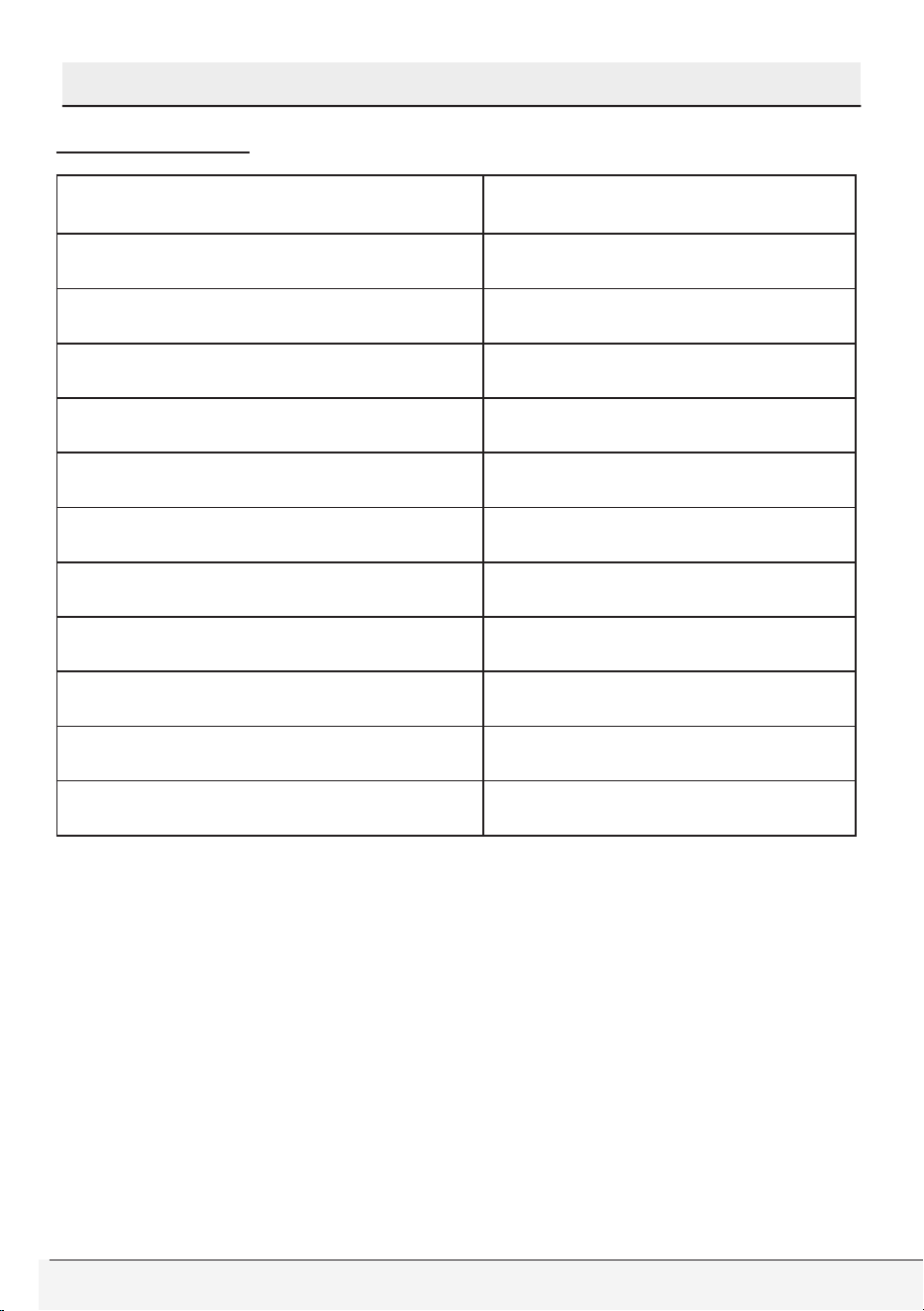
Front Loading Automatic
Washer
Models WFTV10733XC
Height (in) / (cm) 33.1 / 84
Width (in) / (cm) 23.6 / 60
Depth (in) / (cm) 22.8 / 58
Electricity (V/Hz.) 120 / 60
Total Current (A) 10
Total Power (W) 1100
Water pressure (psi) / (bar) (15-145) / (1-10)
Drain height (ft.) / (m.) 4.9 / 1.5
Wash capacity (cu. Ft.) 2.3
Dry Load Capacity (lbs)/(kg) 22.05 / 10
8 / English
Front-Loading Automatic Washer
2 Important Safety Instructions
B
WARNING
• To reduce the risk of fire, electric shock or injury to persons while
using your appliance follow basic safety precautions, including
the following:
• Read all instructions before using the washer.
• Do not wash articles that have been previously cleaned in, washed
in, soaked in, or spotted with gasoline, dry-cleaning solvents,
or other flammable or explosive substances (acetone, alcohol,
kerosene, some liquid household cleaners, some spot removers,
turpentine, waxes and wax removers) as they give off vapors that
could ignite or explode.
• Do not add gasoline, dry-cleaning solvents, or other flammable or
explosive substances to the wash water. These substances give off
vapors that could ignite or explode.
• Under certain conditions, hydrogen gas may be produced in a
hot-water system that has not been used for 2 weeks or more.
HYDROGEN GAS IS EXPLOSIVE. If the hot-water system has not
been used for such a period, before using a washing machine, turn
on all hot-water faucets and let the water flow from each for several
minutes. This will release any accumulated hydrogen gas. As the
gas is flammable, do not smoke or use an open flame this time.
• Do not allow children to play on or in the appliance. Close
supervision of children is necessary when the appliance is used
near children.
• Before the appliance is removed from service or discarded, remove
the door and the power cord / main plug to prevent accidents.
• Do not reach into the appliance if the drum is moving. Wait until the
drum has completely stopped before opening the door.
• Do not install or store this appliance where it will be exposed to the
weather and direct sunlight.
• Do not tamper with controls.
Owner’s Guide & Installation Instructions
9 / English
Important Safety Instructions
• Do not repair or replace any part of the appliance or attempt any
servicing unless specifically recommended in the user-maintenance
instructions or in published user-repair instructions that you
understand and have the skills to carry out.
• This appliance must only be used for the purpose of washing,
rinsing and spinning machine-washable items using laundry
additives that are suitable for use in washers . The appliance
manufacturer cannot be held responsible for damage caused by
improper or unintended use of the appliance.
• Only detergents, softeners and additives suitable for use in
HE (High-efficiency) washers may be used. Always follow the
instructions and information given by the laundry detergent
manufacturers when using these products.
• Always follow the fabric care instructions of garment manufacturers.
• Do not touch the door glass while washing at high temperatures.
Danger of burning!
• Do not sit on top of the washer.
• Do not climb onto the washer.
• Destroy the shipping carton, plastic bag and other packing
materials after the washer is unpacked. Keep children away from
these packing materials. Danger of suffocation from plastic sheets
and cartons!
• Do not mix chlorine bleach with ammonia or acids such as vinegar
and/or rust remover when washing. This mixture can produce
hazardous fume which may cause death.
• Do not operate this appliance if it is damaged, malfunctioning,
partially disassembled, or has missing or broken parts, including a
damaged cord or plug.

10 / English
Front-Loading Automatic Washer
Important Safety Instructions
• Store laundry detergents and additives in a cool, dry place out
of children’s reach due to danger of chemical poisoning and skin
irritation. Follow the manufacturers’ instructions when using laundry
products.
• Do not machine wash fiberglass materials. Small particles can stick
to fabrics washed in following cycles and may lead to skin irritation.
• Do not wash items stained with vegetable oil, cooking oil or
petroleum. These items may contain some flammable oils after
laundering and the fabric may smoke or catch fire by itself.
• Be sure to unplug the power cable before attempting maintenance
or cleaning of your appliance to minimize the risk of electric shock.
Always unplug the cable by grasping the plug, not the cord.
• Do not use wet hands when plugging/unplugging the power cable.
• Check the water inlet and drain hose connections regularly for any
leakage. Hoses should be replaced every 5 years.
• Do not leave the washer door open to prevent children hurt
themselves by hanging on the door or going inside the drum.
• Be careful when the appliance is draining hot water. Danger of
burning!
• At the end of a washing day, turn off the water faucets to prevent
any leakage that may occur due to a faulty condition of the
appliance.
• Check the appliance and inlet hose connections for water leakage
after each use. If there is leakage, turn off the appliance and water
faucets and call service.
• Do not machine wash items having large or heavy metal parts such
as buttons or buckles. These items could severely damage the
appliance.
• Always be sure to empty all foreign materials from the pockets of
your clothing as small items such as coins, pins etc. could severely
damage the appliance.
• Do not install and operate the appliance in places exposed to
temperatures below freezing. Frozen water may cause severe
damage by bursting hoses and pump.

Owner’s Guide & Installation Instructions
11 / English
Important Safety Instructions
• Make sure that shipping bolts are removed before you operate the
washer. If service is required as a result of not removing the bolts, it
will not be covered by the warranty.
• Make sure that the wash drum is empty before you load the washer.
• Do not store and use any flammable and combustible substances
such as lint, paper and chemicals near the appliance.
• Always follow the manufacturer’s instructions when you are using
a descaling agent. Be sure that descaling agent contains rust-
protective materials and rinse the washer a few times thoroughly
after the descaling process (See, Descaling the washer).
• Install and operate the washer on a solid floor to prevent vibration or
movement. It is not recommended to install and operate the washer
on wooden floor or on a carpet.
• The rated voltage of your washer is 120V, so it should be directly
connected to the wall power of 120V. (See, Installation Instructions
for Grounding Instructions and Requirements).
• If an abnormal sound is heard during the washer operation, refer to
the “Troubleshooting” of this guide.
• Call service for checking any possible damage or fault if the
appliance is dropped or bumped.
• The end of drain hose should not contact the discharge water in
any way as this might cause siphoning of water.
• Always leave the property after checking that the wash cycle is
completed and the washer is turned off.
• Damaged or worn power cords and plugs must only be replaced by
a Beko Service technician.
• Never use an extension cord or adapter to connect the appliance to
the electrical power due to the risk of electric shock and/or fire.
• All broken and faulty components, panels and parts must only be
replaced with original Beko spare parts by a Beko Service technician.
• Do not force open the locked loading door. The door will open
once the washing is completed. If the door does not open,
use the solutions for “loading door does not open” error in the
Troubleshooting section.
12 / English
Front-Loading Automatic Washer
Important Safety Instructions
• Do not use fabric softeners or products to reduce static unless
recommended by the manufacturers of the fabric softener product.
• Check the drain pump filter occasionally to remove coins, buttons
and such small objects.
• Always drain off the water completely before cleaning the pump
filter, before transporting the washer, when there is a danger of frost
and when there is a power failure (For emergency draining, See
User maintenance instructions).
• Always be sure that the washer has been properly installed by
licensed personnel, water and electrical connections and grounding
conform to all relevant codes and requirements.
• This manual does not cover every possible condition and situation
that may occur. Use common sense and caution when installing,
operating, and maintaining any appliance.
A
WARNING
• This product can expose you to chemicals including Nickel
(Metallic) which is known to the State of California to cause
cancer.
• For more information go to www.P65Warnings.ca.gov
• Note : Nickel is a component in all stainless steel and some other
metal components.
SAVE THESE INSTRUCTIONS
Always follow the instructions on this user guide. If you aren’t sure
how to perform them, please call Customer Service for assistance
and scheduling service.
Owner’s Guide & Installation Instructions
13 / English
3 Installation Instructions
Read this first !
This washer can be individually installed in free-standing and built-in
installations. You can also install your washer with your dryer as a
free-standing or built-in pair. Before you install your appliance, read
the following instructions completely and carefully:
• Save these instructions for future reference.
• This appliance must be properly installed and grounded by qualified
and skilled technicians in accordance with all local codes and
ordinances and the latest edition of the National Electrical Code,
ANSI/NFPA 70.
• Proper installation of this appliance is the responsibility of the owner
and failure due to improper installation is not covered by the warranty.
C
CAUTION
• Your washing machine automatically detects the amount of
laundry placed inside when selecting a program.
• While installing the product, before the first use, calibration should
be done to ensure that the laundry amount is detected in the
most accurate way.
• To do this, select the Drum Cleaning* program and cancel the
spin function. Start the program without laundry. Wait for the
program to finish, which will take about 15 minutes.
* The program name may vary depending on the model. For the
appropriate program selection, review the program descriptions section.
The Right Location of Installation
You can install your washer in a basement, closet or in a laundry
room if the location has proper drainage, plumbing and power supply
system. Always follow these instructions for installation:
• Do not install or store this appliance where it will be exposed to
the weather, rain, damp places, water and direct sunlight. The
ambient temperature must be higher than 60°F (15.6°C) for proper
operation. Installation location must have the proper ventilation.
14 / English
Front-Loading Automatic Washer
Installation Instructions
• Do not store and use any flammable and combustible substances
such as lint, paper, curtains, gasoline, coal and liquid or vapor
chemicals near the appliance.
• Install and operate the washer on a strong solid concrete floor to
prevent vibration, noise or movement in case of load unbalance.
The floor must have sufficient load carrying capacity and the washer
must be leveled properly before the operation.
• It is not recommended to install and operate the washer on a
wooden floor or soft floor. If you have to install your washer on a
wooden or frame construction floor, the floor must be reinforced
properly and the washer must be located in the corner of the room
if possible.
• Never place your washer on a carpet. This prevents air circulation.
The electrical components of the machine may overheat and cause
damage.
• Do not stand appliance on the power cable.
• Do not install and operate your washer in ambient temperatures
lower than 32˚F (0˚C). Controls may stop working properly in such
condition.
• If there is danger of frost, drain all remaining water in pump and
hoses since it may freeze and cause damage by bursting them (see
“Cleaning the drain pump filter”).
Installation Clearances
C
CAUTION
• The installation location must be large enough for the washer door
to be fully opened for loading.
• The installation location must be large enough for ease of
operation, maintenance and service.
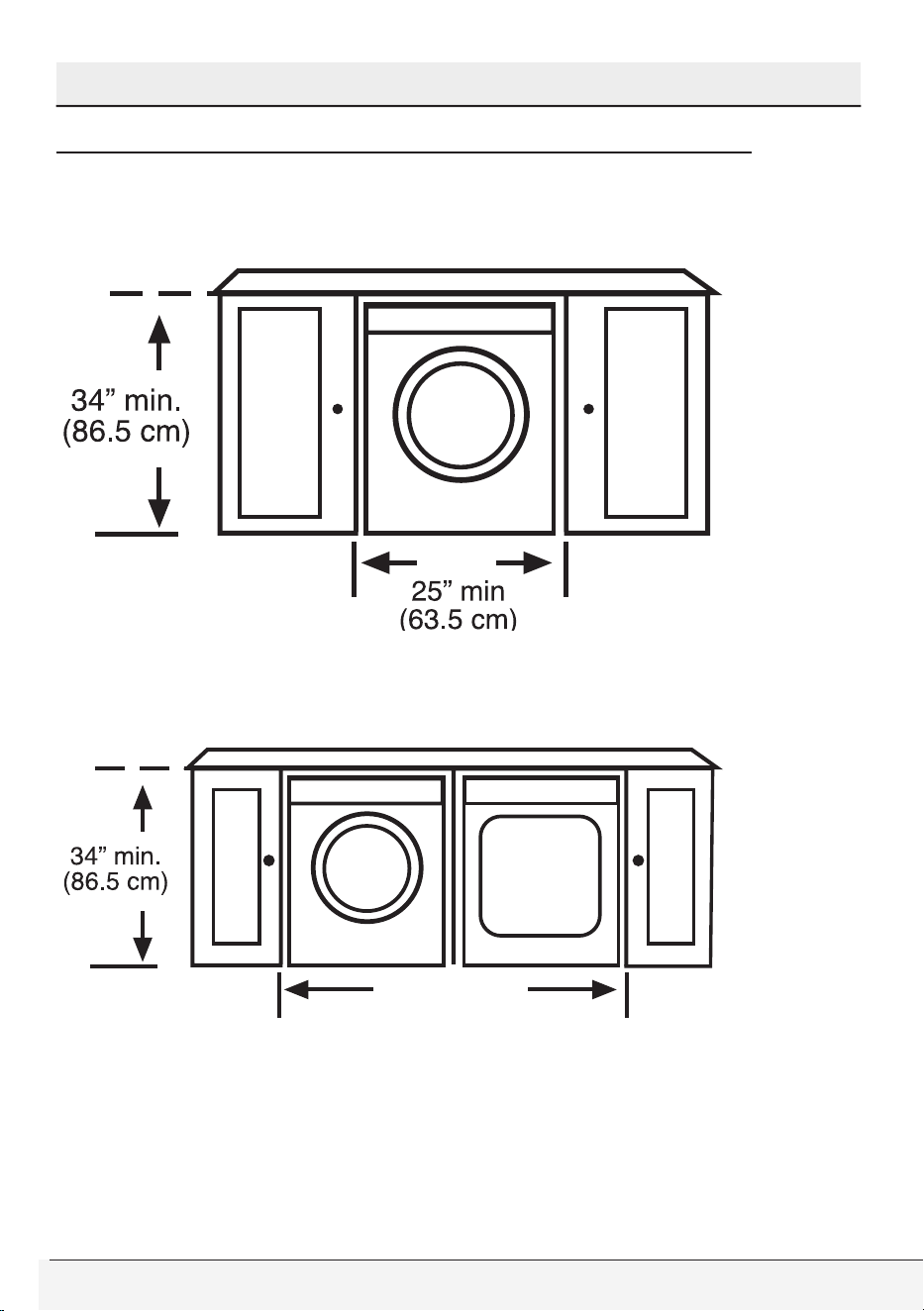
• Ensure there is min 1/2” of clearance on each side of the washer
to allow slight sideways movement during washing and spin
drying.
Owner’s Guide & Installation Instructions
15 / English
Installation Instructions
Allowable Clearances for Undercounter Installation
The dimensions are for the recommended spacing. Counter depth
should be 23.5-24.5”(60-62 cm).
Custom undercounter installation – Washer only
Minimum counter width should be 50” (127 cm) for a pair of Beko
washer & dryer.
Custom undercounter installation – Washer & Dryer
50”
(127 cm)
16 / English
Front-Loading Automatic Washer
Installation Instructions
Allowable Clearances for Closet Installation
When installed in closet (washer only/washer dryer stacked) :
Sides, Rear, Front 1/2 in. (1.27 cm), Top= 1 in. (2.54 cm)
Closet door ventilation requirement: A louver having minimum 23 in2 (148
cm2) air opening located at 3 in (7.62 cm) from the bottom of closet door.
Stacked Installation
You can stack your Beko washer and dryer by using a special
stacking kit. If necessary, consult your dealer or technical service
for supplying the stack kit. In stacked closet installation, following
configuration is necessary:
A louver having minimum 23 in2 (148 cm2) air opening located at 3
in (7.62 cm) height from the bottom of closet door (for washer) & A
louver of minimum 46 in2 (297 cm2) air opening located at 3 in (7.62
cm) distance from the top of closet door (for dryer).
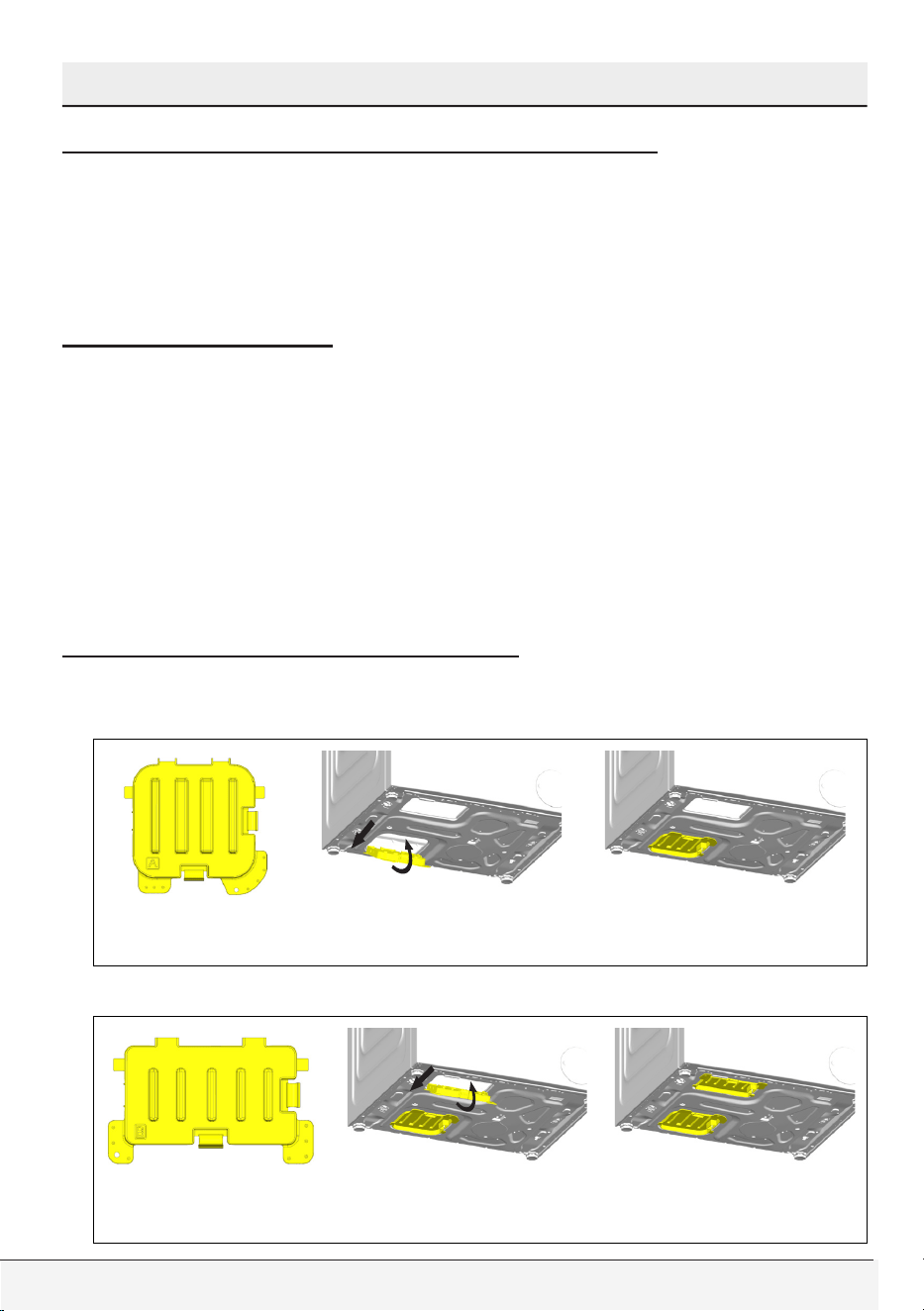
Assembly of bottom panel covers
In order to increase the sound comfort of the product, attach cover A
after removing the package foam.
Cover A
Tilt the machine back slightly. Rest the tabs of Cover A against the
lower panel. Complete the assembly by rotating the cover.
Cover B and the Cap are optional. If available, attach cover B and the Cap.
Cover B
Rest the tabs of Cover B against the lower panel. Complete the
assembly by rotating the cover.
Owner’s Guide & Installation Instructions
17 / English
Installation Instructions
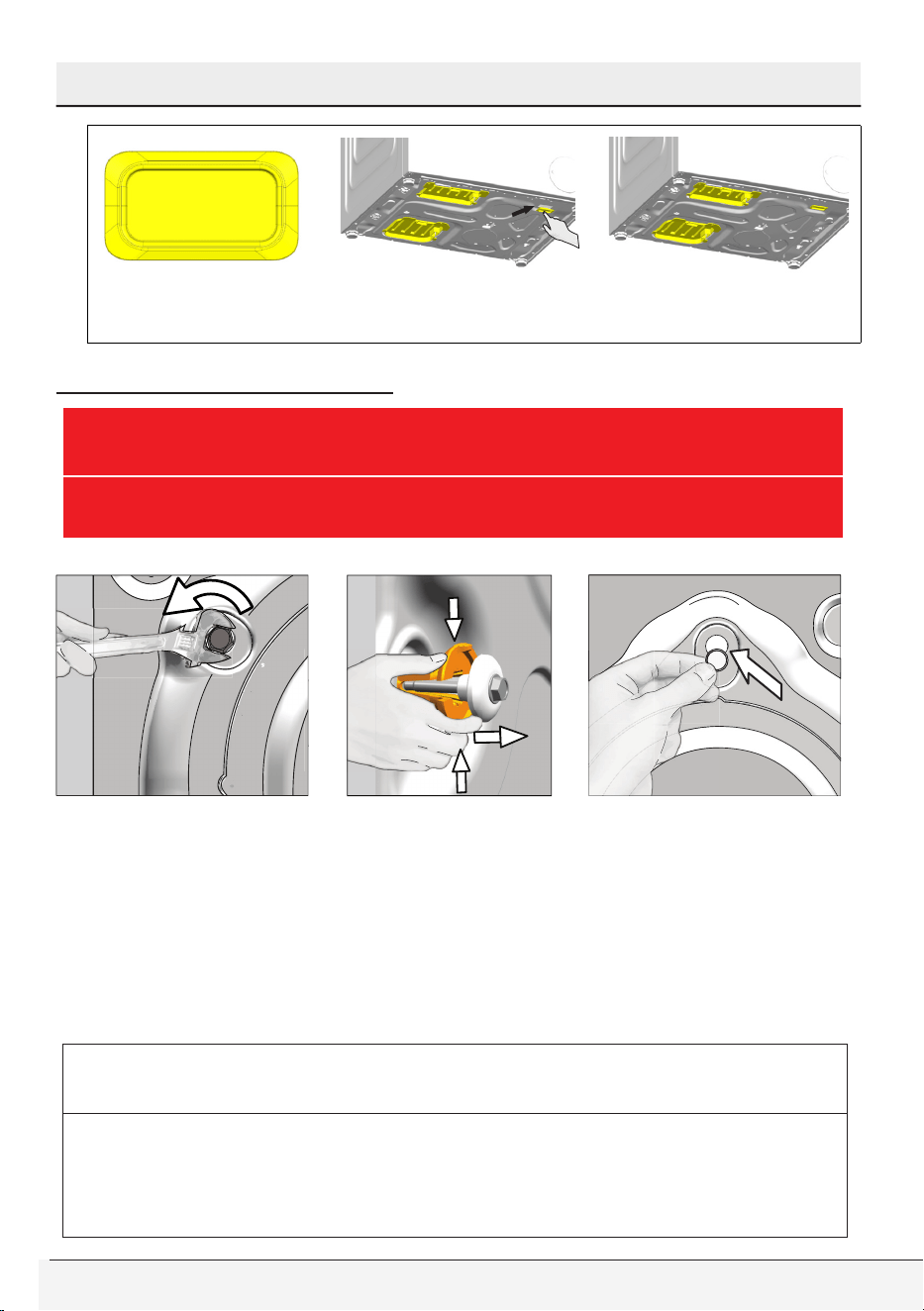
Cap
Insert the cap by pushing it with your finger.
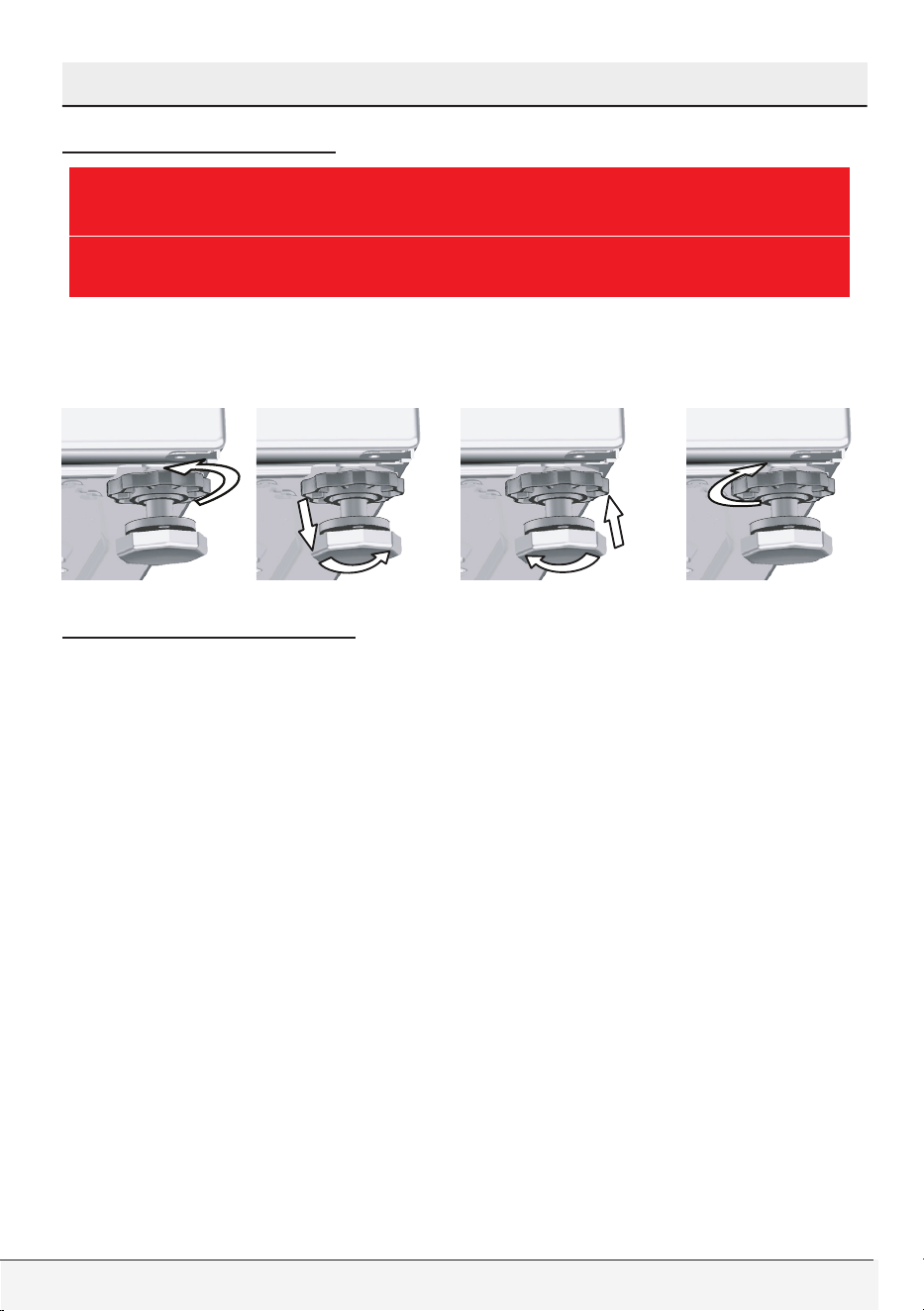
Removing shipping bolts
B
WARNING
• Shipping bolts must be removed before operating the washer!
Otherwise, the appliance will be damaged seriously!
1.Loosen all the bolts with a spanner wrench until they rotate freely.
2.Stretch the internal component by pressing on the holding areas
and pull the component out.
3.Bolt hole covers (supplied in the bag with the owner’s guide)
are fitted into the holes on the rear panel with a special lock
mechanism. To fit the cover, first insert it into the hole and then
rotate it counterclockwise with a screwdriver until it is locked. To
unlock, apply the procedure in reverse.
C
CAUTION
• Keep the shipping bolts in a safe place to reuse when the clothes
washer needs to be moved again in the future.
• Never move the appliance without shipping bolts properly fixed in
place!
18 / English
Front-Loading Automatic Washer
Installation Instructions
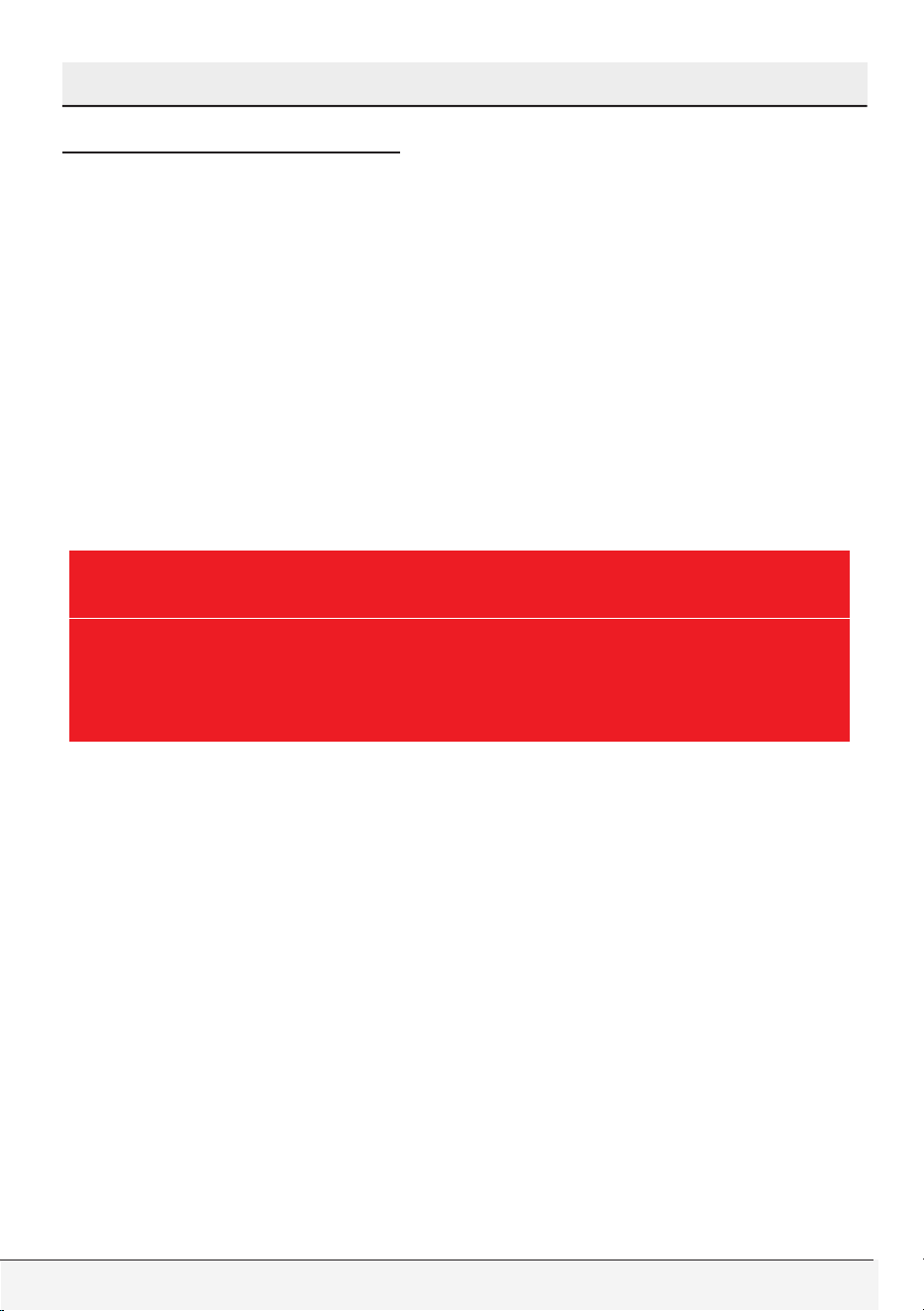
Leveling the washer
B
WARNING
• Do not use any tools to loosen the lock nuts. Otherwise, they
can be damaged.
1.Manually (by hand) loosen the lock nuts on the feet.
2.Adjust them until the washer stands level and firmly.
3.Important: Tighten all lock nuts up again.
Electrical Connection
Grounding Instructions
This appliance must be grounded. In the event of malfunction or
breakdown, grounding will reduce the risk of electric shock by
providing a path of least resistance for electric current. This appliance
is equipped with a cord having an equipment-grounding conductor
and a grounding plug. The plug must be plugged into an appropriate
outlet that is properly installed and grounded in accordance with all
local codes and ordinances and the latest edition of the National
Electrical Code, ANSI/NFPA 70.

Owner’s Guide & Installation Instructions
19 / English
Installation Instructions
B
WARNING
• Improper connection of the equipment-grounding conductor can
result in a risk of electric shock. Check with a qualified electrician
or serviceman if you are in doubt as to whether the appliance is
properly grounded.
• Do not modify the plug provided with the appliance – if it will
not fit the outlet, have a proper outlet installed by a qualified
electrician.
• Be sure that the power cord is always accessible by the user
after the appliance is installed.
• Never use an extension cord or adapter to connect the appliance
to the electrical power due to the risk of electric shock and/or
fire.
• It is the personal responsibility and obligation of the appliance
owner to provide a proper and grounded outlet installed by a
qualified electrician.
• Never use a damaged power cord since there is a risk of electric
shock and/or fire.
• The damaged power cord must be replaced by a qualified
electrician as soon as possible.
• Do not use wet hands when plugging/unplugging the power
cable.
• Electrical supply voltage must conform to the voltage
specifications (120V, 60Hz) located on the appliance.
• Only one appliance must be connected to a properly grounded
individual branch circuit outlet.
• Be sure to unplug the power cable before attempting
maintenance or cleaning of your appliance to minimize the risk of
electric shock. Always unplug the cable by grasping the plug, not
the cord.
• Do not use wet hands when plugging/unplugging the power
cable.
20 / English
Front-Loading Automatic Washer
Installation Instructions
Power supply and circuit
Connect the clothes washer to an earthed outlet protected by a fuse
of suitable capacity.
Important:
• Wall power connection should comply with national regulations.
• The wiring for the electrical outlet circuit must be sufficient to meet
the appliance requirements. Use of a Groud Fault Circuit Interrupter
(GFCI) is recommended.
• The voltage and maximum total current are specified in the section
“Specifications”.
• The appliance must be connected to the wall power.
• Connection via extension cords or multi-plugs should not be made.
B
WARNING
• A damaged power cable must be replaced by a qualified
electrician.
• The appliance must not be operated unless it is repaired! There
is the risk of electric shock!
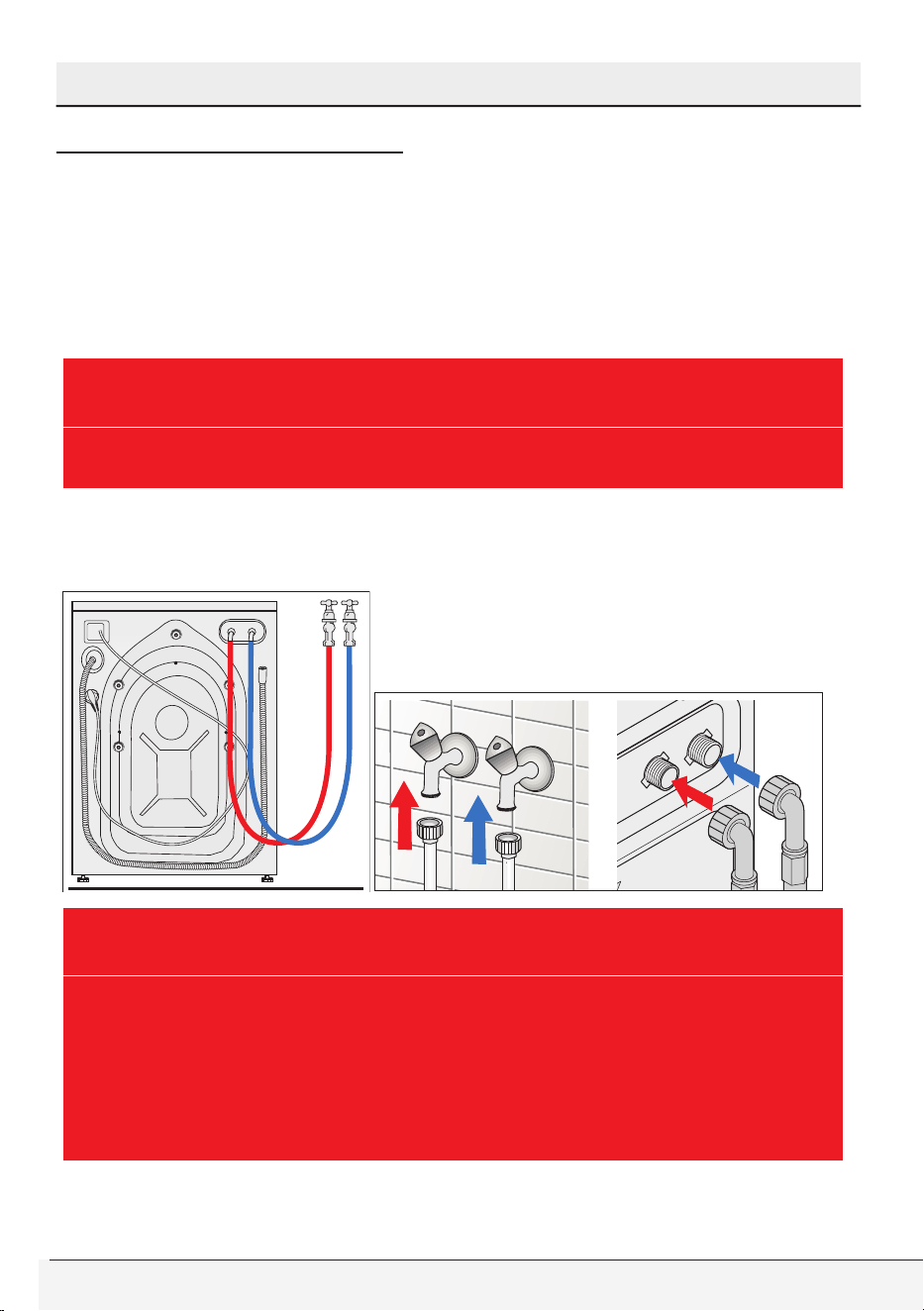
10 Amp. Fuse or circuit breaker, 120 volt, 60 Hz, grounded,
alternating current
Owner’s Guide & Installation Instructions
21 / English
Installation Instructions
Water Supply Connection
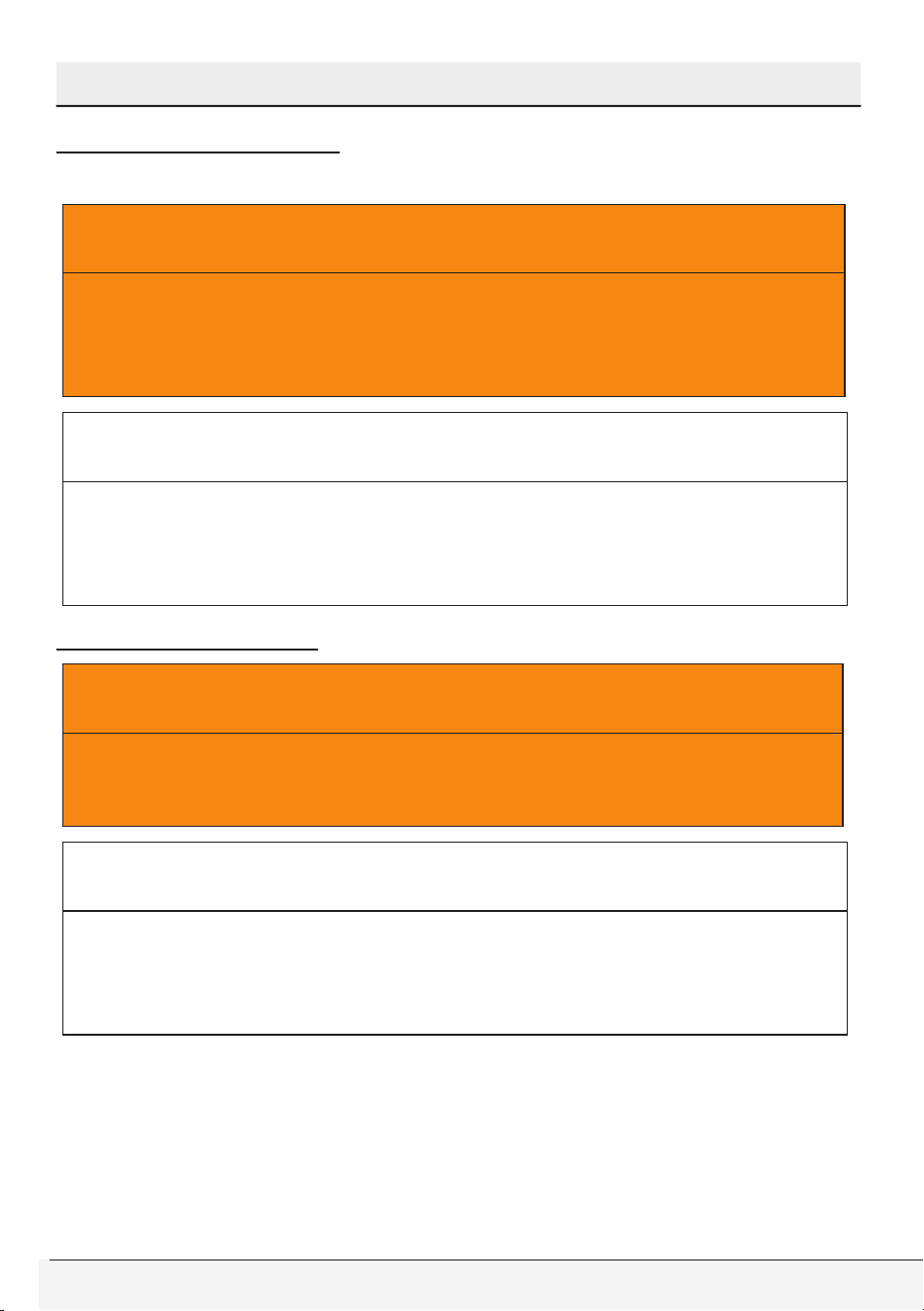
Your washer comes with both cold and hot water connections.
Connect the blue marked cold water supply hose to the cold water
inlet valve/faucet and the red marked hot water intake hose to the
hot water inlet valve/faucet. Screw the connecting bolts by hand and
tighten the connection properly using a plier. Over tightening may
cause damage on bolted connection.
B
WARNING
• Be sure that the water connection of this washer is handled by a
qualified service technician or a plumber.
The washer has two bolted ½’’ water supply hoses and ¾’’ female
hose connections that can be connected to ¾’’ hot and cold water
faucets.
B
WARNING
• Be sure that there are rubber seals located on the hose connections.
These seals and adjustable bolts ensure a safe connection without
leaking. After the water connection is done, turn on both water
faucets slowly and completely to check any water leaks.
• Be sure that water supply hoses are not crushed and they have
no kinking, bulges or cuts before the water connection.

22 / English
Front-Loading Automatic Washer
Installation Instructions
The water pressure must be between 15-145 psi (1-10 bar) for the
proper operation of this washer. 1 bar corresponds to more than 2.1
gallons (8 liters) per minute flow rate with a fully open faucet. Water
inlet hoses and valves should withstand a water pressure of 145
psi (10 bar) at maximum. If the pressure is higher than 145 psi, a
pressure-reducing valve must be installed before the water inlet. If the
water pressure is lower than 15 psi (1 bar), water fill time may extend
or water inlet valve may shut off completely.
• Hot water supply temperature must not exceed 140˚F (60˚C). (Ideally
120˚F (48˚C))
• Do not connect the washer to an unpressurized water boiler since
water pressure may not be adequate for proper operation.
• Do not remove the filters located on the water supply hoses (on
faucet/hose and hose/inlet valve connections).
• Always use genuine “Beko” water supply hoses when connecting
with this washer. Old or worn-out hoses must not be reused. It is
not advised to extend inlet or drain hoses, if necessary consult your
dealer or technical service about hose extensions.
• Hot and cold water faucets must always be easily accessible to the
user.
• At the end of a washing day, turn off water faucets to prevent any
leakage or water damage that may occur due to a faulty condition
of the appliance.
• Check the appliance and inlet hose connections for water leakage
after each use. If there is leakage, turn off the appliance and water
faucets and call service.
• Check the water inlet and drain hose connections regularly for any
leakage. Hoses should be replaced every 5 years.
• If there is no hot water supply, hot water valve must be connected
to a cold water faucet nevertheless. Both water valves should be
connected to water supply for proper operation of your washer.
Owner’s Guide & Installation Instructions
23 / English
Installation Instructions
Drainage
B
WARNING
• Drain hose should not be bent. Be sure that there are no kinks or
cuts on it.
• Drain hose outlet must not contact the drained water.
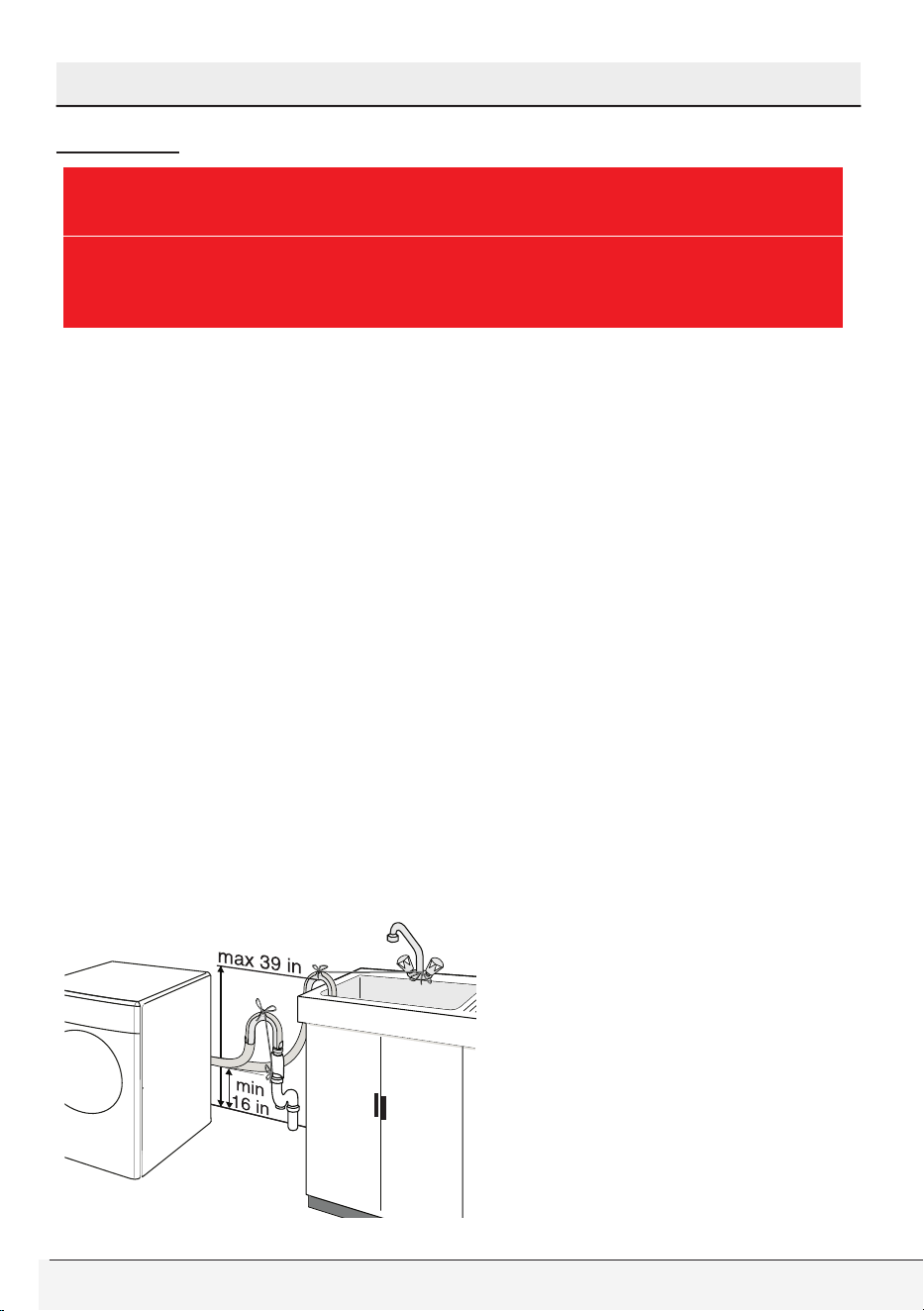
Drain hose may be connected into a sink, into the drain of a sink, to a
standpipe and floor drain.
• When connecting into a sink, the drain hose should be placed at the
edge of the sink and secured with the hose guide supplied by the
manufacturer. Additionally, the guided hose may be tied to the water
faucet with a strap for extra security.
• Drain hose may be connected into the drain of a sink . Be sure that
the connection is safe and not leaking. An additional clip etc can be
used for safe connection.
• Drain hose may also be connected to a minimum 1.26 in (32 mm)
diameter stand pipe.
• Be sure to secure the drain hose tightly to the pipe (stand pipe,
drain pipe/edge of the sink) with a strap etc.
• The hose should be placed between 16 and 39 in. (40 and 100 cm)
from the floor level
• If you have floor drain system, you can place the drain hose in the
hole located on the floor.

24 / English
Front-Loading Automatic Washer
Installation Instructions
Installation Checklist
• Water inlet hoses and accessory bags must be removed from the
wash drum.
• Transportation/shipping bolts must be removed.
• Washer must be properly leveled by using the adjustable feet.
• Water inlet hoses are connected to the water faucets, secured and
checked for any leaks by turning on both faucets.
• Drain installation is done properly and drain hose is checked and
secured to prevent any flooding.
• Washer is connected to a properly grounded live wall power outlet.
• Be sure that power outlet, water faucets and drain outlet must be
always accessible to the user.
Transportation
Before you transport the washer, you should carry out the following:
1.Turn off both water faucets.
2.Before you disconnect the water inlet hoses, decrease the pressure
inside hoses by turning on the washer choosing any wash program.
As soon as the Start/Pause/Cancel led starts blinking, turn off the
appliance. You may securely disconnect inlet hoses without any
water gush.
3.Disconnect the drain hose and hang it on the back plate by inserting
into the holder plastic brackets.
4.Unplug the power cord and hang it on the back plate by inserting
into the holder plastic brackets.
5.Remove bolt hole covers and reinstall shipping bolts to their places.
You can apply the procedure in chapter “Removing shipping bolts”
in reverse to accomplish this.
6.Be sure that rubber bushes are properly located in holes and bolts
are screwed back tightly for secure transportation of the appliance.
Owner’s Guide & Installation Instructions
25 / English
Installation Instructions
Disposal Information
Packing Disposal
A
WARNING
• Packing materials of the appliance are potentially dangerous for
children. Materials such as plastic bags, films or wrappings must
be kept away from children or disposed properly to prevent the
danger of suffocation.
C
CAUTION
• Packing materials are made of biodegradable and recyclable
substances. You should consult your local authority or dealer
about the environmental-friendly disposal of the packaging of
your appliance.
Appliance Disposal
A
WARNING
• Be sure to unplug the power cable, cut off the plug and disable
the door lock before you dispose your old appliance. Otherwise
there is a risk of injury for children and pets.
C
CAUTION
• Old appliances contain many recyclable parts. You should
consult your local environmental authority about a proper
disposal. A proper disposal enables recycling therefore protects
the environment.
26 / English
Front-Loading Automatic Washer
4 Operating Instructions
First Use
A
WARNING
• To reduce the risk of fire, electric shock, or injury to persons, read
the IMPORTANT SAFETY INSTRUCTIONS before operating this
appliance.
Before the first use,
• Be sure that the washer is installed properly by a qualified installer
or service technician in accordance with all national and local codes
and requirements.
• Read all instructions carefully before using the washer.
• Check that shipping bolts are completely removed.
• Be sure that the location of installation has proper electrical supply
voltage (120V 60Hz) and plumbing system needed for the operation
of the appliance.
• Turn on both water faucets and be sure that there are no leaks on
hose-faucet connection points or on hoses themselves.
• Check that the wash drum is empty.
• Turn on the washer, choose “"Tub Sanitize"” cycle on the program
selector knob and start the washer as empty and without any
laundry additives. When the cycle is finished, your washer is ready
for subsequent uses.
Owner’s Guide & Installation Instructions
27 / English
Operating Instructions
A
WARNING
• Be sure that siiica gel package, which is located inside the drum,
has been removed from the washer before the first use. Granules
in this package do not contain poisonous or harmful materials.
It is not a detergent and it is not adible. Do not swallow. Do not
use for any purpose. Throw into the recycle bin together with this
package before the first usage of the washing machine.
Laundry Tips
Sorting the laundry
C
CAUTION
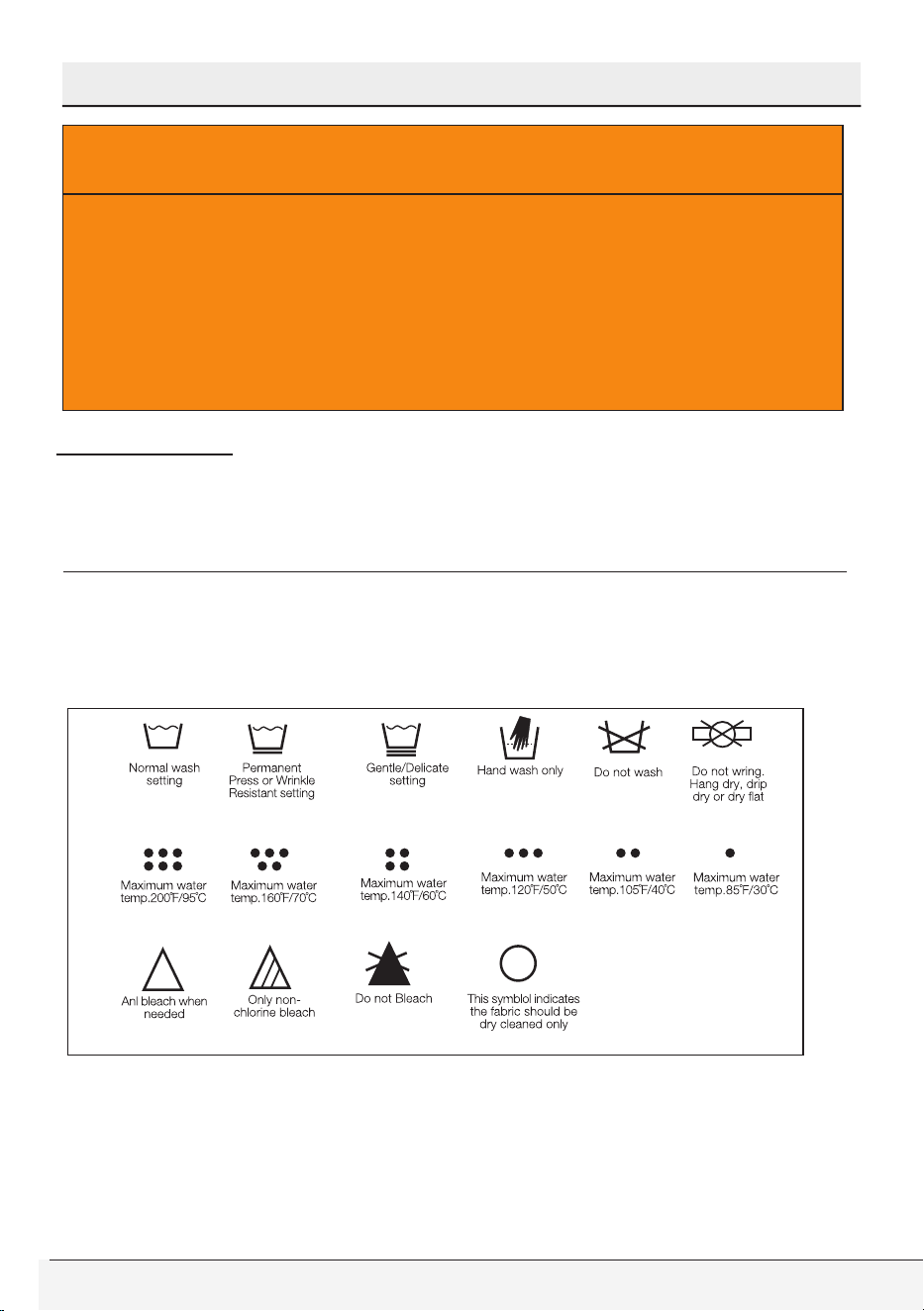
• Always follow the fabric care instructions of garment
manufacturers. These instructions would give you proper
guidance on suitable wash cycles, wash temperatures and
bleach usage.
28 / English
Front-Loading Automatic Washer
Operating Instructions
C
CAUTION
• Wash the items which are care labeled as “machine-washable”.
Do not machine wash items that are having symbol on fabric
care label.
• Sort the laundry according to the following fabric types, color
groups and wash them separately:
• White and color fast fabrics
• Non-fast, colored fabrics
• Permanent press items(mens shirt, dress pants, poly-cotton blends)
• Delicate fabrics (silk, rayon etc.)
• Woolens (only wash woolens that are labeled “machine washable”
or “hand washable”
• Hand knits (They should be placed inside out in the washer)
C
CAUTION
• Do not wash dark colors with light colors and whites. Color items
may bleed and white and light colored items may be discolored.
Avoid extended contact of damp clothes before or after washing
to prevent dye transfer.
• Wash heavily and lightly soiled items separately.
• Lint producers (towels, linen etc) and lint collectors (easy care,
permanent press) should be washed separately. Lint producers
should be washed inside-out.
Preparing the laundry
• Items of laundry with metal parts (e.g. underwire bras, belt buckles,
metal buttons) will damage the washer. Remove metal parts of
place the items in a cloth bag, pillow case, or something similar.
• Remove any non-washable items and accessories from laundry
before washing.
• Empty pockets, remove all foreign objects (e.g. coins, pens, paper
clips). If possible: Turn pockets inside out and brush.
Owner’s Guide & Installation Instructions
29 / English
Operating Instructions
• Place small items of laundry (e.g. tights) in a cloth bag, pillow case
or something similar. This can also help you to avoid searching for
lost socks.
• Handle curtains special care. Remove non-stainless curtain runners
and lead tape. Place runners that can’t be removed in a cloth bag,
pillow case or something similar.
• Heavy stains should be pretreated with soapy water appropriately
before washing (Do not rub or scratch the stained area). If in doubt,
check with a pharmacist or dry-cleaner.
• Use only dyes/discoloring and anti-scaling agents suitable for
machine wash. Make sure to follow the instructions on the package.
Loading the washer
Maximum load capacity depends on the fabric type of laundry, soiling
amount of laundry and program cycle you wish to use.
C
CAUTION
• Do not exceed the maximum load capacity of the selected
program cycle. Washing results are adversely affected by an
overloaded drum. Overloading may also cause wrinkling and
abrasion on clothes.
Make sure power button is off before loading the washer. To load the
washer,
• Pull the door handle.
• Place laundry items loosely in the drum.
• Mix small and large items for an even load distribution. Large items
should be loaded first. Large items should not be more than half of
the total wash load.
• If you put a wash bag or net which is filled with small items in the
drum, put an additional wash bag to prevent load unbalance. Both
wash bags should have the same amount of items to provide an
even load distribution.

30 / English
Front-Loading Automatic Washer
Operating Instructions
• Before washing a single or a few items such as a pillow, a teddy
bear, a single or a pair of shirts, sweat shirts etc, put some
additional items in the drum for better load distribution and spinning.
• Make sure that there is no clothing obstructing the door or caught
between the door and rubber seal.
• Push the loading door firmly and make sure that the door has been
closed properly (especially if you load the washer with full load or
big items).
• In case the door is not locked, door led remains off. In that case,
door should be opened and closed again firmly until the door led
lights up.
• If the door is not closed completely, the machine will not start. This
is a safety precaution. The front door is locked until end of the
washing program and it can not be opened untill the door led on the
panel is off following the end of the program.
• Unload the washed items just after the program cycle has finished.
Delay of unloading may cause wrinkling and unwanted odor on
laundry.
• Check to see any small metal items such as pins, coins etc left in
rubber seal while unloading the washer. Any residual metal items
may cause rusting on the rubber seal.
• If there is any water left in rubber seal, remove with a soft cloth.
Detergent Use
About Detergent
C
CAUTION
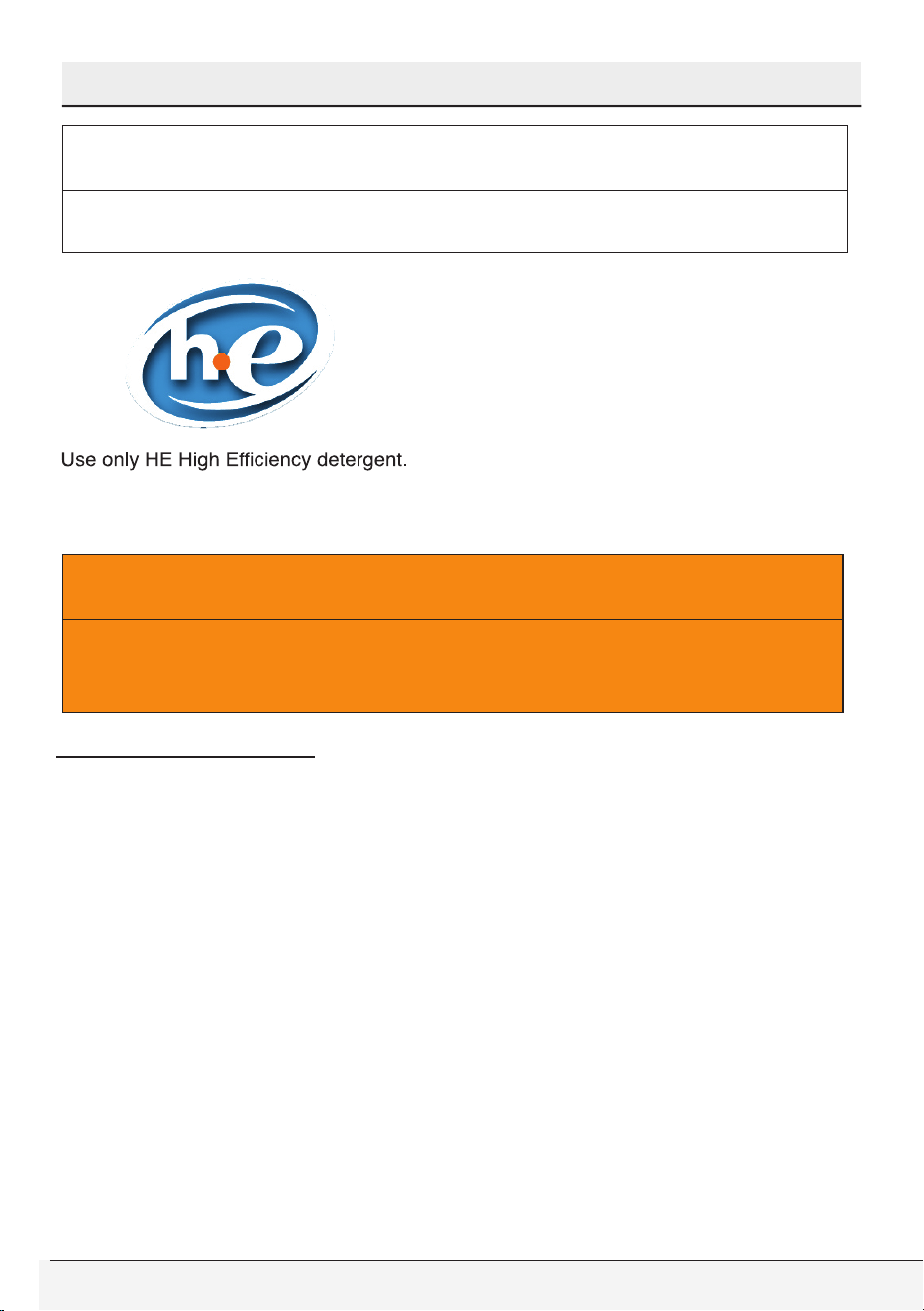
• Your washer is designed to use only HE (high efficiency)
detergents. You should always look for the following symbol on
the label of detergents:
If you use a non-HE detergent with this washer, high sudsing will
occur. High sudsing will decrease tumble action effectiveness,
washing and rinsing performance worsen. Suds may flow out of
detergent dispenser giving damage to your washer.
Owner’s Guide & Installation Instructions
31 / English
Operating Instructions
C
CAUTION
• The detergents labeled as “HE compatible” may also lead to high
sudsing and inefficient tumble action. Don’t use such detergents.
Always follow the instructions and information given by laundry
detergent manufacturers when using these products.
A
WARNING
• Store laundry detergents and additives in a cool, dry place out of
children’s reach due to danger of chemical poisoning and skin
irritation.
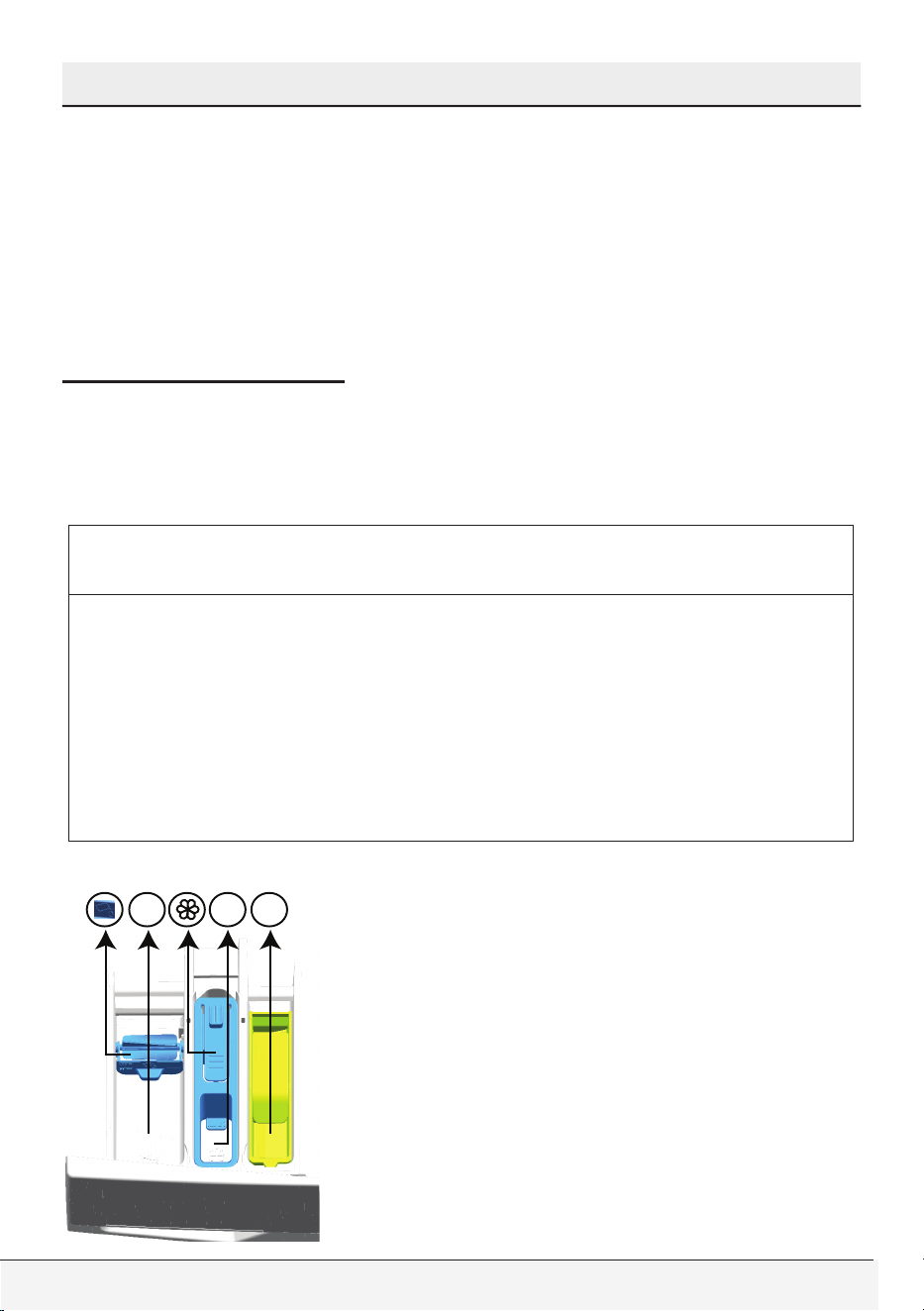
Detergent Quantity
The amount of washing detergent to use depends on the amount of
laundry, the degree of soiling and water hardness.
For small amounts of laundry or only slight soiling use accordingly
less detergent.
Too much detergent causes an excessive amount of foaming, bad
washing and rinsing results and a strain on water resources.
Too little washing detergent causes laundry to turn grey and
calcification of the machine. Recommended amount of powder
detergent is max. 1/3 cup (80 ml). Recommended amount of liquid
detergent is max. 1/4 cup (60 ml).
32 / English
Front-Loading Automatic Washer
Operating Instructions
Light soiling
No visible stains or soiling
Normal soiling
A few visible light stains or soiling
Heavy soiling
Highly visible stains or soiling
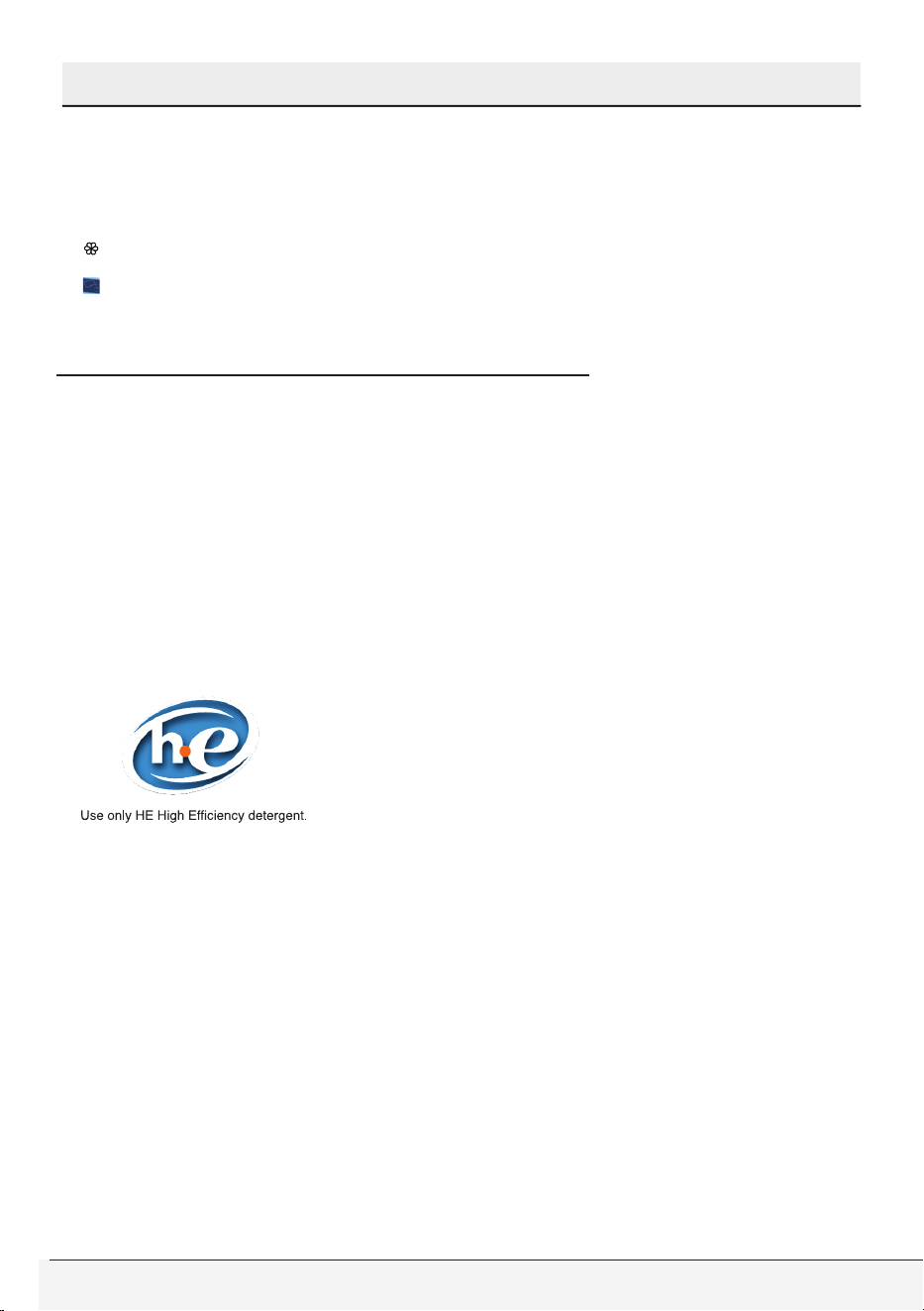
Detergent Dispenser
Detergent dispenser of your washer has three separate
compartments for main wash detergent, fabric softener and liquid
bleach. Each of these laundry additives are automatically dispensed
at appropriate time during wash program.
C
CAUTION
• Do not put laundry additives directly in the wash drum. Always
use the detergent dispenser.
• After adding laundry additives do not close the drawer too quickly.
This may cause early dispensing of the additives thus poor wash
results and fabric damage.
• Do not open the drawer during wash program (except for addition
of liquid main wash detergent at the beginning of main wash
water intake).
Dispenser compartments are as follows:
I
III
II
Owner’s Guide & Installation Instructions
33 / English
Operating Instructions
– (I) for liquid chlorine bleach compartment
– (II) for main washing
– (III) for softener
– ( ) there is also a syphon piece in the softener compartment.
– ( ) there is also a liquid detergent apparatus for liquid detergent use
in the main washing compartment.
(II) Main Wash Detergent Compartment
Add HE (High efficiency) powder detergent to this compartment
numbered as “II” before starting the wash program.
Use the detergent manufacturer’s dosing cup and follow the
instructions on the package.
If you use a liquid detergent, be sure to use a HE (High efficiency)
detergent and add detergent directly to main wash compartment
before operating your washer. If you observe liquid detergent stains
on washed items, it is recommended for subsequent wash cycles
that you should add liquid detergent during first water intake.
Color-safe bleach in powder or liquid form may be added into main
wash detergent compartment with main wash detergent. Be sure to
use main wash detergent and color-safe bleach in same form (either
powder or liquid) when adding into main wash compartment.
34 / English
Front-Loading Automatic Washer
Operating Instructions
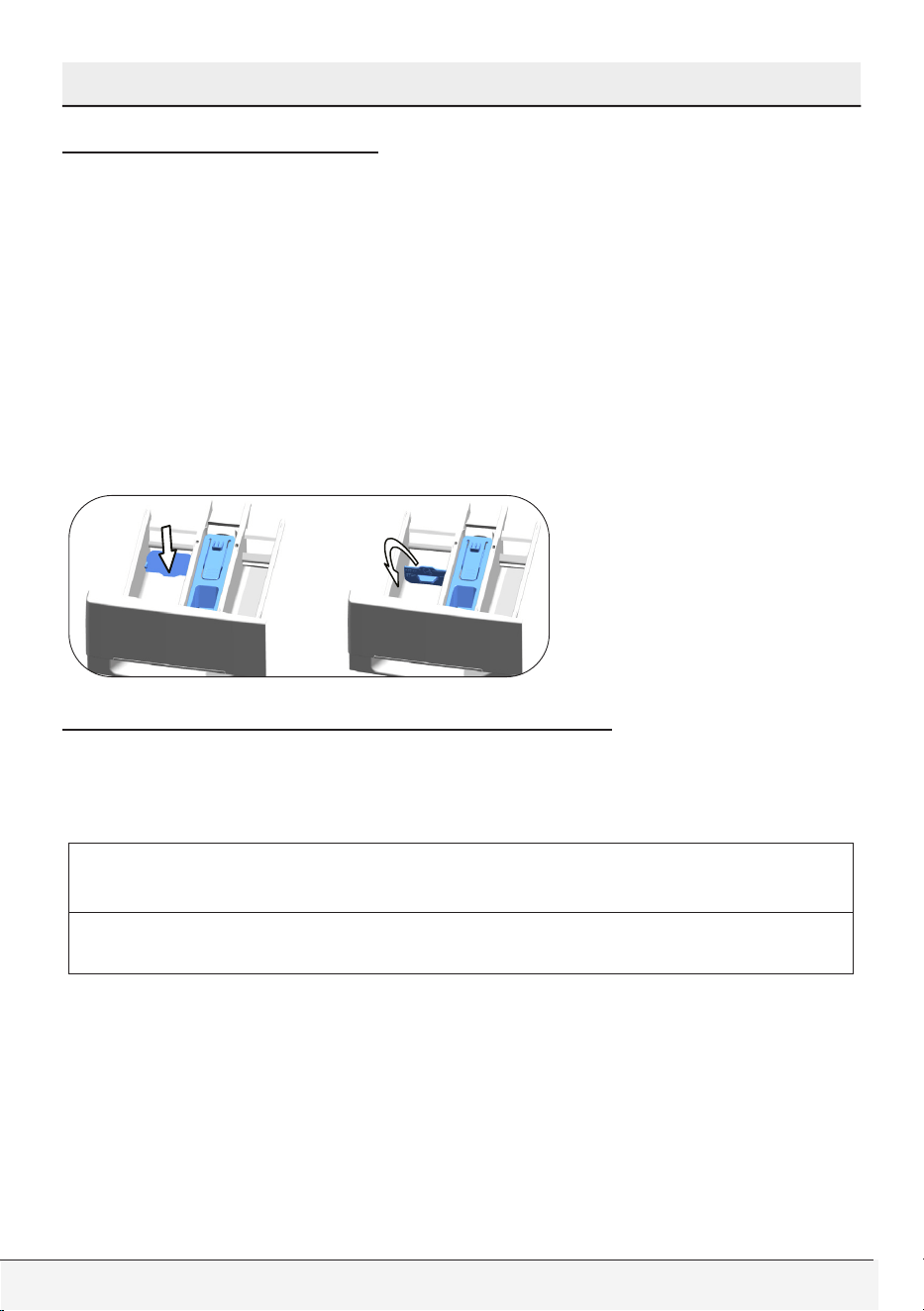
Using liquid detergents
If the product contains a liquid detergent cup
• Press and rotate the apparatus at where it is shown when you want
to use liquid detergents. Thepartfalling below will serve as a barrier
for liquid detergent.
• Clean with water at its place or by removing from its place when it is
necessary. Do not forget to place the apparats in the main washing
compartment (compartment no. “2”) after cleaning.
• The apparatus should be up if you will use a powder detergent. The
fan that you would see in this position will mix the powder detergent
and help it to dissolve.
(III) Liquid Fabric Softener Compartment
Add the recommended amount of liquid fabric softener to the middle
compartment marked as “” and dilute it with warm water to the
maximum fill line.
C
CAUTION
• Especially concentrated fabric softeners must be diluted with
warm water otherwise siphon may be clogged in time.
Do not fill the fabric softener above the maximum fill line as any
excess amount will mix into the wash water and you will have to re-fill
the compartment. Do not pour the softener directly onto laundry, it
may cause stains.
Liquid fabric softener is automatically dispensed during the final rinse
of wash program.
Owner’s Guide & Installation Instructions
35 / English
Operating Instructions
(I) Liquid Chlorine Bleach Compartment
Add liquid chlorine bleach to the right compartment numbered as
“I”. Measure 1/3 cup (40 ml) of bleach and pour it into the special
container located in the right compartment of the dispenser. This
container ensures dispensing and dilution of bleach during the first
rinse of wash cycle. There is a maximum fill line on the container. Do
not exceed the maximum fill line to prevent early dispensing. Early
dispensing may damage your clothes.
C
CAUTION
• Be sure that bleach container is present in the right compartment
of dispenser before you add liquid bleaching agent. You
may remove bleach container if you would not use bleach.
However do not put any other laundry additives to the empty
compartment.
• Be sure to choose extra rinse option if you are using bleach in
wash program. Bleach must be rinsed from laundry properly
otherwise it may cause skin irritation.
Bleach is automatically dispensed and diluted during the first rinse of
wash program.
A
WARNING
• Don’t use bleach with delicates, hand washables or wools, it will
lead to clothes damage.
• The liquid bleach cup insert must be removed if not using liquid
bleach to avoid water leaking from the dispenser.
Water Consumption
Your clothes washer automatically adjusts the water consumption
according to load amount. This feature ensures high wash
performance results with efficient water and energy consumption.
36 / English
Front-Loading Automatic Washer
5 Selecting a Program and Operating Your Washer
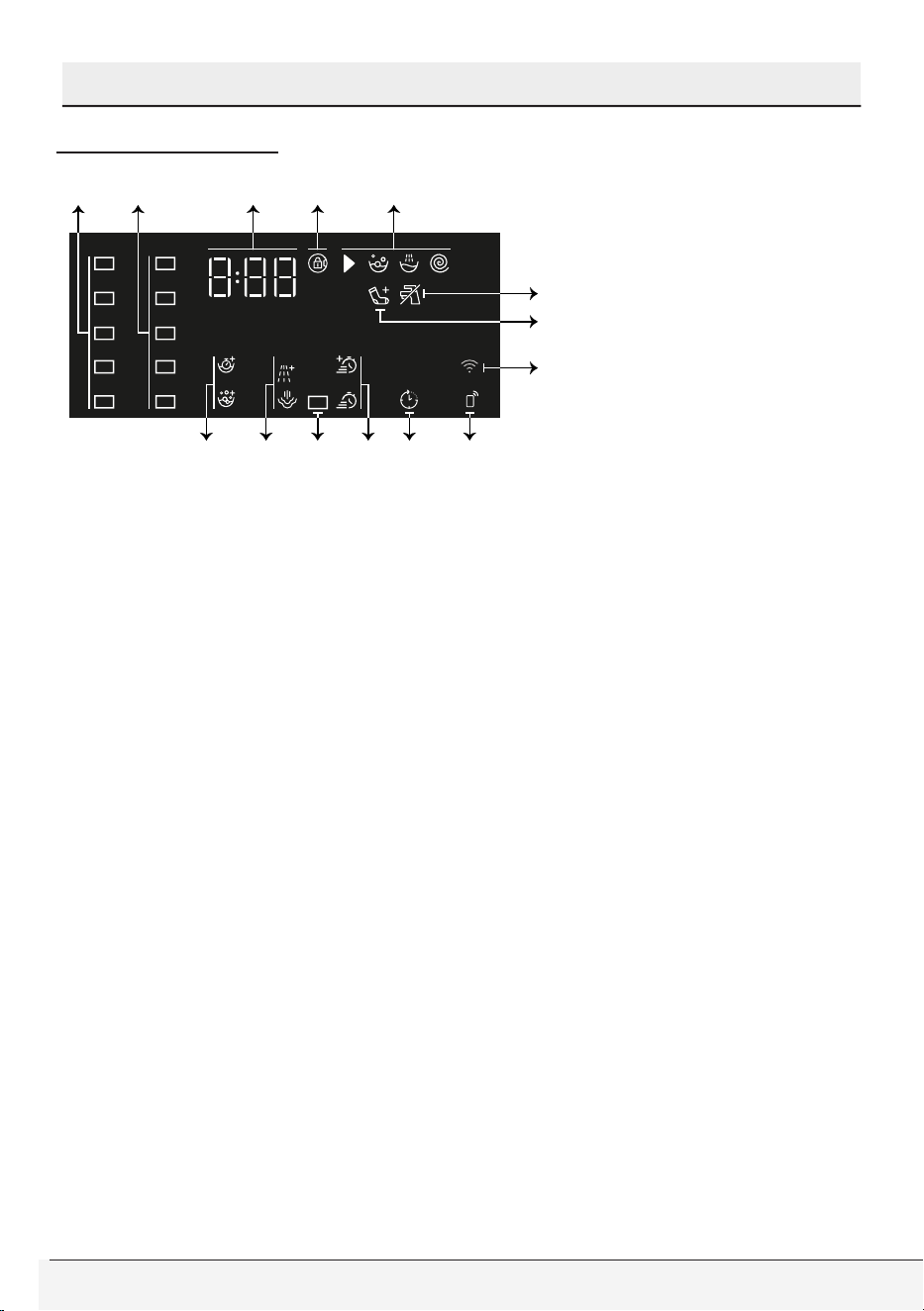
Control panel
1 - Programme selection knob
2 - Temperature level lights
3 - Spin level indicator lights
4 - Display
5 - Start/Pause button
6 - Remote control button
7 - End Time Adjustment button
8 - Auxiliary Function button 3
9 - Auxiliary Function button 2
10 - Auxiliary Function button 1
11 - Spin speed adjustment button
12 - Temperature adjustment button
1 2 3 4
79 8101112
6 5
Owner’s Guide & Installation Instructions
37 / English
Selecting a Program and Operating Your Washer
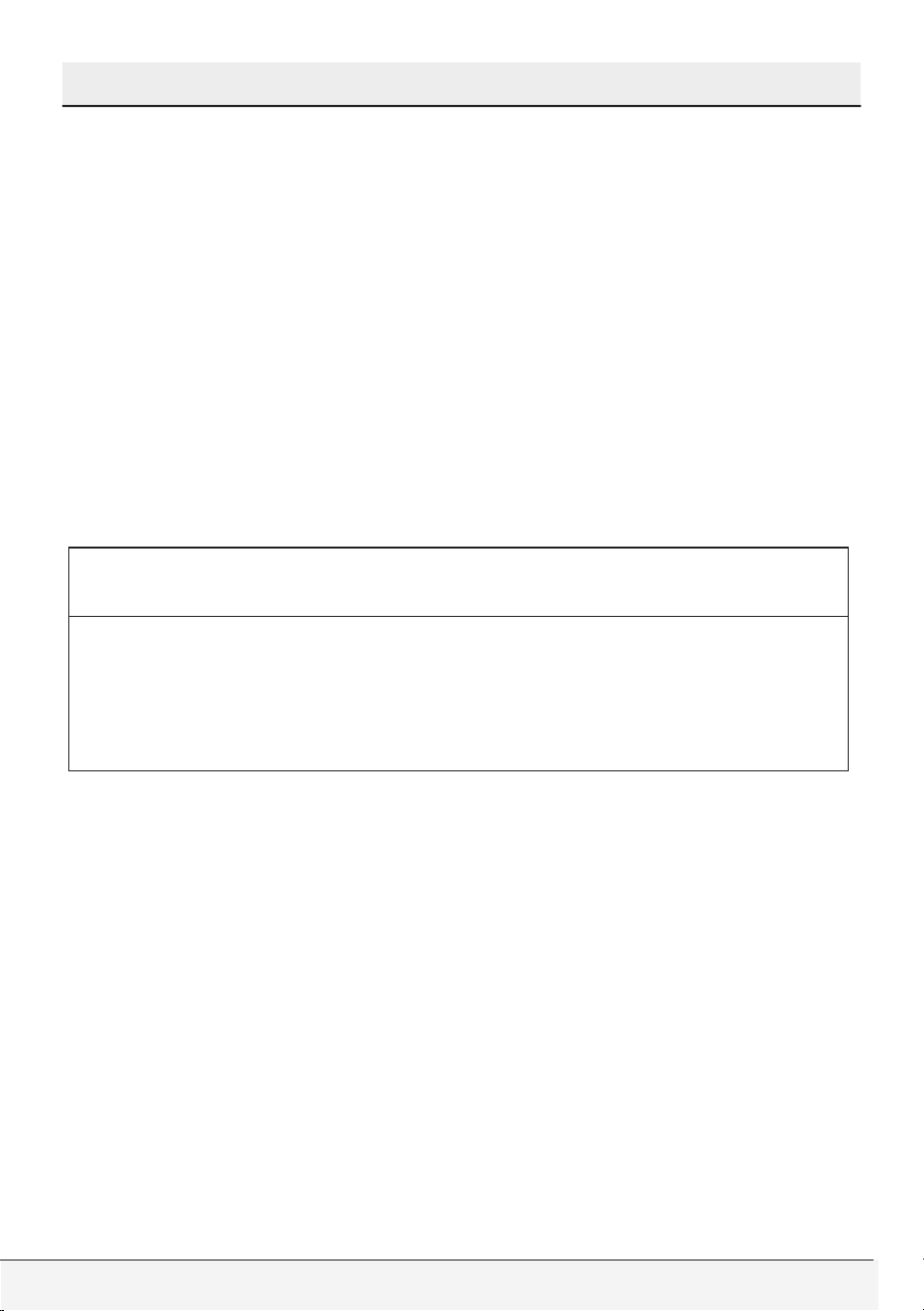
Display symbols
a b c d e
f
h
g
ikl jn m
a - Temperature indicators
b - Spin speed indicators
c - Duration information
d - Door lock engaged symbol
e - Programme follow-up indicators
f - No water indicator
g - Add laundry indicator
h- Wireless connection indicator
i - Remote Control indicator
j - Delayed Start Enabled indicator
k - Auxiliary function indicators 3
l - Child Lock Enabled indicator
m - Auxiliary function indicators 2
n - Auxiliary function indicators 1

38 / English
Front-Loading Automatic Washer
Selecting a Program and Operating Your Washer
Programs
• AQUAtech Technology
This technology replaces some of the intensive drum movements
during the washing process with the power of water. It provides faster
washing that is also gentler to your laundry, without compromising the
washing performance.
A mix of water and detergent is sprayed from the top of the drum
when the drum is stationary. The point in the cycle when this happens
is optimized for each programme and will occur at different times
on different programmes. Generally, the special spraying system
is activated at a point between 25 to 60 minutes into the wash
cycle, depending on the load and temperature selection. In certain
programmes, the special spraying system will be activated at the
beginning of the cycle (3 to 10 min. into the wash).
• Heavy Duty / Whites
Use to wash your heavily soiled, durable cotton and linen laundry.
Heavy Soil option is automatically selected for a perfect cleaning.
Heavy Soil option prolongs heating step.
Also you can wash your durable white and colorfast items with this
cycle, too. Washes with vigorous tumbling movements in a longer
washing cycle. It is recommended for your cotton or linen items
that need extra hygiene such as baby clothes, kitchen towels and
garments.
• Normal
You can wash your durable white and colorfast items with
this cycle. Washes with vigorous tumbling movements. It is
recommended for your cotton or linen items (such as bed sheets,
pillowcases,jeans,towels, bathrobes,garments, T-shirts,sweat-shirts
, etc.). You can select wash temperature according to care label of
items. Heavy Soil should be chosen for items that need extra hygiene
such as baby clothes, kitchen towels and garments.

Owner’s Guide & Installation Instructions
39 / English
Selecting a Program and Operating Your Washer
• Wrinkle Free
You can wash your easy care items on this cycle. Washes with
gentler tumbling movements and in shorter washing cycles. It is
recommended for your cotton,synthetic or blended items (such
as shirts, pants, wrinkle-free items, etc.). You can select wash
temperature according to care label of items.
• Hand Wash
You can wash your woolen/delicate clothes that bear “hand wash
only” labels for which hand wash is recommended on this program.
It washes the laundry with very tender washing movements without
damaging your clothes.
• Allergen / Pet Care+
Applying a steam step at the beginning of the programme allows
to soften the dirt easily. Increased hygiene is provided by a longer
heating period and an additional rinse cycle.
Use this programme for your laundry (baby clothes, bed sheets,
bed-linen, underwear, etc. cotton items) that requires an anti-allergic
and hygienic washing at high temperature with intensive and long
washing cycle. The high level of hygiene is ensured thanks to the
steam application before the programme, long heating duration and
additional rinsing step. Pre wash is automatically selected and put
detergent into the pre wash detergent compartment in the drawer.
• Spin+Drain
This program is used to discharge the water and spin dry the load
with selected spin speed.
Spin&Drain may be selected as one program in this model.
• Rinse
This cycle is used when you want to rinse separately.
• Quick Wash
Use to wash your lightly soiled and unstained cotton laundry quickly.
40 / English
Front-Loading Automatic Washer
Selecting a Program and Operating Your Washer
• Fitness Wear
You can use this programme to wash sports and outdoors garments
that contain cotton/synthetics mix and water repellent covers such as
gore-tex etc. It makes sure your garments are washed gently thanks
to special rotating movements.
• Tub Clean
Use regularly (once in every 1-2 months) to clean the drum and
provide the required hygiene. Steam is applied before the programme
to soften the residues in the drum. Operate the programme while
the machine is completely empty. To obtain better results, put
powder lime-scale remover for washing machines into the detergent
compartment no. „2“. When the programme is over, leave the loading
door ajar so that the inside of the machine gets dry.
C
CAUTION
• This is not a washing programme. It is a maintenance
programme.
• Do not run the programme when there is something in the
machine. If you try to do so, the machine detects that there is a
load inside and aborts the programme.
• Jeans / Dark Wash
This program is used to wash half capacity of normally or lightly soiled
jeans, denim jackets and to protect the colour of your dark coloured
items. It performs high performance washing with special drum
movement even if the temperature is low. It is recommended to use
liquid detergent or woollen shampoo for dark coloured laundry. Turn
your jeans or jackets inside out before washing. You shouldn’t wash
more than four pair at a time, this may cause an unbalanced load in
the washer. Do not wash your delicate clothes containing wool or etc.
• Steam Therapy
Use this programme to reduce the creases and ironing times of a
small amount of unspotted cotton, synthetic or mixed laundry.
Owner’s Guide & Installation Instructions
41 / English
Selecting a Program and Operating Your Washer
• AquaQuick Wash 20'
Use to wash your lightly soiled and unstained, small amount of cotton
laundry in a short time with the power of Aquatech technology.
Maximum 1 (one) kg of laundry must be washed for the optimal
performance.
• AquaIntense Wash
Use this program to wash your durable white and colorfast items.
Thanks to Aquatech technology, by the intensive drum movements
with vigorous tumbling movement, faster washing with compromising
washing performance will be provided. It is recommended for your
cotton or linen items (such as bed sheets, pillowcases, jeans,towels,
bathrobes, garments, T-shirts,sweat-shirts , etc.). You can select
wash temperature according to care label of items. For the optimum
performance, use with 1/2 (half) capacity item maximum.
• Download Cycle
This is a special programme that allows you to download different
programmes when you want to. At the start, there is a programme
you can see with the HomeWhiz application as default. However, you
can use the HomeWhiz application to select a programme from the
predetermined programme set, and then change and use it.
C
CAUTION
• Select Program Download feature if you want to use HomeWhiz
feature and Remote Control function. Please refer to HomeWhiz
Feature and Remote Control Function for more details.
• Mixed Fabric
Use to wash your cotton and synthetic clothes together without
sorting them.
• Delicates
You can wash your delicate easy-care items on this program. It has
more sensitive tumbling movements and does not do intermediate
spinning compared to the permanent program. It must be used for
cotton, synthetic or blended clothes for which sensitive washing is
recommended.
42 / English
Front-Loading Automatic Washer
Selecting a Program and Operating Your Washer
• Organic Wash
You can use organic detergent to wash your durable white and
colorfast items with this cycle. Washes with vigorous tumbling
movements in a longer washing cycle to give a superior washing
performance with organic detergents.
• Cold Wash
Use to wash your moderately soiled and durable cotton/synthetic
laundry. An effective and energy efficient washing is provided thanks
to the intense washing action.
• Bedding / Bulky
Use this program to wash your fiber duvets that bear a “machine
washable” tag. Check that you have loaded the duvet correctly in
order not to damage the machine and the duvet. Remove the duvet
cover before loading the duvet into the machine. Fold the duvet into
two and load it into the machine.
Load the duvet into the machine, taking care to place it in a way that
it will not contact the bellow.
C
CAUTION
• Do not load more than 1 double fiber duvet (78 x 78 in (200 x 200
cm).
• Do not wash duvets, pillows, etc. that contain cotton.
A
WARNING
• Do not wash the items apart from duvets such as carpets, rugs,
etc. in the machine. Permanent damage occurs in the machine.
Owner’s Guide & Installation Instructions
43 / English
Selecting a Program and Operating Your Washer
Program selection
1 Determine the program suitable for the type, quantity and
soiling level of the laundry in accordance with the “Program and
consumption table”.
C
CAUTION
• Programmes are limited with the highest spin speed appropriate
for that particular type of fabric.
• When selecting a programme, always consider the type of fabric,
colour, degree of soiling and permissible water temperature.
Always select the relevant lowest required temperature.
• A higher temperature means higher power consumption.
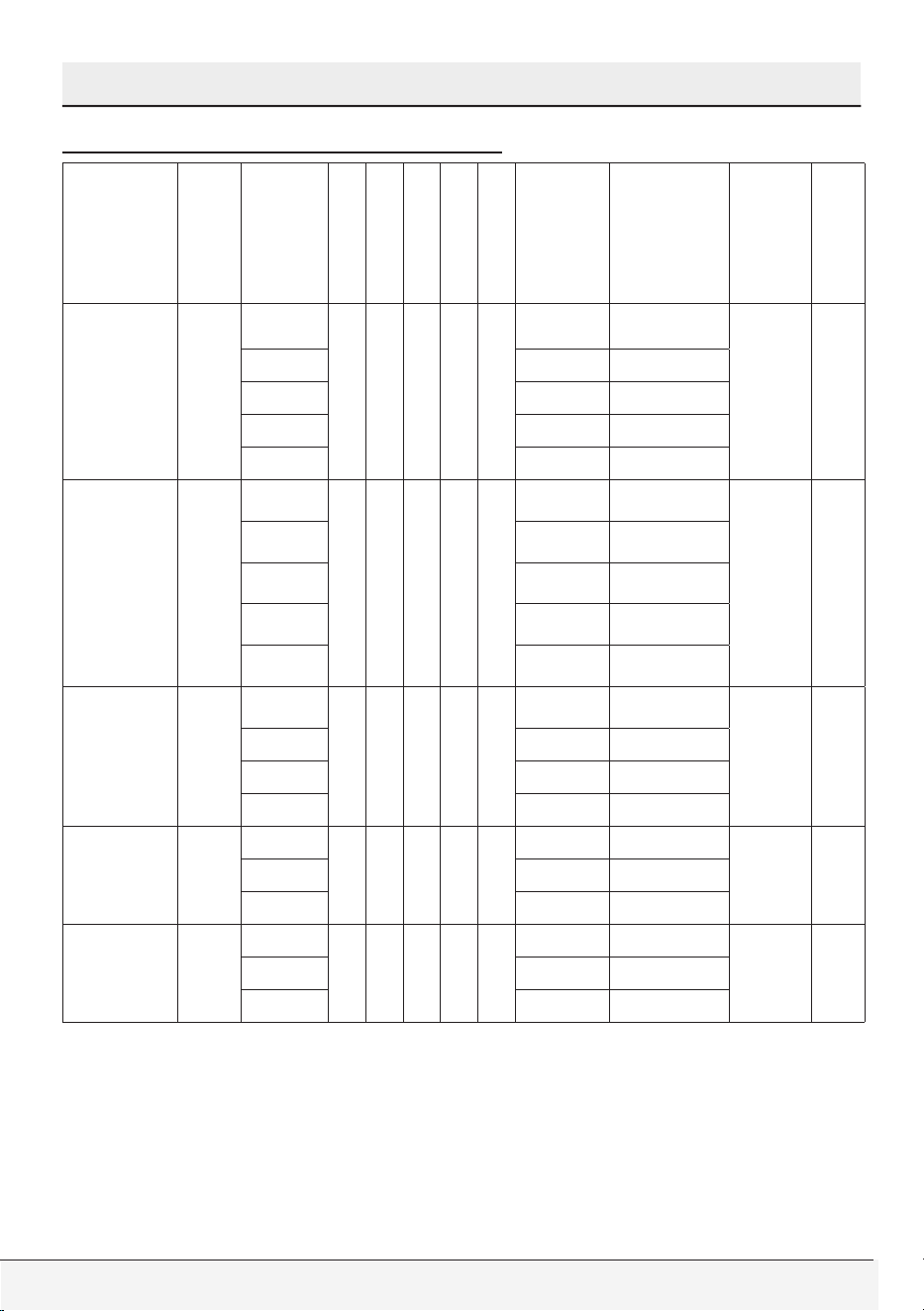
2 Select the desired program with the Program Selection knob.
44 / English
Front-Loading Automatic Washer
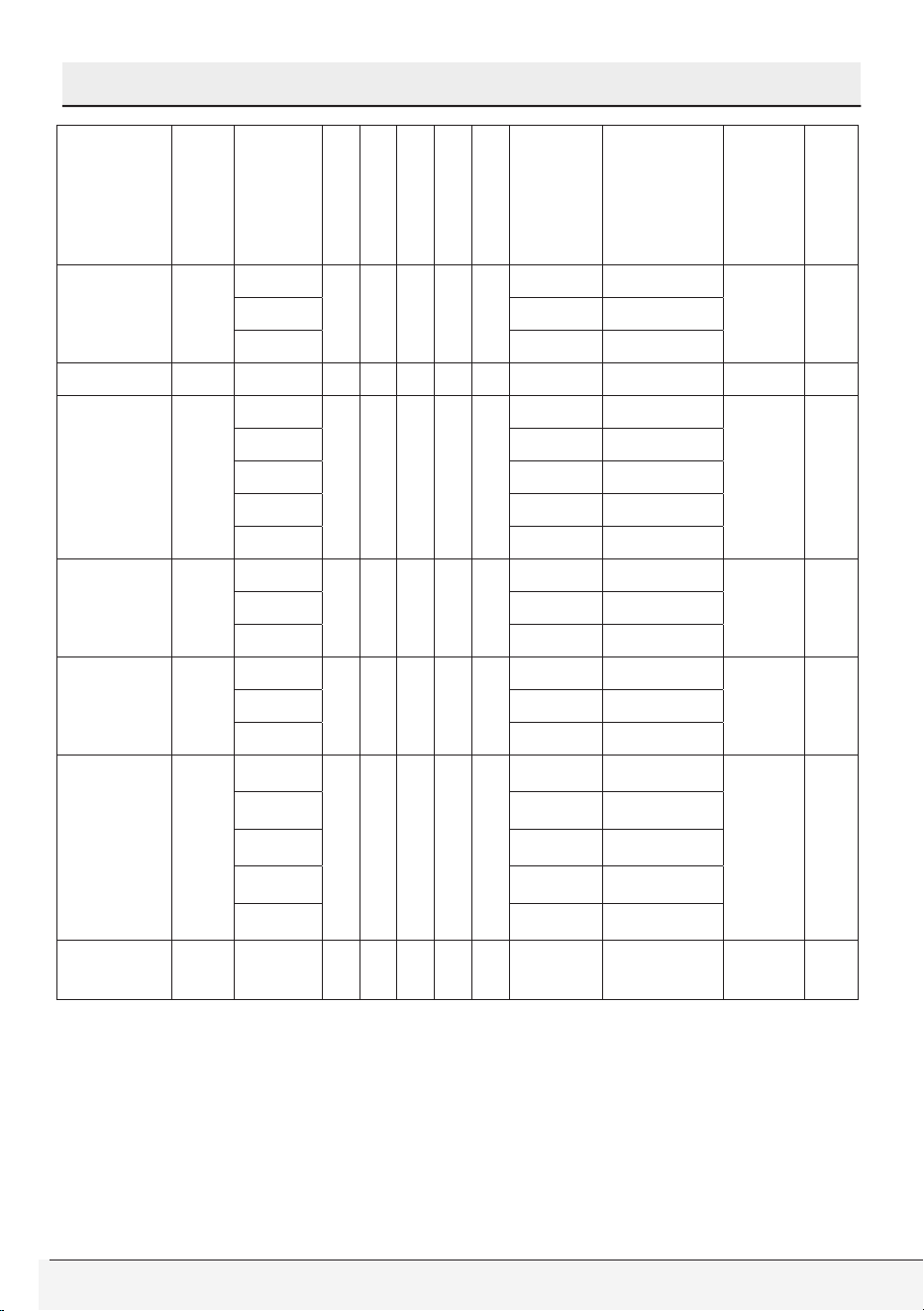
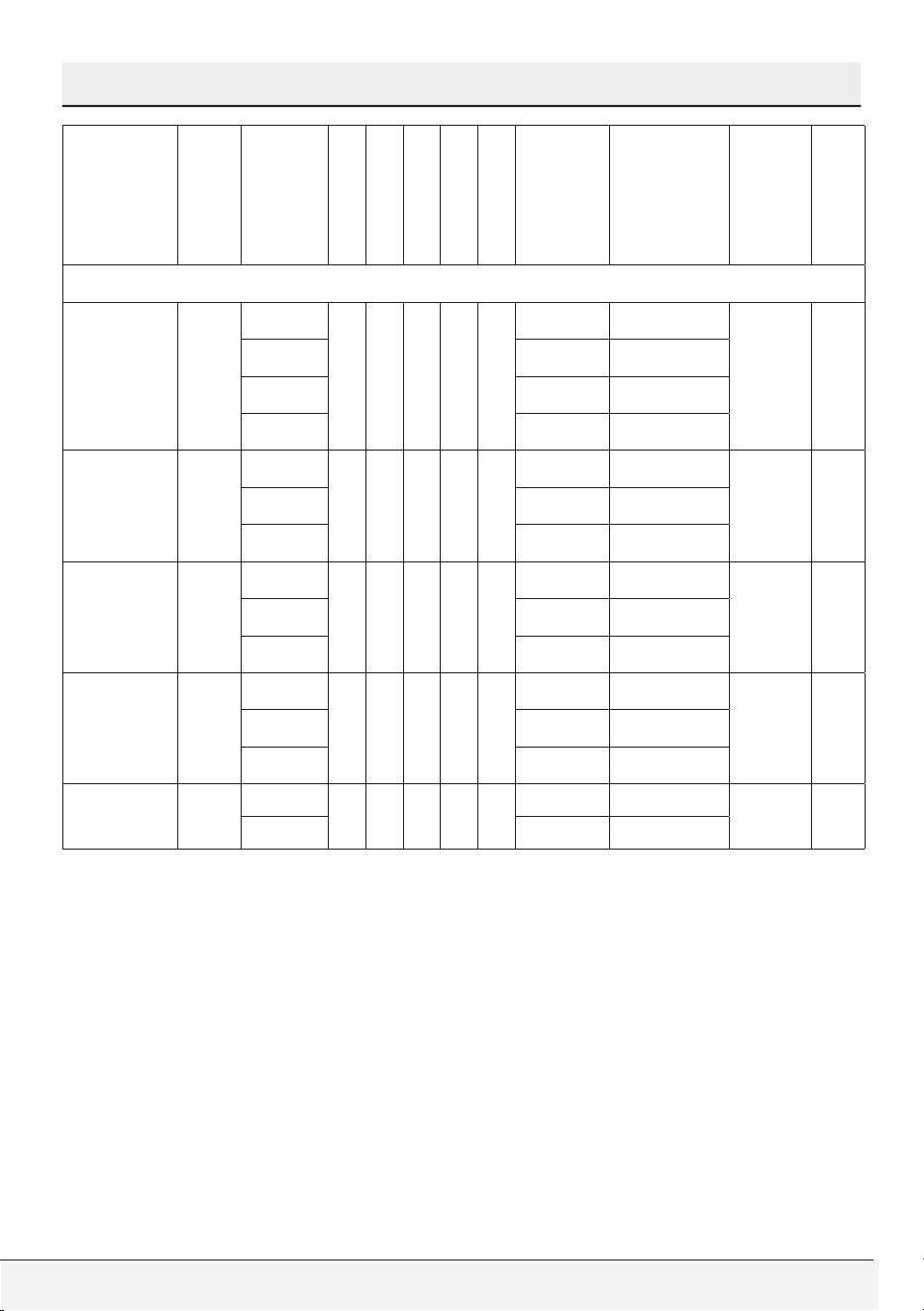
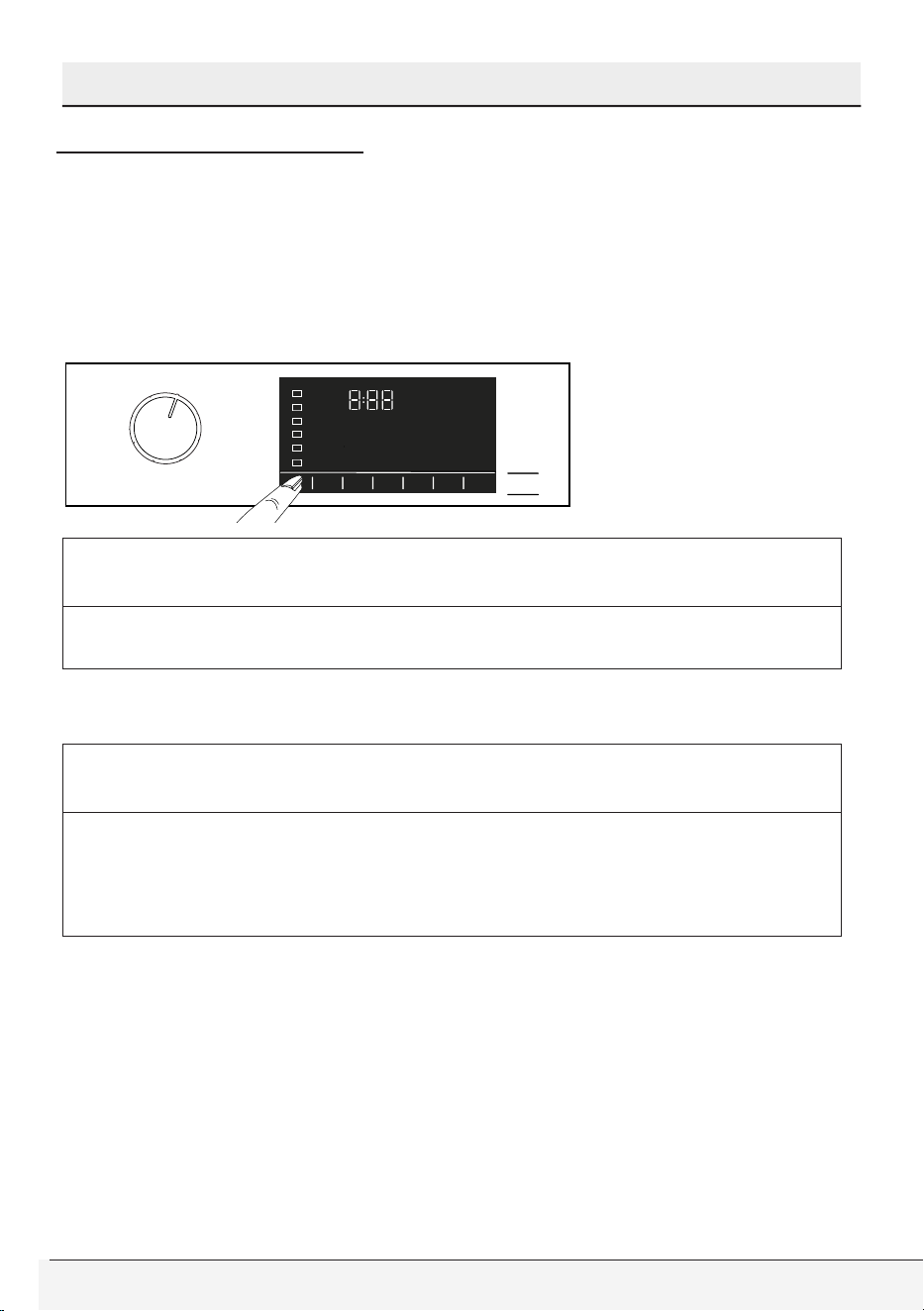
Program and consumption table
Program and consumption table
• : Selectable
* : Automatically selected, not cancellable.
***** : These programmes can be used with the HomeWhiz
application Power consumption may increase due to the connection.
- : See program description for maximum load.
Default
Duration
Wash Cycle
Heavy Soil
Steam
Fast+
Soak 3”
Extra Rinse 3”
Water Intake
"Wash Water
Temperature
°F / °C"
Max
Spin
Speed
(rpm)
Load Capacity
Normal 01:10
Extra Hot
• • • •
Hot-Cold 167 / 75
Extra
High
Full
Hot Hot-Cold 133 / 56
Warm Hot-Cold 110 / 43
Cold Cold 68 / 20
Tap Cold Cold 60 / 15
Heavy Duty /
Whites
02:30
Extra Hot
* - - • -
Hot-Cold 167 / 75
Extra
High
Full
Hot Hot-Cold 118 / 48
Warm Hot-Cold 104 / 40
Cold Hot-Cold 86 / 30
Tap Cold Cold 60 / 15
Wrinkle Free 01:25
Hot
• • • • •
Hot-Cold 140 / 60
High 1/2
Warm Hot-Cold 110 / 43
Cold Hot-Cold 86 / 30
Tap Cold Cold 60 / 15
Allergen /
Pet Care+
03:45
Extra Hot
* * - - *
Hot-Cold 167 / 75
Extra
High
FullHot Hot-Cold 153 / 67
Warm Hot-Cold 104 / 40
Jeans / Dark
Wash
01:19
Warm
- • • • *
Hot-Cold 104 / 40
Medium 1/2Cold Hot-Cold 86 / 30
Tap Cold
Cold 60 / 15
Owner’s Guide & Installation Instructions
45 / English
Program and consumption table
• : Selectable
* : Automatically selected, not cancellable.
***** : These programmes can be used with the HomeWhiz
application Power consumption may increase due to the connection.
- : See program description for maximum load.
Default
Duration
Wash Cycle
Heavy Soil
Steam
Fast+
Soak 3”
Extra Rinse 3”
Water Intake
"Wash Water
Temperature
°F / °C"
Max
Spin
Speed
(rpm)
Load Capacity
Hand Wash 01:05
Warm
- - - - •
Hot-Cold 104 / 40
Medium 1/4Cold Hot-Cold 86 / 30
Tap Cold Cold 60 / 15
Tub Clean 02:45 Extra Hot - * - - - Hot-Cold 167 / 75 Low -
Quick Wash 00:28
Extra Hot
- • • - •
Hot-Cold 167 / 75
Extra
High
1/2
Hot Hot-Cold 140 / 60
Warm Hot-Cold 104 / 40
Cold Hot-Cold 86 / 30
Tap Cold Cold 60 / 15
Fitness Wear 01:00
Warm
- - - - -
Hot-Cold 110 / 43
High 1/2Cold Hot-Cold 86 / 30
Tap Cold Cold 60 / 15
AquaQuick
Wash 20’
00:20
Warm
- - * - •
Hot-Cold 104 / 40
High 1/5Cold Hot-Cold 86 / 30
Tap Cold Cold 60 / 15
AquaIntense
Wash
00:58
Extra Hot
• • * • •
Hot-Cold 167 / 75
Extra
High
1/2
Hot Hot-Cold 118 / 48
Warm Hot-Cold 104 / 40
Cold Hot-Cold 86 / 30
Tap Cold Cold 60 / 15
Steam
Therapy
00:17 Tap Cold - * - - - Cold 60 / 15 No Spin 1/5
46 / English
Front-Loading Automatic Washer
Program and consumption table
Default
Duration
Wash Cycle
Heavy Soil
Steam
Fast+
Soak 3”
Extra Rinse 3”
Water Intake
"Wash Water
Temperature
°F / °C"
Max
Spin
Speed
(rpm)
Load Capacity
Download Cycle *****
Bedding /
Bulky
01:20
Hot
- • - • •
Hot-Cold 140 / 60
Medium -
Warm Hot-Cold 104 / 40
Cold Hot-Cold 86 / 30
Tap Cold Cold 60 / 15
Organic
Wash
03:08
Hot
- - • * -
Hot-Cold 153 / 67
Extra
High
1/2Warm Hot-Cold 111 / 44
Cold Hot-Cold 86 / 30
Delicates 01:24
Warm
- - - - •
Hot-Cold 104 / 40
Medium 3/8Cold Hot-Cold 86 / 30
Tap Cold Cold 60 / 15
Mixed Fabric 01:15
Warm
- • • •
Hot-Cold 110 / 43
Medium 1/2
Cold Hot-Cold 86 / 30
Tap Cold Cold 60 / 15
Cold Wash 02:02
Cold
- - - - -
Hot-Cold 86 / 30
Extra
High
Full
Tap Cold Cold 60 / 15
• : Selectable
* : Automatically selected, not cancellable.
***** : These programmes can be used with the HomeWhiz
application Power consumption may increase due to the connection.
- : See program description for maximum load.
Owner’s Guide & Installation Instructions
47 / English
Selecting a Program and Operating Your Washer
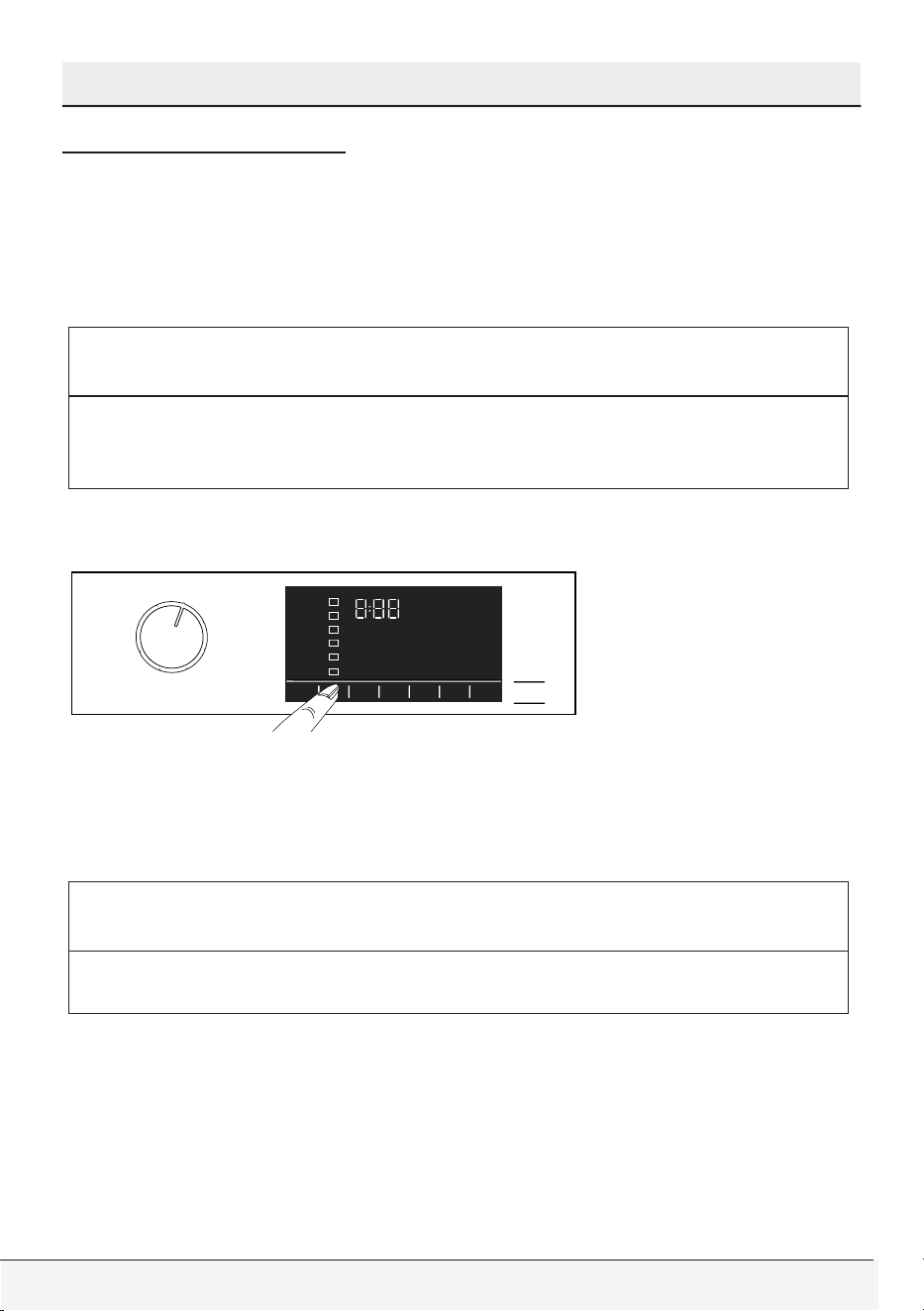
Temperature selection
Whenever a new programme is selected, the recommended
temperature for the programme appears on the temperature indicator.
It is possible that the recommended temperature value is not the
maximum temperature that can be selected for the current programme.
Press the Temperature Adjustment button to change the temperature.
Temperature decreases gradually.
C
CAUTION
• No change can be made in programmes where temperature
adjustment is not allowed.
You can also change the temperature after the washing starts. This
change can only be made if the washing steps allow it.
C
CAUTION
• If you scroll to cold wash option and press Temperature Adjustment
button again, the recommended maximum temperature for the
selected programme appears on the display. Press the Temperature
Adjustment button again to decrease the temperature.
48 / English
Front-Loading Automatic Washer
Selecting a Program and Operating Your Washer
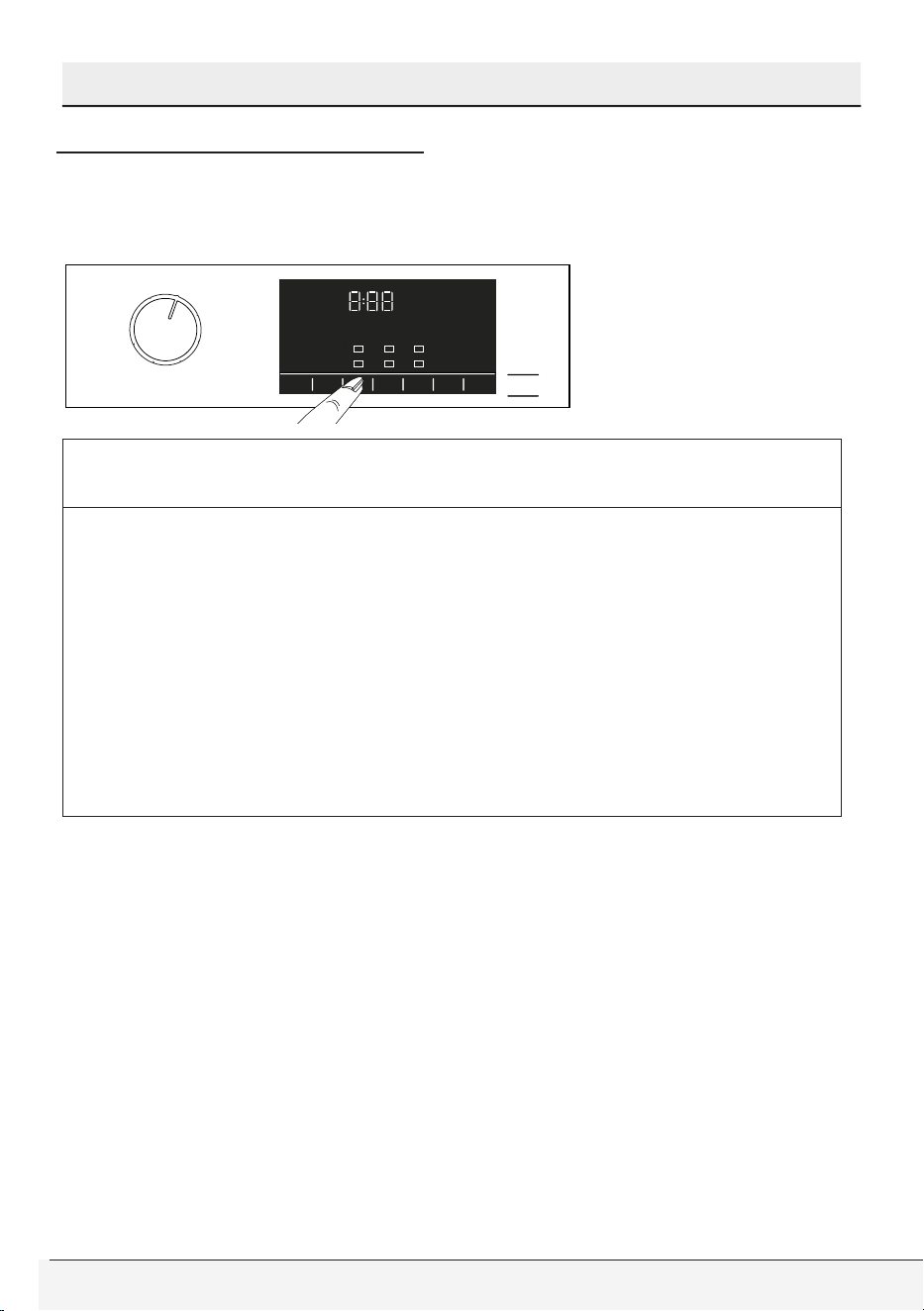
Spin speed selection
Whenever a new programme is selected, the recommended spin
speed level of the selected programme is displayed on the spin
speed indicator. It is possible that the recommended spin speed level
is not the maximum spin speed that can be selected for the current
programme.
C
CAUTION
• If the programme has not reached the spinning step, you can
change the spinning speed without switching the product to
Pause mode.
To decrease the spin speed, press the Spin Speed Adjustment
button. Spin speed decreases gradually.
Then, depending on the model of the product, “Rinse Hold” and “No
Spin” options appear on the display.
If you want to drain the water at the end of the programme without
spinning, use No Spin function.
C
CAUTION
• No change can be made in programmes where spin speed
adjustment is not allowed.
Owner’s Guide & Installation Instructions
49 / English
Selecting a Program and Operating Your Washer
Auxiliary function selection
Select the desired auxiliary functions before starting the programme.
Whenever a programme is selected, icons of the auxiliary function
symbol that is selected together with it illuminates.
C
CAUTION
• If you select an auxiliary function that cannot be selected with the
current program, the washing machine makes a warning noise.
• Some functions cannot be selected together. If a second auxiliary
function conflicting with the first one is selected before starting
the machine, the function selected first will be cancelled and the
second auxiliary function selection will remain active.
• An auxiliary function that is not compatible with the programme
cannot be selected. (See “Program and consumption table”)
• Some programmes have auxiliary functions that must be
operated simultaneously. Those functions cannot be cancelled.
Furthermore, you may also select or cancel auxiliary functions that are
suitable to the running programme without pressing the Start / Pause
button when the machine is operating. For this, the machine must be
in a step before the auxiliary function you are going to select or cancel.
50 / English
Front-Loading Automatic Washer
Selecting a Program and Operating Your Washer
Auxiliary functions
• Heavy Soil
This function increases washing times for heavily soiled items for
better wash results.
• Fast+
You can press Fast+ adjustment button to shorten the duration after
the program is selected. The durations of the some programmes may
get shorter by 50%. High washing performance is achieved in spite of
the reduced duration.
While it differs for each program, when you press the Fast+ button
once, the duration will drop to a certain level. If you press the button
for the second time, it will drop to the minimum duration.
Do not use Fast+ adjustment button when washing heavily soiled
laundry for a better washing performance.
Use the Fast+ button for Mildly and Lightly soiled laundry and shorten
the program’s duration.
• Steam
This function helps to reduce the creases of your cotton, synthetic
and mixed clothes, shorten the ironing time and remove the dirt by
softening.
* Your laundry may be hotter at the end of the washing cycle when
the steam function is applied at the end of the programme. This is an
expected condition within the operating conditions of the programme.
C
CAUTION
• Do not use liquid detergents if no liquid container or liquid
detergent dosing feature is available. There is the risk of staining
of the clothes.
• Remote Control
You can use this auxiliary function key to connect your product to
smart devices. For detailed information, see HomeWhiz Function
Feature and Remote Control Function.
Owner’s Guide & Installation Instructions
51 / English
Selecting a Program and Operating Your Washer
• Programme Personalisation
This auxiliary function can only be used for Cotton and Synthetics
programmes together with the HomeWhiz application. When this
auxiliary function is activated, you can add up to 4 auxiliary rinsing
steps to the programme. You can select and use some auxiliary
functions even though they are not found on your product. You
can increase and decrease the time of the Cottons and Synthetics
programmes within a safe range.
C
CAUTION
• When the Programme Personalisation auxiliary function is
selected, the washing performance and energy consumption will
be different than the declared value.
Functions/Programmes Selected by Pressing the Function
Buttons for 3 Seconds
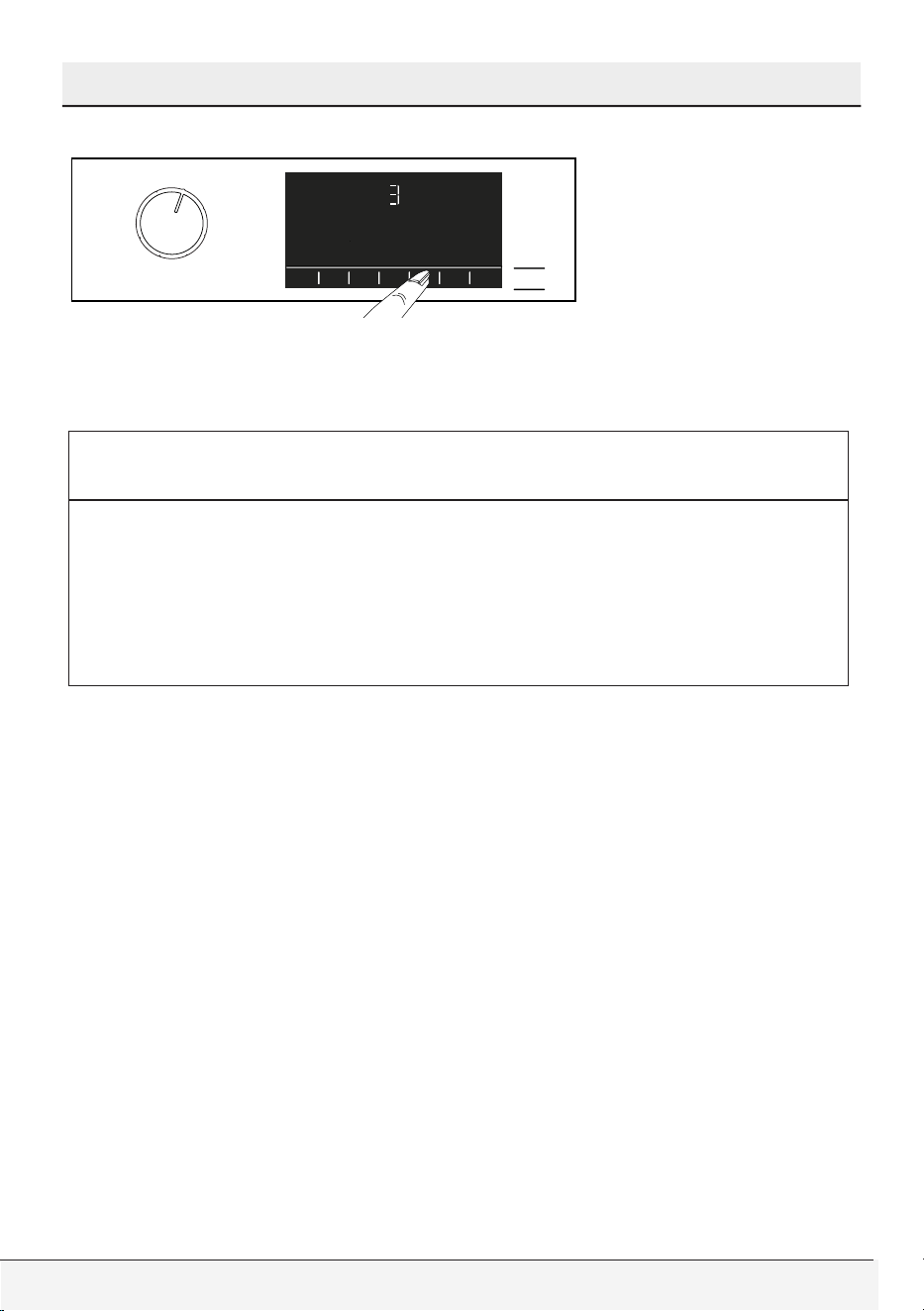
• Soak 3’’
This function can be selected by pressing and holding the related
auxiliary function button for 3 seconds.
This function is used for heavily soiled items when you want to pre-
treat them before washing. Laundry is soaked in a relatively high
amount of warm water. You can use full load and HE “High efficiency”
detergent for soaking. Use 1/3-1/2 of the recommended detergent
dosage for the load amount to be soaked.
• Extra Rinse 3’’
This function can be selected by pressing and holding the related
auxiliary function button for 3 seconds.
This function enables the product to make additional rinsing in
addition to the one already made after the main wash. Thus, the risk
for sensitive skins (babies, allergic skins, etc.) to be effected by the
minimal detergent remnants on the laundry can be reduced.
52 / English
Front-Loading Automatic Washer
Selecting a Program and Operating Your Washer
• Child Lock 3’’
Use the Child Lock function to prevent children from tampering
with the product. Thus you can avoid any changes in a running
programme.
C
CAUTION
• You can switch the product on and off with the On / Off button
when the Child Lock is active. When you switch on the product
again, the program will resume from where it has stopped.
• When the Child Lock is enabled, an audio warning will be given
if the buttons are pressed. Audio warning will be cancelled if the
buttons are pressed five times consecutively.
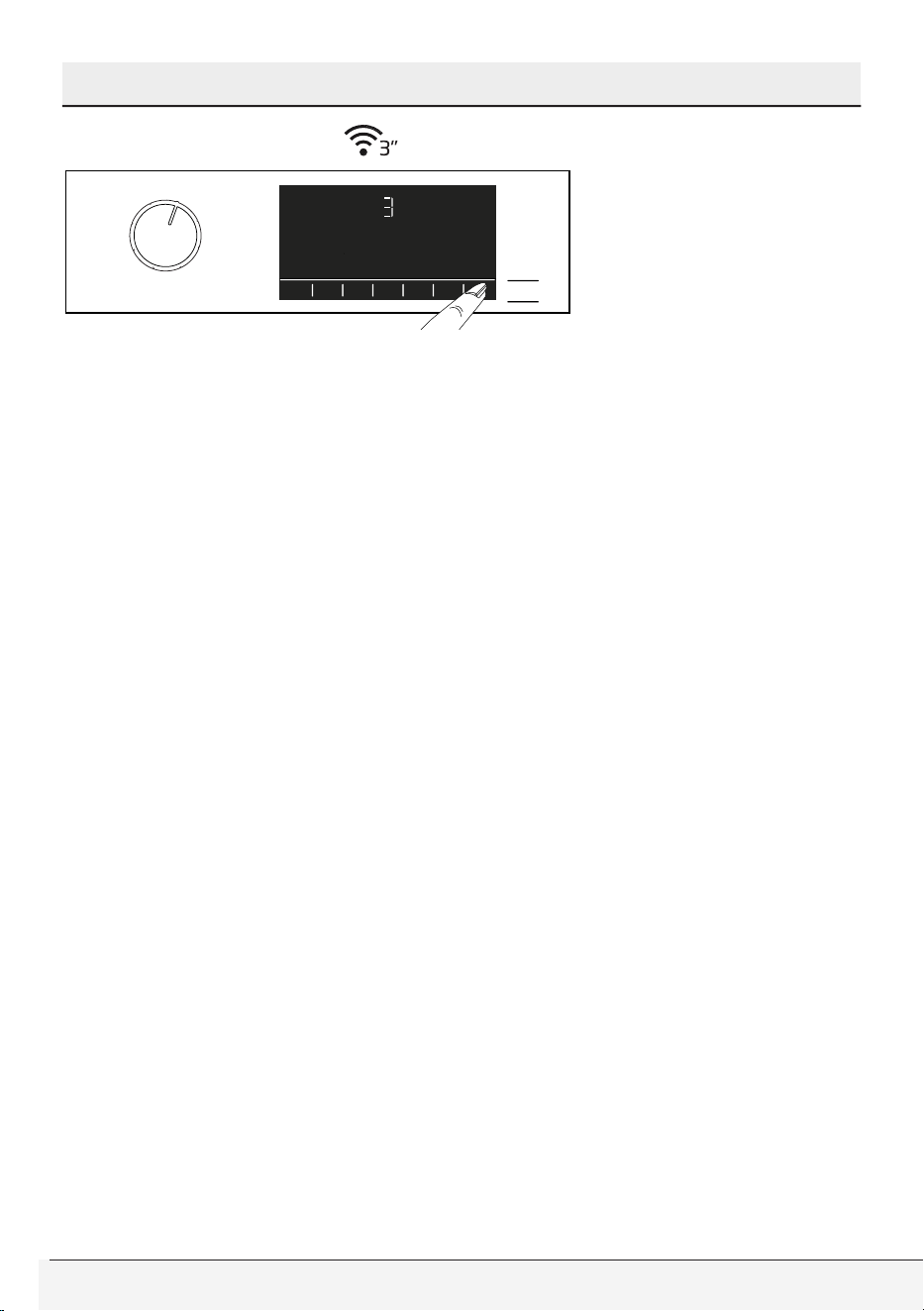
To activate the Child Lock
Press and hold the related auxiliary function button for 3 seconds.
After the countdown as “3-2-1” on the display is over, Child Lock
symbol appears on the display. When this warning is displayed, you
can release the Auxiliary Function button 3.
To deactivate the child lock
Press and hold the related auxiliary function button for 3 seconds.
After the countdown as “3-2-1” on the display is over, Child Lock
symbol disappears.
Owner’s Guide & Installation Instructions
53 / English
Selecting a Program and Operating Your Washer
• Wireless Connection
You can match your machine and your smart devices with the
wireless connection. This way, you can use your smart device to get
information about your machine and control it.
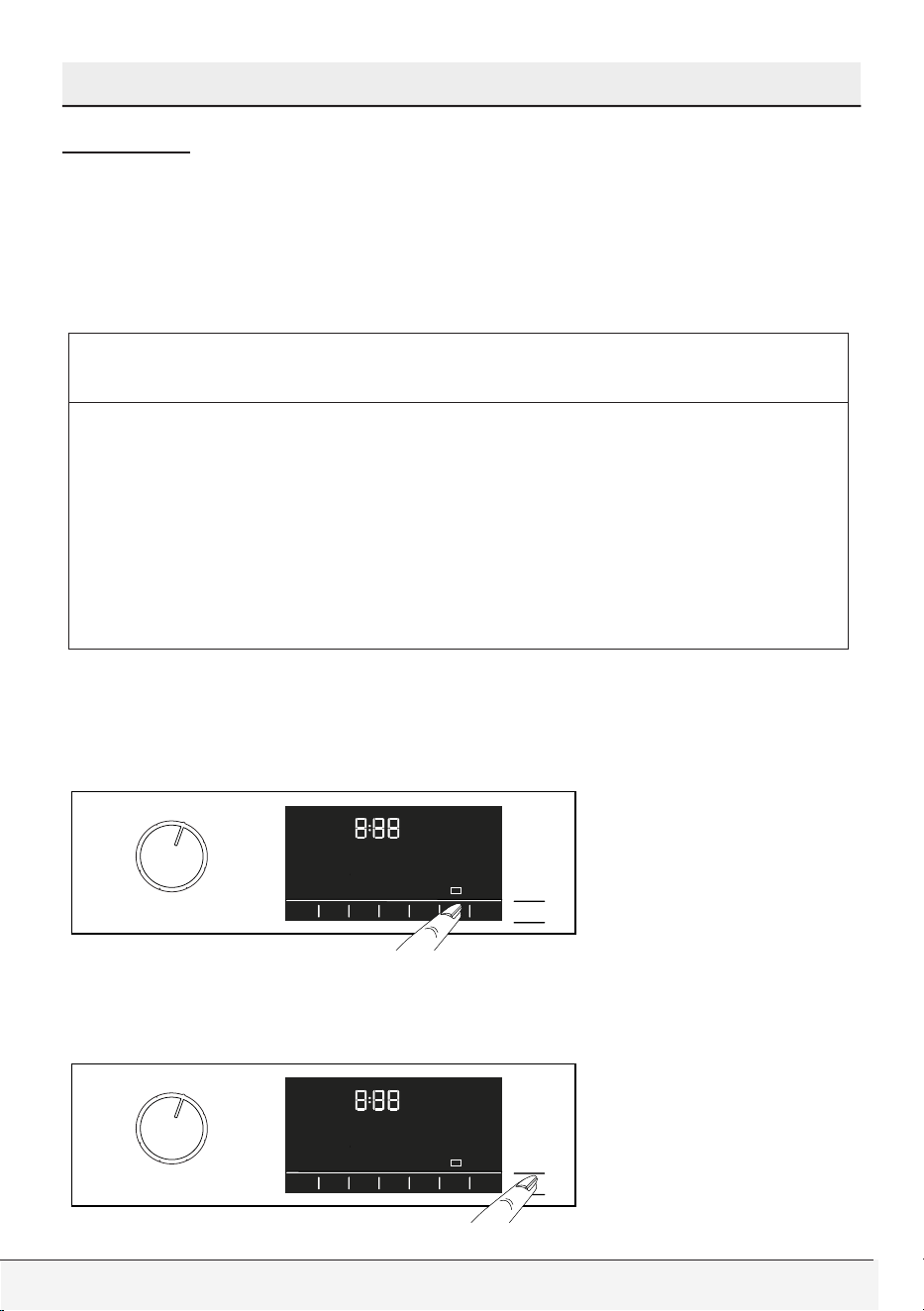
To activate wireless connection
Press and hold Remote Control function button for 3 seconds. After
countdown “3- 2- 1” on the screen ends, “On” symbol appears. When
this notification is displayed stop pressing the button on the remote
control. The wireless connection icon blinks when the product is
connecting the internet. If connection is successful, icon will remain on.
To deactivate wireless connection
Press and hold Remote Control function button for 3 seconds.
Countdown “3- 2- 1” will be displayed, and then “Off” icon will appear
on the display.
54 / English
Front-Loading Automatic Washer
Selecting a Program and Operating Your Washer
End Time
Time display
When the end time function is selected, the time remaining until the
start of the programme is displayed in hours as 1h, 2h; and after
the start of the programme, the time remaining to the end of the
programme is displayed in hours and minutes as 01:30 for an example.
C
CAUTION
• Programme duration may differ from the values in section
“Program and consumption table” depending on the
water pressure, water hardness and temperature, ambient
temperature, amount and the type of laundry, auxiliary functions
selected and the changes at the mains voltage.
• After a certain period when the end time function is activated, the
machine switches to stand-by mode and some LEDs on the display
are turned off. LEDs are illuminated in case of any user entry.
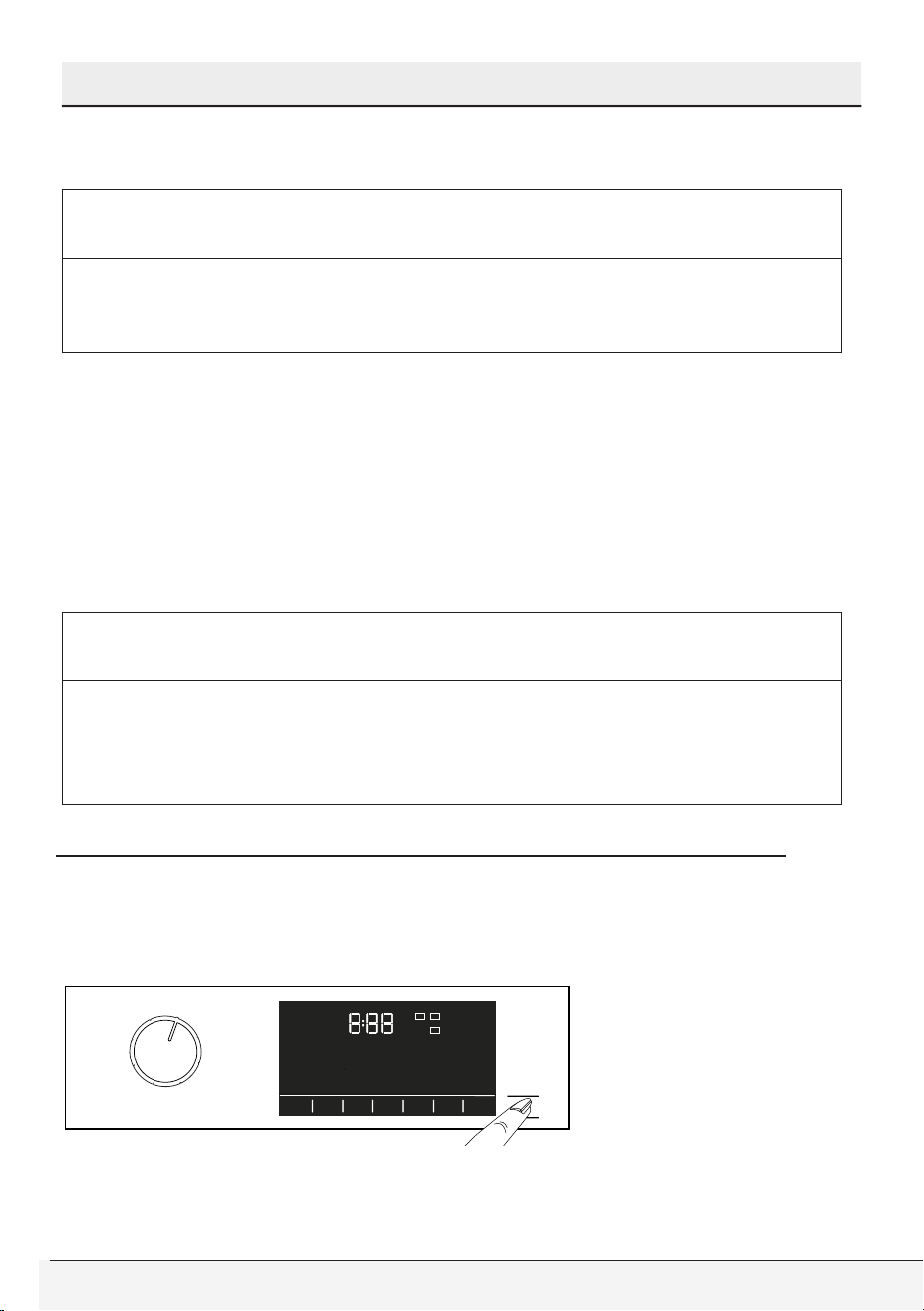
With the End Time function, the start-up of the programme may
be delayed up to 24 hours. After pressing End Time button, the
programme’s estimated ending time is displayed. If the End Time is set,
End Time indicator is illuminated.
In order for the End Time function to be activated and completed at
the end of the specified time, you must press Start/Pause button after
adjusting the time.
Owner’s Guide & Installation Instructions
55 / English
Selecting a Program and Operating Your Washer
If you want to cancel End Time function, press On/Off button to turn off
and on the machine.
C
CAUTION
• When you have activated the End Time function, do not add
liquid detergent in the powder detergent compartment no 2.
There is the risk of staining of the clothes.
Adjusting the end time
1 Open the loading door, place the laundry and put detergent, etc.
2 Select the washing programme, temperature, spin speed and, if
required, the auxiliary functions.
3 Set the end time of your choice by pressing the End Time button. End
Time indicator lights.
4 Press Start / Pause button. Time countdown starts.
C
CAUTION
• Additional laundry can be added into the machine during the
End Time countdown. At the end of the countdown, End Time
indicator turns off, washing cycle starts and the time of the
selected programme appears on the display.
Changing the selections after programme has started
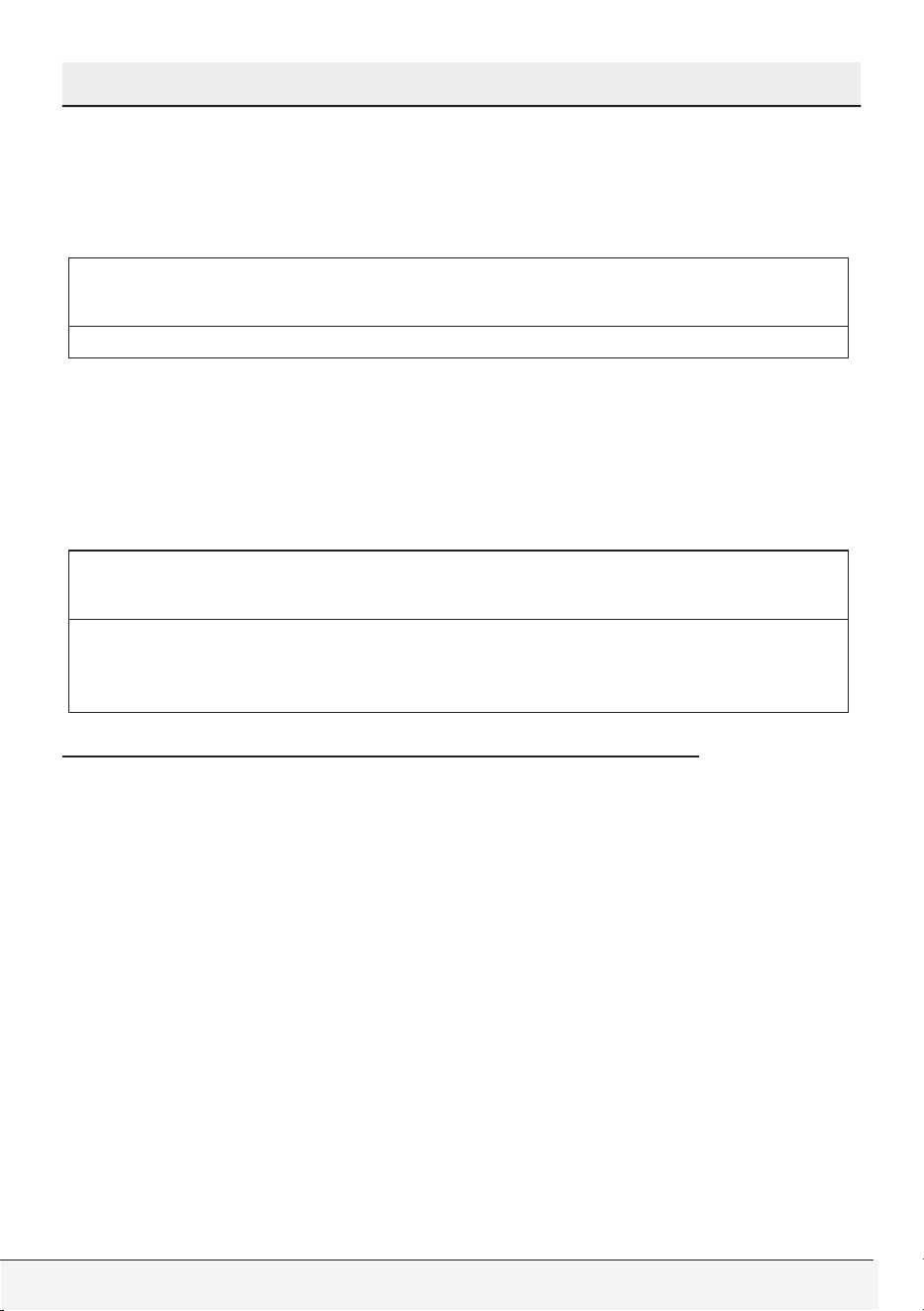
Switching the machine to pause mode
Press the Start/Pause button to switch the machine to pause mode.
Pause symbol will flash on the display.
56 / English
Front-Loading Automatic Washer
Selecting a Program and Operating Your Washer
Changing the programme selection after programme has started
The programme change is allowed when the current programme is
running unless the Child Lock is enabled. This action will cancel the
current programme.
C
CAUTION
• The selected program starts anew.
Changing the auxiliary function, speed and temperature
Depending on the step the programme has reached, you can cancel or
activate the auxiliary functions. See “Auxiliary function selection”.
You can also change the speed and temperature settings. See ‘’Spin
speed selection” and “Temperature selection”.
C
CAUTION
• The loading door will not open if the water temperature in the
machine is high or the water level is above the loading door
baseline.
HomeWhiz Feature and Remote Control Function
You can check your washing machine from smart devices and get
information about the status of your machine thanks to the Remote
Control function. You can carry out many operations on your machine
from your smart device by using the Remote Control application.
Moreover, you can use certain properties only with the Remote
Control Function.
You need to download Remote Control app from the related application
market to your smart device in order to use the wireless connection
function in your machine.
To use the app, make sure your smart device is connected to the internet.
If you are using the app for the first time, complete user account
registration by following the directions on the app. You can use all
HomeWhiz featured products in your home through this account after
registration is complete.
Owner’s Guide & Installation Instructions
57 / English
Selecting a Program and Operating Your Washer
The bluetooth of your smart device should be on and your device should
be connected to the internet during setup. Your smart device should
be close to the washing machine. After the setup, the bluetooth can
be turned off or your smart device does not need to be close to the
washing machine. You may use your product provided that your smart
device is connected to internet.
You may see the products paired with your account by touching the
“Add/Remove Product” button on the “Products” page in the app. You
may perform the user pairing operation of these products on this page.
After the app is setup, with the Remote Control Function, your washing
machine can give you instant status notifications via your smart device.
C
CAUTION
• Please visit www.homewhiz.com link to learn which Android and
IOS versions are supported by HomeWhiz application.
Your washing machine will send you notifications over
HomeWhiz application in the following cases
• At the end of the programme,
• When the door of the washing machine is opened,
• In case of water cut warning,
• In case of security warning,
C
CAUTION
• In order to use the Remote Control function, the application
should be set up on your smart device and your washing
machine should be connected to your home network. When your
washing machine is not connected to the network, it operates
like a machine without HomeWhiz function.
• Your product shall run with a connection to the wireless network
in your home network. The controls made on the application
shall be provided over this network, so the wireless signal
strength where the machine is located should be adequate.
• Operates at HomeWhiz 2.4 GHz frequency band.
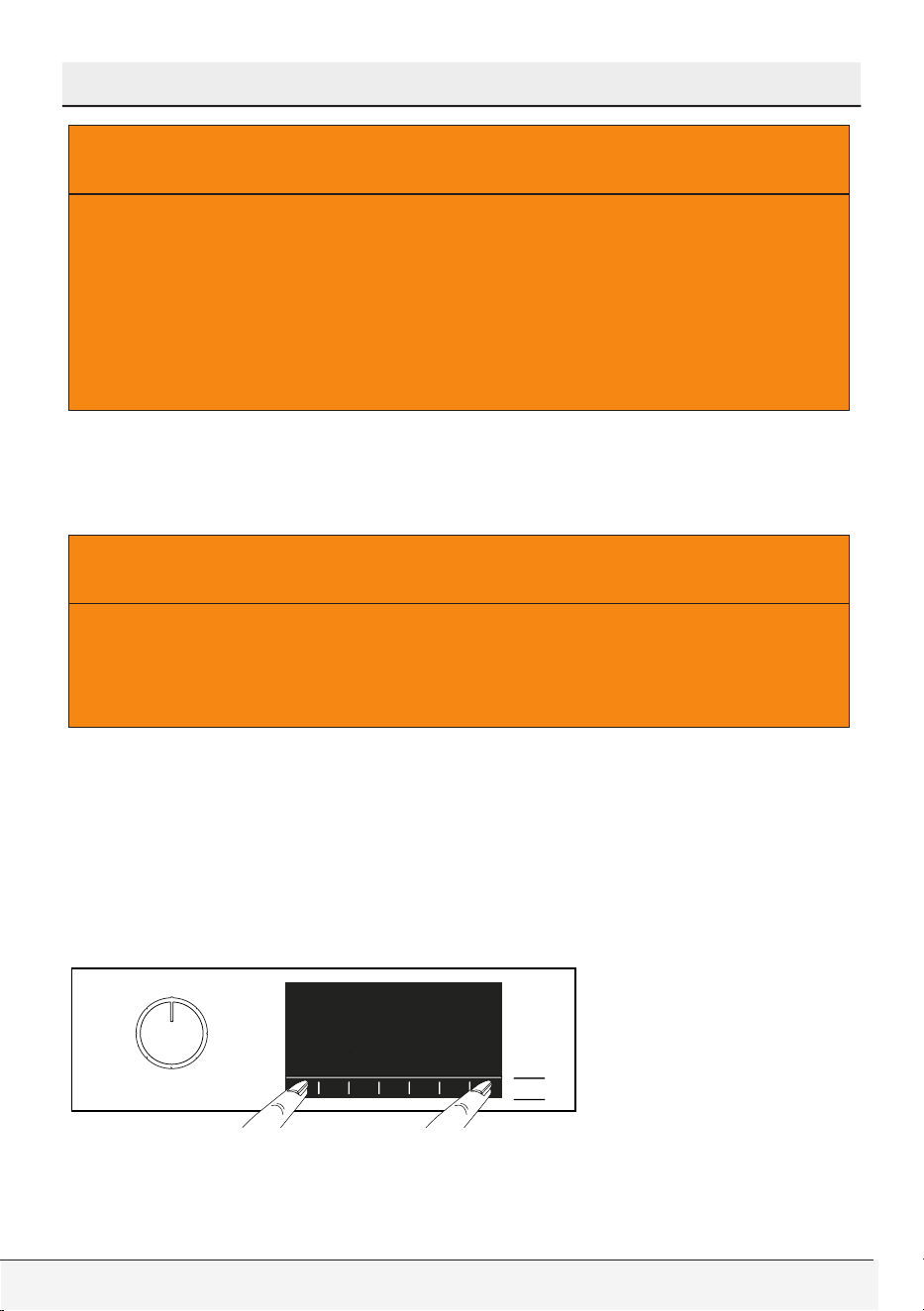
58 / English
Front-Loading Automatic Washer
Selecting a Program and Operating Your Washer
A
WARNING
• All safety measures described in the “GENERAL SAFETY
INSTRUCTIONS” titled section of the user manual are also valid
for remote operation with Remote Control function.
• Internet connection is required in order to use the Remote Control
function. Otherwise, your app will not run on your smart device.
Contact your internet service provider if you have issues with
your internet connection.
Remote Control Set Up
A connection should be set between your product and the app in order
for the app to function.
A
WARNING
• Internet connection is required in order to use the Remote Control
function. Otherwise, your app will not run on your smart device.
Contact your internet service provider if you have issues with
your internet connection.
• If you are adding a product for the first time, touch “Add/Delete
Product” section on your app and touch “Touch here to connect the
product to the network”. Follow the steps in the app for the set up.
• To start the setup, make sure that your machine is turned off. Press
Temperature button and Remote Control button simultaneously for
3 seconds to turn your washing machine into Remote Control setup
mode.
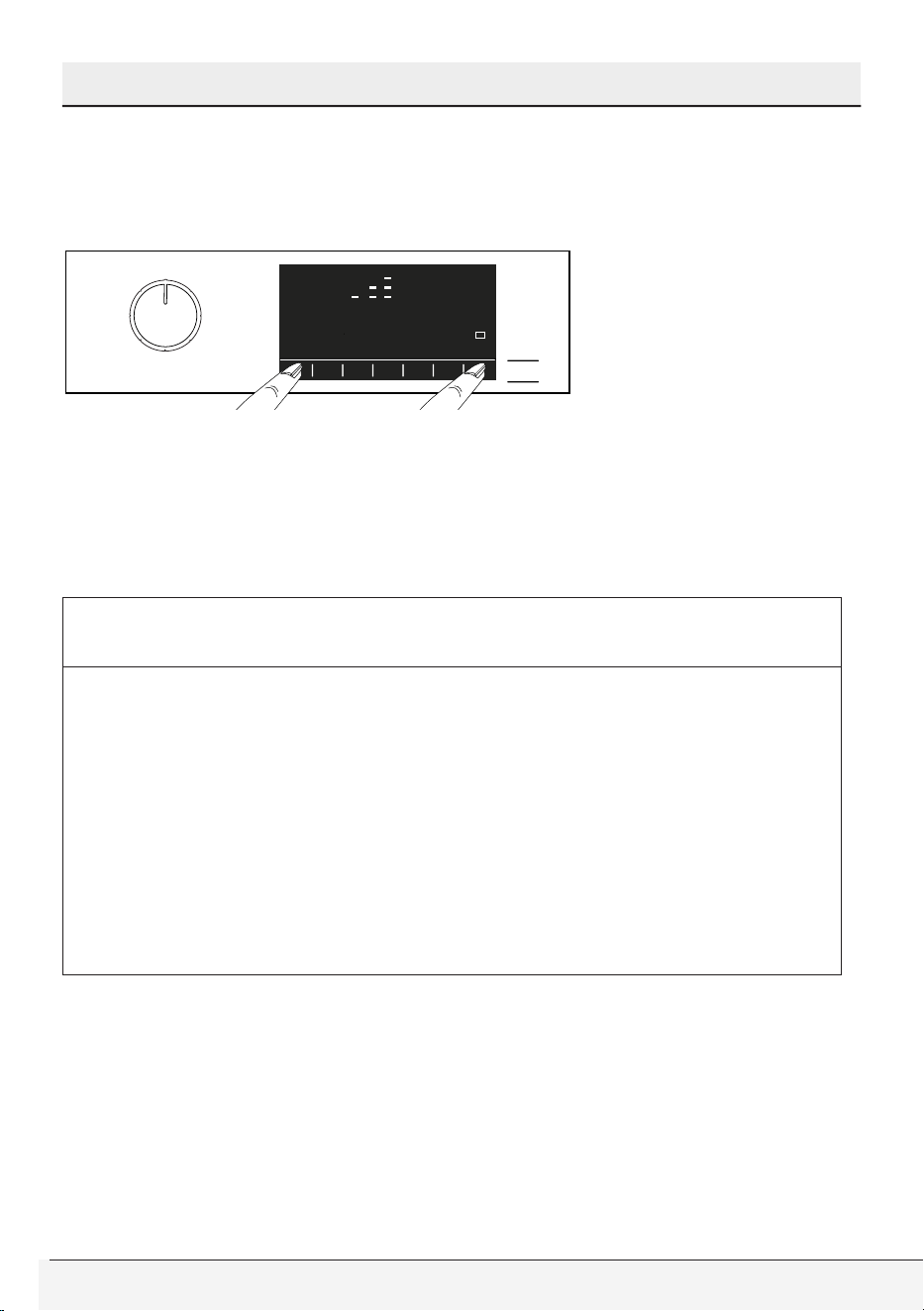
Owner’s Guide & Installation Instructions
59 / English
Selecting a Program and Operating Your Washer
• An animation appears in the setup of the Remote Control and the
wireless connection icon will blink until your machinery connects
to the internet. Only the On/Off button will be active in this mode.
Other buttons will not work.
• Press “Add/Delete Product” button on the screen in the app and
click on “Connect new product to network” opening on the screen.
• Follow the instructions on the remote control application screen.
• When setup is complete, give your washing machine a name. On the
“Products” page in the app you can see the product you just added.
C
CAUTION
• If you cannot complete the setup successfully in 5 minutes, your
washing machine will automatically turn itself off. In this case,
you will have to start over the setup steps. If the problem is
persisting, contact authorised service.
• You can use your washing machine with more than one smart
device. To do this, download the Remote Control app on the
other smart devices as well. When you launch the app, you will
need to log in with the account you previously created and paired
your washing machine. Otherwise, please read “Setting up a
washing machine that is connected to someone else’s account”.
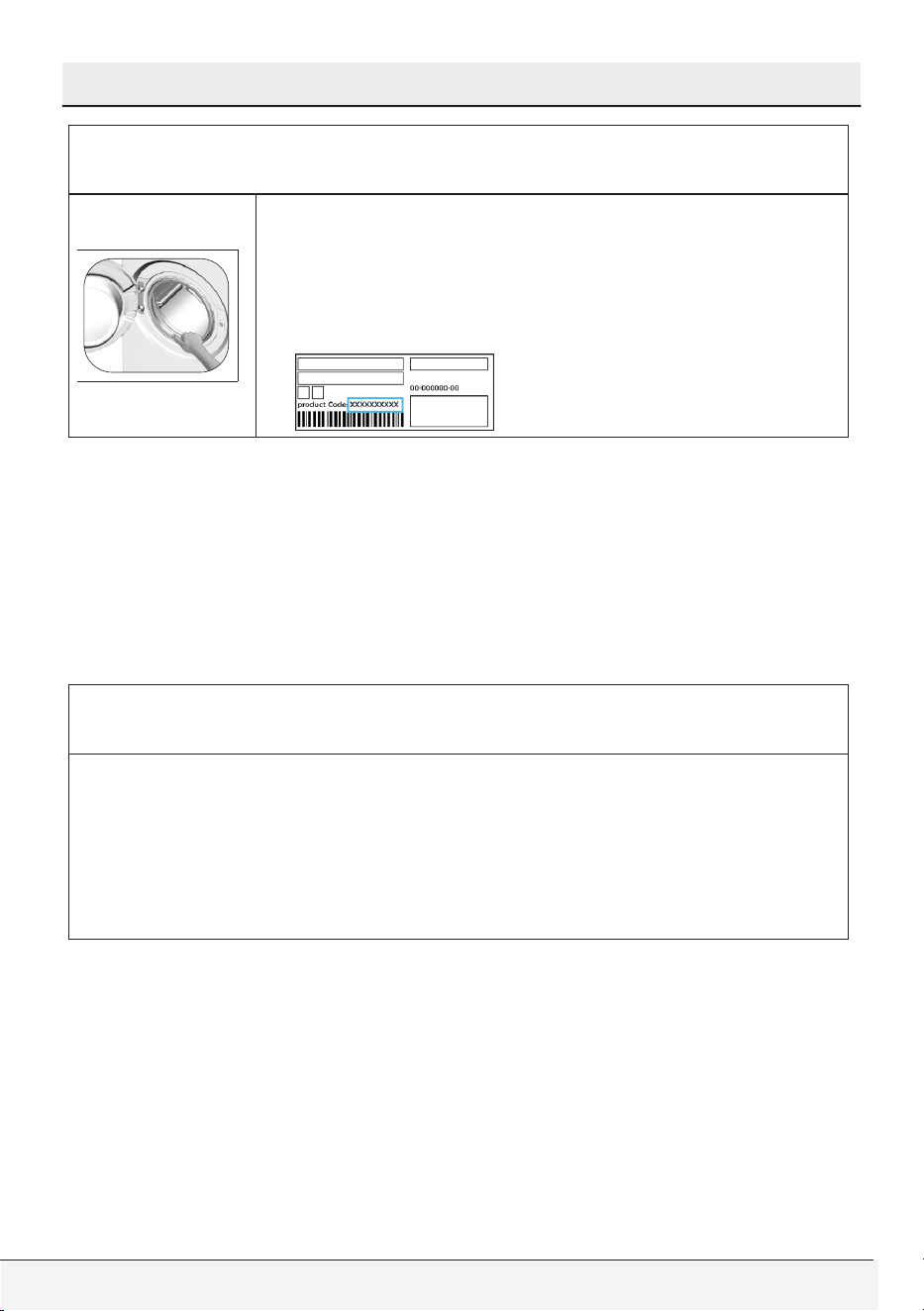
60 / English
Front-Loading Automatic Washer
Selecting a Program and Operating Your Washer
C
CAUTION
• Remote Control Application may require you to
type the product number shown on the product
label. You can find the product label inside of the
loading door. The product number will be shown
on this label.
Setting up a washing machine that is connected to someone
else’s account
If the washing machine you want to use, has been registered to the
system with someone else’s account, first create a new account for the
Remote Control registration and setup and open the HomeWhiz app
with this account. Follow the steps detailed in section “Remote Control
Set Up” after login and set up the appliance.
C
CAUTION
• Your product adding request shall be sent to the owner of the
product by e-mail. You may start to use the product in common
after the owner confirms. In addition, the owner of the product
may accept or reject the request sent by the app. Click on the
settings tab on the home page of the application. Enter the User
Matching Settings and the sent request is accepted if desired.
Deleting the Remote Control Account Match
Follow the following steps in order to delete a washing machine
previously matched with someone else’s account.
• Turn on your machine by using the On/Off button.
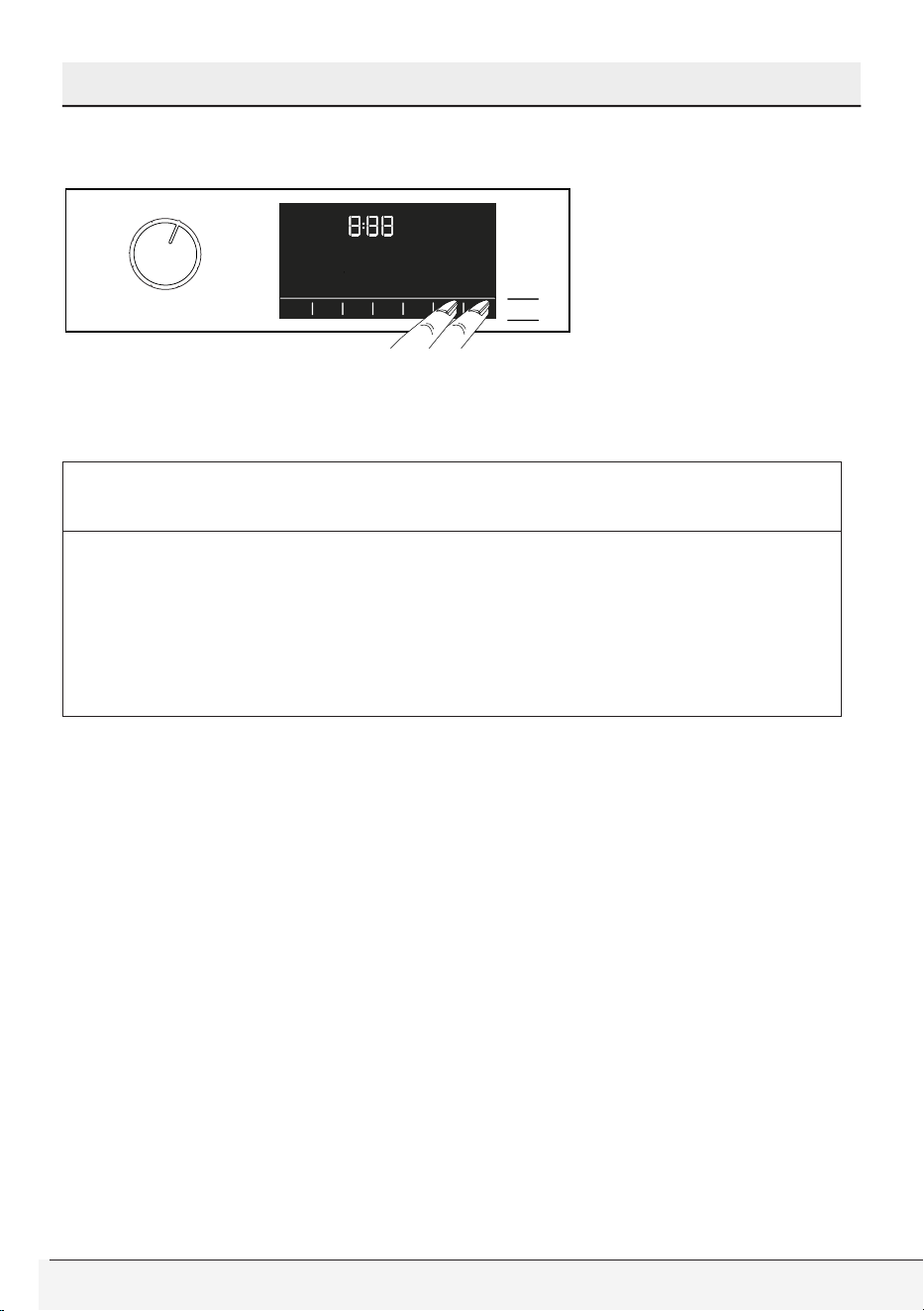
Owner’s Guide & Installation Instructions
61 / English
Selecting a Program and Operating Your Washer
• When your machine is running, push and hold the Remote Control
and End Time Setting buttons for 5 seconds.
• You will hear a beep to notify your request after the countdown
“5- 4- 3- 2- 1” on the screen. Deleting the match will take a few
seconds.
C
CAUTION
• After this operation, you cannot use the Remote Control function
of your washing machine until you do another setup.
• Your product does not need to be connected to the internet
in order to delete an account matching. Your request will be
received. This matching will be automatically deleted when the
product is first connected to the internet.
Remote Control function and its use
The wireless connection will automatically turn on after the Remote
Control setup. To activate or deactivate the wireless connection, see
“Wireless Connection”.
If you turn your washing machine off and on when the wireless connection
is active, the wireless connection will re-connect. In cases of changing
your network password or turning the modem off, the wireless connection
will automatically turn off. Therefore, you will need to re-open the wireless
connection when you want to use the Remote Control function.
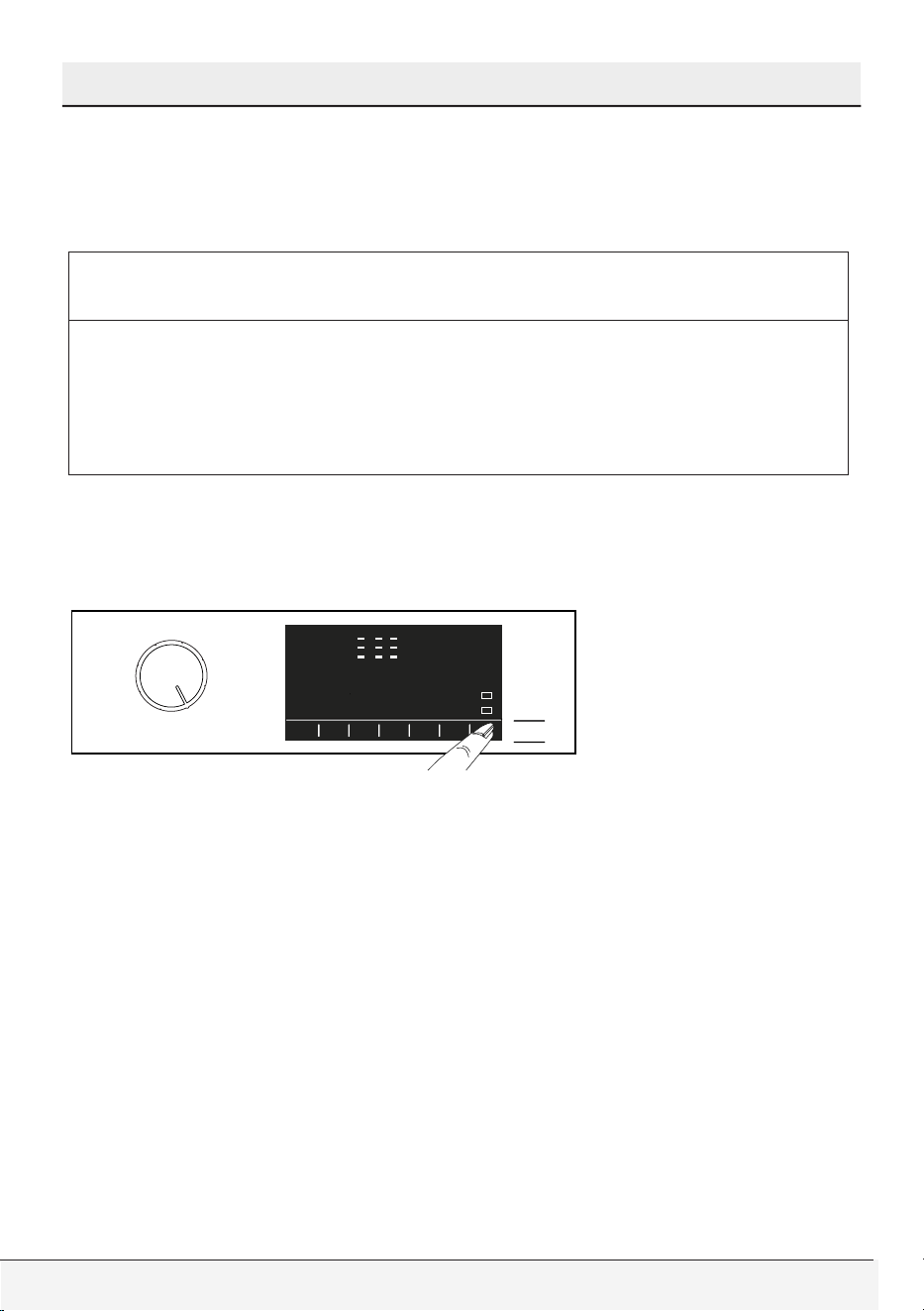
62 / English
Front-Loading Automatic Washer
Selecting a Program and Operating Your Washer
You can check your connection status with the wireless connection
symbol on the screen. If the symbol is continuously on, it means you
have internet connection. If the symbol is blinking, it means the machine
is trying to connect. If the symbol is off, you have no connection.
C
CAUTION
• When the wireless connection is on in your product, Remote
Control function will be selectable. If the Remote Control
function cannot be selected, check the connection status. If
the connection cannot be established, repeat the initial setup
settings on the appliance.
If you want to control your washing machine remotely, press Remote
Control button on the control panel and activate the Remote Control
function. Once access is established to the product, you will see a
screen similar to the one below.
When the Remote Control Function is on, only the machine can be
turned on and off and status can be tracked. And all functions except
child lock can be managed through the application.
You can follow whether the Remote Control function is on or off through
the function indicator on the display.
If the Remote Control function is Off, all the operations are handled
on the washing machine and only status follow-up is allowed on the
application.
Remote Control function may not be activated if the remote connection
is off or the product door is on.
When you activate this machine once on the washing machine, certain
conditions will remain in the external cycle and will operate whether or
not your machine is on or off and will give you the chance to check your
machine over the internet wherever you are.

Owner’s Guide & Installation Instructions
63 / English
Selecting a Program and Operating Your Washer
In certain cases, it deactivates itself for safety reasons:
• When your washing machine undergoes a power interruption
• When the door of the washing machine is opened,
• When the program knob is turned and a different program is
selected or the device is turned off.
Troubleshooting
Do the following if you have a problem with controlling or connection.
Observe whether the problem continues after the procedure you have
carried out or not. If the problem continues, perform the following steps.
• Check whether your smart appliance is connected to the relevant
home network.
• Close and reopen the product app.
• Enter settings on the menu and adjust the Wireless Connection: Off
status to Wireless Connection: On and re-connect via the application.
• If the connection cannot be established with the above steps,
repeat the initial setup settings on the washing machine.
Contact authorised service if the problem cannot be corrected.
Drum Illumination
Drum illumination lamp of your machine will light up during programme
selection. The lamp will go off 10 minutes after the programme starts. If
no programme is started or no key is pressed within 10 minutes during
programme selection process, the drum illumination lamp will go off.
Drum illumination lamp of your machine will light up after the
programme is completed. It will go off when you turn off your machine
with the Programme Selection Knob. The drum illumination lamp
will go off if you do not press any button within 10 minutes after the
programme has ended.
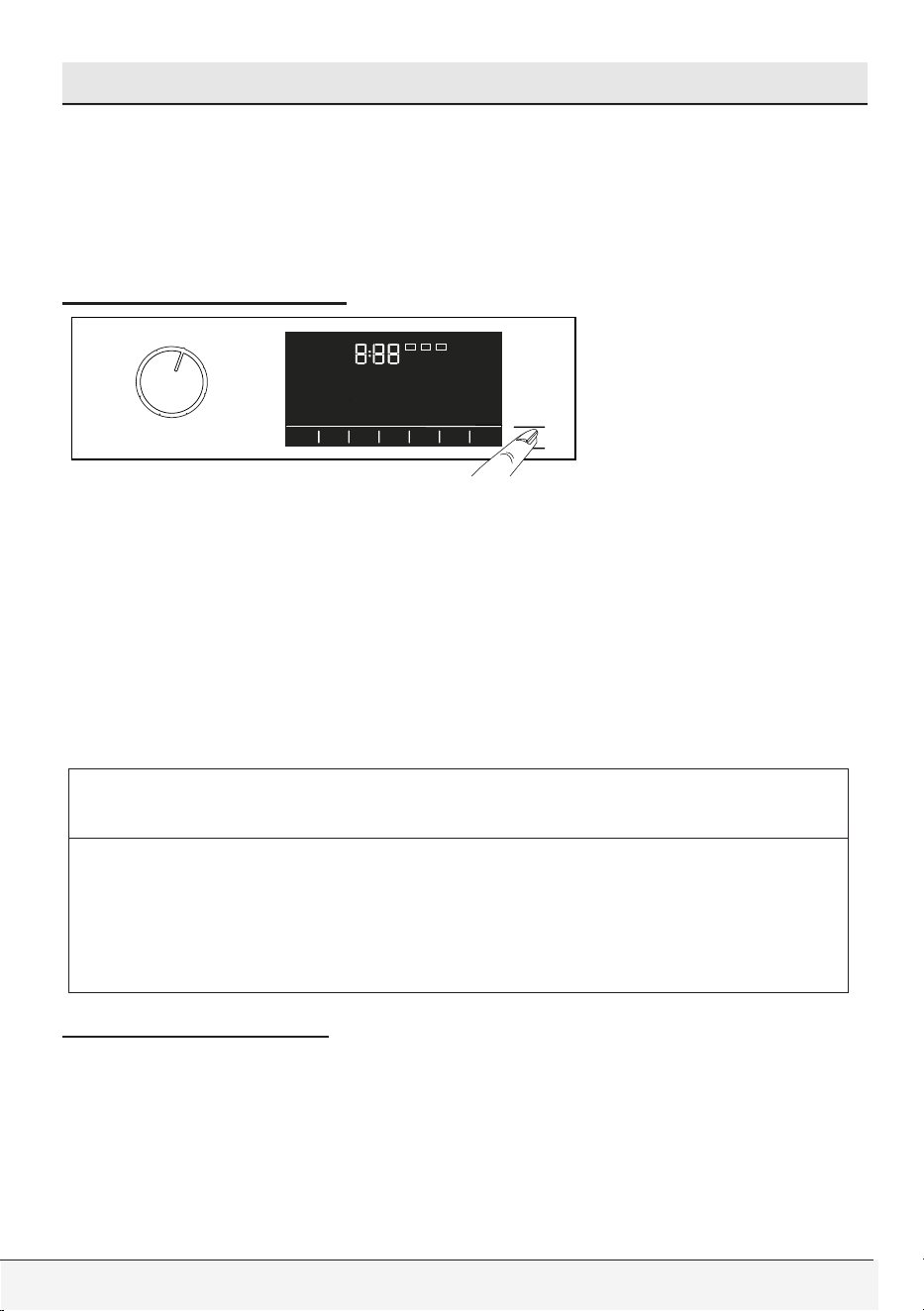
64 / English
Front-Loading Automatic Washer
6 Preparation
1. Turn on both hot and cold water faucets fully. Check and be sure
the water connection is tight.
2. Place the laundry in the drum.
3. Add laundry additives (e.g. detergent, fabric softener,bleach).
Starting the program
1. Close the door
2.
Press Start/Pause button to start the programme.
3. The Start/Pause button’s light which was off before starts to illuminate
steadily now, indicating that the programme has started.
4. Loading door is locked. The door lock symbol appears on the display
after the loading door is locked.
5. Programme follow-up indicator lights on the display will show the
current programme step.
C
CAUTION
• Before pressing the Start / Pause button please ensure that the
front door has been closed properly.
• If no program is started or no key is pressed within 10 minutes
during the program selection process. Display and all indicators
are turned off.
Door locking system
There is a locking system on the loading door of the machine that
prevents opening of the loading door in cases when the water level is
unsuitable.
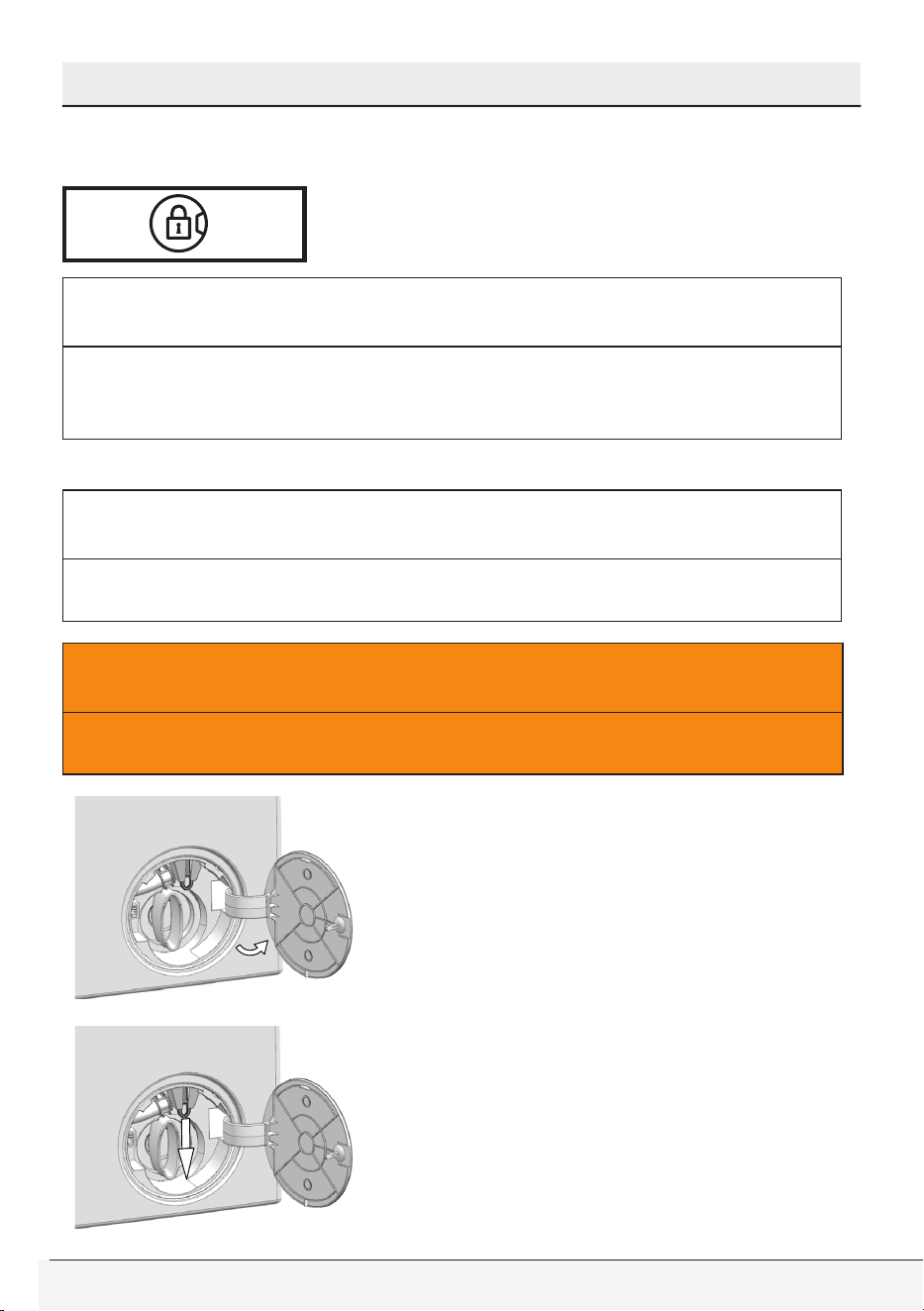
Owner’s Guide & Installation Instructions
65 / English
Preparation
“Door Locked” symbol appears on the display when the loading door
is locked.
C
CAUTION
• The door will be locked if Remote Control Function is selected.
Press the Remote Start button or deactivate the Remote Start
Function by changing the program position to open the door.
Opening the loading door in case of power failure
C
CAUTION
• In case of power failure, you can use the loading door emergency
handle under the pump filter cap to open the loading door manually.
A
WARNING
• To avoid any water overflow before opening the loading door,
make sure there is no water left inside the machine.
• Turn off and unplug the device.
• Open the pump filter lid.
• Pull the loading door emergency
handle with a tool and release it.
Then, open the loading door.
• Repeat the previous step if the
loading door does not open.
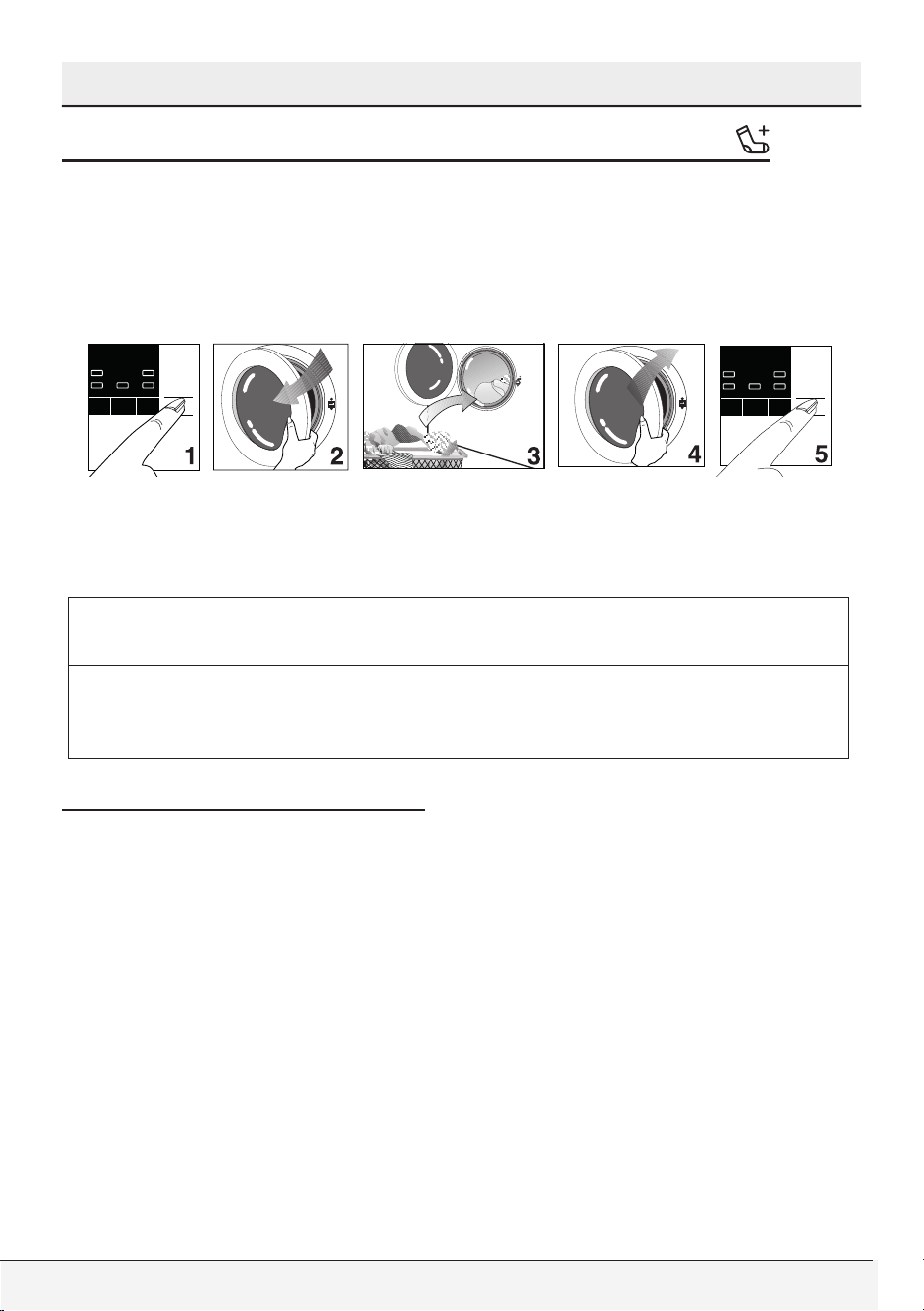
66 / English
Front-Loading Automatic Washer
Preparation
Adding laundry after the programme has started
If the water level in the machine is suitable when you press Start/Pause
button, the door lock will be deactivated and the door will open, allowing
you to add garments. The door lock icon on the display goes off when
the door lock is deactivated. After adding garments, close the door and
press Start/Pause button once again to resume the washing
If the water level in the machine is not suitable when you press Start/
Pause button, the door lock cannot be deactivated and the door lock
symbol on the display remains on.
C
CAUTION
• If the temperature of the water inside the machine is above 50°C,
you cannot deactivate the door lock for safety reasons, even if
the water level is suitable.
Cancelling the programme
Cancelling the programme
The programme is cancelled when programme selection knob is
turned to a different programme or machine is turned off and on again
using the programme selection knob.
Owner’s Guide & Installation Instructions
67 / English
Preparation
C
CAUTION
• If you turn the programme selection knob when the Child Lock is
enabled, the programme will not be cancelled. You should cancel
the Child Lock first.
• Your machine will end the programme when you turn the Programme
Selection knob; however, it does not drain the water inside.
• If you want to open the loading door after you have cancelled
the programme but if it is not possible to open the loading door
since the water level in the machine is above the loading door
baseline, then turn the Programme Selection knob to Pump+Spin
programme and drain the water in the machine.
• Depending on the step where the programme was canceled in, you
may have to put detergent and softener again for the programme
you have selected anew.
Re-spinning the laundry
If you want to re-spin the clothes:
1. Rearrange the previously placed clothes in the drum.
2. Select the spin program.
3. Adjust the spin speed.
End of programme
End symbol appears on the display when the programme is completed.
If you do not press any button for 10 minutes, the machine will switch to
OFF mode. Display and all indicators are turned off.
Completed programme steps will be displayed if you press any button.
68 / English
Front-Loading Automatic Washer
Preparation
Energy saving mode
If no action is taken for 10 minutes after turning on the product with
program selection knob or after the chosen programme ends, the
product will switch to energy saving mode automatically. Display and
all indicators are turned off. If you turn the Programme Selection knob
or touch any button, lights and display will switch back to previous
condition. The selections which you make when exiting from the
energy efficiency may change. Please check the correctness of your
selections before starting the programme. If necessary, please make
your settings again.
C
CAUTION
• This is a feature of this product, and not an error.
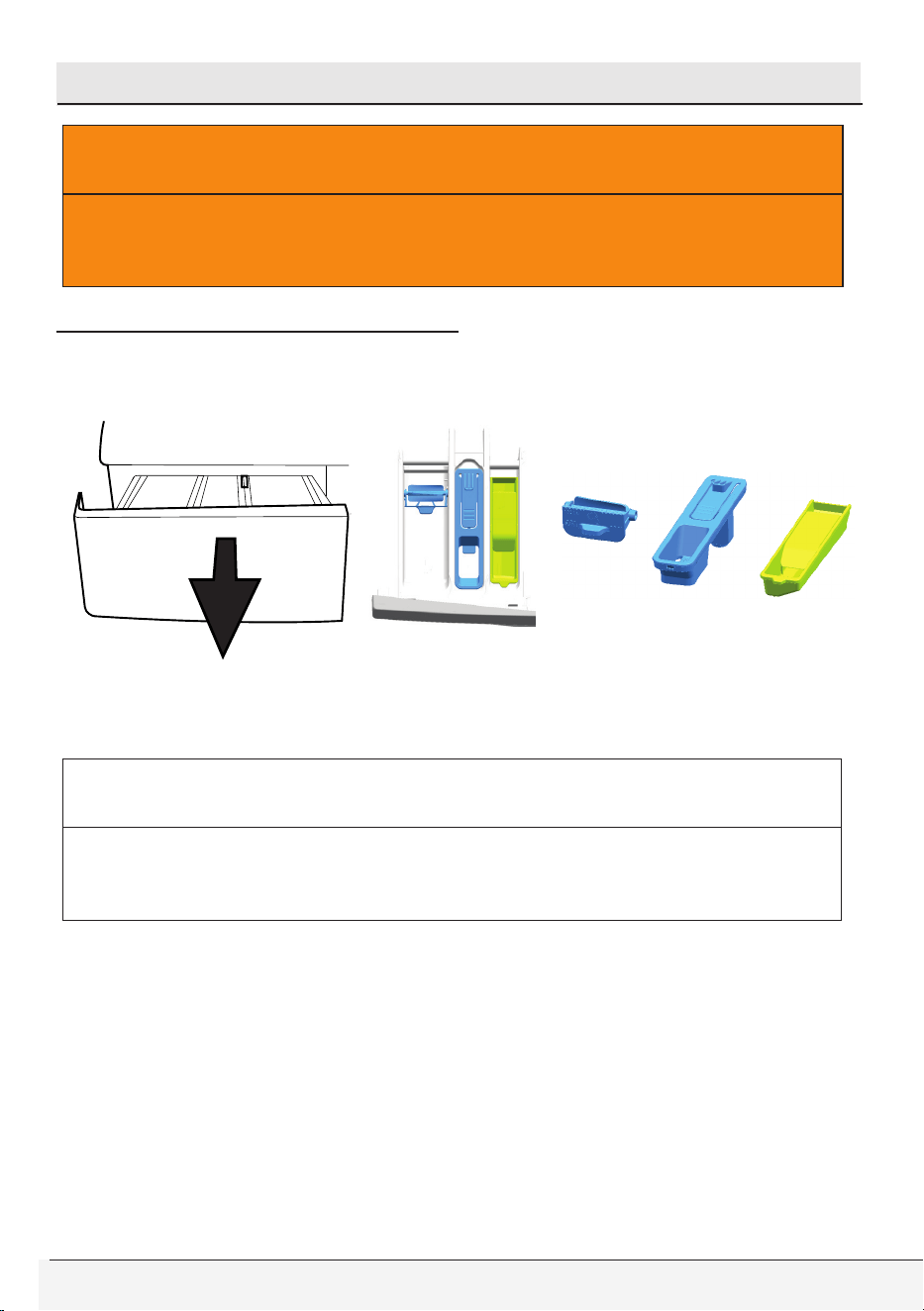
Owner’s Guide & Installation Instructions
69 / English
7 User maintenance instructions
A
WARNING
• Be sure to unplug the power cable before attempting
maintenance or cleaning of your appliance to minimize the risk of
electric shock.
Cleaning detergent dispenser
Remove any powder/liquid residue buildup in the dispenser drawer.
To do this;
1. Press the dotted point on the siphon of the softener compartment
and pull towards yourself until the it is removed from the dispenser.
C
CAUTION
• If more than a normal amount of water and softener/bleach
mixture starts to gather in the dispenser compartments,
dispenser must be cleaned.
2. Wash the dispenser drawer, liquid detergent apparatus, liquid chlorine
bleach container and siphon of softener under running warm water in a
sink etc. Wear protective gloves or use an appropriate brush or sponge
to avoid touching the detergent residues in the drawer when cleaning.
3. Replace the drawer into its housing after cleaning. Check if the siphon,
liquid detergent apparatus and liquid chlorine bleach container are in
their original locations.
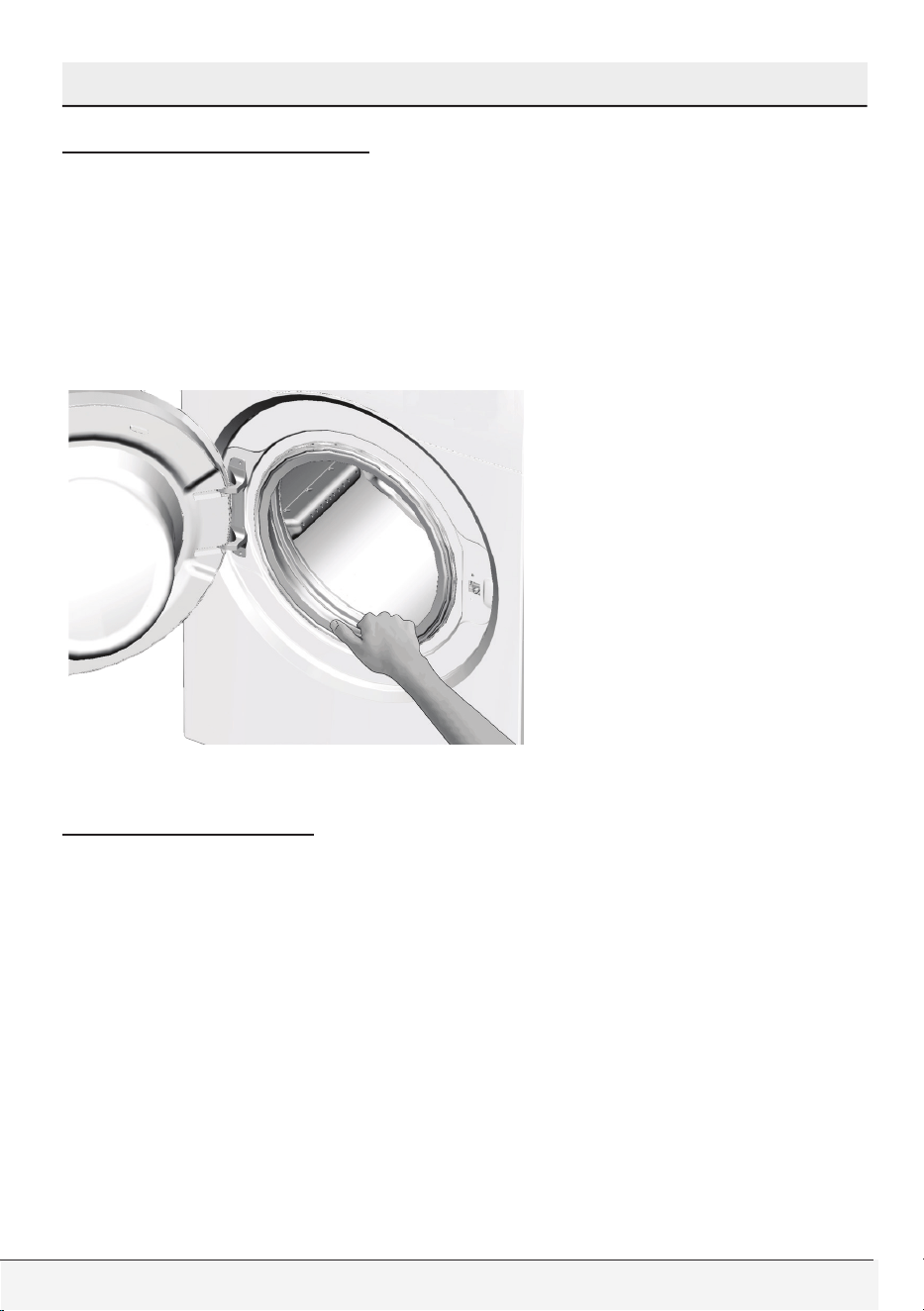
70 / English
Front-Loading Automatic Washer
User maintenance instructions
Cleaning the door seal
Be sure to check the rubber door seal after unloading your washer.
Pull the seal back to search for any foreign objects. Residual metal
objects such as pins and coins may form rust stains on rubber seal,
and cause the seal to leak.
Wipe the stained areas with soapy water using a damp cloth. Then
wipe with a dry cloth properly. Do not use an abrasive scrubbing
agent when cleaning rubber seal.
Cleaning the drum
Check the wash drum for any foreign objects after unloading your
washer. Residual metal objects such as pins and coins may form
rust stains on drum surface and your clothes. Do not use abrasive
materials while cleaning the inner surface of the drum. Use soapy
water with a damp cloth to wipe the inner surface, then dry it and
leave the door open to let inside dry properly.
"Tub Sanitize" cycle with extra rinse option should be used for
monthly cleaning of drum. To carry out this procedure select "Tub Sanitize"
Program.
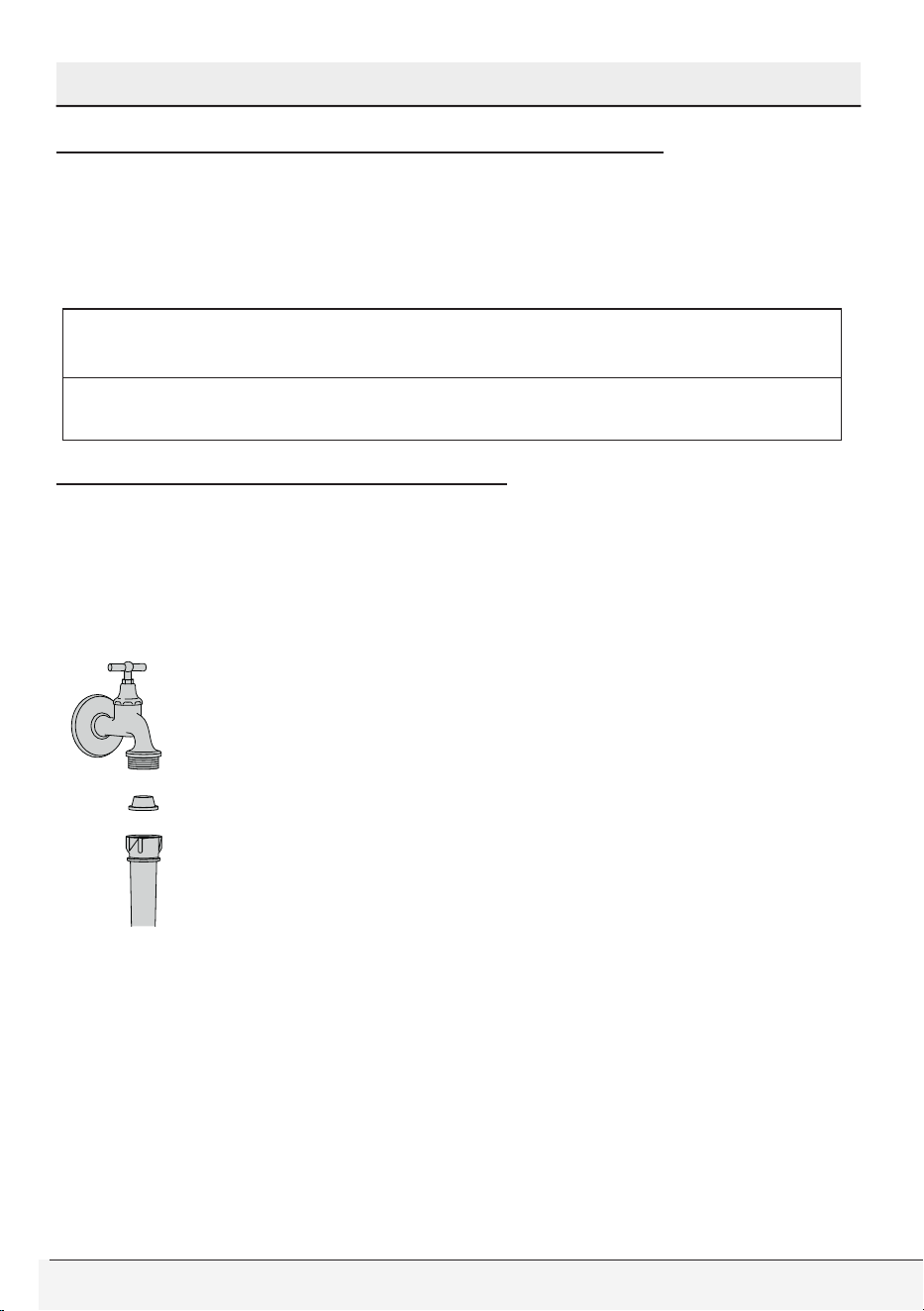
Owner’s Guide & Installation Instructions
71 / English
User maintenance instructions
Cleaning the outer cabinet and control panel
When necessary:
• Wipe the exterior panels of your washer with soapy water or mild
detergent. Dry it with a soft cloth.
• Use only a soft and damp cloth to clean the control panel.
C
CAUTION
• Never use a sponge or scrubbing material. These will damage the
painted and plastic parts.
Cleaning the water inlet strainers
There is a strainer at the end of each water inlet valve at the back
side of the washer and also at the end of each water inlet hose where
they are connected to the faucets. These strainers prevent the foreign
substances and dirt in the water to enter into the washer. Strainers
should be cleaned from time to time.
• Close the water faucets.
• Remove the nuts of the water inlet hoses to clean the
surfaces of the strainers on the water inlet valves with
an appropriate brush.
• If the strainers are very dirty, you can pull them out by
means of pliers and clean them.
• Take out the strainers on the flat ends of the water
inlet hoses together with the rubber seals and clean
thoroughly under running water.
• Replace the rubber seals and strainers carefully and tighten the
hose nuts by hand.
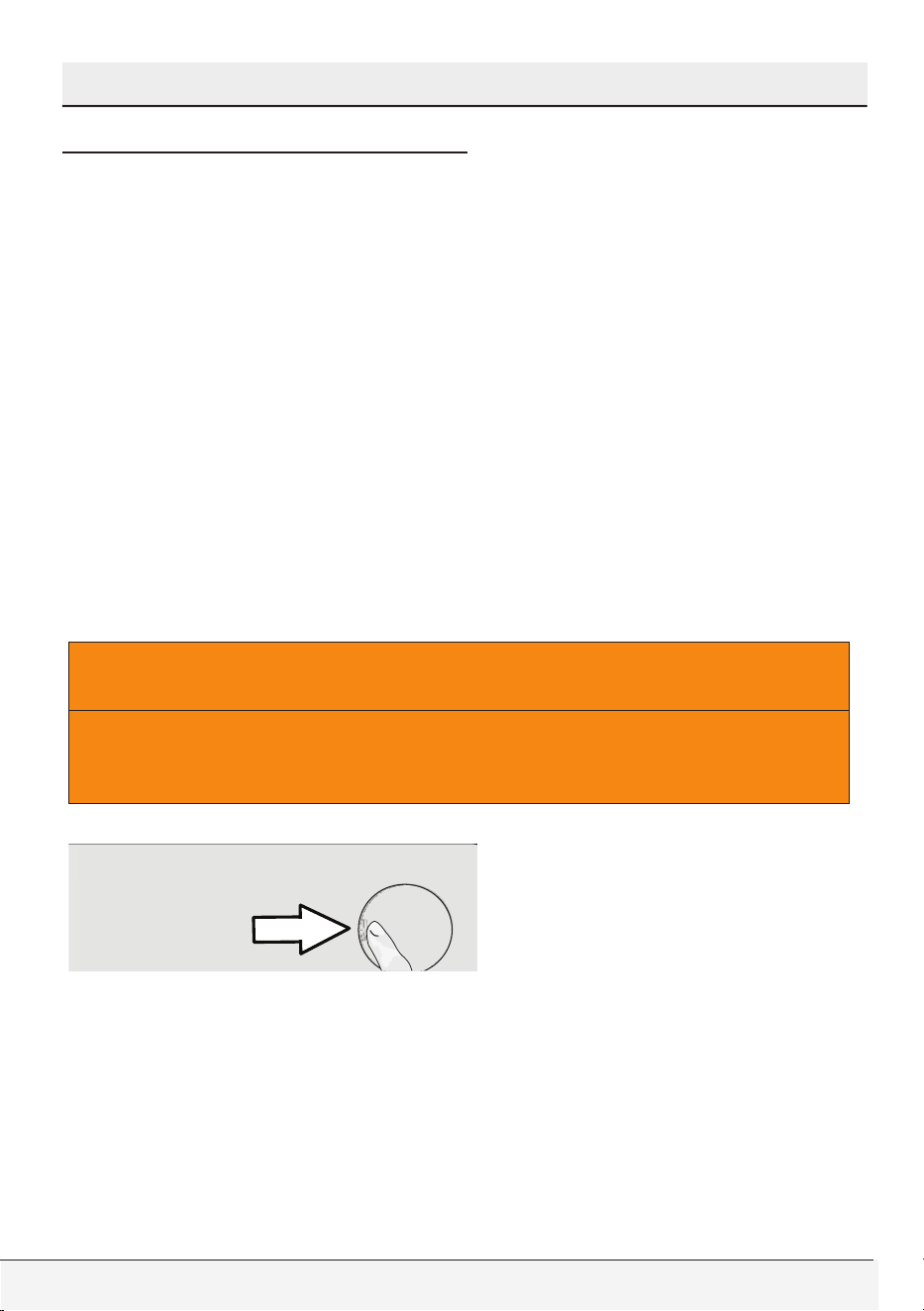
72 / English
Front-Loading Automatic Washer
User maintenance instructions
Cleaning the drain pump filter
Filter system in your washer prevents solid items such as buttons,
coins and fabric fibers clogging the pump impeller during discharging
of the washing water. Thus, a good water discharge is achieved and
the pump life is extended.
• If your washer fails to drain the water, the pump filter may be
clogged. You may have to clean it occasionally to prevent any
clogging. Water must be drained completely to clean the pump
filter.
In addition, water may have to be drained off completely in the
following cases:
• before transporting the appliance (e.g. when moving )
• when there is a danger of frost
In order to clean the dirty filter and discharge the water:
1. Disconnect or unplug the washer from the power supply.
A
WARNING
• There may be water at 158F (70°C) in the drum. Therefore, the
filter must be cleaned only after the inside water is cooled down
to avoid hazard of scalding.
2. Open the filter cover.
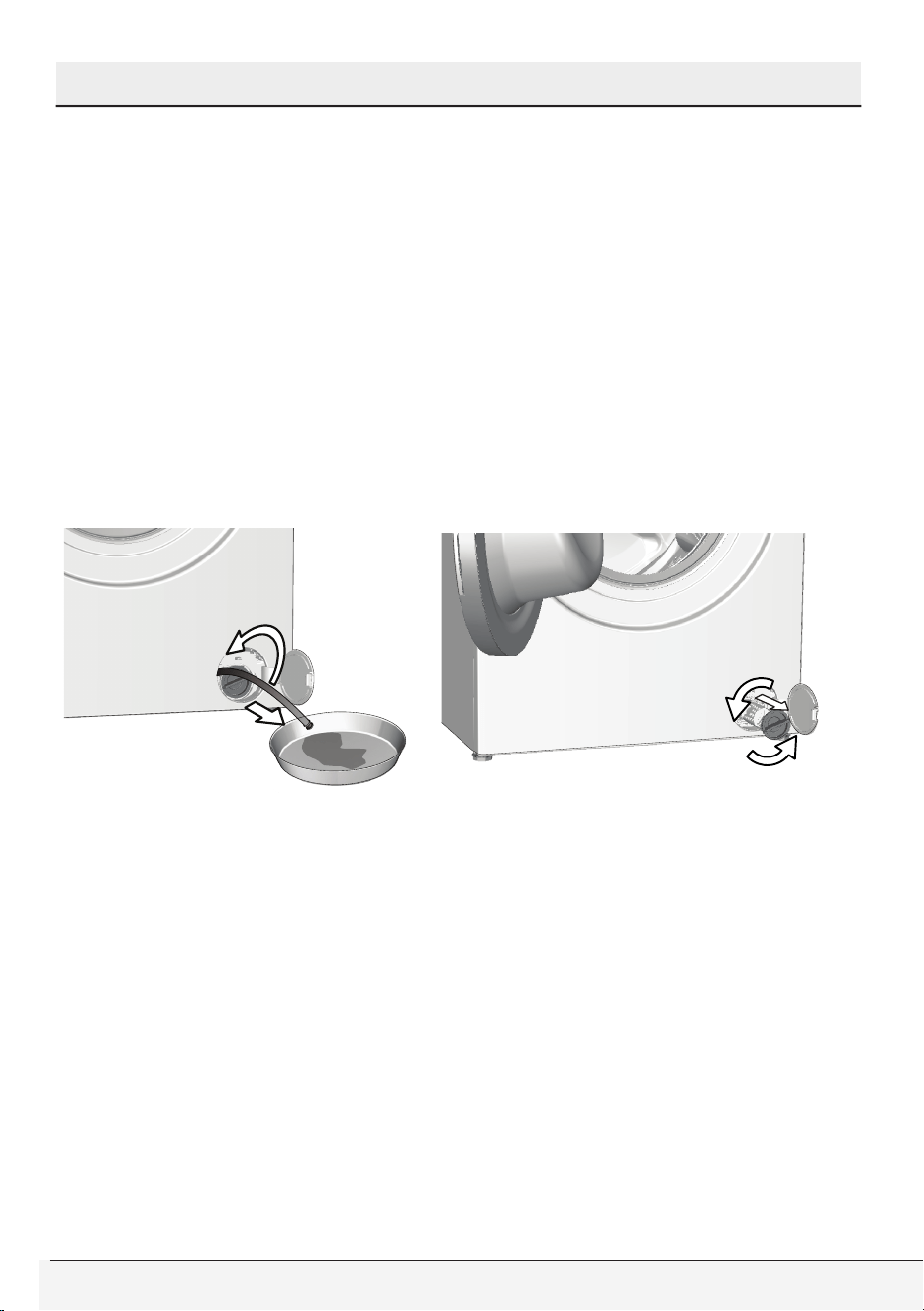
Owner’s Guide & Installation Instructions
73 / English
User maintenance instructions
3. Follow the below procedures in order to drain water.
Product has an emergency water draining hose, in order to
drain the water:
a Pull the emergency draining hose out from its seat
b Place a large container at the end of the hose. Drain the water
into the container by pulling out the plug at the end of the hose.
When the container is full, block the inlet of the hose by replacing
the plug. After the container is emptied, repeat the above
procedure to drain the water in the product completely.
c When draining the water is finished, close the end by the plug
again and fix the hose in place.
d Turn and remove the pump filter.
4. Clean any residues inside the filter as well as fibers, if any, around
the pump impeller region.
5. Replace the filter.
6. If the filter cap is composed of two pieces, close the filter cap by
pressing on the tab. If it is one piece, seat the tabs in the lower part
into place first, and then press the upper part to close.

74 / English
Front-Loading Automatic Washer
User maintenance instructions
Descaling the washer
Hard water can cause scale build-up inside the drum and other parts
of your washer in time. Scaling may lead to some serious problems
such as clogging in hoses, heater or pump failure eventually.
To prevent scaling, wash drum should be cleaned frequently. Do not
use abrasive materials such as metal wool while cleaning the drum.
Take the manufacturer’s instructions into account if you are using a
descaling agent. Descaling agents may contain materials that are
hazardous for washer components. Use descaling agents compatible
for use in clothes washers.
When using a powder descaling agent, add 1 cup to the main wash
compartment of the dispenser and run a regular hot cycle (with extra
rinse) without any clothes and detergents.
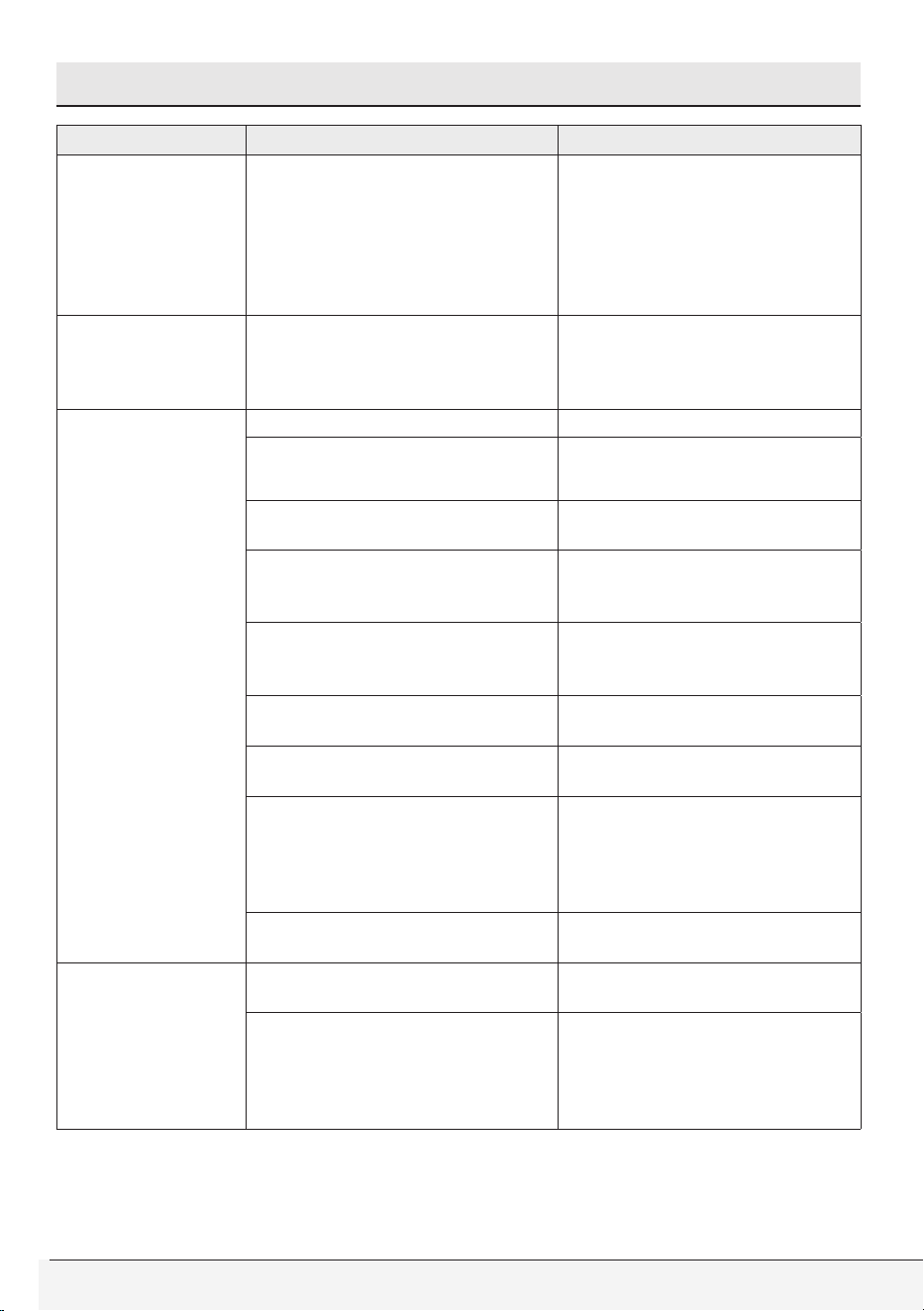
Owner’s Guide & Installation Instructions
75 / English
8 Troubleshooting
Problem Reason Solution
A program
cannot be
started or
selected.
The product may have
switched to self protection
mode due to a supply problem
(line voltage, water pressure,
etc.).
* To cancel the programme,
turn the Programme
Selection knob to select
another programme.
Previous programme will be
canceled. (See "Canceling
the program")
There is water
inside the
product.
Some water might have
remained in the product due to
the quality control processes
in the production.
* This is not a failure; water is
not harmful to the product.
Washer does not
fill with water or
wash after the
program was
selected and the
“Start/Pause/
Cancel” button
was pressed.
Faucets may be turned off. * Open the water faucets fully.
Water inlet hose may be
folded.
* Check the water inlet hose
and straighten if necessary.
Water inlet strainers might be
clogged.
* Clean the water inlet
strainers.
Is there power at the outlet?
* Call an electrician and have
the power outlet / circuit
breaker / fuse checked.
Washer might be unplugged.
* Plug the power cord to a live
electrical outlet.
Drain hose may be folded.
* Check the drain hose and
straighten if necessary.
Washer may be in handwash,
wools or soak cycle.
* Wait for a short time and
tumbling will start.
Drain pump filter or drain itself
may be clogged.
* Clean the drain pump filter
(See “User maintenance
instructions” ). If the house
drain pipes are clogged, call
a plumber for assistance.
Door may not be closed
properly.
* Close the loading door.
Washer does
not drain water
/ Washer drains
water slowly.
Drain hose may be folded. * Check the drain hose and
straighten if necessary.
Drain pump filter or drain itself
may be clogged.
* Clean the drain pump filter
(See “User maintenance
instructions” ). If the house
drain pipes are clogged, call
a plumber for assistance.
76 / English
Front-Loading Automatic Washer
Troubleshooting
Problem Reason Solution
Product vibrates
or makes noise.
Product might be standing
unbalanced.
* Stablize the product by
adjusting the feet.
A hard substance might have
entered into the pump filter.
* Clean the pump filter.
Transportation safety bolts are
not removed.
* Remove the transportation
safety bolts.
Laundry quantity in the
product might be too little.
* Add more laundry to the
product.
Excessive laundry might be
loaded in the product.
* Take out some of the laundry
from the product or distribute
the load by hand to balance
it evenly in the product.
Product might be leaning on a
rigid item.
* Make sure that the product is
not leaning on anything.
There is water
leaking from the
bottom of the
washer.
Inlet hose connections may be
leaking.
* Be sure the strainers and
rubber seals of the water
inlet hoses are solid and
securely fitted.
End of the drain hose may be
loosely inserted into the waste
pipe or sink.
* Tightly attach the drain hose
to the waste pipe or sink
(See “Installation Instructions,
Drainage”).
House drain may be clogged.
* If the house drain pipes are
clogged, call a plumber for
assistance.
Filter cap of the drain pump
may not be properly fitted.
* Make sure that the pump
filter cap is tightly closed.
Hose connections inside the
washer may be leaking.
* Internal hose connections
(e.g. dispenser hoses, drain
system) should be checked
by a service technician.
Product stopped
shortly after
the programme
started.
The machine might have
stopped temporarily due to
low voltage.
* Product will resume running
when the voltage is restored
to a normal level.
Product directly
discharges the
water it takes in.
Draining hose might not be at
an adequate height.
* Connect the water draining
hose as described in the
operation manual.
No water can be
seen in the drum
during washing.
Water is inside the invisible
part of the product.
* This is not a failure.
Owner’s Guide & Installation Instructions
77 / English
Troubleshooting
Problem Reason Solution
Loading door
cannot be
opened.
The cover lock is activated due
to the water level inside the
product.
* Drain the water by
running the Pump or Spin
programme.
Washer might be heating up
the water or it may be at the
spinning cycle.
* Wait until the process is over.
Loading door may be stuck
because of the pressure it is
subjected to.
* Grab the handle and push
and pull the loading door to
release and open it.
If there is no power, loading
door of the product will not
open.
* To open the loading door,
open the pump filter cap and
pull down the emergency
handle positioned at the rear
side of the said cap. See
“Door locking system”
Washing takes
longer than
specified in the
manual.(*)
Water pressure is low. * Product waits until taking
in an adequate amount
of water to prevent poor
washing quality due to the
decreased amount of water.
Therefore, the washing time
extends.
Supply voltage might be low. * Washing time is prolonged to
avoid poor washing results
when the supply voltage is
low.
Input temperature of the water
might be low.
* Required time to heat up
the water extends in cold
seasons. Also, washing time
can be lengthened to avoid
poor washing results.
Number of rinse cycles and/
or amount of rinse water might
have increased.
* Product increases the
amount of rinse water when
good rinsing is needed and
adds an extra rinsing step if
necessary.
Excessive foam might have
occurred and the automatic
foam absorption system might
have been activated due to too
much detergent.
* Use the recommended
amount of detergent.
There may be an imbalance of
load in the drum.
* The automatic spin
correction system might have
been activated due to the
unbalanced distribution of
the laundry in the drum.
78 / English
Front-Loading Automatic Washer
Troubleshooting
Problem Reason Solution
Programme
time does not
countdown. (On
models with
display) (*)
Timer may stop during water
intake.
* Timer indicator will not
countdown until the product
takes in an adequate amount
of water. The product will
wait until there is a sufficient
amount of water to avoid
poor washing results due to
lack of water. Timer indicator
will resume countdown after
this.
Timer may stop during the
heating step.
* Timer indicator will not
countdown until the product
reaches the selected
temperature.
Timer may stop during
spinning step.
* The automatic unbalanced
load detection system might
be activated due to the
unbalanced distribution of
laundry in the product.
Product does
not switch to
spinning step. (*)
There might be an unbalanced
load in the product.
* The automatic unbalanced
load detection system might
be activated due to the
unbalanced distribution of
laundry in the product.
The product will not spin
if water is not drained
completely.
* Check the filter and the
draining hose.
Excessive foam might have
occurred and automatic foam
absorption system might have
been activated due to too
much detergent.
* Use recommended amount
of detergent.
“No spin” setting may be
adjusted.
* See “Spin Speed Selection”.
Drain pump filter or drain itself
may be clogged.
* Clean the drain pump filter
(See “User maintenance
instructions” ). If the house
drain pipes are clogged, call
a plumber for assistance.
Owner’s Guide & Installation Instructions
79 / English
Troubleshooting
Problem Reason Solution
Washing
performance is
poor: Laundry
turns
Grey. (**)
Insufficient amount of
detergent has been used over
a long period of time.
* Use the recommended
amount of detergent
appropriate for water
hardness and type of laundry.
Washing was made at low
temperatures for a long time.
* Select the proper
temperature for the type of
laundry to be washed.
Insufficient amount of
detergent is used with hard
water.
* Using insufficient amount of
detergent with hard water
causes the soil to stick on
the cloth and this turns the
cloth grey over time. It is
difficult to eliminate greying
once it happens. Use the
recommended amount of
detergent appropriate for
water hardness and the type
of laundry.
Excessive amount of detergent
was used.
* Use the recommended
amount of detergent
appropriate for water
hardness and type of laundry.
Washing
performance
is poor: Stains
persist or the
laundry is not
whitened. (**)
Insufficient amount of
detergent is used.
* Use the recommended
amount of detergent
appropriate for water
hardness and the type of
laundry.
Excessive laundry was loaded
in.
* Do not load the product to
excess. Load with amounts
recommended in the
"Program and consumption
table".
Wrong programme and
temperature were selected.
* Select the proper programme
and temperature for the
laundry to be washed.
Wrong type of detergent is
used.
* Use detergent appropriate
for the product.
Excessive amount of detergent
was used.
* Put the detergent in the
correct compartment. Do not
mix the bleaching agent and
the detergent.
80 / English
Front-Loading Automatic Washer
Troubleshooting
Problem Reason Solution
Washing
performance
is poor: Stains
could not
be removed.
Laundry could
not be whitened.
Wrong program cycle and
temperature might have been
selected.
* Select the proper program
cycle and temperature for the
laundry to be washed (See
“Laundry Tips” & “Program
Cycle Selection”).
Using insufficient amount of
detergent.
* Use the recommended
amount of HE detergent
appropriate for water
hardness and soil level of
laundry.
Using wrong type of detergent.
* Use liquid detergent for
cold wash cycle for good
wash results. Use proper
detergents recommended for
wools, handwashable and
delicate items.
Mixing different sorts of items.
* Sort the laundry according to
care labels and user manual
(See “Laundry Tips”).
Mixing different types of
laundry additives.
* Put the detergent in the
correct compartment of
dispenser (See “Detergent
Dispenser”).
* Do not mix detergent with
bleaching agent or fabric
softener.
Excessive laundry may be
loaded into washer.
* Do not load the washer in
excess.
Detergent
residue left on
the laundry.
Excessive laundry might have
been loaded in.
* Do not load the washer in
excess.
Wrong program cycle and
temperature might have been
selected.
* Select the proper program
cycle and temperature for the
laundry to be washed (See
“Laundry Tips” & “Program
Cycle Selection”).
Using powder or granular
detergents in cold water
washing may leave residue on
wash load.
* Use a liquid detergent when
washing in cold water.
Use proper detergents
recommended for wools,
handwashable and delicate
items.
Owner’s Guide & Installation Instructions
81 / English
Troubleshooting
Problem Reason Solution
Washing
performance
is poor: Oily
stains appear on
laundry.
Oily accumulations of prior
wash cycles on the drum may
have stuck to the laundry.
* Washer must be operated
empty at “Tub Sanitize” cycle
with detergent.
The detergent may have
been placed into the wrong
compartment; the detergent
may be mixed with the
softener.
* Softener should not come
into contact with detergent
when being added.
Washing
performance
is poor:
Clothes smell
unpleasant. (**)
Odours and bacteria layers are
formed on the drum as a result
of continuous washing at lower
temperatures and/or in short
programmes.
* Leave the detergent drawer
as well as the loading door
of the product ajar after each
washing. Thus, a humid
environment favorable for
bacteria cannot develop in
the machine.
Color of the
clothes is faded.
(**)
Excessive laundry was loaded
in.
* Do not load the product to
excess.
Detergent in use is damp. * Keep detergents closed
in an environment free
of humidity and do not
expose them to excessive
temperatures.
Exposure of laundry to
undiluted liquid chlorine
bleach.
* Do not pour undiluted
liquid bleach onto laundry.
Always pour it into bleach
compartment of the
dispenser prior to beginning
of the wash cycle .
* Do not overfill the bleach
compartment. Fill up to max
line at the most.
A higher temperature is
selected.
* Select the proper programme
and temperature according
to the type and soiling
degree of the laundry.
82 / English
Front-Loading Automatic Washer
Troubleshooting
Problem Reason Solution
Rinsing
performance is
poor.
Intermediate spins may be
skipped.
* There may be an imbalance
of laundry in the machine.
The laundry in the drum
may be tangled up too
much. Laundry should be
rearranged and re-spun. No
spinning is performed when
the laundry is not evenly
distributed in the drum to
prevent any damage to
the appliance and to its
environment.
The amount and storage
conditions of the detergent
used might not be appropriate.
* Store detergents in a cool
and dry place. Do not
keep them under high
temperatures.
Not using HE detergent * Use HE detergent.
Using excessive amount of
detergent
* Reduce the amount of
detergent.
Drain hose may be folded.
* Check the drain hose and
straighten if necessary.
Drain pump filter or drain itself
may be clogged.
* Clean the drain pump filter
(See “User maintenance
instructions” ). If the house
drain pipes are clogged, call
a plumber for assistance.
Laundry became
stiff after
washing. (**)
Insufficient amount of
detergent is used.
* Using an insufficient amount
of detergent for the water
hardness can cause the
laundry to become stiff
over time. Use appropriate
amount of detergent
according to the water
hardness.
Detergent is put in the wrong
compartment.
* If detergent is put in the
prewash compartment when
the prewash cycle is not
selected, the product can
take this detergent during the
rinsing or softener step. Put
the detergent in the correct
compartment.
Detergent might be mixed with
the softener.
* Do not mix the softener with
detergent. Wash and clean
the dispenser with hot water.
Owner’s Guide & Installation Instructions
83 / English
Troubleshooting
Problem Reason Solution
Laundry does
not smell like the
softener. (**)
Detergent is put in the wrong
compartment.
* If detergent is put in the
prewash compartment
when the prewash cycle is
not selected, the product
can take this detergent
during the rinsing or softener
step. Wash and clean the
dispenser with hot water. Put
the detergent in the correct
compartment.
Detergent might be mixed with
the softener.
* Do not mix the softener with
detergent. Wash and clean
the dispenser with hot water.
Softener might have been
released early.
* You may have added too
much softener beyond max
fill line.
* The detergent dispenser
might be problematic. Water
may be siphoned (pulling
the softener into the washer
early) during the fill or rinse
cycles.
* There might be problems
with the water inlet valves.
Detergent
residue in
the detergent
drawer. (**)
Detergent is put in a wet
drawer.
* Dry the detergent drawer
before putting in detergent.
Detergent has gotten damp. * Keep detergents closed in an
environment free of humidity
and do not expose them to
excessive temperatures.
Water pressure is low. * Check the water pressure.
The detergent in the main
wash compartment got wet
while taking in the prewash
water. Holes of the detergent
compartment are blocked.
* Check the holes and clean if
they are clogged.
There is a problem with the
detergent drawer valves.
* Call the Authorized Service
Agent.
Detergent might be mixed with
the softener.
* Do not mix the softener with
detergent. Wash and clean
the dispenser with hot water.
Regular drum cleaning is not
performed.
* Clean the drum regularly. For
this procedure, please see
"Cleaning the loading door
and the drum".
84 / English
Front-Loading Automatic Washer
Troubleshooting
Problem Reason Solution
Too much foam
forms inside the
product. (**)
Not using HE detergent * Use HE detergent.
Excessive amount of detergent
is used.
* Use only a sufficient amount
of detergent.
Detergent was stored under
improper conditions.
* Store detergent in a closed
and dry location. Do not
store in excessively hot
places.
Some meshed laundry such
as tulle may cause too much
foam because of their texture.
* Use smaller amounts of
detergent for this type of
item.
Detergent is put in the wrong
compartment.
* Put the detergent in the
correct compartment.
Softener is being taken early
by the product.
* There may be problem in
the valves or detergent
dispenser. Call the
Authorized Service Agent.
Foam is
overflowing from
the detergent
drawer / Washer
is completely full
of suds.
Not using HE detergent /
Using excessive amount of
detergent
* Push “Start/Pause/Cancel”
button. Mix 2 cups of water
with 1-2 tablespoon of
fabric softener and pour it
into detergent dispenser.
Push “Start/Pause/
Cancel” button again.
Use proper amount of HE
detergent next time you
operate the washer.
* Use detergent suitable for
the programs and maximum
loads indicated in the
“Program and consumption
table”. When you use
additional chemicals (stain
removers, bleaches, etc.),
reduce the amount of
detergent.
Load is still too
soapy / Washer
is full of suds
at the end of
program.
Not using HE detergent /
Using excessive amount of
detergent
* Do not unload the washer.
Operate a quick wash cycle
(e.g. Delicates, Wools)
without any detergent.
Add 1-2 tablespoon of
fabric softener into main
wash compartment of
detergent dispenser
during water intake.
Use proper amount of HE
detergent next time you
operate the washer.
Owner’s Guide & Installation Instructions
85 / English
Troubleshooting
Problem Reason Solution
Laundry remains
wet at the end of
the programme.
(*)
Excessive foam might have
occurred and automatic foam
absorption system might have
been activated due to too
much detergent.
* Use the recommended
amount of detergent.
Unbalance detection due to
small amount of laundry inside
the drum and/or uneven load
distribution.
* Add more laundry (e.g. a
few additional towels) to the
drum and start a “Spin” or
“Spin&Drain” cycle.
Poor spinning results due to
not using HE detergent / using
excessive amount of detergent
* Use proper amount of HE
detergent.
Washer fills with
water when
a process is
cancelled.
There may be hot water inside
washer.
* For safety reasons, water
should be cycled in and out
a couple times.
Time delay
function does
not work.
Door may not be closed
properly.
* Close the loading door.
The door will not
lock/door led
remains OFF.
Door is not properly closed/
Door hinge is not aligned with
lock switch.
* Check for excessive laundry
avoiding the door to be
closed. Push and/or shut the
loading door firmly until it is
properly closed.
Clothes get
tangled up too
much in the
drum when
washing.
Excessive laundry might have
been loaded in.
* Do not load the washer in
excess.
Washing many items of the
same type or size of clothes
together.
* Load the wash drum with
items of different sizes.
Load is wrinkled.
Delay in unloading the washer.
* Unload the washer as soon
as the wash cycle ends.
Wrong program cycle might
have been selected.
* Select the proper program
cycle for the laundry to
be washed (See “Laundry
Tips” & “Program Cycle
Selection”).
Excessive laundry might have
been loaded in.
* Do not load the washer in
excess.
86 / English
Front-Loading Automatic Washer
Troubleshooting
Problem Reason Solution
Washer does
work. Nothing is
displayed on the
screen.
The plug might not be plugged
in the wall power outlet.
* Check the plug.
Fuse may have blown.
* Check the fuse / circuit
breaker.
Power may be cut off. * Check the supply power.
(*) The product does not switch to the spinning step when the laundry is not
evenly distributed in the drum to prevent any damage to the product and to
its surroundings. Laundry should be rearranged and re-spun.
(**) Regular drum cleaning is not performed. Clean the drum regularly. See
“Cleaning the loading door and the drum”
C
CAUTION
• If you cannot eliminate the problem despite following the
instructions in this section, consult your dealer or the Authorized
Service Agent. Never try to repair a nonfunctional product
yourself.
A
WARNING
• Check the HomeWhiz section for the relevant troubleshooting
information.

Owner’s Guide & Installation Instructions
87 / English
9 WARRANTY STATEMENT FOR THE BEKO
CLOTHES WASHERS
The warranties provided by Beko in these statements only apply to Beko washers sold to the original purchaser or homeowner in
the US and Canada. The warranty is not transferable. To obtain warranty service, please contact our nearest distributor as listed by
state. You will need your washer model number, serial number, retailer name and address, where purchased and purchase date /
installation date. This warranty gives you specific legal rights, and you may also have other rights which vary from state to state.
2 years* limited warranty from date of first installation (with a valid proof of purchase), Beko will repair or replace at no cost to the
consumer any defective parts of the washer if used under normal household conditions (warranty is void if the product is used
commercially e.g., bed + breakfast, nursing home etc.). Service must also be performed by an authorized Beko service agency.
(Cosmetic defects must be reported within 10 business days from installation)
5 year * ++ limited warranty from date of first installation (parts only 2-5 years) Beko will repair or replace any circuit boards or
washer drum (excluding any plastic attachments) at no cost to the consumer if material defects or workmanship have caused
the damage or failure of these components. The washer must have been used under normal household conditions and not
commercially (Labor charges are the responsibility of the consumer)
Lifetime limited warranty from date of first installation * ++ (parts only) Beko will repair or replace to the original owner the
stainless steel drum if rust through occurs under normal household use and normal water conditions (no excessive chlorine). Beko
may, at its option, also replace the whole washer with the same and/or equivalent model with equal or better functionality if the
original model is no longer available. (Labor, removal and installation charges are the responsibility of the consumer.)
Disclaimers of warranties and exclusions:
Warranty does not cover service costs by an authorized service agent to correct installation, electrical and plumbing problems or
educational instruction on the use of the washer. The warranty also does not cover defects or damage caused by an act of god
(such as storms, floods, fires, mudslides, etc.), damage cause by use of the washer for purposes other than those for which it was
designed, misuse, abuse, accident, alteration, improper installation, maintenance, travel fees, service calls outside normal service
hours, unauthorized service work or work.
This product is fully tested and went through official quality assurance inspections before leaving the original manufacturing
site. Warranty terms for this Beko household appliance is not valid if the product is altered, tampered, modifed, additional parts
assembled, fixed and re-packed by an authorized distributor, servicer, a third party retailer, reseller or by any other unauthorized
person(s)”
TO THE EXTENT PERMITTED BY LAW, THIS WARRANTY IS IN LIEU OF ALL OTHER EXPRESSED AND IMPLIED WARRANTIES,
INCLUDING THE IMPLIED WARRANTIES OF MERCHANTABILITY AND FITNESS FOR A PARTICULAR PURPOSE. BEKO UNDERTAKES
NO RESPONSIBILITY FOR THE QUALITY OF THIS PRODUCT EXCEPT AS OTHERWISE PROVIDED IN THIS WARRANTY STATEMENT.
BEKO ASSUMES NO RESPONSIBILITY THAT THE PRODUCT WILL BE FIT FOR ANY PARTICULAR PURPOSE FOR WHICH YOU MAY BE
BUYING THIS PRODUCT, EXCEPT AS OTHERWISE PROVIDED IN THIS WARRANTY STATEMENT.
Beko does not assume any responsibility for incidental or consequential damages. Such damages include, but are not limited
to, loss of profits, loss of savings or revenue, loss of use of the washer or any associated equipment, cost of capital, cost of any
substitute equipment, facilities or services, downtime, the claims of third parties, and injury to property. Some states do not allow
the exclusion or limitation of incidental or consequential damages, so the above limitations or exclusion may not apply to you.
* installation date shall refer to either purchase date or 5 business days after delivery of the product to the home, whichever is
later.
++Parts replaced will assume the identity of the original parts + their original warranty.
No Other Warranties. This Warranty Statement is the complete and exclusive warranty from the manufacturer. No employee of Beko
or any other party is authorized to make any warranty in addition to those made in this Warranty Statement.
www.beko.us www.beko.us

88 / English
Front-Loading Automatic Washer
10 HOW TO GET SERVICE
Please contact your local authorized Beko dealer, or call our Toll Free
Customer Hotline number at 1-888-352 BEKO (2356) for direction to
an Authorized Beko Service Agent or contact via http://www.beko.
us . You can also look up for authorized dealer list at “Where To Buy”
section at the website for further reference.