PACKAGE CONTENTS
Before using your new product, please read these instructions to prevent any damage.
NS-XCHRG2
QUICK SETUP GUIDE
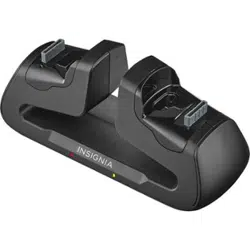
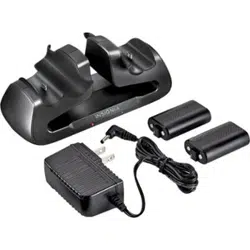
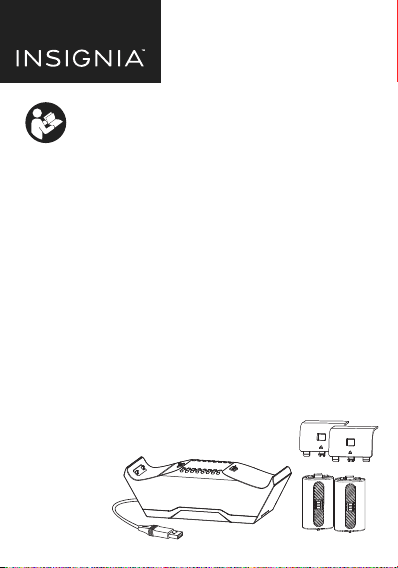
Dual Controller Charging System
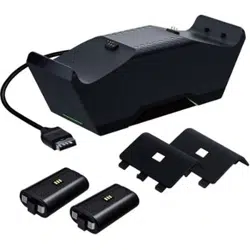
Rechargeable Battery Packs (2)
Black Battery Covers for Xbox Series X | S (2)
Quick Setup Guide
•
•
•
•
Please see www.insigniaproducts.com for the latest
Quick Start Guide and troubleshooting.
DUAL CONTROLLER
CHARGING SYSTEM
FOR XBOX® SERIES X | S

FEATURES
Charges two Xbox Series X | S controllers
Sturdy weighted base with anti-slip rubber feet
LED charging indicators
Rechargeable battery eliminates disposable batteries
1200mAh pack lets you play longer between charges
Powered by USB cable (4 ft)
Fully UL-certied battery cell
Incorrect battery use may result in battery leakage, overheating, or explosion.
When using batteries, make sure that you follow these instructions:
Keep batteries out of the reach of children.
Do not heat, open, puncture, mutilate, or dispose of batteries in re.
If a battery leaks, remove the battery, taking care to keep the leaked
uid from touching your skin or clothes. If uid from the battery comes
into contact with skin or clothes, ush skin with water or remove the
clothing immediately. Before inserting a new battery, thoroughly clean
the controller with a damp paper towel.
Do not allow metal objects to touch the battery terminals, because they
can become hot and cause burns. For example, do not carry the battery
in a pocket with keys or coins.
Remove the battery when the product will not be used for an extended
period of time.
SAFETY INFORMATION
SETTING UP THE BATTERY PACK
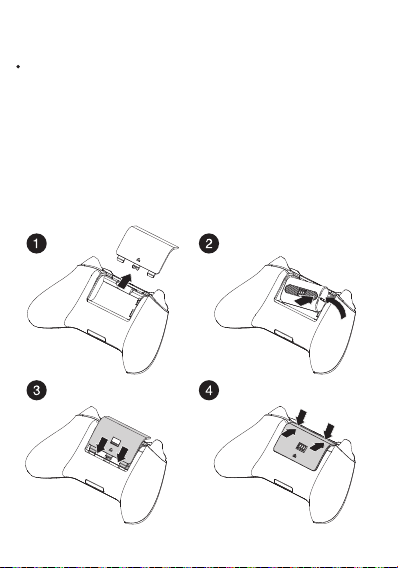
Open the battery cover and insert the rechargeable battery pack into the
battery compartment as shown below. The contacts should be facing left
and the charge contact should be facing outward. Replace with supplied
battery cover.
Warning: If you nd that the battery is requiring force or does not t
correctly, do not force the battery in. Carefully reevaluate the position
of the battery and try again - the battery should not be forced into the
controller.
1
Tabs
Metal charging contact
USING THE CHARGING SYSTEM
2
3
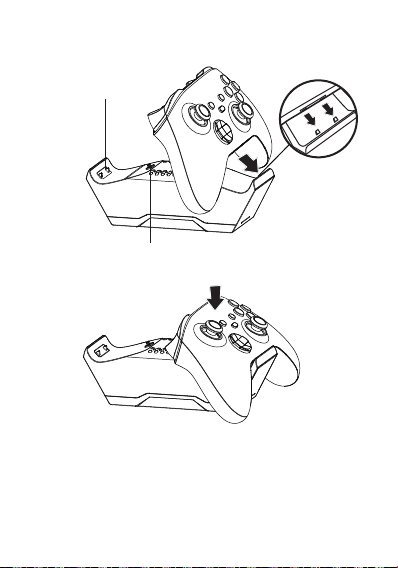
Align the bottom connector on the controller with the tabs on the
charging system. Then place your controller onto the charging system.
Place the charging system on a at and stable surface.
The LED lights amber while charging, then turns green when nished.
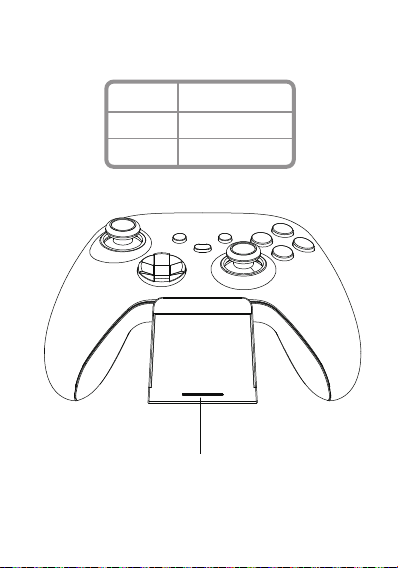
CHARGING INDICATOR INFORMATION
LED COLOR
Amber
Green
DESCRIPTION
Controller is charging
Charging is complete
Charging indicator
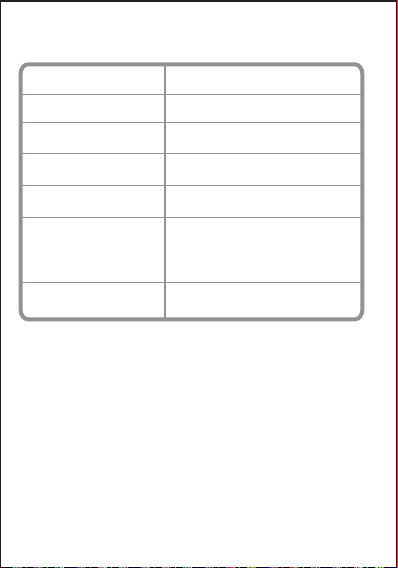
SPECIFICATIONS
Dimensions
Input USB 5V
Output 5V 450mA x 2
Cable Length
4 ft. (1.2 m)
6.9 x 2.2 x 2.2 in. (17.5 x5.6 x 5.6 cm)
1.9 x 1.2 x .6 in. (4.8 x3.0x 1.5 cm)
Battery capacity
Battery type
Charging system
Rechargeable Battery Pack
Operating temperature
1200mAh
Ni-MH LSD battery
32°F~104°F (0°C~40°C)

This device complies with part 15 of the FCC Rules. Operation is subject to the
following two conditions: (1) This device may not cause harmful interference,
and (2) this device must accept any interference received, including
interference that may cause undesired operation.
Warning: : Changes or modications to this unit not expressly approved by
the party responsible for compliance could void the user’s authority to operate
the equipment.
Note: This equipment has been tested and found to comply with the limits
for a Class B digital device, pursuant to Part 15 of the FCC Rules. These limits
are designed to provide reasonable protection against harmful interference in
a residential installation. This equipment generates, uses and can radiate radio
frequency energy and, if not installed and used in accordance with the
instructions, may cause harmful interference to radio communications.
However, there is no guarantee that interference will not occur in a particular
installation. If this equipment does cause harmful interference to radio or
television reception, which can be determined by turning the equipment o
and on, the user is encouraged to try to correct the interference by one or more
of the following measures:
- Increase the separation between the equipment and receiver.Reorient or
relocate the receiving antenna.
- CIncrease the separation between the equipment and receiver.
- Connect the equipment into an outlet on a circuit dierent from that to which
the receiver is connected.
- Consult the dealer or an experienced radio/TV technician for help.
LEGAL NOTICES
FCC Information

ONE-YEAR LIMITED WARRANTY
Visit www.insigniaproducts.com for details.
CONTACT INSIGNIA:
For customer service, call 1-877-467-4289 (U.S. and Canada)
www.insigniaproducts.com
ICES-003 Statement
This Class B digital apparatus complies with Canadian ICES-003.
Cet apparel numérique de la classe B est conforme à la norme NMB-003 du
Canada.
This product is not sponsored or approved by Microsoft
INSIGNIA is a trademark of Best Buy and its aliated companies.
Distributed by Best Buy Purchasing, LLC 7601 Penn Ave South, Richeld,
MN 55423 U.S.A. ©2021 Best Buy. All rights reserved.
Made in China
English V1-21-0104