WALL SAFE OPERATING
MANUALS FOR:
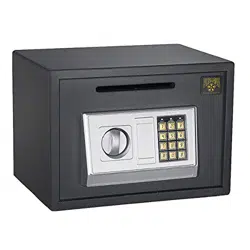
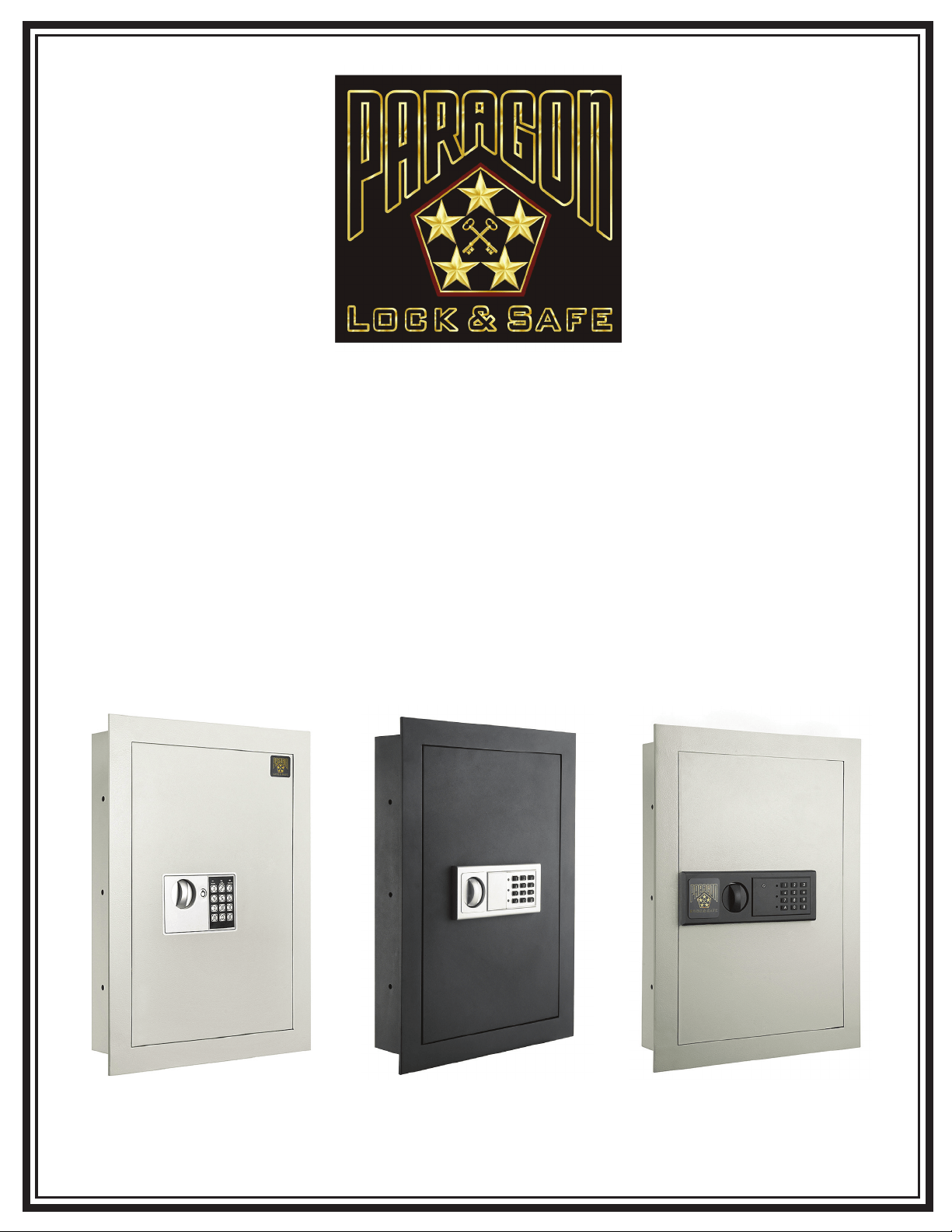
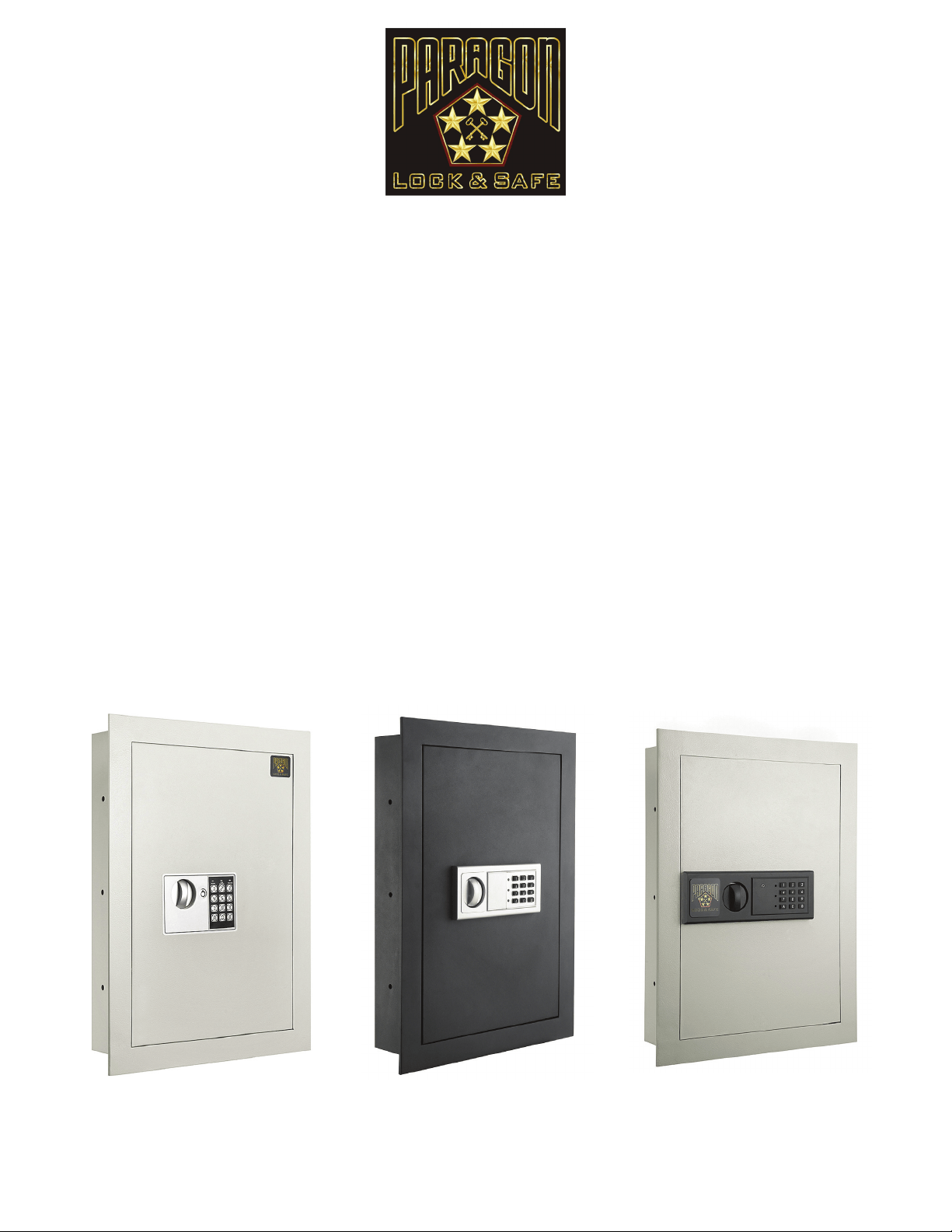
Quarter Master 7700
Flat Panel Digital
Keypad Deluxe
Home Ofce Security
Wall Safe
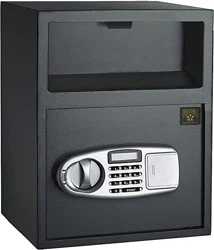
Quarter Master 7750
Flat Panel Digital
Keypad Deluxe
Home Ofce Security
Wall Safe
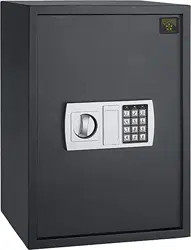
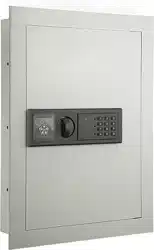
7725 Paragon Superior
Flat Electronic Hidden
Wall Safe
Copyright © Paragon Lock and Safe. All rights reserved.
l
Digital entry eliminates the need for making
multiple key copies
l
Flat Panel Design so you can conceal the safe
l
Easy to operate and program
l
Opens with secret PIN code or included keys
(2 FREE KEYS)
l
Simple programmable Electronic Lock with buzzer
and LED. 3 to 6 numbers
l
Code can be changed innitely
l
Fits between the studs.
l
Runs on AA SIZE(1.5V) batteries
l
Pre-drilled holes inside the safe with xing bolts
allowing anchoring
l
Powder coated interior and exterior
l
Constructed of 1/8” thick solid steel
l
Inside tamper-proof hinges
l
Grey carpet mat padding on inside bottom
l
Anchor bolts are included
l
1” Frame around the front of Safe conceals lines
that are not cut straight along drywall.
Features
Dimensions
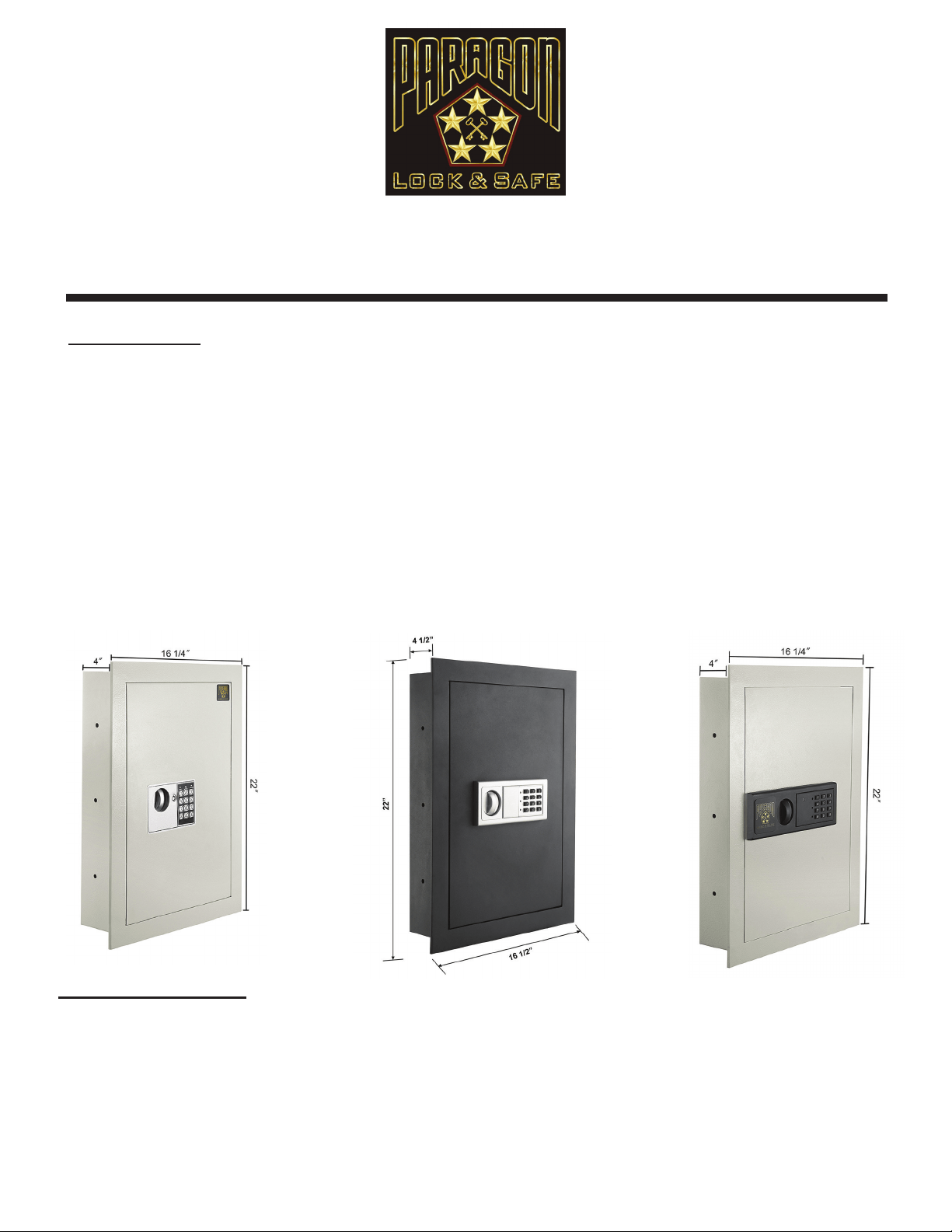
Outside dimensions:
22” H x 16 1/4” W x 4” D
Inside wall dimensions:
20.25” H x 14.25” W x 3.75” D
Weight: approx. 39 lbs.
Color: Off White
Outside dimensions:
22” H x 16 1/4” W x 4” D
Inside wall dimensions:
20.25” H x 14.25” W x 3.75” D
Weight: approx. 39 lbs.
Color: Off White
Outside dimensions:
22” H x 16 1/2 1/4” W x 4” D
Inside wall dimensions:
20.25” H x 14.25” W x 3.75” D
Weight: approx. 39 lbs.
Color: Darl Gray
Quarter Master 7700 Flat Panel Digital Keypad Deluxe Home Ofce Security Wall Safe
7725 Paragon Superior Flat Electronic Hidden Wall Safe
Quarter Master 7750 Flat Panel Digital Keypad Deluxe Home Ofce Security Wall Safe
Copyright © Paragon Lock and Safe. All rights reserved.
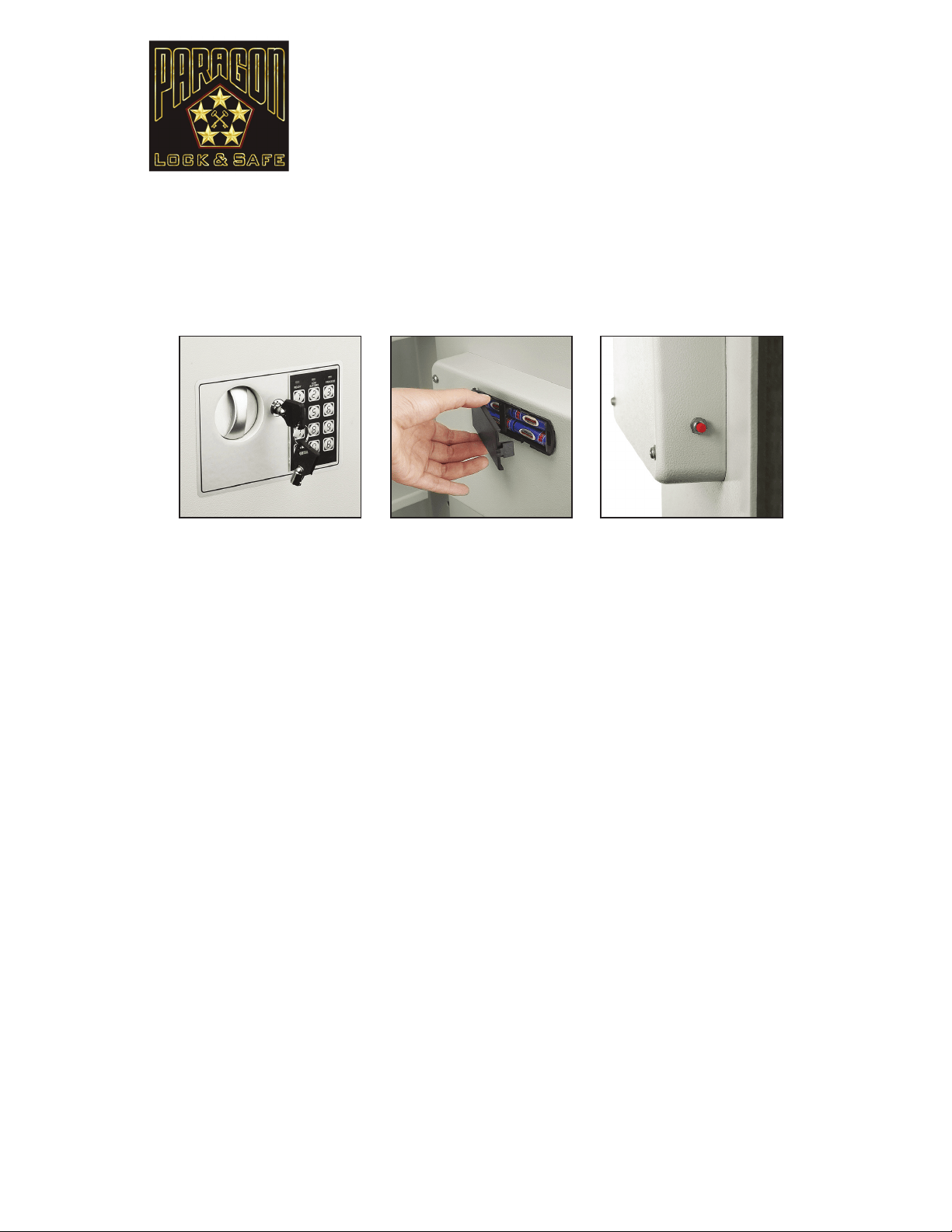
BEFORE USING YOUR SAFE:
1. First, Insert the key into the keypad and turn clockwise to open the door.
IMPORTANT: Do not store the keys inside your safe! Please keep secure in a separate place.
2. Next, remove the battery cover plate located on the inside of the door and install 4 AA batteries (provided).
Replace the battery cover.
SETTING UP YOUR PASSCODE FOR THE FIRST TIME
1. With the door open, locate the red button on the back of the door near the hinge. Press the red button, listen for a beep
and then enter your new user passcode. New user passcodes may be 3 to 6 digits long.
2. Immediately after entering your new code, press the “A” or “B” button on the keypad. Your new user code is now stored.
Note: This safe stores up to 2 passcodes simultaneously; a user code and a manager code. Entering a third code will erase
the rst passcode entered.
CHANGING YOUR PASSCODE
1. Open your safe with the passcode you wish to change and leave the door ajar.
2. Press the “0” button on the keypad twice. Press the red button, listen for a beep and then enter your new user passcode.
New user passcodes may be 3-6 digits long.
3. Immediately after entering your new code, press the “A” or “B” button on the keypad. Your user code is now changed.
CLOSING THE SAFE
Turn the knob counter-clockwise, the mechanism will automatically lock the safe.
USING YOUR PERSONAL CODE TO OPEN THE SAFE
1. Imput your code, then press the “B” button, the green light will turn on.
2. Turn the knob clockwise within 5 seconds, the door is opened.
3. Each key being pressed is accompanied by a buzzer and a yellow ashing light. If the entered code is invalid the yellow light will
ash and teh buzzer will qu ickly beep and the user should enter the correct code again.
NOTE: If you forget your passcode, you can use the key to open the safe.
WRONG CODE PROTECTION
Entering an incorrect code 3 consecutive incorrect codes are entered, the keypad will lock for 20 seconds.
LOW VOLTAGE AND CHANGING THE BATTERIES
If both the red and green lights are on while the safe is open, this indicates the batteries are low and must be changed. To be sure
the batteries are correctly installed please test before you close the safe’s door. Use 4 AA alkaline batteries only.
Quarter Master 7700 Flat Panel
Digital Keypad Deluxe Home Ofce
Security Wall Safe
DIRECTION FOR USE
Thank you for choosing the Quarter Master 7700 Flat Panel Digital Keypad Deluxe Home Ofce Security Wall
Safe by the Paragon Lock and Safe Co. It is perfect for the home, ofce, or vacation home. It was designed with
the intent to secure your valuables in a concealed location - behind a picture or inside a closet. The Quarter
Master 7700 offers 2 options to open, code or key. We’re so condent you’ll love your new safe, we’re
including a full 10 year warranty! Please take a moment to read this manual for important use and
safety information. Keep this manual in a safe place for future reference.
Copyright © Paragon Lock and Safe. All rights reserved.
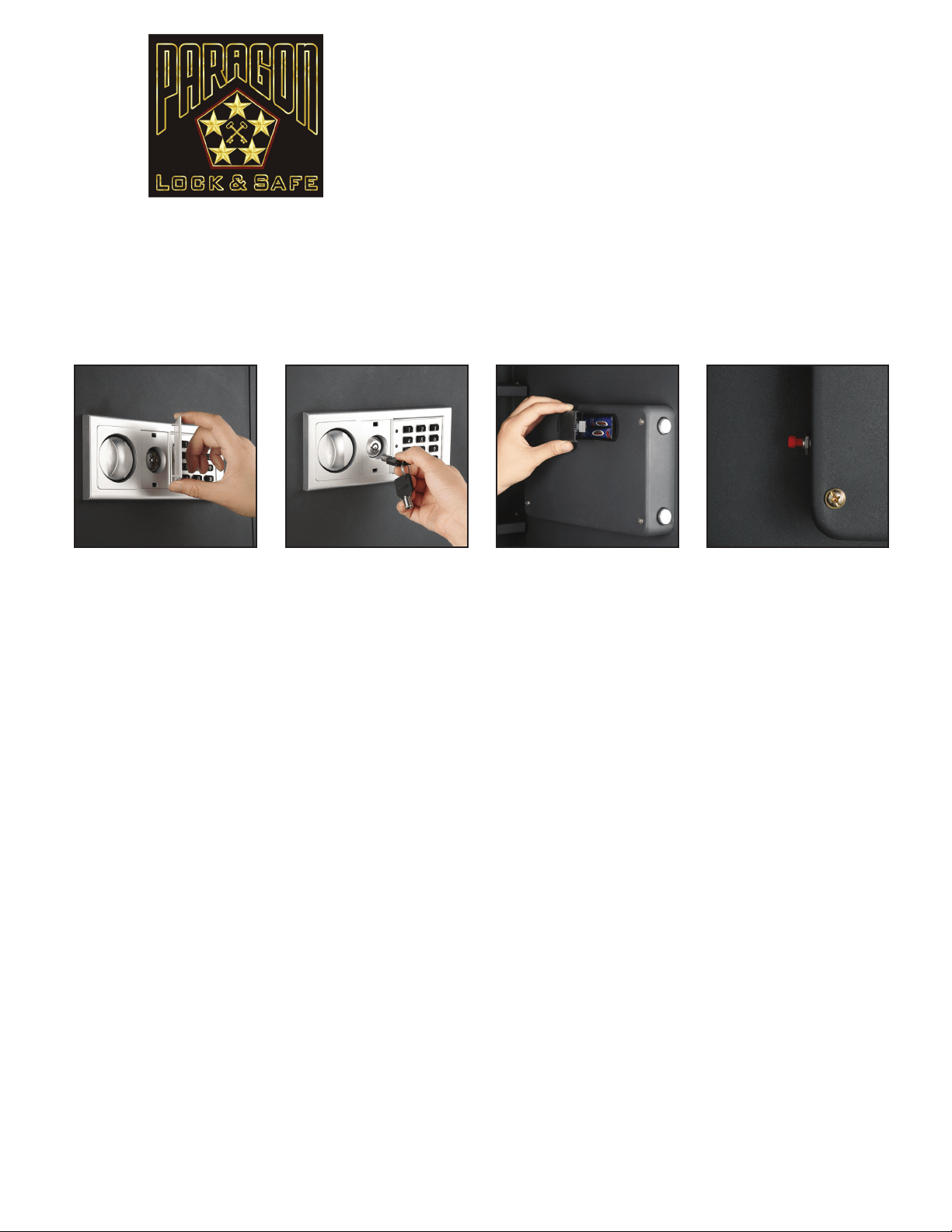
Paragon 7725 Superior
Flat Electronic Hidden
Wall Safe
OPENING THE SAFE FOR THE FIRST TIME
Open the emergency lock cover, insert the key and turn counter-clockwise until it stops. Next turn the handle clockwise to open
the safe. DO NOT LEAVE YOUR EMERGENCY KEY INSIDE THE SAFE!
INSTALLING BATTERIES
Open the battery compartment cover located on the inside cover of the door. Install the batteries as shown on diagram (4 AA
batteries). Close the battery compartment cover.
SETTING AND CHANGING PERSONAL CODE
1. Open the door and press the red button at the rear of the door. You will hear 2 beeps and the yellow light will turn on.
2. Set a personal code, input a 3-6 digit set of numbers.
3. Press “B” to conrm.
The yellow light will turn off and you will hear 2 beeps, indicating the code was entered successfully.
Use the same procedure to change the code.
4. Test your code before closing the door.
USING YOUR PERSONAL CODE TO OPEN THE SAFE
Input your 3-6 digit personal code then press “A” or “B” to conrm. When the green light ashes, turn the handle clockwise to
open the safe.
WRONG CODE PROTECTION
If you input a wrong code, the safe will not open. If 3 consecutive incorrect codes are entered, the keypad will lock for
20 seconds. You will nd the safe serial number near the emergency lock.
EMERGENCY SYSTEM
If you forget your code or the batteries expire, you can use the emergency override key to open the safe. Open the emergency
lock cover, insert the override key and turn counter-clockwise to the end. Turn the handle clockwise to open the safe.
LOW VOLTAGE
If, when you open the safe the red light is ashing, this indicates the system is in low voltage. Replace the expired batteries with
fresh AA alkaline batteries.
DIRECTION FOR USE
Thank you for choosing the Paragon 7725 Superior Flat Electronic Hidden Wall Safe by the Paragon Lock and
Safe Co. It is perfect for the home, ofce, or vacation home. It was designed with the intent to secure your
valuables in a concealed location - behind a picture or inside a closet. The Paragon 7725 Superior Flat Elec-
tronic Hidden Wall Safe offers 2 options to open, code or key.
We’re so condent you’ll love your new safe,
we’re including a full 10 year warranty! Please take a moment to read this manual for important use
and safety information. Keep this manual in a safe place for future reference.
Copyright © Paragon Lock and Safe. All rights reserved.
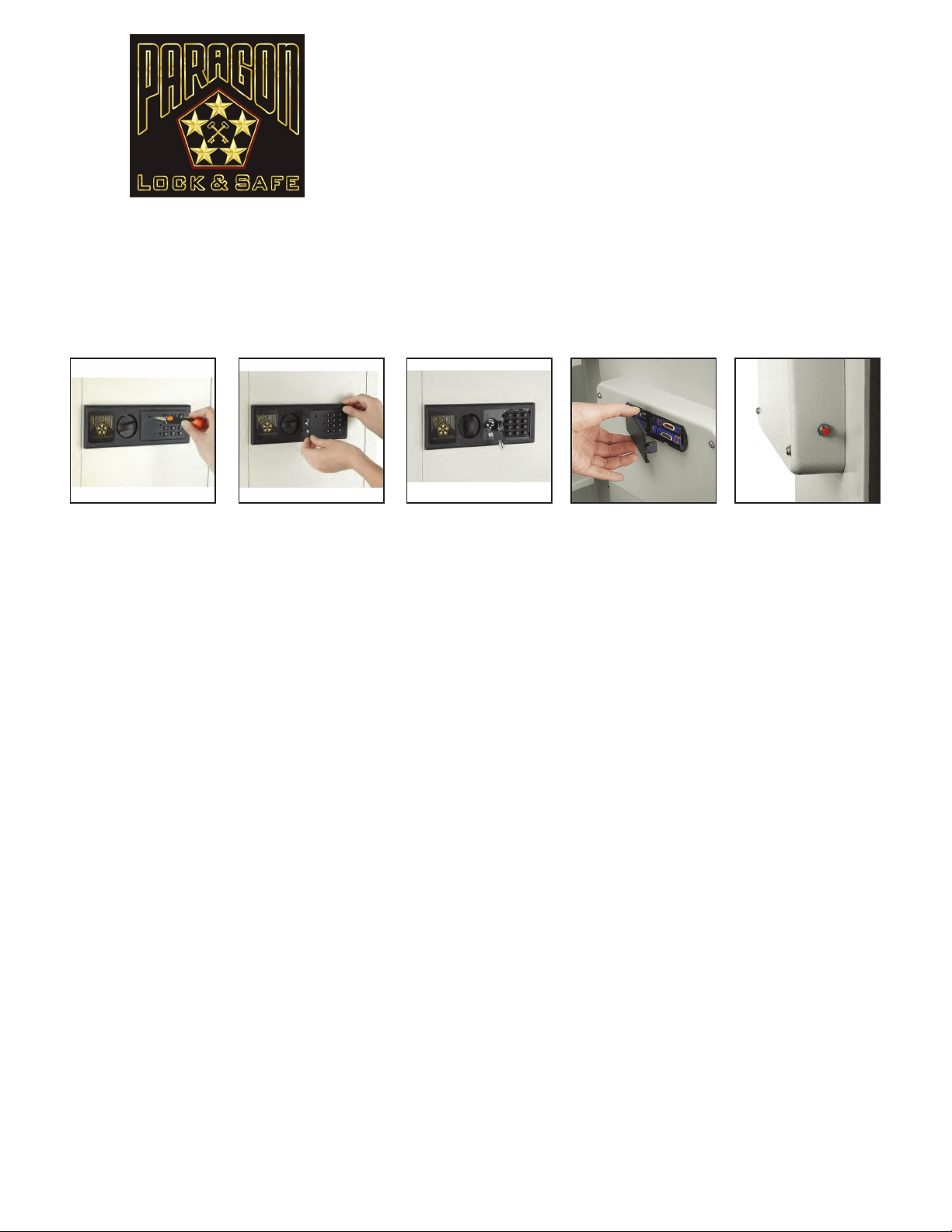
BEFORE USING YOUR SAFE:
1. First, remove the key plate cover as shown above and set aside. Then insert the key into the door lock and open the door.
IMPORTANT: Do not store the keys inside your safe! Please keep secure in a separate place.
2. Next, remove the battery cover plate located on the inside of the door and install 4 AA batteries (provided).
Replace the battery cover.
SETTING UP YOUR PASSCODE FOR THE FIRST TIME
1. With the door open, locate the red button on the back of the door near the hinge. Press the red button, listen for a beep
and then enter your new user passcode. New user passcodes may be 3 to 6 digits long.
2. Immediately after entering your new code, press the “A” or “B” button on the keypad. Your new user code is now stored.
Note: This safe stores up to 2 passcodes simultaneously; a user code and a manager code. Entering a third code will erase
the rst passcode entered.
CHANGING YOUR PASSCODE
1. Open your safe with the passcode you wish to change and leave the door ajar.
2. Press the “0” button on the keypad twice. Press the red button, listen for a beep and then enter your new user passcode.
New user passcodes may be 3-6 digits long.
3. Immediately after entering your new code, press the “A” or “B” button on the keypad. Your user code is now changed.
CLOSING THE SAFE
Turn the knob counter-clockwise, the mechanism will automatically lock the safe.
USING YOUR PERSONAL CODE TO OPEN THE SAFE
1. Imput your code, then press the “B” button, the green light will turn on.
2. Turn the knob clockwise within 5 seconds, the door will open.
3. Each key being pressed is accompanied by a buzzer and a yellow ashing light. If the entered code is invalid the yellow light will
ash and teh buzzer will qu ickly beep and the user should enter the correct code again.
NOTE: If you forget your passcode, you can use the key to open the safe.
WRONG CODE PROTECTION
Entering an incorrect code 3 consecutive incorrect codes are entered, the keypad will lock for 20 seconds.
LOW VOLTAGE AND CHANGING THE BATTERIES
If both the red and green lights are on while the safe is open, this indicates the batteries are low and must be changed. To be sure
the batteries are correctly installed please test before you close the safe’s door. Use 4 AA alkaline batteries only.
Quarter Master 7750 Flat Panel
Digital Keypad Deluxe Home Ofce
Security Wall Safe
DIRECTION FOR USE
Thank you for choosing the Quarter Master 7750 Flat Panel Digital Keypad Deluxe Home Ofce Security Wall
Safe by the Paragon Lock and Safe Co. It is perfect for the home, ofce, or vacation home. It was designed with
the intent to secure your valuables in a concealed location - behind a picture or inside a closet. The Quarter
Master 7750 offers 2 options to open, code or key.
We’re so condent you’ll love your new safe, we’re
including a full 10 year warranty! Please take a moment to read this manual for important use and
safety information. Keep this manual in a safe place for future reference.
Copyright © Paragon Lock and Safe. All rights reserved.
KEY REPLACEMENT
In order to replace the safe’s key in the event that it is lost you will need the safe’s “Key Code”. This code is found on the
back-side of the “emergency lock cover” on a small white sticker and reads “H####”. Please use the space provided below to
copy the key code for safe keeping.
Key Code: ______________________________________________________
IMPORTANT WARNINGS
DO NOT keep your emergency override keys inside the safe.
GUN WARNING: This product is not intended for the secure storage of all materials. Items such as rearms, other weapons,
ammunition, combustible materials, or medication should NOT be stored in this unit. Your safe is only part of your total security
protection.
Paragon Lock & Safe recommends that you store your safe in closets, ofces, basements, bedrooms and any other locations that
are convenient for you but out of direct line of sight from prying eyes. The location of the safe does not affect the safe’s ability to
protect your valuables inside.
IMPORTANT
If you experience any problems or challenges with your safe, please contact us. Many issues can be resolved quickly without the
product being returned. Our customer care team is available at 1-800-665-0728 to answer your questions.
IMPORTANT INFORMATION & SAFETY INFORMATION
Copyright © Paragon Lock and Safe. All rights reserved.

CUSTOMER SERVICE
Customer service and product support are available online at www.paragonlockandsafe.com
WARRANTY AND RETURN POLICY
Thank you for choosing a Paragon Lock and Safe product. Paragon Lock and Safe (PL&S) warrants the original purchaser of
new equipment manufactured by PL&S to be free from defects in material or workmanship from the date of original pur-
chase for a period of ten years. In the event the safe being replaced is no longer manufactured, PL&S will provide a safe they
deem to be “equivalent”.
The obligation of PL&S under this warranty is limited to the replacement of any parts or components that in the opinion of
PL&S are defective, F.O.B. the factory, or at any other location that PL&S may designate.
In the case of re (for reproof models): PL&S will replace your safe for free. You will provide a police and re report and
we will ship you your safe replacement. In the case of a break-in: PL&S will repair or replace your safe for free. You simply
send your safe back along with a copy of the police report. In the case of problems with locks, bolt work or handle: PL&S will
repair your safe for free. Simply send your safe back. If we cannot x it, we will ship you a safe replacement.
The original purchaser who has provided proper proof of the original retail purchase and all other requested information
is the holder of this warranty. This warranty is non-transferable and covers you as long as you own the safe and have your
original invoice. Make sure you save a copy of your invoice.
All shipping damages must be claimed with the designated shipper. Check the shipping carton for damage before signing the
bill of lading.
If an item is opened and deemed to be defective within 30 days from the date of delivery, please contact us at www.para-
gonlockandsafe.com for return instructions. A PL&S RMA is required when returning defective merchandise. When returning
your order please include a copy of your order number with date purchased, Your PL&S RMA and the reason for the return.
Any defective component, part or assembly returned to PL&S will be replace by PL&S. PL&S will not be responsible for any
expenses incurred by the customer under the terms of this warranty nor shall it be responsible for any damages consequen-
tial, special, contingent or otherwise: or expenses or injury arising directly or indirectly from the use of a PL&S product. Any
component, part or assembly returned to PL&S must be returned at the customers expense along with proof of purchase.
PL&S reserves the right to determine whether the terms of this warranty have been properly complied with. In the event
that the terms are not complied with, PL&S shall be under no obligation to honor this warranty.
IMPLIED WARRANTIES: EXCEPT TO THE EXTENT PROHIBITED BY APPLICABLE LAW, ANY IMPLIED WARRANTY
OF MERCHANTABILITY OR FITNESS FOR A PARTICULAR PURPOSE IS LIMITED IN DURATION TO THE DURATION
OF THIS WARRANTY. PL&S SHALL NOT BE LIABLE FOR ANY INCIDENTAL OR CONSEQUENTIAL DAMAGES FOR
BREACH OF ANY EXPRESS OR IMPLIED WARRANTY. PL&S AND YOUR MAXIMUM LIABILITY TO THE OTHER IS LIMIT-
ED TO PURCHASE PRICE YOU PAID FOR PRODUCTS OR SERVICES PLUS INTEREST ALLOWED BY LAW.
DISPUTE RESOLUTION. You and PL&S agree that any dispute between you and PL&S will be resolved exclusively and
nally by arbitration administered by the National Arbitration Forum (NAF) and conducted under its rules, except as other-
wise provided below. You and PL&S will agree on another arbitration forum in NAF ceases operations. The arbitration will be
conducted before a single arbitrator, and will be limited solely to the dispute between you and PL&S. Any decision rendered
in such arbitration proceedings will be nal and binding on the parties, and judgment may be entered thereon in any court of
competent jurisdiction. THIS AGREEMENT AND ANY SALES THERE UNDER SHALL BE GOVERNED BY THE LAWS OF
THE STATE OF MICHIGAN, WITHOUT REGARD TO CONFLICTS OF LAW RULES.
Warranty shall not apply to: products which are used for a purpose other than which they were designed for or which have
been altered in any way that would be determined to the performance of life of the product. Misapplication, misuse or negli-
gence will revoke the warranty.
Copyright © Paragon Lock and Safe. All rights reserved.
4