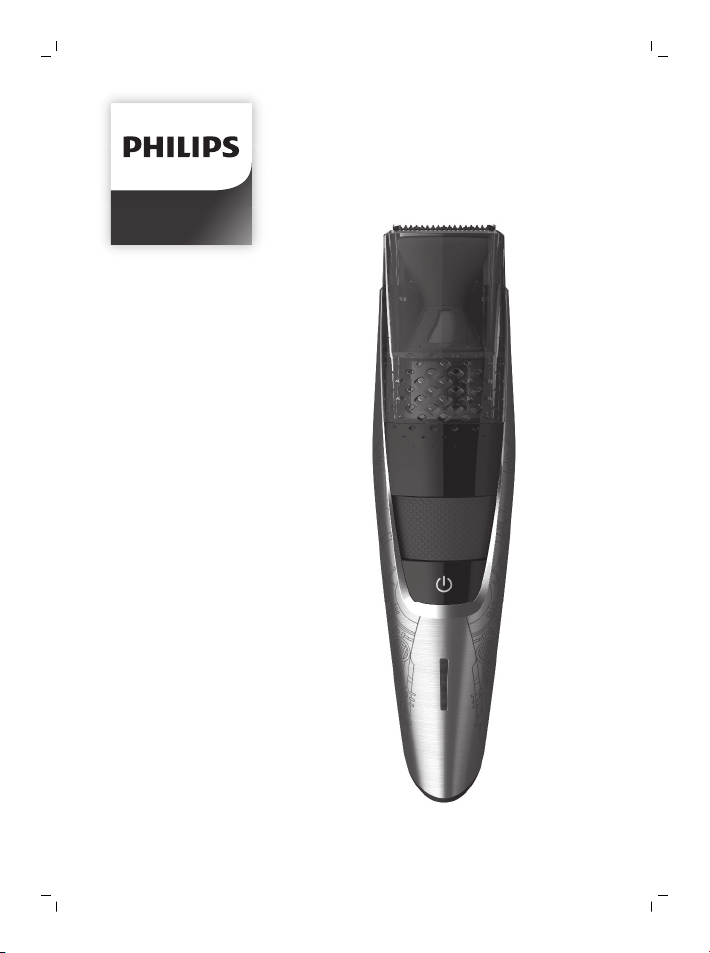
SBT720
© & ™ Lucaslm Ltd.
© Disney
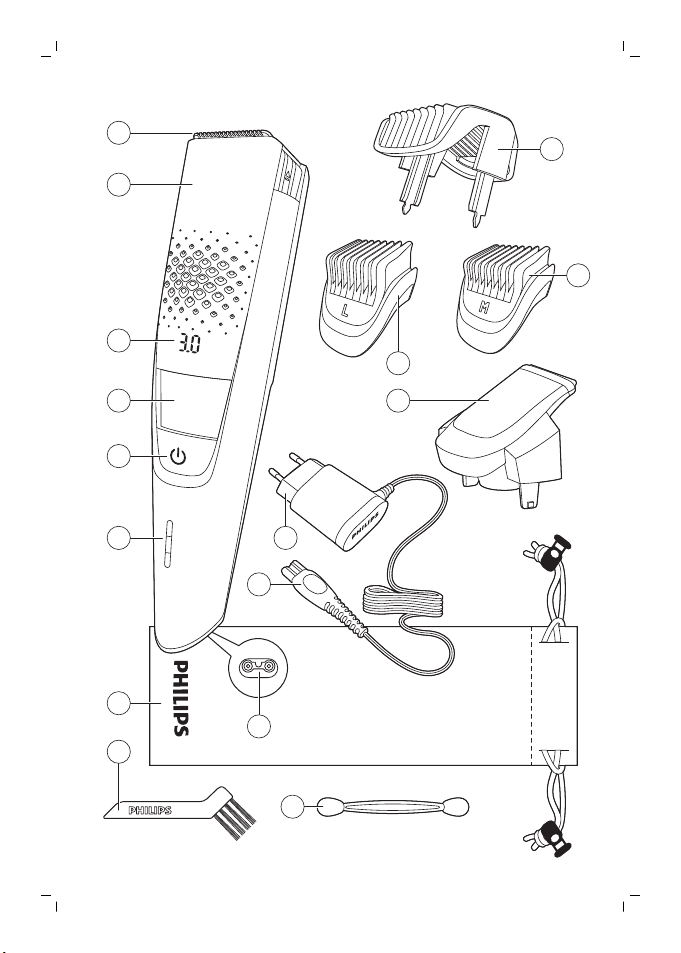
1
2
3
4
5
13
14
6
7
11
10
9
8
12
16
15

empty page before TOC


English
Introduction
Congratulations on your purchase and welcome to
Philips! To fully benefit from the support that
Philips offers, register your product at
www.philips.com/welcome.
General description (Fig. 1)
1 Cutting unit
2 Vacuum system
3 Length settings
4 Zoom wheel
5 On/off button
6 Battery status indicator
7 Pouch
8 Cleaning brush
9 Cleaning sponge
10 Small plug
11 Socket for small plug
12 Supply unit
13 Precision trimmer
14 Detail comb 5mm (L)
15 Detail comb 3mm (M)
16 Beard and stubble comb
Important safety information
Read this important information carefully before
you use the appliance and its accessories and save
it for future reference. The accessories supplied
may vary for different products.
Danger
- Keep the supply unit dry.
6
English
Warning
- To charge the battery, only use the detachable
supply unit (HQ8505) provided with the
appliance.
- The supply unit contains a transformer. Do not
cut off the supply unit to replace it with another
plug, as this causes a hazardous situation.
- This appliance can be used by children aged
from 8 years and above and persons with
reduced physical, sensory or mental capabilities
or lack of experience and knowledge if they
have been given supervision or instruction
concerning use of the appliance in a safe way
and understand the hazards involved. Children
shall not play with the appliance. Cleaning and
user maintenance shall not be made by
children without supervision.
- Always check the appliance before you use it.
Do not use the appliance if it is damaged, as
this may cause injury. Always replace a
damaged part with one of the original type.
- Do not open the appliance to replace the
rechargeable battery.
Caution
- Only combs and cutting units can be rinsed
separately. The appliance is not washable.
Never immerse the appliance in water and do
not rinse it under the tap.
- Only use this appliance for its intended purpose
as shown in the user manual.
- For hygienic reasons, the appliance should only
be used by one person.
- Never use compressed air, scouring pads,
abrasive cleaning agents or aggressive liquids
such as petrol or acetone to clean the
appliance.
7
English
- Do not use the supply unit in or near wall
sockets that contain an electric air freshener to
prevent irreparable damage to the supply unit.
Electromagnetic fields (EMF)
This Philips appliance complies with all applicable
standards and regulations regarding exposure to
electromagnetic fields.
General
- The supply unit is suitable for mains voltages
ranging from 100 to 240 volts.
- The supply unit transforms 100-240 volts to a
safe low voltage of less than 24 volts.
The display
Charging indications
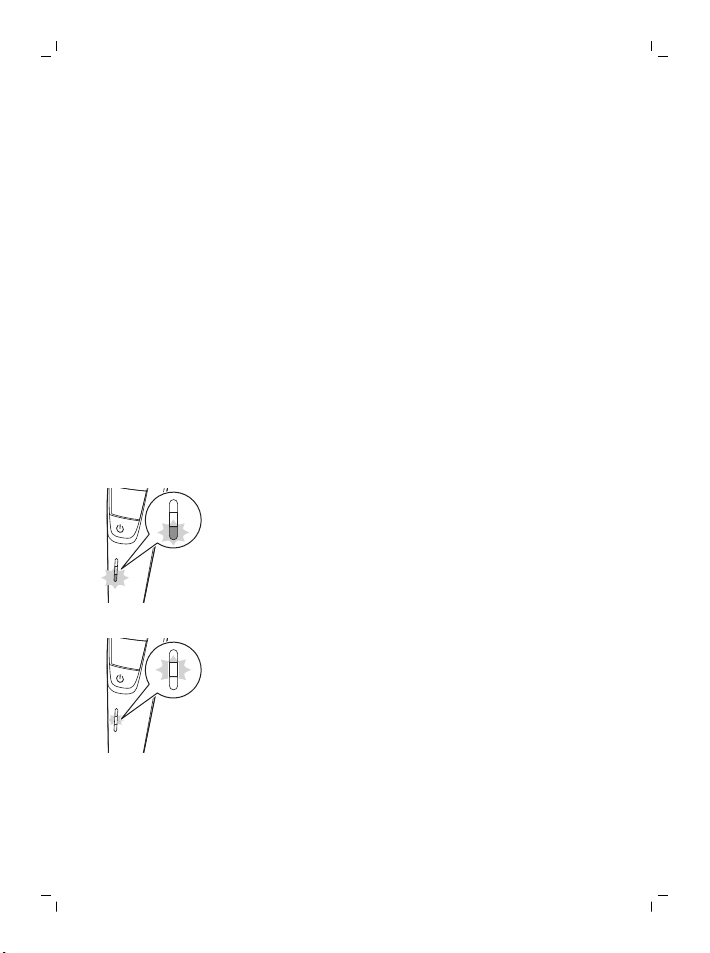
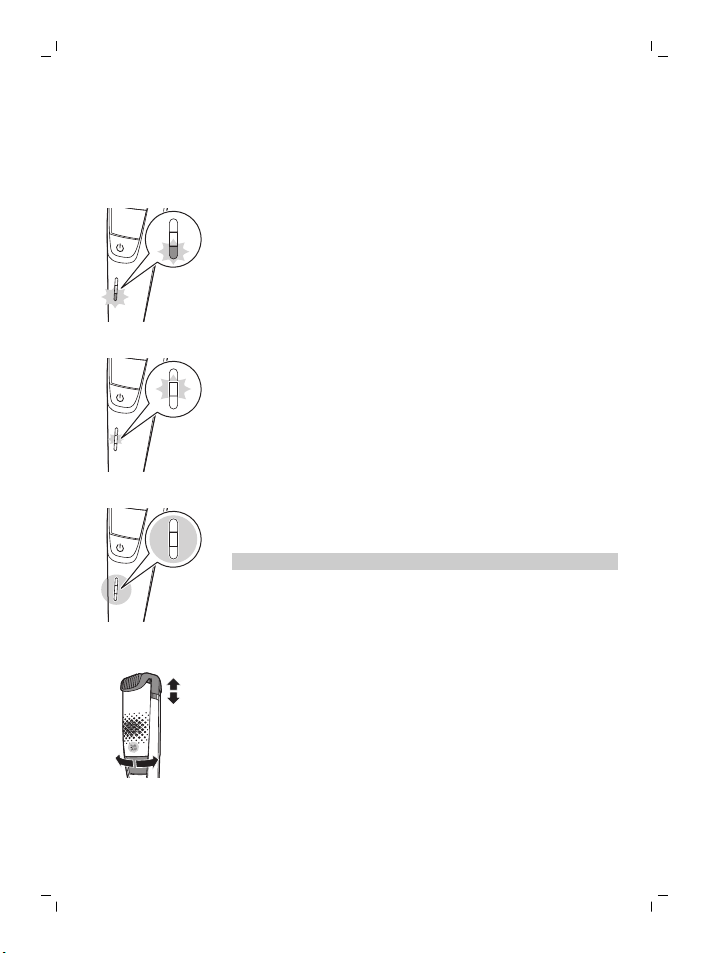
Battery low
When the battery is almost empty, the bottom light
of the battery status indicator flashes orange.
Battery charging
When the battery is charging, first the bottom light
flashes blue, then the second light, and so on.
8
English
Battery fully charged
When the battery is fully charged, all lights of the
battery charge indicator light up blue continuously.
Note: The lights switch off automatically after 30
minutes.
Remaining battery capacity
The remaining battery charge is shown by the
lights of the battery charge indicator that light up
continuously.
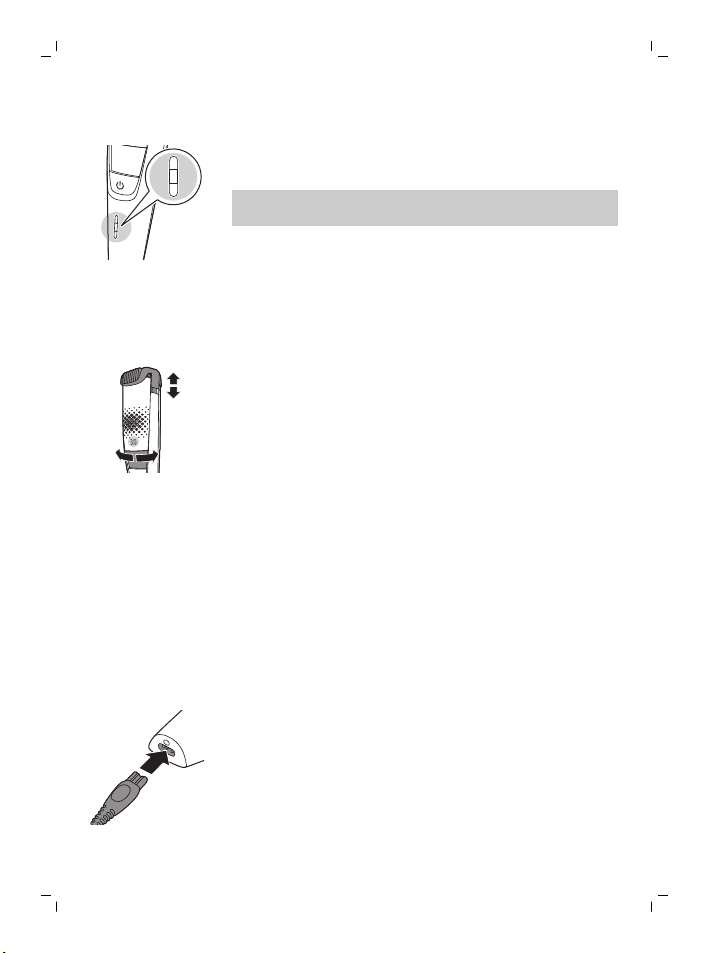
Length settings
10
0.5
The selected length setting is shown on the display
above the zoom wheel when you select the
desired hair length setting with the zoom wheel.
Charging
Charge the appliance before you use it for the first
time and when the battery status indicator
indicates that the battery is almost empty.
Charging takes approx. 1 hour. A fully charged
appliance has an operating time of up to 80
minutes.
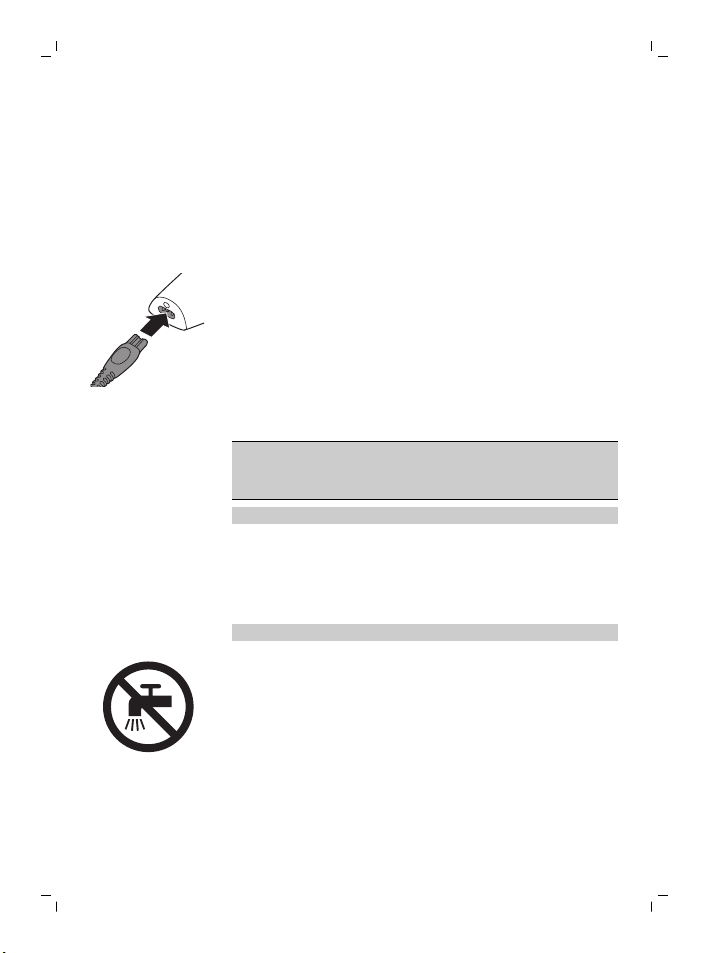
Charging with the supply unit
1 Make sure the appliance is switched off.
2 Put the small plug in the appliance and put the
supply unit in the wall socket.
The battery status indicator indicates that the
appliance is charging.
3 After charging, remove the supply unit from the
wall socket and pull the small plug out of the
appliance.
9
English
Using the appliance
Always check the appliance and all accessories
before use. Do not use the appliance or any
accessory if it is damaged, as this may cause
injury. Always replace a damaged part with one of
the original type.
Note: This appliance can be used cordless or
directly from the wall socket.
You can use this appliance for a stubble beardand
ashort beard. This appliance has an integrated
vacuum system that catches cut beard hair for
aless messy trimming experience.
The vacuum system is activated automatically as
soon as you switch on the appliance.
Note: Switch off and clean the appliance after each
use.
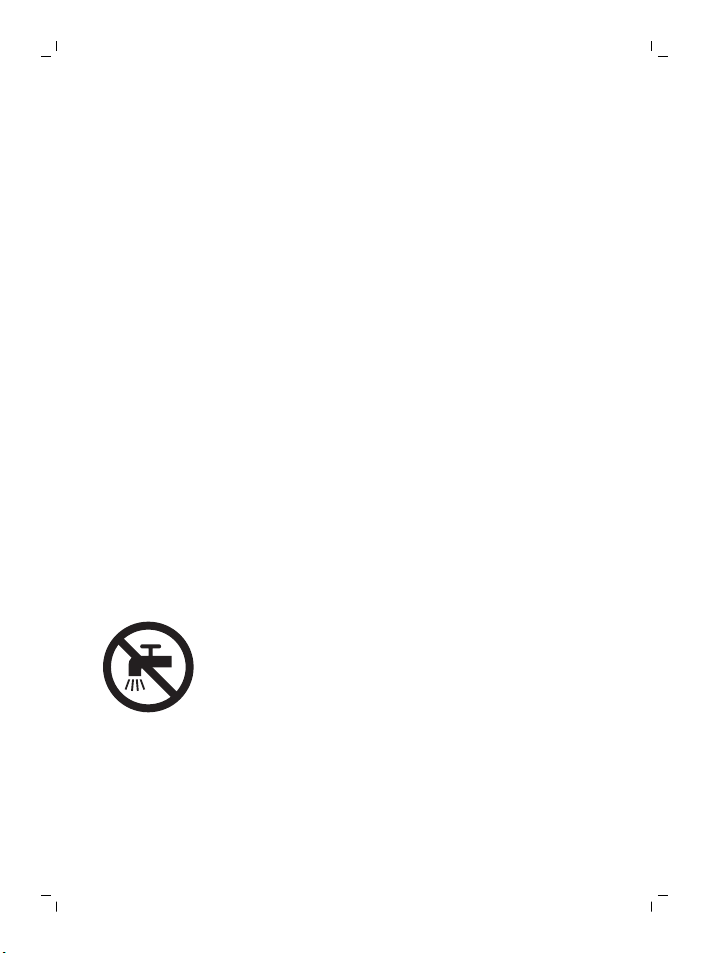
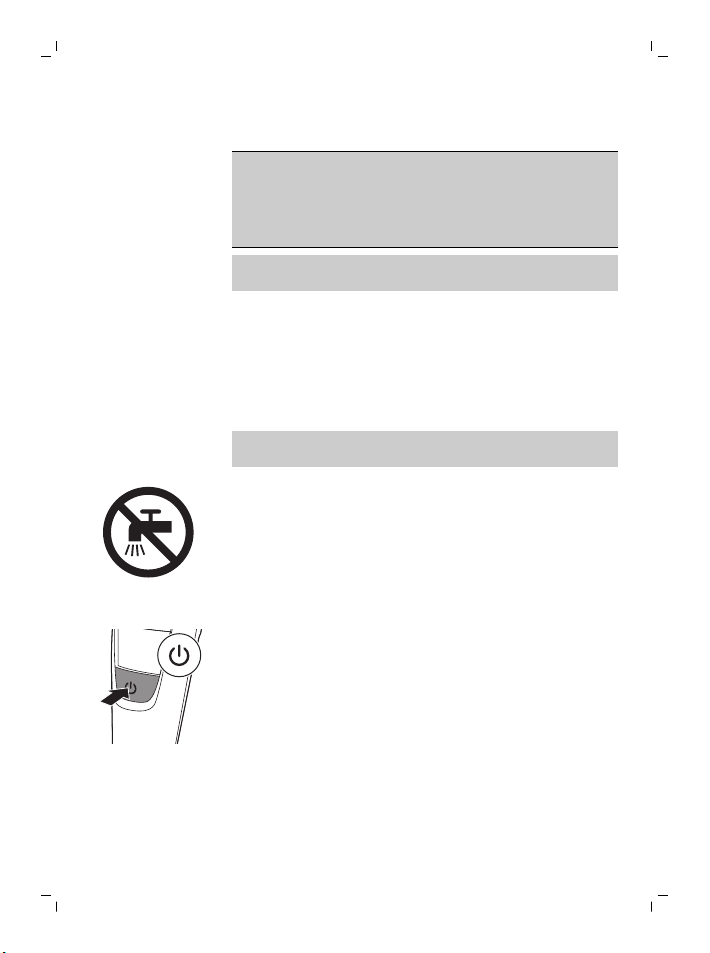
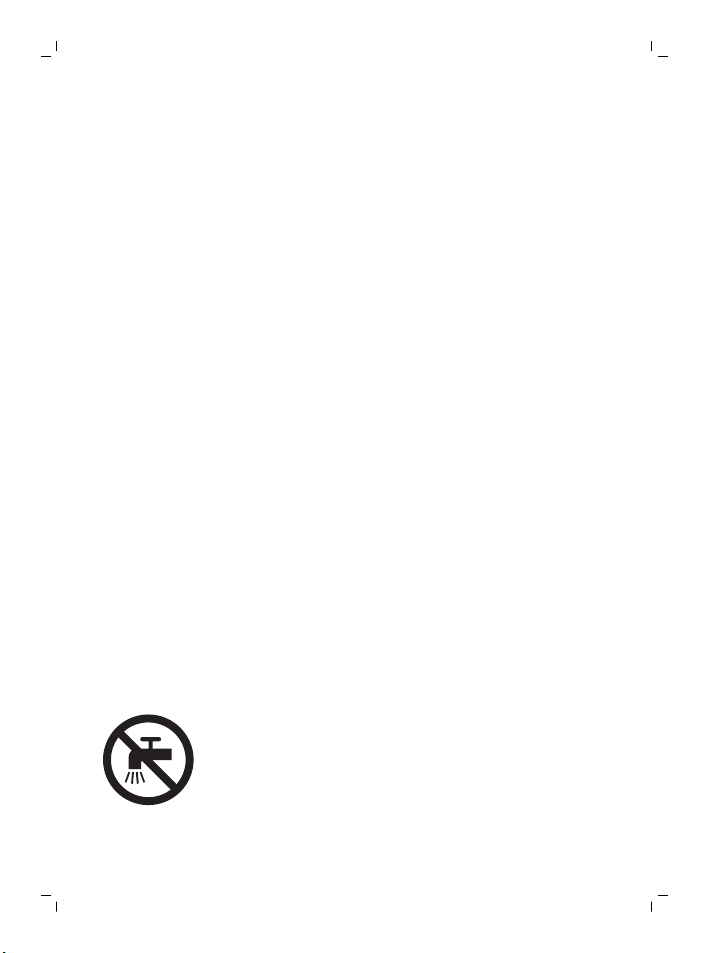
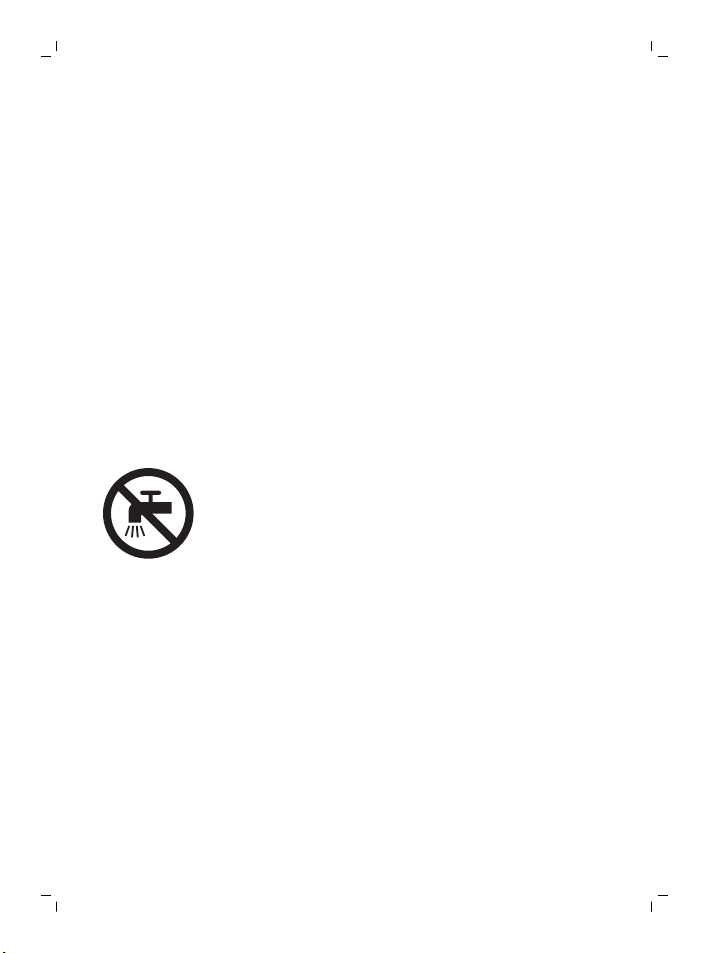
This symbol indicates that the appliance is not
washable.
Only the comb(s) and cutting unit(s) can be rinsed
separately.
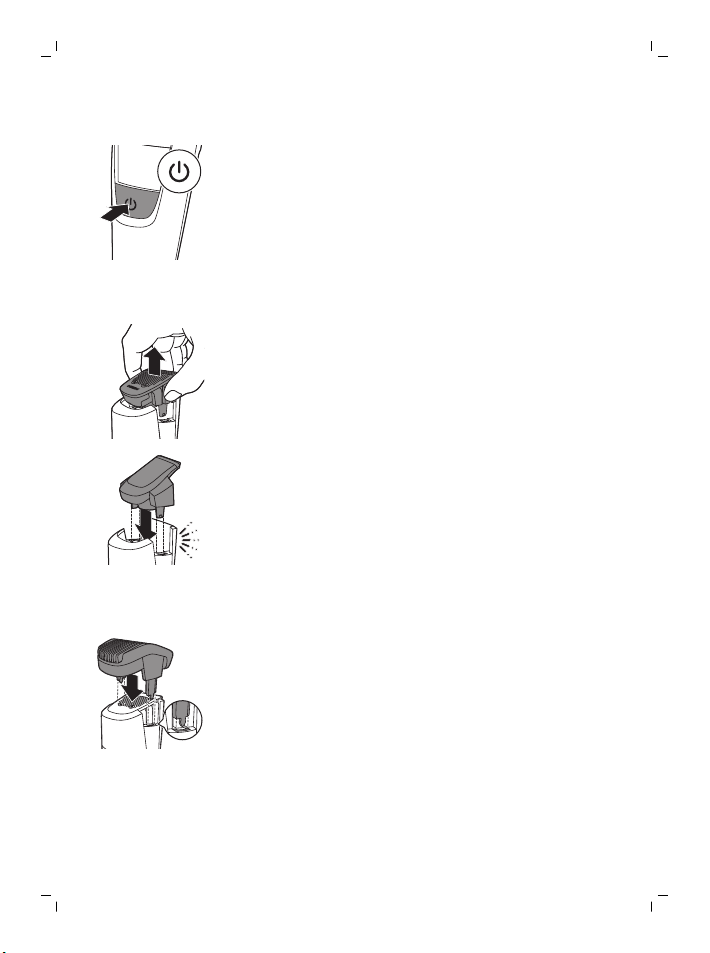
Switching the appliance on and off
1 To switch the appliance on or off, press the
on/off button once.
Removing or attaching the cutting units
1 Make sure the appliance is switched off.
10
English
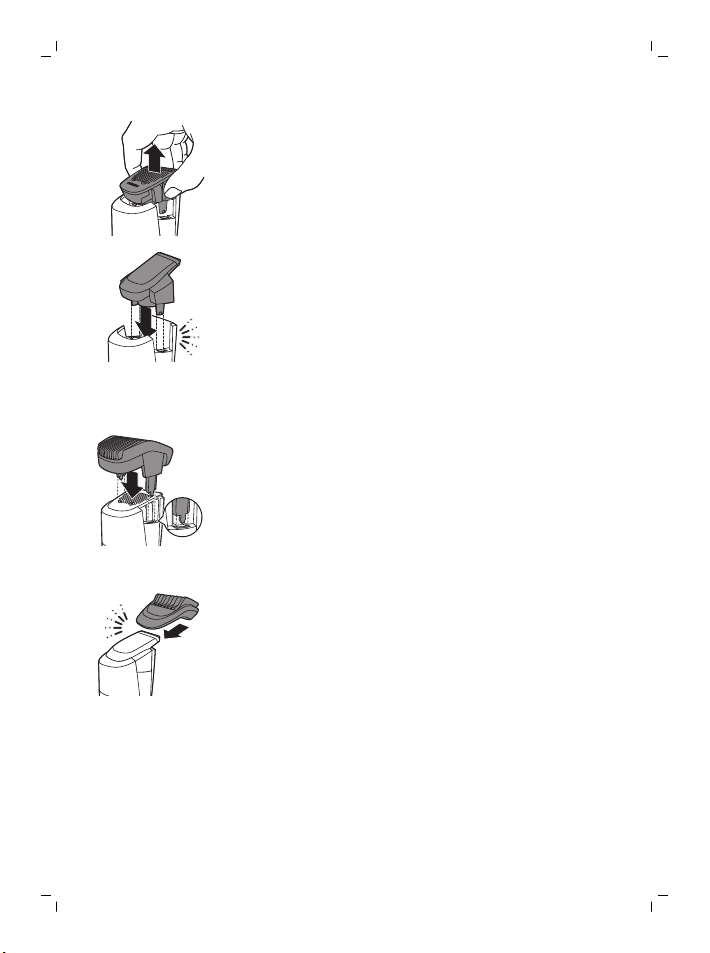
2 Pull the cutting unit straight off the handle.
3 Insert the lug of the cutting unit into the slot in
the top of the handle. Then press down the
cutting unit to attach it to the appliance.
Removing or attaching trimming combs
Beard and stubble comb
1 To attach the beard and stubble comb, slide
the comb into the guiding grooves on both
sides of the handle ('click').
2 To detach the beard and stubble comb, pull it
upwards off the handle.
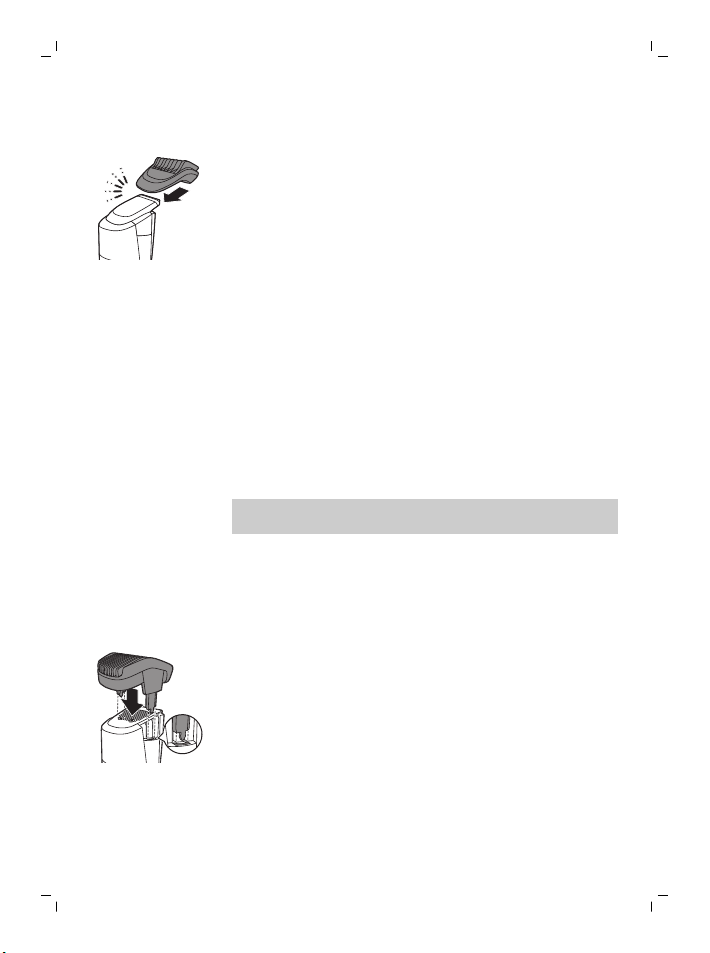
Detail comb
1 To attach the detail comb, slide it onto the
precision trimmer.
2 To remove the detail comb, slide it off the
precision trimmer.
Trimming
Trimming tips
- If you are trimming for the first time, be careful.
Do not move the appliance too fast. Make
smooth and gentle movements
11
English
- Since all hairs do not grow in the same
direction, you may want to try different
trimming positions (i.e. upwards, downwards, or
across). Practice is best for optimum results.
- Always make smooth and gentle movements
and be sure the surface of the comb always
stays in contact with your skin.
Trimming with comb
Note: When you trim for the first time, start at the
highest length setting to familiarize yourself with
the appliance.
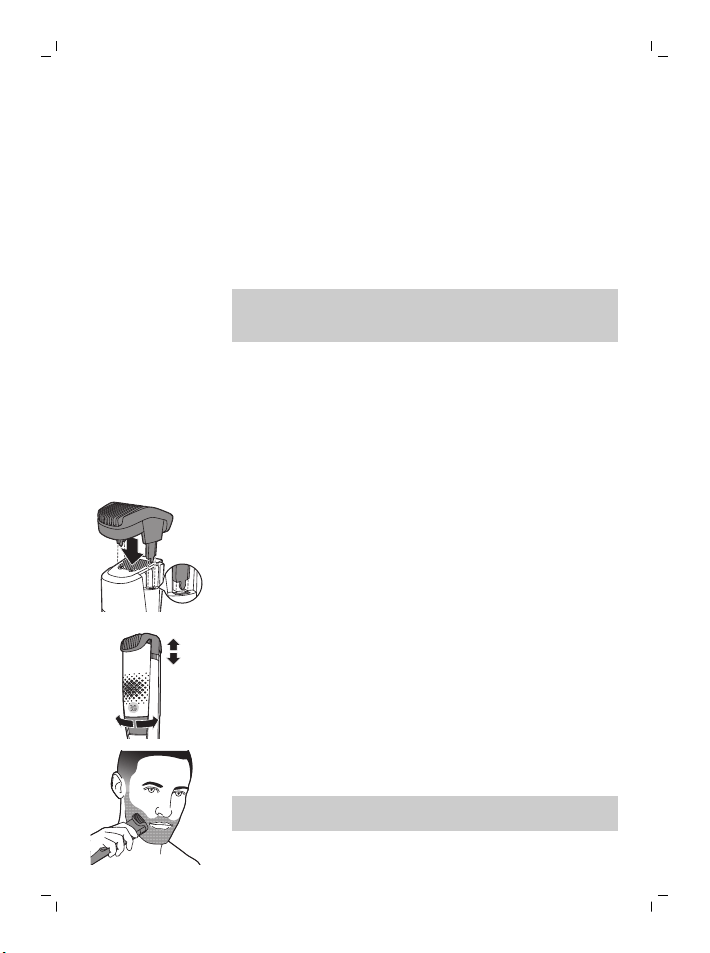
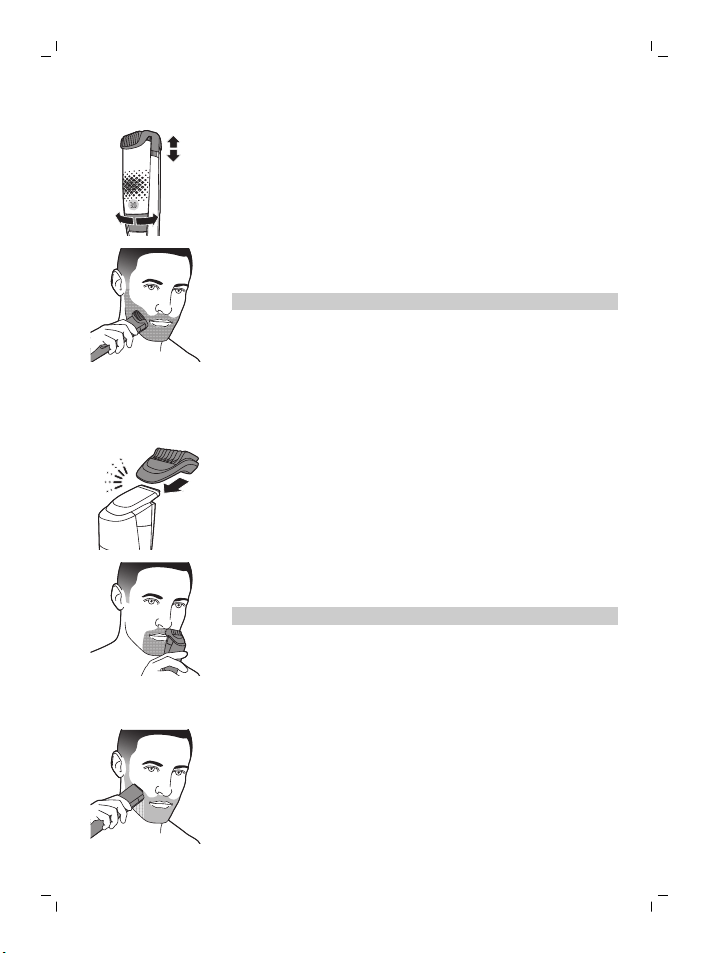
Use the beard and stubble comb attached to the
cutting unit to groom your beard and moustache in
your preferred style. The beard and stubble comb
allows you to choose from 20 length settings
ranging from 0.5mm to 10mm in steps of 0.5mm.
You can set the desired setting by turning the
zoom wheel.
1 Attach the beard and stubble comb onto the
appliance.
10
0.5
2 Select the desired hair length setting with the
zoom wheel.
3 Switch on the appliance.
4 To trim most effectively, move the appliance
against the hair growth direction.
Note: Make sure that the surface of the comb
always stays in contact with the skin.
12
English
5 Switch off and clean the appliance after each
use.
Trimming with detail comb
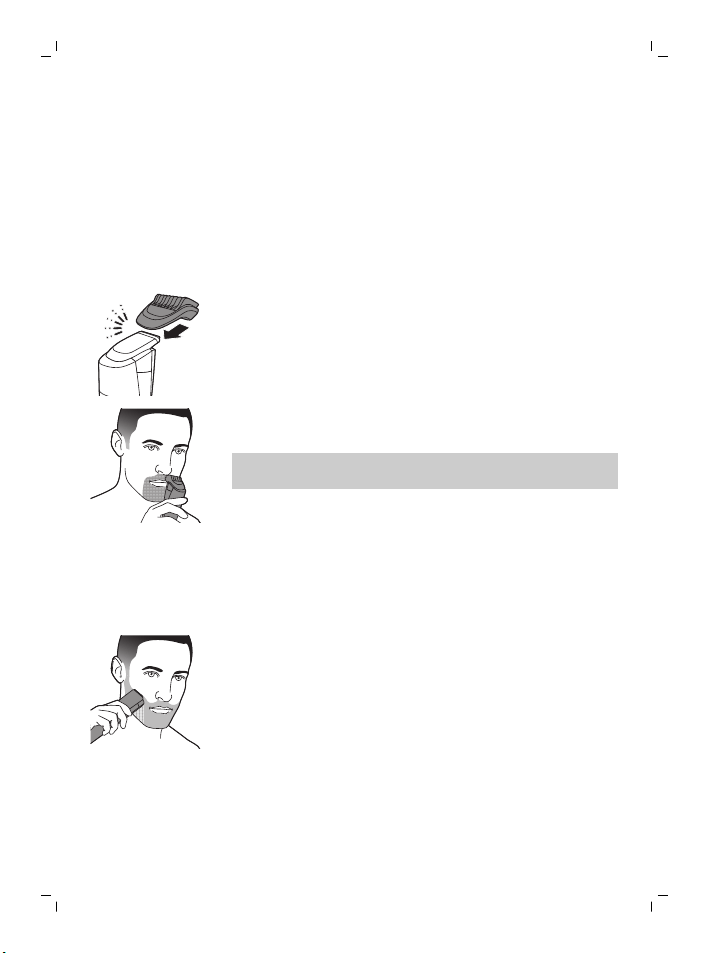
Use the detail comb attached to the precision
trimmer for precision trimming of your sideburns,
moustache or beard. This appliance comes with 2
different detail combs: 5mm (L) and 3mm (M).
1 Attach the detail comb onto the precision
trimmer.
2 Switch on the appliance.
3 To trim most effectively, move the appliance
against the hair growth direction.
Note: Make sure that the surface of the comb
always stays in contact with the skin.
4 Switch off and clean the appliance after each
use.
Trimming without comb
Use the appliance without beard and stubble
comb to trim hair close to the skin or to contour
the neckline and sideburns.
1 To trim hair close to the skin, place the flat side
of the trimming head against your skin and
make strokes in the desired direction.
13
English
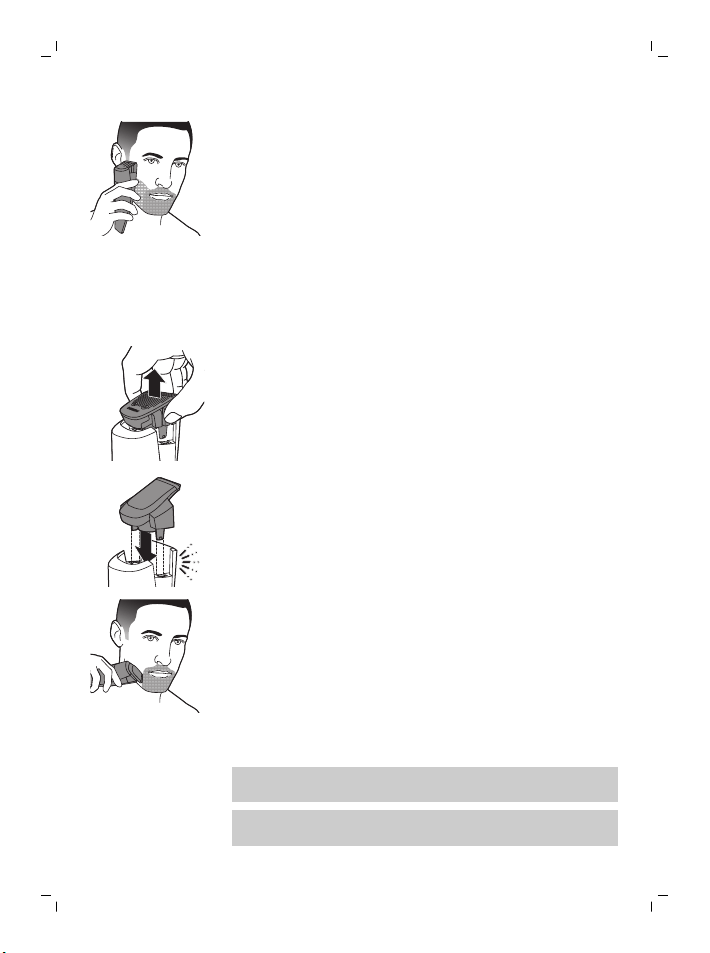
2 For contouring, hold the trimming head
perpendicular to the skin and move the
trimming head upwards or downwards with
gentle pressure.
3 Switch off and clean the appliance after each
use.
Precision trimming without comb
Use the precision trimmer to create fine lines and
contours to define your facial style, close to the
skin.
1 Remove the cutting unit by pulling it upwards
off the handle.
2 Attach the precision trimmer.
3 Switch on the appliance.
4 Hold the precision trimmer perpendicular to the
skin and move the precision trimmer upwards
or downwards with gentle pressure.
5 Switch off and clean the appliance after each
use.
Cleaning and maintenance
Regular cleaning guarantees better shaving
results.
Never clean, remove or replace a shaving or
cutting unit while the appliance is switched on.
14
English
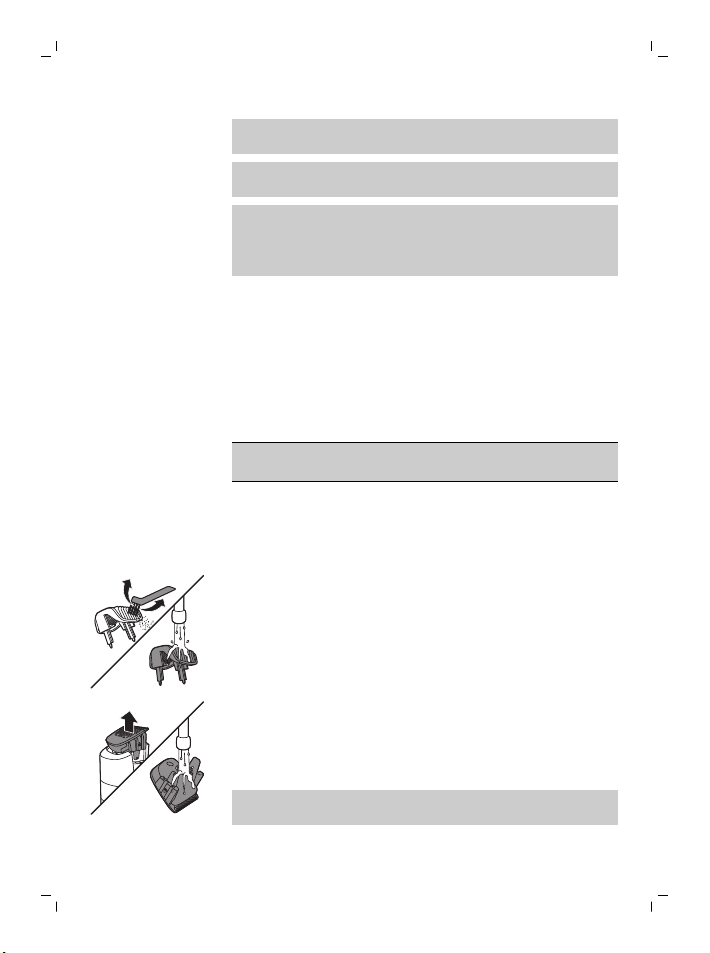
Always check if the water is too hot, to prevent
burning your hands.
Never dry cutting units or shaving foils with a
towel or tissue, as this may cause damage.
Never use compressed air, scouring pads,
abrasive cleaning agents or aggressive liquids
such as petrol or acetone to clean the
appliance.
Cleaning the appliance
We advise you to empty the hair-collection
chamber after each trimming session. When you
trim long, dense beards, it may also be necessary
to empty the hair-collection chamber during the
trimming session in order to maintain optimal
suction performance.
Only the cutting unit and the comb can be
cleaned with water.
1 Switch off the appliance and disconnect it from
the wall socket.
2 Wipe the housing of the appliance with a dry
cloth.
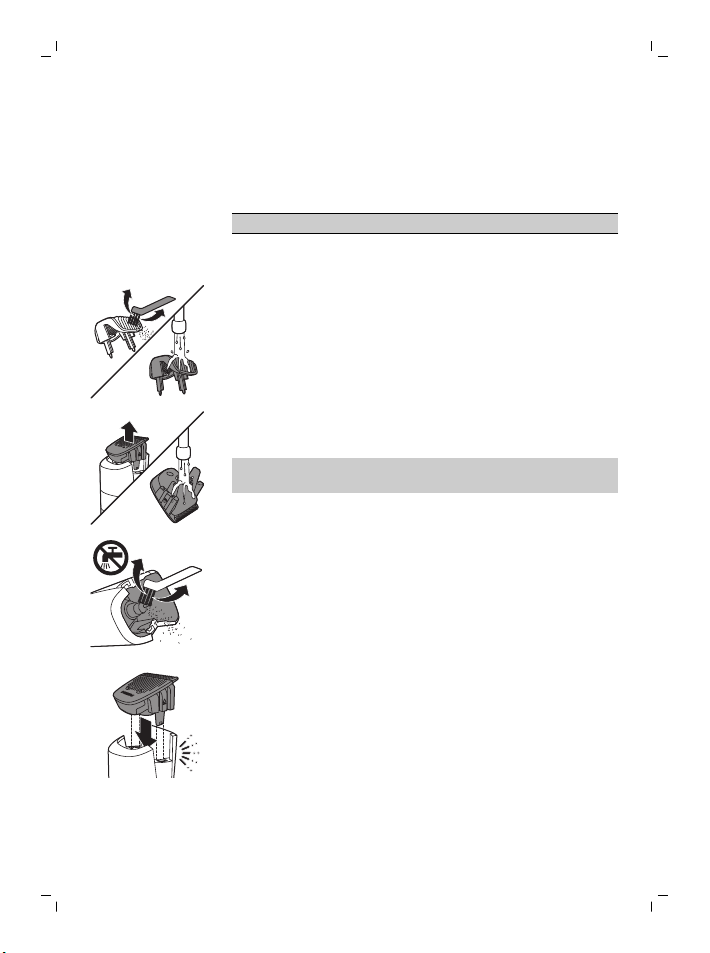
3 Remove the comb and clean it with the
cleaning brush and/or rinse it under the tap.
4 Remove the cutting unit and clean it under the
tap.
5 Carefully shake off excess water and let the
cutting unit air-dry completely.
Never dry the cutting unit with a towel or
tissue, as this may damage the trimming teeth.
6 Shake out the hairs that have collected in the
hair chamber.
15
English
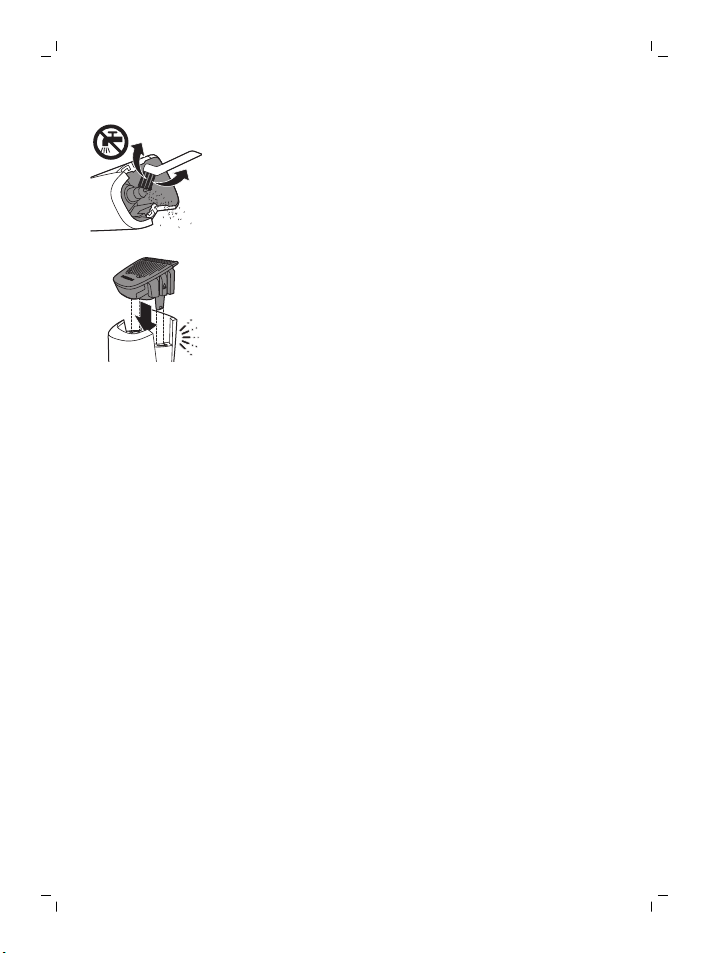
7 Brush out the hairs with the cleaning brush or
cleaning sponge supplied.
8 After cleaning, reattach the cutting unit and
comb to the appliance.
Ordering accessories
To buy accessories or spare parts, visit
www.shop.philips.com/service or go to your
Philips dealer. You can also contact the Philips
Consumer Care Center in your country (see the
international warranty leaflet for contact details).
Recycling
- Do not throw away the product with the normal
household waste at the end of its life, but hand
it in at an official collection point for recycling.
By doing this, you help to preserve the
environment.
- This product contains a built-in rechargeable
battery which shall not be disposed of with
normal household waste. Please take your
product to an official collection point or a
Philips service center to have a professional
remove the rechargeable battery.
- Follow your country’s rules for the separate
collection of electrical and electronic products
and rechargeable batteries. Correct disposal
helps prevent negative consequences for the
environment and human health.
16
English

Removing the rechargeable battery
Only remove the rechargeable battery when
you discard the product. Before you remove
the battery, make sure that the product is
disconnected from the wall socket and that
the battery is completely empty.
Take any necessary safety precautions
when you handle tools to open the product
and when you dispose of the rechargeable
battery.
1 Check if there are screws in the back or front of
the appliance. If so, remove them.
2 Remove the back and/or front panel of the
appliance with a screwdriver. If necessary, also
remove additional screws and/or parts until you
see the printed circuit board with the
rechargeable battery.
3 Remove the rechargeable battery.
Warranty and support
If you need information or support, please visit
www.philips.com/support or read the
international warranty leaflet.
Warranty restrictions
Cutting units are not covered by the terms of the
international warranty because they are subject to
wear.
Troubleshooting
This chapter summarizes the most common
problems you could encounter with the product. If
you are unable to solve the problem with the
information below, visit www.philips.com/support
17
English
for a list of frequently asked questions or contact
the Consumer Care Center in your country.
Problem Possible cause Solution
The appliance
does not work.
The battery is
empty.
Charge the appliance for at
least 2 hours so the
appliance has enough
power again.
I cannot switch
off the vacuum
system.
The vacuum
system is
automatically
deactivated when
the appliance is
switched off. It is
activated
automatically as
soon as you switch
on the appliance.
Switch off the appliance.
The vacuum
system performs
poorly or does
not work at all.
The hair chamber is
full.
Empty the hair chamber
after each trimming
session. First remove the
cutting unit from the
appliance, then empty the
hair chamber by carefully
shaking or blowing hair out
and/or by brushing the
hair out with the cleaning
brush supplied. Never use
water to clean the hair
chamber, this may damage
the appliance.
The air holes on
the appliance are
covered. If they are,
vacuum
performance is
reduced.
Make sure the air holes on
the appliance are not
covered.
18
English
Problem Possible cause Solution
If the suction system
performs poorly or not at
all, even though the
appliance is clean, not
covered and used
according to the
instructions in the user
manual, take the appliance
to your local Philips dealer
or call the Consumer Care
Center.
19
English
简体中文
简介
感谢您的惠顾,欢迎光临飞利浦! 为了让您能充分享
受飞利浦提供的支持,请在 www.philips.com/welcome
上注册您的产品。
基本说明(图 1)
1 修剪部件
2 真空系统
3 长度设定
4 调节轮
5 开/关按钮
6 电池状态指示灯
7 存储袋
8 清洁刷
9 清洁海绵
10 小插头
11 小插头插口
12 电源部件
13 精确修剪器
14 精细修剪梳 5mm (L)
15 精细修剪梳 3mm (M)
16 胡须和短茬修剪梳
重要安全信息
使用本产品及其附件之前,请仔细阅读本重要信息,并
妥善保管以供日后参考。 随附的附件可能因产品而
异。
危险
- 保持电源部件干燥。
- 警告符号注释: 禁止在打开的水龙头下进行清洗。
20
简体中文
警告
- 要给电池充电,请仅使用产品随附的可拆卸电源部
件 (HQ8505)。
- 电源部件中包含一个变压器。 请勿自行更换电源部
件的插头,否则将导致严重后果。
- 本产品也可以由 8 岁或以上年龄的儿童以及肢体不
健全、感觉或精神上有障碍或缺乏相关经验和知识
的人士使用,但前提是有人对他们使用本产品进行
监督或指导,以确保他们安全使用,并且让他们明
白相关的危害。 切勿让儿童玩弄本产品。 不要让儿
童在无人监督的情况下对本产品进行清洁和保养。
- 使用前,请务必检查产品。 请勿使用损坏的产品,
否则可能对人体造成伤害。 请务必用原装型号更换
损坏的部件。
- 切勿拆开本产品更换充电电池。
警告
- 只有修剪梳和修剪部件可以单独进行冲洗。 本产品
不可水洗。 请勿将产品浸入水中,也不要在水龙头
下冲洗。
- 警告符号注释: 禁止在打开的水龙头下进行清洗。
- 只能将本产品用于用户手册中所示的原定用途。
- 出于卫生的目的,本产品只能供一个人使用。
- 切勿使用压缩气体、钢丝绒、研磨性清洁剂或腐蚀
性液体(例如汽油或丙酮)来清洁产品。
- 请勿在包含电动空气清新器的墙壁插座上或其周围
使用电源部件,以免电源部件受到不可修复的损
坏。
电磁场 (EMF)
本 Philips 产品符合所有有关暴露于电磁场的适用标准
和法规。
概述
- 电源部件适合在 100 - 240 伏的电源电压下工作。
- 该电源部件可将 100-240 伏的电压转换为 24 伏以
下的安全低电压。
21
简体中文
显示屏
充电指示
电池电量不足
当电池电量几乎耗尽时,电池状态指示灯的底灯会呈橙
色闪烁。
电池正在充电
电池充电时,底部的第一个指示灯会呈蓝色闪烁,接着
第二个指示灯闪烁,以此类推。
电池已完全充满
电池充满电后,所有电池充电指示灯都将呈蓝色持续亮
起。
注意: 指示灯将在 30 分钟后自动关闭。
电池剩余电量
剩余的电池电量由持续亮起的充电指示灯来表示。
长度设定
10
0.5
您使用调节轮选择所需的须发长度时,选定的长度将显
示在调节轮上方的显示屏上。
22
简体中文
充电
第一次使用本产品之前,以及当电池状态指示灯指示电
池电量快要耗尽时,请为本产品充电。
充电约需 1 小时。 充满电的产品最长可使用 80 分钟。
使用电源部件充电
1 确保产品电源已关闭。
2 将小插头插入本产品,然后将电源部件插入电源插
座。
电池状态指示灯指示产品正在充电。
3 充电之后,从电源插座上拔下电源部件,并从本产
品上拔下小插头。
使用本产品
使用前务必检查产品和所有配件。 如果产品或任何配
件损坏,请勿继续使用,否则可能会造成人身伤害。
请务必用原装型号更换损坏的部件。
注意: 本产品可以不接电源或直接连在插座上使用。
您可以使用本产品修剪短茬或短胡须。. 本产品集成了
一个真空系统,该系统能够捕获剪下来的头发和胡须,
带给您更加整洁的修剪体验。.
打开本产品后,真空系统将自动启用。
注意: 每次使用后,请关闭并清洁产品。
此符号表示本产品不可水洗。
只有修剪梳和修剪部件可以单独进行冲洗。
23
简体中文
打开或关闭产品
1 要打开或关闭本产品,请按一下开/关按钮。
拆卸或安装修剪部件
1 确保产品电源已关闭。
2 将修剪部件直接从手柄上拔下。
3 将修剪部件的凸缘插入手柄顶部的槽内。 然后,按
下修剪部件将其安装到本产品上。
拆卸或安装修剪梳
胡须和短茬修剪梳
1 若要安装胡须和胡茬修剪梳,请将修剪梳滑入手柄
两侧的导槽中(听到“咔哒”一声)。
2 若要拆卸胡须和胡茬修剪梳,请将其向上拉以便从
手柄上取下。
24
简体中文
精细修剪梳
1 若要安装精细修剪梳,请将其滑至精确修剪器。
2 若要拆卸精细修剪梳,请将其从精确修剪器上滑
出。
修发
修剪提示
- 如果这是您第一次修剪,请格外小心。 移动本产品
时速度不要太快。 应确保动作轻柔流畅
- 由于并非所有的须发均按相同的方向生长,因此您
可能需要尝试不同的修剪位置(即向上、向下或交
叉)。 不断实践才能获得最佳效果。
- 始终轻柔平稳地移动,确保梳齿表面始终与皮肤相
接触。
使用修剪梳修剪
注意: 第一次修剪时,从最高的长度设定开始修剪,
以熟悉产品的使用方法。
使用连接到修剪部件的胡须和胡茬修剪梳,将胡须和须
髭修剪成自己喜欢的风格。 胡须和胡茬修剪梳可以选
择 20 种长度设置,长度从 0.5 毫米到 10 毫米,以 0.5
毫米的长度递增。 您可以通过转动调节轮来设置所需
的设置。
1 将胡须和胡茬修剪梳安装到产品上。
25
简体中文
10
0.5
2 使用调节轮选择所需的须发长度。
3 启动产品。
4 如需要最高修剪效率,请逆着头发生长的方向移动
本产品。
注意: 确保修剪梳的表面始终接触皮肤。
5 每次使用后,请关闭并清洁本产品。
使用精细修剪梳修剪
使用安装到精确修剪器上的精细修剪梳来精确修剪您的
鬓角、须髭或胡须。 本产品随附 2 种不同的精细修剪
梳: 5mm (L) 和 3mm (M)。
1 将精细修剪梳安装到精确修剪器上。
2 启动产品。
3 如需要最高修剪效率,请逆着头发生长的方向移动
本产品。
注意: 确保修剪梳的表面始终接触皮肤。
4 每次使用后,请关闭并清洁本产品。
不使用修剪梳修剪
使用不带胡须和胡茬修剪梳的产品修剪贴近皮肤的须
发,或者修整颈部和鬓角的轮廓。
1 如需贴近皮肤修剪须发,请将修剪刀头平坦的一侧
紧贴皮肤放置,然后按所需的方向来回移动。
26
简体中文
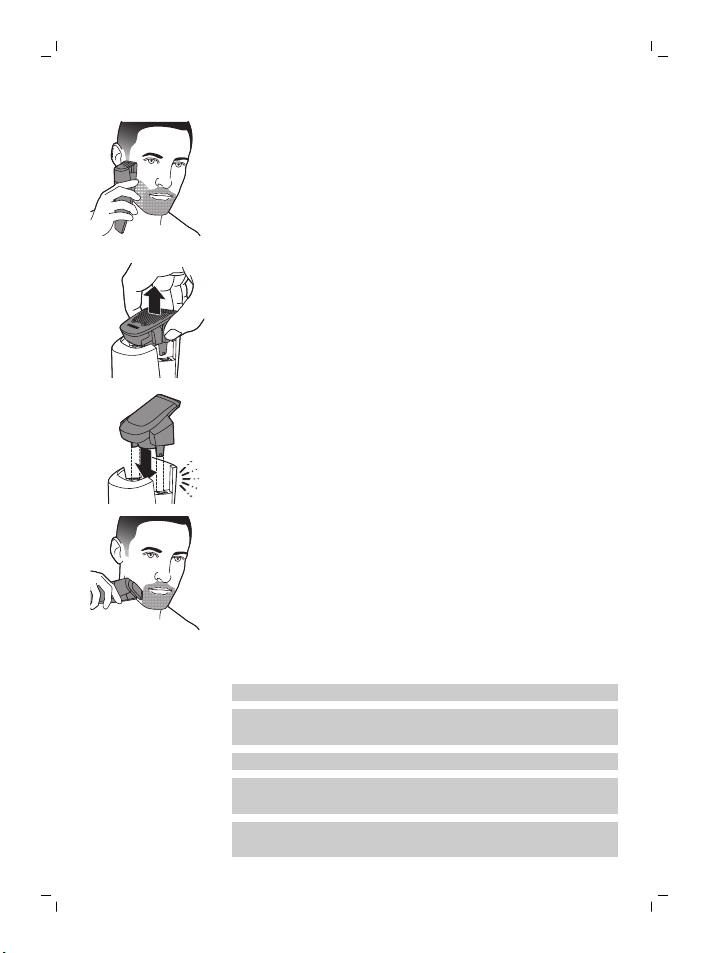
2 如需修剪轮廓,请将修剪刀头垂直放在皮肤上,并
上下移动修剪刀头,同时轻轻按压。
3 每次使用后,请关闭并清洁本产品。
不使用修剪梳进行精细修剪
使用精确修剪器以非常贴近皮肤的距离修剪出细致的线
条和轮廓,以塑造您的面部风格。
1 拆卸修剪部件时,请将其向上拉,以便从手柄上取
下。
2 安装精确修剪器。
3 启动产品。
4 请将精确修剪器垂直放在皮肤上,并上下移动精确
修剪器,同时轻轻按压。
5 每次使用后,请关闭并清洁本产品。
清洁和保养
为保证更好的剃须效果,请定期清洗剃须刀。
切勿在产品开启时清洗、拆卸或更换剃须或修剪部
件。
切记先检查水温是否太高,以防烫手。
切勿使用毛巾或纸巾擦干修剪部件或剃毛刀网,因
为有可能造成损坏。
切勿使用压缩气体、钢丝绒、研磨性清洁剂或腐蚀
性液体(例如汽油或丙酮)清洁本产品。
27
简体中文
清洁产品
我们建议您在每次修剪后清空胡茬收集室。 在修剪长
而浓密的胡须时,在修剪过程中也有必要清空胡茬收集
室,以维持理想的吸入性能。
只有修剪部件和修剪梳可以用水清洗。
1 关闭产品并与电源插座断开连接。
2 使用干布擦拭产品表面。
3 取下修剪梳,然后用清洁刷进行清洁和/或放在水龙
头下冲洗。
4 取下修剪部件,在水龙头下清洗。
5 小心甩干多余的水,然后让修剪部件彻底晾干。
切勿用毛巾或纸巾擦拭修剪部件,否则可能会损坏
修剪齿。
6 摇动胡茬储藏室,倒出收集的胡茬。
7 用随附的清洁刷或清洁海绵刷掉胡茬。
8 清洁之后,将修剪部件和修剪梳重新安装到产品
上。
订购配件
要购买附件或备件,请访问
www.shop.philips.com/service 或联系您的飞利浦经销
28
简体中文
商。 您还可以联系所在国家/地区的飞利浦客户服务中
心(请参阅全球保修卡了解详细联系信息)。
回收
- 弃置本产品时,请不要将其与一般生活垃圾放在一
起,应将其交给政府指定的回收中心。 这样做将有
利于环保。
- 此产品包含内置充电电池;请勿将充电电池与一般
生活垃圾一起弃置。 请您将产品送到官方收集中心
或飞利浦服务中心,请专业人士移除充电电池。
- 遵循您的国家/地区有关分类回收电子电气产品和充
电电池的规定。 正确弃置产品有助于避免对环境和
人类健康造成不良后果。
拆下充电电池
必须在丢弃本产品前取出充电电池。 卸下电池之
前,请确保本产品与电源断开连接并且电池电量
已耗尽。
当您使用工具打开本产品时以及在您弃置充电电
池时,请采取必要的安全保护措施。
1 检查产品的前面和后面是否有螺丝。 如果有,请将
其拆下。
2 用螺丝刀卸下产品的前面板和/或后面板。 必要时还
需要拆下更多的螺丝和/或部件,直到您看见装有充
电电池的印刷电路板为止。
3 拆下充电电池。
мȞġĈҴˀΙĀǩ؆Ӎߒʔ
ˌɫǩ؆
ĈҴˀΙ
(Pb)
᰽
(Hg)
⬡
(Cd)
ԣᲱ
(Cr (VI) )
Ġ⅑ԓ᧠
(PBB)
Ġ⅑ȕ᧠⓭
(PBDE)
PCB’s
מŪǗɢذ
X O O O O O
Electrical
contact pins
ǗˈǦ
X O O O O O
Power plug
Ǘ۷Ǽ
X O O O O O
X O O O O O
ǕȪϜ֪֙SJ/T 11364Āܪǭৠ뺯
OȪФ˽ĈҴˀΙć˽ˌɫǨĈߴΙࠒնġĀߒʔߴćGB/T 26572ܪǭĀՄʔđŘĪ뺯
XȪФ˽ĈҴˀΙψɺć˽ˌɫĀԚĂߴΙࠒնġĀߒʔɸŜGB/T 26572ܪǭĀՄʔđ뺯
Internal
metal parts
ʭˌɫ
29
简体中文
- 该表格中所显示的“有害物质”在产品正常使用情
况下不会对人身和环境产生任何伤害。
- 该表格中所显示的“有害物质”及其存在的部件向
消费者和回收处理从业者提供相关物质的存在信
息,有助于产品废弃时的妥善处理。
保修和支持
如需信息或支持,请访问 www.philips.com/support 或
阅读国际保修卡。
保修条款
修剪部件不在国际保修条款的涵盖范围之内,因为修剪
部件属于易磨损物品。
故障处理方法
本章归纳了使用本产品最常遇到的问题。 如果您无法
根据以下信息解决问题,请访问
www.philips.com/support 查阅常见问题列表,或联系
您所在国家/地区的客户服务中心。
问题 可能的原因 解决方法
产品不能工作。 电池已耗尽。 要给本产品充电至少 2 个小
时,这样产品就会再次拥有
充足的电量。
我无法关闭真空系
统。
关闭本产品后,真空
系统将自动停用。 打
开本产品后,该系统
将自动启用。
关闭产品。
30
简体中文
问题 可能的原因 解决方法
真空系统效果不佳
或根本不工作。
胡茬储藏室已满。 每次修剪后清空胡茬储藏
室。 首先将修剪部件从产品
上取下,然后小心地晃动产
品或将胡茬吹出,并且/或者
用随附的清洁刷将胡茬刷
出。 切勿用水清洗胡茬储藏
室,否则可能会损坏产品。
产品上的气孔被覆
盖。 这样的话,真空
性能会下降。
请确保产品上的气孔位被覆
盖。
如果吸入系统性能不佳或完
全不工作,那么即使产品清
洁、未被覆盖并且是按用户
手册中的说明使用,也要将
产品送往您当地的飞利浦经
销商处获致电客户服务中
心。
产品:飞利浦胡须造型器
型号:SBT720
额定电压:220V~
额定频率:50Hz
额定输入功率:9 W
生产日期:请见产品本体
产地:中国广东广州
本产品根据国标 GB4706.1-2005,
GB4706.9-2008制造
飞利浦(中国)投资有限公司
上海市静安区灵石路718号A1幢
全国顾客服务热线: 4008 800 008
保留备用
发行日期: 22/12/2017
31
简体中文




Empty page before back cover
© 2017 Koninklijke Philips N.V.
All rights reserved
保留所有权利
4222.002.9004.1 (22/12/2017)
> 75% 循环再造纸
>75% recycled paper
>75% papier recyclé