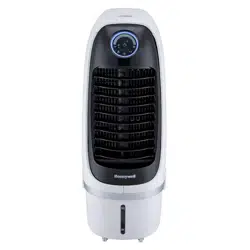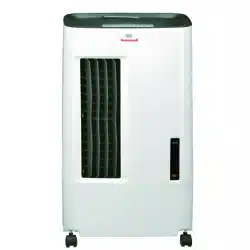

CS071AE
www.honeywellaircoolers.com/products/CS071AE
www.jmatek.com
E-mail: [email protected]
Model:
Portable Evaporative Air Cooler
User Manual
Read and save these instructions before use
Product video:
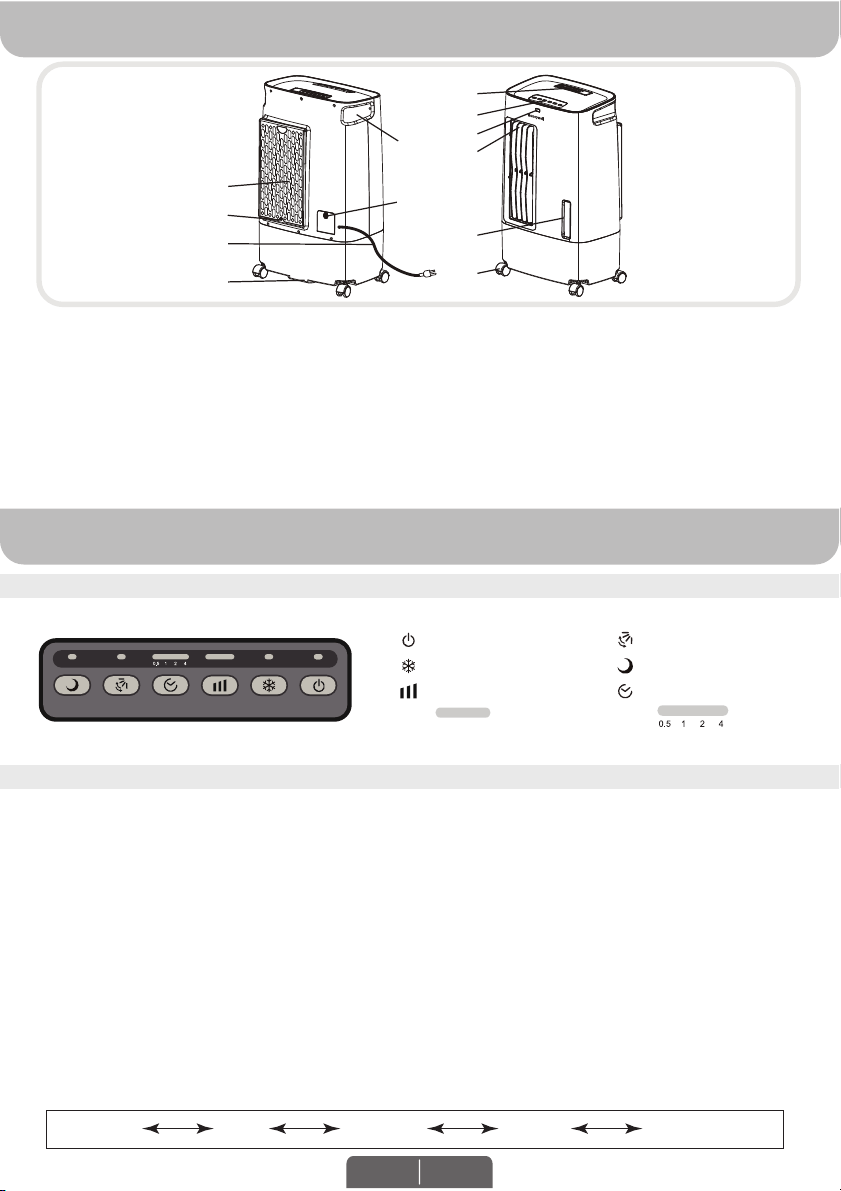
5) Drain Plug
6) Water Level Indicator
7) Casters
8) Handle
9) Rear Grill
10) Water Fill Door
11) Power Cord & Plug
12) Rear Grill Screw
1) Remote Control
2) Control Panel
3) Remote Control Receptor
4) Louvers
PARTS DESCRIPTION
USE & OPERATION
(1)
(2)
(3)
(4)
(6)
(7)
(8)
(9)
(10)
(11)
(5)
(12)
CONTROL PANEL
FUNCTION BUTTONS
POWER
Press the POWER button to turn the unit on. The cooler will start automatically at medium speed. After a
few seconds the speed will switch to low. To turn the unit off, press the button again.
COOL
Please make sure water is added prior to setting the Cool Mode. Press the COOL button until the COOL
indicator light is illuminated on the control panel. This activates evaporative cooling. The water pump will
operate and you will feel the cooler air after the Honeycomb Cooling Media is completely wet. In COOL
mode, unit may make a gargling sound when water level is below the minimum level mark. This is
normal. Follow instructions to refill water tank with adequate water.
Note: When the COOL indicator light is switched OFF, the unit can still function in a fan only mode
(without evaporative cooling). The Sleep* function can still be switched on in a Fan only mode.
SPEED
Press the SPEED button repeatedly to change the speed between Ultra Low - Low – Medium – High -
Turbo. The indicator light will show the selected speed:
Low (I I)Ultra Low (I) Turbo (I+I I+I I I)Medium (I I I) High (I+I I)
WARNING -- READ AND SAVE THE AIR COOLER SAFETY & MAINTENANCE GUIDE AND USER
MANUAL BEFORE USING THIS PRODUCT. FAILURE TO FOLLOW THESE INSTRUCTIONS MAY
DAMAGE AND/ OR IMPAIR ITS OPERATION AND VOID THE WARRANTY. IN CASE THERE IS
ANY INCONSISTENCY OR CONFLICT BETWEEN THE ENGLISH VERSION AND ANY OTHER
LANGUAGE VERSION OF THE CONTENT OF THIS MATERIAL, THE ENGLISH VERSION SHALL
PREVAIL.
*Applicable for models with Sleep feature only.
I I I I I I
Icons on Display Screen
Power
Cool
Speed
Swing
Sleep*
Timer Setting
I I I I I I
EN 1
TIMER
Press the TIMER button until the desired time duration setting is selected. When the set time has
passed, the unit will automatically turn off (unit remains in Standby mode until power cord is unplugged
from electrical socket). The TIMER function allows you to program the unit for up to 7.5 hours of use.
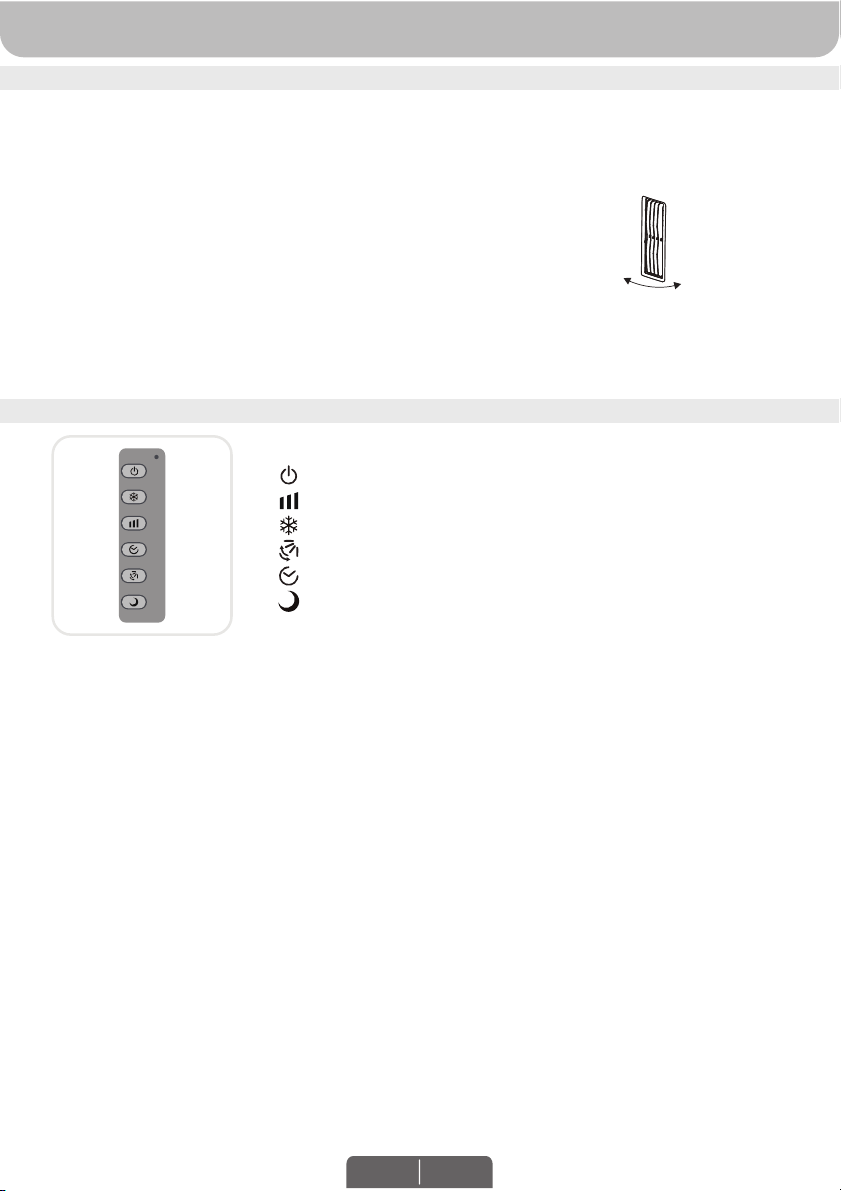
SWING
Press the SWING button until the SWING indicator light is illuminated on the
control panel. The louvers will begin to move left to right automatically.
SLEEP*
When SLEEP* mode is selected, the fan speed will start running on Turbo Speed for one hour and then
reduce one speed level every hour until it reaches Ultra Low speed. The fan will then remain at Ultra Low
Speed until it is turned Off.
USE & OPERATION (CONTINUED)
REMOTE CONTROL
FUNCTION BUTTONS (CONTINUED)
: ON / OFF
: Ultra Low / Low / Medium / High / Turbo
: Evaporative cooling ON / OFF
: Controls the motion of the louvers
: Controls the Timer function for automatic off
: Turn ON / OFF Sleep* mode
t
t
t
t
t
t
t
t
t
t
Note:
Power
Speed
Cool
Swing
Timer
Sleep*
*Applicable for models Sleep feature only.
*Applicable for models Sleep feature only.
LOUVER
MOVEMENT
The remote control requires a CR2032(1 x 3V) coin type or equivalent battery for replacement.
Open the battery compartment at the back of the remote control and insert a battery inside. Care
must be taken to insert the batteries according to the correct polarity (+ / –) markings shown inside
the battery compartment.
Always point the remote control signal transmitter towards the unit when operating. Make sure that
the signal path is not obstructed.
Remove the batteries if the unit is not going to be used for an extended period of time.
Do not drop the remote control.
Do not mix different types of batteries such as alkaline, carbon-zinc, or rechargeable batteries.
Do not mix old and new batteries.
Do not recharge the battery.
Exhausted batteries are to be removed from the product and safely disposed of as per local
regulations.
Do not dispose of batteries in fire. Batteries may explode or leak.
WARNING: Caution for ingestion of the small battery. Keep away from children and animals.
EN 2
USE & OPERATION (CONTINUED)
CLEANING & DRAINING THE WATER TANK
Move the unit to a location where the water can be drained. Remove the cap from the Drain plug
located at the bottom of the unit. Allow the tank to empty.
Refill the water tank with clean water and drain it completely.
Refill the water tank with clean water, up to the maximum level.
Use a damp cloth to remove the dirt and dust from the surface of the unit. Never use corrosive
elements or chemicals to clean this product.
When the product is not in use, store the unit in a dry place out of direct sunlight.
t
t
t
t
t
FILLING WITH WATER
WARNING:
Before cleaning the unit, switch the unit OFF and disconnect from the electrical socket.
CAUTION:
Unplug the unit from the electrical power outlet before emptying or refilling
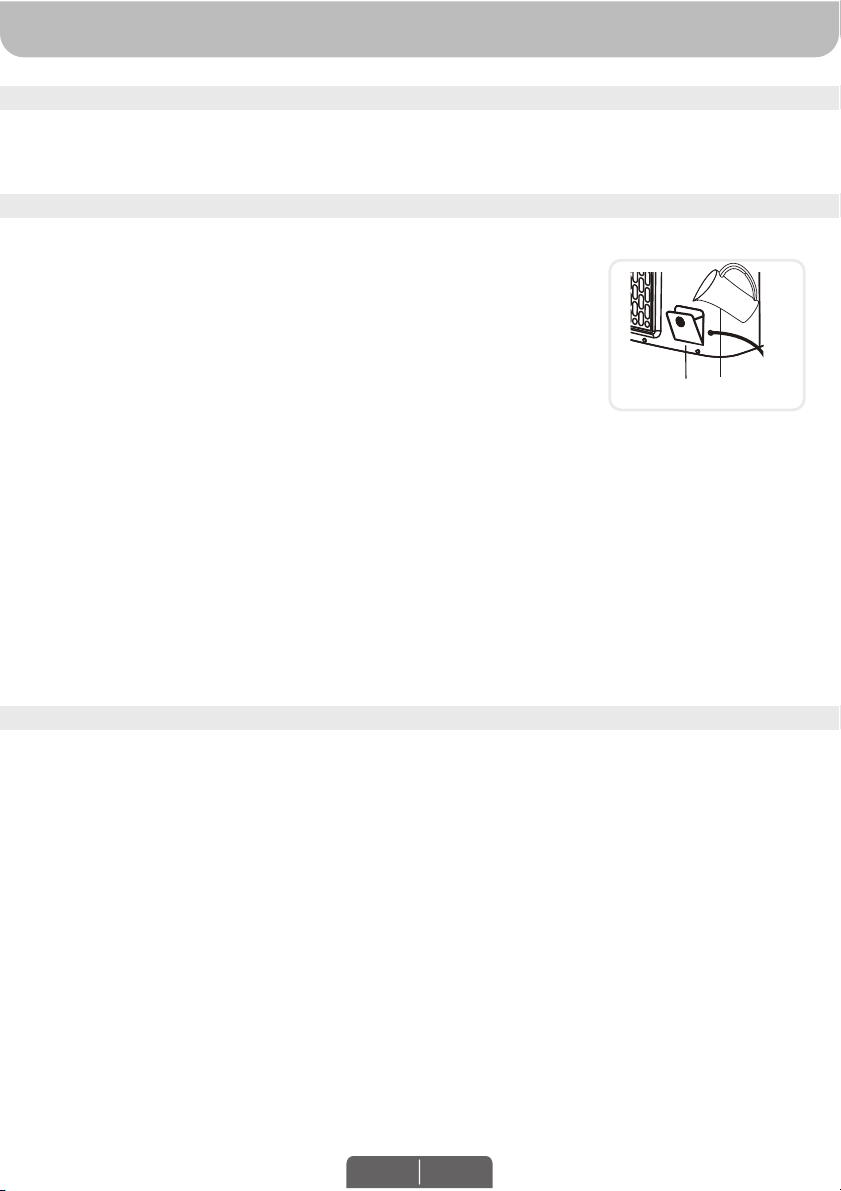
the water tank. Open the Water Fill Door.
Open the Water Fill Door located on the side of the unit.
The Water Level Indicator is located at the front of the unit. Refill the water
tank when water level is low. Do not fill water above the "Max." water level
mark to avoid water droplets collecting on the louvers. Check the water
level in the tank before running the COOL function. Make sure that the water
in the tank is above the minimum water level mark. Running the unit in COOL mode with inadequate
water may cause pump failure.
Note: The water capacity refers to the total volume of water that can be contained within the air cooler
water tank and water distribution system. The water capacity in the tank at the “Max.” indicator level
may be lower than the actual water capacity of the air cooler.
Note: If ice is available, you may add ice in the top ice compartment to enhance
the cooling performance.
WARNING: Do not fill water tank with dirty water or salt water. This can damage the unit and
Honeycomb media.
Below are instructions on how to clean and maintain your air cooler. If the cooler will not be used for a
long period of time, please refer to the STORAGE & MAINTENANCE GUIDELINES located in the
separate Safety & Maintenance Guide.
Water Fill Door
EN 3
COOLER LOCATION
Make sure to position the air cooler correctly before you set up and start using the product. Please refer
to the COOLER LOCATION section of the separate Safety & Maintenance Guide.
USE & OPERATION (CONTINUED)
EN 4
CLEANING THE CARBON DUST FILTER* AND HONEYCOMB COOLING MEDIA
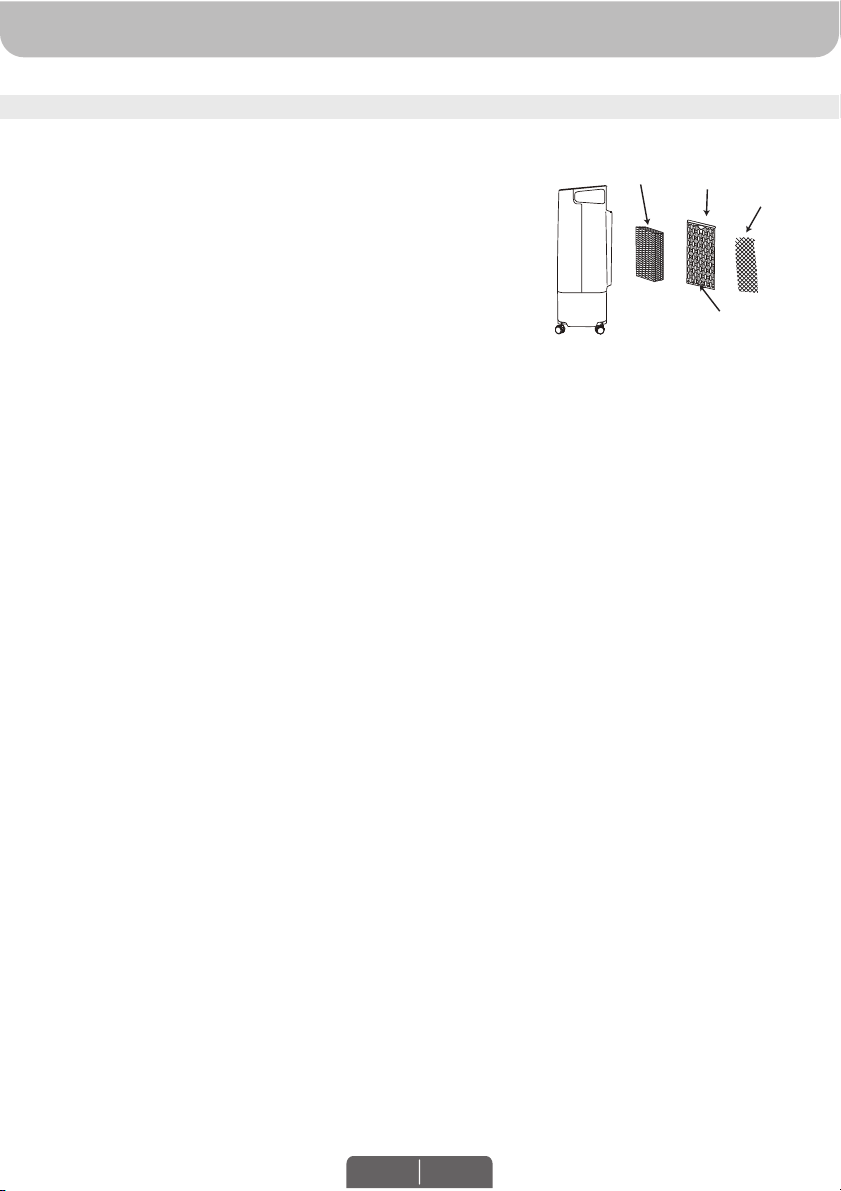
The appliance is supplied with a Carbon Dust Filter* &
Honeycomb Cooling Media.
The Carbon Dust Filter* and Honeycomb Cooling Media are
located inside the Rear Grill. See Figure 1 for instructions on
how to remove them from the unit for cleaning and
maintenance.
Do not run the unit in COOL mode with stale water in the
tank. You must empty the water tank and refill with fresh
water, especially if the tank has not been cleaned in a long
time.
The cleaning frequency for the Honeycomb media depends
on local air and water conditions. In areas where the mineral
content of water is high, mineral deposits may build up on
the Honeycomb Cooling Media and restrict air flow.
Draining the water tank and refilling with fresh water at least
once a week will help reduce mineral deposits. If mineral
deposits remain on the Honeycomb Cooling Media, the
media should be removed and washed under fresh water.
The media should be cleaned every two months or sooner,
depending on your needs.
For best results allow the Honeycomb Cooling Media to dry
after each use by turning off the cool function 15 minutes
before turning the unit off.
t
t
t
t
t
Honeycomb
Cooling Media
Rear
Grill
Figure 1:
Remove one screw from the Rear Grill of the Air Cooler.
Carefully slide out the rear grill from the cooler.
Slide out the Carbon Filter* and clean with water.
Pull out the Honeycomb Cooling Media.
Replace or clean media with water and a damp cloth as
needed.
WARNING: DO NOT operate the Air Cooler when the
Rear Grill is removed from the Air Cooler, or if there is a
loose-fitting Rear Grill. Doing so can cause serious injury
or dangerous electrical shock.
1.
2.
3.
4.
5.
Removing the Carbon Dust Filter*/ Honeycomb Cooling Media:
Screws
Carbon Dust
Filter
*Applicable for models with Carbon Dust Filter only.
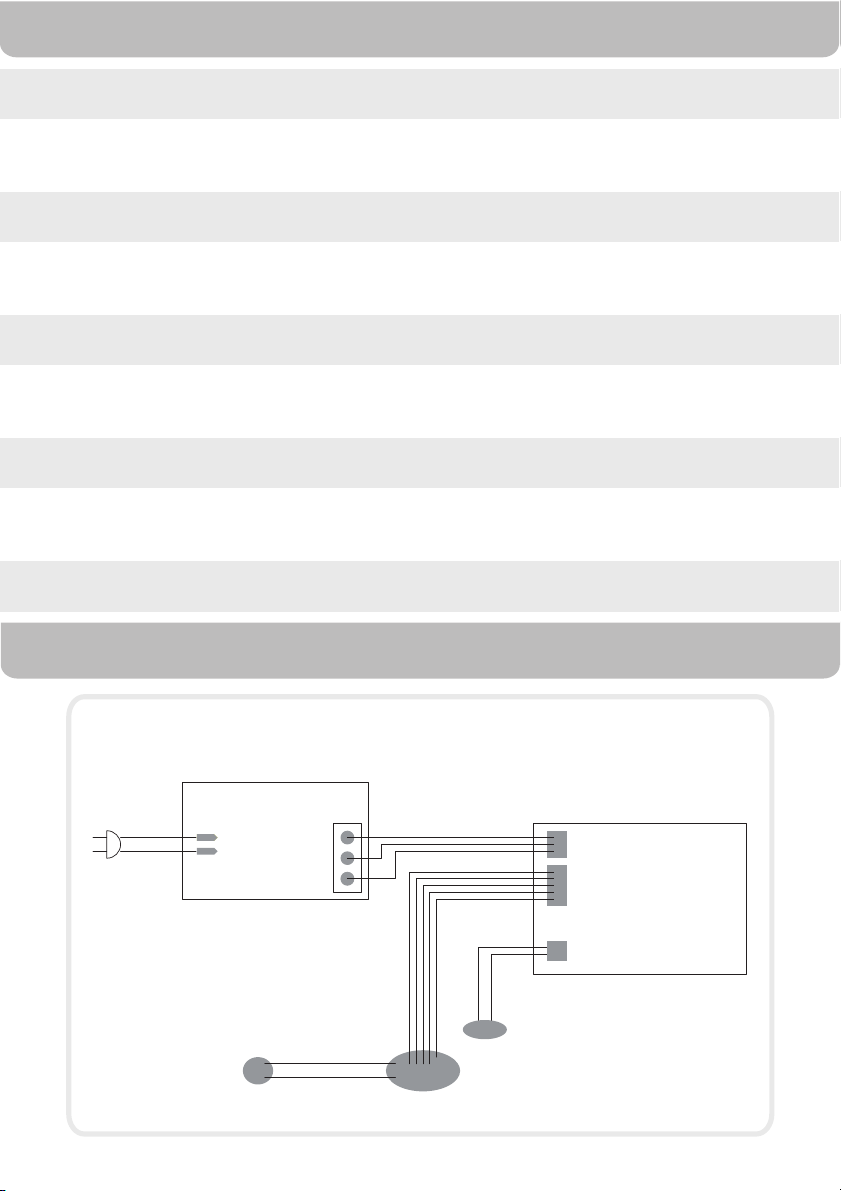
ELECTRICAL WIRING DIAGRAM
thgieW teN
egatloV
ycneuqerF
erepmA
Model
TECHNICAL SPECIFICATIONS
Cooling Media
Product Dimension
Wattage
Water Capacity
CS071AE
Honeycomb
380 (W) x 250 (D) x 644 (H) mm
14.9 (W) x 9.8 (D) x 25.4 (H) in
sbl 0.11 / gk 89.4
V 021 - 011
zH 06
1.3 A
32 W
7 Litres / Litros
1.85 Gallons / Galones
Version: 110 - 120V/60Hz
L
N
ACL
ACN
+24V
GND
+5V
+24V
GND
+5V
Power PCBA
Control PCBA
GND
VCC
VSP
FG
OSC
+
-
SW Motor
FAN Motor
PUMP
JMATEK North America LLC
Mahwah, New Jersey 07495 USA
Phone: 1-800-474-2147
Email: [email protected]
Web: www.jmatek.com
© 2016 JMATEK Limited. All rights reserved.
The Honeywell Trademark is used under license from
Honeywell International Inc.
Honeywell International Inc. makes no representations
or warranties with respect to these products.
This product is manufactured by Airtek Int'l Corp. Ltd.
(subsidiary of JMATEK Ltd.)