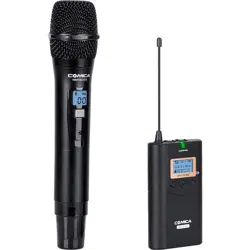
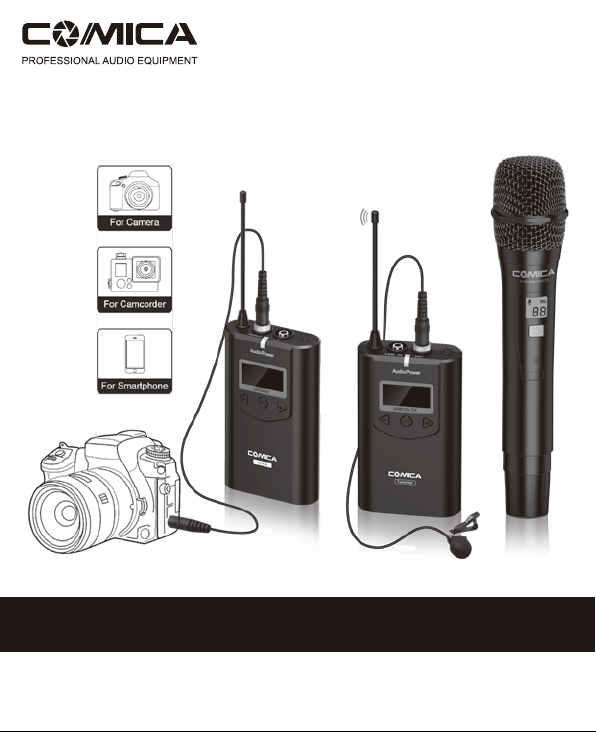
UHF Wireless Microphone
CVM-WM100
USER MANUAL

Specification
Lavalier Transmitter TX
48
520.000MHz~534.100MHz
15dBm
Channels
Wireless Frequency
Transmitting Power
Receiver RX
48
520.000MHz~534.100MHz
Channels
Wireless Frequency
Hand-held Transmitter HTX
Channels
Wireless Frequency
Transmitting Power
48
520.000MHz ~ 534.100MHz
15dBm

Foreword
Main Features
Thanks for purchasing the COMICA WM100 UHF wireless microphone.
WM100 utilizes UHF wireless technology and LCD lattice screen, it comes with
16-levels adjustable volume, built-in with ‘Adjustable RF Strength’, ‘Local Audio
Testing’, ‘Real-time Audio Monitor’ functions,etc., which takes you more
professional and convenient recording;
To ensure the security of the product, please carefully read the user
manual ,correctly install and operate the item.
. Multiple Channels for Serveral Devices Work Together;
. Working Distance Up to 100m; (100m in Open Area, 60m in Barrier Area)
. Local Audio Test in Transmitter End;
. Real-time Audio Status Monitor in Receiver End;
. Real-time Audio Monitor;
. 16-levels Adjustable Volume;
. RF Signal Strength Adjusted in Transmitter End;
. Muting Mode;
. Lattice LCD Display, High Resolution;
Muting Mode16-levels Adjustable
Audio Volume
100m Working
Distance
Lattice LCDReal-time
Monitor
Wireless Audio
Monitor
Local Audio
Testing
1

Notice
The antenna will affect working distance, be sure to protect it and avoid any
man-made damage;
Working distance will be affected by surround environment, make sure the
background is open with no interference, and turn off the device’s WIFI during
usage;
RF strength is advised to set to ‘Low’ for short working-distance request, which
can help decrease power consumption and increase power duration;
While working with smartphone, one must purchase the TRS-TRRS audio cable
adapter separately;
Take notice of the batteries’ ‘positive and negative poles’ to avoid reverse,
otherwise the product maybe damaged;
Keep the product in dry environment;
Don’t expose the product or work with it in Rain to avoid short-circuit;
2

Main Body
Accessories
In Packing List
Lavalier TransmitterHand-held Transmitter
3.5mm Audio Mic
3.5mm-3.5mm Audio Output Cable
3.5mm-XLR Audio Output Cable
Waist Belt Clip x 2pcs
Camera Mount
Receiver
1
1
1
6
6
2
7
3
8
4
9
5
2
3
4
5
Wind Muff
Portable Case
User Manual
Warranty Card
6
7
8
9
WM100=Lavalier Transmitter+Receiver
WM100H=Handheld Transmitter+Receiver
Item is included only in WM100
3

Components and Instruction
Components
Hand-held Transmitter
Microphone
LCD Display
Power/CH Setting Button
IR Screen
Low cut/Normal Audio Switch
Channel Sequence Switch
AA Battery Holder
1
2
3
4
5
6
7
2
1
3
4
7
65
4

Lavalier Transmitter
Antenna
LINE IN Input
MIC Input
Power/Muting Button
Working Indication Light
Function Selection Button -
Function Setting Button
Function Selection Button +
AA Battery Holder
1
1
2
2
3
3
4
4
5
5
6
6
7
7
8
9
9
8
5

Receiver
Antenna
3.5mm Audio Output
3.5mm Audio Monitor Output
Power Button
Working Indication Light
Function Selection Button -
Function Setting Button
Function Selection Button +
AA Battery Holder
1
1
2
2
3
3
4
4
5
5
6
6
7
7
8
8
9
9
6

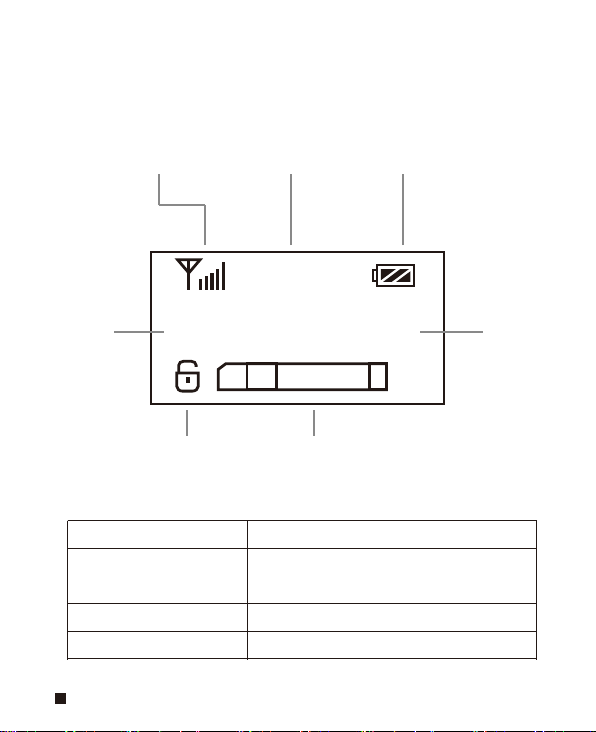
Screen Display Instruction
8 8
Normal recording mode Power Indication
Channel
Hand-held Transmitter HTX:
Lavalier Transmitter TX :
RF Transmitting Strength High Icon
:
RF Transmitting Strength Low Icon
:
Channel Channel
Frequency
Locking/Unlocking Icon Audio Status Indication Bar
Normal Audio Mode Icon:
Muting Mode Icon
:
Power Indication
CH
AF
MHz
00
520. 000
H
7
Indication Light Instruction
Work Normally
Muting Mode
Low-power
Channels Not Match
Green Light Keeps On
Green Light Flicker
Red Light Keeps On
Red Light Flicker
(
Only for Receiver
)
Receiver RX:
Channel Channel
Frequency
Locking/Unlocking Icon Audio Status Indication Bar
Volume IndicationRF Receiving Strength
Power Indication
CH
AF
MHz
00
520. 000
VOL 15
8

Function Button Instruction
Long Press
Short Press
Short Press
Short Press
Short Press
Long Press
Power/Muting Button
Set Button
+ Button
- Button
Power On/Off
Muting
(
Unlocking Mode
)
Function Selection
(
Unlocking Mode
)
Function Selection
Function Selection
Locking/Unlocking
Function Setting
(
Unlocking Mode
)
CH
+
-
Hand-held
Transmitter
Lavalier
Transmitter
and Receiver
Power/CH Setting
Button
“Low cut/ Normal”
Sound Switch
Channel Sequence
Long Press
Power On / Off
Short Press Channel Sequence Switch
Push-up
Order-up
Push-down
Order-down
Push-up
Low cut
Push-down
Normal
LCF
-
Low-cut Function:
The low frequency part of the noise is reduced, and the sound is clearer and more
efficient;
9

Installation and Usage
Step 2. Long press the button to turn on
the hand-held transmitter
Hand-held Transmitter
Step 1. Install two AA batteries into the battery tray
according to the positive and negative
electrode
AA
AA
10

A. Short press power button to switch the channel
Step 3. Matching with the receiver
2 8
Hand-held transmitter’ channel Receiver’ channel
2 8 3 5
Channel switch
VOL 11
35
11

B. Set HTX and RX into same channel
3 5
Hand-held transmitter’ channel Receiver’ channel
Hand-held transmitter Receiver
sync
VOL 11
35
12

For simple channel setting, please open the battery cover to
adjust the channel sequence
LCF
-
CH
+
-
C. The green light of RX will turn on after successful match
Low cut adjustment switch Channel sequence switch
13

Lavalier Transmitter
Install Batteries into Battery Holder by following the ‘+’ and ‘-’ Icon, and clip
the waist holder onto back of transmitter ;
Long-press the power button to open the transmitter;
According to your own requirement, to choose to connect the Mic cable
onto ‘Line in’ or ‘Mic’ Input ;
Record with the Mic , and pay attention to the ‘Audio Status Indication Bar’
to check if the transmitter works ;
Step 1:
Step 2:
Step 3:
Step 4:
Volume dynamic display bar
520. 000
14

Refer to the Function Button Instruction to set the relative functions, for
example: CH Adjustment, RF Strength Adjustment, LCF Adjustment;
Step 5:
Lock
A. Unlock
:
Long press SET button
Unlock
520. 000
520. 000
15

B. CH Adjustment
:
Short press SET button
Adjust the CH channel by - + button
Adjust CH channel
16
Choose thin voice with LCF ON or thick voice with LCF OFF.
LCF OFF LCF ON
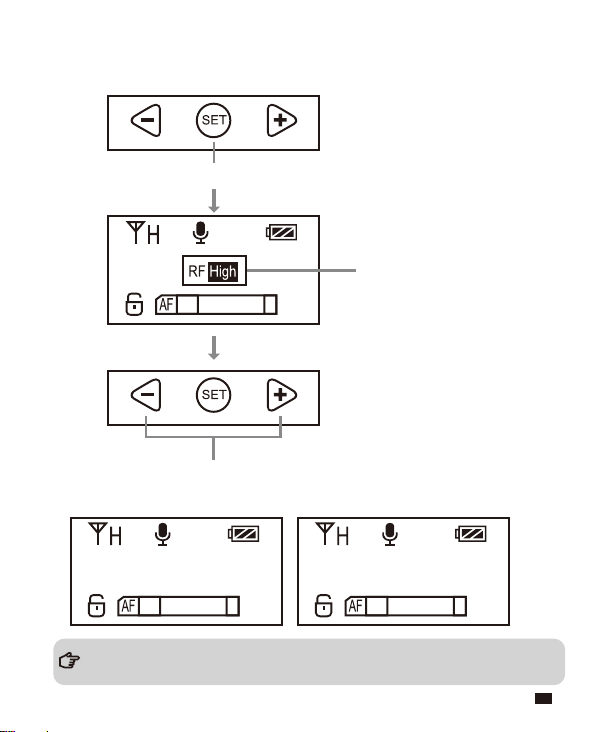
C. RF Strength Adjustment
:
D. LCF (Low-cut Filter)
Short press SET button
Adjust the RF signal strength by - + button
Adjust RF
17

Receiver
Install the Receiver onto the device via cold-shoe, and connect one end
of the audio cable into Output socket, connect another end of the audio
cable into device’s audio input socket; And plug your earphone into the
audio monitor’s socket for audio monitor if you need;
Mount the Receiver onto
cold-shoe
Mount the cold shoe onto camera
The receiver is mounted on the device
Connect one end of the audio cable into Output socket,
Connect another end of the audio cable into device’s
audio input socket
Plug your earphone into the
audio monitor’s socket
Step 1:
18

Set CH to match the channels, and adjust VOL to set the volume until you’re
satisfied;
Lock
A.Unlock
:
Long press SET button
Unlock
VOL 11
VOL 11
Step 2:
520. 000
520. 000
19

B.Set CH to match the channels
:
Short press SET button
Adjust CH by - + to match the Transmitter
The Green Light will keep on after channel matched.
Adjust CH channel
VOL 11
20

C.Set the volume until you’re satisfied
:
Go for the normal audio recording.
Short press SET button
Adjust volume by - + button
Adjust VOL
VOL 11
VOL 11
Step 3:
21
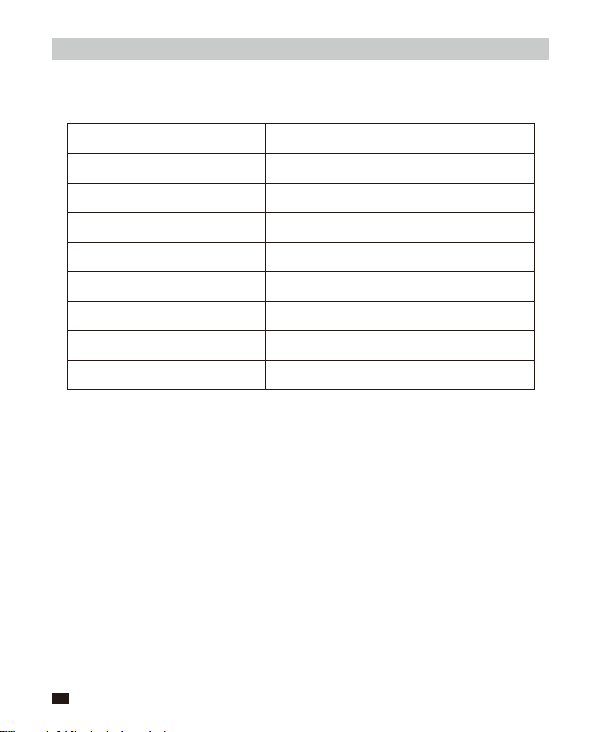
Specification
Hand-held Transmitter HTX
Signal / Noise
Antenna
Stray Radiation
Sound Delay
Audio Distortion
Battery
Dimension
Operating Temperature
Storage Temperature
>65dB
PCB Antenna
<-60dBc
<20ms
<0.5%
AA Batteries x 2pcs
Φ53.5(MAX) x 253mm
0
℃
~ 50
℃
-20
℃
~ 60
℃
22

Lavalier Transmitter TX
>
65dB
1/4 Wavelength Antenna
<
-60dBc
<
20ms
<
0.5%
3.5mm Socket
AA Batteries x 2pcs
111.5 x 65 x 25.3mm
0
℃
~ +50
℃
-20
℃
~ +60
℃
Signal / Noise
Antenna
Stray Radiation
Sound Delay
Audio Distortion
Audio Input Socket
Batteries
Size
Working Temperature
Storage Temperature
23
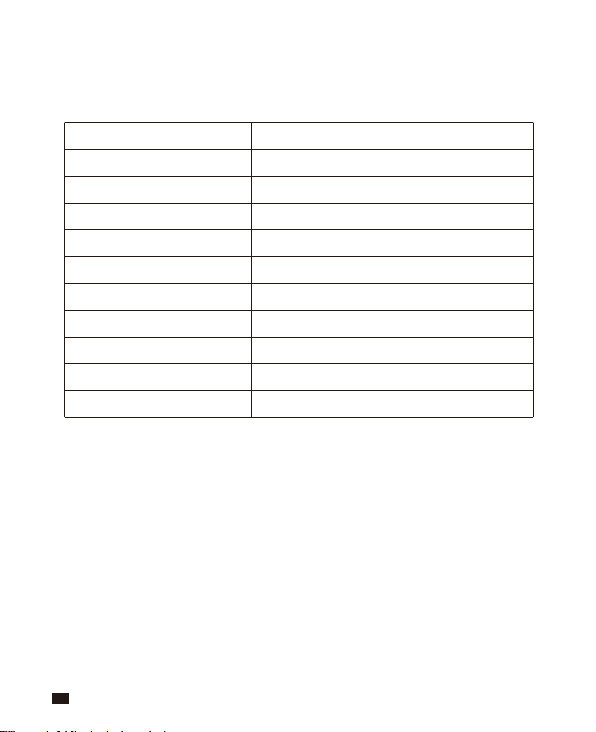
Receiver RX
>
65dB
1/4 Wavelength Antenna
-95dBm
<
20ms
<
0.5%
20Hz ~ 18KHz
3.5mm Port
AA Batteries x 2pcs
111.5 x 65 x 25.3mm
0
℃
~ +50
℃
-20
℃
~ +60
℃
Signal / Noise
Antenna
Receiving Sensitivity
Sound Delay
Audio Distortion
Frequency Range
Audio Output
Batteries
Size
Working Temperature
Storage Temperature
24

Email: [email protected]