ISSUED: 06-16-09 SHEET #: 055-XXXX-1
Visit the Peerless Web Site at www.peerlessmounts.com
1 of 9
For customer care call 1-800-729-0307 or 708-865-8870.
Maximum Load Capacity: 50 lb (22.7 kg)
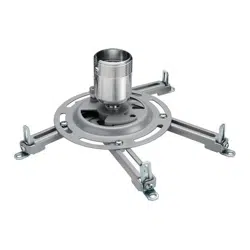
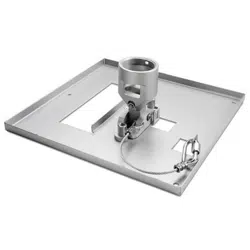
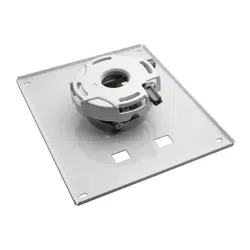
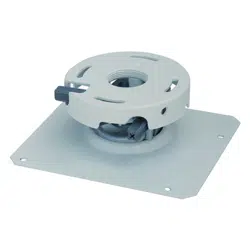
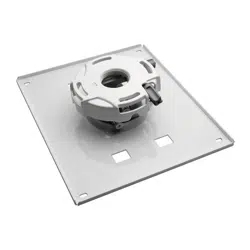
Model: NP3250CM
Features:
• ImageLock
TM
alignment prevents picture sag or drift
• Wrench access slot for easier flush mount installations
• Exclusive aluminum track quick release
NEC Display Solutions of America, Inc.
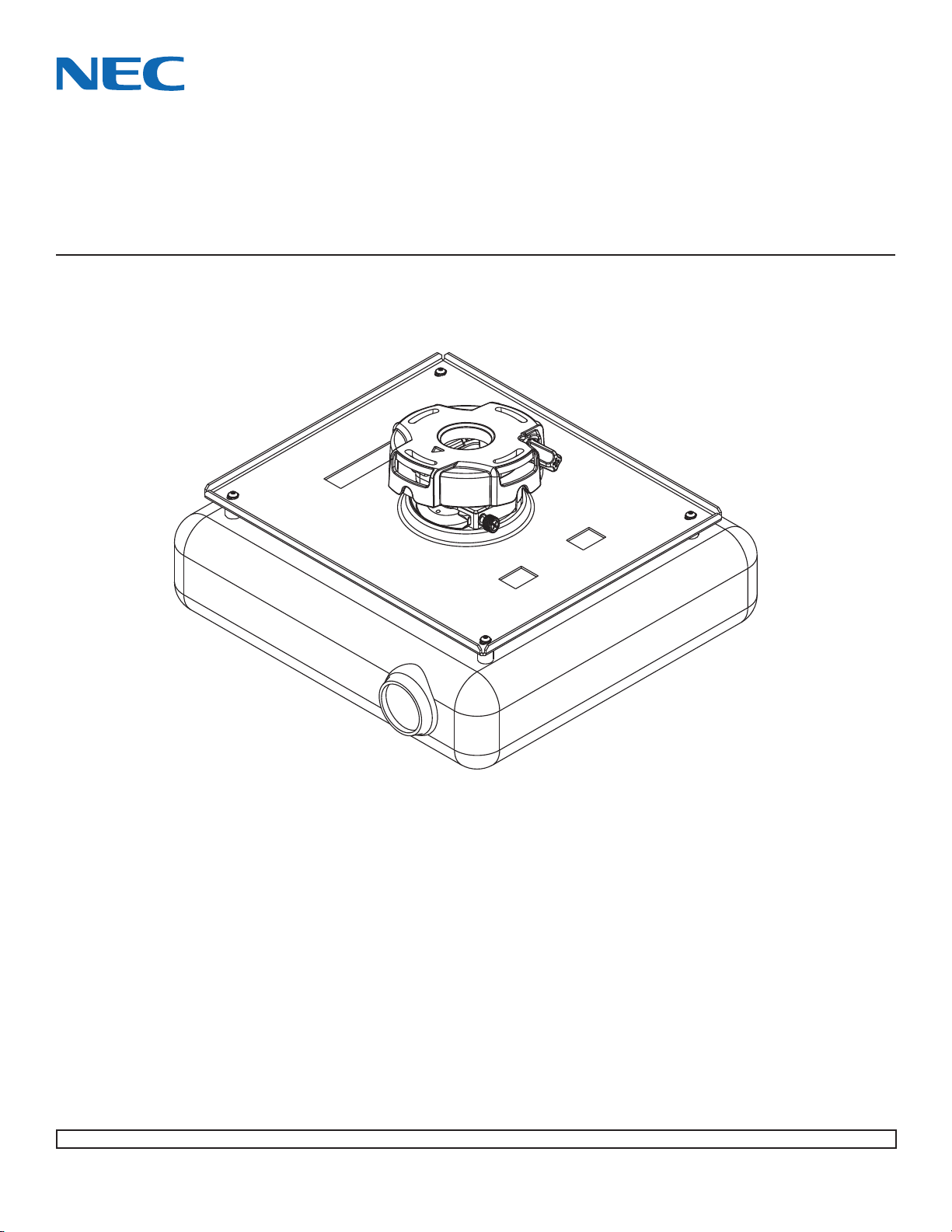
Installation and Assembly - Ceiling Mount for NEC
NP1150, NP2150, NP3150, NP3151W, NP1250, NP2250,
NP3250 and NP3250W Projector
ISSUED: 06-16-09 SHEET #: 055-XXXX-1
Visit the Peerless Web Site at www.peerlessmounts.com
2 of 9
For customer care call 1-800-729-0307 or 708-865-8870.
Table of Contents
Parts List.................................................................................................................................................................... 3
Installation to Wood Joist Ceilings .............................................................................................................................. 4
Installation to Concrete Ceilings.................................................................................................................................. 5
Installation to Threaded Rods...................................................................................................................................... 6
Installation to Extension Columns / Ceiling Plate........................................................................................................ 7
Attaching Adapter Plate to Projector........................................................................................................................... 8
Projector Alignment .................................................................................................................................................... 9
Tools Needed for Assembly
• stud finder ("edge to edge" stud finder is recommended)
• phillips screwdriver
• drill
• 1/4" bit for concrete surface
• 5/32" bit for wood studs
• open end wrench
• level
• It is the responsibility of the installer to ensure that the
projector is properly ventilated.
CAUTION
NOTE: Read entire instruction sheet before you start installation and assembly.
• Do not begin to install your Peerless product until you have read and understood the instructions and warnings con-
tained in this Installation Sheet. If you have any questions regarding any of the instructions or warnings, call Peerless
customer care at 1-800-729-0307.
• This product should only be installed by someone of good mechanical aptitude, has experience with basic building
construction, and fully understands these instructions.
• Make sure that the supporting surface will safely support the combined load of the equipment and all attached hard-
ware and components.
• Never exceed the Maximum Load Capacity.
• Always use an assistant or mechanical lifting equipment to safely lift and position equipment.
• Tighten screws firmly, but do not overtighten. Overtightening can damage the items, greatly reducing their holding
power. See suggested torque values where applicable within these instructions.
• This product is intended for indoor use only. Use of this product outdoors could lead to product failure and personal
injury.
WARNING
ISSUED: 06-16-09 SHEET #: 055-XXXX-1
Visit the Peerless Web Site at www.peerlessmounts.com
3 of 9
For customer care call 1-800-729-0307 or 708-865-8870.
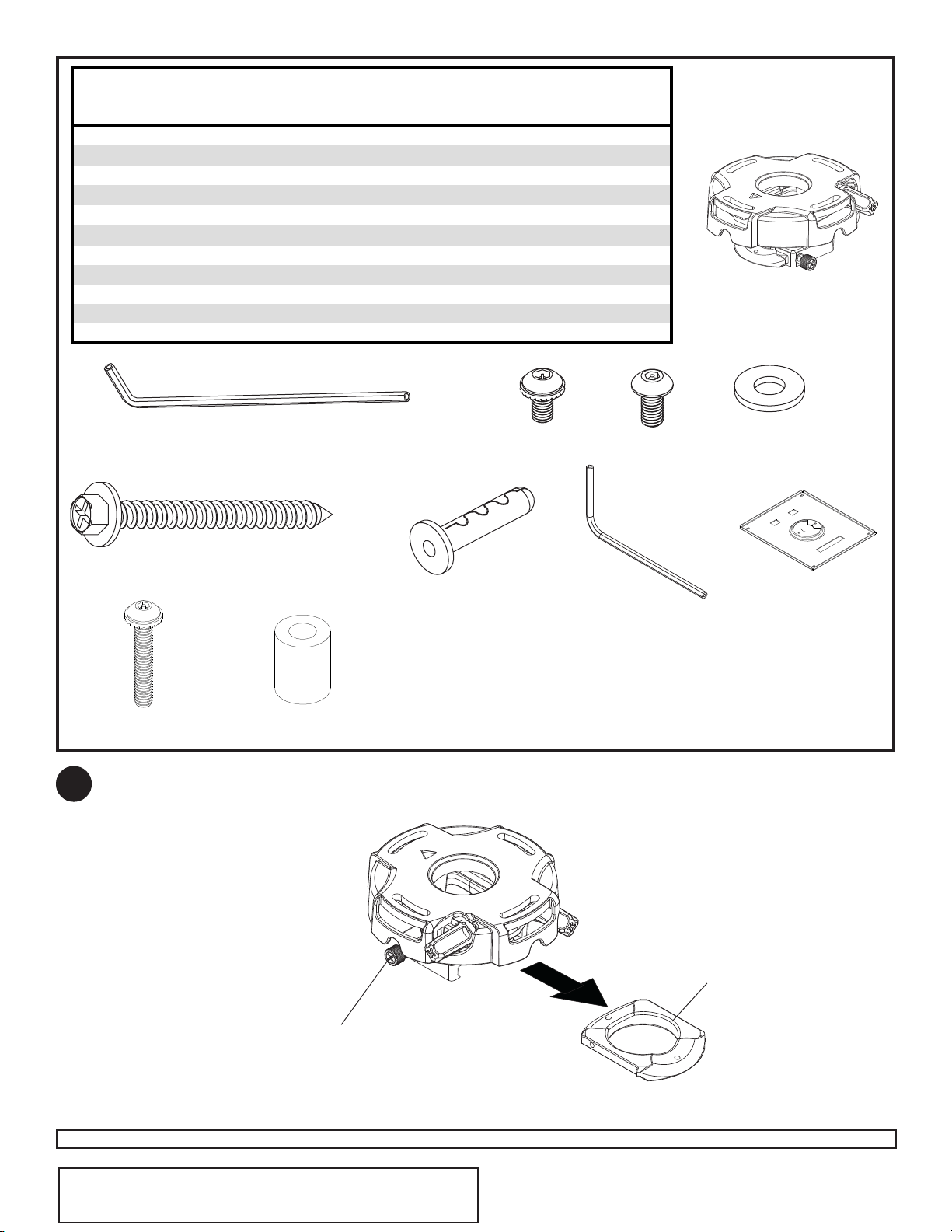
Accessories listed in the included sheet, as well as other parts,
can be ordered through Peerless by calling 1-800-729-0307 or
visiting www.peerlessmounts.com.
Note: Actual parts may appear slightly different than illustrated.
Disengage connection block from projector mount assembly (A) by unscrewing captive screw and sliding out
connection block as shown.
CONNECTION BLOCK
CAPTIVE SCREW
A
B
C
A
D
G
E
H
F
I
JK
Description Qty. Part #
A
projector mount assembly 1 055-2803
B
4 mm security allen wrench 1 560-9646
C
#10-32 x 3/8" serrated washer head socket pin screw 2 520-2151
D
#10-32 x 1/4" socket pin screw 1 520-2196
E
flat washer 2 540-1078
F
#14 x 2.5 phillips hex head wood screw 2 5S1-015-C04
G
concrete anchor 2 590-0097
H
2 mm security allen wrench 1 560-1097
I
adapter plate 1 055-2665
J
M4 x 25 mm serrated socket pin screw 4 510-2082
K
spacer 4 590-2106
Parts List
1
ISSUED: 03-06-06 SHEET #: 055-9452-1
Visit the Peerless Web Site at www.peerlessmounts.com
4 of 9
For customer care call 1-800-729-0307 or 708-865-8870.
Accessories listed in the included sheet, as well as other parts,
can be ordered through Peerless by calling 1-800-729-0307 or
visiting www.peerlessmounts.com.
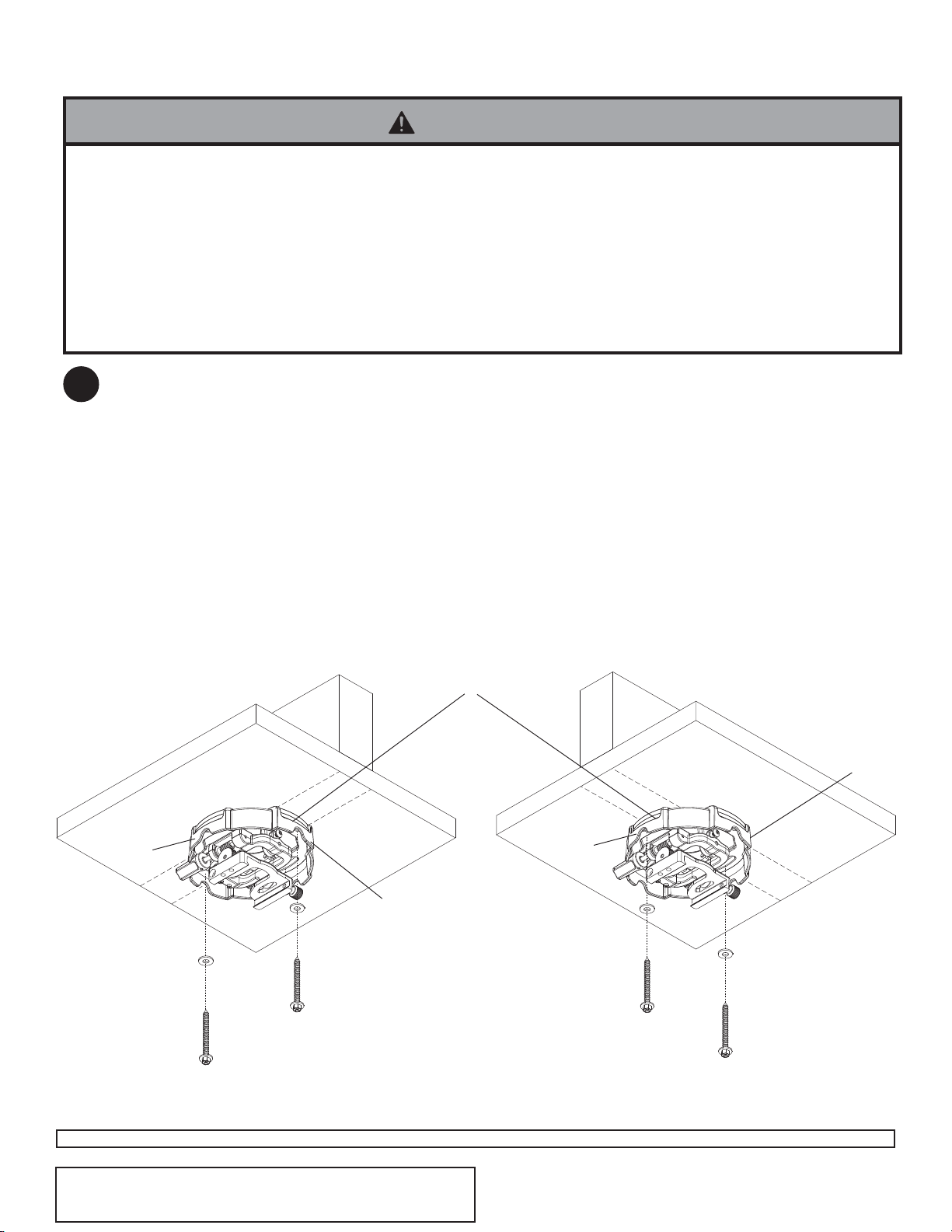
Place projector mount assembly (A) on ceiling as a template and mark the center of the two mounting holes. Make
sure that the mounting holes are in the center of the wood joist. Drill two 5/32" (4 mm) dia. holes to a minimum
depth of 2.5" (64 mm). Attach projector mount assembly (A) with two #14 x 2.5" (6 mm x 65 mm) wood screws (F)
and two flat washers (E) as shown in figure 2.1 or figure 2.2 depending on joist orientation.
Note: Mounting slots on projector mount assembly allow for 30° (±15°) of swivel adjustment before fully securing
wood screws.
Tighten wood screws (F) using 3/8" (10 mm) socket wrench, phillips screwdriver or 10mm open end wrench until
projector mount assembly (A) is firmly attached.
Installation To Wood Joist Ceilings
F
F
A
WOOD JOIST
FRONT OF
MOUNT
E
E
WOOD JOIST
A
ACCESS SLOT FOR
OPEN END WRENCH
ALLOWS TIGHTENING
OF WOOD SCREW
2
• Installer must verify that the supporting surface will safely support the combined load of the equipment and all attached
hardware and components.
• Tighten wood screws so that projector mount assembly is firmly attached, but do not overtighten. Overtightening can
damage the screws, greatly reducing their holding power.
• Never tighten in excess of 80 in. • lb (9 N.M.).
• Make sure that mounting screws are anchored into the center of the stud. The use of an "edge to edge" stud finder is
highly recommended.
• Hardware provided is for attachment of mount through standard thickness drywall or plaster into wood studs. Installers
are responsible to provide hardware for other types of mounting situations (not UL approved).
WARNING
Skip to step 6.
fig. 2.1
fig. 2.2
ARROW ON TOP OF
PROJECTOR MOUNT
ASSEMBLY INDICATES
FRONT OF MOUNT
ISSUED: 06-16-09 SHEET #: 055-XXXX-1
Visit the Peerless Web Site at www.peerlessmounts.com
5 of 9
For customer care call 1-800-729-0307 or 708-865-8870.
Accessories listed in the included sheet, as well as other parts,
can be ordered through Peerless by calling 1-800-729-0307 or
visiting www.peerlessmounts.com.
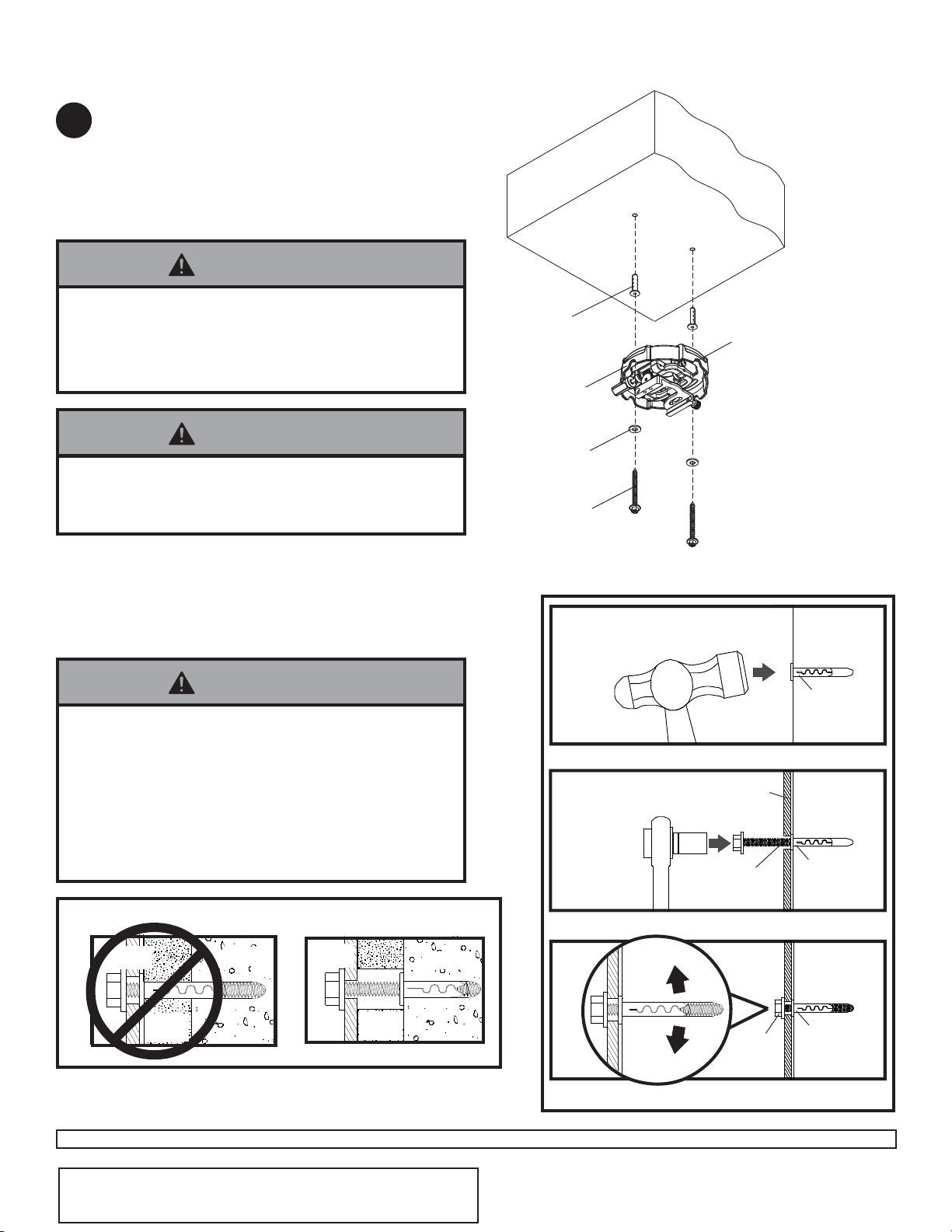
Drill two 1/4" (6 mm) dia. holes to a minimum depth of
2.5" (64 mm). Attach projector mount assembly (A)
using two concrete anchors (G), two flat washers (E),
and two #14 x 2.5" wood screws (F) as shown in
Illustration A and 1, 2, and 3 (below). Tighten wood
screws (F) using 3/8" (10 mm) socket wrench until
projector mount assembly (A) is firmly attached.
1
3
Drill hole and insert anchor
Place ceiling plate or mount over anchor and secure
with screw
After repeating step one tighten all fasteners
CUTAWAY VIEW
INCORRECT
concrete
metal
bracket
plaster/
dry wall
CORRECT
concrete
metal
bracket
plaster/
dry wall
concrete
ceiling
F
F
Installation to Concrete Ceilings
2
A
G
G
Skip to step 6.
G
• Concrete anchors are not intended for attachment to
concrete ceiling covered with a layer of plaster,
drywall, or other finishing material. If mounting to
concrete ceiling covered with plaster/drywall is un-
avoidable, plaster/drywall (up to 5/8" thick) must be
counterbored as shown below. If plaster/drywall is
thicker than 5/8", custom fasteners must be supplied
by installer.
WARNING
• Tighten wood screws firmly, but do not overtighten.
Overtightening can damage the screws, greatly
reducing their holding power.
• Never tighten in excess of 80 in • lb (9 N.M.).
WARNING
• Installer must verify that the wall will safely support
four times the combined weight of all attached equip-
ment and hardware.
WARNING
F
A
CONCRETE CEILING
E
G
ARROW ON TOP OF
PROJECTOR MOUNT
ASSEMBLY INDICATES
FRONT OF MOUNT
3
ISSUED: 03-06-06 SHEET #: 055-9452-1
Visit the Peerless Web Site at www.peerlessmounts.com
6 of 9
For customer care call 1-800-729-0307 or 708-865-8870.
Accessories listed in the included sheet, as well as other parts,
can be ordered through Peerless by calling 1-800-729-0307 or
visiting www.peerlessmounts.com.
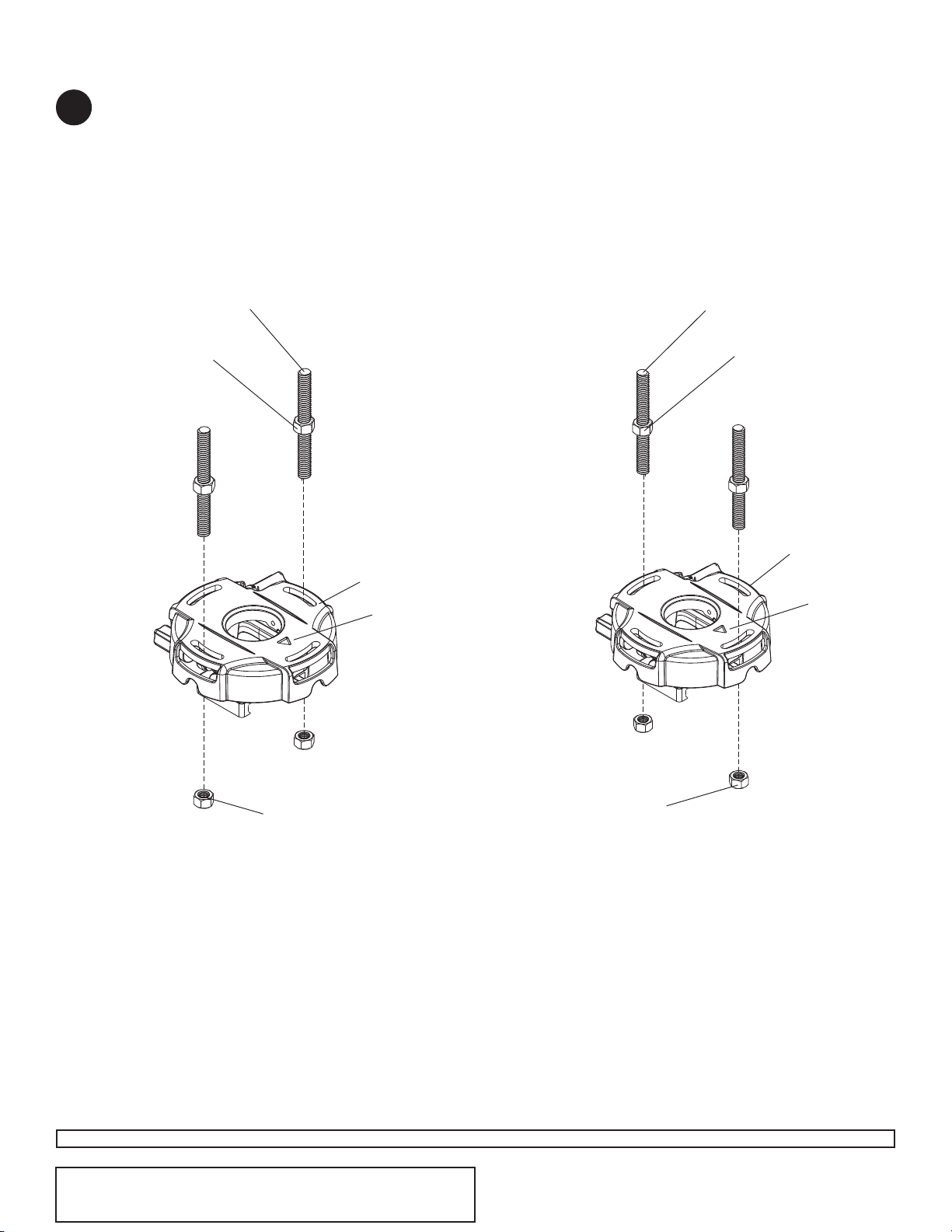
1/4-20 THREADED ROD
(NOT INCLUDED)
Thread two 1/4-20 hex thin nylon-insert locknuts (not included) on two 1/4-20 threaded rods (not included) to the
desired height of projector mount assembly. Attach projector mount assembly (A) to the two 1/4-20 threaded rods
using two 1/4-20 hex thin nylon-insert locknuts as shown in figure 4.1 or figure 4.2.
A
Installation to Threaded Rod
(Not evaluated by UL - Professional installation only)
1/4-20 THREADED ROD
(NOT INCLUDED)
A
1/4-20 HEX THIN
NYLON-INSERT
LOCKNUT
(NOT INCLUDED)
4
1/4-20 HEX THIN
NYLON-INSERT
LOCKNUT
(NOT INCLUDED)
1/4-20 HEX THIN
NYLON-INSERT
LOCKNUT
(NOT INCLUDED)
1/4-20 HEX THIN
NYLON-INSERT
LOCKNUT
(NOT INCLUDED)
ARROW
INDICATES
FRONT OF
MOUNT
ARROW
INDICATES
FRONT OF
MOUNT
fig. 4.1
fig. 4.2
ISSUED: 06-16-09 SHEET #: 055-XXXX-1
Visit the Peerless Web Site at www.peerlessmounts.com
7 of 9
For customer care call 1-800-729-0307 or 708-865-8870.
Accessories listed in the included sheet, as well as other parts,
can be ordered through Peerless by calling 1-800-729-0307 or
visiting www.peerlessmounts.com.
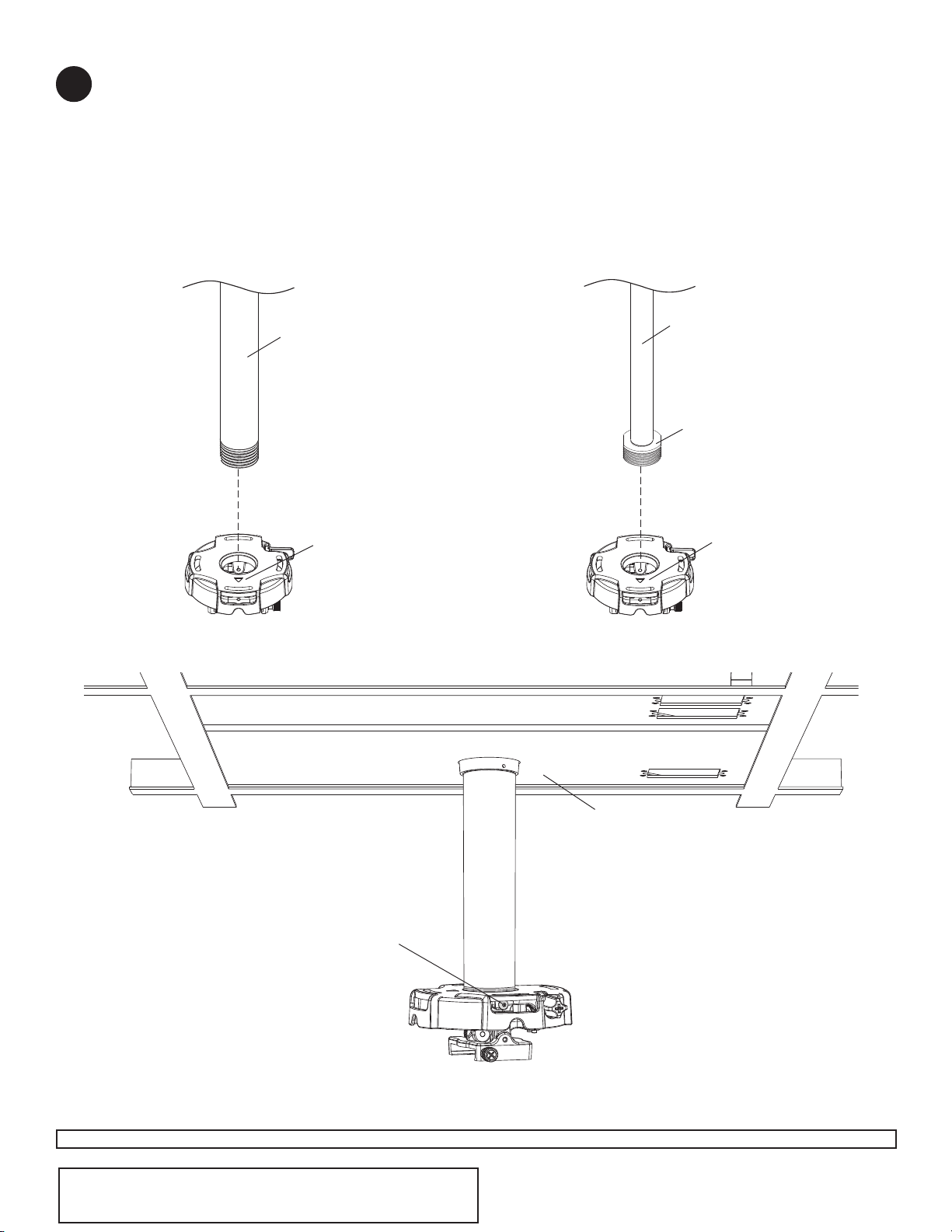
Installation to Extension Column / Ceiling Plate
A
1 1/2" EXTENSION
COLUMN
(SOLD SEPARATELY)
UL LISTED EXT OR ADJ
SERIES)
ARROW
INDICATES
FRONT OF
MOUNT
fig. 5.1
A
3/4" EXTENSION COLUMN
(SOLD SEPARATELY)
ACC 913
(NOT UL LISTED)
(SOLD SEPARATELY)
fig. 5.2
fig. 5.3
5
SWIVEL STOP
SCREW
CMJ 455
(SOLD SEPARATELY)
ARROW
INDICATES
FRONT OF
MOUNT
NOTE: Refer to accompanying instructions with ceiling plates (sold separately) for installing these models to
ceiling.
Screw projector mount assembly (A) onto extension column as shown in figure 5.1.
NOTE: For 3/4" extension columns, reducer ACC 913 will be required as shown in figure 5.2. Tighten swivel stop
screw against extension column, flush mount tube or reducer using 4 mm security allen wrench (B) as shown in
figure 5.3.
NOTE: Swivel stop screw is used to jam against threads of extension column, flush mount tube or reducer to
prevent any excess movement of projector mount assembly (A). Do not overtighten screw; overtightening screw will
damage threads making it difficult to separate products.
Skip to step 6.
ISSUED: 03-06-06 SHEET #: 055-9452-1
Visit the Peerless Web Site at www.peerlessmounts.com
8 of 9
For customer care call 1-800-729-0307 or 708-865-8870.
Accessories listed in the included sheet, as well as other parts,
can be ordered through Peerless by calling 1-800-729-0307 or
visiting www.peerlessmounts.com.
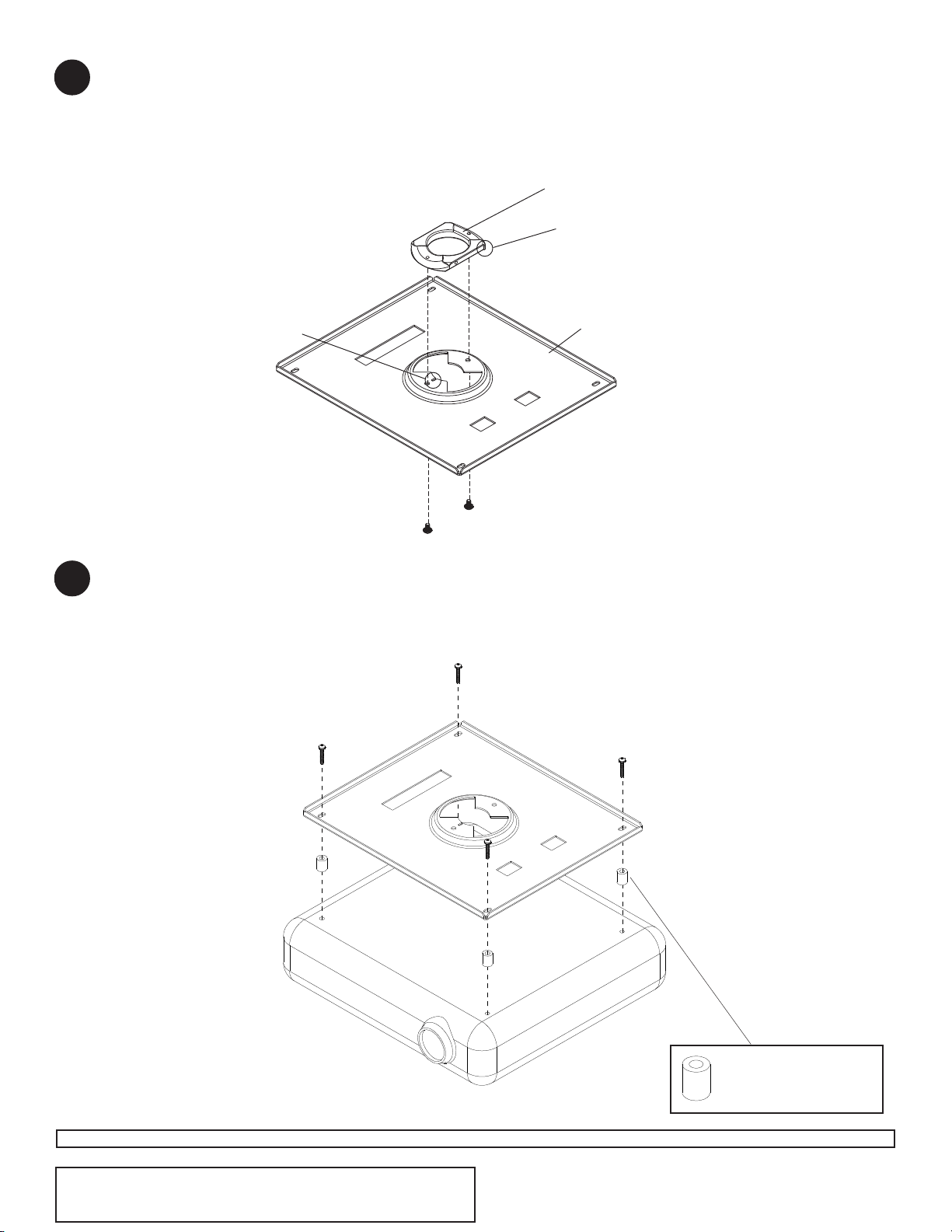
Note: The projector you are installing may differ in appearance from the sample illustrated below.
Align shoulder on connection block opposite notch in adapter plate. Attach adapter plate (I) to connection block
from projector mount assembly (A) using two #10-32 x 3/8" serrated washer head socket pin screws (C) as shown.
CONNECTION BLOCK
C
NOTCH INDICATES
FRONT OF PROJECTOR
SHOULDER
*Notch indicates front of projector.
Flip projector upside down. Fasten adapter plate (I) by using four spacers (K) and four M4 x 25 mm serrated socket pin
screws (J) as shown below. Tighten M4 x 25 mm serrated socket pin screws (J) using 4 mm allen wrench (B).
I
J
Spacers (K) go
between adapter plate
and projector.
I
6
7
ISSUED: 06-16-09 SHEET #: 055-XXXX-1
Visit the Peerless Web Site at www.peerlessmounts.com
9 of 9
For customer care call 1-800-729-0307 or 708-865-8870.
Accessories listed in the included sheet, as well as other parts,
can be ordered through Peerless by calling 1-800-729-0307 or
visiting www.peerlessmounts.com.
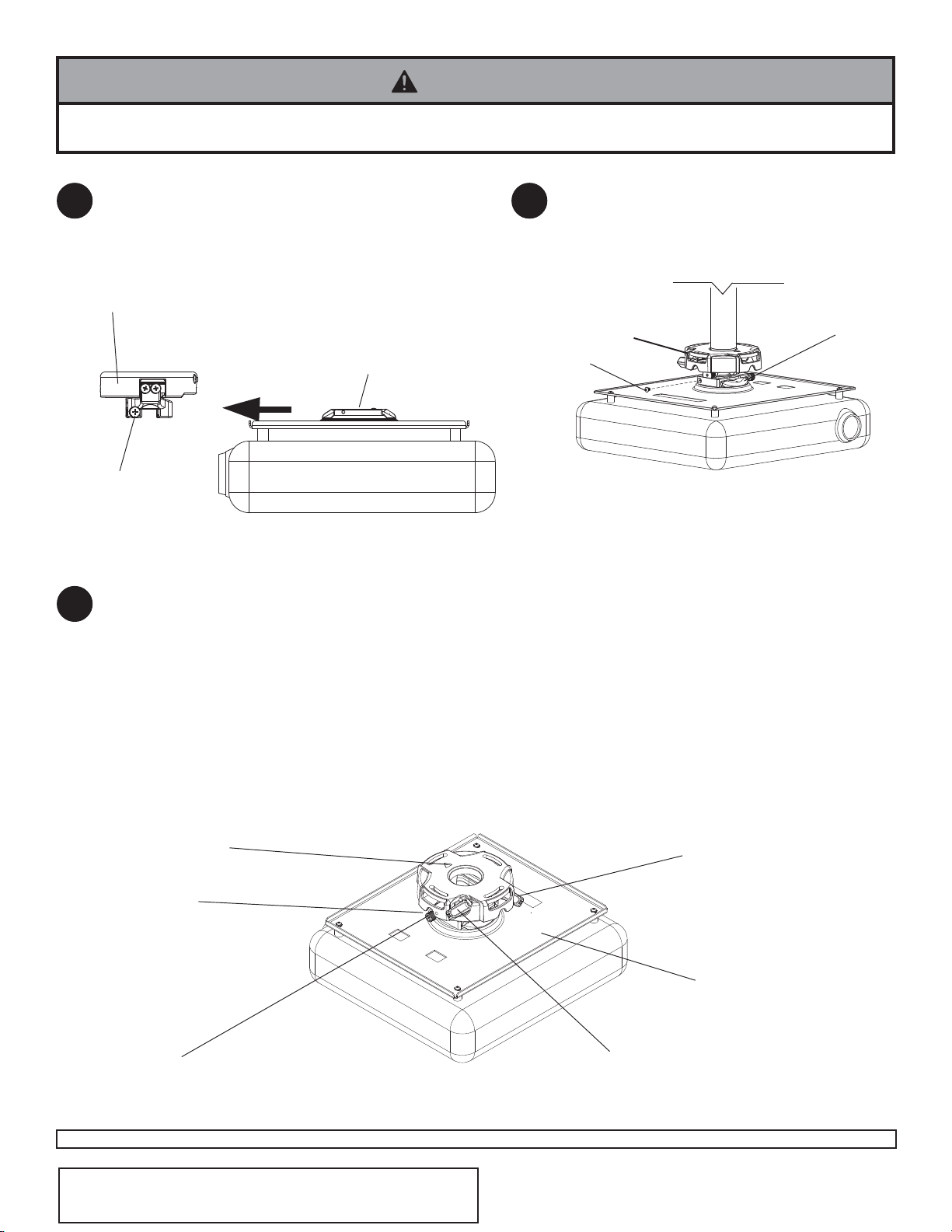
Slide connection block with projector into projector mount
assembly (A) as shown. Tighten captive screw to secure
projector to projector mount assembly (A).
IMPORTANT: For security installations, insert
one #10-32 x 1/4" socket pin screw (D) through
projector mount assembly (A) and into connection
block as shown.
A
CONNECTION BLOCK
D
CONNECTION BLOCK
A
CAPTIVE SCREW
FRONT OF MOUNT
• Always use an assistant or mechanical lifting equipment to safely lift and position the projector mount.
WARNING
© 2006 Peerless Industries, Inc. All rights reserved.
Peerless is a registered trademark of Peerless Industries.
All other brand and product names are trademarks or registered trademarks of their respective owners.
To adjust yaw (swivel) for threaded rod mounting applications: Loosen locknuts on threaded rods
(step 5), until projector mount can be rotated. Rotate mount to desired position and retighten locknuts.
To adjust yaw (swivel) for extension column applications: Loosen screw on projector mount assembly (A)
indicated below until projector mount can be rotated. Rotate mount to desired position and retighten screw.
To adjust pitch (forward and backward tilt): Turn knob on back of mount as shown below. Pull knob out and
turn by hand for easy adjustment or insert #2 phillips screwdriver in end of knob and turn.
To adjust roll (side to side tilt): Turn knob on side of mount as shown below. Pull knob out and turn by hand
for easy adjustment or insert #2 phillips screwdriver in end of knob and turn.
Projector Alignment
SCREW FOR YAW (SWIVEL) STOP
(REFER TO STEP 2, INSTALLATION
TO EXTENSION COLUMNS, FIG. 2.3)
A
KNOB FOR ROLL
ADJUSTMENT
KNOB FOR PITCH
ADJUSTMENT
BACK OF MOUNT
10
ACCESS SLOT FOR
OPEN END WRENCH
ALLOWS TIGHTENING
OF LOCKNUTS
WITHOUT REMOVING
PROJECTOR
ARROW INDICATES
FRONT OF MOUNT
8 9