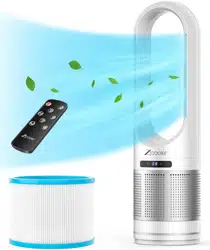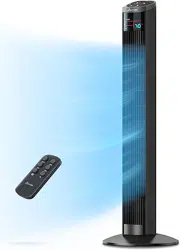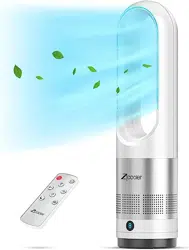
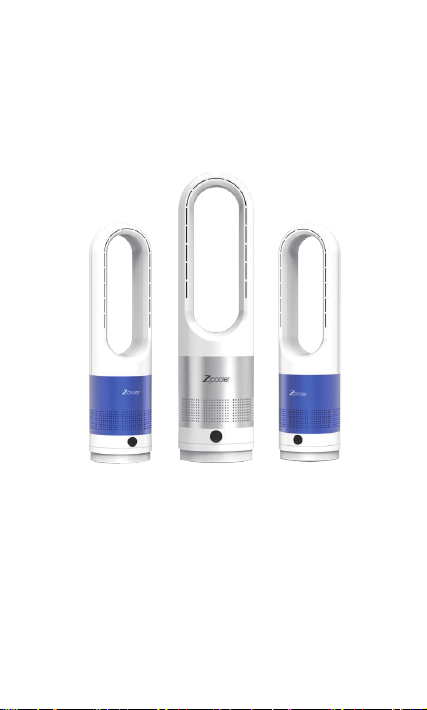
Zicooler Bladeless Fan
Instruction Manual
Suitable
UML-018
2
TABLE OF CONTENTS
Accessories --------------------------------------------- 2
Product Introductions--------------------------------- 3
Function Descriptions -------------------------------- 4
Remote Control Battery Loading and Operation ---
--------------------------------------------------------- 5-7
Malfunction Inspections and Contacts -------------- 8
Cleaning and Maintenance---------------------------- 9
Safety Precautions -------------------------------- 10-11
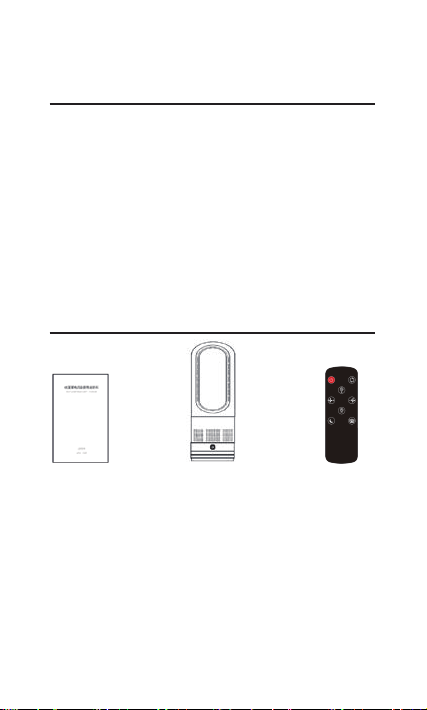
Accessories
Instruction Manual Fan Remote Control

3
Outlet air
Air outlet
Air outlet
Outlet air
Outlet air
Air inlet
Digital
display/ON/OFF
Intake air
Product Introductions
Operation Part
Digital
display/
ON/OFF

4
Bladeless fan speed level and corresponding noise
Speeds 1-3 30-40dB
Speeds 4-5 40-45dB
Speeds 6-8 45-60dB
Attention: the above data are measured in a soundproof room, and the test
error in the normal environment is about 5dB.
Speeds 1-3 are recommended for night sleep.
Function Descriptions
● The buzzer on the bladeless fan generate a
sound,
The digital tube displays "0", and the fan enter the
standby state;
● The highest wind speed is Speed
8 and the lowest wind speed
is Speed 1,
The wind speed is set to Speed 5
by default in the initial startup;
Speed 1 Speed 8
Standby state
Every button press will
generate a “beep” sound
The panel keys have the following functions:
switch on/off, head shaking and speed
adjustment.
Enter standby mode after power on, click the
touch screen of the machine to switch on;
after switching on, each time you press the
touch screen, it will ring for gear adjustment;
after switching on, press and hold the touch
screen for 2 seconds, after hearing the beeping
sound, the machine will start shaking its head,
press the touch screen again for 2 seconds to
turn off the shaking head function;
Press and hold the touch screen for 4 seconds to
switch off the machine after switching on.
●

5
Remote Control Battery Loading
1. Slide and remove the battery cover from the remote control.
2. Prepare a button cell, with the side with letters facing upwards,
and load the button cell into the remote control.
3. Reinstall the battery cover to the remote control.
※ Button cell shall be used
CR2025
LITHIUM BATTERY 3V
Batter cover

6
Remote Control Operation
Functional keys on the remote control are as follow, and
every key press will generate a “beep” sound.
● ON/OFF: In the standby state, press the button, the fan
will be turned on and start running, press this button again,
the fan will slow down and stop and then enter the standby
state.
● Wind speed -: In the running state, press the button and
the wind speed will be turned down by 1 level; when press
this button while the current w
ind speed is in Speed 1, the
buzzer will generate “beep beep”, reminding the user that the
wind speed is currently at its lowest level;
● Wind speed +: In the running state, press the button and
the wind speed will be turned up by 1 level; when press this
button while the current wind speed is in Speed 8, the
buzzer will generate “beep beep”, reminding the user that the
wind speed is currently at its highest level;
Timing +
Timing -
Wind speed -
Swing
ON/OFF
Wind speed +
Strong wind
Sleep wind

7
● Swing: In the running state, press the button to activate
the swing mode, and press this button again to deactivate the
swing mode;
● Timing +: In the running state, press the button to enter
the timing mode, the initial timing setting is 1 hour, and the
digital tube displays “1”, the timing time will increase by 1
hour for every button press.
● Timing -: In the running state, press the button to enter the
timing mo
de, when the current timing setting is longer than 1
hour, the timing time will reduce by 1 hour for every button
press. If the timing setting is 1 hour, then the timing time will
unable to be reduced;
● Strong wind: In the running state, press this button to
enter the strong wind mode, and the digital tube displays “H”,
then the wind speed will be adjusted to the maximum level.
Strong wind mode is recommended fo
r daytime use.
● Sleep wind: In the running state, press this button to enter
the sleep wind mode, and the digital tube displays “L”. In
this mode, the wind speed will be turned down gradually and
slowly.
Malfunction inspection method
● In case of malfunction, please check the followings
● If you have any questions, you can contact us directly via
email (PXZicooler@gmail.com).
You can also contact us in the following two ways thro
ugh
8
Amazon. You can contact us through the order link.
You can click “Problem with Order” under “Your Orders”,
select “Other Issue”, click “Contact Seller” and select “Other
Issue” to Contact our Amazon store directly
Alternatively, you may click the store name on the right side
of the product homepage to move to the new page, and then
click "Ask a Question" button to send messages and contact
us.
1. Connect the power su
pply and the fan does not work
● Check whether the plug is properly connected to the
socket;
● Check whether the display screen lights up after the
power ON/OFF button is pressed, and check the power
supply for outage;
2 The wind speed is low
● Check whether the air inlet/outlet is blocked, remove
the foreign matters as necessary;
● Check whether the wind speed is set to a high level;
3. The remote control does not work
●
Check whether the battery has run out, and
whether the battery (positive and negative sides) is
loaded properly;
4. The fan fails to run normally after power failure
● Find and reconnect the plug;
5. Bad smell is observed
● Parts may be damaged, please stop running;

9
Cleaning and Maintenance
● Make sure to disconnect the plug before any
maintenance, and never disconnect the plug with wet hands.
Carelessness is generally the cause of injury and electric
shock.
● During maintenance, do not sprinkle or splash water
onto the fan, for it may result in electric shock, short-circuit
and fan damage;
● Please wipe the fan with soft cloth for cleaning.
● In case of stubborn stains,
wet cloth dipped in
neutral detergent can be used for cleaning. If neutral
detergent is used for cleaning, dry the fan with dry cloth
after cleaning.
● Check and confirm the air inlet on the back of the
fan is not blocked by dust. Dust shall be removed with a soft
brush. Run the fan with excessive dust deposition is a basic
cause of failure, so make sure to clean the dust in time as
necessary;
● Check and
confirm the air outlet of the wind outlet
loop is free from blocking by dust, in case of dust deposited,
clean the dust in time;
● It is recommended to regularly clean dust with a
vacuum cleaner;
● Never use lacquer thinner, eleoptene, alcohol, lamp
oil, benzene, grinding powder, alkaline lotion, fiber
scrubber, etc. for cleaning, for they may result in paint coat
discoloration or resin degradation;
● After u
sing the fan for a long time, dust and water
may deposit on the part between the plug and the socket,
which may result in a fire accident (electrical leakage),
please disconnect the plug and clean the part with dry cloth;
● In case of power cord damage, to prevent hazards, the
damaged cord must be replaced by professional personnel
from the manufacturer or the maintenance department
thereof;

10
! Warning
The following requirements must be observed so as to
avoid fire accident, electric shock, and personal injury
For other requirements, please refer to the applicable
national and local electrical regulations.
Safety Precautions
● Children, elderly or disabled persons as well as people
who have never used the fan before should use the fan
under supervision and guidance. Children should only
access the fan unde
r supervision to ensure that they do
not play with the fan as a toy.
● A separate socket with rated current matching with the
current of the fan shall be used, and using a universal
socket or sharing the socket with other electrical
appliances is not allowed;
● If the fan does not work, the power must be cut off
before repair and repair must be done by professional
personnel;
● Do not move the fan with the power
supply connected;
● Hold the plug when disconnecting the power plug, and
do not pull the power cord.
● In case of power cord damage, to prevent hazards, the
damaged cord must be replaced by professional
personnel from the manufacturer or the maintenance
department thereof;
● Do not stretch or tighten the power cord, and keep the
power cord away from overheated surfaces;
● Do not run a fan with a carpet covering over, and do

11
not cover the fan with a rag, other devices or similar
materials. The power cord shall be arranged away from
frequently accesses and place in an area seldom access
area to prevent tripping hazards;
● Turn off all operating devices before unplugging;
● When the fun will not be used for a long time,
disconnect the plug from the socket. Keep the power cord
properly so as to prevent tripping hazards;
● Do not put any objects at the air
inlet or outlet, and
make sure the air inlet and outlet are free from blocking
and free of dust, lint, hair and any other obstacles that
may hinder the air flow;
● The fan should be placed on a level surface in a well-
ventilated and dry environment away from the heat
source and free of corrosive gas, a clearance of 150mm
shall be reserved around to ensure air flow;
● The fan shall be placed and used in dry places, and
cannot be used outdoors or on wet surfaces;
● Immersing the fan, power cord and power plug in
water or other liquids is strictly prohibited, otherwise, it
may result in hazards. Do not use other extension power
cords except for the case of inspection by a professional
person.
● Do not place an air freshener or similar products next
to the fan, do not use any detergent or lubricant to clean
or maintain the fan, and the
power plug must be
disconnected before any cleaning or maintenance;