
V0.1
Accessories and Soware Information
You are provided with the following standard accessories:
1 Phone, 1 Charger, 1 USB data cable, 1 Safety Guide, 1 Quick Guide,
1 SIM Ejector Tool.
English
You can use OPPO Clone Phone to easily transfer photos, videos, music,
contacts, messages, apps, etc from your old phone to the new one.
1. If your previous phone was a non-OPPO Android phone, search "OPPO
Clone Phone" in the Google Play store and install the app. You can also
scan the QR code below to install it. If your previous phone was an OPPO
phone, you don't need to install this app. Then run Clone Phone on both
phones and follow the on-screen instructions.
2. If your previous phone was an iPhone, run "Clone Phone" on your new
phone, and follow the onscreen instructions to migrate your data from
your iCloud account.
How to Transfer Old Mobile Content to a New Mobile
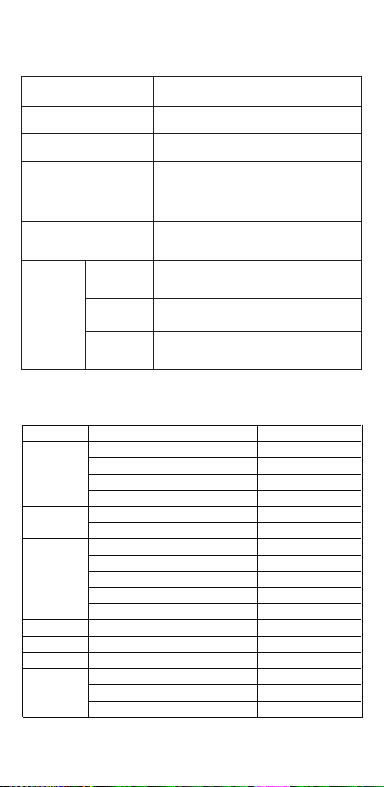
Specication
How to reboot the phone
Press and hold the Power Buon and Volume Up Buon at the same time
until the OPPO boot animation is displayed to reboot the phone.
This guide will show you how to use the phone and its impoant functions.
You may also visit OPPO ocial website to get more information about the phone.
Greetings from OPPO Mobile
hps://i.clonephone.coloros.com/download
612804000002
SAR Values
Product
Main screen parameter
Camera
Radio Waves Specications
Some content may dier from your device depending on the region, service
provider, or soware version, and is subject to change without prior notice.
hps://i.clonephone.coloros.com/download
hps://i.clonephone.coloros.com/download
hps://i.clonephone.coloros.com/download
hps://i.clonephone.coloros.com/download
https://i.clonephone.coloros.com/download
The product soware version is: ColorOS V12.1
For the most recent information about accessories and soware, please
see the DoC (Declaration of Conformity) at www.oppo.com/en/ceication.
Steps to search Regulatory : Go to Seings - About device - Regulatory
Regulatory
Note: The SAR values above are the highest values repoed for this device.
CE/UK SAR
RCM SAR
Baery
(Rechargeable
Lithium-ion Baery)
Ce guide vous montre comment utiliser le téléphone et décrit ses fonctions
importantes. Vous pouvez également visiter le site ociel d'OPPO pour obtenir
plus d'informations sur le téléphone.
OPPO Mobile vous souhaite la bienvenue
Comment redémarrer le téléphone
Comment transférer le contenu d'un ancien téléphone vers un nouveau
Informations sur les accessoires et le logiciel
Version logicielle: ColorOS V12.1
Pour obtenir les informations les plus récentes sur les accessoires et le logiciel,
consultez la Déclaration de Conformité (DC) sur www.oppo.com/en/certication.
1 Téléphone, 1 Chargeur, 1 Outil d'éjection SIM, 1 Câble de données USB, 1 Guide de sécurité,
1 Guide rapide.
Étapes à suivre pour rechercher la réglementation : Accédez à Paramètres
- À propos de I’appareil - Réglementation
Réglementaire
Français
Maintenez les boutons de marche/arrêt et de volume haut enfoncés
simultanément jusqu'à ce que l'animation de démarrage OPPO s'ache pour
redémarrer le téléphone.
Vous pouvez utiliser OPPO «Clone Phone» an de transférer facilement photos,
vidéos, musique, contacts, messages, applications, etc. depuis votre ancien
téléphone vers votre nouveau téléphone.
1. Si votre appareil précédent était un téléphone Android autre que OPPO,
cherchez l'application «OPPO Clone Phone» dans Google Play et installez-la. Vous
pouvez aussi lire le code QR ci-dessous pour l'installer. Si votre appareil précédent
était un téléphone OPPO, vous n'avez pas besoin d'installer cette application.
Ensuite, exécutez Clone Phone sur les deux appareils et suivez les instructions qui
s'achent à l'écran.
2. Si votre appareil précédent était un iPhone, exécutez «Clone Phone» sur votre
nouveau téléphone et suivez les instructions qui s'achent à l'écran pour migrer
vos données depuis votre compte iCloud.
hps://i.clonephone.coloros.com/download
Spécifications concernant les ondes radio
Remarque: Les valeurs DAS sont les valeurs les plus élevées signalées pour cet appareil.
Dimensions
CE SAR
CPH2477
Appareil photo
Taille de l’écran principal
Valeurs DAS
50-mégapixels+VGA Arrière
5-mégapixels avant
16,66cm(6,56 pouces)
DAS tête (0,81W/kg)
DAS tronc (0,94W/kg)
DAS membres (1,99W/kg)
Batterie
(Batterie lithium-ion
rechargeable)
Esta guía le mostrará el uso del teléfono además de sus funciones más importantes.
También, puede visitar nuestra página web ocial de OPPO donde obtendrá mayor
información sobre el mismo.
Bienvenido a OPPO Mobile
Cómo forzar el reinicio del teléfono
Mantenga presionados los botones de Encendido y Vol (+) hasta que aparezca
la animación de inicio de OPPO para forzar el renicio del teléfono.
El paquete comercial incluye:
1 Teléfono, 1 Cargador, 1 Cable USB, 1 Guía de seguridad, 1 Guía rápida,
1 Herramienta de extracción de tarjeta SIM.
Información de los accesorios y el software
Versión de software: ColorOS V12.1
Para obtener la información más reciente sobre accesorios y software, consulta la
Declaración de conformidad (DoC) en www.oppo.com/en/certication.
Cómo transferir contenido antiguo a su nuevo teléfono
Puede utilizar la función de OPPO “Clonar Teléfono” para transferir rápidamente
sus fotos, vídeos, música, contactos y aplicaciones a su nuevo teléfono. Para ello,
siga estos pasos:
Pasos para buscar Regulación, diríjase a: Ajustes - Información del dispositivo - Regulación
Regulación
Español
1. Si su teléfono antiguo es un teléfono Android de otra marca, descargue la
aplicación "OPPO Clone Phone" desde Play Store, o escanee el código QR a
continuación para descargarlo e instalarlo.
2. Si el teléfono antiguo es un teléfono OPPO, no necesita instalar la aplicación ya
que está instalada por defecto, abra la aplicación y siga las instrucciones en pantalla
para continuar.
3. Si su teléfono antiguo es un iPhone, abra directamente "OPPO Clone Phone" en
su nuevoteléfono y siga las instrucciones en pantalla para iniciar sesión en su
cuenta de iCloud y sincronizar los archivos. Recuerde que no todos los elementos
pueden ser transferidos desde dispositivos no Android.
Especificaciones de ondas de radio
Especificaciones técnicas
Nota: Los valores de SAR anteriores son los mayores registrados para este dispositivo.
CPH2477
Cámara
Producto
Dimensiones
Tamaño de la pantalla
Triple cámara trasera trasera de 50 Mpx
+ VGA.
Cámara delantera de 5 Mpx.
CE SAR
Valores SAR
16,66cm(6,56 Pulgadas)
0,81W/kg (Cabeza)
0,94W/kg (Cuerpo)
Batería
(Batería de iones de
litio recargable)
Nederlands
In deze beknopte handleiding vindt u informatie over het gebruik van de telefoon
en belangrijke functies ervan. Voor meer informatie kunt u ook altijd terecht op de
ociële website van OPPO.
De telefoon opnieuw opstarten
Informatie over accessoires en software
U krijgt de volgende accessoires standaard meegeleverd:
1 telefoon, 1 oplader, 1 usb-datakabel, 1 veiligheidsgids, 1 beknopte handleiding,
1 sim-uitwerpgereedschap.
Softwareversie: ColorOS
V12.1
Raadpleeg de conformiteitsverklaring (DoC) op www.oppo.com/en/certication voor
de meest recente informatie over accessoires en software.
Met OPPO Telefoon klonen zet u gemakkelijk en snel data over van uw oude toestel naar
uw nieuwe OPPO smartphone.
1. Als uw vorige telefoon een Android-telefoon van een andere fabrikant dan OPPO was,
zoek dan naar 'OPPO Telefoon klonen' in de Google Play Store en installeer de app. U kunt
ook de onderstaande QR-code scannen om de app te installeren. Als uw vorige telefoon
wel een OPPO-telefoon was, hoeft u deze app niet te installeren. Voer vervolgens Telefoon
klonen uit op beide telefoons en volg de instructies op het scherm.
2. Als uw vorige telefoon een iPhone was, voer 'Telefoon klonen' dan uit op uw nieuwe
telefoon en volg de instructies op het scherm om uw gegevens uit uw iCloud-account te
migreren.
Welkom bij OPPO mobile
Gegevens overzetten van een oud toestel naar een nieuwe OPPO
smartphone
Regelgeving
Stappen om te zoeken naar regelgeving: Ga naar Instellingen - Over apparaat - Regelgeving
Als u de telefoon opnieuw wilt opstarten, moet u de aan/uit-knop en de knop
waarmee u het volume harder kunt zetten, gelijktijdig indrukken tot de
OPPO-opstartanimatie op het display verschijnt.
Specificaties radiogolven
Opmerking: de SAR-waarden hierboven zijn de maximale waarden die voor dit
apparaat zijn gerapporteerd.
CPH2477
Camera
Product
CE SAR
Specieke
absorptiesnelheid
(SAR)
Schermafmetingen
Afmetingen
50 Megapixel + VGA Achtercamera
5 Megapixel Voorcamera
0,81W/kg (Hoofd)
0,94W/kg (Lichaam)
Specificaties
6,56" (16,66cm)
Accu
(Oplaadbare
lithium-ionbatterij)
Deutsch
In dieser Anleitung sehen Sie Erläuterungen zur Benutzung des Mobiltelefons und
seinen wichtigsten Funktionen. Weitere Informationen stehen Ihnen auch auf der
oziellen Website von OPPO zur Verfügung.
Grüße von OPPO Mobile
So starten Sie das Telefon neu
Wie kann ich die auf meinem alten Telefon gespeicherten Daten auf
ein neues übertragen?
Sie erhalten folgendes Standardzubehör:
1 Telefon, 1 Ladegerät, 1 SIM-Auswerfer, 1 USB-Datenkabel, 1 Sicherheitsanleitung,
1 Kurzanleitung.
Zubehör und Softwareinformationen:
Software-Version: ColorOS V12.1
Aktuelle Informationen über Zubehör und Software nden Sie in der
Konformitätserklärung (DoC) unter www.oppo.com/en/certication.
Die rechtlichen Informationen nden Sie unter: Einstellungen-Über das Gerät-Rechtliches
Rechtliches
Halten Sie die Einschalttaste und die Taste zur Erhöhung der Lautstärke gleichzeitig
gedrückt, bis die OPPO-Start-Animation zum Neustarten des Telefons angezeigt
wird.
Mit der Applikation, die OPPO Clone Phone heißt, können Sie Fotos, Videos, Musik,
Kontakte, Nachrichten, Apps usw. ganz einfach von Ihrem alten Telefon auf das
neue übertragen.
1. Wenn es sich bei Ihrem bisherigen Telefon um ein nicht von OPPO bezogenes
Android-Telefon handelt, suchen Sie im Google Play Store nach „OPPO Clone
Phone“ und installieren Sie die App. Sie können auch den untenstehenden QR-
Code scannen, um die App zu installieren. Wenn es sich bei Ihrem bisherigen
Telefon um ein Telefon von OPPO handelt, brauchen Sie diese App nicht zu
installieren. Führen Sie dann Clone Phone auf beiden Telefonen aus und folgen
Sie den Anweisungen auf dem Bildschirm.
2. Wenn es sich bei Ihrem bisherigen Telefon um ein iPhone handelt, führen Sie
„Clone Phone“ auf Ihrem neuen Telefon aus und folgen Sie den Anweisungen auf
dem Bildschirm, um Ihre Daten von Ihrem iCloud-Konto zu migrieren.
Funkwellenspezifikationen
Hinweis: Die oben genannten SAR-Werte sind die höchsten für dieses Gerät
gemeldeten Werte.
Produkt CPH2477
Bildschirmparameter
Abmessungen
Kamera
16,66cm (6,56 Zoll)
CE SAR
0,81W/kg (Kopf)
0,94W/kg (Körper)
50 Megapixel + VGA Rückseite
5 Megapixel Vorderseite
Batterie
(Wiederauadbaren
Lithium-Ionen-Akku)
Italiano
Questa guida illustra l'utilizzo del tuo smartphone OPPO e le sue funzioni
principali. In alternativa, è possibile visitare il sito uciale di OPPO per avere
maggiori informazioni sul telefono.
OPPO Mobile ti dà il benvenuto
Come riavviare il telefono
1. Se il tuo telefono precedente era un telefono Android non OPPO, cerca "Clona
telefono OPPO" in Google Play Store e installa l'app. Puoi inoltre eseguire la
scansione del codice QR di seguito per installarlo. Se il tuo telefono precedente era
un telefono OPPO, non è necessario installare questa app. Quindi esegui Clona
telefono su entrambi i telefoni e segui le istruzioni visualizzate.
La funzione Clona Telefono di OPPO può essere usata per trasferire facilmente foto,
video, musica, contatti, app, ecc. dal vecchio al nuovo telefono.
Come trasferire dati da un vecchio smartphone ad uno smartphone OPPO
Informazioni su accessori e software
Vengono forniti i seguenti accessori standard:
1 telefono, 1 caricabatterie, 1 cavo USB, 1 strumento di estrazione SIM,
1 guida di sicurezza, 1 guida rapida.
Versione software: ColorOS V12.1
Per le informazioni più recenti su accessori e software, consulta la Dichiarazione di
conformità (DoC) all 'indirizzo www.oppo.com/en/certication.
Informazioni Legali
Passaggi per la ricerca delle normative :
vai su Impostazioni - Informazioni sul dispositivo - Regolamentazione
Tenere premuti contemporaneamente i pulsanti di accensione e di aumento del
volume no a quando non si visualizza l’animazione OPPO per il riavvio del telefono.
2. Se il tuo telefono precedente era un iPhone, esegui "Clona telefono" sul tuo
nuovo telefono e segui le istruzioni su schermo per migrare i tuoi dati dal tuo
account iCloud.
Specifiche onde radio
Parametri prestazioni
Nota: i valori SAR riportati sono i valori più alti per il dispositivo.
CPH2477Modello
Parametri Schermo
Dimensioni
Camera
Fotocamera posteriore da 50 megapixel
+ VGA
fotocamera anteriore da 5 megapixel
CE SAR
0,81W/kg (Testa)
0,94W/kg (Corpo)
16,66cm(6,56 pollici)
Batteria
(Batteria ricaricabile
agli ioni di litio)
Português
Bem-vindo à OPPO Mobile
Este guia irá mostrar-lhe como utilizar o telefone e as suas funções importantes.
Você também pode visitar o site ocial da OPPO para obter mais informações
sobre o telefone.
Como Reiniciar o telefone
Pressione e mantenha apertado o botão ligar/desligar e o botão Volume (+) ao
mesmo tempo até que a animação de inicialização OPPO seja exibida para reiniciar
o telefone.
Como Transferir Conteúdo do Antigo Telemóvel para um Novo
Você pode usar a função OPPO “Clone Phone” para transferir rapidamente os seus
fotos, vídeos, músicas, contatos e aplicações para o seu novo telefone. Para fazer
isso, execute as seguintes etapas:
1. Se o seu telefone antigo é um telefone Android de marca diferente, faça o
download da aplicação "OPPO Clone Phone" na Play Store, ou digitalize o código
QR abaixo para o descarregar e instalar.
2. Se o telefone antigo for um telefone OPPO, não é necessário instalar a aplicação,
uma vez que já está instalada por defeito, abra a aplicação e siga as instruções no
ecrã para continuar.
3. Se o seu telefone antigo é um iPhone, abra "OPPO Clone Phone" directamente
no seu novo telefone e siga as instruções no ecrã para iniciar sessão na sua conta
iCloud e sincronizar cheiros. Note que nem todos os artigos podem ser
transferidos a partir de dispositivos não androids.
Informações sobre acessórios e software
O pacote comercial inclui:
1 Telefone, 1 Carregador, 1 Cabo de dados USB, 1 Guia de segurança, 1 Guia rápido,
1 Ferramenta ejectora SIM.
Versão do software: ColorOS
V12.1
Para obter as últimas informações sobre acessórios e software, consulte a Declaração
de Conformidade (DoC) em www.oppo.com/en/certication.
Regulamento
Para encontrar o Regulamento vá a: Denições - Informações do dispositivo - Regulamento
Especificações
Nota: Os valores SAR acima são os valores mais altos reportados para este dispositivo.
CPH2477
50 Megapixels + VGA Traseiro
5 Megapixels Frente
16,66cm(6,56")
CE SAR
Produto
Parâmetro do ecrã principal
Dimensão
Câmara
Valores SAR
0,81W/kg (Cabeça)
0,94W/kg (Corpo)
Especificações das Ondas de Rádio
Bateria
(Bateria recarregável
de íon-lítio)
164,2×75,6×8,3(mm)
164,2×75,6×8,3(mm)
164,2×75,6×8,3(mm)
164,2×75,6×8,3(mm)
164,2×75,6×8,3(mm)
164,2×75,6×8,3(mm)
Dimension
CPH2477
0.81W/kg(Head)
0.94W/kg(Body)
1.99W/kg(limbs)
0.81W/kg(Head)
0.94W/kg(Body)
16.66cm(6.56'')
50Megapixels+VGA Rear
5Megapixels Front
164.2×75.6×8.3(mm)
4890mAh/18.92Wh(Min)
5000mAh/19.35Wh(Typ)
4890mAh/18,92Wh(Min)
5000mAh/19,35Wh(Typ)
4890mAh/18,92Wh(Min)
5000mAh/19.35Wh(Typ)
4890mAh/18,92Wh(Min)
5000mAh/19.35Wh(Typ)
4890mAh/18,92Wh(Min)
5000mAh/19.35Wh(Typ)
4890mAh/18,92Wh(Min)
5000mAh/19.35Wh(Typ)
4890mAh/18,92Wh(Min)
5000mAh/19.35Wh(Typ)
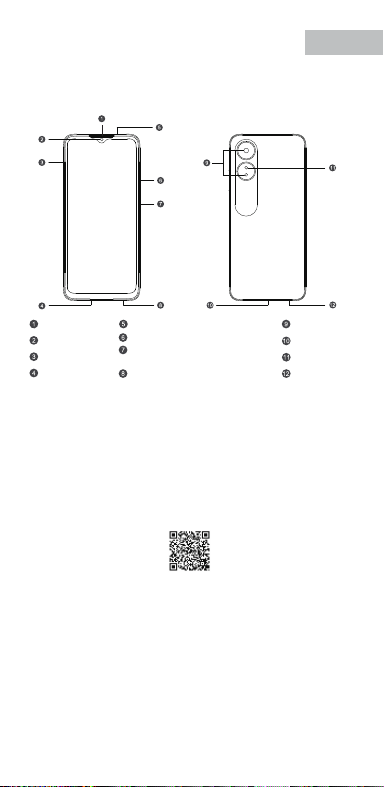
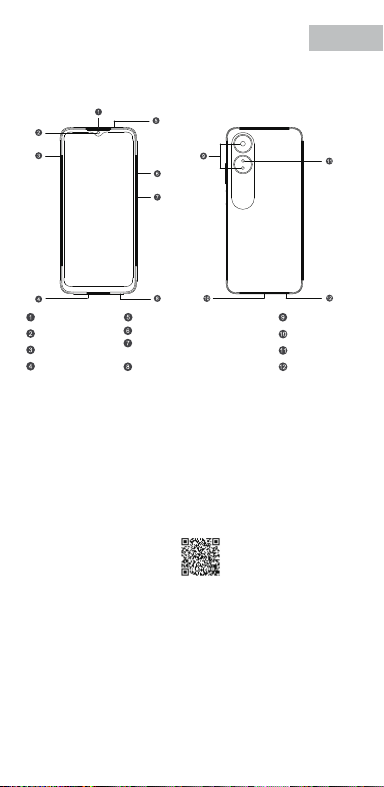
Front Camera
Volume Key
SIM card tray
Receiver
Proximity Sensor and Light Sensor
Earphone Jack
Speaker
Rear Camera
MIC
USB Jack
Flash
Power Key/Screen Lock Key/
Fingerprint Scanner
Quick Guide
Copyright © Guangdong OPPO Mobile Telecommunications Corp., Ltd. 2022.
All rights reserved.
Appareil photo avant
Touches volume
Récepteur
Trappe d'insersion SIM
Microphone
Prise écouteurs
Appareil photo arrière
Prise USB
Flash
Capteurs de proximité et de luminosité
Haut parleur
Touche marche/arrêt &
Capteur d'empreintes
Cámara frontal
Botones de volumen
Auricular
Bandeja de la tarjeta SIM
Jack 3.5
Sensor de proximidad y luz
Botón de encendido/
Escáner de huellas
Altavoz
Cámara trasera
Puerto USB
Flash
Micrófono
Frontcamera
Volumetoets
Luidspreker bij oor
Simkaarthouder
Hoofdtelefoonaansluiting
Nabijheids- en lichtsensor
Luidspreker
Achtercamera
Flitser
USB
Microfoon
Aan/uit-toets/
schermvergrendelingstoets/
vingerafdrukscanner
USB-Anschluss
Frontkamera
Lautstärketaste
Hörer
SIM-Kartenhalter
Umgebungslichtsensor
Lautsprecher
Rückkamera
Blitz
Mikrofon
Kopfhöreranschluss
Ein-/Aus-Taste/
Fingerabdruck-Scanner
Fotocamera frontale
Tasto volume
Ricevitore
Vassoio scheda SIM
Sensore di prossimità e luminosità
Altoparlante
Fotocamera posteriore
Flash
Microfono Jack auricolari
Presa USB
Tasto di accensione/
Tasto blocco schermo/
Lettore impronte digitali
Câmara frontal
Botão de volume
Receptor
Porta SIM
Sensor de proximidade e luz
Altifalante
Câmara traseira
Flash
Microfone
Entrada de auriculares
Botão Ligar/Desligar
Leitor de impressões digitais
Entrada de USB
Radio Frequency Max.Output Power
GSM
850MHz 33.5dBm
900MHz 33.5dBm
1800MHz 30.5dBm
1900MHz 30.5dBm
WCDMA
Band 1 24.3dBm
Bands 5/8 24.7dBm
LTE FDD
Bands 1/3 24.1dBm
Band 5 24.7dBm
Bands 8/20 24.6dBm
Band 7 23.6dBm
Band 28 24.3dBm
LTE TDD Bands 38/40/41 23.8dBm
Bluetooth 2.4-2.4835GHz
2.4-2.4835GHz
16dBm(EIRP)
2.4G Wi-Fi 18.5dBm(EIRP)
5G Wi-Fi
5.15-5.25GHz 20dBm(EIRP)
5.25-5.35GHz , 5.47-5.725GHz 18.5dBm(EIRP)
5.725-5.85GHz 13.5dBm(EIRP)
GSM
850MHz 33,5dBm
900MHz 33,5dBm
1800MHz 30,5dBm
1900MHz 30,5dBm
WCDMA
Band 1 24,3dBm
Bands 5/8 24,7dBm
LTE FDD
Bands 1/3 24,1dBm
Band 5 24,7dBm
Bands 8/20 24,6dBm
Band 7 23,6dBm
Band 28 24,3dBm
LTE TDD Bands 38/40/41 23,8dBm
Bluetooth 2,4-2,4835GHz
2,4-2,4835GHz
16dBm(EIRP)
2,4G Wi-Fi 18,5dBm(EIRP)
5G Wi-Fi
5,15-5,25GHz 20dBm(EIRP)
5,25-5,35GHz , 5,47-5,725GHz 18,5dBm(EIRP)
5,725-5,85GHz 13,5dBm(EIRP)
Radio Fréquence Puissance de sortie max.
GSM
850MHz 33,5dBm
900MHz 33,5dBm
1800MHz 30,5dBm
1900MHz 30,5dBm
WCDMA
Band 1 24,3dBm
Bands 5/8 24,7dBm
LTE FDD
Bands 1/3 24,1dBm
Band 5 24,7dBm
Bands 8/20 24,6dBm
Band 7 23,6dBm
Band 28 24,3dBm
LTE TDD Bands 38/40/41 23,8dBm
Bluetooth 2,4-2,4835GHz
2,4-2,4835GHz
16dBm(EIRP)
2,4G Wi-Fi 18,5dBm(EIRP)
5G Wi-Fi
5,15-5,25GHz 20dBm(EIRP)
5,25-5,35GHz , 5,47-5,725GHz 18,5dBm(EIRP)
5,725-5,85GHz 13,5dBm(EIRP)
Radio Frecuencia Potencia máx. de salida
GSM
850MHz 33,5dBm
900MHz 33,5dBm
1800MHz 30,5dBm
1900MHz 30,5dBm
WCDMA
Band 1 24,3dBm
Bands 5/8 24,7dBm
LTE FDD
Bands 1/3 24,1dBm
Band 5 24,7dBm
Bands 8/20 24,6dBm
Band 7 23,6dBm
Band 28 24,3dBm
LTE TDD Bands 38/40/41 23,8dBm
Bluetooth 2,4-2,4835GHz
2,4-2,4835GHz
16dBm(EIRP)
2,4G Wi-Fi 18,5dBm(EIRP)
5G Wi-Fi
5,15-5,25GHz 20dBm(EIRP)
5,25-5,35GHz , 5,47-5,725GHz 18,5dBm(EIRP)
5,725-5,85GHz 13,5dBm(EIRP)
Rádio Potência de saídaFreqüência
GSM
850MHz 33,5dBm
900MHz 33,5dBm
1800MHz 30,5dBm
1900MHz 30,5dBm
WCDMA
Band 1 24,3dBm
Bands 5/8 24,7dBm
LTE FDD
Bands 1/3 24,1dBm
Band 5 24,7dBm
Bands 8/20 24,6dBm
Band 7 23,6dBm
Band 28 24,3dBm
LTE TDD Bands 38/40/41 23,8dBm
Bluetooth 2,4-2,4835GHz
2,4-2,4835GHz
16dBm(EIRP)
2,4G Wi-Fi 18,5dBm(EIRP)
5G Wi-Fi
5,15-5,25GHz 20dBm(EIRP)
5,25-5,35GHz , 5,47-5,725GHz 18,5dBm(EIRP)
5,725-5,85GHz 13,5dBm(EIRP)
Radio Potenza uscita maxFrequenza
GSM
850MHz 33,5dBm
900MHz 33,5dBm
1800MHz 30,5dBm
1900MHz 30,5dBm
WCDMA
Band 1 24,3dBm
Bands 5/8 24,7dBm
LTE FDD
Bands 1/3 24,1dBm
Band 5 24,7dBm
Bands 8/20 24,6dBm
Band 7 23,6dBm
Band 28 24,3dBm
LTE TDD Bands 38/40/41 23,8dBm
Bluetooth 2,4-2,4835GHz
2,4-2,4835GHz
16dBm(EIRP)
2,4G Wi-Fi 18,5dBm(EIRP)
5G Wi-Fi
5,15-5,25GHz 20dBm(EIRP)
5,25-5,35GHz , 5,47-5,725GHz 18,5dBm(EIRP)
5,725-5,85GHz 13,5dBm(EIRP)
Radio Max. AusgangsleistungFrequenz
GSM
850MHz 33,5dBm
900MHz 33,5dBm
1800MHz 30,5dBm
1900MHz 30,5dBm
WCDMA
Band 1 24,3dBm
Bands 5/8 24,7dBm
LTE FDD
Bands 1/3 24,1dBm
Band 5 24,7dBm
Bands 8/20 24,6dBm
Band 7 23,6dBm
Band 28 24,3dBm
LTE TDD Bands 38/40/41 23,8dBm
Bluetooth 2,4-2,4835GHz
2,4-2,4835GHz
16dBm(EIRP)
2,4G Wi-Fi 18,5dBm(EIRP)
5G Wi-Fi
5,15-5,25GHz 20dBm(EIRP)
5,25-5,35GHz , 5,47-5,725GHz 18,5dBm(EIRP)
5,725-5,85GHz 13,5dBm(EIRP)
Frequentie Max. uitgangsvermogenRadio
FCC SAR
0.89W/kg(Head)
0.77W/kg(Body)
1.15W/kg(Hotspot)
FCC SAR
0,89W/kg (Tête)
0,77W/kg (Corps)
1,15W/kg (Point chaud)
FCC SAR
0,89W/kg (Cabeza)
0,77W/kg (Cuerpo)
1,15W/kg (Hotspot)
FCC SAR
0,89W/kg (Hoofd)
0,77W/kg (Lichaam)
1,15W/kg (Hotspot)
FCC SAR
0,89W/kg (Kopf)
0,77W/kg (Körper)
1,15W/kg (Hotspot)
FCC SAR
0,89W/kg (Testa)
0,77W/kg (Corpo)
1,15W/kg (Punto di accesso)
FCC SAR
0,89W/kg (Cabeça)
0,77W/kg (Corpo)
1,15W/kg (Ponto de acesso)
V0.1
Accessories and Soware Information
You are provided with the following standard accessories:
1 Phone, 1 Charger, 1 USB data cable, 1 Safety Guide, 1 Quick Guide,
1 SIM Ejector Tool.
English
You can use OPPO Clone Phone to easily transfer photos, videos, music,
contacts, messages, apps, etc from your old phone to the new one.
1. If your previous phone was a non-OPPO Android phone, search "OPPO
Clone Phone" in the Google Play store and install the app. You can also
scan the QR code below to install it. If your previous phone was an OPPO
phone, you don't need to install this app. Then run Clone Phone on both
phones and follow the on-screen instructions.
2. If your previous phone was an iPhone, run "Clone Phone" on your new
phone, and follow the onscreen instructions to migrate your data from
your iCloud account.
How to Transfer Old Mobile Content to a New Mobile
Specication
How to reboot the phone
Press and hold the Power Buon and Volume Up Buon at the same time
until the OPPO boot animation is displayed to reboot the phone.
This guide will show you how to use the phone and its impoant functions.
You may also visit OPPO ocial website to get more information about the phone.
Greetings from OPPO Mobile
hps://i.clonephone.coloros.com/download
612804000002
SAR Values
Product
Main screen parameter
Camera
Radio Waves Specications
Some content may dier from your device depending on the region, service
provider, or soware version, and is subject to change without prior notice.
hps://i.clonephone.coloros.com/download
hps://i.clonephone.coloros.com/download
hps://i.clonephone.coloros.com/download
hps://i.clonephone.coloros.com/download
https://i.clonephone.coloros.com/download
The product soware version is: ColorOS V12.1
For the most recent information about accessories and soware, please
see the DoC (Declaration of Conformity) at www.oppo.com/en/ceication.
Steps to search Regulatory : Go to Seings - About device - Regulatory
Regulatory
Note: The SAR values above are the highest values repoed for this device.
CE/UK SAR
RCM SAR
Baery
(Rechargeable
Lithium-ion Baery)
Ce guide vous montre comment utiliser le téléphone et décrit ses fonctions
importantes. Vous pouvez également visiter le site ociel d'OPPO pour obtenir
plus d'informations sur le téléphone.
OPPO Mobile vous souhaite la bienvenue
Comment redémarrer le téléphone
Comment transférer le contenu d'un ancien téléphone vers un nouveau
Informations sur les accessoires et le logiciel
Version logicielle: ColorOS V12.1
Pour obtenir les informations les plus récentes sur les accessoires et le logiciel,
consultez la Déclaration de Conformité (DC) sur www.oppo.com/en/certication.
1 Téléphone, 1 Chargeur, 1 Outil d'éjection SIM, 1 Câble de données USB, 1 Guide de sécurité,
1 Guide rapide.
Étapes à suivre pour rechercher la réglementation : Accédez à Paramètres
- À propos de I’appareil - Réglementation
Réglementaire
Français
Maintenez les boutons de marche/arrêt et de volume haut enfoncés
simultanément jusqu'à ce que l'animation de démarrage OPPO s'ache pour
redémarrer le téléphone.
Vous pouvez utiliser OPPO «Clone Phone» an de transférer facilement photos,
vidéos, musique, contacts, messages, applications, etc. depuis votre ancien
téléphone vers votre nouveau téléphone.
1. Si votre appareil précédent était un téléphone Android autre que OPPO,
cherchez l'application «OPPO Clone Phone» dans Google Play et installez-la. Vous
pouvez aussi lire le code QR ci-dessous pour l'installer. Si votre appareil précédent
était un téléphone OPPO, vous n'avez pas besoin d'installer cette application.
Ensuite, exécutez Clone Phone sur les deux appareils et suivez les instructions qui
s'achent à l'écran.
2. Si votre appareil précédent était un iPhone, exécutez «Clone Phone» sur votre
nouveau téléphone et suivez les instructions qui s'achent à l'écran pour migrer
vos données depuis votre compte iCloud.
hps://i.clonephone.coloros.com/download
Spécifications concernant les ondes radio
Remarque: Les valeurs DAS sont les valeurs les plus élevées signalées pour cet appareil.
Dimensions
CE SAR
CPH2477
Appareil photo
Taille de l’écran principal
Valeurs DAS
50-mégapixels+VGA Arrière
5-mégapixels avant
16,66cm(6,56 pouces)
DAS tête (0,81W/kg)
DAS tronc (0,94W/kg)
DAS membres (1,99W/kg)
Batterie
(Batterie lithium-ion
rechargeable)
Esta guía le mostrará el uso del teléfono además de sus funciones más importantes.
También, puede visitar nuestra página web ocial de OPPO donde obtendrá mayor
información sobre el mismo.
Bienvenido a OPPO Mobile
Cómo forzar el reinicio del teléfono
Mantenga presionados los botones de Encendido y Vol (+) hasta que aparezca
la animación de inicio de OPPO para forzar el renicio del teléfono.
El paquete comercial incluye:
1 Teléfono, 1 Cargador, 1 Cable USB, 1 Guía de seguridad, 1 Guía rápida,
1 Herramienta de extracción de tarjeta SIM.
Información de los accesorios y el software
Versión de software: ColorOS V12.1
Para obtener la información más reciente sobre accesorios y software, consulta la
Declaración de conformidad (DoC) en www.oppo.com/en/certication.
Cómo transferir contenido antiguo a su nuevo teléfono
Puede utilizar la función de OPPO “Clonar Teléfono” para transferir rápidamente
sus fotos, vídeos, música, contactos y aplicaciones a su nuevo teléfono. Para ello,
siga estos pasos:
Pasos para buscar Regulación, diríjase a: Ajustes - Información del dispositivo - Regulación
Regulación
Español
1. Si su teléfono antiguo es un teléfono Android de otra marca, descargue la
aplicación "OPPO Clone Phone" desde Play Store, o escanee el código QR a
continuación para descargarlo e instalarlo.
2. Si el teléfono antiguo es un teléfono OPPO, no necesita instalar la aplicación ya
que está instalada por defecto, abra la aplicación y siga las instrucciones en pantalla
para continuar.
3. Si su teléfono antiguo es un iPhone, abra directamente "OPPO Clone Phone" en
su nuevoteléfono y siga las instrucciones en pantalla para iniciar sesión en su
cuenta de iCloud y sincronizar los archivos. Recuerde que no todos los elementos
pueden ser transferidos desde dispositivos no Android.
Especificaciones de ondas de radio
Especificaciones técnicas
Nota: Los valores de SAR anteriores son los mayores registrados para este dispositivo.
CPH2477
Cámara
Producto
Dimensiones
Tamaño de la pantalla
Triple cámara trasera trasera de 50 Mpx
+ VGA.
Cámara delantera de 5 Mpx.
CE SAR
Valores SAR
16,66cm(6,56 Pulgadas)
0,81W/kg (Cabeza)
0,94W/kg (Cuerpo)
Batería
(Batería de iones de
litio recargable)
Nederlands
In deze beknopte handleiding vindt u informatie over het gebruik van de telefoon
en belangrijke functies ervan. Voor meer informatie kunt u ook altijd terecht op de
ociële website van OPPO.
De telefoon opnieuw opstarten
Informatie over accessoires en software
U krijgt de volgende accessoires standaard meegeleverd:
1 telefoon, 1 oplader, 1 usb-datakabel, 1 veiligheidsgids, 1 beknopte handleiding,
1 sim-uitwerpgereedschap.
Softwareversie: ColorOS
V12.1
Raadpleeg de conformiteitsverklaring (DoC) op www.oppo.com/en/certication voor
de meest recente informatie over accessoires en software.
Met OPPO Telefoon klonen zet u gemakkelijk en snel data over van uw oude toestel naar
uw nieuwe OPPO smartphone.
1. Als uw vorige telefoon een Android-telefoon van een andere fabrikant dan OPPO was,
zoek dan naar 'OPPO Telefoon klonen' in de Google Play Store en installeer de app. U kunt
ook de onderstaande QR-code scannen om de app te installeren. Als uw vorige telefoon
wel een OPPO-telefoon was, hoeft u deze app niet te installeren. Voer vervolgens Telefoon
klonen uit op beide telefoons en volg de instructies op het scherm.
2. Als uw vorige telefoon een iPhone was, voer 'Telefoon klonen' dan uit op uw nieuwe
telefoon en volg de instructies op het scherm om uw gegevens uit uw iCloud-account te
migreren.
Welkom bij OPPO mobile
Gegevens overzetten van een oud toestel naar een nieuwe OPPO
smartphone
Regelgeving
Stappen om te zoeken naar regelgeving: Ga naar Instellingen - Over apparaat - Regelgeving
Als u de telefoon opnieuw wilt opstarten, moet u de aan/uit-knop en de knop
waarmee u het volume harder kunt zetten, gelijktijdig indrukken tot de
OPPO-opstartanimatie op het display verschijnt.
Specificaties radiogolven
Opmerking: de SAR-waarden hierboven zijn de maximale waarden die voor dit
apparaat zijn gerapporteerd.
CPH2477
Camera
Product
CE SAR
Specieke
absorptiesnelheid
(SAR)
Schermafmetingen
Afmetingen
50 Megapixel + VGA Achtercamera
5 Megapixel Voorcamera
0,81W/kg (Hoofd)
0,94W/kg (Lichaam)
Specificaties
6,56" (16,66cm)
Accu
(Oplaadbare
lithium-ionbatterij)
Deutsch
In dieser Anleitung sehen Sie Erläuterungen zur Benutzung des Mobiltelefons und
seinen wichtigsten Funktionen. Weitere Informationen stehen Ihnen auch auf der
oziellen Website von OPPO zur Verfügung.
Grüße von OPPO Mobile
So starten Sie das Telefon neu
Wie kann ich die auf meinem alten Telefon gespeicherten Daten auf
ein neues übertragen?
Sie erhalten folgendes Standardzubehör:
1 Telefon, 1 Ladegerät, 1 SIM-Auswerfer, 1 USB-Datenkabel, 1 Sicherheitsanleitung,
1 Kurzanleitung.
Zubehör und Softwareinformationen:
Software-Version: ColorOS V12.1
Aktuelle Informationen über Zubehör und Software nden Sie in der
Konformitätserklärung (DoC) unter www.oppo.com/en/certication.
Die rechtlichen Informationen nden Sie unter: Einstellungen-Über das Gerät-Rechtliches
Rechtliches
Halten Sie die Einschalttaste und die Taste zur Erhöhung der Lautstärke gleichzeitig
gedrückt, bis die OPPO-Start-Animation zum Neustarten des Telefons angezeigt
wird.
Mit der Applikation, die OPPO Clone Phone heißt, können Sie Fotos, Videos, Musik,
Kontakte, Nachrichten, Apps usw. ganz einfach von Ihrem alten Telefon auf das
neue übertragen.
1. Wenn es sich bei Ihrem bisherigen Telefon um ein nicht von OPPO bezogenes
Android-Telefon handelt, suchen Sie im Google Play Store nach „OPPO Clone
Phone“ und installieren Sie die App. Sie können auch den untenstehenden QR-
Code scannen, um die App zu installieren. Wenn es sich bei Ihrem bisherigen
Telefon um ein Telefon von OPPO handelt, brauchen Sie diese App nicht zu
installieren. Führen Sie dann Clone Phone auf beiden Telefonen aus und folgen
Sie den Anweisungen auf dem Bildschirm.
2. Wenn es sich bei Ihrem bisherigen Telefon um ein iPhone handelt, führen Sie
„Clone Phone“ auf Ihrem neuen Telefon aus und folgen Sie den Anweisungen auf
dem Bildschirm, um Ihre Daten von Ihrem iCloud-Konto zu migrieren.
Funkwellenspezifikationen
Hinweis: Die oben genannten SAR-Werte sind die höchsten für dieses Gerät
gemeldeten Werte.
Produkt CPH2477
Bildschirmparameter
Abmessungen
Kamera
16,66cm (6,56 Zoll)
CE SAR
0,81W/kg (Kopf)
0,94W/kg (Körper)
50 Megapixel + VGA Rückseite
5 Megapixel Vorderseite
Batterie
(Wiederauadbaren
Lithium-Ionen-Akku)
Italiano
Questa guida illustra l'utilizzo del tuo smartphone OPPO e le sue funzioni
principali. In alternativa, è possibile visitare il sito uciale di OPPO per avere
maggiori informazioni sul telefono.
OPPO Mobile ti dà il benvenuto
Come riavviare il telefono
1. Se il tuo telefono precedente era un telefono Android non OPPO, cerca "Clona
telefono OPPO" in Google Play Store e installa l'app. Puoi inoltre eseguire la
scansione del codice QR di seguito per installarlo. Se il tuo telefono precedente era
un telefono OPPO, non è necessario installare questa app. Quindi esegui Clona
telefono su entrambi i telefoni e segui le istruzioni visualizzate.
La funzione Clona Telefono di OPPO può essere usata per trasferire facilmente foto,
video, musica, contatti, app, ecc. dal vecchio al nuovo telefono.
Come trasferire dati da un vecchio smartphone ad uno smartphone OPPO
Informazioni su accessori e software
Vengono forniti i seguenti accessori standard:
1 telefono, 1 caricabatterie, 1 cavo USB, 1 strumento di estrazione SIM,
1 guida di sicurezza, 1 guida rapida.
Versione software: ColorOS V12.1
Per le informazioni più recenti su accessori e software, consulta la Dichiarazione di
conformità (DoC) all 'indirizzo www.oppo.com/en/certication.
Informazioni Legali
Passaggi per la ricerca delle normative :
vai su Impostazioni - Informazioni sul dispositivo - Regolamentazione
Tenere premuti contemporaneamente i pulsanti di accensione e di aumento del
volume no a quando non si visualizza l’animazione OPPO per il riavvio del telefono.
2. Se il tuo telefono precedente era un iPhone, esegui "Clona telefono" sul tuo
nuovo telefono e segui le istruzioni su schermo per migrare i tuoi dati dal tuo
account iCloud.
Specifiche onde radio
Parametri prestazioni
Nota: i valori SAR riportati sono i valori più alti per il dispositivo.
CPH2477Modello
Parametri Schermo
Dimensioni
Camera
Fotocamera posteriore da 50 megapixel
+ VGA
fotocamera anteriore da 5 megapixel
CE SAR
0,81W/kg (Testa)
0,94W/kg (Corpo)
16,66cm(6,56 pollici)
Batteria
(Batteria ricaricabile
agli ioni di litio)
Português
Bem-vindo à OPPO Mobile
Este guia irá mostrar-lhe como utilizar o telefone e as suas funções importantes.
Você também pode visitar o site ocial da OPPO para obter mais informações
sobre o telefone.
Como Reiniciar o telefone
Pressione e mantenha apertado o botão ligar/desligar e o botão Volume (+) ao
mesmo tempo até que a animação de inicialização OPPO seja exibida para reiniciar
o telefone.
Como Transferir Conteúdo do Antigo Telemóvel para um Novo
Você pode usar a função OPPO “Clone Phone” para transferir rapidamente os seus
fotos, vídeos, músicas, contatos e aplicações para o seu novo telefone. Para fazer
isso, execute as seguintes etapas:
1. Se o seu telefone antigo é um telefone Android de marca diferente, faça o
download da aplicação "OPPO Clone Phone" na Play Store, ou digitalize o código
QR abaixo para o descarregar e instalar.
2. Se o telefone antigo for um telefone OPPO, não é necessário instalar a aplicação,
uma vez que já está instalada por defeito, abra a aplicação e siga as instruções no
ecrã para continuar.
3. Se o seu telefone antigo é um iPhone, abra "OPPO Clone Phone" directamente
no seu novo telefone e siga as instruções no ecrã para iniciar sessão na sua conta
iCloud e sincronizar cheiros. Note que nem todos os artigos podem ser
transferidos a partir de dispositivos não androids.
Informações sobre acessórios e software
O pacote comercial inclui:
1 Telefone, 1 Carregador, 1 Cabo de dados USB, 1 Guia de segurança, 1 Guia rápido,
1 Ferramenta ejectora SIM.
Versão do software: ColorOS
V12.1
Para obter as últimas informações sobre acessórios e software, consulte a Declaração
de Conformidade (DoC) em www.oppo.com/en/certication.
Regulamento
Para encontrar o Regulamento vá a: Denições - Informações do dispositivo - Regulamento
Especificações
Nota: Os valores SAR acima são os valores mais altos reportados para este dispositivo.
CPH2477
50 Megapixels + VGA Traseiro
5 Megapixels Frente
16,66cm(6,56")
CE SAR
Produto
Parâmetro do ecrã principal
Dimensão
Câmara
Valores SAR
0,81W/kg (Cabeça)
0,94W/kg (Corpo)
Especificações das Ondas de Rádio
Bateria
(Bateria recarregável
de íon-lítio)
164,2×75,6×8,3(mm)
164,2×75,6×8,3(mm)
164,2×75,6×8,3(mm)
164,2×75,6×8,3(mm)
164,2×75,6×8,3(mm)
164,2×75,6×8,3(mm)
Dimension
CPH2477
0.81W/kg(Head)
0.94W/kg(Body)
1.99W/kg(limbs)
0.81W/kg(Head)
0.94W/kg(Body)
16.66cm(6.56'')
50Megapixels+VGA Rear
5Megapixels Front
164.2×75.6×8.3(mm)
4890mAh/18.92Wh(Min)
5000mAh/19.35Wh(Typ)
4890mAh/18,92Wh(Min)
5000mAh/19,35Wh(Typ)
4890mAh/18,92Wh(Min)
5000mAh/19.35Wh(Typ)
4890mAh/18,92Wh(Min)
5000mAh/19.35Wh(Typ)
4890mAh/18,92Wh(Min)
5000mAh/19.35Wh(Typ)
4890mAh/18,92Wh(Min)
5000mAh/19.35Wh(Typ)
4890mAh/18,92Wh(Min)
5000mAh/19.35Wh(Typ)
Front Camera
Volume Key
SIM card tray
Receiver
Proximity Sensor and Light Sensor
Earphone Jack
Speaker
Rear Camera
MIC
USB Jack
Flash
Power Key/Screen Lock Key/
Fingerprint Scanner
Quick Guide
Copyright © Guangdong OPPO Mobile Telecommunications Corp., Ltd. 2022.
All rights reserved.
Appareil photo avant
Touches volume
Récepteur
Trappe d'insersion SIM
Microphone
Prise écouteurs
Appareil photo arrière
Prise USB
Flash
Capteurs de proximité et de luminosité
Haut parleur
Touche marche/arrêt &
Capteur d'empreintes
Cámara frontal
Botones de volumen
Auricular
Bandeja de la tarjeta SIM
Jack 3.5
Sensor de proximidad y luz
Botón de encendido/
Escáner de huellas
Altavoz
Cámara trasera
Puerto USB
Flash
Micrófono
Frontcamera
Volumetoets
Luidspreker bij oor
Simkaarthouder
Hoofdtelefoonaansluiting
Nabijheids- en lichtsensor
Luidspreker
Achtercamera
Flitser
USB
Microfoon
Aan/uit-toets/
schermvergrendelingstoets/
vingerafdrukscanner
USB-Anschluss
Frontkamera
Lautstärketaste
Hörer
SIM-Kartenhalter
Umgebungslichtsensor
Lautsprecher
Rückkamera
Blitz
Mikrofon
Kopfhöreranschluss
Ein-/Aus-Taste/
Fingerabdruck-Scanner
Fotocamera frontale
Tasto volume
Ricevitore
Vassoio scheda SIM
Sensore di prossimità e luminosità
Altoparlante
Fotocamera posteriore
Flash
Microfono Jack auricolari
Presa USB
Tasto di accensione/
Tasto blocco schermo/
Lettore impronte digitali
Câmara frontal
Botão de volume
Receptor
Porta SIM
Sensor de proximidade e luz
Altifalante
Câmara traseira
Flash
Microfone
Entrada de auriculares
Botão Ligar/Desligar
Leitor de impressões digitais
Entrada de USB
Radio Frequency Max.Output Power
GSM
850MHz 33.5dBm
900MHz 33.5dBm
1800MHz 30.5dBm
1900MHz 30.5dBm
WCDMA
Band 1 24.3dBm
Bands 5/8 24.7dBm
LTE FDD
Bands 1/3 24.1dBm
Band 5 24.7dBm
Bands 8/20 24.6dBm
Band 7 23.6dBm
Band 28 24.3dBm
LTE TDD Bands 38/40/41 23.8dBm
Bluetooth 2.4-2.4835GHz
2.4-2.4835GHz
16dBm(EIRP)
2.4G Wi-Fi 18.5dBm(EIRP)
5G Wi-Fi
5.15-5.25GHz 20dBm(EIRP)
5.25-5.35GHz , 5.47-5.725GHz 18.5dBm(EIRP)
5.725-5.85GHz 13.5dBm(EIRP)
GSM
850MHz 33,5dBm
900MHz 33,5dBm
1800MHz 30,5dBm
1900MHz 30,5dBm
WCDMA
Band 1 24,3dBm
Bands 5/8 24,7dBm
LTE FDD
Bands 1/3 24,1dBm
Band 5 24,7dBm
Bands 8/20 24,6dBm
Band 7 23,6dBm
Band 28 24,3dBm
LTE TDD Bands 38/40/41 23,8dBm
Bluetooth 2,4-2,4835GHz
2,4-2,4835GHz
16dBm(EIRP)
2,4G Wi-Fi 18,5dBm(EIRP)
5G Wi-Fi
5,15-5,25GHz 20dBm(EIRP)
5,25-5,35GHz , 5,47-5,725GHz 18,5dBm(EIRP)
5,725-5,85GHz 13,5dBm(EIRP)
Radio Fréquence Puissance de sortie max.
GSM
850MHz 33,5dBm
900MHz 33,5dBm
1800MHz 30,5dBm
1900MHz 30,5dBm
WCDMA
Band 1 24,3dBm
Bands 5/8 24,7dBm
LTE FDD
Bands 1/3 24,1dBm
Band 5 24,7dBm
Bands 8/20 24,6dBm
Band 7 23,6dBm
Band 28 24,3dBm
LTE TDD Bands 38/40/41 23,8dBm
Bluetooth 2,4-2,4835GHz
2,4-2,4835GHz
16dBm(EIRP)
2,4G Wi-Fi 18,5dBm(EIRP)
5G Wi-Fi
5,15-5,25GHz 20dBm(EIRP)
5,25-5,35GHz , 5,47-5,725GHz 18,5dBm(EIRP)
5,725-5,85GHz 13,5dBm(EIRP)
Radio Frecuencia Potencia máx. de salida
GSM
850MHz 33,5dBm
900MHz 33,5dBm
1800MHz 30,5dBm
1900MHz 30,5dBm
WCDMA
Band 1 24,3dBm
Bands 5/8 24,7dBm
LTE FDD
Bands 1/3 24,1dBm
Band 5 24,7dBm
Bands 8/20 24,6dBm
Band 7 23,6dBm
Band 28 24,3dBm
LTE TDD Bands 38/40/41 23,8dBm
Bluetooth 2,4-2,4835GHz
2,4-2,4835GHz
16dBm(EIRP)
2,4G Wi-Fi 18,5dBm(EIRP)
5G Wi-Fi
5,15-5,25GHz 20dBm(EIRP)
5,25-5,35GHz , 5,47-5,725GHz 18,5dBm(EIRP)
5,725-5,85GHz 13,5dBm(EIRP)
Rádio Potência de saídaFreqüência
GSM
850MHz 33,5dBm
900MHz 33,5dBm
1800MHz 30,5dBm
1900MHz 30,5dBm
WCDMA
Band 1 24,3dBm
Bands 5/8 24,7dBm
LTE FDD
Bands 1/3 24,1dBm
Band 5 24,7dBm
Bands 8/20 24,6dBm
Band 7 23,6dBm
Band 28 24,3dBm
LTE TDD Bands 38/40/41 23,8dBm
Bluetooth 2,4-2,4835GHz
2,4-2,4835GHz
16dBm(EIRP)
2,4G Wi-Fi 18,5dBm(EIRP)
5G Wi-Fi
5,15-5,25GHz 20dBm(EIRP)
5,25-5,35GHz , 5,47-5,725GHz 18,5dBm(EIRP)
5,725-5,85GHz 13,5dBm(EIRP)
Radio Potenza uscita maxFrequenza
GSM
850MHz 33,5dBm
900MHz 33,5dBm
1800MHz 30,5dBm
1900MHz 30,5dBm
WCDMA
Band 1 24,3dBm
Bands 5/8 24,7dBm
LTE FDD
Bands 1/3 24,1dBm
Band 5 24,7dBm
Bands 8/20 24,6dBm
Band 7 23,6dBm
Band 28 24,3dBm
LTE TDD Bands 38/40/41 23,8dBm
Bluetooth 2,4-2,4835GHz
2,4-2,4835GHz
16dBm(EIRP)
2,4G Wi-Fi 18,5dBm(EIRP)
5G Wi-Fi
5,15-5,25GHz 20dBm(EIRP)
5,25-5,35GHz , 5,47-5,725GHz 18,5dBm(EIRP)
5,725-5,85GHz 13,5dBm(EIRP)
Radio Max. AusgangsleistungFrequenz
GSM
850MHz 33,5dBm
900MHz 33,5dBm
1800MHz 30,5dBm
1900MHz 30,5dBm
WCDMA
Band 1 24,3dBm
Bands 5/8 24,7dBm
LTE FDD
Bands 1/3 24,1dBm
Band 5 24,7dBm
Bands 8/20 24,6dBm
Band 7 23,6dBm
Band 28 24,3dBm
LTE TDD Bands 38/40/41 23,8dBm
Bluetooth 2,4-2,4835GHz
2,4-2,4835GHz
16dBm(EIRP)
2,4G Wi-Fi 18,5dBm(EIRP)
5G Wi-Fi
5,15-5,25GHz 20dBm(EIRP)
5,25-5,35GHz , 5,47-5,725GHz 18,5dBm(EIRP)
5,725-5,85GHz 13,5dBm(EIRP)
Frequentie Max. uitgangsvermogenRadio
FCC SAR
0.89W/kg(Head)
0.77W/kg(Body)
1.15W/kg(Hotspot)
FCC SAR
0,89W/kg (Tête)
0,77W/kg (Corps)
1,15W/kg (Point chaud)
FCC SAR
0,89W/kg (Cabeza)
0,77W/kg (Cuerpo)
1,15W/kg (Hotspot)
FCC SAR
0,89W/kg (Hoofd)
0,77W/kg (Lichaam)
1,15W/kg (Hotspot)
FCC SAR
0,89W/kg (Kopf)
0,77W/kg (Körper)
1,15W/kg (Hotspot)
FCC SAR
0,89W/kg (Testa)
0,77W/kg (Corpo)
1,15W/kg (Punto di accesso)
FCC SAR
0,89W/kg (Cabeça)
0,77W/kg (Corpo)
1,15W/kg (Ponto de acesso)
V0.1
Accessories and Soware Information
You are provided with the following standard accessories:
1 Phone, 1 Charger, 1 USB data cable, 1 Safety Guide, 1 Quick Guide,
1 SIM Ejector Tool.
English
You can use OPPO Clone Phone to easily transfer photos, videos, music,
contacts, messages, apps, etc from your old phone to the new one.
1. If your previous phone was a non-OPPO Android phone, search "OPPO
Clone Phone" in the Google Play store and install the app. You can also
scan the QR code below to install it. If your previous phone was an OPPO
phone, you don't need to install this app. Then run Clone Phone on both
phones and follow the on-screen instructions.
2. If your previous phone was an iPhone, run "Clone Phone" on your new
phone, and follow the onscreen instructions to migrate your data from
your iCloud account.
How to Transfer Old Mobile Content to a New Mobile
Specication
How to reboot the phone
Press and hold the Power Buon and Volume Up Buon at the same time
until the OPPO boot animation is displayed to reboot the phone.
This guide will show you how to use the phone and its impoant functions.
You may also visit OPPO ocial website to get more information about the phone.
Greetings from OPPO Mobile
hps://i.clonephone.coloros.com/download
612804000002
SAR Values
Product
Main screen parameter
Camera
Radio Waves Specications
Some content may dier from your device depending on the region, service
provider, or soware version, and is subject to change without prior notice.
hps://i.clonephone.coloros.com/download
hps://i.clonephone.coloros.com/download
hps://i.clonephone.coloros.com/download
hps://i.clonephone.coloros.com/download
https://i.clonephone.coloros.com/download
The product soware version is: ColorOS V12.1
For the most recent information about accessories and soware, please
see the DoC (Declaration of Conformity) at www.oppo.com/en/ceication.
Steps to search Regulatory : Go to Seings - About device - Regulatory
Regulatory
Note: The SAR values above are the highest values repoed for this device.
CE/UK SAR
RCM SAR
Baery
(Rechargeable
Lithium-ion Baery)
Ce guide vous montre comment utiliser le téléphone et décrit ses fonctions
importantes. Vous pouvez également visiter le site ociel d'OPPO pour obtenir
plus d'informations sur le téléphone.
OPPO Mobile vous souhaite la bienvenue
Comment redémarrer le téléphone
Comment transférer le contenu d'un ancien téléphone vers un nouveau
Informations sur les accessoires et le logiciel
Version logicielle: ColorOS V12.1
Pour obtenir les informations les plus récentes sur les accessoires et le logiciel,
consultez la Déclaration de Conformité (DC) sur www.oppo.com/en/certication.
1 Téléphone, 1 Chargeur, 1 Outil d'éjection SIM, 1 Câble de données USB, 1 Guide de sécurité,
1 Guide rapide.
Étapes à suivre pour rechercher la réglementation : Accédez à Paramètres
- À propos de I’appareil - Réglementation
Réglementaire
Français
Maintenez les boutons de marche/arrêt et de volume haut enfoncés
simultanément jusqu'à ce que l'animation de démarrage OPPO s'ache pour
redémarrer le téléphone.
Vous pouvez utiliser OPPO «Clone Phone» an de transférer facilement photos,
vidéos, musique, contacts, messages, applications, etc. depuis votre ancien
téléphone vers votre nouveau téléphone.
1. Si votre appareil précédent était un téléphone Android autre que OPPO,
cherchez l'application «OPPO Clone Phone» dans Google Play et installez-la. Vous
pouvez aussi lire le code QR ci-dessous pour l'installer. Si votre appareil précédent
était un téléphone OPPO, vous n'avez pas besoin d'installer cette application.
Ensuite, exécutez Clone Phone sur les deux appareils et suivez les instructions qui
s'achent à l'écran.
2. Si votre appareil précédent était un iPhone, exécutez «Clone Phone» sur votre
nouveau téléphone et suivez les instructions qui s'achent à l'écran pour migrer
vos données depuis votre compte iCloud.
hps://i.clonephone.coloros.com/download
Spécifications concernant les ondes radio
Remarque: Les valeurs DAS sont les valeurs les plus élevées signalées pour cet appareil.
Dimensions
CE SAR
CPH2477
Appareil photo
Taille de l’écran principal
Valeurs DAS
50-mégapixels+VGA Arrière
5-mégapixels avant
16,66cm(6,56 pouces)
DAS tête (0,81W/kg)
DAS tronc (0,94W/kg)
DAS membres (1,99W/kg)
Batterie
(Batterie lithium-ion
rechargeable)
Esta guía le mostrará el uso del teléfono además de sus funciones más importantes.
También, puede visitar nuestra página web ocial de OPPO donde obtendrá mayor
información sobre el mismo.
Bienvenido a OPPO Mobile
Cómo forzar el reinicio del teléfono
Mantenga presionados los botones de Encendido y Vol (+) hasta que aparezca
la animación de inicio de OPPO para forzar el renicio del teléfono.
El paquete comercial incluye:
1 Teléfono, 1 Cargador, 1 Cable USB, 1 Guía de seguridad, 1 Guía rápida,
1 Herramienta de extracción de tarjeta SIM.
Información de los accesorios y el software
Versión de software: ColorOS V12.1
Para obtener la información más reciente sobre accesorios y software, consulta la
Declaración de conformidad (DoC) en www.oppo.com/en/certication.
Cómo transferir contenido antiguo a su nuevo teléfono
Puede utilizar la función de OPPO “Clonar Teléfono” para transferir rápidamente
sus fotos, vídeos, música, contactos y aplicaciones a su nuevo teléfono. Para ello,
siga estos pasos:
Pasos para buscar Regulación, diríjase a: Ajustes - Información del dispositivo - Regulación
Regulación
Español
1. Si su teléfono antiguo es un teléfono Android de otra marca, descargue la
aplicación "OPPO Clone Phone" desde Play Store, o escanee el código QR a
continuación para descargarlo e instalarlo.
2. Si el teléfono antiguo es un teléfono OPPO, no necesita instalar la aplicación ya
que está instalada por defecto, abra la aplicación y siga las instrucciones en pantalla
para continuar.
3. Si su teléfono antiguo es un iPhone, abra directamente "OPPO Clone Phone" en
su nuevoteléfono y siga las instrucciones en pantalla para iniciar sesión en su
cuenta de iCloud y sincronizar los archivos. Recuerde que no todos los elementos
pueden ser transferidos desde dispositivos no Android.
Especificaciones de ondas de radio
Especificaciones técnicas
Nota: Los valores de SAR anteriores son los mayores registrados para este dispositivo.
CPH2477
Cámara
Producto
Dimensiones
Tamaño de la pantalla
Triple cámara trasera trasera de 50 Mpx
+ VGA.
Cámara delantera de 5 Mpx.
CE SAR
Valores SAR
16,66cm(6,56 Pulgadas)
0,81W/kg (Cabeza)
0,94W/kg (Cuerpo)
Batería
(Batería de iones de
litio recargable)
Nederlands
In deze beknopte handleiding vindt u informatie over het gebruik van de telefoon
en belangrijke functies ervan. Voor meer informatie kunt u ook altijd terecht op de
ociële website van OPPO.
De telefoon opnieuw opstarten
Informatie over accessoires en software
U krijgt de volgende accessoires standaard meegeleverd:
1 telefoon, 1 oplader, 1 usb-datakabel, 1 veiligheidsgids, 1 beknopte handleiding,
1 sim-uitwerpgereedschap.
Softwareversie: ColorOS
V12.1
Raadpleeg de conformiteitsverklaring (DoC) op www.oppo.com/en/certication voor
de meest recente informatie over accessoires en software.
Met OPPO Telefoon klonen zet u gemakkelijk en snel data over van uw oude toestel naar
uw nieuwe OPPO smartphone.
1. Als uw vorige telefoon een Android-telefoon van een andere fabrikant dan OPPO was,
zoek dan naar 'OPPO Telefoon klonen' in de Google Play Store en installeer de app. U kunt
ook de onderstaande QR-code scannen om de app te installeren. Als uw vorige telefoon
wel een OPPO-telefoon was, hoeft u deze app niet te installeren. Voer vervolgens Telefoon
klonen uit op beide telefoons en volg de instructies op het scherm.
2. Als uw vorige telefoon een iPhone was, voer 'Telefoon klonen' dan uit op uw nieuwe
telefoon en volg de instructies op het scherm om uw gegevens uit uw iCloud-account te
migreren.
Welkom bij OPPO mobile
Gegevens overzetten van een oud toestel naar een nieuwe OPPO
smartphone
Regelgeving
Stappen om te zoeken naar regelgeving: Ga naar Instellingen - Over apparaat - Regelgeving
Als u de telefoon opnieuw wilt opstarten, moet u de aan/uit-knop en de knop
waarmee u het volume harder kunt zetten, gelijktijdig indrukken tot de
OPPO-opstartanimatie op het display verschijnt.
Specificaties radiogolven
Opmerking: de SAR-waarden hierboven zijn de maximale waarden die voor dit
apparaat zijn gerapporteerd.
CPH2477
Camera
Product
CE SAR
Specieke
absorptiesnelheid
(SAR)
Schermafmetingen
Afmetingen
50 Megapixel + VGA Achtercamera
5 Megapixel Voorcamera
0,81W/kg (Hoofd)
0,94W/kg (Lichaam)
Specificaties
6,56" (16,66cm)
Accu
(Oplaadbare
lithium-ionbatterij)
Deutsch
In dieser Anleitung sehen Sie Erläuterungen zur Benutzung des Mobiltelefons und
seinen wichtigsten Funktionen. Weitere Informationen stehen Ihnen auch auf der
oziellen Website von OPPO zur Verfügung.
Grüße von OPPO Mobile
So starten Sie das Telefon neu
Wie kann ich die auf meinem alten Telefon gespeicherten Daten auf
ein neues übertragen?
Sie erhalten folgendes Standardzubehör:
1 Telefon, 1 Ladegerät, 1 SIM-Auswerfer, 1 USB-Datenkabel, 1 Sicherheitsanleitung,
1 Kurzanleitung.
Zubehör und Softwareinformationen:
Software-Version: ColorOS V12.1
Aktuelle Informationen über Zubehör und Software nden Sie in der
Konformitätserklärung (DoC) unter www.oppo.com/en/certication.
Die rechtlichen Informationen nden Sie unter: Einstellungen-Über das Gerät-Rechtliches
Rechtliches
Halten Sie die Einschalttaste und die Taste zur Erhöhung der Lautstärke gleichzeitig
gedrückt, bis die OPPO-Start-Animation zum Neustarten des Telefons angezeigt
wird.
Mit der Applikation, die OPPO Clone Phone heißt, können Sie Fotos, Videos, Musik,
Kontakte, Nachrichten, Apps usw. ganz einfach von Ihrem alten Telefon auf das
neue übertragen.
1. Wenn es sich bei Ihrem bisherigen Telefon um ein nicht von OPPO bezogenes
Android-Telefon handelt, suchen Sie im Google Play Store nach „OPPO Clone
Phone“ und installieren Sie die App. Sie können auch den untenstehenden QR-
Code scannen, um die App zu installieren. Wenn es sich bei Ihrem bisherigen
Telefon um ein Telefon von OPPO handelt, brauchen Sie diese App nicht zu
installieren. Führen Sie dann Clone Phone auf beiden Telefonen aus und folgen
Sie den Anweisungen auf dem Bildschirm.
2. Wenn es sich bei Ihrem bisherigen Telefon um ein iPhone handelt, führen Sie
„Clone Phone“ auf Ihrem neuen Telefon aus und folgen Sie den Anweisungen auf
dem Bildschirm, um Ihre Daten von Ihrem iCloud-Konto zu migrieren.
Funkwellenspezifikationen
Hinweis: Die oben genannten SAR-Werte sind die höchsten für dieses Gerät
gemeldeten Werte.
Produkt CPH2477
Bildschirmparameter
Abmessungen
Kamera
16,66cm (6,56 Zoll)
CE SAR
0,81W/kg (Kopf)
0,94W/kg (Körper)
50 Megapixel + VGA Rückseite
5 Megapixel Vorderseite
Batterie
(Wiederauadbaren
Lithium-Ionen-Akku)
Italiano
Questa guida illustra l'utilizzo del tuo smartphone OPPO e le sue funzioni
principali. In alternativa, è possibile visitare il sito uciale di OPPO per avere
maggiori informazioni sul telefono.
OPPO Mobile ti dà il benvenuto
Come riavviare il telefono
1. Se il tuo telefono precedente era un telefono Android non OPPO, cerca "Clona
telefono OPPO" in Google Play Store e installa l'app. Puoi inoltre eseguire la
scansione del codice QR di seguito per installarlo. Se il tuo telefono precedente era
un telefono OPPO, non è necessario installare questa app. Quindi esegui Clona
telefono su entrambi i telefoni e segui le istruzioni visualizzate.
La funzione Clona Telefono di OPPO può essere usata per trasferire facilmente foto,
video, musica, contatti, app, ecc. dal vecchio al nuovo telefono.
Come trasferire dati da un vecchio smartphone ad uno smartphone OPPO
Informazioni su accessori e software
Vengono forniti i seguenti accessori standard:
1 telefono, 1 caricabatterie, 1 cavo USB, 1 strumento di estrazione SIM,
1 guida di sicurezza, 1 guida rapida.
Versione software: ColorOS V12.1
Per le informazioni più recenti su accessori e software, consulta la Dichiarazione di
conformità (DoC) all 'indirizzo www.oppo.com/en/certication.
Informazioni Legali
Passaggi per la ricerca delle normative :
vai su Impostazioni - Informazioni sul dispositivo - Regolamentazione
Tenere premuti contemporaneamente i pulsanti di accensione e di aumento del
volume no a quando non si visualizza l’animazione OPPO per il riavvio del telefono.
2. Se il tuo telefono precedente era un iPhone, esegui "Clona telefono" sul tuo
nuovo telefono e segui le istruzioni su schermo per migrare i tuoi dati dal tuo
account iCloud.
Specifiche onde radio
Parametri prestazioni
Nota: i valori SAR riportati sono i valori più alti per il dispositivo.
CPH2477Modello
Parametri Schermo
Dimensioni
Camera
Fotocamera posteriore da 50 megapixel
+ VGA
fotocamera anteriore da 5 megapixel
CE SAR
0,81W/kg (Testa)
0,94W/kg (Corpo)
16,66cm(6,56 pollici)
Batteria
(Batteria ricaricabile
agli ioni di litio)
Português
Bem-vindo à OPPO Mobile
Este guia irá mostrar-lhe como utilizar o telefone e as suas funções importantes.
Você também pode visitar o site ocial da OPPO para obter mais informações
sobre o telefone.
Como Reiniciar o telefone
Pressione e mantenha apertado o botão ligar/desligar e o botão Volume (+) ao
mesmo tempo até que a animação de inicialização OPPO seja exibida para reiniciar
o telefone.
Como Transferir Conteúdo do Antigo Telemóvel para um Novo
Você pode usar a função OPPO “Clone Phone” para transferir rapidamente os seus
fotos, vídeos, músicas, contatos e aplicações para o seu novo telefone. Para fazer
isso, execute as seguintes etapas:
1. Se o seu telefone antigo é um telefone Android de marca diferente, faça o
download da aplicação "OPPO Clone Phone" na Play Store, ou digitalize o código
QR abaixo para o descarregar e instalar.
2. Se o telefone antigo for um telefone OPPO, não é necessário instalar a aplicação,
uma vez que já está instalada por defeito, abra a aplicação e siga as instruções no
ecrã para continuar.
3. Se o seu telefone antigo é um iPhone, abra "OPPO Clone Phone" directamente
no seu novo telefone e siga as instruções no ecrã para iniciar sessão na sua conta
iCloud e sincronizar cheiros. Note que nem todos os artigos podem ser
transferidos a partir de dispositivos não androids.
Informações sobre acessórios e software
O pacote comercial inclui:
1 Telefone, 1 Carregador, 1 Cabo de dados USB, 1 Guia de segurança, 1 Guia rápido,
1 Ferramenta ejectora SIM.
Versão do software: ColorOS
V12.1
Para obter as últimas informações sobre acessórios e software, consulte a Declaração
de Conformidade (DoC) em www.oppo.com/en/certication.
Regulamento
Para encontrar o Regulamento vá a: Denições - Informações do dispositivo - Regulamento
Especificações
Nota: Os valores SAR acima são os valores mais altos reportados para este dispositivo.
CPH2477
50 Megapixels + VGA Traseiro
5 Megapixels Frente
16,66cm(6,56")
CE SAR
Produto
Parâmetro do ecrã principal
Dimensão
Câmara
Valores SAR
0,81W/kg (Cabeça)
0,94W/kg (Corpo)
Especificações das Ondas de Rádio
Bateria
(Bateria recarregável
de íon-lítio)
164,2×75,6×8,3(mm)
164,2×75,6×8,3(mm)
164,2×75,6×8,3(mm)
164,2×75,6×8,3(mm)
164,2×75,6×8,3(mm)
164,2×75,6×8,3(mm)
Dimension
CPH2477
0.81W/kg(Head)
0.94W/kg(Body)
1.99W/kg(limbs)
0.81W/kg(Head)
0.94W/kg(Body)
16.66cm(6.56'')
50Megapixels+VGA Rear
5Megapixels Front
164.2×75.6×8.3(mm)
4890mAh/18.92Wh(Min)
5000mAh/19.35Wh(Typ)
4890mAh/18,92Wh(Min)
5000mAh/19,35Wh(Typ)
4890mAh/18,92Wh(Min)
5000mAh/19.35Wh(Typ)
4890mAh/18,92Wh(Min)
5000mAh/19.35Wh(Typ)
4890mAh/18,92Wh(Min)
5000mAh/19.35Wh(Typ)
4890mAh/18,92Wh(Min)
5000mAh/19.35Wh(Typ)
4890mAh/18,92Wh(Min)
5000mAh/19.35Wh(Typ)
Front Camera
Volume Key
SIM card tray
Receiver
Proximity Sensor and Light Sensor
Earphone Jack
Speaker
Rear Camera
MIC
USB Jack
Flash
Power Key/Screen Lock Key/
Fingerprint Scanner
Quick Guide
Copyright © Guangdong OPPO Mobile Telecommunications Corp., Ltd. 2022.
All rights reserved.
Appareil photo avant
Touches volume
Récepteur
Trappe d'insersion SIM
Microphone
Prise écouteurs
Appareil photo arrière
Prise USB
Flash
Capteurs de proximité et de luminosité
Haut parleur
Touche marche/arrêt &
Capteur d'empreintes
Cámara frontal
Botones de volumen
Auricular
Bandeja de la tarjeta SIM
Jack 3.5
Sensor de proximidad y luz
Botón de encendido/
Escáner de huellas
Altavoz
Cámara trasera
Puerto USB
Flash
Micrófono
Frontcamera
Volumetoets
Luidspreker bij oor
Simkaarthouder
Hoofdtelefoonaansluiting
Nabijheids- en lichtsensor
Luidspreker
Achtercamera
Flitser
USB
Microfoon
Aan/uit-toets/
schermvergrendelingstoets/
vingerafdrukscanner
USB-Anschluss
Frontkamera
Lautstärketaste
Hörer
SIM-Kartenhalter
Umgebungslichtsensor
Lautsprecher
Rückkamera
Blitz
Mikrofon
Kopfhöreranschluss
Ein-/Aus-Taste/
Fingerabdruck-Scanner
Fotocamera frontale
Tasto volume
Ricevitore
Vassoio scheda SIM
Sensore di prossimità e luminosità
Altoparlante
Fotocamera posteriore
Flash
Microfono Jack auricolari
Presa USB
Tasto di accensione/
Tasto blocco schermo/
Lettore impronte digitali
Câmara frontal
Botão de volume
Receptor
Porta SIM
Sensor de proximidade e luz
Altifalante
Câmara traseira
Flash
Microfone
Entrada de auriculares
Botão Ligar/Desligar
Leitor de impressões digitais
Entrada de USB
Radio Frequency Max.Output Power
GSM
850MHz 33.5dBm
900MHz 33.5dBm
1800MHz 30.5dBm
1900MHz 30.5dBm
WCDMA
Band 1 24.3dBm
Bands 5/8 24.7dBm
LTE FDD
Bands 1/3 24.1dBm
Band 5 24.7dBm
Bands 8/20 24.6dBm
Band 7 23.6dBm
Band 28 24.3dBm
LTE TDD Bands 38/40/41 23.8dBm
Bluetooth 2.4-2.4835GHz
2.4-2.4835GHz
16dBm(EIRP)
2.4G Wi-Fi 18.5dBm(EIRP)
5G Wi-Fi
5.15-5.25GHz 20dBm(EIRP)
5.25-5.35GHz , 5.47-5.725GHz 18.5dBm(EIRP)
5.725-5.85GHz 13.5dBm(EIRP)
GSM
850MHz 33,5dBm
900MHz 33,5dBm
1800MHz 30,5dBm
1900MHz 30,5dBm
WCDMA
Band 1 24,3dBm
Bands 5/8 24,7dBm
LTE FDD
Bands 1/3 24,1dBm
Band 5 24,7dBm
Bands 8/20 24,6dBm
Band 7 23,6dBm
Band 28 24,3dBm
LTE TDD Bands 38/40/41 23,8dBm
Bluetooth 2,4-2,4835GHz
2,4-2,4835GHz
16dBm(EIRP)
2,4G Wi-Fi 18,5dBm(EIRP)
5G Wi-Fi
5,15-5,25GHz 20dBm(EIRP)
5,25-5,35GHz , 5,47-5,725GHz 18,5dBm(EIRP)
5,725-5,85GHz 13,5dBm(EIRP)
Radio Fréquence Puissance de sortie max.
GSM
850MHz 33,5dBm
900MHz 33,5dBm
1800MHz 30,5dBm
1900MHz 30,5dBm
WCDMA
Band 1 24,3dBm
Bands 5/8 24,7dBm
LTE FDD
Bands 1/3 24,1dBm
Band 5 24,7dBm
Bands 8/20 24,6dBm
Band 7 23,6dBm
Band 28 24,3dBm
LTE TDD Bands 38/40/41 23,8dBm
Bluetooth 2,4-2,4835GHz
2,4-2,4835GHz
16dBm(EIRP)
2,4G Wi-Fi 18,5dBm(EIRP)
5G Wi-Fi
5,15-5,25GHz 20dBm(EIRP)
5,25-5,35GHz , 5,47-5,725GHz 18,5dBm(EIRP)
5,725-5,85GHz 13,5dBm(EIRP)
Radio Frecuencia Potencia máx. de salida
GSM
850MHz 33,5dBm
900MHz 33,5dBm
1800MHz 30,5dBm
1900MHz 30,5dBm
WCDMA
Band 1 24,3dBm
Bands 5/8 24,7dBm
LTE FDD
Bands 1/3 24,1dBm
Band 5 24,7dBm
Bands 8/20 24,6dBm
Band 7 23,6dBm
Band 28 24,3dBm
LTE TDD Bands 38/40/41 23,8dBm
Bluetooth 2,4-2,4835GHz
2,4-2,4835GHz
16dBm(EIRP)
2,4G Wi-Fi 18,5dBm(EIRP)
5G Wi-Fi
5,15-5,25GHz 20dBm(EIRP)
5,25-5,35GHz , 5,47-5,725GHz 18,5dBm(EIRP)
5,725-5,85GHz 13,5dBm(EIRP)
Rádio Potência de saídaFreqüência
GSM
850MHz 33,5dBm
900MHz 33,5dBm
1800MHz 30,5dBm
1900MHz 30,5dBm
WCDMA
Band 1 24,3dBm
Bands 5/8 24,7dBm
LTE FDD
Bands 1/3 24,1dBm
Band 5 24,7dBm
Bands 8/20 24,6dBm
Band 7 23,6dBm
Band 28 24,3dBm
LTE TDD Bands 38/40/41 23,8dBm
Bluetooth 2,4-2,4835GHz
2,4-2,4835GHz
16dBm(EIRP)
2,4G Wi-Fi 18,5dBm(EIRP)
5G Wi-Fi
5,15-5,25GHz 20dBm(EIRP)
5,25-5,35GHz , 5,47-5,725GHz 18,5dBm(EIRP)
5,725-5,85GHz 13,5dBm(EIRP)
Radio Potenza uscita maxFrequenza
GSM
850MHz 33,5dBm
900MHz 33,5dBm
1800MHz 30,5dBm
1900MHz 30,5dBm
WCDMA
Band 1 24,3dBm
Bands 5/8 24,7dBm
LTE FDD
Bands 1/3 24,1dBm
Band 5 24,7dBm
Bands 8/20 24,6dBm
Band 7 23,6dBm
Band 28 24,3dBm
LTE TDD Bands 38/40/41 23,8dBm
Bluetooth 2,4-2,4835GHz
2,4-2,4835GHz
16dBm(EIRP)
2,4G Wi-Fi 18,5dBm(EIRP)
5G Wi-Fi
5,15-5,25GHz 20dBm(EIRP)
5,25-5,35GHz , 5,47-5,725GHz 18,5dBm(EIRP)
5,725-5,85GHz 13,5dBm(EIRP)
Radio Max. AusgangsleistungFrequenz
GSM
850MHz 33,5dBm
900MHz 33,5dBm
1800MHz 30,5dBm
1900MHz 30,5dBm
WCDMA
Band 1 24,3dBm
Bands 5/8 24,7dBm
LTE FDD
Bands 1/3 24,1dBm
Band 5 24,7dBm
Bands 8/20 24,6dBm
Band 7 23,6dBm
Band 28 24,3dBm
LTE TDD Bands 38/40/41 23,8dBm
Bluetooth 2,4-2,4835GHz
2,4-2,4835GHz
16dBm(EIRP)
2,4G Wi-Fi 18,5dBm(EIRP)
5G Wi-Fi
5,15-5,25GHz 20dBm(EIRP)
5,25-5,35GHz , 5,47-5,725GHz 18,5dBm(EIRP)
5,725-5,85GHz 13,5dBm(EIRP)
Frequentie Max. uitgangsvermogenRadio
FCC SAR
0.89W/kg(Head)
0.77W/kg(Body)
1.15W/kg(Hotspot)
FCC SAR
0,89W/kg (Tête)
0,77W/kg (Corps)
1,15W/kg (Point chaud)
FCC SAR
0,89W/kg (Cabeza)
0,77W/kg (Cuerpo)
1,15W/kg (Hotspot)
FCC SAR
0,89W/kg (Hoofd)
0,77W/kg (Lichaam)
1,15W/kg (Hotspot)
FCC SAR
0,89W/kg (Kopf)
0,77W/kg (Körper)
1,15W/kg (Hotspot)
FCC SAR
0,89W/kg (Testa)
0,77W/kg (Corpo)
1,15W/kg (Punto di accesso)
FCC SAR
0,89W/kg (Cabeça)
0,77W/kg (Corpo)
1,15W/kg (Ponto de acesso)
V0.1
Accessories and Soware Information
You are provided with the following standard accessories:
1 Phone, 1 Charger, 1 USB data cable, 1 Safety Guide, 1 Quick Guide,
1 SIM Ejector Tool.
English
You can use OPPO Clone Phone to easily transfer photos, videos, music,
contacts, messages, apps, etc from your old phone to the new one.
1. If your previous phone was a non-OPPO Android phone, search "OPPO
Clone Phone" in the Google Play store and install the app. You can also
scan the QR code below to install it. If your previous phone was an OPPO
phone, you don't need to install this app. Then run Clone Phone on both
phones and follow the on-screen instructions.
2. If your previous phone was an iPhone, run "Clone Phone" on your new
phone, and follow the onscreen instructions to migrate your data from
your iCloud account.
How to Transfer Old Mobile Content to a New Mobile
Specication
How to reboot the phone
Press and hold the Power Buon and Volume Up Buon at the same time
until the OPPO boot animation is displayed to reboot the phone.
This guide will show you how to use the phone and its impoant functions.
You may also visit OPPO ocial website to get more information about the phone.
Greetings from OPPO Mobile
hps://i.clonephone.coloros.com/download
612804000002
SAR Values
Product
Main screen parameter
Camera
Radio Waves Specications
Some content may dier from your device depending on the region, service
provider, or soware version, and is subject to change without prior notice.
hps://i.clonephone.coloros.com/download
hps://i.clonephone.coloros.com/download
hps://i.clonephone.coloros.com/download
hps://i.clonephone.coloros.com/download
https://i.clonephone.coloros.com/download
The product soware version is: ColorOS V12.1
For the most recent information about accessories and soware, please
see the DoC (Declaration of Conformity) at www.oppo.com/en/ceication.
Steps to search Regulatory : Go to Seings - About device - Regulatory
Regulatory
Note: The SAR values above are the highest values repoed for this device.
CE/UK SAR
RCM SAR
Baery
(Rechargeable
Lithium-ion Baery)
Ce guide vous montre comment utiliser le téléphone et décrit ses fonctions
importantes. Vous pouvez également visiter le site ociel d'OPPO pour obtenir
plus d'informations sur le téléphone.
OPPO Mobile vous souhaite la bienvenue
Comment redémarrer le téléphone
Comment transférer le contenu d'un ancien téléphone vers un nouveau
Informations sur les accessoires et le logiciel
Version logicielle: ColorOS V12.1
Pour obtenir les informations les plus récentes sur les accessoires et le logiciel,
consultez la Déclaration de Conformité (DC) sur www.oppo.com/en/certication.
1 Téléphone, 1 Chargeur, 1 Outil d'éjection SIM, 1 Câble de données USB, 1 Guide de sécurité,
1 Guide rapide.
Étapes à suivre pour rechercher la réglementation : Accédez à Paramètres
- À propos de I’appareil - Réglementation
Réglementaire
Français
Maintenez les boutons de marche/arrêt et de volume haut enfoncés
simultanément jusqu'à ce que l'animation de démarrage OPPO s'ache pour
redémarrer le téléphone.
Vous pouvez utiliser OPPO «Clone Phone» an de transférer facilement photos,
vidéos, musique, contacts, messages, applications, etc. depuis votre ancien
téléphone vers votre nouveau téléphone.
1. Si votre appareil précédent était un téléphone Android autre que OPPO,
cherchez l'application «OPPO Clone Phone» dans Google Play et installez-la. Vous
pouvez aussi lire le code QR ci-dessous pour l'installer. Si votre appareil précédent
était un téléphone OPPO, vous n'avez pas besoin d'installer cette application.
Ensuite, exécutez Clone Phone sur les deux appareils et suivez les instructions qui
s'achent à l'écran.
2. Si votre appareil précédent était un iPhone, exécutez «Clone Phone» sur votre
nouveau téléphone et suivez les instructions qui s'achent à l'écran pour migrer
vos données depuis votre compte iCloud.
hps://i.clonephone.coloros.com/download
Spécifications concernant les ondes radio
Remarque: Les valeurs DAS sont les valeurs les plus élevées signalées pour cet appareil.
Dimensions
CE SAR
CPH2477
Appareil photo
Taille de l’écran principal
Valeurs DAS
50-mégapixels+VGA Arrière
5-mégapixels avant
16,66cm(6,56 pouces)
DAS tête (0,81W/kg)
DAS tronc (0,94W/kg)
DAS membres (1,99W/kg)
Batterie
(Batterie lithium-ion
rechargeable)
Esta guía le mostrará el uso del teléfono además de sus funciones más importantes.
También, puede visitar nuestra página web ocial de OPPO donde obtendrá mayor
información sobre el mismo.
Bienvenido a OPPO Mobile
Cómo forzar el reinicio del teléfono
Mantenga presionados los botones de Encendido y Vol (+) hasta que aparezca
la animación de inicio de OPPO para forzar el renicio del teléfono.
El paquete comercial incluye:
1 Teléfono, 1 Cargador, 1 Cable USB, 1 Guía de seguridad, 1 Guía rápida,
1 Herramienta de extracción de tarjeta SIM.
Información de los accesorios y el software
Versión de software: ColorOS V12.1
Para obtener la información más reciente sobre accesorios y software, consulta la
Declaración de conformidad (DoC) en www.oppo.com/en/certication.
Cómo transferir contenido antiguo a su nuevo teléfono
Puede utilizar la función de OPPO “Clonar Teléfono” para transferir rápidamente
sus fotos, vídeos, música, contactos y aplicaciones a su nuevo teléfono. Para ello,
siga estos pasos:
Pasos para buscar Regulación, diríjase a: Ajustes - Información del dispositivo - Regulación
Regulación
Español
1. Si su teléfono antiguo es un teléfono Android de otra marca, descargue la
aplicación "OPPO Clone Phone" desde Play Store, o escanee el código QR a
continuación para descargarlo e instalarlo.
2. Si el teléfono antiguo es un teléfono OPPO, no necesita instalar la aplicación ya
que está instalada por defecto, abra la aplicación y siga las instrucciones en pantalla
para continuar.
3. Si su teléfono antiguo es un iPhone, abra directamente "OPPO Clone Phone" en
su nuevoteléfono y siga las instrucciones en pantalla para iniciar sesión en su
cuenta de iCloud y sincronizar los archivos. Recuerde que no todos los elementos
pueden ser transferidos desde dispositivos no Android.
Especificaciones de ondas de radio
Especificaciones técnicas
Nota: Los valores de SAR anteriores son los mayores registrados para este dispositivo.
CPH2477
Cámara
Producto
Dimensiones
Tamaño de la pantalla
Triple cámara trasera trasera de 50 Mpx
+ VGA.
Cámara delantera de 5 Mpx.
CE SAR
Valores SAR
16,66cm(6,56 Pulgadas)
0,81W/kg (Cabeza)
0,94W/kg (Cuerpo)
Batería
(Batería de iones de
litio recargable)
Nederlands
In deze beknopte handleiding vindt u informatie over het gebruik van de telefoon
en belangrijke functies ervan. Voor meer informatie kunt u ook altijd terecht op de
ociële website van OPPO.
De telefoon opnieuw opstarten
Informatie over accessoires en software
U krijgt de volgende accessoires standaard meegeleverd:
1 telefoon, 1 oplader, 1 usb-datakabel, 1 veiligheidsgids, 1 beknopte handleiding,
1 sim-uitwerpgereedschap.
Softwareversie: ColorOS
V12.1
Raadpleeg de conformiteitsverklaring (DoC) op www.oppo.com/en/certication voor
de meest recente informatie over accessoires en software.
Met OPPO Telefoon klonen zet u gemakkelijk en snel data over van uw oude toestel naar
uw nieuwe OPPO smartphone.
1. Als uw vorige telefoon een Android-telefoon van een andere fabrikant dan OPPO was,
zoek dan naar 'OPPO Telefoon klonen' in de Google Play Store en installeer de app. U kunt
ook de onderstaande QR-code scannen om de app te installeren. Als uw vorige telefoon
wel een OPPO-telefoon was, hoeft u deze app niet te installeren. Voer vervolgens Telefoon
klonen uit op beide telefoons en volg de instructies op het scherm.
2. Als uw vorige telefoon een iPhone was, voer 'Telefoon klonen' dan uit op uw nieuwe
telefoon en volg de instructies op het scherm om uw gegevens uit uw iCloud-account te
migreren.
Welkom bij OPPO mobile
Gegevens overzetten van een oud toestel naar een nieuwe OPPO
smartphone
Regelgeving
Stappen om te zoeken naar regelgeving: Ga naar Instellingen - Over apparaat - Regelgeving
Als u de telefoon opnieuw wilt opstarten, moet u de aan/uit-knop en de knop
waarmee u het volume harder kunt zetten, gelijktijdig indrukken tot de
OPPO-opstartanimatie op het display verschijnt.
Specificaties radiogolven
Opmerking: de SAR-waarden hierboven zijn de maximale waarden die voor dit
apparaat zijn gerapporteerd.
CPH2477
Camera
Product
CE SAR
Specieke
absorptiesnelheid
(SAR)
Schermafmetingen
Afmetingen
50 Megapixel + VGA Achtercamera
5 Megapixel Voorcamera
0,81W/kg (Hoofd)
0,94W/kg (Lichaam)
Specificaties
6,56" (16,66cm)
Accu
(Oplaadbare
lithium-ionbatterij)
Deutsch
In dieser Anleitung sehen Sie Erläuterungen zur Benutzung des Mobiltelefons und
seinen wichtigsten Funktionen. Weitere Informationen stehen Ihnen auch auf der
oziellen Website von OPPO zur Verfügung.
Grüße von OPPO Mobile
So starten Sie das Telefon neu
Wie kann ich die auf meinem alten Telefon gespeicherten Daten auf
ein neues übertragen?
Sie erhalten folgendes Standardzubehör:
1 Telefon, 1 Ladegerät, 1 SIM-Auswerfer, 1 USB-Datenkabel, 1 Sicherheitsanleitung,
1 Kurzanleitung.
Zubehör und Softwareinformationen:
Software-Version: ColorOS V12.1
Aktuelle Informationen über Zubehör und Software nden Sie in der
Konformitätserklärung (DoC) unter www.oppo.com/en/certication.
Die rechtlichen Informationen nden Sie unter: Einstellungen-Über das Gerät-Rechtliches
Rechtliches
Halten Sie die Einschalttaste und die Taste zur Erhöhung der Lautstärke gleichzeitig
gedrückt, bis die OPPO-Start-Animation zum Neustarten des Telefons angezeigt
wird.
Mit der Applikation, die OPPO Clone Phone heißt, können Sie Fotos, Videos, Musik,
Kontakte, Nachrichten, Apps usw. ganz einfach von Ihrem alten Telefon auf das
neue übertragen.
1. Wenn es sich bei Ihrem bisherigen Telefon um ein nicht von OPPO bezogenes
Android-Telefon handelt, suchen Sie im Google Play Store nach „OPPO Clone
Phone“ und installieren Sie die App. Sie können auch den untenstehenden QR-
Code scannen, um die App zu installieren. Wenn es sich bei Ihrem bisherigen
Telefon um ein Telefon von OPPO handelt, brauchen Sie diese App nicht zu
installieren. Führen Sie dann Clone Phone auf beiden Telefonen aus und folgen
Sie den Anweisungen auf dem Bildschirm.
2. Wenn es sich bei Ihrem bisherigen Telefon um ein iPhone handelt, führen Sie
„Clone Phone“ auf Ihrem neuen Telefon aus und folgen Sie den Anweisungen auf
dem Bildschirm, um Ihre Daten von Ihrem iCloud-Konto zu migrieren.
Funkwellenspezifikationen
Hinweis: Die oben genannten SAR-Werte sind die höchsten für dieses Gerät
gemeldeten Werte.
Produkt CPH2477
Bildschirmparameter
Abmessungen
Kamera
16,66cm (6,56 Zoll)
CE SAR
0,81W/kg (Kopf)
0,94W/kg (Körper)
50 Megapixel + VGA Rückseite
5 Megapixel Vorderseite
Batterie
(Wiederauadbaren
Lithium-Ionen-Akku)
Italiano
Questa guida illustra l'utilizzo del tuo smartphone OPPO e le sue funzioni
principali. In alternativa, è possibile visitare il sito uciale di OPPO per avere
maggiori informazioni sul telefono.
OPPO Mobile ti dà il benvenuto
Come riavviare il telefono
1. Se il tuo telefono precedente era un telefono Android non OPPO, cerca "Clona
telefono OPPO" in Google Play Store e installa l'app. Puoi inoltre eseguire la
scansione del codice QR di seguito per installarlo. Se il tuo telefono precedente era
un telefono OPPO, non è necessario installare questa app. Quindi esegui Clona
telefono su entrambi i telefoni e segui le istruzioni visualizzate.
La funzione Clona Telefono di OPPO può essere usata per trasferire facilmente foto,
video, musica, contatti, app, ecc. dal vecchio al nuovo telefono.
Come trasferire dati da un vecchio smartphone ad uno smartphone OPPO
Informazioni su accessori e software
Vengono forniti i seguenti accessori standard:
1 telefono, 1 caricabatterie, 1 cavo USB, 1 strumento di estrazione SIM,
1 guida di sicurezza, 1 guida rapida.
Versione software: ColorOS V12.1
Per le informazioni più recenti su accessori e software, consulta la Dichiarazione di
conformità (DoC) all 'indirizzo www.oppo.com/en/certication.
Informazioni Legali
Passaggi per la ricerca delle normative :
vai su Impostazioni - Informazioni sul dispositivo - Regolamentazione
Tenere premuti contemporaneamente i pulsanti di accensione e di aumento del
volume no a quando non si visualizza l’animazione OPPO per il riavvio del telefono.
2. Se il tuo telefono precedente era un iPhone, esegui "Clona telefono" sul tuo
nuovo telefono e segui le istruzioni su schermo per migrare i tuoi dati dal tuo
account iCloud.
Specifiche onde radio
Parametri prestazioni
Nota: i valori SAR riportati sono i valori più alti per il dispositivo.
CPH2477Modello
Parametri Schermo
Dimensioni
Camera
Fotocamera posteriore da 50 megapixel
+ VGA
fotocamera anteriore da 5 megapixel
CE SAR
0,81W/kg (Testa)
0,94W/kg (Corpo)
16,66cm(6,56 pollici)
Batteria
(Batteria ricaricabile
agli ioni di litio)
Português
Bem-vindo à OPPO Mobile
Este guia irá mostrar-lhe como utilizar o telefone e as suas funções importantes.
Você também pode visitar o site ocial da OPPO para obter mais informações
sobre o telefone.
Como Reiniciar o telefone
Pressione e mantenha apertado o botão ligar/desligar e o botão Volume (+) ao
mesmo tempo até que a animação de inicialização OPPO seja exibida para reiniciar
o telefone.
Como Transferir Conteúdo do Antigo Telemóvel para um Novo
Você pode usar a função OPPO “Clone Phone” para transferir rapidamente os seus
fotos, vídeos, músicas, contatos e aplicações para o seu novo telefone. Para fazer
isso, execute as seguintes etapas:
1. Se o seu telefone antigo é um telefone Android de marca diferente, faça o
download da aplicação "OPPO Clone Phone" na Play Store, ou digitalize o código
QR abaixo para o descarregar e instalar.
2. Se o telefone antigo for um telefone OPPO, não é necessário instalar a aplicação,
uma vez que já está instalada por defeito, abra a aplicação e siga as instruções no
ecrã para continuar.
3. Se o seu telefone antigo é um iPhone, abra "OPPO Clone Phone" directamente
no seu novo telefone e siga as instruções no ecrã para iniciar sessão na sua conta
iCloud e sincronizar cheiros. Note que nem todos os artigos podem ser
transferidos a partir de dispositivos não androids.
Informações sobre acessórios e software
O pacote comercial inclui:
1 Telefone, 1 Carregador, 1 Cabo de dados USB, 1 Guia de segurança, 1 Guia rápido,
1 Ferramenta ejectora SIM.
Versão do software: ColorOS
V12.1
Para obter as últimas informações sobre acessórios e software, consulte a Declaração
de Conformidade (DoC) em www.oppo.com/en/certication.
Regulamento
Para encontrar o Regulamento vá a: Denições - Informações do dispositivo - Regulamento
Especificações
Nota: Os valores SAR acima são os valores mais altos reportados para este dispositivo.
CPH2477
50 Megapixels + VGA Traseiro
5 Megapixels Frente
16,66cm(6,56")
CE SAR
Produto
Parâmetro do ecrã principal
Dimensão
Câmara
Valores SAR
0,81W/kg (Cabeça)
0,94W/kg (Corpo)
Especificações das Ondas de Rádio
Bateria
(Bateria recarregável
de íon-lítio)
164,2×75,6×8,3(mm)
164,2×75,6×8,3(mm)
164,2×75,6×8,3(mm)
164,2×75,6×8,3(mm)
164,2×75,6×8,3(mm)
164,2×75,6×8,3(mm)
Dimension
CPH2477
0.81W/kg(Head)
0.94W/kg(Body)
1.99W/kg(limbs)
0.81W/kg(Head)
0.94W/kg(Body)
16.66cm(6.56'')
50Megapixels+VGA Rear
5Megapixels Front
164.2×75.6×8.3(mm)
4890mAh/18.92Wh(Min)
5000mAh/19.35Wh(Typ)
4890mAh/18,92Wh(Min)
5000mAh/19,35Wh(Typ)
4890mAh/18,92Wh(Min)
5000mAh/19.35Wh(Typ)
4890mAh/18,92Wh(Min)
5000mAh/19.35Wh(Typ)
4890mAh/18,92Wh(Min)
5000mAh/19.35Wh(Typ)
4890mAh/18,92Wh(Min)
5000mAh/19.35Wh(Typ)
4890mAh/18,92Wh(Min)
5000mAh/19.35Wh(Typ)
Front Camera
Volume Key
SIM card tray
Receiver
Proximity Sensor and Light Sensor
Earphone Jack
Speaker
Rear Camera
MIC
USB Jack
Flash
Power Key/Screen Lock Key/
Fingerprint Scanner
Quick Guide
Copyright © Guangdong OPPO Mobile Telecommunications Corp., Ltd. 2022.
All rights reserved.
Appareil photo avant
Touches volume
Récepteur
Trappe d'insersion SIM
Microphone
Prise écouteurs
Appareil photo arrière
Prise USB
Flash
Capteurs de proximité et de luminosité
Haut parleur
Touche marche/arrêt &
Capteur d'empreintes
Cámara frontal
Botones de volumen
Auricular
Bandeja de la tarjeta SIM
Jack 3.5
Sensor de proximidad y luz
Botón de encendido/
Escáner de huellas
Altavoz
Cámara trasera
Puerto USB
Flash
Micrófono
Frontcamera
Volumetoets
Luidspreker bij oor
Simkaarthouder
Hoofdtelefoonaansluiting
Nabijheids- en lichtsensor
Luidspreker
Achtercamera
Flitser
USB
Microfoon
Aan/uit-toets/
schermvergrendelingstoets/
vingerafdrukscanner
USB-Anschluss
Frontkamera
Lautstärketaste
Hörer
SIM-Kartenhalter
Umgebungslichtsensor
Lautsprecher
Rückkamera
Blitz
Mikrofon
Kopfhöreranschluss
Ein-/Aus-Taste/
Fingerabdruck-Scanner
Fotocamera frontale
Tasto volume
Ricevitore
Vassoio scheda SIM
Sensore di prossimità e luminosità
Altoparlante
Fotocamera posteriore
Flash
Microfono Jack auricolari
Presa USB
Tasto di accensione/
Tasto blocco schermo/
Lettore impronte digitali
Câmara frontal
Botão de volume
Receptor
Porta SIM
Sensor de proximidade e luz
Altifalante
Câmara traseira
Flash
Microfone
Entrada de auriculares
Botão Ligar/Desligar
Leitor de impressões digitais
Entrada de USB
Radio Frequency Max.Output Power
GSM
850MHz 33.5dBm
900MHz 33.5dBm
1800MHz 30.5dBm
1900MHz 30.5dBm
WCDMA
Band 1 24.3dBm
Bands 5/8 24.7dBm
LTE FDD
Bands 1/3 24.1dBm
Band 5 24.7dBm
Bands 8/20 24.6dBm
Band 7 23.6dBm
Band 28 24.3dBm
LTE TDD Bands 38/40/41 23.8dBm
Bluetooth 2.4-2.4835GHz
2.4-2.4835GHz
16dBm(EIRP)
2.4G Wi-Fi 18.5dBm(EIRP)
5G Wi-Fi
5.15-5.25GHz 20dBm(EIRP)
5.25-5.35GHz , 5.47-5.725GHz 18.5dBm(EIRP)
5.725-5.85GHz 13.5dBm(EIRP)
GSM
850MHz 33,5dBm
900MHz 33,5dBm
1800MHz 30,5dBm
1900MHz 30,5dBm
WCDMA
Band 1 24,3dBm
Bands 5/8 24,7dBm
LTE FDD
Bands 1/3 24,1dBm
Band 5 24,7dBm
Bands 8/20 24,6dBm
Band 7 23,6dBm
Band 28 24,3dBm
LTE TDD Bands 38/40/41 23,8dBm
Bluetooth 2,4-2,4835GHz
2,4-2,4835GHz
16dBm(EIRP)
2,4G Wi-Fi 18,5dBm(EIRP)
5G Wi-Fi
5,15-5,25GHz 20dBm(EIRP)
5,25-5,35GHz , 5,47-5,725GHz 18,5dBm(EIRP)
5,725-5,85GHz 13,5dBm(EIRP)
Radio Fréquence Puissance de sortie max.
GSM
850MHz 33,5dBm
900MHz 33,5dBm
1800MHz 30,5dBm
1900MHz 30,5dBm
WCDMA
Band 1 24,3dBm
Bands 5/8 24,7dBm
LTE FDD
Bands 1/3 24,1dBm
Band 5 24,7dBm
Bands 8/20 24,6dBm
Band 7 23,6dBm
Band 28 24,3dBm
LTE TDD Bands 38/40/41 23,8dBm
Bluetooth 2,4-2,4835GHz
2,4-2,4835GHz
16dBm(EIRP)
2,4G Wi-Fi 18,5dBm(EIRP)
5G Wi-Fi
5,15-5,25GHz 20dBm(EIRP)
5,25-5,35GHz , 5,47-5,725GHz 18,5dBm(EIRP)
5,725-5,85GHz 13,5dBm(EIRP)
Radio Frecuencia Potencia máx. de salida
GSM
850MHz 33,5dBm
900MHz 33,5dBm
1800MHz 30,5dBm
1900MHz 30,5dBm
WCDMA
Band 1 24,3dBm
Bands 5/8 24,7dBm
LTE FDD
Bands 1/3 24,1dBm
Band 5 24,7dBm
Bands 8/20 24,6dBm
Band 7 23,6dBm
Band 28 24,3dBm
LTE TDD Bands 38/40/41 23,8dBm
Bluetooth 2,4-2,4835GHz
2,4-2,4835GHz
16dBm(EIRP)
2,4G Wi-Fi 18,5dBm(EIRP)
5G Wi-Fi
5,15-5,25GHz 20dBm(EIRP)
5,25-5,35GHz , 5,47-5,725GHz 18,5dBm(EIRP)
5,725-5,85GHz 13,5dBm(EIRP)
Rádio Potência de saídaFreqüência
GSM
850MHz 33,5dBm
900MHz 33,5dBm
1800MHz 30,5dBm
1900MHz 30,5dBm
WCDMA
Band 1 24,3dBm
Bands 5/8 24,7dBm
LTE FDD
Bands 1/3 24,1dBm
Band 5 24,7dBm
Bands 8/20 24,6dBm
Band 7 23,6dBm
Band 28 24,3dBm
LTE TDD Bands 38/40/41 23,8dBm
Bluetooth 2,4-2,4835GHz
2,4-2,4835GHz
16dBm(EIRP)
2,4G Wi-Fi 18,5dBm(EIRP)
5G Wi-Fi
5,15-5,25GHz 20dBm(EIRP)
5,25-5,35GHz , 5,47-5,725GHz 18,5dBm(EIRP)
5,725-5,85GHz 13,5dBm(EIRP)
Radio Potenza uscita maxFrequenza
GSM
850MHz 33,5dBm
900MHz 33,5dBm
1800MHz 30,5dBm
1900MHz 30,5dBm
WCDMA
Band 1 24,3dBm
Bands 5/8 24,7dBm
LTE FDD
Bands 1/3 24,1dBm
Band 5 24,7dBm
Bands 8/20 24,6dBm
Band 7 23,6dBm
Band 28 24,3dBm
LTE TDD Bands 38/40/41 23,8dBm
Bluetooth 2,4-2,4835GHz
2,4-2,4835GHz
16dBm(EIRP)
2,4G Wi-Fi 18,5dBm(EIRP)
5G Wi-Fi
5,15-5,25GHz 20dBm(EIRP)
5,25-5,35GHz , 5,47-5,725GHz 18,5dBm(EIRP)
5,725-5,85GHz 13,5dBm(EIRP)
Radio Max. AusgangsleistungFrequenz
GSM
850MHz 33,5dBm
900MHz 33,5dBm
1800MHz 30,5dBm
1900MHz 30,5dBm
WCDMA
Band 1 24,3dBm
Bands 5/8 24,7dBm
LTE FDD
Bands 1/3 24,1dBm
Band 5 24,7dBm
Bands 8/20 24,6dBm
Band 7 23,6dBm
Band 28 24,3dBm
LTE TDD Bands 38/40/41 23,8dBm
Bluetooth 2,4-2,4835GHz
2,4-2,4835GHz
16dBm(EIRP)
2,4G Wi-Fi 18,5dBm(EIRP)
5G Wi-Fi
5,15-5,25GHz 20dBm(EIRP)
5,25-5,35GHz , 5,47-5,725GHz 18,5dBm(EIRP)
5,725-5,85GHz 13,5dBm(EIRP)
Frequentie Max. uitgangsvermogenRadio
FCC SAR
0.89W/kg(Head)
0.77W/kg(Body)
1.15W/kg(Hotspot)
FCC SAR
0,89W/kg (Tête)
0,77W/kg (Corps)
1,15W/kg (Point chaud)
FCC SAR
0,89W/kg (Cabeza)
0,77W/kg (Cuerpo)
1,15W/kg (Hotspot)
FCC SAR
0,89W/kg (Hoofd)
0,77W/kg (Lichaam)
1,15W/kg (Hotspot)
FCC SAR
0,89W/kg (Kopf)
0,77W/kg (Körper)
1,15W/kg (Hotspot)
FCC SAR
0,89W/kg (Testa)
0,77W/kg (Corpo)
1,15W/kg (Punto di accesso)
FCC SAR
0,89W/kg (Cabeça)
0,77W/kg (Corpo)
1,15W/kg (Ponto de acesso)
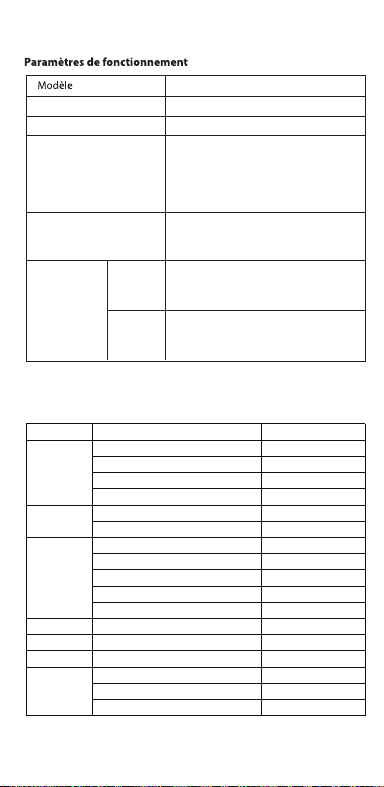
V0.1
Accessories and Soware Information
You are provided with the following standard accessories:
1 Phone, 1 Charger, 1 USB data cable, 1 Safety Guide, 1 Quick Guide,
1 SIM Ejector Tool.
English
You can use OPPO Clone Phone to easily transfer photos, videos, music,
contacts, messages, apps, etc from your old phone to the new one.
1. If your previous phone was a non-OPPO Android phone, search "OPPO
Clone Phone" in the Google Play store and install the app. You can also
scan the QR code below to install it. If your previous phone was an OPPO
phone, you don't need to install this app. Then run Clone Phone on both
phones and follow the on-screen instructions.
2. If your previous phone was an iPhone, run "Clone Phone" on your new
phone, and follow the onscreen instructions to migrate your data from
your iCloud account.
How to Transfer Old Mobile Content to a New Mobile
Specication
How to reboot the phone
Press and hold the Power Buon and Volume Up Buon at the same time
until the OPPO boot animation is displayed to reboot the phone.
This guide will show you how to use the phone and its impoant functions.
You may also visit OPPO ocial website to get more information about the phone.
Greetings from OPPO Mobile
hps://i.clonephone.coloros.com/download
612804000002
SAR Values
Product
Main screen parameter
Camera
Radio Waves Specications
Some content may dier from your device depending on the region, service
provider, or soware version, and is subject to change without prior notice.
hps://i.clonephone.coloros.com/download
hps://i.clonephone.coloros.com/download
hps://i.clonephone.coloros.com/download
hps://i.clonephone.coloros.com/download
https://i.clonephone.coloros.com/download
The product soware version is: ColorOS V12.1
For the most recent information about accessories and soware, please
see the DoC (Declaration of Conformity) at www.oppo.com/en/ceication.
Steps to search Regulatory : Go to Seings - About device - Regulatory
Regulatory
Note: The SAR values above are the highest values repoed for this device.
CE/UK SAR
RCM SAR
Baery
(Rechargeable
Lithium-ion Baery)
Ce guide vous montre comment utiliser le téléphone et décrit ses fonctions
importantes. Vous pouvez également visiter le site ociel d'OPPO pour obtenir
plus d'informations sur le téléphone.
OPPO Mobile vous souhaite la bienvenue
Comment redémarrer le téléphone
Comment transférer le contenu d'un ancien téléphone vers un nouveau
Informations sur les accessoires et le logiciel
Version logicielle: ColorOS V12.1
Pour obtenir les informations les plus récentes sur les accessoires et le logiciel,
consultez la Déclaration de Conformité (DC) sur www.oppo.com/en/certication.
1 Téléphone, 1 Chargeur, 1 Outil d'éjection SIM, 1 Câble de données USB, 1 Guide de sécurité,
1 Guide rapide.
Étapes à suivre pour rechercher la réglementation : Accédez à Paramètres
- À propos de I’appareil - Réglementation
Réglementaire
Français
Maintenez les boutons de marche/arrêt et de volume haut enfoncés
simultanément jusqu'à ce que l'animation de démarrage OPPO s'ache pour
redémarrer le téléphone.
Vous pouvez utiliser OPPO «Clone Phone» an de transférer facilement photos,
vidéos, musique, contacts, messages, applications, etc. depuis votre ancien
téléphone vers votre nouveau téléphone.
1. Si votre appareil précédent était un téléphone Android autre que OPPO,
cherchez l'application «OPPO Clone Phone» dans Google Play et installez-la. Vous
pouvez aussi lire le code QR ci-dessous pour l'installer. Si votre appareil précédent
était un téléphone OPPO, vous n'avez pas besoin d'installer cette application.
Ensuite, exécutez Clone Phone sur les deux appareils et suivez les instructions qui
s'achent à l'écran.
2. Si votre appareil précédent était un iPhone, exécutez «Clone Phone» sur votre
nouveau téléphone et suivez les instructions qui s'achent à l'écran pour migrer
vos données depuis votre compte iCloud.
hps://i.clonephone.coloros.com/download
Spécifications concernant les ondes radio
Remarque: Les valeurs DAS sont les valeurs les plus élevées signalées pour cet appareil.
Dimensions
CE SAR
CPH2477
Appareil photo
Taille de l’écran principal
Valeurs DAS
50-mégapixels+VGA Arrière
5-mégapixels avant
16,66cm(6,56 pouces)
DAS tête (0,81W/kg)
DAS tronc (0,94W/kg)
DAS membres (1,99W/kg)
Batterie
(Batterie lithium-ion
rechargeable)
Esta guía le mostrará el uso del teléfono además de sus funciones más importantes.
También, puede visitar nuestra página web ocial de OPPO donde obtendrá mayor
información sobre el mismo.
Bienvenido a OPPO Mobile
Cómo forzar el reinicio del teléfono
Mantenga presionados los botones de Encendido y Vol (+) hasta que aparezca
la animación de inicio de OPPO para forzar el renicio del teléfono.
El paquete comercial incluye:
1 Teléfono, 1 Cargador, 1 Cable USB, 1 Guía de seguridad, 1 Guía rápida,
1 Herramienta de extracción de tarjeta SIM.
Información de los accesorios y el software
Versión de software: ColorOS V12.1
Para obtener la información más reciente sobre accesorios y software, consulta la
Declaración de conformidad (DoC) en www.oppo.com/en/certication.
Cómo transferir contenido antiguo a su nuevo teléfono
Puede utilizar la función de OPPO “Clonar Teléfono” para transferir rápidamente
sus fotos, vídeos, música, contactos y aplicaciones a su nuevo teléfono. Para ello,
siga estos pasos:
Pasos para buscar Regulación, diríjase a: Ajustes - Información del dispositivo - Regulación
Regulación
Español
1. Si su teléfono antiguo es un teléfono Android de otra marca, descargue la
aplicación "OPPO Clone Phone" desde Play Store, o escanee el código QR a
continuación para descargarlo e instalarlo.
2. Si el teléfono antiguo es un teléfono OPPO, no necesita instalar la aplicación ya
que está instalada por defecto, abra la aplicación y siga las instrucciones en pantalla
para continuar.
3. Si su teléfono antiguo es un iPhone, abra directamente "OPPO Clone Phone" en
su nuevoteléfono y siga las instrucciones en pantalla para iniciar sesión en su
cuenta de iCloud y sincronizar los archivos. Recuerde que no todos los elementos
pueden ser transferidos desde dispositivos no Android.
Especificaciones de ondas de radio
Especificaciones técnicas
Nota: Los valores de SAR anteriores son los mayores registrados para este dispositivo.
CPH2477
Cámara
Producto
Dimensiones
Tamaño de la pantalla
Triple cámara trasera trasera de 50 Mpx
+ VGA.
Cámara delantera de 5 Mpx.
CE SAR
Valores SAR
16,66cm(6,56 Pulgadas)
0,81W/kg (Cabeza)
0,94W/kg (Cuerpo)
Batería
(Batería de iones de
litio recargable)
Nederlands
In deze beknopte handleiding vindt u informatie over het gebruik van de telefoon
en belangrijke functies ervan. Voor meer informatie kunt u ook altijd terecht op de
ociële website van OPPO.
De telefoon opnieuw opstarten
Informatie over accessoires en software
U krijgt de volgende accessoires standaard meegeleverd:
1 telefoon, 1 oplader, 1 usb-datakabel, 1 veiligheidsgids, 1 beknopte handleiding,
1 sim-uitwerpgereedschap.
Softwareversie: ColorOS
V12.1
Raadpleeg de conformiteitsverklaring (DoC) op www.oppo.com/en/certication voor
de meest recente informatie over accessoires en software.
Met OPPO Telefoon klonen zet u gemakkelijk en snel data over van uw oude toestel naar
uw nieuwe OPPO smartphone.
1. Als uw vorige telefoon een Android-telefoon van een andere fabrikant dan OPPO was,
zoek dan naar 'OPPO Telefoon klonen' in de Google Play Store en installeer de app. U kunt
ook de onderstaande QR-code scannen om de app te installeren. Als uw vorige telefoon
wel een OPPO-telefoon was, hoeft u deze app niet te installeren. Voer vervolgens Telefoon
klonen uit op beide telefoons en volg de instructies op het scherm.
2. Als uw vorige telefoon een iPhone was, voer 'Telefoon klonen' dan uit op uw nieuwe
telefoon en volg de instructies op het scherm om uw gegevens uit uw iCloud-account te
migreren.
Welkom bij OPPO mobile
Gegevens overzetten van een oud toestel naar een nieuwe OPPO
smartphone
Regelgeving
Stappen om te zoeken naar regelgeving: Ga naar Instellingen - Over apparaat - Regelgeving
Als u de telefoon opnieuw wilt opstarten, moet u de aan/uit-knop en de knop
waarmee u het volume harder kunt zetten, gelijktijdig indrukken tot de
OPPO-opstartanimatie op het display verschijnt.
Specificaties radiogolven
Opmerking: de SAR-waarden hierboven zijn de maximale waarden die voor dit
apparaat zijn gerapporteerd.
CPH2477
Camera
Product
CE SAR
Specieke
absorptiesnelheid
(SAR)
Schermafmetingen
Afmetingen
50 Megapixel + VGA Achtercamera
5 Megapixel Voorcamera
0,81W/kg (Hoofd)
0,94W/kg (Lichaam)
Specificaties
6,56" (16,66cm)
Accu
(Oplaadbare
lithium-ionbatterij)
Deutsch
In dieser Anleitung sehen Sie Erläuterungen zur Benutzung des Mobiltelefons und
seinen wichtigsten Funktionen. Weitere Informationen stehen Ihnen auch auf der
oziellen Website von OPPO zur Verfügung.
Grüße von OPPO Mobile
So starten Sie das Telefon neu
Wie kann ich die auf meinem alten Telefon gespeicherten Daten auf
ein neues übertragen?
Sie erhalten folgendes Standardzubehör:
1 Telefon, 1 Ladegerät, 1 SIM-Auswerfer, 1 USB-Datenkabel, 1 Sicherheitsanleitung,
1 Kurzanleitung.
Zubehör und Softwareinformationen:
Software-Version: ColorOS V12.1
Aktuelle Informationen über Zubehör und Software nden Sie in der
Konformitätserklärung (DoC) unter www.oppo.com/en/certication.
Die rechtlichen Informationen nden Sie unter: Einstellungen-Über das Gerät-Rechtliches
Rechtliches
Halten Sie die Einschalttaste und die Taste zur Erhöhung der Lautstärke gleichzeitig
gedrückt, bis die OPPO-Start-Animation zum Neustarten des Telefons angezeigt
wird.
Mit der Applikation, die OPPO Clone Phone heißt, können Sie Fotos, Videos, Musik,
Kontakte, Nachrichten, Apps usw. ganz einfach von Ihrem alten Telefon auf das
neue übertragen.
1. Wenn es sich bei Ihrem bisherigen Telefon um ein nicht von OPPO bezogenes
Android-Telefon handelt, suchen Sie im Google Play Store nach „OPPO Clone
Phone“ und installieren Sie die App. Sie können auch den untenstehenden QR-
Code scannen, um die App zu installieren. Wenn es sich bei Ihrem bisherigen
Telefon um ein Telefon von OPPO handelt, brauchen Sie diese App nicht zu
installieren. Führen Sie dann Clone Phone auf beiden Telefonen aus und folgen
Sie den Anweisungen auf dem Bildschirm.
2. Wenn es sich bei Ihrem bisherigen Telefon um ein iPhone handelt, führen Sie
„Clone Phone“ auf Ihrem neuen Telefon aus und folgen Sie den Anweisungen auf
dem Bildschirm, um Ihre Daten von Ihrem iCloud-Konto zu migrieren.
Funkwellenspezifikationen
Hinweis: Die oben genannten SAR-Werte sind die höchsten für dieses Gerät
gemeldeten Werte.
Produkt CPH2477
Bildschirmparameter
Abmessungen
Kamera
16,66cm (6,56 Zoll)
CE SAR
0,81W/kg (Kopf)
0,94W/kg (Körper)
50 Megapixel + VGA Rückseite
5 Megapixel Vorderseite
Batterie
(Wiederauadbaren
Lithium-Ionen-Akku)
Italiano
Questa guida illustra l'utilizzo del tuo smartphone OPPO e le sue funzioni
principali. In alternativa, è possibile visitare il sito uciale di OPPO per avere
maggiori informazioni sul telefono.
OPPO Mobile ti dà il benvenuto
Come riavviare il telefono
1. Se il tuo telefono precedente era un telefono Android non OPPO, cerca "Clona
telefono OPPO" in Google Play Store e installa l'app. Puoi inoltre eseguire la
scansione del codice QR di seguito per installarlo. Se il tuo telefono precedente era
un telefono OPPO, non è necessario installare questa app. Quindi esegui Clona
telefono su entrambi i telefoni e segui le istruzioni visualizzate.
La funzione Clona Telefono di OPPO può essere usata per trasferire facilmente foto,
video, musica, contatti, app, ecc. dal vecchio al nuovo telefono.
Come trasferire dati da un vecchio smartphone ad uno smartphone OPPO
Informazioni su accessori e software
Vengono forniti i seguenti accessori standard:
1 telefono, 1 caricabatterie, 1 cavo USB, 1 strumento di estrazione SIM,
1 guida di sicurezza, 1 guida rapida.
Versione software: ColorOS V12.1
Per le informazioni più recenti su accessori e software, consulta la Dichiarazione di
conformità (DoC) all 'indirizzo www.oppo.com/en/certication.
Informazioni Legali
Passaggi per la ricerca delle normative :
vai su Impostazioni - Informazioni sul dispositivo - Regolamentazione
Tenere premuti contemporaneamente i pulsanti di accensione e di aumento del
volume no a quando non si visualizza l’animazione OPPO per il riavvio del telefono.
2. Se il tuo telefono precedente era un iPhone, esegui "Clona telefono" sul tuo
nuovo telefono e segui le istruzioni su schermo per migrare i tuoi dati dal tuo
account iCloud.
Specifiche onde radio
Parametri prestazioni
Nota: i valori SAR riportati sono i valori più alti per il dispositivo.
CPH2477Modello
Parametri Schermo
Dimensioni
Camera
Fotocamera posteriore da 50 megapixel
+ VGA
fotocamera anteriore da 5 megapixel
CE SAR
0,81W/kg (Testa)
0,94W/kg (Corpo)
16,66cm(6,56 pollici)
Batteria
(Batteria ricaricabile
agli ioni di litio)
Português
Bem-vindo à OPPO Mobile
Este guia irá mostrar-lhe como utilizar o telefone e as suas funções importantes.
Você também pode visitar o site ocial da OPPO para obter mais informações
sobre o telefone.
Como Reiniciar o telefone
Pressione e mantenha apertado o botão ligar/desligar e o botão Volume (+) ao
mesmo tempo até que a animação de inicialização OPPO seja exibida para reiniciar
o telefone.
Como Transferir Conteúdo do Antigo Telemóvel para um Novo
Você pode usar a função OPPO “Clone Phone” para transferir rapidamente os seus
fotos, vídeos, músicas, contatos e aplicações para o seu novo telefone. Para fazer
isso, execute as seguintes etapas:
1. Se o seu telefone antigo é um telefone Android de marca diferente, faça o
download da aplicação "OPPO Clone Phone" na Play Store, ou digitalize o código
QR abaixo para o descarregar e instalar.
2. Se o telefone antigo for um telefone OPPO, não é necessário instalar a aplicação,
uma vez que já está instalada por defeito, abra a aplicação e siga as instruções no
ecrã para continuar.
3. Se o seu telefone antigo é um iPhone, abra "OPPO Clone Phone" directamente
no seu novo telefone e siga as instruções no ecrã para iniciar sessão na sua conta
iCloud e sincronizar cheiros. Note que nem todos os artigos podem ser
transferidos a partir de dispositivos não androids.
Informações sobre acessórios e software
O pacote comercial inclui:
1 Telefone, 1 Carregador, 1 Cabo de dados USB, 1 Guia de segurança, 1 Guia rápido,
1 Ferramenta ejectora SIM.
Versão do software: ColorOS
V12.1
Para obter as últimas informações sobre acessórios e software, consulte a Declaração
de Conformidade (DoC) em www.oppo.com/en/certication.
Regulamento
Para encontrar o Regulamento vá a: Denições - Informações do dispositivo - Regulamento
Especificações
Nota: Os valores SAR acima são os valores mais altos reportados para este dispositivo.
CPH2477
50 Megapixels + VGA Traseiro
5 Megapixels Frente
16,66cm(6,56")
CE SAR
Produto
Parâmetro do ecrã principal
Dimensão
Câmara
Valores SAR
0,81W/kg (Cabeça)
0,94W/kg (Corpo)
Especificações das Ondas de Rádio
Bateria
(Bateria recarregável
de íon-lítio)
164,2×75,6×8,3(mm)
164,2×75,6×8,3(mm)
164,2×75,6×8,3(mm)
164,2×75,6×8,3(mm)
164,2×75,6×8,3(mm)
164,2×75,6×8,3(mm)
Dimension
CPH2477
0.81W/kg(Head)
0.94W/kg(Body)
1.99W/kg(limbs)
0.81W/kg(Head)
0.94W/kg(Body)
16.66cm(6.56'')
50Megapixels+VGA Rear
5Megapixels Front
164.2×75.6×8.3(mm)
4890mAh/18.92Wh(Min)
5000mAh/19.35Wh(Typ)
4890mAh/18,92Wh(Min)
5000mAh/19,35Wh(Typ)
4890mAh/18,92Wh(Min)
5000mAh/19.35Wh(Typ)
4890mAh/18,92Wh(Min)
5000mAh/19.35Wh(Typ)
4890mAh/18,92Wh(Min)
5000mAh/19.35Wh(Typ)
4890mAh/18,92Wh(Min)
5000mAh/19.35Wh(Typ)
4890mAh/18,92Wh(Min)
5000mAh/19.35Wh(Typ)
Front Camera
Volume Key
SIM card tray
Receiver
Proximity Sensor and Light Sensor
Earphone Jack
Speaker
Rear Camera
MIC
USB Jack
Flash
Power Key/Screen Lock Key/
Fingerprint Scanner
Quick Guide
Copyright © Guangdong OPPO Mobile Telecommunications Corp., Ltd. 2022.
All rights reserved.
Appareil photo avant
Touches volume
Récepteur
Trappe d'insersion SIM
Microphone
Prise écouteurs
Appareil photo arrière
Prise USB
Flash
Capteurs de proximité et de luminosité
Haut parleur
Touche marche/arrêt &
Capteur d'empreintes
Cámara frontal
Botones de volumen
Auricular
Bandeja de la tarjeta SIM
Jack 3.5
Sensor de proximidad y luz
Botón de encendido/
Escáner de huellas
Altavoz
Cámara trasera
Puerto USB
Flash
Micrófono
Frontcamera
Volumetoets
Luidspreker bij oor
Simkaarthouder
Hoofdtelefoonaansluiting
Nabijheids- en lichtsensor
Luidspreker
Achtercamera
Flitser
USB
Microfoon
Aan/uit-toets/
schermvergrendelingstoets/
vingerafdrukscanner
USB-Anschluss
Frontkamera
Lautstärketaste
Hörer
SIM-Kartenhalter
Umgebungslichtsensor
Lautsprecher
Rückkamera
Blitz
Mikrofon
Kopfhöreranschluss
Ein-/Aus-Taste/
Fingerabdruck-Scanner
Fotocamera frontale
Tasto volume
Ricevitore
Vassoio scheda SIM
Sensore di prossimità e luminosità
Altoparlante
Fotocamera posteriore
Flash
Microfono Jack auricolari
Presa USB
Tasto di accensione/
Tasto blocco schermo/
Lettore impronte digitali
Câmara frontal
Botão de volume
Receptor
Porta SIM
Sensor de proximidade e luz
Altifalante
Câmara traseira
Flash
Microfone
Entrada de auriculares
Botão Ligar/Desligar
Leitor de impressões digitais
Entrada de USB
Radio Frequency Max.Output Power
GSM
850MHz 33.5dBm
900MHz 33.5dBm
1800MHz 30.5dBm
1900MHz 30.5dBm
WCDMA
Band 1 24.3dBm
Bands 5/8 24.7dBm
LTE FDD
Bands 1/3 24.1dBm
Band 5 24.7dBm
Bands 8/20 24.6dBm
Band 7 23.6dBm
Band 28 24.3dBm
LTE TDD Bands 38/40/41 23.8dBm
Bluetooth 2.4-2.4835GHz
2.4-2.4835GHz
16dBm(EIRP)
2.4G Wi-Fi 18.5dBm(EIRP)
5G Wi-Fi
5.15-5.25GHz 20dBm(EIRP)
5.25-5.35GHz , 5.47-5.725GHz 18.5dBm(EIRP)
5.725-5.85GHz 13.5dBm(EIRP)
GSM
850MHz 33,5dBm
900MHz 33,5dBm
1800MHz 30,5dBm
1900MHz 30,5dBm
WCDMA
Band 1 24,3dBm
Bands 5/8 24,7dBm
LTE FDD
Bands 1/3 24,1dBm
Band 5 24,7dBm
Bands 8/20 24,6dBm
Band 7 23,6dBm
Band 28 24,3dBm
LTE TDD Bands 38/40/41 23,8dBm
Bluetooth 2,4-2,4835GHz
2,4-2,4835GHz
16dBm(EIRP)
2,4G Wi-Fi 18,5dBm(EIRP)
5G Wi-Fi
5,15-5,25GHz 20dBm(EIRP)
5,25-5,35GHz , 5,47-5,725GHz 18,5dBm(EIRP)
5,725-5,85GHz 13,5dBm(EIRP)
Radio Fréquence Puissance de sortie max.
GSM
850MHz 33,5dBm
900MHz 33,5dBm
1800MHz 30,5dBm
1900MHz 30,5dBm
WCDMA
Band 1 24,3dBm
Bands 5/8 24,7dBm
LTE FDD
Bands 1/3 24,1dBm
Band 5 24,7dBm
Bands 8/20 24,6dBm
Band 7 23,6dBm
Band 28 24,3dBm
LTE TDD Bands 38/40/41 23,8dBm
Bluetooth 2,4-2,4835GHz
2,4-2,4835GHz
16dBm(EIRP)
2,4G Wi-Fi 18,5dBm(EIRP)
5G Wi-Fi
5,15-5,25GHz 20dBm(EIRP)
5,25-5,35GHz , 5,47-5,725GHz 18,5dBm(EIRP)
5,725-5,85GHz 13,5dBm(EIRP)
Radio Frecuencia Potencia máx. de salida
GSM
850MHz 33,5dBm
900MHz 33,5dBm
1800MHz 30,5dBm
1900MHz 30,5dBm
WCDMA
Band 1 24,3dBm
Bands 5/8 24,7dBm
LTE FDD
Bands 1/3 24,1dBm
Band 5 24,7dBm
Bands 8/20 24,6dBm
Band 7 23,6dBm
Band 28 24,3dBm
LTE TDD Bands 38/40/41 23,8dBm
Bluetooth 2,4-2,4835GHz
2,4-2,4835GHz
16dBm(EIRP)
2,4G Wi-Fi 18,5dBm(EIRP)
5G Wi-Fi
5,15-5,25GHz 20dBm(EIRP)
5,25-5,35GHz , 5,47-5,725GHz 18,5dBm(EIRP)
5,725-5,85GHz 13,5dBm(EIRP)
Rádio Potência de saídaFreqüência
GSM
850MHz 33,5dBm
900MHz 33,5dBm
1800MHz 30,5dBm
1900MHz 30,5dBm
WCDMA
Band 1 24,3dBm
Bands 5/8 24,7dBm
LTE FDD
Bands 1/3 24,1dBm
Band 5 24,7dBm
Bands 8/20 24,6dBm
Band 7 23,6dBm
Band 28 24,3dBm
LTE TDD Bands 38/40/41 23,8dBm
Bluetooth 2,4-2,4835GHz
2,4-2,4835GHz
16dBm(EIRP)
2,4G Wi-Fi 18,5dBm(EIRP)
5G Wi-Fi
5,15-5,25GHz 20dBm(EIRP)
5,25-5,35GHz , 5,47-5,725GHz 18,5dBm(EIRP)
5,725-5,85GHz 13,5dBm(EIRP)
Radio Potenza uscita maxFrequenza
GSM
850MHz 33,5dBm
900MHz 33,5dBm
1800MHz 30,5dBm
1900MHz 30,5dBm
WCDMA
Band 1 24,3dBm
Bands 5/8 24,7dBm
LTE FDD
Bands 1/3 24,1dBm
Band 5 24,7dBm
Bands 8/20 24,6dBm
Band 7 23,6dBm
Band 28 24,3dBm
LTE TDD Bands 38/40/41 23,8dBm
Bluetooth 2,4-2,4835GHz
2,4-2,4835GHz
16dBm(EIRP)
2,4G Wi-Fi 18,5dBm(EIRP)
5G Wi-Fi
5,15-5,25GHz 20dBm(EIRP)
5,25-5,35GHz , 5,47-5,725GHz 18,5dBm(EIRP)
5,725-5,85GHz 13,5dBm(EIRP)
Radio Max. AusgangsleistungFrequenz
GSM
850MHz 33,5dBm
900MHz 33,5dBm
1800MHz 30,5dBm
1900MHz 30,5dBm
WCDMA
Band 1 24,3dBm
Bands 5/8 24,7dBm
LTE FDD
Bands 1/3 24,1dBm
Band 5 24,7dBm
Bands 8/20 24,6dBm
Band 7 23,6dBm
Band 28 24,3dBm
LTE TDD Bands 38/40/41 23,8dBm
Bluetooth 2,4-2,4835GHz
2,4-2,4835GHz
16dBm(EIRP)
2,4G Wi-Fi 18,5dBm(EIRP)
5G Wi-Fi
5,15-5,25GHz 20dBm(EIRP)
5,25-5,35GHz , 5,47-5,725GHz 18,5dBm(EIRP)
5,725-5,85GHz 13,5dBm(EIRP)
Frequentie Max. uitgangsvermogenRadio
FCC SAR
0.89W/kg(Head)
0.77W/kg(Body)
1.15W/kg(Hotspot)
FCC SAR
0,89W/kg (Tête)
0,77W/kg (Corps)
1,15W/kg (Point chaud)
FCC SAR
0,89W/kg (Cabeza)
0,77W/kg (Cuerpo)
1,15W/kg (Hotspot)
FCC SAR
0,89W/kg (Hoofd)
0,77W/kg (Lichaam)
1,15W/kg (Hotspot)
FCC SAR
0,89W/kg (Kopf)
0,77W/kg (Körper)
1,15W/kg (Hotspot)
FCC SAR
0,89W/kg (Testa)
0,77W/kg (Corpo)
1,15W/kg (Punto di accesso)
FCC SAR
0,89W/kg (Cabeça)
0,77W/kg (Corpo)
1,15W/kg (Ponto de acesso)
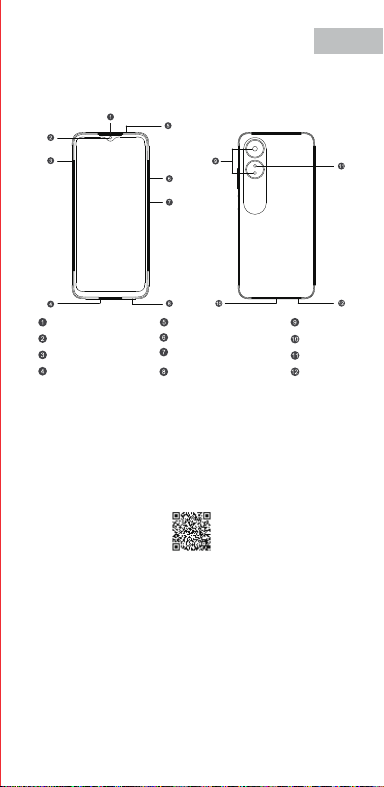
V0.1
Accessories and Soware Information
You are provided with the following standard accessories:
1 Phone, 1 Charger, 1 USB data cable, 1 Safety Guide, 1 Quick Guide,
1 SIM Ejector Tool.
English
You can use OPPO Clone Phone to easily transfer photos, videos, music,
contacts, messages, apps, etc from your old phone to the new one.
1. If your previous phone was a non-OPPO Android phone, search "OPPO
Clone Phone" in the Google Play store and install the app. You can also
scan the QR code below to install it. If your previous phone was an OPPO
phone, you don't need to install this app. Then run Clone Phone on both
phones and follow the on-screen instructions.
2. If your previous phone was an iPhone, run "Clone Phone" on your new
phone, and follow the onscreen instructions to migrate your data from
your iCloud account.
How to Transfer Old Mobile Content to a New Mobile
Specication
How to reboot the phone
Press and hold the Power Buon and Volume Up Buon at the same time
until the OPPO boot animation is displayed to reboot the phone.
This guide will show you how to use the phone and its impoant functions.
You may also visit OPPO ocial website to get more information about the phone.
Greetings from OPPO Mobile
hps://i.clonephone.coloros.com/download
612804000002
SAR Values
Product
Main screen parameter
Camera
Radio Waves Specications
Some content may dier from your device depending on the region, service
provider, or soware version, and is subject to change without prior notice.
hps://i.clonephone.coloros.com/download
hps://i.clonephone.coloros.com/download
hps://i.clonephone.coloros.com/download
hps://i.clonephone.coloros.com/download
https://i.clonephone.coloros.com/download
The product soware version is: ColorOS V12.1
For the most recent information about accessories and soware, please
see the DoC (Declaration of Conformity) at www.oppo.com/en/ceication.
Steps to search Regulatory : Go to Seings - About device - Regulatory
Regulatory
Note: The SAR values above are the highest values repoed for this device.
CE/UK SAR
RCM SAR
Baery
(Rechargeable
Lithium-ion Baery)
Ce guide vous montre comment utiliser le téléphone et décrit ses fonctions
importantes. Vous pouvez également visiter le site ociel d'OPPO pour obtenir
plus d'informations sur le téléphone.
OPPO Mobile vous souhaite la bienvenue
Comment redémarrer le téléphone
Comment transférer le contenu d'un ancien téléphone vers un nouveau
Informations sur les accessoires et le logiciel
Version logicielle: ColorOS V12.1
Pour obtenir les informations les plus récentes sur les accessoires et le logiciel,
consultez la Déclaration de Conformité (DC) sur www.oppo.com/en/certication.
1 Téléphone, 1 Chargeur, 1 Outil d'éjection SIM, 1 Câble de données USB, 1 Guide de sécurité,
1 Guide rapide.
Étapes à suivre pour rechercher la réglementation : Accédez à Paramètres
- À propos de I’appareil - Réglementation
Réglementaire
Français
Maintenez les boutons de marche/arrêt et de volume haut enfoncés
simultanément jusqu'à ce que l'animation de démarrage OPPO s'ache pour
redémarrer le téléphone.
Vous pouvez utiliser OPPO «Clone Phone» an de transférer facilement photos,
vidéos, musique, contacts, messages, applications, etc. depuis votre ancien
téléphone vers votre nouveau téléphone.
1. Si votre appareil précédent était un téléphone Android autre que OPPO,
cherchez l'application «OPPO Clone Phone» dans Google Play et installez-la. Vous
pouvez aussi lire le code QR ci-dessous pour l'installer. Si votre appareil précédent
était un téléphone OPPO, vous n'avez pas besoin d'installer cette application.
Ensuite, exécutez Clone Phone sur les deux appareils et suivez les instructions qui
s'achent à l'écran.
2. Si votre appareil précédent était un iPhone, exécutez «Clone Phone» sur votre
nouveau téléphone et suivez les instructions qui s'achent à l'écran pour migrer
vos données depuis votre compte iCloud.
hps://i.clonephone.coloros.com/download
Spécifications concernant les ondes radio
Remarque: Les valeurs DAS sont les valeurs les plus élevées signalées pour cet appareil.
Dimensions
CE SAR
CPH2477
Appareil photo
Taille de l’écran principal
Valeurs DAS
50-mégapixels+VGA Arrière
5-mégapixels avant
16,66cm(6,56 pouces)
DAS tête (0,81W/kg)
DAS tronc (0,94W/kg)
DAS membres (1,99W/kg)
Batterie
(Batterie lithium-ion
rechargeable)
Esta guía le mostrará el uso del teléfono además de sus funciones más importantes.
También, puede visitar nuestra página web ocial de OPPO donde obtendrá mayor
información sobre el mismo.
Bienvenido a OPPO Mobile
Cómo forzar el reinicio del teléfono
Mantenga presionados los botones de Encendido y Vol (+) hasta que aparezca
la animación de inicio de OPPO para forzar el renicio del teléfono.
El paquete comercial incluye:
1 Teléfono, 1 Cargador, 1 Cable USB, 1 Guía de seguridad, 1 Guía rápida,
1 Herramienta de extracción de tarjeta SIM.
Información de los accesorios y el software
Versión de software: ColorOS V12.1
Para obtener la información más reciente sobre accesorios y software, consulta la
Declaración de conformidad (DoC) en www.oppo.com/en/certication.
Cómo transferir contenido antiguo a su nuevo teléfono
Puede utilizar la función de OPPO “Clonar Teléfono” para transferir rápidamente
sus fotos, vídeos, música, contactos y aplicaciones a su nuevo teléfono. Para ello,
siga estos pasos:
Pasos para buscar Regulación, diríjase a: Ajustes - Información del dispositivo - Regulación
Regulación
Español
1. Si su teléfono antiguo es un teléfono Android de otra marca, descargue la
aplicación "OPPO Clone Phone" desde Play Store, o escanee el código QR a
continuación para descargarlo e instalarlo.
2. Si el teléfono antiguo es un teléfono OPPO, no necesita instalar la aplicación ya
que está instalada por defecto, abra la aplicación y siga las instrucciones en pantalla
para continuar.
3. Si su teléfono antiguo es un iPhone, abra directamente "OPPO Clone Phone" en
su nuevoteléfono y siga las instrucciones en pantalla para iniciar sesión en su
cuenta de iCloud y sincronizar los archivos. Recuerde que no todos los elementos
pueden ser transferidos desde dispositivos no Android.
Especificaciones de ondas de radio
Especificaciones técnicas
Nota: Los valores de SAR anteriores son los mayores registrados para este dispositivo.
CPH2477
Cámara
Producto
Dimensiones
Tamaño de la pantalla
Triple cámara trasera trasera de 50 Mpx
+ VGA.
Cámara delantera de 5 Mpx.
CE SAR
Valores SAR
16,66cm(6,56 Pulgadas)
0,81W/kg (Cabeza)
0,94W/kg (Cuerpo)
Batería
(Batería de iones de
litio recargable)
Nederlands
In deze beknopte handleiding vindt u informatie over het gebruik van de telefoon
en belangrijke functies ervan. Voor meer informatie kunt u ook altijd terecht op de
ociële website van OPPO.
De telefoon opnieuw opstarten
Informatie over accessoires en software
U krijgt de volgende accessoires standaard meegeleverd:
1 telefoon, 1 oplader, 1 usb-datakabel, 1 veiligheidsgids, 1 beknopte handleiding,
1 sim-uitwerpgereedschap.
Softwareversie: ColorOS
V12.1
Raadpleeg de conformiteitsverklaring (DoC) op www.oppo.com/en/certication voor
de meest recente informatie over accessoires en software.
Met OPPO Telefoon klonen zet u gemakkelijk en snel data over van uw oude toestel naar
uw nieuwe OPPO smartphone.
1. Als uw vorige telefoon een Android-telefoon van een andere fabrikant dan OPPO was,
zoek dan naar 'OPPO Telefoon klonen' in de Google Play Store en installeer de app. U kunt
ook de onderstaande QR-code scannen om de app te installeren. Als uw vorige telefoon
wel een OPPO-telefoon was, hoeft u deze app niet te installeren. Voer vervolgens Telefoon
klonen uit op beide telefoons en volg de instructies op het scherm.
2. Als uw vorige telefoon een iPhone was, voer 'Telefoon klonen' dan uit op uw nieuwe
telefoon en volg de instructies op het scherm om uw gegevens uit uw iCloud-account te
migreren.
Welkom bij OPPO mobile
Gegevens overzetten van een oud toestel naar een nieuwe OPPO
smartphone
Regelgeving
Stappen om te zoeken naar regelgeving: Ga naar Instellingen - Over apparaat - Regelgeving
Als u de telefoon opnieuw wilt opstarten, moet u de aan/uit-knop en de knop
waarmee u het volume harder kunt zetten, gelijktijdig indrukken tot de
OPPO-opstartanimatie op het display verschijnt.
Specificaties radiogolven
Opmerking: de SAR-waarden hierboven zijn de maximale waarden die voor dit
apparaat zijn gerapporteerd.
CPH2477
Camera
Product
CE SAR
Specieke
absorptiesnelheid
(SAR)
Schermafmetingen
Afmetingen
50 Megapixel + VGA Achtercamera
5 Megapixel Voorcamera
0,81W/kg (Hoofd)
0,94W/kg (Lichaam)
Specificaties
6,56" (16,66cm)
Accu
(Oplaadbare
lithium-ionbatterij)
Deutsch
In dieser Anleitung sehen Sie Erläuterungen zur Benutzung des Mobiltelefons und
seinen wichtigsten Funktionen. Weitere Informationen stehen Ihnen auch auf der
oziellen Website von OPPO zur Verfügung.
Grüße von OPPO Mobile
So starten Sie das Telefon neu
Wie kann ich die auf meinem alten Telefon gespeicherten Daten auf
ein neues übertragen?
Sie erhalten folgendes Standardzubehör:
1 Telefon, 1 Ladegerät, 1 SIM-Auswerfer, 1 USB-Datenkabel, 1 Sicherheitsanleitung,
1 Kurzanleitung.
Zubehör und Softwareinformationen:
Software-Version: ColorOS V12.1
Aktuelle Informationen über Zubehör und Software nden Sie in der
Konformitätserklärung (DoC) unter www.oppo.com/en/certication.
Die rechtlichen Informationen nden Sie unter: Einstellungen-Über das Gerät-Rechtliches
Rechtliches
Halten Sie die Einschalttaste und die Taste zur Erhöhung der Lautstärke gleichzeitig
gedrückt, bis die OPPO-Start-Animation zum Neustarten des Telefons angezeigt
wird.
Mit der Applikation, die OPPO Clone Phone heißt, können Sie Fotos, Videos, Musik,
Kontakte, Nachrichten, Apps usw. ganz einfach von Ihrem alten Telefon auf das
neue übertragen.
1. Wenn es sich bei Ihrem bisherigen Telefon um ein nicht von OPPO bezogenes
Android-Telefon handelt, suchen Sie im Google Play Store nach „OPPO Clone
Phone“ und installieren Sie die App. Sie können auch den untenstehenden QR-
Code scannen, um die App zu installieren. Wenn es sich bei Ihrem bisherigen
Telefon um ein Telefon von OPPO handelt, brauchen Sie diese App nicht zu
installieren. Führen Sie dann Clone Phone auf beiden Telefonen aus und folgen
Sie den Anweisungen auf dem Bildschirm.
2. Wenn es sich bei Ihrem bisherigen Telefon um ein iPhone handelt, führen Sie
„Clone Phone“ auf Ihrem neuen Telefon aus und folgen Sie den Anweisungen auf
dem Bildschirm, um Ihre Daten von Ihrem iCloud-Konto zu migrieren.
Funkwellenspezifikationen
Hinweis: Die oben genannten SAR-Werte sind die höchsten für dieses Gerät
gemeldeten Werte.
Produkt CPH2477
Bildschirmparameter
Abmessungen
Kamera
16,66cm (6,56 Zoll)
CE SAR
0,81W/kg (Kopf)
0,94W/kg (Körper)
50 Megapixel + VGA Rückseite
5 Megapixel Vorderseite
Batterie
(Wiederauadbaren
Lithium-Ionen-Akku)
Italiano
Questa guida illustra l'utilizzo del tuo smartphone OPPO e le sue funzioni
principali. In alternativa, è possibile visitare il sito uciale di OPPO per avere
maggiori informazioni sul telefono.
OPPO Mobile ti dà il benvenuto
Come riavviare il telefono
1. Se il tuo telefono precedente era un telefono Android non OPPO, cerca "Clona
telefono OPPO" in Google Play Store e installa l'app. Puoi inoltre eseguire la
scansione del codice QR di seguito per installarlo. Se il tuo telefono precedente era
un telefono OPPO, non è necessario installare questa app. Quindi esegui Clona
telefono su entrambi i telefoni e segui le istruzioni visualizzate.
La funzione Clona Telefono di OPPO può essere usata per trasferire facilmente foto,
video, musica, contatti, app, ecc. dal vecchio al nuovo telefono.
Come trasferire dati da un vecchio smartphone ad uno smartphone OPPO
Informazioni su accessori e software
Vengono forniti i seguenti accessori standard:
1 telefono, 1 caricabatterie, 1 cavo USB, 1 strumento di estrazione SIM,
1 guida di sicurezza, 1 guida rapida.
Versione software: ColorOS V12.1
Per le informazioni più recenti su accessori e software, consulta la Dichiarazione di
conformità (DoC) all 'indirizzo www.oppo.com/en/certication.
Informazioni Legali
Passaggi per la ricerca delle normative :
vai su Impostazioni - Informazioni sul dispositivo - Regolamentazione
Tenere premuti contemporaneamente i pulsanti di accensione e di aumento del
volume no a quando non si visualizza l’animazione OPPO per il riavvio del telefono.
2. Se il tuo telefono precedente era un iPhone, esegui "Clona telefono" sul tuo
nuovo telefono e segui le istruzioni su schermo per migrare i tuoi dati dal tuo
account iCloud.
Specifiche onde radio
Parametri prestazioni
Nota: i valori SAR riportati sono i valori più alti per il dispositivo.
CPH2477Modello
Parametri Schermo
Dimensioni
Camera
Fotocamera posteriore da 50 megapixel
+ VGA
fotocamera anteriore da 5 megapixel
CE SAR
0,81W/kg (Testa)
0,94W/kg (Corpo)
16,66cm(6,56 pollici)
Batteria
(Batteria ricaricabile
agli ioni di litio)
Português
Bem-vindo à OPPO Mobile
Este guia irá mostrar-lhe como utilizar o telefone e as suas funções importantes.
Você também pode visitar o site ocial da OPPO para obter mais informações
sobre o telefone.
Como Reiniciar o telefone
Pressione e mantenha apertado o botão ligar/desligar e o botão Volume (+) ao
mesmo tempo até que a animação de inicialização OPPO seja exibida para reiniciar
o telefone.
Como Transferir Conteúdo do Antigo Telemóvel para um Novo
Você pode usar a função OPPO “Clone Phone” para transferir rapidamente os seus
fotos, vídeos, músicas, contatos e aplicações para o seu novo telefone. Para fazer
isso, execute as seguintes etapas:
1. Se o seu telefone antigo é um telefone Android de marca diferente, faça o
download da aplicação "OPPO Clone Phone" na Play Store, ou digitalize o código
QR abaixo para o descarregar e instalar.
2. Se o telefone antigo for um telefone OPPO, não é necessário instalar a aplicação,
uma vez que já está instalada por defeito, abra a aplicação e siga as instruções no
ecrã para continuar.
3. Se o seu telefone antigo é um iPhone, abra "OPPO Clone Phone" directamente
no seu novo telefone e siga as instruções no ecrã para iniciar sessão na sua conta
iCloud e sincronizar cheiros. Note que nem todos os artigos podem ser
transferidos a partir de dispositivos não androids.
Informações sobre acessórios e software
O pacote comercial inclui:
1 Telefone, 1 Carregador, 1 Cabo de dados USB, 1 Guia de segurança, 1 Guia rápido,
1 Ferramenta ejectora SIM.
Versão do software: ColorOS
V12.1
Para obter as últimas informações sobre acessórios e software, consulte a Declaração
de Conformidade (DoC) em www.oppo.com/en/certication.
Regulamento
Para encontrar o Regulamento vá a: Denições - Informações do dispositivo - Regulamento
Especificações
Nota: Os valores SAR acima são os valores mais altos reportados para este dispositivo.
CPH2477
50 Megapixels + VGA Traseiro
5 Megapixels Frente
16,66cm(6,56")
CE SAR
Produto
Parâmetro do ecrã principal
Dimensão
Câmara
Valores SAR
0,81W/kg (Cabeça)
0,94W/kg (Corpo)
Especificações das Ondas de Rádio
Bateria
(Bateria recarregável
de íon-lítio)
164,2×75,6×8,3(mm)
164,2×75,6×8,3(mm)
164,2×75,6×8,3(mm)
164,2×75,6×8,3(mm)
164,2×75,6×8,3(mm)
164,2×75,6×8,3(mm)
Dimension
CPH2477
0.81W/kg(Head)
0.94W/kg(Body)
1.99W/kg(limbs)
0.81W/kg(Head)
0.94W/kg(Body)
16.66cm(6.56'')
50Megapixels+VGA Rear
5Megapixels Front
164.2×75.6×8.3(mm)
4890mAh/18.92Wh(Min)
5000mAh/19.35Wh(Typ)
4890mAh/18,92Wh(Min)
5000mAh/19,35Wh(Typ)
4890mAh/18,92Wh(Min)
5000mAh/19.35Wh(Typ)
4890mAh/18,92Wh(Min)
5000mAh/19.35Wh(Typ)
4890mAh/18,92Wh(Min)
5000mAh/19.35Wh(Typ)
4890mAh/18,92Wh(Min)
5000mAh/19.35Wh(Typ)
4890mAh/18,92Wh(Min)
5000mAh/19.35Wh(Typ)
Front Camera
Volume Key
SIM card tray
Receiver
Proximity Sensor and Light Sensor
Earphone Jack
Speaker
Rear Camera
MIC
USB Jack
Flash
Power Key/Screen Lock Key/
Fingerprint Scanner
Quick Guide
Copyright © Guangdong OPPO Mobile Telecommunications Corp., Ltd. 2022.
All rights reserved.
Appareil photo avant
Touches volume
Récepteur
Trappe d'insersion SIM
Microphone
Prise écouteurs
Appareil photo arrière
Prise USB
Flash
Capteurs de proximité et de luminosité
Haut parleur
Touche marche/arrêt &
Capteur d'empreintes
Cámara frontal
Botones de volumen
Auricular
Bandeja de la tarjeta SIM
Jack 3.5
Sensor de proximidad y luz
Botón de encendido/
Escáner de huellas
Altavoz
Cámara trasera
Puerto USB
Flash
Micrófono
Frontcamera
Volumetoets
Luidspreker bij oor
Simkaarthouder
Hoofdtelefoonaansluiting
Nabijheids- en lichtsensor
Luidspreker
Achtercamera
Flitser
USB
Microfoon
Aan/uit-toets/
schermvergrendelingstoets/
vingerafdrukscanner
USB-Anschluss
Frontkamera
Lautstärketaste
Hörer
SIM-Kartenhalter
Umgebungslichtsensor
Lautsprecher
Rückkamera
Blitz
Mikrofon
Kopfhöreranschluss
Ein-/Aus-Taste/
Fingerabdruck-Scanner
Fotocamera frontale
Tasto volume
Ricevitore
Vassoio scheda SIM
Sensore di prossimità e luminosità
Altoparlante
Fotocamera posteriore
Flash
Microfono Jack auricolari
Presa USB
Tasto di accensione/
Tasto blocco schermo/
Lettore impronte digitali
Câmara frontal
Botão de volume
Receptor
Porta SIM
Sensor de proximidade e luz
Altifalante
Câmara traseira
Flash
Microfone
Entrada de auriculares
Botão Ligar/Desligar
Leitor de impressões digitais
Entrada de USB
Radio Frequency Max.Output Power
GSM
850MHz 33.5dBm
900MHz 33.5dBm
1800MHz 30.5dBm
1900MHz 30.5dBm
WCDMA
Band 1 24.3dBm
Bands 5/8 24.7dBm
LTE FDD
Bands 1/3 24.1dBm
Band 5 24.7dBm
Bands 8/20 24.6dBm
Band 7 23.6dBm
Band 28 24.3dBm
LTE TDD Bands 38/40/41 23.8dBm
Bluetooth 2.4-2.4835GHz
2.4-2.4835GHz
16dBm(EIRP)
2.4G Wi-Fi 18.5dBm(EIRP)
5G Wi-Fi
5.15-5.25GHz 20dBm(EIRP)
5.25-5.35GHz , 5.47-5.725GHz 18.5dBm(EIRP)
5.725-5.85GHz 13.5dBm(EIRP)
GSM
850MHz 33,5dBm
900MHz 33,5dBm
1800MHz 30,5dBm
1900MHz 30,5dBm
WCDMA
Band 1 24,3dBm
Bands 5/8 24,7dBm
LTE FDD
Bands 1/3 24,1dBm
Band 5 24,7dBm
Bands 8/20 24,6dBm
Band 7 23,6dBm
Band 28 24,3dBm
LTE TDD Bands 38/40/41 23,8dBm
Bluetooth 2,4-2,4835GHz
2,4-2,4835GHz
16dBm(EIRP)
2,4G Wi-Fi 18,5dBm(EIRP)
5G Wi-Fi
5,15-5,25GHz 20dBm(EIRP)
5,25-5,35GHz , 5,47-5,725GHz 18,5dBm(EIRP)
5,725-5,85GHz 13,5dBm(EIRP)
Radio Fréquence Puissance de sortie max.
GSM
850MHz 33,5dBm
900MHz 33,5dBm
1800MHz 30,5dBm
1900MHz 30,5dBm
WCDMA
Band 1 24,3dBm
Bands 5/8 24,7dBm
LTE FDD
Bands 1/3 24,1dBm
Band 5 24,7dBm
Bands 8/20 24,6dBm
Band 7 23,6dBm
Band 28 24,3dBm
LTE TDD Bands 38/40/41 23,8dBm
Bluetooth 2,4-2,4835GHz
2,4-2,4835GHz
16dBm(EIRP)
2,4G Wi-Fi 18,5dBm(EIRP)
5G Wi-Fi
5,15-5,25GHz 20dBm(EIRP)
5,25-5,35GHz , 5,47-5,725GHz 18,5dBm(EIRP)
5,725-5,85GHz 13,5dBm(EIRP)
Radio Frecuencia Potencia máx. de salida
GSM
850MHz 33,5dBm
900MHz 33,5dBm
1800MHz 30,5dBm
1900MHz 30,5dBm
WCDMA
Band 1 24,3dBm
Bands 5/8 24,7dBm
LTE FDD
Bands 1/3 24,1dBm
Band 5 24,7dBm
Bands 8/20 24,6dBm
Band 7 23,6dBm
Band 28 24,3dBm
LTE TDD Bands 38/40/41 23,8dBm
Bluetooth 2,4-2,4835GHz
2,4-2,4835GHz
16dBm(EIRP)
2,4G Wi-Fi 18,5dBm(EIRP)
5G Wi-Fi
5,15-5,25GHz 20dBm(EIRP)
5,25-5,35GHz , 5,47-5,725GHz 18,5dBm(EIRP)
5,725-5,85GHz 13,5dBm(EIRP)
Rádio Potência de saídaFreqüência
GSM
850MHz 33,5dBm
900MHz 33,5dBm
1800MHz 30,5dBm
1900MHz 30,5dBm
WCDMA
Band 1 24,3dBm
Bands 5/8 24,7dBm
LTE FDD
Bands 1/3 24,1dBm
Band 5 24,7dBm
Bands 8/20 24,6dBm
Band 7 23,6dBm
Band 28 24,3dBm
LTE TDD Bands 38/40/41 23,8dBm
Bluetooth 2,4-2,4835GHz
2,4-2,4835GHz
16dBm(EIRP)
2,4G Wi-Fi 18,5dBm(EIRP)
5G Wi-Fi
5,15-5,25GHz 20dBm(EIRP)
5,25-5,35GHz , 5,47-5,725GHz 18,5dBm(EIRP)
5,725-5,85GHz 13,5dBm(EIRP)
Radio Potenza uscita maxFrequenza
GSM
850MHz 33,5dBm
900MHz 33,5dBm
1800MHz 30,5dBm
1900MHz 30,5dBm
WCDMA
Band 1 24,3dBm
Bands 5/8 24,7dBm
LTE FDD
Bands 1/3 24,1dBm
Band 5 24,7dBm
Bands 8/20 24,6dBm
Band 7 23,6dBm
Band 28 24,3dBm
LTE TDD Bands 38/40/41 23,8dBm
Bluetooth 2,4-2,4835GHz
2,4-2,4835GHz
16dBm(EIRP)
2,4G Wi-Fi 18,5dBm(EIRP)
5G Wi-Fi
5,15-5,25GHz 20dBm(EIRP)
5,25-5,35GHz , 5,47-5,725GHz 18,5dBm(EIRP)
5,725-5,85GHz 13,5dBm(EIRP)
Radio Max. AusgangsleistungFrequenz
GSM
850MHz 33,5dBm
900MHz 33,5dBm
1800MHz 30,5dBm
1900MHz 30,5dBm
WCDMA
Band 1 24,3dBm
Bands 5/8 24,7dBm
LTE FDD
Bands 1/3 24,1dBm
Band 5 24,7dBm
Bands 8/20 24,6dBm
Band 7 23,6dBm
Band 28 24,3dBm
LTE TDD Bands 38/40/41 23,8dBm
Bluetooth 2,4-2,4835GHz
2,4-2,4835GHz
16dBm(EIRP)
2,4G Wi-Fi 18,5dBm(EIRP)
5G Wi-Fi
5,15-5,25GHz 20dBm(EIRP)
5,25-5,35GHz , 5,47-5,725GHz 18,5dBm(EIRP)
5,725-5,85GHz 13,5dBm(EIRP)
Frequentie Max. uitgangsvermogenRadio
FCC SAR
0.89W/kg(Head)
0.77W/kg(Body)
1.15W/kg(Hotspot)
FCC SAR
0,89W/kg (Tête)
0,77W/kg (Corps)
1,15W/kg (Point chaud)
FCC SAR
0,89W/kg (Cabeza)
0,77W/kg (Cuerpo)
1,15W/kg (Hotspot)
FCC SAR
0,89W/kg (Hoofd)
0,77W/kg (Lichaam)
1,15W/kg (Hotspot)
FCC SAR
0,89W/kg (Kopf)
0,77W/kg (Körper)
1,15W/kg (Hotspot)
FCC SAR
0,89W/kg (Testa)
0,77W/kg (Corpo)
1,15W/kg (Punto di accesso)
FCC SAR
0,89W/kg (Cabeça)
0,77W/kg (Corpo)
1,15W/kg (Ponto de acesso)
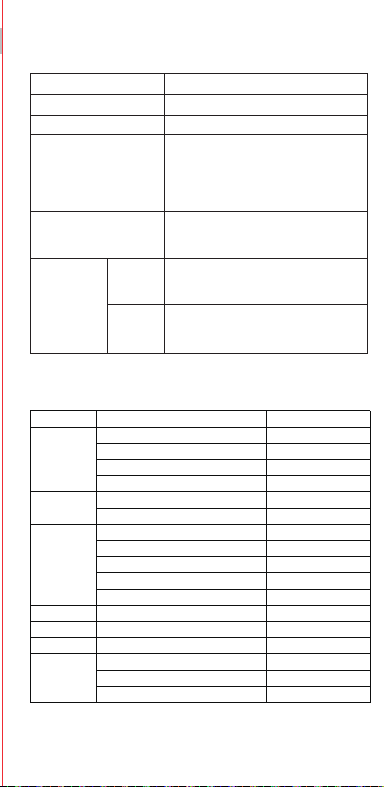
V0.1
Accessories and Soware Information
You are provided with the following standard accessories:
1 Phone, 1 Charger, 1 USB data cable, 1 Safety Guide, 1 Quick Guide,
1 SIM Ejector Tool.
English
You can use OPPO Clone Phone to easily transfer photos, videos, music,
contacts, messages, apps, etc from your old phone to the new one.
1. If your previous phone was a non-OPPO Android phone, search "OPPO
Clone Phone" in the Google Play store and install the app. You can also
scan the QR code below to install it. If your previous phone was an OPPO
phone, you don't need to install this app. Then run Clone Phone on both
phones and follow the on-screen instructions.
2. If your previous phone was an iPhone, run "Clone Phone" on your new
phone, and follow the onscreen instructions to migrate your data from
your iCloud account.
How to Transfer Old Mobile Content to a New Mobile
Specication
How to reboot the phone
Press and hold the Power Buon and Volume Up Buon at the same time
until the OPPO boot animation is displayed to reboot the phone.
This guide will show you how to use the phone and its impoant functions.
You may also visit OPPO ocial website to get more information about the phone.
Greetings from OPPO Mobile
hps://i.clonephone.coloros.com/download
612804000002
SAR Values
Product
Main screen parameter
Camera
Radio Waves Specications
Some content may dier from your device depending on the region, service
provider, or soware version, and is subject to change without prior notice.
hps://i.clonephone.coloros.com/download
hps://i.clonephone.coloros.com/download
hps://i.clonephone.coloros.com/download
hps://i.clonephone.coloros.com/download
https://i.clonephone.coloros.com/download
The product soware version is: ColorOS V12.1
For the most recent information about accessories and soware, please
see the DoC (Declaration of Conformity) at www.oppo.com/en/ceication.
Steps to search Regulatory : Go to Seings - About device - Regulatory
Regulatory
Note: The SAR values above are the highest values repoed for this device.
CE/UK SAR
RCM SAR
Baery
(Rechargeable
Lithium-ion Baery)
Ce guide vous montre comment utiliser le téléphone et décrit ses fonctions
importantes. Vous pouvez également visiter le site ociel d'OPPO pour obtenir
plus d'informations sur le téléphone.
OPPO Mobile vous souhaite la bienvenue
Comment redémarrer le téléphone
Comment transférer le contenu d'un ancien téléphone vers un nouveau
Informations sur les accessoires et le logiciel
Version logicielle: ColorOS V12.1
Pour obtenir les informations les plus récentes sur les accessoires et le logiciel,
consultez la Déclaration de Conformité (DC) sur www.oppo.com/en/certication.
1 Téléphone, 1 Chargeur, 1 Outil d'éjection SIM, 1 Câble de données USB, 1 Guide de sécurité,
1 Guide rapide.
Étapes à suivre pour rechercher la réglementation : Accédez à Paramètres
- À propos de I’appareil - Réglementation
Réglementaire
Français
Maintenez les boutons de marche/arrêt et de volume haut enfoncés
simultanément jusqu'à ce que l'animation de démarrage OPPO s'ache pour
redémarrer le téléphone.
Vous pouvez utiliser OPPO «Clone Phone» an de transférer facilement photos,
vidéos, musique, contacts, messages, applications, etc. depuis votre ancien
téléphone vers votre nouveau téléphone.
1. Si votre appareil précédent était un téléphone Android autre que OPPO,
cherchez l'application «OPPO Clone Phone» dans Google Play et installez-la. Vous
pouvez aussi lire le code QR ci-dessous pour l'installer. Si votre appareil précédent
était un téléphone OPPO, vous n'avez pas besoin d'installer cette application.
Ensuite, exécutez Clone Phone sur les deux appareils et suivez les instructions qui
s'achent à l'écran.
2. Si votre appareil précédent était un iPhone, exécutez «Clone Phone» sur votre
nouveau téléphone et suivez les instructions qui s'achent à l'écran pour migrer
vos données depuis votre compte iCloud.
hps://i.clonephone.coloros.com/download
Spécifications concernant les ondes radio
Remarque: Les valeurs DAS sont les valeurs les plus élevées signalées pour cet appareil.
Dimensions
CE SAR
CPH2477
Appareil photo
Taille de l’écran principal
Valeurs DAS
50-mégapixels+VGA Arrière
5-mégapixels avant
16,66cm(6,56 pouces)
DAS tête (0,81W/kg)
DAS tronc (0,94W/kg)
DAS membres (1,99W/kg)
Batterie
(Batterie lithium-ion
rechargeable)
Esta guía le mostrará el uso del teléfono además de sus funciones más importantes.
También, puede visitar nuestra página web ocial de OPPO donde obtendrá mayor
información sobre el mismo.
Bienvenido a OPPO Mobile
Cómo forzar el reinicio del teléfono
Mantenga presionados los botones de Encendido y Vol (+) hasta que aparezca
la animación de inicio de OPPO para forzar el renicio del teléfono.
El paquete comercial incluye:
1 Teléfono, 1 Cargador, 1 Cable USB, 1 Guía de seguridad, 1 Guía rápida,
1 Herramienta de extracción de tarjeta SIM.
Información de los accesorios y el software
Versión de software: ColorOS V12.1
Para obtener la información más reciente sobre accesorios y software, consulta la
Declaración de conformidad (DoC) en www.oppo.com/en/certication.
Cómo transferir contenido antiguo a su nuevo teléfono
Puede utilizar la función de OPPO “Clonar Teléfono” para transferir rápidamente
sus fotos, vídeos, música, contactos y aplicaciones a su nuevo teléfono. Para ello,
siga estos pasos:
Pasos para buscar Regulación, diríjase a: Ajustes - Información del dispositivo - Regulación
Regulación
Español
1. Si su teléfono antiguo es un teléfono Android de otra marca, descargue la
aplicación "OPPO Clone Phone" desde Play Store, o escanee el código QR a
continuación para descargarlo e instalarlo.
2. Si el teléfono antiguo es un teléfono OPPO, no necesita instalar la aplicación ya
que está instalada por defecto, abra la aplicación y siga las instrucciones en pantalla
para continuar.
3. Si su teléfono antiguo es un iPhone, abra directamente "OPPO Clone Phone" en
su nuevoteléfono y siga las instrucciones en pantalla para iniciar sesión en su
cuenta de iCloud y sincronizar los archivos. Recuerde que no todos los elementos
pueden ser transferidos desde dispositivos no Android.
Especificaciones de ondas de radio
Especificaciones técnicas
Nota: Los valores de SAR anteriores son los mayores registrados para este dispositivo.
CPH2477
Cámara
Producto
Dimensiones
Tamaño de la pantalla
Triple cámara trasera trasera de 50 Mpx
+ VGA.
Cámara delantera de 5 Mpx.
CE SAR
Valores SAR
16,66cm(6,56 Pulgadas)
0,81W/kg (Cabeza)
0,94W/kg (Cuerpo)
Batería
(Batería de iones de
litio recargable)
Nederlands
In deze beknopte handleiding vindt u informatie over het gebruik van de telefoon
en belangrijke functies ervan. Voor meer informatie kunt u ook altijd terecht op de
ociële website van OPPO.
De telefoon opnieuw opstarten
Informatie over accessoires en software
U krijgt de volgende accessoires standaard meegeleverd:
1 telefoon, 1 oplader, 1 usb-datakabel, 1 veiligheidsgids, 1 beknopte handleiding,
1 sim-uitwerpgereedschap.
Softwareversie: ColorOS
V12.1
Raadpleeg de conformiteitsverklaring (DoC) op www.oppo.com/en/certication voor
de meest recente informatie over accessoires en software.
Met OPPO Telefoon klonen zet u gemakkelijk en snel data over van uw oude toestel naar
uw nieuwe OPPO smartphone.
1. Als uw vorige telefoon een Android-telefoon van een andere fabrikant dan OPPO was,
zoek dan naar 'OPPO Telefoon klonen' in de Google Play Store en installeer de app. U kunt
ook de onderstaande QR-code scannen om de app te installeren. Als uw vorige telefoon
wel een OPPO-telefoon was, hoeft u deze app niet te installeren. Voer vervolgens Telefoon
klonen uit op beide telefoons en volg de instructies op het scherm.
2. Als uw vorige telefoon een iPhone was, voer 'Telefoon klonen' dan uit op uw nieuwe
telefoon en volg de instructies op het scherm om uw gegevens uit uw iCloud-account te
migreren.
Welkom bij OPPO mobile
Gegevens overzetten van een oud toestel naar een nieuwe OPPO
smartphone
Regelgeving
Stappen om te zoeken naar regelgeving: Ga naar Instellingen - Over apparaat - Regelgeving
Als u de telefoon opnieuw wilt opstarten, moet u de aan/uit-knop en de knop
waarmee u het volume harder kunt zetten, gelijktijdig indrukken tot de
OPPO-opstartanimatie op het display verschijnt.
Specificaties radiogolven
Opmerking: de SAR-waarden hierboven zijn de maximale waarden die voor dit
apparaat zijn gerapporteerd.
CPH2477
Camera
Product
CE SAR
Specieke
absorptiesnelheid
(SAR)
Schermafmetingen
Afmetingen
50 Megapixel + VGA Achtercamera
5 Megapixel Voorcamera
0,81W/kg (Hoofd)
0,94W/kg (Lichaam)
Specificaties
6,56" (16,66cm)
Accu
(Oplaadbare
lithium-ionbatterij)
Deutsch
In dieser Anleitung sehen Sie Erläuterungen zur Benutzung des Mobiltelefons und
seinen wichtigsten Funktionen. Weitere Informationen stehen Ihnen auch auf der
oziellen Website von OPPO zur Verfügung.
Grüße von OPPO Mobile
So starten Sie das Telefon neu
Wie kann ich die auf meinem alten Telefon gespeicherten Daten auf
ein neues übertragen?
Sie erhalten folgendes Standardzubehör:
1 Telefon, 1 Ladegerät, 1 SIM-Auswerfer, 1 USB-Datenkabel, 1 Sicherheitsanleitung,
1 Kurzanleitung.
Zubehör und Softwareinformationen:
Software-Version: ColorOS V12.1
Aktuelle Informationen über Zubehör und Software nden Sie in der
Konformitätserklärung (DoC) unter www.oppo.com/en/certication.
Die rechtlichen Informationen nden Sie unter: Einstellungen-Über das Gerät-Rechtliches
Rechtliches
Halten Sie die Einschalttaste und die Taste zur Erhöhung der Lautstärke gleichzeitig
gedrückt, bis die OPPO-Start-Animation zum Neustarten des Telefons angezeigt
wird.
Mit der Applikation, die OPPO Clone Phone heißt, können Sie Fotos, Videos, Musik,
Kontakte, Nachrichten, Apps usw. ganz einfach von Ihrem alten Telefon auf das
neue übertragen.
1. Wenn es sich bei Ihrem bisherigen Telefon um ein nicht von OPPO bezogenes
Android-Telefon handelt, suchen Sie im Google Play Store nach „OPPO Clone
Phone“ und installieren Sie die App. Sie können auch den untenstehenden QR-
Code scannen, um die App zu installieren. Wenn es sich bei Ihrem bisherigen
Telefon um ein Telefon von OPPO handelt, brauchen Sie diese App nicht zu
installieren. Führen Sie dann Clone Phone auf beiden Telefonen aus und folgen
Sie den Anweisungen auf dem Bildschirm.
2. Wenn es sich bei Ihrem bisherigen Telefon um ein iPhone handelt, führen Sie
„Clone Phone“ auf Ihrem neuen Telefon aus und folgen Sie den Anweisungen auf
dem Bildschirm, um Ihre Daten von Ihrem iCloud-Konto zu migrieren.
Funkwellenspezifikationen
Hinweis: Die oben genannten SAR-Werte sind die höchsten für dieses Gerät
gemeldeten Werte.
Produkt CPH2477
Bildschirmparameter
Abmessungen
Kamera
16,66cm (6,56 Zoll)
CE SAR
0,81W/kg (Kopf)
0,94W/kg (Körper)
50 Megapixel + VGA Rückseite
5 Megapixel Vorderseite
Batterie
(Wiederauadbaren
Lithium-Ionen-Akku)
Italiano
Questa guida illustra l'utilizzo del tuo smartphone OPPO e le sue funzioni
principali. In alternativa, è possibile visitare il sito uciale di OPPO per avere
maggiori informazioni sul telefono.
OPPO Mobile ti dà il benvenuto
Come riavviare il telefono
1. Se il tuo telefono precedente era un telefono Android non OPPO, cerca "Clona
telefono OPPO" in Google Play Store e installa l'app. Puoi inoltre eseguire la
scansione del codice QR di seguito per installarlo. Se il tuo telefono precedente era
un telefono OPPO, non è necessario installare questa app. Quindi esegui Clona
telefono su entrambi i telefoni e segui le istruzioni visualizzate.
La funzione Clona Telefono di OPPO può essere usata per trasferire facilmente foto,
video, musica, contatti, app, ecc. dal vecchio al nuovo telefono.
Come trasferire dati da un vecchio smartphone ad uno smartphone OPPO
Informazioni su accessori e software
Vengono forniti i seguenti accessori standard:
1 telefono, 1 caricabatterie, 1 cavo USB, 1 strumento di estrazione SIM,
1 guida di sicurezza, 1 guida rapida.
Versione software: ColorOS V12.1
Per le informazioni più recenti su accessori e software, consulta la Dichiarazione di
conformità (DoC) all 'indirizzo www.oppo.com/en/certication.
Informazioni Legali
Passaggi per la ricerca delle normative :
vai su Impostazioni - Informazioni sul dispositivo - Regolamentazione
Tenere premuti contemporaneamente i pulsanti di accensione e di aumento del
volume no a quando non si visualizza l’animazione OPPO per il riavvio del telefono.
2. Se il tuo telefono precedente era un iPhone, esegui "Clona telefono" sul tuo
nuovo telefono e segui le istruzioni su schermo per migrare i tuoi dati dal tuo
account iCloud.
Specifiche onde radio
Parametri prestazioni
Nota: i valori SAR riportati sono i valori più alti per il dispositivo.
CPH2477Modello
Parametri Schermo
Dimensioni
Camera
Fotocamera posteriore da 50 megapixel
+ VGA
fotocamera anteriore da 5 megapixel
CE SAR
0,81W/kg (Testa)
0,94W/kg (Corpo)
16,66cm(6,56 pollici)
Batteria
(Batteria ricaricabile
agli ioni di litio)
Português
Bem-vindo à OPPO Mobile
Este guia irá mostrar-lhe como utilizar o telefone e as suas funções importantes.
Você também pode visitar o site ocial da OPPO para obter mais informações
sobre o telefone.
Como Reiniciar o telefone
Pressione e mantenha apertado o botão ligar/desligar e o botão Volume (+) ao
mesmo tempo até que a animação de inicialização OPPO seja exibida para reiniciar
o telefone.
Como Transferir Conteúdo do Antigo Telemóvel para um Novo
Você pode usar a função OPPO “Clone Phone” para transferir rapidamente os seus
fotos, vídeos, músicas, contatos e aplicações para o seu novo telefone. Para fazer
isso, execute as seguintes etapas:
1. Se o seu telefone antigo é um telefone Android de marca diferente, faça o
download da aplicação "OPPO Clone Phone" na Play Store, ou digitalize o código
QR abaixo para o descarregar e instalar.
2. Se o telefone antigo for um telefone OPPO, não é necessário instalar a aplicação,
uma vez que já está instalada por defeito, abra a aplicação e siga as instruções no
ecrã para continuar.
3. Se o seu telefone antigo é um iPhone, abra "OPPO Clone Phone" directamente
no seu novo telefone e siga as instruções no ecrã para iniciar sessão na sua conta
iCloud e sincronizar cheiros. Note que nem todos os artigos podem ser
transferidos a partir de dispositivos não androids.
Informações sobre acessórios e software
O pacote comercial inclui:
1 Telefone, 1 Carregador, 1 Cabo de dados USB, 1 Guia de segurança, 1 Guia rápido,
1 Ferramenta ejectora SIM.
Versão do software: ColorOS
V12.1
Para obter as últimas informações sobre acessórios e software, consulte a Declaração
de Conformidade (DoC) em www.oppo.com/en/certication.
Regulamento
Para encontrar o Regulamento vá a: Denições - Informações do dispositivo - Regulamento
Especificações
Nota: Os valores SAR acima são os valores mais altos reportados para este dispositivo.
CPH2477
50 Megapixels + VGA Traseiro
5 Megapixels Frente
16,66cm(6,56")
CE SAR
Produto
Parâmetro do ecrã principal
Dimensão
Câmara
Valores SAR
0,81W/kg (Cabeça)
0,94W/kg (Corpo)
Especificações das Ondas de Rádio
Bateria
(Bateria recarregável
de íon-lítio)
164,2×75,6×8,3(mm)
164,2×75,6×8,3(mm)
164,2×75,6×8,3(mm)
164,2×75,6×8,3(mm)
164,2×75,6×8,3(mm)
164,2×75,6×8,3(mm)
Dimension
CPH2477
0.81W/kg(Head)
0.94W/kg(Body)
1.99W/kg(limbs)
0.81W/kg(Head)
0.94W/kg(Body)
16.66cm(6.56'')
50Megapixels+VGA Rear
5Megapixels Front
164.2×75.6×8.3(mm)
4890mAh/18.92Wh(Min)
5000mAh/19.35Wh(Typ)
4890mAh/18,92Wh(Min)
5000mAh/19,35Wh(Typ)
4890mAh/18,92Wh(Min)
5000mAh/19.35Wh(Typ)
4890mAh/18,92Wh(Min)
5000mAh/19.35Wh(Typ)
4890mAh/18,92Wh(Min)
5000mAh/19.35Wh(Typ)
4890mAh/18,92Wh(Min)
5000mAh/19.35Wh(Typ)
4890mAh/18,92Wh(Min)
5000mAh/19.35Wh(Typ)
Front Camera
Volume Key
SIM card tray
Receiver
Proximity Sensor and Light Sensor
Earphone Jack
Speaker
Rear Camera
MIC
USB Jack
Flash
Power Key/Screen Lock Key/
Fingerprint Scanner
Quick Guide
Copyright © Guangdong OPPO Mobile Telecommunications Corp., Ltd. 2022.
All rights reserved.
Appareil photo avant
Touches volume
Récepteur
Trappe d'insersion SIM
Microphone
Prise écouteurs
Appareil photo arrière
Prise USB
Flash
Capteurs de proximité et de luminosité
Haut parleur
Touche marche/arrêt &
Capteur d'empreintes
Cámara frontal
Botones de volumen
Auricular
Bandeja de la tarjeta SIM
Jack 3.5
Sensor de proximidad y luz
Botón de encendido/
Escáner de huellas
Altavoz
Cámara trasera
Puerto USB
Flash
Micrófono
Frontcamera
Volumetoets
Luidspreker bij oor
Simkaarthouder
Hoofdtelefoonaansluiting
Nabijheids- en lichtsensor
Luidspreker
Achtercamera
Flitser
USB
Microfoon
Aan/uit-toets/
schermvergrendelingstoets/
vingerafdrukscanner
USB-Anschluss
Frontkamera
Lautstärketaste
Hörer
SIM-Kartenhalter
Umgebungslichtsensor
Lautsprecher
Rückkamera
Blitz
Mikrofon
Kopfhöreranschluss
Ein-/Aus-Taste/
Fingerabdruck-Scanner
Fotocamera frontale
Tasto volume
Ricevitore
Vassoio scheda SIM
Sensore di prossimità e luminosità
Altoparlante
Fotocamera posteriore
Flash
Microfono Jack auricolari
Presa USB
Tasto di accensione/
Tasto blocco schermo/
Lettore impronte digitali
Câmara frontal
Botão de volume
Receptor
Porta SIM
Sensor de proximidade e luz
Altifalante
Câmara traseira
Flash
Microfone
Entrada de auriculares
Botão Ligar/Desligar
Leitor de impressões digitais
Entrada de USB
Radio Frequency Max.Output Power
GSM
850MHz 33.5dBm
900MHz 33.5dBm
1800MHz 30.5dBm
1900MHz 30.5dBm
WCDMA
Band 1 24.3dBm
Bands 5/8 24.7dBm
LTE FDD
Bands 1/3 24.1dBm
Band 5 24.7dBm
Bands 8/20 24.6dBm
Band 7 23.6dBm
Band 28 24.3dBm
LTE TDD Bands 38/40/41 23.8dBm
Bluetooth 2.4-2.4835GHz
2.4-2.4835GHz
16dBm(EIRP)
2.4G Wi-Fi 18.5dBm(EIRP)
5G Wi-Fi
5.15-5.25GHz 20dBm(EIRP)
5.25-5.35GHz , 5.47-5.725GHz 18.5dBm(EIRP)
5.725-5.85GHz 13.5dBm(EIRP)
GSM
850MHz 33,5dBm
900MHz 33,5dBm
1800MHz 30,5dBm
1900MHz 30,5dBm
WCDMA
Band 1 24,3dBm
Bands 5/8 24,7dBm
LTE FDD
Bands 1/3 24,1dBm
Band 5 24,7dBm
Bands 8/20 24,6dBm
Band 7 23,6dBm
Band 28 24,3dBm
LTE TDD Bands 38/40/41 23,8dBm
Bluetooth 2,4-2,4835GHz
2,4-2,4835GHz
16dBm(EIRP)
2,4G Wi-Fi 18,5dBm(EIRP)
5G Wi-Fi
5,15-5,25GHz 20dBm(EIRP)
5,25-5,35GHz , 5,47-5,725GHz 18,5dBm(EIRP)
5,725-5,85GHz 13,5dBm(EIRP)
Radio Fréquence Puissance de sortie max.
GSM
850MHz 33,5dBm
900MHz 33,5dBm
1800MHz 30,5dBm
1900MHz 30,5dBm
WCDMA
Band 1 24,3dBm
Bands 5/8 24,7dBm
LTE FDD
Bands 1/3 24,1dBm
Band 5 24,7dBm
Bands 8/20 24,6dBm
Band 7 23,6dBm
Band 28 24,3dBm
LTE TDD Bands 38/40/41 23,8dBm
Bluetooth 2,4-2,4835GHz
2,4-2,4835GHz
16dBm(EIRP)
2,4G Wi-Fi 18,5dBm(EIRP)
5G Wi-Fi
5,15-5,25GHz 20dBm(EIRP)
5,25-5,35GHz , 5,47-5,725GHz 18,5dBm(EIRP)
5,725-5,85GHz 13,5dBm(EIRP)
Radio Frecuencia Potencia máx. de salida
GSM
850MHz 33,5dBm
900MHz 33,5dBm
1800MHz 30,5dBm
1900MHz 30,5dBm
WCDMA
Band 1 24,3dBm
Bands 5/8 24,7dBm
LTE FDD
Bands 1/3 24,1dBm
Band 5 24,7dBm
Bands 8/20 24,6dBm
Band 7 23,6dBm
Band 28 24,3dBm
LTE TDD Bands 38/40/41 23,8dBm
Bluetooth 2,4-2,4835GHz
2,4-2,4835GHz
16dBm(EIRP)
2,4G Wi-Fi 18,5dBm(EIRP)
5G Wi-Fi
5,15-5,25GHz 20dBm(EIRP)
5,25-5,35GHz , 5,47-5,725GHz 18,5dBm(EIRP)
5,725-5,85GHz 13,5dBm(EIRP)
Rádio Potência de saídaFreqüência
GSM
850MHz 33,5dBm
900MHz 33,5dBm
1800MHz 30,5dBm
1900MHz 30,5dBm
WCDMA
Band 1 24,3dBm
Bands 5/8 24,7dBm
LTE FDD
Bands 1/3 24,1dBm
Band 5 24,7dBm
Bands 8/20 24,6dBm
Band 7 23,6dBm
Band 28 24,3dBm
LTE TDD Bands 38/40/41 23,8dBm
Bluetooth 2,4-2,4835GHz
2,4-2,4835GHz
16dBm(EIRP)
2,4G Wi-Fi 18,5dBm(EIRP)
5G Wi-Fi
5,15-5,25GHz 20dBm(EIRP)
5,25-5,35GHz , 5,47-5,725GHz 18,5dBm(EIRP)
5,725-5,85GHz 13,5dBm(EIRP)
Radio Potenza uscita maxFrequenza
GSM
850MHz 33,5dBm
900MHz 33,5dBm
1800MHz 30,5dBm
1900MHz 30,5dBm
WCDMA
Band 1 24,3dBm
Bands 5/8 24,7dBm
LTE FDD
Bands 1/3 24,1dBm
Band 5 24,7dBm
Bands 8/20 24,6dBm
Band 7 23,6dBm
Band 28 24,3dBm
LTE TDD Bands 38/40/41 23,8dBm
Bluetooth 2,4-2,4835GHz
2,4-2,4835GHz
16dBm(EIRP)
2,4G Wi-Fi 18,5dBm(EIRP)
5G Wi-Fi
5,15-5,25GHz 20dBm(EIRP)
5,25-5,35GHz , 5,47-5,725GHz 18,5dBm(EIRP)
5,725-5,85GHz 13,5dBm(EIRP)
Radio Max. AusgangsleistungFrequenz
GSM
850MHz 33,5dBm
900MHz 33,5dBm
1800MHz 30,5dBm
1900MHz 30,5dBm
WCDMA
Band 1 24,3dBm
Bands 5/8 24,7dBm
LTE FDD
Bands 1/3 24,1dBm
Band 5 24,7dBm
Bands 8/20 24,6dBm
Band 7 23,6dBm
Band 28 24,3dBm
LTE TDD Bands 38/40/41 23,8dBm
Bluetooth 2,4-2,4835GHz
2,4-2,4835GHz
16dBm(EIRP)
2,4G Wi-Fi 18,5dBm(EIRP)
5G Wi-Fi
5,15-5,25GHz 20dBm(EIRP)
5,25-5,35GHz , 5,47-5,725GHz 18,5dBm(EIRP)
5,725-5,85GHz 13,5dBm(EIRP)
Frequentie Max. uitgangsvermogenRadio
FCC SAR
0.89W/kg(Head)
0.77W/kg(Body)
1.15W/kg(Hotspot)
FCC SAR
0,89W/kg (Tête)
0,77W/kg (Corps)
1,15W/kg (Point chaud)
FCC SAR
0,89W/kg (Cabeza)
0,77W/kg (Cuerpo)
1,15W/kg (Hotspot)
FCC SAR
0,89W/kg (Hoofd)
0,77W/kg (Lichaam)
1,15W/kg (Hotspot)
FCC SAR
0,89W/kg (Kopf)
0,77W/kg (Körper)
1,15W/kg (Hotspot)
FCC SAR
0,89W/kg (Testa)
0,77W/kg (Corpo)
1,15W/kg (Punto di accesso)
FCC SAR
0,89W/kg (Cabeça)
0,77W/kg (Corpo)
1,15W/kg (Ponto de acesso)

V0.1
Accessories and Soware Information
You are provided with the following standard accessories:
1 Phone, 1 Charger, 1 USB data cable, 1 Safety Guide, 1 Quick Guide,
1 SIM Ejector Tool.
English
You can use OPPO Clone Phone to easily transfer photos, videos, music,
contacts, messages, apps, etc from your old phone to the new one.
1. If your previous phone was a non-OPPO Android phone, search "OPPO
Clone Phone" in the Google Play store and install the app. You can also
scan the QR code below to install it. If your previous phone was an OPPO
phone, you don't need to install this app. Then run Clone Phone on both
phones and follow the on-screen instructions.
2. If your previous phone was an iPhone, run "Clone Phone" on your new
phone, and follow the onscreen instructions to migrate your data from
your iCloud account.
How to Transfer Old Mobile Content to a New Mobile
Specication
How to reboot the phone
Press and hold the Power Buon and Volume Up Buon at the same time
until the OPPO boot animation is displayed to reboot the phone.
This guide will show you how to use the phone and its impoant functions.
You may also visit OPPO ocial website to get more information about the phone.
Greetings from OPPO Mobile
hps://i.clonephone.coloros.com/download
612804000002
SAR Values
Product
Main screen parameter
Camera
Radio Waves Specications
Some content may dier from your device depending on the region, service
provider, or soware version, and is subject to change without prior notice.
hps://i.clonephone.coloros.com/download
hps://i.clonephone.coloros.com/download
hps://i.clonephone.coloros.com/download
hps://i.clonephone.coloros.com/download
https://i.clonephone.coloros.com/download
The product soware version is: ColorOS V12.1
For the most recent information about accessories and soware, please
see the DoC (Declaration of Conformity) at www.oppo.com/en/ceication.
Steps to search Regulatory : Go to Seings - About device - Regulatory
Regulatory
Note: The SAR values above are the highest values repoed for this device.
CE/UK SAR
RCM SAR
Baery
(Rechargeable
Lithium-ion Baery)
Ce guide vous montre comment utiliser le téléphone et décrit ses fonctions
importantes. Vous pouvez également visiter le site ociel d'OPPO pour obtenir
plus d'informations sur le téléphone.
OPPO Mobile vous souhaite la bienvenue
Comment redémarrer le téléphone
Comment transférer le contenu d'un ancien téléphone vers un nouveau
Informations sur les accessoires et le logiciel
Version logicielle: ColorOS V12.1
Pour obtenir les informations les plus récentes sur les accessoires et le logiciel,
consultez la Déclaration de Conformité (DC) sur www.oppo.com/en/certication.
1 Téléphone, 1 Chargeur, 1 Outil d'éjection SIM, 1 Câble de données USB, 1 Guide de sécurité,
1 Guide rapide.
Étapes à suivre pour rechercher la réglementation : Accédez à Paramètres
- À propos de I’appareil - Réglementation
Réglementaire
Français
Maintenez les boutons de marche/arrêt et de volume haut enfoncés
simultanément jusqu'à ce que l'animation de démarrage OPPO s'ache pour
redémarrer le téléphone.
Vous pouvez utiliser OPPO «Clone Phone» an de transférer facilement photos,
vidéos, musique, contacts, messages, applications, etc. depuis votre ancien
téléphone vers votre nouveau téléphone.
1. Si votre appareil précédent était un téléphone Android autre que OPPO,
cherchez l'application «OPPO Clone Phone» dans Google Play et installez-la. Vous
pouvez aussi lire le code QR ci-dessous pour l'installer. Si votre appareil précédent
était un téléphone OPPO, vous n'avez pas besoin d'installer cette application.
Ensuite, exécutez Clone Phone sur les deux appareils et suivez les instructions qui
s'achent à l'écran.
2. Si votre appareil précédent était un iPhone, exécutez «Clone Phone» sur votre
nouveau téléphone et suivez les instructions qui s'achent à l'écran pour migrer
vos données depuis votre compte iCloud.
hps://i.clonephone.coloros.com/download
Spécifications concernant les ondes radio
Remarque: Les valeurs DAS sont les valeurs les plus élevées signalées pour cet appareil.
Dimensions
CE SAR
CPH2477
Appareil photo
Taille de l’écran principal
Valeurs DAS
50-mégapixels+VGA Arrière
5-mégapixels avant
16,66cm(6,56 pouces)
DAS tête (0,81W/kg)
DAS tronc (0,94W/kg)
DAS membres (1,99W/kg)
Batterie
(Batterie lithium-ion
rechargeable)
Esta guía le mostrará el uso del teléfono además de sus funciones más importantes.
También, puede visitar nuestra página web ocial de OPPO donde obtendrá mayor
información sobre el mismo.
Bienvenido a OPPO Mobile
Cómo forzar el reinicio del teléfono
Mantenga presionados los botones de Encendido y Vol (+) hasta que aparezca
la animación de inicio de OPPO para forzar el renicio del teléfono.
El paquete comercial incluye:
1 Teléfono, 1 Cargador, 1 Cable USB, 1 Guía de seguridad, 1 Guía rápida,
1 Herramienta de extracción de tarjeta SIM.
Información de los accesorios y el software
Versión de software: ColorOS V12.1
Para obtener la información más reciente sobre accesorios y software, consulta la
Declaración de conformidad (DoC) en www.oppo.com/en/certication.
Cómo transferir contenido antiguo a su nuevo teléfono
Puede utilizar la función de OPPO “Clonar Teléfono” para transferir rápidamente
sus fotos, vídeos, música, contactos y aplicaciones a su nuevo teléfono. Para ello,
siga estos pasos:
Pasos para buscar Regulación, diríjase a: Ajustes - Información del dispositivo - Regulación
Regulación
Español
1. Si su teléfono antiguo es un teléfono Android de otra marca, descargue la
aplicación "OPPO Clone Phone" desde Play Store, o escanee el código QR a
continuación para descargarlo e instalarlo.
2. Si el teléfono antiguo es un teléfono OPPO, no necesita instalar la aplicación ya
que está instalada por defecto, abra la aplicación y siga las instrucciones en pantalla
para continuar.
3. Si su teléfono antiguo es un iPhone, abra directamente "OPPO Clone Phone" en
su nuevoteléfono y siga las instrucciones en pantalla para iniciar sesión en su
cuenta de iCloud y sincronizar los archivos. Recuerde que no todos los elementos
pueden ser transferidos desde dispositivos no Android.
Especificaciones de ondas de radio
Especificaciones técnicas
Nota: Los valores de SAR anteriores son los mayores registrados para este dispositivo.
CPH2477
Cámara
Producto
Dimensiones
Tamaño de la pantalla
Triple cámara trasera trasera de 50 Mpx
+ VGA.
Cámara delantera de 5 Mpx.
CE SAR
Valores SAR
16,66cm(6,56 Pulgadas)
0,81W/kg (Cabeza)
0,94W/kg (Cuerpo)
Batería
(Batería de iones de
litio recargable)
Nederlands
In deze beknopte handleiding vindt u informatie over het gebruik van de telefoon
en belangrijke functies ervan. Voor meer informatie kunt u ook altijd terecht op de
ociële website van OPPO.
De telefoon opnieuw opstarten
Informatie over accessoires en software
U krijgt de volgende accessoires standaard meegeleverd:
1 telefoon, 1 oplader, 1 usb-datakabel, 1 veiligheidsgids, 1 beknopte handleiding,
1 sim-uitwerpgereedschap.
Softwareversie: ColorOS
V12.1
Raadpleeg de conformiteitsverklaring (DoC) op www.oppo.com/en/certication voor
de meest recente informatie over accessoires en software.
Met OPPO Telefoon klonen zet u gemakkelijk en snel data over van uw oude toestel naar
uw nieuwe OPPO smartphone.
1. Als uw vorige telefoon een Android-telefoon van een andere fabrikant dan OPPO was,
zoek dan naar 'OPPO Telefoon klonen' in de Google Play Store en installeer de app. U kunt
ook de onderstaande QR-code scannen om de app te installeren. Als uw vorige telefoon
wel een OPPO-telefoon was, hoeft u deze app niet te installeren. Voer vervolgens Telefoon
klonen uit op beide telefoons en volg de instructies op het scherm.
2. Als uw vorige telefoon een iPhone was, voer 'Telefoon klonen' dan uit op uw nieuwe
telefoon en volg de instructies op het scherm om uw gegevens uit uw iCloud-account te
migreren.
Welkom bij OPPO mobile
Gegevens overzetten van een oud toestel naar een nieuwe OPPO
smartphone
Regelgeving
Stappen om te zoeken naar regelgeving: Ga naar Instellingen - Over apparaat - Regelgeving
Als u de telefoon opnieuw wilt opstarten, moet u de aan/uit-knop en de knop
waarmee u het volume harder kunt zetten, gelijktijdig indrukken tot de
OPPO-opstartanimatie op het display verschijnt.
Specificaties radiogolven
Opmerking: de SAR-waarden hierboven zijn de maximale waarden die voor dit
apparaat zijn gerapporteerd.
CPH2477
Camera
Product
CE SAR
Specieke
absorptiesnelheid
(SAR)
Schermafmetingen
Afmetingen
50 Megapixel + VGA Achtercamera
5 Megapixel Voorcamera
0,81W/kg (Hoofd)
0,94W/kg (Lichaam)
Specificaties
6,56" (16,66cm)
Accu
(Oplaadbare
lithium-ionbatterij)
Deutsch
In dieser Anleitung sehen Sie Erläuterungen zur Benutzung des Mobiltelefons und
seinen wichtigsten Funktionen. Weitere Informationen stehen Ihnen auch auf der
oziellen Website von OPPO zur Verfügung.
Grüße von OPPO Mobile
So starten Sie das Telefon neu
Wie kann ich die auf meinem alten Telefon gespeicherten Daten auf
ein neues übertragen?
Sie erhalten folgendes Standardzubehör:
1 Telefon, 1 Ladegerät, 1 SIM-Auswerfer, 1 USB-Datenkabel, 1 Sicherheitsanleitung,
1 Kurzanleitung.
Zubehör und Softwareinformationen:
Software-Version: ColorOS V12.1
Aktuelle Informationen über Zubehör und Software nden Sie in der
Konformitätserklärung (DoC) unter www.oppo.com/en/certication.
Die rechtlichen Informationen nden Sie unter: Einstellungen-Über das Gerät-Rechtliches
Rechtliches
Halten Sie die Einschalttaste und die Taste zur Erhöhung der Lautstärke gleichzeitig
gedrückt, bis die OPPO-Start-Animation zum Neustarten des Telefons angezeigt
wird.
Mit der Applikation, die OPPO Clone Phone heißt, können Sie Fotos, Videos, Musik,
Kontakte, Nachrichten, Apps usw. ganz einfach von Ihrem alten Telefon auf das
neue übertragen.
1. Wenn es sich bei Ihrem bisherigen Telefon um ein nicht von OPPO bezogenes
Android-Telefon handelt, suchen Sie im Google Play Store nach „OPPO Clone
Phone“ und installieren Sie die App. Sie können auch den untenstehenden QR-
Code scannen, um die App zu installieren. Wenn es sich bei Ihrem bisherigen
Telefon um ein Telefon von OPPO handelt, brauchen Sie diese App nicht zu
installieren. Führen Sie dann Clone Phone auf beiden Telefonen aus und folgen
Sie den Anweisungen auf dem Bildschirm.
2. Wenn es sich bei Ihrem bisherigen Telefon um ein iPhone handelt, führen Sie
„Clone Phone“ auf Ihrem neuen Telefon aus und folgen Sie den Anweisungen auf
dem Bildschirm, um Ihre Daten von Ihrem iCloud-Konto zu migrieren.
Funkwellenspezifikationen
Hinweis: Die oben genannten SAR-Werte sind die höchsten für dieses Gerät
gemeldeten Werte.
Produkt CPH2477
Bildschirmparameter
Abmessungen
Kamera
16,66cm (6,56 Zoll)
CE SAR
0,81W/kg (Kopf)
0,94W/kg (Körper)
50 Megapixel + VGA Rückseite
5 Megapixel Vorderseite
Batterie
(Wiederauadbaren
Lithium-Ionen-Akku)
Italiano
Questa guida illustra l'utilizzo del tuo smartphone OPPO e le sue funzioni
principali. In alternativa, è possibile visitare il sito uciale di OPPO per avere
maggiori informazioni sul telefono.
OPPO Mobile ti dà il benvenuto
Come riavviare il telefono
1. Se il tuo telefono precedente era un telefono Android non OPPO, cerca "Clona
telefono OPPO" in Google Play Store e installa l'app. Puoi inoltre eseguire la
scansione del codice QR di seguito per installarlo. Se il tuo telefono precedente era
un telefono OPPO, non è necessario installare questa app. Quindi esegui Clona
telefono su entrambi i telefoni e segui le istruzioni visualizzate.
La funzione Clona Telefono di OPPO può essere usata per trasferire facilmente foto,
video, musica, contatti, app, ecc. dal vecchio al nuovo telefono.
Come trasferire dati da un vecchio smartphone ad uno smartphone OPPO
Informazioni su accessori e software
Vengono forniti i seguenti accessori standard:
1 telefono, 1 caricabatterie, 1 cavo USB, 1 strumento di estrazione SIM,
1 guida di sicurezza, 1 guida rapida.
Versione software: ColorOS V12.1
Per le informazioni più recenti su accessori e software, consulta la Dichiarazione di
conformità (DoC) all 'indirizzo www.oppo.com/en/certication.
Informazioni Legali
Passaggi per la ricerca delle normative :
vai su Impostazioni - Informazioni sul dispositivo - Regolamentazione
Tenere premuti contemporaneamente i pulsanti di accensione e di aumento del
volume no a quando non si visualizza l’animazione OPPO per il riavvio del telefono.
2. Se il tuo telefono precedente era un iPhone, esegui "Clona telefono" sul tuo
nuovo telefono e segui le istruzioni su schermo per migrare i tuoi dati dal tuo
account iCloud.
Specifiche onde radio
Parametri prestazioni
Nota: i valori SAR riportati sono i valori più alti per il dispositivo.
CPH2477Modello
Parametri Schermo
Dimensioni
Camera
Fotocamera posteriore da 50 megapixel
+ VGA
fotocamera anteriore da 5 megapixel
CE SAR
0,81W/kg (Testa)
0,94W/kg (Corpo)
16,66cm(6,56 pollici)
Batteria
(Batteria ricaricabile
agli ioni di litio)
Português
Bem-vindo à OPPO Mobile
Este guia irá mostrar-lhe como utilizar o telefone e as suas funções importantes.
Você também pode visitar o site ocial da OPPO para obter mais informações
sobre o telefone.
Como Reiniciar o telefone
Pressione e mantenha apertado o botão ligar/desligar e o botão Volume (+) ao
mesmo tempo até que a animação de inicialização OPPO seja exibida para reiniciar
o telefone.
Como Transferir Conteúdo do Antigo Telemóvel para um Novo
Você pode usar a função OPPO “Clone Phone” para transferir rapidamente os seus
fotos, vídeos, músicas, contatos e aplicações para o seu novo telefone. Para fazer
isso, execute as seguintes etapas:
1. Se o seu telefone antigo é um telefone Android de marca diferente, faça o
download da aplicação "OPPO Clone Phone" na Play Store, ou digitalize o código
QR abaixo para o descarregar e instalar.
2. Se o telefone antigo for um telefone OPPO, não é necessário instalar a aplicação,
uma vez que já está instalada por defeito, abra a aplicação e siga as instruções no
ecrã para continuar.
3. Se o seu telefone antigo é um iPhone, abra "OPPO Clone Phone" directamente
no seu novo telefone e siga as instruções no ecrã para iniciar sessão na sua conta
iCloud e sincronizar cheiros. Note que nem todos os artigos podem ser
transferidos a partir de dispositivos não androids.
Informações sobre acessórios e software
O pacote comercial inclui:
1 Telefone, 1 Carregador, 1 Cabo de dados USB, 1 Guia de segurança, 1 Guia rápido,
1 Ferramenta ejectora SIM.
Versão do software: ColorOS
V12.1
Para obter as últimas informações sobre acessórios e software, consulte a Declaração
de Conformidade (DoC) em www.oppo.com/en/certication.
Regulamento
Para encontrar o Regulamento vá a: Denições - Informações do dispositivo - Regulamento
Especificações
Nota: Os valores SAR acima são os valores mais altos reportados para este dispositivo.
CPH2477
50 Megapixels + VGA Traseiro
5 Megapixels Frente
16,66cm(6,56")
CE SAR
Produto
Parâmetro do ecrã principal
Dimensão
Câmara
Valores SAR
0,81W/kg (Cabeça)
0,94W/kg (Corpo)
Especificações das Ondas de Rádio
Bateria
(Bateria recarregável
de íon-lítio)
164,2×75,6×8,3(mm)
164,2×75,6×8,3(mm)
164,2×75,6×8,3(mm)
164,2×75,6×8,3(mm)
164,2×75,6×8,3(mm)
164,2×75,6×8,3(mm)
Dimension
CPH2477
0.81W/kg(Head)
0.94W/kg(Body)
1.99W/kg(limbs)
0.81W/kg(Head)
0.94W/kg(Body)
16.66cm(6.56'')
50Megapixels+VGA Rear
5Megapixels Front
164.2×75.6×8.3(mm)
4890mAh/18.92Wh(Min)
5000mAh/19.35Wh(Typ)
4890mAh/18,92Wh(Min)
5000mAh/19,35Wh(Typ)
4890mAh/18,92Wh(Min)
5000mAh/19.35Wh(Typ)
4890mAh/18,92Wh(Min)
5000mAh/19.35Wh(Typ)
4890mAh/18,92Wh(Min)
5000mAh/19.35Wh(Typ)
4890mAh/18,92Wh(Min)
5000mAh/19.35Wh(Typ)
4890mAh/18,92Wh(Min)
5000mAh/19.35Wh(Typ)
Front Camera
Volume Key
SIM card tray
Receiver
Proximity Sensor and Light Sensor
Earphone Jack
Speaker
Rear Camera
MIC
USB Jack
Flash
Power Key/Screen Lock Key/
Fingerprint Scanner
Quick Guide
Copyright © Guangdong OPPO Mobile Telecommunications Corp., Ltd. 2022.
All rights reserved.
Appareil photo avant
Touches volume
Récepteur
Trappe d'insersion SIM
Microphone
Prise écouteurs
Appareil photo arrière
Prise USB
Flash
Capteurs de proximité et de luminosité
Haut parleur
Touche marche/arrêt &
Capteur d'empreintes
Cámara frontal
Botones de volumen
Auricular
Bandeja de la tarjeta SIM
Jack 3.5
Sensor de proximidad y luz
Botón de encendido/
Escáner de huellas
Altavoz
Cámara trasera
Puerto USB
Flash
Micrófono
Frontcamera
Volumetoets
Luidspreker bij oor
Simkaarthouder
Hoofdtelefoonaansluiting
Nabijheids- en lichtsensor
Luidspreker
Achtercamera
Flitser
USB
Microfoon
Aan/uit-toets/
schermvergrendelingstoets/
vingerafdrukscanner
USB-Anschluss
Frontkamera
Lautstärketaste
Hörer
SIM-Kartenhalter
Umgebungslichtsensor
Lautsprecher
Rückkamera
Blitz
Mikrofon
Kopfhöreranschluss
Ein-/Aus-Taste/
Fingerabdruck-Scanner
Fotocamera frontale
Tasto volume
Ricevitore
Vassoio scheda SIM
Sensore di prossimità e luminosità
Altoparlante
Fotocamera posteriore
Flash
Microfono Jack auricolari
Presa USB
Tasto di accensione/
Tasto blocco schermo/
Lettore impronte digitali
Câmara frontal
Botão de volume
Receptor
Porta SIM
Sensor de proximidade e luz
Altifalante
Câmara traseira
Flash
Microfone
Entrada de auriculares
Botão Ligar/Desligar
Leitor de impressões digitais
Entrada de USB
Radio Frequency Max.Output Power
GSM
850MHz 33.5dBm
900MHz 33.5dBm
1800MHz 30.5dBm
1900MHz 30.5dBm
WCDMA
Band 1 24.3dBm
Bands 5/8 24.7dBm
LTE FDD
Bands 1/3 24.1dBm
Band 5 24.7dBm
Bands 8/20 24.6dBm
Band 7 23.6dBm
Band 28 24.3dBm
LTE TDD Bands 38/40/41 23.8dBm
Bluetooth 2.4-2.4835GHz
2.4-2.4835GHz
16dBm(EIRP)
2.4G Wi-Fi 18.5dBm(EIRP)
5G Wi-Fi
5.15-5.25GHz 20dBm(EIRP)
5.25-5.35GHz , 5.47-5.725GHz 18.5dBm(EIRP)
5.725-5.85GHz 13.5dBm(EIRP)
GSM
850MHz 33,5dBm
900MHz 33,5dBm
1800MHz 30,5dBm
1900MHz 30,5dBm
WCDMA
Band 1 24,3dBm
Bands 5/8 24,7dBm
LTE FDD
Bands 1/3 24,1dBm
Band 5 24,7dBm
Bands 8/20 24,6dBm
Band 7 23,6dBm
Band 28 24,3dBm
LTE TDD Bands 38/40/41 23,8dBm
Bluetooth 2,4-2,4835GHz
2,4-2,4835GHz
16dBm(EIRP)
2,4G Wi-Fi 18,5dBm(EIRP)
5G Wi-Fi
5,15-5,25GHz 20dBm(EIRP)
5,25-5,35GHz , 5,47-5,725GHz 18,5dBm(EIRP)
5,725-5,85GHz 13,5dBm(EIRP)
Radio Fréquence Puissance de sortie max.
GSM
850MHz 33,5dBm
900MHz 33,5dBm
1800MHz 30,5dBm
1900MHz 30,5dBm
WCDMA
Band 1 24,3dBm
Bands 5/8 24,7dBm
LTE FDD
Bands 1/3 24,1dBm
Band 5 24,7dBm
Bands 8/20 24,6dBm
Band 7 23,6dBm
Band 28 24,3dBm
LTE TDD Bands 38/40/41 23,8dBm
Bluetooth 2,4-2,4835GHz
2,4-2,4835GHz
16dBm(EIRP)
2,4G Wi-Fi 18,5dBm(EIRP)
5G Wi-Fi
5,15-5,25GHz 20dBm(EIRP)
5,25-5,35GHz , 5,47-5,725GHz 18,5dBm(EIRP)
5,725-5,85GHz 13,5dBm(EIRP)
Radio Frecuencia Potencia máx. de salida
GSM
850MHz 33,5dBm
900MHz 33,5dBm
1800MHz 30,5dBm
1900MHz 30,5dBm
WCDMA
Band 1 24,3dBm
Bands 5/8 24,7dBm
LTE FDD
Bands 1/3 24,1dBm
Band 5 24,7dBm
Bands 8/20 24,6dBm
Band 7 23,6dBm
Band 28 24,3dBm
LTE TDD Bands 38/40/41 23,8dBm
Bluetooth 2,4-2,4835GHz
2,4-2,4835GHz
16dBm(EIRP)
2,4G Wi-Fi 18,5dBm(EIRP)
5G Wi-Fi
5,15-5,25GHz 20dBm(EIRP)
5,25-5,35GHz , 5,47-5,725GHz 18,5dBm(EIRP)
5,725-5,85GHz 13,5dBm(EIRP)
Rádio Potência de saídaFreqüência
GSM
850MHz 33,5dBm
900MHz 33,5dBm
1800MHz 30,5dBm
1900MHz 30,5dBm
WCDMA
Band 1 24,3dBm
Bands 5/8 24,7dBm
LTE FDD
Bands 1/3 24,1dBm
Band 5 24,7dBm
Bands 8/20 24,6dBm
Band 7 23,6dBm
Band 28 24,3dBm
LTE TDD Bands 38/40/41 23,8dBm
Bluetooth 2,4-2,4835GHz
2,4-2,4835GHz
16dBm(EIRP)
2,4G Wi-Fi 18,5dBm(EIRP)
5G Wi-Fi
5,15-5,25GHz 20dBm(EIRP)
5,25-5,35GHz , 5,47-5,725GHz 18,5dBm(EIRP)
5,725-5,85GHz 13,5dBm(EIRP)
Radio Potenza uscita maxFrequenza
GSM
850MHz 33,5dBm
900MHz 33,5dBm
1800MHz 30,5dBm
1900MHz 30,5dBm
WCDMA
Band 1 24,3dBm
Bands 5/8 24,7dBm
LTE FDD
Bands 1/3 24,1dBm
Band 5 24,7dBm
Bands 8/20 24,6dBm
Band 7 23,6dBm
Band 28 24,3dBm
LTE TDD Bands 38/40/41 23,8dBm
Bluetooth 2,4-2,4835GHz
2,4-2,4835GHz
16dBm(EIRP)
2,4G Wi-Fi 18,5dBm(EIRP)
5G Wi-Fi
5,15-5,25GHz 20dBm(EIRP)
5,25-5,35GHz , 5,47-5,725GHz 18,5dBm(EIRP)
5,725-5,85GHz 13,5dBm(EIRP)
Radio Max. AusgangsleistungFrequenz
GSM
850MHz 33,5dBm
900MHz 33,5dBm
1800MHz 30,5dBm
1900MHz 30,5dBm
WCDMA
Band 1 24,3dBm
Bands 5/8 24,7dBm
LTE FDD
Bands 1/3 24,1dBm
Band 5 24,7dBm
Bands 8/20 24,6dBm
Band 7 23,6dBm
Band 28 24,3dBm
LTE TDD Bands 38/40/41 23,8dBm
Bluetooth 2,4-2,4835GHz
2,4-2,4835GHz
16dBm(EIRP)
2,4G Wi-Fi 18,5dBm(EIRP)
5G Wi-Fi
5,15-5,25GHz 20dBm(EIRP)
5,25-5,35GHz , 5,47-5,725GHz 18,5dBm(EIRP)
5,725-5,85GHz 13,5dBm(EIRP)
Frequentie Max. uitgangsvermogenRadio
FCC SAR
0.89W/kg(Head)
0.77W/kg(Body)
1.15W/kg(Hotspot)
FCC SAR
0,89W/kg (Tête)
0,77W/kg (Corps)
1,15W/kg (Point chaud)
FCC SAR
0,89W/kg (Cabeza)
0,77W/kg (Cuerpo)
1,15W/kg (Hotspot)
FCC SAR
0,89W/kg (Hoofd)
0,77W/kg (Lichaam)
1,15W/kg (Hotspot)
FCC SAR
0,89W/kg (Kopf)
0,77W/kg (Körper)
1,15W/kg (Hotspot)
FCC SAR
0,89W/kg (Testa)
0,77W/kg (Corpo)
1,15W/kg (Punto di accesso)
FCC SAR
0,89W/kg (Cabeça)
0,77W/kg (Corpo)
1,15W/kg (Ponto de acesso)
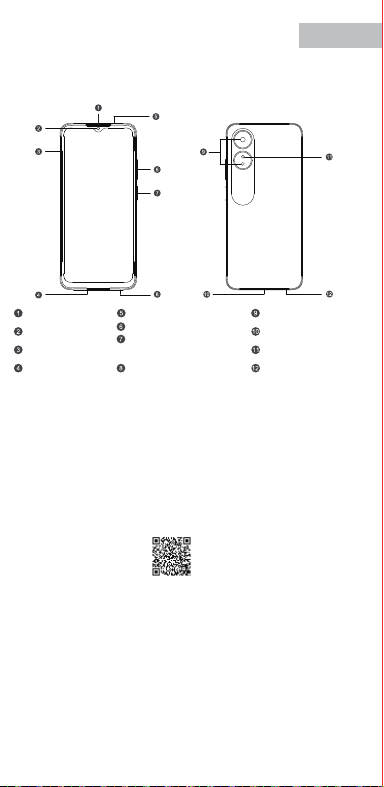
V0.1
Accessories and Soware Information
You are provided with the following standard accessories:
1 Phone, 1 Charger, 1 USB data cable, 1 Safety Guide, 1 Quick Guide,
1 SIM Ejector Tool.
English
You can use OPPO Clone Phone to easily transfer photos, videos, music,
contacts, messages, apps, etc from your old phone to the new one.
1. If your previous phone was a non-OPPO Android phone, search "OPPO
Clone Phone" in the Google Play store and install the app. You can also
scan the QR code below to install it. If your previous phone was an OPPO
phone, you don't need to install this app. Then run Clone Phone on both
phones and follow the on-screen instructions.
2. If your previous phone was an iPhone, run "Clone Phone" on your new
phone, and follow the onscreen instructions to migrate your data from
your iCloud account.
How to Transfer Old Mobile Content to a New Mobile
Specication
How to reboot the phone
Press and hold the Power Buon and Volume Up Buon at the same time
until the OPPO boot animation is displayed to reboot the phone.
This guide will show you how to use the phone and its impoant functions.
You may also visit OPPO ocial website to get more information about the phone.
Greetings from OPPO Mobile
hps://i.clonephone.coloros.com/download
612804000002
SAR Values
Product
Main screen parameter
Camera
Radio Waves Specications
Some content may dier from your device depending on the region, service
provider, or soware version, and is subject to change without prior notice.
hps://i.clonephone.coloros.com/download
hps://i.clonephone.coloros.com/download
hps://i.clonephone.coloros.com/download
hps://i.clonephone.coloros.com/download
https://i.clonephone.coloros.com/download
The product soware version is: ColorOS V12.1
For the most recent information about accessories and soware, please
see the DoC (Declaration of Conformity) at www.oppo.com/en/ceication.
Steps to search Regulatory : Go to Seings - About device - Regulatory
Regulatory
Note: The SAR values above are the highest values repoed for this device.
CE/UK SAR
RCM SAR
Baery
(Rechargeable
Lithium-ion Baery)
Ce guide vous montre comment utiliser le téléphone et décrit ses fonctions
importantes. Vous pouvez également visiter le site ociel d'OPPO pour obtenir
plus d'informations sur le téléphone.
OPPO Mobile vous souhaite la bienvenue
Comment redémarrer le téléphone
Comment transférer le contenu d'un ancien téléphone vers un nouveau
Informations sur les accessoires et le logiciel
Version logicielle: ColorOS V12.1
Pour obtenir les informations les plus récentes sur les accessoires et le logiciel,
consultez la Déclaration de Conformité (DC) sur www.oppo.com/en/certication.
1 Téléphone, 1 Chargeur, 1 Outil d'éjection SIM, 1 Câble de données USB, 1 Guide de sécurité,
1 Guide rapide.
Étapes à suivre pour rechercher la réglementation : Accédez à Paramètres
- À propos de I’appareil - Réglementation
Réglementaire
Français
Maintenez les boutons de marche/arrêt et de volume haut enfoncés
simultanément jusqu'à ce que l'animation de démarrage OPPO s'ache pour
redémarrer le téléphone.
Vous pouvez utiliser OPPO «Clone Phone» an de transférer facilement photos,
vidéos, musique, contacts, messages, applications, etc. depuis votre ancien
téléphone vers votre nouveau téléphone.
1. Si votre appareil précédent était un téléphone Android autre que OPPO,
cherchez l'application «OPPO Clone Phone» dans Google Play et installez-la. Vous
pouvez aussi lire le code QR ci-dessous pour l'installer. Si votre appareil précédent
était un téléphone OPPO, vous n'avez pas besoin d'installer cette application.
Ensuite, exécutez Clone Phone sur les deux appareils et suivez les instructions qui
s'achent à l'écran.
2. Si votre appareil précédent était un iPhone, exécutez «Clone Phone» sur votre
nouveau téléphone et suivez les instructions qui s'achent à l'écran pour migrer
vos données depuis votre compte iCloud.
hps://i.clonephone.coloros.com/download
Spécifications concernant les ondes radio
Remarque: Les valeurs DAS sont les valeurs les plus élevées signalées pour cet appareil.
Dimensions
CE SAR
CPH2477
Appareil photo
Taille de l’écran principal
Valeurs DAS
50-mégapixels+VGA Arrière
5-mégapixels avant
16,66cm(6,56 pouces)
DAS tête (0,81W/kg)
DAS tronc (0,94W/kg)
DAS membres (1,99W/kg)
Batterie
(Batterie lithium-ion
rechargeable)
Esta guía le mostrará el uso del teléfono además de sus funciones más importantes.
También, puede visitar nuestra página web ocial de OPPO donde obtendrá mayor
información sobre el mismo.
Bienvenido a OPPO Mobile
Cómo forzar el reinicio del teléfono
Mantenga presionados los botones de Encendido y Vol (+) hasta que aparezca
la animación de inicio de OPPO para forzar el renicio del teléfono.
El paquete comercial incluye:
1 Teléfono, 1 Cargador, 1 Cable USB, 1 Guía de seguridad, 1 Guía rápida,
1 Herramienta de extracción de tarjeta SIM.
Información de los accesorios y el software
Versión de software: ColorOS V12.1
Para obtener la información más reciente sobre accesorios y software, consulta la
Declaración de conformidad (DoC) en www.oppo.com/en/certication.
Cómo transferir contenido antiguo a su nuevo teléfono
Puede utilizar la función de OPPO “Clonar Teléfono” para transferir rápidamente
sus fotos, vídeos, música, contactos y aplicaciones a su nuevo teléfono. Para ello,
siga estos pasos:
Pasos para buscar Regulación, diríjase a: Ajustes - Información del dispositivo - Regulación
Regulación
Español
1. Si su teléfono antiguo es un teléfono Android de otra marca, descargue la
aplicación "OPPO Clone Phone" desde Play Store, o escanee el código QR a
continuación para descargarlo e instalarlo.
2. Si el teléfono antiguo es un teléfono OPPO, no necesita instalar la aplicación ya
que está instalada por defecto, abra la aplicación y siga las instrucciones en pantalla
para continuar.
3. Si su teléfono antiguo es un iPhone, abra directamente "OPPO Clone Phone" en
su nuevoteléfono y siga las instrucciones en pantalla para iniciar sesión en su
cuenta de iCloud y sincronizar los archivos. Recuerde que no todos los elementos
pueden ser transferidos desde dispositivos no Android.
Especificaciones de ondas de radio
Especificaciones técnicas
Nota: Los valores de SAR anteriores son los mayores registrados para este dispositivo.
CPH2477
Cámara
Producto
Dimensiones
Tamaño de la pantalla
Triple cámara trasera trasera de 50 Mpx
+ VGA.
Cámara delantera de 5 Mpx.
CE SAR
Valores SAR
16,66cm(6,56 Pulgadas)
0,81W/kg (Cabeza)
0,94W/kg (Cuerpo)
Batería
(Batería de iones de
litio recargable)
Nederlands
In deze beknopte handleiding vindt u informatie over het gebruik van de telefoon
en belangrijke functies ervan. Voor meer informatie kunt u ook altijd terecht op de
ociële website van OPPO.
De telefoon opnieuw opstarten
Informatie over accessoires en software
U krijgt de volgende accessoires standaard meegeleverd:
1 telefoon, 1 oplader, 1 usb-datakabel, 1 veiligheidsgids, 1 beknopte handleiding,
1 sim-uitwerpgereedschap.
Softwareversie: ColorOS
V12.1
Raadpleeg de conformiteitsverklaring (DoC) op www.oppo.com/en/certication voor
de meest recente informatie over accessoires en software.
Met OPPO Telefoon klonen zet u gemakkelijk en snel data over van uw oude toestel naar
uw nieuwe OPPO smartphone.
1. Als uw vorige telefoon een Android-telefoon van een andere fabrikant dan OPPO was,
zoek dan naar 'OPPO Telefoon klonen' in de Google Play Store en installeer de app. U kunt
ook de onderstaande QR-code scannen om de app te installeren. Als uw vorige telefoon
wel een OPPO-telefoon was, hoeft u deze app niet te installeren. Voer vervolgens Telefoon
klonen uit op beide telefoons en volg de instructies op het scherm.
2. Als uw vorige telefoon een iPhone was, voer 'Telefoon klonen' dan uit op uw nieuwe
telefoon en volg de instructies op het scherm om uw gegevens uit uw iCloud-account te
migreren.
Welkom bij OPPO mobile
Gegevens overzetten van een oud toestel naar een nieuwe OPPO
smartphone
Regelgeving
Stappen om te zoeken naar regelgeving: Ga naar Instellingen - Over apparaat - Regelgeving
Als u de telefoon opnieuw wilt opstarten, moet u de aan/uit-knop en de knop
waarmee u het volume harder kunt zetten, gelijktijdig indrukken tot de
OPPO-opstartanimatie op het display verschijnt.
Specificaties radiogolven
Opmerking: de SAR-waarden hierboven zijn de maximale waarden die voor dit
apparaat zijn gerapporteerd.
CPH2477
Camera
Product
CE SAR
Specieke
absorptiesnelheid
(SAR)
Schermafmetingen
Afmetingen
50 Megapixel + VGA Achtercamera
5 Megapixel Voorcamera
0,81W/kg (Hoofd)
0,94W/kg (Lichaam)
Specificaties
6,56" (16,66cm)
Accu
(Oplaadbare
lithium-ionbatterij)
Deutsch
In dieser Anleitung sehen Sie Erläuterungen zur Benutzung des Mobiltelefons und
seinen wichtigsten Funktionen. Weitere Informationen stehen Ihnen auch auf der
oziellen Website von OPPO zur Verfügung.
Grüße von OPPO Mobile
So starten Sie das Telefon neu
Wie kann ich die auf meinem alten Telefon gespeicherten Daten auf
ein neues übertragen?
Sie erhalten folgendes Standardzubehör:
1 Telefon, 1 Ladegerät, 1 SIM-Auswerfer, 1 USB-Datenkabel, 1 Sicherheitsanleitung,
1 Kurzanleitung.
Zubehör und Softwareinformationen:
Software-Version: ColorOS V12.1
Aktuelle Informationen über Zubehör und Software nden Sie in der
Konformitätserklärung (DoC) unter www.oppo.com/en/certication.
Die rechtlichen Informationen nden Sie unter: Einstellungen-Über das Gerät-Rechtliches
Rechtliches
Halten Sie die Einschalttaste und die Taste zur Erhöhung der Lautstärke gleichzeitig
gedrückt, bis die OPPO-Start-Animation zum Neustarten des Telefons angezeigt
wird.
Mit der Applikation, die OPPO Clone Phone heißt, können Sie Fotos, Videos, Musik,
Kontakte, Nachrichten, Apps usw. ganz einfach von Ihrem alten Telefon auf das
neue übertragen.
1. Wenn es sich bei Ihrem bisherigen Telefon um ein nicht von OPPO bezogenes
Android-Telefon handelt, suchen Sie im Google Play Store nach „OPPO Clone
Phone“ und installieren Sie die App. Sie können auch den untenstehenden QR-
Code scannen, um die App zu installieren. Wenn es sich bei Ihrem bisherigen
Telefon um ein Telefon von OPPO handelt, brauchen Sie diese App nicht zu
installieren. Führen Sie dann Clone Phone auf beiden Telefonen aus und folgen
Sie den Anweisungen auf dem Bildschirm.
2. Wenn es sich bei Ihrem bisherigen Telefon um ein iPhone handelt, führen Sie
„Clone Phone“ auf Ihrem neuen Telefon aus und folgen Sie den Anweisungen auf
dem Bildschirm, um Ihre Daten von Ihrem iCloud-Konto zu migrieren.
Funkwellenspezifikationen
Hinweis: Die oben genannten SAR-Werte sind die höchsten für dieses Gerät
gemeldeten Werte.
Produkt CPH2477
Bildschirmparameter
Abmessungen
Kamera
16,66cm (6,56 Zoll)
CE SAR
0,81W/kg (Kopf)
0,94W/kg (Körper)
50 Megapixel + VGA Rückseite
5 Megapixel Vorderseite
Batterie
(Wiederauadbaren
Lithium-Ionen-Akku)
Italiano
Questa guida illustra l'utilizzo del tuo smartphone OPPO e le sue funzioni
principali. In alternativa, è possibile visitare il sito uciale di OPPO per avere
maggiori informazioni sul telefono.
OPPO Mobile ti dà il benvenuto
Come riavviare il telefono
1. Se il tuo telefono precedente era un telefono Android non OPPO, cerca "Clona
telefono OPPO" in Google Play Store e installa l'app. Puoi inoltre eseguire la
scansione del codice QR di seguito per installarlo. Se il tuo telefono precedente era
un telefono OPPO, non è necessario installare questa app. Quindi esegui Clona
telefono su entrambi i telefoni e segui le istruzioni visualizzate.
La funzione Clona Telefono di OPPO può essere usata per trasferire facilmente foto,
video, musica, contatti, app, ecc. dal vecchio al nuovo telefono.
Come trasferire dati da un vecchio smartphone ad uno smartphone OPPO
Informazioni su accessori e software
Vengono forniti i seguenti accessori standard:
1 telefono, 1 caricabatterie, 1 cavo USB, 1 strumento di estrazione SIM,
1 guida di sicurezza, 1 guida rapida.
Versione software: ColorOS V12.1
Per le informazioni più recenti su accessori e software, consulta la Dichiarazione di
conformità (DoC) all 'indirizzo www.oppo.com/en/certication.
Informazioni Legali
Passaggi per la ricerca delle normative :
vai su Impostazioni - Informazioni sul dispositivo - Regolamentazione
Tenere premuti contemporaneamente i pulsanti di accensione e di aumento del
volume no a quando non si visualizza l’animazione OPPO per il riavvio del telefono.
2. Se il tuo telefono precedente era un iPhone, esegui "Clona telefono" sul tuo
nuovo telefono e segui le istruzioni su schermo per migrare i tuoi dati dal tuo
account iCloud.
Specifiche onde radio
Parametri prestazioni
Nota: i valori SAR riportati sono i valori più alti per il dispositivo.
CPH2477Modello
Parametri Schermo
Dimensioni
Camera
Fotocamera posteriore da 50 megapixel
+ VGA
fotocamera anteriore da 5 megapixel
CE SAR
0,81W/kg (Testa)
0,94W/kg (Corpo)
16,66cm(6,56 pollici)
Batteria
(Batteria ricaricabile
agli ioni di litio)
Português
Bem-vindo à OPPO Mobile
Este guia irá mostrar-lhe como utilizar o telefone e as suas funções importantes.
Você também pode visitar o site ocial da OPPO para obter mais informações
sobre o telefone.
Como Reiniciar o telefone
Pressione e mantenha apertado o botão ligar/desligar e o botão Volume (+) ao
mesmo tempo até que a animação de inicialização OPPO seja exibida para reiniciar
o telefone.
Como Transferir Conteúdo do Antigo Telemóvel para um Novo
Você pode usar a função OPPO “Clone Phone” para transferir rapidamente os seus
fotos, vídeos, músicas, contatos e aplicações para o seu novo telefone. Para fazer
isso, execute as seguintes etapas:
1. Se o seu telefone antigo é um telefone Android de marca diferente, faça o
download da aplicação "OPPO Clone Phone" na Play Store, ou digitalize o código
QR abaixo para o descarregar e instalar.
2. Se o telefone antigo for um telefone OPPO, não é necessário instalar a aplicação,
uma vez que já está instalada por defeito, abra a aplicação e siga as instruções no
ecrã para continuar.
3. Se o seu telefone antigo é um iPhone, abra "OPPO Clone Phone" directamente
no seu novo telefone e siga as instruções no ecrã para iniciar sessão na sua conta
iCloud e sincronizar cheiros. Note que nem todos os artigos podem ser
transferidos a partir de dispositivos não androids.
Informações sobre acessórios e software
O pacote comercial inclui:
1 Telefone, 1 Carregador, 1 Cabo de dados USB, 1 Guia de segurança, 1 Guia rápido,
1 Ferramenta ejectora SIM.
Versão do software: ColorOS
V12.1
Para obter as últimas informações sobre acessórios e software, consulte a Declaração
de Conformidade (DoC) em www.oppo.com/en/certication.
Regulamento
Para encontrar o Regulamento vá a: Denições - Informações do dispositivo - Regulamento
Especificações
Nota: Os valores SAR acima são os valores mais altos reportados para este dispositivo.
CPH2477
50 Megapixels + VGA Traseiro
5 Megapixels Frente
16,66cm(6,56")
CE SAR
Produto
Parâmetro do ecrã principal
Dimensão
Câmara
Valores SAR
0,81W/kg (Cabeça)
0,94W/kg (Corpo)
Especificações das Ondas de Rádio
Bateria
(Bateria recarregável
de íon-lítio)
164,2×75,6×8,3(mm)
164,2×75,6×8,3(mm)
164,2×75,6×8,3(mm)
164,2×75,6×8,3(mm)
164,2×75,6×8,3(mm)
164,2×75,6×8,3(mm)
Dimension
CPH2477
0.81W/kg(Head)
0.94W/kg(Body)
1.99W/kg(limbs)
0.81W/kg(Head)
0.94W/kg(Body)
16.66cm(6.56'')
50Megapixels+VGA Rear
5Megapixels Front
164.2×75.6×8.3(mm)
4890mAh/18.92Wh(Min)
5000mAh/19.35Wh(Typ)
4890mAh/18,92Wh(Min)
5000mAh/19,35Wh(Typ)
4890mAh/18,92Wh(Min)
5000mAh/19.35Wh(Typ)
4890mAh/18,92Wh(Min)
5000mAh/19.35Wh(Typ)
4890mAh/18,92Wh(Min)
5000mAh/19.35Wh(Typ)
4890mAh/18,92Wh(Min)
5000mAh/19.35Wh(Typ)
4890mAh/18,92Wh(Min)
5000mAh/19.35Wh(Typ)
Front Camera
Volume Key
SIM card tray
Receiver
Proximity Sensor and Light Sensor
Earphone Jack
Speaker
Rear Camera
MIC
USB Jack
Flash
Power Key/Screen Lock Key/
Fingerprint Scanner
Quick Guide
Copyright © Guangdong OPPO Mobile Telecommunications Corp., Ltd. 2022.
All rights reserved.
Appareil photo avant
Touches volume
Récepteur
Trappe d'insersion SIM
Microphone
Prise écouteurs
Appareil photo arrière
Prise USB
Flash
Capteurs de proximité et de luminosité
Haut parleur
Touche marche/arrêt &
Capteur d'empreintes
Cámara frontal
Botones de volumen
Auricular
Bandeja de la tarjeta SIM
Jack 3.5
Sensor de proximidad y luz
Botón de encendido/
Escáner de huellas
Altavoz
Cámara trasera
Puerto USB
Flash
Micrófono
Frontcamera
Volumetoets
Luidspreker bij oor
Simkaarthouder
Hoofdtelefoonaansluiting
Nabijheids- en lichtsensor
Luidspreker
Achtercamera
Flitser
USB
Microfoon
Aan/uit-toets/
schermvergrendelingstoets/
vingerafdrukscanner
USB-Anschluss
Frontkamera
Lautstärketaste
Hörer
SIM-Kartenhalter
Umgebungslichtsensor
Lautsprecher
Rückkamera
Blitz
Mikrofon
Kopfhöreranschluss
Ein-/Aus-Taste/
Fingerabdruck-Scanner
Fotocamera frontale
Tasto volume
Ricevitore
Vassoio scheda SIM
Sensore di prossimità e luminosità
Altoparlante
Fotocamera posteriore
Flash
Microfono Jack auricolari
Presa USB
Tasto di accensione/
Tasto blocco schermo/
Lettore impronte digitali
Câmara frontal
Botão de volume
Receptor
Porta SIM
Sensor de proximidade e luz
Altifalante
Câmara traseira
Flash
Microfone
Entrada de auriculares
Botão Ligar/Desligar
Leitor de impressões digitais
Entrada de USB
Radio Frequency Max.Output Power
GSM
850MHz 33.5dBm
900MHz 33.5dBm
1800MHz 30.5dBm
1900MHz 30.5dBm
WCDMA
Band 1 24.3dBm
Bands 5/8 24.7dBm
LTE FDD
Bands 1/3 24.1dBm
Band 5 24.7dBm
Bands 8/20 24.6dBm
Band 7 23.6dBm
Band 28 24.3dBm
LTE TDD Bands 38/40/41 23.8dBm
Bluetooth 2.4-2.4835GHz
2.4-2.4835GHz
16dBm(EIRP)
2.4G Wi-Fi 18.5dBm(EIRP)
5G Wi-Fi
5.15-5.25GHz 20dBm(EIRP)
5.25-5.35GHz , 5.47-5.725GHz 18.5dBm(EIRP)
5.725-5.85GHz 13.5dBm(EIRP)
GSM
850MHz 33,5dBm
900MHz 33,5dBm
1800MHz 30,5dBm
1900MHz 30,5dBm
WCDMA
Band 1 24,3dBm
Bands 5/8 24,7dBm
LTE FDD
Bands 1/3 24,1dBm
Band 5 24,7dBm
Bands 8/20 24,6dBm
Band 7 23,6dBm
Band 28 24,3dBm
LTE TDD Bands 38/40/41 23,8dBm
Bluetooth 2,4-2,4835GHz
2,4-2,4835GHz
16dBm(EIRP)
2,4G Wi-Fi 18,5dBm(EIRP)
5G Wi-Fi
5,15-5,25GHz 20dBm(EIRP)
5,25-5,35GHz , 5,47-5,725GHz 18,5dBm(EIRP)
5,725-5,85GHz 13,5dBm(EIRP)
Radio Fréquence Puissance de sortie max.
GSM
850MHz 33,5dBm
900MHz 33,5dBm
1800MHz 30,5dBm
1900MHz 30,5dBm
WCDMA
Band 1 24,3dBm
Bands 5/8 24,7dBm
LTE FDD
Bands 1/3 24,1dBm
Band 5 24,7dBm
Bands 8/20 24,6dBm
Band 7 23,6dBm
Band 28 24,3dBm
LTE TDD Bands 38/40/41 23,8dBm
Bluetooth 2,4-2,4835GHz
2,4-2,4835GHz
16dBm(EIRP)
2,4G Wi-Fi 18,5dBm(EIRP)
5G Wi-Fi
5,15-5,25GHz 20dBm(EIRP)
5,25-5,35GHz , 5,47-5,725GHz 18,5dBm(EIRP)
5,725-5,85GHz 13,5dBm(EIRP)
Radio Frecuencia Potencia máx. de salida
GSM
850MHz 33,5dBm
900MHz 33,5dBm
1800MHz 30,5dBm
1900MHz 30,5dBm
WCDMA
Band 1 24,3dBm
Bands 5/8 24,7dBm
LTE FDD
Bands 1/3 24,1dBm
Band 5 24,7dBm
Bands 8/20 24,6dBm
Band 7 23,6dBm
Band 28 24,3dBm
LTE TDD Bands 38/40/41 23,8dBm
Bluetooth 2,4-2,4835GHz
2,4-2,4835GHz
16dBm(EIRP)
2,4G Wi-Fi 18,5dBm(EIRP)
5G Wi-Fi
5,15-5,25GHz 20dBm(EIRP)
5,25-5,35GHz , 5,47-5,725GHz 18,5dBm(EIRP)
5,725-5,85GHz 13,5dBm(EIRP)
Rádio Potência de saídaFreqüência
GSM
850MHz 33,5dBm
900MHz 33,5dBm
1800MHz 30,5dBm
1900MHz 30,5dBm
WCDMA
Band 1 24,3dBm
Bands 5/8 24,7dBm
LTE FDD
Bands 1/3 24,1dBm
Band 5 24,7dBm
Bands 8/20 24,6dBm
Band 7 23,6dBm
Band 28 24,3dBm
LTE TDD Bands 38/40/41 23,8dBm
Bluetooth 2,4-2,4835GHz
2,4-2,4835GHz
16dBm(EIRP)
2,4G Wi-Fi 18,5dBm(EIRP)
5G Wi-Fi
5,15-5,25GHz 20dBm(EIRP)
5,25-5,35GHz , 5,47-5,725GHz 18,5dBm(EIRP)
5,725-5,85GHz 13,5dBm(EIRP)
Radio Potenza uscita maxFrequenza
GSM
850MHz 33,5dBm
900MHz 33,5dBm
1800MHz 30,5dBm
1900MHz 30,5dBm
WCDMA
Band 1 24,3dBm
Bands 5/8 24,7dBm
LTE FDD
Bands 1/3 24,1dBm
Band 5 24,7dBm
Bands 8/20 24,6dBm
Band 7 23,6dBm
Band 28 24,3dBm
LTE TDD Bands 38/40/41 23,8dBm
Bluetooth 2,4-2,4835GHz
2,4-2,4835GHz
16dBm(EIRP)
2,4G Wi-Fi 18,5dBm(EIRP)
5G Wi-Fi
5,15-5,25GHz 20dBm(EIRP)
5,25-5,35GHz , 5,47-5,725GHz 18,5dBm(EIRP)
5,725-5,85GHz 13,5dBm(EIRP)
Radio Max. AusgangsleistungFrequenz
GSM
850MHz 33,5dBm
900MHz 33,5dBm
1800MHz 30,5dBm
1900MHz 30,5dBm
WCDMA
Band 1 24,3dBm
Bands 5/8 24,7dBm
LTE FDD
Bands 1/3 24,1dBm
Band 5 24,7dBm
Bands 8/20 24,6dBm
Band 7 23,6dBm
Band 28 24,3dBm
LTE TDD Bands 38/40/41 23,8dBm
Bluetooth 2,4-2,4835GHz
2,4-2,4835GHz
16dBm(EIRP)
2,4G Wi-Fi 18,5dBm(EIRP)
5G Wi-Fi
5,15-5,25GHz 20dBm(EIRP)
5,25-5,35GHz , 5,47-5,725GHz 18,5dBm(EIRP)
5,725-5,85GHz 13,5dBm(EIRP)
Frequentie Max. uitgangsvermogenRadio
FCC SAR
0.89W/kg(Head)
0.77W/kg(Body)
1.15W/kg(Hotspot)
FCC SAR
0,89W/kg (Tête)
0,77W/kg (Corps)
1,15W/kg (Point chaud)
FCC SAR
0,89W/kg (Cabeza)
0,77W/kg (Cuerpo)
1,15W/kg (Hotspot)
FCC SAR
0,89W/kg (Hoofd)
0,77W/kg (Lichaam)
1,15W/kg (Hotspot)
FCC SAR
0,89W/kg (Kopf)
0,77W/kg (Körper)
1,15W/kg (Hotspot)
FCC SAR
0,89W/kg (Testa)
0,77W/kg (Corpo)
1,15W/kg (Punto di accesso)
FCC SAR
0,89W/kg (Cabeça)
0,77W/kg (Corpo)
1,15W/kg (Ponto de acesso)
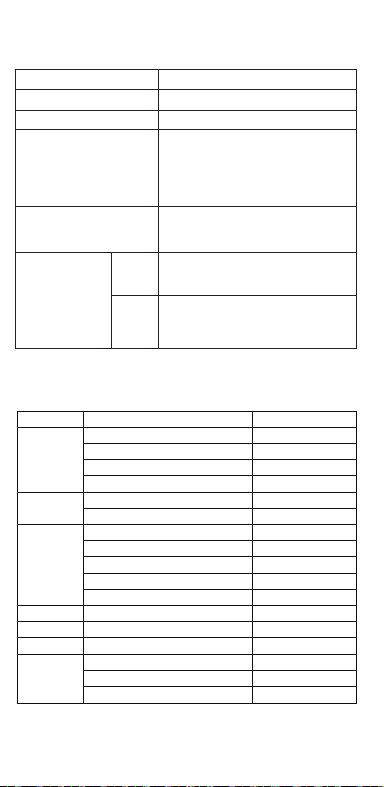
V0.1
Accessories and Soware Information
You are provided with the following standard accessories:
1 Phone, 1 Charger, 1 USB data cable, 1 Safety Guide, 1 Quick Guide,
1 SIM Ejector Tool.
English
You can use OPPO Clone Phone to easily transfer photos, videos, music,
contacts, messages, apps, etc from your old phone to the new one.
1. If your previous phone was a non-OPPO Android phone, search "OPPO
Clone Phone" in the Google Play store and install the app. You can also
scan the QR code below to install it. If your previous phone was an OPPO
phone, you don't need to install this app. Then run Clone Phone on both
phones and follow the on-screen instructions.
2. If your previous phone was an iPhone, run "Clone Phone" on your new
phone, and follow the onscreen instructions to migrate your data from
your iCloud account.
How to Transfer Old Mobile Content to a New Mobile
Specication
How to reboot the phone
Press and hold the Power Buon and Volume Up Buon at the same time
until the OPPO boot animation is displayed to reboot the phone.
This guide will show you how to use the phone and its impoant functions.
You may also visit OPPO ocial website to get more information about the phone.
Greetings from OPPO Mobile
hps://i.clonephone.coloros.com/download
612804000002
SAR Values
Product
Main screen parameter
Camera
Radio Waves Specications
Some content may dier from your device depending on the region, service
provider, or soware version, and is subject to change without prior notice.
hps://i.clonephone.coloros.com/download
hps://i.clonephone.coloros.com/download
hps://i.clonephone.coloros.com/download
hps://i.clonephone.coloros.com/download
https://i.clonephone.coloros.com/download
The product soware version is: ColorOS V12.1
For the most recent information about accessories and soware, please
see the DoC (Declaration of Conformity) at www.oppo.com/en/ceication.
Steps to search Regulatory : Go to Seings - About device - Regulatory
Regulatory
Note: The SAR values above are the highest values repoed for this device.
CE/UK SAR
RCM SAR
Baery
(Rechargeable
Lithium-ion Baery)
Ce guide vous montre comment utiliser le téléphone et décrit ses fonctions
importantes. Vous pouvez également visiter le site ociel d'OPPO pour obtenir
plus d'informations sur le téléphone.
OPPO Mobile vous souhaite la bienvenue
Comment redémarrer le téléphone
Comment transférer le contenu d'un ancien téléphone vers un nouveau
Informations sur les accessoires et le logiciel
Version logicielle: ColorOS V12.1
Pour obtenir les informations les plus récentes sur les accessoires et le logiciel,
consultez la Déclaration de Conformité (DC) sur www.oppo.com/en/certication.
1 Téléphone, 1 Chargeur, 1 Outil d'éjection SIM, 1 Câble de données USB, 1 Guide de sécurité,
1 Guide rapide.
Étapes à suivre pour rechercher la réglementation : Accédez à Paramètres
- À propos de I’appareil - Réglementation
Réglementaire
Français
Maintenez les boutons de marche/arrêt et de volume haut enfoncés
simultanément jusqu'à ce que l'animation de démarrage OPPO s'ache pour
redémarrer le téléphone.
Vous pouvez utiliser OPPO «Clone Phone» an de transférer facilement photos,
vidéos, musique, contacts, messages, applications, etc. depuis votre ancien
téléphone vers votre nouveau téléphone.
1. Si votre appareil précédent était un téléphone Android autre que OPPO,
cherchez l'application «OPPO Clone Phone» dans Google Play et installez-la. Vous
pouvez aussi lire le code QR ci-dessous pour l'installer. Si votre appareil précédent
était un téléphone OPPO, vous n'avez pas besoin d'installer cette application.
Ensuite, exécutez Clone Phone sur les deux appareils et suivez les instructions qui
s'achent à l'écran.
2. Si votre appareil précédent était un iPhone, exécutez «Clone Phone» sur votre
nouveau téléphone et suivez les instructions qui s'achent à l'écran pour migrer
vos données depuis votre compte iCloud.
hps://i.clonephone.coloros.com/download
Spécifications concernant les ondes radio
Remarque: Les valeurs DAS sont les valeurs les plus élevées signalées pour cet appareil.
Dimensions
CE SAR
CPH2477
Appareil photo
Taille de l’écran principal
Valeurs DAS
50-mégapixels+VGA Arrière
5-mégapixels avant
16,66cm(6,56 pouces)
DAS tête (0,81W/kg)
DAS tronc (0,94W/kg)
DAS membres (1,99W/kg)
Batterie
(Batterie lithium-ion
rechargeable)
Esta guía le mostrará el uso del teléfono además de sus funciones más importantes.
También, puede visitar nuestra página web ocial de OPPO donde obtendrá mayor
información sobre el mismo.
Bienvenido a OPPO Mobile
Cómo forzar el reinicio del teléfono
Mantenga presionados los botones de Encendido y Vol (+) hasta que aparezca
la animación de inicio de OPPO para forzar el renicio del teléfono.
El paquete comercial incluye:
1 Teléfono, 1 Cargador, 1 Cable USB, 1 Guía de seguridad, 1 Guía rápida,
1 Herramienta de extracción de tarjeta SIM.
Información de los accesorios y el software
Versión de software: ColorOS V12.1
Para obtener la información más reciente sobre accesorios y software, consulta la
Declaración de conformidad (DoC) en www.oppo.com/en/certication.
Cómo transferir contenido antiguo a su nuevo teléfono
Puede utilizar la función de OPPO “Clonar Teléfono” para transferir rápidamente
sus fotos, vídeos, música, contactos y aplicaciones a su nuevo teléfono. Para ello,
siga estos pasos:
Pasos para buscar Regulación, diríjase a: Ajustes - Información del dispositivo - Regulación
Regulación
Español
1. Si su teléfono antiguo es un teléfono Android de otra marca, descargue la
aplicación "OPPO Clone Phone" desde Play Store, o escanee el código QR a
continuación para descargarlo e instalarlo.
2. Si el teléfono antiguo es un teléfono OPPO, no necesita instalar la aplicación ya
que está instalada por defecto, abra la aplicación y siga las instrucciones en pantalla
para continuar.
3. Si su teléfono antiguo es un iPhone, abra directamente "OPPO Clone Phone" en
su nuevoteléfono y siga las instrucciones en pantalla para iniciar sesión en su
cuenta de iCloud y sincronizar los archivos. Recuerde que no todos los elementos
pueden ser transferidos desde dispositivos no Android.
Especificaciones de ondas de radio
Especificaciones técnicas
Nota: Los valores de SAR anteriores son los mayores registrados para este dispositivo.
CPH2477
Cámara
Producto
Dimensiones
Tamaño de la pantalla
Triple cámara trasera trasera de 50 Mpx
+ VGA.
Cámara delantera de 5 Mpx.
CE SAR
Valores SAR
16,66cm(6,56 Pulgadas)
0,81W/kg (Cabeza)
0,94W/kg (Cuerpo)
Batería
(Batería de iones de
litio recargable)
Nederlands
In deze beknopte handleiding vindt u informatie over het gebruik van de telefoon
en belangrijke functies ervan. Voor meer informatie kunt u ook altijd terecht op de
ociële website van OPPO.
De telefoon opnieuw opstarten
Informatie over accessoires en software
U krijgt de volgende accessoires standaard meegeleverd:
1 telefoon, 1 oplader, 1 usb-datakabel, 1 veiligheidsgids, 1 beknopte handleiding,
1 sim-uitwerpgereedschap.
Softwareversie: ColorOS
V12.1
Raadpleeg de conformiteitsverklaring (DoC) op www.oppo.com/en/certication voor
de meest recente informatie over accessoires en software.
Met OPPO Telefoon klonen zet u gemakkelijk en snel data over van uw oude toestel naar
uw nieuwe OPPO smartphone.
1. Als uw vorige telefoon een Android-telefoon van een andere fabrikant dan OPPO was,
zoek dan naar 'OPPO Telefoon klonen' in de Google Play Store en installeer de app. U kunt
ook de onderstaande QR-code scannen om de app te installeren. Als uw vorige telefoon
wel een OPPO-telefoon was, hoeft u deze app niet te installeren. Voer vervolgens Telefoon
klonen uit op beide telefoons en volg de instructies op het scherm.
2. Als uw vorige telefoon een iPhone was, voer 'Telefoon klonen' dan uit op uw nieuwe
telefoon en volg de instructies op het scherm om uw gegevens uit uw iCloud-account te
migreren.
Welkom bij OPPO mobile
Gegevens overzetten van een oud toestel naar een nieuwe OPPO
smartphone
Regelgeving
Stappen om te zoeken naar regelgeving: Ga naar Instellingen - Over apparaat - Regelgeving
Als u de telefoon opnieuw wilt opstarten, moet u de aan/uit-knop en de knop
waarmee u het volume harder kunt zetten, gelijktijdig indrukken tot de
OPPO-opstartanimatie op het display verschijnt.
Specificaties radiogolven
Opmerking: de SAR-waarden hierboven zijn de maximale waarden die voor dit
apparaat zijn gerapporteerd.
CPH2477
Camera
Product
CE SAR
Specieke
absorptiesnelheid
(SAR)
Schermafmetingen
Afmetingen
50 Megapixel + VGA Achtercamera
5 Megapixel Voorcamera
0,81W/kg (Hoofd)
0,94W/kg (Lichaam)
Specificaties
6,56" (16,66cm)
Accu
(Oplaadbare
lithium-ionbatterij)
Deutsch
In dieser Anleitung sehen Sie Erläuterungen zur Benutzung des Mobiltelefons und
seinen wichtigsten Funktionen. Weitere Informationen stehen Ihnen auch auf der
oziellen Website von OPPO zur Verfügung.
Grüße von OPPO Mobile
So starten Sie das Telefon neu
Wie kann ich die auf meinem alten Telefon gespeicherten Daten auf
ein neues übertragen?
Sie erhalten folgendes Standardzubehör:
1 Telefon, 1 Ladegerät, 1 SIM-Auswerfer, 1 USB-Datenkabel, 1 Sicherheitsanleitung,
1 Kurzanleitung.
Zubehör und Softwareinformationen:
Software-Version: ColorOS V12.1
Aktuelle Informationen über Zubehör und Software nden Sie in der
Konformitätserklärung (DoC) unter www.oppo.com/en/certication.
Die rechtlichen Informationen nden Sie unter: Einstellungen-Über das Gerät-Rechtliches
Rechtliches
Halten Sie die Einschalttaste und die Taste zur Erhöhung der Lautstärke gleichzeitig
gedrückt, bis die OPPO-Start-Animation zum Neustarten des Telefons angezeigt
wird.
Mit der Applikation, die OPPO Clone Phone heißt, können Sie Fotos, Videos, Musik,
Kontakte, Nachrichten, Apps usw. ganz einfach von Ihrem alten Telefon auf das
neue übertragen.
1. Wenn es sich bei Ihrem bisherigen Telefon um ein nicht von OPPO bezogenes
Android-Telefon handelt, suchen Sie im Google Play Store nach „OPPO Clone
Phone“ und installieren Sie die App. Sie können auch den untenstehenden QR-
Code scannen, um die App zu installieren. Wenn es sich bei Ihrem bisherigen
Telefon um ein Telefon von OPPO handelt, brauchen Sie diese App nicht zu
installieren. Führen Sie dann Clone Phone auf beiden Telefonen aus und folgen
Sie den Anweisungen auf dem Bildschirm.
2. Wenn es sich bei Ihrem bisherigen Telefon um ein iPhone handelt, führen Sie
„Clone Phone“ auf Ihrem neuen Telefon aus und folgen Sie den Anweisungen auf
dem Bildschirm, um Ihre Daten von Ihrem iCloud-Konto zu migrieren.
Funkwellenspezifikationen
Hinweis: Die oben genannten SAR-Werte sind die höchsten für dieses Gerät
gemeldeten Werte.
Produkt CPH2477
Bildschirmparameter
Abmessungen
Kamera
16,66cm (6,56 Zoll)
CE SAR
0,81W/kg (Kopf)
0,94W/kg (Körper)
50 Megapixel + VGA Rückseite
5 Megapixel Vorderseite
Batterie
(Wiederauadbaren
Lithium-Ionen-Akku)
Italiano
Questa guida illustra l'utilizzo del tuo smartphone OPPO e le sue funzioni
principali. In alternativa, è possibile visitare il sito uciale di OPPO per avere
maggiori informazioni sul telefono.
OPPO Mobile ti dà il benvenuto
Come riavviare il telefono
1. Se il tuo telefono precedente era un telefono Android non OPPO, cerca "Clona
telefono OPPO" in Google Play Store e installa l'app. Puoi inoltre eseguire la
scansione del codice QR di seguito per installarlo. Se il tuo telefono precedente era
un telefono OPPO, non è necessario installare questa app. Quindi esegui Clona
telefono su entrambi i telefoni e segui le istruzioni visualizzate.
La funzione Clona Telefono di OPPO può essere usata per trasferire facilmente foto,
video, musica, contatti, app, ecc. dal vecchio al nuovo telefono.
Come trasferire dati da un vecchio smartphone ad uno smartphone OPPO
Informazioni su accessori e software
Vengono forniti i seguenti accessori standard:
1 telefono, 1 caricabatterie, 1 cavo USB, 1 strumento di estrazione SIM,
1 guida di sicurezza, 1 guida rapida.
Versione software: ColorOS V12.1
Per le informazioni più recenti su accessori e software, consulta la Dichiarazione di
conformità (DoC) all 'indirizzo www.oppo.com/en/certication.
Informazioni Legali
Passaggi per la ricerca delle normative :
vai su Impostazioni - Informazioni sul dispositivo - Regolamentazione
Tenere premuti contemporaneamente i pulsanti di accensione e di aumento del
volume no a quando non si visualizza l’animazione OPPO per il riavvio del telefono.
2. Se il tuo telefono precedente era un iPhone, esegui "Clona telefono" sul tuo
nuovo telefono e segui le istruzioni su schermo per migrare i tuoi dati dal tuo
account iCloud.
Specifiche onde radio
Parametri prestazioni
Nota: i valori SAR riportati sono i valori più alti per il dispositivo.
CPH2477Modello
Parametri Schermo
Dimensioni
Camera
Fotocamera posteriore da 50 megapixel
+ VGA
fotocamera anteriore da 5 megapixel
CE SAR
0,81W/kg (Testa)
0,94W/kg (Corpo)
16,66cm(6,56 pollici)
Batteria
(Batteria ricaricabile
agli ioni di litio)
Português
Bem-vindo à OPPO Mobile
Este guia irá mostrar-lhe como utilizar o telefone e as suas funções importantes.
Você também pode visitar o site ocial da OPPO para obter mais informações
sobre o telefone.
Como Reiniciar o telefone
Pressione e mantenha apertado o botão ligar/desligar e o botão Volume (+) ao
mesmo tempo até que a animação de inicialização OPPO seja exibida para reiniciar
o telefone.
Como Transferir Conteúdo do Antigo Telemóvel para um Novo
Você pode usar a função OPPO “Clone Phone” para transferir rapidamente os seus
fotos, vídeos, músicas, contatos e aplicações para o seu novo telefone. Para fazer
isso, execute as seguintes etapas:
1. Se o seu telefone antigo é um telefone Android de marca diferente, faça o
download da aplicação "OPPO Clone Phone" na Play Store, ou digitalize o código
QR abaixo para o descarregar e instalar.
2. Se o telefone antigo for um telefone OPPO, não é necessário instalar a aplicação,
uma vez que já está instalada por defeito, abra a aplicação e siga as instruções no
ecrã para continuar.
3. Se o seu telefone antigo é um iPhone, abra "OPPO Clone Phone" directamente
no seu novo telefone e siga as instruções no ecrã para iniciar sessão na sua conta
iCloud e sincronizar cheiros. Note que nem todos os artigos podem ser
transferidos a partir de dispositivos não androids.
Informações sobre acessórios e software
O pacote comercial inclui:
1 Telefone, 1 Carregador, 1 Cabo de dados USB, 1 Guia de segurança, 1 Guia rápido,
1 Ferramenta ejectora SIM.
Versão do software: ColorOS
V12.1
Para obter as últimas informações sobre acessórios e software, consulte a Declaração
de Conformidade (DoC) em www.oppo.com/en/certication.
Regulamento
Para encontrar o Regulamento vá a: Denições - Informações do dispositivo - Regulamento
Especificações
Nota: Os valores SAR acima são os valores mais altos reportados para este dispositivo.
CPH2477
50 Megapixels + VGA Traseiro
5 Megapixels Frente
16,66cm(6,56")
CE SAR
Produto
Parâmetro do ecrã principal
Dimensão
Câmara
Valores SAR
0,81W/kg (Cabeça)
0,94W/kg (Corpo)
Especificações das Ondas de Rádio
Bateria
(Bateria recarregável
de íon-lítio)
164,2×75,6×8,3(mm)
164,2×75,6×8,3(mm)
164,2×75,6×8,3(mm)
164,2×75,6×8,3(mm)
164,2×75,6×8,3(mm)
164,2×75,6×8,3(mm)
Dimension
CPH2477
0.81W/kg(Head)
0.94W/kg(Body)
1.99W/kg(limbs)
0.81W/kg(Head)
0.94W/kg(Body)
16.66cm(6.56'')
50Megapixels+VGA Rear
5Megapixels Front
164.2×75.6×8.3(mm)
4890mAh/18.92Wh(Min)
5000mAh/19.35Wh(Typ)
4890mAh/18,92Wh(Min)
5000mAh/19,35Wh(Typ)
4890mAh/18,92Wh(Min)
5000mAh/19.35Wh(Typ)
4890mAh/18,92Wh(Min)
5000mAh/19.35Wh(Typ)
4890mAh/18,92Wh(Min)
5000mAh/19.35Wh(Typ)
4890mAh/18,92Wh(Min)
5000mAh/19.35Wh(Typ)
4890mAh/18,92Wh(Min)
5000mAh/19.35Wh(Typ)
Front Camera
Volume Key
SIM card tray
Receiver
Proximity Sensor and Light Sensor
Earphone Jack
Speaker
Rear Camera
MIC
USB Jack
Flash
Power Key/Screen Lock Key/
Fingerprint Scanner
Quick Guide
Copyright © Guangdong OPPO Mobile Telecommunications Corp., Ltd. 2022.
All rights reserved.
Appareil photo avant
Touches volume
Récepteur
Trappe d'insersion SIM
Microphone
Prise écouteurs
Appareil photo arrière
Prise USB
Flash
Capteurs de proximité et de luminosité
Haut parleur
Touche marche/arrêt &
Capteur d'empreintes
Cámara frontal
Botones de volumen
Auricular
Bandeja de la tarjeta SIM
Jack 3.5
Sensor de proximidad y luz
Botón de encendido/
Escáner de huellas
Altavoz
Cámara trasera
Puerto USB
Flash
Micrófono
Frontcamera
Volumetoets
Luidspreker bij oor
Simkaarthouder
Hoofdtelefoonaansluiting
Nabijheids- en lichtsensor
Luidspreker
Achtercamera
Flitser
USB
Microfoon
Aan/uit-toets/
schermvergrendelingstoets/
vingerafdrukscanner
USB-Anschluss
Frontkamera
Lautstärketaste
Hörer
SIM-Kartenhalter
Umgebungslichtsensor
Lautsprecher
Rückkamera
Blitz
Mikrofon
Kopfhöreranschluss
Ein-/Aus-Taste/
Fingerabdruck-Scanner
Fotocamera frontale
Tasto volume
Ricevitore
Vassoio scheda SIM
Sensore di prossimità e luminosità
Altoparlante
Fotocamera posteriore
Flash
Microfono Jack auricolari
Presa USB
Tasto di accensione/
Tasto blocco schermo/
Lettore impronte digitali
Câmara frontal
Botão de volume
Receptor
Porta SIM
Sensor de proximidade e luz
Altifalante
Câmara traseira
Flash
Microfone
Entrada de auriculares
Botão Ligar/Desligar
Leitor de impressões digitais
Entrada de USB
Radio Frequency Max.Output Power
GSM
850MHz 33.5dBm
900MHz 33.5dBm
1800MHz 30.5dBm
1900MHz 30.5dBm
WCDMA
Band 1 24.3dBm
Bands 5/8 24.7dBm
LTE FDD
Bands 1/3 24.1dBm
Band 5 24.7dBm
Bands 8/20 24.6dBm
Band 7 23.6dBm
Band 28 24.3dBm
LTE TDD Bands 38/40/41 23.8dBm
Bluetooth 2.4-2.4835GHz
2.4-2.4835GHz
16dBm(EIRP)
2.4G Wi-Fi 18.5dBm(EIRP)
5G Wi-Fi
5.15-5.25GHz 20dBm(EIRP)
5.25-5.35GHz , 5.47-5.725GHz 18.5dBm(EIRP)
5.725-5.85GHz 13.5dBm(EIRP)
GSM
850MHz 33,5dBm
900MHz 33,5dBm
1800MHz 30,5dBm
1900MHz 30,5dBm
WCDMA
Band 1 24,3dBm
Bands 5/8 24,7dBm
LTE FDD
Bands 1/3 24,1dBm
Band 5 24,7dBm
Bands 8/20 24,6dBm
Band 7 23,6dBm
Band 28 24,3dBm
LTE TDD Bands 38/40/41 23,8dBm
Bluetooth 2,4-2,4835GHz
2,4-2,4835GHz
16dBm(EIRP)
2,4G Wi-Fi 18,5dBm(EIRP)
5G Wi-Fi
5,15-5,25GHz 20dBm(EIRP)
5,25-5,35GHz , 5,47-5,725GHz 18,5dBm(EIRP)
5,725-5,85GHz 13,5dBm(EIRP)
Radio Fréquence Puissance de sortie max.
GSM
850MHz 33,5dBm
900MHz 33,5dBm
1800MHz 30,5dBm
1900MHz 30,5dBm
WCDMA
Band 1 24,3dBm
Bands 5/8 24,7dBm
LTE FDD
Bands 1/3 24,1dBm
Band 5 24,7dBm
Bands 8/20 24,6dBm
Band 7 23,6dBm
Band 28 24,3dBm
LTE TDD Bands 38/40/41 23,8dBm
Bluetooth 2,4-2,4835GHz
2,4-2,4835GHz
16dBm(EIRP)
2,4G Wi-Fi 18,5dBm(EIRP)
5G Wi-Fi
5,15-5,25GHz 20dBm(EIRP)
5,25-5,35GHz , 5,47-5,725GHz 18,5dBm(EIRP)
5,725-5,85GHz 13,5dBm(EIRP)
Radio Frecuencia Potencia máx. de salida
GSM
850MHz 33,5dBm
900MHz 33,5dBm
1800MHz 30,5dBm
1900MHz 30,5dBm
WCDMA
Band 1 24,3dBm
Bands 5/8 24,7dBm
LTE FDD
Bands 1/3 24,1dBm
Band 5 24,7dBm
Bands 8/20 24,6dBm
Band 7 23,6dBm
Band 28 24,3dBm
LTE TDD Bands 38/40/41 23,8dBm
Bluetooth 2,4-2,4835GHz
2,4-2,4835GHz
16dBm(EIRP)
2,4G Wi-Fi 18,5dBm(EIRP)
5G Wi-Fi
5,15-5,25GHz 20dBm(EIRP)
5,25-5,35GHz , 5,47-5,725GHz 18,5dBm(EIRP)
5,725-5,85GHz 13,5dBm(EIRP)
Rádio Potência de saídaFreqüência
GSM
850MHz 33,5dBm
900MHz 33,5dBm
1800MHz 30,5dBm
1900MHz 30,5dBm
WCDMA
Band 1 24,3dBm
Bands 5/8 24,7dBm
LTE FDD
Bands 1/3 24,1dBm
Band 5 24,7dBm
Bands 8/20 24,6dBm
Band 7 23,6dBm
Band 28 24,3dBm
LTE TDD Bands 38/40/41 23,8dBm
Bluetooth 2,4-2,4835GHz
2,4-2,4835GHz
16dBm(EIRP)
2,4G Wi-Fi 18,5dBm(EIRP)
5G Wi-Fi
5,15-5,25GHz 20dBm(EIRP)
5,25-5,35GHz , 5,47-5,725GHz 18,5dBm(EIRP)
5,725-5,85GHz 13,5dBm(EIRP)
Radio Potenza uscita maxFrequenza
GSM
850MHz 33,5dBm
900MHz 33,5dBm
1800MHz 30,5dBm
1900MHz 30,5dBm
WCDMA
Band 1 24,3dBm
Bands 5/8 24,7dBm
LTE FDD
Bands 1/3 24,1dBm
Band 5 24,7dBm
Bands 8/20 24,6dBm
Band 7 23,6dBm
Band 28 24,3dBm
LTE TDD Bands 38/40/41 23,8dBm
Bluetooth 2,4-2,4835GHz
2,4-2,4835GHz
16dBm(EIRP)
2,4G Wi-Fi 18,5dBm(EIRP)
5G Wi-Fi
5,15-5,25GHz 20dBm(EIRP)
5,25-5,35GHz , 5,47-5,725GHz 18,5dBm(EIRP)
5,725-5,85GHz 13,5dBm(EIRP)
Radio Max. AusgangsleistungFrequenz
GSM
850MHz 33,5dBm
900MHz 33,5dBm
1800MHz 30,5dBm
1900MHz 30,5dBm
WCDMA
Band 1 24,3dBm
Bands 5/8 24,7dBm
LTE FDD
Bands 1/3 24,1dBm
Band 5 24,7dBm
Bands 8/20 24,6dBm
Band 7 23,6dBm
Band 28 24,3dBm
LTE TDD Bands 38/40/41 23,8dBm
Bluetooth 2,4-2,4835GHz
2,4-2,4835GHz
16dBm(EIRP)
2,4G Wi-Fi 18,5dBm(EIRP)
5G Wi-Fi
5,15-5,25GHz 20dBm(EIRP)
5,25-5,35GHz , 5,47-5,725GHz 18,5dBm(EIRP)
5,725-5,85GHz 13,5dBm(EIRP)
Frequentie Max. uitgangsvermogenRadio
FCC SAR
0.89W/kg(Head)
0.77W/kg(Body)
1.15W/kg(Hotspot)
FCC SAR
0,89W/kg (Tête)
0,77W/kg (Corps)
1,15W/kg (Point chaud)
FCC SAR
0,89W/kg (Cabeza)
0,77W/kg (Cuerpo)
1,15W/kg (Hotspot)
FCC SAR
0,89W/kg (Hoofd)
0,77W/kg (Lichaam)
1,15W/kg (Hotspot)
FCC SAR
0,89W/kg (Kopf)
0,77W/kg (Körper)
1,15W/kg (Hotspot)
FCC SAR
0,89W/kg (Testa)
0,77W/kg (Corpo)
1,15W/kg (Punto di accesso)
FCC SAR
0,89W/kg (Cabeça)
0,77W/kg (Corpo)
1,15W/kg (Ponto de acesso)
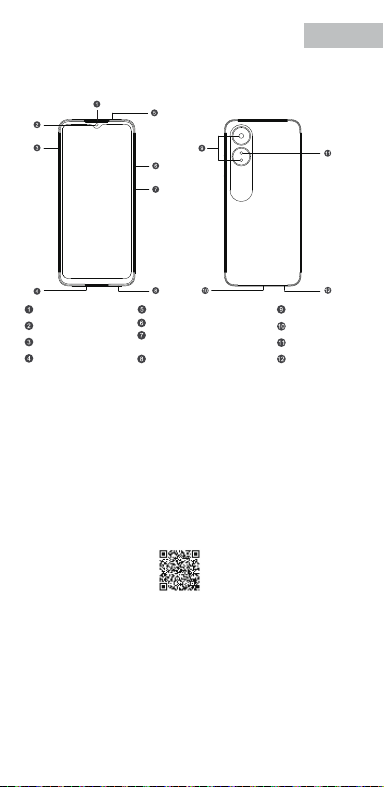
V0.1
Accessories and Soware Information
You are provided with the following standard accessories:
1 Phone, 1 Charger, 1 USB data cable, 1 Safety Guide, 1 Quick Guide,
1 SIM Ejector Tool.
English
You can use OPPO Clone Phone to easily transfer photos, videos, music,
contacts, messages, apps, etc from your old phone to the new one.
1. If your previous phone was a non-OPPO Android phone, search "OPPO
Clone Phone" in the Google Play store and install the app. You can also
scan the QR code below to install it. If your previous phone was an OPPO
phone, you don't need to install this app. Then run Clone Phone on both
phones and follow the on-screen instructions.
2. If your previous phone was an iPhone, run "Clone Phone" on your new
phone, and follow the onscreen instructions to migrate your data from
your iCloud account.
How to Transfer Old Mobile Content to a New Mobile
Specication
How to reboot the phone
Press and hold the Power Buon and Volume Up Buon at the same time
until the OPPO boot animation is displayed to reboot the phone.
This guide will show you how to use the phone and its impoant functions.
You may also visit OPPO ocial website to get more information about the phone.
Greetings from OPPO Mobile
hps://i.clonephone.coloros.com/download
612804000002
SAR Values
Product
Main screen parameter
Camera
Radio Waves Specications
Some content may dier from your device depending on the region, service
provider, or soware version, and is subject to change without prior notice.
hps://i.clonephone.coloros.com/download
hps://i.clonephone.coloros.com/download
hps://i.clonephone.coloros.com/download
hps://i.clonephone.coloros.com/download
https://i.clonephone.coloros.com/download
The product soware version is: ColorOS V12.1
For the most recent information about accessories and soware, please
see the DoC (Declaration of Conformity) at www.oppo.com/en/ceication.
Steps to search Regulatory : Go to Seings - About device - Regulatory
Regulatory
Note: The SAR values above are the highest values repoed for this device.
CE/UK SAR
RCM SAR
Baery
(Rechargeable
Lithium-ion Baery)
Ce guide vous montre comment utiliser le téléphone et décrit ses fonctions
importantes. Vous pouvez également visiter le site ociel d'OPPO pour obtenir
plus d'informations sur le téléphone.
OPPO Mobile vous souhaite la bienvenue
Comment redémarrer le téléphone
Comment transférer le contenu d'un ancien téléphone vers un nouveau
Informations sur les accessoires et le logiciel
Version logicielle: ColorOS V12.1
Pour obtenir les informations les plus récentes sur les accessoires et le logiciel,
consultez la Déclaration de Conformité (DC) sur www.oppo.com/en/certication.
1 Téléphone, 1 Chargeur, 1 Outil d'éjection SIM, 1 Câble de données USB, 1 Guide de sécurité,
1 Guide rapide.
Étapes à suivre pour rechercher la réglementation : Accédez à Paramètres
- À propos de I’appareil - Réglementation
Réglementaire
Français
Maintenez les boutons de marche/arrêt et de volume haut enfoncés
simultanément jusqu'à ce que l'animation de démarrage OPPO s'ache pour
redémarrer le téléphone.
Vous pouvez utiliser OPPO «Clone Phone» an de transférer facilement photos,
vidéos, musique, contacts, messages, applications, etc. depuis votre ancien
téléphone vers votre nouveau téléphone.
1. Si votre appareil précédent était un téléphone Android autre que OPPO,
cherchez l'application «OPPO Clone Phone» dans Google Play et installez-la. Vous
pouvez aussi lire le code QR ci-dessous pour l'installer. Si votre appareil précédent
était un téléphone OPPO, vous n'avez pas besoin d'installer cette application.
Ensuite, exécutez Clone Phone sur les deux appareils et suivez les instructions qui
s'achent à l'écran.
2. Si votre appareil précédent était un iPhone, exécutez «Clone Phone» sur votre
nouveau téléphone et suivez les instructions qui s'achent à l'écran pour migrer
vos données depuis votre compte iCloud.
hps://i.clonephone.coloros.com/download
Spécifications concernant les ondes radio
Remarque: Les valeurs DAS sont les valeurs les plus élevées signalées pour cet appareil.
Dimensions
CE SAR
CPH2477
Appareil photo
Taille de l’écran principal
Valeurs DAS
50-mégapixels+VGA Arrière
5-mégapixels avant
16,66cm(6,56 pouces)
DAS tête (0,81W/kg)
DAS tronc (0,94W/kg)
DAS membres (1,99W/kg)
Batterie
(Batterie lithium-ion
rechargeable)
Esta guía le mostrará el uso del teléfono además de sus funciones más importantes.
También, puede visitar nuestra página web ocial de OPPO donde obtendrá mayor
información sobre el mismo.
Bienvenido a OPPO Mobile
Cómo forzar el reinicio del teléfono
Mantenga presionados los botones de Encendido y Vol (+) hasta que aparezca
la animación de inicio de OPPO para forzar el renicio del teléfono.
El paquete comercial incluye:
1 Teléfono, 1 Cargador, 1 Cable USB, 1 Guía de seguridad, 1 Guía rápida,
1 Herramienta de extracción de tarjeta SIM.
Información de los accesorios y el software
Versión de software: ColorOS V12.1
Para obtener la información más reciente sobre accesorios y software, consulta la
Declaración de conformidad (DoC) en www.oppo.com/en/certication.
Cómo transferir contenido antiguo a su nuevo teléfono
Puede utilizar la función de OPPO “Clonar Teléfono” para transferir rápidamente
sus fotos, vídeos, música, contactos y aplicaciones a su nuevo teléfono. Para ello,
siga estos pasos:
Pasos para buscar Regulación, diríjase a: Ajustes - Información del dispositivo - Regulación
Regulación
Español
1. Si su teléfono antiguo es un teléfono Android de otra marca, descargue la
aplicación "OPPO Clone Phone" desde Play Store, o escanee el código QR a
continuación para descargarlo e instalarlo.
2. Si el teléfono antiguo es un teléfono OPPO, no necesita instalar la aplicación ya
que está instalada por defecto, abra la aplicación y siga las instrucciones en pantalla
para continuar.
3. Si su teléfono antiguo es un iPhone, abra directamente "OPPO Clone Phone" en
su nuevoteléfono y siga las instrucciones en pantalla para iniciar sesión en su
cuenta de iCloud y sincronizar los archivos. Recuerde que no todos los elementos
pueden ser transferidos desde dispositivos no Android.
Especificaciones de ondas de radio
Especificaciones técnicas
Nota: Los valores de SAR anteriores son los mayores registrados para este dispositivo.
CPH2477
Cámara
Producto
Dimensiones
Tamaño de la pantalla
Triple cámara trasera trasera de 50 Mpx
+ VGA.
Cámara delantera de 5 Mpx.
CE SAR
Valores SAR
16,66cm(6,56 Pulgadas)
0,81W/kg (Cabeza)
0,94W/kg (Cuerpo)
Batería
(Batería de iones de
litio recargable)
Nederlands
In deze beknopte handleiding vindt u informatie over het gebruik van de telefoon
en belangrijke functies ervan. Voor meer informatie kunt u ook altijd terecht op de
ociële website van OPPO.
De telefoon opnieuw opstarten
Informatie over accessoires en software
U krijgt de volgende accessoires standaard meegeleverd:
1 telefoon, 1 oplader, 1 usb-datakabel, 1 veiligheidsgids, 1 beknopte handleiding,
1 sim-uitwerpgereedschap.
Softwareversie: ColorOS
V12.1
Raadpleeg de conformiteitsverklaring (DoC) op www.oppo.com/en/certication voor
de meest recente informatie over accessoires en software.
Met OPPO Telefoon klonen zet u gemakkelijk en snel data over van uw oude toestel naar
uw nieuwe OPPO smartphone.
1. Als uw vorige telefoon een Android-telefoon van een andere fabrikant dan OPPO was,
zoek dan naar 'OPPO Telefoon klonen' in de Google Play Store en installeer de app. U kunt
ook de onderstaande QR-code scannen om de app te installeren. Als uw vorige telefoon
wel een OPPO-telefoon was, hoeft u deze app niet te installeren. Voer vervolgens Telefoon
klonen uit op beide telefoons en volg de instructies op het scherm.
2. Als uw vorige telefoon een iPhone was, voer 'Telefoon klonen' dan uit op uw nieuwe
telefoon en volg de instructies op het scherm om uw gegevens uit uw iCloud-account te
migreren.
Welkom bij OPPO mobile
Gegevens overzetten van een oud toestel naar een nieuwe OPPO
smartphone
Regelgeving
Stappen om te zoeken naar regelgeving: Ga naar Instellingen - Over apparaat - Regelgeving
Als u de telefoon opnieuw wilt opstarten, moet u de aan/uit-knop en de knop
waarmee u het volume harder kunt zetten, gelijktijdig indrukken tot de
OPPO-opstartanimatie op het display verschijnt.
Specificaties radiogolven
Opmerking: de SAR-waarden hierboven zijn de maximale waarden die voor dit
apparaat zijn gerapporteerd.
CPH2477
Camera
Product
CE SAR
Specieke
absorptiesnelheid
(SAR)
Schermafmetingen
Afmetingen
50 Megapixel + VGA Achtercamera
5 Megapixel Voorcamera
0,81W/kg (Hoofd)
0,94W/kg (Lichaam)
Specificaties
6,56" (16,66cm)
Accu
(Oplaadbare
lithium-ionbatterij)
Deutsch
In dieser Anleitung sehen Sie Erläuterungen zur Benutzung des Mobiltelefons und
seinen wichtigsten Funktionen. Weitere Informationen stehen Ihnen auch auf der
oziellen Website von OPPO zur Verfügung.
Grüße von OPPO Mobile
So starten Sie das Telefon neu
Wie kann ich die auf meinem alten Telefon gespeicherten Daten auf
ein neues übertragen?
Sie erhalten folgendes Standardzubehör:
1 Telefon, 1 Ladegerät, 1 SIM-Auswerfer, 1 USB-Datenkabel, 1 Sicherheitsanleitung,
1 Kurzanleitung.
Zubehör und Softwareinformationen:
Software-Version: ColorOS V12.1
Aktuelle Informationen über Zubehör und Software nden Sie in der
Konformitätserklärung (DoC) unter www.oppo.com/en/certication.
Die rechtlichen Informationen nden Sie unter: Einstellungen-Über das Gerät-Rechtliches
Rechtliches
Halten Sie die Einschalttaste und die Taste zur Erhöhung der Lautstärke gleichzeitig
gedrückt, bis die OPPO-Start-Animation zum Neustarten des Telefons angezeigt
wird.
Mit der Applikation, die OPPO Clone Phone heißt, können Sie Fotos, Videos, Musik,
Kontakte, Nachrichten, Apps usw. ganz einfach von Ihrem alten Telefon auf das
neue übertragen.
1. Wenn es sich bei Ihrem bisherigen Telefon um ein nicht von OPPO bezogenes
Android-Telefon handelt, suchen Sie im Google Play Store nach „OPPO Clone
Phone“ und installieren Sie die App. Sie können auch den untenstehenden QR-
Code scannen, um die App zu installieren. Wenn es sich bei Ihrem bisherigen
Telefon um ein Telefon von OPPO handelt, brauchen Sie diese App nicht zu
installieren. Führen Sie dann Clone Phone auf beiden Telefonen aus und folgen
Sie den Anweisungen auf dem Bildschirm.
2. Wenn es sich bei Ihrem bisherigen Telefon um ein iPhone handelt, führen Sie
„Clone Phone“ auf Ihrem neuen Telefon aus und folgen Sie den Anweisungen auf
dem Bildschirm, um Ihre Daten von Ihrem iCloud-Konto zu migrieren.
Funkwellenspezifikationen
Hinweis: Die oben genannten SAR-Werte sind die höchsten für dieses Gerät
gemeldeten Werte.
Produkt CPH2477
Bildschirmparameter
Abmessungen
Kamera
16,66cm (6,56 Zoll)
CE SAR
0,81W/kg (Kopf)
0,94W/kg (Körper)
50 Megapixel + VGA Rückseite
5 Megapixel Vorderseite
Batterie
(Wiederauadbaren
Lithium-Ionen-Akku)
Italiano
Questa guida illustra l'utilizzo del tuo smartphone OPPO e le sue funzioni
principali. In alternativa, è possibile visitare il sito uciale di OPPO per avere
maggiori informazioni sul telefono.
OPPO Mobile ti dà il benvenuto
Come riavviare il telefono
1. Se il tuo telefono precedente era un telefono Android non OPPO, cerca "Clona
telefono OPPO" in Google Play Store e installa l'app. Puoi inoltre eseguire la
scansione del codice QR di seguito per installarlo. Se il tuo telefono precedente era
un telefono OPPO, non è necessario installare questa app. Quindi esegui Clona
telefono su entrambi i telefoni e segui le istruzioni visualizzate.
La funzione Clona Telefono di OPPO può essere usata per trasferire facilmente foto,
video, musica, contatti, app, ecc. dal vecchio al nuovo telefono.
Come trasferire dati da un vecchio smartphone ad uno smartphone OPPO
Informazioni su accessori e software
Vengono forniti i seguenti accessori standard:
1 telefono, 1 caricabatterie, 1 cavo USB, 1 strumento di estrazione SIM,
1 guida di sicurezza, 1 guida rapida.
Versione software: ColorOS V12.1
Per le informazioni più recenti su accessori e software, consulta la Dichiarazione di
conformità (DoC) all 'indirizzo www.oppo.com/en/certication.
Informazioni Legali
Passaggi per la ricerca delle normative :
vai su Impostazioni - Informazioni sul dispositivo - Regolamentazione
Tenere premuti contemporaneamente i pulsanti di accensione e di aumento del
volume no a quando non si visualizza l’animazione OPPO per il riavvio del telefono.
2. Se il tuo telefono precedente era un iPhone, esegui "Clona telefono" sul tuo
nuovo telefono e segui le istruzioni su schermo per migrare i tuoi dati dal tuo
account iCloud.
Specifiche onde radio
Parametri prestazioni
Nota: i valori SAR riportati sono i valori più alti per il dispositivo.
CPH2477Modello
Parametri Schermo
Dimensioni
Camera
Fotocamera posteriore da 50 megapixel
+ VGA
fotocamera anteriore da 5 megapixel
CE SAR
0,81W/kg (Testa)
0,94W/kg (Corpo)
16,66cm(6,56 pollici)
Batteria
(Batteria ricaricabile
agli ioni di litio)
Português
Bem-vindo à OPPO Mobile
Este guia irá mostrar-lhe como utilizar o telefone e as suas funções importantes.
Você também pode visitar o site ocial da OPPO para obter mais informações
sobre o telefone.
Como Reiniciar o telefone
Pressione e mantenha apertado o botão ligar/desligar e o botão Volume (+) ao
mesmo tempo até que a animação de inicialização OPPO seja exibida para reiniciar
o telefone.
Como Transferir Conteúdo do Antigo Telemóvel para um Novo
Você pode usar a função OPPO “Clone Phone” para transferir rapidamente os seus
fotos, vídeos, músicas, contatos e aplicações para o seu novo telefone. Para fazer
isso, execute as seguintes etapas:
1. Se o seu telefone antigo é um telefone Android de marca diferente, faça o
download da aplicação "OPPO Clone Phone" na Play Store, ou digitalize o código
QR abaixo para o descarregar e instalar.
2. Se o telefone antigo for um telefone OPPO, não é necessário instalar a aplicação,
uma vez que já está instalada por defeito, abra a aplicação e siga as instruções no
ecrã para continuar.
3. Se o seu telefone antigo é um iPhone, abra "OPPO Clone Phone" directamente
no seu novo telefone e siga as instruções no ecrã para iniciar sessão na sua conta
iCloud e sincronizar cheiros. Note que nem todos os artigos podem ser
transferidos a partir de dispositivos não androids.
Informações sobre acessórios e software
O pacote comercial inclui:
1 Telefone, 1 Carregador, 1 Cabo de dados USB, 1 Guia de segurança, 1 Guia rápido,
1 Ferramenta ejectora SIM.
Versão do software: ColorOS
V12.1
Para obter as últimas informações sobre acessórios e software, consulte a Declaração
de Conformidade (DoC) em www.oppo.com/en/certication.
Regulamento
Para encontrar o Regulamento vá a: Denições - Informações do dispositivo - Regulamento
Especificações
Nota: Os valores SAR acima são os valores mais altos reportados para este dispositivo.
CPH2477
50 Megapixels + VGA Traseiro
5 Megapixels Frente
16,66cm(6,56")
CE SAR
Produto
Parâmetro do ecrã principal
Dimensão
Câmara
Valores SAR
0,81W/kg (Cabeça)
0,94W/kg (Corpo)
Especificações das Ondas de Rádio
Bateria
(Bateria recarregável
de íon-lítio)
164,2×75,6×8,3(mm)
164,2×75,6×8,3(mm)
164,2×75,6×8,3(mm)
164,2×75,6×8,3(mm)
164,2×75,6×8,3(mm)
164,2×75,6×8,3(mm)
Dimension
CPH2477
0.81W/kg(Head)
0.94W/kg(Body)
1.99W/kg(limbs)
0.81W/kg(Head)
0.94W/kg(Body)
16.66cm(6.56'')
50Megapixels+VGA Rear
5Megapixels Front
164.2×75.6×8.3(mm)
4890mAh/18.92Wh(Min)
5000mAh/19.35Wh(Typ)
4890mAh/18,92Wh(Min)
5000mAh/19,35Wh(Typ)
4890mAh/18,92Wh(Min)
5000mAh/19.35Wh(Typ)
4890mAh/18,92Wh(Min)
5000mAh/19.35Wh(Typ)
4890mAh/18,92Wh(Min)
5000mAh/19.35Wh(Typ)
4890mAh/18,92Wh(Min)
5000mAh/19.35Wh(Typ)
4890mAh/18,92Wh(Min)
5000mAh/19.35Wh(Typ)
Front Camera
Volume Key
SIM card tray
Receiver
Proximity Sensor and Light Sensor
Earphone Jack
Speaker
Rear Camera
MIC
USB Jack
Flash
Power Key/Screen Lock Key/
Fingerprint Scanner
Quick Guide
Copyright © Guangdong OPPO Mobile Telecommunications Corp., Ltd. 2022.
All rights reserved.
Appareil photo avant
Touches volume
Récepteur
Trappe d'insersion SIM
Microphone
Prise écouteurs
Appareil photo arrière
Prise USB
Flash
Capteurs de proximité et de luminosité
Haut parleur
Touche marche/arrêt &
Capteur d'empreintes
Cámara frontal
Botones de volumen
Auricular
Bandeja de la tarjeta SIM
Jack 3.5
Sensor de proximidad y luz
Botón de encendido/
Escáner de huellas
Altavoz
Cámara trasera
Puerto USB
Flash
Micrófono
Frontcamera
Volumetoets
Luidspreker bij oor
Simkaarthouder
Hoofdtelefoonaansluiting
Nabijheids- en lichtsensor
Luidspreker
Achtercamera
Flitser
USB
Microfoon
Aan/uit-toets/
schermvergrendelingstoets/
vingerafdrukscanner
USB-Anschluss
Frontkamera
Lautstärketaste
Hörer
SIM-Kartenhalter
Umgebungslichtsensor
Lautsprecher
Rückkamera
Blitz
Mikrofon
Kopfhöreranschluss
Ein-/Aus-Taste/
Fingerabdruck-Scanner
Fotocamera frontale
Tasto volume
Ricevitore
Vassoio scheda SIM
Sensore di prossimità e luminosità
Altoparlante
Fotocamera posteriore
Flash
Microfono Jack auricolari
Presa USB
Tasto di accensione/
Tasto blocco schermo/
Lettore impronte digitali
Câmara frontal
Botão de volume
Receptor
Porta SIM
Sensor de proximidade e luz
Altifalante
Câmara traseira
Flash
Microfone
Entrada de auriculares
Botão Ligar/Desligar
Leitor de impressões digitais
Entrada de USB
Radio Frequency Max.Output Power
GSM
850MHz 33.5dBm
900MHz 33.5dBm
1800MHz 30.5dBm
1900MHz 30.5dBm
WCDMA
Band 1 24.3dBm
Bands 5/8 24.7dBm
LTE FDD
Bands 1/3 24.1dBm
Band 5 24.7dBm
Bands 8/20 24.6dBm
Band 7 23.6dBm
Band 28 24.3dBm
LTE TDD Bands 38/40/41 23.8dBm
Bluetooth 2.4-2.4835GHz
2.4-2.4835GHz
16dBm(EIRP)
2.4G Wi-Fi 18.5dBm(EIRP)
5G Wi-Fi
5.15-5.25GHz 20dBm(EIRP)
5.25-5.35GHz , 5.47-5.725GHz 18.5dBm(EIRP)
5.725-5.85GHz 13.5dBm(EIRP)
GSM
850MHz 33,5dBm
900MHz 33,5dBm
1800MHz 30,5dBm
1900MHz 30,5dBm
WCDMA
Band 1 24,3dBm
Bands 5/8 24,7dBm
LTE FDD
Bands 1/3 24,1dBm
Band 5 24,7dBm
Bands 8/20 24,6dBm
Band 7 23,6dBm
Band 28 24,3dBm
LTE TDD Bands 38/40/41 23,8dBm
Bluetooth 2,4-2,4835GHz
2,4-2,4835GHz
16dBm(EIRP)
2,4G Wi-Fi 18,5dBm(EIRP)
5G Wi-Fi
5,15-5,25GHz 20dBm(EIRP)
5,25-5,35GHz , 5,47-5,725GHz 18,5dBm(EIRP)
5,725-5,85GHz 13,5dBm(EIRP)
Radio Fréquence Puissance de sortie max.
GSM
850MHz 33,5dBm
900MHz 33,5dBm
1800MHz 30,5dBm
1900MHz 30,5dBm
WCDMA
Band 1 24,3dBm
Bands 5/8 24,7dBm
LTE FDD
Bands 1/3 24,1dBm
Band 5 24,7dBm
Bands 8/20 24,6dBm
Band 7 23,6dBm
Band 28 24,3dBm
LTE TDD Bands 38/40/41 23,8dBm
Bluetooth 2,4-2,4835GHz
2,4-2,4835GHz
16dBm(EIRP)
2,4G Wi-Fi 18,5dBm(EIRP)
5G Wi-Fi
5,15-5,25GHz 20dBm(EIRP)
5,25-5,35GHz , 5,47-5,725GHz 18,5dBm(EIRP)
5,725-5,85GHz 13,5dBm(EIRP)
Radio Frecuencia Potencia máx. de salida
GSM
850MHz 33,5dBm
900MHz 33,5dBm
1800MHz 30,5dBm
1900MHz 30,5dBm
WCDMA
Band 1 24,3dBm
Bands 5/8 24,7dBm
LTE FDD
Bands 1/3 24,1dBm
Band 5 24,7dBm
Bands 8/20 24,6dBm
Band 7 23,6dBm
Band 28 24,3dBm
LTE TDD Bands 38/40/41 23,8dBm
Bluetooth 2,4-2,4835GHz
2,4-2,4835GHz
16dBm(EIRP)
2,4G Wi-Fi 18,5dBm(EIRP)
5G Wi-Fi
5,15-5,25GHz 20dBm(EIRP)
5,25-5,35GHz , 5,47-5,725GHz 18,5dBm(EIRP)
5,725-5,85GHz 13,5dBm(EIRP)
Rádio Potência de saídaFreqüência
GSM
850MHz 33,5dBm
900MHz 33,5dBm
1800MHz 30,5dBm
1900MHz 30,5dBm
WCDMA
Band 1 24,3dBm
Bands 5/8 24,7dBm
LTE FDD
Bands 1/3 24,1dBm
Band 5 24,7dBm
Bands 8/20 24,6dBm
Band 7 23,6dBm
Band 28 24,3dBm
LTE TDD Bands 38/40/41 23,8dBm
Bluetooth 2,4-2,4835GHz
2,4-2,4835GHz
16dBm(EIRP)
2,4G Wi-Fi 18,5dBm(EIRP)
5G Wi-Fi
5,15-5,25GHz 20dBm(EIRP)
5,25-5,35GHz , 5,47-5,725GHz 18,5dBm(EIRP)
5,725-5,85GHz 13,5dBm(EIRP)
Radio Potenza uscita maxFrequenza
GSM
850MHz 33,5dBm
900MHz 33,5dBm
1800MHz 30,5dBm
1900MHz 30,5dBm
WCDMA
Band 1 24,3dBm
Bands 5/8 24,7dBm
LTE FDD
Bands 1/3 24,1dBm
Band 5 24,7dBm
Bands 8/20 24,6dBm
Band 7 23,6dBm
Band 28 24,3dBm
LTE TDD Bands 38/40/41 23,8dBm
Bluetooth 2,4-2,4835GHz
2,4-2,4835GHz
16dBm(EIRP)
2,4G Wi-Fi 18,5dBm(EIRP)
5G Wi-Fi
5,15-5,25GHz 20dBm(EIRP)
5,25-5,35GHz , 5,47-5,725GHz 18,5dBm(EIRP)
5,725-5,85GHz 13,5dBm(EIRP)
Radio Max. AusgangsleistungFrequenz
GSM
850MHz 33,5dBm
900MHz 33,5dBm
1800MHz 30,5dBm
1900MHz 30,5dBm
WCDMA
Band 1 24,3dBm
Bands 5/8 24,7dBm
LTE FDD
Bands 1/3 24,1dBm
Band 5 24,7dBm
Bands 8/20 24,6dBm
Band 7 23,6dBm
Band 28 24,3dBm
LTE TDD Bands 38/40/41 23,8dBm
Bluetooth 2,4-2,4835GHz
2,4-2,4835GHz
16dBm(EIRP)
2,4G Wi-Fi 18,5dBm(EIRP)
5G Wi-Fi
5,15-5,25GHz 20dBm(EIRP)
5,25-5,35GHz , 5,47-5,725GHz 18,5dBm(EIRP)
5,725-5,85GHz 13,5dBm(EIRP)
Frequentie Max. uitgangsvermogenRadio
FCC SAR
0.89W/kg(Head)
0.77W/kg(Body)
1.15W/kg(Hotspot)
FCC SAR
0,89W/kg (Tête)
0,77W/kg (Corps)
1,15W/kg (Point chaud)
FCC SAR
0,89W/kg (Cabeza)
0,77W/kg (Cuerpo)
1,15W/kg (Hotspot)
FCC SAR
0,89W/kg (Hoofd)
0,77W/kg (Lichaam)
1,15W/kg (Hotspot)
FCC SAR
0,89W/kg (Kopf)
0,77W/kg (Körper)
1,15W/kg (Hotspot)
FCC SAR
0,89W/kg (Testa)
0,77W/kg (Corpo)
1,15W/kg (Punto di accesso)
FCC SAR
0,89W/kg (Cabeça)
0,77W/kg (Corpo)
1,15W/kg (Ponto de acesso)
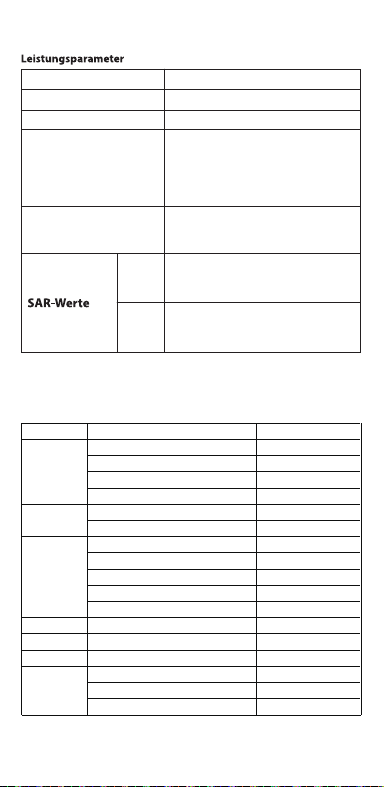
V0.1
Accessories and Soware Information
You are provided with the following standard accessories:
1 Phone, 1 Charger, 1 USB data cable, 1 Safety Guide, 1 Quick Guide,
1 SIM Ejector Tool.
English
You can use OPPO Clone Phone to easily transfer photos, videos, music,
contacts, messages, apps, etc from your old phone to the new one.
1. If your previous phone was a non-OPPO Android phone, search "OPPO
Clone Phone" in the Google Play store and install the app. You can also
scan the QR code below to install it. If your previous phone was an OPPO
phone, you don't need to install this app. Then run Clone Phone on both
phones and follow the on-screen instructions.
2. If your previous phone was an iPhone, run "Clone Phone" on your new
phone, and follow the onscreen instructions to migrate your data from
your iCloud account.
How to Transfer Old Mobile Content to a New Mobile
Specication
How to reboot the phone
Press and hold the Power Buon and Volume Up Buon at the same time
until the OPPO boot animation is displayed to reboot the phone.
This guide will show you how to use the phone and its impoant functions.
You may also visit OPPO ocial website to get more information about the phone.
Greetings from OPPO Mobile
hps://i.clonephone.coloros.com/download
612804000002
SAR Values
Product
Main screen parameter
Camera
Radio Waves Specications
Some content may dier from your device depending on the region, service
provider, or soware version, and is subject to change without prior notice.
hps://i.clonephone.coloros.com/download
hps://i.clonephone.coloros.com/download
hps://i.clonephone.coloros.com/download
hps://i.clonephone.coloros.com/download
https://i.clonephone.coloros.com/download
The product soware version is: ColorOS V12.1
For the most recent information about accessories and soware, please
see the DoC (Declaration of Conformity) at www.oppo.com/en/ceication.
Steps to search Regulatory : Go to Seings - About device - Regulatory
Regulatory
Note: The SAR values above are the highest values repoed for this device.
CE/UK SAR
RCM SAR
Baery
(Rechargeable
Lithium-ion Baery)
Ce guide vous montre comment utiliser le téléphone et décrit ses fonctions
importantes. Vous pouvez également visiter le site ociel d'OPPO pour obtenir
plus d'informations sur le téléphone.
OPPO Mobile vous souhaite la bienvenue
Comment redémarrer le téléphone
Comment transférer le contenu d'un ancien téléphone vers un nouveau
Informations sur les accessoires et le logiciel
Version logicielle: ColorOS V12.1
Pour obtenir les informations les plus récentes sur les accessoires et le logiciel,
consultez la Déclaration de Conformité (DC) sur www.oppo.com/en/certication.
1 Téléphone, 1 Chargeur, 1 Outil d'éjection SIM, 1 Câble de données USB, 1 Guide de sécurité,
1 Guide rapide.
Étapes à suivre pour rechercher la réglementation : Accédez à Paramètres
- À propos de I’appareil - Réglementation
Réglementaire
Français
Maintenez les boutons de marche/arrêt et de volume haut enfoncés
simultanément jusqu'à ce que l'animation de démarrage OPPO s'ache pour
redémarrer le téléphone.
Vous pouvez utiliser OPPO «Clone Phone» an de transférer facilement photos,
vidéos, musique, contacts, messages, applications, etc. depuis votre ancien
téléphone vers votre nouveau téléphone.
1. Si votre appareil précédent était un téléphone Android autre que OPPO,
cherchez l'application «OPPO Clone Phone» dans Google Play et installez-la. Vous
pouvez aussi lire le code QR ci-dessous pour l'installer. Si votre appareil précédent
était un téléphone OPPO, vous n'avez pas besoin d'installer cette application.
Ensuite, exécutez Clone Phone sur les deux appareils et suivez les instructions qui
s'achent à l'écran.
2. Si votre appareil précédent était un iPhone, exécutez «Clone Phone» sur votre
nouveau téléphone et suivez les instructions qui s'achent à l'écran pour migrer
vos données depuis votre compte iCloud.
hps://i.clonephone.coloros.com/download
Spécifications concernant les ondes radio
Remarque: Les valeurs DAS sont les valeurs les plus élevées signalées pour cet appareil.
Dimensions
CE SAR
CPH2477
Appareil photo
Taille de l’écran principal
Valeurs DAS
50-mégapixels+VGA Arrière
5-mégapixels avant
16,66cm(6,56 pouces)
DAS tête (0,81W/kg)
DAS tronc (0,94W/kg)
DAS membres (1,99W/kg)
Batterie
(Batterie lithium-ion
rechargeable)
Esta guía le mostrará el uso del teléfono además de sus funciones más importantes.
También, puede visitar nuestra página web ocial de OPPO donde obtendrá mayor
información sobre el mismo.
Bienvenido a OPPO Mobile
Cómo forzar el reinicio del teléfono
Mantenga presionados los botones de Encendido y Vol (+) hasta que aparezca
la animación de inicio de OPPO para forzar el renicio del teléfono.
El paquete comercial incluye:
1 Teléfono, 1 Cargador, 1 Cable USB, 1 Guía de seguridad, 1 Guía rápida,
1 Herramienta de extracción de tarjeta SIM.
Información de los accesorios y el software
Versión de software: ColorOS V12.1
Para obtener la información más reciente sobre accesorios y software, consulta la
Declaración de conformidad (DoC) en www.oppo.com/en/certication.
Cómo transferir contenido antiguo a su nuevo teléfono
Puede utilizar la función de OPPO “Clonar Teléfono” para transferir rápidamente
sus fotos, vídeos, música, contactos y aplicaciones a su nuevo teléfono. Para ello,
siga estos pasos:
Pasos para buscar Regulación, diríjase a: Ajustes - Información del dispositivo - Regulación
Regulación
Español
1. Si su teléfono antiguo es un teléfono Android de otra marca, descargue la
aplicación "OPPO Clone Phone" desde Play Store, o escanee el código QR a
continuación para descargarlo e instalarlo.
2. Si el teléfono antiguo es un teléfono OPPO, no necesita instalar la aplicación ya
que está instalada por defecto, abra la aplicación y siga las instrucciones en pantalla
para continuar.
3. Si su teléfono antiguo es un iPhone, abra directamente "OPPO Clone Phone" en
su nuevoteléfono y siga las instrucciones en pantalla para iniciar sesión en su
cuenta de iCloud y sincronizar los archivos. Recuerde que no todos los elementos
pueden ser transferidos desde dispositivos no Android.
Especificaciones de ondas de radio
Especificaciones técnicas
Nota: Los valores de SAR anteriores son los mayores registrados para este dispositivo.
CPH2477
Cámara
Producto
Dimensiones
Tamaño de la pantalla
Triple cámara trasera trasera de 50 Mpx
+ VGA.
Cámara delantera de 5 Mpx.
CE SAR
Valores SAR
16,66cm(6,56 Pulgadas)
0,81W/kg (Cabeza)
0,94W/kg (Cuerpo)
Batería
(Batería de iones de
litio recargable)
Nederlands
In deze beknopte handleiding vindt u informatie over het gebruik van de telefoon
en belangrijke functies ervan. Voor meer informatie kunt u ook altijd terecht op de
ociële website van OPPO.
De telefoon opnieuw opstarten
Informatie over accessoires en software
U krijgt de volgende accessoires standaard meegeleverd:
1 telefoon, 1 oplader, 1 usb-datakabel, 1 veiligheidsgids, 1 beknopte handleiding,
1 sim-uitwerpgereedschap.
Softwareversie: ColorOS
V12.1
Raadpleeg de conformiteitsverklaring (DoC) op www.oppo.com/en/certication voor
de meest recente informatie over accessoires en software.
Met OPPO Telefoon klonen zet u gemakkelijk en snel data over van uw oude toestel naar
uw nieuwe OPPO smartphone.
1. Als uw vorige telefoon een Android-telefoon van een andere fabrikant dan OPPO was,
zoek dan naar 'OPPO Telefoon klonen' in de Google Play Store en installeer de app. U kunt
ook de onderstaande QR-code scannen om de app te installeren. Als uw vorige telefoon
wel een OPPO-telefoon was, hoeft u deze app niet te installeren. Voer vervolgens Telefoon
klonen uit op beide telefoons en volg de instructies op het scherm.
2. Als uw vorige telefoon een iPhone was, voer 'Telefoon klonen' dan uit op uw nieuwe
telefoon en volg de instructies op het scherm om uw gegevens uit uw iCloud-account te
migreren.
Welkom bij OPPO mobile
Gegevens overzetten van een oud toestel naar een nieuwe OPPO
smartphone
Regelgeving
Stappen om te zoeken naar regelgeving: Ga naar Instellingen - Over apparaat - Regelgeving
Als u de telefoon opnieuw wilt opstarten, moet u de aan/uit-knop en de knop
waarmee u het volume harder kunt zetten, gelijktijdig indrukken tot de
OPPO-opstartanimatie op het display verschijnt.
Specificaties radiogolven
Opmerking: de SAR-waarden hierboven zijn de maximale waarden die voor dit
apparaat zijn gerapporteerd.
CPH2477
Camera
Product
CE SAR
Specieke
absorptiesnelheid
(SAR)
Schermafmetingen
Afmetingen
50 Megapixel + VGA Achtercamera
5 Megapixel Voorcamera
0,81W/kg (Hoofd)
0,94W/kg (Lichaam)
Specificaties
6,56" (16,66cm)
Accu
(Oplaadbare
lithium-ionbatterij)
Deutsch
In dieser Anleitung sehen Sie Erläuterungen zur Benutzung des Mobiltelefons und
seinen wichtigsten Funktionen. Weitere Informationen stehen Ihnen auch auf der
oziellen Website von OPPO zur Verfügung.
Grüße von OPPO Mobile
So starten Sie das Telefon neu
Wie kann ich die auf meinem alten Telefon gespeicherten Daten auf
ein neues übertragen?
Sie erhalten folgendes Standardzubehör:
1 Telefon, 1 Ladegerät, 1 SIM-Auswerfer, 1 USB-Datenkabel, 1 Sicherheitsanleitung,
1 Kurzanleitung.
Zubehör und Softwareinformationen:
Software-Version: ColorOS V12.1
Aktuelle Informationen über Zubehör und Software nden Sie in der
Konformitätserklärung (DoC) unter www.oppo.com/en/certication.
Die rechtlichen Informationen nden Sie unter: Einstellungen-Über das Gerät-Rechtliches
Rechtliches
Halten Sie die Einschalttaste und die Taste zur Erhöhung der Lautstärke gleichzeitig
gedrückt, bis die OPPO-Start-Animation zum Neustarten des Telefons angezeigt
wird.
Mit der Applikation, die OPPO Clone Phone heißt, können Sie Fotos, Videos, Musik,
Kontakte, Nachrichten, Apps usw. ganz einfach von Ihrem alten Telefon auf das
neue übertragen.
1. Wenn es sich bei Ihrem bisherigen Telefon um ein nicht von OPPO bezogenes
Android-Telefon handelt, suchen Sie im Google Play Store nach „OPPO Clone
Phone“ und installieren Sie die App. Sie können auch den untenstehenden QR-
Code scannen, um die App zu installieren. Wenn es sich bei Ihrem bisherigen
Telefon um ein Telefon von OPPO handelt, brauchen Sie diese App nicht zu
installieren. Führen Sie dann Clone Phone auf beiden Telefonen aus und folgen
Sie den Anweisungen auf dem Bildschirm.
2. Wenn es sich bei Ihrem bisherigen Telefon um ein iPhone handelt, führen Sie
„Clone Phone“ auf Ihrem neuen Telefon aus und folgen Sie den Anweisungen auf
dem Bildschirm, um Ihre Daten von Ihrem iCloud-Konto zu migrieren.
Funkwellenspezifikationen
Hinweis: Die oben genannten SAR-Werte sind die höchsten für dieses Gerät
gemeldeten Werte.
Produkt CPH2477
Bildschirmparameter
Abmessungen
Kamera
16,66cm (6,56 Zoll)
CE SAR
0,81W/kg (Kopf)
0,94W/kg (Körper)
50 Megapixel + VGA Rückseite
5 Megapixel Vorderseite
Batterie
(Wiederauadbaren
Lithium-Ionen-Akku)
Italiano
Questa guida illustra l'utilizzo del tuo smartphone OPPO e le sue funzioni
principali. In alternativa, è possibile visitare il sito uciale di OPPO per avere
maggiori informazioni sul telefono.
OPPO Mobile ti dà il benvenuto
Come riavviare il telefono
1. Se il tuo telefono precedente era un telefono Android non OPPO, cerca "Clona
telefono OPPO" in Google Play Store e installa l'app. Puoi inoltre eseguire la
scansione del codice QR di seguito per installarlo. Se il tuo telefono precedente era
un telefono OPPO, non è necessario installare questa app. Quindi esegui Clona
telefono su entrambi i telefoni e segui le istruzioni visualizzate.
La funzione Clona Telefono di OPPO può essere usata per trasferire facilmente foto,
video, musica, contatti, app, ecc. dal vecchio al nuovo telefono.
Come trasferire dati da un vecchio smartphone ad uno smartphone OPPO
Informazioni su accessori e software
Vengono forniti i seguenti accessori standard:
1 telefono, 1 caricabatterie, 1 cavo USB, 1 strumento di estrazione SIM,
1 guida di sicurezza, 1 guida rapida.
Versione software: ColorOS V12.1
Per le informazioni più recenti su accessori e software, consulta la Dichiarazione di
conformità (DoC) all 'indirizzo www.oppo.com/en/certication.
Informazioni Legali
Passaggi per la ricerca delle normative :
vai su Impostazioni - Informazioni sul dispositivo - Regolamentazione
Tenere premuti contemporaneamente i pulsanti di accensione e di aumento del
volume no a quando non si visualizza l’animazione OPPO per il riavvio del telefono.
2. Se il tuo telefono precedente era un iPhone, esegui "Clona telefono" sul tuo
nuovo telefono e segui le istruzioni su schermo per migrare i tuoi dati dal tuo
account iCloud.
Specifiche onde radio
Parametri prestazioni
Nota: i valori SAR riportati sono i valori più alti per il dispositivo.
CPH2477Modello
Parametri Schermo
Dimensioni
Camera
Fotocamera posteriore da 50 megapixel
+ VGA
fotocamera anteriore da 5 megapixel
CE SAR
0,81W/kg (Testa)
0,94W/kg (Corpo)
16,66cm(6,56 pollici)
Batteria
(Batteria ricaricabile
agli ioni di litio)
Português
Bem-vindo à OPPO Mobile
Este guia irá mostrar-lhe como utilizar o telefone e as suas funções importantes.
Você também pode visitar o site ocial da OPPO para obter mais informações
sobre o telefone.
Como Reiniciar o telefone
Pressione e mantenha apertado o botão ligar/desligar e o botão Volume (+) ao
mesmo tempo até que a animação de inicialização OPPO seja exibida para reiniciar
o telefone.
Como Transferir Conteúdo do Antigo Telemóvel para um Novo
Você pode usar a função OPPO “Clone Phone” para transferir rapidamente os seus
fotos, vídeos, músicas, contatos e aplicações para o seu novo telefone. Para fazer
isso, execute as seguintes etapas:
1. Se o seu telefone antigo é um telefone Android de marca diferente, faça o
download da aplicação "OPPO Clone Phone" na Play Store, ou digitalize o código
QR abaixo para o descarregar e instalar.
2. Se o telefone antigo for um telefone OPPO, não é necessário instalar a aplicação,
uma vez que já está instalada por defeito, abra a aplicação e siga as instruções no
ecrã para continuar.
3. Se o seu telefone antigo é um iPhone, abra "OPPO Clone Phone" directamente
no seu novo telefone e siga as instruções no ecrã para iniciar sessão na sua conta
iCloud e sincronizar cheiros. Note que nem todos os artigos podem ser
transferidos a partir de dispositivos não androids.
Informações sobre acessórios e software
O pacote comercial inclui:
1 Telefone, 1 Carregador, 1 Cabo de dados USB, 1 Guia de segurança, 1 Guia rápido,
1 Ferramenta ejectora SIM.
Versão do software: ColorOS
V12.1
Para obter as últimas informações sobre acessórios e software, consulte a Declaração
de Conformidade (DoC) em www.oppo.com/en/certication.
Regulamento
Para encontrar o Regulamento vá a: Denições - Informações do dispositivo - Regulamento
Especificações
Nota: Os valores SAR acima são os valores mais altos reportados para este dispositivo.
CPH2477
50 Megapixels + VGA Traseiro
5 Megapixels Frente
16,66cm(6,56")
CE SAR
Produto
Parâmetro do ecrã principal
Dimensão
Câmara
Valores SAR
0,81W/kg (Cabeça)
0,94W/kg (Corpo)
Especificações das Ondas de Rádio
Bateria
(Bateria recarregável
de íon-lítio)
164,2×75,6×8,3(mm)
164,2×75,6×8,3(mm)
164,2×75,6×8,3(mm)
164,2×75,6×8,3(mm)
164,2×75,6×8,3(mm)
164,2×75,6×8,3(mm)
Dimension
CPH2477
0.81W/kg(Head)
0.94W/kg(Body)
1.99W/kg(limbs)
0.81W/kg(Head)
0.94W/kg(Body)
16.66cm(6.56'')
50Megapixels+VGA Rear
5Megapixels Front
164.2×75.6×8.3(mm)
4890mAh/18.92Wh(Min)
5000mAh/19.35Wh(Typ)
4890mAh/18,92Wh(Min)
5000mAh/19,35Wh(Typ)
4890mAh/18,92Wh(Min)
5000mAh/19.35Wh(Typ)
4890mAh/18,92Wh(Min)
5000mAh/19.35Wh(Typ)
4890mAh/18,92Wh(Min)
5000mAh/19.35Wh(Typ)
4890mAh/18,92Wh(Min)
5000mAh/19.35Wh(Typ)
4890mAh/18,92Wh(Min)
5000mAh/19.35Wh(Typ)
Front Camera
Volume Key
SIM card tray
Receiver
Proximity Sensor and Light Sensor
Earphone Jack
Speaker
Rear Camera
MIC
USB Jack
Flash
Power Key/Screen Lock Key/
Fingerprint Scanner
Quick Guide
Copyright © Guangdong OPPO Mobile Telecommunications Corp., Ltd. 2022.
All rights reserved.
Appareil photo avant
Touches volume
Récepteur
Trappe d'insersion SIM
Microphone
Prise écouteurs
Appareil photo arrière
Prise USB
Flash
Capteurs de proximité et de luminosité
Haut parleur
Touche marche/arrêt &
Capteur d'empreintes
Cámara frontal
Botones de volumen
Auricular
Bandeja de la tarjeta SIM
Jack 3.5
Sensor de proximidad y luz
Botón de encendido/
Escáner de huellas
Altavoz
Cámara trasera
Puerto USB
Flash
Micrófono
Frontcamera
Volumetoets
Luidspreker bij oor
Simkaarthouder
Hoofdtelefoonaansluiting
Nabijheids- en lichtsensor
Luidspreker
Achtercamera
Flitser
USB
Microfoon
Aan/uit-toets/
schermvergrendelingstoets/
vingerafdrukscanner
USB-Anschluss
Frontkamera
Lautstärketaste
Hörer
SIM-Kartenhalter
Umgebungslichtsensor
Lautsprecher
Rückkamera
Blitz
Mikrofon
Kopfhöreranschluss
Ein-/Aus-Taste/
Fingerabdruck-Scanner
Fotocamera frontale
Tasto volume
Ricevitore
Vassoio scheda SIM
Sensore di prossimità e luminosità
Altoparlante
Fotocamera posteriore
Flash
Microfono Jack auricolari
Presa USB
Tasto di accensione/
Tasto blocco schermo/
Lettore impronte digitali
Câmara frontal
Botão de volume
Receptor
Porta SIM
Sensor de proximidade e luz
Altifalante
Câmara traseira
Flash
Microfone
Entrada de auriculares
Botão Ligar/Desligar
Leitor de impressões digitais
Entrada de USB
Radio Frequency Max.Output Power
GSM
850MHz 33.5dBm
900MHz 33.5dBm
1800MHz 30.5dBm
1900MHz 30.5dBm
WCDMA
Band 1 24.3dBm
Bands 5/8 24.7dBm
LTE FDD
Bands 1/3 24.1dBm
Band 5 24.7dBm
Bands 8/20 24.6dBm
Band 7 23.6dBm
Band 28 24.3dBm
LTE TDD Bands 38/40/41 23.8dBm
Bluetooth 2.4-2.4835GHz
2.4-2.4835GHz
16dBm(EIRP)
2.4G Wi-Fi 18.5dBm(EIRP)
5G Wi-Fi
5.15-5.25GHz 20dBm(EIRP)
5.25-5.35GHz , 5.47-5.725GHz 18.5dBm(EIRP)
5.725-5.85GHz 13.5dBm(EIRP)
GSM
850MHz 33,5dBm
900MHz 33,5dBm
1800MHz 30,5dBm
1900MHz 30,5dBm
WCDMA
Band 1 24,3dBm
Bands 5/8 24,7dBm
LTE FDD
Bands 1/3 24,1dBm
Band 5 24,7dBm
Bands 8/20 24,6dBm
Band 7 23,6dBm
Band 28 24,3dBm
LTE TDD Bands 38/40/41 23,8dBm
Bluetooth 2,4-2,4835GHz
2,4-2,4835GHz
16dBm(EIRP)
2,4G Wi-Fi 18,5dBm(EIRP)
5G Wi-Fi
5,15-5,25GHz 20dBm(EIRP)
5,25-5,35GHz , 5,47-5,725GHz 18,5dBm(EIRP)
5,725-5,85GHz 13,5dBm(EIRP)
Radio Fréquence Puissance de sortie max.
GSM
850MHz 33,5dBm
900MHz 33,5dBm
1800MHz 30,5dBm
1900MHz 30,5dBm
WCDMA
Band 1 24,3dBm
Bands 5/8 24,7dBm
LTE FDD
Bands 1/3 24,1dBm
Band 5 24,7dBm
Bands 8/20 24,6dBm
Band 7 23,6dBm
Band 28 24,3dBm
LTE TDD Bands 38/40/41 23,8dBm
Bluetooth 2,4-2,4835GHz
2,4-2,4835GHz
16dBm(EIRP)
2,4G Wi-Fi 18,5dBm(EIRP)
5G Wi-Fi
5,15-5,25GHz 20dBm(EIRP)
5,25-5,35GHz , 5,47-5,725GHz 18,5dBm(EIRP)
5,725-5,85GHz 13,5dBm(EIRP)
Radio Frecuencia Potencia máx. de salida
GSM
850MHz 33,5dBm
900MHz 33,5dBm
1800MHz 30,5dBm
1900MHz 30,5dBm
WCDMA
Band 1 24,3dBm
Bands 5/8 24,7dBm
LTE FDD
Bands 1/3 24,1dBm
Band 5 24,7dBm
Bands 8/20 24,6dBm
Band 7 23,6dBm
Band 28 24,3dBm
LTE TDD Bands 38/40/41 23,8dBm
Bluetooth 2,4-2,4835GHz
2,4-2,4835GHz
16dBm(EIRP)
2,4G Wi-Fi 18,5dBm(EIRP)
5G Wi-Fi
5,15-5,25GHz 20dBm(EIRP)
5,25-5,35GHz , 5,47-5,725GHz 18,5dBm(EIRP)
5,725-5,85GHz 13,5dBm(EIRP)
Rádio Potência de saídaFreqüência
GSM
850MHz 33,5dBm
900MHz 33,5dBm
1800MHz 30,5dBm
1900MHz 30,5dBm
WCDMA
Band 1 24,3dBm
Bands 5/8 24,7dBm
LTE FDD
Bands 1/3 24,1dBm
Band 5 24,7dBm
Bands 8/20 24,6dBm
Band 7 23,6dBm
Band 28 24,3dBm
LTE TDD Bands 38/40/41 23,8dBm
Bluetooth 2,4-2,4835GHz
2,4-2,4835GHz
16dBm(EIRP)
2,4G Wi-Fi 18,5dBm(EIRP)
5G Wi-Fi
5,15-5,25GHz 20dBm(EIRP)
5,25-5,35GHz , 5,47-5,725GHz 18,5dBm(EIRP)
5,725-5,85GHz 13,5dBm(EIRP)
Radio Potenza uscita maxFrequenza
GSM
850MHz 33,5dBm
900MHz 33,5dBm
1800MHz 30,5dBm
1900MHz 30,5dBm
WCDMA
Band 1 24,3dBm
Bands 5/8 24,7dBm
LTE FDD
Bands 1/3 24,1dBm
Band 5 24,7dBm
Bands 8/20 24,6dBm
Band 7 23,6dBm
Band 28 24,3dBm
LTE TDD Bands 38/40/41 23,8dBm
Bluetooth 2,4-2,4835GHz
2,4-2,4835GHz
16dBm(EIRP)
2,4G Wi-Fi 18,5dBm(EIRP)
5G Wi-Fi
5,15-5,25GHz 20dBm(EIRP)
5,25-5,35GHz , 5,47-5,725GHz 18,5dBm(EIRP)
5,725-5,85GHz 13,5dBm(EIRP)
Radio Max. AusgangsleistungFrequenz
GSM
850MHz 33,5dBm
900MHz 33,5dBm
1800MHz 30,5dBm
1900MHz 30,5dBm
WCDMA
Band 1 24,3dBm
Bands 5/8 24,7dBm
LTE FDD
Bands 1/3 24,1dBm
Band 5 24,7dBm
Bands 8/20 24,6dBm
Band 7 23,6dBm
Band 28 24,3dBm
LTE TDD Bands 38/40/41 23,8dBm
Bluetooth 2,4-2,4835GHz
2,4-2,4835GHz
16dBm(EIRP)
2,4G Wi-Fi 18,5dBm(EIRP)
5G Wi-Fi
5,15-5,25GHz 20dBm(EIRP)
5,25-5,35GHz , 5,47-5,725GHz 18,5dBm(EIRP)
5,725-5,85GHz 13,5dBm(EIRP)
Frequentie Max. uitgangsvermogenRadio
FCC SAR
0.89W/kg(Head)
0.77W/kg(Body)
1.15W/kg(Hotspot)
FCC SAR
0,89W/kg (Tête)
0,77W/kg (Corps)
1,15W/kg (Point chaud)
FCC SAR
0,89W/kg (Cabeza)
0,77W/kg (Cuerpo)
1,15W/kg (Hotspot)
FCC SAR
0,89W/kg (Hoofd)
0,77W/kg (Lichaam)
1,15W/kg (Hotspot)
FCC SAR
0,89W/kg (Kopf)
0,77W/kg (Körper)
1,15W/kg (Hotspot)
FCC SAR
0,89W/kg (Testa)
0,77W/kg (Corpo)
1,15W/kg (Punto di accesso)
FCC SAR
0,89W/kg (Cabeça)
0,77W/kg (Corpo)
1,15W/kg (Ponto de acesso)
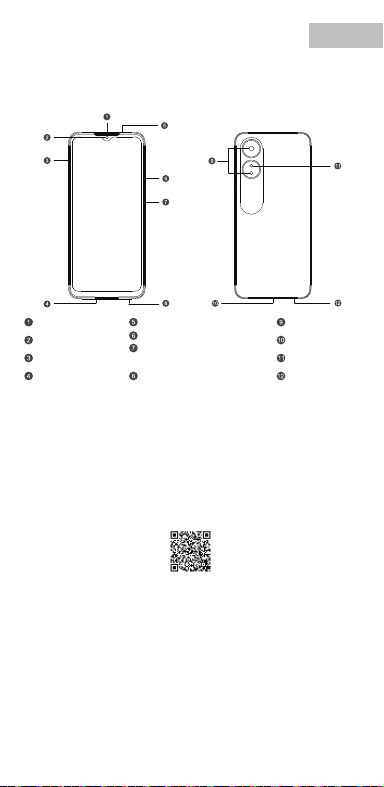
V0.1
Accessories and Soware Information
You are provided with the following standard accessories:
1 Phone, 1 Charger, 1 USB data cable, 1 Safety Guide, 1 Quick Guide,
1 SIM Ejector Tool.
English
You can use OPPO Clone Phone to easily transfer photos, videos, music,
contacts, messages, apps, etc from your old phone to the new one.
1. If your previous phone was a non-OPPO Android phone, search "OPPO
Clone Phone" in the Google Play store and install the app. You can also
scan the QR code below to install it. If your previous phone was an OPPO
phone, you don't need to install this app. Then run Clone Phone on both
phones and follow the on-screen instructions.
2. If your previous phone was an iPhone, run "Clone Phone" on your new
phone, and follow the onscreen instructions to migrate your data from
your iCloud account.
How to Transfer Old Mobile Content to a New Mobile
Specication
How to reboot the phone
Press and hold the Power Buon and Volume Up Buon at the same time
until the OPPO boot animation is displayed to reboot the phone.
This guide will show you how to use the phone and its impoant functions.
You may also visit OPPO ocial website to get more information about the phone.
Greetings from OPPO Mobile
hps://i.clonephone.coloros.com/download
612804000002
SAR Values
Product
Main screen parameter
Camera
Radio Waves Specications
Some content may dier from your device depending on the region, service
provider, or soware version, and is subject to change without prior notice.
hps://i.clonephone.coloros.com/download
hps://i.clonephone.coloros.com/download
hps://i.clonephone.coloros.com/download
hps://i.clonephone.coloros.com/download
https://i.clonephone.coloros.com/download
The product soware version is: ColorOS V12.1
For the most recent information about accessories and soware, please
see the DoC (Declaration of Conformity) at www.oppo.com/en/ceication.
Steps to search Regulatory : Go to Seings - About device - Regulatory
Regulatory
Note: The SAR values above are the highest values repoed for this device.
CE/UK SAR
RCM SAR
Baery
(Rechargeable
Lithium-ion Baery)
Ce guide vous montre comment utiliser le téléphone et décrit ses fonctions
importantes. Vous pouvez également visiter le site ociel d'OPPO pour obtenir
plus d'informations sur le téléphone.
OPPO Mobile vous souhaite la bienvenue
Comment redémarrer le téléphone
Comment transférer le contenu d'un ancien téléphone vers un nouveau
Informations sur les accessoires et le logiciel
Version logicielle: ColorOS V12.1
Pour obtenir les informations les plus récentes sur les accessoires et le logiciel,
consultez la Déclaration de Conformité (DC) sur www.oppo.com/en/certication.
1 Téléphone, 1 Chargeur, 1 Outil d'éjection SIM, 1 Câble de données USB, 1 Guide de sécurité,
1 Guide rapide.
Étapes à suivre pour rechercher la réglementation : Accédez à Paramètres
- À propos de I’appareil - Réglementation
Réglementaire
Français
Maintenez les boutons de marche/arrêt et de volume haut enfoncés
simultanément jusqu'à ce que l'animation de démarrage OPPO s'ache pour
redémarrer le téléphone.
Vous pouvez utiliser OPPO «Clone Phone» an de transférer facilement photos,
vidéos, musique, contacts, messages, applications, etc. depuis votre ancien
téléphone vers votre nouveau téléphone.
1. Si votre appareil précédent était un téléphone Android autre que OPPO,
cherchez l'application «OPPO Clone Phone» dans Google Play et installez-la. Vous
pouvez aussi lire le code QR ci-dessous pour l'installer. Si votre appareil précédent
était un téléphone OPPO, vous n'avez pas besoin d'installer cette application.
Ensuite, exécutez Clone Phone sur les deux appareils et suivez les instructions qui
s'achent à l'écran.
2. Si votre appareil précédent était un iPhone, exécutez «Clone Phone» sur votre
nouveau téléphone et suivez les instructions qui s'achent à l'écran pour migrer
vos données depuis votre compte iCloud.
hps://i.clonephone.coloros.com/download
Spécifications concernant les ondes radio
Remarque: Les valeurs DAS sont les valeurs les plus élevées signalées pour cet appareil.
Dimensions
CE SAR
CPH2477
Appareil photo
Taille de l’écran principal
Valeurs DAS
50-mégapixels+VGA Arrière
5-mégapixels avant
16,66cm(6,56 pouces)
DAS tête (0,81W/kg)
DAS tronc (0,94W/kg)
DAS membres (1,99W/kg)
Batterie
(Batterie lithium-ion
rechargeable)
Esta guía le mostrará el uso del teléfono además de sus funciones más importantes.
También, puede visitar nuestra página web ocial de OPPO donde obtendrá mayor
información sobre el mismo.
Bienvenido a OPPO Mobile
Cómo forzar el reinicio del teléfono
Mantenga presionados los botones de Encendido y Vol (+) hasta que aparezca
la animación de inicio de OPPO para forzar el renicio del teléfono.
El paquete comercial incluye:
1 Teléfono, 1 Cargador, 1 Cable USB, 1 Guía de seguridad, 1 Guía rápida,
1 Herramienta de extracción de tarjeta SIM.
Información de los accesorios y el software
Versión de software: ColorOS V12.1
Para obtener la información más reciente sobre accesorios y software, consulta la
Declaración de conformidad (DoC) en www.oppo.com/en/certication.
Cómo transferir contenido antiguo a su nuevo teléfono
Puede utilizar la función de OPPO “Clonar Teléfono” para transferir rápidamente
sus fotos, vídeos, música, contactos y aplicaciones a su nuevo teléfono. Para ello,
siga estos pasos:
Pasos para buscar Regulación, diríjase a: Ajustes - Información del dispositivo - Regulación
Regulación
Español
1. Si su teléfono antiguo es un teléfono Android de otra marca, descargue la
aplicación "OPPO Clone Phone" desde Play Store, o escanee el código QR a
continuación para descargarlo e instalarlo.
2. Si el teléfono antiguo es un teléfono OPPO, no necesita instalar la aplicación ya
que está instalada por defecto, abra la aplicación y siga las instrucciones en pantalla
para continuar.
3. Si su teléfono antiguo es un iPhone, abra directamente "OPPO Clone Phone" en
su nuevoteléfono y siga las instrucciones en pantalla para iniciar sesión en su
cuenta de iCloud y sincronizar los archivos. Recuerde que no todos los elementos
pueden ser transferidos desde dispositivos no Android.
Especificaciones de ondas de radio
Especificaciones técnicas
Nota: Los valores de SAR anteriores son los mayores registrados para este dispositivo.
CPH2477
Cámara
Producto
Dimensiones
Tamaño de la pantalla
Triple cámara trasera trasera de 50 Mpx
+ VGA.
Cámara delantera de 5 Mpx.
CE SAR
Valores SAR
16,66cm(6,56 Pulgadas)
0,81W/kg (Cabeza)
0,94W/kg (Cuerpo)
Batería
(Batería de iones de
litio recargable)
Nederlands
In deze beknopte handleiding vindt u informatie over het gebruik van de telefoon
en belangrijke functies ervan. Voor meer informatie kunt u ook altijd terecht op de
ociële website van OPPO.
De telefoon opnieuw opstarten
Informatie over accessoires en software
U krijgt de volgende accessoires standaard meegeleverd:
1 telefoon, 1 oplader, 1 usb-datakabel, 1 veiligheidsgids, 1 beknopte handleiding,
1 sim-uitwerpgereedschap.
Softwareversie: ColorOS
V12.1
Raadpleeg de conformiteitsverklaring (DoC) op www.oppo.com/en/certication voor
de meest recente informatie over accessoires en software.
Met OPPO Telefoon klonen zet u gemakkelijk en snel data over van uw oude toestel naar
uw nieuwe OPPO smartphone.
1. Als uw vorige telefoon een Android-telefoon van een andere fabrikant dan OPPO was,
zoek dan naar 'OPPO Telefoon klonen' in de Google Play Store en installeer de app. U kunt
ook de onderstaande QR-code scannen om de app te installeren. Als uw vorige telefoon
wel een OPPO-telefoon was, hoeft u deze app niet te installeren. Voer vervolgens Telefoon
klonen uit op beide telefoons en volg de instructies op het scherm.
2. Als uw vorige telefoon een iPhone was, voer 'Telefoon klonen' dan uit op uw nieuwe
telefoon en volg de instructies op het scherm om uw gegevens uit uw iCloud-account te
migreren.
Welkom bij OPPO mobile
Gegevens overzetten van een oud toestel naar een nieuwe OPPO
smartphone
Regelgeving
Stappen om te zoeken naar regelgeving: Ga naar Instellingen - Over apparaat - Regelgeving
Als u de telefoon opnieuw wilt opstarten, moet u de aan/uit-knop en de knop
waarmee u het volume harder kunt zetten, gelijktijdig indrukken tot de
OPPO-opstartanimatie op het display verschijnt.
Specificaties radiogolven
Opmerking: de SAR-waarden hierboven zijn de maximale waarden die voor dit
apparaat zijn gerapporteerd.
CPH2477
Camera
Product
CE SAR
Specieke
absorptiesnelheid
(SAR)
Schermafmetingen
Afmetingen
50 Megapixel + VGA Achtercamera
5 Megapixel Voorcamera
0,81W/kg (Hoofd)
0,94W/kg (Lichaam)
Specificaties
6,56" (16,66cm)
Accu
(Oplaadbare
lithium-ionbatterij)
Deutsch
In dieser Anleitung sehen Sie Erläuterungen zur Benutzung des Mobiltelefons und
seinen wichtigsten Funktionen. Weitere Informationen stehen Ihnen auch auf der
oziellen Website von OPPO zur Verfügung.
Grüße von OPPO Mobile
So starten Sie das Telefon neu
Wie kann ich die auf meinem alten Telefon gespeicherten Daten auf
ein neues übertragen?
Sie erhalten folgendes Standardzubehör:
1 Telefon, 1 Ladegerät, 1 SIM-Auswerfer, 1 USB-Datenkabel, 1 Sicherheitsanleitung,
1 Kurzanleitung.
Zubehör und Softwareinformationen:
Software-Version: ColorOS V12.1
Aktuelle Informationen über Zubehör und Software nden Sie in der
Konformitätserklärung (DoC) unter www.oppo.com/en/certication.
Die rechtlichen Informationen nden Sie unter: Einstellungen-Über das Gerät-Rechtliches
Rechtliches
Halten Sie die Einschalttaste und die Taste zur Erhöhung der Lautstärke gleichzeitig
gedrückt, bis die OPPO-Start-Animation zum Neustarten des Telefons angezeigt
wird.
Mit der Applikation, die OPPO Clone Phone heißt, können Sie Fotos, Videos, Musik,
Kontakte, Nachrichten, Apps usw. ganz einfach von Ihrem alten Telefon auf das
neue übertragen.
1. Wenn es sich bei Ihrem bisherigen Telefon um ein nicht von OPPO bezogenes
Android-Telefon handelt, suchen Sie im Google Play Store nach „OPPO Clone
Phone“ und installieren Sie die App. Sie können auch den untenstehenden QR-
Code scannen, um die App zu installieren. Wenn es sich bei Ihrem bisherigen
Telefon um ein Telefon von OPPO handelt, brauchen Sie diese App nicht zu
installieren. Führen Sie dann Clone Phone auf beiden Telefonen aus und folgen
Sie den Anweisungen auf dem Bildschirm.
2. Wenn es sich bei Ihrem bisherigen Telefon um ein iPhone handelt, führen Sie
„Clone Phone“ auf Ihrem neuen Telefon aus und folgen Sie den Anweisungen auf
dem Bildschirm, um Ihre Daten von Ihrem iCloud-Konto zu migrieren.
Funkwellenspezifikationen
Hinweis: Die oben genannten SAR-Werte sind die höchsten für dieses Gerät
gemeldeten Werte.
Produkt CPH2477
Bildschirmparameter
Abmessungen
Kamera
16,66cm (6,56 Zoll)
CE SAR
0,81W/kg (Kopf)
0,94W/kg (Körper)
50 Megapixel + VGA Rückseite
5 Megapixel Vorderseite
Batterie
(Wiederauadbaren
Lithium-Ionen-Akku)
Italiano
Questa guida illustra l'utilizzo del tuo smartphone OPPO e le sue funzioni
principali. In alternativa, è possibile visitare il sito uciale di OPPO per avere
maggiori informazioni sul telefono.
OPPO Mobile ti dà il benvenuto
Come riavviare il telefono
1. Se il tuo telefono precedente era un telefono Android non OPPO, cerca "Clona
telefono OPPO" in Google Play Store e installa l'app. Puoi inoltre eseguire la
scansione del codice QR di seguito per installarlo. Se il tuo telefono precedente era
un telefono OPPO, non è necessario installare questa app. Quindi esegui Clona
telefono su entrambi i telefoni e segui le istruzioni visualizzate.
La funzione Clona Telefono di OPPO può essere usata per trasferire facilmente foto,
video, musica, contatti, app, ecc. dal vecchio al nuovo telefono.
Come trasferire dati da un vecchio smartphone ad uno smartphone OPPO
Informazioni su accessori e software
Vengono forniti i seguenti accessori standard:
1 telefono, 1 caricabatterie, 1 cavo USB, 1 strumento di estrazione SIM,
1 guida di sicurezza, 1 guida rapida.
Versione software: ColorOS V12.1
Per le informazioni più recenti su accessori e software, consulta la Dichiarazione di
conformità (DoC) all 'indirizzo www.oppo.com/en/certication.
Informazioni Legali
Passaggi per la ricerca delle normative :
vai su Impostazioni - Informazioni sul dispositivo - Regolamentazione
Tenere premuti contemporaneamente i pulsanti di accensione e di aumento del
volume no a quando non si visualizza l’animazione OPPO per il riavvio del telefono.
2. Se il tuo telefono precedente era un iPhone, esegui "Clona telefono" sul tuo
nuovo telefono e segui le istruzioni su schermo per migrare i tuoi dati dal tuo
account iCloud.
Specifiche onde radio
Parametri prestazioni
Nota: i valori SAR riportati sono i valori più alti per il dispositivo.
CPH2477Modello
Parametri Schermo
Dimensioni
Camera
Fotocamera posteriore da 50 megapixel
+ VGA
fotocamera anteriore da 5 megapixel
CE SAR
0,81W/kg (Testa)
0,94W/kg (Corpo)
16,66cm(6,56 pollici)
Batteria
(Batteria ricaricabile
agli ioni di litio)
Português
Bem-vindo à OPPO Mobile
Este guia irá mostrar-lhe como utilizar o telefone e as suas funções importantes.
Você também pode visitar o site ocial da OPPO para obter mais informações
sobre o telefone.
Como Reiniciar o telefone
Pressione e mantenha apertado o botão ligar/desligar e o botão Volume (+) ao
mesmo tempo até que a animação de inicialização OPPO seja exibida para reiniciar
o telefone.
Como Transferir Conteúdo do Antigo Telemóvel para um Novo
Você pode usar a função OPPO “Clone Phone” para transferir rapidamente os seus
fotos, vídeos, músicas, contatos e aplicações para o seu novo telefone. Para fazer
isso, execute as seguintes etapas:
1. Se o seu telefone antigo é um telefone Android de marca diferente, faça o
download da aplicação "OPPO Clone Phone" na Play Store, ou digitalize o código
QR abaixo para o descarregar e instalar.
2. Se o telefone antigo for um telefone OPPO, não é necessário instalar a aplicação,
uma vez que já está instalada por defeito, abra a aplicação e siga as instruções no
ecrã para continuar.
3. Se o seu telefone antigo é um iPhone, abra "OPPO Clone Phone" directamente
no seu novo telefone e siga as instruções no ecrã para iniciar sessão na sua conta
iCloud e sincronizar cheiros. Note que nem todos os artigos podem ser
transferidos a partir de dispositivos não androids.
Informações sobre acessórios e software
O pacote comercial inclui:
1 Telefone, 1 Carregador, 1 Cabo de dados USB, 1 Guia de segurança, 1 Guia rápido,
1 Ferramenta ejectora SIM.
Versão do software: ColorOS
V12.1
Para obter as últimas informações sobre acessórios e software, consulte a Declaração
de Conformidade (DoC) em www.oppo.com/en/certication.
Regulamento
Para encontrar o Regulamento vá a: Denições - Informações do dispositivo - Regulamento
Especificações
Nota: Os valores SAR acima são os valores mais altos reportados para este dispositivo.
CPH2477
50 Megapixels + VGA Traseiro
5 Megapixels Frente
16,66cm(6,56")
CE SAR
Produto
Parâmetro do ecrã principal
Dimensão
Câmara
Valores SAR
0,81W/kg (Cabeça)
0,94W/kg (Corpo)
Especificações das Ondas de Rádio
Bateria
(Bateria recarregável
de íon-lítio)
164,2×75,6×8,3(mm)
164,2×75,6×8,3(mm)
164,2×75,6×8,3(mm)
164,2×75,6×8,3(mm)
164,2×75,6×8,3(mm)
164,2×75,6×8,3(mm)
Dimension
CPH2477
0.81W/kg(Head)
0.94W/kg(Body)
1.99W/kg(limbs)
0.81W/kg(Head)
0.94W/kg(Body)
16.66cm(6.56'')
50Megapixels+VGA Rear
5Megapixels Front
164.2×75.6×8.3(mm)
4890mAh/18.92Wh(Min)
5000mAh/19.35Wh(Typ)
4890mAh/18,92Wh(Min)
5000mAh/19,35Wh(Typ)
4890mAh/18,92Wh(Min)
5000mAh/19.35Wh(Typ)
4890mAh/18,92Wh(Min)
5000mAh/19.35Wh(Typ)
4890mAh/18,92Wh(Min)
5000mAh/19.35Wh(Typ)
4890mAh/18,92Wh(Min)
5000mAh/19.35Wh(Typ)
4890mAh/18,92Wh(Min)
5000mAh/19.35Wh(Typ)
Front Camera
Volume Key
SIM card tray
Receiver
Proximity Sensor and Light Sensor
Earphone Jack
Speaker
Rear Camera
MIC
USB Jack
Flash
Power Key/Screen Lock Key/
Fingerprint Scanner
Quick Guide
Copyright © Guangdong OPPO Mobile Telecommunications Corp., Ltd. 2022.
All rights reserved.
Appareil photo avant
Touches volume
Récepteur
Trappe d'insersion SIM
Microphone
Prise écouteurs
Appareil photo arrière
Prise USB
Flash
Capteurs de proximité et de luminosité
Haut parleur
Touche marche/arrêt &
Capteur d'empreintes
Cámara frontal
Botones de volumen
Auricular
Bandeja de la tarjeta SIM
Jack 3.5
Sensor de proximidad y luz
Botón de encendido/
Escáner de huellas
Altavoz
Cámara trasera
Puerto USB
Flash
Micrófono
Frontcamera
Volumetoets
Luidspreker bij oor
Simkaarthouder
Hoofdtelefoonaansluiting
Nabijheids- en lichtsensor
Luidspreker
Achtercamera
Flitser
USB
Microfoon
Aan/uit-toets/
schermvergrendelingstoets/
vingerafdrukscanner
USB-Anschluss
Frontkamera
Lautstärketaste
Hörer
SIM-Kartenhalter
Umgebungslichtsensor
Lautsprecher
Rückkamera
Blitz
Mikrofon
Kopfhöreranschluss
Ein-/Aus-Taste/
Fingerabdruck-Scanner
Fotocamera frontale
Tasto volume
Ricevitore
Vassoio scheda SIM
Sensore di prossimità e luminosità
Altoparlante
Fotocamera posteriore
Flash
Microfono Jack auricolari
Presa USB
Tasto di accensione/
Tasto blocco schermo/
Lettore impronte digitali
Câmara frontal
Botão de volume
Receptor
Porta SIM
Sensor de proximidade e luz
Altifalante
Câmara traseira
Flash
Microfone
Entrada de auriculares
Botão Ligar/Desligar
Leitor de impressões digitais
Entrada de USB
Radio Frequency Max.Output Power
GSM
850MHz 33.5dBm
900MHz 33.5dBm
1800MHz 30.5dBm
1900MHz 30.5dBm
WCDMA
Band 1 24.3dBm
Bands 5/8 24.7dBm
LTE FDD
Bands 1/3 24.1dBm
Band 5 24.7dBm
Bands 8/20 24.6dBm
Band 7 23.6dBm
Band 28 24.3dBm
LTE TDD Bands 38/40/41 23.8dBm
Bluetooth 2.4-2.4835GHz
2.4-2.4835GHz
16dBm(EIRP)
2.4G Wi-Fi 18.5dBm(EIRP)
5G Wi-Fi
5.15-5.25GHz 20dBm(EIRP)
5.25-5.35GHz , 5.47-5.725GHz 18.5dBm(EIRP)
5.725-5.85GHz 13.5dBm(EIRP)
GSM
850MHz 33,5dBm
900MHz 33,5dBm
1800MHz 30,5dBm
1900MHz 30,5dBm
WCDMA
Band 1 24,3dBm
Bands 5/8 24,7dBm
LTE FDD
Bands 1/3 24,1dBm
Band 5 24,7dBm
Bands 8/20 24,6dBm
Band 7 23,6dBm
Band 28 24,3dBm
LTE TDD Bands 38/40/41 23,8dBm
Bluetooth 2,4-2,4835GHz
2,4-2,4835GHz
16dBm(EIRP)
2,4G Wi-Fi 18,5dBm(EIRP)
5G Wi-Fi
5,15-5,25GHz 20dBm(EIRP)
5,25-5,35GHz , 5,47-5,725GHz 18,5dBm(EIRP)
5,725-5,85GHz 13,5dBm(EIRP)
Radio Fréquence Puissance de sortie max.
GSM
850MHz 33,5dBm
900MHz 33,5dBm
1800MHz 30,5dBm
1900MHz 30,5dBm
WCDMA
Band 1 24,3dBm
Bands 5/8 24,7dBm
LTE FDD
Bands 1/3 24,1dBm
Band 5 24,7dBm
Bands 8/20 24,6dBm
Band 7 23,6dBm
Band 28 24,3dBm
LTE TDD Bands 38/40/41 23,8dBm
Bluetooth 2,4-2,4835GHz
2,4-2,4835GHz
16dBm(EIRP)
2,4G Wi-Fi 18,5dBm(EIRP)
5G Wi-Fi
5,15-5,25GHz 20dBm(EIRP)
5,25-5,35GHz , 5,47-5,725GHz 18,5dBm(EIRP)
5,725-5,85GHz 13,5dBm(EIRP)
Radio Frecuencia Potencia máx. de salida
GSM
850MHz 33,5dBm
900MHz 33,5dBm
1800MHz 30,5dBm
1900MHz 30,5dBm
WCDMA
Band 1 24,3dBm
Bands 5/8 24,7dBm
LTE FDD
Bands 1/3 24,1dBm
Band 5 24,7dBm
Bands 8/20 24,6dBm
Band 7 23,6dBm
Band 28 24,3dBm
LTE TDD Bands 38/40/41 23,8dBm
Bluetooth 2,4-2,4835GHz
2,4-2,4835GHz
16dBm(EIRP)
2,4G Wi-Fi 18,5dBm(EIRP)
5G Wi-Fi
5,15-5,25GHz 20dBm(EIRP)
5,25-5,35GHz , 5,47-5,725GHz 18,5dBm(EIRP)
5,725-5,85GHz 13,5dBm(EIRP)
Rádio Potência de saídaFreqüência
GSM
850MHz 33,5dBm
900MHz 33,5dBm
1800MHz 30,5dBm
1900MHz 30,5dBm
WCDMA
Band 1 24,3dBm
Bands 5/8 24,7dBm
LTE FDD
Bands 1/3 24,1dBm
Band 5 24,7dBm
Bands 8/20 24,6dBm
Band 7 23,6dBm
Band 28 24,3dBm
LTE TDD Bands 38/40/41 23,8dBm
Bluetooth 2,4-2,4835GHz
2,4-2,4835GHz
16dBm(EIRP)
2,4G Wi-Fi 18,5dBm(EIRP)
5G Wi-Fi
5,15-5,25GHz 20dBm(EIRP)
5,25-5,35GHz , 5,47-5,725GHz 18,5dBm(EIRP)
5,725-5,85GHz 13,5dBm(EIRP)
Radio Potenza uscita maxFrequenza
GSM
850MHz 33,5dBm
900MHz 33,5dBm
1800MHz 30,5dBm
1900MHz 30,5dBm
WCDMA
Band 1 24,3dBm
Bands 5/8 24,7dBm
LTE FDD
Bands 1/3 24,1dBm
Band 5 24,7dBm
Bands 8/20 24,6dBm
Band 7 23,6dBm
Band 28 24,3dBm
LTE TDD Bands 38/40/41 23,8dBm
Bluetooth 2,4-2,4835GHz
2,4-2,4835GHz
16dBm(EIRP)
2,4G Wi-Fi 18,5dBm(EIRP)
5G Wi-Fi
5,15-5,25GHz 20dBm(EIRP)
5,25-5,35GHz , 5,47-5,725GHz 18,5dBm(EIRP)
5,725-5,85GHz 13,5dBm(EIRP)
Radio Max. AusgangsleistungFrequenz
GSM
850MHz 33,5dBm
900MHz 33,5dBm
1800MHz 30,5dBm
1900MHz 30,5dBm
WCDMA
Band 1 24,3dBm
Bands 5/8 24,7dBm
LTE FDD
Bands 1/3 24,1dBm
Band 5 24,7dBm
Bands 8/20 24,6dBm
Band 7 23,6dBm
Band 28 24,3dBm
LTE TDD Bands 38/40/41 23,8dBm
Bluetooth 2,4-2,4835GHz
2,4-2,4835GHz
16dBm(EIRP)
2,4G Wi-Fi 18,5dBm(EIRP)
5G Wi-Fi
5,15-5,25GHz 20dBm(EIRP)
5,25-5,35GHz , 5,47-5,725GHz 18,5dBm(EIRP)
5,725-5,85GHz 13,5dBm(EIRP)
Frequentie Max. uitgangsvermogenRadio
FCC SAR
0.89W/kg(Head)
0.77W/kg(Body)
1.15W/kg(Hotspot)
FCC SAR
0,89W/kg (Tête)
0,77W/kg (Corps)
1,15W/kg (Point chaud)
FCC SAR
0,89W/kg (Cabeza)
0,77W/kg (Cuerpo)
1,15W/kg (Hotspot)
FCC SAR
0,89W/kg (Hoofd)
0,77W/kg (Lichaam)
1,15W/kg (Hotspot)
FCC SAR
0,89W/kg (Kopf)
0,77W/kg (Körper)
1,15W/kg (Hotspot)
FCC SAR
0,89W/kg (Testa)
0,77W/kg (Corpo)
1,15W/kg (Punto di accesso)
FCC SAR
0,89W/kg (Cabeça)
0,77W/kg (Corpo)
1,15W/kg (Ponto de acesso)
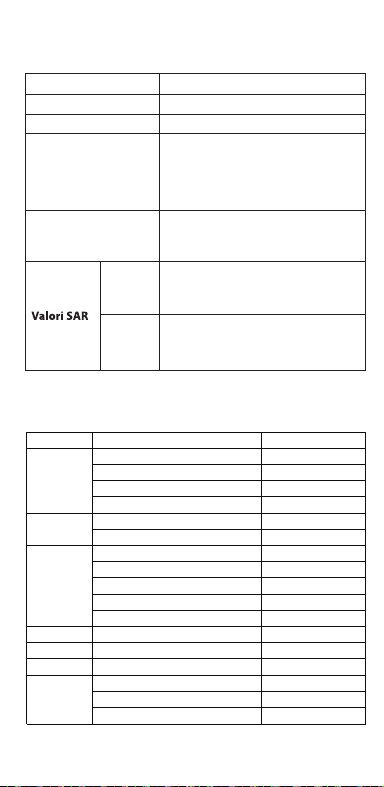
V0.1
Accessories and Soware Information
You are provided with the following standard accessories:
1 Phone, 1 Charger, 1 USB data cable, 1 Safety Guide, 1 Quick Guide,
1 SIM Ejector Tool.
English
You can use OPPO Clone Phone to easily transfer photos, videos, music,
contacts, messages, apps, etc from your old phone to the new one.
1. If your previous phone was a non-OPPO Android phone, search "OPPO
Clone Phone" in the Google Play store and install the app. You can also
scan the QR code below to install it. If your previous phone was an OPPO
phone, you don't need to install this app. Then run Clone Phone on both
phones and follow the on-screen instructions.
2. If your previous phone was an iPhone, run "Clone Phone" on your new
phone, and follow the onscreen instructions to migrate your data from
your iCloud account.
How to Transfer Old Mobile Content to a New Mobile
Specication
How to reboot the phone
Press and hold the Power Buon and Volume Up Buon at the same time
until the OPPO boot animation is displayed to reboot the phone.
This guide will show you how to use the phone and its impoant functions.
You may also visit OPPO ocial website to get more information about the phone.
Greetings from OPPO Mobile
hps://i.clonephone.coloros.com/download
612804000002
SAR Values
Product
Main screen parameter
Camera
Radio Waves Specications
Some content may dier from your device depending on the region, service
provider, or soware version, and is subject to change without prior notice.
hps://i.clonephone.coloros.com/download
hps://i.clonephone.coloros.com/download
hps://i.clonephone.coloros.com/download
hps://i.clonephone.coloros.com/download
https://i.clonephone.coloros.com/download
The product soware version is: ColorOS V12.1
For the most recent information about accessories and soware, please
see the DoC (Declaration of Conformity) at www.oppo.com/en/ceication.
Steps to search Regulatory : Go to Seings - About device - Regulatory
Regulatory
Note: The SAR values above are the highest values repoed for this device.
CE/UK SAR
RCM SAR
Baery
(Rechargeable
Lithium-ion Baery)
Ce guide vous montre comment utiliser le téléphone et décrit ses fonctions
importantes. Vous pouvez également visiter le site ociel d'OPPO pour obtenir
plus d'informations sur le téléphone.
OPPO Mobile vous souhaite la bienvenue
Comment redémarrer le téléphone
Comment transférer le contenu d'un ancien téléphone vers un nouveau
Informations sur les accessoires et le logiciel
Version logicielle: ColorOS V12.1
Pour obtenir les informations les plus récentes sur les accessoires et le logiciel,
consultez la Déclaration de Conformité (DC) sur www.oppo.com/en/certication.
1 Téléphone, 1 Chargeur, 1 Outil d'éjection SIM, 1 Câble de données USB, 1 Guide de sécurité,
1 Guide rapide.
Étapes à suivre pour rechercher la réglementation : Accédez à Paramètres
- À propos de I’appareil - Réglementation
Réglementaire
Français
Maintenez les boutons de marche/arrêt et de volume haut enfoncés
simultanément jusqu'à ce que l'animation de démarrage OPPO s'ache pour
redémarrer le téléphone.
Vous pouvez utiliser OPPO «Clone Phone» an de transférer facilement photos,
vidéos, musique, contacts, messages, applications, etc. depuis votre ancien
téléphone vers votre nouveau téléphone.
1. Si votre appareil précédent était un téléphone Android autre que OPPO,
cherchez l'application «OPPO Clone Phone» dans Google Play et installez-la. Vous
pouvez aussi lire le code QR ci-dessous pour l'installer. Si votre appareil précédent
était un téléphone OPPO, vous n'avez pas besoin d'installer cette application.
Ensuite, exécutez Clone Phone sur les deux appareils et suivez les instructions qui
s'achent à l'écran.
2. Si votre appareil précédent était un iPhone, exécutez «Clone Phone» sur votre
nouveau téléphone et suivez les instructions qui s'achent à l'écran pour migrer
vos données depuis votre compte iCloud.
hps://i.clonephone.coloros.com/download
Spécifications concernant les ondes radio
Remarque: Les valeurs DAS sont les valeurs les plus élevées signalées pour cet appareil.
Dimensions
CE SAR
CPH2477
Appareil photo
Taille de l’écran principal
Valeurs DAS
50-mégapixels+VGA Arrière
5-mégapixels avant
16,66cm(6,56 pouces)
DAS tête (0,81W/kg)
DAS tronc (0,94W/kg)
DAS membres (1,99W/kg)
Batterie
(Batterie lithium-ion
rechargeable)
Esta guía le mostrará el uso del teléfono además de sus funciones más importantes.
También, puede visitar nuestra página web ocial de OPPO donde obtendrá mayor
información sobre el mismo.
Bienvenido a OPPO Mobile
Cómo forzar el reinicio del teléfono
Mantenga presionados los botones de Encendido y Vol (+) hasta que aparezca
la animación de inicio de OPPO para forzar el renicio del teléfono.
El paquete comercial incluye:
1 Teléfono, 1 Cargador, 1 Cable USB, 1 Guía de seguridad, 1 Guía rápida,
1 Herramienta de extracción de tarjeta SIM.
Información de los accesorios y el software
Versión de software: ColorOS V12.1
Para obtener la información más reciente sobre accesorios y software, consulta la
Declaración de conformidad (DoC) en www.oppo.com/en/certication.
Cómo transferir contenido antiguo a su nuevo teléfono
Puede utilizar la función de OPPO “Clonar Teléfono” para transferir rápidamente
sus fotos, vídeos, música, contactos y aplicaciones a su nuevo teléfono. Para ello,
siga estos pasos:
Pasos para buscar Regulación, diríjase a: Ajustes - Información del dispositivo - Regulación
Regulación
Español
1. Si su teléfono antiguo es un teléfono Android de otra marca, descargue la
aplicación "OPPO Clone Phone" desde Play Store, o escanee el código QR a
continuación para descargarlo e instalarlo.
2. Si el teléfono antiguo es un teléfono OPPO, no necesita instalar la aplicación ya
que está instalada por defecto, abra la aplicación y siga las instrucciones en pantalla
para continuar.
3. Si su teléfono antiguo es un iPhone, abra directamente "OPPO Clone Phone" en
su nuevoteléfono y siga las instrucciones en pantalla para iniciar sesión en su
cuenta de iCloud y sincronizar los archivos. Recuerde que no todos los elementos
pueden ser transferidos desde dispositivos no Android.
Especificaciones de ondas de radio
Especificaciones técnicas
Nota: Los valores de SAR anteriores son los mayores registrados para este dispositivo.
CPH2477
Cámara
Producto
Dimensiones
Tamaño de la pantalla
Triple cámara trasera trasera de 50 Mpx
+ VGA.
Cámara delantera de 5 Mpx.
CE SAR
Valores SAR
16,66cm(6,56 Pulgadas)
0,81W/kg (Cabeza)
0,94W/kg (Cuerpo)
Batería
(Batería de iones de
litio recargable)
Nederlands
In deze beknopte handleiding vindt u informatie over het gebruik van de telefoon
en belangrijke functies ervan. Voor meer informatie kunt u ook altijd terecht op de
ociële website van OPPO.
De telefoon opnieuw opstarten
Informatie over accessoires en software
U krijgt de volgende accessoires standaard meegeleverd:
1 telefoon, 1 oplader, 1 usb-datakabel, 1 veiligheidsgids, 1 beknopte handleiding,
1 sim-uitwerpgereedschap.
Softwareversie: ColorOS
V12.1
Raadpleeg de conformiteitsverklaring (DoC) op www.oppo.com/en/certication voor
de meest recente informatie over accessoires en software.
Met OPPO Telefoon klonen zet u gemakkelijk en snel data over van uw oude toestel naar
uw nieuwe OPPO smartphone.
1. Als uw vorige telefoon een Android-telefoon van een andere fabrikant dan OPPO was,
zoek dan naar 'OPPO Telefoon klonen' in de Google Play Store en installeer de app. U kunt
ook de onderstaande QR-code scannen om de app te installeren. Als uw vorige telefoon
wel een OPPO-telefoon was, hoeft u deze app niet te installeren. Voer vervolgens Telefoon
klonen uit op beide telefoons en volg de instructies op het scherm.
2. Als uw vorige telefoon een iPhone was, voer 'Telefoon klonen' dan uit op uw nieuwe
telefoon en volg de instructies op het scherm om uw gegevens uit uw iCloud-account te
migreren.
Welkom bij OPPO mobile
Gegevens overzetten van een oud toestel naar een nieuwe OPPO
smartphone
Regelgeving
Stappen om te zoeken naar regelgeving: Ga naar Instellingen - Over apparaat - Regelgeving
Als u de telefoon opnieuw wilt opstarten, moet u de aan/uit-knop en de knop
waarmee u het volume harder kunt zetten, gelijktijdig indrukken tot de
OPPO-opstartanimatie op het display verschijnt.
Specificaties radiogolven
Opmerking: de SAR-waarden hierboven zijn de maximale waarden die voor dit
apparaat zijn gerapporteerd.
CPH2477
Camera
Product
CE SAR
Specieke
absorptiesnelheid
(SAR)
Schermafmetingen
Afmetingen
50 Megapixel + VGA Achtercamera
5 Megapixel Voorcamera
0,81W/kg (Hoofd)
0,94W/kg (Lichaam)
Specificaties
6,56" (16,66cm)
Accu
(Oplaadbare
lithium-ionbatterij)
Deutsch
In dieser Anleitung sehen Sie Erläuterungen zur Benutzung des Mobiltelefons und
seinen wichtigsten Funktionen. Weitere Informationen stehen Ihnen auch auf der
oziellen Website von OPPO zur Verfügung.
Grüße von OPPO Mobile
So starten Sie das Telefon neu
Wie kann ich die auf meinem alten Telefon gespeicherten Daten auf
ein neues übertragen?
Sie erhalten folgendes Standardzubehör:
1 Telefon, 1 Ladegerät, 1 SIM-Auswerfer, 1 USB-Datenkabel, 1 Sicherheitsanleitung,
1 Kurzanleitung.
Zubehör und Softwareinformationen:
Software-Version: ColorOS V12.1
Aktuelle Informationen über Zubehör und Software nden Sie in der
Konformitätserklärung (DoC) unter www.oppo.com/en/certication.
Die rechtlichen Informationen nden Sie unter: Einstellungen-Über das Gerät-Rechtliches
Rechtliches
Halten Sie die Einschalttaste und die Taste zur Erhöhung der Lautstärke gleichzeitig
gedrückt, bis die OPPO-Start-Animation zum Neustarten des Telefons angezeigt
wird.
Mit der Applikation, die OPPO Clone Phone heißt, können Sie Fotos, Videos, Musik,
Kontakte, Nachrichten, Apps usw. ganz einfach von Ihrem alten Telefon auf das
neue übertragen.
1. Wenn es sich bei Ihrem bisherigen Telefon um ein nicht von OPPO bezogenes
Android-Telefon handelt, suchen Sie im Google Play Store nach „OPPO Clone
Phone“ und installieren Sie die App. Sie können auch den untenstehenden QR-
Code scannen, um die App zu installieren. Wenn es sich bei Ihrem bisherigen
Telefon um ein Telefon von OPPO handelt, brauchen Sie diese App nicht zu
installieren. Führen Sie dann Clone Phone auf beiden Telefonen aus und folgen
Sie den Anweisungen auf dem Bildschirm.
2. Wenn es sich bei Ihrem bisherigen Telefon um ein iPhone handelt, führen Sie
„Clone Phone“ auf Ihrem neuen Telefon aus und folgen Sie den Anweisungen auf
dem Bildschirm, um Ihre Daten von Ihrem iCloud-Konto zu migrieren.
Funkwellenspezifikationen
Hinweis: Die oben genannten SAR-Werte sind die höchsten für dieses Gerät
gemeldeten Werte.
Produkt CPH2477
Bildschirmparameter
Abmessungen
Kamera
16,66cm (6,56 Zoll)
CE SAR
0,81W/kg (Kopf)
0,94W/kg (Körper)
50 Megapixel + VGA Rückseite
5 Megapixel Vorderseite
Batterie
(Wiederauadbaren
Lithium-Ionen-Akku)
Italiano
Questa guida illustra l'utilizzo del tuo smartphone OPPO e le sue funzioni
principali. In alternativa, è possibile visitare il sito uciale di OPPO per avere
maggiori informazioni sul telefono.
OPPO Mobile ti dà il benvenuto
Come riavviare il telefono
1. Se il tuo telefono precedente era un telefono Android non OPPO, cerca "Clona
telefono OPPO" in Google Play Store e installa l'app. Puoi inoltre eseguire la
scansione del codice QR di seguito per installarlo. Se il tuo telefono precedente era
un telefono OPPO, non è necessario installare questa app. Quindi esegui Clona
telefono su entrambi i telefoni e segui le istruzioni visualizzate.
La funzione Clona Telefono di OPPO può essere usata per trasferire facilmente foto,
video, musica, contatti, app, ecc. dal vecchio al nuovo telefono.
Come trasferire dati da un vecchio smartphone ad uno smartphone OPPO
Informazioni su accessori e software
Vengono forniti i seguenti accessori standard:
1 telefono, 1 caricabatterie, 1 cavo USB, 1 strumento di estrazione SIM,
1 guida di sicurezza, 1 guida rapida.
Versione software: ColorOS V12.1
Per le informazioni più recenti su accessori e software, consulta la Dichiarazione di
conformità (DoC) all 'indirizzo www.oppo.com/en/certication.
Informazioni Legali
Passaggi per la ricerca delle normative :
vai su Impostazioni - Informazioni sul dispositivo - Regolamentazione
Tenere premuti contemporaneamente i pulsanti di accensione e di aumento del
volume no a quando non si visualizza l’animazione OPPO per il riavvio del telefono.
2. Se il tuo telefono precedente era un iPhone, esegui "Clona telefono" sul tuo
nuovo telefono e segui le istruzioni su schermo per migrare i tuoi dati dal tuo
account iCloud.
Specifiche onde radio
Parametri prestazioni
Nota: i valori SAR riportati sono i valori più alti per il dispositivo.
CPH2477Modello
Parametri Schermo
Dimensioni
Camera
Fotocamera posteriore da 50 megapixel
+ VGA
fotocamera anteriore da 5 megapixel
CE SAR
0,81W/kg (Testa)
0,94W/kg (Corpo)
16,66cm(6,56 pollici)
Batteria
(Batteria ricaricabile
agli ioni di litio)
Português
Bem-vindo à OPPO Mobile
Este guia irá mostrar-lhe como utilizar o telefone e as suas funções importantes.
Você também pode visitar o site ocial da OPPO para obter mais informações
sobre o telefone.
Como Reiniciar o telefone
Pressione e mantenha apertado o botão ligar/desligar e o botão Volume (+) ao
mesmo tempo até que a animação de inicialização OPPO seja exibida para reiniciar
o telefone.
Como Transferir Conteúdo do Antigo Telemóvel para um Novo
Você pode usar a função OPPO “Clone Phone” para transferir rapidamente os seus
fotos, vídeos, músicas, contatos e aplicações para o seu novo telefone. Para fazer
isso, execute as seguintes etapas:
1. Se o seu telefone antigo é um telefone Android de marca diferente, faça o
download da aplicação "OPPO Clone Phone" na Play Store, ou digitalize o código
QR abaixo para o descarregar e instalar.
2. Se o telefone antigo for um telefone OPPO, não é necessário instalar a aplicação,
uma vez que já está instalada por defeito, abra a aplicação e siga as instruções no
ecrã para continuar.
3. Se o seu telefone antigo é um iPhone, abra "OPPO Clone Phone" directamente
no seu novo telefone e siga as instruções no ecrã para iniciar sessão na sua conta
iCloud e sincronizar cheiros. Note que nem todos os artigos podem ser
transferidos a partir de dispositivos não androids.
Informações sobre acessórios e software
O pacote comercial inclui:
1 Telefone, 1 Carregador, 1 Cabo de dados USB, 1 Guia de segurança, 1 Guia rápido,
1 Ferramenta ejectora SIM.
Versão do software: ColorOS
V12.1
Para obter as últimas informações sobre acessórios e software, consulte a Declaração
de Conformidade (DoC) em www.oppo.com/en/certication.
Regulamento
Para encontrar o Regulamento vá a: Denições - Informações do dispositivo - Regulamento
Especificações
Nota: Os valores SAR acima são os valores mais altos reportados para este dispositivo.
CPH2477
50 Megapixels + VGA Traseiro
5 Megapixels Frente
16,66cm(6,56")
CE SAR
Produto
Parâmetro do ecrã principal
Dimensão
Câmara
Valores SAR
0,81W/kg (Cabeça)
0,94W/kg (Corpo)
Especificações das Ondas de Rádio
Bateria
(Bateria recarregável
de íon-lítio)
164,2×75,6×8,3(mm)
164,2×75,6×8,3(mm)
164,2×75,6×8,3(mm)
164,2×75,6×8,3(mm)
164,2×75,6×8,3(mm)
164,2×75,6×8,3(mm)
Dimension
CPH2477
0.81W/kg(Head)
0.94W/kg(Body)
1.99W/kg(limbs)
0.81W/kg(Head)
0.94W/kg(Body)
16.66cm(6.56'')
50Megapixels+VGA Rear
5Megapixels Front
164.2×75.6×8.3(mm)
4890mAh/18.92Wh(Min)
5000mAh/19.35Wh(Typ)
4890mAh/18,92Wh(Min)
5000mAh/19,35Wh(Typ)
4890mAh/18,92Wh(Min)
5000mAh/19.35Wh(Typ)
4890mAh/18,92Wh(Min)
5000mAh/19.35Wh(Typ)
4890mAh/18,92Wh(Min)
5000mAh/19.35Wh(Typ)
4890mAh/18,92Wh(Min)
5000mAh/19.35Wh(Typ)
4890mAh/18,92Wh(Min)
5000mAh/19.35Wh(Typ)
Front Camera
Volume Key
SIM card tray
Receiver
Proximity Sensor and Light Sensor
Earphone Jack
Speaker
Rear Camera
MIC
USB Jack
Flash
Power Key/Screen Lock Key/
Fingerprint Scanner
Quick Guide
Copyright © Guangdong OPPO Mobile Telecommunications Corp., Ltd. 2022.
All rights reserved.
Appareil photo avant
Touches volume
Récepteur
Trappe d'insersion SIM
Microphone
Prise écouteurs
Appareil photo arrière
Prise USB
Flash
Capteurs de proximité et de luminosité
Haut parleur
Touche marche/arrêt &
Capteur d'empreintes
Cámara frontal
Botones de volumen
Auricular
Bandeja de la tarjeta SIM
Jack 3.5
Sensor de proximidad y luz
Botón de encendido/
Escáner de huellas
Altavoz
Cámara trasera
Puerto USB
Flash
Micrófono
Frontcamera
Volumetoets
Luidspreker bij oor
Simkaarthouder
Hoofdtelefoonaansluiting
Nabijheids- en lichtsensor
Luidspreker
Achtercamera
Flitser
USB
Microfoon
Aan/uit-toets/
schermvergrendelingstoets/
vingerafdrukscanner
USB-Anschluss
Frontkamera
Lautstärketaste
Hörer
SIM-Kartenhalter
Umgebungslichtsensor
Lautsprecher
Rückkamera
Blitz
Mikrofon
Kopfhöreranschluss
Ein-/Aus-Taste/
Fingerabdruck-Scanner
Fotocamera frontale
Tasto volume
Ricevitore
Vassoio scheda SIM
Sensore di prossimità e luminosità
Altoparlante
Fotocamera posteriore
Flash
Microfono Jack auricolari
Presa USB
Tasto di accensione/
Tasto blocco schermo/
Lettore impronte digitali
Câmara frontal
Botão de volume
Receptor
Porta SIM
Sensor de proximidade e luz
Altifalante
Câmara traseira
Flash
Microfone
Entrada de auriculares
Botão Ligar/Desligar
Leitor de impressões digitais
Entrada de USB
Radio Frequency Max.Output Power
GSM
850MHz 33.5dBm
900MHz 33.5dBm
1800MHz 30.5dBm
1900MHz 30.5dBm
WCDMA
Band 1 24.3dBm
Bands 5/8 24.7dBm
LTE FDD
Bands 1/3 24.1dBm
Band 5 24.7dBm
Bands 8/20 24.6dBm
Band 7 23.6dBm
Band 28 24.3dBm
LTE TDD Bands 38/40/41 23.8dBm
Bluetooth 2.4-2.4835GHz
2.4-2.4835GHz
16dBm(EIRP)
2.4G Wi-Fi 18.5dBm(EIRP)
5G Wi-Fi
5.15-5.25GHz 20dBm(EIRP)
5.25-5.35GHz , 5.47-5.725GHz 18.5dBm(EIRP)
5.725-5.85GHz 13.5dBm(EIRP)
GSM
850MHz 33,5dBm
900MHz 33,5dBm
1800MHz 30,5dBm
1900MHz 30,5dBm
WCDMA
Band 1 24,3dBm
Bands 5/8 24,7dBm
LTE FDD
Bands 1/3 24,1dBm
Band 5 24,7dBm
Bands 8/20 24,6dBm
Band 7 23,6dBm
Band 28 24,3dBm
LTE TDD Bands 38/40/41 23,8dBm
Bluetooth 2,4-2,4835GHz
2,4-2,4835GHz
16dBm(EIRP)
2,4G Wi-Fi 18,5dBm(EIRP)
5G Wi-Fi
5,15-5,25GHz 20dBm(EIRP)
5,25-5,35GHz , 5,47-5,725GHz 18,5dBm(EIRP)
5,725-5,85GHz 13,5dBm(EIRP)
Radio Fréquence Puissance de sortie max.
GSM
850MHz 33,5dBm
900MHz 33,5dBm
1800MHz 30,5dBm
1900MHz 30,5dBm
WCDMA
Band 1 24,3dBm
Bands 5/8 24,7dBm
LTE FDD
Bands 1/3 24,1dBm
Band 5 24,7dBm
Bands 8/20 24,6dBm
Band 7 23,6dBm
Band 28 24,3dBm
LTE TDD Bands 38/40/41 23,8dBm
Bluetooth 2,4-2,4835GHz
2,4-2,4835GHz
16dBm(EIRP)
2,4G Wi-Fi 18,5dBm(EIRP)
5G Wi-Fi
5,15-5,25GHz 20dBm(EIRP)
5,25-5,35GHz , 5,47-5,725GHz 18,5dBm(EIRP)
5,725-5,85GHz 13,5dBm(EIRP)
Radio Frecuencia Potencia máx. de salida
GSM
850MHz 33,5dBm
900MHz 33,5dBm
1800MHz 30,5dBm
1900MHz 30,5dBm
WCDMA
Band 1 24,3dBm
Bands 5/8 24,7dBm
LTE FDD
Bands 1/3 24,1dBm
Band 5 24,7dBm
Bands 8/20 24,6dBm
Band 7 23,6dBm
Band 28 24,3dBm
LTE TDD Bands 38/40/41 23,8dBm
Bluetooth 2,4-2,4835GHz
2,4-2,4835GHz
16dBm(EIRP)
2,4G Wi-Fi 18,5dBm(EIRP)
5G Wi-Fi
5,15-5,25GHz 20dBm(EIRP)
5,25-5,35GHz , 5,47-5,725GHz 18,5dBm(EIRP)
5,725-5,85GHz 13,5dBm(EIRP)
Rádio Potência de saídaFreqüência
GSM
850MHz 33,5dBm
900MHz 33,5dBm
1800MHz 30,5dBm
1900MHz 30,5dBm
WCDMA
Band 1 24,3dBm
Bands 5/8 24,7dBm
LTE FDD
Bands 1/3 24,1dBm
Band 5 24,7dBm
Bands 8/20 24,6dBm
Band 7 23,6dBm
Band 28 24,3dBm
LTE TDD Bands 38/40/41 23,8dBm
Bluetooth 2,4-2,4835GHz
2,4-2,4835GHz
16dBm(EIRP)
2,4G Wi-Fi 18,5dBm(EIRP)
5G Wi-Fi
5,15-5,25GHz 20dBm(EIRP)
5,25-5,35GHz , 5,47-5,725GHz 18,5dBm(EIRP)
5,725-5,85GHz 13,5dBm(EIRP)
Radio Potenza uscita maxFrequenza
GSM
850MHz 33,5dBm
900MHz 33,5dBm
1800MHz 30,5dBm
1900MHz 30,5dBm
WCDMA
Band 1 24,3dBm
Bands 5/8 24,7dBm
LTE FDD
Bands 1/3 24,1dBm
Band 5 24,7dBm
Bands 8/20 24,6dBm
Band 7 23,6dBm
Band 28 24,3dBm
LTE TDD Bands 38/40/41 23,8dBm
Bluetooth 2,4-2,4835GHz
2,4-2,4835GHz
16dBm(EIRP)
2,4G Wi-Fi 18,5dBm(EIRP)
5G Wi-Fi
5,15-5,25GHz 20dBm(EIRP)
5,25-5,35GHz , 5,47-5,725GHz 18,5dBm(EIRP)
5,725-5,85GHz 13,5dBm(EIRP)
Radio Max. AusgangsleistungFrequenz
GSM
850MHz 33,5dBm
900MHz 33,5dBm
1800MHz 30,5dBm
1900MHz 30,5dBm
WCDMA
Band 1 24,3dBm
Bands 5/8 24,7dBm
LTE FDD
Bands 1/3 24,1dBm
Band 5 24,7dBm
Bands 8/20 24,6dBm
Band 7 23,6dBm
Band 28 24,3dBm
LTE TDD Bands 38/40/41 23,8dBm
Bluetooth 2,4-2,4835GHz
2,4-2,4835GHz
16dBm(EIRP)
2,4G Wi-Fi 18,5dBm(EIRP)
5G Wi-Fi
5,15-5,25GHz 20dBm(EIRP)
5,25-5,35GHz , 5,47-5,725GHz 18,5dBm(EIRP)
5,725-5,85GHz 13,5dBm(EIRP)
Frequentie Max. uitgangsvermogenRadio
FCC SAR
0.89W/kg(Head)
0.77W/kg(Body)
1.15W/kg(Hotspot)
FCC SAR
0,89W/kg (Tête)
0,77W/kg (Corps)
1,15W/kg (Point chaud)
FCC SAR
0,89W/kg (Cabeza)
0,77W/kg (Cuerpo)
1,15W/kg (Hotspot)
FCC SAR
0,89W/kg (Hoofd)
0,77W/kg (Lichaam)
1,15W/kg (Hotspot)
FCC SAR
0,89W/kg (Kopf)
0,77W/kg (Körper)
1,15W/kg (Hotspot)
FCC SAR
0,89W/kg (Testa)
0,77W/kg (Corpo)
1,15W/kg (Punto di accesso)
FCC SAR
0,89W/kg (Cabeça)
0,77W/kg (Corpo)
1,15W/kg (Ponto de acesso)
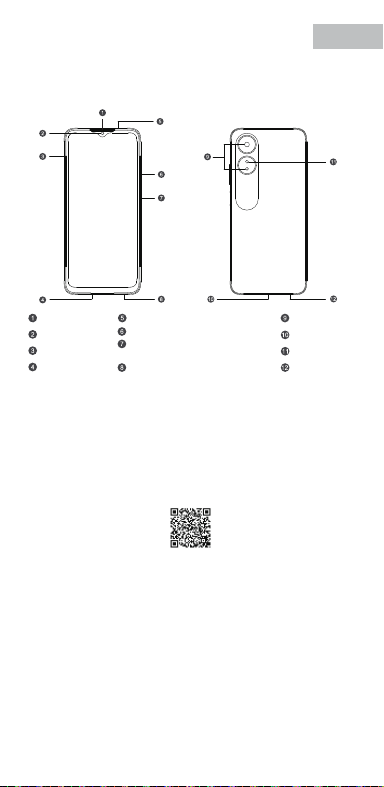
V0.1
Accessories and Soware Information
You are provided with the following standard accessories:
1 Phone, 1 Charger, 1 USB data cable, 1 Safety Guide, 1 Quick Guide,
1 SIM Ejector Tool.
English
You can use OPPO Clone Phone to easily transfer photos, videos, music,
contacts, messages, apps, etc from your old phone to the new one.
1. If your previous phone was a non-OPPO Android phone, search "OPPO
Clone Phone" in the Google Play store and install the app. You can also
scan the QR code below to install it. If your previous phone was an OPPO
phone, you don't need to install this app. Then run Clone Phone on both
phones and follow the on-screen instructions.
2. If your previous phone was an iPhone, run "Clone Phone" on your new
phone, and follow the onscreen instructions to migrate your data from
your iCloud account.
How to Transfer Old Mobile Content to a New Mobile
Specication
How to reboot the phone
Press and hold the Power Buon and Volume Up Buon at the same time
until the OPPO boot animation is displayed to reboot the phone.
This guide will show you how to use the phone and its impoant functions.
You may also visit OPPO ocial website to get more information about the phone.
Greetings from OPPO Mobile
hps://i.clonephone.coloros.com/download
612804000002
SAR Values
Product
Main screen parameter
Camera
Radio Waves Specications
Some content may dier from your device depending on the region, service
provider, or soware version, and is subject to change without prior notice.
hps://i.clonephone.coloros.com/download
hps://i.clonephone.coloros.com/download
hps://i.clonephone.coloros.com/download
hps://i.clonephone.coloros.com/download
https://i.clonephone.coloros.com/download
The product soware version is: ColorOS V12.1
For the most recent information about accessories and soware, please
see the DoC (Declaration of Conformity) at www.oppo.com/en/ceication.
Steps to search Regulatory : Go to Seings - About device - Regulatory
Regulatory
Note: The SAR values above are the highest values repoed for this device.
CE/UK SAR
RCM SAR
Baery
(Rechargeable
Lithium-ion Baery)
Ce guide vous montre comment utiliser le téléphone et décrit ses fonctions
importantes. Vous pouvez également visiter le site ociel d'OPPO pour obtenir
plus d'informations sur le téléphone.
OPPO Mobile vous souhaite la bienvenue
Comment redémarrer le téléphone
Comment transférer le contenu d'un ancien téléphone vers un nouveau
Informations sur les accessoires et le logiciel
Version logicielle: ColorOS V12.1
Pour obtenir les informations les plus récentes sur les accessoires et le logiciel,
consultez la Déclaration de Conformité (DC) sur www.oppo.com/en/certication.
1 Téléphone, 1 Chargeur, 1 Outil d'éjection SIM, 1 Câble de données USB, 1 Guide de sécurité,
1 Guide rapide.
Étapes à suivre pour rechercher la réglementation : Accédez à Paramètres
- À propos de I’appareil - Réglementation
Réglementaire
Français
Maintenez les boutons de marche/arrêt et de volume haut enfoncés
simultanément jusqu'à ce que l'animation de démarrage OPPO s'ache pour
redémarrer le téléphone.
Vous pouvez utiliser OPPO «Clone Phone» an de transférer facilement photos,
vidéos, musique, contacts, messages, applications, etc. depuis votre ancien
téléphone vers votre nouveau téléphone.
1. Si votre appareil précédent était un téléphone Android autre que OPPO,
cherchez l'application «OPPO Clone Phone» dans Google Play et installez-la. Vous
pouvez aussi lire le code QR ci-dessous pour l'installer. Si votre appareil précédent
était un téléphone OPPO, vous n'avez pas besoin d'installer cette application.
Ensuite, exécutez Clone Phone sur les deux appareils et suivez les instructions qui
s'achent à l'écran.
2. Si votre appareil précédent était un iPhone, exécutez «Clone Phone» sur votre
nouveau téléphone et suivez les instructions qui s'achent à l'écran pour migrer
vos données depuis votre compte iCloud.
hps://i.clonephone.coloros.com/download
Spécifications concernant les ondes radio
Remarque: Les valeurs DAS sont les valeurs les plus élevées signalées pour cet appareil.
Dimensions
CE SAR
CPH2477
Appareil photo
Taille de l’écran principal
Valeurs DAS
50-mégapixels+VGA Arrière
5-mégapixels avant
16,66cm(6,56 pouces)
DAS tête (0,81W/kg)
DAS tronc (0,94W/kg)
DAS membres (1,99W/kg)
Batterie
(Batterie lithium-ion
rechargeable)
Esta guía le mostrará el uso del teléfono además de sus funciones más importantes.
También, puede visitar nuestra página web ocial de OPPO donde obtendrá mayor
información sobre el mismo.
Bienvenido a OPPO Mobile
Cómo forzar el reinicio del teléfono
Mantenga presionados los botones de Encendido y Vol (+) hasta que aparezca
la animación de inicio de OPPO para forzar el renicio del teléfono.
El paquete comercial incluye:
1 Teléfono, 1 Cargador, 1 Cable USB, 1 Guía de seguridad, 1 Guía rápida,
1 Herramienta de extracción de tarjeta SIM.
Información de los accesorios y el software
Versión de software: ColorOS V12.1
Para obtener la información más reciente sobre accesorios y software, consulta la
Declaración de conformidad (DoC) en www.oppo.com/en/certication.
Cómo transferir contenido antiguo a su nuevo teléfono
Puede utilizar la función de OPPO “Clonar Teléfono” para transferir rápidamente
sus fotos, vídeos, música, contactos y aplicaciones a su nuevo teléfono. Para ello,
siga estos pasos:
Pasos para buscar Regulación, diríjase a: Ajustes - Información del dispositivo - Regulación
Regulación
Español
1. Si su teléfono antiguo es un teléfono Android de otra marca, descargue la
aplicación "OPPO Clone Phone" desde Play Store, o escanee el código QR a
continuación para descargarlo e instalarlo.
2. Si el teléfono antiguo es un teléfono OPPO, no necesita instalar la aplicación ya
que está instalada por defecto, abra la aplicación y siga las instrucciones en pantalla
para continuar.
3. Si su teléfono antiguo es un iPhone, abra directamente "OPPO Clone Phone" en
su nuevoteléfono y siga las instrucciones en pantalla para iniciar sesión en su
cuenta de iCloud y sincronizar los archivos. Recuerde que no todos los elementos
pueden ser transferidos desde dispositivos no Android.
Especificaciones de ondas de radio
Especificaciones técnicas
Nota: Los valores de SAR anteriores son los mayores registrados para este dispositivo.
CPH2477
Cámara
Producto
Dimensiones
Tamaño de la pantalla
Triple cámara trasera trasera de 50 Mpx
+ VGA.
Cámara delantera de 5 Mpx.
CE SAR
Valores SAR
16,66cm(6,56 Pulgadas)
0,81W/kg (Cabeza)
0,94W/kg (Cuerpo)
Batería
(Batería de iones de
litio recargable)
Nederlands
In deze beknopte handleiding vindt u informatie over het gebruik van de telefoon
en belangrijke functies ervan. Voor meer informatie kunt u ook altijd terecht op de
ociële website van OPPO.
De telefoon opnieuw opstarten
Informatie over accessoires en software
U krijgt de volgende accessoires standaard meegeleverd:
1 telefoon, 1 oplader, 1 usb-datakabel, 1 veiligheidsgids, 1 beknopte handleiding,
1 sim-uitwerpgereedschap.
Softwareversie: ColorOS
V12.1
Raadpleeg de conformiteitsverklaring (DoC) op www.oppo.com/en/certication voor
de meest recente informatie over accessoires en software.
Met OPPO Telefoon klonen zet u gemakkelijk en snel data over van uw oude toestel naar
uw nieuwe OPPO smartphone.
1. Als uw vorige telefoon een Android-telefoon van een andere fabrikant dan OPPO was,
zoek dan naar 'OPPO Telefoon klonen' in de Google Play Store en installeer de app. U kunt
ook de onderstaande QR-code scannen om de app te installeren. Als uw vorige telefoon
wel een OPPO-telefoon was, hoeft u deze app niet te installeren. Voer vervolgens Telefoon
klonen uit op beide telefoons en volg de instructies op het scherm.
2. Als uw vorige telefoon een iPhone was, voer 'Telefoon klonen' dan uit op uw nieuwe
telefoon en volg de instructies op het scherm om uw gegevens uit uw iCloud-account te
migreren.
Welkom bij OPPO mobile
Gegevens overzetten van een oud toestel naar een nieuwe OPPO
smartphone
Regelgeving
Stappen om te zoeken naar regelgeving: Ga naar Instellingen - Over apparaat - Regelgeving
Als u de telefoon opnieuw wilt opstarten, moet u de aan/uit-knop en de knop
waarmee u het volume harder kunt zetten, gelijktijdig indrukken tot de
OPPO-opstartanimatie op het display verschijnt.
Specificaties radiogolven
Opmerking: de SAR-waarden hierboven zijn de maximale waarden die voor dit
apparaat zijn gerapporteerd.
CPH2477
Camera
Product
CE SAR
Specieke
absorptiesnelheid
(SAR)
Schermafmetingen
Afmetingen
50 Megapixel + VGA Achtercamera
5 Megapixel Voorcamera
0,81W/kg (Hoofd)
0,94W/kg (Lichaam)
Specificaties
6,56" (16,66cm)
Accu
(Oplaadbare
lithium-ionbatterij)
Deutsch
In dieser Anleitung sehen Sie Erläuterungen zur Benutzung des Mobiltelefons und
seinen wichtigsten Funktionen. Weitere Informationen stehen Ihnen auch auf der
oziellen Website von OPPO zur Verfügung.
Grüße von OPPO Mobile
So starten Sie das Telefon neu
Wie kann ich die auf meinem alten Telefon gespeicherten Daten auf
ein neues übertragen?
Sie erhalten folgendes Standardzubehör:
1 Telefon, 1 Ladegerät, 1 SIM-Auswerfer, 1 USB-Datenkabel, 1 Sicherheitsanleitung,
1 Kurzanleitung.
Zubehör und Softwareinformationen:
Software-Version: ColorOS V12.1
Aktuelle Informationen über Zubehör und Software nden Sie in der
Konformitätserklärung (DoC) unter www.oppo.com/en/certication.
Die rechtlichen Informationen nden Sie unter: Einstellungen-Über das Gerät-Rechtliches
Rechtliches
Halten Sie die Einschalttaste und die Taste zur Erhöhung der Lautstärke gleichzeitig
gedrückt, bis die OPPO-Start-Animation zum Neustarten des Telefons angezeigt
wird.
Mit der Applikation, die OPPO Clone Phone heißt, können Sie Fotos, Videos, Musik,
Kontakte, Nachrichten, Apps usw. ganz einfach von Ihrem alten Telefon auf das
neue übertragen.
1. Wenn es sich bei Ihrem bisherigen Telefon um ein nicht von OPPO bezogenes
Android-Telefon handelt, suchen Sie im Google Play Store nach „OPPO Clone
Phone“ und installieren Sie die App. Sie können auch den untenstehenden QR-
Code scannen, um die App zu installieren. Wenn es sich bei Ihrem bisherigen
Telefon um ein Telefon von OPPO handelt, brauchen Sie diese App nicht zu
installieren. Führen Sie dann Clone Phone auf beiden Telefonen aus und folgen
Sie den Anweisungen auf dem Bildschirm.
2. Wenn es sich bei Ihrem bisherigen Telefon um ein iPhone handelt, führen Sie
„Clone Phone“ auf Ihrem neuen Telefon aus und folgen Sie den Anweisungen auf
dem Bildschirm, um Ihre Daten von Ihrem iCloud-Konto zu migrieren.
Funkwellenspezifikationen
Hinweis: Die oben genannten SAR-Werte sind die höchsten für dieses Gerät
gemeldeten Werte.
Produkt CPH2477
Bildschirmparameter
Abmessungen
Kamera
16,66cm (6,56 Zoll)
CE SAR
0,81W/kg (Kopf)
0,94W/kg (Körper)
50 Megapixel + VGA Rückseite
5 Megapixel Vorderseite
Batterie
(Wiederauadbaren
Lithium-Ionen-Akku)
Italiano
Questa guida illustra l'utilizzo del tuo smartphone OPPO e le sue funzioni
principali. In alternativa, è possibile visitare il sito uciale di OPPO per avere
maggiori informazioni sul telefono.
OPPO Mobile ti dà il benvenuto
Come riavviare il telefono
1. Se il tuo telefono precedente era un telefono Android non OPPO, cerca "Clona
telefono OPPO" in Google Play Store e installa l'app. Puoi inoltre eseguire la
scansione del codice QR di seguito per installarlo. Se il tuo telefono precedente era
un telefono OPPO, non è necessario installare questa app. Quindi esegui Clona
telefono su entrambi i telefoni e segui le istruzioni visualizzate.
La funzione Clona Telefono di OPPO può essere usata per trasferire facilmente foto,
video, musica, contatti, app, ecc. dal vecchio al nuovo telefono.
Come trasferire dati da un vecchio smartphone ad uno smartphone OPPO
Informazioni su accessori e software
Vengono forniti i seguenti accessori standard:
1 telefono, 1 caricabatterie, 1 cavo USB, 1 strumento di estrazione SIM,
1 guida di sicurezza, 1 guida rapida.
Versione software: ColorOS V12.1
Per le informazioni più recenti su accessori e software, consulta la Dichiarazione di
conformità (DoC) all 'indirizzo www.oppo.com/en/certication.
Informazioni Legali
Passaggi per la ricerca delle normative :
vai su Impostazioni - Informazioni sul dispositivo - Regolamentazione
Tenere premuti contemporaneamente i pulsanti di accensione e di aumento del
volume no a quando non si visualizza l’animazione OPPO per il riavvio del telefono.
2. Se il tuo telefono precedente era un iPhone, esegui "Clona telefono" sul tuo
nuovo telefono e segui le istruzioni su schermo per migrare i tuoi dati dal tuo
account iCloud.
Specifiche onde radio
Parametri prestazioni
Nota: i valori SAR riportati sono i valori più alti per il dispositivo.
CPH2477Modello
Parametri Schermo
Dimensioni
Camera
Fotocamera posteriore da 50 megapixel
+ VGA
fotocamera anteriore da 5 megapixel
CE SAR
0,81W/kg (Testa)
0,94W/kg (Corpo)
16,66cm(6,56 pollici)
Batteria
(Batteria ricaricabile
agli ioni di litio)
Português
Bem-vindo à OPPO Mobile
Este guia irá mostrar-lhe como utilizar o telefone e as suas funções importantes.
Você também pode visitar o site ocial da OPPO para obter mais informações
sobre o telefone.
Como Reiniciar o telefone
Pressione e mantenha apertado o botão ligar/desligar e o botão Volume (+) ao
mesmo tempo até que a animação de inicialização OPPO seja exibida para reiniciar
o telefone.
Como Transferir Conteúdo do Antigo Telemóvel para um Novo
Você pode usar a função OPPO “Clone Phone” para transferir rapidamente os seus
fotos, vídeos, músicas, contatos e aplicações para o seu novo telefone. Para fazer
isso, execute as seguintes etapas:
1. Se o seu telefone antigo é um telefone Android de marca diferente, faça o
download da aplicação "OPPO Clone Phone" na Play Store, ou digitalize o código
QR abaixo para o descarregar e instalar.
2. Se o telefone antigo for um telefone OPPO, não é necessário instalar a aplicação,
uma vez que já está instalada por defeito, abra a aplicação e siga as instruções no
ecrã para continuar.
3. Se o seu telefone antigo é um iPhone, abra "OPPO Clone Phone" directamente
no seu novo telefone e siga as instruções no ecrã para iniciar sessão na sua conta
iCloud e sincronizar cheiros. Note que nem todos os artigos podem ser
transferidos a partir de dispositivos não androids.
Informações sobre acessórios e software
O pacote comercial inclui:
1 Telefone, 1 Carregador, 1 Cabo de dados USB, 1 Guia de segurança, 1 Guia rápido,
1 Ferramenta ejectora SIM.
Versão do software: ColorOS
V12.1
Para obter as últimas informações sobre acessórios e software, consulte a Declaração
de Conformidade (DoC) em www.oppo.com/en/certication.
Regulamento
Para encontrar o Regulamento vá a: Denições - Informações do dispositivo - Regulamento
Especificações
Nota: Os valores SAR acima são os valores mais altos reportados para este dispositivo.
CPH2477
50 Megapixels + VGA Traseiro
5 Megapixels Frente
16,66cm(6,56")
CE SAR
Produto
Parâmetro do ecrã principal
Dimensão
Câmara
Valores SAR
0,81W/kg (Cabeça)
0,94W/kg (Corpo)
Especificações das Ondas de Rádio
Bateria
(Bateria recarregável
de íon-lítio)
164,2×75,6×8,3(mm)
164,2×75,6×8,3(mm)
164,2×75,6×8,3(mm)
164,2×75,6×8,3(mm)
164,2×75,6×8,3(mm)
164,2×75,6×8,3(mm)
Dimension
CPH2477
0.81W/kg(Head)
0.94W/kg(Body)
1.99W/kg(limbs)
0.81W/kg(Head)
0.94W/kg(Body)
16.66cm(6.56'')
50Megapixels+VGA Rear
5Megapixels Front
164.2×75.6×8.3(mm)
4890mAh/18.92Wh(Min)
5000mAh/19.35Wh(Typ)
4890mAh/18,92Wh(Min)
5000mAh/19,35Wh(Typ)
4890mAh/18,92Wh(Min)
5000mAh/19.35Wh(Typ)
4890mAh/18,92Wh(Min)
5000mAh/19.35Wh(Typ)
4890mAh/18,92Wh(Min)
5000mAh/19.35Wh(Typ)
4890mAh/18,92Wh(Min)
5000mAh/19.35Wh(Typ)
4890mAh/18,92Wh(Min)
5000mAh/19.35Wh(Typ)
Front Camera
Volume Key
SIM card tray
Receiver
Proximity Sensor and Light Sensor
Earphone Jack
Speaker
Rear Camera
MIC
USB Jack
Flash
Power Key/Screen Lock Key/
Fingerprint Scanner
Quick Guide
Copyright © Guangdong OPPO Mobile Telecommunications Corp., Ltd. 2022.
All rights reserved.
Appareil photo avant
Touches volume
Récepteur
Trappe d'insersion SIM
Microphone
Prise écouteurs
Appareil photo arrière
Prise USB
Flash
Capteurs de proximité et de luminosité
Haut parleur
Touche marche/arrêt &
Capteur d'empreintes
Cámara frontal
Botones de volumen
Auricular
Bandeja de la tarjeta SIM
Jack 3.5
Sensor de proximidad y luz
Botón de encendido/
Escáner de huellas
Altavoz
Cámara trasera
Puerto USB
Flash
Micrófono
Frontcamera
Volumetoets
Luidspreker bij oor
Simkaarthouder
Hoofdtelefoonaansluiting
Nabijheids- en lichtsensor
Luidspreker
Achtercamera
Flitser
USB
Microfoon
Aan/uit-toets/
schermvergrendelingstoets/
vingerafdrukscanner
USB-Anschluss
Frontkamera
Lautstärketaste
Hörer
SIM-Kartenhalter
Umgebungslichtsensor
Lautsprecher
Rückkamera
Blitz
Mikrofon
Kopfhöreranschluss
Ein-/Aus-Taste/
Fingerabdruck-Scanner
Fotocamera frontale
Tasto volume
Ricevitore
Vassoio scheda SIM
Sensore di prossimità e luminosità
Altoparlante
Fotocamera posteriore
Flash
Microfono Jack auricolari
Presa USB
Tasto di accensione/
Tasto blocco schermo/
Lettore impronte digitali
Câmara frontal
Botão de volume
Receptor
Porta SIM
Sensor de proximidade e luz
Altifalante
Câmara traseira
Flash
Microfone
Entrada de auriculares
Botão Ligar/Desligar
Leitor de impressões digitais
Entrada de USB
Radio Frequency Max.Output Power
GSM
850MHz 33.5dBm
900MHz 33.5dBm
1800MHz 30.5dBm
1900MHz 30.5dBm
WCDMA
Band 1 24.3dBm
Bands 5/8 24.7dBm
LTE FDD
Bands 1/3 24.1dBm
Band 5 24.7dBm
Bands 8/20 24.6dBm
Band 7 23.6dBm
Band 28 24.3dBm
LTE TDD Bands 38/40/41 23.8dBm
Bluetooth 2.4-2.4835GHz
2.4-2.4835GHz
16dBm(EIRP)
2.4G Wi-Fi 18.5dBm(EIRP)
5G Wi-Fi
5.15-5.25GHz 20dBm(EIRP)
5.25-5.35GHz , 5.47-5.725GHz 18.5dBm(EIRP)
5.725-5.85GHz 13.5dBm(EIRP)
GSM
850MHz 33,5dBm
900MHz 33,5dBm
1800MHz 30,5dBm
1900MHz 30,5dBm
WCDMA
Band 1 24,3dBm
Bands 5/8 24,7dBm
LTE FDD
Bands 1/3 24,1dBm
Band 5 24,7dBm
Bands 8/20 24,6dBm
Band 7 23,6dBm
Band 28 24,3dBm
LTE TDD Bands 38/40/41 23,8dBm
Bluetooth 2,4-2,4835GHz
2,4-2,4835GHz
16dBm(EIRP)
2,4G Wi-Fi 18,5dBm(EIRP)
5G Wi-Fi
5,15-5,25GHz 20dBm(EIRP)
5,25-5,35GHz , 5,47-5,725GHz 18,5dBm(EIRP)
5,725-5,85GHz 13,5dBm(EIRP)
Radio Fréquence Puissance de sortie max.
GSM
850MHz 33,5dBm
900MHz 33,5dBm
1800MHz 30,5dBm
1900MHz 30,5dBm
WCDMA
Band 1 24,3dBm
Bands 5/8 24,7dBm
LTE FDD
Bands 1/3 24,1dBm
Band 5 24,7dBm
Bands 8/20 24,6dBm
Band 7 23,6dBm
Band 28 24,3dBm
LTE TDD Bands 38/40/41 23,8dBm
Bluetooth 2,4-2,4835GHz
2,4-2,4835GHz
16dBm(EIRP)
2,4G Wi-Fi 18,5dBm(EIRP)
5G Wi-Fi
5,15-5,25GHz 20dBm(EIRP)
5,25-5,35GHz , 5,47-5,725GHz 18,5dBm(EIRP)
5,725-5,85GHz 13,5dBm(EIRP)
Radio Frecuencia Potencia máx. de salida
GSM
850MHz 33,5dBm
900MHz 33,5dBm
1800MHz 30,5dBm
1900MHz 30,5dBm
WCDMA
Band 1 24,3dBm
Bands 5/8 24,7dBm
LTE FDD
Bands 1/3 24,1dBm
Band 5 24,7dBm
Bands 8/20 24,6dBm
Band 7 23,6dBm
Band 28 24,3dBm
LTE TDD Bands 38/40/41 23,8dBm
Bluetooth 2,4-2,4835GHz
2,4-2,4835GHz
16dBm(EIRP)
2,4G Wi-Fi 18,5dBm(EIRP)
5G Wi-Fi
5,15-5,25GHz 20dBm(EIRP)
5,25-5,35GHz , 5,47-5,725GHz 18,5dBm(EIRP)
5,725-5,85GHz 13,5dBm(EIRP)
Rádio Potência de saídaFreqüência
GSM
850MHz 33,5dBm
900MHz 33,5dBm
1800MHz 30,5dBm
1900MHz 30,5dBm
WCDMA
Band 1 24,3dBm
Bands 5/8 24,7dBm
LTE FDD
Bands 1/3 24,1dBm
Band 5 24,7dBm
Bands 8/20 24,6dBm
Band 7 23,6dBm
Band 28 24,3dBm
LTE TDD Bands 38/40/41 23,8dBm
Bluetooth 2,4-2,4835GHz
2,4-2,4835GHz
16dBm(EIRP)
2,4G Wi-Fi 18,5dBm(EIRP)
5G Wi-Fi
5,15-5,25GHz 20dBm(EIRP)
5,25-5,35GHz , 5,47-5,725GHz 18,5dBm(EIRP)
5,725-5,85GHz 13,5dBm(EIRP)
Radio Potenza uscita maxFrequenza
GSM
850MHz 33,5dBm
900MHz 33,5dBm
1800MHz 30,5dBm
1900MHz 30,5dBm
WCDMA
Band 1 24,3dBm
Bands 5/8 24,7dBm
LTE FDD
Bands 1/3 24,1dBm
Band 5 24,7dBm
Bands 8/20 24,6dBm
Band 7 23,6dBm
Band 28 24,3dBm
LTE TDD Bands 38/40/41 23,8dBm
Bluetooth 2,4-2,4835GHz
2,4-2,4835GHz
16dBm(EIRP)
2,4G Wi-Fi 18,5dBm(EIRP)
5G Wi-Fi
5,15-5,25GHz 20dBm(EIRP)
5,25-5,35GHz , 5,47-5,725GHz 18,5dBm(EIRP)
5,725-5,85GHz 13,5dBm(EIRP)
Radio Max. AusgangsleistungFrequenz
GSM
850MHz 33,5dBm
900MHz 33,5dBm
1800MHz 30,5dBm
1900MHz 30,5dBm
WCDMA
Band 1 24,3dBm
Bands 5/8 24,7dBm
LTE FDD
Bands 1/3 24,1dBm
Band 5 24,7dBm
Bands 8/20 24,6dBm
Band 7 23,6dBm
Band 28 24,3dBm
LTE TDD Bands 38/40/41 23,8dBm
Bluetooth 2,4-2,4835GHz
2,4-2,4835GHz
16dBm(EIRP)
2,4G Wi-Fi 18,5dBm(EIRP)
5G Wi-Fi
5,15-5,25GHz 20dBm(EIRP)
5,25-5,35GHz , 5,47-5,725GHz 18,5dBm(EIRP)
5,725-5,85GHz 13,5dBm(EIRP)
Frequentie Max. uitgangsvermogenRadio
FCC SAR
0.89W/kg(Head)
0.77W/kg(Body)
1.15W/kg(Hotspot)
FCC SAR
0,89W/kg (Tête)
0,77W/kg (Corps)
1,15W/kg (Point chaud)
FCC SAR
0,89W/kg (Cabeza)
0,77W/kg (Cuerpo)
1,15W/kg (Hotspot)
FCC SAR
0,89W/kg (Hoofd)
0,77W/kg (Lichaam)
1,15W/kg (Hotspot)
FCC SAR
0,89W/kg (Kopf)
0,77W/kg (Körper)
1,15W/kg (Hotspot)
FCC SAR
0,89W/kg (Testa)
0,77W/kg (Corpo)
1,15W/kg (Punto di accesso)
FCC SAR
0,89W/kg (Cabeça)
0,77W/kg (Corpo)
1,15W/kg (Ponto de acesso)
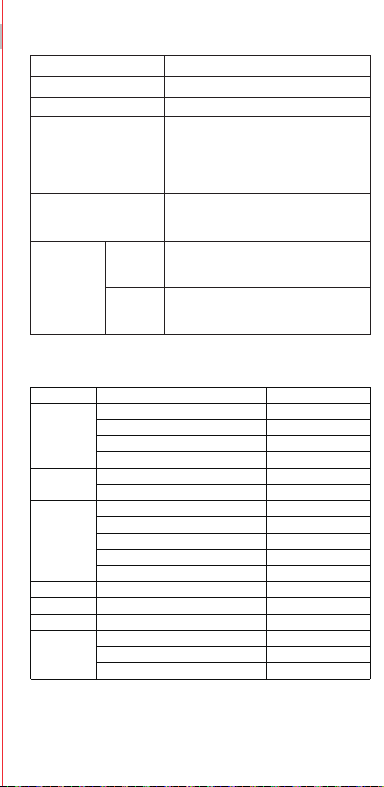
V0.1
Accessories and Soware Information
You are provided with the following standard accessories:
1 Phone, 1 Charger, 1 USB data cable, 1 Safety Guide, 1 Quick Guide,
1 SIM Ejector Tool.
English
You can use OPPO Clone Phone to easily transfer photos, videos, music,
contacts, messages, apps, etc from your old phone to the new one.
1. If your previous phone was a non-OPPO Android phone, search "OPPO
Clone Phone" in the Google Play store and install the app. You can also
scan the QR code below to install it. If your previous phone was an OPPO
phone, you don't need to install this app. Then run Clone Phone on both
phones and follow the on-screen instructions.
2. If your previous phone was an iPhone, run "Clone Phone" on your new
phone, and follow the onscreen instructions to migrate your data from
your iCloud account.
How to Transfer Old Mobile Content to a New Mobile
Specication
How to reboot the phone
Press and hold the Power Buon and Volume Up Buon at the same time
until the OPPO boot animation is displayed to reboot the phone.
This guide will show you how to use the phone and its impoant functions.
You may also visit OPPO ocial website to get more information about the phone.
Greetings from OPPO Mobile
hps://i.clonephone.coloros.com/download
612804000002
SAR Values
Product
Main screen parameter
Camera
Radio Waves Specications
Some content may dier from your device depending on the region, service
provider, or soware version, and is subject to change without prior notice.
hps://i.clonephone.coloros.com/download
hps://i.clonephone.coloros.com/download
hps://i.clonephone.coloros.com/download
hps://i.clonephone.coloros.com/download
https://i.clonephone.coloros.com/download
The product soware version is: ColorOS V12.1
For the most recent information about accessories and soware, please
see the DoC (Declaration of Conformity) at www.oppo.com/en/ceication.
Steps to search Regulatory : Go to Seings - About device - Regulatory
Regulatory
Note: The SAR values above are the highest values repoed for this device.
CE/UK SAR
RCM SAR
Baery
(Rechargeable
Lithium-ion Baery)
Ce guide vous montre comment utiliser le téléphone et décrit ses fonctions
importantes. Vous pouvez également visiter le site ociel d'OPPO pour obtenir
plus d'informations sur le téléphone.
OPPO Mobile vous souhaite la bienvenue
Comment redémarrer le téléphone
Comment transférer le contenu d'un ancien téléphone vers un nouveau
Informations sur les accessoires et le logiciel
Version logicielle: ColorOS V12.1
Pour obtenir les informations les plus récentes sur les accessoires et le logiciel,
consultez la Déclaration de Conformité (DC) sur www.oppo.com/en/certication.
1 Téléphone, 1 Chargeur, 1 Outil d'éjection SIM, 1 Câble de données USB, 1 Guide de sécurité,
1 Guide rapide.
Étapes à suivre pour rechercher la réglementation : Accédez à Paramètres
- À propos de I’appareil - Réglementation
Réglementaire
Français
Maintenez les boutons de marche/arrêt et de volume haut enfoncés
simultanément jusqu'à ce que l'animation de démarrage OPPO s'ache pour
redémarrer le téléphone.
Vous pouvez utiliser OPPO «Clone Phone» an de transférer facilement photos,
vidéos, musique, contacts, messages, applications, etc. depuis votre ancien
téléphone vers votre nouveau téléphone.
1. Si votre appareil précédent était un téléphone Android autre que OPPO,
cherchez l'application «OPPO Clone Phone» dans Google Play et installez-la. Vous
pouvez aussi lire le code QR ci-dessous pour l'installer. Si votre appareil précédent
était un téléphone OPPO, vous n'avez pas besoin d'installer cette application.
Ensuite, exécutez Clone Phone sur les deux appareils et suivez les instructions qui
s'achent à l'écran.
2. Si votre appareil précédent était un iPhone, exécutez «Clone Phone» sur votre
nouveau téléphone et suivez les instructions qui s'achent à l'écran pour migrer
vos données depuis votre compte iCloud.
hps://i.clonephone.coloros.com/download
Spécifications concernant les ondes radio
Remarque: Les valeurs DAS sont les valeurs les plus élevées signalées pour cet appareil.
Dimensions
CE SAR
CPH2477
Appareil photo
Taille de l’écran principal
Valeurs DAS
50-mégapixels+VGA Arrière
5-mégapixels avant
16,66cm(6,56 pouces)
DAS tête (0,81W/kg)
DAS tronc (0,94W/kg)
DAS membres (1,99W/kg)
Batterie
(Batterie lithium-ion
rechargeable)
Esta guía le mostrará el uso del teléfono además de sus funciones más importantes.
También, puede visitar nuestra página web ocial de OPPO donde obtendrá mayor
información sobre el mismo.
Bienvenido a OPPO Mobile
Cómo forzar el reinicio del teléfono
Mantenga presionados los botones de Encendido y Vol (+) hasta que aparezca
la animación de inicio de OPPO para forzar el renicio del teléfono.
El paquete comercial incluye:
1 Teléfono, 1 Cargador, 1 Cable USB, 1 Guía de seguridad, 1 Guía rápida,
1 Herramienta de extracción de tarjeta SIM.
Información de los accesorios y el software
Versión de software: ColorOS V12.1
Para obtener la información más reciente sobre accesorios y software, consulta la
Declaración de conformidad (DoC) en www.oppo.com/en/certication.
Cómo transferir contenido antiguo a su nuevo teléfono
Puede utilizar la función de OPPO “Clonar Teléfono” para transferir rápidamente
sus fotos, vídeos, música, contactos y aplicaciones a su nuevo teléfono. Para ello,
siga estos pasos:
Pasos para buscar Regulación, diríjase a: Ajustes - Información del dispositivo - Regulación
Regulación
Español
1. Si su teléfono antiguo es un teléfono Android de otra marca, descargue la
aplicación "OPPO Clone Phone" desde Play Store, o escanee el código QR a
continuación para descargarlo e instalarlo.
2. Si el teléfono antiguo es un teléfono OPPO, no necesita instalar la aplicación ya
que está instalada por defecto, abra la aplicación y siga las instrucciones en pantalla
para continuar.
3. Si su teléfono antiguo es un iPhone, abra directamente "OPPO Clone Phone" en
su nuevoteléfono y siga las instrucciones en pantalla para iniciar sesión en su
cuenta de iCloud y sincronizar los archivos. Recuerde que no todos los elementos
pueden ser transferidos desde dispositivos no Android.
Especificaciones de ondas de radio
Especificaciones técnicas
Nota: Los valores de SAR anteriores son los mayores registrados para este dispositivo.
CPH2477
Cámara
Producto
Dimensiones
Tamaño de la pantalla
Triple cámara trasera trasera de 50 Mpx
+ VGA.
Cámara delantera de 5 Mpx.
CE SAR
Valores SAR
16,66cm(6,56 Pulgadas)
0,81W/kg (Cabeza)
0,94W/kg (Cuerpo)
Batería
(Batería de iones de
litio recargable)
Nederlands
In deze beknopte handleiding vindt u informatie over het gebruik van de telefoon
en belangrijke functies ervan. Voor meer informatie kunt u ook altijd terecht op de
ociële website van OPPO.
De telefoon opnieuw opstarten
Informatie over accessoires en software
U krijgt de volgende accessoires standaard meegeleverd:
1 telefoon, 1 oplader, 1 usb-datakabel, 1 veiligheidsgids, 1 beknopte handleiding,
1 sim-uitwerpgereedschap.
Softwareversie: ColorOS
V12.1
Raadpleeg de conformiteitsverklaring (DoC) op www.oppo.com/en/certication voor
de meest recente informatie over accessoires en software.
Met OPPO Telefoon klonen zet u gemakkelijk en snel data over van uw oude toestel naar
uw nieuwe OPPO smartphone.
1. Als uw vorige telefoon een Android-telefoon van een andere fabrikant dan OPPO was,
zoek dan naar 'OPPO Telefoon klonen' in de Google Play Store en installeer de app. U kunt
ook de onderstaande QR-code scannen om de app te installeren. Als uw vorige telefoon
wel een OPPO-telefoon was, hoeft u deze app niet te installeren. Voer vervolgens Telefoon
klonen uit op beide telefoons en volg de instructies op het scherm.
2. Als uw vorige telefoon een iPhone was, voer 'Telefoon klonen' dan uit op uw nieuwe
telefoon en volg de instructies op het scherm om uw gegevens uit uw iCloud-account te
migreren.
Welkom bij OPPO mobile
Gegevens overzetten van een oud toestel naar een nieuwe OPPO
smartphone
Regelgeving
Stappen om te zoeken naar regelgeving: Ga naar Instellingen - Over apparaat - Regelgeving
Als u de telefoon opnieuw wilt opstarten, moet u de aan/uit-knop en de knop
waarmee u het volume harder kunt zetten, gelijktijdig indrukken tot de
OPPO-opstartanimatie op het display verschijnt.
Specificaties radiogolven
Opmerking: de SAR-waarden hierboven zijn de maximale waarden die voor dit
apparaat zijn gerapporteerd.
CPH2477
Camera
Product
CE SAR
Specieke
absorptiesnelheid
(SAR)
Schermafmetingen
Afmetingen
50 Megapixel + VGA Achtercamera
5 Megapixel Voorcamera
0,81W/kg (Hoofd)
0,94W/kg (Lichaam)
Specificaties
6,56" (16,66cm)
Accu
(Oplaadbare
lithium-ionbatterij)
Deutsch
In dieser Anleitung sehen Sie Erläuterungen zur Benutzung des Mobiltelefons und
seinen wichtigsten Funktionen. Weitere Informationen stehen Ihnen auch auf der
oziellen Website von OPPO zur Verfügung.
Grüße von OPPO Mobile
So starten Sie das Telefon neu
Wie kann ich die auf meinem alten Telefon gespeicherten Daten auf
ein neues übertragen?
Sie erhalten folgendes Standardzubehör:
1 Telefon, 1 Ladegerät, 1 SIM-Auswerfer, 1 USB-Datenkabel, 1 Sicherheitsanleitung,
1 Kurzanleitung.
Zubehör und Softwareinformationen:
Software-Version: ColorOS V12.1
Aktuelle Informationen über Zubehör und Software nden Sie in der
Konformitätserklärung (DoC) unter www.oppo.com/en/certication.
Die rechtlichen Informationen nden Sie unter: Einstellungen-Über das Gerät-Rechtliches
Rechtliches
Halten Sie die Einschalttaste und die Taste zur Erhöhung der Lautstärke gleichzeitig
gedrückt, bis die OPPO-Start-Animation zum Neustarten des Telefons angezeigt
wird.
Mit der Applikation, die OPPO Clone Phone heißt, können Sie Fotos, Videos, Musik,
Kontakte, Nachrichten, Apps usw. ganz einfach von Ihrem alten Telefon auf das
neue übertragen.
1. Wenn es sich bei Ihrem bisherigen Telefon um ein nicht von OPPO bezogenes
Android-Telefon handelt, suchen Sie im Google Play Store nach „OPPO Clone
Phone“ und installieren Sie die App. Sie können auch den untenstehenden QR-
Code scannen, um die App zu installieren. Wenn es sich bei Ihrem bisherigen
Telefon um ein Telefon von OPPO handelt, brauchen Sie diese App nicht zu
installieren. Führen Sie dann Clone Phone auf beiden Telefonen aus und folgen
Sie den Anweisungen auf dem Bildschirm.
2. Wenn es sich bei Ihrem bisherigen Telefon um ein iPhone handelt, führen Sie
„Clone Phone“ auf Ihrem neuen Telefon aus und folgen Sie den Anweisungen auf
dem Bildschirm, um Ihre Daten von Ihrem iCloud-Konto zu migrieren.
Funkwellenspezifikationen
Hinweis: Die oben genannten SAR-Werte sind die höchsten für dieses Gerät
gemeldeten Werte.
Produkt CPH2477
Bildschirmparameter
Abmessungen
Kamera
16,66cm (6,56 Zoll)
CE SAR
0,81W/kg (Kopf)
0,94W/kg (Körper)
50 Megapixel + VGA Rückseite
5 Megapixel Vorderseite
Batterie
(Wiederauadbaren
Lithium-Ionen-Akku)
Italiano
Questa guida illustra l'utilizzo del tuo smartphone OPPO e le sue funzioni
principali. In alternativa, è possibile visitare il sito uciale di OPPO per avere
maggiori informazioni sul telefono.
OPPO Mobile ti dà il benvenuto
Come riavviare il telefono
1. Se il tuo telefono precedente era un telefono Android non OPPO, cerca "Clona
telefono OPPO" in Google Play Store e installa l'app. Puoi inoltre eseguire la
scansione del codice QR di seguito per installarlo. Se il tuo telefono precedente era
un telefono OPPO, non è necessario installare questa app. Quindi esegui Clona
telefono su entrambi i telefoni e segui le istruzioni visualizzate.
La funzione Clona Telefono di OPPO può essere usata per trasferire facilmente foto,
video, musica, contatti, app, ecc. dal vecchio al nuovo telefono.
Come trasferire dati da un vecchio smartphone ad uno smartphone OPPO
Informazioni su accessori e software
Vengono forniti i seguenti accessori standard:
1 telefono, 1 caricabatterie, 1 cavo USB, 1 strumento di estrazione SIM,
1 guida di sicurezza, 1 guida rapida.
Versione software: ColorOS V12.1
Per le informazioni più recenti su accessori e software, consulta la Dichiarazione di
conformità (DoC) all 'indirizzo www.oppo.com/en/certication.
Informazioni Legali
Passaggi per la ricerca delle normative :
vai su Impostazioni - Informazioni sul dispositivo - Regolamentazione
Tenere premuti contemporaneamente i pulsanti di accensione e di aumento del
volume no a quando non si visualizza l’animazione OPPO per il riavvio del telefono.
2. Se il tuo telefono precedente era un iPhone, esegui "Clona telefono" sul tuo
nuovo telefono e segui le istruzioni su schermo per migrare i tuoi dati dal tuo
account iCloud.
Specifiche onde radio
Parametri prestazioni
Nota: i valori SAR riportati sono i valori più alti per il dispositivo.
CPH2477Modello
Parametri Schermo
Dimensioni
Camera
Fotocamera posteriore da 50 megapixel
+ VGA
fotocamera anteriore da 5 megapixel
CE SAR
0,81W/kg (Testa)
0,94W/kg (Corpo)
16,66cm(6,56 pollici)
Batteria
(Batteria ricaricabile
agli ioni di litio)
Português
Bem-vindo à OPPO Mobile
Este guia irá mostrar-lhe como utilizar o telefone e as suas funções importantes.
Você também pode visitar o site ocial da OPPO para obter mais informações
sobre o telefone.
Como Reiniciar o telefone
Pressione e mantenha apertado o botão ligar/desligar e o botão Volume (+) ao
mesmo tempo até que a animação de inicialização OPPO seja exibida para reiniciar
o telefone.
Como Transferir Conteúdo do Antigo Telemóvel para um Novo
Você pode usar a função OPPO “Clone Phone” para transferir rapidamente os seus
fotos, vídeos, músicas, contatos e aplicações para o seu novo telefone. Para fazer
isso, execute as seguintes etapas:
1. Se o seu telefone antigo é um telefone Android de marca diferente, faça o
download da aplicação "OPPO Clone Phone" na Play Store, ou digitalize o código
QR abaixo para o descarregar e instalar.
2. Se o telefone antigo for um telefone OPPO, não é necessário instalar a aplicação,
uma vez que já está instalada por defeito, abra a aplicação e siga as instruções no
ecrã para continuar.
3. Se o seu telefone antigo é um iPhone, abra "OPPO Clone Phone" directamente
no seu novo telefone e siga as instruções no ecrã para iniciar sessão na sua conta
iCloud e sincronizar cheiros. Note que nem todos os artigos podem ser
transferidos a partir de dispositivos não androids.
Informações sobre acessórios e software
O pacote comercial inclui:
1 Telefone, 1 Carregador, 1 Cabo de dados USB, 1 Guia de segurança, 1 Guia rápido,
1 Ferramenta ejectora SIM.
Versão do software: ColorOS
V12.1
Para obter as últimas informações sobre acessórios e software, consulte a Declaração
de Conformidade (DoC) em www.oppo.com/en/certication.
Regulamento
Para encontrar o Regulamento vá a: Denições - Informações do dispositivo - Regulamento
Especificações
Nota: Os valores SAR acima são os valores mais altos reportados para este dispositivo.
CPH2477
50 Megapixels + VGA Traseiro
5 Megapixels Frente
16,66cm(6,56")
CE SAR
Produto
Parâmetro do ecrã principal
Dimensão
Câmara
Valores SAR
0,81W/kg (Cabeça)
0,94W/kg (Corpo)
Especificações das Ondas de Rádio
Bateria
(Bateria recarregável
de íon-lítio)
164,2×75,6×8,3(mm)
164,2×75,6×8,3(mm)
164,2×75,6×8,3(mm)
164,2×75,6×8,3(mm)
164,2×75,6×8,3(mm)
164,2×75,6×8,3(mm)
Dimension
CPH2477
0.81W/kg(Head)
0.94W/kg(Body)
1.99W/kg(limbs)
0.81W/kg(Head)
0.94W/kg(Body)
16.66cm(6.56'')
50Megapixels+VGA Rear
5Megapixels Front
164.2×75.6×8.3(mm)
4890mAh/18.92Wh(Min)
5000mAh/19.35Wh(Typ)
4890mAh/18,92Wh(Min)
5000mAh/19,35Wh(Typ)
4890mAh/18,92Wh(Min)
5000mAh/19.35Wh(Typ)
4890mAh/18,92Wh(Min)
5000mAh/19.35Wh(Typ)
4890mAh/18,92Wh(Min)
5000mAh/19.35Wh(Typ)
4890mAh/18,92Wh(Min)
5000mAh/19.35Wh(Typ)
4890mAh/18,92Wh(Min)
5000mAh/19.35Wh(Typ)
Front Camera
Volume Key
SIM card tray
Receiver
Proximity Sensor and Light Sensor
Earphone Jack
Speaker
Rear Camera
MIC
USB Jack
Flash
Power Key/Screen Lock Key/
Fingerprint Scanner
Quick Guide
Copyright © Guangdong OPPO Mobile Telecommunications Corp., Ltd. 2022.
All rights reserved.
Appareil photo avant
Touches volume
Récepteur
Trappe d'insersion SIM
Microphone
Prise écouteurs
Appareil photo arrière
Prise USB
Flash
Capteurs de proximité et de luminosité
Haut parleur
Touche marche/arrêt &
Capteur d'empreintes
Cámara frontal
Botones de volumen
Auricular
Bandeja de la tarjeta SIM
Jack 3.5
Sensor de proximidad y luz
Botón de encendido/
Escáner de huellas
Altavoz
Cámara trasera
Puerto USB
Flash
Micrófono
Frontcamera
Volumetoets
Luidspreker bij oor
Simkaarthouder
Hoofdtelefoonaansluiting
Nabijheids- en lichtsensor
Luidspreker
Achtercamera
Flitser
USB
Microfoon
Aan/uit-toets/
schermvergrendelingstoets/
vingerafdrukscanner
USB-Anschluss
Frontkamera
Lautstärketaste
Hörer
SIM-Kartenhalter
Umgebungslichtsensor
Lautsprecher
Rückkamera
Blitz
Mikrofon
Kopfhöreranschluss
Ein-/Aus-Taste/
Fingerabdruck-Scanner
Fotocamera frontale
Tasto volume
Ricevitore
Vassoio scheda SIM
Sensore di prossimità e luminosità
Altoparlante
Fotocamera posteriore
Flash
Microfono Jack auricolari
Presa USB
Tasto di accensione/
Tasto blocco schermo/
Lettore impronte digitali
Câmara frontal
Botão de volume
Receptor
Porta SIM
Sensor de proximidade e luz
Altifalante
Câmara traseira
Flash
Microfone
Entrada de auriculares
Botão Ligar/Desligar
Leitor de impressões digitais
Entrada de USB
Radio Frequency Max.Output Power
GSM
850MHz 33.5dBm
900MHz 33.5dBm
1800MHz 30.5dBm
1900MHz 30.5dBm
WCDMA
Band 1 24.3dBm
Bands 5/8 24.7dBm
LTE FDD
Bands 1/3 24.1dBm
Band 5 24.7dBm
Bands 8/20 24.6dBm
Band 7 23.6dBm
Band 28 24.3dBm
LTE TDD Bands 38/40/41 23.8dBm
Bluetooth 2.4-2.4835GHz
2.4-2.4835GHz
16dBm(EIRP)
2.4G Wi-Fi 18.5dBm(EIRP)
5G Wi-Fi
5.15-5.25GHz 20dBm(EIRP)
5.25-5.35GHz , 5.47-5.725GHz 18.5dBm(EIRP)
5.725-5.85GHz 13.5dBm(EIRP)
GSM
850MHz 33,5dBm
900MHz 33,5dBm
1800MHz 30,5dBm
1900MHz 30,5dBm
WCDMA
Band 1 24,3dBm
Bands 5/8 24,7dBm
LTE FDD
Bands 1/3 24,1dBm
Band 5 24,7dBm
Bands 8/20 24,6dBm
Band 7 23,6dBm
Band 28 24,3dBm
LTE TDD Bands 38/40/41 23,8dBm
Bluetooth 2,4-2,4835GHz
2,4-2,4835GHz
16dBm(EIRP)
2,4G Wi-Fi 18,5dBm(EIRP)
5G Wi-Fi
5,15-5,25GHz 20dBm(EIRP)
5,25-5,35GHz , 5,47-5,725GHz 18,5dBm(EIRP)
5,725-5,85GHz 13,5dBm(EIRP)
Radio Fréquence Puissance de sortie max.
GSM
850MHz 33,5dBm
900MHz 33,5dBm
1800MHz 30,5dBm
1900MHz 30,5dBm
WCDMA
Band 1 24,3dBm
Bands 5/8 24,7dBm
LTE FDD
Bands 1/3 24,1dBm
Band 5 24,7dBm
Bands 8/20 24,6dBm
Band 7 23,6dBm
Band 28 24,3dBm
LTE TDD Bands 38/40/41 23,8dBm
Bluetooth 2,4-2,4835GHz
2,4-2,4835GHz
16dBm(EIRP)
2,4G Wi-Fi 18,5dBm(EIRP)
5G Wi-Fi
5,15-5,25GHz 20dBm(EIRP)
5,25-5,35GHz , 5,47-5,725GHz 18,5dBm(EIRP)
5,725-5,85GHz 13,5dBm(EIRP)
Radio Frecuencia Potencia máx. de salida
GSM
850MHz 33,5dBm
900MHz 33,5dBm
1800MHz 30,5dBm
1900MHz 30,5dBm
WCDMA
Band 1 24,3dBm
Bands 5/8 24,7dBm
LTE FDD
Bands 1/3 24,1dBm
Band 5 24,7dBm
Bands 8/20 24,6dBm
Band 7 23,6dBm
Band 28 24,3dBm
LTE TDD Bands 38/40/41 23,8dBm
Bluetooth 2,4-2,4835GHz
2,4-2,4835GHz
16dBm(EIRP)
2,4G Wi-Fi 18,5dBm(EIRP)
5G Wi-Fi
5,15-5,25GHz 20dBm(EIRP)
5,25-5,35GHz , 5,47-5,725GHz 18,5dBm(EIRP)
5,725-5,85GHz 13,5dBm(EIRP)
Rádio Potência de saídaFreqüência
GSM
850MHz 33,5dBm
900MHz 33,5dBm
1800MHz 30,5dBm
1900MHz 30,5dBm
WCDMA
Band 1 24,3dBm
Bands 5/8 24,7dBm
LTE FDD
Bands 1/3 24,1dBm
Band 5 24,7dBm
Bands 8/20 24,6dBm
Band 7 23,6dBm
Band 28 24,3dBm
LTE TDD Bands 38/40/41 23,8dBm
Bluetooth 2,4-2,4835GHz
2,4-2,4835GHz
16dBm(EIRP)
2,4G Wi-Fi 18,5dBm(EIRP)
5G Wi-Fi
5,15-5,25GHz 20dBm(EIRP)
5,25-5,35GHz , 5,47-5,725GHz 18,5dBm(EIRP)
5,725-5,85GHz 13,5dBm(EIRP)
Radio Potenza uscita maxFrequenza
GSM
850MHz 33,5dBm
900MHz 33,5dBm
1800MHz 30,5dBm
1900MHz 30,5dBm
WCDMA
Band 1 24,3dBm
Bands 5/8 24,7dBm
LTE FDD
Bands 1/3 24,1dBm
Band 5 24,7dBm
Bands 8/20 24,6dBm
Band 7 23,6dBm
Band 28 24,3dBm
LTE TDD Bands 38/40/41 23,8dBm
Bluetooth 2,4-2,4835GHz
2,4-2,4835GHz
16dBm(EIRP)
2,4G Wi-Fi 18,5dBm(EIRP)
5G Wi-Fi
5,15-5,25GHz 20dBm(EIRP)
5,25-5,35GHz , 5,47-5,725GHz 18,5dBm(EIRP)
5,725-5,85GHz 13,5dBm(EIRP)
Radio Max. AusgangsleistungFrequenz
GSM
850MHz 33,5dBm
900MHz 33,5dBm
1800MHz 30,5dBm
1900MHz 30,5dBm
WCDMA
Band 1 24,3dBm
Bands 5/8 24,7dBm
LTE FDD
Bands 1/3 24,1dBm
Band 5 24,7dBm
Bands 8/20 24,6dBm
Band 7 23,6dBm
Band 28 24,3dBm
LTE TDD Bands 38/40/41 23,8dBm
Bluetooth 2,4-2,4835GHz
2,4-2,4835GHz
16dBm(EIRP)
2,4G Wi-Fi 18,5dBm(EIRP)
5G Wi-Fi
5,15-5,25GHz 20dBm(EIRP)
5,25-5,35GHz , 5,47-5,725GHz 18,5dBm(EIRP)
5,725-5,85GHz 13,5dBm(EIRP)
Frequentie Max. uitgangsvermogenRadio
FCC SAR
0.89W/kg(Head)
0.77W/kg(Body)
1.15W/kg(Hotspot)
FCC SAR
0,89W/kg (Tête)
0,77W/kg (Corps)
1,15W/kg (Point chaud)
FCC SAR
0,89W/kg (Cabeza)
0,77W/kg (Cuerpo)
1,15W/kg (Hotspot)
FCC SAR
0,89W/kg (Hoofd)
0,77W/kg (Lichaam)
1,15W/kg (Hotspot)
FCC SAR
0,89W/kg (Kopf)
0,77W/kg (Körper)
1,15W/kg (Hotspot)
FCC SAR
0,89W/kg (Testa)
0,77W/kg (Corpo)
1,15W/kg (Punto di accesso)
FCC SAR
0,89W/kg (Cabeça)
0,77W/kg (Corpo)
1,15W/kg (Ponto de acesso)