Before using your new product, please read these instructions to prevent any damage.
INSTALLATION GUIDE
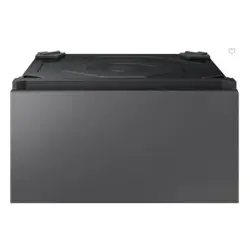
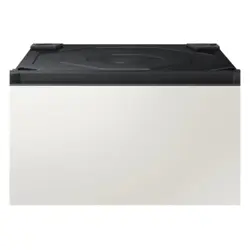
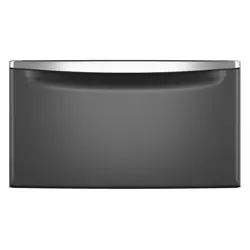
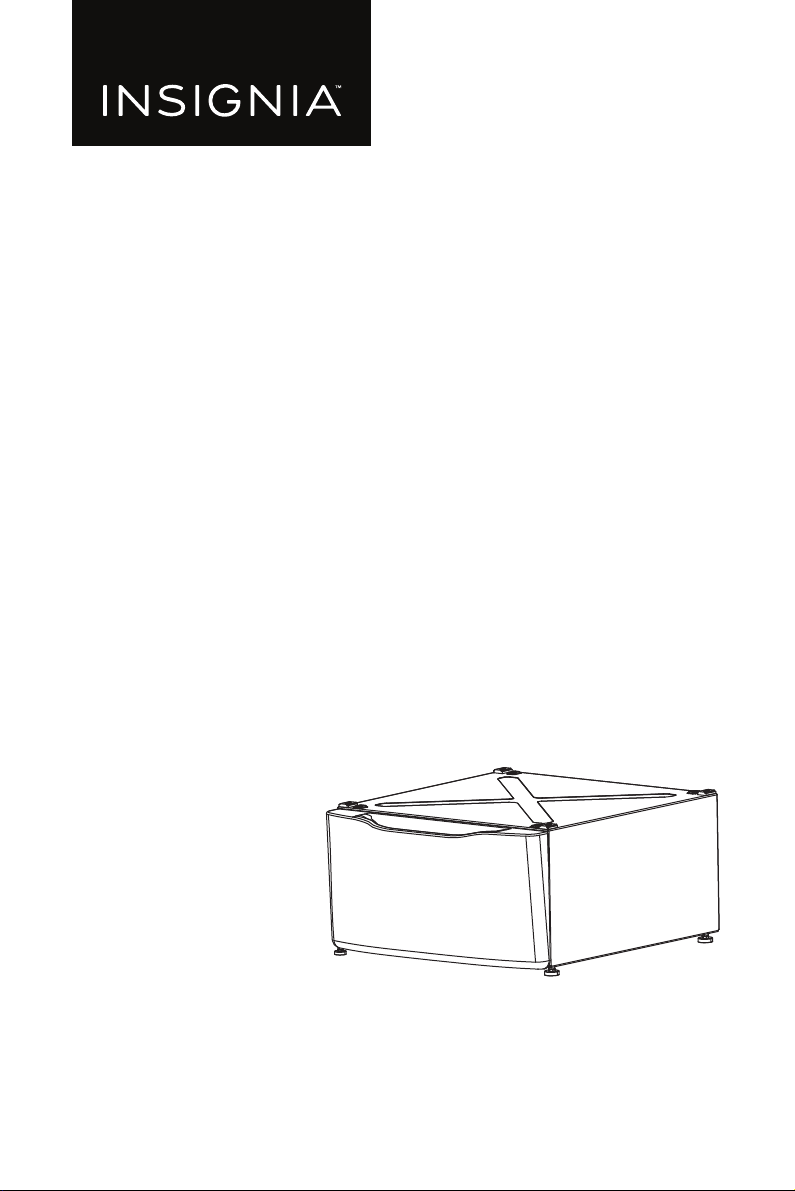
Pedestal for Insignia
Washer and Dryer
NS-FLWDPW3

www.insigniaproducts.com
2
Contents
IMPORTANT SAFETY INSTRUCTIONS . . . . . . . . . . . . . . . . . . . . . . . . . . . . . . . . . . . . . 3
BEFORE YOU BEGIN . . . . . . . . . . . . . . . . . . . . . . . . . . . . . . . . . . . . . . . . . . . . . . . . . 3
Features . . . . . . . . . . . . . . . . . . . . . . . . . . . . . . . . . . . . . . . . . . . . . . . . . . . . . . . . . . . . . . . . 3
Package contents . . . . . . . . . . . . . . . . . . . . . . . . . . . . . . . . . . . . . . . . . . . . . . . . . . . 3
Dimensions . . . . . . . . . . . . . . . . . . . . . . . . . . . . . . . . . . . . . . . . . . . . . . . . . . . . . . . . . 3
Parts. . . . . . . . . . . . . . . . . . . . . . . . . . . . . . . . . . . . . . . . . . . . . . . . . . . . . . . . . . . . . . . . 4
Hardware kit . . . . . . . . . . . . . . . . . . . . . . . . . . . . . . . . . . . . . . . . . . . . . . . . . . . . . . . . 4
Tools needed. . . . . . . . . . . . . . . . . . . . . . . . . . . . . . . . . . . . . . . . . . . . . . . . . . . . . . . . . . . . 4
Installing your pedestal. . . . . . . . . . . . . . . . . . . . . . . . . . . . . . . . . . . . . . . . . . . . . . . . . . 5
STEP 1: Preparing to install . . . . . . . . . . . . . . . . . . . . . . . . . . . . . . . . . . . . . . . . . . 5
STEP 2: Removing the leveling legs and mounting screws . . . . . . . . . . . . 5
STEP 3: Preparing your pedestal . . . . . . . . . . . . . . . . . . . . . . . . . . . . . . . . . . . . . 7
STEP 4: Installing your pedestal . . . . . . . . . . . . . . . . . . . . . . . . . . . . . . . . . . . . . . 8
STEP 5: Leveling the washer or dryer . . . . . . . . . . . . . . . . . . . . . . . . . . . . . . . .10
STEP 6: Installing the drawer. . . . . . . . . . . . . . . . . . . . . . . . . . . . . . . . . . . . . . . .11
STEP 7: Removing the shipping bolts . . . . . . . . . . . . . . . . . . . . . . . . . . . . . . .11
Specifications . . . . . . . . . . . . . . . . . . . . . . . . . . . . . . . . . . . . . . . . . . . . . . . . . . . . . . . . . .12
ONE-YEAR LIMITED WARRANTY . . . . . . . . . . . . . . . . . . . . . . . . . . . . . . . . . . . . . . . . .13
3
Pedestal for Insignia Washer and Dryer
www.insigniaproducts.com
IMPORTANT SAFETY
INSTRUCTIONS
BEFORE YOU BEGIN
Read these instructions completely and carefully.
• IMPORTANT: Save these instructions for local inspector’s use.
• IMPORTANT: Observe all governing codes and ordinances.
• Note to consumer: Keep these instructions with your washer/dryer User
Guide for future reference.
• Completion time: 1 to 2 hours.
• Proper installation is the responsibility of the installer.
• Product failure due to improper installation is not covered under the Warranty.
• CAUTION: Due to the size and weight of these products, and to reduce the risk
of personal injury or damage to the product, TWO PEOPLE ARE REQUIRED FOR
PROPER INSTALLATION.
• See washer and dryer installation instructions for additional installation
requirements and guidelines.
Features
• Raises the washer/dryer for easy operation
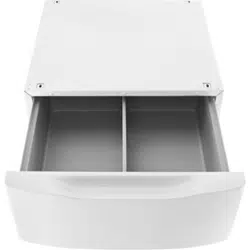
• Convenient drawer stores laundry, detergent, or other supplies
• Drawer divider keeps items organized
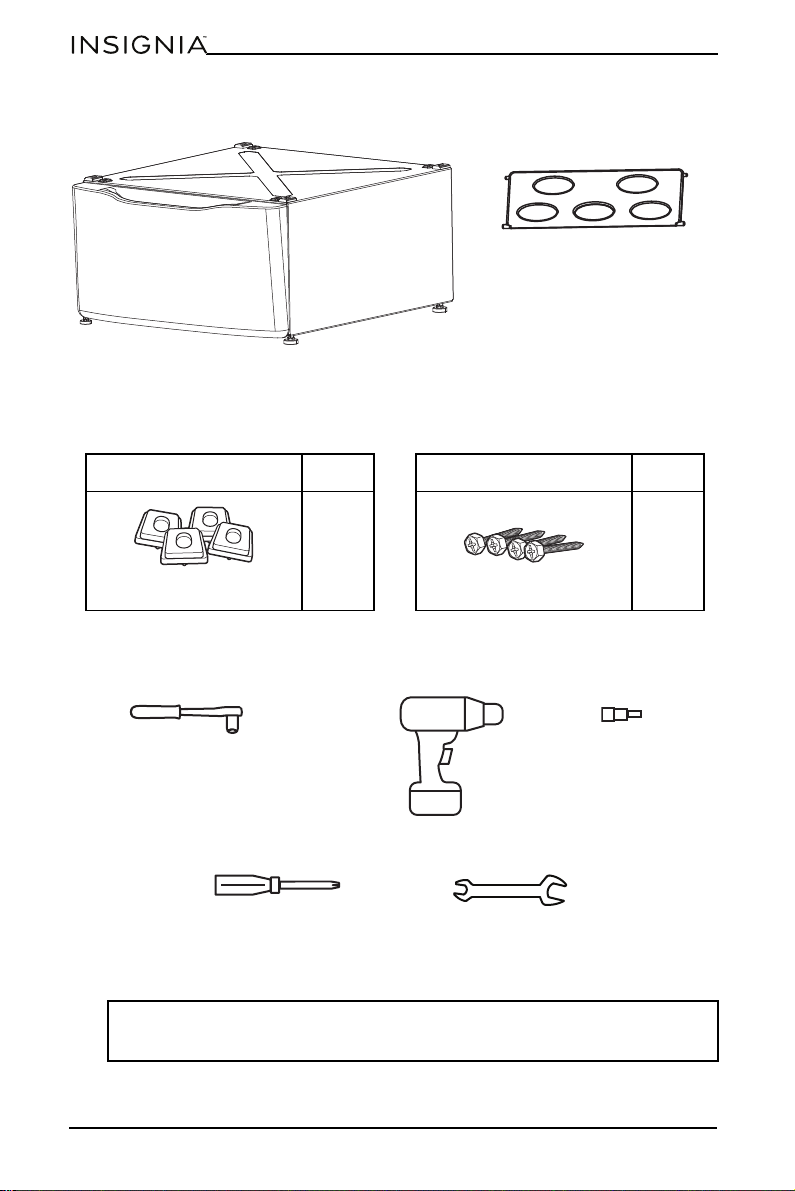
Package contents
• Pedestal
• Pedestal organizer
•Hardware kit
• Install Guide
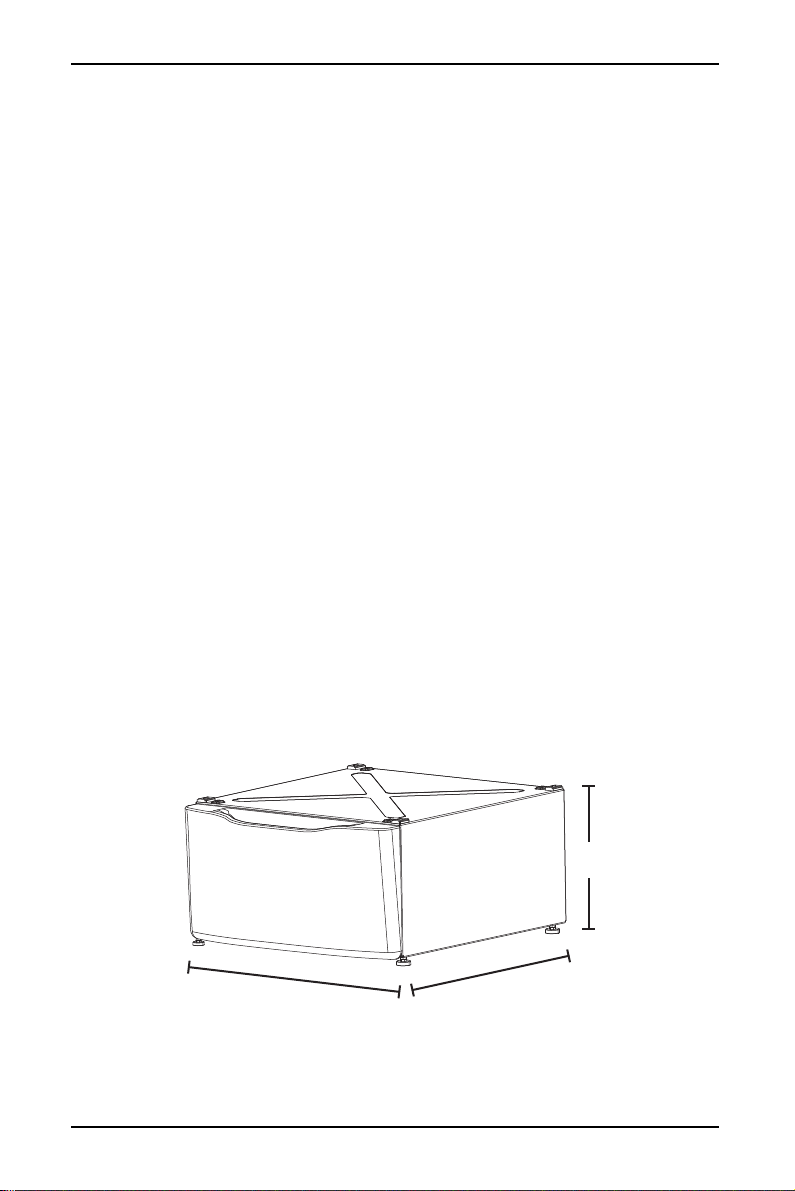
Dimensions
12 7/8 in. (326 cm)
29 3/8 in. (746 cm)
27 in. (686 cm)
4
NS-FLWDPW3
www.insigniaproducts.com
Parts
Hardware kit
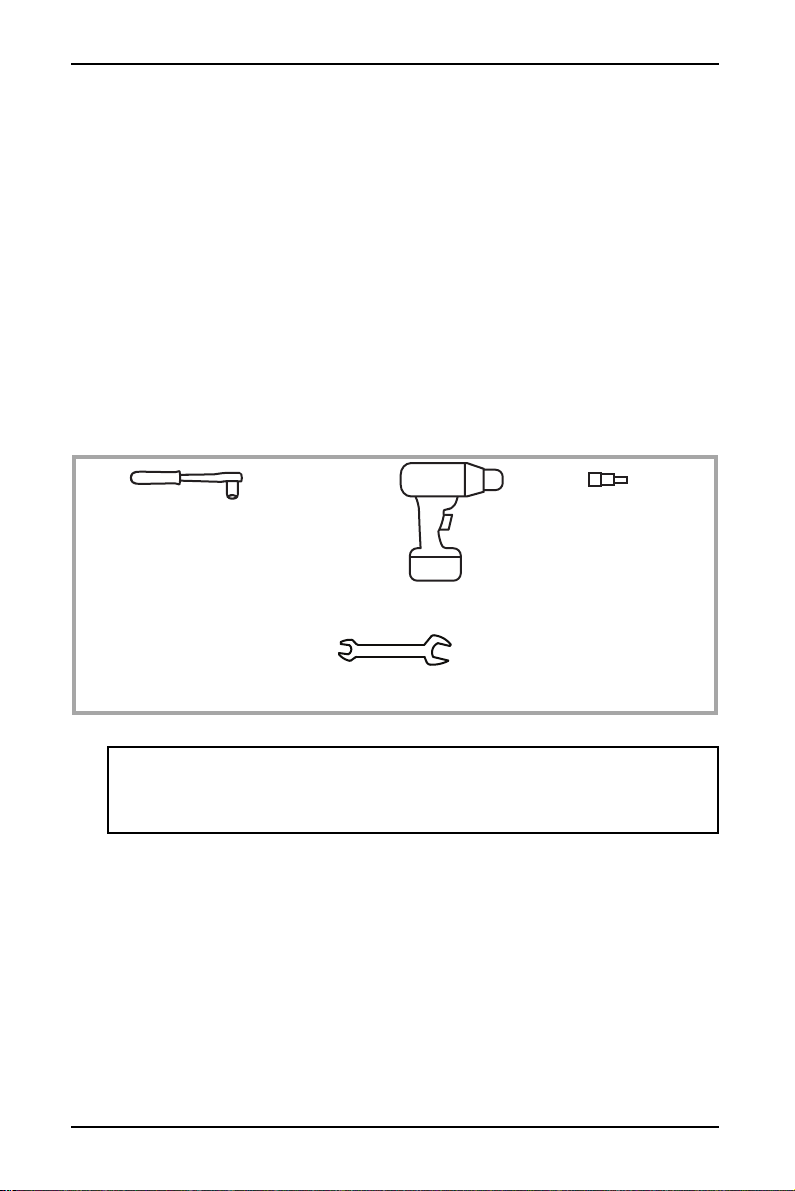
Tools needed
Notes:
• Touch the control panel lightly when pressing the keys.
• To avoid scratching the control panel, do not touch it with sharp objects.
Pedestal organizer
(Taped at the top of the shipping carton)
Pedestal
DESCRIPTION QTY.
4
Support pads
DESCRIPTION QTY.
4
Mounting screws (installed on
washer or dryer)
8 mm socket wrench
Phillips screwdriver
17 mm open end wrench or
adjustable wrench
OR
WITH
Electric screwdriver
8 mm socket
5
Pedestal for Insignia Washer and Dryer
www.insigniaproducts.com
Installing your pedestal
STEP 1: Preparing to install
1 If the washer or dryer is already installed:
• Unplug your washer or dryer’s power cord from the power outlet.
• Disconnect the inlet hose(s) attached to faucet(s).
• Disconnect the drain hose and drain all hoses.
2 Remove the pedestal packaging.
3 Remove the pedestal organizer that is taped to the top of the shipping carton
and set it aside for final installation.
4 Flatten the box to use as a pad to lay the washer or dryer down on its side to
protect the finished floor in front of the installation location.
5 Do not try to stack two or more pedestals.
STEP 2: Removing the leveling legs and mounting screws
You need:
CAUTION:
• Do not lay the washer or dryer on its back.
• Do not remove the shipping bolts on the back of the washer. The bolts must
remain in place until the washer is returned to an upright position.
8 mm socket wrench
17 mm open end wrench or
adjustable wrench
OR
WITH
Electric screwdriver
8 mm socket
6
NS-FLWDPW3
www.insigniaproducts.com
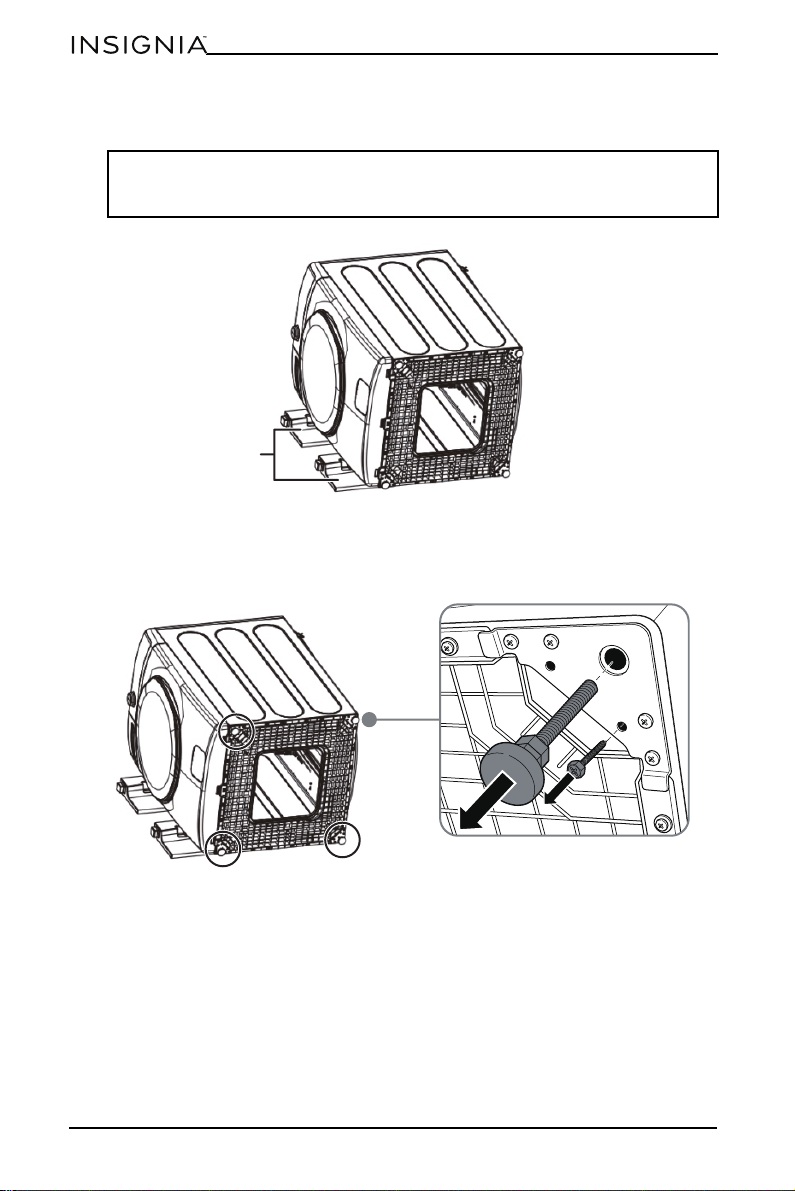
1 Carefully lay the washer or dryer on its side to access the leveling legs on the
bottom.
2 Use an open-end wrench to remove the washer or dryer leveling legs.
3 Use an 8 mm socket wrench to remove the mounting screws, then put them
aside for later use.
Note: When laying the washing machine on its side, place two packaging side
foams that came in the box under the washer side to protect the washing
machine.
Packaging foam
7
Pedestal for Insignia Washer and Dryer
www.insigniaproducts.com
STEP 3: Preparing your pedestal
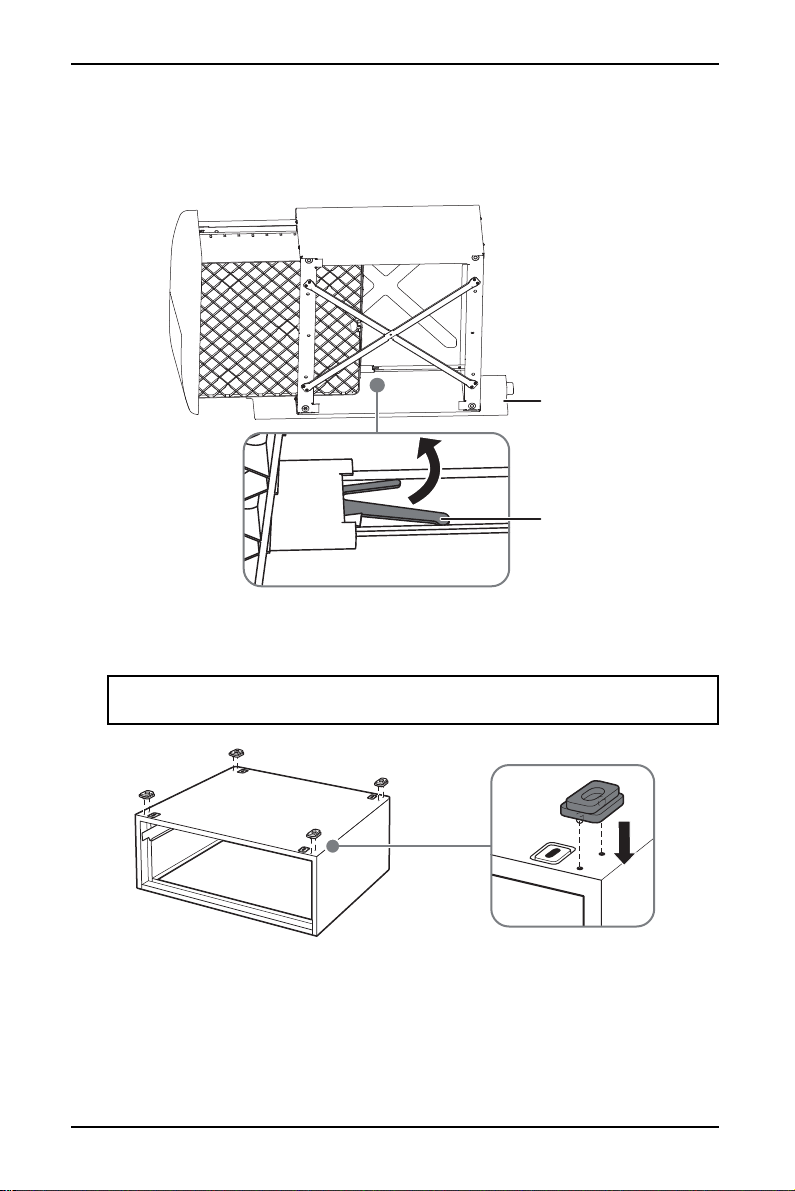
1 Pull the pedestal drawer out as far as it will go.
2 Squeeze the lever release on each of the drawer slides, then pull out the
drawer and set it aside.
3 Remove the four support pads from the parts package. Press the two
protrusions on a pad into a corner hole on the top of the pedestal. Repeat this
step to install the other three pads.
Note: When laying the pedestal on its side, place the packaging foam that came
in the box under the pedestal.
Packing foam
Lever release
8
NS-FLWDPW3
www.insigniaproducts.com
STEP 4: Installing your pedestal
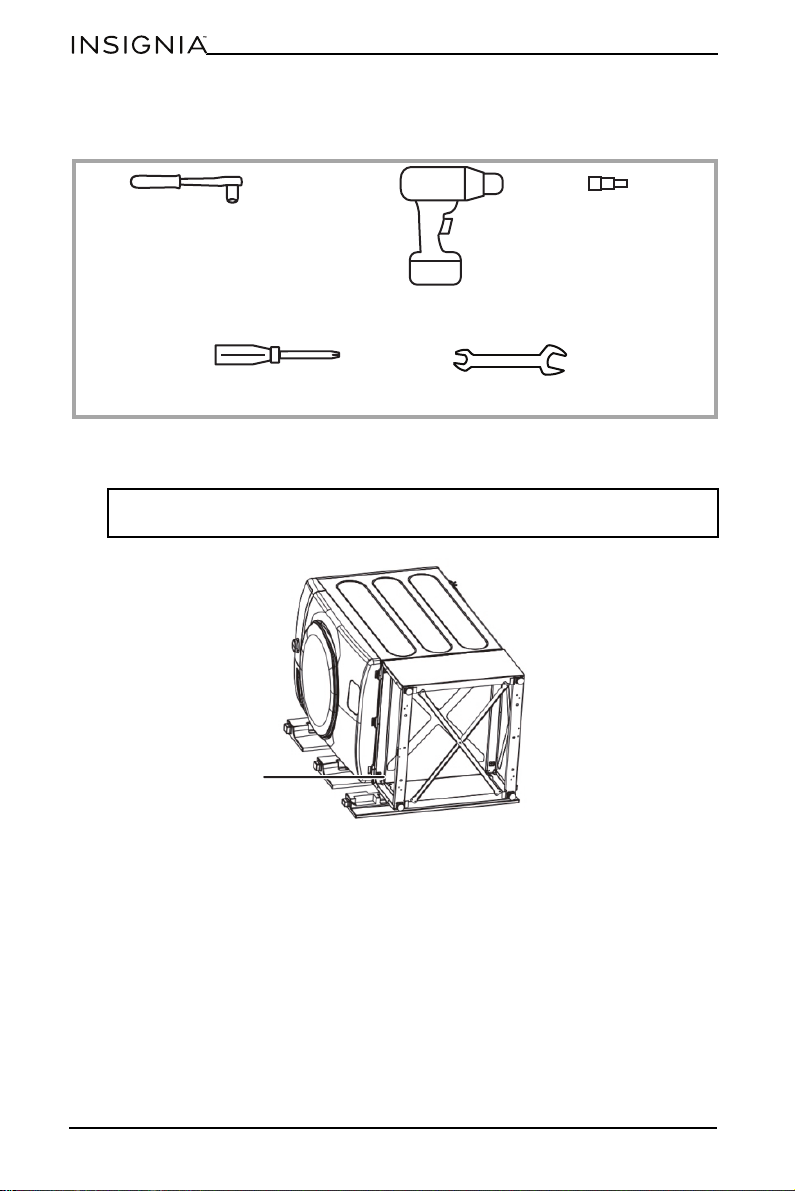
You need:
1 Place the pedestal against the bottom of the washer or dryer. Make sure that
the drawer opening faces the front of the washer or dryer.
Note: For easier alignment of the screw holes, place a packaging side foam
under the pedestal.
8 mm socket wrench
Phillips screwdriver
17 mm open end wrench or
adjustable wrench
OR
WITH
Electric screwdriver
8 mm socket
Drawer front opening
9
Pedestal for Insignia Washer and Dryer
www.insigniaproducts.com
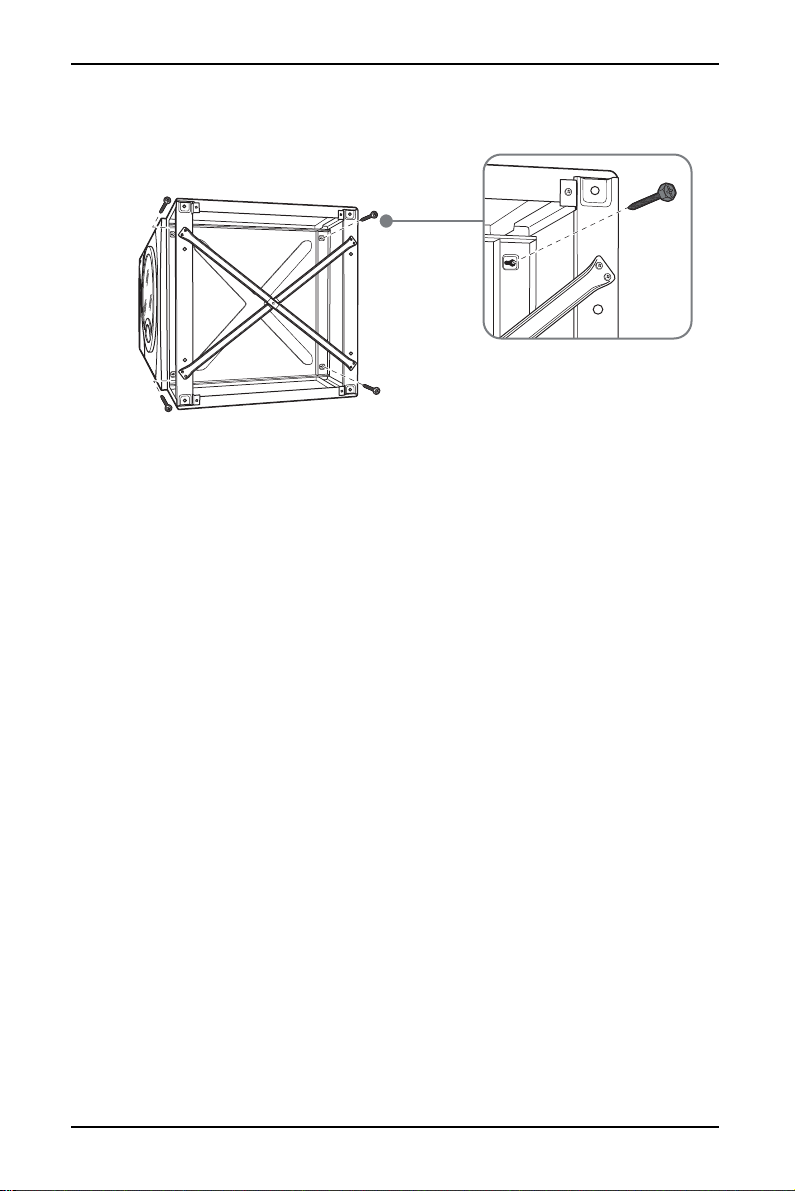
2 Align the screw holes on the cabinet and pedestal, then insert the four screws
into the cabinet. Do not tighten the screws.
3 Slide the pedestal toward the washer or dryer until it is aligned front to back.
4 Securely tighten the screws with an 8 mm socket wrench.
10
NS-FLWDPW3
www.insigniaproducts.com
STEP 5: Leveling the washer or dryer
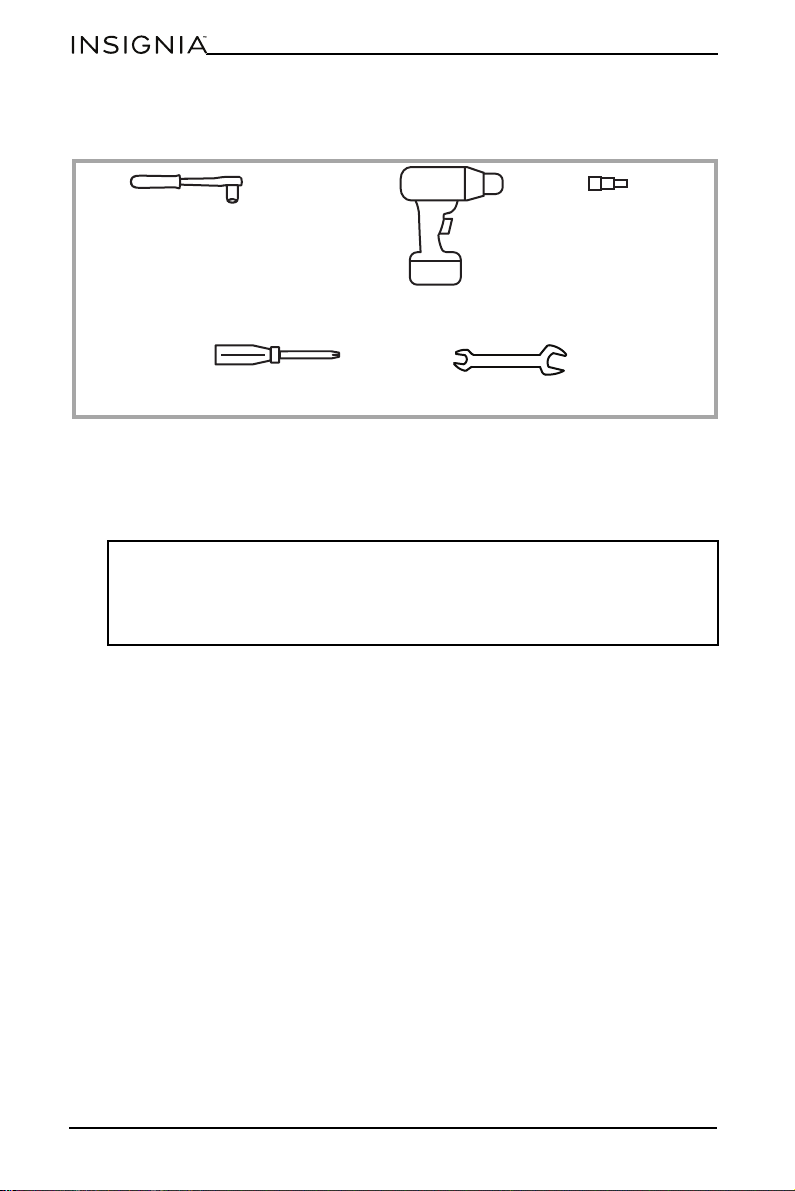
You need:
1 Stand the washer or dryer upright, then move it close to its final location.
2 If the washer or dryer is not level, use an open ended wrench to adjust the legs
up or down.
3 Tighten each lock nut against the bottom of your pedestal.
Note: To minimize vibration:
• The locking nuts must be tight.
• Make sure that all four rubber leveling legs are firmly touching the floor. Push
and pull on the back right and then the back left of your washer or dryer to
make sure the legs are even.
8 mm socket wrench
Phillips screwdriver
17 mm open end wrench or
adjustable wrench
OR
WITH
Electric screwdriver
8 mm socket
11
Pedestal for Insignia Washer and Dryer
www.insigniaproducts.com
STEP 6: Installing the drawer
You need:
1 Align the drawer slides with the supports on each side of the pedestal, then
push the drawer in.
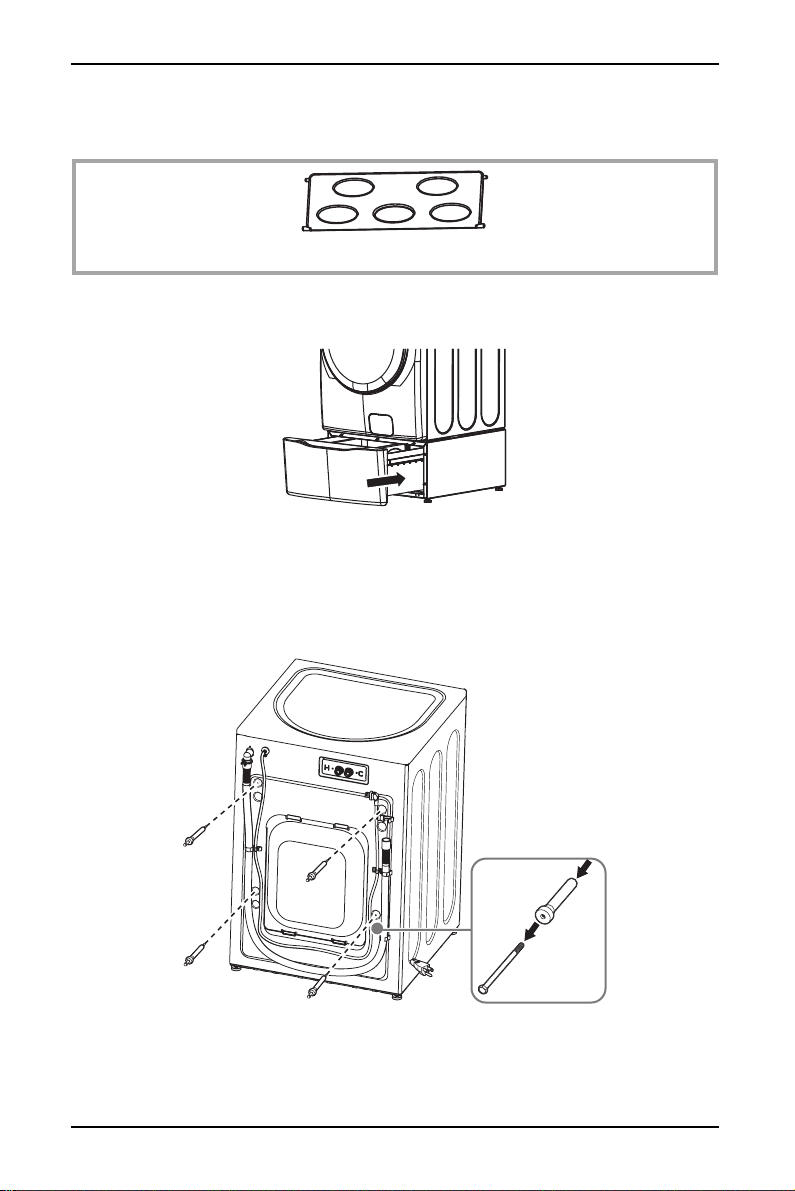
2 Open the drawer fully, then place the pedestal organizer into the drawer. The
drawer should slide smoothly when you push it closed.
STEP 7: Removing the shipping bolts
• Remove the shipping bolts from the back of the washer or dryer. Your
washer/dryer cannot be used until the shipping bolts are removed.
• Refer to the documentation that came with the washer of dryer to complete
the installation.
Pedestal organizer
12
NS-FLWDPW3
www.insigniaproducts.com
Specifications
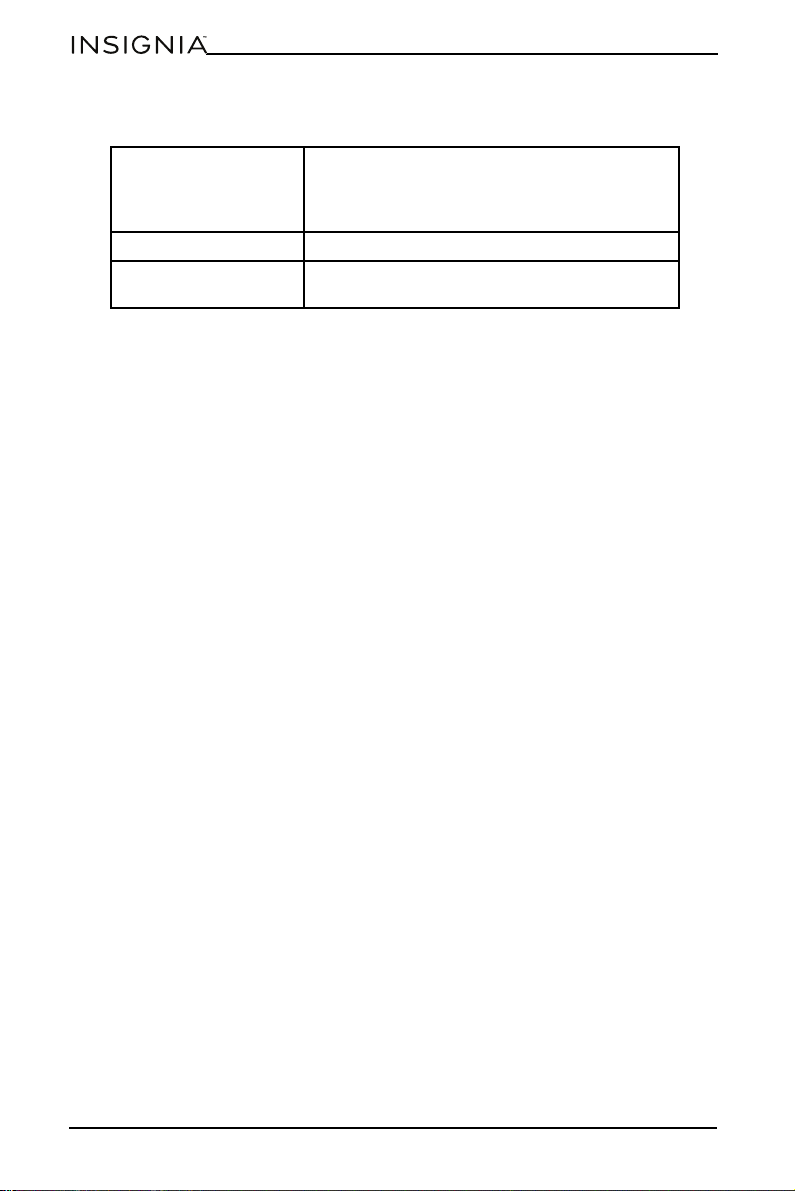
Dimensions (H × W × D) Pedestal: 29 3/8 × 27 × 12 5/6 in. (76.4 × 68.6 ×
32.6 cm)
Drawer: 22 1/16 × 22 5/6 × 8 15/32 in. (56 × 58 ×
21.5 cm)
Weight 41 15/16 lbs. (19 kg)
Maximum drawer
support
33 1/16 lbs. (15 kg)

13
Pedestal for Insignia Washer and Dryer
www.insigniaproducts.com
ONE-YEAR LIMITED WARRANTY
Definitions:
The Distributor* of Insignia branded products warrants to you, the original purchaser of this
new Insignia-branded product (“Product”), that the Product shall be free of defects in the
original manufacturer of the material or workmanship for a period of one (1) year from the
date of your purchase of the Product (“Warranty Period”).
For this warranty to apply, your Product must be purchased in the United States or Canada
from a Best Buy branded retail store or online at www.bestbuy.com
or www.bestbuy.ca and
is packaged with this warranty statement.
How long does the coverage last?
The Warranty Period lasts for 1 year (365 days) from the date you purchased the Product.
Your purchase date is printed on the receipt you received with the Product.
What does this warranty cover?
During the Warranty Period, if the original manufacture of the material or workmanship of
the Product is determined to be defective by an authorized Insignia repair center or store
personnel, Insignia will (at its sole option): (1) repair the Product with new or rebuilt parts; or
(2) replace the Product at no charge with new or rebuilt comparable products or parts.
Products and parts replaced under this warranty become the property of Insignia and are
not returned to you. If service of Products or parts are required after the Warranty Period
expires, you must pay all labor and parts charges. This warranty lasts as long as you own your
Insignia Product during the Warranty Period. Warranty coverage terminates if you sell or
otherwise transfer the Product.
How to obtain warranty service?
If you purchased the Product at a Best Buy retail store location or from a Best Buy online
website (www.bestbuy.com or www.bestbuy.ca), please take your original receipt and the
Product to any Best Buy store. Make sure that you place the Product in its original packaging
or packaging that provides the same amount of protection as the original packaging.
To obtain warranty service, in the United States and Canada call 1-877-467-4289. Call agents
may diagnose and correct the issue over the phone.
Where is the warranty valid?
This warranty is valid only in the United States and Canada at Best Buy branded retail stores
or websites to the original purchaser of the product in the country where the original
purchase was made.
What does the warranty not cover?
This warranty does not cover:
• Food, beverage, and/or medicine loss/spoilage.
• Customer instruction/education
•Installation
•Set up adjustments
• Cosmetic damage
• Damage due to weather, lightning, and other acts of God, such as power surges
• Accidental damage
•Misuse
•Abuse
•Negligence
• Commercial purposes/use, including but not limited to use in a place of business or in
communal areas of a multiple dwelling condominium or apartment complex, or
otherwise used in a place of other than a private home.
• Modification of any part of the Product, including the antenna
• Display panel damaged by static (non-moving) images applied for lengthy periods
(burn-in).

14
NS-FLWDPW3
www.insigniaproducts.com
• Damage due to incorrect operation or maintenance
• Connection to an incorrect voltage or power supply
• Attempted repair by any person not authorized by Insignia to service the Product
• Products sold “as is” or “with all faults”
• Consumables, including but not limited to batteries (i.e. AA, AAA, C etc.)
• Products where the factory applied serial number has been altered or removed
• Loss or Theft of this product or any part of the product
• Display panels containing up to three (3) pixel failures (dots that are dark or incorrectly
illuminated) grouped in an area smaller than one tenth (1/10) of the display size or up to
five (5) pixel failures throughout the display. (Pixel based displays may contain a limited
number of pixels that may not function normally.)
• Failures or Damage caused by any contact including but not limited to liquids, gels or
pastes.
REPAIR REPLACEMENT AS PROVIDED UNDER THIS WARRANTY IS YOUR EXCLUSIVE REMEDY
FOR BREACH OF WARRANTY. INSIGNIA SHALL NOT BE LIABLE FOR ANY INCIDENTAL OR
CONSEQUENTIAL DAMAGES FOR THE BREACH OF ANY EXPRESS OR IMPLIED WARRANTY ON
THIS PRODUCT, INCLUDING, BUT NOT LIMITED TO, LOST DATA, LOSS OF USE OF YOUR
PRODUCT, LOST BUSINESS OR LOST PROFITS. INSIGNIA PRODUCTS MAKES NO OTHER
EXPRESS WARRANTIES WITH RESPECT TO THE PRODUCT, ALL EXPRESS AND IMPLIED
WARRANTIES FOR THE PRODUCT, INCLUDING BUT NOT LIMITED TO ANY IMPLIED
WARRANTIES OF AND CONDITIONS OF MERCHANTABILITY AND FITNESS FOR A PARTICULAR
PURPOSE, ARE LIMITED IN DURATION TO THE WARRANTY PERIOD SET FORTH ABOVE AND
NO WARRANTIES, WHETHER EXPRESS OR IMPLIED, WILL APPLY AFTER THE WARRANTY
PERIOD. SOME STATES, PROVINCES AND JURISDICTIONS DO NOT ALLOW LIMITATIONS ON
HOW LONG AN IMPLIED WARRANTY LASTS, SO THE ABOVE LIMITATION MAY NOT APPLY TO
YOU. THIS WARRANTY GIVES YOU SPECIFIC LEGAL RIGHTS, AND YOU MAY ALSO HAVE OTHER
RIGHTS, WHICH VARY FROM STATE TO STATE OR PROVINCE TO PROVINCE.
Contact Insignia:
1-877-467-4289
www.insigniaproducts.com
INSIGNIA is a trademark of Best Buy and its affiliated companies.
*Distributed by Best Buy Purchasing, LLC
7601 Penn Ave South, Richfield, MN 55423 U.S.A.
©2023 Best Buy. All rights reserved.

www.insigniaproducts.com
1-877-467-4289 (U.S. and Canada)
INSIGNIA is a trademark of Best Buy and its affiliated companies.
Distributed by Best Buy Purchasing, LLC
7601 Penn Ave South, Richfield, MN 55423 U.S.A.
©2023 Best Buy. All rights reserved.
V2 ENGLISH
23-0075