
1 / 12
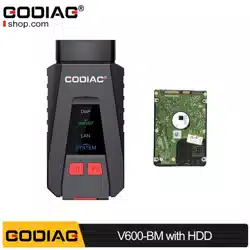
V600 Client Specification
ShunTai Tech, 2021.03
Catalog
V600 Client Specification ........................................................................................................................ 1
一、Login ..................................................................................................................................................... 2
二、Product upgrade ............................................................................................................................... 4
三、Advanced features ........................................................................................................................... 9
1、Join the wireless network .......................................................................................................... 10
2、Configure AP hotspots ............................................................................................................... 10
3、License ............................................................................................................................................. 10
四、Account management .................................................................................................................. 10
五、About .................................................................................................................................................. 12
2 / 12
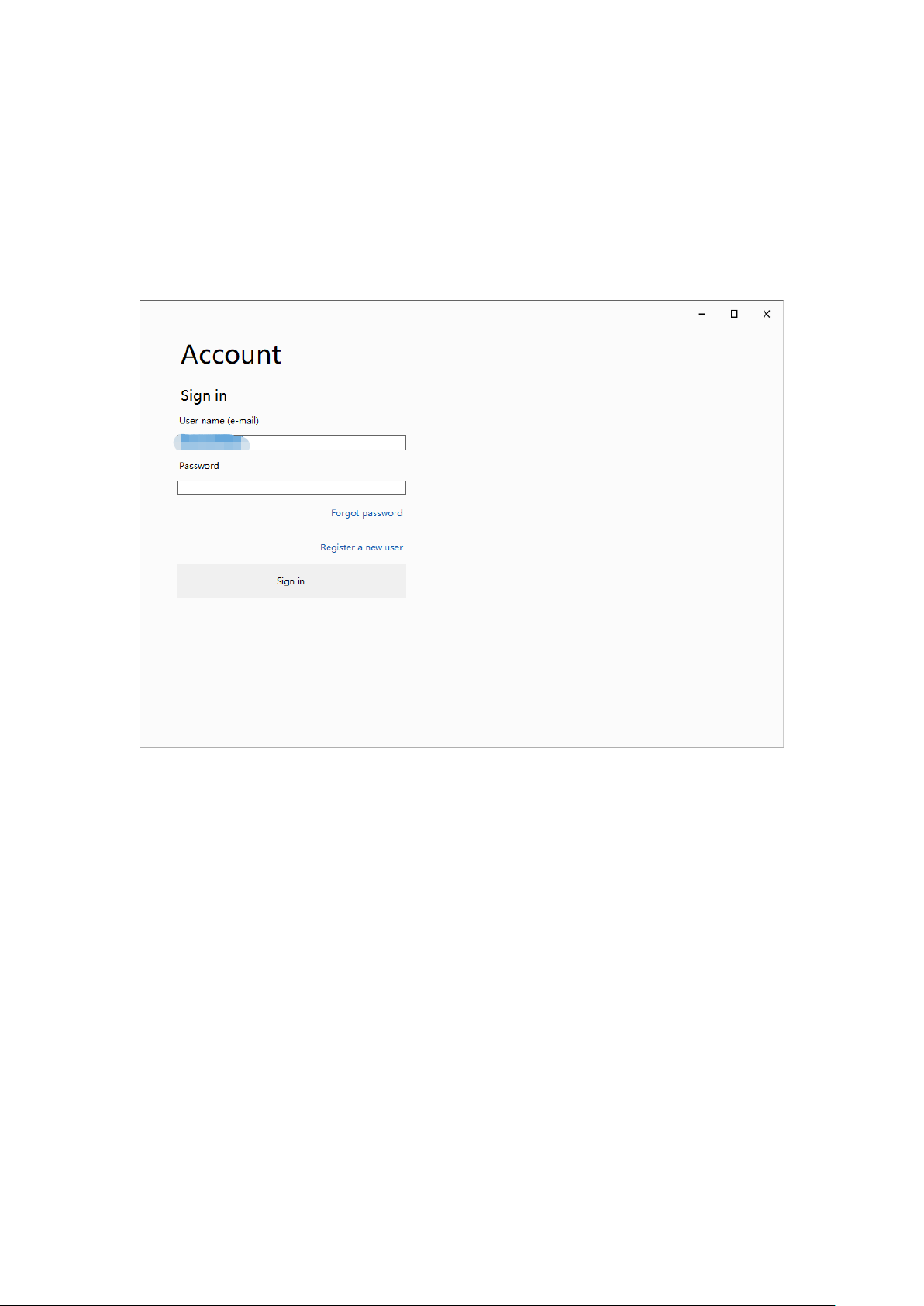
一、Login
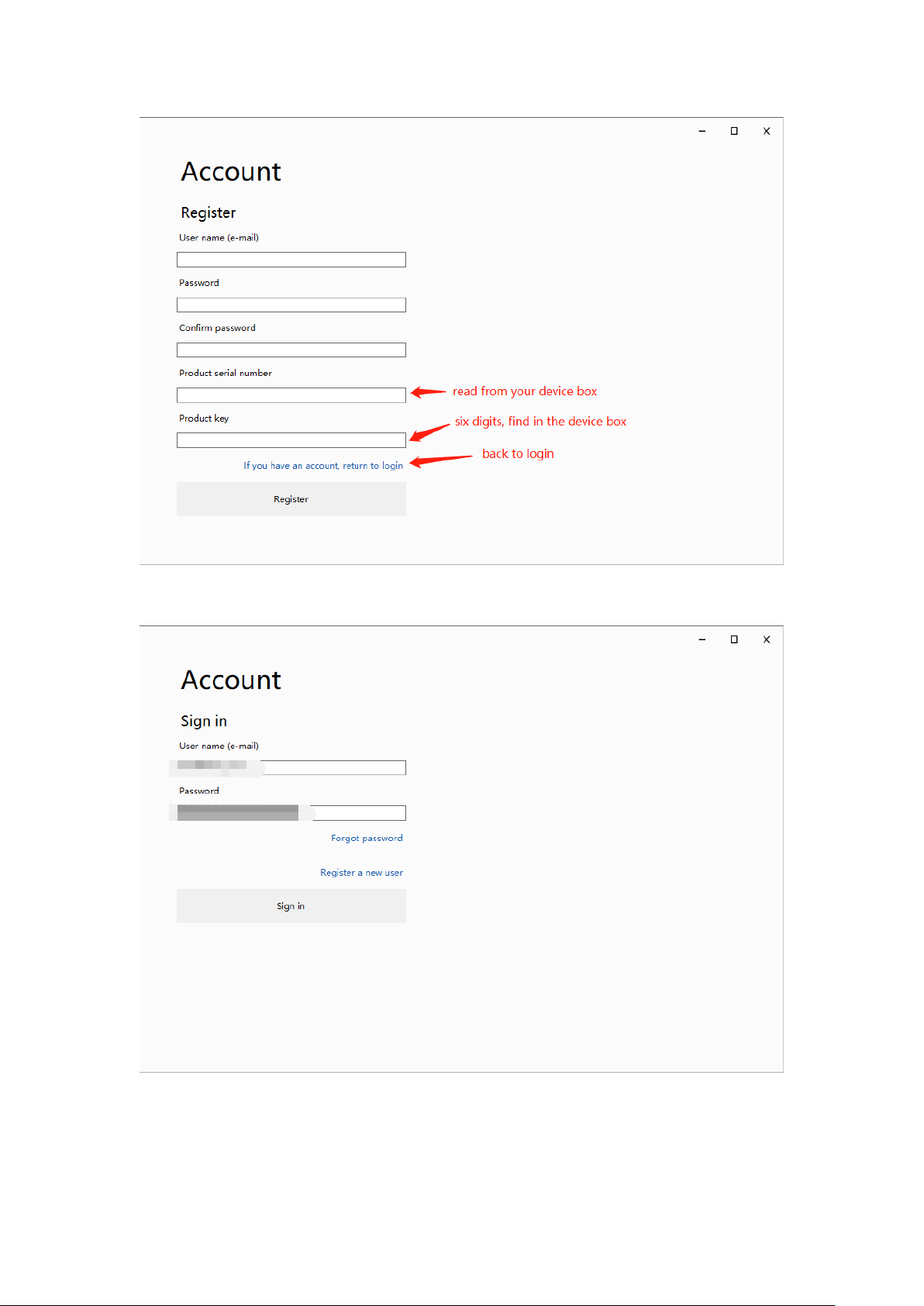
Identity verify:
Figure 1-Login
If you are a new user ,register your account first, and you should bind your device(to prove
you are a real user) :
3 / 12
Figure 2-Register
Now input your ‘user name’ and ‘password’, login :
Figure 3-Input login information
4 / 12
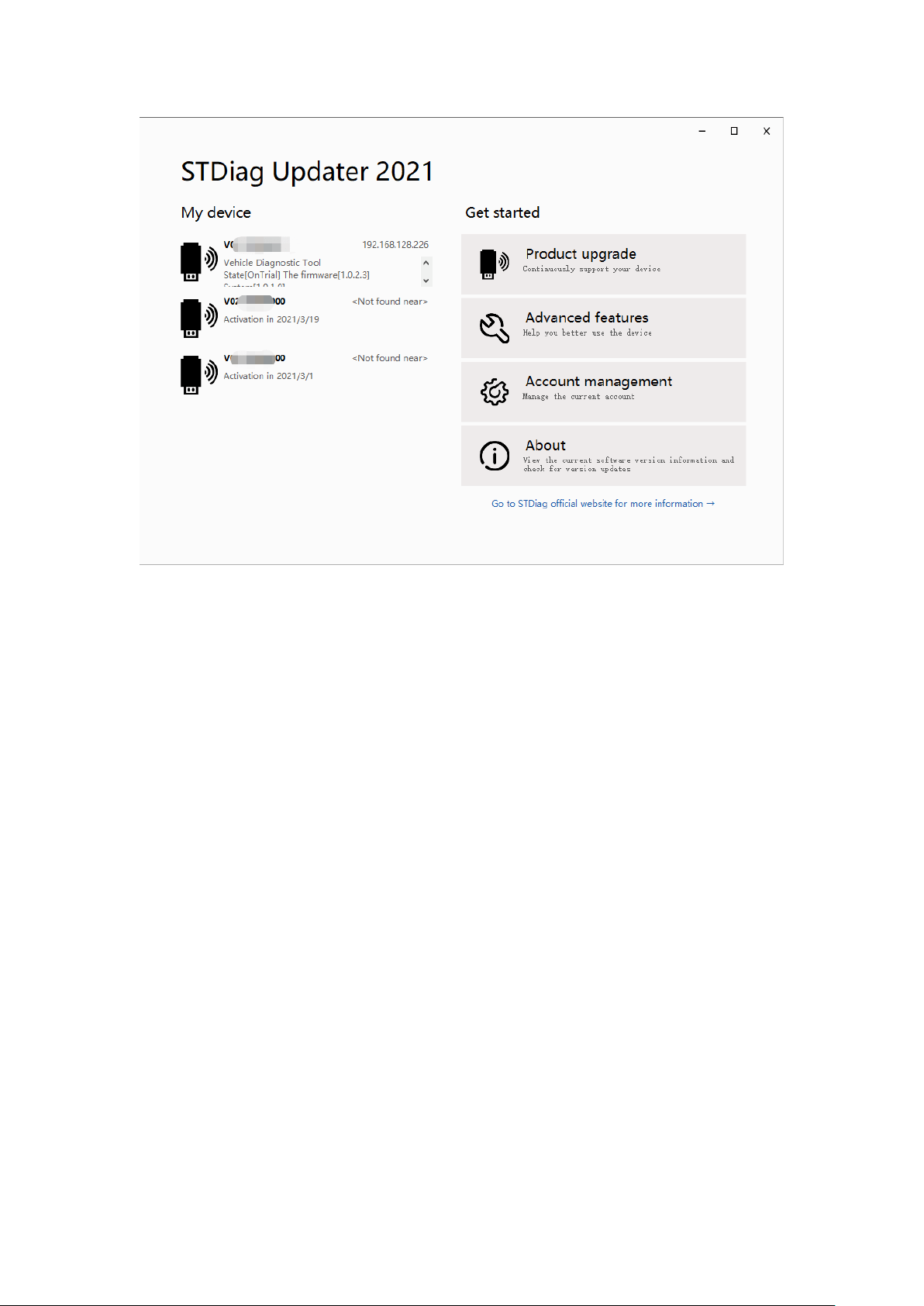
Figure 4-Operation Menu
On the left side, list the devices you binded or the devices found, you can read the base
information of the device in each item. Select one of them to connect the device(see Figure
5).
On the right side, there are 4 menu items : Product upgrade, Advanced features, Account
management, About.
二、Product upgrade
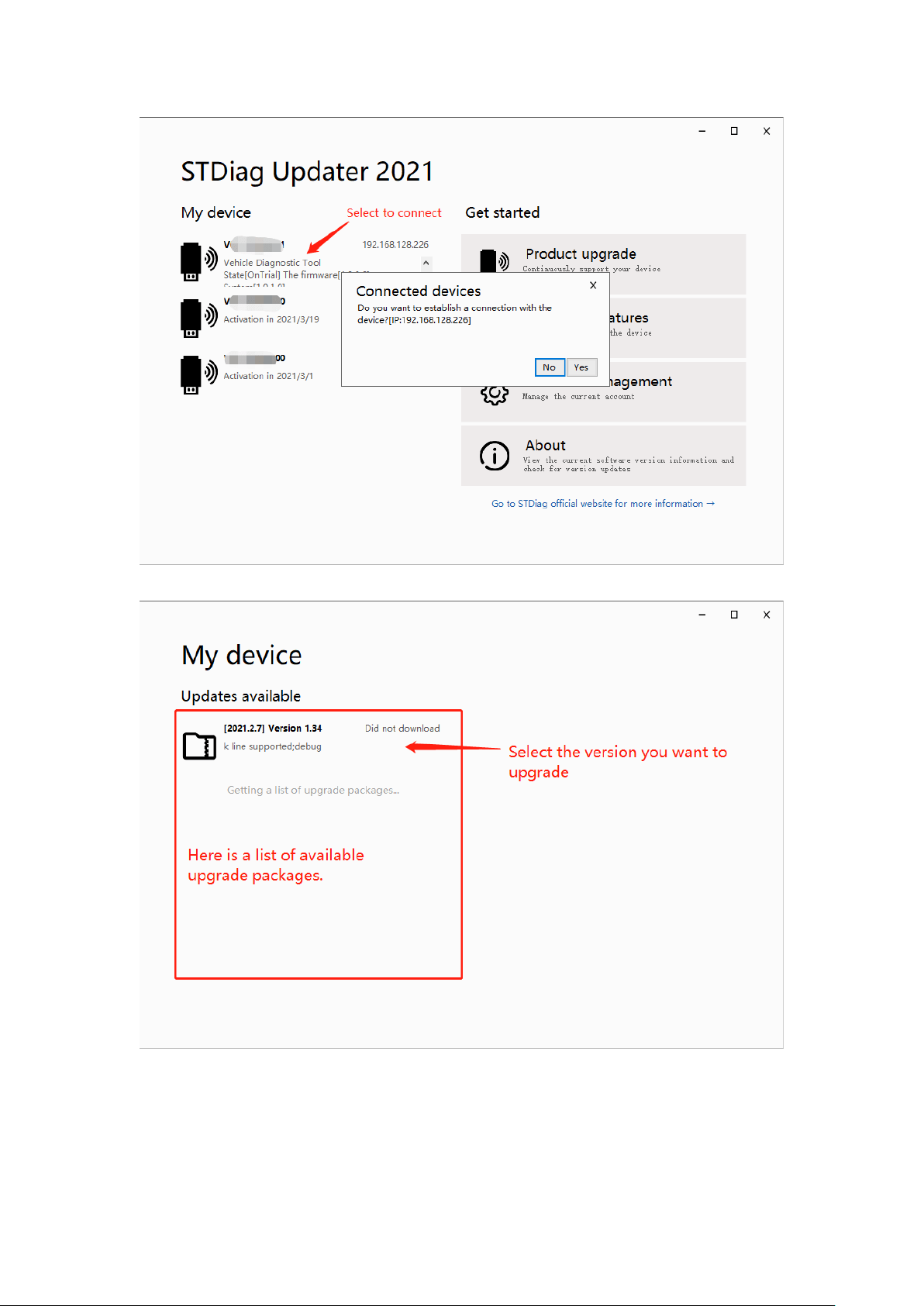
To upgrade your device’s firmware, you should connect your device first :
5 / 12
Figure 5-Conncet device
Figure 6-Select upgrade packages
6 / 12
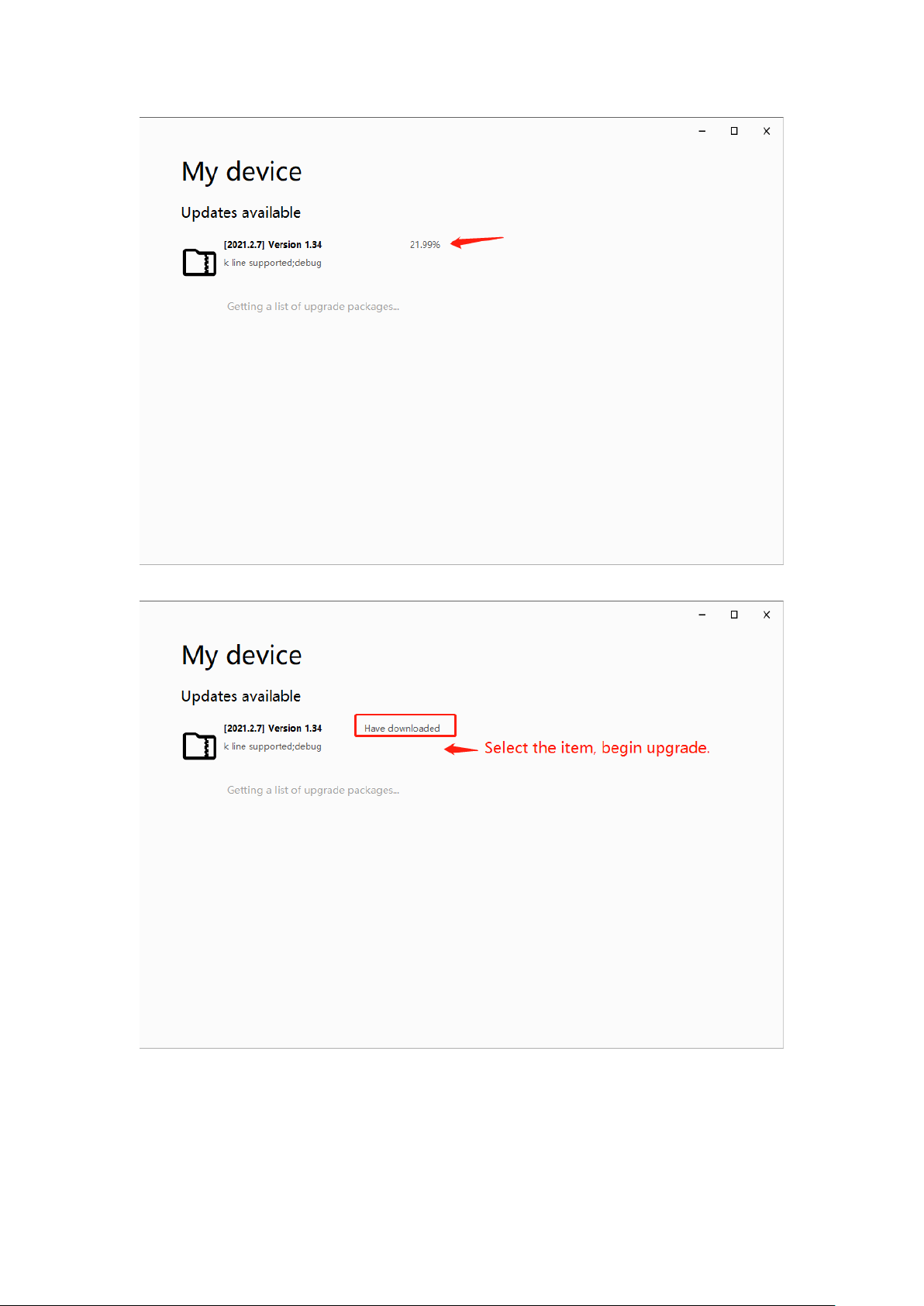
Figure 7-Download package
Figure 8-Download finished
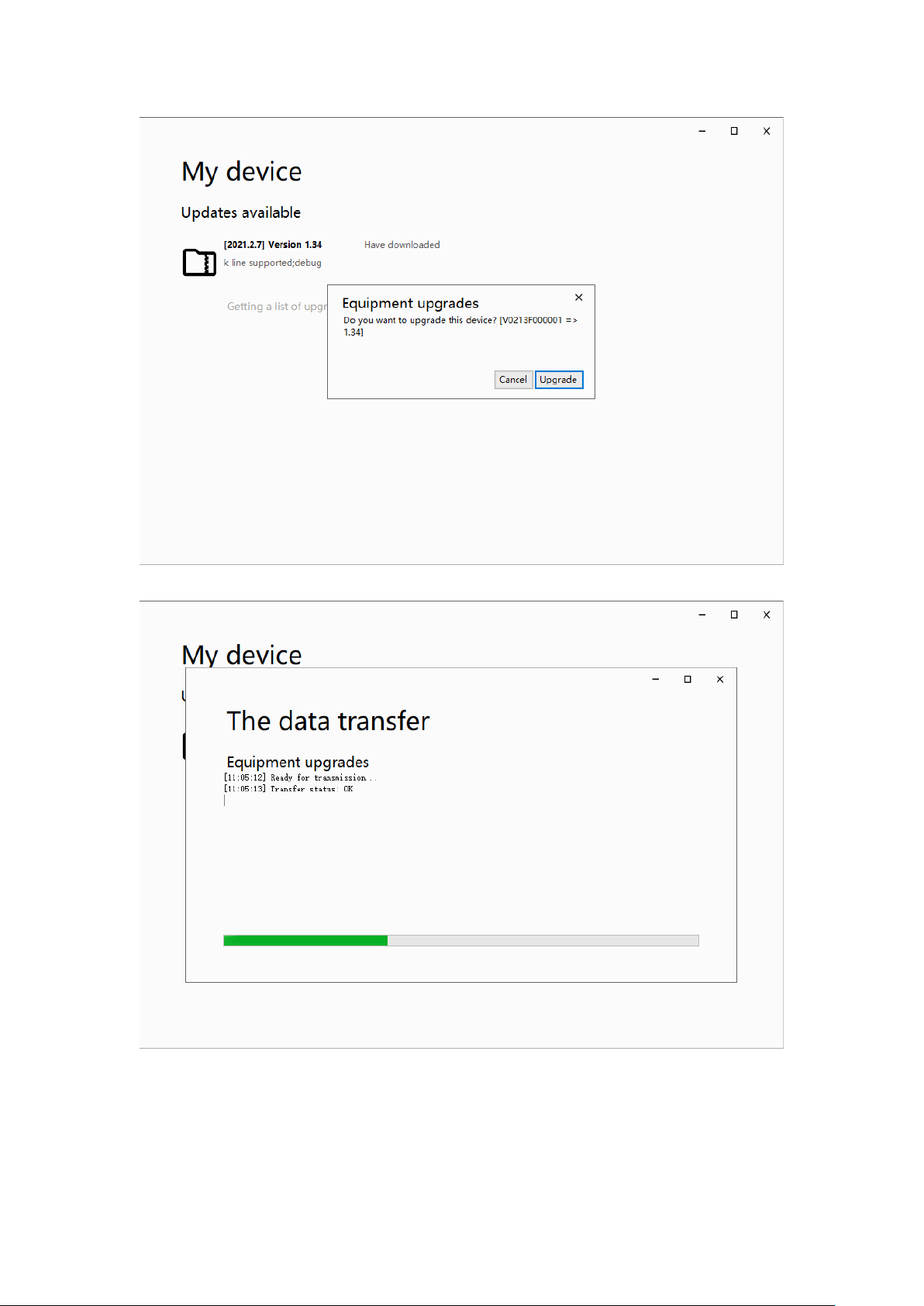
7 / 12
Figure 9-Upgrade comfirm
Figure 10-Transfer packages
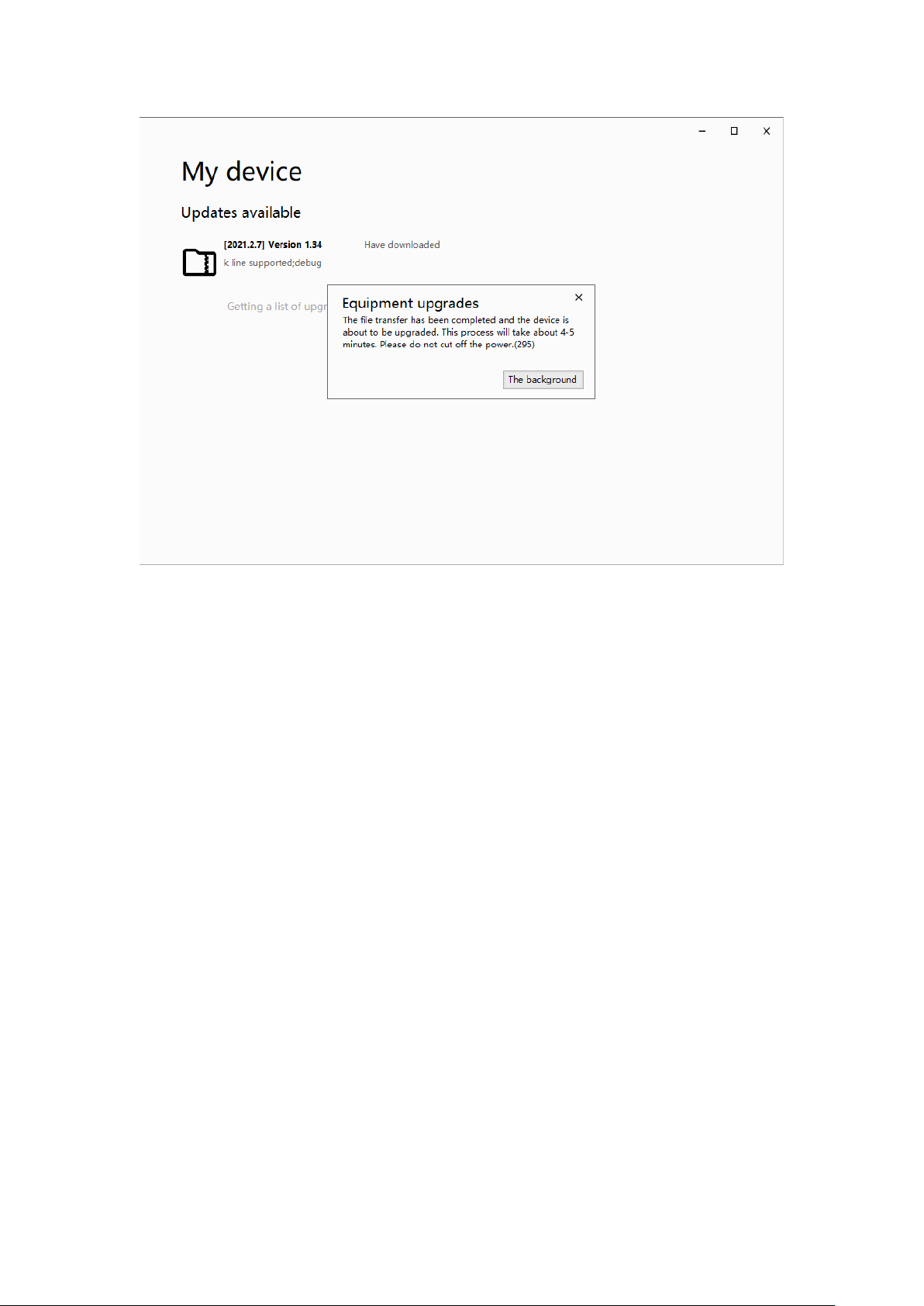
8 / 12
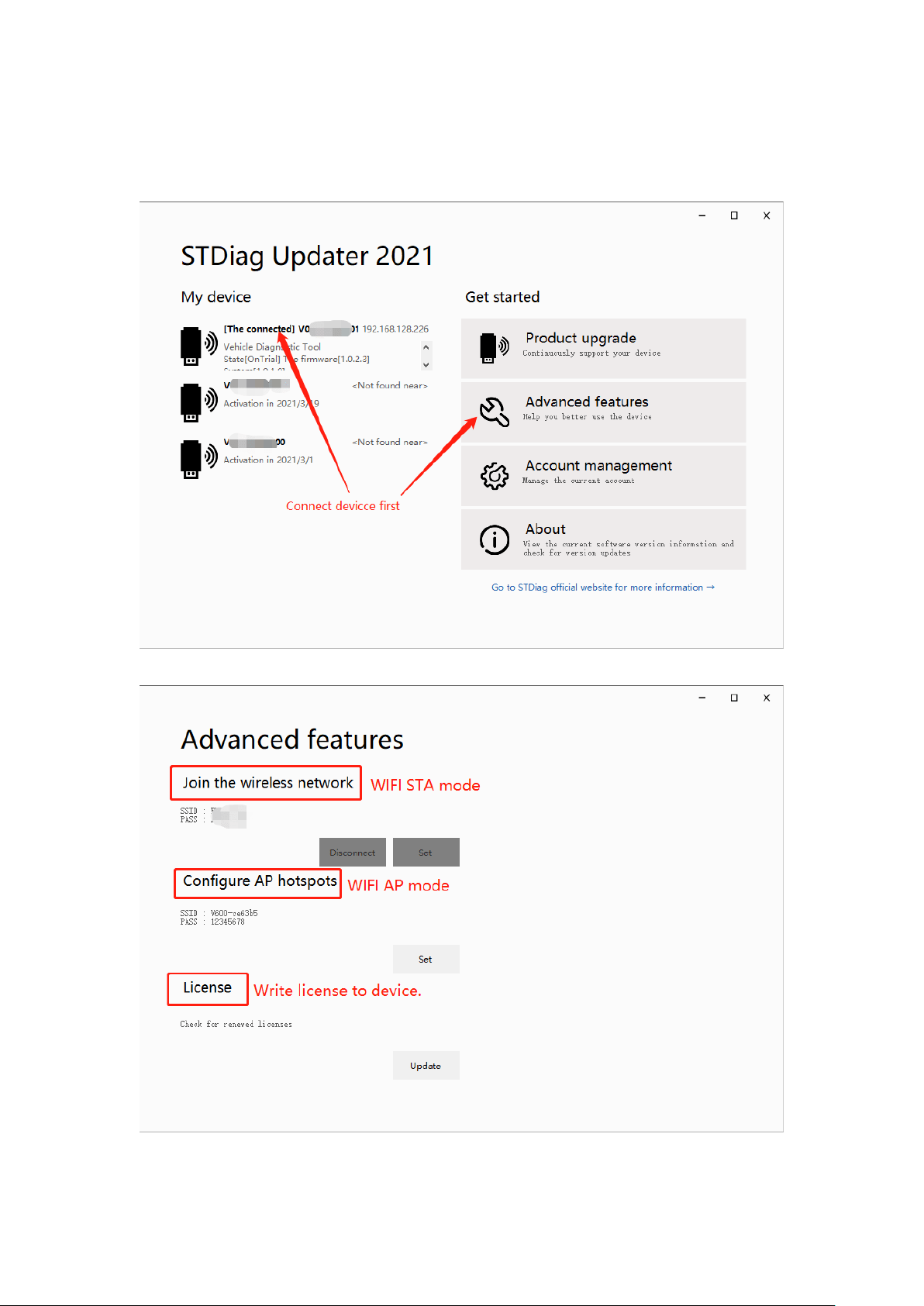
Figure 11-Transfer finished
You can close the application now, the device upgrade process will take a few minutes.
Don’t cut off the power while device is upgrading !
9 / 12
三、Advanced features
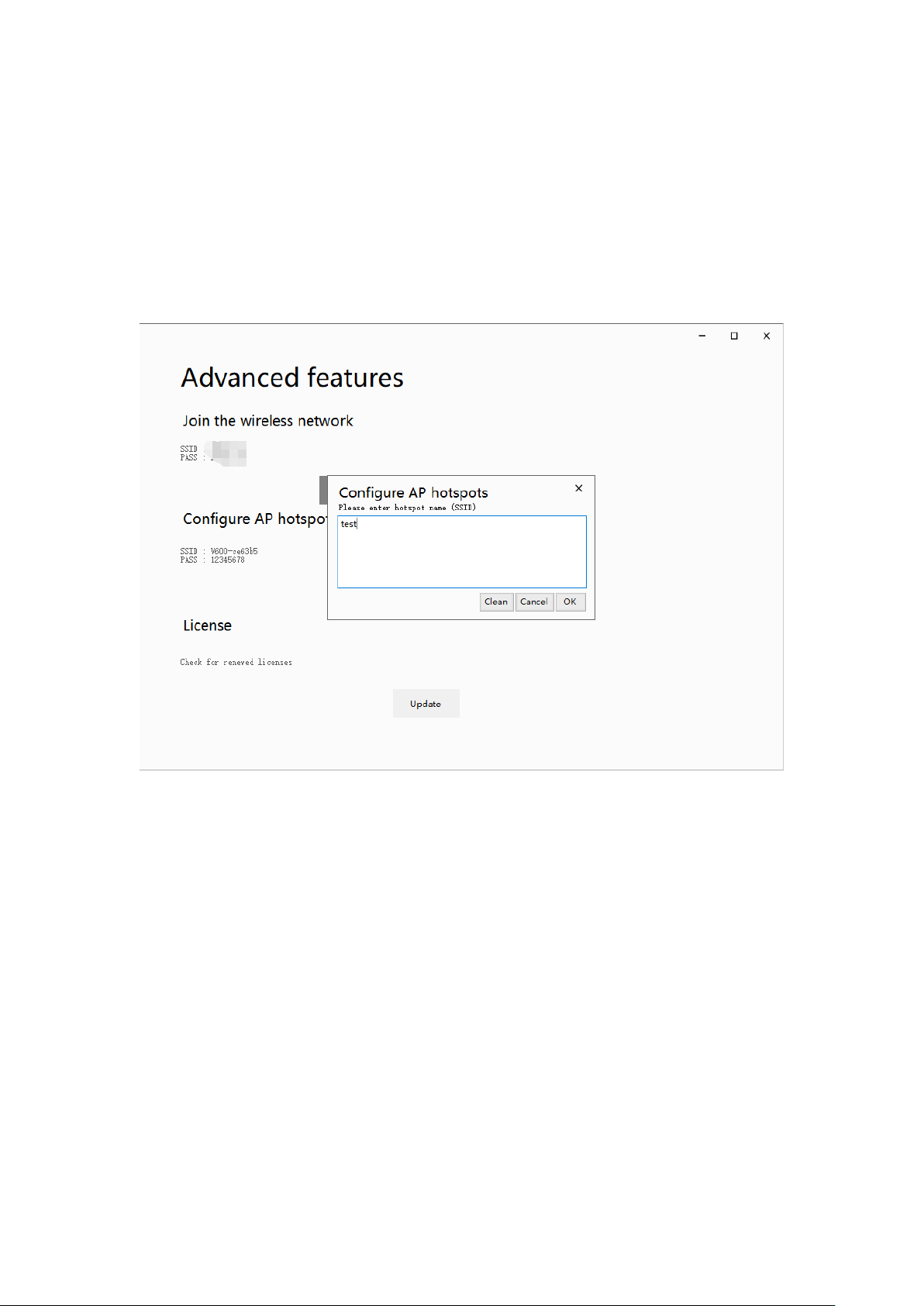
Figure 12-Advanced features
There are three items :
10 / 12
1、Join the wireless network
Disabled currently, in debugging...
2、Configure AP hotspots
The device can be a wifi host, you can modify the wifi name and password.
3、License
Write license to device, click ‘Update’ button.
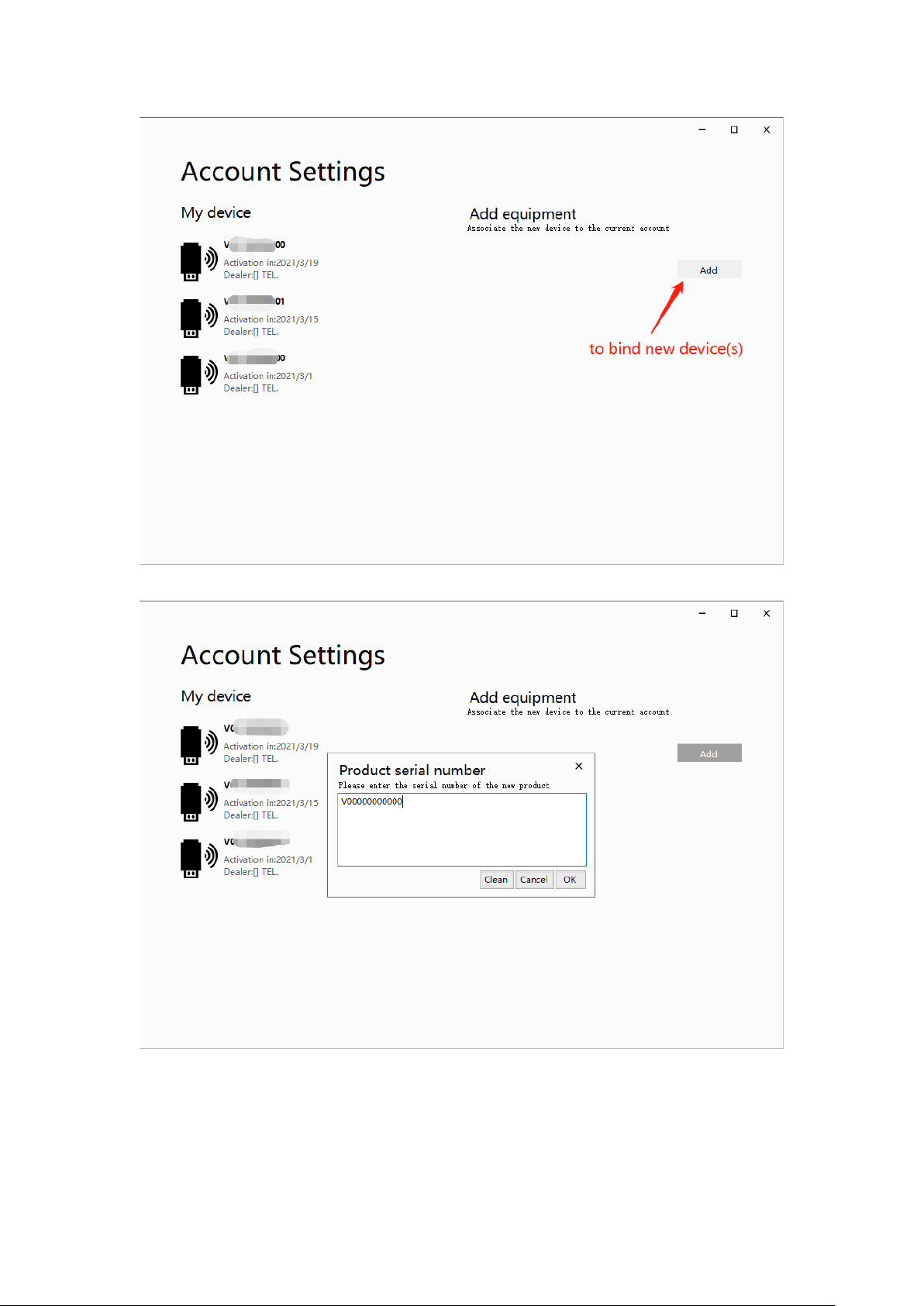
四、Account management
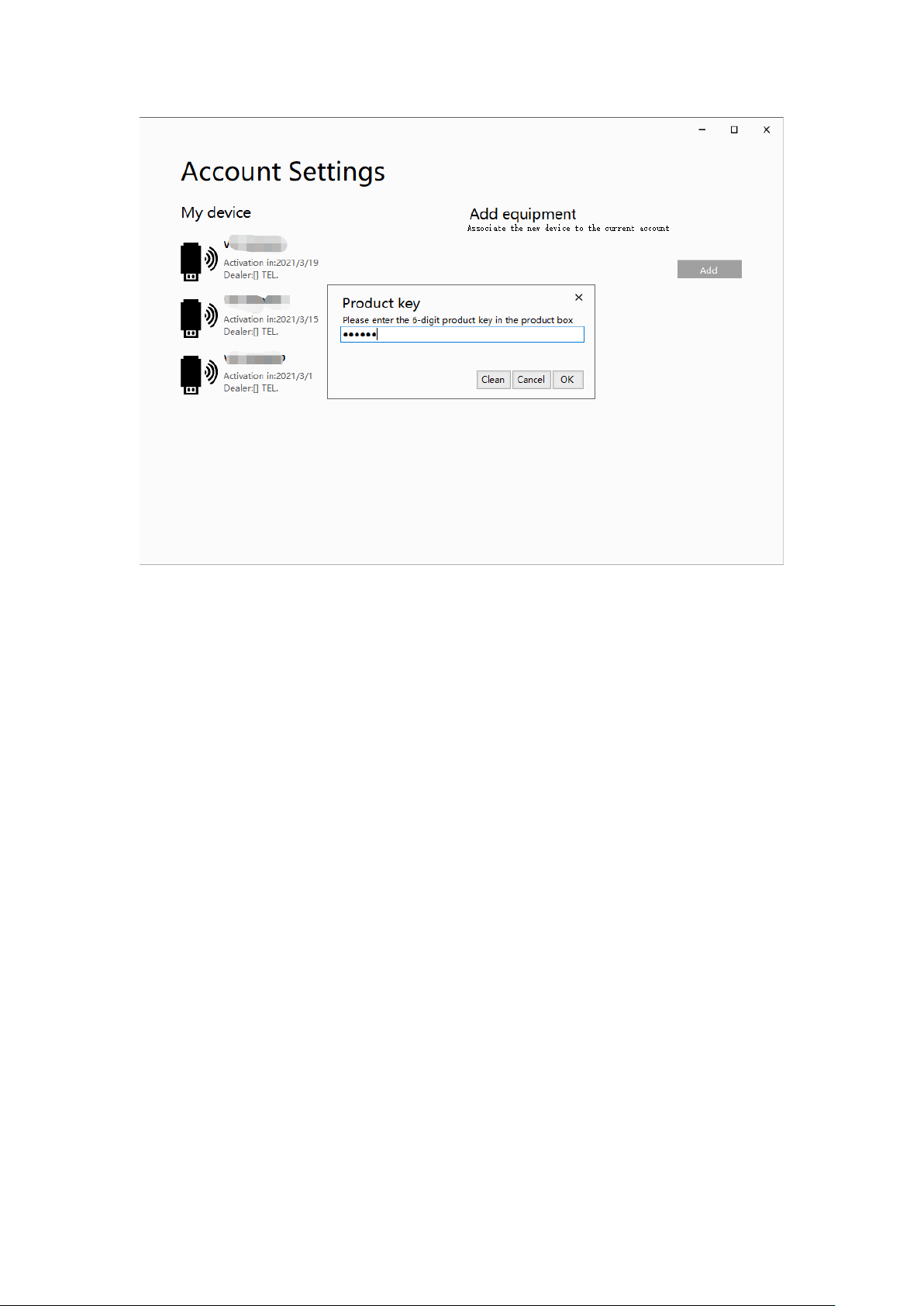
No need to connect any device, you can bind a new device to your account。
11 / 12
Input your new device’s ‘serial number’ and ‘product key’ :
12 / 12
五、About
Not supported yet.